#networking
1 messages · Page 115 of 1
 snow obsidian
 unreal wedge
Just do as @ornate jungle says
 ornate jungle
^^^ Correct. If you're just adding APs, then all the DHCP is assigned by your cable modem instead.
snow obsidian
wat
unreal wedge
Modem >> Router >> 10/100/1000M switch >> APs
That's a simple network device setup map for you.
 ornate jungle
Hmm OK, and are there any free/unused coax cable outlets more centally located in the home that you can move the modem to?
unreal wedge
Modem needs to be centrally placed.
snow obsidian
their might be in a closet between the dinning room and kitchen
unreal wedge
Your yard has great signal.
snow obsidian
btw does this work for a switch https://www.monoprice.com/product?p_id=15763&gclid=Cj0KCQjwxN_XBRCFARIsAIufy1bpsBdumt7YJ_Z3M5QBJJYS7dgBXaPHhRzzpUeVhzhf9zCgUkvrMgIaAv8nEALw_wcB

Monoprice.com
This Unmanaged Gigabit Ethernet Switch adds eight bidirectional Ethernet ports for connecting a broadband source and up to seven downstream computers or additional network nodes. The switch supports 4K MAC address table entries with self-learning...
unreal wedge
Probably.
snow obsidian
or should i go name brand
unreal wedge
I have a few laying around, a ZTE one on the shelf behind me.
ornate jungle
I would check if there are, or even if there's say a TV cable box in living room on that middle wall. If the RF levels are strong enough, you might be able to get a coax splitter and share an outlet, to move the modem.
Personally for $2 more I'd buy this https://www.amazon.com/NETGEAR-Ethernet-Unmanaged-Internet-Splitter/dp/B00QR6XFHQ/
Or get the 8 port version.
unreal wedge
@ornate jungle I'd not split, the level would drop to like -1, wouldn't it?
unreal wedge
On a 3.5dB splitter.
snow obsidian
its still not the middle
ornate jungle
That's correct, however, the ISP I work for supports between -10 / +10 db for the downstream levels. Not sure if the same applies to ISP's down in USA. Depends on the node (CMTS) hardware probably.
unreal wedge
Can be a little off, that's fine.
snow obsidian
its right where the line is
unreal wedge
@ornate jungle I'm an optimalist, remember, and anything below or above -5->5dB for me is bad.
unreal wedge
How many APs?
snow obsidian
right now 1
unreal wedge
Number of APs + 1
unreal wedge
On the new router.
snow obsidian
and is the new router going to be next to the modem 2in1
unreal wedge
@ornate jungle So -10->10dB for me is unacceptable*
ornate jungle
Understandable. Ideally, I don't like to see anything that approaches the outer limits either as it can cause trouble down the road.
Mhm, you can always swap out switch later if needed. Switches are the cheapest part of networks, and don't need config (if unmanaged) as they get IP's from the router (or modem, in your case).
unreal wedge
Basically the 2in1 will become a modem, the new router connects to the 2in1, and the switch connects to the router. The APs get connected to the switch.
unreal wedge
Mu-mimo/beamforming is nice, but you'll want to look for range over pretty antennas.
ornate jungle
YES. Gaming anything is a branding tactic.
Doesn't mean they're bad, but there are usually not as expensive options that do the same thing.
snow obsidian
so i want something with MU-MIMO?
ornate jungle
My go-to routers of choice right now are Netgear's R7000/R8000 or ASUS's RT-AC66U/RT-AC68U, depending on sqft you're trying to cover.
unreal wedge
I'm currently happily using an Actiontek router, with beam forming/mu-mimo.
snow obsidian
also i want a router under 150$
unreal wedge
A decent one can be.
ornate jungle
The router won't have a Coax connection - that's what your modem is for.
unreal wedge
It will work fine...
snow obsidian
ok
ornate jungle
You'll plug an ethernet cable from the modem into the router.
ornate jungle
There are some specific ones that do... but... um... again... with networking, all eggs in one basket = recipe for a bad time.
unreal wedge
And I have an Actiontek router with a coax connection on it either way 
snow obsidian
ok the ones you said kira are all within the budget
unreal wedge
@ornate jungle especially with shady ISPs.
snow obsidian
so out of those any specific one i should get over the other
ornate jungle
It's OK, we have sunglasses to create our own shade.
snow obsidian

unreal wedge
Focus on range and reviews.
ornate jungle
Um, if you don't want to flash custom firmware, go with ASUS, as they run MerlinWRT (very reliable firmware based on DD-WRT) out of the box, and generally work really well. I only went with the R7000's here because they were cheaper at the time lol.
We've got the first round of results from the first two AC1900 routers to hit our bench: ASUS' RT-AC68U and NETGEAR's R7000. {multithumb} {mospagebreak tocti...
Small Net Builder is a WONDERFUL resource to learn about all the networking things @snow obsidian , if you'd like to school yourself up on home networks a little more. 😃
snow obsidian
neither have the thing dooley was talking about
ornate jungle
What thing? Mu-MIMO?
unreal wedge
It's fine.
snow obsidian
ye
ornate jungle
Yeah you won't get that on mid-range networking gear, usually. That stuff mostly starts around $250 and up, at least from reputable brands.
snow obsidian
ok ill get the ASUS AC1900
wit that swtich
and all im missing are the extenders now right?
ornate jungle
The ASUS RT-AC68U ? Is a good choice. And you can always flash it with AdvancedTomato later if you really want to have more features.
ornate jungle
No don't do it. You'll let the magic smoke out.
snow obsidian
really?
unreal wedge
Rule of thumb, antennas (like your Router and APs) should be high up in a room for optimal signal.
snow obsidian
ok
ornate jungle
They use System-on-chip CPUs, so it'll be soldered to the board. Not user replaceable.
unreal wedge
But not all on the second floor, just high up.
ornate jungle
erm... are you meaning wireless AP's that you'll run ethernet cables to from the switch? or do you want to try doing this 100% wirelessly
snow obsidian
i think @unreal wedge said to do it with the switch
ornate jungle
Same here; just wanted to be sure. I actually haven't had to deal with wired AP's lately, so I'm not on the up-and-up for what's on the market right now. Usually I used to just buy lower end ASUS routers that support AP mode via the config pages.
unreal wedge
That's a plausible option, but might have issues.
snow obsidian
like if i get two extenders where am i putting them
unreal wedge
Could always tack some CAT5e cable around the ceiling edges to run where you need them, or along the baseboards.
ornate jungle
ASUS is the only consumer router manufacturer that offers AP mode on their low-end gear, so yeah, if @unreal wedge has other suggestions, that'd be great, as I currently jump to using Ubiquiti stuff now for AP's.
unreal wedge
I'm still testing things out.
ornate jungle
Does your house have a crawlspace of low ceiling basement @snow obsidian ? That's how we ran Ethernet on the main floor.
unreal wedge
Anything can become an AP, though*
snow obsidian
yes it does
so here is what i was thinking
a extender in the kitchen or near it
and one upstairs?
unreal wedge
As central as possible
snow obsidian
for both?
ornate jungle
Boom. There you go, start drilling some holes and get Keystone jacks from monoprice. That's what we did in our house and they work great for the main floor.
unreal wedge
Upstairs definitely, or at least the needed areas, but downstairs needs to be where the router isn't.
snow obsidian
ok
so for upstairs where should i put it like above the router or far from it or central?
unreal wedge
Reminds me... I need to replace the last bit of RG59 in my place... and run an Ethernet with it...
@snow obsidian downstairs should be the opposite of where the router is, where the signal is low.
Upstairs should be central, or where you use the wifi often.
snow obsidian
got it
so to recap
i get a new router, switch, two extenders
i put the switch with the router and the extenders on where you just said
unreal wedge
Without spending too much
snow obsidian
ok
unreal wedge
We can double check all this tomorrow if you like.
snow obsidian
sure ill find everything and link it to you
ornate jungle
Mhm. Oh, also, the router will have 4 ethernet ports already, so if you don't need to hardwired in more than 4 devices, you can skip the switch to save money.
snow obsidian
the 4 ports are already in use
ornate jungle
However, I do find it handy to separate things just to keep it neat.
unreal wedge
See you in the DMs. I have stuff to do.
snow obsidian
and any extender with a ethernet port will do?
unreal wedge
@ornate jungle needs the switch for the APs because the router is full.
ornate jungle
Oh, well then, switch will be needed. 😃 Me too. I've got sleep/netflix to watch, so let us know your plans tomorrow (you can tag me once if you like) and we can go from there.
snow obsidian
it seems slightly cheaper to just buy the google wifi
ornate jungle
Mhm it could be cheaper to see if a MESH network system does a better job for you, like getting the Google WiFi with 3 pucks total: One connected to the modem, another in another area downstairs, and the last one upstairs.
I'd research things and find out what you want to try first, as it might be easier to return a MESH wifi system to a local retailer if it doesn't work out for you in your house, and then go the route of custom ethernet wired AP's and a router after.
Anywho, I'm actually heading to bed now, so catch you in aboot 8-12 hours.
snow obsidian
ok
 wispy plover
If you're not going to be transferring files between devices on your network, just go with a mesh setup. Yeah, your throughput won't be as good as individual APs, but it's a lot simpler and a lot easier if you don't have experience with running cable in a finished house or if you don't want to make holes and repair/paint them.
If you go router and wired APs, get an ASUS RT-N66U for a router (turn wireless off) and then put APs throughout the house, staggered on floors. Allows you to easily go with N, AC, or whatever you want, really.
 thick minnow
everyone talks about ubiquiti in here
 rocky badge
Is that a bad thing?
thick minnow
i would rather get meraki stuff
u know the cisco with a ui
aruba... ruckus, aerohive, mimosa, etc
anyway
rocky badge
Lol
wispy plover
Ubiquiti gets it because it's price point and relative ease of use.
Their point to point and point to multi pont stuff just works too! We used to use Engenius and had to rip it out for Ubiquiti because it just didn't perform.
I'm not sure what I'd do in my home.
unreal wedge
@wispy plover right, but their entire home has terrible interference/bad signal, so they need APs to really get a stable signal all over, preferably higher than 25Mb/s -- because they get 300Mb/s via ethernet.
Who put dd-wrt on these Buffalo APs...
rocky badge
😄
thick minnow
the problemw with ubiquiti ap with their 'roamin' is that they sacrifice wifi bandwith exponentialy every ap added to the network
with out taking into consideration the limited channels cloggged channels of 2.4ghz
dd-wrt is great
 subtle glen
(question for whoever has internet over coax cable) How do you know which coax cable is for the tv and which is for internet
 slow pivot
They should be the same physical cable
They use different bands to transfer the different types of data
subtle glen
but how do you know which needs to go to the modem and which to the tv
slow pivot
The one that has the blocking filter i think goes to your tv, but just try it
The one to your tv should just immediately work so you will then know the other one is for your internet
subtle glen
nah @slow pivot , in italy its easier. Coax is for normal tv and "special tv" that needs a lil box
we have those kind of splitters to filter the traffic so that you wont hear noises on your phone
but i think less ppl is using it cause of Voip modems
so (you american ppl) have a coax cable coming from the street that then goes into a splitter to the modem/tv?
slow pivot
Yup
 tawny seal
I dont got DirectTV or whatever cause its a scam
wispy plover
@subtle glen in the states, you just need to know what loss of your splitters. Traditionally, your cable will come in and hit a splitter. One of them will be a -3.5dB and the other may be the same or a few more of -7dB will be on it. You want to the -3.5dB going to your modem. You can get equalizer amps, which will give an equalized even split which will have a port specifically labeled for your modem.
They run on different frequencies, so you don't need to filter anything our or anything like that. You just hook it up. You can think of your cable modem and on-demand content as operating on "channel 0" (not at all how this works, but it might help you understand how they're able to coexist.
Basically, in the states, it works like this. Cable company owns all the infrastructure on the street (all of the fiber, line extenders, power injectors, hardline, taps, etc) and the drop from the pole/pedestal to the demarcation point on your house. Everything passed the demarc on your house is yours. Best way (to me) is to homerun any coax in your house into an amp (like an Extreme Broadband IPA1008D-RSVF) and you can easily choose which line to connect to your modem (by connecting it to the blue, passive modem port) and the rest go to TVs.
@tawny seal what makes you say DirecTV is a scam? It was very reliable and cost effective for us in a theater operation and it's what we used at my old job (university) to create the campus cable. A single dish on the roof feeding into an amplifier, 8-way splitters, and then into multiplexors to feed around 64 receivers, where we encoded and modulated the signal, combined it, and sent it down a .750 coax and fiber for distribution across campus.
tawny seal
it was too much for my family
wispy plover
Too expensive?
I mean, I agree that if you're not getting it on a deal, it is expensive...but digital cable is just as bad from Comcast or Charter.
tawny seal
Amazon Prime is better for me
thats what we use mainly
also my dad has multiple TV attenas
which he uses
alot
wispy plover
That's fair, I don't have cable or any of it. Netflix, Amazon Prime, and YouTube is most of what I use.
Been considering getting Hulu (to be honestly, mostly because of Handmaids Tale), but haven't yet.
subtle glen
@wispy plover ok so theres a company that owns all the cables, how does an isp,tvcompany get hooked up to your cable if someone else owns them
wispy plover
They're the ones that own it. The cable company is the ISP and tv company.
If you're wondering about how content gets on, they have a headend where they receive TV signals, usually via satellite, and they encode and modulate it to whatever RF channel they want. It's the source of their infrastructure.
unreal wedge
@thick minnow not certain I agree with your input as I've not seen that ever happen with Ubiquiti APs, ever. At all. Nada.
wispy plover
I think his criticism is for zero handoff, which Ubiquiti never got right.
subtle glen
So the isp is the tv company aswell?
 heady geyser
Hey does anyone know a good way to help my internet. My room is above my garage and the router isnt too far its just downstairs yet i will sometimes get into the 1000s with my ping anyone have a good product to help. Just @ me
heady geyser
dude im upstairs and i dont have a long enough ethernet cable im talking like a router or repeater
 glad marsh
buy a long enough eth cable then? a repeater is gonna be more pricey than that
sure hiding the cable will be a PITA
but its worth it
 inland hedge
Powerline ? @heady geyser
heady geyser
Thats a decent idea but if im above my garage will it affect me or no
subtle glen
dude ethernet cables are sold in 100 meters/50 meters/20 meters or even more, spools
how is that not long enough
@snow obsidian thanks for the explanation
also powerline would be a good option too, i use them to have internet into another bulding and the signal has to pass through 4 socket breakers
and the ping goes from 1 to 20, the speed stays the same
the orange square is where internet has to arrive
heady geyser
they would also be way too short and im in a house not an apartment or something, so powerline is probably the best bet
thx
 heavy meteor
Anyone good with gifs or know of a place I can get free gifs
nvm
- wrong channel 2. google
subtle glen
i am at the 3rd floor of a 7 one building, so running an ethernet cable down there isnt possible, also i would have to open the manhole in the street to run the cable, i recommend, if you can, to run an ethernet cable, if u cant use a powerline
wispy plover
@subtle glen Who says you need to open a manhole? Just lay it across the street and put a protector over it. JBweld and epoxy it into place. You've added a safety speedbump to discourage speeding!
@heady geyser powerline just runs through your building electrical. In my experience, they don't like it if you're using circuits on different panels, however (like if one circuit is on a subpanel and the other is on the main panel). The cleanest is to run structured cabling through the walls, if you can manage it. There's always running external outdoor rated cable, which is often times what happens in the states with coax cable.
thick minnow
ehm
@subtle glen make a link with 2 of these, they are cheaper than the nanostation https://www.ubnt.com/airmax/litebeam-ac-gen2/

The LiteBeam® AC is an ultra-lightweight airMAX ac CPE device with incredible range and disruptive pricing.
msrp 49 dollars
 raw verge
@rocky badge Did you upgrade or fresh install server 2016 because i’m having trouble upgrading. i don’t feel like demoting my domain and recreating the active directory
 high warren
Had a weird issue with an ISP's router and i'm wondering if anyone have experienced this or know a work around. Yesterday, I configured the ISP router/modem for Bridge mode. I put my own router in place of the ISP's. After doing this, we lost half of our internet speed download Mbps. Plus I was told I can't use my static IP that I own when the ISP router/modem is on Bridge mode.
subtle glen
@thick minnow one of those can be mounted on the balcony, the other one has to stay in the garage: all reinforced steel concrete, concrete blocks, dirt and an iron door
@wispy plover 😊
 white coral
https://www.engadget.com/amp/2018/05/14/wifi-alliance-mesh-network-easymesh/
Yes please. This needs to be standardized. It will make meshnetworking more accessable.

Engadget
You might be able to build mesh networks easier and more cheaply if manufacturers adopt the EasyMesh standard.
thick minnow
i wouldnt vouche for the wifi mesh
 tidal lagoon
@high warren your router must have reset the ethernet standard to Half-Duplex, which may or may not explain the "half speed " effect
for the ip, it may be something specific w/ your ISP's router
rocky badge
@raw verge I fresh installed 2016
subtle glen
so, you will be able to play steam games even if you are not connected to your home network??
tidal lagoon
if you do not use a network trick, no
subtle glen
such as a vpn?
tidal lagoon
not like that
It's more advanced stuff
you need to host a vpn server in your house
and connect to it w/ your phone
tidal lagoon
then if you can connect to your home network it's good
subtle glen
i dunno, cant test it cause my connection is poopoo
 barren quail
Hi everyone, could anyone help me out with some networking issues?
tidal lagoon
?
wispy plover
What's going on, @barren quail ?
raw verge
@barren quail Throw a question at us
subtle glen
he is shy
 rugged fern
Hello!
Can someone here help me, I was on vacation for 5 days, and my dad did a makeover of my house, becuse it had some stuff that needed fixing... but he put cat 7 cables into the house and took away the cat 5..... now I don't have rj-45 connectors for it, becuse cat 5 ones cant fit it.... cat 6a ones I also had problems with the color configuration
What do I do now?
I don't have a option of putting cat 5 back or pulling cat 7 out
I could pull off the insulation on the wires, and put them into a cat 5 connector, which I tested and they fit, but then I can't see the color config
they're put in
rugged fern
RJ-45 connectors dont fit on them... and I cannot use any other
But if I pull the insulation off them, to have just a copper wire, and put that into the connector.... it fits.... but I cant see my color config then
tidal lagoon
can't help you on this one
 waxen scroll
yes, you're supposed to pull the insulation/shielding off them
oh, you mean stripping to a bare copper?
yeah, dont do that
the foil does have to come off though
if he ran cat7 in the walls you should be using punchdowns anyway
at that point put whatever cable you want on the other side
wispy plover
Can you not put jacks onto the cable?
 quasi isle
Cat 7 isnt normally used directly in the client
Its purpose is to stay in one position
unreal wedge
I use CAT7 
unreal wedge
RG11 is also nice
rugged fern
but if I terminate it in a wall outlet, and for example is use a cat 5 "on the other side".... then it's just pointless
I want to continue with cat 7 at that point.... but again.... I cant find any connectors that fit it
@waxen scroll I know about the shielding. I am not that stupid.... I have put together many connectors and cables cat 5/6, but never delt with cat 7....
And I'm attending a computer school (that's how it's called in my country in europe), so I know that shit... but when it comes to cat 7....
that's another story....
And btw guys I need the cat 7 cuze im in the game making industry.... And I transfer like 80GB at minimum of files data each night to another PC, since I have a office in my house for 7 people, which work on a game we are making
and to use cat 5 for that.... nah .... and the 1 gigabit cat 6 is still too slow...
waxen scroll
Yeah, then use keystone jacks and perhaps buy premade cat7 patch cables if you're having issues with what you have. It's really the only solution at this point. I have structured cable experience, but not cat 7. I don't know the connector situation. Keystone Jack is the easy way out for you if googling isn't helping
rugged fern
I've been googling for months now,,, There's another issue.... I dont think people sell 60 ft (20m) long premade cables
quasi isle
Would be nice if platforms like amazon existed where you can buy 20m cat 7 premade cable 🤔
 hallow nimbus
Why only 20cm patch cable ?
hallow nimbus
Oh lol he said 20m
 lean pollen
😛
rugged fern
@hallow nimbus I think @quasi isle was sarcastic and told me about amazon
hallow nimbus
¯_(ツ)_/¯
rugged fern
No problem 😃
rugged fern
that dosen't help me a bit.... with my connector problem
wispy plover
cat7 isn't a standard and is useless. If you're that concerned with performance, land it on shielded cat6A keystone jacks and use cat6A patch cables.
But your short cat5e or cat6 patch cable is not going to significantly reduce any throughput, especially when you're still not going to be doing more than gigabit over it anyway. And even if you do 10G copper links, standard cat6 can do it just fine for the lengths you're talking.
"cat7" has a place with companies like Crestron, where they're pushing 4K video over the cabling (not using Ethernet standards) and they need to bandwidth over distance their own cable gets them. cat7 doesn't have a place networking.
If you're trying to do 25/40/100Gb networking, just run fiber. But if you can afford the network cards and switching equipment, you can probably afford to bring in a company that knows what they're doing on this stuff.
quasi isle
I dont own a cc either and i still can buy from amazon
rugged fern
@wispy plover that's all fun and fine, tille you read the line, where I wrote "I don't have a option, to switch cables anymore"
@quasi isle In my country you can't pay if you dont have a cc
wispy plover
Put a cat6A keystone in and use a cat6A patch cord. That's what I'm saying.
I'm not sure why this is apparently so difficult. Cat7 isn't a standard that has testing for. In real world data use, it doesn't offer a benefit.
But maybe I'm just misunderstanding what you're trying to do.
How many cables are you trying to terminate? What switching equipment are they going to? What devices/computers are they going to?
rugged fern
@wispy plover I'm not trying to do nothing
My dad put cat 7 cables into my house.... and took out cat 5
now I cant fit any connectors onto cat 7
cable
simple as that
wispy plover
Then put cat6A keystones on it and use patch cables.
thick minnow
Hey guys, need some help with my connection.
I have a Cat5e cable conected to the pc to the router and the pc shows up a 100mb connection instead of the gigabit
In the config i have selected the 1gb full duplex
And the router is gigabit enabled
My motherboard is MSI z270-A Pro
wispy plover
Post close up pictures of the cable. Is it a custom made cable?
wispy plover
Sorry, I had a 13 hour work day today that started at 4AM. I meant to ask for close up pictures of the ends of the cable, so we can see what order the pins are. I suspect it may be an old cable which only has two of the four pairs (the orange and the green pair).
thick minnow
Oh, i did myself the end of the cable
should i have done a exact order of the cables? (I have to say i have no idea)
wispy plover
Yup yup. That's the order when looking at the end with the clip down.
thick minnow
with the clip down, note taken
wispy plover
In the states, typically 586B is what is used. But as long as you're consistent on both ends, it should work okay.
thick minnow
i did the one im using myself, but i made both ends the same
i will try to do it this time with the pattern B
wispy plover
Both ends the same is important, but if you're not matching pairs to pins the way it's expecting, it won't do gigabit and you'll find it will just all around be unreliable.
Also, take care to really push the wires fully into the connector (unless you're using EZ ends, then it doesn't really matter as much) because sometimes what happens is you'll have a wire or two that isn't full seated, so it doesn't make a good connection and sometimes causes issue.
wispy plover
Also note there are different kinds of ends for if you're using solid or stranded cable.
Solid ends will always work on solid and stranded cable, stranded ends will always work on stranded and will usually work on solid, but can cause intermittent issues. I wouldn't fret over it, just make note of it if you have issues after terminating again.
thick minnow
Okey!
Gotta search my tools and try
Question; in te wall it needs to be in that order?
Do i have to change this ones to? @wispy plover
(And the one directly mounted in the wall)
wispy plover
Needs to be in that order on both ends, yes.
thick minnow
Humm this will take work
I have to change that one in the router and in the wall, and then the one from the wall to pc
wispy plover
This is part of the reason I always recommend using premade patch cables. I've made hundreds of 'em and even still, I will never be able to match the consistent quality of premade cables because I don't do it all day, every day.
thick minnow
Yeah, but for example cables inside here have to be very protected
Im in a almost 100% consinstand humidity
So the cables have to be hand made in big longitudes
Sadly they dont sell them premade
wispy plover
...forgive me for asking, but what do you mean with "big longitudes"?
Like, cables longer than 5m in length?
wispy plover
Okay, that's what I thought, just not how I would normally hear that said.
wispy plover
You wouldn't normally do 100m in that case, you'd run structured cabling and land them on jacks/punchdowns. And then a shorter patch cable from the panel to the router/switch and from the wall plate to the device.
Disclosure: I originally typed "decice" and could not figure how to make it into "device". I think I need to sleep lol
thick minnow
Yeah you should sleep!
The problem is that the routes with the way houses are made here is a lil bit complex
I think we have that done but it took more than 100 m worth cable
We couldnt move though all the walls we wanted
wispy plover
Yeah...takes some special tools sometimes.
Often times here you have to make a hole for your wall plate and then use a flexible drill bit to drill through the top/bottom plate or to drill through the wall studs to go horizontal.
It can be tricky and if you're not careful, you end up with a lot of holes you need to repair.
thick minnow
I think im also gonna sleep
Im going to so it tomorrow because i dont find the tools or the caps
Goodnight and thank you!
wispy plover
Well, good luck! Keep us posted on how it goes.
wispy plover
UK? I don't know where else is in that time zone lol
wispy plover
Oh, right, humidity all the time. Should've figured it'd be further south.
thick minnow
So I need help with my router
Its an extender from the main house router
The bottme says
Bottom
rev 01 >abs< cav2 280-11881-01
And its not working
ornate jungle
That means it's not receiving signal from the wireless router broadcasting the signal so it can't distribute it via ethernet. I advise resetting the extender and trying to setup it up again within 10 ft of the router, just to ensure it works.
If it works beside the router, then it's a signal issue and your initial router is not able to throw a signal to the area you'd like to receive the signal at.
If it doesn't work beside the router, then it's either defective, or not setup right.
thick minnow
Try to go to mmc.exe
And device manager
And take photo plz
Honestly
My wifi just went out on my phone
So ill check up tomorrow
thick minnow
So
My ethernet cable ya know
It doesnt lock properly
Aaaaaannnd
Yeah
It works now
thick minnow
@wispy plover Update:
high warren
I have been working on a new PFSense router that can be used for WAN fail-over. IE: Comcast ISP goes down, the WAN will fail-over to a Verizon Hotspot. I got that to work. My only issue is, after the Comcast ISP goes down, the VOIP phone I have loses their registration with the cloud PBX server. To use the VOIP phones while on a fail-over with Verizon you would have to reboot every VOIP phone. Even after Comcast ISP comes back online, you still have to reboot the phones to get their registration to work again.
rocky badge
Rip
hallow nimbus
Thats some bs right there
subtle glen
unplug the powerbar that has all the poe injectors
raw verge
I used to run PFSense in a VM but i got annoyed if I had to restart my server i'd have to go without internet for a little bit. I'm trying to build or find a cheap box I could use for PFSense. if anyone knows of one, let me know
rocky badge
Hmm
rocky badge
@raw verge how many clients and anything specific?
raw verge
15-20 clients at a time so nothing too big
rocky badge
max bandwidth?
raw verge
i was trying to originally find a cheap server so i could rack mount it
subtle glen
u got a rack?
raw verge
Yeah
rocky badge
ebay ok?
subtle glen
uuuu how manu U's?
raw verge
max is $150 right now.. which is why it's so difficult to find something
rocky badge
ok
subtle glen
why dont you get something overkill like this

eBay
Trova offerte speciali per HP DL380 G7 (583914-B21) Server. Negozio con fiducia su eBay!
rocky badge

eBay
Model HP ProLiant DL DL360 G7. HP Proliant DL360. HP Proliant Servers. HP Proliant DL380. Hard Drives 2x HP G5/G6/G7 2.5" Drive Tray. Ethernet Two Embedded NC382i Gigabit Server Adapter - 4 ports total. | eBay!
subtle glen
i would buy that server rn if i had a credit card
raw verge
Well that was fast to find lmao
subtle glen
it also has 2 xeon cpus
raw verge
thanks
subtle glen
lol ikr
subtle glen

eBay
Model Dell PowerEdge R710. Hard Drives 4 x Dell Enterprise 300GB 10K SAS 2.5" Hard Drives (1.2TB Of RAW Storage before RAID Config). We frequently put this server on sale. Rapid Rails Rail Kit Not Included. | eBay!
theres a goddamn cat on it
ESD buildup
raw verge

eBay
Sun Microsystems Sun Rack Model: 900-38. Sun Microsystems Sun Fire V240 Server Qty: 2. Sun Microsystems 501-7343 SunFire V440 MotherBoard. PCI-X Gigabyte Etherenet GB SUN P/N 5016719-04. For Further details let us know. | eBay!
this is the rack i have
rocky badge
Discord is drunk. . .https://linusdrop.tips/i/f651adb6c.png
 raw verge
if you were wondering
subtle glen
my school has something similar to that
all messy and slow
a company donated it to the school
subtle glen
rocky badge
My school's rack https://linusdrop.tips/i/f2f075145.png
 subtle glen
almost all the labs have 100 mbps switches, some have dual core 2 gb of ram pc's and the ethernet cables are all broken, bent messy etc
wut that
rocky badge
Leviton Network Solutions
raw verge
looks like the top part of a rack
rocky badge
I was trying to figure out what company it was
subtle glen
https://www.youtube.com/watch?v=IPYplQEb5d0 look at all those babies crying
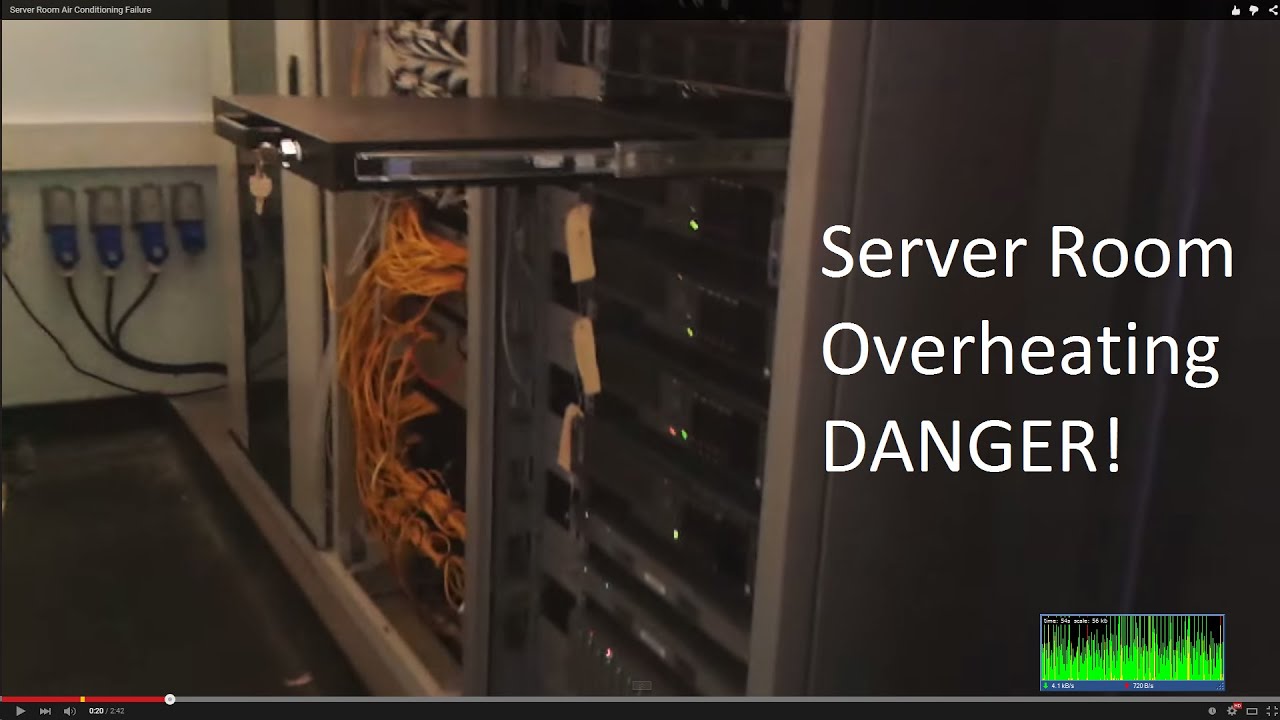
This video shows what happens in the event of an air conditioning failure in the server room. Meltdown ALERT. Please like and subscribe to me, cheers for wat...
raw verge
poor servers : (
thick minnow
new ubiquiti video by linus
no wonder why everybody talks about ubiquiti they must be a sponsor or something
also
the ubiquiti guy needs to explain them what line of sight is
they are inside buildings
and plz ffs use a compass and check the degrees to line up the antenas, not eyeball it with google earth ... also have the radios link up on a table before going on the field
or dont and have your video content that way
wispy plover
@thick minnow how else do I get that "good enough for government work" if I don't just eyeball it?!
 unborn fox
Anyone Cisco wireless fluent?
 calm pawn
if i use a wifi usb adapter to create a hotspot in windows 10, with the internet coming from the ethernet, and attach a device to the hotspot, does the router register the traffic coming from the device connected to the hotspot as its own mac address or the pc hosting the hotspot?
wispy plover
The PC hosting. The PC is acting like a router.
 high anchor
@calm pawn First, not all WiFi USB adapter can be used as a hotspot, you have to find one that is clearly says that it does. Second, if you are using the Windows 10 hotspot feature, the router will only see the MAC address from your host PC, not from the client.
rocky badge
Hmm
rocky badge
I might make my sever into a pfsense router
high warren
@subtle glen I would unplug the power bar for the POE, however, my boss went a little cheap on the network layout for these phones. Their power is provided via an AC adapter at the employee's workstation. The only thing that is POE is the WiFi AP's.
rocky badge
Rip
 stone yarrow
I was trying to find you in #public-chat @rocky badge
 plain girder
My cousin's asus router manged to reach 500 meter wifi signal
it's really slow but wow
wispy plover
@high anchor @calm pawn it wouldn't be a hotspot necessarily, you'd just bridge the connections. Select both adapters and choose "bridge". Which in that scenario, I think it'll pass everything onto the router and your computer won't do any NAT. I originally was thinking of doing internet connection sharing, but I honestly don't remember how to make your wireless card broadcast adhoc...
I decided to play with it a little on my laptop after you mentioned some don't do hotspots and was like, "man, I don't remember how to make this broadcast!" So I tried bridging instead and that worked, so I assume it'd work on a USB card.
high anchor
If it was WiFi to ethernet, yes it wouldn't do any NAT, but in this case (if i understood correctly) the goal is to create a wifi hotspot which is transmitting internet from ethernet, and in this case, with the Windows 10 hotspot feature, the PC is doing NAT.
Bridge mode could be a solution but it's not working with every devices and may need some extra settings which isn't easy for some people.
rocky badge
I hate NAT 😄 it's annoying but ¯_(ツ)_/¯
I wish my school would give NAT IPs to guests BUT NOO they get regular IPs like the rest of the clients
waxen scroll
they're why we're out of IPv4
waxen scroll
then im confused about the NAT comments
rocky badge
The network has 0 v6 capabilities
We could implement it but we don't need to
And guest network could have tighter security and limit users in terms of bandwidth more
waxen scroll
bandwidth maybe, but depending on the situation you dont want to be that strict on guest
perhaps at a university, IDK
in enterprise outsiders may need access to weird shit
random VPN ports, etc
rocky badge
Guests can access ALL of the servers
rocky badge
Yeah. . .
waxen scroll
legit guest wireless is tunneled from the AP to a controller in some datacenter and then firewalled so that they go right to the internet and nothing else
 rocky badge
No I'm just a student now, later I will be 😄
do you really want to trust a 14 year old with a network that's needed for educational purposes?
waxen scroll
nope.
rocky badge
Exactly 😄
rocky badge
My guest network is on a DMZ
waxen scroll
😄
rocky badge
They only get 20/5 of my 200/12
rocky badge
Nice
waxen scroll
i would NEVER want to admin a university or school though
rocky badge
I wish my school did their own file storage
Each school gets 500GB but that's all
Users are expected to use their 1TB OneDrive
Which is slow af
waxen scroll
oh dont worry its not just that. plenty of highly paid people think "lets move everything to 'the cloud', it'll be cheaper, faster, etc"
it never is
waxen scroll
lets move our application that feels slow at 10ms to the cloud!
rocky badge
Something a school and uni has to make sure they follow
waxen scroll
😄
rocky badge
I'm surprised they were able to do the shit they do
Like 802.1X auth, cable manage decently etc
Something I don't except from them
And that they knew they don't have to have servers at every school
Schools have 4-10 VMs
thick minnow
huh
networks at universities down here suck real bad
they cant decide betwen cloud or local
rocky badge
One uni near me has 4x external 10 gigabit and idk about internal 😄
Aruba APs
Cisco switches and routers
My school k-12 is 15x 1 gigabit, ExtremeNetworks APs and switches, and Cisco routers.
The NAC is also ExtremeNetworks
The uni is a mix of cloud and local
1TB-5TB OneDrive, Unlimited G Drive, and 50GB local share for users.
thick minnow
Here we had to, in addition of informing that it was impossible, to convince the rector and director of the computer science area of the largest university in the state, that free wifi for the entire university was impossible with 10 mbits.
rocky badge
Lol
wispy plover
...oh lord
rocky badge
At that uni it's iirc 50Mbps for around 25k students
rocky badge
Mbit
rocky badge
Hmm I don't remember
rocky badge
Yeah
thick minnow
unis novadays should have at least a gig
rocky badge
We have gigabit for our k-12 schools
And they say "We don't allow Netflix because it would take too much bandwidth"
And they do other unexplainable shit 😄
thick minnow
lol
rocky badge
?
thick minnow
in a small county of about 20k ppl, we had 100mbit t1 for the entire gobt and schools
and even free open wifi at 3 parks
que was awull
rocky badge
Oh lol
thick minnow
but it was online and package loss was minimal
rocky badge
Some schools near us have Internet2
rocky badge
We have schools in rural areas with gigabit but the homes near them have like 10Mbps, slower, or no access.
That's because the district can pay for fiber to be ran to the schools but the individuals can't
Those areas are supposedly gonna get fiber 
thick minnow
fiber is cheap
rocky badge
Yeah but it's also ISPs
thick minnow
they dont lay down fiber?
rocky badge
Some ISPs don't want to give service in those areas
thick minnow
wow rly?
rocky badge
My friend is stuck in a spot where there are 0 cable or fiber ISPs
So he has to use 4G
Same goes for my principal
thick minnow
i wonder how much 5g is going to affect all that
rocky badge
But the two streets her home is near have cable
But the ISPs don't want to run coax to her house
idk why
thick minnow
they probably have some sort of formula
thick minnow
and she doesnt fit in
thick minnow
dl n up?
 thick minnow
i have 200/200 on my home
rocky badge
Spectrum is the only cable ISP I can get
"Enterprise" https://linusdrop.tips/429c0ecf1.png
 thick minnow
i think opening a isp in the states would be a good idea
rocky badge
I wish this wasn't a buttload of money and I could get it ;-; https://linusdrop.tips/70b01cb0c.png

stupid US ISPs
thick minnow
how much is that
rocky badge
Probably over $500/mo
thick minnow
fuck off
rocky badge
Ikr
 thick minnow
thats allright
rocky badge
This is cheap compared to everything else

 thick minnow
whats the farthest place from your home they give service too?
thick minnow
those speeds at that prices
you may wana look up for a ubiquiti link and cash in
resell the internet in your area
xD
rocky badge
😄
I like how if the high school's power goes out all of the schools' internet connection goes out
thick minnow
no ups?
rocky badge
There's a ups
rocky badge
Yes
thick minnow
ups arent for the cpe
rocky badge
if the ups starts to use battery the network won't allow new clients to join
The ups in the cabinets at each school last for like 15 minutes
Then everything dies
Whenever I go to a school in my district I use fing to scan the network 😄
From that app I figured out the MDF, router, VMs, IDFs, etc
plain girder
Why are still network plans with asymmetrical upload and download speeds?
 meager hazel
@rocky badge hahaha like me then but apperently I know more than the it department
rocky badge
Lol @meager hazel
meager hazel
It's not funny I hate office 365 so much
rocky badge
same
meager hazel
It's very unreliable slow ect even with a fiber gigabit connection
rocky badge
Yup
meager hazel
Like even today it managed to brake just by some one trying to open a word doc
rocky badge
Wow gg
meager hazel
When it gives you all different types of 500 errors
plain girder
same
plain girder
cloud computer is just another buzzword
though AWS is nice to practice apache, php and ubuntu on
unborn fox
We got any pfsense squid buffs in here?
rocky badge
Why?
unborn fox
Need help with mobile devices
rocky badge
 What help
unborn fox
I have setup squid on pfsense to use ntlm authentication with SSO for all Windows clients that authenticate through the active directory severs. The problem lies in the smartphone department. We don't touch any of the devices so can't get staff to manually add the proxy to the phones. This wouldn't work though because most apps don't like proxies and will refuse to connect.
I guess that leaves me with one option, have the wifi subnet on a transparent proxy, can I have both a transparent and 'full proxy' on the same pfsense box. I don't really see how it would work.
If not does anyone have any ideas for how I can get the proxy to auto onto the phones from pfsense. I can turn off authentication for that subnet if that makes easier (172.16.32.0/24) ?
P.S The proxy is for content filtering across the whole network
rocky badge
Hmm
unborn fox
Indeed
thick minnow
My internet is 5 MBPS But i got 54MBPS ? and i have a software that does it
subtle glen
what
thick minnow
thick minnow
it's fast
thick minnow
i use WIse Care 365 and i optimised the Internet and cleaned my laptop out so its good
thick minnow
it's like 5mbps is not Good for me to watch 10080p videos and i watch them in 480p with it optimised
subtle glen
you need 2,5 mbps for loading a 720 p video
so i guess 4/5 is enough for 1080p
Btw thats the link speed between my phone and the router
and thats the link speed using the 2.4 ghz band
thick minnow
can people change internet bands ?
thick minnow
could i changge it to 2 to 5.3 GHz anyway
thick minnow
i think mines a 2.5
subtle glen
2.4*
those are standars 2.4 ghz/5 ghz and 6 ghz
if you have an old ap it is probably 2.4 ghz, maybe with the wireless g protocoll
rugged fern
@thick minnow are you sure, what you're saying is right? Becuse internet dosen't work like that, specially not via software
there is no software, to make your speed go from 5MBps to 54MBps... and that's not the internet speed, and as said before that's slow af
and there is no 5.3 Ghz
and yes, you can choose between 2.4 or 5 pr even 6, if your routher supports it
subtle glen
that is what i was trying to say
i dont think you undestarnd the difference between link speed and internet speed
rugged fern
the best way to find out the speed aprox. is http://www.speedtest.net/ ..... I mean there are allways better ways, but this one is most known.... but it's not as acurate

Speedtest.net
Test your Internet connection bandwidth to locations around the world with this interactive broadband speed test from Ookla
subtle glen
i think hes a lil bit confused about this stuff
i mean if i could increase my bandwith with a programm, hook me up
rugged fern
I think, he just watched a 5 minute youtube video about it, and dosen't know about this at all.... So he now thinks he knows it... but if he watched a video it might be a joke in the first place... there is a million of "make your internet faster" bullshit videos out there
subtle glen
tiojoe
wrap batteries around ethernet cables
increases your internet speed
i think he believe that the speed you say in the connection settings is the real internet speed he has
rugged fern
a possible think could be, that he had a output limit on his router, and he jsut removed it... other than that, no software can make "the speed" better
I think he does believe that
I hate when I ask friends about thier internet speed, and they tell me example: 30 Mb/s
subtle glen
if you have a wireless G router, u can do anyting you want to make it faster
it just wont work
or like he suggested, to change wifi frequency
rugged fern
but he seem'd like he didn't know how to do it... cuze 5.3 Ghz dosent exist... and he asked, if it was possible to do
subtle glen
also 2.3 doesnt exist
subtle glen
let him believe he did
rugged fern
Not a problem
subtle glen
lol ookla doesnt go any further of that
i saw vids of people trying to speedtest a 10 gbps connection
and ooklwas only showing 1 gbps
 plain girder
Japan?
rugged fern
In my house, because I have a office at my bottom floor... So I use it in my house 😃
plain girder
or Aggregated 1+1 Gbps?
plain girder
no I mean the two modem trick linus did
rugged fern
nah... I hav a 2k/2k
I told you a couple of days back in this chat, my dad has ran the cat 7 all over my house, plus my 2Gbit both upload and download speeds...
and my server router.... 😃
and 10gbit switches
subtle glen
cool
what kind of isp provides that connection to a house
shitty italia, with their poor connections
subtle glen
here (if you are lucky) you only get like 1 gbps in "important" cities
such as milan
your goal is to beat this score: http://www.speedtest.net/result/7342220496.png
 rocky badge
Hosted by GigeNET (Ashburn, VA) [1.39 km]: 1.869 ms
Testing download speed........................................
Download: 587.64 Mbit/s
Testing upload speed..................................................
Upload: 592.57 Mbit/s

subtle glen
get out of here
rocky badge
Hosted by WebNX (Los Angeles, CA) [20.56 km]: 73.171 ms
Testing download speed................................................................................
Download: 982.71 Mbit/s
Testing upload speed....................................................................................................
Upload: 109.45 Mbit/s
subtle glen
GO AWAY
 ashen lily
@rocky badge I'll either beat that or be close to it by the end of june
rocky badge
lol
subtle glen

Motherboard
Five ISPs offer 10 gigabit per second internet connections. So far, it looks like only one person in the US has bought one.
how can 5 isp's offer 10 gbps service
im moving there
rocky badge
I live like 3 hrs away from that ISP
subtle glen
right now
 subtle glen
😒 😠 😭
rocky badge
1.76GBit/s max 😄
subtle glen
🇳 🇴
rocky badge
🇾 🇪 🇸
subtle glen
get out of here
rocky badge

ashen lily
before 2020 ends I'll have a 10gbps line @rocky badge gl beating my speeds
subtle glen
UUUUU
rocky badge
Lol
subtle glen
u gotta beat him
lets dig holes and run fiber cables
for a glorious 1 Tbps connection
ashen lily
noob
subtle glen
u wot
ashen lily
still wouldn't beat me, you'd have to get that speed from an ISP which would be litterally impossible
subtle glen
dont you know
s a r c a s m
also i think with money you can do everything you want
subtle glen
i want to see if i pay for the work and offer 1 million euros to the isp just to hook me up
if they are going to accept my offer
researchers in the UK hit 1.125 terabits per second using a special system that relayed information over optical fibre on 15 channels simultaneously, creating what the team called a "super channel".
wow
cant i be their test lab?
rocky badge
?
 brittle mural
the dude was telling you to go away earlier wasn't he
subtle glen
you didnt get the joke
brittle mural
that's what i tlooked like anyway
I don't see any joke.
From my understanding Ryois has you blocked and you wanted him to get out of here.
¯_(ツ)_/¯
subtle glen
dude are you serious nr?
rocky badge

subtle glen
i said ( AS A JOKE) your goal is to beat this score, he sent few scores of his connection and (AS A JOKE) i said get out of here
god damn dude, welcome to the internet....
brittle mural
Ahah not really no 😄 Guy has you blocked, you tell him to go away
looks pretty clear to me
Whatever, have a nice day 😄
rocky badge
oof
subtle glen
what?
brittle mural
Another one bites the dust
 kindred lodge
he has the right to block you, even if you had done nothing wrong
 subtle glen
dude whatever, i dont understand what you are saying anymore
rugged fern
All these speeds, cannot beat my speeds...
subtle glen
donate few mbps to me pliss
rugged fern
I mean.... come to my house, and I'll throw you a ethernet cable out of the window 😃
subtle glen
we dont even have it :/
rocky badge
10 gigabit is $299 here
plain girder
that news says otherwise
waxen scroll
10Gb is like $4,000/m here. 40Gb and 100Gb available but i dont know those prices
plain girder
oh wait they dropped the price
waxen scroll
none of this is for consumers
plain girder
it's now 368$ USD
subtle glen
cant you ask for it anyways?
plain girder
per month with no limit
waxen scroll
max consumers in my area can get is 2Gb for $300
rocky badge
I wish my school had 10 gigabit
subtle glen
well, 2 gbps is rly good tho anyways
rocky badge
That would be cool if we had a total of 150Gigabit
subtle glen
everyone wish that
rocky badge
But no we have a total of 15 gigabit
plain girder
2 Gbps is around 102 USD here
rocky badge
I wonder how much my school pays for the fiber lines
waxen scroll
probably $0
rocky badge
😄 yeah
waxen scroll
infact the reason schools have to censor their internet is because if the US gov is funding it, its required
nobodys gonna say no to that
rocky badge
Yeah
plain girder
but with an internet like that the lag from a VPN won't even be noticable
subtle glen
im wondering when everyone will get at least 100 mbps as default in italy
rocky badge
200Mbps is the lowest I can get from my ISP
waxen scroll
technically you shouldnt notice vpn lag at all... the VPN providers should be in the major hubs which your ISP has to connect up to anyway
plain girder
you mean PIA
waxen scroll
😄
plain girder
I wonder if I can multi-WAN four gigabit connections together
subtle glen
if u have something to connect them together
rocky badge
You can
plain girder
because they only offer 100,200,300,500,1000,2x1000,4x1000,10000Mbps here
interesting
but eh
too expensive
rocky badge
Lol
plain girder
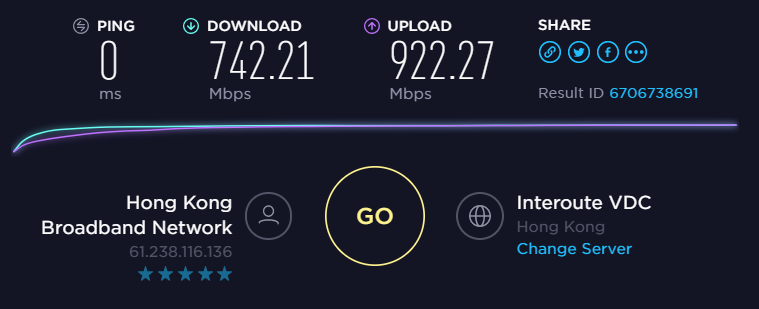
how much does gigabit cost ?
rocky badge
@waxen scroll pinging the router is 4ms ;-;
plain girder
paying 35$ here


 plain girder
ah
you know
I wish there are more Mesh Wifi routers that are connected together by cable
for better latency
rocky badge
Or just use APs
plain girder
most APs don't mesh though
subtle glen
thats a long af ip
plain girder
I have three routers two of which are running on a sort of AP mode where you turn off DHCP and plug the internet cable into the ethernet port
but you can't get mesh out of it
rocky badge
 plain girder
now that you've mentioned it I have never tried to speedtest my AWS
how do you do it?
rocky badge
for Debian and Ubuntu systems
apt-get install speedtest-cli -y
and then speedtest-cli
plain girder
ok
rocky badge
nah
Not for a school or uni
But home yeah
Unless you're working from home and need it
thick minnow
To be able to take full ussage of that speed ya will need a m2 drive
Or a bunch of ssd's in raid 0
rocky badge
Lol
thick minnow
What APs mesh
 rigid solstice
1gb internet q_0 compared to you i live in a cave man lol
where do you live my dude ?
 final epoch
Can anyone give me some more info on powerline?
I'm looking to move my computer upstairs
About 75-100 feet of Ethernet cable
or should I go for a wireless or powerline solution instead
ashen lily
ethernet or wireless.
 fast harness
I strongly dislike Netgear.
their reps pushed a VPN router that wouldn't turn on for me. It was also EOL'd.
rocky badge
Oof repeaters
hallow nimbus
Always use good old copper
plain girder
@fast harness what went wrong? My VPN on my R8000P works again
or do you mean those business VPN routers?
fast harness
@plain girder yeah, those Pro-SAFE VPN routers. The one I was sold wouldn't power on.
And come to find out, it was EOL'd.
thick minnow
i am going to get trash
but
hmm
you need to set up a vpn ptp?
if so get 2 mikrotik lol
plain girder
wouldn't shadowsocks be the best VPN right now?
unreal wedge
A custom VPN is your safest option, as you control the keys it uses.
hallow nimbus
^
rocky badge
^
 timber patrol
Da fuq is EOL'd "End of Lifed???
wispy plover
Yes.
high anchor
Non't.
rocky badge
?