Hi guys, I have recently installed some Ubiquiti gear in my parents’ home (2 APs and a Cloud Key). I have adopted the 2 APs in my CK and everything worked great for a couple days. Then, the Cloud Key went offline (from the unifi.ubnt.com website and the the app). But I was able to SSH in and access the web interface. I manually reset it to default settings and restored the latest auto backup. All good for one day. The day after, same story. I changes the power adapter and put a Samsung 5V 2A: same result 2 days later. Googling a bit in their forums, it seems it is a common problem that maybe depends on some issues with the SD card. A few users said that they “solved” the issue removing the SD card and giving up the auto backup feature. Anyone had the same problem?
#networking
1 messages · Page 102 of 1
 celest kite
Wifi card is junk, rated for 150-N speeds, only getting G speeds.
 winged moth
^^^ Noise on the channel, overheating card, bad router. Wifi is obnoxiously unreliable for higher speeds in real use cases.
 dull iron
Actually in 2.4ghz getting 30% of rated speed is normal
 modern hamlet
 robust quarry
which pi motherboard would be sufficient for running openvpn alongside pi-hole?
i know pi-hole runs fine w a 0 but w the vpn how much more taxing would it be?
dull iron
@modern hamlet @agile basin now try the test again with dslreports.com and the fibber setting
try and get A+ in all categories
 ashen lily
eh speedtest.net is better
 toxic quartz
@fast thistle try setting up the controller on linux 😉
 fast thistle
@toxic quartz Hi! What do you mean? Shouldn’t I use the Cloud Key as the controller ?
toxic quartz
@fast thistle Yes. you can try it on a pi or somthing
@fast thistle test if you get the same problems.
fast thistle
@toxic quartz Before setting up the CK I had the controller installed on Windows and it wouldn’t go offline randomly.. I think I’ll try removing the SD card from the CK and see if the problem stops
 rocky badge
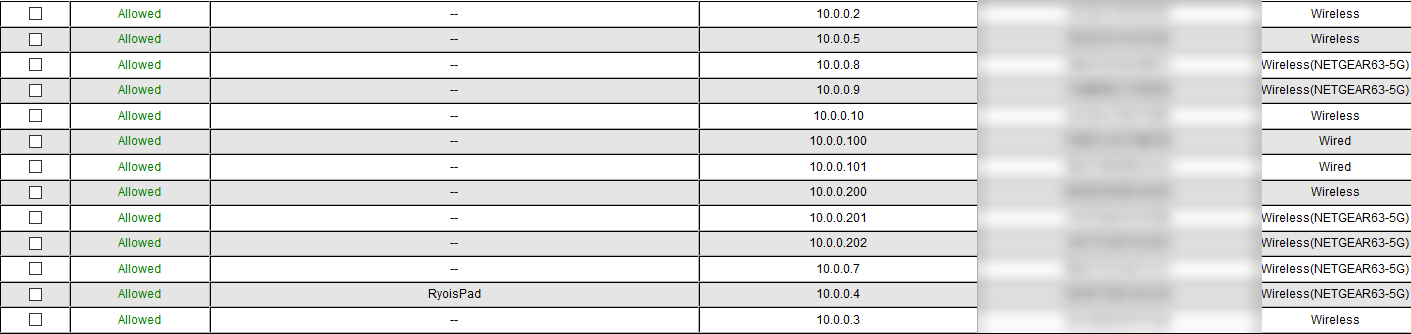
gg netgear genie https://i.imgur.com/keJwIS3.png
 dull iron
speedtest.net can be cheated but not dslreports
Bufferbloat is something speedtest doesn't test for. Its what makes your games lag even on 1Gb internet
rocky badge
My amazing speeds rightnow http://www.dslreports.com/speedtest/27664756.png
 rocky badge
more than one thousand homes dont have power
cable is out in some areas. same w/ phone and internet
dull iron
Natural disaster
rocky badge
eww Google's speedtest
rocky badge
it says I have 40/1 when speedtest and dslreports says I have 150/7 googles isnt accurate
 peak walrus
rocky badge
peak walrus
rocky badge
hmmm... whos been using this in California? https://i.imgur.com/j9W1a24.png

see @peak walrus, speedtest says you have 2mbps while the other one says 1mbps 😃
a diference
peak walrus
i have even hgher random access speeds. consistent access speeds are that pretty much
dull iron
Dslreports is more accurate as it tells your actual speeds outside your isp
Some isps proxy or detect when you use speedtest
rocky badge
I get the same speeds when downloading as speedtest, same while streaming to YT or Twitch
rocky badge
but I have seen ISPs that make speedtest faster than acctual speeds
dull iron
For instance with stream test I can tell that if someone opens a 4k YouTube other streams will buffer a bit and I may lose a stream
dull iron
It can show you what happens when twitching and someone opens YouTube in 4k
rocky badge
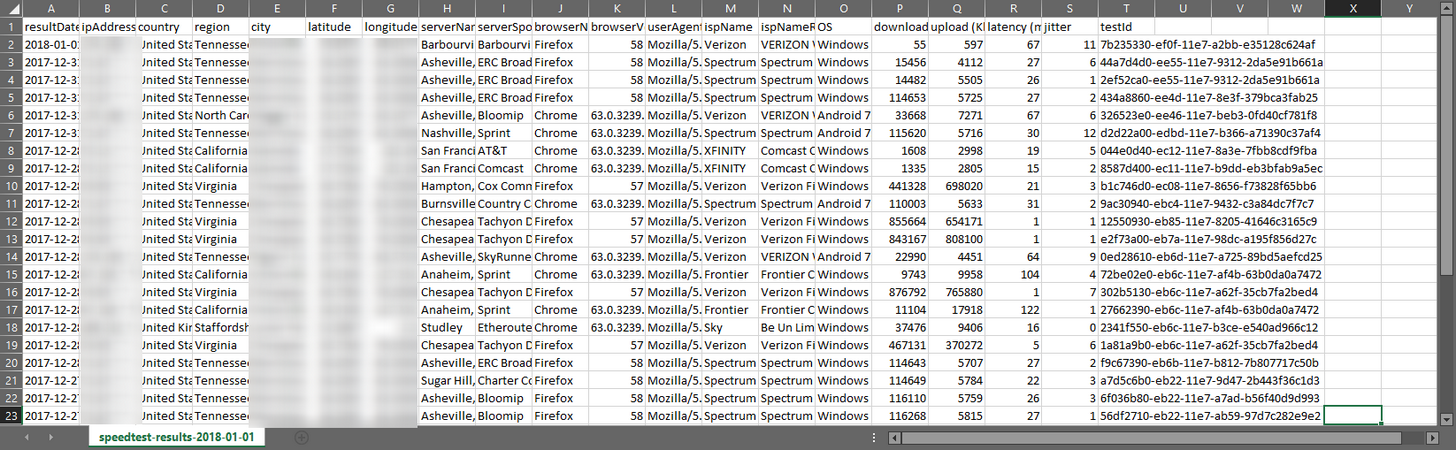
https://i.imgur.com/XN4wtAl.png so much data
 dull iron
Yeah but over internet is another story than wlan
rocky badge
we were streaming from YT
dull iron
YouTube and Netflix have good CDN
rocky badge
they have to
dull iron
They have servers near you
rocky badge
oh, Im only getting 80mbps down...
same w/ Netflix. they have open connect boxes at ISPs datacenters
dull iron
I did say Netflix too
peak walrus
Netflix have servers in more or less every major exchange in the US & UK
/open connect boxes/
dull iron
Now with no neutrality isps can drop Netflix from their datacenters
 peak walrus
they never had to be part of the program anyway
i guess they could make the boxes redundant tho by throttling netflix lmao
rocky badge
crap only getting 66mbps
celest kite

 rocky badge
yeah. I havent changed anything
 agile basin
Nice
rocky badge
idk where the closest cell tower is
rocky badge
I cannot fix that on Verizon I think
I want a better router so I can try to fix bufferbloat
agile basin
same
rocky badge
test w/ modem straight into laptop?
agile basin
Same Upload!
agile basin
yeah
Although... Upload is fast... enven though im uploading ~700GB to Gdrive 🤔
sorry, 887GB
rocky badge
hmmm some people say installing advanced tomato on the r7000 helps with the bufferbloat
agile basin
the edgerouter doesn't have sfp
rocky badge
Oh oops wrong product
agile basin
Cause i'm gonna get a quad port gigabit nic for my pc
and then do smb3.0 multichannel
for my render server and storage server
 foggy sand
Misplaced a router
rocky badge
Lol
foggy sand
Guess I can forget about using it as a wireless repeater as a temporary way of increasing wireless coverage
rocky badge
Hurry up... Get your IP
agile basin
smb3.0 multichannel works with network switches right?
rocky badge
Yeah??
agile basin
Ok
rocky badge
Idk
Might wanna check though
But who has point to point connections to multiple servers and clients
agile basin
So, 4 cables to my pc, 4 cables to my render server, 4 to my storage server, and 4 from the router; all into my network switch
and then have 2 of my ports on the router go into the wall for the rest of the house
because the 16port switch would be filled
rocky badge
Hurry up router.
agile basin
3x4 out, 1x4 in
rocky badge
Well no shit Sherlock
agile basin
lol
does that sound overkill?
And i need a cable to the Ap that'll be in the center of the house.... Maybe make a new run through the walls... Hmmm
agile basin
total = $686 for JUST the network gear
It's just an 8port router
so 4 into the switch, 2 into the wall, 1 into the AP with 1 left over
Sounds good
and then the prosafe 16-port will be full
rocky badge
Yeah
agile basin
and i have an 6 port in a closet in another room
so that feeds the rest if the house
ok, i can do this
so, it's 2x1U.. with say 2x4U for the render and storage servers
rocky badge
Yeah I'm installing advanced tomato...
agile basin
so.... at least a 10U
hmm. 12U at 450mm deep, or 15U at 600mm deep?
15U is $60 more than the 12U
rocky badge
Depends how long are your servers and rack mounted gear?
rocky badge
My router is the only thing with multiple Ethernet ports...
So that has to be my router
agile basin
lol
I dunno how long the render server will be
the storage server will probably be a storinator AV15
when i get money
rocky badge
My dad's PC can barely run Windows
agile basin
wait.. the render server looks 2U
Hmm.
so a 9U case would be fine
2x1U, 1x2U, 1x4U = 8U
hmm
That one's only $100
and same depth as the 12U
 agile basin

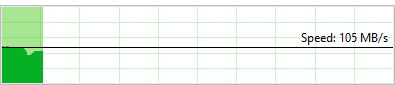
Model Dell Dell PowerEdge R710 2.5" Server. Hard Drives 2 1TB SATA 7.2k 6G Hard Drive. Controller PERC 6/I Dell PERC 6/I with Battery. PowerEdge Tower Servers. Perform full diagnostics test verifying server and its components in full working order. | eBay!
Pretty cheap
rocky badge
ok
rocky badge
that is not enough jk kidding
rocky badge
2x1TB is enough.
agile basin
I'll probbaly run unRAID on it
rocky badge
you'll use your storage server
agile basin
4tb 2.5"?
ewww, they're all 5400rpm
i'll just raid5 'em,
owo, there's a 5tb
8x5TB for 40TB
hmm
only $190 each
rocky badge
Doing a firmware "upgrade"
agile basin
O
agile basin
good good
agile basin
hmm. 8x4tb @ $128.95/each or 8x5tb @ $189.00/each?
32TB would be more than enough right?
rocky badge
Yeah
agile basin
kk
rocky badge
At least I don't have to reboot the router after changes
agile basin
Price for Network Gear + 8x4TB hard drives + 9U server rack
rocky badge
Oooh
agile basin
Price for server + protection plan
rocky badge
Ok
agile basin
so ~$2200 for maxed out config
I don't NEED all the drives rn either
and i could probbaly put my 4TB 3.5 inside the chassis... maybe
rocky badge
ok so regular web surfing wont take as much bandwidth now
agile basin
W/o drives
w/o drives, ~$1100
Hmmm
so it's basically double to get the drives
$1100 is easier to get too
Better start saving
rocky badge
good bufferbloat on download bad on upload
agile basin
rip
rocky badge
Id hate to be James. He has to learn all of these new keyboards
agile basin
why not make taran do it?
rocky badge
idk
dull iron
Note the ubiquiti edgerouter is a bad buy
Go with mikrotik. I use a QoS that's not very complicated
Either use mikrotik or x86
In order to get a+ bufferbloat, the erpro will only do 200Mb
And mikrotik has a dual core MIPS(hex) that will do the same speed with QoS for $60
agile basin
Why is the edgerouter bad?
dull iron
Slow when you use QoS
Its more to do with that the edgerouter is just your standard embedded Linux, mikrotik changes a lot that their software QoS is faster
Thats why if you plan to get edgerouter, just get x86 and linux
agile basin
All in all, in noisy environment, UBNT is more stable and reliable due to its good antenna design, where Mikrotik devices are reconnecting constantly. Mikrotik have CCR routers, they are performing great, there was DDoS attack targeted to my customers network, CCR12G CPU where running at 80%, but did not crashed.
dull iron
Talking about router not wifi
And I've made the CCR crash itself before
Created a virtual interface attached to bridge, generated so many packets that the router stopped accepting real packets
It wasn't exactly crashed, just stuck with traffic generator running but had to reboot
I've reached the limits of what the CCR can do in testing such as maxing out its mesh architecture
I've also gotten 90%+ bandwidth usage on 2 channel ac using a lot of CPU to push traffic
Ubnt WiFi can't handle more than 16 clients, mikrotik can as like with the r7000 uses software rather than the WiFi chip to handle clients
This is only for the rb9xx
 tough bluff
I use Ubiqiuiti every day and think its great
rocky badge
finally a person who likes Ubiquiti gear
 thick minnow
XD
agile basin
Can you prove that ubiquiti AP's can't handle more than 16 clients?
 river arrow
Mikrotiks APs are not recomended they have so many bugs and so on, otherwise they are the best routers for the price they offer
if i have budged i will always go for a Cisco
 glass glacier
I'm a fan of Aruba Networks
 mighty galleon
@dull iron Thank you, So only Linux can do multiple ethernet with same IP address?
(My house is offered 2gbps internet since it's avaliable, but i already have a 1gbps)
(When i bought a 1gbps with free router D-Link DIR-842 which isn't bad, it's got a 5ghz frequency which it is awesome. But i did speed limit 50mbps via router settings.)
mighty galleon
because my parents has old device, got frezzes when reaching over 100mbps while downloading
(due to phone hardware limitation like SSD bottleneck)
mighty galleon
Uh, i know.... (i'm still awkward)
 green spoke
Mesh networking, or multiple APs for a long house? Thoughts?
agile basin
Mesh is good too
mighty galleon
I don't know what issue my phone but when i want to fast download, gets freezes OS and application or something
green spoke
Wouldn't that confuse phones? I've always had different SSIDs and let the devices reconnect
green spoke
Hmm.
agile basin
@mighty galleon Can you show some proof?
green spoke
I have a client that i've already setup one router and another router in AP mode. I might try that with them.
rocky badge
ok
mighty galleon
Sorry, i don't have a proof....
Anyway, I've disabled 5ghz frequency, because i'm only one has 5ghz frequency on my phone but my parents don't have.
green spoke
for three APs, what's the most cost-effective method?
Also, I presume the consensus on power-line adapters is a whopping NO right?
agile basin
no
mighty galleon
(I don't have a screen recording because android 4.4 kitkat has, but mine don't have on Android 4.3 jelly bean)
agile basin
powerline is MUCH better than wifi
green spoke
I'm a network tech myself, but I always like to hear other people's experiences and opinions.
mighty galleon
In another house i've ran wifi tethering via phone
agile basin
powerline is useful if you don't want to run ethernet, but you have little-to-no wifi reception
mighty galleon
40mbps without throttle and data limit
I've got LTE and 2-3 bar reception is still good.
green spoke
wait, @agile basin thought you said powerline is better than wifi? O.o
agile basin
It is
green spoke
yet no reception?
peak walrus
powerline can be incapacitated by multiple power rings
mighty galleon
b-but what about house quality?
agile basin
So you use powerline if you don't want to run ethernet and you have poor wifi reception
mighty galleon
like house built in terms age and quality
green spoke
OH, gotcha
rocky badge
powerline can be better than wifi
agile basin
*generally
mighty galleon
I've bought Asus PCE-AC56 wifi card 3 months ago.
agile basin
If your house is built like the british with the entire hous ebeing circuit, then no
peak walrus
always drops out in my experience
agile basin
I have a netgear usb stick, and it's dope
mighty galleon
I use wifi tethering via phone, using a PC wifi adapter
rocky badge
I use the Intel Wireless
thick minnow
I use wifi for my phone and nothing else
green spoke
I know i'll hardwire one desktop on the other end of the house. Could always put a switch there and an AP.
rocky badge
Dual Band wireless ac 8260
rocky badge
I do not tether w/ my phone verizon limits tethering to 600kbps on their gounlimited plan
tough bluff
I use a DSL connection off my phone jack
mighty galleon
too bad for US peoples
rocky badge
😃
agile basin
yeet
agile basin
This is fibre lol
peak walrus
@green spoke that's what I did, I have stronger WiFi upstairs than downstairs now 😂
mighty galleon
Oh i thought. (I misread, it says "fiber" damn small font)
thick minnow
I need(Want) fiber
green spoke
painpainI always wire desktops and wifi what I can't
mighty galleon
I already have a fiber in my apartment
and it offered 2gbps for me.
green spoke
General house diagram. Black is door or hallway
agile basin
There's 2gig residential in some places in the us
I wonder how much a 10gig line would cost 🤔
rocky badge
my friend could get xfinity 2 gigabit but people in his sub divison says it drops out every week
agile basin
that's xfinity for ya'
green spoke
ISP router is currently bottom left
in the bottom left*
and that's all they have.
PC is going to be top-right
rocky badge
grandmothers xfinity never drops out though
agile basin
That's xfinity for ya'
green spoke
Thinking about leaving router in bottom-left, and putting an AP in the middle of the hallway and one in the backyard.
rocky badge
some places its good others its bad
green spoke
Thoughts?
mighty galleon
Sorry for bad drawing...
Anyway, here's results my wifi tethering internet speed
Ausus PCE-AC56 is much better than my old anicent Linksys WM54G (Only max up to 5 meter) erm... yes i've bought wifi card since black friday
mighty galleon
then Asus PCE-AC68 is bit too much the three atenna, so i don't need strong signal, which i have good enough
rocky badge
Why can't Netgear give a chk file with proper trx headers.. it would make restoring the router easier
mighty galleon
Well, i don't have a exprience for that.... Anyway good luck helping your issue
dull iron
for asus and netgear support, you can try the website i usually advice on, snbforums.com
also note that bufferbloat score on dslreports can be cheated easily by giving higher priority to ICMP
so sometimes when people complain about QoS, it may be prioritising something in particular such as for ASUS they prioritise games and put ICMP at the back
rocky badge
Windows, can you please remove this? https://i.imgur.com/4sABL55.png
 dull iron
africa still uses dialup
dialup still exists in the US but as a kinda of emergency service
can be used any time and costs money per hour or something
but if the phone lines are all you got ...
rocky badge
..... I would hate to have dial up.
maybe hide it unless you acctually have dial up hardware?
dull iron
well your avatar shows that you like ancient dialup and dsl
rocky badge
what?
rocky badge
what switches are these?
thick minnow
One sec, I´ll give you the exact names.
8 Port Switch: TP-Link TL-SG108
5 Port Switch: Netgear GS105
rocky badge
@thick minnow is the "Unidentified Network" in Windows? like here? https://i.imgur.com/kquyQCn.png
 thick minnow
Give me a sec
rocky badge
ok
rocky badge
oh
@thick minnow when you get unidentified network error can you still access the internet?
rocky badge
are you getting a correct ip from the dhcp server?
thick minnow
I belive so, cus back in the day when I tried this setup out, we could all connect to Wi-Fi and get vail IP-Adresses and a vaild connect.
But we just coudnt get it to work via ethernet.
thick minnow
Ye, I´ll link the support thread I made half a year ago.
So I'm fucked. I'm having two switches, one TP-Link TL-SG108 and Netgear GS105. I´ve dragged a cable out of our fiber box to a router which then has a cabl...
@rocky badge
rocky badge
im looking at it
which switch is your PC that is not working plugged into?
@thick minnow
thick minnow
All of them
Every single port on the last switch in the chain weren’t working. While sometimes the ports on the first switch in the chain gave valid internet connection.
thick minnow
Maybe,
Could be that the subnet given from the first switch couldnt supply another switch down the line.
But subnets arent my expertise.
 vagrant heath
I hate subnets.
rocky badge
😃
thick minnow
Yep...
vagrant heath
I know we need them, but I sill hate them.
rocky badge
they can be a pain but needed in bigish networks
vagrant heath
Yep
thick minnow
Yeah but maybe the problem is that the frist switch gave its supplied IP-adresses correctly.
Then when it supplied an IP-Adress to the switch
rocky badge
because some people need more than ~200 hosts in the same lan
vagrant heath
I just stick with 255.255.255.0 for the most part.
rocky badge
 thick minnow
I did but I didnt quite get what he was saying
Or the guy I that was trying to solve it simply gave up
rocky badge
ok
 frail igloo
Hello
rocky badge
Hello @frail igloo
rocky badge
 winged moth
What exactly is that referring to?
agile basin
Is this a good setup? How could i improve?
ashen lily
switch the netgear switch for an ubiquiti one
agile basin
Why? Aren't prosafes good?
ashen lily
well, you're already getting other ubiquiti stuff, so why not.
i personally hate netgear stuff
agile basin
The ubiquiti one is $120 more....
agile basin
And i've personally used netgear enterprise/business hardware
their consumer is crap tbh, prosumer is ok
ashen lily
out of the many different netgear things I've owned/used in the past, oer half of them had problems and had to be replaced
ashen lily
prosumer stuff, can't remembe exact models, its been a few years
ashen lily
never had problems with ubiquiti products
agile basin
although, one person says ubiquiti is crap and mikrotik is better
ashen lily
except the one dish that was damaged in shipping, but that's UPS's fault
ashen lily
ubiquiti sent me two new dishes cause of that tho
agile basin
Nice
ashen lily
UPS didn't give a crap
dull iron
the ubiquiti switch is a fully managed switch while prosafes are semi managed
ubiquiti offer switches with huge POE capability and better pricing compared to netgear prosafes with the same POE capabilities
but POE aside if you only need semi managed, prosafe is a better buy
even if going everything ubiquiti
this is because prosafes already support snmp monitoring
going everything ubiquiti is a bad idea
for instance my mikrotik router can run dude server on it, can connect via snmp other than routerOS API
so its capable of monitoring other devices in detail, automatic detection and even configure them
with ubiquiti you pay more for this feature, with mikrotik the RB750Gr3 offers the ability to run dude server
you can run dude server on a PC too
with ubiquiti you are locked to their ecosystem
and ubiquiti routers suck
their speed ratings dont apply when you use the features they come with, only features consumer routers have
winged moth
Prosafe seems solid. I've been running one for about 6 months now I think and I haven't had any issues with it.
agile basin
Also, the netgear prosafe w/PoE is cheaper than the ubiquiti w/ PoE
winged moth
However you need to be careful, some Ubiquiti use an odd form of POE which the Prosafe can't output.
agile basin
Yeah... I'm not getting the PoE anyways
since where i'm putting the AP's i don't need PoE
dull iron
im talking about POE with wattages higher than 200W
but netgear's hardware is pretty reliable, prosafes have minor bugs in some of the features
i have a prosafe too
winged moth
Yeah. I'm just using mine as a nice reliable switch rather than trying to do anything particularily fancy with it.
agile basin
Yeah, I'm gonna upgrade to this from my isp provided router and so I can put a render server that I can access with fast speed across the internet. It's a semi-long-term project
winged moth
Oh. Nice.
Yeah, I've been using that Prosafe as my hub for my network downstairs on the other side of my wireless bridge.
agile basin
Yeah. Gonna (hopefully) use smb3.0 multichannel to get 4gbps links from my main desktop to the render server
Because it's cheaper tham 10G
winged moth
Have you looked up used 10Gbe NICs?
winged moth
You can get really cheap NICs capable of 10Gb/s.
agile basin
where a quadport 1G nic is ~$20-$30
winged moth
Fair enough.
rocky badge
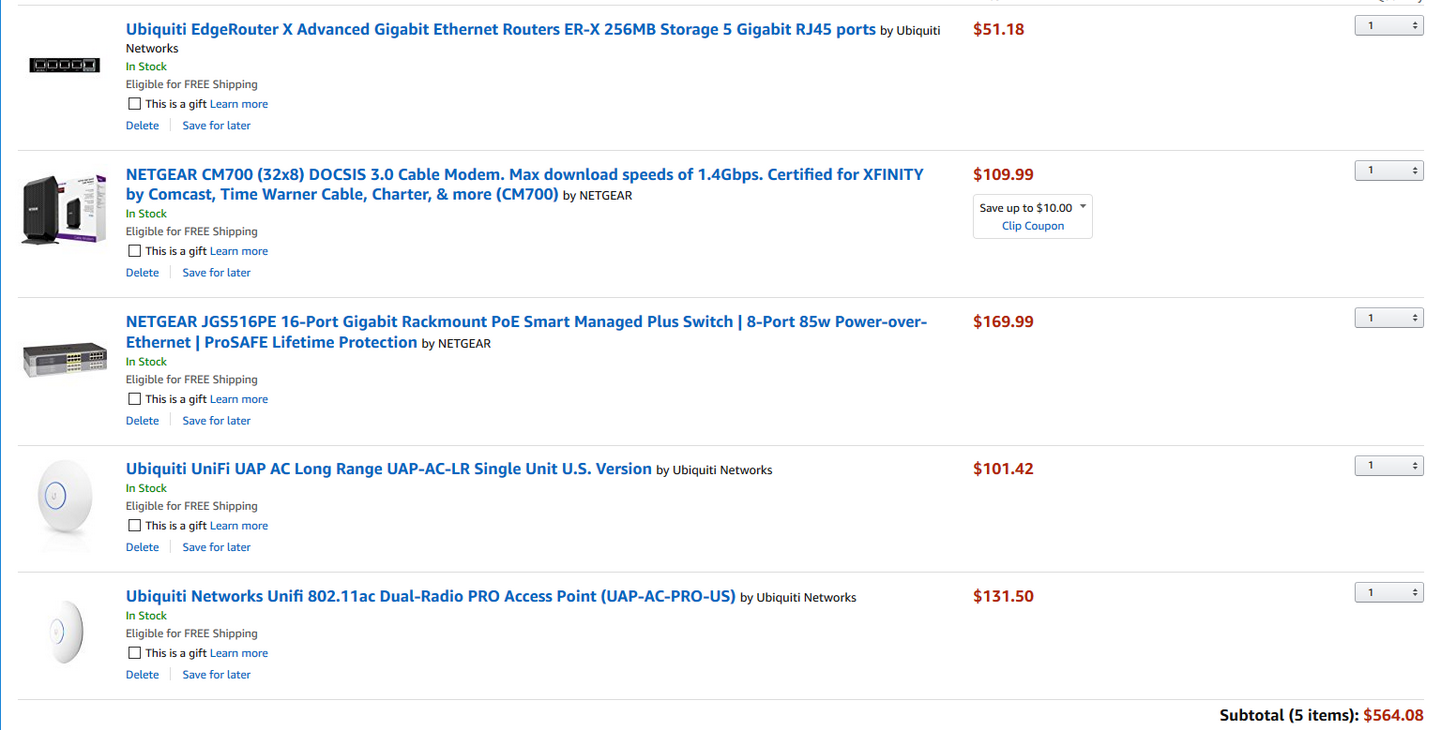
do you think this would be good? https://i.imgur.com/673wYhM.png
 waxen gale
Good call
In hindsight, I'm not sure if Ubiquity runs at 24 or 48 volts
Might be the latter, check the boxes to be sure
waxen gale
Yeah mine did
waxen gale
Yep you could
rocky badge
But a Poe on the switch side is more eaiser and perfered
rocky badge
Yeah
 grim spade
Why not a router with a integrated modem?
vagrant heath
Ew
grim spade
I have never seen anyone use a router + modem combo outside of Germany.
And I really wonder why that is...
grim spade
Doesn't make sense to me. Can you explain further?
vagrant heath
I want my firewall to be in front of as much of my network as possible.
grim spade
Alrighty. But do they don't have a build in firewall anyway?
vagrant heath
somtimes. They are never good
ashen lily
Combos are shit
vagrant heath
Now I use a combo at home because if I don't comcast will blame your custom modem for every problem you have
So I make do with that shit.
grim spade
Can I get an actual explenation or are you just here to hate on stuff cause it makes you feel good? @ashen lily
vagrant heath
So I'm sick of the cheapo Comcast all in one router/modem. I have seen from another post that you can turn off the wifi in the combo and use it just as a mo...
grim spade
@vagrant heath Seems to me like an issue with your ISP and 'Murica - not so much with how the actual hardware works.
ashen lily
Combos have rubbish firewalls, they're mostly insecure, the software they come with is crap, and non combos are much easier to upgrade cause you don't have to replace the whole box
rocky badge
@grim spade well.. I want ubiquiti stuff and to get rid of my crappy isp modem
rocky badge
You cannot change any of the settings in the modem.
They provide modems and they're bad. Charter will not give you annoyance if you have a self provided modem.
grim spade
Not to be rude, but I can hate on stuff myself without the help of anyone else.
Sentences like "they're bad.", "this is crap", that is rubbish" aren't helping.
rocky badge
Charter even recommendeds the CM600 the level below the one I want to get.
 rare ember
@rocky badge i use 2 ubiquiti AP here at work, both connected to a poe switch and they dont draw much power at all.
rocky badge
ok @rare ember
rare ember
just remember you will need the management software hosted somewhere to manage the hand off of clients between wifi points
rocky badge
yeah, I could run a docker or on Windows
rare ember
yeah aslong as its running pretty much 24/7 as the sfotware is what handles configuration and hand off between APs
otherwise pick yourself up one of the unifi dongles too
rare ember
yeah, be nice to see how the edge stuff works for you, ive not touched any of the switches or edge devices (although i want to get a couple of the switches for the office personally)
rocky badge
@tough bluff uses egderouting gear. he could tell you
tough bluff
using
rare ember
ive also had bad experiences with netgear switches so i tend to avoid those too, although the m4300 arent bad
rocky badge
i dont engerish well
agile basin
oh... so m,aybe i shouldn't get a netgear prosafe then
tough bluff
edge router lite a great starter router
rocky badge
I sorta like their r7000 but i want ubiquiti
tough bluff
I only had issues with it pushing my 1gb connection
agile basin
isn't the r7000 like $1k
rare ember
we have a few netgear still in one of our other offices, they "work" but if we ever need to do any configuration on them the webgui is impossible to use, and im talking literally non responsive unless the switches arent being used at all, we had major issues with traffic congestion on them so right now they are working and we dont touch them 😃
rocky badge
idk
agile basin
or is that something else
tough bluff
r7000 is like 150
agile basin
O
rare ember
we moved all of our core stuff onto cisco nexus
agile basin
Yeap, wrong one lol
tough bluff
r8000 is like 250
rocky badge
147$ rn on amazon
agile basin
Yeah but like... The netgear is cheaper but like alot of money
tough bluff
my work is 100% cisco
rocky badge
600Mbps max on 2.4 and 1300Mbps max on 5 GHz pretty standard
rare ember
the m4300 series netgear are good, they have a nice CLI similar to cisco and they have much better throughput
the old ones we have are 1. old as balls and 2. cheap as balls
agile basin
are prosafes good then?
rare ember
only have a web gui and dont handle a lot of traffic too well
rocky badge
my friend has the R8000
rocky badge
my friend had a overkill router for his bad internet like it could push gigabit over 5GHz
rare ember
@agile basin the web gui is mostly what ive issues with on prosafe
agile basin
Ahh ok
rare ember
im a CLI person when it comes to switches
agile basin
I mean, it's only $130 for a 24 port
rare ember
i mean it depends what you are going to be doing
agile basin
and i feel like i could live with the web gui
it'll be for the router and my servers (eventually)
rare ember
are you going to be using vlans ? voip ? high throughput ?
i wouldnt use it for "routing"
personally
agile basin
i have a different switch in a closet for the rest of my house
It'll be used as a switch?
dunno how to answer that tbh
rare ember
is it going to be your default gateway on servers or machines?
i suppose unless you are using vlans, it doesnt matter anyway
agile basin
Im not using vlans
rare ember
then its going to be pretty much a dumb switch
agile basin
yeah
rare ember
so you should be fine
agile basin
Kk
rare ember
thats what ours are right now
agile basin
I'm not doing anything fancy lol
rare ember
(the ones we havent replaced yet)
rocky badge
I would use VLANs to have seperate aps for guests.
agile basin
because my parents probably wouldn't be able to figure it out if it broke
rare ember
if someone says "we need to add a new vlan" im going to say "we need to replace all the switches then"
rocky badge
I dont but some I want them on a vlan that has no access but to the WAN
rare ember
@rocky badge thats why the ubiquiti APs are quite good, you can set up a "guest" SSID and anyone connecting to it, you can blacklist them from accessing specific ip ranges
rocky badge
yup
rocky badge
right now I use multiple SSIDs on a bridge
agile basin
I have one ssid for 2.4GHZ and one for 5GHZ
rocky badge
guest cannot access my lan and is limited to 20/2 shared accross all guests
rocky badge
if your device doesnt support 5 you join guest or IoT
thick minnow
Why rood limiting guests to lower speed is so they dont eat all your bandwith
rare ember
@thick minnow for me i dont care :p if things start slowing down for me, i just start kicking people off
rocky badge
wl0 is 2.4 band and wl1 is 5 band https://i.imgur.com/b9CwT9D.png
 thick minnow
Rip him
agile basin
lol rip
rocky badge
lets listen to one song on repeat to annoy everyone in the house
then cast to the google home
agile basin
lol
rocky badge
😃
rocky badge
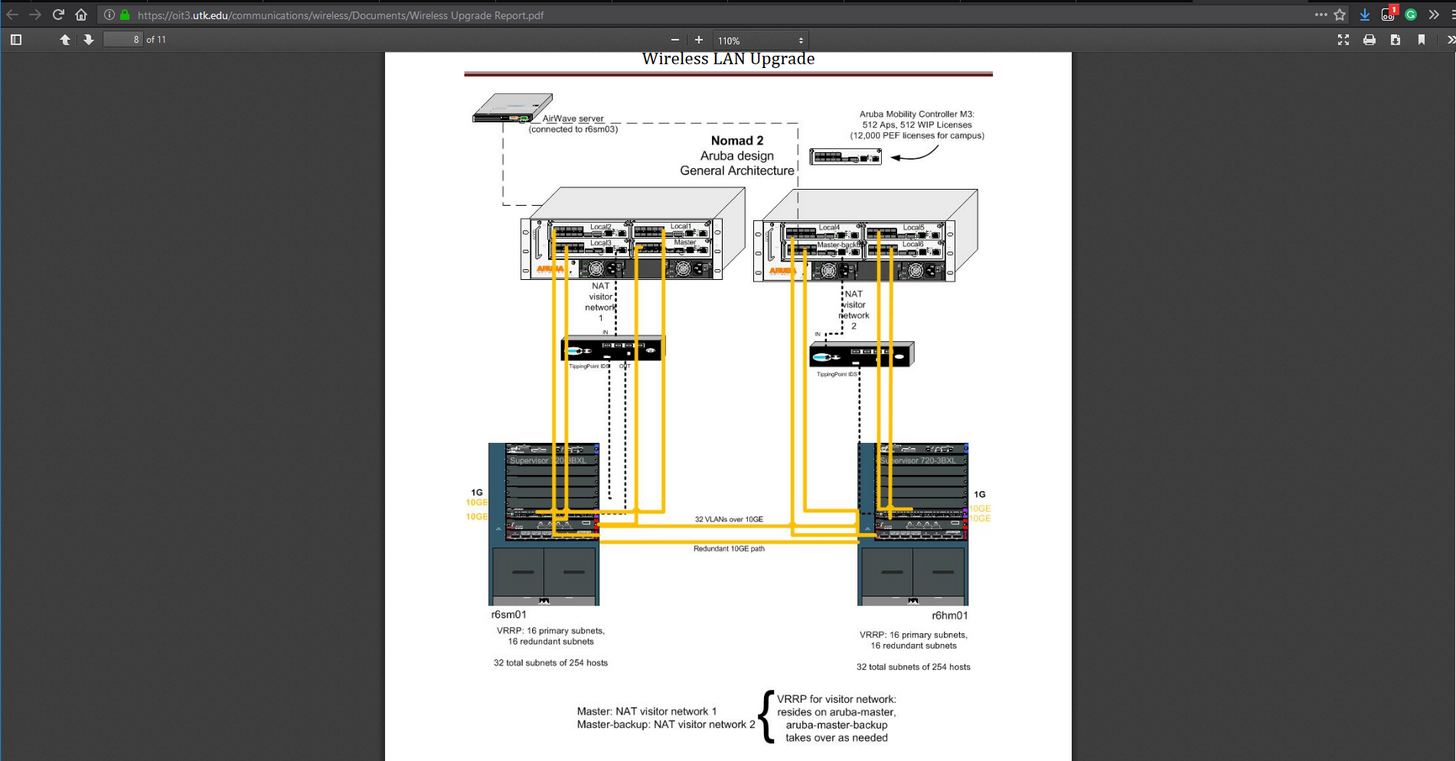
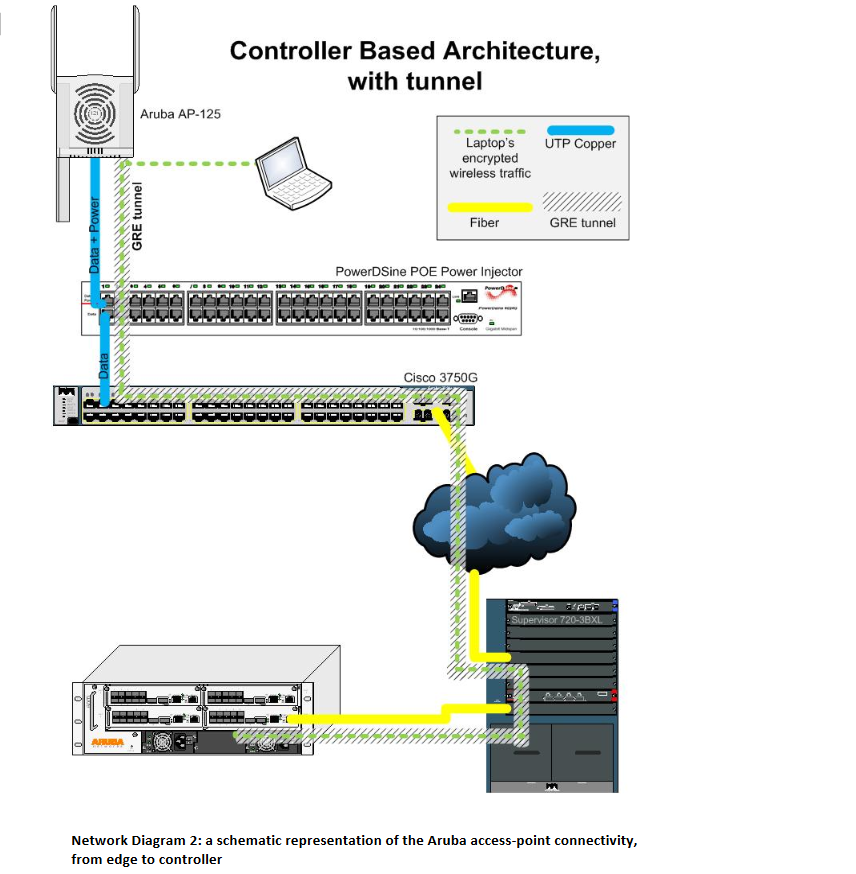
I wonder if this 10 Gigabit is over Ethernet or fiber... https://i.imgur.com/mL3b60v.png

 fathom hound
I'd assume by 10GE it means 10GbE
rare ember
@rocky badge im going to assume it would depend on the modules installed
rare ember
im not familiar with aruba, but these days (even netgear) supports sfp modules
so it would depend if you use 10gb sfp cables or 10gb / 40gb fiber modules
vagrant heath
My switch seems to have a Virtual Fast Ethernet port.
rare ember
what switch?
rocky badge
because it has to get 10 gigabit- 100mbit connections
vagrant heath
Cisco Catalyst 2960-S Series SI
rare ember
gotta love the modularity of some network equipment
nice think i have a couple of those laying around in the office somewher
although ive never heard of a virtual fast ethernet port personally
vagrant heath
Its port 0/0
rare ember
you can log in to the switch cli ?
vagrant heath
Yes
rare ember
and run the command en
then show configuration
see if its configured somewhere
show running config
i thin it is
ive been configuring juniper firewalls for the last couple of weeks, im still in junos cli mode
vagrant heath
hold on
 crimson spire
why cat 6 cable for 100ft is 30$ from some places and 12$ from others? are some worse?
rocky badge
Usually amazon or online places are usually cheaper than stores
rare ember
yeah
 blazing hatch
Some are crappy tho with packet loss
rare ember
i got 200ft from amazon for 15$
blazing hatch
So watch out
blazing hatch
Also gold connectors may increase the price
rare ember
flawlessly
well the second one was flawless
the first one
i put a staple through it tacking it to the wall
broke one of the pairs so it only negotiated at 100mb
vagrant heath
Dang it
rare ember
so i immediately went on amazon and bought another one lol
blazing hatch
did you not check if you could get it refunded?
vagrant heath
I can't login over network. Comcast reset all my reserved address's again
rocky badge
Rip
blazing hatch
Comcast is crappy
rare ember
@blazing hatch i try not to rip people off when its my stupid ass fault :p
blazing hatch
I have them and I have had a horrid experience
vagrant heath
Going to have to wait till I get home and can use serial
rare ember
im not going to qwibble over 15 bucks
blazing hatch
I installed their new modem and all my custom settings were reset
rare ember
never use comcast supplied equipment :p
blazing hatch
Even though it said they transferred
rocky badge
...
rare ember
i hate comcast with a passion, but i still use them
rocky badge
Don't they hate it when use your own hardware?
rare ember
ive never had problems
crimson spire
OK, thanks!
rare ember
you get your own equipment, call them up, have the mac address of it added to your account, job done
and ive never had issues when calling them for support
i guess it depends on your location though
when i go through support for them, the first part of my conversation normally starts with "i know you have a script, but ive done all that, so can we skip to the part where you send a signal to the device, find out its not responding, and send an engineer out to check where the lines broke"
rocky badge
On charter it brings up a page and asks you to register it.
rare ember
yeah it normally does for comcast
but mostly only for the comcast provided equipment
which is annoying
you sometimes get lucky with custom hardware and you can just plug it in and go
rocky badge
You don't have to call them.
rare ember
but it all depends on the model etc
rocky badge
I like it like that
rare ember
yeah me too
i mean i have never actually called them for that
ive used there online chat
saves talking to someone and having a whole host of questions asked, just log in to your account, online chat, and say "i have a new modem i need activating, the numbers you need are xyz, thankyou"
and 99% of the time, they just go ahead and do it and say its done
one day they will catch up with the market and stop being such pains
he says while staring at the big ass comcast building down the block
rocky badge
:) Comcast
thick minnow
Does anyone know as to why this website - http://beta.speedtest.net
is still in "Beta"? @here

Test your Internet connection bandwidth to locations around the world with this interactive broadband speed test from Ookla
rocky badge
its html5 the other one uses flash. maybe theres still bugs or features they havent added? @thick minnow
 pastel creek
The HTML5 version sucks, IMHO. I use speedof.me if I want HTML5
dull iron
Don't use either. dslreports.com is even better
Its tests more and can't be faked
It actually stresses your connection
vagrant heath
Seems the same.
http://beta.speedtest.net/result/6938629183.png
http://www.dslreports.com/speedtest/27928304.png


Hell. I got higher speeds testing with DSLreports
rocky badge
umm im getting weird speeds.
some say 110,20 down usal but 200-300 up...
speedtest.net, xfinity speedtest, dslreports, google fiber speedtest, etc
dull iron
@vagrant heath dslreports does 2 things. It does a multi connected test, and it does a quality test
your C bufferbloat means gaming must suck when someone on the network is streaming or downloading
rocky badge
lol, I get like 30ms when play games and I stream YT and I get a F on bufferbloat
no AT&T my internet isnt that bad https://i.imgur.com/MAOkxDr.png

hmmmm I can get 200Mbps up then it slows back down to 6mbps...
dull iron

A+ quality, A+ bufferbloat on wifi
beat that
i even halved the moblag on my minecraft server
30 ms gaming? I get 10ms in rainbow 6 siege
and this is in the 3rd world
vagrant heath
You have a Fiber link
rocky badge
I get 30ms when play rocket leauge over wifi, and my ping doesnt change when I start streaming
dull iron
same thing, my ping doesnt change from 10ms either
rocky badge
Cable and WiFi
dull iron
thats what A+ in bufferbloat means
meaning my ping varies little regardless of load
so even if my connection is fully used, gaming latency is still the same
rocky badge
yeah, but I get like an F in bufferbloat
dull iron
thats horrible
rocky badge
and I get the same ping
dull iron
because your connected wasnt fully used
when your connection gets fully used, thats when your game ping skyrockets with F
rocky badge
idk what others were doing but I knew I was streaming YT
dull iron
streaming takes very little bandwidth
for a 200ms connection, you can watch 4k and game at the same time
rocky badge
yeah, idk what other people in the house were doing
dull iron
what bufferbloat tells you however is that when your connection is being fully utilised, latency suffers
for instance, try gaming while downloading a torrent at your full connection speed
for me i can torrent, steam can update, all at the same time and my game pings are still the same
rocky badge
Charter can I have this all of the time? http://speedtest.xfinity.com/results/JC22CXRHRV8MVMR
almost symertical
dull iron
the ISP speed test only tests your link speed
dslreports tests your actual WAN capability
dslreports cant be faked because of the bufferbloat and multi server test
rocky badge
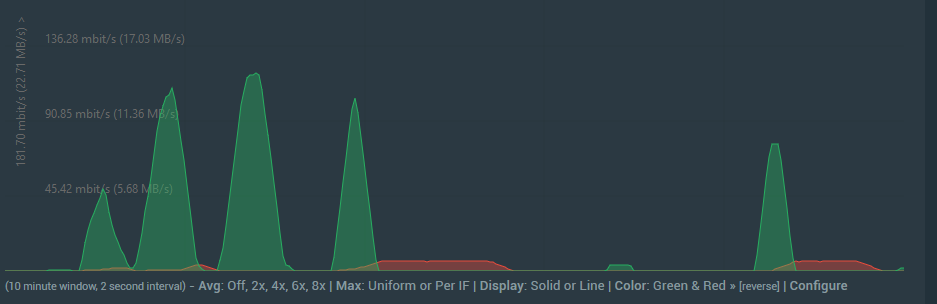
Im the only one in the house using my Internet yay https://i.imgur.com/0GjnuwD.png
 dull iron
thats why you can trust dslreports more than your ISP speed test
rocky badge
Xfinity isnt my ISP
dull iron
my router shows traffic graphs in real time on its screen
a 1U 36 core networking monster with 10G ports 😛
rocky badge
well, I dont wanna have to get up and walk. Plus who doesnt keep a laptop w/ them
im just looking at WAN vlan2 https://i.imgur.com/2u8SUx8.png
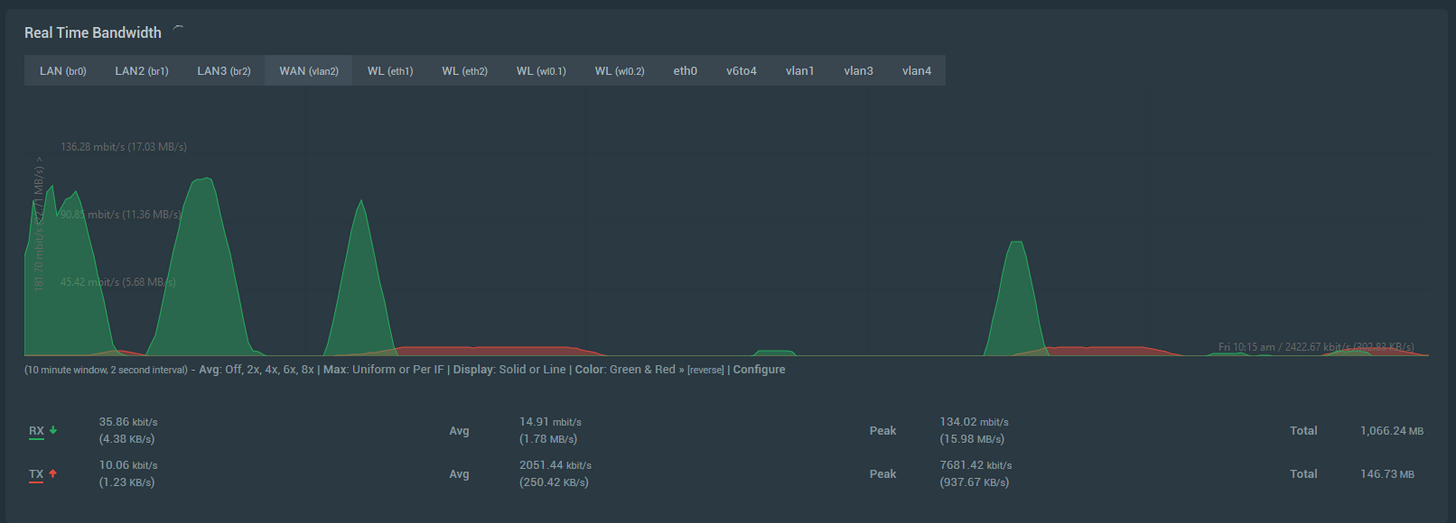
I can see my IPv6 traffic, 2.4Ghz and 5Ghz indepently, each ethernet port
dull iron
its funny how this is LTT and you dont trust dslreports when its way better
infact i should mention linus so he can make a video about it
or maybe he has
rocky badge
...
dull iron
i dunno
rocky badge
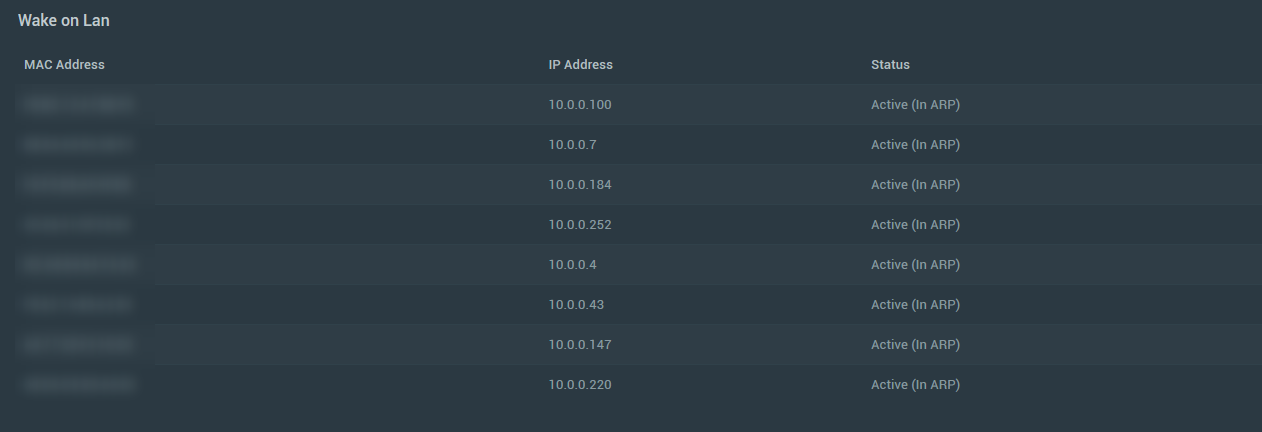
lets send a WOL request 😃 https://i.imgur.com/7JqB1lX.png
 vagrant heath
Don't tag LMG staff
dull iron
seems the kids here dont trust it
rocky badge
I dont
dull iron
but its way more trustworthy than your ISP or speedtest.net
rocky badge
I get the same speedtest from my ISP and dslreports.
vagrant heath
Funny you should say that. Google uses a local hosted version of Speedtest
dull iron
its not about the speed shown by the test
its the other things it tests for
if speedtest.net showed the other things that dslreports test for, ISPs would be having a fit
customers would be complaining about their internet quality
rocky badge
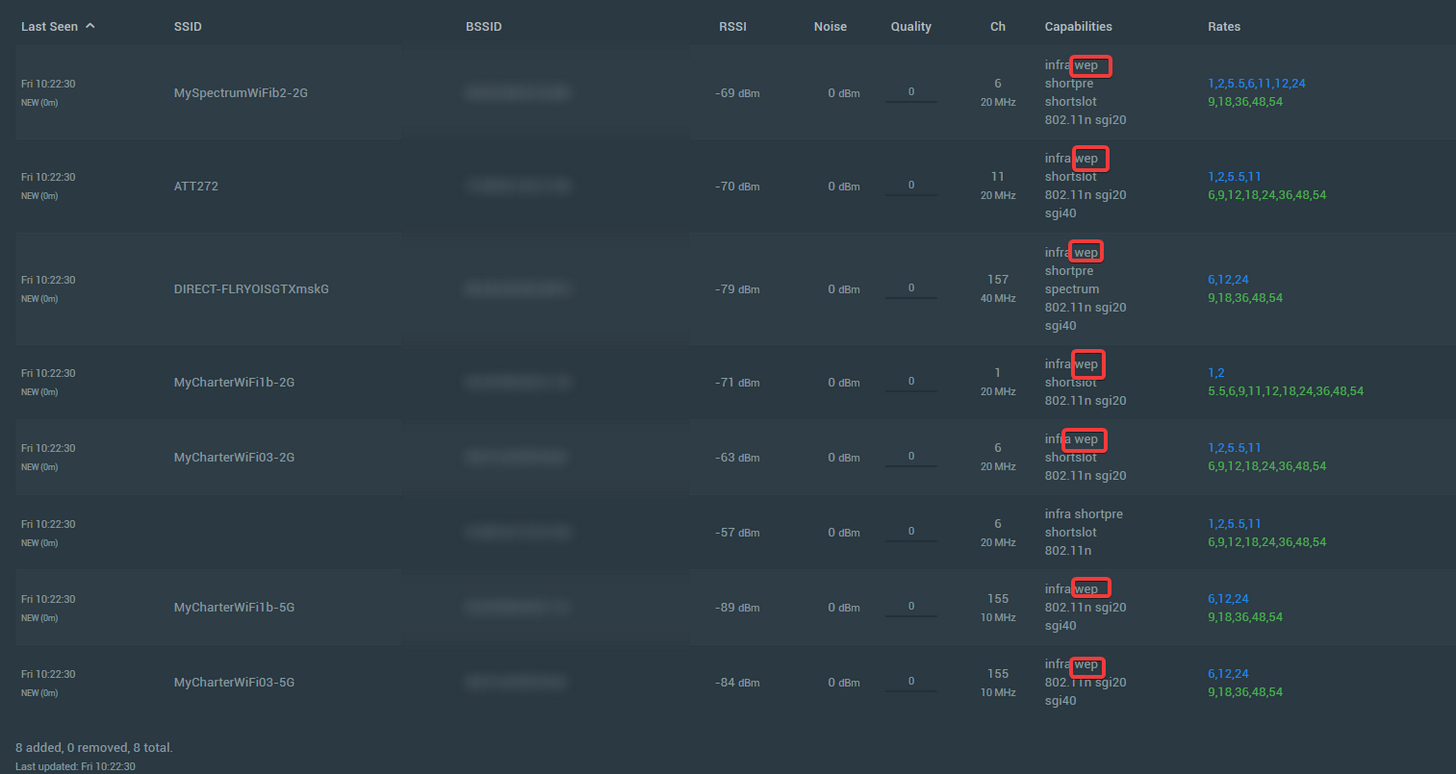
Neighbors.. disable WEP https://i.imgur.com/nkdsvGa.png
 dull iron
i remember when the iphone didnt support wpa 😛
rocky badge
its useless and nobody uses it
the iphone doesnt support wep. If it didnt support wpa that would be bad
dull iron
in the past at one point there was some bug that meant that it couldnt support wpa2 aes
rocky badge
thats what most people use
rocky badge
Blackberry...
vagrant heath
blackberry still exists
dull iron
windows still doesnt include openvpn
rocky badge
yeah on like every os its seperate
dull iron
not on android
rocky badge
I dont think its on Android you would need the OpenVPN connect
rare ember
can you use sstp ?
toxic quartz
@rocky badge what program do you use?
rocky badge
for what? my vpn? @toxic quartz
rocky badge
what screenshot sorry?
rocky badge
river arrow
yeah this one
rocky badge
thats advancedtomatoes wifi analyer
toxic quartz
Thx!
rocky badge
😃
toxic quartz
do you have a link?
rocky badge

AdvancedTomato offers a choice to upgrade your router's GUI to a new, Flat UI a like design, with Tomato by Shibby features and most importantly new way of look.
toxic quartz
Thx! i see that is firmware not software and i only using ubiquiti so i cant try it 😛
toxic quartz
btw if you guys want to do Network Management and Monitoring https://www.turnkeylinux.org/observium
river arrow
hmm i might try it
 open cradle
if i were to build a balls-to-the-walls system, make a NAS out of it, which should i use?
fathom hound
II found the issue with my internet connection
Apparently one of our dogs likes to chew on cords...
(That's the coax cable)
The fact it still works at all astounds me
open cradle
ouch, i've had a problem with this a LONG time ago... dog chewed on the sensor for the Wii Remotes
so, i've heared about AT&T charging packages to random accounts saying it's a promo (for one month) and then the consumer get's hit with an extra $50-ish on their bill... anyone have an opinion about that?
fathom hound
Really scummy and shitty of them
open cradle
thought so too, especially considering that most cities only have 1 ISP and if there's only AT&T.. then that's shitty ... sorta glad there's two here in my town, but HUGE tradeoffs to both
over here, AT&T is generally slower (about 12 megabits) but is 99% reliable (really only major storms)
however Spectrum is faster (think the highest plan is 25 megabits here) but we used to use it a while ago, before it became Spectrum, and it couldn't keep a connection held for even a couple hours straight
rocky badge
spectrum is faster for use but more reliable 100 mbps advertised getting 110
fathom hound
My only options here are AT&T and Comcast
Comcast being way faster than AT&T
Spectrum is spreading into the area though, and they're even faster/cheaper
Not available where I'm at tho
rocky badge
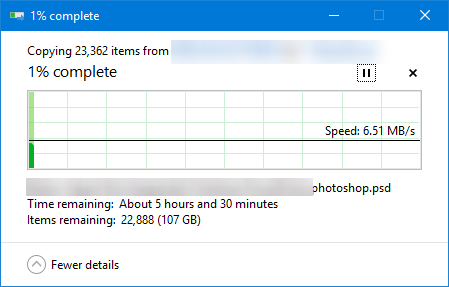
wifi, why are you doing this to me http://beta.speedtest.net/result/6941703264.png


 rocky badge
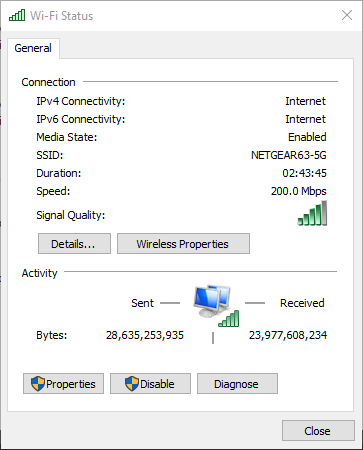
Im doing that at the same time im transferring files
and I have pretty low link speed right now https://i.imgur.com/cLz14dc.png
 thick minnow
Use cable
rocky badge
I switched to Ethernet for it @thick minnow
rocky badge
MUST USE MORE https://i.imgur.com/5MjzXL4.png
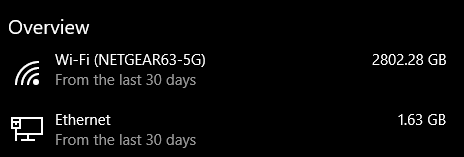 thick minnow
XD
rocky badge
any suggestions?
thick minnow
XD
rocky badge
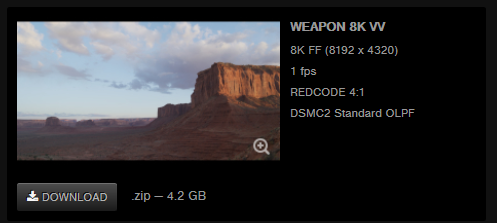 thick minnow
Lol 1 fps XD
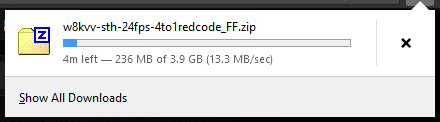 thick minnow
13.3 MB/sec lol
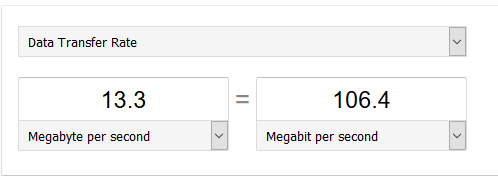
rocky badge
~110Mbps ??
thick minnow
Something like dat
rocky badge
according to Task Manager, Firefox isnt using any network https://i.imgur.com/bk6pzHK.png
 thick minnow
But its task manager its dumb sometimes
rocky badge
yup
thick minnow
Dont trust task manager for everything
 thick minnow
I would too if it said how much was going thru XD
rocky badge
just my laptop https://i.imgur.com/UQmu8of.png
 thick minnow
Lolz
rocky badge
I need to download 200GB more stuff
thick minnow
HMmm
rocky badge
 rocky badge
the site must cap people 1MB per user 😦
thick minnow
RIP




 thick minnow
RIP
rocky badge
lol
vagrant heath
thick minnow
What are you doing damn
vagrant heath
thick minnow
Wot
agile basin
lol
 sand mason
what do you think?
rocky badge
hmmm....
 high anchor
Orange France in 4G at my home : http://www.speedtest.net/my-result/a/3537265378

Test your mobile network speed, wherever you may be.
Download the free Ookla Speedtest app for iOS, Amazon, Android or Windows Phone.
high anchor
Yeah, best phone at this time (because Pixel is overpriced (and not available in france but in the whole Europe) and there is no others Android O devices at this time)
thick minnow
45 Down and 10 up on 4G on kpnNL
frail igloo
Is 300mbs down and 20 up good?
high anchor
Here is what I should pay (unlimited Calls/SMS/MMS and 30Gb data before having a bandwidth cap, can be used in the whole europe without fees) :
(I'm only paying 10€ more on my home internet for a year, thanks Orange for offering grouped offers)
frail igloo
Cable
frail igloo
Ok that’s all my ISP does
sand mason
i'm on calbe 120/12. used to be 70/7
peak walrus
transferring a fuck-tonne of files apparently
 torpid cedar
Is it better have lots of small APs or a couple big ones?
Also going to cable a house full of CAT7a+, can’t find any patch panels for it though
 tall spear
why not?
fathom hound
https://www.extremetech.com/internet/261502-fcc-thinks-american-broadband-standards-way-fast
"


Under Pai, the FCC proposes the following:
...
(Read the article before forming a stance on it. The title is clickbait)
A new wireless broadband definition (10Mbps down, 1Mbps up), with the wired standard unchanged.
Broadband availability determined based on wireless or wireline service, not wireline alone.

Simultaneously implementing the 10/1 standard for wireless and allowing wireless or fixed service to qualify as broadband will reduce the number of Americans who officially lack access to affordable service and/or acceptable performance without actually doing anything to improve the problem.```wow @fathom hound
fathom hound
Yeah
Based on the title it makes it sounds like it's something terrible, but in reality they're just trying to set 10/1 as the wireless broadband standard to replace the current non-existant standard.
rocky badge
yeah. buts thats still slow...
fathom hound
It's better than nothing at all though
rocky badge
yup
 heavy meteor
So you guys have been making me think about my home network
heavy meteor
the ubiquity edge....
fathom hound
If they plan to up that to the same 25/5 that we get with wired over a few years, then that's perfectly fine. Hopefully wired broadband speed minimums go up over time as well, though who knows what Pai will do..
heavy meteor
Is that a wireless controller too?
heavy meteor
so it controls both APs from one pane of glass?
and talks to each other through some kind of "mesh"
rocky badge
@fathom hound I want the min speeds to increase
@heavy meteor EdgeOS found on on edgeMAX cannot control unifi i think unifi needs a controller, wether with the cloud key or run in a docker. the APs can work under one SSID to allow clients to switch APs
rocky badge
😃
heavy meteor
I need a minimum of two APs in my condo
yes, it's 1300 sq ft
and my current router has issues
So I'm thinking about doing an upgrade 😉
fathom hound
I do too @rocky badge
 turbid frigate
Find me where I may purchase the SFP-LC connectors for such a network, and a cisco switch to match them