#networking
1 messages · Page 101 of 1
 plain fog
that's crazy
I wonder if they do business plans that are any different
or if it's just the infrastructure in the area
 thick minnow
im on a business plan
plain fog
oh
thick minnow
thats the funny thing
thick minnow
welcome to the land down under
plain fog
True true
thick minnow
they dont need to throttle our speeds the infrestructure does it for us
its so bad im considering moving to another country just to get better internet
thick minnow
@plain fog please remove that pai face i am triggered when i see it. Put a picture of a dog there everyone loves dogs :D
 rocky badge
lol
 tawdry musk
@thick minnow
thick minnow
Yay
rocky badge
what about mine?
thick minnow
That one is fine
 tawdry musk
what the balls
rocky badge
tawdry musk
oh my
 silver prairie
is 50mbit 500gb a month for $200 a good deal?
plain fog
I want to change my profile picture but it's not part of my plan..
 winged moth
@thick minnow What about running a speedtest? Maybe the steam server you connect to happens to be shit.
thick minnow
Lol i pay 73 dollars for 200 down and 20 up and unlimited usage 😄
rocky badge
I could pay something from AT&T that more expesnive and get 10/? and 1TB data
winged moth
Pretty soon the 250/250 service should be showing up and that's supposed to be $130 with an additional $15 for the unlimited data.
Shoing up = available to where I live. Not sure if I'll bget it since I barely cap 150/150 as is.
thick minnow
@winged moth speedtests dont even load thats how bad it is
winged moth
Holy crap.
rocky badge
soon™ we should get fiber from our ™ co-op and hopefuly no net neutrality bs? idk...
thick minnow
easy way to put it i use my mobile data for everything
whilst still paying for the connection
winged moth
Ouch.
winged moth
And yeah. I'm really hoping that up in Canada we don't get fucked by the net nutrality stuff going on in the states right now.
rocky badge
😃 😃 😃
tawdry musk
we pay 65 for 80 down 10 up unlimited
thick minnow
I pay £70/month for 40 down, 2 up with unlimited
 exotic smelt
Anyone have any experience with OpenVPN? Im rather new to it and running into an odd issue. Google-fu has failed me so I am here.
thick minnow
I used it for a few weeks on my VPS until I had to reset my VPS (to fix my webserver)
 fathom hound
Well this is balls
Using a legit weather sealed coax cable, all connections are secure, still getting >50dBmV power levels on the upstream connection from my modem
Connection was perfect at the pole though
Guess I'll replace the cable inside the house next
 vagrant heath
Could it not be other peoples shit cable. Because That was the excuse that Comcast gave me after replaceing the cable from the pole to house and house to modem and sill had weak upstream
fathom hound
I'm gonna try the house -> modem cable, only other point of failure I can think of.
No other stuff connected to the line other than the modem
Probably just gonna say fuck it and use that as an opportunity to relocate the modem as well
winged moth
I'm guessing you confirmed the cable you installed was showing no issues?
 spice dagger
I'm fighting with my Network right now. I have a high ping every 20-30min. What settings should I change? There is for example Gigabit Master/Slave Mode, Large Send Offload or und Jumbo Frames. What should I enable or disable? I have an Intel i211-at.
winged moth
What is the rest of your network made of? Might be another device getting overloaded.
 kindred girder
Just purchased torGuard. So happy
 deep verge
I had problems with periodic high ping, my router was overheating.
Put a fan on it, problems stopped.
winged moth
^^^
winged moth
Most home use stuff isn't designed for at all constant use at high throughput.
winged moth
Not bad.
deep verge
G4
winged moth
Oh wow.
winged moth
Although that's a 1U so it's probably fairly noisy.
deep verge
It's a tower
winged moth
Ahh. That works.
deep verge
Old board being a z77 mpower, CPU being a 3770k
Sightly better
Only problem I've had of that my pfsense is slightly corrupted, and won't update and randomly restarts.
But I blame the HDD for that.
winged moth
I might be getting one of those used when my friend's work decomissions a set of them.
deep verge
nuice
thick minnow
So I did not knew when I ordered this you need 2 seperate cables running from your router to this, is it okay for me to just wire up 1?
rocky badge
you know its sad on the pcpartpicker you're making when the most expensive thing is the nic and its only 400$....
deep verge
hmm?
rocky badge
i was playing with what I could make a pfsense router out of.
rocky badge
I need more than a single gigabit connection https://i.shareimg.cf/imgs/6Db55X1a.png

 high needle
Anyone know if 3 of these would be able to connect 2 desktops in different rooms with a gigabit connection through an extention lead?
rocky badge
dont you love it when ISPs do this?https://www.spectrum.com/content/dam/spectrum/residential/en/images/internet/Watch-with-text-100.png

 cedar cradle
this is my internet speed
fathom hound
oh that's neat
Wouldn't trust it though, it's really inaccurate
Showing just under 5/5 for me, but speedtest.net showed 80/11
thick minnow
200/20 XD

 halcyon steeple
@agile basin How much do you pay?
 agile basin
~&130 for internet, TV, and home phone
agile basin
Verizon upgraded us to 150/150, then 300/300, then 750/750, then we had a bit of trouble with Verizon Wireless, and they upgraded us to gigabit
ALL for FREE
agile basin
I used to have that on COX.... ^^^^
halcyon steeple
wow i pay like 45-65 don't know real price in Spectrum for 70mbps Download and 5.5 mbps Upload
high needle
Yeah unless you get business broadband speeds are shit in my area
halcyon steeple
First was like img is super fast now i feel that is kind of slow
agile basin
Lol
agile basin
Ah rip
high needle
That is literally the fastest broadband I can get
halcyon steeple
But is atleast 20mbps stable?
high needle
Im using asus router as well over 5ghz so that isnt slowing it down
Yeah its pretty stable
Sometimes goes down to 15
Sometimes its 25
agile basin
isn't sad when internet goes down to 500Mbps
halcyon steeple
well you be glad because i have friends that pay for 20 and they necer get 20
agile basin
Rip
high needle
Well I payed for 76mb/s
halcyon steeple
they pay for 20 to get guaranted 10-15
halcyon steeple
Damn
high needle
Was still getting 20
On old 24mb/s
I thought download cap was the problem but obviously not
halcyon steeple
They told in Spectrum that because where i live i cannot recieve 100 they are gonna charge me for 50 but i'm actually getting 70
high needle
Aha lol great deal
We used to be on bthub3 but it was shit and after 5 years upgraded to an asus router
Its much more reliable and can get over 3mb/s transfer to network drive
Finalyl
I did get a bthub5 sent to our house but that was even worse wifi constantly kept cutting out
halcyon steeple
Feels bad man and i tought that living in a first world country will get better internet than back when i was living in mexico
high needle
Well im in uk so yeah
As soon as I start transfering loads of small files to network drive speed drops to 500kb/s
😂
agile basin
rip
high needle
The wifi connection is reliable but the speed is so inconsistant I so want to hardwire my desktop
halcyon steeple
Back in mexico or atleast in they i'm from the max you can get in the whole city is 20 but they cant guaranted 20 because they said "You can pay for 20 but we might not be able to deliver 20 because of saturation of the nwtwork blablablabla"
high needle
Aha I never really bothered to complain about my slower than promised speeds they wont do anything about it
halcyon steeple
if you pay for 10 never get 10 max 7-8 and pay 20 to get 10-15 speeds
halcyon steeple
Yeah haha
high needle
Lol you can get a fiber cable rolled out to your house without going through fiber box
But by then you might as well buy a server and make your own internet
high needle
😂

 fossil estuary
Guess I'll share my home network setup here:
Fully UniFi homelab / home network
https://puu.sh/yM68n/07e07ab9fd.png
 agile basin
OwO
fossil estuary
 agile basin
looks similar to a neural network map
still dope though
router->switch->computers
my quality network
rocky badge
I wanna get Ubiquiti gear...
fossil estuary
http://beta.speedtest.net/result/6903468567.png sadly my gigabit internet connection is oversubscribed as hell...

Ugh
rocky badge
ERLite-3 or ER8?
agile basin
What makes that map?
fossil estuary
@rocky badge Got a USG3 for now, gonna upgrade to a USG-HD-4 when that releases.
Got my parents and grandparents house all wired up with my hand-me-downs.
Gives me a good excuse to buy the new gear 😂
rocky badge
will the ER3 good?
fossil estuary
The ERLite3 is the same underlying hardware as the USG3.
And the USG3 keeps up just fine (Been able to max out 1000/1000 at full duplex over the WAN)
rocky badge
ok
fossil estuary
Had to run 4 uploads and 4 downloads to Google Drive (2 hops away from me) to max out the upload and download at the same time.
@agile basin It's in the unifi controller interface.
fathom hound
yes
agile basin
But with what though?
fathom hound
a real router
fossil estuary
@agile basin I prefer ubiquiti, but literally anything is probably better than that.
fossil estuary
If you're just running a flat network (no VLANs) you really don't need anything fancy at all from a router.
agile basin
what's a VLAN and why are they good/bad?
fathom hound
They're basically a separate virtual network
fossil estuary
I'm a big fan of seperating the roles of the traditional "wireless router", also.
"Wireless Router" = Router + Switch + Access Point
fathom hound
so you could have many devices hooked up to the same switch, but only certain groups could see eachother
fossil estuary
Yep @fathom hound nailed it on the head.
It's for segmenting your network devices.
I use VLANs to keep all my IoT gear off my main network.
agile basin
ooooh. so that way the network discovery doesn't get crowded?
fossil estuary
That's one bonus I guess. The reason most people do it is for security / access control reasons.
fossil estuary
I don't want my chinese wifi lightbulbs being able to steal shit off my NAS, for example.
fathom hound
lol
 fossil estuary
Those are my bits!
 meager hazel
Lol
rocky badge
is the https://www.ubnt.com/edgemax/edgerouter-x/ a good router?

The EdgeRouter™X delivers cost-effective routing performance in an ultra‑compact form factor.
fathom hound
Should be alright, I'd check reviews around the internet a bit tho
rocky badge
Ok. I was looking at UniFi USGs too I might get one of those though
 gritty owl
Yeah, the Edgerouter X or Lite is a good router. The USG is alright as well. I got a USG Pro-4 and unfortunately lucked out and got the one that was defective. Currently on RMA.
@agile basin Which verizon router do you have? I have the Quantum Gateway and it's alright. Yeah, the wireless isn't so good. I installed two Ubiquiti AC-pro APs and turned off the Wi-Fi on the Quantum Gateway.
Works pretty well.
I was close to killing off the Verizon router but my new USG Pro-4 ended up being faulty (My luck you know...). I also plan to buy some fiber and drag the ONT from outside and bring it inside to the top of my server rack.
and if you have any verizon set top boxes, you will need to have the verizon router plugged in or have moca coax to ethernet adapters so the set top boxes can grab TV guide data
 broken briar
Guys, there's a Ubiquiti discord server if you're interested
I dm'd you the invite 😃
agile basin
No i just need to have the verizon router in-line with the aftermarket one and just diable most of its features?
 high anchor
@broken briar I'd be definetly intersted to have an invite !
 high anchor
Because some ADSL internet connection still require login (in France, Orange gives you login IDs for 3rd party routers)
rocky badge
oh
gritty owl
@broken briar Oh haha, I deletd your invite thinking it was spam. I didn't see this. I'm already in the ubiquiti server though. haha.
 livid hawk
@broken briar Mind if I get an invite to the Ubiquiti group? Just upgraded my network to a full unifi setup.
thick minnow
IS there a website where I can check how many people visit a particular website on a daily or monthly basis?@everyone
vagrant heath
Is it your website
broken briar
probably
 foggy sand
So, because my room is a wireless dead zone, we're lookig at replacing our single router setup with a mesh networking setup.
Most likely Google Wifi
winged moth
What kind of access point are you using currently?
Is it possible to get a more powerful AP and/or put an AP right next to your room with a wired connection?
foggy sand
Netgear Nighthawk R7000
Thing is, I'm very far away from it and there's a ton of things degrading the wireless signal.
foggy sand
Mesh networking might be the best solution for wireless in my home.
Because after the kitchen, there's a huge dead zone.
winged moth
No chance for a wired solution? Even if it's wired to another AP nearby. mesh is unfortunately still impacted by the same issues that impact wireless.
foggy sand
I use Powerline for my desktop and laptop, so there's some form of wired going on.
It's not ideal tho, I'd prefer a direct line from the router to my room, but... gotta deal until I move out I guess.
winged moth
What is your internet speed?
foggy sand
185Mbps down, 85Mbps up
Not 100% sure tho
But that's what I get on speed test sites
winged moth
Could look at setting up a 2.4GHz point to point solution although most of those cap out around 100Mb/s and that's mostly only theoretical rather than constant.
But it would most likely be able to punch through the walls and other obstructuctions unless you have basically a faraday cage in the way.
foggy sand
We've tried repeaters before.
winged moth
I'm using a 5GHz point to point. It's not optimal but it's damnned quick.
No, not repeaters. Like industrial point to point.
foggy sand
They drop connection a lot and ultimately were just more trouble than they were worth
winged moth

Featuring a grid reflector design and single-polarity, narrow-beamwidth performance, the airGrid®M is ideal for applications requiring low-cost and lightweight CPE devices.
That kind of thing.
foggy sand
We'd have a higher budget for networking equipment but we're redoing the kitchen and that's been wicked expensive.
winged moth
Just make sure you don't try and get the max speed by cranking the power because you can overheat them by having such high power at close range.
But take a look at the third picture in that set, ~300Mb/s transmit and receive.
winged moth
And I've managed to push that to 450 with proper allignment, better tuning of the frequency, and better power management.
foggy sand
But, alas, I don't, because I have the budgeting skills of a garden hose.
winged moth
Yeah, it was a definate budget consideration, but at the time I was using a bridged AP and it was rather frustrating and nearly unusable.
foggy sand
Hah, try using just one router in a specific part of the house
Everything is great in that part of the house but terribad everywhere else.
winged moth
I run a couple of servers off of a switch so I can't use wifi adaptors. Thus using a bridged AP to a switch to provide network access for them.
foggy sand
Also the house being from 1954 but you're in a part that was added in 2004 and is on its own electrical circuit.
winged moth
That's almost exactly the kind of situation I'm in. I'm on a new breaker box which makes powerline basically not an option.
foggy sand
Honestly, I'd love hardline directly from the router to my PC but that isn't an option right now.
winged moth
Same.
foggy sand
When I get my own place I am definitely skipping powerline and connecting my PC directly to the router.
So much throughput loss, I'm amazed I can stream games as well as I can.
winged moth
I'm in a rental though so I can't make holes in the walls/floors and if I wanted to run a cable it would have to go through the front entrance.
foggy sand
Well... I might still use powerline for the Steam Link.
But all PCs will use wired when possible.
winged moth
Yeah, I'm thinking about a fiber backbone if I can convince my landlasy to let me put some small holes in the floor.
Smaller connector and smaller cables means it's easier to hide.
foggy sand
I'm gonna need to get my future husband used to the idea of connecting things with an Ethernet cable, heh.
He's too used to wireless.
winged moth
Wireless isn't terrible, just a sub optimal solution if wired is available.
foggy sand
yeah
Thankfully we're both IT guys so I'm not speaking a foreign language when I talk nerd to him ^.~
winged moth
What does he do in IT that he prefers wireless over wired?
foggy sand
He used an aging HP laptop and a phone as his daily driver machines for a long time
winged moth
Ahh.
foggy sand
He recently built a PC, with my help ofc
Since his network is designed around wireless, he can't use wired.
winged moth
So just out of a necessity rather than prefernce it would seem.
foggy sand
yeah
Honestly I'm glad he's IT too, trying to explain tech things to my parents is a nightmare.
winged moth
Yep.
foggy sand
They grew up in an era when all of these things we have now didn't exist.
winged moth
Tiresome having to explain the same things over and over just to tell them about stuff happening at work or something.
winged moth
Yeah, my parents are doing a pretty good job of keeping up with consumer stuff like Facebook, basic home networking, backups, stuff like that.
winged moth
oh...
foggy sand
My mom, at least, knows how to keep her iPhone 6S+ secure.
winged moth
Is he a bigger part of the firm or something? I feel like their IT team would be bullying him into upgrading him if he's low in the pecking order.
foggy sand
Well, his name is kinda on the law office's front sign.
winged moth
Yeah.
foggy sand
But not in the big letters.
winged moth
Still, if your name is on the sign, you're big enough for IT to avoid wanting to pester you.
foggy sand
He keeps insisting "it's fine"
He also has no concept of keeping passwords secure and will blurt out the wireless password in public.
winged moth
I mean a major factor of it is physical security, but it's so easy to lose your phone or have it stolen that you would want some protection from access if it's removed from your posession.
foggy sand
I still can't believe that we were at this busy restaurant earlier this year and talking about password stuff, and he just blurted out the password for his Apple ID.
winged moth
Well did he also say his Apple ID?
foggy sand
narpassword
winged moth
Not for Discord, but it's a password that I use.
winged moth
As long as you don't use the same password for everything, it doesn't hurt to have it dispersed. Especially if it's for an unknown account. In this case an unknown account on an unknown service without knowing an immense amount about me, it would be impossible to use that to break into the account anyways.
foggy sand
He uses the same password for everything.
winged moth
I used to. Keypass+dropbox is awesome.
foggy sand
But, I digress. This is getting off-topic.
winged moth
Automatically sync between my phone and computer, easy generation of passwords, and it can automatically type out passwords allowing easy login. Basically all of my accounts use their own password of similar or greater complexity now.
foggy sand
So, anyway
It's looking like mesh networking is the best wireless solution for my house
winged moth
Yeah, hopefully you find a good solution for your wifi issues.
foggy sand
I hope so too
I'd like to be able to use my shiny new Switch on the internet, after all
As in, the Nintendo console, not the networking hardware.
Although I have both now.
 torn stump
My parents can't even don't even use an automatic back up. While I've a storage server for my own 😃 they don't trust such servers 😒
 runic chasm
I'm looking to move to another house and i want to check their internet speed before moving.
Unfortunately there's only a 3g/4g connection available.
I totally understand that it is not reliable and speed/ping may change a lot.
i want to check possible speeds before moving so i was wandering, is there a speed test tool that will check connection for a long period of time(24 hours) with log. Or is there a way to set it up myself?
high anchor
You could use the script version of Speedtest.net, a cron job to run each X mins and log it to a file, then do the math with Excel
runic chasm
i suck at scripting, but i'll look into that. thanks
agile basin
Is the netgear orbi good? or should i go linksys?
rocky badge
linksys
agile basin
Or.... Ubiquiti
rocky badge
^^
 turbid frigate
or Cisco if you really want stability
 hearty nest
Love my work internet, great for backing up my data to the cloud while i work
runic chasm
wow, why pings are so terrible?
winged moth
Wireless. Testing against a server a long ways away. terrible ISP.
high anchor
5Mbps up is enough for 1080p60 so yeah you are fine
 hallow vortex
OBS has been fcking up lately so just wondered x)
high anchor
That's why I prefer XSplit (and its interface)
rocky badge
google's speedtest is not really accurate with ping
hearty nest
@hallow vortex if you are doing a 720p stream you can use XSplit as it does not use its watermark for that res (I think)
 toxic quartz

agile basin
yueet
agile basin
but we got like 5 free upgrades within 6 months
It's for ballin' internet, Good tv, and home phone i guess
It's pretty cheap
toxic quartz
we pay 90€
agile basin
but just for internet
toxic quartz
and i have own modem choice
agile basin
is that euros?
agile basin
so $107.56
toxic quartz
Yes
agile basin
nvm
forget i said that
but... 4ms ping
HAH
i get 1 ms
and unlimited data on mobile phones
toxic quartz
but normal ISP with internet phone and tv cost arround 40€
toxic quartz
fiber
agile basin
glad i still have my canadian citizenship
toxic quartz
haha
agile basin
But... you should YOU LIVE IN EUROPE
🤔
toxic quartz
Yes
agile basin
🤔
toxic quartz
but not in spain
 toxic quartz
in every street cofeeshop
agile basin
The Netherlands is a great country
toxic quartz
no i'ts not
agile basin
why?
toxic quartz
health care sucks
toxic quartz
we have a lot of mixed people in our country
that are making trouble
but we have the best roads in the world
toxic quartz
health care is good but not cheap
and if you can't work you get monet from the goverment
money*
studying is the netherlands is good
specially in IT
what i am studing
but how does it feel to live in the USA?
toxic quartz
because i read an article about hughe tax deal
agile basin
I mean, getting rid of Net Neutrality is shot
Yeah... it's more complicated than that
won't affect me though
toxic quartz
oh only rich people?
agile basin
Well no
toxic quartz
we have trump 2.0 in the netherlands called Geert Wilders
agile basin
It depends
The tax deal doesn't affect me because of how much i make and the other tax cuts i get
Who's that?
toxic quartz

the Guardian
Dutch Freedom party leader tells far-right gathering in Prague Europe should also turn back migrant boats like Australia
agile basin
What's your opinion?
agile basin
Hmm ok
toxic quartz
but we are going off topic
agile basin
yeah
toxic quartz
😋
toxic quartz
haha
toxic quartz
do you do a lot in networking?>
agile basin
Eh not really
agile basin
Yeah
toxic quartz
haha
agile basin
I have the default router, and a gigabit netgear switch
i WANT to go more advanced... but like money and time... and stuff
vagrant heath
I have a Cicso switch that I need to setup
toxic quartz
do you need help? @vagrant heath
@agile basin i see that you have floatplane is it worth it?
rocky badge
yes!
rocky badge
^^
 river arrow
how does one get floatplane ? 😄
rocky badge
toxic quartz
floatplane only support's paypal
vagrant heath
I am just lazy.
rocky badge
yup
toxic quartz
and no ideal (digital payment system in the netherlands)
all banks in the netherlands use it, i'ts a pretty good system
toxic quartz
in the netherlands you cant have easely a credit card
you need enough moiney and stable income
money*
rocky badge
lol
toxic quartz
why doesnt floatplane have a yearly options?
toxic quartz
then i do it
agile basin
I didn't have enough $ at the time
river arrow
joining floatplane was really easy and i even linked my discord acc in few clicks nice
agile basin
ye
rocky badge
yay!
 pine wigeon
rocky badge
pine wigeon
rocky badge
i got the yearly.. they removed it now 😦
 lost flint
Hi 😃
I got an expert question
I set-up an Site-to-Site VPN
Now my firewall can access the network on the otherside
But the internal network from the firewall can't
Any ideas?
fathom hound
Linus Tech Tips
Quote
Broadcom announced that is has started shipping the Tomahawk 3 switch chip. The Broadcom Tomahawk 3 is an important chip because of it...
Holy shit
agile basin
buys 10
fathom hound
Maybe with that ISPs will be able to provide some better speeds
Though I doubt they'd be that nice
river arrow
This switch will be mainly used in datacenters
river arrow
and in my home network 😄
river arrow
and my 10 year old lan card 100Mb 😄
agile basin
lol
river arrow
I have saved my first lan card i bought for 7$ when i switched from modem connection back in 2000 😄
my parents bought for me*
agile basin
nice
river arrow
@lost flint depending on how you have set the VPN and depending on the firewalls you have used, probably your internal network is not seeing the route to the other site
or some firewall rule is blocking it
 fresh holly
They removed yearly subs quite recently I guess?
Because I subbed yearly as well quite recently.
like 1-2 months ago
agile basin
Yeah
thick minnow
I am happy with my yearly subscription 😄
thick minnow
XD
 opal compass
Really guys!
agile basin
Hey, I have a faster upload!
 opal compass
😑
agile basin
It's DOUBLE my usual
http://beta.speedtest.net/result/6923879584.png Ugh upload so slow
 agile basin
lol
rocky badge
new rule? Don't brag about your internet? Some people have the fastest in the area..
agile basin
i know i'm still mad that my upload speed is 200 less than what i pay for
opal compass
@agile basin can i know how much u pay for that?
agile basin
We got aton of free upgrades
so $130 for internet, tv, and phone
We technically only pay for 75/75
which was more than enough tbh
rocky badge
I want more up
opal compass
Here i pay
Like 11$ monthly
For 4 Mbps with 100 GB download limit
After i finish them
Speed downgrade to 1 Mbps
opal compass
1$ = 18 EGP
agile basin
Yeah, I feel bad for people with slow internet
I used to have 5/1 with COX
cost like $60/month
opal compass
It's funny that am running minecraft server on that connection
agile basin
lol
opal compass
😂
agile basin
I mean, it works... i guess
rocky badge
115/7 40$ internet only... We also use phone and tv
rocky badge
Oh
opal compass
Too hard to run IPTV on that connection speed
rocky badge
You can get cable from spectrum or dsl speeds over cable from at&t
rocky badge
Doesnt the FCC regulate how fast the slowest speeds can be?
opal compass
My mobile supports 4G
When i download over 4G
It gives me like 3 mb/sec.
ONLY
agile basin
You're not in the US right?
opal compass
Am from Egypt
rocky badge
Oh I get 30mbps over 4g LTE inside...
rocky badge
Inside?
rocky badge
Oh rip. Do you have Verizon mobile?
opal compass
Here we use signal towers not satellite
rocky badge
I'm streaming 720p floatplane...
opal compass
I thanks god if youtube runs at 480 without buffering xD
agile basin
f to pay respects
rocky badge
I could use 1080p but I don't wanna reach my throttle data quicker
rocky badge
I've used 1.1GB in 5 days
agile basin
dang
opal compass
Can i tell you funny thing?
rocky badge
What
opal compass
Our ISP banned torrent yesterday from whole country
thick minnow
😮
opal compass
😅
rocky badge
Wow rip
thick minnow
RIp
thick minnow
.....
rocky badge
Remove it...
 rocky badge
I'm close to 1tb
thick minnow
Not that much XD
opal compass
Give me speed & i cross limits
thick minnow
200/20 good enough ?
agile basin
Yeah, i hate isps that don't do same up as down
agile basin
Rip
thick minnow
Rip
rocky badge
I hate it
thick minnow
What country ?
thick minnow
RIP
rocky badge
Spectrum.............
agile basin
Rip
thick minnow
Oh more rip
rocky badge
We're using docsis 3.0 not 3.1 :(
opal compass
I think Firefox Quantum better than Chrome currently
rocky badge
Thank you! I like FF better than chrome
opal compass
😊
thick minnow
And 3.4 Gb out of 16.5 GB used on my phone plan XD
opal compass
5 gb/9 gb used
thick minnow
😮
opal compass
Renewable at 3/1/18
thick minnow
MIne renews on 01-01-2018
rocky badge
opal compass
1/1 my bd
rocky badge
My usage
thick minnow
Ahhh i dont have youtube red in my country and it sucks
rocky badge
I don't have to pay until March
thick minnow
😮 Noise
rocky badge
3 mo trial
thick minnow
Ah
rocky badge
...
agile basin
lel
thick minnow
 rocky badge
... wow
thick minnow
Wow
rocky badge
I don't like Spotify
thick minnow
Wot
opal compass
Everything is blocked or not available
thick minnow
Sounds like a jail to me
opal compass
Note* cracked vpn apk 😅
thick minnow
....
rocky badge
I don't use a vpn. No need too. Hope you can get by post net neutrality blocked sites with a VPN
Wow
Do you crack everything?
opal compass
I pay for Steam only
thick minnow
Prob XD
rocky badge
Cuz legal reasons... Says the guy who probably didn't do stuff to get Adobe CC...
thick minnow
I pay for stuff and have food
agile basin
I get unlim from schoopl for google drive
rocky badge
I don't pay for food. Mom and dad do
thick minnow
XD
opal compass
@thick minnow
Sorry but if u wanna compare
Let's look to country currency
thick minnow
Country: Netherlands Currentcy: EURO
opal compass
For example
Get from job 1200 EGP
Monthly
1 dollar = 18 EGP
thick minnow
From job: 1200 Euros Monthly
1 euro = 1.20 USD
opal compass
Find a job for me there please!
thick minnow
XD
thick minnow
RIP
opal compass
Someone kill me Please!
fresh holly
Your wish is my command.
agile basin
o
thick minnow
Suggestion: Run
opal compass
😻
I think i have to go to eat something then sleep
I got work morning
Or no food xD
Bye guys it's 1:40 am here
agile basin
Bye gn
opal compass
Nice to talk with you
thick minnow
Its 12:40 Am and GN
agile basin
it's 6:43 PM
fresh holly
1200 EGP is 60 euros, crazy.
thick minnow
Damn
 lean pollen
Rip
 mighty galleon
I've been thinking about my old PC has dual ethernet
It will work max 2gbps internet speed? Currently i have a 1gbps, i'm not sure plan the upgrade to 2gbps
What if problem IP address on both cable the PC?
 atomic plaza
Do any of you know of rtl sdr comparible to this? https://www.amazon.com/RTL-SDR-Blog-RTL2832U-Software-Telescopic/dp/B011HVUEME/
mighty galleon

This video was sponsored by the honor 5X. Learn more about the honor 5X at http://www.hihonor.com/us/ Buy the phone on Amazon at http://geni.us/40CH Yes you ...
I watched this video
It might useful for home server, but it will work on some motherborads like high-end?
 dull iron
Actually it only works on some oses
Desktop os windows versions don't let you do it
Linux is free and lets you easily bond multiple connections for faster speeds
Balance RR allows for a single session to be split so single channel traffic gets a boost

Did a more stressful test and got a+ bufferbloat
Beat that US users
rocky badge
😦 its smart https://i.imgur.com/kIWU4nm.png
 dull iron
Just select fiber
rocky badge
Ik my connection isnt satellite
dull iron
Fiber is the most stressful default
rocky badge
I was playing around w/ it
dull iron
My settings were even more stressful
Well each default preset has a different setting
If you register and login you can tweak the settings in detail
By having a very stressful test, you can see how your network holds up
Its not about the bandwidth, just using the very complicated QoS on my router
rocky badge
I dont have QoS set up
If I did I would do by devices not services
Why I want UniFi
Netgear genie is bad
 peak walrus
netgear genie is crap
rocky badge
Yup
Wanna change WiFi password? Reboot the router. No we won't just restart the WiFi service
peak walrus
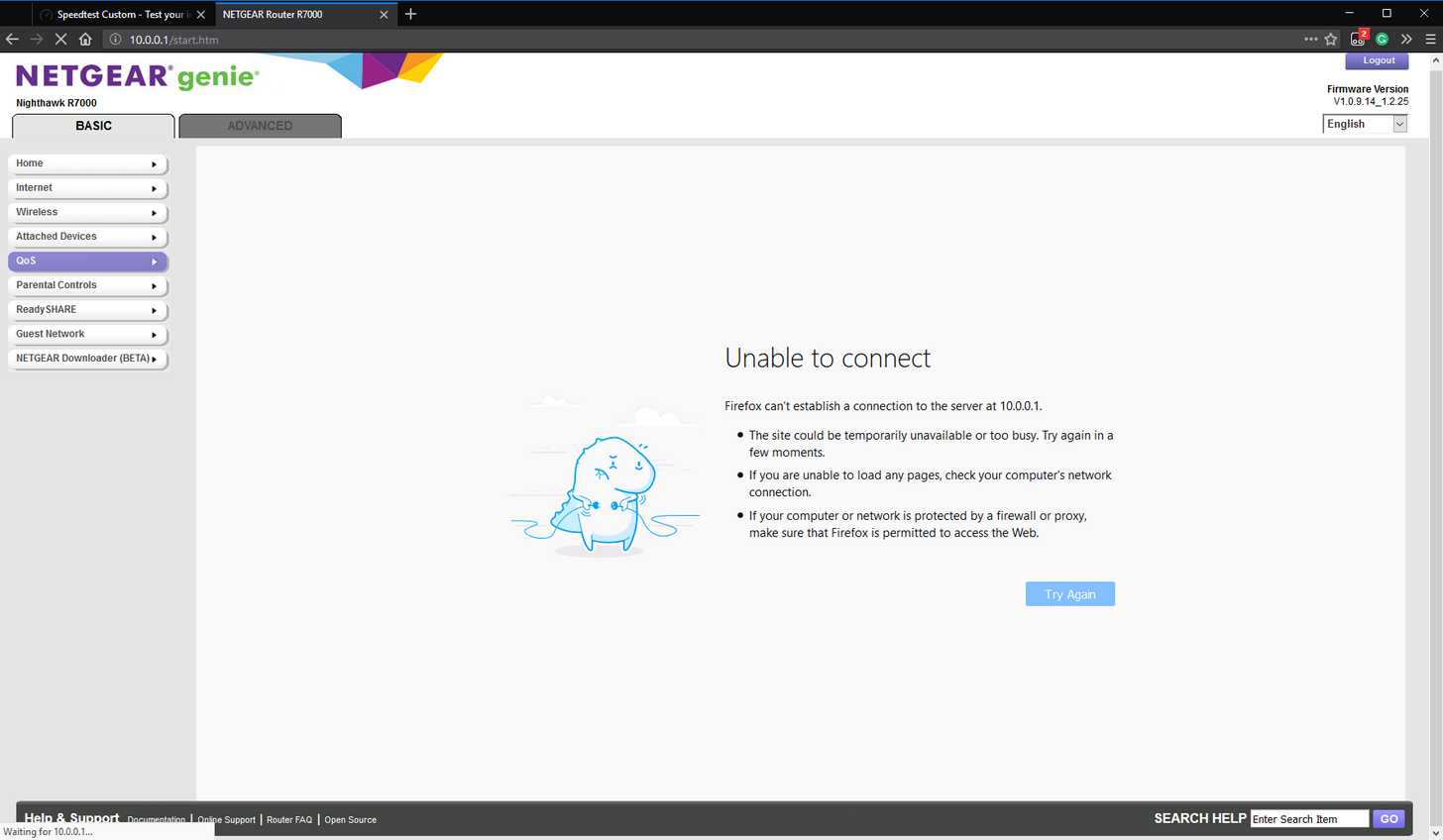
i suffer through having two different netgear genies on different ports :/
 peak walrus
i swear modern routers should have like an app or a desktop app to do this shit in a simple way
these crap admin panels need to die
peak walrus
i have never once had that :/
rocky badge
Bsods, Osods, Gsods. All from Windows
peak walrus
leave the insider program?
rocky badge
Nah
If it happens again yeah but I'll stay right now
"We're just collecting some error info" sure you are Microsoft
peak walrus
i wouldnt dare go insider on a laptop
peak walrus
if you're ever carrying a laptop out and about, you're carrying it for a reason. If you can't use it for that reason, the device is redundant
My desktop is here regardless and it's far easier to reinstall windows on, replace anything broken, etc
dull iron
Unifi is crap as a router. I use mikrotik
You can find mikrotik in data centers but not ubiquiti routers
rocky badge
well thats datacenter not small office or home
vagrant heath
I don't think ubiquiti makes routers that support 100+ Gb/s
dull iron
I use the ccr1036 with 2sfp+ at home
That router is limited in band with by ports, its software nat is fastwr
Small office or home, that router works well
Ubiquiti routers don't have the same QoS flexibility that mikrotik does
vagrant heath
If I remember right Google was using custom built routers.
rocky badge
I think they use custom everything...
rocky badge
I thought they ran a custom linux os, idk
vagrant heath
I mean this is core. So no GUI
dull iron
Wouldn't install library runtimes despite updates installed
rocky badge
Windows Server uses like 1% of my CPU when idle
what a server should do
not like 20% used by Windows 10
vagrant heath
I'm sure some stuff is linux, but most of it was Server Core
dull iron
On Linux not only do my game servers run better but its more resource efficient. Less CPU usage
rocky badge
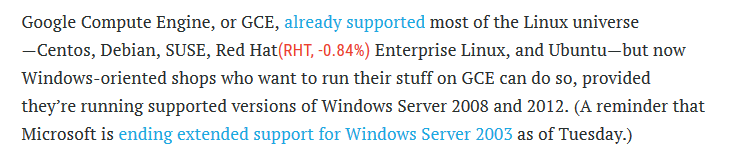
they use it because of customers?
"That meant customers could start running Microsoft SQL Server databases, SharePoint document repositories, and Exchange Server mail on the Google cloud."
vagrant heath
No way I was shown customer systems
dull iron
That's the ms bit, but Linux dominates the server space
So the front end can be windows
Linus dominates youtube
rocky badge
😃
vagrant heath
Getting the tour was a pain in the ass. NO WAY they would show me anything that was not 100% Google
rocky badge
I hope getting the tour was hard... They have to have tight security
vagrant heath
1 Month of Background Checks
dull iron
Yeah, data is as valuable as money, so bank grade security is needed
vagrant heath
They have Armed Guards.
rocky badge
duh
vagrant heath
This is California dude. You don't see dudes with AR's out in the open everyday
rocky badge
they can have trillions worth of data from customers and that wouldnt very good to loose
rocky badge
they might have Windows Server for AD login for employees and offices
dull iron
Stolen data is worth so much just like money
vagrant heath
Nothing on the linux side to match AD?
rocky badge
but for their main servers I think its custom so their software isnt vulnerable. Its security precautions
dull iron
Linux actually has ad but setting it up is more painful
vagrant heath
They have IBM mainframes
dull iron
For instance I wasn't able to get samba working before
rocky badge
Employees may login w/ AD but why would the main servers need the AD synced?
dull iron
On linux
I mean samba server
Linux has LDAP and another thing that's only Unix compatible
But Linux network logins have been around for ages
Ms added theirs late and made it proprietary as usual
vagrant heath
Good luck hacking a Mainframe (They are not x86 based)
rocky badge
thats a good thing.. If you couldnt eaisly hack Google...
dull iron
Well some data centers like fb use the larger variant of CPU that my router uses
vagrant heath
It's why you don't hear about credit cards getting hacked. They use mainframes because the I/O throughput is INSANE
dull iron
Instead of 36 cores they use the 100 core variants
Cred cards don't get hacked, they get generated
Those many core CPUs can run many GB/s of firewall and web server
rocky badge
The Edgerouter Infinity has 16 cores to do 80gbps.
dull iron
I hack for a living, well to survive because we don't get the tools for the job where I am
So I hacked the company router so I could get the login to use my own as the company used crappy vulnerable dlinks
That edgerouter relies on hardware acceleration to do 80gb
Mikrotik doesn't, hence why I like em more. They show the more realistic speeds that their customers will be uaing
vagrant heath
Oh

Connor Krukosky is an 18-year-old college student with a hobby of collecting vintage computers. One day, he decided to buy his own mainframe...an IBM z890. T...
Motherfucker
dull iron
For instance who buys an edgerouter only to use the features that consumer routers provide?
Yeah I've seen that
My mum got me one of the sun PCs used in oil and gas calculations
rocky badge
I would buy an Edgerouter and use some of the features that consumer router provide... but I want more stuff than that
dull iron
Not a mainframe but pretty heavy with a GPU that ran high quality gigs where hit end desktop GPUs would struggle at that time
vagrant heath
Oh god, Sun Hardware,
dull iron
Exactly, you want to use more features. On the edgerouters those features would not qorkbwith hardware acceleration
rocky badge
I want the ability to use VLANs....
dull iron
Sun had 16 core CPUs each with 8 threads per core in a multi socket (4) server
Many years before Zen
The best x86 has is 2 threads per corw
vagrant heath
Time to have some fun
rocky badge
netgear genie makes it harder than it needs to be..
Im poking around w/ https://demo.ubnt.com/manage/site/default/dashboard
dull iron
Get mikrotik, it can do things that ubiquiti cant
Just so you know o have both the ubiquiti erpro and mikrotik
And the erpro can manage 200mbs of my wan needs
Mikrotik on the other hand can do eat more
For example I've managed QoS on mikrotik with hardware Nat
I hate phone autocorrect
Price per performance, mikrotik beats ubiquiti in their market segments
Who buys such a router and not use the features it comes with?
Besides ubiquiti has a shady financial/stock investment pitch
They call their fan base fanatical
Its on the investment brochurw
rocky badge
well unifi isnt really ment for datacenters... offices where ethernet and wifi is ok. Where 10 gigabit and gigabit are all that are needed. LMG uses it for their router, wifi, and etc. I think I would get more out of UniFi than mikrotik
vagrant heath
Eh. I just wish I could figure out how to setup Ubiquiti shit without getting a cert.
vagrant heath
Yeah Datacenters are going to use Custom Hardware, Cisco hardware, or Dell Hardware
rocky badge
or some are even moving to cloud
dull iron
They aren't going to use they have been uaing
I watched a video of cloud and amazon aws datacenter tour, I saw Cisco and mikrotik
vagrant heath
I mean I have yet to see juniper hardware in the wild
dull iron
Dell and others sell fully managed high performance switches that fit data center needs
So if you wanna buy a good switch, HP, dell,etc are great 2nd switches. They have been used in datacenters
So they aren't going to use, they have been using
vagrant heath
Yep, Ubiquiti does not make Datacenter hardware
dull iron
Ubiquiti provides good versatile basic hardware. Mikrotik provides very advanced routers that aren't as versatile
rocky badge
they dont even advertise to datacenters
they aim for offices and home users
at least what I have seen
dull iron
Mikrotik doesn't rate their hardware for big datacenters yet isps also buy them for their edge gateways (pppoe servers)
vagrant heath
They DON'T even make Datacenter hardware.
rocky badge
yeah
dull iron
Mikrotik doesn't either
Just so happens their price, performance and features rivalled Cisco that isps and data centers started buying them
vagrant heath
I have never see MikroTik Hardware in a Datacenter
rocky badge
lol rip
dull iron
Where do you live?
vagrant heath
Silicon Valley
dull iron
Have you wondered where the "Cloud" is? David Pogue of Yahoo Finance visits Loudoun County in Virginia, where data centers handle up to 70% of the world's Internet traffic every day.
Minute 4
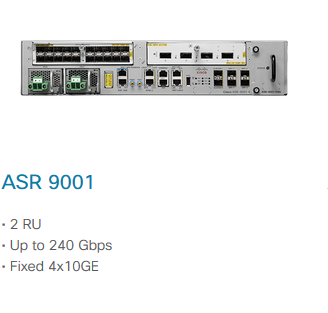
Pause and you can see Cisco asr and routerboards

 vagrant heath
The thing is, Datacenters around here use L3 for the most part. Which provides a OC-3072 uplink. So you need Datacenter grade hardware for the 150Gb/s uplink
agile basin
L3 is now century link
dull iron
Ubiquiti just can't cut it in performance with their market. But since home users aren't the wiser people buy it and get disappointed after using QoS
vagrant heath
It ultimately became a part of CenturyLink through a complex reverse-merger process where Jeff Storey sold the company and also became CEO of CenturyLink.
dull iron
When it comes to cloud, a big part of it is internal bandwidth too
Those multi building data centers have huge bandwidth intranets
vagrant heath
Level 3 bought CenturyLink, But they did complex things so that CenturyLink would remain the parent company
dull iron
For instance load balancing, syncing and such require quite a lot of internal bandwidths
So when you buy ubiquiti don't buy their routers as they're crap from experience
Their AP's are very reliable with range but only support a limited number of clients
rocky badge
did you try UniFi or Edgerouting? Im assuming UniFi?
agile basin
What would you reccomend for a home-network setup?
dull iron
The netgear r7000 can handle hundreds of clients on WiFi and so can mikrotik AP routerboards
vagrant heath
@agile basin Just get some cheap Cisco hardware, because that's the most common thing out there
agile basin
Aight
dull iron
For instance I only use my Asus as WiFi AP's as unifi and mikrotik are late with the latest WiFi standards
I would suggest either x86 or mikrotik as your main router, coupled with a ubiquiti or OEM switch, and a decent thing for WiFi (good consumer routers, unifi or mikrotik ap routerboards)
Cisco also make good switches and router but not Linksys or Cisco basic routers
The VPN routers that Cisco and many other brands sell are a decade outdated
Cisco calls them the Cisco rv
Avoid them
Some make decent switches. The netgear prosafe is a good switch too which to link can't beat in quality
And avoid everything dlink
Tp link*
The mikrotik CCR CPU connected ports offer a 1ms better latency
So it won't help online gaming unless you preciously had 5ms ping if considered too laggy
rocky badge
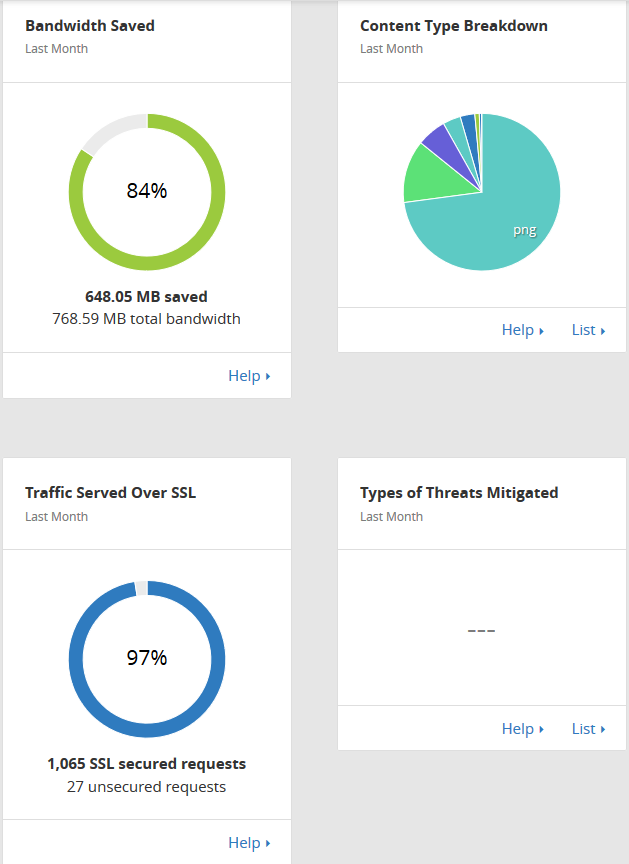
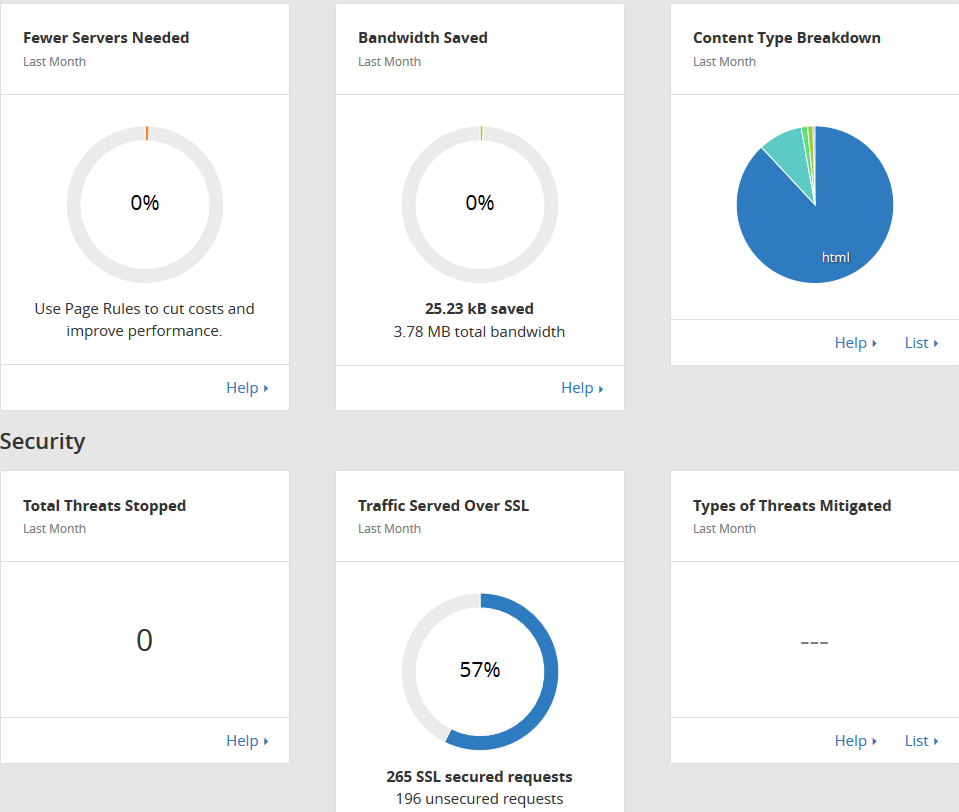
gg Cloudflare https://i.imgur.com/G4HslGX.png
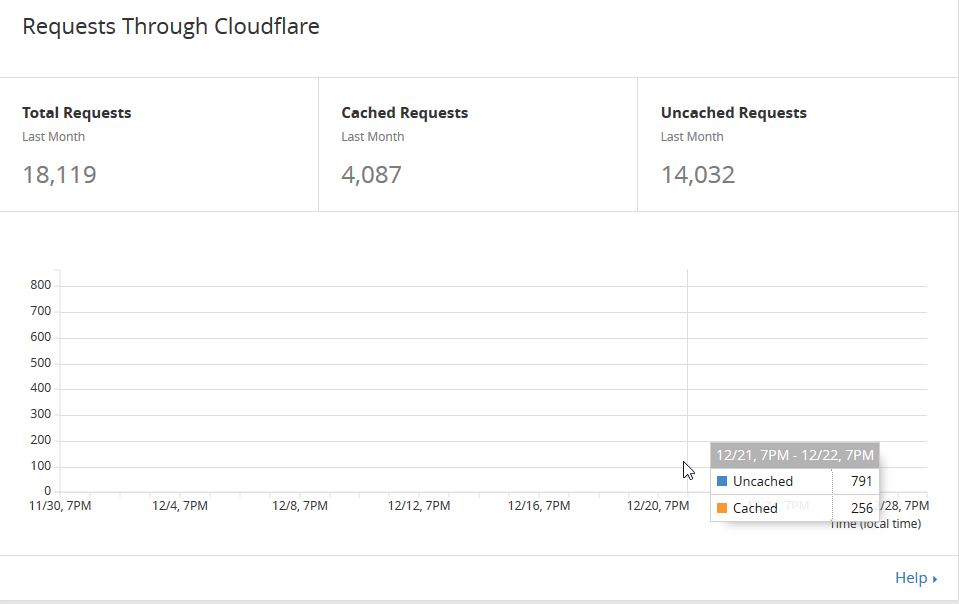
charts? https://i.imgur.com/ZRZEbep.png
 peak walrus
like my monthly performance review
 dull iron
Could be bad. Could mean bad things got through
rocky badge
I never get above 0 on any of my domains
nor does my webservers see suspicous activity
dull iron
Perhaps because they dont
Perhaps an activity is suspicious and not seen
You can only detect and stop what you know is bad
rocky badge
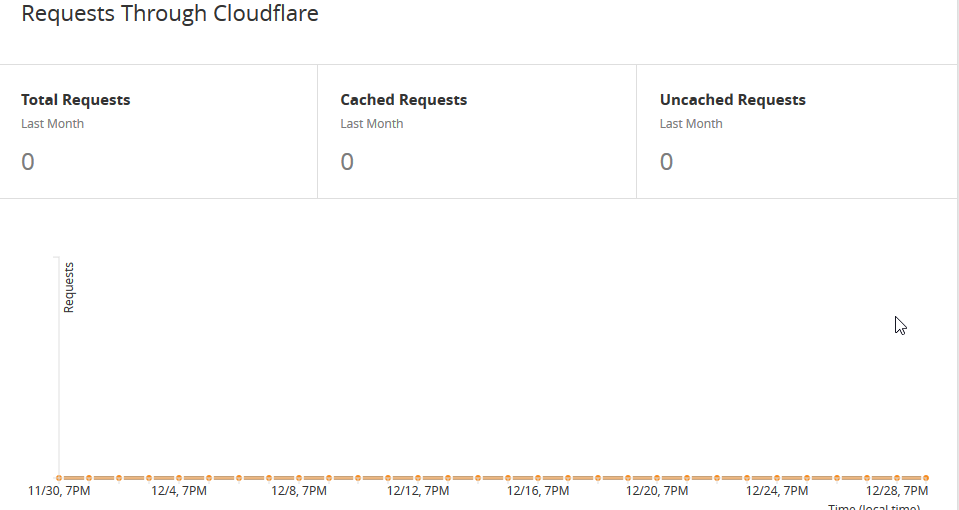
lol this site is dead https://i.imgur.com/uM6eu8v.png
this domain doesnt go through cloudflare https://i.imgur.com/DafCmNS.png
 dull iron
My router stops hundreds of IPs a day on average
rocky badge
image cdn https://i.imgur.com/OJI0FNW.png