#tvos-jailbreaks
1 messages · Page 39 of 1
 fleet parcel
 storm ridge
Got 2 in the closet, guess I'll put them up for sale. They seem to be selling at a premium these days and wasn't sure exactly why since Kodi is sort of the crown jewel on it
fleet parcel
@storm ridge you can do plex on it too...
 rain timber
i need to sell my ATV4 HD
fleet parcel
why?
rain timber
i upgraded it to a 4k
it'll otherwise sit here, might as well get rid of it
i have a 4K TV (TCL 6-series) and a 4K DLP in the bedroom (Dell S718QL) - no need for it anywhere
 high bear
https://www.reddit.com/r/jailbreak/comments/h9fw2o/free_release_twitch_no_ads_100_remove_ads_can/ anyone know anything about getting this on appletv?

reddit
1,045 votes and 122 comments so far on Reddit
fleet parcel
Yeah @high bear i can port it
high bear
that'd be awesome @fleet parcel
fleet parcel
Problem I'm seeing is; there's no native twitch app for tvOS.. So I'll have to look into what it hooks etc
high bear
ah i'm not too sure about any of that I know they made an official twitch app but that might be different than what you're referring to
but i really appreciate the effort you're putting in haha the ads in twitch have been crazy for me lately
rain timber
there isn't? I have twitch on my appletv, where the hell did i get it
i think i found it on some repo?
high bear
there's an official one in the app store
high bear
ah, are you making it work for the nitoTV twitch or the official twitch app?
fleet parcel
May as well do both 🤷♂️
high bear
the hero of the appletv community
 pallid snow
anyone know how to jailbreak apple tv running tvos 8.4.4
how do i ssh into apple tv 3
 vital yoke
I think the only one that knows here is @fleet parcel
pallid snow
what i figured
fleet parcel
@pallid snow 8.4.4? etasonTV
pallid snow
and JTV my i get a link for the discord post in the pinned
that is what checkra1n pulled up so yes
fleet parcel
Whoops.. 8.4.3 is jailbreakable
if you're on 8.4.4, you'll need to downgrade via iTunes
and no, checkra1n won't jailbreak the Apple TV 3
fleet parcel
yes, you will lose everything
pallid snow
i get board so i mod
fleet parcel
but you can get it back
pallid snow
okay
thats all i needed to know is if my fam can still watch netflix and youtube i am safe
fleet parcel
you will need a micro USB and remote to downgrade
 thick moth
can anyone help me install unc0ver tv on my appletv 4k?
fleet parcel
@thick moth do you have a mac?
thick moth
yes
fleet parcel

How to install applications.
pallid snow
thank you
thick moth
so i have followed a tutorial and im stuck on the signing part in xcode
fleet parcel
@pallid snow what model is your atv3?
pallid snow
25zw
fleet parcel
@thick moth what tutorial?
pallid snow
nope A1469
thick moth

Today I'll show you how to jailbreak your Apple TV on tvOS 13.4.5 with the latest Unc0ver Jailbreak! This process requires xCode and an Apple computer. You'll also need the following downloads:
https://www.unc0ver.dev/tvos
https://dantheman827.github.io/ios-app-signer/
https...
thick moth
okey il try that
fleet parcel
@pallid snow download the ipsw from here: https://api.ipsw.me/v4/ipsw/download/AppleTV3,2/12H876
pallid snow
is the nitroclass discord still active or no
fleet parcel
yes
thick moth
so i just get unable to install unc0ver_5.2.0
pallid snow
its expired
fleet parcel
The link i just sent is fresh @pallid snow
thick moth
@pallid snow you may be in too many servers
pallid snow
weird its says its exspired
thick moth
try leaving some you dont use
fleet parcel
thick moth
because i was able to join
fleet parcel
@thick moth for your issue, 2 possibilities:
-
check your keychain for expired/duplicate certificates
-
in terminal, type
xcode-select --install
thick moth
okey got it to work thanks for the help
started by signing straight through the device and that worked and then i got stuck again when i was using another account to create the certification than the one i used in ios device signer
so might be a wierd question this far into the progress but is this completely save, i mean no bricking?
rain timber
bricking devices hasn’t really happened since first few iphones
pretty much everything is recoverable
thick moth
all i needed to hear
fleet parcel
Yes, however in this case, with no firmware files and no cables for the 4K.. its a brick to the user
thick moth
"clicks jailbreak"
rain timber
I mean don’t do something dumb like yank the power cord while it’s installing something
thick moth
okey i have a 4k model, so what heppends if it gets bricked, is there no recovery
thick moth
so lets just say i brick it, is it possible they dont figure out what heppend and i get a new one? not bought straight from apple
fleet parcel
worst that'll happen is you'll just reboot at this point
If you do bootloop or brick, Apple will replace
thick moth
haha but now the app wont open
pallid snow
how do i put the tv in dfu mode
thick moth
came a error it couldnt install some local pt file or something
hahah all apps are able to open but not the uncover app
fleet parcel
@pallid snow hold menu and down
for 6 seconds
then press and hold menu + play/pause for 7 seconds
@thick moth reboot 4K
then retry
pallid snow
got it
pallid snow
the tv is flashing
fleet parcel
cool when it flashes, itunes will recognize it in recovery mode
thick moth
should i click "upgrade essentials" or "complete upgrade"
pallid snow
i got it to pull up a finder window
fleet parcel
Complete upgrade @thick moth
pallid snow
8.4.3 is jailbreakable right?
fleet parcel
yes
fleet parcel
cool
pallid snow
its done
thick moth
where is the best place to find tweaks for the appletv
pallid snow
how do i get it out of dfu
fleet parcel
@pallid snow if it restores, it'll be out of dfu
pallid snow
its still flashing
fleet parcel
then that means the restore wasn't successful
or you didn't place the device in DFU properly
thick moth
is there a vpn tweak for apple tv
thick moth
quickly switch between netflix locations
fleet parcel
nah, no VPN tweaks
thick moth
where can i find new tweaks
fleet parcel
plug it into the tv
fleet parcel
you
pallid snow
okay
i will right now
its just chillin on the mac update bar
or apple update bar
fleet parcel
what apple update bar
pallid snow
looks like the same one when you update your phone or Imac
its done now
now what plug it back in?
@fleet parcel
fleet parcel
did you plug it into the TV?
thick moth
thanks for all the help, good night!
pallid snow
ok
fleet parcel
if you are, you may proceed to the next steps
pallid snow
im on 7.4
fleet parcel
which ipsw did you download
fleet parcel
the ipsw released in September
pallid snow
fleet parcel
ah ok
fleet parcel
whoops yes, 7.4 is what you want
sorry, long day got mixed up
follow this guide: https://etasonatv.tihmstar.net
Follow only up to step 9
pallid snow
no your amazing for helping me do you want to continue tomorrow im in utah so im time zone is MDT and it is 11 pm for me
 analog elk

fleet parcel
@pallid snow once you're on step 9 of the guide, let me know
fleet parcel
ah, proceed to step 3
pallid snow
404 not found ubuntu
fleet parcel
step 3 starts within settings/network i believe
choose your Wifi connection then "manual DNS"
pallid snow
i also to apple to fuck off with my data and it dows
and it does
haha
lemme switch to my iphon
iphone
it’s running the exploit now
@fleet parcel
fleet parcel
cool
once the exploit runs and finishes, try to log in via SSH
you may use your PC or an iOS device
fleet parcel
do you have a terminal app installed?
pallid snow
yeah i’m trying to remember my su password
fleet parcel
alpine
fleet parcel
oh ok
pallid snow
ssh command not found
fleet parcel
install openSSH
fleet parcel
screenshot?
pallid snow
in a dm yes
 smoky flume
Has there been anything on a 4K unlock for ATV4K YouTube app similar to what was on iOS?
fleet parcel
@smoky flume 
smoky flume
Is there something similar to YTHDUnlocker for tvOS?
fleet parcel
no
analog elk
power keeps going out every night so I have to rejb my ATV4K... good thing I’m using u0 it’s easier lol
 undone vine
Does JB ATV is known to have connectivity issues with HomeKit? Im trying to connect through the homekit app with no luck..
fleet parcel
what Apple TV/JB @undone vine ?
undone vine
4HD/u0
fleet parcel
reboot/rejb
 somber ivy
FML my Apple TV 4k is updated to 13.4.6
Wish I could get the bloody recovery dongle that apple uses


 fleet parcel
you can
somber ivy

🚀Giveaway🚀
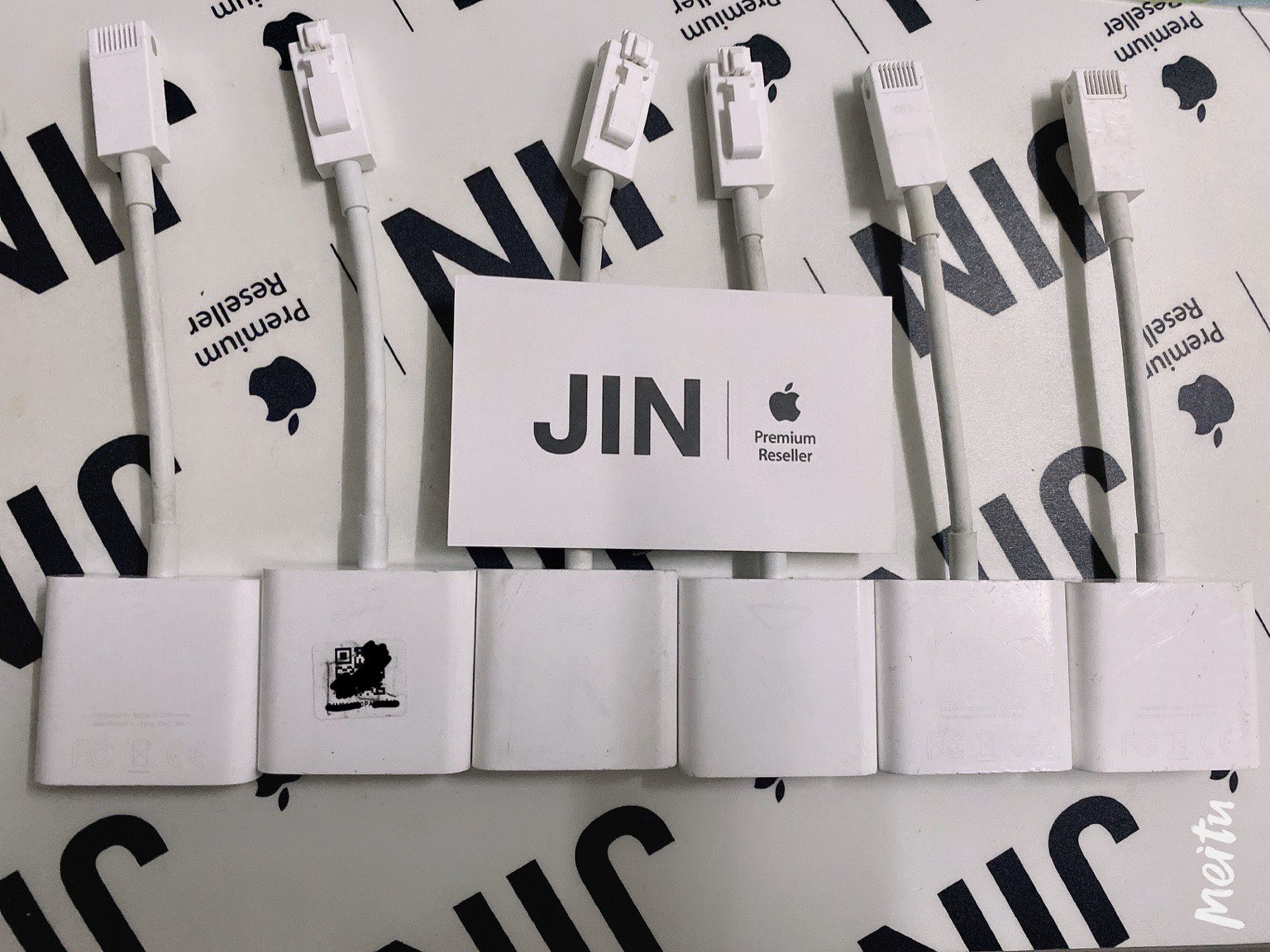
✈️Here are #AppleTV #GoldenEye #debugging #cable
😍Like, Retweet, Follow and then contact me to reward it!
😎We will pick 300 winners this time!
#giveaway #Apple #Appleinternal
Retweets
285
Likes
366
 Twitter
I need to get one of those
fleet parcel
@somber ivy you didn't turn off the "Automatic updates"?
somber ivy
Apparently not
fleet parcel
ooof
somber ivy
My reason for jailbreaking now is to tell Hulu to fuck off with their ads
fleet parcel
Dunno how when there's no tweak for that
somber ivy
I would dump the hulu app and reverse engineer it
fleet parcel
already did that 😉
somber ivy
Let me guess it's written in swift
Also god who do I have to blow for a GoldenEye dongle
analog elk
My reason for jailbreaking now is to tell Hulu to fuck off with their ads
@somber ivy you could probably install a profile for that
doesn't need jailbreak, but if you're not JB'd you need to wipe the device to set it as supervised I think
and make a profile with Apple Configurator 2
idk if it's possible to block Hulu ads on the DNS level, but if it is, that could work without JB
or you can set up a proxy somehow that intercepts the requests to block them
somber ivy
It isn't on the DNS level
fleet parcel
@somber ivy yuppers, you can get usb.. But DFU is required to jailbreak via checkra1n
somber ivy
So the goldeneye adapter is useless
somber ivy
What does USB even give me?
Does it work with the lightning to USB adapter/
(USB female)
fleet parcel
Yes
somber ivy
Wouldn't I need the dcsd cable to put it in DFU
fleet parcel
USB gives you access to diagnostics
somber ivy
Can't you get diagnostics over wifi with xcode
fleet parcel
And yes ^
Not entirely
Xcode doesn't show all
Direct connection to the chip does
fleet parcel
So does anyone know if Romulator works on 13.4.5? It keeps crashing when clicked in settings.
@devout estuary you need to have Breezy installed.
analog elk
Wouldn't I need the dcsd cable to put it in DFU
@somber ivy someone on reddit said DFU worked with Golden Eye + DCSD but checkra1n got stuck and he had to take it back to Apple since there was no way to restore it
 devout estuary
Breezy is installed @fleet parcel still crashing upon trying it.
fleet parcel
@devout estuary did you turn on breezy?
devout estuary
I will have to check again when I get home tonight.
fleet parcel
@devout estuary my apologias, try version 1.0-1
 static hedge
fixed
 sonic ridge
What is tvOS
fleet parcel
Apple tv Operating System @sonic ridge
sonic ridge
Oh
 finite tundra
Do we need any tools to jailbreak 4K with unc0ver?
 candid aspen
Jailbreak for Apple TV 2?
candid aspen
@candid aspen yes
@fleet parcel name?, link mega?
somber ivy
@fleet parcel The guy that was doing the giveaway want's $100 for the cable
fleet parcel
@candid aspen in the pin
somber ivy
Though someone needs to get one and do logic analysis on it.
fleet parcel
Plus it'll cost you more for dfu as well
Unless you've got a steady hand and lots of solder experience, the breakout board is another option
However, with the new revisions of the breakout board, it'll soon won't require soldering..
somber ivy
Oh neat
fleet parcel
But when that'll be available on your doorstep is beyond me
somber ivy
Will the new revisions still require opening it?
candid aspen
Thank you soo much @fleet parcel you are awesome bro!!!
high bear
woah that sounds cool how would you connect it to your TV though without opening it up unless you plug it into the ethernet cable
also any updates on the twitch thing josh lol
analog elk
After I’ve restored the rootFS
When I try to update
It’s says my Tv is up to date, with iOS 13.3.1 installed
What do I do
fleet parcel
@analog elk are you jailbroken?
analog elk
Okay, so currently not
fleet parcel
okay, were you jailbroken at any point?
analog elk
Yes I was
fleet parcel
Was it unc0ver?
analog elk
It was
fleet parcel
and this is a 4K..
fleet parcel
Alright, just trying to get up to speed on this
analog elk
Oh okay
fleet parcel
"..." because 4K is finicky
fleet parcel
oh? what happened?
fleet parcel
You do realize that updating will lose your ability to jailbreak with unc0ver
analog elk
Are you sure
fleet parcel
Your 4K isn't broken, so you're all good
I can certainly help you out with this issue
fleet parcel
2 things I want to clarify with you, just to see what's going on..
analog elk
Alright.
fleet parcel
- Do you have any profiles installed?
you'll find them in Settings > General >Profiles if you do.
fleet parcel
take your time
analog elk
There is no profile setting
fleet parcel
Alright, just wanted to make sure you didn't have any beta profiles installed
analog elk
👍
fleet parcel
second thing
Is the unc0ver app currently installed and operational on your device?
fleet parcel
Cool. Do you know what ipa it was? (if it was b1, b2, b3 or 5.2.0)?
analog elk
5.2.0
analog elk
Okay
fleet parcel
inside Settings, turn off the "Disable Auto Updates"
analog elk
It's off
fleet parcel
okay, next, re-jailbreak
analog elk
I'm not jailbroken at the moment
fleet parcel
that is okay
analog elk
So just jailbreak
fleet parcel
yes
fleet parcel
If the jailbreak fails, just retry, but make sure that toggle is OFF before attempting to re-jailbreak
keep that toggle on "load tweaks"
analog elk
I'm rebooting and clicking jailbreak again, like its says to do.
fleet parcel
that's fine.
fleet parcel
it may crash once or twice. This is normal.
fleet parcel
before trying
analog elk
It said An error occurred while installing a package from the local repo.
fleet parcel
Reboot/retry
analog elk
Okay
fleet parcel
but when you go in unc0ver, check settings to keep auto updates OFF
fleet parcel
yup...
analog elk
No errors occurred
fleet parcel
cool
analog elk
Rebooting into a jailbroken state
fleet parcel
good
fleet parcel
Yup.
analog elk
I like it lol
fleet parcel
go into unc0ver
analog elk
Okay
fleet parcel
Check Settings to make sure that auto updates are OFF
analog elk
It is
fleet parcel
Cool, now turn on "Restore root fs"
fleet parcel
yes
analog elk
The Restore RootFS is on
fleet parcel
Once Restore Root FS is on, head to the main screen
fleet parcel
and click "Restore Root-FS"
analog elk
Clicked
fleet parcel
give it a few mins
analog elk
it says The system needs to revoot to finish the jailbreak process. When you device reboots, re
fleet parcel
don't need to re-run the jailbreak
analog elk
Okay I won't
fleet parcel
Once booted, check to see if there's a nitoTV icon present on your homescreen
analog elk
oh no
fleet parcel
ok?
analog elk
I unlpugged the device
fleet parcel
why did you unplug?
analog elk
My tummy actually hurts now
fleet parcel
your Apple TVs fine
fleet parcel
that is just interference with the connection
analog elk
Okay its on what now
fleet parcel
everything working fine now?
analog elk
Yea
fleet parcel
cool
analog elk
Its smooth
fleet parcel
is nitoTV still gone?
analog elk
Its not here anymore
analog elk
Yea regular settings
fleet parcel
Go to System
analog elk
Yea
fleet parcel
Reset
analog elk
Okay
fleet parcel
Reset and update
analog elk
Okay
fleet parcel
keep it plugged in. Do not power it off
fleet parcel
what it'll do is it'll wipe the system clean and update your device
fleet parcel
👍
analog elk
YEA
fleet parcel
Give it time
fleet parcel
Noo
analog elk
Oof
fleet parcel
ooh yeah
analog elk
Alright
 fleet parcel
yeah, I wouldn't touch Wi-Fi OTA updates with a 9 foot pole
that's like waiting for grandma to finish bingo
fleet parcel
hmm?
fleet parcel
cool
analog elk
Thanks dude I really appreciate it
fleet parcel
@high bear Yeah, I took a look at the Twitch tweak... its not the same for tvOS
No worries
analog elk
I did almost the same process but it looks like unc0ver is kinda messy with disabling OTA updates
Welp
fleet parcel
Yeah it had a bug a while back, but has since been fixed
analog elk
It had a bug with disabling the OTA updates Daemon in iOS
They fixed it in the newer version
fleet parcel
wasn't a big bug.. just an opposite functioning switch

 fleet parcel
I'm just glad you didn't install unc0ver beta 2.. or you would've been in deeper trouble...
 fleet parcel
I don't know if you knew this, but beta 2 for tvOS caused Apple TVs to bootloop
analog elk
Damn this sounds.. harsh
fleet parcel
well, let's just say: if you bootlooped a 4K, you'll need to return it to Apple
fleet parcel
and why is that?
analog elk
Didn't get it from there
fleet parcel
doesn't matter.
 fleet parcel
Don't matter where you buy Apple products, they're responsible for it when the end user can't fix it
analog elk
I actually got this Apple TV 4K from my family a few days ago, I wanted to return it and but they newer one that's supposed to come out..
But the store it was bought from.. doesn't accept returns

fleet parcel
Meh, the store might not, but Apple always will
analog elk
I'll fly to the USA rq, don't really have an Apple Store in Israel, I have 10 days 
Alright it has been reset
I'll set it up now
fleet parcel
Don't need to fly, you can just mail
analog elk
Email to return it?
fleet parcel
not email, post
analog elk
How will I return it tho
But it doesn't have a defect of some sort
Anyways thank you very much dude, you were really really helpful
You.. saved me 
fleet parcel
No worries, enjoy!
analog elk
I'm off to sleep, again, thank you.
fleet parcel
Good night
analog elk
gn
 torn spade
Anybody around?
high bear
@fleet parcel ah thats unfortunate are you still planning on working on it then?
analog elk
@torn spade hanging out in tvos channel eh
torn spade
what do you have for suggestions on useful legal things to do with tvos jailbreaks?
analog elk
well, theming is a given. running a media server is something im doing with mine at the moment in leui of having another computer. bringing a mouse/trackpad to the tv would be cool, similar to what's on the current ipadOS
Are you looking to compile a list of why-to-jailbreak-tv or are you actually wanting to make something?
torn spade
Saurik is working on the DMCA stuff and needs examples of legitimate uses that jailbreaking it unlocks
Media server isn’t helpful because that’s often just sharing pirated tv shows
analog elk
ah understandable there
Specific example: I wrote a tweak to make my atv sound like a wii
analog elk
yeah I just like the sound haha. It was a big part of my childhood so it was kinda nifty to have it on the tv again in 2019
it performs about as much function as a theme does, but it's for your ears
 frigid moat
@torn spade https://wiki.awkwardtv.org/wiki/NControl
Lets you use non-apple controllers with ATV App Store games
torn spade
Yeah ncontrol is noted
somebody should work on a terminal app that uses a bluetooth keyboard and maybe mouse at least 😐
undone vine
Does ncontrol allows non bluetooth controllers such as xbox360 to connect ATV?
torn spade
it's bluetooth
oh it might work for USB? I'm not really sure sorry but I'm guessing only bluetooth
frigid moat
I think the ATV usb port is device mode only
Bluetooth keyboard would be great.
There's air magic for control over web
torn spade
Bluetooth keyboard is supposed to work but mine didn’t want to pair
Does it not work for you either?
(I compiled and ran mterminal for tvos but I have no idea if it works because I have no keyboard working with it)
fleet parcel
Too bad you can't just trigger the UI keyboard (as much of a pain as it would be) for mterm
Good luck with using peripherals in the USB port, although it might be as easy as editing a kext or plist.. But Bluetooth is your best bet
undone vine
The 360 remote is wireless however without BT, the question, is standard like WIFI or some unknown wireless protocol by Microsoft
fleet parcel
@undone vine it would be another type of wireless interface, using a receiver and a transmitter (much like wireless mice) but would need its own processor chip, as its set to be programmed for more than just basic control mapping
 uncut crag
I would like to set Siri to a different language than the AppStore
 worn frost
Few things I would love to use from a TVOS jailbreak:
Themes
Support 4K youtube streaming on Apple Tv 4K
Airplay 4K videos shot on iphone
fleet parcel
@worn frost
Done
Good Luck (thank Apple for that)
Possible
worn frost
@fleet parcel I don’t think apple will ever support Youtube 4K. Was wondering if a standalone ++ type application can open the gates.
fleet parcel
Supporting 4K isn't an easy task.. you'd have to build its own compatible supported codec. However, since tvOS 14 is coming soon.. might be something 😉
worn frost
Other uses:
Browser for TVOS
Screensavers with useful information widgets like weather, twitter, or iPhone notifications on big screen
fleet parcel
Browser - done
worn frost
Its frustrating we cant even see what time it is on the Apple TV screen. We have to summon siri for it. Having widgets like on chromecast will be useful.
Ability to play Personal videos as screensaver would also be useful.
fleet parcel
@worn frost tvOS 13 shows you the time
and screensaver videos are very possible too
worn frost
I can’t find the time anywhere on home screen or screensaver. Where can I see that?
worn frost
Thats for sharing that. Having that time right on the screen somewhere in a corner in Home page and Screensaver would be much better.
fleet parcel
mac? or bootra1n?
 stable wing
bootra1n
stable wing
dfu then start?
fleet parcel
yes
stable wing
Apple TV 4, beta 10.21
fleet parcel
roughly 2 mins
fleet parcel
3.0
stable wing
that explains it
fleet parcel
what tvOS do you have?
fleet parcel
okay, so go to options
select "Untested versions"
and run the jailbreak
but make sure tvOS is booted first
stable wing
booted or dfu mode?
fleet parcel
booted
fleet parcel
keep trying
stable wing
😠 aight
fleet parcel
if its the same, use bootra1n 10.1
stable wing
ok
stable wing
@fleet parcel still got -77
fleet parcel
do you have another puter?
fleet parcel
when you're using bootra1n.. there is no itunes
fleet parcel
how are you doing DFU mode?
stable wing
goes into recovery
stable wing
go into dfu
fleet parcel
ok, but how
fleet parcel
how long do you hold them for?
stable wing
10 secs
fleet parcel
do 7 seconds
stable wing
did that
fleet parcel
what version of checkra1n do you have?
fleet parcel
it tells you on the checkra1n app
stable wing
no
fleet parcel
you need to use that
stable wing
cause then it says “run as root”
fleet parcel
try the other method
stable wing
wut method
fleet parcel
... the method i literally just told you
stable wing
anon?
fleet parcel
what do you mean "then?" then just try to jailbreak
fleet parcel
what error?
stable wing
-77 again
fleet parcel
how long does it take for it to error?
fleet parcel
so that means that you're not doing DFU properly
fleet parcel
you gotta time it just right
takes practice
so when you hold it for 7 seconds... then click "Start"
stable wing
nope still ain’t work @fleet parcel
fleet parcel
what error?
fleet parcel
do you have another usb-c?
stable wing
no
fleet parcel
did you save blobs?
stable wing
what’s a blob
stable wing
never jailbroken or reseted
fleet parcel
are you logged in through an Apple ID or iCloud?
fleet parcel
log out of it
stable wing
aight
what’s supposed to happen
are all supposed to log out?
including icloud, and Game Center?
@fleet parcel
fleet parcel
yes
fleet parcel
yes
fleet parcel
you can try
stable wing
aight I’ll do later
 jaunty rune
Provenance crashing on second open, just like mr jump @fleet parcel
jaunty rune
U0
jaunty rune
Would that fix mr jump too or did that end up being a different issue? But ok ill try that for provenance
And just curious whats the actual issue causing these crashes
stable wing
and i got 77 again
jaunty rune
Is it a certain version of u0 thats causing issues or just in general?
fleet parcel
i don't know, haven't had any issues
jaunty rune
Dang. K. Restorerootfs gets rid of u0 app right?
fleet parcel
no
jaunty rune
Or no, and can open and rejailbreak?
fleet parcel
yes
jaunty rune
Thanks just making sure. Gotta back some stuff up first
stable wing
I just tried graphics safe, still got -77
fleet parcel
you're not having the best of luck, are 'ya @stable wing
jaunty rune
Gotta be the isb port/cord? ^^
fleet parcel
I would try Resetting all contents and settings @stable wing
jaunty rune
*usb
jaunty rune
@stable wing this is what always works for me https://youtu.be/G4hxxM8I-OE

#iApplePro #CheckRa1n #CheckRa1nLinux
CheckRa1n has been released for Linux. Finally, you can run CheckRa1n on Linux. However, if you are on Windows, you can run Linux directly using USB HARD DRIVE. you don't need to install linux at all. it is a very easy way. you can follow...
Sub the iphone for atv
jaunty rune
@stable wing yes the tutorial works the same for tvos
stable wing
I reseted, it still says -77
jaunty rune
Try what i sent
stable wing
@fleet parcel
fleet parcel
as much as i hate to say this, try the video above
jaunty rune
... just do what the vid says. Start fresh
stable wing
no there’s a way to run Linux without having to start fresh
which bootra1n gives you that option
it’s void-installer as root
jaunty rune
Ok well if you can get into linux then start the tutorial from there . Otherwise... just start fresh
Since it could be your bootra1n causing issues
jaunty rune
@fleet parcel restored rootfs but now u0 wont open. Best way to get it back? Pc.
Checkra1n then u0?
jaunty rune
Yes but how do i get u0 on an unjailbroken atv?
jaunty rune
No mac pc. I just followed the vid from above to get checkra1n then airdrop u0
And rejb
Cant remember if i restoredrootfs before rejail
fleet parcel
that's prob why your tweaks are crashing
you cant jailbreak over-top of another jailbreak
using AirDrop to install a jailbreak is a no-no
jaunty rune
Yah well seemed to work ok. Just those two apps crashing is all thats gone wrong... from what i can tell
fleet parcel
you're lucky it was just the two apps..
could've been more
I'd just stick to checkra1n if I were you.. Revert Filesystem and re-jb
jaunty rune
Prob what ill do. Virtual machine just seems like a whole lot of work and chances for things to go wrong. Plus my pc is nothing to write home about
How do i revert? Havent done anything since restorerootfs
Though im not sure that worked correctly since i cant open u0
fleet parcel
If you can jailbreak with checkra1n, you can revert using the checkra1n loader in tvOS
that'll set you back to stock
then just go ahead and re-jailbreak
may as well delete u0 too
jaunty rune
Will do thanks
But so just curious. If i jailbroke with checkra1n then airdropped u0 and in u0 did restorerootfs then jailbreak with u0, thatd still potentially cause issues?
Wouldnt be a double jailbreak if first restorerootfs right?
Im still just gonna do checkra1n. More just curious how it works/wouldnt work the other way
jaunty rune
Sorry for the confusion lol. So ur saying as long as I RRFS before jailbreaking with u0, then initially jailbreaking with checkra1n is fine? Or no
jaunty rune
Ok.. but once ive jailbroken with checkra1n do not then airdrop u0>restorerootfs> jailbreak with u0
Just stick with checkra1n?
fleet parcel
you're making this so much more confusing
step 1. jailbreak with checkra1n
step 2. use u0 (if installed) to restore root FS
step 3. remove u0 after restore root fs
step 4. jailbreak with checkra1n
jaunty rune
Got it
I was asking why what i originally did (jailbreak with checkra1n then rrfs with u0 and then rejail with u0) wouldnt suffice? There would still be checkra1n files that could cause issues?
But sall good ima just do checkra1n
fleet parcel
Dunno, but considering you're using 2 different jailbreaks and one being in beta... it would conflict
jaunty rune
So then restorerootfs in u0 doesnt take away the checkra1n jb fully?
I see what you are saying though
fleet parcel
it does
jaunty rune
Ok so one last time ima try and not be confusing. This is how i thought it could work
- jailbreak with checkrain
- Airdrop u0 app repro
- Restorerootfs in u0
- Jailbreak with u0
Its still two jailbreaks conflicting even after step 3?
jaunty rune
Yes i know im just wondering why those steps wont work if step 3 gets rid of checkra1n. Just curious so i get a better understanding of how things work
jaunty rune
Well ideally u0
fleet parcel
ok
then jailbreak with checkra1n, airdrop u0, restore rootFS and use u0 to jailbreak
jaunty rune
Yes those are the exact steps i said. So that will work or should i expect the same issues
fleet parcel
you shouldn't. it should work
jaunty rune
Ok i mustve not done restorerootfs first or something last time
fleet parcel
meh
jaunty rune
@fleet parcel @stable wing just remembered, alot of the time that error is false and the jailbreak worked. U sure its not working? Ur apple tv is plugged into hdmi right. Nito isnt there?
fleet parcel
if you get the error.. something wrong did happen
jaunty rune
Happened a bunch to me before but the jailbreak went through
Maybe thats the probs i was having
No errors this time thankfully
Spoke to soon no nito
Gonna reset i guess if next try doesnt work
jaunty rune
Nice checkra1n installer goin. No errors
fleet parcel
good
there should always be zero errors
if theres any and it still works.. there's obv an issue
jaunty rune
Yah i can for sure say that 77 error has come up and jailbreak still installed. Think a 90 something error too
But hopefully retardo... followed that vid cuz thats what just worked for me
fleet parcel
that name tho...
jaunty rune
Lol yah
Fitting?
For me maybe ... lol installer was going then stopped. Had same issue last time. Damn gotta redo it
No whammys no whammys no whammys
jaunty rune
So close.. no cigar 3rd times the charm
jaunty rune
Damn it just keeps exiting out of the installer
 thorn kernel
Is there any way to downgrade an Apple TV 4K? (no USB c on it)
upgrade* I want to get a specific ipsw from ipsw.me
analog elk
@thorn kernel you could use Charles Proxy to force OTA update to a specific version, but only 13.4.6 and 13.4.8 beta 1 are signed atm, neither of them support unc0ver
which version are you on currently?
jaunty rune
Checkra1n loads no errors but the installer keeps crashing/exiting. Gets about 2/3 of the way there and stops.
storm ridge
@jaunty rune what tvOS is your 4k on
jaunty rune
Hd not 4k 13.4.5
storm ridge
I had a few 4k's that were all on 12.4. A couple I upgraded in time OTA to 13.4.5 and jb with u0, another I used Charles Proxy and a 13.4.5 beta to get to 13.4.5 after 13.4.6 came out. And the last one I used Charles Proxy again but this time I had to reset the device to 12.4 first. Point being sometimes a reset and start fresh can really help
Just don't select reset and upgrade. Save blobs first just in case.
jaunty rune
Yah did many resets and restarts
storm ridge
You are working with an HD box, so should be easier
My suspicion is you could have a buggered file system that is not being repaired with the on board reset and you might need a full reset through iTunes. However, this would require saving blobs first then updating to the latest signed firmware and then futurerestoring back to 13.4.5. Not for the faint of heart. And, it still may not work.
jaunty rune
Right. Dang
storm ridge
Are you able to get u0 on it?
jaunty rune
Pc
storm ridge
Since I have macOSX, I've been using Xcode. I have not tried airdropping u0 onto the device. Might be an issue there too and how's its loaded/signed
storm ridge
As I said before, I had one box that would not update until I reset it to factory after many helpful suggestions here.
fleet parcel
@jaunty rune what are you trying to do?
jaunty rune
Install checkra1n
fleet parcel
Is the checkra1n loader crashing?
jaunty rune
The installer on the tv yah
stable wing
what happened while I was gone
analog elk
@analog elk no
@fleet parcel what?
stable wing
I’m doing the Linux thing today
jaunty rune
No trying to stay on 13.4.5
fleet parcel
Why?
jaunty rune
So i can use u0
fleet parcel
Do you have blobs?
jaunty rune
I want to say yes
analog elk
@fleet parcel I know, like I said the only versions that are installable can’t be jailbroken with u0
fleet parcel
@jaunty rune what's your ecid?
jaunty rune
Have to go get my pc again just put it up lol been workin on this for hours
fleet parcel
Cause with your ecid, i can check if you have blobs, then if so you can update and downgrade
Let this be a lesson: if you're using a jailbreak to install a jailbreak, you're asking for trouble @storm ridge
fleet parcel
@jaunty rune I'm soo glad you have the HD and not the 4K because with the 4K at this point, you'd be screwed
jaunty rune
Restoring to 13.4.6 wouldnt help? For the 4k. Or ur saying i wouldnt even be able to do that
In which case yes im glad too
stable wing
YES I GOT IT
fleet parcel
restoring to 13.4.6 would help, but then you'd only be able to checkra1n the 4K
fleet parcel
Good!
jaunty rune
Haha that makes one of us @stable wing glad it worked for u
fleet parcel
Just don't reboot
fleet parcel
Did you power it off after jb?
stable wing
no
stable wing
is it because it was in its reseted state
fleet parcel
When i first did my 4K, it took about 4 mins
stable wing
when I jailbreaked?
fleet parcel
I was going through the app store.. Then it popped up
But also, you could've exited.. When linking the Siri Remote after reboot, use the pause/play button
Any other button might exit out of the app
 kitchen
stable wing
kitchen
stable wing
lol yes, the Apple TV is in the kitchen
storm ridge
@fleet parcel I've only installed u0 with Xcode, then restarted the box to get out of JB mode, then ran restore rootfs with u0 to get rid of previous jailbreaks (ie. Electra and Chimera). Then jb with u0. That worked for me. However, I've noticed with u0 it will ask you to respring and run the jb again to complete the process (ie. get Nito to show up)
analog elk
it does that only once after a restore rootfs
fleet parcel
I do understand, just making a PSA to let new users know when I'm AFK @storm ridge
stable wing
what are some good repos for Apple TV @fleet parcel
fleet parcel
@stable wing https://toxicappl3inc.github.io/tvrepo/
stable wing
thx
storm ridge
@fleet parcel before upgrading to 13.4.5 I made a backup of Kodi. It created a zip which I've put back on the new box and pointed the Backup addon to it. When I run restore it just throws an error and says check the log file. I found threads on this as a known problem, solutions are for desktop Kodi versions. Short of rebuilding Kodi again from scratch, which is a pain, do you know of an Apple TV fix for restore from a backup file?
fleet parcel
i think that option is obsolete
seeing as it uses a different file structure nowadays to store Kodi content
instead of the .app that would be original
but I'll look into that
analog elk
hey guys i'm having trouble side loading uncover to my apple tv 4k using xcode. i keep getting an error message saying unable to install when i try to install the ipa
fleet parcel
@analog elk http://joshtv.net/Guides/sideload
How to install applications.
analog elk
thank you. i'll let you know if i need further assistance
devout estuary
When needing to re-sign u0, I’ve always just deleted it and re-installed from scratch. Is there an easier way to just re-sign the installed u0 app?
fleet parcel
@devout estuary ReProvision
jaunty rune
Looks like i dont have 13.4.5 blobs. 13.4, 13.4.6, and 13.5?
Or is 13.5 actually 13.4.5
jaunty rune
Gotta love naming schemes
fleet parcel
reason being is because the covid-19 info was introduced in iOS.. but not inside tvOS (seeing as you don't need it on your TV) and hence, the big update was renamed
jaunty rune
Ah
fleet parcel
The one thing I hate, is the Apple TV 2/3 naming sceme
you're downloading an "iOS 8.3" firmware.. but installed it states 7.5
 reef turtle
Bruh they unsigned 13.4.5 on tvOS
fleet parcel
@reef turtle long time ago
jaunty rune
Haha or 5,3 for atv4
reef turtle
Good thing I have ATV 4 and not 4K
fleet parcel
well the 5,3 makes sense.. seeing as Apple released 2 Apple TV 3 devices
jaunty rune
Damn lol
fleet parcel
@reef turtle you won't need 13.4.5 unless you want a semi-untether jailbreak
jaunty rune
So now that i have the 13.4.5 blobs, how do i go about getting back to it after restoring to 13.4.6. Only know about futurerestore on ios but never used it. Also hopefully its possible with pc
reef turtle
Is there other versions available?
reef turtle
Damn
fleet parcel
its either downgrade with blobs or use checkra1n at this point...
reef turtle
I don’t have a Mac on me right now so semi-tethered is useless
I’d have to use blobs then
fleet parcel
You can use checkra1n on a PC
fleet parcel
😉
fleet parcel
may not be easy.. but it works
reef turtle
Yeah I’ve dealt with difficulties with jailbreaking
But I successfully made it past all of them
fleet parcel
Well, if need be, I'll be here to assist you
reef turtle
Thanks
fleet parcel
@jaunty rune you say you have blobs.. but are they valid?
jaunty rune
D’oh no idea?
fleet parcel
well, one way to find out.. TSSChecker