#tvos-jailbreaks
1 messages · Page 33 of 1
 silk rivet
 robust token
there might not ever be one and if so it'll be a long time
 fleet parcel
@silk rivet hackintosh?
robust token
windows does usb much differently. it's easier to port from macos (based on unix) to linux because of the similatrities
i guess if you can find a bigger usb drive you can try a full linux distro like manjaro
or ubuntu
silk rivet
@silk rivet hackintosh?
@fleet parcel I tried that back in the day and i messed up really bad. I might give a try again
fleet parcel
Or go to the Apple store and use their Macs
silk rivet
Or go to the Apple store and use their Macs
@fleet parcel hahahaha. That would be sweet. However, as long as I unplugg the ATV I would be back at the start point, right?
robust token
that's true
silk rivet
I’ll explore the full linux approach
fleet parcel
Yeah, I'm thinking semi untethered
silk rivet
Hopefully that will increase the success rate
silk rivet
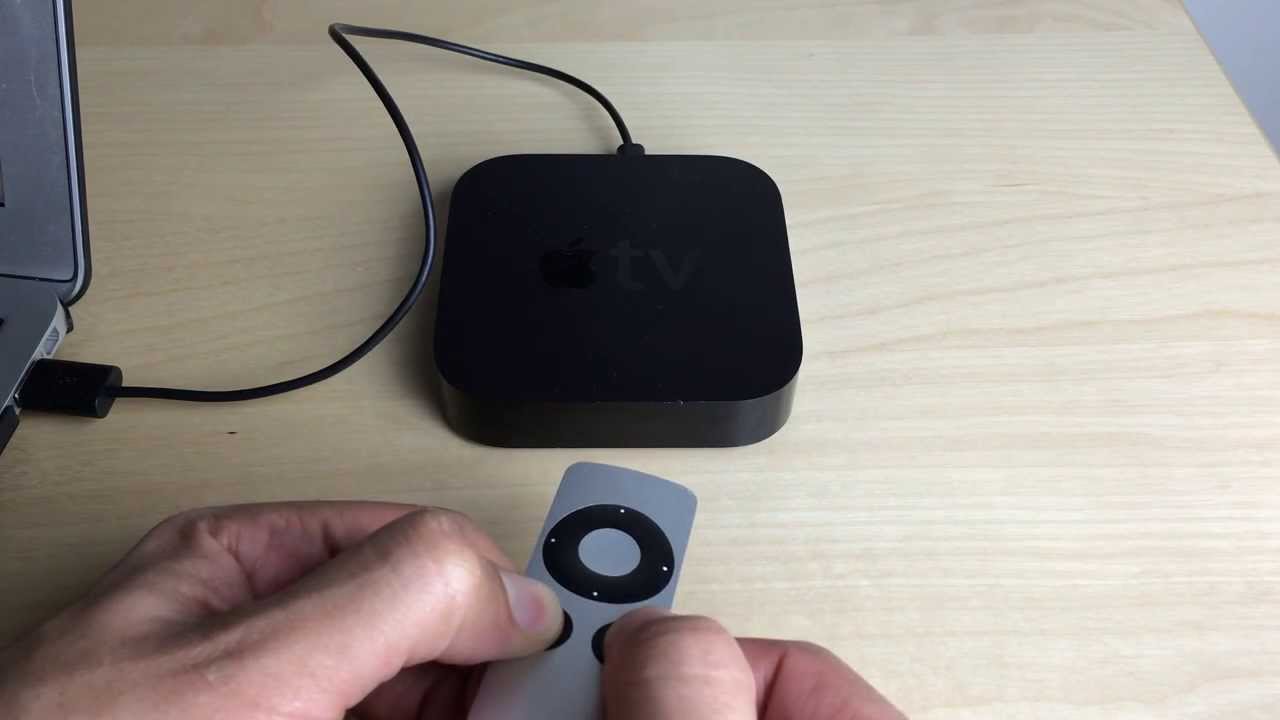
DFU through the remote
fleet parcel
You have to hold down the buttons for exactly 7 seconds or it'll skip checking the device status and attempt to exploit
robust token
i wonder if there's a way to add a usb-c to the apple tv 4k so you can jb
robust token
oh cool
silk rivet
You have to hold down the buttons for exactly 7 seconds or it'll skip checking the device status and attempt to exploit
@fleet parcel I managed to run checkra1n, got to the booting part and then always ended on error ~77
fleet parcel
That means there was an issue with the device
Did you run through recovery and select "untested"?
silk rivet
Did you run through recovery and select "untested"?
@fleet parcel I do not recall doing that. Would it help?
robust token
no harm in trying
fleet parcel
If you're on 13.4.. Yup

Checkra1n 0.9.9 works with tvOS 13.4 (beta 6) @qwertyoruiopz!
If anyone is stuck on the beta with an Apple TV 4K and has the breakout board installed cough @Apple4Barres, you may use the "Allow untested versions" feature.
 Twitter
silk rivet
Twitter
silk rivet
Ok, thx. I’ll give a try with bootra1n and if I am encountering the same error again I’ll give full Linux a try
I think official support for 13.4 has been added on the lastest version of checkra1n (0.10.1)
robust token
did it work?
silk rivet
Anyway I’ll give a try to your suggestions @fleet parcel @robust token . Thank you 😉
fleet parcel
It has for compatibility checks, but the untested version would help
Here's how mine works for checkra1n:
Go into recovery mode via checkra1n app, enter DFU when prompt, status exploits, error -32.. wait, wait, status retires and heads to "checking device status" then errors -32, wait, wait, wait, "exploiting" "booting" done
silk rivet
Thanks for the info. I’ll see what I get
fleet parcel
@analog elk have you tried installing yourControl?
fleet parcel
@haughty thorn I've found a way of installing other beta profiles to tvOS. The tweak works with iOS (unknown of what firmwares) but for tvOS, I was able to get WatchOS on 13.4. It'll be uploaded to the repo soon. https://twitter.com/Joshblah555/status/1255556242430234624?s=20


 haughty thorn
nice!
fleet parcel
This should be more beneficial to 4K users who aren't on 13.
 jaunty rune
@fleet parcel in terminal i was trying to run command that would convert zip files to 7z. But instead it just deleted everything
fleet parcel
Ooh? @jaunty rune what command was that? I'm curious.
jaunty rune
Lol im sure it says itll delete things in terminal speak. Let me find it
For f in *zip; do rm -rf *;
unzip ../"$f"; zip -r ../"$f" *; cd ..; done
Think thats the one that did it. I tried a bunch of diff ones
jaunty rune
Think started with #!/bin/bash
Just wish there was a log or something of past safari downloads. Thankfully found just that for my safari tabs
fleet parcel
Ah yes, that's a script expression
jaunty rune
Happen to know the right one? Not that it matters anymore Lol.
fleet parcel
I'm more concerned for the aftermath. Need help?
fleet parcel
In the way that your sources are deleted, among other things gone too...
jaunty rune
Yah any help is wanted
It also deleted retroarch asset files. When i opened the app it was as if it was fresh install
fleet parcel
Ah, that's an easy recovery
jaunty rune
Yah that was bare bones anyway as i mainly use atv version
Just curious that was one of the things affected
fleet parcel
What jailbreak/device/firmware was the issue inflicted?
jaunty rune
Unc0ver 12.4 iphone7
fleet parcel
Ooh ok, not too shabby
I don't see why not restore root fs then just re-jailbreak
That'll be the quick way
Unless you want to spend hours sifting through every little detail
jaunty rune
I thought about doing that but wasnt sure what exactly itd accomplish?
Device isnt acting up or anything.
As far as i can tell
fleet parcel
What about your sources?
jaunty rune
Well the default ones are there
Main thing right now is just somehow finding a list of my past downloads. Found safari tab list, thought maybe thered be a similar file for downloads.
And so restore rootfs would be easier than just re-adding the sources to cydia?
If all of them were gone
fleet parcel
If all, yes
jaunty rune
Yah thankfully seems the default ones are there and working.
fleet parcel
I mean; others might contradict, but I'd hate typing everything out..
jaunty rune
Sorry, you mean typing out your sources?
fleet parcel
Typing out all sources
jaunty rune
Ah yah no worries im good on the cydia front i think
Guess ill just have to go through my entire safari history and tabs list to find the stuff i downloaded.. cue 3 days later meme
fleet parcel
If you've got a mac, they'll be there on your iCloud
fleet parcel
Somewhat
jaunty rune
Think that safari download icloud option is ios13 only
fleet parcel
Nah, your history is there
fleet parcel
Maybe that too?
jaunty rune
Maybe there would be download history?
But so ur saying i wouldnt find that on my pc icloud?
jaunty rune
Everything is just out of reach i swear lol. Anyways, thanks for trying to help appreciate it
Just wish there was some kind of log somewhere that shows what was deleted
jaunty rune
Maybe within terminal?
robust token
that's why you need to always be careful with rm
fleet parcel
Thankfully it was in an area that wouldn't do a whole lot of damage...
jaunty rune
^^
jaunty rune
Yup. Well was in a subfolder but that deleted without me knowing when ran diff version of the script
Shouldnt have messed around without knowing for sure
Which btw still need to learn for future reference. If its even possible

 left falcon
Hey folks been out of the jailbreak loop for a few months now since impactor got broken, what is being used these days to get chimera/unc0ver on atv to jailbreak?
fleet parcel
@left falcon Read the pin
left falcon
@fleet parcel Device: ATV 4 Firmware(tvOS): 12.4
fleet parcel
but to summerize your question, macOS or VM (if using windows). More details can be found here: http://joshtv.net/Guides/sideload.html
@left falcon
left falcon
@fleet parcel very much appreciated thank you, don't own a mac unfortunately, will have to find a MacOS VM. Guessing Cydia Impactor is still broken and no other similar alternative currently available
fleet parcel
Cydia Impactor is finicky in certain areas. It works well with a paid developer account, but as far as sideloading, Xcode would be the only alternative for the Apple TV.
left falcon
roger that thnx
 tropic stirrup
Is it worth to jailbreak my Apple TV 4K? Never jailbroken one of those before so im unsure about tvOS jailbreaking
robust token
do you have the tools and experience for soldering on a device to your apple tv so it can be jailbroken?
or someone you trust that does
fleet parcel
@tropic stirrup what tvOS is it running?
 spring anchor
@tropic stirrup definitely
robust token
what do you even do on a jailbroken apple tv?
i'm somewhat confident i could solder that device thingy
fleet parcel
@robust token The answer to that question is in the pin
fleet parcel
indeed
robust token
as simple as soldering is, i don't want to do it on a $180 device
fleet parcel
180.. that's cheap
robust token
not something i wanna pay for in the off chance i mess something up
fleet parcel
well, if you own a 4k, stay away from 13
fleet parcel
*tvOS 13
fleet parcel
not all of them
fleet parcel
more than likely, the 4K device will have 12.x
if 13, then its a newly manufactured 4K
fleet parcel
because after 12.4, there will be no semi-untethered jailbreak
robust token
well guess i'm past that
fleet parcel
yup..
robust token
i mean also i'd have to solder the device thingy on
fleet parcel
So if you ever wish to jailbreak it, soldering is your only hope
fleet parcel
no
fleet parcel
with 12.4, you can sideload the app to the device, no USB required
USB just makes it easier
robust token
soldering isn't difficult it's just i don't want the tiny chance of breaking something
fleet parcel
honestly, the odds of you breaking it is not as great as you think
robust token
i know
but
if i do
what will i do
i have some old solder my dad had and i might test it out rn
because idk if it's leaded or lead free
fleet parcel
well, lead would work too
robust token
leaded is better
fleet parcel
just don't use it with the pins 3, 4, or 5
robust token
how come
fleet parcel
because that's USB connectivity that's already pre-soldered
robust token
oh
fleet parcel
and mixing alloys will spell trouble for the future
robust token
yeah
what if you just removed the solder on those pins and added leaded
i got some desoldering braid
fleet parcel
Hell, if you had some solder paste and low heat , you could skip soldering and just attach the wire as is
robust token
i don't have solder paste or a hot air station
fleet parcel
oh well
fleet parcel
but yeah, 350 degrees and a fine tip will do the trick
robust token
350 c?
fleet parcel
yeah
fleet parcel
F would be like 500
robust token
325 c = 617 F
fleet parcel
yeah, im off
robust token
i tried soldering at 280 but it just wasn't really as fast as 325
it worked just not instantly
fleet parcel
280 you'll get cold joints
robust token
yeah
robust token
most solder has flux in it
fleet parcel
yeah, but it burns fast
robust token
not if you solder by heating the joint, then adding solder
fleet parcel
20CC of flux will keep it warm without worrying about excessive heat
just gotta tin the wire first, then add it to the joint
robust token
what is cc
fleet parcel
cubic centimeter
robust token
huh
fleet parcel
feels like that response should have a ?
robust token
yes
fleet parcel
lol
robust token
i was imagining a cube with 20 cc volume on your joint
fleet parcel
@tropic stirrup yes
tropic stirrup
With what can i jailbreak it with? checkra1n?
tropic stirrup
I just did. Never think about the pins lol
So there is absolute no other way than a breakup cable? To jailbreak 4K
fleet parcel
nope. Not if you're on 13.x
tropic stirrup
Aight 👍
 grand ingot
Found it
@fleet parcel did you forward the logs to KB in the end? (-:
fleet parcel
@tropic stirrup i have
Updates will be launched soon, can't guarantee anything, but it might work
tropic stirrup
@fleet parcel What do you have?
fleet parcel
... In terms of controllers? @tropic stirrup
tropic stirrup
Wdym?
tropic stirrup
you said u had something
and pinged me
@tropic stirrup i have
@fleet parcel this
lol
grand ingot
Maybe you meant to ping me
I have
Updates will be launched soon, can't guarantee anything, but it might work
@fleet parcel
fleet parcel
Meh...
@tropic stirrup ah yes, meant to ping @grand ingot and my keyboard glitched...
Meant to say " I have" in response to "did you forward logs to KB"
grand ingot
Brilliant thanks mate 👍🏻
tropic stirrup
Oh okay lol
 desert hawk
im going to try and pay more attention to the rooms i have over in this discord again now. sorry. was juggling too much for so long that these rooms got neglected. appreciate @fleet parcel and any one else who has helped hold it down for me 🙂
havent read the backlog yet because im crashing in a minute. just wanted to say that.
 livid warren
@fleet parcel Does ATV 4k jb work for 13.0 without breakout box?
robust token
no
fleet parcel
@livid warren now i see why you changed your name. 
livid warren
@fleet parcel I was just asking... I haven’t been on this server in forever
fleet parcel
No worries @livid warren jk
 rigid obsidian
robust token
rigid obsidian
robust token
yes
fleet parcel
@rigid obsidian don't think it works that way, but good luck!
robust token
Pretty sure they were joking
desert hawk
lulz
 somber ivy
Wait the 3,2 isn’t jailbreakable?
somber ivy
What version is supposed?
fleet parcel
12H876
fleet parcel
Download current and previous versions of Apple's iOS, iPadOS, watchOS, tvOS and audioOS firmware and receive notifications when new firmwares are released.
fleet parcel
you can with a keyboard
fleet parcel
they've kept them for saftey
somber ivy
There we go
fleet parcel
did you plug in with both usb and power?
somber ivy
Weird the new version is also labeled as 8.4.3
fleet parcel
indeed, its a minor update
somber ivy
I'll lose control center from iOS
somber ivy
I know
I will no longer be able to control it from CC
And I doubt someone could backport it
How do I restore with an IPSW
Also my USB and HDMI cable are thin enough that I can have both attached
fleet parcel
you'll have to option+click the restore button
then you can pick and choose which IPSW to use
somber ivy
Restoring
fleet parcel
👍
somber ivy
What about the idea of backporting stuff from the update?
fleet parcel
backporting would be more difficult on older gens than newer
somber ivy
How does the Apple TV 3rd gen work app wise?
fleet parcel
Not the same as modern apps work
somber ivy
Obviously
fleet parcel
So, there's no app store, you get what's included
anything extra is installed via SSH
you could, of course, join the party (check the pin)
somber ivy
Does touch to setup not work anymore?
fleet parcel
touch setup? like one-click done?
somber ivy
fleet parcel
yes, a controller or bluetooth keyboard will work
somber ivy
Ok touch works on my iPad but not my iPhone X
somber ivy
It worked once
fleet parcel
oof
somber ivy
I’ll be in voice
somber ivy
You don't have a mic?
fleet parcel
rip mic
somber ivy
What is the username to root into the apple TV
fleet parcel
join the party
If you want a start-up to your Apple TV 3 jailbreak: Just type 2 commands (yes they can be copy/pasted).
wget http://joshtv.net/party.shto downloadand
bash /private/var/root/party.sh
to get the party started!!
@fleet parcel @somber ivy
somber ivy
E: Could not open lock file /var/lib/apt/lists/lock - open (2: No such file or directory)
E: Unable to lock the list directory
/var/lib/ doesn't exist
fleet parcel
Restore the Apple TV, rejailbreak, then type the above commands
somber ivy
Shit
somber ivy
On the 4th gen Apple TV can you plug a USB adapter in the USB C port and have it work?
somber ivy
You haven't tried?
fleet parcel
nah, all my cables were legit, no shortcuts
somber ivy
I didn't mean for JB but for USB devices
Like a USB keyboard
imagines using an Apple TV as a firewall
fleet parcel
unfortunatly, the biggest "boo" is Apple taking away such port on the 4K
Someone did...
fleet parcel
hence the breakout board
USB-C is the modern form of speed and durability for most cables nowadays
somber ivy
Oh because the new macs don't have USB A
somber ivy
Though for something like a diagnostic port it doesn't make sense
The cost for a USB C compared to Micro B is pretty big
When you scale it up to the volume of Apple
fleet parcel
for a diag port, they're usually not made for common usb types
micro is more common than C
somber ivy
Installing now
fleet parcel
At the time, USB C was introduced
fleet parcel
attached via solder
somber ivy
I mean on the ethernet port
fleet parcel
solder
fleet parcel
like how would you access the hidden port without soldering it?
somber ivy
The hidden port is on the ethernet connector
fleet parcel
a connector is made for it.. its specific for apple
but not easy to operate, you'd need technical knowledge
somber ivy
Obviously
fleet parcel

 zenith inlet
https://gizmite.com/shop/apple-tv-4k-hacks/apple-tv-standard-breakout-cable/
is that where you get the thing for the 4k? or is there somewhere else that isnt on backorder
fleet parcel
@zenith inlet yes and also the link in the pin too
zenith inlet
oh yes the pins forgot about those thank you @fleet parcel
desert hawk
no usb connection doesn't work
if you plug things into it like hubs or wired controllers or whatever you are trying
could it work? probably. will it ever? maybe. thats about the best i got for ya 😛
i definitely want it to work. its all about if i can convince the people necessary to care enough to do it. its a bit outside of my wheelhouse at the moment.
that will /probably/ require kext loading. which is entirely possible having something like checkra1n available. theres some issues with kextloading regarding symbols that i dont remember all the details on (i've brought this topic up before with the other checkra1n devs) its all almost certainly doable.
but it will likely require a pretty solid amount of work.
fleet parcel
might require AFC2
 runic fossil
Hi nitoTV. I hate to bother you, but I want to ask you about a nitoTV bug. Currently running nitoTV on a ATV4 (1080p) device, jailbroken though checkra1n on iOS 13.3 and 13.4. The initial jailbreak and nitoTV always install properly, however updating nitoTV always leads to failed boot. If I try to rejailbreak in checkra1n, it always hangs on Booting.... step. The only fix is a DFU restore. Things work fine if I don't update nitoTV, so I suspect it is one of the nitoTV updates. Do you have any leads on what the issue might be. I'm happy to provide more info or do testing. Thanks!
fleet parcel
@runic fossil yes, please provide more info...
runic fossil
What other info can I provide that would be helpful? Sorry, this is my first ATV device, so I'm not sure how to get any diagnostics. If you can point in the right direction, I would be oblige.
fleet parcel
info such as what method of checkra1n are you using (mac, linux) which tvOS (can't be both 13.3 and 13.4) and what options have you selected in checkra1n?
runic fossil
I've used checkra1n 0.9.8.2 and 0.10.1-beta on MAC with USB-C cable. The ATV device originally had tvOS 13.3 and the issue existed. I've updated to tvOS 13.4 and issue persists.
When the bug triggers, I've set SAFE MODE in checkra1n to see if it would at least work with that option, but it still fails on the "Booting..." step
If I don't run the nitoTV updates, it appears to work for a while but then fail after a few days (might be autoupdate kicking in, even though I disable tat)
fleet parcel
with 10.1, use "Untested version" but before doing so, I'd recommend doing a full restore prior. After that, once you're jailbroken, neglect the updates and install CrashReporter, then let it update. If/When it fails, launch CrashReporter and send the log files through here. You can transfer them via AirDrop
runic fossil
Understood. Let me do this and report back with a CrashReporter log. Thank you.
runic fossil
Did a brand new install of tvOS 13.4, ran checkra1n 10.1-beta, have nitoTV installed, installed CrashReporter. Did all updates, and so far... no crashes or checkra1n failures... I'll run it for a few days and see if it stays that way ; D
By the way, what's the proper way of preventing tvOS from auto-updating and nagging to update?
fleet parcel
👍
turn off auto-updates in settings and turn on Disable Updates in nitoTV
you can also install the MCPatchTV from my repo and install the WatchOS profile to your Apple TV
runic fossil
I thought that no longer works? Let me try it : )
You must be Josh. I appreciate all your help.
runic fossil
Ah cool. Thanks again 👍
Ummm dumb question - how do I get the WatchOS profile onto the ATV?
On iOS I load it from MobileSafari.. not sure on tvOS
fleet parcel
...2/2
Installing the WatchOS beta can be done by following the method below. However, the link has been changed to - http://joshtv. net/profile.mobileconfig
Another method is to use Apple Configurator.
Twitter
runic fossil
Thank you
 frigid moat
@fleet parcel do you know if kodi's settings preserved if I update it?
frigid moat
cheers 😉
frigid moat
is /var/mobile safe to write files to?
fleet parcel
Yes
frigid moat
Thanks!
I'd like to try updating kodi to one of the nightly builds.
Is dpkg -i kodi.deb run from /var/mobile going to update kodi safely?
 daring basin
anyone able to get ps2 or gamecube emulator? Im running 4k with checkra1n. Retroarch shows a ps2 core and it says it downloads but i dont see it show anywhere
fleet parcel
@frigid moat it doesn't matter where you run that command from. It all depends on how the .deb file was packaged.
In your case, i wouldnt trust that seeing as how both you and I don't know what that installs. Best to install it via nitoTV
frigid moat
@fleet parcel are nightly kodi builds available in nitoTV? I haven't found a repo with them.
fleet parcel
All Kodi builds on both repos are nightly.
frigid moat
Ah thanks. Hmm... I might have to investigate things a little more.
over on kodi forum I was recommended to update kodi for a newer version of an inbuilt plugin that is experiencing some issues. I'm on the latest version from JoshTV repo but the plugin isn't reporting as being the latest available version 🤷
fleet parcel
I haven't updated Kodi yet
 daring basin
@fleet parcel did you see my message about ps2 or gamecube? may be out of your realm but im not sure where else to go
frigid moat
❤️
fleet parcel
@daring basin i did. I know retroarch is wip, but I'll look into it. Have you tried provenance?
daring basin
yeah i checked it but no PS2 or gamecube. Thanks for looking into it, when going to Update Cores it shows "play!" a ps2 core and you can hit download and it shows it downloads but thats it. I googled for the same file and manually put it on and tried to load that .dylib and it crashed Retroarch
fleet parcel
Yeah, I'll 👀 whats up
fleet parcel
@frigid moat updates launched, go ahead and install on nitoTV
frigid moat
thanks! ❤️
grand ingot
@fleet parcel I see KB released an update for nControl. But I still don’t have support over the “monkey” PS4 dual shock controller. Any ideas?
desert hawk
what is a “monkey” dual shock?? @grand ingot
fleet parcel
AKA - ripoff
desert hawk
oh
yeh if they use the vid and pid but dont send data in the same format as expected thatd be a pretty nasty challenge to support
fleet parcel
it does send data, but gets scrambled again with 'generic' code
grand ingot
@fleet parcel @desert hawk yeah I meant a rip-off
desert hawk
yeh if it doesnt already work then they do something differently and wrong
grand ingot
I thought Josh gave you the logs for it but after updating still nothing
desert hawk
i shouldnt need logs. if ots supposed to work like a ds4 i shouldnt need to do anything at all to support it. if they dont use the same descriptor as sony then they are doing it wrong and im shocked it worls anywhere at all tbh
you can send the descriptpr agaim amd i can do a comparison. i dont know where those particular logs went tho
grand ingot
No worries I’ll send them shortly
desert hawk
k
fleet parcel
@grand ingot ftr: I did, but it wasn't much of a help
grand ingot
Yeah I know you did
@desert hawk
Let me know if it’s showing the files in link above
Thanks for that @fleet parcel just seen your msg
I wonder what went wrong 🤔
grand ingot
You just got that out of my mouth! 😂
desert hawk
yep they modified the report descriptor. what a bunch of idiots lol
if you are going to make a knockoff, u make that shit identical when it comes to IO
thats rule #1
although input report 1 should be identical so it SHOULD've still worked. yeh im not sure ill be able to help support that
grand ingot
Meh
fleet parcel
refund.. ask Sony for their official one
desert hawk
i mean a recent change i made to attemmpt to work around issues similar to this one (repeat vid/pid for different controllers) COULD potentially work but the problem with the PS4 controller (and i assume the knockoff is no different) is they are chatty as hell
and filtering out that data to get to the stuff we need when i go through my current process would be excruciating
grand ingot
Don’t worry man
It’s going back to the seller and I’ll get an official one this time
desert hawk
i mean part of me wants to do it because i know its possible and im sure there are more knockoffs like this floating around
grand ingot
Wish I knew it was a knockoff! -.-
fleet parcel
not worth it imo, one rip-off support will be a dime a dozen
desert hawk
this is the normal descriptor
05010905a10185010930093109320935150026ff0075089504810209391500250775049501814205091901290e150025017501950e8102750695018101050109330934150026ff007508950281020604ff850209249524b10285a309259530b102850509269528b102850609279534b102850709289530b10285080929952fb1020603ff850309219526b10285040922952eb10285f00947953fb10285f10948953fb10285f20949950fb1020600ff85110920150026ff007508954d81020921910285120922958d8102092391028513092495cd81020925910285140926960d0181020927910285150928964d018102092991028516092a968d018102092b91028517092c96cd018102092d91028518092e960d028102092f9102851909309622028102093191020680ff85820922953fb10285830923b10285840924b10285900930b10285910931b10285920932b10285930933b10285a00940b10285a40944b102c0
this is yours
05010905a10185010930093109320935150026ff0075089504810209391500250775049501814205091901290e150025017501950e8102750695018101050109330934150026ff007508950281020604ff850209249524b10285a309259530b102850509269528b102850609279534b102850709289530b10285080929952fb1028509092a9513b1020603ff850309219526b10285040922952eb10285f00947953fb10285f10948953fb10285f20949950fb1020600ff85110920150026ff007508954d81020921910285120922958d8102092391028513092495cd81020925910285140926960d0181020927910285150928964d018102092991028516092a968d018102092b91028517092c96cd018102092d91028518092e960d028102092f9102851909309622028102093191020680ff85820922953fb10285830923b10285840924b10285900930b10285910931b10285920932b10285930933b10285a00940b10285a40944b10285a70945b10285a80945b10285a90945b10285aa0945b10285ab0945b10285ac0945b10285ad0945b10285b10945b10285b20946b10285b30945b10285b40946b102c0
grand ingot
Yeah exactly that not worth wasting your time on this lol
desert hawk
430 bytes vs 356
grand ingot
There’s some more to it
desert hawk
report 1 should be the same, so im actually surprised it doesnt 'just work'
fleet parcel
it's too bad that software can't pick up on unknown controller entities and just add them in on their own
desert hawk
the ONLY thing i could think of, is the report is actually longer than the one im used to but still in the same format just with more junk bytes at the end
if THATS the case it'd actually be a relatively easy fix
grand ingot
Is that I’ll give it a go? Lol
desert hawk
ill add one extra log to the console to see if thats the case. itll only take me a moment ot roll a custom build with that test in it
so give me a second
fleet parcel
or.. somehow simulate PnP much like Windows or Mac, just plug it in and it downloads the necessary config and files to make it readable and work
grand ingot
nice one
desert hawk
actually wait
grand ingot
What
fleet parcel
nah
grand ingot
Nope
desert hawk
oh
fleet parcel
12.2
desert hawk
okay
grand ingot
That 😄
desert hawk
yeh then this is applicable, continue holding pplease
grand ingot
Alright cheers
fleet parcel
holding music
grand ingot
or.. somehow simulate PnP much like Windows or Mac, just plug it in and it downloads the necessary config and files to make it readable and work
@fleet parcel that would be amazing ^^
fleet parcel
dare to dream..
grand ingot
Oh yeah
fleet parcel
maybe nControl version 3
desert hawk
@gentle ginkgo i mean ideally id parse the HID report descriptors and iw ouldnt need to do any of the manual work i do. but parsing them is more challenging than what im already doing lol. its on the future plan list for sure tho.
fleet parcel
@desert hawk wrong ping
desert hawk
oops
damnit ya'll gotta stop having such similar names with minor differences like that
lol
fleet parcel
meh, oh well
grand ingot
got knows what China did there to get this working with PS4 lol
okay on my way to start a return lol
fleet parcel
probably the same bluetooth protocol, but different programing
fleet parcel
cause i have a ds4 clone and it was working with ps4, but mac was like... "huh?"
fleet parcel
not just copyright but also intellectual property
grand ingot
right
Hey do toy by any chance know if the dual shock v2 works with nControl or shall I ping KB? 😛
grand ingot
😛
fleet parcel
gunna wait for nControl to have key mapping so I can ping Siri when i press the trackpad button
grand ingot
that's a good idea
v2 has more lights and different colours ie low health is orange, full health green. R1 & R2 more responsive (quicker), more battery life and also compatible with USB.
question is, is it worth the price tag?
robust token
Roomba?
grand ingot
£60 vs £35
robust token
Connect a controller to a roomba????
grand ingot
😆
you need a pretty smooth floor
and the price tag ouch
well if you got a ps4 remote you can play with it now you know lol
grand ingot
Like in my place I've got carpet in many places
grand ingot
Yeah but what about when there's a threshold - changing from carpet to wood/tiles
fleet parcel
hardwood > carpet
grand ingot
impressive! I guess they've improved them little robots 😄
robust token
Yes
Also the one I have can automatically empty it’s bin into the base which has a bigger bag that you replace every few months or so
grand ingot
only con is the price 😄
robust token
I guess so
 waxen glacier
is it possible to jailbreak apple tv 4th gen tcOS 13.4 with checkra1n?
waxen glacier
Thank you! Sorry I should've read it before 🙂
I think the pin needs to be updated
The site should be checkra.1n/
I mean it shouldn't be that
robust token
no it's checkra.in
robust token
oh
waxen glacier
yea the pin has it with "1" and it should be with an "i"
robust token
where
waxen glacier
on the pinned message
robust token
i found it
waxen glacier
yep
 pulsar cloak
hello, when I put the user anon it passes me the password and won't let me write it
 grand pasture
can the apple TV 4k be jailbroken ?
and what are the benefits of jailbreaking an apple TV ?
I plan to buy one
fleet parcel
@grand pasture read the pin
@pulsar cloak the password works, you just can't see it
 keen vector
Is there a Working wii/GameCube emulator for tv os?
Something like dolphins emulator
fleet parcel
Yes/no
fleet parcel
@pulsar cloak stop crossposting
 trim frigate
yeah i would like to know if there’s a realitivley way to jailbreak apple tv 4k bc i know there’s no usb c but i have a 4k tv so it makes sense to get that one
*easy
 vital yoke
trim frigate
vital yoke
trim frigate
thank u
fleet parcel
@trim frigate the answer you seek in the FAQ posted on the pin
trim frigate
thank u man
so there’s no way to do it without a breakout, i should’ve been more specific.
fleet parcel
Not available to the public; no.
trim frigate
cheers
trim frigate
is it worth it to get the apple tv 4 over the apple tv 5 just for the easier jailbreak? keep in mind i have a 4k tv
fleet parcel
@trim frigate yes
grand ingot
@fleet parcel PS4 controller arrived and it’s working out of the box 😂 now gonna explore the games 😁
fleet parcel
@grand ingot You'll like Quake 😉
grand ingot
how can I get that one 😄
fleet parcel
Same place you got Doom
grand ingot
Cool on it now 😉
fleet parcel
there's 4 of 'em
grand ingot
Sorry got dragged doing other stuff!
fleet parcel
'tis ok
grand ingot
Just downloaded quake tv but for some reason not working?
I mean it actually loads but not moving at all..
fleet parcel
You may have to re-pair the controller
some apps have difficulties reading nControl for some odd reason
re-pair, kill the app, repeat. It'll work @grand ingot
fleet parcel
would like to get a copy of the latest nControl, but don't have it to test
grand ingot
Yeah
It’s working now you were right
I thought it was the controller but nControl its a bit glitchy atm
Like sometimes arrows not working or left thumb stick on honesceeen
But soonest I get into a game boom it works..
Damn Quake it’s sensitive!
fleet parcel
yeah, still need to adjust that
grand ingot
But overall?
I think it’s awesome
N64 games too
I mean, you got an Apple TV? That’s it you’re pretty much covered, you can do everything but multiplayer
Might sound silly this question Josh but how on earth do I check how much storage I’ve got available on my Apple TV 4?
fleet parcel
Coming soon 😉 @grand ingot
grand ingot
Oh nice
That’s a good idea 💡
In the meanwhile is there a command I can hit where it’ll tell available/total?
fleet parcel
df -h
fleet parcel
It's also pleasing to see a hand reveal 
grand ingot
Hahahah
grand ingot
Didn’t see that
fleet parcel
mac is command shift 4
grand ingot
Oh for some reason I’m using discord on my phone
Otherwise I would’ve just hit WIN+printscrn
fleet parcel
but yeah, seeing as the app data is transferred in /var/ theres no way you'll fill it up any time soon
grand ingot
Super awesome I thought I’d have something like a couple of Gb’s left
fleet parcel
although, it is possible to transfer 11 GB from / to /var
grand ingot
I completely forgot my device was 32 gb’s
although, it is possible to transfer 11 GB from / to /var
Isn’t pretty much all jailbrake stuff going into /var?
fleet parcel
yes because its stashed
grand pasture
I bought an appleTV 4K yesterday, can it be jailbroken without soldering / opening it?
fleet parcel
@grand pasture what tvOS is it on?
grand pasture
13.3 (17K449)
fleet parcel
@grand pasture answer to your question: no
grand pasture
Paid it cheaper than the HD
fleet parcel
ironically; you'll be paying more to jb it 😛
grand pasture
So let’s wait one year
fleet parcel
fine, wait a year and get stuck with it 😉
fleet parcel
yes, just takes more time/money/effort to do so
I don’t need to pay 100$ to jb it
@grand pasture Without the right tools.. maybe
robust token
i have a solderinhg station
fleet parcel
as do i
robust token
epic
fleet parcel
following me i see? 😉
grand pasture
I think I do have the material
Except the “cable”
It’s a standard Torx7 to open the box
fleet parcel
you'll need solder, a temp controlled iron, wiring and a patients
robust token
what if it's just a soldering iron
that doesn't have temp controls
i assume the tv just blows up
fleet parcel
not recommended..
robust token
haha
fleet parcel
you'll fry it
robust token
i saw a video on soldering iron life hacks
robust token
my favorite is melting hot glue with a soldering iron (and burning it in the process because it wasn't temp controlled)
 hearty delta
anyone know of a jailbreak detection bypass for ABC iView app on apple tv?
or any generic jailbreak bypass for that measure
frigid moat
That's a new one... the whole app locks up upon playback when jailbroken 🤔
fleet parcel
which app?
frigid moat
@fleet parcel https://apps.apple.com/au/app/abc-iview/id401778175

App Store
Watch high quality, distinctively Australian TV, on demand from the Australian Broadcasting Corporation (ABC). From breaking, trusted news to binge-worthy drama and comedy, quality children’s programs to live streamed broadcast channels. ABC iview offers a large catalogue of ...
fleet parcel
@haughty thorn Yup 13.4.5 is good.
haughty thorn
ty
fleet parcel
👍
 sweet carbon
 toxic rose
the upcoming unc0ver jailbreak won’t cover tvOS 13, correct?
 molten otter
frigid moat
molten otter
frigid moat
@molten otter Aussie, yeah.
I've never seen JB detection make an app go completely unresponsive before 
fleet parcel
^working on it
 cosmic tinsel
 grizzled halo
hi is there a good link with a guide on how to Jailbreak Apple TV 3
found it here: https://www.reddit.com/r/jailbreak/comments/et1tkt/news_a_jailbreak_has_been_released_for_the_apple/

reddit
1,177 votes and 343 comments so far on Reddit
 astral marten
you can look at this message https://discordapp.com/channels/349243932447604736/688125177820610598/690695048479899649
grizzled halo
ok thank you
astral marten
it explains most of the stuff
grizzled halo
great that i got some response 🙂
grizzled halo
😄 🙂
 chrome radish
So .. for a normal appletv user, would there really be any huge benefits to jailbreaking an appletv 4? Or is it still really more for just developers to try to get tweaks developed for it?
grizzled halo
here is 2 quite good links
@chrome radish
still people know more here that have done it on the Apple TV 4
chrome radish
I guess a starter question (that I can probably find out if I looked deeper) is it something that you have issues with if the appletv goes to sleep, having to re-jb, or only if you power cycle it? (Just assuming it's not an untethered jb)
grizzled halo
yes got a link from @astral marten 🙂
fleet parcel
@chrome radish read the pin
 jagged hollow
I’m thinking about investing in an Apple TV 4, would it be worthwhile with jailbreaking?
fleet parcel
Yes.
jagged hollow
I’m gonna assume that it can be easily jailbreaked since it has an A8
jagged hollow
Oh, thank you! I’m on mobile and couldn’t see the pins
fleet parcel
no worries
grizzled halo
🙂
frigid moat
we're not allowed to discuss that last thing. actually I thought that phrase was filtered 🤔
fleet parcel
@autumn talon Rule 3
 autumn talon
lol mb
 mild vigil
how do you ssh into a jailbroken tv with your jailbroken iphone?
fleet parcel
@mild vigilssh root@APPLE_TV_IP_ADDRESS
 mossy timber


This may not be ready at the same time as iOS but you can update your AppleTV 4K if you want to make sure it’s on the latest firmware. https://t.co/cdrLVM9sY8
Likes
154
Twitter
Unc0ver for TVOS
 subtle fractal
quick question my apple tv is on 6.2.1 which jailbreak do i choose?
fleet parcel
@subtle fractal quick question to answer your quick question; Apple TV 2?
subtle fractal
ok thanks alot
subtle fractal
apparantly i have conflicting software running and doesn't work
fleet parcel
What software are you using?
subtle fractal
im using the latest seasonpass
fleet parcel
no, i mean your rig
subtle fractal
i have loads of stuff running in the background but im on windows 10
subtle fractal
latest i think i got it from windows store today
subtle fractal
oh any ideas whats causing the conflict, is there a list of conflicting programs
subtle fractal
even with everything turned off i still get the error
i might have to try on my mac. but then i wont be able to boot tethered
fleet parcel
what error is it? screenshot?
subtle fractal
says theres conflicting programs
fleet parcel
would love to see a pic of that error
subtle fractal
fleet parcel
did you change out your itunes?
subtle fractal
i have tried without and with
 brisk furnace
 nocturne socket
when you reveal yourself as a clown 
 limpid roost
how the fuck do I pass an hour 40 till unc0ver gets released
 trim wagon
is it just me again or are we not able to update once jailbroken without resetting the atv?
nvm I guess restoring rootfs helped
fleet parcel
Yes
 small flower
Does that new kernal bypass method work for ATV 4K like how it worked for all iOS 13.5 devices?
Trying to decide if I should update my ATV 4K
fleet parcel
@small flower if you're talking about the jailbreak 0day.. Yes
small flower
Thanks, yes I was referring to that
Sounds like I can make the jump, though this means having to wait for Chimera update (highly unlikely) or have to do the breakout board method for checkra1n (more likely but irreversible)?
fleet parcel
If you own a 4K, and you're on 11 or 12, by all means update.
If you're on 13, you can stay (or update, your choice).
If you find 11 or 12 working smoothly, then you may stay and use u0. But just make sure you Restore RootFS prior (instructions to do this in the pin).
If you've got the breakout cable installed and working, update as you wish.
small flower
I am on 12 with Chimera but I am finding 12 to be less smooth than 11 and thus want to update to 13 after seeing how smooth it is on iOS
fleet parcel
Hmm, well if you want you can update, or you can unjailbreak and use u0 instead
toxic rose
how can i go about updating while jailbroken with chimera?
fleet parcel
@toxic rose in the pin
small flower
http://joshtv.net/Guides/unjailbreak.html leads to a 404 page
@fleet parcel I am also getting these messages from your website
The requested URL "[no URL]", is invalid.

Reference #9.8de51cb8.1590285854.64abc59 ```(yes I am unjailbreaking cos I want to have a fresh slate before moving to tvOS 13)
fleet parcel
Yeah, I'll get that back up in a bit @small flower
small flower
Thanks!
fleet parcel
@small flower There, back up live
small flower
Thank you, will work on it after lunch
fleet parcel
@tacit egret Yes
If you own a 4K, and you're on 11 or 12, by all means update.
If you're on 13, you can stay (or update, your choice).
If you find 11 or 12 working smoothly, then you may stay and use u0. But just make sure you Restore RootFS prior (instructions to do this in the pin).
If you've got the breakout cable installed and working, update as you wish.
@tacit egret
 tacit egret
It’s still using the old chimera lol
At last!
The same unc0ver 5.0 is for xs Max and tvOS?
subtle fractal
I’m trying to use Season pass to jailbreak Apple TV 6.2 and I cannot put it in dry mode
All tuturials don’t help
 marble relic
I’m thinking of jail breaking my Apple TV 4 however not sure if I should update from 13.4 to 13.4.5?
Also how would you go about to do it? Is there any tutorial
fleet parcel
@subtle fractal dfu can be tricky, follow this: https://youtu.be/XRhnamApfZQ
Description: How to perform an untethered jailbreak on the Apple TV 2nd generation set top box running 5.3 firmware. This jailbreak uses Seas0nPass.
~Gear I use~
Camera I use: https://amzn.to/2GyStT0
New favorite lens for it: https://amzn.to/2JjJJ4P
Other great lens: https://...
@marble relic you may update OTA in settings, then system
 lone phoenix
Guudevening everyone ^^!
I have a question aboot AppleTV
I never owned one before but now I want one so bad now that I'm in quarantine, but I'm very curious if I should get the 32GB or 64GB
Idk if 32GB is going to be enough, could someone please guide me to which size I should buy?
lone phoenix
Well that also depends on how interesting it can get 🙂
fleet parcel
would you be keen to download lots of stuff and install multiple apps? if so, the bigger the better
lone phoenix
That's the thing, I am completely oblivious about what kind of apps it has, how many apps, how big its apps are
Maybe after getting it i think about jailbreaking it, and how much size will the tweak require.
All those kind of factors
fleet parcel
Depends on what. Some games from the App Store are heavy, so they do take up space. AFAIK, I download lots and 32GB is perfect for me
64 imo is just overkill
lone phoenix
that's what I was thinking
Is there a way to see all the available apps for AppleTV before I buy one?
fleet parcel
unless you're like "everything must be installed, must test!" then 64 will do it
lone phoenix
I dont think im gonna be doing that lol
But I mean hey if I see something interesting and I'm bored, I am testing!
fleet parcel
Unfortunately not, since the store is closed for only apple, there's no way of viewing it without said device. The best you can do is look up an app and view its Apple TV compatibility...
jailbreaking won't take up much space at all.. uses very little
lone phoenix
Interesting
Okay I have another question now
I remember a friend from my country says he has the AppleTV however Disney+ doesn't work for him due to regional reasons
Is there a way to bypass this? A jailbreak related solution perhaps?
fleet parcel
Ah yes, since the outbreak, Apple has limited its services to some areas...
The best way to get around it is to change the region on the device, and/or sign in with a new Apple ID
fleet parcel
Not necessarily. To sync apps; yes, to view content, no. Unless you've got your shows and stuff on memory and wish to carry it on the Apple TV
lone phoenix
Alrighty
I've made up my mind, 64GB is it. Better be safe than regret not having enough space later
Not that big of a price difference anyways
fleet parcel
Indeed, and all jailbreakable 😉
lone phoenix
Thank you so much for answering all my questions :)!
fleet parcel
no worries!
lone phoenix
Have a great day kind sir
 naive oasis
Can someone help me. I’ve restored my appletv using iTunes to tvOS 10.2.2 for jailbreak but while I’m trying to set it up I’ve been stuck on this screen
I’ve waited about 20 min with no luck
fleet parcel
@naive oasis Do you by any chance have the Apple TV HD?
tacit egret
Any link for the ipa to atv 4K? Can’t find it
fleet parcel
@tacit egret for unc0ver? not released yet
fleet parcel
@tacit egret 13.4.5 - 11
tacit egret
Well, going up to 13.4.5 !!
Thank you
fleet parcel
👍
naive oasis
Yeah. I have the appletv 4 hd not Apple TV 4K
fleet parcel
@naive oasis The issue you're seeing on the screen is due to the SEP not being compatible with 10.2.2 on the HD models. It'll work if you have an Apple TV 1/2/3rd gen remote and even the old 4th gen (black box) but other than that, you're stuck on that screen until you restore to the latest.
fleet parcel
@naive oasis The latest.
since your device is compatible with checkm8, you can jailbreak it forever
naive oasis
Can you please link me a tutorial that you know of. If not I can probably just find one, I’m just worried I’ll find the wrong one
fleet parcel
A tutorial on what?
naive oasis
Nevermind I found one. But thank you so much
fleet parcel
I had a tutorial for you @naive oasis 😛
small flower
@fleet parcel Thanks, I managed to get Snappy to work
Is tvOS 13.4.5 indeed the latest version to get onto?
Or was it 13.5?
fleet parcel
13.5 doesn't exist for tvOS
13.4.5 = 13.5
@small flower did you follow a tutorial for snappy?
small flower
Yeah, I follow the link in pins (i.e. your website)
small flower
Only weird part is that somehow there are these two blank boxes labelled "Kodi" and "nitoTV" after that process
Should I go ahead with the update, or should I reset the device before update?
Doing the latter; it made more sense to me
I am ok with setting it up again since by the end of this I want to be on a fresh 13.4.5 slate
fleet parcel
That's fine
snappy reverted you, so uicache wasn't refreshed
go ahead with the update
@small flower
small flower
Thank you, am working on it
small flower
@fleet parcel Thanks again; am on a fresh 13.4.5 state and switched off Updates
fleet parcel
are you on a 4K or just a 4?
small flower
4K
fleet parcel
ah, cool.
 chilly verge
I’m just popping in here for a quick dumb question bc I don’t follow tvos jb’s, but will i still need a mac to jb my 4k?
fleet parcel
@chilly verge Yes if you want the semi-untethered jailbreak
chilly verge
unfortunate
fleet parcel
nahh
chilly verge
I don’t have mac😪
fleet parcel
you can make one VM
fleet parcel
Yes
 icy wolf
Holy cow
My ATV4K is 12.4 and running Chimera
Should I Un jailbreak it and update firmware to new and latest?
fleet parcel
2 steps:
- Reboot the device, use ChimeraTV to Restore RootFS
- wait
icy wolf
I am a not do that right now, my wife is watching Heist show o and the Kodi
I went to my neighbor and picked his ATV4K current firmware is 13.3
Should I upgrades to new and latest firmware?
anyone have any tweak recommendations for atv4?
@analog elk why not use Josh tv repos
fleet parcel
Okay so, I'd stay on Chimera for now (jailbroken)
Then, when the time comes, you may Restore RootFS
icy wolf
Okay
What about non jailbroken ATV4K 13.3?
Should I upgrades firmware to new and latest?
fleet parcel
non-jb can update if you wish (not required)
icy wolf
Can new and latest firmware updates can be jailbroken?
fleet parcel
yes
but if the 4K is jailbroken in any way.. A Restore RootFS is required or you'll brick device
icy wolf
So if I updates with 13.4.5 on my ATV4K and install Chimera run RootFS and wait
I am updating firmware on ATV4K with new and latest JTV
icy wolf
Okay. I don't touch jailbreak
I clicked on Restore RootFS
How long do I have to wait?
fleet parcel
Did your Apple TV reboot?
icy wolf
I installed Chimera 1.3.9 and click on the Chimera and then click on the far right side Restore RootFS
After install Chimera 1.3.9, you can do I reboot ATV4K?
Please disregard "you can"
I pressed Menu and went back to the main Apple Settings and reboot my ATV4K and started Chimera and click on the Restore RootFS
fleet parcel
No
@icy wolf Reboot the Apple TV
When booted, open ChimeraTV
Click Restore RootFS (on the bottom right side of screen)
After clicking that, Click the button in the middle
Apple TV will ask you to reboot. Do it.
After reboot, nitoTV and jailbreak app icons will be white
After that's done, just wait
 analog elk
is it worth getting apple tv? what the benefits of jb on tv
fleet parcel
@analog elk That's in the pin
fleet parcel
Ty!
analog elk
if i buy apple tv rn, can they still jailbreak?
fleet parcel
Yes
 robust gust
can the apple tv4k jailbreak be done with out the breakout board?
fleet parcel
Yes @robust gust
robust gust
ok thanks
icy wolf
I click on that Restore RootFS and still waiting for the next step JTV
fleet parcel
@icy wolf Did you click the button in the middle?
icy wolf
No. I start Chimera and click on the Restore RootFS
fleet parcel
Are you jailbroken?
icy wolf
Please remember that Chimera Ziad on the top center that tvOS 12-12.4
fleet parcel
What tvOS is it?
icy wolf
13.4.5
fleet parcel
oh, you updated?
icy wolf
Yes