#macos-support
1 messages · Page 12 of 1
 digital horizon
 forest axle
if you're seeing near-100% encoder overload with the hardware encoder, it usually means that something else is using the encoder
if you have any other screen recording processes running or anything similar to that, they need to not be running while you're streaming
be aware that to compile your own camera extension you'll need to either disable SIP or be an apple developer program member
 forest swift
forest axle
be aware that to compile your own camera extension you'll need to either disable...
forest swift
forest axle
be aware that to compile your own camera extension you'll need to either disable...
THANK YOU!
forest axle
do you have a paid apple membership? i've written up instructions on this topic if so
 pearl yacht
The camera extension is part of the application bundle and is codesigned - any tampering would just lead to unnecessary complications
what is shipped needs to stay unmodified
the same applied to the DAL plugin, but because that one wasn't sandboxed it could access files in the user library - this is not possible for the extension and intentional
forest swift
forest axle
do you have a paid apple membership? i've written up instructions on this topic ...
Yes I registered as an Apple Developer a couple years ago and haven't touched it since. If it is not still active I will reactivate. Any instructions would be WONDERFUL as I am not (yet) a Developer.
forest swift
pearl yacht
The camera extension is part of the application bundle and is codesigned - any t...
Thank you - this makes sense. After messaging you I got to thinking ... I can do a Build myself and substitute my properly formatted placeholder.png. I only use one placeholder.png image so this might just work for me. 🤞
pearl yacht
correct, but you have to change quite a few things to make this work, because only we can codesign the app and camera extension with our provisioning profile
forest axle
forest swift
Thank you - this makes sense. After messaging you I got to thinking ... I can do...
i've written up instructions here https://gist.github.com/jcm93/d3f107fcd26bba700f708ef69dc95f8e

make sure your UUIDs are upper case, for reasons
i'd also examine what behavior you have that depends on a particular placeholder image. it may be possible to do what you want without going through all this trouble
 lyric yacht
Hi. After recent update when playing VLC video source, I can longer seek video using arrow keys. Is there anyway to get those controls back, asap? It's very helpful for analyzing video file on stream.
 pseudo warren
Here's a segment where my voice kept stuttering. I'm trying to figure out what went wrong, because my settings were the same as yesterday, yet I didn't have any issues yesterday.
 fading hareBOT
pseudo warren
Here's a segment where my voice kept stuttering. I'm trying to figure out what w...
fading hareBOT
pseudo warren
Here's a segment where my voice kept stuttering. I'm trying to figure out what w...
To help resolve your issue, we need to view a log file. Follow these instructions to upload your current log file:
- In OBS Studio, click the Help menu → Log Files → Upload Current Log File
- Click the Copy URL button
- Paste the URL into this Discord channel
 forest axle
it sounds like you have a noise gate on your audio source
pseudo warren
I did. I guess I have to remove that.
forest axle
or you can simply adjust it so that the threshold is lower
pseudo warren
I'll try removing the filter.
I'd rather have a quiet mic than an echoey one.
I removed the noisegate filter. This is what it sounds like now.
forest axle
seems like the issue is still there, can you send a log?
fading hareBOT
pseudo warren
https://obsproject.com/logs/WmhwspLxGwqveJw3
Hardware Check
Apple M1 (not in benchmark DB) / Apple Apple M1 (not in benchmark DB)
forest axle
it's probably the expander filter then
pseudo warren
Where is that in the OBS UI again?
forest axle
double click your microphone source then look under filters
pseudo warren
Never mind, found it.
Okay, I'll try again.
Removed all the filters, here we go.
forest axle
sounds like you're good to go
 alpine viper
Need help fixing this
 night stone
Hello i am new, can someone help me with audio output capture?
It keeps saying that I don't have an audio output
 forest axle
alpine viper
Need help fixing this
forest axle
alpine viper
Need help fixing this
update to OBS 30 via https://obsproject.com/download
Download OBS Studio for Windows, Mac or Linux
fading hareBOT
night stone
It keeps saying that I don't have an audio output
OBS Studio 30+ running on macOS 13 (Ventura) and later can capture desktop and app audio using the macOS Audio Capture source.
For previous versions of macOS and/or OBS Studio, see the macOS Desktop Audio Capture Guide.
night stone
fading hare
Yay it works! Thanks for helping me
 elder phoenix
I cant select crohme or any app. (I dowload via steam and via web)
 forest axle
on macOS 13 and above, you should be using macos screen capture; not window capture
elder phoenix
forest axle
on macOS 13 and above, you should be using macos screen capture; not window capt...
I have 10.15.4
fading hareBOT
To help resolve your issue, we need to view a log file. Follow these instructions to upload your current log file:
- In OBS Studio, click the Help menu → Log Files → Upload Current Log File
- Click the Copy URL button
- Paste the URL into this Discord channel
elder phoenix
fading hareBOT
elder phoenix
https://obsproject.com/logs/3PhHxJUVHAafpLm3
⚠️ Warning
- Old Version (29.0.2)
ℹ️ Info
- macOS 10.15 (OK)
Hardware Check
Intel Core i5-8500 @ 3.00GHz - OK! / Radeon Pro 560X - OK!
forest axle
!macpermissions
fading hareBOT
OBS Studio requires permissions from macOS to provide certain features. To grant them:
1. click on the OBS Studio menu → Review App Permissions
2. enable each of the permissions using the buttons on the right-hand side
- (a) click on OK/Allow for the microphone and camera prompts
- (b) grant Screen Recording and Accessibility permissions in System Preferences/Settings
3. restart OBS Studio
For more information, see the macOS Permissions Guide
 forest axle
(you haven't granted screen capture permissions)
 forest axle
that's ok. it's the first one
digital horizon
how do i allocate more of my CPU to obs?
digital horizon
well obs cannot record properly because of an issue i forgot hhow to describe
give me a second
CPU encoder overload
fading hareBOT
To help resolve your issue, we need to view a log file from a fresh launch of OBS Studio containing an output session. Follow these instructions to upload a clean log file:
- Restart OBS Studio first!
- Start your stream/recording replicating any issues (meaning having any games/apps open and captured, etc.)
- Stop your stream/recording after 30 seconds or after the issue has occurred
- Click the Help menu → Log Files → Upload Current Log File
- Paste the URL into this Discord channel
 digital horizon
fading hareBOT
digital horizon
https://obsproject.com/logs/6uMMjkVzp5iWMCpC
digital horizon
fading hareBOT
digital horizon
https://obsproject.com/logs/6uMMjkVzp5iWMCpC
🛑 Critical
- 99.5% CPU Encoder Overload
ℹ️ Info
- macOS 13.5 (OK)
- Non-Default x264 Preset
- 1.9% Rendering Lag
Hardware Check
Apple M1 (not in benchmark DB) / Apple Apple M1 (not in benchmark DB)
fading hareBOT
digital horizon
https://obsproject.com/logs/6uMMjkVzp5iWMCpC
For high-quality, no fuss recordings, use the recording quality presets in Simple Mode:
- In OBS Settings → Output, set the Output Mode to Simple
- In the Recording section, choose Indistinguishable Quality as the Recording Quality
- Set your Video Encoder to a hardware encoder, if available
 neon lily
Step 3 is the key here
 novel sun
Hello! I'm trying to get my chat box from StreamElements to appear in my scene in OBS, the chats show up in StreamElements when I'm testing but for some reason don't show up in my scene. The chat is the top layer of the scene, I've copied the browser correctly, and it was working yesterday. The only change I made between when it was working and when it stopped was the font color and I added shadow because the text was hard to read... I've googled a million variations of this question but nothing that really answers my issue so I turn to Discord!
 plucky zenith
novel sun
Hello! I'm trying to get my chat box from StreamElements to appear in my scene i...
plucky zenith
novel sun
Hello! I'm trying to get my chat box from StreamElements to appear in my scene i...
if you take the url from the browser source, and put that in an actual browser (not in obs), is it still doing it?
novel sun
plucky zenith
if you take the url from the browser source, and put that in an actual browser (...
Let me test. One moment.
novel sun
plucky zenith
if you take the url from the browser source, and put that in an actual browser (...
Confirmed it works with just the URL in my browser
plucky zenith
novel sun
Confirmed it works with just the URL in my browser
the actual url of the widget, not the SE editor?
novel sun
plucky zenith
the actual url of the widget, not the SE editor?
Correct, I put the URL in a new tab, tested my stream, chatted, and the message showed up in that new tab with the URL
plucky zenith
novel sun
Correct, I put the URL in a new tab, tested my stream, chatted, and the message ...
ok, did you put the browser source size to the overlay resolution?
novel sun
plucky zenith
ok, did you put the browser source size to the overlay resolution?
Looks like the Width in SE was 250 and 280 in OBS... I changed it to 280 in SE and saved...
novel sun
novel sun
Looks like the Width in SE was 250 and 280 in OBS... I changed it to 280 in SE a...
Okay that doesn't appear to have made a difference... so maybe you meant something else...?
plucky zenith
novel sun
Okay that doesn't appear to have made a difference... so maybe you meant somethi...
can you share the link here?
novel sun
plucky zenith
can you share the link here?
To the chat box overlay? Sure it's: https://streamelements.com/overlay/6555d08ed0665d7a7de8fede/ysD6jc_RJqi6FpPm8OplI9uWcytbgKSCqsoNuqj--QBdb8XD
plucky zenith
novel sun
To the chat box overlay? Sure it's: https://streamelements.com/overlay/6555d08ed...
works on my machine, but the width should deffo be more than 280
novel sun
plucky zenith
works on my machine, but the width should deffo be more than 280
Grrrrrrr why isn't it working for meeeee
plucky zenith
check the size of the overlay itself, not the widget in it
plucky zenith
novel sun
Grrrrrrr why isn't it working for meeeee
put the size to 1920 x 1080
novel sun
Okay, and then I can adjust the size in OBS to fit in my little chat box on my overlay?
novel sun
plucky zenith
put the size to 1920 x 1080
In SE or OBS?
Can I flip those numbers? I just want it to be a nice little column...
plucky zenith
novel sun
In SE or OBS?
here's where you see the size of the overlay itself in SE
 novel sun
plucky zenith
here's where you see the size of the overlay itself in SE
novel sun
plucky zenith
here's where you see the size of the overlay itself in SE
I see I see
novel sun
Got it
Thanks, brb I'm testing
fwiw when I went in there in SE to change that, that was the resolution it was at...
Okay let me see something
plucky zenith
novel sun
fwiw when I went in there in SE to change that, that was the resolution it was a...
what resolution is it at in SE?
novel sun
 novel sun
plucky zenith
is that also the size of the source in obs?
novel sun
plucky zenith
is that also the size of the source in obs?
I just changed it, yes
plucky zenith
novel sun
I just changed it, yes
ok, does it work?
novel sun
But I want it to fit in here....

Testing one sec
YES
IT'S WORKING
So it was just small af LOL
plucky zenith
nah it was offscreen
plucky zenith
pleasure 
 cunning minnow
HI good night have a question about Zoom and OBS studio did happen you when start on running somehow zoom look like remove from obs studio then back again. do happen to you ?
 wind hill
Plus button not working for adding new Sources! HELP
 prisma shard
Hey I've sent a reusable link to friend and want to get his audio output from a soundcard. Can't seem to find an option. Any idea how to do it?
neon lily
wind hill
Plus button not working for adding new Sources! HELP
Have you restarted OBS? Does it also not work if you right-click the preview area and choose to add a source that way?
neon lily
prisma shard
Hey I've sent a reusable link to friend and want to get his audio output from a ...
Not sure what you're asking
!videocall Perhaps you want this guide?
fading hareBOT
You can share your OBS Studio content over video call services such as Zoom, Skype, Discord, etc. by following the Video Call Streaming Tutorial.
neon lily
Part of the guide describes how to communicate audio from OBS over the web
prisma shard
neon lily
Part of the guide describes how to communicate audio from OBS over the web
thanks. Will check this out
 midnight gull
Hey OBS mac team. Struggling to understand something about the new OBS 30 MacOS audio capture source - maybe you can help clear this up for me. For the past 2 years of streaming, I've been using Blackhole (a loopback driver you're probably familiar with) to be able to get "desktop audio" (any audio that plays on the mac and comes out my speakers, mainly for alerts from sources like triggerfyre, etc.). I see there's now a MacOS Audio capture source and looks great. Except... it's not really working as i expected it would. Any of my OBS sources like streamlabs alerts / triggerfyre alerts / shoutoutplayer type stuff, that i'd hear through OBS and that Blackhole would help me capture... doesn't appear to capture at all via the new MacOS audio capture source. Now i can easily just go back to my blackhole setup and call it a day but... trying to understand, what exactly is the purpose of the MacOS audio capture source if not for the very thing i'm trying to use it for?
in other words... what does it actually do? 🙂
forest axle
it does what you think it does
if it isn't working, you may not have granted screen capture permissions
!maclog
fading hareBOT
To help resolve your issue, we need to view a log file. Follow these instructions to upload your current log file:
- In OBS Studio, click the Help menu → Log Files → Upload Current Log File
- Click the Copy URL button
- Paste the URL into this Discord channel
 viral walrus
Triggerfyre and Streamelements for me are set up as websources and their audio comes through on their own channels. If you have a silicon mac you don't need to use black hole anymore for audio.
 visual quiver
Is it possible to turn off a camera source when a scene is not in use?
neon lily
Not on macOS
plucky zenith
even on win it's not easy
neon lily
Isn't it just a checkbox on Windows?
plucky zenith
I might be wrong but as far as I remember there's no UI for it, there's a proc to do that, so you need a script or smth like that to trigger it
visual quiver
That’s a shame.
That’s what I had concluded, but I was hoping I was missing something.
plucky zenith
no mb I seem to be wrong, there's apparently a property for it on win, weird, I don't remember seeing it
 grim saddle
when i try to record/stream, my rendering is really laggy, can someone please help?? it might be my settings but idk. help
fading hareBOT
grim saddle
when i try to record/stream, my rendering is really laggy, can someone please he...
To help resolve your issue, we need to view a log file from a fresh launch of OBS Studio containing an output session. Follow these instructions to upload a clean log file:
- Restart OBS Studio first!
- Start your stream/recording replicating any issues (meaning having any games/apps open and captured, etc.)
- Stop your stream/recording after 30 seconds or after the issue has occurred
- Click the Help menu → Log Files → Upload Current Log File
- Paste the URL into this Discord channel
 acoustic crow
You don't. It's against their ToS.
acoustic crow
You won't get help from here.
 brave prairie
bru
cunning minnow
ok for this from Zoom. when i use for any meeting. somehow start happen part see on obs studio when start freeze itself disappear. i struggle i try search then i restart start on turn on obs studio back again you see blank on there obs studio. disappear for while then i start restart back again why cause that problem ? if that happen to you.


like picture see that itself disappear. then appear. why cause come from ?

 brave prairie
acoustic crow
You won't get help from here.
brave prairie
acoustic crow
You won't get help from here.
bro pls my camera quality is so bad
can anyone help me with using obs on ome tv
brave prairie
where can i find help
neon lily
Not sure. Not here, though. Already explained why.
brave prairie
so what if i said i need help on websites like ome tv that dosen't have a rule for that
neon lily
Sure. Any website where you're not trying to circumvent the service's rules or ToS, that's fine
But advice for other websites isn't going to help with ome.tv
brave prairie
so like monkey app
i cant get my virtual cam to work on monkey everytime i try it just uses my facetime hd cam
neon lily
Is it an app or a website?
If it's a website, what version of macOS do you have, and what browser do you use?
grim saddle
fading hare
fading hareBOT
grim saddle
https://obsproject.com/logs/uBBAETsghmUYQmJ8 there
⚠️ Warning
- Non-Standard Framerate
ℹ️ Info
- No Output Session
Hardware Check
Apple M1 (not in benchmark DB) / Apple Apple M1 (not in benchmark DB)
neon lily
Looks like you haven't done steps 2 and 3 of the instructions sent to you, @grim saddle. This means the log won't have the info we need. Can you try again?
grim saddle
neon lily
Looks like you haven't done steps 2 and 3 of the instructions sent to you, <@107...
fading hareBOT
grim saddle
https://obsproject.com/logs/uBBAETsghmUYQmJ8
⚠️ Warning
- Non-Standard Framerate
ℹ️ Info
- No Output Session
Hardware Check
Apple M1 (not in benchmark DB) / Apple Apple M1 (not in benchmark DB)
neon lily
No, that's the exact same file
As I said, you skipped steps 2 and 3 of the instructions
I'll post them again
fading hareBOT
To help resolve your issue, we need to view a log file from a fresh launch of OBS Studio containing an output session. Follow these instructions to upload a clean log file:
- Restart OBS Studio first!
- Start your stream/recording replicating any issues (meaning having any games/apps open and captured, etc.)
- Stop your stream/recording after 30 seconds or after the issue has occurred
- Click the Help menu → Log Files → Upload Current Log File
- Paste the URL into this Discord channel
neon lily
You seemed to skip straight to step 4
neon lily
No sweat
brave prairie
neon lily
Is it an app or a website?
the website version and i use chrome and idk which mac version i use
i use a macbook pro
neon lily
In Chrome's preferences window (Cmd-comma), go to Privacy & Security -> Site Settings -> Camera -> choose the OBS camera at the top

 brave prairie
it jsut uses my facetime hd camera
ik
it works on other apps like discord or zoom but not apps like monkey or omegle
neon lily
Well, those Omegle-style websites purposefully block the OBS virtual camera
And we don't go out of our way to evade their blocks, hence why we won't help you with it
fading hareBOT
grim saddle
https://obsproject.com/logs/HjNVOVlgdlKLzAVt
⚠️ Warning
- 3.7% Rendering Lag
- 7.0% CPU Encoder Overload
- Non-Standard Framerate
Hardware Check
Apple M1 (not in benchmark DB) / Apple Apple M1 (not in benchmark DB)
neon lily
So have I, but what's in their rules and why they may do don't have to align. If they're blocking the virtual camera, they're blocking the virtual camera, that's all there is to it
brave prairie
grim saddle
https://obsproject.com/logs/HjNVOVlgdlKLzAVt
W josuke wallpaper
fading hareBOT
grim saddle
https://obsproject.com/logs/HjNVOVlgdlKLzAVt
For high-quality, no fuss recordings, use the recording quality presets in Simple Mode:
- In OBS Settings → Output, set the Output Mode to Simple
- In the Recording section, choose Indistinguishable Quality as the Recording Quality
- Set your Video Encoder to a hardware encoder, if available
grim saddle
brave prairie
W josuke wallpaper
fr
neon lily
Step 3 is the important one @grim saddle
If you use a hardware encoder, those issues will go away. H.264 is the most compatible but HEVC will work fine too
grim saddle
mhhh
brave prairie
how do other people even use obs on websites like omegle or does it only work on windows
grim saddle
it seem to be working fine now
brave prairie
neon lily
Step 3 is the important one <@1079210658396131338>
is there a device manager like on windows on mac?
neon lily
Yeah, called System Information
You can get to it by holding the Option key, clicking the Apple menu, then clicking System Information at the top
brave prairie
is there another way to go on it
because the top of the screen is broken
so i cant see it
?
grim saddle
brave prairie
W josuke wallpaper
i can send it to you if you want
brave prairie
grim saddle
i can send it to you if you want
sure send it to me
novel sun
Earlier I was using a Logitech Streamlab webcam and my Nikon D5100 DSLR camera as two cameras in one scene, this seems to have overloaded OBS as it kept quitting while streaming on Twitch (naturally, I'm certainly not surprised). Would it be possible to get some tips on streamlining my scenes so I can use two cameras at once?
fading hareBOT
A crash log is required to investigate the cause of your issue. Please upload the most recent crash log.
- In Finder, click the Go menu
- Select Go To Folder, and type in
~/Library/Logs/DiagnosticReports/ - Upload the file prefixed
OBS_with the most recent date (format is year-month-day)
forest axle
cunning minnow
ok for this from Zoom. when i use for any meeting. somehow start happen part ...
appreciate the screenshots, but i still can't tell exactly what you mean. is OBS hanging? or crashing? we should see a log or a crash log from one of these sessions
novel sun
forest axle
you mean OBS was crashing? if so we should see a crash log:
Hi, sorry this took me a bit to see! I followed the bot instructions but wasn't able to find a crash log prefixed OBS_....
cunning minnow
forest axle
appreciate the screenshots, but i still can't tell exactly what you mean. is OBS...
oh see not said error or any will try my better. if me use webcam can see myself moving anywhere or my hands language i have other remote control on ipad. when during i move then itself freeze and disappear i try look that menu then i turn off or restart then turnon appear there can see moving hope what i mean
noe said crash just freeze that all
think "hanging" i am not sure
cunning minnow
forest axle
appreciate the screenshots, but i still can't tell exactly what you mean. is OBS...
ok i did look dictory about that hanging got it yeah that one
 rigid tundra
Just updated to 30.0.0 and got a strange anomaly using the countdown timer. While the timer works fine on Preview, all I get on Main is the time at which I cut up the source, it doesn'r actually count, meanwhile the preview window is happily carrying on counting. If I use an externsal file with MyStreamTimer it still all works. Tried the LUA stopwatch script and it has the same issues.
 lunar nimbus
HI guys, i'm new here so hope this is the right place to get help for OBS on mac m1
I get this every single time i start OBS, never used to get this at all and it used to work perfect.
I cannot add any sources, when you click the + button nothing happens
Any ideas what is going on with this new version as it's really laggy / slow for me.
It slows down my mac also where everything is jumpy.
I have also restarted in safe mode.
 lunar nimbus
HI guys, i'm new here so hope this is the right place to get help for OBS on mac...
lunar nimbus
lunar nimbus
HI guys, i'm new here so hope this is the right place to get help for OBS on mac...
Just installed the previous version 2.9.13 and no more pop ups about not shutting down properly, works perfectly again no lag and all the settings work.
if anyone is haveing the same issue you can get the older version here: https://github.com/obsproject/obs-studio/releases
plucky zenith
lunar nimbus
Just installed the previous version 2.9.13 and no more pop ups about not shuttin...
the popup was added in 30.0
your system is still crashing on exit on 29.1.3, there's just no popup.
for the + button not working, was obs on your main screen or on a secondary one?
lunar nimbus
plucky zenith
the popup was added in 30.0
your system is still crashing on exit on 29.1.3, the...
Many thanks for your reply.
I won't be going back to that version 30.0 if that pop up is not removed or there is not a way to turn it off as that is just really annoying. (reminds me of using a windows machine 20 years ago with pop ups everywhere.
Never ever had an issue before and needed to turn off anything, never had it crash or any issues it was fine.
Anyways that's just my view, i'm sure some users really like that stealing focus pop up they have to do anyother click to close. Glad all our work apps don't do that or i would get nothing done. lol
As for the + button, yes this was on my main screen and non of the scenes or sources are clickable
plucky zenith
lunar nimbus
Many thanks for your reply.
I won't be going back to that version 30.0 if that ...
!params
can turn it off by launching witv --disable-shutdown-check
fading hareBOT
lunar nimbus
Many thanks for your reply.
I won't be going back to that version 30.0 if that ...
To launch OBS Studio with custom parameters, see the list of Launch Parameters.
plucky zenith
but it's there because obs is not supposed to be crashing
visual quiver
It seems that you’d want to find out why it’s crashing, not ignoring it.
lunar nimbus
plucky zenith
but it's there because obs is not supposed to be crashing
My mistake for not being clearly, while i did not say it crashed. It did not crash and close itself. I closed it and re-open it and it has that pop up.
 tame edge
I am trying to use a virtual background in OBS (without using a green screen and chroma key). is this possible?
I want to use OBS as a virtual camera when recording through Riverside.fm
tame edge
neon lily
Using third party apps, yes
what is an example of a 3rd party app?
lol, okay
neon lily
But it’s not natively possible in the macOS version of OBS Studio
tame edge
neon lily
But it’s not natively possible in the macOS version of OBS Studio
of course Mac always gets screwed over
is it native in the Windows version of OBS?
visual quiver
tame edge
I am trying to use a virtual background in OBS (without using a green screen and...
I have this done with some filters.
neon lily
If you have a compatible NVIDIA graphics card, yes. It requires an RRX-series card and the NVIDIA Broadcast software.
tame edge
visual quiver
I have this done with some filters.
can you give me some examples?
visual quiver
I have an M1 studio
 keen heart
大家可以用中文来吗?
fading hareBOT
keen heart
大家可以用中文来吗?
Welcome to the official OBS Community Discord server! Unfortunately, our support volunteers can only provide support in English. Most of our support documents and guides are also only in English. If you feel comfortable using a service like Google Translate, feel free to use that to send messages to us. We'll do our best to understand your intent, and we'll try to help you as much as we can.  Translate
neon lily
tame edge
of course Mac always gets screwed over
It’s not that it’s screwed over, the solution is just different
keen heart
有没有什么办法可以让你们的英文之间翻译在这里?
neon lily
I recall Xsplit Vcam has a green screen feature without needing a green screen but I don’t think it was all that good
neon lily
keen heart
有没有什么办法可以让你们的英文之间翻译在这里?
You need to use English, please. #macos-support message
keen heart
thank you
visual quiver
tame edge
can you give me some examples?
Basically, I use background removal to make a virtual greenscreen so I can use chroma key
neon lily
What background removal are you referring to?
tame edge
Is it possible to have a virtual background natively using the Windows version?
If so, I may have to test it on there
neon lily
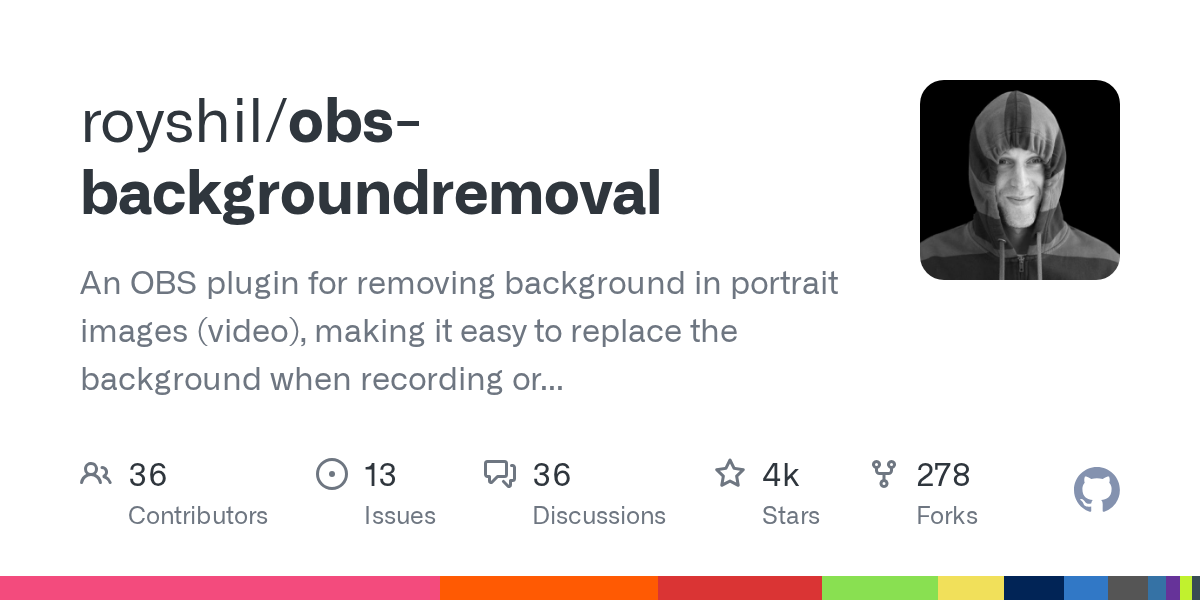
GitHub
An OBS plugin for removing background in portrait images (video), making it easy to replace the background when recording or streaming. - GitHub - occ-ai/obs-backgroundremoval: An OBS plugin for re...
neon lily
tame edge
Is it possible to have a virtual background natively using the Windows version?
Already said how
Try the plugin above
visual quiver
The filter is just called "Background Removal"
neon lily
visual quiver
The filter is just called "Background Removal"
That’s not a preinstalled filter, so it must be from a plugin
visual quiver
Did I install a plugin when I set this up and forgot?
tame edge
neon lily
Already said how
Sorry if I missed that
tame edge
neon lily
Try the plugin above
I will test this
visual quiver
neon lily
That’s not a preinstalled filter, so it must be from a plugin
How can I check what plugins i have installed?
fading hareBOT
visual quiver
How can I check what plugins i have installed?
OBS Studio supports a variety of plugins that provide new kinds of sources, filters, and additional features.
- For a list of plugins, see OBS Studio Resources: Plugins
- To learn how to install or remove plugins, see the Plugins Guide
- To see if the plugins you use are available for the latest version of OBS Studio, see the OBS Studio 28 Plugin Compatibility table
rigid tundra
rigid tundra
Just updated to 30.0.0 and got a strange anomaly using the countdown timer. Whil...
here is an example
 neon lily
If you're using Studio Mode, this is expected behaviour
rigid tundra
why?
neon lily
Oh wait, I misunderstood your GIF
That's certainly odd, I don't have that behaviour and I'm on OBS 30
rigid tundra
Its also been reported with 29.1.3 on Win10 in the forums
neon lily
On mine, either both sides are counting down or both sides are frozen (depending on my duplication settings, in the three dots menu)
rigid tundra
It looks related to polling the text variable in use. Polling an external file seems OK
neon lily
You may get more luck finding out what's wrong in #scripting
tame edge
neon lily
This one? https://github.com/occ-ai/obs-backgroundremoval
this worked. I was able to remove my background. now I just need to figure out how to add in a virtual background
would I be doing that using chromakey?
neon lily
Yes
tame edge
do you have any documentation on that?
neon lily
!filters
fading hareBOT
You can fine-tune your video and audio sources using filters. To access Filters, you can either:
- click on the Filters button on the source toolbar
OR - right click on your source (or click the Gear icon next to an audio source) and select Filters
See the Filters Guide for more information on what filters are available and how they work.
tame edge
got it to work, but some issues since I have my headphones on. not the end of the world. I may have figured this out
really appreciate your help
plucky zenith
lunar nimbus
My mistake for not being clearly, while i did not say it crashed. It did not cra...
which means it's crashing when closing, which is not supposed to happen, and likely caused by plugins or similar
visual quiver
OBS really should have a way to see installed plugins (including their version numbers) within the gui.
neon lily
There's work on a plugin manager underway
visual quiver
Awesome.
 quartz relic
Hoping someone can help... I just tried to film a video but it looks so zoomed out than all the other videos I have created. I never had to crop my video output ever. I am using an iPhone to film and wondering if it's capturing the wrong camera?
quartz relic
quartz relic
Hoping someone can help... I just tried to film a video but it looks so zoomed o...
meaning the wrong camera on the iphone
 compact quarry
Hi Yam, my livestream froze again today. Uploading the log file here - if you are able to take a look, please let me know if you see anything off. Thank you!
compact quarry
compact quarry
Hi Yam, my livestream froze again today. Uploading the log file here - if you ar...
forest axle
novel sun
Hi, sorry this took me a bit to see! I followed the bot instructions but wasn't ...
what exactly was happening to OBS? you said it was quitting, if it's quitting by itself you should get a crash log. are you getting some kind of popup? what happens when it quits?
novel sun
forest axle
what exactly was happening to OBS? you said it was quitting, if it's quitting by...
It was quitting mid stream so I wasn't totally paying attention if there were any popups... I totally believe you that there should be a crash log, unsure whats going on. Just that I was streaming, OBS would give up the ghost, and my stream would pause
forest axle
cunning minnow
oh see not said error or any will try my better. if me use webcam can see mysel...
so something you're doing is causing OBS to hang. what exactly is it? is it when you use your ipad to control OBS? what exactly are you doing to cause the hang?
forest axle
novel sun
It was quitting mid stream so I wasn't totally paying attention if there were an...
can you trigger the crash while just recording or something? to figure out what's going we'll need you to reproduce it and tell us what happens. you're probably getting a popup, or at least you should be
forest axle
compact quarry
the capture device disconnects are definitely appearing in the log. that means that they're getting disconnected from your machine entirely. you'll most likely need to use a different adapter or connector that isn't that apple adapter
unfortunately capture devices are super finicky about how they're connected on macOS, and even apple's own accessories don't always work
i'd personally recommend getting either a simple single-connection usb-a to usb-c connector adapter that's certified for usb 3, or a hub certified for thunderbolt 3
if i knew one 100% guaranteed not to have any issues, i would link one
 mortal lichen
So I'm having a very strange issue with my OBS on Mac where when I try to pull in audio from the ATEM switcher directly, or via a CamLink 4K (with the HDMI connected to the output from the ATEM), the audio garbles within OBS. Within Audacity on Mac, it works fine. I tested the same audio pipeline with OBS for Windows (I won't stream off that but I wanted to test to try to rule things out), audio is absolutely fine in OBS. I'm running an M1 MacBook Air
fading hareBOT
ℹ️ Info
- No Output Session
- Third-Party Plugins (1)
Hardware Check
Apple M1 (not in benchmark DB) / Apple Apple M1 (not in benchmark DB)
mortal lichen
https://obsproject.com/logs/eA5yOFOWssl40SUe
Providing a better log file with recordine done on it (as my log file mentioned that details were limited without any recording done)
fading hareBOT
mortal lichen
https://obsproject.com/logs/eA5yOFOWssl40SUe
Providing a better log file with re...
ℹ️ Info
- 0.1% Rendering Lag
- Third-Party Plugins (1)
Hardware Check
Apple M1 (not in benchmark DB) / Apple Apple M1 (not in benchmark DB)
 past ruin
Hey guys. I've brought in a signal from an old DVC Pro deck into my iMac Pro. I did this via a converter to a USB-C adapter. It was recommended to me to get the OBS software, which I did. I can see the image and hear the sound from the DVCPro tape in the OBS import window. When I attempt to record the feed the video freezes after a few seconds but the audio continues to record. I've tried changing several settings with no luck. Any suggestions. Thanks.
mortal lichen
mortal lichen
So I'm having a very strange issue with my OBS on Mac where when I try to pull i...
Well this just got even weirder... the audio works fine in SLD but not OBS Studio... just what shenanigans is going on here?
forest axle
can you provide a sample of the garbled audio?
mortal lichen
garbled
Working audio (from OBS Studio for Windows/StreamLabs Desktop for Mac)
(this is a 10yo video I use for testing purposes only at this point)
forest axle
yeah that seems quite garbled indeed. i would file a github issue here https://github.com/obsproject/obs-studio/issues/new/choose. if it's working in other programs but not OBS then seems very likely some kind of OBS issue; your settings in the log look normal
mortal lichen
So in my case it's something wrong with OBS itself?
cunning minnow
forest axle
so something you're doing is causing OBS to hang. what exactly is it? is it when...
hard explain when i stand and play on recording when me sign language somehow freeze look like zoom itself remove then add what i mean that. zoom remove obs studio make freeze later then add again during restasrt work again i think hard explain that. hope what imean that
forest axle
mortal lichen
So in my case it's something wrong with OBS itself?
as far as i can tell, yeah
mortal lichen
Filed an issue, hopefully it can get resolved.
forest axle
thanks, that is the best way for it to receive attention from the appropriate people
the macOS capture device code is quite old and it is entirely possible it contains issues
mortal lichen
even the audio capture?
forest axle
not sure, but possibly
mortal lichen
I'm using an audio input capture source for the audio (and a separate video input capture for the video itself)
forest axle
it's the same plugin/code for audio and video
obviously doing different things but yeah
mortal lichen
So both those using the same plugin and code?
 forest axle
yeah, it's all this stuff https://github.com/obsproject/obs-studio/blob/master/plugins/mac-avcapture/av-capture.mm

GitHub
OBS Studio - Free and open source software for live streaming and screen recording - obsproject/obs-studio
forest axle
cunning minnow
hard explain when i stand and play on recording when me sign language somehow fr...
i'm sorry, i don't understand what you mean. i really don't mean offense, but for us to effectively help you may need to find someone with a better grasp of english to help explain the issue. or if there's a written language you are better in, you might be better off using google translate https://translate.google.com
Google's service, offered free of charge, instantly translates words, phrases, and web pages between English and over 100 other languages.
forest axle
i know you speak ASL, but i can't understand ASL, and the way you are translating ASL to english in here is very difficult to understand for people who only speak english. i'm sorry that i can't be of more help
cunning minnow
ok... recently show that picture ... ok .... anyway
neon lily
Yeah, I’m sorry, I can’t usually understand sign language glossed to English but I don’t know ASL grammar all that well
 coral orbit
can anyone point me in the direction to download OBS version 27.0
 fierce rock
!macversions
fading hareBOT
The currently-supported version of OBS Studio (30.0+) runs on macOS 11 (Big Sur) and higher on Intel and Apple Silicon.
Some features, such as the new macOS Screen Capture and macOS Audio Capture sources require macOS 13 (Ventura) or later.
For versions of OBS Studio compatible with prior versions of macOS, see the macOS Versions page.
 upper ridge
Yo can someone please help me? I’m trying to record my screen but Display Capture doesn’t come up on the sources.
neon lily
Use macOS Screen Capture
 quaint rose
how to apply obs on ometv for macbook
 warped mica
mortal lichen
So both those using the same plugin and code?
warped mica
mortal lichen
So both those using the same plugin and code?
no
fierce rock
quaint rose
how to apply obs on ometv for macbook
Use of a virtual cam is not allowed under ome's ToS
quaint rose
fierce rock
Use of a virtual cam is not allowed under ome's ToS
but people done it
on desktop
fierce rock
Doesn't change the fact it's against their ToS
 wind tartan
Hi 👋🏾 I’m new here (like 2mins) … virtual camera has stopped working out of the blue for me. I saw people had a similar issue in October and installing the beta version of OBS (30.0 RC1) worked but not RC2. When will there be an official fix? And is there anything else I can do to resolve this??
acoustic crow
What mac version you on?
quaint rose
acoustic crow
What mac version you on?
2023
acoustic crow
That's not for you nor a correct answer.
cunning minnow
ok i will make gif and photoshop.
wind tartan
acoustic crow
What mac version you on?
Sonoma 14.1.1 (MacBook pro M1 chip, 2020)
wind tartan
forest axle
do you have OBS 30?
I updated today and it put me on 29.something. I could only find 30 in beta. Has 30 been officially released? This is what I used: https://github.com/obsproject/obs-studio/releases/tag/30.0.0-rc1
forest axle
30 has been officially released, yes. not sure why updating would have put you on 29
recommend you get 30 from https://obsproject.com/download
Download OBS Studio for Windows, Mac or Linux
(the 29 virtual camera does not work on macOS 14; you need 30)
wind tartan
Okay lemme do this now. Weirdly it stopped working before I updated to 29.something today
That didn’t work 😭😭 am now on OBS 30.0.0 but virtual cam not being found on zoom
Wait! I think it back (did a computer restart 🤪)
I hope everything else works as expected. Thanks so much for pointing me in the right direction; really appreciate it!
forest axle
sure thing. yeah, sometimes installing the v30 camera will require a logout/in, or a restart
upper ridge
neon lily
Use macOS Screen Capture
Thanks, I used macOS screen capture but even then it doesn’t screen record, just a black screen and when I go to open the file, I can’t even open it
neon lily
Right, so the actual issue is that you can't capture your desktop
Make sure you've given OBS Studio the necessary permissions; specifically, Screen Recording
fading hareBOT
upper ridge
Thanks, I used macOS screen capture but even then it doesn’t screen record, just...
OBS Studio requires permissions from macOS to provide certain features. To grant them:
1. click on the OBS Studio menu → Review App Permissions
2. enable each of the permissions using the buttons on the right-hand side
- (a) click on OK/Allow for the microphone and camera prompts
- (b) grant Screen Recording and Accessibility permissions in System Preferences/Settings
3. restart OBS Studio
For more information, see the macOS Permissions Guide
cunning minnow
wind tartan
That didn’t work 😭😭 am now on OBS 30.0.0 but virtual cam not being found on zo...
that one that itself stop then start again on sorry still make for phososhop and gif not yet. sorry i have veen busy. @forest axle
cunning minnow

See gif
If not work will change
see on video what i mean that itself happen after then start on back agaon
i hope get it
 languid lagoon
Anyone else experience scene size changes when a near by active bluetooth source is detected? It is so utterly obnoxious and trying the "set within bounds" setting and locking the video source didn't work either...
For reference: I have a iMac 2020 I stream on with OBS next to a Mac Studio that I edit on while I'm streaming. For months I was using a bluetooth earpiece to listen to what I'm editing while I'm streaming. NOW if my iMac detects an in use bluetooth earpiece and it auto connects, OBS auto resizes my streaming video scene. I don't even use that bluetooth device in my stream as a mic source either...
The only solution is I disconnected the bluetooth audio device and deleted it from my bluetooth devices on my editing computer as I record my streams in OBS and use the earpiece to mute incoming stream audio from the recording while still being able to hear my audience.
neon lily
That’s odd, audio devices shouldn’t affect anything at all. What kind of capture source? If it’s macOS Screen Capture, what mode is in it (display, window, or application)? And what window/application specifically, if it’s either of the latter two modes?
languid lagoon
The issue is also happening if another website tries to tap into my webcam source while I'm streaming too. Example: Streaming on a webcam site then all of a sudden another internet tab is active and a customer calls my audio only line - OBS auto resizes. I'm at a loss here.
languid lagoon
neon lily
That’s odd, audio devices shouldn’t affect anything at all. What kind of capture...
Capture Source - Logitech Brio
neon lily
Ah, a camera, not a window. Gotcha.
languid lagoon
Website - Web Encoder
neon lily
Wait, which one is resizing?
languid lagoon
OBS is resizing
As soon a website requests my cam source (which Chrome has permission to do so) it resizes. If my iMac detects the bluetooth audio source in use from my Mac Studio, OBS resizes.
The padlock on my video source is locked - still resizes
I tried the "set within bounds" setting AND locking the video source - It didn't work either...
neon lily
What do you mean by “a website requests my cam source” — you mean the virtual camera?
OBS Studio doesn’t automatically resize anything in response to those events, so if it seems like I’m asking obvious questions, it’s only because I’ve never heard of this issue before.
@forest axle any idea?
forest axle
my first guess would be plugin shenanigans
is there a way to start in safe mode without uninstalling plugins outright? i'm not at my machine at the moment
but i would test and see if the behavior occurs without any plugins in OBS to begin with
 neon lily
I’ll hand over the reins, I’m in a meeting now 😄
languid lagoon
Like I'm a cam girl straight up and it's a common problem regarding a website requesting webcam permission and the screen in OBS resizing. It's just new now with the bluetooth audio source coming into play.
Lots of us industry women experience that problem. Could be a Google Chrome issue too.
forest axle
can you try my suggestion above of seeing if the issue occurs in safe mode?
languid lagoon
restart in safe mode and stream with OBS?
forest axle
i don't know if you need to stream to reproduce the behavior usually- the point is just to try and reproduce it with OBS in safe mode. if it only occurs while actually streaming, then yes
languid lagoon
Ok. I will do this tomorrow when I'm actively using OBS again in safe mode. I also disconnected the "auto connect" feature to my bluetooth audio source that also triggered it earlier (the pop up in the upper right corner that showed the device auto connecting between computers.)
wind tartan
languid lagoon
As soon a website requests my cam source (which Chrome has permission to do so) ...
It’s funny you mention this. I noticed this happening today. Also on a Logitech brio. While I was trying to get virtual cam to work and was in zoom, if I switched to /from Logitech brio in zoom, it resized and wasn’t something I could manually fix without closing / reopening.
neon lily
I wonder if that can be remedied by not using the default Preset setting, which lets the camera control its resolution/fps, and rather by setting it to custom and specifying them manually
 proven onyx
Hello goodnight.
My OBS is emitting a sound that I don't know where it's coming from, I've uninstalled it and installed it again and the sound continues, from the last game I played
pearl yacht
neon lily
I wonder if that can be remedied by not using the default Preset setting, which ...
camera devices have presets and an "activeFormat" which represents the actual device configuration - if you select a preset, it can change the active format, but not necessarily so
e.g. you can select a 720p preset, but then change the activeFormat to 640p - CMIO will keep the 720p sample buffer size and automatically centre and "scale-to-fit" the 640p image in it
changing the activeFormat changes the device format however, so that impacts every app tapping into that device iirc
OBS only changes the size of the source based on the sample buffer size - so if you started with 720p, the source stays at that size even when you change the activeFormat
however if you deselect "Use Preset" before selecting a device, then configure the source manually, every resolution change will also change the sample buffer size (because no preset has been set) - it's very unintuitive
so if a browser or zoom or whichever other program changes the activeFormat of the device, it will impact the visible video area of the source (but if it was initialised with a preset, the source size should not change)
I have no idea how the bluetooth audio device might play into this, but other applications impacting the size of the webcam is OBS is expected due to how the technology works - apps should not use "activeFormat" and instead select a preset and let macOS actually handle the hardware device settings
(it goes even further, usually you should not even select a resolution, but select "high/medium/low" depending on your user experience need, but that's another topic)
languid lagoon
Ok I’m not as tech fluent as you but so happy there may be a solution. Can you explain what I need to turn off?
pearl yacht
there's nothing you can do really
except paying attention that you don't use the webcam in other apps while you have it active in OBS
alternatively you can test the other apps you might use the cam in and check if they impact the resolution in OBS and only use those while you have a stream running
as mentioned I have no idea how the audio device might trigger that behaviour, but then it might be another application reacting to the device change and impacting the webcam - it's really hard to tell without reproducing this exact issue on another machine
you're kinda at the mercy of other applications behaving well
if you got time, it would be helpful if you could create a new scene collection with just the webcam source in it (new collection allows you to have a fresh setup but retain your current scene setup), then reproduce the issue by getting the bluetooth device to switch, then post a log
!maclog
fading hareBOT
To help resolve your issue, we need to view a log file. Follow these instructions to upload your current log file:
- In OBS Studio, click the Help menu → Log Files → Upload Current Log File
- Click the Copy URL button
- Paste the URL into this Discord channel
 languid lagoon
pearl yacht
except paying attention that you don't use the webcam in other apps while you ha...
languid lagoon
pearl yacht
except paying attention that you don't use the webcam in other apps while you ha...
I have multiple webcams. Maybe it’s time to do one cam in obs and one cam everywhere else 😔. Kind of negates using virtual cam as a cam splitter though.
I’ll try all the above and 🤞🏻
pearl yacht
in theory you could set up other applications first, then start OBS and set it up - that way OBS is the "last one" to configure the cameras
otherwise you would set up OBS and get everything neat and tidy, then launch Chrome or some other app, go to select a webcam there, and the app does god-who-knows that resets the camera formats
(e.g. Chromium might grab your actual webcam by default, configures it, thus ruins the configuration in OBS)
the virtual camera should always be "there" and starting with OBS 30 in modern macOS it defaults to a single resolution, so that would be "stable" - you can preselect it and then configure/set up OBS to your liking before hitting that "start virtualcam" button
languid lagoon
pearl yacht
otherwise you would set up OBS and get everything neat and tidy, then launch Chr...
This is the problem.
 lofty radish
Since installing OBS 30.0.0, I noticed that the OS X "Currently Sharing" icon stays purple all the time, even when OBS is closed. It looks as though OBS is sharing the screen non-stop. Has anyone else noticed this, or do I have a setting wrong?

Hitting Stop Sharing does nothing
forest axle
it's a macOS bug that's fixed in either the next OBS hotfix release or macOS 14.2, whichever comes first
lofty radish
Ah, ok thanks! Was thinking maybe just a wrong setting I had
 chilly mesa
how do i update obs
fading hareBOT
chilly mesa
how do i update obs
OBS Studio can be downloaded:
- directly from the official OBS Project website: https://obsproject.com/download
- Microsoft Store (Windows)
- Steam (Windows, macOS)
- Flathub (Linux)
 potent lark
You can also update via the update menu options in The Help menu
chilly mesa
potent lark
You can also update via the update menu options in The Help menu
where is the help menu
potent lark
On MacOS it should be in the menu bar at the top of the screen
chilly mesa
fading hare
wait i dont wanna download
i wanna update
@potent lark
also how do yk what cmds triger obs bot
chilly mesa
chilly mesa
i wanna update
NVM i figured out how 2
fading hareBOT
chilly mesa
also how do yk what cmds triger obs bot
A list of commands can be found here: https://obsbot.rodney.io/
chilly mesa
whats the prefix
potent lark
chilly mesa
whats the prefix
Prefix? Like the ! Character?
chilly mesa
is there any update on when this will be fixed?
chilly mesa
potent lark
Prefix? Like the ! Character?
yes
fading hareBOT
A list of commands can be found here: https://obsbot.rodney.io/
 violet sonnet
hi everyone, have you encountered increase of render time(above 16ms) due to macOS gpu scheduling strategy?
(by my observation, macOS only increase frequency when a continuous load is running, so when a short load is running, even the short load is causing GPU usage to increase to 100%, the GPU is still running at a low frequency(~550MHz), so cause the render time increase)
if so, how do you solved(or mitigated) that?
(tested in a empty scene and safe mode, canvas size 2560x1440, target fps is 60)
forest axle
chilly mesa
is there any update on when this will be fixed?
macOS 14.2 or the next OBS hotfix release. i am no soothsayer and cannot say when these things will come to pass, but whichever one does first will fix the issue
forest axle
violet sonnet
hi everyone, have you encountered increase of render time(above 16ms) due to mac...
youre speaking of increased render times, but is OBS actually reporting rendering lag and are you dropping frames as a result?
violet sonnet
the fps in stats also decreased, and the "Frames missed due to rendering lag" also increased
forest axle
ok, so you are dropping frames. hmm
violet sonnet
and it's not recoding or streaming when test this
forest axle
i would verify that the behavior occurs when streaming or recording
violet sonnet
let me try that
forest axle
macOS could easily treat the process differently when it's actively outputting vs. not
violet sonnet
same when recording
and the GPU stats shown by asitop

(it will increase to 1.3GHz when running some continuous load, like a game)
forest axle
the short answer is no, you don't really have much control over the macOS scheduler
i'm not sure why you would be seeing a low clock rate with full utilization unless it was waiting on the CPU for something
violet sonnet
forest axle
the short answer is no, you don't really have much control over the macOS schedu...
okay
forest axle
i would file a feedback with apple
violet sonnet
thanks
forest axle
i'd also verify that the clock rate is indeed that value with an apple tool like powermetrics. asitop has reported erroneous data for me before (albeit for other subsystems)
 forest axle
if the scheduler's doing its job correctly, then the gpu is spending its time at that clock rate because if it was any faster, it would just be waiting
if you can create some workload where you don't see any rendering lag with the same scenes and setup and the GPU is at a higher clock, that would be one thing
in any case, this is a pretty advanced debugging situation and really not the purview of this channel. this is the sort of thing i would spend a TSI on if you're a registered apple developer
violet sonnet
umm
violet sonnet
forest axle
if you can create some workload where you don't see any rendering lag with the s...
(running factorio)
 forest axle
what are your stats like without the game running?
violet sonnet
 forest axle
i mean in terms of the number of dropped frames
violet sonnet
(when dragging a window)
 violet sonnet
yes, but not registered as developer
forest axle
you can try manually enabling game mode, which has some effect on the scheduler
no idea if it will help with this
violet sonnet
umm, is there any document of that?
forest axle
just run /Applications/Xcode.app/Contents/Developer/usr/bin/gamepolicyctl game-mode set on
no, there isn't :p
violet sonnet
 forest axle
you'll probably want to restart the session after, it might have a temporary effect like that after turning it on
unless it's still bad
violet sonnet
forest axle
you'll probably want to restart the session after, it might have a temporary eff...
not sure what are you mean "effect"
forest axle
the increase in dropped frames
violet sonnet
by the game mode?
forest axle
also i would only put weight on these stats if you're actually outputting something
violet sonnet
violet sonnet
hi everyone, have you encountered increase of render time(above 16ms) due to mac...
umm, not because the game mode, it's because the load that mentioned in this
violet sonnet
forest axle
also i would only put weight on these stats if you're actually outputting someth...
oh, sorry, I forgot that, let me re-try it
forest axle
also what SOC is this?
 forest axle
basically the only thing i can suggest if game mode didn't work is to file a feedback with apple and be as detailed as possible, it looks like you're in a weird liminal space between macOS deciding to clock up or not and your performance is suffering
since it's not missing a ton of work, just a few frames, it probably thinks it's "fine"
violet sonnet
forest axle
basically the only thing i can suggest if game mode didn't work is to file a fee...
forest axle
you might be able to write some goofy code/program that would fool macOS into clocking up, but yeah, you'd be pretty on your own there :p
forest axle
sure thing. good luck!
the more detailed you can be, and with solid documentation, the better your chances of getting a meaningful response from apple in my experience
violet sonnet
ok
forest axle
oh, one last thing, make sure to turn game mode back off
that setting persists through reboots
violet sonnet
oh, thanks
 silk spire
I've encountered an issue while using the multiple output plugin for OBS on my Mac. When streaming to YouTube and Twitch simultaneously, the video title on Twitch remains static and doesn't update with the current stream information. I'm using the built-in output for YouTube and the secondary output for Twitch. Has anyone else faced this problem, and is there a known solution to ensure that the Twitch stream reflects the correct video title in real-time?
 rapid tusk

what the fuck
does this mean
can someone help me
i cant open obs
it dosent even let me open it it gives me that error
):
can someone help me pls
someone???
wind tartan
I assume 4ghouls is on v29 the same reason(s) I was. Being I didn’t know 30 was out and when I asked OBS to update, it said it was up to date.
acoustic crow
The thing is they're still on a hotfix version that had another hotfix after that.
So there would still be a version after that.
 compact frost
Just updated to 30.0.0 and OBS no longer works in application capture mode. Every time I try to use it, it freezes OBS and I have to force quit it, that or it crashes on its own. How can I provide logs, or other debugging information? Where would I find them? Where do I send them?
(safe mode too)
Reinstalled 29.1.3 for the moment, everything is working once again
pseudo warren
Hello, with OBS I would like to only record the selected area - but it still always records the 16:9 field, even though I have now "cropped" it - how do I fix that?
 fading hareBOT
compact frost
Just updated to 30.0.0 and OBS no longer works in application capture mode. Ever...
fading hareBOT
compact frost
Just updated to 30.0.0 and OBS no longer works in application capture mode. Ever...
A crash log is required to investigate the cause of your issue. Please upload the most recent crash log.
- In Finder, click the Go menu
- Select Go To Folder, and type in
~/Library/Logs/DiagnosticReports/ - Upload the file prefixed
OBS_with the most recent date (format is year-month-day)
 remote dragon
hi all - ran into a weird problem this past weekend while doing a broadcast. OBS randomly froze up on me a few times and i can't quite identify why. the only thing i noticed is that it would happen around the same time i took my headset off and put it back on. these are my log files from the day but i don't quite know how to parse them
fading hareBOT
remote dragon
hi all - ran into a weird problem this past weekend while doing a broadcast. OBS...
ℹ️ Info
- macOS 13.3 (OK)
- No Output Session
- 0.7% Rendering Lag
- Third-Party Plugins (7)
Hardware Check
Apple M2 Max 12 Core 3680 MHz - OK! / Apple Apple M2 Max (not in benchmark DB)
remote dragon
some things i saw but i have no idea if its useful or not
file 08-45-01) 08:45:23.850: [coreaudio_get_device_name] failed to get name: 560947818
file 09-26-05) 12:49:19.362: Source Media - Match 2 Camera Ingest audio is lagging (over by 1226.35 ms) at max audio buffering. Restarting source audio.
forest axle
remote dragon
some things i saw but i have no idea if its useful or not
file 08-45-01) 08:45:...
when you say it froze up, do you mean OBS started hanging? it doesn't look like it's dropping many frames, did it just become unresponsive?
if so, we'll probably need you to reproduce the behavior and then take a spindump
remote dragon
whats a spindump? and yeah, i noticed that the time to render a frame shot up to like 2500ms
forest axle
you'll need to open activity monitor while OBS is unresponsive, select OBS, then click the ellipsis in the top bar and select spindump
it'll create a large text file that you can drop in here after it's done
 vocal obsidian
Hi, I am new here and need help setting up my mevo cameras(x3) with the OBS. Am I in the right place? (Neither Mevo nor Logitech are any help).
remote dragon
is this file helpful? i was able to recreate the issue, which happened when i disconnected and reconnected my headset in the bluetooth settings
forest axle
is OBS actually unresponsive when you took this spindump?
is it beachballing? what exactly is going on?
remote dragon
rendering lag occurs

its not beachballing but it gets really really really slow until i press stop streaming at which point i think it beachballs
another clue - the rendering lag only occurs then when i swap to a scene that has a media output that is being monitored by the headset i reconnect/disconnect
ok i guess the issue is temporarily fixed
but i have no idea why this is happening

i had it set to WH-1000XM5
swapped it to default which i think goes to desktop audio
assuming that hte speaker symbol next to desktop audio indicates that its the default output

so i'm assuming when the device disconnected and reconnected the monitor function somehow got zapped/lost connection that it was supposed monitor output to the sony headphones
 midnight crater
forest axle
it's a macOS bug that's fixed in either the next OBS hotfix release or macOS 14....
midnight crater
forest axle
it's a macOS bug that's fixed in either the next OBS hotfix release or macOS 14....
oops i just created an issue on this
#commits message
pearl yacht
No worries
That’s what closing tickets as duplicates is for, but it’s considered good practise to search the issue tracker for your issue before opening a new one, but you’d have to also search among closed tickets
 lean kiln
Yo boys im tryna see my recordings but I can’t find it, im recording on a MacBook and when I try to export it into iMovie it don’t show up
neon lily
lean kiln
Yo boys im tryna see my recordings but I can’t find it, im recording on a MacBoo...
Are you recordings in the mkv format?
If so, you'll need to remux them in OBS Studio first so that iMovie can import them
fading hareBOT
Remuxing allows you to take one video container (FLV, MKV, etc) and make an exact copy of the video and audio in another video container. This process takes seconds, and can be done with any recordings made with OBS by selecting File > Remux Recordings.
Remuxing is the safest way to get MP4 files for use in editors, or other software which doesn't support FLV or MKV files.
 fluid ruin
I want to install InfoWriter from GitHub, but I don’t know what to do. I click on “Go To Download”, and it shows me all these different things. I’m not great with computers, so I feel like it’s speaking another language. Can someone guide me on downloading and installing what I need to do so I can get this for time-stamping OBS livestreams? Thanks in advance!
Here’s the link: https://obsproject.com/forum/resources/infowriter.345/
fluid ruin
acoustic crow
In this case the pkg file
So I would just get the macOS-universal file?
acoustic crow
Yes
 summer bison
I can´t see the Virtual Cam in Ome.Tv why has it been removed ?
Can someone help me and knows hot to fix it ?
potent lark
summer bison
I can´t see the Virtual Cam in Ome.Tv why has it been removed ?
Ome.Tv activly blocks virtual cameras, and it is against their TOS to use virtual cameras
summer bison
potent lark
Ome.Tv activly blocks virtual cameras, and it is against their TOS to use virtua...
Okay so you can´t fix it ?
summer bison
ok
 old mesa
this may be a stupid question but if I remove a scene, and some sources inside aren't used anywhere else, do those sources automatically get pruned or do they stay around so they can be readded to other scenes?
potent lark
Yes, they get removed too. They need to be in at least 1 scene
old mesa
thank you 🙂
 jaunty pewter
Error report (copied into Github Gist) - https://gist.github.com/a-laurence-uk/8b12843bdf0a3e13e747efc08159cae4
Any suggestions?
I was simply streaming a test screenshare from OBS to YouTube.
I am meant to be live streaming a concert tomorrow and don't want random quits like this.
neon lily
Any crash logs?
fading hareBOT
A crash log is required to investigate the cause of your issue. Please upload the most recent crash log.
- In Finder, click the Go menu
- Select Go To Folder, and type in
~/Library/Logs/DiagnosticReports/ - Upload the file prefixed
OBS_with the most recent date (format is year-month-day)
jaunty pewter
jaunty pewter
Error report (copied into Github Gist) - https://gist.github.com/a-laurence-uk/8...
Crash log
forest axle
looks like CEF is crashing. you could try removing its cache. in finder, do command+shift+g and then paste in ~/Library/Application Support/obs-studio/plugin_config
then remove the obs-browser folder
jaunty pewter
what is CEF out of interest?
and do you reckon I should stick with the latest version of OBS or downgrade for stability?
forest axle
that's the chromium embedded framework used for the browser source. it's the same version shipping with 30 as ships with prior versions. the source of crashes is most likely related to macOS changes
(so downgrading OBS probably wouldn't help is my guess)
cunning minnow
i have Background green use grey how can fix my hand need more clearly
i use that try fix it match seem see blur my hands


understand my body is fine but one moving my hand it blur how can fix it what i mean
neon lily
Usually a problem with the Chroma Key indicates that there isn't enough even lighting
What kind of lighting do you have?
potent lark
Looks like auto exposure may be turned on as well, the framerate and blown out light are indicators of that for me
neon lily
Ah yeah
fluid ruin
acoustic crow
Yes
Can anyone verify that it’s free from malware? My computer’s giving me a possibility warning…
neon lily
macOS gives a notification for every software
It's likely just that it's not signed by Apple, meaning the developer doesn't want to fork out $99 a year for a certificate. Fair enough, really
fluid ruin
neon lily
It's likely just that it's not signed by Apple, meaning the developer doesn't wa...
Oh, okay, so it’s fine? If so, I’ll take your word for it
pearl yacht
if you get that warning it's usually a good idea to scan the file at virustotal first
not signing your software is a badge of shame
cunning minnow
neon lily
Usually a problem with the Chroma Key indicates that there isn't enough even lig...
i use https://a.co/d/2yU6LDf
cunning minnow
potent lark
Looks like auto exposure may be turned on as well, the framerate and blown out l...
no i turn off auto from C920 setting
fluid ruin
pearl yacht
if you get that warning it's usually a good idea to scan the file at virustotal ...
K, thx!
fluid ruin
neon lily
It's likely just that it's not signed by Apple, meaning the developer doesn't wa...
Thx!
fluid ruin
acoustic crow
Yes
Thx!
cunning minnow
 cunning minnow
yep thanks that why i use green background try figures how blur my hand.
fluid ruin
Any time! Is that house, dorm, studio?
cunning minnow
this house in Basement
fluid ruin
Sweet! “So much room for activities!” Haha!
cunning minnow
hahahaha
thanks
last time covid quarantine other apt and Trailer RV i use background have lot fun use my hobby use space hotel after open less oh well haha. @fluid ruin
fluid ruin
cunning minnow
last time covid quarantine other apt and Trailer RV i use background have lot ...
Haha, that’s cool! How much one of those things cost?
neon lily
Please take non-support discussion to #tech-talk, folks :)
cunning minnow
don't be jealous. have Special for who Deafblind low income have provider free only who have vision limit like Deafblind sorry but other one neewer light have pay yes. other iMac and Mac Mini that free form goverment only who have Deafblind i have left eye. @fluid ruin
cunning minnow
neon lily
Please take non-support discussion to <#426031416543805450>, folks :)
oh thanks
fluid ruin
I’d hate to keep asking y’all about it, but what do I do after it’s downloaded? I thought I read something about configuring, but I’m not sure if that applies to the one I got
 lethal falcon
Hello everyone,
I'm currently facing a challenge with OBS and PowerPoint during live streaming on YouTube and would really appreciate any assistance.
I'm using a Mac Pro M2 and OBS for streaming. My setup involves using PowerPoint's presenter view to change slides, as I need to refer to the notes while presenting. However, I've encountered an issue where the slides do not always update in OBS even though they have changed in PowerPoint.
Here’s a brief overview of my setup:
Device: Mac Pro M2
Application: OBS for live streaming
Activity: Presenting a PowerPoint slide show
Issue: Slides not updating in OBS when changed in PowerPoint
If anyone has experience with this or knows how to resolve such an issue, your guidance would be immensely helpful. I've tried to troubleshoot it myself but haven't had much luck.
Thank you in advance for your time and assistance!
cunning minnow
i use keynote it work with obs studio but i not know about Powerpoint i should try that but not have app
lethal falcon
cunning minnow
i use keynote it work with obs studio but i not know about Powerpoint i should...
Thank you
pseudo warren
hey guys
i have a macbook pro m2,
and whenever i record
idk it just comes out very huge and heavy files
such as a 10 second video would come out as 35 MB
how do i fix this?
another thing is that OBS is making my PC lag so much
including my discord
logs
fading hareBOT
pseudo warren
https://obsproject.com/logs/0GGtsQUKsZiokT65
🛑 Critical
- MP4/MOV Recording
⚠️ Warning
- 6.8% Rendering Lag
- Non-Standard Framerate
Hardware Check
Intel Core i7-9750H @ 2.60GHz - OK! / Radeon Pro 5300M - OK!
pseudo warren
please help
fading hareBOT
Self-advertisement or advertisement for others is not allowed on this server unless it's directly relevant to a discussion or question. Please read the rules in the #rules channel.
neon lily
<@&715347355565817879>
neon lily
pseudo warren
https://obsproject.com/logs/0GGtsQUKsZiokT65
Take a look at this: https://obsproject.com/kb/hardware-encoding#intel-macs
OBS Knowledge Base. Choosing a Hardware Encoder
You know what, I'm putting that in a factoid
 abstract sparrow
was that link harmful? I didn't want to click on it
fierce rock
It's apparently a phone game referral link
pseudo warren
neon lily
Take a look at this: https://obsproject.com/kb/hardware-encoding#intel-macs
alright thanks brother
fierce rock
abstract sparrow
was that link harmful? I didn't want to click on it
I RE'd a past one, with the exact same sentiment, as it looks shade AF, and was told that after someone else yeeted it.
neon lily
It's not harmful, it's just Gartic Phone
It's just a game invitation
But regardless, first message on the server in months
fierce rock
neon lily
It's just a game invitation
Yup, that's what I was saying. 🙂
neon lily
!macrecording Also, just made this
fading hareBOT
For high-quality, no fuss recordings on macOS:
Apple Silicon Macs: use the recording quality presets in Simple Mode:
- In OBS Settings → Output, set the Output Mode to Simple
- In the Recording section, choose Indistinguishable Quality as the Recording Quality
- Set your Video Encoder to "Hardware, H.264" (more compatible) or "Hardware, HEVC" (smaller file size).
Intel Macs: use these recommended recording settings. Note: you only use these settings for recording, not streaming.
neon lily
Because the situation on Intel Macs means Simple mode is basically useless
pseudo warren
fading hareBOT
pseudo warren
https://obsproject.com/logs/W9Rhq5Bx8vIBInNO
ℹ️ Info
- No Output Session
Hardware Check
Intel Core i7-9750H @ 2.60GHz - OK! / Radeon Pro 5300M - OK!
pseudo warren
Why is my PC lagging lol
@neon lilyAny idea why?
When I delete OBS it does not lag but when I install it back and use it normally, my PC is lagging
cunning minnow
lethal falcon
Thank you
welcome anytime
 silver peak
This annoying little icon has been stuck on firefox for days. OBS isn't even running.

Any way to make it go away?
potent lark
silver peak
This annoying little icon has been stuck on firefox for days. OBS isn't even run...
I believe its a bug in the current version of OBS that is being patched in the next update. No ETA that i am aware of yet
silver peak
Good to hear that it's being sorted out, thanks
plucky zenith
silver peak
Good to hear that it's being sorted out, thanks
or macos 14.2 if that comes out first
potent lark
 lavish tide
<@374674180722917377> i have a question
lavish tide
<@374674180722917377> i have a question
the bot doesnt answer questions like that.
!hi
fading hareBOT
Welcome to the OBS community support channel. If you have a question, go ahead and ask it, and if someone is available to help they'll respond. Try to be detailed, and provide a log if you are having issues with streaming/recording (Help -> Log Files -> Upload Current Log). Please be patient if someone doesn't respond right away!
lavish tide
oh um anyway do you guys know how to fix where the video is really laggy and ends before i hit the stop recording button
fading hareBOT
lavish tide
oh um anyway do you guys know how to fix where the video is really laggy and end...
To help resolve your issue, we need to view a log file from a fresh launch of OBS Studio containing an output session. Follow these instructions to upload a clean log file:
- Restart OBS Studio first!
- Start your stream/recording replicating any issues (meaning having any games/apps open and captured, etc.)
- Stop your stream/recording after 30 seconds or after the issue has occurred
- Click the Help menu → Log Files → Upload Current Log File
- Paste the URL into this Discord channel
 lavish tide
fading hareBOT
lavish tide
https://obsproject.com/logs/FhmNM5FgmAiWNfAz
lavish tide
fading hareBOT
lavish tide
https://obsproject.com/logs/FhmNM5FgmAiWNfAz
ℹ️ Info
- macOS 12.6 (OK)
- No Output Session
Hardware Check
Intel Core i5-7360U @ 2.30GHz - Below cpu encoding requirements / Intel Iris Xe - Possible bottleneck
lavish tide
fading hareBOT
lavish tide
https://obsproject.com/logs/VOGXbvgemvRnfg1S
🛑 Critical
- 97.4% Encoder Overload
⚠️ Warning
- 8.5% Rendering Lag
ℹ️ Info
- macOS 12.6 (OK)
Hardware Check
Intel Core i5-7360U @ 2.30GHz - Below cpu encoding requirements / Intel Iris Xe - Possible bottleneck
pseudo warren
Hi! I'm trying to setup OBS on my m2 chip device
I'm using Source Record plugin to make 1 recording of display and output audio and a second recording of webcam and input audio
in both recordings I get both input and output audios
and the recordings aren't recorded for the whole session
using mkv output with Different Audio assigned to the desired source and these encoding settings

no idea how to resolve both issues
plucky zenith
pseudo warren
Hi! I'm trying to setup OBS on my m2 chip device
I'm using Source Record plugin ...
how did you set up the audio?
fading hareBOT
lavish tide
https://obsproject.com/logs/VOGXbvgemvRnfg1S
🛑 Critical
- 97.4% Encoder Overload
⚠️ Warning
- 8.5% Rendering Lag
ℹ️ Info
- macOS 12.6 (OK)
Hardware Check
Intel Core i5-7360U @ 2.30GHz - Below cpu encoding requirements / Intel Iris Xe - Possible bottleneck
 queen roost
check your sink
potent lark
queen roost
check your sink
No shitposts please, including literal ones
forest axle
lavish tide
how do i fix this https://obsproject.com/logs/VOGXbvgemvRnfg1S
i think this encoding lag is due to a keyframe interval not being set. to resolve it you could either update to OBS 30 or specify an interval in your recording settings
fluid ruin
fluid ruin
I’d hate to keep asking y’all about it, but what do I do after it’s downloaded? ...
Seriously, I need further help, lol
 lost rune
Is it possible twitch had an issue today with drops in bitrate from my stream? Have changed nothing in OBS.
potent lark
lost rune
Is it possible twitch had an issue today with drops in bitrate from my stream? H...
there could have been any number of issues between your PC and the Twitch servers.
!connection this is all of the info available for dealing with network connection issues, including contacting your ISP
fading hareBOT
If your stream is disconnecting or OBS Studio reports dropped frames, follow our Stream Connection Troubleshooting guide for details on how to reduce these issues.
potent lark
fix what?
 molten grotto
!droste Yes, it's normal.
fading hareBOT
What you are seeing is normal and is called the Video Feedback Effect. It will go away when you stop looking at the OBS preview on the same display you're capturing. Read https://en.wikipedia.org/wiki/Video_feedback for more info.
potent lark
Yep, you are using a Display capture, and capturing the display that OBS is on, so OBS will show itself, showing itself, showing itself… and so on
 true lotus
Recursion is 🆒
lethal falcon
Hello everyone,
I'm currently facing a challenge with OBS and PowerPoint during live streaming on YouTube and would really appreciate any assistance.
I'm using a Mac Pro M2 and OBS for streaming. My setup involves using PowerPoint's presenter view to change slides, as I need to refer to the notes while presenting. However, I've encountered an issue where the slides do not always update in OBS even though they have changed in PowerPoint.
Here’s a brief overview of my setup:
Device: Mac Pro M2
Application: OBS for live streaming
Activity: Presenting a PowerPoint slide show
Issue: Slides not updating in OBS when changed in PowerPoint
If anyone has experience with this or knows how to resolve such an issue, your guidance would be immensely helpful. I've tried to troubleshoot it myself but haven't had much luck.
Thank you in advance for your time and assistance!
forest axle
what version of macOS are you on?
lethal falcon
2023
forest axle
if you click the top left apple menu, then click "about this mac", in the window that pops up, what does it say next to "macOS"?
pseudo warren
u cant download obs in imac catalina now?
fading hareBOT
pseudo warren
u cant download obs in imac catalina now?
The currently-supported version of OBS Studio (30.0+) runs on macOS 11 (Big Sur) and higher on Intel and Apple Silicon.
Some features, such as the new macOS Screen Capture and macOS Audio Capture sources require macOS 13 (Ventura) or later.
For versions of OBS Studio compatible with prior versions of macOS, see the macOS Versions page.
lethal falcon
forest axle
if you click the top left apple menu, then click "about this mac", in the window...
14
 chilly wasp
@fading hare are you human?
neon lily
No, it's not. It's called OBS Bot and has the Bot icon.
But humans trigger it to reply to people
 autumn raft
Anyone using the Source capture plug-in? I've downloaded it without OBS open, then opened OBS and it's not under tools ( Like it is on PC) even though I know you enable it to record under filters (Also not there either)
potent lark
autumn raft
Anyone using the Source capture plug-in? I've downloaded it without OBS open, th...
And you did install the plugin after downloading it, right?
autumn raft
potent lark
And you did install the plugin after downloading it, right?
yes
multiple times due to fact me thinking it didn't at first
fading hareBOT
autumn raft
multiple times due to fact me thinking it didn't at first
To help resolve your issue, we need to view a log file. Follow these instructions to upload your current log file:
- In OBS Studio, click the Help menu → Log Files → Upload Current Log File
- Click the Copy URL button
- Paste the URL into this Discord channel
cunning minnow
Color Grading anymore? i see message say "no properties available can add or anymore ??
potent lark
cunning minnow
Color Grading anymore? i see message say "no properties available can add or an...
color grading was an OBS plugin I believe, not built into OBS. I think its part of StreamFX (paid) and FreeFX (free)
cunning minnow
oh got it can send me FreeFX what is link plese thanks also before yes oh got it now understand what you mean hmm thanks for clarify @potent lark
potent lark
https://obsproject.com/forum/resources/freefx-streamfx-fork.1754/
If you were originally running StreamFX, then you will need to swap the old filters with the FreeFX ones. They do not automatically swap, as far as I am aware
oh wait... there may not be a mac version
I just see the Windows EXE and the Zip for Windows portable mode. No Mac or Linux versions
Only other options would be...
- to compile a Mac version yourself (NOT trivial)
- sign up for the StreamFX patreon at the tier that provides the StreamFX binaries
cunning minnow
Mac Mini m2
oh i see got it wow thanks for clarify yes before old one yeah mean i need swap to freeFx. oh got it wow thanks for clarify that
can later checking thanks
 tired pier
potent lark
I just see the Windows EXE and the Zip for Windows portable mode. No Mac or Lin...
tired pier
potent lark
I just see the Windows EXE and the Zip for Windows portable mode. No Mac or Lin...
Having just compiled StreamFX for Mac, having to fix a compile error and being unable to submit an Issue or PR about it, and having OBS crash every time I load a shader, I'm going to argue against using StreamFX at all but that's probably just the salt talking.
potent lark
understandable. nothing wrong with speaking out against using something from ones own experience.
 cold minnow
Hi there! i have an issue with sonoma / ezcap 170 / obs : i dunno why but obs see only audio and not video in from ezcap. is it happening also to aomeone else?
pseudo warren
Hi, i started using obs, but i cant get audio apart from mic, are there any easy fixes or source changes i can do
idk waht to do
lavish tide
how do i fix bottleneck @everyone
 sly current
hey, so each time I stream, the quality really annoys me because it just doesn't look appealing. Can anyone help me with the problem?
 fading hareBOT
sly current
hey, so each time I stream, the quality really annoys me because it just doesn't...
fading hareBOT
sly current
hey, so each time I stream, the quality really annoys me because it just doesn't...
To help resolve your issue, we need to view a log file from a fresh launch of OBS Studio containing an output session. Follow these instructions to upload a clean log file:
- Restart OBS Studio first!
- Start your stream/recording replicating any issues (meaning having any games/apps open and captured, etc.)
- Stop your stream/recording after 30 seconds or after the issue has occurred
- Click the Help menu → Log Files → Upload Current Log File
- Paste the URL into this Discord channel
sly current
fading hare
fading hareBOT
sly current
https://obsproject.com/logs/xMAPrS3L6O57poJK
⚠️ Warning
- Old Version (27.2.4)
- Intel OBS on Apple Silicon Mac
ℹ️ Info
- macOS 13.5 (OK)
- No Output Session
- Third-Party Plugins (2)
Hardware Check
Apple M1 (not in benchmark DB) / Apple Apple M1 (not in benchmark DB)
plucky zenith
sly current
https://obsproject.com/logs/xMAPrS3L6O57poJK
settings > video, set output resolution to match the base one
sly current
plucky zenith
settings > video, set output resolution to match the base one
are you talking about the video bitrate?
sly current
ohh ok
sly current
plucky zenith
not output
wait now it looks weird
 sly current
is that normal?
plucky zenith
not change base to match output
cunning minnow
@potent lark seem i forget suppose i put in file on mac that long time ago. seem streamfx remove that i can't remember if that StreamFx that similar before download where i put correct? i see little ifferent root hmmm

if that correct?
 neon lily
No
That folder contains the source, not the plugin, it needs to be built
The fork that Rob linked is only built for Windows
And instructions on how to build that fork are out of scope for our support. If you have to compile it anyway (which I wouldn't it's a huge hassle requiring some development knowledge), you'd actually be better off just building StreamFX itself — Xaymar has instructions
cunning minnow
@neon lily will show screenshot other one anymore.
neon lily
?
cunning minnow
wait i show few min
see "Color Grading" anymore. see said 'no properties available.

@neon lily see other iMac show
neon lily
Sure, because you don't have the necessary plugin installed
As I already said, you haven't installed the plugin.
 rustic dragon
i need help bad
cunning minnow
i already have before. use that for background
rustic dragon
i need help im a new streamer and i need help pulling up my chat oin the obs studios i accidently exited out of oit
it
fading hareBOT
rustic dragon
i need help im a new streamer and i need help pulling up my chat oin the obs stu...
Docks in OBS can be managed from the Docks menu in the main OBS window.
You can toggle docks on and off, or lock or unlock docks to prevent moving and editing, as well as add custom browser-based docks here.
You can also reset the UI from this menu to return your docks to their original state (Docks > Reset Docks).
 rustic dragon
omg thank u boss lemme try that
neon lily
That'll get your chat dock back
rustic dragon
ur the man
neon lily
cunning minnow
i already have before. use that for background
Which plugin was it?
cunning minnow
that one from StreamFX last time use that
neon lily
Right, and you don't have StreamFX installed.
cunning minnow
you don't got it what i mean sorry before i have yes last time yes i have. when i use upgrade they remove form that got it
neon lily
That "no properties available" means it's not installed
Let's see what you have
Send a normal log, please.
fading hareBOT
To help resolve your issue, we need to view a log file. Follow these instructions to upload your current log file:
- In OBS Studio, click the Help menu → Log Files → Upload Current Log File
- Click the Copy URL button
- Paste the URL into this Discord channel
rustic dragon
okay one more question how do i take my buddies audio out of the stream i have him in a fb call but my stream can hear him
cunning minnow
fading hareBOT
cunning minnow
https://obsproject.com/logs/QQk8wNCDkcPplPp5
ℹ️ Info
- No Output Session
- Third-Party Plugins (2)
Hardware Check
Intel Core i5-8500 @ 3.00GHz - OK! / ATI Technologies Inc. AMD Radeon Pro 570X OpenGL Engine (not in benchmark DB)
neon lily
rustic dragon
okay one more question how do i take my buddies audio out of the stream i have ...
That depends how you're capturing your desktop audio. Can you send a log, please? Same as the instructions above
neon lily
fading hare
Yeah, StreamFX isn't installed.
Well, not a version that works with OBS Studio 30
rustic dragon
how do i send a log
neon lily
rustic dragon
how do i send a log
There were instructions just above
I'll send them again
fading hareBOT
rustic dragon
how do i send a log
To help resolve your issue, we need to view a log file. Follow these instructions to upload your current log file:
- In OBS Studio, click the Help menu → Log Files → Upload Current Log File
- Click the Copy URL button
- Paste the URL into this Discord channel
rustic dragon
fading hareBOT
rustic dragon
https://obsproject.com/logs/EomMTOjMCDh5fRWg
🛑 Critical
- Auto-Config Wizard
ℹ️ Info
- Windows 10 22H2 (OK)
- Not Admin
- 1.1% Rendering Lag
Hardware Check
Intel Core i5-4590 @ 3.30GHz - Possible bottleneck / GeForce GT 610 - Below minimum requirements
rustic dragon
oops im sorry bro
neon lily
All good
@cunning minnow You can either downgrade to a previous version of OBS Studio 29.1.2 or check for plugins that work with OBS Studio 30
I think downgrading would be easier at the moment
rustic dragon
bruh no one is answer in windows
neon lily
Be patient. Everybody here is volunteers.
And we can't help you with Windows issues here
rustic dragon
okay bro im sorry
neon lily
np
cunning minnow

that one August 8 2021 i was downlaod
when after 2023 anymore remove that one
ok i will do again if work.

@neon lily hey that one he send me that window. i need apple not window sorry i wrong download lol sorry
neon lily
Yeah, there isn't a Mac version of FreeFX
cunning minnow
oh that why before have one now anymore bummer got it now understand that
thanks for clarify sorry
@neon lily how can i find Mac if that anymore ?
fading hareBOT
The currently-supported version of OBS Studio (30.0+) runs on macOS 11 (Big Sur) and higher on Intel and Apple Silicon.
Some features, such as the new macOS Screen Capture and macOS Audio Capture sources require macOS 13 (Ventura) or later.
For versions of OBS Studio compatible with prior versions of macOS, see the macOS Versions page.
neon lily
Hmm
Not on there
Here's 29.1.3, the previous version: https://github.com/obsproject/obs-studio/releases/tag/29.1.3

GitHub
If you would like to support the OBS Project, please consider contributing to our Patreon or Open Collective!
29.1.3 Hotfix Changes
Fixed service selection resetting for services that are not show...
cunning minnow
i think i have save in Hard Drive other have save DMG that mean won't work correct? i save in exteral HD will work or anymore ?
 neon lily
You can use those, but you will need the compatible version of macOS
cunning minnow
what do mean clarify can give examaple thanks
neon lily
It doesn't matter if you reinstall StreamFX
It's not compatible with OBS Studio 30
It will not load
You must downgrade your OBS to the previous version you were using
cunning minnow
oh got it understand that
hmm
mean if i download 29.1.3 obs studio i will get lost my program or will save which ?
neon lily
You won't lose any data
cunning minnow
phew ok thanks
other one imac i use old i did download still not avaialble for color grading hmmm
recently i download that see screenshot look like anymore @neon lily

 neon lily
Was 29.1.3 the version you were last using? I just found that as a suggestion
You need to use the version you had, that was compatible with StreamFX
Could have been older
!oldversions
fading hareBOT
Need an older version of OBS? Go to https://github.com/obsproject/obs-studio/releases for OBS Studio versions back to 0.2.4
cunning minnow
@neon lily was last time use yes ok let know i have other Mac Mini m2 need "arm" not intel why i use other my iMac use intel match other arm match for Mac mini m2
ok i will click link
@neon lily ok where can i find "Color Grading" seem anymore. ok i guess that anymnore. let know i have slow and ask for some help that why ok

ok it alright i guess can't find that one
but it alright thanks i need good background. oh well
neon lily
You're back on 30. We already know it doesn't work on 30.
cunning minnow
@neon lily yeah now understand that thanks
cunning minnow
sorry complains that i need accept that thanks
rustic dragon
can anyone tell me how i pull up my twitch options like change stream title or somethimng like that
neon lily
Please don’t cross post
fading hareBOT
cunning minnow
https://obsproject.com/logs/BYYjIY2J8LFV9Ocn
⚠️ Warning
- Safe Mode Enabled
ℹ️ Info
- No Output Session
Hardware Check
Apple M2 (not in benchmark DB) / Apple Apple M2 (not in benchmark DB)
cunning minnow
fading hareBOT
cunning minnow
https://obsproject.com/logs/efcQuIeOylB0nOgp
ℹ️ Info
- No Output Session
- Third-Party Plugins (1)
Hardware Check
Apple M2 (not in benchmark DB) / Apple Apple M2 (not in benchmark DB)
fading hareBOT
cunning minnow
obs studio has crash recentl
A crash log is required to investigate the cause of your issue. Please upload the last crash log.
- In OBS, click the Help menu
- Select Crash Reports, and then Upload Last Crash Report
- Copy the URL, and paste it to the chat here.
 plucky zenith
cunning minnow
https://obsproject.com/logs/BYYjIY2J8LFV9Ocn
plucky zenith
cunning minnow
https://obsproject.com/logs/BYYjIY2J8LFV9Ocn
!maccrash
disregard the bot's message above, do the one below instead
fading hareBOT
cunning minnow
https://obsproject.com/logs/BYYjIY2J8LFV9Ocn
A crash log is required to investigate the cause of your issue. Please upload the most recent crash log.
- In Finder, click the Go menu
- Select Go To Folder, and type in
~/Library/Logs/DiagnosticReports/ - Upload the file prefixed
OBS_with the most recent date (format is year-month-day)
cunning minnow
can anyone help why have one time crash what is cause ??
potent lark
cunning minnow
can anyone help why have one time crash what is cause ??
yeah, do what the bot message above states
cunning minnow
why i have 3D Effect been remove said " no properties avaialbe".
recently. remove that
make me stress.
sorry
potent lark
posting the logs and crash logs would help
cunning minnow
posting what do mean ?
can you help me please. i not know how use that posting where gooing sorry
potent lark
cunning minnow
posting what do mean ?
read the messages that were linked to you above by Penwywern and OBS Bot
plucky zenith
cunning minnow
can you help me please. i not know how use that posting where gooing sorry
do you not see the messages of obsbot?
cunning minnow
sorry i have limit read have low IQ sorry can send again which that one sorry.
fading hareBOT
cunning minnow
sorry i have limit read have low IQ sorry can send again which that one sorry.
A crash log is required to investigate the cause of your issue. Please upload the most recent crash log.
- In Finder, click the Go menu
- Select Go To Folder, and type in
~/Library/Logs/DiagnosticReports/ - Upload the file prefixed
OBS_with the most recent date (format is year-month-day)
forest axle
this looks like a crash in QT/macOS, possibly related to accessibility features
 fast moat
How do i delete the virtual camera? I have no use for it and it just gets in the way.
fading hareBOT
fast moat
How do i delete the virtual camera? I have no use for it and it just gets in the...
To uninstall VirtualCam on Windows:
- Navigate to:
C:\Program Files\obs-studio\data\obs-plugins\win-dshow - Right click
virtualcam-uninstall.bat, and Run as Administrator.
If you have OBS installed in a different directory (or in portable mode), right click your OBS shortcut and choose "Open file location" to track down the location of the obs-studio directory.
forest axle
on macOS, it is not actually possible to remove the virtual camera without removing OBS as well, at the moment, unfortunately
potent lark
oh, didnt realize that. wasnt even thinking that the command was just for windows
forest axle
fast moat
How do i delete the virtual camera? I have no use for it and it just gets in the...
the best you can do would be to uninstall OBS (move to trash), then reinstall and don't follow the prompts to install the virtual camera on subsequent launches
i think better control over the virtual cam installation process is being worked on or at least talked about, it's just integration into the UI that is the trickier thing
cunning minnow
forest axle
this looks like a crash in QT/macOS, possibly related to accessibility features
How can fix why cause ?
forest axle
can you tell us how to make it crash? with steps?
cunning minnow
forest axle
can you tell us how to make it crash? with steps?
I just switch scenes collection few sec crash
forest axle
what macOS accessibility features are you using?
 tender bough
I'm having a couple issues with OBS on mac (v30, Sonoma on M1 Max)
1 - OBS doesn't exit correctly and reports crashing.
2 - Often when this happens the next launch I can't right-click on anything or click the + buttons for scenes or sources. Its like the menus are there but invisible.
The obs logs don't show any critical issues or warnings. https://obsproject.com/logs/E2xlR89lSp7gBAW7
In mac crash log
Thread 0 Crashed:: CrBrowserMain Dispatch queue: com.apple.main-thread
crash log here https://www.dropbox.com/scl/fi/eddmbwjxfeq724ydfpnzl/OBS-2023-11-26-122612.ips?rlkey=ge8lnbefmt8hkrb96ia3mjvf0&dl=0
forest axle
yeah, post the full crash log please
cunning minnow
forest axle
what macOS accessibility features are you using?
not know when i start switch itself few second disappear
cunning minnow
forest axle
yeah, post the full crash log please
ok give example . when i open title name facebook when i swtich scene collectons to Youtube few second disappear back to facebook.
understand what i mean?
forest axle
i understand that part. i asked what macOS accessibility features you are using, since the crash seems like it has something to do with accessibility, not just switching scene collections
 digital lotus
hi everyone 👋 was wondering why this is happening? i am trying to use my cam but its just black
 cunning minnow
forest axle
i understand that part. i asked what macOS accessibility features you are using,...
cunning minnow
forest axle
i understand that part. i asked what macOS accessibility features you are using,...
hmmm what do mean accessibility features ? can you give example.
tender bough
digital lotus
hi everyone 👋 was wondering why this is happening? i am trying to use my cam bu...
does obs have permission to use camera?
digital lotus
tender bough
does obs have permission to use camera?
not sure. how do i check this 
cunning minnow
oh got it yeah i use Mouse cursor big yes. not know othar hmmm. that one
digital lotus
ooh
 forest axle
cunning minnow
<@652014206845190175>
forest axle
cunning minnow
<@652014206845190175>
i have no idea what is causing your crash. it looks like a bug in QT's code. switching scene collections on my end does not trigger the crash.
as i've told you lots of times now, we need a minimal way to reproduce the crash on our end. does the crash occur in two fresh scene collections? if not, what needs to be in the scene collections to trigger the crash? does the crash occur without any other programs open? if you don't give us a way to cause the crash, there is basically nothing we can do
cunning minnow
you mean Quicktime? ok. i ask if you have Screen share you can see on my computer understand only one can help me for share screen easy that way but not here in group will direct message. better than i have limit english sorry but i am try my better if i understand
@forest axle if that QT how notice that bug on QT?
forest axle
no i don't mean quicktime. QT is the framework that OBS uses for its interface
cunning minnow
if use that Screen share that lot of help better for that way
ohh sorry i am misunderstand that
thanks for clarify that
forest axle
i can't provide support via screen sharing unfortunately. generally this channel is the only way we conduct support
cunning minnow
i have my Teamviewer. got it clarify sorry i wrong said "you". sorry i said if have screen share like teamviewer or realvnc. i have. i can give but direct message only nbot here i mean that sorry. my wrong said you not mean that if have sorry
i did look up oh correct sorry i wrong
if can't then that fine.
 woeful estuary
Update: I have a firm repro by copying one of my scene collections into a new ApplicationSupport folder. It appears to be a video capture device and NOT my audio interface.
I'm experiencing a 30.0.0 issue with SafeMode on MacOS (unfortunately MacOS 14.1.1)
Symptoms: on MacOS 14 OBS 30 does not startup, the final message in the logs relate to initializing my virtual audio interface:
15:52:31.029: ==== Startup complete ===============================================
15:52:31.036: Switched to Preview/Program mode
15:52:31.036: ------------------------------------------------
15:52:31.067: All scene data cleared
15:52:31.067: ------------------------------------------------
15:52:31.176: coreaudio: Device 'CASTER Stream Mix 1' [48000 Hz] initialized
15:52:31.176: [Loaded global audio device]: 'Mic/Aux'
15:52:31.176:     - filter: 'Limiter' (limiter_filter)
15:52:31.206: coreaudio: Device 'CASTER Scarlett 4i4 USB' [48000 Hz] initialized
15:52:31.206: [Loaded global audio device]: 'Mic/Aux 2'
15:52:31.206:     - filter: 'Gain' (gain_filter)
15:52:31.206:     - filter: 'Limiter' (limiter_filter)
Using Force Stop and trying again in Safe Mode results in no progress following clicking "Safe Mode" (mouse is a spinning beach ball when it's over the Safe Mode dialog).
fading hareBOT
woeful estuary
Update: I have a firm repro by copying one of my scene collections into a new Ap...
⚠️ Warning
- Safe Mode Enabled
ℹ️ Info
- No Output Session
- No Scenes/Sources
Hardware Check
Apple M2 Max 12 Core 3680 MHz - OK! / Apple Apple M2 Max (not in benchmark DB)
forest axle
woeful estuary
Update: I have a firm repro by copying one of my scene collections into a new Ap...
can you open activity monitor and take a spin dump of OBS while it's unresponsive?
woeful estuary
It's one of the devices in my scenes.
woeful estuary
forest axle
can you open activity monitor and take a spin dump of OBS while it's unresponsiv...
 forest axle
click the ellipsis along the top and take a spindump, then drop the file in here if you could
(with obs selected)
woeful estuary
I'm going to clear my stream key first now that I have a solid repro.
woeful estuary
forest axle
click the ellipsis along the top and take a spindump, then drop the file in here...
my repro is 100% with this scene collection. I do see my coreaudio (ground control) device in the collection but I have a second one with fewer video devices that works.
forest axle
ok, so it's that particular audio device? does unplugging it but keeping the source resolve the issue or no?
woeful estuary
shutting down ground control (virtual device) does not resolve it
let me try unplugging some of the UVC devices
forest axle
i haven't been able to look at the dump yet but i'd encourage you to go ahead and file an obs github issue when (if) you are able to determine what exactly causes it
woeful estuary
Looks like it was the ATEM Constellation 1 M/E. Plugging everything else back in.
forest axle
and i assume this device works elsewhere on the system like in audacity or something?
(so as to verify it's not a broader macos issue)
woeful estuary
It worked this morning. Next reboot after my stream it did not.
forest axle
hmm
woeful estuary
perhaps it's a display
woeful estuary
just OBS
forest axle
roger
woeful estuary
I think I can make a minimal scene
forest axle
worth rebooting and seeing if that resolves it too since we already have the spindump
woeful estuary
aye
going to unplug all devices just to be sure
I'll attach this to the bug along with the one I make after rebooting.
It's 90% reproducible. Rarely with everything unplugged I can get into the scene.
woeful estuary
forest axle
worth rebooting and seeing if that resolves it too since we already have the spi...
cunning minnow
just curious anyone do show their face or without? just curious that all thanks.. have a great day
forest axle
woeful estuary
Filed https://github.com/obsproject/obs-studio/issues/9923
i would really try to amend this to only include the least amount of devices you can that still produces the crash. unless the steps you've posted are indeed the most minimal configuration that reproduces the issue, in which case that's fine. and is it specifically switching to the scene collection that causes it? if you startup with that scene collection does it load fine?
woeful estuary
I'll amend to startup with all devices disconnected. Unfortunately I haven't had a stable non-repro such that I can remove devices from the scene in the last hour.
Only the once.
 thorny dock
hello, I'm new here and new to OBS... hope for some help... I updated the software for OBS today and suddenly my DSLR camera is no longer detectable. I can open my camera with the Sony Image Desktop app, but none others. It had no problems before the update. Ideas? Can I roll back easily to the prev app version?
forest axle
the spindump does seem to indicate a possible stalled thread in mac-capture, which is macOS screen capture. it would be odd if a hang there was indeed triggered only with multiple peripherals connected. we should really try to narrow this down to the most minimal possible case
woeful estuary
forest axle
the spindump does seem to indicate a possible stalled thread in `mac-capture`, w...
Editing the scene by hand sufficient?
cunning minnow
i am sorry stupid question. can ignore me sorry
forest axle
cunning minnow
i am sorry stupid question. can ignore me sorry
you're fine, don't worry! if you want to talk about streaming more generally though, you probably want #stream-setup or maybe even #off-topic
woeful estuary
forest axle
as in that is a way to repro it?
giving it a shot. deleting the UVC devices from my scene
thorny dock
thorny dock
hello, I'm new here and new to OBS... hope for some help... I updated the soft...
I'd be happy to just rollback the software. Any help is very appreciated - thank you!
forest axle
thorny dock
I'd be happy to just rollback the software. Any help is very appreciated - tha...
you can find older versions of OBS here https://github.com/obsproject/obs-studio/releases. if you can identify a version where connecting to your camera worked and a later version where it didn't, you should probably file a github issue. usually these types of regressions are connected to macOS updates and not OBS updates
woeful estuary
Ok, the bug is much cleaner now @forest axle. I need to head out.
thorny dock
forest axle
you can find older versions of OBS here https://github.com/obsproject/obs-studio...
thank you - How can I determine the last version I used? I'm sure it wasnt the most recent before the current version
ah, I think I did a macos update recently too. I'll check that out as well
forest axle
if you switched very recently, you might be able to check your logs folder for logs from the older version. you can get to that folder from OBS by doing file->show settings folder then looking for the logs folder. it only stores the last 5, however
but yes, this is much more likely to be a macOS issue
thorny dock
thanks again!
 jaunty jacinth
heyo! I'm trying to use a capture card on obs in a macbook pro m1 2021 with a usb c port, but it's not recognizing it. I tried using it on an iMac with a usb a port and it does there. do you think this more of a cable issue or with the docks on my macbook?
acoustic crow
What device is it?
jaunty jacinth
acoustic crow
What device is it?
its a mirabox
 plush ferry
I'm trying to use Mac OS Screen Capture-Application Capture in OBS 30.0.0. Is it normal when you move the application window around on the desktop, that it moves in OBS also? It seems to crop the applicating window off when I moving it
i dont remember this in OBS 29
acoustic crow
Does it show here in the list for you polar? https://webcamtests.com/
jaunty jacinth
acoustic crow
Does it show here in the list for you polar? https://webcamtests.com/
it appears on the imac jsut fine, let me test on the macbook
yeah nothing oon the macbook
i am using a different cable than the one that came with the mirabox for that one
forest axle
plush ferry
I'm trying to use Mac OS Screen Capture-Application Capture in OBS 30.0.0. Is it...
this is correct behavior for application capture, yes. application capture is meant to capture apps within the context of the desktop. if you want a static capture for a particular window, you want the window capture mode of macos screen capture
(and yes, it behaved this way in ventura and OBS 29)
jaunty jacinth
would it be better if I get an usb-c adapter for the capture card usb cable rather than using a different usb to usb-c cable?
forest axle
the important thing is that the weakest link of the connection between the card and your machine is specced for at least usb 3. you can achieve that with a usb-a to usb-c adapter, or a cable, depending on the port on your card
jaunty jacinth
mmm I wonder why its not recognizing the card then, the cable is usb 3
forest axle
what's the specific card and cable?
fading hareBOT
To help resolve your issue, we need to view a log file. Follow these instructions to upload your current log file:
- In OBS Studio, click the Help menu → Log Files → Upload Current Log File
- Click the Copy URL button
- Paste the URL into this Discord channel
fading hareBOT
jaunty jacinth
https://obsproject.com/logs/AXmN0fuRrsCd9spC
ℹ️ Info
- No Output Session
Hardware Check
Apple M1 Pro 8 Core 3200 MHz - OK! / Apple Apple M1 Pro (not in benchmark DB)
forest axle
i'm not sure why that wouldn't be working to be honest
either macOS doesn't like the card or it doesn't like your cable
if you open quicktime and do a movie recording, does it appear there?