#I want to have a toggle on the dashboard
1 messages · Page 1 of 1 (latest)
 spring osprey
Then I went to the Home Assistant/Developer tool/States. Searched for the sensor and then changed the state to on.
You didn't read the message at the top there did you?
Set the current state representation of an entity within Home Assistant.
If the entity belongs to a device, there will be no actual communication with that device.
All you do there is change what HA thinks. No service is called. Nothing talks to the device.
If you want to communicate with the device you have to use the Services tag to call the right service
 obtuse bone
OK thank. I will explore that more. But my question continue...
I was happy to continue with the switch on the dashboard.
The next step was to have 2 GPIO's go high in sequence with a delay of 500ms between them.
So I change the switch platform to template.
where i turn on the one output wait 500ms and turn on the other output.
when I toggled the switch on the dashboard the GPIO's came on in sequence but the switch went back to the off state after a second or 2.
spring osprey
That's something you'd do on the ESPHome side
 stiff relicBOT
ESPHome is a system to control your ESP8266/ESP32, with a native integration for Home Assistant.
You can find their documentation here, and get help with ESPHome itself here in the #diy-archived channel (#integrations-archived for the Home Assistant side integration with it). They also have their own Discord server too.
obtuse bone
wait...
when I clicked on the entity and not the switch Home Assistant opened another view with a differint looking switch. When I press this switch the GPIO's came on in sequence and when I pressed it again it went off in sequence.
how do I past a screen shot?
stiff relicBOT
Please use imgur or other image sharing web sites, and share the link here.
Image posting is blocked in most channels to discourage people from sharing text as images. Sharing text as images assumes that everybody sees the world as you do, which isn't the case. Some people are colour blind, or have visual impairment that means they can't make sense of an image of text.
obtuse bone
working on it. imgur is not avaliable in my country

have a look
when I press circled in read the GPIO's turn on in sequence but after a seconds or 2 the switch turns to off.
spring osprey
That means that HA didn't hear from the device that it turned on
That's going to be an ESPHome problem
obtuse bone
Yes that make sense and that is what I was thinking. the device must return with a response. but when I do the next image then all works as planed
I clicked on the ESP32 text to get this image
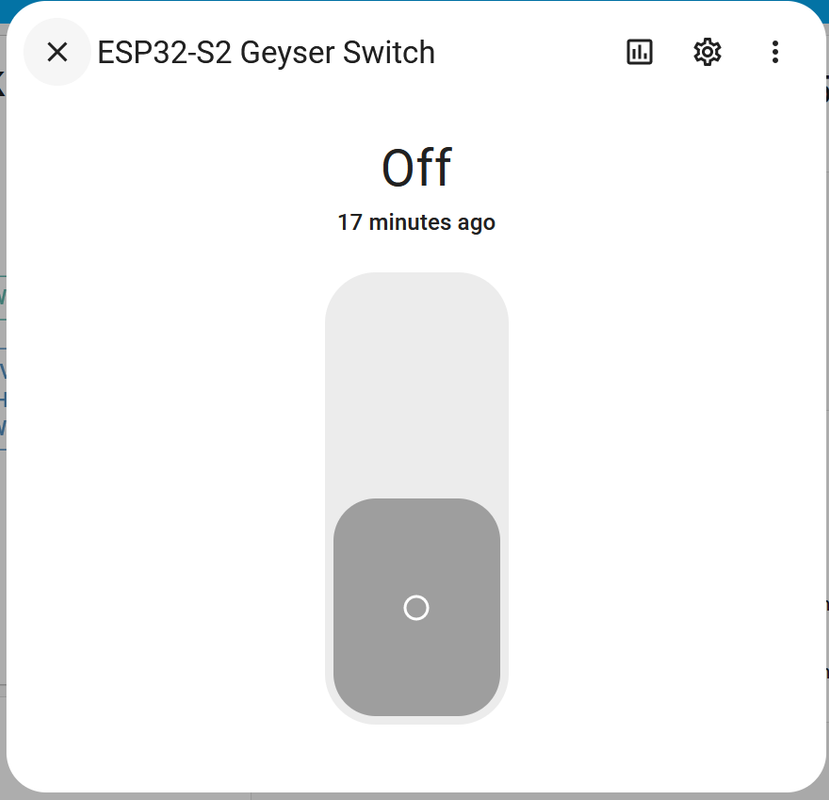
when i toggle that switch it work as expected. On and Off.
spring osprey
How do you get to the second image?
obtuse bone
I clicked on the text of the switch and not on the toggle