#frontend-archived
1 messages · Page 174 of 1
 smoky depot
 gilded swallow
Is there a way to add "box-shadow" to a picture elements card? (or any other card which isn't custom:button-card)..
smoky depot
@gilded swallow I don't use it but I think there is a card-mod or something that allows you to do stuff like that
 stoic rain
Does anyone with an electric car have a creative Lovelace-view for it that I can get inspired by?
Feel free to share in PM if you don't want to publicly 🙂
 crisp hare
Using custom:button-card, easy..
@gilded swallow any example?
gilded swallow
@crisp hare
name: |-
[[[
If (states[entity].state == 'value')
return whatever
return something else
]]]
crisp hare
@crisp hare
name: |-
[[[
If (states[entity].state == 'value')
return whatever
return something else
]]]
@gilded swallow Cool thanks! I will give it a shot
gilded swallow
👍
crisp hare
what if you want it to just display the value no matter what it is? can it just set the value or does it have to be a bunch of if statements?
gilded swallow
It can
crisp hare
will it change/update when the value changes?
gilded swallow
It will
crisp hare
Cool thats what I was hoping for
what would it be to just set the state as the name? something like...
[[[
states[entity].state
]]]```
?? outer gulch
i have a lot of different media players that i need to turn off and on at configurable times.. i want these times to be configured through the lovelace frontend.. how can this be done?
i was thinking some kind of week schedule..
is something like this easily accompished through the UI or do i have to create something custom?
crisp hare
It will
@gilded swallow can this be done with a gauge too?
gilded swallow
Outside of a custom:button-card?
I believe it can be done with card-mod, tho I haven't tried it...
crisp hare
Oh, well what I am trying to do is have a gauge, that changes the name depending on the value of another sensor, idk if there is another easier way?
 tacit cave
make a template sensor with a friendly_name template
use the template sensor as the entity for the gauge
FYI it cannot be done with cardmod. Card mod can only modify styles, not elements.
crisp hare
ok thanks!
Did I read there was a way to reload config without restarting, in one of these new versions/updates?
tacit cave
depends on the integration
crisp hare
just referring to adding the template sensor and having to reload configuration.yaml?
 formal tide
@outer gulch use the google calendar integration to set times when the media players should turn on
crisp hare
@tacit cave does this look right?
    sensors:
      purpleair_aqi:
        friendly_name: 'PurpleAir AQI'
        friendly_name_template: "{{ states('sensor.purpleair_description') }}"
unique_id: purpleair_aqi```You also need value template to pull state from other device
outer gulch
@formal tide i want a pure-home assistant solution.. this requires that the managers should use google calendar to automate stuff, right?
formal tide
@outer gulch then go https://github.com/michelebossa/HA-Scheduler
crisp hare
You also need value template to pull state from other device
@tacit cave oh so the above wont work?
cant i just use a friendly name template, ON the sensor template that is used for the data source for the gauge?
tacit cave
Nope
crisp hare
So I don't get where I am using the friendly_name_template then? the info "sensor.purpleair_description" i am pulling the value from IS a sensor with a value template
tacit cave
You need to make a template sensor. This will replace the sensor you are using
The value template pulls the state from the sensor that you want to change the name of
The friendly name template changes the name
Set the unit of measurement equal to the other sensor
Now you have a completely new sensor that you use all over UI while the other sensor is unused in the background
crisp hare
yes i already have a template sensor, and that is what is used in the gauge, because I am already changing the value in that value template, since i already have that value template, wouldn't I just have to add the friendly name template to that same template sensor? That is already used in the gauge on the UI?
tacit cave
If it’s a template sensor, then yes
Friendly name template is only available on template sensors
crisp hare
Yes its already a template sensor that is changing the values with some math in the value template... this template sensor is what is used for the gauge. I just want to alter the name dynamically with the value of another sensor state
tacit cave
Then add the friendly name template to that sensor and restart
crisp hare
ok cool, what is the correct syntax of the friendly name template, if I just wanted to make the name the state of another sensor?
tacit cave
Use the state_attr method
 grand acorn
I am trying to standardize the output on a card from a couple of different sensors. I tested my template in the developer tools template box and it looks to be doing what I want. How do I take that template and apply it to the card?
tacit cave
@grand acorn Lovelace cards don't accept templates
 mild veldt
well...
tacit cave
there's a mini * next to that
mild veldt
one core card does, markdown. and then of course templating cards
tacit cave
yah, mini *
mild veldt
🙂
tacit cave
I was hoping to start a convo with him to steer him in one of those directions
grand acorn
Ok, where should I be looking to apply the template @tacit cave ?
tacit cave
@grand acorn That depends on the template and what you expect to do with it
How about the next time you reply, just write the template out and where you expect it to show up in the UI. I.E. replacing the state, replacing the name, etc.
 last heron
is there a way to have more than three cards wide by 2 tall show up on screen?
tacit cave
you can use the custom:layout-card to handle that
grand acorn
I am trying to set up an Entities card. I have them all listed but their states are report something different because they are different types of sensors. So I wanted to have them all show the same state when the door is closed.
Closed
{% else %}
Open
{% endif %}```@grand acorn Ok, for that all you need to do is create a binary_sensor template.
binary_sensor:
- platform: template
  sensors:
    aeon_labs_zw_door:
      friendly_name: Door
      device_class: door
      value_template: "{{ states("sensor.aeon_labs_zw120_door_window_sensor_gen5_access_control") != "23" }}"
that will create a new binary_sensor that you can place anywhere in the UI. It will be translated from 'on' to Open, and 'off' to Closed. The icon will also update. This is all done through the device_class: door.
grand acorn
Thank you very much @tacit cave I will try that out!
last heron
im about 20+ years behind in coding and forgot alot. is someone willing to help me out and walk me through how to get appdaemon installed and to where i can start editing dashboards... so far ive got the add on in home assistant. but the instructions after that confuse the hell out of me...
i can screen share if that helps.
unless there is a sharp tools integration i dont know about...
tacit cave
@last heron https://discord.gg/6nrkwb
 hot nova
I'm having a rather curious thing happening while developing a custom card, is this the correct channel for questions on this?
tacit cave
 urban violet
I know there is now the media_player components in HA, but is there a way that I can stream a URL through Home Assistant Web? I have Reolink cameras and would like to be able to view previous recordings through HA. I have the media URLs, but how do I then trigger HA to stream them to my browser?
 kindred hull
I've had a couple months with HA and got a feel for it. Want to take next step and explore wall mounted screens in the kitchen and possibly by each exit door. I don't know what all I want for sure but I know I want to be able to light up the screen when someone walks up. I am looking at Fully Kiosk as the first choice. Yay or nay - Alternatives welcome - PS I have two Fire 8 Tablets setting around
 unique egret
is it possible to migrate stuff I made in the .yaml to be managed by the frontend later? Like helpers or w/e... Always get "The settings of this entity cannot be edited from the UI. Only entities set up from the UI are configurable from the UI."
kindred hull
@urban violet Are you cameras ONVIF compliant?
unique egret
For automations it seems like it does this kind of automatically after assigning the object an id number when you make a new automation (I think that's when it did that anyway) but idk about other stuff set up in the main config yaml
urban violet
@kindred hull according to Reolink, Yes
 lavish elbow
Well the new update definetlely broke something, i dont know if it was zigbee2mqtt or new ha update, but on frontend -> group of light ON/OFF reports the brightness properly, so when it's off the brightness is 0%, but on individual devices, even if it's off the brightness stays the same.
kindred hull
I started with adding the cameras with the ONVIF integration. Straightforward. Then used the Entities it created but I don't record on camera so cannot comment on accessing the recording. The live feed and the picture entity will get you the ability to capture a still and save it locally based on any motion sensor avail from the camera - or where ever. IF you figure out how to get the the video I too would be interested. I have BI right now but wouldn't mind not having it
urban violet
@kindred hull Right now I have my cameras setup using the generic camera, and they work well. I also have NodeRed that hits the camera's onboard API every second to register motion alerts in HA. (It's a simple REST api). There is also an API that gives me all of the camera's motion alerts and video clips. It records all the motion locally on the camera. I just want to stream it through HA. hahaha... I built a input_select to give me all of the options of recordings available, but now I'm just stuck witht he streaming portion.
I have thought about using the downloader to see if I can download it to the media directory and then you could navigate to it and then view it, but I haven't tried that yet.
lavish elbow
Can anyone please explain this what could cause that problem?
https://youtu.be/KoRpzCxTszY
The first lamp (which is a group) is the normal behavior
kindred hull
My Dahua have FTP and I think some other options to ship video files around too. The other piece I haven't worked on yet is how to offer all the clips in the web interface. If you get the files to the www folder they are available via webserver but I don't see a Clear winner for the UI. I had sort of thought about photos.google for a temp solution. I am told that BI has or will soon have the REST / MQTT access to the Alerts that it stores.
urban violet
Yeah these support FTP as well, but like you said, I don't have a clear winner either for the frontend piece.
kindred hull
@urban violet Just took a look at the release notes - Seems like each time I think ookk HA doesn't have everything - yet. Then this happens https://www.home-assistant.io/blog/2020/09/17/release-115/#media-browser
urban violet
@kindred hull I have seen that, one thought that I had, (I run HA using a Docker Container), is that I would modify the Home Assistant container volumes, to add an additional file directory in my HA that I would then point to my NAS where I could store the FTP uploads. I just haven't had the time to experiment that far with it. Then you could point an additional Media Storage path there and then access your recordings that way
kindred hull
I kinda jumped the gun there. Maybe there is still room for a security camera provider to offer a fully REST accessible solution and an Integration for HA. However BI is like $60 too
mild veldt
@unique egret no, you can not import helpers
unique egret
hmm, ok thanks
 full sand
I'm using the Google dark theme and one card (LG webos remote) is showing like this: https://imgur.com/a/wXdEoDj
How can I adjust just the cards CSS to make the digits pop out?
Code: https://pastebin.com/KB9DCS7E
 hallow mango
so say I want to show an entity in an entity-filter, based on a different entities state... is that possible?
for example, show a switch to toggle a lighting effect automation, but only if media is playing
 honest moon
is there a way to disable the "power by almond" automation helper?
honest moon
9 times out of 10 it doesn't do even closely what i want
 latent tree
Hey what language do people use to make custom cards? does anybody know of some documentation on where to start with that?
unique egret
Are custom cards only usable if you're manually configuring your dashboard?
 muted inlet
Yeah
unique egret
Hmm, ok... I'll probably dive into that sooner or later though gotten by with the basic grouping functionality for now
 dusk magnet
Any way to remove the auto generated dashboard when using a custom dashboard in yaml mode?
# Use yaml file for Dashboard views
lovelace:
mode: yaml
dashboards:
lovelace-overview: # Needs to contain a hyphen (-)
mode: yaml
filename: dashboards/overview.yaml
title: Overview
icon: mdi:tools
show_in_sidebar: true``` plush stratus
I THINK that "frontend" is the most appropriate channel for this. If not, I apologize.
Soooo, long time Homcenter & Homeseer user is converting to Home Assistant (115.6). Looking at precense detecion. And I can not really figure out why this person is flagged as "away". To me it looks like the user location is well within my home zone?
I see the blue location circle well within my orange home zone (Named Penthouse, which I assume is autodetected from my system name).
 unreal lodge
#integrations-archived is more appropriate wherein the integration is device tracking
#frontend-archived is the GUI, creating Lovelace cards, views, dashboards, maybe some config stuff
plush stratus
DUly noted. Thanks!
 uneven knoll
sorry about a horribly stupid question as I'm still quite new to HA.. using the mini graph card with multiple entities I can't based on the doc figure out what the one value visible in the graph is.. current average? average in a set timeframe? value for first entity listed? any way to view more than one?
latent tree
dumb question but does the order in yaml matter at all? like in the above code fromt echtony title could be above mode right and it would work the exact same?
 dark dirge
Within a level of indentation, order doesn’t matter
@uneven knoll Maybe you’re looking for this? https://github.com/kalkih/mini-graph-card#aggregate-functions
uneven knoll
I thought that was per entity? with multiple entities still only one value is listed (not graph) in the card..
dark dirge
Oh, I see
uneven knoll
I'm probably just reading the doc wrong or something.. I get how to change min/max/avg etc per entity added.. that seems to work
dark dirge
I thought it was instantaneous and the first entity
Or maybe the last value based on the aggregation function
uneven knoll
that seems to be likely based on data.. I just couldn't find anything about it in the doc.. or how to change it if possible
dark dirge
I would think that the aggregation function would change the calculated value and the order would choose the entity, but I haven’t tried it
I flipped my two entities and it picked the first one
 arctic jacinth
I'm trying to figure out how to hide some of my sensors from the default dashboard, where would be the correct channel for that folks?
uneven knoll
seems like you are correct regarding first entity.. and I guess no way to change it.. thanks for checking btw 🙂
mild veldt
@arctic jacinth you can disable entities from config > entities
 flint hazel
I am not sure if this is the right channel (already asked on #integrations-archived, no answer yet). After I upgraded from 114 to 115 (ha core) my template sensors show after restart in unknown mode (entity card) but their real values are still available via node red, it seems that they are only not updated on front end until I run the Configuration->Server controls->Reload template sensors.
Is this a bug, a feature or something on my installation only?
 errant plover
#templates-archived but in short: read the breaking changes. entity_id is no longer supported.
 hazy bone
is their a way to make a card in lovelace that shows specific properties of an entity? I have lights flashed with Tasmota and the one of the properties of that entity is Signal Strength and AP that it is joined. I want to have a card that shows me the signal strength of all my lights wifi. I tried just doing the entity id followed by a dot and the property but that didn't work.
 hybrid jackal
HI guys, can you advice me. I have sonssors, which are not all the time online. Which card can I use to make like this - to read and display sensor values in case sensor is online and show me "Not available" in case is offline
hazy bone
@polar kelp that worked thank you very much
 crude crystal
Hey y'all. Does anyone know why my iPad is displaying a different order or my cards than what I've set via my laptop web browser
Seems to have changed after I just updated HA
 cursive sapphire
How does Lovelace determine which detail chart a sensor should use? I have a numeric (float, 2 decimals) sensor. I only see the bar chart if I press the sensor to see details. I would expect to see a line chart like I do for others
Any help is highly appreciated
 shell torrent
is it possible to change the time and number formats in the GUI? It always uses "." as decimal point, no thousands separator and shows time in "3:00 PM". Swedish formatting would be ",", " " and 15:00
 polar kelp
It goes by the language you set in your profile settings in the UI.
 upper tulip
If I set up an input boolean as a helper in the UI, how can I set it so that the state of the input boolean is on at start up of home asssistant or would I need to configure in yaml?
polar kelp
You can make an automation to set it when Home Assistant starts.
upper tulip
Ah great thanks!
mild veldt
@polar kelp that must be an oversight in the helpers UI, we should have that as a field
 halcyon mulch
What is the best way of changing the theme? If I change the theme in the UI it only changes for that user and device.
Do I have to use an automation to set it on startup?
dark dirge
profile data is stored locally and needs to be set per device or when you clear local data. The default theme is "backend selected", so if you want to set it for everyone, then yes, an automation would be the way to do it
halcyon mulch
Cool thanks!
Btw, can I also set the primary and accent colors in the automations?
 vapid field
Hi,
I want to show the device_tracker entity on the map,
where do i paste the following code?
https://paste.ubuntu.com/p/wFNspDmD2B/
polar kelp
@mild veldt Nah, there's backend support missing. You can set the initial value to true or false fine, but you cannot unset it.
 quasi tinsel
I choosed to edit the main page of lovelace, can i make the system take control over it again? (I want a new page where i customize by my own)
polar kelp
And you can't just leave it out, because that will be interpreted as "leave as is".
 nimble ice
Good evening gurus! Im trying to build my first card. and for a test I want to call a script with parameters. script:
systemair_set_heatlvl:
alias: Climate - SystemAir - setheatlvl
sequence:
- service: modbus.write_register
data_template:
address: 206
unit: 1
value: '{{ heatlvl }}'
hub: '{{ vent_unit }}' #systemair8a
Im trying to use: this.hass.callService('script', 'turn_on', {entity_id: 'script.systemair_set_heatlvl', heatlvl: '3', vent_unit: 'systemair8a'});
in the js-script but get an error.
Failed to call service script/turn_on. extra keys not allowed @ data['heatlvl']
anybody? #newbie
 surreal walrus
Hi,
I have a problem with the frontend (i think). I use my HomeAssistant behind a reverse proxy, hosted on https://ha.mydomain.ca. This DNS entry is a CNAME record pointing to a duckdns record for solving the dynamic ip problem. The duckdns domain is mydomain.duckdns.org.
In my firefox browser, browsing to https://ha.mydomain.ca, when trying to log in, some requests are blocked by µblock (in-browser add block) because they are sent to mydomain.duckdns.org, instead of ha.mydomain.ca.
I don't think this should be the case. I think that all requests should be sent to the Host, not its resolved address.
Here is a screenshot of µblock log
https://community-assets.home-assistant.io/original/3X/8/1/810238b6a511f4124278033428c74356a913ba55.png

 blissful geyser
Hello -- I'm having some massive issues dealing with my frontend on HA. I have made a new default dashboard, but for some reason even though Ive gotten the standard trashboard removed on my admin side, my second user is pushed to the trashboard as their main one.
dark dirge
FYI for the (many) Custom Header users: https://community.home-assistant.io/t/custom-header/155399/1100
Just the saw the "repo archived" messages and investigated. Thanks for the great work, @clever ore !
polar kelp
@crimson idol script.turn_on can't take variables, you want callService('script', 'systemair_set_heatlvl', {heatlvl: ....
@blissful geyser Yep, it's a per user and per device setting.
blissful geyser
so how can I make it so that my design I'm spending hours on is the global design
polar kelp
Make it on the default dashboard.
blissful geyser
When I try to it tells me that if I want to modify it I need to make a new one and set it as default, unless I'm mistaken
polar kelp
Pro tip: Open the RAW editor, copy, open the other RAW editor, paste.
Do you have a yaml dashboard setting or something?
blissful geyser
Uh I'm not sure. TBH i'm super new to all of this. I have ten thousand janky looking badges smashed onto my panel
I didnt select the "start from empty" option at first and im heavily regretting it lol
Is there a way to retroactively delete it all and start from scratch?
Or at least mass remove the 500 badges that 99% of people would never want spamming their dashboard
"HP Officejet Cyan: 35%"
 wispy nacelle
I've got an issue with displaying a 7-digit number within the mini-graph-card.
I want to have it formatted like 12.345.678 and I managed to do that using a value-template:
"{{ '{0:.0f}'.format(states.sensor.NameGoesHere.state | float).replace('', '.')}}"
I can play around with the decimal-option of the mini-graph-card but all what that is showing is the first 4. digits and than its just zeros: 12.340000000
Any guesses ? 🙂
shell torrent
I have kind of the same issue with another replace template where I want a space as thousands limiter which makes 12123 become 12 instead of 12 123 (as we format thousands in Sweden) , so I guess in our ambition to change the output format, we also transform the actual value. in your case from 12345.678 to 12.340000.
just a few hours ago I was trying to find out how to make HA format numbers and time according to region formats automatically https://discordapp.com/channels/330944238910963714/460846676358332417/763437768050475100. I guess that would solve both our issues
 waxen prism
Hi, the Picture Elements Card Configuration is stored where? It doesn't seem to be in a yaml .. I'd like to back up the work I've done .. thanks ..
Hi, the Picture Elements Card Configuration is stored where? It doesn't seem to be in a yaml .. I'd like to back up the work I've done .. thanks ..
@waxen prism I'd like to back up my wonderfully over worked floor plan and positioning ..
dusk magnet
How do I disable the auto generated dashboard when using yaml mode? I have configured one dashboard in configuration.yml and 2 show up in the sidebar. My configured one and an auto generated one
shell torrent
@waxen prism ..\config.storage\lovelace, but I'd recommend Show Code Editor and just copy-paste into Notepad
wispy nacelle
@shell torrent that looked promising in the first place, but if I'm using my language (german) it doesn't have a thousands separator at all 😕 than it dispalys the plain number: 12345678
halcyon mulch
Previously when creating a Person, you’d get a drop down to associate it with a User. In 116 that is gone. Is it not possible to associate a person and an existing user now? Is it a bug?
blissful geyser
If anyone can help me with this, I'd appreciate it-- I grabbed "battery-state-card" and some other cards via HACS but it none of them (except the weather card) are showing up when I try to add them to my dashboard...
dark dirge
Do they show up in  -> Lovelace & Dashboards -> Resources?
blissful geyser
@dark dirge Thanks for the quick reply man -- yes they do.
dark dirge
did you add them there? Or did HACS?
oh, and most of the time custom cards will have to be added manually
some will show up in the list, but I think most don't
blissful geyser
I added them via the HASC dashboard. The Weather one ended up properly plopping into my UI but the battery one, etc. did not and I'm nowhere near competent enough to sort that out lol
While you're here though, do you mind if I ask one more question?
to hopefully push me down the right path and allow me to work on this tongiht
I am currently using Lovelace + the main dark IOS HASC theme. I have no ability to change the sizes and ratios of the cards, however. It would be great to find out how to make "sections" like in the above picture. I think I could have cleaner UI that way.
appreciate you man.
dark dirge
that looks like a layout card
blissful geyser
Ok thank you.
So with all of these HASC Frontend cards, I need to manually write them into my raw editor?
dark dirge
cards usually come with docs
blissful geyser
They do but it doesnt really make sense to me -- which is why I'd love some sort of tutorial or getting started video about the raw editing.
Most videos I have found that are "getting started" are just going over how to insert the SD card along with affiliate links to 8gb SD cards.
dark dirge
searching on the forum would be a good start. here's one post: https://community.home-assistant.io/t/solved-how-do-i-add-custom-cards-for-lovelace/130626/15
 lime glacier
so when the features came for HASS to follow the light or dark theme of the system, I have a floor plan in a picture-elements card....... I have temp sensors on it and now the text writing is super duper lite;
is this a known bug for the card or is there a fix?
formal tide
maykar/custom-header - Repository is archived.
read that. strongly believe this is an error.
opened the github. still believe the archive header is a mistake.
read the forum post. now I'm crying.
pls send help
smoky depot
@formal tide just because it's archived doesn't mean you still can't use it till it no longer works
 brisk osprey
g'day everyone. After updating to 0.116 I get this error on my main lovelace page:
Unknown type encountered: horizontal-stack
I saw that some breaking change regarding custom cards but this suprised me.
Might the error be just because I do have custom cards on the same page but the error cant be more specific?
Nevermind, found it. Something had happend to the yaml. Title and icon of the lovelace page had broken.
smoky depot
when in doubt, blame the person you see in the mirror is what I always tell myself
brisk osprey
@smoky depot Absolutely, but this time it wasnt me. I only pushed the update button, and then it broke. Easy to fix though.
last heron
Canary cam shows as broken image on dashboard...
shell torrent
@formal tide I think a lot of users are devastated of that - and understands and respect the decision at the same time.
The question now is how to best handle feature requests and/or PRs to achieve the most requested features. For me it is "compact mode", and "disable header", but pretty soon I realize it's more than that.
It's the ability to configure a stripped down default user where default is "only access to the most basic dahsboard". And the possibility to configure the options for several users at the same time.
So I think it comes down to two separate things:
- Users. The need for handling users in groups, including access and layout
- The "consumer approach" where one assumes that the default is a no rights user with no access to anything instead of the opposite.
Anyway, it's going to be interesting to follow the development!
 radiant drum
How to i get entity row editor to show? i all get is this https://ibb.co/5ncYjCW
shell torrent
@radiant drum Click on the "edit pen" to the right
https://ibb.co/G2WqLcq
radiant drum
aaahh.. Thanks!
polar kelp
🎉 I finally wrote something about how to use card-mod themes! https://github.com/thomasloven/lovelace-card-mod/wiki/Card-mod-Themes

GitHub
🔹 Add CSS styles to (almost) any lovelace card. Contribute to thomasloven/lovelace-card-mod development by creating an account on GitHub.
Oh, and this: https://github.com/thomasloven/lovelace-card-mod/wiki/Theme-cookbook with more to come
 slow wave
Curious as to why my weather card does not display forecast anymore, I used to use dark sky which worked fine, but switching to accuweather I cannot get any forecast, even if I specify it (was not needed for darksky)
 celest jackal
good morning,
given the recent news of the abandonment of the development of the custom component "custom header" (https://community.home-assistant.io/t/custom-header/155399/1100), how can I modify the interface as shown in the photo without the custom component?
https://raw.githubusercontent.com/RWGaMeR/itchsblogHA/master/graphics/ClearItchsblog.png (photo of my interface now with "custom header")
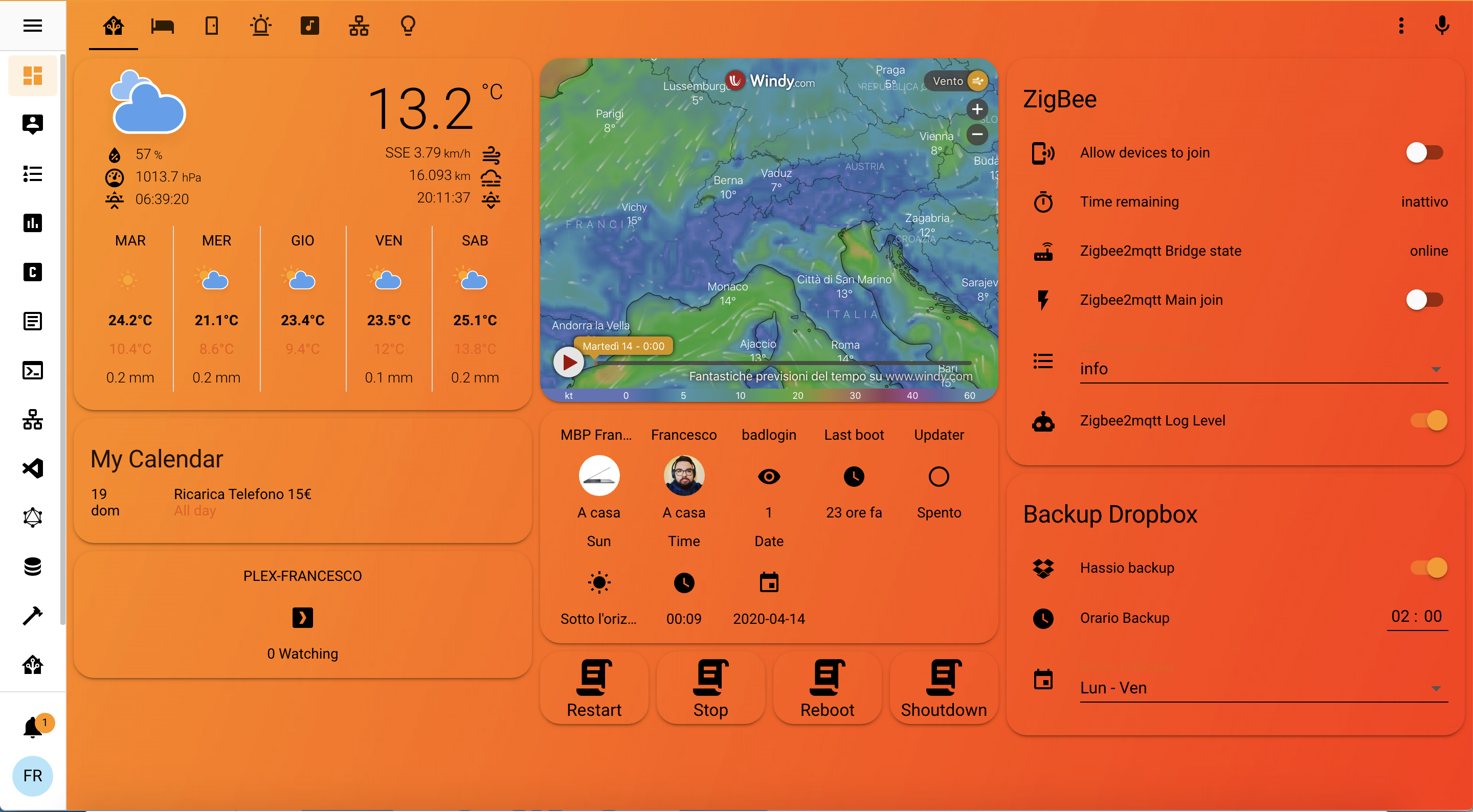
I would like to be able to get the changes to the cards or to the upper menu bar as I do now with the "custom header" custom component
or other custom components
 smoky current
Going to be a lot of these type of messages 😦
celest jackal
Going to be a lot of these type of messages 😦
@smoky current the abandonment of the development of the custom component "custom header" makes you lose functions that added very important in my opinion
smoky current
Same for me. At least it still works for me in the meantime. Hoping they add some of the more basic features to the default frontend
celest jackal
Same for me. At least it still works for me in the meantime. Hoping they add some of the more basic features to the default frontend
@smoky current it doesn't work well for me because even inserting it manually gives me problems with the 0.116 version of Home Assistant
smoky current
My setup was pretty simple. Just compact mode and then a few exceptions based on the user.
celest jackal

@smoky current
as you can see from the photo that posted and from the first one gives me problems
halcyon mulch
I’m trying to make a more compact dashboard for my 7” touch screen. I’m moving some sensors to badges as they are quite compact. But then the view is not wide enough.
Can you have full width and badges somehow?
polar kelp
Here are some ways to implement some functions of custom header using card-mod and themes. https://github.com/thomasloven/lovelace-card-mod/wiki/Theme-cookbook I've added a few in the last two hours.
halcyon mulch
Thanks!
celest jackal
good morning,
given the recent news of the abandonment of the development of the custom component "custom header" (https://community.home-assistant.io/t/custom-header/155399/1100), how can I modify the interface as shown in the photo without the custom component?
https://raw.githubusercontent.com/RWGaMeR/itchsblogHA/master/graphics/ClearItchsblog.png (photo of my interface now with "custom header")
@celest jackal nobody has alternatives? I would need to keep the look I gave my Home Assistant
 naive tulip
hello.. I'm using the lovelace in yaml mode and in the ui-lovelace.yaml I'm pointing at some dashboard using the - !include /config/lovelace/home.yaml and they won't display.. only the Overview is displayed correctly.. anyone had the same issue?
 nimble kelp
I can't seem to add any HACS lovelace custom card.
Even though they are already added to HACS.
And they already exist at the lovelace dashboard resources. 😅
https://imgur.com/P7yZAxU
 wheat current
Remove - from before type
https://discordapp.com/channels/330944238910963714/460846676358332417/761562408916746270
nimble kelp
holy cow. many thanks.
naive tulip
do you mean - !include /config/lovelace/home.yaml must be !include /config/lovelace/home.yaml ?
or do you mean to remove - from the resources: in the config.yaml?
ah you mean - type: custom:weather-card must be type: custom:weather-card
 wide reef
@naive tulip if you have a folder under the root config called lovelace, then it should be:
views:
  - !include lovelace/home.yaml
 keen belfry
Hi, can I use, in a lovelace entity card, one sensor's attribute as secondary info?
 naive flare
Here are some ways to implement some functions of custom header using card-mod and themes. https://github.com/thomasloven/lovelace-card-mod/wiki/Theme-cookbook I've added a few in the last two hours.
@polar kelp How do you implement the "Remove Header" function?
polar kelp
Read the other page of the ”wiki” too
celest jackal
I need to be able to change the header of my frontend, add buttons to decrease the size, change the colors and transparency, what can I do?
polar kelp
You mean implement some functions of custom header?
celest jackal
You mean implement some functions of custom header?
@polar kelp yes
i know they are all css/html/js edits and i get by, but in HA i don't know where to make the changes
polar kelp
The mods may get angry with me if I publish the link with that very description any more times than three in the last 20 messages in this channel, but maybe if you look back a bit...
celest jackal
there was a custom component that has been deprecated
wheat current
We should probably have the bot drop that link every 20min @polar kelp 😅
celest jackal
The mods may get angry with me if I publish the link with that very description any more times than three in the last 20 messages in this channel, but maybe if you look back a bit...
@polar kelp
could you quote me the message
dark dirge
Just scroll up a tiny bit
celest jackal
Here are some ways to implement some functions of custom header using card-mod and themes. https://github.com/thomasloven/lovelace-card-mod/wiki/Theme-cookbook I've added a few in the last two hours.
@polar kelp
and this?
dark dirge
celest jackal
#frontend-archived message
@dark dirge thanks, but i would like to be able to edit directly without cutom component, is it possible?
polar kelp
no
Repeatedly @-ing people is generally discouraged in discord, btw. It can get annoying and dissuades others from joining the discussion.
 amber patio
I am having a heck of a time getting the cards from HACS to work. I think I am missing a step. I have copied the .js files under the www folder and they where installed under the www\community folder. I edit lovelace and do not see the option for the cards. what am I missing???
mild veldt
@amber patio if you're using HACS you shouldn't be manually moving any files
amber patio
That was my thought also. so I copied them.... So how do I use them then?
mild veldt
celest jackal
so is it possible to modify the frontend without custom component?
wheat current
amber patio
thanks.... Will go thru that one, I have been going over so different sites that I may of missed it after I installed HACS.... Thank you
keen belfry
Hi, I'm trying to use my own image as entity_picture but it gets replaced by hass:eye. I put it in /config/www and add it as entity_picture: /local/myimage.png. Am I doing something wrong?
naive flare
Bending the interface in this way should be expected to fail at any time.
@polar kelp After 0.116.1, it broke. 😩
mild veldt
@keen belfry where did you add that config?
keen belfry
In the entity card.
 terse raven
Is there an event that gets fired when the UI is updated?
Trying to setup an automation to run every time the lovelace UI gets modified.
formal tide
there's no entity_picture option in any card afaik, only icons - you need to set the picture to the entity itself
mild veldt
 But also I believe only icons are displayed for the entity card
amber patio
So I have gone thru both doc's and still missing it. The code that works is
type: thermostat
entity: climate.conference_room_heat
name: Conference Room Heat'
this does not work
type: dual-thermostat or
type: "dual-thermostat"
 kind shellBOT
To format your text as code, enter three backticks on the first line, press Enter for a new line, paste your code, press Enter again for another new line, and lastly three more backticks. Here's an example:
```
code here
```
Watch the animated gif here: https://bit.ly/2GbfRJE
DO NOT repeat posts. Please edit previously posted message, here is how -> https://bit.ly/2qOOf1G
Command '.format' was invoked by: iantrich
amber patio
OH so now I know how to insert code.... lol
formal tide
@glossy birch GIF missing 🚩
dark dirge
Should be a GIF that says ‘you really shouldn’t need this’
 glossy birch
What the??? Will fix it!
 errant birch
I'm having an issue loading a webpage (showing public transport to/from work status) in an Iframe.. seems that 'X-Frame-Options' is set to 'sameorigin'
I understand this is a safety feature and there is no real simple way to bypass it.
I could contact them asking to enable it, but I don't think they will..
What would you guys suggest as the next best thing ?
mild veldt
No good options. Ideally they have am API, but that's unlikely. Could write a webscraper but those are prone to break and your success may be limited
formal tide
you could also proxy the page with e.g. https://github.com/jenssegers/php-proxy
but thats not optimal either
most transport pages get their routes, times & stations via a simple js api command though, maybe you don'teven need more than these informations. check your browsers dev tools (network resources)
errant birch
extra level of difficulty is I'm trying to do this on a kiosk I have for HA running on porteus kiosk, so not much wiggle room when it comes to installing extra stuff
Mine's not really a public transport site, but a site that shows a map and the location of the company bus that drives a certain route..
Will see what I can get, and if all else fails, I'll just use a link to the site outside of HA. might be the easiest "solution"
thanks for the suggestions 😉
hmmm, I thought there was an option to have a view, when selected, to link to an outside url
Seems I was wrong 😆
formal tide
just place a .html with the link in /config/www and load that in a iframe
lime glacier
 main fjord
Hey Guys, is there anyway to disable a button on the UI for like 10-15 seconds? I have a button that I want to prevent multiple clicks by accident, so when clicked, disabled for 15 seconds before you can change the state again. Cheers
smoky depot
@main fjord you can with the custom button card. https://github.com/custom-cards/button-card#lock-object
keen belfry
there's no
entity_pictureoption in any card afaik, only icons - you need to set the picture to the entity itself
@formal tide I tried also in thecustomizesection of the configuration file, with bothentity_pictureandicon, same result.
formal tide
show relevant yaml parts
keen belfry
customize:
  sensor.ligne_t2_2:
    entity_picture: /local/t2.png
And t2.png file is in /root/config/www
formal tide
seems good, maybe sensors only accept icons 🤷♂️
keen belfry
Oh, maybe. Did not think about that.
If I use the entity_pictureicon in the card, then it works but only with mdi icons
formal tide
tried setting icon: fake ? maybe then the picture shows up
wheat current
AFAIK images only work in glance card
keen belfry
You mean that we cannot customize the icon of a sensor in any other card than the glance one? Or that only glance card accepts local images but not as icon?
tried setting icon: fake ? maybe then the picture shows up
@formal tide You mean justicon: fake? Than does not show anything.
formal tide
works fine for me with a device_tracker entity in entity card
wheat current
oh, cool, it didnt in the past
keen belfry
Would you please test with a sensor @formal tide? Just to ensure that sensors do not allow that.
formal tide
ok it should definitely work, tried sensor aswell as binary_sensor
@keen belfry you do something wrong in your config
 versed mica
I am displaying a temperature in a Picture Elements Card. Can I somehow pop the climate card when I click that temperature?
versed mica
@polar kelp thanks
smoky depot
wish I had known that thomasloven, was someone in here just the other day asking if that could be done
full sand
What card would you use to just display an icon (no entity) and letting tap_action open the more-info page?
so I can call the service browser_mod.popup on tap_action
polar kelp
A button card with any entity (I usually pick sun.sun).
full sand
Hey @polar kelp amazing work on the cards. I'm using browser mod (button) next to a media player to open my remote card in popup, it's awesome.
I found out that I could use the button card without an entity though.
Right now I'm looking at using the lovelace layout card to get the media_player using 2/3rd of the horizontal stack card and the button 1/3rd.
So heavily inspired by your cards 🙂
full sand
I have this: https://pastebin.com/MEKbsm4c in a horizontal stack card for now and I want to achieve this: https://imgur.com/a/TEy2TIL. Any quick tips on the layout card?
polar kelp
Didn't column_width: [30%, 60%] work?
full sand
It's giving me this error: incomplete explicit mapping pair; a key node is missed; or followed by a non-tabulated empty line at line 3, column 27: column_width: column_width: [60%, 30%] ^
nevermind
So yes, that worked 🙂 thanks
alot
 tough shoal
I just did an upgrade of hass and now only my yaml files complain about: "Unknown type encountered: horizontal-stack"
wheat current
Your config is not valid
tough shoal
Exactly the same view in a lovelace dashboard without yaml is working.
But exactly the same.
tough shoal
Ah, this is new?
honest moon
Anyone else notice the release notes on the Supervisor dashboard always point to the blog of the last major release instead I f the actual release notes? Is that intentional?
wheat current
has never been valid, but it didn't complain before
tough shoal
Thank you so much @wheat current
wheat current
It's intentional @honest moon We cant know
honest moon
What about pointing it to the git. release page? It would be much more helpful to find change
wheat current
If you join the dev channel, it points to github
honest moon
The git releases have links to the blog
you’d just need to read the new version and write the URL directly to it
keen belfry
@keen belfry you do something wrong in your config
@formal tide Probably but I can't see what. Here is my config file (fresh install with only these sensors added):
default_config:
tts:
  - platform: google_translate
group: !include groups.yaml
automation: !include automations.yaml
script: !include scripts.yaml
scene: !include scenes.yaml
sensor: !include sensor.yaml
And here is my sensor.yaml:
- platform: rest
  name: ligne_t2_2
  json_attributes_path: "$.result.schedules.[1]"
  json_attributes:
    - message
    - destination
  resource: https://api-ratp.pierre-grimaud.fr/v4/schedules/buses/31/pont+cardinet/R/
  value_template: '{{ value_json["result"]["schedules"][1]["message"] }}'
And here is what I put in my card:
type: entities
entities:
  - entity: sensor.ligne_t2_2
    name: Premier passage
    icon: /local/t2.png
    secondary_info:
      attribute: destination
 serene walrus
Is there a way to display entitie attributes in lets say a glance element? Or do we need to create a template sensor to read the value?
 livid folio
Hey there. I was wondering if anyone would be able to point me in the right direction in regards to using 'card-mod' to change the transparancy of the map marker icon. At the moment there is a white background within the circle which I want to remove
formal tide
seems good to me, you can check if your browser can reach the image or displays missing resource loads but 🤷♂️
unreal lodge
hi folks. I am trying to use this beautiful card. Can I use it by itself or does it require the browser_mod?
https://github.com/DBuit/light-popup-card
I think I am having some "core concept" confusion with all of these fancy lovelace ui's I'm lusting after.
dusk magnet
How can I make a switch on my dashboard that controls all my lights? if any lights are on, the toggle should be on, turning it off/on should turn off/on all lights
I found a service which does what I want, but I don't know how to integrated this into a switch
- service: light.turn_on
entity_id: all
polar kelp
Put all your lights in a light group https://www.home-assistant.io/integrations/light.group/
dusk magnet
Is there a way to make a group that automatically contains all entities classified as a light? Otherwise I will have to edit this every time I add new lights
polar kelp
You could also use a template switch, but that's harder.
Actually, there's a template light, that's even better. https://www.home-assistant.io/integrations/light.template/
Then just set your service as turn_on, a similar one for turn_off and some clever template for value_template.
dusk magnet
Thanks, I'll take a look.
polar kelp
{{ states.light | selectattr('state', 'equalto', 'on') | list | length > 0 }}
Or maybe {{ states.light | selectattr('state', '==', 'on') | selectattr('entity_id', '!=', 'light.your_template_light_entity_id') | list | length > 0 }} to avoid circular references.
dusk magnet
I think I am doing something similar (maybe we found the same thread :p ) and with your comment on circular references I think is related to the issue I am having now where it works but the toggle turns back on after a second turning all lights off since it sees itself as a light? not sure...
dusk magnet
Ah, well your first template was exactly the same as something I found online after I learned about the light template you shared.
I got it working with this template, for anyone else trying to achieve the same thing:
light:
  - platform: template
    lights:
      all_lights:
        friendly_name: "All Lights"
        value_template: >
            {% set domain = 'light' %}
            {% set state = 'on' %}
            {{ states[domain] | selectattr('state','eq', state) | selectattr('entity_id', '!=', 'light.all_lights') | list | count > 0 }}
        turn_on:
          service: light.turn_on
          data:
            entity_id: all
        turn_off:
          service: light.turn_off
          data:
            entity_id: all
Here's my source, for reference: https://jinja.palletsprojects.com/en/2.11.x/templates/
A good bookmark to have
dusk magnet
Saved, thanks for your help!
 strong cargo
I am looking for a replacement of custom header, by using card-mod, first thing i tried ```
molenvelden-theme:
card-mod-theme: default
card-mod-root: |
app-toolbar {
display: none;
}
But this makes me loose the dark mode...
Suggestions ?@wispy nacelle #templates-archived
wispy nacelle
👍
latent tree
Is there a way to stretch an image entity? I could make the image bigger in general but I was wondering if using style I can just stretch it in the vertical direction
  image: /local/ui/sidebar/sidebarBG2.png
  style:
    height: 100%
    left: 10%
    top: 50%
    width: 20%
action: none ```@latent tree not sure what you are using but if it accepts all css you can use object-fit: cover
latent tree
I put that in after the width, but it didn't seem to make any difference. this is an entity in a picture-element card
smoky depot
ah yea doesn't sound like it supports full on css https://www.home-assistant.io/lovelace/picture-elements/#notes-on-element-attributes
latent tree
ahh darn, well thanks for your help! I will just stretch the image manually
 hidden prawn
hi team
is this the right channel for the home panel
thanks
i recently resurrected my raspberri pi
and upgraded to Virtualbox Hassio
and eveything is amzing
amazing
installed the latest and greatest
now i need to work again with home panel..
i cant remember how i did it before.. like the background picture etc..
now im integrating the aircon controls as well
home panel docs how to is not working anymore
😭
formal tide
click edit lovelace, select raw edit, add:
background: center / cover no-repeat url("/local/backgrounds/bg.jpg") fixed
profit
anybody have a moon phase card on hand?
or knows where I can get sth like this?
https://community-assets.home-assistant.io/original/3X/0/3/03133037ef570d25d7db72f085fe104624f96918.png

 jagged anvil
I'm having a problem with lovelace. My cards are showing up in only 2 columns on the default view. Other views have their 3-4 columns. Has anybody encountered this before?
smoky depot
@jagged anvil no, you are likely overlooking something
@formal tide you can use an iframe with a site like this https://in-the-sky.org/
guess it's called website now, not iframe lol
formal tide
I also have a panel with cards which refuse to display horizontal
eehhhh that doesn't look clean enough for me
smoky depot
well you could create your own
hallow mango
anyone used ha-floorplan?
formal tide
tomorrow is bad weather so I might aswell
smoky depot
@hallow mango if you have a question, ask it.
hallow mango
it says I can use "any" entity as the "placeholder" for floorplan, but recommends using an mqtt binary_sensor... except I don't do anything with mqtt
so I wanted to use... anything else lol
used a template binary_sensor instead, with a value... which just showed as a switch in my entity row
I also can't figure out how to open the floorplan panel
smoky depot
@hallow mango any reason to use that over say https://www.home-assistant.io/lovelace/picture-elements/ ?
when i see the last time something has been updated has been multiple years I tend to drift towards something more maintained lol
hallow mango
ah, I guess not
I didn't even look at dates lol just first thing that came up googling
I actually started with "map", and then "blueprint" when that didn't work out 😅
led me to "floorplan", and you know the rest lol
 dawn breach
I’ve got an odd behavior after upgrading to HA 0.116. I access Lovelace through Chrome and have a custom ui-lovelace.yaml file. When I click on the bookmark which takes me to the Lovelace interface, six cards are missing. I then “Refresh” the interface with the three-dot menu in the upper right and the cards come back and everything looks and works great. It is a minor inconvenience but in my years of using HA I have never experienced this issue. I hunted through the forum and searched on the web looking for an answer but no luck, so I am asking here. Andy advice?
(by the way, six cards are missing, but ~10 are present, so I am not looking at a blank page when I go to the bookmark)
smoky depot
what cards and have you cleared your browser cache?
dawn breach
The cards that are missing are three vertical-stack-incard, one mini-media-player, and two rpi-monitor-card. And I am embarrassed to admit the clearing the cache didn't occur to me.... perhaps because several other cards are there and the Refresh solved it and that threw me off. But let me try that.
Clearing the cache did not solve it. However for grins let me quit the browser, which will take me out of this chat, and see if that plus the cache clearing works. I'll be back in a moment.
smoky depot
well the only card out of that list I use is the mini media and that works fine for me, assuming you been keeping these cards up to date it's likely a cache issue
dawn breach
OK, I gave clearing the cache a solid go and no luck. I still need to hit the Refresh buttons to get the cards.
Yes, I keep the cards up to date.
smoky depot
did you install these via HACS?
dawn breach
Yes
smoky depot
you could copy your card yaml and try and reinstall them to see if that helps.
dawn breach
That's a good suggestion, I will give that a try. Admittedly, my wife just got out of the spa and it is now dinner time so I will have to try this later. But I appreciate the suggestion.

 sacred axle
has anyone found a good compact header replacement since custom-header went down?
dark dirge
sacred axle
beautiful, I'll try this out
unreal lodge
Hi folks! I'm trying to get this custom button that fires a script to change its background color based on the state of an entity. But, I'm not having any luck and not getting any errors
entity: script.1590892241756
icon: 'mdi:led-strip-variant'
styles:
  card:
    - background-color: |
        [[[
          if (states['light.hue_led_strip'].state == 'off')
            return "black";
          return "yellow";
        ]]]
type: 'custom:button-card'
Can anyone please set me straight? 🙂
dark dirge
maybe you need an "else"?
I always use "else", and it looks like it's in most/all of the examples
dark dirge
I do what I can
unreal lodge
I could probably just show the state with a label template, but.. trying to get cute
and dabbling into fancy buttons in anticipation of laying out a tablet dashboard
dark dirge
Custom button card can do amazing things, and I've yet to find a bug
if it says that it should work in the docs, I'll bet it'll work
unreal lodge
I think I'm botching the states bit in some way
there wasn't an example that was exactly what I'm doing... most of them were about numeric states, like > 60, which shouldn't be very different
dark dirge
here's an example from my config:
unreal lodge
but, do not underestimate my ability to mess stuff up
dark dirge
    styles:
      icon:
        - color: >
            [[[
              if (entity.state === variables.normal) return "green";
              else return "red";
            ]]]
better example:
    styles:
      icon:
        - color: >
            [[[
              if (states['sensor.armed_status'].state == variables.armed_state) return "green";
              else return "#696969";
            ]]]
maybe "|" isn't good for a multi-line template
unreal lodge
I was just thinking that! but in my ui in autocorrects it to that?!
once I save it changes to |
unreal lodge
yes, I am using the GUI (manual card)
well, you have to use code editor with custom button
dark dirge
<- YAML fan
unreal lodge
haha yeah... you power users.
dark dirge
I use what I want
unreal lodge
I guess if I want to imitate you folks though...
I liked yaml for my automations for a long time, but I've had/spent a bit less time on such things recently so migrating to mostly gui has been mostly great
dark dirge
there was an excellent post in the last few days that described all of those tokens
unreal lodge
do you know please who it was by/title/etc.?
dark dirge
trying to find it
unreal lodge
thank you sir!
dark dirge
I have no idea where it was. I even commented on it
unreal lodge
hahaha. it was on the forum?
 random pike
Is there a way to have a color picker appear when tapping an icon in an rgb-light-card?
unreal lodge
if you go down the rabbit hole of the browser_mod integration you could make anything popup with the service_call option
but I have only just begun to learn such dark arts
dark dirge
I have no idea where it was. I even commented on it
Without any evidence to the contrary, I conclude that I dreamed up the post and my comment about it. I'm sure that the multi-line options are well-documented out on the web somewhere
hallow mango
@random pike you could do something like this: https://github.com/ljmerza/light-entity-card
idk if that's what you've got in mind though
@random pike I have them set up like this: https://imgur.com/O2k7dCI
unreal lodge
RobC I presume you are joking, but I have indeed had some fantastically mundane "memories" that I later realized were a dream
dark dirge
it will haunt me until I find it
random pike
@hallow mango Ta, that takes a lot of space, but thinking about it, I'm probably getting the same result by simply tapping on the light name, which opens the color picker, cheers for the help though
hallow mango
that was the other thing I was gonna say
unique egret
https://i.imgur.com/v4Yrj4i.png can I somehow add a space between the input number box and unit of measurement? I tried changing it to ' bit/s' but didn't seem to do anything (assuming the code stripped leading/trailing whitespace on such config values anyway)
 smoky depot
@unique egret can try using an empty character https://emptycharacter.com/
 ruby geode
After updating home assistant, none of my lovelace add ons work (added via HACS). "Custom element doesn't exist"
dark dirge
What version did you upgrade from and to?
ruby geode
0.115.6 to 0.116.2
dark dirge
Do they show up in > Lovelace & Dasboards > Resources?
ruby geode
yes
dark dirge
No idea then
Clear your browser cache?
Sometimes it’ll say that if you’re viewing the dashboard while updating because it loads the UI a bit at a time
ruby geode
I initiated the update 4 hours ago so I'm sure it's complete
dark dirge
You have a mystery problem, then
ruby geode
😟
dark dirge
Did you clear your cache?
unique egret
@smoky depot no luck with that one but a couple of the others in the table below seemed to work, I used Three-Per-Em Space and looks good now https://i.imgur.com/heObuFC.png Thanks for the tip!
 unreal lodge
Which btw humza on many browsers you can do by pressing ctrl + F5
ruby geode
Thanks,
I did clear it.
I only saw the "Custom element doesn't exist" once or twice. However, now it's gone and none of my add-ons are showing up in the lovelace.
smoky depot
add-ons? you mean cards?
ruby geode
Yes. sorry
smoky depot
not entirely sure what the changes from 115 to 116 was but for me the weather card wouldn't show till after I updated it so it's possible some cards won't show till whatever change that is needed gets addressed
well that card for sure works in 116, i know 90% of my UI is that one lol
ruby geode
Oh, yes. Actually I use that one in a pop up window which I can't access. The one that isn't appearing is https://github.com/custom-cards/button-entity-row
dark dirge
This guy just updated again: https://github.com/custom-cards/button-card/issues/380
smoky depot
silly dev's.. trix are for kids
ruby geode
How would I add buttons on top of an entities card? The button entity row card is no longer maintained so I think I have to find another way.
smoky depot
there's that addon word again..
smoky depot
yes
dark dirge
I don’t think so. But you can put almost anything in a button card
smoky depot
there is a vertical stack in card
that does that
makes multiple cards look like one card, someone was just mentioning it not working earlier tho lol
dark dirge
True. I was thinking overlaid on top of, but that makes more sense 🙂
smoky depot
yea there is this one https://github.com/ofekashery/vertical-stack-in-card and then another https://github.com/custom-cards/stack-in-card that's supposedly a replacement or something
 cedar girder
there's a lovelace plugin which allows making colourful square buttons in entity-row, does anyone remember its name? (its not button-entity-row)
cedar girder
i remember seeing it on screenshots, nice, square and colourful buttons but cannot find it now
smoky depot
@cedar girder alot of custom cards allow for many customizations, keep that in mind when seeing pictures of other people's dashboards. The card itself doesn't provide that visual, the person who puts the time into customizing it did.
 crimson fable
0.116 seems to have broken the button-entity-row custom card
 brazen eagle
Hi, I need help installing the Roku card on HACS to my HA. can someone help me plz. I already downloaded it into HACS, but when I try to add to my lovelace screen it doesnt show. help plz
wheat current
brazen eagle
@wheat current reading the article now. I will let you know if it works or if I have any questions
brazen eagle
@wheat current how can I show you a pic of the error I am getting. It basically says " Error: Custom element not found: roku-card "
wheat current
clear cache
brazen eagle
in HA?
wheat current
👍
brazen eagle
now I am getting this " UI editor is not supported for this config:
No visual editor available for: custom:roku-cardYou can still edit your config in yaml. " the custom element not found error is now gone
@wheat current ^^^^
brazen eagle
so then how can I get it to work? It allows me to save it, but then in the main interface it shows as "entitity unavaliable
wheat current
Use a valid entity 😉
crimson fable
https://github.com/Hypfer/button-entity-row/blob/master/button-entity-row.js
Not sure what I have to changed for 0.116 🤔
It doesn't use the more-info thing nor does it throw an error or something like that.
It's just invisible an element with 0×16.6667 as its dimensions
 sour thunder
The media browser is awesome, but it only works on my chromecast devices for example. When i try and watch a .avi file on my PC via the sidebar media browser in Chrome it loads the player but nothing happens. Like, the chrome video player shows up but its small and has the loading animation, which disappears after one rotation tho. Did i do something wrong?
Edit: using HA Docker, mounted the folder where my cameras save their recordings at into /media/camera (readonly because writing should not be needed, right?). They all save in .avi files
It also does not request anything as it seems, the network tab in the dev tools does not show any video or so being requested. And i dont think that it tries to stream it thru websocket, right? 😄
arch    x86_64
dev    false
docker    true
hassio    false
installation_type    Home Assistant Container
os_name    Linux
os_version    5.4.0-0.bpo.4-amd64
python_version    3.8.5
timezone    Europe/Berlin
version    0.116.2
virtualenv    false
On Android its the same thing, the video player there shows this "broken media" icon tho where the play button normally is (in the center)
formal tide
avi is just a container, you need to take a look whats inside - mpeg, wmv, xvid or even divx
some players just know certain formats
wispy nacelle
has someone an idea how to align that properly ?
https://imgur.com/5i9GOaB
has someone an idea how to align that properly ?
https://imgur.com/5i9GOaB
@wispy nacelle got it - there is a styles attribute to the 'card' which you can use to determine the width of it...
 placid badger
I have 4 zigbee aqara temp/pressure/humid sensors. 3 of them display the sensors in the same order, 1 has them swapped around
this is with the default dashboard
is there a way to reorder this one?
I removed the device and readded but it didn't matter
placid badger
hah I got it. was able to shut down hass and edit .storage/core.restore_state
and .storage/core.entity_registry
I swapped the locations of the sensor blocks
serene walrus
Is there anyway to swipe between views?
formal tide
Is there anyway to swipe between views?
@serene walrus https://github.com/maykar/lovelace-swipe-navigation
 delicate karma
So I'm having a weird issue where, on one page of my Lovelace dashboard, about 75% of the time, only the first two cards render. When it fails, it always stops after the second card (well, depending on how you count. The first card is several nested cards (a few vertical-stack-in-cards within a horizontal-stack)). I've checked the raw config but I'm not seeing anything invalid, and like I said, it works a quarter of the time. I can always get the rest of the cards to come up by entering "Edit Dashboard" mode.
It's only on the first page. The last card rendered is the glance card that starts with switch.bathroom_light
Raw Lovelace config: https://paste.ubuntu.com/p/HKWYN6nVPG/
 tawny oracle
Is it possible to change left nav bar texts? For example changing Logbook -> Changelog
 whole heron
https://www.home-assistant.io/lovelace/entities/#row <-- could so give me an example what row: has to be?
or how to add more than one entity
delicate karma
A conditional row is just one row
and it's just whatever the row config would be if it weren't in a conditional row
So if you need several rows, you'll have to add several conditional rows. Or, do it in a conditional card and nest it all within a vertical-stack-in-card or something.
@whole heron so here's an example
entities:
  - type: conditional
    conditions:
      - entity: input_boolean.home_occupied
        state: on
    row:
entity: light.living_room_overhead_light```Hi folks, can UI plebians like me use templates for custom:button-cards? It's working well for styles but I'm having some issues with the template items (like showing the entity name) and I'm not sure if it's a syntax error or a limitation.
 karmic tiger
You'll have to share more information than that to get an answer.
Start by sharing your config and the error you're getting.
unreal lodge
I'm on mobile and copying code from my raw config is not going well so I shall inquire later. Thank you. 🙂
whole heron
thanks @delicate karma maybe I need to be a bit more precise what I want to do
that'S my old setup: https://nopaste.xyz/?e51da0e7a4e007a3#FiLRgJ4S5s593ALTrfMtQKLuASq4BcxbdtRiRBRbNLca
the way I did this is no longer working, now I play arount with conditional inside the entity card and the entity-filter but I fail to add more than 1 entity
maybe I have to change to a custom layout card
delicate karma
Yeah, the conditional in the entities card is just a conditional row, so you would have to add multiple conditional rows
whole heron
that would bloat the file
I think - type: conditional isthe way to go and a custom layout card
maybe auto-entities with a filter for a group
😖
unreal lodge
I want to setup a wall mounted interface. Torn about what platform to use etc... And realized the answer might be right under my nose! Thinking of just using a raspberrypi with a touchscreen running a browser. Does anyone have any thoughts/experience with that?
 honest herald
What you guys using for a clock in lovelace. Trying to add a nice one to my dashboard
@unreal lodge much more simple to use a tablet
karmic tiger
Get a Fire tablet in the next sale and hack it to remove the ads.
unreal lodge
I was under the impression that fire tablets had some serious limitations. I can't recall what though. 😂
honest herald
Naa I have the fire 7 and works fine.
unreal lodge
Hmm. Using just the browser?
honest herald
Bought a mount from makes from Mike came with an ac to converter
honest herald
Ac to DC converter
Yep
Lol I'm trying to remeber the app I use now. But can use the HA app tio
Ah I remeber fully kiosk
unreal lodge
Oh! Allegedly you can't do that on newer fire tablets? Or maybe you just can't root?
Based on previous chats here but may have been someone who was mistaken.
I was a bit excited about the FOSS /non big tech feature of the pi approach but you two probably are right that it's a headache.
honest herald
I didn't have to root or anything. I place the apk on a network sabre then use a file manager to install it.
I use the newest 7
unreal lodge
Okay great. Might be too cheap and nice to resist, and thank you for the makes by Mike tip!
honest herald
For sure, have fun!
unreal lodge
If I didn't have kids maybe I'd still go with the painful pi route 😂
wide reef
it's prime day in 2 days, they usuall ydiscount the tablets then
 honest sluice
So with prime day coming I want to buy a tablet and wallmount for displaying HA Dashboard. I would like to utilize fully kiosk or something similar. Looking to keep price low, suggestions?
unreal lodge
Biggyk just mentioned these. Look very nice for price.
https://mbmounts.com/products/amazon-fire-tablet-wall-mount
delicate karma
So I'm having a weird issue where, on one page of my Lovelace dashboard, about 75% of the time, only the first two cards render. When it fails, it always stops after the second card (well, depending on how you count. The first card is several nested cards (a few vertical-stack-in-cards within a horizontal-stack)). I've checked the raw config but I'm not seeing anything invalid, and like I said, it works a quarter of the time. I can always get the rest of the cards to come up by entering "Edit Dashboard" mode.
@delicate karma
honest sluice
@unreal lodge so the recommended tablet is a fire tablet? I know I can side load Google PLay store, but will it support Fully Kiosk?
unreal lodge
I'm not really the one to ask. 🙂 Might by one on Tuesday myself. Read the upchat a bit.
hybrid jackal
i have several devices , which collect energy consummation and store them in MySQL. Now I want to display them in some table in HASS. I know how to extract and organize this information, but can you advise me what kind of sensor/entity i can use to display in HASS ?
like this :
+-----------+-----------------+
| day(time) | sum(power)/1000 |
+-----------+-----------------+
| 4 | 5.2530 |
| 5 | 8.1380 |
| 6 | 11.0050 |
| 7 | 12.6960 |
| 8 | 11.1860 |
| 9 | 7.3010 |
| 10 | 8.2840 |
| 11 | 6.9130 |
+-----------+-----------------+
 green peak
Hi. I'm trying to move from custom header to card-mod and struggling with changing the voice icon to the date & time. I've managed to add the date/time using the below code but I can't hide it from the mobile app
paper-tabs::after {
content: "{{now().strftime('%a %m/%y %H:%M') }}";
margin-right: 80px !important;
}
polar kelp
Dear God, what have I done?
I'm not sure, but the answer probably lies in a mediaquery: https://www.w3schools.com/css/css3_mediaqueries.asp
 steady sluice
Hey guys so my frontend has been messed up for a while now. The top bar that has the different pages just dissapeared and wont come back.
 rocky fox
Hey all, please let me know if this is the wrong channel. I’m having a weird issue with my HassOS. It goes unresponsive, and I can’t access the front end, until physically power cycle the rPi.
It’s currently doing it, and I can ping the rPi no dramas but can’t access HA. I was in the middle of setting up ssh last night and never got through it.
Currently away from the devices but I can VNC into the other desktop that’s there
polar kelp
@formal tide Currently, the header toggle of entities cards only controls and responds to rows that do not have a type: property. It's a bug and there's a PR to fix it.
formal tide
awesome, thanks thomas
polar kelp
@steady sluice Do you have the Custom Header plugin?
steady sluice
Yeah
polar kelp
Did you try removing that and see if it fixes things?
kind shellBOT
Please use imgur or other image sharing web sites, and share the link here.
Command '~images' was invoked by: RobC
steady sluice
"An error occurred while processing. Repository is archived."
steady sluice
Whats the new version of it?
dark dirge
there isn't one
steady sluice
So how do I make a smaller header?
dark dirge
thoughts from Thomas on that: https://github.com/thomasloven/lovelace-card-mod/wiki/Theme-cookbook
steady sluice
Or how do I even remove the yaml for custom header from the UI? Theres no option in the UI to do that
wheat current
configuration -> lovelace dashboards -> resources
steady sluice
Ok. Now it looks ugly becuase the top is gray and doesnt match the background
Is there a fix for that?
Oh never mind that link Rob said shows a fix for it. Thanks guys!
hallow mango
@honest sluice I haven't found one cheaper than fire
honest sluice
@hallow mango do you use Fully Kiosk on it?
honest sluice
I am likely going to order the HD 10, just because if I can use it my wife or kids can.
 gilded dome
Prime day is in 2 days
I’m sure they’ll discount the 10s
I bought a bunch of 7s last year
rocky fox
Hey all, please let me know if this is the wrong channel. I’m having a weird issue with my HassOS. It goes unresponsive, and I can’t access the front end, until physically power cycle the rPi.
It’s currently doing it, and I can ping the rPi no dramas but can’t access HA. I was in the middle of setting up ssh last night and never got through it.
Currently away from the devices but I can VNC into the other desktop that’s there
Ah I just got an error unable to load the panel source: /api/hassio/app/entrypoint.js
 hoary current
Can't seem to get this working. Anyone know how I change an entitys icon using a script? Let's say I wan't a entity's timer to be disabled on hold_action, I would like the frontend to represent this change by changing the icon
 pearl drift
Is there a way to make camera entities clickable in lovelace, so that they open up in full screen when clicked?
hallow mango
I thought they did already?
I had mine set up that way until I started using a picture-glance
lime glacier
anyone else experiencing the inability to see text on a picture-elements card?
 remote sinew
I'm trying to organize my entities card containing my lights, by adding labels. I'd love to have a toggle behind the label to switch all the lights between it and the next label. Is that possible?
 plucky silo
Hello, how can I make designed slider like this one? I wanna do vertical slider but not the regular one
https://raw.githubusercontent.com/matt8707/hass-config/master/www/img/info_light.png
 remote sinew
I'm trying to organize my entities card containing my lights, by adding labels. I'd love to have a toggle behind the label to switch all the lights between it and the next label. Is that possible?
@remote sinew I'm trying to work around this by having multiple entity-cards (one per room/area) and setting 'show_header_toggle: true'. But the header toggle doesn't show up on the cards
remote sinew
hmm, has to do with there only being custom entities in the card apparently
full sand
Do I lose my custom header integration when updating to 0.116 or is it not yet 'depreciated'?
@remote sinew Do you mean something like this? https://imgur.com/a/pS7kuN9
remote sinew
Hmm, slightly different, but that could certainly work
I assume that's a custom party combined with a light group or something?
full sand
@remote sinew defined groups and custom cards yes
This is the code for that image: https://pastebin.com/MEbxcP2q
There's also a custom card to increase and decrease brightness with a slider in there
remote sinew
thanks @full sand had actually found it after Googling based on your screenshot
have it working, with custom:fold-entity-row
Just can't seem to override the name displayed on the fold-row, do you have that working?
full sand
You can define the name under configuration > entities > group entity
remote sinew

I'm using light groups defined in configuration.yaml. As you can see on the screenshot, I can override the UI name with 'name: ' for the entity, just doesn't seem to work for the fold-entity-row
full sand
Maybe like this?
type: custom:fold-entity-row
head:
  label: All Lights
lose the 'name', add the 'label' under head
remote sinew
Doesn't work. Also can't seem to override the icon
full sand
You can always change the name of your group in configuration.yaml
remote sinew
I know. But there are three light groups that for UI purposes I want to name 'All lights', so that won't work because the names would be duplicate. That's why I want to override the name in lovelace
full sand
Alright, I understand, @polar kelp will know 👌
polar kelp
All things that apply to the head row, such as entity, name, type, should go under head:
However, since you have an entity: specified at the top level, and that entity is a group (light group in this case) all other settings are overridden.
That's why you're not getting a section row as the head, and also the entities: you have specified are ignored and replaced with the members of your light group.
 tiny oyster
hi there, where I can find some google exemples of dasboard for phone (for replace switch in room), I saw somewhere a nice dasboard with temperature and a button for light, that fits very nice in oled displays
remote sinew
@polar kelp thx, I'm still quite new to yaml 🙂
 clever ore
@full sand CH will mostly still work in 0.116, but be aware there may be a bug that affects performance and it may require some css tweaking depending on your setup. You should check out the different ways people are replacing CH features with card-mod. Better to get setup that way now before CH breaks completely.
full sand
@clever ore, thanks, definitely will.
clever ore
Though it may seem a bit much at first, there is an example that is very feature complete in card-mods cookbook: https://github.com/thomasloven/lovelace-card-mod/wiki/Theme-cookbook#compact-header
unreal lodge
Hi folks! Can someone please help me troubleshoot this custom:button-card template? The popup doesn't show the entity name at the title, it just shows [[[ return entity.attributes.friendly_name ]]] , and the slider isn't appearing.
https://hastebin.com/navalisafa.yaml
trying to emulate just a portion of Mattias Persson's gorgeous config 😄
I have successfully gotten this card to work, just not as a template, but as one very long card. but am stuck on this template
 cyan lintel
Considering trying to customize the stock climate card to work better as the UI for my recteq grill integration. Can anyone point me toward an existing custom card that extends or overrides a stock card like this?
unreal lodge
what entities does your grill integration have?
cyan lintel
climate and sensors, https://github.com/pdugas/recteq
Trouble is, when the grill is off, I'd like to disable the slider in the card
unreal lodge
it creates a climate entity?!
cyan lintel
The grill's api is a little wonky. Reports 0 for actual temp when off and silently accepts set-target requests.
yes
unreal lodge
if you want to hide the card entirely you could just put the thermostat card on a conditional card
cyan lintel
Oooo... Not a bad idea.
unreal lodge
@plucky silo I am working on that now. Here's my latest effort. It's for my light called light.map. You need lots of custom card (popup and button), and the browser_mod integration. I recommend installing through HACS if you don't have them. I'm struggling to template-ize this so I don't have to write all of this code for each card.
https://hastebin.com/ezusojezis.less
unreal lodge
for my custom:button-card it seems like the button template is working (somewhat), but the templates within it are not (for example, the I can't pull the entity name in to a label with a template). Can us UI-mode plebians use templating?
shell torrent
Hi. I have read https://github.com/thomasloven/lovelace-card-mod/wiki/Theme-cookbook a few times now, and I think I'm getting there.
But one thing I can't find is the ability to control the appearance per user.
I have several wall mounted old cell phones as cameras/dashboards and I don't want any header at all for them. But compact header for all other users.
Like "show no header at all for user A, B and D, but show compact header for user C".
Is there a solution for that yet?
unreal lodge
one "lame" solution I have is to use a different default dashboard for those devices
oh hmm sorry.... I guess you'd need different users for those devices?
shell torrent
yep, I use separate users for them
so well, separate dashboards for each user/dashboard/phone would work, but it's a lot of config at each change 🙂
dark dirge
yeah, it's not ideal
You can use "device ID", which is browser-specific, but there's no "else"
I use a state-switch card with users now
shell torrent
ok. just had a look at that actually
maybe I need to re-think my approach a bit post-CH
dark dirge
I wanted to differentiate between mobile and desktop and the best that I could find was different users
which isn't that big of a deal because users don't mean much to HA (yet)
shell torrent
I think I'll go for the separate dashboard per user/phone approach anyway. As long as all phones have the same config it's really just copy-paste. But then there's the wifey's dashboard. And the kids.
Hmm.. I don't think I have realized how much CH have meant for my setup and easy admin 😄
dark dirge
"Archived" just means "fork and maintain me!"
clever ore
If anyone attempts, I wish you luck and I'm sorry...
There's a fair bit of hacky duct tape stuff in there
unreal lodge
'tis better to have hacky duct tape and lost than to never have had at all 😄
clever ore
But I will also say, make separate smaller projects with related features
unreal lodge
Lots of people love your work so you shouldn't be apologetic!
clever ore
Don't make one project with every feature, that was a big mistake
dark dirge
I worry about custom button card for that. I use that heavily, and it feels like it does everything
it doesn't radically affect the interface, though
shell torrent
And maykar, again, please don't apologize. You should be very proud of what you made. I think you filled an empty space with CH. I often feel HA still is very much for the techie-admins.
CH made it easy to customize the look for other family members phones and other more user friendly devices. And I hope most features will end up as native features in HA sooner or later.
unreal lodge
speaking of... does anyone on now know if UI mode plebians can use templates in custom:button-card templates? e.g. label: '[[[ return entity.entity_id ]]]'
I am trying to do so but the templates aren't rendering
dark dirge
I have a semicolon at the end of all my return statements. Don't know if that matters
I don't have anywhere that I return a variable, either. but I would expect it to work
unreal lodge
hmm. do you mean colon after return, like this? label: '[[[ return: entity.entity_id ]]]'
(if so, no dice)
mild veldt
@unreal lodge yes you can use templates regardless of mode of UI control
unreal lodge
hmm so my template just sucks 😆
if anyone is so kind as to take a quick look: https://hastebin.com/navalisafa.yaml
it seems like the entity isn't getting to the popup card
(although there is grave risk of me mis-diagnosing)
dark dirge
no, a semicolon, not a colon, and after the statement, not in the middle 🙂
I don't know that it matters, but here's one of mine:
                    name: >
                      [[[
                        if (states['binary_sensor.updater'].state === 'off') return "Current";
                        else return "Updates";
                      ]]]
I really don't know what's wrong with me. 🤦 I read "colon" and thought... that doesn't make sense, haha
but anyways, I tried this, to no avail
    hold_action:
      action: call-service
      service: browser_mod.popup
      service_data:
        title: |
          [[[
            return entity.attributes.friendly_name;
          ]]]
my > are turning into | again!
 covert ivy
Anyone know if there is a “correct” way to import the standard cards as components when making a custom card? To use as part of the custom card and to make sure the look is consistent.
dark dirge
Probably for #devs_frontend-archived
wheat current
covert ivy
Great! Thank you, it was that issue I wanted to avoid. Nice to see that it has been discussed and addressed.
dark dirge
@unreal lodge This works fine for me:
                      name: >
                        [[[
                          if (states['binary_sensor.updates_available'].state === 'off') return entity.attributes.friendly_name;
                          else return "Updates";
                        ]]]
even with a "|" instead of a ">"
unreal lodge
Hmm. I must have some other issue.
 pine steeple
This may be a very basic question but I have not been able to find the answer in my searching. Is there a way to group entities together easily (preferably in the GUI) so I can use a button control them? I was on the group integration page but I cannot figure out how to implement this.
dark dirge
you can't create a group from the UI
but you can use a group or a light group to do what you want
pine steeple
Thanks!
 cedar parrot
Anyone knows if we will be able to filter history tab by device/entity in coming releases ?
unreal lodge
@pine steeple you can also just put them on an entities card with the toggle up top.
pine steeple
@unreal lodge is there a way I can disable the individual entities (light switches) so I only see one toggle?
unreal lodge
Could do something with this but at that point just create a group as mentioned above. Unless you really like this.
https://github.com/thomasloven/lovelace-fold-entity-row
Then just only put the group on an entities or button card if you make a group.
 obsidian lotus
im trying to show recently added shows and movies added to plex, what am i getting wrong on config and which config do i need to put it on, the card is https://github.com/custom-components/sensor.plex_recently_added
obsidian lotus
ive tried to add these files to the custom location https://github.com/custom-components/sensor.plex_recently_added/tree/master/custom_components/plex_recently_added , installed the card from the hacs store and has not shown anything
dark dirge
just install via HACS
kind shellBOT
Home Assistant Community Store is the successor to the old Custom Updater, and can do so much more - you should check it out. They even have a Discord server for issues with HACS itself.
Command '~hacs' was invoked by: RobC
obsidian lotus
i did and followed by adding the stuff for the card but not seeing anything
dark dirge
did you follow all the instructions?
if you just put those files there, then you're missing a bunch of stuff
obsidian lotus
i put the files, installed the card, created the card, added the 3 bits there and i put the required yaml, components and see the card but no recently added
dark dirge
ok, that's a lot more than you mentioned above 🙂
what does the state say for sensor.plex_recently_added in  -> States?
and checked your config?
kind shellBOT
Always run the configuration check command when you make changes. Don't trust the UI check - it misses some problems.
Command '~check' was invoked by: RobC
lime glacier
any help on this? https://community.home-assistant.io/t/since-frontend-themes-added-temp-sensors-on-floor-plan-picture-elements-card-are-nearly-invisible/233852 I can not see the text of my state-icon's in the picture elements card anymore
obsidian lotus
i just ran the check and it failed
dark dirge
you'll need to fix that, then
obsidian lotus
tghere is no custom lovelace folder or ui-lovelace.yaml are they not there
dark dirge
this is not a simple integration to add
uneven knoll
curious if anyone has good ideas for how to best present HA on Nvidia Shield.. Need to be able to zoom out from the standard view on HA app or Wallpanel which I tested.. Gamestream from a PC works with resolution options, but that PC can't do WOL as it's wireless.. and depending on turning a desktop computer on to show a HA desktop isn't ideal.. not https as it's only accessed through Wireguard..
obsidian lotus
so i keep getting the secret is not defined, sensor:
- platform: plex_recently_added
token: 'tokenkey'
host: 10.x.x.x
port: 32400
ssl: true
obsidian lotus
sorry that was related to something else, its just closing the websocket
- Error loading /config/configuration.yaml: Secret token not defined
Successful config (partial)
Error: Testing configuration at /config
Failed config
sensor.plex_recently_added:
- Invalid config for [sensor.plex_recently_added]: required key not provided @ data['token']. Got None. (See ?, line ?).
- platform: plex_recently_added
General Errors:
- Component error: section_types - Integration 'section_types' not found.
- Component error: name - Integration 'name' not found.
- Component error: token - Integration 'token' not found.
- Component error: host - Integration 'host' not found.
- Component error: port - Integration 'port' not found.
Successful config (partial)
sensor.plex_recently_added:
i legit have no idea at this point
dark dirge
keep reviewing the docs
obsidian lotus
0
dark dirge
~share, please
kind shellBOT
Please use https://paste.ubuntu.com/ or https://www.hastebin.com/ to share code or logs.
Command '~share' was invoked by: RobC
dark dirge
and keep reviewing the docs until you've figured it out
obsidian lotus
ive done everything in the docs, its not work ing
dark dirge
it works fine
obsidian lotus
no it doesnt, then tell me what im doing wrong
unreal lodge
the one and only romrider asked me to confirm my button card version. I'm using the js console in my browser but am totally lost, I don't see where the version is. Any tips?
unreal lodge
weird. I wasn't able to find it so I closed my browser and then re-pressed F12- clear as day
thank you again RobC!
last heron
when i turn lights on or off via alexa it does not update on the front end. i have alexa integrated into ha. can someone point me in a direction to try and fix that?
obsidian lotus
@dark dirge what more do you need from me? Ive uploaded the logs, the configurations, ive put the files in places and created the directories
dark dirge
Are you using Nabu Casa, or did you integrate manually?
dark dirge
it should "just work"
what if you manually toggle the lights? Do you see the state change in -> States?
last heron
yes
dark dirge
how are you displaying the state of the entity in Lovelace? It's just a problem with the frontend displaying the wrong staet?
last heron
oh so its just the one light that doesnt update. i think i just figured it out myself...
dark dirge
good. otherwise that would be a weird one 🙂
last heron
alexa is controlling the smartthings switch and ha is looking at the ha switch
dark dirge
get off of SmartThings and <profit!>
last heron
i would but i have door sensors i want to use in a home made alarm system integrated with alexa guard...
the alexa guard parts working perfectly. i just cant figure out how to get the rest of it to work.
dark dirge
I can arm my Echos/Dots with Alexa Guard, but only for audio (glass breaking, etc.)
last heron
thats what im meaning. i can do that from the front end now.
but i want to set up an alarm to when i set that it also sets say another alarm that monitors the door/ window contact sensors and notifies me if any are opened.
last heron
do you have to set alexa and your elk alarm seperatly?
or do they arm at the sam time
last heron
please help me do that
thats what i want to do. but i gotta custom code an alarm to use the smartthings sensors and notify me if any are open.
but i have no idea where to go or where to start about making an alarm that will work. ive tried every how to i can find and none work like they should.
dark dirge
it's just automations
- alias: Alarm triggered
  trigger:
    - platform: state
      entity_id: alarm_control_panel.area_001
      to: 'triggered'
  action:
    - data:
        entity_id:
          - group.foyer
          - group.lr
          - group.dr
          - group.kit
          - group.fr
      service: homeassistant.turn_on
- alias: Alarm notifications
  trigger:
    - platform: state
      entity_id:
        - sensor.zone_lr_left_win
        - sensor.zone_lr_right_win
        - sensor.zone_lr_corner_win
      to: 'Violated'
  action:
    - service: script.notify_iphone_urgent
      data:
        title: 'Alarm Zone Violated'
        message: "Zone: {{ trigger.to_state.name }} Violated"
etc
depends on what options you have with the integrations you're using
obsidian lotus
is there a location for the ssl configuration for the reverse proxy, i need to add another port besides 8123
or is there a way to add ports for proxy, i just dont see any config for the reverse proxy
last heron
@dark dirge so what your saying is i just need the alexa alarm and the rest i can do in automations?
dark dirge
maybe. I don't know exactly what you're doing
last heron
i have the alarm panel in ha that activates and deactivates alexa guard. i want to somehow set it up so when i activate alexa guard it activates something to 'watch' the door/window sensors. best way i can think to explain it is two seperate alarms activated and deactivated by one alarm control panel.
i probably should just get the second alarm system working first and then worry about tying the two together....
last heron
that should work right?
current code in configuration.yaml that seems to work https://paste.ubuntu.com/p/8DzfDTddZS/
dark dirge
That’s a lot to read on my phone. In the end, you have entities with states and you can trigger on state changes and do things. It’s as simple as that
last heron
since they are automations should i post that in automations?
last heron
have a good one
 cerulean vigil
Updated to 116.2 from 115.3: Under Configuration:Integrations, two of fourteen squares for the integrations are missing the bottom line “RENAME :” They are the Denon and Mobile App integrations.
Did restart and flush cache on browser (Chrome on PC). Same problem with Android Mobile App with the same two integrations.
 last compass
guys.. anyone work with card-mod
obsidian lotus
has anyone installed the upcoming media card ?
obsidian lotus
have you been able to get it to work, ive tried like heck to get it work but only seem to get an empty card
would you mind sharing your configuration, i dont know if ive done something wrong or what at this point, im wanting to do it for my plex as well
last compass
one moment
type: 'custom:upcoming-media-card'
entity: sensor.recently_added_movies
title: Plex Movies
image_style: poster
thats it
obsidian lotus
thats from your configuration yaml or just he custom card you created ?
last compass
- platform: plex_recently_added
  name: Recently Added Movies
  token: !secret plex_token
  host: !secret plex_host
  port: 32400
  section_types:
    - movie
sorry forget about the sensor
obsidian lotus
ya same thing but my card is still blank and not showing up in the states for developer tools
obsidian lotus
i see devices connected to it in the configurations and see the state in the developer section
unreal lodge
I'm torn between getting a galaxy tab a 8" or an amazon fire tablet HD 8 Plus for a wall dashboard. Any thoughts from you wise folk? They're about the same price today
obsidian lotus
@last compass what do you have under your ui-lovelace.yaml?
unreal lodge
that looks like it should be in configuration.yaml
show the card itself
like, click on edit card, then do show code editor, copy that and show it to us
obsidian lotus
type: 'custom:upcoming-media-card'
entity: sensor.recently_added_movies
title: Plex Movies
image_style: poster
unreal lodge
sorry king richard. I looked at the wrong "first post"
last compass
😊 NP
 wet pond
does anyone else notice show_header_toggle just not working?
not present is default show toggle = not shown
present and show_header_toggle: true = not shown
present and show_header_toggle: false = not shown (this is fine)
unreal lodge
@rustic tree better asked in your installation channel probably, e.g. #330990055533576204
 rustic tree
Thanks, moving it
 opal jay
for some reason my custom slider entity stopped working..
UI editor is not supported for this config:
The value of "entities.0" is not supported by the UI editor, we support "Object<{entity,name,icon,image,secondary_info,format,state_color,tap_action,hold_action,double_tap_action}> | string | Object<{type,name,action_name,tap_action,hold_action,double_tap_action}> | Object<{type,view,dashboard,name,icon,hide_if_unavailable}> | Object<{type,row,conditions}> | Object<{type,style}> | Object<{type,label}> | Object<{type,url,name,icon}> | Object<{type,entities}> | Object<{type,entity,attribute,prefix,suffix,name}> | Object<{type,name,service,icon,action_name,service_data}>" but received "{"entity":"light.woonkamer","name":"Woonkamer","toggle":true,"type":"custom:slider-entity-row"}".You can still edit your config in yaml.```i havent changed anything in home assistant last weeks
  - entity: light.woonkamer
    name: Woonkamer
    toggle: true
    type: 'custom:slider-entity-row'
  - entity: light.eetkamer
    name: Eettafel
    toggle: true
    type: 'custom:slider-entity-row'
  - entity: light.tv_woonkamer
    name: Tv
    toggle: true
    type: 'custom:slider-entity-row'
title: Lampen beneden
type: entities```this is my card... Anyone know how to fix this?
serene walrus
How do you show attributes of a sensor in lovelace?
context: i'm using "sensor.next_launch" and i want to show the date and stream link which are attributes
mild veldt
@opal jay I believe a fix was put in for that, but that error is just in reference to the UI editor. Does not impact using it, just editing it
mild veldt
Well the error you put here is not in reference to anything but the UI editor
Check your browser console for any errors related to rendering
@serene walrus I think the markdown card would probably be your best option for adding multiple things as you could put in an anchor tag for the link to make it clickable
opal jay
browser console ?
mild veldt
F12
opal jay
Its also on my phone
🙂
mm theres another type: 'custom:multiple-entity-row' which doesnt work
type: 'custom:slider-entity-row'
type: 'custom:multiple-entity-row'
Those stopped working i guess
 versed kettle
messing around trying to change my theme, does anything look wrong with this in my config.yaml? https://paste.ubuntu.com/p/cgVZ4b8m3H/
obsidian lotus
my recently added plex card is not showing up in the developer tool states. what am i doing wrong ?
kind shellBOT
@versed kettle Always run the configuration check command when you make changes. Don't trust the UI check - it misses some problems.
Command '~check' was invoked by: RobC
dark dirge
you can't have duplicate keys like that, and theme: doesn't let you play games with the tag to allow it
versed kettle
So how would I go about fixing this?
dark dirge
pick one
you probably want the first one so you can add themes with HACS, so delete the second line
 strong falcon
can I change icon color on the stock light card?
versed kettle
Removed the line and ran the command config check which resulted in it saying my config file was missing? https://paste.ubuntu.com/p/9PHKnYFYgF/
dark dirge
how did you install home assistant?
dark dirge
then follow the rest of that paragraph to point to your config dir
versed kettle
What paragraph?
kind shellBOT
Always run the configuration check command when you make changes. Don't trust the UI check - it misses some problems.
Command '~check' was invoked by: RobC
 summer sluice
Can someone assist me with the following when they have a moment.
Trying to combine both "secondaryinfo-entity-row" and "auto-entities"
I want to include entities that start with "binary_sensor.wyze" and show the battery_level in the list instead of the state
 surreal agate
hi, when map/position on map of device_tracker/person is updated?
why I'm asking, I'm sending location with map to my telegram and accidentaly I was on person UI same time. map was showing different places.
latitude and longtitude were the same for both... and telegram location was good, person UI and map card was showing I think old location
 cinder portal
evening all - im playing with the "new" google calendar card , is there a way to specify its size / scale at all ? its just too big on my piscreen and only showing 3 days. showing 5 days + smaller would be amazing
shell torrent
@summer sluice where do you want the battery info, in the secondary info or in the state?
obsidian lotus
has anyone had any luck with getting the reverse proxy to work for other services, i installed and have the proxy working for the normal web interface. I installed flex tv but want to secure the web interface with the reverse proxy
summer sluice
@shell torrent I would like it to show the battery info instead of state if possible
obsidian lotus
my whole overview is white now, there is no edit or anything help
i ran the ha core check and it doesnt have any issues, i cant edit the configuration from the ui. I dont see any errors in the logs either
obsidian lotus
anyone have any ideas ?
unreal lodge
can you do the three dots up top, edit dashboard, then three dots again, then raw configuration editor?
and then use that to undo whatever you just did 🙂
obsidian lotus
everything was gone from the dashboard had to ssh into the box to edit the configuration and remove the lovelace: mode: yaml
has anyone had success with the custom plex recently added component ?
 autumn storm
One message removed from a suspended account.
One message removed from a suspended account.
honest moon
is there a color-picker helper?
instead of creation two input_number helpers (one for hue and one for saturation...)
honest sluice
So I have an integration setup where it has one entity with a bunch of attributes one of those attributes being an array of daily stats, is there a way to have this show as a graph? More elements are populated every day for the length of the billing period
Seems I can't attach photos here otherwise I would post a screenshot
  cost: 3.26
  date: '20201009'
  max_temperature: 87
- usage: 70
  cost: 7.41
  date: '20201010'
  max_temperature: 90
- usage: 33
  cost: 3.67
  date: '20201011'
  max_temperature: 88
- usage: 22
  cost: 2.56
  date: '20201012'
max_temperature: 87```somebody else was asking about that a while ago and I think the answer was "no"
it was a diabolical data set where the data was always old and holes were filled in over time
honest sluice
The data is never old
Essentially it's my power usage
It's coming from FPL integration
dark dirge
and it's updated in sequence as additional attributes?
honest sluice
I believe so yes
dark dirge
graphs track states, not attributes. So you'd need to create a template sensor and update it as new attributes or values are added
and then rely on the database to keep track of historical state
you'd need a template that iterates through the attributes to find the new point and make that the new state of the sensor
you can't go back in time and fill in data from previous days, for instance
and there's no native graph that just graphs a bunch of points, at least that I'm aware of. Maybe Grafana
honest sluice
Hmm ok I wonder if I can just look at this and have it always pull the last date
Then yes rely on the db
Essentially it'll always be previous day
shell torrent
out of curiosity, are the attributes always called "usage", "cost", "date" and "max_temperature"?
why notcreate template sensors from those and use the normal graph and/or influx+grafana?
and for images, just use https://imgur.com/ or any similar
 prime shuttle
When you want to confgure lovelace in any way, you give up the ability to have home-assistant auto generate the view. Is there any way to somehow have home-assistant still generate its view on a seperate tab? This has now holding me back, maybe for months, even. Since I'd like to see at a glance what is available giving up on the autogeneration feels like a big bummer.
polar kelp
Add a new lovelace dashboard and don't touch the Edit button on that one.
keen belfry
Hi, I'm not sure that's the right section but since it's about frontend, I ask it here. I'll move if you think another one is more appropriate.
I have a Google Nest Hub and would like to be able to ask it to show a certain view, is that possible?
Note that I'm able to show a view on it via automation.
Thanks.
prime shuttle
So i need to "take control" and just add one dashboard (since i can't add one before taking control, right?)?
polar kelp
The dashboards are added in Configuration-> Lovelace Dashboards
prime shuttle
oooooooooooooh
so its not just adding a tab on the dashboard but its very own one... understood!
Thank you very much thomas
 finite pond
how do you break cards in sub vert stacks into the top vert stack with visual editor?
polar kelp
Click the "Show Code Editor" button, select and copy all, add a Manual card where you want it, remove everything and paste the old one.
 carmine fern
I've got an entities card that is holding a bunch of scripts in it. Does anyone know if it's possible to change the "Execute" option to either an image/icon or to edit the text to something else?
finite pond
edit the text to something else?
@carmine fernname:
carmine fern
@finite pond That only changes the name of the entity/script, I want to replace the "Execute" text
finite pond
You can't because that isn't a switch.
carmine fern
How would I go about creating a card that holds multiple "buttons" to launch scripts?
versed kettle
Thinking about getting an amazon tablet for lovelace. I see a lot of people using Fully kiosk. Does this cost money/ subscription? hard to find definitive information on it
polar kelp
Some functionality of it does.
The features marked with (PLUS) here: https://www.fully-kiosk.com/en/#features
Android kiosk browser and app lockdown for interactive kiosk systems, digital signages and other unattended tablets with fullscreen and kiosk mode
But basically all the stuff that makes it more than a full screen browser.
shell torrent
For a tablet, I can really recommend https://play.google.com/store/apps/details?id=com.thanksmister.iot.wallpanel
With MQTT support for sensors (and camera for motion) or if you'd like TTS or so. And autostart at boot.
Works great, and active development. But what it doesn't is locking down the phone. Which I haven't needed despite two kids with long and curios fingers.
And basic camera streaming.
tiny oyster
can someone solve this?
https://media.discordapp.net/attachments/565237458409619476/765939849588768789/unknown.png
 formal tide
is the bulb in blue or yellow atm?
 lunar ferry
Hi, just wondering is there a way to make a button which would send you to a specific tab for lovelace? I'm thinking of having the main page be an info page with all the frequently accessed tabs in a tile
 dawn acorn
@lunar ferry a tab in lovelace is just a different URL so you can just make a hyperlink
lunar ferry
ah I see, thank you