#frontend-archived
1 messages · Page 168 of 1
 rustic lynx
 karmic tiger
You went from having no views to having views very quickly there 🤨
When does the error appear?
karmic tiger
When as in 'what are you doing' when it appears?
rustic lynx
i dont no sorry ...I know I should know so you can help me but I really don't know
but should i remove the view from that file ?
 dark dirge
this is quite the continuing saga...
rustic lynx
yes @dark dirge
your solution dont work... i dont have views i guess.... just in that file
 broken marsh
How do I figure out where this comes from? ```Icon mdi:file-document-box-outline was renamed to mdi:text-box-outline, please change your config, it will be removed in version 0.115.
 wheat current
that's most likely the log-viewer addon
broken marsh
Good catch. Thanks.
 distant stag
How do I display the remaining time of a timer to lovelace?
The obvious take is to display it with the entities card but that leaves me with limited styling options
 polar kelp
🎉 More-info-card should now work with Home Assistant 0.113.
Had to remove the history graph for the time being, though.
distant stag
Oh that'd be a cool solution thanks
But it won't fit that space
I'm trying to display it in the bottom middle box https://imgur.com/ByaEa1l
I basically figured everything out I just have to somehow get the remaining time there
Is there really no attribute/state for the current remaining time that must be a joke
polar kelp
That was not an answer to you. It was just a public announcement.
distant stag
Haha but could have been a solution anyways:D
dark dirge
I had a similar issue trying to display remaining time and couldn’t make it work outside if just displaying the entity. I ended up switching to a ‘manual’ timer with an input_number and automaton with a time_pattern
distant stag
Guess I'll do that as well
dark dirge
It’s pretty ugly, but functional
distant stag
I just find it ridiculous that there is a timer component that doesn't show its remaining time
It's like a clock entity that doesnt show time
polar kelp
I'm not sure, but looking at the source it seems a state-badge may display the remaining time: https://www.home-assistant.io/lovelace/picture-elements/#state-badge
rustic lynx
@dark dirge any solution for my problem ?
dark dirge
You can display the remaining time in a card by using the entity, but if you start playing games with templates and such, it reverts to running/idle
distant stag
The annoying thing is that I could have written the whole thing in node-red to not use the timer component
dark dirge
I wanted to sometimes display the time and sometimes other text in a button card and that’s where I ran into trouble
polar kelp
@rustic lynx It seems you have a group somewhere that hasn't been updated for seven months or so, that still has a view parameter.
dark dirge
Several of us have been saying that for a while
polar kelp
It's called default_view too, which means it's even older than that.
So try searching for that.
This is not really a frontend problem (since many many versions) but an integrations one, so it's not in your lovelace configuration.
distant stag
https://imgur.com/tuW1Mad Why is the timer entity's remaining time not in frame
Can it not fit a 3 wide horizontal-stack or did I misconfig something?
                    entities:
                      - entity: timer.irrigation_time_left
name: K```Welp seems like regardless of the length of the name it can't fit into a 3 wide horizontal-stack
God damn do I hate home assistant sometimes
polar kelp
If it helps, there's a good technical reason why most things can't handle displaying the timer...
distant stag
I'd be happy to hear
I learned that if something is annoying with home assistant the devs probably noticed it also, but it would take rewriting something to fix it so they dont deem it worth their time
polar kelp
Basically, the timer runs in the backend, and the frontend only gets occasional updates about its state. So when it's running, the frontend element that displays it must keep track of the time that's passed since the last update as well as the value in that update.
In some cases, that could increase the workload three times or more.
distant stag
Makes sense
 narrow girder
Hey folks, why is it my data that has a refresh interval has incorrect data unless I refresh? During refresh intervals: https://i.imgur.com/czNOl9o.png
After a F5 refresh: https://i.imgur.com/WiIrOGg.png
 hearty topaz
Hi, I have 1 light with 3 bulbs (ikea trådfri) , How can I control these as one unit? I have allready added a group of them in my configuration.yaml
polar kelp
You should use a light group instead of a group: https://www.home-assistant.io/integrations/light.group/
That will create a new light. entity that controls all three.
 forest smelt
Friends can You please test my problem: select any entity (with related content) in frontend and click on Related and then select some related item and click on it- nothing happens as next popup window hides behind previous- only way to see it is click 'x' 😦 Saw this issue in HA forums but unable to find the post 🙂 Running core/venv latest. If this is an issue could You please make a PR/issue on GitHub as I am not very good at this (and maybe it is already filed) TIA PS just found the original post: https://community.home-assistant.io/t/0-113-automations-scripts-and-even-more-performance/213387/276
hearty topaz
@polar kelp I did what you said, I amvery bad at explaining
 half cairn
Sup guys :)
I'm working on a picture elements card, I'd like to add all my lights to it, but some of them are a switch entity, and not a light entity. The picutre elements card doesnt support switch as entity. Is there any way around that?
polar kelp
Huh? What do you mean it doesn't support switch?
half cairn
when i add :
- entity: switch.thomas_bedlamp (its an Ikea smart plug)
I get an error: Unsupported entity type: switch
polar kelp
Where do you add that?
half cairn
in the card config for the picture elements card, on same indentation as the light entities that do work (with slider)
polar kelp
(also: https://www.home-assistant.io/integrations/light.switch/, but I'd rather solve your actual problem, because that can't be right)
 kind shellBOT
@half cairn posted a code wall, it is moved here --> https://paste.ubuntu.com/p/RKj8VJmJ4B/
polar kelp
Ok. So your problem isn't that the picture-elements doesn't support switches, it's that slider-entity-row doesn't support switches.
Which makes total sense, since an on/off switch can't set a brightness level.
half cairn
aaaaah shit yes i see now!
😄
damned..been staring over that for the last 2 hours..
Thanks Thomas
polar kelp
Glad I could help, Thomas(?).
hearty topaz
can I have many like this in my configuration.yaml? light:
- platform: group
name: dining lights
entities:- light.dine_1
- light.dine_2
polar kelp
Ok, some plug-in-type switches actually can set a brightness, but I wouldn't trust those near my house. That's a fire waiting to happen (or best case severely broken non-dimmable sensitive electronics).
half cairn
(Martijn, Thomas is my son 🙂 )
polar kelp
Esim: That's an #integrations-archived question. I answered there.
hearty topaz
opp sorry
polar kelp
No worries
rustic lynx
its possible have diferent designs in home assistant ?
for mobile other for tablet and for pc for exemple
 lyric harbor
I'm trying to use custom header, I am running the supervised version and have installed from hacs. I've restarted HA, still haven't seen any sign of it. I added custom_header tag to the top of my configuration file for both an existing dashboard and also a blank one with no success of getting to the additional options.
dark dirge
~share what you added
kind shellBOT
Please use https://paste.ubuntu.com/ or https://www.hastebin.com/ to share code or logs.
Command '~share' was invoked by: RobC
lyric harbor
additional note, I would have thought I'd get an option from the three vertical dots to configure the custom header, but I do not... waiting for another restart then will get.
the hacs intall method created the following resource
guess I can't paste the image in here
resource is set to JavaScript Module and is at the following url: /hacsfiles/custom-header/custom-header.js
lyric harbor
I have tried reinstalling, doesn't change anything. i have also tried to uninstall, but can't get it to.
dark dirge
Hmm. May just need to clear your cache
kind shellBOT
Please use imgur or other image sharing web sites, and share the link here.
Command '~images' was invoked by: RobC
lyric harbor
I always forget to try that, had invoked another restart, will try that once I get back in.
it appears that was it, I get the option in the vertical dots now
As always you guys are the best!
and so sorry it was that stupidly simple.
dark dirge
Np, glad it’s working
 dense timber
I need to create a panel or anything else, so that the end user can add the components he wants (sensor, switch). is there any way to do this?
 -> Lovelace Dashboards
 narrow girder
Did anyone have any thoughts on my issue why my data that has a refresh interval has incorrect data unless I refresh? During the auto refresh intervals (flat, incorrect data): https://i.imgur.com/czNOl9o.png
After a F5 refresh (you can see the correct data points): https://i.imgur.com/WiIrOGg.png
polar kelp
My only guess is that you lose connection to the backend for some reason and it doesn't handle the reconnect correctly. Could happen if you switch to another tab, or some tabletts disconnect from the websocket to save battery.
hearty topaz
I cant find anything in the docs, about how I can incorporate color grading on my lights, how to do that? https://pastebin.com/SfqSYrSm
My Ikea light bulb can have different moods, like warm or cold and so on
 mortal haven
light:
- platform: group
name: Sofa Lights
entities:- light.sofa_left
- light.sofa_right
How do I make "Sofa Lights" appear under my existing "Living Room" lighting box
With the config above is show in its own lighting box called light
karmic tiger
What's the config for your existing card?
kind shellBOT
To format your text as code, enter three backticks on the first line, press Enter for a new line, paste your code, press Enter again for another new line, and lastly three more backticks. Here's an example:
```
code here
```
Watch the animated gif here: https://bit.ly/2GbfRJE
DO NOT repeat posts. Please edit previously posted message, here is how -> https://bit.ly/2qOOf1G
Command '.format' was invoked by: mono
mortal haven
I have no existing config, I created an Area called "living room" in the web UI and assigned sofa_left and sofa_right devices to that area
as such I have nothing in my configuration.yaml for the Living Room
karmic tiger
No config? So you're using the default Lovelace dashboard?
mortal haven
Here's a print screen
I'm currently using the default overview
Have no setup a lovelace dashboard yet
karmic tiger
There ya go then. If you want full control of a dashboard, you need to actually take control.
All the default one does is display every entity in what it thinks is the right type of card.
mortal haven
Ah okay
karmic tiger
If you don't want to destroy the original, make a secondary dashboard and edit that.
Get it the way you like it, then make that one your default instead.
mortal haven
I was hoping I may be able to combine default ones with custom entries
karmic tiger
There's full control and there's managed by Lovelace. No in-between.
mortal haven
So should I leave the overview as is
And create a lovelace dashboard to show things the way I want it?
Okie
thank you
I'll give that a try
rustic lynx
its possible have diferent designs in home assistant ?
for mobile other for tablet and for pc for exemple
karmic tiger
Different themes? Yes, you set them per-user, per-device.
If you want different dashboards, you'll have to make multiple dashboards and then make each one the default on different devices.
rustic lynx
thanks @karmic tiger i find it 😄
mortal haven
@karmic tiger Thanks for the help, got both bulbs and a light group for them inside the same light card now 😄
 tired vigil
Is it possible to change the text colour of badges in a theme?
narrow girder
My only guess is that you lose connection to the backend for some reason and it doesn't handle the reconnect correctly. Could happen if you switch to another tab, or some tabletts disconnect from the websocket to save battery.
I am on a PC. Did not switch tabs or anything either.
 rocky swallow
Nice easy question. How do I publish a mqtt packet? Ha core 113.2. Could do it in older version, but I can’t find it now. Trying to use touch link
 narrow lantern
Quick question on icons. I am trying to set a tab icon as mdi:MovieOpenOutline but it just shows up blank. Is there anything special I need to do? I'm using the UI
wheat current
no MDI icons are named like that, you are probably using the wrong value
mdi:movie-open-outline is what you want
narrow lantern
Yup your right I was reading the import code and that that was what I needed. Thanks!
hearty topaz
it okay to ask the same question again if you haven't got any answer?
karmic tiger
@hearty topaz If it's been a while, sure. But if you ask a few times and still can't find an answer, try the forums.
 novel finch
Hi, anyone that can confirm my issue: https://github.com/thomasloven/lovelace-template-entity-row/issues/29 ? Or there is a mistake in my cfg ?
hearty topaz
@karmic tiger thank you for that.
Guys, when you add a light that are connected to a switch I get the switch icon, is there a way to change this?
kind shellBOT
Command '.light.switch' was invoked by: mono
hearty topaz
@hearty topaz super, thanks
@karmic tiger super, thanks
I found a easier way, I could change the icon:
Lovelace is slick, better than appdaemon
 silent obsidian
Any idea how to best display one sensor with different states over time? I am using HERE API to fetch the district I am in via RESTful platform. I would like to display some info like: In the last two weeks I spent 30% of my time in district A, 45% of my time in district B and 25% in district C.
Ideally the districts are dynamic and just taken from the sensor's states.
karmic tiger
If you want to do it without multiple sensors, maybe Influx+Grafana. Otherwise... multiple sensors.
Given you want it to be dynamic, I'd say the former.
hearty topaz
I can recommend Weather Radar in HA Lovelace - awesome service
 proven rock
Hi all, Idon't have access to edit lovelace in gui and I don't have the lovelace.yml
do you have idea the problem ?
 plain pike
@proven rock are you logged in as an admin?
also what version HA are you running
did you "take control" of lovelace already?
proven rock
running version 0.113.2
I modifier the lovelace with custom header
but when I save and refresh nothing to view on top lovelace page
plain pike
on default view you should be able to click the dots in the upper right and click configure UI
plain pike
you're not able to click it?
plain pike
i see no screen shot
proven rock
plain pike
sorry but I don't know why that's happening, you'll have to wait for someone else
proven rock
ok thank's 🙂
plain pike
you could try clearing your browser cache?
plain pike
ok then yes I am out of ideas
proven rock
👍
 warm pine
hey i reset my home assistant and it didnt start back at boot, and i cant start it manually using sudo systemctl start home-assistant is there another way to start it manually?
dark dirge
You'll want another channel based on your installation method:
kind shellBOT
Not sure which install you're using? If you have system_health enabled you can check Configuration -> Info, or see the following.
-
If you're using HassOS, flashed an image, or booted a VM with an image you're using #330990055533576204
-
If you installed Linux and then ran a script to install HA and have add-ons then you have #330944238910963714
-
If you're running
dockercommands or use a Docker manager and have no add-ons then you have #449717345808547842 -
Finally, if you use
pipto install or upgrade you have #551864459891703809
Having difficulty chosing an install method? See this blog post for guidance.
Command '~which' was invoked by: RobC
warm pine
okay cool thank you
proven rock
@plain pike just for information, It’s ok now for my Lovelace. On folder /.storage/ I have a lovelace file i edit it, restart HA and the Lovelace and now it’s ok 👌
The dots in upper right is ok and it’s possible to edit
 sacred quarry
Hey guys, I got a question slight_smile Since some HA version the alarm panel card it is showing in the badge "Armed home/away/night" instead of just "Home/Away/Night" as it was before, so now it's tricky to quickly know the state, is there a way to have it showing the "short" version as it was doing before? Thanks (Please tag me on the response because I am not sure I can follow the whole chat 🙂 Thanks )
 fluid quiver
Hi... Is there a front end which can have the image of the actual room(s) - with overlay of the lights on it/control?
Like CasaDigi - Eg. https://cdn.dribbble.com/users/917/screenshots/2454472/dribbble-casadigi.png
 karmic tiger
Yes, many ways. Check out the picture elements card or the custom floorplan card.
It'll take a bit of work to get perfect but you can customise Lovelace almost limitlessly.
fluid quiver
Any ready template by chance - Not looking for exact look as CasaDigi - just similar.
And will look at lovelace!
karmic tiger
You could maybe look at other people's examples (check the forums) but yours is going to be very personal, so there's nothing you can just copy/paste.
Here's a good starting point to show what you can do: https://community.home-assistant.io/t/share-your-floorplan/21315
 tacit cave
There's only 2 copy/paste intricate templates, Dwain's theme and @timber sonnet iOS theme. They don't look anything like what you want. But you'll also have a rough time because what you want isn't standard. You'll need various custom cards to achieve a layout similar to that.
fluid quiver
You could maybe look at other people's examples (check the forums) but yours is going to be very personal, so there's nothing you can just copy/paste.
@karmic tiger Thx - will check it out
 humble tangle
Hi, I'm trying to call an url using the browse_url service inside the developer tools but nothing appen...
karmic tiger
Are you using the browser integration? If so, that's an #integrations-archived question, not a Lovelace question.
humble tangle
YEs, so ok I post my answer here. Thanks
humble tangle
I would like to access to the localhost camera dashboard from my HA frontend. Is there some solutions ? Thanks
humble tangle
Thanks I will try it !
 harsh plaza
Using browsermod, and I am getting the lovelace toast notification to refresh constantly, but I am not making any changes. Forum posts on the matter didn't help resolve. Any ideas?
polar kelp
Browser_mod really shouldn't be able to cause that...
 vapid field
Hi guys. One quick question : Is there any way to have more than one input field displayed in the python_script call UI like in the image below
https://imgur.com/5erNbSe
And , any way to make it auto complete like for entity_id ?
 ivory horizon
I have a custom card refuses to work on one computer. Both computers are viewing front end on chrome. I have restarted both machines, did lovelace reload etc. On one computer the card works fine and on the other it claims the custom card doesn't exist.
Any thoughts as to what is causing it
kind shellBOT
@somber harness posted a code wall, it is moved here --> https://paste.ubuntu.com/p/kq6YYHBnh6/
 random cradle
Hey everybody, I'm trying to add a custom lovelace card (first time doing this) and I'm not sure where to put the javascript file
Does it go in the "addons" folder and then I direct lovelace to it under the "resources" tab?
dark dirge
No, it goes somewhere in config/www. Most cards have instructions for installing them, or are available through HACS and it installs them for you
random cradle
hmm i dont have /www. I'm gonna install HACS I guess
dark dirge
That would be best
It’s not there by default, so you’d have to create it and restart HA
random cradle
Well I just created a custom_components folder too 😄
Things are getting exciting
How long does HACS usually take to start up? Its said its starting up and some information might be missing for quite a while, and I can't find any respositories
dark dirge
A while. Hit the plus sign
random cradle
nothing shows up
dark dirge
When you hit the plus sign?
random cradle
It says I have the HACS integration, but i cant add anything else
correct
I mean a search dialog pops up
But it returns nothing
dark dirge
You have to let it download a ton of data
random cradle
im not convinced its doing anything
dark dirge
Ok
random cradle
I don't see any data on the samba share lol
dark dirge
If it tells you it’s still starting, let it finish
random cradle
Its still only got 1 mb in the whole custom_components folder
which is how it started
dark dirge
It doesn’t download to there
random cradle
I feel bedtime closing in and my beer is nearly empty 😌
dark dirge
Still nothing when you hit +? You need to clear any search text
random cradle
I restarted and now I see a bunch of new repositories
No frontend repositories though
I just want the bar-card custom lovelace card lol
dark dirge
Patience, grasshopper
random cradle
I have frontends!
dark dirge
Your patience will be rewarded 🙂
random cradle
Haha yes, learning life lessons while automating
dark dirge
Same can be said for baking cookies
random cradle
TY for your help (and patience) 😆
dark dirge
Np, glad it’s working
 fiery path
Hi guys,
I have added my Verisure alarm to my HA install using the verisure component. It has added all my doors/windows as binary sensors. But they are shown as regular binary sensors. https://www.home-assistant.io/integrations/verisure/
Is there a way to change the device class of these sensors somehow?
 blissful kettle
Is there any way to fix the overhang on round corners when you're using graphs? 🙂
vapid field
Hi guys. One quick question : Is there any way to have more than one input field displayed in the python_script call UI like in the image below
https://imgur.com/5erNbSe
And , any way to make it auto complete like for entity_id ?
@vapid field
Any ideas?
karmic tiger
It's not a Lovelace thing, continue the conversation in #automations-archived
 rigid rose
Hi! I'm trying to have a "last changed" relative time stamp for a card, but as it is a binary sensor, i guess it's not possible? Would it be more recommended to have a extra sensor that updates every time the sensor "opens"?
 errant plover
It is possible, just add ```
- entity: binary_sensor.your_binary_sensor
secondary_info: last-changed
 fierce quarry
I'm working on moving off my supervised install into just containered, is panel_iframe: still best way to go about adding ESPHome to the sidebar?
wheat current
That's the only way?
fierce quarry
Lol, are you following me? I've just been out of the loop for like 20 revisions, just making sure nothing changed on me
karmic tiger
Ludeeus doesn't need to follow, he's omnipresent.
rigid rose
@errant plover yeah i explained poorly sorry. I want to avoid the secondary_info, having the relative time as the main sensor value. Another issue is that I wish to specify the state i want the relative time to be from. last-changed is any state change. including reboots etc.
I'm astonished that there isn't a way to get time since the last trigger of a specific state, not just last state change.
or am I completely blind not finding anything in the docs and googlefu letting me down 
karmic tiger
If you're interested in when a particular state was last triggered, you'll probably have to store that information in an input_datetime via an automation.
For sensors that have anything but a finite list of possible states, automatically tracking the last time every single state was triggered would be... messy.
sensor.time would be fun... the time was updated to 12:00:00 at 12:00:00... the time was updated to 12:00:01 at 12:00:01...
Repeat ad infinitum.
rigid rose
😄
yeah i get what you mean, it's more for a binary sensor.
is it poss to timestamp input_datetime? then being able to print relatively to that input_datetime?
karmic tiger
Well with the exception of 'unavailable' and 'unknown', there aren't a whole lot of states to remember for a binary sensor, which makes it even easier for you to use an input_boolean to track what you're interested in.
What do you mean by 'timestamp' it? It should take ISO dates if that's what you mean.
Might even take epoch time, I've never tried.
rigid rose
okay thx ill try get that to work
okay, doesn't take epoch time. is there a variable for iso datetime?
karmic tiger
I don't know what you mean. You just set a datetime: https://www.home-assistant.io/integrations/input_datetime/#services
It takes a datetime of format %Y-%m-%d %H:%M:%S.
So not technically ISO, I guess... my bad 😄
Whatever saves to / reads from that helper may need to use strftime or similar to format/parse.
tacit cave
@rigid rose if you want the relative time as the main sensor time. Just make a sensor that outputs a timestamp in the format custom_timestamp("%Y-%m-%dT%H:%M:%S.%f+00:00", false) and make sure your sensor device_class is 'timestamp'
but be warned, relative timestamp sensors only work in specific fields in the UI. They don't work in every card.
rigid rose
@tacit cave cheers, this is a rabbits hole of complication. I made an automation to save the timestamp the last time the door has been opened using input_datetime. but now trying to figure out a smart way to show a relative way of how long ago the time stamp is.
would making the timestamp sensor using the input_datetime be a good option?
tacit cave
it would be 100% easier
You'd still need the automation, but you could just write the timestamp to a input_text
the datetime probably also has this ability, but I don't use it. And, you'd want to have the date and time enabled on it.
keep your automation
rigid rose
id be fine using an automation. just trying to figure the easiest and cleanest way to display how long ago it has been since the last "on" state.
tacit cave
sensor:
- platform: template
  sensors:
    door_last_opened:
      value_template:
        {{ state_attr('input_datetime.xxx', 'timestamp') | timestamp_custom("%Y-%m-%dT%H:%M:%S.%f+00:00", false) }}
      device_class: timestamp
that's all you need
rigid rose
Ah. ill give that a shot
tacit cave
but change the entity_id
rigid rose
@tacit cave cheers. worked great.
 foggy hornet
Hi, Im trying to use the "Light popup card (homekit style)" but i dont understand how to use it. Its installed with HACS with no errors, also browser_mod + card_mod is installed. Im following the guide https://github.com/DBuit/light-popup-card but i doing something wrong. Where do I put all the code? in ui-lovelace.yaml i presume but more exact where (yes i use ui-lovelace to code)? I want to use it in picture element card with a light. THX for helping
 spark light
I'm trying to understand how the panels and the sidebar work a bit. Any way to have a custom sidebar entry where I can just continue using lovelace to control what to display in that panel?
tacit cave
@foggy hornet if you want to use it in a picture elements card, then use it as custom element. https://www.home-assistant.io/lovelace/picture-elements/#custom-elements
@spark light customizing the sidebar is not easy. It requires JS knowledge.
spark light
Figured as much! So to get the usual lovelace editor but not in the "Overview" page, how would I approach it? Create an add-on and somehow link to lovelace? Or is there an easier way?
If it comes to it, I can just manually build what I want with React or Angular, but that seems ridiculous when there's an amazing UI editor build into HA!
tacit cave
I actually don't know how to do it. But it's all JS or Typescript and you can simply build the URL links to a lovelace dashboard.
it would be done through extra_module_url or extra_js_url_es5
spark light
Thanks for the help! Guess it's time to start digging around 🙂
 elder pendant
Are you talking about just making another dashboard?
tacit cave
no, side bar. Unless the dashboard has a sidebar...
polar kelp
New dashboards show up in the sidebar
tacit cave
ah, well, then it's easier than what I said. Ignore me... clearly something I haven't done yet.
 pliant prairie
maybe he meant custom sidebar
elder pendant
pliant prairie
@elder pendant it's great ❤️
spark light
yeah, multiple dashboards is exactly what I want! My bad for not knowing dashboards were another thing
tacit cave
Well a custom sidebar would be the route I was talking. But simply adding a sidebar name is apparently done through dashboards. I was under the impression they were hidden. show_in_sidebar: true is the route to go.
spark light
Bit of a follow on from the dashboards/ sidebars discussion. Would you need to do the custom sidebar thing if I wanted to add an entry to the sidebar but display a non-home assistant page, e.g. a web UI from a locally running docker container?
spark light
So many interconnected pieces... Thanks for the help (again)!
 winter hollow
you can also do it with a lovelace dashboard, single view in panel mode and the iframe card
gives you everything in the UI without a reboot for changes
spark light
Ahhh, that's good to know!
elder pendant
Oh wow, that's a nice tip. And with Custom Header you can get rid of the unnecessary header
 scarlet mason
Hey.. How can I add a js files as a lovelace resource if its a reguler .js not a 'module'? They seem to have been deprecated? I'm trying to add this https://community.home-assistant.io/t/lovelace-bignumber-card/59280 and others. If I add as a 'module' in lovelace admin config they don't seem to work.
 neon schooner
anyway I can make this the size length as the one on the right?https://imgur.com/a/zMZatI4
winter hollow
@scarlet mason most "regular" also work with "module mode"
scarlet mason
@winter hollow thanks - I was trying with https://github.com/robmarkoski/ha-clockwork-card
But no luck - couldnt find the card when trying to add in the UI
can I add manually if it doesnt work? Or is there a way to add js files via UI still? old ones show up, just as 'deprecated'
rustic lynx
can any one help me with this code https://github.com/lukevink/hass-config-lajv i all de code is working except the first page :c
 copper lotus
I'm trying to make the background of a browser_mod.popup transparent, except I can't find the right attribute. I've tried style: ha-card {background-color: rgba(x.x.x.x) } and ha-card {background: rgba(x.x.x.x)} and the same again under the relevant :host options - can someone point me in the right direction? Thanks
neon schooner
Hey
nvm
Hey all any idea why I cannot see HomeAssistant on my network?
running it from raspberry pi 4 model b
polar kelp
@neon schooner Could be hundreds of reasons. Your best bet is probably to ask in the channel which matches your installation method.
copper lotus
@polar kelp Thankyou! I appreciate it and all the work you've put into HA 👍
 lucid bronze
Hello, with more and more devices being made and put in as ''devices'' for example the phillips hue integrations makes the buttons as a device, because of this these are not logged in the logbook so there is no way of seing when things was pressed, is this something that is missing?
novel finch
Hi thomasloven, can you be so kind to check https://github.com/thomasloven/lovelace-template-entity-row/issues/29 ? It’s a config mistake on my side or something that need a code review ?
polar kelp
Template entity row does the bare minimum. If you want to display a processed timestamp, you'll have to do the processing as a template.
 gaunt meadow
@polar kelp could i just quickly ask - why is it that popups done by browser_mod tend to "jump" between tabs? eg if i have 3 tabs of HA open on one browser window, and invoke the popup, it usually shows up on some other tab than it was invoked with
polar kelp
Browser_mod only works on the latest tab or window that was opened on the same machine.
gaunt meadow
yes, but what's the mechanism at play here?
polar kelp
When you load lovelace, browser_mod contacts the backend. This closes any other open connections from the same deviceID.
Otherwise you'd get e.g. a dozen tabs playing the same sound.
gaunt meadow
got it, thanks for the explanation 🙂
polar kelp
A simple F5 will reprioritize the tab you want.
gaunt meadow
it's ok, i just wanted to know why it is like it is 🙂
one more question though: is popup functionality not something that lovelace provides natively to cards?
polar kelp
Yes and no, but the point of browser_mod is not to be used from the frontend, but to be activated from the backend e.g. through a script or an automation.
novel finch
Template entity row does the bare minimum. If you want to display a processed timestamp, you'll have to do the processing as a template.
Entity is already a timestamp device_class, and if used directly works fine
neon schooner
lmao anyone know how to fix this? https://i.imgur.com/IFOzuf0.png
 novel finch
Entity is already a timestamp device_class, and if used directly works fine
Reading better, I think I got the point: issue is language related. How can I display in current UI language the value if processing is done by template ?
polar kelp
Maybe the relavite_time filter could help? https://www.home-assistant.io/docs/configuration/templating/#time I'm not sure.
Looks like your theme needs a bit more work, @neon schooner.
Maybe try setting the ha-card-background variable to something darker?
 wheat vessel
Does anyone use the add-on "mini-graph-card" for lovelace?
I did a restore on a new hdd and it shows the old graph, and the temp is correct but it does not plot it into the graph anymore?
tacit cave
@mild veldt I'm trying to help a dude using your config-template-card. Does it still require use of all 'custom:' cards? Or is my memory way off base here
 mild veldt
It used to, does not anymore
tacit cave
Ok, thanks for clarifying.
novel finch
if I'm using it corerctly, seems relative_time doesn't work at all:
{{ relative_time(states('sensor.custom_lavastoviglie_inizio_ciclo')) }}
tacit cave
@novel finch relative_time requires a datetime object. You're feeding it the state from a sensor, which is a string.
novel finch
tried using as_timestamp() but no luck. Only working solution is "{{relative_time(states.input_datetime.custom_lavastoviglie_inizio.last_changed) }}"
but it doesn't honour UI language, value is always in English
novel finch
ok, so it doesn't solve the original issue
tacit cave
what's the original issue
novel finch
is device_class the only attrib needed for front end to change from "2020-08-05T12:03:19.000000+00:00" to "3 hours ago" ?
tacit cave
yes
novel finch
tacit cave
but, it will only work on specific cards
novel finch
yeah, as you can see on the issue reported, card works fine. Problem is when using the entity row to hide/show the value
so handling the device_class there should do the trick
tacit cave
Yes, it should. It needs to leverage https://github.com/home-assistant/frontend/blob/dev/src/common/datetime/relative_time.ts
novel finch
I don't think to be able to modify the code for a test, but I'll try anyway
vapid field
Hey there . I am just New to all this amazing stuff.
Is it possible to get a multiline header so that i do not have to scroll on my mobile
karmic tiger
The header with the tabs across the top of your dashboard? Not that I'm aware of... but you can replace the text with icons to make it more mobile-friendly.
 honest herald
what do you guys use for clock/date in lovelace? Surprised not to see a digital clock in HACS
 tulip wing
Can https://github.com/thomasloven/lovelace-template-entity-row be used as a template for a key's value in service_data of https://www.home-assistant.io/lovelace/actions/#tap-action ?
the template doesn't seem to be interpolated, the literal {{ }} string is being passed to my service call
karmic tiger
In general, if a card doesn't explicitly state it takes a template, it doesn't.
Custom cards tend to be more flexible in that regard.
tulip wing
isn't that what template-entity row allows you to do or am I reading it wrong?
the readme states "entity if this evaluates to an entity id, icon, name, state and image will be taken from that entity unless manually overridden. Specifying an entity will also let you use action."
so I have a tap action to call a service, but I need to template one of the values
Maybe I'm going about this the wrong way - what I want to do is set a custom attribute (not state) of a entity from a service call using a template
karmic tiger
.share your attempts so far.
kind shellBOT
Please use https://paste.ubuntu.com/ or https://www.hastebin.com/ to share code or logs.
Command '.share' was invoked by: mono
tulip wing
This is what I have: https://paste.ubuntu.com/p/XJXVmDw2HF/
karmic tiger
Well that looks okay except for the tap action... because that's not something that card says it allows templates for.
It says there are 8 options and for all 8 you can provide a template. None of those 8 are tap_action.
You could call a script instead and have the script get the value you're after.
tulip wing
ack I thought this would have been easy to do, templating service call arguments must be something other ppl want?
I'll look into the script call though, thx
karmic tiger
Sure... and it's perfectly achievable using scripts. That's what they're for.
If a custom card chooses to include that functionality, that's cool too. But it's not essential while there are other tools to do it.
Scripts are re-usable too 😉
novel finch
Yes, it should. It needs to leverage https://github.com/home-assistant/frontend/blob/dev/src/common/datetime/relative_time.ts
thomasloven, as expected I was not able to integrate the code 😕 When you have time, maybe you can help on that topic
 glass oak
is there a way to style the <ha-icon> in a markdown card? nothing i seem to do will affect the size.
 grim halo
Is anyone on at the moment? I'm trying to setup a picture lovelace card that I can tap on to toggle the status of an input_boolean. This is what I have so far:
tap_action:
  action: call-service
  service: input_boolean.toggle
  service_data:
    entity_id: input_boolean.garbage_taken_out```
This is not working for me. Anyone got any advice? I'm guessing it's something stupid I'm doing.Noooooo. I did the stupid thing, guys. 😦 That yaml is correct. I was accidentally applying it to the label card and not on the button card itself. Whoops
picture card*
 pallid zinc
Hi all, running hass.io on my synology through a VM image and it just did the latest update. Now I cant access it (http://homeassistant.local:8123/ & 192.168.1.2:8123) from my main computer (tried both Chrome and Edge, deleted all user data/cookies etc). All other Computers on my network are able to login to the front end at these adddresses, and the iOS also has no issues connecting to it.
Chrome is saying:
This site can’t be reached192.168.1.2 refused to connect.
Try:
Checking the connection
Checking the proxy and the firewall
ERR_CONNECTION_REFUSED
pallid zinc
my bad!!! the IP was incorrect, the VM actually had its own ip of 192.168.1.109 so I can get in that way. Still bizarre that homeassistant.local doesnt work anymore on this machine but oh well!
 foggy tendon
Is IOS 10.3.4 on IPad capable to show frontend of HA Core ? I get all the custom cards not recognized
 formal gulch
Devices that are currently at home won't show on the map.
Is this configurable?
 finite pond
@polar kelp auto-entities- can I specify icon options depending on part of the entity name?
rustic lynx
how i can create a button to activete a script ? im using this buttons https://github.com/DBuit/Homekit-panel-card
tacit cave
what have you tried
 kindred dirge
Is there any way to scale down a picture card? As it is right now it's super huge... https://i.imgur.com/KbO5bf4.png
 rustic lynx
@tacit cave on the entity i try for exemple script.test
this is my button for exemple https://paste.ubuntu.com/p/G2BzhgjWcv/
tacit cave
you're missing type
it may look like you have it, but your dash is below type. So type goes with whatever is above it
rustic lynx
what ? the button its working i just need to change the entity to a script is that you are talking ?
tacit cave
Well yes, but I don't see how that button works unless you just copied and pasted incorrectly.
type: button    <----- this is not included with your button.
      - entity: switch.sonoff_1000c8661c  <---- Dash here indicates Start of button.
        hold_action:
          action: more-info
        icon: 'mdi:lightbulb'
        show_icon: true
        show_name: true
        show_state: false    <----- Seemingly this is the end of your button.
then you didn't copy the correct config
but how i can add the script ?
@rustic lynx just change the entity: to the script.xxxx
tacit cave
Do you have the correct script name
tacit cave
can you screenshot it in your Developer Tools -> states page
tacit cave
yes, but I need to see the script section.
tacit cave
alright, because taht's the entity_id. The name you see in that other area is the friendly name.
friendly name is what's shown in the UI
the configuration requires the 'under the hood name', which is called the entity_id
rustic lynx
yaa its working now sorry for that
tacit cave
no problem, don't be sorry, you didn't know
rustic lynx
i have one more question
why the buttons are locked i wish i could open or close at any time
tacit cave
They are based on the state. If the door/cover is closed, the only open will be available. If the door/cover is open, only closed will be available.
rustic lynx
yes but its possible to disable that ?
rustic lynx
😭
mild veldt
you want to open when it is already open?
 vital shell
I am unable to get multiple yaml dashboards working. Looks like the files you define in config.yaml aren't found. (supervised Home Assistant on RPi3)
kindred dirge
Oof, way too much work involved for this... https://i.imgur.com/f1ISsLv.png
 rustic lynx
@mild veldt yes for exemple if i click open and stop if i want open again i need to close then open
 wide reef
It's been a while since I had a garage door, but that's how the physical button would work.
have to press it twice to go back to going up
tacit cave
@rustic lynx what integration are you using to make these covers? Seems like there is a disconnect for the states. If it's partially open, the state should be open. Not closed
rustic lynx
thats the problem my covers are not saying the state to home assistant...
tacit cave
So how did you add the covers to home assistant?
rustic lynx
so basically the tuya app is talking to home assistant and saying that they are switch and not covers
but i can create scripts in the tuya app and the show up in home assistant so i create a script to open close and stop
xd
then i add to home assistant like this
tacit cave
ok, do the states of the switches properly reflect the open/close state of the cover?
tacit cave
you can fake out your state by adding an input_boolean to your scene. Make the boolean on when stopped and open is pressed and off when closed it pressed. Then in your cover templates add the following (changing the entity_id to match your newly created input_boolean):
value_template: "{{ is_state('input_boolean.xxxx', 'on') }}"
This value_template should get added to all your cover templates. It should have the same spacing level as open_cover.
if the scene is passed from the tuya integration, you'll have to make scripts to turn on the boolean and script.
 wary meadow
Does anyone know the theme variable for the add-on markdown sections. I know the text variable, however the background I cannot figure out. https://imgur.com/WpVTrTT The white blocks are what I am trying to change.
karmic tiger
markdown-code-background-color might be what you're looking for.
Although I love the white on white you've got going on.
wary meadow
That works, I swore that I tried that earlier but it is indeed the variable. Thanks for the help.
karmic tiger
If you're ever unsure, look at how an existing theme does it (that's all I did).
mortal haven
@rustic lynx Did you manage to get much further with that dark grey dashboard you were making?
I would really like a copy of it if you're willing to share?
kindred dirge
Worked an hour on this just for it to look like this on mobile :(
https://pbs.twimg.com/media/Eewo1A8XgAASeh7?format=jpg&name=large
I think using the "scale" style screwed it up.
polar kelp
That's rough, buddy.
kindred dirge
Any other way to scale image elements inside a picture-element?
Without using transform: 'scale(0.38,0.38)'
Cause using width and height doesn't resize the element itself
 hushed wasp
Hello! I made a sensor (template) with names on who last unlocked my doorlock. I want to display the latest sensor value (name) on a card. how? 🙂
after searching on google for almost 2 hours i have to ask here. I'm too new to this xD
kindred dirge
Okay, played around with it more and... it doesn't fit at all. Only for that picture tho, the other one works fine.
I actually think this is a Home Assistant/Lovelace bug at this point
polar kelp
@hushed wasp The easiest way is to just make an entities card and add your sensor to it.
hushed wasp
image: https://imgur.com/a359ac6b-8bf2-4603-a6c7-3d9ba81fc0d9 i want the name to show up at the red arrow 😛
this is my template :
kind shellBOT
@hushed wasp posted a code wall, it is moved here --> https://paste.ubuntu.com/p/mgpfWNTzF7/
polar kelp
That's what's called secondary_info. Check the manual of the row you're using to see if it supports setting that manually.
If I were to guess, it does - but you need to do it in the same way as you did in that other place right below, where it does work that way...
hushed wasp
ok i try ! 🙂 thx !
 split remnant
Hello, any one knows if it's possible to hide from the more info card the attributes that appear under the buttons? I use the more-info-card to retrieve the data from more info panel, but this also appears in the more info pop-up! Can it be removed?
polar kelp
With card-mod
rustic lynx
im using this cards and they work great but in mobile app or browser say custom element doesnt exist
any idea why ?
karmic tiger
You need to clear your cache
rustic lynx
in my mobile app ?
tacit cave
I actually think this is a Home Assistant/Lovelace bug at this point
@kindred dirge it's not. Are you using iOS for your mobile device? If so, apple follows CSS to a strict code where as google chrome and firefox do not
tacit cave
pull down
tacit cave
in the app configuration theres a 'super clear cache' option at the bottom
rustic lynx
yes i try that not working ...
but its not about the app in mobile browser they dont work
but in pc google chrome microsft edge they work
tacit cave
are you in the mobile app or in a browser on your mobile app?
rustic lynx
mobile app in my tablet but in my phone i try with the browser and dont work
tacit cave
what kind of tablet
rustic lynx
ipad
tacit cave
yeah, if it's an old ipad, you'll have issues
rustic lynx
nop is not old
but in my iphone or my android its not working
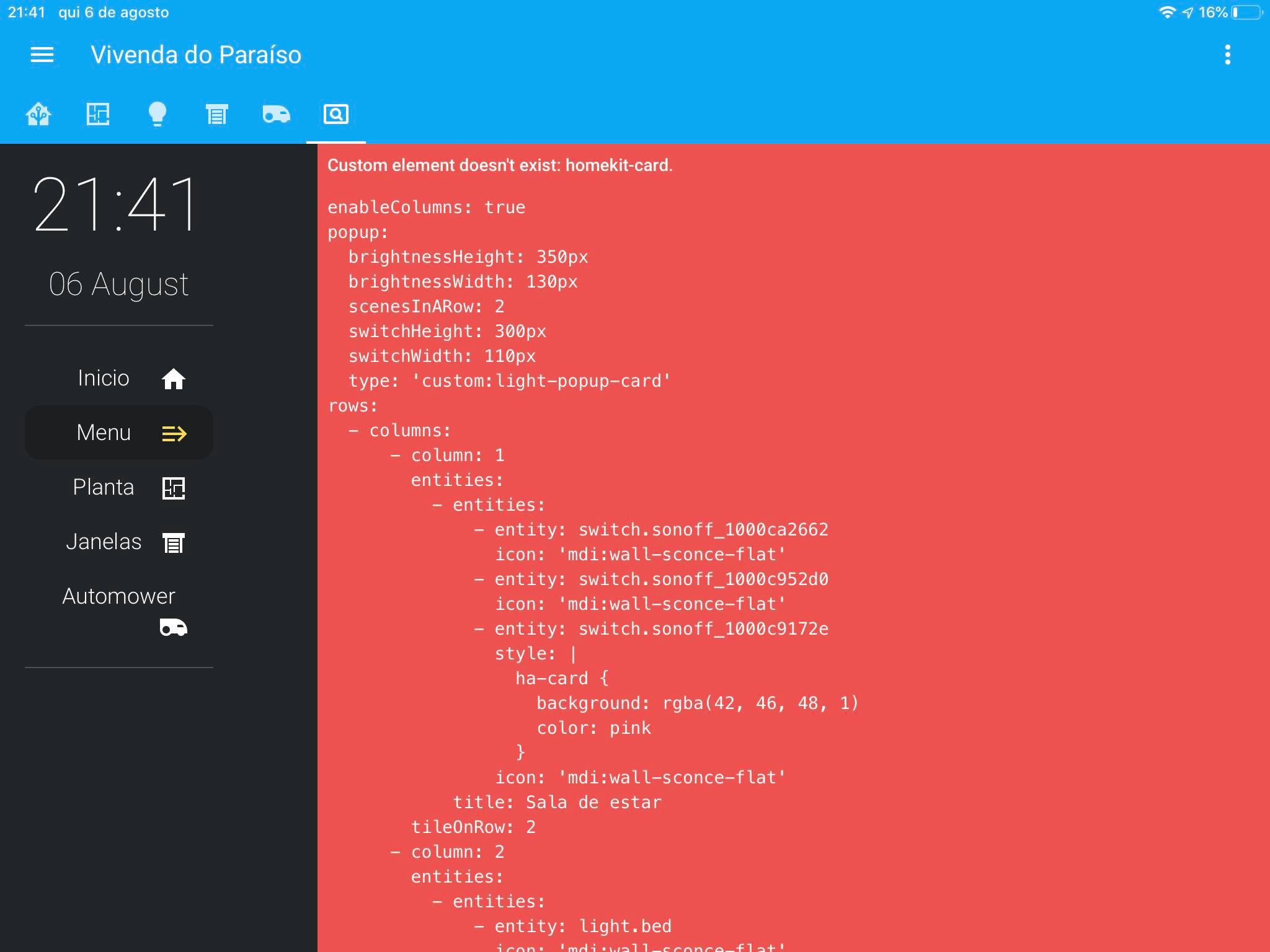
the buttons show like this
 trim flume
using the mikrotik router add-on i get a lot of device-trackers, trying to use them in an Entities card i am getting "Home" and "Away" for the status, can i change those some how?
tacit cave
@rustic lynx I'd wager that if you cleared the cache in your PC browser, that you'd have the same thing happen. Something is wrong with your config or your resources are improperly callled out
@trim flume nope
well you can with custom cards
rustic lynx
@tacit cave but in my pc all is working correcly they just dont work on mobile
tacit cave
that's the point, if your using old info on your PC, when you load onto any NEW system it won't have the correct info. Try clearing the cache on your PC. I'd wager that you get the same RED card.
kindred dirge
@kindred dirge it's not. Are you using iOS for your mobile device? If so, apple follows CSS to a strict code where as google chrome and firefox do not
@tacit cave The weird thing is that the other stuff I'm positioning works flawlessly so far, just that one picture element doesn't for some reason even if I remove all scale stuff.
And yes, iOS
tacit cave
Yes, safari follows a 'old school' approach to CSS where things are implied. When searching for ways to make things fit properly, make sure to include the word safari in your searches.
for example, if i want to resize something in a grid, I would search "Grid css safari"
trim flume
errr nm.... the device_tracker does say home...
mortal haven
https://gyazo.com/6125228313f1c7b24e580c246e8cd6a5
@rustic lynx Yes this, I like it very much, I would be grateful for a copy
 muted inlet
@tender ivy try clearing your browser's cache
 tender ivy
@muted inlet Didn't work, unfortunately.
Migrated from a Raspberry Pi4 to an Intel NUC and restored from a snapshot. Everything seems to be working aside from the Logbook and History options from the lefthand pane. Does anyone have any tips? Tried Googling but didn't see anyone with a similar issue.
wheat vessel
Hey guys. Im trying to add some custom cards via either HACS or Lovelace Dashboards. I've tried many now but only few works, all that dont work keeps showing "Custom element doesn't exist: clock-card." - What is it that i'm misunderstanding or doing wrong... i hope someone can point me in the right direction.
tender ivy
@muted inlet I wound up deleting my /config/home-assistant_v2.db file. Not ideal to start fresh, but seems to have worked.
rustic lynx
@mortal haven when i finish the code i can send a copy no problem
mild veldt
@wheat vessel assuming you did it correctly, try clearing your browser cache
errant plover
Would any frontend wizard here be interested in forking and fixing this card? https://github.com/schmallaria/flipclock-card
karmic tiger
If it's broken, log an issue on that repo
errant plover
Yeah that's been done. It appears abandoned.
karmic tiger
The last commit was only 3 months ago and I don't see any issues newer than 22 days. It's a bit quick to call it abandoned.
It's probably a hobby project, so don't expect people to check in daily with updates.
And regarding having someone else fix it... it's open source. You're welcome to fix it yourself if you have the skills. If you don't, wait for someone else to find the motivation to fix it.
Otherwise, it comes across a bit like 'oi, you, go fix that'.
Raise an issue, give a thorough description of the problem and why you think it's happening. Maybe someone else sees your issue and decides they could fix it - in which case, they'll do a PR.
mortal haven
@mortal haven when i finish the code i can send a copy no problem
@rustic lynx Thank you 🙂
errant plover
@karmic tiger if you look at the build log they never succeed in building the js bundle. And the 22 day old issue is the relevant one. I don't have the skill to fix it hence advertising the need here.
 amber jewel
hey so I just installed this using HACS https://github.com/custom-cards/unused-card can I just put the ```resources:
- url: /local/unused-card.js
type: module```
in the raw config editor or do i need to switch lovelace to yaml mode?
wheat current
Configuration -> Lovelace dashboards -> resources
amber jewel
oh ok looks like its already in there
wheat current
It should be 😉
amber jewel
when i go to add a new card im not seeing it though?
wheat current
98% of custom cards will not show in the selector, use "manual card"
amber jewel
hmm
not sure how i do that
what do i put in that window that pops up when i go to add a manual card?
wheat current
Look at the README for the card you are trying to use
amber jewel
https://github.com/custom-cards/unused-card it says the type should be custom:unused-card
wheat current
clear cache
amber jewel
😍
 simple rock
Hi,
I have a philips dimmer and a philips hue bulb which I want to directly connect but cannot find the page in the latest version of the panel. I tried zigbee channel but they suggested here.
Can someone direct me to that page?
Or am I in a completely unrelated channel?
 hollow tendon
Hello! I'm using the custom button-card on a tablet that will be fixed on the wall. I would like to do something similar to the entities card, where I have the title and one entity each line, but replacing entities with buttons. The goal is to have the title and buttons on it. Can someone suggest something to me? Many thanks
vapid field
Hi all, I may be being stupid with this one....
I can't set a frontend theme via a service call (or automation)
I have installed themes from hacs and would like to automate between light and dark.
But calling the frontend.set_theme service does nothing.
Setting the theme via the profile page works fine?
forest smelt
@hollow tendon Android?
hollow tendon
Currently is an iPad
forest smelt
Look for Home-Dashboard on Discord 🙂
hollow tendon
Ok thanks@forest smelt
wide reef
ever since 0.113 when I edit a view that has a custom card in chrome, the editing box goes outside of the chrome window, so i have to stretch it across two monitors. If I go to a view that doesn't have a custom card then the editor pops up normally
anybody have an suggestions?
 latent snow
is there anyway to restrict access to panels by users/devices... i am wanting to display only information on a tablet/ipad for a particular ares like living room etc without being able to access other panels from that device
mild veldt
latent snow
thanks @mild veldt ill check it out
 gusty nacelle
Hi. Is there a way to have some type of progress bar in a markdown card?
elder pendant
Tied to what?
mild veldt
@gusty nacelle  and then you could use a template to replace 28 with whatever you want
e.g.
content: >-
Freezer Battery: }}/
"progress")
type: markdown
should put that in the docs as that is a pretty cool one
there's other styles too https://github.com/fredericojordan/progress-bar
polar kelp
Neat.
rustic lynx
how i can make a notification card ? any links ?
gusty nacelle
@gusty nacelle
and then you could use a template to replace 28 with whatever you want
@mild veldt Amazing. Thanks you!
vapid field
Must say that after i developed the UI settings for my spotify card and there for switched to GUI config for lovelace i dont understand why people keep editing yaml files.
I am really impressed with the efforts put in to the fronted. Nice work!
🌹💐
elder pendant
code reuse is the main reason
 shadow bronze
How long does HA keep the history of an entity?
I can see about 24h in the graph, is there a way to retrieve more than that?
dark dirge
It’s based on the recorder purge setting
You can use a history card or the mini-graph-card or probably others to define what you want to see
spark light
Me again, with some more sidebar/ dashboard questions!
Can I hide a dashboard and/ or sidebar entry from certain users? E.g. non-admin users can't see my Glances iframe panel or an admin dashboard?
Edit: found the answer! I should read the docs better... Both iframe_panel and dashboard have a require_admin variable. I'm still interested to know if there's a way to get more fine-grained with this though 🙂
 white drift
Does it really require a custom to have a slider in the card?
for something like a input_number entity that has a mode of slider
white drift
eh, no worries, just installed the custom card i guess
rustic lynx
How I can make a notification card ??? I can’t nothing about that .
 hybrid eagle
Im trying to use an example of mini media card, but I always get no card type found
kind shellBOT
@hybrid eagle posted a code wall, it is moved here --> https://paste.ubuntu.com/p/fqRWxVYqy5/
hybrid eagle
That's all I need to implement, but if I add it in a manual card, or through raw configuration, it's either an error, or nothing. Been stuck there for a couple hours
 normal mango
Hello everyone. I just got my Xiaomi door/window sensors working with HA with the new Sonoff zigbee bridge and ZHA (thanks @digiblur ). Big BUT is, the icons i get are only a square or an empty square. Is there a way to tell HA the nature of the sensor so it applies the proper icon?... obviously, changing the entity´s icon does´t work because it won´t change to the proper state...
normal mango
thanks @karmic tiger , but working it through yaml renders the same result as changing it through de UI, a static icon.
When connect through zigbee2MQTT, the proper icons are assigned, so I´m guessing ZHA´s quirk has much to do with it
karmic tiger
You're not trying to change the icons, you're trying to change the device class.
HA will pick appropriate icons for that device class.
normal mango
@karmic tiger my mistake, you´re absolutely right!
 wind spire
how can i change the color of an icon?
 twilit lintel
how can i change the color of an icon?
@wind spire I have the same question.
Also, I'd like to know how the icons change colors. I see a lot of frontend UI that the icons change color automatically from blue to yellow (when the lights change from off to on, for example).
My lights' icons are blue all the time.
They are MQTT switches (Tasmota)
 main pasture
im trying to configure an 'auto-entities' card, but am not succeeding completely
type: 'custom:auto-entities'
card:
type: entities
title: draaiende apparaten
filter:
include:
- domain: switch
state: 'on'
exlude:
- entity_id: 'batt'
want to output all switches in the house wich are on, but exclude the ones that have batt int the name
the outputting of switches works, but the battery switches are still included 😦
can anyone spot an obvious error in my above code?
mild veldt
@twilit lintel what card?
main pasture
auto-entities (custom-card)
ohw sry
@twilit lintel can you post your yaml for the light?
i have tasmota lights also with color
twilit lintel
@mild veldt entities card
main pasture
probably the problem lies in the yaml (reporting back color states)
Can you show your yaml for the light ?
twilit lintel
@main pasture sure my friend. give one min
mild veldt
@twilit lintel check the docs for entities card, there is a config for state_color that is false by default
main pasture
just checked, made a new entities card and put one of my tasmota lights ins there
it changed colors right away, without any change to it
type: entities
title: My Title
entities:
- entity: light.vievkamer_kwallamp
the problem is most likely in the yaml
mild veldt
yes, if they are in the light domain they will still change color
unless you explicitly set state_color to false
main pasture
@twilit lintel time's up.. where is your yaml? 🙂
my time is up also.. have my yaml and let me know if it helped
twilit lintel
@main pasture hey buddy! I'm so sorry. I had to answer the door and my wife is really talkative today hehe
I just checked what @mild veldt wrote. That was the "problem". This type of card has state_color as false by default
just set it to true
and it's now working!
entities:
- entity: switch.light1
- entity: switch.light2
- entity: switch.light3
title: Lights
type: entities
state_color: true
Thank you very much guys!! @main pasture @mild veldt
and sorry one more time @main pasture for the delay!😅
 prime isle
hi guys! i'm using a picture element card and i have a switch with two relays (HA sees one device and two entities)
is there any way that i can control both relays on the same element?
mild veldt
@prime isle write a script
kind shellBOT
@warped mason posted a code wall, it is moved here --> https://paste.ubuntu.com/p/8kP6dx8SBq/
karmic tiger
Did you refresh your browser cache?
 warped mason
Hi @karmic tiger : No. 🙂 I will do that and come back to you
Mhmm. Nothing changed. Same error 😕
karmic tiger
Restart HA and try again. It sounds like some kind of caching error. You described that it was in the correct location - it's just that the browser can't get to it.
warped mason
Same result. Restarted HA and restarted Host. Is there a need to add anything to configuration.yaml? And shouldn't there be a new card type when I try to add it cia Lovelace UI?
Just to make sure: I changed the resource path to the original one (created b HACS): /hacsfiles/light-entity-card/light-entity-card.js
I assumed that this path is similar to the /www/community/ path ...
 unreal urchin
hi friends. i've been using https://github.com/sbryfcz/harmony-card for a little while, but it doesn't appear to be maintained and i'm considering a replacement. any recommendations or configs you can share?
unreal urchin
i like it. do you mind sharing?
warped mason
Guys, I fixed the problem. Had a 2nd window of chrome open and didn't noticed it. After ending the whole process and deleting the cache, everything works. Thank u very much and GN8
Again, special thx to @karmic tiger 🙂
 alpine dagger
Trying to find some nice examples for Philips Ambiance lightbulbs
I see love lace already has a light card with a dimmer
mild veldt
 scarlet frigate
I created my first HA theme! https://github.com/reesericci/dave2d-teal What do y'all think?
 steady sluice
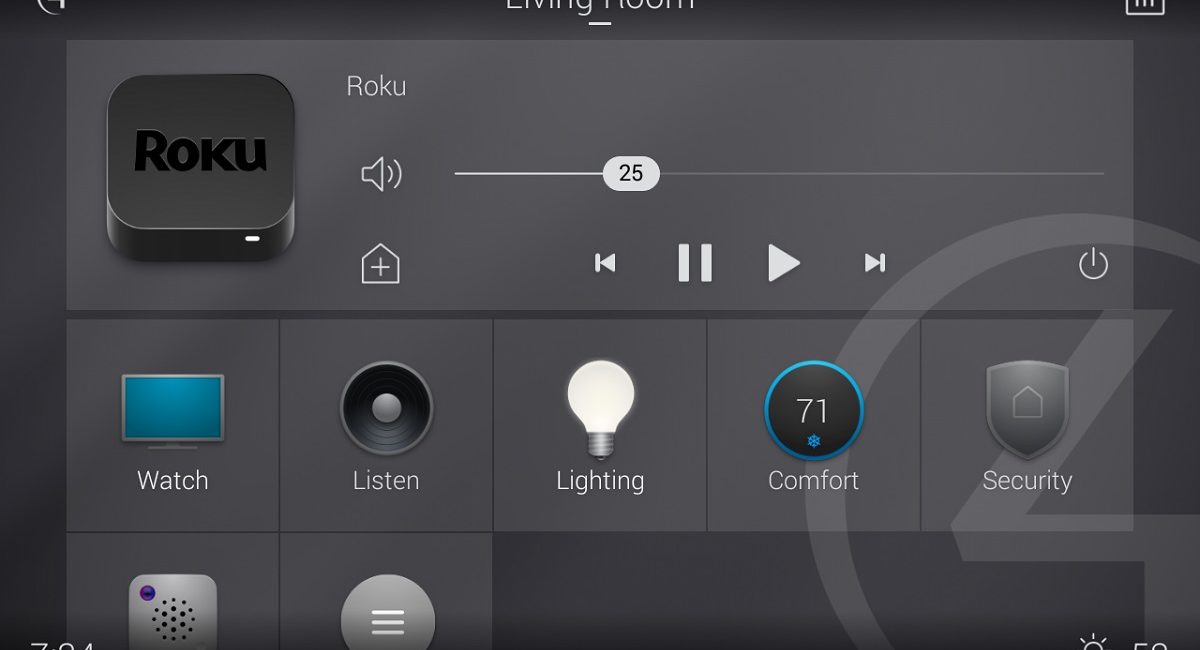
Hey guys so I want to make my own dashboard like control4s dashboard for a wall mounted tablet. I have no experience coding at all, where should I start? I have tried to find other things like this but have had no luck
@fading sorrel I see you made the appdaemon add on, would it be possible to create something like this through that add on?
 mild veldt
@steady sluice something similar to that can be done with the default UI, Lovelace
steady sluice
Oh really? I thought it was pretty limited by the "box" type things
mild veldt
I have no clue what that means
steady sluice
lol. I mean the cards
muted inlet
Looks like custom cards/theme is used here
steady sluice
They are specific sizes and as far as I can tell they cant really be changed dimention wise
Ok. How hard is it to make your own custom card?
mild veldt
I was able to quickly put this together on the demo site
change the icons and the theme and it's there, imo
mild veldt
steady sluice
Wow so only the ones included in home assistant
Is there a way to put custom icons that are colorful, such as the spotify one?
mild veldt
would recommend https://github.com/custom-cards/button-card if you're looking to get more creative
steady sluice
Ok thanks!
steady sluice
Is there any way to keep the media player open when the device is off?
I know when I turn off the device the media player turns into a little bar
 desert reef
Hey everyone... has anyone created/seen a light control card (I've got some lifx bulbs) which incorporates flux configuration (color temperature for different points in time)??? I'd like it if it could also control color/white temp and brightness... Ideally it would have a compact mode as well. I want to ditch my lifx app and just use home assistant.
This RGB Light Card (https://github.com/bokub/rgb-light-card) is close, but doesn't have the flux controls. Maybe it's just a combination of Lovelace configs that someone's seen done really well.
errant plover
There's this: https://github.com/ljmerza/light-entity-card
 faint trail
Is there a bug, that when I have two history graphs on a single screen for the same data (different only in time frame: 1h and 48h), it picks only one timeframe and shows it for both graphs?
https://imgur.com/a/SX23PeI
 nova atlas
Hello everyone. I have a follow up question regarding history graphs: I have an input_number on my lovelace frontend and want to use this number to set the "hours_to_show" variable. That way I can quickly change the scale of my graph directly on the frontend. Simply using:
- type: history-graph entities: - entity: binary_sensor.kitchen_motion hours_to_show: input_number.scalenumber title: Kitchen Motion
doesn't work. Any ideas?
karmic tiger
When you say it 'doesn't work', I assume you mean it says the value you're providing for hours_to_show is invalid. But I can only guess since you aren't sharing the error message...
Check the docs and you'll see it accepts an integer for that key (https://www.home-assistant.io/lovelace/history-graph/#hours_to_show). Unless explicitly stated, keys don't accept templates (i.e. you have to write the values by hand).
Using templates in cards is uncommon unless it's a custom card and even then it depends on what the developer allows templates for.
errant plover
karmic tiger
custom:config-template-card My point exactly. It's a custom card.
Gotta do magic to get templates working 😄
karmic tiger
If you replace input_number.scalenumber with a number, it should start working.
If that's the only problem, follow tom's suggestion.
nova atlas
I assumed it was just my wrong syntax, but seems that it is a bit more complex than that.
Yes, I initially used a "hard coded" number and it worked fine. Only stopped once I introduced the input_number variable
Okay, so does that mean I will also not be able to have a "dynamic" card title for a typical entities card? (Was thinking of using a template sensor's value as the card name)
edit: nevermind, I see that the custom:config-template-card will sort this out too
karmic tiger
That template card 'wraps' it with something that can understand templates and inserts them in a way the wrapped card can understand.
Important note: it appears that any templates you use in the wrapped card have to use JavaScript, not Jinja.
nova atlas
Cool. Thanks for the warning. Let me give it a try
errant plover
There is a jinja template card too.
karmic tiger
Doesn't that make it heavier? Your browser already understands JS, which I presume is why custom cards use it so frequently.
Better than bundling something else with the custom card code.
errant plover
Apparently so. I was just looking for the warning 123 Taras gave me about using it.
karmic tiger
Yeah. Another reason to stick with JS 😄
At least I can understand JS syntax. I always struggle with Jinja.
nova atlas
~~I'm sorry, I was hoping to come back with a "That works, thanks a lot!", but I'm having issues for some reason.
After installing the custom card through HACS, adding
- url: /local/config-template-card.js
type: module
to my resources, and restarting HA, my Lovelace gives an error for this card, saying that it does not exist: "No card type defined
type: 'custom:config-template-card'"
Is this because of the Taras vs JS conversation above?~~
Restarting HA again sorted me out. Thanks for the direction
 lapis lava
Is it possible to use home assistant as normal but host your own html page next to it on a raspberry pi?
hushed wasp
Is it possible to change icon by state with card-mod ? 🙂
wheat current
@lapis lava Home Assistant can host static HTML files for you with the http #integrations-archived
twilit lintel
guys. Just replaced some pictures in www folder. (updated them but kept the same name)
HASS still shows the old pics in the UI. I already restarted HASS and also the host. (nothing changed).
any ideas why this happens?
muted inlet
browser cache
twilit lintel
@karmic tiger I think I got it buddy. Just logged in in chrome incognito mode and the new images showed up. I'll clean the browser cache then.
@muted inlet Thanks!
👍
 tame dove
What is the default RGB for HAss icons?
Been playing with a color wheel but can figure it out
 gusty pivot
my google fu is failing me..
I've got a media card for my AVR, but how do I add controls to the card its self instead of having to click on the dots to open the pop up
I feel like there should be a guide I'm failing to find
muted inlet
@tame dove the light blue? You could upload a screenshot to a site that gives you a color grabber tool
tame dove
You might be my favorite person of the day @muted inlet , thanks
plain pike
the replacements for base_url: are now internal_url and external_url correct? trying to get let's encrypt finished
muted inlet
Lol you're good
plain pike
can I use the same for both? they both resolve differently whether it's internal or external but the external host will work internally
and my cert would only be for the hostname anyway
just trying to get letsencrypt back up and it seems the docs aren't updated yet
muted inlet
@plain pike it goes under homeassistant: not http:
Or at configuration > general if you don't have (or want to add) homeassistant: to your config
plain pike
doh! there it is LOL
I just had to use samba to change the config LOL
thank you I got back in, now I'll add it under configuration I think it's easier
nova atlas
Hi all. I need some help displaying a timestamp in my timezone please. The last_triggered attribute is recorded in UTC, but I am in UTC+2. Is it a formatting thing to adjust what is displayed, or do I need to create a new template sensor to show the time in my zone?
I'm currently using this timestamp-device template sensor: value_template: "{{states.automation.notify_when_gate_is_opened.attributes.last_triggered.strftime('%H:%M %z') }}"
On Lovelace this displays as "10:58 +0000". How do I make it display 12:58?
karmic tiger
Is your HA set to +0200?
nova atlas
I believe so. The only place I've found where it can be set is with the basic UI: configuration/general
Please tell me there is another place where I should set it!
The following sensors all show the correct time for my zone:
sensor.date_time
.date_time_ISO
.time
.time_date
novel finch
Hi, using conditional card and noticed that when used for a single row there is a lot of space between one row and the next one. Is that known or am I missing something ?
tacit cave
@nova atlas ```
{{as_timestamp(states.automation.notify_when_gate_is_opened.attributes.last_triggered) | timestamp_custom('%H:%M %z') }}
@novel finch you're conditionally displaying a full card in the single row
novel finch
yeah, that's true and a emtpy card is still as narrow as a empty row ?
tacit cave
an empty card is 4 pixels high
nova atlas
Thanks so much @tacit cave. That works perfectly. Your number format is still the same as mine ('%H:%M %z'), so which part of your solution gives HA the instruction to display in my timezone and not in UST?
tacit cave
.strftime is the built in python object. It's in unix time. the timestamp_custom filter properly knows the timezone
novel finch
Yes, it should. It needs to leverage https://github.com/home-assistant/frontend/blob/dev/src/common/datetime/relative_time.ts
@tacit cave some days ago you told me that relative_time is only English. But the .ts file you linked seems to have a call to localize()
tacit cave
it may be langauged now. Things change. It hasn't had translations for a long time but there has been a translation push in the last 3 or so months
So, you could always just try it out in the template editor, it'll tell you immediately.
 rough plover
Hello - I wonder if someone could point me in the right direction... I'm following these instructions: https://github.com/gurbyz/power-wheel-card#configuration-instructions
I'm using the lovelace GUI so I don't have the ui-lovelace.yaml ( and I really don't want to move to the yaml as the GUI works great!)
When I create a new card in lovelace manually it says "No card type found" even though I've copied the file locally and restarted the service. Can I add the config via the GUI manual card or not?
elder pendant
Did you add the resource for the card in your frontend or did you just download the file?
errant plover
Has anyone managed to use a local font? Can you see what I'm doing wrong here? https://community.home-assistant.io/t/use-ttf-in-lovelace/143495/11
elder pendant
you need to add it to your resources, it's not enough to just download the file. Go to configuration > lovelace dashboards > resources > the plus button at the bottom
/local/power-wheel-card.js?v=1 will be the url to use
rough plover
you need to add it to your resources, it's not enough to just download the file. Go to configuration > lovelace dashboards > resources > the plus button at the bottom
@elder pendant Thanks I've done that but it still shows "Cannot read property 'setConfig' of undefined" and in the red box "No card type found"
elder pendant
what did you put in the manual editor?
rough plover
views:
- id: example_view
cards:- type: 'custom:power-wheel-card'
title: Power wheel
solar_power_entity: sensor.sensor.lux_sensor_1
grid_power_consumption_sensor.lux_sensor_2
grid_power_production_entity: sensor.lux_sensor_3
- type: 'custom:power-wheel-card'
elder pendant
you can't add an entire view in the manual card editor
also that's not a valid config for that card
grid_power_consumption_sensor.lux_sensor_2 this line got messed up somewhere along the way
rough plover
ah yes it should be grid_power_consumption: sensor.lux_sensor_2
elder pendant
now try adding just the card config as a card
rough plover
No card type found still :/
elder pendant
do you still have the - in the beginning?
wheat current
yup
rough plover
As below - correct?
views:
- id: example_view
cards:- type: 'custom:power-wheel-card'
elder pendant
... no
like I said, you can't add an entire view as a card
type: 'custom:power-wheel-card'
title: Power wheel
solar_power_entity: sensor.sensor.lux_sensor_1
grid_power_consumption_entity: sensor.lux_sensor_2
grid_power_production_entity: sensor.lux_sensor_3
sensor.sensor.lux_sensor_1 is obviously not valid, but you'll have to figure out your entity_ids
rough plover
@elder pendant Thanks I understand that now, ok so I still get "Error: Custom element not found: power-wheel-card"
I might just roll back and install it via HACS and see if that works and report back in a few
elder pendant
if you're still getting that error then you haven't properly downloaded the file/added the resource
you should be able to go to http://<your-ip-and-port>/local/power-wheel-card.js?v=1 and see the card source
rough plover
Removed it all - copied the file back and it's works! 100% my fault! I used winscp the first time did it over ssh and it worked fine. Sorry about that.
 tight canopy
Any smart way to build in a shorter path the the ZHA integration configuration page?
panel_iframe?
novel finch
it may be langauged now. Things change. It hasn't had translations for a long time but there has been a translation push in the last 3 or so months
What I mean is that you are right because it shows only in English, even if there is a call to localize in the file you mentioned. If you agree, I may fill a issue
 knotty vine
Hi there! I've got a value_template that works fine in the template tool, but as soon as I put it in an Entity card, it breaks. I'm trying to put a line break between two attributes on one sensor to help consolidate vertical space.
`
{{ states.sensor.tcm.attributes["name"] }}{{" \n"}}({{ states.sensor.tcm.attributes["releaseYear"] }})
dark dirge
Many cards don’t support line breaks, but you may just need to do ‘\n\n’
knotty vine
Ahhh! Escape character. Let me try that!
dark dirge
This was my similar post from a year and a half ago: https://community.home-assistant.io/t/multi-line-entity-names/105984
The entity card is pretty basic. You may want to look into the custom button card for considerably more flexibility
knotty vine
That's a great suggestion. I like it for the names, though. I'll use the hell out of that!
dark dirge
You can do anything in there. It’s crazy
plain pike
no, I'm crazy
dark dirge
You might be able to make your whole UI in a custom button card
knotty vine
It might be too late and too much rum to learn custom button cards.
But I appreciate the direction.
plain pike
You might be able to make your whole UI in a custom button card
@dark dirge I've heard rumors of this actually
 cerulean pulsar
Ok, you wouldn't think this would be a stumper, but.. I want to build a set of custom button cards that work like radio buttons for light brightness (off, 25%, 50% etc). For whatever reason, I can very easily make a custom button act like a toggle, but I can't seem to make either action: call-service work with service: light.turn_on or service: scene.apply .. yaml follows:
type: 'custom:button-card'
icon: 'mdi:lightbulb'
tap_action: call-service
service: scene.apply
service_data:
  entities:
    light.bedside_liz:
      state: 'on'
      brightness: 128
name: '50%'
@cerulean pulsar
cerulean pulsar
Thanks, RobC, that sorted it. It actually needed to be tap_action: and then on an indented newline: action: call-service and so forth
but yeah, got it, thank you!
 prime meadow
Hello
Did you know, how can i have moon phase icon on the top of frontend end in place of it's value ?
errant plover
Check out his moon template sensor: https://community.home-assistant.io/t/moon-platform/19373/10
 heavy mango
Can anyone point me towards a good place to learn yaml code (for dummies) The one's i find looks a bit outdated.
prime meadow
Check out his moon template sensor: https://community.home-assistant.io/t/moon-platform/19373/10
@errant plover Thanks, i have it, but icon don't appear...
errant plover
Did you download the images and place them in the correct directory?
prime meadow
maybe another way: how can i make a badge with icon and not value ?
heavy mango
anyone got a custom card thats they know work with Home Assistant 0.113.3? I get "Custom element doesn't exist" on everything i've tried so far
errant plover
@prime meadow You create a template sensor with an icon template.
like this: https://paste.ubuntu.com/p/b8HMg48ZYD/
errant plover
@heavy mango all of them (that I use). But if you want a specific one that is simple to set up try: https://github.com/kalkih/mini-media-player I think the minimum config is just type: and entity.
heavy mango
Thank you 🙂 Just need something to get me going.
 compact nexus
@heavy mango check out https://github.com/thomasloven/lovelace-hui-element. since the update this has worked perfectly for all my custom cards and popups.
thomasloven has a bunch of great frontend stuff
errant plover
That's only required if you are using the custom cards as row elements in another card.
heavy mango
@compact nexus Thank you 🙂 I got the mini-media-player working, so now i know (roughly) how to include all files and set it up. I'm a learn by trying, not a good reader unfortunately.
compact nexus
yeah i use it for popups. just figured it might be of interest
 plucky rock
Sorry if this question has been asked but is there a way to read an persistent notification in an automation so you can dismiss if its not important. I see create/dismiss/mark_read
karmic tiger
If something created a persistent notification, it's probably important. What are you trying to achieve?
 jagged zodiac
I am trying to install BOM weather card and struggle with adding the card, it keeps saying no card type found. I have rebooted HA numerous times
I checked under resource HACS have installed the resource as a JavaScript Module pointing to /hacsfiles/bom-weather-card/bom-weather-card.js
I can find the file physically in \www\community\bom-weather-card\bom-weather-card.js
wheat current
remove - from in front of type:
jagged zodiac
I still get Custom element doesn't exist: bom-weather-card.
wheat current
That's something different 😉
- Not loaded (defined correct as a resource)
- Clear the browser cache
- Card is broken (check browser console)
jagged zodiac
Clear the cached work thanks
well i don't get any more errors
now the card is blank 😦
I have to check the sensors now
There should be an easier way to get a decent weather forecast for Australia
jagged zodiac
There is integration for that?
 nimble hamlet
Nah just use webpage card and embed it into it
jagged zodiac
can you show me an example?
jagged zodiac
this channel doesn't let you
nimble hamlet
any channel that does?
may a pm?
maybe*
this is not the video I used but looks close enough
jagged zodiac
pm is fine
plucky rock
@karmic tiger trying to make an automation when I get the alexa notification that I need to do the capture process. I am missing alexa announcements because of this
 mint geode
Is there a solution (yet?) to casting custom cards in Lovelace? Is this still a general issue or is it specific to my setup?
polar kelp
It used to work
mint geode
Yes I remember there was an issue in github, it all started with the lazy loading of resources if I remember correctly. Currently I can’t display any custom card on any google cast device. So ist this intentional?
prime meadow
@prime meadow You create a template sensor with an icon template.
@errant plover i can't do it. Even if i create a template sensor with just one value, sensor don't show icon on badge :/ i think it isn't implemented
mint geode
I found a similar issue in your rep @polar kelp :
https://github.com/thomasloven/lovelace-auto-entities/issues/128
vapid field
Any tips as to why a custom element wouldn't show up in the app, but does work on a browser? I get the red box stating the element doesn't exist in the app, but it shows within browser. Specifically secondary info entity row
novel finch
Hi, where can I find the current MDI version of icons set used in HA ?
tacit cave
in the source code only
winter hollow
That's for version 0.114
wheat current
That is old
heavy mango
could you somehow create a custom api call which return in example value 1 that i can use in a gauge? or do i need to create a custom card for it?
wheat current
rest sensor maybe 🤷♂️
heavy mango
I'll look into it, thank you 🙂
elder pendant
you'll have to be more specific about where the value is coming from. Is it from an API or are you inputting it yourself?
heavy mango
API call return the value, i just want to place it in a gauge to track water level
elder pendant
then yes, rest sensor
heavy mango
Already looking at it, thanks for your help - Much appreciated 🙂
novel finch
Seems that 0.114 is using "https://cdn.materialdesignicons.com/5.4.55/" but mdi-counter that is listed is not working on frontend neither as "counter" nor as "mdi-counter"
elder pendant
how are you trying it?
novel finch
from a entities card. "clock" works fine, "counter" not
so I'm pretty sure syntax is correct; is not my first time customizing, but first time a single icon doesn't work
elder pendant
mdi:counter works on 0.113.3 🤷
wheat current
works in 5.5.55 as well
tacit cave
@heavy mango #integrations-archived
novel finch
not here: https://imgur.com/a/DRpao8w
0.114.0b4
fine on 0.113.3
copy/pasted the same code
heavy mango
I got it working Villhellm & Ludeeus, thanks for helping out a newbie 🙂
wheat current
114 has 5.4.55 and that icon exsist there
novel finch
yeah I know, but still cannot get it working 😒
same code on my prod that runs 0.113.3 works fine
elder pendant
works fine when I try it in 0.114.0b4 🤷
wheat current
probably cache
tacit cave
caché
elder pendant
cache as in the icon is cached for me? It works in incognito
tacit cave
solár flárés
broken marsh
I added vacuum-card via HACS and restarted HA. When I try to add the card there is no 'Custom: Vacuum Card' in the list as it says on #4 under 'Using the card' here: https://github.com/firstof9/vacuum-card What am I doing wrong?
broken marsh
Error: Custom element not found: vacuum-card
elder pendant
check that it is properly added in your resources. Config > lovelace dashboards > resources
(in the frontend)
broken marsh
it says /hacsfiles/vacuum-card/vacuum-card.js and javascript module
It was put there automatically
wheat current
F5 🔁
karmic tiger
Or the even more powerful Shift+F5 to skip your local caches.
broken marsh
Just did. Worked. Thanks. I'll remember that.
 atomic cedar
I'm having trouble getting a floorplan to display correctly on my fire hd 8. The "floorplan" tab appears on the home assistant front end but I cant figure out how to link the html directly.
this file appdata\Home-Assistant-Core\www\custom_ui\floorplan\ha-floorplan.html opens to an blank page
fierce quarry
When adding lovelace cards via HACS, should they show up in the card selector? I added one, it shows up in lovelace resources, but I can't add the card to a view
elder pendant
Most custom cards have to be manually added
 hidden holly
Do live camera cards only render when they're viewed by a client? Working with not a lot of RAM on some of my tablets so I'm wondering if I can move my camera cards to another view to prevent crashing
elder pendant
Yes, they only render when you load the view they are on
hidden holly
Alright, thank you
 vestal scaffold
hi All! I just installed the "Stack-in-card" repository in HACS. followed the instructions but i can't seem to be able to use this card.
After cleaning up most of the errors, i get this one: "Error: Custom element not found: stack-in-card"
errant plover
Check the configuration / dashboards / resources menu. HACS is supposed to add a resource for the card but sometimes you have to do it manually.
vestal scaffold
the .js file shows up in the resources menu
karmic tiger
Shift+F5 is the one that skips the cache, btw.
errant plover
Ctrl+F5 reloads the cache as well, so does Ctrl+Shit+R.
errant plover
Alt+F4 is another good one.
polar kelp
Ugh! Debugging issues in Safari for iOS 10.3 😦
I don't have anything still running that 😦
Apple provides a "Simulator" for iOS devices in Xcode 🙂
Have to install Xcode 😦
Simulator only runs iOS 13 😦
You can add older devices 🙂
wheat current
Browserstack
polar kelp
10.3 is the oldest possible one 🙂
More bloat 😦
Installing it makes my computer crash 😦
Twice 😦
Finally get it working 🙂
Can reproduce problem 🙂
Mobile safari has excellent remote debugging capabilities 🙂
A bug in current Safari for macOS makes it not work for exactly the setup I use 😦
Fixed in Safari Technology Preview 🙂
Turns out bug is because of the spread operator and can be fixed with babel 🙂
Babel increases the compiled filesize by a factor of 8 😦
Turns out babel has an online compiler. Tell user to paste entire code in one side and use what comes out he other instead. Works great! Issue closed 🙂
Total: 😦 : 10 🙂 : 10
Overall experience: 2/10 - Would not recommend
Transpiler is here: https://babeljs.io/repl Set it to ES2015 and try it if you have problems with custom cards on ancient ios devices.
The compiler for next generation JavaScript
Will browserstack give you console output, @wheat current? And can I even run it against things on my local network?
vestal scaffold
Is the type set to JS Module? What is the URL?
@errant plover the URL is /hacsfiles/stack-in-card/stack-in-card.js or /local/stack-in-card.js
how can i check the type?
found it. the type is JS module
the card still doesn't work
vestal scaffold
Got it to work!
 hybrid berry
is there a different way for updating only parts of a custom card on "set hass" instead of rerendering the whole card?
elder pendant
kind of. If this.content is already set then you can manipulate the already existing elements within
hybrid berry
ah nice... i'll give it a shot thank you
hybrid berry
i thought that by changing the stateStr in the example, Everything will be rendered again....