#frontend-archived
1 messages · Page 155 of 1
 barren bolt
 wheat current
known issue
works with HA 0.110😄
for now, just imagine ther is nice icons there, even though you can't see them, you can still click them
 finite pond
Can the line color of the sensor card be changed?
 split granite
If the docs don't say you can, then the only way to do that is with a theme/CSS
There is always https://github.com/kalkih/mini-graph-card
finite pond
I just tried it but it has weird font weights
split granite
Then time for a theme/CSS
finite pond
this looks perfect https://twitter.com/homewallapp/status/1258529463454724097?s=21
 pine plinth
can someone point me to the place where custom themes are explained and how to install them? I seem to not find that anywhere other than in an somewhat unhelpful YT video
pine plinth
ugh thanks
 polar kelp
But this is probably a better start, actually: https://community.home-assistant.io/c/projects/themes/
Look around, find something you like and start from that. Some link to github pages with installation instructions too, I suppose.
 lapis oriole
@polar kelp I posted a message some days ago. Do you have a suggestion for me? Thanks in advance for a reply.
https://discordapp.com/channels/330944238910963714/460846676358332417/707133589996961822
polar kelp
I think it's broken because the style variable names have changed, but the method works.
And don't use mod-card . Use card-mod.
pine plinth
@polar kelp I didn't make it this far. I want to simply install the following: https://github.com/liri/lovelace-themesI added the repo but I fail at activating themes in HA. The discussion refers to a link that is broken and on your link it refers to the the following: ```themes
(map)(Optional)
Allow to define different themes. See below for further details.
[identifier]
(list | map)(Required)
Name to use in the frontend.
[css-identifier]
(list | string)(Required)
The CSS identifier.```
what has to go in CSS identifier for a theme I download via a repository?
or different ask - how do I simply activate themes
polar kelp
There's quite a bit of term confusion going on in that readme...
pine plinth
I figured yes
polar kelp
The simplest way to use themes, it to addyaml frontend: themes: !include_dir_merge_named themes to your configuration.yaml.
Then you create the directory <your config directory>/themes and just dump the theme files in there, e.g. <your configuration directory>/themes/google-home.yaml.
pine plinth
oh great! let me do that and see where I get
polar kelp
I think that once you've made the configuration changes and added the directory, HACS will find out automagically on the next restart that you have themes enabled and give you a new tab.
pine plinth
the google-home.yaml content is also not really mention within the github page or am I missing it?
lapis oriole
@polar kelp
Sorry for my noob-ness. Thanks for your reply! Is this the way to go (not working yet)? And how to integrate card-mod (sorry)?
  title: Afvalkalender
  type: entities
filter:
  exclude: null
  include:
    - entity_id: sensor.trash_gft
    - entity_id: sensor.trash_papier
    - entity_id: sensor.trash_restafval
    - entity_id: sensor.trash_first_next_in_days
show_header_toggle: false
options:
  style: |
    {% if state_attr(config.entity, 'friendly_name') == "%" %}
    :host {
      --paper-item-icon-color:
        {% if state_attr(config.entity, 'friendly_name') == "restafval" %}
          red
        {% elif state_attr(config.entity, 'friendly_name') == "gft" %}
          orange
        {% else %}
          var(--text-light-color)
        {% endif %};
    }
    {% endif %}
sort:
  attribute: next_pickup_in_days
  method: attribute
  numeric: true
type: 'custom:auto-entities'
https://github.com/thomasloven/lovelace-card-mod Just follow the installation instructions.
You'll need to add the options to each filter, though. There's no way to add common options.
And your logic seems off. Now you'd get the color red if the friendly name of the entity is exactly "%" while simultaneously exactly "restavfall".
Tip: Start simpler. Do it without the auto-entities card first.
lapis oriole
Yes, I installed your card-mod. Followed your instructions but stuck to integrate several custom cards. Sorry, will read it again and again and try harder/better. Thanks!! I want a different color for the different friendly names. Have to learn a lot.
pine plinth
I'm loving this discord server. Thanks @polar kelp
polar kelp
@lapis oriole if you add the style to each entry in the filter individually, you won’t have to bother with the ifs. Uou can just hard code the color.
pine plinth
when I add an icon to a dashboard to show - why is it invisible? Can I control color at some place?
I use the mdi icons
so they should work
lapis oriole
@polar kelp Thanks!! You are the best!
https://www.evernote.com/l/AAXAzd8mmBNDM7lmR3anLz7Fz9J_JXbVv1w
pine plinth
Okay I think I don't understand Icons. I thouth HA can call upon any item from the following website: https://cdn.materialdesignicons.com/4.5.95/ but whenever I use any icon reference it just shows as empty in my interface
do I have to actively include the icon source?
solved. the proper way to call them is mdi:name not mdi-name
 vapid field
Hi everybody, I'm trying to debug a strange issue where I'm using 'custom:config-template-card' to display a local image where the local image changes throughout the day. The image displayed is determined by a sensor, the file location is stored in the sensor. I'm at a strange place where this is 90% working but when the sensor updates the image link 'breaks' and no picture is shown. But if I then refresh the page, the image shows up just fine. Would appreciate some help if poss. I've posted about it here https://community.home-assistant.io/t/100-templatable-lovelace-configurations/105241/351?u=daneboom for full disclosure about potential xposting! 🙂
 limpid apex
My work in progress! Any suggestions? https://youtu.be/sDQ1NqAtz8Q
 fallow garden
My frontend issue since last update: The configure UI menu is always saving, even when save button isnt pressed. while its saving i cant press it. So i cant change the UI. I have a screenshot but no permission to upload
Anyone else who has this issue? Should i report
 trim bronze
Morning all, I am re making the theme i'm using for lovelace, but I cant find the tag I need to use for changing the default blue header at the top, could anyone let me know what this line is please ?
vapid field
I can't seem to get HA to connect through my VPN while away from home.What settings should I have in the internal and external boxes if I always want it to use the VPN and act like it's home??
I don't have a trusted network setup... so that's not stopping it from working
trim bronze
thank you @polar kelp that worked for me
 static steeple
My font size for sensor.time is not working, what am i missing here. I'm searching about 2 hours. but can;t find any solution for this:
 kind shellBOT
@static steeple posted a code wall, it is moved here --> https://paste.ubuntu.com/p/WvDy6TrSrV/
split granite
~codewall @static steeple
kind shellBOT
@static steeple Rule #6: Please do not post codewalls (longer than 15 lines) - use sites such as https://hasteb.in/, https://paste.ubuntu.com/, or others.
Please take the time now to review all of the rules and references in #rules.
Command '~codewall' was invoked by: Tinkerer
static steeple
font-size: 10.55em; is not working, can anybody help me out ?
 frosty pelican
@storm rampart on the user profile page there is a toggle to hide it
 storm rampart
Yes, I know, but I want to permanently remove it for users, and that only an administrator user can access it.
 latent moss
That's not possible at this time, but if they are a user account they will not see a lot of the sidebar items (no dev tools / admin type features will be available to them).
 sweet cradle
hi all. I have HACS setup and working, but when I add plugins, such as https://github.com/custom-cards/button-card through HACS, and applied to Lovelace, it never shows up in the UI to add it as a panel. Any guidance on what I should be doing here? I didn't think I needed to add it as a YAML as it is already a HACSFILES resource
 royal harness
Hi, I have a strange issue, i can acces to home assistant via local ip on https and via cloudflare, but... On local ip i can see lovelace and on https via cloudflare, i can login but after that i get error 404
 ivory horizon
Question has anyone noticed that the sensor card on lovelace appears to be broken?
What I mean is that my sensor card after a while starts to show a flat line with no fluctuations
but when I refresh the screen suddenly there are many more ups and downs in the previously flat line
sweet cradle
@ivory horizon I have a wall mounted tablet with a sensor on the front page, its updating on its own :/
ivory horizon
strange after some point in time it goes from updating fine to just showing a flat line and when I do a lovelace reload it suddenly redraws the line correctly
 junior niche
Seeking a quick sanity check - is there a frontend for a "web socket" light switch? That is, a dimming slider that updates the dimming value in real-time as it is changing rather than simply submitting the final value.
latent moss
@sweet cradle that's expected for the button card, it doesn't have a UI editor and won't show up in the card picker. Most custom cards do not support that yet. You will have to use YAML code when adding buttons for that card.
 digital raven
I'm trying to get an auto-entities card for all the rgb capable lights that are on. How would I need to define that filter?
Currently I have:
 filter:
  - domain: light
    state: "on"
    attributes:
      supported_features: "|bitwise_and(16) == 16"
I am not sure if I can use templates like that in the filter. The template
{{ state_attr('light.kitchen_table_all','supported_features') | bitwise_and(16) == 16 }}
Evaluates to true at least. I would expect a true or false value would be required here?
 chilly linden
Hi Folks. Has anyone install hassio using docker and have it accessible from remote location?
The steps that I've taken are outlined in the forum but I'm not getting help.
https://community.home-assistant.io/t/accessing-homeassistant-front-end-remotely/193867
chilly linden
Please disregard. Turned out the port wasn't opened until I rebooted.
sweet cradle
@latent moss So I must add it into a yaml configuration for it to show right? I guess I was confused because I followed the instructions: https://github.com/custom-cards/button-card#installation But it looks like I need to do manual??? and when it says 'add to ui-lvoelace-card.yaml' I don't have thaf file, is it safe to just create it in the same directory as configuration.yaml?
latent moss
no i meant that it's never going to "show up" in the card picker, ever... because that custom card doesn't support a ui editor
if you mean to install it, after putting the files where it says you can probably go to configuration > lovelace dashboards > resources tab >add and paste in that data
sweet cradle
@latent moss interesting I saw this and whats weird to me is I don't have a "resources" tab I only see Dashboards in the lovelace section....hang on let me imgur this i can't paste....
but I can manually navigate to /resources
latent moss
you wont see it unless you enable Advanced Mode on your profile page (that page is the very last option in the sidebar)
i guess that works too lol
latent moss
if you have it installed via hacs i would just use that
you should already be able to use it i think, you would just add it to a manual card then
sweet cradle
it does not show up in the lovelace + add a new item....if I try and open the code editor as well and do this it says it doesn't exist
https://imgur.com/a/Oqgk0vJ
i've been reading a lot of documentation this doesn't seem possible LOLOL
latent moss
you need to remove the hyphen at the beginning, the line should start withtype and not - type:
latent moss
hah yeah, most documentation uses a yaml way
you just have to remember to remove the hyphen basically
sweet cradle
now it says no visual editor available
so good 😄
tomorrow ....when less whiskey has been consumed....this card may see the light of day!
latent moss
make sure to check the home assistant forums too, there's some good examples and people share cool uses of it in there
definitely not the easiest card to use, more of an advanced one, but there's a big community for it so you can get help at least
sweet cradle
will do! have some decent ideas already in place and just mounted a fire tablet in the kitchen
latent moss
awesome
sweet cradle
fire tablet for like 29$ last black friday....such a steal....one day in every room 😉
already want a bigger tablet there lol
 violet wasp
Hello, is it possible to change the color of the status bar (with the time, the network etc) on the ios app but just this color?
 viral nebula
from yesterday my frontend is really slow on loading did something change? anyone is having the same issue?
split granite
Home Assistant won't auto-update (the Supervisor can, but that's separate). If anything changed it was because of something you did
pine plinth
good day. is it possible on the glance card to have a button with multiple functions? I.e. "Up" sends either the 'Up' command to the receiver (if on) or to the apple tv (if on)?
split granite
You could have it call a script, and then use templates in the script to chose the action
pine plinth
okay then I need to learn about templates quicker than thought
calling a script I can do with any type of lovelace card, correct?
since currently I am writing all of this into a glance card
 sinful flax
Anyone really proud and want to share his/her awesome front end?
wheat current
https://community.home-assistant.io/c/projects/frontend/34 There is a good amount here
split granite
@pine plinth If it supports tap_action you can do it
pine plinth
@split granite Thank you. Effort wise, would it be easier to show and hide entire cards based on status of entity? I.e. AppleTV is on, show APple TV card, TV is on, show TV card?
equally, if off, hide the card
split granite
Depends on you
pine plinth
thanks! maybe thats more accessible than templates
 misty pasture
Is there any way to call in a value of a template into a card's attribute? for example:
cards:
- entity: sensor.md_srv_media_data_free
max: [TEMPLATEVALUE]
min: 0
type: gauge
I want the max to be the sum of 2 sensor's value
 atomic glacier
probably get a better answer in #templates-archived 🤷🏻♂️
misty pasture
Whops sorry didn't notice that channel
atomic glacier
@pine plinth might want to check out https://github.com/thomasloven/lovelace-state-switch as well, pretty amazing stuff and options 👨🏻🔧
 azure sapphire
Anyone know if you can add another card, like a custom weather card in a picture element card?
to have it float beside a floorplan for instance
ivory horizon
what is the best way to get a grafana graph on the lovelace interface? I tried IFRAME but it constantly is telling me I am not authorized to view the graph.
split granite
That would be the way
ivory horizon
Ok then how do I fix the grafana unauthorized issue
I am using the grafana that is an addon via Home Assistant
split granite
No idea, check the add-on docs?
ivory horizon
Ok here is a different question/bug report maybe? I have noticed my sensor graphs stop updating after a while. The rest of my interface updates fine but the line graph stops fluctuating and just draws a straight line. Has anyone else seen this. I have a static display that is on a monitor and is always showing one page and I notice it all the time on this display. A simple refresh or lovelace reload fixes it but then it happens again afters some time.
Smooth sensor line graph
https://i.imgur.com/xnObtwI.png
After lovelace reload/refresh of same sensor line graph
https://i.imgur.com/Iux1L2l.png
You can easily tell that it seems in first image to stop updating the line graph
 gusty wing
So im trying to swtich from vertical stack in card to a layout card
layout card add those cards that looks odd
anyone have any clue how to fix ?
ivory horizon
what would you like to change? The margin between the cards?
wheat current
layout card does not add that, that is the default.
stack-in-card, removes that, not default
 gloomy tiger
https://imgur.com/a/BeLHoCt I am seeing this error in chrome console and don't know how to fix it. I have it installed.
ivory horizon
it can't find mini-graph-card-bundle.js
probably have the resource listing messed up
ivory horizon
installing with HACS only puts the files in your folder
you still have to add the resource line
gloomy tiger
https://imgur.com/a/00Y5DvT It looks like it does it on its own
wheat current
It does not
it gives you a button you can click to add it, but it does not do it for you
gloomy tiger
I have clicked the add to lovelace button
I'm new to this in case you couldn't tell...
ivory horizon
I would verify the file location listed in resources is actually there
gloomy tiger
okay
ivory horizon
if it is not then you might have to fix the link in resources
gloomy tiger
It's not there. Thank you
ivory horizon
uninstall and install it again should probably fix it
gloomy tiger
when I left it as hacsfiles it still didn't show the graph and the same message cam up in console
ivory horizon
You probably have to reinstall the mini-graph-plugin
just uninstall it and then reinstall
ivory horizon
do you have samba share or someway to verify file is there?
ivory horizon
should be located at /www/community/mini-graph-card/mini-graph-card-bundle.js
gloomy tiger
it's there
ivory horizon
which should equal to /hacsfiles/mini-graph-card/mini-graph-card-bundle.js in resources
then you have a different issue then
gloomy tiger
oh?
ivory horizon
if it is there and your getting a 404 in lovelace
gloomy tiger
Could it be related to the fact that it is unable to find my background image at the (correct) specified path?
ivory horizon
something else must be wrong
gloomy tiger
How do you suggest I diagnose that?
ivory horizon
hmm I would open network tab in dev tools for chrome
and look at the request for mini-graph-card-bundle.js
and see where it is trying to request it from
gloomy tiger
ivory horizon
ok are you still getting same error
gloomy tiger
yeah
Well the background gets a different response. https://imgur.com/a/H80CHaw
I fixed the background
ivory horizon
look in the network tab and try to find any 404 requests
I think probably what is happening is that the mini-graph-card can't query the data for the sensor you have attached to it
ivory horizon
what is the url it is trying to call to get all those things
ivory horizon
so http://{IP}/customcards
ivory horizon
in that image where is it looking for the last 4 items in that list
the filter entity ones
your base url may be messed up
gloomy tiger
ivory horizon
which is causing bad linkages
in your configuration.yml under http what is your base_url
or configuration.yaml
ivory horizon
hmm I am not sure
honestly not sure what your issue is but it seems that urls are not evaluating correctly
gloomy tiger
Ill uncomment it and see if it breaks
ivory horizon
did you recently update Home Assistant or HACS
ivory horizon
hmm well there may have been some breaking change at one point that you missed and didn't properly update your configs
wheat current
is your history tab even working?
wheat current
There you go, fix that, and the card will work 😉
gloomy tiger
Thank you!
I should really look at notifications
Is there a tool that will show me what is causing the config to be invalid?
kind shellBOT
Always run the configuration check command when you make changes. Don't trust the UI check - it misses some problems.
Command '.check' was invoked by: Ludeeus
gloomy tiger
thank you
 unreal valve
Does anyone know how to call input numbers from a HOLD ACTION on a button card? I have a coffee machine on a button card, and want to be able to hide what normally is the start time (eg two input numbers, an HOUR one and MINUTE). Is it possible>
 mossy timber
I believe there is an error in the visual editor for the picture-entity card, one of the tap_action options is not available
 spiral flare
Hi! I know that I can use "hours_to_show" in a map card to show history location, but is there a way to enable it on the "native" map tab?
split granite
No
split granite
vapid field
Thanks @split granite
pine plinth
anyone out there that uses Channel Icons (i.e. official brand icons) in ther remote control set-up? I.e. if I want to a butto to a favorite channel (i.e. CNN) I'd like it to show the CNN logo but I cannot find art work for this anywhere in a usable format
pine plinth
actually another question - I want to replicate the Font, color and Size of a Card title within a markdown card. Anyone know the values for this? I can set them with CSS through the card-mod
 sudden lion
looking for ideas on how to simply my mobile ui..
Currently i have a button-card (labelcard) for each room and then an toggle to change a input_boolean for each room to decide if i want to show room controls or not:
Is there a easier way to have this toggle instead of having 1 input_boolean for each room.
 spiral pasture
Would fold-entity-row help? You could use that to provide a header for each room which opens up to show the co trolls when clicked.
sudden lion
Dont like the layout of fold-entity-row and want the flexibility of using different cards
storm rampart
Hi
How do I set a default theme when I log in to Home Assistant? Every time I log in from any user, the original Home Assistant theme loads.
vapid field
I think that's a per device setting?
wheat current
https://www.home-assistant.io/integrations/frontend/#theme-automation @storm rampart @vapid field
storm rampart
Ty so much bro
vapid field
Cunningham's Law
storm rampart
Another question, I've been trying to change the favicon and the title by adding this to my configuration.yaml: favicon:
title: My Home
icon_path: / local / favicons /
But it does not verify when integrating it. I have removed it from this page: https://github.com/thomasloven/hass-favicon/blob/master/README.md
Component error: favicon - Integration 'favicon' not found.
wheat current
You are missing the first step, and that is an #integrations-archived
Copy the contents of custom_components/favicon/ to <your config dir>/custom_components/favicon/.
storm rampart
In custom_components I only have the hacs folder
wheat current
Then use HACS to install it, but this is a #integrations-archived thing, not a #frontend-archived thing
 tired quail
what's the best way to span a bunch of button-card's horizontally across the entire page?
but still have them split into multiple rows on mobile?
wheat current
is that possible?
tired quail
🤷♂️
horizontal-stack would squeeze them all into the width of the phone screen making them all tiny
 mild veldt
@tired quail layout-card
 stiff flume
Hey guys I'm trying to add a horizontal stack to the entities card using the YAML editor but receive this error "Expected a value of type {entity,name,icon} | entity-id for entities.0.type but received "horizontal-stack"." This is my config: https://hastebin.com/qunuboruwa.bash Any help is appreciated
stiff flume
Hey guys I'm trying to add a horizontal stack to the entities card using the YAML editor but receive this error "Expected a value of type
{entity,name,icon} | entity-idforentities.0.typebut received"horizontal-stack"." This is my config: https://hastebin.com/qunuboruwa.bash Any help is appreciated
@stiff flume Solved it by setting type to "custom:hui-vertical-stack-card"
storm rampart
is it possible to change the appearance of the home assistant login?
tired quail
Interesting. If I manually specify a width or height for a button-card inside a layout-card it sets its width and height to 0
@storm rampart Not currently possible to change the login screen
storm rampart
You sure?
tired quail
yes
split granite
HACS doesn't do that
Not that it matters to your frontend in HA
Well, possibly, but that's really a question for #integrations-archived at best
 modern osprey
Ive just updated and wanted to try out the weather forcast widget. What entitity do I need to feed it?
modern osprey
Any good free / registration free ones?
split granite
There's quite a few there, have a browse and try a few out, see which works for you
modern osprey
Ill give the met office a go
I only get the current weather no forcast on the card - is that a shortcoming of the API im using?
storm rampart
I have tried to change the font-family theme, but it is not successful. Why is this happening?
 vapid anchor
Hi guys good night, i have instaled. The home assistant core in a docker but i dont ser in The page The supervisor what im doing wrong ?
wheat current
You don't get that with core, only with #330944238910963714
vapid anchor
What How i can put in ?
wheat current
You can't
vapid anchor
But How can i put a back up in place ?
vapid anchor
But can i putthe supervised in a docker ?
 stiff wing
Hello. I don't see the precipitation forecast with the new lovelace weather card. Is it on purpose ? Is there any setting to see it again ?
tired quail
OK, looks like layout-card has issues with button-card if you manually specify a width for the button-card? If I add a width: to the button-card styles the card disappears
 dapper grotto
Hi all
can I use a picture-glance card inside a picture-elements card?
I tried and I get: Unknown type encountered: picture-glance.
I can use picture-glance outside picture-elements card
 lucid bronze
Hello, how do I set a custom loveface background? using Hassio
spiral pasture
@dapper grotto https://github.com/thomasloven/lovelace-hui-element
@lucid bronze there’s a background property for each view you create. https://www.home-assistant.io/lovelace/dashboards-and-views/#background
 smoky peak
Morning, all. When I go to the Supervisor view in HA, I get an error which says, "Unable to load the panel source: /api/hassio/app/entrypoint.js". I get this both in web browsers on PCs, and in the android app. I have restarted HA, and no change. Anyone know what is causing this?
spiral pasture
If I could find the back tick on my iPad I’d show some sample background code, but there is an example on the page I linked to.
split granite
#330944238910963714 @smoky peak - but worth a search of the channel history there as this has come up many, many, times recently
mild veldt
@spiral pasture hold the apostrophe
lucid bronze
@lucid bronze there’s a background property for each view you create. https://www.home-assistant.io/lovelace/dashboards-and-views/#background
@spiral pasture im using hassio I think this has changed, as I can edit raw configurator
tired quail
What card is everyone using to add group headings/titles without the typical card background?
markdown-card with card-mod to remove the background & border?
like the headings in this screenshot: https://community-home-assistant-assets.s3.dualstack.us-west-2.amazonaws.com/optimized/3X/1/b/1bc3ae972ffdf676523d95dabf33ee972cfd688c_2_662x499.jpeg
 delicate surge
hello, not sure if this is the best channel for this, but I posted this on reddit and didn't get a response, so I'll try it here:
Can only access Hassio via IP while on my LAN, but via DDNS when remote.
Can only access Hassio via IP while on LAN, but via DDNS (I'm using DuckDNS) when remote.
I recently moved, and just got my RaspPI 3 running hassio hooked back up. My internet provider here has me on fiber, and I talked to them to forward port 8123 to my router. My router is an Asus AC-5300, and the big difference here vs my old place is that here the router needed to be reset to auto mode from PPPoE method of getting my internet at the old place. Unlike my last setup where my router showed me the actual WAN IP, here There's a little fiber box that passes the internet to my router, and gives me a WAN IP address of 192.168.2.179 - which is different of course from my actual public IP.
SO... because I can only access hassio using the LAN IP while local but the foo.duckdns.org address while NOT on my network... is my problem that the fiber box isn't letting the duckdns.org pass through to my router?
vapid field
Hi guys
mild veldt
@tired quail looks like a stack card
vapid field
Is there a help channel as I need to post a photo as I'm after some help
mild veldt
Use imgur
lucid bronze
Any way of changes loveface background to a jpg?
vapid field
Ah I sorted it, thx
gloomy tiger
When I'm using a theme, most of the areas in the configuration area show no text. https://imgur.com/a/5YbuaCc I just realized that it is most likely because of the text color being white; so my question now is: how can I change the text color and/or background color for the areas that are being effected?
gloomy tiger
Thanks. I'll give it a shot
atomic glacier
@gloomy tiger the variable in your theme probably hasn't been updated to match the current HA theme
gloomy tiger
Probably not. What variable is that because I really don't want to change all my cards
atomic glacier
the patch is in my repo themes
hang on a sec
https://github.com/Dino-Tech/Home-Assistant-Main/blob/master/packages/theme_control.yaml#L20 🤔 think this is it, but that changed quite a while back. I used to have it commented in my repo, but apparently I removed the comment due to the age of the correction. You can always check and see if any other variables that are different from the theme you are using currently
gloomy tiger
thank you
gloomy tiger
It was card-background-color: ""
vapid field
how do i get the effects of lights in my lovelace?
 formal comet
#cameras-archived I added a camera on my lovelace UI and i am seeing the camera for 3 seconds than it crash than it comes in one minute for 3seconds and it repeats, any reason, did you ever saw this issue? my camera is Dahua, i am using the card provided by lovelace UI , i used 2 different sort, same result, used still image and RTSP for stream same result, any one can help (by the way i am new here)
split granite
That's a question for the #cameras-archived channel 😉
 marsh wyvern
Does anyone here use
cast.show_lovelace_view
 wide reef
I use CATT instead, couldn't get cast to work reliably
 young valley
Quick one - lovelace dashboards - how do I show an Icon AND a title for the tabs - using an icon seems to mean the title is ignored?
marsh wyvern
@wide reef oooo what is CATT, looking it up
i bought two google max hubs or whatever hoping to have lovelace on there and the occasional camera and told my wife thats what they were for
well.. to date there hasnt been any love lace on there lol
shes starting to give me crap about it
wide reef
@marsh wyvern https://community.home-assistant.io/t/using-catt/130332
marsh wyvern
does the touch screen work?
wide reef
yes
marsh wyvern
hells yes!
alright looking into it thanks
btw
do you use the "stock love lace"
or you using another dashboard of sorts
wide reef
it does custom cards if that's what your asking
marsh wyvern
been tinkering around with what works best on these screens
yeah there are some alternate dashaboards
like NON love lace..
just wondering what you found worked best
like that for example
wide reef
for the google hub, I use sidebar, CCH for Kiosk mode, stack-in-card so it looks connected and state-switch
i haven't used anything outside of lovelace
marsh wyvern
alright perfect thanks
gloomy tiger
What are r.setConfig is not a function and Cannot add property heading_name, object is not extensible and how do I fix them? pls at me
 radiant bear
is there a way to change the szie of a certain card to fit with the height of the other cards?
gloomy tiger
@radiant bear height: __
gloomy tiger
yes
radiant bear
If I do that, it says "Expected a value of type undefined for height but received 150."
gloomy tiger
this is what I have for one of my cards ^
I see that error too
I think it may be for only stacks?
You could just put the card in question in a vertical-stack card and adjust the height of that
or put all your cards on that page in a horizontal-stack
radiant bear
I'm actually doing that already but it doesn't seem to work
gloomy tiger
hmm. Well, I'm new to this and try to help when I can. Send a pic of the card code?
gloomy tiger
okay one sec
@radiant bear This may help: https://github.com/kalkih/mini-media-player
radiant bear
I'll look into that. Thanks
gloomy tiger
No problem
 eternal elbow
Afternoon everyone, I have a HA instance stuck in safe mode. No errors in the log, removed the offending config lines I had added to the config, still no luck.
radiant bear
Ok. In installed the Plugin through HACS and added it to the lovelace resources but it still doesn't show up
do I have to add the lovelace_resources file in the configuration.yaml?
gloomy tiger
I think you do
radiant bear
how? 😅
radiant bear
oh btw. the whole height thing still doesn't work
Configuration>Lovelace dashboard>resources
@gloomy tiger they all appear there
gloomy tiger
Can someone who knows more about this help me out here?
 versed elbow
anyone happen to know how i can access the rtsp stream of a camera given a token?
i found camera_proxy and camera_proxy_stream, but i was hoping for a video feed (similar to what the UI can do)
i have a websocket connection if helpful
versed elbow
ive got an access token both via auth and via thee websocket api
im trying to embed it as a <video>
aka trying to find the equiv of this https://github.com/dcramer/panelkit/blob/master/src/components/CameraModal.js#L128
 honest lake
oh good question, I've never known how to get anything useful out of those
also that literally sounds like a video stream will play, are you saying you haven't tried creating a plain old img html element exactly as shown in the link?
versed elbow
i need the video itself - this is the animated gif that streams
i havent worked much with video in the past, but couldnt find any pointers on how the URL is generated
honest lake
I don't know 😦
 ancient harness
Anyone know a good plugin for Xiamo/Roborock map that utilizes the SEGMENT map, instead of ZONE? i.e., I don't want to use coordinates, but rather segment ID's (1-30) (aka, app_segment_clean command)
maybe a Picture Elements Card?
polar kelp
You have two different conditions. The first condition is missing a state property, and the second one is missing an entity.
split granite
        conditions:
          - entity: sensor.washing_machine_run_time # First condition
          - state: 'on'                             # Second condition
The ~yaml command now includes a link to that primer FYI (as of about... 60 seconds ago)
kind shellBOT
 gilded swallow
But... This is how it's shown at the docs..
https://www.home-assistant.io/lovelace/entities/
Ohh... I think I've got it.. 😉 Will try
Nope.. Still getting the same error
split granite
Well, show us what you've got this time
gilded swallow
just removed the '-' from the "state"..
Even when removing the whole "state" line, leaving just the " - entity: " line.. Getting the same error..
Any sensor/binary_sensor that I put as a condition I get that error... If I use "Switch" it's "working" (Not getting the error' but not showing the "row" as well..
Ok, got it to work with binary_sensor...
Help with the result please.. 🙂
split granite
The conditional card says it uses card not row 🤷
gilded swallow
This is the current Error which I'm getting..
Config is not an object
sensor.washing_machine_run_time
It uses row for sure.. If trying to use "card" I get an error the "row" is missing..
split granite
gilded swallow
That's something else..
I don't want to "show/hide" a whole card based on the conditions.. But just one Entity line in the Entities card..
Got it to work! 😛
finite pond
Where is the frontend yaml located?
split granite
If you're using the UI editor, there isn't any
If you're using YAML mode, in your config folder
finite pond
Yikes guess I have to rebuild that
finite pond
Yeah I used a script to backup then unzipped the contents of the zip to the config folder
split granite
If the script included .storage/ you have your UI
If it didn't, you missed a lot of critical stuff 😉
split granite
Well, everything you set up in the UI, your users/authentication, entity registry, and more
Basically, the core configuration 😉
finite pond
Oh well fml
I followed this guide https://www.home-assistant.io/docs/ecosystem/backup/backup_usb/
split granite
Damn that's ancient
The whole ecosystem section is going to be purged, because it's horribly outdated
I use rsnapshot and rclone myself (https://blog.ceard.tech/2017/10/backing-up-home-assistant.html)
finite pond
I did move it to my crypt folder inside rclone
Right so please excuse me while I dig into my brains and get customization back
 meager blade
Is there a list of the availabe icons for the button card?
 grizzled mulch
If I wanted to customise the more-info popups is my go to still the browser_mod custom component? Nothing built-in on the immediate horizon worth waiting for? https://github.com/thomasloven/hass-browser_mod
 hoary cedar
Hey guys, trying to use the mini graph card from HACS. It says to put resources:
- url: /local/mini-graph-card-bundle.js?v=0.9.3
type: module
in your lovelace configuration. I tried putting it in the configuration.yaml and it didnt seem to like that. Can anyone tell me where this is supposed to go?
wide reef
configuration -> lovelace dashboards -> resources
split granite
Remember to enable your Advanced mode toggle in your user profile if you don't see Resources
hoary cedar
ahh ok i have added it there. I assume Type Module and Type JavaScript module in the Lovelace Resources tab are synonymous?
 hexed furnace
If I add a second tab to my Lovelace overview, how do I tell it one will be the default page? Now, if I click on overview I get a blank page until I click on one of the tabs. Nevermind. Had an extra tab in there that was screwing things up for me.
I'm sure there was a setting for this but I'm missing it.
hoary cedar
Still cant get the Mini graph card to work correctly.
No card type found
- type: 'custom:mini-graph-card'
name: Temperature
entities:- entity: sensor.temperature
name: Living Room Temperature - sensor.bedroom_temperature
Cannot read property 'setConfig' of undefined
- entity: sensor.temperature
All i have done is added to HACS and add to the resource tab.
Found a thread in the forums, looks like it didnt need the - before type. Figured it out thanks!
 dreamy moon
does anyone know if its possible to use two different images for the state used on a badge?
 sour crag
I tried to get a "Picture elements" card to "fit page" (not just fit width, as it does with the "panel" function.
I got the suggestion to use "card mod", and the following style
style:
"hui-image":
$: |
div img {
height: 100vh;
width: 100vw;
}
that seems to work
however, now the elements are misplaced
their placement is different on different screen sizes
any tips?
vapid field
how can I get a list of states of weather.beta entity? so I can display the correct icon in my floor-plan
`elements:
- type: image
entity: weather.beta
image: /local/assets/weather/weather_cloudy.png
state_image:
sunny: /local/assets/weather/weather_clear.png`
split granite
Largely, you can't
That information comes from a third party (the weather provider) and tomorrow could be hellfire 🤷
vapid field
awesome
split granite
Now, if that provider has a published API you may find that they publish a fixed list
vapid field
puhhhh.... 🙂 ok, I use 2 weather forecast platforms: weather.beta (built in) and openweathermap (here I could have some luck)
time will tell
split granite
There is no platform beta for Weather 🤔
vapid field
split granite
That's the entity_id not a platform 😉
vapid field
I am a greenhorn :))
Weather forecast from met.no, delivered by the Norwegian Meteorological Institute.
https://api.met.no/weatherapi/documentation -> I found the documentation to the api
vapid field
Hi guys does anyone know how to replace the actual home assistant icon on the mobile version?
split granite
If you mean one of the apps I'd ask in the relevant channel
meager blade
Can anyone point me in the direction of how to display the last time an automation was run (or a button was pushed) on a card in Lovelace?
meager blade
Cheers
 buoyant mango
Hey, I really like the custom cards like auto-entities. Is there another card which loops through all my areas and fills a card with the area name and the sensors (filtered)?
Or can I show the area of an entity instead of the name on the entities card (filed by auto-entities)?
 faint ruin
i am a noobie here. i have HA setup and running and just notice that when i toggle a switch the light comes on but the mdi icon stays blue and doesn't change states can anyone help with this thanks
honest lake
how is the switch created in your setup
faint ruin
i am not sure i understand the ?
 raw brook
I should probably know the answer to this question but... Any reason a Picture Entity Card would show me the live feed on one computer and not another?
mild veldt
@buoyant mango if you have the area name in the entity, auto-entities would work for you
raw brook
Mean I have my HA running on a linux supervised. on that same computer I am running Chrome and the image isn't live...
But on my main desktop using the local address (same as the other computer) it is live
mild veldt
@raw brook Gremlins
mild veldt
Yeah, I'm kind of a big deal now...
wheat current
mostly just me
raw brook
You are always out of line 😉
mild veldt
I'll be watching those frontend devs mostly to make sure they stay in line
raw brook
Damn yea now you can just delete my messages you don't agree with
wheat current
rm -rf /git/fork/home-assistant/frontend 👋
mild veldt
I already went through the whole chat and removed all your messages
@faint ruin what domain is your entity? Light, switch, group?
raw brook
But anyway. I am very confused... No live feed on the same browser (chrome) just different computers... And I believe I had a live feed before on this computer. Maybe I need to update chrome or something
faint ruin
none of them are working
mild veldt
@raw brook seems quite odd
 feral summit
Is it normal for the front end to get laggy and unresponsive? Not seeing any errors on the front end that would be causing it.
mild veldt
@faint ruin well group doesn't change state color, but switch and light do
faint ruin
is there away to post a picture or would that help
faint ruin
ok
mild veldt
Default theme?
faint ruin
yes
wheat current
share the card config
kind shellBOT
Please use https://paste.ubuntu.com/ or https://www.hastebin.com/ to share code or logs.
Command '.share' was invoked by: Ludeeus
faint ruin
even if i change the theme it still acts the same
how do i do the share the card config
wheat current
copy it, paste it to a side (as the bot described ☝️), the site give you a link, paste that link here 👇
mild veldt
@faint ruin check the docs, for non-lights you need to use state_color: true on the card
faint ruin
yep just found it thanks for the help guys
 midnight moon
what's the deal with themes? trying to follow this https://community.home-assistant.io/t/google-light-theme/164227 but the theme doesn't show up in the store.
latent moss
@midnight moon it shows up for me. Are you on the "Themes" tab in HACS? Otherwise if you're on the wrong tab (such as Integrations) it will only search for integrations.
faint ruin
you also have to enable the themes if disable
midnight moon
how can I do that?
latent moss
raw brook
We should change themes to be always enabled...
faint ruin
yeah i haven't had any luck either
faint ruin
themes: !include_dir_merge_named themes
raw brook
Yes. The themes dir should be in the config folder
raw brook
You don't have to have hacs installed to use it like that
latent moss
Not sure if it will help at all, but you can go to Developer Tools > Services tab and call the frontend.reload_themes service.
faint ruin
this is what worked for me
midnight moon
wait is hacs an add-on, I thought it was just the add-on store
midnight moon
hmm, ok I guess I'll do that now
raw brook
There is a hacs discord as well. Should be able to get some good support from there if you need it
latent moss
did you have hacs installed at all @midnight moon ? or were you in the Supervisor > Add-On Store tab cause thats something totally different.
latent moss
lol well there's your problem.
it's a bit difficult to set up at first, but it's worth it, just follow the guide in the link a few posts up
midnight moon
you need it for themes?
latent moss
Not at all, you can add themes directly into your configuration.yaml file or equivalent if you're using includes. But HACS just makes it way easier, one click to install themes. Just takes a lot of the manual work out of it, no need to mess with YAML or reload themes etc.
midnight moon
instructions aren't clear about "Enable AppDaemon" and "Enable NetDaemon" while setting it up. Should I click those?
latent moss
you dont need them imo
midnight moon
ok cool go it set up, thanks
interesting that the theme I was looking for doesn't show up though
ah still loading them...
latent moss
yeah i think it takes a bit for everything to load in the very first time you install hacs, after that it will be faster
 tawny vault
Hey guys, I've seen some people saying they use different channels on telegram for different kind of notifications (e.g. depending on importance). Do you setup different bots for each or is it possible to set different channels or groups that one bot posts in?
latent moss
#integrations-archived for that question
tawny vault
Damn one day I'll get right it. One day ✊
 signal bay
If I set another lovelace dashboard as default, is there a way to not hide the default? This one has been cooking my noodle
 green raft
Is there a way to specify an "else" for state_filter in picture-elements card? Basically want one CSS filter for home, and another for anywhere else.
 half pawn
Not sure which subject to post this under but I wanted to put hassio behind my nginx reverse proxy server. It happens that hassio runs on the same ubuntu machine as nginx. Not sure what settings to put under "server {"
I have put this in place:
                proxy_pass_header Authorization;
                proxy_set_header Host $host;
                proxy_set_header X-Real-IP $remote_addr;
                proxy_set_header X-Forwarded-For $proxy_add_x_forwarded_for;
                proxy_http_version 1.1;
                proxy_set_header Connection "";
                proxy_buffering off;
                client_max_body_size 0;
                proxy_read_timeout 36000s;
                proxy_redirect off;
                proxy_pass http://127.0.0.1:8123;
               }
So I assumed putting in my fully qualified domain name and adding /hassio would take me to port 8123 on my local machine which it does, but no login box is displayed
I get "home automation' as the page name, get a blue bar at the top of the page and a white background...and that's it
green raft
#330944238910963714 or #general-archived @half pawn. #frontend-archived is for Lovelace or other dashboard support.
Personally, I just use the NGINX proxy manager and port forwarding on my Unifi USG for that.
half pawn
I was port forwarding, but then I need to keep letsencrypt up to date in three of my servers behind the router. using nginx reverse proxy means it handles the ssl certificates before passing on requests to the appropriate server.
 viral sorrel
if I disable an entity via the frontend how can I get it back?
green raft
 -> Entities -> Filter in the top right.
@half pawn - That's why I use NGINX Proxy Manager. It handles all the SSL then routes traffic accordingly. Believe you still need the correct ports forwarded though, but I'm not networking expert.
viral sorrel
ahh! thanks.. now the next problem.. how do I delete said entity? :/
green raft
Click on it and select delete 😛
green raft
Generally, yes. What's why hiding entities is possible.
If you want some entities from an integration, but not all.
viral sorrel
I'm not sure what the purpose of the DELETE button is as it's always ghosted for every entity it seems
well that entity doesn't exist anymore so I want to delete it from HA
and I don't want to hide it because another entity replaced it and I want to delete the old one and rename the new one to the old one
green raft
So rename the hidden one to something you'll never use, then rename the replacement entity to what you actually want to use.
If it's part of an integration that you still use other entities with, not much you can do about it.
 loud zephyr
is a multiple button card possible from within the ui?
viral sorrel
seems cleaner to remove the integration and re-add it..
green raft
What integration is it that's not cleaning up its own entities anyway? Seems a bit... off?
viral sorrel
esphome
green raft
Hmm, yeah - might be best to delete the integration then re-add. It auto-detects anyway, so should be quick.
I do vaguely remember dealing with similar when I set up my ESPHome devices.
viral sorrel
I think re-adding automatically requires a restart of the esphome device...
hmm.. maybe it's not going to re-add it until I restart homeassistant..
green raft
Anyone know if there a way to specify an "else" for state_filter in picture-elements card? Basically want one CSS filter for home, and another for anywhere else. Or even just a way to specify a filter for the base image, then specific state-filter for "home"?
viral sorrel
maybe you could have 2 picture element cards and just show one or the other depending on state?
I think I actually use this to show a map when someone leaves the house
green raft
Decent idea. Still can't apply a filter by default though 😦
 heavy shoal
Hello there what is the best way to display the time since the entity changed on lovelace in picture entity ? Should I need to go first with sensor template making the state the last_update of my sensor ?
split granite
Doesn't look like picture-entity supports that
So yeah, template sensor, but you'd want to exclude that from recorder and ensure you don't use now() in the template
heavy shoal
I guess I will have at the best the last_updated attribute, otherwise I need to add entity_id: date.time and this look like not nice perf as it means will trigger every minute a change of state.
Good point for the recorder thanks
green raft
You might want to start looking at the picture-element card to start getting more complex fun things.
heavy shoal
Good point thanks
@green raft Can it be that I don't have last_updated in attribute ?
honest lake
last_updated isn't an attribute, it's a property of the state object
~~https://www.home-assistant.io/docs/configuration/state_object/~~
but this may not be relevant to picture elements cards because I don't use those
heavy shoal
Was affraid of that so it means not accessible in picture-elements ?
green raft
Probably not directly, but through some clever use of value_template in a sensor (or just using Jinja in general), you should be able to have it output.
heavy shoal
yep ok so what ever solution I need my sensor template, thank you
green raft
A lot of Home Assistant is building helpers off existing entities. Some stuff such as templating isn't quite as ubiquitous/standard throughout it as you'd hope.
split granite
And, generally, the frontend doesn't do templates
heavy shoal
yeah the idea is I have some logic to know when the washing maching ended, then I wanted to have a picture showing the washing mashing is full with the relative time.
but I will adapt, thanks
green raft
I have similar, but not in my UI. I have a TTS announcement over Google Home, a notification, and a lamp that pulses blue when washing is done (plus green when dishes are done, orange when vacuum needs emptying, purple when it's bin day).
buoyant mango
@polar kelp Hi, do you have an idea which "tools" to use for my challenge:
Hey, I really like the custom cards like auto-entities. Is there another card which loops through all my areas and fills a card with the area name and the sensors (filtered)?
Or can I show the area of an entity instead of the name on the entities card (filed by auto-entities)?
I like the "auto" part of auto-entities a lot...
A hint which cards or addons to use would be enough, but I am kind of overwhelmed by the amount of addons...
polar kelp
I don't think you can loop through areas, no. Do you add rooms to your home often enough that it's an issue to add one manually?
buoyant mango
Hmm, not to my house, no. But I will add more and more stuff to rooms and then a room gets added to HA.
My point is that I like the automation part. So what I missed was a "group by" option in auto-entities. Which might be a bad explanation...
But I guess there is a limit as to what makes sense to script.
polar kelp
type: custom:auto-entities
card: {type: entities}
filter:
  include:
    - type: section
      label: Kitchen
    - area: Kitchen
    - type: section
      label: Bedroom
- area: Bedroom```That's the best I can do.
Maybe lovelace_gen or template-card or something could remove a few lines of code for you.
 buoyant portal
Would someone be able to point me to what theme variable is used for the very top bar in the iPhone app?
honest lake
it may be primary-color
buoyant portal
Thanks!
buoyant mango
@polar kelp Thanks a lot, will have a look! I will have a look later after work.
polar kelp
@buoyant portal app-header-background-color if that exists, otherwise primary-color.
buoyant portal
Ok I'll add app-header-background-color to my themes
gilded swallow
Why in this card the Layout wont work.. Won't show it in Horizontal.. Tho, in another card it does work..
Never mind, got it to work in Panel mode. 🙂
buoyant mango
@polar kelp This works very well:
filter:
include:
- type: section
label: Kitchen
- area: Kitchen
entity_id 1: '*temperature'
Thanks for the hint. I somehow missed the part of the filter without the "-" for the new line as AND
gilded swallow
I understand I need to set the value of an Input_datetime in a specific way.. But, can I then display it in the UI in a different way?..
sinful flax
How does one show the connecting lines on the 'Map' in the frontend?
Lovelace Map history*
viral sorrel
set the hours_to_show option. https://www.home-assistant.io/lovelace/map/#hours_to_show
 daring hull
is there a way to change the title of the openweathermap?
daring hull
nvm got it
 winter blade
Is it possible to display a template switch as 2 buttons, 1 off and 1 on button instead of the single switch button?
 lavish solar
no idea but im curious about the usecase
 ruby shuttle
How to restrict access to objects for different users?
latent moss
@ruby shuttle if you mean in terms of cards, you cannot do that yet. You can restrict access to views using visible: (docs: https://www.home-assistant.io/lovelace/dashboards-and-views/#visible) if using YAML. If you use the UI to edit Lovelace you can enter Configure UI mode, hit the pencil icon next to the view, and then visit the "Visibility" tab.
mild veldt
@ruby shuttle search for my restriction-card if you want per-card restrictions
ruby shuttle
I mean that the child does not turn on the lights at night in my room
 hexed bramble
If I would like to place five buttons/toggles next to each other in a single card, what would be the best way to do it? The buttons would be used to run scripts
latent moss
Horizontal stack card
hexed bramble
I tried horizontal stack card and it did what I wanted (five buttons next to each other), but I would prefer them to be "in" the card, now I just have 5x cards next to each other
The end result would be one card with five buttons, not five button cards next to each other
latent moss
ah, there's a custom card called vertical stack in card that can remove the borders to make them all appear as one card. I think there's a newer version by RomRider called stack in card but i haven't tried that yet.
hexed bramble
I'll take a look, thank you
latent moss
here's the newer one, i think it has more features/more recently updated https://github.com/custom-cards/stack-in-card
hexed bramble
Would you suggest using https://github.com/custom-cards/button-card to activate my scripts? So that pressing the icon would run the script
latent moss
I use that card and love it for the customization possibilities it allows, but you don't have to, the core button card can also run scripts.
latent moss
heh no problem
hexed bramble
custom:stack-in-card seems to work fine and I can manage with the normal buttons. Thank you again!
 tight scarab
Setting up a floor plan with the picture elements card, and I was trying to put an icon element on it that activates a scene, but it's not "making a scene" as expected 🙂 I think my syntax is correct based on the docs, but is it not possible to attach tap_actions using type: icon ?
wide reef
@tight scarab try state-icon https://www.home-assistant.io/lovelace/picture-elements/#icon-representing-an-entity-state
tight scarab
Ok. I wasn't sure that a state icon would work since it required an entity, but perhaps a scene can be referenced just like a normal entity?
I was passing in a service: scene.turn_on and entity_id: scene.myScene to the action
mild veldt
@ruby shuttle yep, restriction-card will help with that
wide reef
@tight scarab Yes, it's an entity_id
tight scarab
So in this case the action wouldn't be "toggle" though if you always wanted to turn it on.
Would I need a call-service?
wide reef
yes the scene.turn_on
tight scarab
Can't seem to get the syntax right, I guess.
type: state-icon entity: scene.normal tap_action: call-service service: scene.turn_on seems straightforward
hexed bramble
Is there a way to use horizontal stack inside a entities card? I can achieve what I want by using 'custom:stack-in-card' inside entities card, but then the stack has a border around it.
wide reef
@tight scarab show me it formatted
wheat current
f:
  o:
    r:
      m:
        a:
          t:
            t:
              e:
                d:
That works too, usually people just hate having things pasted into Discord in large blocks 🙂
type: picture-elements
elements:
  - type: state-icon
    entity: scene.normal
    tap_action: call-service
    service: scene.turn_on
    style:
      top: 10%
      left: 10%
image: 'https://i.imgur.com/foo.png'
< 15 lines is fine
polar kelp
@hexed bramble https://github.com/thomasloven/lovelace-hui-element
hexed bramble
I'll look into the lovelace-hui-element, thank you a lot! What a surprise, your card saves the day once again 💪
It did the job, thank you 😄
tight scarab
So it would be safe to say you're "loven" it?
polar kelp
Someone asked the other day how to display the name of the current user in lovelace. I came up with a way using card-mod: https://github.com/thomasloven/lovelace-card-mod/blob/master/test/views/tricks.yaml#L192-L198
wide reef
  action: call-service
  service: scene.turn_on
  service_data:
entity_id: scene.normal```try that @tight scarab
tight scarab
That did the trick, thank you!
The server needs some kind of karma point tracking robot so that I can ++ you for your assistance. Thanks again. 🙂
 stone bolt
What is the correct approach to approximate state_color: true for a input_select's entity row's icon? I have an input_select with values OFF,LOW,MEDIUM,HIGH,TURBO and I'd like to be able to show the icon as active colored appropriately when not OFF
polar kelp
I think card-mod is your best bet
stone bolt
are you suggesting to use css with values determined by if is_state(... templates?
does the standard "active" color come from the theme? can i reference that with a template?
polar kelp
In css you can get the active color with var(--state-icon-active-color).
So you should be able to do something like: ```yaml
type: entities
entities:
- entity: input_select.speed
style: |
:host {
{% if not is_state(config.entity, 'OFF') %}
--paper-item-icon-color: var(--state-icon-active-color);
{% endif %}
}```
With card-mod installed ofc.
stone bolt
delightful. thanks for the help thomas! (and for about a dozen plugins i have installed of yours)
FYI: to match the other icon color I had to use
--paper-item-icon-color: var(--paper-item-icon-active-color);
 dry inlet
Hello can some of you post a UI I am interested how it looks like
split granite
The forum has lots of here's my UI threads
kind shellBOT
You can find the community forum here
Command '~forum' was invoked by: Tinkerer
split granite
Reddit too
polar kelp
And of course, there's the interactive demo: https://demo.home-assistant.io/
winter blade
no idea but im curious about the usecase
@lavish solar when you have 2 buttons you can turn something on again, even if it's on already. It's kind of hard to explain but I have 2 light groups. 1 for almost all the lights and one for some nice decoration lights. When all the lights are turned on the decoration light group also turns on. What I wanted is that when I turn the decoration lights group on while everything is on it turns the non-decoration lights off. So I made 2 scenes for the decoration lights, 1 to turn each decoration light on and turn the non-decoration lights off, and another one to just turn off the decoration lights. Then made a switch template that runs the scenes when it gets powered on/off and uses a group with the decoration lights to get the accurate state. I can now ask google or call the switch.turn_on on that template switch even if it's already on, in that case it turn's the non-decorative lights off. But on the frontend it displays as a regular switch, so when it's already on I can't turn it on again. When it's 2 separate buttons you can. (Yes I feel like this could be done way easier but this is what I came up myself, also calling the switch.turn_on on a switch that's allready on doesn't give any event, so an automation wouldn't work.)
 shy tapir
Where can I modify the weather entity on lovelace. I have an ecobee entity and both show totally different outside temperatures.
polar kelp
@winter blade Set assumed_state to true using customize: https://www.home-assistant.io/docs/configuration/customizing-devices/#assumed_state
stone bolt
As a corollary to my earlier question on changing the icon color based on state: Is it possible the change the icon based on state? From googling around I see people having done it using CustomUI templates but I'm reluctant to go that route because I can't find it in HACS. Can I do it with card-mod?
polar kelp
It can not be done with card-mod at this point. And I don't think custom-ui is (currently?) working anymore, perhaps maybe possibly?
Maybe config-template-card
stone bolt
that looks promising. I was excited about the customUI "define once in customize.yaml and it works everywhere" concept but it doesn't appear to be maintained.
my kingdom for an icon_template
limpid apex
has anyone here tried using the "swipe-card"? https://github.com/bramkragten/custom-ui/tree/master/swipe-card
I've put a couple button cards inside the swiper but it always triggers a button accidentally when trying to scroll through them, unless I use hold_action instead of tap_action
wondering if anyone has found a better solution for this. It works fine on my PC using my mouse, but for mobile, accidental clicks always happens
 left harbor
hello, im not sure if this is the correct category to post my question so correct me if im wrong:
im receiving from entity: sensor.iphon7_geocoded_location the full adress of where i currently am, but i wanted to edit the data i receive from the sensor so it would only show the city where im at and not the full adress.
could someone point me in the right direction how to do this? thanks in advance
 novel finch
hi all
I was looking for a way to expose "swing" modes in thermostat card. I can see , after clicking on the right upper corner, that "fan" modes are there
 lean mulch
need help. I updated animated background and its broken. I think step two in instructions in hanging me up.
I updated in hacs.
 wild berry
Anyone familiar with whitelist_external_dirs
I can get the above to pass the checks but not
whitelist_external_dirs - /snapshots
I'm on Unraid docker homeassistantcore docker mount path is /mnt/user/appdata/homedock
wild berry
Ok that's where I'm getting confused should it be - /mnt/user/appdata/homedock/snapshots
There is a snapshots folder in /homedock
I've never fully understood the mounting within HA on docker
I've added custom_components folder just fine
honest lake
so you mean you haven't done a docker mount from the host's /mnt/user/appdata/homedock/snapshots to the container's /snapshots?
wild berry
I believe I have
Do I need to go one deeper into snapshots? On the second one in the image
honest lake
then your whitelist_external_dirs above that I posted should be a-ok
is it?
oh actually yes you do
wild berry
whitelist_external_dirs:
- /snapshots? This one? Let me try
honest lake
at the very least it should not be the same as /config
wild berry
N I think that's where I'm getting confused are you saying a whitelisted directory should NOT BE in the same point as the ha config?
It works now I think I needed to mount 1 deeper in docker config
Ty for the sanity check @honest lake
novel finch
'morning
I try to repost my previous request:
I was looking for a way to expose "swing" modes in thermostat card. I can see , after clicking on the right upper corner, that "fan" modes are there
vapid field
Hi, I don't know if this is right channel to ask, but how to manage cards to display them in order what I want? And also, how to fix issue that when I creating new "page" like "home, lights, etc..." I can see only one column. On the first page I have 3 columns, on the other always is just one column no matter how much cards are added
finite pond
Is there a way to smooth history-graph?
split granite
You can with https://github.com/kalkih/mini-graph-card
finite pond
Too bad it only shows data on 1 hour intervals 😦
finite pond
With history-graph, its dynamic...
split granite
🤷
You want smoothing, this gives you smoothing. You want the stock card to do it, you get to work on the code to add that, and then submit a PR
History graph isn't really dynamic though, it just shows you the data raw
finite pond
Any way to hide the legends or hide the data other than the graphs?
split granite
Both cards have documentation, it'll say what the options are 🤷
 nocturne tangle
Hi, i have updated to 109.6 in the UI.
The complete installation is working despite the UI.
When connected to the host via ssh and running docker logs -f homeassistant there is nothing that should be related to my problem.
Any Ideas for further troubleshooting?
split granite
What's the problem - no UI?
nocturne tangle
yes, no ui
left harbor
hello, im not sure if this is the correct channelto post my question so correct me if im wrong:
im receiving from entity: sensor.iphon7_geocoded_location the full adress of where i currently am, but i wanted to edit the data i receive from the sensor so it would only show the city where im at and not the full adress.
could someone point me in the right direction how to do this? thanks in advance
left harbor
https://www.home-assistant.io/integrations/template/
@polar kelp thx!
polar kelp
It won't be easy to get a robust solution, though...
left harbor
yea well i just started looking on the page and reading the info, doesnt look too easy but i wasnt too sure if that was the only way to do it
now that i know how, ill try to figure it out 🙂
 steady bay
In picture element there is possibily to use style: left and top
If I want to use this together with ha-card
what should I do
polar kelp
Do you want to put a card inside a picture-elements?
steady bay
yeap
left harbor
what about displaying the picture of a person entity as background in a card or as a smaller picture inside a card?
this is the code: https://hastebin.com/hanacesufu.bash
this is how the cards look like, but instead of the yellow icon id like to display the persons picture
https://ibb.co/bK9K9jd
polar kelp
From the readme and the source, that doesn't seem to be possible with that card.
steady bay
@polar kelp not sure that's what i'm looking for
I'll try explain what I'm trying to do:
I have floorplan (picture_element), I want to add simple_thermostat-card somewhere on or near the floorplan using (style: left 30% top: 10%) and also change the simple_temostat theme using css
polar kelp
Yes.```yaml
elements:
- type: custom:hui-element
card_type: thermostat
entity: climate.whatever
style:
left: 30%
top: 10%```
steady bay
OK i'll give a try now
Thanks alot
left harbor
From the readme and the source, that doesn't seem to be possible with that card.
@polar kelp thx, ill send in a request to hopefully make it possible 😄
steady bay
- type: custom:hui-element
style: |
ha-card {
border: 4px solid green;
}
card_type: custom:simple-thermostat
entity: climate.ac
step_layout: row
step: 1
style:
left: 10%
top: 13%
width: 23%
that's what i'm trying to do
Change the card style (border, fonts etc...) and also it's position
but i'm doing it all worng
polar kelp
Move the style in ha-card to the other style and remove the semicolon
vapid field
How to change warning style? I mean I want to display for example : "light not available". Now it looks like this: https://i.imgur.com/NeApu5c.png
Is it possible?
polar kelp
Best way is to solve the problem.
You might be able to do something with custom:state-switch...
vapid field
I dont want to solve the problem, just change warning message
novel finch
hi all, is this the right place to ask about built-in cards ?
split granite
Yup
novel finch
do you know if thermostat card on top of fan mode can expose also swing mode ?
polar kelp
no
And it doesn't show the fan mode. It shows the operation mode heat/cool/auto/fan only/etc
novel finch
if you click on the 3 dots on the right upper corner, you see the fan mode 😉
steady bay
how do i change state-icon background color on active and non-active
polar kelp
@novel finch Ah yes. I'm a dinosaur and not calling that the card, but in that case yes. If your climate device supports it:
@steady bay with card-mod https://github.com/thomasloven/lovelace-card-mod
kind shellBOT
@steady bay posted a code wall, it is moved here --> https://paste.ubuntu.com/p/dxjTy6XM9f/
steady bay
how i add to this code the card-mod
so that when the state is on it will be color red
nocturne tangle
Anybody ideas with my "no ui" issue after upgrading to 109.6?
Logs don't show anything interesting
novel finch
can you point me to the correct config ? I'm using SmartIR but maybe the issue is there 😉
 boreal saddle
fi i had a question about the lovelace background would that be here?
k
um the cover attribute (for the life of me i cant figure out right now and I write HTML) can that be changed to somethign else in lovelace like it can it HTML?
NM i found it..
and yes you can
stone bolt
With card-mod, when I drag a slider or click a toggle the icon color rules from the style block are momentarily removed, causing all of the icons to flash white and then fade back to the correct color. Is there a way to work around this?
wild berry
can anyone using HA in unraid docker assist with custom-ui i cannot for the life configure the correct path for resources
     - url: /local/www/mini-media-player-bundle.js?v=1.7.0
      type: module
@wild berry don't add /www/ should look like this
resources:
  - url: /local/mini-media-player-bundle.js?v=1.7.0
    type: module
I would recommend HACS though, after some initial setup it makes all of this stuff practically one click to install https://hacs.xyz/
correct
If this /www/ folder was just created, you would also need to restart first for home assistant to know about it.
wild berry
can i get hacs on non HASS
latent moss
hacs is available for any install type
wild berry
o i didnt realizze that
split granite
wild berry
here is my bundle path /mnt/user/appdata/homedock/www/mini-media-player
and here is my resources path - url: /local/mini-media-player-bundle.js?v=1.7.0 type: module
split granite
Where are you putting that?
wild berry
im using resources.yaml
split granite
/local/ is /config/www/
wild berry
ahhhhhh thats the missing piece
wild berry
cool ty guys
hexed bramble
I would like to display entity name, entity state and a selected entity attribute in a card. So three columns, one for name, one for state and one for the attribute. What card should I use?
I assume this is something I could use: https://github.com/benct/lovelace-multiple-entity-row
Does anybody know what card/mod is used in this picture https://community-home-assistant-assets.s3.dualstack.us-west-2.amazonaws.com/original/3X/5/1/51f48ed181e21586053244820060d210f2d61529.png, for example with third floor air purifiers and room heaters that show two rows per entity?
wild berry
like this @hexed bramble
latent moss
@hexed bramble pretty sure it's this custom card doing that, https://github.com/benct/lovelace-multiple-entity-row
hexed bramble
I'll have to look at the multiple-entity-row, I also found it and looks like the best solution for the job. Thanks 👍
wild berry
thanks @latent moss I have success with custom elements now thanks to HACS
literrally been trying for months i used to have it working then it broke and could never get it back
 steady sluice
Is there any way to have the frontend (just the frontend) displayed on a different IP?
Or a different port of the same IP
stone bolt
Reverse proxy is one option
steady sluice
Whats reverse proxy?
stone bolt
steady sluice
Or is there a way to change the port to access home assistant altogether?
stone bolt
that's how you change ip or port
steady sluice
Ok
stone bolt
reverse proxy is having a webserver forward requests to another service transparently. it's commonly used to have one webserver handle all incoming requests and behind the scenes send those requests to multiple internal services that are not directly exposed to the internet themselves.
steady sluice
Oh
So im having trouble accessing my frontend on my facebook portal, when i go in the browser to the frontend itjust bugs out the portal.
And switching the port didnt do anything
 queen condor
So I changed my default dashboard on the android app, and then later deleted that dashboard. Now the app is completely broken, white page and sidebar is empty. Any way to reset the default dashboard via web on another device?
Nevermind, creating a dashboard with the same name fixed it. Now I can change the default dashboard and then delete it.
 next flint
is there a way to use the browser as audio output device? i tried using browser_mod and i can see my browser as a media player in the entites tab and can play tts through it but i can t select it as audio device
boreal saddle
is there anyway to make the "panel" attribute smaller or a lovelace card bigger?
novel finch
@polar kelp can you help me figure out how to get swing for my A/C ? Maybe you can share your config
boreal saddle
are you talking spin?
sour crag
If i em using a picture elments floor-plan
and using a custom icon for turning lights on and off
 woeful fern
Hard time following github but has this "Add support for dashboards to lovelace cast service #32913" been implemented? Trying to cast home assistant dashboard to google home.
sour crag
is the "image" elment type the way to go?
Tried with "state icon" first, but am i currect to assume that only lets my use the default icons?
steady sluice
Im looking at pictures on this github repo of the "lovelace" and the "Home assistant" screenshots. I want mine to look like the lovelace one, but arent lovelace and home assitant the same thing?
split granite
Yes
sour crag
is it possible with picture elements to get all pictures to scale the same? Lets say you have a floorplan, and it scales to the with of the screen
but the icons does not scale
is it possible to "lock" the icon size to follow the size of the background floorplan?
vapid field
ANYONE knows how to order cards as I want? 😄
Cars are always in another columns just every EVERY refresh ;<
CARDS* of cours 😄
split granite
vapid field
Well I have a lot of cards as "multiple cards in one card" so i don't know how to use this plugin in my case 😦
polar kelp
@novel finch The config for that screenshot is:
demo:
two questions and no one can help for any of them. only easy answers copy-paste from github. disappointed. ;<
split granite
Your question was how you can order cards the way you want, that card is the answer
sour crag
I am trying to get the radial menu plugin to work
It is correct that i only need to add it via HACS, right?
Tried a very simple test-setup and not even taht works:
          - type: 'custom:radial-menu'
            icon: 'mdi:home'
            name: 'Home'
            items:
              - entity: light.do_ltak
i get an error box, it is somewhat off to the side, but it seems to say "doesn excist: radial-menu" or something
polar kelp
And if that card isn't the answer you seek, the answer to how cards are ordered is in the link.
@sour crag A tip for the future: "or something" is not a good bug report. You have a much higher chance of someone successfully helping you with an exact error message.
You also need to push the "Add to lovelace" button in hacs.
sour crag
Yeah, i know, but the error box is out on the side
so I can't see it completly
for some reason, it is truncated, so i only see the outer edge of the error box
I have pushed "add to lovelace"
so probably something wrong in my config then..
Tried in on a diofferet page, and now i can see the whole error: Custom element doesn't exist: radial-menu.
"Tried it on a different page"
I don't need to add "resources" manually when i install via HACS, right? (haven't needed that on the other custom cards i use)
polar kelp
The button should handle it instead.
I never went through the code personally though, so I don't know for sure how or when it works.
sour crag
thanks, I will try to do some more research
wheat current
it only works for UI mode
 blissful kettle
is it possible to make my "glance" photos smaller....
we're a good lucking couple, but damn it takes up so much of my UI :S
looking
sour crag
it only works for UI mode
@wheat current Are you talking about the Radiual Elements button?
polar kelp
You can set the number of glance items per row to increase separation
wheat current
@wheat current Are you talking about the Radiual Elements button?
@sour crag no
sour crag
ok, good 🙂
 inland pollen
is there a way to set up a UI card that shows only the lights that are on, in a given area?
latent moss
@inland pollen entity filter card can do that https://www.home-assistant.io/lovelace/entity-filter/
latent moss
don't really use that card but i don't think that's possible, you would have to manually specify the entities i believe
inland pollen
hmm, OK
thank you!
I'm not actually sure what areas are for, at this point
they seem to not really be usable in the places I'd expect (filtering or grouping for cards or actions), and not everything can be in one
latent moss
Yeah areas are in their infancy right now. They are mostly used right now to organize the default auto-generated UI (you will get a card for each area with all the stuff in that area).
inland pollen
ah, I should look into how that's done
I'm trying to figure out why some entities don't show up in hass-cli
I can state get but they aren't in entity list
 odd light
anyone else have their buttons become invisible in the roku remote custom card after updating it?
honest lake
@odd light yes
just upgraded from 1.1.0 (where they were visible) to 1.1.2 (where they are now invisible)
Yeah but I broke it for everyone not on beta
there's the answer
downgrade back to 1.1.0 unless you're on the beta
mild veldt
what a bozo
 unborn cedar
I have this one muted tho
split granite
I have a few muted too 😛
vapid field
I wish there is a channel 'show your dashboard' to get inspiration from u guys
split granite
The forum has a section for that
 random root


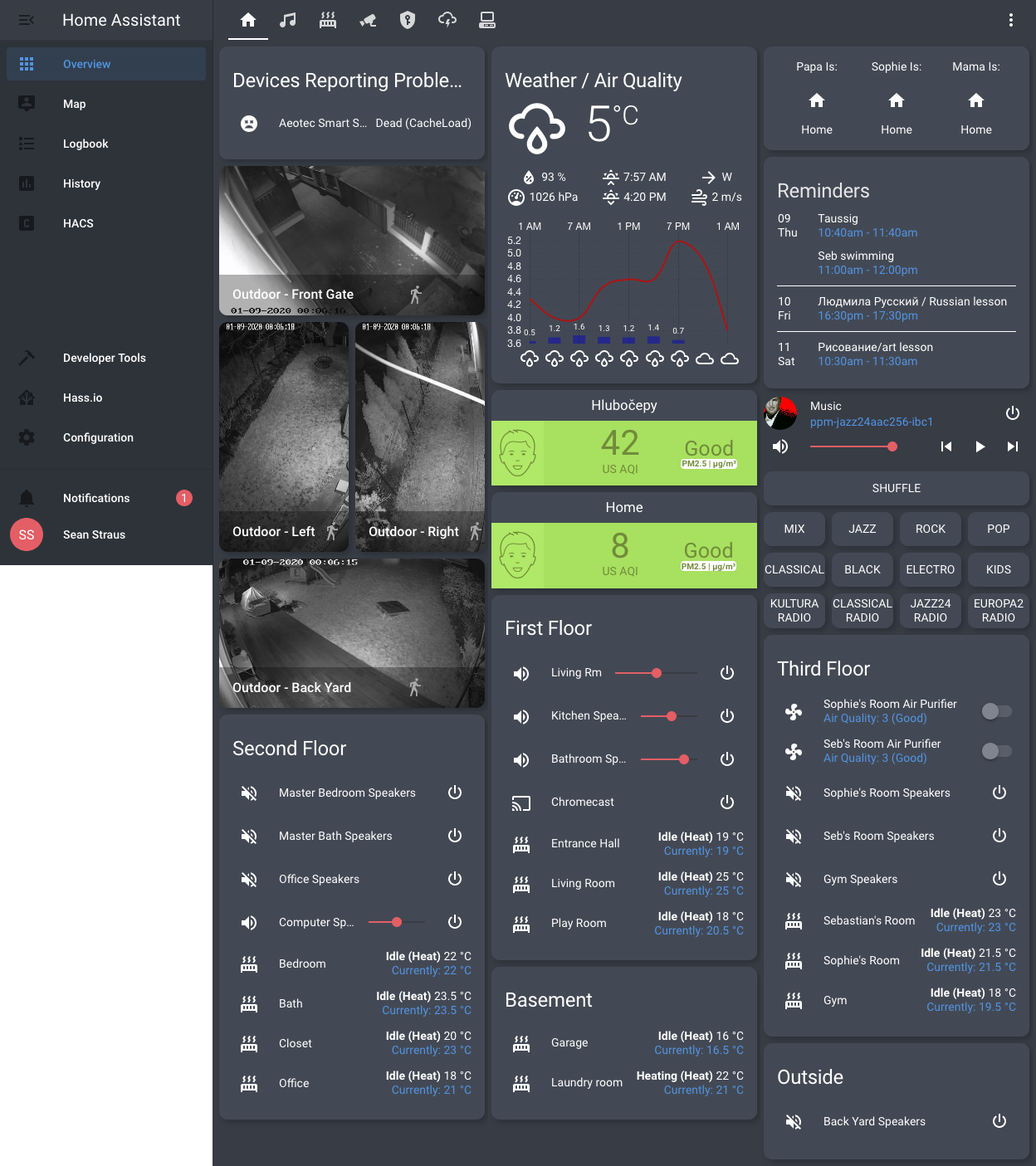 vapid field
@split granite which forum?
kind shellBOT
You can find the community forum here
Command '~forum' was invoked by: Tinkerer
vapid field
Oh that forum. But its only 'share your project' part
split granite
There's that, and a section for the frontend
Lots of folks have posted their UIs there
vapid field
Im blind :D thanks
 fleet scaffold
hi there, is there something I can do to fix issue (at least for me) with the boolean sliders? when you change state it stays selected with the round halo around it untill you click anywhere on the screen
kind shellBOT
Want to see what issues are open (or were open and are now closed)?
Check issues for the backend, issues for the UI, and issues for the documentation.
Command '~issues' was invoked by: Tinkerer
split granite
Is there an open issue? If not, open one 😉
boreal saddle
so before I try and lose myself in research land again.. (and found nothing) has anyone "formatted" the panel option in lovelace to be a specific size? Right now I have the floorplan photoshopped with extra one the sides but i would really like to get rid of the scroll on the side. I am familiar with CSS and HTML writing but unsure as to what can be applied to the panel? TIA
or better yet can any of the card modders work on the panel fucntion?
fleet scaffold
it's not anything super exotic and I thought someone saw this/has a fix
nevermind, I'll look
boreal saddle
@fleet scaffold depends on the switch for me
I have had ones that do that and ones that dont
fleet scaffold
@boreal saddle it's basic entity for input_boolean
boreal saddle
its a toogle?
fleet scaffold
yes
boreal saddle
i just went to mine.. , not an input boolean toggle.. but it does it to..
i guess i never noticed it
fleet scaffold
🤣
 devout hatch
just a question how to make cards to be semi-transparent_
is it that due to particular theme
or?
boreal saddle
it can be part of the theme yes.. but you can make it a "per" card basis as well
vapid field
@empty heath i think im in the right channel. i have a lovelace markdown card but i want it to display more than 256 characters read from a text file
split granite
You largely can't, because the entity state is limited to 256 characters
vapid field
is there another way around it?
 empty heath
🤷♂️
split granite
Split it into a lot of attributes?
vapid field
yea i was going to do that but looking for a cleaner solution
empty heath
You can split it into a bunch of sensors that each read 256 characters from the file, naming them with an incremental number.
inland pollen
generate an image dynamically and use a picture entity?
empty heath
Ahhhh, see, we have a smart guy here!
vapid field
that could work
nice idea
but with the text file, the markdown card doesnt format the text the same as the original text file ive found
empty heath
@inland pollen I give you silver, sir.
vapid field
if that makes sense
vapid field
ok so say i had the text file, how do i turn it into an image?
empty heath
Another option: html file and a webpage card. https://www.home-assistant.io/lovelace/iframe/
empty heath
If you can get a markdown to html converter, that should work.
(if your original format is markdown)
vapid field
now youre pushing it lol