#frontend-archived
1 messages · Page 147 of 1
 sweet sail
My button: type: button tap_action: action: call-service service: media_player.play_media serivce_data: entity_id: media_player.kitchen media_content_type: url media_content_id: 'http://176.9.36.203:8000/vocalchillout_128' state_color: true name: VocalChillout icon: 'mdi:music'
 copper mural
Hi guys. Can somone get me understand how he get different colors in what seems to be sensor-cards on this screenshot ? https://camo.githubusercontent.com/143ac5b30e04707e548ae21f816f73fb2b413286/68747470733a2f2f692e696d6775722e636f6d2f467876326a72382e706e67
cpu, ram and so on?
 polar kelp
That's most likely the custom mini-graph-card https://github.com/kalkih/mini-graph-card
 ebon hare
How to force portrait mode in mobile Home assistant app and landscape mode in tablet HA app?
 wheat current
The device itself should manage that, if not try #ios_and_mac-archived / #android-archived
 muted inlet
@sweet sail you have serivce_data there instead of service_data
sweet sail
@muted inlet THX
 kind shellBOT
@untold crescent posted a code wall, it is moved here --> https://paste.ubuntu.com/p/587CFbVTjq/
 unborn cedar
Anyone using Openhardwaremonitor and has a nice layout?
 next dirge
@atomic glacier @polar kelp 👍👍Your advice works. Thanks
 sour thunder
Hey, is it possible to declare a variable in the lovelace yaml and then use it some lines under that? Wanted to save some colors into variables at the top and then use them multiple times. Tried with Jinja, but {{ variable_name }} didnt work
sour thunder
{% set _color_red = "#eb4034" %}
{% set _color_green = "green" %}
Tried adding this to the top of my file. But {{ _color_red }} doesnt return "#eb4034"
 stoic rain
Trying to use the "Button Entity Row" from HACS, but I keep getting this error in Lovelace: https://imgur.com/a/1vS0ZJF ("Buttons is read only")
 mild veldt
@stoic rain looks like the author needs to update it as configs are frozen now
there is a built in buttons row in 0.107
type: buttons
entities:
  - entity: script.upstairs_20
    icon: mdi:brightness-3
@mild veldt Thanks! That actually let me load my script, but I get this: https://imgur.com/a/KrPTpfb
Doesn't appear to matter, as the buttons loaded! Thanks a bunch!
But what do you mean configs are frozen?
wheat current
The custom card can't write to them
mild veldt
@stoic rain that's just a warning from the vs code plugin.
stoic rain
Thanks guys!
If I split my automations/scripts etc into folders and separate *.yaml-files per item, will they still show under Configuration -> Automation etc..?
 raven nacelle
I just installed roomassistant and was wondering what is the best way to display individuals based on their locations in the frontend (picture elements) card
BTW....it works quite well even for iPhones
 atomic glacier
@raven nacelle I've got that up and running as well, and was thinking a simple floorplan would be great for this. Kinda like I started for motion detection on a per room basis. Something that would just change colors in a room based on who is in it ... any ideas or thoughts on another way to display???
atomic glacier
Awesome! If you don't mind, tag me if you find a viable solution 😉
 primal lava
This issue has been plaguing me for so long. Every since 0.104.0b0 I don't receive updates. If I force it from command line, it works but then the update notice says "Home Assistant 0.104.0b0 is available and you are currently running Home Assistant 0.107.0b6." Why does it want to constantly downgrade to that version? Any ideas?
raven nacelle
yeah, it seems to work. Let me update my config on GH
need that for every room
updated the file for more rooms
 errant birch
in the current lockdown times i'm looking to put some pdf files on the frontend containing the kids school tasks for the day.. looking for advice on how to achieve this
wheat current
iframe card can probably handle that
errant birch
used a weblink in an entities card.. since tey're pdf chrome can display them in browser - was simpler than i thought 🙂
 cunning prairie
How do you show a todoist project? I've set up the integration but not sure how to get it to show in lovelace
@full orchid This custom card works well for me: https://github.com/Letherwin/Todoist-List
 coarse olive
looking at this old post https://community.home-assistant.io/t/kwikset-910-and-user-codes/8605 it looks like I should be able to see/set user codes in the front end but I'm not finding it. I did find it in the zwave config panel but the codes are wrong? none of the codes shown match the locks codes. known issue? something I setup wrong?
 ripe talon
hello friends! how i can rule user rights in home assistant?
 noble galleon
Hi basic Lovelace question. How do I change the on/off icon colors?
noble galleon
Even if I just want to change the color for one or two icons?
 split granite
You can possibly just do it with some crazy CSS - searching the channel may find what you need 🤷
noble galleon
Ok, I was just checking there wasn't some easy solution I was missing
wheat current
there are probably 292 custom cards that can do it
split granite
Coloured acetate would do it, as long as the icons are always in the same place on screen 🤔
noble galleon
I was hoping there was just a line of code that I could add to change the default blue to red for a power icon I'm using
split granite
For one icon, no
noble galleon
Ok, thank you
 high crow
Are there any custom cards out there, that are able to show location history? Like TrackMap or Google Maps Timeline?
I guess it should be possible since all the information are stored in the backend. Something like the history card for maps

 untold crescent
hey! can i put in picture-elements image from entity attributes ?
 rustic geyser
hi, can anyone help with the Cast config settings in lovelace ui
I am trying to cast to an android tablet, I have the ha cast running and logged into NABU CASA, I have an intergration installed GoogleCast, but does not have any casts found, I am a little confused on how to config the lovelace ui for casting
 torpid echo
@rustic geyser Till you figure out the Cast, you can always access through browser 🙂
rustic geyser
yep I new that just trying to understnd the chrome cast side of things
torpid echo
okay. so the instructions in https://www.home-assistant.io/integrations/cast/ not helping? Pretty straightforward I think
rustic geyser
I must be missing something, I have tried putting the cast entity in my lovelace UI I am I guess confused if this is put in a s a separte entry or s part of a card entry, if I could have an example it may help I hve put in the below t the bottom of my lovelace UI but does not seem to work
type: entities
- entities:
- hide_if_unavailable: true
type: cast
view_path: defalt_view
title: Entities cast sample
nothing appears on my cast device, once it logs in it just goes to a blank screen
 gritty lily
hello guys again, is there any chance to auto-resize my floorplan and not scrolling down to see whole picture, aspect_ration don't fix this
 left aspen
Hello. I have a doubt. I already have the browser_mod working. I can send a popup card to the tablet. But since media_player doesn't work, it's always "idle"
 white dust
Hello I have a problem integrating an esp32-cam via esphome. I can see that the cam is online and i can update it via the esphome add-on. But i can not add a camera-card as a resource via my configuration.yaml file. If i check the config it tells me that the resource isn't found. I have put the resource file camera-card.js in my config/www folder and added de resource local/camera-card.js to my yaml file. Am i doing something wrong?
mild veldt
yes
resources are managed in the raw config editor if prior to 0.107 or the main config -> lovelace dashboards -> resources tab
white dust
hmm ok my HA version is 0.106.6 so
@mild veldt what file should i edit then?
resources:
- url: /local/www/camera-card.js?v=1
type: module
This is what i added to my configuration.yaml file
mild veldt
in the ui, top right menu, select configure ui
that does not go in your configuration.yaml
white dust
ok
mild veldt
after selecting configure ui, go to top right menu again and select raw config editor
OR
upgrade to 0.107 later today and use the handy resource manager
white dust
😉 ok i will upgrade but what do i put in the raw config editor?
mild veldt
what you put in configuration.yaml
white dust
that does not work
hmm i'll wait for the update
where do i put it on the top or at the camera view
white dust
@mild veldt tanx
untold crescent
hey! some one know if i can put in picture-elements image from entity state or attributes ?
 winter wasp
i'm using safari right now. is it normal that i get browser memory use warnings when the frontend is loaded?
 crystal moat
Anyone knows how to change the white background of a lovelace view without affecting the others?
I managed to get most of it dark. But I am stuck with a very white background.
https://i.imgur.com/AOEotgd.png

Thanks!
 ashen kindle
So how do we get to the Lovelacd dashboard setup screen?
I've looked through all the settings and can't find the resources/dashboards page.
wheat current
Look again
 halcyon mantle
This might be stupid question - With the upcoming change to lovelace if you use 'mode:yaml' having to list the resources in configuration.yaml. Does this mean should you change anything on the resource list you must now restart HA to get the change, where previously you only had to refresh the frontend?
wheat current
there is a reload service
 fossil compass
Hello! I want to see my sensor data as a line in a history-graph, but it only shows up as a horizontal bar. I have set the sensor "unit_of_measurement: °C" under the STATES-tab. Any ideas what else could be causing this problem?
halcyon mantle
there is a reload service
@wheat current Awesome! Was not aware of it. Thank you very much! 🙏🏼
fossil compass
... and now it's suddenly working again, drawing graphs, after updating HA.
Could it have been a bug?
wheat current
Sure
fossil compass
And now they dissapeared again, haha.. depending on how QUICKLY I click on the button "hours to show", the probability of seeing a line graph increases
If I add only one sensor to a card, it now shows the bar graph from around 12:00, and the line graph only shows data from around 20:00?
wheat current
Your sensor probably did not have a unit during the first period
The easy fix is to shut down HA, delete the DB and start HA again.
Or wait 24+ h
 stone basin
hey guys, just upgraded to 0.107.. what happened to my zones?
i dont see the editor or the zones on a map
fossil compass
oh, alright.. ill try that! thanks
wheat current
Did you see the error in your logs about zone?
stone basin
@wheat current nope nothing in the logs
even missing the zone editor in settings page..
wheat current
The zone integration is probably your issue, look at the issue tracker/blog post for similar issues
halcyon mantle
I have in issue where an unamed media player is stuck on my ui which I cant remove and it is not listed under media_players in my yaml files. Any suggestions where I can remove it?
ashen kindle
Look again
@wheat current Okay, I did. Still can't find it, so can you help?
wheat current
It's named "Lovelace dashboards"
stone basin
@wheat current no go on the zones, it broke in b7 and b7 and in 0.107, no issues related to zones. I dont have time to debug right now rolled back to B6
ashen kindle
Well if anyone else is looking for the answer, the frontend needs to reload first.
 latent moss
@stone basin zones and the zone editor worked fine for me in b7, b8, and now the final 0.107 stable release... Do you have zone: or default_config: in your configuration.yaml ?
 mortal cape
@stone basin not broken here. no zone: in my configuration.yaml and using default_config:
stone basin
nope do not.. should i just add a "zone:" instead?
latent moss
yes you need either zone: or default_config: in your configuration.yaml in order for zones to work, can be either one.
stone basin
Sean, zone: didn't seem to work default_config: did
 woeful ridge
is there a way to
- rename the default Lovelace (overview to ...) via yaml
- change the location of ui-lovelace.yaml?
stone basin
@latent moss if just add zone: the I am missing lat/long Invalid config for [zone]: required key not provided @ data['zone'][0]['latitude']. Got None
required key not provided @ data['zone'][0]['longitude']. Got None
required key not provided @ data['zone'][0]['name']. Got None. (See ?, line ?).
so default config it is.
mortal cape
@stone basin you can't simply remove default_config without also adding everything it includes
 dark dirge
getting "Custom element doesn't exist: hui-group-entity-row." with custom:fold-entity-row in 0.107.0. Do I need to use preload:?
          - type: entities
            entities:
              - type: 'custom:fold-entity-row'
                head: group.downstairs_lights
@mortal cape yes I get that but I no longer want to handcode zones (want to use the editor), it seems that I cannot do that without using default_config: for example I don't want the map feature in the sidebar..
@mortal cape I can't just have zone: i need to define a zone just for having it show up.. seems an oversight , am i missing something.
mortal cape
You want UI edited maps, but no map
mortal cape
can't have it all I guess
stone basin
well i could until 0.107b6 🙂 so some checkin after that changed this behavior
 fathom tree
Howdy ya'll
any way to make the font smaller in the thermostat card?
I'm loving the visual preview for Vert/Horz stack cards.
if not in the card yaml, maybe in the config.yaml entry?
 atomic halo
hi y'all! I've got a problem with (i think ) a simple answer. I installed this: https://github.com/sdelliot/pie-chart-card - it's in my hassio/config/www/community/pie-chart-card/ folder (installed the same way all my others are added, that work fine). I made sure the js file was there. I've added it in the config/lovelace/resources as a module but when I add it I get Custom element doesn't exist: pie-chart-card.
any idea what i should do to resolve this?
i added all my old ones the old fashioned way, by editing the main file, but seems the new versions of HA use this new editor
can anyone throw me a bone?
oh and i added it using HACS
atomic halo
slowly working this out... 2020-03-18 21:55:37 WARNING (MainThread) [hacs.deprecated] The '/community_plugin/' is deprecated and will be removed in an upcomming version of HACS, it has been replaced by '/hacsfiles/', if you use the UI to manage your lovelace configuration, you can update this by going to the settings tab in HACS, if you use YAML to manage your lovelace configuration, you manually need to replace the URL in your resources.
aha! found the "update resources" button 🙂
so this changed all the resources entries to use the /hacfiles/ path. i renamed the community_plugin folder
and restarted. everythng works as normal. apart from Custom element doesn't exist: pie-chart-card.
fml
forced a reload, now nothing works. all my cards are screwed
 grim compass
About the new multiple dashboards features, if I declares on or multiple dashboards, the existing one will still be the default ?
atomic halo
@grim compass I don't think there's anyone here at the moment.
grim compass
its ok i will try this out tomorrow
atomic halo
i'll try after work tomorrow too. have a good morning/day/evening 🙂
 quaint tundra
i have borked my config trying to move to the new lovelace/dashboards setup. I am getting an error saying that "[resources] is an invalid option for [lovelace]".
I am right assuming in configuration.yaml its literally just ```
lovelace:
mode: yaml
resources:
- url: etc. etc.
scratch that im an idiot. fixed
shiiit this is awesome. can have a full dashboard just for settings now
i know what im working on during self isolation
 topaz crystal
Having problems with HA 0.107.0. i have to do loging all the time i referes on chrome. A new token is genereated
kind shellBOT
@odd light posted a code wall, it is moved here --> https://paste.ubuntu.com/p/5SWbZ5bFHZ/
kind shellBOT
@tame dove posted a code wall, it is moved here --> https://paste.ubuntu.com/p/jXd733VqrB/
 tame dove
Ha. I just did the same thing 🤦♂️
 odd light
I have show_header_toggle: false, still shows up
tame dove
Have you tried without the quotes?
tame dove
Now fix mine 🤣
odd light
header toggles were broken before like it would show on and be off until you flipped it
that one didn't show up until I updated to 107
tame dove
Mine have worked for a while. Have not noticed your behavior
odd light
I haven't even tried that new dashboard thing, I just updated 5 minutes ago
tame dove
Really cool.
odd light
but since I started having snapshots run at 2am everyday and keep a weeks worth in google drive, I update right away now lol.
tame dove
I run two instances for multiple reasons. I always update my second backup instance and if a config check works I pull the rip cord on the production instance
Looks like you can’t get rid of the default ui-lovelace.yaml.
odd light
if I think its that big a deal I'll take a snapshot of the VM, then I can instantly roll back to working.
but in all the time i've run HA, I never had it break THAT bad lol.
and in fact it hasn't broken at all in quite a while.
 icy patrol
hi all; just updated to 0.107.0 and now i see this in my logs
Resources need to be specified in your configuration.yaml
i have this in my config
lovelace:
mode: yaml
tame dove
@odd light , you are correct. Ever since the new schedule where the beta comes out a week before the update, things have really been smooth.
@icy patrol , do you use any custom cards?
odd light
I just have lovelace: with no mode
tame dove
So, at the top of you lovelace.yaml, you had to specify those cards under a line titled resources:. With the new dashboards, those lines have been moved to the configuration.yaml. Read the release notes. Pretty simple breaking change. Depending on your yaml mode, HAss may have made the changes for you and you just need to delete the lines in ui-lovelace.yaml @icy patrol
odd light
yeah I use the gui to configure my cards so in HACS settings there was a button to just have it fix it for me.
tame dove
I still use core in a VEnv
tame dove
Although I installed OpenMediaVault today and saw a reference to docker.....got me excited
Read the breaking changes man
icy patrol
if i remove; dont i have to enter them in when using a custom card?
 craggy cave
Anyone having trouble adding cards or accessing their profile in HA ver 107? CAnt seem to do anything after the upgrade?
HA freezes when adding a card....
 celest adder
Hey, quick couple questions about the new update. Is there a way to cast the additional lovelace dashboards? Can you remove the header so you have a fullscreen panel?
icy patrol
i am trying to add some sort of title bar at the top as per my screenshot:
https://imgur.com/TyWe1Jr
but i am not sure what to use that will go above my entities on the home page and go all the way across
 keen quartz
I haven't updated Hassio in over a year. I have a lot of breaking changes I'm working through but I wanted to ask if anyone can tell me why I have like 1000 icons on my main screen and all of the tabs I had created are gone. I remember them talking about it in a podcast episode a while back but I can't figure out which one.
Here is an example
Oh I guess I can't paste a picture here?
 frosty pelican
you can use imgur to share a picture
the big change that you are experiencing is that the States UI that used groups for the frontend is removed....now you need to use Lovelace. https://www.home-assistant.io/lovelace
keen quartz
it's my local HA ip address with multiple 2 digit numbers after it
frosty pelican
way too many things to list from a year ago but thats the big one
keen quartz
I was using lovelace a year or so ago for the tabs but I did the option where I manually update it not let Lovelace manage it. should i turn that option on?
is there any way to salvage the groups I have in my prior lovelace setup?
frosty pelican
groups still work, just not for UI purposes
keen quartz
do I need to do it all on the UI then? Can't be done in yaml?
frosty pelican
i think you have a lot of reading to do on the docs to find out what you need to chagne to get back to where you are
you can do it in yaml
check the link i sent
keen quartz
I did check the link but didn't see a lot of info. A short demo video
and then it said for help come here or the forums
frosty pelican
check the links on the sidebar theres lots of them going over teh views and different cards
kind shellBOT
Take a Peak at my github and see if it helps
Command '~dshokouhi' was invoked by: dshokouhi
keen quartz
Did you find the UI limiting?
frosty pelican
no i just prefer to use yaml honestly
for my dev instance I just let HA handle the UI though
keen quartz
Ah
Thanks for github should be helpful in the coming days
I have a lot of yaml files to go through to remove -alias
frosty pelican
yea np, my screenshots are a bit out of date but the gist is still there
keen quartz
is it pretty much just automation where -alias is allowed?
keen quartz
i had them like everywhere. dozens and dozens of yaml to go through. know of any shortcuts?
frosty pelican
umm there might be some command line stuff to use but probably offtopic for this room lol
keen quartz
ctrl+f is a little helpful but I don't know how to do a wildcard for a varying length to do a search and replace
oh ya I'm pretty green with cmd line anyway
quick question. are ' allowed in alias names? I notice yours don't use any but I wondered if that is a new rule
- alias: '103.1 Comedy Room Select'
vs - alias: 103.1 Comedy Room Select
split granite
You don't have to quote strings if they don't contain anything special. IMO it's better practice though
white dust
I did the upgrade but now I cant login to my HA
I get the white background with a blue bar on the top
I tryed to reboot the system but that did not help
craggy cave
Anyone having trouble with freezing when loading history?
white dust
yep
wheat current
Turn up the heat
unborn cedar
Am i stupid? Or did the module things for custom cards move?
craggy cave
@white dust Any clues to fix it?
white dust
@craggy cave i did a reboot and now it works again
craggy cave
@craggy cave i did a reboot and now it works again
@white dust I tried that a few times and still get an issue.
 robust garden
What is the correct way to load the resources in the lovelace integration?
I did this:
lovelace:
  mode: yaml
  resources: !include_dir_list ../lovelace/resources
But it didn't load anymore 🤔
wheat current
that is a relative path, make sure it's correct
robust garden
So far I know this path should be correct 🤷🏻♂️
wheat current
integrations/lovelave.yaml
lovelace/resources/*.yaml
?
robust garden
integrations
  lovelace.yaml
lovelace
  resources
    yaml file per card
This is the file structure that I use
wheat current
no error?
robust garden
The only error that I get is in the frontend that it won't load the cards 😛 Custom element doesn't exist: fold-entity-row.
wheat current
how are your resources?
robust garden

GitHub
🎓 Student Home configuration. Stay informed by 🌟 this repository for updates! - klaasnicolaas/Student-homeassistant-config
Single file for every type of card
wheat current
Try changing type: js to type: module 🤷♂️
Or just use the UI to manage them, it's super slick!
robust garden
could it be caching? 🤷🏻♂️
robust garden
for strange reason it works again 😄
torpid echo
I am on 107. I created a new dashboard. But if I make this as "Set as default..." the original "Overview" dashboard vanishes from the side panel.
 wind dirge
Apparently, you cannot specify a path for the dashboards yaml. Is it by design?
wheat current
sure you can, the path is from the key you give it
wind dirge
I mean "filename: /config/lovelace/ui-kiosk.yaml" leads to an autogenerated dashboard, and it shows as "configlovelaceui-kiosk.yaml" in the dashboard ui
That's for the new "multiple Lovelace dashboards" in case I wasn't obvious 😉
 hot gyro
I got a similar issue and cant figure out whats wrong, since I upgraded to 107.1 I get this "Custom element doesn't exist: hui-picture-elements-card."
all other customs are actually working
wind dirge
Also, am I correct that the dashboards are listed in alphabetic order in the sidebar, whatever the order in configuration.yaml?
 vapid field
Hi Guys, I have a small problem since updating to 107(1) - I get an error message on my lovelace page for a thing that is not there. The error is "Custom element doesn't exist: hui-conditional-card." I have never installed a custom conditional card, the YAML for the section just has type: conditional in it. Does anyone have an idea by any chance?
Ah I think i found it, seems to be the custom:vertical-stack-in-card - when it has a type: conditional, it throws the error
 violet talon
if I'm using HACS, do I still need a ui-lovelace.yaml with resources in it?
wheat current
post 107 resources are no longer in ui-lovelace.yaml, if HJACS or not does not matter
violet talon
so I can just rm that file?
wheat current
no
violet talon
well it's the only thing I have in there. I'm using storage for my setup
violet talon
ha 😇
 sacred turtle
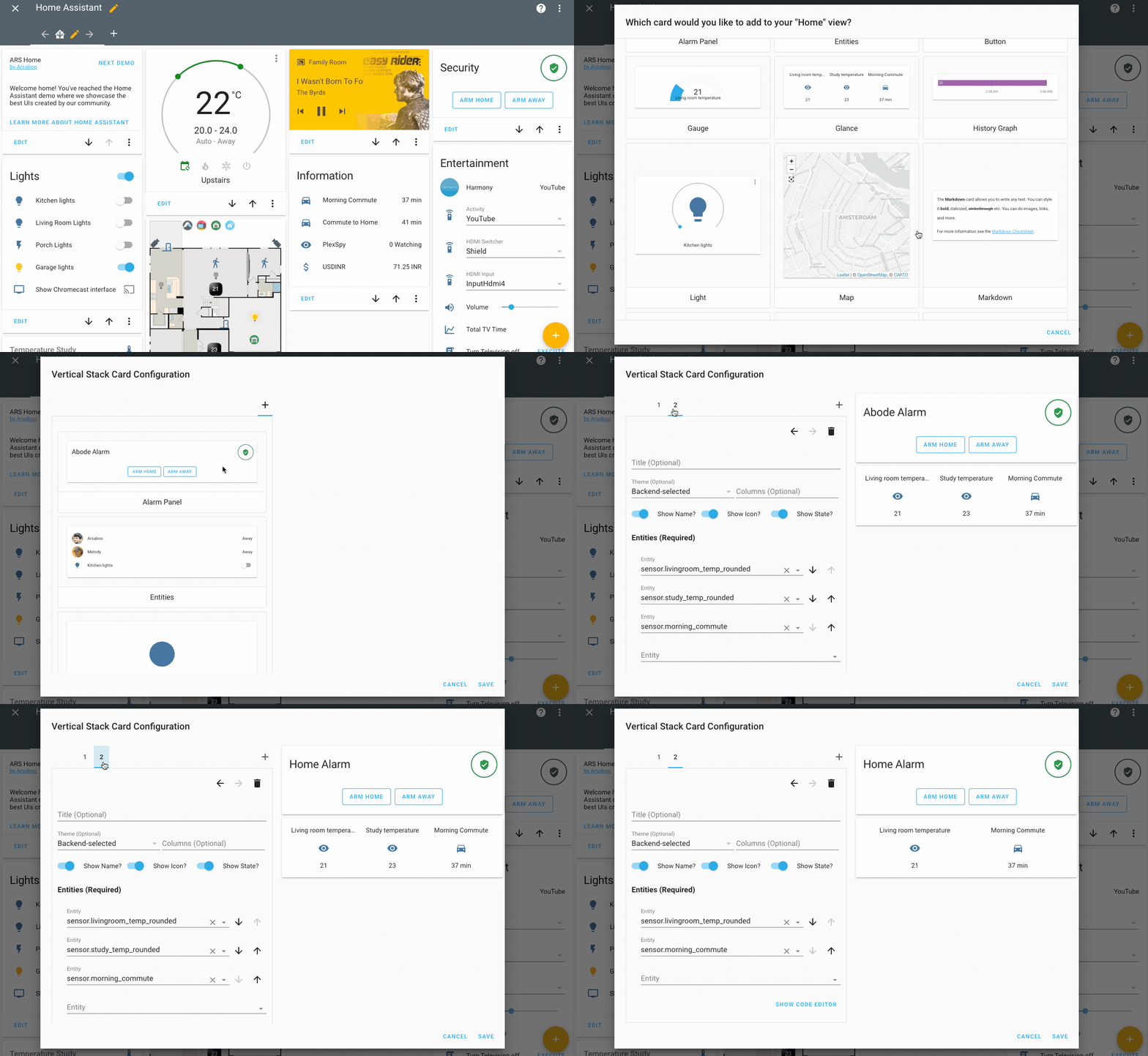
hey all, was the show state option meant to be in 0.107.1 ? I can see it this gif on the release notes : https://www.home-assistant.io/images/blog/2020-03-0.107/lovelace-edit-improvements.gif but it's not on my newly updated version
 violet talon
@wheat current after I've installed a plugin, how do I load it? I installed the custom calendar plugin but it says "Not Loaded
This plugin is not added to your Lovelace resources."
oh. I think I need to restart ha?
gritty lily
does anyone knows why my card is not showing?
cards:
  - type: vertical-stack
    entity: weather.acasa
    name: Home
    type: weather-forecast
    aspect_ratio: 100%
    type: iframe
    url: >-
      <name_url>
the other ones works perfectly
kind shellBOT
To format your text as code, enter three backticks on the first line, press Enter for a new line, paste your code, press Enter again for another new line, and lastly three more backticks. Here's an example:
```
code here
```
Watch the animated gif here: https://bit.ly/2GbfRJE
DO NOT repeat posts. Please edit previously posted message, here is how -> https://bit.ly/2qOOf1G
Command '~format' was invoked by: Tinkerer
 hasty elbow
hi guys
is there any card which allows to browse and drill down into the areas?
E.g. I want top display the status of the attics ("all windows closed and all lights off = green, else = red"), and also to be able to drill down into the attics "entity" and see the single lights/sensors...
 livid escarp
greetings folks
I was directed here from the #330944238910963714 page
I am trying to get the color of a custom icon to change. I have a tplink smart switch that is used to control my exterior lights. in HA UI I want to change the icon from a lightning bolt to a light bulb and I have been able to do that part of the process
by adding ```switch.front_exterior_lights:
icon: mdi:lightbulb
to my customize.yaml
that works and now on my lights tab I have an entity card that looks like this: ``` entities:
- entity: light.bath_light
- entity: light.office_light
- entity: switch.front_exterior_lights
type: entities ```
so I am trying to get the switch.front_exterior_lights icon to be yellow when the state is on and default color blue when the state is anything else (off)
someone mentioned to use state_color: true in the entity card but I am not sure where to add that
and then if I make the state_color: true where to I put the color values for the switch.front_exterior_lights
both the bath light and the office light lightbulb icons are yellow when on and blue when off and I am trying to get the same effect from the switch
sacred turtle
entities:
- entity: light.bath_light
- entity: light.office_light
- entity: switch.front_exterior_lights
type: entities
state_color: true
that will make the icon change color again
as for manipulating what color it changes to.. i'm not sure
livid escarp
when I put that state_color: true I get this: Expected a value of type undefined for state_color but received true.
sacred turtle
yep, you will.. but it will still work
livid escarp
ok
sacred turtle
they are meant to be adding it as a gui option, but until you do it errors.
to use the visual editor you have to remove that line temporarily.
livid escarp
ok I am good with errors
now to figure out where to say when on for example have the icon green and when off icon red
let me try the icon_color: in the customize file
sacred turtle
maybe : icon_color: if (state === 'on') return 'red'; else return 'green';
sacred turtle
yep
 wind spire
hi there, i love the new lovelace dashboards, is there any way to sort the order on the left side
 hearty plover
I thought the lovelace resource change wasn't yet breaking, but my views break unless I move resource to my configuration...
I can't imagine I'm the only one who has this problem, but I can't find any issues regarding this...just the mention in the release notes.
wheat current
If yaml mode, you need to move them
hearty plover
Crap...did I miss that?
Thanks Ludeeus
Hmm. This snippet from the release blog entry is misleading, then:
This awesome new feature comes with a deprecation if you use Lovelace in manual YAML mode: You need to move the resource section from your ui-lovelace.yaml to the lovelace: section in configuration.yaml. It is not a breaking change yet; we still load them from the previous location if we didn’t find anything in the lovelace: section, however, this fallback is being removed in a future version.
livid escarp
Greetings folks. I have a Light Sensor to measure the light under my sleep number bed so I can then have it turn on other lights in the house. When I try to create a graph for the light sensor it bogs down my Home Assistant to a point that it is unusable. Has anyone run into issues like this with graphs and is there a way to make them work? I have other graphs and they seem to work just fine
The light sensor uses mqtt by the way if that matters for graphing
split granite
It may be a data point volume issue - too many data points
https://github.com/kalkih/mini-graph-card may be faster, since it smooths, but that may make things worse 🤷
livid escarp
cool let me read this
 royal bane
What do you guys use for smaller light bulb controls?
gritty lily
guys, why my weather card works fine in lovelace but when i am in yaml, it won't show?
split granite
What?
kind shellBOT
@gritty lily posted a code wall, it is moved here --> https://paste.ubuntu.com/p/dfsWNM5XY3/
split granite
~share @gritty lily
kind shellBOT
@gritty lily Please use https://www.hastebin.com/ or https://paste.ubuntu.com/ to share code or logs.
Command '~share' was invoked by: Tinkerer
split granite
~rule6 @gritty lily
kind shellBOT
@gritty lily Rule #6: Spam will not be tolerated, including but not limited to: self-promotion, flooding, codewalls (longer than 15 lines) and unapproved bots.
Please take the time now to review all of the rules and references in #rules.
Command '~rule6' was invoked by: Tinkerer
split granite
How you set it up depends on whether you're using the UI to set up Lovelace, or YAML
 echo coral
Yes I read though the release and still didn't understand. I beleive I am using the UI?
royal bane
Anyone have tips for a compact light controller?
split granite
 -> Lovelace Dashboards @echo coral
echo coral
ha wow
okay
thank you
I checked in config but didn't see it initially but yes I know see helpers and lovelace dashboards
thanks
appreciate helping the dummy!
split granite
It wasn't obvious to be fair - I expected it to be in the Lovelace config
I ended up exploring the rest of the UI before I saw it 😄
 high notch
Can someone help me understand the new dashboard view? I have different yaml files for different views and use the views:
- !include '/config/lovelace_views/lovelace_main_view.yaml' but they don't list in the dashboard view. And now I've moved my resources to the config file my HACS isn't working
 tame knoll
Disabling new helper entity doing mess..... After disable entity disappears...
 upper tulip
I’m trying to call a different Lovelace view for my google hub using 0.107 using the cast.show_lovelace_view and putting the view path as Tablet (that being the new view set up) but it errors out. What should I be using?
hearty plover
What's the difference between "module" and "js"?
 surreal agate
Hi, how to change state_color for device_tracker on state home
I think standard state is working only for on
hearty plover
I love HACS.
mild veldt
@surreal agate device_tracker does not change color based on state
@hearty plover just use module
surreal agate
Thanks @mild veldt
frosty pelican
hmm is there a lovelace changelog for 0.107? or just what was highlighted in the blog?
mild veldt
no one has written one up yet
highlights cover most of it
just bug fixes otherwise, I think
frosty pelican
👍 thank you 🙂
hearty plover
@mild veldt even on ones that say to use "js"?
mild veldt
yes. js is a deprecated type option. use module
left aspen
Hi. it's possible send a picture with browser_mod ?
vapid field
hi everybody, i have a lovelace problem since first upgrade from 105 to 106 described here: https://community.home-assistant.io/t/problem-with-lovelace-cards-not-displaying-relations-between-entities-after-last-update/175648
can you help me figure out why i cannot see relations on lovelace cards?
 shell torrent
I like the new Media Player card, but in some views I'd like the old one. Is that possible or is the old Media Player card dead and forgotten?
 sacred quarry
@mild veldt is there any breaking changes in your latest release for the decluttering-card? As far as I can see from the release info there shouldn't, but once I updated it I started to have a lot of "Uncaught (in promise) TypeError: Cannot read property 'state' of null" errors in the console
mild veldt
That's not my card
sacred quarry
Oh sorry XD
Got confused while "surfing" github 😄
I guess then it's more a general question then 😄
sacred quarry
no worries 🙂 at some point someone will ask again or notice that message ^^
shell torrent
Ok, thanks.
I have no idea how, but for an enlightened person, I guess you could make a custom card from the old media player card then?
sacred quarry
I think I found my issue, I am using the card pre-loader and I did add the decluttering-card in there, that causes the card to pre-load but without any entity or template information attached, which caused the issue in most of the views
frosty pelican
@shell torrent someone will have to create it and it can live HACS to see another day
atomic glacier
@frosty pelican loved the idea of the way you used the icons in messages from your repo 👨🏻🔧 ...had to borrow a few😉 Thanks!
frosty pelican
haha np! i saw it on a reddit post the other day and I was like wait we can do that?? so i spent about an hour updating it all ahha
mild veldt
link?
frosty pelican
hearty plover
That's some slick stuff
atomic glacier
Hmm...🤔 was reading that post and I didn't code mine like :oncoming_police_car: to get 🚔, I just copied the image and pasted it and it worked fine. 🤷🏻♂️ ...you know, how I do my dev work 🤣
 opaque bay
My Hassio RPi installation doesn’t show new HA updates anymore… I’m stuck on 104.3. Found this error message:
20-03-17 14:11:54 WARNING (MainThread) [hassio.updater] Can't fetch versions from https://version.home-assistant.io/stable.json: Cannot connect to host version.home-assistant.io:443 ssl:None [Try again]
I tried the url in a web browser and it worked fine.
Anybody else seen this problem? Ideas?
mild veldt
You can try using the cli to upgrade
opaque bay
cli?? I would like to get the notifier back working though.
latent moss
@opaque bayyou can try going to Hassio System tab and then pressing the Reboot (host server) button, had that issue before and rebooting fixed it.
opaque bay
Hey that fixed it! Thanks!
 bright slate
Hello,
Trying to create a few new dashboards under 1.07 and but would like to NOT show the sidebar with History and Logbook for these, anyone got any advice?
bright slate
TO clarify, not show in the "Users" Dahsboards, i still want it in my "admin" dashboard.
atomic glacier
@bright slate https://github.com/maykar/custom-header can limit the other users with kiosk mode, if that's what you mean...
bright slate
Thanks @atomic glacier ! Didnt know that! Will set it up at once! Cheers
atomic glacier
👋🏻 @polar kelp just started seeing this after 0.107.1 update:
all of my q_cards with fold-entity-rows in them were throwing red blocks custom element doesn't exist **'hui-section-row'**  I added them back in my LL file and then they loaded. No hurry here, just thought I'd throw it out there...Thanks!
 main meteor
@atomic glacier Got the same issue
Im combining the "custom:hui-entity-filter-card" with "custom:fold-entity-row"
atomic glacier
with q_cards ?
The preloader fixed the other issues, patch, but it worked for me https://github.com/gadgetchnnel/lovelace-card-preloader
main meteor
Just combining these to, but now its not working
atomic glacier
cards are probably not loading like they used to. May wanna try the link I posted, to get a temp fix
IDK...maybe 🤷🏻♂️
main meteor
ill try
@atomic glacier Not working, I get that the card "custom:hui-entity-filter-card" doesn't exist
kind shellBOT
@main meteor posted a code wall, it is moved here --> https://paste.ubuntu.com/p/sHDJ5wxZ8K/
main meteor
I did like this, it worked prior to 107.1
split granite
~share @main meteor
kind shellBOT
@main meteor Please use https://www.hastebin.com/ or https://paste.ubuntu.com/ to share code or logs.
Command '~share' was invoked by: Tinkerer
Rule #6: Spam will not be tolerated, including but not limited to: self-promotion, flooding, codewalls (longer than 15 lines) and unapproved bots.
Please take the time now to review all of the rules and references in #rules.
Command '~rule6' was invoked by: Tinkerer
main meteor
@split granite Its shared here above
split granite
You posted a code wall
The bot moved it
Don't do that - share correctly
Two reasons
- It's unpleasant on mobile when somebody drops a code wall
- The bot sometimes has a holiday
Oh, and (3) it's the rules 😉
main meteor
@split granite Sorry! I will fix
main meteor
@split granite Im trying using the in the beginning and in the the end. Thats the way right?
split granite
See #botspam for testing 😉
kind shellBOT
@main meteor posted a code wall, it is moved here --> https://paste.ubuntu.com/p/f22Nn9smyQ/
kind shellBOT
@main meteor Please use https://www.hastebin.com/ or https://paste.ubuntu.com/ to share code or logs.
Command '~share' was invoked by: Tinkerer
split granite
Please read that - that's not post a code wall that's share your code on a website
Please also read the damn rules this time
wheat current
ask i that thread, I have no idea
polar kelp
@atomic glacier did you try the latest release of fold-entity-row? From yesterday
atomic glacier
yes, Version 15. It works fine, just not in q-card for me
@main meteor the one you are having problems with. I added most of my main ones
main meteor
I updated to the latest fold-entity-row, still not working
polar kelp
I think I know what's happening in the q-card case...
main meteor
Is the problem for me related?
polar kelp
No.
Your problem is because the custom:hui- was never supported in the first place, but a dirty hack.
atomic glacier
I actually got it to load and work without the section row. Was weirdd looking, lol
main meteor
Like dirty hacks 🙂
polar kelp
It's a damn useful dirty hack, though. So I'll see if I can come up with another.
atomic glacier
I have it everywhere...
polar kelp
You could probably force it to preload by adding an empty entity-filter card before the one you posted.
main meteor
A "std" entity filter card won't work inside a folded row?
polar kelp
Just yaml type: entity-filter entities: [] state_filter: [] or whatever is needed.
Wait.. that will show a small card...
This should work. Sorry for posting pictures of code.
atomic glacier
I'm off for a few. 3am here. If you think of anything, just tag me and I'll check in a few hours, thanks again
polar kelp
That should force the entity-filter card to load.
It's ok. I can reproduce the problem, so I can debug it.
main meteor
So should I add that too?
polar kelp
Yes. Try that as a separate card. Not inside the one you already have, but on the same view.
Or, when I open my eyes and actually look at what your'e trying to do, you could use auto-entities, which does the same thing as entity-filter but better.
main meteor
Its ok to add it inside the vertical stack?
polar kelp
I guess
main meteor
Now I get that "custom:fold-entity-row" doesn't exist
My misstake, now it works!
@polar kelp But I get an empty white box, can I hide that?
polar kelp
main meteor
Cant get it to work, do you think you will fix this in a "better" way? I can live with the empty box meanwhile
polar kelp
I can't really "fix" this problem. But you could try auto-entities instead of entity-filter. https://github.com/thomasloven/lovelace-auto-entities
main meteor
No, sorry then it all crashed again
polar kelp
It's not a drop in replacement
main meteor
No I added the new card and loaded it
No other way to apply a state filter to a folded-row card?
 cosmic gazelle
hey guys, can someone tell me how I can make an auto-generated frontend like the old states ui?
split granite
You can't make it the same, you might get it somewhat similar
cosmic gazelle
damn that's what I was afraid of. Would newly added devices show? Or do I have to go to "unused entities" and look for them there?
That's mainly what will drive me insane
split granite
If it's auto generated, newly added devices should show fine
cosmic gazelle
So you don't know if it is yet?
split granite
I don't use the auto-generated UI, and never have 😉
I'm going by what others have said 🤷
kind shellBOT
@heavy pasture posted a code wall, it is moved here --> https://paste.ubuntu.com/p/RyJF7d23Zm/
split granite
~share @heavy pasture
kind shellBOT
@heavy pasture Please use https://www.hastebin.com/ or https://paste.ubuntu.com/ to share code or logs.
Command '~share' was invoked by: Tinkerer
split granite
~rule6 @heavy pasture
kind shellBOT
@heavy pasture Rule #6: Spam will not be tolerated, including but not limited to: self-promotion, flooding, codewalls (longer than 15 lines) and unapproved bots.
Please take the time now to review all of the rules and references in #rules.
Command '~rule6' was invoked by: Tinkerer
 heavy pasture
I'm not sure why this is spam?
What I was trying to find out why the new dashboard handles code differently than the yaml.
split granite
Code wall...
heavy pasture
I pasted a very small code
split granite
The limit if you read the rules is 15 lines, 18 lines is above that and not very small
wheat current
@cosmic gazelle just create a new dashboard, call it auto, and don't take controll of it
heavy pasture
I was going to try again, but now it is working. I shorten the vertical stack and it worked correctly. I then put everything back and it worked. So now issue. Sorry for violating rule 15.
 normal crescent
Get this error in my log..
Resources need to be specified in your configuration.yaml
Got this in my ui-lovelace.yaml
``title: Home Control Panel
resources: !include_dir_list lovelace/resources
custom_header: !include lovelace/cards/custom_header.yaml``
split granite
heavy pasture
@split granite Thanks again for your help yesterday on how HA interprets yaml files based on the different option of the !includes statement. I wish I had understood this months ago as it would have saved me a lot of time.
cosmic gazelle
@wheat current Got it! Thankyou very much!
wheat current
you never did
in lovelace you use the entities card
That looks like https://www.home-assistant.io/integrations/light.group/ which belongs in #integrations-archived 😉
cosmic gazelle
@wheat current I'm having problems having 2 dashboards, one UI controlled and one User controlled...
kind shellBOT
@cosmic gazelle posted a code wall, it is moved here --> https://paste.ubuntu.com/p/kmnq9XRjK3/
cosmic gazelle
I have created the ui-lovelace.yaml and copied my existing lovelace config
wheat current
and why are you tagging me?
cosmic gazelle
Sorry, coz you were helping me with this issue?
main meteor
@polar kelp Can I use a std entity-filter in combination with custom:fold-entity-row?
left aspen
Hi all. this example should be work ?
Is it a bug or am I trying to do something wrong? The pop-up opens but this error
sacred quarry
Is that inside another card? As for intsance vertical-stack-in-card?
left aspen
I don't think so, should I?
sacred quarry
Well if you should use it is up to you, I am just trying to figure out what can be the cause.
I am asking because that kind of error for "non-custom" cards seems to be related to an updated that came with 0.107.0+ that broke some custom plugins that are not yet updated for the new functionality
The code itself to me looks alright, are you using the Lovelace editor or yaml code?
left aspen
I am already with the latest version. 107.1. I noticed now that the recources should now be separate from the lovelace. I haven't used lovelace.yaml in a while ...
It is strange, but for the popup to work I have to call a service: browser_mod.navigate first and then this browser_mod.popup
sacred quarry
That's strange, are you using latest release? As far as I can see you should only use the popup: https://github.com/thomasloven/hass-browser_mod#popup
atomic glacier
Card loader should fix that issue. It's a temp patch for the issue with the cards compiling for ver. 0.107.+ @left aspen @sacred quarry
left aspen
thanks @atomic glacier . but a stupid question, where I put "preload"? because i dont have lovelace.yaml...
is in the RAW?
atomic glacier
@left aspen not stupid question. Here is good explanation of how it works with the UI editor: https://github.com/thomasloven/hass-config/wiki/Lovelace-Plugins
 keen belfry
Hi, I have a question regarding lovelace (and especially new feature dashboards), may I ask it here?
split granite
This is the place to ask...
keen belfry
Fine
I moved to storage mode yesterday and I'd like to have a yaml dashboard
But I can't figure out where to declare the custom cumponents.
I did in the dashboard yaml file but it says that it does not exist
I put it right after the title of the dashboard, like this:
title: All Lights
resources:
  - url: /local/slider-entity-row.js
    type: module
thank you all. it works which is wonderful with this card preloader 👍
keen belfry
As of 107...
https://www.home-assistant.io/lovelace/yaml-mode/#advanced-configuration
@split granite Thanks but I followed that exactly (maybe with some mistakes but I can't see where).
split granite
resources goes in configuration.yaml not ui-lovelace.yaml
keen belfry
That's only for the yaml mode. What about the storage mode?
split granite
I've yet to use storage mode... somebody else will know for sure though
keen belfry
Okay, thanks anyway @split granite
wheat current
Configuration -> Lovelace dashboards -> resources
hearty plover
It also said that resources would be looked for in ui-lovelace.yaml if they weren't in configuration, but I didn't find that to be the case.
wheat current
Like all other fun stuff, it requires the advanced togge to be active under the profile
It should be the case if there is no resources at all under lovelace
hearty plover
I had zero resources in config, all in ui-lovelace, but they were all giving me red bars.
¯_(ツ)_/¯
keen belfry
Configuration -> Lovelace dashboards -> resources
@wheat current Thanks. Could you please share an example? I can't figure it out.
wheat current
huh?
keen belfry
  mode: storage
  dashboards:
    lovelace-yaml:
      mode: yaml
      title: YAML
      icon: mdi:script
      show_in_sidebar: true
      filename: all_lights.yaml
      resources:
        - url: /local/custom_lovelace/xiaomi_vacuum_map_card/xiaomi-vacuum-map-card.js
          type: module
``` Does not workCan the Markdown Card have font/background color changed and line breaks inserted?
atomic glacier
@left aspen not AFAIK, but you could combine 2 big number cards in a vert or horizontal stack inside of a hui-entities-card . I use 3 on my mobile at the bottom for different sensors like this: https://github.com/Dino-Tech/Home-Assistant-Main/blob/master/README.md#mobile-screens
left aspen
i will check your git. Thanks man 👍
 hard thunder
Have a question surrounding groups with the 107 release
are they completely gone now?
winter wasp
is it possible to include lovelace yaml files when using the UI configurator?
atomic glacier
nope, still there
hard thunder
The config check complains on an include statement for the groups.yaml file
I was under the impression that group control was not longer an option via automations
atomic glacier
Yes, some of the functionality that was available before, like set_group_visibility, etc.. are gone. The docs for the release explains it better than I can
https://www.home-assistant.io/blog/2020/03/18/release-107/#breaking-changes
vapid field
The multiple lovelace views are deam awesome!
Is there already a way to force users to a view?
atomic glacier
custom-header is what I use ( <-- also use state-switch )
hard thunder
@atomic glacier I have some control statements......will try and remove those. Thanks for pointing that out.
vapid field
I will check it out - thanks! (holy? you got 14 Google Assisted speakers?!?!)
atomic glacier
Nope. 16 now, just added 2 more 🤣
vapid field
My wife asks "4 in every room or what?" (she thinks that I'm a madman for my 3 Alexa speakers)
atomic glacier
My wife loves them. Using spotcast on a popup panel for my wall mounts, we use them even more now for whole house sound. Click a button for radio, preset playlists, etc...The price drop on the ver1 Google mins was just too much to pass up..(and patio, garage have them as well 😜 )
vapid field
also got 2 of them around - but theyre harder to integate (thanks keatontaylor for making it easy for echos)
 smoky peak
Hello, all. Ever since, I believe, the .107 release, all of my media control cards except one have been gray. No indication that they are broken, but they seem to no longer indicate activity, and like I said, they are now gray. Did I miss a breaking change?
mild veldt
@smoky peak there was a rewrite of the card, but nothing that should have broken. what kind of devices and what are their current "state"?
smoky peak
They are like TVs and firesticks, etc. Current states on them vary from off to unavailable to idle.
smoky peak
Yes, precisely like that. They did not look like that before, even if in those states.
mild veldt
well read the release notes, it was re-done
smoky peak
Ok, thanks.
So, then followup question. My Spotify media card is light blue, and is idle....why is that one not gray?
mild veldt
🤷♂️ cc @raw brook
mild veldt
off - gray, as well
 raw brook
true
Yes, precisely like that. They did not look like that before, even if in those states.
@smoky peak Yes of course they didn't look like this. This is a complete redesign 😛
Off, Unavailable and Unknown are states where Media cannot be played from. Meaning pressing play in those states does nothing. So they are Grey
Idle - Media Players in Idle mean they are on and can be played to or from. Kind of like an Idle car. Its ready to go. Just put it in drive
 lavish solar
hey guys - hopefully quick question: in 106.6 should a template sensor in a glance card honor the state_color: true?
according to docs, yes
mild veldt
@lavish solar a sensor? no. what docs are you reading that say that it should? what would that even mean? a sensor can be literally anything
untold crescent
how can i do !include in raw configuration?
lavish solar
booya, beautiful yellow now - thanks guys!
 potent compass
how can i place the state and label horizontally next to each other in a button-card?
 devout hatch
https://i.imgur.com/VoKiAvB.png I dont get it why Im getting this red boxes
 mild veldt
because there is no card type switch
atomic glacier
beat me LOL
@potent compass maybe https://github.com/Savjee/button-text-card haven't tried it yet, but ...
oops...didn't see in a button part 🙄
devout hatch
because there is no card type
switch
@mild veldt but this was working before..I dont get it
but thanks @mild veldt now its working 🙂
mild veldt
I'm guessing you're not giving us the full picture here. 100% guarantee that explicitly typing type: switch would have never worked
left aspen
Hello. Does anyone know why this happens? the popup on Nexus 7 (2013) is the normal popup, and on lenovo (tb-7504x) is the entire screen?
potent compass
if i have a button card with a circle-sensor-card in it. how can i assign the brightness value from the button card to the entity of the circle card?
errant birch
I'm confused.. trying to figure the new lovelace dashboard function out ..
Am I right by assuming that when I set the main lovelace panel to auto generate that I should keep the resources part in the seperate dashboard yaml files and not move them over to the configuration.yaml ?
@potent compass If I understand what you're trying to do correctly I believe Lovelace Card Templater can help you
errant birch
yup
potent compass
oke thanks
normaly it should wok with button card
i saw it in the community topic
 royal talon
I'm using HACS to download and install Mini Media Player for lovelace ui. Once I've done this and restarted HA, how do I use it? I don't see it when I press the + button on the main lovelace screen
mild veldt
@royal talon select manual card. There is no UI editor for it
royal talon
gotcha thanks!
 buoyant tangle
Good day, is it possible to put the new dashboards into directory and modify the path to them? dashboards: lovelace-first: # Needs to contain a hyphen (-) mode: yaml filename: old.yaml title: Old icon: mdi:tools show_in_sidebar: true require_admin: true
I've tried !include dir/old.yaml it doesnt work tried dir/lovelace-first
 mint geode
Hi guys, why is there as restriction to see the "Overwiew" Lovelace Dashboard when you set another Dashboard as default? Do I now have to move my "Overview" Dashbaord into a custom Dashboard so I can see it when having set another Dashboard as default?
 novel finch
hi all, anyone noticed that using mobile app on iOS or Safari, date rendering from Neato integration is not working ?
buoyant tangle
@mint geode how do you set a dashboard as default?
nevermind, got it
ha, just realised that you cant set a default dashboard for a user thats not admin since they cant see the dev or conf settings?
left aspen
Good morning everyone. What do you use in a tablet screensaver? fully kiosk screensaver or use a clock popup? I wanted to wake up the screen to show a camera image (for example)
vapid field
anyone knows why on the latest 107 release the switch lightnings are not turning yellow?
control works fine with zigbee2mqtt and the switch state changes but the icon doesnt
it seems to be broken between 104 and 105
atomic halo
@wheat current hey dude. not sure what i need to do but if i add /local into the path of my integrations added into /dashboard/resources they work, if not i get red boxes. but as soon as i do this, hacs then says they are not installed. i have a hassio installation running on a pi.
wheat current
That is expected
atomic halo
is there an update coming to fix it?
wheat current
no, there is nothing to fix.
You need to use what HACS tell you to use, of ignore the "not loaded" message
lavish solar
@vapid field new feature called state_color. https://www.home-assistant.io/lovelace/entities/
atomic halo
this makes no sense actually. if I have to manually ignore a message with my brain that is not correct, surely thats something that could be "fixed" in the software? sometimes I wonder if im being really dumb, and I think this is going to turn out to be one of those times..
like hacs says "its not installed". but it is.
am I being really grade A stupid here?
im too scared to type "at L udeeus" right now 😄
split granite
Things are in transition right now - don't panic
Until of course it's time to panic...
 whole heron
I keep failing to update my lovelace setup to .107... moved all lovelace resources to the configuration.yaml but I keep getting ugly red boxes
meh.
are there some examples for dahboards around?
errant birch
I'm also having difficulty getting the dashboards to work without mistery red boxes
The update could do with some clear instructions on different ways of setting it up
whole heron
yeah I wonder if i could keep my !include files
 valid valley
what is the correct way to add state_color to a card?
when I add state_color: true it works, but gives me the following warning:
Expected a value of type `undefined` for `state_color` but received `true`.
and the visual editor becomes inaccessible
livid escarp
Someone yesterday told me that error is for the visual editor. I did add the state_color: true and it worked
raw brook
Should have been fixed. What version are you on
 proud osprey
Hi, I have recently updated to 107.3 (not on 107.4 yet) and seen the new Helpers interface but it only informs me about ones defined in YAML, not edit them.
Is it too early days to expect it to behave like Automations and Scripts where you can edit the same thing in YAML and the interface? Release notes don't specify and the documentation doesn't seem to have caught up yet when I searched.
raven nacelle
Is it possible to move the light switch to the left on the picture-glance card?
mild veldt
@proud osprey the edit capabilities are for helpers made in the UI
@raven nacelle no
Maybe with card mod 🤷♂️
raven nacelle
I have never used it....I guess I should try it out
proud osprey
thanks, @mild veldt I had a feeling that might be the case at this stage
mild veldt
Yaml will not be supported
 signal vigil
hey guys, i have a short question, i maging my floorplan at the moment and i wantet to ask is it posible to dim a light up/down with a hold_action and if i let go it stop dimming up/down?
atomic glacier
@left aspen I have used several different methods and find that a browser-mod popup works the best for me. I have a clock popup and a black screen popup that are both full screen. The transition is instant for screen wakes either by motion or camera motion popups. I am currently running this set up on 2 Windows panels, an Android tabl on FKB and my alarm keypad is using Wallpanel. All give the same responses.
left aspen
@atomic glacier and who do you use as a trigger to run the popup clock? the binary sensor of tablet?
atomic glacier
Regular motion sensor and automation. I had the Windows tabs first and they didn't have any external or internal settings to control the screen so I had to figure out another way. Give me a sec and I'll post the link
The night light is the trigger in this automation because I added a motion sensor to a wifi night light. The timer for the light is ran by Tasmota so I could control the length of the on/off time for the motion sensor, (for cool down period to eliminate false triggers). The same automation can just be a regular motion sensor though. https://github.com/Dino-Tech/Home-Assistant-Main/blob/master/automations.yaml#L272-L327 and the scripts are here https://github.com/Dino-Tech/Home-Assistant-Main/blob/master/scripts.yaml#L729-L778 @left aspen
left aspen
I'm asking this because, imagine, the binary_sensor of tablet is "off" after a 2min delay calls the popup clock. So far so good. The problem is when the binary_sensor goes "on" (due to someone, and here I am calling no command to "on") and return to the "off" state again it will be on delay 2 again, and if I do one popup camera in this delay 2 the popup camera disappears because the popup clock appeared. Due to the delay .. I don't know if I made myself understood
atomic glacier
Yes, I have an 8 minute delay for my screen saver before the clock screen is activated. The only real issue for me is when multiple camera popups are trying to open at once, but the result is the most current camera motion popup overrides the others. I only use the FKB setting for time out on the tablets at bedtime and when house is vacated. Other than that the tablet stays on always displaying the clock so there is no actual 'wake up' for the tab, just closing a popup.
left aspen
maybe my solution with the tablet sensor is to increase it to more than 2min
atomic glacier
Yeah, that definitely wouldn't hurt to try.
This set up was originally designed and worked on 2 Windows tablet with no ability to control the on/off or sleep/wake functions. After adding 2 Android tabs, I just left it the way it has been working for almost 2 years. Just didn't have a need to reinvent the wheel
I do like the FKB control for a true browser-mod blackout screen for the Androids, as the Windows tablets never really go off, but they are cheap and haven't burned out yet
left aspen
yes, good would also be to have a popup clock screensaver identical to android. With clock and date and maybe moving
their automation / scripts are many and help us a lot as an example. You are the king of the popup 👍
atomic halo
anyone using this currently? https://github.com/sdelliot/pie-chart-card
upper tulip
Hi, I’m getting a view path error when trying to call a different Lovelace panel, what should I be using if the panel is called Tablet? Using the cast show Lovelace view. I have it working with default view but I want to change the view?
I tried using the view path in the raw config editor which is tablet but it didn’t work...
wind spire
does anyone know how i can reoder the items on the side panel in lovelace?
especially the new dashboards
gritty lily
can someone explain me what i am doing wrong?
https://paste.ubuntu.com/p/kxnzDSHn9m/
i got 1 light with 3 different switches and i want to put all of them on/off in same time by pressing one image
kind shellBOT
Command '~light.group' was invoked by: Tinkerer
split granite
That's the simplest way of doing that
gritty lily
i tried to group them, but i don't know how to call the group light from groups.yaml in my floorplan
split granite
The above isn't a group, it's a light
You then use the light. entity in the service call
gritty lily
here where is my mistake?
     - type: image
       tap_action:
         action: toggle
       light:
        - platform: group
          name: Becuri hol
          entities:
            - switch.sonoff_hol_intrare
            - switch.sonoff_hol_dormitor
            - switch.sonoff_hol_living
       service: light.toggle
That's not how you do it
You define the light group in configuration.yaml - that creates a light entity
You use that light entity in your Lovelace
gritty lily
aha, ok
atomic glacier
@raven nacelle I have used 'dummy' entities to achieve what you are asking. I just added them in and they added a right margin where they should have been, thus moving the switch to the left and out of the way of the timestamp... it worked 🤷🏻♂️ but since then changed my set up 👨🏻🔧
raven nacelle
LOL....that works too 😉
atomic glacier
This was waaaayyy before we had any good plugins... when Cioltsom was doing the custom stuff...
errant birch
I've managed to migrate my lovelace to 107.x but now the interface is loading insanely slow.. it takes 7-8 seconds to completely load giving red boxes while loading. is there any reason for this ? or anything I could/should do to mitigate this ?
gritty lily
@split granite i got this: Component error: lights - Integration 'lights' not found.
i've search it on community forum, but nothing
kind shellBOT
@gritty lily Please use https://www.hastebin.com/ or https://paste.ubuntu.com/ to share code or logs.
Command '~share' was invoked by: Tinkerer
split granite
Though, that's really a thing for #integrations-archived
atomic glacier
@errant birch the only thing I found that actually works, but still a bit buggy loading https://community.home-assistant.io/t/lovelace-card-preloader/176655
Fully Kiosk Browser is even worse ATM. Have to reload a few times to get everything to display correctly even with the above installed
 frosty elk
Is there an easy (IE, no dev required) way to have the configuration>automations list sort by name instead of ID?
 hoary lava
@frosty elk hass-cli ?
 ivory horizon
I was using a custom card called slideshow-card to cycle through a number of cards automatically on my interface. With changes in 107 it no longer works because you can't set the config of the sub cards. I am wondering if anyone has used a similar type of custom card that does work with 107?
ivory horizon
forget it figured out how the code the existing slideshow card to work
 cloud orchid
hope this is the right place to ask
just installed 107 can only see the first 6 cards on add card page when editing ui
cant scroll down to see other cards
 plucky geode
I can no longer add cards to Lovelace. HA 0.107.4 Lovelace in UI mode. Whenever I add a card, regardless of type, the save button is not visible but instead a spinning wheel (visibly as if some loading or validation is going on). Content of card is rendering in preview as I add entities using GUI or code but I can't save it, only cancel button is available.
Any troubleshooting tips?
 drifting pilot
the UI is just horribly slow after 7...(on pi) ...anyone else? especially the dev tools
slow isnt the word..unusable.
sacred quarry
Hi guys, I am seeing an odd error in the Console (it seems to have started from 0.107.4 but not 100% sure it's related to that) https://pastebin.com/1mkJpDH9 Any clue? Thanks 🙂
 rocky goblet
Hey guys, i installed several custom cards and themes from the HACS integration, but how do i utalize them? Is there a general tutorial somewhere?
heavy pasture
Most of the custom cards have examples in the install or examples in a forum. I usually read about a card long before I install it. I use a custom card to fill a need that the built in ones do not do. I do not install a custom card hoping to find a use.
lavish solar
Most GitHub pages of the card have examples
 delicate basalt
Is it possible to load another dashboard when press a "button" or similar?
vapid field
What is the "Lovelace config panel"?
When I am trying to add a resource with the raw configuration editor, it keeps telling me that I should be putting them in the config panel.
But I don't know what it is referring to, and when searching the documents it comes up blank
(I am adding the dark-sky-weather-card)
wheat current
Under configuration in the UI
vapid field
Oh wow, that's much easier than it used to be. Thanks!
icy patrol
Hello everyone! Have a question in regards to the new LL dashboards. I want to create a dashboard just for mobile devices. How will the mobile device know to load the mobile dashboard and not the default dashboard?
atomic glacier
@delicate basalt AFAIK you can navigate to the URL via tap_action
@sacred quarry Looks like maybe the card is trying to compile without the entities or something. Have you tried the card-preloader plugin? 🤷🏻♂️ Only thing that has worked for me so far is that
@icy patrol Easiest way is probably custom-header and device_id or just use the URL for the new dash for the mobile login 🤔
icy patrol
So I would need to manually select the mobile dashboard on the device for the first time?
Nothing automatically? Where it know it's a mobile device?
atomic glacier
Not exactly sure, haven't had a chance to make another dash, but the new dash you create should have a different URL that can be used to navigate to...and then use that to open up from your mobile. I'll try it out and make one after coffee☕ so I can be sure.🧐
icy patrol
Thanks. 😜
Just want to find a way to use this new feature and make it all automated. So it know it's a mobile device and to display the dashboard there
 bright berry
i have simple weird question 🙂 i see some icon in my card, and i wont set this icon in another card but i cant get the name of this icon. do you know what is this icon name? or how i can check this?
https://imgur.com/a/2LWfxi0
lavish solar
Can dashboards be assigned to users? If so login as a diff user in mobile
atomic glacier
@bright berry that's a mdi icon. https://cdn.materialdesignicons.com/4.9.95/
bright berry
yes i know but i cant find it because it is a lot of icons. i try to check name of this using web developer tools but with no results... 😦
lavish solar
Can you view source to get icon name?
 plain holly
was running .107.1 , had a power failure last night, so it powered off. this morning i turned it on but my front end refuses to load. i have default_config: in my config files. also tried updating to .107.5....but no look. i'm going to continue to troubleshoot but was wondering if anyone else had a problem like this
lavish solar
Raspberry pi?
plain holly
i am running virtual env on a dsktop
split granite
Be worth asking in #672217570283094017 then
sacred quarry
Hi @atomic glacier , thanks for the response, that's the thing I don't get, I am not using the stack-card, so which card should I put in the preloader (I am using that for other cards, so it will take no time to add another one 🙂 )
upper tulip
@icy patrol I can set what dashboard I want to display in the iOS app if that helps? It’s under config and dashboards and you can set a default for device
icy patrol
@upper tulip ok so on any new device, I would need to do a 1 time setup and mark it as default on that device?
There is nothing that can be automated?
upper tulip
Yes to the first and not sure on the second to be honest but if you do it once it will always be set to that dashboard
 proven rock
Hi it’s possible in media player to add the picture of match source ? For tv Samsung source is Netflix add picture Netflix etc... ?
atomic glacier
@sacred quarry quite honestly, I have had to add pretty much every card I use🙄in my setups to get my displays on all my devices working enough to be used. I have also switched a few layout configs to simplify the loading process. Nothing independently seemed to fix anything, but a combination of everything got me up and running.
@proven rock should be able to use icon_template for that
raw brook
@sacred quarry Are you sure you have no stack cards in your Lovelace? Would you be able to share lovelace configuration?
 tropic cloud
Hey all, I was wondering if it's possible to have a "button" in lovelace that acts as a trigger? I would prefer not to use an input_boolean and turn it off through the automation. I would like to just have a "tappable" button that triggers a service each time it's pressed
tropic cloud
derp derp. thanks. Been awhile since I've seen that one!
split granite
If you want to run multiple services, put them in a script and call the script
tropic cloud
gotcha, perfect!
proven rock
@atomic glacier I add the icon_template: /local/pictures.jpg and nothing in card 😦
'entity: media_player.samsung_tv_remote
type: media-control
icon_template: /local/5920215.jpg'
 karmic drift
Hey guys, I just updated to 0.107, and I can't figure out how to hide the input boolean on a group, any tips?
I googled it, but only found pre-0.107 instructions
split granite
Hide it in the UI?
karmic drift
yeah
split granite
 -> Take control
 random remnant
anyone knows how to make the icon biggers for light cards? https://imgur.com/YPrxB1B
atomic glacier
@random remnant
      "--iron-icon-height": 41px
      "--iron-icon-width": 41px
maybe...?
karmic drift
Is there any way to get 24h time?
split granite
It's supposed to be a feature of your browser's default language
karmic drift
Hmmm, which english speaking country uses 24h time?
split granite
UK does
karmic drift
Thanks 😄
random remnant
@atomic glacier not working :/ it doesn't do anything. it's also mod-card, CSS
split granite
That said, I've found HA is hit and miss on what's 24 hours and what's 12 hour... theory and reality sometimes pass each other at COVID-19 isolation distances
atomic glacier
Only other way would be to mod the card itself, but waaayyy too much trouble when there are soo many custom cards already out there 🤷🏻♂️
random remnant
@atomic glacier fair enough
mild veldt
@raw brook @sacred quarry the custom stack-in-card utilizes the core vertical/horizontal stacks, which is what you're using if I remember correctly
 royal spear
Hi!. I wonder if there is a way to obtain the name of the current frontend theme. There are services to update the theme list, to set a theme.. but none to get the current one
 bronze fjord
Hi, I just moved from HA 0.105 to 0.107.5. No update as i changed the hardware i can't seem to find what to do with my resources. I went to confinguration -> Lovelace Dashboard. But it doesn't seem i have a resource tab. How can I add this?
bronze fjord
Figured it out, profile need to activate Advanced mode
 elder remnant
Could somebody give me some hints on installing a custom card through the UI? I'm trying to get this working: https://github.com/benct/lovelace-xiaomi-vacuum-card . I've put the files in the correct location and added the js resource under configuration|lovelace dashboards|resources. I've then added a "manual" card and copied in this: "- type: custom:xiaomi-vacuum-card
entity: vacuum.xiaomi_vacuum_cleaner" but it says "No card type configured.". I'm obviously missing a step or two.
 drifting cove
Quick question -- I'm looking for a way to use something like a picture-glance card but have the values of sensors show in the bottom strip instead of the icon. Ie, for a temperature sensor, I want it to show the temperature, not the thermometer icon. Is there a way to do that?
mild veldt
@drifting cove yes, check the docs
elder remnant
@mild veldt Thanks, I have but am now getting "Custom element doesn't exist: xiaomi-vacuum-card"
mild veldt
Then you didn't install it properly
elder remnant
There don't seem to be instructions to install using the UI so I'm winging it. I've put the .js in www and added "/local/xiaomi-vacuum-card.js?v=3.0.1" as a resource, what have i missed?
drifting cove
Thanks @mild veldt , I have. The docs for picture-glance mention "show-state" but there is no place to configure this within the UI editor. Going to try via raw editor, but I wanted to check here to see if this is the proper way to do this.
mild veldt
@elder remnant remove the ?v=3.0.1
@drifting cove not everything is in the UI editors
You don't need the full raw config editor
 prisma stone
Hi guys, in configuration.yaml section http, whats the api password, why do i need it and where should i get it from
mild veldt
Just show the code editor when you have the edit card dialog open
drifting cove
Show State (which the raw editor complains is an error but does seem to work) isn't doing quite what I want - it is putting the state value below the icon. I'm hoping to entirely replace the icon with the state value.
mild veldt
It's a warning that the UI editor doesn't support it
You could give a fake icon
icon: mdi:fake
@prisma stone that's an old config item. No longer used as far as I know
devout hatch
why my themes in my profile page is disabled? I removed themes because its obsolete..I had a warning
and now I dont have any theme 🙂
drifting cove
Neat idea - and it does remove the icon, but the spacing is all wrong. But no worries - I can adapt. I was just wondering if there was another card or other config that might do this.
mild veldt
Themes are obsolete? What brought you to that conclusion?
prisma stone
@prisma stone that's an old config item. No longer used as far as I know
@mild veldt so to setup remote access i just need the base_url right?
mild veldt
@drifting cove could use picture elements and make it exactly how you want
elder remnant
@mild veldt still getting the same, restarted but it still says "Custom element doesn't exist: xiaomi-vacuum-card". I'm trying to add this to a new dashboard, maybe thats the issue.
mild veldt
@prisma stone 🤷♂️ I use Nabu Casa
prisma stone
ok, thanks anyway
mild veldt
@elder remnant no resources are shared among all dashboards
drifting cove
@mild veldt I use picture-elements for a different view. But in this case, I'm trying to display a live camera feed with some sensor data in the bar at bottom. Ie, a view of a room with listings for temperature, humidity, .... Docs don't seem to indicate that picture-element can pull background image from a live camera.
mild veldt
@elder remnant anything in the browser console output?
elder remnant
"Loading module from “http://192.168.1.10:8123/local/xiaomi-vacuum-card.js” was blocked because of a disallowed MIME type (“text/plain”)"
mild veldt
@drifting cove yeah I think you're right. Should probably add that
Could put an image element down and make it the full width
Would have to mess with z-index to make things be above it then though
@elder remnant sure you got the right file?
Would recommend using HACS to manage your custom installs
elder remnant
@mild veldt Looks like it probably isn't! I've opened it up and it looks like HTML, I'll redownload. Thanks.
@mild veldt All good now. Thanks for the help.
drifting cove
So any CSS way to adjust the "state" text one those picture-glance cards to be higher? Not seeing any docs about that and personally know very little about CSS.
devout hatch
why Im getting repatedly Invalid config for [frontend]: expected a dictionary for dictionary value @ data['frontend']['themes']. Got None. (See /config/configuration.yaml, line 23).
themes:```
Category: Themes
 small badge
Is there a way to change the icon by state in Lovelace yet?
vapid field
hi, just updated to 107.5 and trying to test the new dashboards, i have this in configuration.yaml:
lovelace:
mode: yaml
dashboards:
lovelace-generated:
<omitted>
lovelace-main:
<omitted>
My idea is to link the existing dashboard plus to get an autogenerated one for inspiration 🙂
But the UI loads my existing ui-lovelace.yaml dashboard only. I tried deleting that file and moving my dashboard from it to another file/filename (linked by filename: .. in the lovelace-main: above)
But then the UI breaks because of missing ui-lovelace.yaml file
Any idea what i am doing wrong?
drifting cove
@vapid field I just did the same thing. Here's what I did:
Change second line to "mode: storage" then add a dashboard of type yaml in the dashboards section. Set this to your existing ui-lovelace.yaml file. Restart HA. Your primary view will now be the auto generated one (which you probably don't want. Go to Configuration, Lovelace dashboards and add another view (which will also be autogenerated). Then set your YAML view in the list to be default. You'll still have the original auto-genereated view in the list, but it won't show up in the sidebar.
vapid field
thanks @drifting cove , your 'Restart HA' tipped me off to try restarting HA 🙂 and my changes are now picked up.
I ended up using the above config but removed my dashboard from it, just have the auto-generated one. My custom dashboard is in the ui-lovelace.yaml file still and it works. I did not expect a restart is needed for lovelace? But it works kinda as i expected after i read the release notes. Thanks!
drifting cove
Restart needed due to changes in configuration.yaml. Once done, all changes in frontend won't require a restart.
vapid field
Hmm, it picked up some changes, enough to break, but not all subsystems i guess without restart. Thanks ill keep it in mind
 heavy cove
I'm getting a strange error message with the new update to 0.107 saying "Custom element doesn't exist: hui-entity-filter-card.".. sometimes it works.. other times it comes up with that error
mild veldt
@heavy cove guessing you have it wrapped inside something?
heavy cove
um.. yeah.. it's wrapped inside of a 'layout-card'
mild veldt
You likely just need to update the card. Thomas fixed it for 0.107, I believe
icy patrol
Anyone try out the new dashboards yet
If so, have you tried making one for mobile? Seems like when you set your phone to default for a new mobile yaml dashboard. It is not loading some resources correctly
If I go to the new dashboard url directly. It's fine
As soon as I set that new dashboard to default. Does not work. Even tried cleaning cache
heavy cove
@mild veldt it said it's not been updated for 11 days
 lime glacier
my frontend is completely broken in 107.5, upgraded this morning: 2020-03-23 19:29:56 ERROR (MainThread) [homeassistant.components.websocket_api.http.connection.140611923794704] Client exceeded max pending messages [2]: 512
is it a known issue? It kinda went crazy after I tried to use my new fancy dashboard
going to try restarting...
sacred quarry
@raw brook yep, I checked all the files and no view (or template) uses "stack-card", my config is available here: https://github.com/SeLLeRoNe/HA-Config
Thanks for pointing that out @mild veldt , I didn't know that 🙂
 boreal saddle
hey.. i may be having a brain fart moment and thats okay.. resources are added into the Raw config editor yes?
boreal saddle
oh.
okay so all the JS files in the resources will be removed in upcoming releases..
(not modules)
wheat current
no
resources that are imported with type: js will not be removed, you need to do that
For most custom stuff, just using module instead will work
boreal saddle
people with custom cards out there have their work cut out for them as far as documentation.. I have about 20 addons with js instead of module.. thank you for the answer though
wheat current
19 or 20 of them will work with module
 marsh wyvern
Glance Card question: I have an icon in a glance card that when pressed manually executes an automation. Problem is the icon is yellow unlike all the other icons around it and it drives me next. "state_color: false" does not change it
its of course yellow because the "automation" itself stays toggled on
lavish solar
does the automation run by itself ever?
lavish solar
there may be icon color front end solutions (i have no idea) - but you could create a script that does the same thing and expose it instead of the automation. i think that would work.
lavish solar
actually yah - my original thought was to dupe the automation logic into a script, but yours would avoid that
marsh wyvern
now what about...
clicking on the icon just running it instead of bringing up another screen where i have to click execute
lavish solar
yeah i'd assume you'd configure the tap action to execute
could have it execute the automation directly too
marsh wyvern
ahh weird i thought it was that by default
marsh wyvern
but yeah the script was an easy fix for the icon color thanks
lavish solar
should probably open an issue in github for the state_color: false not working for an automation entity.
mild veldt
@lavish solar what do you mean it doesn't work? Just tested locally and works just fine
 keen crown
Hi. I'm new at HA and trying to figure things out. I can't seem to find the answer to this in docs....which yaml files stores the configs for the entity cards? I mean the configs auto-generated when one uses the UI to create the entity card.
 grave forge
I'm having a problem setting up custom cards, Tried several with all the same results, big-number-card, mini-graph-card, bar-card.
I'm getting a msg "this._configElement is undefined" while manually adding the custom card. Any advice?
here's an example
- entity: sensor.blind_encoder_left
title: Default
type: 'custom:bar-card'
I'm using the latest HACS
OK, I'll answer my own question.
If you copy/paste from the examples, you need to remove 2 spaces from the beginning of each line.
split granite
@keen crown The results are in .storage/lovelace as JSON
keen crown
@keen crown The results are in
.storage/lovelaceas JSON
@split granite hey, hello there 😀 . And thank you!
icy patrol
Hey guys; i created a new dashboard to be used for mobiles devices and when i set it as default on my mobile; i find that some resources dont work and show red squares as well as the custom header
Yet if i visit the new dash URL directly it works
what gives?
polar kelp
@grave forge That's the syntax you'd use if adding the card manually to ui-lovelace.yaml or the raw editor, when it's one card in a list.
If you're using the GUI editor and add a custom card with the orange plus circle thingy, you should just add the single card configuration.
If you want to learn some amazing stuff, take that information and read this: http://thomasloven.com/blog/2018/08/YAML-For-Nonprogrammers/
If you just want it to work ||remove the first - and dedent every row two spaces||.
grave forge
@polar kelp Thanks, I'll check it out.
 nova perch
Weird question, does the “divider” entity work in any cards for anyone in 0.107.5? I have a custom one with text which works, but the default one doesn’t work.
I keep getting the error that it’s an unknown type.
polar kelp
Should work in stock cards, but might not in custom ones.
nova perch
Well I’m using it in a vertical stack, but it’s not happy...
type: vertical-stack
cards:
  - type: entities
    title: Section 1
    entities:
      - light.light_1
      - light.light_2
      - light.light_3
  - type: divider
  - type: entities
    title: Section 2
    entities:
      - light.light_4
      - light.light_5
      - light.light_6
With the custom:hui-divider-entity-row-trick?
That's not entirely reliable any more.
You can make it work more often if you also have a divider in an entities card somewhere, but it's not guaranteed.
mild veldt
it is a row, so it should be in the entities card @nova perch , not as a card inside the stack
type: vertical-stack
cards:
  - type: entities
    title: Section 1
    entities:
      - light.light_1
      - light.light_2
      - light.light_3
      - type: divider
  - type: entities
    title: Section 2
    entities:
      - light.light_4
      - light.light_5
      - light.light_6
@icy patrol unfortunately lazy-loading on some cards and elements related ATM. Try refreshing after page loads. 🤷🏻♂️ Works mostly here on first try, even with FKB..
icy patrol
yea tried for a while and as soon as i set the default to mobile - the custom header does not load correct
cleared cache etc..
custom header may need an update as the rest of the resources load ok
 lament lava
The YAML editor on mobile is really painful to use. Does anyone know of solutions around this? I kinda wish there was some closer attention to that UX, does anyone else ever tweak their frontend on their phone?
 wanton rover
hey guys, need some help adding a picture to my profile
wanton rover
@split granite already created the folder www and uploaded the 192x192 pic to the folder... also added the entity_picture: to the customization yaml
but no image shows up yet
=/
man... this is really hard
lol
this is what i have on customize
person.yonathan_faber:
  entity_picture: config/www/yoni.jpg
New customize information will be applied the next time the state of the entity gets updated
wanton rover
how long does that take?
split granite
How long is a piece of string?
wanton rover
also, the pic should show up automatically on the map?
split granite
On the entity in the UI
kind shellBOT
Please use imgur or other image sharing web sites, and share the link here.
Command '~images' was invoked by: Tinkerer
split granite
Sure:  -> States -> Click the entity -> Scroll back to the top -> Change the state to something else -> Set state button
wanton rover
i did restart
 grand prism
I've seen examples of DAKboard within TileBoard, but is there a way to embed that in Lovelace? I tried using the Webpage Card to load the URL directly, then I tried using an html file with just an iframe, and load that into the Webpage Card without success. I'm getting the same issue when I go to https://domain.duckdns.com/local/dakboard.html (the page I created to test)
The iframe page loads, but dakboard fails to load anything meaningful
icy patrol
under /www i had a folder named icons. I can no longer see this folder or even go to it manually
yet the icons in there still work and map out ok on the front end
anyway to get this folder to show again?
split granite
Show where? How?
icy patrol
under /www
i had a folder named icons
those icons are still being read by the front end
and LL even has a path going to /www/icons
yet i am not able to see the folder
it is not hidden as well
split granite
See it how?
split granite
How did you install HA?
icy patrol
HASS on a VM
split granite
Home Assistant with the Supervisor?
Home Assistant Core in a venv?
Something else?
split granite
I'd ask in #330944238910963714 - but the SSH add-on should hopefully show them
icy patrol
yea just recently it went away - always been there before
but its odd because i have icons in there that show up on the frontend still
i will ask HA
thanks
lament lava
Does anyone else ever tweak their frontend on their phone? The YAML editor drives me nuts.
 past falcon
This is going to be a strange question, but is it possible to put a state icon in a picture element but have no icon show up? I'm trying to use the decluttering card (https://github.com/custom-cards/decluttering-card), but I have a lot of similar picture element cards, but some have 3 switches while others have 2. I'm trying to figure out if I could just put a "dummy" switch in one of those spots
small badge
Is there a way to change the icon by state in Lovelace yet?
atomic glacier
@lament lava IMO...that's asking for trouble. I guess if it were an emergency, but otherwise...no.
@past falcon either way, but mdi:this-icon-does-not-exist or just mdi:fake will do for the icon
@small badge I use icon templates most everywhere for that, docs have several examples as well as my repo, but I also use YAML
small badge
@atomic glacier Doesn't I have to use a template sensor for every entity I want to change the icon for?
atomic glacier
You weren't very clear on what else you needed/trying to accomplish. You should be able to assign templates per domain/entity type globally. Or customize per entity for just changing the icon.