#frontend-archived
1 messages · Page 140 of 1
 dark dirge
those lines that you put in there that shouldn't be there
 undone fulcrum
ah in ui-lovelace.yam ?
dark dirge
what did I do
I have configured ui-lovelace.yaml and added below entry
frontend:
themes: !include_dir_merge_named themes
undone fulcrum
okay
dark dirge
taht was wrong
dark dirge
sure
undone fulcrum
thanks restarting now
restart done but I still don't see any themes loading on my frontend
dark dirge
where are you looking?
dark dirge
click the circle in the bottom left
undone fulcrum
Now I get it WOW you are amazing -- wish I can give you a huggy 🙂
thank you so much
dark dirge
np. more here: https://www.home-assistant.io/integrations/frontend/
specifically, the "MANUAL THEME SELECTION" section
undone fulcrum
thanks @dark dirge
 oblique rain
anyone using a fire 10 2017 with fully kiosk browser?
 placid spade
Not sure if this is the right section. But I have a couple wall mounted tablets and would like a different default view on each tablet and to hide the header and menu. I use custom header but I'm not sure if it is device or user specific. I don't want to lock out the header or get locked into kiosk mode on everything and not be able to configure UI.
 tacit steeple
Morning all
I've got a lovelace media control card to control a tv. But I can't turn on the tv with it
But when I call the media_player.turn_on service against this tv it works
The tv has a turn on action defined (magic packet WOL)
So I'm guessing the issue is with the lovelace card?
My guess is it's trying to toggle
 alpine dagger
is it possible to add a card that is a text-input field
that i can type something and press "say" and it will say out of alexa/google
tacit steeple
Yes it's easy
You'll want an input_text, as well as a manual switch,
Then a simple automation that takes the input text and inserts it into a tts service call
alpine dagger
ooh never touched automation
tacit steeple
But to be honest i doubt you would use something like that in real life
Is there a particular reason you want to do it
alpine dagger
IT's just for 'testing-fun' really..
tacit steeple
You can do it directly with a service call
Look into service call in development tools
And tts for alexa/Google
alpine dagger
Only reason i wanted it as a button is because
with a text field so i can use it on mobile
 mild veldt
@placid spade you can specify by device or user or even just url
Check the docs for examples
@alpine dagger check out mini-media-player
It has options to put TTS input on the card
Much simpler and mmp is an awesome card
alpine dagger
ah okay thanks
 vast grove
anyone know of any custom notepad lovelace card?
 gusty wing
Hey im looking for a 2x2 grid lovelace card for my cameras
 fallen badge
Hey! I'm trying to make a swipe card with buttons. Problem is that double_tap_action triggers on a single tap on mobile and hold_action is rather inconvenient as if you swipe slow it will trigger as a hold.
Here is some visuals!
double_tap_action:
https://youtu.be/EEiEUzgGu6k
hold_action:
https://youtu.be/JXcBpg7E-0M
Can this be accomplished in any other way? So that I can swipe without unintentionally pressing? Here is the card in code: https://hastebin.com/mapehazime.bash
 wintry night
HI, how do i put my lovelace back to default
 livid oracle
Hi @polar kelp , still working on moving all my interface into popups, so far its looking great, question on using vertical-stack and horizontal-stack, do I need to use the hui as well when doing this as I can't seem to get them to render. Error is no card defined, but I definetly do have it defined.
 vapid field
@gusty wing can you not just have two horizontal stacks in a vertical stack?
 polar kelp
@livid oracle that means there’s a type: missing somewhere. Could be bad indentation.
livid oracle
Ok perfect I will check for that, thanks as always!
 woeful ridge
hi all! I've got a question regarding the yaml parser (im using Lovelace in yaml mode). So I split my configuration with views: !include_dir_merge_list lovelace/views/. Now to declutter it even more I want to use aliases (<<: *vacuum-buttons) which are declared in ui-lovelace.yaml. This setup gives me an error, since the alias is not found. Is there a way around this?
polar kelp
No. Node anchors must be in the same file.
woeful ridge
ah understand. thank you
mild veldt
@wintry night if on 0.104, just open the raw editor and delete everything and save
@fallen badge iOS? Known bug
fallen badge
@mild veldt Android
 odd light
i'm playing with horizontal stack cards and it makes my cams small, and things like
show_name: false
show_state: false
don't seem to do anything?
 crystal patrol
Is there a way to use navigate commands to jump to different cards within a view ? Rather than to a different view ?
Like a href=“#tag” type behaviour. Either a standard card or a custom card of required.
 wheat current
Not really, but you can probably convince @atomic glacier to help you get something like it using browser_mod and popup-card
crystal patrol
@wheat current @atomic glacier thanks. The purpose is to have a view that is a media remote. It has several panels; navigation. Channel picker. Number pad. Etc. I want to show the remote. And jump between the panels using buttons the the remote. Maybe pop ups are the answer. Open to options. Thanks !
odd light
Anyone know how lovelace decides where yo put which cards? It seems illogical sometimes.
 split granite
Magic
odd light
ha, hahahahaha.
split granite
There is/was an explanation somewhere. It's one of those things that's logical, and apparently chaotic random
odd light
yes
 kind shellBOT
@mild sierra posted a code wall, it is moved here --> https://paste.ubuntu.com/p/yhfcjwD6RW/
vapid field
ah that's a wall now! ok.. too many lines lol .. Question again -
Hey, Is it normal for the lovelace UI YAML to be all "janked" ( wrong order ) when you go to edit it in a manual card? I could start out with it all in the correct format and then it just starts to flip around.. It will still work but it's not in the right order.. example https://paste.ubuntu.com/p/yhfcjwD6RW/
It makes going back an editing just a pain in the ass.. really need to look at it , can't just go in and start adding or it will break everything...
dark dirge
Yes, it alphabetizes
vapid field
Is there a way for it to stop doing that?
Why would it want to alphabetize the format?
wheat current
No, that's how it works
vapid field
looking at a few of my cards, it's not alphabetic order..
Yea that didn't make any sense to me @wheat current .. Do you know how it works?
It makes it pretty frustrating to have to go back and want to edit a card that's 1000 lines long..
😦
My guess was that I am doing something wrong..
wheat current
1000line card, yeah that sounds wrong
vapid field
lol why?
My main " dashboard " has 3 cards I have formatted to work with my mobile device very nicely..
2 cards are 400 lines, the others about 750 right now.. and i'm just getting started..
No issues with anything else other than the formatting change.. I should of just done this all in a manual YAML and not the lovelace UI but .. I started months ago and by the time I knew it tinkering here and there when I have time it's gotten to this..
what my mobile page looks like..
but.. back to the main question, is a bug or feature that the lovelace UI will automagically reorder formating?
wheat current
Just just how it works, not a bug, not a feature
accept it, or use YAML mode
🤷♂️
vapid field
or submit a feature request? 🙂
lol
Seems very silly to reformat the code in the wrong order ..
wheat current
it is formated in the correct order 😉
vapid field
I assume it's something to do with the way it formats it in the lovelace.yaml file and how the UI paraphrase's it
The correct order that maybe lovelace wants to read it in..
wheat current
not a lovelace thing, not a HA thing, this is how machine generated files are made
vapid field
right so it's what I mentioned above, how the file is written and how the UI is paraphrasing it..
Bad design.. :/
wheat current
No
vapid field
It seems so, If the files can be written in the " correct " format .. Remain in the correct format until what it seems like a restart of HA
So it's not like the cards are written " janked " to begin with..
 terse hound
after the last update all my lights show Entity not available? Should I just reload them?
vapid field
It makes editing problematic and difficult for most.
wheat current
vapid field
@terse hound read the patch notes, starting up is different now
that might help you out
terse hound
ok ill look for that thanks
vapid field
lol @wheat current lol no problem I'll accept it.. Not sure why it seems like it's a touchy subject for you lol
Seems like a feature request to change that functionality would be best for all users in the long run..
Lot's of people who would love to use HA but are not code junkies but want to get as much functionality out of the software would not be able to in this state.
IMO that is..
thanks again sir.
at least I know it's not my mistake causing it now..
 atomic glacier
@crystal patrol that is very doable from what you are asking. IAM away from my computer for awhile, but will be glad to help later
crystal patrol
@atomic glacier thanks very much. I can send you examples of my yaml if it helps. But I’m sure you get the idea.
 broken marsh
I'm using the picture-entity card to display a live webcam stream. Can't I make the image size smaller?
odd light
I also noticed the yaml in the lovelace config seemed out of order, but since I can edit the code for cards individually, I just don't care.
 copper charm
Anybody know how to hide the left nav, completely? Maybe with a query string parameter or something? I want to have some wall mounted tablets that are fixed on "http://hassio.local:8123/alarm" only - but the left nav is visible. I tried hiding it with CCH, but if my start URL in Fully Kiosk is the URL above (and I am logged in with an "exception" user that has the left nav hidden), then it seems as if the exception is bypassed, until I click on the "overview" tab... then the nav is hidden....
 graceful ether
hi :) I'm jumping between issue in my lab, and i'm hopping this one could be a quick fix.
Does any of you know the why and how of this error page in lovelace ? pop up around once a day, and the only button won't do anything. Can it be linked to custome Header ?
http://s.gdkprod.com/20200119_210445.jpg
@copper charm did you check the Always hide the sidebar in the user setting ? (round thingy down the side bar)
 cursive quail
Im suppose to add
- url: /community_plugin/lovelace-card-mod/card-mod.js
type: module
To the raw config editor. Under what tag should I put that?
cursive quail
thanks Tinkerer, adding that to the editor. Guess I need a reboot
graceful ether
is there a reason my picture didn't pop in the chat ?
@cursive quail as long as you didn't add any folder, reloading lovelace alone should do it
cursive quail
the config sais to add: /community_plugin/lovelace-card-mod/card-mod.js
but I cant see that I have that folder
graceful ether
then you do have to create it, and restart ha
cursive quail
insetad its in /config/www/communit7Lovelace-card-mod
I isntalled card mod through the Community plugin
graceful ether
i don't use the community plugin, if you didn't create a folder, you should be good with a lovelace relaod, if you or the community plugin did since the last restart, you need to restart HASS for it to know those new folder
polar kelp
Ok...
Here's a weird one...
@atomic glacier Might be something for you, kindaperhapsmaybe
graceful ether
soooo .. what happend when you have multiple client watchin both page ?
polar kelp
Nothing
graceful ether
quantium colapse ?
polar kelp
All the magic happens locally within the browser(tab)
wheat current
@polar kelp nice one! 🎉
@cursive quail Go back to where you installed it, and click the "add to lovelcae" button. as for the folder, it is correct https://hacs.xyz/docs/categories/plugins#custom-view-community_plugin that they do not match.
@graceful ether generally you need to restart HA for it to know of the new folder (www), that does not apply for HACS.
graceful ether
sooo, anyone already seen this error ? http://s.gdkprod.com/20200119_210445.jpg
wheat current
what error?
split granite
I'm guessing the horrible orange text
graceful ether
a single button saying reload lovelace
cursive quail
thanks @wheat current . It does not complain anymore, however the style: attribute on card still wont work 😦
graceful ether
the text is me wayting to get my bank to allow transfert to fullykiosk dev
split granite
Reload usually shows up when you broke your YAML manually
atomic glacier
@polar kelp any known limitations? ...or is that my job?🤓
graceful ether
my issue is that lovelace randomely stop on that screen without any intervention from me, the button do nothing and i have to reload the page. could it be custom Header ?
atomic glacier
Sounds like something have been needing...🤔
polar kelp
Not known, but I'm also not sure how it may react.
I believe you have the "same" (equal) cards showing up in multiple places?
atomic glacier
Yes...many
polar kelp
This may increase your performace. Or make it worse. I honestly can't tell yet.
But I have high hopes.
(That's why there's no blue diamond, and it's not on hacs)
atomic glacier
NP... I am actually painting my office today. Lol. but this is next up on the radar maybe later tonight I'll get a chance to play around and definitely let you know what happens. Thanks
polar kelp
I'll be putting it in my own configuration, but that's nowhere near yours.
I'd be using it, like, twice.
livid oracle
I like it I am going to try it out
atomic glacier
Well, I'll definitely start off small... and see what happens, but the mirrors will be mostly mobile and tablet for the usage I am thinking of
polar kelp
Please let me know how it works out, @livid oracle.
livid oracle
@polar kelp Can I nest two conditional cards? I have a spot on my layout card I want to either show my weather card, or the album art from my media player if it is playing.
polar kelp
Sure
You don’t even need to nest them for that. Just put them after each ofther and give one state and one state_not.
livid oracle
Hmmmm ok need to find more info on that
vapid field
so apparently there is an add-on store? Where do I find that 🤔
polar kelp
Though "add-on" is actually a name reserved for #330990055533576204 add-ons. So if that's what you're asking about, ask there.
vapid field
@polar kelp thank you : )
odd light
any relation to macloven?
polar kelp
Huh?
copper charm
@graceful ether BINGO... Thanks, brotha!
livid oracle
what are the three values for in gridrows and gridcols, I know H-W but what is the third value?
mild veldt
@polar kelp I really didn't see quantum mechanics making their way into Lovelace 🤣
polar kelp
My quantum mechanics professor would commit seppuku if he knew I compared things like that.
And he was actually the head of the Nobel committee of physics, so that would be a waste.
Wow! I never actually looked him up before, but he has a wikipedia page in Arabic. That's kind of cool.
livid oracle
@polar kelp can I enable scroll bars in browser-mod?
polar kelp
try some css overflow settings
livid oracle
OK thanks
Would I need to set that at the popup level or the entities (a list of lights)
livid oracle
Anyone help me with gridrows and gridcols? I need to understand the 3 values
I found it
livid oracle
                  - type: 'custom:mini-graph-card'
                    entities:
                      - entity: sensor.energy_ct6_watts
                    name: ENERGY CONSUMPTION
                    styles:
                      card:
                        - height: 100px
                    hours_to_show: 168
                    aggregate_func: max
                    group_by: date
                    show:
                      graph: bar
how can I restrict the height on these mini graph cards?
that didn't work 🙂
 uncut reef
Is it possible to configure a tap_action for a badge?
uncut reef
think i found an answer, can't use tap_action in a badge but I can make a glance card and utilize it that way.
 bright swallow
Hi All, could anyone tell me why on iPad 4th generation (IOS 10.3.3) Lovelace interface works fine, but it does not show any of custom panels?
polar kelp
@uncut reef It's in the docs. Then it should work. https://www.home-assistant.io/lovelace/views/#tap_action
 buoyant portal
@bright swallow https://www.home-assistant.io/docs/frontend/browsers/ There are reports that devices running with iOS prior to iOS 10, especially old iPads, are having trouble.
There are issues with iOS prior to ios11 as well specifically custom cards
 sacred quarry
@livid oracle the "height: 100" should be at the same level as "name"
Example:``` name: Load
more_info: false
height: 150
the default height is 150
livid oracle
@sacred quarry Hmmm I tried that didn't seem to work
sacred quarry
well not sure you tried "100" or "100px"
the second wouldn't work as far as I know
Oh you're right, actually that option set the height of the line graph, not the card
livid oracle
yes 🙂 thats kinda what it looked like to me
sacred quarry
So card-mod it is, but not sure how to help you with that, sorry
instead of card:
try ha-card:
livid oracle
OK, yeah I can try that but wanted to ask first
sacred quarry
Usually the one I use (that I found) are formatted like this```
style: |
ha-card {
padding: 16px !important;
}
So adjusting it to your specific case might work
livid oracle
I was going to try also to put the graph into a custom button card
I see some are using that but I couldn't find a very good example.
sacred quarry
I guess it's just a css matter, but not sure... Maybe reducing the size of the graph might help.
Otherwise I guess you need to wait for Karl on the forum to reply
livid oracle
No problem I appreciate you helping me 🙂
 violet swallow
Quick question for those that use Custom UI - Is it possible to detect the media_player source (for example, the ADB device based Shield) and then use that in a customised template in order to change the entity icons based on the source e.g. Netflix, YouTube etc
bright swallow
@buoyant portal thanks. so basically that iPad has no chance to be used properly with HA frontend, right?
 full sand
How can I configure custom header to work "Per user/device configs".
If I change the settings om my phone to work in kiosk mode, my dashboard on my PC also changes. (my phone is logged in with a different user).
 pastel jasper
mild veldt
full sand
pastel jasper
mild veldt
full sand
@mild veldt thank you, I suppose this is written in configuration.yaml?
mild veldt
no
Lovelace configuration is done via the UI or if you explicitly set Lovelace to yaml mode, in ui-lovelace.yaml
You already said you changed the settings? So you should know where this is done
full sand
Yes, but this was via the custom UI. I didn't realise the user management for "custom header" was also written in the lovelace UI.
vapid field
Hi, where can i found the css tags to create my own Theme? Right now i'm trying to add a border-color but i can't get the right tag :/
 lament terrace
Hi is there a card like fold-entity-row but for normal cards like a thermostat ?
 gusty jackal
how to fix that text? https://i.imgur.com/sluKWq9.png
mild veldt
@lament terrace use an input_boolean and conditional card to wrap the thermostat card
e.g.
type: vertical-stack
cards:
  - type: entity-button
    entity: input_boolean.show_thermo
  - type: conditional
    conditions:
      - entity: input_boolean.show_thermo
        state: 'on'
    card:
      type: thermo
@gusty jackal submit a PR https://github.com/home-assistant/home-assistant-polymer/issues/4326
also, not Lovelace related
lament terrace
@mild veldt Thank you 😄
 livid kelp
So I wrote a rule. It works. I can see that it triggers. I tried adding a notify action. Nothing happens. I’ve tried making the service “notify.notify.” Nothing. I tried an option that says notify.mobile_app_####” where #### is the name of my phone. Still nothing. Am I missing a step?
 raven nacelle
Any thoughts on why the status bar appears gray on iOS https://github.com/arsaboo/oxford_blue_theme/issues/1 for this theme? For several other themes that I tried, the status bar uses the primary-color
mild veldt
@livid kelp that doesn't have anything to do with Lovelace. Try #330944238910963714
 slender silo
maybe not the question for this channel, but still... i have a shitload of sensors, lights, hvac all in hass... now this is just a huge list of switches and circles on one page and its quite un....usable
is there any "public" configurations.. just to gather ideas
split granite
There's a load of things on the forum
There's also people's configs linked from the Cookbook
kind shellBOT
The cookbook is a list of example automations. The cookbook also contains links to find people's GitHub copies of their installs.
Command '~cookbook' was invoked by: Tinkerer
split granite
My own approach is one card per room (using Glance), one view per floor
split granite
I've got a dynamic overview page, and a bunch of admin pages
Oh, that's my favourite card 😉
Quick glance gives you the state of the whole house
slender silo
yea... i have also a nice layout from the architech so it would suit perfectly
architect*
slender silo
that's idea yea... i dont know how to handle e.g. shaders... should i put shaders on each rooms page or should i juts create on page for all shaders
i know i should try it out and liivng with it 😄
but i have only one shot with my GF 😄 i need it to be useable so it's not juts for me 😄
 torpid notch
Any common errors when enabling themes? I installed a few from HACS and put frontend: themes: !include_dir_merge_named ../themes
into the config but my backend say's "no themes available" 😦
I even tried the frontend.reload_themes service
 ancient harness
Alright, finally have all my zwave devices added to my HA setup, now to tinker with custom lovelace UI stuffs 😛 Time to research and see what others have done
split granite
Forum and cookbook are good launching points
 humble night
greetings. I'm breaking up my ui-lovelace.yaml file into separate !includes to make things easier to manage. Specifically, each 'tab' section gets its own file. If I make a change to one of the tabs, refreshing the browser doesn't show the new changes. I have to re-save the unchanged ui-lovelace file for the changes to show up in my browser. Is there a cache somewhere that I need to disable?
split granite
It's always worked for me by going to  and Refresh
humble night
That seems to work here too. I was just Refreshing/F5 the browser tab. That worked well when everything was in ui-lovelace.yaml. Guess there's some stuff on the back-end that needs to happen when using !includes. Thank you 🙂
mild veldt
gusty wing
Hi, is there anyway to resize a vertical stack card?
it looks so small compared with every other cards
 smoky depot
@gusty wing how do you mean? looks the same to me
 thin linden
Hi, is there a way to enforce the refresh of Lovelace scripts in the Android app? It is caching aggressively as I changed something yesterday and still doesn't show up in the frontend. I successfully tested in the browser by force reloading
I already tried deleting the cache through Android settings, and even deleted the whole app data
polar kelp
In the ios app there's a button at the bottom of the in-app settings to clear frontend cache.
But using a version number is a good trick that should work: https://github.com/thomasloven/hass-config/wiki/Lovelace-Plugins#2-update-the-version-number-in-the-resources-section
thin linden
@polar kelp that is a good trick thank you! How does this work in combination with Hacs?
BTW the Android app does not have the clear cache thingy
polar kelp
Personally, I never use the URLs hacs tells me to use, because I like the caching. Instead I use /local/community/...etc... which is where hacs stores the data. If you do that, it's no problem.
I don't know how hacs would react to a trailing ? in the url, but I think it would take it well.
crystal patrol
@DinoTech#4236 did you get chance to have a think about my navigate to a card query ? Thanks.
cursive quail
what is the best way to add an image as a background to a glance card? have card-mod installed
like the picture glance card but I don't know how to get the entities state values below the icon (I can manually add show_state: true but it gives error, shows the state but with ...)
thin linden
@polar kelp I have directly edited the js of a community plugin, and adding a version trail doesn't do anything. No matter what I do I get the old version, even in the browser
polar kelp
There's a js.gz in the directory too. I think that's the one that's actually served by hacs.
thin linden
Aha that explains a lot, guess that stands for gzipped
atomic glacier
@crystal patrol Take a look at how my browser-mod scripts are here, https://bit.ly/2G68z83 , this a basic example of what you are asking to have the popups open and close any other that may be opened previously. That would allow you to display the remote and use the popups for the menu cards/panels, unless I'm missing what you are asking...🤔
cursive quail
I have added an image to www/local/test.png
and I try to reference it in a picture card like
image: /local/test.png
Is there something I am missing
atomic glacier
Did you just the www file?
cursive quail
I just added it an already existing folder called www
do I nee to change some sort of CHMOD filerights?
polar kelp
unlikely
local/ in lovelace is www/ in reality. So www/local/test.png translates to /local/local/test.png.
cursive quail
thank you! 😄
atomic glacier
missed that one...but hey it's 3:30 am here ☕
polar kelp
That's a tough one to spot. Some things you just look past. It's kind of like the
the fact that you didn't notice I wrote "the" twice here.
Ok, that doesn't work as well in discord, because you don't expect a linebreak...
 outer urchin
trying to color an icon if the current temp is lower then the set temp. cant figure it out tho. guess this is wrong? [[[ if (states['climate.all']attributes.current_temperature < states['climate.all']attributes.temperature) return '#008bef'; return 'white'; ]]]
polar kelp
But if it was a well aligned text document, you'd never see it.
cursive quail
unfortunately computers can't overlook those 🙂
"he is probably being stupid, he means /local/local , lets help him out" - No computer ever
polar kelp
@outer urchin What are you using to do it? Button-card?
outer urchin
@polar kelp yes
atomic glacier
doing some quantum card designs after I get 💤
can't wait to see what I break...🙈
polar kelp
Oh. Now I see.
Another one that's hard to spot.
@outer urchin You need a . between ] and attributes.
outer urchin
@polar kelp ooh missed that one 😄 thanks!
vapid field
where can i found the default frontend css file?
vapid field
Thanks, i think that works for me. 🙂
 rocky matrix
Hello guys! Does anyone here knows if it is possible to show just a view from a different instance of Home Assistant (running locally as well) on another HA lovelace view? Tried embed but the left menu items keep showing up, I just need the view with the cards. Thanks.
 timber locust
Hello. One question 🙂
Is there a way to set default view in iOS app?
everytime it is on "Home" but I don't want this view.. I want to specify another "Startpage"
crystal patrol
@atomic glacier thanks I’ll take a look.
polar kelp
@timber locust There used to be a plugin for that, start-page-chooser or home-page-picker or something. Check here http://github.com/custom-cards. Or maybe compact-custom-header has that functionality nowadays...
timber locust
@polar kelp Something like this one? https://github.com/custom-cards/home-setter
how can I install such a "card"?
and.. is there a way to hide some pages for some of the users?
timber locust
(if I - admin - test something not everyone should see it)
polar kelp
Check cch first. I think it does both things.
timber locust
mh... looks like its depreciated
so probably I should use https://github.com/maykar/custom-header
polar kelp
Yes. You're right.
livid oracle
Issue with this is swiping will still show the hidden views. Seems to be a problem when having both in use.
broken marsh
I'm using the picture-entity card to display a live webcam stream. Can't I make the image size smaller? Or is there perhaps another card I should use for that?
raven nacelle
if you stack the cards, you can make it smaller.
broken marsh
How?
raven nacelle
User horizontal or vertical stack https://www.home-assistant.io/lovelace
which basically would combine multiple cards into one
broken marsh
Hmm.. I put a media control above and below but its not getting smaller
mild veldt
vertical stack won't make it smaller
it seems to be missing in the docs but I'm fairly certain there is an aspect_ratio option
raven nacelle
horizontal stack works
      - type: horizontal-stack
        title: cameras
        cards:
          - type: picture-entity
            entity: camera.driveway
          - type: picture-entity
            entity: camera.patio
aspect_ratio absolutely makes it smaller and it is an option https://github.com/home-assistant/home-assistant-polymer/blob/dev/src/panels/lovelace/cards/hui-picture-elements-card.ts#L90
broken marsh
But the horizontal cards was a nice hack. Thanks 🙂
iantrich, not if I want to keep the real aspect ratio. Or perhaps there's something I'm not understanding. My stream is 9:16 and I've set the aspect ratio to 9x16.
raven nacelle
@mild veldt aspect_ratio is not documented for stack cards
I thought it was only available for iframe card
mild veldt
@raven nacelle i'm not talking about stack cards, talking about picture-elements
well any picture card, actually
broken marsh
iantrich, but how can I use aspect ratio to make it smaller while keeping its aspect ratio? 🙂
mild veldt
you cannot, you could try card-mod to restrict the height, but that can be hit or miss. have not tried on a pic card
atomic glacier
If you do that make sure you add overflow: hidden to style...🤔 ...at least you used to have to add that or the pic would not size@broken marsh
broken marsh
Thanks
cursive quail
is there any documentation on how to use the style: for instance in an enitties card ?
mild veldt
the only way to do that is with card-mod, which is where you'll find documentation
cursive quail
so the "style:" does nothing?
 dreamy tendon
What are you trying to achieve btw?
cursive quail
entities card I want to remove the icon
mild veldt
on a row?
cursive quail
yes
  - entity: sensor.djupedals_forskola_lunch_mandag
    name: Måndag
    style:
background: red```that formatting didnt go well, so that was my first attempt at doing SOMTHING 🙂
kind shellBOT
@cursive quail To format your text as code, enter three backticks on the first line, press Enter for a new line, paste your code, press Enter again for another new line, and lastly three more backticks. Here's an example:
```
code here
```
Watch the animated gif here: https://bit.ly/2GbfRJE
DO NOT repeat posts. Please edit previously posted message, here is how -> https://bit.ly/2qOOf1G
Command '.format' was invoked by: iantrich
mild veldt
entities:
  - entity: sensor.djupedals_forskola_lunch_mandag
    name: Måndag
    icon: ' '
    style:
      background: red
yeah that sort of works, but it gets and error for the icon (that was also my first attempt) and creates an ugly empty area
I mean it's not the end of the world but it sort of got me curious as to what I can actually do and how to do it
and the entities card documentation just ehh gives me nothing
mild veldt
docs can not cover every aspect of customization, we should never try to do that. there are lots of custom cards out there too that add additional functionality
cursive quail
ohh the style element does not even exist there, it's only on the divider
but I haven't found any explanation to the style:
style
(string)(Optional)

Style the element using CSS.

Default value:

height: 1px, background-color: var(–secondary-text-color)
so I tried that value (but now I see it is only for the Divider)
cursive quail
I guess I have to go there, those styles has to be edited in the pure yaml file too
which is annoying
wouldn't something like:
            ha-icon {
              display: none;
            }
```work?
mild veldt
one way to find out
cursive quail
it doesn't
 half cairn
I have a few scenes which I would like to put on buttons in lovelace, but to stick to my theme i would like the buttons to change (either icon, or image) when pressed.
But as far as i know scenes only have a 'scening' state, so a state_image or state_icon won't work.. is there a way to do this?
currently its hard to tell which scene is pressed last, as there is no indication on the button, so another way to tell on the frontend which scene is active would be an option too.
 haughty pulsar
Hi! I have a problem where in my Lovelace config I use a picture-elements card containing all of my other stuff. Everything worked great adding images etc, but when I tried to add type: weather-forecast, I just said "unknown element type", well that's weird I thought and got a custom weather card instead, worked like a charm. Next step was to add a type: map, voila, same thing again: "Unknown element type: map". Anyone encountered this before?
mild veldt
yes, those are not element within the picture elements construct
@haughty pulsar now while that is all true, you can work around this and use any core card or row in picture-elements by changing your type to
type: custom:hui-<card type>-card>
e.g.
type: custom:hui-map-card
haughty pulsar
Oh... I see! Clever trick! Thank you so much!
 winter blade
Can anyone tell me why this just displays as a script icon in a glance card?
entities:
- entity: script.beam538
entity_picture: 'https://upload.wikimedia.org/wikipedia/commons/6/6d/538_logo.png'
atomic glacier
AFAIK you have to add that in customize.yaml @winter blade in order to assign a picture as an icon
like so:
script.browser_theme_green:
  entity_picture: /local/icons/green.png
@haughty pulsar https://github.com/thomasloven/hass-config/wiki/Misc-tricks#cardelemententity-row-triality good documentation explaining the process
mild veldt
@atomic glacier @winter blade the option is image https://www.home-assistant.io/lovelace/glance/#image
atomic glacier
🤔hmm... The docs would've been a good place to start 🤓
livid oracle
who reads documents? LOL
livid oracle
What is best to use the sensor graph or mini graph I am not sure which is best
livid oracle
Anyone know how I can decrease the width of the dual gauge card?
                  - type: custom:dual-gauge-card
                    title: Energy
                    min: 0
                    max: 10000
                    styles:
                      card:
                        - width: 300px
                        - height: 130px
that didn't seem to work
never mind I found it LOL
gusty wing
So im using a custom picture for my xiaomi vacuum card
I am not sure how to put the correct path
The github mention the following:
image: /local/custom/folder/background.png
but my image is in /www/img/test.png
this does not seem to work, any ideas?
Nevermind got it, i used /local/img/test.png
cursive quail
/local translates to /www
split granite
More specifically, it refers to www/ in your config folder (https://www.home-assistant.io/docs/configuration/) see https://www.home-assistant.io/integrations/http#hosting-files
half cairn
Maybe Im asking my question the wrong way as there has been no response..
I would like to have an indicator (icon, image, whatever) to show which scene was last used, is that possible?
I tried with a picture card, but the state of the scene always seems to be 'scening'
split granite
May be worth checking to see if last_changed or last_updated change when the scene is used - https://www.home-assistant.io/docs/configuration/state_object/
For example, put the following in  -> Templates
{{ states.scene.your_scene.last_changed }}
If either of those do show the last use, then you've got options for a template sensor
If not... you'll likely need to have the scene turn on an input_boolean, and an automation turn it off immediately - optionally updating an input_datetime to reflect when that happened. Then you can use that input_datetime - or time of last change of the input_boolean in a template sensor.
half cairn
Thanks tinkerer 🙂
 unborn cedar
Is there a way to post to a UR:L
with a buton
I have a Rest api url for Axis camera. If i go to that URL on my browser, it does something.
How do i create a button that does exactly that, but on Lovelace
split granite
That's two things
One is a service/command, one is a button
For the command, try https://www.home-assistant.io/integrations/rest_command/
 severe fox
Is it possible to get a popup when I pushed a button-card. I have made a automation connected to a button card that switches all the lights off, and sets the thermostat to 17 degreesCelsius. I would like to have a popup when this button is pushed with the remark that all lights are off and the thermostat temperature
polar kelp
unborn cedar
@split granite Got it!
@split granite would this be good?
ugh
cant send screen
kind shellBOT
Please use https://www.hastebin.com/ or https://paste.ubuntu.com/ to share code or logs.
Command '~share' was invoked by: Tinkerer
split granite
Code > image
unborn cedar
  mask_on:
    url: "http://10.0.1.4/axis-cgi/param.cgi?action=update&Image.I0.Overlay.MaskWindows.M0.Enabled=yes"
    method: POST
    username: "dennis"
    password: "t"
  mask_off:
    url: "http://10.0.1.4/axis-cgi/param.cgi?action=update&Image.I0.Overlay.MaskWindows.M0.Enabled=no"
    method: POST
    username: "dennis"
    password: "test"
More a #330944238910963714 question, but if the services work, yes it's good
May want to use secrets though 😉
severe fox
I have a persistant notification now. But how can I get this as popup on the screen insteat of on the panel on the left
 oblique apex
Hey guys I could need some Help. I am trying to install my first custom card with hacs. I chose the xiaomi vacuum card. I hit install and - type: module
url: /community_plugin/lovelace-xiaomi-vacuum-card/xiaomi-vacuum-card.js shows in my lovelace under recourses now I am kind of stuck. I put my vacuum data in my configuration.yaml now the only step left seems to be what the cardinfo says as: Simple config example:
- type: custom:xiaomi-vacuum-card
entity: vacuum.xiaomi_vacuum_cleaner but I realy dont know where to put that code so that I can get the card to show up.
half cairn
@oblique apex in the front end, click the 3 dots on the top right, select configure UI, then click on the + icon on the bottom right, add new manual card, paste the code, make sure spacing is ok and save it.
replace what is already in the card ( type: '' ) with the code for your xiaomi card
 errant birch
attempting to show a popup (with browsermod) of a garbage can when it's time to be put out on the street..
I have a png of it and am now wondering what the best way to do this might be..
I'm pretty sure I'll get it done, but probably not in the best/cleanest way..
Anyone have any suggestions ?
oblique apex
could you make an example? like if i open the new card tab i have type: ' ' and this is the basic code: - type: custom:xiaomi-vacuum-card
entity: vacuum.xiaomi_vacuum_cleaner
kind shellBOT
To format your text as code, enter three backticks on the first line, press Enter for a new line, paste your code, press Enter again for another new line, and lastly three more backticks. Here's an example:
```
code here
```
Watch the animated gif here: https://bit.ly/2GbfRJE
DO NOT repeat posts. Please edit previously posted message, here is how -> https://bit.ly/2qOOf1G
Command '~format' was invoked by: Tinkerer
half cairn
@oblique apex if its just those 2 lines, just add them to the card las 2 separate lines and it should work.
type: custom:xiaomi-vacuum-card
entity: vacuum.xiaomi_vacuum_cleaner
see that was my problem it was the formating all along. Thank you. I just needed to know how to format 😄 Halleluja
thank you
half cairn
yep formatting is important
oblique apex
yeah thats why aI cant understand why there is no such thing as a basic formating guide for dummies (or at least I never found one)
half cairn
http://thomasloven.com/blog/2018/08/YAML-For-Nonprogrammers/ was a good read for me
oblique apex
thanks i will try that 😄
half cairn
doenst cover it all, but its a good start to get the gest of it 🙂
If either of those do show the last use, then you've got options for a template sensor
@split granite Nope they don't change, seems to show the time the scene itself was last changed or updated, not when activated. So Im reading up on booleans now.... Why does it always have to go the hard way 😄
odd light
I think someone asked before, but is there a way to make a hyperlink in lovelace that jumps to a card on the same view?
atomic glacier
@polar kelp okay, trying to give q-card a spin and I am obviously overlooking something🤔 Anything abnormal, funky or really weird I need to do to get this going? All I am getting on chrome pc and android FKB is this < https://imgur.com/a/eswAs2G > I can see in chrome it's loaded and no errors...🤷🏻♂️
polar kelp
Custom:
atomic glacier
So it's super cool so far, and seems extremely lightweight🎉
🤔 hmm...quantum styling gonna need some thinking on this...
most of the cards I am mirroring has different styles👨🏻🔧 <Thomas Lovén>
half cairn
lol love the faq on the q-cards 😄
atomic glacier
Okay, so you probably know the answer to the question I am about to ask, soooo...
- trying to add
styleswithin myq_card.yaml= ❌ - trying to apply
styleswithin myui-lovelace.yamlto theq-carditself = ❌ - thinking I'm missing the 🚣🏻♂️ or not possible ❓ @polar kelp
EDIT: - or it doesn't like
card-modder❓
 rose garden
hello
I've made a sensor like this:
      friendly_name: "RSSI PM"
      value_template: "{{ state_attr('switch.shelly_shem_b9f11d', 'rssi') | int }}"
and want to show in history graph, the line graph
but it shows a color horizontal bar graph...
how can I change this?
split granite
Set unit_of_measurement
https://www.home-assistant.io/docs/configuration/customizing-devices/#unit_of_measurement explains why you're seeing what you're seeing
polar kelp
@atomic glacier I didn’t even test that 🤦
atomic glacier
It's okay...I did all I could think of 🥺
Other than that, it's pretty slick
Was wondering if a new plugin was coming:
custom:lovelace-quantum-browser-state-commander 😂
...
so far, applying styles after just get ignored, but displays and applying them before, in q_card.yaml, really messes things up, e.g. view will not display <-- pretty much at all
 worthy parrot
After weeks I decided to use HomeAssistant. Now it's time for theming and setting up everything. I have set my config to yaml mode, but how do I get the settings updated without using the homeassistant.restart service every time?
ups hi :p
worthy parrot
Thank you sooo much! Sometimes its so easy :p
split granite
Honestly though, for 99.999999999999999999999999999% of folks, there's no reason to use YAML mode
the only things it does that UI editing doesn't is secrets and YAML anchors
worthy parrot
lovelace_gen what me to use yaml mode 🙂
 simple crow
hello, I don't know where to put the files that we should go to /local/image.png
can you tell me where to go? thank you in advance !
worthy parrot
Honestly though, for 99.999999999999999999999999999% of folks, there's no reason to use YAML mode
@split granite is there a other way to setup style yamls without lovelace_gen?
simple crow
@grim lotus
could you help me ?
 grim lotus
?warn @simple crow Don't mention people not actively helping to try to get your problem solved
 lost hatchBOT
 HyRozzFR#0001 has been warned.
simple crow
you can also answer
-_-
half cairn
local refers to config/www/
if its not there already, make a folder named www in your config folder and put the images in the www folder
simple crow
I must create a www folder in the config folder?
polar kelp
@atomic glacier It seems to work well with card-mod.
half cairn
^ ^
simple crow
half cairn
yep
simple crow
but... http://prntscr.com/qrf03w
half cairn
restart
polar kelp
☝️ You need to restart after creating www/. You will not need to restart when you place new files in it after the first time.
simple crow
thank !
half cairn
🙂
half cairn
not sure what you mean by that
simple crow
when we configure, we can choose the entity_id
for icon 🙂
to imagine, I want to display a lamp as an icon, you have to enter the entity_id it's light.lamp
half cairn
I think you're mixing state_image and state_icon
simple crow
simple crow
for icon yearh, abd for "entity" ?
half cairn
check either in Configuration ( ) --> Entities
or in developer tools ( ) --> states
there you can see their names
(man i do hope im getting this right with all the pro's watching me :D)
simple crow
don't have entities 🤔 http://prntscr.com/qrf643
split granite
@worthy parrot The raw editor allows you to do any editing, adding custom cards, etc
half cairn
@simple crow configuration, not configurator
simple crow
where is the configuration? xD
split granite
Look in the HA interface
simple crow
i'm realy bad
split granite
Look down the side menu for the icon
worthy parrot
no need to restart after switching from yaml to normal mode @split granite ? 🙂
reload config? or what should i do?
half cairn
Trying to make my frontend more wife friendly; https://i.imgur.com/S2xPCk0.jpg slowly getting there. if only there was an easy way to have an indicator on scene buttons 😄
mild veldt
@half cairn no. scenes do not have a state
you could create an automation that tracks the one last activated, but that's only useful until someone changes things outside of scene controls
simple crow
Meelobee
how do you change the background
polar kelp
thin linden
Does someone know an in-depth Lovelace tutorial? I have my card running but want to apply best practices and understand what I did
winter blade
Is it possible to make a glance card inside of a entities card?
winter blade
Thanks! but when I set the type to glance it doesn't work, Does it only work with custom cards?
polar kelp
Try doing what the link tells you to do instead.
A glance card is even one of the examples.
vapid field
Hi, can anyone recommend me a 'Now playing' card, that only shows the current media playing for all my devices? thanks
mild veldt
@vapid field use auto-entities
oblique rain
anyone know how to get rid of the padding/margins using the layout card?
winter blade
@polar kelp It worked! Thanks
Anyone know if you can hide the "activate" button next to a script inside of an entities card?
mild veldt
  - entity: script.tv_off
    type: custom:hui-text-entity-row
Just to confirm, this is what I'm looking for: https://community.home-assistant.io/t/show-any-currently-active-media-player-on-default-view/23960/5 thanks
worthy parrot
is it not possible to create a graph with mini-graph-card if i havent jupyter installed?
split granite
I don't have jupyter, I use those cards
kind shellBOT
Please use https://www.hastebin.com/ or https://paste.ubuntu.com/ to share code or logs.
Command '~share' was invoked by: Tinkerer
split granite
Show us what you've done
kind shellBOT
@worthy parrot posted a code wall, it is moved here --> https://paste.ubuntu.com/p/DmdjRsmMk8/
split granite
~rule6 @worthy parrot
kind shellBOT
@worthy parrot Rule #6: Spam will not be tolerated, including but not limited to: self-promotion, flooding, codewalls (longer than 15 lines) and unapproved bots.
Please take the time now to review all of the rules and references in #rules.
Command '~rule6' was invoked by: Tinkerer
split granite
sensor.net_download_cur``` is correct?its correct...
split granite
You've tried a much simpler config?
worthy parrot
yes without any info - so all defaults
split granite
Does the card itself show?
worthy parrot
yep. and i see the download speed
this isnt working too
on the left there are two numbers... both off them showing "0"
is it right?
kind shellBOT
Please use imgur or other image sharing web sites, and share the link here.
Command '~images' was invoked by: Tinkerer
worthy parrot
chrome
split granite
🤷 Maybe somebody will come along with things to check, but that's... odd
worthy parrot
odd? 🙂
worthy parrot
ive tried sooo many settings in homeassistant... 100000 restarts because i dont know better....backups and restores
maybe its better to reinstall?
split granite
For a card? Nope
It's either the card version, or a browser thing
Maybe you've got an ad-blocker or similar that's messing with it
mild veldt
@worthy parrot looks like you don't have any history, just the current value for the sensor
If you go to Developer Tools -> States and click on the icon for that sensor in the list, what does the dialog that pops up look like?
worthy parrot
split granite
No history
Did you exclude it from history?
Good spot @mild veldt - didn't even think that could happen 🤔 🤦
split granite
Yup
But you can exclude entities from recorder and history - I'm guessing then you didn't?
worthy parrot
no history, but default ist activated and no excludes
split granite
How long as HA been running for?
split granite
Trying to work out if there's a reason for the lack of history for that entity
If it's only run once, that might explain it
split granite
now device?
worthy parrot
no
 raw cape
Speaking about history, is it there an option to see more than 24 hours in the popup?
https://i.imgur.com/Id3yHQm.png
raw cape
Oh wow, how did I not find that.. thanks 🙂
split granite
@worthy parrot We're in #330944238910963714 territory now - looks like you have no history...
split granite
https://www.home-assistant.io/lovelace/views/#visible and https://maykar.github.io/custom-header/ give you the features you're after @wicked crow
worthy parrot
@worthy parrot We're in #330944238910963714 territory now - looks like you have no history...
@split granite done... just installed a new docker 🙂
livid oracle
@vapid field I am looking to do this as well, the code in your link looked incomplete, do you mind sharing how you got that working? Thanks in advance!
 feral rivet
hey guys is dark sky weather card still thing? I have looked through HACS and I am not seeing it.
livid oracle
HI, can someone help me moving these labela on this dual gauge card? https://imgur.com/Vch2Qbk
oblique rain
@feral rivet Lovelace Animated Weather Card?
feral rivet
yes
oblique rain
shows up for me
feral rivet
when is try and setup my card this is what i am putting in - type: custom:dark-sky-weather-card entity_daily_summary: sensor.dark_sky_summary
my output is this this._configElement is undefined no card found.
oblique rain
is this what you're using? https://github.com/bramkragten/weather-card
feral rivet
no I was trying to use this one https://community.home-assistant.io/t/custom-dark-sky-animated-weather-card/59816
I can try the other one I just thought I could really custom the information I was getting .
kind shellBOT
Tinkerer is away for 4h 38s with a message :point_right: Searching for signs of intelligent life...
feral rivet
what am I doing wrong here```- type: 'custom:upcoming-media-card'
- entity: sensor.kodi_recently_added_tv
title: Recently Added Episodes
image_style: fanart - entity: sensor.kodi_recently_added_movies
image_style: fanart
max: 10
title: Recently Added Movies```
mild veldt
@feral rivet use the weather card linked by @oblique rain. That one you linked is no longer maintained and probably very out of date
you use of - is the problem
 trim marsh
howdy all! I'm fighting some sonoff switches that won't seem to update their status in lovelace. I am subscribed to tele/computer_desk_plug/LWT which is the "availability_topic" in my configuration.yaml. I see a payload of "Online" come in each time I subscribe, but no other time. is this how this is supposed to work? is there something else I can check to find out why my switch status isn't being reflected correctly?
mild veldt
@trim marsh most likely it is not a "lovelace-thing", but rather your device itself. Developer Tools -> States will show you the current state of all your entities. If not updating there, question for #330944238910963714
trim marsh
@mild veldt developer tools also reports "off" incorrectly...it's the plug for the monitor I'm looking at 🙂
also, I've been in #330944238910963714 for awhile...lots of folks are reporting issues with incorrect status or device control at the moment on switches, bulbs and even wled strips
cloud integrations seem to be working ok
mild veldt
you could try turning on debug logging and see if states are being reported on the backend, but I strongly doubt it is a frontend issue
trim marsh
@mild veldt thanks. I'll check that out too. everything at every other level seems right...bug hunting I shall go!
mild veldt
not sure what other levels you mean?
trim marsh
#frontend-archived says it's #551843800209686539, #551843800209686539 says it's #330944238910963714 and #330944238910963714 says to ask #frontend-archived
no worries...I'll keep digging and find it eventually
I really just need to know what the switch card is looking for to determine if an mqtt switch is "on" or "off" to set the toggle appropriately
if I can figure that out, I can work backwards and find the issue
 lavish solar
The online message your see at sub is because it's retained
The broker is sending that
kind shellBOT
@desert reef posted a code wall, it is moved here --> https://paste.ubuntu.com/p/cBpQqQq5sH/
 desert reef
Oh drat, wrong channel. Sorry!@
mild veldt
@trim marsh a switch's value is dictated by the entity's state
oblique rain
Anyone using Layout Card that knows how to get rid of the margin/padding
for the grid parts
split granite
#330944238910963714 would know
vapid field
@livid oracle Sorry, I didn't manage to find a solution unfortunately. The link is from another user looking for the same answer. In the meantime, I have sunset this for a later date. If I do do find a way, I'll be sure to let you know and likewise, thanks! 😉
 snow stone
Hey everyone. Does anyone know if with the custom:button-card if you can have a different tap_action based on the state of the entity? It works good for things like lights that support toggle but for door locks that only support lock or unlock it doesnt really work
split granite
Maybe try https://github.com/ljmerza/calendar-card instead
 nova pasture
i have already atomic-calendar
split granite
https://www.home-assistant.io/lovelace/iframe/ should work, subject to the warning on that page
split granite
And?
nova pasture
doesn't work
split granite
What do you mean?
nova pasture
white card
polar kelp
@oblique rain you ”can’t”
smoky depot
@stiff perch https://github.com/iantrich/radial-menu for your PTZ, make it look better
 stiff perch
thanks!
polar kelp
Haven’t seen that one in a while.
vapid field
hi @polar kelp is it possible to use your lovelace-card-mod with custom:button-card? For some reason the style elements I apply do not seem to have any effect
polar kelp
On button-card itself or on that weird extra card thing it does?
mild veldt
@vapid field the button-card supports styling itself already 🤔 https://github.com/custom-cards/button-card#styles
split granite
Wrong channel @thorny verge 😉
 proud patrol
hello 🙂 was wondering if anyone know of an example which could show me how to get the text only from a sensor to display in card (a markup card perhaps)?
mild veldt
@proud patrol check the docs; markdown
proud patrol
oh okay, i'll have a look thanks!
 junior cave
now in a correct channel 🙂 hey , hope you guys can help. i am toying with the idea of casting lovelace to chromecast (TV). got that working BUT it casts just default view and I am not able to scroll or interact with the dashboard. Related to this, is there a way to cast a specific card or I need to create e.g. a special with with the info I want to display?
mild veldt
@junior cave you can cast specific views
how would you expect to scroll on a TV?
there's no input
junior cave
@mild veldt OK, at the moment i have everything added into one (will sort it out a bit later once I have most of the things). But i am getting a feeling that I cannot scroll 🙂
well, home assistant casts chrome tab, right?
junior cave
so in principle, it should mirror what i have in that tab
junior cave
plus my TV is "smart" (Sony/Android TV with chromecast built in) and the remote generally works
mild veldt
it is not supported
junior cave
ah ok, that might explain it, it just shows in the browser, it is casting the tab
so i thought that it would be a mirror or something.
thanks @mild veldt for the clarification, will continue tinkering. One of the things I wanted to see, if I could "stream" my home camera feed to chromecast this way.
will try to do that with a separate view
proud patrol
the docs for Markdown didn't help me along, but I'm not sure I'm searching for the right thing.
So, I have a sensor (e.g. sensor.beancounter) and I want to extract the current value from this and display as text somewhere. I don't want the graph that the sensor card has. Any ideas?
proud patrol
would the state be the value then?
split granite
The state is what you see under State for the entity in -> States
If that's the value you want, then you've nothing to do other than add the entity to a card
proud patrol
that is exactly what I want. Thanks, I'm a bit new to this. I wasn't aware of the States view.
split granite
That's your ultimate source of truth for HA
proud patrol
Certainly looks like it. I've only been using the Devices view so far
yep, works now. Cool stuff, thanks @split granite !
mild veldt
@junior cave you can expose cameras to Google directly
That would be ideal
No need for Lovelace for that
odd light
yes, feed google direct video for their facial recognition
junior cave
hmm, how would i go about that? this is a fairly cheap chinese camera (babyfone) which has ONVIF support (so I can see it in HA). I don't think it has direct support for Google Home app
junior cave
no subscription yet, just configured duckdns with custom port and lets encrypt cert and it worked
but i am thinking to enabled google assistant component down the road (got a home mini lying around). Last time i did about 1 year ago, it was a bit wonky, perhaps now will be better
odd light
might play with it, i'm a little weary of sending my HA data over the internet haha
livid oracle
When I edit js files for custom components do I need a full restart?
HI, can someone help me moving these labela on this dual gauge card? https://imgur.com/Vch2Qbk
https://github.com/custom-cards/dual-gauge-card
.gauge-label {
        font-size: var(--label-font-size);
        margin-bottom:10%;
      }
this is the section for one in the js file, can I change that in my yaml via CSS?
livid oracle
I got it working, just had to use the actual CSS tag..... gotta love this card-mod!!
oblique rain
@polar kelp "can't" 😄 - not even with card-mod ?
feral rivet
hey guys I am trying to create a conditional card , but I am getting a error in card config. this is my file```type: conditional
conditions:
- entity: media_player.kitchen_dining
state_not: playing - entity: media_player.kitchen_dining
state_not: paused
cards:
type: media-control
entity: media_player.kitchen_dining```
this is my error message No visual editor available for: conditional
anyone able to help me sort this out?
problem solved user error😁
well while i got the card part fixed , I am not getting this message No visual editor available for: conditional and my sonos is not showing up on my main screen .
here is my code ```card:
entity: media_player.kitchen_dining
type: media-control
conditions:
- entity: media_player.kitchen_dining
state_not: paused - entity: media_player.kitchen_dining
state_not: playing
type: conditional
yes I ran a config check .
mild veldt
it is not an error, it is a fact
there is no visiual editor for the conditional card
you only want to show the card when nothing is playing?
 hot gyro
is there any option to track why a certain tab does not load first time in a browser?
hot gyro
found it ...
sacred quarry
Guys, would you mind give a feedback? Better with entity fold or entity already "unfolded"? This is gonna be just a thermostat view, for the "per-room" view it will definetely be entity fold to save space... https://imgur.com/a/wXXjsEs
mild veldt
@sacred quarry that's the whole view?
if that's all there is on that view, I don't see a reason to fold it
how often are you changing that schedule though? probably not often. in which case, maybe having the sliders doesn't even make sense and you could just have a single row of buttons that brings up their respective more-info cards to adjust when needed
that would be "clean"
yeah, much prefer that, personally
could use custom button-card and template the names to be the values they are currently set at
vapid field
@sacred quarry I like it more unfolded. interested what you are making though, a scheduler for thermostats?
sacred quarry
Thanks @mild veldt , that's actually a nice idea 😄
Yes @vapid field , the idea is that
I did some work in the past two hours to have a little more "fine control" over timings and temperatures, so for now it looks like this: https://imgur.com/a/k6aulTE
I will probably try to follow Ian suggestion and see what can I achieve 🙂
vapid field
good luck with it! just bought my first thermostat yesterday and was looking at doing some automations now 🙂
sacred quarry
Maybe a mix of the two things, where you can see the schedule and on "tap" get the more-info where to edit configs
Thanks @vapid field , I already made one similar for my father and it is working perfectly for him, I am basically just improving it with more timings and some kind of better view/management
Actually, to be precise, at my father he removed his old thermostat and only added a Sonoff TH16 which he uses to turn on the heating (just send the signal, not the actual 220V) and his temp sensor, so the sensor send the data to HA and HA takes decision based on the configuration (all driven by automation) to turn on or off the heater
 feral pilot
ponder is is possible to make a action confirmation conditional? google didn't help me on this quest. the idea is that the powerplug for my 3d printer queries the octoprint status and if the printer is printing, ask me if i'm really sure i want to waste a few hours of printing
mild veldt
@feral pilot not with the one in core, unless you used a templating wrapper. I have a more robust one that has conditions, however https://github.com/iantrich/restriction-card
 rustic whale
shameless copypaste
Is there a smarter way to move these "cards" around, cause the logic in moving them utterly escapes me. Small 1-line cards displaces 3 bigger cards - into a row with 5 big cards..
So now I have 2 small, 2 large, 5 "giant", in each their own row.
Would be nice to disable the auto-moving between rows, and just place things as I'd like to place them - Manually moving up/down, left/right.
[18:31] Nighty: .. do I just need to do it all in the text editor? Hm. Could/would that work?
mild veldt
@rustic whale you can try layout-card for finer control
the explanation of how the auto-layout works is here https://github.com/thomasloven/lovelace-layout-card#auto-layout
 woeful scarab
I previously used group.all_lights and group.all_switches... where is the 'auto-entities card' that is mentioned in the change log?
rustic whale
I'mma take a look, thank you Iantrich!
mild veldt
@woeful scarab https://github.com/thomasloven/lovelace-auto-entities
woeful scarab
aahhh thanks, i was looking for 'auto entities' on the add card screen
I know this isn't lovelace related, but since the groups are now gone, what is the best way to kill all? make manual groups and use those?
split granite
You can use entity_id: all
woeful scarab
thanks 🙂
 autumn drum
I have a dimmer added to a card in the UI, but if I toggle the light it doesn't come on. Also the toggle in the UI flips itself back to off
however if I call the light.turn_on service, then the dimmer works as expected
but UI still shows the light as off... I used the same entity for the card and when I manually called the light.turn_on service
hoping someone has come across this before
mild veldt
share your config
 peak valley
Hey guys, when building a custom lovelace UI with mini-graph addon, how can i target an entity attribute? I am trying to get data from one entity ( dyson purifier ) which has a few data points .
My Entity: air_quality.living_room
air_quality_index: 61
attribution: Dyson purifier air quality sensor
nitrogen_dioxide: 0
particulate_matter_10: 48
particulate_matter_2_5: 61
volatile_organic_compounds: 3
friendly_name: Living room
How can i graph the nitrogen_dioxide for example? I tried the following with no success: air_quality.living_room.nitrogen_dioxide & air_quality.living_room_nitrogen_dioxide
kind shellBOT
@autumn drum posted a code wall, it is moved here --> https://paste.ubuntu.com/p/v2ztrKdYBH/
@autumn drum posted a code wall, it is moved here --> https://paste.ubuntu.com/p/BpgRV2sp3Q/
autumn drum
there's the code
split granite
~rule6 @autumn drum
kind shellBOT
@autumn drum Rule #6: Spam will not be tolerated, including but not limited to: self-promotion, flooding, codewalls (longer than 15 lines) and unapproved bots.
Please take the time now to review all of the rules and references in #rules.
Command '~rule6' was invoked by: Tinkerer
split granite
~share @autumn drum
kind shellBOT
@autumn drum Please use https://www.hastebin.com/ or https://paste.ubuntu.com/ to share code or logs.
Command '~share' was invoked by: Tinkerer
autumn drum
the other dimmer I have, which is listed as light.tasmota, works as expected
ok, sorry.. here's the code again https://paste.ubuntu.com/p/SsxMprYjbW/
disregard.. issue just resolved itself. Upgraded to 0.104.3... rebooted... killed the mosquitto process and restarted. Not sure why I had to do the last part, but it's working now.
mild veldt
@peak valley if you want to graph data in an attribute, you'll need to create a template sensor so that the state can be tracked
peak valley
Thanks, il give that a try
vapid field
@mild veldt cool! Didn't know that. If I understand correctly that will also allow me to define custom CSS?
rustic whale
After trying to play with what you wrote earlier, @mild veldt -- Am I right to guess that the UI is still a work in progress? Cause this seems... messy. At best. Or, is it for an older HA version?
Even directly copypasting the code it just ends up with.. giving me 8 catogories named 1 through 8.
Both layout-card & card-mod was enabled.
At best I end up getting the first 'card' taking up the entire space (or a "Invalid entity ID at position 4: break"), at worst I end up "losing" all my categories, till I remove the coding again.
mild veldt
@vapid field I don't recall what I pointed you to
@rustic whale indentation is important when working with yaml
you should also have panel: true for your view if using layout-card
rustic whale
panel: true atm just breaks everything.
mild veldt
"breaks everything". do you understand what that does?
rustic whale
As for breaks, with panel: false, I get a "No card type configured. break"
rustic whale
Oh, I meant - Quite literally. Panel: false = I see all my cards. Panel: true = I see the first card, covering the entire thing.
Ah. So I'm missing a step.
mild veldt
2nd paragraph is important here https://github.com/thomasloven/lovelace-layout-card#layouts
rustic whale
Aye, did read the entire thing, a couple of times.
Though - Quite honestly, think I'm giving up for now, and just hoping some better alternative gets implemented in the future - without the need for mods/plugins/etc. This doesn't even feel very complicated, just a bit.. messy. Also, it feels upside down. Title at the bottom, type at the bottom.
cards:
  - entities:
      - entity: light.stue
      - entity: light.color_light_1
      - entity: light.color_temperature_light_1
      - entity: light.color_light_1_2
    title: Living Room
    type: entities
Again though, thank you for your help ^^
mild veldt
alphabetical
i'm sure something will eventually come to core, but it is probably not at the top of anyone's list to work on. making something highly customizable AND simple use is not an easy project
rustic whale
A "Rows: X", with the current arrows for up-down, alone would go a very long way. 😛
Is all I wanted, really. Move something to a row, move it up and down, instead of this default weird form of "this might be the last card, but now it'll be moved to the first 'row'".
Alternatively is a Rows: X, Columns: X, and being able to click and drag (like a normal (Android) mobile UI).
I will probably attempt to mess about with it again at some point, atm it just frustrates me. :)
Also, alphabetical feels awkward. But, maybe that's just my limited coding knowledge from beforehand. My own logic goes: Title > Type > Information ^^
mild veldt
the configuration is translated from yaml to json. the utility library used sorts alphabetically 🤷♂️ it wasn't a design decision, just the way the library works
rustic whale
Ahh, that.. Kind of makes sense!
mild veldt
and your next question will be "why translate it to json" 🙂
rustic whale
Nah, my programming knowledge doesn't go that far. I got the part about translated though
mild veldt
well I honestly don't know, anyways 🙂
something something, json is for system files; yaml for user files. blah blah blah
rustic whale
Do you know what the idea behind the very forced gaps between start and command? Like
panel: true --- doesn't work
However
panel: true --- does work.
Like, one space too many or too few and error messages. That is truely frustrating - most likely cause I don't know the reason behind it :p
kind shellBOT
To format your text as code, enter three backticks on the first line, press Enter for a new line, paste your code, press Enter again for another new line, and lastly three more backticks. Here's an example:
```
code here
```
Watch the animated gif here: https://bit.ly/2GbfRJE
DO NOT repeat posts. Please edit previously posted message, here is how -> https://bit.ly/2qOOf1G
Command '.format' was invoked by: iantrich
rustic whale
Was just about to ask exactly that, thanks ^^ - If it was some 3 skips or such
rustic whale
Ahhh, such things! I'll get over that frustration fairly quick - Anyhow, taking a small break now, thanks for your help again, gave some insight.
Next up: Figuring out why my IKEA Trådfri goes 100% brightness at 21:28, and again at 21:30 :p (Edit: Figured it out, apparently the Hue had decided to "Go to sleep start" every day at 21:30 - for some awkward reason which I never set up.)
mild veldt
in an ideal world, you would never have to touch yaml, ever. but we're a ways off from that reality
rustic whale
Work in progress * nods *
mild veldt
yeah, need more devs
 tawdry mesa
What's the best Lovelace card to use with Google assistants? Like minis.
The media control seems to be a bit wonky. Constantly shows them all as off.
vapid field
Hey there, i´m trying to color an icon based on state with the lovelace-card-mod. My problem is, that the color does not change. Could you experts help me? '''
kind shellBOT
@cedar kestrel posted a code wall, it is moved here --> https://paste.ubuntu.com/p/YjYQ6sSJT7/
mild veldt
@tawdry mesa mini-media-player is a popular option
dreamy tendon
Sounds like something wrong with your minis/network rather than the card Smash. I like the custom:mini-media-player
tawdry mesa
This is what it looks like right now.
https://i.gyazo.com/9fcf11cb411b0a11deff06cb3c927f40.png
and when I click on one: https://i.gyazo.com/dc0c1881851b0ba78a3abe7bdf12d312.png
errant birch
am looking into integrating a news feed into out lovelace kiosk..
tawdry mesa
Does the mini-media have TTS?
dreamy tendon
are you playing something on them and they show "off"?
tawdry mesa
No when I play something they are shown as on. I just find the "off" kind of weird.
dreamy tendon
uhm, if they are not playing then they are off
tawdry mesa
Is that just a state that they're in? Even though they aren't actually off
dreamy tendon
you can hide devices that are off though quite easily
yes, it's just the state. When a media_player isn't playing something, it's off
tawdry mesa
Ok gotchya
dreamy tendon
I like to have my mediaplayers so that on the front page it only shows devices that are not in "off" or "unavailable" state to avoid clutter
tawdry mesa
That's a good idea. I have a Google Assistant tab currently, where they all show so I can send a TTS message quickly to somebody in that room
dreamy tendon
Yeah I have a tab as well for all of them in case I need to access the tts or just check the state history or something
mild veldt
@errant birch really only option right now...should really finish the list card re-write...
errant birch
seems weird no-one has made a news feed card yet looking at all the crazy sh*t people have made so far ..
 warm seal





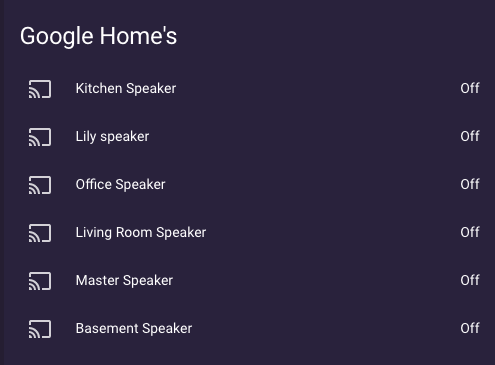
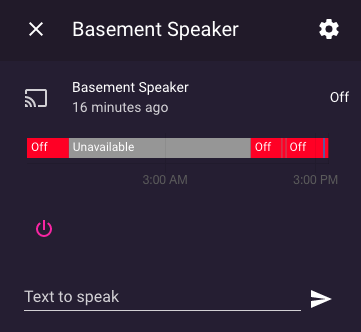 errant birch
will try to make something work, txs 👍
@mild veldt I used feedparser but when I look at the sensor in the states screen I only get this
entries
[object Object], [object Object], [object Object], [object Object], [object Object], [object Object], [object Object], [object Object], [object Object], [object Object], [object Object], [object Object], [object Object], [object Object], [object Object], [object Object], [object Object], [object Object], [object Object], [object Object]```yep
errant birch
does this have to do with the rss feed or am I misconfiguring the feedparser plugin ?
mild veldt
if you click on it and scroll to the top you can see the contents
no, they are just stored as objects
mild veldt
👍
vapid field
@mild veldt you said the following:
iantrichYesterday at 9:45 PM
@vapid field the button-card supports styling itself already 🤔 https://github.com/custom-cards/button-card#styles
mild veldt
@vapid field within the button-card, yes, you can define css properties
vapid field
Hey there, i´m still trying to color an icon based on state with the lovelace-card-mod. My problem is, that the color does only change for the first element.
this is my code:
Could anybody give me a hint, where my mistake is?
oblique rain
@mild veldt would you you happen to know a way to get rid of the padding/margin using the layout-card? thomasloven says you "can't" (with quotes) - which I'm guessing is something outside the layout card
maybe card-mod or modifying HASS itself
 slender wraith
I'm very poor at calculating seconds into minutes - is it possible to have Lovelace do the math? https://imgur.com/mjwvgUQ
mild veldt
@oblique rain I don't use layout-card not sure what padding you mean
slender wraith
Arrrh Templates is hard to "crack" - I need to convert seconds to minutes for a my 3D-printer sensor
atomic glacier
@oblique rain Familiar with layout-card but would have to be more specific on what you are trying to achieve and what you have tried...👨🏻🔧
@slender wraith better luck in #330944238910963714 for template stuff
slender wraith
@oblique rain Ok I'm recognizing that now - I need to start to calc. seconds into minutes in a template (but shit it is difficult - this is not chicken shit)
 half osprey
@slender wraith seconds -> minutes = seconds / 60 😉
atomic glacier
@polar kelp I had to replicate my layout so I could dissect it piece by piece in search of the culprit and it was layout-card, (BTW...card-modder works well with q-card). I did a quick fix and swapped out layout-card for vertical-stack-in-card so I wouldn't lose functionallity on my mobile set up. Took a little style tweaking, but it'll work. Hated to drop that card, but for now I will so I can use use q-card.
...I have a strong suspicion that was my issue with the new update for state-switch as well, but getting late here and I'll have to test that theory tomorrow...
polar kelp
Weird. It works with layout-card in alls my test cases.
But that’s certainly pushing the q-card to its limits.
I’ll see if I can force a problem.
 cold stirrup
Does anyone have anything in their UI which shows open windows and doors? I've been playing with various options but can't find anything I like. Looking for ideas.. I was thinking a card which is labelled Windows/Doors Status or something, and then lists the doors & windows and changes them to open and closed.. then maybe changes the colour to red when they're open. Perhaps it could make my morning coffee too and clean up after the dog 😂 😄
 hoary anchor
Can https://github.com/thomasloven/lovelace-fold-entity-row work together with slider-entity-row?
 hexed bramble
Where can I find the lovelace configuration file? I'm using the newer web-based system
Answering for myself: it can be found under .storage
 random mantle
Hello everyone, i forgot the name of the addon which allowed me to use sliders in lovelace right underneath the icon of a roller shutter - can someone maybe point me in the right direction please
hoary anchor
@random mantle Right besides it? This one? custom:slider-entity-row?
hexed bramble
I'm trying to use https://github.com/thomasloven/lovelace-layout-card with a vertical layout. I have adapted the card and it works fine and results in one column. However, the "- break" statements I have placed do not work. If anybody has used them, could you check out my my config if there is anything wrong? https://pastebin.com/5egsRjN5
 torpid echo
How to display the attributes of a component? I have Battery data which is a attribute for device_tracker. How to display directly in the card instead of clicking the card?
dreamy tendon
make it into a template sensor
{{ state_attr("device_tracker.yourphone", "battery_level") }}
torpid echo
ah okay. But instead of defining a new sensor, is there no way to do directly in lovelace? I mean I already have the data of attribute, why should I define a new sensor and do a restart of HA?
dreamy tendon
No clue. I prefer to have stuff like that as sensors for easier use, but maybe it's possible to show a template value in lovelace card as well
torpid echo
okay - thanks for that clue on template sensor, will do this for now and dig further
vapid field
Hey there, i´m still trying to color an icon based on state with the lovelace-card-mod. My problem is, that the color does only change for the first element.
this is my code:
Could anybody give me a hint, where my mistake is?
atomic glacier
@polar kelp I am pushing q-card as hard as I can LOL...cannot believe that this is my entire mobile UI now😎 https://paste.ubuntu.com/p/hsQZkZHrWr/ will do a bit more extensive testing after work today. So cool 🥳
polar kelp
Is state-switched a typo?
atomic glacier
nah, still running 2 versions
haven't had a chance to use the new one since dropping layout-card (for now)
as soon as I add layout-card back in...the screen shrinks to one line at the top.
probably my weird set up🤓
mild veldt
I should see about adding "anchor" support for card-mod. I use storage mode and have the same style all over the place.
raven nacelle
On picture-glance, is it possible to move the entities in the center (when not using title)?
vapid field
Anyone know how to change the User icon? I've already changed the People entity, and it works great, but the icon on bottom side nav, doesn't reflect the changes.
gusty wing
Hey guys im having an issue in doing a call service from a vertical stack card
tap_action:
action: call-service
service: script.turn_on
service_data: script.welcome_home
Error handling message: expected dict for dictionary value @ data['service_data']. Got 'script.welcome_home'
mild veldt
@winged prairie not Lovelace
@gusty wing stack cards don't support actions. The cards within them do
That being said, service_data is a map
service_data:
  entity_id: script.welcome_home
@mild veldt Something similar to q-cards (and popup-cards), perhaps. With a global store of style setups...
Oh. My. Lord. I could have it read that stuff from the damn themes!

Like
1: Install card-mod
2: Install a theme as usual
3: DONE!
Damn it. I had things to do tonight!
 modern breach
yeah, great things 🙂
mild veldt
@polar kelp sorry, thomas 🙂
odd light
buhahahaha
polar kelp
Well, here's a POC
worthy parrot
https://imgur.com/a/naS5OUY a way to hide the icon´s??
odd light
not bad, not bad
feral rivet
@mild veldt Last Thursday at 11:52 PM
there is no visiual editor for the conditional card
you only want to show the card when nothing is playing?```yes that is what I want to do. If the sonos system is off I don't need it to take up space on the main page
mild veldt
you had it setup inversly
only showing when not playing or paused
state_not: 'off'
is probably what you want
@polar kelp 🎉
feral rivet
@mild veldt in the dev tools when the sonos is not playing something it's state is paused otherwise its playing. should I not be using the same states being displayed?
@mild veldt will the change of the state_not address the issue with the card not having a visual? Am I using the wrong type of card?
polar kelp
No. It's just that not all cards have visual editors yet.
mild veldt
@feral rivet i recall you having state_not paused AND playing
you'd only want state_not paused then
feral rivet
so remove the other state. got it
  entity: media_player.kitchen_dining
  type: media-control
conditions:
  - entity: media_player.kitchen_dining
    state_not: paused
  - entity: media_player.kitchen_dining
    state_not: 'off'
type: conditional```can I remove the second state_not?
or should I remove this part - entity: media_player.kitchen_dining state_not: 'off'?
odd light
Let's by Thomas coffee to finish all the card editors
feral rivet
@mild veldt solved . removed the addtional entity
odd light
Pow
polar kelp
Thing is, I got a new job with much less xkcd 303...
mild veldt
good thing you'll have more coffee to stay up late 🤣
odd light
Yep, let's donate and make this happen. 😎
mild veldt
I think we need to go back to the drawing board with our editors first. I made them as simple as possible and they are just too ugly 🙂
polar kelp
mhm
ancient harness
i have an issue with my Picture Entity card, displaying a camera:
type: picture-entity
entity: camera.front_door
aspect_ratio: 50%
camera_image: camera.front_door
The card is showing an update every so often (i'd say ~10-15s, but havne't measured)
polar kelp
sounds about right
ancient harness
when I click it, i get an empty modal window, but when i LONG press it, i get the live stream
polar kelp
sounds weird
ancient harness
right 😛 sorry, i had accidentally hit enter too soon
polar kelp
You don't have a popup-card you forgot about or something?
ancient harness
mm no... i have a very simple setup, i literally JUST took over the view
ohhh ok, if i let it sit for a few it finally kicks in
torpid echo
I'll try my luck again today, Is there a way to print the attributes directly on the card? I have a entity which will have multiple attributes. I do not want to create a separate template sensor and my attributes may change
mild veldt
@torpid echo there's the custom more-info-card and attributes-card
Both are in HACS default
@vapid field https://www.home-assistant.io/lovelace/views/#image
 nova summit
anybody a lovelace guru and might want to do some remote support
trying to achieve some of this
mild veldt
That one is very specialized
Everything is precisely placed
I would not recommend it, frankly
 mild veldt
That's just a custom card
The name escapes me ATM though
Hmm, I thought someone had made a vertical slider and released it but that one looks to be just local to his repo
feral rivet
hey guys is this not correct? I have 2 irrigation controllers that I want to control. I thought I could just add the the second controller's ip to the first one.rainbird: host: 192.168.1.12 192.168.1.10 password: trigger_time: 360
feral rivet
when I remove the second Ip, the sprinkler for the first controller show back up in the ui glance card.
ok let me ask it this way. Can I add two ip to one host ?
mild veldt
it is incorrect in that it is not #frontend-archived related
ancient harness
Looking to do some fun stuff with charts... anyone have any good sources of examples?
right now, in particular, i'm trying to build a nice thermostat chart
my thermostat has attributes that define the set vs actual temp, and not sure how to rip those out for the history-graph card
immediate thought is to create a custom sensor that just templates out the attribute, but that seems silly
vapid field
Hello
How to put a picture in badges?
I have custom header
Thx
ancient harness
wait, am i tripping, that's what i have to do? create a custom sensor that reads an attribute?
vapid field
@nova summit i`m using this one with the homekit panel mod, dont know if it works seperately though https://github.com/DBuit/light-popup-card
vapid field
I'm using the custom:multiple-entity-row card to display some sensors and 3 attributes next to each other but it looks like a mess, does anyone know a way to customize the colums in which to show it or another card that can do this?
 sturdy nova
Hello. Have i config this automation wrong, cause the automation is triggered, but the boolean is not turned off?
alias: Turn off bedtime 10:00
description: ''
trigger:
- at: '10:00:00'
platform: time - entity_id: input_boolean.bedtime
platform: state
to: 'off'
condition: - above: '3.5'
condition: numeric_state
entity_id: sensor.hue_motion_sensor_1_light_level
action: - service: input_boolean.turn_off
 floral finch
can anyone help with missing sensor for Dark Sky?
mild veldt
@floral finch @sturdy nova those questions are not Lovelace related
 pearl hound
Hi, i thought i read a about a card/component to change the "more info" dialog of an entity. Does someone know how its called?
mild veldt
@ancient harness history of attributes is not stored, only states. So you need a template sensor that extracts it to a state
polar kelp
@pearl hound browser_mod
pearl hound
@polar kelp thanks
vapid field
Hello
How to put a picture in badges?
I have custom header
Thx
mild veldt
Badges have an image option
vapid field
@mild veldt thanks where
mild veldt
@winged prairie #330944238910963714
 winged prairie
I see what you mean and my mistake. didn't realize I was posting here.