#frontend-archived
1 messages · Page 134 of 1
 elder pendant
Don't start a path with a number
 arctic thistle
That cant be the issue since paths are handeld as strings
elder pendant
You can not believe me if you want, but it will fix it.
arctic thistle
Il give it a try
elder pendant
If you start with a number it will take you to that index of your views
arctic thistle
Ok that makes sense
Im a programmer so i was thinking that paths are handled as strings
elder pendant
Don't assume without looking at the code 😉
arctic thistle
ok you were right thx man
 stiff perch
need some help. my camera's keep showing up as gray blank slates. if i click them, they load and show video. how do i keep them always on?
 kind shellBOT
@versed burrow posted a code wall, it is moved here --> https://paste.ubuntu.com/p/6DwydS6yWv/
 vapid field
Can I combine ha styles with card-mod css styles? @polar kelp
https://paste.ubuntu.com/p/6DwydS6yWv/
 polar kelp
Not quite, but you can use card-mod on the picture-elements card and drill down into the element that way.
vapid field
Yea, I am trying to use that https://github.com/thomasloven/lovelace-card-mod#advanced-usage
but can't get the access of the shadow-root element to work
polar kelp
Yeah. That's tricky stuff. debug_cardmod: true helps.
vapid field
not for me 😅 Don't really get much information out of that
 atomic glacier
😶 margin-top: 0 wonder where that came from?  That was painful 😳 @polar kelp Thanks!!!
polar kelp
That's a sneaky one.
I wouldn't have caught it. It's a weird edge case that keys in yaml can't have a dash.
atomic glacier
At least you pointed me where to look...👍🏻 and at least I found it...
now I can get back to migrating my popups 👨🏻🔧
 full sand
So... I followed this guide to implement CCH and came to the conclusion that didn't include putting cch: into the lovelace UI.
Now, I'm not able to access my lovelace file nor can I disable CCH (uninstalling didn't help). Any solutions?
polar kelp
Why can't you access your lovelace file?
full sand
Well, I've been using the UI
and cch blocks the use apparantly, but cch settings can disable cch
but for that you need to have added "cch:" to the lovelace ui
also apparantly
polar kelp
atomic glacier
Also, may try add?disable_cch to your URL
full sand
I'm not finding the bottom option to clear cache and perform hard reset.
I've tried adding ?disable_cch, that gets into the configure UI but after this the 3 dots to open the raw config, which I guess is the one I need, aren't showing any options.
 rough portal
hi guys
i have been testing out some different tablets now all of of them are a bit slugish in lovelace ui
are there a way to speed it up a bit or make it lighter?
did pickup 3 different cheap tablets to try out and all of them were 4cores with a ok mali gpu in them but was super slugish in HA lovelace
but was browsing youtube and other sites fine even playing 1080p movies
so today i did go and pick up a Lenovo Tab M10 with a snapdragon cpu in it and still when switching between the tabs it feelt a bit sluggish even with a good cpu like the snapdragon
im getting a feeling the lovelace ui needs some optimization to run a bit smoother without having a 8core phone or cpu
the TAB M10 from Lenovo has an 8core Snapdragon 450 and its still sluggish running it
it looks like the animation when switching tab lags it down a bunch
full sand
clearing the cache did it. Was able to remove the CCH lines, thanks guys!
 ancient harness
A dirty hack for HTML is to do a css transform on z axis to enforce gpu accelleration, but not sure where the bottleneck really is for you atm. Could be a couple things,. But I'm not sure how Lovelace works yet.
atomic glacier
Any clue as why this wouldn't work using lovelace_gen?
popup_cards:
  - !include lovelace/popup_cards.yaml
been a long day...😐
polar kelp
Is this in ui-lovelace.yaml?
🎉 Auto-entities can now show you a list of lights that were turned on less than 15 minutes ago! https://github.com/thomasloven/lovelace-auto-entities
polar kelp
Don't use lovelace_gen on ui-lovelace.yaml itself. I.e. don't add #lovelace_gen to it.
I don't know why it doesn't work well, but it doesn't.
atomic glacier
Oops...okay thanks
atomic glacier
Thought it was me again
polar kelp
There. I added a note about that to the readme. Should have done that a long time ago.
atomic glacier
Should I remove# lovelace_gen from the included file as well? More_info is still opening ???
polar kelp
No. It can still be in the included file.
If you need it. Otherwise you could take it out
atomic glacier
Okay, I'll play around with it some more👍🏻
polar kelp
I try not to add # lovelace_gen unless I need it, because it can mess with templates unless you're careful.
atomic glacier
Still cross-eyed from earlier today 😁
polar kelp
I.e. if you have a template in e.g. a card_mod style section, lovelace_gen will process it before it gets to card_mod if you don't enclose it in {% raw %} {% endraw %}.
atomic glacier
🤔 that's way above my pay grade...at least until I get enough coffee donates to pay for a $59 online class 🤣
Thanks
 mild veldt
@polar kelp ooo that auto-entities update will be really nice way to show recent motion detections
 errant plover
Auto Backup
 green raft
I prefer the Google Drive #330990055533576204 addon 🙂 Already saved me once when Hass.io killed my first SD card.
 winged basin
polar kelp
winged basin
polar kelp
@mild veldt especially with the count: option too.
atomic glacier
🙊 speechless...(almost 😁)
I almost forgot how fast popups could be... HUGE difference ⚡🌠🚀 👍🏻
 warm hull
Doe anyone know how to add the vibration to the entity button in Lovalace yaml file?
atomic glacier
hapatic: success maybe? Not sure
warm hull
once I press the button, it would be great to have the phone vibration as a response. Thanks a lot
atomic glacier
Oh, I forgot. There should also be a switch on your profile page that says 'vibrate'
warm hull
Thanks @atomic glacier Somehow I don't see it on my Home Assistant iPhone app. I do see it in the browser on my laptop though. Do I miss anything?
atomic glacier
I don't have an iPhone to check. Sorry. Maybe someone else that has one could help here
It shows on my Android and desk
warm hull
Thanks @atomic glacier I'll wait for iPhone user to share their experience.
atomic glacier
👌
polar kelp
I think it's enabled by default in the app.
full sand
Is it possible to change to opacity from the header without the use of CCH?
# Header
primary-color: 'var(--text-color)'
text-primary-color: '#FFF'

text-color: '#455a64'
Short answer: No
And it wouldn't look the way you expect anyway. The background doesn't extend behind the header.
There are some new variables though, to adjust the header color separate from primary-color.
full sand
alright, i'l look into it
polar kelp
I think they're app-header-background-color and app-header-text-color.
vapid field
Is there a way to reuse a list of entities? For instance if I want to filter on say 40 entities, one list with values greater than and one with values less than 50 - I create two entitiy-filter cards do I now have to manage two lists of 40 entities (in each filter-card) or is there a more easily manageable method?
polar kelp
auto-entities or node anchors
With node anchors it's just ```yaml
- type: entity-filter
entities: &my_list- sensor.first
- sensor.second
card: ...etc...
- type: entity-filter
entities: *my_list
card: ...etc...```
(only works in yaml mode)
vapid field
Thank you, I was hoping there was a native non-yaml-only way of doing this but... Still auto-entitites seems usefull, I'll try it out.
rough portal
@ancient harness ok, ye seems you need a highend expensive phone to run lovelace without lag
polar kelp
Youtube isn't really a fair comparison. I think even the cheapest tablets have dedicated hardware for decoding h264 streams nowadays...
🎉 And now auto-entities supports this.entity_id. Only one feature of monster-card left.
rough portal
ye but if a 4/8core tablet cant handle the UI something is wrong i think
errant plover
@polar kelp is it possible to use this.entity_id to show secondary info? I found one way that does not work: https://paste.ubuntu.com/p/tK8XVDvYNP/
mild veldt
@rough portal do you have a large Network or stream live cameras perhaps?
A high end device is typically not necessary unless you have a very busy UI with cameras or a custom card with a bug, in my experience
polar kelp
@errant plover Options that apply to each match goes in the relevant filter.
The second example in the readme uses secondary_info
 muted inlet
@vapid field it's kind of confusing at first, but when you call a service with an entity button, the entity you specify for the button itself pretty much doesn't do anything other than determine the icon
muted inlet
glad to be of service 😂
muted inlet
@elder pendant lol edge can't even load one of my lovelace cards, what a POS
chrome loads it fine
elder pendant
I doubt anyone is even developing cards with Edge in mind at all
muted inlet
also, anyone know how I can change the text for the history graph? current temperature, heating, etc. i know it would involve fiddling with the card or something
yeah that's true
elder pendant
Change it to what?
muted inlet
i think @polar kelp provided a solution to changing colors for something by fiddling with a card. could be wrong tho
capitalize Current and Target
and Heating
muted inlet
ah, that's what it was. thanks. any way to modify the legend for the graph?
this is obviously not a huge deal, i'm really just curious at this point
i'm just trying to find new ways to break my home assistant installation
elder pendant
You could try https://github.com/thomasloven/lovelace-card-mod and set text-transform: capitalize
polar kelp
That would probably work
muted inlet
oooooooooo

thanks bois
also i love this screenshot: https://user-images.githubusercontent.com/1299821/63809565-eb951d80-c922-11e9-8630-697befb3c95f.png
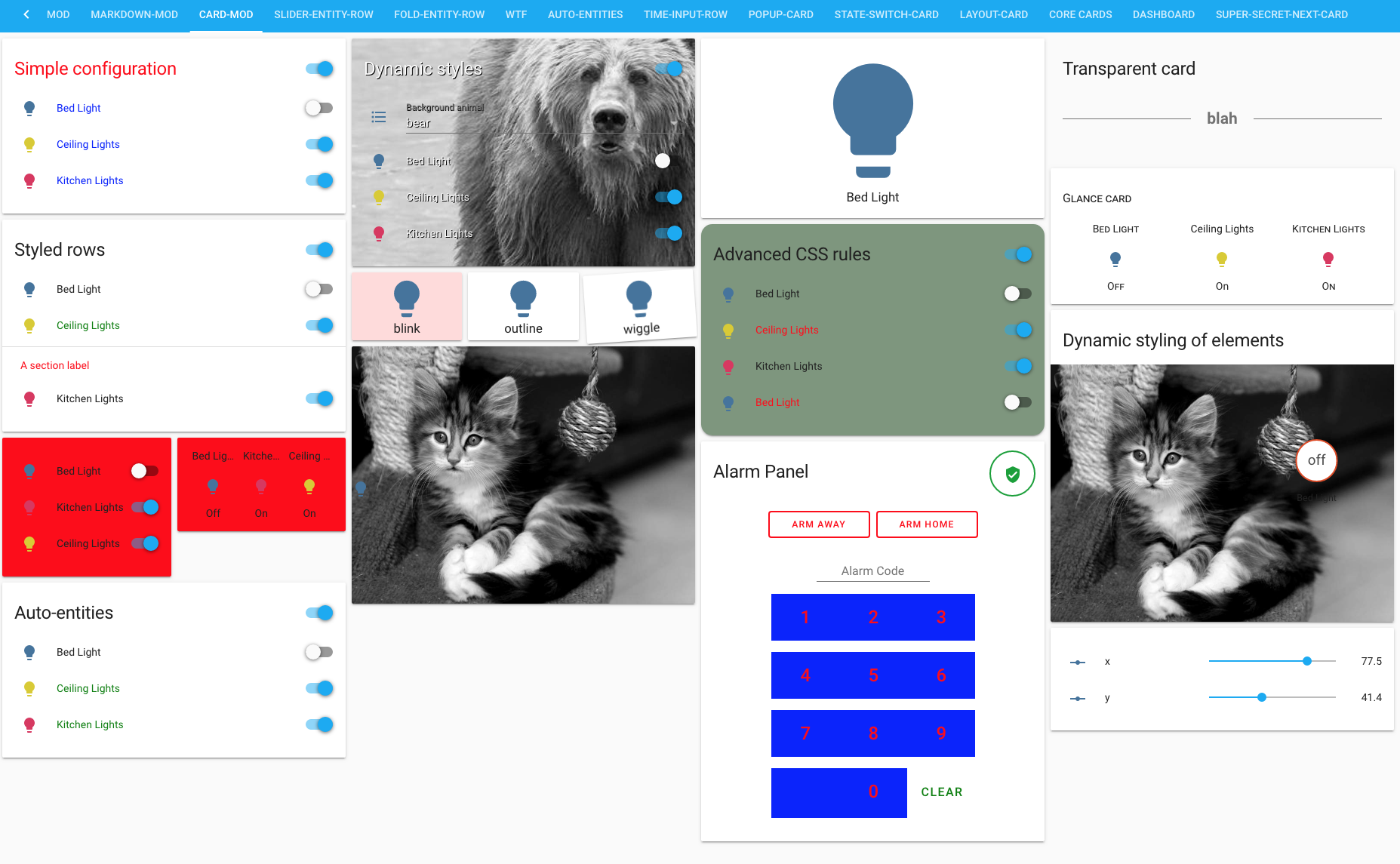
i know it's to show all the examples but it makes me laugh
make your shit look random as hell if you want, i don't care
polar kelp
That's my experimentation view
 tawny rapids
though the whole point of HTML5 and css is supposed to be that the front end dev shouldn't have to care about what browser is rendering it (not that it actually works that way, but 🤷♂️ )
muted inlet
i guess internet explorer/edge will always remain a bit... special
polar kelp
yeah... reality (read microsoft) doesn't really work that way...
elder pendant
I've also had some weirdness in Safari
polar kelp
Here's what part of that screenshot looks like live, btw...
polar kelp
Spoiler: ||It won't||
muted inlet
...but will it blend?
rough portal
@mild veldt i got 2 cameras yes
but the cameras only show pictures
updated every 10 seconds
atomic glacier
Found a slight bug with hass-browser_mod while migrating the popups back home, (where they belong 😉 ) Tested on FBK and HA Android app, the vibrate feature does not work for popups located within ui-lovelace.yaml, but scripted popups do. (and I really don't care at all). Just thought I'd pass it on kind sir 😎 @polar kelp can test it on iOS later this evening if you need me to...
atomic glacier
that's what I thought
noticed it after the first three I changed over 🤷🏻♂️ doesn't bother me at all, but...
mild veldt
How am I not surprised that @atomic glacier broke something 🤣
atomic glacier
Y'all are going to be proud of me. I am actually taking the time during this massive migration to straighten out the mess of a config that I have and my repo build is passing Travis-CI 🌠👩🔧(way too much work for a procrastinator like me btw🤣)
EDIT: That would be 'you all' for those reading this north of me 🤪
 loud sonnet
Hi
hi, i'm trying to modify the lovelace cards ( default ones ) to show the graph for sensors for more than 24 hours ( the default ) - and I'm getting "Expected a value of type undefined for hours_to_show but received 80."
elder pendant
Can you post your card config?
loud sonnet
1 sec
ok, so its actually an "entities" card this one; I also have a sensor card, that one takes the parameter but it ignores it ( graph is still drawn for 24 hours )
is there any way I should post the excerpt of a config here so that it looks better formatted ?
( other than copy pasting )
kind shellBOT
To format your text as code, enter three backticks on the first line, press Enter for a new line, paste your code, press Enter again for another new line, and lastly three more backticks. Here's an example:
```
code here
```
Watch the animated gif here: https://bit.ly/2GbfRJE
DO NOT repeat posts. Please edit previously posted message, here is how -> https://bit.ly/2qOOf1G
Command '.format' was invoked by: Villhellm
loud sonnet
ok 🙂
elder pendant
If it's longer than 15 lines use
loud sonnet
  - entity: sensor.xiaomi_airpurifier_air_quality_pm25
  - entity: sensor.xiaomi_airpurifier_temp
  - entity: sensor.xiaomi_airpurifier_humidity
  - entity: sensor.xiaomi_airpurifier_speed
title: Mi Air Filter
type: entities
hours_to_show: 80 ```Please use https://www.hastebin.com/ or https://paste.ubuntu.com/ to share code or logs.
Command '.share' was invoked by: Villhellm
elder pendant
okay, entities doesn't support hours_to_show. That will never work
loud sonnet
and the other one is just a simple detail: 2 entity: sensor.xiaomi_airpurifier_air_quality_pm25 hours_to_show: 80 type: sensor
and this sensor one is ignoring it
( maybe its cached on the server side somehow? )
elder pendant
Have you reloaded lovelace?
loud sonnet
how do you do that ?
elder pendant
Top right 3 dots > reload
loud sonnet
I've restarted the whole HA
hmm
I only have "Configure UI" and "Help"
in the dashboard
elder pendant
Okay, then you're in storage mode. It should reload automatically
loud sonnet
ok
its using the default sqlite
I have data for more than 24 hours as seen in Logbook and History
so that should not be the issue
elder pendant
You don't even have a graph on this card, it's not going to show anything
Are you talking about when you click on it?
elder pendant
That won't change. More-info is 24hours
loud sonnet
or do I need a graph card explicitely
elder pendant
history-graph is probably what you're looking for
loud sonnet
ok that works
great, thanks!
I was imagining theres a global one setting change all graphs 🙂
kind shellBOT
@devout hatch posted a code wall, it is moved here --> https://paste.ubuntu.com/p/2b5GTHGdDz/
 devout hatch
I am trying to put some image on my media player
elder pendant
image is an option for an entity entry, not for the card https://www.home-assistant.io/lovelace/entities/#image
And you're trying to put a card in entities
which is... not right
devout hatch
I dont know how to combine these with custom layout card
elder pendant
That has nothing to do with custom layout card. You're trying to add a card as an entity
devout hatch
so, instead I only need to insert instead of entity, an custom mini media player card?
polar kelp
HACSified, removed card-tools dependency, modernized.
Some new features coming up soon too.
mild veldt
🔜
 split granite
That's almost invisible in the dark theme 🤣
split granite

atomic glacier
lovelace-state-switch the backbone of my UI.....🥺
muted inlet
 $$$$$$\
$$  __$$\
$$ /  \__| $$$$$$\   $$$$$$\  $$$$$$$\
\$$$$$$\  $$  __$$\ $$  __$$\ $$  __$$\
 \____$$\ $$ /  $$ |$$ /  $$ |$$ |  $$ |
$$\   $$ |$$ |  $$ |$$ |  $$ |$$ |  $$ |
\$$$$$$  |\$$$$$$  |\$$$$$$  |$$ |  $$ |
 \______/  \______/  \______/ \__|  \__|
New featues ❔ ❓ in master yet?🧐
Been meaning to ask you about the switch from js to module types. Are all of your plugins slated to be changed as you update them? or can I just get the jump and do so now? 🤔 since I'm updating and moving everything around... @polar kelp
muted inlet
🤫
atomic glacier
🤐
atomic glacier
🌪️ adjustable-layout-conditional-user-etc-etc-card
Yep.....I'm gonna have a headache tonight for sure....🥳
atomic glacier
Nice!
I'm finishing my migration before I start breaking something else 🙈
polar kelp
Do you have a dev setup?
You really should. It takes like 30 seconds to spin up a docker container to experiment in.
atomic glacier
Not like yours, but yes
polar kelp
good
atomic glacier
just a remote local instance, that I break things with lol
polar kelp
I actually made a practice run for a video about that at one point. From downloading the docker image to installing card-mod in hacs.
Didn't get around to actually recording it yet, though.
Any decade now
 wheat current
After I started testing/developing in devcontainers my main instance has never crashed, and it only get reboots when I update.
Before it crashed about 5 times a day
rough portal
@mild veldt 2 cameras that only presents jpegs shouldnt lag it right?
polar kelp
Meh. Let's just Leroy Jenkins this.
muted inlet
just gonna send it
polar kelp
state-switch 2 released, with groups and mediaquery selectors
Now I actually have only one and a half card left to hacsify
errant plover
Thanks @polar kelp but I was actually trying to display the secondary info in the entity results, not filter on it. Is this possible?
polar kelp
Yes, by doing what's done in the example
"options: Map of options to apply to entity when passed to card."
 mental delta
Hi there. Anyone here using the map card in a view with panel: true?
When I do this, the top part of the map get covered by the header (see https://imgur.com/a/UCDWSpX)
If I place the map card inside a vertical-stack card I can see the top part but I have to scroll to see the bottom part (almost half) of the map
Is there a way to solve this issue?
mental delta
@polar kelp thanks for the quick answer, but I can't understand how aspect_ratio can help in this case
polar kelp
In panel mode, the map will stretch all the way from left to right, no matter what. Aspect ratio sets the height in relation to the width.
mental delta
What value should I use then?
polar kelp
Depends on your screen
mental delta
And if I set a value and then resize the browser window it'll become messy, won't it?
polar kelp
Yes
mental delta
😕
polar kelp
You might be able to do something with card-mod to set the height to 100% or so, but that’s kind of iffy.
mental delta
Will try
Thanks
errant plover
Sorted. Thanks Thomas. https://i.imgur.com/2H3enVW.png
atomic glacier
@mental delta I just use a pop up card for each device and set the screen sizes accordingly. That also allows them to be automated. e.g. someone leaves/enters a zone the popup opens, etc...
 pallid needle
How do you convert existing components to hacs?
atomic glacier
Add them thru HACS and follow directions. e.g. change URL
atomic glacier
Have a bunch in my repo, but I'll send you a DM
pallid needle
I don't use too many custom cards
it seems about half are hacs compatible and half are not
Do you not use the version number in the raw config when using hacs?
atomic glacier
Nope
pallid needle
ok one other question, I thought the location in the ui had to match the location under www
atomic glacier
Just follow the directions. The resources: section is at the bottom of the page and has a copy button on the right
HACS created it, 🤔
pallid needle
the directions don't match
www/community/lovelace-card-tools vs /community_plugin/lovelace-card-tools/card-tools.js
Eh I'll try it
atomic glacier
All you have to do is click the install button and add the resource section at the bottom of the page. That is it.
You are probably trying to follow all of the directions that are located in the repository.
pallid needle
you don't even have to do part two
There is a second button to have it add to the resources
atomic glacier
Oh yeah, you are using the editor?
pallid needle
yes
let me see if anything broke
Seems good
nice, now I just need my two most important plugin / components to be added
floorplan and smartir
:/ updating the roku card to hacs broke the local images
I had buttons for netflix there and now they don't load
ah it looks like the keys changed for the configuration
There is an issue with card-mod
HACS doesn't provide the type correctly
kiosk, monster-card, floorplan and smart ir aren't supported
atomic glacier
Monster-card is deprecated. Use auto-entities instead. Card-mod is module, I think. On mobile now
errant plover
Yes card-mod is a type: module
mild veldt
@pallid needle HACS tries to infer type by scanning the readme. If it is not stated, it is not shown
atomic glacier
🥯 🧀 🍩 ☕ Food for thought... (told you I'd get a headache )
Thinking 🤔 if entity: user is set, would it be possible to use @media as a conditional option? e.g. I log in and then a conditional set of views are determined by which device I logged in with? kind of like running state-switch inside of a state-switch with the media query breakpoints determining which view is presented when I log in. If that makes sense and the other users get their respective views as usual via their user name.
maybe @polar kelp
polar kelp
Why not just state-switch in state-switch?
atomic glacier
Guess that was what I was trying to ask...
I'll go that route, just wondered in theory if it should work...🤔 Thanks!
polar kelp
I try to make all my cards infinitely nestable in any configuration.
So you can, e.g. have the main view depend on something, and then a small part of that depend on something else, if you wish.
atomic glacier
Yeah, I know layout card does👍🏻
Good to know. I usually just try and break things...🤪
polar kelp
Me too. Great way to learn
polar kelp
mild veldt
what is this wizardry-shit?!?
polar kelp
mild veldt
newly released one or something in yet to be released?
polar kelp
yet to be
mild veldt
🎉
tawny rapids
User Inyerface - A worst-practice UI experiment
seeing the stuff move reminds me of that ^
muted inlet
this is the worst
elder pendant
"Your password can have at least 1 cyrillic character" 🤣
muted inlet
i literally cannot get past the password screen lmao
 terse hound
I have a light card that is fairly large, can that be changed to something smaller like the switches? https://imgur.com/oEJ05e6
atomic glacier
@terse hound you can group it with another card(s) within a horizointal-stack and it will display smaller
terse hound
thankd Dino, could you send me a link to directions on how to do that?
atomic glacier
terse hound
thank you!
muted inlet
google is also your friend here: first link after searching "horizontal stack home assistant" is what you want
terse hound
I trust DinoTech more!
Tediore, you are right, I should have looked myself first. my appologies
muted inlet
all good
polar kelp
Please let me know if you manage - against all odds - to make something not terrible with this.
atomic glacier
Didn't wanna tag you earlier, but.... 👇🏻 any clue?
Problem: When I use FKB I have more veiwport height than when I use Chrome browser or HA Android app or my wifes iOS, so I am trying to get my popups height to scale to the viewport height: by using '%' instead of 'px'.
Result: Just cuts off the bottom of the popup, but if set to fixed 'px' I can scroll the rest of the popup, but that's annoying and I am not needing many more pixels between the other devices/screens.
The width: scales perfectly between all mobiles types and browsers, so I was thinking this should be possible, but I can't figure this out 🤔 👨🏻🔧 ❓ ...anyone?
elder pendant
Height in CSS can be surprisingly difficult
polar kelp
No idea. Sometimes combining height and max-height makes things behave differently...
atomic glacier
Thanks, just trying to learn a bit ofResponsive Web Design Basics 101 🤯
I found a free online course 🤓 LOL. Think I'll finish it up before asking anymore unmerited (<--nice word for dumb 🤐)questions just bugs me that this works and is correct, but not for height😶 ...
div.fullWidth {
  width: 100%;
}
...so much to learn and I ain't getting any younger 🤣
@polar kelp That update broke something in the loading or user selecting process. I only get a black screen on all devices and no errors in console though.
The tablet user is loading when I load up(login) my desk user...?
EDIT: v2 to v3 (reverted back to v2 and all is well)
polar kelp
I can’t see how that could happen, but I’ll look into it tomorrow.
 fringe mulch
Is there a way to put a rest_command switch on the frontend?
errant plover
It's a switch. So yes. Add it to an entities card.
fringe mulch
I called it a switch but it's not really a switch. I'm trying to make it a switch or button on the front end.
errant plover
So if you don't have a switch ( https://www.home-assistant.io/integrations/switch.rest/ ) what do you have, and why did you call it a switch?
fringe mulch
Didn't know about the switch rest. Thank you. I think that'll solve my issues.
 snow ember
hello. does anybody know if the image files for badge icons are capped in size, filesize or filetype? the badge icon is just white for me
 north igloo
Hello 🙂 First time user of this chat... - I got problems getting "Lovelace Grocy Chores Card" to work...
Is this the correct way intended to ask for help?
I do get the red box saying "Can't find card-tools. See https://github.com/thomasloven/lovelace-card-tools
type: 'custom:grocy-chores-card'
entity: sensor.grocy_chores"
but i got card-tools installed over HACS...
tried to replace it with the latest version from github using my local or the remote location in the ui-lovelace.yaml
- url: /local/card-tools.js
type: module
- url: /customcards/github/thomasloven/card-tools.js?track=true
type: module
Am i missing something?
Please let me know if you need some further information... I installed grocy over docker, the HACS-addons and the lovelace-card...
The sensor sensor.grocy_chores is working and showing my tasks... but somehow the card doesn't work - althought last changes are like 20 days ago according github
This is the entry for the grocy-card:
- url: /local/card-tools.js
type: module
- url: /customcards/github/thomasloven/card-tools.js?track=true
type: module
- url: /local/grocy-chores-card.js
type: js
- url: /community_plugin/lovelace-grocy-chores-card/grocy-chores-card.js
type: js
kind shellBOT
To format your text as code, enter three backticks on the first line, press Enter for a new line, paste your code, press Enter again for another new line, and lastly three more backticks. Here's an example:
```
code here
```
Watch the animated gif here: https://bit.ly/2GbfRJE
DO NOT repeat posts. Please edit previously posted message, here is how -> https://bit.ly/2qOOf1G
Command '.format' was invoked by: iantrich
mild veldt
@north igloo that's from your resources section which doesn't really tell me much, besides that you don't need the ?track=true. It doesn't show your config for the actual grocy-card
north igloo
here^s all the relevant part of the ui-lovelace.yaml
resources:
- url: /customcards/github/thomasloven/card-tools.js?track=true
type: module - url: /community_plugin/lovelace-grocy-chores-card/grocy-chores-card.js
type: js
and further down the config of the card:
- type: custom:grocy-chores-card
entity: sensor.grocy_chores
thx for your answer btw iantrich 🙂
The layout is working.... before there was a dummy-box:
- type: markdown
content: >
## Blabla
so I'll remove the ?track=true
mild veldt
@north igloo in your browser console do you see the log CARD-TOOLS 2 IS INSTALLED?
north igloo
let me check..
mild veldt
you likely won't
and is likely because as you said, you installed it via HACS but are using some other path to it
go back to HACS, and bring up the card-tools entry and copy the resources section provided
north igloo
ok
CARD-TOOLS 2 IS INSTALLED...
according console, but now I got an empty screen without any cards... will restart HA again
HACS took extremely long to fully load...
hmm.... my view stays emply now
i get the following error in the console:
hui-panel-view.ts:36 Uncaught (in promise) TypeError: Cannot set property 'hass' of null
at HTMLElement.value (hui-panel-view.ts:36)
at HTMLElement.performUpdate (updating-element.ts:704)
at HTMLElement._enqueueUpdate (updating-element.ts:653)
but only on the view with the grocy-card...
when I switch the card with the markdown card the full view gets loaded...
I'll try to uninstall the grocy card oncy and reinstall it...
once... i meant
although cannot uninstall it twice... 🙂
mild veldt
@north igloo does sensor.grocy_chores actually exist on your system?
mild veldt
you do not need to restart when installing a lovelace plugin
you may need to clear your browser cache, though
north igloo
ok
didn't help...
Uncaught SyntaxError: Unexpected token o in JSON at position 1
at JSON.parse (<anonymous>)
at HTMLElement.set hass [as hass] (grocy-chores-card.js:162)
at HTMLElement._createCardElement (hui-stack-card.ts:79)
at HTMLElement._rebuildCard (hui-stack-card.ts:96)
at HTMLElement.t.addEventListener.once (hui-stack-card.ts:85)
at r (fire_event.ts:76)
at create-card-element.ts:111
the view with the grocy card stays empty...
when replacing it again with the markdown card I do not get any error in the console...
any idea?
I created a new view with just the grocy-card on it....
empty
VM7595:1 Uncaught SyntaxError: Unexpected token o in JSON at position 1
at JSON.parse (<anonymous>)
at HTMLElement.set hass [as hass] (grocy-chores-card.js:162)
at HTMLElement.value (hui-view.ts:61)
at HTMLElement.value (hui-view.ts:336)
at HTMLElement.t.addEventListener.once (hui-view.ts:68)
at r (fire_event.ts:76)
at create-card-element.ts:111
seems like the card has problems with JSON parsing the objects (chores) coming from grocy
var chores = JSON.parse(entity.attributes.items);
here is the content of the sensor.grocy_chores:
attribution: Data from this is provided by grocy.
items: [object Object],[object Object],[object Object],[object Object],[object Object],[object Object],[object Object],[object Object],[object Object],[object Object]
unit_of_measurement: Chore(s)
friendly_name: grocy.chores
icon: mdi:format-quote-close
I found the problem...
when changing the line 162 of the grocy-card module
// var chores = JSON.parse(entity.attributes.items);
var chores = entity.attributes.items;
somehow the items are already JSON-parsed!
mild veldt
👍
north igloo
seems to be somehow buggy anyway... as it displays all chores...
when i set the option to show only pending chores within x days... it doesn't show any...
north igloo
can todoist handle automatic repeating tasks?
example: clean filter every 3 month without having to manually create entries every 3 month...
mild veldt
yes
 gentle tide
Can someome take a look at this yaml and tell me what I'm doing wrong? The cards refuse to load. https://paste.ubuntu.com/p/8TjZKg6TkB/
for reference, here is thomas' auto-entities github page - https://github.com/thomasloven/lovelace-auto-entities#sorting-entities
elder pendant
What's the error?
gentle tide
No worries. I literally just figured out the problem.
Damned thing was missing a - at the first card declaration
north igloo
I managed to fix this as well and placed it on Github... I am happy with this version now so far...
 shy gull
Does anyone have a good custom card that just displays the text state of a sensor? Just slightly annoyed that you can only get rid of the title by putting in a string with one blank space and the icon still shows up on the stock lovelace entity view. Just need full-width text. Seems like something that has already been created, just haven't had luck searching.
elder pendant
https://www.home-assistant.io/lovelace/markdown/ doesn't work for you?
shy gull
cheers, that looks like it will work great! still getting my head around stuff, didn't know that could do templating
polar kelp
That's pretty new
elder pendant
Couple months I believe
 thorny verge
Is there a way to pass a template to service_data in tap_action for a card?
mild veldt
@thorny verge config-template-card
thorny verge
Great, I'll look at that, thanks!
polar kelp
Just make sure you think it through carefully if you actually want the processing to happen in the frontend, though. It might be better to call a script which does the templating.
mild veldt
^
very good point, thomas. avoiding templates on the frontend is always better IMO. Especially with how easy it is to create a template sensor with @wheat current https://github.com/custom-components/templatesensor
polar kelp
I probably already asked this, but when are you putting that in core?
thorny verge
What would be the best to accomplish this, I've been looking at the card and I don't really see how to do it.
              action: call-service
              service: media_player.volume_set
              service_data:
                entity_id: '{{ states.input_select.google_speaker_group.state }}'
                volume_level: '{{ states.input_number.volume_favourite.state | float /10 }}'
yeah, that would be perfect for a script
polar kelp
That would definitely work as a script. And if it's possible, it should be the first choice.
wheat current
When config options have a multiline input @polar kelp
thorny verge
It does work, the problem with using scripts is I want to be able to call it from any card in lovelace, and how do I pass the media_player needed, and volume etc to the script
polar kelp
Right... you'd probably want something like an entire code window for the template, right?
wheat current
Preferably yes
polar kelp
You can pass arbitrary data to a script. E.g.yaml service: script.my_script service_data: my_variable: asdf
mild veldt
let's make it happen!!! next year...
polar kelp
Then in the script, you can access the data with {{ my_variable }}
wheat current
Currently it's a small single line input box, not great for UX
thorny verge
That's what I'm looking for exactly, thanks.
mild veldt
@wheat current I always copy it over to the templates page to monkey around with it and then copy it back over
thorny verge
Never used varialbes in scripts before, never knew you could.
wheat current
That works, but it's a bad experience
polar kelp
Btw. Sorry for mistaking the author, Ludeeus.
wheat current
Didn't notice 😅
mild veldt
@wheat current well I need to test changes to templates anyways, so unless there was a live-preview template input in the config-flow (which is possible) I would be doing that anyways
kind shellBOT
Ludeeus is away for 8m 47s with a message :point_right: snooooooooooooze 💤
 mental kayak
Anyone ever use this custom card? https://github.com/DBuit/hass-custom-light-popup-card/blob/master/README.md
Or know how I would use this without it being a pop up so that my light entity looks like this?
polar kelp
It's seems to be three days old, so I'd guess not many people have experience with it.
But it also seems it requires browser_mod (or popup-card) for the suggested configuration, so I'd guess you can use it just like any other card instead.
 proper pelican
Hi all, so I'm having trouble getting streaming to work inside an entity in the picture elements card. Have the entity showing up, but no actual stream showing. Quite similar to the issue explored here
- aspect ratio: 0%
camera_image: camera.cnc_10_inside
camera_view: live
entity: camera.cnc_10_inside
style:
left: 55%
top: 30%
width: 20%
type: image
This is the entity code, and when clicked the streaming window pops up.
Also tried setting the entity and camera_image as two separate entities.
kind shellBOT
To format your text as code, enter three backticks on the first line, press Enter for a new line, paste your code, press Enter again for another new line, and lastly three more backticks. Here's an example:
```
code here
```
Watch the animated gif here: https://bit.ly/2GbfRJE
DO NOT repeat posts. Please edit previously posted message, here is how -> https://bit.ly/2qOOf1G
Command '.format' was invoked by: Villhellm
mental kayak
@polar kelp does that mean I should use browser_mod?
polar kelp
No.
Just look at the configuration in the readme and take the bottommost part. Below card:
It won't be a very pretty card by itself, but it should work.
And if you want the borders and stuff, you can probably use ```yaml
type: entities
entities:
- type: custom:ustom-light-popup-card
...etc...```
mental kayak
yea I tried that. When I just take everything below card nothing shows up on my lovelace dashboard
polar kelp
Nothing? No error?
mental kayak
no error and if I add it to a different panel view everything after it disappears
type: 'custom:custom-light-popup-card'```thats all I added
I got it...
I had to remove the quotes
polar kelp
I get this
It looks promising. I hope the author generalizes it a bit so it can be used as a standalone card, though.
mental kayak
yes that is what I get as well. I'm trying to add a name and multiple lights to a view
Thats what I'm trying to achieve
something like that
mental kayak
doesn't seem to work on the ipad app either
 cloud vector
Has anyone had any issues with loosing the controld for CCH (Custom Compact Header)?
mental kayak
I had an issue where when I clicked on the menu button in lovelace it didn't do anything
I think it was related to spotify but no clue why
atomic glacier
@cloud vector remove voice: overflow should fix it. A new replacement for CCH is in the works
vapid field
Hello! I have the following in my lovelace (Picture Elements card) but I understand that since latest version of HA I now need to add entity_id somewhere? Can someone help me out where I put this?
`elements:
- entity: vacuum.robotdammsugare
icon: 'mdi:bell-ring'
style:
color: '#3090C7'
left: 80%
top: 90%
tap_action:
action: call-service
service: vacuum.locate
type: icon`
E.g because of this change " It is no longer possible to target all entities by not passing both entity_id and area_id to your service data."
 vagrant flower
I'm having an issue loading the ui - it's just saying "Loading Data" I see in the console the following error:-
Uncaught TypeError: Polymer is not a function
at state-card-tiles.html:41
(anonymous) @ state-card-tiles.html:41
Can't see anything in the forums - has anyone fixed this yet?
ah it's the floorplan stuff
vagrant flower
hmm, the actual error is "2019-12-13 11:18:28 ERROR (MainThread) [homeassistant.components.websocket_api.http.connection.140115990738896] Unable to serialize to JSON: Object of type date is not JSON serializable"
ok, this isn't a lovelace issue so moving to home assistant
terse hound
Is there a way to stop notifications from re-appearing? I set up 2 ecobee's earlier this week, and now they keep showing in the discovered menu with the option to configure "HomeKit Accessory: Main Floor" - I don't have HomeKit - Rather - I don't use homekit
elder pendant
This is more of a #330944238910963714 question, but the answer is there is no way to stop the notification from appearing. You can, however, make an automation to dismiss it as soon as it's created
terse hound
ok thanks Villhellm, so if I create an automation with it, the notification will go away?
Oh i think I see what you mean, make an automation for the notification
elder pendant
@muted inlet has the YAML automation in his instance. I don't use YAML automations, so you'll have to wait till he posts it
terse hound
ok thank you! is there a HomeKit add on or something? why did HA want me to configure them in HomeKit?
muted inlet
home assistant can detect and control some homekit-compatible devices
elder pendant
It's part of the various discovery components. Afaik they are working on making the notification mutable, but I haven't actually seen anything yet
muted inlet
pulling the automation now
terse hound
thanks all
muted inlet
- alias: Dismiss discovery notification
  initial_state: 'on'
  trigger:
    platform: state
    entity_id: persistent_notification.config_entry_discovery
    to: 'notifying'
  action:
    service: persistent_notification.dismiss
    data:
      notification_id: config_entry_discovery
now is there verbiage in this code that just dismisses this particular notification, or will it dismiss all?
terse hound
but wouldn't I still want it to discover other new items?
muted inlet
it will still discover them, this just clears the persistent notification
they'll still appear at configuration > integrations
terse hound
ahhh i see, what qualifies a notification as persistent?
tawny rapids
that it shows up in the place that you're looking
muted inlet
oh
there's no way to remove them from configuration > integrations without pairing them AFAIK
terse hound
so I wouldn't be notified that something new is discovered, I would just have to remember to go look for a new device in integrations
muted inlet
in the discovered section i mean
elder pendant
Or just switch off the automation for a minute if you're adding something new 🤷
muted inlet
are you trying to clear the notification in the sidebar or at configuration > integrations > discovered?
terse hound
do you swtich it off by placing a # in front of the first code line?
just in the sidebar
tawny rapids
just toggle it
elder pendant
You switch it off by flipping the switch
split granite
You can place it anywhere in automations.yaml that isn't in the middle of another automation
elder pendant
You could put it in the middle of another automation. I'm not telling you how to live your life. But if you want it to function, you shouldn't do that 🙂
terse hound
lol, it's blank currently, since I suck at HA, so make it pretty easy
well the notification still came back????
 -> server control -> reload automations
terse hound
-> server control -> reload automations
terse hound
i did
tawny rapids
then something is wrong in your automation
terse hound
ok
i didnt see any errors in Visual Studio Code, and the Check Config worked???
@split granite any idea why the notification on the sidebar would still be showing after a reset?
terse hound
sorry Tinkerer, I thought since it had been several minutes that you might not be watching this anymore, what is a standard wait time before retagging?
split granite
Manners?
I mean, you can assume that I'll be watching if I have time
Rather than you demanding I help you
So, welcome to my block list
muted inlet
that automation is working for me so i'm not sure why it wouldn't for you
terse hound
ok, sorry about that, I'm learning still. I thought you had mentioned that if it was awhile from the last chat that you could tag again, so they know to look, I wont do that anymore, my fault
muted inlet
last triggered 38 minutes ago
elder pendant
@terse hound you restarted HA completely?
terse hound
ok
muted inlet
i have that action also tied into my startup automation
elder pendant
The notification gets created before automations start
muted inlet
put that same action into an automation that triggers upon the home assistant startup event
terse hound
ill see what happens next restart
elder pendant
Well... it will come back on your next restart
terse hound
yikes, ok I will try that
muted inlet
i have a minute delay in the action before calling the dismiss notification service just to make sure it captures it
terse hound
i better save my instance first
this is over my head at the moment, i better not get too deep
I don't understand were to insert the code you gave me within the home assistant trigger code on the link you sent
full sand
I've been trying to add battery levels to show. Got 3 devices linked with sensor.battery_level, _2 and _3.
These sensors show 8%, 10% and 19% but all my devices are above 30% battery level. Any ideas?
shy gull
What do they show in the state browser? (ie; is their value in home assistant wrong, if so that seems like a general HA question/integrations question) or is just their value in the front end showing up wrong?
 tepid trench
i have an automation question that i think is lovelace related (as this worked previously when i used yaml files instead on the frontend).
I'm trying to make an action to call a notify.mobile_app service by using a data_template message, but it's not working.
Everytime i 'edit yaml' and write it the way i want, lovelace seems to change it each time i save.
cloud vector
@atomic glacier Thank you
 vapid python
Hi, everyone!
Quick question, if I may: is it possible to have multiple pages on the lovelace interface (like, one per room), but still keep the user-friendliness of autodiscovery/autoconfig?
The reason I ask is because just about everything I have set up is autoconfigured, but the interface is getting cramped (and not very organized)
I'd like to have separate rooms, but not need to write copious amounts of YAML, if at all possible... hehe
mild veldt
@vapid python no
vapid python
Ah, bummer.
I foresee incredible amounts of YAML in my future, then 😛
vapid python
Wait, what? UI editor? Where's that?
Oh, wait. Found it.
What happens if there are new items, though? Do I need to add them manually to a view?
Also, how do I get back the automatic adding/sorting of cards?
 dense pawn
^^ exactly my question
HA is great and all but the frontend is such a good example of design-by-engineer
not bad but generally a pain to use
mild veldt
@vapid python check unused entities for new items. To go back to auto mode, delete .storage/Lovelace and restart
@dense pawn well get us a UX expert then
vapid python
As it's usually said, "pull requests are always welcome", right, @mild veldt?
mild veldt
😜
dense pawn
heh I think the UI is far from needing an expert to get better
all parts actually working would be a good start
mild veldt
Like @vapid python said, PRs welcome
dense pawn
but anyway, what I was trying to figure out this time, how do you switch the UI back to auto?
don't tempt me, I'd love to hack on this
vapid python
To go back to auto mode, delete .storage/Lovelace and restart
mild veldt
@dense pawn then do it
dense pawn
it would be nice to have that info in the docs
mild veldt
We always need help
@dense pawn or just create a PR to add the functionality to the frontend to switch 😜
tawny rapids
@dense pawn again, feel free to open a PR for docs changes
mild veldt
And that
mild veldt
?
dense pawn
random example, frontend.mode
mild veldt
options?
dense pawn
one doc says it could be yaml -- but what else?
mild veldt
That's the only option
dense pawn
oh
 turbid badge
@mild veldt do you know anything about the progress regarding polymer and the input_datetime for mobile devices especially? I know it is listed as future request. I'm having a hard time for the WAF as setting the washer timer via mobile is quite tedious.
mild veldt
I actually just added my FIRST input_datetime this week and feel your pain
No one is working on it, but I might be tempted to now
turbid badge
Haha that would be awesome
mild veldt
I think the type just needs to be changed
turbid badge
This would be amazing: https://material-ui-pickers.dev/demo/timepicker
Sorry this one: https://material-ui-pickers.dev/demo/datetime-picker
mild veldt
Yeah that's nice
full sand
@shy gull Same values in state browser, so I'd say their value in HA is wrong
terse hound
Can anyone help with adding MyQ to HA? I copied the code from this link into my configurations.yaml file. https://www.home-assistant.io/integrations/myq/, but I don't see entities or integrations available
mild veldt
@terse hound #330944238910963714
terse hound
Moved it, thanks iantrich
 prime umbra
is there any type of bug in picture elements service-button CSS Styles?
  - type: service-button
    title: Turn lights off
    style:
      top: 55%
      left: 60%
      color: red
    service: homeassistant.turn_off
    service_data:
      entity_id: group.all_lights
for some reason the text color dont seem to have effect, is always blue text
in state label works ok but for some reason in service-button wont work
 tacit cave
@prime umbra open up the dev tools in chrome and see what color it's using. It's most likely a separate color style because it's a link.
prime umbra
@tacit cave will look into it thanks
atomic glacier
@prime umbra 👋🏻 I've been noticing a few subtle changes with styles in general that are mostly due to the direction of the themes future goals, AFAIK. A set of global themes: dark mode and light with variable accent colors that can be changed with a button click 😁. I am working on templating my themes for examples of how this may work 👩🔧
 grand axle
Hi guys!
Not sure how to do that, if it’s into a Lovelace card or a different way. What would be the best way ? Doest it exist already and where ?
I would like a popup menu to pick a radio station from let say 10. By radio station I mean internet radio link to be cast.
A second pop up to choose the cast device (choice of 3), and a volume slider, and possibly a auto switch off after X time (if you forgot to switch off when you leave the room.)
split granite
Sounds like a couple of input_select and an input_number
 winter wasp
i have a very customized yaml lovelace config. is it possible to use that as a starting point so i can use the UI editor?
mild veldt
@grand axle you can use browser_mod to create custom popups
@winter wasp remove yaml mode from your frontend configuration and then just copy/paste the contents of your ui-lovelace.yaml into the raw editor after you restart
Note: All comments will be stripped and things like !include are not supported or yaml anchors
 sturdy karma
hi! Have tried to find an answer for this but couldn't find it... it's maybe just me.. 😛 does it not work havking show_header_toggle: true in an glance card?
havking: haveing
sturdy karma
hmm.. strange. it will not work for me
 modern breach
you do need to give it a title for it to show up though
sturdy karma
ah. so if my glance card have the name Livingroom, how do I set it up? sorry, i'm a bit noob.. trying to learn this 🙂
modern breach
when you edit the card, you have the preview to the right. Does the title and the toggle show there?
sturdy karma
the title does, I wrote in: show_header_toggle: true under title:
modern breach
ok, so you are editing it in yaml mode then?
modern breach
if you are using the gui you just click the "Show header toggle" button
sturdy karma
don't have that option 😦
modern breach
ah, my bad, thats entity card that has that option
polar kelp
Normally, the fastest way to find the answer to such a question is to go here: https://www.home-assistant.io/lovelace/glance/ press ctrl+f and type "toggle"
sturdy karma
yeah, nothing there... :/
polar kelp
Remember that as far as open source projects go, Home Assistant has insanely good documentation.
modern breach
thats actually quite true 🙂
sturdy karma
only get toggle option for tap_action , hold and double tap
just want a glance card with my lights and a toggle switch at the top, like entity card, so I can turn on/off all the lights 🙂
modern breach
why not use an entity card then, since it is entities you are turning on and off?
sturdy karma
I think it looks nicer in a glance card 🙂 and i have some switches also. they have a different toggle
modern breach
you can manipulate switches to look like lights if you want to
sturdy karma
that would work. now the switches has a lightning symbol and lights have a toggle. how do I change that?
mild veldt
@sturdy karma https://www.home-assistant.io/integrations/light.switch/
modern breach
yes, that 🙂
 solemn palm
Trying to increase the vertical padding on the cards. However !important overwrite doesn't seem to be working.
Want to increase it to 20px like the below code:
.column > * {
margin: 4px 4px 20px !important;
}
I've tried increasing specificity (e.g. #columns .column). I do notice on the forum there appears to be a selective list of css elements one can change, but I'm not sure whether that's true in YAML mode with a custom CSS as well. Changing fonts does seem to work in the css I'm calling through a resource link in YAML mode.
anybody a clue?
mild veldt
yaml mode only changes where the configuration is sourced from
@solemn palm would recommend using card-mod
sturdy karma
@mild veldt thanks! I think I will find it out now 🙂
solemn palm
as in the gap-card ?
mild veldt
no
polar kelp
card-mod lets you apply css styles on a card
solemn palm
ok. thanks. Does mean repetition for every card then. But I'll survive that one 🙂
polar kelp
You can't change the style of the columns, because of the shadowDOM.
It does. But yaml node anchors will help you with that.
solemn palm
so I guess just adding a padding-bottom to every card with that one will do?
polar kelp
I suppose
 ruby solstice
Hi, I have some questions about the lovelace custom button-card.
I would like to know if it is possible to change the button name according to an input boolean state
Do you have some example to do that ?
Furthermore, I have 3 buttons which call a script to setup my heater to CONFORT, ECO and OFF mode. Is is possible to illuminate only one button depending on the heater state ?
Thanksv
mild veldt
@ruby solstice use templates for both things https://github.com/custom-cards/button-card/blob/master/README.md#templates
 untold harness
anybody has the toggle option working in a glace card? for light and scenes?
ruby solstice
@mild veldt Thank you very much! I successfully did the text change with the button state. However, I don't understand how to do the button color change.
Here what I tried :
      - color_type: icon
        color: >-
          [[[ if (states['input_boolean.activation_timer_salle_de_bain'].state
          == 'on') return "green"; else return "red"]]]
        entity: script.force_mode_on_salle_de_bain
        icon: 'mdi:fire'
        name: CONFORT
        tap_action:
          action: call-service
          service: script.turn_on
          service_data:
            entity_id: script.force_mode_on_salle_de_bain
type: 'custom:button-card'```I am note sure that the template should be on the color parameter. But I haven't found any example like this.
mild veldt
@ruby solstice background-color
ruby solstice
Thanks.
 supple fiber
Forgive me for asking a stupid question. Is there a guide out there that I should follow for inital setup of lovelace?
 raven nacelle
 rose garden
hello, how can I have a camera live video in a card?
I've only managed to get feed if I click on the card and opens the feed...
raven nacelle
live feed cannot be on a card
the card updates every few seconds. You need to click the card to get the live feed
supple fiber
@raven nacelle Thanks
rose garden
I see
how can I add a slider to my rollers?
I also have a power meter, that is reading 581.367553 W
how can I round it up to 2 decimal cases?
 slow wave
@raven nacelle really? Mine updates every second, both with a picture card and with the custom surveillance card
@rose garden templating, but that again is a #330944238910963714 question 😂
raven nacelle
only if you have it configured as stream camera @slow wave
not all cameras can be added as stream
slow wave
Not sure that I do actually, I've been changing the config a lot lately  need to check next time I'm logged in
rose garden
@slow wave gee I'm always asking in the wrong place!! 😫
slow wave
You get used to it 😂
rose garden
@raven nacelle how do I do that?
raven nacelle
rose garden
you have to know the mp4 file of the camera
if the camera provide.s..
I'm trying that
I've enabled STREAM in config
what type of card should I add?
I'm not getting it, I only need to add stream: to config?
what card do i add
rose garden
can you past an example for the stream configuration?
from the link you gave me I'm not getting there
and there is no example for this, that I see...
devout hatch
can someone help me how to insert a cch - custom header?
I installed it from community and added into resources file for my lovelace
for example I want to view clock
 next rivet
Hm, pehraps I've overlooking something, TRying to setup a 'card' for a group of lights to preserve brightness/Colour control. I can get that with Tap/Extend hold but the icon doesnt update to suggest the lights are on/off
Is that possible with an Entity card? or should i be doing this another way
vapid field
Hey guys, I am becoming desperate (probably due to my non-knowledge of javascript 😉 ) - I created a custom more-info card for my lights using this: https://github.com/thomasloven/lovelace-popup-card. It shows up nicely, but when I click "back" button in browser or on phone, it doesn't close the popup, instead goes back to previous page. The standard "more-info" popups do close on back button press. Is there an easy way to do this in my scenario?
I know the repository lovelace-popup-card says it is deprecated and to use browser_mod instead; but I couldn't manage to get it work this way
polar kelp
Did you try browser_mod recently? Because nowadays it's just a drop-in replacement.
No need to change any configuration or anything
vapid field
Oh hey it is you, nice to meet you
I just started my HA journey ~2 weels ago, and played with more-info custom popups for this weekend only.
I installed browser_mod through the community store
Let me give it another try
I wanted to follow this: https://github.com/thomasloven/hass-browser_mod/blob/master/README.md#replacing-more-info-dialogs
So when I installed this, and added "browser_mod:" to configuration.yaml, then add something like in the instruction link above to the lovelace config for a certain view; the more-info is only showing the default more-info, not my custom card
Am I missing something?
Oh well, no, sorry; it is now (after clearing browser cache) behaving exactly as the lovelace-popup-card; unfortunately still: back button keeps the popup open and navigates to the previous page in the background
devout hatch
I moved from my local file layout card to community edition layout-card by @polar kelp and now I have red screen `Custom element doesn't exist: layout-card.' I edited in my lovelace settings and insted of url of local I put :
- url: /community_plugin/lovelace-layout-card/layout-card.js
  type: module
among others modules
loading of my HA site is terrible slow
anybody has an idea what should I do?
system log is empty
here is an example of red screen: ```Custom element doesn't exist: layout-card.
type: 'custom:layout-card'
layout: horizontal
max_columns: 4
max_width:
- 25%
- 25%
- 25%
- 25%
cards: - type: vertical-stack
cards:```
vapid field
@devout hatch did you refresh / clear cache?
vapid field
😉
devout hatch
tnx
vapid field
glad to help
atomic glacier
@rose garden If you have local access to your camera stream it can be displayed as background-image and for the card type an empty(if desired), card with a clear.png image. I have examples of how I do it here as a popup card: https://github.com/Dino-Tech/Home-Assistant-Main/blob/master/ui-lovelace.yaml#L658-L671
 slender wraith
Why don't I have any Unused devices shown in Lovelace UI editor (yes I'm using default theme)
shy gull
@slender wraith I don't have any either, not sure if it has to do with being in YAML mode or not
 icy patrol
Hello; would anyone know why when I refresh LL my tab page always goes to tab 0?
Would be nice for the page to stay where it is on refresh
mild veldt
🤔 that's new, I think. Seems to be an issue with view URL paths
 silver crescent
Hi. Just switched to the LovelaceUI mode. How do I add a card like this:
card:
type: entities
title: Lys
filter:
include:
- entity_id: light.*
exclude:
- entity_id: light.hue*
 lavish lagoon
Is there a way to show a lock battery level in a glance rather than the lock open/close status?
polar kelp
@silver crescent three dots at the top right, edit gui or whatever, redish plis at lower right, go from there
silver crescent
I get: Entities need to be an array (cant upload pictue...)
mental kayak
does anyone know how you can add multiple entities to a single custom card?
mild veldt
@silver crescent entities card has no filter option https://www.home-assistant.io/lovelace/entities/
are you trying to use auto-entities, perhaps?
@mental kayak that is too vague to answer
mental kayak
I assume its based on the card?
What I'm trying to do is add multiple lights to this https://github.com/DBuit/hass-custom-light-popup-card
I'm using it differently than intended however. I took that code and just used it as a card instead of as a popup
mild veldt
@mental kayak that accepts a single entity
silver crescent
@mild veldt Its a manual card. I just want a card that list all the light entities. Worked in yaml mode so looking to do the same 🙂
mild veldt
@mental kayak if you want to use a set of lights and control them as one, look at light group
@silver crescent if it worked in yaml mode (as long as you didn't use yaml anchors or includes) it will work in UI mode
mental kayak
yea I am using it as a light group already. What I'm trying to do is add multiple light groups
mild veldt
I don't believe you shared the full config in that case, @silver crescent
mental kayak
I guess I could add multiple cards and just mess with the css
silver crescent
ahh.. it was a monster-card
stiff perch
somehow my camera is showing up black and white
mild veldt
@stiff perch an opacity is added when off...but I thought I had a fix in place for that
you on newest version?
stiff perch
yes.
  - aspect_ratio: 50%
    camera_image: camera.voortuin
    entity: binary_sensor.voordeur_contact
    image: 'https://www.home-assistant.io/images/merchandise/shirt-frontpage.png'
type: picture-entity```yeah, will be grey unless the binary_sensor is on
stiff perch
okay, is there a way around that.
 cedar parrot
Where is the settings that controls that new devices auto popup in the UI?
I allways have to add everything manual
slender wraith
@shy gull Thanks for answering - It means a lot to me. I saw a solution of change from and to Lovelace UI and restart in between - but that didn't solve anything - then browser cache could be the next that I will test - but this kind of silent knowledge is quite annoying
@shy gull and clear chrome cache didn't help either. Well "Unused Entities" is broken in Lovelace UI that most be the conclusion.
@cedar parrot My hope was showing the "Unused entities" in Lovelace UI - but that feature doesn't work. Then "Set states as default page on this device" in development is the only thing I use to find new or unknown devices. Or go to "Go to the states UI"
mild veldt
@slender wraith if unused entities is not working for you, there must be something seriously wrong for your instance. You sure it isn't just your theme making it hard to see items?
@cedar parrot if you have taken control of your UI, nothing will auto populate. You can go to "unused entities" when in config mode to add new entities to your UI
icy patrol
Are others also having the same issue as me where refreshing the LL page, your tab goes to tab 0?
I tried to disable compact header but did not make a difference
mild veldt
@icy patrol you'll need to remove it from your resources and clear your cache to remove that behavior
but it is a known issue and will likely be resolved shortly
icy patrol
@mild veldt thank you, good to know it's a known issue before I start going at it
slender wraith
@mild veldt Well I have changed back to default theme and still no unused entities. This was an issue earlier version where dark themes made invisible entities (same font color as background color) in the Unused entities list. But now I use standard HACS themes like midnight_blue ( which works - some HACS themes seems to crash HA totally)
mild veldt
very strange. my only guess would be that somehow unused entities thinks your in auto mode, in which case all your entities would be used. open up an issue on the repo
and as for themes in HACS, everything in HACS is use-at-your-own-risk. If you find an issue with a theme, report it to the main repo for that theme
split granite
Any custom component, theme, etc is here be dragons
At least the stuff in HA is vetted
wheat current
Only issue with themes I have seen is folks not knowing how to configure a DB, and using something that is not default (like mariadb), the length property of one of collums in the event table is too limited by default there and require reconfiguration, default SQLite works.
slender wraith
OK you say - disable mariaDB and then it should work? Slate theme messed my HA totally up after last HassIO update from 0.102.0 to 0.102.2
wheat current
🤷 that is the only issue I have seen, that does not mean that there are not more issues
slender wraith
But then I wonder if it is not quite vulnerable if a theme can mess up your HA?
I tried to make a compare but the structure was not equal between the themes I checked
The slate theme was quite well structured but the midtnight_blue theme is a mess (but the one that works)
 spiral pasture
Not absolutely certain but I think if you use flex-table-card nothing then appears in unused entities
devout hatch
I am getting an error with a monster card
        card:
          type: entities
          title: 17track.net
          show_header_toggle: false
          filter:
            include:
- entity_id: sensor.seventeentrack_package_*```TypeError: Cannot read property 'include' of undefined
mild veldt
@devout hatch monster card is deprecated
 mental hawk
hi, would anyone be able to help me combine multiple-entity-row with auto-entities?
i'm trying to move something like
      - entity: sensor.saints_date
        info:
          entity: sensor.saints_opponent
          name: false
        name: Next Game
        type: 'custom:multiple-entity-row'
into auto-entities?
kind shellBOT
@mental hawk posted a code wall, it is moved here --> https://paste.ubuntu.com/p/9JcZHDMPGZ/
 trail spindle
Hi, I am trying to get a camera stream working in lovelace with a picture-element but am having an issue where camera_view: live is not working.
When using picture_glance cards it all works fine with a live stream of the camera shown and more-info on click
but when the same camera entity is used within a picture-element card the live streaming fails. On click the stream is still available as more-info but otherwise the camera feed shows up as a disconnected feed.
The error in the logs is >ERROR (MainThread) [homeassistant.components.generic.camera] Error getting new camera image: Cannot connect to host unifi-nvr-01:7080 ssl:None [Try again]
code is ```elements:
- camera_image: camera.outside_cam_1
camera_view: live
type: image
image: /local/FLOORPLAN_1.jpg
type: picture-elements
atomic glacier
@mental hawk Ah, my home team 🥳 Not familiar with that card, but could give it a look in a few if you still need help...
mental hawk
thanks, i think i was able to use secondaryinfo-entity-row instead
atomic glacier
I may surely be interested in the code...we are doing well this season 🏈
mental hawk
i was following this (https://www.reddit.com/r/homeassistant/comments/dso1ke/created_an_upcoming_sports_card_for_my_favorite/), but made some improvements
creating a single entity with all the data, then using auto-entities to sort and hide unscheduled teams
atomic glacier
Nice! Thanks!
 sullen stream
Is there an easy way to combine two cards into one?... or make them smaller and sit side by side on mobile?
type: horizontal-stack
title: Lights
cards:
  - type: light
    #image: /local/bed_1.png
    name: task
    entity: light.wled
  - type: light
    name: sink
    #image: /local/bed_2.png
    entity: light.kitchen_sing
not sure my errors
Component error: cards - Integration 'cards' not found.
Component error: type - Integration 'type' not found.
Component error: title - Integration 'title' not found.
ok, I was putting it in configuration.yaml.... moved it to ui-lovelace.yaml...
 desert delta
I just tried out the UI to create a automation. To be honest I'm a little shocked how bad it still is. Following one of the 4 examples(!) to set up a notificaion, after half an hour of googling I still don't know what the format "service data" requires.
sullen stream
UI for creating automations has messed me over plenty
desert delta
Yeah but such a basic automation should be really basic to setup, even trough UI.
 hexed owl
…not to mention what it does to your nice neat and commented automations.yaml file…
sullen stream
yeah... it blasts my comments.. ugh...
are you doing push notifications?... android?
desert delta
use another file for you own automation yaml
sullen stream
WHat do you mean another file?
this sounds like nirvana
I can't do a card stack to save my life
desert delta
automation: !include_dir_merge_list automations
put that in configuration.yaml and your own yaml automations in a subfolder named "automations"
everything you do with UI is saved in automation.yaml and does not mess anything up from you
hexed owl
Yeah… Shame I didn't know about that before. Thankfully, I could restore it.
sullen stream
thanks for the tip
desert delta
you can't edit them trough the UI tho 😉
sullen stream
the UI generates messy code
hexed owl
The UI should use it's own file in .storage, and not touch the automation.yaml one's… At least, not without a warning.
sullen stream
Do I replace this:
automation: !include automations.yaml
in my configuration.yaml?
@desert delta this automations subfolder.... is it in config > automations >
desert delta
yeah replace it (afaik)
should load that file anyway (does it for me 🙂
yes : config > automations >
sullen stream
where'd you learn this sorcery?
desert delta
I did setup the folder some time ago for better organizing
desert delta
yes
desert delta
just wanted to try it out
mild veldt
#330944238910963714 not Lovelace related
sullen stream
ok, anyone here have some card organization kung fu they could help me make a vertical stack?
desert delta
@sullen stream I might be in error after I checked again. The automations I create are in automations.yaml, but I'm not sure if they are loaded.
mild veldt
@desert delta #330944238910963714
desert delta
@mild veldt its about dividing the UI config from the own textbased ones
mild veldt
That automation editor is not part of Lovelace
sullen stream
where do we put the yaml for the vertical stack?
do I need to change my lovelace to yaml mode?
mild veldt
No. Yaml mode is only required if your trying to do advanced yaml things like anchors and includes
From the UI select Configure UI and then hit the plus Fab in the lower right to add a new card
sullen stream
ok... that wasn't working...
oh... wait....
I'm wrong.
for some reason I thought I had to do it with yaml.... I was playing around with the raw config editor.... etc.
but when I use the UI it just stubs out:
type: vertical-stack
then the rest is up to me.... so I put in:
      - entities:
          - entity: light.wled
          - entity: light.kitchen_sink
        type: glance
and also this:
resources:
  - url: /local/vertical-stack-in-card.js?v=0.1.3
    type: js
is there a way to make them toggleable buttons?
mild veldt
You're indentation looks all wrong for the glance card
@sullen stream use HACS to install custom cards
 maiden dagger
hey, I've got two entity buttons on a horizontal card with a title. Looking for a card I can embed them on so that the buttons and title are on a card and not directly on the background but difficult thing to search for as the terms are generic
what it looks like now: https://i.imgur.com/VplnwbZ.png
wheat current
Horisontal +vertical stacks + markdown + button cards
maiden dagger
would the button cards be on the markdown card in that case or below it?
in terms of the yaml and also the layout
wheat current
below in a vertical stack
use a horizontal stack as the "frame"
Then bundle 1 MD card and one button card in seperate vertical stacks and place them in the horizontal stack
maiden dagger
not sure if I understand totally but I'll give it a go! thanks
maiden dagger
aha I think I understand and there may have been a misunderstanding, is this what you were suggesting? https://i.imgur.com/r2nyo9l.png
I want 1 title and the 2 buttons to all appear on 1 card
wheat current
Isn't that what you had initially?
maiden dagger
when I say card I mean a white box
my screenshot was cropped a bit close I realise now so you can't tell
but the header and the buttons are directly on the grey background
wheat current
You can use card-mod to handle that
maiden dagger
perfect, I'll try that, thanks and apologies 🙂
 median lava
I'm trying to switch from Discovery to defining entities in Configuration.yaml but can't get Integration working. Platform is MQTT and can read the sensors just fine. They just don't show up in the MQTT-integration that is defined in my Configuration.yaml
Does anyone know how i can integrate the entities via configuration.yaml?
The reason why i want to do this is because i want to create Automations via the UI, not via configuration.yaml
maiden dagger
all you need for that is 2 things iirc:
3*
move your automations to automations.yaml
give each automation an a id
an id*
and put in configurations.yaml: automations: !include automations.yaml
should be find to keep using discovery
atomic glacier
That would be a #330944238910963714 question for better help @median lava
 pliant condor
last time I played with HA was pre-lovelace
and you had to # out all entities you didn't want iirc
muted inlet
yeah, click the three dots in the upper right, and click "take control of lovelace" or something
been a while since i did that so i don't remember what it says exactly
pliant condor
hmm ok so this asks me if I want to stop it managing it automatically
I'm not actually sure I want to do that yet 😄
muted inlet
yep, so now you can remove or add cards/badges as you want
pliant condor
is it straightforward?
muted inlet
it's not difficult
plus you can basically make your interface an app for your entire home. that's kind of how i see it
pliant condor
ok gotcha
I saw also that I could "disable" entities
which I guess would also remove them
but potentially have unintended consequences
median lava
@atomic glacier yeah sorry, LoveLace is the automatically generated interface which i disabled quite some time ago. I'll head over to #330944238910963714 then. Thanks!
atomic glacier
Because of my issue I posted before,(black screen=probably my set up), I decided to run 2 different versions for the time being. v2(modified & running as state-switched 🙉 ) and v3 so I could update and play around with the new features and I have some really awesome stuff in progress👨🏻🔧 ... will link you when I'm done. Think you'll be blown away ...(maybe ❓😎 ) @polar kelp Thanks for the hard work!
modern breach
anyone has a nice example for a card setup that I could use to turn lights on with different colors (in this case its hue lights on a hue hub). Like a small toolbar with three or four small buttons for preset colors
mild veldt
@modern breach https://github.com/bokub/rgb-light-card I like this one
modern breach
thanks, that looks nice
shy gull
what is current best practice for showing different layouts on phone versus tablet? custom-header and switch out the tabs or can we specify within a view itself somehow b user agent or breakpoint? (default_cards:, tablet_cards:, phone_cards:)
modern breach
i've done it the laziest possible way, i use different links
like http://192.168.1.54:8123/lovelace/phone for the phone
but there is probably a much cooler way 😄
mild veldt
@shy gull there's no elegant solution at this point
custom-header, layout-card, and state-switch are tools that may help
terse hound
noob question...are there basic UI color themes to choose from somewhere in the menus?
wheat current
If you have to ask you don't have it
terse hound
oh good, then the switch is less scary
modern breach
HACS is really great for us newbies
terse hound
ok as long as i can follow the installation direction
how do I know if I used the special endpoint /customcards/ endpoint for your Lovelace cards
wheat current
If you have to ask you don't use it
terse hound
i like that answr
modern breach
it is a very good answer, I think Ludeeus have practiced it a lot 🙂
now I'm of to brick (or hopefully update) my phone. If im not back i a few days it died 😄
atomic glacier
@shy gull I have an example of a simple 'per user' type login in my repo. Hit me up if you have any questions. (I think it's simple 🤔)
 viral sorrel
on a picture glance card I have for a live camera , sometime the gray area with the title and entities is visible at the bottom and other times the image/video loads above it. anyone else experience this?
a shift-reload doesn't fix/reset it
maiden dagger
I want a lovelace conditional card to show/hide a card based on time, I'm thinking a binary sensor which checks sensor.time against the values I want would be the way to go but I'm thinking there must be a more direct way; is there?
egh, silly me, can just have an automation set a boolean, nm!
 feral wolf
hey guys, is there documentation online for building themes? like what all the variables are?
 fathom tree
I came here to ask the same thing @feral wolf 🙂
Anyone know why setting a background image works when I put it in the raw config but it won’t work if it’s in the theme yaml file?
background: center / cover no-repeat url("/local/3ative_bg.jpg") fixed
I’ve got the image file in my www folder
And that same line works if it’s in my Lovelace UI raw config, but doesn’t work if it’s in the theme yaml file.
I’ve tried using background-image: instead of just background: but that didn’t fix it.
feral wolf
lol @fathom tree I asked during your stream 😛
fathom tree
There’s been a few people still helping me figure out why it’s doing this.
ancient harness
@fathom tree try the url fragment at the beginning.. order matters in the "shorthand" mode of css
fathom tree
I got it working.
The difference was I needed to use “Lovelace-background:” instead of “background:”
ancient harness
ah, good ol "let me pass a language through config" issue
devout hatch
anybody knows is ghere such a google map card wich will shown me an route from my home to my work with traffic density?
I found only a map (HA component) and some google maps cards but those cards doesnt include route and traffic
mild veldt
@devout hatch doubt it. you can use the google maps static API to grab a static map of a single point, but you'd then have call the directions API to get the shape to add and then the traffic API to shade it. You'd likely want that in a camera integration that gives you the final resulting image after all those calls. I'm pretty sure only the static map API is free to access as well, so you'd have to use a different service most likely
 strong falcon
can a conditional card be used with any card type?
mild veldt
yes
strong falcon
ok, keep getting an invalid card config when trying to use it with with a custom:button-card
kind shellBOT
Please use https://www.hastebin.com/ or https://paste.ubuntu.com/ to share code or logs.
Command '.share' was invoked by: iantrich
strong falcon
i figured out why, apparebtly state_not cannot be ''
i want the card hidden if the state is blank
muted inlet
@naive compass take control of lovelace and edit to your heart's content
wheat current
So... Darkmode ?
muted inlet
apparently. every time i show anyone screenshots of my frontend @elder pendant goes "ow my eyes" lol
elder pendant
Well if you stop burning my eyes then I’ll stop saying that 🙂
wheat current
https://github.com/estiens/sweet_pink_hass_theme try that, it might help
elder pendant
Ow
muted inlet
excellent, deploying now
prime umbra
@polar kelp on lovelace-fold-entity-row card was wondering how can you use on the head a title
according to exemples you can uses
head:
  type: section
  label: test
but the problem is that will show 2 sections
https://imgur.com/a/5bqEbp5
or im missing something?
 stoic otter
Hi all, i asked this question in the fronend channel as well. Is there a way to have all 3 buttons of the cover UI active all the time? Up, down, and stop.
sullen stream
got the entity card showing up in Lovelace.... have the Shelly installed... hear it clicking but not turning light on/off.... any ideas?
ahh.. a restart fixed it....
polar kelp
@prime umbra That's just what the section row looks like. You might want to try dummy-entity-row https://github.com/thomasloven/lovelace-dummy-entity-row
prime umbra
will give a try thanks alot for point me out
 bold pine
😂
 ornate mason
@elder pendant Got an example for that timer button card thing? Clearly I'm missing something.
elder pendant
type: custom:button-card
entity: timer.first_timer
show_state: true
show_icon: false
show_name: false
styles:
  state:
    - font-size: 50pt
that's the card config
ornate mason
🤦♂️ I forgot show_state.
vapid field
Got a question regarding lovelace. When editing the UI, the popup often isn't showed properly, making it unable to click the save button. I need to refresh the whole page a couple times, before it is normal once. After that, same problem. Does anybody recognize that?
 honest elbow
has anyone been able to get a .mp4 to play when it is clicked on as a card? I created a picture-entity card and created a camera that is linked to the .mp4. The image of the first scene shows up on the card but when you click the card to watch the video it just sits there and spins.
mild veldt
@vapid field yes, it is an issue where the dialog is sized before the content is populated. To overcome it, you can zoom in and then out of the browser to force a resizing
 winter hollow


