#frontend-archived
1 messages · Page 119 of 1
 past falcon
but the colors are always just the primary color of my theme
instead of changing if the input boolean is on
 latent moss
@past falcon that's the way it works, unfortunately. there's been a bunch of requests to change it, but nothing has come of it.. i would recommend the custom button card it can do the coloring you want and way way more https://github.com/custom-cards/button-card
past falcon
No problem, thanks for the info!
 atomic glacier
@latent moss @past falcon This can be done with card-mod ...the plugin where dreams become a reality 😉 https://github.com/thomasloven/lovelace-card-mod
 mild veldt
thomas, the mad man
 hushed jay
Hi all, im just starting to dabble in "take control"...already an issue! 😄 I added a picture element, the picture is 1280x740 but when it shows up in HA UI it is most definitely not that size. inspect shows:
492x284 (intrinsic: 1280 x 740)
am i missing something easy?
atomic glacier
@hushed jay panel: true perhaps ?
atomic glacier
Sizes the image to basically take up the whole view AFAIK
hushed jay
cool yeah just reading, good for picture elements and stuff like google maps 😄
appreciate the quick response!
 tender grail
Hey! I have my security cameras set up in HA via Picture Entity. But, they are too big and take up all the space. How can I make them smaller or scale them down?
 devout hatch
how can I merge two glance cards into one horizontal stack and to put label above
I want this Lovelace be above both cards Living Room and extras
somehow to be one section but splatted into two sections - lving room and extras
 polar kelp
vertical-stack[ label, horizontal-stack[ glance, glance ] ]
 mint geode
Isn't it possible to specify show_header_toggle: off in the card: section of an entity_filter-card?
Here's my code: https://pastebin.com/ZtnS5Cxi
Ah found it out myself, I had to delete the "
polar kelp
That's yaml for you. false is false, "false" is true
Also whatever is "whatever", but off is false, while "off" is "off".
And likewise on is true but "on" is "on".
 elder pendant
What a world to live in. "false" == true and "2" + 2 == 22
 glad sparrow
The "false" is a string with text false, while false is a Boolean value with value false
mint geode
Question: Is it possible to define a group of entites and then specify only that group in an entities-card and have it show all its containing entities?
 winter karma
I made a floor plan card using an image of a floor plan, but it doesnt play well with the themes... looking around i saw someone made a html/css/svg floor plan - was wondering if this approach would work better before I get "all into it" and waste my time developing for it. - thanks
polar kelp
That config hasn't been updated in two years... Lots of stuff there just won't work anymore.
This might be a good place to start, though I haven't tried it myself: https://community.home-assistant.io/t/floorplan-now-available-as-a-lovelace-card/115489
mild veldt
I put a lot of time into a floorplan and ended up not really using it at all
We always found it tedious to find the information we wanted/control the things we needed to
Sometimes simple is better 🤷 I just have a bunch of buttons now 😃
 split granite
I prefer floorplan for the overview, and buttons for control
polar kelp
🎉
Major ovehaul and several improvements to fold-entity-row https://github.com/thomasloven/lovelace-fold-entity-row
split granite
Oooooooh
polar kelp
Including the long awaited adjustable margins
 scenic bolt
hey guys, im trying to setup this in my lovelace ui https://github.com/kalkih/mini-media-player I added resources: - url: /config/www/mini-media-player-bundle.js?v=1.2.0 type: module to my configuration.yaml, and added - type: custom:mini-media-player-bundle.js entity: media_player.all_rooms to my ui-lovelace.yaml but whenever I look at the ui I get Custom element doesn't exist: mini-media-player-bundle.js the file is in the directory under url, so im not sure where im going wrong, any help would be appreciated :)
polar kelp
scenic bolt
So I should retain the /local/ part rather than the actual directory path?
polar kelp
Yep
scenic bolt
and the resources part goes in my lovelace.yaml, not my configuration.yaml?
polar kelp
Yep
scenic bolt
hmmm another probably stupid mistake, but im getting mapping values are not allowed here for this card - type: custom:mini-media-player entity: media_player.all_rooms hide: power: true icon: true source: true speaker_group: platform: Google Home show_group_count: true entities: - entity_id: media_player.bedroom_audio name: Bedroom Audio - entity_id: media_player.bedroom name: Master Bath - entity_id: media_player.kitchen name: Sonos Kitchen - entity_id: media_player.guest_bath name: Guest Bathroom - entity_id: media_player.guest_room_speaker name: Guest Room - entity_id: media_player.office_speaker name: Office Speaker specifically in entity: media_player.all_rooms with the character its mad at being the colon
split granite
@scenic bolt Please, don't post code walls - see #rules and rule 6 😉
Now, part of the problem is likely that you're mixing indents of one space, and two
scenic bolt
soirry about that, I asked about using pastebin or something similar in the past and was told to just paste, shouldve read the rules better :)
yea, im correcting those now
split granite
Well, when the bot is around it can do cleanup duty
It's on holiday right now - over worked 😛
scenic bolt
lol I can imagine
polar kelp
Check your indentation. Especially near the row you mentioned.
Oops. Late to the party...
split granite
Meh, you're more likely to be right about Lovelace stuff than I am 😉
Besides, I've posted a response to the "latest" question, only to discover it was hours ago, more than once 🤦
scenic bolt
ok so I fixed what I thought was all the indention issues and now im getting expected block end, but found block mapping start
polar kelp
And the lines near that are indented to the wrong level
scenic bolt
im sure those types of mistakes get old very quickly
polar kelp
Also, hide: probably shouldn't be empty?
polar kelp
Yaml is kind of hard, conceptually. Mistakes are understandable.
Oh, ok. Then it's probably correct
scenic bolt
https://github.com/kalkih/mini-media-player so if you scroll to the bottom-ish of this page, right above the development section, theres the example im trying to recreate
but mine is just a blank card that says all rooms, rather than having the group option they're showing
Oh, the icon was just missing, my bad
 austere juniper
Hi everyone, I'm currently trying to build a custom lovelace card with Javascript. and would love some direction. I'm trying to figure out where to find the different elements such as.
            state-obj="[[stateObj]]"
            hass="[[_hass]]"
          ></ha-entity-toggle>```

I can't seem to find documentation showing the different elements we can use.There is no such documentation, and no such guarantees.
https://github.com/home-assistant/home-assistant-polymer is a good place to start, and then you'll have to test what works and what doesn't.
Note that elements need to be loaded in by lovelace to be available to custom cards. And lovelace always loads as little as possible.
mint geode
Is it possible to define a group of entites and then specify only that group in an entities-card and have it show all its containing entities?
split granite
You'd need a custom card for that
split granite
I don't, but there's probably something in the post history here or on the forum
I'd search for something like lovelace group card
polar kelp
or auto-entities
 latent zenith
Hi. I'm new to using lovelace and can't even get out of the blocks with adding a picture element or picture background. I've put a few files on the Pi where hass.io is running in a www folder in the config folder but no joy. I point to /local/sky.jpeg but nothing is found. https://pastebin.com/2yatRyUY
split granite
If you've just created the folder, you have to restart HA
latent zenith
SO simple - thanks that's great, it works now
hushed jay
I'm curious...i've been playing now with the lovelace UI and having a lot of fun with it. my issue is any comments get stripped out of the file so its just one big blob of stuff and hard to parse through to find certain areas. What do you all do to overcome this?
split granite
YAML mode
hushed jay
which is?
https://www.home-assistant.io/lovelace/yaml-mode/
found it....thanks checking it out 😄
@split granite Thank you very much, works perfectly 😄
 vernal gazelle
if you do a split lovelace yaml with ! include of xyz.yaml do you have to restart the HA service every time you make a change to your yaml? When it was all in one, I just refreshed the page but since changing to a split lovelace yaml I must restart the HS service. I figure that maybe the case but wanted to verify. Thanks
split granite
Nope, Three dots, reload
elder pendant
Though I think I remember someone saying that it can cause issues when you split your lovelace config
split granite
I have, no issues (so far)
split granite
Never had that problem
Seriously, I just hit Refresh from the menu and my changes are loaded
elder pendant
I wonder what would cause that for some people and not others. I think there was also a conversation about it and someone had said it seems random when it requires a restart
split granite
touch wood I've never had to restart for Lovelace
And I've been messing a lot with mine over the last few weeks
elder pendant
You are the chosen one 👼
split granite
@minor pelican Like:
entities:
  - entity: binary_sensor.movement_backyard
    name: Movement?
    icon: mdi:dancer
 minor pelican
Cool. Thanks. I have to get started with Lovelace soon. A big UI revamp is next on my list of projects
 sand nova
ok, so i just got hass after a month or so of looking at the subreddit for stuff, and I have a Samsung Washing Machine linked up via SmartThings to my HASS setup. It has a "Washer Completion Time" card, but as it is that displays a javascript date (YYYY-MM-DDTHH:MM:SS.sssZ) and if possible i'd prefer a card something more like "x minutes ago" or "in x minutes". Can anyone recommend either a way to do that (i'm ok with writing some code to put it in myself) or a pre-existing way to get something similar?
mild veldt
what card is this?
sand nova
?
mild veldt
and that is the state?
mild veldt
got to  in the developer tools
find your sensor in the list
and see if that date is in the state column or attributes column
mild veldt
cool, either way, I think you'll need to make a template sensor
I found this with a quick google: https://www.reddit.com/r/homeassistant/comments/binf13/displaying_time_ago_as_a_value/
hmm, I could use that myself actually for some stuff 👍
sand nova
cheers
mild veldt
FYI you can at least format the timestamp if in an entities card https://www.home-assistant.io/lovelace/entities/#format
relative might actually be that...
can't remember
sand nova
oh, and where do i put the www folder for custom elements?
(docker hass.io setup)
i tried homeassistant/www
and also just /www
mild veldt
try this
type: entities
title: Washer
entities:
  - entity: sensor.washing_machine_washer_completion_time
    format: relative
in your case, that would be your .homeassistant folder
sand nova
ah ok
mild veldt
but did you restart after creating it?
mild veldt
@polar kelp are you trying to give me a seizure with this? https://github.com/thomasloven/lovelace-card-mod#more-examples 🤣
polar kelp
The red blinky one?
 rare frigate
I tried to add the spotify custom card. It works fine and all but I have a notification that says I need to configure spotify
When I do it says invalid url?
Help
Please 😄
 radiant drum
What am i doing wrong here https://pastebin.ubuntu.com/p/SDZQZngqBc/ ? I am trying to mix two types of cards into one. Nothing is showing when i refresh HA.
 gray kernel
card modder accepts one card in the card: argument and it should not be a list
devout hatch
How to change in glance card icon for light?
I added icon property but nothing happened
      - type: glance
        title: Bathroom
        icon: mdi:lightbulb-outline
        entities:
          - switch.boiler
I see only thunder icon 😃
austere juniper
@devout hatch Add the icon under the entity itself.
I've created a custom Lovelace card that password protects entire cards. https://i.imgur.com/Zxjdt5a.gif
You can check it out here - https://github.com/CyrisXD/love-lock-card
 wheat current
It would be cool if you implementet logic like card-mod / markdown-mod, so this is added to any card 😃
austere juniper
Technically it can be added to any card right now as it's based on the vertical-stack-in-card. It (should) from my testing cover any card you apply to it preventing accidental clicks or locking out other people with a password
My use case was those wall mounted tablets people used, they had no way to stop their children or flatmates messing with certain things.
wheat current
I get that, the difference is with this implementation you wrap it around a card, instead of adding to the card.
Would make for easier config for the user (I think) 😛
austere juniper
True, that is the best I could come up with for now as I don't know Python or Polymer (yet). That car mod one is pretty sweet though
Haha that example gif though https://user-images.githubusercontent.com/1299821/59151861-9f7cc000-8a3a-11e9-90d2-ff192c4c10a7.gif
Screams geocities ^_^
wheat current
Now your post is near the top again 😃
austere juniper
Haha thanks, how would one get it in the HACS "Custom Plugins (Lovelace)"? If you reckon I need to make it better first, like the card-mod. I can sure give it a try
wheat current
austere juniper
Awesome thank you very much for the help @wheat current
austere juniper
@wheat current There's no way to see how many people have your card installed right? Like HACS isn't keeping a record?
wheat current
I hope not
austere juniper
Sweet, just checking.
wheat current
You are the second to ask that in under 24h, is it something that I have missed?
austere juniper
It's just good motivation to keep updating and maintaining it if you get to see people are actually using it.
At least that's what drives my motivation.
wheat current
Ah good 👌 I was starting to worry if I have something that should have been disabled 😜
wheat current
https://help.github.com/en/articles/getting-the-download-count-for-your-releases @austere juniper If you place the card file as a release asset you can get that info from the GH API
polar kelp
I asked because I noticed that slider-entity-row has way way more stars than any of my other plugins, and it would be interesting to know if that trend would continue into hacs.
wheat current
wow, doubble the amount 🤔
devout hatch
@CyrisXD nope, it shows me an error
devout hatch
ok, I got it.
another question: how to bring slider for the bulb, such as type:light into glance card?
if I just write: - type: glance title: Living room entities: - entity: light.livingroom_dimmer_main_light name: Main Light
(name is mistaken indent)
is it good enough to HA realize that this sensor is of a type light? as it says in entity property?
split granite
You can't have a slider in a glance card
That's like asking how you fit a caravan in your pocket
winter karma
hey I'm working with ha-floorplan
has anyone written anything that reflects the color of an rgb bulb?
rather than off and on
split granite
I haven't, but there's a long-running thread for the original HA Floorplan that may have the logic for that
winter karma
i couldnt find anything relevant..people ask the question i dont see any examples in the search
yeah..cant find anything that dynamically changes the color of the object in correlation to the rgb "sensed"
for instance if the bulb is blue..change the icon blue...
split granite
It's not a thing I've ever looked at myself, as mostly I'm more interested in on/off for Floorplan
winter karma
somehow i need to inject the attribute in the css/sass
 small pike
Anyone know with the Fold Entity Row custom card (http://bit.ly/2ZF4YFD) if you can make it expand by clicking/tapping the name
vernal gazelle
how does one get cards in columns and rows like this https://demo.home-assistant.io/#/lovelace/info I am using Yaml Mode but for the life of me cant figure out how to get for instances 3 gauges that size in a row.
small pike
@vernal gazelle is there gauges in the demo you are trying to mimic?
vernal gazelle
yes, im actually just setting using the same gauges for PI and a Speedtest to get the basic Idea, but with no luck
gotta walk before ya run 😃
well the speed test im using custom mini graph card, but the rest is pretty much the same
small pike
Just to be sure we are talking the same demo screen its the one with the Green header?
These gauges? https://photos.app.goo.gl/tPWPMuF5iJ3dKY6j8
vernal gazelle
thtas correct
small pike
Are you using the horizontal stack https://www.home-assistant.io/lovelace/horizontal-stack/
and then vertical stack https://www.home-assistant.io/lovelace/vertical-stack/
vernal gazelle
let me give that one a go.. I essentially tried to copy some of what was in the Lovelave file from the demo github, but .. yea.. that went sideways 😃
small pike
Lol I've tried the same before too
vernal gazelle
I had the vertical stack per the demo lovelace but it wasnt working, that and I couldnt figure out how to resize the cards. Mine are massive
and panel is false
well not massive just large
small pike
like large as in overflowing the card bounds?
Because most cards do scale to the size given but I have gotten the overflowing bounds issue before
vernal gazelle
no they are just large, being a little new, not sure if they auto-scale or there are custom settings needed
small pike
Yeah they auto scale
so make the window smaller and they go smaller
a way that i use to force them smaller is to put multiple graphs/gauges that are related into a horizontal stack like this
vernal gazelle
thanks for the assist. I will work on getting the gauges in a horizontal stack , and see what I come up with 😃
small pike
I did a similar thing with the cpu but made it a graph and added memory usage next to it
it's in my last link now
you could also try this https://github.com/custom-cards/dual-gauge-card for cpu and memory usage
@vernal gazelle I have not tried this but this might work: https://github.com/thomasloven/lovelace-card-modder
it allows you to force size of cards but I have not tried it so I don't know how it works of if it work for you
vernal gazelle
will give it a go a bit later and let you know if I have success
small pike
👍 sounds good! I use a few of @polar kelp cards so I am familiar with how his cards work so I should be able to help but he is also on here and pretty responsive so he can help too
 kind shellBOT
@winter karma posted a message that is too long, it is moved here --> https://paste.ubuntu.com/p/9YKRwwgV2C/
winter karma
im trying to do the stereotypical first automation (theme change on sun position) using nothing but the frontend... have to say its easier to just code. Does the above look right haha 😂
split granite
#330944238910963714 would be the place to ask about that
winter karma
dang im so bad about that
small pike
@polar kelp Is there a way I can make the fold entity row sections expand/collapse when I tap on the section name?
polar kelp
Yes. Install the latest version.
small pike
Oooo really! Thanks
wheat current
If only there was a way to easily keep those updated 🙄
split granite
You should write something to handle that
elder pendant
Some sort of store for the community. Could be cool
wheat current
Maybe some day
 prime umbra
LOL
small pike
lol i have the custom updater and thought i had it updated but i guess i didn't
wheat current
Yeah... That one has some major flaw's
split granite
Yes, you're here
winter karma
i have a custom popup that triggers on the more-info event of my roku devices...i was wondering how i can trigger that same card in the ha-floorplan addon
kind shellBOT
@winter karma posted a message that is too long, it is moved here --> https://paste.ubuntu.com/p/2ZH33RM9YG/
split granite
🤦
kind shellBOT
@winter karma Rule #6: Spam will not be tolerated, including but not limited to: self-promotion, flooding, codewalls (longer than 15 lines) and unapproved bots.
Please take the time now to review all of the rules and references in #rules.
Command '~rule6' was invoked by: Tinkerer
split granite
AGAIN
winter karma
i dont know what that means
kind shellBOT
Please use https://www.hastebin.com/ or https://paste.ubuntu.com/ to share code or logs.
Command '~share' was invoked by: Tinkerer
split granite
^^^ that
If you're posting more than 15 lines then you must use a code sharing site
winter karma
its 12 lines
split granite
Your ability to count is in question
That's not 12
17...
Now, please go and read the #rules
Use code sharing sites in future
winter karma
- name: Roku Players
          entities:
            - media_player.roku_livingroom
            - media_player.roku_device
          action:
              service: more-info
i made it smaller
elder pendant
Your indentation very off
split granite
By a country mile
elder pendant
Well not really, you're asking for help and are posting invalid yaml
split granite
Get it right, or don't waste everybody's time
winter karma
holy f= hold on
split granite
We'd love to, but you're ignoring every attempt to direct you towards playing nicely with others
There's a limit to my patience there
winter karma
- name: Roku Players
          entities:
            - media_player.roku_livingroom
            - media_player.roku_device
          action:
            service: more-info
🤦
elder pendant
When 90% of problems are due to invalid yaml, you can see how posting invalid yaml is not just "getting the idea"
winter karma
it did it again haha
winter karma
ok my appologies
but i would like to use my popup cards in my floor plan..can anyone please help me with that issue
split granite
I get the normal more-info cards by default when I click on an entity
winter karma
right the popup cards replace that on entities you specify with a card of your choosing.
ive defined my roku players to use a custom card
split granite
Can you show us the Lovelace config - and this time FFS don't paste a code wall in the channel
winter karma
i was wondering if the popup card could be used here by forcing it to listed to events on that page
I thought if i specify an action it would recognize it from my global config
i tried domain: media_player and that didnt work - there is no service for more-info
split granite
Are those definitions both on the same view?
winter karma
they are global - outside of a view
top of the raw config editor
where do the cards get the more-info action from?
I would also be interested in getting long taps to work in the floorplan view
polar kelp
popup-card is a lovelace plugin. Ha-floorplan is not lovelace.
You may want to search the forums for "lovelace floorplan" or something like that. There's a rather recent release...
winter karma
the reason i went with the ha-floorplan was to get it to play well with themes - i was originally making a floorplan with image/picture cards.
and the popup was working then
ok ill try it again 😃 the lovelace-floor plan looks promising!
thanks @polar kelp
vernal gazelle
@small pike well just back into it, have not tried the card modder, but i am able to get 2 Gauges in a row, but not 3 https://photos.google.com/share/AF1QipP6dfBq62A2VAt37le28JSWSBqtmYTNPO7M2s1IIyXQIZby-1psQmVJ6i2626_l9w?key=R2szSTdBcGNKd243RmhucTFFV25BU1ZHeGRxZVN3 once i figure out that 3 stuff im golden 😃
small pike
Close! Share the back end of the gauges and i might be able to help you
gray kernel
I've got a couple questions: 1. how can I remove the yellow-highlighted "Unknown" state from this group of scenes in the head of custom:fold-entity-row? https://github.com/thomasloven/lovelace-fold-entity-row
2. how can I change the "ACTIVATE" text to "APPLY" (pointed to in red)? you can see in group_config all the options I've tried to change the button text that do not work
type: custom:fold-entity-row
head: group.porch_led_strip_scenes
group_config:
  action_name: "Apply"
  label: "Apply"
  name: "Apply"
  text: "Apply"
  title: "Apply"
I could switch to using custom:auto-entities if that allows me more configuration
small pike
@vernal gazelle don't worry! We are all pretty much just learning as we go. I am at least!
First thing I notice I think you have the compact-custom-header setup wrong, I think that line is supposed to be above all other cards
And then I think it is something with the layout-card that is causing the gauges to get split into different lines
vernal gazelle
okay Ill mess with those to see what I can figure out.
small pike
Yeah but definitely fix that compact header, I set mine up wrong and got all sort of weird things
 serene flare
Hey all, having an issue here.. ive removed several automations, and created a new one but now all i have in my LoveLace view is yellow bars and the new one i cant find anywhere, BUT it did run.. anyone have an idea..
gray kernel
look in to find the new entity ids and remove the old ones @serene flare
serene flare
thanks Navith, BUt what is that
gray kernel
it's the icon in the left sidebar that brings you to a page called "States"
serene flare
oh, ok ill have a look see what i can figure out! thanks for the direction
OK looked under automation.* and all my yellow bars on lovelace none of them are there in the <>
gray kernel
that's correct
I solved problem 1. above with custom:dummy-entity-row
type: "custom:auto-entities"
filter:
  include:
    - group: "group.porch_led_strip_scenes"
card:
  type: "custom:fold-entity-row"
  head:
    type: "custom:dummy-entity-row"
    entity: "group.porch_led_strip_scenes"
 distant silo
I realize this is objective, but what is the easiest full featured bulb to integrate into HA, also do the Hue bulbs require the bridge / hub?
I'm thinking no on the hub Philips Hue support is integrated into Home Assistant as a Hub that can drive the light & sensor platforms.
gray kernel
you should ask that in #330944238910963714 or #the-water-cooler @distant silo
 broken compass
trying to arrange cameras in a panel grid with 3 rows and 3 columns, seems horizontal & vertal stacks don't play nice together, any other way i can achieve this?
vernal gazelle
I wil leventually figure out how to get everything into Nice Columns and rows, but I will probably win the lottery first 😂
gray kernel
use custom:layout-card with a column_num: 3 https://github.com/thomasloven/lovelace-layout-card @broken compass
 strong finch



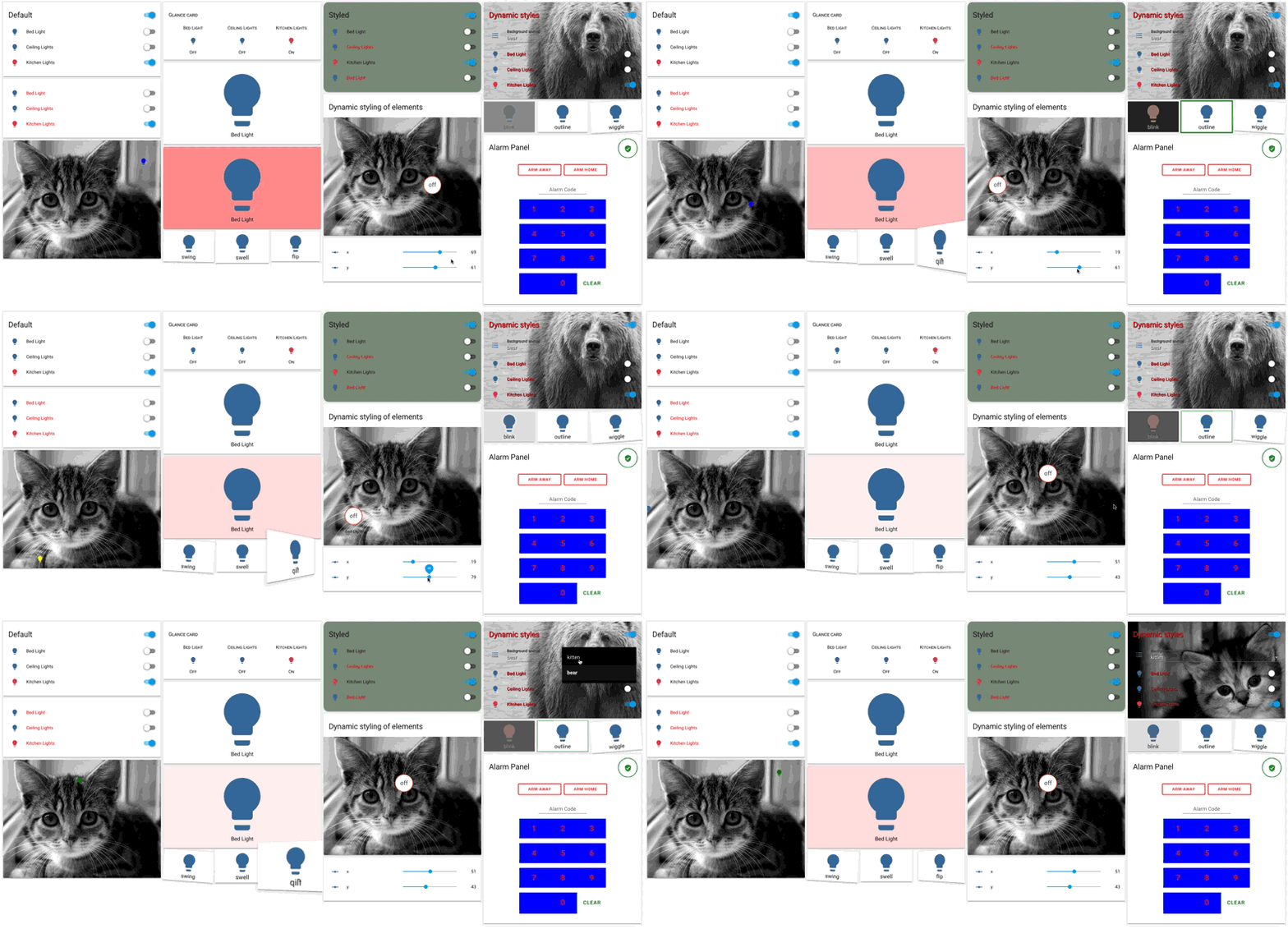
 polar kelp
Vertical and horizontal stacka play perfectly well together if you got your indentation game down.
 vapid field
Hello everyone. One question. How can I add temperature sensor to circled sensors at the top of the UI?
wheat current
Add it as a badge
vapid field
@wheat current how can I make this? Im reading things, but I cannot understand
wheat current
 gaunt shuttle
hi there can someone help setting up plant ? i am uxing MIflora but i want to use plant
vapid field
@wheat current Thank you so much. I have found a post where it explains much better for noob people https://hasscasts.com/badges-in-home-assistant-lovelace/
 junior whale
Just a simple question, why do i get a switch when i group 2 device tracker groups with each other? (if those groups are device trackers, why does it not show home/away etc?) it does when i click on it but not in the overview. Just wanted to know..
split granite
I've just tried a glance card, that works as expected, let's try entities
junior whale
split granite
Hmmm, are you sure it's just device_tracker entities there
junior whale
so everybody is the combined group of family & other
split granite
I get what I'd expect
junior whale
  everybody_tracker:
    name: Everybody Tracker
    entities:
      - group.other_people_tracker
      - group.family_tracker
Ahhhh, I wonder if that's the issue
junior whale
inside both groups i have normal device trackers
split granite
A group of groups
junior whale
i would think it would 'know' and i am wondering if this is normal or not
split granite
It probably doesn't
The UI just sees that the group contains groups
If that was a group of device trackers, you'd get what you expect
junior whale
but if i click on it, it does work correctly
split granite
Different behaviour in different things
junior whale
so in reality i don't have an issue, i just wanted to know why it does that.. so the assumption here is that it doesn't do it 😉
gaunt shuttle
hello there ! someone can guide me thrue plant monitor setup?
split granite
If you mean in general, this is the wrong channel
 tardy maple
I have the following filter entity but is not working can you please assist? It is saying incorrect filter config
https://pastebin.ubuntu.com/p/wk8VJYGSfc/
split granite
Check the examples in https://www.home-assistant.io/lovelace/entity-filter/
You have
        filter:
          - entity_id: device_tracker.xxxxx
            state: "home"
          - entity_id: device_tracker.xxxxx
            state: "home"
The docs show
entities:
  - device_tracker.demo_paulus
  - device_tracker.demo_anne_therese
  - device_tracker.demo_home_boy
state_filter:
  - home
I have a Lock and it works fine, but what if I wanted to change the wording from Front Door Unlock to Front Door Locked is that possible?
I think thats a value template correct, if my google skills are up to par 😃
vernal gazelle
okay I guess what i dont get is what the attributes are
   icon: mdi:door
   friendly_name: Front Door Lock Status
value_template: "where do i get this info" ```This is not working anyone see anything wrong:? ``` lock.front_door:
icon: mdi:door
friendly_name: Front Door Lock Status
value_template: >-
{% if is_state('lock.front_door', 'unlock') %}
Locked
{% else %}
Unlocked
{% endif %}
For a start, the indenting is off
kind shellBOT
YAML is the mark up language used by Home Assistant. Consistent indenting (two spaces per level) is key
Command '~yaml' was invoked by: Tinkerer
vernal gazelle
you talking about he value template portion? Everything else above works.
split granite
 lock.front_door:
  icon: mdi:door
Either the first line has an extra space
Or the second line (onwards) is missingone
I'm not sure though that Lovelace supports templating
vernal gazelle
i was using it in customize yaml that's how it was after I i made the change for friendly name on the front end.
ill try the indenting and see what happens
split granite
Well, https://www.home-assistant.io/docs/configuration/customizing-devices/ doesn't list value_template as an option
vernal gazelle
no problem 😃 just reading a million different things.. lol all blends together at some point 😃
polar kelp
 hallow spruce
to move from yaml mode to storage... do I just remove the mode: yaml in configuration.yaml?
and do I still need lovelace: in the configuration.yaml file?
hallow spruce
nvm: removed lovelace: from configuration.yam, then restarted, then copy-paste into raw ui editor
devout hatch
hello, how can I add to my lovelace glance card a section with brightness controll and color picker?
for my lights
split granite
You'd have to do that in a pop-up/more info card
kind shellBOT
@devout hatch Please DO NOT cross post. Read the channel description, post it and wait for folks to respond.
Command '~crosspost' was invoked by: Tinkerer
vernal gazelle
anyone know if there is an issue with teh custom darksky weather card, Ive got it setup exactly as described in the readme, the sensors show up but the card never load
moved this from HA chat,
vernal gazelle
fyi this is what I find in google (if it helps)
Uncaught (in promise) TypeError: Cannot read property 'state' of undefined
at HTMLElement.render (dark-sky-weather-card.js?v=7.1:22)
at HTMLElement.update (app.29ef27ad.js:2)
at HTMLElement.performUpdate (app.29ef27ad.js:2)
at HTMLElement._enqueueUpdate (app.29ef27ad.js:2)
 ivory horizon
is there no way to have badges when panel is set to true? I am trying to make a horizontal stack with 3 columns each column being a vertical stack card. If I don't set panel to true it squishes everything into the middle. If I do set panel to true my badges disappear. There must be some way to get badges and a nice layout. Also is there anyway to have a little margin on the left and right of horizontal stack so the cards are not exactly touching the sides of the screen?
atomic glacier
@ivory horizon you can use this for pretty much any kind of layout designing. https://github.com/thomasloven/lovelace-layout-card as far as the badges go, I've never had any use for them so can't help there
Also very useful https://github.com/thomasloven/lovelace-dummy-entity-row and https://github.com/thomasloven/lovelace-gap-card for screen layouts
@vernal gazelle haven't been following the card lately, but I think the newest changes have been added to HACS. I will try it out this evening, but here's the link https://github.com/bramkragten/weather-card
vernal gazelle
thanks Ill give it a shot in abit
 viscid jacinth
Sorry if this is stupid, I'm legitimately just starting my HA journey; If I want to insert a picture, I know the command, but I don't know where to store the file so the HA can call upon it. Do I store that anywhere on the network?
vernal gazelle
you put it in config www
atomic glacier
@viscid jacinth www folder you have to create and then restart
viscid jacinth
ok thanks. im assuming it's been asked a billion times before but it's hard finding the info. I'll check the docs section! thank you
ivory horizon
@atomic glacier I am using that custom card now but it does the same thing as horizontal stack. If I don't set it to panel:true it will only show one column. I was able to modify that lovelace-layout-card though to get it to do what I wanted. Looking at the code it appeared to be making a new columns div inside a column and then adding column divs to that new element. I simply changed the code to modify the root columns element and it worked like a charm.
viscid jacinth
ok
so within the config folder I created a folder named www
I just use the upload function to upload the pictures directly to that folder and I'm good to go when I use the picture function later in my tabs?
I think this is starting to make sense
or not? lol I can't view it within HA
scenic bolt
anyone around to help with adding rtsp streams to lovelace? im trying to configure it properly right now, but cant get the camera to appear as an entity. I have the stream, and camera services running, but cant figure out how to get the camera to appear. ```camera:
- platform: generic
name: office_camera
stream_source: rtsp://10.11.12.72:7447/XXXXXXXXXXX```
atomic glacier
@viscid jacinth use Cloud 9 IDE add-on, mush easier to edit files and don't forget to restart HA after adding the www fokder
@scenic bolt if you can see it on your states page you can click on the left side of the entity and it will pop up the image
scenic bolt
I dont see it in the states page, the only thing I find is persistent_notification.invalid_config when i ctrl-f camera, so im assuming I did something wrong lol
atomic glacier
That would be correct then. Recheck the yaml and example and check my repo at the bottom of my configuration.yaml and there should be a working example commented out.
scenic bolt
im not sure what I did wrong, it matches things ive seen in forum posts
 hoary lava
if you want some low med high gauges for lovelace https://www.dropbox.com/s/aqa28vwy0ueqyku/gauge-low-med-high.zip?dl=0
I just made those from stuff online.
hmmm... looks like they are too big for mdi icon replacements.
scenic bolt
sweet, got the camera to appear in entities using platform: ffmpeg but now I cant get a smooth preview image
hoary lava
i don't think you can. you have to select the camera to get a smooth image
scenic bolt
id share a pic if I could, but it doesnt even give a reasonable preview image, then the video feed is half image, half pixelated wreck for a good 30-45 seconds
hoary lava
oooo...sounds bad.
scenic bolt
Yea, its pretty rough lol
trying to ditch nest stuff, but in order to get approval from the boss I have to have everything (cameras, lock, thermostat) in one app, and I figured I could configure that with home assistant, but just gotta get it smoother
https://imgur.com/a/se9SOUm getting this as the preview, with the live view looking the same, before going to static for half the image, and slowly starts to fill the whole image to where its supposed to be, as motion happens throughout the room, any advice anyone?
not sure if this should go here, #330944238910963714 or #cameras-archived so let me know if its in the wrong place and ill happily go where it belongs :)
 tulip mulch
does anyone happen to know if you can rename states in lovelace cards?.. i.e. custom-config-template-card.. i'm trying to change (state: home) to (state: connected) @mild veldt
gray kernel
@tulip mulch change the device_class of the entity to connectivity if it's a binary_sensor https://www.home-assistant.io/components/binary_sensor/
tulip mulch
@gray kernel unfortunately it is not a binary_sensor. it's the device_tracker coming from NMAP
gray kernel
make a template binary sensor based on the device_tracker value i.e. "{{ is_state('device_tracker.whatever', 'home') }}" for the value_template
tulip mulch
@gray kernel i'm trying to see if I can do it without over loading my entities
i would have to make 50 of them
gray kernel
understood
tulip mulch
i know i can change the name via the config-template-card.. I was curious if it was possible for the state
gray kernel
can you show me your card config so I can word my suggestion properly nevermind I don't think this would work with that particular custom card
there's another card that could do what you're asking; scroll down to the last code block + screenshot on here https://github.com/gadgetchnnel/lovelace-card-templater
 tacit cave
I ended up using custom:button cards with an anchor that changed the name of the state
Actually, nm i don't even show the state
tulip mulch
@tacit cave lol... @gray kernel that's exactly what I was looking for!! Thank you
tacit cave
this is what I did, red has a slow pulsing flash https://raw.githubusercontent.com/Petro31/home-assistant-config/master/www/images/github_images/network.png
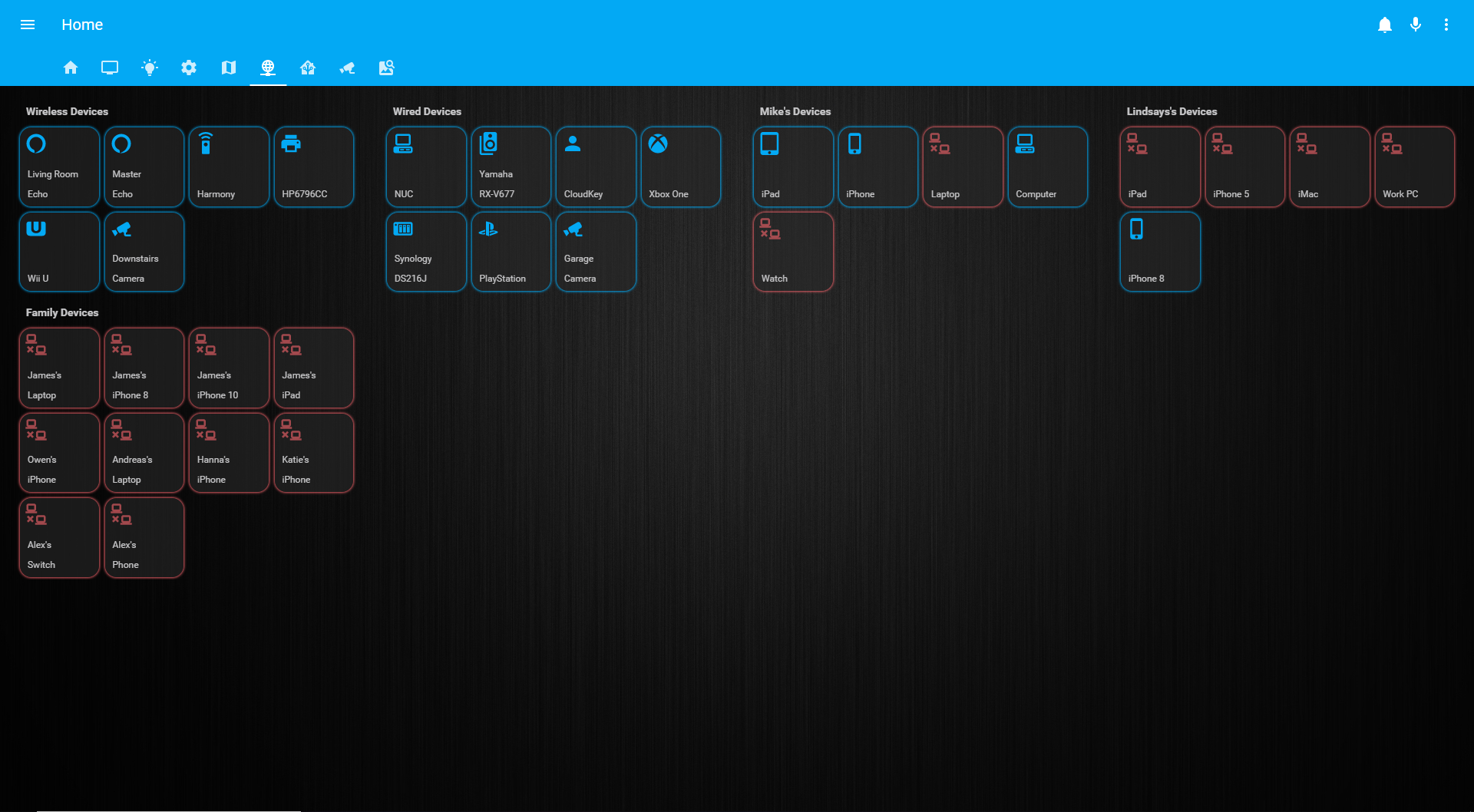
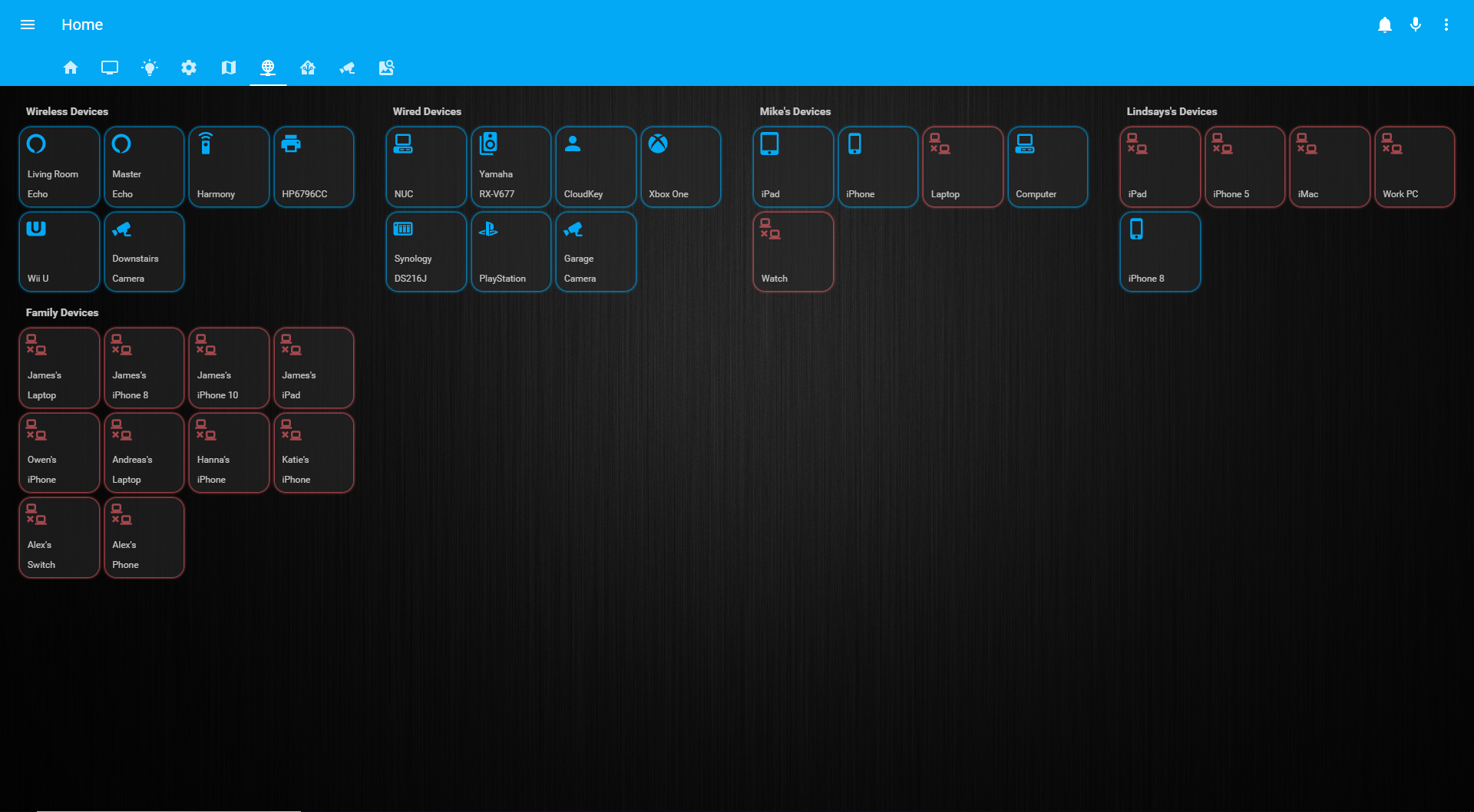 tulip mulch
@tacit cave that's pretty cool..
scenic bolt
@tacit cave what kinda config do you have for your cameras? im trying to get some setup right now and having a pretty rough time
vernal gazelle
@atomic glacier FYi that card worked
scenic bolt
I think I've made good progress with the camera config, but the preview just has "idle" in the bottom right, and if I click, the stream never actually loads, it just spins forever. anyone know what could cause that?
followed the exact config from the forums, so not sure
scenic bolt
On the bright side I got the preview image to work, no stream though, but the rstp link plays perfectly in Vlc so something is wrong, just can’t track down what it is
tulip mulch
@gray kernel thanks.. that card worked perfectly
vernal gazelle
In love lace is there a way to force cards into columns? for example I have 5 cards, my first column has 2, my second has 1 and 2 in my last. What if I wantred to force 3 in the first ? is it possilbe?
gray kernel
use the custom layout-card https://github.com/thomasloven/lovelace-layout-card
 orchid cargo
@scenic bolt what type of Lovelace card are you using? And what type of camera? I use ffmpeg for my rtsp stream and the picture entity card and get a live (albeit a tad delayed) feed in Lovelace
gray kernel
@orchid cargo you could reduce the delay to around 1-2 seconds (potentially) with -analyzeduration 1000000 -probesize 1000000 in the args list for ffmpeg input
to clarify, I believe this is only for startup speed and may not affect sustained streaming
hoary lava
is there a weather card that works properly? I tried two and both of them have problems showing the correct days. I tried an animated one and the built in one. Is there a recommended one that works?
gray kernel
the animated one is a-ok for me
gray kernel
eastern daylight time (i.e. america/new_york)
yes
this is how it looks with my theme https://i.imgur.com/osQIAVe.png (quite clearly not animated because this is a still screenshot, but it is in the ui)
 hoary lava
weird. i have a problem with all the weather cards (two i have tried) and i researched it and there are about 6 issues in github about it on various apps and cards.
but nobody fixes it. and for some reason not everyone is affacted or else it would probably be fixed.
irritating. its been broken for over 6 months.
there are lots more though
@gray kernel are you running hassio?
gray kernel
no, docker in ubuntu server
gray kernel
uh hold on
hoary lava
i'm starting to think the people who don't have the problem are running their container in UTC
gray kernel
when I type the date command in the container it gives me UTC time
hoary lava
I wonder if hassio is the same
gray kernel
when I type the date command in the host it's also UTC
hoary lava
interesting.
gray kernel
I have the /etc/localtime:/etc/localtime:ro volume mapping too
hoary lava
gotcha. so that matches it up.
 thin linden
Hi all, how can I make a conditional card based on that an aatribute of an entity is above a given value?
The conditional card only seems to support based on states
I want to display a card when the temperature is above 25°c, using the buienradar weather platform
gray kernel
create a template binary sensor and compare against that state instead @thin linden
thin linden
That sounds logical, thanks!
 nimble furnace
Just made the change from old UI to lovelace, and downloaded Hacs, and the first plugin I downloaded is Compact Custom Header. It says in the installation instruction to add this to activate it: ```resources:
- url: /community_plugin/compact-custom-header/compact-custom-header.js
type: module```
Do I have to use YAML mode for this?
Or can I use this plugin without using Lovelace YAML mode?
wheat current
Use the RAW editor in the UI
nimble furnace
Aha, totally new to Lovelace, thank you!
@wheat current just installed https://github.com/custom-cards/upcoming-media-card with HACS, and added the resource to the RAW editor. But I cannot add a custom card with this
Trying to add a custom card like this - type: custom:upcoming-media-card entity: sensor.sonarr_upcoming_media
wheat current
2 posibilities:
- Something is worg with the downloaded file.
- Your config (resources/card config) is wrong
nimble furnace
Using the UI editor, and manual card
wheat current
so opt 2 then
nimble furnace
  - type: module
    url: /community_plugin/compact-custom-header/compact-custom-header.js
  - type: js
url: /community_plugin/upcoming-media-card/upcoming-media-card.js```no - when using manual card
nimble furnace
I understand, so I added type: custom:upcoming-media-card entity: sensor.sonarr_upcoming_media
But it shows an empty card
polar kelp
Ooh. Only four more days until I can close a bunch of issues on github due to lack of response from OP.
wheat current
same OP?
polar kelp
No. But I replied with follow up questions to a bunch of issues 10 days ago, and decided to close them if there was no reply in two weeks.
wheat current
You are kind, I would only give 2 (if in a good mood)
polar kelp
... I hadn't replied in months... felt I kind of owed them that
wheat current
Ah :/
scenic bolt
@orchid cargo I’m using a picture entity, with a generic camera (im using UniFi G3 cameras, but with UniFi protect which isn’t supported yet)
mild veldt
2 hours, right @wheat current ?
wheat current
depends on a 🍺 /no 🍺 ratio
 tight dawn
Wondering if this is a known issue. I have an entities card that includes a few scripts. These scripts have delays and wait_templates, so they have a toggle. However, the toggle shown in the entities card does not update when the script starts and finishes. If I click on it and the more info window appears, its toggle updates properly. But the toggle in the entities card does not. If I refresh the browser while the script is running, the toggle on the entities card goes on, but does not go off when the script finishes. I'm on 0.95.0b1.
tacit cave
@tight dawn that's happened to me and it comes and goes. I have a delay of 0.5 seconds though so I always attributed it to the low delay time.
I should also clarify that it only happens for me on the IOS apps. PC browsers work great
 kindred igloo
So.... With the entity filter card is there a way to show entities only when they are NOT in a certain state?
tulip mulch
@kindred igloo https://www.home-assistant.io/lovelace/conditional/
kindred igloo
I was under the impression that the conditional card was for showing and entire cards rather than an entity
tulip mulch
you can piggy back multiple cards
vernal gazelle
Question smart folks, Can you run Dashboard and Regular UI together? I've gotta finish my regular UI before I move to Dash Board but was curious
kind shellBOT
@proper mesa posted a message that is too long, it is moved here --> https://paste.ubuntu.com/p/C7BWKnbjGr/
 proper mesa
*it is about maykar/compact-custom-header
wheat current
it's about YAML
kind shellBOT
YAML is the mark up language used by Home Assistant. Consistent indenting (two spaces per level) is key
Command '.yaml' was invoked by: Ludeeus
wheat current
your indents there are off
proper mesa
even though it loads? it doesn't give errors. when the indents are wrong, it warns me and i can not save it
wheat current
fix or don't 🤷
proper mesa
yeah i mean, i know what you mean. i work with Ansible a lot and it'S the same yaml formatted text. Thing is, the lovelace syntactically is correct (or at least i hope it is) but since i let it load several modules and cards have specific layout, i fear this somehow breaks this custom-header.
Might as well be, that my configuratoin gets corrupted because my lovelace yaml is not properly written and i don't mean spaces/identation but i don't follow the "best practices" for writing cards.
Honestly? i do not know
wheat current
First, this is not the "main card" this is a view:
views:
  - badges:
      - there are manby badges here
    cards:
  - type: custom:compact-custom-header
    main_config: true
Secondly, that is not valid, your cards: list does not have a single item.
views:
  - badges:
      - there are manby badges here
    cards:
      - type: custom:compact-custom-header
        main_config: true
See the differnce?
proper mesa
your cards: list does not have a single item
It is because I removed from my paste to preserve space :/
Mind if I upload my configuration? Not for having it fixed, I don't feel like asking for so much! it's just for showing you and having someone way skilled than I am seeing my crap-config
kind shellBOT
Please use https://www.hastebin.com/ or https://paste.ubuntu.com/ to share code or logs.
Command '.share' was invoked by: Ludeeus
proper mesa
than you!
It always was
    cards:
      - type: custom:compact-custom-header
        main_config: true
but this breaks my layout of that same main card. I can show you a pic of before/after.
And on 'after', also the problem with the other cards.
wheat current
https://github.com/maykar/compact-custom-header/tree/dev#important-notes look at the notes about panel there.
But if you are just getting started with that card, you should wait a bit (untill version 1.1.0 of it are released)
proper mesa
about the panel view? yes that would be the next step, after i have it working at least on the main card.
this is when the main card does not have custom-header (see the layout)
https://imgur.com/a/053i1bA
this is when the customer-header is applied (notice that upper-right there is no clock as well):
https://imgur.com/a/ji5Vd7C
this is on the settings card:
https://imgur.com/a/lIsHebC
wheat current
oh..
proper mesa
( yes, i guess i will probably wait, it is not a crucial feature this for me, it's just better for the eyes because makes the layout even more clean. i can wait )
wheat current
ctrl+shitf+r
proper mesa
yes i tried reloading and even going incognito for no caching buuut..
also dev tools (this i tried it yesterday)
don't waste time on this, i mean, appreciate your help a lot but i don't wanna stress people over such things. Maybe it will work one day. As long as you tell me that my lovelace yaml is correct (beside identation) but the structure is correct, i'm happy
 granite prawn
hey guys
i wanted some help with the mini-media-player custom card
i wanted to set the color of the card to the background image in HA
but this option doesnt seem to work for me mini-media-player-overlay-color
im setting it to the following mini-media-player-overlay-color: 'rgba(150, 150, 150, 0.1)'
im putting that in my theme.yaml file
granite prawn
yes i'm putting it under my active theme
oh, where do i put it?
@mild veldt thats what i understood by reading the docs at https://github.com/kalkih/mini-media-player
granite prawn
okay, maybe i didnt explain myself correctly
i have a theme.yaml file which has all my custom themes in it
in that file, under the selected custom theme, i have added the line mini-media-player-overlay-color: 'rgba(150, 150, 150, 0.1)'
so, its not just that one line that i have added, its one of many lines
mild veldt
gotcha, I didn't want to assume. you restarted?
mild veldt
🤷 haven't played with it myself, but that sounds like that should be it from the docs.
granite prawn
seems like it too, maybe ill raise a request on the github page
may i also pick your brain about one more issue, please?
mild veldt
shoot
granite prawn
im not being able to get tap_action to work in the picture glance card
i've tried everything i could find on google, but it just wont work
mild veldt
share a snippet
kind shellBOT
Please use https://www.hastebin.com/ or https://paste.ubuntu.com/ to share code or logs.
Command '~share' was invoked by: iantrich
mild veldt
mfw I tell you to share and my work's firewall blocks the site...
can you dm it to me?
granite prawn
i sure can
granite prawn
ahh okay
but then, how come it works on the fan and the light buttons i have on the card?
also, thanks a ton mate
mild veldt
tap_action works, you just can't customize them
i think there was a discussion on it at some point as I wanted to add them and was shot down...
maybe I'm think of the entity rows though
granite prawn
hmmm
interesting. it would be super cool if i could use tap action from here directly
mild veldt
I'm being lazy this summer though and probably won't be doing much contributing
Could also try bumping this issue https://github.com/home-assistant/ui-schema/issues/189 to see if anyone bites
@granite prawn you have any programming experience?
mild veldt
you still could 😉 1/2 of what I do when coding is just googling stuff 😃
If you could get this setup https://developers.home-assistant.io/docs/en/frontend_development.html I could point you in the right direction on getting this done, if you or anyone else is interested
or maybe I'll brush off the cobwebs and add it 😃 no promises there. But that should really be there IMO
wheat current
Only 1/2? 🤣
mild veldt
yeah, probably higher for frontend stuff as that's not really my day job 😃
polar kelp
Can you believe the original backend of stack overflow was written entirely without access to stack overflow?
It boggles the mind
mild veldt
@polar kelp when so is down
10 PRINT ”DRINK BEER IN PUB”
20 GOTO 10
anyone see a reason the MDI: icon wont populate
                  - type: custom:bar-card
                    title_position: inside
                    entities:
                      - entity: sensor.memory_usage_real
                        title: RAM
                      - entity: sensor.synology_tempature
                        title: Temp
                        icon: mdi:thermometer
                    align: center
                    padding: 5px

                    card_style:
                      border-radius: 5px
bar-card's readme on github doesn't show any examples of being able to specify the icon individually
gray kernel
yes, is that not the card you're using?
the only place it shows defining an icon is on the same indentation level as type and title_position
i.e. not per-entity
 ember rain
Someone can tell me how i can change the time to 24h in a lovelace card? http://prntscr.com/o6m3zs
gray kernel
@ember rain https://github.com/kalkih/mini-graph-card readme..
mild veldt
@gray kernel the read me makes it sound like you can set other elements in the entities, but doesn't really tell you what or how
I believe you need to set show_icon: true
the readme could use some love, imo. hard to follow
mild veldt
well that makes it look like what @vernal gazelle has should work, so... 🤷
gray kernel
perhaps the icon position needs to be specified
or he's using an outdated version of the card
vernal gazelle
yea Ive tried both the show true, and the position.. Ill keep messing arounfd
gray kernel
what about align?
ember rain
@gray kernel tnx man! 😃
mild veldt
oof, messy 😜
vernal gazelle
@gray kernel I think ive done that too..ha
proper mesa
@wheat current just so you know, not that this will change your life and I don't even think that after this you will become amillionaire, but I solved the issue with the compact-custom-header. The problem was right there: The type: 'custom:compact-custom-header' creates a invisible card and this messes my layout. It is all good now, a few tweaks on the cards layout(s) and it rocks now
 steel nexus
any idea why my cameras (picture-entity) in lovelace keep resizing after a while? (zooming in and not showing the whole picture. Thanks
vernal gazelle
@gray kernel & @mild veldt you have to specify icon position 😃
              - entity: sensor.volume_used_volume_1
                title: Disk
                icon_position: inside
                icon: mdi:harddisk
Whew. Almost ready for a big release. Just the documentation left.
Yeah, you specifically will love this one, Dino.
atomic glacier
where's the beta release? LOL
 real lark
The cover entity state icon only changes for device_class 'garage', I know I can customize the entity icon but it then looses its state variation. This seams like a common use case am I missing something? https://github.com/home-assistant/home-assistant-polymer/blob/cdb2093ea6afb89bc43ee2a4a6f36018a28640b9/src/common/entity/cover_icon.ts
tacit cave
the whole point of device classes is so that you don't need to do that. If you override the icon, you override the state changes in the icon.
real lark
I don't want to customise the icon there are 9 cover device type but only 2 icons set "hass:garage" or the default to "hass:window"
tacit cave
then if you don't like either of those you gotta customize it. That's all ya got otherwise.
hass uses material design icons, the hass community has very little control into what gets added
real lark
maybe I'm missing something, I can see how this is done with cover.template but I using cover.mqtt none of the 'templates' seam to work icon, icon_color, theme etc.
Do I need to wrap my cover.mqtt in a cover.template?
tacit cave
If you are using lovelace, check out the card you are going to use, chances are it has that ability.
real lark
please correct me if I'm wrong but it doesn't seam to be the UI/lovelace thats limiting here. Its the cover entity cover.mqtt cover.template seams must more configurable
 distant phoenix
How can I create buttons that call a service?
I'm trying to setup a custom:vertical-stack-in-card for my AC. I want a row for the fan mode and Cool/Heat/Dry etc similar to the default Thermostat card. How can I do that as I only have climate.ac entity.
I'm using Sensibo integration if that makes a difference
real lark
@tacit cave is "Custom UI" still a thing in lovelace? I've templating icon_color, rgb_color, icon and theme and nothing I put in templates seam to do anything
It seams like most of what I'm trying to do is only available in Custom UI. It very difficult to understand given the many examples in the community are using custom ui without saying.
tacit cave
Custom UI can be used in lovelace
I'm not 100% familiar with it though
You'd be better off using the custom:template-card
If i recall correctly, you ahve to install customUI too
it doesn't just work right off the bat
tulip mulch
any way to get this to show in my timezone?```
- entity: automation.announce_washer_done
type: "custom:secondaryinfo-entity-row"
secondary_info: "[[ automation.announce_washer_done.last_updated ]]"
Is it possible to add a suffix to the end of a sensor for example - entity: sensor.synology_tempature and some how add °C to the end?
tulip mulch
@vernal gazelle https://github.com/gadgetchnnel/lovelace-card-templater
vernal gazelle
I never did this @tulip mulch but I just changed it to unit_of_measurement: "°C"
since its just a disple 😃
tulip mulch
ohh DUH!!!... completely forgot
devout hatch
is there some kind automation script which checks first config valid
before restartinh ha?
restarting*
question is: how to create button which will call homeassistant.check_config
devout hatch
@polar kelp thanks
just a question, I have ```
cards:
- entity: homeassistant.check_config
name: Living Room
type: entity-button
tap_action:
action: call-service
service: homeassistant.check_config
service_data:
entity_id: homeassistant.check_config
remove the last 2 lines
devout hatch
I assusme that I need to provide script?
not service?
I am getting an erorr on UI entity not available: homeassistant.check_config
wheat current
polar kelp
Actually, it's the first line causing that.
wheat current
oooops 😛
polar kelp
Just replace it with sume dummy entity, like sun.sun or something. Then you can change the name and icon to whatever you want.
devout hatch
thanks @polar kelp , just how to catch some response like in popup or something
polar kelp
That's a tough one... I've been thinking about it for a while, but don't have good solution.
devout hatch
so I can't get functional button, which will me tells if my config break or not?
polar kelp
I guess you could use a file sensor to read the log file... those only read the last line anyway, so that would work iirc
devout hatch
it's a hassle for me at this time being to do all that stuff..I will do manually 😄
 wheat current
no (not othen than panel: true)
devout hatch
I would like to living room glance card be a 100% width
wheat current
panel:true + layout card
polar kelp
Panel mode and various stacks, or layout-card
Too late
I think view_mod will be next after browser_mod...
wheat current
and a "lovelace_mod" that includes all of them? 😛
devout hatch
    icon: mdi:settings
    panel: true
    cards:
      - type: light
        entity: light.go_lr_walltv_above_01
        name: Test1
      - type: light
        entity: light.go_lr_walltv_above_02
name: test2```why it shows me only one light instead of two lights?
wheat current
Thats how panel mode works
devout hatch
isn't it supposed to show two lights 50% wide each?
wheat current
no
devout hatch
and beside that, how can I split horizontal stack like 70-30% width?
wheat current
devout hatch
basically I can't use panel: true for horizontal-stack because it will render only first entity button or light entity
I thought that I can strech my horizontal stack as panel:true like this ```
- title: Settings
icon: mdi:settings
panel: true
cards:- type: horizontal-stack
cards:- type: light
entity: light.go_lr_walltv_above_01
name: Test1
- type: light
- type: horizontal-stack
Splitting 70-30 is what this is for: https://github.com/thomasloven/lovelace-layout-card
devout hatch
@polar kelp Thanks! That I was looking for!
devout hatch
@polar kelp if you have time I need help for layout-card
I am getting `custom element layout-card does not exist' with red background on my UI. I added card-modder.js in resources
type: js
you need to download and add the layout card as well
polar kelp
Card-modder is used as an example in the instructions.
I should probably rename it to my-plugin.js or something...
devout hatch
thanks! now it's working!
just a question not connected with layout-card - is it possible to add type lightt switch with an image behind?

and to have some background image on that card?
polar kelp
Sure
Prefered method is by setting the ha-card-background variable in your theme. But for one-offs, you can also use this: https://github.com/thomasloven/lovelace-card-mod
You may get problems with a little triangle at the bottom of that card, though... maybe
mild veldt
@polar kelp you ever try using layout-card in a popup-card? Was giving me some issues but I didn't really do anything to debug at all. Curious if you already know something
*issues being that it would not display
polar kelp
Never tried...
devout hatch
thanks @polar kelp
polar kelp
Oh wait... Dino had that problem too...
The layout card doesn't know the width of the popup when it's built, so you need to force it to rebuild after a timeout.
Add rebuild: 100 to the layout-card configuration.
devout hatch
@polar kelp I am exploring layout-card and just a question rearding property max_width:```
title: My view
panel: true
cards:
- type: custom:layout-card
layout: <layout>
column_num: <column num>
max_columns: <max columns>
column_width: <column width>
max_width: <max width>
min_height: <min height>
ltr: <ltr>
rebuild: <rebuild>
cards:
<cards>
as I can see I can define max_width to all columns?
how to define width separatly by entities? is it possible?
or I need to say: max_width: [70%, 300px, 30%]
or if I have four columns: max_width: [70%, 300px, 30%, 20%]
this is what I want

it would be nice to have it on readme.md file some block of yaml code just to be easier for us, newbies 😃
polar kelp
That screenshot is made with three layout-cards inside a vertical-stack
devout hatch
I have so much questions.. is it possible into one glance card to put two glance cards?
polar kelp
You can't put stuff into a glance card. That's only possible with entities.
and picture-elements
devout hatch
ok, and is there some kind divider?

I would like logically add sub sections to my entity
maybe with markdown?
I found - type: divider
😃
and another question: is it possible to add into one entity horizontal and vertical subentities like on this link that I draw: https://i.imgur.com/AVRwinB.png
 polar kelp
Documentation!
https://www.home-assistant.io/lovelace/entities/#divider
devout hatch
yes, sorry, I found divider
polar kelp
For the second question look up vertical-stack-in-card and put a horizontal stack in it.
devout hatch
I am getting card config incorrect
and when I was debugging in Chrome F12 -> Console
polar kelp
That's an indentation error.
devout hatch
a bunch of errors like: Failed to load resource: net::ERR_CONNECTION_REFUSED
I think that I don't have indentation errors cards: - type: custom:vertical-stack-in-card title: My Card cards: - type: glance entities: - sensor.dark_sky_overnight_low_temperature_0d - sensor.dark_sky_overnight_low_temperature_0d - sensor.dark_sky_overnight_low_temperature_0d - type: entities entities: - switch.toilet_main_light - switch.toilet_main_light
oops
it's working 😃
devout hatch
how to combine custom:layout-card and custom:vertical-stack-in-card
if I put panel:true and add two custom stuff like this```
#Living Room
- type: custom:vertical-stack-in-card
. . .
#Terace
- type: custom:layout-card
. . .
should I need to wrap them into layout-card?
wheat current
wheat current
in panel mode it will only show the first card.
If you want more, then need to be inside a stck/layout card.
devout hatch
yes but it apparently doesnt work
oif I put two custom cards
custom:vertical-stack-in-card and custom:layout-card
proper mesa
hi, can the header bar be made transparent? I only see the magic code for making the cards transparent..
small pike
Not sure if this is a bug I am experiencing or if I am doing something wrong with the set up but I am using @polar kelp fold-entity-row card and the padding option and it works on a desktop browser but when I am on a phone the items are still pushed over to the right more than I set. I also cannot use the newer feature of collapsing the rows from the title on my phone
polar kelp
Sounds like a caching issue. Did you use a fresh version number?
small pike
I was just looking into that. It might also be chrome messing up syncing the site settings between desktop chrome and my phone
It was chrome sync that kept syncing an old cache file. disabled sync and reloaded all back to normal now! Thanks for the help
atomic glacier
@polar kelp quick question. Is the padding: enhancement to fold-entiy-row supposed to be global? I added it to just one and all of them adapted the padding setting? Actually , it's nice this way, but I was curious 🤔
polar kelp
Uh... no?
 raven bone
Hi everyone. I'm just starting out trying to write a custom card to provide a basic numeric keypad, capture the number based on the buttons pressed, and then submit it to a service.
I'm starting from scratch, I know very little about js, polymer etc
I've started with the example card from the help section, but hit issues straight away. I've copied the example into a .js file, put it in the www folder, added into my config and when I hit reload I get an error in the development / debug screen of "ReferenceError: config is not defined"
I don't really understand enough about how lovelace works and interacts with home assistant to really be able to work out what's going on here, but I am willing to learn. I just find it hard to follow the documentation as it often assumes a level of knowledge beyond the beginer
mild veldt
@raven bone this might be a better starting point https://github.com/custom-cards/boilerplate-card
vapid field
hey there ,
anybody out there who can help me with the swipe-card?
i tried this config:
kind shellBOT
@cedar kestrel posted a message that is too long, it is moved here --> https://paste.ubuntu.com/p/krVhgWRMB6/
vapid field
but only two "standard" thermostat cards are shown - no swipe
vapid field
no one?
elder pendant
You don't have the custom card in the cards array
And you don't have the thermostat cards in the custom card's card array
 weary axle
My sensors keeps telling me that it was updated 1 hour ago, but it actually just means now. So my timezone is one hour behind, anyone know how to fix this?
elder pendant
Do you have your timezone set in configuration.yaml?
weary axle
it is set to europe/oslo in frontend
elder pendant
What time does it say it is right now?
weary axle
{{ now() }}
{{ now().astimezone() }}
{{ utcnow().astimezone() }}
{{ now().now() }}
{{ now().today() }}
{{ now().utcnow() }}
{{ utcnow() }}
{{ now().tzinfo }}
{{ now().astimezone().tzinfo }}
{{ utcnow().tzinfo }}
I added this to check and It is saying 22:55
which is correct
The rpi zero I use to input an MQTT message is lagging 1 hour behind
maybe that is the reason
so if I turn off a light it will show 59 minutes ago
 clever ore
Just released v1.1.0 of Compact-Custom-Header. CCH is no longer required to be a card and only needs added as a resource. More info: https://community.home-assistant.io/t/compact-custom-header/83716/821
distant phoenix
How can I use a custom icon instead of MDI for buttons etc?
vapid field
@elder pendant : Thanks for replying. I am just new to homeassistant and all the cool stuff. Do you know a common manual / tutorial where i can find how all this crazy things in yaml work? And could you help me with my actual problem?
gray kernel
@distant phoenix this only explains part of it but https://github.com/hulkhaugen/hass-bha-icons/ shows how to install custom icons but it doesn't explain how to make the custom icons in the first place
to make the custom svgs, use the html file as reference, and make sure your svgs are on a 24x24 px canvas
distant phoenix
can't use pngs?
gray kernel
I doubt it
 rich lotus
Hey gang. I'm away from my instance at the moment so I can't test this theory out - is it possible to change the friendly_name (or name) parameter of a glance card or sensor card to the value of a input_text entity?. I'm building temp sensors for my brewery tanks and I'd like the temp sensor for a specific tank to reflect the batch number of the beer inside the tank
The batch number would be input via the input_text entity
gray kernel
try using the custom card-templater or config-template-card
rich lotus
@gray kernel I've not encountered either of those custom cards. I will look them up.
By default tho - not possible?
gray kernel
I don't think so from my understanding of the question
rich lotus
Batch no via input_text which changes the title/friendly_name on a glance card
The ability to change the titles on any card via a text input
Bummer
gray kernel
yes, that's basically templating so you need to use a custom templating card for it
why's it a bummer? you're about to enter the world of templating cards which allow you to do lots of magical things
rich lotus
Am so not good at templating
Hahahhaa
And am in teach myself mode (YouTube no good bids on templating for dummies unfortunately)
polar kelp
*sigh
I had an awesome new thing lined up using a new feature of .95. Then while writing the docs yesterday I rm -rfed the wrong directory...
Fear not - about a third of it is already rewritten better, but it would have been neat to actually release it before .95.
vernal gazelle
Do folks use glances cards for your cameras or something different. just curious
elder pendant
Picture entity card
polar kelp
picture-elements
gray kernel
is it even possible to style gap-card with card-mod? I had a working setup of gap-card { display: block } with card-modder and now I'm trying to translate it to card-mod but I get the SyntaxError: ':scope > 0' is not a valid selector error in the console no matter what I try
e.x. ```YAML
type: 'custom:gap-card'
height: 12
style:
.: |
gap-card {
display: block;
}
I'm having a similar problem with layout-card (and the same error message)
polar kelp
card-mod only works for cards that contain a ha-card element, i.e. (most) cards that have a background and border by default.
If you want a blank card, I suggest using markdown
gray kernel
that almost works with ```YAML
type: custom:hui-markdown-card
content: " "
style: |-
ha-card {
display: block;
height: 20px;
margin: 0 !important;
box-shadow: none;
background: transparent;
}
in that it works inside of a regular card but inside of layout-card it'll cause vertical scrollbars to appearoverflow: hidden?
gray kernel
that works for me, thanks @wheat current
I put it both in that ha-card block and directly on the layout-card (still using card-modder)
 fiery path
hi guys, I'm new to using Lovelace.
When I enable UI editing and put some sensors in a glance card, they still appear on top of my view. When I edit my entity and enable 'hidden from UI' for those sensors and refresh my page, they still appear in my new card AND on top of the view.
How can I remove these from the top of my view? Do I need to create a group and hide the group?
fiery path
nvm, just realized I needed to change the 'badges' tab of my panel 😄
 mild stag
hi guys.
is there any place i can read about lovelace for beginner?
i am very new to home assistan
like a few days old
any hope really appreciated
fiery path
@polar kelp yeah I already noticed it 😄
can someone help me with using custom cards for lovelace?
in my config folder I have created the www folder and inside that folder I have created the file monster-card.js from https://github.com/custom-cards/monster-card
but now when I use type: custom:monster-card in my card it says that entity doesn't exist.
do I need to do something to activate custom cards first?
polar kelp
Check the pinned messages for this channel. The first one has all the information you need.
Also, monster-card is all but deprecated. I suggest using this instead: https://github.com/thomasloven/lovelace-auto-entities
fiery path
thx for the help! I'll look into it 😃
@polar kelp thanks for the help, I forgot to add the file as resource 😄
atomic glacier
@polar kelp I'm mobile ATM, but just noticed this error and it appears that everywhere I use lovelace-dummy-entity-row and fold-entity-row this error pops up and no acton occurs. I can check more thoroughly later, but thought I'd send it in case. Log Detail: https://xxxxxxxx.duckdns.org/community_plugin/lovelace-fold-entity-row/fold-entity-row.js.1:4543 Uncaught TypeError: Cannot read property 'entity' of undefined
@wheat current 🤔 is there a way in HACS to revert back to previous version of a plug-in or custom component after an update has been completed? Please direct me if I have missed this in the docs, but I've ran into the need a couple times already and just thought I'd ask😁
wheat current
atomic glacier
👌
mild veldt
@polar kelp that really sucks about the accidental delete 😦
polar kelp
Yeah...
But I'm already back. I reimplemented the last feature just two hours ago - and every one of them is better this time.
So I guess I got a free chance to refactor everything.
Also, I learned something new about how symlinks work.
Docs are well on their way too, so there may be a release tonight CET.
mild veldt
exciting!
small pike
I was using Custom Compact Header just fine until the recent update at which point I decided to wipe the previous stuff and it up the new way and I am having issues were it does not let me configure it in either the yaml or ui
wheat current
If changed everything, make sure you read the updated documentation
small pike
I'm pretty sure I ready everything right I am not using HACS though
Don't know what I did but I can change it in the Raw editor mode but the Configure UI menu button still does not show up
wheat current
Hard reload the UI
small pike
That's done by Control + F5 right?
wheat current
small pike
Tried that and it's still not showing up
wheat current
Error in browser console?
clever ore
@small pike Since you installed manually, did you increase the version number in your resources? What does your resources section look like? https://maykar.github.io/compact-custom-header/#installation
small pike
my resources section reads:
- url: >-
/local/custom-lovelace/compact-custom-header/compact-custom-header.js?v=1.1.2
type: module
polar kelp
Ok... technically this isn't a lovelace plugin... but it replaces a bunch of them with a custom_component.. so I'm posting it here...
 midnight shadow
can i access this information somehow or do i have to do it myself? (not the elevation) https://imgur.com/a/4IRY7hm i don't mean the state attributes, i just wonder if that setting in... part
polar kelp
If you pull it out in a template sensor, and use customize: to set it's device_class to timestamp, you can use this: https://www.home-assistant.io/lovelace/entities/#format
midnight shadow
thank you very much, i'll have a play with that
midnight shadow
  - platform: template
    sensors:
      sunset_time:
        value_template: '{{ as_timestamp(states.sun.sun.attributes.next_setting) }}'
        friendly_name: "Sunset"
device_class: timestamp
            - type: sensor
              entity: sensor.sunset_time
              format: relative
shouldn't that work=
?
mild veldt
@polar kelp that's just awesome...I'm blown away 🎉
midnight shadow
its the sensor template, the customize section and the definition in lovelace
prime umbra
@polar kelp is the hass-browser_mod a replacement of pop up and browser_commander cards
looks nice great job
vapid field
hey there - i am still new to homeassistant and i am struggling with the swipe card. I asked my question yesterday and @elder pendant anserwed me, that i do not have the swipecard in cards array and i do not have the thermostat card in the swipe cards card array. Sounds quite simple - but i do not know how to change it. here my code is:
kind shellBOT
@cedar kestrel posted a message that is too long, it is moved here --> https://paste.ubuntu.com/p/DzVs3ZvqS7/
mild veldt
@prime umbra https://github.com/thomasloven/hass-browser_mod#faq
prime umbra
@mild veldt ya looking into it
polar kelp
Oops. I accidentally said something else than browser_mod twice in the docs. It's browser_mod. Nothing else
prime umbra
@polar kelp any example in service data json to test it?
i see some examples there but having a hard time to figure out hehe
polar kelp
Here's some info on how to convert between the two: http://thomasloven.com/blog/2018/08/YAML-For-Nonprogrammers/
Basically, add quotes around everything, and join the lists into square brackets. Then put curly braces wherever you feel it looks good.
prime umbra
thanks
atomic glacier
@polar kelp 😱 Nice!!! Got some major homework to do... 👀 Looks awesome🙌🏻 🎉
prime umbra
hehe
polar kelp
I don't see why not. Most smart tvs are running some form of android, I suppose...
 raven nacelle
yeah, that is what I thought
polar kelp
I was just made aware of some problems with iDevices, but I think I kind of solved those...
Duno if android suffers from the same problem. If so, there might be an issue, because my workaround relies on the user tapping the screen once.
raven nacelle
I have a Samsung TV (not really Android). I believe it is Tizen
polar kelp
I'd love to hear your results
And please make sure it works on a regular browser first. A TV sounds like a nightmare to debug.
raven nacelle
I agree...will keep you posted
rich lotus
Hello peeps. Wondering if i can get some help from some kind soul on doing something with templates (im assiming I need to use a template).
I need to be able to get the value of a input_text entity into a name of a entity/divider card.
Been trying to find an example to copy in the last 24 hours and have not found anything that makes sense to me (I dont do any programming) and am just lost when it comes to templates and have had zero results.
or point me in the direction of an example
I know its not technically a lovelace question but the end result (the divider) is displayed in lovelace
mild veldt
rich lotus
@mild veldt hey sorry - too much for me. Am not someone that really understands whats going on there with that.
bit advanced for me
customs cards no wories but the { } bits are beyond my old mans abilities at this point
mild veldt
someone made one that's more like jinja2 if that's more approachable for you https://github.com/gadgetchnnel/lovelace-card-templater
polar kelp
Oh my! That's a genius approach!
 scenic elk
I'm trying to configure TileBoard. I don't know JavaScript. I'm having difficulties with syntax errors. Stupid nano
What would be an efficient and less time consuming option?
wheat current
I did not mean that you should move the question here, I ment that you should just use Lovelace instead
wheat current
If you look at the forum, you can see that would be possible in lovelace as well 😉
scenic elk
I would like to have TileBoard. But JavaScript is making it hard. Especially trough ssh with nano editor
Oh, thanks for the tip
Can it be configured trough frontend of ha?
Or would I need to edit bunch of code?
wheat current
Both 😄
scenic elk
Alright, thanks. Will take a look into it
Only thing I miss from hassio is the functionality to have everything configured trough frontend
Would make life easier on ha
wheat current
I really doubt that
scenic elk
Right now I need to be connected to my home Network. Then ssh into ha and configure trough terminal editors
Also, Lovelace is in yaml or also JavaScript?
 slow wave
Always connected with openvpn, not an issue 😛
midnight shadow
i think hass-browser_mod should be renamed to hass-mischievous_mod 😎
 last compass
hi all.. I'm quite new with lovelace and sometimes still confused where did it save the configuration. Because if I delete some line on configuration.yaml usually will cause card lost on lovelace. Furthermore how to backup that setup
midnight shadow
ui-lovelace.yaml => the configuration file for lovelace, configuration.yaml = configuration for homeassistant, both reside in /config and that's what you need to backup
depending on your setup the absolute path is /home/homeassistant/.homeassistant/
wheat current
ui-lovelace.yaml is only used if you use lovelace in "yaml mode"
midnight shadow
is hass in any way writing to ui-lovelace.yaml in yaml mode?
wheat current
no, in yaml mode you are the boss
polar kelp
@midnight shadow How so? Because it sneaky-patches other backend component configurations and the entire hass-object in the frontend?
midnight shadow
yeah, but tbh i was going for the potential to annoy-family-members-with-popup-messages angle 😃
atomic glacier
DinoTechToday at 8:09 AM
@polar kelp Everywhere I use lovelace-dummy-entity-row in a fold-entity-row this error pops up and no action occurs. Log Detail: https://xxxxxxxx.duckdns.org/community_plugin/lovelace-fold-entity-row/fold-entity-row.js.1:4543 Uncaught TypeError: Cannot read property 'entity' of undefined
Edit: Verified by reverting back to last version and everything works as before and as expected.
 runic sinew
Hi all, I started out with a docker installation and went straight to yaml mode. My key files are configuration.yaml, group.yaml, customise.yaml and secrets.yaml. I do not have -ui.lovelace.yaml. So far, my front end looks good but I struggle implementing a few features..... for example, I want to use horizontal stack for thermostat cards within my heating view - I cant add the configuration in configuration.yaml (its not an integration) or group.yaml (its not a group) - any ideas on 1) I am ok with my choice of setup 2) where views, cards and type might reside ? Thanks in advance
polar kelp
@atomic glacier Does that happen when you click it? Does the row show up?
atomic glacier
The row shows up, but no action @polar kelp nothing happens when clicked
 gray flint
Anyone try upgrading compact-custom-header from 1.1.4 to the latest? any breaking changes?
clever ore
no breaking changes, but a few folks seem to be having issues with the latest update. currently working with them to help resolve
gray flint
custom updater doesnt want to let me upgrade. need to do it manually?
wheat current
custom_updater is a 🔥 piece of 💩
elder pendant
Wow, a real slap to the dev of custom_updater
polar kelp
Eh. He deserves it
wheat current
probably...
polar kelp
If you read 🔥 as “lit” it actually sounds like a compliment.
elder pendant
unless "piece of 💩 " is a term of endearment that's a pretty backhanded compliment 😉
polar kelp
Just a few years ago "X is teh shit" was definitely a compliment.
 honest valley
I like to make people feel old by using the phrase “da bomb”
Both with and without a “yo” tacked on the end
And who could forget another classic “p.h.a.t.”
 cosmic ferry
Hello! Can you help me with picture elements?
Why isn't the picture found?
elements:
- entity: light.xiaomi_philips_smart_led_ball
hold_action:
action: more-info
style:
left: 35%
top: 40%
tap_action:
action: toggle
type: state-icon
image: /local/floorplan.png
type: picture-elements
polar kelp
Did you create www/ just now?
polar kelp
... what do you mean with "that picture is there"?
What's the path to the picture on your computer?
cosmic ferry
the path is /usr/share/hassio/homeassistant/www
polar kelp
Seems right. But www/ doesn't exist by default. If you created it just now, you need to restart Home Assistant once.
polar kelp
No. www/ maps to /local/
cosmic ferry
It works! Thank you!
 muted mulch
Hey, is there a way to have access to the path where is installed lovelance? Or is there a way to fork it and duplicate it in www folder? I'd like to do some extra customization on my frontend
I'm using hassio but I can migrate to a full linux version
Thanks 😄
wheat current
muted mulch
thank you, I'm going to take a look