#frontend-archived
1 messages · Page 108 of 1
 civic stream
 mortal cape
recorder is about storing state history...a database of what went off or on and at what time...
it doesn't disable the enitity itself from functioning
So when you exclude it from recorder, you are not tracking the history. You aren't disabling the device.
civic stream
Yeah, I thought as much. But I don't get how to get rid of things from the backend
Does "hidden" in customize work?
mortal cape
It depends on what they are, and how you pulled them in to HA
Are these discovered, are they explicitly entered, what component, etc
civic stream
For example, z-wave devices I have included in HA often have 10 different "sensors", only 3 of them are actual values I'm interested in
Example: sensor.fibaro_system_fgrgbwm441_rgbw_controller_exporting_3
Not something I have the need for, there are a multitude of these in different z-wave switches and such.
 ocean moon
z-wave has a mechanism for excluding entities, https://www.home-assistant.io/docs/z-wave/installation#ignored
civic stream
Yes, but similar entities are in other z-wave things: sensor.fibaro_system_fgs213_switch_alarm_type_2
freshcoast: Thanks, I'll have a look
Didn't understand anything of that
Guess I'll just leave them there, not causing any troubles really, just looked cluttered..
And maybe taking resources
 split granite
Some, yes, but if you're not on a Pi Zero, and the relative quantity of them is small, don't worry about it
civic stream
Got it, thanks!
 polar kelp
Not sure if it works, but using excluded_entities: as in the example here: https://www.home-assistant.io/lovelace/yaml-mode/ should remove them from the unused entities list.
split granite
I have used that, and it does work
 wheat current
I tought that was going to be removed?
split granite
I excluded about a dozen of the couple of hundred unused entities 😛
Ah, it doesn't work on 0.88
wheat current
it should still work, it's in the docs 😉
split granite
Well, I'm on 0.88, and the excluded entities show up in the Unused Entities view
🤷
wheat current
was partaly making a bad joke 🤷
polar kelp
I was afraid it didn't since the latest update to the unused listing
civic stream
Ok, well. Then I'll have to re-write my whole UI layout by hand I guess? Not super tempting 😃
civic stream
Ah, ok, thought using ha-yam mode disabled the UI editor 😛
split granite
Using YAML mode does, but there's no good reason to use it any more
I say that as somebody who's not, yet, migrated out of YAML mode simply because I can't be bothered
wheat current
remove entry, restart, copy+paste, done
mortal cape
secrets and includes within your lovelace file? Not that I need that.
split granite
I'm right? Damn. I'd better tell the wife that it can happen 😛
civic stream
I just commented out my whole groups.yaml and history_graph.yaml when I realised I was just creating unused entities..
mortal cape
I thought those were the main reasons...secrets and includes
split granite
Well, secrets I can get
Includes... I'm less sure about, the UI editor handles it all anyway
polar kelp
!secret only makes sense in yaml mode. In GUI the entire point is gone.
wheat current
why would you want secrets in UI config?
wheat current
still, what should be hidden from that config?
polar kelp
I never understood it either... but people like putting backend stuff in the frontend 🤷
civic stream
Just realized something: If i check in the entity registry in the UI, there is actually a "delete" option for every entity. Can't I just delete the "weird" entities I have in the long list in "unused entities"..?
split granite
Only if the entity is really gone, else it'll come back
So, if you had a Hue, and ditched it, you'd delete that
But if you've still got that Fibaro sensor, deleting it from the registry won't help you as it'll return (if it'll even let you remove it)
split granite
Not with Lovelace, no
 mild veldt
@polar kelp @wheat current @mortal cape I believe the reason given was that you might have an iframe url that included a token or password
polar kelp
Perhaps the auto config should respect hidden...
It’s an easy way to hide entities for users who don’t want to esit the ui themselves. And there’s customize_glob
 quiet tree
sorry very short stupid question, I have a Tasomota-based device I want to use as light, however it is autodetect as switch (which it is)... how to change it to be a light?
 gleaming flicker
Hi Guys
 hexed owl
Hiding and filtering of entities should not be a frontend thing. The conditional card is okay, but the entity-filter and moster-cards should simply not be a thing, that is most definitely backend territory. Things like that, are one reason people want to do things in frontend that should well be in backend — the backend doesn't support it either. (At least, not in a sane way.)
split granite
@quiet tree #330944238910963714 would be where to ask that
quiet tree
@split granite... ok thanks... Just came up with this during config of lovelace
gleaming flicker
I am kinda new to HA & lovelace and I am trying very hard to work with cards agencements and vertical/horizontal-stack.
Currently, I am trying to make a "table" with 3 vertical stacks in which I have 2 and 3 horizontal stacks in each (and several entities in each).
I have tried a lot of things but the result is not at all what I am trying to achieve.
Is there any limitation ?
split granite
What does not at all what I am trying to achieve mean, and what do you mean by any limitation?
Nesting stacks works
https://github.com/thomasloven/lovelace-layout-card may be more what you're after
gleaming flicker
When I am not doing any stack, the UI automatically size and put the entities following the resolution / size of your browser (from what I understand). It looks like it keeps the same (partial) behavior even with vertical & horizontal commands.
I am still trying to see if I have done a mistake somewhere
thx for the link, I'll check
And yes, it may be what I am looking for, thanks !
Will try now
 gloomy vortex
Hi guys, with the Picture Entity Card, is it posible to light op the picture if one of mutiple entities is "on"? Or only 1 entitie per picture??
 vapid field
Friends, is there a way to know if a media_player entity is a chromecast player (need this for the Spotify card I'm working on)?
mild veldt
@gloomy vortex setup a template sensor for the entity for the card and you can dictate what 'on' is
gloomy vortex
@mild veldt Thanks will look in to it.
working on a horz_stack only showing the mediaplayers that are active, but want a nice picture to light up when one of them is on!
mild veldt
@vapid field perhaps by the supported features? Not sure. Probably a #devs_core-archived question
gloomy vortex
@vapid field just name it chromecast?
 kind shellBOT
Please follow the rules, @gloomy vortex! You have 5 warning(s) left. You posted a message/code that is more than 15 lines. It is moved here --> https://paste.ubuntu.com/p/vGPfFpyKHF/
vapid field
@mild veldt that is correct. I'll ask in backend
gloomy vortex
``type: vertical-stack
cards:
- type: picture-entity
entity: media_player.chromecast_woonkamer
image: /local/the-arc-cinema-screen.jpg - type: entity-filter
entities:- media_player.chromecast_woonkamer
- media_player.chromecast_audio
- media_player.kodi
state_filter: - paused
- playing``
Sow ill just add the new sensor to the picture entity
vapid field
@gloomy vortex it is a card I'm working for the community. Not for myself
gloomy vortex
Ok
 astral plover
Hi all. i am unsure if this is a Lovelace issue or a homeassistant issue buy i will try my luck in this forum. suddenly when i was mocking about with lovelace trying to get my cards setup just right. My Overview button in the top left corner does not link to ....../lovelace/0 anymore but rather the old ...../states does anyone have an idea why?
basically i get the old view with all the badges an everything in one window
quiet tree
does the SVG object linkage to a home assistant entity as introduced by ha-floorplan still works under lovelace?
Resp. is there a way in lovelace to interact with SVG objects?
wheat current
@astral plover goto https://my-ha-domain.duckdns.org:8123/dev-info and change it back (or clear your cache)
vapid field
Some of you were used to use https://home-assistant-lovelace-gallery.netlify.com/# for exploring lovelace cards? It was so useful!
wheat current
it was
vapid field
It has been moved or simply it will be down forever? 😦
vapid field
Nice! 😃
No way to see the corresponding card settings code like in the old gallery, isn't it?
quiet tree
you can just select configure and see how it is done
vapid field
configure where? do you mean the "configuration example" under "useful link"?
quiet tree
configure UI under the three dot menu on the right... same as your own HA instance... this is just a real HA unit
 devout loom
Trying to figure out how to get the right state out of a binary sensor. My door sensors show on/off instead of open/closed, and haven't been able to figure out how to work that out. Anyone know that?
devout loom
im sitting with the sensor in my hand
just goes on / off
the device class was "opening" before
and it was showing the corrent open/closed in more info, but in lovelace they show on/off
split granite
The image above is from my Lovelace
devout loom
That's weird
split granite
binary_sensor.patio_door_left_sensor:
  friendly_name: Patio door (left)
device_class: door``` from `customize.yaml`binary_sensor.door_window_sensor_158d00027688e2:
device_class: door
You've reloaded core (aka customize) after that, and the entity changed state?
There were no errors from your (command line) config check?
split granite
Well, that's "a little" overkill 😛
devout loom
        - type: horizontal-stack
          cards:
          - type: custom:button-card
            entity: binary_sensor.door_window_sensor_garden
            icon: mdi:door
            name: Havedør
            show_state: true
            action: more_info
          - type: custom:button-card
            entity: binary_sensor.door_window_sensor_158d00027688e2
            icon: mdi:door
            name: Dør sensor 2
            show_state: true
            action: more_info
Don't set the icon there, it'll over-ride the device class
split granite
It should show the icon I posted when closed, and a different one when open
split granite
I posted it above 😉
devout loom
the lovelace I mean
split granite
If you set the device class, and don't set an icon, it's automatic
``` is all it needsI don't use button cards though, I use glance cards
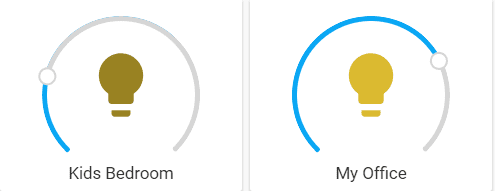
 elder pendant
Those are light cards, what are you having an issue with specifically?
 old lance
Can't add more than one it seems for some reason!
If i add it with the UI it looks like that. Can't add more.
elder pendant
Put them in a horizontal stack card if you want it to look like the image you posted
devout loom
works fine with glance card tinkerer, this must be broken: https://github.com/custom-cards/button-card
        - type: horizontal-stack
          cards:
            - type: entity-button
              entity: binary_sensor.door_window_sensor_garden
            - type: entity-button
              entity: binary_sensor.door_window_sensor_158d00027688e2
This also works
just the custom one that's not working
elder pendant
Could it be a cache issue?
mild veldt
button-card just uses whatever the state is. Is the state open/closed in  ?
?
old lance
hint hint 😉
Can't seem to add two of them for some reason tho.
Trying with Sensors
Fixed 😄
 wintry gull
Hello. I’m trying to add a custom card but I’m having problems. I got samba set up and have made the www folder in the config folder. When I copy paste the card .js file into the www folder it shows up as home-assistant_v2.db-wal. Why is this?
gleaming flicker
Hello
I am trying to use data offered by the tautulli component
The fact is there is only one sensor which contains in its "more information" the information that I want to expose in lovelace
I have looked around, I am not sure if it can be achieved, ie : show the total_bandwith data that I have in the sensor to display only this in a glance tile for example
Is it feasible ?
More detailled exemple :
the entity which exist is : sensor.tautulli
When I create this entity, it displays 0 (if nobody is streaming) or 1 (if someone is streaming).
When 1 and if I click on this entity, it returns sessions like 'title' 'user'
I want to display this information without a click on the entity. I have not found any information about that.
I have tried to create a card with the entity sensor.tautulli.title (or whatever divider) without success.
mild veldt
@gleaming flicker get the state object and you'll have access to all attributes to display as you please
gleaming flicker
ouh, it sounds great
Just have to find where to get this state object 😄
I'll search
Thx @mild veldt
gleaming flicker
reading this right now : https://www.home-assistant.io/docs/configuration/state_object/
mild veldt
https://github.com/custom-cards/roku-card/blob/master/roku-card.js example from one of my custom cards
Having trouble getting the link onobile
Line 42
gleaming flicker
Thanks, very helpful !
Understood. I though it was something I can achieve without coding, directly in lovelace but I'll need to create a card 😄
mild veldt
you could use something like this https://github.com/custom-cards/state-attribute-element in a picture-elements card
mild veldt
some good picture-elements examples https://sharethelove.io/picture-elements-cards/untappd-card
gleaming flicker
man, you are full of resources 😄 Thx again !
I think this is something I can achieve with this too : https://github.com/custom-cards/list-card
Trying all these solutions
mild veldt
another one of my cards 😉
cool
but I doubt your data is in the proper format needed for the list-card
gleaming flicker
sooo
I am able to get the data with list-card
not with state-attribute-element
dunno if it's related to the image element
(cause I am not able to display an image so I doubt)
The data is not well displayed with list-card but it works
mild veldt
👍
gleaming flicker
the result : https://imgur.com/a/aRZ21aA
It creates a lot of rows
But this is the only problem I can see
It works flawlessly 😃
mild veldt
data must be deceiving the card. try setting the row_limit option
astral plover
hi all.
I could use a little help here again, i am using the custom card modder alot and it seems to do the job nicely so i can style my different cards, however i can not get it to work on my mediaplayers. can someone have a look at this code ad see if they can wrap around the card modder?
or if it is possible
polar kelp
The media player card works a bit differently from other cards still. I think Ian is working on it.
astral plover
so it is not possible as of now??
polar kelp
Some things can still be changed, like font color. But not the same things as for other cards.
The chrome element inspector can help you experiment
astral plover
so shadow and rounded corners are not possible? i cant seem to get anything to work apart from my main theme has changed some colors
polar kelp
The shadow can be adjusted with --shadow-elevation-2dp_-_box-shadow, but not the corners.
astral plover
ok. thanks for the info
mild veldt
Haven't gotten to media yet, but it's on the list
 waxen granite
Hi, I want the livestream of my camera on lovelance. Cam is working. enterty of my cam = camera.octoprint_camera
 raven nacelle
@waxen granite HA updates the camera images every 10 seconds if the card is not opened
waxen granite
hello arsa
camera is shown into a small round icon.
when I click it. then i get the stream
raven nacelle
yeah, that stream updates every second (when you click the card),....it is not realtime
waxen granite
WHat must I do to get a big picture
the user as multiple cameras with big pictures
raven nacelle
That is a picture-entity card
raven nacelle
waxen granite
many thanks arsaboo. we got it to work 😄
thank you very much
a long time i did use HA
I like the addtion of lovelance
quiet tree
Hi again, just want to now is there any ongoing effort to support SVG as pictures and interact with SVG objects?
now->know
 potent smelt
Best way to get a camera set up in lovelace?
waxen granite
@potent smelt use card: picture-entity
entity: camera.printer_camera type: picture-entity
this code worked for me
potent smelt
Thanks. I used that. Works great
 blazing galleon
hey
split granite
@blazing galleon it's in .storage/lovelace
blazing galleon
thanks. If I change settings in that file, will it be reflected in website ?
split granite
If you go changing it directly while HA is running?
Not sure... HA expects that you're not going to be directly editing in .storage/ while it's running
blazing galleon
for instance, yes
split granite
If you want to make changes, use the UI editor
blazing galleon
I'm new to the whole lovelace.. I have some example cards I want to implement, but where to add it ?
blazing galleon
something that others have created, (in this case, for tibber and Volkswagen) which I want on my site
split granite
Custom cards then
blazing galleon
yes
split granite
That can be done with the UI editor, though right now I don't remember how...
Let me have a quick search
That explains the process there, and a couple of posts further down
 gray lance
Custom element dosn't exist: fold-entity-row, exsist in www folder and path in Lovelace, what is wrong?
after update that is
mild veldt
@gray lance check for updates to the card in it's repo
gray lance
I updated them by replacing them 1 by 1
 river belfry
hi everyone 😃
 inland swallow
hey all, can I use this notation within yaml for lovelace themes?
text-primary-color: 'var(--text-color)'
river belfry
is the icon color still possible in the latest HA versions?
raven nacelle
no...icon_color is gone 😦
polar kelp
@inland swallow Yes
astral plover
hey guys, is it possible to change the size of an icon in picture-elements card??
using the Card-modder
polar kelp
You don't need card-modder for picture-elements. The style: property of the element does exactly the same thing.
Try yaml style: "--iron-icon-width": 64px "--iron-icon-height": 64px
astral plover
ahh, really, i did not know that... thanks for the info
river belfry
@raven nacelle no way! 😦 thanks for letting me know... i've been trying for hours!!
mild veldt
icon_color was always a custom UI thing, wasn't it?
wintry gull
Hello. If I want to customize my cards like the background, border, etc what cards should I be using?
Custom tile card + custom button card?
mild veldt
Just use card-modder
wintry gull
Is that native to HA?
 latent moss
its a custom card: https://github.com/thomasloven/lovelace-card-modder
wintry gull
So I use card modder as the outside card and custom-button for the buttons in the card?
That way I can custom both the outside and the buttons itself?
Nvm I choose a native HA card in the process
Ok thanks
 nova meteor
I'm struggling with getting this custom card working: https://github.com/iammexx/home-assistant-config/tree/master/ui/darksky
I'm running hassio in a VM
my <config-dir> is /config/ (at least when i docker exec into my hass container
used curl to pull the raw file from github onto the host, named and pathed exactly as that.
Basically I'm getting the "Custom element doesn't exist: dark-sky-weather-card"
resources:
  - type: module
    url: /config/www/custom_ui/dark-sky-weather-card.js?v=7.1
``` is at the top of my lovelace raw configtried using /local/ instead as well. can see the file if I navigate to: http://hass_host:8123/local/custom_ui/dark-sky-weather-card.js?v=7.1
Well, finally rid of that error. Now chrome dev tools is throwing some JS errors. (fixed with adding a 0... -_- )
 glad sparrow
@polar kelp Do you have something like vertical-stack-in-card also for horizontal stacks?😋
polar kelp
Put a horizontal stack in a vertical-stack-in-card
It used to work
Haven't tried it in a while, though.
glad sparrow
It does work, so I have now a
- vertical-stack-in-card
  - vertical-stack-in-card
    - horizontal-stack
      - sensor
      - sensor
  - vertical-stack-in-card
    - horizontal-stack
      - sensor
      - sensor
  - vertical-stack-in-card
    - horizontal-stack
      - sensor
      - sensor
😬
split granite
~format 😛
kind shellBOT
To format your text as code, enter three backticks on the first line, press Enter for a new line, paste your code, press Enter again for another new line, and lastly three more backticks. Here's an example:
```
code here
```
Watch the animated gif here: https://bit.ly/2GbfRJE
DO NOT repeat posts. Please edit previously posted message, here is how -> https://bit.ly/2qOOf1G
 strong furnace
Good morning, I have a floorplan in a picture-elements card, and I want it to be displayed as the only card, full screen. panel: true gives me full screen, but on my wall mounted tablet, the height of the screen is not enough, so I have to scroll. How can I limit a card to be full screen, but scale to the maximum height of the screen?
polar kelp
Add margins to your image so that it has the correct aspect ratio for your screen.
strong furnace
@polar kelp you mean modifying the png or via css in ui-lovelace.yaml?
polar kelp
The png
 olive lynx
what's the deal with Lovelace becoming the default UI, and since that it's hasn't received any updates at all in the last 2 releases, anyone have any insights into this
split granite
It hasn't been called out in the main release release notes, no
But...
- What is it that you're expecting to change
- The focus until "go live" was on stability, that will change, but devs have another life too 😉
olive lynx
yeah nothing specific, I feel there will always be a reliance on custom mods to get a look I want. I know we are only talking weeks 😃
I guess they get a lot of PRs for components to integrate and lovelace enhancements will come in time.
split granite
Well, core will always be more conservative than custom
Because of usability and so on
However, if people don't submit their cards for inclusion, no decision is possible...
 errant birch
I'm using the automatically generated lovelace ui, but my 2 cameras are not showing.. any reason for this ? is it a bug ? a feature ?
mild veldt
@olive lynx need more core devs is the answer
split granite
What, you and @polar kelp haven't cloned yourselves yet? 😛
olive lynx
@mild veldt I'm getting there, slow progress currently
mild veldt
@split granite working on it
errant birch
^^^ anyone ? ^^^
elder pendant
Without more information it's impossible to tell you
errant birch
what would you like to know ? @elder pendant
i'm on the latest 0.89, running on a linux server in a docker container
elder pendant
What kind of camera they are, whether your config is valid, if the cameras show up in
errant birch
one ring camera, through the ring component, and other is an rtsp link from a xiaofang camera
both work perfectly fine in the states view
elder pendant
Are you sure your lovelace is being generated automatically?
errant birch
yes
elder pendant
If it's showing up in the states view but not lovelace then it doesn't sound like it's being auto generated 🤷
errant birch
i'm currently restoring a backup so I'll wait and see if that fixes it
errant birch
restored backup from a week ago and updated back to .89 and all is fine ... weird..
thx for replying anyway @elder pendant 😉
 tribal flume
Is lovelace caching the pages in some way? When I removed most of my groups in a view, and reloaded groups, they were still visible in lovelave, but not in states...
elder pendant
You removed the groups from your config or from just the lovelace view?
tribal flume
I removed the groups from the config
elder pendant
Lovelace doesn't remove anything automatically if you added things manually
tribal flume
This is strange but I guess mixing modifying in lovelace and in config on the same time will only complicate the setup 😕
astral plover
hey guys is there anyone from denmark here, am am using the Danish public transport platform "rejseplanen" and i am creating 5 different sensors based on the 5 public buses i want to follow. i have everything stacked up nicely in a glance card however the sensors seem to change everytime i restart HA.
I have given them a friendlyname matching witch bus to look for however as soon as i restart HA is is all mixed up again. I beleive the friendlyname do still match the entity however i beleive the entity changed depending on when the next departure is. So if the next departure is for sensor.next_departure_2 =friendlyname Bus 600S then that will change to the sensor.next_departure
Otherwise it is all just random how it changes
any thoughts to get around this issue?
split granite
If the entity ID changes, that's a thing to discuss in #330944238910963714
 rugged cobalt
Can anyone help me out with getting my first custom card to work? I'm using this one: https://github.com/kalkih/mini-media-player
I put the latest .js in my /www folder. Added resources:
- url: /local/mini-media-player-bundle.js?v=1.0.3
type: module
to my raw editor at the top, but I have no clue how to actually add the card. the yaml doesn't fit anywhere in my existing config.
I got it. I had to reformat the yaml when pasting it into my manual card: https://i.imgur.com/AGwKWDX.png
 static knot
thanks a lot!
 visual bluff
Hi, Im having problem with my plex media player not showing. I get this error in my log
Could not connect to plex server at http://192.168.0.18:32400 (HTTPConnectionPool(host='192.168.0.18', port=32400): Max retries exceeded with url: /status/sessions (Caused by NewConnectionError('<urllib3.connection.HTTPConnection object at 0x4e0bdfb0>: Failed to establish a new connection: [Errno 111] Connection refused',)))
service media_player/media_play_pause anropad.
I can reach my plex at "http://192.168.0.18:32400 "
split granite
Doesn't look like a #frontend-archived problem but a #330944238910963714 one 😉
olive lynx
can anyone point me to the method to set an icon for an entity - example is on the demo page the Harmony Activity under Entertainment https://demo.home-assistant.io/#/lovelace/0
Sorry I mean set a custom image instead of a mdi:icon
olive lynx
ah yes thx
 sacred lake
@polar kelp I’m using your slider-entity-row custom card. Any reason my light entities will create a slider row but if I create a light: platform group it will only give me a toggle when I try to add it into a card the same way? I was wanting to control 2 lights together with one slider
vapid field
how does HA/lovelace determine if an entity was used or not? Can I switch this state somehow/somewhere? apperently I've written a custom-card which seems to use all entities. Thus the unused entities view ends up in an error, as there seem to be no entities left. (might this itself maybe be a lovelace bug?)
split granite
@gaunt shuttle Do you use https: for access to your Home Assistant front end?
@gaunt shuttle Over here please, since you're asking questions about the UI/front end
split granite
And is the URL for the camera also https:?
 gaunt shuttle
no it is not
split granite
And are you using an iframe?
gaunt shuttle
so not possible with this camera?
split granite
It's not possible with any non-secure link
The camera itself has nothing to do with the problem you're facing
Maybe set up a generic IP camera (https://www.home-assistant.io/components/camera.generic/) and use that instead
gaunt shuttle
ok will try... but my adress is not ending with jpg but with http://192.168.1.68/img/snapshot.cgi?size=3
can it work?
split granite
If it's providing you with an image that refreshes, it should work fine
If it's not an image but a stream, look at the other camera components
gaunt shuttle
its a still image...but then i want to auomate to make refres...
gaunt shuttle
after that it will be available in iframe or as entity?
split granite
As an entity
vapid field
@split granite is it ok if I crosspost my question to #frontend_dev? maybe this does not fit here... patience is really not my strongest skill 😄
split granite
Well, if you're asking a development question then it would belong there... I'm not sure it's a development question though 😉
 kindred crypt
does anyone have sonoff tasmota devices with sensors and would please help me adding them properly into lovelace (entitys show unknown)
the mqtt broker from hassio is working i think as my 3 devices are connecting there! the integrations-mqtt shows no devices :(
added mqtt sensors and switches to my config.yaml (1 out of 3 switches works 😃
split granite
What do the entities show in ?
vapid field
@split granite borderline dev question, let's find out 😉
devout loom
@polar kelp does your popup card not work on mobile? I have it working great on my pc's browser, but on my android tablet it is saying the custom element doesn't exist. Same happens on my iPhone.
kindred crypt
for the state they all show unknown 😦 im unsure if i need tele/ stat/ or cmnd/ to read out the topic
it shows the unit of measurement and a friendlyname
split granite
That sounds like a #551843800209686539 question then, to help you configure everything correctly @kindred crypt
polar kelp
@devout loom make sure you have updated webview, and try to get the browser log (may have to connect it to a computer), or check the hass log for errors.
devout loom
@polar kelp is webview a browser or? I use wallpanel for Android and on my iPhone I just use safari. I see nothing about this in the logs
polar kelp
Hm. It wont hive me the right link. Just above that section.
Webview is the thing all other android browsers lean on.
devout loom
Hmm I see that it says for iOS I need javascript_version: latest, I have that
it's funny cause all other custom components load fine
can you confirm this is a local problem @polar kelp ? I just believe it worked no more than a release or two ago. So just before spending hours on it, it would be great to know if is local 😃
I just downloaded chrome for iOS, also not working there
polar kelp
Works for me on ios
polar kelp
@devout loom Now I have some more time. I’d guess your problem is caching. It might be that things actually shouldn’t work, but your conputer is serving an old, working version. I recently changed the way popup-cards are configured totally. If you haven’t switched your configuration over to the new method, then your phone is in the right.
devout loom
ok no I haven't changed it over
devout loom
@polar kelp is that "?track=true" thing also something new?
polar kelp
That part is only if you’re using custom_updater
devout loom
I am using that, but I never noticed I had to put ?track=true, I guess I always just put v=1
updater:
custom_updater:
  hide_sensor: true
  track:
    - components
    - cards
    - python_scripts
  card_urls:
    - https://raw.githubusercontent.com/kalkih/mini-media-player/master/tracker.json
    - https://raw.githubusercontent.com/kalkih/mini-graph-card/master/tracker.json
    - https://raw.githubusercontent.com/ljmerza/light-entity-card/master/custom_updater.json
    - https://raw.githubusercontent.com/kuuji/button-card/master/tracker.json
  component_urls:
    - https://raw.githubusercontent.com/robmarkcole/Hue-sensors-HASS/master/custom_updater.json
and my lovelace things look like this:
- url: /local/custom_ui/light-entity-card.js?v=2.1.0
  type: js
- url: /local/custom_ui/list-card.js?v=0
  type: js
- url: /local/custom_ui/button-card.js?v=1
  type: module
- url: /local/custom_ui/vertical-stack-in-card.js?v=0.0.9
  type: js
- url: /local/custom_ui/popup-card.js?v=1
  type: js
 warped oar
is there a way to go back to the default UI for lovelace? I have configured a few things, and I want to revert back
wintry gull
Hello. I’m in the HA configurator and I made a new folder called www to add card tools and card modder. But I can’t see the folder www.
Why is this?
If I try to make it again it says the folder already exists
mild veldt
@warped oar delete .storage/lovelace
olive lynx
are there any custom cards or config options to allow the setting of hold_action and tap_action for the standard entities card - similar to what's possible for the glance card??
 gritty swift
can I disable A new version of the frontend is available. notification?
latent moss
@olive lynx hopefully coming soon, see PR here: https://github.com/home-assistant/home-assistant-polymer/pull/2786
 wispy vessel
can someone help me with the lovelace-layout-card?
 wild comet
i have an unused entity (geo_location) and im unable to insert the whole block into my layout :/ on the map the earthquakes are showing tho, is anyone using that USGS Earthquakes addon too?
 sharp talon
I have a question/idea that i'd like to bat around. Would it be possible to reference a card within another card, almost like an include for cards. For example I have a card created but I want to show it on multiple locations, having a reference would allow me to do that and if I make a change to the 'master' all instances would be updated. Would also be great for things like conditional cards where getting the structure right it key. Having a single include entry to worry about would make it easier to build complex layouts. Thoughts?
 undone depot
Does anyone know why some scripts are shown as toggle-switches while other scripts have an "execute"-button?
wheat current
toggle scripts have wait or delay in the sequence
undone depot
aaah
mild veldt
@sharp talon in yaml mode you can do that using anchors
sharp talon
@mild veldt really? Not seen not before.
 whole heron
when splitting up the configration into multiple files, saving the yaml and refresh to see the changes when in yaml mode is gone, right?
polar kelp
@sharp talon http://www.thomasloven.com/blog/2018/08/YAML-For-Nonprogrammers/ quite near the end
@whole heron if you resave ui-lovelace.yaml it knows things have changed and will give you the new stuff on refresh.
And I think three dots->refresh should work without resaving.
whole heron
so best practice would be moving all my - title: cards to sperate files and use views: !include lovelace-splited/title_view1.yaml etc in the ui-lovelace.yaml?
polar kelp
I hesitate to call anything ”best practice” when it comes to ui-lovelace.yaml. It’s a personal document with your personal preferences. But that’s what I do, kind of.
whole heron
k, thanks
I'll test it
when adding another !include will that work too when I refresh?
errant birch
any way to get the automations sorted alphabetically on the lovelace ui ?
they seem to be randomly sorted atm and its a little annoying
whole heron
aren't the sorted the way you define them in entities:?
 civic sedge
An idea how I could get calendar entrys into a picture-elements card?
To get around the outdated webview on a fire tablet
 gusty coral
any way to set a gauge card to reverse? I have an ultrasonic sensor pointing downward and it's reporting correctly, however, if the distance goes up, I want it to show the gauge getting lower.
split granite
Use a template sensor that subtracts the value of that sensor from the maximum reading and graph that?
wild comet
someone able to use the usgs_earthquakes_feed as an entity?
wild comet
i fucked up my lovelace-cards, what exactly do i have to restore?
whole heron
any way to override measurements in a history graph?
got freespace in GB and GiB
again a template sensor I guess
whole heron
or not? why does the graph only show the nuc free space --> https://nopaste.xyz/?5a70cd7084a41404#GmPBTcCOQucD0dqyCYa8PloPpKZMWZfWqqUUnC8leho=
wintry gull
Hello. I cant get card modder to work. I have the below code in the ui config but nothing appears in the card preview. Any ideas whats going on?
 type: 'custom:card-modder'
style:
  barder-radius: 5px
  card:
    type: glance
    title: Styled card
    entities:
      - media_player.kodi
that was a dumb mistake but it didnt fix it.
the example code for card modder is.
- type: custom:card-modder
  style:
    --paper-card-background-color: rgba(0, 100, 0, 0.2)
    --paper-item-icon-color: white
    border-radius: 5px
    color: rgb(0, 0, 100)
  card:
    type: glance
    title: Styled card
    entities:
      - light.bed_light
      - light.ceiling_lights
      - light.kitchen_lights
I changed it to this since the sensor is a default sensor but nothing either
type: 'custom:card-modder'
style:
  radius-border: 5px
  card:
    type: glance
    title: Styled card
    entities:
      - sensor.yr_symbol
ah i forgot to add the template sensor to recorder:
gna
@wintry gull 1 sec I'll add card-modder to my setup
whole heron
fine 😃
vapid field
when i use Raw Config editor, what is the filename of that file i edit?
split granite
You're effectively editing .storage/lovelace
vapid field
@split granite thanks!
whole heron
is it possible to nest every type: in an entity card?
I'd like to have 1 card with entities and a history graph inside
:/
split granite
No, generally you can't nest cards in cards - they'll be very clear if you can
I believe the vertical and horizontal stack cards are the only stock cards that do that
There are many custom cards that can do things though
whole heron
right now cleaning up my lovelace mess... before staring with custom cards I need to get better with the default functions
anyway thanks
gusty coral
@split granite hmm..that's a good thought. I might give that a go.
wintry gull
I want to make a remote control setup but im having a difficult time setting up cards to look likea remote. Is there a way to have a card that contains button cards in a vertical and horizontal stack?
i got the button cards working with vertical and horizontal stack but how do i put all that inside a card?
so that i can use card-modder on the outside card
mild veldt
@whole heron you can add anything in an entities card by prefixing it with custom and giving the full name. So for your example you would have
type: custom:hui-history-graph-card
@wintry gull share what you have. Config and screenshot and what you want
And is it a Roku by chance? I did create a Roku remote custom card
wintry gull
@mild veldt I should better say that I used to have that setup. my HA crashed and i couldnt recover what I had. Im making it all again but this time with a little more UI customization. Its for Kodi.
Im really just missing what would be the outside card that can hold cards inside of it
Tile card?
mild veldt
https://sharethelove.io/picture-elements-cards/kodiremote-card this an option as well
But if you have it in stacks that should be it
I would say the outside should be a vertical with as many horizontal stacks as needed with buttons inside
The picture elements example is highly customizable but a lot more work imo
wheat current
too much work...
wintry gull
hmm, is there another option? without using a picture element like that?
mild veldt
Yes. The stacks as I just mentioned
wintry gull
but how do I use the card-modder on it? i want to make a custom border
and background
polar kelp
vertical-stack-in-card
 mossy otter
I downloaded a lovelace custom calendar thing. It works fine on my phone and computer browser but on my tablet it shows as a red card
mossy otter
if it doesn't work on the tablet, is there a way to hide it from view only on the tablet?
EDIT: Interestingly I found that fully kiosk browser doesn't like custom cards marked as "module". Changing it to "js" worked.
https://github.com/home-assistant/home-assistant/issues/18420
 lament burrow
hey guys, I made a floorplan for HA and I'm using picture-element card, but the picture is so small
how can I make it fill the screen or larger?
nvm, found it, panel was in the wrong spot
 robust garden
What is the right way to start a scene in lovelace with glance?
- entity: scene.slaapkamer_zolder_off
        name: Slaapkamer Uit
        icon: mdi:lightbulb-on-outline
        tap_action:
          action: call-service
          service: scene.turn_on
          service_data:
            entity: scene.slaapkamer_zolder_off
this is my code
- entity: scene.slaapkamer_zolder_off
        name: Slaapkamer Uit
        icon: mdi:lightbulb-on-outline
        tap_action:
          action: call-service
          service: scene.turn_on
          service_data:
            entity_id: scene.slaapkamer_zolder_off
This code works 😃
is there a way to lock entities?
Like on your mobile that you not at mistake switch a light 😛
In my case I can turn on a pc but it is difficult to turn that off (from your mobile) 😛
So it should be nice is there is a way to lock switching an entity
 dense glacier
Is there a custom Lovelace card that protects button presses behind a pin code or something like that?
I'd love to be able to prevent accidental button presses of door locks/garage door/etc
robust garden
lol same kind of question 😛
robust garden
Should this also work if the entity is in glance?
lament burrow
so when using picture-elements, the picture in the card is too small, but panel is too large. is there a way to get an in-between size?
 gentle tide
@lament burrow Layout card has the ability to set card sizes by percentages or pixel counts. Be forewarned, it takes some fiddling to get things just right. https://github.com/thomasloven/lovelace-layout-card
 forest mica
can i set two triggers for an automation as an or statement?
or add multiple entity_ids?
mild veldt
@forest mica #330944238910963714
forest mica
my bad
vapid field
hi guys, there are a way or a program to test the custom cards without installing them in Home Assistant
?
gritty swift
just run another ha in a vm?
whole heron
will the histroy-graph only render 2 entities in one graph?
again the recorder.. stupid me
whole heron
@mild veldt thanks that worked! how do I find the name of the module name? tried to use find -iname '*hui*' inside my venv but no success :/
mild veldt
they all follow a standard format:
hui-<card name>-card
hui-<row name>-row (you might have to look these up as you typically don't define these explicitly) https://github.com/home-assistant/home-assistant-polymer/blob/dev/src/panels/lovelace/common/create-row-element.ts#L10
hui-<element name>-element
vapid field
If I want to transfer my spotify-card I did to https://github.com/custom-cards as @mild veldt suggested do I talk to?
mild veldt
@wheat current can help you get access to the custom-cards org
actually...maybe I can too...I've never tried
wheat current
You can 😉
mild veldt
done
vapid field
OK to transfer it without signing CLA or what it is called? It is Apache2 licensed? @mild veldt
mild veldt
🤷 I don't remember there being a CLA @wheat current ?
wheat current
Should probably have that... Future @mild veldt's problem 😅
mild veldt
...
whole heron
thank you 😃
wheat current
Personally I like the unlicense 😜
mild veldt
I typically have the same license as whatever repo I last copied code from
vapid field
I thought HA was Apache2???
vapid field
ok
I'll transfer it. It needs some transpiling for more people to be able to use it. I wanted to use vanilla JS with Preact/Custom components to see if it was possble.
@mild veldt 'You don’t have the permission to create repositories on custom-cards'...
NVM, my fault
transfer complete
mild veldt
🎉
civic sedge
Just getting into the card modder to get an background in a card.. But Something I do wrong..
type: 'custom:card-modder'
style:
  border-radius: 15px
  background-image: url("/local/jpg/bg/3.jpeg")
  background-repeat: no-repeat
card:
  type: 'custom:calendar-card'
In edeting mode I get the Background. Do I have to define the url diffrently?
polar kelp
Do a hard refresh.
If that doesn't work, you could try using the background shorthand https://www.w3schools.com/cssref/css3_pr_background.asp
civic sedge
Other thing I wanted to ask if its possible
https://imgur.com/a/2chF0oN
maybe with a fixed column width via layout-card?
polar kelp
should be doable
civic sedge
Thanks for the Heads up - Time is going to be invested
civic sedge
Thats unexpected.. Manual breaks are shown as undefined
https://imgur.com/a/YgN44wU
https://hastebin.com/vocababohi.bash
HA! config error 🤦
sorry for the mark
even not shure if I screwed up there somehow
potent smelt
I keep getting an error for using a custom card
I've added the resource to the raw config editor
I can confirm the path but it still errors out with "custom element doesn't exist"
Any ideas?
mild veldt
@potent smelt share your resources section, card, and installed location
potent smelt
Resources:
resources:
  - type: module
    url: /local/custom-lovelace/swipe-card/swipe-card.js
Installed location is /www/custom-lovelace/swipe-card
And the card is just the basic entry
cards: []
type: 'custom:swipe-card'
firs line of swipe-card.js is?
potent smelt
const LitElement = Object.getPrototypeOf(customElements.get("ha-panel-lovelace"));
first custom card?
potent smelt
Yeah but does the same with the spotify custom card
wheat current
have you restarted HA after creating the www dir?
potent smelt
Attempted the spotify to make sure it wasnt just one module
www was created long ago
But I did restart twice already to make sure
wheat current
try private/ninja/incognito mode
potent smelt
I think it might be an issue with dynamic import
Gonna check with Chrome real quick
Yeah its a dynamic import issue
Works in Chrome
wheat current
FF has issues with that and your console log will say that to
wheat current
Correct
potent smelt
The error just popped up in HA
 acoustic mural
picture-entity question
I'd like to use it with a device tracker. If I use state-image, I'd like to have one image for "home" and a different image for all other states (it shows the different zones, so it's not just "away"). Is this possible?
 safe sigil
Hi, is there a way in Lovelace to create a card containing a number of Automations with an on/off slider? I'd like to have that as a control tool for some
civic sedge
@safe sigil entities?
https://www.home-assistant.io/lovelace/entities/
@acoustic mural
https://www.home-assistant.io/lovelace/picture-entity/#examples
you can use every state - One of my smart light is on an dumb switch - so I also use "unavailable" with an diffrent state image
_
uh deam - the device tracker.. I dont use one yet - but should be still possible - when its getting hard you have to set up a template sensor for the "real" state/place
 slim pelican
I'm using the picture-elements card to show a camera snapshot. The snapshot image appears to be getting cached on the server so once there is a picture there it never changes, even when the snapshot gets overwritten by a new one. Anyone have any suggestions for how to override this behavior?
whole heron
only option to keep type: entities sort is horizontal and vertical stack right?
latent moss
I'm trying to split up my ui-lovelace.yaml file into includes, when i do that using - !include lovelace/remote.yaml it shows "UNNAMED VIEW" in the header - without the mdi:remote icon or title/path that I set. No error or anything but it doesn't seem to be reading the yaml... Any ideas?
latent moss
Nevermind figured it out, had to remote the hyphen and indent from remote.yaml included file.
mild veldt
@slim pelican for picture-elements you could use the image element and scale it to be your full background and use z-index to put it behind other elements https://www.home-assistant.io/lovelace/picture-elements/#image-element
@whole heron wat?
whole heron
Mhm tried so figure out how to sort multiple cards the best way..
I got ten cards in one view and it looks a bit messy
I think i have to use an input boolean to create some kind of dropdown menu
mild veldt
Try layout-card
forest mica
anyone using spotify-card.. cant get it to recognize it
i get "no card type configured"
 prisma sluice
Hi all, new to HA, but excited.
I'm having an issue with calling a service from a card, any card (picture in this example.)
I add a picture card, leave the picture default as a test, add a service to call (media_player.play_media in this example) and then no matter if I toggle the editor and add the other attributes or just save like that; when I click edit again, all the changes are lost. Any ideas? Couldn't see anything in searching the forums
dense glacier
is there a way to set the width of a card? It seems when you add cards to a vertical stack (say 2 columns of cards) the entities card seems to shrink and gets cut off
for example: https://i.imgur.com/ihQZFqu.png
 timid burrow
thomas lovens layout card?
civic sedge
The answer to all!
whole heron
nice cars 😄
polar kelp
layout: vertical and manual breaks
whole heron
thanks will test it
whole heron
works fine, thanks @polar kelp @mild veldt
dense glacier
@timid burrow thanks for the recommendation
 tawny briar
hello
how i can show current entity state using picture-elements card?
my card code is:
type: picture-elements
image: /local/assets/floorplan/plan.png
elements:
  - type: state-icon
    entity: binary_sensor.door_window_sensor_158d000149aa71
    style:
      top: 4%
      left: 76%
      width: 7%
      padding: 10px
State label?
tawny briar
but when entity is active it isn't shown on pic
@wheat current it is cool, but text label isn't good in my mind
wheat current
The state is text, text is the best option
tawny briar
i want state-related icons
tawny briar
cool, so i can't achieve this using available card? right?
wheat current
🤷♀️
civic sedge
https://www.home-assistant.io/lovelace/picture-elements/
or there (you can copy it out)
https://demo.home-assistant.io/#/lovelace/0
mild veldt
@tawny briar no one's going to help you with that attitude...
well maybe @civic sedge will...
civic sedge
Didnt saw attitude - only the last message 🤷
tawny briar
@mild veldt what wrong with my attitute? i asked a question and i expect something different than useless smiles which didnt help me with my problem. better to say nothing.
elder pendant
You could say the same thing to your response to the "useless smiles"
tawny briar
ok, thank you, super helpful
elder pendant
Glad I could help 😃
tawny briar
😘
civic sedge
I know its super stupid - but meight it be possible to let an image in picture-elements rotate? like https://atom.io/ ( copyed the ring out and trying a little bit)
style: animation: rotation 2s infinite linear Does not work 😛
elder pendant
You can use gifs instead of static pictures
tawny briar
@civic sedge https://www.home-assistant.io/lovelace/picture-elements/ is not work
as i understood the config from gif is https://www.home-assistant.io/lovelace/picture-elements/#example
but state isn't change on card
😦
civic sedge
Thats only the place where the picture is from - take the seccond link for a spin - Its an HA instance - based many of my cards on this
tawny briar
@civic sedge i do not need rotate i just need show current bulb color and that all
as shown on gif
😟
civic sedge
I dont know - looks like a state icon? I dont use colored lights
https://www.home-assistant.io/lovelace/picture-elements/#example
tawny briar
i use state icon, but it is not work)
just gray icon of current entity shown
  - type: state-icon
    entity: group.hallway_lights
    tap_action:
      action: toggle
    style:
      top: 15%
      left: 70%
      width: 7%
      padding: 10px
Make a dive throu the forums - many awesome things to find - I just remember a custom color wheel
thats a group not a light
you meight can use it with a light group
https://www.home-assistant.io/components/light.group/
tawny briar
@civic sedge you god
thank you a lot
really, when i changed to 1 light entity all work fine
🎉
light.group is too very helpful) i used HA since 50+ version and didnt make changes for all updates(
 hardy cairn
Wondering if someone could help me with 'Mini Media Player'. What do I need for it to show up?
Do I define this in the configuration.yaml?
`resources:
- url: /local/mini-media-player-bundle.js?v=1.0.3
type: module`
split granite
That goes in ui-lovelace.yaml if you're using YAML mode, and the raw config editor if not
hardy cairn
oh okay, thanks
 steep breach
Sorry, wrong channel 😄
 tulip meteor
Hi! I'm new to lovelace UI as I just switched from 0.84.1
I've found that after manually editing UI, if I reboot homeassistant (venv) then changes are lost
mossy otter
Looks like fully kiosk browser is having some issues updating my lovelace display. I have a monster card that shows which lights are currently on but the little bulb icons don't display
something to do with the cache perhaps?
tulip meteor
is it possible to round values displayed by lovelace gauge card?
Eg temperature 1.23 →1
split granite
You'd have to round it first, for example in a template sensor
tulip meteor
ah, ok
Also, I've made a mistake and since the beginning, history of one of sensors was stored as string
I've changed unit_of_measurement
but history card still shows it as a color bar instead of a graph
is there a way to convert it?
vapid field
hi, i want to split up the lovelace file, but in the web UI im not alowed to save when i put - !include in there. and when i look at .storage/lovelace i cant figure out where to put the - !include ...
mild veldt
@vapid field you'll need to use yaml mode if you want to do that and you won't have access to the UI editors then
vapid field
yeah i never use the UI editor so thats no problem, but how do i get it in yaml mode?
lovelace:
mode: yaml
sorry to lazy but i can google 😃
 fast violet
I'm working on a custom Lovelace card to allow dual-range opacity settings on a two-URL image entity for picture elements cards, specifically so I can overlay partially-opaque hot/cold or wet/dry color blocks on a floor plan based on temperature and humidity inputs. I've based the custom card JS on a Gist from @polar kelp (dim-image-entity), but although all the logic seems to be working, the actual image URL and opacity modification in JS is failing with an error I can't seem to solve. There's a pastebin copy of my JS card code here: https://pastebin.com/3SVZZG7k
The failing expression is line 28 (or 29, either way), with this.img.shadowRoot.querySelector("hui-image").$.image.style.filter
With the browser console/debugger, I figured out that the dotted object works all the way through the .querySelector("hui-image") call, but then the '$' attribute is undefined, so everything past that fails. Was the Lovelace shadowDOM or something changed around so that this doesn't work anymore? If anyone can point me to an example .js card source that works with images, that might be enough.
vapid field
is there a standard way to change the color on a icon that works in all type of cards, or is that up to the one who created the card that can fix that feature? even flashing would be nice ...
split granite
you mean one colour in one state, and another in a different state?
vapid field
yeah i use this:
https://user-images.githubusercontent.com/457678/52009150-884d2500-24d2-11e9-9f2b-2981210d3897.png
I would love to change the icon to a battery and when battery is down to, lets say 10% i would use this "mdi:battery-10", end then change the color to red. red and flashing would be even better.
mild veldt
we don't support templates in lovelace...but let's just say that there might be a custom solution for you in the near future...
vapid field
😃 looking forward to that thanks
wheat current
me too
dense glacier
    panel: true
    cards:
        - type: custom:layout-card
          cards:
            - type: entities
                title: 1
                entities:
                    - light.stairs
anyone see what's wrong with that?
i'm getting a bad indent error on the 2nd cards
split granite
Well, the fourth line is indented too much
As is the last
and the second title line
But other than that...
dense glacier
so looks like it picked up weird formatting when i copied from the raw editor
@split granite https://i.imgur.com/AG7CIix.png
split granite
The image looks good, but that then makes me worry if you've got tabs in there
split granite
No thanks 😉
dense glacier
thank you
split granite
I dunno if it does or doesn't
dense glacier
looks like it doesn't
split granite
But... from what you posted as code...
dense glacier
weird
    resources:
      - url: /local/plugins/card-tools.js?v=0.4
        type: js
      - url: /local/plugins/layout-card.js
        type: js
homeassistant@hass:~$ ls .homeassistant/www/plugins/
card-tools.js  layout-card.js
error: custom element doesn't exist: layout-card
any ideas?
elder pendant
Why is your resources block indented so far? Is it not a root object?
vapid field
hi all! I'm trying to achieve state dependent icon color from some of my sensor entity, I'm trying to exploit as much as possible the following resource https://demo.home-assistant.io.
Even if I don't think so, is it possible to see the associated configuration.yaml of the demos?
dense glacier
@elder pendant it's part of the view/panel
elder pendant
It needs to go in the root of your raw configuration
dense glacier
When I had it at the root level it was complaining about not finding card tools
When I moved it under the panel it didn't complain about that but now getting the other error
elder pendant
Resources go in the root, you must have been getting the error for a different reason
dense glacier
Ok I'll put it back
vapid field
@dense glacier if it can help, as from this guide https://github.com/thomasloven/hass-config/wiki/Lovelace-Plugins, resources goes at the root
Going back to my question, from demo.home-assistan I see an entity with the following settings:
 attribution: Powered by Dark Sky
unit_of_measurement: °C
friendly_name: Dark Sky Apparent Temperature
icon: mdi:thermometer
custom_ui_state_card: state-card-custom-ui
templates: {
  "hs_color": "if (state < 23) return [0, 0]; else if (state > 23) return [40, 70]; else if (state > 25) return [0, 85];"
}
hs_color: 0,0```Is the template an attribute to add in the sensor settings in configuration.yaml? I tried it but I get a warning
dense glacier
@vapid field that's what i used but didn't see anything about root
vapid field
@dense glacier in that link, the resources are at the root level
elder pendant
It shows it above views: though I guess it doesn't explicitly state where it should go in the instruction
dense glacier
yup so fo course, now it's working
lol
idk why i was getting that other error before
thanks fellas
forest mica
Dang i was trying to get that template to work like Isabella’s network connections i think i must have been missing the ha color at the end
Hs*
whole heron
vertical stack in card in combination with conditional for input_select is pretty cool for generating dynamic history graphs
mild veldt
I've created a monster... https://community.home-assistant.io/t/100-templatable-lovelace-configuration-card/105241
@vapid field
No one tell balloob...
whole heron
nice one
 tepid locust
OMG im goint to replace every lovelace card I have with this if I mess with it @mild veldt lol
raven nacelle
@mild veldt the readme refers to pc-card
mild veldt
I would be careful...performance might be impacted
raven nacelle
Copy paste 😜
mild veldt
@raven nacelle well I obviously stole the read me 😃
whole heron
busted
mild veldt
@whole heron well pc-card is mine as well, so... 😃
disclaimer; I've done about 2 minutes of testing with the config-template-card
I expect 🔥
raven nacelle
I'll add a few, but don't think I'll notice any difference in my NUC
mild veldt
I need a NUC...my pi is dead again...
raven nacelle
I went all in...I have a skull canyon and could not be happier
whole heron
homeassistant/lovelace (master !*%) » wc -l *
...
...
  492 980_test2_view.yaml
  339 999_test_view.yaml
 2253 total
i guess a pi would take ages to start
raven nacelle
What are those numbers @whole heron
whole heron
line counts
 grim lotus
@raven nacelle how do you have the time for this
I mean your very intricate Lovelace config
I went through it last night and my jaw dropped
raven nacelle
Lol
grim lotus
you may have written more code than I have in all of 2019 thus far
raven nacelle
I will happily trade it for what you can do 😜
But yeah, I do spend lot of time and money on HA
whole heron
didn't check your repo for a long time... adding it to my 2do
but jaw dropping sounds promising 😄
grim lotus
@whole heron you know its good when his config is literally the entire demo.home-assistant.io
whole heron
i really started with lovelace 4 days ago
grim lotus
its okay, i started last night
now it looks like this





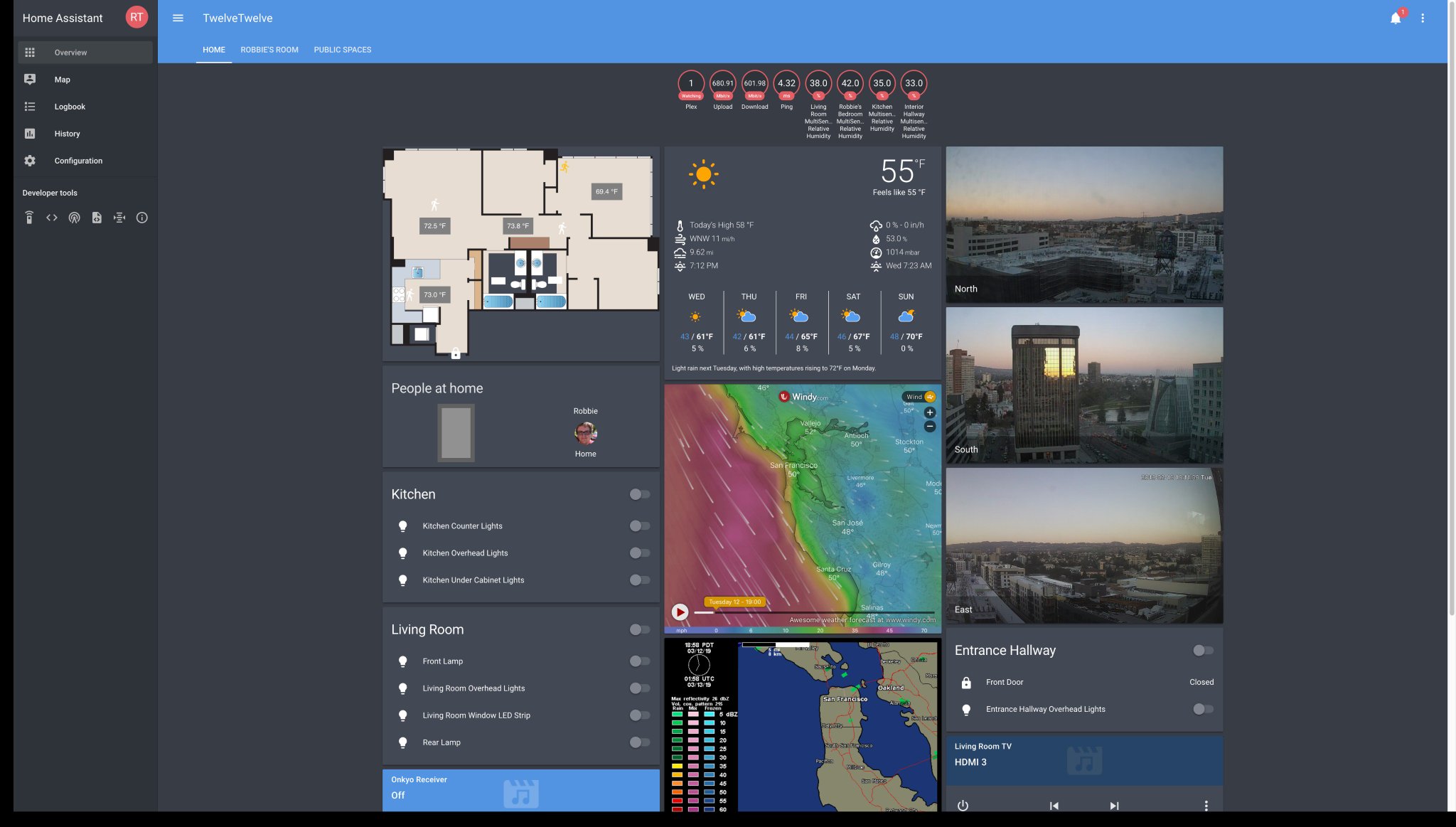
Finally caught the @home_assistant #Lovelace wave. My frontend has never looked so good.
 Twitter
whole heron
Twitter
whole heron
took me 5 days so far for rewriting all my views
raven nacelle
👍🏻
grim lotus
oh cool
raven nacelle
I sorely miss that one
whole heron
my approach so far
everybody got that windy card 😄
vertical-stack-in-card for extended information in cards was my target of the day
gritty swift
https://arxius.io/i/6964e4d4 is there a way to adjust the graph values so its just 1 or 0 and to shrink the graph height?
and how would I apply a conditional to each of these cards? https://paste.vmnode.pw/wecokeyoni.bash
mild veldt
...by doing so...? don't really know what you're asking
gritty swift
@mild veldt im just lost in the indenting
mild veldt
this might be helpful http://thomasloven.com/blog/2018/08/YAML-For-Nonprogrammers/
whole heron
what should be the condition?
the UI editor sorts all those things a bit strange imho
gritty swift
@whole heron state_not: "unavailable"
for each
I basically want to remove one if they error out instead of displaying an error on my UI
whole heron
- type: conditional
  conditions:
    - entity: sensor.pollen
      not_state: "unavailable"
  card:
    type: entities
    title: 'Allergy today'
    show_header_toggle: false
    entities:
- entity: sensor.allergy_today```and so on
you could add another card for state: "unavailable" and display some text ... "No data for x" or so
latent moss
Any ideas on what causes these errors?
2019-03-12 23:31:17 ERROR (MainThread) [frontend.js.latest.201903051] http://hassio.local:8123/frontend_latest/401352253e833b70a294.chunk.js:3618:365 Uncaught TypeError: Cannot read property 'replaceChild' of null
I have a lot of them and it's been happening ever since switching to lovelace. I suspect it's the custom-button-card but not entirely sure.
gritty swift
gah I hate this, why cant I define cards like functions then call them
Error in card configuration.
mild veldt
you indentation is all wrong
try putting it in vscode, setting the syntax to yaml and use something like prettier to format it
gritty swift
@mild veldt even your paste gives an error
im assuming conditional does not work with gauge cards
 atomic glacier
@polar kelp Wanted to thank you for including the notes on layout-card when you updated the code. Saved me hours trying to figure it out what broke as I pretty much use that on all views. Thanks!
polar kelp
I’m sorry I had to do it, but it makes more sense this way, and is way more powerful.
atomic glacier
Not a problem. Was easy to change. Would it be possible to add style to the browser-commander popups like you did for the popup plug-in? That increased the viewing area by about 70px in height as well as the visual aesthetics. @polar kelp
polar kelp
Sure. I’ll get on it later today
atomic glacier
Your the man!!! THANKS SIR 😎
 brittle light
Ehlo, I am trying to get students in class to include auto-entities but we all get 404, I chacked paths and permissions, but nothing works. Is there anything to try ?
timid burrow
might need to show what you are trying. auto-entities is working for me
polar kelp
Restarted hass after creating /www?
vapid field
@mild veldt thanks! Ill have a look at it after work today!
 broken stirrup
Heyo,
I am trying to create a "custom" card which would show me the state of the last backup job.
(time form last, items removed, items added this kind of things)
So far I was able to catch the request made after the backup (with the data i want)
I've used the value_template to change it into a semi-what I want string (I am unable to create line breaks so it is not quite what I want)
After that I've attached it to sensor card - so now I have what I want but it looks pretty ugly.
(Wall of big text without linebreaks)
Not sure how to improve it now - I would like to change the font size (and colors) and add the line breaks - should I use different type of card to achieve this ? or further work with the value _template ? If someone could point me in the right direction it would be great!
(Next step will be to store somewhere the date and calculate based on sored (if after restart there were no requests yet) or on request - Adding this part just in case it changes the advice on the main issue)
devout loom
Actually, I don't know exactly how to use it myself, but maybe this can help you @broken stirrup ? https://github.com/thomasloven/lovelace-card-modder
broken stirrup
I'll investigate 😉 Thanks
mild veldt
@devout loom @broken stirrup sounds like he's trying to make his own custom card, not modify an existing
broken stirrup
@mild veldt Well tbh I am not sure what I want to use (don't know all the options) I just have a idea in my mind how I want this to work 😉
mild veldt
Well you said you were creating a custom card...? So is that what you have done or are you using an existing card someone made?
devout loom
my bad, I am not really the best person to help, just wanted to supply something that could maybe help him part of the way in the meantime 😃
broken stirrup
Currently I am using sensor card
mild veldt
So you're trying to configure sensor card?
broken stirrup
But it does not do what I want so I am guessing I'll have to create some kind of a custom card
mild veldt
🤷 I suggest checking out sharethelove.io if you're new and looking for inspiration/available custom cards
broken stirrup
I'll do that thank you
whole heron
there should be a c&p file with all resources by @polar kelp and @mild veldt .. the longer I read the more custom cards I add...
mild veldt
something like the site I just suggested...?
whole heron
i mean literally copy and paste for the resources...
mild veldt
wheat current
I can haz error? 😺
whole heron
and why did nodody tell me about fold-entity-row? added tons of input_boolean for extending rows 😄
 boreal canopy
I've got a couple of automations that I want to show in the UI as "last_triggered" sensors. Obviously I can create a template sensor and show that, but I was wondering if any of the cards support the last_triggered or oother attributes (same as secondary inforamtion on the entiites card)
slim pelican
anyone know of lovelace card that would show the contents of a file directory?
 cinder rapids
Any custom cards getting officially added to .90?
 restive lance
if i'm in storage mode, how do I add a custom card ? Or should I first switch to yaml config, then add the custom card ?
whole heron
edit the raw config and add the resources
but imho switching to yaml mode is better
split up the config etc
restive lance
I will, but i first wanna toy a little with the UI editor.
broken stirrup
Since I am "upgrading" from ui editor to yaml definition I have 2 quick questions:
How can I (or is it even possible to) force cards position / size in yaml ?
How can I (or is it even possible to) force 2 cards to be next to each other insted of one above the other ?
wheat current
@restive lance with how powerfull UI editors are (and the raw editor) I see no reason with using YAML mode for lovelace
boreal canopy
@whole heron bottom
whole heron
the light card looks a bit too big in relation to the glance switches
mild veldt
@cinder rapids no. Would have to be something relevant to core to be added. I prefer having most in custom cards, we just need to have better tools for discovery/management of custom cards
mild veldt
Possibly a trimmed down, less configurable version but wouldn't say it's a priority
Anyone is welcome to contribute to the repo, however
cinder rapids
I have been avoiding to use custom card to avoid problems but I guess I’ll bite the bullet and start using them. Thanks.
mild veldt
Not using custom cards === not living
cinder rapids
You guys doing an amazing job.
broken stirrup
Any idea why it is not working ? (no entities are showing)
 - type: custom:auto-entities
      show_empty: false
      card:
        type: glance
        filter:
            include:
            entity_id: "/script.*/"
~format
kind shellBOT
To format your text as code, enter three backticks on the first line, press Enter for a new line, paste your code, press Enter again for another new line, and lastly three more backticks. Here's an example:
```
code here
```
Watch the animated gif here: https://bit.ly/2GbfRJE
DO NOT repeat posts. Please edit previously posted message, here is how -> https://bit.ly/2qOOf1G
broken stirrup
Anyideas ?
broken stirrup
yeah I've been going from that site,
What do you mean it needs to be a list? Could you show me on my example ? (I doubt there have to be more than 1 filter so I am guessing you can somehow make it a list)
kind shellBOT
@broken stirrup posted a message that is too long, it is moved here --> https://paste.ubuntu.com/p/cShbYZCvTk/
 outer gulch
i want to use a photo of the entire family together to show who's home.. basically graying out that section of the image that is the person that's not at home.. could this be done?
lament burrow
Hey guys, can anyone tell if I have something wrong in the following yaml? They pictures won't change to update with the state of the lights:
- type: image
    entity: light.living_room_lamps
    tap_action:
      action: toggle
    image: /local/fp/new/lvon.png
    state_filter:
      'on': /local/fp/new/lvon.png
      'off': /local/fp/new/lvoff.png
    style:
      top: 45%
      left: 51%
      width: 22%
It works if I use
      'on': brightness(100%)
      'off': brightness(50%)
But not separate images for on/off (I rendered two, one with the lights on and off)
 restive crater
@lament burrow You need to use state_image instead of state_filter.
 flint elbow
Is there a reason why sometimes two entities will be put side by side but on other views it will only be vertical? I have a custom vertical stack and an entities card side by side, but an entities and alarm panel are only vertical on the other view. The config looks practically identical.
lament burrow
@restive crater ah duh, thanks! is there anyway to make a smooth transition from on picture to off picture?
gritty swift
https://arxius.io/i/b90da91e anyone have a better idea on how to put a visual graph for the motion sensor? it is just way to hard to see when it was activated.
lament burrow
@gritty swift I use a history graph that shows only the last ~3 hours or so
it makes the 'on's more noticable
 summer eagle
Hi folks!
summer eagle
Anyone around?
Im trying to add a custom card for the first time and I have added the .js file associated with the card to the www folder. I have referred to it's location in new file called ui_lovelace.yaml with the resource link
I created a custom/manual card with suggested layout and I keep getting local/atomic-calendar.js:7:1 Uncaught SyntaxError: Unexpected token < This being the card Im trying to add
In the card configuration I keep getting : Custom element doesn't exist: atomic-calendar.
latent moss
@summer eagle is the resource ONLY thing in ui-lovelace.yaml ?
i think you're probably using the UI editor, you don't need that file
latent moss
if you click the three dots in top right corner you can access raw config editor mode or whatever, and that's where you can paste the resources part at the top of that
summer eagle
this is what I have below title
resources:
- url: /local/atomic-calendar.js
type: module
views:
summer eagle
hmm ok
I see you need to add the /custom_ui/ folder first
after that it worked
I had to create that folder too
obviously
latent moss
nice glad you got it working. lots of cool custom cards out there to try now that you know how to do it 😃
summer eagle
Garra love lovelace although a few haters around
whole heron
I'm too stupid for auto-entities
how do I match all entities in a certain group that have the state "Online"?
          filter:
            include:
              - state: "Online"
- group: "group.device_status"```shows the whole group
ah!
            include:
              - state: "Online"
group: "group.device_status"```config-template-card update https://github.com/custom-cards/config-template-card/releases/tag/1.0.2
gritty swift
im falling down the trap of custom cards
mild veldt
good, good...let the madness flow through you...
 graceful dagger
I have a switch (more of a plug) that I want to add into an entities card, ideally. I don't ever want to turn it off (it's to my sump pump), but I like the idea of making sure that it's getting power. Is there a way to disable the toggle on a specific entity?
It's not looking it, but maybe I'm missing it or there's a better way about it?
mild veldt
@graceful dagger this is the best I can think of https://github.com/thomasloven/lovelace-toggle-lock-entity-row if you need it to be an entities card. Other option would be to create a template sensor to track the switch state and put that in the card instead
graceful dagger
Hmmm, I've not used any custom cards, as highly as you speak about that madness. I did see that before asking, though.
vapid field
hi, i have som mixed vertical and horizontal stack now, and i would like a card as the with as two, and the first on that row only the with of one of the cards on the row above. like this. is there a way to fix that?
[ 1 ][ 1 ][ 1 ]
[ 1 ][ 2 ]
mild veldt
layout-card
vapid field
@mild veldt ok thanks, i had a look at that before but couldnt see how it would solve my problem. but ill have a look again, when this is dont i will mess around with youre new card 😃
mild veldt
I honestly haven't played with layout card at all, but I'm pretty sure it can do that
Just checked. Yeah, it can.
vapid field
maybe, this is just in one card i have stacked some different cards in. but son need food so i guess i have to fix that first 😃
civic sedge
when this dont work, vertical-stack-in-card with layout-card
Strangely it did'nt took the pannel view with only layout card
polar kelp
🎉 My list of lovelace plugins is finally completed https://github.com/thomasloven/hass-config/wiki/My-Lovelace-Plugins
vapid field
hmm why is the small problem hardes to fix? 😉 i want a simple "Picture Entity Button" a mix between Entity Button and Picture Entity. all i want to do is having a picture with state_image and tap_action. closes to that is Picture Entity Card, but when i hide the name and icon there is nothing to click on. is there a way to get that picture to get tap_action?
civic sedge
somebodey knowes a CSS filter for making things bigger in size?
polar kelp
civic sedge
Thanks - Only looking in filters 🤦
You meight know it better - Can I add these to an picture-elements card as state filter?
polar kelp
@vapid field Make a picture-elements card with an image element that covers the entire card.
@civic sedge no That only works with filters
civic sedge
Deam
Would have been nice when active elements pop out
but there is as always a way around I guess - maybe an bigger State-based image
Lokks like.. nope
vapid field
yeah.. im so stupi.. tap_action: toggle instead of tap_action: action: toggle .. i need more coffee
civic sedge
... I need inspiration#
I need Quite happy with the layout of the first one - but the lights arent too nice yet
vapid field
@polar kelp "cant find card-tools", and there is no new log since 4 hours ago.. and since i just installed this, it has nothing to do with that.. any clue what this can be?
"2019-03-14 06:06:15 ERROR (Thread-2) ...."
wheat current
You managed to paste the least useful part of a log entry 😉
polar kelp
And from the least useful of the logs
vapid field
yeah but thats the last one and it 4 hours old
and i just installed this, and there is nothing new in the log
polar kelp
Ok. So what were you doing to trigger it four hours ago?
Or maybe you should tell med what "just installed this" reffers to?
vapid field
nothing. i just installed it, i get that it cant be found, and follow your instruction to log at logs and there is nothing
just put "your" files on my rpi and put in the code in ui_lovelace
polar kelp
And that made an error appear four hours earlier?
Also. Card-tools doesn't do much on its own. It's a helper for other plugins.
vapid field
no thats what i meen there is nothing in the log about this error
just some 4 hours old about something else
polar kelp
Ok. let's assume discord has dropped some messages here...
This is the first I've seen from you. It seems like you have tried telling me about an error you're getting now, but all I've seen is about an error four hours ago.
Anything before the message in that picture was about tap_action and picture entity cards.
vapid field
oki give me a sec and ill start it over from the begginging... can be my english thats confusing haha..
vapid field
@polar kelp
Ok i just moved the files woo www/plugins/
then this:
https://pastebin.com/VYSFMZyz
and when i look in the log there is nothing about this.. last post in log is 4 hours old, so i can see anything about this problem in the log at dev-info
did that make more sense?
polar kelp
The installation guide linked from the layout-card readme details some debugging steps. What do you get from them?
Because I assume things aren't working the way you expect?
I also assume that the indentation errors in the code you posted are there because you combined multiple files or something
vapid field
yeah sorry. yeah i get message that i dant find card-tool, and when i follow your instruction its says i should look in the logs but i cant find anything in the logs about this, thats why im stucked. and yes kind of new to all this but i try to follow your instructions