#frontend-archived
1 messages · Page 105 of 1
 fair prism
Ok doesnt seem too bad then. Thank you
 severe stirrup
I want when I turn of the header toggle all of my automations will be turn off too. Can any one help me? https://imgur.com/JZdhPGN
 polar kelp
~~https://www.home-assistant.io/lovelace/entities/~~ Edit: I thought you said the opposite of what you said. Never mind
 wheat current
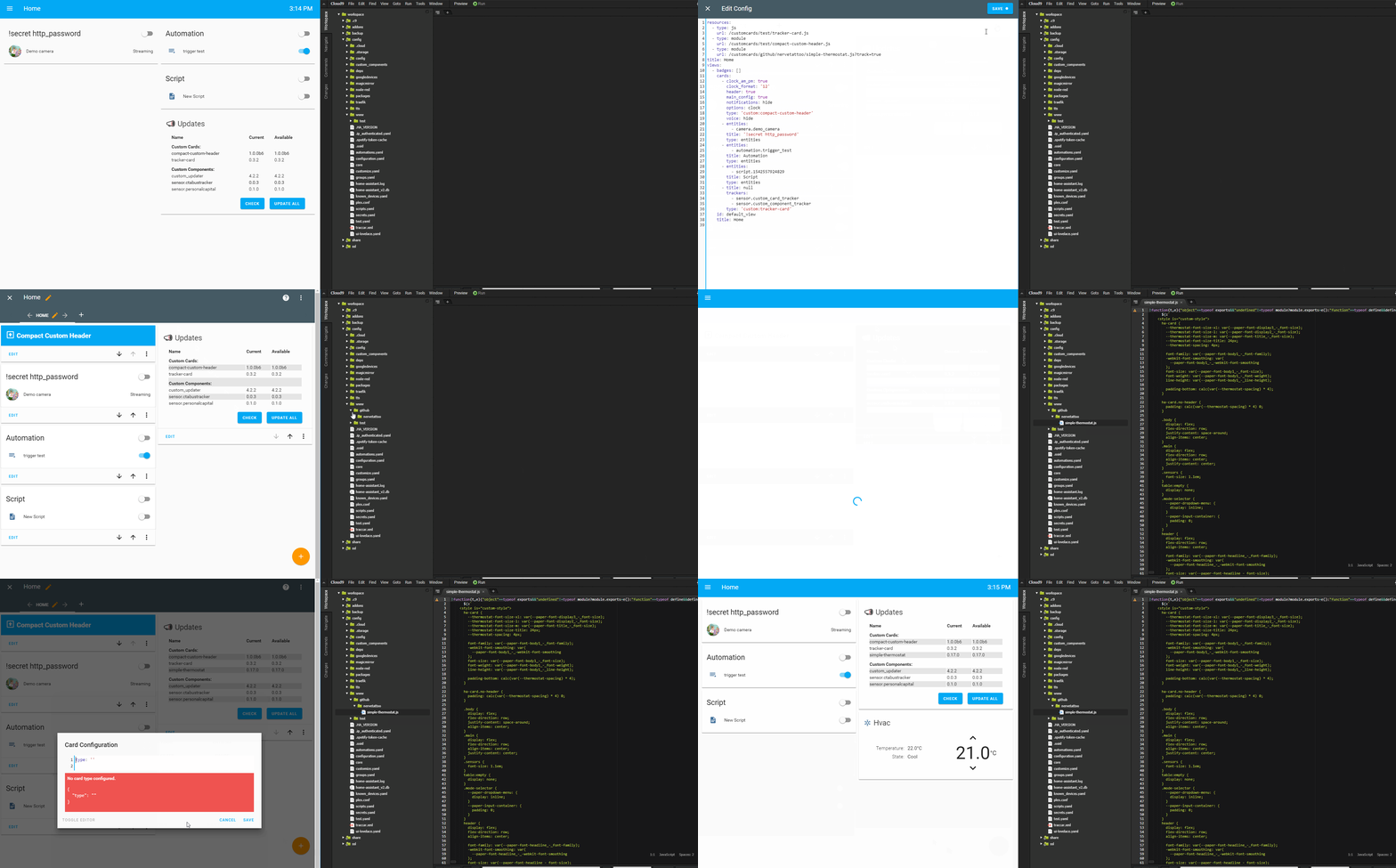
"Installing" and using a custom card in < 45 sec :D
Does not work with all cards, it's super undocumented 🙈
https://i.ibb.co/fqQFq2C/super-custom.gif
 severe stirrup
@wheat current can you help me please?
wheat current
I doubt that, as stated 9 posts up ☝ I'm not a UI guy, so not even sure where to start looking 🤷
But I do see that I have the same behavior
Looks like if you add group.all_automations to the same card it starts working
severe stirrup
Dear @wheat current I can use the toggle header to turn on/off all automation but I dont see any option to hihde the group.all_automations. https://imgur.com/EUcYssv
Do you know how to hide it when still can use the header toggle?
polar kelp
@severe stirrup if you just paste your links in, without any indentation or backticks or anything, they will be clickable.
wheat current
No I don't
severe stirrup
sorry.
 timid igloo
My dashboard is not refreshing. Any idea on how i can force it to refresh? (light as switches are not updating)
wheat current
F5?
timid igloo
nope
wheat current
ctrl+shift+r?
wheat current
state is correct in  ?
?
timid igloo
Like for all items there?
wheat current
For all you have issues with
timid igloo
well the issue is that its showing items that i have removed. So now it just says "entity not available"
wheat current
You also need to remove them from your lovelace config
timid igloo
okay, they are not removed automatically?
wheat current
Not if you have taken control of it
severe stirrup
this is my entites card: https://imgur.com/EUcYssv I want to hide the "all automations" entity so that I can still use the header toogle. Can anyone help me?
 hexed owl
remove it from the card? it's a regular entity on the card, so far as i can see. should be able to just take it off.
severe stirrup
when I remove it. The header toggle cant use any more.
I want to toggle the header and it can effect all of my automators
 elder pendant
Turn off the header is the only other option
hexed owl
that raises an interesting question i had while in the shower last night… any way to have the header switch, but NOT have it switch anyone on and off? ie. substitute a different switch on the card header? (or just fake the header with an entry that looks like one)
elder pendant
The idea of the header is to toggle the entities on the card
hexed owl
i know what the idea of it is… that never stopped me, though.
elder pendant
You're free to make a custom card 🤷
hexed owl
more specifically, i fully intend to be consistent with that idea, i just want to take a slightly circular route…
well, there is that. i've already modded the monster card… and i plan to do similar to the light card, when i can figure out where on github they're hiding it… so maybe i'll add it to the list. just surprised no one's added such a facility for sub-headings, and the likes, yet…
especially with the talk of sub-entity-lists that i saw…
me has two problems to deal with next… 1) is a light card that doesn't highlight… the other is a glance card that does. the latter i can fake with a readily available custom button, it appears, but that wouldn't look quite "right"… the first, is just a pain.
 slim pelican
lovelace picture-elements card? where to place the image to display and how to reference it? is it relative to the config folder? or config/www ? or ?
hexed owl
ahhh… in polymer… didn't realise what polymer was, last time i looked around those parts… explains why i didn't find it, then. heh
hexed owl
oh, i want the light card to do all the things… just not mess wth the brightness of the icon, because it's set permanently at 45/256ths, and looks ugly against all the binary ones…
slim pelican
ahh 😃 thanks @polar kelp
hexed owl
regrets avoiding learning javascript for so long… but looks like it should do the trick… thanks…
 torn sail
Going through some of the built in cards there doesn't seem to be a standardized padding.
like for the header and around the whole card
some have padding: 24px 16px 16px;
for the over all padding. Would this be considered the 'standard'?
the markdown card has padding: 0 16px 16px;
I'm thinking some docs to standardize these things that all cards have in common like various paddings and header sisze
in the dev docs for custom cards
maybe a base template of sorts
 warm ibex
hey guys
i would love to have something like the light card but for input.number (with the value in the middle instead of the light bulb)
any ideas for me?
 mild veldt
not beyond making it 😃
wheat current
@polar kelp Thanks for the idea! I love how easy this can be :D
https://i.ibb.co/vvqCGKx/tracker-card.gif
elder pendant
You could pin that gif for new people that are confused about how to install custom cards
polar kelp
That’s fantastic!
wheat current
Currently that way are super undocumented and will not work with all cards @elder pendant
polar kelp
Could it work with the repo cards by default somehow?
Might be tricky to specify then... but feels weird that ”unofficial” ones are easier to install...
wheat current
It may actually do that unintentionally, will test that now
It does not work, but adding that will be easy
hexed owl
being new to github, a best practices guide to where to put cards and how to manage them (keep them updated, and so forth) would be rather good. like, how do people handle fetching three github repositories, all named "custom-cards"…?
polar kelp
I’m planning a video for introducing the gui editor for card-modder. This would be a great frature to have in it.
wheat current
Pushing an update "down the pipes" now, that will enable this install method for all cards in the not so official repo/org (and others wich are in the "master" list)
polar kelp
I think we hve a new ”standard”
wheat current
potentially 😄
polar kelp
It would be really easy for devs to setup a git hook that autonatically bumps the version number of the data file when pushing to github as well.
wheat current
Easier than commit hash? 😛
polar kelp
Well... no... but close
I just had another idea. A bit tougher to implement right, but... dependencies.
Like add requires: [/github/thomasloven/lovelce-card-tools] or something in the data file, and it makes sure that is installed as well.
No wait... it would still need to be put in the resources manually. No point then, really
wheat current
Good 😄
polar kelp
Yay for feature creep
wheat current
Just tested the newest version :D
resources:
  - url: /customcards/github/maykar/compact-custom-header.js?track=true
    type: module
  - url: /customcards/github/custom-cards/tracker-card.js?track=true
    type: module
  - url: /customcards/github/thomasloven/card-modder.js?track=true
  - url: /customcards/github/custom-cards/upcoming-media-card.js?track=true
    type: js
Gave me:
hexed owl
ran into a problem with trying to have three versions of one custom card at the same time… had to go into the js and fiddle the names to separate them… one was the original, one was my version, and another was the version i was working on at the time. so i had custom-card, my-custom-card, and my-custom-card-dev… and then trying to push the versions back, requires search-and-remove on the my- and -dev's… i assume there's gotta be an easier way? or do you guys just have two separate HA installs, or something?
polar kelp
Yes. I run a dev setup in docker for tinkering with cards.
 gilded plume
Hmm @polar kelp is this text "If you see "Can't find card-tools. [...]" in your Home Assistant UI, follow these instructions." on your git needed to point somewhere like here or different part of your git -> https://github.com/thomasloven/hass-config/wiki/Lovelace-Plugins
keep getting that error when trying to use the card modder with the layout card that lovelace-card-tools is missing
https://imgur.com/a/haARUaL
above the place of the files and below the code part
- url: /customcards/github/thomasloven/card-modder.js
    type: js
  - url: /customcards/github/thomasloven/layout-card.js
    type: js
  - url: /customcards/github/thomasloven/card-tools.js
    type: js
Huh?
gilded plume
Installation instructions
If you see "Can't find card-tools. [...]" in your Home Assistant UI, follow these instructions.
To install card-tools follow this guide.
that part on the website, the above text does it need to follow to a link there is no link under it
wheat current
"This guide" is the link, it points here https://github.com/thomasloven/hass-config/wiki/Lovelace-Plugins
gilded plume
that was indeed what i wanted to know, thought there was maybe an extra "help/information"file
hexed owl
docker is still on my TODO… i installed Hass.io, because i understand it uses docker, but so far it's only made things more confusing… as if i wasn't mostly confused enough already…
mild veldt
@hexed owl docker is not necessary for running a dev environment. But it does make it easy to blow it away or make a new container, I would think
wheat current
It certainly does 👌
hexed owl
yeah, that's one reason why i was interested in it… haven't gotten that far just yet. but i'm wondering if using a Hass.io install of HA was, perhaps, counter-productive to that goal…
 calm rock
hi, are all this cards compatible with the new custom updater version ? https://hastebin.com/evaqafidux.css
wheat current
Why wouldn't them be?
calm rock
@wheat current , i dont know , just aski ng in case im missing something , tried updating yesterday , and broke all custom cards, so i want to make a new try now .
wheat current
if that happend, you got an error in your log
calm rock
on the card itself , it showed , missing file , i made the changes as you described on the docs .
there may be something else im missing ,
hexed owl
the interface is awfully fragile… doesn't take much at all to come back to an empty screen… i do it frighteningly often… 😫
calm rock
i loaded the snapshot , in order to start "fresh" and perform another attempt
wheat current
You probably missed clearing your cache @calm rock
calm rock
will do again ,and report back if you dont mind ..
wheat current
not at all, but do it here https://github.com/custom-components/custom_updater/issues 😃
calm rock
ok, tks
calm rock
@wheat current , i made the update, and have not edited the raw config yet , still , everything works fine so far , is it because i need to restart in order to make the new updater to take over ?
wheat current
ÿes you do, it's a component
wheat current
no, but I'm off to bed, if you get issues use the link I gave you
calm rock
sure , tks
 forest mica
i just installed custom updater and my components show up by says not cards?
no*
do they need to be in an actual "custom-cards" folder?
 devout loom
I have a rest sensor with the value template:
'{{ value_json.mapsrc }}'
it gives me a state like:
/maps/2019-02-19_22-11-31.png
then I have a camera component, where I need to use that state, plus the ip of the source, which is saved in secrets as r2d2_ip. Does this look correct for still_image_url ? ```
still_image_url: '!secret r2d2_ip{{ states.sensor.r2d2_radar_url.state }}'
 raven nacelle
no...that will not work
forest mica
is that a yes on the custom_cards? i see that only some of them have tracker.jsons to add to urls. so they should pop up. i only have slide-entity-row, popup and card-modder. and my alexa media player component doesnt show either.
 timid burrow
you do not move the cards. leave them in /config/www where they are now
/local/ and /customcards/ are not real folders - they are endpoints
forest mica
hm alright
 shut harness
Is there any way to toggle the wording on this service-button on my picture-elements card as the service toggles?
https://imgur.com/a/DmQvBfl
timid burrow
i'm using the new custom-updater / config if you have problems
shut harness
https://hastebin.com/esubadekop.bash is my yaml
forest mica
this is the error i see: CustomCards(yaml_resources) - Lovelace config in yaml file not found
shut harness
Ideally an "On"/"Off" toggle, but I can settle for a power icon that changes colour or something along those lines
timid burrow
do you have locelace: and mode: yaml in config?
forest mica
im using the UI editor and raw conifg
mild veldt
@shut harness button text is static...for now
timid burrow
@forest mica what does your resources section look like?
and you don't have a lovelace section in config yaml right?
forest mica
resources:
- type: js
url: /local/lovelace/card-tools.js?v=0.0.2 - type: js
url: /local/lovelace/slider-entity-row.js?v=0.0.1 - type: js
url: /local/lovelace/popup-card.js?v=0.0.1 - type: js
url: /local/lovelace/card-modder.js?v=0.0.1 - type: module
url: /local/lovelace/tracker-card.js?track=true
negative
custom_updater:
track:
- cards
- components
timid burrow
need to change /local/ to /customcards/ and remove the versions
you're using what version of custom_updater?
mild veldt
@shut harness or maybe just leave it for now and hope that I get around to my button refactoring soon 😃
timid burrow
like I said up above, /local/ doesn't physically exist either
forest mica
ill try it out
timid burrow
it's just an endpoint
this is part of mine
resources:
  - type: js
    url: /customcards/card-tools.js
  - type: js
    url: /customcards/tracker-card.js
  - type: js
    url: /cus
see... /customcards/ and no versions
shut harness
haha, I'm probably going down the card-modder and conditionals route for now @mild veldt
I can easily switch it back when you get around to it
mild veldt
fair enough
mild veldt
I do that by not showing her my UI
I have a planned release date of 1/1/2020 for public consumption of my UI 😃
shut harness
time's ticking!
she hates speaking to Alexa as it doesn't understand her half the time (I think it does it on purpose to piss her off)
mild veldt
@latent moss will get me there 😃
shut harness
so I need to make a pretty UI for her
forest mica
i restarted and no change..
timid burrow
where are you seeing that error?
timid burrow
i don't have that... it will default to storage
forest mica
that did it for some reason
is it normal to have numbers and letters for versions of some cards instead of like 1.0.0
forest mica
still no alexa but
mild veldt
you more likely broke your lovelace section of the config, rather than fixing it with mode: storage. You should just not have lovelace in your configuration.yaml if you don't want yaml mode
timid burrow
# Custom Component Updater
custom_updater:
  show_installable: false
  hide_sensor: false
  mode: storage
you do need that for custom-updater config
mild veldt
ah, you're talking about the updater's config
timid burrow
and yes.... thomas loven's cards all have the git commit as the version number
yeah pretty sure he is
mild veldt
discord needs a "share my screen" plugin
timid burrow
no joke right
forest mica
haha it has it for personal chats. but yes i added the lovelace: section but its commented out a the moment
mild veldt
but then again, I don't want to be locked into tech support. with chat I can just walk away 🤣
forest mica
haha
timid burrow
you do need mode: storage in custom-updater config as I posted above..... that's confusing though as I thought you were talking about teh lovelace config
shut harness
conditional-card worked as expected, it'll do for now 😃
 grim lotus

Show and tell time: What’s your #Lovelace UI look like right now and what do you love most about it? Best replies get RT!
 Twitter
Show us what you got!
(via Twitter please!)
 eager thistle
nuuu mine is ugllyy 😦
 maiden wigeon
@eager thistle ha! same...
 short vale
😃
 sturdy lake

 rare badger
Mines the same, just functional(ish).
grim lotus
Y’all are bad at this. I expected more from you
short vale
I tweeted one 😃
 signal stag
 rare badger
@grim lotus haha, I guess we will all improve as LoveLace becomes more mainstream and standard. There's still lots of changes and improvements to the config etc
 placid pivot
yeah mine is just functional
still setting up HA then I'll make it prettier for WAF
short vale
Same here, I have all mine segregated by level, location.. Like one room has 30 sensors in a entity list 😃
 gilded gust
and the influxdb on the left is dope is cool
short vale
https://github.com/niemyjski/home-assistant My lovelace config on there isn't fully up to date
I have a bunch of insane node red automations that I need to blog about 😃
https://github.com/niemyjski/home-assistant/blob/master/config/group.yaml Just a few sensors that I have on my dashboards.. I need to find a better way to bring these into lovelace groups.. I have 15 switches with (5 sensors each not in HA) and 20 switches getting installed this weekend to finish the setup 😃
Would be kind of nice to have an areas card.. but not all entities can be put into an area yet :\
timid burrow
i posted a few of mine
 frail geode
Ha, never really used Twitter too much before but I guess this is a good reason to.
mild veldt
@latent moss show off for @grim lotus
grim lotus
RTed
 rich nymph
could someone help me with my lovelace config (please) - I had it working but now seem to have it , or more correctly HA in state where it's stopped working - it appears to be set to auto-gen and refuses to read the ui-lovelace.yaml file, I don't know how to get it back a state where I can edit the ui-lovelace.yaml file - any help would be appreciated (HA v0.87.1 Lovelace mode auto-gen)
mild veldt
 devout onyx
is it possible to block indent in the lovelace raw editor? Would make adding cards into stacks much easier...
rich nymph
@mild veldt thanks - yep I have that
mild veldt
@rich nymph go to  what mode does it say you are in?
devout onyx
@mild veldt do you know if a theme editor/ color picker has ever been discussed?
mild veldt
not to my knowledge
devout onyx
would that fall under frontend or backend at this point?
mild veldt
frontend, but feature requests go to the ui-schema repo
devout onyx
got it.
rich nymph
@mild veldt whoops - spoke too soon, it does appear to be missing - I must have saved an old version of the config on another computer - have restarted and it's working fine - sorry to have bothered and thanks for the help
wheat current
For anyone following along with me and @polar kelp yesterday I have now made some documentation for the new "super_custom" concept.
https://github.com/custom-components/custom_updater/wiki/super_custom-cards
It's semi technical and may be confusing for users, but the target audience is custom_card developers 😃
TL;DR: For the user the user this means no manual handling of card files.
polar kelp
Card makers take note. This really is a game changer!
 viral sorrel
In the root of the repo dere must be a .json (manifest) file with one of these names
intentional? 😛
wheat current
Nope, corrected :P
I wrote it, so it will probably have a lot of grammar issues 😛
viral sorrel
there's a lot of progress in ui and convenience lately 😛
wheat current
That is logical, UI is not as "scary" as alternatives (looking at you vi)
viral sorrel
I still dream of live sensor addition/removal/modification
especially, but not limited to template sensors
wheat current
If you know it 🤣
polar kelp
Well. Obviously :wq
wheat current
I had to google how to exit ☝
 shy sedge
:x does the same ás :wq
polar kelp
or just ZZ from normal mode
shy sedge
Did not know that (y)
polar kelp
I learned that from vimgolf. One keystroke less than :x<CR>
viral sorrel
better than emacs..
shy sedge
Ahh vimgolf good times 😃
 scarlet idol
are there any known issues with lovelace UI editor in 0.86.4, specifically errors adding either Horizontal or Vertical stack cards?
UI just keeps spitting back "Card config incorrect" just by trying to create one. I'd update to 87.1 but it's not on hassio yet (it seems)
wheat current
All hassio arch's types have 0.87.1 now.
In 0.88.0b2 it works
scarlet idol
crap. the issue is me. I misunderstood how that card works. I thought it was more like a HTML DIV/container that you shove other cards into already on the UI. I see you need to define the actual cards now
sorry
wheat current
ah, no problem 😃
polar kelp
Experimenting a bit...
wheat current
That looks great, but what is the tab on the far right of the frame 😛
 sacred quarry
@wheat current I was reading on the super_custom cards and, not being a card developer, I am not 100% sure if I need to update my folder structure from the current state to the new github/user/repo path (and the resources in the yaml file), Or if, even in yaml mode, there is nothing I need to do, at least for now 😄
wheat current
You should folow the instructions from the card dev for the cards you are using ;)
With the exception of:
https://github.com/custom-components/custom_updater/wiki/How-it-works#special-notes-for-custom_cards
https://github.com/custom-components/custom_updater/wiki/How-it-works#the-customcards-endpoint
sacred quarry
I am already updated to 4.0.0 structure
that was done yesterday or the day before (can't remember) 😄 and I got all the cards using the new structure with /customcars endpoint
my point is that I don't have a : /customcards/github/my-awesome-repo/awesome-card.js?track=true
but, for example, I got: /customcards/lovelace/cards/monster-card.js
wheat current
That's fine
sacred quarry
Ok 😃 I tought I had to change everything to be sort of a github mapping and help the system to automatically "figure out" where to check for updates
I must have missunderstood 😃
wheat current
You can but it's more for new users that have not the cards allready
sacred quarry
I see, I tought it might become a breaking change in the future 😄
sacred quarry
k 😃 cheers
severe stirrup
i want to make a card with some button like this and when I touchh the button I will have an action . Can any one help me or give me a tutorial for that please?
sacred quarry
Glance Card maybe? https://www.home-assistant.io/lovelace/glance/
severe stirrup
ok let me try it.
wheat current
Running latest custom_updater and want to try something "cool"?
Add this to lovelace config:
  - url: /customcards/github/ludeeus/ROOT.js?track=true
    type: js
Click "Check" in tracker card, wait for ROOT to show up in the card, hit refresh (F5) 😄
sacred quarry
I don't need to test, I already know (well, feel 😄 ) what it does and it's the way to go! 😄
should I add the ?track=true bit to my existing resources tho?
wheat current
To be fair, it could be way worse :D, but it showcases the new capabilities quite well :)
Adding that is not needed for existing cards
sacred quarry
thanks 😃
 sharp talon
Here’s hoping the custom cards I use see an update to take advantage of the changes in 0.88.0.
wheat current
What changes?
sharp talon
From the 0.88.0 release notes.
Note for Lovelace custom card developers: if you relied on the availability of <paper-button> in your code, you will have to update it to <mwc-button> to work like before. It’s down as a breaking change.
wheat current
Oh, yeah, when I read your message I thought about new features 😜
sacred quarry
Idioti question.. whwn I add a custom python script, besie the "python_script:" in coniguraiton.yaml, do I need to do anything? Because the script is there light_store, but the card_tracker oesn't "recognize" it even tho it is added in the custom components urls
wheat current
polar kelp
Sorry, my bad... or was it? Maybe...
wheat current
sacred quarry
not sure @polar kelp because its a card.. but also the python script I am not sure it is loadedd xD
👍
sacred quarry
touchè 😄
sharp talon
@wheat current if custom cards haven’t been updated do you think it’s viable to edit a local version to implement the changes? It seems like a change in naming convention only or am I missing something.
wheat current
In some implementations it will just be to swap them, but others may need som more work/styling to look correct.
sharp talon
I’m using a card that’s a fork of the original which also hasn’t seen an update yet...thinking I may have to skip this update for a bit
wheat current
Or fix it for you and anyone else 🤷♀️
sharp talon
There is that. 😉
sacred quarry
K it wasn't a bug.. I was the bug!
mild veldt
@polar kelp cool theme editor! just needs a picker for theme attributes and a color picker. That should totally be in core! well done!
but as @wheat current said, I really don't care about it as much as I do about that last tab 😜
polar kelp
Now with importing
 rugged cobalt
I'm having issues with the save button on the when editing cards on the UI. I can see the text but it doesn't click. Any ideas?
wheat current
my guess is that it clicks but you dont notice it
rugged cobalt
It definitely doesn't click since it doesn't close the window or save the changes to the UI.
Worked on my other pc for some reason...
 icy robin
Quick announcement....I have updated https://github.com/MizterB/lovelace-secondaryinfo-entity-row with custom_updater integration
sacred quarry
I spent the evening yesterday trying to remember the name of this custom-card! XD
Cheers!
now I only need to remember what I needed it for 😄
 thorny verge
@polar kelp With the last update to layout-card it no longer works in a vertical-stack-in-card. Cards still load, but if I used horizontal, they will just load vertical.
I didn't see anything in the documentation, just wondering if there is something to change?
polar kelp
Latest update to layout-card? Three weeks ago?
No, wait.. it was just five days ago...
I know what the problem is
severe stirrup
i want to make a fan card with oscillating for my ui-lovelace.
I already make a platform of fan with set_oscillating function here:
https://hastebin.com/gacomesoga.bash
I already tried to make set_oscillating function like this
 alias: Ceiling fan (oscillating)
 sequence:
   - service: switch.broadlink_send_packet_192_168_1_17
     data:
       packet: 'awddwd='```
 But I dint see the oscillating button in my fan card
https://imgur.com/qEjVl1Z PLease help me to show the oscilling button on my card please?i updated my custom_updater card and my life360component dissapeared? how can i get it back?
wheat current
https://github.com/custom-components/custom_updater/issues/90 @forest mica
Use that repo for issues, if that issue does not give you the answer
forest mica
oh boy that looks fun
polar kelp
@thorny verge Should be fixed now.
Fun fact. When I start typing git commit -m 'Fix for' in my terminal it suggests the autocompletion vertical-stack-in-card.
thorny verge
@polar kelp Awesome, I'll try it right now, thanks.
polar kelp
Doesn't it look really weird if you use layout card in VSIC, though?
wheat current
Not if you first add transform: rotate(180deg); to all items in body 😛
polar kelp
At least not in comparison.
thorny verge
Works perfectly.
@polar kelp Not sure what would look weird, at least in my case.
I have my home screen for my tablet that has an upper and a lower section. The whole thing is inside a VSIC as there is a text section with weather updates in between the 2 sections, it looks really good with no spacing in a VSIC. Then top/bottom sections are each in side a horizontal layout-card, top section is 4 horizontal cards, bottom section is 3 vertical-stacks with picture element cards.
Looks slick like this, at least to me.
When I view the same screen on a mobile device, if i just use a horizontal stack, the cards are very small, and I can't then navigate to any other screen (I hide the top bar, so use other navigation) as cards are a mess. When I use the horizontal layout-card, the cards disply vertically at the normal size.
forest mica
my .py file is already in this location
<config>/custom_components/<integration name>/
its actually /custom_components/device_tracker/life360.py
and same for media_player/alexa
polar kelp
@west echo I'm thinking the cards in the layout-card will have drop-shadows and stuff... but I guess it depends a bit on your theme wether it looks good or not. Do you have a screenshot to share?
raven nacelle
@forest mica That structure is being deprecated. You need to move it to life360\device_tracker.py
forest mica
ahh alright. im not on .88 yet does it matter?
severe stirrup
dear @raven nacelle can you take alook and help me with my question please?
i want to make a fan card with oscillating for my ui-lovelace.
I already make a platform of fan with set_oscillating function here:
https://hastebin.com/gacomesoga.bash
I already tried to make set_oscillating function like this
 alias: Ceiling fan (oscillating)
 sequence:
   - service: switch.broadlink_send_packet_192_168_1_17
     data:
       packet: 'awddwd='
But I dint see the oscillating button in my fan card
https://imgur.com/qEjVl1Z PLease help me to show the oscilling button on my card please?
raven nacelle
@severe stirrup The card has to be updated to support the same
severe stirrup
so How can I control the oscillating of the fan from UI?
raven nacelle
you can create a template switch to control oscillation
or input_boolean
anyways...more suited for #330944238910963714
severe stirrup
thanks 😦
forest mica
thanks @raven nacelle that brought back life360. and alexa media player never showed up on the card to begin with so idk.
raven nacelle
there is a PR for Alexa player, which is not merged yet. You can try that
thorny verge
@polar kelp Tablet view https://imgur.com/a/2YLJ7Wn
forest mica
wouldnt konw how to..lol im learning 😛
polar kelp
Ok. With the same background on the cards as behind them it looks really good.
I was doubtful because this is what it looks like with the default theme...
not pretty
thorny verge
Still looks ok on default theme for me, I just don't like all the white.
Layout card works perfect if I end up on the tablet screen on a phone, I can still navigate as horizontal-stack done with layout-card is then shown vertically. I do all my navigation with icons/pics on picture-element cards, so in a horizontal stack on mobile, all the cards were shrunk so small they were useless.
 brisk ridge
how can i remove the not available entities in ui?
wheat current
carefully
if you use yaml mode change the ui-lovelace.yaml file, if not click the three dots, then edit UI and edit again on the card that has those entities
brisk ridge
Thank you. I noticed that i just lost one of my z-wave sockets thats why i saw these entities not available
 thick dagger
is yaml mode the current only way to add a custom card?
thick dagger
ooo thank you @mild veldt
 short zephyr
is there a way to hide/show a entity in a glance card based on the state of another?
 latent moss
so balloob said custom:mini-graph is part of core for a long time, i can't find it on the lovelace card page tho? maybe i am misunderstanding the tweet https://twitter.com/balloob/status/1098258797976465408
wheat current
Sensor card?
latent moss
oh that might be it. doesnt seem to have any of the styling options tho unfortunately
wheat current
Can probably use card-modder for that
 raw brook
You can also use your theme to change the color of the line
Pretty sure it uses the Accent Color
latent moss
i misinterpreted it, thought he meant the actual entire custom-card was merged not just portions of it. i find it easier to just put whatever hex code i want instead of pointing it to a specific theme or whatever. so i'll just use the custom on for now
raw brook
Whatever floats your boat
polar kelp
The mini graph card kept evolving in parallell.
All its features will never make it to core. Core should be simple.
brisk ridge
How can i activate again the auto configuration of the UI? I have pressed the TAKE CONTROL
latent moss
i find the core card way more difficult tbh. here it is side-by-side (custom mini-graph on left, core sensor card on right). on the left one i was able to put line_color: red , extremely simple and user friendly. on the right card i wanted to change the line color to red as well to compare, and that is way more difficult. Thought of a theme with red in the name, "darkred". but the line shows up as orange cause the accent-color is orange i guess. And it also changes the background color which is no good as you can see: https://i.imgur.com/78S8R4F.png So then i had to try and figure out which themes had a red accent color, and picked midnight: https://i.imgur.com/s0vPiw4.png which again doesn't match. I don't see any way this is more simple than just being able to put line_color: red.

 elder pendant
@brisk ridge Too late. You've gone down the rabbit hole now, Alice
Just kidding. Delete the file lovelace from your config/.storage directory
 warm depot
hello guys 😃 I'm trying to create a card for my xiaomi vacuum and I already found one really nice to the forum. The problem is that I'm not able to call services using type: icon
    cards:
      - type: picture-elements
        image: /local/vacuum1.jpg
        elements:
          - type: icon
            icon: 'mdi:bell-ring'
            tap_action: call-service
            entity: vacuum.xiaomi_vacuum_cleaner
            service: vacuum.locate
            style:
              top: 90%
              left: 80%
color: '#3090C7'```Check your syntax again, a few things are wrong https://www.home-assistant.io/lovelace/picture-elements/#tap_action
warm depot
ok thanks 😃
 tacit cave
Before I update to 88, does anyone know which custom cards are going to be affected by the <mwc-button> change?
wheat current
any card that uses it 🤷
tacit cave
@wheat current you're supposed to know these things
wheat current
And I told you 😉
tacit cave
😂
tacit cave
I think i'm only using your card modder one
wheat current
I use CCH and tracker-card, both ok in 0.88
tacit cave
So i just need to check vertical-in-stack-card and button-card. I should probably remove all the other cards I no longer use
wheat current
button-card is broken
tacit cave
Well I'll wait then
 sudden lion
There is a waiting PR with a fix 👇
wheat current
https://github.com/kuuji/button-card/pull/60 follow that PR
sudden lion
👆
tacit cave
I'll just use that, it's just a 1 to 1 swap apparently
mild veldt
you didn't look at the PR if you think that's going to work
wheat current
If you look at the comments there you see that the fix is not quite good (I've tried it my self with the same result)
tacit cave
I'm looking at the history
mild veldt
and honestly, I don't plan to debug formatting on that PR
 formal hornet
Leaving that to me? 😉
mild veldt
I just don't think I'll have the time, lol
wheat current
@sudden lion will fix it 😄
mild veldt
things are on fire at work right now...I love it. @formal hornet I shouldn't have sent you those 🔥 🚆 emojis earlier...
formal hornet
I'll check quickly tonight, see if I can find a quick fix.
sudden lion
@wheat current Teach me then 😛
mild veldt
luckily it's database related and not actual train derailments, lol
formal hornet
haha @mild veldt I've had my own fires to fix this afternoon. One ES node decided to die but still report as up.
tacit cave
is there a good resource to learn css+js? This shit is foreign to me, i'm used to normal UI dev like winforms and wpf
wheat current
the internet?
tacit cave
ya ya ya ya, but 1000 things come up
raven nacelle
so...just to confirm that PR does not fix button card right (yet)?
raven nacelle
Yeah, they look compressed
formal hornet
Might need to tweak the default css 😦
formal hornet
I probably know as much as he does about css. I just copy paste random stuff from the interwebs until it sorta looks like what I want.
wheat current
That's how we all do it 🤣
warm depot
is anybody using this custom card? https://github.com/custom-cards/state-attribute-element
warm depot
it doesn't seems to work..i got some errors
wheat current
If you look at it, it has not been updated in 4 mounths 😉
https://github.com/MizterB/lovelace-secondaryinfo-entity-row may give you the same
 mossy otter
anyone using big number card? it doesn't seem to be letting me add it to my yaml frontend
warm depot
cause I have some state label like this and it would be nice to not create lots of template sensor to read attributes. Any alternative?
            style:
              top: 79%
              transform: 'translate(0%,-50%)'
              font-weight: bold
              color: '#84a6ba'
              font-family: Trebuchet MS
              font-size: 80%
              left: 31%
              pointer-events: none
            entity: sensor.vacuum_cleaned_area
type: state-label```Didn't I post an alternative? ☝
warm depot
@wheat current oh, sorry, I was writing and I have not seen it
tacit cave
What am I doing trial by fire?
mild veldt
fixing button card after its conversion to mwc-button
tacit cave
Oh tweak css
mild veldt
we're all counting on you, don't mess it up
tacit cave
Haha
devout loom
Anyone know if I can have one of these cards: https://www.home-assistant.io/lovelace/light/ but not see the three dots in the corner, and if I long-press the bult, see this in a more info pop-up: https://github.com/ljmerza/light-entity-card
mild veldt
@devout loom no
devout loom
Alright
mild veldt
you could use popup card to get the light-entity-card on tap, but not on hold
devout loom
Ok, that would as well, if I can just turn on/off the light by dragging the slider to zero
mossy otter
is there a good way to describe a sensor value in a big image?
wheat current
@warm depot Tested both now, and both works, but the one I linked is not the same thing 🤷
mild veldt
@mossy otter that's a very broad question
mossy otter
Something like that bignumber card but without different colours but like a themed picture in the background?
e.g. just a box...with a number showing my sensor value...with a picture in the box
mild veldt
you can always use https://github.com/thomasloven/lovelace-card-modder to put a background on ANY card
mossy otter
@mild veldt that's perfect, thanks!
 rotund island
hello , correct me if i'm wrong but id's aren't required anymore in Lovelace is that correct ? cleaning up my config
devout loom
@mild veldt how does long pressing work on pc?
can't seem to get it working anywhere
raven nacelle
@rotund island Yes, ids are not required
rotund island
thx @raven nacelle was waiting on that to continue linting 😄
devout loom
The pop-up card works nicely, except it does not like drop downs, it won't resize 😦 So the effects in a light doesn't look nice https://i.imgur.com/JHlfBqG.png

 glad condor
@devout loom I haven't used it myself, but have you defined hold_action ?
devout loom
hmm not sure where
devout loom
doesnt seem to work
glad condor
ping me if you figure it out
devout loom
will do
latent moss
almost done with a "TV Guide" schedule in Lovelace. Uses conditional cards to display what is airing on TV at this hour, tap_action to change the channel on your main TV and a hold_action to do the same but on a secondary tv. The hardest part was getting all the channel icons to look right on both dark and light themes. screenshot: https://i.imgur.com/Rh3jkf1.png (and no i don't watch all these shows)
 timid burrow
@mild veldt @tacit cave in the 0.88 beta, I played with the CSS and it was fine on my PC but not so good on my mobile. With @mild veldt changes to mwc button it's changed yet again and I can't fix it - I reverted to the button-card version I tweaked for the beta's with css and only the lit change... I posted some screenshots on the github issue
latent moss
@sudden lion never even heard of trakt.tv before but this looks neat and would've saved me a lot of time lol. will try it this weekend maybe.
mild veldt
@latent moss I have a custom component for it as well 😃
works with upcoming-media-card
latent moss
just saw that, even better 👍
mild veldt
@timid burrow that's not on me, that's on google 😃
timid burrow
hahaha.... well just reporting what I'm seeing
mild veldt
@latent moss there was also a fix just posted to the python library, pytrakt, that I used, that once released will allow me to create an "up next" sensor based on what you most recently watched
latent moss
very cool
 clear dome
hey guys I just updated from 0.82 to 0.86 and I am unsure how to translate my previous lovelace config to the new version (in 0.82 my lovelace config is in ui-lovelace.yaml but it is not being loaded in 0.86). Do I need to move my ui-lovelace.yaml contents into customization.yaml?
 past falcon
hey, I'm having trouble adding the custom tracker card, I tried following the instructions, but I'm getting Tried to serve up '/config/www/github/custom-cards/tracker-card.js' but it does not exist
timid burrow
it should grab it. you also need track on the end I think...
if it doesn't grab it you can get it manually
past falcon
yea I've got this
  - url: /customcards/github/custom-cards/tracker-card.js?track=true
    type: module
well if it doesn't grab it, just get it from github
or it might take a couple of minutes
past falcon
so if I remove the ?track=true I get this customcards/github/custom-cards/tracker-card.js:4:43 SyntaxError: dynamic module import is not implemented
timid burrow
why did you remove that?
timid burrow
ok so what is the error? the dynamic module one?
past falcon
yup
timid burrow
are you sure you d/l the raw file and put in www/github/custom-cards folder?
past falcon
yup, the two .js files
timid burrow
you are not trying to use a folder called customcards/github....
and you're on 0.88?
past falcon
and it's in config/www/github/custom-cards/
timid burrow
did you try F12 and rightclick refresh... hard reload and clear cache in chrome..
timid burrow
so do you have the tracker card installed? can you click on check on the card?
where are you seeing the error
past falcon
nope, I get "Custom element doesn't exist: tracker-card"
on lovelace
and then in the info tab I get the module error
past falcon
well I was doing yaml, but I just switched to storage
and this is my config
custom_updater:
  mode: storage
  show_installable: false
  track:
    - components
    - cards
  card_urls:
    - https://raw.githubusercontent.com/bramkragten/custom-ui/master/updater.json
    - https://raw.githubusercontent.com/kalkih/mini-media-player/master/tracker.json
    - https://raw.githubusercontent.com/maykar/custom-lovelace/master/tracker.json
that looks fine
what about the card in lovelace... the tracker card... what do you have there? (not the resources bit - that seems ok)
past falcon
the lovelace card? the "custom element doesn't exist: tracker-card"
timid burrow
yes but what do you have in the lovelace file that call it up to display it
          - type: custom:tracker-card
            title: "\U0001F4E3 Custom Card Updates"
type: 'custom:tracker-card'
timid burrow
ok.. looks fine.
 timid wigeon
How the heck do I call a script in Lovelace?
timid burrow
Just realised you aren't talking a python script lol.
mild veldt
 tired hare
Seems the card-tracker doesn't load well in FF but does in chrome 😦
 clever ore
@past falcon @tired hare tracker-card uses dynamic imports, this is not yet supported in firefox
in firefox 66 you can enable it, in 67 it should be enabled by default
past falcon
I'm still having trouble in chrome though
tired hare
Custom element doesn't exist: tracker-card.
clever ore
do any errors display in HA log or browser dev tools?
tired hare
``https://my.web.site/local/tracker-card.js:4:43 SyntaxError: dynamic module import is not implemented
past falcon
yea I was getting that before, now I'm not getting anything
just doesn't exist
but I am running the old tracker card from the repo post
timid burrow
not version 1.1.1?
timid burrow
what if you click check?
past falcon
I can't
timid burrow
it's probably reading it from .storage/lovelace
past falcon
can only run custom_updater.check_all
timid burrow
ok check all
clever ore
@tired hare From version 66: this feature is behind the javascript.options.dynamicImport preference (needs to be set to true). To change preferences in Firefox, visit about:config.
latent moss
Is this the correct place for suggesting lovelace feature enhancements? https://github.com/home-assistant/ui-schema/issues or /home-assistant-polymer/ . kind of confused at what the difference is.
tired hare
@latent moss : Yaaaay .. that worked 😃
timid wigeon
Who still uses the lovelace.ui file?
past falcon
I did until just today
timid burrow
@clever ore only beta's of ff 66 right?
past falcon
well so I just upgrade to see if it would fix it and I got nothing
even toggling dynamicimport
timid wigeon
@past falcon is that new in .88?
past falcon
na I just decided to switch over
partly cause I was having troubles with the tracker card
timid wigeon
much better?
past falcon
partly cause I know that's the direction it's headed
eh
soso
it is nice to see things change in real time
it's much easier to organize I think in the yaml file
clever ore
@timid burrow I couldn't tell you for sure (don't use it myself), but I believe it's in 66 release
timid burrow
says March 19 release.... that's going to trip some folk up
timid wigeon
how did you switch over @past falcon ?
timid burrow
thanks for that link
past falcon
it's alittle tricky if you wanna keep your custom components (which is what held me back), but once you figure it out the custom components ahve nice new stuff too
yea
clever ore
@past falcon do you mean components or cards?
timid wigeon
also how do you back up your work now
past falcon
snapshots?
timid wigeon
I'm worried my card will crash on me again
timid burrow
@timid wigeon DON'T reboot - just restart Home Assistant.....
past falcon
yea just go to edit config, then press the 3 dots again and raw config
past falcon
just restart server management?
timid burrow
honestly... NEVER reboot unless you do an actual OS update or stuff freezes etc..
yes just restart server
timid wigeon
restart server using Putty?
past falcon
or config tab
timid burrow
you reboot and you have one error in your yaml file and HA won't even start!
NO not in puTTY unless you are in the ssh addon.... hassio ha restart
but do it from config
clever ore
in sidebar: configuration -> general -> restart
timid burrow
there are maybe 100 threads of people who rebooted and had fucked up their config fle and they are locked out
don't ever reboot!!! that bypasses the config checking when you do a real restart
if HA won't restart check the log and you'll see there is some config error you need to fix and if you rebooted.... well you can be screwed
timid wigeon
oh really
how do you know when it's safe if you actually have to reboot then?
I see
timid burrow
you can do a hassio ha check first I think... but you should not usually need to reboot anyway.... unless there is an OS upgrade or something like that... what is your use case for rebooting?
clever ore
in sidebar: configuration -> general -> check config
timid burrow
hehehe
yeah but that doesn't pick up everything whereas the ssh one does
i usually use the sidebar one though and then when I restart server scratch my head when it doesn't restart and then check the logs
my nuc was up for 70 days until last weekend when I did a distribution upgrade and a bios upgrade
timid wigeon
thank god it came back up
thank you for the advice @timid burrow
You are my mentor!
timid wigeon
yea Pi for me
clever ore
@timid burrow Are you using exceptions in your CCH config?
timid burrow
no none
clever ore
k
timid burrow
I have a pretty vanilla config for your card
I have noticed setting a default seems to keep switching off though
clever ore
What do you mean?
timid burrow
like I select main config and save but whe n I go back in, it's off again
clever ore
interesting
timid burrow
your cards are awesome too BTW..
clever ore
Ty! Possible main_config: false is cached on one of your devices?
clever ore
I would try clearing CCH's cache on the devices you use it on.
clever ore
yeah, always on the first lovelace view
timid burrow
it's just my ipad and iphone as well as desktop
ok.... so I have not configured anything in the lovelace card except adding the card
so I should add true for the first card/view?
timid wigeon
I have a blank slate now using the lovelace UI editor. Can't add Picture Glance card?
clever ore
yeah, main_config: true on the first one
oh! thank you. I think I know where the bug is coming from now
timid burrow
ok added to first view and now when I go in it's set
clever ore
So, I've been trying to track down an issue for a bit now related to your issue
but think ive stumbled on the answer
timid burrow
@timid wigeon do you have an old ui-lovelace.yaml file?
clever ore
look for an update tomorrow. for now, I need to sleep. night
timid wigeon
I still have my backup yea and it was probably the old style
timid burrow
nite and thanks @clever ore
so open the old one in an editor and copy it totally to the clipboard
timid wigeon
Ahh! then raw config editor!
timid burrow
then open the editor in the GUI for lovelace and switch to raw mode and overwrite that 100% with the clipboard contents of your old one and save and it will be identical to your old one
yep
timid wigeon
wahoo
timid burrow
infact... my dirty little secret is I maintain the old one and do my changes in there mostly and overwrite in raw config all the time
because I hate the way the gui editor mangles the yaml format
and I find it easier to follow what I'm trying to do
timid wigeon
I agree with you
timid burrow
the GUI editor is a nightmare for stacks...... <shudder>
timid burrow
sure
timid wigeon
Ok, so I checked my config and the configuration is invalid. Platform not found: remote.template
Where is the log to find out where this is?
timid burrow
well it's in the GUI if you go into dev-tools and click on i and then down the bottom load full log
or the file is homeassistant.log (I think) in the config directory
timid burrow
you can do it through samba
timid wigeon
Great and now I try my fancy new Config>Restart
timid burrow
yes lol
timid wigeon
Much easier! Although I still get the error about system health
timid burrow
maybe #330944238910963714 better place to discuss as we're off topic here now
timid wigeon
ok
timid burrow
maybe post some of the log there
 karmic vessel
so many of my custom things seem to be broken with 0.88 XD Button-card, gauge card mainly
elder pendant
Which was stated in the breaking changes section of the update
karmic vessel
i read breaking changes, let me read again musta missed something XD
well skimmed haha
ah, i looked in the actual breaking changes section not above
elder pendant
https://www.home-assistant.io/blog/2019/02/20/release-88/#noteworthy-breaking-changes Note for Lovelace custom card developers: if you relied on the availability of <paper-button> in your code, you will have to update it to <mwc-button> to get a similar component.
Yeah it wasn't in the actual list I suppose
karmic vessel
which is why i skipped over it haha
severe stirrup
hello everyone. Do you have clock interface card ?
i have one but I think i need a analog clock card
 fallow oak
Hey! I am looking for a way to visualize weather data in Lovelace. I am finding a lot of cards that can do this but they all require a certain weather platform. Is there any card that I can use to inout my own sensors? I have two Netatmo stations that I want to incorporate into Home Assistant...
 hot gyro
is there an option in a conditional card to have a state A OR B ?
hot gyro
thats not what I want really - currently looking if I can do it via entity filter ...
hmmm ```type: entity-filter
entities:
- media_player.shield
state-filter: - "standby"```
what is wrong with the above? despite the fact that its probably isnt what I want to do ... I want to filter all non active media players but I need more conditions to filter on than just one ...
sharp talon
I’m thinking of forking a couple of custom cards to make them compatible with 0.88.0 and wondered if anyone has any experience of changing the files to make then work.
hot gyro
funny enough this works allowing 2 conditions but still not enough - type: conditional conditions: - entity: media_player.echo_spot_office state_not: playing state: paused
mild veldt
@sharp talon fork and then contribute back I hope?
 winged parrot
Is there a way, without creating a custom card, to change font size in only one card?
The names of sensors on my glance card never fit and get shortened, I'd like to make the font smaller, so they'll fit
sharp talon
@mild veldt of course. The devs of the cards don’t seem to be active. I’m guessing if it doesn’t mentioned <paper-button> in the code then it should work ok and won’t need updating.
 sleek warren
any easy way to change the location of the unit_of_measurement so it appears before the value not after in a card?
mild veldt
@sharp talon which card?
sleek warren
i hacked a tacky solution but it was bugging me
glance my friend
i have 2 cards in a vertical stack one shows the current weeks kwh using the fantastic new utility meter and i have the cost on the card below using some calculations in a template which shows correct value but its 14.56 £ instead of the currency before the value, my ocd is playing up 😉
i could just use the template and have it with a unit_of_measurement blank to keep the history graph intact but it seems sloppy
sleek warren
text sensor? wow have a missed something else lol
winged parrot
Sorry I really mangled it. A template sensor with text
sleek warren
yes that will work but as i want to keep the history graph you need to define a unit_of_measurement which yes i can define as blank and i think it will work, sort of expected a simple option in glance as it covers most other things i think about 😃
winged parrot
You can have two sensors, one with unit_of_measurement, one without, do you need them to be linked?
sleek warren
like append, prepend for exmaple
i need the unit_of_measurement to work 😃 so i will do what you mention for now and feature suggest the append, prepend on glance cards for measurements without hacking template
thank you for your time
not sure if you know but no unit of measurement equals no history graph
sharp talon
@mild veldt https://github.com/Lopton/button-card (there’s discussion on the master about doing manual updates) and https://github.com/Gluwc/bar-card
mild veldt
@sharp talon there's an active PR to resolve issues https://github.com/kuuji/button-card/pull/60
I don't know what your issue is with bar-card, but as there are no issues logged on the repo, hard to imagine the dev would know a fix was needed
sharp talon
@mild veldt nice. I used the forked version referenced for long press.
Well I’ve not updated to 0.88.0 so don’t know if there is, just trying to preempt before doing the update.
mild veldt
That is not a good approach, IMO
You would have no idea if you made it better or worse
sharp talon
So I update and then try and fix things that are broken? I’d rather wait for cards to be updated and are known to work before breaking things.
mild veldt
That’s fine but you won’t/shouldn’t be the one fixing them as you can’t test
sharp talon
Oh I would test, I’d spin up a separate container and test. Just wanted to know if the changes are as simple as they are made out to be.
 strong furnace
Hi guys, has anyone implemented a card just showing a large digital clock? I have used the sensor card to display sensor.time from the date_time component, but it is still a bit too small.
mild veldt
@strong furnace this allows for a clock in the header https://github.com/maykar/compact-custom-header/
strong furnace
oooh, fancy 😃
tired hare
@strong furnace : if you use the card modder you could set the size yourself
@strong furnace : https://github.com/thomasloven/lovelace-card-modder
 summer sluice
Can anyone assist in the yaml with vertical and horizontal cards. What I want, is two gauges stacked horizontally, then a history graph below the 2. Currently I can get the following, but can't get it to work the other way I want.
type: vertical-stack
cards:
- type: history-graph
entities:- sensor.bathroom_temp
- type: horizontal-stack
cards:- type: gauge
entity: sensor.bathroom_humidity - type: gauge
entity: sensor.bathroom_temp
- type: gauge
tired hare
@summer sluice : like this :```type: vertical-stack
cards:
- type: horizontal-stack
cards:- type: gauge
entity: sensor.bathroom_humidity - type: gauge
entity: sensor.bathroom_temp
- type: gauge
- type: history-graph
entities:- sensor.bathroom_temp```
summer sluice
@tired hare Thank you, I thought it would be something similar to that.
tired hare
Yeah stacked cards can sometimes give headaches 😛
summer sluice
any idea how to make the history graph into a sensor graph? lol It only shows the temp and not the graph
tired hare
what do you mean ?
should show a history graph
@summer sluice https://i.imgur.com/LplMg8a.png
 summer sluice
I will try to send a screenshot in a minute
the history graph does show, but if I change the type to "sensor" it does not show the line graph
@tired hare
 summer sluice
@tired hare Referring to https://www.home-assistant.io/lovelace/sensor/
tired hare
1 sec
summer sluice
If I use type History Graph, it is fine, but if I use type "sensor" it does not.
@tired hare it shows this instead https://imgur.com/a/FG2U0sf
tired hare
gotcha ... .. 1 sec again
cards:
  - type: horizontal-stack
    cards:
      - type: gauge
        entity: sensor.bathroom_humidity
      - type: gauge
        entity: sensor.bathroom_temp
  - type: sensor
    entity:: sensor.bathroom_temp
    hours_to_show: 24
    graph: line
ofcourse you can change the hours to show bit 😛
@summer sluice : does that work for you ?
summer sluice
@tired hare That does work. Thanks now I am working on adding a entity card above the 2 gauges to show the status of the light. I will try to work that out myself, but will reach out if I don't figure it out.
 minor scroll
I've been playing with cards just through the UI but want to switch to YAML where I'm more comfortable. How do I export cards, they must be up in the db because they don't seem to be flat file
tired hare
lol @summer sluice ... np... just give a nudge in the channel ... if i'm not around someone probably will help you
summer sluice
@tired hare Thanks for you example of the Vertical / horizontal stack. I now understand how they are nested together. Got it all figured out now
tired hare
yeah ... you should see my remote with the stacking and nesting 😄
wheat current
@minor scroll open the raw editor from the UI and copy the content
minor scroll
cool
summer sluice
@tired hare Just curious, is there way in the vertical and horizontal stacks to remove the white space between each entity? so it looks more like 1 card?
tired hare
not really ... you should look into css for that
summer sluice
ok, It was not a big deal, just thought I would check since I didn't see anything anywhere
wheat current
@summer sluice https://hastebin.com/moyihededa.bash
 sick willow
Hey guys, quick question... i've been thinking for a while about starting a floorplan. with how fast everything is changing, is something coming up that will make this easy? or are examples that people have posted a year or more ago still the way to go?
sacred quarry
This might do aswell I guess: https://github.com/custom-cards/vertical-stack-in-card
hexed owl
i don't get it… how does that differ from vertical-stack…?
…oh, vertical-stack, without the card borders? I thought there was a way to do that already…
severe stirrup
Hello Does anyone have a problem with gray icon for picture element card?
this is my card : https://imgur.com/5gUDtw0
and my code: https://paste.ubuntu.com/p/nkwrbRP4cG/
all icon are colored but they were gray now.
all function works well
please help
elder pendant
Are you sure they are colored? What does the image show if you open it directly with /local/timer.png
 vapid field
I have updated to the latest hass.io today. I got some errors in my log and some of them said I should move some of my custom_componentes into seperate folder. Now hass.io can't find them at all.
For instance
2019-02-21 19:26:16 WARNING (MainThread) [homeassistant.helpers.config_validation] Found invalid entity_id sensor.ruter__neste_avgang_mot_drbakseiersten, please update with sensor.ruter_neste_avgang_mot_drbakseiersten. This will become a breaking change.
and
2019-02-21 19:26:16 ERROR (MainThread) [homeassistant.loader] Unable to find platform verisureclimate
i have colored item on my UI this morning. But dont know why i got that right now after I worked with my hass
i checked the config already and no error. every single button work well.
elder pendant
Did you have grayscale images before?
wheat current
You have upgraded Home Assistant @vapid field use #330944238910963714 for general support
vapid field
But the issues runs in lovelace?
wheat current
no both errors are from the backend
elder pendant
Did you try clearing cache @severe stirrup ?
elder pendant
It's a function of your browser. What browser are you using?
wheat current
ctrl/cmd+shift+r
elder pendant
It just doesn't make sense that it would be showing grayscale images. Color is not dynamic on a picture without some pretty hefty css behind it
wheat current
Do you have any custom resources loaded that can inject styles?
wheat current
no, have you added anything to resources: for lovelace config?
severe stirrup
wait me
I 've just plug out and plugin the power
i will check now
  - url: /local/clock-card.js
    type: js
  - url: https://unpkg.com/moment@2.22.2/min/moment.min.js
type: js```this is for my clock-card
but I dont know y sometime this clock card is disappear
some time it showed
- type: "custom:clock-card"
summer sluice
@wheat current Thanks
wheat current
Then that is not the issue if that is all you import.
forest mica
my custom cards dont work now. card-tools installs but fold-entity-row, card-modder arent found in .88?
wheat current
is that a question or a statement?
polar kelp
Ok. That decides it for me. You're right @wheat current, It's bad. Let's agree not to do that.
elder pendant
@severe stirrup did you clear your cache?
severe stirrup
yes
I al ready tried
but noluck
this is my hass log file.
ignore BLE sensor problem. (it's hass 's problem)
forest mica
its a statement and question to as if its been seen before or an anomaly.
minor scroll
in glance and entity-button cards, does the icon color not change for on/off on input_booleans?
wheat current
I did not try card-modder or card-tools before 0.88 but they worked for me
minor scroll
they're the same blue whether they're on or off
elder pendant
I think that was a separate question
minor scroll
what type of card am I looking for to make a row of icons for four input_booleans? I tried custom:button-bar but it refuses to load no matter what I try
forest mica
this is waht i see in the web console:
card-tools.js:15 Uncaught (in promise) TypeError: Cannot convert undefined or null to object
at Function.getPrototypeOf (<anonymous>)
at Function.litElement (card-tools.js:15)
at customElements.whenDefined.then (fold-entity-row.js:2)
wheat current
Could that be that it tries to use an entity that does not exist or have a new entity_id?
polar kelp
Update card-tools
forest mica
im on deb8e3 is that the latest? no update in custom_updater available
polar kelp
Never the less, card-tools is the problem. custom_updater has been known to fail before
Compare line 15 to the source on github. If it's different, you don't have the latest version.
severe stirrup
i found the problem
i lost a connection with my
entity: fan.bedroom_fan
that y the button become gray
wheat current
@forest mica the local version system it uses changed in v4, the first time you start it after that version it assumes you have the newest version.
you can run the service custom_updater.install with {"element":"card-tools"} to force an update
forest mica
i have copy and pasted the new .js into my config. and restarted. no change
wheat current
or that 😛
forest mica
line 15: return Object.getPrototypeOf(customElements.get('home-assistant-main'));
polar kelp
Did you clear your cache?
forest mica
ive refreshed the webbrowser but not actually gone into setings to clear
polar kelp
I've learned the easiest way (in chrome) is to push F12, then right click the refresh button and select the bottom option.
forest mica
sure enough cache strikes again
raven nacelle
@polar kelp Where is the refresh button? Under any tab?
wheat current
 mortal cape
yes, then you get the contextual options for the right click
you don't get it without dev tools open
It's the same refresh icon you use normally, but with dev tools open
raven nacelle
Ahh....now I see it
severe stirrup
hello. I just want to make a clock for my lovelaveUI with this code - type: picture-elements image: '/local/fan1.png' elements: - type: state-label entity: sensor.local_time style: top: 50% left: 50% font-size: 7vw color: black
but the clock only stop and does not update
it's only get the first data and not update
How can i get the sensor update every second
elder pendant
Every second? Doesn't that sensor only update every minute?
severe stirrup
no with above code
the clock always correct when I restart HA
after that I still be like my pic
not running
elder pendant
Is it updating when you watch it in ?
severe stirrup
no sir
elder pendant
Then your component is configured incorrectly for what you are trying to use it for
severe stirrup
   sensors:
     local_time:
       value_template: "{{now().strftime('%-I:%M:%S %p')}}"
entity_id: sensor.time```is this correct
?
elder pendant
What is sensor.time
severe stirrup
it's sensor of HA?
 finite lantern
I don't see the play buttons on the cards in home assistant and my issue has been open for a while. It works when push the service data.... can I add these manually? https://github.com/home-assistant/home-assistant-polymer/issues/2410#event-2144187869
elder pendant
Does sensor.time_date also create a sensor.time? I don't see that anywhere
raven nacelle
it does
elder pendant
I mean, I can't because I don't use that sensor. But I'll take your word for it 😉
raven nacelle
it's not always there, unless you add it 😃
elder pendant
Right, that's what I'm saying
finite lantern
I think my issue was mistakenly closed.... how do I request it reopen on GitHub?
elder pendant
Oh you were replying to him
@finite lantern if something is playing does the button show up?
elder pendant
What kind of TV is it
raven nacelle
@finite lantern Samsung TV is currently broken...
mild veldt
@finite lantern reopened
finite lantern
Awesome - thank you @mild veldt
severe stirrup
I added sensor.time to my sensor.yalm
 leaden raft
This is probably a basic question but I've searched and haven't found it. Where can I find a list of the mdi icons?
elder pendant
leaden raft
😬 Well that .... makes sense now.
severe stirrup
@elder pendant give you an original site link.
i gave you the sever link will full
you use that with ctrl F for faster search
tacit cave
anyone running a venv on windows 10 home?
 split granite
There are a few crazy folks who've posted about that in #330944238910963714 before @tacit cave
tacit cave
@split granite I decided to just follow the dev instructions for my first go at this
which will probably do what I want
split granite
Yeah, some things won't work, but if you're doing dev that likely doesn't matter
(to you)
tacit cave
Yup don't care, just want it up and running with HA where I can use visual studio
Want to be able to debug and learn js & css
 sullen ibex
Can You help me? How i can view a single bottom bridge instead multiple cards in lovelace?
elder pendant
What is a "bottom bridge"?
wheat current
https://www.youtube.com/watch?v=8S7_XqRzBIQ @elder pendant
elder pendant
Oh so it's my worst nightmare 👍
 torpid notch
Hi there, I created a view in groups.yaml for my flowers. Now they are showing on my main view and my flower view. How can I hide the group from the default view?
elder pendant
Just remove the card/entity?
torpid notch
How do I do that?
torpid notch
Ah, yes, I already saw that video but the warning that when I enter "editing mode" I will loose the function that all new object are added to my screen scared me
Is there no other to avoid the edit mode?
elder pendant
If you want to customize your UI you have to take control
torpid notch
You shout put this sentence on https://www.home-assistant.io/lovelace/ 😄
 solid wyvern
I'm trying to use the light card but, I would like to group some of them together under a title. I've gone through all the built in lovelace cards and I can't see a way of doing it as it appears that the stack cards don't allow for a title/name. Am I missing something or is there just no way to do this without using a custom card?
tacit cave
no way to do that without a custom card
solid wyvern
ok.... I've been toying with the idea of swapping to glance cards. Maybe that's the better option
tacit cave
The light card is big and flashy and you can't do much with it other than turn on/off and adjust the brightness without opening it up
most cards have hold actions too, so you can still adjust the brightness, it's just buried
solid wyvern
yeah, I suck at front end design so.... setting up my UI has been a bit frustrating. I need nice pics for my Glance cards though and...I'm not great at photoshopping lol
solid wyvern
I have gimp....but, getting pics that look good is hard
tacit cave
Also, I recommend going yaml mode. You really can do alot with custom cards
solid wyvern
I'm using the built in editor.... as far as I can tell it's the same as going yaml mode now right? I mean I'm writing yaml
tacit cave
all yaml, custom cards. Pretty much what you want, but not using the light card
hey @mild veldt do you have your env set up in visual studio?
solid wyvern
yeah, I started down the track of custom cards and got warned that a lot of them were going to break in the next release. So, I was avoiding them while that was going on. I was using a the button-card but, that is one of the ones that was broken.
Not sure if it's been fixed yet
tacit cave
they'll always break. It's open source. Best course of action is to stay with a version and update once and a great while.
I usually update once every month. I could see going 6mo to a year without updating. There's no need if you have a stable environment.
and you aren't adding devices
solid wyvern
Nothing is stable in my environment yet lol, I'm only 2 weeks into my journey 😛
Having a hard time motivating myself to do the UI because I've started it about 6 times now and keep changing how I'm trying to do it 😛
mild veldt
@torpid notch you’re free to add any wording you like to make things more clear
@tacit cave yaml mode is not a requirement for custom card usage
tacit cave
TIL. Good to know.
solid wyvern
With the inbuilt editor is there a way to keep history of edits so I can see what I had (like commit to git each time or something?)
mild veldt
You can put .storage/lovelace in git
solid wyvern
yeah, but if I'm saving via the UI it won't commit the change right..... unless there's an event I can hook into. It's not super critical but...sometimes I would like to see what I had a few hours ago
Anyway, I've moved on from that :P
I've got my UI to the point that it's functional (not exactly pretty but, we'll get to that)
So, I've got to light groups and I've got a glance card set up to monitor one of the groups like this:
- type: glance
        title: All Lights
        entities:
          - entity: group.m_d_lights
            icon: mdi:lightbulb
            tap_action:
              action: toggle
And it's working except that unlike all my other glance cards the icon does not show in yellow when the state is on. It stays blue.
Is that just a limitation of working with groups?
(No themes are involved yet)
mild veldt
group of lights or light group?
solid wyvern
yeah, so right now it is a group of lights. Should I make a light group instead, I just read about them but, it doesn't seem as clean as using a group
I can reload groups without restarting HA, if I use light groups it would appear I would need to restart HA each time I modify
@mild veldt i tried with a light group and it has the same problem. Icon doesn't change color when turned on
ignore that.... it's working now for some reason after a refresh
torn sail
im confused about this new custom card url thing
resources:
- url: /customcards/github/custom-cards/tracker-card.js?track=true
type: module
does this look at github now and not locally?
and what odes track=true do now?
does*
 severe vine
@torn sail Not sure, but I cannot get it to work on Firefox. But it works on my ios app.
In firefox, I get an error in the HA log:
ERROR (MainThread) [frontend.js.latest.201902200] http://10.0.1.34:8123/customcards/github/custom-cards/tracker-card.js?track=true:4:43 SyntaxError: dynamic module import is not implemented
 lavish spoke
Hello everyone! Is the demo.home-assistant.io section down? I can't seem to view any of the demo Lovelace stuff tonight.
elder pendant
Works fine for me
lavish spoke
Thanks @elder pendant must be me... 😦
elder pendant
What browser are you using? Maybe try going directly to the first view https://demo.home-assistant.io/#/lovelace/0
 thorn matrix
is monster card not working with 88 ? am getting "Custom element doesn't exist: monster-card."
i have the file in my www and it's part ofui-lovelace.yaml
it i used it long time ago then remove it
now trying to use it again
mild veldt
@severe vine FF doesn't support dynamic imports yet unless you get nightly https://twitter.com/_developit/status/1090364879377260544
@thorn matrix any errors in browser console?
severe vine
@mild veldt thanks
wheat current
sullen ibex
Sorry, in the previous msg T9 have killed the text. I resume. Can You help me? How i can view a single bottom BADGE instead multiple cards in lovelace?