#frontend-archived
1 messages · Page 103 of 1
 vapid field
vapid field
vapid field
@errant plover Should I add the information in the card directly?
If I am adding any of the information I am getting this "error":
YAML Error: YAMLException: end of the stream or a document separator is expected at line 2, column 1: - type: history-graph ^
And also Entities need to be an array
 sudden lion
What does your config look like?
vapid field
What config?
sudden lion
For your history graph..
vapid field
I have none as I do not understand how I should add it. If I am using the example in:
https://www.home-assistant.io/lovelace/history-graph/#example
- type: history-graph
  title: 'My Graph'
  entities:
    - sensor.outside_temperature
    - entity: media_player.lounge_room
      name: Main player
But of course changing sensor to something I am having I am receving the error above. I am trying to add the history graph card directly in lovelace ui
Under add card and then history graph
When I open the card it is saying:
```
Entities need to be an array
{
"type": "history-graph"
}

type: history-graph
title: 'My Graph'
entities:
  - sensor.bod_multisensor_temperature
  - entity: media_player.kontor
    name: Main player
like that
vapid field
Thanks! Is this something I should have know with the information given in the card?
sudden lion
Says how in the docs
sudden lion
If you compare the codeblock in the docs to the one in the UI editor you should be able to spot the small difference between the 2
 errant plover
Basically drop the leading '-' and reduce the indenation.
 uncut oasis
Hey guys! Finally getting my head around lovelace, have a bunch of working horizontal-stacks and picture-entity etc.
Can't get the Alarm Panel card to work - https://www.home-assistant.io/lovelace/alarm-panel/ - whenever I add to ui-lovelace.yaml it just results in "entity not found" error (card is red).
Any clues? What am I missing? I've tried to Google without success.
And I guess a secondary question - that Card which I've linked above ^ does it require a .js file - or anything to be added to configuration.yaml?
sudden lion
@uncut oasis It does not require any extra js files. Do you use the UI editor or yaml mode?
uncut oasis
yaml mode
sudden lion
How does your config look for the alarm panel?
uncut oasis
cards:
- type: alarm-panel
entity: alarm_control_panel.alarm
sudden lion
Does alarm_control_panel.alarm exist in  ?
?
sudden lion
Great 😉
uncut oasis
Thanks!! I'm not sure where/how that is/was even created
¯_(ツ)_/¯
Sorry - probably having a noob moment.
Thanks, goodnight 😃
sudden lion
No worries. cheers.
 winter knoll
Hi, is it possible to color icons based on states for other entities than light/fan etc.?
I have following card for my vacuum and I want it to change color to yellow if the vacuum is active just like the light icons turn yellow if the light is on
  - entity: vacuum.vacuum
    name: Vysavač
    tap_action:
      action: call-service
      service: vacuum.start_pause
      service_data:
        entity_id: vacuum.vacuum
    type: entity-button
Hello together,
i hope i can receisome help here for a really simple question:
i am trying since hours to get a background image into my homeassistant lovelace views, but whatever i tried, i dont get a wallpaper as background into my views.
does someone have a solution for me?
running hassbian on a rpi 3+ in the version 0.87
sudden lion
How does your config look?
vapid field
mom
 kind shellBOT
Please follow the rules, @vapid field! You have 5 warning(s) left. You posted a message/code that is more than 15 lines. It is moved here --> https://paste.ubuntu.com/p/fQn2gmtw2P/
Please follow the rules, @vapid field! You have 4 warning(s) left. You posted a message/code that is more than 15 lines. It is moved here --> https://paste.ubuntu.com/p/9yktJj6TDJ/
sudden lion
Where are you trying to add the background image?
kind shellBOT
Please follow the rules, @vapid field! You have 3 warning(s) left. You posted a message/code that is more than 15 lines. It is moved here --> https://paste.ubuntu.com/p/rCdZhZmPXh/
sudden lion
Please read the warnings from the bot..
vapid field
i tried it in ui-lovelace with the following command:
 split granite
@vapid field You are rapidly closing in on being automatically banned for ignoring the rules
Please go and re-read #rules and the messages from the bot
vapid field
title: Saint Paul's
views:
- title: LICHT
background: url("/local/image01.png")
icon: mdi:lightbulb-outline
cards:
split granite
~format @vapid field
kind shellBOT
@vapid field To format your text as code, enter three backticks on the first line, press Enter for a new line, paste your code, press Enter again for another new line, and lastly three more backticks. Here's an example:
```
code here
```
Watch the animated gif here: https://bit.ly/2GbfRJE
DO NOT repeat posts. Please edit previously posted message, here is how -> https://bit.ly/2qOOf1G
sudden lion
image01.png is placed in your www folder in the same directory as configuration.yaml file?
vapid field
nope, just puttet in the homeassistant folder
sudden lion
Do you have a www folder?
vapid field
not right now after i did a complete new clean install
sudden lion
- Create a folder named
wwwin the same directory asconfiguration.yaml - Place your
image01.pnginwww - Restart HA
- Should work
split granite
See https://www.home-assistant.io/components/http/#hosting-files @vapid field
vapid field
oh cool i try directly. could i also put an image folder into www like www/images/image01.png?
split granite
Yes
sudden lion
Just make sure your background: reflects the path you've placed the file in 😃 (And www referes to /local)
vapid field
is this right: url("/local/image01.png")
just get a white screen instead of the image
sudden lion
Where did you place the image?
split granite
And, did you restart Home Assistant after creating www/?
sudden lion
check that its available by accessing https://your.ha.url/local/image01.png
vapid field
into the folder www, but i saw a little failure. now i have the picture :-)
but 7times...
now i fixed it 😃
a big thanks to you guys. the solution was so clear but i didnt saw it 😃
 sick jolt
Thoughts on a camera battery level on a picture glance card... I'll probably have to make a template sensor as its not an entity yet.. but even then is there a way to display the level or will it only just show the icon?
 wanton trail
Im having problem with the "Unusde entities" page. I am getting a js error. Running 0.87.0. Anyone else have the same issue?
sick jolt
@wanton trail Mine is working okay....
Also, I'm seeing the thread in the issue tracker for my question. Disregard
wanton trail
@sick jolt Think I found whu.
Im using a mini-graph-card and that is missconfigured.
Filed an issue on that card.
sick jolt
I made my camera card 😃
now if only the arlo component wouldn't crash every couple hours haha
 mossy gale
does the big number card work in Lovelace UI still, whenever I try to use it now I get a completely white page
 clever ore
A new version of compact-custom-header was just released. It's an almost complete rewrite. Be sure to check out the updated readme. https://community.home-assistant.io/t/compact-custom-header-custom-user-device-views/83716/284
 kindred moon
Is there an easy way to get a lovelace card (iframe card) to show wider than default? like X percent of the screen width?
The aspect ratio seems to deal with the height of the card, not the width
sick jolt
@kindred moon The only way to make a card larger (wider) than normal is to make it a panel as far as I know
 mortal jewel
is there any other weather forcast site then darksky , which is accurate for india ?
 sleek warren
sorry if this has been asked before... can i have lovelace display my camera stream when certain criteria is met? aka something is triggered then vanish when its done?
kindred moon
@sleek warren I think you can do that with a conditional card
  entity: media_player.house_speakers
  type: media-control
conditions:
  - entity: media_player.house_speakers
    state_not: idle
  - entity: media_player.house_speakers
    state_not: 'off'
  - entity: media_player.house_speakers
    state_not: unavailable
type: conditional
That's what I do to only show a media-control card if the media player is not idle, off, unavailable (in other words, displays only if its state is playing or paused)
kindred moon
so under card the entity would be your camera. under conditions would be the conditions you want met. they work with AND. and then type: conditional is where the magic happens
sleek warren
excellent will work a treat for what i need 😃
kindred moon
@mortal jewel I don't know of one after a quick google search
sleek warren
ok that works now to try and implement a delay of some description as the condition changes so quickly the card vanishes with a second i will look at the docs 😃
 last prism
added a new tab, put in a URL, but when i click on it, it just appends the URL to the URL of HA.
kindred moon
@last prism Did you name the tab in the config editor?
last prism
yes.
kindred moon
Did you give it a URL path?
last prism
                    "badges": [],
                    "cards": [],
                    "icon": "mdi:remote",
                    "path": "https://10.xx.xx.xx:1880/ui/#/0",
                    "title": "Remote"
}```and the URL path shouldn't be the full path. Like my "Weather" tab's URL path is just "weather"
last prism
tried both http/s
kindred moon
    title: Radar
    path: radar
    panel: true
icon: 'mdi:radar'```my path is just "radar" instead of the full URL
let's me hit http://10.xx.xx.xx.xx:8123/lovelace/radar in my address bar to get right there
last prism
i cant embed offsite URLs?
kindred moon
oh, not there, no. that path is the path to this page in lovelace. If you're trying to embed a URL, use a panel
So, add a new tab in Lovelace's editor. And turn Panel Mode off when you do it. Then add a new iframe on that tab.
Then edit the tab and turn Panel Mode back on
https://i.imgur.com/UkafLnS.png I hit the gold Plus at the top to add a new tab. Named it derp and the URL path is "derp". That's going to let me hit it at http://10.xx.xx.xx:8123/lovelace/derp
Then on that new tab, add an iframe and put in your offsite URL.
last prism
ahh okay.
kindred moon
Then if you want that URL full screen, edit the tab when you're done and turn on Panel Mode (in that screenshot above where I created the Derp tab)
I literally just larned this 15 minutes ago. Good timing.
last prism
gotcha
 shut harness
Evening guys, pulling my hair out slighty over this, I'm new to the lovelace ui, and I'm on the latest version of hassio with the UI editor, just wondering if someone could assist?
I'm trying to install
https://github.com/rdehuyss/homeassistant-lovelace-google-calendar-card
As far as I can tell I've copied everything to the correct directories, but keep getting the following error (even after checking permissions / restarting)
Custom element doesn't exist: calendar card
here's the config I've got (it's been arrange alphabetically since saving)
  - calendar.contacts
numberOfDays: 14
resources:
  - type: module
    url: /local/custom_ui/calendar-card/calendar-card.js?v=1.0.1
  - type: js
    url: 'https://unpkg.com/moment@2.22.2/moment.js'
showProgressBar: true
type: 'custom:calendar-card'
scratch that, got it working
didn't see the 'Raw Config Editor' before just now
resources had to go in there in the top level
 fiery temple
is there a way to open the notification bell on frontend whenever e new notification comes in?
like a automation or so
 covert wharf
So I'm getting a hang of Lovelace a bit now. I've integrated most of my off the shelf stuff. I will soon start working on the old alarm system sensors. My goal is to have a tablet on a wall that will be a dashboard. In the past, I started to go down the road of HAdashboard. Has Lovelace basically taken over that functionality? I just need to decide what architecture to start on now.
sleek warren
Any decent tab swiper available?
 mortal cape
@swortsoul#738 hadashboard would seem unnecessary, especially if it's the look you're after https://github.com/kuuji/button-card
covert wharf
ok, thanks @mortal cape . That's what I was starting to see. I'll focus on Lovelace.
covert wharf
Well DrZzs just had a live stream today with TeachingBirds (Isbella). She walked through her whole set up, which was impressive. It also answered pretty much all my questions on what direction to go. The live stream is on his YouTube channel. She has her config on github. Good stuff.
 tawny briar
hi
can i control only 1 tab by lovelace?
i want save autoupdate on main screen but i need configure another tabs
i do not want to control automatically created lists(
 mild veldt
@tawny briar no. taking control is all or none
winter knoll
Hi, is it possible to color icons based on states for other entities than light/fan etc.?
I have following card for my vacuum and I want it to change color to yellow if the vacuum is active just like the light icons turn yellow if the light is on
  - entity: vacuum.vacuum
    name: Vysavač
    tap_action:
      action: call-service
      service: vacuum.start_pause
      service_data:
        entity_id: vacuum.vacuum
    type: entity-button
 lavish lily
is there a way to get a glance card action to navigate to an external url? currently I'm trying to set naviagtion_path to some URL, but the log tells me the action is insecure
is there maybe a redirect option?
mild veldt
@winter knoll not at this time. button-card would be a better option
winter knoll
@mild veldt Do you mean this one? https://github.com/kuuji/button-card
mild veldt
Yeah
winter knoll
Ohh I see https://github.com/kuuji/button-card#configuration-with-states is exactly what i need, thank you!
 surreal agate
Hello, with HA 0.87 long-press in lovelace/light change to three dots. It is somehow possible to setup to have old option too?
mild veldt
@surreal agate no
surreal agate
ok, what's the reason for this change?
 smoky peak
Prior to lovelace, I had a groups.yaml file. However, after lovelace, I didn't see a reason to used a groups.yaml file, as I had only been using groups to organize visual layouts. However, now I find a need to define a group for a non-visual purpose. Is groups.yaml still the way to do that?
 elder pendant
Groups are still useful for controlling multiple entities with a single command
smoky peak
Ok, great. I'll start a new groups.yaml file.
mild veldt
@surreal agate clarity and consistency on how to bring up more-info on different cards. Right now it applies to light, media and climate
 latent moss
@mild veldt re: PR #2719 that you closed as not a bug, would that be considered a bug on MDI side? Just wondering how this works / who is best to report the issue to. Cause the icon definitely shows up when you search "motion-sensor" on https://materialdesignicons.com/ and has been there for a while now.
elder pendant
Icons are not updated in real time. They are pulled from an npm package. The package version only updates based on what version of HA you have
Any icons that were added in the last 4 months will not be currently available
mild veldt
@latent moss it was added January 21st to mdi https://materialdesignicons.com/history We don't necessarily update dependencies every release. Here's the npm history https://www.npmjs.com/package/@mdi/font
latent moss
Ok I see now, the one in HA 0.87 release notes says 3.3.92 and latest available version seems to be 3.4.93. I just read the release notes earlier and assumed it'd be using the latest version, my bad. Thanks for the clarification guys.
sleek warren
Any way to system wide shows changes across multiple devices if changes are made on one device? Bit like a theme refresh but without having to physically refresh each tablet
 spiral estuary
Hey all, just joined the server. Been working on learning Home Assistant, and the one thing I can' really find if its possible or not is if its possible to have seperate yaml files for each view.
like having a views folder then something like "main.yaml", "weather.yaml", etc with views for each of them
sick jolt
Is it normal that "condition cards" take up a slot, even when they aren't visible? And cane you make them not do that?
latent moss
@spiral estuary yes by using includes. So like - !include main.yaml Check this config for an example https://github.com/isabellaalstrom/HomeAssistantConfiguration/
sick jolt
The card in my screenshot above is pushed all the way to the right because there are 6 hidden cards above it
spiral estuary
Thanks @latent moss I actually just came across that exact github right now too
latent moss
yeah it's a great one
 glossy birch
I need to break my lovelace config - it is getting out of hands. I started to work on it, and got lazy as usual
spiral estuary
  - !include: lovelace/main.yaml
  - !include: lovelace/testing.yaml
could not determine a constructor for the tag '!include:' in "/config/ui-lovelace.yaml", line 11, column 5
line 11 is the main.yaml
 wheat current
remove : from !include:
spiral estuary
OH
glossy birch
IO
spiral estuary
thanks
latent moss
I see the same behavior as you @sick jolt . I have a bunch of conditional cards in top left of screen for temporary alert type cards (HA update available, etc) but I noticed it pushed my main card to the second column even when none of those condtiional cards are visible. Also interested if it's possible to avoid this.
spiral estuary
fairly new to yaml, and missing : has caught me a few times, but I think this is the first time that I ran into adding a : when wasn't needed
sick jolt
@latent moss In my case I can probably be more explicit and do a "vertical-row" with all the cards in it, but that's not ideal in every situation
 tight finch
Anybody seen a pie (donut) chart card for lovelace? eg: I have few sonos pow reporting current power usage, and it would be nice to show a pie chart, which one is using how much % of total energy..
 lofty summit
Hey guys, can somebody explain the difference between HTMLElement and LitElement for example in lovelace and why I would use one or the other when developing a card? I'm currently just using HTMLElement but wondering if should look into other options.
sleek warren
can the entire background be changed in lovelace? behind all the cards?
elder pendant
You're looking for themes https://www.home-assistant.io/components/frontend/#defining-themes
 polar kelp
 stuck fjord
Does adding new resources (like javascript) to www/ require a restart of HA?
wheat current
No, only the first time after creating the www dir
polar kelp
I just made an update to auto-entities. It should be way less sensitive to memory leaks now.
https://github.com/thomasloven/lovelace-auto-entities
Also, entities are sorted the same way as monster-card.
 glad cave
Anyone using multiple platforms to poll user location. If so, how do you display it in lovelace and how to you handle automations?
fiery temple
tried several times this week, @polar kelp maybe if you want to could you tell me this, i know youre the lovelace master in here so i tought to tag youre name,
is there a way to automate the notification bell on frontend to open whenever a new notification comes in?
polar kelp
No
fiery temple
ok thanks then i wont have to ask again xD
polar kelp
You could use monster-card or auto-entities to display persistent_notification entities, but that’s it.
 hollow otter
Excuse my reading comprehension if it was there and I just missed it..
but is there a way to change back to automatically generated lovelace after you've switched to manual?
I'm realizing my imported lovelace isn't as ideal as I thought and I wanted to switch back to the automatically generated one until I get the time to re-do it
polar kelp
Remove the file .storage/lovelace
hollow otter
ah, a bit more manual than I expected lol.
polar kelp
There’s a button for it in the works
hollow otter
10-4, thanks
spiral estuary
Anyone here use the tiles? https://community.home-assistant.io/t/custom-ui-tiles/29513/526
trying it out, but I keep getting "Please define your entities"
 charred frigate
on lovelace UI if I want to have a smaller image I need to use an actual smaller image as my asset ?
the more apt question would be is there any flag in picture related cards to shrink the image if originally it's too huge ?
mild veldt
@charred frigate you'll need to scale the actual image
stuck fjord
Hey, trying to set up a view using @polar kelp 's layout-card and popup-card, but I get no output at all. Am I missing something obvious? https://hastebin.com/uyumuloziv.bash
I do get output from the markdown test card
polar kelp
What more did you expect?
stuck fjord
And I've added the popup-card, layout-card and card-tools to resources
@polar kelp I expected two lines with sensor.person(1|2)_status, and that I'd get a popup when clicking them
polar kelp
The very first line of the popup-card readme: "Replace the more-info dialog of one entity with a custom lovelace card"
You need to provide means to open the more-info dialog yourself.
stuck fjord
Oh
polar kelp
Not everyone wants lines. It could be a picture-entity, or a glance card, or a picture-elements thing, or...
stuck fjord
Ahhh, I see. Sorry, still a newbie 😃
polar kelp
No worries
stuck fjord
How do you guys go about yaml mode/ui mode? I like being in the UI testing layouts because of the "instant feedback"... but the yaml you get is "sorted" in an unintuitive way (of course), so for that reason I like yaml mode more. Wish I could have both!
Like a lovelace sandbox playground page where you could test stuff, and once you're happy with how it looks you just copy/paste it into your ui-lovelace.yaml (or files included therein)
sudden lion
I prefer to use yaml mode
Have no issues with running vscode on 1 screen and the UI on another and just switch from one side to another to see a change
 slow wave
Exactly my feeling too
stuck fjord
i guess i will feel the same once i've gotten used to the different cards etc
 old karma
Does anyone know how to hide the scrollbar in a lovelace view. There's enough space from the cards to the bottom, but the scrollbar shows on some views.
vapid field
Having a problem getting an attribute into a card. Could someone tell me hod to fix this image entry?
elements:
- entity: media_player.roku_family
image: '{{ states.media_player.roku_family.attributes.entity_picture }}'
hod=how
it returns what I want when I plug it into the template checker
polar kelp
You can't use templates in lovelace.
polar kelp
Not really.
 pearl reef
Hi, i'm tempted to take control over the lovelace interface, but Homeassistant warns me new entities will not be added automatically anymore. Is there a way to revert to the 'default' behaviour after make the switch to manual?
 civic sedge
is it possible with the newish web UI config to include files? - So best out of two worlds?
And thanks for all the extra cards thomas! Much appriciated
polar kelp
Yes. You put them in the raw editor.
polar kelp
Oh, you mean like that. No, sorry. That can't be done.
I thought you meant like custom cards.
civic sedge
A shame - I just started to use the layout-card
inconvinient to have so less space for the config
vapid field
If I use this: https://github.com/home-assistant/ui-schema/issues/55 to retrieve an attribute, how do I then get it to the picture-elements card where I want it?
civic sedge
You want to have a markdown card in a picture element?
 vernal dawn
my ui got stolen
split granite
Still think the Cookie Monster has it
vapid field
just need a value for an image location
civic sedge
my UI got reverted.. last half hour of work - overritten T_T
vernal dawn
and mine is empty
civic sedge
  - entity: sensor.schreibtisch_temperature
    style:
      background: center / contain no-repeat url("/local/jpg/floorplan/ecobee_blank.png")
      color: white
      font-family: Helvetica
      font-size: 12px
      left: 42%
      text-align: center
      top: 82%
    type: state-label```
I use this on a picture-elements
Stolen from the demo
(wich I`m unable to find..)@vernal dawn Are you using the auto-generated, YAML mode, UI editor... ?
vernal dawn
yaml
kind shellBOT
Please follow the rules, @vernal dawn! You have 5 warning(s) left. You posted a message/code that is more than 15 lines. It is moved here --> https://paste.ubuntu.com/p/rgt8WbcrXk/
split granite
~rule6 @vernal dawn
kind shellBOT
@vernal dawn Rule #6: Spam will not be tolerated, including but not limited to: self-promotion, flooding, codewalls (longer than 15 lines) and unapproved bots.
Please take the time now to review all of the rules and references in #rules.
vernal dawn
😦
vapid field
I can't hard code it as it is cached and will change. states.media_player.roku_family.attributes.entity_picture
split granite
What did you last change?
The YAML you posted is oddly indented, but technically valid
vernal dawn
idk
vernal dawn
i think i tried to use stacks
split granite
No stacks in the 21 lines you posted
polar kelp
Also check the logs in your browser
vernal dawn
you mean this logs?
polar kelp
@vapid field I think you have an A-B-problem. What are you actually trying to do?
vernal dawn
the js console?
polar kelp
yes
vernal dawn
there is an error
    at HTMLElement.updated (dcc7e8d8e861a5f2b17d.chunk.js:5589)
    at HTMLElement.performUpdate (app-55bd7bf5.js:161)
at HTMLElement._enqueueUpdate (app-55bd7bf5.js:161)```@polar kelp trying to display the current activity on my Rokus. I have it working with a glance card but the images are small and not centered
polar kelp
How about this? https://github.com/kalkih/mini-media-player
vapid field
I have 7 so I was wanting something compact. I'll try that out though
vernal dawn
Why HA is always breaking
split granite
It isn't, unless you break it
vernal dawn
but i did nothing that was wrong lol
split granite
Aka, something you did in the YAML
vernal dawn
but it don't work with a new yaml too
split granite
Then you're doing something wrong...
split granite
You can stop shouting and being demanding
Most of your posts here are ranting and complaining
vernal dawn
because it's not working
split granite
If you're so unhappy with HA, why are you using it?
vernal dawn
Because I need to use it
split granite
You're being forced to use it? Sheesh
Bringing a negative, complaint and hate filled approach, discourages people from giving up their free time to help you
vernal dawn
I know the YAML loads successfully, but nothing is ever shown.
elder pendant
What makes you think it's loading successfully then?
vernal dawn
The title updates.
Just no view is shown.
    title: Dashboard
    path: default_view
    cards:
      - type: light
        entity: light.yeelight_color2_04cf8c97263f```

Even with like this minimal confWell
I fixed it myself
¯_(ツ)_/¯
a missing -
and this took 2 hours
elder pendant
~check
kind shellBOT
Always run the configuration check command when you make changes (https://www.home-assistant.io/docs/configuration/troubleshooting/#problems-with-the-configuration). Don't trust the UI check - it misses some problems.
split granite
title: My Awesome Home
views:
    # View tab title.
  - title: Example
If only the documentation would show how to do it correctly 😛
elder pendant
"Don't trust the UI check - it misses some problems."
Literally says it right there
split granite
#330990055533576204 would where to ask about Hass.io 😉
vernal dawn

vapid field
@fading sorrel Your github package style of Hass.io works great. Took some time to figure out the ui-lovelace.yaml in the 0.87 release.
vernal dawn
https://i.imgur.com/4okuDfb.png How can I make them both wider
The Light group and a vertical stack in which the player + the buttons are are in a horizontal stack
but i want them to be wider
split granite
Take them out of the stack 🤷
vernal dawn
but then there are all vertical
so like they all would have been in a vertical stack
split granite
If you're looking for fine grained control, Lovelace isn't the UI you're after
split granite
split granite
Then.. don't use horizontal stacks
And don't use vertical stacks
The demo site is using neither
split granite
Without the horizontal-stack card?
vernal dawn
yes
split granite
You can't
vernal dawn
but how is this done in the other setups
split granite
Lovelace does not give you fine grained control
I don't know what "other setups" you refer to
vernal dawn
demo
split granite
There's nothing horizontally aligned there
mild veldt
@split granite he's looking to define order
split granite
Or is he?
mild veldt
lmao
split granite
That's just how it's flowed
vernal dawn
this is what i want
split granite
Because they're at the top
mild veldt
@vernal dawn assuming you do want to define order, along with your stacks you need to set the view to panel: true
 fading sorrel
Thanks @vapid field
split granite
If you change the size of your window though, it'll break @vernal dawn
Horizontal and vertical stacks have to be used with care and understanding that you're now responsible for the layout
mild veldt
I really wish I had the skills to solve our responsive design problem 😦
split granite
It's not possible as far as I can tell
You either get a responsive design, or user control over everything
Whatever you pick somebody will be unhappy
The only compromise is like you get out of Grafana, where the user choses the size of the card
No auto flow there though, things just get squished
split granite
You can kind of get that by using vertical and horizontal stacks
split granite
🤷
split granite
Hence, kind of
What you've got there is what you get out of Lovelace
If you want absolute control, then there are other UIs
There are also other cards, and those may work better for whatever you're trying to do
vernal dawn
but how are other uis done like in the demo?
split granite
The demo does not do what you're doing
At no point in there is there any cards that are horizontally stacked like you're doing
 steel turtle
How do I add a custom card via the UI tool?
split granite
There are X columns of cards, according to the width of the window - as you change the window the entire stack moves
vernal dawn
Okay, so I have no problem about that
I just don't want it to be one stack On a Full HD Monitor
wheat current
Raw editor @steel turtle
split granite
Then don't use one @vernal dawn
vernal dawn
ehm
split granite
Use two, or three - of whatever you want
vernal dawn
Let's say I have 2 cards
I want them to be stacked horizontally
Instead of vertically
wheat current
Add 20 more cards and it will sort it self out
steel turtle
@wheat current Im not quite sure what to put in there, I have download the .js file and added it to config/www
wheat current
Look in the repo where you found it 😉
vernal dawn
meaning having more cards and it will make it wider?
wheat current
Yes
steel turtle
Simple install
Download and copy mini-media-player-bundle.js from the latest release into your config/www directory.
Add a reference to mini-media-player-bundle.js inside your ui-lovelace.yaml.
resources:
- url: /local/mini-media-player-bundle.js?v=1.0.0
type: module
I assume i have to add the reference to the js file somewhere else? Is that done via the raw config editor?
wheat current
Well, they will not be any wider, but there will be less space around them making them appear wider like the demo, if you remove all but two in a view on the demo it will look like yours
That is the part you add to the raw editor @steel turtle
steel turtle
Requires a reboot?
wheat current
No no no no no no no no no no no no no no no no no no no no no no no no no no no
Do not reboot after configuration change
vernal dawn
lol
split granite
Lovelace requires no restarts, reboots, or anything
vernal dawn
after i added the file i needed to reboot
split granite
Nothing about Home Assistant itself requires a reboot
vernal dawn
otherwise it won't load
split granite
You might need to restart Home Assistant
vernal dawn

split granite
But for Lovelace that's only when creating www/ the first time
steel turtle
which I had to do now 😃
 split granite
Dropdown in a card?
split granite
Not in any of the stock cards
vernal dawn
do you know any custom cards that do this?
split granite
No, but there's a few places to start looking, including from the pinned messages here, and the forum
I make relatively little use of the UI - for me HA is about automation first, second, and third, with voice control coming in around 20, and manual control about 50th
split granite
Sssh 😉
vernal dawn
pff
split granite
That's a scarily pragmatic approach, I'm sure it's banned
kind shellBOT
Please follow the rules, @steel turtle! You have 5 warning(s) left. You posted a message/code that is more than 15 lines. It is moved here --> https://paste.ubuntu.com/p/hx8ybB9qBP/
steel turtle
Apparently wrote a bit to long message 😇
https://paste.ubuntu.com/p/hx8ybB9qBP/
sudden lion
Can you hastebin the 15 first lines from the raw config editor?
steel turtle
elder pendant
When you say "created directory www under config" by "config" do you mean the same directory as your configuration.yaml?
sudden lion
https://ha.url/local/mini-media-player-bundle.js?v=1.0.0 Try to access that path in your browser to verify that the file is in the correct folder
steel turtle
yeah, i seem to get the js file in the browser
steel turtle
@elder pendant doesnt seem to do the trick either im afraid
It actually adds the single quotes back when I press save
steel turtle
okay, and you have the resource reference in the top before the title?
sudden lion
Yes
steel turtle
So must be something with the js file and its path then....
sudden lion
You already verified the path?
sudden lion
steel turtle
yepp
sudden lion
Did it ever work or this the first time you set it up?`
steel turtle
first time setup
sudden lion
Any error messages in console? (F12 in Chrome)
vapid field
I want to have a snapcast card where I can chose the source via dropdown and clients via toggle. Is there an example or do I need to create a custom card?
 distant steppe
hello is it possible to use custom icons like png on entities? type on off on lovelace?
 forest agate
so i know I have an error in my ui-config.yaml but I just can't seem to find any error reports to get an idea on where it is. only thing I see is in health /config/ui-lovelace.yaml not found but it for sure is there since if I replace the content with something basic it just works.
so my quesiton is where to see the outptut of ui-config.yaml errors ?
i mean ui-lovelace.yaml 😉
steel turtle
@sudden lion had to run, but im not sure where to look in the console but there are a few error messages
forest agate
hmm - seems if I change a few things it does start reporting error sin statusinfo what the error is.
so i created a yaml file that when parsed HA sees as nonexistant 😉
 raven nacelle
@distant steppe Depends on what card you are using. Look for state_image
raven nacelle
no....entity_button does not support that (yet)
but hopefully soon now that the feature freeze is over
distant steppe
ok ... and I have to use the template image state guide to change the icons right?
Thanks
 hexed owl
on a sensor, one of the little round circles up the top in the default view, several have a units setting that puts the unit in a little text bubble at the bottom of the circle… is it possible to have an automation or even just a template add that bit of text to sensors that don't already have it? i'm thinking mostly of the Steam friend sensor, which doesn't indicate the person's actual online state or anything, rather oddly.
steel turtle
Receiving the following message when I look at the console Failed to load resource: local/mini-media-player-bundle.js?v=1.0.0:1 the server responded with a status of 404 (Not Found)
when I click the link I come to the script file in the browser
Can it be a security issue with my www folder?
vapid field
Hi, all.
Can someone help me understand what is wrong my my HA front end?
Here's a video: https://drive.google.com/file/d/1oH7pHRNrkpDpjojtLvgTqQmzziU9YplW/view?usp=sharing
If someone missed the actual issue, my entire top menu just vanishes...
- This seems to be device-specific. I have logged out and in again, deleted cache and data of google chrome of devices, still happening
- Started happening as soon as I updated. Updated to .87 on PC, issue appeared on PC, updated from phone to .87.1, issue started not on the phone also
- It shows in all themes, but as you see in vid, as soon as I refresh the page, goes back. If I change menus, there it is again.
- No errors whatsoever in the log
This is extremely bothering 😦
Not that it would matter I think, but also deleted all temporary tokens. Still happening. I simply ran out of ideas.
sudden lion
@steel turtle Make sure you clear your cache
hexed owl
i guess not… heh
 pulsar verge
I have a group that holds two timers. Before the upgrade to lovelace I had an automation that would set the data: visible to False or True as needed. When set to true the timer group card would show up with the timer that was set to true. Now I see no cards regardless of what data: visible is set to. Any thoughts on where should troubleshoot. In the backend all the timers run they just do not show up as a group card anymore. Thanks for the help
wheat current
pulsar verge
@wheat current Do you know if the conditional can be based on data: instead of state: ?
wheat current
I doubt that, but you should not need an automation with this
pulsar verge
@wheat current That worked, I had to change out the entity that I was checking the state of but I was able to get this working. Thank you
Where does the new lovelace cards code get saved? Should we be replacing the old groups with new lovelace built cards?
wheat current
by default in .storrage.
Groups still serve a purpose
vapid field
Hi, guys
Anyone can give a hand on the issue I described above?
elder pendant
Short of clearing the cache and data, and reinstalling the pwa if you had installed it, theres not much you can do. I've never seen that before
vapid field
I just cleared data on chrome my phone, still happening. Tried installing another browser, the issue does not show in the other browser. ..
Same in PC, cache cleared, still happening, installed Firefox, not happening there
elder pendant
Are you positive you actually cleared the cache? Does it do the same thing in incognito mode?
vapid field
Happening in incognito also, just checked
elder pendant
Dunno, man. F12 to check the browser console for any errors
vapid field
The puzzling thing is that it started literally after I updated to the latest version, in both devices.. Such bad luck, I can live with some errors, but this makes the system almost unusable...
elder pendant
Try reverting to see if it fixes it. If it does then open an issue for the latest release
vapid field
Will do. Thanks for the help 🙂
forest agate
is there a way to use something like state_filter or just filter on state-icons in lovelace ? groups does not change color/icon based on state so wondering how to tell lovelace to tweak it manually ?
raven nacelle
Not yet 😦
forest agate
bummer
mild veldt
I pushed for it, long ago, and it never went through 😦
forest agate
alternative fix would to make groups behave more like light groups 😉
raven nacelle
we definitely need some icon/color customization
forest agate
but i don't like having to specify both light groups and then groups to get it to group things nicer.
raven nacelle
for many sensors, visual cues are enough...we don't need the exact state information
forest agate
but i guessI shuold just live with a worse old ui page and use light groups with lovelace
forest agate
if only someting like custom ui state card templates was possible in a general form for lovelace 😃
raven nacelle
I don't see why not. That was one of the best parts of custom_ui
 summer pasture
Do history graph cards auto update in lovelace or do you need to browser refresh?
forest agate
so given todays "state" of lovelace is the only way to show group entities with different colors based on state to use image cards in picture-elements ?
@raven nacelle ^ and if the answer is yes how does one avoid the images stops jumping around when shown at different resolutions ? :/
I got a pcitre elementsetup working that fades aresa in / out based on state but as soon as I resize it a bit the areas scales badly.
raven nacelle
picture elements support state_image, so you can use them. Use transform: none for images to not move around on different screens
forest agate
@raven nacelle that doesn't seem to work. let me get you a screenshot 😉
raven nacelle
there are other cards that support state_image that may be relevant
There are minor differences, but transform: none significantly improves the layout
forest agate
@raven nacelle sorry got a phone call - see these screenshots and code used at https://community.home-assistant.io/t/scaling-of-picture-elements-floorplan-just-not-working/90286
@raven nacelle thats picture elements and they just seem to not scale up and down regularly even the slightest when transform; none
it gets better for sure, but its out of whack almost instantly on my monitor and across ipad and iphone i can't seem to find set up that looks decent onall
raven nacelle
I have faced the exact same situation. May be the difference is amplified in the full screen mode
I am still not sure why the layout shifts
especially since we are using relative positioning
you should post that link on the dev channel....hopefully, someone will have a better idea
vapid field
hey everybody,
does anybody know if it's possible to get a bg image in a view to full size?
i want to have the header transparent with the bg image shining through.
i am just able to have a bg image starting under the header, header is transparent. but when im scrolling bg image disapears at the header border
elder pendant
What is currently on your background: line?
vapid field
background: url("/local/images/image_01") no repeat center
elder pendant
did you try adding fixed to it?
vapid field
yep i did also. tried things like min-height / min-width or hight / width etc like i saw here
do i have to set this in ui lovelace or in themes.yaml?
maybe its possible to set the primary bg color as an image and not as color
elder pendant
You want the background to extend over the header?
I'm still trying to visualize what you're looking for
vapid field
yep exactly
i can give you an example
the cards should have this behavior to the background:
https://css-tricks.com/examples/FullPageBackgroundImage/css-2.php
no, i want the background go UNDER the header 😃
and the header is transparent
and the background is fixed while the cards are scrolling
like in the examples above
latent moss
Just wanted to show off my progress in first week of lovelace, thought of a pretty neat way of switching themes https://gfycat.com/NaiveKindlyCuckoo
hexed owl
curious to know what the magic incantation is now…
mild veldt
@latent moss you really care about your network stats, lol. doubling down on the stats
looks good so far
latent moss
thanks, the glance card that shows my total number of automations, scripts etc also has hold_actions too. So long pressing on scripts does service: script.reload, same for reloading automations. Long pressing on the DB filesize icon purges the recorder, the log one clears logfile, long-pressing on uptime restarts HA. Lovelace has let me clean up my ui a ton with those kind of tricks 😃
mild veldt
i might have to steal those ideas
sudden lion
@latent moss nice work! But this is annoying!! https://img.sticky.wtf/USSJu 😛
 latent moss
heh
sudden lion
Do you have your config on github?
latent moss
unfortunately not, i plan to eventually though. i can share my settings page tho later tonight
sudden lion
Want to share some more screenshots of your setup?
latent moss
i've only got a very small part of my ui converted to lovelace so far, have been spending most of my time making virtual remote buttons and stuff heh. This part i am proud of though, it's a picture glance, clicking the photo toggles an input_boolean to show an entity-group underneath for expanded info https://gfycat.com/UntimelyCrispBelugawhale
sudden lion
Thats nice
Would love to see the config for both your screenshots 😃
Also, what sleep sensor are you using?
latent moss
that is just using a bayesian sensor to determine when i'm in bed (devices off, lights off, phone charging, etc) so no hardware required
latent moss
it was a website that you can do it for free, i forget the name of it, i think face manga something
here's my config for the people status thing: https://hastebin.com/zacosenesi.bash
latent moss
thanks, have a lot of ideas just gotta learn how to do them :p
cool part with lovelace is that most things i can think of, i can finally do hehe
hexed owl
<— must be finally starting to learn something… that config actually makes some sense…
does it cope with trying to open both at the same time? was wondering, could you put into the tap_action, a second action (ala automations) which is to close (not toggle, turn_on in your case?) the other XXX_more_info pane? wondering if that would work…
latent moss
here's my settings view @sudden lion https://hastebin.com/yigatepito.bash
sudden lion
Thx
latent moss
thats an interesting question @hexed owl i have to try that later. i think that would be possible to do. Even if you can't do more than one service call, you could probably make the one service call an automation that performs multiple actions.
mild veldt
@latent moss @hexed owl I would have them call scripts that make sure the other is set to false. I had something similar to switch between 1-4 columns in my view
 odd light
anyone doing anything cool with the new lovelace updates?
covert wharf
ok, for some reason I can't find this. is there a document or instructions on how to use themes in lovelace? i can't figure out where to start for this.
elder pendant
Just google home assistant themes and pick one you like
Then copy all of the information under themes: in your configuration.yaml
covert wharf
well that sounds easy... i'll go try it. thanks for that.
latent moss
I'm not skilled enough to code this, but if someone wants a neat custom card idea .... an "assistant helper" card that shows what commands you can say to voice assistants (Siri, Google, Alexa), based on what entities you have exposed to HA Cloud etc. Mockup animated gif (the commands would rotate in & out every few seconds): https://gfycat.com/embarrassedgrandhen
 past minnow
hey all, having an issue getting card-modder working, probably missing something obvious. config & debug: https://hastebin.com/cufugiziru.rb
 thick cedar
I'm trying to update my groups/interface but it's not working. I've even deleted the groups.yaml and lovelace-ui.yaml files
It's still showing the old groups/views that I used to use pre-lovelace
Reloading browser with shift+reload isn't helping either
Any ideas?
mild veldt
try clearing your actual browser cache
thick cedar
@mild veldt Good call but no love. It logged me out and logging back in again I had the same problem
Also tried incognito w/o luck
mild veldt
were you ever in storage mode? do you have a ./storage/lovelace file?
mild veldt
well do you want to just edit that or start with nothing?
mild veldt
well you can bring up the UI editor by going to the overflow menu on the top right
and if you want to start 100% over, delete .storage/lovelace
thick cedar
oh that's beautiful, you nailed it
That's a great call
I've been dragging an OLD interface around for ages, now I can start fresh 😃
mild veldt
👍
thick cedar
How do I disable storage mode?
mild veldt
well what mode do you want?
 woven echo
Am I missing something with the entity button card? The example makes it look like it should be very easy to put 3 entities on one card but the default yaml looks nothing like the example and if I make it look like the example but with my entities I get errors
specifically, I get the error: YAML Error: TypeError: Cannot read property 'startsWith' of undefined
 wind jay
hello it is posibel to reactivate "auto generate" mode on lovelance?
wind jay
:)) find it thank you!!!!
hexed owl
@wind jay where? was looking for that the other day… was thinking maybe just delete the lovelace file… but then i decided that i like lovelace too much, even if my layout is still 98% stock auto…
wind jay
@hexed owl sorry you need to delet the lovlace file...
hexed owl
oh, so i was right… wooot… 😀 not a sorry needed, is sweet, the question was kind of bugging me, is all. really just wanted to know for future reference in case i wanted to… thanks.
hexed owl
small question folks… is there any way to stop the brightness showing on a light switch icon? (ie. make it only show full on, or full off)
split granite
I don't think so, not as a light entity anyway
hexed owl
any idea how hard would it be for me to hack the light component?
it bothers my OCD, since i never change the brightness, i'm tempted to remove the brightness control entirely.
(Python is easy… understanding HA is hard… i think i would just need a noobs walk-through to the editor)
… i suppose if i lovelace-ize it, i could do a pair of lovelace cards with the two parallel light switches, conditional cards and a boolean_input to swap them on long-press… but gawd that'd be an ugly long-winded solution to a simple problem…
(and is there a better channel in which to ask something like that…?)
split granite
Custom card would be the answer
hexed owl
if you can show me the minimal-fuss way to make and test something like that, i'd appreciate it. it's innards are still very much a black-box to me, that my head doesn't want to delve into yet.
i was thinking of seeing if i could add a setting to the component to inhibit display, but you're probably right, a simpler_light card or sommuch would probably be better…
split granite
I know very little (aka nothing) about the strange magic that is Lovelace, however the dev docs should do (I'll grab a link) and others will be around later who know Lovelace dev
And https://developers.home-assistant.io/docs/en/lovelace_custom_card.html in particular
hexed owl
i've tried looking at the dev docs… they hurt my head, so i've put them on the TODO list… 😩
(also, javascript… not my best language… which doesn't help.)
mild veldt
@hexed owl just use an entity-button or button-card instead of light-card if you don't want the brightness
hexed owl
…okay… i think i can do that custom card thing, though… prolly need to hunt down the standard card in github, i guess… going to go grab food first, however.
@mild veldt couple posts back, mentioned how i could lovelace-bodge it, essentially exactly that way; i want to be able to change the brightness, just not have it show on the card.
(the brightness is basically permanently set at 64 of 256… any dimmer and it starts to flicker badly, any brighter and it blinds me, being it's an RGB led strip sitting right below my monitors…)
mild veldt
entity-button is still an option and then set the hold-action to more-info which has brightness controls
hexed owl
ahhh…
entity-button is still showing a dimmed icon. 😦
and i don't know how i'd get more-info to show the more-info of a different switch
…which seems to bring me back to parallel switches, with parallel cards, and flipping on long-press… min five components to do what i should be able to hack in as a setting, if i can pull together sufficient sanity…
polar kelp
insane cackling
split granite
My eyes! They bleed! 😛
mild veldt
@polar kelp 🤣 mad lad
hexed owl
@split granite you'd hate my LED strip, then… 1m of glorious RGB, across the desk right below my monitors…
polar kelp
type: custom:card-modder
style:
  animation: blinka 2s linear infinite
styletag: >
  @keyframes blinka {
    50% {
        background: red;
     }
  }
card:...```What do you mean "css isn't valid yaml", hassbot?
fiery temple
good day all, id like to know if i can replace my off': /local/images/tvlightsoff.png to a value that will grey it out instead of the need of a off picture, so i online need a single picture?
  - elements:
      - entity: light.group_tv_lights
        filter: saturate(.8)
        image: /local/images/tvlightson.png
        state_filter:
          'on': brightness(120%) saturate(1.2)
        state_image:
          'off': /local/images/tvlightsoff.png
im asking cause 'on': brightness(120%) saturate(1.2) has that value but when i put that in off, i am getting an error that the image is not found (greyed out image on top of the tvlightson.pg) https://www.screencast.com/t/eV4TZBtHxQe3
 errant monolith
so i'm starting to use the newer 'configure UI' method to configure cards in lovelace, where is the generated config stored?
errant monolith
ah okay cool, so i should track that with git if i want to keep things backed up like the old days
elder pendant
Either that or copying and pasting the raw config after every change into a separate file, but that seems a little tedious, so yes 😉
errant monolith
ooh, cleartext api keys in there too
elder pendant
In your lovelace file? o_O what api does that?
hexed owl
a whole bunch of other configs have cleartext passwords… you can shunt them out of your main configs with !secret (and then .gitignore it), but not so much with most add-on's, and well, pretty much anything that takes passwords in JSON… 😦
elder pendant
What addon stores cleartext passwords directly in the lovelace file though?
errant monolith
@elder pendant not in the lovelace file, i was looking in .storage
elder pendant
Oh I see. Yeah, you definitely don't want to whitelist the whole directory, just the one file
elder pendant
If you aren't planning on using yaml mode again, then yes
errant monolith
so what's the order of operations? does hass scan the yaml file first, and then the customized stuff in the .storage json?
elder pendant
If you have lovelace: in your configuration.yaml it uses ui-lovelace.yaml
otherwise it uses the .storage file
elder pendant
In which case there is nothing to backup anyway 🤓
 open seal
device tracker hide_if_away: true used to work in states ui, but doesnt work in lovelace. any way to fix?
split granite
Don't add the entity to the UI?
open seal
i want to use badges, so i guess im gonna just accept the new way.
is there a way to change the badge color if "away"?
mild veldt
The plan is that badges will eventually get filters and conditions, but right now, not possible
covert wharf
I'm having an issue with the custom mini-graph-card. HA runs on a VM off my server. I used my laptop to configure it. Everything works as expected there. I got to another PC and launch the browser, but that custom card gets an error. Any idea what would cause this?
Custom element doesn't exist: mini-graph-card.
{
"type": "custom:mini-graph-card",
"show": {
"icon": false
},
"entities": [
"sensor.bedroom_thermostat_temperature"
],
"name": "Bedroom Thermostat Temp"
}
mild veldt
look in your browser console for errors
covert wharf
found a bunch, but realized i just restarted HA... 😃 will check again in a minute
thanks. i'm not a web guy so didn't know where i could look
sudden lion
Clear cache
covert wharf
and see this. it gives me somethign to look at
SyntaxError: "" string literal contains an unescaped line break
i'll try that too
 safe sigil
So .... I just "encountered" lovelace. Meaning I updated my Homeassistant from a pre-Lovelace version to 0.87.
Does my groups.yaml still work? Can i continue using it? Is there a transition guide somewhere?
I like the looks, but I think I have some catching up to do how to configure it.
polar kelp
Sorry.
mild veldt
wtf..
covert wharf
well that's cool.
polar kelp
I shouldn't be allowed this kind of power.
mild veldt
my question is, can I do this on picture-elements?
covert wharf
@safe sigil from someone very new to lovelace myself, yes groups.yaml still works. all the back end things do. your sensors etc is all still there. the UI is now separate. daunting at first, but once you get into it, it's very nice. i've dropped running HA dashboard and now will just use a lovelace page.
 prime umbra
@polar kelp was wondering why some cards shows ok in desktop but in android mobile wont show
auto-entities, mini-graph-card
is this related to mobile problem cause they are custom cards?
polar kelp
@mild veldt eh
hexed owl
so evil…!
polar kelp
It'll take me ages to explain how to do this in the readme...
mild veldt
@polar kelp I need this https://gfycat.com/jointshadycapybara

greenscreen, dvd, logo, chicken, blash, shitpost
polar kelp
mild veldt
YES!
polar kelp
I'll go clean the garage before I ruin something else.
raven nacelle
simple animations like that for actions like door opening or fan would be nice
mild veldt
or to troll you guests
raven nacelle
evil evil 😉
elder pendant
Animations based on user could be a recipe for fun times
mortal cape
flipping a card to get more info or graphs would be cool
split granite
Or when something goes between states
split granite
Eye candy... pointless eye candy... but 🤤
raven nacelle
A casual look at the forums suggests that it is these eye candies that get most ppl excited 😃
split granite
Yeah... I don't want to like it... but I do...
mortal cape
I saw somewhere...someone posted their tablet-on-the-wall setup showing that it was garbage day and the icon flashing. I admit that kind of notification would be useful
split granite
Ooooh, a slow pulsing actually... that'd be nice
I'm not into <blink>... that just brings back bad memories 😛
mortal cape
lol
mild veldt
I plan on having rotating banner ads on my display now, directly targeting my wife
raven nacelle
lol...then she will start using adblockers 😂
 potent fjord
@wheat current around ?
mild veldt
he's always in the shadows
wheat current
If that is true, please open an issue where you found it 😃
potent fjord
that new resources /customcards/
i just dont get it to work :/
but ill add issue 😃
dear god .. i found that release notes from .. somewhere, but now im unable to find it again lol ..
vapid field
Is there a way to change padding in a glance card?
potent fjord
aha, found it again
 blissful kernel
Why would I get and "unable to discover device" on my Roborock vacuum every morning at 3:10 AM?
elder pendant
It loses connection briefly
hexed owl
planning how to murder you, probably…
blissful kernel
Shut up! I am getting paranoic now...
potent fjord
doing some sort of reboot ?)
 placid pivot
Firmware check?
 pearl echo
where do i find the js for the lovelace components like "layout-card" or "button-card"?
 mossy otter
anyone have the link for the cool lovelace cards? i can't seem to find it?
pearl echo
@mossy otter here is the documentation on how-to: https://github.com/thomasloven/hass-config/wiki/Lovelace-Plugins
and here are a lot of card-plugins
https://github.com/thomasloven
mossy otter
thanks
pearl echo
vapid field
Hi there, i'm new here and struggling time after time (two weeks now) with lost entitie in the UI webinterface. After discover i can add the new motion and temperature entities (433Mhz via RFXcom) to lovelace view. After a while when i rebooted hass.io then i see yellow lines with the text "Entity not available". A restore of the complete backup is no fix, the only way is to asign new unused entities which had an other object ID number. See the sample below which i found in the customize.yaml file after I changed the friendly name via the webinerface. Is there someone who can help me here, thanks
1e time
sensor.0a520706500e00ca310179_temperature:
friendly_name: Livingroom
2e time
sensor.0a520703500e00d3330179_temperature:
friendly_name: Livingroom
elder pendant
Looks like your sensor id is changing every time you restart. It's the fault of whatever platform your sensor is using most likely
vapid field
@elder pendant These sensors have been working for years on a Domoticz raspberry pi. And I do not see this phenomenon there, I can not figure out what causes this is.
And they are still working right now, I want to merge to HA (hass.io) 😏
elder pendant
What platform are the sensors using?
vapid field
Cresta hygro / temperature sensors via 433Mhz
https://www.weerstationkopen.nl/accessoires-weerstations/cresta/tx-320-3-kan-sensor
elder pendant
I mean the HA platform. What component are they connected with
vapid field
Raspberry Pi 3B+
pearl echo
He is using the "RFX" component as described above in the large text block
 strong falcon
probably a very simple (stupid) question...just getting started with HA. How do I rename the yr symbol badge to just "Weather"?
fiery temple
@strong falcon yr weather is going to stop giving apis its better to use dark sky weather
strong falcon
thanks
 astral vortex
Am I doing something wrong here? - type: picture-entity entity: group.ryan_presence state_image: "home": /local/images/ryan_home3.jpg "away": /local/images/ryan_away3.jpg Home works, away shows a broken image
astral vortex
well then yes
Thanks!
Is it possible to host the images via nginx?
I have my ha behind a reverse proxy
would like to have them at /images
Never mind, looks like it will work fine on the reverse proxy, the key was no_home
odd light
what's going on in lovelace anything cool?
glad cave
Can you get the bayesian sensor to report on the zone it is in or does it just report home/away?
split granite
@glad cave #330944238910963714
glad cave
Apologies
odd light
any pages with cool stuff people are doing in lovelace now?
polar kelp
New card-modder release. Includes the animation feature: https://community.home-assistant.io/t/my-lovelace-plugins/70726/816
latent moss
this looks really neat @polar kelp . Would it be possible to make a fan icon animate with this or does it only apply to the bckground.
polar kelp
I think it should be posible
latent moss
thx i'll give it a shot later
mild veldt
@polar kelp need that in the demo ASAP
 timid burrow
@wheat current a few issues with new custom updater. 1. Can’t switch to storage mode until new component loaded otherwise config won’t validate. 2. And cards not in your updated - like the custom-compact-header shit themselves if you change the path - my bad but should be in docs. 3. Upcoming media card got duplicated one directory level higher instead of staying in it’s configured folder. 4. I ended up with Thomas Lovens media player as well as the kahlik (?) one
kind shellBOT
Ludeeus is away for 4h 35m 3s with a message :point_right: 💤 -> 🏢
pulsar verge
Just me or does custom code disappear when you go back in to edit a card?
 untold acorn
Has anyone flashes the rgb merkury bulbs with tasmota with full rgb control?
pulsar verge
@mild veldt Here is an example of my button card code. it works it is just gone when I go back to edit
type: entity-button
name: Flower Light Cycle
icon: mdi:flower
tap_action:
action: call-service
service: input_select.select_option
service_data:
entity_id: input_select.cycle_option
option: Flower
hold_action:
action: none
entity: input_select.cycle_option
 polar jackal
Is there a a way to display all automation entities in a entities card automatically?
untold acorn
@pulsar verge what’s the right channel?
mild veldt
@polar jackal check out https://github.com/thomasloven/lovelace-auto-entities
@untold acorn not the UI one...
@pulsar verge via the UI editor?
pulsar verge
@mild veldt correct
mild veldt
polar jackal
@mild veldt Nice! I was hoping for a native configuration, but this works. Thanks
pulsar verge
@mild veldt thats it.. I will follow the issue. Thanks for the help.
mild veldt
@polar jackal no fun in not using custom cards
polar jackal
@mild veldt True!
I'm changing some of my views right now, why are badges a thing? Couldn't the top card contain the same stuff?
elder pendant
Different strokes for different folks
latent moss
Could anyone tell me if this is possible, I've been struggling with it for like 3 days now. I don't know if I'm doing something wrong (lovelace newb) or if i'm trying to do something that's impossible...
i basically want a horizontal-stack with two horizontal-stacks nested inside it... the left side would be conditional stuff (one would always be active at all times) and the right side would be a vertical-stack that toggles input_booleans that replaces the horizontal-stack directly to the left. But it'd appear attached/connected to the same card. Everything I'm trying doesn't seem to work, this image explains it better: https://i.imgur.com/le2WFS3.png
mild veldt
@latent moss what have you tried? It sounds like you'll have something like this:
hor-stack:
- cond 1 (key)
- cond 2 (fav)
- cond 3 (nav)
- vert-stack (selector)
The only trick I see to it is making sure only one of your conditionals is showing. To do that, have input_booleans for each and then when any of your options are selected in the selector card, have it run a script that turn the other input_booleans off and turns its respective one on
latent moss
i feel like i've tried everything.. the vertical stack (toggles portion) keeps becoming a whole new card
there's 4 buttons on the left side (conditionals), i want the toggles to almost appear like they're a fifth button (even tho they'd be in a different stack)... i feel like this should work since they are the same height etc, but it seems to insist on putting in a whole seperate card, unless my code is wrong.
mild veldt
so your issue isn't the toggling, it's the positioning?
latent moss
yea
in the ss you can see that its being seperated to a big gigantic thing in the middle column
mild veldt
I don't think you want two horizontal-stacks inside the first.
latent moss
hmm
mild veldt
to start, just try it with one of the conditionals or don't even use the conditional
just
h-stack:
- num
- v-stack (selector)
latent moss
ok will give that a shot
mild veldt
and if that works, you're just swapping out what you have for "num"
latent moss
i think it's that i have a horizontal-stack for each row of numbers that might be messing it up. one horizontal-stack for the numberpad and one stack for each row.
this is the closest i've been able to get it so far https://i.imgur.com/3SZ2yvL.png
So here is how it looks now, the toggles are in the right place/size but it messes up the card on the left. https://i.imgur.com/O3padu8.png i feel confused as heck lol
could you take a quick peek at this when you get a chance @mild veldt , i feel like the code is correct but i don't know why it's not displaying right https://hastebin.com/hagafewati.bash
mild veldt
@latent moss shouldn't your rows be in a vertical-stack?
latent moss
omg...
that worked right away, slaps forehead . Just need to re-arrange the numbers now https://i.imgur.com/1tLtLaj.png but thank you so much 😃
mild veldt
👍
looking forward to seeing the end result. the screens you've shown over the last week are looking great
latent moss
thanks!
woven echo
Anyone using the entity button card with multiple entities? The example makes it look like it should be very easy to put 3 entities on one card but the default yaml looks nothing like the example and if I make it look like the example but with my entities I get the error: YAML Error: TypeError: Cannot read property 'startsWith' of undefined
 half osprey


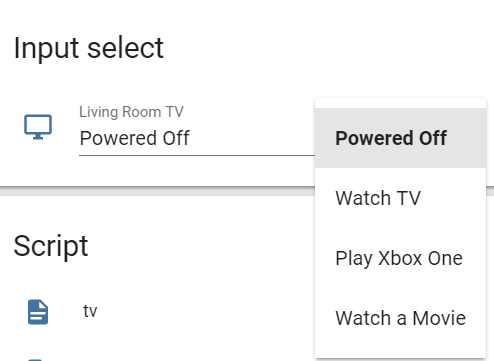


 agile atlas
How can I make a glance card use pictures instead of icons?
Trying to get a "People who are home" going with pictures for the people
Oh, I restarted and it worked.
 cyan ocean
Quick question... I'm using dark sky sensors. But reading in the Lovelace docs, I see the weather card works only if you have darksky set up at the weather component, not as a sensor. What's the difference?
'''
This card works only with platforms that define a weather entity.
E.g., it works with Dark Sky but not Dark Sky Sensor
elder pendant
Don't use the sensor
cyan ocean
'''
elder pendant
The weather component gives you all the information that the sensors do in a single entity
cyan ocean
excellent. thank you!
elder pendant
They should remove those sensors imo
If you really needed a sensor for each of those things you could use a template sensor
cyan ocean
That may explain all the issues I was having with HADashboard.
timid burrow
there is a darksky lovelace card that uses the darksky sensor
just not the inbuilt one I guess but a custom one
wheat current
@timid burrow
since that is a component this channel is not the best place to report issues, since that is a custom_conponent you should first contact the developer by using the issue tracker where you found it, since it's mine you should definitely open a issue for this, preferably one or issue, then it will not get lost on me 😉
timid burrow
I did already.. after I went here
do you know if this is going to blow up with the breaking changes in 0.88 about custom_components?
safe sigil
One thing that puzzles me slightly: When i switch to Lovelace, everything that was in my groups.yaml at time of installation of Lovelace is present. An element that i added after the update is not.
Lovelace just grabbed the groups.yaml at time of install and disregards it completely after that, is that assumption correct?
timid burrow
that's it
split granite
Groups are used for the initial migration, and then never again
safe sigil
Ok, then i have to swtich back to states until i ramped up on Lovelace knowledge and can migrate. Thanks!
safe sigil
But it looks so NICE! 😄
I just need some free time to dive into Lovelace and learn it. My HA runs most of the time without me tinkering with it. The Platform is so robust I rarely need to work on it.
wind jay
it is posibel to rotate a pictrue entyti?
 royal hinge
Qucik question from a noob: When I do UI changes using the UI editor; What file(s) is the changes written to?
 wet badge
Hi. My lovelace-editor are missing some text. For example can`t i see the text on "Unused items" and "Lovelace editor" when i hit the three dots in the upper right corner. The editor are missing the "Save" text. Any possibilities to get them back?
split granite
@royal hinge .storage/lovelace
mild veldt
@wind jay check out card-modder
wet badge
Changing language maked it for me 😃
wind jay
@mild veldt thank you but after upgrading to 0.87.1 I did not succeed adding costum cards
royal hinge
I've removed a lot of my unused automations in the automaiton.yaml file recently. But I get a lot of warnings in a group showing all automations (group.all_automations), refering to the automations I have deleted. Is there a file I should flush as well?
Forget it 😉 Think before you type 😄
vapid field
can i use the custom ui without having enabled the yaml for the lovelace? because is 1 hour that i'm trying to use this customization for the a light slider without success: https://github.com/thomasloven/lovelace-slider-entity-row
polar kelp
Put the resources in the raw editor: https://github.com/thomasloven/hass-config/wiki/Lovelace-Plugins
vapid field
yes, it's what i did.
this is the code in thr raw editor https://hastebin.com/catalakoru.bash
mild veldt
add to the top
resources:
  - url: /local/slider-entity-row.js
    type: js
after you download the raw js to your www folder
vapid field
yes, i created afolder inside www and addes this on the top: resources:
- url: /local/custom_ui/slider-entity-row.js?v=0.3
type: js
mild veldt
well you posted https://hastebin.com/catalakoru.bash which doesn't have that
vapid field
you are super right, my mistake, this is all the content from the editor: https://hastebin.com/olohuyopej.bash
mild veldt
so you have the file in <config folder>/www/custom_ui?
elder pendant
You did restart HA after adding the www directory, correct?
vapid field
yes, rebooted the raspberry
vapid field
yes was the desperation, normally i will just restart it from the UI
elder pendant
Can you see anything if you go to http://<your-ha-address>/local/custom_ui/slider-entity-row.js ?
vapid field
yes, the content of the js file
elder pendant
Do you get any visible errors when you try to add it to a view?
hexed owl
hey [fully-inclusive] guys … made a small change to the monster-card ( https://github.com/ciotlosm/custom-lovelace/tree/master/monster-card ), and wanted to toss it back to the guy in an email or something in case he cares… wondering how best to do that…?
elder pendant
Pull request?
hexed owl
don't i need to have cloned it with git or some such? i've been meaning to check out git, but it's been on my TODO list for about half a decade now… lol
vapid field
@elder pendant unfortunately nothing
elder pendant
You need to fork the repo first, make the changes, commit, push, and then make a pull request
@vapid field do you see anything in the browser console when the page loads?
hexed owl
gah… yeah. right. what i need to do, is get my arse into bed. none of that other junk… lol that's why i was hoping i could just toss it into an email to the guy… but that doesn't seem to be an option.
meh… it's a tiny delta, like, six lines total… never mind then.
vapid field
@elder pendant nope sorry, no errors
elder pendant
Could you post your full raw view again? The links look like they're expired
vapid field
elder pendant
Did you clear your cache already/ try in a different browser?
wheat current
Check browser console for errors (F12)
wheat current
Sounds like you should try to dowbload a new updated file 😃
vapid field

so at the end was a super bad luck having downloaded from github the wrong time!!
now it does work
💯 thank you all for the help!
mortal cape
@polar kelp would your background and border radius pr be in the current beta?
polar kelp
I sure hope so
mortal cape
I can't get the beta running successfully anyway 🙁
mild veldt
@mortal cape yes https://github.com/home-assistant/home-assistant-polymer/pull/2736
vapid field
@polar kelp getting Uncaught SyntaxError: Unexpected token export for roku-card-editor when I start/restart Lovelace. Tips?
polar kelp
Module, not js
vapid field
sweet. also popup-card doesn't pop up.
split granite
~format @vapid field
kind shellBOT
@vapid field To format your text as code, enter three backticks on the first line, press Enter for a new line, paste your code, press Enter again for another new line, and lastly three more backticks. Here's an example:
```
code here
```
Watch the animated gif here: https://bit.ly/2GbfRJE
DO NOT repeat posts. Please edit previously posted message, here is how -> https://bit.ly/2qOOf1G
vapid field
type: 'custom:popup-card'
title: Kitchen Roku
entity: media_player.roku_kitchen
card:
  type: entities
  entities:
    - entity: media_player.roku_kitchen
      icon: 'mdi:alpha-r-box-outline'
      name: Kitchen
Now please go re-read the last line of the message above 😉
The one starting DO NOT repeat posts. Please edit previously posted message
polar kelp
Looks fine. Does the normal more-info open instead, or what?
vapid field
I get nothing at all. have to go into edit to see it
entity exists and roku-card can use it
polar kelp
Latest versions of everything? Hass, popup-card, card-tools.
vapid field
yes.
  - type: js
    url: /local/card-tools.js?v=5
  - type: js
    url: /local/popup-card.js?v=5
  - type: module
    url: /local/roku-card-editor.js?v=5
  - type: module
    url: /local/roku-card.js?v=5
@polar kelp sorry to keep pestering...this goes in my theme? border-radius: "var(--ha-card-border-radius, 15px)"
polar kelp
No, just ha-card-border-radius: 15px
mortal cape
and in the theme, not in the card?
mortal cape
nothin. I think I need some walk away from it time
old karma
@polar kelp , are there other options for themes? GREAT!
split granite
@fathom rock 👋
So, yes, if you're on 0.86 onwards, you automatically get a Lovelace UI build from your existing config
 fathom rock
im not this far yet. this kinda commitment is scary
split granite
No effort required
fathom rock
how do i know if im using it already?
split granite
Look at the URL
If it has /states your on the old UI, if it has /lovelace you're on Lovelace
fathom rock
i guess im on lovelace already
split granite
🤣
 tired hare
Quick question : trying to make a button to do a mqtt.publish ... how can i make it (been getting errors from HA 😦 )
split granite
I'd, personally, do that publish in a script, and use the button to call the script
fathom rock
is the default lovelace any different from teh states page?
split granite
Not terribly, unless you've a thermostat or media player
elder pendant
@tired hare https://www.home-assistant.io/lovelace/entity-button/#tap_action you can make service calls with the tap action
split granite
But, you can go bananas and make it way more usable than the old UI
fathom rock
ive noticed my media player stuff acting super wonky. they like to say entity is missing and then it comes back. so i just removed it since i dont use it anyway
elder pendant
Make sure your service call is valid before you start trying to add it to a button
polar kelp
@old karma Yes. From 0.88 themes can change border-radius and background (more than just color) of cards.
tired hare
@elder pendant : how about an example 😛
elder pendant
tired hare
i'm struggling with the correct format
elder pendant
Have you tried making the service call in  to make sure it works?
tired hare
yup
old karma
@polar kelp , veeeeery nice. Applying that with card-modder to every card was a pain!
elder pendant
You want to post what you have so far and what's not working the way you expect? @tired hare
tired hare
''''
'''type: entity-button
name: MQTT publish
tap_action:
action: call-service
service: mqtt.publish
service_data:
payload: "on",
topic: "/hello/world"''''
meh ... sorry wrong format
name: MQTT publish
tap_action:
  action: call-service
  service: mqtt.publish
  service_data:
    payload: "on",
topic: "/hello/world"```hit the wrong key 😛
It errors out
and just want a butto to do an mqtt publish
button*
polar kelp
@old karma I've just been waiting for the feature freeze to be over.
tired hare
@elder pendant : so what have I been doing wrong
tired hare
{
  "type": "entity-button",
  "name": "MQTT publish",
  "tap_action": {
    "action": "call-service",
    "service": "mqtt.publish",
    "service_data": {
      "payload": "on",
      "topic": "/hello/world"
    }
  }
}
it just deletes my mqtt stuff
elder pendant
Why are you editing lovelace JSON?
wheat current
lovelace show card-config issues in json
wheat current
@tired hare You are missing a ☝entity
tired hare
so I need to create a dummy entity ?
polar kelp
yes
sleek warren
is it possible to change the background to an individual tab?
elder pendant
Or just use one that already exists
polar kelp
@sleek warren It's called "view". What does the docs say?
tired hare
lovelace editor just ff-ing destroys my edit
this is quite annoying
it was accepted ... but after saving and editing it was gone 😦
GRRRRRRR
wheat current
maybe
"topic": "\/hello\/world"
ok ill work it out i tried the example from the views section on ha website, the question was more (does it stll work) i assume yes 😃
elder pendant
That really shouldn't be necessary
tired hare
hmmzzz just want to create a butto to do an mqtt.publish 😦
sleek warren
ahhh sorry i can get the background image to work behind every tab the same, i was trying to get different image per tab (sorry for the bad explanation)
 atomic glacier
@polar kelp having issues with display: block function on card-modder. Any ideas? Thanks!
wheat current
https://www.home-assistant.io/lovelace/views/#theme @sleek warren
tired hare
tap_action:
  action: call-service
  service: mqtt.publish
  service_data: null
  payload: true
  topic: /hello/worldhold_action
hold_action:
  action: none
entity: automation.ifttt_webhooks
now i get failed to call service mqtt publish
polar kelp
@atomic glacier What are you trying to do and what happens?
All cards have display: block already anyway...
vapid field
@polar kelp now I'm getting this when trying to edit a roku-card: Uncaught (in promise) DOMException: Failed to execute 'define' on 'CustomElementRegistry': this name has already been used with this registry
tired hare
YAML Error: YAMLException: bad indentation of a mapping entry at line 6, column 12: payload: true
polar kelp
@vapid field change const in lines 1 and 4 of roku-card.js to var. Then update version number in resources. Do the same for any other card that has simmilar lines in the beginning that start with either const or let.
I think that should help.
@mild veldt 👆
atomic glacier
Border was around entire view before but won't display now only around first image .https://pastebin.com/HL54c57w
mild veldt
@vapid field PRs welcome 😃
polar kelp
@vapid field Sorry. Change it to var, not let.
sleek warren
ok think we have success 😃 but how the hell do i clear cached images lol chrome is relentless for caching these images
sleek warren
sure i just did that lol
polar kelp
@atomic glacier I think you'd have better luck with an entities card rather than vertical-stack-in-card.
sleek warren
ahhh damn i cleared cookies... i need to lay off the ale