#frontend-archived
1 messages · Page 85 of 1
 winter hollow
Just wait for 0.82.1
 winter wasp
ah, one level is good enough for me now
 errant monolith
is it possible to have a picture-glance card that includes sensor values rather than just icons?
 wary meadow
@errant monolith the picture elements card is probably what you want. You can add anything (almost) and put it anywhere.
errant monolith
Awesome. I'll dig into that. Thanks!
 errant glacier
with .82 how does one use !include? i was able to get it to load one, but i'm trying to break them out into multiples. any help is greatly appriciated
@vagrant spear did you ever figure out the include lovelace issue?
errant glacier
could i at the very least put them all under a folder named lovelace?
nvm, i wasn't able to get it to work. i'm just running them all in the config folder. easy to move later
 mild veldt
@errant monolith sensor values in glance is something that is being explored
But not out yet
errant monolith
cool, i think i can accomplish what i'm trying to do with a picture-element card
my plan is an Octoprint card that has the camera background and sensor output from the printer overlaid
errant glacier
i have this working @errant monolith.
errant monolith
oh yeah?
errant glacier
for the picture element that is
this is what one of my picture elements look like
errant monolith
@errant glacier awesome, is it something you could share?
errant glacier
it's actually simple if you are wanting to pull data like battery life, temp from a sensor, humidty, etc.
i had to add a plugin.
let me go get the url
errant monolith
thanks
errant glacier
the one i think you want is called state-attribute-element
but there are a few that might benefit you
I just updated mine, but i did have the battery icon that automaticly updates based on the devices battery status so i can visually tell when it needs to be replaced.
was what i have what you were thinking of?
errant monolith
basically yes
i have a camera for the live feed from the printer, and i want to put the sensors on top of it in a card
like your temperature in your example
errant glacier
ya, that is just a temp sensor. so it's using the state-label built in. but i have another one i am setting up that will be for my device trackers to display the battery status as an icon in the image
errant monolith
do you mind sharing your yaml for the card so i could compare?
errant glacier
the one i'm working on? or the one i posted
errant monolith
the one you posted is fine, i could work from that.
errant glacier
ya, give me a moment to grab it
FYI, here is all the things that can be done with the pciture element card
I also use this, which shows examples of all the available cards with configs
there is the config
errant monolith
great! i'll take a look later on tonight!
 polar kelp
Fontawesome icons in hass? Fontawesome icons in hass! https://github.com/thomasloven/hass-fontawesome
Posting here too, because frontend and stuff...
 left aspen
Hi all. One question, Is this still possible? https://gyazo.com/16e3f072ef7f45af6b3d8f6011c9d125
polar kelp
Should be
 halcyon mantle
If lovelace is open static on a wall mounted tablet - How often does it poll for state changes?
left aspen
it is a "- type: glance" ? @polar kelp
polar kelp
Most likely. With show_name disabled: https://www.home-assistant.io/lovelace/glance/
halcyon mantle
Hmmm.. Thx, Perhaps it loses it session or something - I will try and find a pattern
left aspen
And how do I get more space between each one? Do you know how to do this ??
polar kelp
I’m on mobile, so I can’t give you a code sample, but it looks like this is used in the panel: true configuration suggested in the tips-and-tricks section of the lovelace docs.
 hushed acorn
Trying to get the UI editor working and am not sure about ids. I saw in the Lovelace docs that Id is a configuration variable for a View, but in the release notes it says "UI editor for Lovelace cards. It requires that your card has an ID ...". Do I need an id for each card, or each view?
 raw brook
Each card
hushed acorn
okay. And not the View?
raw brook
The view does not "need" an ID as of yet but it wont hurt
And future features will use it
hushed acorn
Is there anyway to get the ids automatically created?
raw brook
There will be in 0.83 hopefully
hushed acorn
Thank you
left aspen
@polar kelp but if i add panel: true, the others card disappear
polar kelp
That’s why it says you should use a stack
 tribal nimbus
Anyone else notice that when using horizontal/vertical stack that it looks scrunched on mobile?
raw brook
Weird how mobile has a small screen 🤔
raw brook
No they just cant be that small yet
hushed acorn
@grim willow It's working now! Very cool how it changes the output as you type.
mild veldt
@raw brook this poor @grim willow guy keeps getting all your notifications 😛
raw brook
LUL
 dim jolt
not sure if you already knew this @raw brook but when using panel: true it doesnt fit correctly on iOS app - but does on brower on iOS
raw brook
What are you referencing
dim jolt
i'll PM a screenshot
polar kelp
The app is the browser on iOS...
 modest cliff
Is it normal that long press doesn't work on the ios app?
polar kelp
Never heard of any problems on ios. In what way doesn't it work? Does the purple circle not show up, or does nothing happen at all?
Does normal click work? Home-assistant version?
modest cliff
normal click works but purple circle does not show
polar kelp
Is the hold_action performed anyway?
modest cliff
no not at all
when i do the same in safari it works
but in the ios app it does not
nvm
polar kelp
What's your home-assistant version and what thing are you trying to long press?
modest cliff
the activity happens
polar kelp
Ok. That's good, at least...
modest cliff
but the purple circle jus tdoenst' apear
polar kelp
That's a problem I've had and not quite found the reason for. It just doesn't appear sometimes...
polar kelp
It might be slightly more stable in 0.83, but I give no guarantees when it comes to touch devices anymore... they do pretty much what they want when it comes to clicking things...
modest cliff
Lol :p
 muted saddle
yea i'm having issues with "hold_action: more-info" on android phone to, the purple circle appears but nothing happens
works great on pc tho
 next sigil
@muted saddle Same here, everything looks OK, but the popup for long press just does not open
muted saddle
@polar kelp from what i gather i cant have your custom entity row "time-input-row" as an item inside your "fold-entity-row" right?
 cosmic gazelle
Quick one guys, I've been using secondary_info: last-changed which shows me state was changed "1 hour ago". Is there a way it can show me the actual time it was changed? For example "1:32pm"
raw brook
No
 kind shellBOT
@ember rain being callous, posted a message that is more than 15 lines. It is now available at: https://paste.ubuntu.com/p/ZrDNn7yBsc/
 ember rain
i cant give it an custom name
polar kelp
@muted saddle That should work.
hold_action doesn't work on android at the moment. Unfortunately, I finished the fix too late to get into the beta, so it will come for 0.83.
But time-input-row in fold-entity should work. It was even in my old example pictures: https://community.home-assistant.io/t/my-lovelace-plugins/70726/141
@ember rain ```
- entity: sensor.since_last_boot
name: Last Boot
and so onah
polar kelp
If your head is a group, items: are ignored.
Try head: type: section label: Nighttime volume
muted saddle
that works! thanks, oh and btw your documentation say that head can be a string to, but that does not seem to be the case
polar kelp
Right. It should say entity/object. Thanks!
ember rain
I am using owntrack, and want to put my info into lovelance, i want it to show
- Battery
and other info, but what is the code? for it cant sem to find the info about it
  - title: Tracker
    icon: mdi:map-tracker
    cards:
      - type: glance
        title: XXXXX
        entities:
 split granite
You'd need to pull the battery out into a template sensor, or use one of the custom cards that expose attributes
ember rain
that means i have to do this?
sensor:
  - platform: mqtt
    state_topic: "owntracks/username/deviceid"
    name: "Battery Tablet"
    unit_of_measurement: "%"
    value_template: '{{ value_json.batt }}'
    device_class: battery
add this to sensor.yaml
split granite
If it's in the batt field, yes, that should be right
ember rain
works :D, lets do the next
 wooden latch
How do I change the text on a Lovelace card to white? I'm not sure which entry in the theme specifically changes the entity name and state color.... please help
muted saddle
anyone been able to get this set up in a good looking way? https://sharethelove.io/picture-elements-cards/kodiremote-card
i just cant get it to look right on phone and PC, its either one or the other, but wont look right on both
 next rivet
Hm, is there a way to reduce code-resues in Lovelace? Having to keep everything in 1 file and state the same configuration keywords over and over.. I've only started and its a mess to follow x.x
next rivet
Hm, does that just flat-out duplicate the card? or can you provide keywords as overrides? (I only want to copy about 90% of the values under a entitiy, not the entire thing)
next rivet
Ugh, well this is a pain.. sEtup a picture card and while all the icons are fine on the desktop, on a mobile client they crash into each other
Which is.. odd, as I figured using percentage positioning would handle that
Even using absolute px positioning produces different results
wary meadow
@wooden latch I got this basefile from someone else but they labeled a lot of the fields to tell you what they do. https://github.com/SilvrrGIT/HomeAssistant/blob/master/frontend.yaml
I think primary text color is what you are after.
 rotund island
Hy there
is there a way to have a "tiltle " for horizontal stacks?
or even vertical stacks?
wary meadow
@rotund island Id be intrested to see if anyone posts up a better solution, Ive been meaning to do the same. I have just been using a markdown card in the vertical stack above my horizontal stack to create a 'title' since it isn't an option.
put in a title and then create a blank for the content. https://github.com/SilvrrGIT/HomeAssistant/blob/master/ui-lovelace.yaml#L185
rotund island
looks great
wary meadow
You can make it a bit more seamless if you use the vertical stack in card https://github.com/custom-cards/vertical-stack-in-card
rotund island
@wary meadow ho ist it your cards are transparent ?
I just noticed that i have a lot to learn ... 
wary meadow
Part of my theme, be aware that it doesn't play nice with some custom cards. Specifically the stack in card almost appears to actually stack the card so 50% transparent + another 50% transparent card means the transparency isn't the same as a 'native' card. https://github.com/SilvrrGIT/HomeAssistant/blob/master/frontend.yaml#L44
rotund island
looks great though
mild veldt
@next rivet add ‘transform: none’ to your style
next rivet
@mild veldt hm, I was using relative but I'll try none
 oblique rain
how are people using the !include method of breaking up config files for lovelace
next rivet
@mild veldt Doesnt seem to have done anything...
@grave yarrow there is a addon lovelace-gen that creates a normal ui-lovelace file, and lets you use !include
mild veldt
@next rivet show me a small snippet
next rivet
mild veldt
i wonder if that position: relative is messing things up
next rivet
I've tried removing that already, doesnt seem to have an effect either
mild veldt
so on desktop it looks good but mobile it is overlapping?
are you just trying to put too much on there?
next rivet
Mmhm. Nope, its like 4 small icons about 3% of the images size
mild veldt
you probably just need to space them further apart
personally i have created desktop vs mobile versions. there is more work that needs to be done to make it truly responsive to sizing and what not
next rivet
Hm., cnt really space them out any more though otherwise they just look weird on the desktop because there is tons of free space
(like right next to each other on mobile, but 5-10cm apart on a desktop)
wooden latch
@wary meadow thank you for the link, however I’ve tried the primary colour but it stays on black, will play around a bit more
 tacit cave
@mild veldt found a bug in sensor card, do you know who originally developed it?
mild veldt
Zac, but if it's in core it's supported by anyone, not just Zac
tacit cave
Yeah I just want to ask a question before I make a PR
mild veldt
File a bug first then: https://github.com/home-assistant/home-assistant-polymer/issues
And you can tag him there
Best to have discussions well documented for bugs and what not
Rather than chat
raw brook
hold up
raw brook
Sensor card was not me 😃
tacit cave
@raw brook Hey, in the sensor card is there a reason why you did this:
let increment = Math.ceil(history.length / accuracy);
even better 😃
tacit cave
ah ok
mild veldt
to do what exactly?
raw brook
Gotcha that line looks like it makes the increment the next highest whole number
tacit cave
@mild veldt well what ends up happening if you put in an accuracy higher than the amount of data points, that equation ends up being something like:
ceiling(700/699)
👎
tacit cave
which gives you 2, so then when iterating through the data points, he skipps every other data point
then fills half the data with the first number
mild veldt
yes. good stuff
tacit cave
so you end up with a flatline, then your data
mild veldt
cool. PR away, my friend 😃
raw brook
Do you mean an accuracy lower?
Accuracy is the second arg
Math.ceil(history.length / accuracy)
tacit cave
ah so, i left out a line
he has an if statement that checks to see if the acurracy is less than 1 lower than the total. If it's higher he sets it to 1 lower than the total
so you always end up with 700/699 or x/(x-1) if your accuracy is set above the total number of history data points that you have
I.E a number slightly greater than 1, which then results in a increment of 2 when you should be at 1
mild veldt
tacit cave
I mean, he deliberately made it x-1, I want to know why.
raw brook

Home Assistant Community
 lavish current
Hey Folks, i have an enormous ui-lovelace.yaml file. Anyway to slice that lady up? I saw lovelace-gen. Wondering if there is any native support for !include ?
raw brook
There is support for !include
lavish current
is there a super secret way? https://imgur.com/q1RjZ3S
views:
  - title: !include ll-hio.yaml
I believe it’s broken at the moment. Wait for 0.83
lavish current
Roger, will do!
In the community post mentioning lovelace-gen custom component, they mentioned !include functionality would be removed. Any truth to this?
lavish current
Excellent, Wouldn't want to invest energy and have it all break
mild veldt
Do we have a smart toilet domain that I don’t know about?
Cause that would be pretty awesome
Flush toilet
Broadcast message to house announcing success
Start celebratory playlist
mild veldt
I’ll have to check that out
lavish current
just using reeds on the lid
i think we need to have a competition on the most rediculous automations
I have an input boolean that starts turning on an off random lights with tts gibberish. I do it everytime I'm showing off my automation to someone new
always gets a laugh
wooden latch
Hi, is it possible to set the state image of a picture-entity card to different images based on more than one entity. Example... In the lounge, when the tv is on show image of tv on, when tv is off show image of tv off, but then when the led strips around the tv is also on show another picture of the tv on with the led strip on
mild veldt
template sensor with state_filter https://www.home-assistant.io/lovelace/picture-elements/#image-element

Home Assistant
Picture elements card is one of the most versatile types of cards
winter hollow
@mild veldt @lavish current !include should work in 0.82.1 that was released Thursday.
 lunar lark
Hi I'm still having problem launching the lovelace-ui even on 0.82.1 I have only simple one tab there with
- title: Home, but event blank file has the same problem and results with
https://<name>.duckdns.org/frontend_latest/app-79696026.js:89:305 Uncaught TypeError: Cannot read property 'length' of undefined
When inspecting the console of the browser I found this
Uncaught TypeError: Cannot read property 'length' of undefined
    at HTMLElement._computeTabsHidden (2716aa0fbd89b9909457.chunk.js:2297)
    at runMethodEffect (app-79696026.js:1071)
    at Function._evaluateBinding (app-79696026.js:1071)
    ...
I was searching for this over the git and community and it might be a language problem (since I use Czech), but even changing to english does not help me. Have anyone had this problem, or point me to the right direction? Thanks 😃
winter hollow
Please share your config
lunar lark
I'm getting this with the default configuration after the instalation with configuration: https://paste.ubuntu.com/p/zDK5Vpb4zT/
and ui-lovelace.yaml contaning:
- title: Home
but even blank file does the same error
winter hollow
Your ui-lovelace should contain views and cards... what do you expect to happen with an empty lovelace config?
 winter leaf
Do I have to use this location for my lovelace?
/local/custom-lovelace/
Can't I just use
/local/lovelace/
mild veldt
Only requirement is it be within www
Which equates to /local
After that it is all up to you
winter leaf
Thanks, got an issue with upcoming-media-card but cannot see why it doesnt work.
- url: /local/custom-lovelace/upcoming-media-card/upcoming-media-card.js
  type: js
and:
- id: upcoming-media-card
  type: custom:upcoming-media-card
  entity: sensor.plex_upcoming_media
Check for console and backend errors?
winter leaf
Error:
/custom-lovelace/upcoming-media-card/upcoming-media-card.js:16:49 Uncaught TypeError: Cannot read property 'attributes' of undefined
Anyone had issues with lovelace not loading after updating to 0.82.x - I have posted my issue there, just checking here if it is perhaps lovelace specific (not to double post)
mild veldt
Does old UI load?
halcyon mantle
@mild veldt nope - I also tried removing the ui-lovelace.yaml to force to load the old interface, but still get 404
I cleared the cache and started an incognito session, I get the certificate warning, then after accepting it the 404 error
mild veldt
You just need to go to /states to get to the old UI, for future reference
halcyon mantle
Currently rebuilding the venv in the hope it solves it
Thx! Will remember that - Everyday one learns something new
halcyon mantle
Seems that rebuilding the venv did the trick
lunar lark
@winter hollow Well, you're right I've added some sample views and it worked 😊. I was just not expecting that blank file would fire an error and with - title: Home I expected the title to show up in the header, my bad. Thank you for pointing this to me 😃
 next aurora
hey, anyone ever seen a problem w/ the picture elements and a camera feed where the image is just a sliver of the frame ? kinda driving me nuts....
 kindred aspen
im testing out lovelace, and im getting an error when i try to use the type: light card
says its not encountered
split granite
What version of HA are you on @kindred aspen ?
The light card looks to be 0.82 and later
 vapid field
Hi all
is there any way to set the font size of lovelace card titles?
maybe with css or themes?
polar kelp
Try setting paper-font-headline with a theme. Might work.
vapid field
thank you. that works " paper-font-headline_-_font-size"
next aurora
hey, anyone ever seen a problem w/ the picture elements and a camera feed where the image is just a sliver of the frame ? kinda driving me nuts....
mild veldt
@next aurora nope
next aurora
Yea, it works fine with the image element, but camera element doesn’t
I’d use image but it doesn’t refresh when I make a change, ie toggle a light
 tough igloo
mild veldt
tough igloo
mild veldt
@next aurora does the preview look right on the old UI?
kind shellBOT
@next aurora being unsympathetic, posted a message that is more than 15 lines. It is now available at: https://paste.ubuntu.com/p/8HBrdv8fhT/
next aurora
vs
kind shellBOT
@next aurora being thick-skinned, posted a message that is more than 15 lines. It is now available at: https://paste.ubuntu.com/p/XdC9zy77vy/
next aurora
ah, cool, thats a nifty plugin
next aurora
@mild veldt hopefully that answered your question
mild veldt
Strange. Well you should file a bug report. But for now what do you want to accomplish?
next aurora
So I figured it out.. I guess you actually have to have an appropriately sized blank image for this to work w/ camera entity ?
 tulip citrus
does anyone else have a problem with the light card?
@split granite i'm running 0.82.1
kind shellBOT
Tinkerer is away for 6m with a message :point_right: It was dark. I may have been eaten by the Grue 🤷
mild veldt
Why did you tag Tink?
tulip citrus
the fact he mentioned it before about 3:44 am today
 half talon
I'm trying to start with lovelace. On hassbian my config directory is /home/homeassistant/.homeassistant and the basic example ui-lovelace.yaml here.
It looks like it doesn't get recognized.
Got it.
The interface has a new URL: /lovelace/
Cool!
 unborn ivy


 abstract dock
Good day!
Small question... Is it possibke to use templating in livelace (ui-lovelace.yaml)? I'm trying to use the following:
title: Costs {{ now().year }}
I would expect the following result:
Costs 2018
But it does not work in lovelace... I get:
Costs {{ now().year }}
Maybe someone knows a way to dynamicly set a title in lovelace?
 atomic citrus
are there any plans to add the navigate feature to the picture-entity-card in the future??
?
mild veldt
@unborn ivy your sensor isn’t working? That’s a question for #330944238910963714 or #general-archived
@atomic citrus there’s been some discussion on better aligning on clock methods between cards, but won’t be until after our GUI editor is more complete
left aspen
Hi all. I have a put the green colour for may sensor door when it is closed. And its work in frontend HA. But in the lovelace ui only changed the icon...
and in lovelace:
 cyan crypt
hi quick question - if i need to create 2 uI cards - should i be following lovelace instructions - im on the latest version of hassio
am lokin g to create 2 cards by splitting up an input select card
winter leaf
Why is my log spamming this when I press my home tab?
https://mydns.duckdns.org:8123/lovelace/home:0:0 Uncaught
Hi, I'm still struggling with this... How do I get a picture-glance to change the image based on more than one entity state? So if the lights are on and off I can change the images, but now if the led strips are also on/off, how do I get another image to show?
mild veldt
@wooden latch
Create a template_sensor that produces a state (lights_on, strips_on, on, off)
Then specify that template sensory as your entity in your card
Then specify your images in state_image for each different state
@cyan crypt I don't understand what your question is
 hardy cairn
how would you use media-control in a glance?
mild veldt
glance contains a list of entities to display, not cards
hardy cairn
basically I want this: https://www.home-assistant.io/lovelace/media-control/
inside this: https://www.home-assistant.io/lovelace/glance/
raw brook
And basically glance contains a list of entities to display, not cards
So the best you can do is adding the media entity to the glance card list of entities. and then clicking the icon will bring up the more info for a media control
hardy cairn
so basically a pop-up upon clicking, which is pretty much what it does now?
mild veldt
yes
vapid field
hello there
is it possible to get some parameter from a template in lovelace?
like in my history-graph, retrieve the "hours_to_show" from {{ input_number.my_input }}
mild veldt
@vapid field that is not currently possible
 lean leaf
I am having issues with showing pictures in the lovelace UI. I only get the container logo but no picture...
My pictures are located in the www folder and I have restarted the home assistant server several times but without any luck
 mossy otter
is there a way to play a (locally stored) video if i click on an image in lovelace...trying to set up a recipe book style frontend for my kitchen tablet
e.g I have a several little pictures, one of a beef stew, one of a fish surprise, i click on the button and then a video plays of that recipe?
mild veldt
@lean leaf can you share a small snippet of a card with an image that is not working for you?
@mossy otter You might want to play around with this: https://community.home-assistant.io/t/lovelace-weather-mp4-backgrounds/72826
along with this https://github.com/thomasloven/lovelace-popup-card
lean leaf
@mild veldt - title: Varme stue
panel: false
cards:
- type: picture
image: /local/stueplan.jpg
mild veldt
~format
kind shellBOT
:information_source:
Format Code:
To format your text as code, enter three backticks on the first line, press Enter for a new line, paste your code, press Enter again for another new line, and lastly three more backticks. Here's an example:
```
code here
```
Click on the link to learn how to format: https://raw.githubusercontent.com/skalavala/HassBot/master/format.gif
 lean leaf
- title: Varme stue
    panel: false
    cards:
      - type: picture
        image: /local/stueplan.jpg
Sorry... First time here 😬
mild veldt
@lean leaf can you navigate to the path in your browser directly?
lean leaf
@mild veldt Yes, through the Samba share add-in
But not with the www.myurl.org/local/picture.jpg
 mild veldt
I assume that should have read www.myurl.org/local/stueplan.jpg
I would check you console/network tab
Might be a file permissions issue?
Not sure
rotund island
hi i'm having an issue with transparency with my picture elements ? maybe someon can help me?
                icon: mdi:arrow-up
                entity: cover.chac_enfant_route
                tap_action: call-service
                service: cover.open_cover
                style: { top: 10%, left: 27%, width: 5% }
                state_filter:
                  "open": opacity(5%)
"closed": opacity(100%) ```Opacity isnt a CSS filter
Alpha is
But im not sure if it works. I believe you have to change the opacity directly on the image its self
rotund island
@raw brook are you sure ? i found the following site https://www.w3schools.com/cssref/playit.asp?filename=playcss_filter&preval=opacity(30%25)
rotund island
ok thank you
 sleek warren
earliest ios ipad compatible with lovelace? if anyone can advice please (have a spare ipad mini 1)
 ornate mason
So I've decided to replace my HADashboards with Lovelace views... Already on the first item I've run into issues. All I want is a clock in a large font...
Preferably with seconds, but at this point I'm not picky..
raw brook
Look for a community card we don't have one of those yet
 mossy gale
@ornate mason i used a Bignumber card with a scale of 18px
to display a large temperature reading
          - type: horizontal-stack
            cards:
              - type: custom:bignumber-card
                title: ' '
                entity: sensor.front_bedroom_temp
                scale: 18px
                from: left
Might not be a custom card anymore though, I have had to restart my whole setup since SD card corrupted and haven't got around to re-addressing Lovelace until I get all my sensors in and neat, time is not in my favour
polar kelp
@lean leaf Just to be sure, your picture is at <config>/www/stueplan.jpg, not <config>/www/local/stueplan.jpg, right?
ornate mason
@mossy gale Thanks. Sorry to hear about your SD card.
polar kelp
I think the sensor card implements bignumber to some extent, if you turn off the graph.
 subtle rune
I just use a picture elements card with state label for my time sensor
ornate mason
Yeah, I think that's what I'll end up doing
 trail iris
Quick ? - trying to move to Lovelace, and trying to find the right description for something I am trying to so. i want to have a button that calls a service (in my case, I am replicating a TV Remote - so the button "1" has to do the same thing every time it is pressed)
since I am using Broadlink IR codes, switch.myblexample is such that turn_on sends the code for "1", and turn_off = "2". Loosly explained
so if I use a switch entity in the LL config, I get 1 and 2 alternatingly
I am trying this:
- type: entity-button
name: Turn Off Lights
entity: switch.office_tv_on_off
service: switch.turn_on
But all it is doing is showing me the state, and details when I click on it, it does not send the switch.turn_on
raw brook
HAve to make the tap action call service
Read the docs on the Entity button again
@trail iris
 cloud escarp
is there a way to generate id's for cards? I see some of mine have ids that were generated somehow but I am not sure how to get id's for others
raw brook
trail iris
@raw brook Thanks. I am trying to get this working right - I am getting closer I think
    - type: call-service
      icon: mdi:power
      name: Bed light
      action_name: Toggle light
      service: switch.turn_on
      service_data:
        entity_id: switch.office_tv_on_off
Next release should have it automatic again after an option is activated
Read the docs on the Entity button
trail iris
but getting the following error: "Unknown card type encountered: call-service."
raw brook
Yea thats not a card
Read the docs on the Entity button
Read the docs on the Entity button
Read the docs on the Entity button
trail iris
OK, thanks - still learning, happy to RTFM, just learning the nomenclature
@raw brook Thank you! Got it ironed out :)
    - type: entity-button
      name: Turn Off TV
      entity: switch.office_tv_on_off
      tap_action: call-service
      service: switch.turn_on
      service_data:
        entity_id: switch.office_tv_on_off
 gentle tide
anyone have a link to the forum post where someone was using lovelace to replace their Floorplan implementation? I can't seem to find the thread.
 granite bison
How can I get a pretty Dark Sky weather card like in the original UI?
raw brook
Home Assistant
The Lovelace UI is a powerful and configurable interface for Home Assistant.
Check out the docs
granite bison
I've read through some of it already
Trying this and it just appears as a badge:
title: Home
views:
  - title: Home
    cards:
      - type: entities
        title: Weather
        entities:
          - weather.dark_sky
Ah
Saw that on the side of the screen right as you responded. More to play with. Thank you for pointing out the obvious
Imagine that... Worked instantly 🙃
wooden latch
@mild veldt That makes a lot of sense, thank you 🙏
wooden latch
Hi, on a picture-glance, I see there is no tap_action option for the entities at the bottom of a picture. Is there any way I can get that feature? Example, I have a light entity at the bottom of the picture and I would like to open the "more-info" view when I select it instead of turning the lights on/off
This is so I can change the brightness or colour and not turn on/off
wooden latch
@raw brook Thank you, that works, but I only want one of the various entities to have this function
raw brook
We do not have that feature as of yet. The card looks at entities that have a toggleable action, if they do then thats the only action they have
wooden latch
Cool thx, will wait for possible change in future then
 cosmic radish
I have a zwave thermostat that ihave setup with mqtt and such wondering if can be used in the custom.climate lovelace stuff does anyone have any documenttation on how to set that up.
mild veldt
custom.climate lovelace stuff wat?
@cosmic radish have you tried this https://www.home-assistant.io/lovelace/thermostat/ ?
cosmic radish
yes i have seen that climate.nest wont work with what i am using. I found what i was looking for though i think https://github.com/ciotlosm/custom-lovelace/tree/master/thermostat-card
 fallow oak
I see the developer documentation for Custom Cards in Lovelace... Is there a tutorial or a more end-user friendly documentation for this somewhere?
raw brook
Nope. Custom cards are not for the normal end user
SHould only be used by more experienced users
polar kelp
Actually, the repo by ciotlosm, linked above, has a pretty good "how to use" section in the readme.
It's still kept at a rather high level, but gives a good starting point for people who just want to get it to work.
And do NOT miss the FAQ.
halcyon mantle
Anyone else notice on lovelace picture elements card, that if you tap varies entities quickly after one another, it mostly doesn't respond on all commands?
 wide cargo
ok, I do need some help with lovelace custom UI. I"ve tried getting https://community.home-assistant.io/t/custom-dark-sky-animated-weather-card/59816 and then https://github.com/ciotlosm/custom-lovelace/tree/master/thermostat-card but no luck so per Murphy's law's I've reverted to the last option of reading the documentation https://developers.home-assistant.io/docs/en/lovelace_custom_card.html
I've copied https://developers.home-assistant.io/docs/en/lovelace_custom_card.html to config/www/wired-card.jsand put the following in ui-lovelace.yaml
kind shellBOT
@wide cargo being thick-skinned, posted a message that is more than 15 lines. It is now available at: https://paste.ubuntu.com/p/XwJ6MXdXz9/
wide cargo
raw brook
Are you sure you are downloding the Raw file
HAve you restarted after creating the www folder
Are you files in the www folder
lean leaf
@polar kelp Yes... The picture is of course located in the www folder only 😉
polar kelp
Good. Just wanted to make sure.
 stark oasis
I have this in mind to use with my 3 sonos
polar kelp
I think you'd have to start with working out some sort of backend support for that, and that's not really a lovelace question.
polar kelp
Removing your question from here and pasting it in #330944238910963714, huh? Very well done!
stark oasis
I try not to get on dev's nerves. They tend to get annoyed quickly from what I have seen on my time on devRant
split granite
Better to not delete your posts, that just annoys more folks 😉
polar kelp
If he didn't, someone would complain about double posting. You can't win.
stark oasis
Oh, well at least I tried...
split granite
Well, a redirect is fine. Posting in multiple rooms in short order without that, not so much IMO
Also, in the game of life, we all lose 😛
wooden latch
Hi, anyone else having an issue where the light card keeps losing the proper graphics? https://ibb.co/fa9w0V
The slider keeps disappearing and changing to a square
polar kelp
Are you on 0.82?
wooden latch
0.82.1
polar kelp
That's odd. I thought that was fixed...
 heavy cove
Is there an easier way, than Restarting HASS, to make HA reload the config when you change ui-lovelace.yamal and present the web interface with the updated config?
winter hollow
Yes, use the refresh button on the top right
subtle rune
I'm using this fine gist to show my dashboard in kiosk mode: https://gist.github.com/ciotlosm/1f09b330aa5bd5ea87b59f33609cc931
The problem I'm having is that when the top menu disappears the background image doesn't go all the way down to the bottom, it's like it's cut off the height that the menu should take up and then moved up
polar kelp
Try adding huiroot.querySelector('#view').style.minHeight='calc(100vh - 49px)'; somewhere
Before line 20 or so
subtle rune
Did the trick!
it was still a bit to small, so I tried changing "49" and ended up with 100vh - 0px
Full height! Thanks
polar kelp
Oh, right. -49 probably works with the show_tabs option, though.
subtle rune
Yup
polar kelp
Please remind me about this when I ask later, because I've had that problem too, but never bothered to look for a solution.
polar kelp
The slider-entity-row was long due for an update.
It now also supports media_player and cover.
https://github.com/thomasloven/lovelace-slider-entity-row
BREAKING CHANGES
split granite
Damn nice looking
polar kelp
Thank you. I'm slowly learning to make less horrendous stuff.
split granite
The nature of all development - functional first, pretty later (maybe)
polar kelp
It probably even has a name.
Like something something paradigm, or four random letters that's kinda pronounceable.
gentle tide
Man, I really need to figure out this lovelace thing. I need sliders in my life.
polar kelp
Also, I realized I can make this happen with a card I'm experimenting with...
gentle tide
Custom cards should live in a sub folder called 'www' under 'config', correct?
gentle tide
Oh, wow. Thank you for the heads up! Strange that the Hassio installer doesn't create that folder structure by default.
polar kelp
Some version control systems ignore empty directories. It might be something related to that...
gentle tide
Good point. I hadn't considered that.
gentle tide
wow. adding slider-entity-row was easier than I expected!
seems like z-wave reporting may be inaccurate via Safari on iOS
 eager pilot
Hi all, wondering if there may be a way to use a custom icon (PNG or otherwise) for a particular view? I have searched and seen that this has been asked before but didn't seem was possible at that time. Especially for HA, the MDI icon set is great, but missing lots of things like icons for floors of a house for example. Is there a place to request such a feature?
polar kelp
You can get some more icons here https://github.com/thomasloven/hass-fontawesome
Otherwise I think the forums are preferred for feature requests.
mild veldt
@polar kelp you got a way to show cards based on user? You’re going to make a lot of people very happy!
raw brook
IF only he put this work into core 🤔
mild veldt
Ain’t nobody got time for that
polar kelp
What about the feature freeze?
Also, I don’t think this is the right way to do it.
But it works as a toy.
mild veldt
Toys are fun
raw brook
Feature freeze doesnt mean PRs cant be made  But Im kidding. A lot of stuff you have done wouldnt get passed balloob 🙄
Nothing wrong with the work but balloob doesnt like hacky stuff haha
polar kelp
Indeed
raw brook
Good shit. Though I would defintely use the per user stuff.
I know permissions and other stuff is in the works so we may be able to leverage in Core when it gets here
polar kelp
I don’t like hacks either, but I take what I can get
Heh. I spent the better part of two hours today trying to pry a reference to lit-html loose from anywhere. I can get the litElement class, but without html it’s kind of pointless...
raw brook
Trying to import the library?
polar kelp
Kind of. I think it’s stupid to import everything again for a custom card, so it would be nice if you could use what’s already packed in instead.
raw brook
Ah gotcha
Yea thats true
I was about to say unpkg has a import for it but that would be nice to be able to do that
polar kelp
Theres a reference to all of Polymer just laying about for historical reasons.
 snow pelican
"Nothing wrong with the work but balloob doesnt like hacky stuff haha"
// modify header
header_style_css  = 'app-header, app-toolbar {';
header_style_css += '  background: rgb(69,72,77);';
header_style_css += '  background: -moz-linear-gradient(-45deg, rgba(69,72,77,1) 0%, rgba(0,0,0,1) 100%);';
header_style_css += '  background: -webkit-linear-gradient(-45deg, rgba(69,72,77,1) 0%,rgba(0,0,0,1) 100%);';
header_style_css += '  background: linear-gradient(135deg, rgba(69,72,77,1) 0%,rgba(0,0,0,1) 100%);';
header_style_css += '  filter: progid:DXImageTransform.Microsoft.gradient( startColorstr="#45484d", endColorstr="#000000",GradientType=1 );';
// call LoveLaceHack:add_css
llh_add_css('huiroot', header_style_css);
guess I'm doing something wrong then...
snow pelican
hacky way to add custom CSS to CustomElements
polar kelp
Also, unpkg requires internet access, which I don’t want all of my ha hardware to have.
raw brook
To access lovelace you have to have Internet access right?
polar kelp
No
raw brook
Interesting
Never tried it
makes sense if you arent using https
since its running on local
eager pilot
@polar kelp thank you very much for that link.. i will absolutely try these out. Really appreciate it.
 glass oak
on the map card, is it possible to include a group to show all entities in that group?
or do i need to individually specify all entities
eager pilot
@polar kelp so i tried that out, worked like a champ.. i was able to add my own svg icons into one of those files and use them such as google home devices etc. Nice thing i dont need to reload HA to get the updates in the html file to take.. really slick.. totally solved my problem..thanks again
stark oasis
Is there any possibility that I can hide/show entities based on attribute status? e.g. My sonos set to line-in so the chromecast audio card shows?
The conditional card seems to only work with state
kind shellBOT
@stark oasis being pitiless, posted a message that is more than 15 lines. It is now available at: https://paste.ubuntu.com/p/Rg7wQnVRfW/
stark oasis
I cant read the state.source to use in the conditional card...
 sturdy bough
hi guys. If, in a picture element, i want a state-icon to be 50% of it's normal size, what's the right syntax?
sturdy bough
or a state-badge
atomic citrus
does lovelace still support !include ?
 gusty coral
@atomic citrus yes
 slow wave
Trying to figure out how to create a slider in lovelace that encompasses a group of lights, say if I have 4 tradfri bulbs via hass, and I want to be able to change the brightness of all at once in a single slider, how would I accomplish that, currently I have my office in a seperate view like so, but I would like a separate card that contains a slider \ on off for the whole room
sturdy bough
anyone has a nice set of colored icons to replace the mdi builtin for use them in a picture entity?
snow pelican
@slow wave You can create a Light Group (https://www.home-assistant.io/components/light.group/) with all the lights, and then use it with your current code to manage them all at once.
Example: https://imgur.com/a/xVyXlpz
slow wave
@snow pelican I saw that page, but I was not sure, I should specify that first example in configuration.yaml right ? but what is the name of the entity I should use in ui-lovelace.yaml, I could not find any complete examples of going from the light.group examples to the imgur link you have there 😃
ie, what does the lovelace.yaml look like to achieve what you show in the imgur ? 😃 that I can correlate with and understand
snow pelican
In configuration.yaml I have:
light:
  - platform: group
    name: Living Room Lights   # Keep aware of this name!
    entities:
      - light.tradfri_bulb_e27_ws_opal_980lm
      - light.tradfri_transformer_30w
In ui-lovelace.yaml I use:
- type: "custom:adjustable-light-entity-row"
                    icon: mdi:lamp
                    name: All
                    entity: light.living_room_lights   # same as group name, just lowercase and spaces are replaced with underscore
wonderful @snow pelican exactly what I needed 😄
snow pelican
I've spent all morning to find this as well 😉
slow wave
@snow pelican Would it be possible to have both switches and lights in the same group ?
snow pelican
That I don't know, since I don't have a switch myself
slow wave
Hmm, I can try, but it's called "light group" which makes me doubt it
I have some lights on 433 switches still, I would love to turn them all off with a single group
@snow pelican No go with switches 😃 just fails
subtle rune
@slow wave Make a template light with the switches
snow pelican
you can also create a regular group (https://www.home-assistant.io/components/group/) which has all lights and switches in it, and then use that to turn everything on/off
slow wave
@subtle rune any examples of that ? Tried looking in the docs, but did not see a direct example, just volume of reciever state
@snow pelican But then I could perhaps not have a slider for the "whole" group ?
snow pelican
why not both? 😉
because I don't think switches can set brightness and/or temperature anyway, so it's just an on/off button
slow wave
@snow pelican I'll try 😉
 midnight shadow
lol, i just came here to ask exactly what you guys are talking about
so thanks 😃
slow wave
@midnight shadow PSYCIC LINK!
winter hollow
In the next version: https://rc--home-assistant-docs.netlify.com/components/light.switch/
slow wave
@winter hollow exactly what I want, what version though ?
snow pelican
"Introduced in release: 0.83"
slow wave
@snow pelican doh! thanks for making my eyes work
snow pelican
np
slow wave
@snow pelican What is your "adjustable-light-entity-row" look like ? I have "slider-entity-row" that looks like this https://hastebin.com/cometiniwu.js
snow pelican
I just upgraded my script to https://github.com/custom-cards/light-entity-row (same script, same author, but updated)
midnight shadow
 static cloud
Is there any way to hide the hamburger (top left for side panel) and more (... top right) for select users. Viewable by owners or admin but not general users. I tried the Kiosk but it also hides the main page menu.
snow pelican
you could use JS to find the elements (requires a lot of elem.querySelector(elem).shadowRoot.querySelector() ...), and remove them when the username is not you
polar kelp
The kiosk script is a good place to start. But add an if case that checks for the value of document.querySelector(’home-assistant’).hass.user.name.
trail iris
Hey all, just wanted to point out a black Friday deal on Amazon
Kindle Fire HD 8 + the charging dock.for $80 - looks like a great idea for a control display
Not gonna link it, don't want anyone thinking it's an affiliate link or something but good for the next 12 hours or so
Gonna load up LineageOS, make it a hone controller, just wanted to share the deal
snow pelican
Is it really working well? Especially because Amazon doesn't really like it when you run Google Play (and apps from it)
static cloud
Thanks, i will try the suggestions
trail iris
@snow pelican I use an old Fire 7 for a Node Red dashboard with Chrome side loaded, but it also works well on the native browser. Just started created a Lovelace UI and AppDaemon UI, and they look good as well
 fierce quarry
Is it possible to make lovelace the default view?
 sinful fulcrum
@fierce quarry yes. It’s per device in the info screen
There is a link to make Lovelace the default
fierce quarry
Where does it store that setting, in case want/need to revert?
Is it in the same place, to undo it?
fierce quarry
Thanks
vapid field
How do I handle light dim in a picture-elements?
vapid field
I can set a specific brightness level, but it would be nice to be able to set a non-preset value
 wide grail
hey guys, i'm trying to add a lfoorplan i put together.. i've added this to my ui yaml.. - type: picture-elements
image: /local/floorplan.png
elements:
- type: state-icon
tap_action: toggle
entity: light.ceiling_lights
nothing shows up, no errors tho
mild veldt
Where is your pic located?
wide grail
in /local/floorplan
ah since it's a docker image
do i have to put in the default home directory
where would ~/ point to.. /usr/share/hass/homeassistant?
wide grail
yes
 prime umbra
do you have a www folder
prime umbra
in config folder
you need to create a www folder
and put there pics
restart ha
and then use like you was using
wide grail
config being where the ui-lovelace yaml is?
prime umbra
did you restart homeassistant
wide grail
yes
@prime umbra https://ufile.io/4z74k
i did a screenshot of my yaml
i'll setup git shortly
kind shellBOT
@prime umbra being cold-bloded, posted a message that is more than 15 lines. It is now available at: https://paste.ubuntu.com/p/bJ8mJjDSrw/
wide grail
LOL!
prime umbra
ups sorry message to long
my bad 😦
prime umbra
you dont need to restart everytime
just refresh will do, thats the beauty of lovelace
prime umbra
wasnt working cause you was using state-label
with a entity of a media player
fierce quarry
Is it possible using a conditional to turn an individual entity on and off? Or do you have to do an entire card?
eager pilot
Hello all, im working on some SVG icons to fill in where MDI is lacking.. Im follow the recommedation that @polar kelp provided to include fontawesome icons in lovelace. Im using Affinity Designer on a mac and that seems to work well to create them. However im trying to find any guidelines on size and padding to use for these icons to have them look like existing MDI icons. I think that 1024x1024px works for a canvas size but it seems i have actually make the drawing smaller than that to get it close to the size of an MDI icon. Ive searched everywhere but cant seem to determine if there are guidelines for such icons. Thank you in advance.
 wet hill
Is there a way to prevent a view from showing up on the header but still be able to link to it in lovelace?
atomic citrus
some changes i make lead to the following result:
Could not find ui-lovelace.yaml in your config dir.
syntax is right...
it happens when i try to use the same !include 2 times...
so i thought it might be to id tag
created a second !include with different names and different id.
still Could not find ui-lovelace.yaml in your config dir.
any ideas what i could try checking?
okay... i found out that happens as soon as i have a second !include in the configuration file.
is there any limitation to that??
oh.... breaking change... no more !include right?!
polar kelp
No, they were put back.
atomic citrus
well... in 0.82.0 it doesn seem to work....
very stripped down example:
name: Unser schönes Zuhause
views:
  - title: home
    id: home
    icon: mdi:home-assistant
    cards:
      - !include lovelace/backButton.yaml
this one works
name: Unser schönes Zuhause
views:
  - title: home
    id: home
    icon: mdi:home-assistant
    cards:
      - !include lovelace/backButton.yaml
      - !include lovelace/backButton2.yaml
does not!
Error Code:
Could not find ui-lovelace.yaml in your config dir.```It works in the dev branch... hm...
No, wait. It works on the dev branch if the file is in the config directory, but not if it's in a subdirectory
winter hollow
It was fixed in 0.82.1
 cedar saffron
So if we use. ! includes will the card config UI still works
polar kelp
That's a definitive maybe. Don't expect it to.
winter hollow
@cedar saffron partly, but you shouldn't use both
 stark kayak
Some advice necessary (on 8.1.2):
Is Lovelace worthwhile to permanently migrate to?
I'm basically developing my smarthome very slowly on a weekly basis and slowly adding things.
In that sense: make the jump now, or wait until it exits beta?
split granite
There are no more (and indeed probably less) breaking changes than with the rest of HA - and you can run them in parallel
I'd say start your migration now - there are tools to help, or you can rebuild with all the new features from the beginning
 white marten
Is it any easy way to keep a row of elements to be the same width and height?
polar kelp
style:
  width: 100px
height: 100px```great, and one more thing; is it possible with multiple horizontal grids type bootstrap or is it limited to one horizontal?
polar kelp
huh?
white marten
can you have multiple horizontal stacks below each other
snow pelican
That's easy to do by wrapping them in a vertical stack:
- vertical stack
- horizontal stack
- horizontal stack
- horizontal stack
gentle tide
Does anyone know whether slider-entity-row supports the group domain? I'm attempting to create a card where the main grouped slider and the associated individual sliders show up but get an error when I set entity to the group name.
polar kelp
No it doesn't.
It would be too much work to go through the entire group and decide how to handle the slider for each entity. What if someone groups two lights, one media player and a door lock? What does that even mean?
gentle tide
Fair point
I was looking for a way to group a set of dimmers in my great room and then use the group slider to control all of them
polar kelp
If you only have lights, use a light group., otherwise I think you can do something with input_number and automations
Then light group is the thing for you
gentle tide
Ah, ok. I'm using the wrong domain.
gentle tide
Thanks @polar kelp . That did the trick.
 wide juniper
Im new with Lovelace, i want to controll 3 dimmers with one bar / adjusment, how do i set this up in config?
gentle tide
Does anyone have a groups.yaml they can share? I'm having a hell of a time incorporating a separate yaml file for my HA installation.
wet hill
@wide juniper I'm just learning myself but here is a section from my lights.YAML it combines my two LIFX bulbs into one entity. with a single slider. I did it that way because it is a single fixture with two bulbs
- platform: lifx
- platform: group
name: outside_frontporch
friendly_name: Front Porch
entities:- light.outside_frontporch1
- light.outside_frontporch2
mild veldt
@gentle tide groups.yaml is not recommended really for Lovelace
 timid burrow
picture Entity - more info isn't opening up the card onscreen anymore... I had a camera image and tapping it used to open it larger in middle of screen... I filed an issue but wondering if anyone else sees that as well?
 lean nova
Are there release notes for lovelace in beta relaeases?
fierce quarry
I'm working on a card entity, is this possible? If so, what is the proper usage for the entity_id?
          - type: call-service
            name: TStat
            action_name: Refresh
            service: zwave_refresh_node
            service_data:
              entity_id: >
                {{ states.zwave.thermostat.attributes.node_id }}
Can anyone help me decipher my mistake? I'm attempting to leverage fold-entity-row with a group of binary sensors. Here's the snippet
title: Windows
show_header_toggle: true
entities:
- type: custom:fold-entity-row
head: group.windows
group_config:
secondary_info: last-changed
- items:
- binary_sensor.baby_room
- binary_sensor.dining_room_left_window
- binary_sensor.dining_room_right_window
- binary_sensor.guest_bathroom_window
- binary_sensor.guest_bedroom_window``` quasi mist
Hi all, I am finally playing with Lovelace and I am confused about the width. I am using a simple glance card, with 15 column settings and 15 sensors. I just want them across the top. Its the only card in my view and its shrinking the card to only the middle 1/3 of the page squeezed in
how to I get it to use the whole screen
mild veldt
@quasi mist read the docs on views
 copper mural
Is it possible to have the sensors as circles as in default-view even in lovelace?
split granite
Those are called Badges and yes - see the documentation on Views in Lovelace
copper mural
Thanks @split granite , but I cant figure out how to add them into ui-lovelace.yaml. And cant find any example. :/
 wheat current
https://www.home-assistant.io/lovelace/views/
hint: badges
copper mural
It was the one I looked at 😦
split granite
views:
  - title: Overview
    id: overview
    icon: mdi:home
    badges:
    - alarm_control_panel.ha_alarm
Exactly as explained in the docs
rotund island
how can i configure Lovelacê via the UI ? i tried it but it doesn't work ? i have the edit button for SOME cards but when i click it i get an "empty popup
winter hollow
You need to add IDs to your cards
wheat current
I think all the cards needs an ID to
rotund island
will try that.
 radiant drum
How do you get ID for your cards?
split granite
Make one
radiant drum
Where do i add id: here? https://bin.halfdecent.io/zoxacurasu.bash
split granite
Under each type: line
radiant drum
like this? https://bin.halfdecent.io/tafisufapa.bash
split granite
Without the -
radiant drum
Great! thanks 😃
 hallow spruce
is cutstom_updater supposed to work with thomasloven's card? I was working for me, but stopped at some point along the way
radiant drum
{'type': 'lovelace/config/card/get', 'id': 47} does this meen i dont have id for that card?
gentle tide
Anyone know whether it is possible to recreate these fan buttons in a lovelace card? https://community-home-assistant-assets.s3.dualstack.us-west-2.amazonaws.com/original/3X/3/f/3f34c76a6c83c3dbee8549f6fd624e06124be413.png
 rotund island
is there a way to change the "picture elements" picture with a time triger ?
and how can i define the colour of a entity-icon? : https://hastebin.com/ejorihirun.css last line
rotund island
nervemind found out how to do the first part
how come there is no state filter on an icon ?
polar kelp
Lots of discrepancies in elements...
rotund island
🤔
hallow spruce
@polar kelp do you know if your cards should show up in custom_updater?
polar kelp
They should. But I heard that they don't lately...
hallow spruce
oh ok - good, because I swore they were there, but now I don't see them
polar kelp
@wheat current might know more.
hallow spruce
@wheat current huh... I have:
custom_updater:
  show_installable: false
  hide_sensor: true
  track:
    - components
    - cards
    - python_scripts
then:
/config/www/
   fold-entity-row.js
   monster-card.js
   tracker-card.js
but only the last two show in tracker card
I'll gladly open an issue on github if you'd rather, but not sure what I'd put other than obove
wheat current
Follow the instructions in the issue template
hallow spruce
ok will do - thanks!
polar kelp
FYI @wheat current , I think three people have complained about it not working in the last few days... But I don't use the updater myself... or most of my cards, really... so I wouldn't know.
hallow spruce
@polar kelp , @wheat current - wonder if it's because the card I am using is fold-entity-row.js and it was previously named folding-group-entity-row.js
hallow spruce
looks like @polar kelp updated sometime in oct
just to be clear the word "group" is also not there anymore:
WAS: folding-group-entity-row.js
 IS: fold-entity-row.js (in the current repo)
It has to match the live one
polar kelp
Github should redirect the old one, though, I think...
It does on the website at least...
Strike that... That's only the repo name, not the file name 🤦
wheat current
That I did not know 😄
hallow spruce
uh....confused now
hallow spruce
right, but I guess I don't know what I am supposed to name the file locally to get custom_updater to work?
neither fold-entity-row.js or folding-group-entity-row.js work for me
polar kelp
You probably need to update the name in the resources section of ui-lovelace.yaml as well
hallow spruce
yep, I did that with each try
wheat current
And hit check
hallow spruce
Ok guys - thanks so much, I got it working.
something was causing my ui-lovelace to not be writeable
so when I made the change to the filename, it didn't save correctly. got it sorted now
I'll close the issue on github
polar kelp
So it was the filename that was the problem?
hallow spruce
i had the filename correct on disk, but in my resources in ui-lovelace.yaml, although I had changed the name and hit "save" in my text editor, I didn't notice the message at the bottom of the window telling me it couldn't write the file
so once I updated the resources: section and saved it worked 😊
 nova summit
anybody know where I can find this /local/scroll-up.js
vapid field
/local usually translates to your <homeassistant>/www directory, thus it should be there, if not you might want to put it there 😄
vapid field
@nova summit understand then yes, just place "scroll-up.js" next to your "layouts/" and "assets/" directories
keep in mind that you might need to "motivate" the browser to not used its cached version if you've changed something in that file, like this:
nova summit
@vapid field but I can't find it to download it to place it there
it not in this gethub
vapid field
ahhhh, ok then next question, why do you have it there? 😄 but yes, it might simply be the classic 2line jquery stuff
vapid field
might be something like that ...
    $(window).scrollTop(0);
});```ok, but this looks like there is no scrolling at all, so maybe its just to avoid accidental scrolling down, then you might want something like this:
    window.setInterval(function() { $(window).scrollTop(0); }, 250 );
});```this should enforce the page always being scrolled to the top.... just copy this into the scroll-up.js file and place it next to assets/ , not the fanciest solution, but should do the job
nova summit
@vapid field sent you a pic
vapid field
yes this might be the workaround for what you currently see, if not then it's really hard to guess, seems to be some js to fix this, so likely you could also simply open an issue the repo to ask the guy, he surely simply forgot to add it...
@nova summit if my snippet does not do the job, guess the best you can do is debugging... remove all stuff from the file, and keep on adding things as long as it looks good, I would also suggest that chance are limited that the very specific pixel/percentages perfectly match your setup, so this might be another reason for the chaos
 wide crater
Are there any template capabilities in Lovelace at this time? I.E. I'd like to do a couple simple things such as making a tab show all the automations... Is this currently possible without explicitly listing each element?
vapid field
inside a custom card I can and should pass the height of the card, is there also a way to say double the width?
 forest agate
hey - is it expected having to goto ui-lovelace.yaml and update the urls (i.e. add ?v=<new number>) in resources to get lovelace to reload updates to custom cards ?
nm - just found https://developers.home-assistant.io/docs/en/frontend_development.html talking about disabling cache and service workers...back to being fast 😉
vapid field
@forest agate oh no, now that you say it I remember "there was something"... uhhh even with screenshot, shame on me, sry :8
vapid field
@storm lion hey, would you maybe like to include my flex-table-card into the custom-cards repository? https://github.com/daringer/flex-table-card , from what I see it fulfills the rules and despite that useful and in heavy use 😉
copper mural
cards:
- type: badges
entities:- sensor.bla
- sensor.blabla
isnt that correct to view as sensors-icons/circles/badges ?
wheat current
no.. badges is not a card type, it's a property of view https://www.home-assistant.io/lovelace/views/
copper mural
views:
- title: Hem
icon: mdi:home-assistant
badges:
entities:
- sensor.ping
- sensor.download
So that should make it then?
wheat current
~format
kind shellBOT
:information_source:
Format Code:
To format your text as code, enter three backticks on the first line, press Enter for a new line, paste your code, press Enter again for another new line, and lastly three more backticks. Here's an example:
```
code here
```
Click on the link to learn how to format: https://raw.githubusercontent.com/skalavala/HassBot/master/format.gif
wheat current
remove entities (there is no mention of that in the docs 😉 )
copper mural
Ah, thanks 😃
 bright atlas
Hi, how do I give a another color to the top menu element(where you can put your menu in to it) with Lovelace?
copper mural
Splitting lovelace-config to serval files. Is that supported?
bright atlas
thanks @wheat current
rotund island
i would like to use the state-icon element in my picture-elements card but i somehow have issues with the (up/down) arrows not showing u is there a way to have them displayed somehow ? and follow the frontend colour scheme ?
rotund island
😫
split granite
@rotund island Patience
 undone egret
@rotund island grasshooper
rotund island
@split granite ?
split granite
You posted a question, then 16 minutes later posted a sad face
Like you'd expected folks to jump right in and help you
rotund island
nah it seems quite impossible to realise based on what i tried
split granite
You can create a custom card - lots of folks have, including a bunch of non programmers
rotund island
I think that will be a new item on my todo list for now i found a "solution"
and won't come by to learn how to create custom cards 😄
hey @fading sorrel a stream idea ? 😄 how to create custom cards ? i heard you like frontend development
 fading sorrel
Really now?
rotund island
nah just kidding
fading sorrel
😛
rotund island
but it would be nice to see you stuggle with that
rotund island
hey I at least tried
undone egret
🍿
rotund island
so now i have a nother question does anybody know how i can decide to have the card that is below ... between the other to cards ?
split granite
Increase the width of your screen and it'll re-flow
rotund island
could you explain it for Dummies please ? 🤞
subtle rune
Unsure if this is the right channel for this particular question, but it seems to be mostly related to lovelace so I'm having a go at it:
Is anyone else having their frontend displayed on a screen with a raspberry pi 3? I'm trying to make a dashboard but the pi seems to have trouble with displaying home assistant (lovelace) on chromium for a longer time. It says the page is unresponsive after a while. Have a brand new installation of raspbian stretch on it, and have successfully had other pages open for three days to see if it's something chromium related in general, but it seems not to be. Could LL be straining the pi too much?
rotund island
@wheat current sorry still don't understand 🤦
wheat current
Did you look at the example?
split granite
By default Lovelace will flow to fit your screen width. You can do various things to force things a particular way, but then they won't flow on other devices/resolutions
Using stacks as in that link, will allow you to force a specific layout, but things will break on other devices
Or, buy a wider monitor
rotund island
didn't help i had my first vertical stack wide over the whole screen
why buy a wider monitor ? as it was working before
wheat current
wider monitor == more space to put stuff inn
rotund island
that makes no sense ? same monitor same resolution
and now it works again : by adding markdown cards ?
that stuff drives me nuts
wheat current
A wider monitor usually have greater resolution
rotund island
that makes sense ... but taht wuldn't solve my issue as it worked before on the same monitor and it now works by adding markdown cards
wheat current
Zoom out (ctrl + -)
rotund island
dind't help tried that 😄
subtle rune
@rotund island Try this perhaps: https://github.com/thomasloven/lovelace-layout-card
When you add the md-cards it works since the stack that had the two images before now is too "tall" for the second picture to be placed underneith
This has a kind of good explanation of how the size is affecting your columns: https://github.com/thomasloven/lovelace-card-modder#forcing-size
fading sorrel
@rotund island I have the same problem
@rotund island So I've ordered a 43 inch ultrawide curve monitor today
😛
vapid field
@fading sorrel congrats, 4k I hope? one bigger one is by far better than more smaller screens
(also had to buy one to fully realize that)
fading sorrel
Samsung CJ89
split granite
What type of card?
 weak flume
picture glance
I figure no since I dont see any mention anywhere but worth a shot lol
It fully aligns to the left with no title then with a title it kind of just throws it in the middle
split granite
Yeah, I don't see anything, so likely no
weak flume
Really odd
rotund island
@fading sorrel Wait what ? O.o
weak flume
https://www.home-assistant.io/lovelace/picture-glance/ displays them nicely aligned
Oh I see. Switches on the right, sensors in the middle
OK im sold
rotund island
@subtle rune @polar kelp That is excalty the card that i needed ... why isn't that a standart component of lovelace yet ? thank you
subtle rune
The layout? Might be soonish according to the read me 😉
rotund island
ah yeah missed the test-drive part !
rotund island
but now i'm getting an error in my logs ?
2018-11-25 16:25:44 ERROR (MainThread) [frontend.js.latest.201811033] http://hassio.local:8123/lovelace/0:0:0 Uncaught
vapid field
any idea why the light card tells me to use a light domain entity even if I've provided one?
split granite
It's light.THING?
weak flume
finally switched over to Lovelace. Very easy to work with, I like it
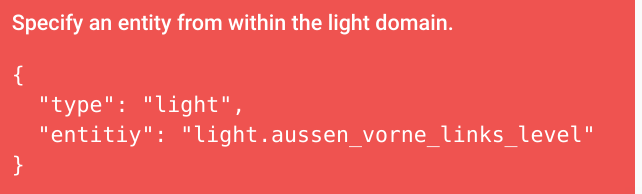 split granite
🤣
You've been bit by the cause of 90% of the HA problems - slepping
We've all had that cause us issues
vapid field
not only once, but always good to find out that nothing is broken, just good old "it's my fault, open your eyes" 😉
also just checked the custom-cards organization, was earlier writing @storm lion to take my flex-card-table in, browsing through the repos I found out that @mild veldt and I had pretty much same idea/needs ...
with the tiny difference that he made his last commit on the day I did my initial :/
radiant drum
Hi! is there any nice cards for blinds in Lovelace?
 storm lion
Hi @vapid field all sound good my friend, I'll invite you to the repo - same username here as GitHub?
weak flume
Kicking myself for waiting this long to switch to lovelace. Saved a ton of space, looks cleaner and just way more functional
Picture glance alone made like 4 cards into 1
wet hill
My Personal favorite is the "Picture Elements Card", 99% of My UI is that one card. I made a card for my mobile UI and Wall Tablets UI.
wet hill
I tried to post a screenshot, but it did not work
gentle tide
I'm having a problem with layout-card. With layout: auto, it always sorts cards in one row regardless of the size of the browser. This behavior persists across several different browsers. Has anyone else run into this problem?
wet hill
is there a "style:" to specifically make the size of text bigger on a state-label?
split granite
~images
kind shellBOT
Please use imgur or other image sharing web sites, and share the link here.
copper mural
I have:
resources:
- {type: js, url: '/local/lovelace/weather-card.js'}
in my ui-lovelace.yaml (other resources work as expected in the resources). But this one give me an issue saying "Custom element doesn't exist: weather-card." when I try using it. Is there a difference using type: js beside type: module ?
split granite
@copper mural ```yaml
- type: glance
title: Better names
entities:- entity: binary_sensor.movement_backyard
name: Movement?```
- entity: binary_sensor.movement_backyard
From the docs at https://www.home-assistant.io/lovelace/glance/
copper mural
Yes, And that part I have fixed. But when I try using options for entities, the tap_action. I cant get it work. And the docs mention to use entities as objects instead of strings. Thats why I asked 😃
polar kelp
What did you try?
polar kelp
That doesn't look like you have tried what Tinkerer posted.
tap_action is an option that's tied to a single entity, not the card.
polar kelp
Almost. But in this case the entities are inherited from the entity-filter so you should put the definition with the other entities up top.
copper mural
Thanks!! Now I get it.
weak flume
Just discovered conditional cards. Oh my.
 pliant condor
hint taken @split granite 😄
gentle tide
anyone know what the secret is to conditional cards? I tried creating one but my page just comes up blank. No errors, just blank.
raw brook
Share yaml
Make sure that the state you have is an actually state of the entity being used
gentle tide
Here's what I have so far.
kind shellBOT
@gentle tide being unkind, posted a message that is more than 15 lines. It is now available at: https://paste.ubuntu.com/p/FnHZ5yK3C9/
raw brook
So that means that the front door has to be on garage side door has to be off the laudry room door on and the sliding glass door off
Other wise this card will not show
gentle tide
AH
I think I've misunderstood the purpose of the conditional card then
What I'm going for is to only show an entity if the state true
raw brook
Conditional is card based
gentle tide
Ok, I think I understand now. I need to define one card per entity and configure the state accordingly.
 buoyant portal
Is it possible to place cards within a group? e.g. I'm looking at creating a group with a gauge card and sensor card that I can then use as a group.sensors with the entities card so it essentially acts as a pop up when I select (tap) that group in my ui. If this is poorly explained I apologise!
raw brook
You can not
You can use stack cards to make sure they are always together. But thats as close as you can get I believe. Not sure what you can do with thomas's new pop card
buoyant portal
I'll have a look thanks. Just thought it would be good to make things a bit more compact. I like all of the new cards but don't want to have to scroll down a lot on mobile. Thanks
 warm shale
Is there any info on adding a spotify card to lovelace?
warm shale
Ah alright. Is there any reason why I would have 2 spotify entities?
they seem to both be for my account
warm shale
I have duplicate media player entities for spotify and one other service in that case then
media_player.spotify and media_player.spotify_2
raw brook
#330944238910963714 ¯_(ツ)_/¯
warm shale
I'm trying it with one for now and get "mapping values are not allowed in this context in "/config/ui-lovelace.yaml", line 10, column 17"
line 10 is entity: media_player.spotify
Ah, the tabs/spacing was off
any idea on why a remote won't work? The docs say to use servce_data but I pass an activity ID to my harmony remote when I tap an entity button card and it just says I'm not specifying an activity
heavy cove
is it possible to make a single horizontal stack spread out further than 20% of the screen?
it might be taking up 40% of the screen.. but I want it to take up most of the screen
heavy cove
I got it to work using "panel: true"
I have a different question... is it possible to pass the GPS tracker info into a URL inside an iFrame?
 vague jay
Hi there! I haven't tried to move to Lovelace yet. I think I still won't be able to find this information in docs, so I'd rather ask here. I use snapcast to get multiroom music around my house and currently to get music switched on and off in a particular room I need to click 3 dots and adjust volume to zero. Is there a way in Lovelace to simulate this behavior using one on/off button?
 ashen tinsel
Does anyone know when the lovelace interface is expected to become the default UI?
wheat current
0.84.0
heavy cove
i did it a different way
oh... hang on.. no i read the wrong question
no.. i'm using an iframe card... but I want to be able to append the URL of the iframe card with the GPS coord from the tracker
subtle rune
Since templating is not possible I would say you can't, @heavy cove
heavy cove
boo
fierce quarry
Is it possible to have conditionals inside a card, with other static components?
Or do you have to duplicate the statics into each conditional? Same with filters I guess, its the whole card or none?
fierce quarry
I've not looked into monster-card yet, what do you mean mix with it
 void marten
hey peeps, any suggestions on what the best lovelace card is to use with the nanoleaf aurora? - I can use light etc, but that only gives me the ability to turn it on/off/up/down. Likewise I can use the entity card which gives me the on/off slider and access to the color gamut chart - is there any way to get the gamut in the light card? ta
mild veldt
@void marten anything is possible, but you'll need to likely create your own custom card for that as I've not seen anything like that
void marten
Thanks @mild veldt I suspected that may be the case... any idea where I'd be able to find the orginal code for the light and entity cards as a reference? - I'll give creating a new one a spin
raw brook

GitHub
:lollipop: Polymer frontend for Home Assistant. Contribute to home-assistant/home-assistant-polymer development by creating an account on GitHub.
mild veldt
too fast
void marten
awesome, thanks chaps
oblique rain
didn't someone make a way to use font awesome in lovelace?
raw brook

GitHub
Use icons from fontawesome in home-assistant. Contribute to thomasloven/hass-fontawesome development by creating an account on GitHub.
oblique rain
thank you ... google didn't bring up anything
 primal verge
Hey, soorry if this has been asked before, but does the current vertical stack implementation only allow 2 columns?
 slender temple
anyone have issues with the "sensor" lovelace card in hass.io? I cant seem to get any graph to show. history tab shows lots of data so it cant be that, but nomatter what i do i get everything else, just no line. tried fiddling with the colour to make sure its not just merged with the background.
- type: sensor entity: sensor.met_office_temperature name: Temperature History graph: line height: 140 accuracy: 20 hours_to_show: 48 color: "#ff0000"
raw brook
- type: sensor
entity: sensor.met_office_temperature
name: Temperature History
graph: line
Try the simple version
slender temple
i'll try it again, started there - but sec let me see
yep, no line
if i click, i get a square edged graph
like a history-graph would show
ahhh this error in log:
2018-11-26 20:33:38 ERROR (SyncWorker_13) [homeassistant.components.recorder.util] Error executing query: (sqlite3.OperationalError) database is locked (Background on this error at: http://sqlalche.me/e/e3q8)
tacit cave
your spacing looks off
slender temple
spacing is fine, card shows. something to do with this error I think
haha - made the mistake of looking at the link. beyond me to sort that out!
tacit cave
that error means you have too many hands in the pot
something else is accessing your db when you try to
slender temple
oh? thats weird
using hass.io...not exposed to the internet though
oh wait, no thats relating to something from earlier
not getitng the error when i try to use the card
tacit cave
so what error are you getting
slender temple
not getting one, just no graph showing in the sensor card
tacit cave
ctrl+f5
tacit cave
can you post your whole yaml on hastebin
raw brook
If you make graph line on the other two do you get a line?