#frontend-archived
1 messages · Page 84 of 1
 glass oak
 winter wasp
I’ve added a timer entity to a picture-glance card and it always shows as active. is this expected?
 unreal lodge
hello folks! is there a way to use a conditional card to check that an input_number is a specific value?
or rather use that as condition
*as a
like this:
- type: conditional
        conditions:
          - entity: input_number.guest_code
            state: "0"
 mild veldt
 polar kelp
I did another thing: https://github.com/thomasloven/lovelace-layout-card
 steel dune
OK, I better get re-organising my UI into new columns then 😃
 sleek warren
anyway to have lovelace jump to another lovelace/url when picture entity is click?
 whole cloud
is there a card for smhi ?
polar kelp
@sleek warren You can do it with picture, but not picture-entity.
polar kelp
@whole cloud Not a special card, no, but weather-forecastworks with smhi.
sleek warren
*now
whole cloud
thanx @polar kelp
polar kelp
And other weather cards, like the animated one from the forums and such should work too.
sleek warren
sorry to be a pain... i have picture-glance for each room under a tab first floor, i would like to click sons bedroom picture-glance and get to the card which works perfect BUT i do not want 'sons bedroom' as a main header title on top bar... can it somehow?
 silver crescent
@glass oak where do you find that Light card? 😃 Looks nice
 raw brook
Beta
polar kelp
You can ser the title of a view to ” ” (you need to specify an id, though). Or you can use lovelace-kiosk (the first one on google)
glass oak
@silver crescent Beta, apparently. I can't wait for it to be in the main branch
sleek warren
tried " " but looks a bit messy... i will read up on kiosk thank you
 prisma trail
Vad gör jag för fel? Får felmeddelande gällande att useful-markdown-card inte finns men jag har lagt den i www/ samt att den finns i Lovelace ui filen
Har specificerat : - {type: js, url: '/local/useful-markdown-card.js'} men så fort jag lägger custom:useful-markdown-card så får jag detta fel:
Custom element doesn't exist
glass oak
have you put the JS files in the www/ folder?
prisma trail
Oh.. my bad that I did write in swedish.. Haha Yes the file is in the www/ folder
glass oak
resources:
  - url: /local/useful-markdown-card.js
    type: js
views:
- name: Markdown
  cards:
  - type: "custom:useful-markdown-card"
    entity: input_boolean.switch_tv
as an example
polar kelp
Check your browser log.
prisma trail
I have tried custom:UsefulMarkdownCard and custom:useful-markdown-card
SyntaxError: Unexpected token '<'
glass oak
it also looks like you're mixing json and yaml
polar kelp
That was my next line too "It will say something about '<'"
raw brook
We see a lot of those
glass oak
@prisma trail if you look at how resources: is laid out in the example. you need to not have it bracketed, and move to yaml style
polar kelp
Nothing wrong with the brackets, though. Nice and compact.
glass oak
i've had issues when i deviate from the tried and true yaml everything indented
also it looks like your spacing is off
 halcyon mantle
can't get the opacity to work on this picture element - Can anyone spot where I went wrong? - type: image tap_action: navigate navigation_path: /lovelace/home image: /local/images/floorplan/shapes/outside/house.png filter: opacity(50%) style: top: 49% left: 58.8% width: 70%
raw brook
filter would be alpha but I dont think it works from previous people trying
prisma trail
Acording to yaml validator so are my spacing correct.. But I redownloaded the js file and still getting same result..
polar kelp
Then it's the cache
Check the file, just to make sure it looks correct
And then add ?anything to the url.
Also, the correct type is custom:useful-markdown-card, make sure you switch back to that.
prisma trail
Cleared the cache and now its working.. Thanks 😃
sleek warren
cannot suss kiosk...
js to www directory, setup resource in ui-lovelace, then make sure i use id: bedroom_kiosk?
sleek warren
restarted after copied js file to www
now do i use _kiosk on id with source picture-glance or destination card?
sleek warren
sorry yes
polar kelp
The id of any view you wish to display in kiosk mode should have _kiosk.
But I think you can also add ?kioskto the url, but I'm not sure.
sleek warren
the docs mention ?kiosk but also just the use of the word kiosk aswell for example in title... maybe the ? is vital in id 😃 let me try
polar kelp
No, it shouldn't go in id
raw brook
Didnt Thomas write the docs?
halcyon mantle
Is it possible to to force a picture element to fit to screen - panel forces it to page width, but given the aspect ratio only a third fits on the screen. Not sure if it will be possible... The use case is to have a wall mounted tablet showing a 3d floorplan - using all available screen space would make navigation easier.
polar kelp
No. That was Marius
raw brook
Oh thought that one was yours too
polar kelp
Lot's of people make that mistake. I'm a large proponent of it, though.
You need to load the page to the view, btw. It won't work if you e.g. load /lovelace and then click into the kiosk view.
raw brook
You also make a ton of the custom things
 wheat current
Where did Marius go? 🤔
polar kelp
Don't know. I seem to recall he mentioned something about taking a break, but I'm not sure...
He commented on the thermostat card making it into core on twitter, so he's around at least.
sleek warren
going to check logs not sure kiosk is loading on boot now
changes look fine in ui-lovelace
steel dune
Where can I find the default Lovelace cards? I want to take a look at the default Glance card and maybe look at adding something, but I can't find it anywhere 😕
steel dune
Cheers, Zac 😃
 forest mica
https://home-assistant-lovelace-gallery.netlify.com/#demo-hui-light-card why does this not work?
mild veldt
there does appear to be an issue. @raw brook just the gallery being silly? I don't have access to my dev env to verify right now
raw brook
What's wrong with it? Looks fine
But most likely just the gallery 🤷♂️
Work on my prod env and my Dev just fine
mild veldt
for me when I clicked on it the first time, it seemed to shift a bit and then the brightness was 0 when on and 50% when off
like it got out of sync
i'll send you a clip
raw brook
Gallery issue. Card is just reading that data. I'll fix it tomorrow
Thanks for the clip ian
 naive ruin
My nest plugin works with default interface. Now i'm trying to use that : https://home-assistant-lovelace-gallery.netlify.com/#demo-hui-thermostat-card
Do we have to add something more than just two lines?
 cosmic gazelle
sooooo, I updated HA from 0.79 to 0.81.6 today and lovelace isn't loading up?
cosmic gazelle
Anyone?
polar kelp
Log?
cosmic gazelle
Nevermind, silly me
However the mistake was already there, somehow lovelace worked before the update
 foggy tendon
What is the meaning of this error:
2018-11-07 12:28:02 ERROR (MainThread) [frontend.js.latest.201810264] https://xxxxxxx.
duckdns.org/lovelace/home_view:0:0 Uncaught
@atomic citrus For picture-elements? Most css stuff.
polar kelp
That you can find with the element inspector. I think --iron-icon-height and --iron-icon-width could work.
 atomic citrus
works. thank you!
 thorny verge
Is there a way I can force the lovelace interface on all devices yet?
I tried with nginx and used proxy_pass http://192.168.1.10:8123/lovelace/0; and I just get a blank screen, with HA blue header.
polar kelp
No. Only per device for now.
thorny verge
Ok, I want to be able to use it for now, but WAF needs to be slightly automated if cache cleared and have to start over.
So I think I can just make 'home' screen have a link to lovelace, then use custom:home-setter to select desired home screen.
But, how do I reload the lovelace interface once 'home' screen selected, to reload that page?
polar kelp
It takes more than a cache clear to undo >> Set lovelace as default page on this device <<
the setting is stored in local webapp storage
thorny verge
Fully Kiosk Browser then seems to clear that value when you clear cache using the menu.
But, I can not worry about that for now.
Is there a way to 'Re-load' the lovelace interface from the interface, like a refresh?
polar kelp
Can't you just set http://192.168.1.10:8123/lovelace as the start page in Kiosk?
The three dots in the upper right corner
thorny verge
Yes, I use ssl, so I was trying to access lovelace with just mydomain.duckdns.org. But, I can use /lovelace for now.
I want to lockdown my wall tablets so there is no left menu, so I need a Refresh Lovelace button somewhere, is there a way to do that?
mild veldt
@thorny verge You could probably write a custom component pretty easily that does it
https://developer.mozilla.org/en-US/docs/Web/API/Window/location
polar kelp
The three dots in the upper right corner
thorny verge
I use custom:kiosk, so don't have those.
polar kelp
I assume you use Fully Kiosk Browser. If so, you could make a call to the REST interface to have it refresh the page.
From a script in home-assistant, or a rest switch. https://www.home-assistant.io/components/switch.rest/
thorny verge
I thought of that, I don't have the Pro version, so don't have access to that. Was going to buy it for main tablets, but want this to work on all browsers, when accessed from work/phone etc.
No worries for now, I don't mind workarounds for now.
polar kelp
If you wish to experiment, a javascript command for reloading the lovelace config is document.querySelector("home-assistant").shadowRoot.querySelector("home-assistant-main").shadowRoot.querySelector("app-drawer-layout iron-pages partial-panel-resolver").shadowRoot.querySelector("#panel ha-panel-lovelace").shadowRoot.querySelector("hui-root").dispatchEvent(new Event('config-refresh'))
thorny verge
Awesome, thanks!
@polar kelp I really like your custom pop-up card.
Just wondering, as I'm sure it's beta, but I can't seem to exit normally, need to escape on PC, and on mobile I need to use back buttom. Is there another way? Is an X like the normal more-info screen planned?
polar kelp
For me it works to just click outside it...
But that's hard on mobile...
I'll see if I can add a close button.
 lofty summit
not sure if this is right place to ask, but i just added SSL to my frontend and now trying to add this to android as a homescreen app
however it's not starting in fullscreen, whereas the http version did
raw brook
You are on android using chrome I assume
lofty summit
yes
raw brook
There is a current issue out for this https://github.com/home-assistant/home-assistant-polymer/issues/1997
lofty summit
thanks!
thorny verge
@polar kelp Yes, on mobile it seems like it take up the entire screen no matter what I do.
thorny verge
@polar kelp I just seen your /lovelace-fullykiosk card, I assume this needs Fully Plus?
polar kelp
Correct
 calm rock
hi, when loading loavelace after a hassio upgrade , there is an error message , and page wont load ( states works fine) , on console i see this error : https://hastebin.com/vuhapatupi.sql , is it possible that there was some important change , and now my proxy security config is interfering with the update process ?
raw brook
Do you have an Iframe Card?
raw brook
Yes and then try
calm rock
ok,
raw brook
https://www.home-assistant.io/lovelace/iframe/ Check out the warning on this page
calm rock
the problem seams strange , because is related to an https iframe
 tough quiver
Using lovelace-gen in my setup.
I'm using the official docker container
this:
shell_command:
  lovelace_gen: 'python /config/lovelace-gen.py'```

doesn't work as it cannot see the "lovelace" directorybecause when docker runs that its in /app/something
but the config at lovelace dir are in /config/lovelace
I tried changing the indir=lovelace to indir=/config/lovelace but that made no difference.
still have to run it in the /config dir
okay cool I made it work.
 kind shellBOT
@tough quiver being thoughtless, posted a message that is more than 15 lines. It is now available at: https://paste.ubuntu.com/p/Hrbmsz3gVQ/
polar kelp
@thorny verge Now there's a header bar with a close button.
thorny verge
Awesome, will try it right away!
thorny verge
@polar kelp Works great!
 civic sedge
Pew...
I s it possible to have a Picture entity wich takes his state (on off) from a input bolean but calls a script?
thorny verge
Look at hold_action:
Can do toggle for tap_action, then call-service from hold_action
Using picture-elements card
tough quiver
you can do call-service in a tap_action too
polar kelp
No. There's no call-service for picture-entity
thorny verge
Yes, but he wanted on/off as well
civic sedge
ah.. ok no - Thourght i can set the bolean as Entey td
The first picture-entity i create - It looks deam sexy
thorny verge
You can simulate a picture entity using the picture-elements card, then a same sized transparent image: as an element, then do the on/off and call-service
thorny verge
Look at picture-elements card, you can then have elements, you can put icons on bottom just like the picture entity card.
Then, create a transparent png, same size (minus bottom border) as image used, and place it over top using a image: element.
Works well, bit of a fudge, but looks good.
civic sedge
I dont get the part with the image element
but digging me trou this huge thing atm
thorny verge
  image: /local/photos/image-you-want-to-display.png
  elements:
    - type: image
      image: /local/photos/transparent.png
      entity: input_boolean.to_toggle
      tap_action: toggle
      hold_action: call-service
      service: script.turn_on
      service_data:
        entitiy_id: script.to_call
      style:
        width: 20%  #size as needed
        top: 50%
        left: 50%
I need an entity-button but I only need it to run shell_command.lovelace_gen
It doesn't seem you can set shell_command.lovelace_gen as an entity, since im pretty sure thats a service not an ent
ideas?
polar kelp
Well... if you wish the button to run a service on tap, perhaps tap_action: run-servicecould be a good start?
wheat current
Create a script that run it?
polar kelp
Then just use any entity
Or create a dummy entity, like a template sensor or something
If you use run-service, the entity isn't really used except to get the state of the button. And a shell command doesn't have a state anyway.
tough quiver
Yeah, I know about getting it to run the service.
I suppose i should make a dummy entity for it
civic sedge
Dude.. It wont work as I want it to..
chance that we gett a call-service for picture-entitys?
polar kelp
Can't see why not
polar kelp
tough quiver
f a s t
 valid thorn
is there any reason to minimize the content of groups.yaml now that we are using lovelace? Is there any performance impact from keeping our old UI in there?
calm rock
Hi, anyone configured a thermostat card ? , im using a climate generic thermostat , and is not showing any information , the custom thermostat card is working fine though .
ok, the problem with that card is that is not respecting the Theme , so in my case ,everything inside the circle is white , and invisible , with my current config
im using midnight theme , and the thermostat card is invisible on that theme , is there a way to change setting for one specific card ?
 ripe verge
Where should I report a lovelace bug?
ripe verge
I'm using an on-state filter with MDI icons - when I turn off an item, the MDI icons become messed up. After a browser refresh - it fixes.
similar issue when turning on a device
correct name and status is shown tho.
raw brook
Yea check the issues first to see if one matches and then post it there
calm rock
anybody knows what is the default theme that was applied when developing the official cards ?, so for them to like on the documents ?
raw brook
Just the default HA theme
 kind granite
anyone good with custom card modder?
raw brook
Idk what that sentence means
kind granite
i get a blank screen, nothing is being displayed
kind shellBOT
@kind granite being unsympathetic, posted a message that is more than 15 lines. It is now available at: https://paste.ubuntu.com/p/S9pPjDCw9b/
raw brook
Errors in the console?
raw brook
Try Adding a - on the vertical-stack line
Nothing showing usually means error in console
kind granite
where?
polar kelp
@valid thorn I heard from @half osprey that the groups are slow because they are evaluated dynamically (?), so they should be removed or replaced sooner or later (?). Does not apply to light groups (?).
 half osprey
So many question marks. Most of the groups exist because we want to show entities grouped in the frontend. There is no reason for those groups to exist in the backend. Each group comes at a cost, not too much, but add a lot of big groups and you might notice.
Light groups have the same problem, but tend not to grow as big as groups
Especially the groups with view: true tend to get really big
And on each state change re-evaluate their state 🙄
Anyone has a cool Lovelace screenshot that I can put in my presentation ?
whole cloud
how do i do a place holder for : Entity not available: updater.updater
lofty summit
@polar kelp have you had any time to look into the empty divs from conditional cards in a stack, or should i create an issue for it?
 silk quail
Hi,
I use lovelace and mainly Glance cards which show everything in a room. For my kitchen I have three lights controlled by Fibaro Z Wave switch modules.
As I cannot use a light group with the switch modules I created a normal group which toggles off and on the three Fibaro switches that control my lights.
When this group is on and shown as on in the glace card the icon does not turn yellow unlike everything else I have seen.
Is this is a bug or do I need to configure something differently? cheers!!
 true jungle
With the markdown card, is there a way to add the state or a sensor?
polar kelp
Not in the default card.
But there's the useful markdown card: https://github.com/thomasloven/lovelace-useful-markdown-card
true jungle
Ah, nice one @polar kelp . Might be worth making a PR for that
true jungle
Just threw this together: ```
  - id: home_stats
    type: custom:useful-markdown-card
    title: Stats
    content: >
      You are currently on version **[[ sensor.current_version.state ]]**.
       The latest version of Home Assistant is **[[ sensor.home_assistant_version.state ]]**.
       Your certificates will expire in: **[[ sensor.ssl_certificate_expiry.state ]]** days.
       The last error was: `[[ sensor.log_errors.state ]]`
 thin linden
Does anyone know why some cards don't always use the good background-color?
If I inspect elements, they both have:
background-color: var(--paper-card-background-color, white);
But one is black and one is white
glance, custom:mini-media-player, custom:weather-card, tracker-card seem to work, but entities, custom:group-carddon't
polar kelp
That's odd. For me entities certainly takes its background color from --paper-card-background-color...
Do you have a screenshot?
thin linden
Yeah but it seems I cannot upload images here?
kind shellBOT
Please use imgur or other image sharing web sites, and share the link here.
polar kelp
yay!
thin linden
ah cool, will do that
polar kelp
My first successful bot command 🎉
kind shellBOT
Congrats @polar kelp 🎉
thin linden
This is the correct one
That is the wrong one, it seems to have its own styling overruled/applied
raw brook
Do you have a theme applied to any of the cards or view?
thin linden
Only a global theme, which has: paper-card-background-color: '#434954';
The issue only seems to happen when the entities card is used
polar kelp
Does it only happen with the group card?
thin linden
Both with group and entities (the group card uses the entities card)
kind shellBOT
@thin linden being pitiless, posted a message that is more than 15 lines. It is now available at: https://paste.ubuntu.com/p/GytPVT7mp8/
thin linden
These both result in a white card instead of black
raw brook
Can you change the entities card to a glance card?
Does that fix it or same issue? (this is only for testing)
thin linden
That does work yeah
raw brook
hmmmmmm Very interesting
IF you take out the custom cards and leave only the entities card does the entities card take the applied background?
 pine bane
hi i have a question, im running 0.72.1 of Home Assistant on a RPI, you do not have to use Hassio right to be able to use lovelace interface instead ? And should i upgrade to latest version for improved stability etc with lovelace ?
raw brook
You do not have to be on HASSIO and upgrading anything improves stability 😉
pine bane
ah cool, i started using hassio very long time back but had some compatibility issues, so therfore i dont want to jump into it again 😉
thanks @grim willow for the quick answer
thin linden
@raw brook if I delete everything but the entities card, it still doesn't work
I'm not very familiar with custom elements and shadow DOM, but it seems that the entities card takes its own styling from somewhere
raw brook
The beta version has a theme option that can be applied to the entities card directly. But I have multiple entities cards in my Production set up that take the applied theme
thin linden
It might be because of the theming: https://github.com/home-assistant/home-assistant-polymer/blob/20181107.0/src/panels/lovelace/cards/hui-entities-card.ts#L77
It takes the default theme if no theme is specified
raw brook
What version are you on
thin linden
Hass 0.81.5, not sure where to find the lovelace version
raw brook
Default theme means the default theme you selected.
So if all of HA is Theme Dark Default means Dark
If you add the variable theme: YourThemeGoesHere does it work?
But it looks like that version is in beta not any full release
thin linden
Yeah if I set the theme manually it works
raw brook
Wait wut
thin linden
Looks i'm already on beta 😄
raw brook
You are on 0.81.5 and theme setting on an Entities card works
thin linden
Might it have something to do that I installed the tracker_card, and did an 'update all'
thin linden
Check this out:
  - title: Entities test
    cards:
      - type: entities
        entities:
          - entity: light.living_room
      - type: entities
        theme: midnight
        entities:
          - entity: light.living_room
Result: https://imgur.com/WKjDjSt
raw brook
That is very interesting... I can not replicate the result. Are you applying the theme on the view or via the backed select
raw brook
That still works for me... Ill try a few things to replicate. Let me know
thin linden
Backend selected works 😄
So the default theme falls back on the backend selected is my guess
Which would explain why the cards did work last evening, when the midnight theme was active for backend-selected too
So my guess is that grabbing the default theme gets the backend-selected one
raw brook
hmm. Ill look into that. thank you
thin linden
cool, keep up the good work (Y)
 tacit cave
Guy on the forums is using a group in a glance card. I personally don’t have that in my setup. So the question is: will a group in a glance card show on/off for the icon?
raw brook
Group has its own Icon unless you mean Light.group
And Group Icon does not change color
tacit cave
Ok that answers it
raw brook
Unless its a light.group
tacit cave
Nope not light group
polar kelp
@thin linden Could you check further down in the stack of styling in the inspector to see where --paper-card-background-color is defined and to what?
halcyon mantle
Is it possible to hide the 'hamburger' menu from lovelace? E.g. I have wall mounted tablets with 3D floorplans - the 'hamburger sign' and the title just takes up unnecessary real estate on the screen
wheat current
Not sure if this still works, but worth a try 🤷 https://gist.github.com/ciotlosm/1f09b330aa5bd5ea87b59f33609cc931
halcyon mantle
@wheat current Was just trying it as we speak - It seems to have stopped working...
Would have been perfect for what I'm looking for
wheat current
It worked for me now 🤷
halcyon mantle
@wheat current Thx! I redid everything, and it seems to work which is AWESOME! Thx a million...
What makes this awesome is, that you only have to add it to the start url - it keeps it for the session it seems...
halcyon mantle
@polar kelp I think i found an error on one of your awesome addons - lovelace-fully kiosk. The docs say ```
camera:
- name: dashboard_camera
platform: generic
still_image_url: http://ip-of-device:2323?cmd=getCamshot&password=your_admin_password
Shouldn't it be:
camera:
- platform: generic
name: dashboard_camera
still_image_url: http://ip-of-device:2323?cmd=getCamshot&password=your_admin_password```
wheat current
It doesn not matter, yaml does not care about order
halcyon mantle
Didn't know that - everyday you learn something new...
here I was killing myself keeping all configs in same order as the examples.... Feeling a bit like an idiot now 😂
wheat current
If you need help with anything and are sharing the config, it helps that it has an "expected" order
polar kelp
That's why all automations made with the automation editor looks all weird. It puts the keys in alphabetical order.
halcyon mantle
Quick question about the lovelace-fully-kiosk resource - It seemed to function once while testing, was able to switch off the screen, but after that no control over the screen. the camera is working, but the motion sensor is not - All showing up in HA, and no errors in the logs. I have followed the doc twice, not sure where I'm going wrong..
 lunar lark
Hi you all, I'm sure I'm not the first(or the last) to write this but in HA 0.81.6 I have a problem when I try to run the lovelace ui even with blank file I get
Uncaught TypeError: Cannot read property 'length' of undefined
I've looked at the git and forums and its a language thing, so I tried switching to english but it did not help, is there a way to get rid of this error?
mild veldt
can you try just the simplest configs:
- title: Home
Make sure you clear cache as well
lunar lark
Still the same for me app-585a2935.js:91 Uncaught TypeError: Cannot read property 'length' of undefined at HTMLElement._computeTabsHidden
 smoky peak
does anyone know how to take make a camera entity pop into a larger window when clicked?
raw brook
List it in basically any card. The default tap action is more info for most cards and click it
smoky peak
I don't follow. I have this: tap_action: dialog. Is that what I need? Or should tap_action be a different value?
raw brook
For what card and dialog is not a tap action?
smoky peak
cards:
  - id:
        type: picture-entity
        title: Shop Camera South
        entity: camera.shop_camera_south
camera_image: camera.shop_camera_south
show_info: true
tap_action: dialog
raw brook
You dont need a tap action
smoky peak
Ok, then remove it?
smoky peak
Ok, I'll give that a shot. Thanks!
raw brook
You also dont need camera_image
Since your entity variable is the same as your camera_image
smoky peak
You da man! That did it. Thanks again.
raw brook
Also never seen show info
- id:
type: picture-entity
title: Shop Camera South
entity: camera.shop_camera_south
I am an extreme lovelace newbie, and basically, am so far just ripping stuff out of other examples I find, and bumbling around.
raw brook
Thats all you need
Check out the docs. They can be very helpful https://www.home-assistant.io/lovelace/
smoky peak
Any idea why I can't hear sound in my cards? I know sound is working on the cameras, because using a non hassio access method gives me sound.
raw brook
Its an image. Images dont have sound
smoky peak
Well, it is a moving image....moving images do have sound. Is there a way to get the sound?
smoky peak
Ok...well, that's disheartening. I guess I'll have to use a different (non hassio) platform to hear the sound.
mild veldt
do you mean non-home assistant? hassio is one installation method of home assistant
 echo wren
Hi gang, I am running into an issue and keep getting stumped. I have a raspberry pi 0w with RPi Cam setup. I am trying to get this to intergrated into my home assistant both hass.io & love lace and cant get the program to work this is the following code I have setup in my configuration.yaml file.
camera:
- platform: mjpeg
mjpeg_url: http://xx.x.x.xx/html/cam_pic.php
X=the ip address. Does anyone have any tips on how to get my camera to show?
mild veldt
use #330944238910963714 for help with component setup
 radiant drum
Hi! I am tring to make something with this: https://pastebin.com/2ZddJHE4 But i can figure out why there is "tap_action: toggle" on a binary_sensor.
polar kelp
You can't change a sensor manually
If you want to change it, it should be a switch or an input_boolean.
radiant drum
Does the switch or input_boolan for example change color on the bulb icon on the card?
polar kelp
I think the switch does... but I'm not sure
radiant drum
its also a "group" and i dont thing its possible to change color on group icons
foggy tendon
@true jungle Can you tell me how you created the sensor.log_errors?
 tepid trench
i have a feeling that my lovelace problem (which refuses to render on my phone and gives me 403 errors on my browser) is related to my nginx reverse proxy because when I try using the local ip address and port it works fine. has anyone resolved a similar issue?
this is the output of my chrome console... https://hastebin.com/ilamololol.sql
mild veldt
@tepid trench that would probably be better suited for #330944238910963714
tepid trench
thanks
 high canyon
anyone here use tado with lovelace? wondering what a good way of displaying the tado "modes" would be, the current thermostat component doesn't know anything about them.
 vapid field
Iz it possible to change sensoir icon color depending on its value. For example if some treshold is met then make the icon RED ?
mild veldt
@vapid field checkout template sensors using the icon_template
 simple jolt
Trying to use a vertical-stack-in-card with a gauge and sensor card doesn’t appear to be supported. The only way to get it to show up on the front end is to put the gauge card in a horizontal stack within the vertical card.
mild veldt
@simple jolt what version are you running?
simple jolt
0.0.8 and 0.82b4
@mild veldt it works as long as I put the gauge card in a horizontal-stack.
mild veldt
can you post your config and i'll see if i can replicate
true jungle
@foggy tendon here you go : ```
platform: command_line
name: Log Errors
command: 'grep -v -f /config/sensors/log_errors/ignore.txt /config/home-assistant.log | tail -1'
Then I have a file of keywords to ignore in that dir
foggy tendon
@true jungle Thanks....
thorny verge
@polar kelp Is there a way to use multiple entities for your custom:popup-card?
It works to just duplicate it, but would be easier.
polar kelp
Try the new version.
 prime umbra
card configuration UI tried set card but when i save says
Saving failed: undefined
any thoughts
polar kelp
Just make entity a list
raw brook
@prime umbra Are you on Windows?
prime umbra
yes
raw brook
Thats the "Problem" You probably see "os" failed "chown" or something to that extent in your logs. Known issue, Bram is working on
prime umbra
ty
raw brook
I believe it may be fixed in the next beta .4 and will be in .82 https://github.com/home-assistant/home-assistant/pull/18229

GitHub
Description:
Failed on windows because it doesn't have chown.
Related issue (if applicable): fixes #
Pull request in home-assistant.io with documentation (if applicable): home-assistant/home-as...
thorny verge
@polar kelp I get a blank screen with the newest version of popup-card. Is the readme updated?
How do I define multiple entities? To be sure, I mean multiple entities for same popup card, so how do you define them, readme only shows 1 entity.
raw brook
He said define it as entity but a list
- entity:
  - entity.1
This is actually how I think he has it
So you just make the entity variable a list
polar kelp
That's correct. I didn't update the readme yet
thorny verge
Awesome, got it. Thanks.
Works great!
@polar kelp One question, will only certain types of cards work in the popup?
I am trying to get the thermostat card working, seems like it can't, tried it with and without card_modder.
polar kelp
I actually haven't tried any but entities. But I don't see why all shouldn't work. I'll do some experimenting.
thorny verge
I've tried many, and everything has worked so far, including custom cards, but the thermostat doesn't seem to work.
Thermostat card is a great use case for this!
polar kelp
Ah. I see. Thermostat card works a bit differently from others... give me five minutes
thorny verge
No problem, really appreciate it.
polar kelp
Hm... not sure I can fix that easily, actually...
thorny verge
Darn, oh well. It would be really cool to be able to click on a temperature on your wall display, and have the thermostat come up.
For now I will navigate to a thermostat page, do you know if there is a way to navigate "back" to the page you were just on? That would be very hand as well.
Besides the back button on a device I mean, like navigate_path: last_url
 atomic glacier
Is it possible to re-order the views by changing the "- id: 9 # Automatically created id" numbers around? Or will the views have to be re-ordered physically in the UI? New to Lovelace and trying a few ideas out. Thanks!
polar kelp
The views can only be edited in the config file still, and they will be displayed in the same order as they are in the file.
(ui-lovelace.yaml, that is)
atomic glacier
Ahh..I just gave it a try and it swapped the views around for #1 and #8 where I wanted, but it kept the old icons on the view tabs. Kinda mixed things up. Thank you! Much to learn still.
polar kelp
Some hints: Be careful about indentation. Add extra blank lines to show clearly what belongs to the same block.
forest mica
im using an entity button for a group domain with a couple switches in it. instead of lights. and the entity-button card doesnt turn on and off like usual?
like it changes the lights but not in the UI
it works on my other switch.. but its not in a group domain
raw brook
If you put the group in an entities card and toggle it there does it work?
forest mica
i turns the lights on and off in the room just not animated in the UI. ill try the entity-card instead of button
 glacial mango
Getting double entities in lovelace config that I think is related to mqtt. How do I get rid of or correct them?
raw brook
You create the Lovelace config? so what do you mean
glacial mango
For some reason there are duplicate names for the same switch in the UI.
glacial mango
I have a card that shows switches on and it duplicates the names. Also in states there are many entities duplicated.
raw brook
Post the Config. Or at least a screenshot
glacial mango
Newbie to discord, how do I post a screenshot
raw brook
~images
kind shellBOT
Please use imgur or other image sharing web sites, and share the link here.
raw brook
So now if you go to ui-lovelace.yaml You should see that config
glacial mango
Yep, its only entered once.
Think it is related to this article https://community.home-assistant.io/t/duplicate-switch-entity-ids-how-to-rectify/68491/12
kind shellBOT
:point_down:
Format Code
Please use https://www.hastebin.com/ or https://paste.ubuntu.com/ to share code.
glacial mango
 dim jolt
@raw brook based on a brief comment before, I’m concerned that switch and light don’t mix well. I have 2 hue bulbs and a switch in a switch, and the top level switch doesn’t seem to report on/off correctly - so using toggle switch in Lovelace also doesn’t seem to work
mild veldt
@glacial mango that is not a UI issue, that's an entity id issue as you referenced in your forum link
If you don't find answers in the post, try posting in #330944238910963714
glacial mango
Ok thanks
Don't understand artticle to fix it. Happened with the new mosquitto broker update
mild veldt
@dim jolt "a switch in a switch" what does that mean exactly?
@glacial mango try asking in #330944238910963714 and/or the forum post
I'm not sure the solution
glacial mango
Ok doing that now
dim jolt
@mild veldt a switch entity that I create that contains multiple items when turn_on and turn_off is used
dim jolt
Switch.blah
Light.blah1
Light.blah2
No a mix. I wanted to be able to switch my wall switches and 2 bedside hues off with a single switch (and report status to Lovelace for an icon color). If any are on=on if all are off=off
civic sedge
How long does your Lovelace Frontent takes to load?
Mine 9 to 11 secconds wich i find a little odd
 split granite
A couple of seconds from entering the URL in the browser to the UI being loaded
Once loaded each view opens in a fraction of a second
civic sedge
the views are also under a quater seccond by feeling
 cobalt oyster
@half osprey the new light card is not inside 0.82?
prime umbra
@raw brook configure UI edit cards still not working on 0.82 in windows
when trying to save it says
Saving failed: undefined
 winter hollow
Error in the log?
prime umbra
@winter hollow
Error handling message: {'type': 'lovelace/config/card/get', 'id': 105}
and
Error handling message: {'type': 'lovelace/config/card/update', 'card_config': 'type: entities\ntitle: Media\nshow_header_toggle: false\nentities:\n - switch.box\n - switch.tv_sala', 'id': 106}
There should be more
In the Home Assistant log
And the first one, your card has no id?
GitHub
Lovelace custom-ui. Contribute to bramkragten/custom-ui development by creating an account on GitHub.
winter hollow
Your cards should have ids
prime umbra
ahhh
prime umbra
@winter hollow it seems to be working now
when you click edit it needs to wait a litle for the panel get the code and preview from existing card
very nice
after using migrate card can you remove and when you do a new card you give it a ID or you need to keep the migrate tool and redo everytime you do new cards?
winter hollow
You can give new cards an id yourself
Or run migrate, doesn’t matter
When we have an add card function in the UI we will assign an ID when creating the card.
prime umbra
cool thanks mate
winter hollow
👍
 summer pasture
I have an older iPad (Gen 3?) that appears to be maxed out at iOS 9.3.5. I cannot get Lovelace to render using Chrome, Safari, or the HA iOS App. Are my dreams of reuse of this device as a HA controller dashed?
mild veldt
@summer pasture probably too old of a version of WebKit.
summer pasture
Yeah, I know. I'm in denial and looking for a hack. 😃
mild veldt
Maybe we're missing something in our Babel config that would allow for it to work? I'm not too knowledgeable on the subject unfortunately
 untold hound
How can i add a lock to lovelace
wheat current
views:
  - id: 1  # Automatically created id
    name: Lock
    title: Lock
    cards:
      - type: picture
        image: "https://images.homedepot-static.com/productImages/1b29c7df-f11c-46b5-a452-ad988bbba79f/svn/master-lock-padlocks-875dlfhc-64_1000.jpg"
How?
homeassistant:
customize:
light.entrance:
custom_ui_state_card: custom_lock
light.bedroom:
custom_ui_state_card: custom_lock
Any official version of custom_ui. This isnt working
polar kelp
You need to write a custom javascript element for the entity row.
Here might be a good place to start: https://github.com/thomasloven/lovelace-toggle-lock-entity-row
calm rock
Hi all, any idea why this does not work with conditional card ?
´´´ - type: conditional
conditions:
- entity: sensor.season
state: "spring"
card:
type: thermostat
entities:
- climate.control_hvac_2_h´´´
polar kelp
thermostat has only one entity.
polar kelp
And one line, without the dash
calm rock
sure got it
calm rock
have 2 conditional cards where i want to show just the one that passes the filter and hide the other , if i use a vert or horiz stack , the one filtered is still taking space , is there other method to show only the relevant cards ?
with the custom stack-in card , it works fine
polar kelp
That should be fixed in 0.82
calm rock
tks! , is there a way to customize the card background , so trying to make it consistent across cards?, will post an example
example on the left , and right both have the same settings , and i see 3 problems there : https://imgur.com/a/D89slAn
1 couldnt find a way to make the thermostat card to follow the selected theme , 2 the custom thermostat card , is now following the thermostat card background ( it works fine when isolated from the other card) , 3 couldnt make the thermostat card to disable the card itself ( transparent card ) .
@polar kelp is there a way to change the thermostat background , when i select the midnight theme , the text is white as well as the background : https://imgur.com/a/D89slAn
raw brook
Update in 0.82
calm rock
ok
raw brook
Have to wait until then to change the background
calm rock
got it , tks
i know it will be fixed on 0.82 👌 , but just in case i see a mismatch when selecting a theme at the global level , and the same theme at the view level , and how it affects the cards styling
dim jolt
hey @raw brook any chance we can add in what entity is missing in the '0:0 Uncaught' errors in the log?
dim jolt
so in the log there are http://HASS/lovelace/XXXX:0:0 Uncaught errors
@jaunty narwhal pointed out these are missing entities - and so lovelace complaining it cant find the entity. My lovelace is 1254 lines of code, and although its specific to the XXXX page - it would be cool if the error indicated what entity didnt exist that is throwing the lovelace error
oh and from ui-lovelace.yaml
raw brook
ahh I see. Yea maybe. Add a feature request here -> https://github.com/home-assistant/ui-schema/issues

GitHub
A schema to define a user interface for Home Assistant. - home-assistant/ui-schema
valid thorn
anybody have an easy method for generating unique ids for your lovelace cards?
dim jolt
@raw brook cool, have done https://github.com/home-assistant/ui-schema/issues/190
 quick gulch
lets say i want to use the button-card to turn my AC on/off
how do i create a switch for it?
valid thorn
use the service
quick gulch
i'm trying to figure out how it comes together i guess, so i have an entity climate.air_conditioner
i can see the state is on/off
valid thorn
you'll need to make a script as climate has no toggle function
if it's on the script turns it off, if it's off the scrip turns it on
use a template
valid thorn
let me see if i can whip something up as an example
actually, it'd be easier to use a template switch, and make the button toggle that
winter hollow
GitHub
Lovelace custom-ui. Contribute to bramkragten/custom-ui development by creating an account on GitHub.
valid thorn
@winter hollow thank you, that's easy
quick gulch
hmm i can see a service called climate.turn_on
valid thorn
what version are you running?
valid thorn
Hmmm, not sure how to handle that then. You may have to set a state the old fashioned way.
do you see climate.set_operation_mode?
quick gulch
yep
valid thorn
then you can use that, and just need to set the appropriate operation mode with the switch.
prime umbra
@polar kelp for some reason im not able to setup your layout-card 😦
ok nevermind was i typo is working now
 vapid lance
o/ all
I was thinking about a feature:
right now, a lovelace button is "colored" for light entities, if they shine. What do you think of doing the same for thermostats, vacuum, etc ? (or simply by adding a variable: 'state_on' that would enlight the button if the state of the service_data entity is == $state_on ?)
raw brook
ha-icon[data-domain="light"][data-state="on"],
        ha-icon[data-domain="switch"][data-state="on"],
        ha-icon[data-domain="binary_sensor"][data-state="on"],
        ha-icon[data-domain="fan"][data-state="on"],
        ha-icon[data-domain="sun"][data-state="above_horizon"] {
          color: var(--paper-item-icon-active-color, #fdd835);
        }
🤔
vapid lance
interesting
raw brook
Vacuums, thermostats etc don't have a "on" state. They are better suited for different cards displaying their state
But PRs are welcome
vapid lance
honestly, I use intensively button cards for my mobile view, and if I knew which thermostat was on, it would save me a lot of time. IMHO, a thermostat is "on" if it heats
hmm you're right, it's not "on" but "heat" ... hmm
prime umbra
is there any way to make a camera using picture-glance to see on views in bigger size?
raw brook
The feature that I will add later after UI is finished is showing the state on the card
vapid lance
@prime umbra : I use something like that
- title: Front Cam
icon: mdi:camera-front-variant
id: frontcam
panel: true
cards:- id: 869eeba961e64b43b7414a9df0364c7f # Automatically created id
type: picture-entity
title: Foscam Camera
entity: camera.foscam_camera
camera_image: camera.foscam_camera
show_info: false
- id: 869eeba961e64b43b7414a9df0364c7f # Automatically created id
prime umbra
@vapid lance thanks will test it
vapid lance
only issue: the refresh is not "live". I still need to click the picture to get live refresh
@raw brook : nice feature indeed 😃
Back on my proposal, what do you think of a custom attribute ? So it does not violate the first concept, and anybody can adapt it ?
raw brook
I would say use a custom card 😃 The custom button has more features that the integrated button. Im not sure if it would do what you want though.
vapid lance
I was using it indeed, replaced it all by the default one. It did not include either this feature. Tried to add it, but the part of the code handling those parameters is .. a bit of a mess
prime umbra
@vapid lance not bad but still would love to see be able to adjust the side you want it show hehe
 vagrant spear
The release notes for 0.82 mention that support for !include got added back for ui-lovelace.yaml. How does that work exactly? I'm trying to do this, but I just get the error "Could not find ui-lovelace.yaml in your config dir."
views:
  - !include lovelace/default_view.yaml
  - !include lovelace/basement_view.yaml
  - !include lovelace/main_floor_view.yaml
  - !include lovelace/upstairs_view.yaml
@vapid lance i think i have come up with better solution where you can give the size you want to it
vapid lance
share :p
prime umbra
it uses a transparent image the size you want to be
on picture elements
you get something like this
vapid lance
cool 😃
prime umbra
you need get a transparent picture
let me get you code i used
for some reason hastebin giving me error on save grrr
 tepid locust
how do I rotate a picture element card by 90 degrees?
 glossy birch
transform, rotate, scale, skew... https://developer.mozilla.org/en-US/docs/Web/CSS/transform
tepid locust
That goes under style as transform: rotate(0.5turn)?
Or to I just add the transform: into the card by itself?
https://pastebin.com/GrRgSjQH tried it both ways image still isnt rotating
mild veldt
@tepid locust picture-card doesn't support style
elements within the picture-element-card do or you can try thomas' lovelace-card-modder. https://github.com/thomasloven/lovelace-card-modder

GitHub
Contribute to thomasloven/lovelace-card-modder development by creating an account on GitHub.
tepid locust
So I need to make it a picture elements card?
mild veldt
or use the lovelace-card-modder
tepid locust
can the picture elements card be made to act like the picture card? I.E. just click the picture for a link to another page?
 white marten
Is it made any Lovelace dashboard templates that can compete with the 3rd party scripts?
mild veldt
@tepid locust have you tried the card-modder?
tepid locust
Not yet I'm busy ATM don't really have time to install custom cards and read the docs on them only have time for quick edits
untold hound
Can anyone help me to implement this: https://community.home-assistant.io/t/lock-front-end-change-requested/22717/9 into HomeAssistant
 shell torrent
I want to achieve a clickable menu with Entities Card. Basically the functionality of type: weblink but used with each entity. List an entity as usual, but click on it - and go to a webpage instead of showing "more info". I cant' figure out how, but I guess I'm only doing it wrong. Any tips?
polar kelp
Can’t be done.
shell torrent
Ah. That explains it.
tough quiver
Can i make a media_control card smaller?
its very big with album art from my google home.
If not even better: Can i display the currently playing song in a glance card?
tough quiver
@sinful flax Yep just found that a minute before you tagged me 😛
thanks for linking though, its super cool
 sinful flax
👍
 whole heron
stupid one: how do I access the new alpha lovelace editor announced in .82?
split granite
I'll likely be in the three dot menu on the top right
winter hollow
Close all hass tabs and reopen
tough quiver
?
winter hollow
You will get a question to reload the UI
winter hollow
Yeah, works different, service worker
tough quiver
I have a glance card that shows lights that are on (monster-card)
"Kitchen Lights" are a group because otherwise its like 8 single lights and that's messy.
Can i change the icon so its inline with the other ones? I know I can change the icon to the mdi lightbulb but the others change depending on the light warmth. Perhaps something like device_class but for the group?
I figured it out
instead of making a group for lights i made a light group
using
light:
- platform: group``` wooden latch
Hi, this is a stupid question, but my Lovelace yaml file does not have view and card ID'S. Do I assign random ones or can HA generate them for me? Asking because I'd like to try the new 'edit UI' feature and cards have to have ID's
winter hollow
Yes random ones or use https://github.com/bramkragten/custom-ui/tree/master/migrate-card
GitHub
Lovelace custom-ui. Contribute to bramkragten/custom-ui development by creating an account on GitHub.
wooden latch
@winter hollow great, where do I get "migrate-card.js"?
wheat current
That repo ☝
winter hollow
wooden latch
🙏🙏🙏
wooden latch
Hi again, I created the following folders in my config directory (running HASSIO on RP3) >> \www\custom-lovelace\migrate-card and put the "migrate-card.js" file in there. Did everything else as per the readme... I get this error on my UI...
Custom element doesn't exist: migrate-card.
{
"type": "custom:migrate-card"
}
winter hollow
The www folder didn’t exist yet? Then you have to restart home assistant first
wooden latch
It did exist, and I did restart. But still getting the same even after browser refresh
winter hollow
What is in resources in ui-lovelace.yaml?
wooden latch
title: Home
resources:
- url: /local/migrate-card.js
type: module
views:
- title: Home
icon: mdi:home
I just changed that now to direct in the www folder and moved the file
winter hollow
Should be /local/custom-lovelace/migrate-card/migrate-card.js
wooden latch
Still says the same
It was that when I first got the error
Now back to:
title: Home
resources:
- url: /local/custom-lovelace/migrate-card/migrate-card.js
type: module
And I have this card:
- title: Network
icon: mdi:lan-connect
cards:- type: custom:migrate-card
winter hollow
That should be fine, what do you get when you navigate to that url?
wooden latch
Even dumber question from me, how do I navigate to the url? I connect to HASSIO from windows via SAMBA
And there is only a www folder not a local folder
wooden latch
SOrry my bad, when I saved the file it saved as "migrate-card.js.htm", removed the .htm now, just restarting
winter hollow
you don't have to restart
you can just refresh lovelace
In the right top triple dots
wooden latch
Still getting the same error:
resources:
- url: /local/custom-lovelace/migrate-card/migrate-card.js
type: module
File location is:
U:\www\custom-lovelace\migrate-card\migrate-card.js
And still in yaml:
- title: Network
icon: mdi:lan-connect
cards:- type: custom:migrate-card
winter hollow
What is U:\? Is that /config ?
wooden latch
correct yes
winter hollow
Can you reach it now in your browser?
wooden latch
Yes, starts with:
<!DOCTYPE html>
<html lang="en">
<head>
<meta charset="utf-8">
<link rel="dns-prefetch" href="https://assets-cdn.github.com">
<link rel="dns-prefetch" href="https://avatars0.githubusercontent.com">
<link rel="dns-prefetch" href="https://avatars1.githubusercontent.com">
wooden latch
Ok, url now starts with:
import {
LitElement, html,
} from 'https://unpkg.com/@polymer/lit-element@^0.5.2/lit-element.js?module';
class MigrateCard extends LitElement {
static get properties() {
But still same error
winter hollow
now you have to clear your cache
or put a higher version number in ui-lovelace.yaml: [...]rate-card/migrate-card.js?version=2
wooden latch
@winter hollow Cleared the cache, thanks for helping me through this. Still learning, working now. Like the new edit UI feature!! 🙏
winter hollow
👍🏼
mild veldt
@winter hollow do you think we could add a clear error for when we find a custom card that is the html version and not js?
We see that confusion quite a bit it seems
I might look into that later today if I find the time
winter hollow
I don't know if we want that...
 iron cove
Have some one got the new GU editor to work. When i pus edit on a card, the only thing that showing is a empty dialog box with the text "No card type configured." Sombody have a tip to me to get it working?
raw brook
Do you have card IDs?
iron cove
no... do i first need to define a card id for each card?
raw brook
Yes. For now until we had the migrate script back it has to be done manually or you can look up a bit in this chat and use Brams Custom card
iron cove
Thank you.
iron cove
ok, have typed in id for my cards and views, the "No card type configured" is gone, but the dialog box is now complete empty..
 empty heath
@winter hollow Did Lovelace resources switch from type: js to type: module?
 halcyon mantle
@polar kelp Are you around to help look into why lovelace-fullykiosk is not working on my side?
polar kelp
No. Bedtime for the kids. 30 min
halcyon mantle
no problem - Whenever you have a gap will be appreciated! Thx
polar kelp
Ok. Let’s go. What are you trying to do, what have you tried, what happens and what doesn’t happen?
halcyon mantle
Cool! I got the camera up and running
I was able to switch the screen off once, but after that no response trying to switch it off and on - Also the motion sensor is not reporting any movement
...quickly downgrading HA again from 0.82, my UI is giving 404s after the update
my configs are here: https://paste.ubuntu.com/p/sxYwYkzY3s/
*hastebin acting up again
The enitites show up in HA, light.living_room_control_screen, and binary_sensor.living_room_control_motion
polar kelp
And you say it worked once?
halcyon mantle
yip - could have been a one-in-a-million coincidence, but I switch off the light entity and the screen went off, after that nothing
when turning the screen off & on via the web interface from fully the entity also don't update - so I believe its a comms issue, or somewhere I did something wrong with the config - The camera config is pretty much a straight forward config to any other http camera stream
polar kelp
Does the motion sensor work? I’ve had a bit of trouble with the screen myself...
halcyon mantle
It shows up as a binary sensor, but not showing triggers - just stays in off state
I have added the debug line to the kiosk-config.js file, but don't see any debug info on the screen after reload - I did add the suffix ?v=2 to the defined js in ui-lovelace.yaml
polar kelp
Do you see anything if you open it in the browser on your computer?
halcyon mantle
using chrome - also no info - I thought it might have been restricted to fully kiosk thats why nothing is showing
polar kelp
It should show up everywhere. Check the browser log
And make sure your cache is cleared
halcyon mantle
...let me check - give me sec
got the error in the browser now - 'Are you really running Fully kiosk....."
busy clearing the cache on the tablet
Seems to be functioning now - I resaved all the config files to 'www' and cleared the device cache everywhere... Seem to have done the trick.
Thx a million - feel a bit stupid that it seems to be a cache issue, but I appreciate your help
Again - Thank you for the awesome add-ons, they add a lot of value to HA
Do you know if swipe navigation will be possible in HA with a js script?
halcyon mantle
oh - One more question - How would I implement this on more than 1 tablet?
polar kelp
Add another LovelaceFullyKiosk.bind inside the same setTimeout in the config file.
Swipe might be possible, but judging from my experience with implementing the long-press it'll be very very hard to get right on all platforms (hold_action should work on android chrome in version 0.83 btw... I hope), and definitely not something I would fell like doing at this point.
halcyon mantle
Cool Stuff! Thx...
raw brook
Spacing was updated as well as Component name location
 mental delta
Thanks @raw brook
I think the documentation page needs a new screenshot.
Is there any way to hide the component name in the card?
friendly_name: " " does the trick
 slate inlet
I am running HASS 0.82.0 and want to use the edit function in lovelace. In the docs it says that ID's will be generated automaticly but for me this does not happen.
I am running hass in docker, has anyone else had this problem?
 rotund island
just wondering i just updated to 0.82 and now i'm having issues with markdowns ?
mild veldt
@mental delta are you able to provide said screenshot? Would be appreciated
rotund island
issue solved they were empty i used them as spacers that's not possible anymore
mental delta
@mild veldt uploading it now
 mild quail
Hey all, I'm a little stuck on something. In the native /states ui you can click on the title of a group to control the brightness/color of all items in the group. Is it possible to link the title of the entities card in lovelace to that same group view where you can change the color/brightness?
raw brook
 mild quail
That would show up as an entity right? not the card title
Or am I missing something? 😛
mild veldt
@mild quail title is not actionable
mild quail
Ah, that's a shame. Thank you 😃
winter hollow
@slate inlet we no longer automatically add ids
Look up a bit, there is a custom card to do it
slate inlet
@winter hollow The docs still says it does😅
winter hollow
Yeah there is a pr open to change that
winter wasp
are there any clever ways to show grouped sonos speakers in lovelace instead of individual media_players?
mild veldt
I know I've seen something like that...
Yeah. The forked daapd card. Not off the shelf what you'll want but has potential
 severe vine
I need help with developing a lovelace card. This is my first time trying this, so I'm a noob. In the set hass() function, I am, trying to set the content.innerHTML to some HTML that has some javascript (<script>) in it. This does not work. Any ideas on what to do? Pull the JS out of the html and put it in the Card class?
raw brook
You can use the #devs_frontend-archived for these questions. But you just need to import the script file or create the function on the class and use it there. Take a look at the other examples of cards for lovelace to see what I mean
winter wasp
@mild veldt concept matches, thanks
mild veldt
@winter wasp actually, you should use the universal media player component if you just want the group
mild veldt
winter wasp
and controlling one controls all in that group already
mild veldt
you'll probably need to build something custom in that case, then
vapid field
@severe vine as you are writing the card in js you should aim to put your <script></script> contents directly into the class ... by putting it into setConfig you'll get it executed exactly once, anything despite this would then be in your hands to bind/connect to events or even use win.setTimeout/Intervall if unavoidable ...
severe vine
@vapid field thanks. I couldn’t get it working. I’ll mess with it some more later
 naive knot
Is anyone else having issues getting themes to work in .82 with Lovelace?
 alpine parrot
I have 3 vertical stacks in my first view, any way to make those fill the view without using panel: true?
 olive lynx
@naive knot themes working fine for me
olive lynx
Hi @polar kelp playing with the layout-card to get a nice header space and have my standard columns below. Layout works great, only thing it breaks it applying the specific theme set at the page level
well not really breaks it :), just don't apply as it as it was before I implemented the layout-card
polar kelp
Ok. I think I know what the problem is... I’ll see what I can do... might not be solvable.
 orchid ocean
Hi Ninjas! ... Got a challenge I cannot overcome. I would love your support. Ive got a bunch of state-icons mapped on a picture-element floorplan. I want to show the current camera feed from one of my cameras when clicking on the state-icon.... My LL can be seen here: https://hastebin.com/ohavogelen.bash
 broken pelican
@mild veldt So could universal help with the scenario where for an amp, tv and multiple inputs source (DVD, FireTV, ChomeCast....etc). I.e. when DVD is selected amp input is from DVD player (AV4), TV switches to DVD source (HDMI3). Volume (up/down/mute) is routed to Amp?
Currently solving this with node-red but should be a better where to generalise this.
mild veldt
@broken pelican yeah that’s the idea behind it. Group the controls for a set of devices as one
broken pelican
I'll give it a try. Thanks.
orchid ocean
@polar kelp was very helpful on the Swedish forum and sorted my challenge with overlaying a fake non-existing image with the width and height of the state-icon as an "overlay". Thanks again Thomas! ❤
atomic citrus
how can i access the UI editor in lovelace?
atomic citrus
dont get all the cards an id by default after starting?
cards:
      - id: df9ce1a9e421438197853e2548e25754  # Automatically created id
No. People got upset, so that's not true anymore.
But if your card has an id it should be ok
atomic citrus
hmmm... no three dots for me
polar kelp
Next to the bell and the microphone? They have been there since lovelace was introduced... edit: almost
atomic citrus
those 3 dots: just refresh, unused entities and help
orchid ocean
@polar kelp how can I re-generate new IDs in the ui-lovelace.yaml file so that I can edit them in the GUI=
?
I do not have IDs for all my "cards" ... :/
polar kelp
Just give them any id you want. They have to be unique, but that's the only rule.
I just updated to 0.82, and the "Configure UI" popped up in my three-dots menu without having to add ids.
raw brook
@atomic citrus you need to update or clear your cache
atomic citrus
yep. deleted my old yaml file. now i have the dots available
hmm... adding the first card removes the dots again.
okay... seems i have to set the id AFTER type, then it seems to work
valid thorn
Am i doing something wrong if my light-cards are squashed when in stacks?
 tranquil yarrow
Hey everyone, been having problems with the titles in cards rendering with small text when leaving the app in the background (iOS) or leaving the site open on my desktop or tablet since 0.81.0. If i reload the page everything renders normally again, small but irritating problem, haven't found any issues on this. Have tried clearing cache on all browsers/app. Any others having this issue?
Picture before reloading page: https://imgur.com/a/azFyRkH Picture after reloading: https://imgur.com/a/azFyRkH
It happens to all cards except one of my glance scene cards and the custom sonarr tracking card 😖
mild veldt
@tranquil yarrow https://github.com/home-assistant/home-assistant-polymer/issues/2031

GitHub
Home Assistant release with the issue: 0.81.6 Last working Home Assistant release (if known): not known Browser and Operating System: iOS 12.1 Description of problem: From time to time the header/t...
@tranquil yarrow you get the same error in the console?
tranquil yarrow
@mild veldt Ah didn't find that thread! No i don't seem to get any errors in the log that i can see
 fleet badger
Hey how can i add a template for the entity button so when its clicked it changes the light to 100% and changes color to white, but if its already on and its clicked it turns it off?
raw brook
@fleet badger #330944238910963714
kind shellBOT
💁
Available commands:
Run any of the following 26 commands: [ ~help, ~about, ~8ball, ~list, ~command, ~lookup, ~deepsearch, ~format, ~share, ~lmgtfy, ~ping, ~pong, ~update, ~yaml, ~welcome, ~json2yaml, ~yaml2json, ~base64_encode, ~base64_decode, ~codeshare, c2f, f2c, hex2dec, dec2hex, bin2dec, dec2bin ]
split granite
#botspam 😛
mild veldt
lmao
 eternal marten
@split granite same
 undone egret
@mild veldt #botspam
split granite
Don't worry, @undone egret is just being grumpy because he's had too much 🍻 😛
undone egret
heh heh... that is not nice
halcyon mantle
Some time ago I saw a lovelace card which filters "stuff which might be broken" - E.g. Sensors offline, state Unkown etc. I believe it was the monster card but not 100% sure - Could someone point me in the right direction please.
raw brook
~monster-card
kind shellBOT
Monster card is a magical type of card. Because it's dynamic if you're smart about it, you can have one card that adapts and that you don't need to touch when adding new entities & sensors to your setup. Supports both inclusion and exclusion filters with wildcard for entity_id: https://github.com/ciotlosm/custom-lovelace/tree/master/monster-card
halcyon mantle
Thx!
polar kelp
@olive lynx Did you use the layout-card in panel mode?
It seems view theming doesn't work at all in panel mode.
thorny verge
@polar kelp Is there a way to use a group in fold-entity-row and then show different items in the fold out?
polar kelp
no
thorny verge
Was hoping to use a it fo r a group of dimmable lights, and then fold out the slider-entity-row for each one.
Sorry, didn't see the answer already.
Also, slider-entity-row does not seem to work for groups for me, is that a known issue or something that can't work?
 wanton spruce
Is there any example on how to use !include with lovelace?
Can't seem to figure it out as I am trying to migrate from lovelace-gen.py
wanton spruce
Ah, that did the trick. Thanks a lot 😃
polar kelp
@thorny verge Seems fine to me ```yaml
- type: custom:fold-entity-row
head: group.lights
group_config:
type: custom:slider-entity-row```
thorny verge
Oh, that is good to know. So, slightly different topic then, in custom:slider-entitiy-row I can't use the custom slider on a group.
Even though all lights in group have brightness
thorny verge
Thanks, I forgot that even existed.
 tender sapphire
jumping on the lovelacetrain. AS i have a new installation & need to set everything up from the beginning, im thinking it is smarter to do so using a more rich UI. Good job to all the DEVS out there !!
 past falcon
is there a way to set a different height for the thermostat card? When I have it in a horizontal stack and I open it on mobile, the operation modes are cut off (it's like 50% visible being cut off by the bottom of the card). I can include a picture to help show, but if not I don't want to go through the hassle
 fresh forum
anyone know where to download the weather_icons for dary sky?
olive lynx
@polar kelp I've never used panel before so that could be the case. Currently have vertical stack as panel with few buttons in a horizontal stack then the layout card next with all other cards within that
I can post yaml bit later if of benefit
raw brook
@past falcon No there is not a way. Dont have it in a horizontal stack
past falcon
That doesn't seem like a great thing though... why shouldn't a built in card work in a horizontal stack? IMO it's a bit too big just by itself, the horizontal stack make it a good size (other than the clipping)
 mortal cape
naive knot
mortal cape
naive knot
Is there a way to reload/update a theme's configuration without restarting the HA server?
polar kelp
Doesn't work if you define themes in a package. Just a heads up.
 ashen sand
Anyone tried out the !include in ui-lovelace.yaml?
wheat current
Didn't support for that get dropped?
polar kelp
It was reintroduced
ashen sand
is partly back in 0:82.0
ideally I would like to split up the yaml into multiple files, one for each view, but using !include in the cards: section for each view fails (using it one time works)
The docs in !include for configuation.yaml state: "Note that there can only be one !include: for each component so chaining them isn’t going to work. If that sounds like Greek, don’t worry about it."
I wonder whether that is related
title: My House
views:
  - title: Home
    icon: mdi:home-outline
    cards: !include lovelace/home.yaml

  - title: Lights
    icon: mdi:lightbulb-on-outline
cards: !include lovelace/lights.yaml```this fails
while
title: My House
views:
  - title: Home
    icon: mdi:home-outline
cards: !include lovelace/home.yaml```yamlworks fine
Any ideas how I could split up the ui-lovelace.yaml or is this simply a bug I should report?
winter hollow
It is a bug, and it is fixed. Will be in 0.82.1
 hidden latch
Hey guys, just to input a possible bug or something on the migration addon. I am Greek and use greek characters for the title of groups. When migrating , the addon delivers my titles in undecoded characters (if thats the correct term)
Example, "Κουζίνα Πρώτου" turns into this: title: "\u039A\u03BF\u03C5\u03B6\u03AF\u03BD\u03B1 \u03A0\u03C1\u03CE\u03C4
\u03BF\u03C5"
 subtle rune
@hidden latch Visit the github repo for the addon and make an issue where you explain, so that the developer that made in can possibly fix it.
polar kelp
Kouxiva... kitchen? Protou... Proto.. first? Kitchen 1?
vapid field
If I'm doing a fresh install, is it best to start with Lovelace
polar kelp
Sure, why not? If you already feel comfortable with the concepts of home-assistant it's a good opportunity.
Wait. I misunderstood you. I thought you said fresh reinstall...
Yesterday I gave this answer to a similar question: https://discordapp.com/channels/330944238910963714/330944238910963714/511493176423481346
lofty summit
Hey guys, is it possible to tweak a custom card JS? I don't see it update whenever I make any changes
fleet badger
hey how can i add something like this under a button card lighttogglejon: alias: 'jays toggle On' sequence: - service: light.turn_on entity_id: light.jays_light data: brightness_pct: 100 color_name: white lighttogglejoff: alias: 'jays toggle Off' sequence: - service: light.turn_off entity_id: light.jays_light
I would like when the button is clicked it turns on to white but if its already on and its clicked then it just shuts of the light
winter hollow
@hidden latch I just tested it, but I don't see that happen...
it is still title: Κουζίνα Πρώτου
polar kelp
@lofty summit That's probably because the script is cached. Make sure the boxes in those screenshots are ticked in your browsers developers console: https://developers.home-assistant.io/docs/en/frontend_development.html#development
And keep the console open while developing.
lofty summit
Perfect thanks!
raw brook
@fleet badger you will need to trigger a script or an another automation. On trigger run both of those and use conditions to run the right one. But again this is more of a #330944238910963714 question
fleet badger
ok thought since i wanted it on entiy button it belonged here, thanks, the other example you gave me wasnt what i was looking for.
raw brook
It it haha
It is*
You just need to modify it
The logic is there you just need to trigger with something else
fleet badger
was trying if else but that did not work, ok will look again
I appreciate the guidance.
raw brook
You can make a script that toggles a Boolean, the Boolean toggle triggers both of those automations you wrote. Condition on which one to run
hidden latch
@winter hollow well, all my group names are in greek in customize.yaml, and after running the migration they show up encoded. What should i look into?
winter hollow
customize.yaml?!
raw brook
🤦
winter hollow
ohw, you mean the python script from dale
wheat current
That is the one runnig in the migration add-on
winter hollow
ok, we have multiple migrations now, is confusing 😉
hidden latch
yeah, sorry just got back and saw what you guys wrote :)
      group.kitchen_up:
        friendly_name: Κουζίνα Πρώτου
that's what i mean
winter hollow
yeah, can't help you with that @empty heath can probably
wheat current
He/she said the addon, and was directed to the best place to get help/bug fix by @subtle rune
https://discordapp.com/channels/330944238910963714/460846676358332417/511907401516187658
winter hollow
My bad 😊
wheat current
Was a good try 😃
hidden latch
will do that, was just checking as @winter hollow said it wont happen on his instance
subtle rune
😃
winter hollow
thats a different migration 😉
hidden latch
ah, okie then 😃 thanks guys, will head over there
wheat current
https://github.com/hassio-addons/addon-lovelace-migration is the add-on, but it actually runs this https://github.com/dale3h/python-lovelace I think the latter is the best place
 naive wave
Hello, I'm trying to set up a glance card for Life 360 device trackers, but change the name that shows up in lovelace. For example - cards:
- type: glance
title: Family
entities:
- device_tracker.xxx
Name: XYZ
- device_tracker.xxx
Name: XYZ
naive wave
I played around w/ the order, but now the card isn't showing up "entities need to be an array" cards:
- entity: devicetracker
type: glance
title: Family
entities:
device_tracker.xxx
device_tracker.xxx
naive wave
Yep, tried that. The only one that works is the first attempt (but terrible names) - id: 9
type: glance
title: Family
entities: devicetracker
- device_tracker.xxx
- device_tracker.xxx
mild veldt
~format
kind shellBOT
:information_source:
Format Code:
To format your text as code, enter three backticks on the first line, press Enter for a new line, paste your code, press Enter again for another new line, and lastly three more backticks. Here's an example:
```
code here
```
Click on the link to learn how to format: https://raw.githubusercontent.com/skalavala/HassBot/master/format.gif
naive wave
        entities:
            - device_tracker.xxx
            - device_tracker.xxx
This works for me, but ```
entities:
- device_tracker.xxx
name: XYZ
Ah. Thank you!! I wasn't putting the entity on the same line as - entity:
 winter blaze
Testing lovelace running HASSIO , I think on docker, but can't seem to find the resources directory. Where should it physically be?
winter hollow
What resources directory?
mild veldt
winter blaze
I have the www directory as /config/www/ but every way I try to address the *.js I get custom element doesn't exist. I've tried /local/nane.js and /local/www/name.js . Same results.
winter hollow
Have you restarted home assistant since creating the www folder?
And try to navigate to the file directly: http://yourhassio:8123/local/name.js
winter blaze
Restarted again. I can navigate directly to file. But get same error msg when I load Lovelace. I'm really lost why this doesn't work?
thorny verge
is the file located in /local/www/ ?
thorny verge
Sorry, yes mistyped.
split granite
The URI is then /local/, so /local/name.js
winter blaze
Yes. I see the file when I use http://myHassio:8123/local/name.js. So I assume its in the right place
split granite
Then it's possibly a cache (browser or Lovelace) issue
I'd try flushing your browser's cache
winter hollow
What does the file look like?
thorny verge
Also, check tha type is correct js/module, I've made that mistake before...
 dense creek
I've done that too. wget something from github and get the html page rather than the raw js.
thorny verge
Is there a way to display a picture in lovelace where the URI is located in the state of a sensor?
ie. I have a picture from a media player in a template sensor {{ states.media_player.plex_family_room.attributes.entity_picture }}, and the stat of that sensor contains
contains the URI for the picture ... /api/media_player_proxy/media_player.plex_family_room?token=108bdccd37951296cd219f19354c08104b8008110d443c724b8f71e341deb23e&cache=46d48fc3a561c61d
winter blaze
Yep. I got the raw page.. working on fix . Thanks
prime umbra
my question is related to iframes on LL,
for example if i log in via https://xxxxx.duckdns.org and i try to use a url on iframe that is getting data from a internal server im not able to see it, would that be normal?
but if i log in via local than i can see it, i understand that I'm logging in different ways http and https, but that shouldn't be a problem?
example:
- type: iframe
        url: http://192.168.2.100/emoncms/dash.html
        aspect_ratio: 100%
you have to have a route to the iframe url from where you're trying to hit it from. it's loaded on the client, not the server.
prime umbra
and how could i achieve it?
mild veldt
@prime umbra there's a disclaimer for this in the docs: https://www.home-assistant.io/lovelace/iframe/
prime umbra
i see it 😦
 austere elm
I'm finally getting my lovelace on, and struggling probably with the formatting for the light card. What am i doing wrong??
'''
  - icon: mdi:lightbulb-on-outline
    title: Lights
    id: lights
    cards:
      - type: light
        entity: light.bathroom_dimmer_level
        name: Bathroom
      - type: light
        entity: light.ensuite_dimmer_level
      - type: light
        entity: light.garagelight
'''
 raven nacelle
~format
kind shellBOT
:information_source:
Format Code:
To format your text as code, enter three backticks on the first line, press Enter for a new line, paste your code, press Enter again for another new line, and lastly three more backticks. Here's an example:
```
code here
```
Click on the link to learn how to format: https://raw.githubusercontent.com/skalavala/HassBot/master/format.gif
austere elm
- icon: mdi:lightbulb-on-outline
title: Lights
id: lights
cards:
- type: light
entity: light.bathroom_dimmer_level
name: Bathroom
- type: light
entity: light.ensuite_dimmer_level
- type: light
entity: light.garagelight
*sorry, new to discord! Can anyone see what is probably a glaring mistake in my formatting ? I'm getting 'Unknown card type encountered: light' as an error message when I load the lovelace interface
raven nacelle
what version are you on?
austere elm
81.1
raven nacelle
I am not 100% sure if light was introduced in .81
austere elm
aha, I'll get myself updated and have another go. Thanks very much @raven nacelle
forest mica
i couldnt get a light card to work the other day either
olive lynx
Is it possible to have a glance card with some entities using custom button card?
polar kelp
No. Glance items can't be replaced.
 loud hornet
Does anyone have problems with Entity Button Card and hold_action on mobile? for me it doesn't work on my S7 edge browsers and on samusng tablet with fully kiosk browser too
it displayes that "purpulish" circle that hold is being pressed but when you release nothing happens..
It works on my pc
and tap action works normally everywhere
olive lynx
thanks, confirmed in my testing. Would be nice, maybe in the future.
love the folding rows, but doesn't work for a control panel, where you want quick visuals with easy access buttons
redesigning with vertical-stack-in-card
and trying to wrap that in the card-modder and apply styles
they don't look to apply from within the yaml styles but do if set in card-modder.js
 near berry
Can I set a name/title for a horizontal-stack ?
title does not show anything
So to be clear I want to group of entities in the stack a name (=room name)
polar kelp
@loud hornet There's a bug with hold_action on android because every mobile browser handles that kind of thing differently. Unfortunately, fixing it took so long that I couldn't get it into the latest beta, so I'm afraid you'll have to wait until 0.83.
@near berry No. Stacks are "invisible" so they can't have a title.
But you can put anything you wish inside an entities card - which can have a title...
polar kelp
- type: entities
  title: my title
  entities:
    - type: custom:hui-horizontal-stack-card
      cards:
- whatever```@polar kelp ah ok thank you for info...it's not a problem to wait...keep up the good work 😄
near berry
ok, I use markdown and that works
polar kelp
It's not very pretty, but you can fix the borders and stuff with card-modder.
 jade herald
Is it possible to use the state of a door/windows sensor to show an icon for when it is open or closed? For example in a Glance card.
jade herald
That's not really what I meant.
https://www.dropbox.com/s/cfjx7yrn99uca6s/sensors.png
I have a door sensor and I would like to use de mdi:door-opened and mdi:door-closed icons to show the state in this card. Does that exist otherwise I will try to make it myself 😃
polar kelp
That should be fixed if you set it's device_class https://www.home-assistant.io/components/binary_sensor/
I believe
jade herald
The device_class is correct I believe but I would like to use a different icon and not the full square or outlined square to show if a door or window is closed or open
jade herald
I'm trying this but that doesn't work :)
- entity: binary_sensor.door_window_sensor_158d0001b97ad5
    name: "Deur"
    icon: '{% if is_state("binary_sensor.door_window_sensor_158d0001b97ad5", "on") %}mdi:door-opened{% else %}mdi:door-closed{% endif %}'
Set the device class https://www.home-assistant.io/components/binary_sensor
fleet badger
How can I do rows with the entity button card, i want to align 2 light buttons on the top row then a fan on the next row?
i tried vertical and horizontal stack
vertical stack puts them one on top of the other
horizontal just puts them all in 1 row

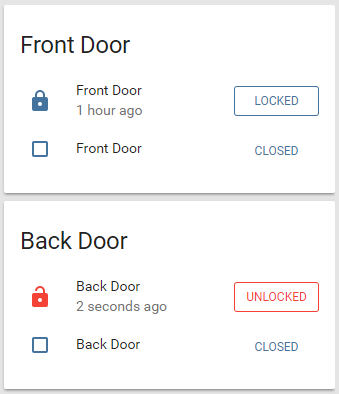


 fleet badger
so do i add the 2 buttons under 1 horizontal stack or 1 button per horizontal stack
raw brook
So you 3 buttons - 2 light and one fan - You want 2 rows - So 1 Horizontal stack with the 2 light buttons and then (actually you dont need a second Horizontal Stack) add the Fan button after the Horizontal Stack
All in a Vertical Stack to make them Always together
- Horizontal-stack
   cards:
     - 2 buttons
- Fan Button
Something like that
fleet badger
@raw brook thanks again zack iw as still doing evrything under the inital stack once set it like you showed it start a diff row
fleet badger
@raw brook is there a way to keep panel: true for each row it seems if you do panel only the first card shows up?
mild veldt
@fleet badger https://www.home-assistant.io/lovelace/views/#panel-mode
You'll need an outer vertical-stack that houses everything and is your "one card"
raw brook
Look at the tips and tricks in the lovelace docs
fleet badger
thanks i can do with out the panel mode to achieve the rest
winter wasp
is there documentation on how !include can be used in the lovelace config?
mild veldt
@winter wasp it's no different, except for there is a bug with nested folders right now
will be fixed in 0.83
mild veldt
only !include
winter wasp
@mild veldt what's the nested folder problem?