#frontend-archived
1 messages · Page 83 of 1
 lofty summit
 mild veldt
@lofty summit all in due time 😉
 tepid moth
I am using input_boolean to hide/reveal groups, these are entity-buttons. Does anyone know why the icon isn't updateing color as all the lamps are? From blue to yellow when === on. See code below for one of the input_booleans_
- type: entity-button
entity: input_boolean.show_g1
name: Utelampor
tap_action: toggle
 raw brook
I dont think Input boolean's change color on state change
mild veldt
@tepid moth if you have a group of lights you want to control with one toggle you should put them in a light group
tepid moth
Yeah, that isn't what I want, I am using the boolean to toogle group visibility with monster card. I've tried this as well, without any luck in customize:
input_boolean.show_g1:
templates:
icon_color: "if (state === 'on') return [255, 0, 0]; else return [10, 20, 30];"
Boolean G1 is used to active this:
 kind shellBOT
@tepid moth being unkind, posted a message that is more than 15 lines. It is now available at: https://paste.ubuntu.com/p/Qw7T57hSFY/
 dreamy flint
After updating I'm now getting this error "Cannot read property 'states' of undefined", from this code: https://paste.ubuntu.com/p/H8XVCwv9wM/
I'm not sure what broke it. Anyone got a clue?
raw brook
You are or you arent?
dreamy flint
Thanks for being helpful with the typo
tepid moth
Guys, thanks for your help, here is the answer on how to toggle colors on anything with lovelace: https://github.com/kuuji/button-card
 quick gulch
@mild veldt I asked them to open up via email for HA integration and they said they were working on something - perhaps if a few more people email them they’ll hurry up!
raw brook
It will be in 0.82 as I added a new card to that PR
 dim jolt
ah - balls, only reason i updated to 81.4 lol thanks for the update
raw brook
Sorry. That was my bad. I needed to make it a single PR for the hotfix but then got carried away
dim jolt
no its all good - have PLENTY of other stuff to be getting on with 😉 appreciate the work you put in!
raw brook
What folder does a image need to be in for Picture glance card?
- type: picture-glance
  title: Test card
  image: www/living-room-intro.jpg
This is working for me
 hollow otter
haha, the new thermostat card doesn't like my theme apparently https://i.imgur.com/T4E275c.png
 hollow otter
Good to know! 😄
 tough quiver
Hi!
dim jolt
howdy
tough quiver
I'm using lovelace and happen to have tradfri remotes which report battery levels
i have this gauge
https://i.thedevfreak.tk/images/f99f6cab.png

I'd like to know two things
- How can I line break in the "title"
- Can i make the gauge smaller?
dim jolt
good questions, i dont use gauge card - but i imagine if you put a few on a row and use horizontal-stack they should resize?
also not sure about whether you can line break - but you could title the stack Battery and then reducing the text to just 'Ben's Remote' should fit?
probably not the official answers you were hoping for though
tough quiver
I'll try that, that's was going to be my next question if I can Stick them in a stack. I'll do that in a minute.
Yes it think a stack named battery and just calling it "X Remote" :)
dim jolt
oh and not sure whether it effected gauge but there were some issues with stacks in 81.0 -81.2 that were fixed in 81.4 i believe
dim jolt
cool - then you should be ok
tough quiver
By now I meant like 3 hours ago
Somewhat unrelated to Lovelace HASS randomly stops picking up Tradfri status changes?
Restarting hass fixes it
dim jolt
pass i'm afraid try #330944238910963714
tough quiver
I'll head there in a minute :)
dim jolt
looking on the community - looks like the gateway is the issue @tough quiver
although i cant comment beyond that as not used them
tough quiver
Ah ok
hmrph @dim jolt do you know if it's possible to auto-generate gauge (or other card types) by using an entity such like sensor.*_remote
ofc sensor.*_remote doesn't work but is there a way?
okay; looks like custom:monster-card is the way to go for that? you can see that here: https://youtu.be/6FX9_leiikw?t=94
so i essentialls need
  - type: custom:monster-card
    card:
      type: entities
      title: Battery Status
    filter:
      include:
        - attributes:
device_class: battery```but rather than device_class: battery i need it to find all devices that have a battery_level attribute
hmm
dim jolt
ah i see - so not sure how to do that in lovelace. you mean populate a section of the page with all batteries. Not sure that would be widely used, as It may pick up devices like zwave that have batteries also.
dim jolt
i use a template.sensor in a similar way - but that will just show you a result of any devices (with battery_level) below say 15% rather than populate a card.
i've not tried monster card but looks like you can do that. i'll have a go here
tough quiver
okay i've managed something

    cards:
      - type: custom:monster-card
        card:
          type: entities
          title: Battery Statuses
        filter:
          include:
            - attributes:
battery_level: 87```is showing me all remotes with battery at 87%
i just need wildcard
@dim jolt yay got it
    cards:
      - type: custom:monster-card
        card:
          type: entities
          title: Battery Statuses
        filter:
          include:
- entity_id: "sensor.*_remote"```nice!
 dim jolt
so that should be there if the sensor is device_class: battery
did you build the sensor yourself, or is it created from the ikea component?
tough quiver
its literally an ikea remote
 polar kelp
Just change the icon:
 dim jolt
@polar kelp will that be dynamic though?
tough quiver
setting icon: does nothing
polar kelp
The docs for the entities card shows how to set the icon of an entity, the docs for the monster-card shows how to add options to matches.
polar kelp
yep
tough quiver
Sorry
welp
kinda worked
nvm i got icon name wrong
for anyone reading in future
    cards:
      - type: custom:monster-card
        card:
          type: entities
          title: Battery Statuses
        filter:
          include:
            - entity_id: "sensor.*_remote"
              options:
                icon: mdi:battery```
is the final function battery-symbol goodness oneso out of curiosity is the battery dynamic or does it always show the full battery mdi icon?
polar kelp
With this approach, always full. Normally, I'm not sure...?
tough quiver
always shows full
im not sure about the ability to do dynamic; im sure it's possible
with some code and rounding it off
 dim jolt
- platform: template
  sensors:
    zwave_battery_back_door_sensor:
      entity_id: zwave.back_door_sensor
      value_template: "{{ state_attr('zwave.back_door_sensor', 'battery_level')|default(75) }}"
      device_class: battery
 dim jolt
jackpot
tough quiver
i just went to config then to customization found my remote and overwrite device class to battery
woop nice and dynamic
polar kelp
Huh. Did not know about that... updating my config...
 prime umbra
was wondering on picture elements card the LABEL WITH STATE TEXT
prefix:
anyway we could add like chareters also?
ex:
- type: state-label
            prefix: H
            entity: sensor.humidade_sala
if i do this will show as ex H70%
what if i wanted to show H: 70%
dim jolt
possibly add
name:
prime umbra
that wont work as a perfix before the value of a sensor
dim jolt
oh sorry jsutr read the doc - gotcha
so could you change prefix to
````prefix: "H: "```
tough quiver
lol
prime umbra
hehe let me try
that does the job i guess didnt try that option sense wasnt refering in the docs
ty
 foggy tendon
Is the custom button card still enabled or is it substituted by entity-button?
raw brook
You can still use the custom button if you have the files downloaded
foggy tendon
ok and there are differences between the two regardin options?
 prisma mango
Quick question regarding Hold_Action, I think its awesome but is there a way to set a global setting that a default action for hold_action is more-info for example
 stark tendon
Just update Hass.io to 0.81.4 and Lovelace switches don't update their status unless you hit refresh...anyone else with this issue?
tough quiver
Anyone else find that when you add new custom cards (js files) in config/www they hardly ever work straight away
despite going to the url works fine and its in your lovelace includes
oh shit nvm
i had type: js when it needs type: module
 elfin basin
Same here. 0.81.4 and Lovelace switches not updating status unless hitting refresh
tough quiver
How can i set units in the weather card?
They're km/h for wind speed
but in my darksky source I have it set units to uk2 which should be mph
Okay, looks like it's displaying the mph value but it says km/h
tough quiver
Good to know its logged as an issue
I'm using the custom monster-card with some filters; but i'm hitting a little roadblock
Here is my definition:
  - title: TVs
    id: tvTab
    cards:
      - type: custom:monster-card
        card:
          type: media-control
        filter:
          include:
            - entity_id: "media_player.*tv"
          exclude:
- entity_id: "media_player.*emby*"```I'm getting hit with a Uncaught Error: No entity specified
these are the three media_player entities which have tv in the name
 media_player.conservatorytv
 media_player.emby__dlna__loungetv
media_player.loungetv```in theory media_player.conservatorytv and media_player.loungetv should be included
but not the emby__dlna__loungetv one
Anyone got any ideas?
 vapid field
Hi everyone! Is there already a way to use the Shopping List with lovelace?
It seems, there is no official card for it, yet, but maybe there is an in-official solution out there?
vapid field
Yeah, and also I would like to be able add/remove entries from the list. I don't think this is possible with the entities card...
polar kelp
@prisma mango No, there's not. The default hold_action is nothing.
There's a shopping list card in the works.
mild veldt
polar kelp
Heh. Did I revive the all-the-things meme?
vapid field
@mild veldt thx!
mild veldt
@polar kelp yes. GJ
polar kelp
Then it's my duty to spread the word of the source: http://hyperboleandahalf.blogspot.com/
 sturdy bough
I was using long-press custom item but i saw it is now unsupported because is integrated in 0.81
But i cant find the syntax to do the same thing i was doing before.
I want to show, in a picture-element, a state-icon showing a binary-sensor (movement from a camera). When i do a long press (hold_action) i want to show the camera video.
What to put in hold_action ?
 ionic thunder
Hey, all -- I'm just starting to play with lovelace, and I'm seeing things about incompatibility with the kindle fire tablets. I think it's "custom components" that don't work with the outdated webview? What are some examples of those? I'm pretty ignorant when it comes to lovelace.
raw brook
Anything that you have to download and place in your WWW folder and there fore add custom:. Anything in the HA Lovelace Docs will work for you
ionic thunder
Gotcha. I'm mostly aiming for a straight panel of switches, so theoretically I'll be ok.
Thanks :)
mild veldt
@sturdy bough
hold_action: more-info
Should work
 thorny verge
Media players are not updating without a screen refresh, is this a known issue, with the latest updates, I know it was working earlier?
As and entitty, or using custom: mini-media-player, both don't update, although it reacts to controls, just doesn't update them or update info.
type: media-control does update.
 sterile hinge
anyone find any examples/docs for the long press support? https://community.home-assistant.io/t/0-81-new-lovelace-cards-lg-soundbars-dyson-fans-elk-m1/75277
tough quiver
I've not seen any docs for that
 somber tiger
Is there a way to make a light control card show both a toggle switch and a dimmer bar at the same time?

ideally it would also have a tiny color changer bar there too if it's an rgb light.
tough quiver
@sterile hinge Unless you mean hold_action?
somber tiger
It's from another app, just using it as an example
raw brook
ohh. Well there is a new card in Beta 😃 that does that
somber tiger
Hooray!
sterile hinge
hold_action - cheers, ill have a look
thorny verge
In picture-element, how can I show a picture from a template sensor?
If I have a template sensor for {{ states.media_player.name.attributes.entity_picture }}
sturdy bough
@mild veldt more-info gives the history, being a binary and not a camera entity.
@mild veldt this is an example of what i was doing with long-press
- type: custom:long-press
entity: camera.cam_ingresso
child:
type: state-icon
entity: binary_sensor.cam_ingresso_movimento
style:
top: 94%
left: 25%
polar kelp
That would open more-info on hold
The new way to do the same thing is~~```yaml
- type: state-icon
entity: binary_sensor.cam_ingresso_movimento
hold_action: more-info
style:
top: 94%
left: 45%```~~
Edit: Hurr durr I can't read
elfin basin
@stark tendon Fixed in 0.81.5
raw brook
@polar kelp A binary sensor would show up with the history not the camera entity that he wants. Its not possible to pull a different entity up from hold or tap action @sturdy bough
polar kelp
But nor was it before.
raw brook
Looks like the custom: long-press did
sturdy bough
@raw brook I was doing it with long-press. The problem is that isn't supported anymore because it is integrated in 0.81
but is not the same.
raw brook
I didnt realize Thomas did the custom
polar kelp
You're right. It's not possible in the official version.
raw brook
Doesn't seem like its Official Version material though
polar kelp
No. It was more an unfortunate side-effect, really.
What you could do, @sturdy bough , is to overlay the state-icon with an image which brings up the camera. Then you style that image with opacity: 0.
You'll lose the ability to open more-info for the sensor, but that might be ok?
sturdy bough
uhm, better than nothing, but long-press was perfect 😦
tough quiver
      - type: glance
        title: Motion Events
        entities:
          - binary_sensor.porchmotion
              icon: mdi:run-fast
          - binary_sensor.frontmotion
              icon: mdi:run-fast
          - binary_sensor.backmotion
              icon: mdi:run-fast```
Apparently this is mapping values not allowed?only occurs when the icon: are added, im clearly doing smth wrong
 split granite
Your spacing and formatting are a mess
sturdy bough
you are 2 spaces away in every icon line
split granite
https://www.home-assistant.io/lovelace/glance/ @tough quiver
- type: glance
  title: Better names
  entities:
    - entity: binary_sensor.movement_backyard
name: Movement?```Yeah i read that.
split granite
Note the entity: part 😉
tough quiver
oh shit the -
sturdy bough
the point is
split granite
It's not enough to skim the docs, you've got to look at the config examples when you get an error, and compare your config to see where you went wrong 😉
sturdy bough
if you want to add icon: you have to transform the object in entity
tough quiver
I did; guess im blind lmao
sturdy bough
- type: glance
title: Motion Events
entities:
- entity: binary_sensor.porchmotion
icon: mdi:run-fast
 split granite
~format @sturdy bough 😉
kind shellBOT
:information_source:
Format Code:
@sturdy bough To format your text as code, enter three backticks on the first line, press Enter for a new line, paste your code, press Enter again for another new line, and lastly three more backticks. Here's an example:
```
code here
```
Click on the link to learn how to format: https://raw.githubusercontent.com/skalavala/HassBot/master/format.gif
 tough quiver
maybe a dumb question; can you dynamically set the icon?
split granite
Set the device class
tough quiver
so it would be mdi:run when its not active but mdi:run-fast when it is
sturdy bough
sorry was too lazy 😃
tough quiver
i always forget about class ffs
split granite
If that's a binary sensor, and you set the device class to motion that's what you'll get
 gusty coral
if I want to toggle my garage door with entity-button, how shoudl I approach that?
tough quiver
i know the answer to this i think
gusty coral
go for it
tough quiver
            - type: entity-button
              entity: light.bens_light
              name: "Ben's Light"
tap_action: toggle```this is a toggle button for my light
presumably you can set entity: garage.door.thing
tough quiver
a cover?
raw brook
Tap Action can be set to call service
gusty coral
call service cover_open cover
tough quiver
and personally id call a script that has conditions
raw brook
You will probably want to call a script
tough quiver
so if its open then close if its closed then open and just call said script on tap
gusty coral
      - id: 1235
        type: entity-button
        name: Garage Door
        entity: cover.garage_door
        tap-action: call-service
        service: cover.open_cover
        service_data: cover.garage_door
Still opens the status box
tough quiver
@split granite I set the class to "motion" but it doesn't use run or run-fast indicators I presume i somehow need to set that?
raw brook
tap_action
gusty coral
good call @raw brook
split granite
@tough quiver Is it a binary_sensor?
tough quiver
yes
okay weird, after refreshing 4 times it's changed.
nevermind its just gone back to a check mark in a box
raw brook
cache
tough quiver
im going to set it in customization: instead
gusty coral
still can't get it to work right:
      - id: 1235
        type: entity-button
        name: Open Garage Door
        entity: cover.garage_door
        tap_action: call_service
        service: cover.open_cover
      - id: 1236
        type: entity-button
        name: Close Garage door
        entity: cover.garage_door
        tap_action: call_service
        service: cover.close_cover
I would like both buttons to be in one row
gusty coral
call_service is supposed to be call-service
raw brook
Yes
gusty coral
Got it
tough quiver
Docs refer to themes.yaml alot, i dont have one should that have been with hass or is that a user made thing? and if so where do i get one for dark themes
tough quiver
ah okay, thanks
 rain belfry
Looks like the weather forecast card uses GMT instead of what is in the config.yaml... Am I doing something wrong?
 lavish current
Hey Chaps! When adding a new image into /www for the picture-entity card, do you have to do a restart before it will show up?
split granite
If www/ already existed, no
raw brook
Add / before local
split granite
Next time though, please share code as text, it's much easier to work with at this end 😉
lavish current
yep, that seems like a way smarter idea!
 tawny cipher
Has anyone got any cool Lovelace configurations I can take a look at for inspiration / to copy? 😁 currently got this and I'm not the biggest fan of it: https://i.imgur.com/UGY50jl.jpg
 raw brook
Check the pins
gusty coral
doing a sensor card and getting the error: cannot read property 'states' of undefined
https://paste.ubuntu.com/p/d7scsB8V9S/
EDIT: fixed it, apparently it doesn't like being in a horizontal-stack
gusty coral
Will that allow them in a stack?
raw brook
yep
gusty coral
Okay, not a huge deal right now. Thanks for the heads up.
 next rivet
Hm, on the 'picture-elements' card, can you have a state image for off, and a "camera" url for "on"?
i.e if the device is off, show static image, if its on.. live camera feed? 😃 The source would be a mpeg camera url
Hm, doesnt seem like you can annoyingly
tawny cipher
@next rivet you could use the conditional card to switch between two picture-elements cards? https://www.home-assistant.io/lovelace/conditional/
 chilly storm
@raw brook is the alarm card (arm_custom_bypass: blank button) slated to be fixed in 0.82?
raw brook
Should be in the latest Hotfix but not sure. We are still working on that one a bit
chilly storm
thx for the update.
 plush tulip
hey there
anyone able to help me tonight?
I'm trying to get custom cards working in lovelace, but none of them seem to load
I have no idea what I'm doing wrong
for example, I'm trying to use a slider entity
so I include: - url: /local/custom_ui/slider-entity-row.js?v=1
type: js
in my lovelace_ui.yaml
and I call - entity: light.livingroom
name: Livingroom
type: custom:slider-entity-row
But all I get is: "Custom Element doesn't exist: slider-entity-row"
though the file is there
 mossy otter
@plush tulip where have you put the js files?
plush tulip
I downloaded the .js from https://github.com/thomasloven/lovelace-slider-entity-row
mossy otter
and where have you put them exactly?
plush tulip
in config/www/custom_ui/
mossy otter
could be that the problem is just with the path of the file
try getting rid of ?v=1
I'm using slider-entity-row and have the following:
resources:
  - url: /local/custom_ui/kiosk.js
    type: js
  - url: /local/custom_ui/slider-entity-row.js
    type: js
I tried with and without
mossy otter
have you ever had them working?
mossy otter
potentially
plush tulip
what permissions do I need on the files?
mossy otter
I don't know enough about that unfortunately
are you running hassio or something else?
plush tulip
hassio
mossy otter
same here
could be a version problem. My lovelace stopped working completely in between versions
what version of hassio are you on?
plush tulip
just updated to 81.2 last night
just saw that 81.5 is out
but going to get this working first I think
mossy otter
is anything in your lovelace working?
plush tulip
yeah the normal cards are
but I've tried multiple tutorials on custom cards and can't get them to work
mossy otter
and can you open up the javascript file and see what's inside?
plush tulip
yup
mossy otter
it's all the correct js? not html?
mossy otter
hmmm...trying to troubleshoot using all the steps (or missteps I made)
yeah I ha d a hard time getting the weather card to work originally, I think I gave up in the end actually (but that was the first one I tried too)
plush tulip
lol
mossy otter
can you paste a few lines of your resources
you can use ` 3 times to indent it to look like your yaml
`
mossy otter
just curious what other lovelace cards you might be trying to use
kind shellBOT
@plush tulip being unkind, posted a message that is more than 15 lines. It is now available at: https://paste.ubuntu.com/p/Wjcgf5kXhf/
mossy otter
and you said you've tried this code:
  - url: /local/custom_ui/slider-entity-row.js
    type: js
following?
if I try to go to https://<mydomain>/custom_ui/slider-entity-row.js I get a 404 error
mossy otter
as do I, I don't know if that's related to the problem
it could be a permissions thing
you should try speaking to @polar kelp when he's around. He's much more knowledgeable than I am and created those wonderful widgets you're trying to use.
I can't see what you're doing that's different in any way to what I'm doing
though I must admit I haven't tried slider entity in my current set up, I did test it a while back to see if I wanted to use it
plush tulip
thanks for trying:)
mossy otter
good luck 😃
It'll get there eventually and then you'll be able to play with all the wonderful lovelace tools people have created 😄
plush tulip
when adding a custom ui card, did you need to include it in configuration.yaml?
raw brook
No
plush tulip
didnt think so
raw brook
Is this the first custom you have used?
If so Restart HA since you just created the new folder
plush tulip
already restarted a few times
raw brook
Steps are
-
make sure you download the raw file -> https://raw.githubusercontent.com/thomasloven/lovelace-slider-entity-row/master/slider-entity-row.js
-
Then add the resource
resources:
- url: /local/custom_ui/slider-entity-row.js
  type: js
Then use custom:slider-entity-row where you want to use it
plush tulip
trying that
- type: custom:slider-entity-row
entity: light.livingroom
name: Livingroom
but then I'm getting a red box
"Custom element doesn't exsist"
kind shellBOT
:information_source:
Format Code:
To format your text as code, enter three backticks on the first line, press Enter for a new line, paste your code, press Enter again for another new line, and lastly three more backticks. Here's an example:
```
code here
```
Click on the link to learn how to format: https://raw.githubusercontent.com/skalavala/HassBot/master/format.gif
@plush tulip being thick-skinned, posted a message that is more than 15 lines. It is now available at: https://paste.ubuntu.com/p/5Z45RJ48gH/
raw brook
https://github.com/thomasloven/lovelace-slider-entity-row Read the docs one more time and see if you can spot the mistake of where you are trying to use it
plush tulip
I've had it multiple ways
including :
'''
      - type: entities
        entities:
        - entity: light.livingroom
          name: A dimmable lamp
          type: custom:slider-entity-row
under it's own entitity
which is also not working
plush tulip
when I look at it via the website, I get "Custom element doesn't exist: slider-entity-row."
big red box
raw brook
Right... Are you on chrome?
plush tulip
yup
raw brook
Right click and inspect
plush tulip
and I ctrl-shift-r
raw brook
And they are...
plush tulip
Uncaught SyntaxError: Unexpected token < https://<mydomain>:8123/local/custom_ui/slider-entity-row.js:7
is the one that comes to mind
raw brook
aha
Steps are
- make sure you download the raw file -> https://raw.githubusercontent.com/thomasloven/lovelace-slider-entity-row/master/slider-entity-row.js
Follow that
raw brook
Add the ?v=1
plush tulip
no dice still
I'm also seeing ```
Access to imported resource at 'https://github.com/andrey-git/home-assistant-custom-ui/releases/download/20171129/state-card-custom-ui-dbg.html' from origin 'https://<mydomain>:8123' has been blocked by CORS policy: No 'Access-Control-Allow-Origin' header is present on the requested resource.
The issue is that you have a bad download cached. the token error: < means you downloaded the wrong version, aka not the raw version. Once you have the correct version downloaded and increment ?v=* it should try to fetch that file again and grab the correct file.
plush tulip
so when I click on your link
and save the file as
then save it to my network directory
raw brook
Or you can read the third line of the Slider-Entity-Row on Thomas's Github
No support given - if you don't know how to get this to work, that is probably a good thing for now.
lol
yeah I saw that
I just figured, this was the most basic custom lovelace addon and to try and start somewhere
raw brook
Thats not true. Most basic would be a card of some kind. Row Types are not popular therfore have not had must testing/support
plush tulip
ok, just got it working
redownloaded it, refreshed cache, and added v2
thank you Zac!
I just wanted sliders on all my dimming lights
and now I can:)
 sinful scarab
Hi, I just converted my old ui to lovelace. I have made some customization, I have hided some lamps, and now they are not hidden. I wonder is this a normal behaviour that Lovelace doesn’t take custome entries for hidden ui? And how do I hide them?
sinful scarab
So it doesn’t use the customization made from config?
sinful scarab
Ok, that’s good to know, thanx for your help
dim jolt
in lovelace there seems to be a higher usage of entity: than entity_id: is there a plan to align (either way) or is it deliberately kept different?
raw brook
Yeah. We will be moving everything to use entity. Where are you seeing entity_id
dim jolt
in HA proper (and in a custom card)
 olive lynx
what's the structure for the section entity
      - id: 8f280c19b6d94b7b93498e0cea3a4f64  # Automatically created id
        type: entities
        title: Battery Levels
        show_header_toggle: false
        entities:
          - type: section
            name: August Lock
            entities:
              - sensor.aug_lock_battery
doesn't seem to be working, and example not available
how do I list the entities within each section "entities:" doesn't seem to work
and yes i've updated name to label, which is in the doco
 civic sedge
maybe its lovelace?
Somebody using the manual Alarm Control Panel with the Lovelace alarm card?
https://www.home-assistant.io/components/alarm_control_panel.manual/
https://community.home-assistant.io/t/lovelace-alarm-card/59831
I have my very basic issues to get it armed I think I undersood there something wrong.
From my understanding the lovlace end calls the state - disarmed or armed_home & so on
https://hastebin.com/axaxapekar.coffeescript
or do I have to use
arm_home to get -> armed_home
I dont get it armed..
gusty coral
@civic sedge why is there 3 lines of spacing between cards and your alarm control panel card?
civic sedge
One is lovelace the other one a configuation
gusty coral
Right, the first set of code is your alarm control panel config, the one below is lovelace..but in the hastebin you have three lines of spacing (24-26)
This is my lovelace config
  - id: 1
    title: Alarm panel
    tab_icon: mdi:alarm-light
    cards:
      - id: 1234  # Automatically created id
        type: alarm-panel
        entity: alarm_control_panel.ha_alarm
@civic sedge did you see that now alarm panel makes part of HA?
- type: alarm-panel
you using custom
- type: custom:alarm_control_panel-card
Are you guys using pictures for cards? If so, what's the photo size and file size?
civic sedge
Nope Did'nt saw it at all - Changing now - - The spacing is just there
Still dont get it to aktivate.. What the hell I miss?
gusty coral
what's your alarm-panel code now that you've changed it?
civic sedge
still 0000 - Its just for getting basic functionalaty
or maybe you mean https://hastebin.com/ehetutidap.bash
 gloomy raven
mabe an incredible dumb question, but how can i give an mqtt tasmato entity a picture instead of an icon?
entity_picture: "/local/test.png"
is not working in the configuration.yaml
 haughty dragon
Is it possible to show a card only during specific hours (like morning traffic to work only from 7 - 9 am and evening traffic to home from 17- 19 pm)
raw brook
@gloomy raven Look up customization
homeassistant:
  customize:
    light.office:
      entity_picture: /local/test.png
@haughty dragon Look into a conditional Card.
haughty dragon
Ok thanks , I get it now. So just make hidden switches and have node red turn those off and on and that would make the card(s) visible or not.
gloomy raven
@raw brook Txh for the help
tough quiver
Can i make tap action be nothing?
I have a glance card on my dashboard and want it to do nothing
except be a viewing thing
oof i got it
tap_action: none```Anyone know of any tools to format yaml properly
my lovelace config is all kidns of broken spacing i think
dim jolt
mossy otter
is there a way to stack multiple cards in one card to try and minimise clutter and make things a bit smaller"?
dim jolt
@mossy otter you can create say a vertical-stack, and within that groups of horizontal-stacks to keep things tidy
mossy otter
gotcha
dim jolt
@raw brook am i losing my mind or did i see there a light with slider button card on the horizon?
mossy otter
raw brook
No not the custom row. there is a new card in beta
dim jolt
thanks @mossy otter this was a button with a bulb in the middle with a slider round the outside
mossy otter
ahhhh that sounds cool!
dim jolt
ah - ok was just checking - will hold off on doing anything with the light's currently them
*then
mossy otter
Any idea if there's a way to make this picture-entity card a bit smaller?
https://imgur.com/a/5E0mW7w
tough quiver
almost definitely that exact product lmao
isn't #330944238910963714 or #diy-archived more suited to that anyway?
 rocky kettle
Sure thanks and sorry
tough quiver
Is there a page somewhere detailing all the custom cards and such for lovelace
split granite
Not all, but Share the love in the pins has many
tough quiver
not sure what you mean about share the love
split granite
Look in the pinned messages
tough quiver
have been
split granite
Hmmm, somebody took Share the love out
tough quiver
looks like it
tough quiver
sick
split granite
There's also the awesome HA stuff
split granite
(which I suspect has a link to Sahre the love)
split granite
The forum is the other good source
split granite
Well, the only way to have an up to date comprehensive list somewhere is for somebody to take it upon themselves to create that list, and keep it updated all the time
Folks try, but there's only so much time in everybody's day, so 🤷
tough quiver
Yeah, fair.
The other question i had was, is it possible to resize the height of any card?
https://i.thedevfreak.tk/images/34f73026.png it'd be nice if these where the same height
 split granite
I think there's been some talk of that for specific cards, but in general no
tough quiver
ah okay
mild veldt
@tough quiver https://github.com/custom-cards
mild veldt
As for a full listing of custom cards. That would be quite hard to maintain and those listed already are the closest I have seen
tough quiver
fair enough
mossy otter
leading on from @tough quiver 's question. Is there a way to manipulate the lovelace code to make certain cards smaller? My picture entities are massive
split granite
Reduce the height of the underlying image
mossy otter
so it's stretching because the image itself is "big"?
pretty sure it's stretching the original image
 halcyon mantle
I'm looking for a switch with "verification" - I recall there was a custom-ui before lovelace that had such an option - Is there something similar in lovelace? E.g. If I by accident tap on my garage door opener, it will ask for verification, or require long press? This will mostly be called from picture-elements card or more-info dialog
mossy otter
https://github.com/thomasloven/lovelace-long-press @halcyon mantle
halcyon mantle
@mossy otter Thankz - Used to use that one, it has now been integrated into lovelace from my understanding
split granite
@mossy otter I found that the images were scaled to fit the width, but keeping the ratio - tall images resulted in tall cards
mild veldt
@halcyon mantle https://github.com/thomasloven/lovelace-toggle-lock-entity-row
 mortal cape
I haven't messed with my lovelace config since these ids were added, really. Do I make my own ids for new cards added?
 fleet condor
Hi, I'm trying to 'activate' the range feature in the thermostat card in order to have a min 20max 22 temp instead of a 21 for instance. I've seen an example on https://home-assistant-lovelace-gallery.netlify.com/#demo-hui-thermostat-card but all it does (in my case) is create a sencond thermostat with the other climate entity. does anyone knows how to do it?
@halcyon mantle I'm using the one iantrich posted for the switch that opens the garage door. It needs two clicks to activate. If you press only once after x seconds returns to locked status. I've seen another option with a numeric code (alarm panel) but decided for the double click one.
 timid burrow
@mortal cape they rolled back the mandatory id's so you don't need them at the moment. When they roll them back out I guess it will auto create them. Having said that I did add an ID manually when I made a change....
 fathom tree
Is there a way to have png overlays re-scale with different screen sizes?
Something in “style” maybe?
 steel dune
Hey, @fathom tree ,, this is probably the property that you want, but I haven't tried in Lovelace myself, yet.
olive lynx
Can anyone get me moving from the error I'm seeing below using card modder?
http://192.168.1.2:8123/local/card-modder.js:61:74 Uncaught TypeError: Cannot read property 'getCardSize' of undefined
kind shellBOT
:point_down:
Format Code
Please use https://www.hastebin.com/ or https://paste.ubuntu.com/ to share code.
olive lynx
Yes Sorry will when I have access, thought it may have been a common syntax mistake
Anyone else notice the Unsued Entities panels no longer displays on Android Chrome, been that way for the last few minor releases. Or just me?
 forest mica
how can i make like a glance card with a single button that will turn 2 lights on and off for example?
mild veldt
@forest mica I'd probably use an input_booelan that triggered a script to toggle the lights
forest mica
i was able to just use group.xx as entity and it worked
mild veldt
light group would probably be better
raw brook
Yes.
forest mica
hmm well crud.
its seems like some had been made from when i migrated hue.. but it didnt set it them up like this
i wish i could just delete all of the groups that got imported with hue anyway
forest mica
my ui-lovelace.yaml file seems to be deleting it self?
mild veldt
what version of HA are you running?
civic sedge
Morning! _ Just prepping the Home Alarm Panel. I'd like to have just a button to aktivate the Alarm
so I thourght on a call- service
  "entity_id": "alarm_control_panel.home_alarm",  "code": "6000"
}```
now - somebody a idea how I pass the code 6000  in the last line?
  - type: glance
    show_header_toggle: false
    entities:
      - entity: alarm_control_panel.home_alarm
        name: alarm_arm_home
        tap_action: call-service
        service: alarm_control_panel.alarm_arm_home
        service_data:
          code: "6000" ```
Works !
 lofty kiln
Hi 😃 .. Does anyone know if it is possible to get the events used in the custom calendar-card component (upcomming 5-7 events) into sensors so that I will be able to display these other places than in Lovelace UI? .. and how can this be done?
lofty kiln
@civic sedge Yes, that is exactly the component I refer to .. but this does not "throw" in sensors so that I could use it in example TileBoard
civic sedge
you could check out the .js anyway- there must be a way to create this events
Dhats defenetly shit over my knowledge
lofty kiln
@civic sedge Yes, but I have looked at that but my developer skills are not that good, and so I have not found how they have been found from Google 😰
civic sedge
I would say youre screwed.. The state attributes from json are youre best chance - But in there is only one or the next appointment.
the calendar card pulls the data of the google servers by itself it seems
I cant code at all
 modest cliff
Hey everyone, is there anyone else who hass issues with the hold action not working in lovelace for Entity Button Card?
the tab actions works fine
but the h
hold just doesn't seem to be picked up
lofty kiln
@civic sedge Yes, but it is strange that noone have ever had this issue .. I need it for my daugther who is autistic, Need to display the next 5-7 events she should do so that she is prepared for them, but also be able to do some automation that reminds her about it.
civic sedge
Just saw this in the docks - Share
lofty kiln
@civic sedge I will see if I can make some out of that, but might need to brush up quite a bit on JS 😰 😅
civic sedge
Tile Board is very niche - I started wit version 5.6 or so While this time you only could used google calendars as trigger for an automation - I look at it right now I only see a way to pull out the first entry out of the state machine calendar.week_numbers on description: friendly_name: Week Numbers message: Kalenderwoche 45 2018 end_time: 2018-11-06 00:00:00 location: start_time: 2018-11-05 00:00:00 offset_reached: false all_day: true
This is no problem to get the data out
But when I look for more.. Hard to find something
lofty kiln
Yes .. it only pulls first event
civic sedge
Would say a coustom gcal sensor is what youre looking for
lofty kiln
Exactly .. problem is to make one 😰
civic sedge
maybe a post on reddit ? - as said I cant code at all
lofty kiln
Yes, that might be an idea .. maybe someone there could help 😉 .. Well thanks for pushing me in this direction, hopefully that might help 😃
civic sedge
Fingers crossed here I bet someone with expirience and a look at the calendar card makes this in under an hour
@modest cliff got it?
modest cliff
@civic sedge no not at all ... realy weird
civic sedge
Maybe this helps?
        title: Schlafzimmer
        show_header_toggle: true
        entities:
          - entity: light.sz_innr
            name: "Main Lamp"
          - entity: light.sz_lightstrip_plus
            name: "Lightstrip"
          - entity: light.nachttisch
            tap_action: toggle
            hold_action: more-info
Works here as expected
In wich type you like to put the hold acton?
modest cliff
tap actions works fine
civic sedge
Share more of the config - maybe spacing issue
modest cliff
lofty kiln
@civic sedge I hope so 🙏 .. Thanks 😃
civic sedge
Mhmm - Looks good here - But we got a very diffrent lovelace configuration
When you go under services - and then choose light.toogle entity light.bedroom_light_group - Does it toggle?
modest cliff
yes, because when i had toggle a tab action it also toggled
civic sedge
Ok.. Not the light group ? Maybe an old version - I just found out today that there is a hold action
So it must be afer 0.79
civic sedge
also.. deam xD Then maybe you found a bug? 😄 - I make an entity-button myself to check
mhmm..
entity: light.bedroom_light_group```see the extra space there?
modest cliff
just after "entity:" ?
civic sedge
jup - delete it and maybe you good to go
          - entity:  light.bedroom_light_group
            tap_action: more-info
            hold_action: toggle
            name: "Bedroom Lights"
Otherwise check out if this works
olive lynx
@grim willow below code is giving me "http://192.168.1.2:8123/local/card-modder.js:61:74 Uncaught TypeError: Cannot read property 'getCardSize' of undefined" any ideas
resources:
  - url: /local/vertical-stack-in-card.js?v=0.0.8
    type: js  # USE WITH  type: custom:vertical-stack-in-card
  - url: /local/card-modder.js
    type: js  # https://github.com/thomasloven/lovelace-card-modder# USE WITH  type: custom:card-modder
  - url: /local/slider-entity-row.js
    type: js      #https://github.com/thomasloven/lovelace-slider-entity-row# USER WITH type: custom:slider-entity-row
  - url: /local/button-card.js
    type: module  # https://github.com/kuuji/button-card

title: Home
views:


  # PAGE 1 - HOME
  - id: 0  # Automatically created id
    title: Home
    icon: mdi:home-assistant
    #panel: true
    cards:

      - id: 962ec322b18b407396abeebe9879d7bd  # Automatically created id
        #type: vertical-stack
        #cards:
        type: custom:card-modder
        #style:
        #  --paper-card-background-color: rgba(0, 100, 0, 0.2)
        #  --paper-item-icon-color: white
        #  border-radius: 5px
        #  color: rgb(0, 0, 100)
        card:
          - type: entities
            entities:
            - entity: light.bedroom1
              name: Downlights
              #show_value: true
              type: custom:slider-entity-row
            - entity: cover.roller_shutter_b1
              name: Shutter
            - entity: cover.blind_b3_sheer
              name: Blind (Sheer)
            - entity: cover.blind_b3_sheer
              name: Blind (Blockout)
just deleting it didn't work 😒
 wheat current
~rule6 @olive lynx
kind shellBOT
@olive lynx Rule #6: Spam will not be tolerated, including but not limited to: self-promotion, flooding, codewalls (longer than 15 lines) and unapproved bots.
Please take the time now to review all of the rules and references in #rules.
olive lynx
brought down the 🔨 wouldn't be more that 15 if it wasn't for that damn yaml formatting 😛
kind shellBOT
:point_down:
Format Code
@olive lynx Please use https://www.hastebin.com/ or https://paste.ubuntu.com/ to share code.
olive lynx
🤝
olive lynx
ok so here's what I found, custom:card-modder can't be within a vertical-stack, the user of card/cards is required depending on quantity of cards within, and spacing, always double check spacing
lofty summit
anyone else getting spacing issues with conditional cards? it seems to add some empty space when you have a conditional card that's not showing
polar kelp
Version?
lofty summit
0.81.6
polar kelp
That's odd... I fixed that for 0.80...
Or is there nothing below the card in the same column?
olive lynx
Hi @polar kelp - just want to say Thanks for all your efforts and sharing all the custom goodies!
polar kelp
Glad you like it!
modest cliff
Is there anyone who can tell me if there is something wrong with this lovelace config?
The tap actions works fine but i'm unable to make the hold action to work
lofty summit
@polar kelp yes it appears to be an empty div https://i.imgur.com/5bXPZ3F.jpg

i'll have a look at the html code
polar kelp
No need. I can tell from the card code that it's broken again.
@modest cliff Home-assistant version? Are you on android?
civic sedge
Mhmm.. Can I mix a glance with conditional?
kind shellBOT
@civic sedge being merciless, posted a message that is more than 15 lines. It is now available at: https://paste.ubuntu.com/p/Wv4Z337CXr/
polar kelp
Well... you can... but...
No, wait. Glance... then no.
Maybe entity-filter or monster-card?
civic sedge
Monster card is already in use - Lets check
oh no - Group card.. Deam
modest cliff
@polar kelp i'm on 0.81.6 and, i've tried on the ios app and in chrome
civic sedge
https://github.com/ciotlosm/custom-lovelace/tree/master/monster-card
missing there the - url: /local/monster-card.js
is it a module or js?
polar kelp
When in doubt, you might as well make it a module. You will get errors in the browser log if you pick wrong either way.
@lofty summit I can't reproduce that problem on 0.81.6. Perhaps you could look at the html anyway?
@olive lynx Card modder should work fine in stacks. What's your problem?
If it's the code sample you pasted above, card: shouldn't be a list. Remove the - before type: entities.
olive lynx
yeah I do now realise that, typically changed a few things before testing
all working now, playing with your folding-entity-row currently, Great concept, but i'm thinking it won't do what i'm try to get it to
polar kelp
Which is?
lofty summit
@polar kelp <hui-conditional-card></hui-conditional-card>
modest cliff
@polar kelp was that a response to me ? "I can't reproduce that problem on 0.81.6. Perhaps you could look at the html anyway?"
polar kelp
No, that was for Gluwc.
olive lynx
 entities:
            - type: custom:fold-entity-row
              head: light.bedroom1
              items:
                - light.bedroom1
                  name: Downlights
                  show_value: false
                  type: custom:slider-entity-row
something like that, more a folding a whole card rather than simple entities
items looks to only work with " - light.bedroom1" rather than with the modifiers
awesome for what it is currently though!
polar kelp
The items should be formated the same way as entity rows, so if you add modifiers, you must have entity: light.bedroom1.
olive lynx
oh so it does! then the only thing is the header text rather than an entity, is that possible?? (I see the section, type can be used, which the styling could be overridden to make it look like a main header
head: Master Bedroom or
head:
type: titlle
label: Master Bedroom
anything like that work?
polar kelp
Afraid not. A section is your best bet. It will look a bit better after 0.82.
olive lynx
oh can't wait, love your work!
polar kelp
If you feel like your life is too easy you can do yaml head: type: custom:card-modder style: ... card: type: markdown ...
And then play around with the styling. Remove border and shadows and stuff...
But expect that to break any time.
olive lynx
ah interesting... i'll have a play.
that's half the fun for me, not so much the wife 😛
polar kelp
@modest cliff The configuration you posted works for me. Do you get any messages in your browser console when holding?
modest cliff
no the console is completely empty
polar kelp
@lofty summit Your conditionals are inside a vertical-stack?
lofty summit
yes
 lunar trench
Trying to figure out what the css name is for the background of the guage in the thermostat.
Anyone know?
Does not seem to be:
paper-card-background-color
primary-background-color
secondary-background-color
lunar trench
Ah
Anyway for me to run the functioning card atm?
guessing that this is the card
https://raw.githubusercontent.com/home-assistant/home-assistant-polymer/372cfdecf459d8e6b083051b2b99d101b17e0f78/src/panels/lovelace/cards/hui-thermostat-card.ts
raw brook
Correct
raw brook
Not going to work that way
lunar trench
Figures 😛
 broken mango
Hello everyone. Is it possible to add transparent area to picture-elements via card-moder?
mild veldt
@broken mango what are you trying to do exactly?
broken mango
Trying to emulate picture-glance card appearance
Want to add cover to card beside sensors
mild veldt
cover as in an icon for something in the cover domain?
broken mango
Yes. For my roller shutters.
I'd like to have something similar to @subtle rune temp-glance card
Plus cover icon
mild veldt
So you're trying to recreate the shadow box at the bottom?
civic sedge
Ah.. Another try.. I just playing around with the manual alarm panel - And I dont want to many struggles to activate it So I have 2 buttons for Arm home&away
Now I saw that Aktivating the alarm sends it tnto pending again -_- So the buttons coming back up - brain.exe stopped working
Ideas?
https://hastebin.com/okarayeguf.css
broken mango
@mild veldt yes
mild veldt
what's wrong with the solution given by teachingbirds?
screenshot of empty glance
as background
broken mango
Can't create empty glance
mild veldt
emptyish
then
or place an image that is a css gradient where you want it
I think toast did that a lot on sharethelove
broken mango
Will try
halcyon mantle
@polar kelp Any possibility to implement this on a picture-elements card? https://github.com/thomasloven/lovelace-toggle-lock-entity-row
polar kelp
Just use that one.
halcyon mantle
Hmmmm.. So the syntax will be something like this - type: image entity: cover.garage_door_right type: custom:toggle-lock-entity-row image: /local/images/floorplan/garage_closed.png state_image: open: /local/images/floorplan/garage_open.png state_filter: open: brightness(80%) saturate(0.8) closed: brightness(80%) saturate(0.8) style: top: 94% left: 95% width: 5%
polar kelp
That’s an awful lot of type entries...
You can use type: custom:toggle-lock-entity-row as an element. If you set the name to ” ” and the icon to one that doesn’t exist that leaves you with just a locked toggle...
It’s a good idea to make something real, though. I’ll add it to my list.
mild veldt
how long is that list these days 😃
polar kelp
Not too long, actually. I’m planing a new version of column-card with more detailed control, but that’s it, really.
halcyon mantle
@polar kelp Thx! As Always, much appreciated. long-press was extremely useful, and this on picture elements will be awesome to gaurd against accidently opening a garage or gate... Will hold for the 'real' solution
polar kelp
Though I should probably add dates to the time input entity row too...
halcyon mantle
@polar kelp Just a follow up question, will it be possible to manipulate the more-info card? e.g. the more info for a cover entity, locking the opening/closing buttons
polar kelp
Not in the near future. It’s probably up for a redesign sometime, but for now it can’t really be modified.
Oh. That gives me a great idea...
 silver crescent
what am i doing wrong when my cards gets to small when i put them i stacks? https://www.dropbox.com/s/x8kw3flmcbvw4ph/with_stack.JPG?dl=0

without stacks.... https://www.dropbox.com/s/s05voaxi7eq0hy0/Without_Stack.JPG?dl=0
 mild veldt
@polar kelp I'm really looking forward to us reworking more-info. e.g. Clicking a TV icon brings up my remote picture-elements card in a dialog
silver crescent
polar kelp
A horizontal stack is as wide as the room a single card would normally have (about 300-500 pixels). Look up panel: true
silver crescent
thanks mate... Had the panel in the wrong section 😃
tough quiver
Can you do !include in the lovelace config
tough quiver
cool
agh; driving myself crazy rn
im sure i saw a lovelace plugin yesterday that lets you specify the default lovelace view on mobile vs desktop
tough quiver
@polar kelp Hate pinging but I have a question about lovelace-gen
Can you use !include folderName/filename.yaml?
folderName being /config/lovelace/folderName
polar kelp
Yes
tough quiver
cool, thanks
polar kelp
Note that if you wish to include folderName/filename2.yaml inside folderName/filename.yaml you still need to specify folderName.
 winter wasp
@raw brook any plans to support up/down buttons for setpoint on the thermostat card?
vapid field
Hey, earlier today i run the lovelace hassio upgrade addon. Now i get this error, any chance to recover from this?
http://192.168.10.90:8123/frontend_latest/app-585a2935.js:91:305 Uncaught TypeError: Cannot read property 'length' of undefined
winter wasp
click & drag sucks on mobile...
raw brook
🤷 Eventually
winter wasp
especially since your finger covers the setpoint number as you’re trying to change it
kind shellBOT
@tough quiver being callous, posted a message that is more than 15 lines. It is now available at: https://paste.ubuntu.com/p/mDzjxVgf2m/
tough quiver
Anyway; that's a config I have as an !include in my lovelace-gen stuff it is only putting side room into the generated config
as proven by generated output being
- cards:
- {entity: camera.side_room, name: Side Room, show_state: false, type: picture-entity}
id: cameraTab
title: Cameras``` brittle kindle
Can a Lovelace view have both an icon and a title?
tough quiver
Can't see why not?
brittle kindle
When I declare both
Only an icon appears.

  - title: Alarm Panel
    icon: mdi:shield
Nope, doesn't look like it only the icon loads up
brittle kindle
Wonder if there's any way to override that.
raw brook
No. Icon takes precedent here. Currently no way to override
tough quiver
"If you define an icon the title will be the tooltip"
Update on my problem with lovelace-gen only putting one of my camera picture-entitys in. it only puts in whatever the last one in the config is.
so if i comment out the sideroom one the back camera shows
Update again; putting them into a vertical-stack makes em all show up
Alright, fully sorted.
the view has this:
cards: !include cards/camera_layout.yaml```
instead of:
cards:
- !include cards/camera_layout.yaml```
and the layout just has the - type:s instead of type: and its all fine
😃
 ocean skiff
Hi! suddenly after updating to the newest version on my hassbian I get Unexpected error occurred
any reason why?
tough quiver
go to  and see if anything is in the log?
raw brook
Try Ctrl+shift+R
tough quiver
also that
@raw brook He sent me the log for whatever reason in dm
this seems to be the key part.
found duplicate key "type" with value "glance" (original value: "entity-filter")
in "/home/homeassistant/.homeassistant/ui-lovelace.yaml", line 24, column 9```@ocean skiff I'd go into your lovelace config and look around line 24 to see if you have type written twice
raw brook
Seems like one of your cards has a duplicate type variable
ocean skiff
Ok I will look, it was all ok before the update..
halcyon mantle
I have an intresting idea, but don't think it will be possible... Will it be possible to implement a swipe-right swipe-left option to navigate the UI? @polar kelp This might just be right in your skillset if possible...
ocean skiff
Line 24 looks all ok
tough quiver
@halcyon mantle haha, I was literally just trying to swipe between pages on my phone
halcyon mantle
If possible, I think it will be an awesome feature to have - It has become the 'natural' way of navigating through stuff
tough quiver
yep
raw brook
I think there is something out there custom that someone built for that. You have to add it to each view though. I also can't remember what it's called 🤷
vapid field
any idea where to "promote` my awesome flex-table-card ? any list of custom lovelace cards, where it might be added ?
uh link ...
tough quiver
How do I add home assistant to my home screen on android? I'm using Chrome and get no prompt to. If I click the three dots menu in chrome and add to home screen it adds it but when I click 8t it opens in chrome not a separate window
raw brook
There is a current issue for that. But none of us can recreate it and no one can give us any debugging
tough quiver
Heh weird
raw brook
Im on Android 9 with the latest chrome
tough quiver
Ooh I'm also on 9
tough quiver
I gather HASS adheres to https://developers.google.com/web/fundamentals/app-install-banners/#criteria
raw brook
🤷
tough quiver
@raw brook
This actually works
- Load page
- Airplane mode
- Reload page
- While it trys to load hit the add to home screen button from chrome
- Do it
- ???
- It works
tough quiver
Probably
 sharp lagoon
I am new and struggling hardcore getting this set up. I've spent the whole day watching YouTube and reading stuff online. Can someone help get me started?
mild veldt
Really user dependent.
vapid field
feel free to be more precise, I'll try my best 😉
mild veldt
What you have, what you want, etc
sharp lagoon
so I'm trying to make a "Living Room" group and a "Kids Room" group.
mild veldt
Have you read through the official docs?
sharp lagoon
In the Living Room, show the media player and then the kids room show the humdity/temp sensor.
Yes, and I keep getting errors that says "duplicated mapping key"
mild veldt
Scale it all back and just create two views
mild veldt
Also coping configs from others can get you in trouble with formatting and you won't really know what you just did
Use a good IDE as well, I recommend vscode
Will help you with indentation
sharp lagoon
yeah, that's what I think it part of the issue, is that copying is not actually learning what is going on.
I'm using Visual Studio Code, is that ok
mild veldt
That is vscode
sharp lagoon
can you look at something and see if I"m even on the right track?
vapid field
sorry to be so direct, but: just go for it, don't ask if you may ask 😄
sharp lagoon
understood, thanks.
sharp lagoon
'title: Our House
id: Our House
views:
title: Living Room
cards:
type: media-control
entity: media_player.living_room
title: Kids Room
cards:
type: sensor
entity: '
I get "duplicated mapping key at line 8, column 5: title Kids Room"
raw brook
~format
kind shellBOT
:information_source:
Format Code:
To format your text as code, enter three backticks on the first line, press Enter for a new line, paste your code, press Enter again for another new line, and lastly three more backticks. Here's an example:
```
code here
```
Click on the link to learn how to format: https://raw.githubusercontent.com/skalavala/HassBot/master/format.gif
sharp lagoon
title: Our House
id: Our House
views:
    title: Living Room
    cards:
        type: media-control
        entity: media_player.living_room
    title: Kids Room
    cards:
        type: sensor
        entity: sensor.aeotec_zw100_multisensor_6_relative_humidity
title: Our House
id: Our House
views:
    - title: Living Room
       cards:
          type: media-control
          entity: media_player.living_room
    - title: Kids Room
      cards:
          type: sensor
          entity: sensor.aeotec_zw100_multisensor_6_relative_humidity
might do the job
the duplicated mapping key is title
both are in the same indentation and this is a duplicate from yaml pov, the you have to tell yaml that you would like a list, which is denoted by a dash
sharp lagoon
Wow! Ok, I was trying to be very careful with the spacing, but missed the -
so I got the media player to show up now, but the Kids Room still doesn't show
vapid field
@mild veldt nobody saw it 😄
mild veldt
Shhhh
vapid field
@sharp lagoon I messed up the indet, the 2nd card is in the same indent level as title but must be below
urgs... indend ...
sharp lagoon
thanks, I fixed it when I put it in HA
sharp lagoon
getting ready to be done for the night and do a restart, when I did the config validation, I get this:
extra keys not allowed @ data['customize']['title']
mild veldt
sharp lagoon
understood, thanks. I got my titles to show up in lovelace, but the media player isn't there and the sensors aren't showing, but the titles are there so making some sort of progress. Thanks for the help.
 undone egret
@mild veldt why would that be #330944238910963714 ?
there is nothing in core that has customize
undone egret
no not customize
mild veldt
TIL
vapid field
@sharp lagoon for me a similar part looks like this:
    cards:
    - type: custom:flex-table-card
      title: Trash Collection Dates
      entities:
        include: variable.muell_list
      columns:
        - attr_as_list: date
          name: Date
        - attr_as_list: what
          name: Which
keep in mind that cards implicitly mean "multiple", thus type shall be a list not a mapping
undone egret
@mild veldt there is customize but nothing with tiltle
vapid field
mind the dash 😉
mild veldt
@undone egret I saw customize and my brain just jumped straight to that without much consideration
undone egret
np
plush tulip
Hey hey
anyone help with getting a custom card working?
I've got the mini-player loading
for each component that I want
but now I want to group them
      - type: custom:mini-media-player
        entity: media_player.samsung_tv
      - type: entities
         title: Music Players
         entities:
            - entity: media_player.bedroom_speaker
              type: custom:mini-media-player
              group: true
            - entity: media_player.living_room_speaker
              type: custom:mini-media-player
              group: true
            - entity: media_player.kitchen_speaker
              type: custom:mini-media-player
              group: true
I try this per the instructions
but I'm getting: mapping values are not allowed here in "/config/ui-lovelace.yaml", line 112, column 15
which is the "title: Music Players"
mild veldt
Errors?
 cunning violet
Looks like its something to do with my CSS changes. Ill figure it out. Cheers
cunning violet
Is anyone aware how to re populate # Automatically created id?
steel dune
I just manually renamed mine, but if you just delete the id line, will it just repopulate or put the same one back in?
timid burrow
they rolled back the change so if you delete the id line it won't come back
i believe it's coming back but a lot of people got pissed that their files were edited
so they backed the change out
cunning violet
Ahh gotcha, I had deleted a few and now realise they are needed to use the new UI config.
timid burrow
yes that is why they were introduced
they will be created again I guess when they are needed... they are random and never had any meaning so don't worry about them. In 0.81.1 I deleted a few and they just came back with different ID's
cunning violet
@timid burrow thanks, not in any rush still prefer notepad++ for yaml.
timid burrow
i use editpad+ but notepad++ is good for showing spacing
vapid field
I always wondered why there is no nice yaml editor showing yaml as a tree, what it actually is, show as tree, include minimal structure meta data and changing yaml would never end in "where did I not indent correctly", "is this a list or a mapping" ...
steel dune
Not to get too off topic, but for that reason I love Franks IDE ass-on in hass.io as it allows me to collapse all the levels and make it a lot neater. It's also for that reason, that although I appreciate the ids are needed, I give them unique names of my own as they are the only line that shows up once the branch/level is collapsed. That or I move the title line above the ID
olive lynx
tried every option @polar kelp to get a plain group header on for the Head config of the Fold-entity-row - nothing works other than a plain weblink, the card-modder won't render anything
and it looks like the styling i'm trying to apply to the a within the #head class won't apply to the shadowdom
olive lynx
polar kelp
Fun fact: the section row actually came to be because I wanted a label to put in fold-entity-row, then balloob steered me towards a dividing section.
I could make the bar on top of the section hidden if the fold is the first element in a card... that might look ok...
olive lynx
is styling of the section possible? I kind of like the weblink with the icon I just want to remove the text decoration and color
polar kelp
No, it's not.
polar kelp
So... I'm just gonna leave this here, ok?
mild veldt
The crazy sob did it. @polar kelp I need answers!!! 😀
 subtle rune
I demand answers!
 radiant drum
Hi! What do i use to show state of entity instead of icon on a picture?
subtle rune
@radiant drum Are you talking about the picture glance card?
radiant drum
yeah.. sorry
subtle rune
You can't at this time. You'll need to use picture elements card for that
radiant drum
ok will test how it works. Thanks!
Is it possible to change color on text for picture elements card?
lunar trench
think it will accept css
          - type: state-label
            entity: sensor.temperatur_pannvatten
            style:
              top: 15%
              left: 92%
              color: white
              --ha-label-badge-font-size: 1em
Anyone know if this issue with the thermostat card is known:
After a while the animated part goes away and leaves a square.
mild veldt
@lunar trench I haven't heard of such an issue. What version are you on and what browser?
 atomic citrus
is it possible to use a picture-entity as a jump off point to another tab?
like setting a navigation_path as tap_action?
 grim cairn
how do I add an automation override control to lovelace?
mild veldt
@atomic citrus not for picture-entity
that one is on my list to convert to TypeScript/LitElement and will likely add that functionality though as it is via a common method
@grim cairn like a toggle to turn it off?
grim cairn
yes I have an entitiy card but not sure what to add for entity?
atomic citrus
@mild veldt so right now there is no way alt all?
or the otherway round... add an entity information to a picture card?
😃
mild veldt
@grim cairn did you try just adding the automation in question? Or do you want them for all automations?
@atomic citrus picture-elements is your work-around, for now
or just wait a few weeks
no hard promises on timeline
grim cairn
        entities:
          - automation.bedroom_light_alarm_morning
thats what I tried
entities:
- automation.bedroom_light_alarm_morning
Get No card type configured.
polar kelp
Sounds like the rest of the card configuration is missing...
lunar trench
@mild veldt 0.81.1 Safari chrome and the iOS app. Same issue with all of them.
mild veldt
"After a while" @lunar trench . What is your rough guess as to how long that took to happen?
Would also recommend upgrading to newest release as a lot of bugs have been squashed
lunar trench
I seem to be able to force it to happend if i switch view a couple of times.
Gonna upgrade and check soon.
 whole eagle
Speaking of the thermostat card, first off I love it, secondly, it does not seem to scale correctly when in a horizontal stack on mobile. The font is slightly too large and the bottom edge of the card is too high. The symbols for cold, hot, off, etc. get cut off half way. Even with this it is usable, just not quite perfect.
polar kelp
Nothing scales correctly in horizontal stacks on anything. You should avoid using them as far as possible.
raw brook
Yea.. Its hard to fit everything in that space. Im slowly getting better at making things more dynamic will try to fix in a futre update
But Thomas is right. Horizontal stacks screw up a lot of our dynamic cards like that
whole eagle
So, and this may simply be ignorance on my part, why not offer a 1:1 scale option? Just one setting that says, I give permission to scale everything relative to the available width based on the original dimensions. Most of these cards are being designed with a square base in mind to start right? If the setting is enable, some font may be too small or other things could happen but it may allow the stacks to work better for some people with marginal card specific changes.
Kind of a lesser of two evils approach.
raw brook
Its not as easy as adding an option. Lots of dynamic css styling for each element would need to be added for that to happen. If it were that easy I would do that. But that is the goal. We are just trying to find the most efficient way to do that with out gunking up the code
mild veldt
@polar kelp this is so cool
 faint echo
@polar kelp Does the custom:card-modder no longer work with the custom:monster-card in 0.81.6 ? I am using the monster-card in 2 places and neither is working now with the card-modder .
polar kelp
It works for me
 dark tartan
2018-11-05 11:05:42 ERROR (SyncWorker_5) [homeassistant.components.lovelace] YAML error in /config/ui-lovelace.yaml: while parsing a block mapping
in "/config/ui-lovelace.yaml", line 59, column 9
expected <block end>, but found '-'
in "/config/ui-lovelace.yaml", line 85, column 9
anyone tell me what this means?
kind shellBOT
:point_down:
Format Code
Please use https://www.hastebin.com/ or https://paste.ubuntu.com/ to share code.
raw brook
Share your yaml
faint echo
@polar kelp hmmm, I use the same settings on all my cards but the monster card is the only one not working for some reason . . . .odd
dark tartan
@raw brook all of it or just the relevant section?
raw brook
Relevant
dark tartan
how do i use this hastebin thing?
i think thats it
i think its talking about hte second horizontal stack entry
raw brook
It could be something above this view thats messing with it
lofty kiln
Hi .. Can anyone point me towards some documentation on how to style a specific Lovelace Card? .. I am making a specific ID page with a single card in it that I load using an iframe, but I need to be able to change the CSS for that specific card .. I am not able to find any documentation on this .. anyone who can help please?
It does not matter if that specific cards layout will be percistant, but it would be nice if I could seperate the styles from the page ids
raw brook
Look into Themes
You can theme some of the cards per card but you can also theme on a per view basis
lofty kiln
@raw brook Aha .. Okay .. I thought theme was global for the HA
lofty kiln
@raw brook Nice .. thats just what I am looking for! .. Great! Thank you 😃
 fresh bone
Anyone having the iframe card option 'aspect_ratio:' still functioning OK? Since HA 0.81.x it seems it does not work at all anymore. Whatever value being given, no change in how the card is rendered.
Even both 'Height-Width' example configs on the HAGallery page are broken (i.e. the same rendering with different values). See: https://home-assistant-lovelace-gallery.netlify.com/#demo-hui-iframe-card
lofty kiln
@fresh bone I have just used the iframe card using Firefox, and aspect ratio works fine in there, atleast for height using latest HA version .. I have specified 40
@fresh bone 40% that is
@fresh bone But you are correct, the examples on that page does not work using the given %, but in my server they do
mild veldt
@lofty kiln what are you trying to do to the iframe with css? You won't have access to any css in the actual iframe
There are issues with the gallery @fresh bone , but it should be working for your installation. What browser are you using/OS?
lofty kiln
@mild veldt I just need to style the card, then load it using kiosk from another panel (TileBoard)
mild veldt
@lofty kiln ech
lofty kiln
@mild veldt 😎
fresh bone
@lofty kiln Good to know it works for you. I tried both in Chrome and IE on different computers, clearing cache etc. I have been using different values, ranging between 30% and 310% (which worked OK before).
Will install Firefox for testing purposes.
@mild veldt I tried Chrome Version 70.0.3538.77 (W10 Edu 64b / W10 home 64b on laptop) and Microsoft Edge 42.17134.1.0. Also tried in Incognito Mode etc. On Android 9 phone same issue with Chome browser (v 70.0.3538.80)
I use Hass.io on a n Intel NUC with Ubuntu Server 18.04 LTS and Docker.
iPad app still works OK, I just tried to verify.
lofty kiln
@fresh bone Have you tried Private mode on Chrome .. if it does not work at first in FF then try the Privacy .. works for me .. have not yet testet it on my iPad
mild veldt
@fresh bone you're adding % to the end of your value?
fresh bone
@lofty kiln Yes, tried in Incognito Mode. Same issue. Also Firefox displays incorrect (v. 63.0.1 64b), just installed and tested.
[edit: Firefox started displaying correctly somehow after a couple of refreshes of the page.]
Only in my iPad Home Assistant app my iframe cards display correct.
I use a theme, but when I set it back to default theme and clear cache same issue. Very strange behavior...
mild veldt
Share config and I'll see if I can replicate
fresh bone
@mild veldt Yes, I use the % and the same code worked OK before HA v 0.8x.x.
This code displays two identical iframe cards:
  - title: iframe
    cards:
      - type: iframe
        url: https://embed.windy.com/embed2.html
        aspect_ratio: 50%
      - type: iframe
        url: https://embed.windy.com/embed2.html
        aspect_ratio: 100%
@fresh bone it seems as though it is applying the first aspect_ratio to both...
thorny verge
For a plex media player, the playing media is in {{ states.media_player.name.attributes.picture_entitity }}, so I have a template sensor with the location of the picture.
Any way to display a picture in lovelace with the state of a sensor?
raw brook
@mild veldt Does the Iframe not run in its own ShadowDom after going to Typescript?
fresh bone
@mild veldt Yes, it seems. I seem to get that in all Chrome browsers on different devices somehow. Same code, different browser on same computer:
Chrome:
https://ibb.co/g8ubHq
Firefox:
https://ibb.co/gVFoVA
mild veldt
@raw brook no, iframe is just a standard HTML element, right?
or do you mean the hui-iframe? That does have its own shadowdom which should self-contain any styling
raw brook
The dynamic CSS is not working
fresh bone
I searched Discord, Community forum and HA Github for possible others with this issue, could not find anyone else having this behavior.
raw brook
IT works if I add the style directly to the #root element
mild veldt
@fresh bone please file a bug report: https://github.com/home-assistant/home-assistant-polymer/issues
fresh bone
@mild veldt @lofty kiln @raw brook Will do so, thanks for conforming it is an issue indeed.
edit: issue 2001 has been opened for this
raw brook
New light card even look good in Horizontal Stack on Mobile https://i.gyazo.com/022077d5947c45e506fc4d8278460100.png
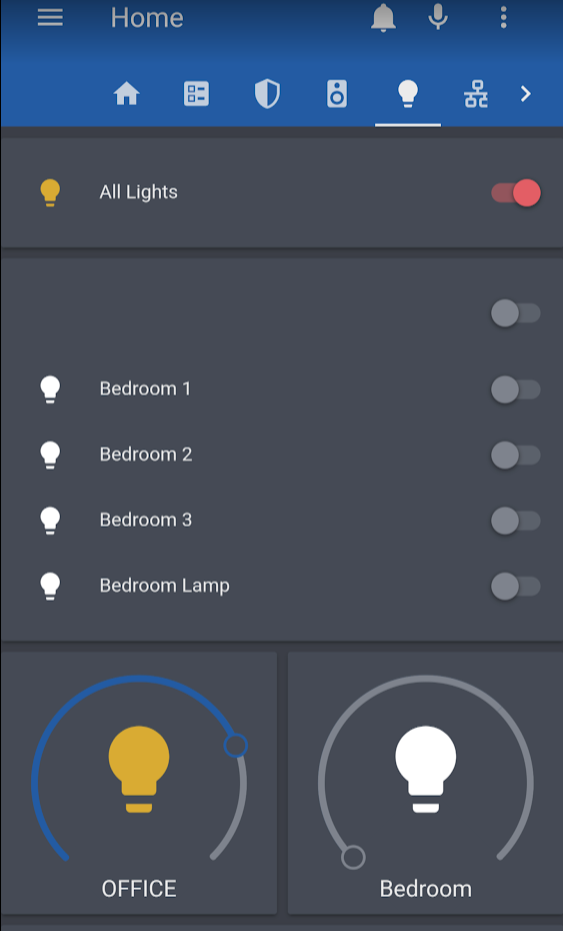
 glass oak
i guess i missed when they announced the new light cards
those look perfect for room specific remotes
raw brook
Beta