#frontend-archived

1 messages · Page 80 of 1

cosmic gazelle
#

Sorry @raw brook one more thing, I use scenes to fade my lifx on and off (so no on and off toggling, just min and max brightness)

In the lights card I'd like those cards to show as switched off when brightness is at 0 and on @ any other brightness level

I've tried this but isn't working

            state_filter: {'off': brightness(0%), 'on': brightness(100%)}```

Scene:
```  - name: Cinema Dim
    entities:
        light.cinema_2:
            state: on
            transition: 10
            brightness_pct: 0
  - name: Cinema Normal
    entities:
        light.cinema_2:
            state: on
            transition: 10
            brightness_pct: 100```
raw brook
#

Not sure about that one. I havent used the filter card much

ruby tartan
#

The video itself is a perfect loop. And i don't know why the element would suddenly resize,

polar kelp
#

@cosmic gazelle You did. And it was in the middle of the worst night since I got children. Taught me to turn on do-not-disturb mode when I go to bed. 😃

steel drift
#

I remember reading somewhere that Lovelace UI is unaffected by customize.yaml. Is this (still) true?

tired quail
#

afaik that should still be true

#

unless there's a custom card bending the rules

vital void
#

is there some more docs regarding lovelace other than one homeassistant.io? Im trying to figure out how to place cards. Have stacked some but they show up under each other so I have to scroll down to find the next stack

split granite
#

Unless you fix the layout with both horizontal and vertical stack, the layout will automatically re-flow

vital void
#

seems to be a bit buggy how it places cards. I have lots of whitespace and it keeps adding new stuff under

split granite
#

If you're using vertical or horizontal stack that's going to happen - you're interfering with its ability to reflow

vital void
#

I started trying with stack because the reflow was off

split granite
vital void
#

I will start from scratch and try again

polar kelp
#

If you're using a conditional card it will take up the same space when hidden as when shown when the columns are calculated. That can result in empty columns.

vital void
#

no conditional cards. started all over again and it will only use to colums in the centre of the monitor. event with no stacked cards

#

*two

deft grove
#

Thanks in anticipation

half osprey
#

oh man it's Ada Lovelace day today, how did we miss that

split granite
wheat current
#

@half osprey There was a celebration in her honor at my workplace today 🎉

glossy birch
#

@wheat current you are just looking for a reason to celebrate... aren't you? 😛

wheat current
#

Allways 😄

glossy birch
#

lol

wheat current
#

That reminds me...almost 5 o'clock here now! 🍻

glossy birch
#

it is always 5 o'clock somewhere 🍻

ornate pendant
#

@split granite thanks, i will have a look, but this is just for displaying, i need groups as well that i can work with in automations etc.? 😦

split granite
#

group isn't going away

#

But over-loading them for display, that is

#

There's no reason the back end should care how you display anything

ornate pendant
#

yeah i know, but i need the dynamic grouping mostly for automations

#

iterating through groups in trigger would be neat too....that would save a lot lines and copy&paste.

split granite
#

You can kinda do that already

ornate pendant
#

oh, how? 😃

split granite
#
        {%- for entity_id in states.group.my_exterior_doors.attributes.entity_id -%}
          {% set parts = entity_id.split('.') -%}
          {%- if states(entity_id) == 'on' %}
          {%- if loop.first %} {% elif loop.last %} and the {% else %}, the {% endif -%}{{ states[parts[0]][parts[1]].name }}{% endif -%}
        {%- endfor %}
#

That's from a condition block, the group is used in the trigger

glossy birch
#

@split granite it is actually better practice to put that if statement in the for statement itself... like below:

#
{%- for entity_id in states.group.my_exterior_doors.attributes.entity_id if states(entity_id) == 'on' -%}
  {% set parts = entity_id.split('.') -%}
  {%- if loop.first %} {% elif loop.last %} and the {% else %}, the {% endif -%}{{ states[parts[0]][parts[1]].name }}
{%- endfor %}
split granite
#

I blame the person who gave me that

glossy birch
#

LOL

split granite
#

Which might have been you a year ago 😛

glossy birch
#

that was coming from dale... I never use the parts code... 😉

#

there is a reason for it... if you are doing counts, you get accurate counts inside the loop - using loop.count

split granite
#

I've updated my copy of that now, thanks

#

I just rely on others to grok templates, and steal their work

glossy birch
#

how the loops work in jinja is a bit different - they don't maintain state

split granite
#

Yeah, that's bit me before

glossy birch
#

lmao

split granite
#

Bookmarked for when my brain works again 👍

glossy birch
#

lol

eternal wind
#

hi everyone, was thinking about trying out lovelace via the lovelace migration addon, do i have to follow the steps listed here first? https://www.home-assistant.io/lovelace/ or can i just run the addon on hassio and start from there

wheat current
#

Run the add-on, then go to that site if you want to expand/change the config

eternal wind
#

thanks!

pearl hound
#

Hi, is there a simple card, where a just set a group as input and the card shows all entites of the group. As normally without lovelace

fiery temple
#

@polar kelp i got that from a forum seomwhere

#

before i used the rgb_color but i got the error that that wasnt rechonized

split granite
pearl hound
#

@vapid field thanks

fiery temple
#

im using that rss feed

small gyro
#

@midnight basin was just looking at it 😃

#

I want to have a start screen in lovelace that gives me weather, news headlines and a few other pointers (driving time etc)

fiery temple
#

thats perfect to use it for

small gyro
#

So looking for a nice way to display a RSS feed

#

Ok, great - then I'll try that

fiery temple
#

its shows as that the three columns on the right

#

but if the rss feed has pictures included you can also use that

small gyro
#

Cool!

#

Looks like it checks of my boxes currently

fiery temple
#

what do you mean?

#

sry not native englisch

small gyro
#

Ah, just that it fulfills my needs as far as I can see

#

I'll give it a go 😃

fiery temple
#

ok good luck with it, make sure to only include the entities that the xml or rss feed is giving u

small gyro
#

Yeah, I will

small gyro
#

@fiery temple it worked like a charm! Had to install the list-card as well, but now I'm fetching the latest top news-articles from one of the national papers here in Norway

fiery temple
#

Nice!

#

@small gyro do you tot picture working too?

small gyro
#

You mean if it also displays an image?

#

Or if I took an image of it in action?

#

I have some adjustments to do, just posted in the thread for it, I need to tweak the number of articles it fetches - Now it displays 100 lines, which is a bit much

fiery temple
#

haha

#

you can set that

#

@small gyro use row_limit: 5

#

or any other nr

small gyro
#

@fiery temple really? trying it now 😃

fiery temple
#

set that in lovelace

#

here is my setup

        - type: vertical-stack
          cards:
          - type: custom:list-card
            entity: sensor.algemeen
            title: Algemeen nieuws
            row_limit: 5
            columns:
              - title: ""
                field: title
                add_link: link
                style:
                  - white-space: wrap
small gyro
#

Sweet, that worked like a charm!

#

Didn't know that was an option

#

However, I also see that some of the headers are a bit longer than the actual table it fits in, any idea on how to solve that easily?

#

nevermind!

#

I had nowrap

fiery temple
#

yes;)

small gyro
#

changed to wrap and it worked

fiery temple
#

i had that problem before 2

#

if you want you can copy some stuff off my github

small gyro
#

Thanks, worth a look 😃 Always good to get some ideas

fiery temple
#

the cookbook is also a great place to get ideas

small gyro
#

Thanks , I've seen it before but should have a closer look

#

heh, got my Wake on lan switch for my HTPC to work as well - damn, this has been a productive evening

fiery temple
#

nice

#

did you already setup the google assistant component?

#

thats really something worth to look in too

#

i can just say ok google downlaod MOVIENAME, and it will download xD

small gyro
#

Haha, nice 😃

fiery temple
#

yeah, pain in the arse to setup do

small gyro
#

Google just announced that they are launching the GH series in Norwegian the 24. october - so then I can say it in my native tongue as well

#

My girlfriend is not too happy about having to speak english to alexa and google home

fiery temple
#

yeah? cool ill hope netherlands is also going to work

#

haha

#

its good for practicing 😉

#

my google assistant doenst hear the word RED

#

it always change to RET

#

bitch she is

small gyro
#

Hehe, I have dutch colleagues and your words ending with a D often sounds like T

fiery temple
#

indeed

#

but even when i say it loud like DDDDDDD it doesnt work haha

#

deee

#

reddeee :p

small gyro
fiery temple
#

yes! thanks for that didnt want to do the search for it as im pretty drunk atm

small gyro
#

Hahaha, keep it up 😃 I'm going to bed, thanks for the help and good luck, speak soon

fiery temple
#

gn

steel drift
#

I asked earlier and someone said no, but I just wanted to point out that my customize section seems to be affecting Lovelace! At least for friendly_name and icon! 😃

past falcon
#

hey, does anyone know what a state icon is considered when creating a custom theme? I've just been guessing and checking without anything....

mild veldt
#

@steel drift yes it does but I do not believe it will the proper way of accomplishing such things in the future

twilit zodiac
#

Hi all, I'm having a problem with a Plant-Card component I wrote, which works fine in Chrome, but in Firefox with multiple Plant-Cards the background image is always taken from the last card in the View. Any thoughts?

vapid field
#

How do I stop my state-label moving all over the place when the value changes?
I'm trying to display my device tracker locations, but the value can be anywhere between 4-15 characters, and the positioning warps all over the place depending on the value

#

text-align doesn't seem to be working great

kind sorrel
#

Where can i find src/layouts in my file tree?

#

Not sure where the default home-assistant folder is with the backend stuff

wheat current
#

transform: none under style

kind sorrel
#

Cant seem to find the home-assistant-polymer folder? Trying to make changes to .entities a {} Is it accesible in hassbian?

#

When using a dark background on my theme, and a dark primary color (dark purple). All of the <a> tags show up unreadable. Just wanted to change them to another color 😦

wheat current
#

The files should existing, but that would be a bad place do change it (it will be overwritten) change it in your theme

kind sorrel
#

How would I change just the <a> tags in my theme? I checked and seems to be no way as they inherit the -primary-color

#

Also tried using JS and a CSS file included in the ui-lovelace.yaml but that didn't want to apply.

ornate pendant
#

is there a color picker available like input_boolean for automation purpose?

dim cloud
#

If I set hide_if_empty: true on an entity-filter box which does currently filter all elements then I still get an empty box with just the title. Is this the supposed behaviour or what am I supposed to do to hide the box completely?

ornate pendant
#

does somebody uses the shopping list?

#

you cant use it with automations i assume, i would lik to retrieve the list via telegram and add items on demand.

vapid field
#

@wheat current thank you! I'd never seen anyone mention transform: none before but that's solved my problem completely. I don't know why this isn't the default behaviour... why would anyone want their state labels to move around when the string length changes?

cosmic gazelle
#

Hey guys, I'm trying to get my glance card that's full of sensors to display horizontally just like the frontend with the badges...
I've tried this but it's not working

    panel: true
    cards:
      - type: horizontal-stack
        cards:
          - type: glance
            backgroundcolour: red
            panel: true
            column_width: 50%
            title: Header of the view
            entities:```
#

they're displaying vertically still but the card is bigger. so I know that column_width: is working

tawdry moat
#

quick one: is there a way to get rid of the title in an entities card?

cosmic gazelle
#

@tawdry moat take title: out

tawdry moat
#

@cosmic gazelle exactly right, I am stupid.

cosmic gazelle
#

I've been there many times brother 😄

tawdry moat
#

this is looking not too bad https://i.imgur.com/m7aCRsn.jpg
however does anyone know how to get a Google Maps iframe working in the frontend? I wanna display my device_tracker entities but the builtin maps card only supports this gray-ish layer without any detail as far as I’m concerned

cosmic gazelle
#

Can't help you there.
That look great, could you share the code? 😃

#

I like the map zoom slider and map type!

#

What I have now is that greyish crap you're talking about lol

tawdry moat
#

yep, sure. give me a second

#

the map doesn’t move and can only zoom using the slider and automations as it’s effectively a static map image. someone on the forums built it for the traditional frontend

#

btw, about your glance issue:
for me it works without the column_width option:

- type: glance
   entities:
     - input_boolean.present
     - input_boolean.sleeping
     - input_boolean.away
cosmic gazelle
#

right... that's a let down, at least with the crappy one I can zoom and it automatically zooms in and out to show all devices on the map

tawdry moat
#

and it displays entity pictures!

cosmic gazelle
#

I just wish it could show the roadmap view

#

Yeah I gotta set that up.. It would look pretty good

tawdry moat
#

I found a gist from someone who built exactly that using Google maps, I can’t get it to work though

cosmic gazelle
#

I'm only 3 days into lovelace and still learning..

tawdry moat
#

looks like it might’ve been built for an earlier revision of lovelace, I am not sure. maybe someone more skilled at Js can take a look

cosmic gazelle
#

I'll try it now, where should I put the JS file?

wheat current
#

@vapid field i have no idea, when I used it I added that to all entities. 😜

ornate pendant
#

does somebody has a solution to write some values from home-assistant in a file on linux and overwrite it every time when its getting triggered, the command_line notify doesnt work as i would need it 😦

tawdry moat
#

@cosmic gazelle think it belongs in your /config/www/lovelace/ directory and then need to be added like any other custom card

#
resources:
  - url: /local/lovelace_ui/map-card.js
    type: js

at least that’s how I have it

mild veldt
#

@ornate pendant the shopping list has API calls to add/complete items. Should be able to do it from telegram

ornate pendant
#

haha yeeah i know, but i want to display the list to a user from telegram 😄

#

like /sadd Eggs that will work.

#

but i want then to have a command like: /slist --> Eggs ,Milk and so on.

mild veldt
#

you'd need to write a wrapper to format it like that

ornate pendant
#

but how can i list it in general?

mild veldt
#

/sadd would work

ornate pendant
#

i want to stand in the shop open telegram

#

type /slist and get the whole list.

#

probably just the uncomplete items 😃

mild veldt
calm rock
#

Hi all , after rebooting hass , Lovelace is not loading anymore , just an empty screen , states works fine , this is on any device any browser , and after no changes to config . Any hints to make it work again appreciated

wheat current
#

Revert the last change to the config

calm rock
#

Not aware of one , that is the problem , and no error when checking config ,

vapid field
#

Is there a way to hide the unit of measurement on a state-label without having to create another template?

calm rock
#

Will start isolating config by parts , ...

vapid field
#

@wheat current yeah I just added it to every entity and everything is so much easier to position, even if it wasn't moving around with state changes

wheat current
vapid field
#

@wheat current ahh, thanks

wheat current
#

@calm rock You should have some hints in the consolelog of your browser, and the homeassistant log possibly

muted saddle
#

some kind of slider rather than on/off toggle for dimmable lights would be amazing

#

like, click on the light name to toggle, move slider to dim

mossy jay
muted saddle
#

holy shit! gonna try that out! thanks

mossy jay
#

np

muted saddle
#

just started using lovelace 2 days ago and god i'm in love already

calm rock
#

@wheat current will look into it , tks

muted saddle
#

hm, i get the cusom card does not exist red box for like 0.5 seconds, then it dissapears and i can see the card propperly, is there anyway to fix that or just live with it?

raw brook
#

That means that the javascript is loading slower than the web components. For the custom cards, its something you just have to live with.

#

Usually only happens on mobile or older devices

steel drift
#

Does anyone know how often the scrape sensor.. scrapes?

split granite
scenic sorrel
#

I'm using Hass.IO 0.79.3 , but when viewing in iOS Safari, only the switches remain in cards. Everything else is displayed as an icon (like the default Sun and YR sensors when first installing). Shouldn't the modern front end be working for me?

#

All my cards are entities, and display properly in Firefox on PC.

mild veldt
#

@scenic sorrel are you sure you are looking at the same thing on mobile? Sounds like you're looking at the OLD UI on mobile

scenic sorrel
#

Thanks @mild veldt

mild veldt
#

setting it to default is per device

split granite
#

info and select the option to set as the default

scenic sorrel
#

AH...

#

Done. Thanks guys.

#

That'll teach me to read more carefully next time.

calm rock
#

im trying to make lovelace to work again , after reboot , it is just a blank page , and at the bottom of the screen it says "connecting" ... never connects , i have reduced lovelace config, to minimum, and result is the same , lovelace configuration is not the problem , something else is . lokking for something helpfull on logs and console , but nothing clear so far , ideas appreciated

raw brook
wheat current
#

X y problem?

calm rock
#

yes , states works fine

#

the problem , is that is getting far behind as all new config is only in lovelace

#

@wheat current , dont get it

#

X y ?

wheat current
#

NVM that 😉

calm rock
#

ok

wheat current
#

Did you find anything in your logs?

calm rock
#

will look again , but nothing special called my attention , an apple tv not connecting ..

#

see this error on SU : Error decoding json invalid character '\x1b' looking for beginning of value: 18-10-10 13:52:30 INFO (MainThread)

#

i have deleted almost all lovelace config , but i think it is still trying to load the previous full config , even when i have the browser developer tools open , and no cache selected ...

wheat current
#

And you are absolutly sure that /states works?

fiery temple
#

hihi im trying to reach out for a few days but it look my message get overseen or ignored. so ill ask once more :)
how can i change this icon color based on state home

sensor:
  - platform: template
    sensors:
      deffw01:
        friendly_name: DEF-FW-01
        value_template: "{% if is_state('device_tracker.deffw01', 'home') %}Connected{% else %}!no-reply, please check!{% endif %}"
        icon_template: "{% if is_state('device_tracker.deffw01', 'home') %} mdi:router-wireless{% else %}mdi:lan-disconnect{% endif %}"
#        icon_color: if (state === 'home') return [251, 210, 41]; else return [54, 95, 140];
#

as i understand i need to use the real state, so thats home not connected. but i wont change color xD

wheat current
#

If you got ignored here it may be that this is not lovelace config 😉

fiery temple
#

oh serieus? i tought it was only possible with lovelace or custom-ui

#

and as i dont have the costum-ui i tought i would be a lovelace thing thanks ill repost in homeassistant instead the

wheat current
#

Icon templates are possible everywhere with template sensor 😉

fiery temple
#

ok thanks sorry for putting it in the wrong catagory

wheat current
#

templates are not possible in loverlace though 😛

fiery temple
#

ah, so i wont work? any other options do this or should i post this in the home assistant still?

wheat current
#

it will since this is homeassistant config and not Lovelace (just to confuse you a tad more) 😉

split granite
#

You're defining a template sensor, that's a Home Assistant thing

#

Of course, how much longer that'll allow you to define icon templates, after they kill the old/current UI 🤷

fiery temple
#

ok so i need to use another approach instead of template, but the value template does work on lovelace, confused i am

#

could you give me any headsup when i google im only getting this template stuff cause im problery not googling the right words xD

wheat current
#

just make sure the state are home and not Home or anything else

split granite
#

Also, test everything in templates

wheat current
#

with info from states

calm rock
#

@wheat current , yes states works just fine , no problems at all

wheat current
#

and lovelace say "connecting" ?

calm rock
#

lovelace is stuck , waiting for a "header " response

wheat current
#

this are on the same server?

calm rock
#

after this request , Request
User-Agent: Mozilla/5.0 (Macintosh; Intel Mac OS X 10_13_6) AppleWebKit/605.1.15 (KHTML, like Gecko) Version/12.0 Safari/605.1.15
Accept: text/html,application/xhtml+xml,application/xml;q=0.9,/;q=0.8
DNT: 1

#

it is just waiting ...

#

i have two instances of hass on 2 different VM , one running cameras , and pihole, and other miscelaneous , that one no problem

#

this is the main , machine , and is the one were lovelace is not working , all was fine until last night reboot

#

reboot , was due to windows , auto update ( i had autoupdate , stopped manually , but somehow , it made it ... (?).. )

#

then after , reboot and restart , lovelace was not working anymore

#

i have , caddy , and duckdns

wheat current
#

upload a img to imgur or similar of both /lovelace and /states

calm rock
#

they semas to be fine too

#

ok, 1 "

wheat current
#

okei

#

then I belive you 😃

#

open dev-console of the browser and open "console" tab

#

after that do a refresh (cmd+r)

#

look for red lines

calm rock
#

safari , or chrome , what you prefer?

wheat current
#

chrome

calm rock
#

it stays very long until timeout , so have to wait

#

no red lines , just timout

#

Service Worker termination by a timeout timer was canceled because DevTools is attached.

wheat current
#

hmm

#

can you share the ui-lovelace.yaml file?

calm rock
#

sure , now i have deleted almost everything ( have a backup copy renamed)

#

this is why , i think there is something else going on , affecting lovelace , but not related to the config

wheat current
#

That config works for me

calm rock
#

should i try to reboot again , or is it better to continue digging until the real problem shows itself ??

#

i see this messages, when loading other pages , but all loads fine ? : gestures.js:595 [Violation] Added non-passive event listener to a scroll-blocking 'touchstart' event. Consider marking event handler as 'passive' to make the page more responsive. See https://www.chromestatus.com/feature/5745543795965952

mild veldt
#

@calm rock have you tried loading it from a different device?

calm rock
#

yes , all devices do the same thing

severe idol
#

Hi, I 'm trying to add a custom panel to the left HA menu for my lovelace setup. Im using the following code

#
panel_custom:
  - name: Lovelace
    sidebar_title: Lovelace
    js_url: /lovelace
#

which results in the following error:

#

and a blank page when I click it. any ideas?

mild veldt
#

@severe idol when you navigate to the actual address you get no errors?

#

that error usually points to the use of a custom_card that was improperly copied

wheat current
#

Is js_url the correct key for that?

mild veldt
#

good catch @wheat current

#

@severe idol I think you want an iframe

#
panel_iframe:
  lovelace:
    title: Lovelace
    url: '/lovelace'
wheat current
#

That looks more familiar 😃

severe idol
#

That's correct

#

I'll try an iframe.

past falcon
#

Has anyone had problems with filter: opacity(0.2) working?

sturdy bough
#

damn, i cant get custo_updater to work 😦

prime umbra
#

what you have set

sturdy bough
#

me?

sturdy bough
#

yea, i get the empty tracker, and no signo of custom_updater working, not in log, nor in services, nor anywhere else.

#
#

i dont remember how to put preformatted text here

mild veldt
#

backticks

#

@sturdy bough it's likely because you used the example urls which point to nothing

#

Remove the card/component/python_script url pieces

sturdy bough
#

no way 😦

kind sorrel
#

Anyone have a recommendation on how to change the color of .entities a ? It seems to be inheriting colors from -primary-color. It's causing readability issues when using a dark background and purple as a primary color.

#

I tried both a CSS and dynamically with JS but doesn't seem to apply.

#

It's most of the text on the States page that I need to tweak. Was the only element that I am having issues with that I can't change in my theme

#

Maybe extra_html_url with inline <style> ?

amber ginkgo
#

Is there any way to get a sensor value on a picture-glance? I have garage door icon (dynamic) and front door lock but I'd love the front door lock battery percentage too.

modest cliff
#

Hey smart people of the lovelace universe, Yesterday I did my first Locelace experiement

#

I triede to create a picture element card but the base image keeps filling my full screen and i cannot find any way to make it smaller.

#

can anyone help me with this by any chance?

split granite
#

Can you share your card please

#

~share

kind shellBOT
modest cliff
split granite
#

Panel makes the card (your vertical stack) full width

modest cliff
#

aaah ok, then i missunderstood that

#

so if i would take out the panel it would change?

split granite
#

Yes

modest cliff
#

ok so is that the only thing Panel does?

split granite
modest cliff
#

ok thanks !

vital void
#

any way to remove scroll bar from iframe card?

median wigeon
#

Hello Folks

#

I'm totally lost in how do i arrange my cards in lovelace. Its always just one culumn in the middle of my interface.

#

Just googled and look around quite long time, but did not found anything.

mild veldt
#

Do you have everything in a vertical stack card by chance?

thorny verge
#

I just seen this grid-layout, mentioned and it is exactly what I was looking for, except, I can't get picture-elements cards to work in it.

#

Is this a known limitation, can't find any docs for it?

mild veldt
#

the grid-layout is still experimental, just like all of lovelace. Filing an issue in the repo would be the best course of action

thorny verge
#

I get that, just figured some here may have used it, and if picture-elements not supported, or if there is a trick.

warped bramble
#

are there any tools that can take your config and generate a lovelace ui?

raw brook
#

There is an Addon if you are using HASSIO

warped bramble
#

Damn, I'm not

#

Would love to start playing with Lovelace but it's a bit daunting starting from scratch with so many devices

upbeat eagle
#

Look at the channel pins @warped bramble

warped bramble
#

thanks

upbeat eagle
#

There should be a migration script to lovelace.

warped bramble
#

Yeah I see it, I'll give it a shot thanks

wheat current
#

The addon are "just" a wrapper for the migration script 😃

gloomy raven
#

can i ask a question about the button costum card?

#

because:
- type: "custom:button-card"
entity: scene.fernsehen
icon: mdi:television-box
name: TV - Scene
color: rgb(28, 128, 199)
action: service
service:
action: scene.turn_on
is not working 😉

thorny verge
#

try
action: turn_on data: entity_id: ....

gloomy raven
#
            action: turn_on
              data:
                entity_id: scene.fernsehen
````
error: mapping values are not allowed here in "/config/ui-lovelace.yaml", line 96, column 19
#

line 96 is "data:"

wheat current
#

and data: looks super wierd.

gloomy raven
#

thx, but how to adopt to a scene?
what is the domain?

wheat current
#

scene == "domain" 😃

#
      action: service
      service:
        domain: scene
        action: turn_on
        data:
          entity_id: scene.fernsehen

if scene has the service turn_on

thorny verge
#

Here's a working mine that calls a script, but should be same for scene;

  entity: input_select.kitchen_radio_station_p1
  action: service
  service:
    domain: script
    action: turn_on
    data:
      entity_id: script.kitchen_radio_station_p1
  color_type: card
  show_state: true
#

If not, activate the scene from a script

gloomy raven
#

thx @all
this is working now:

          - type: "custom:button-card"
            entity: scene.fernsehen
            icon: mdi:television-box
            name: TV - Scene
            color: rgb(28, 128, 199)
            action: service
            service:
              domain: scene
              action: turn_on
              data:
                entity_id: scene.fernsehen
````
wary meadow
#

@warped bramble, do some searching on the forums, I seem to recall there was something developed that you could paste into the developer tab and it would provide a lovelace.yaml file to copy and paste. I believe someone also generated a python version.

wheat current
tacit cave
#

I should probably know this by now, but does lovelace work on IOs? I haven't ever tried and I haven't set lovelace as the default yet.

raw brook
#

Do you mean on the IOS browser? if so Yes, if on the Application. I don't believe so

tacit cave
#

Yeah, i'm talking application

#

thanks

mild veldt
#

it works on ios in all regards

#

with javascript: latest set in your frontend configuration

round lily
#

@mild veldt which guy's been playing with lovelace videos? 😄

mild veldt
#

@round lily @ruby tartan was playing with it

round lily
#

thank you

#

@ruby tartan any ideas on how to inject <video> into the #view div? I'd like to have a background mp4/webm playing 😃

ashen hill
#

hello everyone . i am getting started with hassio and run across lovelace addon my question is do i need to have all the things added to hassio before i can setup lovelace like (switches, weather ,lights ) thanks

tacit cave
#

@mild veldt even the IOS application?

raw brook
#

@ashen hill Yes and No. No you don't have to have everything set up to use Lovelace. The lovelace add-on will convert what you already have set up to a ui-lovelace.yaml file. But if you add a new device then it will not automatically be added to lovelace. You either then have to run the add-on again (this will erase any changes to ui-lovelace.yaml) and it will add the new devices or add the devices manually to the file using the docs @ https://www.home-assistant.io/lovelace/

mild veldt
#

@tacit cave it used to, I swear. The whole thing is actually not working for me right now, lol. So maybe I’m a liar

tacit cave
#

lol

#

ok

#

maybe ill give it a whirl

glass oak
#

does anyone have an easy way to do date math in lovelace?

#

or maybe in homeassistant

raw brook
glass oak
#

my goal would be to use a conditional card to pop up on "trash" days

#

boom, thank you

#

they have date stuff down at the very bottom

tulip night
#

The trash days things would be very good, maybe develop it as a sensor for HA?

glass oak
#

i've asked about it in the past, and was told to just use google calendar

#

although, creating a sensor would be good practice

glass oak
#

and then i remembered how much i loathe date manipulation

vapid field
#

What's your trash day schedule like?

icy canyon
#

hey i just migrated from hassio to hassbian... there was lovelace migration add on in hassio... i just wanted to know how to use that lovelace migration addon/script in hassbian

ruby tartan
#

I'll send you the stuff in a dm

split granite
#

@icy canyon SSH on to Hassbian as pi then:

sudo -u homeassistant -H -s
cd
source /srv/homeassistant/bin/activate
wget https://gist.githubusercontent.com/dale3h/ee5b08ed1bf3a26a57e3d56ae221a796/raw/6af195eaf8e02974eff556225b438e8d7381e577/lovelace-migrate.py
python3 ./lovelace-migrate.py --password "YourApiPassword"```
winter leaf
split granite
#

Looks like it can't connect to your HA instance

#

I didn't write the script, so I can't really do more than suggest you check the help that comes with it

winter leaf
#

Alright, sir.

icy shard
#

has there been any cool updates to lovelace lately?

upbeat eagle
#

There are always new cards but nothing that is super changed.

sinful flax
#

is it possible to break lovelace UI into multiple files like the traditional group design?

split granite
#

No (well, sort of, but still no)

#

If you look in the pins there's a merge tool

#

You run that to produce the single file that Home Assistant uses

sinful flax
#

Gotcha. @split granite Ty.

#

I ran the migration tool, that is sweet!

warped bramble
#

Little tip, I use nodejs to help me manage my HA config. I have a ./src folder and use ejs to do includes and stuff then compile them into /dist

left nest
#

how do i display the automations in a 'settings' tab in a template - what card do I use and how do I reference them?

split granite
#

Then pick your choice of glance, entities, etc etc

left nest
#

got that, what I am asking if there is a easier way to display all automations in 1 card apart from me having to go and type each entity ?

split granite
#

Then you want a custom card like the monster card

left nest
#

sounds interesting...

wheat current
#

~monster-card

kind shellBOT
#

Monster card is a magical type of card. Because it's dynamic if you're smart about it, you can have one card that adapts and that you don't need to touch when adding new entities & sensors to your setup. Supports both inclusion and exclusion filters with wildcard for entity_id: https://github.com/ciotlosm/custom-lovelace/tree/master/monster-card

raw brook
#
- type: custom:monster-card
  card:
    type: entities
    title: Automations
  filter:
    include:
      - entity_id: automation.*
left nest
#

you see that, no wonder you guys are awesome!

wheat current
vapid field
#

does anyone know why the lovelace migration addon give me this error message: parse error: Expected string key before ':' at line 1, column 4
ERROR: Unknown HTTP error occured
parse error: Expected string key before ':' at line 1, column 4
ERROR: Unknown HTTP error occured
Hass.io Add-on: v
parse error: Expected string key before ':' at line 1, column 4
ERROR: Unknown HTTP error occured
?

wheat current
#

Update the addon

vapid field
#

i just installed it..

#

i switched auto update on but its still giving me this error..

wheat current
#

Which version is it?

vapid field
#

0.2.1

wheat current
#

latest should be 0.3.0

vapid field
#

hm its not showing me that there is a new one..

#

how do i update?

wheat current
#

it is 0.3.0 for me

#

Hit the reload button on the "ADD-ON STORE" page

vapid field
#

oh i thought it does that by itself..

#

thank you mate it worked!

#

you might also know why my xiaomi aqara zigbee temperature sensor is not showing up in my entity page? 😄

wheat current
#

Does it exist in states ?
if yes: you didn't add it to lovelace
if no: it's not "connected" to Home Assistant

split granite
ruby tartan
#

is there any way for me to avoid my custom card to be updated? (Similar to the iframe card. Which appears to not reload)

wheat current
ruby tartan
#

has anyone of you guys worked with the LitElement from the lovelace tutorial?

ruby tartan
#

Got it working in the end

mortal cape
#

I had animated gif backgrounds going for a while but found it too distracting

valid thorn
#

@mortal cape have you ever read A Clockwork Orange?

mild veldt
#

@ruby tartan do you plan on sharing or just rubbing it our faces? 😀

pearl lagoon
#

Can someone help me figure out how to load an image relative from the lovelace config file? trying to display an image, not sure where to upload the file to (only have samba access atm)

#

not sure where /local/ points to

raw brook
#

/config/www

pearl lagoon
#

that doesn't seem to work

#

have an images folder, in the same dir as the ui-lovelace.yaml file, and trying to use image: /local/images/model_x.jpg

raw brook
#

Thats because /config/www/ !== the same dir as the lovelace file

#

ui-lovelace.yaml should be in /config/

You should make a dir called www within that dir.

Then within that www dir, create the images dir

Then /local/images/model_x.jpg should work

pearl lagoon
raw brook
#

Any error in the logs? try refreshing your cache (Ctrl+F5)

pearl lagoon
#

in the progress of a restart just to be safe, but didn't see anything

#

creating the folder etc using samba, could it be a chmod issue?

#

aha reboot did it

#

dumb technology 🤫

raw brook
#

Nice!

pearl lagoon
#

One other small nitpick question now... anyway to make the icons in glance now be so compact? have it fill the empty space (think flexbox) http://vastyles.net/3fjjI8+

kind granite
#

any help on creating lovelace cards?

upbeat eagle
raw brook
#

@pearl lagoon What is the column size set to?

#

That shouldnt happen

ruby tartan
#

@mild veldt will write something up and put it on the forum

split granite
#

Having come from 0.75 to 0.80, I'm finding that the entity_picture set in the platform over-writes the icon set by the glance card. Before it was the other way around. 🤔

pearl lagoon
#

aha, so thinkin its a bug?

half osprey
#

hmm I just realized we're missing documentation on what is allowed in the root level of ui-lovelace.yaml, title, resources, views . Would love to see a PR for adding that

pearl lagoon
#

@raw brook ya it was the column width bit, you'd think it'd be smart and just use display flex for something like that if a user doesn't specify a width... but setting it to calc(100/4) did the trick... thanks again

vapid field
#

Hello, is there a custom card that can do wildcards on entity id's? like to have a card with binary_sensor.* - if i add any new binary_sensors they would show up in that panel.

if lovelace cant do this - has anyone heard of this being done through a script that pulls data from the entity database and creates cards dynamically on startup?

tacit cave
#

You can make a template to cycle through your current system and make the yaml for you. Then copy and paste it into the config.

#

Also, I think monster card would also handle this. But they wouldn't show up as badges.

#

and monster card is custom I believe

#

@vapid field

vapid field
#

ok i need to check out the template thing

#

in the dev panel right

#

my jinja2 skills are missing

#

i was gonna use excel but if i could get the yaml that would be rockin

wheat current
#

You can test templates in templates , but it sounds like it's the monster-card that you want

#

~monster-card

kind shellBOT
#

Monster card is a magical type of card. Because it's dynamic if you're smart about it, you can have one card that adapts and that you don't need to touch when adding new entities & sensors to your setup. Supports both inclusion and exclusion filters with wildcard for entity_id: https://github.com/ciotlosm/custom-lovelace/tree/master/monster-card

vapid field
#

ok im going to try that

sinful flax
#

any way to change the switch slider to a power button??

mild veldt
leaden vapor
#

Wondering, for the gauge card, if there's a way to define a min/max with a template. For instance, the max would be the high temperature for this day in history. Then, the gauge would be relative to the expected numbers.

raw brook
#

I don't believe that will work currently. Because sensor templates still require pulling the value from the state of the sensor. Currently the Card only accepts integers

#

PR is welcome though 😋

vapid field
#

Anyone else notice a UI issue when you try to put 2 gauge cards card within a horizontal stack?

raw brook
#

No do you have a screenshot

#

I don't see any issue with mine?

calm rock
raw brook
#

So the issue is that the gauge is extending past the limits of the card

vapid field
#

I don't. I switched it to a vertical stack and worked fine.

vapid field
#

@raw brook Is it possible to limit the width of the gauge? Or perhaps increase the width of the horizontal stack?

raw brook
#

Not currently but in a future release potentially. It's on my to-do list

fleet leaf
#

After 24 hours fighting to build a HAdashboard with no success... I'm serisouly considering to use lovelace instead (as a wall mount interface). Might expose all the system's heart to anybody though...

tired quail
#

@fleet leaf you might want to check out TileBoard as well if you are at all familiar with Javascript

fleet leaf
#

@tired quail I've never heard of it. I'll take a look. Thanks.

mild veldt
#

@calm rock I think @vapid field is having issues with the new "official" gauge card, not the custom one. The official one was based on the custom, but was changed quite a bit, I believe.

amber ginkgo
#

Anyone know if it is possible to control the thumbnail video that pops up when you select a camera from a camera_image:

#

I mean the size of the pop-up. Currently too small.

vapid field
#

Correct I'm using the new official card.
If it helps any I can configure it back and show you my code block and screen shot?
It's really not a big deal for me and using the vertical stack works just as well. So don't want to put any unnecessary effort into it.

amber ginkgo
#

The image that appears from the same camera but derived from a local file is much larger.

mild veldt
vapid field
#

Possibly, my UI looked a little different. Like half the gauge. I can see how a scale may help.

raw brook
#

On my to-do list to look into

livid oracle
#

HI guys, has anyone flashed and set up the RF Bridge with Tasmota?

#

I can't find how to assign an RF code to one of the 16 buttons

raw brook
livid oracle
#

yes sorry I forgot I was here 😉

#

I moved over there 😃

valid rampart
#

Any word on when lovelace can be set as the global default UI? It is great and all that we can test per device with a client side flag but I really don't want to bother switching over till I force all my users and devices over in the main config

ruby tartan
brave raven
#

pardon me guys, but is it possible to use an entity_picture from an attribute as a picture-entity?

vapid field
#

any number/combination of entities, any number of columns, sorry for the not finshed README, still pending ;D

sturdy bough
#

I'm testing the new "sensor" card that comes with HA 80.0, and while it displays the correct temp, the graph line never changes

#

and while i click on it, i get the old "history" that states a constant tempo of 23, while i know it varies as the numerical temp in the card states

vapid field
#

@sturdy bough have you listed the sensor in your recorder and history configuration sections ?

raw brook
#

@sturdy bough that's a #330944238910963714 question. Once you get the sensor to show history then the card will

vapid field
#

@vapid field perfect thanks

mild veldt
#

@vapid field that card blows my list card out of the water

sinful flax
#

In the original UI, it was possible to hide items with automation. Is that still possible in LoveLace?

mild veldt
#

@sinful flax have you looked at conditional card?

sinful flax
#

gosh, so stupid. I looked at entity filter and was confused.

#

DUH! Wrong card type. 😃 @mild veldt ty.

#

sorry for the dumb question.

mild veldt
#

No worries. Glad I could help

tacit cave
#

has the custom weather card been updated to work in 80?

copper sandal
#

has anyone ever gotten this message / link? RELOAD UI-LOVELACE.YAML I tried looking up what it was referring to but didn't find anything. When I click it, it doesn't do anything either.

split granite
#

It's the message you get when you've broken the YAML

#

Fix it, then you can reload

sinful haven
#

is it normal that UI is freezing when there are few (around 8-10) sensors changing their state in same second?

#

lovelace-UI of course

tacit cave
#

FYI to answer my own question: Yes the weather card was updated.

sinful haven
#

@tacit cave I didn't update mine and it's working.. shall I worry? 😃

tacit cave
#

Depends on when you updated it

sinful haven
#

2 days ago?

tacit cave
#

I haven't updated since .75 and the hass.core was split at some point. That split causes it not to load

#

if you load up, i wouldn't worry

acoustic mural
#

I'm making the move to lovelace now. Any examples of how to include a rest_command in a lovelace card? I can't find any examples and all of my attempts have failed.

vapid field
#

try just chucking it in an entity panel ?

acoustic mural
#
        title: Automations
        show_header_toggle: false
        entities:
          - rest_command.isy_fridgeoff```

Results in a blank card with the title only.  No entity
#

The way I do it in the regular UI is with an input_boolean that calls the rest_command, then turns the input_boolean back off. I'd rather operate the rest_command directly if possible. In a perfect world, I'd do it directly and have a custom name on it.

raw brook
#

Probably unable to do it through UI then. Put it in a script and use the script in a card

acoustic mural
#

can we edit the action_name on a script?

raw brook
#

You can give it an alias

acoustic mural
#

I don't want to change the name of the script though. I want to get rid of the "Execute" label on the right with something that better reveals what the script does.

raw brook
#
- type: call-service
  icon: mdi:home
  name: Home
  action_name: Send Home
  service: vacuum.return_to_base
  service_data:
    entity_id: vacuum.vacuumbot
#

Here is an example of that

acoustic mural
#

so if I were to use this with a script, what would the service: be? I know the entity_id: would be the script itself.

raw brook
#

script.turn_on

acoustic mural
#

perfect! I think that's what I was missing. Thanks!

polar kelp
#

Hey guys! I'm back since a week. What did I miss?

vague steeple
#

Hi, i have question. On the "more info dialogs" box, can we actually add something into it? like automation or trigger, timer and stuffs

polar kelp
#

Not easily

vague steeple
#

just wanna implement input_number and input_datetime for certain day and time to turn on the component purposes

raw brook
#

Welcome back @polar kelp I was wondering where you ran off to

polar kelp
#

London. Had a concert in the Royal Albert Hall </humblebrag>

#

@vague steeple The future of more-info in lovelace seems to be discussed in #devs_frontend-archived at the moment. Maybe you should pop in there.

raw brook
#

Nice. That's pretty awesome. Hope it went well

gloomy raven
#

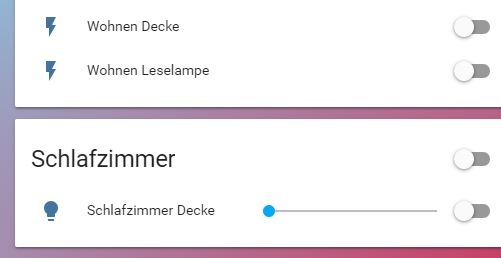
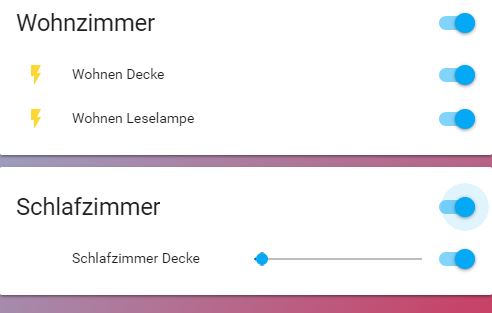
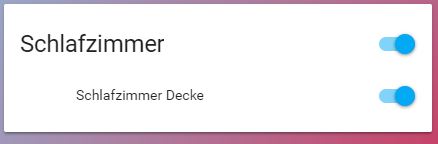
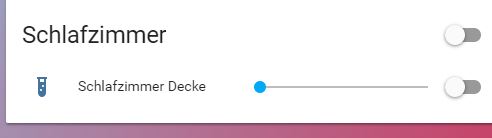
Hello, this is sure a really stupid question but i dare to ask ;)
I have many switches entities who get a "yellow" lighntning in "on"-state and a blue one in off (default)
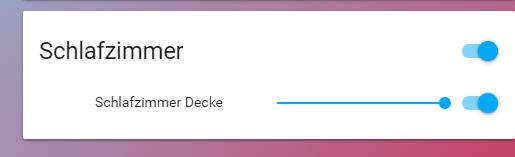
But my light.sleep entitie has got a blue lightbulb in off and no Icon in on state, how can i give it a yellow lightbulb^^?

#
          entities: 
          - entity: light.schlafen_decke
            type: custom:slider-entity-row
            name: Schlafzimmer Decke
raw brook
#

Are you sure the icon isn't white? Light icons will take the color of the light when it's on

gloomy raven
#

ah, ok this can be, ofc, can i change it to yellow somehow?

#

without buying a more warm lightbulb ,)

raw brook
#

If you look at your light entity in states does it have an color value of some sort in the attributes

gloomy raven
#

only friendly name and supported_features: 1

#

and the feature should be the brightness

raw brook
#

Because if it's not a color changing light then it shouldn't take a color. And should be yellow or --paper-active-icon-color (something like that)

#

So I'm not sure why yours is either the same color as your card background or not showing at all

#

Have you modified your theme?

tacit cave
#

@mild veldt decided to try Lovelace on the iOS app and it works great. I did have to remove/update out of date custom components. iOS generated more errors than chrome on desktop. Nothing major, just null reference errors going to the log.

raw brook
#

The more you know. Sorry I told you I didn't think it did @tacit cave

tacit cave
#

No big deal, trying it out forced me to update from 75 to 80. So I’m up to date now and I got Lovelace on iOS which is much better than what I had before

gloomy raven
#

no change in theme and you see the missing lightbulb under "Schlafzimmer" vs. the Switches above

raw brook
#

What browser are you using?

gloomy raven
#

chrome

raw brook
#

If you right click and inspect where the icon should be do you see the icon?

#

Also it could be that you are using a custom row

#

Just noticed that.

tacit cave
#

I mean you are using a custom component. Is there any errors in the log?

#

Custom Lovelace card*

#

The issue most likely lies in the card to be honest

gloomy raven
#

the same without the costum card

tacit cave
#

So if you place that entity inside a entities card, the same issue happens?

gloomy raven
tacit cave
#

Is that a light template?

gloomy raven
#

this is the card without a costum card

#

yes, "light.schalfen"

tacit cave
#

Can you post that yaml

gloomy raven
#

strange, if i inspect the icon i see following

color: var(--paper-item-icon-active-color, #FDD835)
#

which is yellow, or? but it is invisible

#

my yaml:

tacit cave
#

For the template light, not Lovelace

gloomy raven
#
        - type: entities
          title: Schlafzimmer
          show_header_toggle: true
          entities: 
          - entity: light.schlafen_decke
            #type: custom:slider-entity-row
            name: Schlafzimmer Decke
raw brook
#

Hmm. So inspection shows it should be the right color... And you haven't changed your theme

tacit cave
#

For the template light, not Lovelace

gloomy raven
#

its a tuya light

tacit cave
#

Oh, I thought you said it was a template light. Ok so what does the light do in the non-Lovelace UI?

gloomy raven
#
tuya:
  username: email
  password: !secret tuya
  country_code: 49
  platform: smart_life

and yes my entity says "light.schlafen"

tacit cave
#

Yes but I’m the normal interface, when you turn on the light, what does it do?

#

In*

gloomy raven
#

in non lovelace the same error, as i see at the moment

#

so its a tuya problem?

tacit cave
#

Yes or customize configuration problem

#

With the light on, go to the states page and see if it has a icon attribute

gloomy raven
#

yes it has
brightness:255
friendly name
supported_features

#

and my configuration.yaml is empty, for your info

tacit cave
#

But no icon. So, does your custom Lovelace card support overriding the icon?

gloomy raven
#

yes, i can change to whatever icon i want to but only in "off" state

#

no on state icon visible

tacit cave
#

Hah, that’s dumb

#

Well then... in customize section of your configuration.yaml, set the icon to a light bulb

#

That should fix the problem

gloomy raven
#

like this:

light.schlafen_decke:
  icon: mdi:test-tube
  templates:
    rgb_color: "if (state === 'on') return [251, 210, 41]; else return [54, 95, 140];"
raw brook
#

The icon is already a light bulb though

gloomy raven
#

i try it

tacit cave
#

Yah, try it. If that doesn’t work, then the tuya component needs to be adjusted. Or at least debugged to figure out what’s causing the on state to clear the icon

#

Also, you don’t need to do the rgb_color crap. Just the icon

gloomy raven
#

its restarting ,)

#

no change the icon has changed but is not visible in "on" state

tacit cave
#

Ctrl+f5 on the page

gloomy raven
#

now i see the blue "mdi:test-tube" but no yellow one 😉

tacit cave
#

So if you remove your rbgcolor stuff it should be working

gloomy raven
#

ok i try this

#

if not, i think i will live with this small issue 😉

tacit cave
#

Well I’m pretty sure it’s going to work if the test tube with color showed up

gloomy raven
#
light.schlafen_decke:
  icon: mdi:test-tube

my configuration now

tacit cave
#

Yep

gloomy raven
tacit cave
#

Well, add the rgb color crap back in and change it to yellow 😂. Somethings wrong with tuyo

gloomy raven
#

^^

#

i give it a try

#
light.schlafen_decke:
  icon: mdi:test-tube
  templates:
    rgb_color: "if (state === 'on') return [251, 210, 41]; else return [54, 95, 140];"

but my first try was yellow

#

and it was invisible

#

the strange thing is:
tuya gives a state=on back because in my floorplan it changes color

tacit cave
#

Not sure , I can’t debug into tuya either cause git down or my proxy is blocking it

gloomy raven
#

because this is working:

          - type: image
            tap_action: toggle
            entity: light.schlafen_decke
            image: /local/lightbulb_on.png
            state_image:
              "on": /local/lightbulb_on.png
              "off": /local/lightbulb_off.png
            style: 
              top: 45%
              left: 70%
              width: 30px
raw brook
#

@fleet badger

Hello is there a way to make the button card for lovelace act as a toggle and a long press for more info like the custom long press  one or an alternative?
#

There is a Custom Card/Row for Long press

fleet badger
#

@raw brook thanks

raw brook
#

I think.. @polar kelp edit: Sorry for the tag

#

haha found it

fleet badger
#

ok let me see thanks

#

so under type i would put "custom:button-card" will try that now

raw brook
#

uhh what?

#

It looks like the long-press may only work for picture elements

#

but it would be type: custom:long-press

fleet badger
#

i want to use the button card but i want the long press action when u click and hold

torpid notch
#

Hey there. I want a card to display all sensors from a certain type in a card. I always read about the monster card, but it seem to stop working?

raw brook
#

I don't think that is possible as of yet @fleet badger

#

Works for me @torpid notch

polar kelp
#

nope

raw brook
#

@torpid notch

- type: custom:monster-card
  card:
    type: entities
    title: Automations
  filter:
    include:
      - entity_id: automation.*
fleet badger
#

@polar kelp @raw brook ok where can i request it lol great work also thomas

raw brook
#

But @polar kelp is kind of working on it currently

#

But I guess the PR is for Picture elements too

#

So yea @fleet badger That Repo I linked

fleet badger
#

k as that would be perfect for my small phones on the wall

#

guess ill use 2 buttons until then

karmic vessel
#

LOL so yeah

#

hass won't boot now XD

#

no errors though either

#

or i'm just being too quick on the refresh LOL

torpid notch
#

@raw brook It's indeed working... thx! 😃

raw brook
karmic vessel
#

LOL totally forgot i switched channels to see what ya'll were lovlacing hah

torpid notch
#

Can I force lovelace without seeting the cookie on every device?

raw brook
pine lotus
#

How can I easiest make a card whith all zwave devises ? devises like zwave.eurotronic_eur_spiritz_wall_radiator_thermostat ? In "old dayes" there were a zwave card and someimes I miss that.

wheat current
#

~monster-card

kind shellBOT
#

Monster card is a magical type of card. Because it's dynamic if you're smart about it, you can have one card that adapts and that you don't need to touch when adding new entities & sensors to your setup. Supports both inclusion and exclusion filters with wildcard for entity_id: https://github.com/ciotlosm/custom-lovelace/tree/master/monster-card

tacit cave
#

So get this. I’m on my work computer looking at Lovelace and it’s not loading one of my views. It keeps complaining about a bug in an old custom card. I updated the card and it works on my home pc and iOS but not my work pc. So I cleared the cache and even went into developer tools and made sure the cache is cleared and it’s still not loading the new .js file. What else could be the problem?

#

Chrome on desktops btw

raw brook
#

Updated Browser on Work computer?

mild veldt
#

@tacit cave update the ?v of the card

#

that will force it to reload

wheat current
#

cache sounds like the problem, try adding ?v=37462 at the end of the resource

#
resources:
  - url: /local/old_card.js?v=37462
tacit cave
#

Ok, I’ll try that when I get home

wheat current
#

Do. Or do not. There is no try.

tacit cave
#

It’s def running the old js file on my work pc

#

Fiiiiine, I’ll DO that when I get home

#

Well that has to be the problem. Just checked my repository for my config and it’s missing a ?

#

Last push was yesterday so.. I did it

#

😭

mild veldt
#

classic self-sabotage

wheat current
#

if only there was a tool that did that for you. 🤔

pine lotus
#

monster card looks right - Ill see if I can get that working for me 😃 Thanks

#

Any way to make special love-lace for a 7" wallmounted Raspi screen i have in kitchen ?

mild veldt
#

@wheat current the tracker component/card need to become part of the base hass installation. I look forward to seeing your PR 😜

wheat current
#

I can with good amount of certanty say that will never happen 😛

mild veldt
#

@pine lotus what do you mean? LL can be whatever you want it to be, really

pine lotus
#

@mild veldt Yah I know - but I cant figure out how....

#

So a example or or a howto would get me going 😃 the screen is small and the pi boots up in kioskmode. And want different layout on the small screen whith fever things than I have when sitting at computer or phone. No scrolling but more vievs.

#

right now I am using TileBoard, but it is not that easy to configure as vievs on LL

raw brook
#

Is this maybe what you are looking for ^

mild veldt
#

@raw brook referenced you can set specific starting points for devices, but you'll still have the same views available for either device

#

which would then hide other views from a user, but you referenced wanting more views for the tablet, so I'm confused which you want

pine lotus
#

Ohhh now we are talking. Thinks you great guyes got me going 😃

mild veldt
polar kelp
fleet badger
#

hey when i use vertical and horizontal stack combination it doesnt seem to work with picture-glance is that a limitation to only picture entity

mild veldt
#

@fleet badger no. there shouldn't be. share your relevant config

fleet badger
vapid field
#

@mild veldt Flex-table-card is missing in the awesome-list 😄

raw brook
#

@polar kelp New Card-Modder Update 😃

polar kelp
#

Is it not working?

raw brook
#

No it works perfectly

polar kelp
#

If you don't want more updates, just make people stop finding bugs.

raw brook
#

Im down for updates. I requested this one. Sorry maybe the emote was the wrong choice

polar kelp
#

It... confused me...

#

That one looks better 😃

mild veldt
#

@vapid field I'm not the maintainer, but you can submit a PR

fleet badger
#

@mild veldt did u look at my pastebin is anything wrong there

mild veldt
#

just looking now. i've never tried a vertical inside a horizontal, only the other way

vapid field
#

@mild veldt just joking and advertising 😄 will surely do a PR once I cleaned it up a little ....

mild veldt
#

so maybe 🤷

#

lol

fleet badger
#

@mild veldt i tried to switch it around and still did not work

mild veldt
#

I can't really play with it right now (at work) but probably best to trim it down as much as possible to see where it breaks and if you have any logs in the console

vapid field
#

^^

vapid field
#

hi guys im trying for an hour now to find out where a certain sensor on my frontage is coming from or why its there. (its not the auto discovery feature i think). You might give me a quick tip but it might be a bug aswell because i once tried to add this sensor to my frontpage ui but i thought i removed it again..

#

its the one in the upper left corner.. do you have an idea where to look for or how to remove this?

split granite
#

As you've added it to Lovelace you know the entity ID I take it

vapid field
#

but i cant find any entry including this entity id in the ui-lovelace.yaml..

split granite
#

If you're using Lovelace then you have to have it in ui-lovelace.yaml in the badges section

#

Are you sure you're using Lovelace?

vapid field
#

i do have the ui-lovelace.yaml in my config folder so i guess im using it right?

wary meadow
#

Are you looking at your lovelace front end? This doesn't look like lovelace to me.

#

open the menu on the left side of the front end. Click the icon with a i and a circle around it.

#

See what your default Ui is set to, or click the "Try out the new Lovelace UI (experimental)" and see if the view changes.

vapid field
#

so i installeled the lovelace conversio addon before..

split granite
#

Doesn't mean you're using Lovelace though

#

You have to pick it deliberately

vapid field
#

the problem is that i did apply the recent update 80.1 a few minutes ago and a lot of those pakes like the one with the i and the circle around it dont work anymore.. it says "Error while loading this panel." on almost all of them..

split granite
#

In the URL bar is it /states or /lovelace?

vapid field
#

/states

split granite
vapid field
#

hm ok then i have to reask the question..

past falcon
#

Has anyone here gotten filter: opacity(0.2) to work on a picture elements card? It doesn't seem to do anything for me

raw brook
#

have you tried Alpha

past falcon
#

Sorry but yes I've tried the alpha formatting too filter: alpha(opacity=20)

polar kelp
velvet horizon
#

Quick question, I'm starting with ui-lovelace.yaml, first time, from the scratch, is there a way to break up the views into different yaml files, or all of it needs to sit in the parent ui-lovelace.yaml ?

polar kelp
#

There is. But start with one file until you know how things work.

fluid helm
#

hmm, clicking on entities in lovelace doesn't seem to work in vivaldi 😕

#

Wonder if it's this: Uncaught DOMException: Failed to construct 'CustomElement': The result must not have attributes at HTMLElement._handleMoreInfo

mild veldt
#

@fluid helm known issue and being tracked

foggy tendon
#

@polar kelp about your card-modder, how to have only one background pic and not as in the example same picture in row?

polar kelp
#

I don't know off the top of my head. Look up css background repeat.

foggy tendon
#

@polar kelp in your card-modder css file i cannot find background and repeat

#

but maybe i am wrong asking this

polar kelp
#

"Look up" as in "google it". The parameters for card-modder is normal css that's injected into the card.

foggy tendon
#

@polar kelp 😬

polar kelp
fluid helm
#

@mild veldt thanks, upboated the issue 😃

remote quartz
#

I'm looking to try out lovelace ui. I think I saw mention of a tool to convert the standard ui definitions to lovelace format. Can someone tell me if/where this exists?

raw brook
#

Check the Pinned Messages

valid thorn
#

@remote quartz Do you have Hass.io or regular Home Assitant?

remote quartz
#

@valid thorn Regular.. Running HASS in a docker container

valid thorn
remote quartz
valid thorn
#

did you run it inside your config directory for home assistant?

remote quartz
#

yes.. just tried .. I'm running it outside of the container though. I'll try getting into the container and see if it is any different

#

@valid thorn That did the trick. Thanks for the help

valid thorn
#

no problem, that was going to be my next question

thorny verge
#

Is there a way to have a custom card, say the google calendar-card, have a max height?

raw brook
#

The card height is dependent on the contents of the card

valid thorn
#

@remote quartz keep in mind that the conversion script is just to get a functional looking interface. It does not make a lovelace UI in the most efficient way. It'll be up to you to go through and change things to make sure you're getting the most out of lovelace.

remote quartz
#

right.. understood. thanks

thorny verge
#

@raw brook I understand that, but was hoping someone knew a workaroud. If I wanted to have a card inside a custom card and if it goes longer than some length, have scroll bars, or perferably scrollable by touch on a wall tablet.

mild veldt
#

@thorny verge might try card-modder

polar kelp
#

Might work.

velvet horizon
#

Quick question, which weather providers work with lovelace weather card ?

#

I know darksky works, it's in the example, but trying to see if it works with any other provider.

#

Also, which one do most of you use ?

raw brook
#

yweather

thorny verge
#

@mild veldt Thanks, tried that, it does help size the card, but if there is more lines in the card, they just continue after the card ends, and looks worse

mild veldt
#

as they say in France; womp womp

thorny verge
#

@polar kelp In the card-modder is there a way to cutoff what is inside the card, so for example, the caledar-card, it does not just continue past the end of the card?

raw brook
#

The card modder just injects style on the ha-card element. So if it can be done with CSS then yes

velvet horizon
#

@raw brook Thank you, does the yweather platform provide the same data as the yweather sensor or is it a subset of what can be requested via the sensor ?

raw brook
#

🤷

polar kelp
#

@thorny verge I dunno. Try googling "css overflow" or something...

thorny verge
#

Ok, I'll try, thanks.

remote quartz
#

Is type:history-graph the right thing to use for graphing temperatures on a line graph? I keep getting an error saying 'Entities need to be an array'

#
      - type: history-graph
        entity: 
          - sensor.temperature_158d00016c58b0
          - sensor.temperature_158d0001c16165
remote quartz
#

@raw brook thanks.. dumb typo.. entity <> entities

foggy tendon
#

@polar kelp why the update does not appear in the list of custom cards configured with tracker-card and custom-updater?

remote quartz
#

I'm trying to mimic the default gui gray background in lovelace. Does anyone know how to do this? I tried background: #e5e5e5 but this didn't change anything

velvet horizon
#

Looks like the weather card works with all weather components in HASS. Just tried Openweathermap, it works. Thank you !

remote quartz
#

'background: gainsboro' seems to be close enough for me

remote quartz
#

Seems that Weather Underground is not available for the weather-forecast card? Is there any way around this? A guy has a fantastic weather station located near me tied into WU and I'd really like to continue to use it.

ruby tartan
winter leaf
#

Is it possible to get a "color picker" with the picture-glance card?

dapper light
#

I'm new to lovelance. Currently I have Sensibo Sky (Climate), I want that to have its own card. That card I want to be able to change settings (heating, fan mode, swing mode, temperature) without having to click on the climate thing that does a popup with all the options. Is that possible?

#

its one entity climate.apartment, one state on/off and multiple attributes

polar kelp
#

@foggy tendon Probably because I renamed it

foggy tendon
#

@polar kelp i renamed it too, but also after calling the service to update all, the version stays in the previous number also if the file is correctly updated

#

and i get this error:

polar kelp
#

ohhh

#

Sorry about that

#

Fix pushed to github

foggy tendon
#

still getting the same error... also after clear cache

#

No, just reloaded the page and it disappeared

polar kelp
#

I tried to make it "backwards compatible" in a way that anyone using it as custom:folding-group-entity-row would get a special error message. Apparently, you can't do that, and I shouldn't have assumed it would work...

half osprey
#

Anyone here that uses the entity divider row?

#

add an emoji 👍 if you do, 🤷 if you don't know what iti s, 👎 if you don't

past falcon
#

Hey I'm looking for some suggestions from anyone. I currently have a bunch of picture-element cards set up to look like picture-glance cards. It works great most of the time but if I have to change the brightness of something I have no easy way to do it (since I've set the icons to toggle). At first I was hoping I could just add a group icon and it would allow me to get to that more info page, but it doesn't. Anyone have a good idea on what I could do?

mild veldt
#

@past falcon is that in the more-info?

past falcon
#

oh man that's perfect

mild veldt
#

thomas is working on getting it into the main repo, so hopefully it will be official soon

past falcon
#

that's awesome! I'll put it in custom for now though

#

thanks

livid oracle
#

Can some one point me to info on the pros and cons of Lovelace vs HA Dashbord?

whole eagle
#

@livid oracle It is prettier and more customizable but takes more work

livid oracle
#

Work is ok, gives me something to do 😉

#

Be good to see more screen shots from users 😃

#

of the possibilities

raw brook
#

CHeck out the forums and reddit. There are a couple post

mild veldt
native nova
#

Hi Guys. Great Ui by the way. I was just wondering if anyone else has got the issue where by the icons on the glance cards do not change state when the light (for example) is turned on or off. If i refresh the page it is then in the correct state. this was working perfectly for a long time it would seem it stopped working yesterday some time after a popup appeared saying a new fronted is available.

#

I am currently on Home Assistant 0.80.1

polar kelp
#

Huh. You're right. The icons don't update...

native nova
#

Again i can not confirm when this started. but feels like it was after the most recent frontend update. 😖 I am more then happy to try and help fault find by my knowledge of .js is still very dangerous

polar kelp
#

Yes. It was probably with 0.80.1. A few changes that wasn't meant to snuck in there. I think I know where it is - trying to get my dev environment up and running to test my theory.

native nova
#

Cool 💪

onyx quest
#

Hi. I'm trying to convert kbps to mbps for a sensor with a template sensor and I want to keep only 2 decimals. The division works, but not the removing of decimals. What's wrong with this template? https://pastebin.com/ShyRhm2r

split granite
onyx quest
#

Just assumed that I was there 😛

#

thx

upbeat wyvern
#

Is there a way to pull in cards like the neato vacuum control as it used to look in the old interface?

split granite
#

If you mean the Custom UI cards, no they'll need to be created for Lovelace

wheat current
upbeat wyvern
#

aww, that's sweet

#

I was trying to get my hass in shape and lovelace seems to be a good excuse for me 😉

wheat current
#

The rabbit hole goes deep

upbeat wyvern
#

plonk

#

I'm just playful with it... I mean, I employed hass on my minecraft server with some sensors due to the lack of sensors in my home. Do you need more info for my history there?

#

I love the idea of hiding unneeded info

winter leaf
#

Is it possible to make a picture-elements card smaller?

polar kelp
#

Less tall: use a less tall image. Less wide: Use a horizontal-stack.

upbeat wyvern
#

@wheat current it says the card type being unknown

#

state-label

polar kelp
#

Check your indentation

#

state-label isn't a card it's a picture-elements element.

upbeat wyvern
#

thx.

#

I start to hate yaml.

polar kelp
#

You just have to be careful. A good editor helps too.

upbeat wyvern
#

Notepad++ here.

polar kelp
#

That should do auto indentation well enough, I think - though I haven't used it for 10 years... Perhaps it does column indicators too?

gritty swift
#

use a online yaml linter

#

its god send

polar kelp
#

That helps a lot too, but it wouldn't have caught this problem.

upbeat wyvern
#

yay! It finally shapes-

next linden
#

So i feel like an idiot, but I can’t see a way to add the name of an entity to a picture Elements card

winter leaf
#

@next linden

        - type: picture-elements
          image: /local/123.jpg
          elements:
            - type: state-label
              entity: sensor.123_devices
              style:
                top: 93%
                left: 20%
                color: white
``` Like that?
next linden
#

So that gives me “off” for example for a light

#

But not the name of the light

winter leaf
#

Ahh, I see.

next linden
#

Is there any way to just add static text to a picture elements card? I don’t see that either

winter leaf
#

Im new to Lovelace aswell, someone else maybe can answer this! 😃

split granite
#

Use an input_text?

next linden
#

I’m trying to make something a bit like a glance card but with a picture-elements card so I get full control over positioning and an attractive background image, but the thing I’m missing is labels for my elements

polar kelp
#

There are two ways;
either you use a state label with a template sensor or something that has the text you want (or an empty text and put what you want as a prefix),
or you use a markdown-card as an element.

polar kelp
#

@native nova The bug has been found. Seems there'll be a hotfix release coming up.

upbeat wyvern
#

I'm currently working on my neato 'page' and it looks like I cannot get the horrizontal stack right...

#

the gauge is always under the cleaning image of the neato...

fluid helm
#

re the gauge, is it possible to revert the colors?

#

reverse

#

I'd like to use it for my gas tank

upbeat wyvern
#

you mean like the colors?

fluid helm
#

yes?

upbeat wyvern
#
  severity:
        green: 0
        yellow: 45
        red: 85

shift those

#

like: ```
green: 85
yellow: 45
red: 25

fluid helm
#

@upbeat wyvern I mean, if I set red:0 yellow: 30 green: 50 it's blue at 70%

upbeat wyvern
#

@fluid helm I am using it for the neato battery

#
    - type: gauge
      title: Junior - Battery
      unit_of_measurement: '%'
      entity: sensor.neato_battery
      severity:
        green: 85
        yellow: 45
        red: 25
fluid helm
#

my bad, you're right. I had forgotten the severity: bit

#

Thanks 😃

upbeat wyvern
#

In my case I feel darn stupid as I cannot align 2 cards next to each other

#

having my ui set as follows:

#

got my views...

#

but I cannot align them in a horrizontal stack.

brave badge
#

Hi, for the "not updating icons" problem, is there an open issue? I can't find it

#

@polar kelp are you talking about this problem when you say that it will be fixed in a future update?

polar kelp
#

Yes

brave badge
#

thanks, no issue number?

polar kelp
#

No. But there's some discussion ongoing in #devs_frontend-archived, and @half osprey is working on it right now, I think.

upbeat wyvern
#

The state-icon... is it possible to set that on lovelace?

#

fighting with the Picture Elements Card here

brave badge
#

ok, thanks

polar kelp
#

@upbeat wyvern You'll have to set it in customize.

upbeat wyvern
#

@polar kelp thx. I was so into that lovelace as an UI that I forgot about customizing in customize

#

still haven't figured that cards alignment to set them next to each other.

muted saddle
#

@polar kelp your custom lovelace cards are pretty awsome, but would be cool if you'd add a screenshot of the card on github also.. so you dont need to test the card yourself to see how it looks 😛

polar kelp
upbeat wyvern
#

love the monster-cards

winter knoll
polar kelp
#

Problems with glance cards, huh?

winter knoll
#

yea 😦

polar kelp
winter knoll
#

Great, I'll just comment it out in the meantime for my ui to at least load :D, thank you

frank garnet
#

The truth, I don't have time at all. But I'll try to fix it really soon

polar kelp
#

@frank garnet @winter knoll PR sent.

half osprey
#

0.80.2 has been released with the glance icon issue fixed

brave badge
#

Thank you so much!

polar kelp
#

Ping @brave badge @native nova. Edit: Too late

brave badge
#

hahaha!

muted saddle
#

oh shit @polar kelp i didn't know of your forum post, just found your github here on discord and coudn't find the screenshots, thanks alot for the link

#

that folding entity row is amazing 😮

#

but a "long press glance card" would be sweet, where you can normal click to toggle and hold for details...

#

then you can easly use dimmable lights in glance card aswell

polar kelp
#

In due time.

winter knoll
#

@polar kelp thank you, it works well 😃

polar kelp
#

Hey! The fold-entity-row works great with the new section row as well! Just what I hoped.

half osprey
#

the new section row is super sexy

polar kelp
sinful flax
#

Are those custom cards you built @polar kelp ?

mild veldt
#

@polar kelp went legit 😃

#

That’s in 0.80.2 release

polar kelp
#

part custom, part official

mild veldt
#

Ah, yes, I see now the lock and expansion. 😃 Great stuff

sinful flax
#

@mild veldt link?

mild veldt
#

To what?

sinful flax
#

OO, I thought you were saying the lock and expanssion were presented in LoveLace now. I do not see them.

mild veldt
#

No. Those are custom still (for now)

polar kelp
#

I just realized you can put cards in entity cards O_O

mild veldt
#

Thomas has a lot of goodies there

sinful flax
#

ty

polar kelp
raw brook
#

Woah

#

Whats the config for that picture @polar kelp

polar kelp
#

I'm not sure I want to say...

raw brook
#

You posted the picture you cant not send the config

#

Is it just an entities card with cards within

polar kelp
#

yeah

#

The trick is type: custom:hui-glance-card, for example

#
- type: entities
  entities:
    - type: custom:hui-horizontal-stack-card
      cards:
        - type: entity-button
           entity: light.takflakt1
          ...
    - type: custom:hui-glance-card
      entities: ...
    - type: custom:hui-weather-forecast-card
       entity: weather.dark_sky```
raw brook
#

ooo thats interesting. @polar kelp over there like

#

Oh come on discord show the gif

#

haha but thats a pretty cool find

polar kelp
#

Thing is, most stuff in lovelace has exactly the same api. So if you know what you're doing (and don't expect it to look good), cards, picture-elements elements, and entity rows can be used interchangeably.

upbeat wyvern
#

is it possible to split the lovelace yaml file as usual using includes?

polar kelp
#

Yes. For now.

upbeat wyvern
#

I mean, 170 lines aren't much, but it's a pain to find the proper tab/page

glossy birch
#

lol - mine is totally out of control - mostly auto generated

upbeat wyvern
#

I'm not complaining. Just trying to do it clean from the start

glossy birch
#

I know, just kidding

#

lovelace is still in beta... things are going to change, splitting into multiple files may be a bad idea if you were to restart all over

polar kelp
#

There’s also lovelace-gen ...

upbeat wyvern
#

I don't use generators on that one

winter hollow
#

In the next version it is not possible anymore, so I wouldn't start....

upbeat wyvern
#

just want to have that (censored) cleaned

#

sounds bad, but if I want hass to be accepted in my home, I have to work on the presentation layer

#

if you know what I mean

#

my wife's wife may code her ass off to the finest - if it doesn't look good, it's not used in the home

glossy birch
#

When an entity is not available, lovelace craps ... I prefer the traditional "unavailable" message than the distracting yellow bar

upbeat wyvern
#

can't complain about those, tbh

raw brook
#

@glossy birch What do you mean by Traditional "unavailable" Message

polar kelp
#

This is different. The yellow bar doesn’t mean the device is unavailable. It means it doesn’t exist and something is seriously wrong in your configuration.

glossy birch
#

@raw brook my wemo switches goes offline all the time, and it shows "unavailable" and when they are connected to my network, they appear as switches again. traditionally, it just shows "unavailable" until they are connected back.

raw brook
#

What @polar kelp said