#frontend-archived
1 messages · Page 66 of 1
 buoyant skiff
 fading sorrel
😛
 torn elm
@empty heath oh my. Apparently I’m attributing your fine work to others. 😳 thanks for setting me right @fading sorrel
 polar kelp
Oh my! I think I can turn a card into a media player.
I.e. any device that currently has that card loaded can be the target of play_media (audio only), e.g. tts announcements.
Probably also filterable on IP.
How I wish my vacation wasn't over tomorrow 😦
buoyant skiff
call in sick 😛
 dense roost
@buoyant skiff my UI is waiting on css import to work 😭 . Meant to file a bug report as css import is completely overridden on the page load.
dense roost
But all positioning and styling is overridden
dense roost
Ahaha those are awesome
buoyant skiff
yeah not sure how far we can push that
havent done any styling yet
most styling works so far for me with regular
with just plain style:
dense roost
I'm making emulation stations for all of my disabled clients to play, I've been playing a lot of nes games and have some neat ideas for the UI I want to do but I need css import to override styling and positioning. And I've been meaning to check if animated gifs work with Lovelace. I've got ideas for using sprites
Another idea I had was page load animations where entities fade in and slide down on page load but again everything is overridden
Kiosk mode is something I need to finish the UI as well, I was going to accomplish it with css import since it'd be so easy
buoyant skiff
  - url: https://fonts.googleapis.com/css?family=Clicker+Script|Anaheim|Antic|Barlow+Condensed|BenchNine
    type: css
when you get around to importing fonts
polar kelp
Hm... then again... probably not filterable on ip or anything, really...
Browsers REALLY don't like to hand out unique identifiers...
Which is a good thing
 raven nacelle
Nice....can we make them backgrounds for other cards?
 wheat current
With picture-elements you can add the camera entity as a picture with z-index: 0 and the elements over it with z-index: 1
 kind shellBOT
A place for LoveLace Config https://sharethelove.io/
raven nacelle
Cool...let me get started with that 😃
raven nacelle
@buoyant skiff There are two keys in Unsplash...may be clarify in the docs which one is required
buoyant skiff
not the secret one
wheat current
one is a key, the other is a secret
raven nacelle
I know....but it may not be immediately obvious
May be change Your Unsplash API key. to Your Unsplash access key.
wheat current
touche
buoyant skiff
Ludeeus wrote the docs 😛
buoyant skiff
im dead tired but i still wanna mess around more with my cards
wheat current
buoyant skiff
a good idea is to make a placeholder
a transparent png
for the image
if you want a collection_id to mess around with
you can use mine
collection_id: 2461850
here is the empty placeholder
have fun
and dont forget to use z-index
wheat current
it does not look like you need z-index if the camera it added at the top
buoyant skiff
better safe then sorry
so awesome when the card switches backgrounds now
gonna add multiple cameras so there is more randomness 😛
wheat current
You can add miltiple collection_id's 😉
buoyant skiff
yeah true
one bright and one dark collection and a mixed
anyways good night people
have fun with the camera component @raven nacelle
wheat current
Unsplash
 mild veldt
Well on that note, a camera component that cycled through camera entities would be pretty awesome
 hoary lava
is it possible to make lovelace the default UI yet?
raven nacelle
hoary lava
Thanks!
 glossy birch
@hoary lava currently it is a per device setting. You have do that on each device you access the UI from
 twilit zodiac
Hi all, I'm trying to figure out how I go about changing the picture-glance card to show the actual temperature rather than a thermometer icon I have to click on. Can someone explain the difference between a card written in the format of picture glance which extends NavigationMixin and the example card that extends HTMLElement and which one I should be using? Also, creating a copy of the picture-glance card in www and calling it from ui-lovelave.yaml doesn't work so is there something more needed?
buoyant skiff
morning
 tender wasp
@twilit zodiac built-in elements like picture-glance use libraries and apis that are only available to built-in elements. Simply copying one of these elements as a custom element won't work. Custom elements should encapsulate all logic and libraries they need in order to render their content. If you look at the advanced example you can see it imports the npm modules it needs using unpkg
twilit zodiac
@tender wasp thank you, that helps a great deal. Onwards...
mild veldt
@buoyant skiff sensor updated
buoyant skiff
sweet
mild veldt
untappd is looking hot
buoyant skiff
haha indeed
mild veldt
now, to bed
buoyant skiff
now coffee 😄
 subtle rune
I will implement the greeter card today I think, @buoyant skiff ! It can be combined with conditional, right?
subtle rune
I would really like different user uis now, my husband and I don't want the same information in the greeter card I think 😄
wheat current
Set up a facedetection camera for it 😉
subtle rune
On the phone? 🙃
wheat current
it has a fronfacing camera, but that will probably be harder 😛
subtle rune
If there was any way to detect which phone it was that opened the app that would do, but I don't think there is..? Or there should be some way, since lovelace default is per device
Would be neat to have the same but set a different view in lovelace as default
lovelace/isa for me and lovelace/stefan for hubby for example
Should be doable, right? If someone wants to
 empty mulch
@subtle rune user management?
wheat current
You should be able to detect some things with JS, maybe even the logged in user in local_storrage?
subtle rune
@empty mulch not necessarily right now, just forward "Overview" to different views in ll
someone should try that 😎
subtle rune
How is the lovelace ui default setting saved right now? Since it's per device
Cookie?
buoyant skiff
think so
subtle rune
Hm, I don't see it in the cookie. Will have to look in the code
subtle rune
It's in local storage
Should or shouldn't I open an issue about maybe enabling setting a certain lovelace view as default per device, instead of just /lovelace? 😶 Thinking it might be a while until user management does this and I think it would be a great in the meantime feature for a lot of ppl?
wheat current
localStorage.authToken was crepy :S
subtle rune
Wow, even prettier @buoyant skiff !
wheat current
Untill this gets implemented in the core, I think a JS file like the "kiosk" mode that are handling the redir is a doable soulution?
buoyant skiff
the none part in the corner is supposed to be author
waiting on ludeeus to fix that 😛
hint
subtle rune
@wheat current If you say so 😄
wheat current
I would love to see this yesterday but I think the focus will be on the core first, after that we will get lovelace capabilities 🤷
subtle rune
Surely. I have no idea how to do it, otherwise I could try
wheat current
Same here 😂
subtle rune
I could probably do a hack on my own hass and alter the file that sets default, but that would be overwritten the next time I update..
buoyant skiff
not pleased with the border text
subtle rune
which one is the border text?
buoyant skiff
@wheat current remove the name and only have the username in next patch
wheat current
That does not comply with the API requirements
buoyant skiff
ok the problem is that its too long at the moment
self._author = ' @' + data['user']['username'] + ' (Unsplash)'
looks awesome
but isnt complaint
but if we add a full name and additional bs
wheat current
Full name of author and "Unsplash" is the requirements
wheat current
should be
@buoyant skiff you can use this instead of creating a template sensor to grab an attribute ;)
https://github.com/custom-cards/state-attribute-element
buoyant skiff
yeah i know but there is more future proofing with going with a template
if there are changes etc then your custom stuff might break
wheat current
more work 😛
buoyant skiff
indeed it is
but safer for the user
now the card is fully complaint with unsplash api
subtle rune
I only need to register unsplash to get those images? If I want to use my own I can just replace the camera entity?
buoyant skiff
you can make a collection on unsplash
and get them from that collection
just grab the collection id
subtle rune
Oh, alright, then I'll give it a try
buoyant skiff
and all images can be public or private 😃
so just add collection_id: your number to the collection
and voila you got your own images
the collection id is in the url
 north spear
@subtle rune you can set any page default per device
There is a localstorage setting for ttlhat
wheat current
do tell
north spear
Maybe a card would be helpful
subtle rune
Yeah I saw the localstorage setting, but I have to set it somehow 😄
subtle rune
Hard to do on a phone?
north spear
Damn it. Can’t find t. Not hard if you had a custom card to do it for you 😃
subtle rune
No, of course not! Feel like making one? 😂
subtle rune
That's what I found too
wheat current
wow, it works 😄
north spear
Ok, I’ll publish a custom card for that
 storm lion
I love you too Marius 💋
 alpine mason
Hi all! I made some custom changes to my lovelace theme (including custom css thanks to last update). Everything is fine on a browser, but I can't find a way to display it properly on an iphone app? Has anyone done this before ?
subtle rune
What's not displaying properly?
alpine mason
First : when I change colors in my theme, they don't display on the app until I reset the app. And second : I have a custom css loaded in web version but not displayed in the app
I tried app version and a web page saved in my iphone homepage
subtle rune
App is caching css
alpine mason
But there-'s no way to clear css cache I guess
subtle rune
Yes, you can force update of css file by adding versioning to the file import
add ?v=1 after the file import, and then you just up the number
then it will reload
alpine mason
Perfect! I didn't think of add version, thanks you!
Do you use a custom css in your theme?
subtle rune
Not yet, no
alpine mason
Just tried it now, and the css still doesn't apply... Maybe the file isn't loaded but hard to debug from the app. I'll make some tests and share if I ever find a solution
subtle rune
@buoyant skiff I don't understand exactly what the accuweather script does
Is it the "no percipitation in -- minutes"?
buoyant skiff
yes
it uses the accuweather minute forcast
its this
its a prediction on the weather seemed like a fun thing to have
we got the long forecast already
so i thought i do a small one 😛
subtle rune
I bike to work so it's great to know if rain is coming!
buoyant skiff
one of my hdds crashed today
saving it now
the partition got fucked up :S
but its correcting it now so will try and answer more questions but only when i have some downtime
that hdd contained most of my music from my dj days
think the heat got to it
 half cradle
just did a migrate and found a lot of my stuff didnt come accross, any thoughts ??
subtle rune
What did you use for migration, @half cradle
subtle rune
Any specific type of thing that didn't work or random?
half cradle
@subtle rune all my sensors are not there
half cradle
@subtle rune all of the scenes not there
subtle rune
I haven't used the addon so I don't really know, but maybe someone else knows.
half cradle
@subtle rune all good, silly me i had already built it a little and then thought the addon would do a better job lol
buoyant skiff
again just migrating isnt magicially gonna make your ui look better
something are still in the works and that addon is being worked on
so its not a total solution
half cradle
@buoyant skiff yea mate it did look good, didnt say it didnt all i said it was missing a few thing
half cradle
100% like i say didnt say it didnt
and didnt bag it out at all i just asked a questions , didnt know we couldnt do that
 viral sorrel
is there a way to show when a sensor was last updated like with custom-ui?
viral sorrel
and this automatically works with any entities card like monster-card for example?
subtle rune
I would guess so
viral sorrel
awesome.. thank you
buoyant skiff
yay backing up hdd
this has been a brutal morning 😛
gonna need me a couple of beers today 😛
thought i was gonna chillax and do more lovelace cards
❤
epic
storm lion
that is awesome
buoyant skiff
.sharethelove @storm lion the card is there now'
kind shellBOT
@storm lion A place for LoveLace Config https://sharethelove.io/
viral sorrel
hm.. actually.. not sure how you'd add last changed in a monster-card
buoyant skiff
begin with setting up last change as a normal entity
then go for moster card
once you got it set up
subtle rune
Hm. I will try later. Pretty sure it should work
viral sorrel
where to put it though?
viral sorrel
all sensor entities to have the last changed under them
and lights.. maybe all entities
wheat current
              include:
                - entity_id: "sensor.*"
                  options:
                    secondary_info: last-changed
bingo
wheat current
yes
buoyant skiff
@wheat current backing up now 😛
viral sorrel
works great 😃
subtle rune
Great! Thought is should work
I wonder if the script for splitting the config works in hassio
My lovelace file is totally unbearably long already
buoyant skiff
haha
1700+ lines
my god this was even nicer now
the greeter card is my favorite card
viral sorrel
yeah.. packages for lovelace would be nice
buoyant skiff
packages ?
buoyant skiff
ive gotten used to that file being big
viral sorrel
big files increase the potential for problems :/
viral sorrel
in all cases 😛 it's a basic human uix thing
buoyant skiff
think your overthinking it
viral sorrel
even if you only split by views that would be an improvement
wheat current
is that no longer supported?
viral sorrel
I didn't realise it was ever supported?
wheat current
it was, but there where indications that it would be removed, so no one implemented it in their config 😛
viral sorrel
ui-lovelace-*.yaml referenced from main config... or seperately for each lovelace-ui file.. that would be enough
would let you split as you wish
wheat current
 fierce musk
what hardware are most of you running lovelace ui on? tablets with browser?
viral sorrel
that's great.. would be even better if it was integrated 😛
at this stage I'm hardware agnostic.. but I plan on rpi's with 7" touchscreen in future
buoyant skiff
runnin it on my rpi3 with an ssd
booting from ssd
then whatever browser i got at the moment on what ever device i come over
no real magic behind lovelace
fierce musk
ahh yeah I meant for the UI
buoyant skiff
not that perforamce demanding
north spear
@buoyant skiff @subtle rune I have a 1st crude version of the card. Not pretty but happy to get testers 😃
fierce musk
currently got an old samsung galaxy tab 7 for control panel purposes, have been pondering picking up a chinese yumcha 10" tablet though
buoyant skiff
ohh give give @north spear
buoyant skiff
ty
wheat current
@viral sorrel !include file still works, but it may be removed
subtle rune
@north spear Count me in!
viral sorrel
I wonder if there could be a nice way for glance cards to show last changed
subtle rune
I would like dividers for glance cards too
north spear
it's a very basic card, but should do the work , but it's not that pretty
subtle rune
I didnt make any includes in my file since I didnt want to hassle of removing them later
north spear
sample
buoyant skiff
sweet
viral sorrel
oh.. this is a cool idea that I never even considered before 😛
north spear
have a play with it, let me know improvements
buoyant skiff
seems to be working just fine
north spear
I didn't invest in making it pretty as I assumed this would get hidden in a deep settings view
viral sorrel
I'm sure @buoyant skiff will add an inspirational background image ;P
wheat current
Pairing that with "kiosk" works great :)
Now I can have a "onboarding" page for the various devices 😃
subtle rune
How does it know the device names?
subtle rune
I mean how do I know the device name to write 😃
wheat current
"Title"?
viral sorrel
seems like whatever you want 😛
north spear
the tile is free
you just need path to be correct
title is just to know what you want that to be
subtle rune
ah, I misunderstand. Thought I was supposed to write the title of the device so it could pair them. I see now
viral sorrel
I immediately imagined it was more about having a client choose their lovelace interface
north spear
just check the path in the browser when you're on the right page... name it as you wish in the card and you're done
wheat current
path: lovelace/7/kiosk 😄
viral sorrel
oh? ANY path?
north spear
yes @viral sorrel
viral sorrel
path: states
north spear
works
subtle rune
My name turnes up "undefined" though
wheat current
That means "not defined" 😂
subtle rune
Smartass 😛
viral sorrel
lol
north spear
      - type: custom:home-setter
        pages:
          - name: Home
            path: lovelace/0
          - name: Bedroom
            path: lovelace/1
btw.. if you shove someone into a path.. can they still choose the other views?
subtle rune
Says title, not name
subtle rune
Now it works! 😃
wheat current
look in the js, it clearly say .name 😛
subtle rune
Yup.
wheat current
Usually I don't read them 😂
subtle rune
works like a charm
north spear
anyway, just don't blame the code, I did this in a rush 😃
wheat current
Code was is good 😃
subtle rune
Wonderful job Marius, thank you SO much!
north spear
you're welcome
I'll push this to master than
so people can use it with tracker card in case someone gets a nicer style
subtle rune
It's great to be able to have different default for both different ppl and different devices, like one for mobile and one for computer
Together with conditional I see lots of dynamic shit happening 😉
north spear
😄
it's browser based at the moment. Hmmmmmmmmmmmmmmm mmmmmmmmmm
maybe, just maybe I can simulate something if I can find where user is saved on client side
I'll have a look tomorrow
viral sorrel
user support would make this even more incredible..
subtle rune
Works with the ios app
viral sorrel
I don't even have users yet but that would be a reason to start
alpine mason
Hello again! So I'm still trying to use a custom css for my theme. Thing is, it works well with Firefox, but styles aren't used in Safari (Web or mobile). My css file is loaded, though. Any idea?
subtle rune
all css sadly doesn't behave the same cross browser
viral sorrel
there are services which offer rendering for multiple platforms that you could use to debug
multiple BROWSERS rather
alpine mason
Actually, I'm not too bad with css usually 😃 It doesn't look like a cross-platform issue, all rules are just ignored by safari
I'm checking how css files are called by home assistant
viral sorrel
then you could use browserstack to check if it's just YOUR safari
polar kelp
localstorage, huh... bet I could use that for the media player card...
subtle rune
@polar kelp What media player card? 😮
subtle rune
I imagine a custom one
storm lion
hope so 🤞 - would love to be able to have a remote like "universal media player" with a state change or something in it..
That's probably do-able already thinking it through 🤔
That fitbit card on sharethelove.io is very nice, who's work is that?
subtle rune
@mild veldt
storm lion
very nice indeed... I'm thinking of doing one for my bin collections, tidy the way that's displayed up a bit
wheat current
Good idea, will it have a graph?
storm lion
can do, what would you want the graph to show?
subtle rune
I'm pissed off that Nvidia shield seems so hard to integrate into hass. That's about the only thing we use for media...
wheat current
Not sure, it want graphs but have no idea for what yet 😂
storm lion
I thought that was one of the best media players out there from what I have been reading?
subtle rune
The Shield is great! Just not getting the info in hass 😛
storm lion
I'm still toying with the idea of sticking a ibeacon to the bottom of my bin with resin to track if it's in it's "rest location"or if I've put it out of not...
It can't be any worse than my firetv?
subtle rune
@storm lion That's exactly what I plan to do with my bin.
polar kelp
@subtle rune I'm experimenting with using a lovelace card as a media player. I.e. you can send TTS messages or stream audio to it.
wheat current
Can't you sideload fully browser on a shield?
storm lion
I think I got the idea from you actually @subtle rune 😉
subtle rune
@wheat current I can sideload yes, but I don't know what fully broswer is
polar kelp
I got it working on an android tablet and my iphone. So things seem promising. I just need some way to identify the receiving device.
subtle rune
@storm lion I did talk about it on the podcast
wheat current
NVM... I need coffee...
storm lion
that'd be it then!
before that I was thinking of a load sensor of some sort
I guess @wheat current you could stick a ir distance sensor under the lid of the bin to see how quickly it fills etc if you really wanted a graph!
kind shellBOT
Ludeeus is away for 3s with a message :point_right: Lurking in the shadows.
polar kelp
@storm lion Or an ultrasonic range finder with the added benefit of keeping rats out.
storm lion
true, true.. can see the bin men destroying whatever it is fast though
fierce musk
@storm lion which ibeacon hardware would you use for that? toying with the same idea.
storm lion
no idea I guess room-assistance?
mild veldt
smart garbage cans...? you guys are nuts
buoyant skiff
soon the trashcans will take over
just you watch
this is how the apocalypse starts
😛
fierce musk
haha
mild veldt
throwing banana peels at us to slip on
fierce musk
@mild veldt more like the GF and i always think the other person has put the bins out. both shiftworkers so sometimes i dont even know what day it is
mild veldt
...dear god...
@storm lion I made a Roku remote in Lovelace, but didn't integrate with the media_player domain really as I wanted to do a lot of things that are not currently supported by the media_player like the home button and what not. Used a node-red flow instead as the Roku api is super easy to work with
Should put it up on sharethelove
storm lion
Lol, less making them smart, more helping make me smart 😉
sounds good @mild veldt - so the firetv just says I'm watching plex or netflix.. need to write something that, if watching plex will switch the play and pause over the the plex media player and grab the attribute detials etc... just need to get around to it I think
wheat current
@mild veldt If the api is simple, write a component for it 😉
buoyant skiff
but a component isnt gonna do the ui
wheat current
But the service the component exposes can 😉
buoyant skiff
and it already has a component
mild veldt
@wheat current @buoyant skiff It has a basic media_player component which does mostly what all other media_player components do, which is great, but there is additional things the Roku can do that are not in the official component. A custom_component is the way to go, but I also wanted an excuse to check out node-red ;P
I want to finish my component for Trakt before anything else
subtle rune
My only wish is to be able to get what's playing on the Shield. Control would be nice, but not necessary. I can get what's casted and if we are looking at plex, but not any other
storm lion
so the fire-tv if I just have netflix open then it just say's playing "Netflix" which is useless...
 coarse monolith
can you change the icon for an entity in picture-glance? am I missing it in the docs?
storm lion
even if it's paused... that caused me to stop using an automation to dim lights when "playing" tv
buoyant skiff
@coarse monolith customize
storm lion
I guess you could monitor bandwidth to that device maybe... but it'd still be caching when its paused... I assume the Shield has exactly the same problem
buoyant skiff
thats where you can change the icon
coarse monolith
@buoyant skiff got it. Thanks. Was hoping we could do it dynamically in lovelace....
mild veldt
@storm lion I think all app based media devices are like that
buoyant skiff
icons are handled by backend
storm lion
need a Netflix api then 😛
buoyant skiff
if you want more dynamic icons you have to template for it
mild veldt
Yeah. That won’t happen
buoyant skiff
i got an example on
mild veldt
Netflix is locked down tight
buoyant skiff
.sharethelove
kind shellBOT
A place for LoveLace Config https://sharethelove.io/
storm lion
Yeah true.. one can hope though
mild veldt
Would be great though to see what you are playing on Netflix or Hulu or whatever else and not just that the app is running
buoyant skiff
mild veldt
Shut up toast...
mild veldt
“Look at me I can google”
buoyant skiff
🎉
mild veldt
Lol
storm lion
he who googled it can fix it!
buoyant skiff
yepp its locked down tight nobody can get it
cause stearing ye old google can be tough
coarse monolith
@buoyant skiff what about tap actions for picture-glance?
mild veldt
@storm lion going that route you would need to support all media playback apps on the fire tv then...sounds messy without something just from the device itself. Maybe the firetv library can be updated?
buoyant skiff
that should be possible import the mediaplayer into a picture element
that should be possible
in theory atleast
mild veldt
@buoyant skiff meant the device itself
buoyant skiff
ah
coarse monolith
@buoyant skiff do they work like on the glance?
Also, documentation states:
CONFIGURATION VARIABLES

icon
(string)(Optional)Overwrites default icon.
tap action is default on glance
so when you push the button you get the graph
really havent found that much use for picture glance
coarse monolith
I'm trying to utilize it with a Wyze Pan Camera - the move left/right, up/down come through as Cover entities - would like to use the Tap Action to put a separate button for each service call
buoyant skiff
doubt you can do that with picture glance
would opt for picture elements instead
take a peak at that
to see how i used the neato camera for setting up a custom card
coarse monolith
perfect - didn't realize they supported cameras!
buoyant skiff
well they dont really but you can workaround it 😛
mild veldt
@coarse monolith You could do that using dummy input_booleans probably and set the service_call approriately
You'll need to do that either way, using glance or elements, I think
buoyant skiff
        - type: image
          entity: camera.neato_cleaning_map
          camera_image: camera.neato_cleaning_map
          tap_action: none
          style:
            transform: none
            top: 0%
            left: 0%
            width: 100%
            height: 100%
            z-index: 0
and the have an transparent png the same size and the camera image
then set the camera as an overlay to the card
and on the next layer buttons etc
mild veldt
I need to play around with those z-indices. Have some spicy ideas
buoyant skiff
their not really nessary if you place the image at the top of the elements
but i rather be safe then sorry
wheat current
speaking of "rather be safe then sorry", backup done?
 civic sedge
Just tryed the new UI out.
started with Dale`s migration script - loaded up
and changed it with Atom - couldnt Write - so i removed the file via console and saved it again - but now it wont show up - do I need a file permisson od did i got a typo?
wheat current
Could be both
buoyant skiff
so small minute changes that has to be done so that the greeter card works on all resolutions since the changes
tedious work
civic sedge
mhmm
-rw-r--r-- 1 homeassistant homeassistant 594 Aug 6 13:51 ui-lovelace.yaml```doesnt need more
mild veldt
@civic sedge classic permissions bamboozle
civic sedge
I think It wont help me much when I google permissions bamboozle 😄
buoyant skiff
its supposed to be 644
644 means that files are readable and writeable by the owner of the file and readable by users in the group owner of that file and readable by everyone else. 755 is the same thing, it just has the execute bit set for everyone. The execute bit is needed to be able to change into the directory.
so im seriously doubting that your having permission issues
wonder if i should do a soundcloud player for hass 😛
civic sedge
Well I could say my motto is - When you have no clue you just ask and while waiting poke it with a stick
civic sedge
Jup - Just lovelake just writhing reload UI
buoyant skiff
@mild veldt did u test the untappd badges yesterday ?
so you get an reload ui at the bottom @civic sedge ?
civic sedge
there is a failure text
while parsing a block collection in "/home/homeassistant/.homeassistant/ui-lovelace.yaml", line 82, column 11 expected <block end>, but found '?' in "/home/homeassistant/.homeassistant/ui-lovelace.yaml", line 87, column 11
``` that makes live easyerso that block is not indended properly
civic sedge
civic sedge
and without
https://imgur.com/a/7HJrSXG
just wantet to show off at what i stared the last half hour to fix
mild veldt
@buoyant skiff yeah, I have it working in my instance. You having issues?
buoyant skiff
been having
mild veldt
well you did check-in a lot of bugs 😃
buoyant skiff
nice glad too see im doing my part 😄
buoyant skiff
unloaded it so i could work on lovelace
and most of the morning has been a rescue action of a crashed hdd
so havent had time to check back
But Ludeeus spotted some bugs that he fixed
so there is a new rev up
mild veldt
so you've only got excuses for me, eh?
buoyant skiff
yepp
mild veldt
lol
buoyant skiff
again working with me is an disappointment for both of us
mild veldt
yeah, we were hitting the rate limit
getting updates on our beer drinking every 2 minutes was probably a bit much, lol
wheat current
not fast enough!
mild veldt
@wheat current , we need to talk about your drinking problem...
i.e. you're not drinking fast enough
buoyant skiff
from bottle to belly instant
wheat current
I know, but there is coding to do 😛
mild veldt
solution: camelbak full of beer
buoyant skiff
almost forgot how nice my studio monitors are
Rokit 5 monitors
the sound is amazing
my neighbours must hate me
civic sedge
cheap.. 120€ isnt bad at all
buoyant skiff
does the trick and gets me where i want to go with the music
civic sedge
got 2 pairs of Behringer MS40
but they got a ugly sound when they got no imput and set up to loud
 queen island
?rank Other
 lost hatchBOT
@queen island, you joined Other.
raven nacelle
@buoyant skiff You can possibly combine your greeter card with Unsplash
raven nacelle
cool....
buoyant skiff
ludeeus just made a cool camera component
that combines feeds
from multiple cameras
raven nacelle
and then it rotates?
buoyant skiff
might be fun to play around with
raven nacelle
What does combined feed mean there?
buoyant skiff
@wheat current can explain that 😃
wheat current
https://github.com/custom-components/camera.combined/commit/39b85a1cdaf4e2733b596e196e10a965c0df65f8
"This will rotated the cameras showing a 10 second feed from each camera before moving along to the next."
documentation is not one of my "strenghts" 😛
raven nacelle
You are doing great 👍
wheat current
Thanks 😃
 frosty pelican
that is awesome @wheat current keep it up!!!
buoyant skiff
ludeeus will have his own color here on discord soon 😛
wheat current
Transparent 😄
buoyant skiff
haha
north spear
Maybe: "This will rotate the camera feeds, showing a 10 second feed from each camera before displaying the next one" ?
wheat current
mild veldt
I need to make a shinobi component. I have the add-on from @fading sorrel but would be cool to be able to start recording from a feed
storm lion
great component @wheat current
coarse monolith
@mild veldt what add-on? can you point me at it?
 worldly flame
@wheat current I can't get your Tautulli card to work, ive got the new custom component, i get the sensors in my old UI, but the card in lovelace is lacking all information. Don't know how to proceed from here
wheat current
Defatult theme?
worldly flame
yeah no extra themes etc
wheat current
if so add color: white to style:
buoyant skiff
.share
kind shellBOT
:point_down:
Format Code:
Please use https://www.hastebin.com to share code.
buoyant skiff
show us the snipplet of the card
worldly flame
worldly flame
omg dont tell me html got me again
buoyant skiff
wtf that shouldnt be there
worldly flame
its in the code https://sharethelove.io/cards/tautulli-card
buoyant skiff
@wheat current why is there html there ?
worldly flame
phew not me this time :p
wheat current
@buoyant skiff To have it differatiate from the state 😉
buoyant skiff
yeah but it shouldnt be there
 mortal cape
custom text element
wheat current
yes it should I put it there
buoyant skiff
would have done it diffently
wheat current
@worldly flame Can you share a picure of it?
wheat current
Send it to me in a PM 😉
raven nacelle
@north spear It will be nice to have something like https://github.com/home-assistant/home-assistant-polymer/pull/1495 for your alarm card. Guessing it will be a new card right?
north spear
@raven nacelle not sure what you mean. You mean to have arm/disarm in entities row for alarm ?
raven nacelle
yeah...an entity row for alarm.
instead of a whole card....like they are doing in that PR
north spear
that is unrelated to my alarm card, is more related to entities card as the alarm object/ entity is not custom
might be worth raising an issue on the ui-schema repo
raven nacelle
Sure....will do
mild veldt
@coarse monolith It's a hassio add-on in the community repo
Add this repo if you haven't already https://github.com/hassio-addons/repository
buoyant skiff
@subtle rune Ludeeus gave me an awesome idea
started to setup longer cards
and he suggested that i do 3 of em and using panel true
subtle rune
Oh?
subtle rune
oh you mean like that!
buoyant skiff
way more area to mess around with
subtle rune
Sounds good
buoyant skiff
im thinking of redoing it instead of having small cards
3 long ones on each page
then adding info to em
subtle rune
Sounds like it has potential!
mild veldt
@buoyant skiff how you doing longer cards like that? Just css height style?
mild veldt
cool, and then you'll just throw 3 cards on it using picture elements, you're thinking?
buoyant skiff
yeah
then adding border text
coming in from the left and the right
could look great
mild veldt
i don't follow (ian doesn't speak css-nerd)
😃
by border text do you mean just a border? i can't visualize it
buoyant skiff
look at the greeter card
kinda like that but
--->
<---
so first line left
second line right
urgh still working on my backup
taking forever but atleast i got my data back
mild veldt
greeter card page looks to be broken
buoyant skiff
ofc 😄
master of breakage
syncing up now
should look ok now
thats what i mean with border text
lol the whole site is broken
urgh i dont have the energy to fix that today
mild veldt
okay, now for the real question...
what is this "pinball event"?
and why didn't you invite me?
buoyant skiff
we have a pinball arcade hall where i live
around 250 machines
i helpout and fix the games and play
fun side hobby besides drinking beer
mild veldt
@wheat current broke the page again...classic Ludeeus 😃
kind shellBOT
Ludeeus is away for 1h 36m 15s with a message :point_right: Lurking in the shadows.
wheat current
@mild veldt well... you have to break some eggs to make an omelette 😉
 prime umbra
anyone have the new Home setter card working?
wheat current
Yes
prime umbra
was trying to setup but not showing nothing on frontend hehe
          - type: custom:home-setter
            title: test
            pages:
          - name: Main
            path: lovelace/0
          - name: Mobile
            path: lovelace/mobile
have put that on ui-lovelace
created on www a folder lovelace and 0 folder and mobile folder
with inside mobile folder a mobile.yaml
and 0 folder with a 0.yaml
not sure if this the correct way to do it
civic sedge
can somebody tell me how to get some badges back?
had a realy nice dark sky Icon for the weather
Dont have to be a badge - only the symbol
wheat current
@prime umbra the paths are not folders but the URL when you navigate Lovelace views
prime umbra
@wheat current ahh ok but still I'm not getting nothing on frontend
i guess I'm not sure what to expect from it
or how this works
buoyant skiff
if your unsure what it does or what use you will have from it why try it ?
seems kinda redundant
prime umbra
im guessing to have diferent views betwen devices phones tablets etc.. ??
north spear
You define all views you need
Than set which one you want on each device using the card
The default set with the card on that device will load when accessing the /
prime umbra
ya that's what i thought, just not seeing no card for it
north spear
Did you add resorces for the card?
prime umbra
ya
  - url: /local/custom-lovelace/home-setter/home-setter.js?v=0.0.1
    type: js
Show me your config for the card
prime umbra
- type: custom:home-setter
            title: test
            pages:
          - name: Main
            path: lovelace/0
          - name: Mobile
            path: lovelace/mobile
ohh you correct
damm copy paste
mild veldt
i need black friday to be here so I can grab more cheap tablets to throw lovelace up around my house
prime umbra
@north spear thanks alot very nice job
this could be cool with the new users auth providers also
eatch user have a frontend skin layout etc....
mild veldt
@buoyant skiff want to throw up a untappd dashboard on a tablet next tomy bar that will cycle through me and my friend's check-ins
buoyant skiff
nice
mild veldt
not sure how to cycle, though. want to do it more often, but don't want to call the backend that often
i guess grab them like usually and use an automation to cycle through a list or something
 hot gyro
@north spear any idea why all cards update apart from the ertical-stack-in-card ?
mild veldt
@wheat current there's nothing stopping refresh rate from being configurable, is there?
hot gyro
the .js sits in www ```-rw-rw-r-- 1 homeassistant homeassistant 1560 Jul 30 21:37 vertical-stack-in-card.js
@mild veldt depends on where really 🤷
north spear
@hot gyro don’t know. Maybe @wheat current knows
wheat current
@hot gyro do you have ?v= under resources for that card?
hot gyro
type: js``` thats at the moment - custom updater shows 0.0.6 available but it doesnt update as you can see as per file datedamn
stupid me .... thats not where it is
north spear
it was there initially as directory, than submodule, but I removed it and it got moved to custom-cards repo
 rotund island
hi i was wondering i just went through my list of unused entities and found some entities that i'm have in my picture elemnts card ?
north spear
probably out of date js , apologies for the confusion
hot gyro
thats fine - not sure why I mussed that
buoyant skiff
@wheat current your idea about 3 horizontal cards is probly gonna look awesome
mild veldt
@rotund island can you rephrase that question? I don't understand
buoyant skiff
sample 😛
mild veldt
@buoyant skiff nice. Put each on a different but similar collection
wheat current
Should be 3 different images
buoyant skiff
ffs
mild veldt
lol
buoyant skiff
u guys do realize what a sample means
mild veldt
i.e. be better
buoyant skiff
that means doing it simple
mild veldt
it's means your slacking
wheat current
or a wide image that are split
mild veldt
*grammar
buoyant skiff
thank you sjabby
 sudden lion
😄
buoyant skiff
guess those guys didnt know that
mild veldt
#roasted
buoyant skiff
they thought they was getting the real final product
sudden lion
So if you intend to show off that you can line up 3 of the same image your sample is good ! 😄
mild veldt
we just expect more from you @buoyant skiff
waiting for the day that @buoyant skiff rage quits #frontend-archived because of @wheat current and me
wheat current
😂
mild veldt
lol
wheat current
I expect nothing from nobody (myself included) never dissapointed 😄
rotund island
@mild veldt eer in lovelace in the upper right it is possible to click on "view unused entities" right ? you then get a list of unused entities
mild veldt
@rotund island yes
buoyant skiff
thats just leftovers 😄
rotund island
well the entities that appear in that list are actually used in one of my picture-elements card
bingo
rotund island
picture-elements isn't a custom card i think is it?
mild veldt
no, but you can have custom cards in it
if you're just using the official elements from the docs, then it may be a bug
rotund island
hmmm
buoyant skiff
see we got an evil circle going here
u expect stuff from me and ludeeus
i expect stuff from ludeeus and you
and ludeeus expect stuff from us
sudden lion
i would not call it an evil circle, i call it circle of life.
mild veldt
damn, I was hoping no one expected anything of me
buoyant skiff
trust me we make it evil 😛
mild veldt
@rotund island this would be the appropriate place to discuss: https://github.com/home-assistant/ui-schema/issues/2
 worthy leaf
I'm trying to load the tautaulli card from Share the love website, but it's just won't work. I installed everything as instructed. The card is loading but it is always empty, only the Now playing title is showing.
buoyant skiff
better now @mild veldt and @wheat current ?
@worthy leaf ask Ludeeus
😛
so now i need to fill em with content
mild veldt
acceptable
mild veldt
glad to see that @wheat current and I could help
 tacit cave
what happened to the hut?
wheat current
@worthy leaf if that is the only thing, the config for the first attribute is wrong
sudden lion
Not very interesting pictures.
tacit cave
went from 3 huts to a bunch of water
buoyant skiff
sjabby cant use xrated pics 😛
so just have to do with what you got
atleast they are dynamic so they change every 60 min
sudden lion
but still.. too much water.
worthy leaf
@wheat current yeah I noticed that in the example the sensor name is incorrect but even after I changed it it still not working.
 fair hamlet
https://www.home-assistant.io/lovelace/picture-glance/#navigation_path
My first pass at a cover card.
I am using a picture-glance, it does not have any detail about the navigation path. I assume that is what I need to call a service? I need to open the door and close it.
How do you do that?
mild veldt
in all seriousness, this is looking great. i'm excited to see what come up with to throw on them
wheat current
@worthy leaf its not incorrect in the example ;)
but you need to change the first one to your user where I had __ludeeus
fair hamlet
More info
      entities:
        - cover.almond_plus_garagedooropener_one__car_11_1
      title: "One Car Garage"
      state_image:
        "closed": /local/enterprise_shuttle_bay_cover/BayClosed.jpg
        "open": /local/enterprise_shuttle_bay_cover/BayOpened.jpg
        "closing": /local/enterprise_shuttle_bay_cover/BayClosing.gif
        "opening": /local/enterprise_shuttle_bay_cover/BayOpening.gif
      entity: cover.almond_plus_garagedooropener_one__car_11_1```
@buoyant skiff lol@fair hamlet, no its the navagation path to another casrd, not a service
view* (not card)
wheat current
enterprise_shuttle_bay_cover 😂
worthy leaf
@wheat current Oh, didn't expect that. I just thought that was some experimental stuff on your side that got into the example.
wheat current
nonono :)
The example is good 😃
tacit cave
so @fair hamlet give each view an id
fair hamlet
@wheat current Geek, what can I say.
fair hamlet
So maybe picture glance is not what I need?
tacit cave
what are you trying to do
fair hamlet
When the picture is closed, open the door, when the picture is open, close the door. Some what like the arrows in the stock cover card.
wheat current
@buoyant skiff Add multiple collections to one camera by defining them like this: collection_id: "2461850,2467206"
buoyant skiff
the purpose ?
wheat current
Because you can 😃
fair hamlet
Open http://i1351.photobucket.com/albums/p781/penright/StuffForForums/DeleteSomeDay/BayOpened_zpsp1taeabx.jpg
opening http://i1351.photobucket.com/albums/p781/penright/StuffForForums/DeleteSomeDay/BayOpening_zpspgxldxm1.gif
close http://i1351.photobucket.com/albums/p781/penright/StuffForForums/DeleteSomeDay/BayClosed_zpspq1cpsq8.jpg
closing http://i1351.photobucket.com/albums/p781/penright/StuffForForums/DeleteSomeDay/BayClosing_zpsyjhci74y.gif
tacit cave
@fair hamlet i don't think it's possible on any card
wheat current
@fair hamlet I think this is more what you are after https://www.home-assistant.io/lovelace/picture-entity/
set all the state_image's as you have them now, and define tap_action to toggle
tacit cave
Nevermind, @wheat current 's card is the way to go
worthy leaf
@wheat current changed the username, still not working. But now I noticed that the sensor itself might be the problem. The sensor name is: sensor.tautulli_none and the state is Not available
wheat current
if it's tautulli_none then it didn't find any users, that is the fallback name
fair hamlet
this did not help much https://www.home-assistant.io/lovelace/picture-entity/#tap_action
can the tap_action change based on the state of the entity?
Ok, just read the toggle
tacit cave
I'm guessing you have a cover?
fair hamlet
Yes. The non-lovelace works.
''' - type: picture-entity
entity: cover.almond_plus_garagedooropener_one__car_11_1
title: "One Car Garage"
tap_action: toggle
show_state: false
show_name: true
name: "One Car Garage"
state_image:
"closed": /local/enterprise_shuttle_bay_cover/BayClosed.jpg
"open": /local/enterprise_shuttle_bay_cover/BayOpened.jpg
"closing": /local/enterprise_shuttle_bay_cover/BayClosing.gif
"opening": /local/enterprise_shuttle_bay_cover/BayOpening.gif```
Should that not hide the state at the bottom?
It worked ! per say
The one car is just sitting on the bench. The two car one is installed, but don't want to test it till I am home. 😃
Should the show_sate: false hide the state?
 halcyon mantle
I assigned custom icons to scripts in customize.yaml, it shows in more info, but not on the lovelace card. Is that expected behaviour or is there cache or something which might cause this?
The card: https://hastebin.com/agoziwozap.css
dammit - Spotted my own error...
😩 need some sleep - had a custom icon in customize.yaml, and an icon defined in the card
mild veldt
Are custom more-info cards possible?
worthy leaf
@wheat current I had to add quotes in the config file to make the sensor work. For example instead of port: 8181 use port: '8181'. Did not had to do that in any other sensor.
wheat current
Wired, I have just copy+pasted my config to the README and I have not that
north spear
@mild veldt probably. What did you have in mind?
worthy leaf
@wheat current also now that the sensor is working I still can't get the Now playing part to show plus it will also hide the statistic part. But if I comment it out the statistic will be shown.
buoyant skiff
@wheat current deffo keeping this layout
wheat current
if you copied the example it uses an attribute named s_senum_e do you have that attribute in your sensor?`
worthy leaf
@wheat current it's there but empty.
mild veldt
@north spear nothing in particular. Just curious of the limitations
wheat current
@buoyant skiff next mission, get a wide camera img to split like this :)
https://image.ibb.co/b9nWRK/image.png
halcyon mantle
Do you guys think lovelace will eventually overshadow/replace floorplan?
tacit cave
not sure about floorplan, but i believe it will in other areas
wheat current
Add blur effect to images :D
style:
  "-webkit-filter": blur(3px)
lover the px to make it sharper
halcyon mantle
I'm specifically thinking in the line of a picture like this, with elements mapped on it
if it can change state if a light goes on a room all the better
wheat current
You can do that now
halcyon mantle
my brownie points with my wife will be through the roof...
@wheat current Can you point me towards docs - no idea where to start
wheat current
tacit cave
@wheat current, you can map the objects to SVG objects?
halcyon mantle
I have no clue of svg - used them, but never created them...
wheat current
svg, png, jpg what ever you like with an image-element
or keep it simple with icon-element
tacit cave
@halcyon mantle my point is that the old floorplan has the ability to access objects inside an svg file.
I don't think the lovelace version can do that
halcyon mantle
Could be a stupid question, but I'm lost with this concept - For example if she taps the living room, how do I change the image that the living room lights up?
@tacit cave - I'll go read up a bit more on floorplan
wheat current
You kan have a single icon-element that changes color, or you can change out a img for it
tacit cave
it depends how particular you are about the placement of your svg elements. You can emulate the functionality with picture-elements, but the placement is configured in yaml, not inside the svg.
@wheat current yeah, but the other floor plan has access to the objects and shapes inside the svg file. So it see's it as objects, not an image. You can directly manipulate the objects in the old floorplan
halcyon mantle
I see a lot of reading in my future.... my elements on the image should be mainly quite basic... A light or two in each room, a few media players so far and that is about it
wheat current
@tacit cave correct
halcyon mantle
@tacit cave - I like the idea if you click on the picture of for example a floorlamp it switches on and if you click the TV it switches on
@tacit cave - did you build that in lovelace with picture-elements?
halcyon mantle
I believe you should post via third party
not sure though
My wife is a town planner - I think i'm going to task her to do the floorplan / 3D model....
tacit cave
halcyon mantle
nice clean look
looking at it, I believe media players on there is going to make it messy, would rather keep them on a sperate page, and use the floorplan layout purely for lighting - basically on/off devices
tacit cave
This is what I do for media players
halcyon mantle
Thx! I will start fiddling with it...
first step is probably to dust off the tape measure to draw on scale.....
halcyon mantle
My house was built in 1942 - the plans are probably hand drawn, if they still exist
Those media players look cool - do the images change with the state?
tacit cave
yes
halcyon mantle
i like their look and feel - clean intuitive
tacit cave
Yep, that was my goal!
I just made all my images for the states 4:3 aspect ratio, then added all the buttons in a picture-glance card
the volume slider conditionally shows if one or 2 zones are on
halcyon mantle
really nice and clean - my media players is basically a TV with an AppleTV attached, TV with Chromecast, Google Home, then a bunch of audio receivers via Squeezebox including the GH.
tacit cave
Yah, so go grab a bunch of logo's from the internet
that's all i did
make sure you got SVG
because it looks cleaner when scaled in either direction (up or down in size)
halcyon mantle
Thx for the info - I'll start fiddling around tomorrow, now its first time for some sleep...
 calm rock
is there a card , where you can add an icon in front of other entity? , for example two horizontal entities , one is just an icon , and the neighbor card is other "data" card , in this case a Big number one . https://imgur.com/a/zJAlTMf
avoiding the complexity of using an image card
tacit cave
I'm not sure I follow you. can you half ass draw a pic in paint?
polar kelp
It's done: https://github.com/thomasloven/audio-card
tacit cave
is that just a media player w/o an image?
polar kelp
No. It's the other side of the media player interface
It lets you use the browser as a speaker.
Say you have an ipad mounted on the wall as a home automation dashboard. This lets you play text-to-speech messages on it as well. Or anything that can be sent via the media_player.play_media service, really.
tacit cave
oh nice!
 fathom tree


 polar kelp
Let me know how it works out.
 signal pine
that is really slick
polar kelp
Just @ me any questions and I'll reply later. I should have gone to bed hours ago.
mild veldt
@halcyon mantle check this design out: https://community-home-assistant-assets.s3.amazonaws.com/optimized/2X/5/567fa67c6c79d5511c6a2236246728f0c7a04400_1_368x500.png
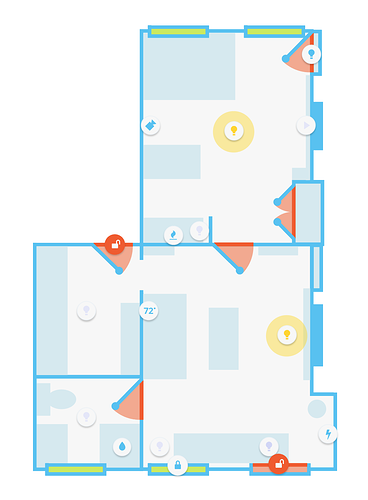
@calm rock picture-elements allows you to do whatever you want really. Employ z-index if you need layering
@halcyon mantle I'd also be careful with 3d modeling like the picture you gave. I imagine using it to turn things on/off would be frustrating if you didn't already know which things you could interact with (i.e. guests could not use it)
unless you make everything connected (smart bed, smart couch, smart vanity, etc)
 rocky merlin
good work @polar kelp
I am gonna try the media player when I am home from work
Myself sadly had zero time for lovelace since I started working again after my summer holiday 😦
buoyant skiff
morning
polar kelp
Morning
Thanks @rocky merlin. I'm back at work too. But who needs sleep with two small kids anyway?
polar kelp
There's nothing to see.
No controlls or anything. Not even an empty card. It just plays sound.
polar kelp
I could potentially add an optional stop button, I guess... Might make sense.
polar kelp
Huh? No? That was John Kiernander?
buoyant skiff
the chart card
polar kelp
No idea what you're talking about. So, no, I didn't. 😃
buoyant skiff
ok
neat found an issue with horizontal stacks and panel true
it kinda breaks the ui
wheat current
I only get that when using the kiosk "hack", after a restart of home Assistant, reload the page solves it for me
polar kelp
z-index problems?
buoyant skiff
no the images and card are under the blue ribbon
so everything pushes up under
when flipping from one page to another
or refreshing it
within ha
not reloading
i get this even if i restart ha
wheat current
So it's not limited to panel: true
wheat current
cool 👍 should open a issue at the polymer (frontend) repo
buoyant skiff
home-assistant-polymer <-- this one right ?
wheat current
yup 😃
north spear
Audio card could use a free position equilizer
buoyant skiff
limited to firefox
so wonder what makes it go sideways in ff
so cant report it as a bug
@north spear do u have any clues what the issue can be ?
north spear
Hmm
buoyant skiff
can post the config if you want
north spear
Are custkm card settings enabled basef on faq?