#frontend-archived
1 messages · Page 65 of 1
 raven nacelle
yeah....that may be the easiest
 north spear
Maybe I'll add a hot key that can be displayed on main screen as well with some logic
so you can have something mapped on main screen
but later
raven nacelle
that will be nice....for resume service
 calm rock
@hi all , @north spear , sorry my ignorance on the subject , but i dont follow , what to check on the monster card , i think the problem is with the glance card , not being able to get rid of the background , this is what im trying to achieve : https://imgur.com/a/RoCpkTm , ( filtered , only home state) without the gray background , and correctly spaced
north spear
as you can see the card has: background-color: var(--paper-card-background-color, white);
you could redefine --paper-card-background-color to be transparent
I'm just not sure you can do it only to one card
you probably can override the setting at a view level
 hot gyro
hmmm is it just me? seems like we have gone from hardly any to already too many options ... I should wait and see what sort of cards are coming before progressing with what I want to build
 mild veldt
just you 😃
hot gyro
thought so
north spear
there are not that many cards
check the official docs
just that there are some very versatile
and some people really want to be creative
of course there are also custom cards, but you should seek those only if you feel like missing out on some functionality
hot gyro
I know its more that I had a look at twitter and then thought - damn - this is better .. and then damn - this is actually nice ... and then damn - another new card I could have used instead of the other
mild veldt
nothing wrong with an iterative design
hot gyro
I guess I need to make my mind up
north spear
@hot gyro go with basics first and when you have a stable design, look at pain points
if none, than browse cards and build a 'testing' view
if you find going back to a particular card more often, integrate it in usual workflow
mild veldt
@north spear did you go any further with the weather card after hitting the jQuery?
north spear
@mild veldt didn't get a chance, as I went back to thermostat card to add the missing services options
I've just uploaded what I've split and prepared in a separate branch
but nothing is functional, mostly license stuff and doing the wire part of the card
mild veldt
okay, i see the branch
north spear
but it's basically .... nothing :))
as you can see clearly here: https://github.com/ciotlosm/custom-lovelace/blob/cartoon_weather/cartoon-weather-card/cartoon-weather-card.js
hot gyro
@north spear easier said than done ... I think I need to establish what I really want so probably need to work a few out and then take it from there
especially as I have different requirements due to 'agent' or device
 simple jolt
@north spear cannot get your cartoon card to display in the front end. Should the type be module?
north spear
@simple jolt that is not even close to be usable as alpha
It's just a dump of files from codepen to start building
I'll probably do more next week
simple jolt
Okay I jumped the gun a bit then.
north spear
as I said, currently it's nothing 😃
simple jolt
Trying to creat a picture-elements card which displays a static image of a room. When the lights are toggled I want it to display the same image but with the lights on. I created two jpegs one with lights off and one with them on. I’m trying to use the state_image within the image type and it’s not working for me. Any ideas?
My goal is to have a static picture of a room. Then when either clicking on individual lights in the picture would update the picture to reflect the light change.
I could use picture-entity but I want to control multiple lights with one picture not just a single entity.
 rich solstice
I use this to achieve that https://www.hastebin.com/eqikafojib.bash and with picture-elements you can place different icons where you want them to control the lights
Although the image trigger is still linked to a single entity and that's not what you want.. misread your question.
simple jolt
@rich solstice in your example that state image is for the entity. I want the entire image to change based on the status of the entity.
hot gyro
is there an option to hide the sensor.custom_card_* ? I tried via customize_glob which doesnt seem to hide them in the old ui
rich solstice
It will change the entire image, because the image is using the full card size. The problem you will have it only uses one entity
@simple jolt https://imgur.com/a/hn5yLjN
 wheat current
@hot gyro Next version wil have that option ;)
Should be tomorrow 😉
simple jolt
@rich solstice yes your example worked. But you are right it’s only for one entity. Is there a way to make only parts of the image tab able? Or if I were to add a icon make it invisible but clicking in its location will still turn on the light?
rich solstice
You can use something like this:
Never tried it but perhaps you can use a group to check which image to use? If one of the lights is turned on the group should also be partially on right?
hot gyro
@wheat current 0.75 ? repos seem to be upgrading at the moment ...
wheat current
@hot gyro next version of custom_updater 😉
hot gyro
ah ok
 coarse monolith
I can't seem to get thermostat card to work.
- url: /local/lovelace/custom-lovelace/thermostat-card/thermostat-card.js?v=0.0.2
    type: module
      - type: "custom:thermostat-card"
        title: Hallway
        entity: climate.hallway
        step: 1
getting "custom element doesn't exist" error
rich solstice
You have resources: before the url part?
coarse monolith
Yes - I'm using a bunch of other custom cards without any issue...
rich solstice
Strange I use the same setup without an issue, so it should work
Did you try it like this: type: custom:thermostat-card
coarse monolith
I have tried both ways, with and without quotes - same results....
Hmm, I used git to pull down the repo and that seemed to fix it....
 frank garnet
@coarse monolith Can you take screenshots of the console log?
coarse monolith
@frank garnet it's working now so I don't have any errors
 winter wasp
didn't see any updates regarding lovelace in 0.75 release notes. are those published elsewhere?
 split granite
The Lovelace changelog is linked from the Lovelace docs 😉
I'd guess if there's been any changes the docs are just lagging slightly, which happens
winter wasp
i want my conditional card! 😃
simple jolt
Set up a picture elements card but for some reason the state icons don’t appear on the image until I first toggle them using the entities card. This happens whenever the page reloads.
mild veldt
is the color matching your background perhaps?
put this in your style
"--iron-icon-fill-color": red
calm rock
How to configure in order to get the persisten alerts , on lovelace, as in the /states version ?
mild veldt
do you NEED them right now?
because notifications for HA should be coming in an upcoming release
but you can do it with a monster card for now, if you want
but they are not actionable
@calm rock https://hastebin.com/unuyaqubac
calm rock
understand, thankyou
simple jolt
@mild veldt I’m guessing that is in response to my question. Not nothing appears not it is toggle-able until I turn on the entity from somewhere else.
mild veldt
your clarification made me more confused... 😕
@simple jolt can you share your config and relevant screenshots to help explain?
simple jolt
@I antrich#6541the problem might have been that I didn’t specify an off state. Adding a jpeg for off fixes the issue.
 steady narwhal
Any way to have a picture card that zooms in on click like the old ui?
winter wasp
hmm, conditional not part of 0.75?
steady narwhal
yes
steady narwhal
Thanks! worked great
i have a crazy idea to make the picture navigate to another view, but this is much cleaner
mild veldt
what other view would you want?
simple jolt
Is there anyway to use a script/automation to load a particular Lovelace view? Would love to automatically jump to a camera view is motion was detected. I know we have navigation_path but can’t figure out how to use it in an automation.
mild veldt
@simple jolt No and I doubt that would ever be supported
steady narwhal
well you can kind of do it with a conditional card
mild veldt
Hmm, good point @steady narwhal
@simple jolt I think an alert with a link to the camera on motion makes more sense
steady narwhal
yea I use Telegram messages to alert my phone or deivce
steady narwhal
would be kind of cool on your front page though to show cameras with motion
mild veldt
that could work with conditional, right?
the jumping to another view automatically was the aspect that I see as not being possible
steady narwhal
is there a way to order cards in a view?
mild veldt
hiding/showing cards based on states/attribute_states is totally something we will want
@steady narwhal yes, but it's pretty hacky right now
for your view set panel: true
and then for your "single" card, create a vertical-stack that has horizontal-stack cards in it
steady narwhal
so much indentation
mild veldt
haha, yeah
steady narwhal
i guess the default ui would be a horizontal stack of vertical stacks?
mild veldt
there's some algorithm in there that defines order, but not sure how it works by default
steady narwhal
now if i could get a brightness slider on my light cards I would be set
mild veldt
yeah, that is lacking. make a custom card 😉
calm rock
@mild veldt , any idea why the glance card width is restricted to the space of 2 ids? , i have column_width: "calc( 100% / 4)" , in the config :https://imgur.com/a/RoCpkTm
mild veldt
Haven't had to use a Glance card, but by 'ids' do you mean 'entities'?
calm rock
yes
 buoyant skiff
hehe ian do you get to mess around with lovelace at all
or are you full on support these days?
 icy bison
Hi, I've got an issue with service-button. It does not pass the service_data parameters to service call. Similar config with icon works.
is that any known issue?
I can see the call in debug however service_data is empty
winter wasp
so i see the conditional card in the lovelace docs, but it doesn't seem to work in 0.75
winter wasp
huh
 fair hamlet
quick sanity check, I am playing with the hello world "content-card-example.js"
https://hastebin.com/acuguredem.js
To start with it had a image place holder. I copied the innerHTML and pasted then rem out the original, then started to changed the text.
I thought all I had to do is refresh the page. But being new I even restart hass like a config change.
Nothing is changing.
I even moved the .js file out of the expected directory and the screen painted without error.
Do I need to do more than refresh when changing a .js file?
here is the URL to the hello world I am talking about https://developers.home-assistant.io/docs/en/lovelace_custom_card.html#defining-your-card
fair hamlet
I moved the "content-card-example.js total out of the www directory and it still is showing up.
@steady narwhal Just tried the shift F5, still showing. I am running chrome.
steady narwhal
Not sure then. I have to force a refresh after changing custom cards to get the changes to show up.
I just deleted the custom js file and it still shows up
I'm guessing you would need to restart home assitant to unload the js
fair hamlet
I have tired to restart hass from the config screen, by pressing the red restart.
I might try exiting chrome real quick. be back.
coarse monolith
What is the best way to show a media control card for each media_player without listing each individually?
fair hamlet
ok, back and the card is still showing. I guess a OS reboot is next. That has to do it. 😃
steady narwhal
lol i just fully rebooted my home assistant and it still shows
 tacit cave
@fair hamlet it's ctrl+f5 not shift+f5
steady narwhal
yea that did it
tacit cave
with lovelace, you shouldn't ever have to restart unless adding entities to HA. CTRL+F5 should work for just about everything
I haven't restarted in days and I've added and removed .js and .css files
 reef iris
How does the lovelace background setting work?
It looked like CSS to me, so I tried changing it to linear-gradient(#somecolor, #someothercolor) - but that didn't work
fair hamlet
Just tried ctrl+F5, still showing.
Again, just asking, that is my exceptions and it is not what I am seeing. Not sure what I am missing.
 empty heath
@reef iris background for a view is just CSS.
reef iris
then can I not define colors inside of it?
using the colors defined in that colors file works
but not directly typing the color code, which works in regular css
empty heath
You should be able to. Here is the example from the docs:
- title: Living room
  background: center / cover no-repeat url("/local/background.png") fixed
You may have to quote it 😃
The YAML parser might be thinking it is a comment.
reef iris
ohh yeah
empty heath
Try:
background: 'linear-gradient(#somecolor, #someothercolor)'
Beautiful!
tacit cave
@fair hamlet did you remove the resource from lovelace.yaml though?
empty heath
@fair hamlet If you haven't already, try clearing your browser cache.
fair hamlet
@tacit cave No, That is why I was expecting an error. When I first tried the hello world card example, I missed type the resource and saw the error.
tacit cave
it may be holding on to it as a .h file or something.
fair hamlet
.h where is that?
tacit cave
I'm guessing here. But computers get funky after compiling code
even code that doesn't compile, still compiles
so there could be a resource somewhere in space that's being used. If you are referencing it in your yaml, it could still be using the 'compiled' version.
remove it from your yaml
fair hamlet
As expected, if I remove it from the yaml it is gone, but as soon as I put it back in, it shows up.
Remember I started down this path because I was making changes that were not reflecting. So I started experimenting to see how far I had to go to get a refresh.
tacit cave
yeah, thats .js for you. I hate coding in it.
 subtle rune
Press ctrl F12 and then right click on refresh icon in address bar. Choose the option furthest down
tacit cave
What does that do?
tacit cave
cool thanks. I'll have to try that the next time I make changes
subtle rune
I always do that. Or shift ctrl r
But that doesn't empty cache aswell
Web developer secrets 😉
mild veldt
I always do hard reload and remove cache as well. Most sure way to get your changes reflected
tacit cave
TIL, thanks
mild veldt
@buoyant skiff I'm at work so can't play around with Lovelace but can still offer support 😉
Hopefully I can get my fitbit card changes on sharethelove soon along with my system monitor
Worked on my untappd card last night
fair hamlet
@subtle rune , ctrl F12? I am on chrome and it is not doing anything.
mild veldt
no, just f12
@buoyant skiff pretty simple so far: https://imgur.com/a/nV1hC7q
Did you have a way to display the wishlist?
buoyant skiff
Beer card
mild veldt
did you throw it into a different sensor first, then?
buoyant skiff
No I used the attribute
subtle rune
Oh sorry, I just do it with muscle memory since I do it so many times every day so I confused the command 😄
mild veldt
@buoyant skiff wha...? I get nothing doing that https://hastebin.com/nukeyufisa
buoyant skiff
Will take a look tomorrow
buoyant skiff
😂
fair hamlet
here is the update. @subtle rune doing the F12, then right click, then clear cache and hard reset, did do the trick.
Then I made a change and just pressed refresh, then I got an error.
Then I did the F12 hard reset, and it worked as expected.
Is this the expected behavior, or is it (Lovelace) new and quirky?
mild veldt
@fair hamlet never trust the web, it always finds a way to cache things
tacit cave
It's not lovelace, its browser and website BS
Normal HA has the same stupid issues when dealing with the Custom UI
mild veldt
@buoyant skiff going to put up my Roku remote with node-red flow on sharethelove this weekend as well
mild veldt
I wish I was better at node-red, I feel like I have the sloppest flow ever made, but it works
fair hamlet
@tacit cave that is why I was playing with something simple and reproducible.
I was trying to do the weather automation icon card, next, so I was getting my confidence tests figured out. 😀
mild veldt
Okay, I'm off! Time to head home!
tacit cave
@fair hamlet I tried the same things a few years back, i got so frustrated with websites... I come from a normal coding background so I was banging my head on the keyboard when changes didn't occur. It just takes time
fair hamlet
@tacit cave Yes, me too, I come from a .NET and just finished learning python, well kind of, I done a component and two platforms for it.
So I have a process and well you said it about webs.
tacit cave
oh just wait. Python has similar issues because it's an auto compiling language. the .pyc files sometimes hold on to memory that doesn't exist in your code when you start removing methods...
fair hamlet
I got the dev channel so mad at me, I stayed off it for a month 😊 .
I was trying to start a thread. No big deal, should be a few lines. What burned me was using pycharm was add the () at the end of the function. So the function was getting evaluated instead of being passed as a pointer. Non script would have choke at compile time.
 radiant drum
Hi! Is it possible to get this Untappd card?
calm rock
is it possible , to make the lovelace badges, to look, like the "state" badges , with the picture, name on top , and state on the bottom ?
fair hamlet
Ok, back to draining the swap. (old term, back to the task)
So now I understand clearing the cache.
So I got back to the weather-card.js
The example get a state this way ....
    const state = hass.states[entityId];```
The weather card was
```    const entity = hass.states[this.config.entity_weather];
    const currentCondition = entity.state;```
Can you get the state by just asking .state or is something else going on else where?@calm rock you can use old style badges as well
just use badges: in view and add a list of entities
@fair hamlet if you really want to develop make sure you have:
the settings in the browser specified there
and always have opened the developer console (javascript console) with caching disabled in Network tab
than you just write code and hit normal refresh and it just works
@fair hamlet getting the state is easy
you have a hass object which contains most of things you are interested in
you use config.entity which is the id you're probably using in your card
and you find based on that in hass object all things associated with that entity, including attributes
.state in the right object is the state indeed
@tacit cave it's all about initial settings and using the developer tools (called like that for good reason)
when you use those with proper settings things fall into place
tacit cave
Yeah
north spear
plus you have debugger + watch
tacit cave
I'm going to set up a dev enviro for this
north spear
which is a must have
docs for dev environment are pretty good, can't go wrong with that 😃
maybe except caching which they don't mention that much , but at least now settings to avoid caching are documented
fair hamlet
@north spear going back to the debug first.... I read that section, but I thought of it as "front-end" and not Lovelace.
I found the setting under network, but do not see the bypass yet.
north spear
Under network you have the disable cache
Under Application and then on left 'Service Workers', there you have bypass
fair hamlet
found the bypass
north spear
if you tick those two and keep the DevTools opened while developing/ doing refreshes, you're good to go
fair hamlet
So removed the comment from the state and it threw and error. Put the comment back and it worked.
Point is, all I did was hit refresh between each change.
@tacit cave and @mild veldt I marking this for you. You may already know what @north spear explained to me, but just in case.
I read it in the docs that Marius mentions, but again I thought it you were writing code for the front end. Ok I know Lovelace is a front end, but the Lovelace docs talk about just hitting refresh and go.
I should have know from my very little experience with appdaemon. 😀
mild veldt
@radiant drum don't have the card ready, but you can get the custom_component: https://github.com/custom-components/sensor.untapped
calm rock
@north spear, this card im working on is wrong, but really dont know if is something "allowed" to nest the cards like this : https://hastebin.com/uvozurazez.bash , appreciate if you can take a look . result should be a horizontal card, with 4 badge slots , showing only entities with state "home" , over a banner image on the background
fair hamlet
@north spear Ok, back to the difference in how the cards are pulling the sates.
First, if I understand so far, the config entity is passing variables into the script.
Right now I can't find where I got it from. I was following some doc somewhere. Anyway .....
I am trying to mod the weather card to work with my setting and at the same time learn Lovelace.
So comparing how the example and weather card worked, that got it differently. But I just noticed const sunLocation = transformDayNight[hass.states[this.config.entity_sun].state]; used the .state.
So my issue must be in how I am translating my weather entity to the one that the card originally used.
Let me did a little more, and will be back with more questions.
north spear
@calm rock you don't need monster card to show those cards. Better use picture-elements with probably conditional card
something like that
calm rock
yes but , mosnter card is the only one with filter , isnt it ?
north spear
yes, but you don' tneed the filter as you're just adding entities in clear for the badges
and now you have conditional card
see docs
calm rock
ok, tks
north spear
@fair hamlet use debugger to add watches to expand object and see structure
if you want to stop to a specific spot in code , you can just type in debugger; in the source code there and it will trigger a breakpoint
fair hamlet
I am about to leave for a while, but when I get back I will play some more. I need to spend some google time on the debugger. Right now it is pausing and as far as I know I have not set any break points.
I am using weather underground for the weather.
My yaml is entity_weather: wunderground
The code is const entity = hass.states[this.config.entity_weather];
That works, then the next line is const currentCondition = entity.state;
That throws an error. https://hastebin.com/cunidubafo.coffeescript
So I must not have the right level of object that .state would be the value. Will need to dig. 😃
Quick snippet of the my weather yaml .....
  - platform: wunderground
    api_key: !secret weather_wug_api
    monitored_conditions:
      - alerts
      - dewpoint_f
      - dewpoint_string
      - feelslike_f
you need to use the entity_id
fair hamlet
@tacit cave Not following?
tacit cave
hass.states is looking for a domain at that point, then an id
for example, an entity_id for a kitchen light would be light.kitchen
light is the domain, kitchen is the id
hass.states[domain][id]
entity_id's are domain.id
ex. light.kitchen
fair hamlet
That is what is confusing me about what the code is doing. It looks like he is trying to enumerate the domain.
here is a snippet ....
    const entity = hass.states[this.config.entity_weather];
    const currentCondition = entity.state;
Here is all the code, remember I been hacking on it https://hastebin.com/hepefeqimo.js
I wish I could find the doc and github
tacit cave
It's possible that the states object takes the full entity id
 tender wasp
@fair hamlet hass.states is an object where the key is an entity_id and the value is the state object. You are trying to lookup hass.states['wunderground'] but 'wunderground' is not an entity id so you end up with entity === undefined. Then you try to access undefined.state
tacit cave
but you would need the full object name, i.e. sensor.wunderground
tender wasp
what you probably want is hass.states['weather.wunderground']
your entity_weather config should take an entity_id like weather.whatever
tacit cave
Yeah, he is using the sensor, not the weather component
I think he's trying to make the sensor work with the weather card instead of using weather on the weather card
tender wasp
ok, well either way you need an entity_id to look up a state from hass.states
fair hamlet
@tacit cave you are on the right track, and so is @tender wasp
I saw the card and started playing. I had the weather set as sensors to display. I bet I need a weather component.
What attracted me to this card, was you were not passing each entity from the config.
tacit cave
well then you need to use a component that uses the weather domain
fair hamlet
I will do some googling latter.
I got to go for now, but In famous words ...
I'll be back
calm rock
is it possible that conditional card is not available on hassio 0.74.0 ?
tacit cave
entity-filter?
tender wasp
conditional card was added in 75
calm rock
ok, not in hassio yet, tks
 frosty pelican
yea I dont think the changelog has been updated yet on Lovelace docs
tacit cave
oh 0.75 is out??
calm rock
no
frosty pelican
i think its still building for hassio
calm rock
at lkeast for hassio
frosty pelican
ah yea so its probably like 4-6 hours from when it hits pypi
 plain torrent
question - I have a Honeywell thermostat... and I want to display the current temp from teh thermostat.
Filter entities
thermo

Filter states

Filter attributes
 climate.thermostat    cool     current_temperature: 74
                                                          min_temp: 45
                            max_temp: 95
temperature: 74```The Good Doctor showed me this to get the temp on a text format,
entity: sensor.blink_mountain_room_temperature
but I would need something like climat.thermostat.current_temperature but that does not work.
mild veldt
@plain torrent https://github.com/custom-cards/state-attribute-element
tacit cave
gotta make a template sensor using "{{ state_attr('climate.thermostat','current_temperature') }}" then use it as a state-label. Or do what @mild veldt said.
 torn patio
Hey if I'm making a custom card, is there some way to import stuff from the webpack?
I'd like to extend HuiVerticalStackCard , but finding it in the webpacked .js files is pretty opaque.
 glossy birch
for all the Lovelace lovers out there, here is a simple way you can auto-generate entity cards based on your setup ```
{% set domains = states | map(attribute='domain') |list | unique | list %}
{%- for item in domains -%}
- type: entities
title: {{ item.replace('_', ' ') | title }}
show_header_toggle: true
entities:
{%- for e in states[item] %}- {{ e.entity_id }}
name: {{ e.name }}
{%- endfor %}
- {{ e.entity_id }}
{% endfor -%}
 kind shellBOT
Ludeeus is away for 3h 9m 24s with a message :point_right: Lurking in the shadows.
glossy birch
Here is another entity-filter card code for your device trackers ```
- type: entity-filter
state_filter:- 'home'
card:
type: glance
title: My Device Trackers
entities:
{%- for e in states['device_tracker'] %} - {{ e.entity_id }}
{%- endfor %}
- 'home'
@glossy birch I must be doing something wrong. I can't get either example to work in my ui-lovelace.yaml
glossy birch
@mild veldt that's a jinja script to generate lovelace code for you. You need to run that in the template editor and paste the output in the ui-lovelace.yaml file under ```yaml
title: Kalavala's Home Automation
views:
- title: Home
cards:
If you paste that code as-is, it will not work.
mild veldt
that makes sense now. thanks
glossy birch
It is almost like the migration script that Dale wrote - except it is jinja script based
when you paste the code, you need to make sure the code is properly indented - otherwise YAML won't forgive you
mild veldt
untappd card is coming along: https://imgur.com/a/YNjIm09
north spear
@glossy birch try to fix your block code. New line for marker. 😃
Anyway. Nice idea, maybe add this to sharethelove.io?
buoyant skiff
@mild veldt
      - type: custom:beer-card
        entity: sensor.untappd_wishlist
        icon: /local/icons/untappd.png
        attribute: list
some of my hacky code
mild veldt
ah! yes! you put it in an attribute. i submitted a PR for the untappd sensor to do just that
buoyant skiff
so what was ludeeus objection ?
mild veldt
he said it was messy
you see the card i have so far above?
@buoyant skiff https://imgur.com/a/YNjIm09
mild veldt
yarp
buoyant skiff
fuck it ill merge and if its broken we fix it
updated to v0.0.2
still missing features like last badge
and avb on the beer
mild veldt
do you have a way to display images based on an attribute?
like the beer_label in the wishlist?
mild veldt
was thinking that could be something for the beer-card to use instead of bullets
last few badges would be cool as well
finding that I don't really have much space to work with once I'm on mobile though
mild veldt
I have my own circle-sensor-card (circle-sensor-beer-card) that allows you to use an attribute for the max value...i think that was the only different. should just do a PR for that
buoyant skiff
yeah on your fitbit card its missing 😉
doesnt say that the user should have it setup
mild veldt
that PR was actually approved tonight, I need to update my fitbit PR still though
I have that change in there
buoyant skiff
ahh
mild veldt
meaning, I will have it
buoyant skiff
i love how i got my rpi setup now
mild veldt
I'll submit it now, was waiting to get a better picture (more steps) but oh well
buoyant skiff
so freaking fast then before
naaa submit later
just put it on your todo list
better to have a proper pr then loads of smaller 😃
mild veldt
...too late
I upgraded from a rpi to a tower server and haven't looked back. Seemed to always be burning through SD cards on the pi. Got a SSD and 3TB HDD on the server, with 24 cores and 32 GB of RAM. Acts as my security camera NVR as well
buoyant skiff
haha ok
im running my rpi on an ssd
no sd card anymore
found an ssd collecting dust
only 120gb
still better then sd card
reprogrammed the OTP to boot from ssd then reinstalled hassbian
mild veldt
The beer_label is part of the current response for the last check-in. Just need to apply it to the icon, right?
buoyant skiff
yes
mild veldt
i should really go to bed...
buoyant skiff
hehe
mild veldt
good night
buoyant skiff
night 😃
 mossy gale
@buoyant skiff snapshot created for HassOS, SSD cloned on Windows server to new larger drive, old drive ready to roll of Raspberry Pi SSD boot.... thanks for the inspiration yesterday to investigate. I am hoping it will be the end of my crappy performance with the so called "Extreme" microsd card
rich solstice
Does someone know if it is possible to remove the 8px bottom margin of the conditional card when it is hidden?
north spear
@rich solstice probably not in current state. Probably needs a patch to fix it. If you know some javascript, have a look in the code
rich solstice
Yeah I already expected that answer. I'm not really familiar with JavaScript, but I will have a look. Thank you!
buoyant skiff
@north spear saw that you have setup a repo for the weather card 😄
north spear
indeed
buoyant skiff
hope that its easy bringing it to ha 😃
north spear
not easy if you want it efficient, but we will get there
it requires too many external dependencies at the moment
I plan on doing a build system to get everything 'compiled' into 1 file
and move away from jquery, as we don't need yet another library injected in the frontend
wheat current
f''k efficient we want pretty 😄
north spear
and then 120938094809328 issues later of "my UI is slow when adding cartoon weather card" ...
😄
wheat current
Upgrade HW 😛
north spear
if this is going to be pretty enough people will use it on tablets on their walls
which probably would be older stuff to "just run a web browser"
😃
wheat current
Yeah, I'm mostly joking 😛
north spear
I know, still I want to do stuff properly from 1st try when possible 😃
split granite
I have a pair of old Nexus tablets that would make rather nice wall mounted tablets... hmmmm
They're way powerful enough to do that, and with Qi charging no need for case modifications or wide trim to hide the power wires
Damn, another project I need to work out how to persuade the good lady to let me do 😛
 prime umbra
hi was wondering how can i align the state on center of image?
- type: picture-entity
            show_name: false
            show_state: true
            image: /local/img/test.jpg
            entity: device_tracker.test
use picture-elements and align state however you wish
prime umbra
ok thanks
north spear
@buoyant skiff fail 😂
buoyant skiff
.ping
kind shellBOT
:ping_pong:
ping?
PONG!
buoyant skiff
indeed
prime umbra
😃
buoyant skiff
bah
kind shellBOT
@prime umbra A place for LoveLace Config https://sharethelove.io/
buoyant skiff
some good examples there
line break seems to have changed since 0.74.2
lines that was multiple is now only one long line
wheat current
Good :)
There should be no libebreaks in states/attributes
buoyant skiff
it kinda fucks up my cards
wheat current
Then you will probably find a better way of showing it 😃
buoyant skiff
urgh "sure"
subtle rune
north spear
Looks really cool
Always amazing to see what people do with flexible things
If that is available somewhere, it should go in sharethelove.io
wheat current
@hot gyro There is now a new version of both the tracker-card and the custom_updater that give you the option to set hidden: True in the component config 😉
north spear
@wheat current i only see 0.1.4 for tracker-card, but still 1.2.0 for custom_updater
 serene sierra
where i can see changelog for LL 0.75? docs still have only for 0.74.0
wheat current
split granite
I've approved the update to next in the docs
buoyant skiff
how come the gauge card doesnt show up on the tracker card
buoyant skiff
no marius gauge card
north spear
I just noticed it myself, it's not there, but I have big-number card instead
wheat current
I see why :/ I'll try to fix it
north spear
do tell, I'm curious 😃
wheat current
custom-card org are imported first.
Since you have/hadd the same cards in both I added a "search for this name in the currecnt json before adding" and it matches on canvas-gauge-card :/
buoyant skiff
xD
north spear
oh, that makes sense 😄
wheat current
The logic for the json creation is ugly AF 😛
buoyant skiff
time for some bug fixes then and improvements 😉
wheat current
@buoyant skiff @north spear https://github.com/custom-cards/information/commit/a6a57f04efbe5e789be800c982369df873dc8bfb
wheat current
that is expected 😉
It will not get that value when thay are located in @north spear 's repo, github do not publish that kind of data in their API
buoyant skiff
pr 😛
split granite
@wheat current Yeah, next will be 0.76. Somebody will need to do https://github.com/home-assistant/home-assistant.io/pull/5950 for current so it can be merged
kind shellBOT
Lovelace changelog for 0.75 https://deploy-preview-5950--home-assistant-docs.netlify.com/lovelace/changelog/#changes-in-0750
hot gyro
@wheat current works fine, checked readme, typo corrected ... all good 😃
kind shellBOT
Ludeeus is away for 8m 8s with a message :point_right: Lurking in the shadows.
 terse hatch
👋 is there any way to filter by numeric value with the entity-filter card? I'd like to use as filter something like < 20
north spear
@terse hatch only with the monster
terse hatch
What's "the monster"? 😃
north spear
.monster-card @terse hatch
kind shellBOT
@terse hatch Monster card is a magical type of card. Because it's dynamic if you're smart about it, you can have one card that adapts and that you don't need to touch when adding new entities & sensors to your setup. Supports both inclusion and exclusion filters with wildcard for entity_id: https://github.com/ciotlosm/custom-lovelace/tree/master/monster-card
north spear
😄
terse hatch
Anything obviously wrong with this? :-(
      - type: custom:monster-card
        show_empty: false
        filter:
          include:
            - entity_id: "sensor.*battery_level"
              attributes:
                state: "< 20"
        card:
          title: Low Remote's Batteries
          type: entities
what error do you get ?
terse hatch
nevermind 🙄 it's not there the error, it's unrelated. sorry
north spear
no worries
buoyant skiff
man i need to play around with that card more
do some cool stuff with it
it can do so much
terse hatch
I think it has a bug. Now it's loading, the "red error card" flashes for a second and then disappears. No way to understand what's wrong 😓
north spear
nothing wrong
usual behaviour
the UI aasumes your card won't load so it will display the error until your card JS is loaded and parsed
maybe in a future release it will change to not be red right from start
north spear
you can check their values in dev-info panel and see if any match the condition
 storm lion
lol, extreme.. I like it 😃
buoyant skiff
anyone got some kewl moster card examples they wanna share just pr sharethelove
would be nice with some additional examples
storm lion
my "probably broken card" is my favourite
  - type: custom:monster-card
    card:
      type: entities
      title: Things that are probably broken
    filter:
      include:
        - state: "unknown"
      exclude:
        - entity_id: group.*
😄
there is also a new 'group' card 😄
and in the works https://codepen.io/GooeyIdeas/pen/NRvoQv version
storm lion
now that is cool!
buoyant skiff
feel free to add that one it served me well @storm lion
storm lion
will do buddy 👍
terse hatch
Figured it out, it's not - attributes > state, just state
north spear
probably in the docs (got so complex I can't remember myself without reading)
north spear
yes, if your batter is in the attributes section and it's called 'battery'
terse hatch
oh I see
north spear
if you have actual battery sensors, than just use state
terse hatch
I guess there's no way to display the exact same card on two different views atm?
calm rock
Hi All, how to make use of card on other view?, ive followed dales`s instructions , but is not working , was something changed , that broke this ? ( im on hassio 0.74)
buoyant skiff
what instructions was that
we can magically know what you guys talked about
be a little more helpful
buoyant skiff
the duplication part is a hack to begin with even Dale admitted that
so using that for production isnt really adviced
buoyant skiff
i would rather not
since it probly not gonna work in next version
when you update
north spear
@buoyant skiff standard yaml, but will break with editors in the future for sure
buoyant skiff
yeah thats why its not adviced to use it 😃 even if its standard yaml
hot gyro
hmm I am trying to get a group.state to show as icon on/off - I have created a sensor and use that sensor as state-icon, state-labels show correctly but if I use the icon it doesnt reflect on/off states - any reason why?
buoyant skiff
.share
kind shellBOT
:point_down:
Format Code:
Please use https://www.hastebin.com to share code.
hot gyro
https://www.hastebin.com/gumositomi.coffeescript | I have removed irrelevant entries
if I change it to state-label the correct label of the sensor shows on/off
basically what I want to achieve is to have a state-icon based on a group to indicate on/off as icon change which today doesnt seem to work, so I thought I create a sensor to do it
this is the original issue https://www.dropbox.com/s/q9rdopz7cdzdzyu/Home_Assistant.jpg?dl=0
 north spear
template sensor works better than group probably. What is the state of that gorup in dev-info panel ?
hot gyro
order: 34
friendly_name: Corner Lamp
icon: mdi:lightbulb
device_class: light```yes but the icon of the group doest change from blue to yellow when state=on - I think its a limitation in the regular ui
yes - as you can see in the dropbox link
north spear
at what crazy stuff people can do with lovelace I can't assume things 😃
hot gyro
for the moment yes - I think it doesnt allow me to configure the toggle but at least give me the correct state
preferably an option that would allow me to show the state and configure the toggle to use a complete different service so I can switch the actual group
if that makes sense
still a bit raw the idea
north spear
state-icon should work based on what I read
 honest fog
Hi, can i add an icon in lovelace UI ?
- sensor.kitchen_power
icon: mdi: power
hot gyro
you need to customize it as usual and it should be passed through
if using entities you can use the icon option
north spear
glance as well
empty heath
hot gyro
@north spear actually after paying a bit more atten to it - everytime I use a group it thows the system_log/write error ... it doesnt do that for a single entity - maybe the issue is related - funny enough only on first load not on consecutive toggles
north spear
what is the error ?
hot gyro
2018-08-04 17:18:53 ERROR (MainThread) [frontend.js.latest.201808040] https://a.b.c.d/frontend_latest/df03c3bc2add9d4f4eab.chunk.js:618:41566 TypeError: undefined is not an object (evaluating 'i.length')```only on first toggle/more-info attempt of the group though
maybe it has an issue to resolve all entities associated with it or so ?!
north spear
Can’t tell. Maybe I will test with a dev instance
hot gyro
I have thrown a few different groups at it for testing - all MY light groups behave like this unlike eg the group.lights which doesnt seem to cause this
but they are all like this ```group:
###############################################################################
Groups
###############################################################################
Corner_Lamp:
name: Corner Lamp
view: no
entities:
- light.corner_lamp_1
- light.corner_lamp_2
- light.corner_lamp_3```
so nothing fancy
north spear
ok, going to check this now
on dev
@hot gyro can you check the same setup on your end with group.all_lights ?
see if you have same icon state issues ?
hot gyro
I believe I did already but give me a sec
mild veldt
How to setup a fitbit card: https://sharethelove.io/fitbit-card
north spear
I could reproduce the same it seems, but group icon doesn't change in more info dialog based on state either
hot gyro
ok - changed to group.all_lights - did a refresh of the window - system_log/write called error when I access the state-icon, still opens the more-info - I switch one light onw - the stae-icons stays the group icon (cirecle with 3 dots)
I know - hence I thought its a limitation, so I created a sensor based on multiple entities but that doesnt work either
  - platform: template
    sensors:
      corner_lamp_sensor:
        value_template: >-
          {% if is_state("group.corner_lamp", "on") %}
            On
          {% elif is_state("group.corner_lamp", "off") %}
            Off
          {% else %}
            Disconnected
{% endif %}```unless this sensor is only a passthrough it should behave like any other entity doesnt it?
I customized it like this: sensor.corner_lamp_sensor: device_class: light hidden: true
which should have the sensor act as a light - so it should work but it doesnt / only the state-label works as expected
state-label works - but I also get the system_log/write called error /notification at first touch after dashboard reload
north spear
let me check, maybe it check domain
that 1st touch is a bug
more-info-group.js line 60
mild veldt
anyone have a way to get a state-badge without the title, just the badge itself?
north spear
sometimes stateObj.attributes.entity_id undefined
mild veldt
perhaps some css magic?
hot gyro
have you tried: name: leaving it empty ?
mild veldt
state-badge within picture-elements doesn't have such an option
only entity and style
some way to specify opacity but only for the font?
maybe I need to make a custom card...
Got it by changing the friendly name in customize
hot gyro
@north spear could trick it by using type: image and have the on/off icons stored locally
hot gyro
not knowing but as I guessed earlier maybe it doesnt result in a single object and hence it becomes void?
north spear
that is my watcher
hot gyro
oh ok
north spear
it's a single moment in time evaluating all those at the same time
ok, now I feel stupid
all_lighs vs all_lights
😦
hot gyro
well - I didnt see it wither but I could do with some glasses
north spear
so the bug with opening all_lights is in all cards when opening more-info dialog
hot gyro
ok consistent at least
north spear
not visible in previous interface that expands group by default
hot gyro
ok with my custom icons it works as I wanted it to be
is there an option to scale the picture elements card with all entities?
raven nacelle
Don't think so
buoyant skiff
there is
raven nacelle
there is?
hot gyro
I am listening
raven nacelle
but that will only scale the icons right?
buoyant skiff
yeah
raven nacelle
I thought @hot gyro was after something else - scale the entire image with the elements on it.
hot gyro
I was looking for:
                #title: Ground Floor
                image: /local/floorplans/Ground_Floor.jpg
                elements:
scale: 98%```so it would scale the entire card and elements
typical scenario - floorplan is slightly too big for iphone to fit on a single screen without scrolling
buoyant skiff
yeah thats not possible at the moment
the only thing we got is panel: true
but you can scale the content of the card to fit better
that way it will fit better on you iphone
thats why i always look at my setup on various devices
so i know that it scales good
hot gyro
well I would need to scale down the floorplans I have created which work fine on desktop but are slightly too long for a mobile screen
but that means I need to alter all elements as well
so if I had the option to just scale the entire picture elements entity to size it would make it simple - you create it once and then can scale it on any other view the way you need it
HA - I can ... not ...
why did I think I could scale the stacks ?
buoyant skiff
think there was talks about scaling
so it might just be best to just wait
and live with the scrolling
or you can try css importing
hot gyro
its experimental anyway at the moment
buoyant skiff
might just work with css
hot gyro
 buoyant skiff
some minor tweaks
hot gyro
damn ... out of beers
hot gyro
the camera text will come off ... temperature will be replaced ... but its getting there
buoyant skiff
havent even bothed with a floor plan 😂
hot gyro
its just playing with it at the moment
well I had mine from the purchase - scanned it - imported into a designer and redone it - took like 20 minutes or so
buoyant skiff
working on my kodi card and reworked the greeter card
hot gyro
I want to use them as quick overview - probably on panels on each floor
hot gyro
yh mine no longer work in firefox as I found out earlier
all floorplans are cut off
chrome and safari are ok
buoyant skiff
did you set the flags in ff ?
hot gyro
nope - worked prior to the upgrade - or was there a breaking change I have missed
buoyant skiff
This is probably because your version of Firefox doesn't have custom components supported or enabled. Please set to true in your about:config the following settings: dom.webcomponents.customelements.enabled and dom.webcomponents.shadowdom.enabled
hot gyro
not that I use iff
buoyant skiff
that fixes most issues with lovelace
hot gyro
I just use it when I need a second browser to review the changes
 fallow oak
What is the best way to display cameras in lovelace?
hot gyro
I use badges or picture-glances
north spear
Simplest is picture-entity
fallow oak
Thanks guys... Will check them all out! 😉
fair hamlet
@tacit cave @mild veldt @north spear
Thanks for getting the gears turning last night.
Did my googling and playing, here is what I learned so far...
I did get the card to work. I was not using the correct platform for the card.
Way down in the post there was a reference to a dark sky card.
Then I kept playing, between getting my sensors right and some copy
and paste is my friend mistakes in the card. I did get it to work.
May not use the card now😁 but did learn in the process
tacit cave
I noticed that the changes to lovelace aren't in the changelog, anyone got a link to the changes on github? I seem to remember there being a list there.
north spear
.ll75
kind shellBOT
Lovelace changelog for 0.75 https://deploy-preview-5950--home-assistant-docs.netlify.com/lovelace/changelog/#changes-in-0750
subtle rune
I got the material for that awesome floorplan from reddit that I posted before and will try to get it up on share the love tomorrow! 👍🏼
(Poster didn't know how to put it in)
 sudden lion
Whats the reddit link?
subtle rune
It's totally awesome
I've noticed that alerts in entities card are no longer toggleable. By design or mistake?
Didn't notice in changelog
sudden lion
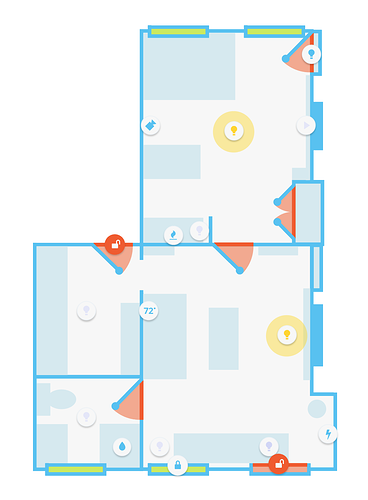
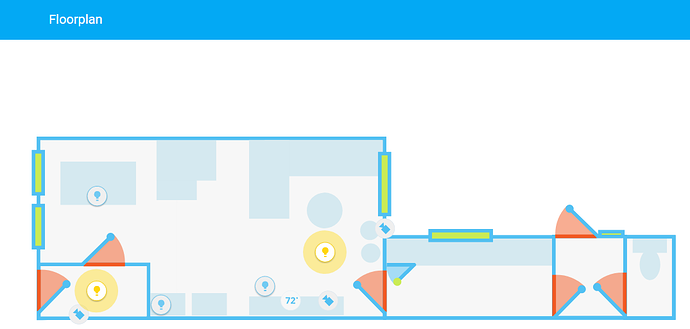
I personally like these better https://community-home-assistant-assets.s3.amazonaws.com/optimized/2X/5/567fa67c6c79d5511c6a2236246728f0c7a04400_1_368x500.png https://community-home-assistant-assets.s3.amazonaws.com/optimized/2X/d/d5905b76a556259e7cc44f83fb441b0154c27581_1_690x329.png https://i.imgur.com/2mPagAH.gif
 subtle rune
Yeah, those are nice too. I like the picture feeling if the other one. Goes better with my new Lovelace ui with more images and stuff
sudden lion
Yup, we are all different. i dont like all the clutter . I have no need to see my table, chairs, sofa etc since i cant control those 😛
glossy birch
@north spear https://discordapp.com/channels/330944238910963714/460846676358332417/475180275719208960 new line for marker? I just added that code to the sharethelove.io repo
mild veldt
@sudden lion you don't have smart chairs yet? Living in the stone ages, eh?
I really like those floor plans you posted. Did you do those?
mild veldt
Ah i missed that second one on mobile
raven nacelle
@sudden lion Like those floorplans. Are they yours?
 granite prawn
im getting this error https://example.com/frontend_latest/app-7338956c.js:445:3536 Uncaught TypeError: Cannot read property '_stateDisplay' of null
any clue whats the issue?
north spear
@granite prawn either you are using a card at view level or a bad entity in a card
@glossy birch not important. You tried to format a block of code but you difn’t start with ‘’’ on new line so was incorrect
Useless observation on my side. Sorry for that ping
granite prawn
@north spear thanks. ill get to the debugging now that i have a lead 😃
north spear
Collapse all your views in an editor and see if any cards show up beside the views
@subtle rune what are you refering to as alerts?
Notification items generated by alert component?
buoyant skiff
morning
north spear
Morning
subtle rune
@north spear I have a card for all my alert.* entities. You can make them acknowledgeable so that you don't get more notifications from the alert.
north spear
was this working in 0.74? Maybe something still not updated with latest changes to entities row
buoyant skiff
@north spear got a request for the beer card 😄
numbered list
and perhaps a tad less space between colum and icon
would that be easy to do ?
 viral sorrel
I'm following the examples so I don't know what it wants :/
      - type: custom:monster-card
        card:
        filter:
          include:
            - domain: media_player
you can't have card empty
none of the examples show your code
all have at least 'type' under card:
also you must have at least 1 entity under media_player probably
otherwise the cards that it sends data to might fail
@buoyant skiff ass those requests as issues on the repo. I'll have a look after Im done with weather card 😃
buoyant skiff
sure ill add it to your tracker 😃
viral sorrel
doh.. I meant to have type: entities
hmm.. works fine with no media players.. just creates an empty card.. but now I hhave another problem.. trying to figure out why the alexa custom media_player component went wacko
plain torrent
Buenas Noches, Can anyone tell me if it is possible to resize an image from within a vertical stack definition. I'm trying to do something like https://home-assistant-lovelace-gallery.netlify.com/#demo-hui-stack-card but my image is way to big.
I was thinking of something like image: /local/images/washing_machine.png entity: switch.washing_machine style: top: 83% left: 69% width: 5%
viral sorrel
has anything changed in the last few versions to do with lovelace? last changelog I can find is for 0.73.0
 vapid field
hi, i'm new here. I was playing with floorplan when i discovered lovelace. so i moved everything to lovelace. All works fine under home assistant on my windows laptop. i now moved the yaml file to HASSIO on my raspberry Pi, created a www directory under config (where the configuration.yaml is) and copied all needed image files from windows www. Strange is that on the raspberry, some images do not show up and some "try yo load" but display only a fraction. I lokked all over the doc files but was not able to find a clue. I'm on HASSIO 0.75.1 Does somebody has a solution for this ?
kind shellBOT
Lovelace changelog for 0.75 https://deploy-preview-5950--home-assistant-docs.netlify.com/lovelace/changelog/#changes-in-0750
 timid girder
Hi!
In the old UI, I could add group.automation to a view to have a card containing all automations and their state.
In Lovelace, when I add an entity card for this group, it's empty. Is there a way to have all automations displayed in a card without having to list them manually?
timid girder
I'll check it out, thanks!
north spear
@timid girder You can also use group card for that https://github.com/ciotlosm/custom-lovelace/tree/master/group-card
Simpler
tacit cave
the conditional card can take any card and it's configuration?
north spear
@tacit cave yes
tacit cave
hmmm, ok. Were changes made to the entities card when renaming entities?
nevermind. I must have had an issue with the yaml. odd. Maybe it's too early to be coding
"coding", i mean configuring.
So that card is nice. I'm using it to conditionally show volume sliders when a media player is on. It has 2 zones and I show a different card for each on & off, off & on, on & on condition.
 toxic bridge
@buoyant skiff Im trying to implement this: https://mon.ruter.no/monitor/3010011/Jernbanetorget/3010020/stortinget , but the i-framecard is way too smal for that. Rezising does not help either
buoyant skiff
yeah that will be tricky since its so wide
might be worth doing a panel: true
unless that site has an api
not sure about norways railsystem perhaps @wheat current has ?
wheat current
toxic bridge
Neat! Only problem with that is that it only shows the first upcoming bus
buoyant skiff
that sounds like a @wheat current problem 😛
wheat current
@toxic bridge open a FR issue on that repo, and I will investigate options 😉
north spear
Maybe pick up https://community.home-assistant.io/t/lovelace-munich-public-transport-departure-card/59622 and make it dynamic enough that takes a sensor and displays your desired info in a nice style
 polar kelp
Proof Of Concept. Controlling Fully Kiosk Browser through a lovelace card.
Hm... that didn't work as I had hoped. What's the best way to share a 5 second film clip?
raven nacelle
may be convert it to gif
north spear
gif is even larger 😃
polar kelp
I tried that through some online service. Turned out to be 50 MB or so...
north spear
@polar kelp that looks sweet. You could hook that up to automation now and use a motion sensor to turn it on when people walk by
polar kelp
That's already built into the browser.
north spear
oooh, didn't know that
polar kelp
But with this I'll be able to control which page is displayed, turn on the screensaver. Also - use the tablet as a media_player.
And a camera
north spear
@polar kelp I have an idea
You can use conditional cards, and based on what "scene" you activate it will hide / show stuff and get the right "dashboard" on the screen
or maybe this was exactly what you had in mind
polar kelp
Already did that. The weather display on the right of the tablet in the video turns into a view of my baby monitor when the kids are asleep.
north spear
sooo sweet ! @calm sluice ^^
@polar kelp maybe make a video on that. Would be nice to get it on twitter for other people to check it out
polar kelp
The conditional card really needs an else, though...
Maybe I could put something for that in lovelace-gen...
north spear
hmm
Maybe I'll add that to monster card as well for testing and make filter optional
polar kelp
That's be a better place for it.
north spear
and the monster keeps growing 😃
polar kelp
I always assumed that's what the name implied - it's a giant monster project.
north spear
Hehe. It was supposed to be a dynamic card that contrasted with Lovelace and allow it to take on more wildcard and comparison support
so yes, kind of like that
simple jolt
@polar kelp you said that you are able to control which view is visible? Can you share how you did that? Would love to implement something like that whenever a camera detects motion.
polar kelp
In Fully Kiosk Browser that can be done via the REST interface.
simple jolt
Whenever turning off an entity that is tied to a condition card it crashes my front end. Need to hit the reload button. Happens on chrome and app on iOS. Anyone else experience this?
polar kelp
What's the card inside the conditional? Are you using custom cards anywhere?
Does the chrome console tell you anything?
buoyant skiff
@north spear https://github.com/custom-components/sensor.untapped 😛
prime umbra
did anyone tryed this custom card that works with aftership to track packages from so many companys of deliver?
https://github.com/tr1plus/ha-aftership
the card works perfect, but seems it still needs some work on looks
north spear
@prime umbra that is custom_ui not lovelace card
prime umbra
ya but he addapted to work with lovelace
north spear
Ah, just noticed the note on the bottom
buoyant skiff
was thinking of doing a aftership component
since it covers so many mail services
will be a component and not a card
that way a user can theme until their eyes bleed
prime umbra
😃
toxic bridge
Will do @wheat current !
Is it possible to show different websites to different IP's/hostnames?
I do not want the tablet i have in the livingroom showing everything i see as an admin
simple jolt
@polar kelp the condition is a z-wave light when on to display a picture element card. Turning on the light displays the card but when I turn off the light the front end crashers. I do have custom cards but not in this condition.
 tame olive
@toxic bridge i assume thats not possible for lovelace (atm), maybe sometimes with different users/permissions based in the new hass auth... but i am pretty sure you could achieve this with an nginx in front of hass
 grim mica
anyone familiar with this error ?
https://example.com/frontend_latest/app-c65b4028.js:2:33563 Uncaught TypeError: Cannot read property 'length' of undefined
which card is have you loaded ?
cause that error alone doesnt tell the story of what loaded
grim mica
picture elements with state-label error shows when i click the state label for more info
buoyant skiff
.share @grim mica
kind shellBOT
:point_down:
Format Code:
@grim mica Please use https://www.hastebin.com to share code.
grim mica
rich solstice
I have the same error. It started to popup in the log after updating to 0.75. haven't really looked into it yet. I only added a conditional card after updating, but I'm not sure if it is related
grim mica
error only appears if i click the last state-label sensor
rich solstice
Could be that is the same for me. I use it on several places
You are correct, state-label generates the error for me also. Although not all the time on all labels
buoyant skiff
if you think its a bug the report it on the tracker
grim mica
in the 'old ui' i get the error when i want to see the more info of a switch. dont think its related to lovelace ui only
buoyant skiff
then its not lovelace related
glossy birch
@north spear thanks! I've uploaded that lovelace migration script to sharethelove.io site at https://sharethelove.io/tools/jinja-magic-scripts#code-to-auto-generate-lovelace-script if you don't mind, can you run that and see how it performs? Of course, we can expand that script and make it more parameterized, but the goal would be for someone who is starting, and want to quickly generate base lovelace config.
the script generates separate config for camera, media player components and rest as plain old entities.
mild veldt
@polar kelp how are you tracking that status of your kids to know when the baby monitor should be up? Just time?
buoyant skiff
my two cards are on sharethelove.io are updated to work with 0.75
had to rework my neato card completely
but not it should be future proof 😛
 pearl hound
Hi, i once read, that there is a script to port the old gui config to the new lovelace, but cant find it. Any help/link?
buoyant skiff
.awesome
kind shellBOT
Awesome Home Assistant - A curated list of amazingly awesome Home Assistant resources. https://www.awesome-ha.com/
tacit cave
Ok, so i'm finally going to set up a dev enviro for .js and .css because I gotta stop putting this off. How are you guys going about dealing with the browser settings? I don't want to setup my normal browsing browser as a dev browser.. what are you guys doing?
buoyant skiff
?
so far the only stuff that i had to do was two settings in ff
then no issues
not like you need more then that if it works it works :p if you need to catch errors then fireup the dev console
tacit cave
Those settings, like disable cache, bypass for network
I don't want to disable cache for all browsing
buoyant skiff
i dont use chrome at all
if you got cache issues shift + f5 when reloading and its done
really not need for those settings imho
unless your gonna reload it every time to see the changes
subtle rune
shift f5 doesn't always clear all cache
tacit cave
exactly, which is why I want a 'dev' version of chrome
subtle rune
it doesnt get new images for example for me most often
I usually just open the dev console (f12) and do hard reload and clear cache
buoyant skiff
let me guess your using chrome as a regular browser ?
subtle rune
What do you mean by "regular browser"?
buoyant skiff
every day
tacit cave
you know, every day crap
buoyant skiff
kewl
subtle rune
Yes. We develop in it for work too
subtle rune
Or not in it..
tacit cave
Well, looks like I can have 2 'profiles' for chrome settings using cl attributes
buoyant skiff
thats also an option
one normal profile and one dev profile
updated
finally a dynamic background card linked to a camera
so it changes every time the robot has vacuumed
z-index to the rescue
pearl hound
@buoyant skiff thanks for the link. is it possible to use it for non hass.io installation? (got rasbian/virtualenv) Cant find anything on readme
buoyant skiff
did it on hassbian so yes its possible
but i scrapped that ui pretty fast and did set up from scratch instead
there are just so much more possabilities with lovelace
pearl hound
Ok, guess i will do that also
Iam not sure if lovelace is the right choice for a dashboard or if a better alternative is https://community.home-assistant.io/t/tileboard-new-dashboard-for-homeassistant/57173/788
buoyant skiff
vertical and horizontal stacks
simple 😃
take @dense roost interface
so freaking nice
thats all lovelace
and thats an older image so im not sure how it looks now but from the looks of that image im sure its equally stunning
 signal pine
are those solid color backgrounds using css, or colored images that are repeating?
because, damn i wanna do that
buoyant skiff
im just hoping that Nick uses google fonts
 fossil jasper
Just try out Lovelace. You guys are awesome. 😍
buoyant skiff
or
to make it look more like a game 😄
my greeter card is even using google fonts
found a lovely handwritten font
  - url: https://fonts.googleapis.com/css?family=Clicker+Script
    type: css
and adding additional fonts just use
  - url: https://fonts.googleapis.com/css?family=Clicker+Script|Anaheim|Antic
    type: css
way more fun now that we can use basic css
for the new commers in here
there is that card
 karmic vessel
dude lovelace is awesome, kept reading blog posts and finally just started messing with it!
karmic vessel
i guess i'll have to check that out as well to see some of the stuff people have done. Been wishing there was a prettier way to do things without using like hadashboard or being a web dev for a career i was considering making my own dashboard, lovelace makes this so much easier!
buoyant skiff
so far the picture element card is really my all time favorite card
you can basically do anything in it
karmic vessel
the best part is with the stock UI i kept trying to figure out how to build some like groupings that didn't just look bleck for things. I haven't tried yet but does everything lovelace need to be in that one yaml file or can i do it all in the packages iv'e got already as that would be so nice
buoyant skiff
one file
although its nice
took some getting used to
but you dont do any templating in it
karmic vessel
true, but i prefer to keep everything regarding a specific thing in one file if possible
buoyant skiff
like the stockui
karmic vessel
like i've got a 'reading time' package that has all the automations and anything relating to that one specific function, would love to have th lovelace stuff there as well so its all contained and i could just drop the file online and move on for example. but i'm still gonna give it a whirl
mild veldt
@karmic vessel someone has a script that allows you to separate your config and then it will recompile it into one for use by HA
karmic vessel
i did see that, not a fan of it though, however if thats the route that i'd have to go i'd rather just stick to the one file thing LOL
polar kelp
@mild veldt re: tracking naptime. Nah. Just a manual switch for now. I'll probably add a time option as well, though.
polar kelp
No. The kids naping
On my (wip) dashboard, the weather display switches to a video feed from the baby monitor when the kids are sleeping.
 torn elm
@buoyant skiff Looking at your Neato Vac card https://sharethelove.io/cards/neato-vaccum-card I'm unsure how to reference the path to empty.png on my Hass.IO install. I've tried changing it to the path to my config folder, without success. Any pointers on relative path? (this seems to be the last key to getting it to work for me 😃
buoyant skiff
that empty.png should be located in your www folder
for hass
think its located in /config/
ask in #330990055533576204 they will know for sure
i dont use hassio
torn elm
ThanX
buoyant skiff
np
torn elm
@buoyant skiff Got it working. Your "www" reference helped me find answer in FAQ for Lovelace https://www.home-assistant.io/lovelace#faq. I'm using /local/empty.png for now (didn't have www directory previously).
buoyant skiff
nice
that should get your card working
the empty.png is only to get the card size right for the neato camera component
torn elm
Yea, without the path working all I got was a thin sliver using the code. All I could see was half the button for turning schedule on/off, so really had to get that path right.
ThanX again. This is my first step in to Lovelace after using @fading sorrel add-on to migrate.
buoyant skiff
awesome
working on dynamic backgrounds with Ludeeus at the moment
truly want more dynamic interface
torn elm
I'm just enjoying how much faster it seems. Much more to learn, and looking forward to it.
buoyant skiff
@dense roost how your interface coming along ?
 fading sorrel
@torn elm That add-on is created by @empty heath... 😉
 gray flume
Hi. I am just starting out with Lovelace and this is maybe a silly question. Is it possible to have two different Lovelace interfaces for the same installation? For instance one for PC and one for wall mounts? I did some googling, but had no luck. Thanks a lot for input.
buoyant skiff
@fading sorrel sshhh just take the cred 😛
fading sorrel
Nope I'm not
buoyant skiff
@gray flume nope not at the moment
gray flume
@buoyant skiff: Thanks! Any recommendations for this? HADashboard or wait?
buoyant skiff
not sure what your trying to do
lovelave is lovelace so if you want it go for it
the lovelace ui is separate from the regular ui
gray flume
I would like a normal view for PC/phone similar to the default view and a wall mount view with big buttons, similar to HADashboard. I would rather use one way (Lovelace) for making that GUI if possible rather than two.
buoyant skiff
so what you can do is use old ui for mobile platforms
gray flume
I expected Lovelace to replace the default GUI (I could of course be very wrong)
buoyant skiff
thats far away
gray flume
ok
gray flume
isn't experimenting why we are here 😃 cheers man. I'll hack away.
kind shellBOT
Awesome Home Assistant - A curated list of amazingly awesome Home Assistant resources. https://www.awesome-ha.com/
buoyant skiff
that one is atleast yours @fading sorrel right ?
fading sorrel
yep
buoyant skiff
good job 😃
fading sorrel
thanks, sources are here: https://github.com/frenck/awesome-home-assistant
Feel free to add some 😃
buoyant skiff
although not a fan of BRUH configs since they recommend 777 on samba shares
buoyant skiff
will probly add more me and Ludeeus are working on some kewl stuff
fading sorrel
But I'm thinking of picking a couple of the videos that are still relevant and listing those specific vids in the matching category
Well I'm looking forward to it
the list is far from complete
But I thought it was good enough to get started
buoyant skiff
it is i post it as much as possible cause then i dont have to post just my works
then i can promote the community as a whole
fading sorrel
And to be honest... the number of responses the list created was kinda unexpected by me :S
buoyant skiff
a curation list is nice
having it collected all in one place makes it easier for users to get good stuff
and not hacky stuff
ludeeus finally pushed me to post a working sensor for untappd since it was gonna be posted on that list
fading sorrel
Why not contribute that as an component to HA?
buoyant skiff
will do once its good enough
that and the rpi sensor
<-- first time python coder
haha
only been using ha for 1½ month
so still figuring out the ins and outs of the whole application
while learning python on the fly
along with really loving lovelace cards and creating em
its bad when your at work doing cards 😛