#frontend-archived
1 messages · Page 64 of 1
 wheat current
 mossy gale
ive had 2 days off work, my family are in France, and I have spent the entire time on Lovelace and HA!!!
wheat current
Time well spendt 😄
mossy gale
my Evernote notebook is brimming with snippets now 😃
mossy gale
i am in awe of Lovelace... so much you can do, im only scratching the surface im sure
 icy kettle
Guys, is there any way to have old-style badges inside a glance card?!
 north spear
@icy kettle use picture-elements
icy kettle
@north spear Thanks!
north spear
I am not sure who wanted this, but here you go: https://github.com/ciotlosm/custom-lovelace/tree/master/group-card
- type: custom:group-card
  card:
    type: entities
    title: Group card
  group: group.bedroom
@shell torrent @weak salmon @hot gyro @hoary coyote see above group-card maybe you were interested
mossy gale
hi @north spear just tried the group-card, i used that same as above with group.all_lights and I get a blank page. I added the resource and .js file
north spear
what do you see in your javascript console ?
there should be an error if you get blank page
mossy gale
so i am not a developer, just to be sure you are talking about Chrome -> Inspect Element -> Console
mossy gale
refreshing on the empty page I get this https://hastebin.com/toqazanaho.js
north spear
what is your ui-lovelace.yaml config ?
mossy gale
  - type: custom:group-card
    card:
      type: entities
      title: Group card
    group: group.all_lights
and resources section ?
mossy gale
north spear
and you copied group-card.js in your www folder ?
mossy gale
north spear
the error in your console is not relevant for group-card so it's either not loading at all
maybe your config for it is not well aligned or has some tabs
weird you get a blank page
there should be other errors as well in your javascript console
mossy gale
its first time I have had no display on a custom card
mossy gale
interesting.. the group is there in the standard UI
and in the dev console it has many lights associated with it
here is the group.all_lights in the dev console https://imgur.com/xqlNgub
just changed the group and same blank display
north spear
and removing the custom card makes it work again ?
I am using 'demo' and works for me with group.all_lights
@mossy gale any other errors in your console? Keep it open and do some refreshes
mossy gale
that was the only thing i had in that view
 winter wasp
can anyone suggest a way to display a temperature value in a picture-glance card?
north spear
@winter wasp don't use picture-glance
which simulates picture-glance with picture-elements
 hot gyro
@north spear will have a look - when I get the tracker card to work - seems like the sensors dont populate
north spear
@hot gyro you need to delete your old custom comopnent and sensor, you just need one custom component and that creates sensors for you
we can do a share screen if you want
if you had troubles getting it to work
hot gyro
I just downloaded the entire folder - didnt had any previous - downloaded them manually
north spear
mmm, no, use https://github.com/custom-components/custom_updater
I will update docs
hmm
already updated
mossy gale
i followed those instructions, had no previous files to delete etc
i get the card but its empty
common issue for me today it seems 😉
hot gyro
^^ did you use .homeassistant/custom_components or like me .homeassistant/www/custom_components
mossy gale
www/custom_components
hot gyro
needs to be .homeassistant/custom_components no config if you did it
mine works fine now by the looks of it
mossy gale
are u using Hassio
mossy gale
yes
but also where custom components are for every other i have installed
From info on site .... Install this component by copying /custom_components/custom_updater.py from this repo to <config directory>/custom_components/custom_updater.py on your Home Assistant instanse.
my config directory is config
hot gyro
hmm ok then its something else
@north spear do I need to remove the versioning in the resources with this updater?
mossy gale
with me or collse?
hot gyro
I got it covered I guess
mossy gale
ok i will
hot gyro
thanks for the offer though
mossy gale
love to get the card working, and shed some light on the group-card being blank
hot gyro
got it
 serene sierra
@north spear for some reason that code not work and return me list of all entities and not from my filter and not apply glance card https://hastebin.com/pupagojuvo.bash why? its not supported?
north spear
your code seems missalgined
or maybe not
@serene sierra try https://hastebin.com/zatepuvede.bash
serene sierra
now its better but filter is not aplied i can see all entities but with glance card
@north spear here is new code https://hastebin.com/aluxuquneq.bash
i need to add exclude section or what?
seems its kinda bug because when im added ```yaml
exclude:
- domain: sun.*
- domain: alarm.*
- domain: light.*
- domain: automation.*
- domaim: camera.*
i can see that with that code https://hastebin.com/uyurakoliq.bash
one more line in exclude section and i cant see anything later
north spear
don't need to post images @serene sierra i belive you 😃
mossy gale
@north spear you are a gentleman and a star.. thanks for correcting my mistakes
north spear
@mossy gale if you navigate to official folder for cards https://github.com/ciotlosm/custom-lovelace/tree/master/monster-card like that you can check "changelog.md" and see what changed, what got updated
mossy gale
ok many thanks
north spear
@serene sierra 😦
I found your problem
there is an inconsistency in the way we define entity
in filters / include: you need to say entity_id in when you need to say entity
mossy gale
@north spear can you have more than one group in the same card using the group-card
north spear
the docs have it correct, but it's confusing
@mossy gale one group per card but I guess it can be extended to take multiple
mossy gale
I was just thinking if you had an upstairs and downstairs group for lights, but for some reason wanted to shove them all together
i dont need to do it, just asking
north spear
or you could use https://github.com/custom-cards/vertical-stack-in-card
north spear
nope, just a patreon link
mossy gale
not sure what that is, but send me the link
north spear
you have it on pm 😃 maybe I should add it somewhere in the readme link if people are interested
 dapper rain
post it here
serene sierra
@north spear so you that must be correct? ```yaml
filter:
include:
- entity_id: input_boolean.kodi_tv_1_state
- entity_id: input_boolean.kodi_tv_2_state
yes
dapper rain
@north spear you should get self employed as lovelace consultant lol
north spear
I used this:
      - type: custom:monster-card
        card:
          type: glance
          show_state: false
          show_name: false
          column_width: calc(100% / 8)
        filter:
          include:
            - entity_id: input_boolean.notify
        when:
          entity: input_boolean.notify
          state: 'off'
and that worked for me, just 1 entity
 prime umbra
@north spear was wondering after awhile resources: will become a huge list with all custom cards insert
would it be possible to in 1 line call all the cards that would be inside in a folder, like some type of include?
north spear
@prime umbra doable, but will probably break tracker-card
and you need two cache busters (already a problem for modules like thermostat)
prime umbra
ya
north spear
you can already try it yourself
create a new file test.js and include that in resources via type: module instead of js
and have it use includes like thermostat card uses for it's library
prime umbra
k
@north spear just one more question
did you notice on cards when you resize windows text or pic will not keep all aligned
was wondering if is even possible to keep all together
north spear
I don't resize often so probably didn't notice
it depends on measurement types
you can try opening and issue with some examples, i'll take a look at it when i have time
prime umbra
sounds good
wheat current
https://github.com/custom-cards/text-element/issues/3 i have done some light troubleshooting in the topic here
 stable kindle
anyone using climate in an entity card?
my current temp doesn't show anymore, just that it's cooling
north spear
@stable kindle known issue fixed in 0.75
stable kindle
thanks @north spear
prime umbra
@wheat current i have tryed before with px but it seems that the pic will still move not according to the text
so when you view in a desktop you see perfect the way you designed sense you did in desktop, but most likely when you see in a phone you will see out of place
wheat current
It's most likely the two bottom pictures in that issue you will encounter.
By using px for left and defining transform: none text elements should not move at all.
This should work for any element you put in there
wheat current
that is true, but if you only use % the elements will "merge"
If you mainly use your cell phone to see the GUI activate device emulation when you design the cards https://image.ibb.co/gHuaae/image.png
prime umbra
still hopefully we will get the perfect solution for that in future :)
if that will be even possible
serene sierra
@north spear thanks now works but im a little bit confused how to use tap_action: toggle with that card https://hastebin.com/nakotubibi.bash
north spear
did you try my suggestion using "options:" as per monster-card docs?
serene sierra
yes is it correct? ```yaml
- entity_id: input_boolean.kodi_tv_1_state
option:
tap_action: toggle
has there been talk about integrating any of the more popular custom cards into the standard release?
 dense roost
@prime umbra design your phone layout on a phone. Don't view it in your computer browser. Design your tablet interface on a tablet, etc. Perfect interface for each device.
 native kiln
@winter wasp Is there a repository or list of custom cards?
winter wasp
@native kiln they’re linked from this channel regularly
native kiln
@winter wasp, k good to know sounds like I should follow this channel more closely
Thanks!
Also is there a bug with icon: in 73.2?
 cold sedge
@native kiln there are some on https://sharethelove.io/
native kiln
@cold sedge Thanks! looking through them now!
 viral sorrel
I wish monster-card allowed for regexp renaming of friendly names
or at LEAST stripping a string from friendly name
as an alternative to the group specific naming feature in custom-ui
 sudden tusk
Just whipped up my first lovelace ui views. Pretty smooth, great docs, clear error messages when I goofed. Really nice experience!
viral sorrel
hmm.. how do you back out of lovelace? you can jump in by clicking on the link at the info page.. but is there an equivalent to go back?
shouldn't the home and away cards have titles? SPOILER: it's card: not card_config:
 tame dove
Is there a way to do persistent notifications in Lovelace yet?
 iron locust
What's a good solution for a Raspberry Pi kiosk with Lovelace? I've got an Rpi3 hooked to the official7" touchscreen, just need the software side setup. Is there a prebuilt image for that kind of thing?
tame dove
Not sure what you are looking to do? Replace Home Assistant UI?
iron locust
I just want to setup a kiosk on an RPi other than my HA server one. Something that will just boot up straight to the UI. Could be lovelace or the default HA UI
I've already got the hardware
tame dove
Auh. My bad. When you say image you mean for the pi
iron locust
yah
oh, I see how what I said was kinda confusing re: the image thing
refined my search a bit, and looks like this might work https://github.com/futurice/chilipie-kiosk
 mild veldt
@tame dove yes with a monster card
dense roost
@iron locust I think kiosk mode is coming really soon
iron locust
but like, with an install image to use for a PI?
FWIW, this chilipie-kiosk seems to work, but it's using some witch-finger keyboard layout and I can't figure out how to change it
oh snap, got it up and running with the chilipie image. Works great with very little work
 timid burrow
Anyone have any idea why this won't display as a graph?
          - type: history-graph
            title: Day Length Change
            hours_to_show: 168
            refresh_interval: 1800
            entities:
              - sensor.daylengthchange
the entity sensor.daylengthchange has a value
north spear
You could give https://gist.github.com/ciotlosm/1f09b330aa5bd5ea87b59f33609cc931 a try
iron locust
Thanks, that was going to be a follow-up question: how to hide the top bar
wheat current
See the link @north spear posted
viral sorrel
how would one show EVERYTHING like in the default view of the old interface?
wheat current
Goto /state instead of /lovelace
viral sorrel
is that the equivalent of the old ui?
wheat current
That is the "old" ui.
Use monster-card with * for entity include filter
viral sorrel
I've been trying to figure out how to get out of lovelace so I could see the old ui 😛 thanks
 buoyant skiff
morning
viral sorrel
I was planning on trying that with monster-card.. but it's really not quite the same
wheat current
To see a list of unused entities klick the three dots in top right and show unused entities
north spear
use a picture card with link in lovelace ot point to old UI when needed
viral sorrel
oh hell yes! Now THAT is useful!
@north spear great idea!
shit.. burning smell from a wemos
Not even entirely sure what that is!? On the other side is.. I think the serial to USB chip?
north spear
@viral sorrel wrong channel, maybe try dyi, this is for lovelace 😉
viral sorrel
oh shit yes.. just got such a shock (more of a burn really) that I had to share it immediately 😛
 radiant drum
Hi! Have anyone made a card for Sensibo or HVAC?
 vapid field
Hi all. I'm trying to build a Lovelace entity filter card based on remote control battery levels to only show devices if their battery percentage drops below 20%. A simple state filter card (lights on) seems to work OK but I can't figure out how to start on this. Any clues?
 winter knoll
Is it possible to combine Glance and Entities card somehow? I'd like to create layout like this in one card:
Room name
Glance with temp, humidity, pressure
Classic entity switches
mild veldt
@radiant drum; it's still a work in progress: https://github.com/ciotlosm/custom-lovelace/tree/test_thermo/thermostat-card
north spear
@vapid field doable with a custom card : monster-card
mild veldt
@winter knoll try a Picture Elements card
Can do pretty much anything you desire with it
north spear
Or a custom card that reuses entities and glance
vapid field
Oh, monster-card, didn't know about that (noob here)
winter knoll
@north spear thanks, that is the exact thing!
radiant drum
@mild veldt Great! will test it and see how it looks
vapid field
There's a comment on the monster-card that states like "<20" are not supported. Might have to have a rethink when I get back from work later. Not as simple as I was hoping it would be.
vapid field
Arrgghhh, I just closed the tab. Two ticks.
 fading sorrel
So there are 2 monstercards now?
vapid field
north spear
@vapid field read official docs
That was added in a later version
You can also see the changelog: https://github.com/ciotlosm/custom-lovelace/blob/master/monster-card/changelog.md
It was added in 0.2.1
@fading sorrel no. Just one. The one is custom-cards is a clone that was part of an initial experiment
north spear
I was supposed to keep them in sync but failed
fading sorrel
custom-cards & yours
north spear
I will probably delete the one on custom-cards until I decide to switch
vapid field
Thanks @north spear , my Google skills failed me this morning for sure. Time to dig in.
winter knoll
Is there anything to show all entities in a group in lovelace?
I mean to show eg. all automations from group.all_automations
Like in default UI
ahh thats what monster_card can do
north spear
Or group card
@winter knoll I guess group-card is more appropriate if you just want to expand those
winter knoll
Yea I found it and using it now. Even found a bug in it 😅
winter knoll
Cool 🙂 pretty fast
north spear
just make sure you update your card
winter knoll
Yea I did and now it's working without issues
 storm lion
just seen the group card.. very cool work as always @north spear
winter knoll
Thanks for the quick fix 😃
storm lion
Oh @winter knoll just remember I owe you a config - will do tonight - sorry
winter knoll
I totally forgot about it 😄
viral sorrel
is it possible to apply regexp's in a card? say globally on friendly names
and I mean is it possible not has it been done
north spear
Can you post a sample config on what you are trying to@achieve?
 fiery light
Guys, am using the lovelace UI and none of the entities are showing up in the front-end instead I see this error in system logs http://hassio.lan:8123/frontend_latest/app-6e4d53ede29a686d41a2bb0807ecd12c.js:2:12753 Object doesn't support property or method 'setConfig'. Has anyone seen this before?
serene sierra
@fiery light This is usually caused by running an older frontend. If you're already running 0.73 or newer please make sure you have cleared browser cache. On mobile app you can also force a few refreshes. If you're running IOS device check next question.
fiery light
hmmm ok, makes sense and yeah a hard refresh did the trick. Am running on 0.74.
Also, how do you place the entities, I mean what is the order, left to right or top to bottom? and what if we have to resize the photo-entity
 raven nacelle
You decide the layout that works for you.
fiery light
that's where am struggling. The documentation looks to be limited currently (I might be missing something here)
raven nacelle
What do you mean?
serene sierra
which card supports persistent_notification?
raven nacelle
Which card are you using @fiery light
@serene sierra Not yet...they will be added soon
serene sierra
@fiery light here is oficial documentation https://www.home-assistant.io/lovelace if you using custom cards you need this docs too https://github.com/ciotlosm/custom-lovelace
 faint echo
Hi, I am using a picture-glance card that has lights for entities, The icon that shows is a bulb when on is white in color and turns to gray when off. Is there any way to change the color of that bulb, such as to yellow when on? It's hard to differentiate now between white and a light gray when off.
fiery light
@raven nacelle @serene sierra am using the picture-entity card and a huge picture is displayed. Want that image to be a little smaller, don't see any such setting in the documentation. Also, am not going for the custom card yet
 subtle rune
I just made a custom element for showing light slider in an entity card, my only problem is that it shows more-info after I adjust the brightness. Can I get around that somehow? How it looks : http://prntscr.com/kddlso
winter knoll
@north spear One more thing I've noticed with group_card. Is it normal that all entities in group used in group_card are also listed in Unused entities?
north spear
@winter knoll that is normal for all "dynamic" cards
the unused entities looks for entities specified in clear
you could exclude 'group' domain I think soon
from unused entities
winter knoll
I don't want to exclude all groups, just the ones used in group_cards.
north spear
to be honest my philosophy is that 'unused entities' is useless
only new entities might be somehow useful
because you need to understand how it is named
but if it's unused and you don't miss it on your UI on daily use ... than why put it there ? 😃
winter knoll
Well I have some sensors that I plan to add to my UI, but haven't had time to do it yet so it's nice to look at the Unused entities to remember what I wanted to do 😄
 grim light
Unused entities also seems supremely helpful for initial setup.
Personally I also have a number of entities and automations that I don't want displayed in my regular frontend, but it's nice having a semi-hidden place where I can check just those specific things easily when I need to.
subtle rune
@north spear Do you know if there's any way to get around that more-info opens on an entity card. Say you'd not want that to open when you press the attributes card when in an entities card?
north spear
probably you send tap action
I will have a look in a minute, have to help my gf out with a theme 😃
subtle rune
@north spear Thanks. I looked but I don't see that the entities card can take that config option
north spear
You are right
subtle rune
Otherwise I almost have a functioning light slider
north spear
can't you catch mouse and prefent default ?
should be a normal event, and avoid it bubbling up
subtle rune
I'm trying to find how they do it in glance card
 halcyon mantle
Is it possible to change the icons on the picture-glance type card?
north spear
@halcyon mantle I think starting with 0.75
yes
📣 [picture glance card]: Add support for custom icons
not sure why the changelog is not updated for next release, but it's been documented there
all changes for lovelace
halcyon mantle
Thx!
north spear
dense roost
so if I can do this to the sidebar in the chrome inspect tools, css import would allow me to apply the same styles without limitation, correct?
https://i.imgur.com/GJuvXAE.png
north spear
those are changes coming in 0.75
@dense roost depends on the shadowdom implementation
if stuff sits in shadowdom, than probably no
dense roost
but but but muh gradients
 twin kelp
hi i am confused, i have loaded love lace on my HA but was having some issues with my config .yaml so i relashed my SD card and started again ,why is the new image saying could not find ui-lovelace.yaml in your config.dir
north spear
@dense roost if it's not in shadowdom it will work, but you might get away with redefining vars
@twin kelp because it's not there?
wheat current
@north spear https://deploy-preview-5928--home-assistant-docs.netlify.com/lovelace/changelog/#changes-in-0750b0 <--- temp link to the changes
wheat current
could be worse, could be like me 😂
dense roost
Ooo I see some variables I could change. why didn't I think of that
 cinder rapids
Thanks to whoever added the “row dividers”.👍🏼
dense roost
is secondary_info a new option to entities?
wheat current
from 0.74 I think
dense roost
oh geez I see it got included in .74
twin kelp
where is the config.dir please Could not find ui-lovelace.yaml in your config dir.
twin kelp
hi i am confused, i have loaded love lace on my HA but was having some issues with my config .yaml so i relashed my SD card and started again ,why is the new image saying could not find ui-lovelace.yaml in your config.dir
dense roost
@twin kelp click hassio in the left menu, go to addon store, Install the SAMBA addon, edit the username and password, then connect to home assistant through your network in your file explorer
serene sierra
anyone know how to set thumbnail for media_player card when no thumbnail available? i was tried use templates for entity_picture: but it not set thumbnail
dense roost
did you create the ui-lovelace.yaml file in your config directior
twin kelp
@dense roost no it was loaded on a old image i have reflashed the sd card with new image bur still saying Could not find ui-lovelace.yaml in your config dir.
shoudnt be any trace of the old system
dense roost
@twin kelp why not recreate the file
twin kelp
do i just copy my conf.yaml and rename that
dense roost
no lovelace is different. it's actually really easy to make the lovelace file. read this: https://www.home-assistant.io/lovelace/
 fathom tree
best bet smartie is to use the Lovelace Migration add-on
dense roost
@fathom tree completely forgot about that
fathom tree
or that page Nick just gave you has an example lovelace file.
twin kelp
but why is it there its a new image
fathom tree
it is there? or is not there?
twin kelp
i have loaded love lace on my HA but was having some issues with my config .yaml so i relashed my SD card and started again ,why is the new image saying could not find ui-lovelace.yaml in your config.dir
i dont want to use lovelace yet
fathom tree
oh, it's trying to load lovelace by default.
dense roost
I was just updating to .75, I thought it updated but it still says i'm on .74.2, and the update button is gone agh
winter knoll
go to  and unset lovelace as default
fathom tree
yes, boos has the solution
twin kelp
i am still trying to get your holiday lights working and screwed up my system so started agon
winter knoll
because that setting is saved in your web browser, not in HASS instalation
twin kelp
Boos thank you it worked ,now back to the holiday lights LOL
north spear
people complain about finding where files sit, I'm having troubles drawing a simple chevron in svg 😃
winter wasp
anyone using @empty heath's 'header' example in the docs?
maybe i misunderstand what it's supposed to do, but it's always displaying in its own separate view which isn't really a "header"
icy kettle
@wheat current I was messing up around lovelace and divider and has no success to get rid of the issue entity object at position 1 missing entity argument
wheat current
Did you try creating a backup of the ui-lovelace file and only adding that?
icy kettle
@wheat current I'll do it right now
@wheat current the same result, I have an error in Chrome Dev Console c5a5df3ec278008029fa.chunk.js:853 hui-entities-card Error: Entity object at position 0 is missing entity field. at S.t.map (c5a5df3ec278008029fa.chunk.js:330) at Array.map (<anonymous>) at S (c5a5df3ec278008029fa.chunk.js:330) at HTMLElement.setConfig (c5a5df3ec278008029fa.chunk.js:370) at Z (c5a5df3ec278008029fa.chunk.js:853) at G (c5a5df3ec278008029fa.chunk.js:853) at t.cards.map.t (c5a5df3ec278008029fa.chunk.js:915) at Array.map (<anonymous>) at HTMLElement._createCards (c5a5df3ec278008029fa.chunk.js:915) at Object.D [as fn] (property-effects.js:815)
wheat current
And the config is?
icy kettle
views:
  - name: Home
    icon: mdi:home
    cards:
      - type: entities
        title: Brightness Level
        show_header_toggle: false
        entities:
- type: divider```I'll try, that is most weirdest thing I've met before 😃
@wheat current anyway, Thank you very much for your help!
north spear
raven nacelle
@north spear Can we make the chevrons little bolder
they look too small compared to the temp
north spear
I could make them configurable
the hit target is as big as you can think of
no chance to miss it
just symbols are smaller
raven nacelle
Got it
north spear
but I will make them configurable
had to refactor a lot so number don't jump around
and chevrons stay in position
raven nacelle
I guess after this you can submit it
We also need a resume service. This is how it appears on Ecobee
may be a configurable option is fine
north spear
if the information is exposed somewhere could be done
you can try new version, I added chevron_size
default is 50, but you can go with 100 for example
soooo, ship it as it looks now ?
dense roost
I upgraded to .75 but the i panel still shows .74.2, I left the beta channel, downgraded to .74.2(when i panel said I was already there) downgraded, then rejoined the beta, upgraded to .75, i panel still shows .74.2, but the system log shows I'm at .75 beta, css import doesn't work as far as I can tell, on anything I've tried it on.
Oops should probably post that in the beta channel
north spear
@dense roost wrong channel
dense roost
My bad!
wheat current
Can do that with any install 😉
north spear
yes, but for hassio is 1 liner and you don't worry about dependencies 😃
anyway, not for this channel
I think I'll release the thermostat in master now that it has chevrons
if anyone still wants to test the version before the release let me know
winter wasp
is a monster the best way to show/hide a built-in card based on state/attribute?
north spear
Conditional card in 0.75 😃
Monster works but not ideal to use all that logic just to show/hide static stuff
winter wasp
ooh, what?
north spear
Next week we get 0.75 i think
north spear
No. The other weekend 😃
raven nacelle
@north spear Testing now. Yes, I think this is enough for a MVP
we can keep adding options
 tawdry moat
is it possible to change the map layer? the default one doesn't show a lot of details
halcyon mantle
I'm struggling to get entity-filter to do what I want it to do - Could someone perhaps cast a second pair on eyes on my code
When I click on the input_booleans it open more info, it doesn't toggle them, and also when I switch then on it doesn't show the other cards as expected...
north spear
ok, thermostat-card released 🎉
 split granite
@tawdry moat Pretty sure it comes from OpenStreetMap, so you can add the details yourself by submitting edits
tawdry moat
@split granite yes, indeed! don't get me wrong, I am really satisfied with the quality and level of detail in OSM, just don't like the grey-ish presentation in HA
split granite
Ah, that's a different statement to "doesn't show a lot of details" 😉
tawdry moat
winter wasp
thermostat-card looks cool. i agree with @raven nacelle that a 'resume' button would be very nice
north spear
I've added that to the TODO list 😃
I'll let people test it out for a bit and see what feedback I get. I'll take a look at that weather card now for relaxation 😃
 worn rain
I can't use a camera in a picture-elements card correct? was hoping to use the 'Temperature Glance' config with a camera image (BloomSky weather station data on top of it's camera picture)
radiant drum
Where do i find this thermostad-card?
 polar kelp
mild veldt
polar kelp
mild veldt
@north spear you're working on the weather card that Toast suggested?
north spear
@mild veldt looking at it to see the complexity at the moment
mild veldt
Excellent, I was thinking about taking a look this evening myself. It looks beautiful
north spear
The more the merrier. I just hope releasing thermostat-card won't bring a lot of issues 😃
https://codepen.io/ste-vg/pen/Gqakbo that one
mild veldt
haha, yeah. I just added it to my configuration. Looks great. Need to through it up in a picture elements and play with it
Yeah, that's the weather card I was thinking of. Love it. Let me know if you throw up a branch for it and I can try to contribute
north spear
sure
polar kelp
@halcyon mantle I don't think entity-filter is supposed to work that way. It passes the entities matching te filter to the selected card type.
halcyon mantle
@polar kelp - Thankz, was just busy reading the documentation - And I believe I misunderstood it the first time round 😳
polar kelp
I agree it's amissing feature in lovelace, though...
halcyon mantle
Would be awesome to have something like that...
Will open the door for a dynamic interface
polar kelp
Hm... gives me ideas...
north spear
what are you guys talking about ?
polar kelp
ekkesa was trying to use an entity filter as a way to add/remove cards
north spear
it was done in the past
polar kelp
Right before your release message
north spear
and there is a new card coming in 0.75 just for this purpose called conditional
polar kelp
Great! Thanks. Now I can get other stuff done tonight...
north spear
you can do it already with monster card
north spear
yes
@mild veldt https://codepen.io/GooeyIdeas/pen/NRvoQv
darn, it's written in jquery 😃
 loud thistle
OK, nice that Lovelace, especially very fast regarding state changes. But I miss one thing compared to the default one. My bar on the top with sensor values...
(Yes, I auto converted)
north spear
I think that is available
loud thistle
Think so too, but still investigating how to get it
north spear
should be from 0.74 according to the changelog ( i wrote that so might be wrong 😅 )
loud thistle
😛
north spear
@loud thistle if you success please help with docs 😉
loud thistle
Will do ^^
 kind shellBOT
@north spear posted a message that is more than 15 lines. It is now available at: https://hastebin.com/ironanusun
north spear
not sure if there were more people interested in badges
but see the above sample 😃
no need for the panel: true & horizontal-stack
loud thistle
Well... I added em, but right now only as Card
winter wasp
what does a badge do?
loud thistle
Good question
loud thistle
Yes. Lets see. Didnt see the connection between the sensor status and badges ^^
subtle rune
@loud thistle it's under view of you haven't found it in docs yet
loud thistle
Niiice ^^ Got em back ^^
 broken mango
Hello everyone. Is it possible to set text align for entities card for entity with multiline string state?
loud thistle
It's terrible how much time I could spend on the UI of Home Assistant now... Right now my UI is... functional and that's it. Seeing @raven nacelle 's GIT made me shiver
Soon I have 14 days of holidays ^^
radiant drum
is it possible to implement this: https://hastebin.com/dolumuvape.cs when using the thermostat-card?
this is the state attributes i have: https://hastebin.com/tojosirayi.json
north spear
you can see your operation mode probably with default settings
unfortunately the automation you build is not possible to be replaced yet
probably could be done that the UI supports multiple entities for various functions
but not in current phase
why do you have input selects to set the various states? isn't your current climate card working properly ?
north spear
why did you have to setup all those input select and such ?
radiant drum
is it possible to add more attributes on the thermostat-card?
north spear
Yes, with development 😃
Next phase will probably implement some sort of custom panel on the bottom and alloe people to call custom services
loud thistle
Hmm, anyone running this on hassio? I try to load a custom card and it says it's not existing. url: /config/custom_ui/gauge-card.js it should be and is
north spear
Did you read docs specific to lovelace custom cards?
You add them in www
And use them using /local
radiant drum
If i want to change from "heat" to "cool" on the card, i that possible?
loud thistle
I did before and had the same error, so I stole from others again ^^
north spear
Read also the FAQ
@radiant drum changing operation mode is not currently supported
It will probably be in next release
radiant drum
Great! 👍
loud thistle
Meeeh, restart home assistant ^^ ok.
north spear
Docs save time sometimes 😉
raven nacelle
@loud thistle It looks more complicated than it is....start simple. one step at a time
most of those are repetitions BTW (just because I like to experiment)
loud thistle
@raven nacelle It was such a milestone that ALexa can push now thx to the nice script that my Echo is very talkitive now ^^ Maybe a bit too much. Will do so and tinker step by step
raven nacelle
ARe you using @keatontayler's script for Alexa?
loud thistle
The plain one, yeah
loud thistle
I use it inside shell_command: to output text
- data:
text: Automatisches_Abschalten_aller_Lampen_zum_Sonnenaufgang!
service: shell_command.alexa_speak
Only Problem here: The texts sounds... strange when you have two sentences, because it skips trhe pause you should speak there
wheat current
Put in a . or three to make it pause.
sidenote: I can't really see the relevance to #frontend-archived 😉
halcyon mantle
Quick question - Is it possible to hide entities based on time. E.g. I would like to hide travel time to work from view and only show it in the morning
wheat current
A template sensor + monster-card or conditional-card (in 0.75+) should give you that
halcyon mantle
Hmmm... Still very new to lovelace - Will look into it. Must say so far I like it
@wheat current Thx! think I will hold up for 0.75+
loud thistle
@raven nacelle dunno if it does, I went and folowed the manual of the script ^^ http://blog.loetzimmer.de/2017/10/amazon-alexa-hort-auf-die-shell-echo.html
halcyon mantle
I apologise for all the questions - Is it possible to determine which cards go into which column? horizontal-stack seems to try and fit them into one column
raven nacelle
@halcyon mantle Cards are arranged based on algorithm (that I don't fully understand). You cannot specify how cards are arranged across the three columns
halcyon mantle
Thx! Kinda confusing...
halcyon mantle
Am I understanding these entity filter type incorrectly - shouldn't this card be hidden if the media player is off
 fickle cobalt
Hi all, I am using a split configuration for lovelace as such:
views: !include_dir_list lovelace
how can I specify the order of the lovelace views? File names don't seem to matter :/
 tranquil yarrow
Hey everyone! Has anyone gotten weblinks to show properly in lovelace? I've tried entities card but it just shows the links next to the name and they are not even clickable
 signal pine
have you looked at the markdown card?
tranquil yarrow
Ah! Did not think about that, will check it out, thanks!
tranquil yarrow
Did not get as pretty, but works for now, hope that entities card will support weblinks in the future and that markdown isn't the only option!
mild veldt
@fickle cobalt https://github.com/thomasloven/homeassistant-lovelace-gen
@tranquil yarrow weblinks are slotted for the next release
tranquil yarrow
@mild veldt Great to hear! Thanks!
 drowsy summit
I have a view with only 3 cards on it and lovelace is forcing them into a single column, but I would like them to display next to each other. Is there a way to force this?
timid burrow
horizontal stack
mild veldt
Horizontal stack with the ‘panel: true’ for the view
timid burrow
i have not used panel: true anywhere in my lovelace file... it it essential??
i have not used a horizontal stack though - only a vertical stack
mild veldt
Just a horizontal stack will place all cards given in a single column
‘panel: true’ makes that single card use the full width
Which in their case will be 3 cards inside a horizontal stack
Combining that with an outer vertical stack you can achieve a full definition of your layout with no randomization of order
timid burrow
ah well there ya go... I've only done vertical stacks on mine... then on mobile it stacks them up instead of sidebyside but the order is what I want
drowsy summit
tried horizontal and vertical stacks. I'll try adding panel:true
drowsy summit
panel: true did the trick! Thanks!
timid burrow
any way to align text in lovelace card?
buoyant skiff
tnx Ian for the patch
wheat current
@timid burrow use transform
timid burrow
ok.... how?
kind shellBOT
A place for LoveLace Config https://sharethelove.io/
buoyant skiff
look at those
timid burrow
ok..hmm i was looking. ok i'll check there. thanks
hmm i was trying text-align: right but didn't realise I needed a style section
buoyant skiff
again there are so much resources setup that already coveres the basic struggles
most of us has already covered and found a way to do what we wanted in the cards so asking the basics instead of looking at the pinned messages in this channel is kinda of a waste of time 😉
timid burrow
I understand that but it's almost impossible to find anything
so can I use style: with an entity card?
style is not listed as an attribure for an entity card in the docs
buoyant skiff
yes
again try and fail
most of the stuff we did wasnt covered by the docs
we tried and we failed
or succeeded
wheat current
.awesome @timid burrow 😉
buoyant skiff
that didnt go as planned @wheat current 😛
kind shellBOT
@timid burrow Awesome Home Assistant - A curated list of amazingly awesome Home Assistant resources. https://www.awesome-ha.com/
wheat current
Mobile @buoyant skiff 😅
timid burrow
thanks... none of that has anything like a basic entity card with aligning text
          - type: entities
            title: Dark Sky
            show_header_toggle: true
            style:
              transform: none
              text-align: right
            entities:
              - sensor.dark_sky_cloud_coverage
which doesn't work
should that style part be inder entities?
wheat current
For that card I think it's only decided that support style
timid burrow
i don't understand
wheat current
I think the display of enteties are at a fixed style, and it is only the type divider that supports styling
timid burrow
ah ok so I can't do it them
wheat current
Autocorrect... ^^^
I can't test until about 10h but by looking at the docks, then no
timid burrow
ok thanks
 frank garnet


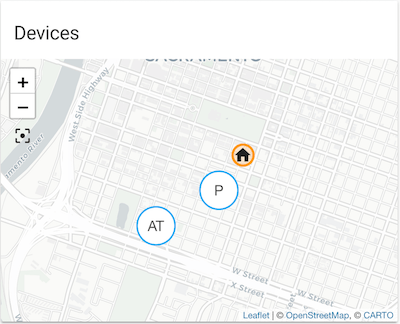 wheat current
That icon was added to mdi 25 days ago, it take some time for new icons to be available for use in HA.
viral sorrel
I'm using monster-card to grab all office and tv_area entities.. but is there a way to strip Office and TV Area from the friendly names?
wheat current
yes, give them friendly names in customize.yaml
viral sorrel
they all have friendly names
I normally used custom-ui for this.. as the names need to be different in different... what used to be groups
cards in this case I guess
raven nacelle
@viral sorrel as @wheat current said, use customize to change the friendly names
viral sorrel
but how does that work when you need many friendly names?
ie
Door in Office group
and Office door in Door group
you would have to rename the friendly name in each card as things stand as far as I can see
raven nacelle
Not sure about your organization, but once you define a friendly name, it will be used everywhere
viral sorrel
that's the problem
currently I use custom-ui to get around that
justr searching for some sort of lovelace alternative
my idea was some sort of regexp for the entity friendly names in a monster-card for example
not sure if that's the best way
wheat current
Two ways of doing this:
1: Define friendly name that will be used everywhere.
2: Create template devices, and give each device a friendly name (You can have multiple template devices from one "master")
wheat current
he is using monster-card with wildcard for search include
viral sorrel
currently on my main config (pre-lovelace) I'm doing the following using cutom-ui
    binary_sensor.office_door:
      friendly_name: "Office Door"
      device_class: opening
      group:
        group.office:
          friendly_name: "Door"
        group.doors:
          friendly_name: "Office"
not sure why hassbot doesn't like it
raven nacelle
Don't think you can do that
viral sorrel
anyway, I'm searching/hoping/longing for a lovelace cards alternative to this sort of feature.. even if it's defined per card
but not per entity :/
wheat current
with the default entities card you can do that
viral sorrel
If i have to redefine every entity friendly name in every card then that's a bit too much..
a better way would be desirable
even if it's just a per entity filter friendly name regexp
ie match (Office) (.*) on friendly name and rename using the 2nd group
or whatever so long as regexp is even a possibility in cards :/
raven nacelle
I can't even imagine how it will be implemented or if it is a widely needed feature....custom cards is the way to go
 rose ether
it might be a feature worth adding to monster card
@viral sorrel it's possible to implement, just not currently supported
viral sorrel
well that still makes me optimistic 😃
I gotta learn javascript one of these days :/
 placid geyser
Public transport for the Rhein-Main are https://imgur.com/a/gAJBmS2
north spear
soon TM
          - type: custom:thermostat-card
            title: Hvac
            entity: climate.hvac
            services:
              - name: operation_mode
                values: operation_list
                icon: mdi:fan
              - name: swing_mode
                values: swing_list
              - name: fan_mode
                values: fan_list
soon TM?
north spear
as in coming soon to a repository near you
😃
this was you would integrate any service
not sure yet where to put it... maybe an expandable drawer at the bottom
placid geyser
@north spear me? If you refer to my wish to be able to explicitly set attributes as displayed states, yes.
north spear
not sure I saw that wish
I was just talking mostly to myself about new features for the thermostat to allow vairous service calls
without hardcoding anything, and allowing things in configuration
was your wish related ot the thermostat ?
placid geyser
@north spear more or less, yes. https://github.com/home-assistant/ui-schema/issues/126
north spear
er....
@placid geyser with my thermostat card you get both
by default the big number is the ambient temperature
placid geyser
yeah, I noticed that.
placid geyser
It looks pretty cool. I haven't tried that yet though.
 night patrol
I've been playing with Lovelace for about 15 minutes, and I'm impressed.
Are you all using it as your main interface yet?
raven nacelle
yeah....have been using it as a main interface for quite some time now
wheat current
I didn't use the "old" UI at all, but I have started using the UI with Lovelace
split granite
I switched my "admin" use from the traditional UI to Lovelace and haven't looked back. Lovelace might be enough to persuade the wife to try something other than HA Dashboard 😉
 lost turret
I am having issues with custom cards, place them in /config/www and getting error "Custom element doesn't exist: weather-card. " . have tried multiple cards, all have the same error. seems like HA can't read them in the www directory, but I know it can since I have been using state-card-custom-ui for a long time.
mild veldt
Are you adding them to your resources section in ui-lovelace.yaml?
lost turret
yes
resources:
- url: /local/custom-ui/guage-card.js?v=1
type: js
- url: /local/custom-ui/group-card.js?v=1
type: js
mild veldt
typo on gauge-card
lost turret
ah, well, that's one issue fixed:)
mild veldt
And you said you put them in www, but didn't say you put them in www/custom-ui, so is what said or what you have configured incorrect?
lost turret
I have tried both but they are in www/custom-ui right now
mild veldt
for gauge, the version should be v=0.0.1 and group should be v=0.0.2
and other errors in the browser console?
can you put your ui-lovelace.yaml on hastebin and share?
lost turret
Loading failed for the <script> with source “https://xxx.com/local/custom-ui/group-card.js?v=0.0.1”. 0:1
uncaught exception: /local/custom-ui/group-card.js?v=0.0.1
SyntaxError: expected expression, got '<'
I removed gauge to simplify
mild veldt
share your config on hastebin
mild veldt
try changing your indents to 2 spaces instead of 4
north spear
@lost turret you are using wrong file
follow FAQ here: https://github.com/ciotlosm/custom-lovelace#faq
lost turret
ah raw file
icy kettle
@wheat current the divider issue was fix by installing a new version of home-assistant-frontend==20180802.0
kind shellBOT
Ludeeus is away for 45m 2s with a message :point_right: Lurking in the shadows.
dense roost
@split granite wife approval factor is real man
split granite
Getting approval from the less technical people is key
That's why I have very limited use of smart lights - everything must work as normal
mild veldt
@split granite I've had to scale back my smart light usage
Smart switches are what I should have went with initially and is what I'm slowly switching over to now
 fair hamlet
Just started to play with lovelace. I used the migration tool, but my original UI was only a default. Just saved a lot of typing.
So I have looked at some custom cards, but I have not seen any on covers, are there any cover cards that I need to look at?
In particular garage door ones.
 cold locust
I am having trouble displaying images in my /config/www folder.
mild veldt
@fair hamlet there are none for covers that I know of. What are you looking for that isn't covered by the current cards?
cold locust
I created a picture entity card with the - type: picture-entity
image: https://www.home-assistant.io/images/default-social.png
entity: light.bed_light

that works fine, but if I change it to /config/www/default-social.png (after uploading the file there) it doesn't work
mild veldt
use /local/default-social.png
for the path
in your configuration. don't change the physical path of the image at all
cold locust
ok that worked
thanks
if I wanted to display a picture from another rpi on my network, can I use it's ip address as the location?
rose ether
if it's running a webserver
mild veldt
^
cold locust
I am using the rpi zero with a picamera and I need to transfer the picture that the camera took
fair hamlet
@mild veldt That's the problem, I am so new, I don't know what I want.
Right now I am playing with this weather https://community.home-assistant.io/t/custom-animated-weather-card-for-lovelace/58338?u=frenck
I did some hello world, but I looking for ideas. OK I looking to copy. 😊
cold locust
is there a card that just displays a jpg without being tied to an entity?
mild veldt
@cold locust check the docs. https://www.home-assistant.io/lovelace/picture/
@fair hamlet play around with the built-in cards first
You can do a lot with them, especially the picture elements card. That is totally freeform
fair hamlet
@mild veldt Again, just looking for ideas, If I have to do something for scratch, I would start with a picture of the garage door open/closed.
Just figured there are those who are way past that for now.
For example I saw some cool gauges and thermostats. Have not even got to them. I found a lot, just did not see any cover kind. So just asking.
mild veldt
with a picture-elements card you could do pictures of garage door open/closed
you have your set background image of the front of your house or whatever and then put a image on top of where the actual garage door and use the state_image option to specify an open and closed image to overlay there
icy kettle
Is it possible to have old-style badges inside glance card
raven nacelle
@icy kettle Yes, badges are supported...please read docs
icy kettle
@raven nacelle please point me out to the proper docs, thank you in advance
raven nacelle
cold locust
if I want to use a picture that I receive via MQTT, can I direct MQTT to place the file in /local/lastsnap.jpg? I used node red with a mqtt node and a save file node
icy kettle
@raven nacelle Thanks!
raven nacelle
@cold locust Does not sound like a Lovelace question
Ask in #node-red-archived
or in #330944238910963714
cold locust
I have tried to display the same image that works in a picture card as the background image. It won't display as a background image.
any idea why it won't show as a background image?
raven nacelle
@cold locust How are you adding it?
cold locust
background: center / cover no-repeat url("/carl6.png") fixed
icy kettle
@raven nacelle Sorry, for bothering, but I got badges on top of all the cards. I'm looking of opportunity to put badges inside of Glance Card, is it possible?!
raven nacelle
@icy kettle Not possible atm
cold locust
I copied it from the docs and just changed the file name
icy kettle
@raven nacelle Thanks, one more time! 😃
cold locust
it is in the ui-lovelace.yaml file
raven nacelle
@cold locust You want the entire card to have a background image? not sure if that is possible
mild veldt
@icy kettle You could do it within a picture-elements card, i.e. make your own custom picture-glance card
cold locust
No, I want that image as the background, I just tried it in a picture card to make sure I could display it at all
icy kettle
@mild veldt I'll play around! Thanks!
mild veldt
check the sharethelove link in the pinned messages
that should get you going in the right direction
cold locust
the docs for the plants-card refer to a plants domain. Is there a defined "plants" domain or is that just something he made up?
polar kelp
@cold locust That url seems odd. Do you want url("/local/carl6.png")?
cold locust
@polar kelp no, it is a local file
cold locust
in my config/www/carl6.png
polar kelp
Then it should be /local/carl6.png
cold locust
Thanks, that worked. I left off the first slash when I first tried it
mild veldt
@cold locust don't worry about the plant domain. The main thing I wanted you to get from that was the use of state-badge inside of a picture-elements card
cold locust
@mild veldt I am actually interested in the plants! Where would I find the information on how that card is put together? (string)(Required)Entity id of plant domain isn't very helpful
cold locust
sweet! I never looked in the "other" category
buoyant skiff
tnx for the submit Ian 😃
split granite
The component list has a search feature FYI 😉
mild veldt
@buoyant skiff it's currently broken. I got excited and didn't wait for for my pull request to circle-sensor-card to be merged
buoyant skiff
well just do another pr once you got it all done
mild veldt
yup
mild veldt
mine is already over 😦
buoyant skiff
thats why im kinda afk
cold locust
Does lovelace cache images? I am overwriting a file with a new image, but the picture frame uses the old image. Could this be a chrome thing?
polar kelp
Could be chrome, could be your computer, could be the server computer, could be anything in between. The internet is made up of caches.
Right click anywhere, select Inspect. Press F1. Scroll down to Network and check Disable cache (while DevTools are open). Refresh the page.
cold locust
Yep, it was a chrome thing! Is there a way to force a refresh from HASSIO?
polar kelp
The console of the devtools are good to keep an eye on too while experimenting, btw. It will tell you things like if you have the wrong url of a background image 😛
mild veldt
@cold locust are you trying to regularly update the background image?
cold locust
@mild veldt No, I am now trying to put the current image from the picamera in the picture card. The background image is working just fine now
mild veldt
...
cold locust
The camera is on a pi zero (on my network as 10.1.10.42) and my hassio is at 10.1.10.77. I am using mqtt to send the image to the hassio /config/www directory as lastpic.jpg. The picture card is displaying the local lastpic.jpg file repeatedly. I don't know how to access the camera directly. The hassio is on a RPi3
polar kelp
If you're not using the pi zero for anything else, I suggest motioneyeos. That basically turns it into a very capable network camera.
cold locust
The sole purpose of the pi zero is to take pictures on the end of the robot arm.
mild veldt
@cold locust if you configure it as a mqtt camera and then add that camera entity as the camera_image it should do the trick
polar kelp
mqtt camera... the things they come up with...
cold locust
I can't seem to get an image via the mqtt camera. Where should I ask for help setting it up?
@mild veldt have you used the mqtt camera before?
mild veldt
I have not. Try the main channel
cold locust
@mild veldt ok thanks
faint echo
Hi, When I add an image to a picture-element card I can use the style to position such as top: 10% left:25% etc however when it is viewed on two different screens such as a computer monitor versus a 7 inch tablet the positioning is not the same. Is there a way to make it absolute on both?
mild veldt
transform: none
 gilded basin
I've created a view that has the Lovelace: Alarm card, a card with door and motion sensors and another card for locks. I want to have the Alarm card in the left column and the other two stacked vertically in the right column. I've tried the Horizontal Stack card with the Alarm card and a Vertical Stack card inside it. Inside the Vertical Stack card I had the door sensor card and locks card, but that squished everything into a single column card. without the Horizontal and Vertical cards, it stacks cards under the Alarm card, which doesn't fit on the Fire 7 screen. Any ideas on how to get the Alarm card in it's own column and the other cards stacked in a second column?
gilded basin
This "works", although I was looking for a solution that would keep the cards their normal size and force them to be in specific columns instead of auto-filling columns. Is panel: true the only way right now?
mild veldt
This is it. Nothing like a grid system yet, but hopefully there will be in the future
I would add a fillter card for now to get the normal 3 card width
gilded basin
I'll make something work with that. Thanks @mild veldt !
 paper finch
im currently experimenting with custom cards and im a bit confused. i used the example in https://developers.home-assistant.io/docs/en/lovelace_custom_card.html and it works but, now when i edit anything in content-card-example.js nothing changes on the card
mild veldt
@paper finch refresh your cache?
 calm rock
How to show ids horizontally with no background ( glance can’t do it) , by applying just an entity and state filter ?( monster card) .
mild veldt
@calm rock I don't follow what you're going after
calm rock
For example for presence detection , you apply a “home” filter over the ids, if you won’t to show the “badges” over an image , without configuring each entity , and aligning them horizontally , monster + glance , is ideal, but glance has a gray background
You can’t get rid of
 thorn matrix
Am having monster-card that have glance card to display all lights that are on..
calm rock
Sure , but
thorn matrix
When i set tap_action to toggle
mild veldt
@calm rock something like this: https://i.imgur.com/Zde9OlH.png
 calm rock
All gray background
thorn matrix
Still open the more info
thorn matrix
Anybody knows what the issue ? Am setting it under the card glance is that the wrong place?
calm rock
Close, but without the gray auto background of the glance card
mild veldt
well that's a custom card so you can easily remove that part
calm rock
But the point is , there is no combination of cards , to make what I’m looking . Arrange horizontally , appear by filters , and locate over an image .
It would be very easy if , glance could have , transparent background
mild veldt
no
you're looking for an easy solution with an unfinished product. lovelace is still experimental. the end goal is a draggable gui at which time you will really be unrestricted, but for now you have to put in more work
calm rock
sure , thanks
@mild veldt , by just making the gray background configurable , it opens big possibilities, https://imgur.com/a/RoCpkTm
mild veldt
if you're looking for high configurability, picture-elements is the best option
 plain torrent
Good Evening.. Hope everyone is having a great day.
I have a question, I starting with lovelace, and trying to get the coordinates of the elements.
my ui-lovelace.yaml . has the following:
- type: custom:plan-coordinates
- type: picture-elements
resource:
- url: /local/plan-coordinates.js?v=2
getting an error . custom element does not exsist
mild veldt
you have type: js in there?
and double check the faq: https://github.com/ciotlosm/custom-lovelace#faq
plain torrent
I believe I do
  - url: /local/plan-coordinates.js?v=10
type: js```thank you for the link...
 torn patio
Heya, wonder if anyone can help me with developing a custom card. I've got it working nicely already already
It's a persistent notification card, lovelace doesn't have the persistent notifications like the standard UI has
The issue I've got is that I want to put a button on the side with 'dismiss' on it, I just don't know how to get it
I've tried putting HTML in the header field, but that doesn't work.
north spear
@torn patio check tracker-card
torn patio
Is there some docs for that somewhere? I can't even find where the JS comes from
torn patio
@north spear that's not what I'm looking for.
north spear
Keep in mind that this is coming: https://www.youtube.com/watch?v=ug0I8e4qvRw
torn patio
I can't see youtube at work
north spear
torn patio
Oh yeh, that's coming up soon? I just coded what I posted there last night, was pretty straightforward really.
north spear
In 0.76 probably
torn patio
I can probably just make the title the first child of the custom card, rather than using the title attribute. I was thinking there's a simple way to put the switch / link / whatever icon there
north spear
That is why I didn’t build one 😃
It is. But probbaly harder to bind
You can see alarm card positioning of icons
torn patio
I'd kinda like to know how to do it anyhow. It seems like it should be something that's in the ha-card, but it seems not
north spear
It puts it in header
torn patio
if you put HTML in the header tho it doesn't work
or can you create HTMLElements and assign them direct to the header?
north spear
Did you append child or just =
torn patio
just =, so you can't do that then I guess 😃
I tried surrounding like 6 with '<em>'+title+'</em>' but that didn't work
But yeh I can put in an HTML element instead I guess.
north spear
If you want to bind some action to it is a must
torn patio
ahh OK then, so yeh you'll have to bind onclick
Heh, amazing how much you remember, I haven't been a pro coder for over 10 years.
I might make my custom card a bit more customisation, like being able to filter on the persistent notification ID. Despite what's coming up it could still be useful to have that. Then will submit to that repo you posted before.
Anyhow, off for lunch, thanks for your help @north spear
north spear
Np
@torn patio you need to add checks to your set(hass) to avoid building UI multiple times. You also need to destroy UI on setConfig to be able to rebuild on major changes. Also you could reuse markdown card for display in case notifications have some formatting. Don't forget that binding click and doing innerHTMl causes leaks.
 mortal cape
found a mini https://codepen.io/liamj/pen/KXepbq
 azure scarab
Hi all. Any help would be great, my Entitie is showing like this
https://gyazo.com/52127cfa0cb5a6cecada5462c697727c
and I want it to look like this
https://gyazo.com/8cf08fb753f0781722c27c920a0d6668
I can't seem to figure it out
signal pine
The second one looks like a weather card, not an entity card
signal pine
Heh. The doc page should have a nice description of how to use the weather card
No worries, we've all been there
azure scarab
omg I probably spent the last 20 min trying to figure that out 😩
Thanks @signal pine
Is there a way to move cards into another column?
signal pine
I'm having trouble with that too. I think it comes down to creative use if horizontal-stack and vertical-stack
azure scarab
dang yeah that and adjusting the width/height of iframes
I have a few iframes that looks good in homeassistant but not lovelace
hot gyro
or https://home-assistant-lovelace-gallery.netlify.com in general? but weather is indeed missing
 grand veldt
Is the Conditional Card supposed to work in 0.75.0b1?
wheat current
yes
grand veldt
Ok, must be doing something wrong then, only get error "Unknown card type encountered: conditional"
kind shellBOT
:point_down:
Format Code:
Please use https://www.hastebin.com to share code.
 supple basalt
Hi. I'm trying to run the migration script and I keep getting a RecursionError.
Has anyone had similar problems? I can't seem to find anything except this post but no resolution was noted.
''' File "/root/lovelace_migrate.py", line 273, in from_group_config
control = group['attributes'].get('control') != 'hidden'
RecursionError: maximum recursion depth exceeded in comparison
[cmd] /usr/bin/run.sh exited 1'''
grand veldt
north spear
@grand veldt still not working?
grand veldt
@north spear no
north spear
I will have a look. Not sure if there are docs about it
grand veldt
Thanks!
torn patio
@north spear you said before that JS stuff leaks and I shouldn't rebuild everything every run. Can you register an onupdate with the state objects from hass.states so that if say a notification has say the message updated it updates in the UI? It seems overkill to check the message has changed every time.
dense roost
So I cannot get css import to do anything at all. In the chrome inspect tool I can see in sources that my styles.css file is included from /local. There's no errors in console.
type: css```Or can you just use a map from the state object to the display? Or stash the tab object actually in the state object so that it disposes with it?
north spear
@torn patio is not overkill, it's how you should do it
set(hass) is ran anytime hass object updates
you run an extra check if the content you receive and are interested in is different from what you already ahve (save state on object)
and update only when needed
also, ideally you build your wireframe (without content) in setConfig and do it only once
torn patio
So you'd have to copy out the message and then compare it each run to what's displayed? (or probaby rather than the message, the last update time)
north spear
whichever is easier
torn patio
So each run, pull out the objects you're interested in and put them in a map to their last update time, then toss out any in your current state list that don't have the same update time and recreate anything missing.
(probably makes more sense just to rebuild, the message is hardly ever gonna update)
north spear
some logic like that yes
@torn patio no
if you rebuild you rebuild everytime hass changes
this means if your thermostat gets an update you will redo notifications
etc
that is really messy, and causes tons of repaints
torn patio
yeh, but the persistent messages hardly ever change. although I guess it could
north spear
but you redo all in your code
torn patio
So rebuild each object only when either it's created, or when the update time changes. Obs for some other more dynamic object you'd not do that.
north spear
anyway, it's up to you, I'm just recommending improvements so your card is nicers to use
torn patio
Although I suppose changing the message isn't such a big deal
Yep you've convinced me
north spear
it's not just your card, redoing your card probably causes full repaint
torn patio
ahh kk
north spear
anyway, might even work with full repaint as it's temporary until official release of Notifications
still good practice for any custom cards
and nicer practice is to use shadowdom, to encapsulate stuff
torn patio
I dunno, I can see benefit to having something like what I'm doing even with the notification side bar. You can say set ID of your notification to blah_front and have it only paint the _front messages on a particular tab or something
More just me mucking around really 😄
ECMA script wasn't even standardised last time I was using it :p
north spear
my last javascript experience was in 2010
(which feels like yesterday)
and I've recently refreshed knowledge with lovelace
no more frameworks and hacks, especially with custom elements
torn patio
I think for me maybe 2006ish?
north spear
Firefox is still behind a bit and Edge is unusable , but rest work natively
I did JS 2005 - 2012
torn patio
I got out of software entirely in 2009, I'm now a doctor
north spear
anyway, not the point, it's just like any other programming language, just needs a syntax refresh
north spear
plenty of docs around
torn patio
Kinda, the ha-card isn't documented anywhere I could see. Where's the source code for it anyhow?
Or is it just CSS only?
north spear
ha-card is just a custom element from home assistant polymer. You can search the repo for it
css as well it's in there, mostly based on css variables
not much to it
a simple container with a header styled properly
I think we're getting everyone bored with all this es6 talk
torn patio
Ahh, I didn't realise the UI was in a different repo. Makes sense now
 cedar girder
Hmm when camera-preview card was removed it was replaced by picture-glance and pictire-entity, but those two cards cannot make a SIMPLE camera preview, without any other entities assigned to it
north spear
@cedar girder try simple picture
cedar girder
There's a picture card which could do a simple picture preview but this doesn't work with camera entities according to the documentation
north spear
@cedar girder did you read docs?
(string)(Optional)Camera entity_id to use. (not required if entity is already a camera-entity).
that is in the docs for picture-entity
why do you say you don't make a simple camera preview?
cedar girder
But this is for a pixture-entity card, not picture card
north spear
yes, my bad with picture, forgot it doesn't take entities
cedar girder
And picture-entity card also requires entities option
north spear
nope
not required
picture-entity takes an entity parameter
if that is a camera, it will do camera preview for you
read docs there, no entities config required
mossy gale
My camera works fine using this
      - type: picture-entity
        title: Bay Window Camera
        entity: camera.bay_window_camera
        camera_image: camera.bay_window_camera
        show_info: true
        tap_action: dialog
if its any help @cedar girder
 toxic bridge
is it possible to change the size of an iframe other than using aspect ratio?
buoyant skiff
aspect ratio seems good enough but if you provide more info we might figure out what your trying to do
dense roost
@buoyant skiff did you try css import? Can't get it to do anything anywhere. It's imported correctly and it's shown in chrome inspect sources. Wondering if anyone has tested it.
north spear
@dense roost try something really basic, like changing background color and using !important to force it
buoyant skiff
barely been around so no
enjoying that vacation 😄
and im currently installing hassbian to a ssd instead of sd
then im off again 😄
cause i want beer 😄
dense roost
@north spear Alright, played around with CSS import more using important, the only change I could see was setting the body background-color to some color, but I could only see that change between page loads when clicking between the different sections of the sidebar,(logbook, history, hassio, etc). Once the page loaded it immediately would overwrite the imported style.
@buoyant skiff I couldn't find an emoji for jealous 😑
subtle rune
In two hours it's beer o'clock at work! 🍻
north spear
@subtle rune lucky, they canceled beer o'clock at my work
subtle rune
I usually drink non-alcoholic, but it's something about that cold beer during the last hours of the work friday...
buoyant skiff
/dev/sda1 on /boot type vfat (rw,relatime,fmask=0022,dmask=0022,codepage=437,iocharset=ascii,shortname=mixed,errors=remount-ro)
/dev/sda2 on / type ext4 (rw,noatime,data=ordered)
No more sd card on raspberry pi 3
running straight off a intel ssd disk connected via usb
north spear
@buoyant skiff if you can do that for hassos would be nice 😄
buoyant skiff
everyone can
its in the rpi itself
the pi doesnt care what distro your running
so tired of swapping sd cards when they are worn out
so no more shitty chargers and no more shitty sd cards just straight production 😄
subtle rune
I have not one second regretted changing to an Intel nuc 😍
buoyant skiff
i can make most trash work like a charm even rpis 😛
sure intel nuc is awesome
but why waste money when i got the hardware and its only collecting dust 😄
and an rpi is a capable hardware in the right hands
subtle rune
It was getting too slow for me, even with external drive
buoyant skiff
$ sudo hdparm -tT /dev/sda

/dev/sda:
 Timing cached reads:   1326 MB in  2.00 seconds = 662.51 MB/sec
 Timing buffered disk reads: 110 MB in  3.00 seconds =  36.62 MB/sec
doubt ill be having that issue 😄
even if its limited via usb its still better then sd card
plus its fun to see if it was possible 😄
sorry for hijjacking the lovelace chat 😛
mossy gale
@buoyant skiff that sounds amazing, i have a brand new SSD here doing nothing be good to do something similar using HassOS as @north spear said earlier. Too techy for me potentially...
buoyant skiff
so follow the instructions its not rocket sience 😄