#frontend-archived
1 messages · Page 63 of 1
 empty heath
 shell torrent
Will do!
Trying to figure out a naming convention that works in all my use cases AND sort dynamically the way I want. Might take a while 😃
empty heath
What're your use cases?
 weak salmon
So from what I’m reading, if you specify a specific entity, and then use a dynamic entity, the specific one will not be included with the rest of the dynamic ones. So you could, for example, specify the exact order for a few, and the rest will be added dynamically beneath them.
shell torrent
@empty heath Hmm.. this is gonna be a long answer. I hardly know 😃 A combination of room, if the lights are for "cosy surroundings" or "cooking", combined with lights scenarios, typically day/no one home/night/bright light (cleaning day) . I have family friendly views for: 1. Overview (alarm status, basic temperature, pool temperature, light scenario) 2: Alarm info 3: HVAC and Temprature for all rooms 4: All lights per room 5: All cams 6: Mediaplayers and then more admin like views for 7: All other info (current voltage, disk status, ping monitoring..) . Most importantly I want to show the info from different perspectives. Per room, then per room and entity type (lights/switches/sensor), then per group (Pool card = pool temperature, pool lights, poolpump switch, poolpump energy consumption).
empty heath
That is quite extensive.
shell torrent
@empty heath For me I think the best would be to have either nested groups or rather tagging. The possibility to set several tags per entity. Tags that you then can use in cards. light.kitchenwindow would then be tagged #cosylights #kitchen #tradfri #night and so on
empty heath
I think, if you're not going to be adding lights every day, it might be best to just hardcode the lights as entities 😛
Let me check on monster-card to see if attributes is ready.
shell torrent
@empty heath yeah I know. But when it works, it's family friendly (my top priority) and easy to administer (second)
empty heath
It appears to support attributes, so you could easily just add tag1: true, tag2: true, tag3: false (since in is not supported)
shell torrent
That's a good start, but the main thing is to find a way to use the same tags (or attributes) in cards, views and scripting
But I'll give it a try later! Really exciting development right now thanks to Lovelace.
..or rather: Thanks to everyone spending their time on developing HA.
empty heath
With scripting, it might be fairly easy to manage using custom attributes as well.
@shell torrent
{% set comma = joiner(', ') %}
{%- for entity in states if state_attr(entity.entity_id, 'tag1') -%}
  {{ comma() }}{{ entity.entity_id }}
{%- endfor -%}
@empty heath That seems fair. But where would I assign the tags to the entity?
(Maybe wrong channel for this)
empty heath
~customize
 kind shellBOT
By default, all of your devices will be visible and have a default icon determined by their domain. See https://home-assistant.io/docs/configuration/customizing-devices/ for how to change that.
empty heath
In customize.yaml, just add something like:
light.kitchen_overhead:
  tag1: true
  tag3: true

light.living_room_side_table:
  tag2: true
  tag3: true
Of course, replace tagX with whatever you want, like family, admin, etc.
But just to make sure they don't conflict, I'd recommend naming the tags something like tag_family and tag_admin.
empty heath
I have built many packages based off of the ability to add custom attributes using customize: 😉
AND you can reload customize.yaml without restarting Home Assistant 💥
shell torrent
I never realized you could add own. I have just used it for friendly names. Geez. I need more HA-time!
Just thinking out loud here:
So basically I could use a naming convention of "switch.switch01" and just customize the friendly name and tags. And then bulid most of the scripts and cards from the tags instead of keeping tabs on the actual name of the switch.
And when I move a switch to another room or purpose, I just change the tags, reload core and boom.
empty heath
@shell torrent Just for the record, thank you for collecting your thoughts in just one message!!! 👍 💯 (I'll show you why next...we had to create this snippet because people often would send their thoughts in 5-10 lines and it was annoying)
~thoughts
kind shellBOT
Please don't use the support channel to think out aloud. Go through the basic troubleshooting steps and then highlight the specific problem that you are facing. We don't have access to your system and it is hard for people to imagine what may be going on.
empty heath
Also, for what it's worth, the whole custom cards movement is very concerning to me, because I am not sure if the future Lovelace UI manager will support moving them/customizing them/etc. This is the same reason it is not a good idea to use YAML anchors and references inside of ui-lovelace.yaml
But yes, your thoughts are pretty spot-on! 😃
shell torrent
Well, tags sounds much better than trying to find a naming convention that tries to cover all scenarios (which never works). I need to try this right away 😃
(firing up the DEV VM now)
empty heath
Oh, and, it might help to create a script to manage the turn_on/turn_off of a specific tag or tags 😉
 quick beacon
stop abusing customize for custom attributes, it's bullshit
weak salmon
@empty heath semi-noob here - what are yaml anchors please?
shell torrent
@quick beacon interresting - why?
 split granite
~yaml_anchors @weak salmon
empty heath
~yaml_anchor @weak salmon Again, I do not recommend you use this syntax in ui-lovelace.yaml because of the future of Lovelace.
kind shellBOT
@weak salmon YAML has a handy feature called anchors, which let you easily duplicate content across your document: https://github.com/dale3h/homeassistant-config/blob/master/examples/learn_yaml.yaml#L105-L122
weak salmon
Ah okay, so you used anchors before to “duplicate” the cards, right?
empty heath
@quick beacon Just to confirm: you do realize that using customize for such things is one of the things that makes Home Assistant so powerful, right? There have been many things (read: work-arounds [because it wasn't supported in core]) in the past that I could not have accomplished without using customize.
 buoyant skiff
Correct Dale
empty heath
@weak salmon Correct!
weak salmon
So best I avoid using them for now.
Just means that if I add a new device, I can’t just add it to a group, and have it appear on all views. I’ll have to add it individually to every card.
split granite
Which maybe suggests you should be re-thinking how you use the UI 😉
I doubt I've got any single entity in more than two cards, and even that's atypical
But, I view the UI as primarily being for an overview and display tool - and a good third of my entities, if not more, don't appear in it
weak salmon
@split granite Basically I had the default view with things I used often, and then the views were for individual rooms, where some cards repeated. But you’re right, maybe I need to rethink my approach. 👍🏼😊
empty heath
Give me a few minutes to find my way back to the bed and get settled. Still in a bit of pain, so it takes me a lot longer now.
weak salmon
Is there anyway to display the error card (invalid config) in Lovelace?
 wheat current
That "card" is a persistant_notification, that has not yet been implemented, but you can set persistant_notifiction* as an ìnclude: filter in the ~monster-card
kind shellBOT
Monster card is a magical type of card. Because it's dynamic if you're smart about it, you can have one card that adapts and that you don't need to touch when adding new entities & sensors to your setup. Supports both inclusion and exclusion filters with wildcard for entity_id: https://github.com/ciotlosm/custom-lovelace/tree/master/monster-card
empty heath
@shell torrent I have overlooked something very important, and gave you misinformation. One of the reasons that Lovelace was introduced is to get rid of customize: completely. I recant my suggestion on using it to manipulate Lovelace in a round-about way.
@shell torrent I sincerely apologize for the misunderstanding.
shell torrent
@empty heath No problem - but a pity, it just seemed so spot on
weak salmon
@wheat current Thank you
shell torrent
@empty heath But I have to ask - is the goal to get rid of customize:completely or just from a lovelace point of view? After considering, I think the approach with customizing tags is great any very dynamic and great for using in scripts instead of groups. One of the main benefits is that you see on each entity which tags it has - compared to looking in each group to se if the entity is included.
empty heath
Based on my understanding, it is to get rid of customize completely, as this I believe is only used for the frontend, which is planned to move completely to Lovelace in the future (again, this is based on my personal understanding and could be invalid).
split granite
That's my read of many of the PRs, issues, and chats between the devs
There's a goal of completely separating the back end, and the front end, rather than the current situation where they're linked
shell torrent
That sounds reasonable. I assume scripts are considered backend? It would be interresting to discuss how tagging (or other ways to accomplish the same thing) is supposed to work then.
Which channel/forum are best for those discussions? #330944238910963714?
wheat current
@shell torrent scripts are a backend component to execute specified sequences, I do not think that will change, if should still be exposed to the UI like any other compoent/platform.
 mild veldt
@empty heath omg, don't you live in Texas? What are you doing up at these hours? Lol
buoyant skiff
hehe you seriously should sleep better 😉
@empty heath nice duplication feel free to add it to the comminity examples 😃
6 hours setting up a lwm encrypted partition on a hp prolaint server in raid 6
freaking bored outta my skull
empty heath
@buoyant skiff I am going to try to stray away from posting hacky workarounds like that to the official site.
buoyant skiff
well good that we are the community 😄
and not the official site
😛
we can do hacky stuff
empty heath
Lol, still, I don't want to share information that will likely be disabled soon.
buoyant skiff
like the new url
and where this this side project is heading 😄
gonna be an awesome sharing site for cards
empty heath
I really just don't want to get myself into a "situation" again, like I did earlier.
buoyant skiff
earlier ?
did i miss something ?
So the new community address for lovelace card configs is https://sharethelove.io/
Ludeeus took the time and set the domain up
 calm rock
Good morning! , need help on debugging what may be going on with the custom updater , in my case since yesterday is showing a blank card , like if the tracking cards were not working . looked at the js console and , it seams is not picking the custom cards attributes ,. it was working fine before , and checked the latest versions of custom_updater, and custom card , any hint for debugging appreciated
calm rock
nothing relevant on su logs, or ha logs , i thought browser could of more help on trying to see what the js is doing ..
calm rock
see this on the console , https://hastebin.com/loyuduqohe.js , but not sure if relevant for this problem
yest , did many times
calm rock
ok, tks
calm rock
i just followed the docs , i do have custom updater configured . ( and it was working a day ago) , this is why i dont know what may be wrong or changed
 prime umbra
but do u have custom_cards.py also there?
thats from old versions, now you only need custom_updater.py
 low parcel
@tacit cave thx for the answer, added the component by copying the sample code, already had the sensors, reboot, and off course mapping values aren't allowed here, I'm getting tired of this, spent the other week half a day on the same mistake and then it turns out that the sample code had a ; instead of a : somewhere. So what's it for this cample code, because I can't find my mistake. Litterally copied and posted it and changed the sensor names to the appropiate names.
 tacit cave
Post your code. Mapping not allowed is always a spacing issue in your yaml code or you accidentally put a colon at the end of a word that didn’t need it
low parcel
yeah
I know it's markup
what's the tool for posting code again?
Keep forgetting it
split granite
~share
buoyant skiff
its dead jim
split granite
Ah, I wonder if that's a side effect of something else - @empty heath the bot isn't responding in this channel, but it's fine elsewhere
buoyant skiff
 glossy birch
.ping
low parcel
buoyant skiff
yeah alot of tabs
split granite
Two spaces per indent level, and only ever spaces
glossy birch
.ping
looks like someone changed permissions on this channel - bot works everywhere else
@empty heath ☝
low parcel
potatoe potatoe, it really doesn't make a difference, same error, different config with your spaces this time https://hastebin.com/tovanejumo.css
split granite
What's the full error?
Ah, never mind
https://www.home-assistant.io/components/plant/ - look at the example
low parcel
2018-07-28 17:02:43 ERROR (SyncWorker_0) [homeassistant.util.yaml] mapping values are not allowed here
in "/config/configuration.yaml", line 123, column 12
2018-07-28 17:02:43
split granite
plant:
  name_of_your_plant:
That means replace name_of_your_plant with ficus
Not put in name_of_your_plant: ficus
 vapid field
is there an easy way to migrate to lovelace?
split granite
@vapid field Check the pinned messages for a migration script
It's written about Hass.io, but it works on any platform
vapid field
thanks @split granite
low parcel
@split granite thx for finding it, error was 2 lines above 123 and the instructions could have been a little bit more clearer bij adding [change] or put name of your plant here
prime umbra
i wonder how you guys put cards in some fix order it seems everytime you add some new stuff cards it will brake the way you display things
mild veldt
Anyone know how to do a custom more-info card within Lovelace?
low parcel
I like that header lovelace layout, but was wondering how you add tabs to it? or 2/3 icons, would love to have a general tab, a camera tab and a light tab
empty heath
.ping
kind shellBOT
:ping_pong:
ping?
PONG!
empty heath
@buoyant skiff @split granite @glossy birch @wheat current Bot fixed.
kind shellBOT
Tinkerer is away for 59m 34s with a message :point_right: Attempting to break the lightspeed barrier
kind shellBOT
:8ball:
8Ball Prediction:
Whatever
glossy birch
😂
low parcel
no statg available for weather.yr when adding the weather forecast card, anybody eny idea?
type: no state
buoyant skiff
err
low parcel
nevermind, found it, yr is a sensor not a weather platform and in orde to make the card work in Lovelace you need a weather platform, confusing, but true
buoyant skiff
@subtle rune https://sharethelove.io/ there you have a guide on how to contribute 😃
low parcel
@mild veldt thx, got it working
icon: mdi:home-assistant, and I also noticed flower in some code, where's the list of available icons, took a look at the docs, can't seem to find that
wheat current
@low parcel MDI == Material Design Icons https://materialdesignicons.com/
low parcel
@wheat current thx
 ivory ice
Is there a way to prevent lovelace card caching when developing a new card? Or do I have to bump the resource url 'file.js?v=1' version cachebuster each time I want to see the new changes reflected?
 halcyon mantle
Quick question - Do lovelace handle camera entities different as from the default one? I have 16 rstp CCTV cameras currently in HA, and it only pulls data when my screen is focussed on them. I created groups, with single entities in for the card display. These cards update every 5seconds or so when open on my sceen, but not otherwise. When I click on them they open and start a stream. Seems lovelace streams constantly, which kills the poor raspberry pi HA runs on
 rocky merlin
@ivory ice the problem is in your browser, you could always in chrome use dev tools , "right-click" and press inspect. Then you can right-click refresh button in chrome and refresh with empty cache
ivory ice
@rocky merlin thanks!
calm rock
@prime umbra as said, i have the config as per the docs, but there is a problem and is not working
 mossy gale
got round to getting Tautulli working again on my server, then thought Id try the card that is shared on the Community page. I can get it to work, but the text is black for the sensor info and I can't quite see it on the black Plex background. Havent seen anyone else mention this, so im thinking its my own fault. Not sure what though
wheat current
@mossy gale That is my fault, I did not test it on the default theme
you can add this to the style of the elements:
color: white
@wheat current thanks man
 small gyro
Hi all, been trying to just enter mydomain/lovelace today, but every time I meet an error and a call for system log write: https://domain.duckdns.org:8123/frontend_latest/app-6e4d53ede29a686d41a2bb0807ecd12c.js:2:12753 Uncaught TypeError: Cannot read property 'length' of undefined - my ui-lovelace.yaml file is empty right now, as per the pinned post - thoughts on what I can try? Javascript:latest is in the frontend part of configuration.yaml
low parcel
I get no image source configured on Picture Entity Card yet i have entity filled out: front_door_camera or is that not the correct Nest identity?
low parcel
@mild veldt domain?
mild veldt
Senor, camera, light, etc
low parcel
so camera.front_door_camera
doesn't work also, no error anymore, but also no picture (picture unavailable while camera is on and it works in the normal hassio view)
but I think I know why, nest won't be recognized as a cemara in the config, it's configuretd as "nest" in configuration yaml, not as camera, correct? Same with yr and weather
mild veldt
Use whatever it is in the states view
low parcel
I got the nest cams running, only problem toggle seems not to work (I have a link "recording") right bottom, it reacts very slow and doesn't turn the cam on when it's off
mild veldt
Are you saying that this toggle is slow just for Lovelace or in general it is not behaving as you want? If the latter, I would post in #330944238910963714
low parcel
it's lovelace only
 shell carbon
Is there a way to get a clock onto lovelace?
I didn't see a clock card so I'm using an iframe pointed to liveclock.net but its not he most ideal solution
 torn patio
Heyas, just wondering if there's a way to get lovelace to display the persistent messages that you can use in the default interface?
 half cradle
still super new to this and trying to get a few things working and work out how it all fits togeather, i havesome things working but for the life of me i cant work out why the top infomation is not showing and when i try to remove the icon on the bottom i dont see it at all
half cradle
if anyone can help that wold be grate
 fair star
@half cradle new person too but it could have something to do with the - in the title.have you tried removing it?
fair star
lol ok - only showed little bit at the top when i last looked - now showing all. which top part it not showing?
fair star
yip
 graceful bolt
I am about to start the journey with creating a floor plan in home Assistant
I could go down the traditional track using this method: https://github.com/pkozul/ha-floorplan
Or I could try the new Lovelace version....
Has anyone got any preferences on which may be better?
half cradle
at the moment jake i am still trying ot be a fan of lovelace
fair star
picture-elements makes it very easy
buoyant skiff
and if you want a huge floorplan
half cradle
yea i am going to stare using pictures when i get my ocnfig sotred
buoyant skiff
just add panel: true
half cradle
@buoyant skiff is one of the best when it comes ot this with some luck he can find the still mistame i have made
fair star
    id: plan
    panel: true
    theme: dark-mode
    cards:
      - type: picture-elements
        image: /local/house_floorplan.png
        elements:
# Lights
          - type: state-icon
            tap_action: toggle
entity: light.tv```@half cradle # - icon: mdi:home-assistant ? line 35
fair star
you want text?
half cradle
yea i was testing it
fair star
- title: blar blar but watch the spacing
half cradle
i have that on line 37??
fair star
needs the - and to be a few more spaces
it needs to be the same spaces as line 30
i hope that somehow made sense
half cradle
ok back sorry my comptuer went nuts
the issue now i have is that its all working i just left the icons its not a big deal but they dont line up
fair star
what doesn't line up?
half cradle
there are two icons that dont match the content
fair star
which icons and do you want to link the code again?
half cradle
its ok i think i have worked it out something dumb i did
fair star
sweet
 icy bison
Is there any way to have a dynamic (based on template, entity state) image for picture-elements. My use case is, I have recuperator and made a nice flow schema diagram which actually has two states depending on whether bypass is enabled or not. I would like to use the right diagram as a background for picture elements depending on the bypass state.
fair star
  entity: light.bed_light
  state_image:
    "on": /local/bed_light_on.png
"off": /local/bed_light_off.png```like this?
icy bison
yes, but this is for picture entity. I need picture elements, because on that diagram I would like to put some dynamic information from other entities, i.e. temperatures and fan power, etc
icy bison
on picture-elements I can see only four config variables: type, image (which is static), elements and title.
the example you wrote above is for picture entity and there is no way to add other entities on top of it as you can do for picture-elements.
fair star
ok my bad that is in the element part and not background
icy bison
you see my point?
fair star
hmm yes
think that is above my very low paygrade
what about pointing it at a 'camera' feed that is changed by something else
nope
wheat current
@fair star Is it the BG image, or a image whitin the picture-elements you want to be dynamic?
fair star
its @icy bison he want the BG to change
wheat current
That is going to be tricky
fair star
i tried pointing at a camera feed that changes but nope
guessing if else wont work as its not a template
probably needs a custom card
 rich solstice
I use this to change the (fake) BG image within picture elements so I can use my own custom information/entities on top of the image. Wouldn't that solve it? https://www.hastebin.com/eqikafojib.bash
wheat current
@icy bison This is not pretty, but it does the job :P
      - type: picture-elements
        image: /local/on_state.jpg
        elements:
          - type: custom:hui-picture-entity-card
            entity: switch.myswitch
            state_image:
              "on": /local/on_state.jpg
              "off": /local/off_state.jpg
            show_info: false
            style:
              top: 50%
              left: 50%
              width: 100%
          - type: custom:text-element
@rich solstice Didn't see yours, same result 👍
icy bison
Thanks, let me try
mossy gale
@rich solstice I am trying to use your example here https://www.hastebin.com/yekaqojili.bash
getting mapping values are not allowed here in "/config/ui-lovelace.yaml", line 568, column 19
think i aligned it wrong
wheat current
wrong indent for elements https://www.hastebin.com/lijevovozo.bash
mossy gale
@wheat current snap
just spotted that!
any one use a Mac here and recommend the best editor? Im using Textmate currently, its not that great for Yaml as it does space for you
rich solstice
I use Visual studio code on my Mac
Don't know if it is the best though, for me it does the job
mossy gale
does it recognise Yaml
split granite
Yup
 dense roost
@mossy gale I use atom editor by GitHub, I enjoy it. Sublime text 3 is great as well from memory.
mossy gale
@dense roost thanks will take a look
ok so image does change now on my photo when I turn my fan on/off but its a tiny strip of image as shown here https://imgur.com/YitiVwq
wheat current
And how does you code for that look?
mossy gale
It is as follows (i used the code pasted above earlier) and changed it to my images https://www.hastebin.com/tijulayaju.bash
rich solstice
the first image is wrong I think? The path does not match the other images
image: /local/fan_off.jpg
mossy gale
oh for goodness sake! Too busy looking for something more difficult! Not payign attention to simple thigns
@rich solstice i am ashamed!
Last night i spent 30 minutes trying to get somethign to work, and realised I forgot to save the config file!
rich solstice
No worries, you don't want to know how often this happens to me.
mossy gale
@rich solstice @wheat current hoorah it works 😃
icy bison
@wheat current Works like a charm!!! Thanks. BTW Is there any plan to extend picture-elements with such functionality ?
wheat current
Not that I have seen, but lovelace is still in it's starting phase so who knows 🤷
icy bison
I understand you I can always write up my own ui component. Lovelace is a great step forward!
low parcel
now that we can build a great looking dashboard, what about a touchscreen against the wall for easy access? any great solutions out there that keep it kiss (not a lot of wires, no extra pi, no drilling)
split granite
Have a look at the forums for the hardware people have used for HA Dashboard, Floorplan, and others
low parcel
allright, will do
 olive forge
Hi, when i migrated to lovelace, my climate entity is acting weird: https://imgur.com/k3eQYWZ. It doesn't list the temperature.
split granite
Is the state of that entity `Smart schedule* by any chance?
split granite
Lovelace isn't a one for one replacement of the stock UI - some things will behave differently
olive forge
I understand. I also understand that it is still in development
https://imgur.com/o9TKk2h more info on my climate entity
split granite
Somebody recently did a custom climate card - worth a search of this channel (or scroll up lots)
That might be more of what you're after
But the glance card only shows states
There's also https://github.com/ciotlosm/custom-lovelace/tree/master/entity-attributes-card and other custom cards that may do more of what you're after
olive forge
I understand, I'll look in to that, thanks
rich solstice
It is a known issue at the moment: https://github.com/home-assistant/ui-schema/issues/116 Should be fixed in one of the next releases
torn patio
Heyas, does anyone know if it's possible to have the persistent notifications appear in docker? They are kinda useful in the standard UI.
split granite
Have you searched the channel yet 😉 There's not currently support, but there is a work around with the custom monster card
 subtle rune
@buoyant skiff Trying to work on the card for share the love, but I can't upload picture to assets
buoyant skiff
@wheat current ideas ?
wheat current
@buoyant skiff Handled in PM ;)
I need to rewrite the instructions 😉
olive forge
@rich solstice thanks!!
@rich solstice just to know what to expect: is the next lovelace UI embedded in the next Home Assistant release?
rich solstice
I don't know. I'm just a user
split granite
Lovelace is part of Home Assistant, it's not a separate thing, so yes @olive forge
olive forge
great, thanks
split granite
Of course, like all things, it depends on when PRs are merged as to whether particular features will be in 0.75, or 0.76, or later
 tame dove
I have a couple input_number.my_input_number lines added to an entities card that causes all kinds of errors. Is there a special way to do an input_number entity.
split granite
~share your config that's causing "all kinds of errors" and details of the errors
kind shellBOT
:point_down:
Format Code:
Please use https://www.hastebin.com to share code.
split granite
Not seen that, I've got a card with input numbers and no similar error
tame dove
Every time I click on the tab it generated about 4 of those same error messages
split granite
Is that the only thing in that view?
 raven nacelle
@tame dove Please remove your URL there
tame dove
No. All my automations. But as soon as I remove the two input_number lines, all is well
split granite
I've just added an input number to one of mine with automations, no issues
Don't forget to edit that post with the URL to your HA system @tame dove
tame dove
Trying. How
wheat current
~edit
kind shellBOT
Instead of sending the message again, please edit the original message. For more information on how to edit messages in Discord, please visit: https://support.discordapp.com/hc/en-us/articles/207618817-How-do-I-edit-my-messages-
split granite
Yup
split granite
I can't duplicate the error. Are you using any custom cards, custom components, or custom Javascript at all?
tame dove
So, all this better alert stuff is in a package. My first package. Prob something stupid with all of it
*battery
It is all on notoriousbdg github
Except I am not using the MQTT discovery automations
Soon as I comment them out. No more errors
wheat current
Do you see the input_number in  ?
?
I tried, the lovelace config and with one of the input_number entities from your links and they work here
wheat current
Can you post the error again without your url?
tame dove
Yes
/frontend_es5/408ca3ca049f38d75e4b.chunk.js:1:26419 TypeError: null is not an object (evaluating 'this.shadowRoot.querySelector("paper-slider").offsetWidth')
wheat current
Make a backup of your ui-lovelace.yaml file, and only place that card in there
nevermind @tame dove..
Are you using Firefox or Safari?
if so this seems to be a known issue https://github.com/home-assistant/ui-schema/issues/118 should work in Chrome.
mild veldt
@shell carbon haven’t seen a clock yet but custom cards are pretty easy to make. Might be worth taking a shot at it.
raven nacelle
@mild veldt Easy is relative 😉
mild veldt
Nope, super easy 😉
raven nacelle
So, looks like we are getting a clock card soon 😃
mild veldt
Looking at examples out there I would say it is approachable for anyone with JavaScript knowledge
I’m on vacation all week in the woods 😃
tacit cave
I've written a few c# clocks if you need help with the math
I don't know js though
@raven nacelle
raven nacelle
Math is not a problem....JS is 😉
tacit cave
Lol I have the same problem!
mild veldt
Stack overflow for the win
 storm lion
anyone know if with picture-entity you can specify the end point, rather than a beginning with style
mild veldt
@storm lion I don’t follow the question
storm lion
so i have a state label that report back status, I want it aligned left, but everytime the value changes I want it to re-align so it stays left alignment and I don't loose some of the text of the side of the card
wheat current
@storm lion ;)
style:
  transform: none
and then set it at left 100% and top 0%?
wheat current
left 100% wil be outside the card ;)
I find that px scale properly on different devices, eks:
        elements:
          - type: custom:text-element
            text: "<b style='color: orange; font-size: 18px'>Now Playing: </b>"
            style:
              top: 7%
              left: 15px
              transform: none
whoops - I meant right alignment 😛
wheat current
oh 😂
Let me test that 😉
storm lion
thanks 👍 - just trying to finish off my Xiaomi Vacuum Card to add to sharethelove.io 😉
wheat current
What he said ^^
storm lion
I'll give that a try, thanking you 😃
rich solstice
yw 😀
wheat current
0px put it right on the edge, looks much cleaner if you set ti to somewhere between 5 and 15 😉
rich solstice
depends on the text, for the state-label which I use it for it works. But you are right though better to keep some extra spacing 😉
wheat current
the state label has a 8px margin in all directions 😃
rich solstice
Well that explains why I have 0px in my config and it still looks nice 😄
wheat current
yepp :D
That brings the value in between the 5-15 I prefer 😄
rich solstice
I just realize that I have been using 8px for most of the other elements. So I'm safe 😜
rich solstice
Indeed 👍
storm lion
couldn't have got there without you guys 😛
buoyant skiff
jackjohnonuk 😃
try the battery tab with the blue border from the other way
just change border-left-style to border-right-style
could look nice
storm lion
🤔 will do
vapid field
is it possible to add a alarm to the lavelace UI
rich solstice
There is a custom alarm card: https://github.com/ciotlosm/custom-lovelace/tree/test_thermo/alarm_control_panel-card
vapid field
Thanks
 north spear
@wheat current not sure who asked for a basic element to use with picture elements as clock
https://gist.github.com/ciotlosm/86dbf1a1053a148bc3f7a4aa9c5a7eb3 here you go a fixed size analog watch
buoyant skiff
i asked for an animated weather card 😛
vapid field
@rich solstice I get the error that the custom element not exist
north spear
@buoyant skiff wasn't that already available ?
storm lion
@buoyant skiff - good shout:
https://imgur.com/a/ccSy4xF
buoyant skiff
rich solstice
@vapid field Follow this: https://github.com/ciotlosm/custom-lovelace/ you have to add some extra files to make the custom card work
north spear
@buoyant skiff nice card
buoyant skiff
yeah that would look sexy under lovelace
 serene sierra
              - type: picture-entity
                image: /local/icons/kodi.png
                entity: input_boolean.lovelace_kodi_tv_1
                name: Kodi 1
                tap_action: toggle
                show_name: false
                show_state: false
``` anyway it showing state and name? why?@buoyant skiff I'll put that next on my list after the thermostat if no one else gets to it
buoyant skiff
tnx @north spear 😃
vapid field
@buoyant skiff Looks Realy nice, Do you have a way to inport it?
low parcel
maybe a very very stupid question but where do you keep the images referenced as /local , i've only config/share/addons/backup to write to
vapid field
I'm experiencing the same problem... if I've correctly understand the instructions on the hass.io site, we should create a www directory inside the same of the configuration.yaml, so should be inside the config directory
I've put images inside that directory but can't display them from lovelace pic cards
storm lion
first commit to sharethelove 😜
vapid field
ahahah
storm lion
@subtle rune - loving your plant sensor addition 😃 immediately implemented
buoyant skiff
merged both submits 😃
subtle rune
@storm lion Thanks! I like it too 😄
low parcel
and what's that addition?
tacit cave
@low parcel what you are using I believe
low parcel
ah ok, it's lovely indeed
subtle rune
It's at sharethelove
storm lion
I had a typo in my card, and I added a link to the summary for the plant card, another PR to be approved please 😃
subtle rune
Hm, I can only see an empty page on the xiaomi vacuum card and I can't see my plants
low parcel
I'm sorry @subtle rune what is sharethelove
tacit cave
yah, i was noticing that.
subtle rune
@low parcel Look in the pinned messages for link
storm lion
@subtle rune - because you didnt add your's to summary.md (which generates the index) and I linked mine as xiaomi_vacuum_card and not xiaomi_vacuum_card.md
subtle rune
Ooooh
storm lion
I think I've fixed it though 😃
subtle rune
@storm lion Just saw it, thanks!
tacit cave
@storm lion still see blank page
subtle rune
@tacit cave It has to be approved by for example Toast before it shows up
tacit cave
Ah
 undone egret
.sharethelove @subtle rune
kind shellBOT
@subtle rune A place for LoveLace Config https://sharethelove.io/
 subtle rune
@buoyant skiff If you want to give me write privileges I'm happy to help
buoyant skiff
done
😃
tnx for the help
really in the shits with this hp prolaint server
haha
subtle rune
@storm lion There was still a naming fix to be done, but I fixed it. Now they're up!
storm lion
thanks, was doing it while my baby daughter was trying to fight me for the keyboard ... that's my excuse and I'm sticking to it 😉
thinking about it perhaps the card naming should be standardised to - not what I've called it _ , I guess more people have the habit of -
will change and do a PR
subtle rune
👍🏼
buoyant skiff
nicely done 😃
vapid field
im trying to make a lightgroup named "light" - i added it to my configuration.yaml per https://www.home-assistant.io/components/light.group/ - but not seeing it on the dashboard after restarting HASS
 dapper rain
Is card size explained somewhere?
https://ibb.co/huQbTo finally took some time to make me some own card too lol
subtle rune
@vapid field You have to add it to Lovelace if that's what you mean.
buoyant skiff
@dapper rain a nice card game me some ideas for doing something like that
with working template for wifi signal
so it reflects the wifi strength
with icon template
dapper rain
Of the monitored device?
buoyant skiff
sure that to its easy to do
dapper rain
Yeah but I only use owntracks for Beacon detection
The wifi icon is from my openwrt device tracker
I could probably fetch snr from openwrt but no real use for me
And that's not a picture elements card. I tried it with picture elements first but positioning is nasty and very limited functionality
buoyant skiff
haha then your doing it wrong 😄
dapper rain
I did it with flex now which pretty much aligns the items itself
I found the percentage positioning to be not that accurate and it's hard to add or remove items as you maybe also need to reposition the surrounding items then
subtle rune
@dapper rain how do you use flex with it? Sounds interesting
prime umbra
hi is there anyway for the device tracker pictures only show the status and don't show names?
what would be the appropriate card for it?
 fathom tree
Where did the custom thermometer card go? It’s not on the custom cards repo?
fathom tree
Uh... both 😃
 mortal cape
we need a moon card
mortal cape
ha. nah
mortal cape
I saw that from earlier. That's a nice one
the rain bouncing off the bottom, the whole card shaking for lightning/thunder, and the rays for the sun...love it
buoyant skiff
yeah its a perfect card to show off the beauty of lovelace
mortal cape
I wouldn't know how to go about connecting that moon phases to the moon sensor.
wheat current
I have the same problem, some of these codepen stuff looks simple, but I have no of how to infuse it with a state 😛
 polar kelp
Can anyone imagine a fast and reliable way of getting the width of a lovelace card?
Ok... Here's a first attempt at column-card https://github.com/thomasloven/lovelace-column-card
It works, but slowly.
dense roost
@buoyant skiff once we hey css import you'll be able to have your beautiful weather card.
Edit: actually that looks really simple, to set the card you just add a class to the div, if the darksky sensor says it's gonna snow you add a snow class. Seems like someone could implement that right now. I need to start learning how to make custom cards.
@polar kelp I take a screenshot and measure it there on the device I'm intending to use it on but you can also get the dimensions from the chrome inspect tool
 uneven vector
@prime umbra the glance card has a bunch of options you can play around for showing names or not, check out https://home-assistant-lovelace-gallery.netlify.com/#demo-hui-glance-card for example
 cunning violet
Are there any plans to add backgrounds to glance cards? @ the moment i'm just using picture elements.
dense roost
Is imported JavaScript run on window load?
 lucid trail
Having a small issue with entity-attributes-card ... errors: 2018-07-29 22:46:17 ERROR (MainThread) https://hassio/local/lovelace_cards/entity-attributes-card.js?v=1:4:30 Uncaught SyntaxError: Unexpected string any ideas? I've added the ?v=1 to the path, no dice. JS file looks like it is spelled correctly and in the right place too
polar kelp
@dense roost Thanks, but I meant in software, and dynamic.
dense roost
@polar kelp ah gotcha
wheat current
@lucid trail Where did you get it? and what browser are you using?
buoyant skiff
@dense roost it still needs to be modified
subtle rune
@dapper rain Alright, so you want to share that custom card..?
 hot gyro
hmm I am struggling to call a service with multiple entities, tried various variations on a service-botton - reason being I want to call home-assistant.turn_off with lights and switches to turn off everything on a level - any idea how to do that?
everything I tried ends with 'homeassistant/turn_off cannot be called without entity_id"
I have tried, service_data: entity_id: light.corner_lamp_1, light.corner_lamp_2
                    service_data:
                    entities:
                      - light.corner_lamp_1
                      - light.corner_lamp_2
- light.corner_lamp_3``` service: homeassistant.turn_off
service_data:
entity_id: light.corner_lamp_1, light.corner_lamp_2
entity_id needs an extra indent
hot gyro
same error
looks like this now - type: picture-elements #title: Ground Floor image: /local/floorplans/Ground_Floor.jpg elements: - type: service-button title: Lights Off style: top: 97% left: 90% padding: 0px service: homeassistant.turn_off service_data: entity_id: light.corner_lamp_1, light.corner_lamp_2
it almost looks like it would only support a single entity
which I have tried but it doesnt seem to work with a group that includes lights and switches
if I change this to homeassistant.turn_off I get the same error - though I would think it should still work - type: picture-elements #title: 1st Floor image: /local/floorplans/1st_Floor.jpg elements: - type: service-button title: Lights Off style: top: 97% left: 90% padding: 0px service: light.turn_off service_data: entity_id: group.all_1st_floor_lights
just tested it so I believe it may be related to the service
calling it manually however works just fine 2018-07-30 09:56:11 INFO (MainThread) [homeassistant.core] Bus:Handling <Event call_service[L]: domain=homeassistant, service=turn_off, service_data=entity_id=group.all_ground_floor_lights, service_call_id=3050767152-2102> 2018-07-30 09:56:11 INFO (MainThread) [homeassistant.core] Bus:Handling <Event call_service[L]: domain=light, service=turn_off, service_data=entity_id=['light.corner_lamp_1', 'light.corner_lamp_2', 'light.corner_lamp_3', 'light.livingroom_floor_lamp'], service_call_id=3050767152-2103> 2018-07-30 09:56:11 INFO (MainThread) [homeassistant.core] Bus:Handling <Event call_service[L]: domain=switch, service=turn_off, service_data=entity_id=['switch.entrance_switch_inside', 'switch.entrance_switch_outside', 'switch.kitchen_switch_dining', 'switch.kitchen_switch_main', 'switch.livingroom_switch_front', 'switch.livingroom_switch_rear'], service_call_id=3050767152-2104>
thats with the group including lights and switches
wheat current
It seems to call the correct services
hot gyro
yh and everything switches off but not if I do the same via the service-button
like this - type: picture-elements #title: Ground Floor image: /local/floorplans/Ground_Floor.jpg elements: - type: service-button title: Lights Off style: top: 97% left: 90% padding: 0px service: homeassistant.turn_off service_data: entity_id: group.all_ground_floor_lights and I get the error again
looks like it should actually work by removing the service_data tag | https://www.home-assistant.io/docs/scripts/service-calls/ | but same result
wheat current
@hot gyro
https://github.com/home-assistant/home-assistant-polymer/pull/1489
Services show as toast and homeassistant/turn_on and homeassistant/turn_off now work.
hot gyro
hmm ok that may well explain it - just tried the switch.turn_off with a few entities and all my switches turn_off including the one that controls my internetGW so I guess there might be a quirk in there as well
meaning it selected more than I added to the entity_id:
wheat current
It sounds like it does not see the service_data entty.
hot gyro
this is what I had: ``` service: switch.turn_off
service_data:
entity_id: switch.kitchen_switch_main, switch.kitchen_switch_dining, switch.entrance_switch_inside, switch.entrance_switch_outside, switch.livingroom_switch_rear, switch.livingroom_switch_front
if you run the service switch.turn_off without any entities if will turn off all switches
hot gyro
ok good to know for the next time 😃
everything just went black including monitor etc ... so I was like 0.0
I'll wait for the new code then
storm lion
nice!
buoyant skiff
was looking for an additional sensor for ha
wheat current
@hot gyro sate-label and state-icon should work with services
buoyant skiff
getting a usb dock and use that for os filesystem instead for hass
storm lion
@hot gyro - Ignore me - type: service-button there's your problem I think
hot gyro
I was just about to say works for the other floors
storm lion
Very strange, having actually read it now, that should work 🤔
wheat current
should beeing the key word 😉
storm lion
if in doubt kill it with 🔥
 placid geyser
Is it possible to render dynamic text from a sensor for example in the markdown card? Or is there another way to render just text from a sensor without the sensor's name?
storm lion
@placid geyser custom cards are your friend - https://developers.home-assistant.io/docs/en/lovelace_custom_card.html
wheat current
or in picture-elements https://www.home-assistant.io/lovelace/picture-elements/#label-with-state-text
@placid geyser with custom cards/elements you get exactly what you want ;)
https://image.ibb.co/fKAEG8/image.png
https://hastebin.com/xopogubeqo.bash
hot gyro
@wheat current tried state-label, works for off but not for on - only the switches will turn on, the lights in the group stay off
wheat current
Then that is broken to :P
I'm sure the next beta is soon to be released 😉
hot gyro
thats fine - as long as I can stop doubting myself 😃
wheat current
After the edit that looked more correct 😂
hot gyro
hrhr
buoyant skiff
homeassistant-0.74.2 upgrading finally 😛
been running on 0.73.2 since its release 😛
wheat current
Now you can use custom elements 😛
placid geyser
@wheat current @storm lion Good point. Thanks.
dense roost
It's just sitting there staring at me.. https://github.com/home-assistant/ui-schema/issues/115
dense roost
Hah yeah I'm sure it is, I'm just thinking about all the things we can do with it. It will be glorious, as long as it's applied before the page loads. I'm using the js kiosk hack but it applies the styles after the header loads which causes a flash of header before it's removed. I'd imagine css import would be different?
wheat current
I doubt that, it will still be side loaded
dense roost
Might not be so bad once we get an official kiosk mode, most of the things I want to do I don't think would cause a flash but we'll see
wheat current
it might be that they load it earlier then the js files 🤷
north spear
@lucid trail you can raise an issue against the source repo
make sure you include a config sample and maybe dev-info panel values for the sensor attributes you're trying to get
polar kelp
Hey, @north spear . You seem to know what you're doing. Do you have any hints on how I can get the columns in my column-card to update when the window resizes?
Now I go on the hass object reload, but that's kind of slow...
north spear
hmm
a window resize event will get lovelace to re-calculate columns
but I don't get what your card is doing
could you describe a flow in more detail ?
polar kelp
Pretty much the same thing, but inside a card. Can be used e.g. in a vertical stack with panel:true to get a header AND automatically adjusting columns.
Lovelace gets the number of columns from the window width. I get it from the element width.
The problem is that I don't get the updated widths soon enough. After resizing the window, it can take several seconds before the card notices something changed.
north spear
are you recalculating flow inside of your card only on hass updates ?
or binding to window resize ?
polar kelp
I haven't been able to access the window resize event.
north spear
because you could bind to window resize in constructor
polar kelp
That's probably where I'm missing something
north spear
or better yet in setConfig
polar kelp
Disclaimer: I used to "know" javascript back in the 90s, and my google-fu fails me.
north spear
disclaimer .. I come from that age as well 😄
c727 helped me a lot 😛
window.addEventListener('resize', (event) => {
  // do stuff here
});
add this in your setConfig
and do your stuff in there 😃
the trick is to use arrow (=>) functions to keep context
otherwise inside the function you don't get access to outside 'this'
in '90s javascript term...this helps you avoid that = this workaround
@raven nacelle new thermostat version up
still missing chevrons but good enough for testing
https://github.com/ciotlosm/custom-lovelace/tree/test_thermo/thermostat-card @wheat current @viral sorrel if you're interested to see how it behaves. I'm sure it still needs adjustments
polar kelp
Hey! That works! Awesome!
Thanks a lot! I never found the window object, just different versions of $window or $(window) and more modern stuff...
north spear
north spear
I think this would work well on watches as well
I made the tap area for control 50% of the surface or 25% if you have two setpoints 😃
people wanted a good looking control that can go also on picture-elements
dense roost
That's hot Marius. I would love a reason to start wearing my Android Wear watch again. Yelling at Google to change things in my house is getting annoying. Is there a current way to access home assistant from a watch interface? In a simple fashion that doesn't show the entire UI at once?
north spear
@dense roost I know a colleague at work was doing something with an Android watch, I can ask
 gaunt owl
@north spear I installed the new version of your thermostat. Mine still doesn't allow me to adjust. Is that right?
north spear
@gaunt owl make sure you increase ?v=0.3 or something to bust the cache
gaunt owl
I did. But I'll do it again.
wheat current
if only there was an updater that could do that automagically
gaunt owl
ahhh. Figured it out. changing the v= doesn't REALLY bust the cache, because the lib.js is cached too. I had to force the cache reload.
@wheat current thermostat-card isn't available in the updater. I have the updater. 😃
north spear
I will add versioning to the lib, good point
polar kelp
@north spear Do you also have a magic event for when a page has loaded? The cards aren't displayed when setConfig is run, so I can't get the actual width then...
north spear
a generic page-load wouldn't help you as there will be things done async that won't be considered
is your card loading other cards? or the other way around?
(I'm being really slow after the long weekend with the team building, lot of alcohol and no sleep)
dense roost
@wheat current if only.
raven nacelle
@north spear The temp settings work great. We should also think ways for resuming schedule (cancelling the temp hold).
north spear
is that operation_mode change ?
raven nacelle
Not the operation mode change, just resuming the schedule
north spear
how would the service call look in HA?
cancel temp hold is very specific to a thermostat brand, and i'm sure there is a specific setup in HA for it, but I don't know which
raven nacelle
For Ecobee, there is a service call climate.ecobee_resume_program
I am sure there is something similar for other thermostats
north spear
ah, that is a custom thing, not related to generic climate component
raven nacelle
I see
north spear
this probably requires some sort of config mode
where you would have such settings
and allow the service call through a config setting of the card
rocky merlin
Maybe make actual service call as parameter? Custom is solved
raven nacelle
I agree
north spear
I don't think this should be a blocker to release a stable version
raven nacelle
absolutely
this is a good to have feature
we already have a MVP (or very close to it after the chevrons)
fathom tree
I'm posting a Lovelace how-to video this morning.
including warning that it's going to keep changing
north spear
@rocky merlin it's in 'experimental' phase. I assume it won't come out of experimental until things like Kiosk mode or Notifications will be available
serene sierra
its impossible to use picture-entity with monster-card?
              - type: custom:monster-card
                card:
                  type: picture-entity
                filter:
                  include:
                    - entity: device_tracker.dad_bt
                when:
                  entity: device_tracker.dad_bt
                  state: home
@serene sierra you don't need monster-card for that
you can easily do it with entity-filter
actually you will be able to use a new type of card from next release
but your setup is too complex anyway for what you are trying to achieve
@serene sierra
      - type: custom:monster-card
        card:
          type: picture-entity
          image: /local/test.png
          entity: device_tracker.demo_home_boy
        show_empty: false
        filter:
          include:
            - entity: device_tracker.demo_home_boy
              state: home
@north spear where i can read about new card type? im trying to feel horizontal-stack inside vertical-stack configured as panel, people who have home state can be displayed in row. thank you for example
calm rock
Hi!, is it possible to include a type: custom:state-element as part of a - type: picture-elements card ? , it is giving me an error on this , tks
north spear
@serene sierra https://github.com/home-assistant/home-assistant-polymer/pull/1524 I am not sure if it's in the docs yet. https://home-assistant-lovelace-gallery.netlify.com/#demo-hui-conditional-card
you will need to wait for beta
@calm rock yes it is possible since 0.74.0 if I recall
you need to make sure you have resources setup properly
and you have to check your JS console for errors, maybe you didn't put files in the right place
@serene sierra but you have to wait for next beta, just keep that in mind
serene sierra
ok thank you its seems very nice
calm rock
@north spear , is this still valid? https://github.com/custom-cards/state-element
north spear
@calm rock you own't need that in next version
serene sierra
@north spear im trying to hide state and name with ```yaml
- type: picture-entity
image: /local/icons/kodi.png
entity: input_boolean.lovelace_kodi_tv_1
name: Kodi 1
tap_action: toggle
show_name: false
show_state: false
it should be still valid, but not needed in beta
@serene sierra those are available only in next release also
if those weren't announced here yet: https://www.home-assistant.io/lovelace/changelog/ they are not available
serene sierra
get it
north spear
https://home-assistant-lovelace-gallery.netlify.com/ is for devs to keep stuff in sync, but gets released before actual frontend makes it in a stable release
you can see what's coming, but not always available yet unless you use dev version
rocky merlin
ahh ok @north spear thanks
serene sierra
@north spear i was used example that you post but my problem what card is still presented with state Away
north spear
You failed 😃
show_empty not aligned like in my example
Yours it’s too much to the right
Should be at the same level as ‘filter’
serene sierra
ooops. you right but even when i was fix it card still show up in row with state away
missing something more? https://hastebin.com/ecefiwutim.bash
i think it was bad idea change state from dev-tools because when it match real state all fine
north spear
You could use groups or template sensors so poor dad doesn’t have to show up twice
serene sierra
if poor dad received payment for each appearance 😁
vapid field
Hey i have a question.. been googling for a while.. is it possible to show all unused devices in lovelace?
serene sierra
@vapid field right corner in UI and press unused entities
vapid field
My god im sorry i missed that one 😃
serene sierra
you can exclude entities in ui-lovelace.yaml with ```yaml
excluded_entities:
- weblink.router
Time to change lovelace to default, wish me luck
 forest star
@serene sierra very nice how do you do the row of family guy characters ?
Its an entity filter with what else ?
Glance card ?
serene sierra
@forest star https://hastebin.com/uzovawukuh.bash picture-ntity card
kind shellBOT
Monster card is a magical type of card. Because it's dynamic if you're smart about it, you can have one card that adapts and that you don't need to touch when adding new entities & sensors to your setup. Supports both inclusion and exclusion filters with wildcard for entity_id: https://github.com/ciotlosm/custom-lovelace/tree/master/monster-card
forest star
I read that but in the example page :
there is an entity filter card and glance card no monster card
wheat current
Correct...
 sudden lion
 wheat current
hmm... "Vanilla Lovelace" sounds like a boyband 😛
forest star
so basically that entity filter and glance card make a monster card because its a custom card ?
wheat current
How did you get to that conclution?
split granite
Hence why the link you got from HassBot was to GitHub, not the official docs 😉
forest star
Oh I see....
I did not check the HassBot link
thanks
@wheat current how is the USPS custom component coming up ?
wheat current
1: wrong channel, that has nothing to do with #frontend-archived 😉 2: I will notify you when alpha testing is done 😃
forest star
Oh sorry you are right .... thanks !! 😃
north spear
@serene sierra by the way, you could use picture instead of picture-entity for your cards
and no need to wait for the new release
considering you're just showing/ hiding stuff with monster
polar kelp
column-card version 0.0.1: https://github.com/thomasloven/lovelace-column-card
Basic functionality complete and snappy (enough).
Ping @buoyant skiff . You seemed interested.
buoyant skiff
yeah nice will try it out
calm rock
Hi, on picture glance card ,is it possible to customize the icons based on its state ? , or just changing the icon associated with the entity Id ?
subtle rune
@calm rock I have several entities with icon template and that works in Lovelace as well.
calm rock
@subtle rune , ok so it takes the icon defined on the icon template, i was confused , because , have the same entities , showing different icon colors on the cards .
will check again, tks
north spear
@raven nacelle found a couple of bugs. I had to add state filtering earlier on. Changing temperature was impossible on systems with a lot of state changes 😃
serene sierra
is it possible to use tap_action: toggle with that code ```yaml
- type: horizontal-stack
cards:
- type: entity-filter
entities:
- light.office
state_filter:
- 'on'
card:
type: glance
title: ' '
and i can answer to myself what yes
north spear
you can delete messages you know? 😄
it's no shame, and saves screens of text to read for people checking the channel less often
serene sierra
with ```yaml
- type: entity-filter
entities:
- entity: light.office
tap_action: toggle
yes I'm know it now 😄 anyway may be that will be helpful for someone
north spear
it won't be
text goes up pretty often, if you really want to be helpful open a PR to done of the docs
there it will be very helpful
majority read docs and forum, very few read chat, and those that do usually skip things like that
unless it's a pretty picture it will get skipped already tomorrow 😃
serene sierra
@north spear ok i will learn how to do this
north spear
it's easy, go to the page you think it's useful on and click the Edit this page on GitHub link on top right
very easy
 winter wasp
is anyone using lovelace with the iOS app?
raven nacelle
@winter wasp You can turn on LL for iOS app
winter wasp
@raven nacelle but is it still wonky?
winter wasp
last time i checked it needed some clunky redirects
cool, that was easy
i must have missed the domain key being removed from entity-filter. is there a reason why it was taken out?
raven nacelle
to simplify the entity-filter card
winter wasp
but it was so nice having a wildcard
winter wasp
@storm lion ha, i'm guessing that won't be merged 😉
storm lion
nope, it's a custom card that is very awesome, very easy to install though
mossy gale
playing about with horizontal stack using the HAGallery example, replaced with my own image with is 220x357. When i look load UI for Lovelace the image is quite large and the glance card is under it, not next to it as per the example, here is the config https://hastebin.com/piqizunifo.bash
winter wasp
is there a way to optionally hide certain entities in a single card? i have cards for my washer and dryer, and i don’t care what the current power usage is if they’re not running
entity-filter only seems to work own an entity’s own state
mossy gale
could you use a monster-card
that allows you to exclude attributes (well it allows you to include by attributes, so assuming it allows exclude by attribute)
mossy gale
i cant even get a simple horizontal-stack to work
lucid trail
@north spear thanks for looking at my entity-attributes-card issue. I've opened an issue here: https://github.com/ciotlosm/custom-lovelace/issues/136
 iron locust
I think I might be missing something conceptually, but can I have unique per-device lovelace UIs so different wall tablets in different rooms have different content?
mild veldt
Sure. They would be different views. Could even put them in kiosk mode to further that
iron locust
is there documentation or somewhere else I can read up on that? Sorry if I missed somewhere obvious
dense roost
@iron locust there's currently no kiosk mode, though I thought someone said it should be coming in next update. Different views are different pages https://www.home-assistant.io/lovelace/views/
Hopefully when they get the user system finished you'll be able to log into different accounts for each wall tablet/device so you'll have unique views for each device/login.
There's a kiosk hack you can find by searching home assistant's discord, but it's a little wonky as it's more of a hack and causes the header to show then disappear when the page loads which isn't ideal.
north spear
@lucid trail read the FAQ. You might not have the right file. See the raw vs html bit at the very end of FAQ
lucid trail
@north spear Thanks, but I have the raw data
north spear
Put v=2 in resources
You might have had html initially
And browser cached that
So change ?v=1 to ?v=2
iron locust
@dense roost : Ah, thanks. I'm quickly finding out that pretty much everything modern home-automation is so bleeding edge there's no real standard practices; that said, is there a typical solution people go with for HA linked wall mounted tablets?
north spear
@lucid trail did you try it?
lucid trail
@north spear sorry, try what? copying the raw code into the .js file? Yes, I verified that
north spear
@lucid trail : Put v=2 in resources, you might have had html initially and browser cached that, so change ?v=1 to ?v=2 in your ui-lovelace file
lucid trail
ok thx will try that
@north spear I re-copied everything and placed a v4 after it and it is working now! Thanks!
north spear
no problem
lucid trail
@north spear great work too, man - i think i can speak for everyone when i say that we really appreciate all the cool things you've introduced
subtle rune
I just tried out "exclude_entities" from LL. There is no way to have wildcards there, am I right? That would be a huge advantage. Especially since all entities used in custom cards seem to show up in unused entities anyway. I'd like to exclude all automations, for example.
north spear
Thanks @lucid trail Make sure to check out the thermostat preview
@subtle rune you could do exclude_domains instead of entitites
subtle rune
@north spear Is that something that's possible now or a suggestion?
subtle rune
Doesn't seem to work. Maybe in dev only?
north spear
apologies, I haven't checked when it was merged in
and I have to run, but possible it's dev only
subtle rune
As long as it's coming 😃
The monster card is saving me soooo much time with making a view with cards for different kind of automations. Just including like automation.*alarm* and the card for alarm automations is done! ❤
lucid trail
@north spear yes! Already tried once but had weird results. It looked to only do celsius ...and I’m waiting for that Ecobee skin too! 😉
 viral sorrel
is there any way of specifying entities with a wildcard?
sort of like with customize_glob?
kind shellBOT
Monster card is a magical type of card. Because it's dynamic if you're smart about it, you can have one card that adapts and that you don't need to touch when adding new entities & sensors to your setup. Supports both inclusion and exclusion filters with wildcard for entity_id: https://github.com/ciotlosm/custom-lovelace/tree/master/monster-card
viral sorrel
oh yes.. I am so into that
 stable socket
Quick question (this is obviously just preference really) but do you guys tend to split your UI by room or by function?
 fading sorrel
@stable socket For me, it is by room/floor. E.g., I have multiple rooms on the top floor
but not that much automations
so in those cases I'll stick to floor
secondly, I do have some function based stuff
north spear
Both
serene sierra
@fading sorrel how you control gas usage?
fading sorrel
Well control...
I monitor
The gas meters over here have a wireless protocol to our electricity meters, which has an serial kinda port
so I can see my usage live
serene sierra
oh thanks i was thinking maybe you have some hardware sensor which can be purchased
fading sorrel
In the Netherlands, we don't have to 😉
stable socket
Cool, I was feeling room probably makes a lot more sense so I'll stick with that
viral sorrel
in Australia I still have a turning disc for the power readings :/
north spear
I used smappee that had support
fading sorrel
@viral sorrel Those are easy to read as well!
viral sorrel
how?
viral sorrel
not sure ours do 😛 more like a black mark
fading sorrel
well that works as well
some models have a little "peek" hole, where the reflection shows
but those disc models still are viable
@viral sorrel https://i.ytimg.com/vi/VTWU72-2IVQ/maxresdefault.jpg
 fading sorrel
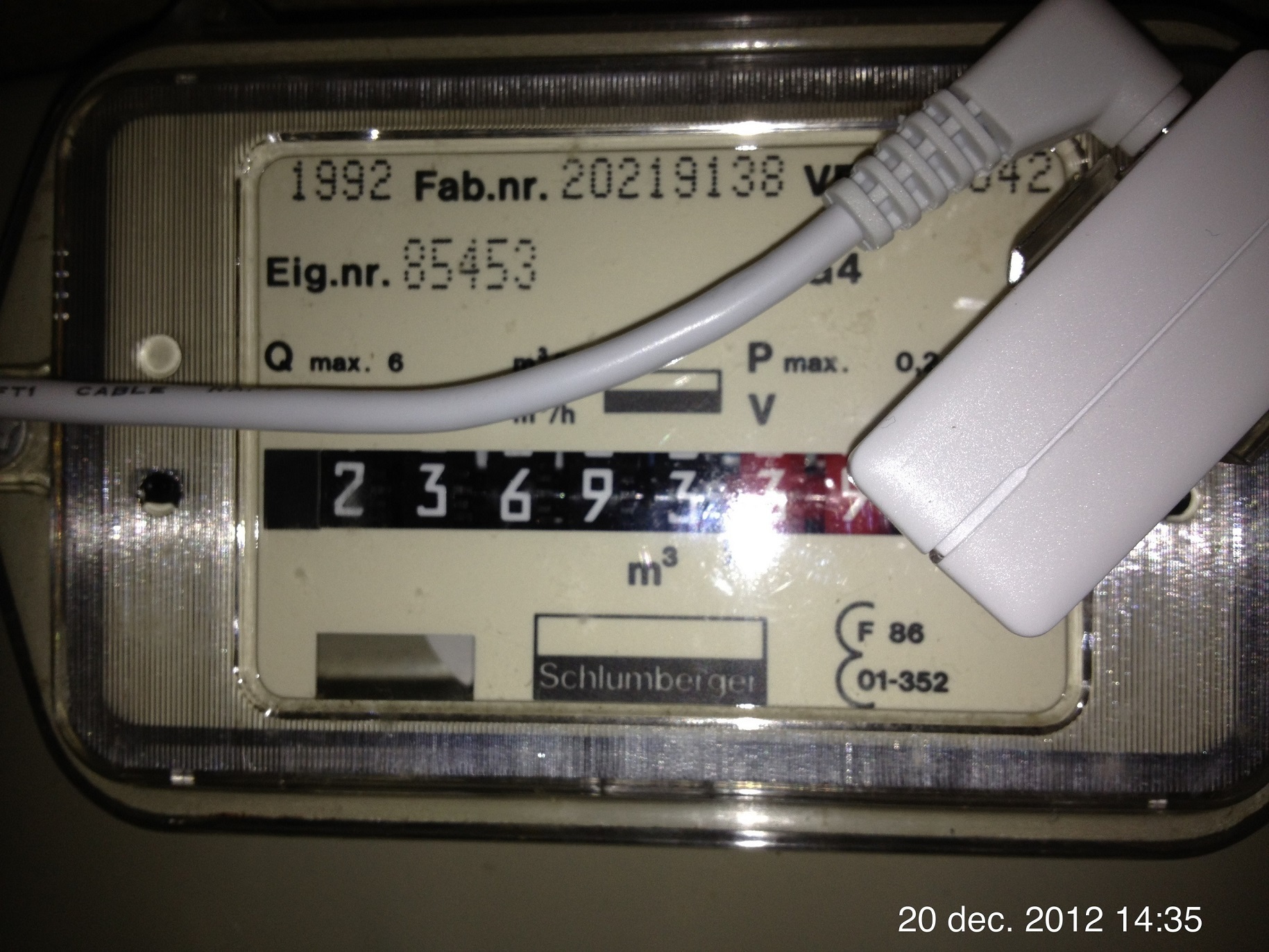 viral sorrel
what's that second one measuring?
is there a light?
or is it actually a camera on the digits?
fading sorrel
That video you've send, actually shows it a little, let me find the exact second and point it out to you
viral sorrel
I wish we had smart meters.. or at least a pulsing light
another problem is that there is no power in the power box (ironically)
so battery powered solutions only
and wireless.. and it may as well be a faraday cage :/
fading sorrel
https://www.youtube.com/watch?v=Gq6dzl6RVzc&feature=youtu.be&t=2m34s
On exactly 2m34 a closup of a running meter is made. On the left side, you see 2 square holes. Watch the top hole... you see a kinda "blink" (black spot passing).
A light sensitive sensor can trigger on that.
viral sorrel
yeah the black mark I know
not sure how I'd power something in there.. wonder if wifi could break through
I love how peoplke on the internet are into everything.. collecting power meters 😃
fading sorrel
Yeah or shoe laces :S
People are nuts
or collecting nuts
:S whatever
Although I feel like I've started collecting IoT related devices...
:S
viral sorrel
for research purposes!
polar kelp
Not really on topic, but I got a smart water meter a while ago. It sucks. Before i could count rotations. Now the only output is encrypted radio once per month 😦
So not all smart things are good for smart homes.
polar kelp
It displays overall consumption with 7-segments, but not flow which is much more useful.
fading sorrel
I really liked this project... never made it to the public: https://www.youtube.com/watch?v=208q9MeG8t0
viral sorrel
is this a water flow meter? I've wanted one for the shower :"P
with temp measuring preferably
fading sorrel
Flow, total consumption, pressure and temperature
viral sorrel
awesome!
wish I could fit CTs behind the power meter.. but that would cost hundreds for an electrician to do
these seem cool.. http://www.m5stack.com
could even display a "card" on the ones with lcd
wonder if there's a way to get an esp32 to render javascript 😛
calm rock
Of course you can , the esp can work as web server ,
viral sorrel
  - title: Monster Card
    card:
      title: Office
      type: entities
      show_header_toggle: false
    filter:
      include:
        - entity_id: "*office*"
anything obviously wrong here?
because nothing shows up
 grim mica
@viral sorrel first line should be : '- type: custom:monster-card'
viral sorrel
wow! thanks.. have no idea how it became title
hmm.. still doesn't work.. means I have more problems..
grim mica
Do you have the monster-card .js in your www folder?
viral sorrel
yes.. I think my problem is I don't know how to use the example within a tab
or view I guess it's called
grim mica
did you also added the recourses on the verry top of the ui-lovelace.yaml?
viral sorrel
yeah I can't figure it out.. with - or without
    - title: Monster Card
      cards:
        - type: entities
          title: Office
          show_header_toggle: false
        filter:
          include:
            - entity_id: "*office*"
that was my last attempt
whether title has - or not makes no difference
I don't really understand the significance of the -
recourses?
grim mica
  - title: Automation
    id: Automation
    icon: mdi:playlist-play
    theme:
    cards:
      - type: custom:monster-card
        card:
          type: entities
          title:  Office
          show_header_toggle: false
        filter:
          include:
            - entity_id: *office*
i use this
viral sorrel
let me show the entire file
I'm still building off basic examples
that's the current expermiment
grim mica
let me check
viral sorrel
I've gone through multiple variations..
just that last view tab that's causing trouble
grim mica
i dont see the resources for the custom card
did you follow ; https://github.com/ciotlosm/custom-lovelace
?
viral sorrel
yes.. that's what I'm trying to follow
grim mica
oke let me change some stuff for you just a moment
viral sorrel
I de-indented that last tab.. seems I had that wrong
why do I have cards: ??? I copied and pasted..
grim mica
this should work : https://hastebin.com/reriqebara.bash
see line 1-3 for the resources
just make sure you have the monster-card.js in the config/www folder
grim mica
your still missing the resources
grim mica
resources:
  - url: /local/monster-card.js?v=1
    type: js
put that on top of the yaml file
viral sorrel
that doesn't exist ANYWHERE on the monster-card page :/
wheat current
it's in the main README of that repo ;)
https://github.com/ciotlosm/custom-lovelace#lovelace-custom-cards
subtle rune
I put up a few examples of my lovelace gui (basically a rough first draft, just to be able to move from the old gui) on my github readme if anyone is interested :)
https://github.com/isabellaalstrom/HomeAssistantConfiguration/blob/master/README.md#examples-from-my-lovelace-gui
calm rock
i tryed this: https://hastebin.com/vofiqodexe.bash , but it seams is not possible to insert a glance card , inside a monster , inside a picture element card ?
subtle rune
@calm rock filter is required in monster card
so instead of entities you want the filter and it should be at the same indentation as card
@calm rock https://hastebin.com/usujocuyoc.bash
raven nacelle
@subtle rune Does picture-elements support gif?
subtle rune
@raven nacelle I have no idea 😄
raven nacelle
you have the animated fan in the gif
subtle rune
That's the old ui
raven nacelle
oh ok
subtle rune
But the fan rotation is actually all css
raven nacelle
then, it should be possible in LL
I don't have any smart fans, but small animations would be nice
subtle rune
Yes 😃
 icy kettle
Is there any way to use divider already?! THat is only one thing I'm waiting for to migrate to lovelace
subtle rune
My fans aren't smart either, I just control via ir
wheat current
@icy kettle it's aviable in the RC version, (curently only if you have pip/git install)
calm rock
@subtle rune , tks, it seams something else is missing , it shows the same ( just the picture , not the glance card) , by looking at the console i see this : create-hui-element.js:27 monster-card TypeError: Cannot read property 'include' of undefined
at HTMLElement.setConfig (monster-card.js?v=0.2.3:72)
at M (create-hui-element.js:24)
wheat current
how does your card config look like?
calm rock
@wheat current , just testing the picture elements part https://hastebin.com/jewuzacazi.bash
now the error is different: https://hastebin.com/nakiyiyoke.css
wheat current
You need to add style for picture-elements elements
calm rock
ok, will look into it , this is what im trying to achieve , instead of of using the picture glance on the top, insert a glance card , in the picture on the bottom https://imgur.com/a/Y7kuW9v
dense roost
@wheat current GitHub is confusing when you've never used it. Who would have known the you're supposed to read the readme file, amirite?
wheat current
Me, myself and I
dense roost
I thought there currently wasn't a beta, isn't 0.74.2 the most recent version you can have?
wheat current
if you have a pip install there is a 0.75.0b0 version
calm rock
@wheat current , it is close now , but : is it possible to set a transparent background on a glance card ?
wheat current
not that I know about 🤷
icy kettle
@wheat current Just upgraded to 0.75.0b0 and having the error with -type: divider
wheat current
the error ? 🤔
icy kettle
@wheat current Entity object at position 0 is missing entity field. { "type": "entities", "entities": [ { "type": "divider" } ] }
wheat current
wierd.. this give me a card with just that line
title: Home
views:
  - cards:
      - type: entities
        entities:
          - type: divider
Let me give one more try
@wheat current Hmm... the same error on MacOX Chrome and Android Chrome
wheat current
Looks like a config error, can you share it?
kind shellBOT
:point_down:
Format Code:
Please use https://www.hastebin.com to share code.
icy kettle
@wheat current what kind of config file do you want me to share?!
wheat current
The one that is giving you issues
icy kettle
@wheat current that is my ui-lovelace.yaml (https://www.hastebin.com/ekinunozih.shell)
@wheat current Thank you in advance!
wheat current
The only place you have divider is commented out?
And when I paste that in my RC instanse I get this without any errors:
wheat current
Are you sure your upgrade was sucessful?
icy kettle
Yes, I'm sure. I see the correct version at pip freeze and on About page
mossy gale
Using some work here from @serene sierra as inspiration, I am trying to have the 3 pictures for myself,missus and daughter change to a different picture when Home or away using the following card https://www.hastebin.com/rajatujire.bash
If I change the status in the dev console I end up with 6 pictures (2 per person) both showing same status
wheat current
hmm..
@icy kettle try incognito mode, if that fails make a backup of you file and try it with only the last view containing divider
mossy gale
ive been faffing around all day on this, so throwing the towel in so to speak to see if anyone here can offer any pointers
 broken mango
Hello everyone. Is there any option to change text align for entities card. When entity has long string as value card aligns text to left.
mossy gale
This is the screen before I change a status of Duncan to away https://imgur.com/vYrw5N6 , after the picture doesnt change to the black and white version i have (just updated the previous hastebin link)
wheat current
@mossy gale why not use https://www.home-assistant.io/lovelace/picture-entity/#state_image for that?
mossy gale
@wheat current i was using a starter for 10 provided by someone here, i just changed to fit my needs... let me look into that... I still have another 50% of the day to spend trying to get it to work 😃
wheat current
I think sata_image will give you what you seek for half the code 😛
mossy gale
ok... here goes.... 😃 will report back @wheat current
Ive spent most of the last 3 days in Lovelace channel
mossy gale
quick question on the state_image
as I use Life 360 for location tracking with lots of locations setup, how do i best set the state_image to my alternate to "home" regardless of where they are? Is state_image just for On or Off as in the example
wheat current
@mossy gale Can match any state, you can also use a "fallback" image:
      - type: picture-entity
        entity: device_tracker.ludeeus
        image: /local/fallback.png
        state_image:
          "home": /local/home.png
          "work": /local/work.png
is there any filter to change a color of an image element ? , hue rotate seams not to be setting a specific color correctly , and couldnt find s "set-color" type of filter
mossy gale
i wasnt thinking in that mode, start with black n white image and then change for locations im i nterested in
 sage fjord
hi
i tried to test the lovelace ui, but im unable to use images from local storage and didn't find what permissions the local files needs to be used on ha
im running ha on docker container
wheat current
put the images in /config/www/ and use /local/ when you use them
eks /config/www/my_img.png is/local/my_img.png
https://www.home-assistant.io/components/http/#hosting-files
sage fjord
ok thanks, sorry for stupid question, should have found that
mossy gale
@wheat current it all works, of course this is no surprise to you 😃 Thanks for the pointer, I am so happy. Wish I had asked this morning and not wasted 4 hours trying to get it working myself
wheat current
Good :)
I have never tried it, but it made sense 😛
mossy gale
now i have a much more interesting view of my family if they are home or not https://imgur.com/a/Ex9L22i