#frontend-archived
1 messages · Page 61 of 1
 paper finch
paper finch
paper finch
link?
 buoyant skiff
in the channel ^
if you look up in the channel name
there is a link there
then there are more useful things under the pin in the top also
when you read up on how it works in the docs
paper finch
nowhere does it say what types i can use
or i cant find it in the docs
ive searched on google and the forums
buoyant skiff
no just another user
paper finch
well thx anyway. its a pain to read everything but its for the better
buoyant skiff
well read and learn is the best way
paper finch
ive spent hours reading the arch linux pages
paper finch
lol
 polar kelp
@empty heath Re: loading resources in the generator: Great idea! Perhaps a !resource ~/path_to_git_clone_of_custom-lovelace/monster-card/monster-card.js which copies the file and is replaced with the new path. I'll look into it tonight when the kids are put to bed.
paper finch
i just installed HA through the virtual environment. experience with arch help me
buoyant skiff
finally home
time to make so food then its back to making cards 😃
.away food bbl
 kind shellBOT
Toast is away! food bbl :wave:
 rocky merlin
I put up my lovelace custom card that uses LitElement in a separate repo. Now I can develop outside of HASS , build prod script code when done. If someone is interested, here ya go: https://github.com/helto4real/lovelace-custom-cards. I am a javascript/css noob but I at least met my goal to make code local from HASS. My first card is the "picture-status-card" . See https://i.imgur.com/Zde9OlH.png , it behaves like the Picture Entity Card but just shows state.
buoyant skiff
why the name hassio-custom-cards ?
rocky merlin
I named my other repo hassio once so I figured I used the same naming hehe
Ik it should been hass
rocky merlin
Youre right... changed and edited post 😃
buoyant skiff
anyways good job 😃
rocky merlin
Thanks mate
 gaunt owl
I saw the pull request for the fix to thermostat cards in lovelace. However, I'm sure of the easiest way to install this for myself until it makes it into the main or beta branches. any pointers?
 north spear
I'm slowly dying inside with this svg component
 quick beacon
@north spear which svg component?
north spear
@quick beacon trying to make it a bit more 'friendly'
like using classes, proper setters, etc
separation of rendering so you don't always re-render the whole thing
trying to get down from ~500 lines to something more manageable
and I was hoping to do it by undrestanding as little as possible of the code, which is not possible the way it's all mixed up and combined.
and I have to redo vars to be consistent as one style is camel case and another is with _
buoyant skiff
hehe
quick beacon
oic, maybe it's easier to build something new
north spear
I think that is what I'm doing but backwards =))
I wouldn't want to redo things like " // Rotate a cartesian point about given origin by X degrees"
so that I would like to keep 😃
quick beacon
Also think about the usability: the card has to be relatively big to make the target temp clickable for example
^if this is intended
north spear
yeah
the card autoresizes even as big as full screen
It's my 3rd time starting over (getting better each time)
 wheat current
Well thats allways good 😄
 mild veldt
brought my laptop into work today hoping to sneak some time in for lovelace, but of course everything is on fire... 😦
rocky merlin
Think fontsizes are hardest to scale
If any of ya can point me in a direction I would be greatful
rocky merlin
Ahh didn't think about the % thanks
north spear
keep in mind that you might need to mess with line-height as well, not just font size
buoyant skiff
will have good examples next week on my cards
rocky merlin
Awesome
 empty heath
@buoyant skiff Only three days left until vacation, right?!
buoyant skiff
indeed
empty heath
Oh, and you forgot about the rem unit as well 😛 It's "Root EM"
buoyant skiff
out enjoying the weather
😄
and watching a hilarious video on youtube on uplays new toxic filter
empty heath
It is too hot here to enjoy the weather. Lol
Have you checked out the show "Who is America" yet?
rocky merlin
Too hot here too hottest summer in Sweden in like 4-ever, it's sick
empty heath
It's Sacha Baron Cohen's (Ali G/Borat) new show. Hilarious!
 placid geyser
At least it has nothing to do with global warming. 😳
empty heath
@placid geyser Everyone knows that global warming is fake. [/sarcasm] 🙄
 high canyon
but but but it snowed this year in Kent :p
empty heath
OH DID IT?! Man, must be climate change then, not global warming! 😛
I mean, climate change is totally fake. Like, faker than fake.
 frosty pelican
dont forget about considering alternative facts 😉
 stable socket
@buoyant skiff What's the link?
stable socket
"watching a hilarious video on youtube on uplays new toxic filter"
buoyant skiff
ahh ill post it in #the-water-cooler in a sec
 timid girder
Hi, I'm trying my first steps with lovelace...
I want to do a card with a divider - basically like this:
views:
  - title: Living Room
    cards:
      - type: entities
        title: Heat
    entities:
      - entity: climate.danfoss_livingroom_heating_1
      - type: divider
      - entity: input_number.heating_livingroom_day
          - entity: input_number.heating_livingroom_evening
          - entity: input_number.heating_livingroom_night
I'm always getting an error: Entity object at position 1 is missing entity field.
oh, the indentation got messed up...
assume that's correct 😉
I don't see the difference to the last card at https://home-assistant-lovelace-gallery.netlify.com/#demo-hui-entities-card
what am I not seeing?
buoyant skiff
some of the features are not ready yet
think divider is one of em
thats why its not on the front page yet
timid girder
so the complete documentation is currently at https://www.home-assistant.io/lovelace
?
buoyant skiff
yep
timid girder
I see, thanks! 😃
buoyant skiff
np
timid girder
I think I'll wait a few releases then 😉
timid girder
yep, I've seen some impressive screenshots
the ability to include pictures/floor plans is really great
if you have decent pictures....
so next step: get a few nice looking pictures or 3d renderings of my appartment 😉
buoyant skiff
well you dont need that impressive images
using kinda of a bland image for my nas card
its the border that makes it look good
where the syslog comes in
timid girder
that does look nice
buoyant skiff
that is what gives it a blue line before the syslog
timid girder
I need to play a bit with this stuff to see what's possible and what makes sense
buoyant skiff
using border for text gave me a good idea for my neato vacbot
using the map that generarates after each time it runs and adding buttons that i can toogle and having stats
timid girder
wanted to get a robo vaccuum myself, but my appartment is just not really suited for it
too much stuff lying around
anyway - thanks for the heads up regarding the divider!
I'll keep a close eye on the lovelace development 😃
frosty pelican
@timid girder if you have pets you will want one for sure
i was a bit skeptic at first until i realized just how much hair and dirt this thing picks up
timid girder
I have two cats, but because of them there's dozens of playthings lying around
I'd fear that the vaccum would suck those up all the time and then block
and most of my furniture is on some kind of feet so dust/fur collects below them
but it's not high enough for the vacuum to get under it
I'd probably just need to give it a try and see how it's in practice
frosty pelican
@timid girder i have 5 cats, 2 dogs and ferrets
i never run my vacuum before i pick up the house
even without fully automating it
it saves me so much time
buoyant skiff
i pick up socks and clothes
timid girder
haha
frosty pelican
sometimes the ferrets will ride it
timid girder
cleaning up beforehand would make sense, sure
frosty pelican
also dont worry about the legs and stuff
botvac is so smart it works around it
it remembers where things are as well
timid girder
yeah, its not so much the legs that worry me - it's that the vacuum can't get under the furniture to clean there
frosty pelican
this thing has a small clearance, it may actually work
timid girder
so I'd basically need to get my normal vacuum to clean below the furniture
I have about 8cm - most of the robots I saw are higher
frosty pelican
the way i see it is this
the vacuum cleans about 80-90% of teh floor
follow it around with a dustbuster and youll get the rest unless of course its udner something then thats a different story lol
timid girder
sure that would save some time - let the robo do the "open spaces" while I'm cleaning under the couch etc.
I'll need to give it some thought
it would be another nice thing to play around with 😉
frosty pelican
its one of those things that you dont know you need until you have it
timid girder
that's probably true
mild veldt
mfw come back expecting some good lovelace discussion and only find people talking about vacuums...😑
lol
buoyant skiff
hahaha
frosty pelican
well we were technically talking about Lovelace in the beginning lol
empty heath
It has not been released to the add-on store yet, but it should be in a little while. 😃
buoyant skiff
let the floodgate open and let the chaos begin 😛
mild veldt
hold on to your butts, people!
empty heath
Hopefully we can update the migration script to do something a little fancier by default. Haha
mild veldt
perhaps an option to add some demo cards?
i.e. add demo pieces to configuration.yaml and then add demo cards/views in ui-lovelace.yaml
wheat current
one big picture elements card with all entities and a nice background :p
buoyant skiff
font-size: 1000%
mild veldt
what does the addon currently do? move groups to lovelace as entity cards?
buoyant skiff
its a migration script
wheat current
converts old UI to the new lovelace format creates a new ui-lovelace file for you based on what you are using in the "old" UI
buoyant skiff
from the old to lovelace
empty heath
It does not cover items that are just badges at the top of your existing UI, but it covers almost everything else.
(converts media players to Media Control cards, converts cameras to Picture Entity cards, converts weather entities to Weather Forecast cards, converts groups to Entities cards, converts plants to Plant Status cards...)
empty heath
When it reaches 38 ºC to 42 ºC, let me know and I may have pity for you 😛
empty heath
There are many other places in the world in which is is very much hotter, and those are definitely the places I do not want to live.
wheat current
"just" 34C here 😎
buoyant skiff
that takes pictures of my old hometown with drones
gonna use this for my "theme" on cards
seems like the right choice 😄
empty heath
That's gorgeous!
buoyant skiff
all cards are gonna be like this
using nature themes from my old home town 😄
so that the theme stays consistant 😄
wheat current
Figured out how to dynamicly change it yet?
buoyant skiff
no not yet
buoyant skiff
yeah that would be an easy way
should however be possible once we can use css files with resources
wheat current
Up to 2000 files 😮
frosty pelican
hmm does anyone know if this PR made it to 0.74.1? https://github.com/home-assistant/home-assistant-polymer/pull/1490
doesnt seem like it but wanted to confirm
 exotic notch
HA user here, wondering which of the lovelace migration tools would be the "best" to use
 raven nacelle
@frosty pelican No....master is on 20180720
 split granite
@exotic notch I'd use the one in the pinned messages
 simple jolt
How do you see the pinned messages using the iOS app?
exotic notch
@split granite was looking at the one dale3h posted... looks like i need to translate a little since it as a hass.io set of instructions...
split granite
Skip cd /share, and that's it
mild veldt
buoyant skiff
tnx @quick beacon
wheat current
@simple jolt Click on the channel name
frosty pelican
maybe we should detele or edit for him?
@exotic notch amke sure to edit your post
wheat current
I can't, can you @frosty pelican ?
wheat current
probably
raven nacelle
So, I was hoping that we could use picture-elements in glance card. Turns out that is not possible
wheat current
The other way works :p
raven nacelle
Was hoping to get tiles in Lovelace
exotic notch
#OOPS
 steady iris
Starting to have a play with lovelace. With a picture glance-glance card I wanted to have the state attribute show (for Temperature and Humidity) rather than the icons. Is this possible?
I found @wheat current : https://github.com/custom-cards/state-attribute-element which looks close but for a different card type.
wheat current
@exotic notch How many tried to use it? 😛
raven nacelle
@steady iris See my repo....I have something for temp
frosty pelican
LOL
wheat current
@steady iris picture-glance, only have icons?
looks like it, you can make your own glance-card with https://www.home-assistant.io/lovelace/picture-elements/
steady iris
@raven nacelle That's a picture-element card right? Not a glance card.
They can have titles, just trying to get rid of the icons and have the values instead.
raven nacelle
yeah, picture elements
you can use state-label if you just want values
the black background is all CSS
steady iris
Argh how do I upload an image in the Discord app.
raven nacelle
paste it or use Imgur
wheat current
imagehosting service, and post url here
steady iris
Tried pasting no joy, brb will upload it.
The picture-glance doesn't support type so can't use state-label (AFAIK). So would have to create my own variant of the picture glance, right? https://imgur.com/SCQ6NHY
Having to cover to get a key bit of info is a tad annoying.
frosty pelican
yea you cant post images in this channel
raven nacelle
@frosty pelican #fakenews 😉
frosty pelican
😛
wheat current
You can get the picture-elements to look tile picture-glanse, and in addition it will give you more freedom 😉
steady iris
Ok Time to get back to some experiments with picture-elements would be good to see some more examples of picture-elements added to: https://home-assistant-lovelace-gallery.netlify.com/#demo-hui-picture-elements-card
wheat current
In due time
buoyant skiff
3 more days
wheat current
This is an example of a card @buoyant skiff made https://raw.githubusercontent.com/hassio-addons/addon-lovelace-migration/master/lovelace-migration/logo.png with picture-elements
steady iris
Thanks will take a look. Loving the work on LoveLace BTW, should make for a richer and more compact UI.
buoyant skiff
so no rushing 😛
north spear
freakin' svg !
wheat current
Still? 😮
north spear
mhm
I have a working version but something is not lining up
it shows away, heat, cool, off, ambient temperature, target temperature
still missing low / high temps and buttons
but it's not aligned for some reason
wheat current
I'm no help whatsoever when it comes to that 😅
 subtle rune
I made my own "picture glance" with the elements card. The one with our house on
https://imgur.com/a/CmhAoHU
 torpid musk
Is Lovelace specific to Home Assistant. Or is it separate enough that I can use it for my own project to build a customizable dashboard?
north spear
nice one @subtle rune
subtle rune
@north spear Thanks! Like the look of picture glance but wanted the temperature values easy to see on mobile
Also used @rocky merlin s custom card to get rid of our names on the top cards
mild veldt
that looks great, @subtle rune
frosty pelican
looks like i have a great use for picture-elements now, thank you @subtle rune 😃
subtle rune
I made the greyed out border on the picture to look more like the glance
north spear
which names you needed to get rid of?
subtle rune
The regular picture entity shows the name of the entity to the left and status to the right
raven nacelle
There was a PR to hide them
north spear
ah right, you still wanted status, but not name 😃
subtle rune
Exactly. If I have a picture of my self I don't need to see my name to know 😉
raven nacelle
subtle rune
@raven nacelle sweet. I know @rocky merlin did open an issue for it
steady iris
@subtle rune That card looks like the type of thing I'm after, is your config and any needed JS available anywhere. Would welcome the pointers to expedite my implementation.
subtle rune
@steady iris I haven't gotten this config up yet, but I will try to commit and push later
Can post link then
 dense roost
@subtle rune how did you get rid of the home assistant title and menu icon at the top of your home assistant? Or did you just crop that out?
north spear
if someone wants to be a guinea pig and test https://github.com/ciotlosm/custom-lovelace/tree/test_thermo/thermostat-card
raven nacelle
Sure...will do that soon
buoyant skiff
a moment and ill do that
north spear
it does only state display
frosty pelican
i dig the kodi card @buoyant skiff !
subtle rune
@dense roost it's just cropped
frosty pelican
wow listing all the library details too...neat
dense roost
Awe
frosty pelican
i would love to use that thermostat card if it wasnt for zwave giving me 2 climate devices to use...one for heat and one for cool lol
buoyant skiff
    - type: custom:thermostat-card
      entity: sensor.temperature_system_cpu
    - type: custom:thermostat-card
      entity: sensor.temperature_system_gpu
gave me nan
NaN⁵NaN⁵
gaunt owl
@north spear works for me! Looks nice. need control, of course. Would also be nice to be able to NAME it, since I have more than one thermostat in my config.
north spear
@gaunt owl you can test how it looks by changing stuff using your /states dashboard more-info-dialog for the entity
gaunt owl
@north spear I have done exactly that. And it moves in coordination with those things and still looks great.
gaunt owl
black when off, blue when on, correct?
north spear
blue when cool, yellow when heat
black when off / idle or auto as auto is not a correct state
gaunt owl
ahhh. I didn't test heat. cause it's hotter than hell here right now. but that makes sense.
north spear
👍
gaunt owl
172% of us zwave folks will LOVE the hell out of you if you can make it take TWO climate entities and MERGE them into one. 😃
north spear
did you use module not js ?
raven nacelle
yes
north spear
what error do you ahve in your console ?
@gaunt owl you mean have two climate entities linked to it ?
raven nacelle
north spear
@raven nacelle just error would be enough, check developer tools
that much red hurts my eye 😃
gaunt owl
@north spear zwave climate in HASS is... not great. Instead of getting ONE device that can heat AND cool, we get TWO devices, one that heats, and one that cools. You change the operation mode on one to HEAT, the other changes to HEAT. When the current temperature changes, it changes on both. But the setpoints are different on each. The heating device has the heat setpoints and the cooling device has the cooling setpoints. It's really quite silly.
raven nacelle
Ohh..I need teh .lib as well?
gaunt owl
@raven nacelle yes you do.
north spear
@gaunt owl should be easy to make one custom just for zwave that handles that use case
because you can merge entities on the frontend and just call the correct services and have the card config support this
gaunt owl
@north spear those of us using window AC units and portable heaters will also have two devices (one for heating and one for cooling) because "generic_thermostat" doesn't support both heating and cooling in one device (though it should, I think). So it would help those people too.
north spear
@gaunt owl i had prepared a refactor of generic to allow that for two devices
it's just missing tests that miss refactoring of tests first for async/await 😦
raven nacelle
Ok...so I am seeing 0 in the middle
gaunt owl
I currently have TEN climate devices in HASS. When, really... it should just be 5. And then 1 of those 5 is me being too lazy to figure out the right way to use "away" mode on a generic (since I had issues with it when I first tried).
gaunt owl
@north spear looking
north spear
@raven nacelle you have high/low setpoints right ?
north spear
yep
empty heath
0 means ERROR: YOU SHOULD GIVE UP NOW. 😂 Only joking...
north spear
that is coming in next release
raven nacelle
So, ideally the number in the middle should represent the current temperature right?
empty heath
That's how an actual Nest device displays it, yes.
north spear
middle is set point, and bar is target I think
gaunt owl
@north spear this is great!
raven nacelle
shouldn't it be the other way around
gaunt owl
for me, the middle number is the target (set point). And the bar is the current temperature.
raven nacelle
temp in the middle and set point outside
empty heath
Let me check my 2nd and 3rd gen nests real quick.
raven nacelle
I have Ecobee and the value displayed there is the current temp
north spear
target temperature
gaunt owl
I think it should be current temp in the middle, target on the outside. Because that way, spinning it is like spinning a real dial, where you're changing the target, not the actual temperature.
raven nacelle
the set point does not change, meaning the large value in the middle is almost redundant
north spear
ok, so they should be swapped
empty heath
You guys are correct - target is in the middle
north spear
so not swapped :))
raven nacelle
but that does not seem of much use
I would love to see it swapped...but that is my vote
empty heath
I agree, lol
I'd want the current temp in the middle. I don't ever use these nests for looking at, so I forgot.
north spear
ok, i'll swap, it's easy 😃
raven nacelle
At least on ecobees, the value is the current temp
polar kelp
Some kinds of equipment show the set value while turning the knob and for a few seconds after - sometimes flashing, and then goes back to showing current value.
raven nacelle
@empty heath Looks like you are using the wrong thermostat 😂
gaunt owl
@north spear you might want to make it an option, if you're trying to make everyone happy. LOL.
north spear
easy as well I think
empty heath
@raven nacelle I ran an ecobee3 in my personal home, but at my corp office I use Nests.
gaunt owl
I can't figure out how to attach an image but... for me... the "number in the middle" is not centered either. And... it should be?
north spear
the problem with using ambient_temperature in the middle is when you want big buttons to change temperature
so you don't have to do the whole hold + drag
gaunt owl
that's true!
raven nacelle
yeah...it is slightly towards the top. But, I am guessing it is for other pieces of information (like heat/cool, etc.)
north spear
@gaunt owl that is my SVG complain from earlier
 fair star
ok who can't spell specify - why is spesified in the descriptions twice on the custom-card page
empty heath
That's when you display the setpoint temporarily 😃
gaunt owl
ahhhh
here you are making fancy ass SVG cards and I'm just trying to figure out how to get the current setpoint back. lol.
north spear
@fair star which page? It might be that I typed wrong
fair star
north spear
@wheat current hihi
empty heath
He doesn't know English, so give him a break. 😂
wheat current
I can't spell at all xD
raven nacelle
@fair star That was only to see if you are reading it carefully or not 😂
empty heath
See, he can't read this: Ludeeus smells like delicious hamburgers and french fries.
wheat current
I like burgers 😄
raven nacelle
at least we cannot blame you for not reading the docs 😉
empty heath
See! I told you he can't read it! 😂
wheat current
@fair star I still can't see it, where did you find that?
north spear
@wheat current did you open that link he put in chat ?
open that and use browser "find" 😃
wheat current
Yeah, but on cellphone 😛
north spear
still has find 😃
raven nacelle
@north spear Is it supposed to show any indicator for heating/cooling?
north spear
@raven nacelle yes, heat with yellow, cool with blue
raven nacelle
not seeing that
north spear
assuming your thermostat publishes that in state
north spear
that is operation mode, not actual state
raven nacelle
no...that is the actual state
I created sensors for that
see the first one is idle
raven nacelle
it changes between fan, idle, cool, and heat
north spear
I have a production incident at work, so stuck atm 😃
provider changed his CA and our apps trust-stores were not patched 😦
raven nacelle
no worries....take your time.
wheat current
@fair star Thanks for reporting my errors 😃
fair star
no worries - any time 😄
mild veldt
@north spear will the thermo card support hold and drag around the dial?
dense roost
Idea: kiosk mode should allow you the option to hide the entire header, showing nothing but the view.
polar kelp
My lovelace generator has been updated! You can now include .js and .css files automatically using !resource [<path>/]<filename>
https://github.com/thomasloven/homeassistant-lovelace-gen
@empty heath I think it's better to include specified files rather than all .css and .js files that can be found. This way, you can clone ciotlosm/custom-lovelace into <hass config>/lovelace/custom-lovelace and then do e.g.
resources:
  - url: !resource custom-lovelace/beer-card/beer-card.js`
    type: js
without having to include ALL custom cards.
Also.. now that I think about it.. this should allow for image: !resource my_photo.png.
That's a... fortunate side effect...
empty heath
@polar kelp Very nice work, sir, and great thinking!
That is a lot easier than cloning it elsewhere and making symlinks. Haha
Which is what I would have done.
polar kelp
Yeah. Unfortunately symlinking into www/ doesn't seem to work 😦
paper finch
- type: picture-elements
  image: /local/picture.png
what directory is that?
is it just .homeassistant?
polar kelp
.homeassistant/www
paper finch
k thx
split granite
north spear
@mild veldt yes, if I can find why the SVG is not correctly aligned
it's driving me crazy
paper finch
how do i change the text colour in a picture element?
wheat current
style:
  color: red
Change red for the color you want
paper finch
lol
 forest star
@polar kelp can you elaborate your lovelace configuration generator
paper finch
too simple
empty heath
@forest star What is there to elaborate on? Lol
empty heath
Put files in /lovelace/ and run the generator. It makes them all into one big ui-lovelace.yaml file.
No, it is completely different.
wheat current
It's pretty good explained in the repo https://github.com/thomasloven/homeassistant-lovelace-gen
empty heath
The migration script will officially be an add-on soon! One click install, one click run. Done!
forest star
I hate you @empty heath and your conversion !!!!
Lucky there are still brave soldiers willing to run full fledge SERVER and not convert to Hassio
😛
wheat current
Hassio is full fledge "HASS", why whouldn't you want it as easy as possible?
forest star
Hey @wheat current you are the one maintaining hassbian !!!!!
don't give me that lecture now ......
mild veldt
@forest star , the outcast
wheat current
I'm one of them, yes.
But hassio is still easier to use (for most cases)
empty heath
I thought it was full fledge Home Assistant and then some!
 undone egret
cant go that far
wheat current
Same here @empty heath :/
I have to try reading the docs again 😛
forest star
where is @polar kelp ? So this is to split the lovelace config and then re-merge
forest star
@mild veldt I thought you were with me ...
mild veldt
i'm on an ubuntu server but i run hassio ;P
wheat current
@paper finch this https://hastebin.com/emaficaqoj.bash
give me this https://image.ibb.co/dF3wjT/image.png
paper finch
oh ok i was missing the custom.text-element
empty heath
@paper finch “Fun” (and I guess for testing stuff for others) is the only reason I’d ever install Home Assistant manually again.
wheat current
nono, that is just what I use, should work for all text's
@paper finch tested it now for stat-label it works there to, what type: are you using?
paper finch
- type: picture-elements
  image: /local/button2.png
  elements:
    - type: service-button
      title: Turn lights off
      service: light.turn_off
      service_data:
        entity_id: group.all_lights
      style:
        top: 50%
        left: 50%
I am going to laugh if that is the only element that does not support it.
paper finch
ideally id like the whole picture to call the service and not a little button in the center
empty heath
Then you’re probably going to want a picture entity, right? Or maybe one of the other picture thingies.
wheat current
Picture Entity
empty heath
Is image element a new type of card that I don’t know about?
wheat current
it's a type for picture-elements https://www.home-assistant.io/lovelace/picture-elements/#image-element
empty heath
Ahh. I guess it would help if I did more writing YAML for Lovelace than Python to write it for me. Haha
paper finch
with picture-elements, can the tap_action just be set to just turn off the light and not toggle?
 calm rock
hi!, was a recent update to custom cards ? , my custom cards update card disappear again today .
recent , i mean today , it was fine yesterday .
empty heath
@calm rock It might be worth checking the repo for a change log.
calm rock
@ cant find it , the latest version was custom_updater.py , was it changed again for other name ?
empty heath
I honestly haven’t a clue. Do you have any errors? Be sure to check all logs, including HA log and JavaScript console.
calm rock
i will now , tks
@empty heath , js console errors : https://hastebin.com/ubudiyetip.js
quick beacon
^entity is not available
empty heath
@calm rock As @quick beacon pointed out, check to see if there are any entities in the card that do not exist.
north spear
I'm going to kill myself
4 hours to find out I just erased a damn css property
alignment-baseline: central;
I verified all possible perks of ec6 vs ec5 and potential variable name misspell or bad defaults
calm rock
@empty heath , no the card is unchanged from yesterday and matches the docs , so will reboot , and see what happens ( strange things happen ..)
empty heath
@north spear Welcome to the life of development!!! 😂😂😂 We have all dome that more than we care to admit.
But regardless, not really worth killing yourself over 😝
north spear
hehe, not my first rodeo, but it has been a while since it took me that many tries and debugging
to find it was a simple thing
frosty pelican
yea you really have to get in the habit of taking 1 further step back to double check yourself lol
north spear
I went all the way back 10 times
deleted gradually bits of code until i was left with the basics
still didn't pop in my eye that I might be just retarded enough to miss 1 css line that I deleted myself when refactoring
at least it was not the refactoring or the improvements or the optimisations
now freakin' dial sits centered so I can continue with rest
mild veldt
within type icon in picture-elements, can anyone think of a way to make an icon transparent? I want to put my "icons" on a picture of a remote but use the styling already on the picture, not the mdis
maybe some css trick?
north spear
I found the bug that @raven nacelle was complaining earlier as well
seems different thermostats report state differently, some say cool, other say cooling 😃
calm rock
@empty heath , rebooted , and all good now , tks
mild veldt
opacity: 0 work in chrome console but not from yaml
empty heath
Aren’t there different keys for opacity based on the engine? -moz-opacity, -webkit-opacity, etc?
mild veldt
derp. Opactity does work. had it in the wrong spot in my config....😫
transparent image works as well though
 toxic pumice
Can anyone tell me where to drop js files for cards in hassbian? I don't seem to have a www folder.
empty heath
@toxic pumice Create the www folder 😛
But make sure you restart HA after creating it and putting at least one file in it.
toxic pumice
Here? /srv/homeassistant/lib/python3.5/site-packages/homeassistant/components/config
empty heath
Just to confirm, the www folder should be created on Hassbian as: /home/homeassistant/.homeassistant/www
toxic pumice
ah. k
empty heath
/home/homeassistant/.homeassistant is the config directory for Hassbian, unless something has changed recently?
toxic pumice
Does /local correspond to /home/homeassistant/.homeassistant?
nvm. That did it thanks.
empty heath
Nope, /local is /home/homeassistant/.homeassistant/www 😃
raven nacelle
@north spear Tested the updated thermostat card - the alignment issue seems to be fixed (the temperature is in the center). However, the hvac status still is not showing. Also, I am guessing you still have not swapped the temperatures.
Also, there seems to be too much space for the header
mild veldt
picture-elements for the win! https://imgur.com/a/WztwhTI
now if I can figure out how to do a popup input_text element to allow for searching, i'll be set!
raven nacelle
@mild veldt looks great. I've been looking to build something similar
mild veldt
now, if only I knew node-red better and didn't have such a sloppy automation for them
raven nacelle
I'm hiding you can just call services
Hoping
The D-pad is multiple images or just one?
mild veldt
only images are the app icons
everything else is a background image with transparent images overlaying the remote buttons
and yeah, you can call services
here's my current flow: https://imgur.com/a/mDY3Qyf
someone has said that I should be able to greatly condense that
raven nacelle
I have never used node, but I'm thinking that most of those should be simple remote send command
Do you have a Harmony?
I'll try to work on something. The biggest hurdle is finding the right icons 😜
mild veldt
I had a Harmony, but didn't really fit my use case
Have Rokus now, ditched my chromecasts
raven nacelle
I see
mild veldt
I have a broadlink mini for my surround sound downstairs
the right icons is why i decided to just use a screenshot of the harmony remote app on my phone 😜
raven nacelle
Looks good already
empty heath
Harmony is neat once you figure out how it's used. lol. It took me a while to understand the whole "activities" thing.
 devout onyx
I only use it to send commands...sucks that there is no feedback though (i guess that's true for all IR stuff)
buoyant skiff
Morning
mild veldt
good morning
@buoyant skiff have my own custom Roku remote now: https://imgur.com/a/aqWbn1p
mild veldt
really not much to it, just a grid system. i screenshotted the phone app and overlay transparent images for everything but the power and individual app icons
buoyant skiff
does it work in other resolutions ?
remember to use transform: none to make em stick better to the spot you want em on
mild veldt
I haven't played with mobile yet, but that will be my primary use case. i'm sure i'll need to tweak some
been figuring out node-red to get the automations for it working well
buoyant skiff
kewl
mild veldt
kind of clunky right now, need to figure out how to make them more generic
buoyant skiff
need to run to work
let me know if you get stuck on anything
wanna see how that progresses
mild veldt
sure thing. just checked, mobile is a hot mess 😃
got to switch gears to a fitbit card tomorrow though
need some rest
good night
buoyant skiff
All so quiet
 hoary coyote
Is there a way to have a group display just like I've added all the entities from that group? Right now when adding a group to type: entities it's added like one single switch.
north spear
That will not be supported
Groups must not be used for display
If you want to avoid the work of rewriting, use a migration script
hoary coyote
@north spear I was more thinking about the very nice all_lights group that will always have all lights
north spear
Hmm
hoary coyote
Not sure if it makes sense. But if it doesn't what's the suggested way to have all lights shown?
subtle rune
Should be able to use monster card with filtering
buoyant skiff
2 more days to go 😄
polar kelp
@forest star Yes. Basically.
In it's simplest form it pretty much just copies lovelace/main.yaml to ui-lovelace.yaml.
But if lovelace/main.yaml contains !include file.yaml, that will be replaced with the contents of lovelace/file.yaml. So you can split your config, or use it to put the same card in two different views.
subtle rune
north spear
@raven nacelle the dual temperature is not in, and for state you need to define proper mapping in your settings
I've left as default the things in the demo
so if you thermostat uses cooling instead of cool you need to map cooling to cool in hvac_state
north spear
Added a todo list for the thermostat card here: https://github.com/ciotlosm/custom-lovelace/blob/test_thermo/thermostat-card/TODO.md
high canyon
That looks great
high canyon
https://i.imgur.com/XqzCVuc.png inner number is set point? number on ring is actual temp? seems to be strugglign a bit with the difference between my set point and actual temp
high canyon
could be, it's also freakingn hot, ~30C where my setpoint is 16/18
looking really good though, looking forward progress with this widget 😃
gaunt owl
@north spear I downloaded new versions of your thermostat-card files, placed them in the proper place, bumped to v=2 in ui config and restarted HASS... I still don't see any changes. what am I doing wrong?
buoyant skiff
@gaunt owl use the tracker card instead of doing it manually
gaunt owl
@buoyant skiff sure... but... this should have worked, right?
buoyant skiff
not using that card at all so not sure
gaunt owl
I installed tracker-card. It's only good for updating cards in a specific set of repos, and @north spear repo is not one of them. So it made no difference.
north spear
This is on a branch, that is why
gaunt owl
I figured it out.... my browser was caching thermostat-card.lib.js. Despite the version bump in ui-lovelace.yaml, the include call to that file uses the barefile name. I forced my browser to forget the file and now I see the changes.
raven nacelle
@north spear I defined the states like you have in the example
And used the correct States
north spear
you need to define them as you see them in your dev panel, they are case sensitive
raven nacelle
Ecobee uses all lower case like you have in the example
rocky merlin
anyone tried or considered to use https://canvas-gauges.com/ as a custom lovelace card?
I gave it some time but the gauges wont display when using them in hass/lovelace but fine in "plain" html...
They look pretty cool though
north spear
@rocky merlin maybe you need to load them as module not as js
raven nacelle



 north spear
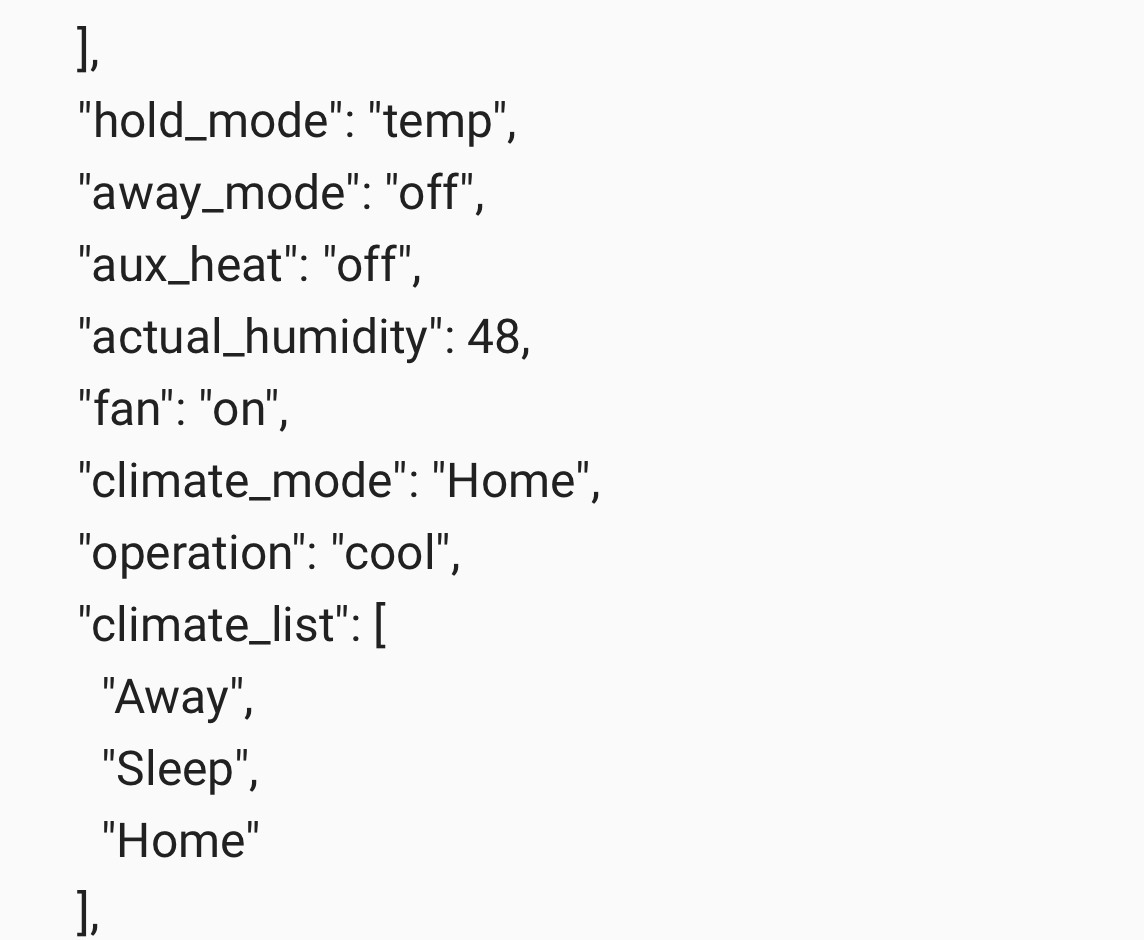
and what is the state of your thermostat ? if you get state for the entity ?
raven nacelle
State is always auto
north spear
that is the problem, this is using state, not operation mode
north spear
nope
it was discussed also in architecture
operation_mode is the mode your thermostat is in
state can be just 3 cooling/ heating or off
when the device is actually doing those things
raven nacelle
Well, then the ecobee climate component is not behaving according to the architecture then
north spear
yep
I agree that we need to support some sort of backward compatibility mapping depending on the weird implementations that currently exist
every thermostat seems to have done some sort of weird thing (also why the need of the architecture item)
raven nacelle
True
north spear
some do separate sensors
some do away mode on separate sensor
some do two thermostats to simulate the auto mode
some do state as ambient temperature
raven nacelle
@empty heath can confirm the states for nest
north spear
all kinds of combination
raven nacelle
Agree
high canyon
I am using tado and it seems to be OK so far
raven nacelle
@north spear What thermostat do you have?
north spear
My parents have a Tado and I am using my own relay with generic_thermostat
And I tested with demo platform as much as I could
raven nacelle
Looks like both Nest and Ecobee use operation mode
north spear
not on the demo platform it seems, but it will be easy to support
I'll just let people specify an attribute to use for hvac_state and a mapping
raven nacelle
I think that will be the best approach
subtle rune
@steady iris Here you have my config: https://github.com/isabellaalstrom/HomeAssistantConfiguration/blob/master/ui-lovelace.yaml
high canyon
am I being blind, is there a way of showing persistant notifications in lovelace?
wheat current
Not yet
high canyon
ok cool 😃 as long as I am not being stupid
subtle rune
@wheat current You should be able to make a filter with monster card to get persistent_notification.* though, right?
wheat current
@subtle rune Didn't think of using that card for notification, but yes, that works :)
subtle rune
Not as pretty surely but at least it prevents you from not seeing something important
Did I dream that @empty heath posted about making the migration thingy into an addon?
(yes I tried searching)
wheat current
https://github.com/hassio-addons/addon-lovelace-migration
Comming soon ™
north spear
@wheat current we should ask @empty heath to make an addon for custom card "store" on top of your custom component :))
wheat current
I think you just did 😄
subtle rune
I made my "persistent nofification card" into glance instead and hide when empty 👍 :
high canyon
I know it's lazy but could you post a config snippet for the persistant notifications?
subtle rune
raven nacelle
Monster card shows the notifications, but LL does not allow interacting with them.
high canyon
oh that was way simpler than I was expecting
subtle rune
Yeah, you have to dismiss them in another way, but at least you get them
high canyon
ah ok
subtle rune
made one for my alerts too
raven nacelle
Configurator is quite useful for now.
mild veldt
@subtle rune NICE!
 past falcon
Hey I recently upgraded and noticed that in my picture Glace elements, I added in a group entity to be able to turn the room on/off, but now it opens up the details for the group instead. Is there a way to go back to it simply working as a switch?
raven nacelle
use tap_action: toggle @past falcon
past falcon
For the group or the picture glance?
mild veldt
@raven nacelle that's not an option for picture-glance: https://www.home-assistant.io/lovelace/picture-glance/
@past falcon are you use ^this card?
or just a regular Glance card?
mild veldt
Maybe a change has been pushed that has not been documented?
past falcon
Dunno, I just know it went from being on the right with my switches/lights to the left with my light and motion level
So now it acts more as information as opposed to a switch
Though if the toggle thing would work that would solve my problem too I think
raven nacelle
@past falcon What group entity did you add? For lights, use the group llight
past falcon
It's a group that includes media players too
mild veldt
yeah, that shouldn't work
raven nacelle
that does not make sense
past falcon
Here one sec lemme grab the pertinent code and some pics
mild veldt
there may be an argument for a media_player being on then the "room" is on...?
past falcon
Yea if anything in the room group is on the group is on
mild veldt
So maybe a template switch?
raven nacelle
but media player do not support toggle
past falcon
So I can turn everything off with one click
raven nacelle
create an switch or input boolean and then use it in an automation to change things
past falcon
That seems so round about though. It's just like pressing the toggle to the group on a regular entity card
mild veldt
Like @raven nacelle said, there's no toggle for media_players
raven nacelle
it is not round about....that is the right way to do things. What does toggle mean for media payers?
past falcon
That top switch if it is on will turn off media players
To be fair they are a stereo and a tv
So they have off buttons, sorry if that might have added to the confusion
north spear
raven nacelle
Let me know when you have pushed an update
raven nacelle
NO worries...as long as it works 😃
also, I was wondering should we display humidity also there. There is enough space and humidity is an important part of the therm operation
May be that is scope creep
north spear
yeah, the plan is to include all controls of a full thermostat
raven nacelle
oh super
north spear
including humidity and fan speed
north spear
fan mode*
raven nacelle
ok makes sense
 short vale
I just bought the zwave ge fan switches (https://www.amazon.com/gp/product/B06XTKQTTV/ref=oh_aui_detailpage_o05_s00?ie=UTF8&psc=1)
it has different modes as @north spear stated
frosty pelican
mine doees Auto On and Circ lol
raven nacelle
@frosty pelican Ecobee?
frosty pelican
zwave
raven nacelle
ok
subtle rune
Is all things in https://home-assistant-lovelace-gallery.netlify.com not yet implemented?
raven nacelle
@subtle rune Yes, some of it is not released
subtle rune
Alright. Thought as much when some things didnt work 😃
mild veldt
I don't really know why, but I want dividers 😃
raven nacelle
It is almost there 😃
 coarse monolith
I am not getting the temperature displayed when climate entity is included in an entities card - anyone else seeing this or has it been reported?
it shows "Cool °F" rather than "Cool 71 °F"
north spear
it has been reported and it's already fixed in dev
the entity row was not adapted to climate after it was refactored
subtle rune
@mild veldt me too!
north spear
it has been now
coarse monolith
@north spear - great to hear. Thanks.
north spear
mild veldt
Working on a fitbit card: https://imgur.com/a/W1QeV5A
Hopefully I can lower those number on the top right over the next few months 😉
*left
@buoyant skiff what do you think?
need to add some color stops for the dials
might add some sleep tracking info as well
subtle rune
@mild veldt Nice, now I kinda wish I still had fitbit 😉
mild veldt
I got the Ionic about 2 months ago. Really like it. Opted for fitbit over apple or wear for the battery life
Get 5-6 days with the Ionic where apple/wear is 1-2 days at most
need to work on those colors on the dials some more. kind of hard to read
subtle rune
I got an apple watch for the apps 😄
coarse monolith
@mild veldt the new TicWatch Pro is a good Wear option - claims 5-30 days with it's dual screen technology
mild veldt
yeah, there's a trade off. ionic has apps and they are really easy to make (need to get around to making on for hass) and really the only thing I think I would really WANT is music controls
@coarse monolith I've seen that. Looks very cool, I actually got the TicWatch E for my wife for this Christmas. Shhh, don't tell her!
coarse monolith
I currently have an E
mild veldt
Unfortunately that was released after I got the Ionic and can't justify upgrading after 2 months, haha
coarse monolith
I really like it, especially for the price point
but, the battery life isn't great. I actually have a Xiaomi Mi Band 2 that I use in addition so that I can get that 30 day life for sleep tracking, etc
split granite
Got an E, but mostly I still use my Pebble Time 😃
That's good for a week between charges, the E barely lasts the day :/
coarse monolith
Yeah, I can get a day and a half with the lift to wake feature off.... but nothing like the pebble or mi band
rocky merlin
A genereal question to you javascript gurus out there... If I add an element to the dom is there a way I can get an event it is rendered so I can continue doing stuff with it? I have a problem with the lazy loading of elements in a library I cant do anything about. But it all works if I can wait for the (in this case canvas) to be rendered
If I solve this I can contribute with a custom lovelace card for https://canvas-gauges.com/
😃
mild veldt
@coarse monolith @split granite yeah, a little nervous about the battery life on the E. She's not the best at keeping her devices topped off
@rocky merlin I don't have answers, but am excited for those gauges!
split granite
Topping it up at night is critical I'm afraid
mild veldt
Why don't we have wireless energy yet?!? :shakefist at tesla:
subtle rune
It's not possible to have just a text field in the picture elements, right?
I mean without making a sensor just to display some text
subtle rune
ooh
mild veldt
I know, right!
I needed a '/' and was very happy to learn I didn't need a sensor just for that, haha. Hopefully we get a better solution
subtle rune
Omg that repo ❤
 rich solstice
you can also use a markdown card and strip the styling to only show the text in picture elements
subtle rune
this made my life sooo much easier
rich solstice
I made my own picture glance with picture elements: https://imgur.com/a/YTx2jF7 . Lovelace has endless options with the styling options
subtle rune
I think it's quite hard to know when "regular" css works and when I have to use stuff like "--paper-item-icon-color". Is there a cheat sheet?
raven nacelle
@subtle rune Look at the dev console and that should give you a hint
rich solstice
yes and no. I use chrome and inspect the page. You can inspect the elements and deselect or adjust them. Some work some don;t
quick beacon
^when elements inlude other elements it doesnt work (shadowRoot)
subtle rune
@quick beacon Alright, so in this instance I want to change color on a icon element in the picture elements card
That's not going to work?
rich solstice
yes it will
first two lines for the size, 3rd and 4th for the color (also active) and the last to create an outline\
quick beacon
^but thats cause their shadowRoot uses variables
subtle rune
Yeah, I meant when it's shadowRoot "normal" css doesn't work
Thank you @rich solstice for that!
rich solstice
your welcome
subtle rune
Not working with my icon though. It only colors part of it. But now I know what to look for!
rich solstice
I use it on a state-icon, that is what you mean right?
subtle rune
No icon element. But I guess that should be more or less the same
rich solstice
you could also try: "--iron-icon-fill-color": white
rich solstice
Great, it should work because I'm also using it with the icon element. Was just double checking it 🙂
@quick beacon What do you mean with shadowroot? Do you mean the --paper element with a var --shadow?
north spear
@rich solstice shadowroot means that section is completely isolated from a css perspective
you can have duplicate IDs and won't be accessible from the outside
you can read about shadowRoot on the wold wide web
rich solstice
ah ok thank you, I thought he was referring to the code I posted earlier. It changes a part of the markdown card, so it removes the background and shadow.
north spear
it was related to the combination of replies saying that using style is limitless and using inspector
but when having element in element as most use shadowroot for isolation it won't work
rich solstice
thank you for your explanation
polar kelp
Is anyone else having trouble with putting custom cards inside vertical-stack-in-card?
cards:
  - type: custom:vertical-stack-in-card
    cards:
      - type: custom:monster-card
That crashes with "Uncaught TypeError: root.childNodes[index].setConfig is not a function"
north spear
@polar kelp talk to @frank garnet
I haven't had time to look at it
I'm refactoring the thermostat card
to allow dual temperature as well
polar kelp
But it's a known problem?
north spear
I know he was up to some refactoring on a branch
to fix the problems with using a stack inside it, but I"m not sure
polar kelp
Well, I'm on the master branch, so that's probably not it then... Also, I could have sworn it worked yesterday 😠
north spear
sorry of being of little help, but but thermostat thing is killing me 😃
still have to do more work to get it to align properly
 fathom tree
You're doing great work @north spear ! Much thanks!
 frank garnet
@polar kelp I'll check it out
polar kelp
Yeah, the thermostat can't be easy... lots of people who has "helpful" ideas, I suppose.
north spear
it's early alpha
but going better than expected as I had a bug to squash
and rewritten everything like 10 times 😃
 rotund island
where can i upload images in order to show them in lovelace ? i put them in the www folder but can't see them in my ui
frank garnet
If you have now created the folder, you need to restart ha
north spear
What he said
frosty pelican
still trying to figure out how I can use the thermostat card with zwave
north spear
it is in the FAQ as well I think
frosty pelican
because i ahve 2 climate entities to use
north spear
@frosty pelican I will get to that, it's only alpha 😃
frosty pelican
oh ok cool 😃 I will definitely help test when you get there 😃
frosty pelican
ah awesome that was the one thing i did not check 😃 thank you!!
rotund island
i created a config/www folder i restarted 3 times the files are in the folder and the path I entred is : /local/filename (for instance Capture1.png) i tried with hassiourl:8123/local/filename and even url8123/filename
north spear
hassiourl:8123/local/filename should work
but than again, this is not lovelace specific
buoyant skiff
so whats going on here tonight ?
rotund island
i tought so because it's in lovelace that icouldn't see the image sorry
north spear
@rotund island you can use curl or browser request directly
don't need lovelace to test if you get 200 response from your server when placing a document in www
even easier to test out
i wonder what you get when opening /local/filename, 404 , 200, ?
rotund island
@north spear found the solution :-Dthanks to @wheat current b
my extension was in caps
i knew it was case sensitive , and i put the name respecting the case but not the extension
north spear
repeat with me (if you come from a windows background), there is no such thing as extension and name, just name with a dot somewhere in the middle
😃
buoyant skiff
nice card
polar kelp
Ok, I was wrong. There's no way custom cards in vertical-stack-in-card could have worked yesterday... unless someone got into my computer and altered my git history.
buoyant skiff
.away sleep 2 more days to go
kind shellBOT
Toast is away! sleep 2 more days to go :wave:
placid geyser
night, Toast
north spear
@raven nacelle new update on thermostat card
raven nacelle
checking now
north spear
still no temperature swap, but might be better for dual temperature controls
raven nacelle
ambient temp?
north spear
ambient temp in middle will probably be next when I add some controls
raven nacelle
cool
north spear
north spear
feck =))
corner case!
not really
back to coding
and I was so proud I was done with a heavy refactoring
raven nacelle
well....we have both the temps 😃
BTW....this will also be perfect on the picture elements card
north spear
I think i fixed all corner cases
raven nacelle
Another picture-elements card 😃
frank garnet
Nice!!
mild veldt
@subtle rune just thought of something; I'm pretty sure that you can use the fitbit service and sync it with apple health without having to actually have a fitbit. So you could get your health stats in a round about way, maybe
on that note, my fitbit card is almost done: https://imgur.com/a/tJC58yw
can anyone think of a way to dynamically change the battery icon color? It has the states Low, Medium, Full
@raven nacelle looking good!
raven nacelle
Still a WIP
north spear
@raven nacelle added tap for target temperature, default ambient
north spear
overlapping gone as well ?
I might hide the tap for controls behind a config option
unsure yet
it took a while to get all values on the screen properly
frosty pelican
love the Kodi remote @raven nacelle !! great idea!
raven nacelle
there are two lines there (one is grayed out)
north spear
@raven nacelle yes, it shows the marker for the temperature there
it shows only the most important one active but the value for the outer one for reference of value
if you tap you should see the inner value probably
if your ambient temperature is 80 you probably have something close to 79 as set point
north spear
but the bar is wrong
it should show you 79 to 80 active
right ?
unsure
my head is spinning of too many values
north spear
ok, but what would you expect to be highlighted ?
if your thermostat is 66-79, and temperature is 80
raven nacelle
the set points right?
north spear
i mean the range
north spear
on the outside you need all 3 temperatures displayed, and one of the intervals with active ticks
I think I got it wrong =))
damn numbers
raven nacelle
No, it is mostly right
north spear
in your case .. if you have 3 values 66 - 79 - 80
and your set points are 66 -79 and action is cool
the interval active on ticks should have been 79 -80 as it's trying to cool down from 80 to 79
raven nacelle
so you are displaying the ambient temp also on the ticks?
north spear
yes, all 3
raven nacelle
oh I see
north spear
when you have only 1 target and ambient is easy to display
but when you have intervals it gets complicated
raven nacelle
well, this is already looking so much better
north spear
I have to rewrite this: https://hastebin.com/isimegunep.js
it is crappy written
(by myself)
forest star
@raven nacelle @north spear Hell of what a work you are doing guys look awesome !!!!
north spear
I think I got the logic right
// cool: ambient to high only if high < ambient
// check low vs high - display low only if close
// else check ambient vs low - display lowest
  // heat: ambient to low only if low > ambient
    // check low vs high - display high only if close
  // else check ambient vs high - display highest

  // off : nothing active
    // check ambient vs low - display lowest
    // check ambient vs high - display highest
this is for interval highlight + text display
calm rock
Hi , @north spear , to test your thermostat card , is the installation process the same as with the others just in a different directory ? , the reason im asking , is because it do not appear on the updater card..
north spear
hey
you need to use 'module' under type in resources
and make sure you download both files
thermostat-card.js
and thermostat-card.lib.js
north spear
also, because thermostat-card.lib.js doesn't have version attached you must force browser cache clear
north spear
np
keep in mind that heat /cool ranges for dual temperature (two setpoints) thermostats is wrong
it's being refactored , but I have to run to sleep now
rest should be functional (but no controls yet)
also default display is ambient, with tap for setpoint(s)
calm rock
sleep well ,.
 light mountain
Is there a way to create a card that shows a level slider for a dimmer?
mild veldt
@light mountain sliders are not yet available, unfortunately
light mountain
Darn. Thanks @mild veldt That's the one thing I need to finish up my lovelace ui
mild veldt
@light mountain you could always create a custom card: https://developers.home-assistant.io/docs/en/lovelace_custom_card.html
everyone would love you for it 😃
dense roost
is there a way to add a label to picture elements without having it do anything?