#frontend-archived
1 messages · Page 56 of 1
 buoyant skiff
haha dont have an alarm
 raven nacelle
@north spear And I am guessing the numeric pad can be disabled if there is no code required
 north spear
it automatically dissapears
but still correcting some bugs with just key input
it should adapt to code with just numbers and if you have letters you will just get the input
raven nacelle
I am not using manual alarm panel. I have Arlo and Abode
north spear
does it expose alarm_control_panel.alarm_arm_night services and such ?
as long as states match and it still uses code and same services it should work
raven nacelle
yes...I think most of those services are there. The names may be different. For example, alarm_control_panel.alarm_arm_home
instead of alarm_control_panel.alarm_arm_night
north spear
there is also alarm_arm_home
I think it might work ok
you can try it if you're up to it 😛
raven nacelle
yeah...adding it now
couple of things...it will be nice to visually indicate the current state on the buttons
also, there is no arm night for my Abode
let me press and see what happens
north spear
er... what do you mean by current state ?
all are enabled in that case and your state is disarmed
raven nacelle
ok...that makes sense. Ignore that comment
Arm Night does nothing
which is expected as there is no such mode
north spear
ok, I should make that optional
north spear
vertical stack ?
north spear
looks relatively ok
north spear
what would you like to see ?
raven nacelle
I was hoping that they will be in the same card
but this is fine too
@north spear Instead of showing the state below the title, wondering if we can use the icon (something like https://community.home-assistant.io/t/a-different-take-on-an-alarm-system/7809?u=arsaboo)
 stable socket
Has anyone noticed that home assistant when saved as a bookmark on android (using chrome) always reverts to the normal UI? Ie. not lovelace
Even though I've set home assistant to use lovelace by default
raven nacelle
I think it should be fixed in the next update
north spear
@raven nacelle totally doable. As long as controls work as expected, skinning a bit is not hard
I can do that in next iteration
raven nacelle
great....this is already quite usable
north spear
I didn’t like the bells
raven nacelle
there is space that we have on the right side, where you have the current icon. We can make better use of it
north spear
Shield looks so much better
raven nacelle
yeah
raven nacelle
this should be part of the official cards, when it matures a little
I moved both my panels already 😃
 chilly storm
Marius, trying this now...
stable socket
Are you able to change an entity name in a vertical stack?
I get
mapping values are not allowed here in "/config/ui-lovelace.yaml", line 34, column 21
 toxic pumice
@stable socket, have you tried changing it using friendly_name in your customize.yaml? That's how I changed my YWeather card to Weather in my vertical stack.
stable socket
Doesn't work in this instance (using the manual alarm control panel)
Though I also had that annoying yWeather title and was looking to change that before, haha
Could you share your config for the yWeather change? I think I'm doing it wrong @toxic pumice
toxic pumice
  weather.yweather:
    friendly_name: Weather
Marius - alarm card - very functional! I did not even know that there was an armed_night mode (which to me seems like the exact same thing as armed_home but whatever). Only suggestion would be to stick on some nice icon (the shield) to make it a little prettier. I will probably look at the js for fun (never written before) and see if I can figure out how!
toxic pumice
Anyone tried to integrate a clock into an iframe? Like this: https://analog.onlineclock.net/
chilly storm
@north spear Great card - already using. had started building something using picture-element which wasn't too horrible, but yours is much better.
 vital lotus
Hey is there a way to make a view fullscreen with no menu? Like in the URL add a value like hassio.local/lovelace/floorplan?fullscreen=1 or something?
 dense roost
@stable socket they fixed that in .74
stable socket
Cool, thanks @dense roost
dense roost
We REALLY need a right-click/touch-long-press function in hassio. I like to click an icon to turn my lights on using a glance-card but sometimes I want to change the color of the light, having another entire view just to have access to the color of some lights is meh.
I think it would really help the functionality of things. I could click the lock icon in my glance card to show a pop-up to arm the alarm, or hold the icon to lock/unlock the front door.
Click a light icon to turn the light on or off, hold it to access the color menu.
I could click the fan icon to turn it on or off, or hold it to open a menu for fan speed. Etc.
 kind shellBOT
@toxic pumice posted a message that is more than 15 lines. It is now available at: https://hastebin.com/hakatezuwo
north spear
@chilly storm cool. I will improve it a bit today and update style to make it a bit prettier.
buoyant skiff
is it possible to have the entity-filter inverted
north spear
exclusion ?
@vital lotus try panel: true and kiosk mode on your browser
@buoyant skiff for exclusion you can only use the monster
buoyant skiff
yeah forgot about that
lol
tnx again
gonna use the monster-card for my weekly stats 😃
@north spear if i wanna exclude a value like 0.0 % its just to add that as an attribute right ?
buoyant skiff
its ok 😃
thought i had it
but i didnt
got these sensor i wanna include but exclude if they are 0.0
        - sensor.stats_gaming_weekly
        - sensor.stats_windwalker_streaming_weekly
        - sensor.stats_hideaway_streaming_weekly
        - sensor.stats_phone_streaming_weekly
        - sensor.stats_kodi_bedroom_weekly
        - sensor.stats_kodi_livingroom_weekly
        - sensor.time_spent_home_weekly
        - sensor.time_spent_work_weekly
ok
and what is your config ?
Improved UI
@buoyant skiff ping me a hastebin of you config
buoyant skiff
north spear
try :
        exclude:
          - state: '0.0'
doesnt show up
https://redacted/local/monster-card.js:40:5 TypeError: filters.forEach is not a function
- type: custom:monster-card
  show_empty: false
  card:
    type: entities
  filter:
    include:
      - entity_id: '*weekly'
    exclude:
      - state: '0.0'
you have a missing space in state
-state vs - state
buoyant skiff
ahh 😃
how hard can i got on regexp
if i wanna match better
like can i use *(gaming|streaming)_weekly
or is it just the old wildcard *
north spear
just wildcard, but you can do:
- type: custom:monster-card
  show_empty: false
  card:
    type: entities
  filter:
    include:
      - entity_id: '*gaming_weekly'
      - entity_id: '*streaming_weekly'
    exclude:
      - state: '0.0'
tnx again 😃
north spear
no problem
buoyant skiff
    - type: custom:monster-card
      show_empty: false
      card:
        type: entities
      filter:
        include:
          - entity_id: '*gaming_weekly'
          - entity_id: '*streaming_weekly'
          - entity_id: 'sensor.stats_kodi_*_weekly'
          - entity_id: 'sensor.time_spent_*_weekly'
        exclude:
          - state: '0.0'
😄
nice with a more dynamic ui
 storm lion
I'm convinced @north spear never sleeps 😄
buoyant skiff
haha
north spear
😅
storm lion
I go to bed and you kicking ass and helping people, wake up and you've created like 2 new cards and done 3 new versions
north spear
😄
buoyant skiff
really love how the temperature/humidity sensors look now
bignumbers card was perfect for the job
storm lion
You prefer that over gauge? I'm digging gauge still at the minute
storm lion
Hmm will give them another go then, see which one fits best
buoyant skiff
i use the gauge for sys info
storm lion
Yeah, might leave the gauge for outside temperature on the home view and switch the room stats as you've got it, see how I get on
north spear
i thought about it, but unless I make something more dynamic, I'm unsure 😃
buoyant skiff
think i found a bug or something
- title: Jeaves
  icon: mdi:robot-vacuum-variant
  cards:
  - type: entities
    title: Activity
    entities:
    - vacuum.jeaves
    - switch.jeaves_schedule
    - sensor.jeaves_status
    - sensor.jeaves_area
wrong indenting man
north spear
- vacuum.jeaves and rest must be 2 spaces more to the right
buoyant skiff
still generates a on off switch on title
seems that title if there is a switch present then title has a slider also
buoyant skiff
hehe will do 😃
shit i really need to reread docs and not rush
.away reread docs RFTM
kind shellBOT
Toast is away! reread docs RFTM :wave:
vital lotus
@north spear yeah I tried that. But the menu with views and hamburger menu in top is still there and takes a lot of space. What I'm trying to do is have a Floorplan on a tablet that I can have on the wall and I just want it as big as I can.
north spear
Did you use kiosk mode on browser?
buoyant skiff
@north spear found a nice place for epic images
think im gonna use that to make a greating image on my home tab
 subtle rune
I love the possibility to use pictures now. My home tab looks so much more awesome now with Lovelace
buoyant skiff
indeed
begun working on a greeting summary
gonna have weather alerts and calander in it
just need more dynamic images
subtle rune
Nice!
north spear
@buoyant skiff tell me some specs for the image card
Or open an issue on my repo
😃
buoyant skiff
well basically i want calander details gonna use google calander and the crude weather alerts i wrote that i published on the forums
so 2 sensors
and dynamic images from unsplash
3 actually
haha
forgot about the clock
the terms for unsplash api was nice
Photographer’s full name and Unsplash are properly attributed and linked (ex: Photo by Annie Spratt on Unsplash)
the only thing that was needed
vital lotus
@north spear not that easy to use kiosk mode on a tablet but will have a look if there is any app for it ;)
storm lion
full screen?
buoyant skiff
no
just did it full screen
simpler then editing small
takes forever
think of it as my untappd card 😄
scale in your mind 😉
storm lion
haha, temperate will be tiny if it's "card sized"
buoyant skiff
yeah forget that one and the quote
or rescale the temp
quotes is just unnessary 😄
storm lion
loving the idea of that card
buoyant skiff
yeah a greeter card would be nice 😃
storm lion
yeah something I've discovered with quotes for me is there only as good as the quotes you give it...
I'd kind of want it not full screen but like full width....
buoyant skiff
 split granite
So, you want the fortune command 😉
buoyant skiff
hahah bender (futurama) quotes
well there is one api that we could add to the hassbot 😛
split granite
😄
storm lion
lol I use that in my discord channel with my mates.. used a lot 😛
buoyant skiff
need to add that to skavalas todo list Tinkerer 😛
split granite
The bot had Chuck Norris mode removed, I doubt that FOAAS would make it in 😦
buoyant skiff
haha
storm lion
removed? I hope Skavalas knows Chuck Norris is now hunting him down
buoyant skiff
why was chuck norris removed ?
cant be that offensive
or are people easily triggered ?
storm lion
probably just used inappropriately... I know a couple of people who need a good Chuck Norrising
that was our starting list in my channel
storm lion
@buoyant skiff - you recommended Visual Studio didnt you?
split granite
VSC is in my experience better than Atom
storm lion
just started using VSC from Atom, so far very very impressed
buoyant skiff
VSC free ?
storm lion
yup
buoyant skiff
link ?
split granite
~lmgtfy visual studio code
kind shellBOT
:point_up:
Let me Google that for you...
Here, try this => http://lmgtfy.com/?q=visual+studio+code
split granite
😛
north spear
I use vsc as well
storm lion
maybe you recommended it then.. someone did, either way good shout 👍
north spear
I’m a bit lazy to start a new card today
storm lion
lol, only 4 this week, your slacking! (/s)
buoyant skiff
Marius im in no hurry 😃
north spear
I might try again to fix custom card as panel in core
 vapid field
@north spear Is there a way to hide the monster card if nothing passes the filter?
north spear
@vapid field yes, it's in the docs https://github.com/ciotlosm/custom-lovelace/tree/master/monster-card#options show_empty
vapid field
oops missed that, thank you
north spear
no problem
 grand veldt
My history-graphs stopped working a couple of days ago. Also won't work when for example open more-info for my temperature sensors. I can see the correct temperature, but no graph. Any advice?
grand veldt
@north spear Yes I am, and on HA 0.73.1
split granite
And are you using the history-graph card, or the history_graph component?
grand veldt
Card
split granite
Cards are updating as expected for me, you're not on a beta release of anything?
grand veldt
Not that I know of 😊
north spear
Best you share a config
And compare with old interface
Maybe the problem is elsewhere
 quick beacon
yep, it's not a lovelace issue -> #330944238910963714
split granite
Well, if he's using a card, and the sensors are updating in the database, it's more likely to be a Lovelace issue than not 😉
Unless there's some magic I'm missing
quick beacon
when he says it doesn't work in more-info...
 wheat current
UI issue then, #devs_frontend-archived
quick beacon
wtf is this here... I'm out
north spear
Don’t think it is for #devs_frontend-archived as that should be a dev channel
Not for reporting issues
Seems to be single user problem
 fading sorrel
🍿
north spear
So probably some config
It would have been nice if issue was reported with bit more detail like config and screenshot and maybe a check in logs and dev tools js errors 😉
split granite
What, you want errors reported with actual information? Clearly you've never worked in IT 😛
north spear
“It doesn’t work” all too common
split granite
Which I've sometimes found to mean "it did the same as the last time, but I didn't want that" 🤣
grand veldt
Sorry, it's probably not a Lovelace-error as the graphs not showing anywhere.
fading sorrel

Moss and Roy show what Tech support sometimes acts like. Or more precisely: what end-users seem like to qualified personnel.
north spear
@grand veldt you can ask for more support as suggested in #330944238910963714
Maybe you have some config issues
@mortal cape maybe pin @empty heath script as he updated it for new version?
grand veldt
Looks like it was a DB-problem. Fixed it
 empty heath
@north spear It’s still a WIP, lol, so the URL will change (to master branch) once it’s done.
north spear
Still better than being out of date
chilly storm
@north spear - Alarm panel card is perfect! Great update!! It looks so good...I even reenabled using a numeric code just because of how it looks.
toxic pumice
Does markdown card support "expansion of states" or am I doing something wrong here?
      - type: entity-filter
        entities:
          - binary_sensor.display_notifications
        state_filter:
          - 'on'
        card:
          type: markdown
          content: "{{ states('sensor.notifications') }}"
        show_empty: false
 half osprey
We don't support templates
 hardy zealot
@north spear thx for alarm card!! Would you consider an alternate UX where (1) have default alarm button (2) if don't want default for a particular arming then press alarm button before entering code (3) when specified number of digits entered (4 or 6 are popular with alarm panels) then selected alarm button is activated
vapid field
I played with splitting up views into files using !include_dir_list last night and got all my pages split up, but I can't tell what's determining the order of the views. Is there any way currently to order the views?
toxic pumice
We don't support templates
Thx.
half osprey
@vapid field that's not supported and will be removed
vapid field
The include function will be removed? is it a bad idea to do it that way for some reason?
quick beacon
write configs from GUI, -> write to one file
 frank garnet
https://imgur.com/a/EYa1xDp
Can I consolidate glance and entities to one card?
stable socket
What's the best way to integrate a dafang camera into lovelace?
split granite
Picture card
https://www.home-assistant.io/lovelace/picture-entity/ Picture entity that is
split granite
What does your config look like?
  - title: Cameras
    id: cameras
    icon: mdi:video
    panel: true
    cards:
      - type: picture-entity
        entity: camera.front_camera
camera_image: camera.front_camera```That's mine, works perfectly
stable socket
          - type: picture-entity
            entity: camera.study_camera
            camera_image: camera.study_camera
it's in a vertical stack if that makes any difference
split granite
Check the Home Assistant log file for errors
Lovelace is very good at logging errors
raven nacelle
@stable socket What camera is that? Not all cameras stream continuously
stable socket
It's a Xiaomi Dafang flashed with this: https://github.com/EliasKotlyar/Xiaomi-Dafang-Hacks
raven nacelle
Does it work in the regular UI?
stable socket
It was sort of working, now I've reset the device it's not working at all
raven nacelle
well, then it is not a Lovelace issue 😉
stable socket
Yeah....I am tempted to smash this camera with a hammer, it's been nothing but trouble
 tacit cave
is the map card working?
got a simple view, view works, card doesn't. Getting this error:
Unknown card type encountered: map.
raven nacelle
@tacit cave Map is working. You probably have the config wrong...double check the docs
tacit cave
yeah, i have, my config is simple:
  - icon: mdi:map
    title: Map
    cards:
      - type: map
        entities:
          - entity: device_tracker.petro
i can swap the word 'map' for 'entities' and the card works.
I bet I'm not up to date or something
split granite
I'm using the map card on 0.73.1
split granite
tacit cave
Bookmarking...
hardy zealot
Hey @north spear I've been playing with alarm code custom panel. Number button don't show because it is looking for the code_format to be Number. All the alarm_panel components I've looked at seem to just return a regex. Where is the Number format supposed to be set?
north spear
@hardy zealot Number is set automatically if your set code is just numbers
if you set your code to : 1234 you get Numbers
if you set your code to : 123abc you get String I think
Setting a default alarm button would be doable, but I think if you use can just set to use 1 alarm button with new settings
so you can have 1 arm and 1 disarm buttons
setting code before pressing a button and making the button activate when code is correct is problematic
you would need code to be available in front-end which makes it liable for man in the middle attacks
hardy zealot
I'm referring to line 127 in the alarm_control_panel-code.js; the number pad doesn't appear because code_format is not Number (don't know what it is)
With respect to default alarm button I'm going to play with it a bit. What I'd like it to do is that you enter the 4 digit code and upon entering the fourth digit the arm service is called with the 4 digits and the arm state that is selected
north spear
Do a console.log to find out
If you have a sample code you use i can test it out
Default length autosend is something that can get implemented
Can you raise a feature request please?
hardy zealot
Yes to adding feature request
hardy zealot
I just set a breakpoint at 127 on the card. The value of entity.attributes.code_format is the regex returned by the alarm panel code_format. The string returned is "^[0-9]{4}([0-9]{2})?$"
tacit cave
I love how you don't need to restart to update the ui in lovelace... It's all about the little things
hardy zealot
Most alarm_control_panel code I looked at in the components directory of homeassistant return a regex like that
raven nacelle
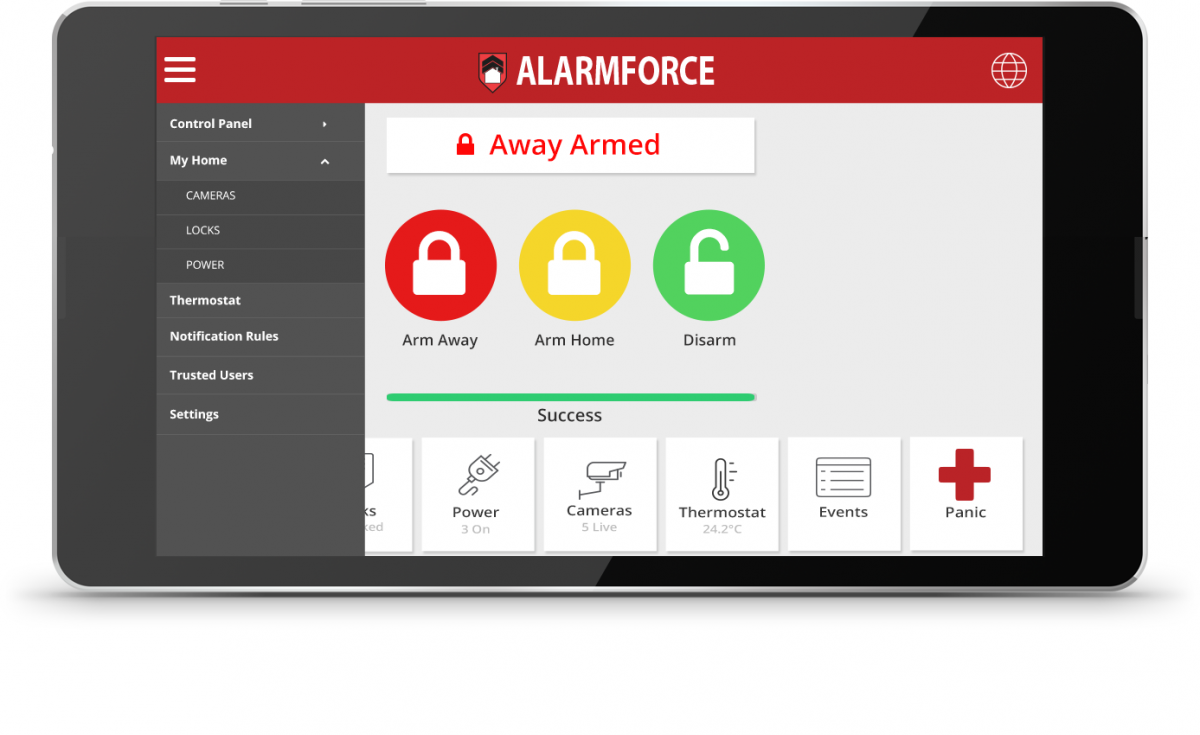
On the same alarm card---wondering if we can save some space. Right now, this is how it appears
hardy zealot
I'm thinking code_format might be the wrong thing to look at since I believe its purpose to be to check the formatting of a code.
@raven nacelle no keypad showing? I'm chatting with @north spear about that right now.
raven nacelle
I don't have code there, that is why no keypad
We can just call them HOME, AWAY, DISARM and they can probably be on the same row
north spear
@hardy zealot raise a bug for code format. I will look at alternatives
hardy zealot
Simple fix is config variable.
north spear
@raven nacelle can you try using horizontal stack?
hardy zealot
Thank you. I'm learning how all this works. Not sure where the bug actually is.
Docs are light, which I'd be happy to augment, if I had the knowledge. Getting there.
raven nacelle
Horizontal stack looks good
north spear
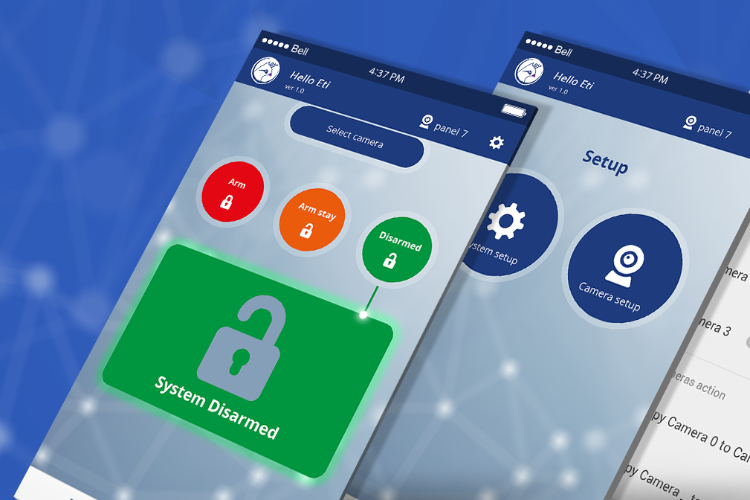
@raven nacelle like the new icons and colors better?
north spear
Green = home safe
north spear
Ok. I can swap to blue. Mind raising an issue?
raven nacelle
north spear
Is yellow amd pulse find for pending?
raven nacelle
yeah....yellow is perfect for pending
typically, Home or Disarm is when ppl are home
north spear
So yellow is fine and green for lock is fine
We can use blue for disarmed
Or some other color
I can also allow it to be styled
split granite
Red for armed makes sense IMO
raven nacelle
north spear
Want arm home and arm night to be yellow as well?
raven nacelle
yeah Amber or Yellow should be fine for those
north spear
I can swal them but I will also make it possible to style them
north spear
Oki
raven nacelle
Indeed, styling will take care of this issue, but we can provide standard options that ppl are familiar with
north spear
True
If you raise an issue i will fix it
I will prepare 0.2.0 tomorrow with feedback from issues
Like keypad based on options and default color based on industry and others
raven nacelle
Great....I will search on dribble for some UIs that we can borrow from and add it to the issue
tacit cave
is it possible to add and icon to a picture-glance that redirects to a navigation_path?
 fathom tree
Is there a way to set the size of the image under the picutre-element? (I have 2 floor plans on different tabs and they're showing 2 different sizes)
quick beacon
Do you only have 1 card in each view? Maybe it's a bug in combination with the coordinates card
 wispy inlet
alarm control panel is baller btw! well done 😃
fathom tree
ya, just one in each view.
fathom tree
figured out my size problem. Needed "panel: true" on the 2nd view. (bring on the "size problem" jokes)
north spear
@tacit cave I think in next release
buoyant skiff
morning
did a nice little steam card https://cdn.discordapp.com/attachments/463732197296439306/468159419331641345/unknown.png
 uneven coral
Wow does it show game currently played ?
I never thought that I can link Steam with HA
uneven coral
That’s great
buoyant skiff
it does just use the attributes
uneven coral
For a moment I thought that it could be used for presence detection (as I’ve got multiple computers in different rooms) but it doesn’t seem to return machines name
buoyant skiff
    - type: picture-elements
      image: /local/banners/steam.png
      elements:
      - type: state-label
        entity: sensor.steam_game
        style:
          top: 82%
          left: 63%
Since it support any public user, it would be pretty bad if it had that kind of info
buoyant skiff
  - platform: template
    sensors:
      steam_game:
        friendly_name: "Steam: Current Game"
        value_template:  >
          {% if not states.sensor.steam_76561198053891138.attributes.game -%}
            No game detected
          {%- else -%}
            {{ states.sensor.steam_76561198053891138.attributes.game }}
          {%- endif %}
there u have it now you can do your own steam card 😃
buoyant skiff
dont use redit 😛
but feel free to do it
working on converting most of my outdated old ui to lovelace
todays mission is to make a card for transmission
uneven coral
Maybe github then ?:)
I mean, the community could greatly benefit from your work and maybe even improve it
uneven coral
Yeah we all do HA mostly for fun 😃
buoyant skiff
ofc 😃
uneven coral
Btw Lovelace is still in an early development phase, aren’t you afraid that 0.74 will bring some breaking changes?
I moved most of my UI to Lovelace on 0.72 and with 0.73 literally almost all of it stopped working
😃
buoyant skiff
meh if it breaks i got something to do 😄
not that worried
i dont rely on the ui automations and other stuff will still work so whatever breaks will break
half osprey
I don't expect any major breakage anymore as we've pretty much found a good way of defining config right now
buoyant skiff
any plans to fix google maps sharing and dht in upcoming release ?
requests needs a bump on those components
wheat current
Wrong channel 😉
buoyant skiff
meh
half osprey
I'm not the right person to ask. I focus on the core of Home Assistant
empty heath
@buoyant skiff For now, if the requirements ask for >=, you can just install a newer version and it should just work.
But if it’s ==, I think you’re SOL.
buoyant skiff
yeah but in the long run that can lead to breakage dht needed a workaround in order to work if balloob focuses on the core there should be communication to the offical component builders so that there isnt breakage before a release
but i digress this is the lovelace channel 😃
lets keep it about the pretty stuff 😃
uneven coral
@half osprey are there any plans for a central repository of Lovelace widgets or for including community made widgets into HA in the future
half osprey
Any community made widget that seems like it is mature enough can be adopted to the main build, which would be the central repo
But it's usually not clear what all use cases are
So experiment with custom cards, see what people do and not do
What features are used
Once it's in the main UI it's difficult to change once we leave the experimental phase
uneven coral
I loved the widget which was showing all the entities with names matched by a wildcard
But it seems it was removed in 0.73
wheat current
That was removed ,@north spear made a custom-card based from it:
https://github.com/ciotlosm/custom-lovelace/tree/master/monster-card
uneven coral
Still it’s great that Lovelace can do such things
Yeah I saw monster card and I’m hoping it will get included in HA in the future
wheat current
Since that was removed, I doubt it will be included
half osprey
Yeah, that was too complicated for Lovelace
north spear
@raven nacelle updated Alarm card
 hoary coyote
Is there a good place to read up on various settings for lovelace? card_config for example, what goes in there?
half osprey
card config contains the config of any other lovelace card
hoary coyote
not sure I understand that. But more in general. Is there any documentation explaining the various fields?
say I want to remove the on/off switch for the entire card. How would I do that?
stuff like that
hoary coyote
@north spear so there's no more documentation than that? I might be totally missing it bu it seemed like it didn't really have any information about it
buoyant skiff
my latest lovelace card 😄 its for transmisson has toogle and binary sensors and a couple of custom sensors
north spear
@hoary coyote you find params for the card you need
for example for your use case... you are using an entities card right?
hoary coyote
I am
north spear
You go to the docs for that card: https://www.home-assistant.io/lovelace/entities/
there you will find show_header_toggle setting
and you have the example on the bottom on how to use it
@buoyant skiff when will you share the source? 😄
north spear
yes
buoyant skiff
right now if you want
hoary coyote
@north spear that's what I was looking for, how did you get there from the docs?
north spear
@hoary coyote it's a link either on the side (if you're using desktop with enough resolution) or on the very bottom if you have less resolution or on mobile
See Cards section on the menu
hoary coyote
under "Cards" right
north spear
yep
north spear
no problem
buoyant skiff
first part
unless that is enough?
the image 😃
you can add more stats to transmission with transmission-remote-cli
like stats
north spear
Muhahaha
Crazy!
I thought you build a custom card
But you just hacked it using picture elements
Awesome!
@half osprey check that crazy use 😃
wheat current
If it works, don't mess with it :P
north spear
That is worth a place in docs for creative use
half osprey
that looks cool, nice!
buoyant skiff
naa 😛 not a javascript using built in functions
half osprey
If that's possible, I guess we can call Lovelace finished 😉 ship it
north spear
😃
buoyant skiff
elements is by far the best to come along to hass
north spear
If elements in picture elements could be custom cards
buoyant skiff
doing most of my stuff with elements
half osprey
We want to allow elements on the map card once the clean up is done
@north spear I guess one could have custom cards render on a picture-elements card and completely build a UI
Crazy, but possible
buoyant skiff
me and dale3h was talking about doing a repo with elements cards
easily downloadable
wheat current
How about a website to showcase picture + config?
showcase.home-assistant.io / sharethelove.io? 😄
buoyant skiff
would work for me
tacit cave
@north spear thanks
so where can i find the source js for the entity-picture card? I'd like to make a custom version but don't really want to reinvent the wheel. Was looking on ha git, couldn't find it... probably looking in the wrong spot. Any ideas?
tacit cave
@half osprey thanks
 warm stone
Why is HASS forcing love lace ui 😮
ohh Overview links to hass/lovelace not hass/states now. This shouldn't be a thing?
wheat current
It is not, unless you told it to
warm stone
I would say I just clicked it accidentally when I was helping those other two cause I was popping in and out of my  page. Though I dont recall going to info. Unless it has been like that for days lol and I didnt notice until now haha
buoyant skiff
compressing the ui is so easy with lovelace
soon ill have only one page with complete info that i need
subtle rune
@buoyant skiff Agreed! Just the ability to make cameras smaller makes a huge difference! Im making a home page that's suitable for phone first. Really good
buoyant skiff
seen my screenshots ?
 hot gyro
@buoyant skiff I use different tabs but fully agree - its getting there now
north spear
One page is doable, but I always keep a second tab with a cogwheel where I put Automations around notifications that I want to be able to change based on needs or system monitor tab
buoyant skiff
yeah thinking of doing that
using entity filter atm
filter out those that are not on
.away need a break
kind shellBOT
Toast is away! need a break :wave:
hot gyro
is this config supposed to show a title? card_config: type: glance title: People that are home as it doesnt when I try it
its taken from the example here https://www.home-assistant.io/lovelace/
north spear
@hot gyro outdated example
use card: instead of card_config:
use example in https://www.home-assistant.io/lovelace/entity-filter/
quick beacon
Pro-tip: PRs also have title and checkboxes
hot gyro
didnt it auto create the title?
quick beacon
Does this autogenerated title make sense?
hot gyro
now it hopefully does
storm lion
in ui-lovelace.yaml
 forest star
where exactly ?
storm lion
top?
buoyant skiff
first line
storm lion
no indentation
storm lion
wheat current
That was not top, and missing resources:
forest star
Oh that might be the reason .....
buoyant skiff
might not wanna rush it
forest star
@storm lion not working either pal
north spear
@forest star what are you trying to achieve? and why go for monster card directly if you're just starting ?
@storm lion your example contains the same bug just reported earlier for entity-filter with card_config:
docs need updating with a PR (I think there are a couple in pipeline with improver info)
wheat current
And the resource point to monster-card, but its the alarm-panel that is in use in the config
north spear
ah right, alarm 😦 just noticed
north spear
this is a trimmed down version: https://hastebin.com/ifexunedot.bash
and it's using a complete git clone in www
but the /local/ equivalent of /www/ must match
so whatever you put in <config>/www/.... you must reference using /local/....
 mild mountain
Are the iOS & Android apps going to use the lovelace ui?
vapid field
@mild mountain You can set the iOS app to navigate to lovelace in the info panel. I heard people talking about a bug that made Android go back to the old UI but that should be fixed in the next update
mild mountain
I suppose I should get a lovelace UI configured then
 frosty pelican
@mild mountain they have some migration scripts you can use to help get you started too....might be helpful
frank garnet
Where can I find the js file of the basic lovelace cards?
hot gyro
can lovelace only control a single entity?
eg in picture entity I got a lamp made of 4 bulbs
 simple jolt
Is there changelog for Lovelace for .74? Can’t find it anywhere?
hot gyro
if I use the group I get a "service system_log/write called" ...
hot gyro
ok only seems to happen in firefox, on safari on the first click but then it still opens the subcontext
in firefox only the call message and nothing, safari and chrome message + subcontext
happens in firefox 60. and 61.0.1
mild mountain
@frosty pelican Got link?
frosty pelican
@mild mountain check the pinned posts in this channel
north spear
@simple jolt it will be on rc site soon.
hot gyro
@buoyant skiff ff on OSX ?
frosty pelican
@north spear love the alarm control panel card 😃 great job!!!
hot gyro
it doesnt happen if I set tap_action: toggle but without it does
north spear
Thanks @frosty pelican any feedback happy to take issues
Already a few releases in 😃
frosty pelican
ahah yea I got home from the weekend last night and was on v1 I think and I just updated it for the theme options 😃
buoyant skiff
@hot gyro post the code for it then lets see if its valid
mild mountain
Ok, checking now
mild mountain
Trying @empty heath 's converter right now. Not getting a password prompt yet
 tender wasp
@north spear Speaking of your alarm panel, you may already know this, but your element will have an isPanel property set to true if it's in panel mode... in case you want to make the buttons bigger or something 😉
I was checking it out yesterday and I really like it 👍. Will probably replace my custom panel with it, just needs a little more size as a panel
north spear
Thanks @tender wasp i will make it resize better with panel true
tender wasp
Cool, and really nice work btw
vapid field
@north spear i notice that the update card sometimes not working, i just did the update of the alarm card he shows the version number is done
but when you restart shows is not done
north spear
hmm
and what does the file say ?
I've had problems with previous version (1.1.6 vs 1.1.7)
I was just updating again my production to see if I reproduce the issue
split granite
I believe there are GitHub issues right now - could that be part of the cause?
vapid field
first showed update showed in red
frank garnet
Thanks @north spear
vapid field
i clicked update showed the number of update done
north spear
@vapid field on localhost it worked, on remote it seems it has problems, probably permissions or something else
I will have to investigate
good thing is that now at least you have updates visible 😉
I'll raise an issue for tracking
vapid field
funny is that i did update when i was on work 5h ago from my android, now i get home and wasnt done, so i did again, and it show was done, so i reboot my hassio to see if actualy was done
and was not done
no idea what is, just reporting to let you know that might be something there
vapid field
github was acting up so not sure if it is like @split granite saying and this might be related
north spear
don't think so, as long as it saw the new version it should have been fine
and today I tried earlier in the day
so something else probably
I'll try to enable debug on the component to understand what is wrong
@frank garnet are you building something new?
@vapid field I think I found the problem
vapid field
nice
north spear
@vapid field I will push a fix to custom_cards
you will just need the component, not the sensor
fix pushed @vapid field
I assume you had problems with alarm card updates
vapid field
y
buoyant skiff
    - type: entity-filter
      show_empty: false
        - sensor.squeezebox_hideaway_state
        - sensor.squeezebox_windwalker_state
        - sensor.squeezebox_phone_state
      state_filter:
      - "off"
should be correct nothing out of indentation etc
Entities need to be an array

{
  "type": "entity-filter",
  "show_empty": "false - sensor.squeezebox_hideaway_state - sensor.squeezebox_windwalker_state - sensor.squeezebox_phone_state",
  "state_filter": [
    "off"
  ]
}
still get this
north spear
@buoyant skiff where are your entities?
you have show_empty followed randomly by one array
north spear
😃
@vapid field there still is a bug left
even tho now it updates, you will get 0.2.0 in red after a new check
vapid field
hehe
north spear
the update is there, but the comparison uses different input,
at least now update works
vapid field
👍
north spear
I hope this gets less painful as we squash bugs
mild mountain
Error in card configuaration.

{
  "type": "picture-entity",
  "name": "Boy's room",
  "camera_image": "camera.boysroom"
}```@vapid field fixed last of bugs, with latest update you should be good
frank garnet
@north spear Yeah I want to build card like this: https://imgur.com/a/EYa1xDp
north spear
You don’t need much code for that
buoyant skiff
thats easy
north spear
Yep
buoyant skiff
gotta make more usage outta your monster card
and add the update card
been a busy day 😄
north spear
@frank garnet if you’re not in a hurry I can draft something tomorrow
north spear
If you did the torrent one, this should be easy
buoyant skiff
the transmission one was easy
the nas card was hard
getting syslog to not get all over the card
tacit cave
@north spear are there plans for an entity-filter card where entities appear if the state does not equal 'X'?
wheat current
@buoyant skiff just turncate the string
buoyant skiff
@wheat current i did
frank garnet
Uncaught TypeError: Failed to resolve module specifier "@polymer/polymer/lib/utils/html-tag.js". Relative references must start with either "/", "./", or "../".
What does that mean?
quick beacon
...that you should read the dev docs guide
half osprey
@frank garnet Where are you getting that ?
If you have been copying our polymer cards into your own file for a custom card, that won't work as browser module resolution only resolves relative urls
frank garnet
Ok, thanks @half osprey
 mortal cape
@buoyant skiff I missed this transmission thing and the link doesnt work anymore. Got another?
buoyant skiff
not right now
mortal cape
yes now
buoyant skiff
no
stable
ballop pushed a bad stable
but ill promise tomorrow ill give it
gonna head of to bed soon
 cunning violet
Chrome (add to home screen) still not defaulting to Lovelace.
running latest Beta
chilly storm
I am considering installing the custom-cards module....presume that I need the Custom Deps add-on for hassio. Am I right about that? Anybody doing so successfully? It
It's not critical for me, so if using the Custom Deps add-on tends to result in errors then I will probably skip it...
quick beacon
add to homescreen works fine in 0.74 beta
 fluid socket
Would the Kindle Fires on sale for Prime be good for Lovelace?
cunning violet
Yep tried it again.. all working
dense roost
Uninstall home assistant (added to Home screen on Android) then save it to home screen again and it should default to Lovelace.
Any idea when theme support for header color is coming to individual views?
quick beacon
never
grand veldt
I have two lights in a window that I want to control in a picture glance, one button for both lights. Is groups still the preferred way to do this, or is it possible to do this with only Lovelace?
north spear
have you tried group? In this case a group would make sense.
frank garnet
grand veldt
I'm doing it with group today (read about light.group yesterday, and probably switching), but didn't know if I could do it with only Lovelace (not configuration).
buoyant skiff
morning
 placid geyser
@grand veldt as light groups might also be used in automation it makes sense to have them no only in the UI configuration.
grand veldt
@placid geyser True. Thanks!
buoyant skiff
@north spear will be down for a day or two
reinstalling and doing everything my way 😃
skipped hassbian and doing it all manually 😃
awwnn Ludeeus 😉
and its back but a bit broken 😄
grand veldt
What is the best way to change an icon in a picture-glance? Is it possible to do in Lovelace so I don't have to restart HA?
half osprey
Not yet
vapid field
I recently switched to hass.io and trying to install a custom card.
I installed the samba addon and found no www folder in my config-directory, so i created it and in it I placed the monster-card.js
Then in lovelace.yaml I have
resources:
- url: /local/monster-card.js?v=1
type: js
But it does not seem to find it?
grand veldt
@half osprey Ok, thanks!
half osprey
@vapid field did you restart Home Assistant ?
If you did not have the www directory initially, you need to once restart Home Assistant to make it available
storm lion
also it is called ui-lovelace.yaml right?
vapid field
@half osprey thanks reboot solved it 😃
half osprey
That's the last reboot you'll have to do 👍
north spear
seems the thermostat card scales quite well
that is with horizontal stack and 3 in a row
north spear
it's long from being functional, but getting there 😃
placid geyser
It looks great.
 foggy tendon
How you did it? Any chance to share the code?
 serene sierra
im having problem with https://github.com/custom-components/custom_cards produce error in log Error during setup of component custom_cards Traceback (most recent call last): File "/srv/homeassistant/lib/python3.5/site-packages/homeassistant/setup.py", line 146, in _async_setup_component component.setup, hass, processed_config) # type: ignore File "/usr/lib/python3.5/asyncio/futures.py", line 380, in __iter__ yield self # This tells Task to wait for completion. File "/usr/lib/python3.5/asyncio/tasks.py", line 304, in _wakeup future.result() File "/usr/lib/python3.5/asyncio/futures.py", line 293, in result raise self._exception File "/usr/lib/python3.5/concurrent/futures/thread.py", line 55, in run result = self.fn(*self.args, **self.kwargs) File "/home/homeassistant/.homeassistant/custom_components/custom_cards.py", line 66, in setup if not hide_sensor: NameError: name 'hide_sensor' is not defined
serene sierra
thanks!
wheat current
Did it work now?
serene sierra
@wheat current yes
wheat current
Good 😃
empty heath
@north spear @wheat current @storm lion @buoyant skiff Have you guys tried using external resources yet, from say, GitHub?
wheat current
if you mean in ui-lovelace.yaml to the url param, then yes, gave up after one try xD
empty heath
Lol, why’d you give up?! It works!
north spear
it works, but I'd rather have stuff local
loads faster, less security problems if remote gets hacked
less chance of remote changing and get yelled at that HA doesn't work
@foggy tendon it's on a branch
wheat current
@empty heath impatient, and was in need of sleep 😛
empty heath
resources:
  - url: https://cdn.rawgit.com/ciotlosm/custom-lovelace/c9465a72a2f484fce135dce86c35412f099d493f/monster-card/monster-card.js
    type: js
https://github.com/ciotlosm/custom-lovelace/tree/thermostat but it's far from being usable
empty heath
@north spear Yes, those are the only drawbacks I saw.
@north spear To address your third concern, I used a specific commit.
north spear
indeed, but i'd rather use the script from @wheat current and know when a new card is out and update with a click of a button
indeed
empty heath
I haven't seen the script yet. Do you have a quick link to it?
wheat current
@north spear by now, it's mostly yours 😛
empty heath
Lol
north spear
nah, i just switched it around a bit
@empty heath it's mentioned here: https://github.com/ciotlosm/custom-lovelace/tree/master/card-tracker
You can find the actual juicy code here: https://github.com/custom-components/custom_cards
storm lion
yeah, I just installed that script too last night, works great
empty heath
@north spear Thank you sir.
foggy tendon
@north spear sorry... my poor english doesn't hep me... what is branch?
@north spear Ah yes, got it..... 👌
wheat current
@storm lion it works better after this morning 😉
empty heath
@north spear Just to pick on you a little, the canonical value in YAML of False, no, off, etc is actually all lowercase falsen 😮
I stand corrected! So, I've updated my mistake ^
storm lion
will update then @wheat current 😃




 wheat current
yep.. :/
storm lion
anyone got a sexy way to show people as home/away etc... I'm using @calm sluice great "not so binary presence detection" with an addition of this:
      templates:
        icon: if (state === 'Home') return 'mdi:home'; if (state === 'Just Arrived') return 'mdi:door-open'; if (state === 'Just Left') return 'mdi:door-closed'; if (state === 'Away') return 'mdi:map'; else return 'mdi:airplane';
I like the idea of a glance card but the text is too long to look tidy, wasn't sure if anyone else had a better idea
empty heath
Could this custom component be extended to read a @version and @repo tag from the JS file?
@buoyant skiff might have a sexy way to do that!
wheat current
@empty heath probably, for now it gets local version from ?v=0.0.0 in ui-lovelace and remote version from https://raw.githubusercontent.com/ciotlosm/custom-lovelace/master/card-tracker/VERSION files
empty heath
Nice.
Who is the owner of https://github.com/custom-components? @storm lion, right?
Or is it you, @wheat current ?
empty heath
Okie. Have you considered adding a repository repository, or somehow including all of the components in the information readme?
Ahh, yes.
wheat current
yes, I'm working on generating a repo.json file that will go in the information repo, that will include version, name, last updated (for now) 😛
empty heath
🤤
If the custom cards JS file includes a @version and @url tag, we could easily allow the component to work for any custom card.
wheat current
That is true, i Know next to nothing about JS, @north spear U around? 😃
empty heath
I am a 21 year JS veteran, but it has advanced sooo much recently that I don't know much about the new stuff.
foggy tendon
Custom-cards.py goes into custom_components or into custom_components/sensor?
empty heath
Just in custom_components
wheat current
@empty heath demn you are fast 😛
empty heath
135wpm 😮
wheat current
I'm probably ~30 xD
empty heath
Do you peck or something?! lmao
I honestly haven't scored myself in 10+ years, but the last test I took I think it was 135wpm at around 96% accuracy.
wheat current
Nope, just highly dyslectic 😛
empty heath
Which was scary as hell.
Haha, fair enough.
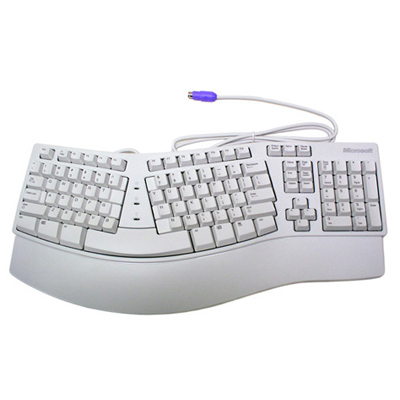
Since then, I use different keyboards. That test was done on a Microsoft Natural Elite 4000 (I think that's what it was?)
foggy tendon
@empty heath so why this error: 2018-07-17 16:01:23 ERROR (MainThread) [homeassistant.loader] Unable to find component custom_cards
2018-07-17 16:01:23 ERROR (MainThread) [homeassistant.setup] Setup failed for custom_cards: Component not found.
empty heath

@foggy tendon Hmm, I had no issues installing it just now.
One sec.
@foggy tendon Are you trying to install the card tracker?
Or just custom cards for Lovelace?
foggy tendon
both
empty heath
If custom cards for Lovelace, those go in /config/www/monster-card.js (or whatever you want to name it)
The card tracker goes in custom_components
Well, the .py for card tracker goes in custom_components, and then the .js for card tracker goes in www
And all other custom cards go in www
@foggy tendon
@foggy tendon
foggy tendon
yes, all was done in that way
wheat current
How did you install homeassistant?
Hassio/hassbian/manual/venv?
If you go to your custom_cmponents dir and run ls -la what is the output?
empty heath
@wheat current Damn you, you beat me to it that time 😛
wheat current
yes 😄
empty heath
I was about to tell him to do exactly that! lol
My brain can't type ls -la -- every time I go to list files, my hands automatically type ls -al
Muscle memory, I guess.
wheat current
I usually end up with ls la 😅
empty heath
I miss the hyphen sometimes 😂
buoyant skiff
sooo warrm today
empty heath
@buoyant skiff 😂 😂 😂 😂 😂 😂 😂 😂 😂 Boy, you don't even know.
buoyant skiff
haha dying in my aparment today
foggy tendon
pi@hassbian:/home/homeassistant/.homeassistant/custom_components$ ls -la
totale 56
drwxr-xr-x 7 homeassistant root 4096 lug 17 15:03 .
drwxr-xr-x 13 homeassistant homeassistant 4096 lug 17 16:14 ..
-rw-r--r-- 1 root root 8822 lug 17 15:03 custom-cards.py
drwxr-xr-x 2 root root 4096 lug 16 20:06 customizer
-rw-r--r-- 1 homeassistant homeassistant 4096 mag 7 18:26 ._.DS_Store
-rw-r--r-- 1 homeassistant homeassistant 10244 giu 3 10:34 .DS_Store
drwxr-xr-x 3 homeassistant homeassistant 4096 mag 7 19:44 media_player
drwxr-xr-x 3 homeassistant homeassistant 4096 mag 23 21:25 notify
drwxr-xr-x 3 root root 4096 mag 21 12:08 sensor
drwxr-xr-x 2 root root 4096 mar 27 14:01 switch
foggy tendon
maybe i must change owner of custom_cards to homeassistant?
empty heath
I'd recommend changing ALL of those files to homeassistant:homeassistant
I setup facl on mine to make sure it never changed when adding/editing files.
foggy tendon
can you tell me which is the command?
buoyant skiff
i got an idea for the card that @storm lion wants to do
working on it a greeter card with dynamic updates
and dynamic background using unsplash
empty heath
@foggy tendon You may want to run these commands manually as this script hasn't been updated in some time, but here's the gist of what I did to get sticky user/group on my files: https://github.com/dale3h/homeassistant-config/blob/master/wizard/perm-wizard.sh
buoyant skiff
just need to continue my restore from the bad update yesterday
wheat current
That restore took me about 20sec
foggy tendon
hmmm it is custom_cards.py and not custom-cards.py !!!!!
empty heath
@foggy tendon Your directory output shows custom-cards.py, not custom_cards.py.
buoyant skiff
my idea @empty heath
foggy tendon
yes, i was wrong!
buoyant skiff
@wheat current im reworking it at the same time 😃
empty heath
@buoyant skiff Very pretty!
@foggy tendon Ahh, sorry, I thought you were saying that you already had it as custom_cards.py, lol.
foggy tendon
@empty heath 👌
buoyant skiff
but the heat is murder
wheat current
@empty heath same here :/
empty heath
@buoyant skiff How hot where you are?
 wheat current
We got 98F here 😪
foggy tendon
Hmmmm..... now why this:: 2018-07-17 16:20:25 DEBUG (Thread-17) [custom_components.custom_cards] Could not find custom_cards.py in /home/homeassistant/.homeassistant/custom_components/sensor/, trying to download.
empty heath
wheat current
That is expected @foggy tendon
empty heath
@buoyant skiff Dude, 76F to 84F is my ideal "naked Jeep" weather 😮
foggy tendon
ok but i still don 't get the sensor
empty heath
@foggy tendon Make sure you're not configuring it as a sensor.
buoyant skiff
^^
north spear
oh god, I go away for a meeting and you guys write 10 screens up
wheat current
@foggy tendon is the sensor dir still owned by root?
foggy tendon
i have sensors configured in include and this i configured into configuration.yaml
i still don't find the command to change owner
empty heath
You configured it as:
custom_cards:
  auto_update: false
  hide_sensor: false
?
foggy tendon
yes
empty heath
You should be able to run that script. I just looked over it, and it doesn't seem much as changed (since I prompt for all of the info)
Ok, I really need to go take care of my fatherly duties now. Talk to you guys soon.
foggy tendon
nothing to do.. i cannot have that sensor... i get the following: 2018-07-17 16:30:54 ERROR (MainThread) [homeassistant.setup] Error during setup of component custom_cards
Traceback (most recent call last):
File "/srv/homeassistant/lib/python3.5/site-packages/homeassistant/setup.py", line 146, in _async_setup_component
component.setup, hass, processed_config) # type: ignore
File "/usr/lib/python3.5/asyncio/futures.py", line 380, in iter
yield self # This tells Task to wait for completion.
File "/usr/lib/python3.5/asyncio/tasks.py", line 304, in _wakeup
future.result()
File "/usr/lib/python3.5/asyncio/futures.py", line 293, in result
raise self._exception
File "/usr/lib/python3.5/concurrent/futures/thread.py", line 55, in run
result = self.fn(*self.args, **self.kwargs)
File "/home/homeassistant/.homeassistant/custom_components/custom_cards.py", line 78, in setup
with open(sensor_full_path, 'wb+') as sensorfile:
PermissionError: [Errno 13] Permission denied: '/home/homeassistant/.homeassistant/custom_components/sensor/custom_cards.py'
wheat current
Well yes, untill you fix your permissions you will get that
foggy tendon
i fixed it... now i have: drwxr-xr-x 8 homeassistant root 4096 lug 17 16:20 .
drwxr-xr-x 13 homeassistant homeassistant 4096 lug 17 16:33 ..
-rw-r--r-- 1 homeassistant homeassistant 8822 lug 17 15:03 custom_cards.py
drwxr-xr-x 2 root root 4096 lug 16 20:06 customizer
-rw-r--r-- 1 homeassistant homeassistant 4096 mag 7 18:26 ._.DS_Store
-rw-r--r-- 1 homeassistant homeassistant 10244 giu 3 10:34 .DS_Store
drwxr-xr-x 3 homeassistant homeassistant 4096 mag 7 19:44 media_player
drwxr-xr-x 3 homeassistant homeassistant 4096 mag 23 21:25 notify
drwxr-xr-x 2 homeassistant homeassistant 4096 lug 17 16:20 pycache
drwxr-xr-x 3 root root 4096 mag 21 12:08 sensor
drwxr-xr-x 2 root root 4096 mar 27 14:01 switch
is it fixed or not?
wheat current
Not
foggy tendon
why?
wheat current
You still have files and dir’s owned by root
foggy tendon
ok but why other components are working good?
wheat current
If you have any custom switche/sensor i doubt it
north spear
probably others don't need write permissions
foggy tendon
how to change owner of a dir?
north spear
choown user:group -R <dir>
foggy tendon
drwxr-xr-x 8 homeassistant homeassistant 4096 lug 17 16:20 .
drwxr-xr-x 13 homeassistant homeassistant 4096 lug 17 16:43 ..
-rwxrwxrwx 1 homeassistant homeassistant 8822 lug 17 15:03 custom_cards.py
drwxr-xr-x 2 homeassistant homeassistant 4096 lug 16 20:06 customizer
-rw-r--r-- 1 homeassistant homeassistant 4096 mag 7 18:26 ._.DS_Store
-rw-r--r-- 1 homeassistant homeassistant 10244 giu 3 10:34 .DS_Store
drwxr-xr-x 3 homeassistant homeassistant 4096 mag 7 19:44 media_player
drwxr-xr-x 3 homeassistant homeassistant 4096 mag 23 21:25 notify
drwxr-xr-x 2 homeassistant homeassistant 4096 lug 17 16:20 pycache
drwxr-xr-x 3 homeassistant homeassistant 4096 mag 21 12:08 sensor
drwxr-xr-x 2 homeassistant homeassistant 4096 mar 27 14:01 switch
is it ok now?
north spear
seems fine, try to start it and see if you get errors
where are you from @foggy tendon ?
foggy tendon
ItalyYes, it works.... Thanks
north spear
@empty heath I am still using natural keyboard from MS even now... been on every new version 😃
/cdn.vox-cdn.com/assets/3050651/SED_ATop_FY14.png)
 empty heath
Nice!! I had to give them up a few years ago, they were getting too expensive to replace every couple of years.
Oooo that’s pretty!
north spear
very cool, especially as numpad is optional on desk now
empty heath
It took me a while to get used to the first black one, but loved it after I did.
foggy tendon
It updates automatically all the files when pressing update all?
north spear
@foggy tendon yes
wheat current
if premissions are correect
north spear
you can update them manually using the service and json
foggy tendon
ok
empty heath
Feature request: new column on right. Up arrow for update available (clicking arrow = update), check mark for up to date
storm lion
nah @north spear and @empty heath - all about a Pok3r
north spear
@empty heath you dislike the bold red text with link to changelog ?
empty heath
I didn’t realize it was a link! Haha
empty heath
@storm lion I am a chiclet fan now, sadly.
north spear
I would try any kind of mechanism as long as the shape is freakin' right
none do shapes like MS keyboard 😦
storm lion
having said that, I do like my MBP's keyboard, just nowhere near as nice as a good old mech
empty heath
Agreed. MBP got me spoiled on chiclets.
hoary coyote
@storm lion that's interesting to me. I've never liked writing on mechanical. I like gaming on it tho
imho the best coding keyboard atm is apples wireless
fathom tree
is there a way to use "entity-filter" without listing each entity individually? I was hoping it would take "group" domains and separate out the individual entities.
north spear
@fathom tree entity-filter no, only monster card
fathom tree
ahh, and monster card is another custom card. btw, the plan-coordinates is working fine on my mac, but not on the PC or phone. I'm using Chrome on both. Still no SSL.
north spear
are you calling your URL using .local on all ?
fathom tree
No. On the mac I'm actually using the duckdns address. I really want to do a how-to video for Lovelace. Anything specific I should include or exclude?
fathom tree
Ya. For the video. If there are things that are likely going away or changing drastically I’d just leave those out. I’m loving the floorplan and pictures so those are the highlights.
Maybe someday I’ll do SSL. I expect switching to SSL will cause me some headaches so I’m hesitant to do it.
quick beacon
Elements of Picture-elements get changed soon(TM)
fathom tree
Oh dang. Ok. Maybe I’ll wait a bit then.
You think it’ll ever be drag-and-drop with entities on the picture element?
 split pine
Drzzs Greetings 😃
@fathom tree what was that program you used to do your floor plan from a picture?
 cedar coyote
Question: is it possible to use in state-image for a door open or closed - icon: mdi:pictogram_name? Or only local stored images?
And if so can you tell me what the setup is?
vapid field
@north spear doing a update to 0.74.0b2 hassio custom cards not working
- Invalid config for [custom_cards]: [auto_update] is an invalid option for [custom_cards]. Check: custom_cards->custom_cards->auto_update. (See /config/configuration.yaml, line 62). Please check the docs at https://home-assistant.io/components/custom_cards/
@vapid field That is not the reason, you must have updated that file to (i removed that setting 2h ago since its no longer in use)
remove auto_update from your config
vapid field
ok so just use the in config
custom_cards:
Correct 😃
vapid field
ya i have updated the card and sense it was showing, and then i updated the ha tought might be something related to the update of the ha 😃
wheat current
Nope, that is a custom_component, one of the issues with using those is that it does not get updated with ha
vapid field
thanks @wheat current back online and working 😃
 glossy birch
@wheat current 👑
north spear
😎
I luv this new flexibility
just put a new zigbee stick
i went into pairing mode with automation
I went to unused entities and renamed the new sensors to Bathroom X
all appeared on right card
😄
profit!
wheat current
💯
north spear
and with the custom cards checker. ...
oh my
I really love the hands off approach now
wheat current
Yeah this amazing 😄
north spear
nice, using entity-filter ?
serene sierra
will try thanks
north spear
You can use vertical + horizontal stack and entity filters + some intelligent automation + boolean inputs and get the same thing
serene sierra
using vertical + horizontal in same card is amazing