#Possible ways that incorrect CircuitPython usage might fry a device?
1 messages · Page 1 of 1 (latest)
 near island
Here are some photos of my hardware: https://photos.app.goo.gl/CJXWG4rYzxfecXbw6

Google Photos
10 new items added to shared album
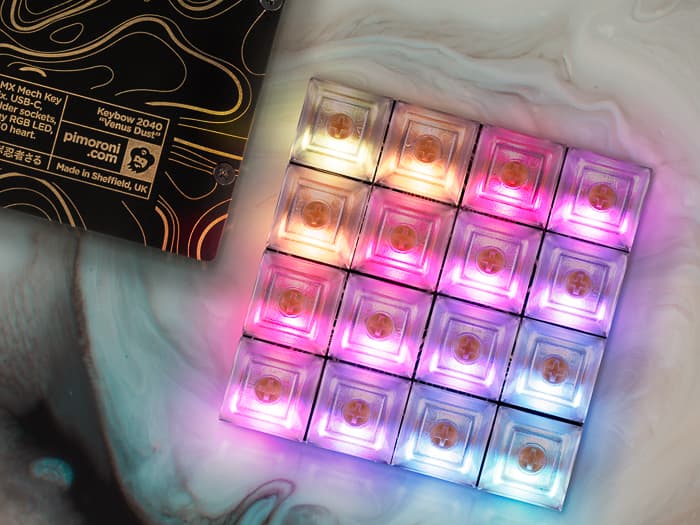
To be more specific about the way the device died - I was editing these two files, making a change roughly equivalent to https://github.com/rtyley/lego-tardis/commit/fd9dc722eaf2882984d08bf0995c94e85fb317b8 (that's only roughly - I made that diff from my own recollection, don't have the exact diff because the device died soon afterwards).

The Keybow 2040 began to restart rapidly - maybe 30 times at a frequency of approximately once per second - and then died. It was hot to the touch.
After that, it seems completely unresponsive to bring attached to power- no drive (CIRCUITPY or RPI-RP2) shows up when the device is attached by usb-c, so there's no way to reflash the hardware, even if it's not completely burnt out.
near island
A couple of notes about how I was editing the files - I was using PyCharm, but was using https://learn.adafruit.com/welcome-to-circuitpython/pycharm-and-circuitpython - and had disabled auto-save. I was mounting the device directly into a subfolder of my project, using LABEL=LEGO-TARDIS /Users/roberto/development/lego-tardis/circuitpython msdos -u=501 in my fstab.

Adafruit Learning System
New to CircuitPython? This is the place to start.
So, I guess I'm trying to understand how the Keybow 2040 could have died in that way- rapidly restarting, getting hot - when I wasn't messing with the hardware (which had been working for days, and was sealed away) but was messing with the software.
Was one of the changes I made to my Python code in that diff potentially dangerous? I'd been messing with the pull setting of keypad.Keys (see https://docs.circuitpython.org/en/latest/shared-bindings/keypad/index.html#:~:text=the same way.-,pull (bool),-– True if ) - could those pullup resistors have caused a short?!?
Alternatively, could saving the second file, rapidly after saving the other one, have corrupted the Keybow 2040 to the point where it died? If so, I need to disable auto-save altogether when I next try!
 red shell
I looked at the schematic of the KeyBow 2040 and it's pretty innocuous. The switches are just wired to ground. I don't think this has to do with your editing or any software. Changing the pull would not do anything dangerous to the hardware. I think there was a coincidental hardware failure at the same time.
I would suggest that you bring this up with Pimoroni, in their forums.
What part of the board got hot?
If you plug it in now, what is the USB bus voltage, and do you see 3.3V output from the voltage regulator? If you can show any burned-looking areas in a photo, that would be helpful.
near island
Thanks Dan - it's good to know I can't permanently break the devices through saving files! I'll raise a post in the Pimoroni forums. TBH I can not remember now what part of the Keybow board got hot - here's a picture of the board in it's current state: https://photos.app.goo.gl/ZiZJdA8y7YaJNhGb7 - I don't see any obvious burns?

Google Photos
When I plug the keybow in now, I get 5V on VBUS, and the expected 3.3V from the voltage regulator - SDA, SCL, and INT are all high at 3.3V, and TX, RX are low.
The device still doesn't show up when plugged into a computer - it doesn't show on lsusb