#Community Help Desk
1 messages · Page 1 of 1 (latest)
 frozen hill
 crimson kettle
Hello everybody! Just a quick note that this thread is and voice chat is being recorded today for possible playback on the Adafruit YouTube channel
 modest iris
Happy Saturday, everyone!
crimson kettle
Can you keep an eye on the help-with-circuitpython channel? I'm recording this one and can't switch
modest iris
Sure. I can do that.
 golden chasm
Hello everyone, happy saturday! 🎉 I'm here in text channel now and will hop into the voice room after I finish chomping down my breakfast.
crimson kettle
good morning! Take your time,
modest iris
Good morning!
modest iris
frozen hill
Welcome, everyone, to the CircuitPython Community Help Desk. The next Help Desk ...
 stoic verge
Good Morning! Hope everyone's day is starting off well!
modest iris
So far so good! Happy Saturday!
stoic verge
I'll need to stay muted but I'll be listening in in the voice chat
golden chasm
this is the primitive CLI mail project: https://github.com/FoamyGuy/CircuitPython_Radio_Mail_Serial_CLI
 torpid shell
Good morning everyone, I am around now myself. I'll try to pay attention to the voice channel too but feel free to ping me
crimson kettle
if anyone needs help with anything, feel free to ask here or join the chat channel
modest iris
(I'm back)
crimson kettle
away for a few
 coarse tapir
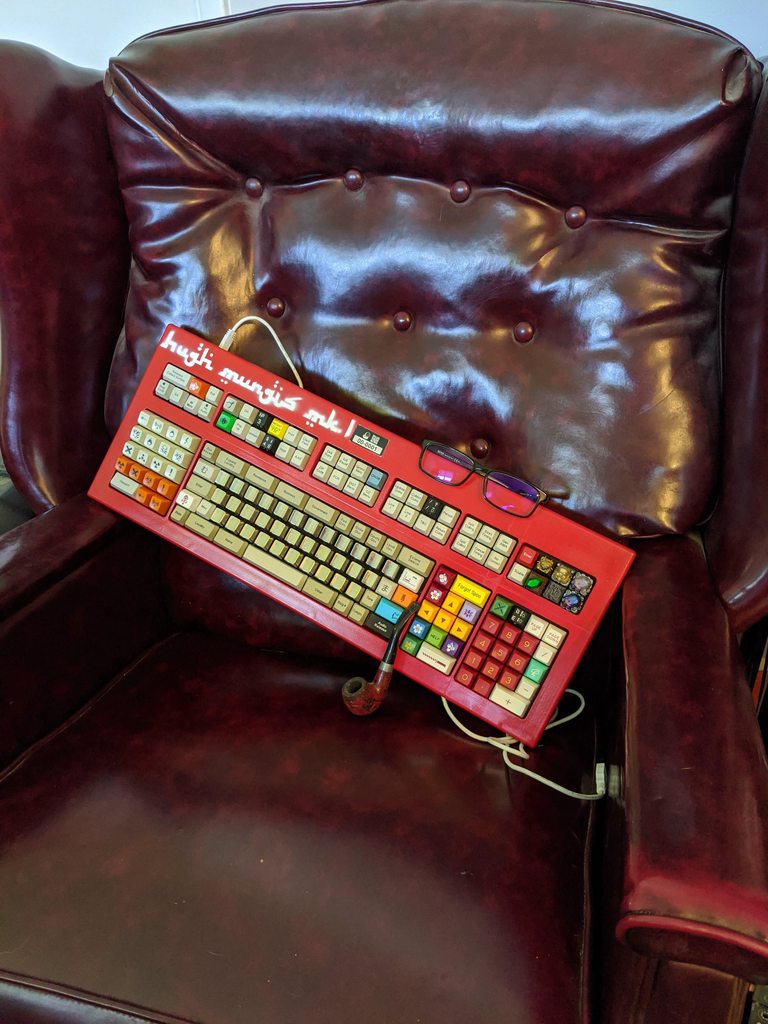
I have traditionally used a teensy to build my keyboard
https://github.com/HughMungis/ake160886/tree/master/ake160886
but I would like to replace the teensy with a KB2040
However when I try to follow the instructions here
https://learn.adafruit.com/using-qmk-on-rp2040-microcontrollers/adafruit-kb2040-on-the-pb-gherkin-30-keyboard
even the example commands don't work. nevermind the code on my github
Because I'm dumb and chose a project with more complexity than i realized, there's also a custom matrix involved and I'm not sure if there's special rules on implementing that on a kb2040
Is this project even possible? Be warned I'm using this project to teach myself some basic programming so I'm a bit of a noob
 zenith stirrup
CP 8.0.beta ESP32-S2 Feather py code.py output: ]0;🐍Wi-Fi: off | code.py | 8.0.0-beta.0\]0;Wi-Fi: off | code.py | 8.0.0-beta.0\ width: 480 height: 320 triangle_1: 0.177979 triangle_2: 0.754028 triangle_3: 0.0310059 ]0;🐍Wi-Fi: off | Done | 8.0.0-beta.0\ Code done running.
CP 7.3.3 ESP32-S2 Feather ```py
code.py output:
width: 480 height: 320
triangle_1: 0.35199
triangle_2: 1.57401
triangle_3: 0.375
Code done running.```
from adafruit_hx8357 import HX8357

# 3.5" TFT Featherwing is 480x320
displayio.release_displays()
DISPLAY_WIDTH = 480
DISPLAY_HEIGHT = 320

# Time between weather updates
# 900 = 15 mins, 1800 = 30 mins, 3600 = 1 hour
sleep_time = 900

# Initialize TFT Display
spi = board.SPI()
tft_cs = board.D9
tft_dc = board.D10
display_bus = displayio.FourWire(spi, command=tft_dc, chip_select=tft_cs)
display = HX8357(display_bus, width=DISPLAY_WIDTH, height=DISPLAY_HEIGHT)

#triangle_group = displayio.Group()

width = DISPLAY_WIDTH
height = DISPLAY_HEIGHT``` torpid shell
@golden chasm @coarse tapir I noticed the guide is version 0.17.5 and the output is from 0.18.5 so looks like some of the settings changes
 river vector
Heya Tim. Verstappen in the lead.
river vector
we were tallking yesterday about where to develop your code, directly on the pyportal or in a folder on your hard drive and then copy paste over to do device.
modest iris
Adafruit PyBadge, CP 8.0.0-beta.0:
width: 160 height: 128
triangle_1: 0.000999451
triangle_2: 0.234
triangle_3: 0.066
Adafruit PyBadge, CP 7.3.3:
width: 160 height: 128
triangle_1: 0.0010004
triangle_2: 0.241
triangle_3: 0.0710001
river vector
what are the pros and cons? it seems easy to copy a project bundle to it directly and then commit push for a new version/function in one at the same repo
one and the same
 modest iris
@river vector One con I've found to developing on the device is that if your USB connection glitches during a save of your code, it's possible for changes to get lost.
river vector
vs code tend to autosave and thus trigger the pyportal to restart. how to avoid?
modest iris
You can turn off autosave in the VSCode preferences...
golden chasm
I disabled the autosave function in PyCharm to avoid it making my device restart. I would guess that it's possible in VSCode, but don't have any personal experience. So not sure how to do it specifically.
river vector
@modest iris is that the reasons for the restarts? whats the best setting for autosave, afterdelay? or just off?
modest iris
@river vector I tend to just turn it off when I'm working on my CircuitPython development projects, and save when I'm ready. But I also tend to save to my hard drive and then I have a build task configured in VSCode to copy to the device when I want to.
river vector
it just seems to be quicker to have the pyportal run the edit w/o the copying. but then i had other problems that you probably cana help with. The Thrashes folder gets full, and you haave to empty it when changing project. can this be avoided?
Yeah @modest iris i actually saw that stream, tell us how you do it?
stoic verge
@river vector I mostly edit my files on my harddrive then copy over to my circuit python device. This let's me use git. But for "bug fixing" or feature development I'll edit on the device, then once I have functioning code I'll copy that back to my disk. The reload slows it down a touch, but the workflow helps keep me from loosing my code
modest iris
@river vector I save to my hard drive, and then I add a launch configuration to my VSCode workspace to copy the files from the hard drive to my CPY device. Same with PyCharm.
river vector
not to mention the ._files.
modest iris
CuriousMarc's YouTube channel, for those who are interested: https://www.youtube.com/channel/UC3bosUr3WlKYm4sBaLs-Adw

YouTube
Videos documenting restorations of exceptional vintage electronics and early computers, space hardware and the odd mechanical calculator or Teletype. It often showcases my Hewlett-Packard test equipment collection and, from time to time, my R2-D2 robot build. Things rarely work when I start, but almost always do when I end. A nerdy place for you...
river vector
and it also solves the nuisance of having tp rename the CPYPORTAL to create a different folder for a different repo.?
modest iris
@river vector I'm not sure what you mean? I don't rename my CircuitPython devices. I just don't have more than one connected to my computer at a time typically.
@river vector https://code.visualstudio.com/Docs/editor/tasks might help.
When I've done this, I've just made a build task that runs the command cp my_project_file.py /Volumes/CIRCUITPY/code.py.
river vector
so for each new project you create (and name) a folder on your hdd, copy the project bundle from learn guide (eg.) to that, (push it to git), edit, copy over to CPY, check if works, make fixes on HDD, copy and check again.
modest iris
Yup. That's typically how I work. I create different folders in /Users/tammy/projects for each project.
river vector
ok, git it. hehe
river vector
and with the HDD way you dont have to bother with hdd being full because of Thrashes and ._files that vs code / git uses?
modest iris
Right. I only copy the code file to the device when I'm ready to run it.
river vector
and the above mentioned files are not copied? there hidden somewhere i dont remember right now
stoic verge
https://learn.adafruit.com/adafruit-metro-esp32-s2
....[Other networks]
78:D2:94:45:E0:00  9 -60 [wifi.AuthMode.WPA2, wifi.AuthMode.PSK] US NETGEAR

Code done running.
soft reboot

Auto-reload is on. Simply save files over USB to run them or enter REPL to disable.
code.py output:

Code done running.
soft reboot
@river vector I make the build task specify which files to copy.
And then it doesn't matter.
river vector
yeah well, @modest iris i have to keep things simple for my students so that theres not too much automagical stuff in the CLI. but ill look into tasks
so here the problem with the ._files
 modest iris
I'm not sure about the ._ files - I don't see that on my Mac. Maybe that's a function of your environment?
river vector
did vs code add these? nad how do i avoid copying them?
i think there secret right. hidden i.e.
modest iris
Would configuring VSCode to ignore the ._ files work for you? When I do the copy, I configure the task to just copy the specific file(s) I want to deploy.
river vector
im also on maac
 signal harbor
river vector
so here the problem with the ._files
signal harbor
river vector
so here the problem with the ._files
these are extended atrtibutes files that MacOS creates
 sand pier
modest iris
sand pier
modest iris
@river vector Maybe this helps? https://apple.stackexchange.com/questions/14980/why-are-dot-underscore-files-created-and-how-can-i-avoid-them
river vector
well, i was slow to add ._* to gitignore, and once you pushed, itsw hard to get rid of them
modest iris
@river vector You could do something like cd repo_folder; git rm --cached $(find . -name .*_ -print) to remove them from your repos.
river vector
but the question was whether i can avoid copying them if i dont use tasks, just drag and drop like
 cerulean sable
I built CircuitPython this morning and got 7.2.0. ??? Is the version somewhere in the build_* folder? I've since pulled the 'main' branch from github.com/adafuit/circuitpython.
river vector
yup, thanks, i will try that now.
modest iris
@river vector I don't know of a good way to avoid copying them by drag-and-drop except to disable "show all files" so you don't select them when you drag/drop.
signal harbor
cerulean sable
I built CircuitPython this morning and got 7.2.0. ??? Is the version somewhere i...
might need to git fetch --tags or something like that
 torn raven
macOS will create them anyway on non-HFS volumes when you create or copy a file that has extended attributes or a resource fork
modest iris
@torn raven Ah, that makes sense.
signal harbor
they should not appear on a mac volume either
river vector
oh well, of course i cant, because i dont have my pyportall (where is smarrtly stored the code, not on HDD :)) with me in the bar.
modest iris
That would make it challenging, yes. 😉
signal harbor
(I might also suggest discotool cleanup --all to remove them from any connected board)
modest iris
You could also use a tool like piku to deploy your CircuitPython projects, which manages which files get copied.
river vector
torn raven
macOS will create them anyway on non-HFS volumes when you create or copy a file ...
antoher reason to develop the files on HDD?
cerulean sable
signal harbor
might need to git fetch --tags or something like that
Using the main branch from adafruit worked. I guess my fork on github is stale.
torn raven
almost every file you download to macOS from the internet will have some quarantine attributes, so that's where a lot of the ._ files come from when copying things to a CircuitPython volume
river vector
yeah, copying from project bundle in the learn guide
torn raven
river vector
antoher reason to develop the files on HDD?
they'll probably appear when you copy stuff to the board, unless you're doing stuff to remove all extended attributes and resource forks beforehand
torn raven
river vector
yeah, copying from project bundle in the learn guide
quarantine attributes also get applied to extracted files when unzipping, etc. a zip file that has them
river vector
torn raven
quarantine attributes also get applied to extracted files when unzipping, etc. a...
and if you clone a repo?
torn raven
river vector
and if you clone a repo?
probably not, if you clone from the command line. i'm not sure what the various GUIs do
modest iris
I don't think that I've ever seen a Git repo clone being tagged with that quarantine attribute.
sand pier
river vector
but the question was whether i can avoid copying them if i dont use tasks, just ...
You can use cp -X to avoid copying them from the command line. I don't know of a way to avoid copying them when using drag/drop.
river vector
well we dont do CLI here at high schooll 🙂
sand pier
river vector
excellent @sand pier
"Unfortunately you cannot use drag and drop copy in Finder because it will still create these hidden extended attribute files in some cases "
in black and white
modest iris
@river vector If you're using VSCode, maybe set up some standard build tasks you can use in your students' projects.
signal harbor
you can unquarantine with xattr -r -d com.apple.quarantine dirpath but I don't think it is enough to completely remove the extended attribute ? there might be a way though (and you can make an applescript droplet for that code)
torn raven
xattr -c filename will clear all extended attributes, i think
golden chasm
modest iris
torn raven
`xattr -c filename` will clear all extended attributes, i think
I have an alias in my shell that runs that command.
signal harbor
xattr -c -r ~/Downloads/adafruit-circuitpython-bundle-* then (for example)
torn raven
confirmed that xattr -c on a CircuitPython bundle prevents quarantine attributes from being set on extracted files upon unzip, so that might be a more streamlined way to do it
cerulean sable
I'm out for the day, but wanted to thank everyone who organized and participated in the Community Help Desk. This is awesome, looking forward to the next one! 😄
zenith stirrup
@old kayak 7a5d2e8 is the hash commit just so it's easier to reference.
signal harbor
I use an applescript droplet to remove quarantine (it sometimes prevents opening php files in BBEdit...) to remove all attrs something like that, saved as an application
(to avoid CLI)
zenith stirrup
river vector
it got very complicated and CLI all of a sudden. i think this stuff needs to be included in the every learning guide, since it will fill upp the devices hdd.
signal harbor
we could also have a javascript droplet to remove the files on the board
river vector
but biggest problem as i recall was the Thrashes folder, but i guess that willl be solved by develloping in hdd
signal harbor
oh the trash is disabled
torn raven
modern CircuitPython installs drop a few files to prevent macOS from creating Trashes; if you have a filesystem formatted from an older build, it might lack those files
signal harbor
unless the drive is not properly formatted by CP
yeah very old build or an existing drive from Micropython for example
river vector
my students dont know first thing about unix commands, and the threshold is too high and pedagogically challenging.
torn raven
if you have a way to distribute the project bundles to them without the quarantine attribute, that might easiest
modest iris
@river vector That's why I think defining some build tasks in VSCode (they go in a JSON file in the project folder) might be a viable solution for you too.
signal harbor
oh hey xattr -c -r /Volumes/CIRCUITPY works to remove the ._ files, so the droplet I posted above should also cleanup a drive (if you are on mac of course)
river vector
yep, @modest iris gonna look into that and rewaatch your video, that i cant remember the name, do you?
modest iris
Not off the top of my head, no. 😦
river vector
torn raven
if you have a way to distribute the project bundles to them without the quaranti...
welll, no, we want to have adafruit.com as a starting point, always.
also: why cant you clone just one project in the learning guides repo? the repo conatins all guides..
 old kayak
Here’s the Titano brightness issue. https://github.com/adafruit/circuitpython/issues/6236

GitHub
CircuitPython version Adafruit CircuitPython 7.2.4 on 2022-03-31; Adafruit PyPortal Titano with samd51j20 Board ID:pyportal_titano PWM frequency testing with 3.5"TFT FeatherWing: Adafruit ...
river vector
signal harbor
oh hey `xattr -c -r /Volumes/CIRCUITPY` works to remove the `._` files, so the d...
will do, thanx!
river vector
river vector
will do, thanx!
wouldnty let me download
modest iris
Wouldn't let you download what?
river vector
torn raven
modern CircuitPython installs drop a few files to prevent macOS from creating Tr...
how can i check
river vector
modest iris
Wouldn't let you download what?
the droplet
signal harbor
river vector
how can i check
try to delete a file, if it says "blah blah irreversible" then no trash
river vector
ok, it turns out i DID bring my pyportal to the local bar. hooking it uo now.
torn raven
river vector
how can i check
i don't remember the exact names, but ls -al in the CircuitPython root should show you a few dotfiles like a regular file (not directory) named .Trashes or something
river vector
so what do iu do first+
signal harbor
.Trashes
.fseventsd
.metadata_never_index
 torn raven
river vector
torn raven
river vector
yeah your .Trashes is a directory, so it's going to have actual contents if you've deleted stuff in the Finder
and it seems odd that .Trashes has extended attributes. can you do xattr -v .Trashes so we can see what they are?
stoic verge
For the titano display issue--does it get slower the larger the polygon being filled? And does it seem like it get's slower linearly to it's size or the time delay grow quadraticly with it's size?
signal harbor
you should format the drive, backup your files and in the REPL (or code.py honestly)
import storage
storage.erase_filesystem()
then put back your files
that will create the special files
golden chasm
stoic verge
For the titano display issue--does it get slower the larger the polygon being fi...
It does seem to be slower with larger polygons. Though interestingly using Rect instead of Polygon is much faster even to make the same size shape and have it filled instead of outline only.
I don't have a good sense of whether it's coorelated linearly or quadractically though.
torn raven
golden chasm
It does seem to be slower with larger polygons. Though interestingly using Rect ...
makes sense; axis-aligned line segments would have to do less calculation for the fill
river vector
 stoic verge
Is it possible the brightness code has a accidental change from:
size = height*width
for i in range(len(height)):
    for j in range(len(width)):
        pixel(i,j).brightness(foo)
to
size = height*width
for i in range(len(size)):
    for j in range(len(size)):
        pixel(i,j).brightness(foo)
Interesting thought. I'm not certain if it could be possible. To the best of my knowledge it isn't manipulating each pixel for the brightness. Instead just changing PWM voltage output of some LEDs that are near the display.
torn raven
river vector
yeah i'm going to second Neradoc's suggestion to copy stuff you want to keep and reformat the partition
torpid shell
Reading through the PR on auto brightness now just to see if something was in there
torn raven
golden chasm
It does seem to be slower with larger polygons. Though interestingly using Rect ...
wait, is the exact same rectangle with Polygon is slower than with Rect?
river vector
torn raven
yeah i'm going to second Neradoc's suggestion to copy stuff you want to keep and...
@signal harbor ok, im gonna wipe it, and then i want to install a project bundlle from adafruit.com. wallk me thru it:)
torn raven
who was it that did the bisection on the Titano issue? what were the commit hashes of the last known good and first known bad?
signal harbor
river vector
<@199811382793863168> ok, im gonna wipe it, and then i want to install a project...
ok well first save all your data from the drive (fun fact, you can duplicate the drive itself by dragging it with the option key)
modest iris
torn raven
who was it that did the bisection on the Titano issue? what were the commit hash...
@golden chasm did the bisection.
signal harbor
then you can simply open code.py and put the following in it (and nothing else)
import storage
storage.erase_filesystem()
yeah, i dont nee to keep it. im gonna start a new project..
signal harbor
the board should reload, erase itself and reboot
or you can make it reboot by pressing reset, it should come back with a fresh CIRCUITPY with just code.py and lib and the support files
golden chasm
This comment contains links and hashes of both builds: https://github.com/adafruit/Adafruit_CircuitPython_Display_Shapes/issues/57#issuecomment-1242751665
signal harbor
I put the app to remove the extended attributes in my optimistically named repo:
https://github.com/Neradoc/macos-likes-circuitpython

 signal harbor
looks good
(you need to cd back to it when it restarts, the shell doesn't know where he's at when the drive goes away)
river vector
ok, it reset the name to circuitpy as well
signal harbor
oh yeah that too
river vector
 signal harbor
so now you can download the project bundle and install the files
you can run it through the Remove Xattr Droplet app to avoid putting the extended attributes files, or you can drop CIRCUITPY onto it
(it can also be run and will show an open dialog, doesn't have to be a droplet)
torpid shell
@stoic verge Just a FYI I did reproduce the SSID problem on an S2. Maybe just how I ran it but one time I saw my two local routers (almost beside the controller) be seen after a soft reboot but nothing else.
signal harbor
you can also have the app unquarantine itself 🤯
stoic verge
torpid shell
<@459119350851567626> Just a FYI I did reproduce the SSID problem on an S2. Mayb...
Thank you! I've been futzing with it and am finding that after a soft reset it occasionally notices networks, but A) the networks it notices all are above -55 rssi after soft reboots, whereas hard reboots it found all the way down to -88, and B) it inconsistently notices the above -55 networks. So ... there's some issue with the power to the antenna after a soft reboot? or something?
torn raven
signal harbor
you can also have the app unquarantine itself 🤯
that seems like a significant vulnerability in the quarantine mechanism…
torpid shell
wifi is a "weird" module in it does some initialization on import which most don't. Something probably got added that isn't being reset on a soft reboot properly.
stoic verge
stoic verge
Thank you! I've been futzing with it and am finding that after a soft reset it o...
More accurately a pullup-pulldown resistor might not be toggled at the right time on a reset?
river vector
so i have my project bundle now, in finder.

no ._ files as of yet
or doesnt it show?
torn raven
river vector
all those @ suffixes on the file modes mean there are extended attributes, which will get put into ._ files if you copy them to a non-HFS volume like CIRCUITPY
river vector
torn raven
all those `@` suffixes on the file modes mean there are extended attributes, whi...
ok, good to know
signal harbor
torn raven
that seems like a significant vulnerability in the quarantine mechanism…
no, it will actually ask for confirmation when you run it, you have to right-click open
signal harbor
river vector
ok, good to know
try xattr -r .
if it only finds .DS_Store, it's clean
river vector
 torn raven
river vector
torn raven
river vector
yeah, i think that's expected if you didn't clear the attributes before unzipping the bundle
river vector
torn raven
yeah, i think that's expected if you didn't clear the attributes before unzippin...
i only doublle clicked
 torn raven
river vector
i only doublle clicked
torn raven
river vector
i only doublle clicked
yeah, thing to do would be to xattr -c file.zip on the zip file before double-clicking it in the Finder, or maybe use Neradoc's thing
river vector
i dont know what to do with neradoc thing.
signal harbor
did you get the "Remove Xattr Droplet" app ?
river vector
well, i dont know what a droplet is
signal harbor
it's just an app
zenith stirrup
@stoic verge been running the scan for over an hour now and not a single fail, it's looping fine on my feather s2. sorry it's not working for you 😦
torn raven
signal harbor
it's just an app
i think the repo doesn't give sufficient instructions to install and use it
stoic verge
zenith stirrup
<@459119350851567626> been running the scan for over an hour now and not a singl...
Knowing that it doesn't happen on a feather S2 is helpful!
It seems like there's some boards that do it, some that don't, so narrowing down what the boards are is helpful!
Do you know what version of the feather s2 you have?
signal harbor
yeah I know, I need to make a readme, and a "release" and like zip the app into it
signal harbor
river vector
i dont know what to do with neradoc thing.
so do you need the app to remove the extended attributes and ._ files without having to use the command line ?
river vector
torn raven
yeah, thing to do would be to `xattr -c file.zip` on the zip file before double...
thius seesm to work:
 stoic verge
torpid shell
<@459119350851567626> Just a FYI I did reproduce the SSID problem on an S2. Mayb...
stoic verge
torpid shell
<@459119350851567626> Just a FYI I did reproduce the SSID problem on an S2. Mayb...
What board were you testing on by the way?
torpid shell
stoic verge
What board were you testing on by the way?
UnexpectedMaker Feather S2
stoic verge
torpid shell
UnexpectedMaker Feather S2
Thank you!
golden chasm
import board
import time
import displayio
from adafruit_display_shapes.polygon import Polygon
from adafruit_display_shapes.rect import Rect
from adafruit_display_shapes.triangle import Triangle

display = board.DISPLAY

t0 = time.monotonic()
print("speed: ", end="")

# shape = Rect(0, 0, 480, 320, fill=0x00ff00)


shape = Polygon(
    [
        (0, 0),
        (480, 0),
        (480, 320),
        (0, 320)

    ],
    outline=0x0000FF,
)

print(time.monotonic() - t0)

main_group = displayio.Group()

# main_group.append(polygon)
main_group.append(shape)

display.show(main_group)
while True:
    pass
i did xattr -c on the zipped file, then double clicked?
signal harbor
yup that would do it
zenith stirrup
keith do you have a UM S2?
i was unable to reproduce it on an adafruit feather s2
torn raven
river vector
i did xattr -c on the zipped file, then double clicked?
is the problem that you don't want your students to have to touch the command line?
river vector
signal harbor
so do you need the app to remove the extended attributes and `._` files without ...
well, my students will need to go in and download a project bundle, get it on their HDD, (then copy unto the pyportal as discussed earlier). if possible w/o CLI
stoic verge
zenith stirrup
keith do you have a UM S2?
Nope, I've got a few different ESP32-S2 boards but not that one.
river vector
torn raven
is the problem that you don't want your students to have to touch the command li...
hehe. yeah thats pretty much it. most of them are just lost if we get into this line of pedagogy
zenith stirrup
weird, wonder why i can't reproduce it
signal harbor
but it's not an issue if you get vscode to ignore the ._ files ?
river vector
signal harbor
but it's not an issue if you get vscode to ignore the ._ files ?
well, the files takes upp space on the pyportal
torn raven
river vector
well, the files takes upp space on the pyportal
you're having them use VS Code? how much control do you have over that configuration?
stoic verge
zenith stirrup
weird, wonder why i can't reproduce it
Looking at the issue it seems some boards with an ESP32-S2 must have something unique in their bootloader right now that handles soft reset mildly differently than the other S2's.
This pull request: https://github.com/adafruit/circuitpython/pull/6886
makes me think the pull request and issue might be related but it's hard to say. Narrowing down what boards are able to handle a soft reboot and what boards can't is helpful
stoic verge
stoic verge
Looking at the issue it seems some boards with an ESP32-S2 must have something u...
I don't know that the runmode is the issue/solution, but I get a feeling that there's something lurking in the on_next_reset or similar code
river vector
 golden chasm
I've found from these two pages: https://github.com/adafruit/Adafruit-Feather-M4-Express-PCB and https://github.com/adafruit/Adafruit-PyPortal-PCB that the feather m4 and pyportals use slightly different variations of the samd51 ATSAMD51J20 on the pyportals and ATSAMD51J19 on the feather m4. No idea what the difference or if it could matter though.
river vector
torn raven
you're having them use VS Code? how much control do you have over that configura...
well since they are total noobs, i keep them on a short leash, minimum number of extensions, everybody go together in settings etc. but there will always will be mavericks, that end up teaching me more.
old kayak
Thanks!
stoic verge
I ducked out at the wrong time, cheers all this was really nice and helpful!
river vector
thanks all!
zenith stirrup
Had an awesome time being able to discuss so many different things in a longer open format. This was great!
old kayak
Indeed! I appreciate the openness and the amazing collection of expertise and experiences.
 knotty verge
golden chasm
I've found from these two pages: https://github.com/adafruit/Adafruit-Feather-M4...
knotty verge
golden chasm
I've found from these two pages: https://github.com/adafruit/Adafruit-Feather-M4...
I think the difference is “19” = 512 kB and “20” = 1 MB flash
old kayak
knotty verge
I think the difference is “19” = 512 kB and “20” = 1 MB flash
The Titano and regular PyPortal both use the same processor pin for TFT backlight control (PB31), the only difference is the PWM frequency is set to 50hHz for smaller TFT displays or 500Hz for the Titano — when CircuitPython is built.
Given the current 8.0.0 build, would setting the PWM frequency to 100kHz improve display performance?
Not that it should, but we’re still troubleshooting.
torn raven
i think someone on voice tried with a number of different PWM frequencies and said it did have an effect on display performance in a nonlinear way?
knotty verge
old kayak
Given the current 8.0.0 build, would setting the PWM frequency to 100kHz improve...
you can always test that out by not using adafruit_pyportal, just using board.DISPLAY, and instantiating your own PWM backlight pin with whatever frequency you want
old kayak
knotty verge
you can always test that out by not using `adafruit_pyportal`, just using `board...
Good idea. I’ve been testing it without adafruit_pyportal so far with the PyPortal CPy build. Setting the PWM frequency for the existing backlight control pin requires rebuilding CPy, outside of my current capabilities.
Can’t redefine the backlight pin and still test the display.brightness code logic in the core.
knotty verge
old kayak
Good idea. I’ve been testing it without adafruit_pyportal so far with the PyPort...
It's not CircuitPython, it's adafruit_pyportal. So you can choose to not use it. It is what's using that pin (see line 82 of adafruit_pyportal.peripheral https://github.com/adafruit/Adafruit_CircuitPython_PyPortal/blob/main/adafruit_pyportal/peripherals.py#L82
You should be able to do:
import board, pwmio
display = board.DISPLAY
tft_backlight = pwmio.PWMOut(board.TFT_BACKLIGHT, frequenycy=500, duty_cycle = 2**15)
tft_backlight.duty_cycle = 0 # turn off
tft_backlight.duty_cycle = 65535   # turn on 100%
Ah, I thought I had tried that but got a pin in use error. That was a long time ago in the early stages of troubleshooting so I may not be remembering correctly. I’ll try it again. Thanks!
old kayak
old kayak
Ah, I thought I had tried that but got a pin in use error. That was a long time ...
To keep from getting the ValueError: TFT_BACKLIGHT in use I had to release displays first. That's a step I apparently skipped before. Next will try it with v8.0.0-beta.0. ```python
import board, pwmio, displayio
displayio.release_displays()
display = board.DISPLAY
tft_backlight = pwmio.PWMOut(board.TFT_BACKLIGHT, frequency=500, duty_cycle = 2**15)
tft_backlight.duty_cycle = 0 # turn off
tft_backlight.duty_cycle = 65535 # turn on 100%
Thank you @knotty verge !
signal harbor
but if you release the display, there's no board.DISPLAY
old kayak
Yes, but I can test the backlight. Still doesn't test the interaction with displayio as you pointed out.
knotty verge
I was wrong initially. You should not have to release the display
torn raven
i wonder what happens if you drive the backlight externally with a completely different PWM source at a variety of frequencies. maybe there's a power stability thing going on with the TFT module and the backlight driver chip
like drive it with a separate board…
old kayak
knotty verge
I was wrong initially. You should not have to release the display
I was able to confirm that the backlight pin is working correctly hardware-wise, so I appreciate your suggestion. https://github.com/adafruit/Adafruit_CircuitPython_Display_Shapes/issues/57#issuecomment-1242810311
knotty verge
old kayak
I was able to confirm that the backlight pin is working correctly hardware-wise,...
Oh that is very weird. Why would the backlight pin slow down drawing?
old kayak
Not sure. It seemed to start happening after auto_brightness was disabled.
knotty verge
hmm weird
old kayak
... and it appears to be the backlight PWM frequency.
knotty verge
how the heck is auto_brightness even determined. Seems suspect to me 🙂
old kayak
I'm thinking that there's either 1) something in displayioi, tile_grid, or elsewhere in the core, or 2) the backlight pin on the MCU (PB31) has a shared timer issue.
auto_brightness was never coded or enabled. It was a placeholder that was deemed to be no longer needed.
If I understand the reasoning, that is.
old kayak
torn raven
i wonder what happens if you drive the backlight externally with a completely di...
That certainly is something to watch. @golden chasm was able to trace the issues to a particular build of v8.0.0-beta.0 for the Titano, so it may not be a power issue.
torn raven
old kayak
That certainly is something to watch. <@382939733107408897> was able to trace th...
it would be useful to do a source-level bisection to see if it's an actual source code change that did it, as opposed to something peculiar to the build environment that changed (vendor SDKs? binary blobs?), for example
old kayak
torn raven
it would be useful to do a source-level bisection to see if it's an actual sourc...
I think that's what's being pursued, but it's way out of my (hardware-orientated) wheel house now. 😉
I'm a rabbit-hole distractor at this point.
river vector
see ya, thnx
river vector
modest iris
<@695675843938222220> I make the build task specify which files to copy.
HeyTammy. Well, ive been researching the task thing, but i dont know what to do, OMH. and i cant for the life of me find that video where i saw you use it, i only watch youtube pretty much, cant find ya. also the launch config. well theres a topic for yer next video! 🙂 as we were discussing, avoiding the copying secret ._files, not using (much) CLI, not filling the CPY with trash. but if i could get a glance at yer task and launchfiles id try to figure soemting out.
modest iris
river vector
HeyTammy. Well, ive been researching the task thing, but i dont know what to do,...
I’ll dig them up for you after work. The config I have is pretty simple, but might do what you want.
river vector
modest iris
I’ll dig them up for you after work. The config I have is pretty simple, but mig...
excellent!
 true plover
@frozen hill this one?
true plover
Did I lose you CGrover?