#help-with-makecode
1 messages · Page 4 of 1
 stiff hazel
still pretty much in development but we should have a first stable version in a few weeks
I'll look into our touch support for Arcade. I don't think we have it in place yet
stiff hazel
Teddy had 3 CPX controlling an arcade, using buttons, sound and motion
 glad berry
Is that an instance of Arcade running on a computer, or is one of the CPXs running a screen?
stiff hazel
it's an ItsyBitsy M4 + ST7735 in a laser cut mini-arcade
glad berry
I see, right Arcade needs to run on an M4, yes?
glad berry
Dig it
stiff hazel
@glad berry greenscreen is on beta
@sleek rampart wrote a guide on creating new “arcades” https://arcade.makecode.com/hardware/adding

Microsoft MakeCode
Arcade features the following virtual device specification:
glad berry
perfect, thank you
stiff hazel
Do you know when you plan to record an episode?
 waxen oak
@glad berry, we will follow your work if you are making Arcade console, we looked at doing it but think it is beyond us at this time without step by step: MakeCode and Arcade on Youtube: https://www.youtube.com/channel/UCtvlA0zddRmIZ6imKLWj8_A

YouTube
A Channel about Microsoft MakeCode and the new Arcade game. This is a channel by Frank Schmidt and Tristen Sparks showing Arcade and consoles and the games w...
glad berry
@stiff hazel I'll be doing one today during my show. https://blog.adafruit.com/2019/01/22/john-parks-workshop-live-1-22-19-adafruit-johnedgarpark-adafruit/

Adafruit Industries - Makers, hackers, artists, designers and engineers!
JOHN PARK’S WORKSHOP — LIVE! Coming up at 4pm ET / 1pm PT this Thursday. LIVE TEXT CHAT IS HERE in the Adafruit Discord chat! This week’s project: Garnet’s Fusion Gems Plus, Make…
(ignore the wrong date on the blog post preview)
stiff hazel
We’ll join while waiting for our flight!
Wait... 10pm. I might not survive jet lag that long.
 ruby summit
@plush marsh made a side comment last night that made it sound like there is some sort of plugin for chrome to download makecode code directly to the CPX instead of downloading and copying. Anyone know about that or did I just misunderstand?
 plush marsh
there is
its called webusb download
its supported right now
check the cpx makecode guide
ruby summit
Thanks.
waxen oak
https://youtu.be/FZfIpCMOQcc , Lesson #1 @glad berry , using John's music, inspiring ! for our educational videos ; intro to Arcade, after today's Adafruit MakeCode Minute Live Program.
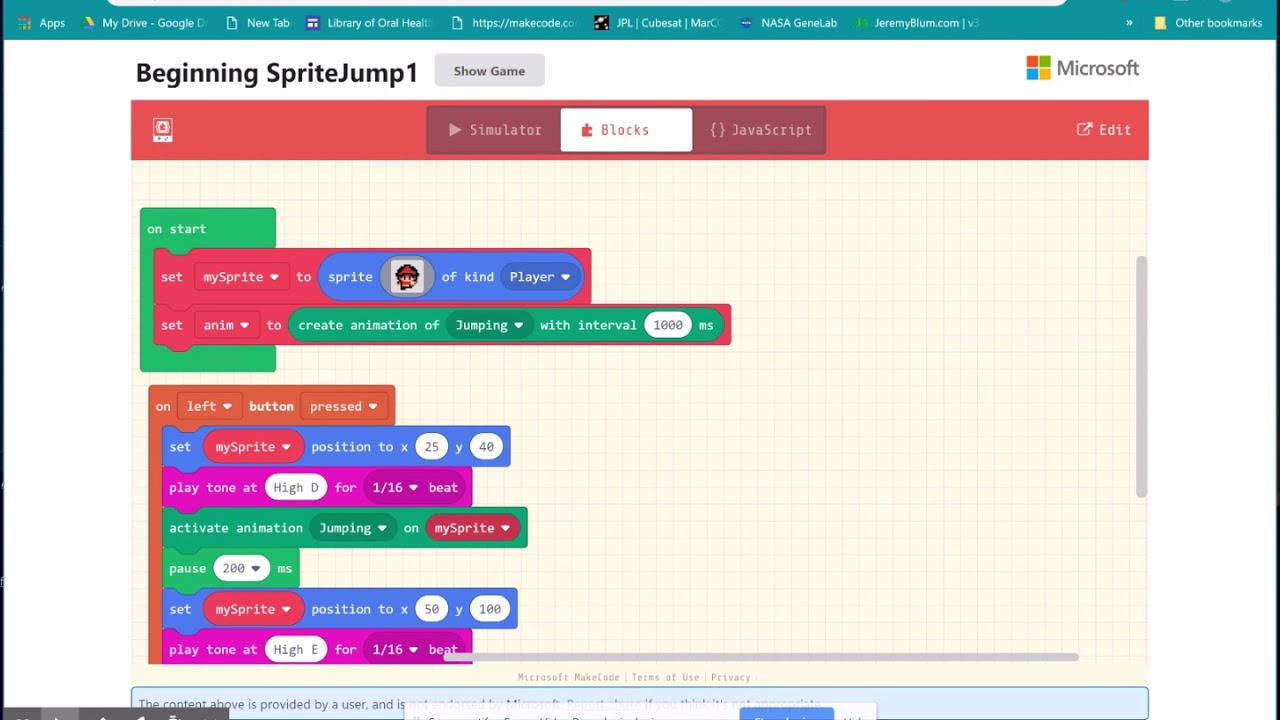
This is an easy lesson on how to make a Sprite jump: Click on ShowMore below to see the link to the code and to John Park's cool music. https://johnpark.band...
 full raft
stiff hazel
full raft
stiff hazel
Unfortunately not. We do not support the ATMega32
 rigid mulch
You can see which boards ARE supported by going to : https://maker.makecode.com/ and/or :https://www.microsoft.com/en-us/makecode and you will be prompted to choose a board: shown there will be supported boards. Not shown will be another board which is supported : BrainPad. You will note that some of these are in Beta...it is important to note that this is a big, complex project and programmers/developers are working long hours to bring it out of Beta so you must be patient if you have a board which works but not 100%. Thanks for your had work: MakeCode guys. Just yesterday I gave away a Trinket M0 plus kit and the girl's mother could not get daughter to go to sleep: coding up a storm ! And loving it.
MakeCode Maker - Blocks / Javascript editor
A Blocks / JavaScript code editor for MakeCode Maker Boards

Microsoft MakeCode
MakeCode brings computer science to life for all students with fun projects, immediate results, and both block and text editors for learners at different levels.
stiff hazel
We don’t have enough “room” to run on AVR
so SAMD21, SAMD51, STM32xx, NRF51/52 potentially. We need a M0 flora 😃
 ripe portal
I'm not sure if it's the right shape, but if you need small, you could look at the trinket m0: https://www.adafruit.com/product/3500

The Adafruit Trinket M0 may be small, but do not be fooled by its size! It's a tiny microcontroller board, built around the Atmel ATSAMD21, a little chip with a lot of power. We ...
waxen oak
Gemma M0 with bluetooth module? https://usa.banggood.com/HC-06-Wireless-Bluetooth-Transceiver-RF-Main-Module-Serial-For-Arduino-p-80364.html?gmcCountry=US¤cy=USD&createTmp=1&utm_source=googleshopping&utm_medium=cpc_bgcs&utm_content=zouzou&utm_campaign=pla-usg-ele-pc&cur_warehouse=CN , https://www.adafruit.com/product/3501?gclid=CjwKCAiAyrXiBRAjEiwATI95mcPV75Mg7ZBwXU94GTyZbxAh-dzE3mixoxMAq3xYJNZrjf6ODL1I-RoCf-cQAvD_BwE

www.banggood.com
This is Geekcreit® HC-06 wireless bluetooth transceiver RF main module serial for Arduino. The core module HC-06 main modules, leads the interface includes VCC, GND, TXD, RXD, KEY pin high trigger to clear the pairing information re search.
The Adafruit Gemma M0 is a super small microcontroller board, with just enough built-in to create many simple projects. It may look small and cute: round, about the size of a quarter, with ...
Yes, @ripe portal , see my YT channel: you have it right for small and MakeCode compatible, $8.95 Trinket M0 (not Trinket 5 volt-no MakeCode with that one.) https://www.youtube.com/channel/UCYvU-GOQCX97aDu3o4bxl_Q

YouTube
Hi, I'm Frank Schmidt: This is a YouTube Channel about using Microsoft MakeCode programming system and Hardware to use with that system. MakeCode and MakerMa...
 rose cloak
what is the difference in makecode and maker makecode . com ?
stiff hazel
makecode.adafruit.com is dedicated to the Adafruit Circuit Playground Express
maker.makecode.com support many other "maker" boards and support breadboarding
maker is more experimental
rose cloak
thanks
rose cloak
should this work . i can
only get numbers or string to display not both on screen at same time
 elfin lintel
Is it over writing the text?
rose cloak
have it on different lines eg y1 and y0, so not sure
rigid mulch
@rose cloak , can you tell me what specific OLED you are using and what board? I would like to do a project with moisture sensor outputting levels to an oled. Thx.
rigid mulch
This is more complicated: maybe you have seen it @rose cloak , would it help?
rose cloak
I’ve tried it on micro bit , yet to try it on cpx , screen is 128x64
rigid mulch
I could not figure out your blocks posted at 9:11 AM, in CPX or any other board: but Micro:Bit. The functions offered to not look the same in other board choices and blocks are of different color so I'm lost on other boards. I have several OLEDs but they have different pin designations (lettering) so have not figured them out: does yours have just 4 pins? Some are monochrome and others color: some are I2C or SPI or whatever. which I don't understand. Some have micro sd card slots , others not. Confusing.
rose cloak
oled12864 , i2c
ext
@rigid mulch :}
go to extensions block at bottom and search oled
for microbit , i could not find one for cpx
mine is just 4 pin mono i2c
rigid mulch
@rose cloak , at MakerMakecode, choose CPX board and extensions under advanced and you will see display. Many more than 4 pins shown ! ?
stiff hazel
the screen is not configured for the CPX
we nee d a better way to message that pins are missing
try the screen with the Itsybitsy M4 Express
rigid mulch
@stiff hazel ,Thanks for that note, Peli, I have Itsy and would use it but my displays do not look like this one. That is my issue. What is BL ? Why are two wires going to voltage on the same display? I don't get it because I'm a noob; (and probably should not be playing with Maker to start with)..but we have so many Arduino pieces/parts in the kits and maybe Maker can be used with them ? So, I'm looking for someone who knows electronics and can convert Arduino code into Maker so we can get wiring and code. ps, thanks so much for what you guys are doing. I'm lurking your conversation with Sabas on his work and can't believe how hard you guys work ! Have a good weekend. https://makecode.com/_6VmEpr52PLvh
Made with ❤️ in MakeCode Maker - Blocks / Javascript editor.
And get that Bluebird finished !
stiff hazel
bluebird? you mean my bus?
BL is "backlight" -- it controls the brightness
look at the screen breakout from Adafruit
it is the same screen breakout used in the MakeCode Arcade guide
ripe portal
Nice, I had a bluebird bus too. It was a 1999 TC2000, but I sold it about a year ago.
ripe portal
Yeah, I was the storage place I was using didn't want buses over 20 yrs old and I really didn't have time to work on it.
stiff hazel
Right it took 1 year - every weekend to convert it. 2 family job.
Most people give up after the demo stage when things get tricky
ripe portal
Got as far as taking seats and floor out, removing rust and painting floor.
ripe portal
Nice. It was just a change of direction for me.
I really wanted to be working on my electronics projects
Yeah, mine was 38 feet
stiff hazel
Long...
ripe portal
Too long
ripe portal
Right
stiff hazel
the best strategy is actually to buy failed conversion buses
Typically demo, paint, or even build is done
ripe portal
Well, we should probably take this to #general-chat since it's not Make Code related
waxen oak
John Park gave us this example of using CPX with a variable resistor to alter the Neopixels on the board. Can we output the resistance level or voltage as a number to our computer screen? The simulator suggest it is possible but I don't know what code to add to the program:https://makecode.adafruit.com/67196-50230-01909-14486
rigid mulch
Boys and girls at Stone County Library today, coding MakeCode. We demonstrated downloading their code to Adafruit Circuit Playground Express. Also demonstrated Trinket M0 with neopixels to about 15 students.
Galena, Missouri, USA
rigid mulch
"....Circuit Playground Express easier and includes support for serial data logging. I" https://makecode.adafruit.com/ , Is this a true statement? that CPX supports serial data logging? Is there a link to some place that shows what data logging is and how to use it? When I click on the links on the makecode.adafruit page all I am given is my previous programs and tutorials of physical projects: not what datalogging is and how it can, (if it can )be used with MakeCode and a computer. Just curious.
Adafruit Circuit Playground Express - Blocks / Javascript editor
A Blocks / JavaScript code editor for the Adafruit Circuit Playground Express.
 humble talon
I found this on how to use it https://maker.makecode.com/projects/storage/data-logger not sure where it gets stored other than the simulator
Microsoft MakeCode
This example uses the data-logger library to sample the A0 reading and write it to log.csv.
I mean it looks like it could get written to a file but I don't have my cpx handy to check
rigid mulch
trying it now with my CPX, thanks @humble talon
For me, the link you posted does have "datalogger" example code and when I copy and paste that as JavaScript into the Adafruit MakeCode for CPX tab; as usual, I get several errors. Therefore, I must go to "extensions" under "advanced" in the toolbox and click on 'Datalogging" to add that tool. Now most errors go away but one remains. The editor does not like ".analogRead".
OK, I get it, I am not given an "A0" choice when I create the program using blocks, only the other A pin pads are offered so I guess A0 may NOT be used for data logging. So now I have code with no objections from editor, using A1 pin assignment.
I suspect that this program downloads correctly and then uploads to my CPX because the upload lights flash. But what is the use of it? There seems to be no output from the CPX. What data is being "logged" , and where?
"stored, other than the Simulator" I don't see simulator offered on my monitor screen.
OK, now I saw your answer on help-with-projects. so we can use A0 with datalogger but only as an output, not "readAnalog" input....Thanks @humble talon
stiff hazel
the data gets written to the SPI flash. When you re-connect your CPX to the computer, press reset to enter application mode and you will see a "MAKECODE" drive. In that drive you will find your data.
rigid mulch
I did this and found a lot of data. So I erased all of the numbers and letters in the .doc, text file. I then un-plugged the CPX and plugged it into another power source and clicked the left button (Button A) 4 times. Then I re-connected the CPX via USB to my PC and then found the SPI file under MAKECODE and opened it and found this data. So I am to presume that this was generated when I clicked the Button A ? What is it supposed to represent? The Google Drive file is much more organized than the .csv coped data which I pasted into a blank notepad doc. Is there a way to translate the data into something meaningful? I have no devices connected to A0 for the CPX to read so only the button A click (4 x) was the input. ( at least, I think this is some progress). https://drive.google.com/open?id=12pDs-VhqFfUV3L2_7FZMKJm3y4VqkaCHxQBST9XENo8 , @stiff hazel , @humble talon
stiff hazel
you don't need to press button A, it logs data in a tight loop randomly.
try reading of A1, not sure about A0 since it is on the same circuit as the speaker
humble talon
On the meaningful ... you can make a chart in Google sheets .. I think I shared this correctly https://docs.google.com/spreadsheets/d/1s4IAZrYRng6gKXohg0j5LrhfkUpT0CgAgrv06UcgFIE/edit?usp=drivesdk

Google Docs
1log.csv
sep=
time (s),A1
0.218,347
0.479,344
0.687,351.1111111
0.909,349.8888889
1.125,357.1111111
1.341,360.7777778
1.557,387.4444444
1.774,385.3333333
1.996,405.2222222
2.211,377.5555556
2.427,411.5555556
2.643,395.3333333
2.859,387.1111111
3.075,388.1111111
3.291,397.444...
rigid mulch
This could be something useful. In the simulator I am able to change the resistor values and see a change in graph lines to correspond. By downloading the program and with a 3 pin wiper resistor connected to A1 I am able to get this output of values, I am not able to see a graph chart as @humble talon has posted above but that is probably my oversight; don't know how to create it. Thank you guys for all the work you've done on this , this afternoon. Now I just have to get the useless data off the data sheet; the numbers in the 400 range are, I hope, resistance values from the trimmer pot. Will work on it tomorrow. https://makecode.com/_8vpeFcWDFez8, https://drive.google.com/open?id=1u2X4X44gQi29NPu7eDqeZ7ytRxgzo6n-wRonhzx189w .
stiff hazel
Typically, you would select both columns in sheet/excel and press the "chart" button
rigid mulch
Thanks @stiff hazel , That chart suggestion does work. The simulator also seems to work for datalogging and Trinket M0: https://makecode.com/_deDhk6df8cjm
Made with ❤️ in MakeCode Maker - Blocks / Javascript editor.
stiff hazel
you can also drag and drop the log file into the editor to "replay it"
rigid mulch
We would like to use this concept with two sensors, moisture and temperature. I think those are both basically resistors. If this is true and if we can get verifiable data then we could (oops, and if it can be done with a Chromebook) then we could do a project for local Maker Faire with the school kids. showing soil moisture vs ambient air temps during the day....Will try some of this today, at least we may have a way to see data as a physical output on a computer screen after the fact. I don't know how to take readings such as once per hour rather than constantly.
stiff hazel
do something like
datalogger.setSampleInterval(100)
forever(function () {
    datalogger.addRow()
    datalogger.addValue("temp", pins.A1.analogRead())
    datalogger.addValue("humidity", pins.A2.analogRead())
})
it will automatically aggregate and organize the data into a table that can be imported
I don't know how to take readings such as once per hour rather than constantly.
Add a pause(3600 * 1000) in the forever
rigid mulch
Thanks for all this @stiff hazel , it's too early in the morning out there for you to be working, and I hear you had SNOW .
stiff hazel
we got 2 snow days so far, today is 2 hours late + early dismissal. more snow friday. Cheapest winter vacation ever.
rigid mulch
My brother sent photos of his grandkids all playing in the snow in Seattle, 2 days ago. Great fun, grandmother on the other side of family is visiting from Puerto Rico, surprise to her ! Brother moved to Snohomish from Michigan, so has seen it before.
stiff hazel
seattle is quite hilly and always border line freezing temps -- so any kind of snow leads to icy hilly roads
rigid mulch
we stayed in Queene Anne disctrict last June, yes, we found out, hilly.
stiff hazel
the local TV station will typically send a crew at the bottom to catch car crashing down that hill
ping us the next time to swing by
rigid mulch
Will do, I want to see that bus !
stiff hazel
rigid mulch
What a project ! Well done. Keep us updated.
stiff hazel
i've submitted it to maker faire bay area. finger crossed.
rigid mulch
I forwarded the pix to my brother who is rebuilding a Model T Ford in Snohomish. It will be a replica of the Ford that drove from NYC to Seattle in 1909 "race". I found an auto parts book on Ebay printed in 1913 with 1909 parts for Ford, printed by Ford. Mint cond. His model T buds had never seen one.
Good luck on your submission to Maker Faire. Does Alex Glow go to that one?
stiff hazel
i don't know
rigid mulch
MakeCode, unintended consequence. I thought the attraction for kids to MakeCode would be the blinky LED neopixel light shows, which was true with Arduino projects. No. What really gets kids fired up about MakeCode, especially simulator on their laptops is the "Ba Bing !" and "Waaaaaa" noise outputs. But, right away, I was asked by kids if we had headphones for them ? They could not hear their own sound/music outputs in the noisy class room. So, for teaching lessons with groups of kids we might think about supplying head phones, not ear buds. If anyone can find anything at lower cost than this, please let me know. Shipping cost is the killer. https://www.ebay.com/itm/FSL-Protec-Kids-Headphones-with-Adjustable-Volume-Limiting-Blue/392227225322?epid=1274755323&hash=item5b52907eea:g:XfUAAOSwJ89cUmxH:rk:7:pf:0

eBay
Available colors include: Purple, Aqua, Black, Blue, Green, and Pink. Manufacturer: FSL. Headphones Provide Top Sound Quality. Universal headphones plug into anything - iPhone, iPod, iPad, Samsung Galaxy and other Android phones, tablets, laptop computers & more! | eBay!
rigid mulch
I've got 2 variable resistors, Pots. 10K for one and 50K for the other connected to CPX on A1 and A3 inputs. Using Chromebook I uploaded a program to the CPX, unplugged it from the C.book and plugged it into a 5v. power pack then rotated one dial back and forth and left the other constant. The only way I know to access the .csv file on the MAKECODE (D) drive is then to plug the CPX back in to notebook and download the program again...this then shows the MAKECODE drive window with the .csv file which if I double click on that it will open as a chart in Google Docs. From there I can convert the data, as @stiff hazel says, into a graph showing both data sets graphed. a) there is a lot of extra previous data in the .csv file from other uploads so I had to scroll to the bottom of the excel doc to get my recent two columns of data a3 and a1. b). This does not work with my Microsoft Surface. It fails to open the .notepad file with the .csv data on it...don't know why. I have made a screen vid. of that failure and will post it on YouTube and a link here if anyone wants to watch it. All-in-all , Progress !

Made with ❤️ in MakeCode Maker - Blocks / Javascript editor.
rigid mulch
Nope, I think I'm reading the chart wrong. Will look into it further.
stiff hazel
First column should be time
But I don’t handle well device restarts since I don’t have a clock
waxen oak
Hmmm. Is there a way to clear the .csv cache or file? I now have 2 columns and near 10,000 rows of data. I have gone to the MAKECODE drive and clicked on the file of SPI data and highlighted .csv and clicked delete but the data is still in the file the next time around. And it is from earlier programs because the variable names are the earlier ones. Also, Trinket M0 never shows a MAKECODE drive.
humble talon
@waxen oak in the storage group there is an overwrite file block that may work. I was thinking that you would want to do that with the buttons so you can choose when to clear rather than loose all prior data at start up. Also you should likely turn off logging before clearing.
waxen oak
Thankyou for responding, @humble talon . I feel embarrassed taking up your time with dumb questions but I really don't know what I'm doing here. Suppose I wanted to clear all data, where ever it is stored (I don't know if on the CPX or machine) what would be step one? I would rather just start there. Then, the attached code is as simple as I think it can make and it does work (supposedly) in the simulator. Could this possibly work as written with a small variable resistor by connecting V,Gnd, and Data wires and then turning the dial? And , if so, would the output data be logged on the CPX chip if the action happened when the CPX was unplugged from the computer but powered by remote battery? And then, if so, could that data be retrieved by plugging the CPX back into the computer and a file found somewhere which contains it? Sorry for being a dummy.......https://makecode.com/_U6tViaRvgTTT
Made with ❤️ in MakeCode Maker - Blocks / Javascript editor.
humble talon
@waxen oak this is my best guess https://makecode.com/_hcuP7MXTEKsE
Made with ❤️ in MakeCode Maker - Blocks / Javascript editor.
waxen oak
https://makecode.com/_Jdf88qToACa2 trying this
Made with ❤️ in MakeCode Maker - Blocks / Javascript editor.
humble talon
I missed that remove file block .. that seems better
waxen oak
Until you mentioned 'storage' I didn;t know it existed. Thx a Bunch !
humble talon
Np
waxen oak
No, this code does not clear the .csv cache. I still have 10,000 plus lines of code in the .csv file: https://makecode.com/_dq6ffXdUo9Rx @humble talon
Made with ❤️ in MakeCode Maker - Blocks / Javascript editor.
stiff hazel
I look into the deleting issue.
rigid mulch
Nope, doesn't work, @humble talon , neither your code nor mine. I still have 10,000 plus rows of data. Although the simulator appears to record analog data as you alter the simulated resistors, in fact, when code is uploaded to CPX and you turn the resistor knobs, there seems to be nothing recorded in relationship to that input. It could be a fault in the code but I have not a clue how to correct that even if it is faulty. 😫
stiff hazel
On an unrelated note, I have the dotstar driver fixed up
rigid mulch
May be the fault of my Trinket. Simulator in this code is as expected; hardware shows magenta dotstar pixel only. LED flickers on upload as normal. No change in color of my dotstar pixel after programming. Will try another Trinket M0 : https://makecode.com/_fvbH10YJH7Pu
Made with ❤️ in MakeCode Maker - Blocks / Javascript editor.
Same with another board. ( I wonder if she made Trinkets to be contrary on purpose ???)
stiff hazel
not live yet, still testing
rigid mulch
Take your time...more winter coming.. Do you have studded snow tires for that bus ? 😩 😫
stiff hazel
Fear snow, it does not.
Chains are much easier to install than a car. More room to work.
stiff hazel
The DotStar fix is now live. Tested on trinket m0. I'll need to go to the office to try out a matrix.
rigid mulch
Nope, not on mine. This just turns the dotstar green...constant green. (at least we got rid of magenta!) https://makecode.com/_00ghPVipT9UP
Made with ❤️ in MakeCode Maker - Blocks / Javascript editor.
Very odd, now it does work !
Good. Thanks Peli.
stiff hazel
@waxen oak i tested the remove block and it works as expected.
you always need to reset one more time to get the current file system state. The drive is mounted once when the board starts.
rigid mulch
@stiff hazel Thanks Peli, I'll make my corrections so it works properly.
rigid mulch
I wonder what I'm doing wrong with "remove". Data is still in log.csv file after I load the simple "on start remove log text" program . 5000 rows of data. Is that not the correct way to remove data from data logger? Thnx. https://makecode.com/_2m6EjfVHtfku
stiff hazel
after you ran this, unplug and replyg
how do you import this file? it should have parsed it into 2 columns
rigid mulch
When I load the program to the CPX the upload light flickers. Then the computer shows the MAKECODE window. If I unplug the cable from USB at this point, then I lose the MAKECODE window and go back to CPLAYBOOT. But, If I click on MAKECODE window the I get a screen with 5 folders or files and the top one is SPI files, I open that and see the log.csv file. I double click on that and get the Google spreadsheet with the numbers as shown in the pix above. No data erased.
stiff hazel
you are deleting "log.txt", not "log.csv".
stiff hazel
how do you import log.csv? it seems that it is not parsing correclt the data. It should end up in 2 columns.
rigid mulch
What I gave you above is the Google spread sheet showing erasure of the data. When there is data then I click "file" and "save as Google sheets" which then gives this, (pix). But, I think this data is not correct because it probably was about 15 seconds but I was turning the dial up from 0 (or max) to the other extreme on the variable potentiometer so the readings should be from one extreme to the other and not back again, I think. Also, I will have to do a video on this as it is not intuitive (to a noob, like me). I have to upload the program twice to clear data and then to make MAKECODE re-appear. You might have said that to me already but if so , it went over my head. Thanks, progress. https://makecode.com/_5ibMvyYYKdDE
Made with ❤️ in MakeCode Maker - Blocks / Javascript editor.
Off to school now to show MakeCode to the kids, off line for a while.
rigid mulch
Ok, I have a failed code with 2 variable resistors and datalogger. I do not think it is with the CPX error nor the potentiometers. Here 's the code and the output file: https://makecode.com/_V6rd5RfA6Ts4
Made with ❤️ in MakeCode Maker - Blocks / Javascript editor.
I varied the dial of resistance of the A1 knob on that potentiometer and left the A7 constant but both data outputs are the same. So, after looking at the wiring which is correct, I conclude that the code is wrong. Any help to output two analog variables and record them as datalogger?
humble talon
@stiff hazel Text lists are not working today and they were yesterday. It is defaulting them to a number. Here is an example but you really just have to drag a text list/array block out to recreate https://makecode.com/_6RTVbE0cj0R7
stiff hazel
is that in beta?
humble talon
yes
humble talon
No way .. did laundry and you pushed the fix already? Thx
stiff hazel
... we’ve pushed a few fixes on beta recently
humble talon
Hit the limit of converting from javascript to blocks. Oh well this was an interesting exercise in text GUI. https://makecode.com/_2FsTTJ7TPevu
rigid mulch
Geez ! I'm broke and I'm not even out of Missouri yet (Branson-😩 )
humble talon
Lol .. this version is missing half the events, bandits, and hunting .. and most importantly does not have the end where you can win
I was stopping development since it probably needs to double in size to be complete. But again it was a fun exercise to see how far a text based game/gui can go.
rigid mulch
You mean I'll be stuck here for the next 35 years too? @humble talon
humble talon
Longer. I forget which comedian said it but "You know what every Midwest town has next to thier town sign? Two broken wagon wheels. Like this is it, this is our life now."
stiff hazel
Size limit... let me see what can be done
humble talon
Thanks. But it is a learning environment. I'm not sure how many users will go so big. It may even be worse if the simulator can handle something large that can't be ported to hardware. I'd rather have a limited environment for positivity and ease of use.
600 lines of basic code didn't sound like a lot but as I got into it I found it was a very crafty 600 lines.
stiff hazel
Did you hit the limit in JavaScript or in blocks?
Ceiling should be pretty high in JavaScript
humble talon
It didn't want to convert back from JavaScript to blocks. That's a good point. If something gets to a certain size it is probably time to switch from blocks.
 sleek rampart
In JS there is a couple thousand lines of library that we compile every time (which is why it's a bit slow), so a few hundred lines of game should be fine
In Arcade that is, in Maker and CPX the library is much smaller
humble talon
No complaints here as my first programming environment only had 128 bytes https://en.m.wikipedia.org/wiki/BASIC_Programming
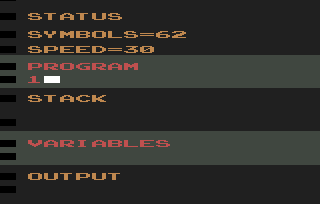
BASIC Programming (Model# CX2620) is an Atari 2600 cartridge that teaches simple computer programming. It was released in 1979 and was one of only a few non-gaming cartridges designed for the console. The programming language is similar to dialects of BASIC. The Atari 2600's ...
 warm bay
is this a channel for html/css related code?
stiff hazel
this is related to https://makecode.adafruit.com
Adafruit Circuit Playground Express - Blocks / Javascript editor
A Blocks / JavaScript code editor for the Adafruit Circuit Playground Express.
MakeCode Maker - Blocks / Javascript editor
A Blocks / JavaScript code editor for MakeCode Maker Boards
not much HTML/CSS 😉
warm bay
oh ok, more programming related.
I been seeing all the fun interesting adafruit tweets and came in to study the community.
stiff hazel
we're just a tiny part of the bigger community
warm bay
right, yea me 2, but not even remotely the 10K this one has.
rose cloak
i just want number to change without it making a new line scrolling down , im using tinker lib oled for microbit
stiff hazel
You would have to ask the authors of that library!
rose cloak
are there any others i can try ? thanks
i search ext for oled and only get 2 , show up
humble talon
@rose cloak maybe like this https://makecode.microbit.org/_UL0VFCM2rYxy
 rose cloak
Great thanks :}
rose cloak
Got it working now thanks :}
waxen oak
I will try this with my Microbit, thanks.
waxen oak
Not working for me yet. Identical to your oled, it looks. No reaction to volt + gnd even. ? @@rose cloak
waxen oak
Once again, Galena,Missouri, Mega MakeCode Monday, coding Micro:Bit like crazy. Thanks, Microsoft guys!
rose cloak
Did you get it working @waxen oak ?
rigid mulch
No, is the code in your most recent screen grab, all the code you are using @rose cloak ? I have installed both extension tools that you show and they are ok with the editor, no errors. But the OLED does not show any thing on screen with the code you posted, same OLED, same wiring , maybe there is more: could you post a "share" link to your code? Thanks.
rigid mulch
Question for developers from r/MakeCode: My girl is connecting to a Circuit Playground Express. Every time she makes a project, it has to downloaded to the Mac, reset the CPE, then upload the project to the CPE.
When working with a friend on a PC, clicking the Download button put it straight on the CPE. Much faster and more encouragement to make projects.
Is this a standalone app or are we doing something wrong? Is there a standalone Mac OSX app for MakeCode?
rigid mulch
I will try "address 61 " in the code and report back. Thx
rigid mulch
I think the answer to my OLED problem may be here, somewhere, @rose cloak . I tried address 61 and that did not work either. My I2c .96" OLED works if connected to the BrainPad board as it matches (except for reversal of SDA and SCL pins) their onboard screen. Mine is by DIYmall. I have tried to find some data sheet on it that would include a declaration of "address X" but have not as yet. There is a link to a .cpp file from Adafruit for this OLED screen. Would that help? I have other PDF files on the screen too, from the Amazon sales site including a .zip file. Still researching....https://github.com/Microsoft/pxt-brainpad/tree/master/libs , https://www.amazon.com/Diymall-Yellow-Arduino-Display-Raspberry/dp/B00O2LLT30/ref=sr_1_fkmrnull_1?crid=3JKFCKF6HJBWW&keywords=diymall+0.96"+inch+yellow+blue+i2c+iic+serial+oled+lcd+led+module&qid=1549990374&s=gateway&sprefix=diymall+%2Caps%2C233&sr=8-1-fkmrnull

GitHub
Microsoft MakeCode editor for the GHI Brainpad . Contribute to Microsoft/pxt-brainpad development by creating an account on GitHub.
rose cloak
I’m not sure I’ll be able to help you any further as I’m a noob too 😉 , hope someone can help you here though
rigid mulch
ok, guys at GHI BrainPad seem to know a lot about these small screens and MakeCode
Question @rose cloak , did you use alligator clips to connect wires to MicroBit? Mine seem too large for the narrow pin pads of SDA and SLC.
rigid mulch
ok
rigid mulch
What's preventing the use of Adafruit Hallowing with MakeCode? SAMD21, has uf2 bootloader, and she says it nearly matches the FeatherMO Express which is MakeCodeable. Plus, much better than CPX it has a built in 1.44 TFT color display ?
stiff hazel
nothing really we need to add the pinout and definition in maker to properly support it.
rigid mulch
OK, no hurry, just that she included one in an Adabox, I guess, I found it in my kit, don't think I ordered it. Thx.
Tried to fake it by choosing Feather M0 but failed and then saw she said the pins were re-arranged. Oh well.
rigid mulch
Display big enough for Arcade ?
stiff hazel
it's a SAMD21, not enough memory to run arcade as is
rigid mulch
oh, sorry, right SAMD51 needed, right (or the other-BrainPad one).
BTW, I might be able to ship you some snow shovels . If needed.
rigid mulch
Thanks for the light blocks , will look at them. My brother found some white tires for his 1909 Model T, not snow tires.
Snohomish
stiff hazel
snow will be gone in a few days, it's all mush now
the new light blocks mount on the SPI pins so you get DMA accelerated neopixels
and don't need to mess around with strip variable
rigid mulch
looking at this now
rigid mulch
CPX did we have simulator in Maker of onboard LED ? Not now . 12 square button blocks show up, they are marked but I don;t know how they relate to CPX. All looks go od to me on Trinket M0. trying to figure out "new light blocks" sorry, DMA and strip variable is over my head, looking at it. Well, OK, fritzing is showing up for me , slowly. Problems at my end, I guess. Maybe understanding the square blocks as hook up diagram. Good on the additional Neopixel functions or layout.
stiff hazel
looks like the board.json got overriden by another board, let me check
rigid mulch
I guess static typescript is a type of JavaScript or add on ? or am I confusing things? PXT is in there somewhere. We had a dad yesterday at the library program whose son has gotten excited about MakeCode and Arcade too, I gave him a kit with microcontroller to do more with MakeCode. Now the dad is thinking his son should look at web development, career. I don't want to mis-lead him that the MakeCode version of JavaScript will be useful for that kind of training....unless it will. ?
stiff hazel
in general, you should use makecode.adafruit.com for the CPX.
In MakeCode, JavaScript is "Static TypeScript"
Microsoft MakeCode
PXT programs are written in a subset of TypeScript
called Static TypeScript. Currently, we are using TypeScript version 2.6.1.
TypeScript itself is a superset of JavaScript, and many PXT programs,
especially at the beginner’s level, are also just plain JavaScript.
TypeScript is a super-set of JavaScript, and Static TypeScript is a subset of TypeScript that allows us to compile down to ARM thumb instructions.
rigid mulch
ok on use of adafruit for cpx rather than maker
rigid mulch
understood
rigid mulch
Can your Bluebird do this @stiff hazel ?
stiff hazel
Surpinsgly this idea did not catch on
rigid mulch
Yeah !
Got datalogger to work with CPX and moisture sensor today. Thanks for all you have done. Now our kids can do a gardening soil moisture sensing project and show it off to the
Master Gardeners Club locally as a science project.
We just need to convert the data to percentage numbers.
Google Drive is a free way to keep your files backed up and easy to reach from any phone, tablet, or computer. Start with 15GB of Google storage – free.
stiff hazel
You could do the percent computation on the CPX Itself
Glad it is working for you now
rose cloak
i don't know it there's something wrong with my cpx board , when graphing sound level lights are all over the place tried different min max lvls , looked at monitor and it reading very jumpy values ,
in a quiet room
 dull lion
Im useing a Micro:bit and I'm wanting to connect it to my Arduino UNO via I2C since both devices automatically set themselves up as Master they won't comunicate with each other can anyone point me to info to set the microbit up as a slave so I can send & recieve serial Data between the 2 devices If I make the Arduino a slave then I will need the microbit to also access all of the I2C devices that Might be connected for different projects
rigid mulch
@rose cloak could you post a "share" link here with your program , I'll try it out on my board and report back if my CPX behaves the same way. Thx
rigid mulch
ok
rigid mulch
I don't get that kind of graph with my code, shared here. I do get lights on CPX flickering up to 4 neopixels, blue, with normal background noise and up to 8 , green with hand clap. I tried your link and my own identical program, both work with my CPX but neither show any graphing on simulator. Have you tried to write the code in Maker MakeCode just to see if that works with your CPX ? Have you tried to upload any Arduino sketch and then re-load your MakeCode to kind of "re-set" the board? Just some thoughts, also double clicking the reset button or try uninstalling the board driver and then re-install it ? @rose cloak
rigid mulch
@rose cloak , would you please try the program here, maybe the fault is with sound level. When I substitute temperature then I am given the choice to change the temp via thermometer ; and when I do, that DOES show up on the graph, all of this is in simulator; also , the neopixels light up in response . Does this program work for you ? https://makecode.com/_MHRVUJi35ed9
rose cloak
i think the graph only works on the windows app
rigid mulch
It is working on my Surface without windows app but will try on Chromebook too.
rose cloak
ok :}
rigid mulch
graph in simulator works on my Chromebook too; I think windows app is not needed to make it work. Now I want to see if datalogger can work with graph function as an output of onboard thermometer and record that to an excell type spreadsheet.
humm, for some reason , adding datalogger changes the color of the graph lines on simulator. from red to blue. I'll add "clear log csv" and then post the program here.
rose cloak
looking at your code now
all lights, light up stable measuring temp
does "show live console device" show in your web page , ?thats what i was using via the app
rigid mulch
'Show console simulator' is below image of CPX , i click on that and see the moving graph on another screen, then click "go back" to get back to my programming screen. I do not see "show live console device'
rose cloak
yes i think you need the app for that , shows reaL time data coming from the board
rigid mulch
i did not know about that
not sure windows app works with chrome books, we are restricted to them in after school program
will check it out with chrom
rose cloak

Microsoft Store
Download this app from Microsoft Store for Windows 10, Windows 10 Mobile, Windows 10 Team (Surface Hub), HoloLens. See screenshots, read the latest customer reviews, and compare ratings for MakeCode for Adafruit.
rigid mulch
thx
rose cloak
np :}
rigid mulch
have you tried windows app with other boards, Trinket M0, or ItsyBitsy ? or Metro Express
rose cloak
i use it for micro bit too
im looking to try out a small basic board that works with make code , only way i know how to programme atm

Microsoft Store
Code the BBC micro:bit with Microsoft MakeCode
rigid mulch
what is a small basic board, Micro:bit, or something else, Trinket M0 is about as basic as you can get $8.95, as far as i know.
rose cloak
yes i think trinket is what i was looking at for more permanent projects
rigid mulch
Issues with Trinket, in Beta
rose cloak
im sure they will work it out :}
rigid mulch
Yes, in time. There is so much to develop and I'm sure priorities .
rose cloak
thank god for make code , i could not get my head around arduino , so this platform has enabled me to get in to programming
rigid mulch
https://makecode.com/_5xVKP235P29u , this code does not work to output data via datalogger. I am working on it. I have not, as yet, used an on-board sensor to datalog.
rose cloak
ive not tried any of that yet
rigid mulch
But , you can find basic sketches in Arduino and try to convert them to MakeCode because Arduino shows how to use simple , cheap components while there is not, as yet , such a place to learn MakeCode directly; except some intro. stuff at Maker MakeCode "tutorials and example" . I hope to see a MC community some day like in Arduino. Go to r/MakeCode on reddit if you have not already to see a group we are starting up. Plus my MakeCode and Hardware channel on YouTube.
rose cloak
do you need to put it in a forever loop , not on button press
rigid mulch
I tried forever, it did not work for me but still looking.
rose cloak
much more clever people here than i that maybe able to help you
makecode have there own server on discord too
maybe someone over there can help more , this channel is very quiet
 twilit kiln
...
rose cloak

Discord
Step up your game with a modern voice & text chat app. Crystal clear voice, multiple server and channel support, mobile apps, and more. Get your free server now!
yay
rigid mulch
The above link takes me to 'general' which I thought was a part of Adafruit Discord.
I have posted on 'general' but see that it was with the name Frank Schmidt and a different icon. Rather than FrankSchmidtTinyLabs, here. I can't get one or the other removed so left them both. If you know of a place on Discord where people work on MakeCode, other than adafruit, I'd like to know so I can offer that as a site for learning also. Thx.
I don't get that kind of graph with my code, shared here. I do get lights on CPX flickering up to 4 neopixels, blue, with normal background noise and up to 8 , green with hand clap. Have you coded in Adafruit MakeCode or Maker MakeCode for CPX?
rigid mulch
https://docs.google.com/spreadsheets/d/1mZ1ekxZwPPWb1ifPVPo4Cf6vWnoG7cNvAkP5pQBTAFg/edit?usp=sharing This is the spreadsheet for the attached MakeCode program for CPX done with Adafruit MakeCode. A good part of the time recording the datalogger file I had ice cubes on the thermometer (in plastic) and at the end, I removed them. As in F. this C. data does not look correct but does change when ice is removed so I think it is recording temps, just not accurately. https://makecode.com/_CpfHesYmsR06, there may be a way to calibrate but a lot of adjustment would need to be done from the looks of it. @rose cloak

Google Docs
log
sep=
time (s),x
0.216,471
0.433,215.6666667
0.649,88
0.865,68.66666667
1.082,30
1.296,30
1.519,21
1.942,20.33333333
2.353,19.71428571
2.566,19
3.114,19
3.521,19
3.781,19
4.269,19
4.678,19
4.932,19
5.422,19
5.829,19
6.031,19
6.247,19
6.47,18.22222222
6.686,18
6.901,18
7.1...
rose cloak
i use the bmp 180 i2c temp and pressure sensor very good easy to use too in makecode
rigid mulch
ok
rigid mulch
For others, this is what it looks like, the temp and humid sensor that is I2c, others in other colors and prices: https://www.ebay.com/itm/GY68-BMP180-HMC5983-Digital-Barometer-Ludftdruck-Sensor-I2C-FrArduino-Raspberry/172424767076?hash=item2825512664:m:mY9higaFnJzkGsd4KlWfT6Q:rk:2:pf:1&frcectupt=true

eBay
The use of chip: HMC5983 BMP180. the new product is compatible with 3.3V and 5V. Das Paket beinhaltet: 1x BMP180 Digitale Luftdruck-Sensor-Brett-Modul. Chip 12bit AD converter, 16-bit data output. Machine welding process to ensure quality. | eBay!
rigid mulch
@rose cloak , have you tried the "keyboard " function with CPX ? It seems to work in simulator , and on my CPX. https://makecode.com/_gvveYkC2rgv2 , simulator also works for Trinket M0 and Metro Express, have not tried real boards. This and other examples can be found on Maker MakeCode and then , for CPX converted by first installing Keyboard tool and then changing "D1" to "A". for button press input assignment. You will note errors whenever the JavaScript specifies a digital pin for input and you paste that into CPX so change to analog is necessary. (In my experience...)
rigid mulch
If I'm not mistaken, "Gamepad" function for CPX is intended to activate an action on a gamepad console, maybe in Arcade. I guess CPX is expected to be an interface between player (human) and gaming console. This program does not seem to do anything when button A is pressed and no console is hooked up so that's my noob theory. I think I read something about that use of CPX with Arcade recently. Just testing "eaxamples" in the tutorial area of Maker, as mentioned above. And again, change "D1" in code under examples if you designated some other board to "A" button (or B) if coding for CPX. Since "gaming" came along after I learned about computers, I never took it up and so this is all just guessing. https://makecode.com/_H8hWwmhrhdRT
@rose cloak
rigid mulch
Trying to install BMP 180 tool , no luck. How did you do it? Here is a quote and I do not see " Add a Package". Where is add a package? is it on a page with URL that you can post here @rose cloak ? Then I will use it. usage
open your microbit makecode project, in Add Package, paste
https://github.com/microbit-makecode-packages/BMP180
to search box then search.

GitHub
Contribute to makecode-extensions/BMP180 development by creating an account on GitHub.
rigid mulch
OK, I see , that is not the right instructions. The right instructions should be : "To get a new tool: Click on Advanced, Click on Extensions , then in the Search box, type in BMP 180, then when you see the icon for BMP 180, double click on that and the tool should show up in your toolbox." Going to Github and searching for MakeCode for Microbit BMP 180 and then trying to install it, did not work for me. Above steps worked for me.
Also, if this tool stays in the tool box, I do not know. Also, installing it for one computer will not work to install if for all computers that you are using, since the tool is in the browser, I presume. Meaning that if you are teaching a lesson to 20 students with 10 different computers, you are going to have to install the BMP 180 tool 10 times so they can all use it.
 odd oracle
is this place appropriate to discuss arcade.makecode.com stuff?
rigid mulch
Yes, @odd oracle , although the Arcade game is so new, there has not been much discussion of it as yet. John Park, over on YouTube MakeCode Minute has talked about Arcade and there is some discussion of it on the GHI Electronics Forum, under BrainPad, that company is soon coming out with a board for Arcade so there is some discussion there also.
odd oracle
nice. I started some video in french but it always good to be able to chat to understand some features or before opening issues
rigid mulch
In that case, you really should go to GHI Electronics forum, @odd oracle , for BrainPad https://forums.ghielectronics.com/t/new-frenchs-brainpad-wiki/21857 MNO is translating MakeCode into French I think.


GHI Electronics' Forums
A STEM-educational-focused circuit, backed by the same tools used by professionals.
rigid mulch
Thermometer extension installs as "temperature" under INPUT tool choice in the tool box when you click on that thermometer extension "a thermometer cdriver". I had to search for the tool after installing it and found it under INPUT. Extensions are extra tools under "Advanced" at the bottom of the tool list in MakeCode.
I don't know where "microphone" installs, can't find it after clicking on thumbnail.
sleek rampart
@odd oracle there is a makecode discord with arcade channel see https://makecode.com/contact also there is arcade forum at https://forum.makecode.com - it's slowly picking up
Microsoft MakeCode
Let’s get you to the right place.

@odd oracle I just updated https://arcade.makecode.com/contact
Microsoft MakeCode
We have a forum which is good for sharing games and asking questions.
rigid mulch
Good to know @sleek rampart., I will put links to my YouTube channel : MakeCode and Arcade at the forum. Anyone is welcome to comment on the YT channel or post links to other sites. Looking for co-managers for the YT channel also.
stiff hazel
@rigid mulch thermometer only works with CPX right now. I don’t think it is configured for other boards yet.
rigid mulch
ok
rigid mulch
I may be speaking out of turn here, but if someone wanted the LCD 1602 display I2C extension and they entered "I2CLCD1620" as noted on GitHub, they would not get the extension to install in the Micro:Bit. "Search" in extensions can't find 1620. 1602 works. https://github.com/makecode-extensions/I2CLCD1620_cn
GitHub
I2C 1602液晶的 makecode 软件包. Contribute to makecode-extensions/I2CLCD1620_cn development by creating an account on GitHub.
rigid mulch
Is there a proper way to correct a "test.ts" file that is posted on github as a test for a MakeCode extension? It's not a big thing but if someone (noob like me) goes to Extensions and finds one to use with a test file; it would be good if the test code file in JS actually worked. This one does not but I don't want to disturb the author. I think he is busy with new extensions .....When the correct blocks are used then the JS does work. https://github.com/makecode-extensions/ScrollText/blob/master/test.ts , (BUT this works: https://makecode.microbit.org/_hrHMpoMR2aKY
GitHub
Contribute to makecode-extensions/ScrollText development by creating an account on GitHub.
sleek rampart
I suggest you contact the author. They are usually happy to hear people using their stuff. @rigid mulch
rigid mulch
thks @sleek rampart
plush marsh
@dusty kindle @stiff hazel @sleek rampart hiya so you had an adabox 008 CPX and crickit that bricked on ya?
(tagged peli and mmoskal who will want to know this info)
 dusty kindle
@plush marsh Exactly. The neopixels were all working and we were able to get it to show in File Explorer as the CPLAYBOOT drive. Downloaded code from makecode, unplugged the USB, plugged in the AA battery pack to the Crickit, and only the green "On" LED would light on the CPX
plush marsh
thanks - was this your first makecode project on the CPX
or was it like a few projects i
dusty kindle
Correct. This was the first time we used that CPX.
plush marsh
we want to narrow down how to reproduce the effect - then we can debug it
ok did you by chance update the bootloader on the CPX or was it 'fresh outta the bag'
dusty kindle
It was fresh
plush marsh
ok this is good info
i have to run now - but we'll do more investigating
are you in the USA?
bbiab!
dusty kindle
As a matter of fact, we plugged it into the USB and it didn't go into the bootloader. We had to dbl press reset a bunch and then finally updated the Windows drivers. After the driver update and some more fiddling with the dbl reset press, we finally got it showing up in File Explorer.
Yup, I'm in the USA
(BTW this is @teal ocean typing from this account 😃 )
As mentioned in the other channel here's what I tried to debug:
- pressed reset button twice (several times)
- detached the CPX from the Crickit
- reinstalled Windows drivers
- rebooted machine
- used a different cable
- connected a different CPX to the computer and verified that the machine detected the new CPX
 keen copper
@dusty kindle , could you share the MakeCode project that caused the issue? Using the "Share" button in the editor
By "The neopixels were all working", where you able to control the NeoPixels using MakeCode before the issue? Or did you program the neopixels with something else?
dusty kindle
@keen copper Here's the project link: https://makecode.com/_0MU0M93z5eru
@keen copper By "working" I mean the CPX was doing that demo rainbow program. This was totally a fresh CPX out of the Adabox. The only thing we did first was to screw the CPX to the Crickit (we verified it was oriented correctly). And then we plugged in the USB. The rainbow demo program was running when the USB gave it power. After we installed the drivers we were able to get it to show up in File Explorer as the CPLAYBOOT drive. Only after that were we able to download the UF2. But once we disconnected the USB and powered the device via the battery pack to the Crickit, the CPX didn't display any neopixels and only had the green power LED. We were never able to get the computer to recognize the CPX again, even after reinstalling drivers and disconnecting it from the Crikit.
rigid mulch
Yes, same here on my CPX on the Crickit. Works with USB, button A press and Button B press but not with 3 xAA battery pack.
Using your program
Powering 5V from battery pack via USB to CPX works, but via USB on Crickit does not work.
ripe portal
Oh yeah, I think it says right on the underside of the Crickit that the Crickit usb is for Seesaw debug only.
rigid mulch
ok, DC power via AA batt. to barrel jack on Crickit does not power neopixels on CPX , maybe it should not.
 frosty solar
Thanks, this is helpful context. I'm unsure about the power situtation, but regardless of what's done I wouldn't expect the CPX to become bricked like that
ripe portal
Yeah, I'm not sure about that. When I tried neopixels on the crickit, I think I hooked up a separate power supply for the pixels themselves.
 timber wyvern
Hi, this is my first post here. I started with MakeCode Arcade and used a feather M4 for the hardware. How do I get sound? I connected a speaker via the small amp and used pin D4 on the feather M4. I used the patcher to find the pin number (https://microsoft.github.io/uf2/patcher/#) Thanks for any help.
stiff hazel
@sleek rampart
sleek rampart
@timber wyvern looks cool! Sound is not yet operational on SAMD51 :/
timber wyvern
@sleek rampart thanks for the info! On the Microsoft docs page (https://arcade.makecode.com/hardware/adding) it is said that an optional vibration motor and up to 4 LEDs are supported. I guess I have to wait for that too?
sleek rampart
Yes 😃
I mean it's possible to access pins with a little hack. But probably best to wait for proper support
timber wyvern
👌
 bold nest
Ello, so I'm looking to get some code commisioned. I'm looking to make a camera mover using stepper motors and keyframing
Maybe some help with design, particularly looking for people who know 3D printing, if maybe I can adapt 3D printer code.
glad berry
Hi @bold nest another good place to post is the free jobs.adafruit.com jobs board.
 frozen lotus
Any news regarding using IR messages + sound in MakeCode using the CPX? After the first transmission the timing of the sound still gets messed up.
https://makecode.com/_18t6VhiKH2qf
stiff hazel
@glad berry here is a "no-mbed" build for Adafruit CPX - https://makecode.adafruit.com/app/e210434e3bb65ec8c6b9fb2beca1689180185b3c-cd820d9297
Adafruit Circuit Playground Express - Blocks / Javascript editor
A Blocks / JavaScript code editor for the Adafruit Circuit Playground Express.
glad berry
Is this to fix IR + synth issues?
stiff hazel
it should fix locking I2C issues
IR+synth now work together; however, we drop way more IR packets while music is playing
so send the IR message before playing the sound!
glad berry
got it, that's cool, thanks, I'll try it out!
stiff hazel
but at least, the clocks don't get messed up anymore.
glad berry
nice, I just did a quick test of sending IR, then playing a ba-ding a few times, repeat. all seemed to work fine (I wasn't actually reading the IR send.)
stiff hazel
input.buttonB.onEvent(ButtonEvent.Click, function () {
    music.playSound(music.sounds(Sounds.PowerDown))
    light.stopAllAnimations()
    light.showAnimation(light.theaterChaseAnimation, 500)
})
input.buttonA.onEvent(ButtonEvent.Click, function () {
    network.infraredSendNumber(0)
    music.playSound(music.sounds(Sounds.PowerUp))
    light.stopAllAnimations()
    light.showAnimation(light.colorWipeAnimation, 500)
})
network.onInfraredReceivedNumber(function (num) {
    music.playSoundUntilDone(music.sounds(Sounds.Siren))
})
input.pinA2.onEvent(ButtonEvent.Click, function () {
    music.playSound(music.sounds(Sounds.JumpUp))
    light.stopAllAnimations()
    light.showAnimation(light.sparkleAnimation, 500)
})
input.onGesture(Gesture.Shake, function () {
    music.playSound(music.sounds(Sounds.BaDing))
    light.stopAllAnimations()
    light.showAnimation(light.runningLightsAnimation, 500)
})
input.onLoudSound(function () {
    music.playTone(262, music.beat(BeatFraction.Half))
    light.stopAllAnimations()
    light.showAnimation(light.cometAnimation, 500)
})
forever(function () {
    light.showAnimation(light.rainbowAnimation, 500)
})
a mix of cap touch, accelerometer, microphone, sound output, lights and IR
glad berry
excellent, this is a whole lot of stuff happening and it isn't slowing down!
stiff hazel
Other fun stuff in this release: if you mount an external neopixel/dotstar strip on the SPI pins, it will be DMA accelerated.
glad berry
@stiff hazel I'm seeing strange behavior from a simple IR send/receive program in the new version. Try this in new version of MakeCode you send vs. release version:
    light.setPixelColor(led, 0xff0000)
    led += 1
})
let led = 0
let num = 0
led = 0
forever(function () {
    pins.LED.digitalWrite(true)
    network.infraredSendNumber(num)
    pause(2000)
    pins.LED.digitalWrite(false)
    num += 1
})
In release version the two CPX will tell each other to light their neopixels one by one.
in new no-mbed version they never seem to get the message.
glad berry
will do. I need to run out a minute, will file in a bit.
plush marsh
@stiff hazel thanks - we'll be doing some more tsting as well
stiff hazel
we found an issue with IR, i will push a new build in /beta
stiff hazel
the new runtime is now avaiable at https://makecode.adafruit.com/beta (v.1.3.*)
Adafruit Circuit Playground Express - Blocks / Javascript editor
A Blocks / JavaScript code editor for the Adafruit Circuit Playground Express.
@glad berry your sample works here now
stiff hazel
There is a few new goodies
script manager
screenshot of simulator and gif generation (in share dialog)
frozen lotus
Tested IR + sound in /beta and it works great! Also the file management in My Projects is an awesome addition! Thanks!
frozen lotus
In /beta Serial receive is not working. TX works fine:
serial.onEvent(SerialEvent.DataReceived, function () {
    light.setAll(0x00ff00)
})
let counter = 0
serial.setBaudRate(BaudRate.BaudRate9600)
forever(function () {
    serial.writeNumber(counter)
    serial.writeLine("")
    counter += 1
    pause(1000)
})
Also, in /beta the light levels seem to be out of whack. With my finger on the sensor to block the light the minimum value is 44 (not zero) the max level in ambient light is 59 and with my phone led the max is 194. This screws up the graph() function because the value never gets close to zero.
stiff hazel
@frozen lotus could you file issues on https://github.com/Microsoft/pxt-adafruit? Thanks for the testing!
GitHub
Microsoft MakeCode editor for Adafruit Circuit Playground Express - Microsoft/pxt-adafruit
frozen lotus
Will do
stiff hazel
you're right, it's like between 51 and 190
rigid mulch
https://makecode.microbit.org/_XMiD7cJu2VpD This may be something Shao Z. should take care of because he wrote the extension, I guess. I am not given a choice of "x" vs "x2" when clicking on blocks to add in OLED. The code results in upload of the rectangles and string/number on one OLED but shows 2 of them on the simulator. I see no dual OLED designations in the JavaScirpt so can't correct it there. Any other way to get rid of the extra OLED in simulator?
 teal ocean
Any new developments in the "Potentially bricked CPX+Cricket adabox008" issue? I'll be happy to send in my CPX or even come drop it off at your office if you need something to look at.
stiff hazel
@plush marsh
stiff hazel
I am not sure about @teal ocean request above...
plush marsh
@teal ocean we don't know whats up - its a super mystery. email support@adafruit with a screenshot of this message and ask for a new CPX (this message is your RMA approval 😃
@stiff hazel sorry i missed it 😃 i do hvae a Q
we're doing crickit testing, all is good so far - bodes well for us being able to attach i2c sensors to it
er CPX and gamer
i forgot to add a block for pullup resistor enable. its easy to do but i completely forgot how to live-edit the pxt extension :/
stiff hazel
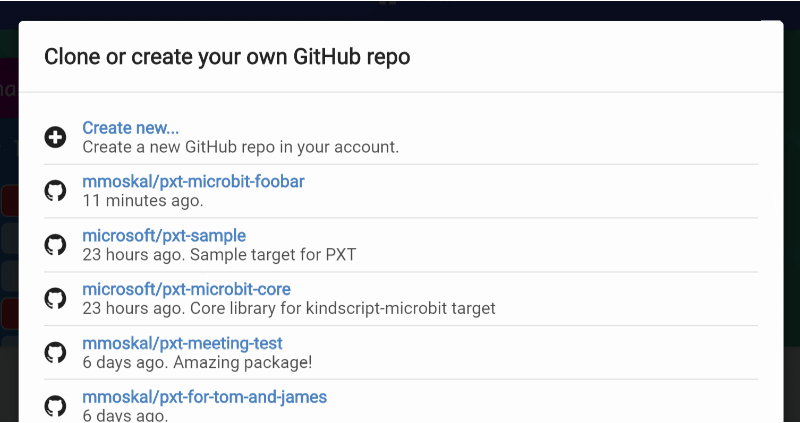
Microsoft MakeCode
From the beginning of MakeCode, a facility was provided to extend the editor with user extensions hosted on GitHub. These extensions can even introduce their own user interface in the editor. Extensions first need approval to surface in search but, unless they are banned, can...
Maybe I should add this guide to learn.adafruit.com
teal ocean
@plush marsh Thanks!!
stiff hazel
@plush marsh I've whiped out this guide - https://learn.adafruit.com/admin/guides/2460/editor/15521
Accounts
plush marsh
@stiff hazel thanks - live!
ill attempt to add pullups to crickit as practice
code is copy and paste-like
 tight oar
@lilac falcon figured out my problem, i was indeed using the wrong library. using pigpio on the pi side has gotten me where i need to be. thanks again for attempting to help me
 lilac falcon
I'm glad you got it sorted!
tight oar
same, now trying to fix hostapd/dnsmasq. really don't like RPI network stack
stiff hazel
@tight oar i think you're in the wrong forum
tight oar
why's that.
stiff hazel
MakeCode ?
tight oar
is this not about....coding?
stiff hazel
it is about https://makecode.adafruit.com
Adafruit Circuit Playground Express - Blocks / Javascript editor
A Blocks / JavaScript code editor for the Adafruit Circuit Playground Express.
tight oar
gotcha. a channel description would be the best way to solve this issue i would think
stiff hazel
i don't think you'll get the help you want here 😃
stiff hazel
@snow island could you add a description to this channel? "discussions about https://makecode.adafruit.com"
 snow island
@stiff hazel done
stiff hazel
Thks
stiff hazel
@frozen lotus @plush marsh we've pushed a new beta that fixes the ADC issues (and light/temp sensors).
rigid mulch
ADC issues with which board (s) @stiff hazel . Remember my Metro M4 Express had enough pinouts for LCD and moisture sensor but I was told that ADC for M4 was not up to speed. Work now?
stiff hazel
No this was a fix for SAMD21
rigid mulch
OK, I got 3x Metro M0 in the mail today (thanks @plush marsh ) and they do work with the LCD Fritizing as you show in simulator and with analog moisture sensor (resistance- not sure about capacative moisture sensor-issues). Thanks for the extension for LCD.
frozen lotus
@stiff hazel The temperature seems fine. Any reason why the light values would be different in /beta ? I still have a range difference between the standard build and no-mbed.
stiff hazel
We’ll take a look
odd oracle
I received my Adafruit Joy Bonnet, flashed firmware and check it worked.
But I can't find the way to add games.
Documentation says to put .uf2 files in ARCADE drive, but I don't see any drive like this.
odd oracle
OK, it was my mistake. I plugged in the first USB port instead of the second one on the Pi zero
plush marsh
@stiff hazel @sleek rampart heya im finishing up the pybadge whcih will be able to play games, but i moved the MOSI pin
is that somethign y'all can change?
teal ocean
We received our new CPX earlier this week and just confirmed that it works with the Crikit and @glad berry 's MakeCode sample for the bumper bot
So I'm guessing that Adabox008 just had a small bad batch of CPX's somehow?
stiff hazel
@plush marsh do you have more info on the pybadge spec? Can’t seem to find it.
sleek rampart
@plush marsh pins are set in bootloader so it's easy to change
plush marsh
@sleek rampart oh for real? i didnt know that
wheres this fancy bootloader?
the pybadge is basically the board i got you before
credit-card-sized tft + buttons board
sleek rampart
It's the arcade_something in the samd bootloader
On master
This is how we can support all these feather and itsy arcade guides with the same binary
I mean same game binary different bootloader binary
stiff hazel
I was confusing it with pyportal
rigid mulch
This extension for DHT 11 and DHT22 for Microbit has an error in its example on GitHub. I've corrected that by using small case sensor designation : dht11 vs DHT11, here's my question, what code do I use to "output to serial " as noted in this screen grab ? Thx. https://makecode.microbit.org/_RXpFvwVhRX80 Nevermind, I found out how.
rigid mulch
Can one Micro:Bit running MakeCode be paired on both a MicroSoft Surface running Windows 10 and also be paired on a Samsung Chromebook running Chrome OS ? Or must I have it paired with one or the other machine/browser- I am working in Chrome on both machines. @stiff hazel , @sleek rampart I would like to run the above program and read output data on console on either machine, same MicroBit and WebUSB.
stiff hazel
Only 1 machine
rigid mulch
So can I erase Web USB from the MicroBit after running it on Surface and re-install WebUSB for Chrome OS to use with the Chromebook?
I don't see a way to get real time console data output to computer from MicroBit except by using Web USB, is that correct ?
 cursive atlas
hi hi... does anyone know the protocol that is being used for the "infrared send number" and "on infrared received"? I'd like to make an ir sender from another device, to be received by MakeCode on circuit playground express. I can (and have collected the pulses from send number, but I thought I'd ask for a pointer to the protocol doc before taking the time to do the reverse engineer the pulses. My research so far has taken me to: https://github.com/Microsoft/pxt-common-packages/blob/master/libs/infrared/ir.cpp which references getIrWrap() and then ->send(buf), but I've been unable to find getIrWrap in any codebase within pxt or adafruit pxt or pxt common.
GitHub
Common packages for Microsoft MakeCode editors. Contribute to Microsoft/pxt-common-packages development by creating an account on GitHub.
oops I didn't mean to cause the link to resolve...
stiff hazel
@rigid mulch you can turn on BLE console output in Microbit experiments
@cursive atlas we recently wrote it again. Will send url tomorrow. @sleek rampart
cursive atlas
@stiff hazel Thanks, any more info?
stiff hazel
@cursive atlas the IR protocol is implemented here but i don't think we have a formal definition of the packets https://github.com/Microsoft/pxt-common-packages/blob/master/libs/pulse/pulse.cpp
GitHub
Common packages for Microsoft MakeCode editors. Contribute to Microsoft/pxt-common-packages development by creating an account on GitHub.
rigid mulch
Having trouble getting a data output to "console device" with CPX. I can do it with Microbit but do not see any console display with CPX. Am I in the wrong MakeCode program? I am able to upload code to CPX and get LEDs to respond as desired, just no console display showing up with data.
rigid mulch
A comment on "updating bootloader" for CPX. Trying not to annoy people. Assuming the persons using MakeCode/CPX/WebUSB are NOT computer programmers, I think the link from this page (green "update" button) should take a person not to this page of several dozen choices. Regardless of what someone tells me here is the correct choice, others will not get that information and will possibly make the wrong choice or just quit the process out of frustration and confusion. Thx. https://github.com/adafruit/uf2-samdx1/releases/tag/v2.0.0-adafruit.9

GitHub
MSC bootloader (based on UF2) for SAMD21. Contribute to adafruit/uf2-samdx1 development by creating an account on GitHub.
this "choice"
 distant shard
Hi
wasn't sure if this was the right place, but I'm having an error from Arduino iDE saying it can't find CSTDLIB
I'm on a Mac with 10.2 Xcode and I'm worried that it changed something with the path variable
is anyone else having issues compiling C++ code?
stiff hazel
Sorry not the right place...
 calm jay
Any idea if Makecode will ever support (or does) the esp32 boards?
sleek rampart
@calm jay it doesn't. Unlikely anytime soon.
calm jay
Ok thanks, we are basing most of our robot projects off them so figured I would at least ask.
rigid mulch
What effect will this have on us and MakeCode and Arcade, if any? It looks to be "improving our browser experience" : https://blogs.windows.com/msedgedev/2019/04/08/microsoft-edge-preview-channel-details/

Microsoft Edge Blog
Today we are shipping the first Dev and Canary channel builds of the next version of Microsoft Edge, based on the Chromium open-source project. We’re excited to be sharing this work at such an early stage in our development process. We invite you to try out the preview toda...
sleek rampart
@rigid mulch it works much better than current Edge, possibly better than Chrome
rigid mulch
Thanks Michal , @sleek rampart , I will try it as I did install it.
rigid mulch
@stiff hazel , Does the WebUSB (win 10 app) work with CPX now to output data to console device ? @oreo said it worked for them with this code (but not for me as yet): https://makecode.com/_Utc5hJUT9XcR
stiff hazel
Please file a bug
 digital saffron
I see that the Feather M4 Express can run MakeCode Arcade. Are there plans to add support for more than just the games with MakeCode?
rigid mulch
Bug filed per my previous comment, sorry, delayed by 3 orbital core re-entry landings and one continuing dental education class.
stiff hazel
@digital saffron what do you have in mind?
digital saffron
@stiff hazel I mean more general programming. Like how the micro:bit and CPX can be selected on the MakeCode site, not the Arcade beta
stiff hazel
You mean https://makecode.com ? Arcade is there. Is it missing for you?
Microsoft MakeCode
MakeCode brings computer science to life for all students with fun projects, immediate results, and both block and text editors for learners at different levels.
Arcade is a retro gaming editor but it has a bit of maker DNA in it.
we support a Microbit edge connector and/or JACDAC
digital saffron
Right. So in Arcade you can make games that can run on an M4. But how about something other than games? Block coding on the M4, not just those games in Arcade
stiff hazel
Have you tried https://maker.makecode.com ?
MakeCode Maker - Blocks / Javascript editor
A Blocks / JavaScript code editor for MakeCode Maker Boards
digital saffron
I have not. Thanks, I'll check that out
rigid mulch
@digital saffron , If you don't mind my commenting.the Maker.makecode web site given to you above works to program a good many SAMD21 and SAMD51 boards but as noted there, they are BETA. As the developers here know, I've been trying them and finding that many boards do not function with Maker as you see Micro:Bit and CPX function in MakeCode .Even CPX in Maker may not work the same or may work but not with sensors extensions or tools that you try to install. The great advantage to Maker is the fritizing diagrams and simulator shown with breadboarding. Best of luck with it; the MS developers are working on this daily and you'll see improvements as time passes. One option is to look at Github MakeCode extensions and try out the sensors listed there with their extensions on an M4 board. Some work.
digital saffron
@rigid mulch thanks for the info. I'll see what I can do with it. I have CircuitPython on it right now and it's doing just what I need it to, but I was hoping I could tell my wife, whose gift is powered by the Feather M4 Express, that she can try MakeCode on it too.
rigid mulch
@stiff hazel , WebUJSB seems to be working with CPX now, for me, one-click
rigid mulch
Sort of
In standard Adafruit MakeCode , not WebUSB and not with "show console device"
rigid mulch
According to YouTube, Stephen at Core Elect. in Australia made this video showing "graph sound level" in Jan. of this year , one line of code which does produce the "show console device". It looks like that 'bubble' shows up below the "show console simulator" only when he hits the DOWNLOAD button. As you can see from my screen grab, this does not work for me regardless if I use WebUSB web site or the standard Adafruit MakeCode site ; I also tried it on Maker and the show device does not appear there either. "Graph" seems to work for him; does it work for anyone else with CPX and MakeCode?
My screen, same code.
Is it possible that Stephen is using yet some other system to program his CPX with MakeCode? I have posted a question on his YT channel but no response as yet. @glad berry , this is an attempt to answer your question if WebUSB has ever worked for me: MakeCode and Hardware on YT. At lease we have evidence that it has worked for someone , this year.
glad berry
I believe the console only works with the standalone MakeCode Windows executable. In the browser versions you can only simulate it.
rigid mulch
Finally,I saw Stephen at Core Elec. do it and thought, "If it's been done before, it's probably possible." The elusive "show console device".
rigid mulch
This seems to work on Internet Explorer with MS Surface pro also , don't know if it works with Samsung Chromebooks, testing .
stiff hazel
the console always works for the simulated device, but requires the Windows 10 app to connect to the physical device.
rigid mulch
What is 'charlieplexing' ?
 dusty mortar
I think it is just multiplexing.
sleek rampart
https://en.m.wikipedia.org/wiki/Charlieplexing microbit does that for their display. You usually do that for segment displays as well. @rigid mulch
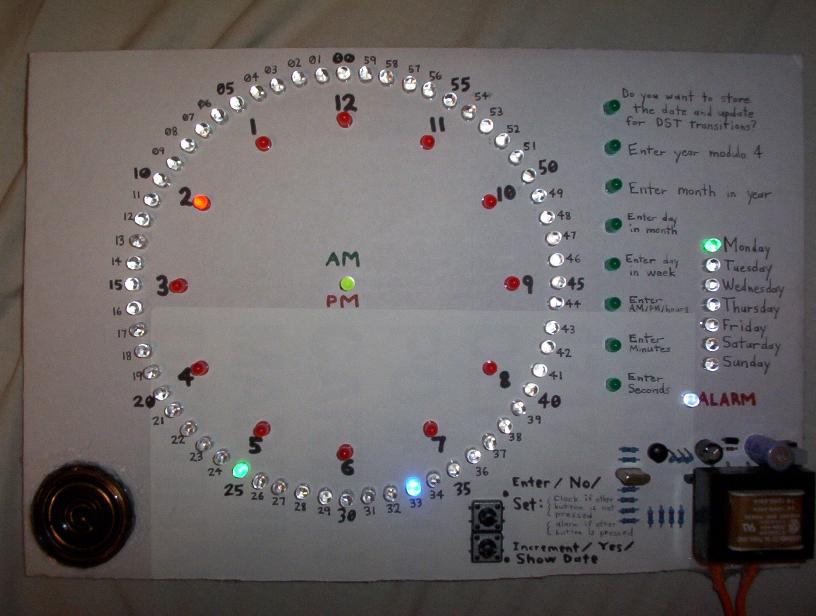
Charlieplexing is a technique for driving a multiplexed display in which relatively few I/O pins on a microcontroller are used e.g. to drive an array of LEDs.
The method uses the tri-state logic capabilities of microcontrollers in order to gain efficiency over traditional mul...
rigid mulch
I see Jumping Yang says he is using Charlieplexing to wire or control his new version of Colorbit 5x5 neopixel display matrix. I showed the old version, from last week , on the 'education' segment of the forum here. I need to learn more about what he is doing with hardware for MakeCode. His extension for 51 Colorbit on Github works with it.
sleek rampart
Charlieplexing doesn't make sense for neopixels. It only makes sense for regular leds
rigid mulch
There may be something like this already made for the Micro:bit. I do not know how different this is from the original Colorbit. I will review it and compare when I get this in hand. It may require a different extension from 51Colorbit ,to work. I was wrong, the charlieplexing is in fact for LEDs not neopixel.
plush marsh
@stiff hazel heya let me know what i can do to help get the analog joystick supported 😃
stiff hazel
I think Michal may have looked at it already. do you have some datasheet for it?
plush marsh
@stiff hazel the joystick? its the same as the one on the bonnet, two ADC's range from 0 to 3.3V. middle is 1.65V (ish)
sleek rampart
Should be relatively simple.
Are you shipping them already? Will need special bootloader setting and then arcade support. I'll need one device for testing (should be able to work on it right after build)
stiff hazel
right, i think i'll add 2 config keys to specify the analog left/right up/down pins (+orientation) and handle it in the hw layer.
sleek rampart
Right. Just use some of the high bits for orientation, like James does for leds
 novel tinsel
hello everyone! I'm having issues with makecode suddenly today. I've been working on a project and when I upload a previous code, the program works. Today, when i upload code it does not work fully. I have two button inputs and a bunch of neopixel strips. The button inputs are no longer being detected. Again, if I upload the old code from a few days ago it works. I can import that code into the online editor and re-download it without changes and it doesn't work. https://makecode.com/_hU78Ly4qo0Wk

Made with ❤️ in Adafruit Circuit Playground Express - Blocks / Javascript editor.
For a basic explanation of the program, it's a game like family feud. Two input buttons and two neopixel strips (i'd like to add two more, which is what i'm trying to do currently) These two strips fade in/out brightness as white until one of the buttons is pressed. one strip goes black, the other changes to its respective color and flashes a few times.
I have updated the CPX to the latest firmware as well with no help.
I have made a much more simplified code just to check button presses and that's not working either. I have verified the pins etc with no luck.
novel tinsel
seems to be an issue with how the code is compiled? I tried the win10 app with same results.
novel tinsel
incredibly frustrating. I'll end up using another CPX just to drive two strings because the code doesn't compile correctly
rigid mulch
@novel tinsel I've never seen this before in MakeCode. I click on your shared link and see the code for CPX, blocks and JavaScript. I highlight all the JS code, copy and then paste it into maker.makecode (because you have declared pin #'s and this to me indicates you have off hardware I/O's and then I get a 3rd tab "Python". so the system seems to think you have written code in Python?
rigid mulch
@novel tinsel , did you write the code with blocks or JavaScript ?
I'm getting errors when looking at your code on my MakeCode system, even when I install the "keyboard " extension. Trying to switch from Python to blocks warns me that the code will not translate. Have you used advanced extensions other than keyboard ? @novel tinsel
It could be that "maker" is just not meant to operate with your code and standard Adfruit MakeCode should work. So I may be going off on the wrong track with this.
 queen geode
Hey hello there
I'd like to read data from a breakout connected in i2c to the playground
i've found an hex address to the data i need in the circuitpython source
but with the makecode I2c read i can't type letters
How do i retrieve the data in makecode
?
 hollow oracle
you just need to convert the hexadecimal number to decimal. You can google for a converter, or just use place value. the high digit is the 16's place. 10=a, 11=b,... 15=f
the '0x` is just a prefix meaning hex
hollow oracle
what's the number?
queen geode
0xFD
hollow oracle
so that;s 16*15 + 13
@queen geode, BUT, usually it's a seven-bit address, so that appears to be an eight-bit address, which encodes more info. What breakout is it?
hollow oracle
the default address is 0x77 (see https://learn.adafruit.com/adafruit-bme280-humidity-barometric-pressure-temperature-sensor-breakout/arduino-test)
queen geode
What does that mean ? How do I manage to catch only the temperature data and not the others then ?
(sorry i'm a total noob in electronic)
hollow oracle
@queen geode you have to make requests to the device for the different kinds of data it returns. It can be complicated, and doing that in MakeCode is probably more trouble than it's worth. You might consider using CircuitPython or Arduino instead, since then you can use a pre-written library to handle the details for you.
plush marsh
😃
 tacit pelican
Anyone playing with PyBadge already? Get sound to work with built in speaker from MakeCode Aracde?
stiff hazel
The sound is still work in progress on SAMD51... use arcade.makecode.com/beta it might start working in a couple weeks
tacit pelican
Thanks!
frozen lotus
Great to see the PyBadge is starting to become available. Anyone know why there is no JACDAC connector? Is it coming in the future?
frozen lotus
Thanks!
I agree, also its kind of complicated to add simple sensors (always need an mpu). Using the 3pin and 4pin i2c connectors on the PyBadge one can use many of the existing cheap sensor modules and devices without modification.
plush marsh
yep or the headers on the back 😃 easy
 velvet sand
I think I found a PyBadge MakeCode bug: on hardware, buttons A & B seem reversed from code.
https://forums.adafruit.com/viewtopic.php?f=64&t=151391
plush marsh
@velvet sand yeah we found that out, it can be updated with a new bootloader. which will also enable sound. release coming very soon!
or you can build the uf2-samd bootloader yrself if you're up to it
velvet sand
Oooooh… sound!
Cool. Thanks
I'm guessing that at https://github.com/adafruit/uf2-samdx1
GitHub
MSC bootloader (based on UF2) for SAMD21. Contribute to adafruit/uf2-samdx1 development by creating an account on GitHub.
plush marsh
ya
stiff hazel

GitHub
I'm not sure we want to merge it just yet.
This fixes stuttering sounds in arcade. It also brings back ringTone, but it clicks every half second.
Tested on Arcade STM only so far. You can t...
teal ocean
Is anyone from Adafruit attending Microsoft Build this week?
The MakeCode booths setup for the students are fantastic. I got to sit in on the CPX one. The kids seemed to really enjoy it.
and I did too :)
hollow oracle
@velvet sand and ALL PYBADGE USERS: We have a new bootloader that fixes the reversed A and B buttons. Update with https://github.com/adafruit/uf2-samdx1/releases/download/v3.5.0/update-bootloader-arcade_pybadge-v3.5.0.uf2
Those of you with first-out-of-the-factory pybadges: What bootloader version do you see in INFO_UF2.TXT when you get to the boot drive? Also, is there any display on the screen when the bootloader is running, or is it just white? Thanks -- I'm writing a bootloader update Guide page.
velvet sand
@hollow oracle First, I'm pretty sure I updated my bootloader first thing. I believe I saw a non-white, bootloader-identifying screen before I did that, but I'm not sure.
My current bootloader screen looks like this:
hollow oracle
thanks, and it's BADGEBOOT, not PYBADGEBOOT, right?
velvet sand
Yep, it shows up as BADGEBOOT.
hollow oracle
ok, thanks, i'm asking Limor what was shipped, so I can describe "you need to update if you see ..."
velvet sand
INFO_UF2.TXT reads:
UF2 Bootloader v3.3.0-1-gc0f3813-dirty SFHWRO
Model: PyBadge
Board-ID: SAMD51J19A-PyBadge
(on my updated device)
hollow oracle
that may not have the MacOS fix either
i moved the version number over so it's not truncated, but we are probably dropping the "-adafruit.<n>". MS and AF will keep in sync on the version numbers.
velvet sand
Which macOS fix is that? The one for 10.14.4? I'm still on 10.14.3 because of what I've read on the Forums.
hollow oracle
yes, so if you upgrade to the latest bootloader, it should work fine on 10.14.4.
was fixed in 3.3.0-adafruit.10 and later
velvet sand
On my device, I tried getting light sensor, analog pins, and accelerometer working today. Looks like those are all still WIP. 😄
hollow oracle
in makecode?
velvet sand
Yep, in MakeCode.
I was looking at using any of those to generate a seed for a RNG, since MakeCode's random number generator seems to use the same sequence on each boot.
hollow oracle
some more of that may work due to pin updates, but other stuff is still awaiting implementation by MakeCode (like sound)
def try again with new bootloader for a few things
velvet sand
I discovered MakeCode's font scaling, accessible from JavaScript. Reverse engineering the font format and will try adding a bigger 16x16 font.
Though I work in Arduino mostly, I'll be teaching a strategist coworker a bit of JavaScript next week, and wanted to expose her to JS on embedded as well, since we do a lot of new product prototyping at my design studio.
How is the primary product guide for the PyBadge(s) coming along?
hollow oracle
in progress but somewhat held up by PyCon
some of us are back but kattni is staying for more sprint days
velvet sand
Aha. That makes sense. Itching to read the pinouts section and schematic. Kind of a ritual with Adafruit products.
hollow oracle
https://github.com/adafruit/Adafruit-PyBadge-PCB has the Eagle files
velvet sand
Nice! I hope she's having a great time at PyCon. Mentoring is awesome, and one always gets great questions at hackathons.
hollow oracle
we have had a huge mix of folks, from beginners to quite sophisticated contributers
it has been great. if you didn't see Nina Z's keynote yet, worth watching, though you know the material.
gotta 💤 I am short on sleep from the conference. good night!
velvet sand
I've been meaning to watch that! Heard it was awesome, and I while I probably do know the material, I can always learn to communicate better.
Have a great post-conference recovery, even as I know there's so much new backlog.
 steady flame
hi, on the circuitpython website. the download UF2 button for Papyr board is giving a 404. I am not able to find if something needs to be done as part of adding a board which will generate those files. But https://adafruit-circuit-python.s3.amazonaws.com/index.html?prefix=bin/electronut_labs_papyr/en_US/ does contain binaries, just not the ../ directory
 winter briar
Has anyone used remote IR controllers from AdaFruit with CPXes ? We can't make that work with Makecode. Thanks!
sleek rampart
@winter briar this is currently unsupported with makecode
@velvet sand we have info on fonts here https://github.com/microsoft/pxt-common-packages/tree/master/scripts/font-compiler
GitHub
Common packages for Microsoft MakeCode editors. Contribute to microsoft/pxt-common-packages development by creating an account on GitHub.
Also found, analog in, etc are all coming soon. For random i think there is an actual random peripheral on SAMD51 so we will try that
Also we will be adding permanent storage support which will also keep random seeds
@steady flame i suggest asking on one of the python channels
winter briar
@sleek rampart thanks for the incredibly quick reply! Not the answer we had hoped for but good to know
steady flame
oh, oops. I though I was in #circuitpython-dev
stiff hazel
For all the pythonistas, you can also enable our upcoming python support in arcade by doing About -> Experiments -> Static Python. Feedback very welcome.
stiff hazel
All the sound fixes for pyBadge are now live on arcade beta https://arcade.makecode.com/beta
MakeCode Arcade
@hollow oracle the pin PIN_LIGHT needs to be set for the light sensor? (It's just a resistive light sensor on A7?)
@plush marsh i was a bit too hard on the zipper and it ripped.
Case is very useful otherwise.
hollow oracle
@pelikahn taking a look...
stiff hazel
test code: (add the controller extension)
game.consoleOverlay.setVisible(true)
game.onUpdate(function () {
    console.log("light: " + controller.lightLevel())
})
do you have a board to test or do you want me to?
stiff hazel
i have a board
but i don't have a pinout and you'll need to update your bootloader
looks like the accelerometer is crashing currently, i 'll investigate this later
hollow oracle
Schematic is here: https://github.com/adafruit/Adafruit-PyBadge-PCB in Eagle format. Do you need a schematic?
stiff hazel
yes please, pdf
You can try things out in https://arcade.makecode.com/beta. it has all of michals fixes. I need to run out.
hollow oracle
I'll post here shortly for you.
png ok? I can make a pdf but a little bit harder
stiff hazel
Also do you know where the lis3dh is supposed to be on the board? I might have the cheap version that does not have it
PNG good
Got it
hollow oracle
it is next to the 8-pin SPI flash above the I2C connector, opposite site from USB jack
do you have one neopixel on the front or five?
hollow oracle
ok, that is the cheapo
stiff hazel
Ok so I understand what happens now.
Ok so we need to gracefully handle the “missing accelerometer” scenario.
I loaned my other boards... @sleek rampart do you have 5 Neopixel on yours?
hollow oracle
are you folks at Build still?
stiff hazel
Yes last day
They did quite a bit of live coding yesterday on CPX
Do you have a bootloader for the cheapo?
Or I can use the patcher
hollow oracle
we don't have a separate build for that. I just made a new release last night: https://github.com/adafruit/uf2-samdx1/releases/latest
if there are still corrections then let me know and I'll make another release
stiff hazel
the bootloader specifies 5 Neopixels but cheapo only has 1. I will handle the accelerometer case on our side (we should just ignore malfunctioning accelerometers)
hollow oracle
is there a config slot for presence/absence of accelerometer? We may as well config that too if we need a separate bootloader build
or if there's no lis3dh you could assume only one neopixel?
stiff hazel
ACCELEROMETER_INT acts as a presence config key. But I will update our code to ignore missing/defective accelerometers. If this one is missing, we sniff the acc type using i2c known addresses.
sleek rampart
the bootloader config for the cheap version shou;dn
shouldn't have ACC_INT pin, and also not ACC_TYPE, whereas the full version should have both
stiff hazel
but you really need 2 bootloaders I’m afraid...
sleek rampart
@hollow oracle the PNG you posted doesn't seem to match github version - on github there's no JACDAC pin
@plush marsh maybe we can use the D3 instead of D13 for jacdac usb ID pin? this way you can more easily connect to it and it doesn't have the LED hanging off it
hollow oracle
i think the github version is out of date
sleek rampart
right, I would also suspect so
hollow oracle
we have an internal repo with all the revs
@sleek rampart that is the pybadge, not the pygamer. I don't know if jacdac is on pybadge
sleek rampart
there is on your PNG (on USB connector)
hollow oracle
or maybe I'm completely confused about what jacdac is
sleek rampart
welcome to the club ;))
stiff hazel
Humm no luck with PIN_LIGHT on PB04 . Must be doing something wrong.
@sleek rampart do we have a smart way to dump the config keys to the console?
sleek rampart
I had no success using patcher, if that's what you've been doing
namespace config { ... } will override bootloader
you can do that
stiff hazel
Will try
sleek rampart
@hollow oracle @snow island is there some deep reason wave_form==1 test is here https://github.com/adafruit/circuitpython/blob/master/ports/atmel-samd/common-hal/pulseio/PWMOut.c#L201 ?

GitHub
CircuitPython - a Python implementation for teaching coding with microcontrollers - adafruit/circuitpython
hollow oracle
looking...
@sleek rampart I think the point of the check is that the timer could be ENABLE'd, but in use for some other purpose than PWMOut, so we wouldn't use it in that case.
sleek rampart
right, but you also limit to WO1, and the screen LED on pybadge is on WO0
it seems CCBUF[0] is used for freq, and CCBUF[1] for duty cycle
hollow oracle
right. until recently, we didn't use WO0. I'm trying to find the PR that changed that.
@snow island could you join in this? didn't you make this more flexible due to a pin issue just recently?
sleek rampart
this was like that at least for a year
you're using MPWM, which can only do WO1, you could use NPWM and PER register I think
48.6.2.6.1 in datasheet for D51
I guess I'm going to ignore that, and steal your code once you fix it ;))
hollow oracle
maybe D21/D51 difference? we'll track it down
snow island
it's because the CC[0] is used to store the top
it gives us better frequency resolution
sleek rampart
right, because you're using MPWM; but maybe you can use NPWM and have both channels?
OK
well, then either the LED needs to go on different pin, or we don't have dimming
snow island
I believe limor swapped the pybadge pin at the last minute for it
hollow oracle
i thought it was too late
snow island
nah, the pcb folks hadn't started making them yet
snow island
 sleek rampart

@snow island @hollow oracle thanks, it worked!
plush marsh
@sleek rampart for pygamer that's whats on the PCB - and they were ordered, i thought the LED was kinda nice for debug output
its also easy to route the wires
i figure if/when we use USB C then that's a good alternative
but just having Something for now
do u still want the latest schematic?
sleek rampart
@plush marsh Yeah, that would be helpful!
plush marsh
@sleek rampart can i give u the eagle files
pybadge rev G adds the d13->ID connect and fiducials but otherwise the same
sleek rampart
Cool! Thanks!
 granite kraken
@sleek rampart I get a 909 from screen.setBrightness(..) on the pybadge (e.g. menu -> press BRIGHTNESS DOWN), looks like PANIC_INVALID_ARGUMENT?
sleek rampart
@granite kraken I have it half-fixed - dimming, but it still crashes - need to solder on debug cables
stiff hazel
light sensor works when adding
namespace config {
    const PIN_LIGHT = DAL.PB04;
}
yay
stiff hazel
the screen got untaped and the screen backlight is feeding straight into the sensor... 😦
sleek rampart
@plush marsh I think the LED will act as a pull-down on the jacdac line. The idle state of the jacdac line is a weak pullup (the internal one on MCU(s) connected to the line), and you start driving is actively only when transmitting. So I guess the LED will bring the line down...
stiff hazel
@hollow oracle @plush marsh could you annotate where the debugger pins are on the pyBadge (Accelerometer still crashing)
hollow oracle
@stiff hazel et al: https://forums.adafruit.com/viewtopic.php?f=58&t=151059 issues with CPX and LIS3DH
stiff hazel
We pushed a hotfix for i2c issue on beta yesterday
hollow oracle
@stiff hazel there's an SWD pad to the lelf of the speaker
stiff hazel
hollow oracle
I can suggest that they try that. Does it sound like it's related? Issue is that even after a reset, accel doesn't work (alternately)
hollow oracle
can you solder a connector to those pads or do you want to know the three pads next to it?
tnx for i2c info
stiff hazel

GitHub
Contribute to lancaster-university/codal-circuit-playground development by creating an account on GitHub.
hollow oracle
I've pointed the user to the beta and will see what they say.
stiff hazel
i see the swd... thanks
hollow oracle
on my connector (put on by Limor or someone else, the notch faces to the edge of the board
if you don't want to do that, SWCLK and SWDIO are on two of the three circular pins to the right - I just don't know which ones
those touch the pogo pins in the tester
stiff hazel
like that better
btw, you are going to need 2 bootloaders. we don't really support tweaking the number of LEDs on the fly.
people like the buttons!
hollow oracle
we talked about that last night in an internal meeting. I'll make another version of the bootloader. I can also put in the LIS3DH present/absent parameter to make your life easier if you want.
sleek rampart
@stiff hazel SWDIO, SWCLK, RESET - pads from the left
(that is from the edge of the board)
stiff hazel
heating up the iron
sleek rampart
@hollow oracle just remove all ACCELEROMETER* configs from the LC
hollow oracle
I checked with an ohmmeter, yes, got same order
@sleek rampart tnx! I'll make another release 3.5.1. Still haven't had time to make a PR to you yet
stiff hazel
i'm going to hold on testing the accelerometer. once you remove the ACCELEROMETER* stuff, it should fix itself.
hollow oracle
ok, Il'l try to do that this afternoon. Shouldn't take too long. I don't have a lite board to test, but can hand that to you for testing
stiff hazel
for sure
plush marsh
@stiff hazel @sleek rampart hiya im around now
on a train so wifi is a little flaky
do u need something?
hollow oracle
@plush marsh I think we're all set. I'm making a PyBadge LC bootloader and also they needed to know the SWD pins
plush marsh
oh yah, i solder on an SWD port - i recommend that
but if you dont, umm i can give you the brd file
stiff hazel
@hollow oracle pointed at the circular pins next to the swd pad
hollow oracle
I ID'd them with an ohmmetter and so did @sleek rampart
stiff hazel
@plush marsh people really liked the d-pad
very tight placement, nice rubery feeling
hollow oracle
afk for 50 mins or so
plush marsh
@stiff hazel thanks, we're gonna go with slighty less clicky buttons
the factory offered to do them custom for our larger orders
philb came up with the idea to diamond em
stiff hazel
coming soon
stiff hazel
I'm listing both but maybe we want to only list pyBadge
plush marsh
we'll get you pygamer pix soon as we have the PCBs in
im ok listing both
but up to y'all
stiff hazel
and you can have a callout for the cheaper version in your store
plush marsh
i dunno if you want to 'hide' accel on LC
stiff hazel
it should be a no-op if acceleroemeter is not present
plush marsh
kk
sleek rampart
@plush marsh right now the only information we get from this dialog is D5 vs F4 vs RPi
stiff hazel
pointing to /4200?
I'm quite proud of "It's a badge, it's an arcade, it's a PyBadge!" but you can provide a better description if you wish 😃
plush marsh
i think thats just fine for now 😃
stiff hazel
are you already shipping the LC?
hollow oracle
@stiff hazel or @sleek rampart I'm modifying board_config.h for pybadge_lc. THe original one says 60 entries, but it appears to have 61 (after the count). Am I counting wrong? Also the patcher web page says length info is incorrect.
yah, also count for pygamer is off by one. I'm fixing the counts.
sleek rampart
Use the patcher to patch the.h file. It will sort and set the length correctly.
Just drop.h file instead of.uf2
stiff hazel
Microsoft MakeCode
These boards run MakeCode Arcade games. Choose a board to find out more about it and where you can get one!
it’s live in the list
 ocean stream
I made a makecode game for circuit playground to teach my kids....
I like the tutorials.... is there a way for me to craft my own tutorial? So I walk them through creating my game?
I get how to publish my tutorial ala https://github.com/Microsoft/pxt-adafruit/blob/master/docs/projects/magic-wand/code.md

GitHub
Microsoft MakeCode editor for Adafruit Circuit Playground Express - microsoft/pxt-adafruit
stiff hazel
yes it is possible. see https://makecode.com/writing-docs/tutorials and https://makecode.com/writing-docs/user-tutorials
Microsoft MakeCode
Step by step tutorials are authored in markdown and automatically converted by the editor. This page describes the format for these tutorials.
Microsoft MakeCode
This guide explains how users can publish their own tutorials on the MakeCode editor.
ocean stream
Thanks @stiff hazel
I would like to load an mp3 (or ogg) to explain the game on start. I dont see that functionality in makecode. Thoughts on how to accomplish this?
hollow oracle
@stiff hazel ok, finally, here is a test bootloader for PyBadge LC. I had to fix some of the text drawing code a bit to center the big title and not have it write out of the buffer bounds accidentally.
I tested this on a regular PyBadge with the Jumpy Platformer game.
Also here is the regular PyBadge bootloader
I did some dynamic "kerning" (just overlapped by a couple of pixels) of the x4 font so the titles would fit better.
stiff hazel
@ocean stream mp3 are not supported. See Jumpy Platformer on how to use the dialog feature
@sleek rampart bootloaders!
ocean stream
@stiff hazel are there any other formats supported? wav?
stiff hazel
We don’t support anything sound format (yet)
plush marsh
@stiff hazel @sleek rampart heya im writing a game... but have some Q's as i do so
where should i bug u 😃
for example i want to put a logo in on the 'splash screen'
stiff hazel
here or forum.makecode.com
plush marsh
but seems i cannot paste into the gfx editor
stiff hazel
More eyeballs on forum
plush marsh
kk
stiff hazel
Out for the we
plush marsh
lol dont open a new tab to check out another arcade game while coding, deleted my game
granite kraken
Err, that probably shouldn't happen. What browser and OS are you using (and are you using the live site or beta)?
plush marsh
i was on beta, chrome
Version 74.0.3729.131 (Official Build) (64-bit)
i was being a little too cutting edge
granite kraken
Ahh, well I'll have to try to repro that on monday as it sounds like a real bad time
plush marsh
lol its ok - i finished my game 😃
i have a habit of control-s while coding, wish that saved a local copy somehow but i eventually got used to clicking download every few mins
sleek rampart
For JS code you can also use github
odd oracle
For arcade, I had the same wish as @plush marsh
Being able to import images will be the easiest way to produce tutorials for exemple
stiff hazel
@hollow oracle you need to define PIN_LIGHT to enable the light sensor.
hollow oracle
@stiff hazel In the bootloaders config list? I’m missing the context here. I’m out, on my phone. Will look when I return.
stiff hazel
@hollow oracle in your bootloader config keys, you need to define PIN_LIGHT as the light sensor pin (PB04).
hollow oracle
Ok, thanks. Will do an update and give you New bootloaders to test.
stiff hazel
tks
hollow oracle
@stiff hazel does your pybadge LC have a light sensor, or is it just on the regular pybadge?
hollow oracle
@stiff hazel ok, never mind, I looked at the product description, and it says The LC version has the same processor chip, QSPI Flash, on/off switch, buttons, buzzer, light sensor and battery circuit. It does not have Feather headers, JST STEMMA connectors, LIS3DH accelerometer, or optional speaker connection. Instead of 5 NeoPixels there is only one in the center front.
@stiff hazel @sleek rampart new bootloaders with light sensor in config params:
hollow oracle
@stiff hazel @sleek rampart and here's one to test for the pygamer board, also now including the light sensor
 rough granite
I came across this last night: https://makecode.adafruit.com/reference/music/composing-sounds . I think that should read "first seven letters" rather than "first nine letters" or am I missing something?
Microsoft MakeCode
Composing some sound, or maybe some music, is done by putting tones to together, one after another.
hollow oracle
@rough granite at the bottom of that webpage are links to the GitHub sources for the page, so you could file a PR or issue for the error.
rough granite
@hollow oracle Ta, I wanted to make sure it was an error first, it looks like one but perhaps it was intended to say it differently.
hollow oracle
looks a mistake to me 😃
stiff hazel
We gladly take PRs or you can also file an issue!
hollow oracle
@stiff hazel @sleek rampart have you had a chance to test the bootloaders? If not, no problem. I
I'll just do a PR after you have time to test
stiff hazel
light sensor on pybadge lookin good
hollow oracle
should work on LC too, and check the pygamer too if it's handy. tnx
stiff hazel
sorry on pybadge LC
pybadge light sensing working but device crashing on accelerometer. however, this is a bug on our side
we are trying to mount neopixel SPI on accelerometer i2c
hollow oracle
I did remove the accelerometer config entries from the LC board_config.h
42,45c42
<     62, 100,  // used entries, total entries
<     1, 0x2e, // PIN_ACCELEROMETER_INT = PB14
<     2, 0xd, // PIN_ACCELEROMETER_SCL = PIN_SCL
<     3, 0xc, // PIN_ACCELEROMETER_SDA = PIN_SDA
---
>     58, 100,  // used entries, total entries
79d75
<     70, 0x32, // ACCELEROMETER_TYPE = LIS3DH
99c95
<     200, 0x5, // NUM_NEOPIXELS = 5
---
>     200, 0x1, // NUM_NEOPIXELS = 1
^ part of diff between arcade_pybadge and arcade_pybadge_lc
hollow oracle
@stiff hazel Does @sleek rampart have one? I thought you folks were sent an early one. Otherwise I can get someone else to test.
stiff hazel
We have boards
sleek rampart
Joystick works. Sound doesn't but I need to confirm why
plush marsh
thats odd, it works on my boards
 sinful dagger
@plush marsh is there a way to turn off the CHRG LED? (without de-soldering of course 😉 )
(on the py badge)
plush marsh
nope
sleek rampart
@plush marsh the sound doesn't work because we have revA of pygamer and it has the spkr_en pin inverted compared to revG (pam 8301 vs 8302); I think.
but it seems I just bricked it... going to solder wires
sleek rampart
well, I didn't brick it, it was the double reset; the bootloader update has a CRC check which prevents https://microsoft.github.io/uf2/patcher/# from working; I removed CRC on SAMD51, not sure how useful it was in the first place - @hollow oracle
@plush marsh I flipped polarity of PA27 and it still doesn't work, maybe it's something else; anyway, if the sound works for you from Arcade website we can leave it at that (btw, I know we don't have revG since the sound chip has 6 not 8 leads)
plush marsh
yeah it does work
@sleek rampart i also 'merge' A0 and A1 output for mono from stereo
sleek rampart
I saw that. Hopefully one of these days I'll be able to add channel duplication to our DAC implementation
Also @plush marsh did you get the parallel screen to work with DMA on SAMD51? CP seems to just busy bit bang it on the port.
rigid mulch
@granite kraken , Whoop ! Lookie here, we scored some MakeCode stickers. Our kids will love these, thanks Joey W. !
granite kraken
No problem, happy you like them :)
rigid mulch
Met today with homeschool moms about STEM project using MakeCode and also with local library employee about (maybe) buying LEGO Mindstorms EV3 kit #45455 for robotics education with MakeCode. Thank you all for your hard work on this environment ; we hope to do fun things after school introducing students to their new smart world. We'll post more about it on "classroom" here on Discord.
 marble lintel
Hi folks - I'm trying to put together a course for my 7th grade students using Circuit Playground Express and MakeCode. I was experimenting with the sound sensor and the graph function as demonstrated here: https://www.youtube.com/watch?v=VxH16mT1xZU. My results were very different from his - always showing a relatively significant level of noise coming in.
When I output the sound sensor variable to the console in the Windows 10 app, I'm getting constant noise ranging from about 45 to 120. And here's the thing - when I put the CPX up to my ear, I can actually hear a very high pitched squealing, which is what I'm assuming is causing the problem, as this must be what the sound sensor is picking up.
I've verified this happening with multiple CPX devices, as well as when I am powering with USB or with a battery pack.
This is making the sound sensor pretty unusable. Any thoughts on how to fix or what I might be doing wrong?

A variable in code is exactly like a variable in math. We can create variables to store a value that might change and refer to it elsewhere in our code. This...
Next question... is there any way to send an “Enter” button press using the HID Keyboard extension for Circuit Playground Express on MakeCode? Thanks in advance for the assistance!
velvet sand
@marble lintel Perhaps keyboard type "\n"
marble lintel
@velvet sand Thanks - will try it out!
rigid mulch
Well, I guess this comment does not apply to you unless you hook up external sensors and outputs with CPX....Stephen at Core electronics does some great videos. @marble lintel , I had a noise issue once and complained and I think the guys at Microsoft said it could be that I was hooking up the sensor or speaker to the wrong pin. I think A0 is reserved for audio out so that was causing the conflict on my wiring and noise. I see that Microbit always pre-designates A0 for pin audio out and maybe this carries through to Adafruit products ? Don't know if this will help. I do remember that they said that if you want to output to a speaker CPX and Microbit do have amps. to drive it but our other Adafruit boards do not so all you get is clicking.
marble lintel
@rigid mulch Thanks for the info ... but you’re right. This is bare board only.
rigid mulch
I saw all his lessons some time ago. I'll try that one on my CPX and see if I get the same result that you do.
rigid mulch
@marble lintel Here's a video of the response of my CPX using graph sound to LEDs and WebUSB: https://youtu.be/lFUqKXVxq7U
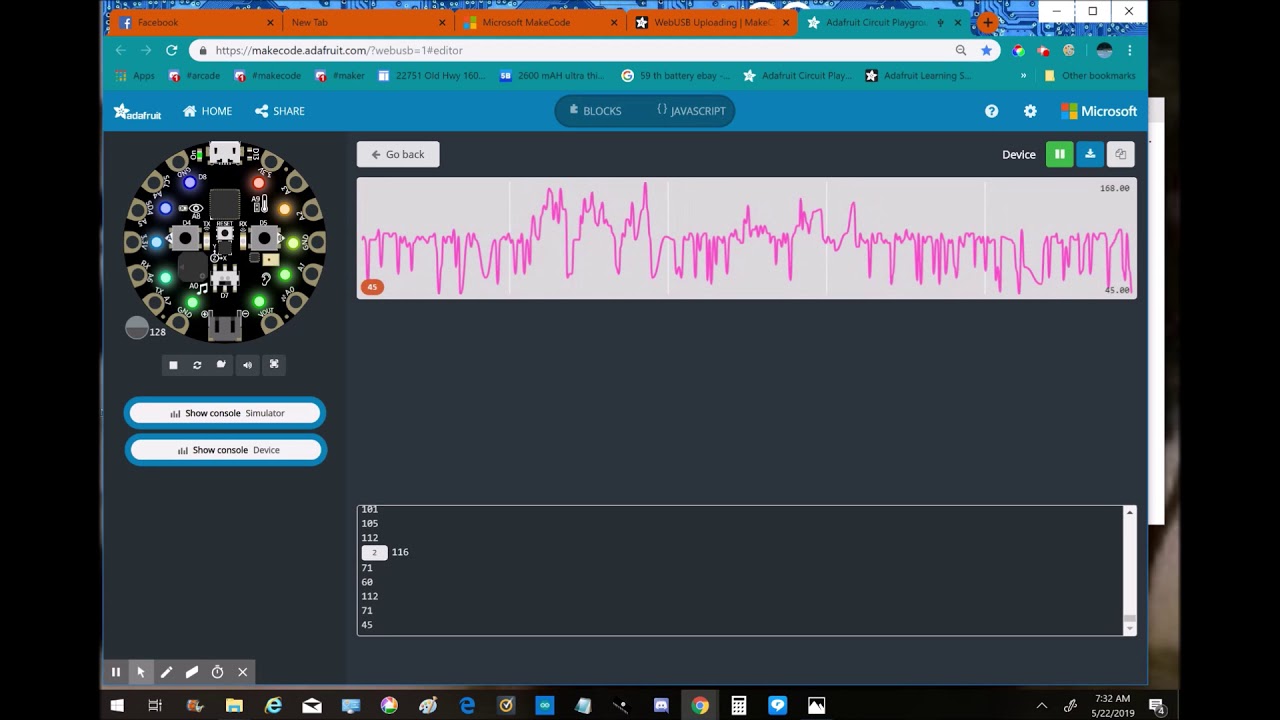
Here's two lines of code that shows on the LEDs what the sound level is. 75 is the level that I chose to add to the code. Here's the link to WebUSB https://m...
marble lintel
@rigid mulch This is really interesting - it looks to me like you are getting the same kind of consistent background noise that I was seeing as well. On your LEDs, were you seeing them always "graphing" sound as well? This was very different than the linked tutorial video, his CPX seemed really responsive to his voice. For me, it was barely noticeable when I was speaking, and only flickered when I whistled or blew on it. I didn't notice a significant response in your graph when you whistled. Did you see any response?
Also - how did you read the live device console while in the web app? I can only get the simulator while using the web and can't get live readings unless I'm in the Windows 10 app. Would love a work around if that is available.
Thanks for all your help!
sleek rampart
@plush marsh do we need BOSSAC on the pygamer/pybadge bootloader? it seems the USB serial messing up webusb on Windows
rigid mulch
@marble lintel , here's the link to the Adafruit CPX programmer that I use when trying to get real-time data feed to my monitor. I'm on a fairly new MS Surface notebook with Win 10 and Google Chrome.I'm trying this again with another CPX and will try to show sound level to LED and data readings at the same time. https://makecode.adafruit.com/?webusb=1#editor
Adafruit Circuit Playground Express - Blocks / Javascript editor
A Blocks / JavaScript code editor for the Adafruit Circuit Playground Express.
I do not see the "show in console" bubble until I plug in my CPX.
sleek rampart
@plush marsh win10. I'm digging into this
rigid mulch
It will be a while for this video to upload, @marble lintel , slow wifi connection out here in the country. I gotta go fishing this afternoon anyway. https://youtu.be/QxHNZLJRwW0

The wave form on monitor does seem to respond to audio volume (loud whistling ) when CPX is held close to noise. Not much changes in LED lighting but is that...
marble lintel
@rigid mulch Thanks for the time. I look forward to your video (when it uploads). I'm not sure what magic you are utilizing, but this is the same editor that I am using and I cannot get real time data off of the CPX from within the editor unless I'm using the Windows 10 app from the Windows Store. I'm also using Chrome and a fairly new PC (desktop) running Windows 10.
Enjoy the lake!
rigid mulch
@marble lintel , the video is up now. At about 2:30 into the vid. you can see the blue chart lines respond to whistling as I hold CPX closer to my mouth. I don't know enough about all this to know what to expect so can't say whether it's doing anything unexpected or not.
There are these bootloader hoops you have to jump through, first time 'round. I presume you did that? https://learn.adafruit.com/makecode/webusb
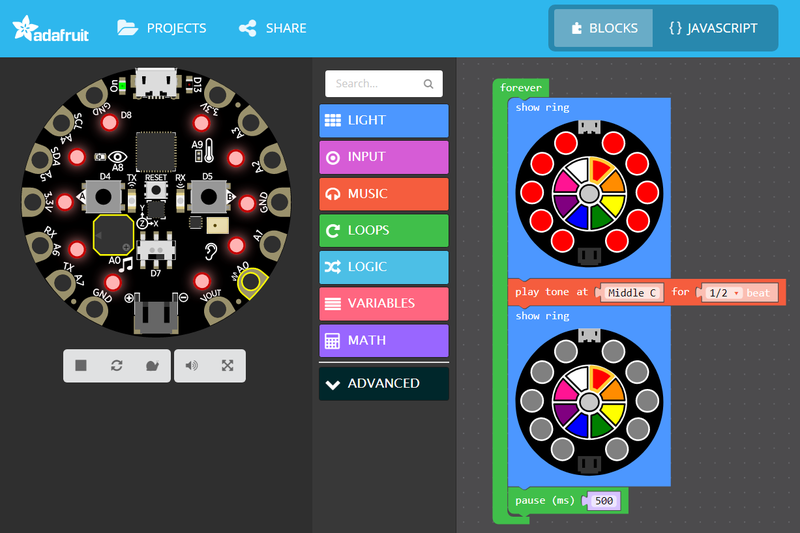
All you need to know to get coding with Microsoft MakeCode
stiff hazel
a CPX equipped fishin rod could be a fun project.
rigid mulch
See "478 Waterfield Dr. Branson West , Missouri on Google maps and zoom down for nearness of my deck to the lake. A good long fishing rod would help with waterproof neopixels on each lure.
marble lintel
@rigid mulch Thanks for all of your work and experimentation on this with me. Your results are exactly the same as what I have been getting - which is very different from what is shown in the original tutorial video. My thoughts are that the noise from the LEDs (?) is interfering with the responsiveness of the sound sensor. I wish I knew how he got such clean results in his tutorial video - maybe I'll see if I can track that guy down!
And, you are correct sir in that I did not do the initial setup required on the bootloader. I'll have to check that out over the next day or so and see if I can get it going. My school district is currently blocking the Microsoft Web Store, so an alternative that allows real time data viewing is very appealing to me.
rigid mulch
We worked on "data logger" at one time @marble lintel Not real time but makes some nice charts in Google Docs. Kind of a way for kids to see how that can work. I think I have a video of it on my MakeCode and Hardware channel if you've not done it and want to search for it. I never got a response from Core elect. via email or comments on YouTube. Let me know if you get some kind of feed back from them.
marble lintel
@rigid mulch I've been working on my own datalogger - haha. Great minds! I'll post a video in the next couple of days to see if we were on the same track. Until then, here is my own little vid of what I'm seeing/hearing with my CPX and my theory of what is going on. https://www.youtube.com/watch?v=Pkq4d9wJfHA&feature=youtu.be
@rigid mulch Decided to go ahead and record this. Here's a demo and the code from my "datalogger" for light. Similar to yours? https://www.youtube.com/watch?v=bXpB0t99F3k&feature=youtu.be
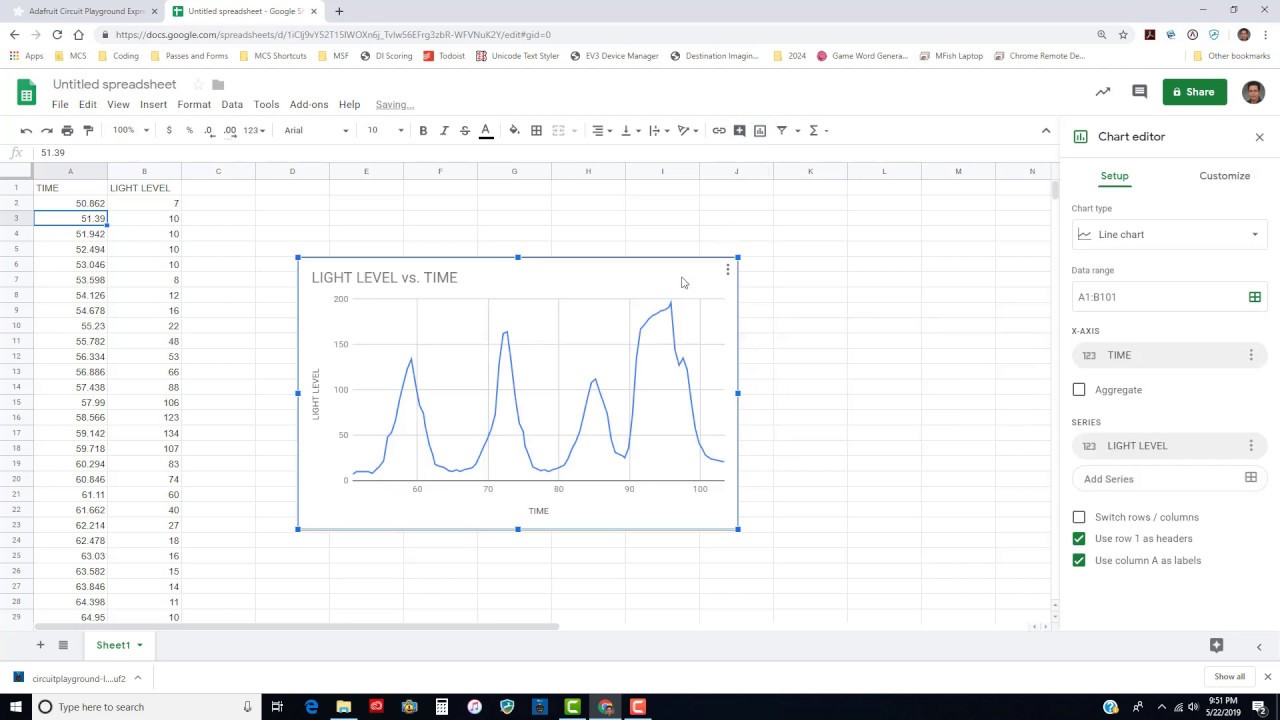 rigid mulch
This video you have posted on your YT Channel, @marble lintel Did your students build these LEGO robots? I see they use the "brick" as a controller. I doubt it was programmed with MakeCode. The bricks may not be EV3 but I want to know if you were involved with building or programming some of these bots? Thanks https://www.youtube.com/watch?v=srNR6T_JgLQ
 plush marsh
@sleek rampart ok - ive used win10 webusb with my pybadge/gamer. i notice i can sometimes download, sometimes not. lemme knwo uf need help testing
@stiff hazel sooo - you wanna set up a block for a rotary encoder input on makecode arcade 😉
sleek rampart
@plush marsh I'm following up with Chromium people. Will see where this gets us.
And you mean The Crank?
plush marsh
@sleek rampart nono not The Crank.. like, umm, "optional rotational input" 😉
we'll show how to wire up external hardware - its a cute demo
reading rotary encoders isnt too bad but you do need to do it in a timer
lemme know if ya need code - we can also try 'bitbang' reading in a thread
ok maybe its a DIY Crank - but hey gotta ride the trend wave here
sleek rampart
I think we have pin rise and fall events
plush marsh
@sleek rampart do you think they get called fast enough? the pins toggle 2 times each per click
sleek rampart
I think so but would need to test
stiff hazel
@plush marsh I tested seesaw today and it seems to work - would be worth testing that out too.
plush marsh
seesaw in arcade?
marble lintel
@rigid mulch Yes - my students built all of these robots as our end-of-unit innovation project. This group is from a couple of years back, actually. I'd say about 90% of the bots in the video were original student designs and the other 10% were built with at least some canned plans (a couple were fully canned plans). I no longer allow much use of canned plans at all. All of the bots in the vid were coded with the Lego EV3 / LabView environment. That's what I've been using for my class. However, my current plans are to transition entirely over to MakeCode in the next school year. Right now, I'm pretty sure that MakeCode would have been able to handle all of what the students did here.
For the assignment, I acted as a mentor. I gave suggestions, helped them out of hot spots, and worked through tricky coding ideas with them. This was after they had already been working with the EV3 kits for about 8 weeks - 50 minutes a day - 5 days a week. Teaching 7th grade coding and robotics is my full time job. I get to see about 180 students a semester (360/year) and I get them for 18 weeks - 5 days a week.
I have a pretty stinkin' cool job!
rigid mulch
@marble lintel let's go over to "EV3" and talk. I have so many questions. I'll message you. I'd kind of like to leave this forum for developers and editors; if that's ok with you. From there maybe we can work out a discussion area about LEGO and Ev3 because I think that would be a great "Next Step" up from Arcade and basic electronics. You have way more experience with this than I. We want to do a summer LEGO Ev3 robotics project at our library.
marble lintel
@rigid mulch Sure - sounds good. I’m a noob to Discord so apologies if I’m screwing up the etiquette here
rigid mulch
No, It's me....too many noob questions coming from me on this dev. forum . They have been very tolerant of my newby comments so I'd like to get over to EV3 or Classroom .
@marble lintel
stiff hazel
And we just pushed an update to the https://makecode.adafruit.com editor! Nothing major - just a few bugs here and there.
Adafruit Circuit Playground Express - Blocks / Javascript editor
A Blocks / JavaScript code editor for the Adafruit Circuit Playground Express.
hollow oracle
@stiff hazel @sleek rampart User is lokoing for pullup support for Crickit for Microbit MakeCode: https://forums.adafruit.com/viewtopic.php?f=58&t=151897
hollow oracle
ah ok -- see last post I just did there as well. I don't know if there are some product ideas for plugin LEDs and a 3-pin switch or button: might be hard to source
plush marsh
we dont have anything for direct plugging in no
plush marsh
@sleek rampart @stiff hazel i made a wifi pybadge
when we get to doing internet stuff it could connect to the internet to download games maybe
velvet sand
@plush marsh @sleek rampart Pssssst… Rotary in MakeCode would be awesome. In my prototyping of new products, I often make a control box with a small OLED and a rotary encoder (with switch!) to navigate a demo menu and adjust parameters at runtime. I'm a fan of Paul Stoffregen's Encoder library. It supports a mode that tries to work without interrupts, but I favor the interrupts mode.
GitHub
Quadrature Encoder Library for Arduino. Contribute to PaulStoffregen/Encoder development by creating an account on GitHub.
velvet sand
The rotary encoder + switch is often simpler than doing a menu with a touch screen, and faster to navigate than up/down/right/left buttons.
stiff hazel
I'm afraid someone needs to rewrite it for codal
sleek rampart
I think you can write it in TypeScript with the rise fall events
@velvet sand @plush marsh do you know the rough frequency of these pulses? 10Hz? 100Hz?
velvet sand
Depending on how fast you turn the rotary encoder's knob, I would guess from about 1 Hz to 30 Hz, with the encoders I use, like this Adafruit product which has 24 pulses per 360° revolution.

This rotary encoder is the best of the best, its a high quality 24-pulse encoder, with detents and a nice feel. It is panel mountable for placement in a box, or you can plug it into a ...
Paul Stoffregen has a good discussion of the theory of encoders, and where interrupts may not be needed:
I think it's worth a try in TypeScript. How often could it be guaranteed to be called to read the state of three digital pins? (2 for encoder; one for switch)
plush marsh
yeah they are very 'slow' but you do need to catch em
do we have pin (not touch) irqs?
velvet sand
Gotta catch 'em all™
If you miss one or two occasionally, often it's not totally bad, since the misinterpretation is maybe 1/24 revolution in the wrong direction. Some shipping consumer devices have rotary encoders that when rotated quickly are quirky.
plush marsh
true true
sleek rampart
It's hooked to an interrupt so I think we shouldn't miss any. I'll try next week.
Also our compiled Typescript on m4 should be way faster than C on AVR
rigid mulch
@plush marsh , Just wondering Limor, when are we going to be switching from Micro USB B to USB C on our boards? Or will we just skip that step and go to WiFi upload of programs ? The adapters from B to C look cheap but too many variations. If we go to WiFi, will we no longer have a MicroUSB port for power? Trying to anticipate the engineers' next choices in design.
plush marsh
we'll have some USB C boards, and itll never be just wireless
rigid mulch
Thanks, interesting. I'm using flat , recharge, 5V battery pack for $5.88 from Walmart for power so at least that stays but..choice on adapter will be dicey.
 quaint robin
Hello, I just tried pygamer and buttons did not work. Tried update bootloader (pybadge?) but does not work anymore. Where can I find the bootloader for pygamer? Should I use d51 or pygamer board in makecode(both did not work). Thanks
sleek rampart
@quaint robin there was a pygamer bootloader posted by @hollow oracle in this channel. It's not pybadge. In makecode it doesn't matter d51 or pygamer or pybadge
hollow oracle
quaint robin
Thanks!
quaint robin
FYI it worked, thanks! The bootloader definitely needed update