#circuitpython-dev
1 messages · Page 259 of 1
 solar whale
 idle owl
@solar whale Thank you so much. I really appreciate it.
idle owl
@solar whale Do me a favor and comment on the PRs that you're starting testing as you test them so I'm not grabbing the same ones. Hasn't happened yet but could.
solar whale
sure
idle owl
Thanks!
 tulip sleet
@idle owl @solar whale you could assign yourself when you start working on ti
idle owl
Either works
I already said in the main issue to comment on it vs. assigning it, so I'll leave that, but both work.
 obsidian compass
Proposed a poster presentation for Pycon India - 2019 ! Lemme know what ya guys think 😃
CircuitPython is Adafruit's fork of MicroPython , an open source project allowing you to run Python 3 on microcontrollers, which is the most easiest way to get started programming these small devices which runs on few KBs of RAM and few MBs of code space.
It is as easy as d...
Ideas, inspirations welcome 😃
 prime flower
@obsidian compass Nice! Interested in that Arc Reactor 😄
obsidian compass
😀😀
solar whale
@idle owl oops _ I released the lsm9ds1 without merging -- should I jsut re-release and bump the version ?
solar whale
can we delete 2.0.3?
idle owl
It can mess with things if we do. I've done it many many times when dealing with PyPI, but you need to go delete the tag as well.
solar whale
I changed the title to "ignore this release" let me know if you want me to leave it as is or delete it
idle owl
Might as well leave it. Like I said, things can get wonky if it's deleted improperly.
No worries, versions are free 🙂
solar whale
ok -- thanks -- sorry about that
 tidal kiln
@gilded cradle should we just merge this?
https://github.com/adafruit/Adafruit_Blinka/pull/145
 gilded cradle
Yeah, I didn't see that you had approved it.
tidal kiln
i just did 🙂
 manic glacierBOT

 junior wolf
Lol, that was me
manic glacierBOT

Is there anything we can do about it? If not, can we close this?
 lone sandalBOT
Good idea! Want to make a PR to start it?

@tannewt sure thing! coming up tomorrow :)
manic glacierBOT
Ok, thanks @deshipu. Did all you asked. The build is failing due to code size. It's the same builds I'm tweaking in #2085 so I'll sit on this until then.
Closing this because it isn't April 1st.

Its something to be aware of if anyone runs into it, but it's not clear there is anything to be done in CP to "fix it". I'm happy with closing it.
Should I remove it or file an issue on Mu? I wanted to swap it because the current M4SK instructions use CIRCUITPY to init the drive and then wipe out CircuitPython with eyeball code.
manic glacierBOT
I chose to do this because one must be very careful when to call refresh with epaper displays because the next refresh is minutes away. It needs to be a deliberate action and should fail hard if not done correctly.

I think it would be better to remove it and just leave it as CIRCUITPY. Mu depends on that name a lot of places, and all our documentation assumes it as well. I'd see this as a constant support issue. Using CircuitPython to init the M4SK is a hack, and can be improved in the future. In either case, there's going to be some confusion about the filesystem name; I think it would be easier to explain the M4SK drive as CIRCUITPY when not using CPy than as MONSTERM4SK when using CPy.
I just mean that if you call refresh() too soon, it will do nothing (and return False), as opposed to forcing a refresh. That way you don't have to keep track of the time so precisely. E.g. you could call refresh once a minute to update a clock, and it wouldn't actually get updated for 3 minutes. Otherwise you have to know when 3 minutes is up.
Ok, reworded it. target_frames_per_second is based on the last refresh call. minimum_frames_per_second is a backstop to ensure refreshes happen every so often. should we leave it up to the user to track? That might be simpler.
manic glacierBOT

I try to understand why it failed to generate PWM signals after 30+ seconds or so on my ATSAMD21G18. Other functions (such as print) seem to work just fine but just the PWM function stop generate PWM signals.
I did test it when changing duty_cycle in an infinite loop, and it works just fine. Not sure why it causes a problem with switching frequency. Any thought?
The code is pretty simple as:
import time
import board
import pulseio
PIN_Test = pulseio.PWMOut(board.A4, frequency...
manic glacierBOT

Thank you for your report.
I believe I have reproduced the problem. I happen to be testing with Adafruit CircuitPython 3.0.3 on 2018-10-10; Adafruit Feather M0 Express with samd21g18 and I used a modified version of your test program:
import time
import board
import pulseio
import random

PIN_Test = pulseio.PWMOut(board.D5, frequency=5000, duty_cycle=2 ** 15,  variable_frequency=True)

while True:
    FRE = random.randint(100, 200)
COUNT = random.randint(...I also verified that this bug exists in a recent development version of circuitpython, Adafruit CircuitPython 5.0.0-alpha.0-176-g912fd7759 on 2019-08-23; Adafruit Feather M0 Express with samd21g18
jepler,
You're absolutely correct. The duty-cycle decreases over time to the point it becomes 0.
Your way of assigning a new value of duty cycle every loop seems to resolve the issue.
tidal kiln
@idle owl this one is failing travis for some pypi reason i don't fully understand:
https://github.com/adafruit/Adafruit_CircuitPython_Register/commits/master
 onyx hinge
line 59: Error: Unknown interpreted text role "class".
line 59: Error: Unknown interpreted text role "class".
apparently it doesn't like this notation: ```Lastly, we need to add an i2c_device member of type :class:~adafruit_bus_device.i2c_device.I2CDevice
 onyx hinge
however, that line has been there since 2017, so ... weird
tidal kiln
yah. the PR was green. the merge is red. so dunno.
onyx hinge
I was finding this info from https://packaging.python.org/guides/making-a-pypi-friendly-readme/#validating-restructuredtext-markup
I get the same error from twine when building version 1.7.1, so .. is there any possibility it's a new change at pypi?
tidal kiln
i guess the PR doesn't trigger the deploy, only the merge
so that explains why the PR could be green, and merge red
onyx hinge
yes that's true
tidal kiln
but it was in last release also...so...yah...dunno...
onyx hinge
I investigated a bit whether a release of something in their toolchain affected it, but didn't find anything.
    plain text
    reStructuredText (without Sphinx extensions)
    Markdown (GitHub Flavored Markdown by default, or CommonMark)
``` betting "class" turns out to be sphinx extension?What is shown there now is source, not rendered readme, so it was previously affected by this bug, but instead of erroring at the upload stage, it rejects the upload now. https://pypi.org/project/adafruit-circuitpython-register/

PyPI
CircuitPython data descriptor classes to represent hardware registers on I2C and SPI devices.
manic glacierBOT
9b7c44e Remove rogue space to hopefully fix AWS credent... - tannewt
Ok, changes are pushed. I'm still thinking over the ePaper refresh API. I kinda think the return of True/False is too silent because it's not obvious something is wrong.
 crisp flicker
Howdy, ya'll.
I've created some Arduboy games that I want to port to the PyGamer.
What's the best way to jump into CircuitPython for porting it to the PyGamer?
 exotic pumice
@crisp flicker I believe pygamer has an arduboy core

GitHub
An alternative library for the Arduboy miniature game system - adafruit/Arduboy2
crisp flicker
Yeah, but I want a real port, with color and such, like my BittBoy ports. 🙂
exotic pumice
ok well I don't think circuitpython has much for gaming yet
crisp flicker


What's THIS?? 😲 Circuit Dude for the PocketGo is also out, right now??? ⚡ 75 levels, a secret ending, level editor, new SFX, rumble, and 4 different color modes: Full color, Game Boy, CGA, and Arduboy modes! 🎉
FREE DOWNLOAD: https://t.co/jhE0fwv02D
#IndieDev #Gam...
 Twitter
exotic pumice
Twitter
exotic pumice
have a look at the arcada arduino library,
I think that's the best supported at the moment
or makecode
crisp flicker
Ew. Lol
I think I could use the Arcada library, as long as it has color.
🙂
Thanks for the pointer.
 stuck elbow
@exotic pumice there is that library I made...
exotic pumice
oh?
stuck elbow
https://learn.adafruit.com/circuitpython-stage-game-library/bouncing-balls <-- this should get you started

Adafruit Learning System
Make things move on your PyBadge or PyGamer
exotic pumice
amiga balls 🙂
manic glacierBOT

That should be easy to move into render_stage, I will look into that.
How about renaming the parameters to target_frame_ms and maximum_frame_ms — then you don't need that comment.
manic glacierBOT
Still also thinking about the refresh() calls, especially for ePaper. For a really long refresh cycle like ePaper, maybe the old refresh_soon() makes sense. But could call it schedule_refresh(), or refresh_needed(), or similar. There could also be a call seconds_until_refresh() that would return how much more time there is, and maybe even a 'refresh_done` property after that.
I'm thinking about some kind of use case where you might, say, light up an LED to indicate a refresh is o...
sizeof(mask[0]). I think that would work, and then you don't have to know its type.
You could have a "is refresh late?" API call, maybe? I get the minimum_frames_per_second limit now.
Change name of always_toggle_chip_select now to just chip_select or chip_select_behavior.
exotic pumice
I may have found a bug in the circuitpython lis3dh driver
or rather my rust compiler found it
DATARATE_1344_HZ         = const(0b1001)  # 1.344 KHz
DATARATE_LOWPOWER_5KHZ   = const(0b1001)
oh nevermind
looking at the datasheet it switches datarate based on whether or not it's in low power mode
that's annoying because I can't turn it into an enum
I mean I can it's just kinda jank
Hz_1344_LP5k = 0b1001, // 1344Hz in normal mode, 5KHz in low power mode
 mystic bolt
Hi, I found out that the Arduino Zero supports Circuit Python and I'm wondering if It'll work with the Arduino M0 Pro?
exotic pumice
it will if someone adds a board definition
mystic bolt
Is it something that I can do?
By the way, I'm not that familiar with Circuit Python. I'm just getting started
mystic bolt
I'll try
exotic pumice
luckily there's a guide https://learn.adafruit.com/how-to-add-a-new-board-to-circuitpython/overview
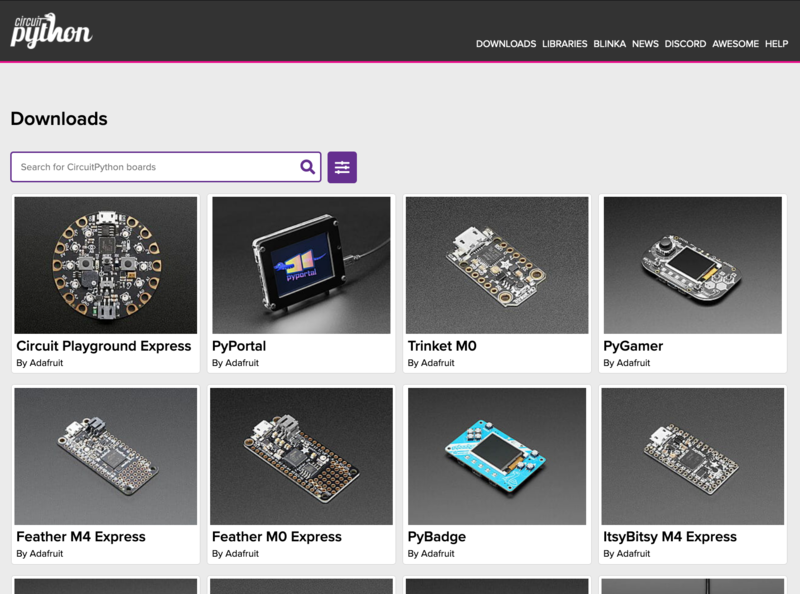
Adafruit Learning System
Add your new CircuitPython compatible board to CircuitPython!
exotic pumice
yw good luck
mystic bolt

manic glacierBOT
What is the reasoning here behind rising an exception rather than just doing nothing? It forces us to repeat that check for pin everywhere (or catch the exception). Is there are use case where that exception is useful?
manic glacierBOT


 river quest
176 🙂 good work everyone! https://blog.adafruit.com/2019/08/24/there-are-176-adafruit-circuitpython-libraries-adafruit-circuitpython-adafruit-circuitpython-micropython-micropython/

Adafruit Industries - Makers, hackers, artists, designers and engineers!
Here is a listing of current Adafruit CircuitPython Libraries. There are 176 libraries available – GitHub. How is this possible? Consistency matters. By unifying the hardware API, develo…
manic glacierBOT

 waxen loom
I am looking to teach a CircuitPython series on LinkedIn and I am going to have people fork the CP repo and for fun I want o have them build their own firmware and hack the name of the CP version in the REPL. I have been searching the codebase and do not know where that info lives.
Adafruit CircuitPython 5.0.0-alpha.0-262-g1d973a080-dirty on 2019-08-24; Adafruit Metro M4 Airlift Lite with samd51j19
is the current version I would want it to read like :
Dan's Adafruit CircuitPython 5.0.0-alpha.0-262-g1d973a080-dirty on 2019-08-24; Adafruit Metro M4 Airlift Lite with samd51j19
for example
tulip sleet
It is in py/makeversionhdr.py
that generates a header file at build time. (Not obvious!)
waxen loom
Thank you!
tulip sleet
yw!
manic glacierBOT

 marble hornet
@tulip sleet i think i figured out how to re-import modules
if foo prints ''asdfljshf'' in the first line ```>>> import foo
asdfljshf
del sys.modules['foo']
import foo
asdfljshf
my question is will old modules still stick around if there are no references to it?
okay, looks like it will be deleted! i ran a test where foo makes a 1,500 obj long list. then ran the following in the repl .
while 1:
    x = gc.mem_free()
    import foo
    v = gc.mem_free()
    del sys.modules['foo']
    g = gc.mem_free()
    gc.collect()
    l = gc.mem_free()
    print(x-l, x,v,g,l)
    gc.collect()
time.sleep(.25)```and the results where:
0 89504 23888 23888 89504
0 89504 23888 23888 89504
0 89504 23888 23888 89504
0 89504 23888 23888 89504
0 89504 23888 23888 89504
0 89504 23888 23888 89504
0 89504 23888 23888 89504
0 89504 23888 23888 89504
0 89504 23888 23888 89504
0 89504 23888 23888 89504
0 89504 23888 23888 89504
0 89504 23888 23888 89504
0 89504 23888 23888 89504
0 89504 23888 23888 89504
0 89504 23888 23888 89504
0 89504 23888 23888 89504
0 89504 23888 23888 89504
0 89504 23888 23888 89504
0 89504 23888 23888 89504
0 89504 23888 23888 89504
0 89504 23888 23888 89504
0 89504 23888 23888 89504
0 89504 23888 23888 89504
0 89504 23888 23888 89504
0 89504 23888 23888 89504
0 89504 23888 23888 89504
0 89504 23888 23888 89504
0 89504 23888 23888 89504
0 89504 23888 23888 89504
0 89504 23888 23888 89504
0 89504 23888 23888 89504
0 89504 23888 23888 89504
0 89504 23888 23888 89504
0 89504 23888 23888 89504
0 89504 23888 23888 89504
0 89504 23888 23888 89504
0 89504 23888 23888 89504
0 89504 23888 23888 89504
0 89504 23888 23888 89504
0 89504 23888 23888 89504```note the first number is difference in the amount of ram used after memory is collected!
tulip sleet
@marble hornet Congrats! Your persistence seems to have paid off.
lone sandalBOT
 marble hornet
thank you, the though and planning that the creators of python put into the design continues to impress
and thank you for letting me pic your ear all this time
onyx hinge
    import sys
    name = module.__name__
    if name in sys.modules:
        del sys.modules[name]
    return __import__(name)
``` maybe you can package up a importlib.reload() function then.the above "works" (I didn't check the gc memory usage change though) in the unix circuitpython test program
marble hornet
sounds like a great idea! altough if there are still references to the old memory might fill up quite quickly
maybe a deport function so people can deport without re-importing
onyx hinge
ah right, I forgot your use case for a minute and thought about mine
which is that I want to interactively reload modules that I modified, but if that is by writing to the FAT filesystem then there are other troublesome considerations I guess.
and yeah, this kind of "reload" can't change existing objects to refer to the newly imported class, for instance
marble hornet
i was thinking, for my case to make to limit references by having a controlling object
or module
import sys
apps = [] # or a class where appending adds a new attr with the name of the appended obj and del removes said attr
# thus: obj.module_name would make for sugary code

def import_app(path, cntr)
    module = __import__(path, cntr)
    if module.__name__ in sys.modules:
        del sys.modules[module.__name__]
    cntr.append(module)
    del module, path

import_app('foo', apps)
and you could theoretically have multiple instances of the same module loaded !
woah!
onyx hinge
In the mists of time, I recall using (maybe even writing?) something that could go out and find instances of classes in a reloaded module and update those too, so that the running instances didn't refer to the old classes anymore. I think it had to use trickery to find the instances, which is almost certainly not going to translate directly to circuitpython
manic glacierBOT
Fixed most of the above, and moved Mixer to a new audiomixer module. After this Travis build, I'll run through the failures and disable accordingly.
Please let us know if you'd like to hand it off.
I'm happy to push it through to the finish. But, if it's time-sensitive, no problem with passing the baton. I feel I can finish the ASM/CMSIS math functions; just takes time for me to bolster my understanding.
I can try putting them back in. With the associated space-constraints above, I'll probably approach it with use of #if CIRCUITPY_AUDIOIO_COMPAT and #if CIRCUITPY_AUDIOMIXER to not further introduce running out of space.
marble hornet
might they all append the instances to a list of class instances
rather what i;m asking is is what trickery is that?
onyx hinge
I don't remember, it's been a long time
http://code.activestate.com/recipes/160164-automatically-upgrade-class-instances-on-reload/ is old enough (2002) that it could be the kind of recipe I had followed
waxen loom
@tulip sleet working with the new Bluefruit ble_demo_central.py example however the Bluefruit app does not recognize the device any thoughts? ble_uart_echo_test.py does work.
tulip sleet
@waxen loom The Bluefruit app works as a central, so it cannot connect to another central. You can use ble_demo_periph.py and ble_demo_central in a pair on two boards.
waxen loom
@merry turret thank you. ble_uart_echo_test.py this does connect however I am not seeing any output.
tulip sleet
or use ble_demo_periph.py with the bluefruit app
where are you looking for output?
you will see it echoing in the bluefruit app, but not on the serial connection
waxen loom
I open the app and see the device in Central Mode
I then connect. I then see a series of modules
but I do not see any output in the app
 orchid basinBOT

Automated Libraries update for 25-Aug-19
tulip sleet
@waxen loom you need to choose the Uart module, and you can then send strings and see them echo'd https://learn.adafruit.com/bluefruit-le-connect/uart-terminal
waxen loom
@tulip sleet thank you as always!
manic glacierBOT
manic glacierBOT

@dhalbert this is done right?
waxen loom
For anyone interested I tried to expand the functionality of the ESP32SPI library and make a code example to very simply control the neopixel in a Pager app. You can extrapolate this into motors or anything: https://github.com/mytechnotalent/CircuitPython-Pager

GitHub
Pager app which allows IoT functionality with the ESP32 processor with any CircuitPython device. - mytechnotalent/CircuitPython-Pager
 meager fog
@waxen loom cool!
manic glacierBOT
@ladyada Yes, it's been merged, available in the latest S3 builds for both nRF and SAMD51.
waxen loom
@meager fog thank you 😃 I am hoping this drives a great deal of new developers to start making IoT projects.
idle owl
<@&356864093652516868> Here is the notes doc for tomorrow's CircuitPython Weekly meeting: https://docs.google.com/document/d/1gvated7w8ghHEmaOqDIny-R3yh_WrVWOfU-vmDwL0NI/edit Everyone is welcome! Please add your hug reports and status updates to the notes doc even if you'll be attending the meeting - it's super helpful! If you're missing the meeting, feel free to add notes, and we'll read them off during the meeting. Looking forward to seeing you there!

Google Docs
CircuitPython Weekly for 26 August 2019 Welcome to the CircuitPython Weekly meeting notes! Feel free to add your notes for Hug Reports and Status Updates early. During the meeting, we go through them as a round robin sorted by username. If you can’t make the meeting and w...
waxen loom
Potential Bug but might be my error:
Adafruit CircuitPython 1d973a0 on 2019-08-22; Adafruit Circuit Playground Bluefruit with nRF52840
from adafruit_ble.uart import UARTServer
uart = UARTServer()
uart.start_advertising()
Wait for a connection.
while not uart.connected:
pass
uart.write('abc')
Traceback (most recent call last):
File "code.py", line 3, in <module>
File "/lib/adafruit_ble/uart.py", line 62, in init
TypeError: extra keyword arguments given
same issue with the start_advertising call @tulip sleet
tulip sleet
@waxen loom hi - you are using an older 4.x version of the library. Incompatible changes are necessary for 5.x. Use this pre-release (it's not in the bundle):
https://github.com/adafruit/Adafruit_CircuitPython_BLE/releases/tag/2.0.1-alpha.1
there is also an alpha.0 release, but If you are using the latest CPy master, that one should match
waxen loom
@tulip sleet thank you will test now.
tulip sleet
also it will now be from adafruit_ble.uart_server import UARTServer. The examples have been upated
sorry I just got up, had to edit the link a few times to get the right one
waxen loom
its not a worry just thought it might be a bug and wanted to sanity check.
tulip sleet
it's very much a moving target irght now. There's more churn happening due to lots of new features needed for BLE HID, including pairing, bonding, more permission stuff, more descriptor support, etc.
waxen loom
understood and excited to help in anyway to test or debug to advance this.
tulip sleet
right now BLE HID keyboard works on everything (Android, MacOS, Windows, Chromebook) except iOS. Still debugging that.
a little early to release (bonding is faked right now)
waxen loom
ble_uart_echo_test testing this with the Bluefruit app. Thus far connect which is a success however do not see any output in the UARTmodule
correction
it echos
 minor plume
@idle owl I updated the Google Doc for today's CircuitPython Weekly meeting. I'm intending to be there (and on audio for a change 🙂 ) but it'll depend on my workday staying quasi-sane.
waxen loom
Here is a fun ChatBot to help people manipulate the UART chat terminal. It works off the BLE library to help start testing. It is very basic but will hope inspire development so we can build all sorts of great IO with this new product!
GitHub
Simple UART chatbot working with the CircuitPython Circuit Playground Bluefruit - ALPHA - Bluetooth Low Energy device. - mytechnotalent/CircuitPython-BLEChatBot
onyx hinge
ugh a lot of background noise on my headset with this computer. Normally I use a different one.
stuck elbow
is lurking
 errant grail
No microphone today. Text only.
 sterile bronze
only hug reports today
idle owl
We're running a little late, still in a meeting. Be there soon!
minor plume
I'm actually here and have voice today. Yay!
stuck elbow
hmm, can't hear anything
onyx hinge
I don't mind starting late, I'm chowing down on some indian food real quick
 crimson ferry
lurking
 timber mango
just lurking today
river quest
CircuitPython snakes its way to Micro Center!
https://www.microcenter.com/search/search_results.aspx?N=4294819101+4294910344&Ntt=M0+Not+Espressif+Not+Si7021+Not+NRF51822+OR+M4+OR+CircuitPython&Ntx=mode+matchboolean?circuit_python&utm_source=20190824_eNews_SE_DIY_R5434&utm_medium=email&utm_campaign=R5434&MccGuid=97cd62a4-f4be-4392-925e-4f874e065c88

Micro Center

Adafruit Industries - Makers, hackers, artists, designers and engineers!
In today’s email newsletter from Micro Center, check out Blinka! And stop by Micro Center to get all the CircuitPython powered boards and all your favorite boards from Adafruit!
Test & Code – Python Testing & Development 84: CircuitPython – Scott Shawcroft
https://testandcode.com/84

Test & Code - Python Testing & Development
Adafruit enables beginners to make amazing hardware/software projects.
With CircuitPython, these projects can now use Python.
In this episode, Scott Shawcroft, the project lead, talks about the past, present, and future of CircuitPython, and discusses the focus on the beginner.
PewPew game consoles - Christian Walther and Radomir Dopieralski
https://wiki.sgmk-ssam.ch/wiki/Flick_the_World_2019#PewPew_game_consoles_-_Christian_Walther_and_Radomir_Dopieralski_.28Sa_31.08_.26_So_01.09.29
CircuitPython snakes it way on HackSpace Magazine!
Graphical output for (almost) any board
Control a screen with CircuitPython
https://hackspace.raspberrypi.org/issues/22

HackSpace magazine
Why spend years learning to play a musical instrument when you could program a robot to do it for you? This month, we show you how to build a glockenspiel-playing robot.
CircuitPython stickers in every order
https://www.adafruit.com/free
Adafruit Industries, Unique & fun DIY electronics and kits : Free - Tools Gift Certificates Arduino Cables Sensors LEDs Books Breakout Boards Power EL Wire/Tape/Panel Components & Parts LCDs & Displays Wearables Prototyping Raspberry Pi Wireless Young Engineers 3D printing Ne...
PyCon 2020 will be in Pittsburgh, PA
https://us.pycon.org/2020/
 slender iron
nice!
stuck elbow
I'm actually text-only, not lurking :)
 pearl notch
Please. Thanks.
onyx hinge
you can call it brilliant
 pastel panther
thanks @onyx hinge 😊
slender iron
@raven canopy does anyone use Mixer in 4.x? I wouldn't worry too much about it
nice!
pastel panther
awesome idea @minor plume ! I'm eager to see how your updating script goes 🙂 Very useful
minor plume
@pastel panther I'll definitely keep everyone posted. I've got a few ideas about how I want to approach it, so I need to do a bit of experimenting to see what works and is cross-platform.
stuck elbow
Panic!
prime flower
 turbid radish
I kill plants with neglect
prime flower
@turbid radish Hopefully the water pump will assist 🙂
onyx hinge
would love to see/hear it
errant grail

GitHub
ADSR Envelope Extension for Precision Waveform Generator FeatherWing - CedarGroveStudios/AD9833_ADSR
pastel panther
OOOOOOOOOOOH
slender iron
oooh pretty!
onyx hinge
tulip sleet
Nice!
slender iron
oh awesome!
I've been meaning to do a c64 board
the reviewers list may only be merged prs
it's a good point
we may ignore folks who comment but not listed as reviewers
 raven canopy
I thought I fixed that...but maybe not on the core.
solar whale
Is there a schematic for the CPB available?
exotic pumice
@slender iron circuitpython cartridge for c64?
pearl notch
It’s worth some effort to not duplicate a lot of code.
onyx hinge
from adafruit_circuitplayground.express import cpx is the guidance now, it becomes from adafruit_circuitplayground.express import cpx as cp ?
slender iron
ya that's what I'm thinking @onyx hinge
exotic pumice
I'm not in voice channel, please share c64 info in text :)
onyx hinge
@exotic pumice the link I shared is for a board that would attach to the C64 "user" port and make a feather's UART connect to the C64's user port.
I imagine that you can open up novaterm or whatever and type into a python repl
exotic pumice
Neat
onyx hinge
it's untested, I just threw it together earlier because I had a bug in my ear
slender iron
@onyx hinge I've wanted a c64 cart to match my gameboy cart
onyx hinge
@slender iron would love to talk about that sometime soon
exotic pumice
I made a modulator pcb last week. I'll share if it works
Turns out they die pretty often and you need it even if you're not using rf
onyx hinge
thanks all, I have to split !
slender iron
👋
raven canopy
✌
exotic pumice
@slender iron there's a bunch of open source C64 carts. I recommend having a look at versacart and working from there
solar whale
👍
slender iron
@exotic pumice can any run circuitpython?
exotic pumice
No lol
exotic pumice
Just good to get the outline and pinout right the first time
There are different ways to bank in cartridge data too
Versacart manual explains
slender iron
totally
waxen loom
Created a Simple Control Pad hack to demonstrate functionality working with the CircuitPython Circuit Playground Bluefruit - ALPHA - Bluetooth Low Energy device. https://github.com/mytechnotalent/CircuitPython-BLEControlPadHack
GitHub
Simple Control Pad hack to demonstrate functionality working with the CircuitPython Circuit Playground Bluefruit - ALPHA - Bluetooth Low Energy device. - mytechnotalent/CircuitPython-BLEControlPadHack
exotic pumice
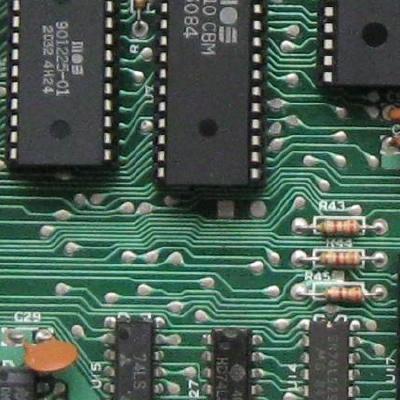
GitHub
C64 Single EPROM cartridge pcb. Contribute to bwack/Versa64Cart development by creating an account on GitHub.
prime flower
@idle owl ah, I see the root/sub-groups in pybadger, thx!
idle owl
Np
tulip sleet
@waxen loom what control pad is it?
waxen loom
@merry turret in the Bluefruit app in central mode under Controller - Control Pad. I just simply echoed out into the terminal the result of the keypresses however I reverse engineered the codes so you can literally take my example code and add servo motor logic or anything in there.
tulip sleet
you can use the Bluefruit_Connect library directly for that, see, e.g.: https://learn.adafruit.com/bluetooth-neopixel-badge-lanyard/software

Adafruit Learning System
Light up your convention badge and control colors with your phone!
You use the ButtonPacket class
waxen loom
ooh nice
tulip sleet
I should add an example of ButtonPacket to the library
waxen loom
I wanted to create a way to use the arrow and number buttons.
tulip sleet
really simple example: https://learn.adafruit.com/circuspython-jump-through-hoops-with-bluetooth-le/circuitpython-code

Adafruit Learning System
Blinka jumps through a ring of fire, controlled via Bluetooth LE and the Bluefruit LE Connect app!
code may be outdated now
look at teh code in both those Learn Guides. No reverse engineering needed.
waxen loom
ok
tulip sleet

Adafruit Learning System
Quickly get started with an Adafruit nRF52840 board using these CircuitPython demos!
@waxen loom basic examples of reading button pushes ^^
solar whale
I use the ButtonPacket for driving my ble_rover -- works great
waxen loom
Nice!
tulip sleet
the CircusPython code is old -- I should update it
waxen loom
Did not know it excited so that is why I created my own hack but awesome to see and will read it.
tulip sleet
@waxen loom your reverse engineering shows dedication! We need better cross references in the Learn Guides
waxen loom
Thanks @tulip sleet ! I LOVE the community here and am excited to see more people developing and making and sharing.
@merry turret currently the MAC iPhone App crashes the Bluefruit when reading the Accelerometer, or other non-Control pad related functionality as I have been trying to RE that as well.
solar whale
Hmm, I have not had issues with it.
Ah it will crash if you send packet it is not expecting.
waxen loom
@merry turret FYI made the simple adjustments for your example if you want to update your code example
from adafruit_ble.uart_server import UARTServer
from adafruit_bluefruit_connect.packet import Packet
from adafruit_bluefruit_connect.button_packet import ButtonPacket
uart = UARTServer()
while True:
uart.start_advertising()
# Wait for a connection
while not uart.connected:
    pass

while uart.connected:
    if uart.in_waiting:
        packet = Packet.from_stream(uart)
        if isinstance(packet, ButtonPacket):
            if packet.pressed:
                if packet.button == ButtonPacket.BUTTON_1:
                    # The 1 button was pressed.
                    print("1 button pressed!")
                elif packet.button == ButtonPacket.UP:
                    # The UP button was pressed.
                    print("UP button pressed!")


# When disconnected, arrive here. Go back to the top
# and start advertising again.
@solar whale current firmware: Adafruit CircuitPython 1d973a0 on 2019-08-22; Adafruit Circuit Playground Bluefruit with nRF52840 - When I attemt the Quaternion, Acceleromtor, Gyro, Magnetometer, Location it shows initial data and then says disconnected and I then have to reset the device. Likely a small issue will try again in next alpha release.
solar whale
@waxen loom I’ll look at it later, am away from my desk for awhile. IIRC it is just looking for specific packet types and needs to be generalized a bit .
waxen loom
@solar whale no worries being in Alpha very normal but will keep tracking.
manic glacierBOT
prime flower
@idle owl I rewrote the gfx helpers for the azure project, but for displayio text. way faster rendering AND bonus legibility. thanks!
idle owl
@prime flower No worries! Looks good 🙂
manic glacierBOT
It's not super urgent. I'd like it to go in 5.0.0 but we have time. You are well on your way.
Would you mind marking things resolved as you do them?
Thanks!
manic glacierBOT
 manic glacierBOT
An ePaper display driver may need to detect whether a reset worked because the only way to exit a power down is to reset. Without it, the drivers must leave it on. (The monochrome featherwing needs it.)
manic glacierBOT
@dhalbert The danger of a refresh_soon or similar is that you may change what is on the screen after the call but before the refresh occurs.
I already added a time_to_refresh property to access how much longer to wait in the cycle. With it, someone can either sleep or do a loop while waiting.
Why have something separate? refresh will now return if it actually happened or not.
tulip sleet
@slender iron what was the name of that serialization library you pointed me to that began with "K", I think?
slender iron
@tulip sleet http://kaitai.io/
Kaitai Struct is a formal language for binary format specification that can be compiled into parser code
tulip sleet
ah thanks, I could not remember
onyx hinge
good evening!
slender iron
👋
onyx hinge
@slender iron have any links about your gameboy stuff? it seems like what you were alluding to is a lot lower level than what I was thinking about with my C64 project
slender iron
yup, hold on
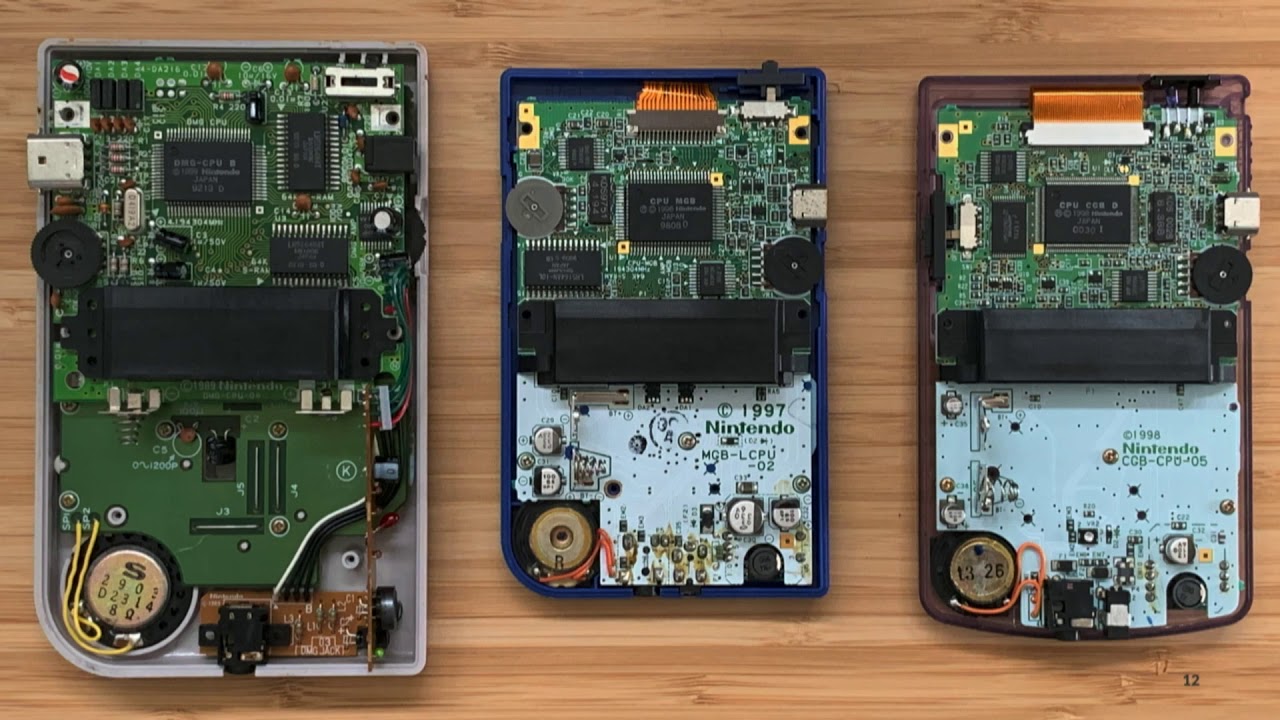
Supercharge Your Hardware (Old and New) with CircuitPython Talk by Scott Shawcroft CircuitPython makes programming hardware easier than ever by bringing the ...
basically queue up cpu instructions from the cart
onyx hinge
@slender iron wow, great presentation. I know c64 expansion/cartridge port has a way for the inserted device to do DMA and that there have already been 'external CPU" devices, so something similar might be possible. It goes beyond my level of understanding though.
exotic pumice
yeah there was an official cartridge with a z80 inside!
for cp/m
and accelerator carts and all kinds of stuff
it's pretty wild what you can do on the c64 expansion bus
onyx hinge
whee that's the first pcb I've ordered in a looonngg time.
so much for working on bugs tonight
onyx hinge
and .. canceled (wow you can cancel? that's great). I am seeing conflicting information about the C64 user port details and need to find out the truth
exotic pumice
it seems to me that pin C and pin M are RX and TX
in fact it would seem rx is C, B and 7 and TX is M and 5
but remember rx goes to tx and tx goes to rx
lone sandalBOT
 exotic pumice
your board looks fine to me
personally I would connect reset to a gpio but that's just me
exotic pumice
would be fun to combine with a huzzah board and make a modem
manic glacierBOT
 onyx hinge
@exotic pumice Yeah others have def. done "wifi modems" for c64. Where I was stuck was at the ordering page for the connector, which said the C64 was .100 pitch, 22 pin. The other info I had was all saying it was .156in, 24 pin. This was the seller that my friend just happened to dig up while we were talking about it at work: http://store.go4retro.com/pcb-edge-connector/

RETRO Innovations
.. but with doubts about the connector I canceled the PCB order
onyx hinge
I'm not sure the value of reset from feather to C64 as there's no way to force load software like a terminal program from the user port into RAM.
waxen loom
I think I heard on the broadcast yesterday there will be a BLE API docs page like this one for the CPX? https://circuitpython.readthedocs.io/projects/circuitplayground/en/latest/api.html is there any timeline for this? Thank you.
onyx hinge
@waxen loom https://circuitpython.readthedocs.io/en/latest/shared-bindings/bleio/__init__.html is the currently available documentation, which applies to the development branch aka 5.0-alpha.0
you'll also want to read https://circuitpython.readthedocs.io/projects/ble/en/latest/
waxen loom
@onyx hinge I appreciate that much! Thank you.
onyx hinge
@waxen loom you're welcome. I have them bookmarked to read for myself, because I haven't done BLE yet and very much want to learn it soon
exotic pumice
@onyx hinge I believe it's 24pin 0.156. I bought a bag of them off aliexpress https://www.aliexpress.com/item/32329155631.html?spm=a2g0s.9042311.0.0.d98d4c4dCQhmzZ

aliexpress.com
Smarter Shopping, Better Living! Aliexpress.com
onyx hinge
@exotic pumice that is my conclusion as well, I think this particular vendor has mislabeled something. So I ordered from someone else, and will resubmit the pcb order since I think it's right. Say, do you know of an explanation of how "UP9600" works, with respect to C64 user port serial adapters? I have found wiring diagrams for "normal" and "UP9600" but no explanation of what is behind the strange-seeming design.
exotic pumice
The page you linked says the expansion port is 44 0.1" and the user port is 24 0.156" which is correct. The expansion port is the cartrige slot. I've never heard of UP9600.
onyx hinge
@exotic pumice OK I must have just been confused last night.
exotic pumice
it happens
manic glacierBOT
 idle owl
Does anyone have the AMG8833 thermal camera breakout or FeatherWing and feel like testing some code? It appears I do not have one at the moment. I'll pull the code for testing and send it to you so you don't have to sort out how to test PR code if that would make it easier for you.
I apparently gave them away at PyCon, which makes sense, they're fairly fun to work with. And I don't know where my previous ones are. Due to the more fragile nature of them, they're not with the alphabetised breakouts.
tidal kiln
@idle owl i do. i'll try and get to that at some point.
idle owl
@tidal kiln Ok, thank you. Much appreciated.
tidal kiln
is this for the I2C PR, or something else?
idle owl
I2C
I'm going through to finish them up, and of course of the last 6, I don't have one of them. 🤦
Is it me or is there no updated guide for the current DS1307? I'm noticing it has a 5V pin, but not a 3V pin. The only guide is for what appears to be a previous iteration of the board, and it's wired to Arduino and therefore to 5V.
Do I plug the 5V pin into USB on the Feather M4?
solar whale
@waxen loom FYI -- here is a simple script that accepts all of the conttoler inputs from the bluefruitconnect app. I ran it on a CPB but it should wokk on any ble device.
tidal kiln
@idle owl that guide does seem a bit dusty. i think the DS1307 requires 5V though. from product page:
it requires 5V power to work (although we've used it with 5V power and 3.3V logic successfully)
yep
idle owl
Ok
tidal kiln
USB is 5V
idle owl
Been a while since I used it, so I wanted to verify, thank you
waxen loom
@solar whale Thank u. Can the Bluefruit control a servo or do I need a cricket. Would like to build a small bit like yours.
tidal kiln
the guide looks like it still shows the older/discontinued version:
https://www.adafruit.com/product/264
solar whale
You'll need some type of servo controller -- crickit or https://www.adafruit.com/product/2928
A Feather board without ambition is a Feather board without FeatherWings! This is the 8-Channel PWM or Servo FeatherWing, you can add 8 x 12-bit PWM outputs to your Feather board. ...
@waxen loom this is what I started with https://learn.adafruit.com/circuitpython-ble-crickit-rover

Adafruit Learning System
Purple Robot with Feather nRF52840 and Crickit plus NeoPixel underlighting!
 glad sparrow
@slender iron WRT to who is using the audioio.mixer class in 4.x, I’ am. In fact, I’m really looking forward to having the ability to dynamically change volume per “voice” on the fly. The reason this is important is because it will allow changes in loudness based on 6-dof readings. So, imagine swinging an axe or saber, and the volume intensifies as rotational velocity and linear acceleration increase, and then soften as velocity and acceleration decrease. Is there some CP code already in development?
slender iron
😄 thanks for speaking up @glad sparrow
lemme find the pr

GitHub
Fixes #1306. Also possible that this address #1260 & #1305.
Tested with:
WaveFile: 8bit (unsigned) & 16bit (signed)
RawSample: 8 & 16 bit (signed & unsigned)
ItsyB...
manic glacierBOT
I'm going to merge this. @deshipu let me know if you'd like me to follow up with any more changes.
sterile bronze
@tidal kiln The DS1307 is now PID #3296
tidal kiln
yep. but that product pages links to guide which was probably written for the older PID.
manic glacierBOT
@klardotsh Looks like upstream's PR has stalled. Want to update this and we'll merge?
waxen loom
@solar whale 1 x Adafruit CRICKIT FeatherWing
for any Feather
ADD TO CART
1 x Purple Aluminum Chassis
for TT Motors - 2WD
ADD TO CART
1 x NeoPixel Ring - 24 x 5050 RGB LED
with Integrated Drivers
ADD TO CART
2 x TT Motor All-Metal Gearbox
1:90 Gear Ratio
I assume if i use the Bluefruit instead of the Feather with the above components the example code should work?
exotic pumice
you want the cpx crickit not the feather crickit
idle owl
@tidal kiln Feather not seeing the DS1307 breakout.
Wiring checked, first instinct is to blame the power situation. Should I give up on the Feather and try a Metro? I feel like it should work on the Feather though. And that I'm missing something.
tidal kiln
how about an i2c scan? anything?
tidal kiln
got a 5V board? like an uno?
idle owl
I do not, or at least I don't know where it is if the one I have is that.
Try it on a Metro M4 at least so it has a 5V pin?
🤷
tidal kiln
sure. just as another test. but that should essentially be the same thing.
idle owl
Datasheet apparently says it will work with 3.3v logic. (thank you @pastel panther)
Ok that's weird..... Metro wouldn't show up as long as the DS was plugged into it..... updating Metro and then trying again.
Playing nicer now. But it's still not seeing it. Does it have to have a battery in it to work? I thought the batteries were for holding time, not powering them.
onyx hinge
ooh I got my beta invite for github actions
pastel panther
@idle owl datasheet says vbat has to be 2-3.5v
idle owl
Hokay, so....... If I reset the Metro with the DS plugged in, it won't show up, NeoPixel doesn't light up, and even the tiny status LEDs don't work right. If I unplug it, it starts up fine.
pastel panther
rather it's "recommended"
idle owl
So... maybe I try a different breakout first.
pastel panther
ya
idle owl
Same thing.
Putting a battery in it.
Still does the same thing on reboot, but with the battery in it, it works.
oi.
ok
Pro tip: DS1307 doesn't work without a coin cell in it.
tidal kiln
was wondering about that
pastel panther
The datasheet says if you're not using a battery to ground vbat
idle owl
Thank you @tidal kiln and @pastel panther.
pastel panther
np
tidal kiln
any....time 🙂
slender iron
@onyx hinge working on actions right now
raven canopy
@onyx hinge me too! yay!
idle owl
@tidal kiln I'll go ahead and test the update to the DS3231 you requested changes on.
tidal kiln
did you make changes? it probably won't work otherwise.
idle owl
Scott did.
tidal kiln
bon!
idle owl
I have one sitting here from another project, so I'll test the update and get it out of the way.
onyx hinge
@slender iron I think you'll have it sorted before I have a chance to chip in, I have so many other tasks suggested to me to work on right now
idle owl
@tidal kiln ?
tidal kiln
@idle owl another repo, this:
https://github.com/adafruit/Adafruit_CircuitPython_Register/commits/master
travis broke on release - has something to do with sphinx markup in the readme
idle owl
Oh right.
onyx hinge
@tidal kiln I was just trying to find that
idle owl
Didn't @onyx hinge figure it out?
onyx hinge
so, I think the markup has ALWAYS been wrong according to pypi
tidal kiln
yep
onyx hinge
and we (someone) can add a "twine" command to travis to check it
idle owl
oi... ok
onyx hinge
still never found any notice from pypi explaining whether there was a deliberate change from "OK just show it as plain text" to "reject updates"!
tidal kiln
^^ yah. weird. that's what seems to have happened. but why?
onyx hinge
who knows how many CP repos that is waiting to bite, too
idle owl
Another library overhaul, just what I always wanted.
tidal kiln
thanks @onyx hinge for digging into that BTW
onyx hinge
glad to @tidal kiln
idle owl
@slender iron LIDARLite works. Presumably the simple_test is enough to utilise the function you wanted me to test?
slender iron
I assume so too. I haven't used the lib before
idle owl
Same until now.
@tidal kiln So to verify, you'll take care of AMG8833 when you get a chance? (Making sure before I move on)
tidal kiln
yep. and si4713.
idle owl
Is that still outstanding?
I must have missed that one.
I went based on emails so it could have missed my inbox.
I did miss that one. I should have it, would you like me to do it if I do?
tidal kiln
sure. if you want. you got something to receive the RDS info?
tidal kiln
okiedoke
idle owl
Thanks much.
Let me know when you're done and I'll deal with closing the issue on the CP repo.
Actually, looks like I missed a few. Going through the issue now.
:sigh: @onyx hinge HTTPError: 400 Client Error: The description failed to render for 'text/x-rst'. See https://pypi.org/help/#description-content-type for more information. for url: https://upload.pypi.org/legacy/ On a new repo.
Running Adabot to get all the open PRs and I'll go through it that way because only one referenced on the CP issue doesn't say merged, and that means that it wasn't referenced on all of them because there are at least 2 outstanding now.
Or I don't know how to click on "show hidden items". 🙄
That's better. Ok. I think we're caught up to the last two now.
manic glacierBOT

@tannewt Let me bump that thread, it's possible Damien didn't see a notification/etc. of my questions/clarifications.
If I don't hear back by the weekend (likely the next availability I have to work on this) I'll focus on patching things up here!
idle owl
@onyx hinge Did you deal with PDM in CircuitPython?
PDM mic
Looks like you did. Did you use CPX for everything or did you use the PDM mic breakout?
@onyx hinge Sorry, I should read the PR. You explained. I have a couple of questions/requests when you're around.
onyx hinge
@idle owl go ahead, I'm free right now
idle owl
@onyx hinge How did you wire up the breakout? And do you still have the playground sound meter code you adapted?
onyx hinge
@idle owl hum, I would have to go look at it. I am pretty sure there were 4 connections to the mic breakout: power, gnd, clock, and data
The https://www.adafruit.com/product/3492 this is the mic as you probably figured out

An exotic new microphone has arrived in the Adafruit shop, a PDM MEMS Microphone! PDM is the 'third' kind of microphone you can integrate with electronics, apart from analog or I2S. ...
hold on,
idle owl
Yah that's what I have
I wired it based on pins listed here: https://learn.adafruit.com/adafruit-pdm-microphone-breakout/wiring-test

Adafruit Learning System
From Sound Pressure to Pulse Density Modulation
D6 and D9.
No example code so I don't have an example to use
for CP anyway
onyx hinge
and SEL I left unconnected
idle owl
ok same
onyx hinge
I'm at the office and I can't seem to access the computer which might have the .py file
idle owl
Ok
onyx hinge
for nrf you should be able to select any pins as far as I know
idle owl
I'm using Feather M4.. wondering if your example might not work anyhow
onyx hinge
I'm pretty sure limor pointed me at the demo program
onyx hinge
almost sure it's this one https://learn.adafruit.com/adafruit-circuit-playground-express/playground-sound-meter

Adafruit Learning System
Make faster and easier than ever with MakeCode, code.org CSD, CircuitPython or Arduino!
onyx hinge
I don't think it too much, it went real fast
idle owl
Ok
onyx hinge
and probably I had to specify my neopixel details , I have one of those sticks with 8 LEDs on it
idle owl
I should have one of those too but I think I'm supposed to do plotting, not NeoPixels
so I need to strip it down some.
onyx hinge
oh in Mu?
idle owl
yah
onyx hinge
    magnitude = normalized_rms(samples)
    # You might want to print this to see the values.
    # print(magnitude)
``` I bet delete the rest of the loop and change the print statement to meet mu's requirementsRight on, thank you. I would have started further into the loop I think
onyx hinge
you might try before/after the "log scale" step
idle owl
Found two pins that work
Weirdly the list in the guide I linked isn't right
But board.TX and board.D12 worked for clock and data respectively
onyx hinge
I can tell this code is controlling which pins are permitted, but it's really not obvious https://github.com/adafruit/circuitpython/blob/master/ports/atmel-samd/common-hal/audiobusio/I2SOut.c#L98
GitHub
CircuitPython - a Python implementation for teaching coding with microcontrollers - adafruit/circuitpython
wait that's i2s, not pdm
idle owl
yeah which confused me, because the arduino page is referring to an I2S peripheral
onyx hinge
GitHub
CircuitPython - a Python implementation for teaching coding with microcontrollers - adafruit/circuitpython
idle owl
I feel like I'm getting garbage data though
If I touch it, it gives me data, otherwise it's 0.0
snapping at it or whatever does nothing
onyx hinge
if you touch it? that seems very weird to me as well
onyx hinge
if you are using the sound meter, try to make sure it's close to quiet in the room when you start the code
onyx hinge
it tries to guess the ambient noise level and then ignore it
idle owl
to quiet when I reset it
onyx hinge
can I get back to you in about 15 minutes? I will actually go home and be at my own set-up (which again is nRF, not samd)
onyx hinge
meanwhile I'm trying to get mine plotting on mu and showing on LEDs..
my program
so this does graph in mu for me while also showing the bar graph, but the scaling of the graph is not great
plotting "c" instead of "magnitude" seems better, because even very loud noises don't change the autoscaling so much that smaller noises can't be seen anymore.
now let me pull down your code..
idle owl
How is that even working for you, you're using the 2.x setup line?
onyx hinge
I ... don't know?
idle owl
Weird
onyx hinge
I think I changed the line and didn't change the comments
idle owl
Ah
onyx hinge
it does use sample_rate as described for 3.x...
onyx hinge
OK, I so I took yours and I ONLY changed the pin assignments and it does work on my nrf board
onyx hinge
yes I get data that changes a little bit all the time, and if I talk loudly it gets more, and if I clap it gets a LOT more
onyx hinge
    print((magnitude,))
``` I also made this change so that it plots in muno, that can't be it either, because input_floor is computed but never used
it is used by log_scale, which is removed in your version
or, sent in to log_scale
idle owl
oh
onyx hinge
I am sure you did it already but do you want to double check your connections?
onyx hinge
                       sample_rate=16000, bit_depth=16)
``` well it's what *I* have written hereclass audiobusio.PDMIn(clock_pin, data_pin, *, sample_rate=16000, bit_depth=8, mono=True, oversample=64, startup_delay=0.11)
onyx hinge
oookayy any difference?
idle owl
I guess I'm getting slightly more reasonable data?
onyx hinge
something else to be aware of, I often find that "short" sounds just get missed, I guess because it records sound, then does math on the sound, then prints the value, and then records sound again
idle owl
Oh. Good call
onyx hinge
so if you can just sing or hum it's actually better than clapping, once you think it's registering noise at all
idle owl
Ok I'll try that in a second
onyx hinge
Is there a way to pause the mu graph ? I guess I can just ctrl-C my code to stop it
idle owl
Yah
manic glacierBOT
 onyx hinge
here's me going "aaaaa" at various distances from the mic and also various volumes
printing "magnitude"
onyx hinge
you're welcome
idle owl
Good info for the guide as well, the short sounds thing.
onyx hinge
you are on an M4 board, correct?
onyx hinge
OK
seems like the guide, or the docs, need to make a list of board.Dxxx which can be used for CLK and DATA on M0/M4 as well
It may be related to which pins can be used on SPI, I was getting an impression from the source code, but not sure
idle owl
I have a program I can adapt to spit out the allowed pin combos
If I didn't already write one for this.
onyx hinge
oh cool -- how does that work? Just try all the possibilities?
idle owl
Yep, try to instantiate all of them, and then split out a list of valid combos
I wrote it for SPI, UART and I2C I believe
accounts for duplicates and the weird pins in pins.c
like NEOPIXEL and so on
onyx hinge
that is a good double check for developers too
if it's not uploaded somewhere, it should be
idle owl
They're all posted in the CircuitPython Essentials guide.
onyx hinge
cool, there is so much documentation I haven't even found yet
onyx hinge
@idle owl any other questions on your mind before I head off again?
idle owl
@onyx hinge I don't think so. Thank you so much for taking the time. I really appreciate it. I would have been blocked on this for ages. I should start prepping for dinner anyway.
 subtle sun
@tulip sleet Is it possible to switch dynamically between being a Central and a Peripheral when using bleio?
I am working on a game between two boards and I want to allow a board to either host or join a game.
onyx hinge
@idle owl indeed, I am headed to my mom's for family dinner. If I don't get there early, she'll do everything
idle owl
@onyx hinge Have a wonderful evening! Thanks again!
onyx hinge
see you! I am so happy I could get you on track.
idle owl
@onyx hinge This is the only valid pin combination.
code.py output:
Clock pin: microcontroller.pin.D1 Data pin: microcontroller.pin.D12```That's it 😄
Ok I'm off for a bit!
tulip sleet
@subtle sun you should be able to have both running at the same time, though I have not tried that. There's no inherent limitation
manic glacierBOT

 vapid marsh
hello everyone, just joined the server, going to be trying out some stuff with a neopixel strip and feather. Never coded python before!
manic glacierBOT
@dhalbert please take another look. Had to turn off bitbangio for itsy bitsy.
onyx hinge
@tulip sleet I am unable to determine why audio_dma_pending needed to be volatile. Do you happen to remember? ```// This cannot be in audio_dma_state because it's volatile.
static volatile bool audio_dma_pending[AUDIO_DMA_CHANNEL_COUNT];
It appears to be modified only in audio_dma_reset and audio_dma_background. is audio_dma_background actually reached from an interrupt or similar?
manic glacierBOT
Too bad about bitbangio. In the long run we need to find some more space somewhere, like LZW message compression, or ... Worth discussing, later, but let's get an alpha out.
onyx hinge
@idle owl thanks, the D1/D12 info came in handy just now! trying to get a few minutes of work in on https://github.com/adafruit/circuitpython/issues/2058
GitHub
While investigating #1908, I observed the following: Next, I started tracking how dma_channel_enabled tracked with calls to dma_{en,dis}able_channel. I found that, contrary to what the code in find...
tulip sleet
@onyx hinge I think because of this:
        // audio_dma_load_next_block() can call Python code, which can call audio_dma_background()
        // recursively at the next background processing time. So disallow recursive calls to here.
        audio_dma_pending[i] = true;
        audio_dma_load_next_block(dma);
        audio_dma_pending[i] = false;
audio_dma_pending[i] is checked at the top of that routine, to avoid the recursive calls. Sometimes background tasks are called recursively during background tasks
onyx hinge
@tulip sleet hm okay, I will try to wrap my head around that -- it doesn't seem like a place it would have occurred to me to specify 'volatile'.
>>> s = audioio.RawSample('\0' * 8)
>>> a.play(s)
allocate channel 0
>>> a.deinit()
>>> a.play(s)
Traceback (most recent call last):
  File "<stdin>", line 1, in <module>
ValueError: Object has been deinitialized and can no longer be used. Create a new object.
>>> a = audioio.AudioOut(board.A0)
>>> s = audioio.RawSample('\0' * 8)
>>> a.play(s)
allocate channel 1
``` also, this is not good (debug statement is reporting DMA channel allocation; deinit failed to force the deallocation of the existing channel. So my added channel allocation tracking is ... incomplete.)but that's all I've got the steam for tonight. see you all later
tulip sleet
if the compiler deferred writing to memory, then the check at the top of the routine would have a stale value. np, ttyl
idle owl
@onyx hinge Excellent!
slender iron
background shouldn't be
manic glacierBOT
Here is a normal test build: https://github.com/tannewt/circuitpython/runs/205207009
It failed on S3 upload because my repo doesn't have the secret set.
The release uploads are working but got rate limited: https://github.com/tannewt/circuitpython/runs/205075094 Theoretically we can squeeze under the 1,000 request limit of the repo token with a single release but we may need to use a separate token if not.
raven canopy
^^ 👀 ^^
slender iron
https://github.com/adafruit/circuitpython/pull/2088/checks?check_run_id=205212199 and artifacts from a PR

GitHub
Here is a normal test build: https://github.com/tannewt/circuitpython/runs/205207009
It failed on S3 upload because my repo doesn't have the secret set.
The release uploads are working but ...
raven canopy
yep. i've been watching it, as i read through the actions help pages. answered a few of my own questions so far. 😄
manic glacierBOT
Looks like an excellent jump-off to me!
Its been hard to concentrate on a review, without my mind wandering off into "what if..." scenarios. Thanks for this. 👏
I have a couple thoughts, but I don't think they warrant holding this up:
- Break the workflow and actions into separate files. Scrolling down through 72 builds is cumbersome. And while all of the builds are technically ARM, grouping them by chipset (like the ports directory does), might be more intuitive. It wouldn't necessarily require duplicated code all over the place, if I'm reading the docs correction. The meat of the build can be placed into a
.github/actions/build_board.yml, and ...
lone sandalBOT
subtle sun
@tulip sleet Great, I will give it a try.
Thanks!
lone sandalBOT
Adding talks from different events.
@tannewt PR Generated - Adding talks sections #12
tulip sleet
@slender iron FYI I had a brainstorm about the bleio API for Service, Characteristic, and Descriptor to make them simpler and harder to misuse or have objects in a bad state, and am working on a PR for that. Not sure if you are thinking about an alpha for today or not.
manic glacierBOT
This looks good to me but I have no comments about the details.
In terms of rate limiting, can we avoid triggering it by doing our own rate limiting by delaying between requests?
prime flower
@solar whale good morning! do you remember what you wanted to move/archive within the ESPATControl guide to here (https://learn.adafruit.com/adding-a-wifi-co-processor-to-circuitpython-esp8266-esp32/firmware-files#esp32-only-spi-firmware-3-8)?
solar whale
@prime flower -- I'll have to think about it but my initial reaction is to take it all out and if we want to support anything with the AT control, it should only be for the particle Argon.
prime flower
@solar whale ok let me know what you decide
solar whale
@prime flower OK --I'll try to look at it later today and do some testing on an Argon -- it's been a long time since I tried anything new ( I have some old code that has been running for many months on an Argon) I will verify that it is not broken as is then review what capabilities it lacks. Do you want to have an "argon-AT" section in this guide? Or should it be a separate guide? I think we should discourage anyone from using the ESP8266-AT firmware.
prime flower
@solar whale Considering there's a section for ESP32/ESP8266, it'd be ok to add an "Particle Argon"section to the guide. Let's keep it organized by board.
thanks for doing this, I came across an older TODO and want to clear it. it'll help keep the circuitpython iot ecosystem up-to-date 🙂
solar whale
Do you still want to support esp8266-AT or ESP32-AT other than Argon? Why?
prime flower
@solar whale I'd prefer to only support ESP32 via ESP32SPI, and AT only with argon. Do you agree?
solar whale
yes
prime flower
Ok. I'll make a note to self to ask ladyada if she wants to support ESP8266-AT. I don't support ATControl in MiniMQTT/Requests, but could if we're going to continue supporting it.
Ideally we'd support NetworkManager-style objects like WiFiManager.
solar whale
OK -- I have to get up to speed on the MinitMQTT -- It will be interesting to see just how far we can get the ARGON-AT to work
prime flower
I want to do networkmanagers for Ethernet/LoRa/Cellular/etc...
MiniMQTT should handle multiple network managers with a bit of editing
solar whale
Great - the Argon is a nice package so it would be fun to keep supporting it as long as it does not become too much of a burden on the other libraries. The main thing will be to clearly identify its limitations. Thanks for the prompt to get back to looking at it.
prime flower
@solar whale the main limitation would be the lack of space for larger libs like CircuitPython_RSA
(wont be able to connect to a few IoT services as-is)
slender iron
@tulip sleet not sure I have the brain for doing a release today. was up too late last night. 🙂
should definitely do it by the end of the week
tulip sleet
@slender iron sounds good to me 🙂 i would like to get this working
tulip sleet
i could do the release on friday if you're away
slender iron
kk, the github ci stuff should work
tulip sleet
@slender iron and anyone else: API style question:
I used to do:
# style A
char = Characteristic(<Characteristic creation args>)
serv = Service(characteristics=(char,...), <other Service creation args>)
periph = Peripheral(services=(serv,...), <other Peripheral creation args>)
But there actually shouldn't be unattached Characteristics or Services. They should always be created and immediately attached to a parent Service or Peripheral. Also they shouldn't be attached twice. I had to validate these kinds of things internally. I changed this today to:
# style B
periph = Peripheral(<other Peripheral creation args>)
serv = periph.add_service(<other Service creation args)
serv.add_characteristic(<other Characteristic creation args>)
So these are sort of factory methods that create the object and immediately add it. There are no longer visible constructors for Service or Characteristic, and you can't create an unattached one. But you no longer see the class name explicitly (well, it's just lower case). Note this is instead of, say:
# style C
serv = periph.add_service(Service(<other Service creation args))
where you have an unattached service for a brief time. This is actually quite common in other BLE APIs.
Alternatively the API could be:
#style D
periph = Peripheral(<other Peripheral creation args>)
serv = Service.add_to_peripheral(periph, <other Service creation args>)
char = Characteristic.add_to_service(serv, <other Characteristic creation args>)
I think I am just bothered that the names in style B are not add_Service, etc. But that's just kind of a PEP 8 limitation. The second example is cleanest, I think. Maybe I have answered my own question.
slender iron
@tulip sleet I think style B is fine. can you then get them all through .services and .characteristics properties too?
tulip sleet
yes, there's always available. I agree, it's probably the safest and the most straightforward. One thing that came up is that any subclasses of, say, Service, which might take different args, can't be added easily, because Peripheral knows the args to Service. But I got around that with something like style D for the subclass, so there's a ServiceSubclass.add_to_peripheral(periph, <ServiceSubclass creation args>). And in fact it's not really a subclass, just a convenience wrapper.
this is all in bleio anyway, so the average user doesn't see it
and the change from A to B did make the C code a lot more straightforward in various ways: no deferring of necesssary operations until a secret time later
manic glacierBOT

@nickzoic I just did this with a freshly flashed board and modified my code to explicitly check for
if the eth is plugged in before checking DHCP.
import board
import busio
import wiznet
import socket
import time
spi = busio.SPI(clock=board.SCK, MOSI=board.MOSI, MISO=board.MISO)
eth = wiznet.WIZNET5K(spi, board.D10)

while not eth.connected:
    print("plug me in!")
    time.sleep(1)

while eth.ifconfig()[0] == '0.0.0.0':
    time.sleep(1)

host = 'google.com'
port =...I still like the idea of it being more declarative
where the peripheral subclass has class level attributes for each service
tulip sleet
@slender iron not sure what you mean, because i wanted a service subclass (e.g. a common predefined service that might be used in several places, like say BatteryService)
it's a wrapper for creating a service with certain characteristics
because a Peripheral can add more than one service
slender iron
right, I imagine that would happen by making a class for it and having attributes on it
tulip sleet
right, at the user level, in python, this is just the lower level. Like , UARTServer, and CurrentTimeClent have attributes that are natural to use
slender iron
GitHub
Easier to use helper classes on top of the current low level BLE library are required for the following: Peripheral Mode Core Classes GAP: Advertising GATT: Characteristic Wrapper GATT: Service Wra...
tulip sleet
i'll re-read for inspiration, tnx - afk for an hour or two
slender iron
kk, np

 subtle sun
@tulip sleet Regarding Style B, how do you propose the API for removing a service /characteristic would look like?
Something like this?
serv.remove_characteristic(characteristic_uuid)
tulip sleet
@subtle sun Service.add_characteristic() returns the created characteristic, so you could just pass that back in. However, there is no removal API in the underlying Nordic softdevice, so I can't provide one in Python.
tidal kiln
@idle owl we are 100% purple:
https://github.com/adafruit/circuitpython/issues/2082
subtle sun
@tulip sleet Is there a way of restarting the whole ble stack?
Might be worth holding on to the object tree of the services so you can allow dynamic removal
tulip sleet
bleio.Adapter.enabled = False disables the softdevice, but it also cycles the USB hardware. I think dynamic removal is rare, and would rather not add it if not necessary. You can always shut down a peripheral and create a new one
We are trying to cover the most common functionality.
subtle sun
👍
prime flower
I added some categories to the Drivers/Helpers list within the bundle, feedback appreciated: https://github.com/adafruit/Adafruit_CircuitPython_Bundle/pull/189
GitHub
This is an initial pass at organizing the helper library list within drivers.rst into specific helper library categories.
Suggestions and improvements are appreciated.
idle owl
@tidal kiln Beautiful! Thank you.
@slender iron Do you want issue 2082 (stop= kwarg) left open until the CP PR is merged or should I close it now that all the libs are done?
slender iron
it should be open until we actually remove it
manic glacierBOT

All library PRs have been merged. Changes were tested with LIDARLite to verify changes work successfully.

Hi,
I am running latest adafruit-circuitpython-arduino_mkrzero-en_US-4.1.0.uf2
on the arduino MKR Zero and i can't seem to use the network core module.
I want to configure the MKR Zero Ethernet Shield.
Any ideas? Compiling circuit python on my own didn't solve it.
Code done running. Waiting for reload.
soft reboot

Auto-reload is on. Simply save files over USB to run them or enter REPL to disable.
main.py output:
Traceback (most recent call last):
File "main.py", line 2, i...hiya it will not fit on the small board, you need to use M4 for WiFi or ethernet
manic glacierBOT
The latest documentation for the socket module lists the getaddrinfo (https://circuitpython.readthedocs.io/en/latest/shared-bindings/socket/__init__.html#socket.getaddrinfo) method, but it doesn't seem to appear as a property of a socket object:
Adafruit CircuitPython 4.1.0 on 2019-08-02; Adafruit Feather M4 Express with samd51j19
>>> import socket
>>> sock = socket.socket()
>>> sock.
accept          bind            close           connect
listen recv recv_i...It DOES appear if you call the socket module itself, instead of the sock object.
>>> socket.
AF_INET         AF_INET6        SOCK_DGRAM      SOCK_RAW
SOCK_STREAM     getaddrinfo     socket
Should it be placed within the socket_locals_dict_table (https://github.com/adafruit/circuitpython/blob/master/shared-bindings/socket/__init__.c#L471) instead of the socket_globals_table (https://github.com/adafruit/circuitpython/blob/master/shared-bindings/socket/__init__.c#L573)?
Previously, we depended on allocated channels to always be "dma_channel_enabled". However, (A) sometimes, many operations would take place between find_free_audio_dma_channel and audio_dma_enable_channel, and (B) some debugging I did led me to believe that "dma_channel_enabled" would become false when the hardware ended a scheduled DMA transaction, but while a CP object would still think it owned the DMA channel.
((B) is not documented in the datasheet and I am not 100% convinced that my ...
I almost brought this up, but from the point of "do we want to allow builds on direct pushes". But, as it stands now Travis would build on any direct pushes. Only certain individuals can direct push anyway.
Looking back through the Travis build request history, it seems very rare that direct pushes are made (even on non-master branches). So this doesn't seem like an issue on that front. PRs and releases should still build just fine.
However, it did come to mind that this might keep cont...
prime flower
talkin' to sites w/ ethernet, ethernetmanager in the works 🙂
slender iron
anyone know where the modem manager removal info is?
exotic pumice
systemctl disable ModemManager?
 sudden coral
disable only prevents it from autostarting if it was set to autostart directly. To handle the transient dependency case you have to systemctl mask it which sometimes comes with other cans of worms. When ModemManager was breaking DFU flashes in QMK keyboard land (AVR controllers) the recommended fix was to uninstall it, or USB passthrough to a virtual machine without ModemManager 🙃 jolly fun
raven canopy
i thought it was a purge. sudo apt-get purge modemmanager http://bookofzeus.com/harden-ubuntu/disable-services/disable-modemmanager/
though, i guess its OS/package manager dependent...
exotic pumice
yup
raven canopy
systemd route should be pretty universal on linux these days.
slender iron
I thought it was in a readme somewhere. gotta point someone in #help-with-circuitpython to it
sudden coral
It handles all but Gentoo, Void, and.... fringe stuff. And those folks 99% of the time aren't using ModemManager anyway 🙂
exotic pumice
even a lot of gentoo users are using systemd these days
tidal kiln
raven canopy
exotic pumice
jinx!
raven canopy
cater always wins... 😦
tidal kiln
there's also some udev stuff:
https://learn.adafruit.com/adafruit-arduino-ide-setup/linux-setup#udev-rules-6-4
raven canopy
gotta run.
slender iron
thanks!
manic glacierBOT
 gilded cradle
I figured out if you want to run the Pimoroni Fan Shim with a PiTFT, this product makes it so you can use both: https://www.adafruit.com/product/2223

Connect your own PCB to a Raspberry Pi B+ and stack on top with this normal-height female header with extra long pins. The female header part is about 8.5mm tall, good for small HATs ...
onyx hinge
tonight's activities: worked on the samd dma channel allocation bug, and did a little tron inspired skin on the countdown clock
I think the dma tracking is done, but I need to actually do the acceptance tests I made up before moving the PR out of draft status
raven canopy
"sometimes, the only way to win the game, is to not play." (i think i butchered that line...)
manic glacierBOT
Service, Characteristic, and Descriptor now are created via a factory classmethod, which takes their parent object:
service = Service.add_to_peripheral(peripheral, uuid, ...)
characteristic = Characteristic.add_to_service(service, uuid, ...)
descriptor = Descriptor.add_to_characteristic(service, uuid, ...)
So there can be no unattached attributes, and they can't be reused by accident.
The C code is cleaner and needs less error checking.
@tannewt I changed from Style ...
manic glacierBOT
Ah, I guess we could remove the branch restriction here. That is what Travis does.
I have a couple thoughts, but I don't think they warrant holding this up:
* Break the workflow and actions into separate files. Scrolling down through 72 builds is cumbersome. And while all of the builds are technically ARM, grouping them by chipset (like the ports directory does), might be more intuitive. It wouldn't necessarily require duplicated code all over the place, if I'm reading the docs correctly. The meat of the build can be placed into a `.github/actions/build_board.y...
Looks like an excellent jump-off to me!
Its been hard to concentrate on a review, without my mind wandering off into "what if..." scenarios. Thanks for this. 👏
manic glacierBOT
Looks good to me so far.
manic glacierBOT

Thank you for these revisions. It's definitely valuable to ensure that everything is attached as expected.
It's still not clear to me:
- How dynamic are the links between Peripheral, Service, Characteristic and Descriptor?
- Is it possible for a service to exist on a peripheral more than once?
- Can we load knowledge of a service like DeviceInformationService separately from us producing it so that we can use it when we discover a device that has it?
I still feel a declarative app...
mp_raise_ValueError_varg(translate("max_length must be 0-%d when fixed_length is %s"),
mp_raise_OSError_msg_varg(translate("Failed to add descriptor, err 0x%04x"), err_code);
I don't like switching to a factory pattern for this because it divorces the documented service from it's implementation. The device information service example is a perfect example of this. It's documented as a specific service but returns the generic implementation bits.
I think it'd be simpler and clearer to simply add parent_service to the constructor. I'd add parent to the name to make it clear what the relationship is. This can apply to Service, Characteristic and Descriptor as well.
manic glacierBOT
onyx hinge
@raven canopy wrong classic nerd movie (that line's from wargames, I think!)
 graceful heart
@onyx hinge yup! "The only winning move is not to play"
raven canopy
Like I said, I butchered the quote. https://youtu.be/75pUqLWC23o

only way to win is not to play - tron 2010
onyx hinge
@raven canopy huh I did watch the new tron movie at some point, but missed that they paraphrased the line from Wargames.
Does that mean that Tron is set in the universe where the movie Wargames played in theatres, or that Tron and Wargames are in the same universe, the phrase becoming popular after the events of Wargames became public...?
raven canopy
Haha. I don't think the universes are aligned. Flynn would likely have been in the system when Wargames was released.
 umbral dagger
@slender iron I have a question about Display.refresh() when you're online and have a moment.
manic glacierBOT
 solar whale
@prime flower are you planning to get rid of tis guide https://learn.adafruit.com/adding-a-wifi-co-processor-to-circuitpython-esp8266-esp32/firmware-files#esp32-only-spi-firmware-3-8)? and just add the argon portions to another guide? like this one https://learn.adafruit.com/adafruit-pyportal/updating-esp32-firmware ?
umbral dagger
@onyx hinge It means that the Tron writers were lazy 🙂
prime flower
@solar whale I'm trying to figure out how to properly consolidate the two
I feel the ESPTool vs MiniESPTool passhthru should be discussed somewhere
solar whale
agreed -- and miniesptool is the only way to program the Argon anyway.
I think a new guide for configuring/updating ESP32SPI (with a special chapter for Argon-AT) would be good -- Then all of the board guides can point to it - it can cover using Passthrough, ESPTool and miniesptool. For most of the new Airlift/Pyportal boards since ESP32SPI is installed, it would just be for upgrades. Do you also want to support guiding someone starting with an ESP32 Huzzah or other board that does not have ESP32SPI on it yet?
I'm assuming this guide is only for programming/updating the ESP32 -- not for using the various libraries that are now available.
solar whale
@prime flower hmmm -- looks ike the ATControl lib has not kept up with other changes -- I tried runnin the adafruit_io_esp_at.py example on an Argon but I get ```
Press any key to enter the REPL. Use CTRL-D to reload.
Adafruit CircuitPython 5.0.0-alpha.0-287-g7cbae3d20 on 2019-08-28; Particle Argon with nRF52840
import aio
Traceback (most recent call last):
File "<stdin>", line 1, in <module>
File "aio.py", line 71, in <module>
File "aio.py", line 68, in <module>
File "adafruit_io/adafruit_io.py", line 600, in get_feed
File "adafruit_io/adafruit_io.py", line 501, in _get
File "adafruit_espatcontrol/adafruit_espatcontrol_wifimanager.py", line 101, in get
File "adafruit_espatcontrol/adafruit_espatcontrol_requests.py", line 173, in get
File "adafruit_espatcontrol/adafruit_espatcontrol_requests.py", line 159, in request
File "adafruit_espatcontrol/adafruit_espatcontrol_requests.py", line 115, in request
File "adafruit_espatcontrol/adafruit_espatcontrol_socket.py", line 45, in write
File "adafruit_espatcontrol/adafruit_espatcontrol.py", line 216, in socket_send
ValueError: string not supported; use bytes or bytearray
I'll dig into it, just wanted to give you a heads up...
prime flower
Oh, interesting.
@solar whale atcontrol_requests should be switched to the CircuitPython Requests module (https://github.com/adafruit/Adafruit_CircuitPython_Requests/)
solar whale
ahh -- good -- thanks -- I'll try that
prime flower
@solar whale from glancing at the code for atcontrol_requests, it uses the same set_interface method as requests, it should be plug/play
I think the co-processor guilde would need to be updated, dont if we need a second guide but updating wifinina shouldnt only be in the pyportal guide since we have wings/shields/other boards now.
solar whale
agreed --- I was just thinking there should be a guide for configuring/updating ESP32s with wifiina and ESP_AT for Argon. Could just be a rework of the existing co-processor guide. Definitely don't need two guides.
slender iron
@umbral dagger on now!
umbral dagger
@slender iron Do you have a few minutes?
slender iron
yup!
umbral dagger
ok. I have auto_refresh turned off and am using refresh()
I have alook that changes the sprites in a tilegrid as well as changing the x,y of the tilegrid.
the tilegrid moves as expected, but the tile contents don't change.
    for _ in range(24):
        advance_animation()
        slide_tiles()
        display.refresh()
    shift_tiles()
    add_toaster()
display.refresh()```In the for, the tilegrid moves, but the contents don't change with that refresh call.
They DO change on the outer call to refresh
slender iron
can you post the full code somewhere?
umbral dagger
I'll throw it into a repo...
umbral dagger
@slender iron https://github.com/dastels/CircuitPython_Flying_Toasters

GitHub
Contribute to dastels/CircuitPython_Flying_Toasters development by creating an account on GitHub.
slender iron
@umbral dagger can you print out when the tile index is switched in advance_animation
I don't think its a refresh issue since the whole thing is moving
I'll go get the hallowing m4 going and try this on it too
solar whale
@prime flower making progress updating the ATControl to use requests -- looks like a few more tweaks needed -- I have to go AFK for a few hours will get back to it later -- also, I like the changes to socket.send - thanks -- will review later today if someone else has not don it first.
prime flower
@solar whale thanks on both counts, no rush on at 🙂
umbral dagger
@slender iron ```Inner refresh
changing tile
changing tile
changing tile
changing tile
changing tile
changing tile
changing tile
sliding tiles
Inner refresh
changing tile
changing tile
changing tile
changing tile
changing tile
changing tile
changing tile
sliding tiles
Inner refresh
changing tile
changing tile
changing tile
changing tile
changing tile
changing tile
changing tile
sliding tiles
Inner refresh
changing tile
changing tile
changing tile
changing tile
changing tile
changing tile
changing tile
sliding tiles
Inner refresh
changing tile
changing tile
changing tile
changing tile
changing tile
changing tile
changing tile
sliding tiles
Inner refresh
Shifting tiles
Outer refresh
hrm, weird
umbral dagger
yup
I've gone deeper with the prints and it has the right values I I can see them changing as expected.
The change in x,y is reflected on the screen, but not the change in sprite
But the sprite does change on screen with the outer refresh
slender iron
ya, that is really weird
because if the sprite shifts then it's fetching the pixels again
umbral dagger
Is there some way to say "just redraw everything" ?
I.e. invalidating the entire Display
manic glacierBOT
(I would do this myself but the branch is protected.)
slender iron
@umbral dagger try setting target_frames_per_second for the refreshes
it's possible it's skipping the animation frames because it's behind the 60 fps default
print out the return value of refresh
umbral dagger
Inner refresh: True
Inner refresh: False
Inner refresh: True
Inner refresh: False
Inner refresh: True
Inner refresh: False
Inner refresh: True
Inner refresh: False
Inner refresh: True
Inner refresh: False
Inner refresh: True
Inner refresh: False
Inner refresh: True
Inner refresh: False
Inner refresh: True
Inner refresh: False
Inner refresh: True
Inner refresh: False
Inner refresh: True
Inner refresh: False
Inner refresh: True
Inner refresh: False
Inner refresh: True
Outer refresh: False

Inner refresh: True
Inner refresh: False
Inner refresh: True
Inner refresh: False
Inner refresh: True
Inner refresh: False
Inner refresh: True
Inner refresh: False
Inner refresh: True
Inner refresh: False
Inner refresh: True
Inner refresh: False
Inner refresh: True
Inner refresh: False
Inner refresh: True
Inner refresh: False
Inner refresh: True
Inner refresh: False
Inner refresh: True
Inner refresh: False
Inner refresh: True
Inner refresh: False
Inner refresh: True
Inner refresh: False
Outer refresh: True
Every second refresh isn't upfdating the display... and since there are currently only 2 sprites in the animation loop... the screen updates keep hitting the same one.
umbral dagger
same thiung
idle owl
@slender iron audiobusio is a module, PDMIn is a library? In terms of terminology?
slender iron
PDMIn is a class
idle owl
Ok thank you
slender iron
np
umbral dagger
@slender iron As I drop the framerate it gets slower due to the waits, but thge onscreen behaviour remains unchanged
idle owl
The documentation has it listed under the heading "Libraries" FYI
And refers to them as such in text.
umbral dagger
@slender iron I've taken the target down to 5fps
idle owl
That's what confused me.
slender iron
@umbral dagger weird. does the refresh return still alternate?
@idle owl which docs?
umbral dagger
Yes
manic glacierBOT
Will merge 4.1.x into master after this is merged.
Documentation refers to classes as libraries here: https://circuitpython.readthedocs.io/en/latest/shared-bindings/audiobusio/__init__.html
Likely worth verifying this is not also the case elsewhere.
idle owl
Issue filed. Labeled documentation, milestone long-term.
slender iron
👍
umbral dagger
@slender iron Setting auturefresh to True (and fps back to 60) fixes it.
slender iron
fps won't make a difference with auto_refresh on
you don't need to call refresh then either
umbral dagger
Actually I do or else the scrteen update is erratic
Even so There's now a pause on that outer refresh
manic glacierBOT
I did try this, but it then creates anonymous constructors that don't actually need to be assigned to anything. Here's an example. char1 has a fixed-value Descriptor which doesn't need to be referenced once it's created:
peripheral = Peripheral()
service = Service(peripheral, service_uuid)
char1 = Characteristic(service, char1_uuid, ...)
Descriptor(char1, desc1_uuid, ..., initial_value=xxx)
So there we have a constructor with no assignment to anything, because we don't need...
umbral dagger
@slender iron OK, fixed that delay by putting the inner refresh at the top of the loop. There was two refreshes called back to back at the end of the loop so the second one waiting
Now I'm getting the desired behaviour
slender iron
👍
do you actually want the outer refresh? won't that cause the animation to skip a frame?
idle owl
@tulip sleet Time for a quick look at a piece of code? I want to make sure I can't get it any simpler than this. I think I stripped out as much as I could, but you worked with the original, so you might know better than me if I left something in.
tulip sleet
sure
slender iron
@umbral dagger try using a bunch of tilegrids instead of one
tulip sleet
@idle owl
    samples_sum = sum(
        float(sample - minbuf) * (sample - minbuf)
        for sample in values
    )
two things: could calculate sample-minibuf just once in a temp var, and why is there a float() on one of them?
idle owl
I have no idea. I stripped down the CPX Sound Meter code, I don't really know how it works on the inside.
slender iron
@umbral dagger by using one big tilegrid you are refreshing the entire screen each frame. use a bunch of small ones and you'll only refresh where they are
idle owl
@tulip sleet I also notice in the CPX Sound Plotter guide, the mic is initialised before the main loop, is that necessary? I no longer have that in the code I sent you.
tulip sleet
oh , I remember, because the samples are ints so I want do do float arithmetic instead of integer arithmetic. I can force that by just converting one of the operatands to float
i forgot the samples are ints
slender iron
@umbral dagger the real refresh takes over a second: ```
inner 0.0 False
inner 1.153 True
inner 0.0 False
inner 1.153 True
inner 0.0 False
inner 1.153 True
inner 0.0 False
inner 1.15299 True
inner 0.0 False
inner 1.153 True
inner 0.0 False
outer True
inner 0.0 False
inner 1.153 True
inner 0.0 False
inner 1.153 True
inner 0.0 False
inner 1.153 True
inner 0.0 False
inner 1.153 True
inner 0.0 False
(Admission: I totally forgot to check the CPX sound plotter guide to use that code, so I manually stripped out all the neopixel related code from the sound meter to get this code when I could have gotten it from that guide. 🤷 )
@tulip sleet I'm only partially following what you're suggesting.
slender iron
        t = time.monotonic()
        result = display.refresh(target_frames_per_second=1)

        print("  inner {} {}".format(time.monotonic() - t, result))
(sample - minbuf) is arithmetic on two integers so it will stay an integer. Multiplying two integers and then adding a bunch of them up will either overflow small integers or become a long int, which is expensive. So I convert one of the integers to a float, and that forces all the results to be floats in that expression, so I end up with a floating point result @idle owl
idle owl
Ah hmm ok
tulip sleet
so like (65535 - 0) * (65535 -0) is a large number, and then that added up many times might overflow a small int
actually it's already too big even just 65535 * 65535 just once
idle owl
Fair enough.
manic glacierBOT
Do we want this on 4.x or just 5.x because it has the touch support for the samd51?
tulip sleet
so anyway the code looks fine @idle owl ; i'm critiquing my own code
slender iron
@tulip sleet want to chat ble api?
tulip sleet
yah, in a couple mins, will ping you
slender iron
kk
manic glacierBOT
whichever ya want is fine, one can 'hand read' the touch pads if they need in 4.x

Hello, this change send to have broken some stuff. More info here https://github.com/adafruit/Adafruit_CircuitPython_VL6180X/issues/7
manic glacierBOT
river quest
Device Simulator Express, a Microsoft Garage project. Make without limit! Device Simulator Express, a Microsoft Garage project, allows you to code in CircuitPython for your awesome Circuit Playground Express (CPX) projects! Test and debug your code on the device simulator and see the same result when you plug in your actual microcontroller. Curious about the output of the device, the serial monitor allows you to observe the device output:
https://aka.ms/DSX_GarageBlog
https://aka.ms/GetDSX

Microsoft Garage
This summer 16 groups of Garage interns tackled interesting engineering challenges ranging from making apps more accessible to VR solutions for cybersecurity. One of them was sponsored by the Python Tools for AI team and electronics paragon Adafruit to and set out to make pro...
manic glacierBOT
ok, @ladyada. added the aliases
Do you think this is related to #2005 as well?
@dhalbert hmm if so I'm not casting my net far enough. I am only looking at audio dma but in that issue display dma may be implicated too...
solar whale
@prime flower woohoo! got ATcontrol working with adafruit_circuitpython_requests ... ```
Press any key to enter the REPL. Use CTRL-D to reload.
Adafruit CircuitPython 5.0.0-alpha.0-287-g7cbae3d20 on 2019-08-28; Particle Argon with nRF52840
import aio
Connected to None
My IP Address: 10.0.0.25
Sending 45 to temperature feed...
Data sent!
Retrieving data from temperature feed...
Data from temperature feed: 45
@solar whale I just got some parts of ethernet working with requests lol, perfect timing. Congrats! 🎆
@solar whale Q, how did you handle _the_interface in requests? Are you passing in the AT?
idle owl
@tulip sleet Trying to import audiobusio on ItsyBitsy M4 Express, says it's not there, is that right?
tulip sleet
@idle owl yes, there's no I2S on the SAMD51G18 😦
idle owl
@tulip sleet Oh hmm ok.
tulip sleet
very annoying
solar whale
@prime flower these are teh changes I made in wifimanager ```diff --git a/adafruit_espatcontrol/adafruit_espatcontrol_wifimanager.py b/adafruit_espatcontrol/adafruit_espatcontrol_wifimanager.py
index 3136801..1e340a3 100755
--- a/adafruit_espatcontrol/adafruit_espatcontrol_wifimanager.py
+++ b/adafruit_espatcontrol/adafruit_espatcontrol_wifimanager.py
@@ -31,7 +31,8 @@ WiFi Manager for making ESP32 AT Control as WiFi much easier
pylint: disable=no-name-in-module
-import adafruit_espatcontrol.adafruit_espatcontrol_requests as requests
+import adafruit_espatcontrol.adafruit_espatcontrol_socket as socket
+import adafruit_requests as requests
class ESPAT_WiFiManager:
"""
@@ -50,7 +51,7 @@ class ESPAT_WiFiManager:
self.debug = False
self.secrets = secrets
self.attempts = attempts
-
requests.set_interface(self._esp)
-
   requests.set_socket(socket,esp)
   self.statuspix = status_pixel
   self.pixel_status(0)
looks good, yep!
Was curious if you were passing only the socket into set_interface or the esp as well
solar whale
then I just had to create a dummy settimeout() in adafruit_espatcontrol_socket and define TLS_MODE and TCP_MODE in adafruit_espatcontrol -- that was about it.
just took awhile to get to that point 😉
Time to go help make dinner - back later...
manic glacierBOT
Thanks for keeping this up to date.
@tannewt and I talked about the structure of the API extensively. I understand his desire to describe a service in a declarative way in a class, with attributes or dictionary lookup for characteristic values. We agreed that is a goal, probably done first in Python and then possibly moved to C.
Because the native module API will continue to evolve, we are renaming bleio to _bleio to discourage its everyday use, and to allow it to change incompatibly between minor versions of CircuitPyth...
onyx hinge
@tulip sleet does that prevent PDMIn from bring available too (no i2s on Sam d51)?
It seems problematic that you have to have both or neither (or you can implement stubs that throw NotImplemented type errors)... I2s and pdm are really not very closely related other than by placement in audiobusio
manic glacierBOT
 slender iron
@onyx hinge I'm ok if you want to split them apart. I thought they'd be closer together since samd had them that way
 inland tusk
Hey guys I am going to miss the next 2 meetings due to the weather probably. I hope to be back as soon as possible. In the mean time wish you all a group hug.
slender iron
thanks for checking in @inland tusk. hope the weather doesn't impact too many people
manic glacierBOT
Thanks! Looks good! Excited to start building on this!
76446f6 BLE HID WIP: works everywhere except iOS; fixed... - dhalbert
0364f1d remove some debugging prints - dhalbert
a72bcab Merge remote-tracking branch 'adafruit/master' ... - dhalbert
19c59b4 bleio: API change to create and connect related... - dhalbert
f17059b another API rework: less abstraction leakage - dhalbert
Internally, duty_cycle is less than 16 bits because of the top value varies with frequency. As a result, the duty cycle gets recomputed when the frequency is set. Maybe we want to maintain the original duty cycle internally to guard against this.
manic glacierBOT
This is working within the context of audiomixer. But, since moving to a separate module, it will still require updates to old code using audioio.
inland tusk
Thanks for your cconcern @slender iron I will let you know what happened as soon as I get back online.
raven canopy
@inland tusk you coming to deal with Dorian? current models have me 😬 ...
especially the UKMET. basically parking in my backyard.
inland tusk
@raven canopy It looks like the area that I live in might take a direct hit.
raven canopy
oh no! i thought you were on the left coast. 🤞 for you all!
inland tusk
Thanks Now I understand the last msg, sure wish I was.
manic glacierBOT
 stuck elbow

Gamebuino-community
So, soru thought she’d write this up, as some might enjoy reading how programs/things get made for embedded platforms such as the Gamebuino META? Well, if you don’t like reading such things, feel free to just skip this entire post ^^ So, first off, how did this all start...
solar whale
@raven canopy and @inland tusk Good luck with Dorian -- Take care!
manic glacierBOT
Probably better to remove this line, instead of commenting it out.
This one we probably want to keep for compatibility unless something is prevenitng it
I'm confused about the distinction between channels and voices. Is channel_count = 1 "mono" and = 2 is "stereo"?
true when this voice is being output
raven canopy
thanks @solar whale!
manic glacierBOT
Yes, channel_count is mono v stereo. That doc string definitely needs to be changed.
RawSample docs say this: "channel_count (int) – The number of channels in the buffer". But has a longer explanation in the class doc. https://circuitpython.readthedocs.io/en/latest/shared-bindings/audiocore/RawSample.html#audiocore.RawSample
Or, would it be more clear to change this param to stereo?
I tried three PyRulers on Linux. They all enumerate and have normal colors for TRINKETBOOT but not for CircuitPython. The default PyRuler bootloader is 2.0.0-adafruit.7. I tried that bootloader on a regular Trinket: the DotStar is fine with CircuitPython, and I also tried the 3.7.0 bootloader on the PyRuler, with no improvement. So it's not the bootloader.
manic glacierBOT
As I went back to gather the compile error I was getting before, my non-late-at-night brain clicked. It was failing on boards that don't include audiomixer...which yeah, makes sense. 🤦♂
But, since moving to a separate module, it will still require updates to old code using audioio.
Scratch this. audioio will still work for boards that include audiomixer; see https://github.com/adafruit/circuitpython/pull/2080#discussion_r319523516
manic glacierBOT
Setting socket.timeout() to any integer value causes an OSError: [Errno 22]. The timeout value parameter specified in the documentation for the socket module states that it accepts an integer argument, even with setting a timeout of 0 for non-blocking sockets.
@nickzoic Any idea why this would be occuring?
Code:
[EthernetManager](https://github.com/brentru/Adafruit_CircuitPyt...
manic glacierBOT
 lone sandalBOT
tulip sleet
lone sandalBOT
tulip sleet
@idle owl https://learn.adafruit.com/welcome-to-circuitpython/troubleshooting talks about updating from 2.x to 3.x; should be updated to 4.x.
idle owl
@tulip sleet Should be updated to "latest".. I've been making all those things more vague to make it so we're not updating them every release. I thought I'd gotten them all. Thanks for catching that.
@tulip sleet Fixed.
tulip sleet
Thanks!
manic glacierBOT
 idle owl
Er, now it's fixed. Didn't notice the section below the banner initially.
orchid basinBOT
Automated website update for release 5.0.0-alpha.1 by AdaBot.
New boards:
- circuitplayground_bluefruit
- metro_nrf52840_express
- hallowing_m4_express
- pyportal_titano
- monster_m4sk
- robohatmm1_m4
- snekboard
Thanks to the adabot maintainers.
tulip sleet
yes finally! I need to update some board stuff on circuitpython.org after I blog and post in the forums
idle owl
Oh nice!
solar whale
@tulip sleet Congratulations on 5.0alpha👍