
#circuitpython-dev
1 messages · Page 252 of 1
 fathom trellis
 slender iron
nah, don't bother. just open the pr and travis will run
fathom trellis
ok, cool 👍
 tidal kiln
@fathom trellis did you see this guide?
https://learn.adafruit.com/building-circuitpython/introduction
(in case you do want to build locally)
fathom trellis
@tidal kiln I didn't, this looks very helpful.
tidal kiln
it is! i go back to it all the time, since i don't build that often.
 cyan rune
I had just stumbled upon that when looking to see if I could replicate the error @fathom trellis got. @fathom trellis after installing the items from https://learn.adafruit.com/building-circuitpython/macos it worked on my Mac. OS Mojave 10.14.5.
 Alexanders-MacBook-Pro in ~/projects/circuitpython/ports/atmel-samd
± |master ✓| → make BOARD=circuitplayground_express TRANSLATION=es
Use make V=1, make V=2 or set BUILD_VERBOSE similarly in your environment to increase build verbosity.
QSTR updated
FREEZE ../../frozen/Adafruit_CircuitPython_BusDevice ../../frozen/Adafruit_CircuitPython_CircuitPlayground ../../frozen/Adafruit_CircuitPython_HID ../../frozen/Adafruit_CircuitPython_LIS3DH ../../frozen/Adafruit_CircuitPython_NeoPixel ../../frozen/Adafruit_CircuitPython_Thermistor

4456 bytes free in flash out of 253440 bytes ( 247.5 kb ).
25768 bytes free in ram for stack out of 32768 bytes ( 32.0 kb ).

Converting to uf2, output size: 498176, start address: 0x2000
Wrote 498176 bytes to build-circuitplayground_express/firmware.uf2.

 Alexanders-MacBook-Pro in ~/projects/circuitpython/ports/atmel-samd
± |master ✓| → gcc --version
Configured with: --prefix=/Library/Developer/CommandLineTools/usr --with-gxx-include-dir=/Library/Developer/CommandLineTools/SDKs/MacOSX.sdk/usr/include/c++/4.2.1
Apple clang version 11.0.0 (clang-1100.0.20.17)
Target: x86_64-apple-darwin18.6.0
Thread model: posix
InstalledDir: /Library/Developer/CommandLineTools/usr/bin

How to build CircuitPython yourself on different platforms
 prime flower
@umbral dagger I'm playing with pYOA and CursorManager, they go really well together 😃
slender iron
@stuck elbow what version of circuitpython were you using for https://hackaday.io/project/164929-pybadge-hacking/log/164989-jumper-wire-with-displayio-for-pygamer /?

Over the weekend I sat down and ported the Jumper Wire platformer game to use displayio entirely instead of my stage/ugame libraries.
Here are some thoughts I have from that exercise:
Since there is no one common library for handling initialization and inputs (like the "u...
flip_x should be available

 pastel panther
anyone know why I would get I2C traffic when trying to tab complete on the REPL?
 indigo wedge
anyone knows if it's possible to create a listening socket with the esp32spi lib? seems the socket functions are only for connecting
i want to make 2 esp32spi:s talk to each other
the docs for using huzzah32 as esp32spi slave were a bit lacking but figured it out by checking the pyportal schematics, OSH ftw
i see, so the nina fw supports starting servers but the CP lib is missing that functionality, got it 😄
 meager fog
@indigo wedge yeah i did not get to it, but you can def have server support
indigo wedge
nice, for now i'll try a quick thing with my laptop being a server
let's see if i can have 2 featherwings chatting by the end of the evening 😃
 manic glacierBOT
[adafruit/circuitpython] New comment on issue #1967: PyGamer safe mode crash into Hardfault\_Handler
I tried to reproduce this but was unable to with a build of 4.0.x latest and with 4.1.0-beta.0. What version were you using? Can you post your full drive? I had to pull down a number of libraries to get it to run.
I've reproduced this and am looking at it now.
 stuck elbow
@slender iron 4.1.0-beta-0 I think
let me check
4.1.0-alpha.0-1-g4ebcca865-dirty
oops, sorry
slender iron

GitHub
CircuitPython - a Python implementation for teaching coding with microcontrollers - adafruit/circuitpython
yup, try the latest 😃
manic glacierBOT

[adafruit/circuitpython] New comment on issue #1967: PyGamer safe mode crash into Hardfault\_Handler
I'm using Adafruit CircuitPython 4.0.1 on 2019-05-22. I tested it again and it failed to safe mode. Included is the current state that failed to safe mode.
slender iron
thanks @idle owl
 idle owl
@slender iron For responding to the issue?
slender iron
yup
idle owl
You're welcome
 bronze geyser
i was hoping CP supported ujson or json.loads(string) ...i can't find the library? I looked at the pyportal cp code and it just does an import json....?
bronze geyser
i did.
bronze geyser
Adafruit CircuitPython 4.0.1 on 2019-05-22; Adafruit ItsyBitsy M0 Express with samd21g18
 simple pulsar
PyPortal (SAMD51 (AKA M4) based): ```Adafruit CircuitPython 4.0.1 on 2019-05-22; Adafruit PyPortal with samd51j20
import json
json.loads('{ "Vorhees": { "Jason": true } }')
{'Vorhees': {'Jason': True}}
yah. thank you. this is what i tried. i can't get the import to work. maybe my cp install is messed up.
slender iron
it's possible it's not on in m0 builds
GitHub
CircuitPython - a Python implementation for teaching coding with microcontrollers - adafruit/circuitpython
m4 only
bronze geyser
oh thankyou. I was getting a headache trying to figure out what stewpeed thing i did this time..
slender iron
not you at all 😃
bronze geyser
i'm begging to "think" anything at this time that does wifi w/ CP (which means using airlift) should be restricted to the m4. Even if something "kinda sorta works"...thanks for no memory. This raises the cost of protos. But whatever.
slender iron
yup, wifi is better with more ram
bronze geyser
it is just a weird comparison with the < $10 ESP32 boards that need less SPI wiring.
slender iron
esp32 doesn't have usb yet
bronze geyser
yah - but one doesn't need usb to have cp.
bronze geyser
oh. wasn't it at one point on the esp?
meager fog
we've dropped support for it - for that reason 😃
slender iron
ya, we had esp8266 support in 3.x
meager fog
there's a future ESP32 with USB, we'll look to support when that is available
bronze geyser
ok. that makes sense. cp is tied to a specific user experience which includes easy file via finder.
slender iron
yup, exactly 😃
bronze geyser
and the mu editor vs. say uPyCraft for micropython/esp32
meager fog
yes, upycraft is very specialized to deal with the issue we're trying to avoid
bronze geyser
upycraft is also inferior...for example, I use the CTL-E/CTL-D copy/past of mu repl way too much.
oh..and then there's the "reflush files" command which makes me wonder...
meager fog
.... thats the issue we're trying to avoid 😄
its really hard to manage files over a UART
bronze geyser
thank you.
manic glacierBOT

The list of supported modules per port is out of date in a number of ways.
It would be nice to have this generated automatically, but that might not be easy.
indigo wedge
@slender iron is there anything special I have to do to force a Terminal to redraw?
cause I do .write() and I get the number of bytes but the text doesn't change
could it be the partial updates broke it somehow?
i do wait for frame
my bad, minicom was not sending \n and seems Terminal doesn't update until a new line
 river quest
CircuitPython bootloader 😃  👢
👢
stuck elbow
that boot looks fully loaded
 main meteor
I remember Woody saying "I've got a snake in my boot!" in the Toy Story movies.
slender iron
@indigo wedge make sure you are using the latest code. I fixed an issue where the partial refresh of a tilegrid was broken
indigo wedge
that sounds like my issue, i'm using "4.1.0-beta.0 on 2019-06-13"
simple pulsar
@bronze geyser fyi, there's some discussion on last two posts of https://forums.adafruit.com/viewtopic.php?f=60&t=143160 about better visibility and how to find out what modules are present/included, like the json one
manic glacierBOT

It would be nice to have this generated automatically, but that might not be easy.
An "immediate and unverified" thought would be to have a python script that scans the base definitions (circuitpy_mpconfig.mk, shared-bindings, etc), then cycles through each board's mpconfig.mk matching against the base. Output is compiled into a JSON file. Then, on the Sphinx side, have a Jinja template that builds the .rst page.
Quick related searches:
meager fog
@umbral dagger hiya didn't get a ping from you - are you planning on turtling tonite or tomorrow?
 umbral dagger
@meager fog Just wrapping up the stubbed functions. Released what is in the repo now.
meager fog
ok rad - want to dot tomorrow then?
meager fog
@umbral dagger ok ping me before u start
umbral dagger
@meager fog will do
meager fog
ok nite! 👋
manic glacierBOT
The cause is a corrupt mpy file (adafruit_crickit.py) that then breaks its code execution. I'm adding validation that catches this case but we should probably add a checksum.

Was adafruit_crickit.py corrupt in the zip or did it get corrupted on its way to / on the CPX? If latter, do you know how that happened? Simple truncation or with changed bytes?
manic glacierBOT
It's corrupt in the crash.zip above. It is the correct length but one block within the file is incorrect. I'm not sure how it happened.
manic glacierBOT
[adafruit/circuitpython] New comment on issue #1967: PyGamer safe mode crash into Hardfault\_Handler
This is fixed in 4.0.x. I can repro on 4.0.1 but not 4.0.x. It's the mistaken free of the root Group causing issues which was fixed in #1928. Will release 4.0.2 in the next 24 hours.
pastel panther
hey @slender iron have you used a gpio to trigger your saleae from software? I'm trying to and logic keeps crashing
slender iron
yup! what version are you using?
pastel panther
1.2.18
pastel panther
one of the channels to D7 on a metro mini, with a high pulse trigger set up on that channel in logic, and then toggling the pin in the arduino code
pastel panther
Ya, hard crash, window gone
strange thing is if I turn the trigger off and just record the channel, it works fine
slender iron
maybe try a different channel?
pastel panther
I have!
I've got a work around (making a pattern of pulses) but I'll probably file a support request
slender iron
¯_(ツ)_/¯
pastel panther
indeed
slender iron
I usually trigger on an edge
manic glacierBOT
I was able to replicate this. It is a hang rather than a crash.
Unfortunately, it's a bit of a complicated example. It'd be great to whittle it down a bit.
Anyone have a CircuitPlayground Express with an SWD attachment?
I've seen that hex unique id stuff in boot_out once. I think it was FAT corruption from Windows due to user error vs that FAT12 bug. Or possibly crashes, e.g. I have shorted CPX power pads twice and if stuff hasn't flushed the immediate crash that results won't be good as presumably host o/s doesn't know to flush or does it?
@jnalezny What host operating system are you running? Particularly for Windows, are you very methodical about always ejecting the CIRCUITPY drive before you unplug...
Nulls are valid in QSTR so going back to the drawing board.
Does CircuitPython/MicroPython or the CP library build process use Microsoft UUID with that particular represesentaiton? My experience in that world is limited but I believe that's where I have seen that format string before. Is it used more widely than Microsoft libraries?
https://docs.microsoft.com/en-us/windows/desktop/rpc/generating-interface-uuids
manic glacierBOT
@anecdata can you try the latest S3 build? I made some tweaks for SPI displays in it.
This should help prevent hard crashes when an mpy file is corrupt.
manic glacierBOT

Still seeing successive loss of lower display lines on successive reloads using code above on:
Adafruit Feather M4 Express with samd51j19
adafruit-circuitpython-feather_m4_express-en_US-20190625-d3adfde.uf2
CircuitPython Library Bundle 20190625
2.4" TFT FeatherWing (ili9341)
Default SPI speed appears to have been raised from 250000Hx to 24MHz.
idle owl
😄
meager fog
@umbral dagger im alive when u r
umbral dagger
@meager fog Let's do it. Turtle is in the bundle now
stuck elbow
gentlemen, start your turtles
meager fog
@umbral dagger great, please implement dot
you can use this circlecode
ahttps://github.com/adafruit/Adafruit_CircuitPython_Display_Shapes/blob/master/adafruit_display_shapes/roundrect.py
GitHub
various shapes! Contribute to adafruit/Adafruit_CircuitPython_Display_Shapes development by creating an account on GitHub.
and then call it with https://github.com/adafruit/Adafruit_CircuitPython_Display_Shapes/blob/master/adafruit_display_shapes/circle.py#L60
GitHub
various shapes! Contribute to adafruit/Adafruit_CircuitPython_Display_Shapes development by creating an account on GitHub.
(a circle is a simplified roundrect)
try it with a few different sizes
umbral dagger
All corners
umbral dagger
OK. I have to run an errand. I'll get on it when I'm back.
 tough flax
So, I'm trying to figure out the I2C discussion about the PyPortal... Am I OK hooking up a SeeSaw via I2C while running on a battery via the 3-pin port? I see the "Don't Do That" response from @meager fog, but I'm not sure if that applies because the SeeSaw can run at either 3/5V and it will be the only thing on the bus. Am I OK?
stuck elbow
it all depends on where the pullup resistors are connected
meager fog
@tough flax if you're only injecting power in, then yes, keep the jumper to VCC, and you can pipe in 5V
if you want to use the I2C port, you cannot
tough flax
Ugh. Ok, I was hoping to add more GPIO to the speech boxes.
meager fog
at this time, you cant do both
tough flax
I guess some kind of resistor ladder on analog in?
meager fog
no, there are pullups on the client device
stuck elbow
I suppose you could remove the pullups and add your own to 3.3V
tough flax
I mean instead of the SeeSaw - just wire the switches to change the voltage on the one analog in to more than two value (I only need three buttons)
I get that I2C and batteries are dead
meager fog
on the 3 pin connectors? thats safe - you can use them even with the VCC logic at 5V
there's 2 protection zeners
but you cannot use I2C at 5V
tough flax
Ok, those two 3-pins are analog in, right? So I can setup passives to give different analog inputs for different switch combinations
meager fog
yes
idle owl
@slender iron Hit the HardFault_Handler again, not filing an issue because I'm guessing it's the same thing. Updated to the beta anyway, other things weren't working right, and it appears to be timing because they work on the beta.
slender iron
@idle owl ya, use the latest. it could be the same bug you hit before. I hope to release new versions today
 narrow relic
hi everyone, i am trying to get the esp32spi simple test (https://github.com/adafruit/Adafruit_CircuitPython_ESP32SPI/blob/master/examples/esp32spi_simpletest.py) to run on pybadge+featherwing airlift but i'm getting
ESP32 SPI webclient test
Traceback (most recent call last):
  File "code.py", line 143, in <module>
AttributeError: 'module' object has no attribute 'ESP_CS'
my lib folder looks like this so i'm not sure what i'm missing
stuck elbow
you have to change the pins to the ones to which you actually have the featherwing connected
meager fog
@narrow relic hihi
yeah what desh sez 😃
lemme find an example

Add a FeatherWing AirLift to give your projects an internet-enabled lift!
@umbral dagger do you have a pygamer
stuck elbow
good news everyone: after the most recent update, disconnecting circuitpython devices no longer mutes sound on Ubuntu
narrow relic
@meager fog the product page points to this guide https://learn.adafruit.com/adafruit-airlift-breakout/overview

Give your project an airlift with this WiFi breakout!
Hence confusion
narrow relic
It’s alive!
meager fog
@narrow relic "all you have to do now is just add azure" 😃
looks gr8 tho
ncie work, you can also turn the pybadge into an esptool burner
do you need that?
prime flower
@indigo wedge for the blackberry, cursorcontrol now has a high-level cursormanager class to detect clicks/mvmt from joysticks -> https://github.com/adafruit/Adafruit_CircuitPython_CursorControl
indigo wedge
awesome
my joystick is really a 5-way button so it's not analog, also it's read over i2c, but all of that can be hacked in i'm sure
meager fog
the lib supports buttons
 sly falcon
@meager fog WRT using the pybadge as an esptool burner, do you mean you can toss the passthrough code onto the pybadge, plug the featherwing onto the back and upload new fw?
meager fog
yes
indigo wedge
i failed to get a socket demo yesterday, was getting an unexpected result exception from the esp spi lib when trying to connect, didn't really have time to look into it
another thing i wanna do is a network scan, show networks as a list and then select one and type the password in on the keyboard and connect, just need to code a simple list widget
is it possible to specify like a rectangle where you want to draw something so if it's outside that it doesn't get drawn? like if i wanted a list widget with list items and the last item doesn't fit so only half of the text is drawn
meager fog
if will get cut off if you have a rectangle 'on top'
indigo wedge
right, not that ideal i guess, but it's a hard thing to implement so i get it, just having the list widget be rounded to item item height multiple is fine
umbral dagger
@meager fog I do have a pygamer
@meager fog (so I can see adding the mouse event stuff to turtle 😃 )
umbral dagger
Just got back
meager fog
ok!
narrow relic
@meager fog yes please I am modifying the Nina-fw and I’ll need a way to update the esp
meager fog
ok u need to solder gpio0 and rx/tx on back
sly falcon
oh cool - solder jumpers on the back of the airlift wing...at first I was confused, then pulled up the pinout. super cool
meager fog
@narrow relic i need to wrap up another task frist
narrow relic
No rush
manic glacierBOT
Some deploys take over 10 minutes and Travis kills the job. This
workaround is from https://github.com/travis-ci/dpl/issues/568
meager fog
@narrow relic btw have a stash of 25 pybadges 😃
 subtle sun
Hi all,
I am continuing my work on porting circuit python to the https://github.com/urish/aramcon-badge
I am testing BLE support and i can't seem to get anything working.
Is there any documentation of the state of the BLE implementation?

GitHub
Just a badge. Contribute to urish/aramcon-badge development by creating an account on GitHub.
meager fog
you should be able to talk to our app
right now you can advertise and connect to 'nordic uart' devices
subtle sun
@meager fog Which code should i be running on the device for this to work?
One of these examples?
https://github.com/adafruit/Adafruit_CircuitPython_BLE/tree/04c84be2a309b96db3fe1147f77dbe22a9896e2a/examples
GitHub
Bluetooth Low Energy (BLE) library for CircuitPython - adafruit/Adafruit_CircuitPython_BLE
meager fog
GitHub
Bluetooth Low Energy (BLE) library for CircuitPython - adafruit/Adafruit_CircuitPython_BLE
then use the adafruit bluefruit connect app
slender iron
@indigo wedge no clip object support yet but it wouldn't be too hard to add
indigo wedge
that would open some really sweet possibilities for widgets for sure
tough flax
Hey @idle owl, @turbid radish et al - where do you want documentation issues filed for the Learning System? Is it here? https://github.com/adafruit/Adafruit_Learning_System_Guides/issues
GitHub
Smaller programs and scripts to display "inline" in Adafruit Learning System guides - adafruit/Adafruit_Learning_System_Guides
 turbid radish
You can do it there. Also each guide has an issues report. Maybe just send to me via email and I can tweak faster?
ALso if it's your guide you can tweak after publication
tough flax
Ok, this is for the PyGamer guide (and probably the PyBadge), I'll send you a note
On its way, @turbid radish
 tulip sleet
@subtle sun Please ping me with BLE issues; I'm the main person working on it.
 hazy gust
I'm ready for my pygamer
narrow relic
@meager fog if you have a guide on flashing the esp32...
meager fog
@narrow relic hiya sorry was swamped
i can do it now
one moment
start by soldering the 3 jumpers on t he 'wing
RX/TX/GP0
@narrow relic ready?
narrow relic
@narrow relic i'll follow up later thanks keep you posted.
manic glacierBOT
Never mind, confused by diff listing with missing lines.
~The return value is a size_t, not an mp_obj_t. If the compiler is forcing you to return something, even though it will never get executed, just return 0, I'd say.~
 obsidian dome
Silly question: If I needed to shift out 10 bits (not 8, not 16) is there a way to do it with simpleio.shift_out()? Is there a different way I should be thinking? I have a digital potentiometer that takes 2bits + 8 to control it.
manic glacierBOT

I have a similar experience documented here. Essentially, on my Feather M0 Lora, I am running into MemoryAllocation errors and if it was just due to the number of imports I have, then I would immediately suck it up and aquire a Feather M4 (192k vs 32k RAM), but when I use the verbatim example code (last post by lecreate), I am still seeing these memory errors, which leads me to believe something else is amuck. Is there anything I can ...
pastel panther
@obsidian dome What potentiometer are you using? I would expect you could use a SPI or I2C driver, but maybe not?
manic glacierBOT
 manic glacierBOT
 main meteor
I suspect the SPI driver works 8 bits at a time. For another size, you may have to big-bang it. It may well be possible to use pieces of the shift_out() method and just call the piece that sends an individual bit in a loop (optionally bookended by pieces that do the "start" and "stop" interactions if necessary).
stuck elbow
I think I just saw a patch for shift_out to allow arbitrary bits
GitHub
Changes allow arbitrary bit count to be handled by shift_out(). Default parameter value preserves old behavior. Note this does fail when bitcount > 2^31
incidentally, it's by @obsidian dome :D
manic glacierBOT
I replied to @loganwedwards in the forum. I was able to get the .py file to load by tweaking some bytearray initializations.
umbral dagger
Are there any displayio gurus in the house? I have an issue/questions.
stuck elbow
Don't ask to ask just ask?
umbral dagger
OK... see https://github.com/dastels/Adafruit_CircuitPython_turtle Updates to _fg_bitmap don't show up unless/until the turtle draws over it.

GitHub
left! right! forward! turtle power! Contribute to dastels/Adafruit_CircuitPython_turtle development by creating an account on GitHub.
stuck elbow
is there anything in particular should look at?
of course they don't, the TileGrid is not monitoring the bitmap for changes
umbral dagger
How do I force an update?
stuck elbow
touch that tilegrid somehow
umbral dagger
The dot method is what I'm working on (and the two just above it that the call ripples down through)
stuck elbow
for example, self._fg_sprite[0,0]=0
note that it will refresh the whole area of sprite
so not a cheap operation
umbral dagger
That does it
The time likely won't be an issue.
Thanks... not as involved as I thought it might be
umbral dagger
Most of the time the turtle will be dragging a line behind it and updating the turtle causes a refersh of the bitmap under it. If other operations (drawing outside the turtle's path) prove to be excessively time consuming, we can look at it then. IMO
stuck elbow
you could always have some small tansparent invisible sprite that you move to where the change happened, to force a partial update there
umbral dagger
It would have to be either dynamicly resized or created, used and, disposed of; the required update area is determined by the user's script.
meager fog
@umbral dagger look at my clear code
you swap the palette around, it forces a redraw
you may want to add a new _helper
that you can call to do a clear (later we can replace with a proper function when it exists)
umbral dagger
@meager fog It's good now.. I have some refactoring/cleanup to do then I'll do a PR.
meager fog
@umbral dagger ok great - i will test it
please also look this PR
GitHub
This pull request adds Cursor + Joystick compatibility to PYOA using Adafruit_CursorControl. This is useful for people creating games using PYOA and the Adafruit PyGamer/PyBadge.
Changes:
Detects ...
ill approve - so brent can keep goin
slender iron
we should have the bitmap track a dirty area
meager fog
we will 😃 but for now, we have this effective hack 😄
and we'll fixie it later, no rush from us
umbral dagger
@meager fog @prime flower It looks good. They grey background isn't so good on the smaller screen (i.e. PyGamer) and the thumbstick axis are swapped. Other than that it works great!
meager fog
yeah
oh the thumbstick thing is a bug in the pin defs
if you get the latest build its fixed
but no biggie 😃
@umbral dagger ok is dot showing up right now?
umbral dagger
Yeah I have dot drawing/showing.
meager fog
@umbral dagger ok whats next
umbral dagger
Limited circle (just supporting radius) is trivial using the same code as dot does
meager fog
@umbral dagger not so fast - for circle, it needs to 'draw' it out in ordre
so you cannot just use the dot code which draws out of order!
umbral dagger
Right, to support arch * step
umbral dagger
PR submitted with dot
meager fog
👀
umbral dagger
oh.. some local pylint issues...
meager fog
@umbral dagger yah - looks good otherwise
did you figure out how to match the pylint so you can run it locally
umbral dagger
more or less
meager fog
the goal is to not end up waitin on slooo travis 😄
umbral dagger
@meager fog I have the cpython code in front of me now.
meager fog
@umbral dagger ok ping me here if you have any Qs
 orchid basinBOT

There is a Windows problem that I cannot copy or read files from the Pygamer. I've tried different computer running Windows 10 and 8.1, different ports, and also various usb cables. I get the load file screen when connected via usb cable and the file explorer pops up. I get not responding after a time of trying to open or copy files to the pygamer. I've had similar issues with other Adafruit devices. However I did not have any issue doing the same with the Pyportal device. Soo frustrating.
umbral dagger
@meager fog will do
meager fog
@narrow relic how are u doing - do you need any assist with esp32
meager fog
@umbral dagger ok cool - time to write a guide 😃
we'll add more later
but we can share w/the world now
umbral dagger
@meager fog OK. Just talk about the implemented functionallity I assume. And update the guide as we add more?
meager fog
yep!
exactly
this can run 95% of turtle scripts
find some cool ones
and point people to sites for more ideas
umbral dagger
OK.
Re: the bundle. Once you merge I'll cut another release. Does the bundle builder automatically pick up the most recent release or do I have to update the submodule?
orchid basinBOT
@Racer1Tn Please post in the support forums https://support.adafruit.com so we can help you there. This is for software bug issues.
meager fog
the bundler will automatically pick up the latest version
it runs once a day
plz add the RTD as well
you do have to do things in order tho 😃
@prime flower and @pastel panther are better informed on this process than i
indigo wedge
@meager fog is the socket interface for he esp32spi verified, there doesn't seem to by any examples for it, when I try this:
wifi = adafruit_esp32spi_wifimanager.ESPSPI_WiFiManager(esp, secrets)
wifi.connect()

print("Connected")

adafruit_esp32spi_socket.set_interface(esp)

s = adafruit_esp32spi_socket.socket(adafruit_esp32spi_socket.AF_INET, adafruit_esp32spi_socket.SOCK_STREAM)
s.settimeout(2)

s.connect(('192.168.2.44', 9099))
I get this:
Traceback (most recent call last):
  File "code.py", line 32, in <module>
  File "adafruit_esp32spi/adafruit_esp32spi_socket.py", line 78, in connect
  File "adafruit_esp32spi/adafruit_esp32spi.py", line 605, in socket_connect
  File "adafruit_esp32spi/adafruit_esp32spi.py", line 536, in socket_open
  File "adafruit_esp32spi/adafruit_esp32spi.py", line 308, in _send_command_get_response
  File "adafruit_esp32spi/adafruit_esp32spi.py", line 297, in _wait_response_cmd
  File "adafruit_esp32spi/adafruit_esp32spi.py", line 284, in _wait_response_cmd
  File "adafruit_esp32spi/adafruit_esp32spi.py", line 266, in _check_data
RuntimeError: Expected 01 but got 00
@indigo wedge i was never tested alone, only as part of requests
that said, it should work - sounds like its not getting data from the connection
does request work?
no wait i did test it with netcat
but only at the very beginning
indigo wedge
the time fetch example works and i think that uses requests
i have verified that i can connect to the socket from another pc on the network so it's not firewall or anything of that sorts
meager fog
try the code within arduino?
indigo wedge
ah that's gonna take some preparation, might do it over the weekend, thanks for the tip
meager fog
but from the trace it looks like it is trying to open the socket and not getting a success there
some things to try - pinging the IP addr
changing port to be a lower number
indigo wedge
ping responds no problem, lower number (182) same problem
slender iron
<@&356864093652516868> any objections to me releasing 4.0.2 and then 4.1.0-beta.1?
 raven canopy
none here...
 gilded cradle
Nope, I'm fine with it
tidal kiln
go4it
tulip sleet
👍
orchid basinBOT

Automated website update for release 4.0.2 by AdaBot.
meager fog
@umbral dagger ok u need anything?
umbral dagger
No, the guide is looking pretty strainghtforward.
If you have any turtle scripts you think we should port/include, pass them on.
manic glacierBOT
 meager fog
@indigo wedge i like having separate buses for TFT and ESP
indigo wedge
if i wait for frame it seems to work
might be hard to not have it on one bus on a featherwing
meager fog
hmm displayio should be using SPI lock/unlock
orchid basinBOT
orchid basinBOT
Automated website update for release 4.1.0-beta.1 by AdaBot.
New boards:
- pybadge_airlift
- pygamer_advance
slender iron
@solar whale any idea about this? https://forums.adafruit.com/viewtopic.php?f=60&t=153358
 formal obsidian
Where would one look for the documentation on pygamer. I've gone through the tutorials on adafruit, can execute code to blink an LED. Next logical step would be to respond to the A,B, select, start buttons on the front of the device. There doesnt seem to be info on adafruits site for this. I found some info under the pybadge that these arent connected to a GPIO pin, and I should use the circuit python library to access the buttons. The circuit essentials area on adafruits site handles buttons connected via the external pins. Am I missing something obvious?
 solar whale
@slender iron I saw that and was puzzled. I have had CP talk to Radiohead. Unfortunately I am on travel for day job and can’t do any testing until next week.
I’ll post a note to the forum.
slender iron
@formal obsidian the buttons are connected through a shift register. It uses gamepadshift to monitor them
@solar whale no worries. Thanks!
formal obsidian
@slender iron Thanks, I found more info about it on google now to get me by
slender iron
more circuitpython info is coming. make:code was our focus to start
formal obsidian
great, ya the info i did find was out of date. Wrong classes and params in different order. Looks like a lot of activity is going on and I'm just a little early.
If there is something I can do to help the efforts in return let me know
orchid basinBOT
manic glacierBOT
 stuck elbow
@formal obsidian you can try https://github.com/deshipu/jumper-wire-displayio-pygamer

GitHub
A port of the Jumper Wire game to displayio on the Adafruit PyGamer - deshipu/jumper-wire-displayio-pygamer
indigo wedge
Has anyone looked at the cost of enabling MICROPY_PY_DELATTR_SETATTR. It's off by default but it's on for the stm port, and I just found out it was off the hard way, by trying to debug why my code doesn't work for 2h :<
according to the commit enabling it in stm there is not performance hit in the classes that don't implement it? https://github.com/adafruit/circuitpython/commit/190c7dba89dbb1165f682b56f278e3bc9715680c

GitHub
MICROPY_PY_DELATTR_SETATTR can now be enabled without a performance hit for
classes that don't use this feature.
MICROPY_PY_BUILTINS_NOTIMPLEMENTED is a minor addition that improves
compat...
MICROPY_PY_BUILTINS_NOTIMPLEMENTED is enabled on samd51
tulip sleet
@indigo wedge we last discussed this in https://github.com/adafruit/circuitpython/issues/1251. It sounds like it might be fine to turn on on the larger builds. Could you open an issue?
indigo wedge
will do!
Documentation has changed since you last contributed on Oct 21, 2018. Take a look before submitting an issue:

Contributing guidelines
Last updated on Apr 17
Sneaky
who should i assign @tulip sleet
manic glacierBOT

Has anyone looked at the cost of enabling MICROPY_PY_DELATTR_SETATTR?
It's off by default, but it's on for the stm32 port, and I just found out it was off the hard way, by trying to debug why my code doesn't work for 2h :<
According to the commit enabling it in stm32, there's no performance hit in the classes that don't implement it, see https://github.com/adafruit/circuitpython/commit/190c7dba89dbb1165f682b56f278e3bc9715680c
The commit also mentions `MICROPY_PY_BUILTINS_NOTIMPLEME...
indigo wedge
Hope we enable it, for now I'll just build my own, can post info on size when I do that.
indigo wedge
Adafruit CircuitPython 4.1.0-beta.1 on 2019-06-27; Adafruit Feather M4 Express with samd51j19
>>>
👍
pastel panther
@umbral dagger feel free to ping me with any release/bundle/pypi/whatever questions
umbral dagger
@pastel panther Thanks. I'll keep that in mind.
stuck elbow
@slender iron do you know what BDF property terminalio uses for setting the character width? I made a font, but it's displayed without spaces between characters
manic glacierBOT
Here's a build straight from master:
234496 bytes free in flash out of 499712 bytes ( 488.0 kb ).
178776 bytes free in ram for stack out of 196608 bytes ( 192.0 kb ).
And here's a build with MICROPY_PY_DELATTR_SETATTR=1:
234376 bytes free in flash out of 499712 bytes ( 488.0 kb ).
178776 bytes free in ram for stack out of 196608 bytes ( 192.0 kb ).
To sum up:
-120B free flash
-0B free stack
This was for feather_m4_express.
slender iron
@stuck elbow how are you loading it? I'd check the library to see. It might just need it in the bitmap. terminalio just divides the source bitmap up
meager fog
pybadges are in stock https://www.adafruit.com/product/4200

Coming soon! Sign up to be notified when we have these in stockWhat's the size of a credit card and can run CircuitPython, MakeCode Arcade or Arduino? That's right, its the Adafruit ...
stuck elbow
@slender iron I'm compiling it as an internal font, and I see what the problem is
@slender iron you are iterating over all glyphs and taking the maximum of the width — but all glyphs in my font are 3 pixels wide or less, but the font is 4 pixels wide
slender iron
ah
stuck elbow
adding a dummy glyph that is 4 pixels wide worked around it
but I wonder if it wouldn't be better to use FONTBOUNDINGBOX for it
stuck elbow
have fun
 radiant estuary
I'm having trouble importing libraries from the libs folder after updating my bootloader and circuitpython to 4.x on Gemma. Does anyone have any ideas why?
stuck elbow
can you tell us what error you are getting exactly?
radiant estuary
yes, stby
Traceback (most recent call last):
File "main.py", line 4, in <module>
ImportError: no module named 'neopixel'
neopixel.mpy is in libs though
stuck elbow
can you execute those command in the REPL and tell me what the result is?
import sys
print(sys.path)
import sys
print(sys.path)
['', '/', '.frozen', '/lib']
huh
actually I am not seeing the behavior now 😃
stuck elbow
indetresting, did you unmount the CIRCUITPY disk and re-mounted it?
radiant estuary
not sure how to explain that though, maybe it was just too late last night.
no
used only the update bootloader uf2 to 3.3.0
radiant estuary
ok.... I wasn't crazy.
So I was working with 2 gemmas, one is working correctly with 4.x
The other one, I've updated the circuitpython to 4.0.2, and the boot_out.txt file shows: Adafruit CircuitPython 4.0.2 on 2019-06-27; Adafruit Gemma M0 with samd21e18
but when I do sys.version I get 3.4.0
Press any key to enter the REPL. Use CTRL-D to reload.
Adafruit CircuitPython 4.0.2 on 2019-06-27; Adafruit Gemma M0 with samd21e18
import sys
print(sys.version)
3.4.0
radiant estuary
weird
stuck elbow
you did update the .mpy files after you updated the firmware?
stuck elbow
maybe delete the lib directory, create it anew and copy the .mpy files again
just to make sure
radiant estuary
trying that.
even when I delete the libs directory, it still has a solid purple led
umbral dagger
@meager fog update: guide is going well. Writing up examples/techniques now.
stuck elbow
@radiant estuary and anything on the console?
radiant estuary
oooooh, progress
it's getting through the import statement now
still purple led though
stuck elbow
forget the led, what are the error messages?
radiant estuary
they seem really different, the "weird" one with purple led feel intermittently working with mu-editor, and the "working" one seems right. when the part fails, is it partially functional like this?
no error messages now
I'm back to the thing is working, after doing the same exercises of loading neopixel.mpy over and over. 😃
thanks for your help btw. 😃
meager fog
@umbral dagger thanks! had a lot of meetin's today
but i will do a few tweaks to turtle as well
and test
indigo wedge
I made a thing 😃 https://twitter.com/arturo182/status/1144761363656577024


Now I also have a List Widget :D All in @CircuitPython! https://t.co/hyk4TH8N30
 Twitter
the new beta redraw speeds are 🔥
meager fog
@indigo wedge epic! did you get wifi going?
manic glacierBOT

Metro M4 Express
UART on pins 0/1 used for serial LCD display: attempting to create an additional UART (needed because of no raw serial stream being available from host PC via USB) on pins D10,D11 (as indicated by the example script as a usable pair)
ascom = busio.UART( board.D10, board.D11, baudrate=9600, bits=8, parity=None, stop=1, timeout=0.25, receiver_buffer_size=64)
doesn't work - reception on D11 is OK, but nothing gets send on D10 (as...
manic glacierBOT

thats correct, on SAMD51/M4 boards TX can only be pad 0, RX can be any pin

indigo wedge
@meager fog I can scan, connect and request but not socket, I'll get o that one eventually. For now I wanted a demo to scan, show a list of networks and then select one and type in the password, so that's why the widgets :)
meager fog
weird
it may be my socket implementation is lacking
and just works enough for requests :/
manic glacierBOT

So what is the status / expectation?
manic glacierBOT
Hmm. I tried the example in your first post with CircuitPython 4.0.1 and 4.1.0-beta.1 and with .mpy's from the 0626 bundle, and it worked fine. I saw "Hello World" on the SSD1306.
Make sure that .py versions of library files are not present on CIRCUITPY. They'll take precedence over the .mpy's when you do an import.
 manic glacierBOT
Thanks for confirming this, Lady Ada.
May I request, therefore, that the CircuitPython code be tightened up to reject these inappropriate settings, rather than setting configurations which won't work, thus making the output of the sample script https://github.com/adafruit/Adafruit_Learning_System_Guides/blob/master/CircuitPython_Essentials/UART_Test_Script.py
reflect reality...
Thanks to all involved, I'm liking CircuitPython :-)
manic glacierBOT
yep we'll look at it - thanks for the bug report :)
manic glacierBOT

I designed this really tiny, minimalist font for use on very small
displays. On uGame it lets one see the whole text that CircuitPython
prints on boot. The characters are 4x6 pixels each, and they are
optimized for legibility (large x-height, right angles, blocky shapes).
It might make sense to also use that font in other boards.
manic glacierBOT
Instead of iterating over all the glyphs and calculating the maximum
width and height, use the FONTBOUNDINGBOX to determine the size of a
tile for terminalio.
This works better with fonts such as generated by FontForge, that don't
include the empty space in the glyph bitmap itself. It also lets the
font author specify vertical spacing they want.
I only tested this with the default font and with one I generated with
FontForge.
manic glacierBOT
 meager fog
@stuck elbow hihi thanks for writing up a guide on ustage!
do you have any animations of the bouncing ball demo
or of the games
stuck elbow
@meager fog I have this: https://www.youtube.com/watch?v=HT4XKfFpWoo
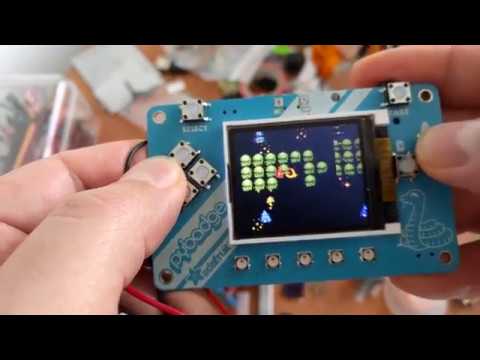 meager fog
thats great
do you have a bouncy ball vid? if not i can use https://twitter.com/SzymonJakubiak/status/1142085337549852673


Learning how to code collision detection. Six balls bouncing on the screen of @deshipu's uGame 10. Also: upcoming version 4.1 of @CircuitPython gives significant speed boost. https://t.co/ozSjo38pJE
Twitter
(its not on a pygamer)
stuck elbow
I can make it quickly
meager fog
that would be awesome
thank you
ill make the guide live once we have something
you can give me an mp4
or whatever is easiest
stuck elbow
if it doesn't have to be pygamer, then https://cdn.hackaday.io/images/original/4838621555700681233.gif
stuck elbow
well, I made it small to make the gif a reasonable size, let me send you a mp4 I just recorded on the pygamer
stuck elbow
argh, one moment, those have some horrible flicker
meager fog
got one!
stuck elbow
you will have to cut the wobbling in the beginning, and sorry for the dirty potato camera
the second one has less flicker, because it's rotated 90°
let me know when I can delete them
stuck elbow
thank you!
manic glacierBOT

>>> import multiterminal

Traceback (most recent call last):
  File "<stdin>", line 9, in <module>
ImportError: no module named 'multiterminal'
I tried UNSUCCESSFULLY adding defines to circuitpy_mpconfig.mk.
ifndef CIRCUITPY_MULTITERMINAL
CIRCUITPY_MULTITERMINAL = 1
endif
CFLAGS += -DCIRCUITPY_MULTITERMINAL=$(CIRCUITPY_MULTITERMINAL)
and circuitpy_defns.mk
ifeq ($(CIRCUITPY_MULTITERMINAL),1)
SRC_PATTERNS += multiterminal/%
endif
 lethal abyss
@stuck elbow @meager fog I tried a while ago the bounce demo on my pygamer.
Is it what you needed?
https://photos.app.goo.gl/2jGrP3z4eXNCWzgW9

Google Photos
stuck elbow
that's the one from the ugame tutorial, isn't it?
lethal abyss
Yes
lethal abyss
Right
lethal abyss
If it is useful I can get the one from the learn guide
Ok, nice
meager fog
@lethal abyss thanks for the offer i got it worked out and the guide is live now 😃
tough flax
Hi folks: I'm having a horrible time with an NRF52840
It isn't starting a repl
and while I can edit the files, it doesn't seem to be running any code
I got it into bootloader mode
and updated to 4.1 beta 1 (and then the latest from S3)
No change
Any ideas?
It's in Seattle at Jim's house (the poor guy can't catch a break)
tough flax
So, you all know I'm a big fan of the platform.. but I'm not sure the NRF52840 port is stable. I've never seen CP behave like it is on this board in Seattle
meager fog
nrf52840 is still in progress, submit issues as you find em
tough flax
This board was running fine here in testing. I shipped it to Seattle, and it was randomly hanging with error codes. So I tried to get a REPL on Mu. I got it once but no error. Restarted with CTRLD & it just hung. So I updated to 4.1beta1 it failed saying "write failed because the device is no longer present". So I did it from the CMD prompt and it completed. Since then I get nothing. I get the filesystem, but I can't get a REPL, I can't get any code to run, and simple things like deleting files hang for 5-10 seconds and then continue very slowly.
So, I can't even wipe the filesystem and restart.... no clue how to proceed.
Hope you had a nice weekend Limor.
BTW, do you want me to finish those diagrams for you?
meager fog
the USB stack on the nrf52840 is not as mature as the samd51, and if you remember, that was tricky as well
tough flax
Yes
tough flax
Yes... I didn't want to have to change hardware from across the country when we did BLE
I will ship him a Feather M4
His house is cursed
(I think @slender iron would agree)
Things go there to die (This is our Sip&Puff user)
meager fog
maybe he has a computer with an odd USB hub, brownouts and flaky USB will cause a lot of problems
if cables are jiggled, unplugged unexpectedly
that will cause a lot of issues
tough flax
Perhaps - we were kind of leaning towards crazy EMF
All kinds of motors, flourescent lighting, RF in there
meager fog
bad power in the house can cause issues if it makes it thru the computer
motors will definitely cause chips to fail
if they are not shielded
tough flax
He's in a hospital bed - it's got motors
meager fog
they will disrupt any wired communication
see if failures happen when the motors are running
tough flax
Most patient man in the world
meager fog
check if hte house has good grounding
tough flax
C6 spinal sever in 1994... still going strong
meager fog
old houses don't have grounded plugs, or the grounds are fakes
old fluorescent bulbs also are very noisy
meager fog
they can be replaced with LED bulbs but they're expensive
tough flax
So grumpy we're still working on this after 15 months.
It's one of my most frustrating projects
meager fog
thats annoying, but you are probably learning a lot too 😃
tough flax
Yes, but he needs to type/use a mouse before his 1996 device dies!
tough flax
We haven't tried any (no CP)
meager fog
try a feather 32u4 - its not as customizable, but they're pretty rugged chips
and the code can't get lost if USB fails for whatever reason
tough flax
On the diagram I have the SERCOM and power data - I think I have all my answers except the I2S stuff (which isn't critical). If you're good with the layout, I can clean up my final stuff tonight.
tough flax
Ok
meager fog
i haven't gotten thru my inbox
meager fog
all details are in the samd51 datasheet in the pinmux table
tough flax
Yes - I found it
meager fog
great 😃
tough flax
after digging through Arduino's variant.cpp, etc. for hours
😃
I'll just put multiple gray chevrons w/separate SERCOM numbers
when there are two
I couldn't figure out the naming in the schematic
ALl good now
Gotta eat
 autumn lagoon
I'm putting together a robotics course for next school year and plan to start it with the circuit express then move to an arduino-type board to build autonomous vehicles with sensors. Due to budget constraints, I recommended the express and the budget pack for metro 328. After playing with circuitpython I'm seriously thinking of making that my coding platform for the course (high school level). Looking through the circuitpython pdfs I saw that the 328 isn't supported. Is there a way to get the equivalent budget pack with a card that does support circuitpython?
meager fog
this is a big pack https://www.adafruit.com/product/2769

Circuit Playground Express is the next step towards a perfect introduction to electronics and programming. We've taken the original Circuit Playground Classic and made it even ...
and a mini pack https://www.adafruit.com/product/3517

It's the Circuit Playground Express Base Kit! It provides the few things you'll need to get started with the new Circuit Playground Express. This version of Circuit ...
this one requires some soldering but its compact https://www.adafruit.com/product/4028

You've heard about CircuitPython and maybe you want to get started fast with a breadboard-friendly microcontroller board! We recommend the ItsyBitsy M4 - a super fast chip with tons of ...
autumn lagoon
Right, but I want my kids to actually deal with wiring and breadboarding. I've had negative expriences with general population kids solder.
meager fog
there's no identical kit for the metro m0 or m4 at this time
but those are the boards you'd use
autumn lagoon
That's what I deduced.
Ordering stuff through my district is much simpler when it's a kit, especially small stuff like LEDs, jumpers, sensors, etc. Thus my interest in a kit format. Nonetheless, thank you for your time and confirmation that an m0/4 is what I should target.
meager fog
try the Parts Pal
@autumn lagoon that plus a metro m4 is essentially the same as a metrox

LEDs and passives and transistors and switches and op-amps oh my! The Adafruit Parts Pal is the ultimate companion for an entry-level maker learning electronics. This kit is your friend ...
lotsa breadboard goodies 😃
autumn lagoon
Thank you, I'd missed that browsing through the product pages.
Together with an m0/4 should be managable through purchasing.
meager fog
@autumn lagoon cool
tough flax
You might consider some of these to bridge the gap: https://www.adafruit.com/product/3448

When working with unusual non-header-friendly surfaces, these handy cables will be your best friends! No longer will you have long, cumbersome strands of alligator clips. These compact ...
slender iron
@tough flax was it working ok before it was updated?
slender iron
<@&356864093652516868> Meeting is normal time here on Discord in the circuitpython voice channel at 11am Pacific/2pm Eastern. All are welcome to join. Here are the meeting notes for tomorrow's meeting: https://docs.google.com/document/d/1WusB8XpKH17461fegA4U-QgXob9T_ni7RelMmt1RGw8/edit?usp=sharing

Google Docs
CircuitPython Weekly July 1st, 2019 Welcome to the meeting notes! Feel free to add your notes for Hug Reports and Status Updates early. We do it as a round robin sorted by username. If you can’t make the meeting, then add them anyway with a “(missing meeting)” after y...
manic glacierBOT
What are you trying to do? multiterminal was only ever implemented for ESP8266 which is no longer supported.
tough flax
@slender iron It was crashing every few minutes, but it was working
Now it's doing nothing
I feel like the old problem was likely a Python bug
Now it's just FRICKED
slender iron
can you reproduce it at your place?
manic glacierBOT
 tough flax
@meager fog - On the diagrams, can I use the Power info in Section 7 of the datasheet to determine the color of the pin? "Power Group" isn't really listed, and there's no mention of limiting power from a group, but I can group them by the voltage regulator they connect to
@slender iron I was going to erase the filesystem but couldn't get to code.py/main.py. Dan suggested a custom build that calls init_filesystem() but that seems like a ton of work for this
I'm close to just shipping him a Feather M4 wired to a pressure sensor
BTW, he's using it well (before I forked it)
slender iron
you can't get serial to erase the filesystem either?
tough flax
I can't even connect w/Putty
tough flax
Actually it opens the connection
but does not respond
I tried 4.1 Beta1 and the latest from S3
slender iron
what version was it running before?
tough flax
4.0.1
slender iron
did you try putting it back?
slender iron
weird
slender iron
so no serial or flash?
tough flax
Well... technically I can read and write to the filesystem
I see CIRCUITPY
But it doesn't start what's in main.py/code.py
I just feel awful that we're still trying to get this right for him ... it's been forever
He's the worlds most patient customer
slender iron
if it doesn't start code.py it sounds like safe mode
what color is the neopixel?
(safe mode is yellow)
tough flax
I have seen Red, Yellow, and Green
Originally when it crashed it pulsed a line number
(The first print statement)
After the update it goes to a solid color
But it varies
Also, after the update, modifying the filesystem (even deleting files) is insanely slow
Like 35 minutes to delete the lib folder
solar whale
@tough flax just FYI - I just tried 4.1beta1 on an nrf52840 -- all OK here is the bootloader and CP info for reference```UF2 Bootloader 0.2.11 lib/nrfx (v1.1.0-1-g096e770) lib/tinyusb (legacy-755-g55874813) s140 6.1.1
Model: Adafruit Feather nRF52840 Express
Board-ID: nRF52840-Feather-revD
Date: May 5 2019
```Auto-reload is on. Simply save files over USB to run them or enter REPL to disable.

Press any key to enter the REPL. Use CTRL-D to reload.
Adafruit CircuitPython 4.1.0-beta.1 on 2019-06-28; Adafruit Feather nRF52840 Express with nRF52840
>>>
@tough flax I realize that “it works for me” does not help you, but I just wanted to let you know it is not a fundamental issue with the nrf52840 build. I wonder if your file system is corrupted. Without REPL you will need to an “eraser”. Uf2. I don’t see one for the nrf52840 in the Troubleshooting guide. If you want to try it, I can build one for you. @tulip sleet @slender iron may have better suggestions. Good luck!
solar whale
@slender iron @idle owl I can’t make it to the meeting today — Nothing special to report - I hope to have more time to try to break things this week....
idle owl
@solar whale Thanks for letting us know.
 lone sandalBOT
 tough flax
@solar whale thanks - I've had the NRF52 working as well (or I wouldn't have shipped it to Seattle)... it just seems to have flaked out (which easily could have been a bug in my code) and now is very hosed up. I've never gotten a chip into this type of locked up before. Always had a way to erase the filesystem from the REPL (at least).
prime flower
Has anybody tested the wiznet5k module in 4.x?
meager fog
@prime flower nope - nick moore last said he fixed the bugs in it
but that may or may not be complete
@umbral dagger hiya are you ☕
umbral dagger
@meager fog Tea. Earl Grey. Hot.
orchid basinBOT
meager fog
@umbral dagger ok this week's project is to make a 'paint' program with the pyportal touch and/or the cursor library @prime floweru wrote
orchid basinBOT
 umbral dagger
@meager fog OK. So touch on the pyportal and cursor on the others with stick or d-pad.
meager fog
@umbral dagger yeah exactly
you'll need to create a bitmap canvas with N colors (8?)
and then draw when they click/drag/touch
 idle owl
<@&356864093652516868> Here is the notes doc for today's CircuitPython Weekly meeting at 11amPT/2pmET. Everyone is welcome! Please add your hug reports and status updates even if you'll be attending the meeting. It's super helpful! If you're missing the meeting and would like us to read off your hugs ands statuses, add them to the notes doc. Thanks! https://docs.google.com/document/d/1WusB8XpKH17461fegA4U-QgXob9T_ni7RelMmt1RGw8/edit#
Google Docs
CircuitPython Weekly July 1st, 2019 Welcome to the meeting notes! Feel free to add your notes for Hug Reports and Status Updates early. We do it as a round robin sorted by username. If you can’t make the meeting, then add them anyway with a “(missing meeting)” after y...
meager fog
@umbral dagger and you'll need to either have a sprite cursor over it so it redraws automatically, or do the palette trick to force a redraw
umbral dagger
@meager fog Got it
meager fog
@umbral dagger i'd start with touchscreen, its pretty straightfoward, & for the cursor library, add a function to create a custom cursor
manic glacierBOT
I’m trying to catch <stdout> and <stdin> (specifically while executing
“exec()”).
(Assigning sys.stdout is not supported in micro/circuitpython).
Bernhard
On Sun, Jun 30, 2019 at 8:20 PM Scott Shawcroft notifications@github.com
wrote:
What are you trying to do? multiterminal was only ever implemented for
ESP8266 which is no longer supported.—
You are receiving this because you authored the thread.
Reply to this email directly, view it on GitHub
<https://github.com/adafrui...
 sterile bronze
just lurking and hello
tidal kiln
lurking 👀
 errant grail
Text only today. Lots of fun background noises and interruptions today.
idle owl
@slender iron You're welcome 😉
 ionic elk
lurking
tulip sleet
@tough flax here's a 52840 CPy eraser that reformats CIRCUITPY on every restart
raven canopy
 prime flower
good ep!
ionic elk
actually unlurk me for a status report.
pastel panther
Yes, good episode!
slender iron
👍
tidal kiln
idle owl
@tidal kiln Yep! There were all sorts of issues updating that issue, GitHub bugs. Now it's all on /contributing.
tidal kiln
cool. will point people there now instead.
idle owl
Thanks!
raven canopy
Maine update: currently watching two Bald Eagles fishing... 🦅
errant grail
Group hug to the team and community today. I am especially appreciative for the published works of @umbral dagger, @idle owl, @pastel panther, and @meager fog as work begins on a custom CircuitPython board definition.
slender iron
I can circle back to you
ionic elk
Big thanks to dan for all his help this week
slender iron
text only?
raven canopy
i imagine that's due to pylint 1.9.2?
pastel panther
Thanks to @prime flower for an amazingly useful eagle-on-mac tip:
to open multiple copies of eagle, use open -n -a EAGLE on the command line
errant grail
Wrapped up the PCB design for a StringCar Racer M0 Express with motor controller board. It was inspired by @umbral dagger’ Trinket M0 Hackspress mod and @pastel panther’ custom M4 boards for CircuitPython. OSHPark panelized the board today. So, as a primarily hardware person, I’ll probably need additional help with the board definitions soon.
Taking a break from CircuitPython for a few days to wrap up some woodworking, landscaping, and in-studio tracking. It will be hard to resist slipping in some late-night code design for the Precision Waveform Generator and Corrosion Monitor projects.
pastel panther
@errant grail as always, ping me if you need help 😉
errant grail
@pastel panther Thanks! I know I'll need it!
ionic elk
no mic still 😦
gilded cradle
Yep
prime flower
i'll test too 😃
idle owl
@slender iron Thanks!
tidal kiln
@idle owl "text over bitmap issues"? did i hear that right?
idle owl
@tidal kiln Yes. Using OnDiskBitmap and label
 inland tusk
is there a version of blinka for raspberry pi 4b
tidal kiln
hmm. is it specific to OnDiskBitmap?
idle owl
@tidal kiln I didn't try anything else, so I'm not sure. It apparently should work and it does not.
tidal kiln
do you have whatever code isn't working up somewhere?
prime flower
@ruby atlas the pygamer has neopixels 😉
inland tusk
good as soon as I get mine I am going to try my keyboard connected.
idle owl
@tidal kiln I'll have to go look, I may have given up on it and deleted it, but I know what I was trying. The plan is to provide that to Scott to see what's going on, but you're welcome to take a look at it as well.
 ruby atlas
@prime flower it does. but i like to work with 512 or more of them at a time!
idle owl
@tidal kiln looks like I saved that working code after all.
tidal kiln
@idle owl wanna DM me a copy? i'm pretty sure i've done several label over bitmap things without any issue.
on pyportal, if it matters
pastel panther
For those interested, here is the commit for adding handling for auto-clearing shared interrupt status registers:
https://github.com/adafruit/Adafruit_CircuitPython_VCNL4040/commit/1dd9d332fbcd21d24fef1f92066e93137bcc291e
 raven canopy
GitHub
The list of supported modules per port is out of date in a number of ways. It would be nice to have this generated automatically, but that might not be easy.
errant grail
Thanks all!
slender iron
@prime flower https://forums.adafruit.com/viewtopic.php?f=60&t=153540
prime flower
@slender iron thanks, readin..will respond
slender iron
thanks!
manic glacierBOT
Changing a bitmap doesn't refresh the screen like it should.
Please remove the first commit from this PR since it is now merged in separately. Thanks!
@rce1086 Would you like to take a stab at fixing this? You found the right place. That test needs an ifdef to correct it for SAMD51 similar to what is done here: https://github.com/adafruit/circuitpython/blob/master/ports/atmel-samd/common-hal/audioio/AudioOut.c#L124
Did you try it for all builds? It'd be awesome if it was uniformly on. (Please make a PR for it too.) Thanks!
Done. One of these days I will learn how to use git...
I was trying to avoid having the line algorithms in the C code natively and rely on Shape to store solid colors efficiently.
How would triangle primitives be used and why would they need native speed?
i bumped into this when looking at how to draw 'thick' lines, all the algorithms ended up saying "use a trapezoid primitive' - also if/when we do filled triangles or polygons, they're slow to do compared to rect-fills
Mind linking me to examples? I'm new to this graphics stuff too. :-)
slender iron
@fluid helm have you looked into JS parsing of python at all?
 fluid helm
I haven't, no. I think the makecode guys may be doing something similar? @slender iron
slender iron
I don't think they can go from python back to blocks
I'm starting to think more about coding on a phone and would like to find a way to go from python text to structure
fluid helm
Gotcha, it should be pretty simple using webUSB. I can code the microbit with edublocks and use webUSB to flash it
But then you're limiting it to android
fluid helm
That's a new one to me! I'll have to look it up
Text to blocks is really difficult, blockly itself does not support it
slender iron
what's the challenge?
fluid helm
When I spoke to the blockly team they said it's not something they were working on putting in blockly itself
Mainly the taking the text and then making blocks from that. As if you have a bit of text that isn't available in blocks then it's hard to create a block for that
It'd involve quite a lot of work for me to put in edublocks. Maybe if I had more time I could do it 😂
slender iron
I can understand for blocks that don't have the same text as the code does
seems like blocks represented code structure more than the text itself
fluid helm
I know makecode can do text to blocks but I'm really not sure how they've done it and I know it doesn't work in a few situations like if there is no block for a certain bit of text
It's something I should really look into, people ask me tons of times every week
fluid helm
Cool! Keep me updated!
manic glacierBOT
this is the best document on how to draw thick lines.primitives. https://stackoverflow.com/questions/1222713/how-do-i-create-a-line-of-arbitrary-thickness-using-bresenham
tough flax
@tulip sleet Thank you for the Eraser
@slender iron and @tulip sleet I just shipped Jim a Feather M4 Express-based sip/puff to Jim to replace the NRF52 one.
I am going to have him send it back to me (unless you want it @slender iron) without wiping it so we can see what's wrong
tulip sleet
I missed that the nRF52 Feather was not in your hands!
tough flax
Yes, it's in the hands of Jim, the worlds most patient Quadriplegic
Or, more correctly his aide
It's in Seattle
tulip sleet
Did they try to erase it?
manic glacierBOT

I think this may be related to memory management. I inserted an "import gc" and made some calls to gc.mem_free to note that the memory was quite low just before the hang. I put in a call to gc.collect() after the 'cpx.pixels.show()' line in the while loop and ran successfully for several minutes ( as opposed to several seconds without the patch). It did, however, eventually hang. I do have a Jlink debugger which I will hook up to the CircuitPlayground Express and see what can be seen.
tough flax
Not yet, @tulip sleet I just rushed out a replacement to UPS
I thought that would be a shorter path fort them
I think working remote w/me is not unstressful for him
manic glacierBOT

I think this may be related to memory management. I added an "import gc" and made some calls to gc.mem_free to note that the memory was quite low just before the hang. I put in a call to gc.collect() after the 'cpx.pixels.show()' line in the while loop and ran successfully for several minutes ( as opposed to several seconds without the patch). It did, however, eventually hang. I do have a Jlink debugger which I will hook up to the CircuitPlayground Express and see what can be seen.
tulip sleet
@tough flax 😃 Remote debugging is difficult for anybody. Verbally controlled action at a distance 😃
tough flax
Yeah - and honestly, I'd like to know what's wrong with that device
If I plug it in here and it works I'll know it's USB power/RF interference
Which is kinda likelyl
His room is all fluorescent, motors from his bed etc.
tulip sleet
did it work for a while?
tough flax
Yes, it worked but would crash after a few minutes. That MIGHT have been a Python bug
But after updating to 4.1b1 it just totally went nuts
tulip sleet
the higher execution speed has broken various things that previously were slow enough not to need delays in crucial places
tough flax
Ok, perhaps upgrading was a mistake
Either way, I thought it was better to get him a known good board
tulip sleet
good luck - it will be interesting to know what state it's in. I had an early M4 that just failed mysteriously in an AT box. I suspect static.
tough flax
NRF52 is too experimental for remote support (by me)
tulip sleet
I mean like delays for displays, etc., not sure if this has any time sensitive stuff
tulip sleet
yes, could be trashed FS
tulip sleet
it shouldn't be that bad, but the external (and internal) flash write is slower on nrf. I had to slow it down to get it to work: https://github.com/adafruit/circuitpython/pull/1418
river quest
meager fog
@lime trellis hey hey
manic glacierBOT
 meager fog
for your caliperhax - did you try pulseIn()? that's what i used to read the 'SPI-like' data from a scale
GitHub
CircuitPython module for interfacing with DYMO postage scales. - adafruit/Adafruit_CircuitPython_DymoScale
 lime trellis
@meager fog I looked into it, but it wasn't immediately obvious how to read two pins at once, and I was trying to keep project time down to a minimum 😃
Ah that dymo scale code is helpful! I've put a link to it in my write-up. Hopefully myself or another student takes a crack at it.
manic glacierBOT
 meager fog
@lime trellis you dont need to read two pins, just the one data pin, if the frequency is known
lethal abyss
@stuck elbow is your guide published? I couldn't find it
 indigo wedge
thinking out loud: so the esp32 nina-fw could be moded to also offer BLE commands that way the airlift also adds BLE support to CP boards
stuck elbow
except the BLE support on the esp32 is still pretty rudimentary
last time I checked, anyways
I got gif reading to work, but it requires a lot of memory for the LZW dict
indigo wedge
oh really, never used ble on the esp, that's sucky
manic glacierBOT
shared-bindings/busio/UART.h declares the type of receiver_buffer_size as uint8_t. This prevents defining buffers >255 bytes and results in strange error messages (e.g. for 256, "invalid size").
Changing the type to uint16_t (same as in py/ringbuf.h) fixes this (corresponding change required also in common-hal).
simple pulsar
@slender iron I see you were discussing converting between text languages and block languages. I don't have anything to offer here but it could be the sort of thing that could be part of an undergraduate project if it has the right level of sophisitcation. I attended some presentations last week and they had some work on the joys of javascript compilation which is why I mention this. Does Adafruit work with any universities on projects like this? That clearly involves long (6-12 month?) time scales and planning and a bit of collaboration/supervision.
slender iron
@simple pulsar we typically don't work with universities directly. the closest tie we have is the make:code related work at lancaster university
bronze geyser
(I've asked this on the adafruit forum and Scott gave me an initial response...thought i'd ask here in case i'm doing something dumb). I just got two itsy bitsy m4's w/ CP installed. I plug into my USB. about every 20 secs, it reboots (red light blinks on/off two times). It keeps doing this. Does this on my mac and pc. My m0 does not do this...?
stuck elbow
I think I've heard here mentioned that there might be a watchdog flag set, and then the watchdog resets it
updating the bootloader should help with that

Adafruit Learning System
CircuitPython, Arduino IDE or even MakeCode with this Metro M0
hmm, wrong board
ah, here you go: https://github.com/adafruit/uf2-samdx1/releases/tag/v3.7.0
GitHub
MSC bootloader (based on UF2) for SAMD21. Contribute to adafruit/uf2-samdx1 development by creating an account on GitHub.
bronze geyser
@stuck elbow Thank you very much. Updating the bootloader to 3.7 did the trick!
stuck elbow
great
manic glacierBOT
Attached is a stack from the hang state. Apparently we hang while reading a WAV file. Single stepping thru, it looks like the issue is in shared_dma_transfer at the following lines:
// Channels cycle between Suspend -> Pending -> Busy and back while transfering. So, we check
// the channels transfer status for an error or completion.
if (rx_active) {
...
 granite crow
Hi, I'm working with the grandcentral m4 express, I already flashed the bootloader and updated CP using a uf2 file I downloaded from github. I'm able to compile successfully a custom build of CP, is correct to use gdb and a debugger probe to upload the custom elf?
Or should I also upload the bootloader again?
slender iron
@stuck elbow nice memory! I'm glad @bronze geyser asked here too. I had forgotten about that
@granite crow once the bootloader is on there you, you only need to flash the circuitpython binary
granite crow
Thanks, I was afraid of doing something wrong, will try to work on the RGB status led this week, the travel back home from work has been about two and a half hours lasts weeks
slender iron
@bronze geyser thanks for updating the forum thread with the solution too
@granite crow ooh, that sounds like a long commute. I'll be free starting on friday if you'd like to pair program on it to finish things up
granite crow
That would be nice, I'm also setting a dev environment for the nrf52840 to play with the i2s bus
manic glacierBOT
 onyx hinge
Ooh I just signed up for pyohio. Still have to make plane and lodging arrangements work out though
idle owl
@onyx hinge Exciting! We'll have to make sure to meet up at some point.
onyx hinge
@idle owl thanks, I hope so
manic glacierBOT
BTW, I asked about SDXC support as a fellow user had found a large SD card didn't work: https://forums.adafruit.com/viewtopic.php?f=19&t=152188&p=751225&hilit=sdxc#p751225
Reading a file (on Windows and possibly other host o/s) can also trigger a reload: https://github.com/adafruit/circuitpython/issues/1830#issuecomment-487023904
manic glacierBOT
I had a glance at your stack trace. I know nothing about this so bare in mind this is a very uninformed comment but the one arg to sercom_dma_read look odd, uint8_t * buffer = 0x5 "\002" is a value that's very low, isn't anything-aligned (possibly irrelevant), isn't in the memory address range of other pointers seen in the trace and hasn't been passed in.
common_hal_busio_spi_read also appears twice for some reason?
firmware.elf! common_hal_mcu_enable_interrupts Line: 53 ...hey @slender iron any idea what causes this error and how to fix it?
# Write your code here :-)
import board
from adafruit_slideshow import PlayBackOrder, SlideShow, PlayBackDirection
import audioio
import pulseio
import touchio
from displayio import release_displays

release_displays()
# Create the slideshow object that plays through once alphabetically.
slideshow = SlideShow(board.DISPLAY, pulseio.PWMOut(board.TFT_BACKLIGHT), folder="/",
                      loop=True, order=PlayBackOrder.ALPHABETICAL)
..... <more>
results in
Auto-reload is on. Simply save files over USB to run them or enter REPL to disable.
code.py output:
Traceback (most recent call last):
  File "code.py", line 11, in <module>
RuntimeError: All timers in use
This is from this code; I already had to add the release_displays() to get it to not fail on the same line:
https://learn.adafruit.com/tiny-museum-tour-device/code-with-circuitpython

Adafruit Learning System
No need to walk around a huge gallery, when you can have a guided tour of masterpiece artworks right on your desk!
slender iron
@pastel panther you shouldn't need to give it a backlight. just give it board.DISPLAY and don't release it
backlight used to be separate but now it's managed by Display
pastel panther
ok
@slender iron this seems wrong
Press any key to enter the REPL. Use CTRL-D to reload.
Adafruit CircuitPython 4.0.2 on 2019-06-27; HalloWing M0 Express with samd21g18
>>> import board
>>> board.DISPLAY
None
hrm, ya it does
looks
GitHub
CircuitPython - a Python implementation for teaching coding with microcontrollers - adafruit/circuitpython
is that after you released the display?
pastel panther
No? That's a fresh repl after reload
@slender iron I take that back. I power cycled and did a soft reboot and it's a <DISPLAY> now
slender iron
ya, the display stuff doesn't reset on reload like other stuff does
manic glacierBOT
Just noticed this phenomena on a PyGamer running 4.0.2
manic glacierBOT
 simple pulsar
I'm using PyGamer DACs and they are capped at 2.5V from CircuitPython - this occurs at approximately 55000 value. Is this expected? Both of them do it. I'm just trying to find the M0 problem which C/Arduino users hit, I think it's an intuitive use of pinMode and an API that bites you...
tulip sleet
@simple pulsar they should not be capped; it was tested long ago when CPY was first implemented on SAMD51. Which pins are you using?
simple pulsar
GND / A0 / A1. At 65535 A0=2.52V and A1=2.48V
What does aref do, is that for input only? (It's 3.32V)
tulip sleet
@simple pulsar looking things up...
simple pulsar
Is 2.5V "possible"? The previous SAMD21/M0 thing was 2.25V https://forums.adafruit.com/viewtopic.php?f=58&t=142902
manic glacierBOT
tulip sleet
@simple pulsar AREF is for the ADC. There's a bug in the SAMD51 that the internal 3.3V AREF doesn't work, so we have to tie it to 3.3V
simple pulsar
Shall i log this as a bug?
tulip sleet
@simple pulsar A0 and A1 are tied to the speaker circuitry, so they may be being pulled down somewhat. See upper right of PyGamer schematic. https://learn.adafruit.com/assets/76005
I'd try this on a Feather or Metro and see what you get.
simple pulsar
Is that 100+100 ohms to ground from A0?
manic glacierBOT
Change type of receiver_buffer_size to uint16_t to permit buffers >255 bytes long.
tulip sleet
@simple pulsar looks like it
simple pulsar
As luck would have it I have a Feather M4 to hand, that's running 4.1.0-beta.0 - it does give full range, 3.27V on both at 65535
tulip sleet
i have no idea why the circuitry is the way it is, maybe it's to guard your ears
simple pulsar
It feels more like a cap though, it just stops at around 53000 rather than a curve
I just flicked between 0 and 65535 in a CP loop and that transient doesn't manage to break out of the voltage range
I think it's just coupling for the 3.5mm out to stop DC going to the headphones and the inline 100 is current limiting but this isn't my area of expertise
I'll try 4.1.0
For DAC values is there any expected in between value that will hold for a while as the DAC changes from one value to another? I'm looking at this on a scope and it looks a little odd.
Only going up it seems
idle owl
@gilded cradle Do you have a couple of cycles to review another PyBadger PR? No worries if not.
gilded cradle
Yeah, want me to test too?
idle owl
That would be great if you could, but if not a review is adequate.
gilded cradle
Ok
tulip sleet
@simple pulsar I think you're seeing the cap charging
it should hold the value (there was a bug very long ago in which it didn't, due to peculiarities of the SAMD51 DAC).
 sudden coral
Running into a "my project files are huge and I'm running low on RAM yet again" problem. Obviously I can take a profiler to this thing and optimize some stuff out, but since the source itself is a pretty big chunk of RAM usage, my next plan of attack might have to be frozen modules (which I've dabbled with before, they work well enough but I'm not thrilled about setting up all the CI infra (again) to build those images). Which got me thinking - does CircuitPython support (or would @slender iron & co be open to) a "sofile"-ish concept? Frozen modules copied over MSC rather than flashed in over UF2?
I haven't written any code to that end or really read through the source to see how feasible it'd be, so take this as just tossing an idea at the wall 😃
sudden coral
So these have been a thing the whole time and I had no idea? The interpreter will execute those straight off disk rather than in RAM? (I realize there's still RAM overhead to frozen modules but IIRC from a year ago the overhead isn't "literally the whole compiled file" like it is with raw py files copied over)
stuck elbow
they are compiled bytecode, so at least the compilation step is skipped, not sure how much is actually loaded into ram, but they do save memory -- that's why all the libraries are distributed as mpy files
sudden coral
makes way more sense that this has already been done somewhere. I'm somewhat busy tonight but maybe tomorrow I'll tinker with copying over everything as MPY and see what gc.free shows by comparison
thanks @stuck elbow !
simple pulsar
@tulip sleet it's not slowing it down though it's stopping it going above a value, that's more zener diode territory or perhaps current limiting somewhere? I put in a forum post in case anyone else has researched this: https://forums.adafruit.com/viewtopic.php?f=24&t=153703
I also found this SAMD51 DAC "gift", hopefully it's a configuration issue: https://forums.adafruit.com/viewtopic.php?f=24&t=153707
@sudden coral I cannot explain it but I have found import order makes a big difference in practical terms for a program working / not working. Once you've done any obvious checks and optimisations I'd suggest some random fiddling with order of import. I've also scrawled some notes on things to consider in this area on fourth post on https://forums.adafruit.com/viewtopic.php?f=60&t=148334
prime flower
https://twitter.com/brentrubell/status/1146543798513754112 early "preview" of CircuitPython MQTT


Very short demo of the @CircuitPython MQTT module, enhanced by the latest speedup work done in DisplayIO.
#MQTT #IoT #CircuitPython https://t.co/VOLXZ7HYPI
Twitter
simple pulsar
Is there any example code for CircuitPython on PyGamer?
idle owl
@simple pulsar Of what nature?
As in literally anything?
I wrote a CircuitPython wrapper library called PyBadger that includes most of the features of PyGamer. It's badge-focused, in the sense that it's designed to create an event badge easily, but has other features in it (works on PyBadge as well.) Anyway, point is, it might get you started if you're looking for something generally CircuitPython related.
simple pulsar
Thanks, I was just interested in some code that used the input and output features particularly different styles of graphics use. I see there's https://learn.adafruit.com/cursor-for-circuitpython and https://learn.adafruit.com/circuitpython-turtle-graphics too

Adafruit Learning System
Mouse-like display interaction using a Joystick or D-Pad!

Adafruit Learning System
No shell scripts here... program turtle graphics in CircuitPython!
idle owl
That also works.
umbral dagger
@simple pulsar You can check out my current WIP: https://github.com/dastels/pypaint
GitHub
working repo for AdaFruit pypaint project/guide. Contribute to dastels/pypaint development by creating an account on GitHub.
tough flax
Hey folks, has anyone ported the Arduino nunchuck library to CP?
lethal abyss
@idle owl so the pygamer library you were working on is already available?
manic glacierBOT
Addresses #1970.
Its not perfect, yet. The "local" JSON file is for non-Travis use; Travis will run the script each run and store in $HOME.
Missing Module Alibis:
-
wiznet: this module has not been migrated to the "newer" definition system, and relies on#ifdefs. As such, it will not show up in the support matrix as is. -
fontio/terminalio: these two are included based onCIRCUITPY_DISPLAYIO, and do not have their own entries incircuitpy_mpconfig.mk. T...
lone sandalBOT
manic glacierBOT
Doh! re.__getitem__ added in Python3.6, and Travis ran 3.5. Easy fix....
 untold knot
@tough flax I found this one for micropython. Can it be adapted to CP? https://github.com/kfricke/micropython-nunchuck

GitHub
MicroPython module to read the game console controller. - kfricke/micropython-nunchuck
simple pulsar
@umbral dagger Thanks, I was curious how the touchscreen worked on PyPortal, haven't used that actively yet. Is PyGamer a touch screen too? I had assumed not.
stuck elbow
it's not
manic glacierBOT
 manic glacierBOT
- Add copy-pasteable Arch Linux
arm-none-eabi-gccinstall line similar to Ubuntu example - Add
arm-none-eabi-newlibas a required package for Arch - Reformat Ubuntu and Arch install code-blocks to catch the eye for the impatient
Arch Linux changed their packaging for arm-none-eabi-gcc by creating arm-none-eabi-newlib as an optional packag...
manic glacierBOT
The Ubuntu instructions are also out of date, and there are no detailed MacOS instructions. We try to keep https://learn.adafruit.com/building-circuitpython up to date, and could add Arch Linux instructions there. I'm wondering if we should just remove detailed toolchain installation information from here and point to the Learn Guide instead. Otherwise we should revise this thoroughly. It also applies to the nrf port, so the directions might be refactored into a higher directory README.
manic glacierBOT
Pointing users to a comprehensive guide sounds like a good strategy. I was not aware of the guide at https://learn.adafruit.com/building-circuitpython. Is it easy for folks to make guide contributions or suggestions to that?
I can update this pull request with working Ubuntu and Debian instructions but don't have a MacOS machine handy. Whatever y'all pick works for me but I would suggest the [Better is better than perfect](https://github.com/google/styleguide/blob/gh-pages/docguide/philoso...
manic glacierBOT

I for one welcome our new automation overlords.
We'll discuss it maybe during the next weekly community meeting (2pm ET Monday in discord). Thank you for the Arch updates. We'll include those one way or the other.
Sounds like a good plan! Thanks for reviewing 😊
 civic marsh
Hi all, thanks very much for your help! I'm running circuitpython 4.0.0-rc3 on a pygamer Could someone point me to where in https://github.com/adafruit/circuitpython the display is being updated to echo the serial console? I'm relatively new to micropython and completely new to circuitpython.
idle owl
@lethal abyss It's still a WIP, but it has been posted. I'm still working on it though, there were some feature issues and requests. Please feel free to try it out and provide any feedback you have.
stuck elbow
@civic marsh it's a bit complex, what are you trying to do?
also, updating to 4.1.0 beta or better is probably a good idea
civic marsh
I've got an i2c keyboard I'd like to get working on it. Already have an Arduino library written. I'm looking to understand circuitpython internals better so I can make a file browser / code editor on the built in screen.
Or at the least, being able to interact with the repl with the built in screen.
stuck elbow
you probably want https://circuitpython.readthedocs.io/en/latest/shared-bindings/multiterminal/__init__.html then
but I think it doesn't work currently
civic marsh
Thanks @stuck elbow I'll take a look there. BTW loved the µGame 10, thanks for creating it.
stuck elbow
my pleasure!
lethal abyss
@idle owl I know it's still WIP, I just didn't see the publication. I'll have a look to see if I can do dimple things for me at Europython next week
idle owl
@lethal abyss I didn't add it to the bundle yet. I released it though. You could grab the file directly from the repo if you want the sort of latest working version.
lethal abyss
no problem, I think I know how to handle this. I will tell you the result
idle owl
@lethal abyss https://github.com/kattni/Adafruit_CircuitPython_PyBadger/tree/business-card-update is the most recent version.

GitHub
Contribute to kattni/Adafruit_CircuitPython_PyBadger development by creating an account on GitHub.
manic glacierBOT
 manic glacierBOT

Thanks for your pull request, @iot49.
The "travis" checks have failed because there are multiple different implementations of the function "common_hal_busio_uart_construct" in circuitpython; generally, one for each different microcontroller family. I believe that you only changed one of them.
ports/esp8266/common-hal/busio/UART.c:void common_hal_busio_uart_construct(busio_uart_obj_... lone sandalBOT



 graceful heart
Working on adding Access Point mode support to the ESP32spi lib.
✅ Was able to create an AP without a passphrase (_SET_AP_NET_CMD= const(0x18))
🚫 For some reason trying to create an AP with a passphrase (_SET_AP_PASSPHRASE_CMD=const(0x19)) is erroring out. Haven't been able to figure out what I could be doing wrong, I think i'm doing the same thing as arduino wifinina lib.
Next steps is to implement to some server helper class / methods similiar to the wifinina lib for responding to incoming requests and connections.
graceful heart
Here is a diff of my changes so far. Feedback welcome 😃 https://github.com/mscosti/Adafruit_CircuitPython_ESP32SPI/compare/master...mscosti:ap_mode

GitHub
ESP32 as wifi with SPI interface. Contribute to mscosti/Adafruit_CircuitPython_ESP32SPI development by creating an account on GitHub.
manic glacierBOT
@jepler thanks for the feedback. I made the changes, let's see what Travis thinks.
Note: As you say, the samd port assigns to a uint32_t. The esp8266 port ignores the parameter altogether. But I did not verify these changes on hardware (except nrf).
meager fog
@umbral dagger hihi let me know when yr here
umbral dagger
@meager fog I'm here
meager fog
gr8
ok for paint, please make it a library
next, im not sure why there's a goto funtion?
i thought it just draws whereever the cursor is?
umbral dagger
That could be renamed draw_line
meager fog
but why do we draw lines?
umbral dagger
Otherwise you can get ahead of the update cycle and get a non-continuous line
umbral dagger
Hmm.. let me play with it.
meager fog
so where would lines be involved?
if you use the dpad or joystick on a gamer, while holding down A or B, it should put pixels down on the (x,y) pair
i dont grok the lines part
umbral dagger
seemed liek a good idea at the time...
meager fog
heh - you have a line hammer 😄
does the cursor manager not wrap both touchscreen and cursor options?
e.g. it should transparantly handle all three options: touchscreen/dpad/joy
im not against having line - just want to make sure it makes sense
do you want me to try the code
umbral dagger
cursor manager handles d-pad and joystick (and the A button) no sign of touchscreen.
meager fog
hmm i guess that's alright for now
i think you can keep the line code, if its fast enough
please add the ability to have a larger 'brush'
and make into a library
umbral dagger
so.. the line drawing. It's especially for touchscreen, IF you oversample (drop the delat at the end of the loop too low (or remove it) the location gets really noisy. Slowing down the sampling gets you cleaner location information, but the sampling rate can fall behind movement speed. That results is spotty painting. drawing a line between consequtive location reading lets you get fairly clean location data and solid paint trails.
How do you see it being a library?
What would the API be like?
meager fog
oooh yeah ok keep line then
i think you can pass in a touchscreen/cursorcontroller + a display group
maybe?
lemme look again
stuck elbow
you can always interpolate if the points are too far away -- doesn't have to be a straight line either
umbral dagger
Yeah.. that's getting expensive cycle-wise
meager fog
interpolation is a line 😃
stuck elbow
if instead of drawing where you touch you have some kind of a cursor that moves towards the point being touched, with its direction, acceleration and inertia, you will get nice smooth lines
lines that are thicker than 1 pixel also have a lot of problems at the corners
main meteor
Both the "corner pegging" issues that GPS tracking apps have, as well as the mitering issues that so concerned the original developers of PostScript.
stuck elbow
yup
meager fog
@umbral dagger can you try adding the ability to change the size of the brush