#circuitpython-dev
1 messages · Page 251 of 1
 slender iron
 gilded cradle
You're welcome 😃
 manic glacierBOT

La palabras reservadas deberíamos dejarlas en ingles algunas que he visto son como allocation o que no tienen una buena traduccion al español tambien

Speeds up FourWire and makes it easy to set the baudrate of it.
 tulip sleet
@raven canopy @idle owl I'd like to make a beta release of the BLE library soon, but not update the lb in the bundle. Do you know if I mark the release as a pre-release that the auto-bundling stuff will distinguish it from a regular release and not add it to the bundle?
 idle owl
@tulip sleet Sommersoft would know better than I would.
 raven canopy
@tulip sleet i don't think it will...let me check real quick.
tulip sleet
if it's just checking for the latest tag that might be an issue. If it's using the github api it should be able to tell. If it's just checking a tag we should skip it if it's *.*.*-<some-suffix>
raven canopy
"git submodule foreach 'git checkout -q `git rev-list --tags --max-count=1`'"
so, yeah, it'll likely pull in a pre-release. 😦
tulip sleet
hmm, maybe have to stash a hand-built release elsewhere. I could build it in a non-master branch and not tag the branch
we can filter the foreach above too
 manic glacierBOT
Disculpa tantos errores @sabas1080, trabaje con un PR que se había quedado huerfano y no lo revise a fondo, corregí los errores que me señalaste.
raven canopy
@tulip sleet +[0-9]\.[0-9]\.[0-9]?
tulip sleet
did it work? I was having trouble with extglob stuff. I am trying with --exclude instead
tulip sleet
but could be 22.33.44
raven canopy
@tulip sleet could just add another conditional, using regex...
just look for an alpha, and ignore if found.
tulip sleet
$ git rev-list --tags --max-count=1
6d388a34eb909e27acd508dc001ae1fe94a530de
git rev-list --exclude='**-*' --tags --max-count=1
32b0f1c78ee26ddb8d689d30d6d95241f69ae838
or...that. 😄
tulip sleet
i was trying to get git describe to show me the tag for the commit - not succeeding, but those commits line up with 4.1.0-beta.whatever and 4.0.1
i was just trying to verify the commits were right, not to use git describe in your script
raven canopy
yeah. and excluding handles new_stable->new_beta better, so that the new stable isn't skipped.
tulip sleet
so any tag with a "-" is not found. maybe should use **-**
raven canopy
🤷 3 minutes ago is the first time i heard of glob patterns. hehe
tulip sleet
i'm not sure why **-* works
cause the beta.1 should not match
no, I'm wrong. * just stops matching on /, not .. What am I thinking?
so git rev-list --exclude='*-*' --tags --max-count=1
will skip any tag with a -
       --exclude=<glob-pattern>
           Do not include refs matching <glob-pattern> that the next --all, --branches, --tags, --remotes, or
           --glob would otherwise consider. Repetitions of this option accumulate exclusion patterns up to the
           next --all, --branches, --tags, --remotes, or --glob option (other options or arguments do not clear
           accumulated patterns).

           The patterns given should not begin with refs/heads, refs/tags, or refs/remotes when applied to
           --branches, --tags, or --remotes, respectively, and they must begin with refs/ when applied to --glob
           or --all. If a trailing /* is intended, it must be given explicitly.
isn't that wonderful gibberish?
raven canopy
its so close to regex...that's the confusing part. but i understand why they used glob vs regex, since its "guaranteed" with a OS's file system.
tulip sleet
it means something, it just takes a while to figure it out
so, in general, does it sound like a good idea to skip alpha and beta releases in the bundle? Alternatively, you could query github for the latest release, instead of using git rev-list
where is this code anyway?
raven canopy
switching to API would take some time...and add some overhead. git introspection seems much quicker. here's the code: https://github.com/adafruit/adabot/blob/master/adabot/circuitpython_bundle.py#L144
_note: that's Scott's handywork. not mine. 😄 _
but yes, i agree that skipping non-stable releases is a good idea. its just never come up with the libraries since i've been around. or that i remember.
tulip sleet
this is a new case - a library that's dependent on a changed native module
raven canopy
yeah. moving the "breaking changes" to the lib is a solid plan here, imo. i couldn't speak up in the meeting...
tulip sleet
this is not so bad -- we are already importing github_requests: https://developer.github.com/v3/repos/releases/#get-the-latest-release
raven canopy
its doable, definitely. just 150+ api calls & processing...
tulip sleet
yes, maybe I'll just submit a PR with the --exclude
 river quest

👋 Interested in Python or programming microcontrollers with Python 🐍?
If you can spare a few minutes, the interns at @MSFTGarage in Vancouver need your input for a user testing a ✨new✨ @adafruit #PythonHardware VS @code plugin.
Fill out the survey 👇https://t...
 Twitter

Microsoft Forms
raven canopy
since moving the bulk of library API calls to cirpy.org, adabot has about 3400 rate limit requests remaining at the end of her cron. plenty of space there.
@tulip sleet if you want to test one real quick, do a release on the lib, i'll add your change local, and run it without having it commit changes.
tulip sleet
I'm not ready yet :(, just planning ahead. But I can ping you later about this. Tomorrow or the next day, I think.
raven canopy
doesn't need to be a meaningful tag... but later is fine. 😄
tulip sleet
i'll let you know, but thanks for working on this with me
raven canopy
happy to. it was a fun one to think about.
 meager fog
if you like LOGO and i know you do - check out beginnings of a displayio turtle port https://github.com/ladyada/Adafruit_CircuitPython_turtle/

GitHub
left! right! forward! turtle power! Contribute to ladyada/Adafruit_CircuitPython_turtle development by creating an account on GitHub.
🐢 
more to come
 plucky flint
@meager fog this is wonderful to see. Many congratulations to all involved in making this happen. Python's turtle module is really useful in the classroom and sticking it on a small device just makes it all the more compelling. Stonking work.... genuinely grinning like the Cheshire cat at this.... 😄
 lethal abyss
I'll bring my pygamer to Europython and will show 🐢
I love what you can learn to someone with it
manic glacierBOT

 old smelt
Oh man... YES! I remember LOGO. Thanks @meager fog for the blast from the past. Suddenly, I'm having flashbacks sitting in the library at Pedersen Elementary, in front of an Apple II, programming graphics. Great work!
manic glacierBOT

Instead of using a while True: loop, I would like to use Timer(,,,callback) to periodically trigger a callback function. The reason is, I want to reduce the power consumption as much as possible so that I can deploy, for example, a temperature sensor that can run on a CR2032 coin cell for months.
Is there any way to realise this?
Thanks!
manic glacierBOT

Closed in favor of #696.
We have no way currently to do this. Low-power sleep and the like are on our long-term feature list, but we are not.
(Closed in favor of #696.)
 tidal kiln
w0rd. thanks. want me to bump+release?
meager fog
yes please
tidal kiln
done!
manic glacierBOT

[adafruit/circuitpython] New comment on pull request #1951: Add support for PyGamer to Stage library
Sorry, there is something broken with my repository, I need to make a new PR: #1955
manic glacierBOT
@dhalbert That's fine. I commented it as the maximum speed of the bus (display + wires) to imply that it may be slower.
 solar whale
@tulip sleet @slender iron I commented yesterday about the sluggishness of the tft (ili9341) on a feather_nrf52840 -- is that possibly due to the 8Mhz max speed of the SPI that Dan just referenced re pr 1953
slender iron
@solar whale ya, that and the default baudrate being very slow
the two prs above should improve things a bunch
solar whale
Ok -- good to know -- I'll try to check them out -- may not be until tomorrow.
slender iron
#1953 fixed a 3ms tax on each rendered area which is very significant
solar whale
Wow -- yeah ms are a "long time"
manic glacierBOT

may be handy for palette cycling/swapping. currently can set palette entries but not get em!
TypeError: 'Palette' object is not subscriptable
solar whale
Makes me think about the way Grace Hopper used to describe nanosec microsec and ms with pieces of wire!
gilded cradle
The whole purpose of those delays was to give us room to improve 😉
solar whale
https://www.youtube.com/watch?v=JEpsKnWZrJ8 only covers nano and microsec 😉

Grace Hopper explains Nanoseconds. Please Subscribe! :) Thanks!
tidal kiln
neat!
nano = 11.8 inches
micro = 984 feet
milli = 186 miles
if i mathed right
>>> (11.8*1000)/12
983.333
>>> (983.333*1000)/5280
186.237
>>>
maybe the milli spool is out in the parking lot?
solar whale
also explains why tran-oceanic cables are preferred to satellite relays - cables are a few thousand miles long -- Geosync satellites are 24000 miles away....
 magic wing
Yup, and while the speed of light is going to be a litter slower in the cable, it's not nearly slower enough to make up for the there and back again nature of geosync sat comms.
river quest
REMINDER! please fill this out!
"Hello there, we're a group of interns at Microsoft Vancouver, working in The Garage! We're looking for insights into your experience around physical computing projects. As well as your interest in trying out a new method of development for your project - say goodbye to waiting for your code to build and compile inside Arduino IDE with C/C++, Python is here to help! This survey will only take 3 - 5 minutes and your insights are very valuable to us!"
https://twitter.com/nnja/status/1140807884474732544
https://forms.office.com/Pages/ResponsePage.aspx?id=v4j5cvGGr0GRqy180BHbRx50AHoXr3BImxtzTGKK4edUMEJNUUFTUUdGRFhOVUg0N0RBN0paOFJBRy4u
👋 Interested in Python or programming microcontrollers with Python 🐍?
If you can spare a few minutes, the interns at @MSFTGarage in Vancouver need your input for a user testing a ✨new✨ @adafruit #PythonHardware VS @code plugin.
Fill out the survey 👇https://t...
Twitter
Microsoft Forms
 orchid basinBOT
 river quest
By the numbers: CircuitPython has over 60+ boards supported, adding more each week: https://circuitpython.org/downloads & has 14+ SBC Linux boards supported, adding more each day: https://circuitpython.org/blinka & over 158+ Libraries, adding more every week: https://circuitpython.org/libraries
manic glacierBOT
i think it would just cause the group to 'skip' that layer instead?
manic glacierBOT

Fixes #1921 and other documentation errors.
Also forced the locale when sorting the translations to ensure consistent sort order.
manic glacierBOT

I'm coming to this late too but I guess I don't understand the cons to asyncio; for me it's simple, well documented, well supported and used widely for Python. It requires few language additions and the implementation is available as a python module. Asyncio, like the message queue example, is also synchronous - it provides concurrency but not parallelism - so is relatively straightforward to reason through when issues arise.
I use it in many of my MicroPython applications and I'm yet to ...
manic glacierBOT
 river quest
turtle on: pygamer, pybadge, pyportal, and not-out-yet-smaller-version-of-pyportal
manic glacierBOT
final rev shuffles some of the ADC pins (to route nicer) but this is the version that anyone's got now
magic wing
Is turtle like Logo?
meager fog
yes its a pythony logo
manic glacierBOT

@mattytrentini When you say asyncio, do you mean asyncio, or uasyncio? My impression from talking to Paul Sokolovsky a bit is that they have substantially different APIs, and in fact he strongly disagreed with a lot of choices that asyncio made. Also, the main asyncio devs say that they think Trio generally did things better and their goal is to incrementally convert asyncio into trio... (of course there are a lot of complications here so no-one knows yet how it will all play out).
Regardi...
manic glacierBOT

From my perspective: yes you have that nice little @when.interval which works well enough – except when it doesn't: after you learn how to do a simple blinkenlight, the next idea is to vary the blink frequency. Boom you're back at the start line and need to figure out how to do it manually anyway.
The point about async-anything is that you can open-code your state machines, which is much easier to understand than random global (or, if you're good, instance) state variables. Plus, you d...
magic wing
Very cool! I didn't have a computer powerful enough to run Logo when I was growing up, and my kids were never interested.
I feel like I missed out on it.
 stuck elbow
I thought that there was a version of logo even on zx spectrum
lethal abyss
I don't remember having Logo on my Speccy. I had to wait Thomson MO5 at school to discover it, then AtariST but it was later
 indigo wedge
Hurray, I finally got a Feather M4 Express so I can test my FeatherWing properly 😃
Came preloaded with CP 3.1.1 and it took like 30 seconds to download and update to 4.0.1 ❤
plucky flint
@stuck elbow I learned Logo at school on a BBC micro (32k ram, 6502 CPU)
stuck elbow
@plucky flint well, of course
I learned it from some magazines by trying to translate the example programs to BASIC2, never actually used a logo interpreter
solar whale
sigh -- you are really making me feel old -- computers in school 😮
 main meteor
Heh, I am old, but we had (dialup) computer access at school.
solar whale
I finished high school in 1970 -- I think the only dial-up access was when the principal wanted to talk to my parents 😉
tulip sleet
@indigo wedge Please try 4.1.0-beta.0: it will be much faster. https://circuitpython.org/board/feather_m4_express/
indigo wedge
Nice, what made the difference?
tulip sleet
two things: partial display updates done by Scott, and a VM opcode dispatch flag ("COMPUTED_GOTO") that we had turned off for space reasons and didn't know it made a 5x difference (!)
main meteor
I was just reading about an interesting method of implementing computed goto, but I doubt I could get CircuitPython running on an 1802 CPU 
indigo wedge
Thanks Dan, I will try it out for sure, I noticed when I used a label that the whole screen was redrawn when I changed the text so I guess partial updates should solve that
manic glacierBOT

 lone sandalBOT
 manic glacierBOT
this is what graphics engines tend to do. we can have a C-optimized triangle or trapezoid drawing program and everything else uses it (polygons/lines/shapes). outline and fill.
maybe also a circle helper at some point but this is more...primitive! ha.
slender iron
@stuck elbow can you tag a 1.0.3 for stage?
I'm updating frozen modules with a script and its reverting back to 1.0.2
manic glacierBOT
This fixes HID mouse on CPX in particular
stuck elbow
@slender iron I was planning to do that once the patch that reverses joystick x and y is released

GitHub
A tile and sprite engine for CircuitPython. Contribute to python-ugame/circuitpython-stage development by creating an account on GitHub.
slender iron
ah...
slender iron
☝ does that
stuck elbow
OK, I will make a pull request to bump stage again then
slender iron
just tag it and I'll snag it in my frozen update

GitHub
This fixes HID mouse on CPX in particular
stuck elbow
pewpew-game:pyagmer-stage-2 is up to date with all commits from adafruit:master
I don't get it
it's tagged
slender iron
1.0.3?
stuck elbow
yes
stuck elbow
thanks
manic glacierBOT
I thought the HID mouse fix was already in due to #1909 and then #1938 (merge from 4.0.x). But they could all use updating.
manic glacierBOT
Weird, #1938 doesn't show the module updates but it does show the commit for it. Maybe the merge commit doesn't respect the new submodule commits? Did you do it with a local branch or just through github?
d852d0f Explicitly set the locale when sorting translat... - cpforbes
db74b92 Fix displayio.Display docstring type for displa... - cpforbes
0bb92d4 Fix references to cpython in builtins documenta... - cpforbes
e442efb Fix docs in digitalio. - cpforbes
09e7f4d Fix reference to Bitmap in fontio.Glyph docs. - cpforbes
manic glacierBOT
That is really weird. I did it with a local branch. I basically never do commits through the github web interface.
I have a vague memory of having this problem before. Like you said, something about the merge commit not picking up the submodules.
lone sandalBOT
 manic glacierBOT
Paul is quite opinionated ;) - but in any case the uasyncio API follows asyncio reasonably closely. Certainly to most users of the API it will feel similar if not the same.
I also agree that you Trio folks have made some excellent decisions and some significant improvements. But I'd rather wait for it to be accepted through a PEP process before having people build on it (and the interface possibly changing as it goes through review). Asyncio is what we have, and it's still reasonabl...
 simple pulsar
@main meteor @solar whale According to Hollywood and one of the finest films ever made, US schools had remote dial-in in 1983: https://www.youtube.com/watch?v=U2_h-EFlztY

WarGames movie clips: http://j.mp/1bGFr39 BUY THE MOVIE: http://j.mp/16TMcaG Don't miss the HOTTEST NEW TRAILERS: http://bit.ly/1u2y6pr CLIP DESCRIPTION: Dav...
main meteor
Mine was before that. The school system had an HP2000 we could dial in to in the late 1970s. Our school had a few ASR-33 teletypes with modems, and a couple of nice HP video terminals that could zip quietly along at 300bps.
simple pulsar
Mr Broderick is in a play in London at the moment. If I bump into him I'll quiz him on that acoustic coupler. Doesn't sound like V21 / Bell 103 to me...
 craggy galleon
is anyone working on a Blinka port for Jetson Nano?
Edit: The Jetson Nano is not listed on the CircuitPython Blinka page. https://circuitpython.org/blinka but is a part of the Blinka repository as of 3 months ago.
CircuitPython Organization
manic glacierBOT

There's a survey about Python use on microcontrollers mentioned on: https://twitter.com/nnja/status/1140807884474732544 . I've mentioned the FAT12 bug on there. I'm not sure if it'll have any effect but I'll try any angle on offer to try to get MSFT to fix this tedious problem.
"Hello there, we're a group of interns at Microsoft Vancouver, working in The Garage! We're looking for insights into your experience around physical computing projects. As well as your interest in trying out a ne...
tulip sleet
@simple pulsar @main meteor I used dialup from ASR33's to an PDP-10 in a high school in 1971. This was a very early such system: BOCES LIRICS (Long Island Regional Instructional Computer Service).
 pastel panther
@craggy galleon pinging @gilded cradle who is our resident Blinka expert
gilded cradle
Hi, Jetson Nano is going to be improved soon. I believe SPI isn't currently working on it. At the moment we're adding boards to the Blinka page after we have a guide.
solar whale
@tulip sleet @slender iron just an FYI - Finally ran some "side by side" tests of a slideshow (from sd card) with a 2.4inch TFT (ILI9341) on a feather_m4_express and a feather_nrf52840_express. Same code and images - the nrf52840 took about 5 seconds to load a new image where the m4 took only about 3 seconds ... REPL response is much improved on both. This is with current master (4.1 beta as of this morning) Will try more tests later.
all images 320x240
tulip sleet
@solar whale that's an interesting comparison. nrf is 64MHz clock, SAMD51 is 120MHz. and nRF is limiteed by the SPI speed
solar whale
hmm -- interesting to see where the bottlenecks are -- some due to clock some to the SPI ....
and my 3 vs 5 secs are not very accurate -- just counting "1 mississippi ..."
manic glacierBOT
@kevinjwalters No need to keep bugging Microsoft about the FAT12 bug. They've gotten the message and the wheels are turning. Just need to have patience now.
simple pulsar
@solar whale Have you tried the built-in storage vs the sd card? (Assuming there's enough room)
indigo wedge
Finally I true portable power unleashed! 😄
Dan you were right, partial updates make all the difference!
 lofty nova
solar whale
lofty nova
solar whale
@simple pulsar not yet, but it's next on my list
simple pulsar
Write speeds looked a lot different when I played with this on PyPortal and there's a fair number of mentions in guides about QSPI (flash) being faster
solar whale
@simple pulsar @tulip sleet With the internal FS M4 is blazing ( <1sec) nrf52840 is much faster thatn via SD , but still more than 2 seconds. The slow down ratio is probably lager now than before. I need to put in some more accurate timing markers....
simple pulsar
I was surprised to see overlclocking mentioned in an article. It pops up in https://learn.adafruit.com/pyportal-animated-gif-display/set-up-arduino and it turns out that in the parallel dimension of Arduino-land one can go above 120MHz up to 200MHz. The article doesn't discuss any implications of doing this though. Is there a way to do this in CircuitPython? And is China Syndrome a possibility?

Treasure your memes by having them display on your desk
idle owl
@slender iron I'm trying to get QR going, started by trying to use the example, which is out of date, but there’s one line I have no idea how to fix. https://github.com/adafruit/Adafruit_CircuitPython_miniQR/blob/e17b62b3a51700b3e0605d98b02798018a0a0eb7/examples/miniqr_displaytest.py#L42 AttributeError: 'Bitmap' object has no attribute '_load_row'is the error. And looking at displayio, I don’t see what it is trying to reference, or what it could be changed to. There’s no reference to _load_row. Do you have any idea what it was referencing and what it might have been changed to?

GitHub
A minimal QR code generator for types 1-9. Contribute to adafruit/Adafruit_CircuitPython_miniQR development by creating an account on GitHub.
slender iron
@idle owl it changed to individual pixel access through []
slender iron
ya, the conversion is a bit hairy. the pixel level access is actually simpler though
no need for line
idle owl
Is there an example anywhere that uses the [] thing? Because I have literally no idea where to start. Not that I even understand this code to begin with.
 raven canopy
just listening to the latest Talk Python To Me. CircuitPython mentioned, once again! Its in a good segment on "coding on hardware helps to keep beginners interested", and is compared to the same effect as VB6 (of all things). 
 subtle sun
Hi all,
I am working on porting circuitpython to a badge project i was involved in (https://github.com/urish/aramcon-badge).
When i try using the Neopixel library it seems to crash when i set the strip length to more than 1 (we have 4 on the actual board).
Has anyone seen this behavior before? Any tips on debugging circuitpython on an nrf52840?
I have a jlink available but I am not sure on what software works best for debugging circuitpython.
slender iron
what do you mean by crash?
this is my workflow: https://learn.adafruit.com/debugging-the-samd21-with-gdb

Using GDB to better understand program state and history.
I use the same for nrf
subtle sun
The board restarts
tulip sleet
i can try a neopixel strip on one of our '840 boards, if you don't have one to test against
subtle sun
USB disconnects and reconnects
tulip sleet
are you building master?
slender iron
does it start back up in safe mode?
subtle sun
@tulip sleet that would be great although i think that it is our hardware that is the problem
tulip sleet
drop your test program here. you can upload it as a file
slender iron
weird
main meteor
Power glitch?
subtle sun
i am on the 4.0.1 tag
raven canopy
is BOD-> safe mode working on nrf? or better yet, do we have BOD on nrf? 😄
tidal kiln
tulip sleet
we do have BOD on nRF, though I can' say we've tested it carefully
subtle sun
@main meteor maybe. I do know that the zephyr firmware we have used previously worked very well with all 4 neopixels
idle owl
@tidal kiln I'm even trying to add it to a lib, so this is perfect. I'll test it now. Thank you!!
subtle sun
Ill try debugging using the guide @slender iron posted. Thanks!
tulip sleet
how are you powering the strip: 3.3V or 5V?
 tough flax
Hi folks, - I'm using a BNO055 as a head-mouse (or XBox controller as seen here: https://www.youtube.com/watch?v=in6kaP3cNG8 )
When it starts up, I'm all good. After a few seconds, my "center" adjusts and I have to readjust my calibration (not the chip calibration - my idea of what "straight ahead" means).
I know that it is related to the chip calibration_status property, and I have started tracking that. It seems like when the first calibration status value (sys) switches to 3, I go wonky. When it changes back to 0, I go wonky again.
My guess is that I'm switching between relative and absolute positioning. But I've set the mode to ACCMAG which should stay relative and I'm not sure what else to do to make it stop trying to calibrate (honestly, I'm very happy with it when it's all zeros on the calibration status)
Any thoughts?

We were thrilled to make a capacitive touch switch for Magic Wheelchair's executive director, Christine Getmer at the bar at the Nation of Makers' Conference...
tulip sleet
@subtle sun it crashes for me too, but it does NOT crash if the data line is not connected (!?). Reducing the brightness to 0.1 doesn't help. Powering the strip via 5V instead of 3.3v doesn't help either
solar whale
@tulip sleet @bm that code crashes my nerf52840 with neopixel strip on A1
tulip sleet
i was using D6
solar whale
went to safe mode
tidal kiln
@tough flax are you sure about the mode? there's an auto cal in the sensor fusion modes, but ACCMAG isn't one of them.
solar whale
You are running in safe mode which means something unanticipated happened.
Looks like our core CircuitPython code crashed hard. Whoops!
Please file an issue at https://github.com/adafruit/circuitpython/issues
 with the contents of your CIRCUITPY drive and this message:
Crash into the HardFault_Handler.

Press any key to enter the REPL. Use CTRL-D to reload.
Adafruit CircuitPython 4.1.0-beta.0-31-g3863a6ab8 on 2019-06-20; Adafruit Feather nRF52840 Express with nRF52840
>>>
@subtle sun @solar whale crashes when num_pixels = 2 but not num_pixels = 1
solar whale
mine crashed with all 4 pixels RED
tulip sleet
yes, same, so then I reduced brightness to 0.1 and tried varying the # of pixels
tough flax
@tidal kiln here's what I'm doing on the mode:
sensor.mode = adafruit_bno055.AMG_MODE
Doesn't seem too complicated
I've tried ACCMAG_MODE too
and COMPASS
 prime flower
@indigo wedge Hello! I may have something for your blackberry feather
solar whale
FYI myy statndard "ring" test woks OK on the nrf52840 ```from digitalio import *
from board import *
import neopixel
import time
pixpin = A1
numpix = 16
#led = DigitalInOut(D13)
#led.direction = Direction.OUTPUT
strip = neopixel.NeoPixel(pixpin, numpix, brightness=0.2,auto_write=False)
def wheel(pos):
# Input a value 0 to 255 to get a color value.
# The colours are a transition r - g - b - back to r.
if (pos < 0):
return (0, 0, 0)
if (pos > 255):
return (0, 0, 0)
if (pos < 85):
return (int(pos * 3), int(255 - (pos3)), 0)
elif (pos < 170):
pos -= 85
return (int(255 - pos3), 0, int(pos3))
else:
pos -= 170
return (0, int(pos3), int(255 - pos*3))
def rainbow_cycle(wait):
for j in range(255):
for i in range(len(strip)):
idx = int ((i * 256 / len(strip)) + j)
strip[i] = wheel(idx & 255)
strip.show()
time.sleep(wait)
try:
while True:
rainbow_cycle(0.001)
except:
pass
finally:
for i in range(len(strip)):
strip[i] = (0,0,0)
strip.show()
@prime flower do tell
tidal kiln
@tough flax can you link to full code?
prime flower
😃 gimmie a sec for this gif to convert
solar whale
just doing pixels.fill((255,0,0,)) from REPL crashes it
tough flax
I don't think the mode property is doing anything
prime flower
@indigo wedge https://youtu.be/eBbCYrVxPPI I'm finishing up for a PR and release later
 tough flax
I set it to MAGONLY which shouldn't even register up/down changes and it does
prime flower
but that's on the D pad, I'm sure it can be adapted to the keyboard buttons
solar whale
@tulip sleet even pixels.fill(0) crashes it
don't know that I have used pixels.fill recently....
tough flax
Yeah, it's staying in mode=12 (NDOF)
Perhaps we should add a check to make sure the mode change happened and retry?
    @mode.setter
    def mode(self, new_mode):
        self._write_register(_MODE_REGISTER, CONFIG_MODE)  # Empirically necessary
        time.sleep(0.02)  # Datasheet table 3.6
        if new_mode != CONFIG_MODE:
            self._write_register(_MODE_REGISTER, new_mode)
            time.sleep(0.01)  # Table 3.6
@solar whale @subtle sun It works with num_pixels = 6 and above, crashes on 2-5. !
@subtle sun please file an issue
solar whale
very interesting!
tulip sleet
The neopixel impl on the '840 is complicated. It generates a bit pattern and sends it out with the PWM pattern generator stuff
solar whale
my "ring" test also fails with 4 pixel...
tough flax
Ah
tulip sleet
this is because we can't do extended low-level delays in the cpu, because it causes timing issues with the BLE stack
tidal kiln
@tough flax it's acting like the mode change isn't working?
tulip sleet
@subtle sun I'll file an issue, due to the complexity
tough flax
Itsy M4
@tidal kiln I'll file an issue
Thanks for jumping in - is this driver yours?
tidal kiln
no, but easy enough to test
solar whale
@tulip sleet just for sanity check I ran the code (ring and neopixel_test) with 4 pixels on an M4 -- works fine
tough flax
@tidal kiln - can't enter an issue until I have my phone w/me (stupid 2-factor auth & I left my phone at home)
tidal kiln
quick check looks OK
Adafruit CircuitPython 4.0.1 on 2019-05-22; Adafruit ItsyBitsy M4 Express with samd51g19
>>> import board, busio, adafruit_bno055
>>> i2c = busio.I2C(board.SCL, board.SDA)
>>> sensor = adafruit_bno055.BNO055(i2c)
>>> sensor.mode
12
>>> sensor.mode = adafruit_bno055.ACCMAG_MODE
>>> sensor.mode
4
>>>
also ran it with numpix=16 on the nrf52840 (brightness=.1) and it works OK
manic glacierBOT
Found by @bm (bmeisels) in #circuitpython discord. Reduced to simple test case:
>>> import neopixel,board
>>> px = neopixel.NeoPixel(board.D6, 1)
>>> px[0] = (5,5,5)
>>> px.deinit()
>>> px = neopixel.NeoPixel(board.D6, 2)
>>> px[0] = (5,5,5)
[hard crash]
In general, it fails for neopixel.NeoPixel(board.D6, <n>) for n = 2 through 5, then it works for 6 and above.

@dhalbert I ran examples discussed in discord on a feather_m4 express with no problems so this is an nrf52840 issue
subtle sun
@tulip sleet Thanks!
tulip sleet
thanks for discovering this, probably not too hard to fix
manic glacierBOT
never-mind -- I see the nrf tag
indigo wedge

 prime flower
OH SWEEEET
indigo wedge
But I had to modify the code, generate_cursor uses displayio but the file doesn't import it.
prime flower
@indigo wedge yeah, I mistakenly removed it, it's getting added back in the next commit
indigo wedge
😃
prime flower
Surprised you got it working that quickly
tidal kiln
@tough flax i can change modes OK. keep in mind the euler angles are only available in fusion modes.
prime flower
but that's good
indigo wedge
last time I checked in on CP was just as displayio work was starting and now it looks pretty darn mature
need to read up on the API
very nice work all 😃
prime flower

User friendly guide to CircuitPython's native display library - displayio.
indigo wedge
yes I have it open ready for a read-through 😄
I'm trying to think of cool demos for my FeatherWing, any suggestions anyone?
tough flax
@tidal kiln time to check versions
>>> import board, busio, adafruit_bno055
>>> i2c = busio.I2C(board.SCL, board.SDA)
>>> sensor = adafruit_bno055.BNO055(i2c)
>>> sensor.mode
12
>>> sensor.mode = adafruit_bno055.ACCMAG_MODE
>>> sensor.mode
12
a wireless chat would be neat but need a esp32 lift or something like that
tough flax
Adafruit CircuitPython 4.1.0-beta.0 on 2019-06-13; Adafruit ItsyBitsy M4 Express with samd51g19
prime flower
Display demos are neat. Emulating "BB-OS" with displayio would be RAD
tough flax
Latest bundle
prime flower
@indigo wedge like any system-tool that was on a blackberry would be cool. im thinking of text editors, games, utilities
BBM would be awesome, CPY doesnt yet have MQTT though so it'd be a constant poll
indigo wedge
heh now with that cursor it's just begging for drop-down menus
tidal kiln
ok, let me sync up to that. "latest bundle" = June 20?
prime flower
@indigo wedge does it have a RTC?
a lockscreen-like demo with a modifiable display timeout might be cool as a starting point, and also useful since one would bump the btns around in the pocket
tough flax
@tidal kiln - yup
indigo wedge
@prime flower It has whatever the Feather that you put into it has 😉
prime flower
LoRa might be neat for the range and "no setup" reqd
idk if you have 2 of them and 2 shields
tough flax
@tidal kiln, I added a force to config mode and back with a .5sec wait and that seems to set it:
sensor.mode = adafruit_bno055.CONFIG_MODE
sleep(.5)
sensor.mode = adafruit_bno055.NDOF_FMC_OFF_MODE
print("Initial Mode", sensor.mode)
And that mode (FMC_OFF) seems to be working welel for me
well
I don't know what FMC_OFF does it but it seems to not recalibrate the sys field
Yes, this is working quite well - I can use this as a mouse 😉
@tidal kiln I think the answer is to increase the delay after setting CONFIG_MODE - it might be different per chip
tidal kiln
beta/latest checks to:
Adafruit CircuitPython 4.1.0-beta.0 on 2019-06-13; Adafruit ItsyBitsy M4 Express with samd51g19
>>> import board, busio, adafruit_bno055
>>> i2c = busio.I2C(board.SCL, board.SDA)
>>> sensor = adafruit_bno055.BNO055(i2c)
>>> sensor.mode
12
>>> sensor.mode = adafruit_bno055.ACCMAG_MODE
>>> sensor.mode
4
>>>
interesting with the timing...the kind of thing that works in REPL but not in code...hmmmm....
>>> def foo(mode):
...     sensor.mode = mode
...     return sensor.mode
...
>>> foo(12)
12
>>> foo(4)
4
>>>
@tough flax i can't recreate it. if you try the above, does it not change mode for you?
tough flax
@tidal kiln even in the repl mine didn't work.
tidal kiln
weird
pastel panther
hey @tulip sleet can one adjust the size of the CIRCUITPY drive for a board that is using CIRCUITPY_INTERNAL_FLASH?
tough flax
It's like the delay after the mode property changes to CONFIG isn't long enough
If I'm already in CONFIG I'm good
I can change that delay and see if it fixes it
tidal kiln
ok. really weird though. i think we are running same hardware and firmware? itsy m4 / bno055 / 4.1.0 beta 1 / june 20 bundle
tulip sleet
@pastel panther yes, but it's not easy. Several settings have to be changed in a .ld file (linker instructions) and maybe elsewhere to change the size
pastel panther
ok, thought that might be the case. Thanks
tough flax
Yes, I bumped it to .2 (instead of .02) and it ran fine
@tidal kiln - yep - sand hardware - not sure on the BNO055 rev
tidal kiln
are you using non-GMO artisanal shade grown organic electrons? maybe that's it?
tidal kiln
total mystery. maybe it's the red zip ties? well, at least you have a work around.
tough flax
PFFFT
So, I changed it to .03 and it worked. Changed it back to .02 and it STILL works
Since I have to give this to a user, I'm going to add these lines in - I see no risk:
sensor.mode = adafruit_bno055.CONFIG_MODE
sleep(.5)
sensor.mode = adafruit_bno055.NDOF_FMC_OFF_MODE
print("Initial Mode", sensor.mode)
really weird, the driver should be doing that for you:
https://github.com/adafruit/Adafruit_CircuitPython_BNO055/blob/master/adafruit_bno055.py#L202
tough flax
Right, to test, I grabbed the latest .py file and changed it to .5, then .1, then .3, then .2
And they ALL worked.
Put back the original .mpy and it STILL works
Just to P$$ me off
raven canopy
it probably heard that cater's was working, and it didn't want to get voted off the island.
tough flax
And to make things worse, the chip DOES eventually calibrate the 'sys' bit, just much slower. So it changes less often, but it does change.
I think I can do this in the simpler modes - I will try - at least I can change modes now - thank you!
indigo wedge
Input by gravity https://twitter.com/arturo182/status/1141817732859666432?s=19
 manic glacierBOT
 prime flower
@indigo wedge love it!
I was shaking the pybadge to scale up the cursor like how macOS does the mouse shake earlier
indigo wedge
Hah that's cool!
prime flower
PT's idea, cant take credit, but it does work.
indigo wedge
I was thinking of putting together a typing game demo, but i fear it would take quite some time, i never really could get into game dev 😅
something like
prime flower
that makes me think of that slither io game from a year ago
manic glacierBOT
tulip sleet
@subtle sun ^^
manic glacierBOT
 idle owl
@gilded cradle and anyone else interested, for PyBadger: I'm thinking of adding the same audio functionality as the CPX lib - play_tone, start_tone, stop_tone, and play_file. Thoughts?
@gilded cradle Also, I'll be adding functionality to display an image (of your face, or company logo or whatever) and your email address. Thinking that I'll make the helper have kwargs for the file name (or None if you don't want an image) and for adding email address as a string, and then what button you want to press to make it happen.
gilded cradle
Ok
idle owl
Debating on the button thing, whether to leave that separate or include it in the helper.
Not sure what else you'd use to trigger it so maybe having a default button, and then you can change it will be good.
gilded cradle
The audio library idea sounds fine. That should make it easy.
You mean a button to display the image?
idle owl
Yes
gilded cradle
It would be easy enough to add to code.py something like ```
if pybadge.buttons.start = True:
pybadge.displayimage()
or whatever you named the functionsRight, easy enough, but it would be even easier if it was included in the helper.
gilded cradle
Maybe use start as the default button?
idle owl
Wondering if that's a bad idea because then if people call it as default, and then try to use the same button, it won't work right.
gilded cradle
I think it would be better to not have a default button. However, providing an example might work well.
idle owl
Ok, sounds good. Thanks.
gilded cradle
😃
manic glacierBOT

-
fixing showing rst tags
-
Update README.rst
-
correct USB PIDs for several boards
-
Auto-build pygamer
-
Enable MICROPY_PY_BUILTINS_ROUND_INT; make round() work beter when it's disabled as well
-
Make pinyin fit on cpx
-
Rework the pixel computation to use areas
This changes the displayio pixel computation from per-pixel to
per-area. This is precursor work to updating portions of the screen
(#1169). It should provide mild speedups because bounds checks are
done once ...
manic glacierBOT
Tested on feather_nrf52840 with the original neopixel_test.py and 4 pixels that failed -- works now
manic glacierBOT
just for fun also verified that this PR works on a makerdiary_nrf52840_mdk_usb_dongle - wanted to try
a non_express nrf52840 and also need something to try on this board ;-)
 granite crow
Hi, I did a naive attempt to add I2S support on nrf52 devices, I noticed there is a couple of 'APIs' for it, the Hal (functions start with nrf_) and the drivers (start with nrfx_), is there any preference on what APIs should be used? I think @tulip sleet can give me a helping hand here 😁
tulip sleet
you can use nrfx and nrf, that's fine. We don't use the Nordic SDK, for licensing reasons. Does that help? nrf and nrfx don't really overlap in functionality
raven canopy
the nrfx generally call the nrf HAL. but yeah, you can skip the nrfx layer if needed.
i had the same question before, iirc
tulip sleet
yes, when I said overlap, it was really wrong. I meant more as layers, but yes, there's nrf_i2s.c and nrfx_i2s.c. In general, we use the nrfx interface for convenience. The drivers are fairly straightforward to use.
granite crow
That's great help to get started, I was getting a little overwhelmed by both APIs, I will check the Nordic samples and try to port them
tulip sleet
i'd also say that looking at how we use the other drivers (SPI, etc.) may help to some exttent.
granite crow
Yep, I was taking a look at the spi driver, but got a lot to do on my day job and haven't been able to pick up again
manic glacierBOT
 manic glacierBOT

Where can I find which version of Python that CircuitPython implements? I've seen references elsewhere to Python 3.4, but I can't seem to find any official record of this.
Also, I assume CircuitPython will implement newer versions over time, in which case it will become important to know which versions of CircuitPython implement which Python versions.
Thanks!
CircuitPython is forked from MicroPython, and takes its core language interpreter essentially intact. MicroPython has stated that it is currently based on core features in CPython 3.4. Some features are omitted or are slightly different frp, C{utujpm to save time or space. There's now discussion of what to add to MicroPython for the next major release. For background see these MicroPython issues:
https://github.com/micropython/micropython/issues/1329
https://github.com/micropython/micropy...
Thank you @dhalbert , that's exactly what I wanted to know!
raven canopy
GitHub Appified RosiePi results! Now, to figure out how to test the actual app-triggering...
https://gist.github.com/sommersoft/6a103a23b8052797dc14ee9cd9854bdf
manic glacierBOT
Thanks @C47D, I tested 4.1.0-beta.0 last night with an 80kHz sample and this now appears to work fine: https://www.youtube.com/watch?v=WME0PRTvCk8
manic glacierBOT
This is still worth looking at, because the I2C implementation should not hang up the RTC if there's something wrong. https://forums.adafruit.com/viewtopic.php?f=60&t=151839
In what way? Could you attach a test program and describe a setup so I can listen for the issues? That would save me from trying changes without testing.
simple pulsar
@tulip sleet Sure, I need to make a shorter piece of code whcih demonstrates this but it's essentially a fast (say 5Hz) and smoothly varying duty_cycle that does it, got a few things on the go at the moment, will look at doing a capture too
manic glacierBOT
FWIW - I have reproduced this with a I2C soil sensor on a pyportal -- time.time() stop incrementing. time.monotonic() continues incrementing.
Just connecting the I2C device stops time.tim() from incrementing - it does not have to be accessed.
@jerryneedell Which sensor? And are you applying 5v or 3.3v via the connector?
prime flower
@idle owl Email address and personal info could be loaded from secrets.py
manic glacierBOT
https://www.adafruit.com/product/4026
with he jumper in the default 5V position
Also not that the sensor does not work properly. the temperature values are wrong. I don't want to repeat this test!
at 3V it works fine as reported
I hav e the jumper set to 3V for portals I use with I2C -- I have one at 5V still so I used it to check.
I may have damaged the sensor
manic glacierBOT
hmm -- looking at the schematic for the pyportal -- it looks like with the jumper at 5V, it puts 5V on the I2C VCC -- SDA/SCL are pulled up to 3.3 V on the pyporta for its adt7410 temperature sensor, but the I2C device (the soil sensor) will pull them to 5V -- not sure what this does. In any case, my soil sensor temperature values are not working properly any more. I think I'll stop testing this.
 solar whale
@tulip sleet I really don't like that 5V default! good for neopixels, but not for I2C
tulip sleet
The pullup resistors are fairly large, so that has been given as a reason not to worry. But it sounds like it's still problematic.
solar whale
I'm still not sure what is going on with the soil sensor temperature -- the sesnor should be OK with 3-5V but something is not working right. There have been several reports of I2C issue with the PyPortal that were resolved by going to 3V.
What is really odd is that the soil moisture measurement is OK - just the temperature measurement is bad. So the seesaw is working.
stuck elbow
maybe the sensor got hot with the higher voltage?
solar whale
it is not recovering -- reading 16383 constantly 0x3fff -- suspicious
stuck elbow


Learning how to code collision detection. Six balls bouncing on the screen of @deshipu's uGame 10. Also: upcoming version 4.1 of @CircuitPython gives significant speed boost. https://t.co/ozSjo38pJE
Twitter
Something that didn't occur to me before — speeding up CircuitPython in 4.1.0 is going to speed up the µGames significantly as well!
stuck elbow
not feeling so safe
idle owl
I feel like it's probably something I'm doing, but it's definitely repro'able.
I never feel like it's worth filing an issue because it's probably something in my code.
@gilded cradle Ping me when you're up and about.
simple pulsar
@stuck elbow It'll be interesting to see what's affected across the board with this performance boost. I left a harmless example of this programming error in my last guide https://learn.adafruit.com/cpx-midi-controller/midi-controller and commented upon it Perhaps more importantly, inside the while loop there are two for loops which ramp the brightness of pix[pos] up and then down. These are not constrained by time but happen to execute at a desirable rate on the CPX board. This means the flashing rate of the NeoPixel is subject to the performance of the CircuitPython interpreter, the neopixel library and the processor - changes to any of those could alter the flash rate. A board using the faster M4 processor will inevitably make this flash much faster.

Using CircuitPython to turn the Circuit Playground Express into a USB MIDI controller or a simple MIDI-enabled synthesizer.
idle owl
@slender iron I have a piece of code that goes with PyBadger lib, that consistently causes safe mode. I'm not sure why. I'm pretty sure it's probably something in my code, but you always seem to want an issue filed. Worth filing an issue? Or assume it's me and move on. It's weird because the code works in one order, but in another order, safe mode.
Crash into the HardFault_Handler.
is the reported message.
idle owl
PyGamer just crashed again in the way it did before, where it restarts, and then code.py is empty.
Gave me an Output error, and then restarted to empty code.py. There is a tmp file that was created, but I looked at it and it's four days old. Same tmp file as the last time it crashed like this. Maybe PyCharm is doing something odd.
idle owl
Yes.
No content, 0 bytes.
I think the board is coincidentally crashing in the middle of a Safe Write from PyCharm, and somehow it's clearing code.py and creating the tmp file. But what I don't get is why the tmp file would be the same tmp file as last time, so a few days old.
simple pulsar
Are you/PyCharm intentionally writing to the CIRCUITPY filesystem?
 shy elm
idle owl
shy elm
idle owl
@simple pulsar I believe so? I wasn't paying enough attention when it happened. I changed the file I believe, saved it, it restarted, which ended my screen session, I could see on the display part of the error (Output error), and then restarted again on its own, and 0byte-code.py.
simple pulsar
I think I've had a 0 byte code.py once but I don't recall how I got that. I tend to use windows explorer drag and drop as my sole update method and very occasionally dabble with mu. I am about paranoid about file system corruption/integrity and use chkdsk on Windows now to see if all is ok when things appear to be misbehaving. BTW, there's some past discussion on the general issue of finding out what caused a reboot/reset or a reload after the event, you may wish to add to this if you think there's another angle on this: https://forums.adafruit.com/viewtopic.php?f=60&t=151877
idle owl
I'm on a Mac, fwiw. I've been periodically copying the working files to my local machine to have working copies. It's a terrible way to do it, but eh.
simple pulsar
Oh, you're fortunate in many ways then (wrt Mac)!
I've caused unexpected restarts on a PyPortal without a case. Took me two restarts to realise that some versions of it have a (white) button that has much lower pressure to depress than what I'm used to on the CPX/Gemma. Tilting the board back on a desk can do that.
idle owl
@simple pulsar Interesting, I hadn't considered that. I was also resetting it repeatedly on my desk without a case. Ended up putting on a case without legs to fix that.
@stuck elbow If you have a minute, I could use some help on PyBadger re: reading button presses. Melissa pointed me in a direction, but I'm unclear on how to adapt it.
tulip sleet
@idle owl please file an issue. A HardFault_Handler crash is almost certainly a bug
idle owl
@tulip sleet Ok, noted.
stuck elbow
@idle owl sure!
with the recent fix, you should be able to just read them as fast as you want
idle owl
Right, but I'm referring to creating functions for them in the lib. Right now, they're all separate functions that look like this:
    @property
    def button_b(self):
return self.buttons & BUTTON_B```Melissa showed me the miniTFT FeatherWing lib, where you use button masking, but it uses seesaw, so I have no idea how to adapt it, if I even can.
Right now there are what... 8? yeah 8 separate properties, one for each button.
Is there a better way to do it?
I also have buttons which returns get_pressed()
BUTTON_B is a const() at the top of the class.
stuck elbow
well, I suppose masking may be a bit hard to explain
though it's a great opportunity to teach binary operations
another alternative is to return a set
then you can do if BUTTON_B in self.pressed_buttons or something like that
idle owl
in the lib, or in the code?
stuck elbow
the problem with having a separate property for every button is that each time you call self.buttons, it clears the buffer
idle owl
Ok
stuck elbow
so you lose any remembered button presses then
idle owl
Ah alright
stuck elbow
do you have a link to that library MakerMelissa showed you?
idle owl
GitHub
CircuitPython classes for Adafruit FeatherWings. Contribute to adafruit/Adafruit_CircuitPython_FeatherWing development by creating an account on GitHub.
You apparently helped with it, that's why I pinged you.
stuck elbow
yeah
you can basically use the last line exactly as it is
except without the not
because gamepad does the negation for you
idle owl
Ok, but what about the button_values line that reads the mask using seesaw?
stuck elbow
replace that with get_pressed()
stuck elbow
heisenbug
stuck elbow
yay, it reared its ugly head, now its days are counted
idle owl
@tulip sleet So there's another layer to the safe mode issue. I restore the code to the state that was not causing safe mode, save it, wait, hit the reset button. It resets, and I can see OSError 5: Input/Output error (or whatever it is exactly), then it auto reloads (with no input from me), and on reload, there is no longer any data in code.py, and there is a code.py__jb_tmp__ file that contains, in theory, the contents of code.py that I had restored it to.
tulip sleet
this is pycharm on a mac? Could you try it with some other editor, like mu?
tulip sleet
i want to know if it's something weird about pycharm
idle owl
That was my thought earlier.
tulip sleet
Do you have "Safe Write" turned on in PyCharm Settings->System Settings->Synchronization ?
idle owl
Yes.
tulip sleet
🤷
stuck elbow
do macs have strace?
idle owl
updating Mu.
stuck elbow
they have dtrace or something like that, right?
tulip sleet
dtruss, it appears
stuck elbow
so you can actually see the system calls it makes
idle owl
dtruss won't work, I have some safety thing enabled.
Bryan tried to get a dtruss output from me the other day and it failed.
Then had me check some status and it was enabled and he said it wouldn't work.
Mu's not seeing the PyGamer. I wonder if it's because I renamed it?
tulip sleet
if you renamed the drive, yes
idle owl
Oh, bugger. We need to mention that on the page where we talk about renaming drives.
That's not good.
I didn't know Mu would fail.
tulip sleet
try some other editor, vim -n,
idle owl
Ok safe mode achieved.
Nah, I renamed it to CIRCUITPY.
No failure following hard reset.
tulip sleet
so include the source code in an issue. It's possible it's crashing right after the write on restart, thought that seems weird to me on a mac.
idle owl
in Mu.
tulip sleet
try storage.erase_filesystem() and a fresh copy of everything if you haven't already
idle owl
Bleh I have not tried that. Ok.
Code's not working quite right... button should turn on LEDs only when pressed, they're staying on for no apparent reason.
¯_(ツ)_/¯
stuck elbow
can you show me the code?
main meteor
Tempted to ask obvious questions, but you've been around the block before.
stuck elbow
of course
idle owl
This is adafruit_pybadger.py in the state that it is in when I can cause the safe mode crash.
safe mode code.py version
Functional code.py version
Obviously there's a lot of dependencies.
@tulip sleet Ok, so I guess it seems like the wiping code.py issue is PyCharm related, at first glance. So I won't include that in the issue.
Oh, code.py got truncated somehow, that's why the LEDs weren't turning off.
pybadger.pixels.fill(0) was missing (0). Solved that at least.
prime flower
woaaah, recompiled the pybadge to 4.1. latest and it's really fast
manic glacierBOT

So I tested on 3 micro SD cards:
| SD Card | class | type | size | Read speed | Access time | Results |
|---|---|---|---|---|---|---|
| Sandisk | 4 | SDHC | 8GB | 46.8 MB/s | 0.53ms | Failed |
| Team | 4 | SDHC | 8GB | 22.5MB/s | 1.48ms | Success |
| Sandisk ultra | 10 | SDHx | 128 GB | 86.2 MB/s | 0.45ms | Failed |
| Sandisk ultra | 10 | SDHC | 8GB | 45.9MB/s | 0.69ms... |
stuck elbow
@idle owl ok, I think this is a bug that I introduced trying to make that fix in gamepad
idle owl
Oh.
stuck elbow
I didn't test it too well :(
idle owl
That's why we work together 😃
stuck elbow
I'm a bit too tired to work on this right now, I will fix it tomorrow
idle owl
@stuck elbow Ok. I tried to adapt the code like you suggested and it doesn't work quite right. I'll keep trying to mess with it to see if I can figure out why.
The button code I mean.
I fixed it!
manic glacierBOT
the soil sensor that I was giving me bad readings after using 5V I2C on the pyportal still will not work with Circuitpython, but it does work under Arduino!! I'm confused, but relieved.
idle owl
Still have no idea what it's doing, but it works.
raven canopy
84% of my code. ^^ 😄
manic glacierBOT
For reference I did some performance tests between the pygamer (120MHz) and my STM32 based board running MicroPython at 84MHz:
| method | size | time ms | time in ms (reference) |
|---|---|---|---|
| readinto | 10 | 0.250244 | 0.02592 |
| readinto | 100 | 1.15051 | 0.08985001 |
| readinto | 1000 | 10.0525 | 0.749 |
| readinto | 10000 | 76.3 | 1.94809 |
| readinto | 10240 ... |
prime flower
@raven canopy is this pylint issue caused due to a missing __init__.py? https://travis-ci.com/adafruit/Adafruit_CircuitPython_CursorControl/builds/116493892#L288
raven canopy
yeah, that seems along the right track. change the pylint directive in .travis.yml:
script:
  - pylint adafruit_cursorcontrol/*.py
adafruit_cursorcontrol.py doesn't exist in the root folder.
stuck elbow
@idle owl are you still getting the buttons stuck?
idle owl
@stuck elbow I don't quite understand what you're asking.
stuck elbow
you said "Code's not working quite right... button should turn on LEDs only when pressed, they're staying on for no apparent reason."
prime flower
@raven canopy Ok, change it, but a fail in the example pylint is kinda weird
stuck elbow
do you still have that?
prime flower
The path wouldnt change in /examples right?
idle owl
@stuck elbow Oh! That. No, that was related to code.py getting truncated. I figured it out. It had pybadger.pixels.fill at the end with no (0) after it. So it wasn't turning them off.
idle owl
Buttons are behaving at the moment, if slow to respond, but I imagine with the lib has something to do with that.
raven canopy
@prime flower the import statement in the examples is incomplete as well. needs to be:
from adafruit_cursorcontrol.adafruit_cursorcontrol import Cursor
<folder>/<file>/<class>
idle owl
@stuck elbow I didn't realise you thought that was your bug, I Would have tagged you earlier when I posted about figuring it out. Sorry about that!
prime flower
@raven canopy got it + aded to my notes
raven canopy
@prime flower also, you could drop the adafruit_ from the file names. they're already in the package folder..
i imagine it started as a single file, then got packageized. i've done that a few times. 😄
raven canopy
programming is an exercise in fluidity. 😉
manic glacierBOT
 tough flax
Thanks @tulip sleet for all your help with the AAC Devices! We have a post up with an interview w/the folks who ran it: http://atmakers.org/2019/06/low-cost-aac-devices/

This summer, we’re trying something new! We’ve worked with LessonPix Custom Learning Materials and Minor Achievements Learning Center to create a camp where every kid has access to a b…
BW, I was asked if I could make "one with a Bigger screen"... I think the only way that can be done is to use the 40-pin driver board, right? So, I think I'd need to start from scratch and combine a feather, Airlift, MusicMaker, Driver board, and display. Basically $150 in parts
Or go to a rPi + Display (but we have the same operating system issues we have in Android). Perhaps we could run without X11 and use PyGame? It feels like the wrong approach.
I can also just tell them no 😃
manic glacierBOT

When I flash the latest build (either my own build of master, or your provided one on an erased nrf52840-mdk (non-dongle version), the chip produces no serial output. This happens whether I flash with the makefile (via pyOCD), DAPLINK, or gdb.
Debugging in gdb, the code seems to begin in cpu_get_regs_and_sp, which it runs through, until th...
(My only deviation from the https://learn.adafruit.com/circuitpython-on-the-nrf52/ guide was that I didn't run the ./bluetooth/download_ble_stack.sh script, since it appears not to exist...)
manic glacierBOT
If I recall correctly - the bluetooth stack no longer needs to be downloaded separately.
FWIW - I have been able to build/ load CP for the makerdary nrf52840 usb dongle, but one difference is tat I installed the UF2 Bootloader to stand use that to load CP.
Hmm it looks like the UF2 bootloader isn't supported on the non-dongle (since it comes with its own programming hardware)
manic glacierBOT
After convincing myself that the soil sensor was not damaged by the 5V I2C I have resumed testing this.
I am now finding that the issue is intermittent.
Here is an example where time.time() does increment wit the I2C sensor connected
I am unable to reproduce the issue now but I have reproduced it on other occasions.
Press any key to enter the REPL. Use CTRL-D to reload.
Adafruit CircuitPython 4.1.0-beta.0-31-g3863a6ab8 on 2019-06-20; Adafruit PyPortal with samd51j20
>>>
>...I created a dummy I2C device with just 10K resistors pulled to VCC. Runnig this code
import time
i = 0
while True:
    i = i + 1
    print("time: {0}, counter: {1}".format(time.time(), i))
    time.sleep(1)
connecting the "device" to the Pyportal with the 5V I2C you can see that the rime increment stops
time: 946685538, counter: 391
time: 946685539, counter: 392
time: 946685540, counter: 393
time: 946685541, counter: 394

time: 946685542, counter: 395
time:...There's a sine wave function somewhere that's blowing up due to 65536 going into an "H" array.array. Is this in the same vein as what @dhalbert was commenting on.
Discussed in: https://forums.adafruit.com/viewtopic.php?f=60&t=153174
solar whale
@tulip sleet I made a dummy I2C device that just pulls SDA/SCL to VCC with 10K resistors. This triggers the RTC issue on the PyPortal(5V) -- no need to plug in a real sensor. I've been digging through the code for time.time() but not coming up with antyhing,...yet...
manic glacierBOT
 tulip sleet
@solar whale I would have said it's a busy-wait loop in the I2C code, but you're not even calling it. I wonder if pulling any one or two pins to 5V with weak pullups would cauase the problem, or whether it's specific to those pins.
raven canopy
@tulip sleet i'm working on an Ansible playbook for RosiePi, and obviously need to include one for maintaining the toolchain for circuitpython. any interest in including it with the core/build guide?
using it in "pull" mode; not "push". i realize its a slippery slope of "what about Puppet? Chef?" etc...
solar whale
@tulip sleet after I do some errands I’ll try it on a feather M4. Easier access than PyPortal
pastel panther
hey @tulip sleet I at your suggestion in response to me asking about JLink issues talking to an M4 board I tested again with the gdb server and had a similar but different error trying to connect to the chip. Let me do it again to get more specific output
raven canopy
@pastel panther i did some reading when you posted before, but couldn't come to any conclusions. i was thinking that it may be the IP protection got turned on somehow. a chip erase (12.7 in the sheet) may be worthwhile. 🤷
of course, not being able to connect with the j-link might make chip erase difficult. 😉
pastel panther
Yea.... that's the conclusion I came to on both counts :\
All I did was flash the itsybitsy m4 bootloader 🤷 I've done the same on other boards I've made (re-using a bootloader from a board with the same chip before making a custom definition) and had no issue
@tulip sleet
Bryans-MBP:atmel-samd bs$ JLinkGDBServer -device ATSAMD51G19 -if SWD
SEGGER J-Link GDB Server V6.44g Command Line Version

JLinkARM.dll V6.44g (DLL compiled Apr 18 2019 17:16:31)

Command line: -device ATSAMD51G19 -if SWD
-----GDB Server start settings-----
GDBInit file:                  none
GDB Server Listening port:     2331
SWO raw output listening port: 2332
Terminal I/O port:             2333
Accept remote connection:      yes
Generate logfile:              off
Verify download:               off
Init regs on start:            off
Silent mode:                   off
Single run mode:               off
Target connection timeout:     0 ms
------J-Link related settings------
J-Link Host interface:         USB
J-Link script:                 none
J-Link settings file:          none
------Target related settings------
Target device:                 ATSAMD51G19
Target interface:              SWD
Target interface speed:        4000kHz
Target endian:                 little

Connecting to J-Link...
J-Link is connected.
Firmware: J-Link V10 compiled Mar 21 2019 15:43:57
Hardware: V10.10
S/N: 50123625
Feature(s): GDB
Checking target voltage...
Target voltage: 3.30 V
Listening on TCP/IP port 2331
Connecting to target...ERROR: Could not connect to target.
Target connection failed. GDBServer will be closed...Restoring target state and closing J-Link connection...
Shutting down...
Could not connect to target.
I was able to get a build of CP going that sidestepped my issue so it's not totally blocking me anymore, but it would be nice to be able to use my jlink to talk to these boards. It seems reproducible as the same thing happened to both boards I brought up, but until I can de-"brick" them I don't really want to throw more chips onto the debugging fire.
solar whale
@pastel panther what pins on the SWD do you have connected?
pastel panther
jlink will throw a hissy fit if it's not
solar whale
SEGGER J-Link GDB Server V6.44h Command Line Version

JLinkARM.dll V6.44h (DLL compiled May  3 2019 17:40:32)

Command line: -device ATSAMD51G19 -if SWD
-----GDB Server start settings-----
GDBInit file:                  none
GDB Server Listening port:     2331
SWO raw output listening port: 2332
Terminal I/O port:             2333
Accept remote connection:      yes
Generate logfile:              off
Verify download:               off
Init regs on start:            off
Silent mode:                   off
Single run mode:               off
Target connection timeout:     0 ms
------J-Link related settings------
J-Link Host interface:         USB
J-Link script:                 none
J-Link settings file:          none
------Target related settings------
Target device:                 ATSAMD51G19
Target interface:              SWD
Target interface speed:        4000kHz
Target endian:                 little

Connecting to J-Link...
J-Link is connected.
Firmware: J-Link V10 compiled Mar 21 2019 15:43:57
Hardware: V10.10
S/N: 260101649
OEM: SEGGER-EDU
Feature(s): FlashBP, GDB
Checking target voltage...
Target voltage: 3.33 V
Listening on TCP/IP port 2331
Connecting to target...Connected to target
Waiting for GDB connection...
``` on a metro_m4_ariliftYup, that looks about right. Saw the same with my metro m4 as a sanity check
solar whale
@tulip sleet hmmm -- can't reproduce it on a feather_M4 😦
pastel panther
@solar whale you mean my issue? I would hope not!
solar whale
No -- different issue --
pastel panther
ah, nm
manic glacierBOT
I was not able to reduce this on a feather_m4_express.
I tried both with just the Dummy device with its VCC connected to VUSB
and with th dummy device and an ADT7410 connected (like it is on the Py Portal.
The time.time() kept incrementing and the adt7410 works normally.

hmmm -- if I connect my "dummy" device to the PyPortal -- it takes it along time to boot -- much longer than normal
~10 sec or more
and another observation:
releasing either SDA or SCL starts the time.time() incrementing again. It only stops if both are pulled up.
manic glacierBOT
make sure the i2c pins are pulled up to 3V not 5V
Right -- this only happens if you connect an I2C device to a "default" PyPortal where I2C VCC is set to 5V on the JST connector
yeah thats a known issue with the samd51 - it does not like pullups to 5V
A more prominent warning may be needed for PyPortal -- this comes up a lot.
sure, where do you think it should go?
I guess here https://learn.adafruit.com/adafruit-pyportal/pinouts#i2c-connector-2-18 it says you can set the jumper -- may want say you "should" set the jumper for I2C devices
manic glacierBOT
@ladyada Maybe next board rev should change the jumper to default 3.3V.
manic glacierBOT
the next board rev will have a level shifter (its in the mini version already)
Glad it worked, it does look beautiful, great music too. Is your project documented somewhere i would like to know more about it!
pastel panther
@tulip sleet or @idle owl do either of you know if the CP neopixel driver supports 400khz neopixels?
idle owl
No idea.
 exotic pumice
I seem to recall it once did
I think it's been restructured a few times though
I think the ifdef is called NEO_KHZ400 and it's only showing up in the esp port when I ripgrep
pastel panther
ok, thanks
exotic pumice
there's also a chance I mixed up arduino and circuitpython and circuitpython never supported 400khz
tulip sleet
@dissacious we have no support for 400 kHz in neopixel_write (the low level C module). @exotic pumice , yes, it's in Arduino
pastel panther
thanks @tulip sleet
manic glacierBOT
Should we close this? Just say "don't do that" ;-)
Yes, it's "solved". "If it hurts, don't do that." Since the guide has been updated, this is enough. But thanks for testing.
stuck elbow
AttributeError: 'TileGrid' object has no attribute 'flip_x'
What am I doing wrong?
The docs at https://circuitpython.readthedocs.io/en/latest/shared-bindings/displayio/TileGrid.html say it should be there?
was it removed?
idle owl
@stuck elbow Appears to be there: https://github.com/adafruit/circuitpython/blob/3863a6ab8cffcc684ecb52adb361363503dcfdbf/shared-bindings/displayio/TileGrid.c#L199
GitHub
CircuitPython - a Python implementation for teaching coding with microcontrollers - adafruit/circuitpython
If I'm reading it right anyway. Which is dubious.
stuck elbow
yeah, should be there
oh, looks like it has been removed in 4.x? https://github.com/adafruit/circuitpython/blob/4.x/shared-bindings/displayio/TileGrid.c
GitHub
CircuitPython - a Python implementation for teaching coding with microcontrollers - adafruit/circuitpython
this is confusing
@slender iron do you know how to flip/rotate the TileGrid in recent versions of displayio?
stuck elbow
If anybody's interested, I ported the Jumper Wire game to displayio for the pygamer: https://github.com/deshipu/jumper-wire-displayio-pygamer

GitHub
A port of the Jumper Wire game to displayio on the Adafruit PyGamer - deshipu/jumper-wire-displayio-pygamer
I can't help but notice that while displayio is considerably faster now with partial updates, it's still slower from the stage, so I think it still makes sense to keep stage
manic glacierBOT
yep future boards don't have this issue - e.g. the pygamer/pybadge have proper level shifting. things get learned! :D
idle owl
<@&356864093652516868> Here's the notes doc for Monday's CircuitPython Weekly at 11amPT/2pmET. Everyone is welcome! Please add your hug reports and status updates even if you'll be present in the meeting. It's super helpful! If you're unable to attend but would like to have your hug reports or status updates read off during the meeting, feel free to add them to the notes with "(missing meeting)" after your name, and we'll include them in the meeting. Thanks! https://docs.google.com/document/d/11nzKQBgn_H1LiFNvzeUmnqAbKrdLpDy4u3r8JAYOH-w/edit?usp=sharing

Google Docs
CircuitPython Weekly for 24 June 2019 Video is available here on YouTube. Join here for the chat all week: https://adafru.it/discord The weekly happens normally at 2pm ET/11am PT on Mondays. Check the #circuitpython channel on Discord for notices of change in time and...
 slender iron
@stuck elbow master is latest. 4.x is only there for readthedocs
lethal abyss
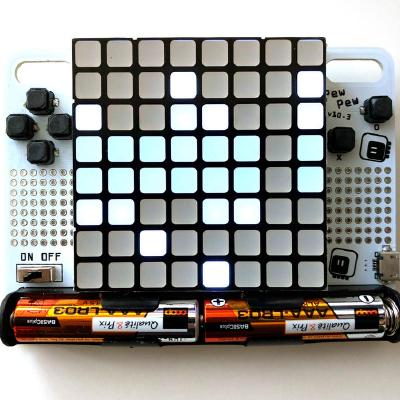
I thought that pewpew was an included module in 4.1 but I could not find it on my M4 express.
@stuck elbow do I have to get pew library from https://github.com/pewpew-game/pewpew/releases ?
I see versions for 2xx and 3xx, is it compatible with 4.x ?
GitHub
A family of gaming handhelds programmable with CircuitPython - pewpew-game/pewpew
I took content from https://raw.githubusercontent.com/pewpew-game/pewpew/master/libs/PewPewLite4.0/pew.py
and it works for what I was doing, but I'd like to have the proper way to use pew (and being able to explain it to people at Europython 😉 )
indigo wedge
displayio is freaking 🔥

Anyone started on writing a widget library yet? I know Button and Label exists, I use Label and Shape here
stuck elbow
GitHub
The pew library for PewPew Lite 4.x. Contribute to pewpew-game/pew-pewpewlite-4.x development by creating an account on GitHub.
lethal abyss
I'll update but my roboface port is working.
https://github.com/titimoby/pewpew-experiments

GitHub
I sometimes play and have a lot of fun with https://github.com/pewpew-game/pewpew - titimoby/pewpew-experiments
manic glacierBOT
 indigo wedge
Built this with like 100 lines in my code.py, did I mention I really like displayio? :D
Also, any ideas on how to speed up text render times?
Published a new video on YouTube: "Handheld FeatherWing - Portable Terminal Demo".
Twitter
manic glacierBOT
I'm still debugging and cleaning code up but will let you know when it's out on t'Internet.

 manic glacierBOT
 slender iron
@indigo wedge are you using a TileGrid for the console or Label? TileGrid will be faster since it is a single object. scrolling is still slow though because it causes the whole area to update
indigo wedge
I just use 10 Labels and replace their text
slender iron
@indigo wedge take a look at terminalio.Terminal
it's one TileGrid under the hood and can do some basic ANSI stuff
it's used outside the VM for the console view
indigo wedge
i see, that documentation needs a bit of work though 😄
i'll test it out when i get some time
slender iron
ya, I think you just .write to it and it lays everything out for you
indigo wedge
That should be good, although word-wrap in Label would be useful too, might look into it at some point. I'm really happy how easy it was to create a simple TextInput "Widget" with Shape and Label 😃
slender iron
👍
indigo wedge
Oh you can use the Feather ESP32 as a co-processor same way that pyportal does? Sweet!
Then I see some WiFi Keyboard demo in my future 😄
stuck elbow
I think the connections needs to be different than just plugging it in
it might be worthwile to make an adapter
indigo wedge
Yeah I would still use the D51 Feather for CP and connect the ESP32 Feather with some jumper wires. Good enough for demo.
stuck elbow
hmm, any reason I get an InvalidPin when I try SPI on PA17/PA18 on the SAMD21? The datasheet claims they are SPI-capable
lone sandalBOT
meager fog
@indigo wedge widgets were going to be the merging of a bitmap+button. i was waiting for speedups before attempting
indigo wedge
i see, so speedups are planned? 😄
meager fog
i mean.. the ones that just happened
like, last week 😄
i wrote button back in january
great work on the featherberry
@umbral dagger p1ngp0ng
@umbral dagger lemm know if/when yr around
indigo wedge
thank you 😊
 umbral dagger
@meager fog Just about to feed the cat and make coffee. ~10 minutes.
umbral dagger
@meager fog back. Cat has food and I have coffee.
meager fog
nice
ok we'll return to pypercard later
for this week, we'll do a guide on my turtle port
umbral dagger
I made those final tweaks to the font location in PYOA this morning, and did another release
meager fog
ya, its in good shape now!
umbral dagger
The spiral demo ?
meager fog
brent's out for a couple days, when he's back we'll add cursor support
well thats just hte demo, the underlying code is a turtle port
have you used LOGO b4?
meager fog
ok gr8
my code's here
GitHub
left! right! forward! turtle power! Contribute to ladyada/Adafruit_CircuitPython_turtle development by creating an account on GitHub.
ill move it to adafruit
it needs travis'in
and also there's some things missing
for example dot
and variable line thickness, which we have to do with just drawing a square of pixels rather than 1 pixel
you can use turtle within mu which is good for checking expectations
umbral dagger
ok. you want it as a bundled lib, or a self-contained project?
meager fog
its a library for sure
and then it should have some fun examples
but i think, if you can start with getting it travis'd and in the bundle, thats a great start!
after that, please add notimplementederror for all the stuff we dont 'match' with the CPython turtle
and then we'll go thru and implement whatever we can
umbral dagger
Sounds good.
meager fog
check https://blog.adafruit.com/2019/01/04/modern-turtle-graphics-the-descendants-of-logo-in-python-python-logo-thepsf/ for some neat history/refs

Adafruit Industries - Makers, hackers, artists, designers and engineers!
Some of the most popular Adafruit blog posts last year, including the #1 post, revolved around LOGO, the original “turtle” graphics developed in the 1960’s for learning which was …
lone sandalBOT
 tough flax
Looking forward to the chat today
idle owl
😃
<@&356864093652516868> CircuitPython Weekly meeting in about an hour. Everyone is welcome! Notes doc is here - please add your hug reports and status updates! Talk to you soon! https://docs.google.com/document/d/11nzKQBgn_H1LiFNvzeUmnqAbKrdLpDy4u3r8JAYOH-w/edit#
Google Docs
CircuitPython Weekly for 24 June 2019 Video is available here on YouTube. Join here for the chat all week: https://adafru.it/discord The weekly happens normally at 2pm ET/11am PT on Mondays. Check the #circuitpython channel on Discord for notices of change in time and...
 minor plume
I'll be lurking/text only for the weekly meeting. Multitasking...
idle owl
@minor plume Lurking enough that I should skip over you for hug reports/status updates?
minor plume
@idle owl Yeah, sadly. 😦 I don't have anything to report this week in any case.
idle owl
No worries! Simply wanted to make sure I understood.
 round lintel
Hey all, I'm new here! I'll Just be listening in today 😁 🕵
idle owl
@round lintel Welcome!
 rich condor
Hi eveyone ! Also from Vancouver, thank you for having us!
tidal kiln
WA or CA?
stuck elbow
no mike today
 grizzled hull
CA🇨🇦
 inland tusk
No audio today
 glad grotto
Just lurking
grizzled hull
lurking 😁
rich condor
Just lurking 😃
river quest
YAY! Higher quality audio on Discord, thanks for the boosts’
gilded cradle
Lurking
inland tusk
General hug to all
river quest
Teardown was over the weekend, links, news, hardware running CircuitPython, thanks Melissa and folks who tweeted all the fun & more, we have a round up in the newsletter, preview here:
https://github.com/adafruit/circuitpython-weekly-newsletter/blob/gh-pages/_drafts/2019-06-25-draft.md
GitHub
Community newsletter for python on microcontrollers - adafruit/circuitpython-weekly-newsletter
gilded cradle
Yw
river quest
REMINDER: Programming microcontrollers with Python! TAKE THIS SURVEY:
https://forms.office.com/Pages/ResponsePage.aspx?id=v4j5cvGGr0GRqy180BHbRx50AHoXr3BImxtzTGKK4edUMEJNUUFTUUdGRFhOVUg0N0RBN0paOFJBRy4u
Microsoft Forms
Raspberry Pi 4 Model B is here, BLINKA'ing it now 😃 Will be here later!
https://circuitpython.org/blinka
CircuitPython Organization
CircuitPython Choose Your Own Adventure, make one and share with us!
https://learn.adafruit.com/circuit-python-choose-you-own-adventure?view=all

A framework to write choose your own adventure style stories for your PyPortal.
CircuitPython snakes its way to HackSpace Issue 20! Congrats to all the folks in the community who were featured and/or wrote articles! Ben Everard in HackSpace Magazine writes about using CircuitPython to easily turn an Adafruit Circuit Playground Express educational/multifunction board into a USB-connected game controller:
https://magazines-static.raspberrypi.org/issues/full_pdfs/000/000/087/original/HackSpacemagazine20.pdf
CircuitPython - a HUB of... USB things, now live on Crowd Supply:
https://www.crowdsupply.com/capable-robot-components/programmable-usb-hub

Crowd Supply
A USB hub that's also a dev board and an I2C, GPIO, and SPI bridge
8/8/2019 is CircuitPython day, 2 events listed so far!
CircuitPython Day with the India Linux Users Group Delhi (ILUGD) at the Delhi Technical University for Women - August 4, 2019.
https://www.eventbrite.com/e/circuitpython-day-tickets-63844092399
Getting started programming microcontrollers with CircuitPython by NYC Resistor - August 3, 2019.
https://www.eventbrite.com/e/getting-started-programming-microcontrollers-with-circuitpython-tickets-63905511104

Eventbrite
CircuitPython is a programming language designed to simplify experimenting and learning to program on low-cost microcontroller boards. And this year we are dedicating a whole day to it.
Tentative Schedule11:00 - 13:00: Getting Started with Circuit Python [Workshop] by Ayan Pa...

Eventbrite
Want to learn Python? What about learning the easiest way to learn to code using a microcontroller?
CircuitPython is a programming language designed to simplify experimenting and learning to code on low-cost microcontroller boards. CircuitPython adds hardware support to the c...
This week on the shows' Naomi from PSF, and also Nina from Microsoft, stay tuned!
glad grotto
Lurking
 timber mango
lurking
 sterile bronze
lurking
pastel panther
@tidal kiln are you lurking?
tidal kiln
not this week 😃
pastel panther
@timber mango do you have hug reports or status updates?
timber mango
lurking, thanks!
minor plume
I found a typo in the draft of this week's CircuitPython newsletter. What's the right process for fixing it?
inland tusk
Got my breathe controller integrated with the helm software synth. I am trying to create a demo song.
tough flax
Just a thought to capture on the Debug - perhaps we could modify mpy-cross to strip out debug w/a flag? Then the frozen libs could mpy-cross with the flag and the external libs could leave them in?
(Just thinking out loud)
tulip sleet
@minor plume submit a PR or an issue - thanks! It's actively being edited now
tidal kiln
😺
tough flax
@tulip sleet where can I get the earliest access to the BLE code?
5.x?
We really need this badly in AT
tidal kiln
IN THE WEEDS
kind of a PSA - I2C repeated start on linux, everyone know about this?
tulip sleet
@tough flax there'll be a 5.0 alpha or beta with BLE Scanner and Central I hope pretty soon. I could also point you to my fork and the branch; it's not working well enough yet
tough flax
If using a battery w/power going IN the STEMMA port on the PyPortal, will it work if you switch to 3.3V?
Does that only change the i2c port? Or the 3pins as well?
tidal kiln
i think it's both
tough flax
Ok... probably should make a note somewhere
solar whale
All the JST Vcc pins are common in the PyPortal
tidal kiln
yep
if you see this:
i2c.write(buf_out, stop=False)
i2c.readinto(buf_in)
probably need to change to:
i2c.write_then_readinto(buf_out, buf_in, stop=False)
heya folks, special early notice - we have Pi 4's in stock now https://www.adafruit.com/product/4292

The Raspberry Pi 4 Model B is the newest Raspberry Pi computer made, and the Pi Foundation knows you can always make a good thing better! And what could make the Pi 4 better than the 3? How ...
only 2GB version right now - others comin' soon but no ETA (its whenever we get em 😃
tidal kiln
hi jean luc! 😺
tulip sleet
@tough flax is UART mainly what you need for BLE or do you need to talk to non-CPy BLE peripherals? As long as they don't need pairing it should be ok
meager fog
we will sell out of the pi4's in under 15 mins so if u want one, please check out now 😃
raven canopy
@@pastel panther I think hash/dict is the best way. Maybe place a "polled" timestamp so that each one can be state checked based on new vs old?
grizzled hull
Got some questions want to discuss😁 I'll type it down here
(1) Have you ever used “device simulator” for your project? (Like the ones on MakeCode) And how you find it helpful for your project?
(2) If you can have a tool with the features of the followings, how would you rank them?
<1> Debugger
<2> A device simulator supports lots of sensors for your board
<3> Deploy to Device: have a better experience for deploying your circuitPython code to your board: without having to install the library and configure the board all manually yourself, hit a “save to board” btn and it will install for you!
https://makecode.adafruit.com/#editor Here's an example for "simulator"
Adafruit Circuit Playground Express - Blocks / Javascript editor
A Blocks / JavaScript code editor for the Adafruit Circuit Playground Express.
tidal kiln
(2)<3> sounds good
pastel panther
@grizzled hull My preference would be in descending order
3 (deploy to device
1 (debugger)
2 Device simulator
raven canopy
- sparsely. 2) <3> as well.
tough flax
@tulip sleet we need HID (both peripheral and central)
timber mango
I've used Android device simulators - fairly helpful For three steps I would rank 2,1,3
tulip sleet
@tough flax HID is more work - bonding and pairing, but it's still high prio
pastel panther
@grizzled hull I have novels worth of other thoughts about what could be done with the serial console integration with VSCode. Feel free to DM me to follow up if you're interested
grizzled hull
Cool, thanks so much! Currently we don't have a survey yet
tough flax
@tulip sleet - I have lots of use cases & will gladly test it to death
grizzled hull
Yesss
 errant grail
@grizzled hull : For simulation with sensors, integration with Spice would be handy.
👋
raven canopy
Oh and, welcome @grizzled hull. 👋 looking forward to what you all come up with. no pressure.
pastel panther
I love the smell of feature creep in the morning 😃
sorry "requirements gathering " ;p
errant grail
"brainstorming"
raven canopy
Thanks everyone!
grizzled hull
Thanks!!
timber mango
Thanks for your open format!!
grizzled hull
Yea thanks Kattni!
pastel panther
@timber mango it's what we do! thanks for participating 😃
solar whale
👋
tidal kiln
👋
tough flax
Hey! I just got an ATMakers skills badge on my order! GO FIGURE! 😃
tulip sleet
the ordering system is omniscient
pastel panther
the badge selection is actually handled by a very smart hamster
tough flax
And thank you, @meager fog for the heads up
@tulip sleet any desire to go to Pitt in Sept?
lone sandalBOT
timber mango
CircuitPyhon Storage:
is it possible to mount a (sub)folder as writeable for CP?
timber mango
ok ! Thanks
 hoary trench
Is there any smart way to disable the sound and picture loading when using PyPortal?
meager fog
delete files
manic glacierBOT

Working on Adafruit_CircuitPython_PyBadger. At that state of the lib, if I moved the order of things in code.py, it would:
- Reboot the board.
- Returns
OSError 5: Input/Output(not sure past this, it flashes onto the display, so I'm only seeing what fits on to the display) - Reboots again into safe mode with
Hardfault_Handler.
If the pybadger.badge line is inside the while True: loop, the code runs fine. If I move it above the loop, safe mode.
Including zip containing t...
idle owl
@tough flax Regarding mpy-cross stripping the debug stuff, this is a better way to debug it anyway. So there's no reason to try to figure out getting things stripped in the frozen builds when we can debug smarter in the first place.
tough flax
ok
idle owl
Removed the Bus_Device layer from the debugging, debugs from the core.
umbral dagger
I'm running into a build error I haven't encountyered before: AttributeError: module 'board' has no attribute 'DISPLAY'
Running on the board (pyportal in my case) board.DISPLAY is there (well, the code using it works, so...)
And I dir shows it there.
The trace: autodoc: failed to import module 'adafruit_turtle'; the following exception was raised: Traceback (most recent call last): File "/home/travis/virtualenv/python3.6.7/lib/python3.6/site-packages/sphinx/ext/autodoc/importer.py", line 36, in import_module __import__(modname) File "/home/travis/build/adafruit/Adafruit_CircuitPython_turtle/adafruit_turtle.py", line 131, in <module> class turtle: File "/home/travis/build/adafruit/Adafruit_CircuitPython_turtle/adafruit_turtle.py", line 134, in turtle def __init__(self, display=board.DISPLAY): AttributeError: module 'board' has no attribute 'DISPLAY'
meager fog
you have to mock it right?
minor plume
Yay! I just got out of a meeting with my company's Chief Legal Officer, and he's going to confirm in writing that the company has no IP issues with me getting involved with the Circuit Python project. (We're a software company, so I wanted that clearance first to avoid problems down the road.)
Better safe than sorry where the lawyers are concerned. 😂
meager fog
@minor plume thats gr8!
minor plume
Now to figure out where/how I can help...
meager fog
whereever you like!
tidal kiln
@minor plume maybe good place to start? 86 open issues await!
https://github.com/adafruit/circuitpython/issues/1246
minor plume
@tidal kiln I'll take a look!
manic glacierBOT
 umbral dagger
@meager fog @pastel panther Ah. Ok. Hadn't run into having to do that with such a fundamental module before.
slender iron
@minor plume great! thank you for double checking with your employer. I've added you to the circuitpythonistas role (thanks for the nitro boost too!). Let us know where you'd like to help (c, python, docs, newsletter) and we can help you pick something to get started with.
minor plume
@slender iron Thanks! Python, docs, newsletter are all good roles. C isn't my strongest skill. 😉
slender iron
not your strongest skill is a good reason to practice 😉
minor plume
Reading kattni's GitHub guide presently. 😀
slender iron
perfect! let me know how we can help get going
minor plume
And true. But I want to start with something comfortable. I'll circle back with you in the next day or so and we can chat about where I can help.
slender iron
sounds perfect @minor plume thanks!
here is the page to make a pr to merge 4.0.x into master: https://github.com/adafruit/circuitpython/compare/master...adafruit:4.0.x?expand=1
GitHub
CircuitPython - a Python implementation for teaching coding with microcontrollers - adafruit/circuitpython
manic glacierBOT
slender iron
@solar whale 👆
solar whale
Thanks -- I tested it when Dan put it out -- should I retest with 4.1.0 before approving?
It'll just take a few minutes
tested and approved -- Thanks
tidal kiln
@slender iron Q!
slender iron
what do you think about removing end=False to force the other function for repeated start?
we could remove it in 5.x
tidal kiln
remove it from which function?
solar whale
@slender iron My old training won't let me skip the testing 😉
slender iron
i2c write I think
I don't know of a reason to not send an end otherwise
@solar whale np, that instinct is helpful
tidal kiln
oh, i see what you mean. to make it to where that's the only option for repeated start?
right now there are sort of two ways
tidal kiln
i guess that would work
was there originally only write and readinto? so that's how repeated start was originally done?
slender iron
yup but linux requires to know a repeated start is needed up front
tidal kiln
right. so all that was added as things evolved to include blinka.
slender iron
ya, the extra function was
slender iron
we'd add writeto_then_readfrom to bus.I2C
tidal kiln
ah. ok. to the core.
orchid basinBOT
tidal kiln
Adafruit CircuitPython 4.0.1 on 2019-05-22; Adafruit PyGamer with samd51j19
>>> from busio import I2C
>>> dir(I2C)
['__class__', '__enter__', '__exit__', '__name__', 'deinit', 'readfrom_into', 'scan', 'try_lock', 'unlock', 'writeto']
>>>
@meager fog OK... turtle is passing travis checks. Ready for review/merge then bundling.
slender iron
yup, just looked at the source too. we could add it in 5.x with the end= removal
slender iron
yup, and then we can simplify once folks are off 4.x and lower
tidal kiln
yep. blinka is sort of forcing that simplification right now. for the cases where RS is needed.
slender iron
ya, np
orchid basinBOT
I noticed this while looking at all the Blinka boards.
umbral dagger
@meager fog I've never been able to get it reporting the same thing. Worth a bit of time to get it working I suppose.
orchid basinBOT
tough flax
Sorry @turbid radish that I "code like a C programmer" 😃 Is there any easy way to run pyLint? Is it the same as the lint in Mu?
tough flax
So, this i2c voltage problem just went from theoretical to practical for me 😕
I’m using the 3pin port for input power from the battery and powerboost
I think that means I can’t use the seesaw board for additional GPIOs and ADC?
Anyone have any thoughts? External level shifter? Cut a trace?
 ruby lake
hm, I think someone stole my adabox delivery from my front doorstep.
pastel panther
@ruby lake Oh no! I hope it just got misplaced. I've had delivery people mark things as delivered only to have them show up the next day.

 junior atlas
stuck elbow
junior atlas
stuck elbow
hey
manic glacierBOT

The code snippets in the Design Guide article reference time without the import time statement.
 cyan rune
👋 we are going to be talking about CircuitPython at our monthly meetup in Louisville, KY Thursday.
https://www.meetup.com/derbypy/events/jgtjnpyzjbkc/
Presentation contents are up here:
https://gitlab.com/AlexanderHagerman/python_for_embedded_systems
If anybody has feedback or additional ideas let me know and if you're in the area would love to see you there. I'm not an embedded professional, but CircuitPython has been awesome and I'm learning a ton so I wanted to share and encourage others to check it out.

GitLab
DerbyPy presentation on Python for Embedded systems.
 pastel panther
@cyan rune Awesome! It's always great to see community members helping grow the community further :)
The only minor thing I saw to add to your presentation is mentioning that CircuitPython is a fork of MicroPython. Over all it looks good 😃
cyan rune
Thanks! I'll get that added to make sure it's explicit.
 dawn rampart
@tulip sleet - I noticed back on May 29th, you were able to create and add a .uf2 for erasing the flash on the Feather M4. Can you point me to an example of how you did it so I can create an "Erase Flash" uf2 for the Mini SAM M4?
stuck elbow
@dawn rampart you can now do that from the REPL
dawn rampart
Yeah - and that's how I do it, but I'm looking for a method that doesn't require the user to know how to use REPL.
tulip sleet
@dawn rampart https://github.com/adafruit/circuitpython/blob/master/main.c#L408
change
filesystem_init(safe_mode == NO_SAFE_MODE, false);
to
filesystem_init(safe_mode == NO_SAFE_MODE, true);
Make sure you label the UF2 as something like "CIRCUITPY-ERASE-DANGER" to avoid support issues.
dawn rampart
@tulip sleet -Thanks!
stuck elbow
I didn't want to complain, and I refrained from saying anything for several months, but I will just briefly mention this: that CircuitPython newsletter could use some accessibility/readability improvements. Here is how it looks for me:
is click tracking really THAT important?
river quest
hi hi @stuck elbow
we do not purposefully add any tracking
we take the newsletter from github, add to wordpress, then mailchimp sends it out
we have the full version(s) on github ... https://github.com/adafruit/circuitpython-weekly-newsletter/blob/gh-pages/_drafts/2019-06-25-draft.md
GitHub
Community newsletter for python on microcontrollers - adafruit/circuitpython-weekly-newsletter
meager fog
@umbral dagger hihi let me know hwen yr around ☕ and we'll 'plot' our turtle adventure (ha!)
river quest
is the github version "good" for reading, it's just plain text and markdown
stuck elbow
@river quest thanks, that works for me
river quest
all good, we'll always have a text only version and version on github
i do not see any settings in mailchimp to change the urls, we do not track anything by default, it just makes those urls so when clicked, we get a report that says what was the most clicked
stuck elbow
yes, that's what tracking is for
umbral dagger
@meager fog ok..
meager fog
hii! 🐱 fed? 😃
meager fog
😄
ok so you got turtle running?
next steps are to stub all the fucntions we dont implement from CPython turtle
umbral dagger
Right. A lot are done already, so take care of the rest.
meager fog
@umbral dagger indeed! after that, lets do line thickness
or you can do dot
either one
dot might be easier, i have some circle-drawing code
umbral dagger
Sounds good
meager fog
@umbral dagger ping me b4 you start either and we can plan the attack
ruby lake
files a claim with UPS over the missing adabox
meager fog
@ruby lake we have replacements, email support@adafruit.com to get a new one
you can screenshot this msg as the 'RMA auth' 😃
pastel panther
TIL: NACK on the last byte of an I2C read is expected and signifies that the master reading the data is done reading. See page 5 of this invaluable document:
pastel panther
on the write in response to a read? I know the slave will NAK when it can't/won't respond
stuck elbow
right, slave responds to writes, master responds to reads
ruby lake
@meager fog ok thanks will do
pastel panther
but a NAK from a slave represents and error case, and a NAK from the master after the given number of bytes represents success, right?
ruby lake
if by some chance the missing box is found I'll return it
indigo wedge
wait, if Limor has a separate account then who is @river quest 😄
cyan rune
In response to the adabox mention above, should all those have shipped by now? Hadn't paid attention as other projects have kept me busy, and I got curious. I also know things take time so not in a rush or trying to rush things if shipments are still processing.
slender iron
@cyan rune I don't think they are quite all shipped but will be in the next few days
 turbid radish
@tough flax sorry I was grousing at you last night, a long day. If you compare your code with the code in GitHub, you can see the changes https://github.com/adafruit/Adafruit_Learning_System_Guides/blob/master/CircuitPython_AT_Hand_Raiser/code.py
GitHub
Smaller programs and scripts to display "inline" in Adafruit Learning System guides - adafruit/Adafruit_Learning_System_Guides
We use pylint 1.9.2, I'm not sure if you can do a local install of that version
Some notes: Keep lines <78 chars, no parens on if statements, time import is usually first, it throws an error if the var in a def is named the same as a var in your program
No spaces after a statement and no spaces in blank lines
raven canopy
You can. pip --force-reinstall pylint==1.9.2 iirc.
turbid radish
Thanks @eternal carbonmmersoft
I must run, I have two more guides to write - Limor has the AT guide to review in her schedule.
 fathom trellis
Hey folks, I was trying to get the build working locally yesterday on Mac OS, but ran into issues. I narrowed it down to a problem with building mpy-cross. If anyone has seen this error before or has ideas on troubleshooting, I'm all ears. I didn't turn up anything about this particular issue on google.
Log:
> pwd
/Users/nina/projects/adafruit/Adafruit_CircuitPython_PyPortal/build_deps/circuitpython/mpy-cross

> make
Use make V=1, make V=2 or set BUILD_VERBOSE similarly in your environment to increase build verbosity.
../py/nlrx64.c:44:9: error: macro expansion producing 'defined' has undefined behavior [-Werror,-Wexpansion-to-defined]
    #if NLR_OS_WINDOWS
        ^
../py/nlrx64.c:37:25: note: expanded from macro 'NLR_OS_WINDOWS'
#define NLR_OS_WINDOWS (defined(_WIN32) || defined(__CYGWIN__))
                        ^
../py/nlrx64.c:44:9: error: macro expansion producing 'defined' has undefined behavior [-Werror,-Wexpansion-to-defined]
../py/nlrx64.c:37:44: note: expanded from macro 'NLR_OS_WINDOWS'
#define NLR_OS_WINDOWS (defined(_WIN32) || defined(__CYGWIN__))
                                           ^
../py/nlrx64.c:112:9: error: macro expansion producing 'defined' has undefined behavior [-Werror,-Wexpansion-to-defined]
    #if NLR_OS_WINDOWS
        ^
../py/nlrx64.c:37:25: note: expanded from macro 'NLR_OS_WINDOWS'
#define NLR_OS_WINDOWS (defined(_WIN32) || defined(__CYGWIN__))
                        ^
../py/nlrx64.c:112:9: error: macro expansion producing 'defined' has undefined behavior [-Werror,-Wexpansion-to-defined]
../py/nlrx64.c:37:44: note: expanded from macro 'NLR_OS_WINDOWS'
#define NLR_OS_WINDOWS (defined(_WIN32) || defined(__CYGWIN__))
                                           ^
4 errors generated.
make: *** [build/py/nlrx64.o] Error 1
@fathom trellis huh do you know what v of gcc you're running
cyan rune
Thanks @slender iron
meager fog
@cyan rune we will be done shipping this week - hold tight. if you dont get a notice by friday, please email us
and we'll see whats up
we're still a couple days from finishing 😄
fathom trellis
@meager fog Could be a bit out of date?
> gcc --version
Configured with: --prefix=/Library/Developer/CommandLineTools/usr --with-gxx-include-dir=/usr/include/c++/4.2.1
Apple LLVM version 10.0.0 (clang-1000.10.44.4)
Target: x86_64-apple-darwin17.7.0
Thread model: posix
InstalledDir: /Library/Developer/CommandLineTools/usr/bin
Sounds good, I figured that everything was still processing, but I've had a couple mail issues lately (ended up on my neighbors porch instead of mine) so wanted to ask. Can't wait to build the PyGame 😄
slender iron
@fathom trellis are you trying to build an mpy?
typically we rely on travis to do it
simple pulsar
@fathom trellis gcc has a -Wexpansion-to-defined but that looks like a warning not an error so perhaps you are using a compiler that has a different point of view on the severity of this? (Oh, actually I've Ignored the obvious here, -Werror is in use, promoting the warnings into errors.)