#circuitpython-dev
1 messages · Page 235 of 1
 raven canopy
i know. you too! 💤
 exotic pumice
thanks
 river quest
@umbral dagger soon it will be matter of when, not if....
once we get some buttons and some more things going, some stacks will be possible with sound, menus, etc...
 umbral dagger
PyCard
river quest
LCARS alarm clock lookin good
umbral dagger
PyperCard
river quest
haha
river quest
with stemma port could do something like get heart rate and not turn off alarm until it's beating more
hehe
or it donates to something each time you hit snooze
gotta use that IoT for somethin'
umbral dagger
It monitors the light sensor and dims the backlight when the light is low
river quest
that's a nice feature that not even most alarms clocks do it seems
this one can do that, set the time automatically, etc too
umbral dagger
Yes, time is fetched. based on the event count down demo
river quest
single serving countdown clocks are fun
umbral dagger
Thinking of using the switch connector to add a large arcade button for snooze.
river quest
yep 😃
umbral dagger
And there's a spot on the screen for a weather icon.
umbral dagger
Cool.. I was looking for it 😃
river quest
just got done testing and made new graphics
been working all night, it's really handy
umbral dagger
I'll add that in, then add a second mode for setting the alarm. All touchscreen based.
river quest
er, travis just finished, it will be up in a sec
umbral dagger
I'll grab it tomorrow. Callign it a night.
river quest

GitHub
Smaller programs and scripts to display "inline" in Adafruit Learning System guides - adafruit/Adafruit_Learning_System_Guides
same here, time to zzzzz tooo
 simple mantle
so a friend of mine is doing microcontrollers and hardware engineering at school. he has a project idea for his first term assignment. I would like to make this as a prototype using circuitpython (my friend is forced to use C) just to show him that it can easily be done.
The idea is to measure the ground temperature and gps location on the road and analyze this data. Im thinking featherwing + gps thing + IR temp sensor. with future option to expand into something like a gsm module to live stream the data to an iot backend. ideas of what hardware is needed? I have a featherwing datalogger hence my initial thought off using it, but that does not matter if there is other options. (already asked in the python discord)
 main meteor
I don't know of any IR temperature sensors with CP support offhand. Here's one I2C unit that might be suitable, I doubt it would be too tough to write a module to talk to it https://www.dfrobot.com/product-1495.html
 tidal kiln
there are CP drivers for both the TMP006 and TMP007:
https://github.com/adafruit/Adafruit_CircuitPython_TMP006
https://github.com/adafruit/Adafruit_CircuitPython_TMP007
 solar whale
but both are discontinued 😦
tidal kiln
hmm. still some 006's avail:
https://www.adafruit.com/product/1296
fwiw
 prime flower
@gilded cradle Could you ping me when you've made the change to ESP32SPI, or add me to review it so I can see if it affects the _IO library?
 gilded cradle
Yeah, was just going to put in both PRs at the same time
prime flower
ok, no problem
prime flower
Doesn't look like the .mpys for IO CircuitPython were added to the 1.0 release. Travis shows they were built (https://travis-ci.com/adafruit/Adafruit_CircuitPython_AdafruitIO/builds/102205219#L411)
 idle owl
@prime flower Because Travis failed to deploy. Needs an API key. I don't think I got around to adding it.
Yeah, I'll do that now.
prime flower
Thanks kattni!
gilded cradle
I got both PRs in @prime flower . Laptop is at 5%, so phew.
prime flower
PHEW, I'll test on IO and submit PRs with the changes
oh wow you already did it, thanks
idle owl
API key added. Restarted the 1.0 build, should deploy. Please verify it once the build is done, I'm in the middle of a lot of things.
prime flower
Will do.
gilded cradle
Ok, down to 3%, so shutting down.
 pastel panther
lets try this again. heya @tulip sleet what does it mean for memory in CP to be 'long lived'?
 tulip sleet
The heap memory is divided into long and short-lived for garbage collection reasons. One is allocated from one end of the heap, one from the other. The idea is to group long-lived stuff together so it's not mixed with short-lived stuff, to reduce fragmentation. An added thing is that short-lived memory may be relocated during a gc, but long-lived is not.
pastel panther
excellent! Thanks
 simple pulsar
@tulip sleet Is that duty_cycle thing a known issue, btw?
Not important, I'm just curious
pastel panther
@tulip sleet I feel like I've also seen a few places with malloc'd memory without an associated (or at least nearby) free. Is that some CP magic?
simple pulsar
Although it's an unusual kind of bug so there might be some unpleasantness going on under the covers
tulip sleet
no, first we heard of it. I looked at the code and maybe we're not operating the peripheral quite correctly. The code is different on samd21 and '51. We have to wait for the TC or TCC to be ready in some cases.
hold on phone call
prime flower
@gilded cradle I think my prev. commit to your master messed up the history (adding to remote PRs is weird..)
was trying to add an updated analogin example since it wasnt included
gilded cradle
Ok, I wondered if something like that might happen
prime flower
I think it's because I was in a detached HEAD, you can try to drop that commit by rebasing the PR
gilded cradle
Um, I’m not sure how to do that.
pastel panther
Atlassian
Compare git rebase with the related git merge command and identify all of the potential opportunities to incorporate rebasing into the typical Git workflow
prime flower
@gilded cradle I reverted the incorrect merge
tulip sleet
@pastel panther there is no free because the garbage collector takes care of it
prime flower
'git pull' your 'master' before making more edits, so it doesnt encounter a merge issue
also for the future - when adding a PR, make a branch called new-features or update-examples. Create a pull request from the branch, so it doesn't effect the history of master
pastel panther
proceeds to malloc with abandon
gilded cradle
Ok, thanks @prime flower
prime flower
@gilded cradle changes look good, ready for me to approve and merge?
gilded cradle
Yeah
prime flower
🎉 done
gilded cradle
Thanks
tulip sleet
@pastel panther use the other peripheral calls to storage allocaters as a guide, because you may want to call malloc by a different name.
gilded cradle
Mind if we do a release @prime flower?
prime flower
I'm about to @gilded cradle
gilded cradle
Perfect
prime flower
Was waiting to see if jerryn would approve the other PR so I could do them at once, but its ok to do 2 seps.
drafting...
gilded cradle
Yeah, either way is fine
prime flower
@gilded cradle Released
gilded cradle
Thanks.
Can we change the semver to something like 1.1.0 so it matches the rest of the repositories @prime flower?
idle owl
I'm not certain you can simply change the version number. You may have to do another release, or delete the current release. But you'll have to skip the current number or you can end up with things colliding. So jump to 1.2.0 or something.
prime flower
@gilded cradle I could bump to 1.2.0 after the current PR is pulled in for precision if that works, otherwise I can delete and do another release jumping to 1.2.0
 crimson ferry
Today's Adafruit_CircuitPython_ESP32SPI changes get rolled into tomorrow's Adafruit_CircuitPython_Bundle auto-release?
 meager fog
@pastel panther hihi i have a Q about the BMP decoding
pastel panther
yes?
meager fog
is there such thing as 32-bit BMP?
meager fog
ok i mhave a 'not viewing' bmp maybe you can look
i dont know what its deal is
i have no idea what 32 bit would mean tho
pastel panther
gimp sez yes
meager fog
is there an alpha channel???
meager fog
alpha i guess
can you look at if we can add support for it while you're in the 8 bit zone
gilded cradle
Yeah it’s alpha, was doing som bmp stuff for ra8875 yesterday
pastel panther
sure thing
meager fog
In the original OS/2 DIB, the only four legal values of color depth were 1, 4, 8, and 24 bits per pixel (bpp).[4] Contemporary DIB Headers allow pixel formats with 1, 2, 4, 8, 16, 24 and 32 bits per pixel (bpp).[17] GDI+ also permits 64 bits per pixel.[18]
ok we'll just drop alpha for now
so skip that byte
here's another one
i dont think its a big code challenge cause we'll just skip the data and treat the rest as RGB
but take a look!
i've never bumped into 32-bit but this one website seems to generate em
pastel panther
should be straightforward
gilded cradle
@prime flower that works for me
main meteor
Some screen grabbing programs seem to create 32 bit ones for some reason.
gilded cradle
@crimson ferry, that’s correct though you could just grab it right out of the repo now.
crimson ferry
@gilded cradle Thanks, it took me a bit to figure out where to grab it. But just tested and it works great on my ItsyBitsy-ESP32 testbed. I really appreciate the changes! Added DotStar import to my local examples + changed ESP pin names to numbers (suspect they're not defined for ItsyBitsy). Awesome! 😃
gilded cradle
Glad to hear. I thought it was a great suggestion.
prime flower
@gilded cradle bump'd https://github.com/adafruit/Adafruit_CircuitPython_AdafruitIO/releases/tag/1.2.0
GitHub
Adafruit IO for CircuitPython. Contribute to adafruit/Adafruit_CircuitPython_AdafruitIO development by creating an account on GitHub.
gilded cradle
Awesome. Thanks brent
prime flower
@gilded cradle if you decide to do that RSSI issue, be warned that rssi returns an unpacked struct and needs to be "prettified"/cleaned up in the signal_strength method would be abstracting ._esp.rssi (I just messed with it quickly)
umbral dagger
Is there any reason the PyPortal splash group is set to max=5??
main meteor
Once I've loaded a new bitmap font, how do I use it?
pastel panther
@prime flower you may be entertained to know that the aforementioned mushroom farmer is now doing his own configuration of the AIO feeds and data logging
prime flower
@pastel panther omg..the internet of mushroom farming....Can he email adafruitio@adafruit.com with some pictures or at least the dashboard?
pastel panther
totes; I got some pix of the grow room but we'll be getting together tonight to finish out some details
prime flower
The IO team can't see what people are doing on/with IO, per our IOT Bill of Rights. So it's always interesting to hear/see Adafruit IO use cases
pastel panther
thats comforting to know 😃 I'd be happy to send pix/deets and even write a blog article when things are further along
prime flower
hopefully he'll figure out some features he wants, we can add blocks/build out features fairly quickly
pastel panther
sounds good
umbral dagger
@pastel panther Internet of 'shrooms
pastel panther
"THE INTERNET IS NOT A BIG TRUCK, IT'S A SERIES OF MYCELIUM"
main meteor
Medusoid mycelium? 🍄
pastel panther
you know, Mr. Snicket went to my highschool
main meteor
This is cool, but I did not expect it!
pastel panther
As did Stephen Breyer, Margaret Cho, William Hewlett, Rube Goldberg, and Carol Channing to name a few
main meteor
Hollywood Arts? 😎
main meteor
I put a TFT FeatherWing on a Feather M4, and when I instantiate ILI9341 (the displayio version), I get a copy of my REPL interactions on the screen. My hat's off to tannewt and the rest of the crew, that's truly spiffy.
pastel panther
pretty great, right?
main meteor
Indeed. Colour me impressed.
prime flower
@main meteor it's super useful 😄
main meteor
Now to figure out how to change the font 😃
simple pulsar
hello all. Is anyone aware of any code in CircuitPython which manipulates a bytearray buffer? The CP implementation is very bare bones with append() and extend() only.
I'm wondering how to (efficiently) manage a bytearray where I need to remove a little bit from the beginning
>>> del B[0]
Traceback (most recent call last):
  File "<stdin>", line 1, in <module>
TypeError: 'bytearray' object does not support item deletion
😦
main meteor
Use slice notation? ```python
B[1:]
bytearray(b'\x05\x06\x07\x08\t')
I'd like to efficiently modify an existing one
tulip sleet
The internal storage doesn't allow trimming off the front, I believe, so you'll need to copy one way or another
simple pulsar
bytearray(b'\x04\x05\x06\x07\x08\t')
>>> B = B[2:]
>>> B
bytearray(b'\x06\x07\x08\t')
is array.array of bytes more functional for you?
that's why various read and write functions take boundaries for buffers so you can do partial reads or writes
simple pulsar
I'm buffering up some MIDI data. I was thinking of holding a certain amount of it in the MIDI class.
What do you think is best, I've not looked at array.array. Is that going to be bigger because it's int rather than bytes?
tulip sleet
could you just keep start and stop indices, or do a circular buffer?
array.array is what type you say: it could be bytes, 16-bit words, or 32-bit-words
simple pulsar
I was pondering that but thought I'd start simple!
tulip sleet
you could keep a list of bytes or byte arrays and join them at the end. b''.join(...) is the "efficient" way to concatenate
(assuming that works, haven't tried it)
simple pulsar
ok, i'll start with just over writing with slices and leave a note to revisit it if memory/performance is grim
thanks for the ideas
raven canopy
@tulip sleet do you have a moment, or are you heads-down on something? have some "general" tinyUSB questions
tulip sleet
ga
raven canopy
k. first, is it more sensitive to interrupts than the AS4 stack was?
tulip sleet
You mean the ASF4 stack messed up? They should be similar, in the sense that it shouldn't bother them. We set USB prio fairly low. On nrf, in particular, Bluetooth gets priority over everything else, because it's very timing-sensitive
raven canopy
well, now that i'm compiling without error again, as soon as my one TC with an overflow interrupt is enabled, the board locks up and then the USB gets hosed.
tulip sleet
in other words, FrequencyIn might not work very well on nRF, if it were implemented for it.
raven canopy
i was on the AS4 stack for the longest...
tulip sleet
how often is your interrupt handler running? Is it just runnig on edge transitions? What freq are you testing with?
raven canopy
its a TC, in 16bit mode, interrupt occurs on overflow, and its sourced from DPLL1 @ 98.304MHz
its the "reference" TC, and has no interaction with the EIC
tulip sleet
so what's the overflow interval?
raven canopy
from my understanding: 98,304,000 / 65535 = 1500 clock periods
tulip sleet
so 1500 kHz? Is the count always 65535 or does it go down?
so very roughly once a msec
raven canopy
always 65535, which is the max counter value in 16bit mode.
tulip sleet
looking at your code...
raven canopy
let me push the current. anything on my repo is likely really stale. 😄
tulip sleet
i was looking at the PR
tulip sleet
too late to turn into croutons
raven canopy
tulip sleet
@raven canopy in your test setup, have you applied a test signal to the input pin to measure? If so, what is it?
raven canopy
nope, no signals were applied when i ran it twice last night. couldn't stomach any more tests, since windows got seriously hiccuped forcing a restart to get the board recognized. i have not ruled out update 1809 as a culprit, either
tulip sleet
When it hangs, what does the stack trace show? is it always inside 'frequencyin_interrupt_handler`? It might be worth having that toggle a pin to see what the rate really is.
raven canopy
the ones i caught were <signal_handler>, TC4_Handler and shared_timer_handler(0x04).
0x04 being the TC index
tulip sleet
but shared_timer_handler calls frequencyin_interrupt_handler, so you might see that some time (it should spend more time there). So it doesn't fail until you start a frequency_in capture? So instrument frequencyin_interrupt_handler to see how often it's being called, and maybe whether bad things are happening inside there (bad ptrs, etc.) You could toggle a pin or increment a counter (and take a look after a few seconds).
raven canopy
yeah, i was going to jump into setting some bp's tonight and getting some closer information. just wanted to kind of check if USB would a viable direction to look as well.
thanks for the look, and the "business as usual" expectations on tinyUSB. gotta go cook & eat real quick. will let you know if i find anything interesting.
tulip sleet
i think losing usb is an effect, not a cause. You could see if tinyusb is involved by running not connected to USB (toggle the LED or something and see if it hangs)
raven canopy
oh, and i kind of blasted straight past your questions in the first part. the "capture" starts automatically, but that doesn't generate any interrupts. the reference TC interrupts, and grabs info from the capture TC(s). and i agree, it should be spending some if not more time in frequencyin_interrupt_handler. it was likely just that i wasn't catching the stack at the right time without breakpoints set.
umbral dagger
Added weather display.
The display dims and switches to a red pallete when ambiant light is low.
 gusty topaz
Nice!
Guys, has anybody here tried out the NanoPi M4 SBC?. I'm wondering if CP and/or Adafruit hardware (bonnets) would work on it:
 marble hornet
if there is no flash storage does cp support qspi?
i'm not seeing it in the docs
@umbral dagger displayio ?
main meteor
Is that weather display code available?
gilded cradle
@main meteor maybe at https://github.com/adafruit/Adafruit_Learning_System_Guides/tree/master/PyPortal_OpenWeather
GitHub
Smaller programs and scripts to display "inline" in Adafruit Learning System guides - adafruit/Adafruit_Learning_System_Guides
Or a similar folder
main meteor
Cool, thanks. Wanted some example code to see how to use fonts. Hmm, gonna have to learn about "groups"
marble hornet
can i have some spi sram help? if so hear or #help-with-circuitpython ?
please I'm not quite familiar with spi and cp
gilded cradle
Hi @marble hornet. What kind of help did you have in mind? The big RA8875 driver I made is all SPI based.
marble hornet
a 128 kb sram chip i have here, http://ww1.microchip.com/downloads/en/DeviceDoc/20005142C.pdf
i can read but it is refusing to write
i'm using the mcpsram lib that comes the the epd lib,
gilded cradle
Are you using BusDevice?
marble hornet
no, it just handles the spi directly
gilded cradle
Take a look at the guide at https://learn.adafruit.com/circuitpython-basics-i2c-and-spi. It helped me out.
Also, is it giving errors or is it just not writing?
marble hornet
it's just not writing
i get back the same number no matter what (funny enough not zero)
gilded cradle
Ok. I need to head home, but I’ll get back online as soon as I get there. I’ll see if I can come up with any ideas on the way.
Until then, maybe look at the FRAM driver. One of them is SPI based.
raven canopy
@marble hornet do you have your code posted anywhere? i can take a peek to see if i can offer any help...
marble hornet
yes!
GitHub
e paper driver for circuit python. Contribute to adafruit/Adafruit_CircuitPython_EPD development by creating an account on GitHub.
main meteor
Hmm, having trouble finding out how to get the root group for a display?
raven canopy
@marble hornet k. looking...
marble hornet
@raven canopy i just pass it the busio.SPi object, it should be compatible since it is microchip
i did try adding ```
spi.try_lock()
spi.configure(baudrate=20000000)
spi.write(bytearray([self.SRAM_RDSR, 00000000]))
spi.unlock()
i found the 00000000 from the datasheet on page 10
and thank you
raven canopy
@marble hornet what read/write mode are you trying to set in __init__? i can't see 0x43 setting any of the available modes; only 0x0 (byte), 0x80 (page), and 0x40 (sequential [default]). also, there is this note for mode: Bits 0 through 5 are reserved and should always be set to '0'
main meteor
I'm getting closer with textareas, but I'm getting the wrong glyphs displayed for some reason.
marble hornet
@raven canopy i am trying to set it to bytes (just a presumption that byte mode is correct)
so i figured rdsr is the cmd and all zeros should set it it to byte mode. (i;m also guessing bito is 2^0 and bit7 is 2^7)
meager fog
@main meteor whats not showin'
raven canopy
@marble hornet ohhh....just realized that link was to the EPD. 🤦
raven canopy
can you put up a gist of what your code looks like? or even just upload it here.
 main meteor
I set the text to '0123ABCO', and get '&-,èìòç' displayed
gilded cradle
Hi @marble hornet , I'm back on and am reading through the datasheet and comparing it to your code.
main meteor
Here's my code. I can upload the BDF font if that's useful
solar whale
@meager fog and others interested -- I wonder if it makes sense to pull the official support for the ESP_ATcontrol and move a particle_argon only version of ESP_ATcontrol over the the "Community Bundle" I'll be happy to try to maintain it but I see no reason to maintain the ESP8266 support or to maintain support for external ESP32 boards -- External ESP32's should use ESP32SPI. I think there is a good use for the particle_argon but as it is not an adafruit board, it makes sense to move its support out of the mainstream. It is a very limited use-case at this point and I'm not sure we should encourage its continuation.
solar whale
OK -- I have added the wifi-manager to ESP_ATcontrol -- and it works for the ESP32 but not for the ESP8266
raven canopy
@marble hornet after hand-jamming the numbers, everything looks like it should be working. the bit work looks correct; dean knows that realm better than i do i'm sure. and CS manipulation looks correct. check pins? do you have a logic analyzer to verify the signal?
marble hornet
no , I don;t. the odd thing i think is i;m getting numbers back from read, unique to the addrs. i've also tried setting in in sequential. i'll check conns tho
main meteor
Ah, that works correctly, which points to some sort of issue with my font.
marble hornet
i seem to be getting nonsense!
>>> chip.read(0,12)
bytearray(b'\x00___________')
>>> chip.read(0,12)[1]
95
>>> chip.read(1,12)[0]
0
>>> ```why would they be different ?
gilded cradle
Another idea is to install the SRAM_23LC library for arduino and see the specific registers that it is using for that chip.
marble hornet
i'll give it a shot
pastel panther
pro tip: make sure your variables can hold the range of values you expect without overflowing 🤦
turns out zero length buffers aren't very useful
raven canopy
@pastel panther nah. persistence will fix that. keep feeding that zero length! it'll grow! 😄
main meteor
These are some old X11 PCF fonts I found somewhere in 2001 and converted to BDF in 2002. Sure enough, it looks like they have some weird encoding I haven't seen before (it's not EBCDIC, Baudot, or Fieldata).
raven canopy
debating on another round of USB hosing fun... might as well. 😬
pastel panther
weee
marble hornet
so the arduino sketch write "The MattairTech MT-D21E is a development..."
so after running it i thought i would check for those bytes in the ram.
- byte moe for read seems not to work i always gives 0,x,x,x,x,x,x,x,x,x, no mater what. sequential seems to work
- in sequential if i read(), 12) i get bytearray(b'\x00The Mattair')
main meteor
A little poking around reveals they're probably from the ancient x3270-x11 package.
And sure enough, here's the encoding http://x3270.bgp.nu/Charset.html Wow.
pastel panther
hey @main meteor Have you ever head of 8bpp bitmaps without a palette?
main meteor
Other than greyscale?
pastel panther
yea. I mean I suppose it could be 2:2:2 or something..
marble hornet
I'm gonna poke around in the c code from arduino and see if i can make sense of it anymore 😉
pastel panther
I think some rando online converter made it:
I'm content to not support them, at least for now
raven canopy
@marble hornet in Byte mode, to read anything more than a single byte i'm fairly certain you'll have to toggle CS and send the address again. in sequential, the chip will just keep feeding data until CS is pulled high.
and, i think in the EPD, it is setting the mode to Sequential with 0x43. i just don't know why the 3 is at the end of that value.
marble hornet
in bytes wont the cs toggle if read is called again b/c it will be high form the last one ?
maybe the other chip needs 0x03 there ?
raven canopy
could be? i couldn't find which one is used on the EPD. but i didn't dig too deep.
marble hornet
IT"S WORKING !
it sent 0x40
idk why 1<<6 didn;t cut it but 🤷
but it is a little off
hrm, it is writng, now to figure out exactly how
pastel panther
working but off is still working! I've got the bitmaps to prove it!
raven canopy
@marble hornet 🎉 solving the puzzle is why we love this stuff, right? just starting on my headache for the night... 🐧
marble hornet
penguin?
raven canopy
its my spirit animal. #FightClub
marble hornet
and i think the chips are different, this one has some command differences in addr and addr length
main meteor
Tried my code with my handmade HP2647A font and it worked fine. It's weird and wonderful seeing the ancient HP characters on the TFT display.
marble hornet
nice! what are you settling in to tackle?
raven canopy
FrequencyIn, as always. hehe
marble hornet
best of luck
look:
>>> chip.write(0,[x + 1 for x in range(20)])
>>> chip.read(0,20)
bytearray(b'\x00\x00\x02\x03\x04\x05\x06\x07\x08\t\n\x0b\x0c\r\x0e\x0f\x10\x11\x12\x13')```the first two are missing, interesting ...
umbral dagger
@marble hornet displayio, yes. Directly and through pyportal.
@river quest Thanks. Font is Anton-regular. -9C is reasonable for this time of year. The -20 cold snaps.. not so much. BTW, winter is the best time to be working at home 😃
main meteor
Working with the HP font: it is a thing of beauty
pastel panther
niiiiice
main meteor
I am becoming quite fond of displayio
pastel panther
I should see if I can scare up some TOS/GEM fonts
umbral dagger
‘Night’ mode. It looks way brighter than it really is.
main meteor
Slick! Yeah, these screens are tricky to photograph.
pastel panther
I have a photographer friend who makes the big bucks by taking super awesome pictures of lighting installations; blows my mind
raven canopy
waiting on re-build. forgot to flip that silly -flto back off when i updated
main meteor
My sweetie used to work at a photo lab taking pictures of difficult-to-photograph things (like chemistry glassware) for brochures. I should ask for tips.
raven canopy
@main meteor @umbral dagger those do look gorgeous!! 👏
main meteor
I'm pretty sure dastel's is running on a PyPortal, mine's running on a TFT Featherwing.
raven canopy
at either rate, that font is looking delicious.
pastel panther
if someone were to perfect green phosphor ghosting on a tft, I would give them some money
main meteor
It would be fun to try porting Cathode or retro-term to it 😃
pastel panther
well this is groovy
https://www.youtube.com/watch?v=jWx7REAQ2MY
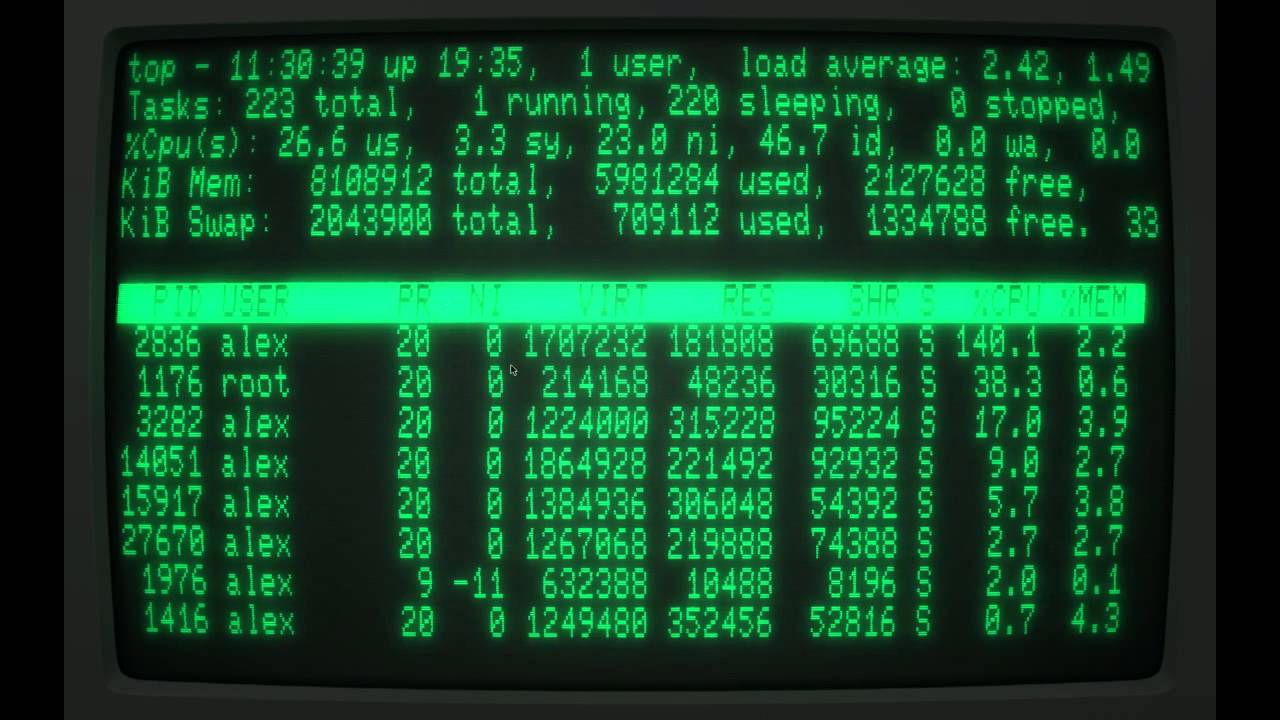
Github: https://github.com/Swordfish90/cool-retro-term Music: CJ Rattle - Teleport
umbral dagger
Looks like the Cathode app
Ah ya/... I have cool retro term, actually. Duh. Cathode on MacOS is really nice, too.
pastel panther
@gilded cradle you might find this useful if you're still doing bitmap stuff
umbral dagger
OK, it's late enough that I'm only reading half of what's in front of me. Tomorrow I'll be digging into teh touchscreen. Then the alarm setting mode.
gilded cradle
Thanks @pastel panther. I'll take a look. I got 16, 24, and 32-bit working great. I may try and tackle 8-bit.
Ok yeah, I see it's grabbing palette info. Thanks
pastel panther
The wording of the palette calcs is a little misleading but the info's there
pastel panther
this page was a revelation:
http://www.ece.ualberta.ca/~elliott/ee552/studentAppNotes/2003_w/misc/bmp_file_format/bmp_file_format.htm
i just got 8bpp indexed working, going to fix the 32bpp weirdos Limor was asking about then on to monochrome
gilded cradle
Yeah, I found that yesterday, but hadn't had a chance to read over it
exotic pumice
have any of you guys looked into gifs yet? I tried writing a gif loader and it kept bugging out
pastel panther
not yet; once BMPs are fleshed out jpegs are next in terms of images
gilded cradle
No, I was trying to tackle the easy ones
pastel panther
(jpegs are not that)
exotic pumice

GitHub
Super-slim image decoder that loads code as needed to minimize memory use - sajattack/Adafruit_CircuitPython_ImageLoad
if anyone's curious at some point
gilded cradle
I meant the bitmaps
pastel panther
oh right; yes,that's wise
gilded cradle
Nice @exotic pumice . Is it completely working now?
gilded cradle
Hmm, ok. I read a book a while back on programming in C that explained GIF compression pretty well, but it's been so long I only remember it conceptually.
exotic pumice
yeah I found a good tutorial
It works on the tutorial image but not on bigger ones
gilded cradle
I'm pretty sure it was this book: https://www.amazon.com/Gardens-Imagination-Programming-Maze-Games/dp/187873959X
exotic pumice
ok, I followed these docs http://giflib.sourceforge.net/whatsinagif/lzw_image_data.html
pastel panther
@meager fog , got 8bpp indexed working. I'll look at those 32bpp next (pyportal build)
gilded cradle
I just discarded the alpha channel and 32bit decoded fine
exotic pumice
@gilded cradle there's just something subtly wrong with my implementation that I haven't been able to track down
gilded cradle
@pastel panther , you can see how I just decoded it like 24bpp here: https://github.com/makermelissa/Adafruit_CircuitPython_RA8875/blob/master/examples/ra8875_bmptest.py

GitHub
Adafruit's CircuitPython driver for the RA8875 TFT driver - makermelissa/Adafruit_CircuitPython_RA8875
exotic pumice
it gets through 12 frames of the gif, idk what they look like, but it crashes on frame 13
pastel panther
thanks @gilded cradle
gilded cradle
@exotic pumice, I'll have to give it a try and see if another set of eyes might help
Do you have the test gif?
exotic pumice
I'm not sure
it could be for bigger non-animated gifs too
I have created gifs before
gilded cradle
I mean about the crashing
exotic pumice
yeah I haven't tested a large, non-animated gif
gilded cradle
That crashed too?
exotic pumice
haven't
gilded cradle
Ah, ok. I'm wondering if some of the gif animation control bits are throwing your code off.
exotic pumice
I don't think that's the case
I have animation control bits covered, and it's during decompression that it fails
I'll convert some image to gif and try though
gilded cradle
Ok, cool. I was just trying to think why it would get so far and then crash. Do you know how many frames that deploy rainbows one has offhand?
exotic pumice
16 I believe
gilded cradle
Ok, cool
exotic pumice
I just tested a large non-animated gif and it seems to have failed even earlier
gilded cradle
Ok, good to know.
raven canopy
well that explains why the proper interrupt handler never gets called. TC4 is conspicuously zeroes...
(gdb) print tc_handler
 $3 = "\000\000\002\000\000"
must have been a late night... 🤦
i need to goto bed...but, i dun wanna. 👶
pastel panther
it's like my buffer!
exotic pumice
goto beds considered non-harmful
exotic pumice
-j100000
raven canopy
ugh. now the jlink wants to act up. "sorry i'm late. debugging...know what i mean?"
nope. this is now a tomorrow thing. have a great night, 🦉s! 👋
gilded cradle
Good night
pastel panther
'nite! 👋
gilded cradle
@exotic pumice , do you have a test script for running your gif reader?
 uneven star
Is Scott (who I talked to at PyCascades) in this channel?
gilded cradle
Not at the moment. He goes by @slender iron
But when he is online, he shows up under Admins
pastel panther
welcome @uneven star 😃
gilded cradle
Of course you can type something including his name with the @ and it will notify him when he logs on
But welcome none the less
uneven star
I tried typing @-scott... and it didn't turn up, and I tried @slender iron earlier and for some weird reason it also didn't auto-complete.
exotic pumice
import adafruit_imageload

adafruit_imageload.load("/home/paul/Downloads/feelsbadman.gif")
Also, thanks for the welcome!
gilded cradle
Looks like you got it that time
uneven star
I played with a circuit playground express at PyCascades and now I'm thinking about how to incorporate one into the talk I'm giving about Mastodon and python-based mastodon bots at PyCon.... toot to mastodon from circuitpython, anyone? 😄
gilded cradle
Nice! I'm going to PyCon, so hopefully I'll see you there.
uneven star
@gilded cradle raaad. I'm going to see how much circuit python stuff I can get working between now and then... I already made a little binary counter for counting runs through the swag bag stuffing line at PyCon https://twitter.com/phildini/status/1100143861521731584

Hey #python fam. Did you know you're all receiving a Circuit Playground from @adafruit at @pycon? If you're going to be stuffing swag bags with us, here's a little #circuitpython script you can use to count (in binary!) the bags you've stuffed: https://t.co/udwa27o16n

 Twitter
gilded cradle
Twitter
gilded cradle
Oh, great idea. You could maybe even do something with binary and different colors.
uneven star
So, that script changes from red to orange at 50, from orange to yellow at 100, and from yellow to green at 200.
gilded cradle
Oh yeah, you did do that
uneven star
I would love to have it be more gradual, right now it's hard jumps, but maaaathhh....
gilded cradle
I like the hard jumps because you can definitely tell where it is
uneven star
Yep. Although I need to tweak the shades between orange and yellow. They're pretty subtle right now.
gilded cradle
Ah, yeah
uneven star
Is there like a blog post I can read where someone has really dug into color math with the neopixel?
gilded cradle
Mmm, let me check. I always like to look through the guides at https://learn.adafruit.com/
Actually, I think I got the perfect thing...
pastel panther
the fancyled library is pretty great
gilded cradle
I did a great palette shifting example for the NeoPixel FeatherWing at: https://github.com/adafruit/Adafruit_CircuitPython_FeatherWing/blob/master/examples/featherwing_neopixel_palette_example.py
GitHub
CircuitPython classes for Adafruit FeatherWings. Contribute to adafruit/Adafruit_CircuitPython_FeatherWing development by creating an account on GitHub.
uneven star
Cool! I'm checking out that and https://learn.adafruit.com/fancyled-library-for-circuitpython

Smooth color gradients and more
gilded cradle
It uses math to get a full rainbow palette
Well, I gotta get going. Have a good night.
pastel panther
nite!
 manic glacierBOT

 slender iron
welcome @uneven star! I made you a circuitpythonista so you'll get a few notifications a week. I'm almost entirely out this week but will be back with dedication late next week.
solar whale
@meager fog When I try to build my own copy of the NINA_W102 firmware -- It compiled fine with the latest version of the esp-idf but I found that the Firmware Version is still set to 1.2.1 in the adafruit/nina-fw repo https://github.com/adafruit/nina-fw/blob/master/main/CommandHandler.cpp#L28 Is this repo up to date? How did you get version 1.2.2 in the posted NINA_W102_17_FEB_2018.bin? My build seems to work but it reports version 1.2.1.
GitHub
Firmware for u-blox NINA W102 WiFi/BT module. Contribute to adafruit/nina-fw development by creating an account on GitHub.
idle owl
@uneven star Welcome! I'm excited to see what you come up with! 😃
manic glacierBOT
 gilded cradle
Thanks
solar whale
flash with ```/usr/local/bin/esptool.py --chip esp32 --port /dev/ttyUSB0 --baud 115200 --before default_reset --after hard_reset write_flash -z --flash_mode dio --flash_freq 40m --flash_size detect 0 factory_WROOM-32.bin
pins - ```
VUSB - VUSB
GND - GND
RX - TX
TX -RX
D5 - ESP32 RESET
D6 - ESP32 GPIO15
GPIO is not needed
Ok, cool. Just flashed it.
solar whale
we need to decide if that should go in the guide - at one point it was decided only to put the argon information in the guide.... if you have an external ESP32 it is best to use ESP32SPI so it may not be useful in general
gilded cradle
Yeah, but I'm testing it for the ticket, so it may not be necessary to add it, though we could just in case somebody wants to do it.
Maybe with a warning
solar whale
yes -- thank you for testing it! I did it with the feather_m4 so I could test the neopixel status ligt.. argon doesnt use it.
gilded cradle
Yeah, that's why I decided on the Metro M4
solar whale
should work fine...
pastel panther
hey @solar whale Do you know if ESP32s come with a bootloader? Like fresh off the reel ones?
solar whale
sorry - I don't know.
I've never had to load one so I assumed it was n ROM like the ESP8266
pastel panther
I'm going to assume so
gilded cradle
It depends on what you mean by bootloader. It comes with one in the same way an arduino does.
pastel panther
By bootloader I mean piece os software that will load on boot and assist with flashing new firmware
what I'm getting at is will it work with esptool out of the box
pastel panther
I just found the docs and they agree. Thanks!
gilded cradle
Yw
pastel panther
For those interested: https://github.com/espressif/esptool/wiki/ESP32-Boot-Mode-Selection

GitHub
ESP8266 and ESP32 serial bootloader utility. Contribute to espressif/esptool development by creating an account on GitHub.
umbral dagger
pyportal touchscreen & virtual buttons working.
 teal thorn
Why do I keep getting memory allocation failed errors? The scripts worked before.
manic glacierBOT

The error I get is:
build-mini_sam_m4/timer_handler.o (symbol from plugin): In function `shared_timer_handler':
(.text+0x0): multiple definition of `shared_timer_handler'
build-mini_sam_m4/peripherals/samd/timers.o (symbol from plugin):(.text+0x0): first defined here
collect2: error: ld returned 1 exit status
make: *** [build-mini_sam_m4/firmware.elf] Error 1

Did you git submodule update --init --recursive ? That code is in a submodule that was recently updated.
Nope, I didn't know about that. I'll do that and try again.
Ok, that worked. I guess it was user error.
pastel panther
@teal thorn What board are you using? Did you change what libraries you're using ? ( or your code)
teal thorn
Feather M0 Express. I just updated to 4.0 beta. I am using the bus_device library and my own custom library.
pastel panther
What were you using before 4.0 beta? 3.x?
teal thorn
I was running the library on another board with 4 beta.
I think my custom lib is near the memory limits of the M0. I probably need to move to M4. Are there any tricks for freeing up memory on the M0?
pastel panther
Yea, there are a few things your can turn off in the mpconfigboard.mk for the board in question. Adding CIRCUITPY_I2CSLAVE = 0 can free up some space
there are other things as well that @tulip sleet can suggest
adding CFLAGS_INLINE_LIMIT = 55 is another option
teal thorn
That is rebuilding the circuitpython source right? That is not a problem or a surprise, I just want to be sure I understood correctly.
pastel panther
yes; in your case you'll need to edit ports/atmel-samd/feather_m0_express/mpconfigboard.mk
@teal thorn there's talk about the same topic going on in #help-with-circuitpython if you want to take a peek
simple pulsar
@split ocean I'm messing around in the adafruit_midi module at the moment, if there's any more messages you'd like it to handle, shout now
raven canopy
@tulip sleet figured it out last night; was setting things wrong in the constructor with set_timer_handler causing the interrupt handler to never get called. which i assume was causing endless OVF interrupts since the intflag never got cleared. 🤦
Adafruit CircuitPython 4.0.0-beta.2-149-g9d20380-dirty on 2019-02-27; Adafruit Metro M4 Express with samd51j19
>>> import board, frequencyio
>>> foo = frequencyio.FrequencyIn(board.D11)
>>> foo.value
0
>>> foo.value
2000
>>> foo.value
2000
 tulip sleet
@teal thorn If you're running out of memory while running a program, then the rebuild ideas above won't really help: it's that you're just using too much RAM when the program is running..
 split ocean
@simple pulsar excellent. We just have CC, PitchBend, NoteOn, and NoteOff at the moment, right? Patch Change would be cool. I don't know if I'll make any controllers with Aftertouch or Channel Pressure, but those could be cool if someone did.
simple pulsar
I've got an old axiom 25 and I spotted it was sending plenty of aftertouch. I've noted your comments on the ticket i'm working on: https://github.com/adafruit/Adafruit_CircuitPython_MIDI/issues/3

GitHub
Is there existing work or a plan to add support for reading and parsing of incoming MIDI message? I might want to do this in the near future. If no one else is working on it then I could provide a ...
split ocean
Nice, thanks. Ooh, I just saw on GitHub that you're working on reading incoming messages as well as building a monosynth. Awesome!
simple pulsar
Yep, i've got an external board driven by a CPX with some transistors on which I'm loosely refering to as 2 VCA + mixer for my two osc
where osc are PWMOut
split ocean
And the CPX is reading incoming MIDI from your Axiom?
simple pulsar
Yep
split ocean
So cool.
simple pulsar
I got a tiny number of stuck notes earlier, possibly because i'm not treating noteon vel=0 carefully
split ocean
Oh, interesting.
pastel panther
A panic command would be useful if there isn't one already
simple pulsar
A big red button?
split ocean
Huge.
Or, accelerometer on CPX so you just shake it like crazy to send MIDI panic message :)
simple pulsar
Are you referring to the all notes off or all sound off from Channel Mode Messages?
pastel panther
I'm not sure how it's implemented but many of my synths and/or controllers have a "panic" button that shuts everything up when things go crazy. Both options seem plausible
split ocean
I think sending a message on CC 123 with a value of 0 may be the MIDI panic message, but I haven't tried it.
simple pulsar
ok, noted, will look into that, thanks
raven canopy
@tulip sleet quick Q: is del foo supposed to call __exit__? just verifying my deinit...
tulip sleet
I think it does on some builds but not others, depends on whether MICROPY_CPYTHON_COMPAT is set, but that's just from (my) memory.
raven canopy
k. i'll deep dive on it. thanks for the hint!
umbral dagger
Ripping apart my PyPortal alarm clock code tonight... and reassembling it as a class based state machine.
exotic pumice
in circuitscheme? 😛
 modern wing
@umbral dagger Be careful not to get any borg nanoprobes in that code 😛
 tough flax
Hi folks, I'm on the road for the next few days & just want to ask these two Qs before I go - no rush at all, and these aren't requests, just questions 😃 Please tag me if you answer them later...
1) Does the SPI slave software used on the PyPortal offer server programming?  I.e, can I export port 80 and respond to requests (ESPs can do this)
2) I know the ESP32 can also do bluetooth (peripheral and host)... and I'm sure it won't work on the PyPortal out of the box.  However :-)   Would it be possible to use the hardware for that?
[you're doing the ST:TNG version of it, right?]
umbral dagger
@exotic pumice Just CircuitPython 😃
@exotic pumice I do want to build CircuitScheme support for the PyPortal... such an awesome piece of hardware.
@modern wing Indeed
modern wing
@umbral dagger Indeed? Now I want to build a Stargate SG-1 version.
umbral dagger
@modern wing Umm... I have a project in the works that might interest you.
Also, I'm into season 10 of my binge re-watch of SG-1
modern wing
Ah, the Farscape Season 😃
umbral dagger
You mean because of Vala?
modern wing
And Col. Mitchell
umbral dagger
Yeah.. I miss Jack.
raven canopy
I was glued to the actual Farscape when it was running. Have most of the seasons on DVD.
modern wing
Who doesn't miss MacGyver?
umbral dagger
Hmm... that might be binge-worthy
modern wing
@raven canopy Ah Scorpio, a real villain.
@umbral dagger So what's this project you have in the works, or is it hush hush?
gilded cradle
Yeah, Bruce McGill made a good Jack
raven canopy
@tulip sleet could be my total misunderstanding of the py/ core, but i can't see where del would call any context management. runtime calls delete functions in objdict, and nothing there suggests __exit__ is called. also tested against a mature module; seems standard behavior i'm observing:
Press any key to enter the REPL. Use CTRL-D to reload.
Adafruit CircuitPython 4.0.0-beta.2-149-g9d20380-dirty on 2019-02-27; Adafruit Metro M4 Express with samd51j19
>>> import digitalio, board, frequencyio
>>> foo = digitalio.DigitalInOut(board.D11)
>>> del foo
>>> foo = frequencyio.FrequencyIn(board.D11)
Traceback (most recent call last):
  File "<stdin>", line 1, in <module>
ValueError: D11 in use
granted: docs do not mention del in the lifetime context manager section anyway, so i don't think it's un-expected behavior
umbral dagger
@modern wing Other than doing some printing, I haven' really though much about it yet. But it'll be fun.
crimson ferry
Anyone know if it's a goal to eventually support all of the FeatherWings in CP (I don't suppose there's a public roadmap)? (e.g., TFT with Joystick, touch on the 2.4" TFT, etc.
pastel panther
yup
raven canopy
i would say its a goal to support as many as can be. but yeah, no roadmap per se.
pastel panther
these days @gilded cradle is the FeatherWings in CP guru
she's done great work on the FeatherWing library making it super easy to use all of them
@crimson ferry If there is one that you're particularly interested in you can always create an issue in the circuitpython github repo
crimson ferry
Thanks @raven canopy & @pastel panther ! Good to know, I'll give some thought to priorities.
pastel panther
You could also give it a go yourself 😉
umbral dagger
@modern wing Mitchell is no O'Neill (2 Ls) but has some good lines "This place is deader than a Texas salad bar".
pastel panther
I watched the original movie last week. so good
modern wing
@umbral dagger I always smiled when Mitchell spoke about how a stargate can be open for only 38 minutes -- "that's basic wormhole physics". Ah, classic Crichton.
And O'Neil with 1 'L' has no sense of humor.
pastel panther
Standoffs ftw
umbral dagger
Nice. I printed one of the horizontal stands. A vertical one is printing now.
 errant grail
@pastel panther CPX tambourine and cowbell: https://learn.adafruit.com/blues-playground

Do you feel like singin' the blues but don't have time for music lessons? No problem! You and your buddies can jam the blues on a Circuit Playground Express without a rehearsal!
pastel panther
nice!
errant grail
... and a vibra-slap
manic glacierBOT
I was experimenting with changing from busio.I2C over to board.I2C() for another issue due to conflicts. It worked great in CP 3.1.2, but in both CP4 Beta 2 and the latest build off master, it causes the board to go into safe mode.
I forgot to add that this was on a Feather M4 Express.
gilded cradle
@crimson ferry , the roadmap I'm following is pretty much here: https://github.com/adafruit/Adafruit_CircuitPython_FeatherWing/issues/4

GitHub
We're working on building a CircuitPython FeatherWing library that takes care of the setup and creates and easy to use interface for each of the supported FeatherWings. If the wing uses I2C, th...
manic glacierBOT
The setup I had for reproduction purposes is I was using the test code Jerry had at:
https://github.com/adafruit/Adafruit_CircuitPython_FeatherWing/issues/35 as code.py, the latest master branch at: https://github.com/makermelissa/Adafruit_CircuitPython_FeatherWing, and the latest uncompressed versions of the minimal supporting libraries.
I was just doing a quick test in CP4 before merging when I discovered this.
crimson ferry
Thanks, @gilded cradle ! Very cool. I'm still figuring out how this all works.
manic glacierBOT

when I try that test code with your feathewrwing library on a particle argon, I get
Press any key to enter the REPL. Use CTRL-D to reload.
Adafruit CircuitPython 4.0.0-alpha-1966-g3b58be9c7-dirty on 2019-02-24; Particle Argon with nRF52840
>>> import uv_temp_test
Traceback (most recent call last):
  File "<stdin>", line 1, in <module>
  File "uv_temp_test.py", line 10, in <module>
  File "/lib/adafruit_sht31d.py", line 95, in __init__
File "/lib/adafruit_bus_device/i2c_device....updated to current master CP -- same result
Press any key to enter the REPL. Use CTRL-D to reload.
Adafruit CircuitPython 4.0.0-beta.2-141-g2c9fbb5d4 on 2019-02-24; Particle Argon with nRF52840
>>>
>>> import uv_temp_test
Traceback (most recent call last):
  File "<stdin>", line 1, in <module>
  File "uv_temp_test.py", line 10, in <module>
  File "/lib/adafruit_sht31d.py", line 95, in __init__
  File "/lib/adafruit_bus_device/i2c_device.py", line 66, in __init__
AttributeErr...Is someone calling board.I2C instead of board.I2C() ?
yup! @makermelissa has
import board
try:
    I2C_BUS = board.I2C()
except AttributeError:
    import busio
    I2C_BUS = busio.I2C(board.SCL, board.SDA)
and the failure is on the sht31d device, not on the featherwing
solar whale
@tulip sleet sorry for the erroneous report -- I misread the code -- ithe call looks OK
manic glacierBOT
if I change the test code to this -- it works with
import time
import board
import busio
import adafruit_sht31d
import adafruit_veml6070

from adafruit_featherwing import alphanum_featherwing,shared

display = alphanum_featherwing.AlphaNumFeatherWing()
sensor = adafruit_sht31d.SHT31D(shared.I2C_BUS)
uv = adafruit_veml6070.VEML6070(shared.I2C_BUS)


loopcount = 0
while True:
    uv_raw = uv.read
    risk_level = uv.get_index(uv_raw)
print('Reading: {0} | Risk Leve...Ran both version on a feather_m4_ express -- the original version reproduces the safe mode crash
the modified version above work normally.
solar whale
@tulip sleet so once the shared.py library module creates shared.I2C_BUS = board.I2c() - does it make sence way calling board.I2C() would fail but calling shared.I2C_BUS works
this is why I want to get rid of shared.py !
manic glacierBOT
FYI -- the safe mode crash on the SAMD51 is
Auto-reload is on. Simply save files over USB to run them or enter REPL to disable.

You are running in safe mode which means something unanticipated happened.
Looks like our core CircuitPython code crashed hard. Whoops!
Please file an issue at https://github.com/adafruit/circuitpython/issues
 with the contents of your CIRCUITPY drive and this message:
Crash into the HardFault_Handler.

Press any key to enter the REPL. Use CTRL-D to r...mornin' @solar whale - noticed the PR for ATControl wifi manager has been merged, want me to open a PR in CircuitPython_IO for supporting it? (I'll add an example/dep for the AT library and do some comments to reference it)
solar whale
Sure. Only the examples need to be added. No changes to the library are needed. There are some issues with the ESP8266. Weather example fails. The ESP32 works fine....
prime flower
AIO CircuitPython doesn't officially support ESP8266 anyway, not too worried about that.
solar whale
As a coprocessor it does not know the difference.
This is where it gets complicated. Only the argon really makes sense for atcontrol , but I don’t think it is officially supported
@prime flower are you testing on an argon?
prime flower
I dont have an argon with me, I'll tag you on a PR with a test example (modified data example with the esp atcontrol wifimanager)
solar whale
what are you using for AT control testing?
manic glacierBOT
tulip sleet
@solar whale board.I2C() is supposed to return a singleton, so you should be able to call it as many times as you want. Shouldn't matter if it's assigned to something else or not.
solar whale
odd -- clearly makes a difference when done as it is in the featherwing lib. woks fine if just board.I2C() is used everywhere
tulip sleet
@raven canopy Are we mixed up: Not sure why del should call __exit__, but __exit_ can call __del__ (but it might not ever do so).
https://docs.python.org/3/reference/datamodel.html?highlight=del#object.__del__
https://stackoverflow.com/questions/40536821/python-enter-exit-vs-init-or-new-del
What was your thinking about del calling __exit__ ?
umbral dagger
OK.. touch interaction is good, state machine is good, switching between screens/modes is good. next up is allarm setting mode/screen.
raven canopy
@tulip sleet it could very well be me expecting the wrong stuff to happen. Was just testing my deinit...
tulip sleet
__exit__ is meant to be called due towith, so I realized that may not be what you need. We call deinit() explicitly because there's no guarantee that del ever does call anything, because a gc might never happen.
manic glacierBOT
I'm trying to reproduce this in the simplest way possible, and not succeeding. Are you saying that your shared.py has:
import board
try:import board
try:
    I2C_BUS = board.I2C()
except AttributeError:
    import busio
    I2C_BUS = busio.I2C(board.SCL, board.SDA)
    I2C_BUS = board.I2C()
except AttributeError:
    import busio
    I2C_BUS = busio.I2C(board.SCL, board.SDA)
And then you get a crash when referencing board.I2C() in other code?
The simple REPL version...
I couldn't get it to happen in the REPL either and I wondered if it might have something to do with calling it in different files or through an import or something. Also, the entire contents of shared.py is basically what @jerryneedell posted above.
I also tried commenting out everything except this in shared and it still crashed.
import board
I2C_BUS = board.I2C()
This might have to do with class and global dictionaries or something like that. I'm not sure it's related to I2C at all, really. If you can give me the simplest test case you can muster that would be really helpful. Thanks.
Ok, I'll keep playing with it and see what I can come up with.
meager fog
@pastel panther hihi im around if u need testing
meager fog
ok is that monochrome too
pastel panther
ya
meager fog
rad
 obsidian compass
Hello Everyone, wanted to share a small update. I'll be giving a talk at FOSSASIA Summit - 2019(Singapore) on Embedded programming for Everyone using MicroPython & CircuitPython. If there's anything specific CP community likes me add feel free to let me know 😃
I was wondering If there's anyway I could get some CircuitPython stickers to distribute during the conference..
solar whale
@meager fog I accidentally included the NINA_W102.bin file in that PR so it is now in the repo -- do you want it there -- or should I do a PR to remove it?
 stuck elbow
or a force push to also remove it from the history
solar whale
good to know -- It may be OK for it to be there -- just let me know.
umbral dagger
So... the PyPortal screen update. It's not as bad as eInk.. but are there plans to make it faster?
Or are there things I can do to make it more efficient?
meager fog
@solar whale doesnt matter
@umbral dagger there will be partial updates after 4.0 is out, current version draws entire screen each time. its something scott wants to do for next big update once eveything is working
solar whale
I put in a new PR -- i had already deleted the branch -- it could easily get confused if it is there
meager fog
all good
river quest
hi @obsidian compass please email me when ya can and we'll see what we can do. pt@adafruit.com
umbral dagger
@meager fog Cool. I remember him talking about that at one point.
 celest zenith
I'm curious why was ESP8266 support dropped in 4.0?
meager fog
poor experience, no USB
manic glacierBOT
I have reproduced this on a Metro M0 with this test program:
import board, pulseio

d9_pwm = pulseio.PWMOut(board.D9, duty_cycle = 2**15, frequency = 2*1000*1000, variable_frequency=True)

while True:
    prev_read_dc = -1
    prev_dc = -1
    for dc in range(0, 60000, 10000):
        d9_pwm.duty_cycle = dc
        read_dc = d9_pwm.duty_cycle
        if read_dc == prev_read_dc:
            print('requested: {}, prev requested: {}, read: {}, prev read: {}'.format(
...PyPortal alarm clock
river quest
good work @umbral dagger
pastel panther
coolio
umbral dagger
Once my Mugsy arrives (and is assembled and runnign) the mugsy button will ask it to start my morning mug of coffee brewing.
pastel panther
@meager fog do you need anything from me?
umbral dagger
That way I can start the coffee before getting out of bed, and have it ready by the time I get up & going and have the cat fed.
But it can do anything.
prime flower
@umbral dagger mugsy?
umbral dagger
@prime flower https://www.heymugsy.com/

Mugsy
pastel panther
I can take some deets but probably can't act on them until I'm home
meager fog
ok imageready generated images: 24-bit (GOOD!), 32-bit (GOOD!), 16-bit 565 (GOOD!), 8 bit and 16-bit 555 not displaying
pastel panther
That 8bpp one is like another I ran into where it doesn't have palette info
what errs did you get for the 555?
pastel panther
Only thing I can thing is it's actually bit compressed? 🤷
can you put this in the same format as both of the above?
meager fog
oki
one moment
testing gray
this photoshop 8-bit gray isnt working either - but yorick-gray does
ok for testr - you want it in 8bit and in 16-bit 555?
pastel panther
yes please
meager fog
pastel panther
ya the gray is the same format as the color 8 bit so it makes sense that it wouldn't work either
meager fog
ok this time i got the 8bit graphic to display by nudging it in photoshop to indexed color
pastel panther
did PS say anything before you nudged it?
if you can send over the funky 8bpp testr I should be able to get it going later
pastel panther
🤔
 ruby lake
omg grand centralzeses...ordered
meager fog
yeah ironically our online image converter is probably the easiest way to get images!
yeah i think so too
pastel panther
that would take some time to make work
 opal forge
hello
meager fog
nonono need
opal forge
yeah we'll figure out how to stop image-formatter from outputting RLE if possible.
pastel panther
@meager fog can you send API infoz for the converter?
meager fog
yep one moment
IMAGE_CONVERTER_SERVICE = "https://io.adafruit.com/api/v2/schmarty/integrations/image-formatter?width=320&height=240&output=BMP" + BMP_DEPTH + "&x-aio-key=" + secrets['adafruitio_key'] + "&url="```we use adafruit io to handle rate limiting
oops change schmarty to your name too
ill update my pyportal
opal forge
oops yeah that should be coming from secrets.py i guess.
meager fog
np ill push in a moment
ironically the best source of bonkers format images is the hackster project viewer
it would give all SORTS of weird bit depths
opal forge
@pastel panther it's imagemagick
pastel panther
ok, thanks
opal forge
we're not 100% what version. it's whatever Amazon ships on their lambda containers. 6.X we think.
meager fog
every project expands until it uses imagemagick
opal forge
and the UI becomes excel
pastel panther
lol
It's like the Kardashev scale of Orgs
I'm becoming a 🎃 ; I'll check back in later.
meager fog
@pastel panther ok well i think 8 bit is going to be hairy so if you want you can take another look but im ok also saying '8 bit not supported'
pastel panther
I've got some time left so I'll take a gander
idle owl
sigh NeoPixels work in super complicated code, not with simple NeoPixel demo examples. I don't get it. (yes @tidal kiln, I tried calling show())
oi nm. sorted it. have to pull enable high. Forgot about that.
meager fog
@pastel panther 1 bit looks great. 16 doesnt' exist for imagemagick for some reason but we'll do more testing once thats resolved (whee)
stuck elbow
anybody knows why mp_arg_check_num suddenly takes a pointer as its second argument instead of an integer?
urgh, looks like the whole signature of *_make_new has changed
tidal kiln
@idle owl have you run into SlideShow / 4.x / board.TFT_BACKLIGHT issue yet?
idle owl
Haven't been doing much with displays, so no
tidal kiln
looks like that pin gets pwn'd by 4.x
Press any key to enter the REPL. Use CTRL-D to reload.
Adafruit CircuitPython 4.0.0-beta.2 on 2019-02-05; HalloWing M0 Express with samd21g18
>>> import board
>>> import pulseio
>>> backlight = pulseio.PWMOut(board.TFT_BACKLIGHT)
Traceback (most recent call last):
  File "<stdin>", line 1, in <module>
ValueError: TFT_BACKLIGHT in use
>>>
the change is mentioned in the beta notes, but it does break some current guides and examples
pastel panther
I was going to do a PR to fix the Sprite references so I can update the backlight stuff in the displayio examples
Unless someone beats me to it
meager fog
sure go for it 'sidd
raven canopy
@stuck elbow i ran into that one too. 😦
tulip sleet
@timber mango we changed it so we could subclass native classes that take keyword args: see https://github.com/adafruit/circuitpython/pull/1472. Scott discussed it with Damien. Damien liked the idea, but didn't want to change that function signature for backwards compat reasons: he would have added yet another arg or something. But we didn't have that constraint. This is cleaner.
manic glacierBOT
@kevinjwalters Could you please test this uf2? It seems to fix the above problem. But I have not actually looked at the output waveforms, and you're in a better position to do that. I tested on a Metro M0, but I believe I replicated the test conditions you set up (I used the same physical chip pin, etc.). Thanks.
umbral dagger
Added a snooze button to the PyPortal alarm clock.
raven canopy
hehe. snooze is the dangerous button. but...also my favorite. 😄
pastel panther
@meager fog wrong channel, sorry
meager fog
hi
@pastel panther either way 😃
these are great - we'll def use these low bit depths for icons/buttons
pastel panther
shweet. I'm just gonna give it a quick refactor so it doesn't look like it was written by a 3 year old, then PR
tough flax
For those playing with a PyPortal (mine comes tomorrow & I'll be in NYC :-/) here's a thought. This service transcodes images on the fly. So, in theory you can take the URLs in <img> tags and URLEncode them and then make the request here with a parameter of &output=bmp -- just a thought
umbral dagger
@raven canopy Now I need a "snoozing" indicator
tough flax
Ugh - Ignore me - BMP is not on the list (not sure why I thought it was:
Output&output=
Encodes the image to a specific format. Accepts jpg, png, gif, tiff or webp. If none is given, it will honor the origin image format.
 dry axle
Hey y’all. What’s the circuitpython snake’s name?
pastel panther
Blinka!
@tough flax Limor's pyportal demo code comes with an API call you can use to convert stuff to BMPs 😃
meager fog
@tough flax hiya we already have that
GitHub
CircuitPython driver for Adafruit PyPortal. Contribute to adafruit/Adafruit_CircuitPython_PyPortal development by creating an account on GitHub.
manic glacierBOT
common_hal_displayio_display_wait_for_frame() would call the background tasks over and over. If a reload was pending, displayio_refresh_displays() would stop refreshing, but common_hal_displayio_display_wait_for_frame() didn't know that.
The effect was that writes to CIRCUITPY would cause the board to apparently freeze (because the display was frozen). It was really cycling in the background task, never to return.
Details:
- Check for pending interrupts in `common_hal_displayio...
Should be a fix for #1597.
- When
PWMOutused a TCC, it did not use the TCC CTRLB LUPD lock mechanism to lock out the double-buffering while writing CCB. This seemed to cause the CCB to CC automatic write on UPDATE not to happen sometimes. The Arduino code does use LUPD, so I copied the way they did it. - There were also some places where some SYNCBUSY clock domain synchronization was not done.
- A couple of SYNCBUSY loops called
MICROPY_VM_HOOK_LOOP, which I don't believe was neede...
This may the most incomprehensibly jargon-filled PR description I have ever written.
tough flax
@meager fog Sweet! BTW am I missing a bit quite public doc repository on this board?
river quest
manic glacierBOT

Seeing as how this PR is REALLY stale, would it be better to close this and open a new PR for my current iteration? I'm close (hopefully this weekend), but have been thinking about this...
Sure, no need to ask permission.
Leftover closing bracket from previous while SYNCBUSY. Fairly certain this is causing the Travis fails.
Thanks @dhalbert. Only concern was obfuscating the history. I was planning to reference this PR in the new one at any rate. Will close once the new one is up.
umbral dagger
Snooze working well, with an onscreen indicator. Now to tidy up the code and write a guide.
manic glacierBOT
Thanks for catching that! I did an edit after a test compile, and didn't repeat it :(
manic glacierBOT

More bitdepths! Tested on PyPortal.
manic glacierBOT
 manic glacierBOT

Sure, I can give it a test today or tomorrow on my CPX. The explanation in #1605 fits the type of bug I was expecting particularly wrt sporadic occurrence.
Does that uf2 need to re rebuillt due to the absent bit that @sommersoft noted in #1605?
Will this fix end up in 4.0.0?
I kept trying to boil this down and even just removing a little of the SHT31D module made it behave as expected. It seems to be some kind of bad combination of things. I can go ahead and close this is you want or leave it open for later.
Nevermind, I got it to crash again, so I'll keep working on it.
 lone sandalBOT
 lone sandalBOT
 manic glacierBOT
Will this fix end up in 4.0.0?
Definitely!
Does that uf2 need to re rebuillt due to the absent bit that @sommersoft noted in #1605?
No, that just broke the M4 builds (syntax error). The CPX build I gave you above is fine.
I can go ahead and close this is you want or leave it open for later.\
No, please leave it open. A crash is a crash, and needs to be fixed.

This is an initial pull request to start the discussion about how to best incorporate this into the main repository. For the PewPew boards to work, there needs to be the _pew module added, which handles the LED matrix display and the buttons on those boards. There is also the pew Python library frozen to give easy access to all that.
manic glacierBOT
I'd suggest not including this Python code in the adafruit/circuitpython repo, but instead in a separate submodule repo as a library like we do the other frozen modules. Then it can be modified experimentally by changing the library repo code and changing `sys.path. If it needs to be updated, it's a very simple PR to just update the submodule commit.
:+1: CIRCUITPY_PEW was exactly what I was going to suggest before I even saw this code.
manic glacierBOT
Can this repository live outside of adafruit's github?
Not sure what you mean by stale.
Add space after } and before {.
Ran my previous test, then ran it again with upping the iterations from 9 to 99 - all tiptop - fix looks good on my CPX, ta.
Sure, we depend on plenty of submodule repos that are outside the adafruit organization (though no libraries yet).
Great, are you getting the waveforms out that you want?
 plucky flint
Just wondering if folks have seen this... https://blog.littlevgl.com/2019-02-20/micropython-bindings

LittlevGL’s Blog
News and Tutorials for Embedded GUI Enthusiasts: Release notes of LittlevGL, Tutorials, Poring guides, Development board and microcontroller test, ideas, tips and tricks and more.
manic glacierBOT
Those errors can only happen when the object is created, and that only happens in the pew.py library that is frozen — the users should never see any of those errors, unless they are creating their own version of the board and compiling their own firmware for it. Because of that, and because I have struggled hard to fit all the required modules inside the firmware, I decided to remove error messages to save space. I will change it to ValueError as suggested, though.
plucky flint
"GL" means "GUI library" AFAICT
Rather than GL as in 3d OpenGL graphics (where, er... GL stands for "graphics library" too). #confusing
manic glacierBOT
There is no dependency. CIRCUITPYTHON_PEW is completely independent from the others.
I will look into it but I basically copied the code that is right now in pwmout.c.
Sorry, no idea how that sneaked in.
Remove "this name is stale".
By the way, that timer.c file has some ^Ms in it...
Feel free to clean that up. We appreciate it!
@dhalbert thank you for your review!
simple pulsar
@tulip sleet For that testing I was previously running really close to the memory limits of the CPX and that new uf2 pushed me over the edge. Will I save a lot from mpy'ing the adafruit_midi.py additions I'm working on?
tulip sleet
@simple pulsar it can't hurt. In general making an .mpy fixes two things: 1. failure to compile on import due to not enough RAM. 2. Less fragmentation of RAM due to compilation. An .mpy still uses up RAM at run-time unless it's frozen in. If you are just running out of RAM period at run-time due to data and program size, then the .mpy will not ultimately help.
simple pulsar
I think it's mainly program size as the approach I'm using is class heavy but I'll have a look any also play with the commands that show the memory footprint
tulip sleet
🔮 I see an M4 in your future.
manic glacierBOT
Ok, thanks Danh. I'll leave it be.
simple pulsar
I have got an M4 but my friends have a lot of M0 hardware like Gemma and CPX so I don't want to exclude them
gilded cradle
USPS changed my delivery date on me. I found out I'm getting my PyPortal today instead of tomorrow. I'm very excited.
pastel panther
whoo!
prime flower
@gilded cradle Whoo! :pyportal emojiiii:
gilded cradle
😃
prime flower
I'm excited to see your projects with it
prime flower
rc-car controller
gilded cradle
Maybe
I was thinking more along the lines of making a framework to play games or something, but that might be a little ambitious.
pastel panther
hey @prime flower any thoughts/plans about exporting AIO dashboards for use on PyPortal or similar devices? I assume it would need some more supporting code in CP but I think the idea has merit
prime flower
@pastel panther as in, mirroring an IO dashboard?
pastel panther
Yea. I was thinking there could be some CP side code that knows how to render a subset of the dashboard blocks.
I was thinking "export" because I was imagining AIO could generate assets, if that was needed
prime flower
@pastel panther I'd wait until displayio becomes finalized before moving forwards with that idea. Adafruit IO's API supports dashboard and block generation, and you could also GET block information if you wanted to pull the block data and mirror it on a display (https://io.adafruit.com/api/docs/#operation/getBlock).
I think the IO blocks, for instance the gauge block, wouldn't render quickly enough on the PyPortal (as of now) for visualizing real-time data.
pastel panther
ya displayio needs to be fleshed out a bit and optimized and even then probably wouldn't be fast enough for some use cases, but even if screen updates were rate limited it could be useful.
For example a temp/humidity histogram that updated every 5-15 seconds could be cool, depending on how fast data was coming in
prime flower
a mini histogram for pyportal would be really neat, even if the refresh is a minute
pastel panther
heck, you could have AIO render it to BMP at that speed
probably a better way but that would be quick to get going
(sez the guy not working on AIO)
prime flower
yeah - a hacky way of doing it would be multiple BMPs for a gauge block to display levels
for example
pastel panther
...stored as a sprite map/table thing? 🤔
manic glacierBOT
Saleae'd a PWMOut pin. Looks OK.
398c706 added monochrome, 8bpp indexed, and 32bpp ARGB ... - siddacious
014595b fixed whitespace, clarified variable name, and ... - siddacious
e9f1812 Merge branch 'master' into bmp_bitdepths - siddacious
76dc8e1 fixed typo - siddacious
1ba7610 Merge pull request #1606 from siddacious/bmp_bi... - dhalbert
We'll wait for your word that it's working before merging.
Travis is reporting failures like this:
/tmp/ccmPl5TW.ltrans16.ltrans.o: In function `shared_timer_handler.part.0':
<artificial>:(.text.shared_timer_handler.part.0+0x82): undefined reference to `pewpew_interrupt_handler'
/tmp/ccmPl5TW.ltrans29.ltrans.o: In function `reset_port':
<artificial>:(.text.reset_port+0x190): undefined reference to `pew_reset'
collect2: error: ld returned 1 exit status
Makefile:308: recipe for target 'build-circuitplayground_express/firmware.elf' failed
That is strange, because it does compile on my computer, obviously. I wonder what does that <artificial> mean?
I cloned your repo and get the same errors locally. So maybe something local not committed or pushed?
nothing to commit, working tree clean
Ah, on boards that do not have CIRCUITPY_PEW = 1, the .c file for those functions is not compiled. So I think you need to #if CIRCUITPY_PEW guard the uses of those pew functions in timer_handler.c and somewhere if
This is a side effect of the build refactoring I did. The build used compiled nearly everything, or remove stuff in a coarse way. It left -flto to prune out unused stuff. -flto didn't always do the greatest job, so it included unneeded things, and it also hid some places that should have been conditionally compiled.
I like the new way a lot, it's much cleaner and less magical too. Good job!
crimson ferry
Is there an official pyportal_startup.wav somewhere?
river quest
@crimson ferry yah, there is! we'll have a spot for it as we get everything in one spot during the launch
some odds and ends and art is also located here: https://www.dropbox.com/sh/zvjyb25312dv3t6/AACioQ0sk756hIdhchgRCIyla?dl=0
 simple pulsar
@tulip sleet Whilst on the topic of PWM and CPX, do you know if there's any way to squeeze an extra PWM out of a CPX, perhaps by disabling something? I put a question on forums about this: https://forums.adafruit.com/viewtopic.php?f=60&t=148017
tulip sleet
@simple pulsar The order in which you create the PWM's may make a difference, since only certain TC's or TCC's are on certain pins. Have you tried this? https://learn.adafruit.com/circuitpython-essentials/circuitpython-pwm#wheres-my-pwm-8-21
simple pulsar
@tulip sleet No, hadn't seen that but it's similar to my loop. I could write a combination checker if that deinit() does a full cleanp-up. Thanks. I was just wondering if there was someway to sacrifice something like on-board NeoPixels which I presume must use some sort of clock
tulip sleet
the on-board peripherals including the neopixels use up a lot of pins which are not exposed on the outside. You could solder jumpers to them. But getting another board with more pins may make more sense. If there are features of the CPX board you're using (like touch) or the accelerometer, then you can duplicate that with offboard stuff.
simple pulsar
@tulip sleet ah, of course, I sometimes forget there are other pins not exposed in use. A7 shows up in use even when no code has run, is there someway I can hijack that? ```Adafruit CircuitPython 4.0.0-beta.2-141-g2c9fbb5d4-dirty on 2019-02-28; Adafruit CircuitPlayground Express with samd21g18
import board
import pulseio
a7first = pulseio.PWMOut(board.A7, duty_cycle=2**15, frequency=880, variable_frequency=False)
Traceback (most recent call last):
File "<stdin>", line 1, in <module>
ValueError: All timers for this pin are in use
A7, aka TX and D1, is PB08. See https://github.com/adafruit/circuitpython/blob/master/ports/atmel-samd/boards/circuitplayground_express/pins.c and then also see the big table at http://ww1.microchip.com/downloads/en/DeviceDoc/SAMD21-Family-DataSheet-DS40001882D.pdf, starting on page 28, which describes which TC's and TCC's are available for which pins (see columns E and F. That will tell you what the conflicts are. It's "pin sudoku", as Limor says.
simple pulsar
@tulip sleet thanks for the pointers
tulip sleet
The nRF chips are much simpler: most pins can be used for most purposes, but the peripherals are not as capable.
manic glacierBOT

This was done during the PyCascades sprint, using a board borrowed from @tannewt that I no longer have access to.
simple pulsar
@tulip sleet there's talk of single slope PWM in them and the diagrams suggest this is a sawtooth wave output. Can it really do that? Is there a way to select that from CircuitPython? I don't see a way to select the waveform in https://circuitpython.readthedocs.io/en/latest/shared-bindings/pulseio/PWMOut.html
umbral dagger
I'm starting on a PyPortal alarm clock guide . Came out to 525 lines of CircutiPython (plus a bunch of library modules). Almost 140K of ram left after everything is loaded and allocated. This is a sweet, sweet chip/board.
uneven star
Does the PyPortal have a speaker? What's the "alarm" portion?
idle owl
It does have a speaker, and a speaker connector 😃
simple pulsar
Speaker mentioned on https://www.adafruit.com/product/4116 but no power details. I'd assumed it's a 500W affair.

PyPortal, our upcoming easy-to-use IoT device that allows you to create all the things for the “Internet of Things” in minutes. Make custom touch screen interface GUIs, all ...
tulip sleet
@simple pulsar I think the sawtooth patterns you are seeing are not the output waveforms, but are representations of the TC/TCC counter register values: they increment up and then hit a limit and start over. Any specific page reference?
tiny speaker on the back (same speaker as CPX) and also has audio amp with speaker connector, as @idle owl mentioned
manic glacierBOT
simple pulsar
@tulip sleet Ah, yes, i was getting prematurely excited by spotting some ramping waveforms but the wo[x] at bottom of page 715 still looks very square 😦 https://www.adafruit.com/product/4116
PyPortal, our upcoming easy-to-use IoT device that allows you to create all the things for the “Internet of Things” in minutes. Make custom touch screen interface GUIs, all ...
@tulip sleet Wrong paste: http://ww1.microchip.com/downloads/en/DeviceDoc/SAMD21-Family-DataSheet-DS40001882D.pdf
tulip sleet
yep, that shows the COUNT register value
main meteor
You can get a sawtooth out, however (on some chips): https://learn.adafruit.com/waveform-generator
crimson ferry
@uneven star schematic shows a PAM8301 1.5W class D amp driving the 7.5mm speaker, with a molex picoblade connector to attach an optional external speaker
simple pulsar
@main meteor Thanks, for my particular use I'd like something hardware driven and I'm already using A0 output on CPX for an analogue out. The M4 stuff is more capable in many ways but I'd like to see what I can get out the humble CPX for now.
idle owl
@umbral dagger Hey. You wrote the Prop-Maker Lightsaber code, right?
stuck elbow
hmm, I'm not sure if I'm seeing things, but every time I disconnect pewpew with the new cp 4 firmware, it mutes my sound
stuck elbow
I need to test it with an official board
main meteor
If you're already using the only analogue output, and you want an analogue signal, you'll need some external hardware. I'm thinking a ramp generator (op-amp integrator or constant-current source), or an outboard DAC, but there may be other options.
tulip sleet
@timber mango that happened to me too, it turns down the volume on spotify. Something to do with HID Consumer Control, maybe? I don't know what changed to cause this
I thought it was on boot-up, not disconnect, but I was doing a lot of restarting
simple pulsar
@carmine hornetni There's an animated image of a CPX in this PyPortal guide, is that intentional? https://learn.adafruit.com/adafruit-pyportal/uninstalling-circuitpython#moving-to-makecode-18-3
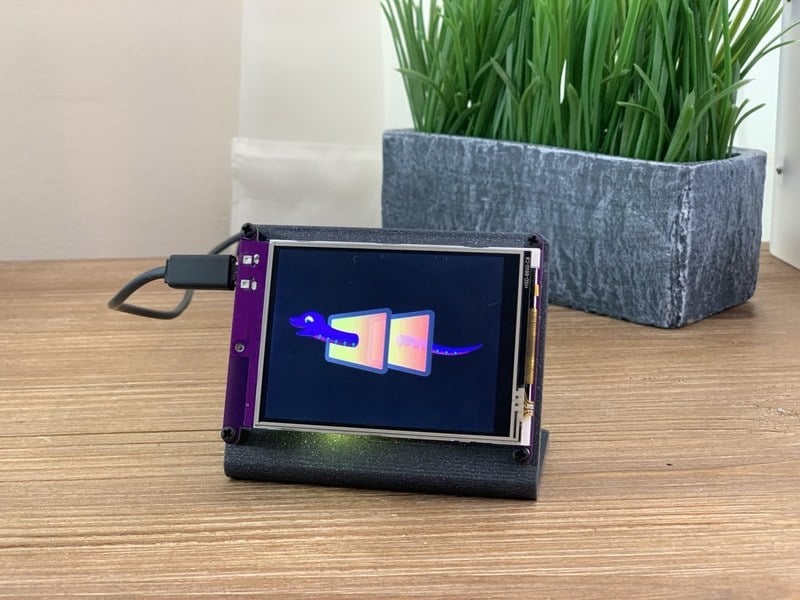
Create all the things for the “Internet of Things” in minutes
tulip sleet
@timber mango one of us should file an issue on this to remember it
simple pulsar
Ooops, last message I meant @idle owl
solar whale
@idle owl just curious -- have you tried connecting any I2C sensors to your pyportal via the I2C (4 pin JST) connector?
idle owl
@simple pulsar Yeah it's in all the guides. It's meant to show how to reset the board. That movement is the same for all boards.
@solar whale I have not, why?
tulip sleet
limor said the hallowing was also 5v stemma
solar whale
I have a concern about the votlage on one of the pins -- not sure if it is an issue -- I asked about in the #help-with-circuitpython channel earler and @tulip sleet is looking into it. Just wanted to see if you had actually done it .
idle owl
I hadn't. But I added a note to the guide based on your question. There's a jumper that you can use to change it to 3.3V. But it defaults to 5.
simple pulsar
@idle owl ok, just checking! What's the typical range for power consumption for the PyPortal? I haven't read much about this.
idle owl
@simple pulsar No idea! 😃 Others will know better than I.
stuck elbow
@tulip sleet okiedokie
solar whale
@tulip sleet so is is safe to leave it at 5V and connect -- I dont want to damage the onboard ADT temperature sensor
idle owl
@solar whale "The sensor is good from 2.7V to 5.5V power and logic, for easy integration."
From the ADT7410 breakout product page.
umbral dagger
@idle owl Wasn't me. I did the New Years Eve ball drop code.
tulip sleet
@solar whale just checked Hallowing STEMMA connector with a meter. It's also 5V from the factory.
umbral dagger
@idle owl I don't know who did it, but I'm happy to have a look and help as I can.
tulip sleet
STEMMA is compatible with Grove, which also could be 5V or 3.3V
simple pulsar
@main meteor Yep, I thought about external hardware but difficult to know where to stop on that one plus still need some way to control it.
tulip sleet
@simple pulsar I have a USB breakout and can measure this in a minute
simple pulsar
@tulip sleet not urgent, I was just curious how feasible battery powering was
BTW, i just added to a STEMMA discussion on here: https://forums.adafruit.com/viewtopic.php?f=19&t=123991
pastel panther
@simple pulsar The Ruiz's have a guide on battery powering the PP, I think
solar whale
@idle owl Do you know who is doing the OpenWeather guide for the PyPortal?
idle owl
@umbral dagger I'm trying to adapt it and I'm seriously struggling. I'm about 5 minutes from trying to redo a whole new program myself. Noe and Pedro did another build (an axe) that they want similar functionality for, but not similar enough to simply change a couple of things. I'm trying to make it so it pulses when it's idle. I can't figure out making NeoPixels pulse in a way that isn't blocking. Also trying to make it do a particular thing on swing, which I think might be working, but it's tough to tell with not being able to figure out adapting the rest of the code.
@solar whale No idea.
pastel panther
@simple pulsar https://learn.adafruit.com/portable-pyportal

Make Portable PyPortal Projects
idle owl
@umbral dagger long story short, I feel like I'm out of my depth. I thought it would be a simple modification of code to do a couple of other things, but it's turning out to not be simple at all. At least to me.
pastel panther
dunno if it actually needs the boost converter
solar whale
@simple pulsar thanks for the STEMMA link
idle owl
@pastel panther You can't power it directly from a battery.
pastel panther
Yea but it's got a regulator, right? I'm just sayin' I don't know that it needs to go up to 5v then back down
simple pulsar
@solar whale I came across it and had no idea what it was hence I started looking around for the spec and eventually realised it was an Adafruit thing
umbral dagger
@idle owl OK.. Want to move this to a side channel?
idle owl
Sure.
tulip sleet
@simple pulsar starting up, looks like 150mA, but when the slideshow demo starts running (which varies the backlight), runs like 60-90mA. So the backlight is the big hog.
solar whale
@simple pulsar I feel better about being confused now 😉
manic glacierBOT
For some reason with the 4.0 code, even with CIRCUITPYTHON_USB_HID=0 and CIRCUITPYTHON_USB_MIDI=0, disconnecting or hard-resetting the board results in my sound getting muted. I tested that initially with PewPew (which is pretty much a Trinket M0), but confirmed it now with a Hallowing M0 Express.
Interestingly enough, nothing is appearing in xev when that happens.
This is on Ubuntu, right? We should test on other OS's.
I've been plugging/unplugging, resetting etc. ad nauseam the last few days with master+ and haven't noticed anything getting muted on my Mac (Mojave)
prime flower
@solar whale I have 2 sensors connected to my pyportal using that connector rn
manic glacierBOT
 prime flower
VEML7065 and BME680 using a 4-pin stemma i2c
manic glacierBOT
Yes, more precisely Linux Mint with XFCE4. It doesn't happen on Fedora 28, also with XFCE4.
pastel panther
@simple pulsar As has been covered the positive pin of the JST goes to 'VCC' which is a jumper that defaults to the 5V from vbus after the PTC. This means that jumper is basically chosing between upstream and downstream of the regulator
solar whale
@prime flower no smoke ?? -- I have one more question about this -- at least -- The ADT7410 data sheet says SCL/SDA absoute rating is VDD+ .3 but they are powered by 3.3V so taht is 3.6V -- is it OK an I2C device is putting 5V on SDA?
prime flower
No smoke , no. It's been running logging data to IO for the past hour or so
tulip sleet
The I2C device is open collector and doesn't apply voltage directly. It is just open or grounded.
the voltage is provided by the pullups
solar whale
so there is 3.3v pullup connected to a 5V pullup correct?
tulip sleet
there are 3.3V pullups on the PyPortal. I measured teh SDA and SCL pins on the connector and they are 3.3V
but yeah if you connected an external device there could be 5V on its pullups
solar whale
right - and if I connect to an I2C device with VCC = 5V it will use 5V on its pullups
is that OK?
tulip sleet
good q, not sure. hold on
solar whale
sure -- that is really what has been troubling me.
tidal kiln
it would depend on the device - what it does with the actual VCC line
solar whale
right -- most seem to imply that the SCL/SDA follow VCC.. The external devices will be OK but I am worried about violating the maximum voltage on the ADT7410 onboard
tulip sleet
an example is an SHT31D breakout which doesn't need a regulator cause it's 2.4V-5.5V
pastel panther
@solar whale from the ADT7410 datasheet:
Wide operating ranges
Temperature range: −55°C to +150°C
Voltage range: 2.7 V to 5.5 V
then that is OK
tidal kiln
but is safe v-logic set by actual VCC used?
solar whale
see Table 3 of the data sheet -- absolute ratings -- VDD + .3
VDD can be 2.7 - 5.5 -- but SDA must be < VDD + .3
at least that is how I read it.
manic glacierBOT
I think that it is not keyboard — I disabled keyboard shortcuts for volume control, and it still happens.
are they regular keyboard shortcuts or Consumer Control shortcuts?
solar whale
and regarding the SHT31D -- SCL/SDA are pulled up to VDD -- exactly my concern. What will the SDA on the ADT7410 see if I connect an SHT31D
pastel panther
@solar whale that's how I read it as well (under absolute maximum ratings?)
solar whale
so is it a problem?
clearly not a catastrophic one - as @prime flower is seeing -- but is it a good state to put it in?
manic glacierBOT
How do I tell?
I just checked that it doesn't happen with 4.0.0-alpha.5
tulip sleet
limor says not a big deal; the pullups are very weak
solar whale
@tulip sleet OK -- I'll take that as a clean bill of health. As my EE colleagues at work are fond of pointing out -- I'm just the "software guy" so I'm way out of my comfort zone. this caught my attention and I wanted to clarify it before I started connecting things.
I have to go offline for a bit -- the dog is desperate for a walk! Thanks for the discussion.
tulip sleet
@solar whale given https://forums.adafruit.com/viewtopic.php?f=8&t=128512&p=639992 I'd suggest asking in the forums so that Bill or Mike or someone with EE background would answer. Don't ask in CircuitPython subforum, ask in Electronics or Other Products
they leave the CircuitPython forum to us
solar whale
Ok. I’ll post something when I get back.
manic glacierBOT
Looks like commit b5e40f52c2b1c2890c866d7305e0e99b4811b7f5 is the problem.
Thanks for the bisect or equivalent. That's a big commit: USB MIDI and a lot of tinyusb changes. I'll put a sniffer on the USB traffic and see what's up.
tulip sleet
@solar whale - limor says (paraphrasing) : the current is so low, and also there's a 3.3V pullup on the pyportal; it won't have a bad effect
manic glacierBOT
Another thing that may be relevant: the board shows up in alsamixer in the list of sound cards. My current working theory is that Ubuntu does something weird when a sound card is disconnected — perhaps the same mechanism that switches volume when headphones are connected/disconnected.
I wonder how hard it would be for the board not to appear as a MIDI device when CIRCUITPYTHON_USB_MIDI is disabled, and also not appear as a keyboard when CIRCUITPYTHON_USB_HID is disabled.
Then it's the MIDI. USB MIDI is a subclass of audio device (from https://github.com/adafruit/circuitpython/blob/master/tools/gen_usb_descriptor.py)
audio_midi_interface = standard.InterfaceDescriptor(
    description="Midi goodness",
    bInterfaceClass=audio.AUDIO_CLASS_DEVICE,
    bInterfaceSubClass=audio.AUDIO_SUBCLASS_MIDI_STREAMING,
    bInterfaceProtocol=audio.AUDIO_PROTOCOL_V1,
    iInterface=StringIndex.index("CircuitPython MIDI"),
I wonder how hard it would be for...
manic glacierBOT
I found the CPX didn't work as a keyboard when I plugged it into a school's computer. It made me wonder if there was something about the other usb devices that it was showing up as which made it block the port. It's alluded to in https://forums.adafruit.com/viewtopic.php?f=48&t=146648#p725650
I'd tweaked the CPX dice project (https://github.com/kevinjwalters/circuitpython-examples/blob/master/cpx/cpx-dice-typer.py) and it was supposed to type the numbers. Worked at home but not at the scho...
crimson ferry
Just a note to PyPortal users (as you'd soon discover anyway)... temp readings tend to be higher than ambient due to other bits on the board. Flipping it from slanted on standoffs to upside-down straight vertical drops the temp by 2°F, but still above ambient. Could calibrate that away in a stable environment.
umbral dagger
@crimson ferry IMO it's best for monitoring the temp of the board. I.e. insode the case if using one.
crimson ferry
gotcha... I've been letting the (notoriously wrong) CPU temp and the 7410 temp run all day, just to see what shakes out
manic glacierBOT
Just chiming in to voice my support for this. I'd be happy to test once the feathers are back in stock.
manic glacierBOT
Waveforms are good, just been playing with those.
solar whale
Had a blast with the PyPortal today -- Congratulations all who made it available! 
 pallid garnet
Hi
I cant get the circuit playground express thermistor temp plotter to work in MU. Does anyone know why this isnt working?
I have circuit python, lib and ex files. code copied to mu and playground...
the light sensor worked but the temp is not loading
tulip sleet
@pallid garnet what code are you using, and what do you mean it isn't loading?
pallid garnet
import time
import adafruit_thermistor
import board
thermistor = adafruit_thermistor.Thermistor(
board.TEMPERATURE, 10000, 10000, 25, 3950)
while True:
print((thermistor.temperature,))
# print(((thermistor.temperature * 9 / 5 + 32),)) # Fahrenheit
time.sleep(0.25)
this worked for Celcius
im trying to get it to convert to F
tulip sleet
This is working for me:
import board

thermistor = adafruit_thermistor.Thermistor(
    board.TEMPERATURE, 10000, 10000, 25, 3950)

while True:
    #print((thermistor.temperature,))
    print(((thermistor.temperature * 9 / 5 + 32),))  # Fahrenheit
    time.sleep(0.25)
@pallid garnet I just commented the Celsius line and uncommented your Fahrenheit line. I thought perhaps there was a parens problem but it looks fine.
pallid garnet
I was able to get this to show me C and F
import time
from adafruit_circuitplayground.express import cpx
while True:
print("Temperature C:", cpx.temperature)
print("Temperature F:", cpx.temperature * 1.8 + 32)
print((cpx.temperature, cpx.temperature * 1.8 + 32))
time.sleep(1)
Get started with just a few lines of code!
tulip sleet
cpu.temperature may be somewhat less accurate than thermistor.temperature because it's measuring the temperature inside the CPU package (which is slightly warm). But since I got your original code to work, what was the problem you had with it?
raven canopy
@stuck elbow got a timer_handler PR in before me, so i got bumped on the #define list. 😦 however, good call on the switch vs if! i've already forgotten switch/case exists (i'm looking at you Python!). 😄
pallid garnet
Awesome it's working. Thank You
import time
import adafruit_thermistor
import board
thermistor = adafruit_thermistor.Thermistor(
board.TEMPERATURE, 10000, 10000, 25, 3950)
while True:
#print((thermistor.temperature,))
print(((thermistor.temperature * 9 / 5 + 32),)) # Fahrenheit
time.sleep(0.25)
tulip sleet
you can put your code in triple backquotes in discord and it will format it nicely (backquote is to the left of the "1" key)
But I didn't do anything! You did it yourself! Maybe there was just a simple indentation error or something like that.
pallid garnet
import time import adafruit_thermistor import board thermistor = adafruit_thermistor.Thermistor( board.TEMPERATURE, 10000, 10000, 25, 3950) while True: #print((thermistor.temperature,)) print(((thermistor.temperature * 9 / 5 + 32),)) # Fahrenheit time.sleep(0.25)
.......likethat
cool
crimson ferry
Would it make any sense to put in an issue to add identical ESP32SPI pin constants from the M4 and PyPortal, to defaults for the ItsyBitsy M4? (ESP_BUSY=D10 ESP_RESET=D5 ESP_CS=D9) I think all of the other Express boards are covered. afaict GPIO0 isn't exposed on the ESP32 Huzzah, but I suppose someone could tie a bare module to a ESP_GPIO0 pin on ItsyBitsy. Just a matter of more consistent examples I think.
pastel panther
@crimson ferry I'm not sure I follow. You want to add pin aliases for use with ESP32SPI to the itsybitsy M4?
crimson ferry
@pastel panther Right. Minor issue perhaps, but since any Express board can be used with ESP32SPI, wiring instructions and example code can work w/o modification. Right now, I know those pins are defined as above for Feather M4 (though I've scoured and I'm not sure where), so I'm proposing those ESP32SPI pin names get applied consistently across the Express family.
pastel panther
Pin names in board files are meant to be labels specific to the features of that board, not general purpose labels for what they can be used for. If someone were to look at the pins for a board and see something like ESP_CS on a board that didn't have an ESP32 attached, it would be confusing.
The feather M4 does not have ESP... pins defined; you might have heard someone suggest which pins to use, or share example code but I just checked ports/atmel-samd/boards/feather_m4_express/pins.c and they're not there
It's expected that sample code will need to be modified to fit the specific requirements of the board or use case that it's being used for.
lone sandalBOT
 manic glacierBOT

OK I completely forgot about this but I think it is okay ... now i've just got to rebase it!
 manic glacierBOT
An implementation for #1042 for non-volatile memory.
Some example code:
import microcontroller

def dump(n = microcontroller.nvm):
    for i in range(0,len(n)):
        print ("%02X " % n[i], end="")
        if i % 16 == 15: print('')

microcontroller.nvm[0:4096] = bytes([1,2,3,4,5,6,7,8]) * 512
microcontroller.nvm[107:120] = b"hello, world!"
dump()
PS: I had build errors in lib/tinyusb/src/class/msc/msc_device.c when building master with compiler version gcc-arm-none-eabi-8-2018-q4-major & ended up having to build with -Wno-error=stringop-truncation
manic glacierBOT
OK so I've rebased it and sadly, no change. I've just changed one of the messages for now and provided translations as best I can approximate for the new message.
solar whale
@stuck elbow FYI -- I just updated a pewpew v10.2 to the current CP Master build -- seems to be working fine!
stuck elbow
@solar whale awesome, thanks for testing!
@solar whale it has more features now, as more modules fit in there
I need to try some example code that turns it into a gamepad
solar whale
I have not done much with it yet, but hope to explore. Let me know if you want something tested.
It's nice to have it as part of the CP repository now - thanks for getting it merged
manic glacierBOT
PS: I had build errors in lib/tinyusb/src/class/msc/msc_device.c when building master with compiler version gcc-arm-none-eabi-8-2018-q4-major & ended up having to build with -Wno-error=stringop-truncation
I told @hathach about this when testing out gcc8, so he's aware: https://github.com/hathach/tinyusb/issues/33
solar whale
@tulip sleet have you ever actually read images from an SD Card with displayio and the 2.4 inch TFT -- I am finding that somthing clobbers the SD card in the slideshow if I try to use it.. Just curious if you've ever tried it?
I can read the "directory" of images, but then get an I/O error when trying to display.
tulip sleet
Limor reported that, and the the PR I submitted was trying to address that indirectly. Are you using the version from my PR (which hasn't been merged yet)?
i'm waiting for her to test it this weekend.
solar whale
ah - no -- I missed that -- I'll try it
tulip sleet
there are a bunch of parallel PR's, so that includes certain fixes, and others include other fixes. They are all branched from the latest master instead of being stacked.
solar whale
is it 1604 for this issue
tulip sleet
My fix is not SD-specific: it fixes a bug in the redisplay logic that causes CPy to hang in the background-task loop, never to return to actually executing code. The symptom is that the slideshow hangs. I don't see I/O errors. That may be a different problem or it may be partially due to the problem I'm fixing.