#circuitpython-dev
1 messages · Page 223 of 1
 tulip sleet
 exotic pumice
what do y'all use for PRNG on samd21?
 timber mango
@tulip sleet this is already on an M4 ;-)
i also thought about reading about how to integrate native C++...
so all the buffer handling would be C/C++ - and only the api would be python..
i think for now i will make some compromises and then wait to see if the pixelbuf thing can help in any way - or later learn to make the C/C++ and python api thing...
thanks for your help and input!!
exotic pumice
the PRNG is all software right? One of my teammates was asking about using a floating ADC or some other hardware.
I know 51 has trng
 raven canopy
@exotic pumice from a quick look, CP is all software. the gen functions are in /shared-modules/random/init.c.
 upbeat plover
@solar basin i have some stuff for featherm4 and tft joywing would you like me to share it with you with some examples?
exotic pumice
@raven canopy yeah that's what I thought. I looked at arduino too and they use C stdlib rand
upbeat plover
hmm i was going to share it but i just found an error some reason its applying the y offset twice on scrolling text
upbeat plover
fixed...
 ruby atlas
@timber mango have a look at https://github.com/rhooper/circuitpython/tree/pixelbuf - https://github.com/rhooper/circuitpython/blob/pixelbuf/shared-bindings/pixelbuf/PixelBuf.c for an example of code that moves a lot of the pixel manipulation code into C.

GitHub
CircuitPython - a Python implementation for teaching coding with microcontrollers - rhooper/circuitpython
GitHub
CircuitPython - a Python implementation for teaching coding with microcontrollers - rhooper/circuitpython
@tulip sleet __setitem__ isn't inherently slow -- though the code in neopixel/dotstar is. The work in progress in the pixelbuf compatible neopixel.py proxies to the CircuitPython level subscr with a very minor impact on speed https://github.com/rhooper/Adafruit_CircuitPython_RGBLED/blob/master/neopixel.py#L116
GitHub
RGB LED Abstraction library for Circuit Python. Contribute to rhooper/Adafruit_CircuitPython_RGBLED development by creating an account on GitHub.
@timber mango i'm looking at your TLC59711 now
 tough flax
@exotic pumice As I recall CP initializes using the TRNG on the M4 if its available - I think @slender iron mentioned it a while ago
@tulip sleet and @slender iron - I have a guide that is about ready - I need someone to convert my linux command-line section to a mac version... can either of you help?
Perhaps I should add @idle owl to that
exotic pumice
yeah, that's correct
ruby atlas
Hmm... The pixelbuf code is currently byte-oriented because of the protocols for neopixel/dotstar being byte oriented. The amount of bitwise math TLC59711 does makes it unsurprising it's slow. It would probably be reasonably easy to add code to pixelbuf to help manipulate 16 bit pixels. Is the float support really necessary? It just adds complexity and thus slowness. I don't quite understand the data structure from the quick look at the code, but it looks like pixels come in bocks of 12 (GS-Data?)
 meager fog
@tidal kiln hihi just checkin' did you have any success w/ https://forums.adafruit.com/viewtopic.php?f=50&t=145316&p=720339#p720339
 tidal kiln
@meager fog yep. just cut trace.
https://forums.adafruit.com/viewtopic.php?f=63&t=145259&start=15#p720687
meager fog
could you also reply to the thread above
and update the guide - it would be a blessin' for me 🙏
tidal kiln
sure. for guide update, basically same info i put in thread?
and this page looks like the obvious location:
https://learn.adafruit.com/adafruit-crickit-hat-for-raspberry-pi-linux-computers/speaker-output
?
 idle owl
@tidal kiln Are you running linux?
tidal kiln
all the time
idle owl
hmm wait. Not sure you can check a thing for me. I was going to have you pip install one of the circuitpython libs to make sure a dependency installs, but now I'm not certain it'll let you do it on general linux or if it requires a Pi.
I mean it requires GPIO to do anything with it, but I wonder if you can install it anyway.
exotic pumice
@idle owl yo
tidal kiln
i also have a pi fired up
idle owl
Oh. Hah. Ok. Can you check a thing for me then? 😄
tidal kiln
sure
ruby atlas
i have a pi in a box, as well as various pis around if needed. including an uh, checking which old one...
idle owl
@tidal kiln Ok can you (probably in a fresh venv?) sudo pip3 install adafruit-circuitpython-ssd1306 or pip and see if it installs framebuf
ruby atlas
oh lol that's a pi 3 B v1.2 in that case, not an old one.
i have an ancient pi 1 here too.
i think i need more sd cards.
 graceful night
Can anyone help with getting an OLED (SSD1306) display to work with my Trinket M0?
timber mango
@graceful night what is your question?
graceful night
So I have loaded the example code, and I think I have it wired correctly. but I get No I2C device at address 7a
I solderd the two jumpers on the back to make it I2C
The display does nothing when I plug in the trinket, I don't even know if it's working, or how to tell
timber mango
have you another board (like a classic arduino uno or there-like) to cross check that the display is working?
and have you checked you have pull-ups at some point?
please share the links to the tutorial / product page so i have some more input for my crystal ball 🔮 😉
graceful night
I think I have an arduino somewhere, but getting it to the point where it could talk to the display would be quite time consuming
pull-ups?
timber mango
if the display breakout board has no pullups you need to install some...
graceful night

CircuitPython or Arduino IDE on this tiny little microcontroller board
timber mango
thats fine - the breakout has some already installed (R13 & R14)
graceful night
I've been going off of this tutorial: https://learn.adafruit.com/circuitpython-oled-knob-sketcher/tiny-sketcher

Two trim pots and a microdisplay!
I'm not actually building that, but I used the wiring diagram
timber mango
and also checked
https://learn.adafruit.com/monochrome-oled-breakouts/wiring-128x64-oleds#using-with-i2c-4-5

Using our small mono-OLED displays
?
graceful night
and the code I'm using is the example from here: https://github.com/adafruit/Adafruit_CircuitPython_SSD1306

GitHub
Adafruit CircuitPython driver for SSD1306 or SSD1305 OLED displays. - adafruit/Adafruit_CircuitPython_SSD1306
yeah, I think I have that open too in one of my 10000 tabs
timber mango
😉
have you tested simpletest?
https://github.com/adafruit/Adafruit_CircuitPython_SSD1306/blob/master/examples/simpletest.py
GitHub
Adafruit CircuitPython driver for SSD1306 or SSD1305 OLED displays. - adafruit/Adafruit_CircuitPython_SSD1306
GitHub
Adafruit CircuitPython driver for SSD1306 or SSD1305 OLED displays. - adafruit/Adafruit_CircuitPython_SSD1306
do you have a serial console open so you see the messages from CircuitPython?
graceful night
I think that's pretty close to what I'm running now
yeah
OK, I loaded that, same message
timber mango
normally if the initialisation of the i2c does not work it shows some error messages.
graceful night
from the diagram for the display, the i2c address should be 0x7a
what I see in the console is: ValueError: No I2C device at address: 7a
is there a way to scan the i2c bus?
timber mango
yes
but in the second example (the ssd1306_framebuftest.py) there is something mentioned that you eventually need a reset pin connected and handle by software...
i don't know for sure..
graceful night
yeah, I have the reset pin plugged in to D4, but I haven't used it for anything
timber mango
# Create the I2C interface.
i2c = busio.I2C(board.SCL, board.SDA)
# A reset line may be required if there is no auto-reset circuitry
reset_pin = DigitalInOut(board.D5)

# Create the SSD1306 OLED class.
# The first two parameters are the pixel width and pixel height.  Change these
# to the right size for your display!
# The I2C address for these displays is 0x3d or 0x3c, change to match
# A reset line may be required if there is no auto-reset circuitry
display = adafruit_ssd1306.SSD1306_I2C(128, 32, i2c, addr=0x3c, reset=reset_pin)
oh 😃
timber mango
from the schematics there is no reset circuity on your breakout..
did you try to scan?
untested code for scanning: (should work with copy paste to repl)
import board
import busio
i2c = busio.I2C(board.SCL, board.SDA)
i2c.scan()
you have to untab and hit enter
to end the while loop
like this
while not i2c.try_lock():
    pass
i2c.scan()
maybe print(i2c.scan()) not sure
timber mango
give me a moment - i connect some i2c sensor to a ItsyBitsy M4 and try it..
graceful night
OK, I'm going to take a short break, I've been staring at this thing for hours
thanks for your help so far
I also have an i2c pressure sensor I'm can hookup, to see if that scans
timber mango
your welcome
timber mango
wip
exotic pumice
ok, then 61 is your i2c address
tidal kiln
@meager fog here's the guide update:
https://learn.adafruit.com/adafruit-crickit-hat-for-raspberry-pi-linux-computers/speaker-output#enable-speaker-output-4-2
timber mango
working i2c scan example:
import board
import busio
i2c = busio.I2C(board.SCL, board.SDA)
while not i2c.try_lock(): pass

# we need a new line to end loop indentation here...
# print all found addresses as hex:
for item in i2c.scan(): print("0x{:X}".format(item))

# done :-)
this example can be copy pasted to the REPL
graceful night
OK, I"m back
timber mango
@graceful night try the i2c scan example i posted ^
that shoud find your address!
graceful night
OK, getting set back up, I switched over to my office so I can use the 4k monitor instead of the 13" laptop screen 😃
ok, that gave me 0x3d
which is 61
let me reload the display code now
We have a display!
exotic pumice
🎉
graceful night
that seems to be a few more pixels than I specified, but at least I have something now
thank you so much
Now I'm one step closer to making a freeze dryer 😃
graceful night
yeah, I like making things complicated....
my plan is to use this to display temp and pressure for the freeze chamber and cold trap in a freeze dryer
timber mango
oh i know this concept - simple things can get you down a rabbit hole so fast...
sounds like a cool plan!
graceful night
plans often are, we'll see how the implementation goes
graceful night
idle owl
There is no difference.
graceful night
hmm, is main from 2.0? I just noticed the line at the top of it
idle owl
CircuitPython looks for both. But it will run code.py if both are present.
graceful night
cool, thanks
idle owl
As in, code.py takes precedence over main.py.
On a Trinket, depending on when you got it, yes, main.py may have been meant to work with 2.0. Which means it may not work with the current version.
graceful night
I have the trinket M0. just updated it to 3.0
ok, another stupid question (I can guarantee I have lots of them)
idle owl
I'm sure it's not stupid. 😃
graceful night
when I say " import board" where is that coming from? I can't find board in the lib directory
idle owl
board is built into CircuitPython
There are a number of modules built into CircuitPython that you would import but not find in your lib directory.
idle owl
@ruby atlas That link is for an older version of CircuitPython 😃 .. there you go 😄
graceful night
awesome
ok, so what is the difference between "import board" and "from board import SLC, SDA"
ruby atlas
one imports the board module, but the symbols are not imported into your current namespace
the other form puts SLC and SDA in your current namespace so you can say: SLC instead of board.SLC
graceful night
ok, so even if I do an import board, I'm still going to have to import the symbols I need?
ohh!
ruby atlas
no, import board imports the module too.
sometimes you don't want to pollute your namespace with symbols (or they conflict with your code)
graceful night
gotcha, lightbulb moment there
idle owl
We did some testing a while back, as well. import board uses less memory than from board import foo because it's not doing anything until you call it. So if you run into memory issues, that's one thing to look into.
It's seriously a difference of bytes, but sometimes you need those bytes.
ruby atlas
yeah, especially on M0 boards
graceful night
hopefully I'll be fine for this, I just need to pull data from 3 sensors and put them on a display
of course, feature creep being what it is, that may change...
OK, back to reading. thanks, you all are super helpful
Sweet. adding the reset pin to the display fixed the snow. Now I just have three pixels lit!!
 plucky briar
Hello all, new to python, been playing with arduino for several years. Just ordered my first Circuitpython board (metro MO express) and looking to convert code from arduino uno to circuitpython. I've started to convert the code even though I just ordered the board, I'm using 4 one wire DS18B20 sensors and i have the ID's for all 4. I would like to assign each device ID to a value like therm1 = the device ID. how can I do this in circuitpython?
 umbral dagger
@ruby atlas The M4 with it's meager 192K is looking claustrophopic now with the '840 and grand central with 256K 😃
Can't fit a grand central in a key fob, though.
@plucky briar Welcome! You're where I was about a year ago.
@plucky briar @turbid radish and I did a guide on Arduino <-> CircuitPython that might be a place to start.
 manic glacierBOT


using the technique linked above in the "capacitivesensor" library, it seems to work quite well, you need a drive pin but not ADC required
umbral dagger
@plucky briarhttps://learn.adafruit.com/arduino-to-circuitpython

Learn to use CircuitPython if you've previously used Arduino
graceful night
huh. it would seem that I've already hit the memory limits of the trinket M0. when I set the display to 128,64, I get a memory allocation error. but it works OK at 128,32
umbral dagger
You're using an OLED display?
umbral dagger
Yeah, they take quite a bit of memory. Challenging on an M0 board.
umbral dagger
I would recommend an M4 board for learning CircuitPython.
Only SAMD21/51 boards (M0 and M4).
It's tricky on the M0 boards, though. There's not much space left for your code.
Oh, the '832 and '840 feathers as well.
graceful night
so the feather M4 express?
umbral dagger
That's a great CircuitPython board. It's been my goto since it came out. The ItsyBitsy M4 Express is a good choice as well. Same computational features, but slightly different physically.
Feather has the advantage of the featherwings
graceful night
yeah, I like the featherwings, and I like the simplicity of circuitpython so far. I'm not a programmer, but it's been easy to figure out so far
umbral dagger
That is a huge advantage of Python: it's fairly easy to learn. The syntax is minimal. That said, it's a powerful language.
idle owl
My first experience with any programming or electronics was with CircuitPython and the Circuit Playground Express.
graceful night
alright, I'm going to order two of the M4 expresses. I already have to M0 on the way, along with the packet radio featherwings. I'm sure they'll work for some of the sensors that don't need a local display
umbral dagger
That's completely the opposite of my experience. CircuitPython is my first time really using and enjoying Python after working with hardware and software for 30ish years.
idle owl
@graceful night They'll for sure work for a lot of projects. You happened to dive into one that requires a lot of memory. 😃
graceful night
I often jump in to the deep end 😃
umbral dagger
What @idle owl said. You can do a fair bit with an M0 board... the OLED displays is pushing it though.
timber mango
displays are memory hungry - in every board (its the same for arduino - you need a processor with lots of ram or need a big bunch of heavy and slow tricks..)
idle owl
@graceful night You're also working with an M0 board that isn't an Express board. Which is to say the Trinket doesn't have the SPI flash that the Express boards do. So even an M0 Express board will be able to do more than a Trinket. Trinket and Gemma are the tiny ones.
Great for tiny projects, they can run a TON of LEDs, but they don't handle memory-hungry code very well.
graceful night
yeah, I"m going to focus on the feathers going forward, but I"m sure I can put the trinket to use. Or give it to my kids
umbral dagger
And if you use C++ on them, you have all the capability you need.
Python has a lot of overhead.
idle owl
There are so many projects using Trinket that you can check out. It's definitely got its place.
umbral dagger
It's always a series of tradeoffs
graceful night
yeah, My goal here was to not do C++
graceful night
I took a couple C++ classes in school, but that was a very long time ago
alright, two more boards ordered, now I'll have 5 😃
umbral dagger
That's a good start 😉
graceful night
Yeah, even though I spent all day getting the display to work, I think I"m going to turn it off and just use the console until I get the M4s. Everything I do I run in to memory allocation errors
 tawny creek
Welcome to the Circuitpython fam @graceful night !
 solar basin
@upbeat plover Sorry, I've been asleep all day. lol Also, I'm using the 2.4" Touchscreen FeatherWing
solar basin
Oooo 4.0 alpha
upbeat plover
i dont think that will help much
solar basin
I'm going to assume 4.0-alpha has displayio, 3.1.1 has none lol
upbeat plover
i just tested 3.1.1 that should work with 3.1.1 also
solar basin
You put a lot of work into that!
upbeat plover
not sure why but looks like 35kb of RAM more is needed in 3.1.1
upbeat plover
33024 difference yeah 4.0 would be ideal for this
i want to get a touch screen now 🤠
 terse kayak
Attempting to learn how to get the full range of motion from a servo...
pwm = pulseio.PWMOut(board.A2, duty_cycle=2 ** 15, frequency=50)
@upbeat plover So far I haven't been able to do much with it other than draw some shapes lol
terse kayak
Using https://www.adafruit.com/product/169 with a Circuit Playground and Circuit Python 3.x. When I use MakeCode the full range is achieved. But MakeCode has no settings, so whatever it is doing in the background is working.

Tiny little servo can rotate approximately 180 degrees (90 in each direction), and works just like the standard kinds you're used to but smaller. You can use any servo code, hardware or ...
idle owl
@terse kayak There is a guide on testing your servos to get the full range for your servo. The servo library has a way to set actuation range, and also min and max pulse widths. All of that tweaking should in theory get you the full range.
Every servo is a little bit different and can require some tweaking to get it right.
meager fog
@umbral dagger @slender iron obscure python q i cant find a google answer - is there a way to 'intercept' function calls like with _getattr_ but functions not attributes
i want to simplify/listify https://github.com/ladyada/Adafruit_CircuitPython_EPD/blob/master/adafruit_epd/epd.py#L119

GitHub
e paper driver for circuit python. Contribute to ladyada/Adafruit_CircuitPython_EPD development by creating an account on GitHub.
meager fog
basically i want to like
if function in ('fill', 'line', 'text'): self.bw_buffer(function, kwargs)
because i have to take that single call to a drawing function and split it into two
one for the black/white buffer, one for the red/white buffer
what i have now works, just kinda repetative
manic glacierBOT

oh awesome either way! thank you
ruby atlas
so you want (mostly) the same method code for fill, line, and text?
It's totally possible to do:
class Foo:
    def bar(self):
       pass

Foo.baz = Foo.bar
but that may not be quite what you want, because you don't know which method was called.
ruby atlas
yeah, i see that code. I'm trying to think if there's a way to avoid repetition and still be efficient in CircuitPython based on my recent work.
meager fog
its not so bad - just curious if there's options
ruby atlas
There are, but i'm not sure they're fast. the best thing might be to move the (color == Adafruit_EPD.BLACK) != self.black_invert and (color == Adafruit_EPD.RED) != self.red_invert to a function or method.
umbral dagger
Maybe something like method_missing in ruby
ruby atlas
@umbral dagger missing method in python is implemented by using __getattr__ and returning a callable, since a method is just a callable.
umbral dagger
I see that
ruby atlas
@meager fog you can also use a lambda or helper to call both red and bw with a method.
    getattr(self._bw_framebuf, method)(*args)
    getattr(self._red_framebuf, method)(*args)
a lambda probably wouldn't be as nice
and i don't recall if we have partial in CircuitPython?
better might be:
def _call_both(self, method, *args):
    getattr(self._bw_framebuf, method)(*args, (color == Adafruit_EPD.BLACK) != self.black_invert)
    getattr(self._red_framebuf, method)(*args, (color == Adafruit_EPD.RED) != self.red_invert)
That looks reasonable. And you could gate it on the method name.
ruby atlas
then you have:
def pixel(self, x, y, color=None):
    self._call_both('pixel', x, y)
ok!
ruby atlas
There's always optimizations to be done, but whether to bother depends 😃
solar basin
Weird, CircuitPython 4.0.0-alpha.5 doesn't have displayio?
The release notes seemed to imply it does
ImportError: no module named 'displayio'
terse kayak
Thank you @idle owl
Is it this one? https://learn.adafruit.com/using-servos-with-circuitpython/circuitpython
I've tried 0.75, 1, 2, 2.25, and 2 ** 15 (from the example)
and min750/max2250 for the servo lib
all results the same
the only difference is I'm hooked and using A2 instead of D5 in the example (since D5 is a button on this board)

How to use servo motors with CircuitPython and Arduino
idle owl
This is the tester one I was thinking of: https://learn.adafruit.com/circuitpython-servo-tester and I don't know if that guide you linked is up to date

Test a servo's range and movement and find it's pulse width limits.
There's a new function that's something like set_pulse_width_something that has min and max pulse in it... and I don't see it in that guide @terse kayak
GitHub
Helpers for controlling PWM based motors and servos - adafruit/Adafruit_CircuitPython_Motor
terse kayak
@idle owl thanks I will try that in a bit .. was on a tagent looking for a debouncer library for servo tester script
tulip sleet
@tough flax There's now a 3.1.2 PR for you to test: https://github.com/adafruit/circuitpython/pull/1404. You can clone dhalbert/circuitpython and check out drivers.rst-typo (this is piggybacking on a previous PR that was stalled due to fixing some build issues). I've invited you as a collaborator so you can review.
manic glacierBOT

This minor PR is now fixed and re-purposed for a 3.1.2 release. I fixed the nRF 52832 build and removed the 52840 build, which depended on an alpha version of the SD that is no longer available, and would require significant code changes to upgrade to a non-alpha version.
The main point of the 3.1.2 release is to include serial_bytes_available, which @ATMakersBIll is depending on for a Learn Guide.
 pastel panther
hey @solar whale I'm trying to setup an esp8266 huzzah breakout according to this guide and once I uploaded the AT firmware, using screen to connect via serial spews out unintelligible characters like there is a encoding disagreement of some sort. Have you seen this before?
https://learn.adafruit.com/adding-a-wifi-co-processor-to-circuitpython-esp8266-esp32/firmware-upload

Surf the 'net with Blinka!
umbral dagger
I always see that out of the corner of my eye and thinks it's guts.
pastel panther
heh
ruby atlas
oh it's supposed to be a wifi symbol?
 main meteor
Not to be confused with the spiral on Poliwhirl, which does represent guts.
tawny creek
@main meteor hahaha nice reference!
@pastel panther last time I had this issue I switched to miniterm and it worked
pastel panther
@tawny creek same problem so far; did you have to specify any settings like partity, stop bits, etc?
tawny creek
@pastel panther this is the line @solar whale suggested that worked for me
python /usr/bin/miniterm.py /dev/tty.SLABtoUART 115200
on python 2.x, not 3 as far as i remember
pastel panther
Hmm, no dice
 slender iron
@solar basin what board are you using? it should have it
solar basin
@slender iron Feather M4 Express
slender iron
probably a bug then
@meager fog I bet you can use getattr and return a function instead of a value
maybe not because of self
solar basin
I was thinking that as well, but I've only been doing Python for a few days 😛
In my mind, the difference between obj.prop and obj.func() is that obj.func returns a function and the () calls it
solar basin
Yeah, same
I can't seem to get a hold of SEEK_SET in CircuitPython, any idea where that's hiding?
slender iron
what context?
solar basin
file.seek(offset, SEEK_SET | SEEK_CUR | SEEK_END)
Here's the closest thing I can find in Python docs: https://docs.python.org/3/library/io.html#io.TextIOBase.seek
slender iron
ah, I think its always seek_set
solar basin
fantastic
slender iron
I usually omit it
solar basin
Drawing a pixel at a time is SLOW lol
Here's my super naive Image (bmp) class:
class Image:
    def __init__(self, file):
        self.bmp = open(file, 'rb')
        self.type = self.bmp.read(2).decode()
        self.file_size = struct.unpack('I', self.bmp.read(4))[0]
        self.bmp.read(4) # skip 4 bytes (reserved)
        self.offset = struct.unpack('I', self.bmp.read(4))[0]
        self.dib_size = struct.unpack('I', self.bmp.read(4))[0]
        self.width = struct.unpack('I', self.bmp.read(4))[0]
        self.height = struct.unpack('I', self.bmp.read(4))[0]
        self.color_planes = struct.unpack('H', self.bmp.read(2))[0]
        self.bits_per_pixel = struct.unpack('H', self.bmp.read(2))[0]
        self.compression_method = struct.unpack('I', self.bmp.read(4))[0]
        self.image_size = struct.unpack('I', self.bmp.read(4))[0]
        self.hres = struct.unpack('I', self.bmp.read(4))[0]
        self.vres = struct.unpack('I', self.bmp.read(4))[0]
        self.color_count = struct.unpack('I', self.bmp.read(4))[0]
        self.important_color = struct.unpack('I', self.bmp.read(4))[0]

    def draw(self, pixel):
        self.bmp.seek(self.offset)

        for i in range(self.image_size):
            x = i % self.width
            y = i // self.width
            b = struct.unpack('B', self.bmp.read(1))[0]
            g = struct.unpack('B', self.bmp.read(1))[0]
            r = struct.unpack('B', self.bmp.read(1))[0]
            pixel(y, x, color565(r, g, b))
I'm not sure why I'm using struct to read each color
 solar whale
@pastel panther yes, I have seen that. Is the blue led blinking rapidly? Did the AT load have 3 parts to I or just 1?
pastel panther
@solar whale The blue led by the antenna is blinking fast, and yes the AT load had three parts
solar whale
Hmm. I thought it had fixed that. Are you loading via USB or via miniesptool through m4?
pastel panther
via usb
solar whale
Ok. Flash any version of CP to the eSP8266 first, then try reloading the AT firmware.
pastel panther
ok
solar whale
@pastel panther BTW I saw a Fennec Fox today!
pastel panther
awesome! They're adorable
solar whale
Yes. Was at the Norfolk, Va. zoo.
What was on the Huzzah to start with?
Do you erase it at start?
pastel panther
I just finished wiping then loading CP, than loading the AT firmware and I seem to be where I started, with the serial console looking like so:
��G
    @�x���Ɔ<��
              ���L�~�=�����G
                            L��e�����<��N��h���~=��H���
                                                       HHZ��eT��Ɔ<��N�����~X������HL�'��[��<�������L�~=�������HL�U����8Y������
    �~�=�������GHH�%�����<������H��
If the blue light is flashing, don’t bother to look at console! Did you press reset in the esp. after done?
pastel panther
it had LUA on it when I got it, at least that's what it looked like. I thought I had erased it first, before flashing the AT firmware the first time but I was following the directions from the guide fairly obediently and I don't see directions to erase it first when I look now.
I reset it, yes
let me double check the command line I was using to load the AT firmware
solar whale
Should not matter. just esptool -c esp8266 -p /dev/ttyUSB0 erase_flash
Please post the line.
pastel panther
python3 /usr/local/lib/python3.7/site-packages/esptool.py --port /dev/tty.usbserial-A9M9DV3R erase_flash
 ~/micro$ python3 /usr/local/lib/python3.7/site-packages/esptool.py --port /dev/tty.usbserial-A9M9DV3R erase_flash
esptool.py v2.5.1
Serial port /dev/tty.usbserial-A9M9DV3R
Connecting....
Detecting chip type... ESP8266
Chip is ESP8266EX
Features: WiFi
MAC: 84:f3:eb:70:1a:0a
Uploading stub...
Running stub...
Stub running...
Erasing flash (this may take a while)...
Chip erase completed successfully in 7.4s
Hard resetting via RTS pin...
esptool --chip esp8266 -p /dev/tty.usbserial-A9M9DV3R write_flash 0 esp8266/AT_firmware_1.6.2.0.bin 0x2fc000 esp8266/esp_init_data_default_v05.bin 0x3fc000 esp8266/blank.bin
pulled pretty directly from the guide
solar whale
There are some trypsin in that ! Just a sec.
esptool.py --chip esp8266 -p /dev/ttyUSB0 write_flash 0 esp8266/AT_firmware_1.6.2.0.bin 0x3fc000 esp8266/esp_init_data_default_v05.bin 0x3fe000 esp8266/blank.bin
pastel panther
ooh, that offset is different
solar whale
Fix the addresses!
pastel panther
waaaaaaaaa
solar whale
That was from the guide 😉
Fix both! 0x3fc000 and 0x3fe000
The good thing is it makes sense that you get the flashing blue light with that !
pastel panther
To clarify, the guide is correct?
solar whale
Yes.
esptool --chip esp8266 -p /dev/tty.usbserial-A9M9DV3R write_flash 0 esp8266/AT_firmware_1.6.2.0.bin 0x3fc000 esp8266/esp_init_data_default_v05.bin 0x3fe000 esp8266/blank.bin
Should work
pastel panther
I think it worked!
solar basin
Does the SAMD51 have the same DMA size?
pastel panther
I can say for sure that the blue led isn't blinking anymore, and I did a one point see something legible on the console, but now it's back to garbage
solar whale
What are you using to talk to it. Use miniterm.py at 115200
pastel panther
screen, but I can give miniterm a try
solar whale
Screen won’t work
solar basin
Let me try a full sentence: Does the SAMD51 have the same DMA size as the SAMD21?
plucky briar
@umbral dagger Thank you for your help, I'll check it out. circuitpython looks fun, looking forward to it!!!
pastel panther
@solar whale that seems better; says ready or ERROR if I send a newline
solar whale
Ok. That’s fine. Type AT+GMR then enter
pastel panther
AT+GMR
AT version:1.6.2.0(Apr 13 2018 11:10:59)
SDK version:2.2.1(6ab97e9)
compile time:Jun  7 2018 19:34:26
Bin version(Wroom 02):1.6.2
OK
whoo
solar whale
The ready should only be after a reset. Looks good! Ship it!
solar whale
NP. Glad it is working! Good luck!
pastel panther
I'm hoping to get my friend's mushroom farm reporting temp and humidity to adafruit.io
solar whale
I have a temp/hum feed working via mine. Should work fine.
umbral dagger
@terse kayak Brand new debouncer library is now in the main library bundle. Directly here: https://github.com/adafruit/Adafruit_CircuitPython_Debouncer/tree/c7a4a8e7e68aeb27d950d39950e3ad9f20a14c52
GitHub
Contribute to adafruit/Adafruit_CircuitPython_Debouncer development by creating an account on GitHub.
Prior to that it was just a file, used i multiple projects. The guides got updated yesterday so it seems you looked between the two updates.
p@ruby atlas @pastel panther It does look like a wifi symbol, which makes sense. It also looks like intentines when you put in it the snake logo.
solar basin
I managed to take an image from the SD card on the Touchscreen FeatherWing and render it on the screen

Gist
I managed to write some code to fill the screen with an image of the same resolution. - image.py
Basically looked at how the adafruit_rgb_display library filled the screen with a color and filled it with the bitmap pixels instead. It's super slow, though
timber mango
@solar basin slow is 'normal' for such things i think^^
solar basin
Also, are there any examples of interacting with the touch on these things in CP?
@timber mango yeah, it is
timber mango
yesterday i experimented some more with an library for the TLC5971 LED-Driver
and got 250ms to set all the colors of 128 pixels (=leds)
solar basin
250ms would be sweet! lol
timber mango
with some 'heavy' optimizing (getting rid of all the error / bound checking and inlining all code that before was in sub-functions) i got to about 50ms
how much pixels do you have?
solar basin
Reading 320 * 240 * 3 bytes from SD and writing 320 * 240 * 2 bytes to the screen takes on the order of seconds (closer to 5 maybe?)
solar basin
There's also an endian switch in there as well
Well, I'm trying to be memory efficient so I read 3 bytes at a time, which are in BGR convert them to RGB and pack them Big Endian. I do that for a chunk of 256 pixels and write them to the display
That gist has the code I'm describing
timber mango
i have it open 😉
solar basin
I've only been using Python for a few days, so I'm sure the code is terrible
timber mango
hm not sooo...
😉
you could try to switch your buffer to bytearray (https://docs.python.org/3/library/stdtypes.html#bytearray)
i don't know if it makes any difference...
solar basin
Certainly makes more sense, given that bytes object are supposed to be immutable
timber mango
hm.
does make things difficult..
but i think one first point i would try is change the 'addition' to an indexed call:
def read(size):
    data = bytearray(size)

    for _ in range(size):
        b, g, r = struct.unpack('BBB', bmp.read(3))
        data[_] = display._encode_pixel(color565(r, g, b))

    return data
the problem is - i don't know what display._encode_pixel is returning..
- with the string version you added 3 bytes i think at once..
solar basin
It's just doing a struct.pack
takes the 2-byte output of color565 and packs it BE
I believe the format is '>H'
timber mango
hm..
so you need something more like this:
def read(size):
    data = bytearray(size *  BITS_PER_PIXEL??)

    for index in range(size):
        b, g, r = struct.unpack('BBB', bmp.read(3))
        data[index], data[index+1] = display._encode_pixel(color565(r, g, b))

    return data
hmm
timber mango
i think i would try and make this two steped:
one function that converts the files to a raw-format - saves them to card.
so you can load them without the heavy converting..
all the function calls add up massively!!
i inlined as much as possible to gain speed: (thats not as readable - but hey you can't have both at the same time on this 'restricted' devices)
https://github.com/s-light/Adafruit_CircuitPython_TLC59711/blob/multi/adafruit_tlc59711/adafruit_tlc59711_multi.py#L838

GitHub
CircuitPython module for the TLC59711 16-bit 12 channel RGB LED PWM driver. - s-light/Adafruit_CircuitPython_TLC59711
the convertion does take a while - but has only to be done once for every (new) file
and storage on cards is plenty available..
solar basin
Good point
timber mango
and - if the convertion code is cleanly written you could extract it easily and also run it on a computer to prepare the card....
(but its cooler when the controller can do it himself..)
solar basin
I like the idea, I'll do it that way
solar whale
@solar basin if you are using this featherwing https://www.adafruit.com/product/3315 there is a CP driver for the stmpe610

A Feather board without ambition is a Feather board without FeatherWings! Spice up your Feather project with a beautiful 2.4" touchscreen display shield with built in microSD card ...
solar basin
@solar whale perfect, thanks!
solar whale
GitHub
Adafruit CircuitPython driver for the STMPE610 resistive touchscreen controller - adafruit/Adafruit_CircuitPython_STMPE610
solar basin
My Feather M4 Express keeps crashing and going into safe mode when I copy files to it
Should I not have multiple .py files?
@timber mango I updated that gist with my new code, I'm getting an IO error on line 34. Thoughts?
Anyone else want to look at it? https://gist.github.com/tjpeden/a059f8c80d81bc6916e2ac70c2ad7474
Gist
I managed to write some code to fill the screen with an image of the same resolution. - image.py
 light plaza
could someone tell me, where/how to find the API - documentation for the MotorFeatherWing for steppers?
terse kayak
Working with servos .. the commented code doesn't achieve full range but the new code does.
# create a PWMOut object on Pin A2.
#pwm = pulseio.PWMOut(board.A2, duty_cycle=2 ** 15, frequency=50)
pwm = pulseio.PWMOut(board.A2, frequency=50)

# Create a servo object, my_servo.
#my_servo = servo.Servo(pwm)
my_servo = servo.Servo(pwm, min_pulse=500, max_pulse=2500)
The question would be should these changes be placed in older examples or just point them to the page on servo testing?
But if the big 'splodey goes fast, won't it get all bad? - GiR
@terse kayak
line 2 only initialy sets the pwm to 50% duty cycle - normally this should be ~center at the servos...
and for the last line: yes it would be best to point them to the servo testing thing!
every servo is a little bit different in timing requirements...
@solar basin
it should be fine to have multiple files on your board -
but please check that there is space left... the 2MB can be easily filled with a hugh lib directory 😉
how do you call this test?
where do you try to write too?
could be that the internal flash is not writeable by your script..
timber mango
i haven't experimented with file access..
ok that seems fine..
was there a example learning resource / api document you followed for writing files?
tidal kiln
@solar basin look for macOS related hidden files
solar basin
@timber mango I updated my gist with my code.py
@tidal kiln Good point
I keep getting the solid green light on the M4 Express
tidal kiln
means the code is running:
https://learn.adafruit.com/welcome-to-circuitpython/troubleshooting#circuitpython-rgb-status-light-19-18
 marble hornet
xargs: /Users/jonahym/Desktop/circuitpython/mpy-cross/mpy-cross: No such file or directory
is this familiar to anyone?
solar basin
Do you think I am writing too fast?
tidal kiln
@marble hornet do you have mpy-cross?
tidal kiln
does that files exist in that location - can you run it interactively? (without using xargs)
@solar basin you're just copying files to the CIRCUITPY folder?
tidal kiln
you need to build it, try running make in that directory
solar basin
@tidal kiln I mean that I am reading a 320x240 bmp file from the SD card and writing the pixels converted into the format that the 2.4" TFT FeatherWing expects back to the SD card
marble hornet
running...
tidal kiln
is that the code in the gist above?
solar basin
Yes
I've stripped code.py down if you'd like me to update it in the gist
Actually, I had to update it because I overwrote code.py with image.py
marble hornet
mpy-tool.py: error: the following arguments are required: files
ruby atlas
does /Users/jonahym/Desktop/circuitpython/mpy-cross/mpy-cross exist?
if yes, check the first line of it. is it looking for a python version you don't have.
tidal kiln
or it's running, but you need to specify a file as a cli arg
$ ./mpy-cross
no input file
for building the nrf firmware ?
tidal kiln
mpy-cross just converts .py files into .mpy files
marble hornet
okay. i'm getting this error from running make BOARD=feather_nrf52840_express V=2
so somewhere in the script it isn't supplying file to compile?
tidal kiln
what directory are you in when you run that make command?
@solar basin try running things from REPL and see what happens
from image import Image
foo = Image('/sd/gold.bmp')
./ports/nrf
marble hornet
compiling
solar basin
@tidal kiln how do I get into the REPL again?
ruby atlas
ctrl-c
tidal kiln
after connecting to the board
https://learn.adafruit.com/welcome-to-circuitpython/advanced-serial-console-on-mac-and-linux
solar basin
  File "image.py", line 11, in __init__
OSError: [Errno 2] No such file/directory
the atsamd51j19 worked
solar basin
That's weird because it's saying that the source file doesn't exist and that's been working until now
Unless the REPL doesn't have the SD card mounted anymore
tidal kiln
hmmm. maybe you need to do the mount stuff.
have you tried just a basic test, something like here:
https://github.com/adafruit/Adafruit_CircuitPython_SD/blob/master/examples/sd_read_simpletest.py
just to make sure SD card access works as expected
solar basin
I've been reading from the card all night.
I actually got that BMP on the screen, but it was SUPER slow (seconds to render)
So this is me trying something different to speed it up
tidal kiln
from board import SCK, MOSI, MISO, D5
from busio import SPI
from storage import VfsFat
from image import Image

spi = SPI(clock=SCK, MOSI=MOSI, MISO=MISO)
sdcard = SDCard(spi, DigitalInOut(D5))
vfs = VfsFat(sdcard)
storage.mount(vfs, '/sd')

foo = Image('/sd/gold.bmp')
Before I was reading every pixel, converting it from BGR to RGB 565 BE and then storing that in a buffer to write when it's full
marble hornet
it worked after i built an atsamd then built teh nrf!
solar whale
At top level of repo
tidal kiln
-C just does the dir change, so just running make while in that dir did the same (i think you did that?)
solar whale
Oh -sorry-missed that
tidal kiln
but then first attempt to build an nrf target failed?
ruby atlas
hmm that's easy to test with a fresh clone
marble hornet
i did build it
marble hornet
marble hornet
You must provide a BOARD parameter with 'BOARD='
Possible values are:
feather_nrf52832 feather_nrf52840_express makerdiary_nrf52840_mdk particle_argon particle_boron particle_xenon pca10040 pca10056 pca10059 sparkfun_nrf52840_mini
Makefile:6: *** BOARD not defined.  Stop.
My typo
=desiredboard
Always do make clean before make
With desired board setting
make BOARD=feather_nrf52840_express clean
Then normal make
slender iron
@solar basin please file an issue if you get to safe mode. it shouldn't normally crash that hard
marble hornet
is there a difference between rm -r and cleaning ?
solar basin
@slender iron I don't think it did
slender iron
ah ok
solar basin
@slender iron whatever it is doing, however, is not helpful lol
It doesn't seem to want to exit this constructor
slender iron
if you ctrl-c you'll get a backtrace of where it is
marble hornet
it did build again
solar whale
@marble hornet sorry-I also have to go. Probably for the day. Good luck!
So it’s working?
marble hornet
have a great one! thank you for helping me get up and running . yes
marble hornet
@tidal kiln that includes you, thanks you
manic glacierBOT
 tough flax
@tulip sleet - cloning/building/testing now
Hey @slender iron do you have a mac and a few minutes to help me adjust a linux guide page for mac?
@tulip sleet - build went fine (kinda close on memory! 😃 )
4180 bytes free in ram for stack out of 32768 bytes ( 32.0 kb ).
I can't check the functionality until about 3pm EST - no Trinket in hand
tough flax
You don't have a mac do you?
tulip sleet
I do, though I don't use it very much. Point me to the page and I'll take a look.
idle owl
@light plaza We moved to MotorKit from MotorFeatherWing. I need to remove MotorFeatherWing from the FeatherWing library. Check out https://circuitpython.readthedocs.io/projects/motorkit/en/latest/api.html for the API for MotorKit. Here is the guide for it: https://learn.adafruit.com/adafruit-stepper-dc-motor-featherwing/circuitpython

Make your feather motorized
marble hornet
not important however:
is there any reason why the usb pid for the hallow wing is so different form the other pids in express boards ?
        (0x239A, 0x8023),  # Adafruit Feather M0 Express CircuitPython
        (0x239A, 0x801B),  # Adafruit Feather M0 Express CircuitPython
        (0x239A, 0x8014),  # Adafruit Metro M0 CircuitPython
        (0x239A, 0x8019),  # Adafruit CircuitPlayground Express CircuitPython
        (0x239A, 0x801D),  # Adafruit Gemma M0
        (0x239A, 0x801F),  # Adafruit Trinket M0
        (0x239A, 0x8012),  # Adafruit ItsyBitsy M0
        (0x239A, 0x8021),  # Adafruit Metro M4
        (0x239A, 0x8025),  # Adafruit Feather RadioFruit
        (0x239A, 0x8026),  # Adafruit Feather M4
        (0x239A, 0x8028),  # Adafruit pIRKey M0
        (0x239A, 0x802A),  # Adafruit Feather 52840
        (0x239A, 0x802C),  # Adafruit Itsy M4
        (0x239A, 0x802E),  # Adafruit CRICKit M0
        (0x239A, 0xD1ED),  # Adafruit HalloWing M0
        (0x239A, 0x8030),  # Adafruit NeoTrellis M4
(0x239A, 0x8032), # Grand Central```ahhaaha
light plaza
@idle owl thank you, I will have a look
marble hornet
if i'm making a metro compatible board need to still get my own pid / vid from somewhere right?
exotic pumice
idle owl
@exotic pumice Ping.
exotic pumice
Pong
idle owl
Got a minute? If you're up for it, I'd like a screenshot on Linux of renaming the CIRCUITPY drive. I was able to find the one you previously posted but you ran the command without sudo and also tried to name it more than 11 letters, and so there is extra stuff in the screenshot. Also would want your permission to post it to a learn guide.
If any of that is not ok, that's totally fine 😃
exotic pumice
I'm on a bus and my boards are in my luggage unfortunately.
exotic pumice
Travelling back to college after the holidays
idle owl
Ah! Safe travels then!
exotic pumice
Thanks
tidal kiln
@marble hornet yes w.r.t. pid/vid
some general info here, see red alert box also:
https://learn.adafruit.com/introducing-trinket?view=all#about-the-bootloader-4-1
idle owl
@tidal kiln Do you have time to run a few linux commands and then get me a Learn guide-able screenshot? Which is to say, make the font a reasonable size if it's normally small. Totally ok if not.
tidal kiln
@idle owl sure. give me deets. wrapping up something AFK, but should be done in a few minutes and can then.
idle owl
Plug in a board. Run df to figure out CIRCUITPY's mount point. Then run sudo fatlabel /dev/foo SOMENAME to rename it (where SOMENAME is something 11 characters or less).
@tidal kiln Sounds great, thanks!
exotic pumice
@idle owl One thing to note. Not all linux distros mount devices automatically and such
idle owl
Yeah... that's a rabbit hole I'm not prepared to head down.
exotic pumice
Ok
idle owl
Thanks, though. It's good info. But apparently it's different for every distro and all kinds of whatnot with that and this isn't a comprehensive Linux guide, it's simple....
exotic pumice
Yeah
idle owl
@tidal kiln The other thing is apparently to see the new name in df you have to remount the drive. I don't think I care about having that though because I assume the remount command is different for different distros.
exotic pumice
Just a unplug and plug will do I think.
Maybe need to click on it in the file manager to mount it or run the mount command but I never had to I don't think
exotic pumice
Yw
I think there's a sync command to flush filesystem changes but I wouldn't bother lol
slender iron
@idle owl you should be able to change the label from circuitpython itself
idle owl
@slender iron How? That totally slipped past Dan and I.
slender iron
may be broken though: https://github.com/adafruit/circuitpython/issues/1252

GitHub
Doing so causes the filesystem to not show over USB! import storage storage.remount("/", readonly=True) m = storage.getmount("/") m.label = "TRELLIS_PY" storage.remoun...
it did work in the end though
idle owl
Hmm.
Doing it through the host OS for the most part seems simpler.
At least for Mac and Windows. Linux requires steps.
I'll include it though in the guide page.
It worked on my Feather.
@slender iron Thanks!
slender iron
great!
manic glacierBOT

Tested on Feather M4 running 4.0.0alpha.3 and 4.0.0alpha.5. Including a boot.py with the above contents successfully renames the CIRCUITPY drive and mounts without issue following the rename.
tidal kiln
@idle owl FWIW
idle owl
@tidal kiln Thanks!
tidal kiln
blank line is where board was unplugged and then plugged back in
to allow automount to work
idle owl
right on, thank you
tough flax
@tulip sleet - this build (3.1.2 candidate) seems to be less stable - trying to get a stack trace, but it's resetting regularly.
Very odd - it seems to be fine when sending commands from the Mu serial interface, but when using the PowerShell script, it gets 2-3 goes and then resets
Perhaps opening and closing the serial connection?
So strange - now it's perfectly stable. unplugging/replugging
HRMPH
Oh well, it must be on my end
tulip sleet
@tough flax I compared 3.1.1 with this PR and I don't see changes that would be causing this kind of problem.
tough flax
Yes, I think this is oddness where Windows writes to files sometimes & resets the board
I see none of it under LInux
And I found the problem with #s and %s
printf "%b\r" $text instead of "%q\r"
tulip sleet
I didn't know about %q, that's good to know
tough flax
yes, %q quotes in a way that can be an input to a shell script - which trashes # somehow
marble hornet
@tough flax what does HRMPH mean?
pastel panther
@marble hornet that the person is grumpy about something? 😏
marble hornet
pronounce "ha rumf" ?
pastel panther
sure
tough flax
I't means I don't like things that aren't predictible
harumph
It means Discord won't let me curse
solar basin
The REPL complained at me
solar basin
huh didn't know that package existed
tough flax
Thanks @tulip sleet for the release and all the help on the guide!
tulip sleet
yw! 3.1.2 release coming soon
this release just adds serial_bytes_available and updates the frozen libraries
solar basin
@timber mango your idea was quite successful... however, the conversion process still takes a few seconds, but if the converted file exists I can just use it without re-converting it
solar basin
Gist
I managed to write some code to fill the screen with an image of the same resolution. - code.py
manic glacierBOT
 river quest
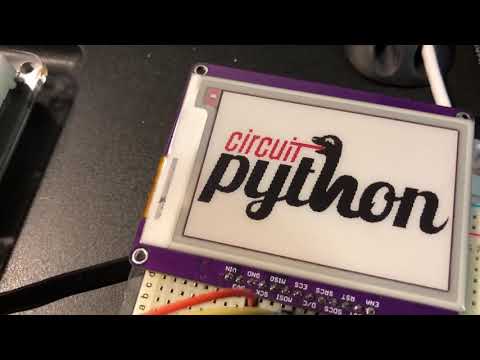
We're working on these lovely eInk breakouts come in multiple sizes and have an SRAM buffer, so you don't have to have lots of free memory to use them. We li...
tulip sleet

Adafruit Industries - Makers, hackers, artists, designers and engineers!
Get the 3.1.2 release at Changes since 3.1.1 All frozen libraries have been updated to their latest versions as of 2019-01-05. Added runtime.serial_bytes_available. Returns True if any bytes are a…
This is a minor release. For most people you don't need to update immediately. runtime.serial_bytes_available was added (it's already in 4.0), and there are some minor additions and fixes to the frozen libraries.
solar basin
Are any of those eink displays going to be in a FeatherWing form factor? Probably a dumb question, but that might be a fun alternative for my project
manic glacierBOT

Ok, closing this. I believe I had a separate bug at the time that I was hitting.
slender iron
<@&356864093652516868> Notes doc for the meeting tomorrow is here: https://docs.google.com/document/d/1lrfMMQsF2ly2Pb3i0Cs9rbyWpUtDnp4XvAdVJiGnAxc/edit?usp=sharing

Google Docs
CircuitPython Weekly January 7th, 2019 Hug reports @tannewt Everyone who did reviews while I was out. @dhalbert for holding down the fort for core work. @kattni for running the meeting while I was out and everyone who attended. Everyone who posted about #circuitpython2019 s...
manic glacierBOT
Please let me know when this needs another look. Thanks!
Sorting them in S3 by language would be nice. Should be a change here: https://github.com/adafruit/circuitpython/blob/master/tools/build_release_files.py
Deep sleep sounds awesome. You've done more async than I have now. :-)
 clear halo
Hi folks, below is a gist I've created in response to the request for feedback for #circuitpython-dev2019:
https://gist.github.com/mattytrentini/d5b22a1bce46aaaea3dc26dca4a10a13
Hope it helps!

 scarlet fjord
can someone take a look at this and tell me why my buttons are recognising a key press event, but not a key release event? I'm 90% sure the code for that hasnt changed since last i touched it, but maybe im missing something?
https://github.com/Flesh-CoatedTechnology/CircuitPython-Gamepad/blob/master/CircuitPython Code/main.py

GitHub
a DIY Gamepad made with CircuitPython. Contribute to Flesh-CoatedTechnology/CircuitPython-Gamepad development by creating an account on GitHub.
im pretty sure it has to have something to do with mcp1.gpio, cause that same code was working fine with directly checking the MCP23017 pins
yeah, ok i just tested it - the following code works, but the commented-out parts do not, despite in theory being the same thing??
while True:
    #buttons = []
    #gpio_output = mcp1.gpio
    #for i in range(16):
        #buttons.append(bool(gpio_output & 1 << i))
    #for button in buttons:
    for key in kbd_switches:
        index = kbd_switches.index(key)
        #index = buttons.index(button)
        if not key.value:  # was a key pressed?
        #if not button:  # was a key pressed?
@scarlet fjord not sure if this will help, but have you seen this? https://github.com/adafruit/Adafruit_CircuitPython_Debouncer
GitHub
Contribute to adafruit/Adafruit_CircuitPython_Debouncer development by creating an account on GitHub.
scarlet fjord
no, its not a debouncing issue - the keys literally only get 'pressed' when i use the gpio command - they don't ever get to a 'released' state
manic glacierBOT

 craggy harbor
How can I use an analog pin as digital In? It always gives me false and I think I would need something like a pullup.
What I use for buttons on digital pins is:
button = DigitalInOut(board.D4)
button.direction = Direction.INPUT
button.pull = Pull.UP
manic glacierBOT
 tulip sleet
@craggy harbor Can you give a specific example that does not work of code, pin, and tell us which board?
marble hornet
I don't see where i can include include or exclude the i2c slave in mpconfigboard.mk or surrounding files
i'm looking in the crickets
it isn't ```FROZEN_MPY_DIRS += $(TOP)/frozen/Adafruit_CircuitPython_seesaw
@marble hornet it isn't a frozen module, it's native. Look for CIRCUITPY_I2CSLAVE in the mpconfig*.h files.
marble hornet
looking
i'm not seeing it in (->) is that the right directory ? /circuitpython/ports/atmel-samd/boards/circuitplayground_express_crickit/mpconfigboard.h
tulip sleet
ag SLAVE ../.. |grep mpconfi
../../ports/atmel-samd/boards/feather_m4_express/mpconfigboard.h:45:#define CIRCUITPY_I2CSLAVE
../../ports/atmel-samd/boards/feather_m0_express/mpconfigboard.h:41:#define CIRCUITPY_I2CSLAVE
../../ports/atmel-samd/boards/metro_m4_express/mpconfigboard.h:47:#define CIRCUITPY_I2CSLAVE
../../ports/atmel-samd/boards/metro_m0_express/mpconfigboard.h:46:#define CIRCUITPY_I2CSLAVE
../../ports/atmel-samd/boards/grandcentral_m4_express/mpconfigboard.h:48:#define CIRCUITPY_I2CSLAVE
../../ports/atmel-samd/mpconfigport.h:276:    #ifdef CIRCUITPY_I2CSLAVE
../../ports/atmel-samd/mpconfigport.h:277:        #define I2CSLAVE_MODULE { MP_OBJ_NEW_QSTR(MP_QSTR_i2cslave), (mp_obj_t)&i2cslave_module },
../../ports/atmel-samd/mpconfigport.h:279:        #define I2CSLAVE_MODULE
../../ports/atmel-samd/mpconfigport.h:317:        I2CSLAVE_MODULE \
it's either defined or it isn't. That's actually non-standard -- it should be (0) or (1). I'm planning to refactor all of this but haven't started yet: https://github.com/adafruit/circuitpython/issues/1434
marble hornet
okay, so the #define CIRCUITPY_I2CSLAVE means it is included ?
tulip sleet
yah
marble hornet
in the m4?
tulip sleet
yes, see ports/atmel-samd/boards/feather_m4_express/mpconfigboard.h
also in Metro M4, Feather and Metro M0 express and Grand Central M4
marble hornet
oh! awesome. thank you
i didn't realize. is there documentation?
i took a quick glance through the read the docs but i;m not seeing the i2c slave section (3.x)
tulip sleet
look at the left sidebar in readthedocs, and then look at the bottom right of the sidebar. I don't like this: it should be a clearly visible choice at the top, kind of like the dropdown in the python.org documentation.
marble hornet
😁 , one "last😉 " question: what do i send back once the master has given a request. another request? or some other class? or is there some example code you know of?
oh
tulip sleet
there you go - iwas looking for an example
marble hornet
i haven't learned with in python. what's the advantage of with foobar: if foobar is already defined?
tidal kiln
in general - it takes care of initialization and de-initialization of foobar automatically
and good example is file access:
with open(file) as f:
    f.write(stuff)
    f.write(more_stuff)
there's no need to close the file - it is done for you
"context manager" is the term for what this is
 prime flower
tidal kiln
prime flower
tidal kiln
yep, that's a good example also, and good to see how the "context manager" is kind of general purpose. consider typical i2cdevice usage:
with i2cdevice as i2c:
    i2c.write(stuff)
the first line calls this:
https://github.com/adafruit/Adafruit_CircuitPython_BusDevice/blob/master/adafruit_bus_device/i2c_device.py#L157
so it takes care of locking the i2c bus
when the code block is done, this gets called:
https://github.com/adafruit/Adafruit_CircuitPython_BusDevice/blob/master/adafruit_bus_device/i2c_device.py#L162
which then unlocks the bus
so using the context manager both simplifies your code and makes it safer, since it is a common code mistake to forget to close a file or unlock an i2c bus
marble hornet
Okay, so it can do temp renaming? What about without a second name
tulip sleet
it's not mainly renaming, it's calling __enter()__ and __exit__() operations, which do setup and cleanup.
here's an oldy-but-goody explanation for Python 2.x: http://effbot.org/zone/python-with-statement.htm
tidal kiln
"without a second name" -> do you mean without the as? like if you did:
with i2cdevice:
    # stufff
 stuck elbow
I'm trying to do the git submodule init on a fresh pull, and I'm getting
error: Server does not allow request for unadvertised object b96950abf27229c2a3b1719d60691321246bfc94
Fetched in submodule path 'ports/nrf/nrfx', but it did not contain b96950abf27229c2a3b1719d60691321246bfc94. Direct fetching of that commit failed.
what could be wrong?
made a fresh clone and that worked
 plucky flint
@stuck elbow I also find switching things off and on again and/or hitting them with a spanner also work when GIT starts playing up.... 😉 HNY to you!
plucky flint
Heh...
stuck elbow
oh, a new an exciting error!
LINK build-feather_nrf52840_express/firmware.elf
/usr/lib/gcc/arm-none-eabi/6.3.1/../../../arm-none-eabi/bin/ld: error: build-feather_nrf52840_express/firmware.elf uses VFP register arguments, /usr/lib/gcc/arm-none-eabi/6.3.1/../../../arm-none-eabi/lib//libm.a(lib_a-sf_atan.o) does not
I think they accidentally a verb
stuck elbow
thanks, I can't English
tulip sleet
it's a strange language
did you try versions past 6.3.1? We build with 7.3.1 nowadays./
stuck elbow
googling around, it seems to be a 32bit/64bit mismatch
goes looking for the gcc-arm-none-eabi ppa
tulip sleet
http://ppa.launchpad.net/team-gcc-arm-embedded/ppa/ubuntu
A new gcc-8 based toolchain was just released in late december: we haven't tried it yet: https://developer.arm.com/open-source/gnu-toolchain/gnu-rm/downloads
 fathom lava
@meager fog @slender iron Could I get help pulling a USB VID/PID for the SparkFun SAMD21 Mini Breakout for UF2 and CircuitPython profiles? Right now, a fresh SAMD21 Mini Breakout has VID=0x1B4F and PID=0x8D21 with the Arduino bootloader.
tulip sleet
@timber mango: here is the gcc8 version. They deleted the previous one!
https://launchpad.net/~team-gcc-arm-embedded/+archive/ubuntu/ppa
This PPA is an alternative to toolchain released at https://launchpad.net/gcc-arm-embedded. The source codes for both are same. Currently supports Ubuntu 10.04/12.04/14.04/14.10 32 and 64 bit.
Detailed explanations to Launchpad PPA can be found at https://help.launchpad.net/...
I'm confused why I haven't been upgraded automatically, because I have this ppa already set up.
tulip sleet
it looks like it was gcc-arm-embedded, and now is gcc-arm-none-eabi
stuck elbow
the ppa has gcc-arm-embedded, the ubuntu packages are gcc-arm-none-eabi
tulip sleet
@fathom lava did you want a different PID?
stuck elbow
dpkg: error processing archive /var/cache/apt/archives/gcc-arm-embedded_7-2018q2-1~bionic1_amd64.deb (--unpack):
 trying to overwrite '/usr/bin/arm-none-eabi-addr2line', which is also in package binutils-arm-none-eabi 2.27-9ubuntu1+9
@meager fog @slender iron Please disregard my message. Jim at SFE is able to get me 2 PIDs and keep the SparkFun VID.
tulip sleet
https://launchpad.net/~team-gcc-arm-embedded/+archive/ubuntu/ppa
fathom lava
@tulip sleet That was the original intention, but it after chatting with Jim, I can keep the VID. From what I understand, I do need different PIDs for the UF2 and CP profiels.
*profiles
stuck elbow
and of course:
dpkg: error processing archive /var/cache/apt/archives/gcc-arm-embedded_7-2018q2-1~bionic1_amd64.deb (--unpack):
 trying to overwrite '/usr/lib/libcc1.so.0.0.0', which is also in package gcc-avr 1:5.4.0+Atmel3.6.0-1build1
so now I have a choice, arm or arduino
tulip sleet
@void yew most of our boards have three VIDs: one for the uf2 bootloader, one for arduino, and one for CircuitPython. A few have a fourth VID for a bossac-only bootloader
all PIDs are 0x239A
@timber mango I thought arduino packaged up its own compiler (they're on 4.something still)
stuck elbow
ubuntu doesn't allow such things
well, debian doesn't allow such things
each project has a separate package
tulip sleet
i mean I don't use the debian package for Arduino IDE - I use the downloaded version from arduino.cc
stuck elbow
makes it easier to keep security updates in check
tulip sleet
the debian package was way out of date the last time I looked. We have to use the latest to keep up with the users so we can do support.
fathom lava
@tulip sleet Hmm...would you like to use the 0x239A for CircuitPython on the SparkFun SAMD21 or keep the SparkFun VID? I'm happy with either.
tulip sleet
0x239a is the PID we bought for Adafruit years ago. It's fine to use the SparkFun PID for that board - it's a SF board after all.
stuck elbow
what I do is: I install the debian package to get all the necessary requirements (java and whatnot), and then use zip downloaded from arduino.cc
fathom lava
@tulip sleet Will do, thanks 😃
tulip sleet
@fathom lava I'll point Limor to this thread just in case she has a different idea, but sounds good to me.
fathom lava
@tulip sleet It looks like Jim kept the SparkFun IDs on the nRF board, so I was following that.
tulip sleet
@timber mango If you can get it to work, that sounds good - i would worry about compatibility if the cores and the libraries assume a certain compiler
stuck elbow
Adafruit CircuitPython 4.0.0-alpha.5-53-g555da95cf on 2019-01-07; Adafruit Feather nRF52840 Express with nRF52840
tulip sleet
@fathom lava Makes sense. You may want to talk to @ ntoll re Mu's detection of the different boards. We recently submitted a patch to detect any adafruit board with PID=0x239A as CPy.
@timber mango which compiler is that? 👍
tulip sleet
gcc 8? That's great. I was waiting for it to appear. I think it will make the firmware images a bit smaller.
fathom lava
@tulip sleet Good to know, thanks. I'll look into it--I had trouble getting Mu to detect my MKRZERO even with an Adafruit ID.
stuck elbow
@tulip sleet no, it's Version: 7-2018q2-1~bionic1
stuck elbow
the one you linked
tulip sleet
This one has gcc8: https://launchpad.net/~team-gcc-arm-embedded/+archive/ubuntu/ppa I linked that second.
idle owl
@clear halo Thanks for the post!
tulip sleet
8-2018q4
@timber mango - ah ok, they are both in the file-serving part: http://ppa.launchpad.net/team-gcc-arm-embedded/ppa/ubuntu/pool/main/g/gcc-arm-none-eabi/
both gcc-arm-embedded and gcc-arm-none-eabi
no, i'm wrong the .deb's are only 7-2018q2
🤦 ??
the gcc8 builds are broken
ok, forget this for now. I'll try the gcc8 download from arm.com some time to see if it builds, but until they get the packages straight, not worth upgrading, because it makes life harder for everyone to have to manually download and unzip the toolchain.
idle owl
@slender iron I added MattyT's post from yesterday in the #circuitpython-dev channel to the notes under the list you had for people who had posted.
fathom lava
@tulip sleet or @slender iron The pinout chart in the SAMD21 port README (https://github.com/adafruit/circuitpython/tree/master/ports/atmel-samd) is super useful but is become a bit too unwieldy to use. I'm wondering if I can copy it over to a spreadsheet (publicly shared Google Sheet?) and somehow embed it into the README to make the chart easier to maintain and read. Do you have any suggestions on the best way to do that? If there's not a great solution, I'm happy to keep it in RST.
idle owl
@fathom lava I feel like someone else already did this...
Oh wait, no not that chart.
Different pinout chart.
craggy harbor
@tulip sleet Re: analog pin as digital: I have a Feather M4 Express and this is my code:
button = AnalogIn(board.A3)
while True:
print(button.value)
idle owl
@fathom lava Sorry for the momentary excitement into disappointment 😄
fathom lava
@idle owl Do you know what they used? I'm happy to do the same thing with that pinout chart
lol
idle owl
@fathom lava Someone did the pinouts for the different ATSAMD chips overall. It was a spreadsheet, they never put it into anything else afaik.
Also not even sure they ever made it public because it was still a work in progress when I viewed it.
If there was a way to at least keep the first column static, it might be a lot easier to use what's there.
fathom lava
Agreed, but that seems to be a Markdown/RST rendering limitation
idle owl
Sounds about right.
Too bad you can't do two tables next to each other.
One table is one column only.
slender iron
@idle owl thanks! reading it now
@clear halo thanks for the #circuitpython-dev2019 post. would love to chat more about it with you. did you know we post notes for every weekly meeting that you could skim instead of watching it all?
any cpy libs on rpi folks? https://forums.adafruit.com/viewtopic.php?f=60&t=145782
manic glacierBOT

@jerryneedell I just received the DHT22, wiring it up and get something similar to your output. Will work on this tomorrow.
Press any key to enter the REPL. Use CTRL-D to reload.-3276.7 6553.5
 RunTime Error  Checksum did not validate. Try again.
-3276.7 6553.5
-3276.7 6553.5
RunTime Error Checksum did not vali...@slender iron responded
slender iron
thanks @tidal kiln for the forum help!
tulip sleet
@craggy harbor
instead of
button = AnalogIn(board.A3)
while True:
    print(button.value)
do
button = DigitalInOut(board.A3)
...
Just because it has an "A" name doesn't mean you can't treat it as a DigitalInOut.
The "A" just means it's definitely analog capable. It's digital-capable too.
meager fog
@tidal kiln the AM2320 is really 'marginal' - may take a few tries to read data from it
it goes to sleep in an odd way
tidal kiln
@meager fog thanks. yep. was thinking same. just making sure of wiring first. will suggest that next. (and i have one i can test with if needed)
 errant grail
... just lurking today.
slender iron
<@&356864093652516868> meeting in two minutes
solar whale
Sorry, can’t make it today. Group hug to all!
slender iron
np @solar whale
marble hornet
Just lurking until off bus
tidal kiln
lurking this week. group hug. welcome back and congrats to scott.
 gusty kiln
hey all - had something come up, missing first part of meeting.
idle owl
@gusty kiln Np. Thanks for letting us know 😃
Community members have posted them through GitHub, in a gist, in a blog post, basically any way you want to express your thoughts is great! #circuitpython-dev2019
slender iron

Made With Mu
Our friends, Mu allies and all-round superheroes at Adafruit have asked, “What do you want from CircuitPython in 2019”? This is my personal response. :-)
raven canopy
I yield my "last but not least" slot to TG-Techie.... 🙇 😄
slender iron

GitHub
A 2019 Wish List for CircuitPython. Contribute to CedarGroveStudios/CircuitPython2019 development by creating an account on GitHub.
pastel panther
Hi everybody! Not much for me today but I thought I would check in and give a nice big group hug to everyone. I just sent off a new breakout board for the INA260 to OSH Park and I'm now working on getting a Huzzah breakout and AM2315 talking to adafruit.io to log temp and humiditity for my friends fancy-organic-mushroom farm.
I will write a #circuitpython-dev2019 post but I'll have to figure out where to put it as I don't actively use any social media platforms at the moment.
Happy belated holidays to everyone and happy hacking in the new year!
 gilded cradle
I still plan on writing a list. Just haven't gotten around to it yet.
umbral dagger
Ah.. congrats!
slender iron

reddit

Adafruit Industries - Makers, hackers, artists, designers and engineers!
Via John Mark on Medium, in recent months, the debate on so-called “open source business models” has begun to rage once again. To be clear, there are a variety of ways to capitalize on open source …
gusty kiln
wasn't here at start of hug reports, but i'll just throw out a group hug / happy new year. unsure if my mic is gonna work.
craggy harbor
@tulip sleet thanks! I tried that before and it didn't really work, but now it does 😄 👍🏼
idle owl
The CircuitPython2019 posts do not need to be long - even a few sentences about what your thoughts are is brilliant.
 turbid radish
Again, if you want Adafruit to publicly post on social media your #circuitpython-dev2019 , post to a blog or GitHub or other public forum and let us know you're ok with the posting. Private messages will not be sent out in this fashion.
umbral dagger
C is fun. C++ is a evil drooling beast hiding under your bed.
An advantage of knowing C is that it's still probably the most ubiquitous language.
marble hornet
As you C fit ?😉
turbid radish
Just moderating dastel's debouncer guide now 😮
umbral dagger
@turbid radish Good stuff!
marble hornet
Can you post a link too?
slender iron
 raven canopy
:sitting_tight:
turbid radish
Use GitHub for posts if that works
idle owl
@pastel panther You can put your cp2019 post in a Gist for example if you want.
@pastel panther Ping me for other options if you're interested.
@raven canopy 👍
turbid radish
Microsoft just made having private GitHub repos free https://t.co/2kH37oIrqe

Redmond hits back: You (won't) pay for this
umbral dagger
Huh... that's why I migrated my private repos to bitbucket.... but it's still Microsoft... and old habits die hard. (I.e. pretty much making a career out of despising them)
turbid radish

To help prepare students for the digital future @MSMakeCode is joining @CartoonNetwork & Adafruit to develop a set of projects & tutorials to inspire students to code & create! Discover how you can introduce coding to your classroom here: https://t.co/fX0zWKhNOi #Microsoft...

 Twitter
idle owl
Twitter
idle owl
That would be great.
 inland tusk
Some one talked about fixed size fonts
stuck elbow
inland tusk
word processors abd older os's call it courier 10 pt fixed space font
stuck elbow
it's 3x5 pixels
inland tusk
correct
stuck elbow
(actually 4x6, because spacing between the letters)
inland tusk
actually 5 x 7
marble hornet
Could tensor thin
stuck elbow
@slender iron the Japanese are gaining on us! https://twitter.com/wifiboy_org

WiFiBoy IoT Game Dev Kit Official Twitter Account.
Tweets
25
Followers
135
Twitter
errant grail
Thanks from lurk-land!
slender iron

GitHub
Monospaced bitmap fonts for X11, good for terminal use. - Tecate/bitmap-fonts
meager fog
did anyone here not get a grand central?
ruby atlas
I should get mine tomorrow if the snowstorm doesn't delay it
main meteor
Missed the window, waiting for more. I now have a better understanding of the production issues, too.
manic glacierBOT
 meager fog
@main meteor there's some more in stock now https://www.adafruit.com/product/4064

We're selling out fast but making more all the time! Sign up to be notified when it's in the store!Are you ready? Really ready? Cause here comes the Adafruit Grand Central featuring ...
tidal kiln
2019 goals += learn to silk like PYD
manic glacierBOT
 slender iron
<@&356864093652516868> Here is the meeting recording: https://youtu.be/CL4D3dD8ehU Notes link is in the description

Notes with time codes are available here: https://github.com/adafruit/adafruit-circuitpython-weekly-meeting/blob/master/2019/2019-01-07.md Thanks to @kattni ...
meager fog
@umbral dagger heya now that you are a library-crafting expert
wanna take a todo off my long list 😃
umbral dagger
heh.. what's up?
 pulsar bloom
Is there a UF2 to reset the file system on a NRF52840 Feather?
meager fog
@umbral dagger i have been meaning to make a soft-spi library, e.g. bitbangio for SPI - good for linux usage
where the GPIO toggling is fairly fast, but SPI ports are rare to come by
would be adafruit_bitbangio.SPI
slender iron
@meager fog what flash is on the pyportal? GD25Q64C?
slender iron
kk, thats what I copied from 😃
umbral dagger
@meager fog what about adafruit/circuitpython/shared-module/bitbangio/SPI.c ?
slender iron
can't be used on rpi
meager fog
yeah this is for linux boards & other setups where we have to fake it
trick is to support all the MODEs
(there's 4)
but otherwise, the code's not complex, im just out of time 😃
umbral dagger
ah. ok.
manic glacierBOT
It's not out yet. Don't ask. ;-)
meager fog
@umbral dagger you up for it?
meager fog
@umbral dagger alrighty - https://github.com/adafruit/Adafruit_Blinka/issues/24 is the issue to watch
GitHub
there's limited SPI ports on the Pi, and some chips dont need high speed, lets add code for (fast) bitbang support!
GitHub
Adafruit GFX graphics core library, this is the 'core' class that all our other graphics libraries derive from - adafruit/Adafruit-GFX-Library
is the simplest 'mode 0'
i'd dig having i2c bitbang as well
http://abyz.me.uk/rpi/pigpio/index.html apparently has bitbang
Raspberry Pi Reg. C GPIO library and Python GPIO module and shell command utilities to control the GPIO, including SPI, I2C, and serial links.
good news: its public domain
but....its a 10K LOC file https://github.com/joan2937/pigpio/blob/master/pigpio.c
GitHub
pigpio is a C library for the Raspberry which allows control of the General Purpose Input Outputs (GPIO). - joan2937/pigpio
 modern wing
@slender iron Couldn't join this morning, so thanks for the recording. I'll be watching it later tonight/tomorrow.
tawny creek
@stuck elbow Is wifi boy Japanese? I thought it was Taiwanese 😮
slender iron
Anyone make a ps2 to usb circuitpython adapter? 😃
tidal kiln
CLICKing intensifies...
tidal kiln
WHAT?
slender iron
I couldn't help myself for $1.50
modern wing
"Would the person with the IBM Model M please mute your mic. Wait, it's already muted?"
....woah, I'm jealous. That's an awesome price for those.
slender iron
😃
tidal kiln
slender iron
the model number sticker is gone so I'm not sure what version it is exactly
umbral dagger
@slender iron Wow. I was under the impression those things were the holy grail.
slender iron
thanks @tidal kiln reading now
umbral dagger
Nice keyboard.. .but IMO Sun's early ones are better.
slender iron
makes me want to get a circuitpython terminal going
thats the one they had ¯_(ツ)_/¯
tidal kiln
yah, can't beat that price. those are typically marked much higher when stores know what they are.
tidal kiln
you should add the goodwill to your route also
slender iron
I do usually. all good goodwill stuff ends up online
umbral dagger
Huh.. there's a goodwill not far from us. I should cruise it occasionally.
modern wing
I've had atrocious luck at goodwill and salvation army -- but I just looked it up, there's a value village about 30 mins from me...
ruby atlas
yes, one involving lots of neopixels
umbral dagger
made in '92.... that's so new.
And it has that horrible IBM layout.
Those keys, though...
craggy harbor
led2 = AnalogOut(board.A2)
This throws an error used on a Feather M4 Express:
ValueError: AnalogOut not supported on given pin
How? 😮 It's an "A" pin....
slender iron
the A designation is for input
craggy harbor
I seeeee
slender iron
only A0 and A1 on the M4 support output
craggy harbor
That's a pity, but thanks!
craggy harbor
ok 😃
 severe void
Pretty sure my wife would love that keyboard.
 magic wing
Anyone heard of Unicomp?
THey make a decent USB Model M clone. Loved mine.
Same buckling spring keys. Saved my wrists from carpal tunnel!
manic glacierBOT

I'm having a very odd issue. Using the audioio library to play sounds, if I define a class before I play my sound using mixer.play() the sound file isn't played. Commenting out the class definition makes the sound play flawlessly.
Here's my code:
import board
import audioio

def makeMixer():
    audio = audioio.AudioOut(board.A1, right_channel=board.A0)
    mixer = audioio.Mixer(voice_count=1,
                          sample_rate=22050,
channel_c...@slender iron I didn't realise that the weekly meetings had notes until after I'd posted my feedback! Those notes will be fantastic for me, thanks to you and all the folks that collate them. 😃 And sure, happy to chat any time about the feedback. Shoot me a DM if you'd like to chat over email...
manic glacierBOT
This might be related to #1218. Not clear that the global dictionaries are doing long-lived exactly right.
clear halo
Also, I saw the Debouncer library by @umbral dagger - which looks neat! But this has been solved in MicroPython using asyncio in a way that seems far more elegant (no spin loops!):
https://github.com/peterhinch/micropython-async/blob/master/DRIVERS.md
No disrespect intended to @umbral dagger - without asyncio that's a great solution. :)
I'm just curious about the status of asyncio since it's totally changed my development style on embedded devices (I even gave a PyCon AU talk about it!). Seems that it's not implemented in CircuitPython yet?:
#619: "asyncio, async and await would be super helpful": https://github.com/adafruit/circuitpython/issues/619
I wasn't aware it wasn't implemented; adding asyncio would have been another entry on my 2019 wishlist!

GitHub
Application of uasyncio to hardware interfaces. Tutorial and code. - peterhinch/micropython-async

GitHub
asyncio provides event loop code and asynchronous coroutines that fit perfectly with the I/O needs of these all-I/O boards. Strongly related to #197, though things have changed since then. I'd ...
tulip sleet
@clear halo People are experimenting with async/await in CPy. See https://github.com/adafruit/circuitpython/issues/1380 for some thoughts (the first post is less general than some of the discussion) and https://github.com/adafruit/circuitpython/pull/1415 (examples of async/await).
We are very much interested in making async processing approachable to the beginner, not just the professional programmer.
That is the primary reason we have not enabled hard interrupt handling, etc. We are interested in providing the concepts, but not necessarily via the mechanisms that people ask for right away (e.g. interrupts)
clear halo
Thanks @tulip sleet , that's helpful. I'll be sure to read them more thoroughly later. Notro has done some nice work - and come to the same conclusions as I have about deep sleep working in conjunction with the asyncio event loop.
However I do feel that asyncio is quite accessible, especially for a concurrency primitive! But then maybe I'm not your target market... ;)
Just for reference the core of the MicroPython asyncio implementation is pure python of about 300 lines:
https://github.com/pfalcon/micropython-lib/blob/master/uasyncio.core/uasyncio/core.py
If you do want higher-level abstractions for concurrency it seems like they should be built on top of asyncio (since it ought to be there for CPython compatibility anyway)...

GitHub
Standard library for MicroPython and compatible programming languages - pfalcon/micropython-lib
manic glacierBOT
 modern wing
@magic wing I have one of the Unicomps -- got it back in 2003 or so. College roommate....did not appreciate it, to put it mildly 😛
pastel panther
anyone with an AM2315 want to check something for me?
stuck elbow
@tawny creek possible, I was going by location specified on the Twitter account
timber mango
is there any example out there that shows how to write a CP library with parts in C/C++ ?
i would like to have a look at this and try to port the core or parts of my lib to C/C++ to speed up things..
umbral dagger
@clear halo asyncio is on my 2019 list as well.
@timber mango https://learn.adafruit.com/extending-circuitpython gives an introduction.

Turn the dials to 11 by writing CircuitPython modules in C.
marble hornet
Building metro_m4
echo "#define UF2_VERSION_BASE \"v2.0.0-adafruit.8\""> build/metro_m4/uf2_version.h
echo "src/flash_samd51.c"
src/flash_samd51.c
arm-none-eabi-gcc -mthumb -mcpu=cortex-m4 -O2 -g -DSAMD51 -x c -c -pipe -nostdlib --param max-inline-insns-single=500 -fno-strict-aliasing -fdata-sections -ffunction-sections -

A LOT OF TEXT HERE

python2 scripts/gendata.py 16384 build/metro_m4/bootloader-metro_m4-v2.0.0-adafruit.8.bin
make: python2: No such file or directory
make: *** [build/metro_m4/selfdata.c] Error 1```i;m trying to build the uf2 boot loader for the metro m4 but am getting an issue , does this look familiar to does anyone know why selfdata.c might be missing?
manic glacierBOT

@tannewt I have successfully remove the error and updated the translation
Hi! Thank you for this! I'm excited to see another translation. We should merge this before you translate all the strings. I'll merge it once Travis passes. The current error is listed here: https://travis-ci.org/adafruit/circuitpython/jobs/462636827#L1079 Let me know if you need help getting it going. Thanks!
manic glacierBOT
marble hornet
Woo WHOO!!! and it works with the metro m4 cp uf2 files
 raven trail
Error while using Circuit playground express with Mu IDE.
I Can't copy the file.
I tried re flash it . But same error agin. Can't flash anything
Hi 
Problem solved when i use storage.erase_filesystem()
Thanks 
umbral dagger
@raven trail Yes, that will do it. It seems to get into a read-only state at times. It’s actually been a while since I’ve seen that; maybe 4.0 is more robust in that way.
 keen jay
Morning! I'd love to volunteer on CircuitPython, but I'm not sure how to get started or where I could be helpful... Any suggestions?
stuck elbow
@keen jay there is a lot of possibilities, just a few: github issues have "good first issue" labels, you can try with those, you can also help with translations or documentation. We have weekle meetings on Mondays where we discuss what has been done and what we intend to do, so coming to those is sure to give you some ideas as well.
@keen jay what are you most interested in?
keen jay
I could definitely help for English-French translation and for documentation. I'll have a look at the "good first issue" labels to see if there's something I could work on. I'll also try and attend the meetings on Monday
tulip sleet
@marble hornet Yay! Congrats! I believe the error you saw is that python2 isn't installed. It's used to generate update-bootloader....uf2, and maybe some other things.
tulip sleet
it isn't needed for the basic .bin. So the build failed after it successfully built the .bin
there's a uf2conv.py (this is from memory)
marble hornet
to update the bootloader?
tulip sleet
right, it's not building the update uf2's. There's this line in the Makefile:
python2 lib/uf2/utils/uf2conv.py -b $(BOOTLOADER_SIZE) -c -o $@ $(BUILD_PATH)/update-$(NAME).bin
i recently reset my mac so i only have installed what i need i'll keep it in mind for the future. and that's so cool!
also, can i define aref as an io pin for must it stay aref in pins.c?
based on metro m4
tulip sleet
the internal aref is broken on the SAMD51. Check the errata. So you have to use the external AREF if you want an analog reference voltage. So we dedicated a pin to that.
marble hornet
okay 😀 👌
../../supervisor/shared/external_flash/external_flash.c:48:78: note: in expansion of macro 'EXTERNAL_FLASH_DEVICES'
 const external_flash_device possible_devices[EXTERNAL_FLASH_DEVICE_COUNT] = {EXTERNAL_FLASH_DEVICES};
                                                                              ^~~~~~~~~~~~~~~~~~~~~~
<command-line>:0:54: error: 'W25Q64JV' undeclared here (not in a function); did you mean 'W25Q16JV'?
../../supervisor/shared/external_flash/external_flash.c:48:78: note: in expansion of macro 'EXTERNAL_FLASH_DEVICES'
 const external_flash_device possible_devices[EXTERNAL_FLASH_DEVICE_COUNT] = {EXTERNAL_FLASH_DEVICES};
                                                                              ^~~~~~~~~~~~~~~~~~~~~~
<command-line>:0:64: error: 'W25Q128JV' undeclared here (not in a function); did you mean 'W25Q16JV'?
../../supervisor/shared/external_flash/external_flash.c:48:78: note: in expansion of macro 'EXTERNAL_FLASH_DEVICES'
 const external_flash_device possible_devices[EXTERNAL_FLASH_DEVICE_COUNT] = {EXTERNAL_FLASH_DEVICES};
                                                                              ^~~~~~~~~~~~~~~~~~~~~~
make: *** [build-datalore_ip_m4/supervisor/shared/external_flash/external_flash.o] Error 1```i checked devices.h and all of these are in there
i've used some before too
manic glacierBOT

 lethal abyss
@stuck elbow wifiboy boards looks good. not as cute as your pew pew, but also nice 😉
stuck elbow
@lethal abyss and it should run my games with minimal modifications to the code
timber mango
@umbral dagger regarding CP & C/C++
thanks for the link!
if i read this correctly it only works when the code is included into the cp build itself?!
no way to create an optional library that has some c code precompiled for all the available CP-Builds with it....
so the functionality needs to be interesting / general enough for all users to be accepted into the main build...
some time ago i played with cython - and with this it was really easy to add parts in c and use them from python..
- but i don't remember how this worked in the background.. 😉
manic glacierBOT
@chalei Thank you for fixing this up. I think a merge is still needed to get new strings. Please let us know if you'd like us to help get it committed. Thanks!
solar whale
@timber mango you can clone the CP repository and create a custom build with your C code. It does not have to be Included in the released version.
pastel panther
hey @solar whale you said you got a CP board talking to adafruit.io? presumably using an ESP like you helped me hook up?
solar whale
Yes. Oops plane door closed! I’ll be off for a few hours. I can give you an example this evening.
pastel panther
ok, thanks, ttyl.
umbral dagger
@timber mango Correct, CircuitPython does not have an FFI.
timber mango
@solar whale i know - my ItsyBitsy M4 are running git master builds currently ;-)
but its not as 'practical' if you want to write something that is accessible to 'everybody'.
pastel panther
@timber mango Getting something cython like working would be both extremely cool and pretty tricky. It's a topic I'm personally very interested in but would also be quite and undertaking
lethal abyss
@deshipu you mean with pew library?
upbeat plover
@umbral dagger oo i like that Extending CP, that must be newish first time ive seen it
marble hornet
hey all, i'm running the below code in 4.0.0-alpha.5-56-g172311fad and it is going right back into cirpy
mc.on_next_reset(mc.RunMode.BOOTLOADER)
time.sleep(1)
mc.reset()```The previous pull request cannot merge due to conflicts