#circuitpython-dev
1 messages · Page 215 of 1
 solar whale
 fathom lava
I know that there is input() for the serial console, but is there anything similar to uart.read() for the console (something that is non-blocking)?
 tulip sleet
@fathom lava We have sort of a workaround. You can use runtime.serial_bytes_available to find out if the user has typed something. If so, you can call input(). https://circuitpython.readthedocs.io/en/3.x/shared-bindings/supervisor/Runtime.html?highlight=available#supervisor.Runtime.runtime.serial_bytes_available
fathom lava
@tulip sleet Sweet, thank you!
tulip sleet
this has been painful. There is really nothing in Python for this that is OS-independent. The Python solutions are all kind of awful.
 prime flower
@solar whale if you are playing around with it and find a fix, latest is here. https://github.com/adafruit/Adafruit_CircuitPython_TinyLoRa/pull/4

I tested it but my gateway is finicky today for some reason, might be my internet. I'll try it at HQ tomorrow to see if that helps it
 manic glacierBOT

On Wed, Dec 5, 2018, at 00:32, Dan Halbert wrote:
The current CircuitPython "calibration" on SAMD21 is pretty simple:
when the TouchIn object is created, we assume that it's not being
touched. Touch threshold is that value + 100. But TouchIn.raw_value is
available for people who want or need it, and the threshold can also
be adjusted.> If the nRF errata are saying that the readings are really erratic,
yeah, that could be a significant issue.
Yeah, it sounds like the current source...

yah we require it to work on all nrf boards. if we have to do it, we can make it a common module so any chips can use it? ive done the technique w the original cirplay board. you just need a 1mohm res and fast reading w/no interrupts, so it should be in c not python
On Wed, Dec 5, 2018, at 11:04, ladyada wrote:
yah we require it to work on all nrf boards. if we have to do it, we
can make it a common module so any chips can use it? ive done the
technique w the original cirplay board. you just need a 1mohm res and
fast reading w/no interrupts, so it should be in c not python
OK no worries, I'll scrap the ISOURCE approach and implement just the
ADC approach.Yes, I think that this technique should work on pretty much any chips if
their ADC is fast an...
 sacred edge
in Neopixels, is there a default brightness?
sacred edge
@tidal kiln - I am writing a .py file to read a signal from a PIR, and then have it kick on the neopixels... Either on the CPX or perhaps a "Jewel" neopixel board... Developing the code right now...
The PIR is giving me fits... It works fine, BUT I am unsure if I am looking for a voltage (Analog) or Digital "High" signal. The PIR puts out 3.3vdc when it is activated ..
being a total newbie to this coding stuff sucks!!!\
 tidal kiln
this PIR sensor?
https://www.adafruit.com/product/189
sacred edge
Not that exact one, but very close.. from DIY mall - http://www.diymalls.com/index.php?route=product/search&search=DIYmall HC-SR501 PIR Infared Sensor Pyroelectric Motion Sensor Detector Module (pack of 5pcs) FZ0057X5
it goes to 3.3vdc when activated, and 0vdc when not triggered...
tidal kiln
sounds similar and digital:
https://learn.adafruit.com/pir-passive-infrared-proximity-motion-sensor/circuitpython-code
sacred edge
does the cpx have a built in PIR??
@tidal kiln that code you gave me without my external PIR hooked up, I get motion detection...
it seems that the neopixel #1 is detecting the motion!
weird!
manic glacierBOT
I'll have a look when I find the hardware again!
tidal kiln
@sacred edge how is the PIR sensor connected to the CPX?
sacred edge
I have it hooked up to A2, But when I have my hand over the CPX board (Neopixel 1) it trips motion detection and not from my external PIR sensor...
what is pin D2 on the CPX?
tidal kiln
A5
just change the code
A2 is D9
you basically had a floating input and were reading noise
sacred edge
seems to have fixed it.. the floating ground was weird.. lol... it won't detect my hand moving, but does detect the body...
tidal kiln
if your PIR has those two trim pots, may need to adjust those
sacred edge
yes, I am fiddling with them now..
sacred edge
I have it working pretty good now.. Thanks!!.. now to incorporate into something that makes sense... 😃
 cunning crypt
ESP8266 reading stuff from an SD card, like wifi into, should be fairly easy right? It has been a while.
 slender iron
@neon dragon have you used circuitpython on the argon at all?
 tough flax
@slender iron is there a board def for the Argon?
slender iron
working on it now
the xenon and boron flash are happy
argon not so much

GitHub
The LEDs now match the atmel uf2 bootloader by ramping the single LED up and down at different speeds. The RGB pixel is used for color status when available as well.
Travis will now automatically b...
bootloader support
solar whale
@prime flower that fixed the issue with Raspberry Pi and ttn_usa.py. Thanks -- I have not tried the whole PR -- just made that change manually. Whew! I was worried about my whole python config!
OK -- tried pr_4 -- seems oK to me. A few more checks and I'll comment in the PR
manic glacierBOT

 prime flower
@solar whale I'm gonna run a soak test on the M0 RFM tonight
solar whale
Cool -- good luck! - ran a short test here -- looked good.
prime flower
I'm going to set up a RFM Feather temp. logger at my desk at work for a more permanent solution, but this is ok for now
solar whale
funny -- that last fix had me puzzled as to why my test worked but it llos like python handeled it as desired even if wrong ```Python 3.6.7 (default, Oct 22 2018, 11:32:17)
[GCC 8.2.0] on linux
Type "help", "copyright", "credits" or "license" for more information.
x = [1,2,3,4,5,6,7,8,9]
x[9:4] = [5,4,3,2]
x
[1, 2, 3, 4, 5, 6, 7, 8, 9, 5, 4, 3, 2]
yea, it did that on an earlier commit i made
manic glacierBOT
 tulip sleet
@slender iron travis builds are stalling for some reason. A single board is taking > 10 minutes and that causes the travis job to terminate because there's no output for >10 minutes. I tried the latest merge locally and there's no issue so I'm inclined to think travis is flaking out right now.
 raven canopy
Status is showing all green. Wonder if it's today's "all Linux will run in VM" switchover.
Even though that shouldn't affect our builds since it's already in a VM, and not a container.
 timber mango
I'm running "full" Python on a Raspberry Pi and trying to connect the Adafruit SGP30 gas sensor breakout. I have it working with some weird 3rd party library, but I want to use the Adafruit version. I see there's a CircuitPython version, is there any issue with me using that on a traditional Python/Linux computer?
raven canopy
@timber mango there is! It's called Blinka: https://learn.adafruit.com/circuitpython-on-raspberrypi-linux/overview

Make hardware and interface with sensors super easy using CircuitPython
timber mango
That's what I was afraid of, this is the last component on my build and everything is written in Python 2.7 😦
"The default python on your computer may not be python 3. Python 2 is officially discontinued and all our libraries are Python 3 only."
raven canopy
Oh. 🙁
timber mango
(slowly moves this project to next weekend...) thank you for the info, @raven canopy !
raven canopy
@timber mango yw. Sorry it's not 100% drop in for your situation.
timber mango
It happens! 😄 I may hack at the other 3rd party library for now, we'll see how long this tea lasts 😃
manic glacierBOT
@s-light Ideally the resolution of the duty_cycle will degrade gracefully with higher frequencies. Basically once the frequency is higher than any of the prescalers (so / 1) we'll need to lower the top of the counter to increase the frequency. Doing so will reduce the resolution that remains to use for the compare channel.
Note, I think we hook TCs to the 48mhz clock in the SAMD51 but they can run up to 100mhz IIRC. So one way to get a faster output would be to hook up to a faster clock (m...
manic glacierBOT
Looks like this is done with a power warning interrupt and logging that we got it and then resetting. Will look at this now since I need a proper safe mode implementation for handling corrupt heaps.
manic glacierBOT

Just a heads-up -- I wanted to try something with the BLE REPL -- (trying to troubleshoot the control-C issue on the feather_nrf52832) but it appears to be broken at this time.
Tried on both feather_nrf52832 and pca10059
- same result
enable BLE_NUS in mpconfigport.h
index 86f5af20a..d473bc309 100644
--- a/ports/nrf/mpconfigport.h
+++ b/ports/nrf/mpconfigport.h
@@ -129,7 +129,7 @@

 #if BLUETOOTH_SD
#de...build_release_files appears to generate new output. Testing and when successful will let you know.
manic glacierBOT
@tannewt This was a change (thought it might have to do with print statement after fold) and then a reversion. The PR travis build works fine. Could you try merging this and we'll see whether it works?
prime flower
@tulip sleet hi! I'm attempting a cpy build w/the NRF9x M0 Feather and the tinylora lib. I followed the steps in the learn guide for incl'ding the module, added it to /frozen and the build errored. Any ideas?
-none-eabi/7.3.1/../../../../arm-none-eabi/bin/ld: build-feather_m0_rfm9x/firmware.elf section `.text' will not fit in region `FLASH' /usr/local/Caskroom/gcc-arm-embedded/7-2018-q2-update/gcc-arm-none-eabi-7-2018-q2-update/bin/../lib/gcc/arm-none-eabi/7.3.1/../../../../arm-none-eabi/bin/ld: region `FLASH' overflowed by 4412 bytes collect2: error: ld returned 1 exit status make: *** [build-feather_m0_rfm9x/firmware.elf] Error 1
tulip sleet
yes, it's just too big. The non-Express builds are very tight, and there's no room for a frozen module
you'd have to remove something else to get it to fit
prime flower
alright
tulip sleet
do you want to freeze iti because the lib is so big that most programs that need it won't fit?
it may make more sense to use a Feather M4 and an RFM wing
prime flower
Yep. The MPY file(s) required for it take up a lot of room, ladyada had a lot of tweaks last night for space but it's still too large for the library and a sensor library (or even busdevice's i2c)
tulip sleet
there isn't much to remove to get it to fit. on the pirkey we removed math, which is big, but the pirkey is a very special-purpose gadget
prime flower
this'll need math for AES, could just be a m4-only library but idk if that's a good solution. Maybe for the short-term it is.
tulip sleet
prob worth discussing with limor
prime flower
yeah, agreed.
tulip sleet
math is mostly floating point stuff, sin, cos, etc. not sure you need any of that for AES
But... some sensors might need math
prime flower
especially if it's being used as a data-logger (which most radio-feathers are)
solar whale
@prime flower have you tried just loading the lib from . mpy files in the stock build. That does work on a mo express.
prime flower
an express, but not a RFM9x feather m0
 vernal urchin
can I ask general Python coding questions here?
tidal kiln
sure
vernal urchin
Thanks. I tried on projecthelp but I don't see much activity.
tidal kiln
i'll respond there
vernal urchin
thanks
tulip sleet
@slender iron ugh, looks like it's hanging again: https://travis-ci.org/adafruit/circuitpython/jobs/463954390. This is like before: the PR check build was fine. So the q is what's the diff between the PR build and the merge build??
slender iron
git revision stuff?
tulip sleet
maybe - I'll try setting a local tag so it looks like a something. Or are there diffs in .travis.yml between deploy and not?
slender iron
maybe we can repro on a branch?
rather than a pr
it probably has to do with the travis environment variables
tulip sleet
that might get checked in on of the .py scripts
slender iron
can probably repro it off master by making a new branch and PRing to it
then its easy to add debug statements
tulip sleet
or I can just push a branch that's instrumented
will it build automatically if I just push a branch?
tulip sleet
I'll try a branch first
raven canopy
ears perk up
slender iron
just like the bootloader but slower
so before boot.py runs have a small window where if it resets we can tell
and after the reset enter safe mode
tulip sleet
that is a great idea. Could light the RGB to indicate in that state. maybe 0.5 seconds. I already delay 1.5 seconds when writing boot_out.txt to handle a weak battery: line 324 in main.c
slender iron
haha, we could just overlap those two
tulip sleet
usually don't need to write boot_out.txt because the version hasn't changed, so a 1.5 second startup delay is a little much, but could make it at least 0.5 seconds and 1.5 seconds when updating boot_out.txt
slender iron
kk
I don't think startup time doesn't matter too much because it doesn't impact reloads
I'll add that window and reduce the boot out pause accordingly
solar whale
@prime flower yes, that works -- using the default build for the feather_m0_rfm9x and copyin adafruit_tinylora(with .mpy's) adafruit_busdevice and tinylora_simpletest.py -- it runs!
and the file system is only 43% full...
prime flower
what version of cpy are you running?
 idle owl
@prime flower Something we have been forgetting - you need to update the README on a repo with PyPI install instructions. This chunk goes under Installation/Dependencies as seen in this repo: https://github.com/adafruit/Adafruit_CircuitPython_BME280/tree/master

GitHub
CircuitPython driver for the BME280. Contribute to adafruit/Adafruit_CircuitPython_BME280 development by creating an account on GitHub.
Please add that step to your notes for future reference. Thanks!
prime flower
@idle owl Thanks, adding to incl on next release
idle owl
@prime flower Perfect, thank you.
solar whale
master from a few hours ago Adafruit CircuitPython 4.0.0-alpha.3-100-g4b5edd3c0 on 2018-12-05; Adafruit Feather M0 RFM9x with samd21g18
idle owl
And if you're ever working on another repo and you find it's not there, please feel free to add it. We missed it on most of them.
prime flower
oh the 4.0.0 alpha, I've been using 3.x on this RFM9x M0
solar whale
does 3.x not work?
prime flower
I'm running 3.1.1 on mine
idle owl
@prime flower Great job with the TinyLoRa repo. Thank you for naming the examples correctly. 😃
prime flower
Thanks kattni, it was a bit of a haul getting that and the arduino one to this point. It'll be smooth sailing herein tho
idle owl
And if you can remember, please let me know when the README is updated so I can update my spreadsheet. If you forget, it's not a huge deal, but would be appreciated.
prime flower
to speak to the power of  : 4 events at The Things Conference in the NL next month are: Micropython, Raspberry Pi and Arduino LoRa
two of those can be done with
@solar whale You're using BusDevice and TinyLoRa from the Bundle?
prime flower
i wonder if its a 3.x vs 4.x thing? I'm going to flash another one with 4.x
prime flower
The RFM9x M0 runs out of space when I drag in the library @solar whale
solar whale
does the lib only have the .mpy versions in it?
prime flower
yeah
solar whale
is there anything else in the FS?
I still ahve 25Kbytes feee
/dev/sdc1 47 25 23 53% /media/jerryneedell/CIRCUITPY
prime flower
@solar whale could you run ls -la on that volume?
raven canopy
@idle owl @slender iron i'm removing sudo: false from the cookiecutter .travis.yml. do we also want to bump to xenial, from trusty?
solar whale
total 28
drwxr-xr-x  5 jerryneedell jerryneedell 16384 Dec  5 13:31 .
drwxr-x---+ 4 root         root          4096 Dec  5 13:09 ..
drwxr-xr-x  2 jerryneedell jerryneedell   512 Dec  5 13:12 adafruit_bus_device
-rw-r--r--  1 jerryneedell jerryneedell  2078 Dec  5 13:29 adafruit_si7021.mpy
drwxr-xr-x  2 jerryneedell jerryneedell  1024 Dec  5 13:11 adafruit_tinylora
-rw-r--r--  1 jerryneedell jerryneedell   109 Dec 31  1999 boot_out.txt
drwxr-xr-x  2 jerryneedell jerryneedell   512 Dec 31  1999 .fseventsd
-rw-r--r--  1 jerryneedell jerryneedell     0 Dec 31  1999 .metadata_never_index
-rw-r--r--  1 jerryneedell jerryneedell   952 Dec  5 13:16 tinylora_simpletest_rfm9x.py
-rw-r--r--  1 jerryneedell jerryneedell  1669 Dec  5 13:31 tinylora_simpletest_si7021.py
-rw-r--r--  1 jerryneedell jerryneedell     0 Dec 31  1999 .Trashes
@raven canopy sure. I bumped the main repo already
idle owl
@raven canopy Thanks for removing that. Sounds like a good plan
raven canopy
👍 👍
prime flower
@solar whale the bus_device and tiny_lora are from the dec05 bundle, right?
solar whale
total 30
drwxr-xr-x 2 jerryneedell jerryneedell  1024 Dec  5 13:11 .
drwxr-xr-x 5 jerryneedell jerryneedell 16384 Dec  5 13:31 ..
-rw-r--r-- 1 jerryneedell jerryneedell  5219 Dec  5 13:11 adafruit_tinylora_encryption.mpy
-rw-r--r-- 1 jerryneedell jerryneedell  5030 Dec  5 13:11 adafruit_tinylora.mpy
-rw-r--r-- 1 jerryneedell jerryneedell   173 Dec  5 13:11 __init__.py
-rw-r--r-- 1 jerryneedell jerryneedell   169 Dec  5 13:11 ttn_as.mpy
-rw-r--r-- 1 jerryneedell jerryneedell   168 Dec  5 13:11 ttn_au.mpy
-rw-r--r-- 1 jerryneedell jerryneedell   162 Dec  5 13:11 ttn_eu.mpy
-rw-r--r-- 1 jerryneedell jerryneedell   160 Dec  5 13:11 ttn_usa.mpy
may be a day or two older
don't think they have changed
prime flower
so strange, mine hits a "not enough disk space" issue with finder
solar whale
waht does you ls -la show? also wha does df show -- how big is the drive?
prime flower
df: /dev/disk2s1 94 36 58 39% 512 0 100% /Volumes/CIRCUITPY
thats just with bus_device
prime flower
busdevice is the only thing on there aside from boot_out
solar whale
what does ls -la show?
prime flower
ls -la /Volumes/CIRCUITPY
total 35
drwxrwxrwx@ 1 brentrubell  staff  16384 Dec  5 13:39 .
drwxr-xr-x@ 4 root         wheel    128 Dec  5 13:35 ..
-rwxrwxrwx  1 brentrubell  staff     86 Sep  1  2016 boot_out.txt
drwxrwxrwx 1 brentrubell staff 1024 Dec 5 13:42 lib```try ls -la <>/lib/adafruit_busdevice
solar whale
I did not bother with /lib folder eitehre -- just put otehr folders at root
doesn't make any sense --
try df -h --- what does that show
prime flower
/dev/disk2s1 47Ki 47Ki 0Bi 100% 512 0 100% /Volumes/CIRCUITPY
solar whale
ah -- thats better -- I forgo mac shows bloks, not kB by default
prime flower
ooo i think i see the issue
solar whale
try removing everything and the copying over with cp
manic glacierBOT
prime flower
@solar whale there were hidden .init.py, etc copies of every file
solar whale
yikes
prime flower
capacity looks like it's freeing up after deleting them
/dev/disk2s1 47Ki 23Ki 24Ki 49% 512 0 100% /Volumes/CIRCUITPY
solar whale
that looks better
prime flower
yeah, even cp creates one of these
-rwxrwxrwx 1 brentrubell staff 4096 Dec 5 13:54 ._adafruit_si7021.mpy
solar whale
gotta love macos being so "helpful"
prime flower
remember some of these form adafruit_micropython
but never hit the hidden file for .py/,mpy before
manic glacierBOT
solar whale
most helpful mac tip --- "get a linux box " 😉
prime flower
I have had this one for a while since I was using it for InDesign for MetroX
ah, nice, ttn registers the packet
solar whale
@prime flower its great to see taht this can run on the M0-basics -- I was sure the si7021 would be to much for it.
and you don't need a custom build
prime flower
absolutely, lower barrier of entry
solar whale
back in a bit -- nice work!
idle owl
Adafruit_CircuitPython_MotorKit
slender iron
new safe mode works well!
tidal kiln
@tulip sleet in case you want to add this to the text editor info page:
https://forums.adafruit.com/viewtopic.php?f=57&t=144412
tulip sleet
@slender iron there wasn't anything wrong with the builds, it was just that it the output was all buffered and the buffer was big enough to hold >10 mins worth of builds. I fixed with print(flush=True) inside build_release_files.py. We could also fix by invoking it with python -u build_release_files.py (-u is unbuffered). Trying to think if we should do both.
@tidal kiln I can add a pointer to the forum post - pretty specific fix
idle owl
Marketing said they would have taken it if it was MotorBWiSHExtremeGoldPremium, but it was too late.
slender iron
@tulip sleet huh, interesting! Thanks for debugging it
manic glacierBOT
Travis was getting upset that it saw no output in 10 minutes. Building all the translations took a lot longer than that, and the new python build script was buffering output. Have the script flush its output and also run python3 in unbuffered output mode.
[adafruit/circuitpython] branch deleted: cpy\-travis\-testing
manic glacierBOT
I'm doing this. I'm doing a slower double tap than the bootloader. If there is a status neopixel it'll be yellow briefly. The single status LED will blink three times. The wait time is currently 700ms.
tulip sleet
@solar whale I'm trying the original bleio merge, which is before the tinyusb merge. Original bleio does advertise (I can see it on a phone app), but the current HEAD seems to crash on advertise(). Have you seen anything different or have a workaround? Otherwise I'll start debugging the problem.
solar whale
I'll try it in a few minutes
tulip sleet
This commit is that merge, and works: https://adafruit-circuit-python.s3.amazonaws.com/bin/pca10056/adafruit-circuitpython-pca10056-en_US-20181107-d08747d.uf2
d08747
solar whale
do you have a sample code to run?
tulip sleet
first part of this: https://github.com/adafruit/circuitpython/pull/1289
import bleio
periph = bleio.Device()
serv = bleio.Service(bleio.UUID(0x180f))
periph.add_service(serv)
chara = bleio.Characteristic(bleio.UUID(0x2919))
chara.read = True
chara.notify = True
serv.add_characteristic(chara)
periph.start_advertising()
this shows up as a battery service on the nRF connect app, though with errors, but it's advertising. This same code was crashing with SPIM3 enabled. In the latest HEAD, it doesn't come back to >>> after start_advertising(). Dunno if you've done more than this in the past.
my own work up to now has been changing the api but not the underlying impl, so I just want to make sure I was starting with something that was working, which it isn't 😦
solar whale
the one I used with ublepy was much simpler but I never converted it to bleio -- I only tried scanning.
tulip sleet
ubluepy assumes it's a central; I don't even think it acts as a peripheral right now
solar whale
its not even there
tulip sleet
just checking; I thought you had submitted an issue about bleio not working, but I can't find it
right ubluepy is from bluepy which assumed it was a host
solar whale
it'll be a few more minutes befeor I can test it
solar whale
@tulip sleet yup --that code crashes my pca10059
tulip sleet
yeah, i was afraid so. time to do some careful debugging. The SD is probably getting upset about something like timeouts
thanks for testing
solar whale
np -- anytime.
this is wroking ```Adafruit CircuitPython 4.0.0-alpha.3-100-g4b5edd3c0 on 2018-12-05; PCA10059 nRF52840 Dongle with nRF52840
import bleio
periph=bleio.Device()
dir(periph)
['add_service', 'connect', 'disconnect', 'name', 'services', 'start_advertising', 'stop_advertising']
periph.name="bleio"
periph.start_advertising()
just set name and start_advertising
well , it worked for awhile -- then it died
it died after I did a soft reboot -- let me see if that is repeatable
it has been running for a few minutes...I was able to mount SDCard with it running
so it appears to be related to the reboot - noramlly it keeps advertising through a reboot.
still running after soft reboot
but I have not rereun the script to start it
@tulip sleet that is waht kills it 😉
it was running fine untill I reran the script to start it.
periph = bleio.Device()
name = "bleio_test"
periph.start_advertising()
Can CircuitPython be run in a virtualenv?
 gusty kiln
@timber mango if using the Adafruit_Blinka shim on a linux system, yeah
that's how i generally work
timber mango
ok, I should have mentioned that, but that's exactly what I want to do
I tried to install Blinka side by side with Python2.x on a Pi and seem to have broken 2.x
gusty kiln
yeah, you should be fine. the only place you may run into complications is if you need to use sudo, in which case you'll have to do something to make sure that environment has the venv activated.
timber mango
I'm running everything as standard user so I should be ok, thank you for the heads up & help!
quick test to see if my username changed here.
Not flaccer anymore 😃
tulip sleet
@solar whale that's very interesting; something we're not resetting on reload; I think I may have done the same thing just because of a typo or soemthing
solar whale
it is strange becasue I still sseing the UUID 180f even though I don't set it -- even after power cycle
and if I read periph.name after creating it -- it says "CIRCUITPY" is taht set by default?
I recall some issues in the past about starting advertising if it was not stopped. But it threw an error -- not crash
ok -- I can change the name -- have to stop/start advertising for it to be seen
sending a second start_advertising() does not seem to hut anything -- I think I got errors for that with ubluepy
there is some strage stuff with the way some of the apps "remember" the peripherals and it gets very confusing...
hmm after severla stop/start cycles I fninally got this ```>>> periph.start_advertising()
Traceback (most recent call last):
File "<stdin>", line 1, in <module>
OSError: Failed to start advertisment, status: 0x00000012
periph.stop_advertising()
periph.start_advertising()
Traceback (most recent call last):
File "<stdin>", line 1, in <module>
OSError: Failed to start advertisment, status: 0x00000012
@solar whale, yes, the reset logic on restart is missing from a number of the peripherals. I just fixed UART pin allocation but there's lots more to do.
solar whale
wouldn't want you to get bored 😉
@prime flower should there be a warning in the examples that on a Raspberry Pi you need to install an LED or comment out the code? I guess it should be obvious to the user...
prime flower
I'll add a warning on the guide
solar whale
@tulip sleet the minimal code to get it to start advertising seems to be ```import bleio
p=bleio.Device()
p.start_advertising()
I see it as CIRCUITPY
timber mango
I seem to be bringing a conflict on my Pi into a virtualenv that I setup just for CircuitPython.
Here's what I have run to setup my virtualenv:
source /home/pi/dev/venv/p3env/bin/activate
pip3 install --upgrade setuptools
pip3 freeze - local | grep -v ‘^\-e’ | cut -d = -f 1 | xargs -n1 pip3 install -U
pip3 install adafruit-circuitpython-sgp30
pip3 install Adafruit_IO
python3 /home/pi/dev/sgp30-b.py```My Python script is a very simple version that reads the SGP30 CircuitPython library and posts it to Adafruit IO
here's what I get for error messages, which seem to be pulling from the main system and not virtualenv. Any ideas?
  File "./sgp30-b.py", line 7, in <module>
    from Adafruit_IO import Client, Feed
  File "/home/pi/.local/lib/python3.5/site-packages/Adafruit_IO/__init__.py", line 21, in <module>
    from .client import Client
  File "/home/pi/.local/lib/python3.5/site-packages/Adafruit_IO/client.py", line 32, in <module>
    version = pkg_resources.require("Adafruit_IO")[0].version
  File "/home/pi/.local/lib/python3.5/site-packages/pkg_resources/__init__.py", line 898, in require
    needed = self.resolve(parse_requirements(requirements))
  File "/home/pi/.local/lib/python3.5/site-packages/pkg_resources/__init__.py", line 789, in resolve
    raise VersionConflict(dist, req).with_context(dependent_req)
pkg_resources.ContextualVersionConflict: (idna 2.8 (/home/pi/.local/lib/python3.5/site-packages), Requirement.parse('idna<2.8,>=2.5'), {'requests'})```@timber mango general note: if you enclose the commands and the traceback with 3 backticks above and below, it will be easier to read. (you can edit the post)
```
stuff here
```
like so:
stuff here
backticks are usually below the 'Esc' key, left of the '1' key
perfect! 👍
timber mango
Compact keyboard without backticks, but copy/paste works 😃
raven canopy
ahh..yeah, that could cause difficulty. 😄
timber mango
It looks like the python binary is in the virtualenv and not python3
Figured it out, sudo locale-gen en_US en_US.UTF-8
manic glacierBOT
@dhalbert They can't be remapped. They are attached to the switcher on the PCB.
manic glacierBOT
so is there a use for having a board.<those pins>? That was my question, if there's no use for being able to name those pins.
Working with libraries that talk to hardware directly isn't too difficult. It's much harder when a library requires lots of dependencies. I don't know much about Arduino but my impression is that there may be many dependencies there.
You can already extend CircuitPython by adding C modules. The mapping between the Python API and underlying C API is pretty straightforward so it may not be too hard to move into C. Not many people have done it yet so time will tell if that's enough.
@dhalbert Ya, you can change what antenna is connected by using DigitalInOuts to set those two pins.
tulip sleet
@solar whale I think you figured it out. The latest build will advertise after a hard reset, but after a soft reload things are messed up. Thanks, that was an astute observation! And I'm relieved it's still working after the tinyusb changeover
tulip sleet
@slender iron should we wait for hathach to re-rereview/test the bootloader PR?
slender iron
lets give him overnight to look
tulip sleet
kk
idle owl
@slender iron night!
solar whale
@tulip sleet glad it is making some sense. I have so much to learn about BLE.
I'm not used to things that survive resets!
manic glacierBOT
These are some strawman thoughts about how to provide handling of asynchronous events in a simple way in CircuitPython. This was also discussed at some length in our weekly audio chat on Nov 12, 2018, starting at 1:05:36: https://youtu.be/FPqeLzMAFvA?t=3936.
Every time I look at the existing solutions I despair:
- asyncio: it's complicated, has confusing syntax, and pretty low level. Event loops are not inherent in the syntax, but are part of the API.
- interrupt handlers: MicroPython...
For a different and interesting approach to asynchronous processing, see @bboser's https://github.com/bboser/eventio for a highly constrained way of using async / await, especially the README and https://github.com/bboser/eventio/tree/master/doc. Perhaps some combination of these makes sense.
manic glacierBOT

I'm unqualified at this point to talk about implementation, but from an end user perspective I like the idea of this abstraction quite a bit. It feels both like a way to shortcut some ad hoc polling loop logic that I suspect people duplicate a lot (and often badly), and also something that could be relatively friendly to people who came up on high-level languages in other contexts.
People aren't going to stop wanting interrupts / parallelism, but this answers a lot of practical use cases.
manic glacierBOT
 manic glacierBOT

The Arduino API itself does not depend on anything but its own code (afaik). So if talking to hardware directly isnt problematic then maybe its a viable approach to just compile an Arduino library as is and utilize the existing C API (is that documented somewhere?) to break out the libraries function to Python.
Where I was a bit sceptical is things like ownership of the USB device f.e.
If I wanted to use a library like NicoHoods HID library or use the virtual cdc I suspect that might clash with CircuitPythons internal handling of the USB port?
 unique maple
Is there a consensus on how long it will take to implement BLE on the nRF52840, and relatedly is it solid on the nRF52832 visa vi Circuit Python ???
prime flower
@idle owl ping - I set up rtd to match the lib. sharing guide and the URL is still not correct, not sure what's wrong.
idle owl
It isn't quite done right yet.
@prime flower I need to look at all the settings. Please add me as a maintainer. As well, you should always add Adabot as a maintainer. If you don't, we have no way to fix anything in the event something fails at a later date.
prime flower
I don't have access to the repo, mikeb made it.
prime flower
ah ok
idle owl
Under settings there is a tab for Maintainers. Please add kattni and adabot.
prime flower
added!
idle owl
Thank you
Ok, first, the name is incorrect. It should be Adafruit CircuitPython TinyLoRa. That can cause issues with the URL generation everywhere else I believe.
Second, did you add it as a subproject to CircuitPython?
That's what causes it to have the URL generated by cookiecutter.
There's a process to getting RTD setup, it's not just a matter of adding it to RTD.
prime flower
I was following this -> https://learn.adafruit.com/creating-and-sharing-a-circuitpython-library/sharing-our-docs-on-readthedocs

Share your code with the world
idle owl
That needs to be updated apparently.
I don't think you have access to do the entire process.
Please fix the name and I will try to finish the process.
idle owl
That's not how to do it.
You have to go through the CircuitPython project itself.
The badge still says "unknown" which sometimes takes a bit to update, but if you go the TinyLoRa repo, you can click on the Docs badge currently and it takes you to the docs now.
The project slug and short URLs are still wonky from the incorrect naming, but the CP URL works now, and that's the one that gets linked everywhere. so I guess it's fine. I don't see a way to change the other things. Maybe they will update eventually because we changed the name.
prime flower
yep, links properly from the repo on my end too
idle owl
Ready for me to merge then?
prime flower
Yep
Would I (or someone reading that guide) be able to add it as a subproject to the circuitpython project?
idle owl
Not in general no. I believe you need to be added as a maintainer.
I updated the guide to reflect the naming thing.
prime flower
thanks. i was confused why it wasn't building the url properly
timber mango
HI
About translation, some french string need to be updated.
Is it better to open a new issue ? or re-open https://github.com/adafruit/circuitpython/issues/1113

GitHub
I started to worked on the french translation. Any help is welcome !
?
idle owl
Open a new issue, @timber mango
But for your own knowledge, either way would have been fine. But you can always feel free to open a new issue.
timber mango
OK, thank you 😃
slender iron
@unique maple it's impossible to predict when it'll be ready until it is. There are too many unknowns to know what work is left to do.
tulip sleet
@unique maple I am trying to get a vertical slice working, say, making sure the Nordic UART service works. But there are all kinds of "interesting" bugs that have or will crop up.
So no timeline, but I'm working on it on a daily basis.
manic glacierBOT

Since September, many strings have change and have been created. The french translation need some translation.
I just started and forked the repository to work ( https://github.com/arofarn/circuitpython )
Any help is welcome.
manic glacierBOT

I like event queues and I agree they are quite easy to understand and use, however, I'd like to point out a couple of down sides for them, so that we have more to discuss.
- Queues need memory to store the events. Depending on how large the event objects are, how often they get added and how often you check them, this can be a lot of memory. Since events are getting created and added from a callback, that has to be pre-allocated memory. And I don't know of a good way of signalling and han...
unique maple
Thank you sir(s) for the consideration of your response ...
manic glacierBOT

my oscilloscope is a Hameg HM407 (Analog Digital Scope) - 40MHz 100Ms/s
i only can measure the fast outputs with the help of the x10 button (on the time-scale)
and overall - Channel 1 is a little bit rusty (it goes down in Voltage if the Frequency is over 2KHz)
so i don't know how accurate the Channel 2 is at > 6MHz any more ;-)
i will look at the code some more and check what currently happens.. and if needed look into if its simple to implement / change to the graceful degrade..
...
manic glacierBOT
These LEDs have three pins connected to the microcontroller, one for each color. They can be adjusted in color by PWMing each pin. The code would be added here: https://github.com/adafruit/circuitpython/blob/master/supervisor/shared/rgb_led_status.c#L57
It should use the PWMOut common hal APIs so that it works across ports. An API to never reset the PWM outs will needed to be added in addition to allowing the pins to be used by user code.
This is needed for status neopixel on the MakerD...
@dhalbert Did you fix this?

Could you list the datasheet of the LEDs?
The Arduino API is pretty large so I'm not sure its simple to implement it all.
Here are a couple resources for the C <-> Python implementation:
- https://learn.adafruit.com/extending-circuitpython
- https://circuitpython.readthedocs.io/en/latest/docs/common_hal.html
Ya, I'd assume that our USB stuff can't coexist with Arduino USB libraries.
tidal kiln
@tulip sleet are your flash erasers written in arduino?
manic glacierBOT
@s-light Right, the TC has a clock source that is one of the GCLKs. I believe we hook it up to the 48mhz GCLK now. We also have a 2mhz GCLK (48 / 24) and a 120mhz GCLK (2 * 60) that runs the CPU. The data sheet caps out the input clock to a TC to 100mhz IIRC (look under electrical characteristics at the end.) So we'd need a fourth GCLK setup at 96 (48 * 2) to get closer to the peripherals limit.
tulip sleet
@tidal kiln yes, but I didn’t write them. They’re in the SPI Flash library in a sub directory
tidal kiln
thanks. yep. that's what i'm looking at. wasn't sure if that was still what was being used.
manic glacierBOT
I don't know what parts they actually are. They just act like regular LEDs but are in one package together.
prime flower
not directly circuitpython related but hacktoberfest swag is shipping/arrived!
manic glacierBOT
Oh, I misunderstood, the PWM is just for brightness, not some kind of protocol like WS2812.
 sick creek
cool
tidal kiln
@tulip sleet have you done one for hallowing? trying and can't get it to work.
manic glacierBOT
Correct. These are more basic LEDs.
It was still broken as of yesterday.
I have been try to find the istbut have not been successful. If you have suggestions about where to look I’ll be happy to keep working on it.
tulip sleet
@tidal kiln no, but I could make a safe mode uf2. Would that work? It will be later tonight.
manic glacierBOT
The merge commit of the commit we were on.
 ruby lake
oh look, another trellis m4 😉 (adabox)
tidal kiln
@tulip sleet it relates to forums. someone trying to get sketch working in arduino:
https://forums.adafruit.com/viewtopic.php?f=57&t=144599
i'm trying also, without success....trying several things like changing flashtype, etc. still no luck.
tulip sleet
@tidal kiln the base code leaves a lot to be desired. I’m out but can look later
tidal kiln
@tulip sleet thanks
 bronze shadow
EDIT: No clue, magically works now
 bitter bronze
I am not sure what the right way to ask this question since I don't have a real understanding of Circuit Python or of the Particle boards: I would like to find out the state of Circuit Python on Particle Argon and Xenon boards. My understanding is that loading Circuit Python on one of those boards, wipes out the Particle bootloader and all. As a result it will have no Particle feature support. Is this just an interim issue or are there plans to have Particle mesh support while using Circuit Python?
slender iron
@bitter bronze correct we replace everything. we don't have plans to interface with the existing bootloader. I'd like it if someone added it though
@ruby lake @tulip sleet how would you cache incoming midi commands from usb?
I could do a merged circular buffer or unpack the midi bytes and have buffers for each virtual cable
bitter bronze
@slender iron Thanks. I certainly don't have the skill to that. Excuse my ignorance but if all the mesh stuff is thrown out, what is the advantage of running CIrcuit Python on those boards?
slender iron
its an nrf feather 😃 better for development
bitter bronze
Another question out of ignorance - why is nrf feather better and isn't Adafruit developing a nrf feather?
manic glacierBOT
OK so I've got as far as confirming that yes, charging and discharging A0 through a 1Mohm resistor gives enough of a signal that we could call it a touch sensor. Python code is actually (just) quick enough to catch this!
At least, I think that's what I'm seeing ... it's pretty naïve so it could also be measuring electrical noise coupled into the pin. Sadly my 'scope leads are too high capacitance to show a signal variation on the screen. I've got to try with a bigger resistance, too: i...
slender iron
@bitter bronze we are, its just not out yet. by supporting the particle then folks with that hardware can use circuitpython too
bitter bronze
So is there anyway to couple the coming Adafruit nrf board (or other Adafruit boards) with a Particle mesh network?
slender iron
not yet but the mesh protocol is open so it should be doable
bitter bronze
Thanks.
slender iron
np
 last drum
Help! Just unboxed Adabox 010. Updated the bootloader as instructed. Now the device won't load out of bootloader mode.
tulip sleet
@slender iron @ruby lake would have better intuition on this, but maybe you could do it like PulseIn. Not sure it's all that different from a UART buffer or anything else like that. The question is how big a buffer you need and @ruby lake would have intuition on that.
ruby lake
back
@slender iron I use a ring buffer size 128
I also use a smaller ring buffer size 32 for some things
@meager fog look, its 4.5 trelliseseses 😉 https://synthstrom.com/product/deluge/#gallery-5
bronze shadow
Can I use SDA and SCL on an Itsy Bitsy M4 as uart? I seem to be getting random garbage over the line, but was working fine on TX and RX.
 exotic pumice
let me look up the pads
I'm pretty sure that would work, which is TX and which is RX depends on which sercom the uart library chooses to route things through
idle owl
@bronze shadow https://learn.adafruit.com/circuitpython-essentials/circuitpython-uart-serial#wheres-my-uart-13-14

The next step in learning CircuitPython.
Might help.
exotic pumice
Interestingly those pads are on sercom2 and on sercom4
 meager fog
@ruby lake lol
@last drum can you get to the CIRCUITPY drive at all?
@tulip sleet all neotrelli come locked now, so i removed the bootloader page
exotic pumice
and I believe UART relies on TX being pad 0 or pad 2, while RX is any other pad. SDA is Sercom2 pad 0 Sercom4 pad 1, and SCL is Sercom4 pad 0, sercom2 pad 1
bronze shadow
So the TLDR is that I can't. Darn.
exotic pumice
no it's not
bronze shadow
Sorry, really nat a hardware guy. Trying to piece that all together and obviously have a lot of reading to do.
meager fog
m4 is very weird, its pickier on sercoms
if circuitpy lets you make the object, the pins will 'work'
bronze shadow
Hmmm. I'll keep seeing why I'm getting random garbage then. Everything else is basically identical to when I had it to TX and RX on the boards, and all new connections multimeter as a good connection.
bronze shadow
I've gone through it all now. I have to order some new PCB's and remap the pins elsewhere.
manic glacierBOT

Hi,
I'm working on an extension to the OneWire C & Python library to support Atmel SI/O (used by the AT21CS01). Timing on this bus is much faster than 1-Wire, but I seem to be writing bits correctly (after adding some new C methods to read and write whole bytes). The issue I currently have is reading the ACK/NACK bit (sent by the slave) after writing out a byte.
To cause the slave to emit the ACK, you pulse the bus low for between 1 and 2 us. An ACK by the slave will extends that low ...
last drum
@meager fog I can't get to the CIRCUITPY at all. That's why I am asking for help.
meager fog
@last drum if you double click or click, do you see any disk drive at all
or the LED on the back pulsing
check also the device manager - you should have gotten a serial port if its in 'arduino' mode
its normal for the drive to go away, you have to re-install circuitpy
tulip sleet
@last drum When you uploaded the bootloader update, that wrote over CircuitPython, so you have to reinstall it
manic glacierBOT
@tannewt I just fixed pin claiming for UART, but not UART reset. I think that's still to do.
solar whale
cool! ```Press any key to enter the REPL. Use CTRL-D to reload.
Adafruit CircuitPython 4.0.0-alpha.3-107-g481c4954a on 2018-12-06; Particle Xenon with nRF52840
 umbral dagger
First thing tomorrow!
meager fog
aweomse
looks gr8, one thing i noticed, you dont use struct.unpack
not a big deal but its a more-elegant way of parsing 16'bit or whatnot ints
umbral dagger
I’ll look into that. Still learning Python.
meager fog
it handles endianness and signed/unsigned
yah
np, i didnt know about it at first either. theres a lot of 'tricks'
solar whale
@tulip sleet just a thought -- tha last time I flashed the sd to my pca10059 I thin k it was 5.0 but the current builds are for 6.1 -- do I need to reload the SD on the pca10059?
tulip sleet
we're assuming 6.1, not sure what would not work with 5.0
solar whale
thats waht I was wondering about the isuues we are having -- or maybe it is 6.1 -- is there a way to check?
I did a quick ble advertise with the particle_xenon -- worked -- did not try resetting it.
I can just reflash it to be sure -- but I think it does not work at all if they are mismatched.
solar whale
@tulip sleet does it make sense taht the pca10059 keep advertising even after a power cycle?
tulip sleet
that's amazing, not sure why.
is it really advertising or is it just the app that says it is? Suppose you leave it unplugged 😃
solar whale
wheew! that was it -- my head hurts 😉
if I kill the app and restart, it goes away ...
tulip sleet
BLE ghost mode
meager fog
oh yeah BLE caches like heck
makes advert name debugging hard
turn it off/on in ios to clear
solar whale
yes -- it gets very confusing!
@tulip sleet ok -- just reprduced the issue from last night on the pca10059 with SD 6.1 confirmed. Now to try it on the xenon
tulip sleet
it's all about the soft restart - we don't restart the nrf softdevice - i'm talking with thach about how to do that cleanly, or do something similar
solar whale
so far, the xenon is not crashing after soft reboots and restarting the advertising....
tulip sleet
scott pointed out we may want to maintain or re-establish the basic BLE connection info across restarts to maintain REPL and other BLE-based stuff, like say tablet file editing.
but not the user-program BLE stuff
e.g. right now USB stays up, but all the pins get reset
solar whale
I'v done a few cycles. - have not killed the xenon yet
ah -- I was running my very minimad adv -- yours does kill it 😉 with adding the characteristics.
so it sounds like this is not an unexpected problem and I should not expect it to work. I'll move on to other things.
tulip sleet
yes, that info doesn't get cleared; right - it's a known bug
solar whale
still -- it's great to be able to start playing with it -- now on the dongle and the xenon.
sorry if I'm interrupting your work with thatch
tulip sleet
no, i have three convos going at once, but now time for sleep 💤 !
solar whale
good night!
tulip sleet
gn!
manic glacierBOT
yeah i like that API. i think you probably have it working but you need to do it in C for sure, you can see the arduino version of this code here:
https://github.com/PaulStoffregen/CapacitiveSensor
last drum
@tulip sleet @meager fog I downloaded and copied CircuitPython untp TRELM4BOOT and now it works. Maybe add this step in the Adabox 010 "updating the bootloader"section?
manic glacierBOT
Yep, no worries. I should be able to get this done in the next couple of days ...
slender iron
@ruby lake is it better to overwrite the oldest message in the buffer or drop the newest?

 marble hornet
I have pull request question. Mind if i pick someone's brain?
manic glacierBOT

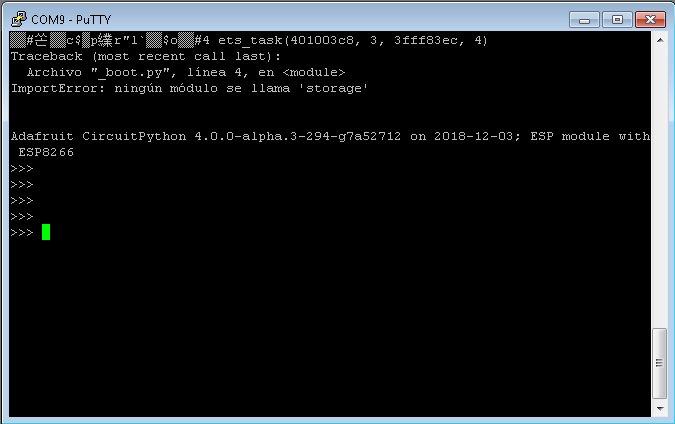
Hello guys!
Sorry if this a spam but I'm happy to show some translations in Spanish for CircuitPython (There are some some changes needed but I'll be addressing them soon)

 light plaza
is there any documentation, how to use wifi on Feather Huzza running CircuitPython
for example running a webserver on the feather Huzzah, to remote controll it over wifi
raven canopy
@marble hornet PRs are based on a branch's commit tree. so I would just make a branch, commit and push your changes for that file/folder to that branch, and then submit the PR from the branch.
marble hornet
okay, i think i should describe better, i branched and paired down some of my code in certain files and folders, in other folders i made an improvement. i want to take the impprovments in the paired down 1.x branch and bring them to master
so, ooooooooooohhhh
i think i get it, maybe
manic glacierBOT

Excelente @yeyeto2788, no había visto Circuitpython en Español hasta ahora 👍.
Cuando los mensajes contienen el nombre de un argumento/parámetro de una función opté por dejar el nombre del argumento en Ingles, como name en la segunda captura que adjuntaste.
Deberíamos de ponernos de acuerdo para no duplicar trabajo y llegar a una convención para las traducciones.
Saludos
marble hornet
no i don't, so the changesare committed to 1.x. should i make a branch of 1.x or master to then pr?
raven canopy
If you've already made the changes in branch 1.x, you should be able to PR from that branch. On GitHub, if you click the compare button, you can review what changes will be included in a PR. You can also change which remote/branch the PR will point to and see the changes against that.
tulip sleet
@last drum Thanks. We ended up deleting the section because the Trellis boards shipping now have a protected bootloader. Only the first few batch had unprotected bootloaders - osrry for the trouble!
solar whale
Ran a few I2C sensors (tmp007 and vl53l0x) on the particle_xenon with CP -- no problems -- pretty slick!
the pca10059 has been fun, but this "feather" compatible with 4 Mbyte Flash is really nice
solar whale
it really is "feather compatible -- hooked up a RFM9x featherwing and it is transmitting!!
raven canopy
@solar whale @slender iron I've been think about the Particle Cloud interaction. The good news is, that it's just a RESTful protocol, so a wrapper/module is easy. The "barrier" however is having a socket available. I'm hoping to jump back into core work soon, so hopefully I can help run that to ground.
solar whale
At this point I can't use the xenon on the "mesh" because it does not work with some Xfinity routers. So CP is a huge improvement 😉 I'll be happy to help get it into the "mesh" but it s a great, inexpesive nrf52840 board!
If we put CP on and ARGON board, I assume it will just ignore esp32 -- Functionlally, it will be the same as the xenon, correct. Is there any way to commincate with the ESP32? I guess I have a lot of reading to do...
raven canopy
I haven't looked at the build yet, but I would assume that's correct; esp is ignored. I'm not even sure how the Argon communicates with it. AT protocol maybe?
solar whale
magic 😉
I'm decalring victory for the morning -- off fora bit -- then more fun later
raven canopy
@solar whale quick look at the Argon source, looks like AT over Serial. Could be easier than we expect... https://github.com/particle-iot/firmware/blob/cdf25a93f9b6283a0907e2fa5afe259d56dd6594/hal/src/argon/network/esp32_ncp_client.cpp#L21

GitHub
Device OS (Firmware) for Particle Devices. Contribute to particle-iot/firmware development by creating an account on GitHub.
idle owl
@tulip sleet 🎉 It works! Thanks 😃
manic glacierBOT
Do we expect others to hook up their own resistors or could we build the drive in configuration into the board info? That way we could leave the API as is.
tidal kiln
@idle owl can you help with archiving ADS repo today?
idle owl
Yeah I think so, I'm finishing up one thing, but I think I'm done with it. About to find out.
manic glacierBOT
i think given you can use any combo, its best to let it be assigned at object instantiation. this will come in handy as we do more chips w/o native captouch - its a Good Thing to support :)
The DigitalInOut doesn't do mixed input and output. It expects you to switch to input to read. (Did you actually try it and find it was too slow?) You are hitting the logic here that is only based on direction: https://github.com/adafruit/circuitpython/blob/master/ports/atmel-samd/common-hal/digitalio/DigitalInOut.c#L118
just my thoughts - im not even sure arm chips do this, allowing you to read from an output pin, AVR 8 bits were nice in that you could, but thats cause there was only one data register
solar whale
@prime flower Nice job on the TinyLora Guide!
manic glacierBOT
Ok, Travis is finally happy. Please take another look @dhalbert
idle owl
@tidal kiln Ok, I think I have time for now. Are you available?
tidal kiln
sure
idle owl
Right on. Where/how shall we discuss it?
tidal kiln
hmmmm. hawaii?
idle owl
I'm in
tidal kiln
let's just dm, it's just housekeeping work. not really of interest here.
idle owl
Ok sounds good
solar whale
@idle owl Is there a guide or some examples for recording audio (from the mic) on an M4 -- like the neotrellis_m4.
idle owl
@solar whale I have no idea. I asked though, I'll let you know if I find out anything. Do you mean with CircuitPython?
solar whale
yes - CP -- just curious -- no rush
the board show MIC_IN and MIC_OUT so thats a start 😉
idle owl
We have sound recording code somewhere, tried using it on CPX but the buffer had to be so tiny, it could record a couple of clicks and that's about it.
Like this: python mic = audiobusio.PDMIn(board.MICROPHONE_CLOCK, board.MICROPHONE_DATA, frequency=16000, bit_depth=16) samples = array.array('H', [0] * 160) mic.record(samples, len(samples))
For CPX there.
No idea what it would be for a mic plugged in to the NeoTrellis though
solar whale
yeah but that is an I2S mic -- is the M4 the same?
idle owl
No you plug one into the audio jack I thought
I don't think there's one built in
Like mobile phone headphones work
solar whale
right and it has an amplifier so its an analog input, I think.
idle owl
Yah I'm not sure. I'll let you know what I find out though. Worth knowing 😃
solar whale
Thanks -- I just wanted to make sure I had not missed something I should have known about.
idle owl
No problem
solar whale
looks like Arduino supports it... https://github.com/adafruit/Adafruit_NeoTrellisM4/blob/master/examples/trellis_talkthrough/trellis_talkthrough.ino
GitHub
Example sketches for the NeoTrellis M4 board. Contribute to adafruit/Adafruit_NeoTrellisM4 development by creating an account on GitHub.
idle owl
@solar whale That's why I asked whether you meant CP specifically. There's an example for Arduino in one of the step sequencers.
solar whale
Yeah -- I remember trying it when I first got my neotrellis -- was really looking for CP but nice to know the HW works -- now " it's only software"
tulip sleet

GitHub
for some applications, we want to grab a chunk of samples from ADC at 'fast' (16KHz!) fixed periods. lets think of a way we can request an array of 16-bit values that will be popped off the...
i think this is on Scott's short list
solar whale
I'll bet he has a long "short list" --thanks -- I'll be patient....
manic glacierBOT
I tried calling switch_to_input and then get_value, but it seems to miss the extended low pulse. Thinking through this more (and reading more about the SAMD21), I think there is a solution.
set_value(true)when in open drain mode, actually turn the pin into an input : https://github.com/adafruit/circuitpython/blob/481c4954afd161448aa37d353fa577d409d880c6/ports/atmel-samd/common-hal/digitalio/DigitalInOut.c#L96-L102- But, since
self->outputis still true, the path within `get_v...
manic glacierBOT
Learned a bunch from this PDF : http://ww1.microchip.com/downloads/en/DeviceDoc/40001882A.pdf
Relevant section is 23.6 (starting on page 342). It does look like input and output circuits / registers are independent, so output pins can be sampled (as long as INEN 1)
solar whale
@raven canopy the "interfaces" block diagram in this datasheet shows the pins used for the URAT between the nrf52840 and the ESP32. https://docs.particle.io/assets/pdfs/datasheets/argon-datasheet.pdf -- I have not found a full schematic yet, have you?
raven canopy
@solar whale I haven't seen one, no. But, I haven't tried that hard, either. That block at least confirms serial and which pins, without having to dig through the source code (which is not fun, imo).
solar whale
and they are even defined for the board !! https://github.com/adafruit/circuitpython/blob/master/ports/nrf/boards/particle_argon/pins.c#L57
GitHub
CircuitPython - a Python implementation for teaching coding with microcontrollers - adafruit/circuitpython
should be able to create a UART Device -- Looking at it....
slender iron
@tulip sleet @solar whale its not on my short list
today I want to wrap up the safe mode stuff and release alpha.4
next week I want to finish midi and then I'm off until next year
when I get back I want to make the displayio stuff more complete
I'm trying to finish things I've started
solar whale
oh yeah -- you have something far more important on your short list. no worries from me...
slender iron
thanks for the review @tulip sleet !
slender iron
Ok, to accelerate us getting to beta I've shuffled some issues around. Only 5 needed for Beta: https://github.com/adafruit/circuitpython/issues?q=is%3Aopen+is%3Aissue+milestone%3A"4.0+Beta"
GitHub
CircuitPython - a Python implementation for teaching coding with microcontrollers - adafruit/circuitpython
solar whale
It would really be nice to fix the Control C issue on the nrf52832 before beta
slender iron
I punted it because our focus should be on the 840
solar whale
OK -- @tulip sleet if you have some time to chat -- maybe you can point me in the right direction to fix it.
tulip sleet
i have no idea really! Have to look at it in more detail.
solar whale
OK -- if it would help - I can tell you where I have looked, but it can wait -- the 52840s are so much more usable with UF2 so perhaps I should just put the 52832 away for awhile
slender iron
Its probably because we don't receive an interrupt on uart receive
therefore we only control-c when we've polled for new input
GitHub
CircuitPython - a Python implementation for teaching coding with microcontrollers - adafruit/circuitpython
solar whale
OK -- at least I've been on the right track
slender iron
😃
I'd be happy to see it fixed
we just need to focus on getting 4.0 stable so that we don't need to keep maintaining 3.x
solar whale
I'll keep it on my "short list" 😉
slender iron
then hopefully we can follow up with stable 4.1 and 4.2 to add new stuff but still be stable releases
thanks @solar whale !
solar whale
BTW -- CP is running great on my particle_argon -- trying to talk to the ESP uart....
@raven canopy here is the schematic https://github.com/particle-iot/argon -- getting a bit of gibberish across the UART --- seems like progress -- If I am reading their code right, it uses a baudrate of 921600 (yikes) also uses HE flow control (XTS/RTS) -- for now I just pull CTS low.
GitHub
Hardware design files for Particle Argon. Contribute to particle-iot/argon development by creating an account on GitHub.
slender iron
I found this page useful too: https://docs.particle.io/datasheets/wi-fi/argon-datasheet/
 tame hatch
Hi Channel! I'm attempting to read a rotary encoder on a raspberry pi. There's a circuitpython library called rotaryio that seems like it would be perfect, but for the life of me, i can't get it working. Every time I attempt to run the example code, I get "ImportError: no module named 'rotaryio'" I thought this was included in CircuitPython 3 by default, no?
Disclaimer : I have absolutely no idea what version of Circuitpython I'm running! I've attempted, many times, to figure out what version is running, but I have had no luck.
I've also attempted to manually update, but the instructions for doing this are severely lacking on the site...
any help/advice would be greatly appreciated!
tulip sleet
@tame hatch rotaryio is implemented as a native module (in C) in CircuitPython. It's not written in Python, so it won't run on the Rpi. We do have some sample code somewhere that implements rotary encoders in Python. I'll try to find it
tulip sleet
On the RPi, you are not running CircuitPython itself, but are running a wrapper library (adafruit-blinka) that implements the native I/O functions of CircuitPython
tame hatch
@tulip sleet do you think this is a bad approach? My end-goal is to have 4 rotary encoders on a raspberry pi that has a pitft on it as well
tulip sleet
it's not a bad approach, but you'll just need to use some other code to read the encoders on the rpi
we haven't implemented a proxy rotaryio for adafruit-blinka yet; not sure if it's in the works
tame hatch
ok, so something like using rpi.gpio and monitoring each manually maybe?
tulip sleet
yes, I'm having an internal convo right now about this. You'll have to poll; it won't be easy
Some possible libraries there
tame hatch
ok awesome
tulip sleet
there's very often some code or other in github if you search
tame hatch
just as you were writing, I managed to get some code working
using rpi.gpio
now, I need to figure out if I have enough gpio pins to run the 4 encoders and their buttons 😄
thank you very much for helping get my brain pointed in the right direction @tulip sleet
solar whale
@slender iron 😦 just pulled master and build for particle argon -- does not boot -- will try a few more
tulip sleet
sure, yw!
solar whale
is aw taht -- that is why I tried it
slender iron
gotta run in a few minutes but will look aftewards
what bootloader are you using with it?
solar whale
just built it yestday from AdafruitnRF_Bootloader
solar whale
may be my computer -- USB is not happy -- trying reboot
slender iron
thanks for the heads up!
solar whale
glad to help -- sorry for bad news ...
slender iron
my mpy-cross is really unhappy
np, happy to hear it before I post it elsewhere
gotta run now though. thanks!
solar whale
OK -- -will report on more test
trying revert to commit 89ef6eef575501e736ae528f13d9979e1302be63
tulip sleet
@solar whale two things: don't forget git submodule update; also must do git sync: tinyusb repo has gone back to hathach/tinyusb from tannewt/tinyusb
tulip sleet
the latter, sorry
tulip sleet
maybe go into circuitpython/lib/tinyusb and make sure the current commit is from the right repo and look at git remote -v
solar whale
ok -- trying to revert to a stable version -- 89ef6eef575501e736ae528f13d9979e1302be63 is not working either
trying 481c4954afd161448aa37d353fa577d409d880c6 it was the last I used - and I think it had the new tinyusb as well, no?
it builds and boots on pca10059
tulip sleet
yes
reversion or latest works on '59?
481c does include the switch back to hathach/tinyusb
solar whale
so either of last 2 commits dont' work -- 481c4954afd161448aa37d353fa577d409d880c6 works on 10059
trying argon
argon ok after revert as well
have you tried master on any HW yet?
origin    https://github.com/hathach/tinyusb.git (fetch)
origin    https://github.com/hathach/tinyusb.git (push)
``` this is for building 481cno, haven't tried anything, just reviewed the PR. I'll try PCA10056
solar whale
just tried clean rebuild for argon at master -- fails as before -- going back to 481c
solar whale
[ 1744.737654] print_req_error: I/O error, dev sdc, sector 1736
[ 1745.009708] usb 3-3.2.1: new full-speed USB device number 51 using xhci_hcd
[ 1750.345673] usb 3-3.2.1: device descriptor read/64, error -110
[ 1765.961793] usb 3-3.2.1: device descriptor read/64, error -110
[ 1766.173818] usb 3-3.2.1: new full-speed USB device number 52 using xhci_hcd
[ 1771.337892] usb 3-3.2.1: device descriptor read/64, error -110
[ 1786.953941] usb 3-3.2.1: device descriptor read/64, error -110
[ 1787.062023] usb 3-3.2-port1: attempt power cycle
feather 52840 works
solar whale
do I have to do more than git pull, git submodule update --init --recursive and git submodule sysnc
tulip sleet
do another update after the sync, just int case
solar whale
did that
tulip sleet
should be ok, that's all that I did
solar whale
did you try 10056 or 10059?
tulip sleet
10056
tulip sleet
@slender iron so, for tip of master:
PCA10056 fails
PCA10059 fails (@solar whale tested, not me)
Feather nRF52840 works
Metro M0 works
Trinket M0 works
Metro M4 works
my failures match jerry's
tulip sleet
so let's just report this here and scott can try it when he gets back
solar whale
yup -- thanks
tulip sleet
thanks for testing the new boards - all the data will help
solar whale
just have to live on the edge 😉
sorry if I am confusing things I ahve not yet done pca10056 -- but youd did and it failed, corect
tulip sleet
right, i just didn't list it earlier at first
slender iron
back now @solar whale and @tulip sleet
tulip sleet
hi - you can see results of tested up above at your 2:26pm
"fails" means no REPL, no ttyACM0
slender iron
right
manic glacierBOT
I guess it might make sense to have the resistors already in place on a board like a LilyPad etc where soldering isn't usually required.
yes on the CPX they will be placed on the pcb!
Hey I just had a thought: maybe we could dispense with the 'drive' pin by just having a ~1M ohmdrain resistor from pin to ground, setting the pin to digital high for a bit to charge and then set the pin to analog input mode to measure the discharge rate. It'd get rid of the need for a drive pin, and a 1Mohm resistor to ground would make little difference to the pin's behaviour when used for any other purpose. I'll try it out and see if it works ...
solar whale
@slender iron @tulip sleet and no CIRCUITPY
Note that I tried commit 89ef6eef575501e736ae528f13d9979e1302be63 and it failed as well.
slender iron
@solar whale sorry I'm trying to sort out why my mpy-cross build is broken
my system updates must have broken it at some point
and I only noticed now since I broke it on Travis
slender iron
ok, fixed it somehow
idle owl
@slender iron hah! That's good. That was me the other day with a different thing.
manic glacierBOT
It wasn't being run due to a rework done only on the atmel-samd port.
The rework itself isn't needed now that the heap check triggers safe
mode instead of throwing a Python exception. So, I've removed the
rework.
manic glacierBOT
 slender iron
great! sorry for the break
I should have given that commit soak time before I got to releasing
solar whale
move fast and break things -- then fix 😉
slender iron
yup 😃
manic glacierBOT
slender iron
@solar whale I like to think once I fix one they all will work 😃
slender iron
heh, I ask myself that all the time
solar whale
yay! just dropped the particle_xenon board in place of my feather_nrf5832 into the 2.4 inch TFT featherwing-- a few pin name changes and it all works.. I can paint on the touchscreen. But now I have a 4Mbyte flash instead of an SD Card to deal with -- woohoo!
slender iron
woohoo!
 river quest
@solar whale we got the argon going and neopixels...
nice boards
will be in the store next week too, just came in
solar whale
nice!
solar whale
my pleasure! 
manic glacierBOT

@sommersoft . how did you read the fuses .... I if I try I have this error.

manic glacierBOT
Ya, I'd assume that our USB stuff can't coexist with Arduino USB libraries.
Right, that's where I assume a shim layer might be necessary, if its possible. If CPY handles certain peripherals in a very different way that might not work.
Thanks for those links. I will have a look if I can get a grasp of this and maybe compile an Arduino Blinky.
Getting DigitalInOut, I2C, SPI and Serial working would already make available a very large quantity of libraries.
raven canopy
yay! a new error for adabot-on-travis! progress... 😆
manic glacierBOT
@DPiero That offset looks incorrect. What fuses are you trying to read? Here's a short Arduino program I wrote in the past to read the SAMD51 BOOTPROT fuse value:
  // initialize serial communication at 9600 bits per second:
  Serial.begin(9600);
  while (!Serial) ;
}

void loop() {
  // Serial.println(NVMCTRL->STATUS.bit.BOOTPROT, HEX);
  Serial.println(*(uint8_t*) (0x41004000 + 0x12 + 1), HEX);
  delay(1000);
}

@DPiero,
I've only ever used a SEGGER J-Link with Atmel Studio, so I am not much help with using the Atmel-ICE. Are you able to program the chip succesfully?
I did some searching, and could only find this as a similar problem to possibly help: https://community.atmel.com/forum/getting-started-ice-and-samd21g18
Only other thing I could mention, is to make sure you have AS7 up-to-date; the chip definitions for the memory locations may have been wrong in the past.
@dhalbert, when readin...
manic glacierBOT
Thank you so much...
the arduino code returns 0x0F.
I do not know what to do, I installed a new uC
and loaded the ADAFRUIT bootloader.
both the Atmel Studio version and the ATMEL-ICE sw are the latest available. I tried on 3 PCs and 2 ATMEL-ICE. At this point I try to get a SEGGER J-LINK.
0x0f means the bootloader is not protected. I'm not sure what your goal is here. If you want to make the bootloader protected, now that you have a bootloader loaded, just get the appropriate update_bootloader...uf2 file from here: https://github.com/adafruit/uf2-samdx1/releases/latest, and copy it onto the ...BOOT drive. That will rewrite the bootloader (it may be identical) and then that program will also set the BOOTPROT fuse.
Or are you trying to read the other fuse values for anoth...
solar whale
@raven canopy it's a miracle --- I can talk to the ESP32 from the argon !!! ```Adafruit CircuitPython 4.0.0-alpha.4-1-g801d9a5ab on 2018-12-07; Particle Argon with nRF52840
import uart_comm
AT
b'ets Jun 8 2016 00:22:57\r\n'
b'N_RESET),boot:0x13 (SPI_FAST_FLASH_BOOT)\r\n'
b'\n'
b'rv:0x00,q_drv:0x00,d_drv:0x00,cs0_drv:0x00,hd_drv:0x00,wp_drv:0x00\r\n'
b'len:4\r\n'
b'3fff001c,len:756\r\n'
b'00,len:4892\r\n'
b'80000,len:6476\r\n'
b'802ec\r\n'
b''
AT+MVER
b'ts Jun 8 2016 00:22:57\r\n'
b'\r\n'
b'rst:0_R),boot:0x13 (SPI_FAST_FLASH_BOOT)\r\n'
b'configslk_drv:0x00,q_drv:0x00,d_drv:0x00,cs0_drv:0x00,hd_drv:0x00,wp_drv:0x00\r\n'
b'mode:DIload:0x3fff001c,len:756\r\n'
b'load:0x892\r\n'
b'load:0x0000,len:6476\r\n'
b'entry 0\r\n'
b''
Tuesday 😉
solar whale
this is a bit more encouraging -- the earlier stuff was the ESP32 booting up and transmitting at 115200 baud.. the AT stuff goes at 921600 buad and it looks like we are having some trouble with that, but it does respond ... ```Press any key to enter the REPL. Use CTRL-D to reload.
Adafruit CircuitPython 4.0.0-alpha.4-1-g801d9a5ab on 2018-12-07; Particle Argon with nRF52840
import uart_comm
AT
b'AT\r\n'
b'\n'
b''
AT
b'AT\r\n'
b'\n'
b''
AT+VE
b'T+E\n'
b'ER CD:0x019000\n'
b'\n'
b''
AT+MVER
b'A+VER\n'
b'K\r\n'
b''
AT
b'AT\r\n'
b'\n'
b''
 upbeat plover
is there a way to sync PWM pins, I want to run a bunch of LEDs but i dont want them all powered at once. Id like to sync PWM so when one set turns off the other turns on
raven canopy
@solar whale from the ESP32 AT Commands documentation, 115200 should be fine:
The default baud rate of AT command is 115200.
in case you want a quicklink: https://www.espressif.com/sites/default/files/documentation/esp32_at_instruction_set_and_examples_en.pdf
upbeat plover
im aware that they will appear dimmer then if i just ran them all full time
solar whale
hmmm -- I was looking at this https://github.com/particle-iot/firmware/blob/cdf25a93f9b6283a0907e2fa5afe259d56dd6594/hal/src/argon/network/esp32_ncp_client.cpp#L101 at 115200 it does not seem to ork, but it's eary in the process....
GitHub
Device OS (Firmware) for Particle Devices. Contribute to particle-iot/firmware development by creating an account on GitHub.
@raven canopy thanks
upbeat plover
I'm thinking this will work for Arduino but havent tested it yet, i was wanting a CP solution though
#define P1 3                                  // Use interrupt/PWM enabled PIN. INT1 in Arduino UNO
#define P2 5                                  // Any other PIN
#define P1_INT digitalPinToInterrupt(P1)      // Converts PIN to Interrupt number. Required only for UNO
                                              // Make P1_INT=P1 for ESP8266

void setup() {
  pinMode(P1, OUTPUT);                        // Declare pin modes
  pinMode(P2, OUTPUT);

  attachInterrupt(P1_INT, &falling, FALLING); // Attach interrupt on falling edge of P1 and direct to falling()
  analogWrite(P1, 125);                       // Set analogWrite to begin PWM
}


// Runs on falling edge of P1
void falling() {
  digitalWrite(P2, HIGH);                     // Set P2 as HIGH as P1 was falling when this ISR was triggered
  attachInterrupt(P1_INT, &rising, RISING);   // Reset the P1 interrupt to the rising edge
}


// Runs on rising edge of P1
void rising() {
  digitalWrite(P2, LOW);                      // Turn-off P2 as P1 is rising
  attachInterrupt(P1_INT, &falling, FALLING); // Reset interrupt to Falling edge
}

void loop() {
}
@upbeat plover since we don't have ISR available, I think the only way will be to control the pin state with time.
# really rough psuedocode; doesn't implement a full state
# machine or switching code
cycle = time.monotonic()
duration = 1000
while True:
   if (time.monotonic() - duration) > cycle:
        cycle = time.monotonic()
        # switch pins
okay ill give that a try, just having one turned on while the other is off
raven canopy
@solar whale i can't 100% verify, but i wonder if the hardware flow control (CTS, RTS) is causing the fits since we don't have that available in busio.UART?
solar whale
possibly -- We may need a C module to do some initial reconfiguration of the link or a way to change values in the NVM on the chip to reconfigure the setup.
raven canopy
@solar whale can you try and get the current/defaule UART config on the ESP: AT+UART_CUR/AT+UART_DEF. they'll return: <baudrate>,<databits>,<stopbits>, <parity>,<flow control>
really wishes he ordered an Argon now... 🤦
solar whale
I've been trying , but I don't see the response -- also tries setting them but no effect. It does respond to a AT+RST and resets so there is hope
raven canopy
😦 & 😃 simultaneously
solar whale
I have to go out for awhile -- a break will be good --- I am very encouraged ...
manic glacierBOT

 ruby atlas
I’m itching to resume work on pixelbuf/rgbled work. Anyone know if there was any progress since I last had a chance to touch it?
I don’t see any updates to issue but haven’t had time to dig through the adafruit libraries for related changes.
idle owl
There has not been.
meager fog
@solar whale hey i have something that might be useful for ya...
code.py output:
ESP mini prog
Resetting
Synced
ESP8266EX
MAC ADDR:  ['0x5c', '0xcf', '0x7f', '0x12', '0x16', '0xab']
Writing AT firmware 1.6.2.0.bin w/filesize: 712704
Took 2.62s to erase 696 flash blocks
Writing at 0x00065000... (58 %)
@meager fog please!
meager fog
i havent tested it with esp32 - may need some changes
if you're interested in taking a look at adapting it
solar whale
sure
meager fog
ok ill enliven

GitHub
ESP8266 and ESP32 serial bootloader utility. Contribute to espressif/esptool development by creating an account on GitHub.
im using the 'ROM' loader only
solar whale
Thanks -- I will read up.
meager fog
yeah i have some good links
i mean we dont have to reprogram the ESP3
but i think for now might be easiest
because the AT command firmware is easy to use - i've written code for it
solar whale
It seem to be respding to some AT commands, but the baudrate seems to be at 921600 and it is hard to get the responses. AT+RST works but I can't get it to allow me to lower the baudrate.
>>>
>>> import uart_comm
b'ets Jun  8 2016 00:22:57\r\n'
b'N_RESET),boot:0x13 (SPI_FAST_FLASH_BOOT)\r\n'
b'\r\n'
b'drv:0x00,q_drv:0x00,d_drv:0x00,cs0_drv:0x00,hd_drv:0x00,wp_drv:0x00\r\n'
b',len:4\r\n'
b'fff001c,len:756\r\n'
b'000,len:4892\r\n'
b'0000,len:6476\r\n'
b'0802ec\r\n'
b''
AT
b'A\r\n'
b'\n'
b''
AT_GMR
b'ATGR\r\n'
b'ERCDE0010900\r\n'
b'\n'
b''
AT+GMR
b'ATGR\r\n'
b'dv8b9b - Se 9 2042)\n'
b'\n'
b''
AT+GMR
b'ATGR\r\n'
b'1742)\r\n'
b'\n'
b''
AT+GMR
b'AT+GM\rAT ersio:130.0-dv(998b0  ep 9 08 0:17:4)\r\n'
b'\n'
b''
the boot up is at 115200 -- then it goes to 921600 for AT
meager fog
GitHub
Contribute to ladyada/Adafruit_CircuitPython_miniesptool development by creating an account on GitHub.
yeah try AT+GMR
oh wait you did
thats odd tho
you're getting corrupt data
try this
solar whale
yes -- I htink it is since I can't do HW flow control ```AT+GMR
b'ATGM\rA ersio:1300-dev(9b9b0-Sep 2 21 051:42\r\n'
b'\n'
b''
that shouldnt matter there ought to be a buffer
try this helper
    def at_response(at_cmd, timeout=10):
        print("--->", at_cmd)
        uart.reset_input_buffer()
        uart.write(at_cmd.encode('utf-8'))
        uart.write(b'\x0d\x0a')
        #uart.timeout = timeout
        #print(uart.readline())  # read echo and toss
        t = time.monotonic()
        response = b''
        while (time.monotonic() - t) < timeout:
            response += uart.read(uart.in_waiting)
            if response[-4:] == b'OK\r\n':
                break
        # eat beginning \n and \r
        print(response)
        if response[-4:] != b'OK\r\n':
            raise RuntimeError("Not OK")
        return response[:-4]
ok -- trying it
meager fog
there may be a bug in the uart handler for nrf52
on m4 there is for sure a 64 byte buffer - it ought to be bigger really
solar whale
OK -- good to know -- I'm making slow progress -- thanks!
meager fog
at_response("AT+RST")
time.sleep(1)
at_response("ATE0")
at_response("AT+GMR")
@solar whale are you getting reasonable output now?
solar whale
still setting it up
meager fog
oh ok np 😃
i have the beginnings of an at command parser
i could get it to a working state, it can scan ips, connect, etc
solar whale
nice! This could be really fun.
meager fog
here may be the document - once you get the GMR reply you'll know what version it is https://www.espressif.com/sites/default/files/documentation/4b-esp8266_at_command_examples_en.pdf
oops
solar whale
hmm -- I think I need to convert a few things ```Traceback (most recent call last):
File "<stdin>", line 1, in <module>
File "uart_at.py", line 60, in <module>
File "uart_at.py", line 60, in <module>
File "uart_at.py", line 12, in at_response
AttributeError: 'str' object has no attribute 'encode'
switched to ```def at_response(at_cmd, timeout=10):
print("--->", at_cmd)
uart.reset_input_buffer()
uart.write(bytes(at_cmd+"\r"+"\n","utf-8"))
#uart.timeout = timeout
#print(uart.readline()) # read echo and toss
t = time.monotonic()
response = b''
while (time.monotonic() - t) < timeout:
response += uart.read(uart.in_waiting)
if response[-4:] == b'OK\r\n':
break
# eat beginning \n and \r
print(response)
if response[-4:] != b'OK\r\n':
raise RuntimeError("Not OK")
return response[:-4]
jerryn, im on the very latest circuiyp
there could be a bytestring/string thing
uart should only take bytes - sorry dont have an nrf ini front of me, just an m4
idle owl
How does one manually mount a flash device on Linux? I'm putting together a workshop and I'm seeing on the Mu site that some distributions don't automatically mount flash devices, and if they don't, you have to manually mount it for Mu to work. So I guess I need to be prepared to explain how to mount CIRCUITPY.
meager fog
umm if the OS can't do it, its going to be a super pain to determine how for each OS 😦
because each distro has different names
idle owl
Oi... ok
idle owl
Noted. I guess if you're running some wonky distro, you better know how to use it.
Exactly 😄
meager fog
this is a rathole you wont get out of, each linux is so different :/
they can run dmesg | tail to see what it might be called
idle owl
Good to know, thank you
solar whale
@meager fog one tricky thing is taht when I sent the AT+RST -- it does RESET, but it alos changes baudrates down to 115200 for the reset then back to 921600 ...
meager fog
oh ok
yeah the code i have is straight 115200
lemme get it into github and you can fork/pr
sound good?
solar whale
great -- thanks!
meager fog
the good news is - i wrote this code 4 years ago in c and it totally was 😦 to do because c is so bad at parsing at strings...but python does it with ease
solar whale
I've ma de a lot of progress since this moring so I am encouraged 😉
idle owl
Does pip3 work in a venv created using python3?
or do you have to use pip at that point
solar whale
np -- take your time
 magic wing
I've only played with CP a little bit, basically what I've been exposed to in the Adaboxes
can it be used on most Arduino-based devices or is it only specific boards?
solar whale
@magic wing CP can only be used on the Atmel SAMD21(m0) and SAMD51(m4) , the ESP8266 and the nrf52832 and nrf52840 boards -- the nrf support is still "alpha"
magic wing
Hmm
My "intro" project to electronics has been one of these: http://clearskyinstitute.com/ham/AST/
It's taken me over two years to ramp up on the necessary learning and it's been a lot of fun along the way
and he just recently adapted it to use an ESP8266 instead of the Arduino MEGA2560 which is what I have
I feel a lot more comfortable programming in scripting languages like Python and PowerShell than I do in C/C++ so I was wondering if it might not be better off for me to make the switch
solar whale
It runs on the ESP8266 -- its a bit "differnt" in that tehre is no "native USB" so you can't get the USB drive like on the M0/M4 boards but it works well. -- lokkoing for the link ...
raven canopy
@solar whale @meager fog i've tried to dig through the particle firmware to see if there are any hints as to how they've programmed the ESP. haven't found anything yet, and i'm afraid it will just be a binary anyway... 😦
solar whale
I was hoping thay just used the stock AT command mode but with the higher baudrate... hoping ...
idle owl
The native USB mass storage is the hallmark of the CircuitPython experience. CircuitPython runs on the ESP8266, but it's not the simple experience we always refer to when we talk about CircuitPython being super simple to use, easy to learn, easy to iterate on your code, etc.
magic wing
@solar whale so if I switched the tracker to use the ESP8266 to take advantage of CP, there would be some hardware rework but would allow me to remove a couple of components and simplify the overall system, which in theory means longer battery life because less devices to power/more efficient use. Does that seem a reasonable analysis?
raven canopy
gotta go grab delicious, unhealthy food real quick. then the search continues... 😄 🍔
solar whale
@magic wing here is the guide to using it on the ESP8266 https://learn.adafruit.com/welcome-to-circuitpython/circuitpython-for-esp8266

New to CircuitPython? This is the place to start.
idle owl
@raven canopy 🌮 🕰
magic wing
we got an ESP8266 in Feather form in one of the Adaboxes, right?
meager fog
@raven canopy i think its just the espressif at command firmware, maybe with some mods
@magic wing yep the adafruit.io one
magic wing
WHICH WAS TOTALLY FUN BTW
meager fog
YAY
meager fog
/library voice/
raven canopy
@idle owl hehe. we had tacos last night... not that i wouldn't eat them again.
@meager fog yeah, i just want to peek if they're setting the UART hardware control enable bit (closed the app notes, don't remember the exact flag).
ruby atlas
sound of typing
meager fog
sommer, its somewhere im sure
ruby atlas
sound of spec sheets being turned
meager fog
but...we can also just reprogram the esp32 with the at firmware we know
raven canopy
@ruby atlas 😆
idle owl
@ruby atlas Hooray!
ruby atlas
Man the trellis m4 rocks.
raven canopy
@meager fog fair point.
ruby atlas
Love the adabox010
solar whale
@meager fog It's not clear how to get at the ESP32 on these bards....
ruby atlas
so do my kids. the mixer in my office was handy to hook it up to.
raven canopy
@solar whale i think there is a way with the CLI and serial.
meager fog
@solar whale im sure they hooked up the reset and gpio0 pins
do u have the schem link handy
solar whale
just a sec
GitHub
Hardware design files for Particle Argon. Contribute to particle-iot/argon development by creating an account on GitHub.
meager fog
yeah its all there, wifi_en is the reset line, boot is gpio0 and then theres RX/TX
so you can reprogram it, and then communicate over uart
solar whale
OK -- that may well be the thing to do.
ruby atlas
trellis.pixels._neopixel.brightness = 0.2 ah that's better.
idle owl
@ruby atlas trellis.pixels.brightness works.
Are you using an older version of the library?
ruby atlas
Oh, i was just modifying the original board code.
idle owl
Ah
solar whale
@meager fog I won't jump into trying that yet -- not sure how to access the RX/TX since thay are connected to the nrf52840 -- would you program it through the nrf52840?
meager fog
using espmini tool 😃
GitHub
Contribute to ladyada/Adafruit_CircuitPython_miniesptool development by creating an account on GitHub.
solar whale
ah -- I need to do my homework!
meager fog
all good, the chips are programmed over UART, if BOOT is held low
solar whale
cool!
meager fog
its sluggish but you dont have to do it a lot - maybe 2 minutes to program
most of that is python data manipulation stuff, might be optimizable
solar whale
OK -- now I have a better -- "big picture"
I am going to keep trying to get the AT commands to function for awhile then try loading CP to it if I can't get it to communicate nicely.
Thanks for all the help and tips.
luckily I bought a few argons to play with 😉 safe to experiment!
meager fog
we may need to enable CTS/RTS
also there might be a uart bug in nrf, it should have a big buffer
you can check this repo https://github.com/ladyada/Adafruit_CircuitPython_espatcommands
GitHub
Contribute to ladyada/Adafruit_CircuitPython_espatcommands development by creating an account on GitHub.
once you have it replying right
or you can try to add rts/cts there
basically you just toggle em to let it know you're ready for data
solar whale
yes -- I am thinking it is not buffering. the ESP32 seems to respond to the command, but the responses are messed up. But a command like AT+RESTORE "should" clear the NVM and put it at the "factory" settings -- I was hoping for 115200 baud -- but that does not work -- it resets on AT+RESTORE but still at 921600 baud.
Great! thanks -- I will dig into it.
meager fog
k np
 simple pulsar
Hello all. I'm surprised it's so busy here for a Saturday afternoon/night. I've just loaded CircuitPython 4.0.0 alpha3 onto a Feather M0 Bluefruit LE - what python library should i be using for bluetooth?
simple pulsar
Is that in Feather basic? ```Adafruit CircuitPython 4.0.0-alpha.3 on 2018-11-15; Adafruit Feather M0 Basic with samd21g18
import bleio
Traceback (most recent call last):
File "<stdin>", line 1, in <module>
ImportError: no module named 'bleio'

Your colorful, glowing, wireless vinyl desk buddy!
solar whale
no -- it is only on the nrf52 boards
simple pulsar
much cuteness
meager fog
you need to use the special bluefruit friend firmware, its not perfect but it mostly works
solar whale
sorry -- I missed the feather m0 part
GitHub
Helper class to communicate with the Adafruit Bluefruit LE SPI Friend in CircuitPython - adafruit/Adafruit_CircuitPython_BluefruitSPI
@simple pulsar that works with the Bluefruit SPI friend.
ugh -- now I see that that is what the "cute" link pointed too --- slow on the uptake today 😉
and it does work with the Bluefruit Feather M0
simple pulsar
@meager fog @solar whale Thanks. Is the library BluefruitSPI going to be used/promoted going forward?
solar whale
any plans to also use the Bluefruit UART Friend with i?
meager fog
🤷
simple pulsar
I'm not sure what that is? I'm new to this world, although I used to be very familiar with AT commands. It's amusing to see these are used
solar whale
The UART friend is nice in that it only need TX/RX as opposed to the 4 lines needed for SPI. Some day -- I'll look into adding support for it.
It's been a long time since "ATDT" 😉
simple pulsar
ATDT, you were lucky, didn't have that when I was young!
ruby atlas
There was a time when I had to use ATDP
It was a digital phone switch but Bell Canada charged extra for touch tone at the time so my parents didn't pay.
simple pulsar
Oh I see: https://www.adafruit.com/product/2479 - I hadn't realised it was a product.

Would you like to add powerful and easy-to-use Bluetooth Low Energy to your robot, art or other electronics project? Heck yeah! With BLE now included in modern smart phones and tablets, its ...
I have one (or two if I can find the one I've lost) of these and was hoping to use them just on their own: https://www.adafruit.com/product/2995

Feather is the new development board from Adafruit, and like its namesake it is thin, light, and lets you fly! We designed Feather to be a new standard for portable microcontroller ...
solar whale
and https://www.adafruit.com/product/2633 is the SPI version -- just like the bluefruit on the feather M0 baord

Would you like to add powerful and easy-to-use Bluetooth Low Energy to your robot, art or other electronics project? Heck yeah! With BLE now included in modern smart phones and tablets, its ...
the feather M Bluefruit iworks fine the the BluefriutSPI library..
simple pulsar
I wouldn't classify myself as a novice, perhaps a bit of a bluetooth novice, but this is a hard area to understand what to buy and what libraries work with each, made even worse with the 2.0 vs 4.0 / LE
solar whale
@meager fog I do think there is a problem with the buffering on the nrf UART -- or it just can't handle 921600 baud...
simple pulsar
Does Adafruit have a "configurator" for dev boards? Something along the lines of "would like to 1) use python, 2) use bluetooth" what should I get?
solar whale
Thats what I like to do 😉 break things -- then help fix them.
meager fog
kjw, that is an NP-complete problem, there's a lot of combos 😄
right now if you want circuitpython and bluetooth you can use a feather m0 or m4 (better) plus a SPI bluefruit friend breakout
simple pulsar
If you limit the question and also default to proposing the latest boards then it perhaps wouldn't show too much, but I've not thought of this. I'm just describing what I was after when I added a few to an order a few months back.
Also, I know my friends who are less well informed in this space would be likely to buy an Adafruit CircuitPlayground board. I have to put a lot of emphasis on the Express to make sure they get the right board.
simple pulsar
I also have to confess to buying two Gemma V2 boards as my first boards even when the M0 ones existed.
solar whale
@meager fog looks like the UART buffersize can be set at init on the nrf -- not sure what the default is but I'll try adjusting it. https://github.com/adafruit/circuitpython/blob/master/ports/nrf/common-hal/busio/UART.c#L78
GitHub
CircuitPython - a Python implementation for teaching coding with microcontrollers - adafruit/circuitpython
simple pulsar
UART boasts: I upgraded my 16450 to a 16550AFN a long time ago. I think that was from 1 byte to 16 byte buffering
solar whale
doesn't seem to help 😦
meager fog
@solar whale i think it may be some lower-level thing, perhaps we aren't buffering
we should be listening to an IRQ and funnelling data immeditely in
you may want to try the CTS/RTS pins
use those to tell it when you're about to read
solar whale
OK
meager fog
sorry thats all i can suggest for now
solar whale
This has been great -- lot's to work with -- thanks!
meager fog
GitHub
Contribute to ladyada/Adafruit_CircuitPython_espatcommands development by creating an account on GitHub.
simple pulsar
For that cute lamp by @split ocean in the comments it says "Feather M0 Bluefruit LE running the Feather M0 Adalogger build" - is that adalogger build required?
solar whale
you are fast -- I'll update !!
meager fog
ive gotten up to scanning APs, connecting to ssid, and getting local ip
kjw, yes
k l8r folks!
simple pulsar
@meager fog thanks, i'll go play
meager fog
rad bye!
simple pulsar
@solar whale I've not been following your conversation but I presume you get an interrupt when the buffer is XX % full where XX is not 100?
meager fog
:zoom: gotta go
solar whale
@simple pulsar good luck -- the IOS and android BLE Connect apps are very nice
simple pulsar
The 16550 "bad boy" you could choose the watermark: https://en.wikipedia.org/wiki/16550_UART#The_16550_FIFO

The 16550 UART (universal asynchronous receiver/transmitter) is an integrated circuit designed for implementing the interface for serial communications. The corrected -A version was released in 1987 by National Semiconductor. It is frequently used to implement the serial po...
solar whale
@simple pulsar I have not looked too far "under the hood" on the Uart implentation -- yet.. That is what I'd expect
It also may interrupt when anything received... need to look at the code.
raven canopy
@solar whale i think i'm getting closer to the magic... argon-ncp-firmware (ncp = network coprocessor). here is the block that seems to be setting up the UART: https://github.com/particle-iot/argon-ncp-firmware/blob/master/main/main.cpp#L41
solar whale
ah -- very nice! Thanks -- great discussion earlier -- scroll back -- lots of things to try.
I could not figure out what NCP meant -- I knew it was the ESP32 but not what it stood for!
there is something fishy with the nrf UART. Not clear that buffering is working.
raven canopy
yeah, i read it. didn't jump to the CP lib ladyada did though.
solar whale
perhaps we can just reprogram it with a few adjustments --- lots of info here https://github.com/particle-iot/argon-ncp-firmware
GitHub
ESP32 firmware for the Argon. Contribute to particle-iot/argon-ncp-firmware development by creating an account on GitHub.
raven canopy
the readme for argon-ncp-firmware says By default, the firmware runs an AT command interface on UART2 (TX: GPIO17, RX: GPIO16, HW flow control disabled).. i just can't determine yet if that is how they are building firmware. all of this is soooo spread out. 😵
solar whale
It sure is --- mesh magic
so I think my attempts to adjust the AT interface baud rate are futile since it this the baud rate between the nrf52840 and the NCP that matter.
time to make dinner -- back later
🍕that was easy!
raven canopy
@solar whale looking at nrf/common-hal/busio/UART, nothing jumps out to me with the ring buffer that would cause any issue. and yes, default buffer is 64 (in shared-bindings).
simple pulsar
I just got the code on https://learn.adafruit.com/munny-lamp/code-with-circuitpython running with the accelerometer code stripped out. It works but there's something odd going on with data that's being buffered in a strange/undesirable way. If i use the control pad on Adafruit Andoid app to generate 'B' commands then it sort-of works but the data gets buffered after a while and only read when new buttons are pressed
Your colorful, glowing, wireless vinyl desk buddy!
solar whale
@simple pulsar post the code you are running. I can try it later tonight it tomorrow.
simple pulsar
Ok, i'll stick it on a forum post in a bit. I'm just trying the debug=True mode but strangely that's giving an error just after the info print
manic glacierBOT

Arduino MKRZero pins and board definitions added for ports/atmel-samd/boards. Created a set of tests for similar ports. These tests can be run individually to ensure that pins and buses work properly when creating a new port.
simple pulsar
I'll check it against uart_rx too if I'm feeling keen.
The problem could be at app end too or Android or my tablet, don't have enough BLE experience to make a guess on this
solar whale
@simple pulsar I don’t understand the debug =True reference. Where is that?
simple pulsar
bluefruit = BluefruitSPI(spi_bus, cs, irq, rst, debug=True)
The example code has it as False but it's an obvious thing to try
Strangely, it gives an error for print(str(bluefruit.command_check_OK(b'ATI'), 'utf-8'))
  File "<stdin>", line 1, in <module>
  File "adafruit_bluefruitspi.py", line 253, in command_check_OK
  File "adafruit_bluefruitspi.py", line 248, in command
  File "adafruit_bluefruitspi.py", line 248, in command
RuntimeError: AT command failure: RuntimeError('Error (id:0xa180)',)

GitHub
On a Feather M0 Bluetooth LE running 3.1.1 and all libraries from adafruit-circuitpython-bundle-3.x-mpy-20181208.zip, this code works: Adafruit CircuitPython 3.1.1 on 2018-11-02; Adafruit Feather M...
 craggy harbor
Hey guys what’s the (maximum) speed at which a pin is read in micropython when simply put in a loop without time.sleep or something like that?
manic glacierBOT
OK with a little experimentation that approach (having a single pin switch from digital out to analog in) works well! Even the 1Mohm 'drain' resistor to ground may not be necessary, as the pin has an R_INPUT of >1MΩ (on my feather, this is about 5MΩ) which is enough to slowly drain the pin.
From there the plan is to rapidly take N readings from the SAADC at the start of the discharge curve and calculate the rate of change of voltage, giving us a pretty direct reading of pad capacitanc...
manic glacierBOT
@C47D, estoy de acuerdo. Por eso era importante para mi el hecho de como traducir algunas cosas. Si has pensado en algo no dudes en decírmelo ya que esta semana (Si el tiempo me lo permite) me pondré a traducir el restante.
Saludos.
solar whale
@meager fog FYI - I'm not completley losing it!! Some of the problems I was having yesterday trying your espatcommands had to do with diffeneces in the str properties on the SAMD51 build vs nrf build -- encode is not in the nrf build ```Adafruit CircuitPython 4.0.0-alpha.3-43-g80db2cec9 on 2018-12-03; Adafruit Feather M4 Express with samd51j19
x="abcd"
dir(x)
['class', 'center', 'count', 'encode', 'endswith', 'find', 'format', 'index', 'isalpha', 'isdigit', 'islower', 'isspace', 'isupper', 'join', 'lower', 'lstrip', 'partition', 'replace', 'rfind', 'rindex', 'rpartition', 'rsplit', 'rstrip', 'split', 'splitlines', 'startswith', 'strip', 'upper']
Auto-reload is on. Simply save files over USB to run them or enter REPL to disable.
Press any key to enter the REPL. Use CTRL-D to reload.
Adafruit CircuitPython 4.0.0-alpha.4-1-g801d9a5ab on 2018-12-07; Particle Argon with nRF52840
x = "abcd"
dir(x)
['count', 'endswith', 'find', 'format', 'index', 'isalpha', 'isdigit', 'islower', 'isspace', 'isupper', 'join', 'lower', 'lstrip', 'replace', 'rfind', 'rindex', 'rsplit', 'rstrip', 'split', 'startswith', 'strip', 'upper']
ah -- str.encode needs MICROPY_CPYTHON_COMPAT (not enabled for nrf) https://github.com/adafruit/circuitpython/blob/master/py/objstr.c#L1866
GitHub
CircuitPython - a Python implementation for teaching coding with microcontrollers - adafruit/circuitpython
upbeat plover
import board
import analogio
import time

GA1A12S202 = analogio.AnalogIn(board.A1)

while True:
    rawval = GA1A12S202.value
    print(rawval)
    time.sleep(3)
how do I convert the raw value into Lux?
 main meteor
There's some code to do that here: https://learn.adafruit.com/adafruit-ga1a12s202-log-scale-analog-light-sensor/use-it

True Logarithmic Response from 3 to 55,000 Lux!
upbeat plover
so like this????
import board
import analogio
import time

GA1A12S202 = analogio.AnalogIn(board.A1)
rawRange = 1024
logRange = 5.0

while True:
    rawval = GA1A12S202.value
    logLux = rawval * logRange / rawRange
    print(rawval)
    print(10**logLux)
    time.sleep(3)
i just ordered it today, so be like a week or so before i can test just wanting to know.....
will save that code
main meteor
I know that "waiting for parts" feeling!
manic glacierBOT
@yeyeto2788 Creo que esa era la única convención a la que llegamos, por lo que he visto hiciste muy buen trabajo!. Por mi parte no creo poder revisar las traducciones hasta el siguiente fin de semana.
Saludos
solar whale
@slender iron is it a known issue that MICROPY_CPYTHON_COMPAT is not enabled for the nrf builds -- if I enable it the build fails with ```jerryneedell@Ubuntu-Macmini:~/circuitpython_jerryn/ports/nrf$ make BOARD=particle_argon
Use make V=1, make V=2 or set BUILD_VERBOSE similarly in your environment to increase build verbosity.
QSTR updated
FREEZE freeze
LINK build-particle_argon/firmware.elf
build-particle_argon/py/modio.o:(.rodata.mp_module_io_globals_table+0x1c): undefined reference to `mp_type_textio'
collect2: error: ld returned 1 exit status
Makefile:345: recipe for target 'build-particle_argon/firmware.elf' failed
make: *** [build-particle_argon/firmware.elf] Error 1
sorry -- posted to the wrong channel the first time...