#circuitpython-dev
1 messages · Page 213 of 1
 craggy harbor
 tidal kiln
CP 3.1.1
>>> dir("hello")
['find', 'rfind', 'index', 'rindex', 'join', 'split', 'splitlines', 'rsplit', 'startswith', 'endswith', 'strip', 'lstrip', 'rstrip', 'format', 'replace', 'count', 'partition', 'rpartition', 'center', 'lower', 'upper', 'isspace', 'isalpha', 'isdigit', 'isupper', 'islower']
Python 3
>>> dir("hello")
['__add__', '__class__', '__contains__', '__delattr__', '__dir__', '__doc__', '__eq__', '__format__', '__ge__', '__getattribute__', '__getitem__', '__getnewargs__', '__gt__', '__hash__', '__init__', '__init_subclass__', '__iter__', '__le__', '__len__', '__lt__', '__mod__', '__mul__', '__ne__', '__new__', '__reduce__', '__reduce_ex__', '__repr__', '__rmod__', '__rmul__', '__setattr__', '__sizeof__', '__str__', '__subclasshook__', 'capitalize', 'casefold', 'center', 'count', 'encode', 'endswith', 'expandtabs', 'find', 'format', 'format_map', 'index', 'isalnum', 'isalpha', 'isdecimal', 'isdigit', 'isidentifier', 'islower', 'isnumeric', 'isprintable', 'isspace', 'istitle', 'isupper', 'join', 'ljust', 'lower', 'lstrip', 'maketrans', 'partition', 'replace', 'rfind', 'rindex', 'rjust', 'rpartition', 'rsplit', 'rstrip', 'split', 'splitlines', 'startswith', 'strip', 'swapcase', 'title', 'translate', 'upper', 'zfill']
 idle owl
Neat I didn't know you could dir() a string.
tidal kiln
@craggy harbor this tries to explain: https://learn.adafruit.com/circuitpython-essentials/circuitpython-expectations#differences-between-circuitpython-and-python-18-7
craggy harbor
thanks 😃
 pastel panther
@idle owl pretty sure you can dir() just about everything. I miss that feature in Ruby just about every day when I'm doing stupid stuff like thing.methods-Object.methods
craggy harbor
by the way: is it possible to add a function to - in this case - the standard String class in Python 3?
It is in Swift ("extensions"), but I don't know whether it's possible in Python and if so how .
pastel panther
Hey @slender iron, seen anything like this?:
https://github.com/gdsports/USB_Host_Library_SAMD

GitHub
USB host library 2.0 for Zero/M0/SAMD. Contribute to gdsports/USB_Host_Library_SAMD development by creating an account on GitHub.
 slender iron
thats pretty wild
tinyusb has some code for host support but it hasn't been used recently
 gusty kiln
anybody see any issues with this? https://github.com/adafruit/Adafruit_Blinka/pull/55
GitHub
We're looking to dispense with this, but in the meantime I think it's breaking a fair number of installs.
idle owl
@pastel panther interesting. This sounds useful.
gusty kiln
i.e., will installing RPi.GPIO break in some way i'm not thinking of on platforms besides pi or a 64-bit desktop debian?
tidal kiln
@craggy harbor you can extend the str class
>>> class StringyMcGoo(str):
...     def foo(self):
...         print("super cool new function")
...
>>> s2 = StringyMcGoo("hello")
>>> s2
'hello'
>>> s2.foo()
super cool new function
>>> s2.upper()
'HELLO'
>>>
@gusty kiln as in do other platforms care about having it installed?
no way to check if it's an RPi, eh?
gusty kiln
there is a way to limit by platform, but i'm not sure if it's expressive enough to actually nail it down to a pi.
gusty kiln
yeah
that one's on my list of stuff to change. guess i'll see what it takes to fix that.
(it's incorrectly missing... pi 1 & zero, i think?)
tidal kiln
right, but i think that's just because you only have armv7l
the zeros are armv6l
but it seems like that platform_machine mechanism generally works
 raven canopy
@gusty kiln @tidal kiln is there a "better" environment marker that can be used? https://www.python.org/dev/peps/pep-0508/#id23

Python.org
The official home of the Python Programming Language
idle owl
If anyone's got a moment: https://github.com/adafruit/Adafruit_CircuitPython_Bundle/pull/115
 raven canopy
I.e. sys_platorm or os_name?
tidal kiln
@idle owl merged
idle owl
@tidal kiln Thanks!
gusty kiln
@raven canopy @tidal kiln i think in both cases i can probably still limit by platform_machine, with armv6 included.
in general none of this is going to work on, say, windows systems anyhow.
raven canopy
👍
tidal kiln
both of those report the same on a RPi and a PC running linux
i'm not sure there is a truly deterministic way to know if it's a "pi" vs. some other ARM device running linux
@idle owl how long does it take before that TMP006 is available to install?
tidal kiln
yep. via pypi.
idle owl
5 minutes. Sometimes longer. It definitely deployed successully.
tidal kiln
nice. that's fast. so it's not a "next day" thing. thanks.
idle owl
Nah, "sometimes longer" is 20 minutes or something. But usually it's really quick.
 prime flower
Getting errors building mpy-cross. When I do make -C mpy-cross/ it returns Traceback (most recent call last): File "../py/makeqstrdata.py", line 21, in <module> import huffman ImportError: No module named 'huffman' make: *** [build/genhdr/qstrdefs.enum.h] Error 1 make: *** Deleting file `build/genhdr/qstrdefs.enum.h'
raven canopy
@prime flower git submodule update --init --recursive?
prime flower
@raven canopy thanks, forgot the --recursive flag
raven canopy
I've forgotten all the things I forgot.. 😁
prime flower
After doing the init, it throws make: msgfmt: No such file or directory make: *** [build/genhdr/en_US.mo] Error 1
raven canopy
That would be related to the translation in 4.x (as was Huffman). Is your local fully up to date? @prime flower
 onyx hinge
on linux at least, msgfmt is a program supplied by the OS -- you might have to install an OS package for it, a brew on mac, or what have you. IF "which msgfmt" prints nothing, this is probably the problem @prime flower
 main meteor
Or it's installed but not on the path, but that's less likely.
prime flower
Ended up not being installed on the path, but installed
nice, tinylora w/encryption in mpy form fits on the feather m0 RFM9x board 😃
the power of mpy
raven canopy
"By the power of mpy..." #oldguycartoonreference
idle owl
I was able to replicate a failure with CPX and the cpx lib reported on the forums: https://forums.adafruit.com/viewtopic.php?f=60&t=144243&p=712276 I talked to @tulip sleet about it and we concluded that it seems to be an issue in LIS3DH. I'm not able to replicate the issue so far on 3.0.3. Next step is to test shake using LIS3DH alone instead of through the cpx lib to see if it fails. Currently waiting on it to fail again on a different CPX to make sure it's solidly repro'able. Then will test it with LIS3DH.
The first failure was the most descriptive failure: ```Auto-reload is on. Simply save files over USB to run them or enter REPL to disable.
code.py output:
Shake detected!
Shake detected!
Shake detected!
Traceback (most recent call last):
File "code.py", line 4, in <module>
File "adafruit_circuitplayground/express.py", line 258, in shake
File "adafruit_lis3dh.py", line 199, in shake
File "adafruit_lis3dh.py", line 165, in acceleration
File "adafruit_lis3dh.py", line 334, in _read_register
File "adafruit_lis3dh.py", line 333, in _read_register
File "adafruit_bus_device/i2c_device.py", line 86, in readinto
OSError: [Errno 5] Input/output error
Press any key to enter the REPL. Use CTRL-D to reload.
soft reboot
Auto-reload is on. Simply save files over USB to run them or enter REPL to disable.
code.py output:
Traceback (most recent call last):
File "code.py", line 1, in <module>
File "adafruit_circuitplayground/express.py", line 700, in <module>
File "adafruit_circuitplayground/express.py", line 121, in init
RuntimeError: SDA or SCL needs a pull up
Press any key to enter the REPL. Use CTRL-D to reload.```
I was able to get it to fail again, but it did not return OSError the second time, only the RuntimeError.
 tulip sleet
the lis3dh is failing to respond after an I2C read try. That's causing the OSError
tidal kiln
you're shaking it so hard the I2C electrons are falling out
and then the pull up resistors flew off?
idle owl
Naturally it's not failing this time.
prime flower
I'm hitting against a pylinter error saying there's no-name-in-module (https://travis-ci.com/brentru/Adafruit_CircuitPython_TinyLoRa/jobs/161534288#L518), but it's defined as a class in the main file (https://github.com/brentru/Adafruit_CircuitPython_TinyLoRa/blob/master/adafruit_tinylora/adafruit_tinylora.py#L74)

GitHub
LoRa and The Things Network - with CircuitPython! Contribute to brentru/Adafruit_CircuitPython_TinyLoRa development by creating an account on GitHub.
tidal kiln
@idle owl that forum post looks like they never even got it to run at all- just got the pull up error message right away
idle owl
They said they got it on multiple devices as well. So maybe it was working for a period of time. The thing is, once it happens, a reset doesn't fix it, you have to power it off and back on by unplugging it.
tidal kiln
if the other devices were not CPX, then it could be there wiring
but this sounds like it's all CPX
idle owl
I feel like they meant CPX.
tidal kiln
or at least one is
idle owl
They're using the cpx lib code
tidal kiln
how did you get the SDA/SCL message?
idle owl
Ran this on 3.1.1 and waited: ```python
from adafruit_circuitplayground.express import cpx
while True:
if cpx.shake(shake_threshold=20):
print("Shake detected!")
Got it to happen twice on one board. But it's not happening on a different one now.
tidal kiln
but it also looks like you were shaking it?
tidal kiln
i'll test too
idle owl
Ok thanks
tidal kiln
think bundle version matters?
tidal kiln
that makes it even easier then
you mention 3.0.3 above? but looks like they say 3.1.1
idle owl
We were testing on 3.0.3 to see if it would fail or not to try to figure out where the failure was introduced.
I couldn't get it to fail on 3.0.3 but it's also now not failing on 3.1.1, so...
tulip sleet
@tidal kiln I think the SDA/SCL message is because the LIS3DH is so hosed that it's pulling down SDA and/or SCL after it gets stuck. It has to get power cycled to fix.
idle owl
I have two going. I want to repro it one more time with the cpx lib and then I'll do shake with the LIS3DH code.
tidal kiln
for your case above, yes. for them, not sure - they go straight to the SDA/SCL message
idle owl
I feel like they didn't see the failure point.
And then opened the serial to that message
That's my guess.
tidal kiln
could be
idle owl
It happened pretty quickly the first time.
 solar whale
@prime flower I ran into a problem trying to run the TinyLoRa code if I had the folder adafruit_tinylora in the same folder as tinylora_simpletest.py -- it works fine if I just copy everything from adafruit_tinylora to the folder with tinylora_simpletest.py and get rid of the adafruit_tinylora/ folder. Travis may be having a similar issue...
prime flower
@solar whale I figured that it's not sourcing it correctly, but a bunch of other repositories are set up like this
solar whale
agreed -- not sure why it is not working -- is there an issue with the folder being adafruit_tiinylora and the module being adafruit_tinylora.py ??
tidal kiln
@idle owl no issues here. even tried shaking. runs fine. it may be something marginal or a detail not known yet. i'd ask for more info:
- what were the other devices?
- how were you powering?
- were you actually shaking?
- can you replicate the SDA/SCL message with simple REPL check?
from adafruit_circuitplayground.express import cpx
i'd guess something related to power is getting shaken loose
tulip sleet
is this typical code, that you have a tight loop that calls shake over and over again? Usually once you detect a shake you go do something else.
idle owl
It's the example in the Made Easy guide I think.
prime flower
@solar whale I'm not sure, haven't hit this issue in pylint before
idle owl
I would say typically on shake() you do something like light up or whatever.
But there's an example in the Made Easy guide for shake() and it's a tight loop.
tidal kiln
tulip sleet
I still think the SDA/SCL error is a secondary error. There is an unseen OSError, and then the soft reset tries to create a new I2C object on the dedicated LIS3DH pins, and then that fails.
tidal kiln
^^ seems likely, with the initial error related to a marginal power interrupt
tulip sleet
maybe..., but Kattni got it stop with nothing special, and the forum person reports it on multiple boards, I think?
idle owl
Marginal power interrupt simply laying on my desk?
tidal kiln
but you did shake it first
main meteor
Now I'm tempted to go grab a CPX and try it too.
tulip sleet
ask forum person if there's a particular kind of shaking that's causing it
tidal kiln
worth asking them to try again with an explicit request to not shake
could also be brown out if running from battery
idle owl
@tidal kiln Do you mind responding to the post?
I hadn't shaken it in a solid 3 minutes before it failed the second time. However, I've got two running and I can't get them to fail again. Even tried copying and deleting files to/from the board to get it to reload and it's not hanging.
tidal kiln
yah. i'll chime in with my 2 cents. if you come up with more info, you can post it.
tulip sleet
but they are seeing the error in the repl, so probably usb powered
could try calling cpx.shake() without an if statement to call it as fast as possible
tidal kiln
ah good point
tulip sleet
while True: cpx.shake(20) is the fastest, or use lis3dh.shake(20)
idle owl
I changed my code to that too.
tulip sleet
i wonder if the file got written out twice (which happens sometimes with a delayed write with various editors), that would interrupt the loop and then restart the program. Like write the file over and over (add/remove junk on a comment line) to see if it can be force failed
did you get it to fail from repl or only in main.py?
tulip sleet
the actual failing code in busio.I2c.readinto() fails because it tries to read from the device twice. If it can't read twice then it fails
tidal kiln
....CPX still running fine, but need that USB cable now...looks like at least 30min without issue
idle owl
HAh! Both of mine failed!
One from the REPL, one from code.py
I forgot they were going. I was not shaking them.
  File "<stdin>", line 2, in <module>
  File "adafruit_circuitplayground/express.py", line 258, in shake
  File "adafruit_lis3dh.py", line 199, in shake
  File "adafruit_lis3dh.py", line 165, in acceleration
  File "adafruit_lis3dh.py", line 334, in _read_register
  File "adafruit_lis3dh.py", line 333, in _read_register
  File "adafruit_bus_device/i2c_device.py", line 86, in readinto
OSError: [Errno 5] Input/output error``` File "code.py", line 4, in <module>
File "adafruit_circuitplayground/express.py", line 258, in shake
File "adafruit_lis3dh.py", line 199, in shake
File "adafruit_lis3dh.py", line 165, in acceleration
File "adafruit_lis3dh.py", line 334, in _read_register
File "adafruit_lis3dh.py", line 333, in _read_register
File "adafruit_bus_device/i2c_device.py", line 86, in readinto
OSError: [Errno 5] Input/output error
Press any key to enter the REPL. Use CTRL-D to reload.```@tidal kiln @tulip sleet ^^
idle owl
It didn't reload after the OSError this time. Let me reload it manually.
code.py output:
Traceback (most recent call last):
  File "code.py", line 1, in <module>
  File "adafruit_circuitplayground/express.py", line 700, in <module>
  File "adafruit_circuitplayground/express.py", line 121, in __init__
RuntimeError: SDA or SCL needs a pull up


Press any key to enter the REPL. Use CTRL-D to reload.```interesting...ok. let me dig out a spare cable and let this one run again...
idle owl
Now I have to remember how to use LIS3DH alone on the CPX.
tidal kiln
probably can just use lis3dh simpletest
idle owl
got it. Running now.
tidal kiln
huh. i just got the SDA/SCL error right away.
tulip sleet
@idle owl was one on 3.0.3 and one on 3.1.1.?
idle owl
3.1.1
both
  File "<stdin>", line 2, in <module>
  File "adafruit_lis3dh.py", line 199, in shake
  File "adafruit_lis3dh.py", line 165, in acceleration
  File "adafruit_lis3dh.py", line 334, in _read_register
  File "adafruit_lis3dh.py", line 333, in _read_register
  File "adafruit_bus_device/i2c_device.py", line 86, in readinto
OSError: [Errno 5] Input/output error
>>>```With LIS3DH ^^
that was through the REPL.
tidal kiln
do you have a repeatable process?
tulip sleet
did you even bother to shake it? I think shaking may make no difference??
idle owl
No I didn't shake it that time at all
idle owl
I ran this in the REPL: ```python
import board
import adafruit_lis3dh
import busio
import digitalio
i2c = busio.I2C(board.ACCELEROMETER_SCL, board.ACCELEROMETER_SDA)
int1 = digitalio.DigitalInOut(board.ACCELEROMETER_INTERRUPT)
lis3dh = adafruit_lis3dh.LIS3DH_I2C(i2c, address=0x19, int1=int1)
lis3dh.range = adafruit_lis3dh.RANGE_8_G
while True:
lis3dh.shake()``` and left it sitting on my desk.
That's my "process". The one running LIS3DH through code.py hasn't failed yet.
@tulip sleet Should I drop one back to 3.0.3?
tidal kiln
so just prints False until hitting issue?
tulip sleet
could, you could also try changing total_delay from 0.1 to a lower value (like 0 !)
idle owl
what is total_delay?
tidal kiln
doesn't seem related to shake. will just let this run.
tulip sleet
I'd just take out the print statements. If it fails it will hang, and the printing will slow down the accesses to the device
idle owl
I'm running what I posted above
tulip sleet
    def shake(self, shake_threshold=30, avg_count=10, total_delay=0.1):
        """
        Detect when the accelerometer is shaken. Optional parameters:
        :param shake_threshold: Increase or decrease to change shake sensitivity. This
                                requires a minimum value of 10. 10 is the total
                                acceleration if the board is not moving, therefore
                                anything less than 10 will erroneously report a constant
                                shake detected. (Default 30)
        :param avg_count: The number of readings taken and used for the average
                          acceleration. (Default 10)
        :param total_delay: The total time in seconds it takes to obtain avg_count
                            readings from acceleration. (Default 0.1)
ah. done.
tulip sleet
you know, all that shake does is read acceleration over and over, so you could just try while True: lis3dh.acceleration
idle owl
ok
tulip sleet
all that shake does is compute a mean square average of several acceleration readings.
i thought it was some special function of the chip, but that was a misconjecture
tidal kiln
still printing False.... i think. or maybe it's just frozen.
ah. nope. it's still scrolling....
so that's ~1 hour
idle owl
Running code.py: ```Auto-reload is on. Simply save files over USB to run them or enter REPL to disable.
code.py output:
Traceback (most recent call last):
File "code.py", line 12, in <module>
File "adafruit_lis3dh.py", line 165, in acceleration
File "adafruit_lis3dh.py", line 334, in _read_register
File "adafruit_lis3dh.py", line 333, in _read_register
File "adafruit_bus_device/i2c_device.py", line 86, in readinto
OSError: [Errno 5] Input/output error
Press any key to enter the REPL. Use CTRL-D to reload.
failed.
import board
import adafruit_lis3dh
import busio
import digitalio

i2c = busio.I2C(board.ACCELEROMETER_SCL, board.ACCELEROMETER_SDA)
int1 = digitalio.DigitalInOut(board.ACCELEROMETER_INTERRUPT)
lis3dh = adafruit_lis3dh.LIS3DH_I2C(i2c, address=0x19, int1=int1)
lis3dh.range = adafruit_lis3dh.RANGE_8_G

while True:
    lis3dh.acceleration
i'm still just looping shake()
idle owl
I failed it on shake() on both boards, so I moved on to acceleration.
raven canopy
@tidal kiln are you running it with int1 as well?
tidal kiln
yep. same above. just with shake() in the loop
idle owl
I'm not sure what you mean by repeatable. It takes time between failures, but it always fails. That's a repeat. So what do you mean if that doesn't count?
tidal kiln
i can't recreate what failed for you
prime flower
@tidal kiln could I request a codereview from you on a library?
idle owl
Repeatable by you, ok.
tidal kiln
@prime flower sure - is it a CP lib?
prime flower
yep, its kinda large but you had great feedback on the MCP3x library when I was working thru it
raven canopy
i'll spin a CPX up. what version are we targeting? 3.0.3 or 3.1.1?
idle owl
I have two different CPXs that have both failed. I'm not sure.
3.1.1
One is running code from the REPL, one is running code.py
the code I posted above
Frozen LIS3DH.
so don't have any libs, no lib folder
idle owl
It's taken a fairly long time sometimes.
@tidal kiln You said it failed for you earlier.
REPL fail. ```acceleration(x=0.0, y=0.0383047, z=9.23143)
acceleration(x=0.0383047, y=-0.0383047, z=9.19312)
acceleration(x=0.0, y=0.0, z=9.26973)
Traceback (most recent call last):
File "<stdin>", line 2, in <module>
File "adafruit_lis3dh.py", line 165, in acceleration
File "adafruit_lis3dh.py", line 334, in _read_register
File "adafruit_lis3dh.py", line 333, in _read_register
File "adafruit_bus_device/i2c_device.py", line 86, in readinto
OSError: [Errno 5] Input/output error
tidal kiln
yah. oddly. when i first plugged it back in for testing.
it tried to run the code.py and failed
and i could soft reset and get it over and over
i think it even did it after the first hard reset
but then never again
idle owl
Then I don't understand why you're saying you haven't been able to repeat the failure, when your definition of "repeat" is to repeat the failure I had. You got it once.
tidal kiln
a repeatable process that can reproduce the error for anyone who follows the process
i tried a few things to see if i could get it to repeat, but failed
idle owl
Ok. Well my process is I run the code above, on two separate boards, one through the REPL, and one through code.py, and I let them sit. I took over an hour or something this time but they both failed.
shake() uses acceleration repeatedly, so we wanted to narrow it better than shake(). That's why I changed what I was running. But it failed on shake() for me as well.
tidal kiln
yah. makes sense. keep drilling into it i guess.
need something that can be a little quicker for troubleshooting
idle owl
If the failure takes an hour, it's no less of a failure. If that's how long it takes to troubleshoot it, then that's what we have to deal with.
tidal kiln
oh wow. just happened.
 cosmic fractal
W00t, just got my itsy bitsy m4 express, and got circuit python work and its awesome!
raven canopy
i changed to RANGE_16_G to maybe speed it up/variable check. been running about 10 minutes.
tidal kiln
seems like when it happens the LIS3DH needs to be power cycled to recover
which the reset button does not do
raven canopy
i dug in the sheet to see if there was any "don't feed after midnight" type warnings. didn't see any.
raven canopy
@tidal kiln haha. i was too...
cosmic fractal
raven canopy
its like there's an itsy bitsy snake in that car... 
cosmic fractal
Yep lol
craggy harbor
@cosmic fractal I got mine today as well, great little things! (in my case feather m4 exp)
tulip sleet
@idle owl could now try same thing with 3.0.3 and wait patiently
idle owl
@tulip sleet ok
@tulip sleet Running one from code.py and one from the REPL on 3.0.3. I'll let you know what happens.
raven canopy
i started mine just as S&T began...still running. 3.1.1, and changed to RANGE_16_G.
idle owl
I've been running 3.0.3 since I said earlier. So far it hasn't failed. I'll leave it overnight. Should at least narrow it to where the issue was introduced. Or not.
 hard heart
@nis#0186 Got a slo-mo video of the Trinket M0 DotStar LED. Will follow with the code in a moment if I can get this MP4 to load up. Well, here is a Dropbox link to the video, it's too large to upload here. https://www.dropbox.com/s/jpe432ungutces2/20181128_195257_001.mp4?dl=0 Hope you can access this!

@timber mango#086 My code is here:
my code that runs okay on USB Serial Monitor but hangs when running on 6v battery pack.
@timber mango Sorry for the confusion before. Always appreciate your help!
tidal kiln
@hard heart what do you mean by it hanging up? servos don't move?
idle owl
@tulip sleet Just now on 3.0.3: ```Auto-reload is on. Simply save files over USB to run them or enter REPL to disable.
code.py output:
Traceback (most recent call last):
File "code.py", line 12, in <module>
File "adafruit_lis3dh.py", line 165, in acceleration
File "adafruit_lis3dh.py", line 334, in _read_register
File "adafruit_lis3dh.py", line 333, in _read_register
File "adafruit_bus_device/i2c_device.py", line 86, in readinto
OSError: [Errno 5] Input/output error
Press any key to enter the REPL. Use CTRL-D to reload.
From code.py
I had already typed out that it hadn't failed, and that I would let you know in the morning. But then it failed.
tulip sleet
so maybe it's worth opening an issue on the LIS3DH library that while True: lis3dh.acceleration eventually fails
idle owl
Ok. I'll do it in the morning.
I'm about to post to the forum as well
REPL version just failed.
hard heart
@tidal kiln Works like this: When i'm cabled up to USB and have a Serial Monitor running it just works.
Challenge comes when I unplug the USB Cable and it continues to work on the 6v battery pack. About an hour or so later it seems to become unresponsive (servos don't do anything anymore from that point forward) and the Dotstar starts blinking quite furiously and randomly.
Trying to start it up on the battery pack alone is a no-go.
It just bumps the servo about 10 degrees and then stops and does its crazy blinking pattern.
Battery pack is topped of with fresh alkalines.
tidal kiln
that first thing just sounds like the batteries might be running down after the ~hour of running
hard heart
I've tried a fresh set just now. Same result. Voltmeter shows a good solid 6v across VBAT and GND.
tidal kiln
but it runs OK for that length of time if powered via USB?
hard heart
hours, yes
tidal kiln
if you try again with the same batteries, do you get another ~hour of running again?
hard heart
No. Battery operation with original set or a new set of batteries, same result, it won't start up properly.
Sorry If I was unclear. It just doesn't initialize and start up properly when on batteries.
If I start on USB and switch over to batteries while it is running it runs successfully for about and hour.
tidal kiln
ok, if you do that same thing again, with the same batteries, then does it run again for ~hour
hard heart
Yes.
tidal kiln
i'm not seeing anything in the loop that actually moves the servos
tidal kiln
UpdateForecast() -> Change() -> ForecastTo()
hard heart
Works like a charm when plugged in. Yes, that's right.
tidal kiln
thanks. yah. it was a bit buried. see it now.
but no dotstar updates? that looks commented out
hard heart
It is. Intentionally. I was trying to make sure I wouldn't mask the diagnostic blinks from the Trinket.
Before I had the servo running, I wass using Dotstar colors to indicate forecast values.
raven canopy
@tidal kiln @idle owl when running LIS in REPL, was each failure preceded by x=0.0, y=0.0? i'm seeing more 0.0 on the cpx.acceleration than with the LIS lib directly.
hard heart
No. Blinks are irregular, as far as I can tell. According to RTD it should be regular blinks of different colors to indicate failure line.
tidal kiln
should be. not super easy to decode. but should be like in that link.
hard heart
I posted a video above. It's in slo-mo after 4 seconds. See for yourself.
When seen in real time it's a flicker so rapid I can't keep track of the blinking.
I guess one thing I can try, is to comment out the Servo stuff and try to run it using the DotStar colors as a replacement. If that works on battery then maybe its the Servo code. Dunno. Puzzling that it works on USB.
 manic glacierBOT

OK no worries, I'll try and replicate with that version.
tidal kiln
not sure what to make of that blink pattern. but it is odd that it does try to do something on the dotstar when it stops.
it's kind of like it is trying to do the status RGB thing
and maybe you had a random comm issue on i2c talking to your sensor
hard heart
That's what I thought at first. But the pattern is unclear to me. Doesn't seem to be blinking according to the debug codes that are given.
tidal kiln
how consistent is that ~hour run time before it stops?
hard heart
approx. I'd say it's 40-55 min. I haven't timed it precisely but was nearby waiting for the failure after the first couple of times.
tidal kiln
@raven canopy i don't think that mattered. kattni got it to fail eventually with that code in the scroll back. both via REPL and from a code.py
hard heart
I thought it might be memory exhaustion, which is why I deinit'd the Servo after using it. Worried that I was using up battery and memory. I think my current coding prevents that from being the case.
tidal kiln
and something like that shouldn't care about battery vs. USB for power
hard heart
Earlier I had longer sleeps between barometer readings (3600 s) but I have it turned down to more frequent so I can watch the behavior better on the Serial Monitor.
I wish it was just the batteries. But I've tried three sets now. Alll of them fresh alkalines.
Voltmeter readings are good on all. Circuit really shouldn't draw much when the Servo is off.
tidal kiln
you could also just disconnect the servos
hard heart
True.
hard heart
woon't it throw an error on the initilization and movement commands?
tidal kiln
no. there's not "sense" going on, it's just PWM signals that are being sent out
if they go nowhere, it doesn't care
hard heart
trying it now
I get a solid Blue on the Dotstar. Per RTD that means BLUE: Circuit Python is starting up
Looks like it should be steady Green to indicate the code.py is running.
tidal kiln
so it's just staying blue?
tidal kiln
the code you attached here was named Barometer9.py - are you saving it as code.py on the board?
hard heart
yes
like I said, it's been working while plugged into the USB with Serial Montior running
tidal kiln
and now you're just getting blue status RGB?
hard heart
yes. Servo cable is unplugged but nothing else is changed.
tidal kiln
let's sanity check that RGB
hard heart
okay
tidal kiln
is your USB connection handy?
hard heart
yes
tidal kiln
connect via that and connect to the REPL and see if you get white
hard heart
Nope. Still blue. But I see
"""
uto-reload is on. Simply save files over USB to run them or enter REPL to disable.
main.py output:
Pressure: 1017.01 hPa 30.00 inHg
VBat voltage: 4.50
Pressure: 1016.94 hPa 30.00 inHg Hi 1010.24 Lo 1023.78 State 1 1016.94
Pressure: 1017.02 hPa 30.00 inHg Hi 1010.24 Lo 1023.78 State 1 1017.02
"""
Seems to be running.
RGB is a nice royal blue.
Defnitely not White
hard heart
okay, done.
tidal kiln
cool. but RGB still blue?
hard heart
No. Now it's white.
hard heart
Okay
tidal kiln
copy or rename the one you currently have so it does't get lost
hard heart
Got it saved.
hard heart
done.
tidal kiln
are you still at the REPL prompt? >>>
tidal kiln
hmm. when you did CTRL-D it said something like:
soft reboot

Auto-reload is on. Simply save files over USB to run them or enter REPL to disable.
main.py output:
and then just sat there?
hard heart
Adafruit CircuitPython 3.1.1 on 2018-11-02; Adafruit Trinket M0 with samd21e18
soft reboot
Auto-reload is on. Simply save files over USB to run them or enter REPL to disable.
main.py output:
That's what it shows right now.
hard heart
Yes
tidal kiln
trinket m0, right?
tidal kiln
correct. green. i'm playing along.
hard heart
See the REPL line above.
tidal kiln
i've got green
hard heart
You're making me think I've got a wiring issue...
Craziest thing was that it was working on USB power.
tidal kiln
is that how it's powered now?
hard heart
By USB.
I could try pulling the Trinket from the breadboard altogether. See if the light changes color
tidal kiln
might as well - looking at your video, doesn't look like you have anything really attached to it
could just pop it off
hard heart
yep. trying now.
tidal kiln
cool. yah, let's just try this again with the trinket tethered via USB
if you get blue again, i'm thinking we should try driving the dotstar directly in code and see what happens
hard heart
It's still blue. But the REPL is locked up. Can't CTL-C
tidal kiln
the bread board disconnect may have made it unhappy. try a reset and reconnect.
hard heart
Okay, reset worked. Still RGB is blue.
tidal kiln
@idle owl @tulip sleet i think it might be somewhat generic to doing i2c comms in a tight loop. i can get there eventually with this also:
import board, busio, adafruit_lis3dh

i2c = busio.I2C(board.ACCELEROMETER_SCL, board.ACCELEROMETER_SDA)
lis3dh = adafruit_lis3dh.LIS3DH_I2C(i2c, address=0x19)

while True:
    lis3dh.read_adc_raw(1)
all right, let me write up a quick dotstar code....
let's do this in REPL
here are the lines to get started:
import board
import adafruit_dotstar

ds = adafruit_dotstar.DotStar(board.APA102_SCK, board.APA102_MOSI, 1)
then you can try:
ds[0] = 0xff0000
and see if you get RED
hard heart
SOrry. Did this while waiting
import board # for Board Pins
import time
import adafruit_dotstar as dotstar # for onboard RGB LED
dot = dotstar.DotStar(board.APA102_SCK, board.APA102_MOSI, 1, brightness=0.2)
while True:
dot[0]=[0,0,255]
time.sleep(2.0)
dot[0]=[255,0,0]
time.sleep(2.0)
dot[0]=[0,255,0]
time.sleep(2.0)
dutifully cycling RGB through Red, Green, Blue
tidal kiln
but do you know where in the sequence it is relative to the color you are seeing?
hard heart
If you want I can just lock it on Red.
hard heart
Now it is locked on Red only
while True:
#dot[0]=[0,0,255]
#time.sleep(2.0)
dot[0]=[255,0,0]
time.sleep(2.0)
#dot[0]=[0,255,0]
#time.sleep(2.0)
tidal kiln
one color down, two to go
hard heart
When I comment out all the DotStar specific stuff, RGB goes back to Blue.
This is WEIRD
import board # for Board Pins
import time
#import adafruit_dotstar as dotstar # for onboard RGB LED
#dot = dotstar.DotStar(board.APA102_SCK, board.APA102_MOSI, 1, brightness=0.2)
while True:
#dot[0]=[0,0,255]
#time.sleep(2.0)
#dot[0]=[255,0,0]
time.sleep(2.0)
#dot[0]=[0,255,0]
#time.sleep(2.0)
Now the RGB is Green
What I thought it was supposed to be in the first place.
tidal kiln
do you know what you did to finally get green?
hard heart
Just commented out the Dotstar stuff, like the code above.
That's all I did.
Wasn't expecting that result.
tulip sleet
what editor are you using?
hard heart
Caret
tulip sleet
on what OS?
hard heart
Chrome OS
tidal kiln
ha! exactly where i was going next. glad dan's here.
tulip sleet
it's possible that your changes are not being written back to the main.py in a timely manner. I haven't looked as to whether caret flushes the file when writing it out
looking at the source now
hard heart
According to some sources it flushes immediately. It's why I was using it.
Have had no trouble with CTL-S having immediate and expected effects on the code.py
Board has reacted immediately with the changes I've entered.
tidal kiln
tulip sleet
well, that's good. so it looks like the completely commented-out main.py has no while True:, so it exits after running. Is that right?
tidal kiln
i think it's looping on a sleep(2)?
hard heart

A chromebook works just as well as other computers for using MakeCode and CircuitPython!
tidal kiln
@hard heart FYI - here's how to do code markup:
https://support.discordapp.com/hc/en-us/articles/210298617-Markdown-Text-101-Chat-Formatting-Bold-Italic-Underline-
for pasting code snippets here, etc.
hard heart
import time
#import adafruit_dotstar as dotstar # for onboard RGB LED

#dot = dotstar.DotStar(board.APA102_SCK, board.APA102_MOSI, 1, brightness=0.2)

while True:
  #dot[0]=[0,0,255]
  #time.sleep(2.0)
  #dot[0]=[255,0,0]
  time.sleep(2.0)
  #dot[0]=[0,255,0]
#time.sleep(2.0)```like that?
tidal kiln
excellent! yep
hard heart
just looping on a sleep right now
tidal kiln
that is saved as main.py and you have a green RGB?
tidal kiln
ah. ok. i get that too, when running from a REPL soft boot.
hard heart
Thought it should be Green, what with it running a sketch right now.
tidal kiln
kind of threw me too. you should get green if you disconnect from REPL and restart it
so it's running it without REPL
hard heart
will try.
Did it. Now it's back to Blue
No REPL. Hit the Reset button on the Trinket.
Blue.
tulip sleet
what version of CPY is this?
tidal kiln
actually, scratch what i said, i get white if i run via an import from REPL
but i do get green if i CTRL-D
tulip sleet
could you save the files you need and then do (in the REPL)
import storage
storage.erase_filesystem()
then try a plain while True: pass main.py on the empty filesystem
hard heart
okay
tulip sleet
it's possible the 1.0 filesystem is a wee bit messed up. Uploading 3.1.1 doesn't necessarily erase the filesystem
tidal kiln
FWIW - i ran that myself when i grabbed this trinket m0 to start testing this...just part of the "start from a clean slate" process
tulip sleet
I can't reproduce that. I did the same steps. it's a bit baffling
hard heart
Sho nuff!
Gotta hang it up in a couple minutes. 6am meetings and all that... Fun! Any last ideas for now?
tulip sleet
if you double-click to TRINKETBOOT< what is is in INFO_UF2.TXT?
hard heart
WIll try.
tulip sleet
not really, the dotstars changed a bit from an early batch to a later batch, but mostly in color intensity. it may just be a flaky dotstar, or an out-of-calibration clock on the trinket (it's not a crystal clock). It should be clocking from USB, though
hard heart
UF2 Bootloader v1.23.0 SFHR
Model: Trinket M0
Board-ID: SAMD21E18A-Trinket-v0```yeah, that's weird
hard heart
funny. same word i used just a bit ago.
tulip sleet
is the board still connected to other stuff now?
hard heart
Is it realistically possible that the Trinket is damaged?
 opaque charm
I can't install adafruit-io library for windows python. can anyone please help?
hard heart
No the board is only connected to the USB cable, nothing else
tulip sleet
it's slightly possible.
hard heart
I had discounted that as highly unlikely. But the Blue dotstar RGB when a sketch is running doesn't seem right.
tulip sleet
we can sleep on it, no reason to keep you up
tidal kiln
seems to be a day for weird issues
hard heart
Thanks. I'll be back around again. WOuld like to get it working. Thought I was there and now this. Thanks to you and Cater for all your patience tonight!
tidal kiln
sorry we kind of went down a rabbit hole
hard heart
glad to exhaust the possiblities
tulip sleet
@opaque charm could you provide more details? What's the failure?
hard heart
If nothing else I'll get a second board and try with it. But I'd still like to reload this one with a fresh copy of CP311 and try again.
@tulip sleet @tidal kiln Thanks for your help. Signing off for now. 73!
manic glacierBOT

So granted this might sound rather odd but I think it would be quite tremendous for a large user base.
Given that all the core modules for CPY are written in C/C++. Would it be feasible to add bindings for Arduino in order to gain the ability to compile code written for the Arduino abstraction layer as a native module for CircuitPython?
Similar to how the Python ecosystem on PC often works were a lot of libraries rely on an underlying C library and simply wrapping that for Python.
This...
tulip sleet
@hard heart there's a small possibility that this is due to some USB glitch with the Chromebook. If you could test it with another host computer (and/or just a USB power supply), that would be interesting.
pastel panther
@tulip sleet I take it there is theoretically a maximum size for a python code file on an m0
(really m4 too, but of course an m0 would be much smaller)
tulip sleet
.py or .mpy?
pastel panther
.py
tulip sleet
it has to get compiled, which can take a variable amount of ram. It has to keep the parse tree in RAM during compilation, maybe. I'm not that familiar with the compiler part. So a specific filesize is probably not possible to specify
pastel panther
right
anyways I think I'm flirting with the max on my adxl34x driver and it's smaller than expected
I was playing with a test file and I noticed that (expectedly) methods eat up memory faster than raw text
tulip sleet
i've had to mpy-cross libraries just to test them
pastel panther
are there libs that are only usable on m0s mpy-cross'd?
tulip sleet
yes
pastel panther
ok. I guess I won't lose too much sleep on this then
tulip sleet
or in combination with other libs, definitely
yeah, if it's in the bundle it will always be .mpy, so that's the case to shoot for
pastel panther
ok
tulip sleet
ok, gn! got to sleep!
pastel panther
'nite 👋
manic glacierBOT

Going to punt this to long term. For 4.0 we'll use the SD.
We haven't had issues so closing for now.
manic glacierBOT

analyzed and documented the maximal PWMOut frequency.
tested on Adafruit ItsyBitsy M4 Express Pin D9 and D12:
output peak-to-peak voltage
→ @ 6MHz ~3.3V
→ @ 7MHz ~3.1V
→ @ 10MHz ~2.7V
→ @ 15MHz ~1.8V
→ @ 30MHz ~0.35V
→ values above 30MHz generate no output.
Voltage Levels are correct if my old scope and my measuring is correct ;-)
so please someone with a good high-speed scope verify this..
the currently hard-coded 6MHz was eventually chosen as up to this point there is no dr...
craggy harbor
Does CP support lambdas?
I'm not sure whether I'm doing something wrong or if it's not supported.
manic glacierBOT

Sorry guys for the late reply, I'll fork the repo to make the changes and then I'll ask for the PR.
Regards.
manic glacierBOT
a FrequencyOut would be a good fit as counterpart to the proposed / wip FrequencyIn
tulip sleet
@craggy harbor yes, lambdas work:
>>> l = lambda x: x*2
>>> l(3)
6
 marble hornet
i am making cp, well trying to, and the compiler gave me this error: jonahs-mbp:circuitpython jonahym$ make BOARD=metro_m4_express Makefile:22: *** The 'sphinx-build' command was not found. Make sure you have Sphinx installed, then set the SPHINXBUILD environment variable to point to the full path of the 'sphinx-build' executable. Alternatively you can add the directory with the executable to your PATH. If you don't have Sphinx installed, grab it from http://sphinx-doc.org/. Stop. jonahs-mbp:circuitpython jonahym$
but i din't have to instal sphinx last time (new computer)
am i missing the toochain?
tulip sleet
what directory are you in. You need to do that build in ports/atmel-samd. There is a top-level Makefile too.
marble hornet
oooooh thnx i forgot that 1mo please
it only gave me a autogen_usb_descriptor.c file and a genhdr directory
no other files
tulip sleet
cd ports/atmel-samd
make BOARD=metro_m4_express clean
make BOARD=metro_m4_express
did you get an error?
marble hornet
no, it just deleted the directory
this is a fresh download
**clone
i did run the submodule update tho
tulip sleet
well, you have to do this setup stuff: https://learn.adafruit.com/building-circuitpython/macos
marble hornet
oh like: /bin/sh: arm-none-eabi-gcc: command not found ?
tulip sleet
i would call that an error 😃
marble hornet
😂 oops
I had the toolchain already installed on my old computer before i started using cp. my bad
tulip sleet
np - there are many moving parts to this
marble hornet
😂 billions of electrons ? 😉
while the toolchain is downloading can i ask more inelegant questions?
tulip sleet
sure!
marble hornet
so💁 is the toolchain used to take the c code and turn it into the bin?
tulip sleet
yes, it compiles c into ARM machine language
marble hornet
and Microsoft's code is somewhere in the repo right ?
tulip sleet
you need a "cross-compiler" instead of a native compiler
you mean the uf2 bootloader? that's in a different repo; the bootloader is installed seprately
it's the compiler and the linker (puts object (.o) files together into the final image)
marble hornet
but the bootloader takes in .uf2 files?
tulip sleet
yes, but the bootloader is already installed - you don't need to build and reinstall it. the bootloader is not part of CircuitPython. CircuitPython is "just antoher program" (I've been ribbed for saying that). in the sense that blink, CPy, or anything else loaded by the bootloader is "just another program"
marble hornet
👌 😀 , so whats the difference between .bin and .uf2 when they are made by the compiler?
tulip sleet
the .uf2 is just a reformatted bin. It's broken up in chunks, each of which identifies where it should be written into flash. https://github.com/Microsoft/uf2
marble hornet
Are those the "magic blocks" that they were talking about before?
And then the bootloader navigates between the blocks?
tulip sleet
not sure who "they" is. the bootloader looks at each block in the .uf2 file, and writes the data in that block into flash at the specified location
pastel panther
goooooooood morning probably not west coast people
(got up early to help someone start their car and now I'm trying to be productive)
tulip sleet
you got less sleep than i did
@hard heart I tried a Trinket on a Samsung Chromebook updated to latest Chrome OS, and did not see different colors than usual.
manic glacierBOT
Hello guys! happy to announce that I have done the first PR #1364 I hope it is ok.
There are some things that I wondered while I was translating, I'll list them down here to see what you think.
-
There are some typos in english, should I fix them also?
-
If I fix a typo in English I guess that it has to be also fixed on the code in order to match the
msgid, right? -
Regarding words like (
int,tuple,list, etc) for me it is ok to have something like thisint (entero).
...
hard heart
@tulip sleet Thanks for the advice "there's a small possibility that this is due to some USB glitch with the Chromebook". Will try it on a Win 7 PC I've got here, and also on a different Chromebook.
manic glacierBOT

Sure, please fix any English typos as well, and yes, you'll need to find the original location and fix that.
Adding things like int (entero) is probably not necessary, since a user has to know the original vocabulary in order to use the language. When in doubt, it's good to be more concise than verbose, since we have limited flash space, especially on M0 boards.
hard heart
@tulip sleet USB 2 vs 3 shouldn't matter, should it?
prime flower
It shouldnt
tulip sleet
it shouldn't, but worth trying both
we've seen an issue or two with particular brands of USB3 controllers
hard heart
@tulip sleet @prime flower Thanks. Will try both just for chuckles. Different machines, different OSes, different USB flavors. If I end up with a running sketch and a solid Blue RGB Dotstar, I'm thinking it's a confirmed HW error.
manic glacierBOT

@dhalbert thanks for the info.
I'll check again for those typos and keep in mind about flash space.
manic glacierBOT

tal vez "objeto no iterable" y se sigue entendiendo bien, considerando el ahorro de memoria
hay un typo falta un "s"
se escucha raro "a minimo", creo seria "un minimo de" o "esperaba minimo"
manic glacierBOT

@DakotahRedstone If you're around earlier today (Thursday), I have a review I can hold off on and stream if you'd like me to go through one as well as Scott.
prime flower
@idle owl would you be able to modify a travis cfg (the key issue from last time) so it works properly for pypi? I'm pretty sure I did the setup.py and requirements correctly
prime flower
I just don't want the same issue I had last time popping up again. I'll submit a PR with a travis for the file, unmodified for pypi
idle owl
I'm not sure what you're asking then
prime flower
travis encrypt --add deploy.password didn't work properly for me last time, could I add you to review it before I merge it in?
idle owl
Sure, I'll review it, but the issue you had last time was the password was encrypted wrong. The hash looks like a hash regardless of what was encrypted. So it's not something I could review. What repo is this? Is Travis enabled on it?
The TinyLoRa repo?
prime flower

GitHub
Adafruit Tiny LoRa. Contribute to adafruit/Adafruit_CircuitPython_TinyLoRa development by creating an account on GitHub.
I haven't added a travis config to the repo, or enabled it, yet
idle owl
Says I don't have rights to activate it. Who created the repo?
idle owl
I went in and added them.
It's on there with the correct permissions.
Got it. It's activated.
¯_(ツ)_/¯
@prime flower Is there a reason you didn't do a PR for the other files? Why did you commit directly to the repo?
prime flower
I misread something on the 'checklist' page of the library guide
idle owl
You're supposed to run cookiecutter, then merge all of your work into the cookiecuttered files, and then create a PR with all of it. Then, as we discussed previously, do the PyPI setup on a second PR once the first one is merged so we can more easily troubleshoot any issues that arise. There is rarely a good reason to commit directly to a library repo. It bypasses the Travis checks and can break things unintentionally.
prime flower
The second PR is independent from the code?
idle owl
Correct. PyPI can be finicky so it's easiest to do it in its own PR to deal with the issues it presents.
Most of the time it's fine, but the one time it's not, it's so nice to have it separate.
Otherwise you're trying to do too many things at once. Multiple PRs are fine.
Each PR should have a focus. The first one is the initial commit.
The README should be called README.rst not readme.rst. I'm not sure how much it matters, but we strive for consistency. That is the sort of thing we can catch in a PR vs a direct commit.
prime flower
Okay. Issue I had was I did run cookiecutter on the repo I was working on previously (brentru/...) and merged that in. I can see how that'd cause issues, though, since the cfg might be different between the two...
idle owl
I haven't done it that way, so I'm not sure.
I run it fresh and start fresh, merging in my working files at that point.
As a general rule, you should never need write access to a repo to add files to it (obviously there are exceptions that are handled differently than libraries). You can always do a PR, even for simple things.
I believe merging PRs requires permissions, but that's a different purpose.
prime flower
Okay, added that to my notes.
idle owl
Let's get the current PR merged and then see where the repo is at and go from there. Does that sound ok to you?
prime flower
Sounds ok. I was going to suggest doing a reset to initial commit but that could mess more up than it'd fix..maybe?
idle owl
That wouldn't be a bad idea.
I had something come up just now, I need to go deal with, I'll be back in about 10 minutes. Sorry. We can continue then.
prime flower
sure, no rush.
idle owl
Ok.
@prime flower Reversing the initial commit is not a bad idea. Then you can get the PR set to where it needs to be, Travis will run on it, and we can make sure everything is set.
prime flower
I'm not sure how to do that without it being "dangerous". I was going to do a git reset --hard <commit> but that could be wrong.
 tawny creek
@slender iron I ordered some GD25Q16C SPI flash to use instead of the previous chip and am getting the same blue white light blinky
idle owl
I did it recently, let me see what I did
I used revert, but it was the most recent commit. hmm.
I can clone the PR and revert it
tawny creek
just a heads up/ update, going to probably default to using an older fw and a working chip combo -
tidal kiln
@prime flower also - sry - i haven't had a chance to review yet. i skimmed it real quick though.
idle owl
@prime flower Do you want me to do that? I have to push directly to the repo to do it so I want to make sure we're on the same page here.
prime flower
@idle owl that's okay with me.
idle owl
@prime flower Ok, done.
So now you want to get all of the cookiecutter files added to the current PR. This will also jumpstart Travis on the PR now that it's activated. You want to make sure Travis is activated on a repo before you make a PR, otherwise it doesn't run on the PR.
prime flower
(added to notes) I'll do that now and shoot a PR with cookiecutter files to the repo
idle owl
You don't need to do a separate PR
All of the cookiecutter stuff can go in the current PR. The initial code PR.
prime flower
Ok
idle owl
Cookiecutter is considered part of the initial setup, so it's happy in the initial PR.
prime flower
issue w/that is the initial code PR has that first init commit
idle owl
I'm not sure it will care. If it's going to care, what we've already done will cause issues. Worse case it'll say there's a merge conflict and you can resolve it using the GitHub GUI, but since the difference is that the files no longer exist, I'm not sure it matters.
Hmm.
Let's try something simple and we'll see what happens.
Copy the cookiecuttered LICENSE file into the repo. I believe your name should be in the license anyway so there's a change you can make.
Push the change to the PR, see if it chokes.
As a separate comment: I think we're avoiding having __init__.py files in the package directory. You appear to have one in there.
I may be conflating with something else, but I remember there being an issue for removing all of the empty init files.
tidal kiln
@prime flower checkout the commit history on this recent repo:
https://github.com/adafruit/Adafruit_CircuitPython_TMP006/commits/master
esp. the first several
idle owl
@neat folio I posted to the GitHub issue you created. I have a review I can stream today if you're around before the planned session with Scott. I could probably do it afterwards as well.
@tidal kiln LSM9DS0 is working. There's a couple of things that should change, but I'm holding off on the review in case a live-stream is desired. I'll get to it today or tomorrow regardless of whether the stream happens. Don't make any changes to it so I have something to review.
prime flower
@idle owl ok, I removed the previous docs, added in the cookiecuttered files to the PR
prime flower
expected
idle owl
Yep 😃
prime flower
ok, it hit that weird no-name-in-module and sourcing error it hit before...
I think the first pylint is because the .travis script doesn't check adafruit_tinylora/ for the main files
tidal kiln
@idle owl np. that's a weird one. i'm essentially just being a puppet at this point. i probably wouldn't change anything unless obvious or told to.
idle owl
@prime flower The capitalisation on the README file matters.
tidal kiln
that's basically a ladyada PR at this point
idle owl
@tidal kiln Fair enough. fwiw it's print statements I'm going to ask you to remove and then it's good to go. But it's the only review I can walk someone through right now so I'm glad it needs simple changes.
tidal kiln
if they're that simple i'll do them
raven canopy
@idle owl you're correct. There is an issue to remove __init__.py.
https://github.com/adafruit/Adafruit_CircuitPython_Bundle/issues/77

GitHub
From discussion on Discord, it was decided we need to move away from having init.py files in every repo. This was previously required (I'm told), and is a CPython 2.x remnant. There are non...
prime flower
weird, it's readme.rst on my repo but cap's on my machine
idle owl
@tidal kiln yah that's all that I will be requesting. and that's why I said don't do it until I review it because they're really simple changes 😄
@prime flower You on a Mac?
idle owl
I ran into this, it's something to do with the filesystem not recognising changes like that. The super kludgey workaround is to rename it to readme1.rst, commit, rename it to README.rst, commit. Some combination of Git and the Mac makes it difficult to change case on file names that already exist. In theory you could do it from the GitHub GUI, but then your PR isn't even with your local and you have to sort that which is difficult.
prime flower
weird..okay, I'll rename it in this commit and then name it back in the next.
idle owl
You need to see file moved readme.rst > README.rst or something like that in your git status
Otherwise it hasn't seen the changes
That should appease Sphinx for now.
prime flower
file modified, right?
idle owl
Something like that, I was guessing.
manic glacierBOT
 prime flower
alright, both of those were added. travis should find the folder where the files are now...
should still fail on pylint, cant figure out those linter issues...might be a sourcing problem?
solar whale
moacs are usaully set up with "case-insenstive" file systems -- may be partially responsible for the confusion...
idle owl
Yes that's what I was referring to with the filesystem issue.
prime flower
that darn no-member for SPIDevice again...
idle owl
You can disable that one.
prime flower
from the pylintrc or from the .py?
idle owl
Never alter .pylintrc. If changed need to be made, we'll make them across all repos. Use # pylint: disable=no-member on the line that has the issue.
prime flower
alright, fixedup that and license. Do you think the example/ is having an issue sourcing the main file...or something like that? I've never seen this one
idle owl
Yeah looking at that now.
Looks like that's what the __init__.py file was doing. Give me a couple of minutes, I'm looking into it.
idle owl
@prime flower Do me a favor and test (on the M4 so you're not mpying and so on) the simpletest code with the folder structure without the __init__.py file and make sure it still works
manic glacierBOT

@kattni That would be great! thanx! At the moment I am downloading/installing the Twitch app... (nothing like leaving things til the last minute) :( but in a few minutes I will be up and running/available.
prime flower
@idle owl without the init, it's unable to source ImportError: no module named 'adafruit_tinylora.TinyLoRa
idle owl
@prime flower Ok. Thank you.
prime flower
I think I see the issue, looking at dan's link to fancyled from the commit..
idle owl
I pinged Dan on it.
prime flower
I think I got it. The imports without a init require the example to source differently
idle owl
I had to change how the examples worked on CharLCD without the init
manic glacierBOT
No rush! Let's plan on ~1530EST. That will give us an hour and a half before Scott's planned stream. I'm finishing up some other things so it might be a little after that.
prime flower
alright! getting packet sends on the modified code, gonna do a lint on it
idle owl
Nice!
prime flower
but pylint pops up the same no-name-in-module errors I had before on the example
idle owl
But the example works with the current file structure?
I'll have Dan take a look at it if so
prime flower
Yeah, it works with the file structure (had to rework some of the code, moved it to a new branch for now - https://github.com/brentru/Adafruit_CircuitPython_TinyLoRa-1/tree/modified-file-structure)
idle owl
You can push your changes to the PR if you want.
manic glacierBOT
@kattni excellent! I just created dakotahredstone account on twitch... so app setup up and running (looks like for viewing only, don't have a camera setup atm ).
idle owl
@prime flower Please let me know when you're back. Once I'm done with the live stream, we can sort it.
slender iron
I'm gonna do a test stream now with finishing up build things
idle owl
I was wondering about audio. Leave it to Discord and use the voice chat for audio?
slender iron
 idle owl
 slender iron
will stream at 2pm pacific again
idle owl
Alright, streaming a GitHub review!
idle owl
@tidal kiln That PR review is in for LSM9DS0
tidal kiln
yep. watching live stream.
nicely done!
i think all those items are ladyada items, from her code in the .zip, so we'll see what she says
manic glacierBOT
 slender iron
<@&356864093652516868> I'm streaming now. https://twitch.tv/tannewt
raven canopy
all looks and sounds good!
tidal kiln
hardware's in the mail 😃
tidal kiln
yep. mainly just an excuse to fill in missing hardware for future testing. the change is (should be) trivial.
raven canopy
great. now we have "the git weeds"... 🌻
 sacred edge
If I want to play around in Makecode, and then return to Circuit Python... What are the do's and don'ts?
idle owl
@sacred edge Nothing, really. Make sure you back up all your code in case the file system gets erased on your board, but otherwise, have at!
And eject the board if it's mounted, before unplugging it, but that's something you should do regardless.
sacred edge
Thanks @idle owl Sounds simple enough... Board is working great by the way!! Thanks for your help the other day.. BTW - How do I address the LED's in my newly aquired "Jewel RGBW" through Makecode?
tidal kiln
@pastel panther there's also this approach:
https://help.github.com/articles/checking-out-pull-requests-locally/
idle owl
@sacred edge I haven't done enough with MakeCode to know. I would check the Learn system, I feel like there may be a guide on it. I assume that there's an option for external NeoPixels somewhere, and you tell it what pin you attached your jewel to, and then you can tell it what to do. But that's a general MakeCode thing, so I'm guessing. You can also ask in the #help-with-makecode channel, you might find the answer there. 😃
pastel panther
scott's halloween costume for next year
 digital slate
have had a couple of problems where the files on my CP device either go read only or become corrupted
thinking I'm potentially messing up the memory somehow
but not sure if there's a way to check
I usually end up wiping the storage and then reloading files
should I be ejecting the drive each time? Is it possible it's related to that?
idle owl
@digital slate You want to eject every time you press reset or unplug the board for sure. What editor are you using?
idle owl
Some can. If they don't fully write to the board immediately on save
idle owl
Hold on we have a list of "safe" editors.

New to CircuitPython? This is the place to start.
digital slate
awesome
idle owl
So the issue is that sometimes the file doesn't write completely and then you remove the board or it resets and corrupts the file system.
digital slate
I recompiled using a different flash part, so I was concerned it might have been that
like one of the parts listed in the flash parts
but still, non standard
I'd be much happier if it's an editor thing
idle owl
I wouldn't rule that out, but if you're running into it repeatedly and using an editor that Dan tested and decided can cause issues, start there. Much easier solution. 😃
Basically as long as you safe eject the board after writing, you can use even an editor that takes a while. But it's better to use one that writes fully.
digital slate
yep, definitely
 exotic pumice
happy to see vim is a "safe" editor 😃
exotic pumice
I've never actually edited files on the device, just used the REPL
digital slate
haven't had any problems since installing the atom plugin, so that seems to have fixed it, thanks!
idle owl
@digital slate For sure! Glad it worked!
digital slate
now I only have to contend with my very very limited python skills
but I suppose that's how I get better! 😃
exotic pumice
@digital slate are you planning any Amp Hour episodes about your CircuitPython experience?
digital slate
plan to talk about it at some point, but it's for client work
so until they say ok, I have to wait
exotic pumice
I see
digital slate
but they hired me because they want me to talk about it...so probably!
haha
You've heard the episodes with Tony and Scott?

Chris talks with Scott Shawcroft who works at Adafruit on CircuitPython. He helped to port MicroPython to the SAMD21 chipset and discusses the details of getting a language working on a new platfor…

Tony DiCola from Adafruit joins Chris and Dave to talk about how to use MicroPython on a variety of microcontrollers! Learn how to use a high level, interpreted language to control low level hardwa…
exotic pumice
Possibly, I don't remember
listening now
I have a vague recollection of this google chit-chat
digital slate
@exotic pumice you said you edit files externally and then push them via the REPL?
or how do you sync with your device?
exotic pumice
no, I just haven't had a need to use anything but the REPL
digital slate
ah, so you're not writing drivers or anything?
doesn't that mean you'd need to reenter info a lot?
exotic pumice
my circuitpython use has been limited, my main goal is Rust on samd21/samd51
digital slate
ah, gotcha
exotic pumice
I chat here because this is where ppl with experience bringing new languages to the board hang out
and they're very knowledgable about the hardware
I've done a couple of small contributions to circuitpython to give back
craggy harbor
Are multiple SPI slaves supported in circuitpython SPI?
(busio)
This line of code throws an error:
self._spi = busio.SPI(board.SCK, MOSI=board.MOSI, MISO=board.MISO)
Pin PA17 in use
How could I check if the pin is in use?
exotic pumice
try this maybe
while not spi.try_lock():
     pass
it looks like there is a chip select in the spi library https://learn.adafruit.com/circuitpython-basics-i2c-and-spi/spi-devices

Learn how to talk to I2C and SPI devices with CircuitPython!
craggy harbor
nah this is before chip select.
Essentially it doesn't let me use SCK, MOSI, MISO twice to initialize two spi objects.
I need to initialize only one spi object and two SPIDevice's
But it would be nice to know whether an SPI object is already there so my code can act accordingly.
exotic pumice
board.SCK, board.MOSI and board.MISO are the physical pins
craggy harbor
yes
exotic pumice
so you can't use those twice
craggy harbor
I know
how can I check if they are in use already?
I mean I could catch the exception that occurs when I try to allocate them for the 2nd time, but it's not so elegant
exotic pumice
yeah that's what I'd suggest, a try/except, but I'll look if there's a property
craggy harbor
okay, thanks 😃
exotic pumice
GitHub
CircuitPython - a Python implementation for teaching coding with microcontrollers - adafruit/circuitpython
not sure how you call that from python land
let me try
craggy harbor
thanks 😃 I figure it's easier if I just create the SPI object in my main class and pass it to my library as an argument.
tidal kiln
create a single spi object and pass it to each driver along with a unique CS pin
the drivers will take care of locking/unlocking the bus
craggy harbor
I have different "devices" that I use
self._device = SPIDevice(self._spi, cs, baudrate=speed, polarity=0, phase=0)
seems to work 😃
tidal kiln
that's what the drivers use, typically with a context manager, which is what does the bus locking/unlocking
craggy harbor
what's that driver that you're speaking about?
I'm writing my own library for some SPI antenna boards taking existing python code (Raspberry Pi) and adapting it to CP
tidal kiln
the drivers for the various sensors and breakout boards - all the stuff that's in the library bundle
let me find a good SPI example
tidal kiln
craggy harbor
yup just like my code 👍
tidal kiln
it's commented out, but here's the userland side of it:
https://github.com/adafruit/Adafruit_CircuitPython_BMP3XX/blob/master/examples/bmp3xx_simpletest.py#L12
craggy harbor
yeah this one is 1:1 like mine 😄
tidal kiln
if you had a second SPI device, you give it the same spi object created there
craggy harbor
yup
tidal kiln
then write your driver like the example and you should be good
craggy harbor
it's working for the first device but I have some issues with the second one, but it'll probably up shortly, as well 😉
thankfully debugging is awesome in CP !
tidal kiln
are you getting an error message? or it's just not working?
craggy harbor
an error message coming from my library 😉
I am reading from a register and not getting what is expected, but just 0s
oh got it 😄 wrong CS pin
I knew it would sort itself out quickly
tidal kiln
ah. the joys of driver writing.
craggy harbor
hehe
exotic pumice
it doesn't look like pin_is_free() is accessible from python
craggy harbor
I'm finding it a lot of fun, it's my first time though
while we're here: can I map from an int 6 to "board.D6" easily somehow?
exotic pumice
you could make a list and then use a 6 to index into it
digital_pins = [board.D0, board.D1, board.D2, board.D3, board.D4, board.D5, board.D6]
i = 6
digital_pins[i]
gives you board.D6
craggy harbor
yeah good idea
tidal kiln
or a dict, so you don't need N entries
>>> pins = {6:board.D6}
>>> pins[6]
board.D6
>>>
yeah nice one 👍
tidal kiln
also, for fixed chunks of info like things, try to use tuple () instead of list []
somewhat more efficient, tuples are immutable, so good for things like that
but if you needed to dynamically alter stuff, then you'd want the list []
craggy harbor
ok I see, makes sense!
Regarding SPI, now that I have 2 devices attached, I encounter a weird behaviour (because seemingly undeterministic): I perform a connection check after initialization of the devices. This encompasses reading values from specific registers. Strangely, sometimes I get random values and sometimes I get what is expected.
Is it possible that the busio.SPI library doesn't check for concurrent access and two memory access to two different devices are trying to be executed at the same time?
By the way: both antennas work 😄
tidal kiln
shouldn't happen. in theory only one part of the code at a time should be accessing and using the bus.
is it 2 of the same device?
craggy harbor
hmmm then it's my error, thanks
marble hornet
@tulip sleet IT'S COMPILING THANKS!
craggy harbor
yup 2 equal devices
tidal kiln
so you're using 2 copies of your driver class?
tidal kiln
are there any class level shared buffers?
craggy harbor
no I don't think so because I don't know how to do that 😄
hmm it looks like when I execute a method of one object, it executes on both somehow
tidal kiln
it sounds like the two instances are sharing resources somewhere/somehow
craggy harbor
yep
tidal kiln
can you share code?
craggy harbor
sure
in the main class:
mySPI = busio.SPI(board.SCK, MOSI=board.MOSI, MISO=board.MISO)
ticc1101_1 = TICC1101(device=9, spi=mySPI)
ticc1101_2 = TICC1101(device=6, spi=mySPI)
in the library init:
cs = digitalio.DigitalInOut(board.D9 if device == 9 else board.D6)
self._spi = spi
self._device = SPIDevice(self._spi, cs, baudrate=speed, polarity=0, phase=0)
I think the error is somewhere here.
tidal kiln
are you actually using self._spi anywhere else in the class?
tidal kiln
don't think that's causing any issue, but it's not really needed
just pass spi straight into SPIDevice constructor
craggy harbor
yeah did that
weird, the issue persists even if I don't create the second object at all, as long as the SO pin of the second antenna is connected.
craggy harbor
yes the first parameter sets CS and that works fine
tidal kiln
curious why you don't pass in a pin object?
tidal kiln
the bigger issue is that you are limiting your driver to only work on boards that actually have a D9 and a D6
tidal kiln
by a cleaner main - you're trying to avoid doing all the digital pin setup in your user code?
craggy harbor
I'm so dumb
the pins are probably floating in the antenna before being set to specific values
so they transmit data to the microcontroller
my issue was this setup:
- initialize first SPI connection
- do something with it
- initialize second SPI connection
- do something with it
I chanced it to this order: 1 3 2 4
now it works
while I'm at it, I'll implement your suggestion 😃
tidal kiln
are 2 and 4 like initialization stuff for the TICC1101?
craggy harbor
yeah I set the frequency and that stuff
tidal kiln
oh, and that was in your user code
craggy harbor
yes the user has to be able to set the frequency that he wants to send and transmit on
these guys are able to do a range of frequencies, pretty cool!
tidal kiln
ok, 1 3 2 4
craggy harbor
yes
tidal kiln
it was probably the CS state for the second device that was preventing the original order
craggy harbor
yeah something like that
listen I have another question
how do I put my "helper methods" etc in a different file?
I need to import but it doesn't like it
does the helper class need an init?
tidal kiln
you're currently putting them all in a folder under lib?
craggy harbor
yes I now have two files in a folder in lib
tidal kiln
make a new subfolder
craggy harbor
lib/cpcc1101/cpcc1101.py
lib/cpcc1101/helper.py
tidal kiln
yah, like that
and you want cpcc1101.py to be able to import and use stuff in helper.py?
craggy harbor
is there a way that lets me access the functions as if they were in the current file?
yep
tidal kiln
what does your current import line look like? in cpcc1101.py
craggy harbor
from pycc1101.helper import HELPER
tidal kiln
try
from .helper import HELPER
and then HELPER.myfunc right?
tidal kiln
if you want to use everything as if it were in same file:
from .helper import *
yes to first one / example
craggy harbor
ahh nice
tidal kiln
but is HELPER a class?
tidal kiln
you're just using it to store utility functions
craggy harbor
yes
tidal kiln
are those functions fairly specific to the TICC1101?
craggy harbor
It's weird, I have coded a lot in python but always smaller stuff that was in a single file 😄
yeah fairly specific
but not necessarily for example I've implemented zfill
craggy harbor
yes true 😃
tidal kiln
zfill sounds more like a generic string utility
craggy harbor
yes that's true
tidal kiln
maybe you want to use both
tidal kiln
np. sounds like you've got some ideas to work on for now.
exotic pumice
I had an idea for a circuitpython bluetooth project today. C64 bluetooth keyboard
I'm thinking I might need a special board to get the 17 IOs lined up though
oh and I guess a 3.3v bidirectional level shifter
maybe I could get away with single-direction to power the board, and then just have some way of shorting the inputs to supplied power or ground
exotic pumice
I was thinking feather but I need 16 IOs in a row
exotic pumice
maybe blue pill + https://www.adafruit.com/product/2633

Would you like to add powerful and easy-to-use Bluetooth Low Energy to your robot, art or other electronics project? Heck yeah! With BLE now included in modern smart phones and tablets, its ...
manic glacierBOT
tienes razon @sabas1080, cometi un error alli porque la idea era dejarlo como la función esperaba minimo %d argumentos, tiene %d
@sabas1080 muchas gracias por hacer la revision, he modificado lo que me comentaste, de todos modos si ves algo mas no dudes en contactar conmigo. El hecho otro commit con los arreglos.
Saludos!
manic glacierBOT
 manic glacierBOT
This also changes the build script to python with better output.
I realize its a bit messy so please sanity check me on it. Thanks!
manic glacierBOT

 timber mango
Hi, I am currently investigating if we can adopt circuitpython for our samd21 based board. The main difference on our board is that we do not use the USB controller. We only use the internal UART. What I am trying to understand is what I need to change so that I can use circuitpython in this setup. I have not been able to find any pointers in the code so far, just some older release notes (0.8.x) that mention this way. I know the esp port also uses the UART. If anyone has a suggestion, that would be highly appreciated.
manic glacierBOT

Creo que Travis esta en rojo porque en la línea 1900 sobra un espacio al final de la traducción.
 native palm
Hey, so I'm new to this chat room, and Discord in general, but I have a question abou the boards that CircuitPython can run on.
Is it possible to use CircuitPython on a Jetson TX2 with a carrier boards with 20 pins.
manic glacierBOT
Also add these as BIN instead of UF2:
arduino_mkr1300
arduino_zero
feather_m0_rfm69
feather_m0_rfm9x
The first travis subjob failed on pca10056. I think that build is failing because the build_adafruit_bins.py directory doesn't match $BUILD here:
error is:
FileNotFoundError: [Errno 2] No such file or directory: '../ports/nrf/build-pca10056/firmware.bin'
I think we could actually drop the SD designation from the BUILD directory in the nrf builds, and not include it on the command line. We could just hardwire nrf52832 to s132 and all the nrf52840 boards to s140. We...
Hola @C47D, en toeria pensaba que concatenaba las frases. O dices después de las comillas?
Al final de esta linea, entre el punto y las comillas.
manic glacierBOT
We also need to ask @tannewt if here are not python keywords being translated (see #1098).

Is this intentional? It seems unrelated.
Resuelva el problema con travis y todo ok 👍
solar whale
@tidal kiln made some progress on https://forums.adafruit.com/viewtopic.php?f=50&t=143689&p=712649#p712649 (wierd SPI issue) simple workaround but now to find out if it is a bug or a "feature"
marble hornet
Use make V=1, make V=2 or set BUILD_VERBOSE similarly in your environment to increase build verbosity.
make: msgfmt: No such file or directory
make: *** [build-metro_m4_express/genhdr/en_US.mo] Error 1```@tulip sleet i redownloaded but did everything the same way, any idea what this means?
tulip sleet
brew install gettext should fix it. That's one of the things in https://learn.adafruit.com/building-circuitpython/macos
tulip sleet
sure, easy to miss that, because git and the tool chain are much more obvious. But the builds yesterday worked?? Did you rebuild the machine again? Or maybe you were in a different Terminal??
marble hornet
it is a new window as my computer was turned off, it didn't work. ill try the reinstall commnad
Use make V=1, make V=2 or set BUILD_VERBOSE similarly in your environment to increase build verbosity.
make: msgfmt: No such file or directory
make: *** [build-metro_m4_express/genhdr/en_US.mo] Error 1
Jonahs-MacBook-Pro:atmel-samd jonahym$ ```that error, should I turn on one of the verbose outputs?
manic glacierBOT
Ya he visto el error, en realidad estaba en la siguiente linea donde estaba un punto depues de las comillas. Mira la imagen de los logs y veras el error.
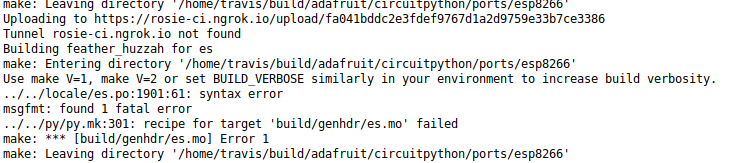
Saludos.
marble hornet
it works when i build 3.x but not 4.x

 tidal kiln
@solar whale interesting. are you scoping the signals at all?
solar whale
@tidal kiln not yet -- I have to move it back to the RPi and set it up for scope and Logic Analyzer. I'll try to get to that later today or tomorrow.
tidal kiln
@solar whale i wonder if the CS pin(s) isn't working right due to the polarity change
 sinful sand
Not sure where this belongs. My TrellisM4Express board is behaving strangely in Windows 10. When I plug in the USB cable, Win 10 reports a removable device: CIRCUITPY (G:) and a new USB Drive (H:). When I right click Open Devices and Printers I see the Trellis M4 Express If I click - Eject CIRCUITPY (G:) "nothing" happens. The device notification is still on the toolbar and G: and H: are still available in File Explorer. This is happening on two Win 10 PCs, both patched up to date. It doesn't seem to be causing a problem but I thought someone would want to know. I have only tried circuitpython so far. Also no serial or REPL connection in Mu but that's another issue.
solar whale
@tidal kiln Ladyada had the same thought -- see the issue.
tawny creek
Hi folks! Good morning! I'm not sure if this is worth an issue ticket so posting here first. If someone can give me advice on a step to take next that'd clear up some uncertainties for me on SPI flash and CP 4.3+
CP 4.2 and below
I have and used the following SPI flash varieties to build a custom Trinket M0 with SPI flash: GD25Q16C, W25Q16JV, and W25Q32BV. These work for board definitions, it mounts CIRCUITPY and is identified by Windows/Mac/Linux, also the Dotstar LED indicates that the device as a whole behaves as expected, no static blue light.
CP 4.3
Initially I only had the latter two kinds of flash, on hand W25Q16JV and W25Q32BV. Finding a reliable data sheet for the W25Q16JV was difficult, and it being sourced from a far east supplier, I went the debug route when I couldn't get the board to mount the cp drive, steady blue light (No REPL). I only got to the part of setting up the jtag + logic analyzer & sampling some data — but have no knowledge or skill to understand what was really going on, to me at least things looked okay. Instead of pouring more time into this however, I purchased SPI flash that matches the kind used by official boards, I bought a dozen or so GD25Q16C. I am able to use this newly purchased part with 4.2 and below.
The issue: On 4.3, using GD25Q16C or one of the W25Q16JV (on 4.3 it splits to IM and IQ variants) , the dotstar on the board (trinket m0 based) flashes blue, white (quickly) then stays blue after and doesn't mount CIRCUITPY , but building circuitpython 4.2 or later with the same definitions works.
I'm going to try and pluck out the SPI flash from one of my Express boards this weekend to see if all my parts are faulty.
slender iron
@timber mango its not very well tested using the UART for the main serial link. Why aren't you using the USB?
solar whale
@tidal kiln Nice to see that the SPI issue had nothing to do with the LoRa -- reproduced with BMP280.
tidal kiln
@solar whale BMP280 + LoRa? or BMP280 + LSM9DS1?
solar whale
reproduced lsm9ds1 errors with a bmp280 + lsm9ds1
manic glacierBOT
 solar whale
@tidal kiln posted simple test cast on issue -- if you have bmp280 ...
or you can do the same with LoRa Board
tidal kiln
thanks. i do, but i'm already wired up with the lora setup.
yep
for now at least. might switch.
solar whale
really just need to read one of the lsm9ds1 sensors -- alternate with any other SPI sensor
tidal kiln
maybe i'll switch. i like that. more simple.
solar whale
you can get teh same with LoRa -- just do the lora.receive() instead of the bmp.tempeature
but the Lora is a much more complicated transaction.
I have to do some serious bench cleaning before I can get my scope or logic analyzer hooked up ...
tidal kiln
that's why i was thinking of switching
it's likely just the CS dance at the beginning, so would be nice to have it followed by as simple as possible a transaction
manic glacierBOT
I thought I had handled this by only adding the SD bit if its supplied explicitly. It could be a Makefile behavior difference. Will look into it.
tidal kiln
oh, i was remembering wrong, polarity is for the clock
manic glacierBOT
I'll add it back. It was failing locally for me.