#circuitpython-dev
1 messages · Page 212 of 1
 pastel panther
 idle owl
Doesn't work with Trellis, afaik.
 ruby lake
I had that issue 😉
 sacred edge
So I have been playing with the basic functions on the Circuit Python Playground Express, AKA "CPPE", I have been using the "Make Code" web app... Which while it does work, seems (To Me) a bit limited on what one can do... Although, It is amazing how many loops you can squeeze into the screen...
The question is, How do I migrate over to using Mu instead of MakeCode?? Is there a Circuit Python Command Reference manual?
 exotic pumice
I think this is what you're looking for https://circuitpython.readthedocs.io/en/3.x/
sacred edge
Thanks, I'll search it out!!
exotic pumice
probably an intro to python too
not sure what the best source for that is
oh I guess you could try Mike Barela's CPX book

Maker Shed
From Adafruit Industries, a leader in products to Makers, designers, students young and old, comes the Circuit Playground Express. Connect it to your PC, Mac or Linux computer, and you can be progr...
 gusty topaz
Guys, can I use the Adafruit Mini TFT with Joystick Featherwing with the M0 and CircuitPython?. It doesn't make reference to CircuitPython on the product page: https://learn.adafruit.com/adafruit-mini-tft-featherwing

Add a dazzling color display to your Feather project with this Adafruit Mini Color TFT with Joystick FeatherWing.
 manic glacierBOT

Looks good to me, but mpconfigboard.mk is set to SPI, not QSPI filesystem? Does QSPI work now?

@dhalbert Nope, I'm going to look at it when I get my prototype.
Merged anyway - I read Slack convo.
 cosmic patrol
Hey guys, I'm making a custom PCB with a SAMD21 board and I want to have it appear as an M0 express. I'm going to modify the M0 express PCB. I can't figure out how I should upload the bootloader to the chip though. I understand that I can upload the bootloader using a J-link and ATMEL studio, but all the resources mention uploading .bin or .hex bootloaders. Will the same process work for .uf2 bootloader provided for the M0 express?
I tried to read through the makecode blog on .uf2 but I'm not sure I quite get it. I understand that the chips ship with SAMBA bootloader already flashed. Will this allow the device to appear as a mass storage device directly? I imagine I'll have to hold down the reset button instead of double clicking.. Can I just drag and drop the .uf2 file? As you can probably tell, I'm very confused.
My backup option is to buy M0 express boards and get the pre-programmed microcontroller from it. I'll probably do this for the first few boards anyway.
Here are my references: https://www.instructables.com/id/ATSAMD21g18-Bootloader-With-J-link-Debugger/, https://learn.adafruit.com/proper-step-debugging-atsamd21-arduino-zero-m0/restoring-bootloader, https://makecode.com/blog/one-chip-to-flash-them-all
I apologize if this is an already answered question... I couldn't find it though.

Instructables.com
ATSAMD21g18 Bootloader With J-link Debugger: For those of you who have used the SAMD21 from sparkfun and are looking to burn a custom bootloader to the ATSAMD21g18 chip microcontroller unit (MCU) or develop your own printed circuit board application, this instructables page w...

Microsoft MakeCode
Thanks in advance!
exotic pumice
you can convert uf2 to bin
cosmic patrol
Oh, I knew you could convert bin to uf2, didn't know the opposite was possible as well..
exotic pumice

GitHub
UF2 file format specification. Contribute to Microsoft/uf2 development by creating an account on GitHub.
I think you just pass it the uf2 and it figures it out based on the filename
 slender iron
@cosmic patrol the chips do not have a bootloader when shipped afaik
you should expose the SWD pins somehow so you can load through the debug port
cosmic patrol
@slender iron yes! I'm planning to expose them via test pads as in the adafruit boards
I'll make a pogo pin jig to program the boards
slender iron
if you have the space I like the 2x5 header
cosmic patrol
It's going to be an earring, so space is at a premium!
slender iron
ah, ya. test pads then 😃
cosmic patrol
@exotic pumice Thanks a bunch! I'll give this a shot and share the results
exotic pumice
@cosmic patrol happy to help
cosmic patrol
I have another question... can I use bossac to upload the bootloader to a fresh chip or does it have to be through an SWD programmer?
exotic pumice
I don't think you can because bossac uses part of the bootloader
so it would be overwriting itself basically
cosmic patrol
Ah, I figured it would be too good to be true 😛
No worries, J-link will do just fine!
manic glacierBOT
We merged some USB fixes today so make sure and update your repo. Thanks!
exotic pumice
do you have a j-link yet?
cosmic patrol
Not exactly... I have a board with a J-link dev board that has a microcontroller as well. I plan to cut the swd traces and connect them to the samd21
exotic pumice
ok. My solution was a raspberry pi and an swd breakout board

This adapter board is designed to make it easier to use ARM dev boards that use slimmer 2x5 (0.05"/1.27mm pitch) SWD cables for programming. It's helpful for using products like the ...
cosmic patrol
Whoa, this is just a passive board, right? No active chips? I can use a raspberry pi as a SWD programmer?!
exotic pumice
yep
there's a learn guide on it
it's a little old and I had to adapt the config file but I got it working https://learn.adafruit.com/programming-microcontrollers-using-openocd-on-raspberry-pi/overview

Native GPIO bit twiddling your way to success
cosmic patrol
Whoa! You're blowing my mind!!
exotic pumice
it's kinda slow but for the file sizes I'm working with that's alright
cosmic patrol
I HAVE to try it now.
exotic pumice
lol
I can upload my config file but it's set up for stm32
I think it's just one line to change the board
cosmic patrol
I'm just dusting off my Pi. I'll try and follow the instructions first
exotic pumice
ok
cosmic patrol
Hmm, partial success. I used an external J-link(I will definitely try the raspberry pi approach soon as well) connected to a windows computer. I converted the latest 3.0.3 .uf2 file to .bin using the microsoft uf2conv.py util. I've attached the resulting bin file. Then I followed the instructions posted here: https://www.instructables.com/id/ATSAMD21g18-Bootloader-With-J-link-Debugger/ to program an M0 express board with this bin file. The upload happens without issues. However, when I connect the board to my computer now, I can't detect it at all. The neopixel on board is dead as well. Help please!!
Instructables.com
ATSAMD21g18 Bootloader With J-link Debugger: For those of you who have used the SAMD21 from sparkfun and are looking to burn a custom bootloader to the ATSAMD21g18 chip microcontroller unit (MCU) or develop your own printed circuit board application, this instructables page w...
The connections were as such:
M0 Jlink
RST RST
SWDIO SWDIO
SWDCLK SWDCLK
GND GND
M0 was provided with power through a USB cable, as I wasn't sure if the J-link could supply enough current
TLDR; on the instructions: In Atmel Studio, Tools>Device Programming -> Select Chip -> Verify fuses -> Erase -> Program with .bin file
I tried converting to and uploading .hex format as well, but Atmel studio cannot read the .hex file. But I get the following error: "Unable to parse objectfile C:\PROJECTS\hearrings\uf2-master\uf2-master\utils\adafruit-circuitpython-feather_m0_express.hex: Unsupported format."
exotic pumice
try this maybe? https://learn.adafruit.com/proper-step-debugging-atsamd21-arduino-zero-m0/restoring-bootloader
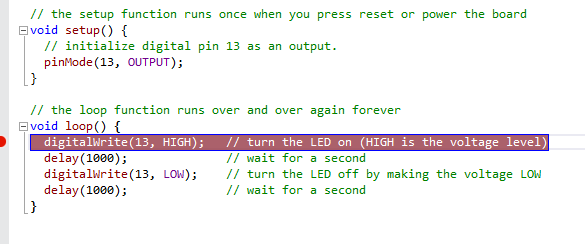
Step in, step out, step over and repeat!
oh , you used a circuitpython uf2 not a bootloader
that'd do it
@cosmic patrol
cosmic patrol
Oh, um.. I'm not sure what the difference is 😛
exotic pumice
circuitpython is a userspace program not a bootloader
exotic pumice
you install the bootloader first, then the circuitpython if you want it. There's a bootloader linked in that learn guide, not sure if it's the latest, let me do some digging

GitHub
MSC bootloader (based on UF2) for SAMD21. Contribute to adafruit/uf2-samdx1 development by creating an account on GitHub.
cosmic patrol
Got it! Trying it now.
Woot woot!! SUCCESS!
@exotic pumice I cannot thank you enough! You've been my 👼 tonight!
cosmic patrol
I'm making earring that whisper prerecorded messages in your ear, by the way. I call hearrings 😛
exotic pumice
cool
 timber mango
@exotic pumice is the same true for the SAMD51 (used on the ItsyBitsy M4 Express) - i planing / thinking of using this one for a own board (smaller then the ItsyBitsy M4 Express - less pins accessible) - i need a small half-round outline for one of my props... (if i could fit in the ItsyBitsy i would not think of doing my own - as its only more work and costly overall... 😉 )
exotic pumice
@timber mango is what true for samd51?
timber mango
@exotic pumice that you need a SWD programmer to flash the UF2 bootloader
iam used to use a arduino as ISP to programm the other emty /new ATmega chips myself ;-)
so would be great if this 'replicate itself' approach would also work for the SAMD51 processors...
 lost moss
^^^ Agreed.
exotic pumice
I think it's the case that you need some form of SWD programmer, as I mentioned to tinkrmind, that could be something you already have on hand like a RPi. Perhaps it is also possible to bitbang swd on a samd chip, but I don't think anyone has tried.
lost moss
Mmm LOL Getting a Pi Zero as SWD Programmer would be the best Idea IG
timber mango
seems there are more boards you can use with OpenOCD
https://petervanhoyweghen.wordpress.com/2015/10/11/burning-zero-bootloader-with-beaglebone-as-swd-programmer/

OpenOCD has support for bitbanging the jtag or swd protocol over gpio’s. So if you have a board that can run OpenOCD and on which you have access to gpio’s, you can use that as a…
exotic pumice
yep
it would be interesting to try and make a samd-based programmer
I'm trying to locate a detailed specification of SWD to see if that would be feasible
it should be possible with pretty much any linux soc, all that you need is a openocd target
I think the ST-Link is based on a pretty weak chip like an M3 or something
yeah so it should be possible with an M4
 stuck elbow
take a look at the black magic probe
 main meteor
Now I'm tempted to see if I can implement SWD with an ItsyBitsy. At first glance, it looks feasible.
exotic pumice
yeah
stuck elbow
with trinket m0
should be possible, afaik the BMP works with stm32f103, which is a weaker microcontroller
timber mango
woo i know that this is something i think its way over my comfort zone... 😉
if anybody a tempts something like this iam happy to try it out 😉
stuck elbow
I thought it's an m0
exotic pumice
manic glacierBOT

Mondays are pretty busy, with pretty much the only three things in my life that happen according to a schedule... circuitpython meeting, a VISTE meeting bit later after that, and then a weekly group gaming session. So other than Monday afternoon/evenings, I can be available pretty much anytime I can manage to be awake... ( a non-trivial effort, but doable - sleep apnea is no fun) ;)
Whatever is convenient for you, will prolly work fine for me. Suggest a time and I'll set some alarms/w...
exotic pumice
I know a guy at ARM so I'm trying to get as much SWD info as possible from him.
I'll report back if it's not NDA'ed
gusty topaz
Guys, any guidance on using the Adafruit Featherwing with CircuitPython? https://learn.adafruit.com/adafruit-mini-tft-featherwing
Add a dazzling color display to your Feather project with this Adafruit Mini Color TFT with Joystick FeatherWing.
 solar whale
@gusty topaz best to wait for displayio to become available. Current support is minimal.
Or check out https://forums.adafruit.com/viewtopic.php?f=60&t=142003 for a work in progress.
manic glacierBOT

For this:
https://www.adafruit.com/product/1296
A driver for the TMP007, which replaces the TMP006, already exists. However, might help to go ahead and make one for the TMP006 also, for people still using it, ex:
https://forums.adafruit.com/viewtopic.php?f=50&t=143712
gusty topaz
@solar whale excellent, thanks!
pastel panther
@main meteor I would love to see an SWD implementation on an itsy m4. Enough that I might be inclined to throw some money at the person who does it (a token amount, not a fortune)
main meteor
Hmm, I have the Itsy and a Metro M4 with an SWD connector. All I'd need would be the SWD adapter to start playing with it. I may take a crack at that.
pastel panther
Ironically I think you would probably want a working SWD debugger for this project if you don't already have one
main meteor
True. I'm likely to brick my Metro while debugging it, and it would be nice to have a way to bring it back.
exotic pumice
it would also be interesting to see if you could reconfigure the swd port on the metro m4 to an output rather than an input
it's bidirectional but I mean a programmer rather than a programming port
exotic pumice
that's what they do on the blue pill
then you wouldn't even need a SWD breakout
for metro to metro anyway
main meteor
I'll admit, that thought occurred to me too (the connector is right there, and cables are available)
exotic pumice
I got cables and the breakout coming in the mail for an unrelated project
no itsy tho
main meteor
Heh, I have an Itsy but no cables. I made an order yesterday (I think a bunch of people did), but didn't happen to include the cable.
stuck elbow
I always keep a stock of male and female dupont cables
pastel panther
@stuck elbow the pitch on the standard swd cable is different from the normal ones
stuck elbow
ah, I have an adapter for that

1BitSquared
This is an adapter for the standard 10pin 0.05" pitch ARM Cortex JTAG connector to a 0.1" (100mil) pitch header connector. Now in stock! The JTAG adapter board kit is a useful accessory for connecting your Black Magic Probe JTAG/SWD adapter to development board featuring a...
but yeah, it requires the ribbon cable as well
pastel panther
that reminds me that I need to restock on those shroudless swd headers
they're nice because the footprint is smaller and the way the cable sits when plugged in it will clear many common SMD components
main meteor
For years, I'd just have a big 0.1" through-hole connector for JTAG and the like, but as boards get smaller, I'm starting to look at those smaller connectors, and (like you) the non-shrouded varieties. I'm also eyeing things like TagConnect.
I can't help wondering if the ST-Link is cross-compatible.
exotic pumice
not for samd apparently https://electronics.stackexchange.com/questions/250664/can-i-use-st-link-programmer-for-non-st-chips

Electrical Engineering Stack Exchange
Can I program all kinds of SWD-programmable chips (ARM-MCUs) with ST-Link?
but you can reprogram an st-link with bmp firmware and maybe then it would work
sacred edge
Mu has stopped working...
More specifically, Mu no longer goes to the "Save" menu anymore... It just sits there saying it is busy.. ( Busy Icon)..
stuck elbow
what did you do just before that happened?
slender iron
@main meteor @pastel panther @stuck elbow ladyada is looking into header with a keying shroud which are the best of both worlds
@stuck elbow I dig the all one one side breadboard style so the board can be vertical
I made to simple boards like that a few days ago. one for passives and one for sot23
stuck elbow
for two-row connectors like that I usually put the pcb in between the pins, and solder them flat on it
slender iron
pastel panther
@slender iron I've seen one that might be talking about (on the black magic probe). If I could find them at a comparable price I might get some but they were more expensive last I checked.
slender iron
ya I think esden had them a while
the nordic 52840 DK has one as well
this is the style of connector: https://1bitsquared.com/collections/accessories/products/jtag-swd-smd-connector

1BitSquared
This 10-pin 0.05" (1.27mm) pitch SMD connector for boards that provide the standard Cortex JTAG footprint but don't populate it. Like the Pixhawk Autopilot. This connector will mate with a 2×5 IDC ribbon cable with 1.27mm (0.05") pin pitch. This connector is the standar...
slender iron
😃
pastel panther
In all fairness that's probably not much more than his cost.
manic glacierBOT
 sacred edge
OK, when I start Mu, it opens and I get Mu 1.0.1 - Untitled (Not Responding)
manic glacierBOT
I'd love to give it a shot, however, should this go in storage? if so could someone please remind me where it is?

@c47d is there anything I can help with the translation into Spanish? As far as I saw in the file there are some string pending to translate.
Let me know and we can work together on it.
Regards.
sacred edge
Mu takes a very long time (2 Minutes) to open the "Save File" dialogue... Any ideas?
 teal thorn
This is a nice cost effective SWD debugger: https://www.maximintegrated.com/en/products/microcontrollers/MAX32625PICO.html/tb_tab3
It supports 1.8V to 3.3V I/O and it comes with the 10pin fine pitch ribbon cable.
The drag-n-drop feature is target specific, but the the CMSIS-DAP interface is universal.
exotic pumice
you can get knockoff st-links for like $2-5 on aliexpress. I still think it would be good to have samd swd though so those that have 2 adafruit boards need no other hardware to program
teal thorn
The MAX32625PICO board also embeds UART signals in the same 10pin header.
pastel panther
@teal thorn looks nice. Does it support GDB?
exotic pumice
except maybe the breakout
teal thorn
It will support GDB with openocd, or any CMSIS-DAP compliant debugger
pastel panther
cool
(I know precious little about CMSIS-DAP so perhaps that should have been obvious)
teal thorn
I like to use it with this cable if you want to skip the connector on the target: http://www.tag-connect.com/TC2050-IDC-NL-050-ALL
pastel panther
I've been using my JLink edu-mini
I've seen that connector but I'm not super stoked about it. It doesn't save much space and you have to have their cable
should someone produce stls for an OS version, I might be more interested
teal thorn
I just used the MAX32625PICO to load the UF2 bootloader into the blank SAMD21 parts on my FPGAhelper boards using openocd, so I know it work with the SAMD devices.
exotic pumice
yeah, that's not what I was saying
pastel panther
neat; it does seem like a pretty cool little chip
exotic pumice
I want a samd-based programmer
teal thorn
You could program the tinket-m0 to do that.
teal thorn
ARM implements CMSIS-DAP in the M0 all the time (LPC11U35)
teal thorn
It is the standard USB to SWD convert protocol developed by ARM to eliminate all the different debugger drivers
exotic pumice
oh cool
teal thorn
You can get the source code here if you want to port it to SAMD: https://github.com/ARMmbed/DAPLink
 exotic pumice
tyvm
teal thorn
It also runs on the st-link
exotic pumice
when they refer to "board" and "target" are they talking about the programmer or the device being programmed?
pastel panther
I believe the target is the thing being programmed
exotic pumice
so it seems I would have to add support both for samd targets and samd programmers
is the HIC the programmer?
teal thorn
If you are using pyocd or openocd, they need to be aware of the target. You do not need to modify CMSIS-DAP to add new targets.
This is a difference between CMSIS-DAP and the black magic probe. Because the black magic probe runs the GDB server, it has to understand the internals of the target. CMSIS-DAP does not becuase the target specific portion is handled by the openocd or pyocd.
DAPLink also offers drag-n-drop programming. If you want to use the drag-n-drop programming, you need to add target specific code to do that, but you do not need to add target specific code to use the debugger.
DAPLink implements a composite USB device with three endpoints (MSD, HID and CDC)
MSD (Mass Storage Device) is the drag-n-drop programmer that looks like a USB thumb drive. This is the only interface that needs to be customized for the target.
HID is the generic CMSIS-DAP SWD debug adapter interface.
CDC is the virtual UART for serial communication
exotic pumice
when I say HIC I am referring to this folder, it seems this is where the programmer code lives? https://github.com/ARMmbed/DAPLink/tree/master/source/hic_hal
teal thorn
That does not look like the target specific programmer code. The target specific code is in the source/target folder.
exotic pumice
not target, but programmer
teal thorn
Part of the daplink project also includes a drag-n-drop bootloader for firware updates.
exotic pumice
the device doing the swd communication
to the target
I think that's the part I need to dive into
which I'll try to do at a later date
teal thorn
The low level SWD code is in this directory: https://github.com/ARMmbed/DAPLink/tree/master/source/daplink/cmsis-dap
It is fairly portable if you want to use it separately.
How difficult would it be to use the SD card slot on the Feather M0 Adalogger as the circuitpython drive?
exotic pumice
fairly difficult I think, but you can have circuitpython load things from the sd card
including code and data I think
solar whale
@teal thorn if you just want to execute code from it, that can be done but it can’t be accessed as a USB drive like CIRCUITPY.

Learn how to use a microSD card to store code & data with CircuitPython and MicroPython!
pastel panther
@teal thorn It's probably possible to make it show up as the CIRCUITPY drive, but it would be a substantial change to the core code as you'd have to replace the SPI/QSPI flash driver that the MSC code uses with a driver for the SD card. Probably other stuff too that I'm not aware of. @slender iron or @tulip sleet could point you in the right direction
would be kinda nifty though
manic glacierBOT

Hi @yeyeto2788, i had been busy with work and as you already noticed there are some not translated or not updated strings, so feel free to send a pull request and me or @sabas1080 can review it.
Gracias por la ayuda!
manic glacierBOT

appears to be fixed on pca10059
>>
soft reboot

Auto-reload is on. Simply save files over USB to run them or enter REPL to disable.


Press any key to enter the REPL. Use CTRL-D to reload.
Adafruit CircuitPython 4.0.0-alpha.3-13-g292737fa2 on 2018-11-24; PCA10059 nRF52840 Dongle with nRF52840
>>>
>>> import sdmount_lib
>>> import hello
Hello World!
>>>
>>>
>>>
>>>
soft reboot

Auto-reload is on. Simply save files over USB to run them or enter REPL to disable.
...REPL appeared immediately on PCA10059 with current master
Press any key to enter the REPL. Use CTRL-D to reload.
Adafruit CircuitPython 4.0.0-alpha.3-13-g292737fa2 on 2018-11-24; PCA10059 nRF52840 Dongle with nRF52840
>>>
Is there a place for feature requests? Enabling an SD card for the circuitpy drive would be very useful. All the pieces should be there. I might even be able to figure it out, but someone else could probably do it quicker. I ordered the feather m0 adalogger with their black feather sale, but it will probably be a while before I have time to try a project like that.
pastel panther
You can create an issue on the main CP repo to request a feature
manic glacierBOT

Sorry for the over a month of radio silence on this - burned out for a bit there on OSS work (and the project this PR was ultimately to be in support of). I'm back and plan to fix this branch up some time in the next week or two - looks like the only conflicts to merge in are localization-related, thankfully.
slender iron
@gentle bronze did you get the metro m0 example going? Its not working for me with the makefile
 gentle bronze
@slender iron work as well as m4. I used the segger studio. It could be the clock set up, I got into that issue previously as well.
slender iron
ya, I think it is. the 1 second blink is more like 1.3
I
I'm surprised though because that should be shared code
will look again tomorrow
gentle bronze
Samd21 does not implement the systemcoreclock
slender iron
ya, I fixed that and its still wrong
gentle bronze
Properly, I got it blink super fast as well
Can you try with the segger studio, just to make sure it work there. Just install ide then samd21 package, prettty simple
slender iron
ya, maybe tomorrow
I know it works with circuitpython but it uses different clock init code
my work in progress branch is here: https://github.com/tannewt/tinyusb/tree/makefile

GitHub
A silly USB stack for Embedded System. Contribute to tannewt/tinyusb development by creating an account on GitHub.
manic glacierBOT

@klardotsh no rush :) whenever you're ready - take breaks whenever ya need!
gentle bronze
@slender iron yeah, you should sleep now.
slender iron
yup, winding down. thanks! I hear usb is working better with your latest code. good job! will release a new alpha release with it next week
gentle bronze
Thanks, I am glad that it helps :)
slender iron
💤
gentle bronze
Good night :)
manic glacierBOT
This issue has also been resolved on the feather_nrf52832. OK to close?
manic glacierBOT
@caternuson ok we still have some in stock, and we've already got some python code , so between the original py library and the tmp007 it should not be hard
manic glacierBOT

[adafruit/circuitpython] New comment on issue #1342: samd: REPL disconnect problems after tinyusb PR
Running many unittest tests through the repl is working again.
Uploading files is working.
The script I use to upload, use os.stat() to check if files need uploading. When I rerun the script after it has uploaded it all files, I get into trouble.
It consistently fails when stat'ing these files:
/lib/unittest/test/__init__.mpy
/lib/unittest/test/dummy.mpy
/lib/test/imghdrdata/python.pbm
(I've had 2-3 times out of over a hundred times that one of these succeeded)
...
 haughty bobcat

GitHub
CircuitPython library for HD77480 LCD character displays with an I2C backpack. Currently PCF8574 is supported. - dhalbert/CircuitPython_LCD
can someone help me make this an mpy and use it?
 tidal kiln
you can get mpy-cross builds from the CP release page:
https://github.com/adafruit/circuitpython/releases/latest
and then you just run that on the .py file to create a .mpy
haughty bobcat
Instructions on how to use MPY cross on windows?
tidal kiln
i think you just get the exe:
https://github.com/adafruit/circuitpython/releases/download/3.1.1/mpy-cross-3.x-windows.exe
and then run it in a command window
tidal kiln
have you ever done anything in the command window before?
 fierce girder
@slender iron I will be flying to Berlin and miss the meeting, but thanks to @meager fog for helping out with BeagleBone in Blinka. GPIO, I2C and SPI are now working in Blinka for BeagleBone Black
I tested with BME280 in i2c and SPI mode. Additional tasks: test other sensors to make sure the CircuitPython drivers work too on BeagleBone
tidal kiln
that library looks old - why are you wanting to use it?
haughty bobcat
PCF8574 support
tidal kiln
can you open the command window and navigate to where to saved mpy-cross?
tidal kiln
yep. with cd
tidal kiln
and then just try running it, no arguments, and see what it outputs
haughty bobcat
no input file
haughty bobcat
yes
tidal kiln
did you clone it, or download zip?
tidal kiln
i think so
if you unzip those .py files into the same folder where you have mpy-cross, it will be easier to run
haughty bobcat
yup
tidal kiln
then you can just run it again, but this time specify one of the filenames
haughty bobcat
ok it worked
tidal kiln
cool you should see .mpy files now?
haughty bobcat
yes
tidal kiln
that's it then. to use, just copy the .mpy files to your board
haughty bobcat
``from lcd.lcd import LCD
from lcd.i2c_pcf8574_interface import I2CPCF8574Interface
from lcd.lcd import CursorMode
Talk to the LCD at I2C address 0x27.
The number of rows and columns defaults to 4x20, so those
arguments could be omitted in this case.
lcd = LCD(I2CPCF8574Interface(0x27), num_rows=4, num_cols=20)
lcd.print("abc ")
lcd.print("This is quite long and will wrap onto the next line automatically.")
lcd.clear()
Start at the second line, fifth column (numbering from zero).
lcd.set_cursor_pos(1, 4)
lcd.print("Here I am")
Make the cursor visible as a line.
lcd.set_cursor_mode(CursorMode.LINE)``
this is the example code
I get: ImportError: no module named 'lcd.lcd'
Im probably missing something simple
tidal kiln
where did you put the files on your board? what folder?
haughty bobcat
I tried the files just in the lib folder, didnt work. Tried to put them in a folder called lcd in lib, didn't work. Tried to put them on the root of circuitpy too.
tidal kiln
where are they now?
haughty bobcat
root, and lib>lcd
tidal kiln
try without the lcd. part in front
ex: from lcd import LCD
or...put them all in a folder called CIRCUITPY/lib/lcd
then the example syntax should work
tidal kiln
maybe it doesn't like a .mpy version of __init__.py
haughty bobcat
yes
tidal kiln
one of them is called __init__.mpy?
haughty bobcat
yes
tidal kiln
move the other two into a folder called CIRCUITPY/lib/lcd
tidal kiln
the modules are importing at least. so must be something else.
haughty bobcat
yeah could be a million things
exotic pumice
I'm looking at this https://github.com/adafruit/Adafruit_ZeroDMA/blob/f7a3b774400988d0ad2ae0654c21281d6063b692/Adafruit_ZeroDMA.cpp#L13
First I had trouble understanding it at all, then I found out it's a #define of __attribute__ ((section(".hsram")))
So it's just telling it the variable is in RAM?
Aren't all non-static variables in RAM?
GitHub
DMA helper/wrapped for ATSAMD21 such as Arduino Zero & Feather M0 - adafruit/Adafruit_ZeroDMA
I guess it's arduino not cpy, but this is where all the knowledgable hardware ppl hang out
exotic pumice
and besides there's no #arduino
main meteor
You can define any section you want in the memory map. I could go look at it, but I'm guessing .hsram might be "high-speed RAM" or somesuch?
exotic pumice
yeah it is
but why would you have to specify something is RAM?
isn't it the default?
main meteor
In this case, it's specifying a particular section of RAM.
exotic pumice
hsram is just defined as 0x20000000
main meteor
Hmm, that doesn't sound right.
exotic pumice
#define HSRAM_ADDR (0x20000000u) /**< HSRAM base address */

GitHub
Qtouch on SAMD20/21 and QT6 Xplained board by Ateml - robbie-cao/samd-touch
main meteor
Ah, that's where HSRAM begins, but it's not the same as the .hsram section of memory.
exotic pumice
would listing the sections with radare2 tell me?
main meteor
I'm not familiar with radare2. I think there's a file named something like memory.x the linker uses to get the memory map. I'm trying to find it.
Hmm, I found some arm scripts in Library/Arduino15/packages/arduino/tools/arm-none-eabi-gcc/4.8.3-2014q1/arm-none-eabi/lib/ldscripts but they don't look like the right ones.
exotic pumice
gr8
$ arm-none-eabi-readelf -S blinky_basic
There are 20 section headers, starting at offset 0x82f7c:
readelf: Error: Reading 800 bytes extends past end of file for section headers
radare 2 sez
[00:00] * pa=0x00001000 r-x va=0x00002000 sz=0x0a7c vsz=0x0a7c LOAD0
[00:01] . pa=0x00002000 rw- va=0x20000000 sz=0x0000 vsz=0x0004 LOAD1
Looks like the loader scripts are expressed differently than the AVR ones.
Which board are you using? The boards.txt file uses that to look up the matching loader script.
exotic pumice
the ones I showed are cpx
main meteor
Ah, boards.txt has adafruit_circuitplayground_m0.build.ldscript=linker_scripts/gcc/flash_with_bootloader.ld
exotic pumice
no hsram
main meteor
Nope. I wonder where it's getting it.
There's a comment: ```/* Linker script to place sections and symbol values. Should be used together
- with other linker script that defines memory regions FLASH and RAM.```
I wonder where we find that other linker script
exotic pumice
yeah it's not defined in asf4 either
I did a recursive grep
should I try to find what it's really defined as in gdb?
or would it compile out
main meteor
It's a linker variable, so there wouldn't be anything in the symbol table for it.
main meteor
I believe it produces elfs as well
exotic pumice
yeah it puts them in /tmp
you're right though, I told gdb to break on line 13 of Adafruit_ZeroDMA.cpp, and it goes to line 26
here we go
(gdb) info files
Symbols from "/tmp/arduino_build_395518/sketch_nov02b.ino.elf".
Local exec file:
    `/tmp/arduino_build_395518/sketch_nov02b.ino.elf', file type elf32-littlearm.
    Entry point: 0x6a7c
    0x00004000 - 0x00008d6c is .text
    0x20000000 - 0x20000110 is .data
    0x20000110 - 0x20000510 is .hsram
    0x20000510 - 0x20000da4 is .bss
Wow, I didn't know the memory sections were placed in the elf file. Sure enough, there's hsram, although we still don't know where it comes from.
exotic pumice
yeah I knew elfs specify sections, that's kind of the point
main meteor
I learned something today, because I didn't know that.
exotic pumice

In computing, the Executable and Linkable Format (ELF, formerly named Extensible Linking Format), is a common standard file format for executable files, object code, shared libraries, and core dumps. First published in the specification for the application binary interface (A...
would it be a bad idea to just define it in a memory.x with those values?
I guess it depends how big the data segment is
because that's what it comes after
main meteor
It's already getting it somewhere, isn't it? Or am I missing what you're asking?
exotic pumice
oh, I forgot to mention I'm trying to rewrite the dma code in rust
main meteor
Aha!
I don't know if rust uses the same linker as gcc. If it does, you're probably golden as soon as you figure out the rust pragma to specify a memory section. If not, you can probably use the value from the header file you found earlier, but I don't know if the rust linker uses memory.x or something else.
exotic pumice
you can specify the linker and I'm already using a memory.x
main meteor
In that case, it's worth a try. I've modified memory.x myself for an equivalent sort of purpose.
exotic pumice
let me try and find out if it's dependent on the .data segment first
main meteor
I think there's a way to specify "begin this section after that one".
In case you're curious, I added a section to the MSP430 memory map to use some of the FRAM as non-volatile RAM.
exotic pumice
ok, I'd be interested to know how to do "this section after that one"
currently my memory.x looks like this
MEMORY
{
  /* Leave 8k for the default bootloader on the Circuit Playground Express */
  FLASH (rx) : ORIGIN = 0x00000000 + 8K, LENGTH = 256K - 8K
  RAM (xrw)  : ORIGIN = 0x20000000, LENGTH = 32K
}
_stack_start = ORIGIN(RAM) + LENGTH(RAM);
after I get the memory.x figured out I still need to know how to tell rust to place something in a particular section
main meteor
Right. And for that trick, I have no clue.
manic glacierBOT
 exotic pumice
solution for the curious
memory.x:
MEMORY
{
  /* Leave 8k for the default bootloader on the Circuit Playground Express */
  FLASH (rx) : ORIGIN = 0x00000000 + 8K, LENGTH = 256K - 8K
  RAM (xrw)  : ORIGIN = 0x20000000, LENGTH = 32K
}
_stack_start = ORIGIN(RAM) + LENGTH(RAM);

SECTIONS {
     .hsram (NOLOAD): ALIGN(16) {
       *(.hsram);
       . = ALIGN(16);
        KEEP(*(.hsram));
     } > RAM
} INSERT AFTER .data;
blinky_basic.rs:
#[link_section = ".hsram"]
#[used]
pub static foo: u32 = 1;
gdb:
(gdb) info files
Symbols from "/home/paul/rust/atsamd/boards/circuit_playground_express/target/thumbv6m-none-eabi/release/examples/blinky_basic".
Local exec file:
    `/home/paul/rust/atsamd/boards/circuit_playground_express/target/thumbv6m-none-eabi/release/examples/blinky_basic', file type elf32-littlearm.
    Entry point: 0x29dc
    0x00002000 - 0x000020b0 is .vector_table
    0x000020b0 - 0x00002a2a is .text
    0x00002a2c - 0x00002a90 is .rodata
    0x20000000 - 0x20000000 is .data
    0x20000000 - 0x20000010 is .hsram
    0x20000010 - 0x20000014 is .bss
still not the best for a library to need changes to memory.x, but good enough for now
oh hang on, that's not right
darn
well maybe it is, but why is .data 0 length
I guess I can #[link_section] something else to .data and see if .hsram comes after or at the same spot
manic glacierBOT
How about Thursday at 2pm Pacific? I'll do it as a twitch stream.
Great! I'd create a separate memory module for it and copy the nvm api. So, start with duplicating the nvm folder in shared bindings and create a corresponding folder in shared-module. Get as far as you can and then create a PR. That way we can comment directly on your code with suggestions.
slender iron
<@&356864093652516868> meeting notes doc is here: https://docs.google.com/document/d/1942qPdQf1ZW9HB3PwgsB_7nKN0VCM3cNQdEpI1Ep6LM/edit?usp=sharing

Google Docs
Adafruit CircuitPython November 26th, 2018 Hug Reports C47D and Juan Biondi yeyeto2788 for working on the Spanish translation Sommersoft for adabot love Ladyada for linux fu getting libgpiod going ArthurDent62 for the TLC chaining PR Status Updates
manic glacierBOT
Thur. 1400PST/1700EST sounds excellent! I’ll bring the questions :)
( _What is this Twitch of which you speak? ) :O LOL. ;)
 marble hornet
hey, i'm trying to clone 3.x so i can stably compile my code into binaries but i'm getting this error: ```$ git clone -b 3.x git@github.com:adafruit/circuitpython.git
Cloning into 'circuitpython'...
git@github.com: Permission denied (publickey).
fatal: Could not read from remote repository.
Please make sure you have the correct access rights
and the repository exists.```
is it not open to the public?
timber mango
@marble hornet use the https url.
with the 'git@github.com' you try to 'login with ssh' - and as the message tells: Permission denied (publickey) you have the wrong public key...
i think this is the problem. try with https://github.com/adafruit/circuitpython.git
marble hornet
@timber mango THANK YOU!!!!!!!!!!!
do you remember the line to run to recursively cone the sub repos?
solar whale
git submodule update --init --recursive also it may help to do git submodule sync
marble hornet
thanks Jerryn, can i ask the difference?
solar whale
I think the second just updates the links to the proper tags -- the first actually downloads the submodules.
manic glacierBOT
@notro Do you think this is fine as is now? Removing the backslash support is OK with me.
exotic pumice
 river quest
Yay! We are 9,000+ humans! Thank you Adafruit community!
exotic pumice
manic glacierBOT
@notro Do you think this is fine as is now?
Yes, it's not perfect but it fixes a corner case while retaining the functionality that the original issue asked for.
Some CPython stdlib tests use a/a paths, that's how I discovered this.
 faint ibex
Hello, I'm trying to port CircuitPython over to my own custom board and I'm a little confused on what actually needs to be ported. I have been looking at this repo https://github.com/adafruit/Adafruit_Blinka and I see for the beaglebone that it imports Adafruit_BBIO and I'm wondering if that would need to be ported to my board first.
GitHub
Contribute to adafruit/Adafruit_Blinka development by creating an account on GitHub.
idle owl
@faint ibex Blinka is a wrapper library we wrote to make CircuitPython libraries work on single-board Linux computers. Are you trying to port CircuitPython to a custom microcontroller? Or a custom single-board linux computer?
idle owl
Ah ok. That's really neat! I'm not sure where you'd start with that. I haven't done much on that end. Someone else will probably have some better info though.
faint ibex
Ok, thanks. Yeah, I'm just a little confused about what libs are needed/used
idle owl
I think you need to add support to Blinka to expose the GPIO on your computer. But like I said I haven't done much on that end, so I'm unsure.
faint ibex
Yeah, I just saw some mention of libgpiod and the BBIO, so was also unsure
timber mango
@faint ibex thats correct
marble hornet
@faint ibex is that online? or have a website somewhere?
timber mango
as far as i have understand it adafruit has wrapped a already existing gpio library -
faint ibex
Its still early days for this board, but I do have a website groboards.com
Yeah, I figured it was a wrapper, just not sure which gpio lib I should go for as the base
marble hornet
thanks ☺ 😁
faint ibex
I figured I would copy more or less what the beaglebone does as thats the only linux computer in there to go off of
timber mango
find one that is allready integrated in blinka - hopefully already supports your processor - and use this as a astarting point 😉
i think with this you are on a good way
faint ibex
I don't think there is much support for this MPU yet on the maker side od things
I'm more or less starting from scratch on a lot of stuff
 gusty kiln
looks like i'm out for the meeting today. power's out at my house and i don't think i'm going to get a stream working on the available coffeeshop bandwidth.
main meteor
Nice looking board. What are all the inductors for? Is that a SAMA CPU?
faint ibex
Its a SAMA5D27C-D1G and uses a PMIC for all the power rails and includes lipo charging/support.
main meteor
How many power rails are there?
main meteor
Ah, that explains the inductors!
faint ibex
Yeah 😄
tidal kiln
lurking
 raven canopy
<@&356864093652516868> and any who wish to join, weekly meeting in a couple minutes. Meeting notes are here: https://docs.google.com/document/d/1942qPdQf1ZW9HB3PwgsB_7nKN0VCM3cNQdEpI1Ep6LM/edit?usp=drivesdk&ouid=108087914205417918047
 errant grail
No audio for me today.
timber mango
@hard heart
gusty kiln
missing the meeting today; my notes are in the doc.
errant grail
A quick question for In The Weeds : Is there a way to force reset of an OLED display (SSD1306, PID#931) upon instantiation rather than using the display’s dedicated reset pin? Would allow use of the STEMMA I2C interface without running an additional wire from a GPIO pin.
raven canopy
Stay warm and dry @brennen#127!
gusty kiln
thx. :)
raven canopy
Dear Awesome Budget Person, can I haz more monitor?
errant grail
Hmmm. We'll try this mic out here in the workshop...
raven canopy
Haha. I was on 15" until like a year ago when I got hand-me-down.
 hard heart
Got a memory usage question. I am using the Adafruit Motor library to drive my Servo. I looked in the docs and there does not appear to be a Deinit() function for the Servo class. I've noticed that I can Deniit() the PWM pin associated with a servo, but I'm afraid that is leaving the Servo object behind in memory. Any suggestions on how to delete the allocation for the Servo instance itself? I care because I am recreating the Servo instance each time I make a function call to move the arm to a different location, and I'm not sure the old one is being GC'd.
 tulip sleet
@hard heart deinit() gives up the pin and some internal stuff -- it does not delete the object. We really on python's memory mgmt for that. If you reassign something else to that servo object's variable, there's no issue - it will just go away during a garbage collection.
you might consider not re-creating the servo object each time -- make it an instance variable in some class, etc.
hard heart
So ServoName = null will set it up for GC? Thanks
tulip sleet
yes
 tawny creek
can't make it today but extra hug reports to @slender iron @exotic pumice for helping me my feet started on debugging and figuring out what's going on with a SPI flash I'm using on a custom board last week! and group hug to the rest of the growing community
manic glacierBOT
 slender iron
got it @tawny creek, thanks!
 onyx hinge
hi guys! just lurking and listening, hug reports to everyone who is working on bug triage and code reviews! (I won't have any other reports during this meeting) @idle owl
hard heart
@tulip sleet I initially had the object initialized once and just drove the arm through changes to servo.angle. But I found that after it ran for a while, resetting the servo arm approximately once every 5 minutes, the servo would start to "jitter" even though it was not being commanded to change. That was at least wasting battery, so I decided to try deleting the servo between movements. That did seem to eliminate the jitter, but the board (Trinket M0) would eventually go bonkers. I figured it was likely a memory exhaustion issue, hence my question.
raven canopy
Just a gyronormous Group Hug this week!!
tulip sleet
@hard heart we are going to add an "off" mode for servos, so that you can turn off the power rather than have it actively hold a position. That sounds like it might help here.
 hard timber
Just my first time listening in to learn how to help.
hard heart
Yep. That would help. In the meantime, my dodge should work if it just reassign the Servo instance to null. THanks for the tip!
raven canopy
Last Week:
- Travelled much, ate more, and worked less
- Worked a little on Adabot-on-Travis:Bundle updates are failing due to credentials (in the weeds)
- Added Validators a la carte to Adabot
This Week:
- Finish aforementioned Adabot work
- Research/work Lady Ada’s “Adabot for Arduino” request
- Catch up on outstanding PRs (SPI FRAM comes to mind)
 neat folio
Dakotah upvotes eat more work less
pastel panther
gotta run 👋
raven canopy
Yep. saw that too! Also, sudo: required is going away... @slender iron
tidal kiln
yah. just misc stuff.
marble hornet
"pin-plementation"
errant grail

Snip of test before sending to model maker to fix light leaks and final assembly. The portal downlight and lens will be installed before the test shoot.
neat folio
SMD = so many distractions 😦
slender iron
I think you could bitbang it instead @inland tusk
raven canopy
@solar whale yay for Particle boards!!!
slender iron
mine are slated to arrive on thursday!
tulip sleet
@inland tusk guessing that this is what you found: https://www.raspberrypi.org/forums/viewtopic.php?t=19908&start=25
manic glacierBOT
 tidal kiln
@errant grail very nice!
errant grail
@tidal kiln Thanks!
neat folio
I have an after-the-weeds issue regarding the luck attached to peeling the wrap off in one piece on the acrylic parts in the trellis kit... 😉
errant grail
"First, you have the satisfying task of peeling off the protective paper from the acrylic pieces. If you peel off all of the paper without tearing them you will have seven weeks of good luck. Do not squander them."
 inland tusk
@tulip sleet Thats right. But it confuses the busio module if you want to use other serial devices at the same time (ie. serial lcds).
tulip sleet
@inland tusk yah, just seems to be a real deficiency of the RPi in this case
inland tusk
@tulip sleet Yes.
tulip sleet
slender iron
👍
errant grail
Thanks!
solar whale
@idle owl well done!!
raven canopy
Thanks everyone!! Have an excellent week!
hard timber
thank you!
inland tusk
Thanks to @tulip sleet
raven canopy
Agree with all; well done @idle owl!
idle owl
No worries!
tidal kiln
tree trunks is yellow!
solar whale
@fluid helm depends on what is providing the power. It will power the crickit fine but if it only providing .5 Amps you may have issues with some devices.
tulip sleet
also make sure the polarity of the barrel jack is correct
neat folio
cats! can't live with 'em... can't .... 😉
raven canopy
👋
 fluid helm
I've got a charger that can give at least 2A
manic glacierBOT
fluid helm
with the USB cable in that it should be fine i'd think
Don't know much about it all so if someone can prove me wrong, go for it 🙂
inland tusk
@slender iron you went to 16.04 ubuntu, I just moved from 16.04 to 18.04
inland tusk
@slender iron II stay with LTS releases
raven canopy
14: Trusty
16: Xenial
18: Bionic
inland tusk
Correct
raven canopy
Yeah, it is.
tidal kiln
LTS = xx.04
inland tusk
That is what gave me a hard time when I was setting my volumnes
onyx hinge
ooh I'll have to take a look at whether having Xenial lets me do something on travis I wanted to do for another project...
inland tusk
It might very well be the case. I know that they changed the WM to Gnome version 3 in Bionic
manic glacierBOT
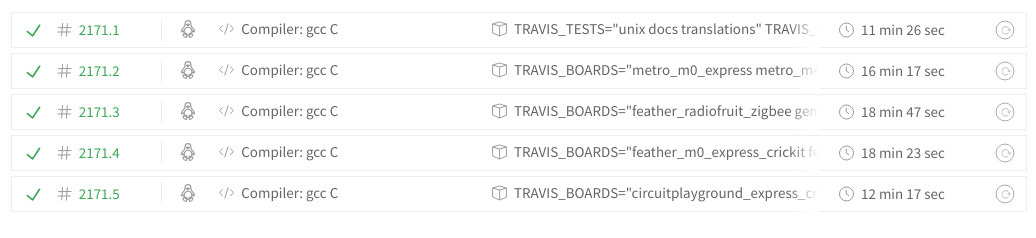
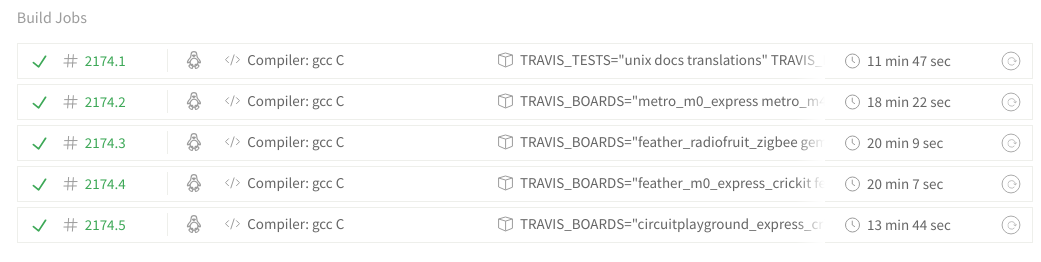
well, not faster :frowning_face:
trusty:
xenial:
errant grail
@tulip sleet Thanks for the ideas for the SSD1306 reset. The code didn't make a difference, but putting a 1uF cap from the breakout board's reset pin to ground seemed to work. Given the internal 10K pullup, that provided the ~10ms reset signal it needed. I'll need to run a few more tests to verify. Also want to see if it impacts normal use of the reset pin or if it's a bodge just for the Stemma implementation.
manic glacierBOT

Hi
We've ported our CatWAN USB Stick board to Circuit Python, support LoRa and LoRaWAN, working with library RFM9x.
https://github.com/ElectronicCats/CatWAN_USB_Stick
Thanks

Ooops! thanks for spotting this. Could be its own PR, if the update to enial is held back for any other reason.
tidal kiln
hey @idle owl - got some TMP006 driver code worked up. needs a home. can you make an empty repo please. i'll even try and delete README.md this time. 😃
manic glacierBOT

Unfortunately, it still happens. I finally got a chance to test this again (on 3.1.1)
Caveat: I am running it on a M4 Feather now instead of a Metro, doubt that would change it, but...
idle owl
@tidal kiln Please send me an email with that request though I may get to it before you send me the email.
sacred edge
Can I run Neopixel's (Sticks) with the CPX?
idle owl
@sacred edge Yes.
sacred edge
is the process of using the individual neopixels a big soldering job? and can I drive them from the CPX?
idle owl
Individual NeoPixels are a bit of work, yes. But you can drive them from the CPX as well.
tidal kiln
the software aspects are simple - it's the same as what you'd do for any other board
sacred edge
Thanks Kattni, The Neopixel "Jewel" looks like it might be exactly what I am needing.. CPX fine for that too??
tidal kiln
but for the connections - you might able to use alligator clips
idle owl
I mean the individual NeoPixels are a bit of soldering work. Software is the same between the individual ones and any other formfactor.
Yep Jewel will work as well.
You can either solder alligator clips to the jewel and connect them to the CPX or you can solder directly to the CPX if you want
or alligator clips to breadboard... lots of options
sacred edge
wonderful!... I was looking for a PIR, but you folks are out of stock at this time..
tidal kiln
another idea is to use screws that pass thru the holes of the CPX
at the jewel end, you'd want to solder though
sacred edge
thanks @tidal kiln
basically I want to use the PIR for motion, to trip the jewel into a subdued light setting for a safety light for my wife to get from bed to bathroom easily..
just figuring it out at this point...
sacred edge
Thanks @tidal kiln I'll check it out...
question, if you have multiple versions of Python on the computer, would that confuse "Mu"??
tidal kiln
@sacred edge how did you install Mu?
sacred edge
just according to the directions on the Mu Installation page... using the 64 bit installer..
tidal kiln
what OS?
sacred edge
Win 10
tidal kiln
and this is with trying to run it right after the install?
sacred edge
yes, it would not even get to the "Choose ADafruit" screen..
It has worked before, and then stopped, so I uninstalled it , re-installed it...
same result,
just says Mu 1.02 - Untitled - (Not Responding)
rather 1.01
tidal kiln
maybe related?
https://github.com/mu-editor/mu/issues/665
sacred edge
tidal kiln
do you have a board currently plugged in?
sacred edge
yes, green light, and the drive shows up..
tidal kiln
try unplugging it and see if this happens:
https://github.com/mu-editor/mu/issues/665#issuecomment-426683975
tidal kiln
don't know. but looks like a known issue.
sacred edge
yeah, so I will try to plug it in now and see what happens..
When you use Mu, what is the extension you use to save the code in?
uf2?
tidal kiln
typically you are saving directly to a circuitpython file on the board itself, so a .py extension
sacred edge
Thanks!!... You are the Man!! @tidal kiln!!
tidal kiln
np
 steady pivot
Are we doing MicroPython here too?
solar whale
@steady pivot ask away. There are some folks here with Micropython experience.
steady pivot
Not looking for help, just a community.
solar whale
Ah. Welcome. The focus here is Circuitpython but we respect our heritage 😉
pastel panther
Also plenty of people here that go both ways
manic glacierBOT

 pastel skiff
Hi folks, a few weeks ago it was mentioned on the Adafruit video channel that Edublocks was in final phases of testing a circuit python version of their block programming tool, I have poked around and really cant find much about it, does anyone have any insight on how/when/where this will be available?
pastel panther
I believe @fluid helm is the person responsible for Edublocks and should be able to let you know what the status is
 cunning trail
Question: Is there an equivalent function in CP for arduino map() for scaling number ranges? Closest thing I found was interp function in python numpy library which isn't one of the CP libraries. Thanks.
tidal kiln
yep. map_range in simpleio:
https://circuitpython.readthedocs.io/projects/simpleio/en/latest/api.html#simpleio.map_range
timber mango
Just picked up Feather LoRa for Cyber Monday. Super stoked! 📻
cunning trail
@tidal kiln thanks, I'll give it a try tomorrow.
manic glacierBOT
We were writing with quad page program including the address (0x38)
which is unsupported by the GD25Q16C but it is supported by the
flash on the DK. So, we use the single address, quad data command
(0x32).
manic glacierBOT

On 027ed82 it's somewhat different.
If I copy-paste above example line-per-line to the REPL, nothing crashes, but I get this error:
>>> ss.send("GET / HTTP/1.0\nHost: %s\n\n" % host)
Traceback (most recent call last):
  File "<stdin>", line 1, in <module>
OSError: [Errno 5] Input/output error
... which might not be a problem in the code, but could also be our network. I do get an IP and True on connected and dhcp.
But when I run it from code.py it breaks the s...
pastel panther
@tulip sleet or @slender iron this sounds maybe dumb but is there a limit of some sort on the number of methods in a module? I'm running into a strange scenario on my feather m0 express with 4.0.0-alpha.3-9-g3ca74d869 where I'm working on a driver and when I import it I get a memory allocation error if I have more than 11 methods. Uncommenting the 12th causes the import errors and so far it doesn't seem to matter which method
slender iron
No limit but I’m not sure of the allocation policies for the dictionary underneath. It could be grabbing more than it needs
pastel panther
It's strange because it's trying to allocate < 300 bytes (depends on which functions are uncommented) but mem_free is showing like 13k when everything is done
pastel panther
right
pastel panther
is CTRL-D-ing the REPL going to be getting things back to normal for valid tests or should I be going through a full reset?
In the end it doesn't matter for this driver because I only hit that apparent limit because I was in the middle of replacing some methods and had the old ones still lying around. That said I had planned to do some refactoring which might not be possible now
slender iron
Reload does reset the heap entirely
pastel panther
kk
is this worth creating an issue for? I'm leaning towards yes since I don't think I'm doing anything terribly abnormal
Now I'm just getting blank MemoryErrors with no message:
>>> import adafruit_adxl34x
Traceback (most recent call last):
  File "<stdin>", line 1, in <module>
MemoryError:
>>>
hmm, resetting fixed that...
Maybe that was a false positive; I'll keep digging
gotta run for now though
@slender iron what did you use to make the memory visualization that you did for 3.x?
slender iron
@pastel panther without a message means it didn't have enough space for the error string.
GitHub
CircuitPython - a Python implementation for teaching coding with microcontrollers - adafruit/circuitpython
thats what draws the heap
https://github.com/adafruit/circuitpython/blob/master/tools/output_gc_until_repl.txt can be used with gdb to capture the heap after every change
GitHub
CircuitPython - a Python implementation for teaching coding with microcontrollers - adafruit/circuitpython
 meager fog
@ruby lake hey CS i have a RAMPs q
and you're the only person i know with a RAMPS board
ruby lake
@meager fog hm?
meager fog
we wanna make sure that the grand central can work with a RAMPS shield
but we're not sure of some usage cases
all the stepper pins are just plain GPIO, thermistors we have connected to ADCs. there's servo ports but we dont know if they're actually used for anything?
do heaters/fans need to be on PWM or are they straight on-off
ruby lake
If I recall the ramps firmware uses pwm for heaters and 2 fans
meager fog
ok cool, they'll be 8 bit PWM but thats plenty
meager fog
kk
wow this software is...somethin

GitHub
Optimized firmware for RepRap 3D printers based on the Arduino platform. - MarlinFirmware/Marlin
thats a lot of files! o_O
ruby lake
the servo outputs are for options like auto bed-leveling, I've never used that myself
yeah the marlin source tree is kind of crazy
meager fog
k perhaps someone will be excited to do the port
manic glacierBOT

[adafruit/circuitpython] Issue opened: #1359 use circuitpython on generic linux platform with FT232H
Machine Specs: Ubuntu 18.04 Desktop on an i7 based workstation.
Background: I'm using an Adafruit HTU21D-F Humidity/Temp sensor connected to a USB pluggable FT232H breakout board (C232HM-DDHSL-0 USB2.0/I2C cable). Adafruit GPIO has support for FT232H (https://github.com/adafruit/Adafruit_Python_GPIO/blob/master/Adafruit_GPIO/FT232H.py)
Question: I want to use circuitpython, in particular, the HTU21D-F code (https://github.com/adafruit/Adafruit_CircuitPython_HTU21D/blob/m...
 prime flower
marlin is huuuuge
manic glacierBOT
[adafruit/circuitpython] New comment on issue #1342: samd: REPL disconnect problems after tinyusb PR
There is a ring buffer on the CDC output that could be filling up. Is that all allocated as one string and printed?
idle owl
GitHub
Contribute to adafruit/Adafruit_CircuitPython_TMP006 development by creating an account on GitHub.
tidal kiln
woot. thanks @idle owl
manic glacierBOT
Great! I'll stop doing reviews until then. :-)
Here or the forum is fine. @ladyada is probably the person who knows best.
@nickzoic Any ideas?
Thank you. I have also posted the question on the forum
[adafruit/circuitpython] New comment on issue #1342: samd: REPL disconnect problems after tinyusb PR
That string was a combination of read and write (ie. the session):
read:  b'>'  # previous raw repl prompt
write: b'\x01'  # Ctrl-A
read:  b'raw REPL; CTRL-B to exit\r\n>'
write: b'print(__import__(\'_os\').stat(\'/lib/unittest/test/test_assertions.mpy\'), end="")'
write: b'\x04'  # Ctrl-D
read:  b'OK'
read:  b'(32768, 0, 0, 0, 0, 0, 10790, 1543174556, 1543174556, 1543174556)\x04'
read:  b'\x04'
Now that I read this I realize its by design. The number you read back is the actual duty cycle being output. As you've found, the accuracy varies somewhat with frequency. This is due to the top value of the underlying counter varying to achieve the target frequency. I think this is how it should work, if we store the input value and then return it we'd be giving false info back.
If you want to ensure even steps from your end I recommend storing the last set value. Will that work for you?
...
@dhalbert Can this be merged?
timber mango
does anybody know what is the fastest PWM frequency i can generate with an ItsyBitsy M4?
(with CircuitPython)
in my first test i got 6MHz output.
i only need it as clock output (50% fixed duty-cycle )
i had a look at the datasheet of the SAMD51 - but that is really a big thing to read and navigate...
( i managed to get timers setup in AVRs.. but my feeling is that on this chips its another level of complexity..)
manic glacierBOT
hiya this is something we do want to do soon, it requires adding to Adafruit-Blinka and its not easy :( you can subscribe to https://github.com/adafruit/Adafruit_Blinka to get notified when we'll add it. if you have any links to good FT232H examples for python3, that would be rad. or, if you can contribute code, that would be really great :)
sacred edge
I fear my CPX is DOA.. 😦
idle owl
@sacred edge Why?
sacred edge
I write a py file over to it, and get no response... I do have a green light showing on the board.
idle owl
Do you have all of your code backed up?
idle owl
It's really hard to brick these boards. But you can corrupt the file system from time to time.
Ok, can you still get to the REPL through Mu?
Is the CIRCUITPY drive showing up?
sacred edge
yes the drive shows..
idle owl
And you're not getting any errors when you save the file? It's simply not responding?
Errors like "file system is read only"
sacred edge
Mu has not worked since a couple of days ago.. 😦
idle owl
Hmm ok. What OS are you on?
sacred edge
Win10
idle owl
What are you using to edit code?
sacred edge
when I first got the board, everything worked great... then now it doesnt
idle owl
We'll get it figured out. What program are you using to edit code?
sacred edge
right now since Idont have Mu just "Notepad"
idle owl
I seem to remember seeing from an earlier discussion that the Mu problem is a known issue, and they're likely working on it.
Ok, let's do a couple of things here.
sacred edge
ok
I do know that I tried to "delete" my Py code on the board, but it doesn't seem to be deleted..
idle owl
First of all, download Atom and use that as your code editor. It has a lot of extras with it, but it provides a simple interface that shouldn't confuse or intimidate you. I started with Atom when I first got started programming. Notepad can cause issues in the code.
Second, we're going to wipe the board completely and start fresh.
Let me know when you're ready and we'll go through the steps to wipe the board. This will erase everything on the board, and is why I asked if you had your code backed up.
(Atom doesn't have the REPL built in like Mu, but it won't cause the issues that Notepad causes.)
sacred edge
ok, atom is installing now
idle owl
Ok. We can start on the board if you're ready
sacred edge
ok, lets do it
idle owl
Double-tap the reset button on your Circuit Playground Express, so that the CIRCUITPY drive disappears and the CPLAYBOOT drive appears.
sacred edge
atom is on board and up... the Cplayboot is up
idle owl
Drag the .uf2 file you just downloaded to CPLAYBOOT. A NeoPixel should turn blue for ~15 seconds, and then it should flash green.
sacred edge
ok, so far so good
idle owl
Download a new copy of CircuitPython for Circuit Playground Express: https://github.com/adafruit/circuitpython/releases/download/3.1.1/adafruit-circuitpython-circuitplayground_express-3.1.1.uf2
sacred edge
blinking green
sacred edge
ok
idle owl
drag the new CircuitPython .uf2 to the CPLAYBOOT drive.
CPLAYBOOT should disappear and CIRCUITPY should return
sacred edge
CircuitPY drive up
idle owl
Excellent. Now, go into Atom, and create a new file containing the following: ```python
import time
from adafruit_circuitplayground.express
import cpx

   while True:
       cpx.red_led = True
       time.sleep(0.5)
       cpx.red_led = False
       time.sleep(0.5)```
Save it as code.py to the CIRCUITPY drive.
Sorry, had extra spaces in there initially.
sacred edge
ok, saved...
idle owl
Blinking red LED?
sacred edge
no
idle owl
hmm.
sacred edge
green light only
sacred edge
right just beside the connector
idle owl
Let's make sure it's not a library issue. Download this: https://github.com/adafruit/Adafruit_CircuitPython_Bundle/releases/download/20181126/adafruit-circuitpython-bundle-3.x-mpy-20181126.zip
then unzip it, and copy the lib folder inside to CIRCUITPY
idle owl
ok did you paste what I had directly? because I had to fix it, it had too many spaces in it
sacred edge
I fixed the spaces and re-saved
idle owl
That's what the drive should look like right now, so that's correct
ok
download the library bundle and copy it to CIRCUITPY
We may have to walk through connecting to the REPL because that's where errors go and there's no indicator LED on the CPX.
sacred edge
just the lib folder?
idle owl
correct
that shouldn't change anything because the cpx library is built in, but it's worth trying.
sacred edge
copying now
idle owl
ok
sacred edge
I super appreciate your taking care of me!!
idle owl
You're welcome! Hopefully we'll get this figured out.
Ok, let's get you connected to the REPL because without Mu working, you'll want it anyway.
sacred edge
ok
idle owl
Open up "Windows Device Manager"
and click on "Ports (COM P& LPT)" to expand it. What's below it?
slender iron
@timber mango it should be able to go faster than 6. The core is 120
sacred edge
USB aSerial Device( Com 6)
idle owl
And that's it?
sacred edge
yes under ports.. and a Communications Port (Com 1)
idle owl
Perfect.
Go to this part of the Welcome guide: https://learn.adafruit.com/welcome-to-circuitpython/advanced-serial-console-on-windows#install-putty-14-8 and click on "latest version of PuTTY" to install PuTTY. Then open PuTTY, and fill in the information like seen in the screenshot right after it. Except for "Serial line" you'll put "COM6"

New to CircuitPython? This is the place to start.
sacred edge
ok, now putty is open to a configuration page... next?
idle owl
fill it in like in the screenshot, except put COM6 for "Serial line"
sacred edge
ok serial line com6
idle owl
and click "serial" for connection type
if it isn't already
and put 115200 for speed
then click "Open"
and it should open a terminal window
idle owl
Um... you filled in Serial Line, Speed, clicked "serial" under "Connection type"?
oh that's not the right window
oh click "Session"
at the top of the list
sacred edge
found it!!
idle owl
that's where you fill in the info, is in that first window.
sacred edge
Puty is open
idle owl
ok, click in the terminal window so it's active, and then type "ctrl+D" to reload
sacred edge
sacred edge
import cpx
idle owl
Also, you can format code in Discord by putting three backticks on either side of it, that's the one found near the 1 key on US keyboards. code block
sacred edge
`
idle owl
paste the entire contents of your code.py into discord surrounded by three backticks on each side
sacred edge
from adafruit_circuitplayground.express import cpx

   while True:
       cpx.red_led = True
       time.sleep(0.5)
       cpx.red_led = False
time.sleep(0.5)```there it is! Ok, the import cpx should be on the same line as the from adafruit_etc
it's all one line.
sacred edge
from adafruit_circuitplayground.express import cpx

while True:
    cpx.red_led = True
    time.sleep(0.5)
    cpx.red_led = False
time.sleep(0.5)```The spacing is still wrong on the rest of it
from adafruit_circuitplayground.express import cpx
while True:
cpx.red_led = True
time.sleep(0.5)
cpx.red_led = False
time.sleep(0.5)```Python is a stickler for indentation 😄
But now that you have the serial connection through PuTTY, you'll know when it's an error in your code that's causing the problem!
And you can troubleshoot it from that point instead of guessing.
idle owl
yep
sacred edge
ok, stand by... Do I need to bump the button once or anything?
idle owl
nope
when you save it should reload
make a change and then look at the serial output as you save it
either way check the serial output if it's still not working to see if you get an error
sacred edge
I had to do Ctl-D, and now it is blinking!!! Yay!!
idle owl
yay!
Ok, so for now, use Atom and connect using PuTTY so you have the serial console available to see what's happening with your code!
but keep an eye on Mu and hopefully they'll get that issue resolved and you can go back to using it because it's easier
sacred edge
Is putty where the "Serial" prints will show up now?
idle owl
Yes!
sacred edge
I liked the graphing built into Mu....
idle owl
Put above the while True: a print("Hello, world!")
(single back tick on either side of something makes it inline code)
Yah, the graphing is nice. That one is unique to Mu.
sacred edge
yeah, that print statement worked!! You Rock Kattni!!! You got a more dedicated customer!!!!
idle owl
I'm glad we got it sorted! Great job!
idle owl
You're very welcome!
hard heart
Anyone familiar with the meaning of the various colors of the Dotstar LED on the Trinket M0? I ask because I have a CP program running just fine on it while connected to an active Serial Monitor, but an hour or two after disconnecting from the SM and reverting to a 6V battery pack (with very fresh batteries) the program seems to become unresponsive and the Dotstar starts flashing colors in a jittery/random sort of way. Frustrating that the error condition doesn't seem to happen while connected to a Serial Monitor.
Per the Trinket M0 specs: RGB DotStar LED - Instead of an always-on green LED we provide a full RGB LED. You can set it to any color in the rainbow. It will also help you know when the bootloader is running (it will turn green) or if it failed to initialize USB when connected to a computer (it will turn red). By default after you boot up the Trinket M0 it will turn a lovely violet color.
idle owl
@hard heart https://learn.adafruit.com/adafruit-trinket-m0-circuitpython-arduino/troubleshooting#circuitpython-rgb-status-light-18-18 Explains what the status blinking means. I'm not sure whether this is what is happening for you though.

CircuitPython or Arduino IDE on this tiny little microcontroller board
hard heart
@idle owl Thanks! I knew that had to be in there somewhere. Thought I had seen that but couldn't remember where. Troubleshooting, of course! <bangs head> Thanks again!
idle owl
You're welcome!
tidal kiln
@tulip sleet this thread just got some updated info if you can take a look:
https://forums.adafruit.com/viewtopic.php?f=8&t=143708&start=15#p712022
summary:
- Win10 + Trellis M4 -> boardnameBOOT locks up
- firmware was updated on a Win 7 machine
- none of the known problematic software is installed
- a CPX and Trinket work as expected on same Win10 machine
manic glacierBOT
Your statement seems to imply that the read back value of the actual duty
cycle would fluctuate slightly because the underlying target counter is
fluctuating? So if I repeatedly give it the same value at the same
frequency, and read back the result, then, because the underlying target
counter is fluctuating, the read back value would fluctuate?
I did a series of tests involving setting the duty cycle to a constant and
printing out the value. I did these at multiple frequencies and with a
r...
@tannewt This is OK by me in the current form. OK by you?
timber mango
@slender iron yeah that was my thought also...
Adafruit CircuitPython 3.1.1 on 2018-11-02; Adafruit ItsyBitsy M4 Express with samd51g19
>>> import board
>>> import pulseio
>>> pwm = pulseio.PWMOut(board.D9, duty_cycle=(2 ** 15), frequency=(6000 * 1000))
>>> pwm.frequency
6000000
>>>
works :-)
Adafruit CircuitPython 3.1.1 on 2018-11-02; Adafruit ItsyBitsy M4 Express with samd51g19
>>> import board
>>> import pulseio
>>> pwm = pulseio.PWMOut(board.D9, duty_cycle=(2 ** 15), frequency=(6001 * 1000))
Traceback (most recent call last):
  File "<stdin>", line 1, in <module>
ValueError: Invalid PWM frequency
does not - so i think the limit is the 6MHz - where it comes from - i don't know 😉
 vapid juniper
Hi guys! I just want to share our great success with the CPX
tulip sleet
@tidal kiln I'm confused that it "works as an Arduino". Do they mean on Win10? But TRELM4BOOT locks up Would be useful to know if the Win10 machine is USB-C + an adapter. Could try a USB hub on the Win10 machine and see if it works better. It would be good to disable Norton temporarily and see if that helps. It could be some kind of USB timing problem but that's weird. Can a .uf2 be dragged to TRELM4BOOT? Try this latest build: https://adafruit-circuit-python.s3.amazonaws.com/bin/trellis_m4_express/adafruit-circuitpython-trellis_m4_express-en_US-20181127-4e8531f.uf2
vapid juniper
With a program we did called Invent to Learn https://codeparkhouston.org/blog/2018/10/5/invent-to-learn

Code Park Houston | Houston, Texas
As a lifelong techie, I sometimes struggle explaining computer science concepts to people who are just beginning to work with code. It is challenging to break concepts down into meaningful chunks that a new learner can understand. Amanda Shih and Wanjun Zhang, founders of Cod...
and also lesson plans we made
We started with simple minecraft pi and python, and ended up showing students how to collect store and visualize data with their CPX
and tied everythign together with python.
tidal kiln
@tulip sleet I think they mean they can program it on the Win10 machine with Arduino. But any attempt to convert to CP fails as the TRELM4BOOT folder locks up when they try to drag over firmware.
vapid juniper
sorry if this is the wrong channel to share.
tulip sleet
@tidal kiln All I saw was that trying to read INFO_UF2.TXT causes a lockup, but not about dragging to it.
prime flower
@vapid juniper nice!!
tulip sleet
@vapid juniper This is great! Could you post this in https://forums.adafruit.com/viewforum.php?f=48
tidal kiln
hmmm. good point....i think i was assuming that.....
tulip sleet
it might be due to some weird editor they were using to try to read that file, or something like that
tidal kiln
@vapid juniper nice! esp. like the use of data plotting!
vapid juniper
@tulip sleet will do!
@tidal kiln thank you! 😃 our students really enjoyed it too. it was awesome hearing them talk about charts and understanding trends, beyond pie chart that were taught to them in school.
they also got to keep their CPX at the end htanks to our site partner Fab Lab Houston.
hopefully they'll do more stuff with it.
tulip sleet
@timber mango @slender iron 6MHz limit is hardwired in circuitpython/ports/atmel-samd/common-hal/pulseio/PWMOut.c. Not sure where that number comes from. It could be computed rather than hardwired, based on the minimum divisor and the input clock to the TC/TCC.
timber mango
ok for now i go to bed.
tomorrow i will have a look and try to understand the code and see if i get someting modified to work 😉
thanks @tulip sleet for the information and pointer!
tulip sleet
@timber mango (I corrected a typo in the path above)
timber mango
@tulip sleet thanks :-)
at a first look i think the problem is that the code currently tries to get the highest resolution out of the timer - this limits the frequency. so eventually it is needed to specify this somehow another way... (make a subclass that does the same but with highspeed as priority...)
https://github.com/adafruit/circuitpython/tree/master/ports/atmel-samd circuitpython/ports/atmel-samd/common-hal/pulseio/
tulip sleet
are you just trying to get a square wave at max frequency out?
timber mango
yes
tulip sleet
running continuously?
timber mango
best case would be a square wave with up to 33MHz.
yes
tulip sleet
So rather than PWMOut, it's really just ClockOut, because the duty cycle is 50% always, right?
timber mango
correct - is there a ClockOut thing?
tulip sleet
this is that TLC chip still, right?
timber mango
😉 correct
its working here... so fare - but i would like to test the higher grayscale clocks...
 tulip sleet
well, for now, you can just remove that limit check and see if it helps. If so, we can think about a simple ClockOut or FrequencyOut or something.
manic glacierBOT
 manic glacierBOT

I'll have a look ...
OK so I've built Adafruit CircuitPython 4.0.0-alpha.3-25-gf6c73b35f-dirty (current master: it's only dirty due to some problem with the nrfx submodule, I'll worry about that later)
The code on the PR works:
import board
import busio
import wiznet

spi = busio.SPI(clock=board.SCK, MOSI=board.MOSI, MISO=board.MISO)
eth = wiznet.WIZNET5K(spi, board.D10, board.D11)
eth.connected

host = 'example.com'
import socket
fam, typ, pro, nam, sockaddr = socket....Trinket M0, board locks up after a while when operating on 6v battery pack. The Green LED stays constantly lit, the Red LED flashes on and off slowly, and the DotStar RGB LED flashes alternately Yellow and Purple. The Purple color occurs in sync with the Red LED coming on. This does not seem to match any of the info on the RGB LED in the Debugging Trinket M0 section of the docs.
Any suggestions?
It all seems to work while hooked up to an active Serial Monitor.
But stops after about an hour of operating on battery alone.
Was hoping the flashing LEDs would give me a clue, but if it does, I don't understand it.
timber mango
Why are you describing something in detail while at the same time providing no code at all?
RESCINDED (without rewriting history.) ;)
tulip sleet
@hard heart meaning of RGB colors: https://learn.adafruit.com/adafruit-trinket-m0-circuitpython-arduino/troubleshooting#circuitpython-rgb-status-light-18-18
yellow/purple might be value error on line 10
@timber mango please ask q's in a more positive way
timber mango
Understood!
tulip sleet
thanks!
timber mango
@hard heart if you would please provide your code, I may have some further insight to offer.
sorry about the 'tone of voice' in my last. ;)
exotic pumice
Once I get my clocks sorted we need to add rust to this article https://learn.adafruit.com/alternative-languages-for-programming-SAMD-boards

You can program the new SAMD51 boards in Makecode, C++, and Python. How about Lisp or Forth? Why not?
still waiting for my swd breakout to ship
manic glacierBOT
Sorry, I meant to say the read back value may be different from the set value. The returned value should always be the same for a given frequency, set value and underlying timer. Its due to resolution loss in the underlying capture/compare value that drives the duty cycle.
manic glacierBOT
[adafruit/circuitpython] New branch created: tannewt\-patch\-5
272be10 Fetch back to 4.0.0-alpha.2 so Travis has the l... - tannewt
manic glacierBOT

some more references i found on my search that could be helpfull:
- Generating DMX512 - simple demo pointing to clacktronics/pyb_dmx
- claudeheintz/LXESP32DMX
- chrisstaite/TeensyDmx (active development)
[adafruit/circuitpython] Pull request opened: #1360 Make sure the commit builds include version info
Some libraries change behavior so lets make sure we have the latest tags when Travis builds.
manic glacierBOT
- on current master c47c495
- Featherwing on top of the Feather, RST is not connected
- powered from my laptop USB - has not been a problem with the same device when using Arduino
On the REPL:
Adafruit CircuitPython 4.0.0-alpha.3-28-gc47c495ac on 2018-11-28; Adafruit Feather M4 Express with samd51j19
>>> import board
>>> import busio
>>> import wiznet
>>> import socket
>>> spi = busio.SPI(clock=board.SCK, MOSI=board.MOSI, MISO=board.MISO)
>>> eth = wiznet.WIZNET5K(spi, bo... manic glacierBOT
I ran into this difference in behavior between CircuitPython and Python 3.6 on my Linux box.
Is one more correct than the other?
When a variable stored as a byte overlflows, on CircuiPython, it just "wraps" but on Python 3.6 it throws an error.
The CircuitPython behavior is more like "C" if the variable is declared as a uint8_t.
CitcuitPython
Adafruit CircuitPython 4.0.0-alpha.3-25-gf6c73b35f on 2018-11-27; Adafruit ItsyBitsy M4 Express with samd51g19
= bytearray({0x80,0x70...
 manic glacierBOT
FYI - there is a simple workaround under Linux:
jerryneedell@Ubuntu-Macmini:~/circuitpython_master$ python3
Python 3.6.7 (default, Oct 22 2018, 11:32:17)
[GCC 8.2.0] on linux
Type "help", "copyright", "credits" or "license" for more information.
>>> x = bytearray({0x80,0x70,0x60,0x50})
>>> x[0] = (x[0] <<1)&0xff
>>> x[0]
0
>>>
I'm having trouble fining the storage, nvm, and like the main 'sterf' in cp.
Anyone mind showing me where? (attempting work on the scratch ram module)
please
tulip sleet
@marble hornet look in shared-bindings/<module-name> first. These define the Python-visible bindings to built-in modules. Then there are port-specific implementation routines in ports/{atmel-samd,nrf, etc.}/common-hal/<module-name>.
If a built-in module has implementation code that is port-independent, it's in shared-module/<module-name>. There may be some common code there and some port-specific code in common-hal/.
marble hornet
thank you @tulip sleet, i have another question 😅 . is there a naming convention for cp branches?
tulip sleet
you mean for a feature addition in a PR? Nope, just choose something meaningful. It doesn't matter, since once it's merged the branch will go away anyway
marble hornet
thnx
tulip sleet
if it were, say, 3.x-specific, I might prefix it with 3.x, but only to distinguish it from a similar branch that's for master
marble hornet
and it should go in 4?
solar whale
@tulip sleet just found another strange Cpython vs CircutPyhton difference -- shoudl I open an Issue or just post it here for discussion?
tulip sleet
I am looking up the bytearray assignment thing. It's some MicroPython decision, e.g. https://github.com/micropython/micropython/issues/3204
ga and mention it here
solar whale
here is a Linux python 3 example ```jerryneedell@Ubuntu-Macmini:~/circuitpython_master$ python3
Python 3.6.7 (default, Oct 22 2018, 11:32:17)
[GCC 8.2.0] on linux
Type "help", "copyright", "credits" or "license" for more information.
x = bytearray({0,1,2,3})
y = bytearray([0,1,2,3])
z = bytearray((0,1,2,3))
x
bytearray(b'\x00\x01\x02\x03')
y
bytearray(b'\x00\x01\x02\x03')
z
bytearray(b'\x00\x01\x02\x03')
x==y
True
x==
File "<stdin>", line 1
x==z
True
x = bytearray({0x00,0x01,0x02,0x03})
y = bytearray([0x00,0x01,0x02,0x03])
z = bytearray((0x00,0x01,0x02,0x03))
x
bytearray(b'\x00\x01\x02\x03')
y
bytearray(b'\x00\x01\x02\x03')
z
bytearray(b'\x00\x01\x02\x03')
x = bytearray({0x80,0x70,0x60,0x50})
y = bytearray([0x80,0x70,0x60,0x50])
y = bytearray((0x80,0x70,0x60,0x50))
z = bytearray((0x80,0x70,0x60,0x50))
x
bytearray(b'\x80Pp') y bytearray(b'\x80pP')
z
bytearray(b'\x80p`P')
x==y
False
x==z
False
y==z
True
here it is unde CircuitPython ```Press any key to enter the REPL. Use CTRL-D to reload.
Adafruit CircuitPython 4.0.0-alpha.3-25-gf6c73b35f on 2018-11-27; Adafruit ItsyBitsy M4 Express with samd51g19
x = bytearray({0,1,2,3})
y = bytearray([0,1,2,3])
z = bytearray((0,1,2,3))
x
bytearray(b'\x00\x01\x02\x03')
y
bytearray(b'\x00\x01\x02\x03')
z
bytearray(b'\x00\x01\x02\x03')
x==y
True
x==z
True
x = bytearray({0x80,0x70,0x60,0x50})
y = bytearray([0x80,0x70,0x60,0x50])
z = bytearray((0x80,0x70,0x60,0x50))
x
bytearray(b'\x80pP') y bytearray(b'\x80pP')
z
bytearray(b'\x80p`P')
x==y
True
x==z
True
note how they agree for 0,1,2,3 but not for 0x80,0x70,0x60,0x50
marble hornet
which comes first during intit? __init__.c or .h?
tulip sleet
@solar whale bytearray({x,y,z}) is iterating over a set to get the values, and the order of that may not be defined. There's a whole issue about whether insertion order is preserved for dictionaries (and probably sets).
@marble hornet not sure I understand the question. __init__.h is not executed: it's just declarations
solar whale
@tulip sleet thanks -- clearly the use of "{}" is not what I wanted !
marble hornet
okay... i think i;m just under-educated as far as internal cp. when one makes cp are .h files used? are .c files the libraries themselves ?
tulip sleet
the .h files are used by the compiler to provide declarations, etc. This is a C thing, not CPy.
the .c files are the executable code (though sometimes people put inline decls in .h files (we usually don't)
 lusty bough
Is there any way I could run standard Python and circuitpython in Juypter?
marble hornet
okay. so ___init___.c makes the nvm module.(correct?) but the other files facilitate it's function.
tulip sleet
@solar whale regular dicts were officially guaranteed to be ordered dicts (insertion order, not sorting) in Python 3.7, though as a feature it was added in 3.6. Huge thread here: Guarantee ordered dict literals in v3.7?: https://mail.python.org/pipermail/python-dev/2017-November/150142.html. MicroPython drama here: https://mail.python.org/pipermail/python-dev/2017-November/150383.html
solar whale
@tulip sleet as to the bytearray issue -- that is not quite the same but probably would be responded to the same -- the case disussed is for a negative value but the case I ran into is an overflow. On can argue if 0xff iss == -1 but clealy 0x100 cannot be stored in a byte so I can see the reason for the ValueError.
Thanks for the link re: dicts -- interesting.
tulip sleet
@marble hornet the other files provide the classes in the module.
marble hornet
👌 thx
tulip sleet
the __init__.c is the module itself, yeah.
@solar whale the MICROPY_FULL_CHECKS thing mentioned in the micropython issue is only used one place, when a bytes() is initialized. MPy is not very consistent.
marble hornet
and cp names the module nvm b/c of the folder name? or is that declared and i just missed it?
solar whale
@tulip sleet At least I know how to fix the overflow issue and I should not have been using "{}" anyway -- learning ...
tulip sleet
@marble hornet the filenames don't name the module - it's in a declaration. The filenames could be anything: it's just a conventino. Look for the QSTR_blah_blah stuff. The .c and .h files are preprocessed to look for QSTR_something, and those mentions are converted into special strings that are kept in a dictionary ("interned" strings that are used as names): e.g. https://github.com/adafruit/circuitpython/blob/master/shared-bindings/nvm/__init__.c#L52
@solar whale yes {} is def not the right choice there 😃
solar whale
@tulip sleet shpuld I go ahead and clse the bytearry issue or do you want to add a note to it
tulip sleet
just point to the micropython issue and then close it. You could add a comment to the micropython issue as well if you want. We tend to leave core language issues to MicroPython unless they're egregious. Jeff Epler did a lot of work on finding errors in the core language stuff and we encouraged him to submit that upstream.
manic glacierBOT
Thanks @dhalbert for point out this Micropython discussion on a related issue
https://github.com/micropython/micropython/issues/3204
Closing this as it appears to be a Micropython implementation decision and is easily fixed.
tulip sleet
@lusty bough you mean simultaneously?
solar whale
@tulip sleet Thanks -- I closed it in CP and posted it to the MP thread.
tulip sleet
@lusty bough @prime flower knows a lot about Jupyter. repeat q again. If he doesn't respond, would be good to post in the forums: https://forums.adafruit.com/viewforum.php?f=58
lusty bough
@prime flower Is it possible to run both Circuitpython code and normal python code in Jupyter? I was hoping to get some data from Circuit python and then process it in Jupyter
 craggy harbor
hey guys, I need some help with busio.spi read
How can I send an address (where I want to read from) and then get the response?
Essentially, I need to make this code work with circuitpython: return self._spi.xfer([self.READ_SINGLE_BYTE | address, 0x00])[1]
prime flower
@lusty bough hi! kinda
@lusty bough do you want to run CP and Python in the same notebook?
lusty bough
Yes, ideally
If that's not possible, finding some way to stream data live would be great as well.
prime flower
short answer - not really, since each language is a kernel and the notebook is specific to that kernel. CP is really different since it provides more than language support (board/repl/serial)
SoS is a workflow system I was looking into earlier this summer when I was working with the Jupypter  integration. It can provide a multi-language notebook, which is what you're looking for.
lusty bough
I kind of suspected that was the case. I'll look into SoS
prime flower
It can also facilitate data exchange between kernels, which is exactly what you want. I didn't dig as far into it since I was focused on the cpy kernel at the time, but it seemed to be what I wanted at the time.
craggy harbor
@fluid helm How can I send an address (where I want to read from) and then get the response?
Essentially, I need to make this code work with circuitpython: return self._spi.xfer([self.READ_SINGLE_BYTE | address, 0x00])[1]
prime flower
there's an active proposal for a Data Bus, which will render SoS extinct (https://github.com/jupyterlab/jupyterlab/issues/5548) but for now, SoS is exactly what you want. I haven't tested it with the CPY kernel, but if you hit a bump file an issue and I'll work with it more

GitHub
JupyterLab computational environment. Contribute to jupyterlab/jupyterlab development by creating an account on GitHub.
@craggy harbor something like this is possible with the busdevice-https://github.com/brentru/Adafruit_CircuitPython_TinyLoRa/blob/master/adafruit_tinylora/adafruit_tinylora.py#L369

GitHub
LoRa and The Things Network - with CircuitPython! Contribute to brentru/Adafruit_CircuitPython_TinyLoRa development by creating an account on GitHub.
tulip sleet
@craggy harbor write_readinto is write and read simultaneously: https://circuitpython.readthedocs.io/en/3.x/shared-bindings/busio/SPI.html#busio.SPI.write_readinto
the "address" is just data in an SPI request, nothing special about it from the transfer point of view
what code are you trying to translate?
hard heart
@timber mango Happy to provide code. Not near my rig now, so it will be later today. Also, will attach a video of the lights blinking. Didn't realize that would be helpful.
craggy harbor
@tulip sleet I tried that already, but got "None" as an answer :/ Probably an error somewhere else..
craggy harbor
I am "porting" this: https://github.com/nahueldsanchez/pycc1101

GitHub
PYCC1101 a simple Python wrapper for the CC1101 RF Transceiver. I've been using it with a CC1101 Arduino module connected trough SPI to a Raspberry Pi. - nahueldsanchez/pycc1101
tulip sleet
you mean you got None in buffer_out? the function doesn't return the data: it writes it into buffer_out
@prime flower's example is good
craggy harbor
I'm looking at the example now 😃
prime flower
@tulip sleet I'm running against a pylint error with methods which get flaggedno-self-use, so I've removed the self in the functions but pylint tosses more errors
i.e: https://github.com/brentru/Adafruit_CircuitPython_TinyLoRa/blob/master/adafruit_tinylora/adafruit_tinylora_encryption.py#L204. I understand why Pylint throws it, I think. It's because it never accesses self.X
GitHub
LoRa and The Things Network - with CircuitPython! Contribute to brentru/Adafruit_CircuitPython_TinyLoRa development by creating an account on GitHub.
craggy harbor
Nice, it's working now!
I'm not using the presented code directly, but it gave me the hint why it did not work. I now use this:
with self._device:
self._spi.write(databuffer, end=1)
self._spi.readinto(databuffer, end=2)
prime flower
whoo!
tulip sleet
@prime flower you could make them be @staticmethod and take away the self arg
craggy harbor
😄
main meteor
@pastel panther Mentioned wanting to see a SWD implementation on an Itsy M4. Looks like you can do SWD with a plain Arduino: https://learn.adafruit.com/programming-an-m0-using-an-arduino
manic glacierBOT
Okie Dokie
On Tue, Nov 27, 2018 at 11:49 PM Scott Shawcroft notifications@github.com
wrote:
Sorry, I meant to say the read back value may be different from the set
value. The returned value should always be the same for a given frequency,
set value and underlying timer. Its due to resolution loss in the
underlying capture/compare value that drives the duty cycle.—
You are receiving this because you authored the thread.
Reply to this email directly, view it on GitHub
<ht...
prime flower
@tulip sleet @staticmethod worked, didn't know about those, thanks!!
slender iron
@main meteor I'd love to see it from CircuitPython too. I have some samd09 boards I could use it for
craggy harbor
is zfill not included in the python standard library?
circuitpython doesn't seem to like it
🤔
pastel panther
@main meteor looks like I owe Alex Taradov yet another beer
I'll probably look into porting that when I have some spare cycles
tidal kiln
same in what they do, but different products - the TMP007 is the newer TMP006
idle owl
the what they do was what I was wondering about. Thanks
tidal kiln
yep - this is why i was asking you about renaming a repo, whenever days ago
tidal kiln
the TMP006 and TMP007 drivers could both live in the same place
idle owl
I thought I knew, but wanted to make sure.
Right but that would involve breaking the repo and a lot of other things.
So it is what it is.
tidal kiln
yep. fine by me. or if you can think of a better solution, go for it.
idle owl
Only option is a new repo and then update everything from the new repo.
which we talked about but decided not to do.
eh. it's fine how it is. if it becomes a nightmare to support them separately, we'll combine them.
tidal kiln
agree
idle owl
Pro-tip: sometimes something you think is in your bash history isn't, and you add the wrong remote to a repo by running the last remote add you had in your history.... 🤦
Didn't notice until I pushed my branch to the entirely wrong repo.
tidal kiln
probably not supported in CP
craggy harbor
hmm ok weird. it's a standard library function.