#circuitpython-dev
1 messages · Page 200 of 1
 idle owl
 tidal kiln
or, looking at the simple calling program example:
while True:
    #
    # do some stuff, like read buttons with GPIO
    #
    ss.update() # blocking, but only does what's needed and returns
the "do some stuff" part could have different execution times
tidal kiln
so the fade in/out would be non-smooth
idle owl
ok
tidal kiln
before, you had blocking, guaranteed smooth behavior:
        for b in range(100):
            backlight.duty_cycle = b * MAX_BRIGHTNESS // 100
            time.sleep(0.01)
yep
idle owl
or wait, if it's using time.monotonic, isn't it still fading only for the 0.01 difference?
tidal kiln
that just prevents the calling program for calling it too fast
idle owl
oh
tidal kiln
so it limits fade in / out speed
 raven canopy
probably higher. 1ms loop will be difficult to achieve...
idle owl
hmm. it already seems long, tbh.
tidal kiln
compare with this:
def update(self):
    now = time.monotonic()

    if current_state == self.FADE_IN:
        for b in range(100):
            backlight.duty_cycle = b * MAX_BRIGHTNESS // 100
            time.sleep(0.01)
        current_state = self.SHOW_IMAGE

    if current_state == self.SHOW_IMAGE:
        if now - time.monotonic() > self.dwell:
            current_state = self.FADE_OUT

    if current_state == self.FADE_OUT:
        for b in range(100, -1, -1):
            backlight.duty_cycle = b * MAX_BRIGHTNESS // 100
            time.sleep(0.01)
        current_state = self.NEXT_IMAGE

    if current_state == self.NEXT_IMAGE:
        #
        # load the next image
        #
I just changed it to time.sleep(0.1) and it took forever
tidal kiln
the fade in / out time will be ~ 100 * 0.01 secs
tidal kiln
{number of loops} * {sleep time}
idle owl
ergo why you called it steps.
tidal kiln
so this approach has guaranteed smooth fade in / out, but the fade in / out are blocking
idle owl
right
tidal kiln
depending on how fancy you want to get, you could just go with that approach and mitigate the blocking by "tuning" the loop count and delay times
i.e. minimize {number of loops} * {sleep time} so it's below what ever is deemed acceptable
idle owl
hmm
idle owl
nothing I'm coming up with here seems helpful.
tidal kiln
meh
if now - time.monotonic() > self.dwell:
that's all wrong...
idle owl
have to set it to be something first I thought
tidal kiln
will need some kind of "time image was first shown" variable
 meager fog
is anyone here super excited to use LoRaWAN with circuitptyhon?
idle owl
Hey @meager fog 😃
meager fog
hihi kattni
 pastel panther
LoRaWAN WHOOOOOOO
 manic glacierBOT

Positive outcome from this issue - a blog post describing how to optimize the performance of CircuitPython code:
https://medium.com/@urish/embedded-python-cranking-performance-knob-up-to-eleven-df31a5940a63
meager fog
@pastel panther are you volunteering 😄
pastel panther
sure! What am I doing now?
manic glacierBOT
Thanks for the feedback @dhalbert , rebase + make translate done !
 modest atlas
Does anyone know if there is a circuitpython library for the color tft joystick feather
idle owl
Not yet
meager fog
@pastel panther it would be a port of an avr/C lorawan library to circuitpy
probably a good project for someone who knows C and some AVR stuff
but its mostly just plan C, half the code is AES implementation
pastel panther
@meager fog As interested as I am, I don't think I'm the person to do that in an expedient manner, at least not yet
manic glacierBOT

Interest in this topic has revived recently. I did a little more looking and thinking.
I think people rarely need msec resolution over weeks, but they need time keeping that doesn't wrap around or that is precise enough to measure relatively short intervals. There are no builtin timing mechanisms that start counting at zero when they're instantiated.
- We could implement an elapsed time interval counter that counts, in, say, msec or usec. It would start at zero on
__init__(), could b...
pastel panther
I f you want it to take several months then we can talk 😛
meager fog
lol yah
@idle owl ok i did up the dotstar guide a bit
Accounts
so its ready for python/circuitpy next week
idle owl
ok keen
I have a project running DotStars off of a RPi using Python and there's no level shifter, in fact I had no idea it was necessary until many months later when it came up with hooking DotStars up to the CP boards. I guess it shouldn't have ever worked in the first place but it does still.
meager fog
you dont need it
idle owl
ah ok... I planned to convert it to running CircuitPython and had to trial-and-error it onto a particular set of pins on an ItsyBitsy to get them to respond quickly, and I'm not sure it'll be consistent enough to do a guide for it, as in whether it'll run right on another Itsy setup or if it's a fluke that it's working like it is on this one. I think clock is on the 5V logic pin, and data is on another pin that is a hardware-SPI combination with it, but there was another combo that didn't work, or it didn't work with data on the 5V pin and clock on the other one... something like that. I wanted it to be super compact though, so adding a level shifter was out. It's going to use a Joy Featherwing as the controller - Noe printed me a case that holds the joywing above an Itsy. (I haven't worked in this in ages, but that's where I left it off.)
tidal kiln
@idle owl got something that at least works...simple blocking fade in/out...
https://gist.github.com/caternuson/b07697184285d19b814df3baf2f2baa3
and then...
import slideshow_async
ss = slideshow_async.SlideShow()
ss.init()
while True:
    ss.update()
@meager fog I posted what I have for the slideshow code - @tidal kiln's been a huge help. Did you want me to work on getting it asynchronous now? Or are we going to ship it blocking and potentially upgrade it later and I should plan on heading back into PyPiland.
@tidal kiln ooh look at that yeild!
pastel panther
@idle owl I think you either want both clock and data a 5v level or neither
idle owl
@pastel panther it works with only one 😄
idle owl
Neither means it's really slow to respond, or half of them don't light up, or other various behavior.
I found a pin combo that has super fast response...
tidal kiln
loop is now moot...can be removed..
manic glacierBOT
.travis.yml has
git:
  depth: 1
This means that if a another merge happens before a travis build is complete, the subjobs in that build will start breaking. I noticed this more lately due to the increase in PR's.
depth: 1 was added a few months ago to speed up builds. Maybe we should make it depth: 6 or similar, to allow a few closely-spaced merges? Or maybe we don't care, because the merge build will get superseded anyway by the next merge?
@arturo182
@tannewt
pastel panther
could it have been hardware vs bitbang spi?
idle owl
it is a hardware SPI combo
pastel panther
(for speed at least)
idle owl
but other HW SPI combos didn't work the same
it was only this combo.
¯_(ツ)_/¯
oh right @tidal kiln you don't have the exception handling in there... heh. I have an invalid file on mine 😄
idle owl
@pastel panther that's why I think it's a fluke. and would not be consistent on another setup, but I haven't tried it
which is why it wouldn't be a good candidate for a guide if that's the case.
tidal kiln
i left bad file handling as a homework assignment 😃
idle owl
@tidal kiln hehe fair enough, I had it in the other one, that's why I was confused momentarily
pastel panther
I can try on my bitsy if you want
tidal kiln
hopefully it helps, better than talking in abstract code snippets
idle owl
@pastel panther it's been a while, I'd have to dig up the code, but if/when I do, I'll have you try it.
@tidal kiln this helps a ton, thank you so much. again and again 😄
tidal kiln
ok. gotta run. good luck!
idle owl
👋 thanks again @tidal kiln
manic glacierBOT
If you are willing to submit a PR that would be great. If you're hesitant, we can add it ourselves. You get PR points toward your Haktoberfest shirt if you submit a PR.
 sudden coral
Something I've noticed about my Feather M4 Express: the yellow USB status light is not solid - it flickers. Quickly, but slowly enough that I can notice the refresh rate (probably 5-10 flickers per second?). I have a hypothesis that this is why HID events are painfully slow to send from this chip (comparing against my Pyboard running MicroPython, it's probably 5-10x slower). Would hacking up the CircuitPython source to disable things I know I won't use like the USB Flash Drive emulation help this at all, or is this a processor slowness limitation (which I don't see as suuuuper likely given some of the other hardware Circuit and Micropython can run on)?
 solar whale
@sudden coral isn’t the yellow LED the lipo charging status? It flickers if no lipo installed. I was not aware of a USB status.
sudden coral
oh, is that what that is? I was jumping to an assumption based on its proximity to the USB port
solar whale
All the feather have lipo charging circuits and the yellow LED indicates the charge status. The M4 guide does not say much about it 😦
idle owl
I think the flickering yellow one is an activity light....
solar whale
On the feather?
idle owl
Maybe?.... They're different on different ones
solar whale
Ok. I may be wrong. Sorry. Is there some documentation on it?
idle owl
You may be right, I get confused because I think it changed. It was the charge status for a while
pastel panther
No, that's the charge status led, just checked the schematic
idle owl
But, for example, on the Hallowing, the flickering is activity I think, because it's just on flickering constantly and there's no battery plugged in.
solar whale
It metro has activity liights but I was not aware of any on the feathers
idle owl
Checking
solar whale
That is what it does!
idle owl
Yah M4 feather, activity light
flickers immediately and constantly while it's plugged in
Or whatever it's supposed to be called anyway
solar whale
Where do you see that?
solar whale
It is the charger. Not usb activity
idle owl
On even though it's not charging anything?
pastel panther
solar whale
That’s why it flickers
pastel panther
For what it's worth I thought the same thing until about a minute ago (:
idle owl
I feel a little better
pastel panther
I just so happens I had the board file loaded in eagle from helping someone yesterday but yea, yay open source
solar whale
@pastel panther so - what does that trace tell you?
pastel panther
@solar whale That it goes from the led's resistor to pin 1 of this:
https://www.sparkfun.com/datasheets/Prototyping/Batteries/MCP73831T.pdf
which is the "stat" pin
I suppose the screenshot needed a bit of context
idle owl
I assumed it backed up what you said. So I went with it.
solar whale
@idle owl from the Hallowing guide It's normal for the yellow CHG LED to flicker when no battery is in place, that's the charge circuitry trying to detect whether a battery is there or not. If you are powering only over USB, you can cover it with tape
 steep moth
Lol.
 ruby atlas
or you can stab the led with your soldering iron until it melts away
steep moth
Or, you can have a wire touch it in the wrong spot and have it blow up.
ruby atlas
magic smoke!
steep moth
That's what happened. Well, it was more like a little pop.
solar whale
The feather_m4_express does not say much about the charging circuit. I think it is common to all the feather MCU boards.
idle owl
@solar whale Agreed.
steep moth
The flickering battery led is very common. All three of my feather 32u4 boards do it.
pastel panther
@solar whale pretty sure it is. I have some of those charge controllers left over from a previous "all the feather parts" arrow order
steep moth
Correction, two of my feather boards do it. My third one has a blown led.
pastel panther
you should fix that
steep moth
Eh, it's not that big of a deal.
pastel panther
how will you know if your battery is charging?!!!
steep moth
Magic.
pastel panther
I just count the pixies as they go by
steep moth
Yes, exactly. Or I solder some wires on it to a large led, and watch it flicker when the battery is not plugged in.
ruby atlas

Need some big indicators? We are big fans of these huge diffused red LEDs. They are fairly bright so they can be seen in daytime, and from any angle. They go easily into a breadboard and ...
i can't find any bigger ones.
steep moth
Oooh, LEDs.
ruby atlas

These pretty strips of light are plastic diffused backlights, often seen in LCD displays. Normally they're tucked behind the LCD and shine white light from below. Here, we've got the ...
there's your charge indicator.
steep moth
Yes! I can write a message on it too, like "This is going to take a while". That's going to be hard to write on there.
solar whale
@meager fog I'll be happy to delve into the lorawan project -- Do I need more than a pair of LORA boards to get started on it?
steep moth
Hello @solar whale. How are you doing today?
solar whale
@steep moth Hello! I'm doing well, thanks - caught up a a few projects -- many more to go! -- How are you?
steep moth
I am also doing well. I have been working on a few things, mainly helping people today.
Oh, hmm... I guess I should probably turn off my soldering iron.
solar whale
Thats great -- nice to see you helping folks.
steep moth
I like it when people help me, and I like helping people back.
I may not know as much as some of the people on here, but I try my best.
solar whale
You learn a lot by helping people as well!
solar whale
It's been working for awhile -- Not much new on it. I spent most of the da playing with the stuff from ADABOX 009 -- hallowwing and accessories -- lots of fun.
solar whale
There has been a lot of new works done for Circuitpython display support so I am trying to come up to speed on it..
steep moth
Cool. I am currently working on a cable and board so I can connect my ItsyBitsy M4 Express to my 2,4" TFT Featherwing a little bit easier.
solar whale
I enjoy the ADABOXes . always something fun even if I have most of the parts already -- there are great new projects.
steep moth
Lol.
solar whale
There are a lot of wires for that -- I have an old TFT from an Raspberry Pi that I use with some feathers -- kind of messy , but it works.
steep moth
Lol. I have been salvaging some LCD screens from various electronics. That got messy too. I was going to buy a I2C shield for one of my LCDs, but I didn't want to spend any money at the time, so I made my own. Only had to use 4 wires instead of 8, I think.
solar whale
nice!
steep moth
I might eventually buy the I2C shield, so I can use all the buttons on my custom game controller. I took one of the MCP23008's off of it.
@solar whale Have you used Pi Hole yet?
solar whale
I set one up quite awhile ago and used it for a few months - Itworked OK and was fun to try, but I don't use it any more. I had some network issues and it was adding confusion -- for me!
steep moth
My dad set it up yesterday, it works great. He had to disable IPv6 on the router because it was causing issues.
Eventually I am going to get a new raspberry pi (My current one is a raspberry Pi B+) so I can run some servers on it like OctoPi.
solar whale
The 3B+ is nice -- It runs a lot cooler than the 3B even tough faster.
as long as you have a good power supply for it!
steep moth
So what is this whole LoraWan thing that keeps popping up?
solar whale
There is a open network that people can connect a LORA radio so you can connect systems together easily - I t also make it easier to access a gateway to the internet from a LORA system that does not have it. LORA board can typically only transmit a few km but if you connect them into a network you can cover a lot more area.
steep moth
Oh, cool.
solar whale
I've played a bit with LORA, but am new to LORAWAN so interested in learning about it.
solar whale
They are nice too, but even less range .
steep moth
Yeah, but I don't really need the long range. I initially bought them to make a wireless controller. I was able to control a robot in real time, but it didn't work that well.
solar whale
I use my RFM69 to relay temp/humidity from outside to an esp8266 that then can relaly it to AdafruitIO so I can monitor it. Kind of overkill, but it was fun to set up.
steep moth
Nice!
I might make my controller Bluetooth or something so it is more responsive. I might use circuit python instead of Arduino, I really don't know yet.
solar whale
I am trying to learn about using BLE -- looking forward to the nrf52 boards and CircuitPython support for them. There is a lot going on!
steep moth
Azure Skies was going to use Bluetooth with the Feather M4. He sent a link to some cheap Bluetooth modules on amazon.
pastel panther
@solar whale is going hard on nrf testing
twiddles his thumbs as he waits for his thermocouple to freeze
raven canopy
hehe. the joys of lib'ing. i just finished a pylint battle. ⚔
solar whale
It's time or me to get some sleep -- Nice to chat -- Goodnight all! 💤
pastel panther
I should have just put the whole breadboard in cause I'm just going to have to do it again
night @solar whale
raven canopy
night @solar whale! 💤
steep moth
Good night @solar whale 😴
 gusty topaz
Guys, judging by the REAME.md document here, looks like CP already supports BLE!. Are there any examples available on how to use it with the Bluefruit iOS App just like the ones for the Arduino library?.

GitHub
CircuitPython - a Python implementation for teaching coding with microcontrollers - adafruit/circuitpython
 tough flax
So, I'm happy to say I have a working (ish) Morse Code sip & puff program https://github.com/ATMakersOrg/AirTalker

GitHub
CircuitPython library to use a pressure sensor & Morse Code for typing - ATMakersOrg/AirTalker
@tidal kiln I'd love it if you took a stab at going forward
Some problems: I hard-coded the maps (sip/puff -> A-Z), it only has the basics (not even a space) and there's lots of unused stuff in there including two rolling averages that I'm not using
Right now, you must completely release the pressure between sip/puffs to get it to register.
I've spoken w/Jim about that and that's how his current system works... lots of additional options, but as an MVP I think this is close
Short-term goals - reading the config from a file, having the full keyboard, adding a mouse mode and more/better timing options
Thanks everyone
 meager fog
@solar whale heya you can probably do it with a feather m0 + rfm95
or any other circuitpy board with an rf95 breakout\
https://github.com/ClemensRiederer/TinyLoRa-BME280/blob/master/ATtinyLoRa.cpp is a attiny85-fitted lorawan implementation

GitHub
TTN Labs Tutorial Arduino library with an example sketch that fits in the 8K Bytes Flash Memory of the ATtiny85 - ClemensRiederer/TinyLoRa-BME280
it would need porting to py. i can help if necessary 😃 i just wouldn't be able to do the whole thing really soon
manic glacierBOT
Regarding https://github.com/adafruit/Adafruit_CircuitPython_VS1053 - See #1233, I started working on a PR to bring it into working state
These decorators are immensely useful - they allow optimizing hot paths in the code and remove performance bottlenecks.
I conducted a little research yesterday, and it seems like these decorators work pretty well. I was able to speed up a piece of code by a factor of two just by decorating it with @micropython.native, and then with viper, I got it to run 10 times faster.
I also experiment...
manic glacierBOT

I rebased the commit and run make check-translate and make translations, neither of them raised errors on my computer
manic glacierBOT
It seemed that when I started the translation there was an extra line
#: ports/nrf/common-hal/busio/SPI.c:170
msgid "Baud rate too high for this SPI peripheral"
msgstr "Baudrate troppo alto per questa periferica SPI"
And the script detected only the difference between the two, wouldn't it be more informative to do just:
for trans in $(ls locale/*.po); do
    diff <(grep "^msgid" locale/circuitpython.pot) <(grep "^msgid" $trans)
done
Does anyone know where main.py and boot.py are called in the C source for atmel-samd ports? I can't seem to find it to apply my hackarounds in there to load frozen boot/main (example of how I did this on MicroPython Pyboard: https://github.com/KMKfw/micropython/commit/65a49fa3c80e7432ccb35b9f34e5c4c0a62b933d)
I've even found this sequence for ESP8266 (there's a very similar file in that port), but so far I don't see where these hooks live for atmel
Hang on, SUPER FACE PALM moment, this main.c lives at the top of CPY source tree, not within the port. Oops.
manic glacierBOT
 solar whale
@meager fog I’ll give the tiny Lorawan a shot. Can’t promise speed, but I’ll get going on it. Looks like fun.
manic glacierBOT
Freezing modules is already an advanced-ish feature. This takes it a
step further and allow main.py to be frozen as well (as _main.py),
completely removing the "copy files to MSC device" or "use ampy" steps
for workflows that really need it.
This will still fall back to the main.py on flash storage if the frozen
version is not available.
This filename format is basically the same as was used for frozen
boot.py in the ESP8266 port (where __boot.py is used).
There appears to...
Totally not bent on this going through as-is or even at all since this was just scratching my own project's itch and the implementation is admittedly a little hacky, but I at least wanted to offer to upstream this bit :) Cheers!
 stuck elbow
you definitely can't promise speed with lorawan ;-)
tidal kiln
@tough flax awesome! will take a look. what is your hardware setup? itsy m4? i will match.
@pastel panther looking good on MAX31856. i'm curious how you are making your commits and pushing? the commit history is only showing one commit. unless i'm looking at it wrong.
idle owl
@tidal kiln I updated loop from what you gave me and added exception handling. So you can control looping as it is right now. Are you thinking it should be done differently? Or did you not realise I added to it.
tidal kiln
can you link to current code? curious how you handle a single pass through the loop.
idle owl
I'm on my phone and the gist isn't updated. The file linked in Basecamp is current or should be.
I attached the file to my last post.
tidal kiln
ok. no worries. can wait til you're not mobile.
 marble hornet
would it be safe to say that cp is on the same level as a bios?
interface between HW and SW? and while can run different stuff on top is hardware specific ? (the docs say it isn't an os)
tidal kiln
@idle owl my bad. should've looked at that first. i see it now.
@marble hornet maybe? the bootloader may be closer to a bios. but this could get into semantics and details that are beyond me.
marble hornet
don't computers have bootloaders? well mother boards? and i'm fine with semantics, I need to figure out how to describe what I'm making so i can explain it for a school project. if ur game...
@tidal kiln
tidal kiln
yah, i'm probably not the right person then.
marble hornet
okay then 😃 thanks for the help !
tough flax
@tidal kiln yes. Itsy m4
ruby atlas
@marble hornet the BIOS (or EFI) are a PC's bootloader. then most operating systems have bootloaders that load the kernel, which then fires up the operating system.
ruby atlas
software.
circuitpython is the operating system in that context
except if it's running on Linux (eg RPi).

HowStuffWorks
Powering up a PC begins with the BIOS, which turns on the PC's components and starts the operating system. Learn how powering up a PC works.
ruby atlas
CP is the operating system when running on microcontrollers.
marble hornet
okay, and if someone puts a gui ontop? what should they call it ?
ruby atlas
on top of what?
marble hornet
cp
ruby atlas
still the software/application.
it's not really best practice to directly compare a microcontroller and a PC.
ruby atlas
It's probably worth mentioning that microcontrollers are not general purpose computers when explaining to others. the bootloader, cp, and your code make the entire software stack up on a microcontroller. On a pc, there's the BIOS/EFI, bootloader, kernel, drivers, and a bunch of additional devices (disks, memory, graphics controllers, network controllers, etc. etc. etc.) then a lot of additional software packages running - these days almost always with multitasking being coordinated by the kernel with the help of the CPU.
still software.
marble hornet
okay!
ruby atlas
you could call it an operating system if you like, but it's not the same as a PC operating system.
marble hornet
okay 😃 i want to portray it properly how about OLS?
operating like system 😉 :
thanks @ruby atlas
 tawny creek
I made some additions to a Circuitpython library and would like some input/feedback before I do any pull requests, anyone up for it ^^
solar whale
@tawny creek which library?
tawny creek
AS726x
I have a sparkfun AS7263 that I wanted to use with Circuitpython
https://github.com/eighthree/Adafruit_CircuitPython_AS726x/commit/5e146f5b25d36ff73665e0cb7a17dabfe9957eaa

GitHub
Modifications to return AS7263 Values
totally new to all this... got home last night and spent time poking at this library and surprised myself
solar whale
I'm not familiar with the sensor so just trying ti understand what was added and how it impacts the exiisting driver.
does it only work for AS7263 in your version or both the AS7262 and AS7263?
tawny creek
it works for both.
- I need to test it with someone who has an AS7262 (by adafruit preferably) to make sure it still works even with hw version modified and integration time doubled
- I removed the check for the hardware that makes it work only on AS7262 hw
        if version != 0x40:```
I stored this version read out into a @property def as hwversion (not sure of the proper technical way to describe this)
3. Added new @property def for each AS7263 values, and tried to match the naming convention. Instead of defining new constants for AS7263 (the addresses match the values already defined for AS7262), I reused the AS7262 register definitions eg. ```_AS7262_R_CAL``` .. Am I right in thinking that this will save space?@tawny creek here's the general guide for CP lib creating / sharing:
https://learn.adafruit.com/creating-and-sharing-a-circuitpython-library/overview
the last page discusses adding to the bundle(s).
since adafruit doesn't currently sell the AS7263, that extension would probably put it in the "community" bundle category.
if you have fixes to the current library:
https://github.com/adafruit/Adafruit_CircuitPython_AS726x
you create an issue in that repo and PR to it. we'll do code review as part of the PR.
tawny creek
aha! thanks @tidal kiln
solar whale
@tawny creek The version check was there to ensure that the board is actually communicating with the sensor. I don't think removing it is a good thing.
tawny creek
I didn't remove it, I replaced it with one for AS7263
solar whale
I don;t see where your version tests for the correct value... https://github.com/eighthree/Adafruit_CircuitPython_AS726x/blob/5e146f5b25d36ff73665e0cb7a17dabfe9957eaa/adafruit_as726x.py#L142

GitHub
circuit python driver for AS726x spectral sensor. Contribute to eighthree/Adafruit_CircuitPython_AS726x development by creating an account on GitHub.
as it does here https://github.com/adafruit/Adafruit_CircuitPython_AS726x/blob/master/adafruit_as726x.py#L145
GitHub
circuit python driver for AS726x spectral sensor. Contribute to adafruit/Adafruit_CircuitPython_AS726x development by creating an account on GitHub.
tawny creek
@solar whale see #2 on my comment above
tidal kiln
it looks like the current library has the idea of being general, the only class is AS726x, and that is simply used for the AS7262.
solar whale
agreed - and I don;t think it should be removed... add the new one.
tidal kiln
the better approach might be to have an AS7262 and a AS7263 class that both derive from AS726x
tawny creek
btw AS7261 is almost 1:1 identical to AS7263
solar whale
if there are only minor differences the driver can detect which is being used and adjust.
tidal kiln
unless they both have identical register layouts and functionality and the difference between yyy2 and yyy3 is purely cosmetic
solar whale
Does the 3 add registers that are not in the 2?
tawny creek
uhm I think they are all the same
solar whale
from @tawny creek comment - they need different integration times. Is taht eh only diff - other than version #
tawny creek
they mean different things but they use the same registers..

GitHub
Contribute to sparkfun/SparkFun_AS726X_Arduino_Library development by creating an account on GitHub.
tidal kiln
register layout looks different
 subtle sun
Hi all,
I am working on a badge with friends for a conference we are going to attend next year.
We have chosen to use CPY on the nrf52840 for the badge.
I am looking into add openthread support to the nrf52 CPY port. After some experiments compiling some POC code i am stuck with some linking errors.
There are multiple problems:
- It seems that both openthread and CPY are declaring the same IRQHandlers for the uart, power, spi/twi/spim/twim peripherals
- Some of the sections overlap
- "__start_ot_flash_data" and "__stop_ot_flash_data" are not defined
I think I can solve 2-3 by playing with the linker scripts but I am not sure what to do about 1.
I am working with a pca10059 (nrf52840 dongle).
The code can be found at https://github.com/urish/circuitpython/tree/mesh-proto-3 (mesh-proto-3 branch).
I am using the compiled libraries and headers from the openthread SDK (not the Nordic SDK) that can be found at https://github.com/openthread/openthread (I have included the libraries and headers in the repo for now to make it easier).
If anyone is willing to have a look or share his experience with similar projects i would appreciate it.

GitHub
CircuitPython - a Python implementation for teaching coding with microcontrollers - urish/circuitpython

GitHub
OpenThread released by Nest is an open-source implementation of the Thread networking protocol - openthread/openthread
tawny creek
sorry meant to quote what was written as
The same register locations are shared between the AS7262 and AS7263, they're just called something different
tidal kiln
yah. i'm not sure what that means. it kind of sounds like "they're the same, but different"
looking at the code - they don't have multiple classes, just one class with conditionals. i think having subclasses would be a better way to do it.
solar whale
@tawny creek @tidal kiln I think it meant the register sapce is the same 0x8-0x28 but the uses are different
tawny creek
also based on a chat with Kris W. (https://hackaday.io/project/143014-compact-25-spectrometer) he contacted AMS who told him the AS7263 and AS7261 is the same 🤔

Designing and building an inexpensive spectrometer just got easier with AMS' new 3-chip AS7265X smart spectral sensor; once this is working, building a modern tricorder should be a piece of cake!
solar whale
so the as7263 is just a near IR version of the AS7262 ...
tidal kiln
AS7262 = 6-channel visible interference 430-670nm
AS7263 = 6-channel near IR interference 600-870nm
solar whale
the sparkfun arduino driver uses one class but detects the sensor type. -- not a bad approach. https://github.com/sparkfun/Qwiic_Spectral_Sensor_AS726X/blob/master/Libraries/Arduino/src/AS726X.cpp#L108
GitHub
Contribute to sparkfun/Qwiic_Spectral_Sensor_AS726X development by creating an account on GitHub.
tidal kiln
it should be subclassed
otherwise you have to do that conditional stuff all over the place
it works, but is difficult to maintain
solar whale
Thats were you python gurus win out over us old C folks .....
tawny creek
thanks guys I'm learning lots, again first time poking at things at this level 😃
solar whale
@tawny creek I'm learning a lot too!
tidal kiln
@tawny creek do you know about subclassing?
tawny creek
@tidal kiln I know of it in PHP but not in Python
tidal kiln
generally the same idea, it's an OOP concept, not a specific Python thing
tawny creek
cool! so a subclass for Adafruit_AS726x for the 61/63 variants
tidal kiln
from what i've seen quickly looking at the datasheets - that's what i would do
tawny creek
is there an existing cp library that uses the same concept?
will look around, but if you know of a good example :3
tidal kiln
check out this one:
https://github.com/adafruit/Adafruit_CircuitPython_ADS1x15
gusty topaz
Guys, judging by the REAME.md document here, looks like CP already supports BLE!. Are there any examples available on how to use it with the Bluefruit iOS App just like the ones for the Arduino library?.
https://github.com/adafruit/circuitpython/tree/master/ports/nrf
GitHub
CircuitPython - a Python implementation for teaching coding with microcontrollers - adafruit/circuitpython
tidal kiln
not the cleanest example, there's also the single vs. differential thing going on
but you can see how ADS1015 and ADS1115 derive from ADS1x15
tawny creek
@tidal kiln this is excellent start thank you 😄
tidal kiln
this one is a little cleaner:
https://github.com/adafruit/Adafruit_CircuitPython_CAP1188
but the reason for subclassing is a little different. it's the same sensor, just two different communication interfaces - i2c and spi
but that one is a good example of how 99% of the code is in the base class
the subclasses have very little code - just what's needed for i2c vs spi
solar whale
@gusty topaz BLE support is still very much a WIP --- there are some examples under the individual boards for things like a ble_scan, but the only thing I know if that the Adafruit IOS APP will work with now is to set up a simple advertise and see it on the app. The Nordic nrf Connect app is also useful
tawny creek
not familiar with how the files are broken up, would they turn into 1 .mpy file?
gusty topaz
@solar whale Is there support for sending colors/commands from the iOS App to the bluefruit nRF52?
tidal kiln
the automated tools would take care of that
solar whale
@gusty topaz not that I am aware of.
tidal kiln
you would edit the config files to tell the automated tools about the files
solar whale
@gusty topaz not in CP -- IIRC, it works under Arduino 😉
gusty topaz
@solar whale bummer... I'd like to help you guys with that, but I think it's a bit above my head and I have limited time. I've been using Python for at least 6 years now, but migrating libraries from C to Python is a whole different animal.
solar whale
@gusty topaz THere is lot of rapid development going on regarding the nrf support so stay tuned.
tawny creek
@tidal kiln could I write the entire thing in a single file then break it down into say as726x.py as the primary then as7261.py, as7262.py, as7263.py later?
tidal kiln
yes. if that was ever needed. i think for that sensor, one file would be fine though.
some of the file break up is to allow for a convenient way to import only what is needed
for example:
from adafruit_ads1x15.single_ended import ADS1115
gotcha, this is heavy homework XD
tidal kiln
or
from adafruit_cap1188.i2c import CAP1188_I2C
but you could just put it all in one file and then do:
from as762x import AS7263
in from adafruit_cap1188.i2c import CAP1188_I2C, adafruit_cap1188 is the folder, i2c is the file, and CAP1188_I2C is the class in that file
so, yep, .i2c referes to the file i2c.py in the adafruit_cap1188 folder (or module, or lib, or whatever is the python way of calling it)
tawny creek
aha!
manic glacierBOT

Version 3
The problem with the function attribute workaround has been solved using the name as key instead of the hash (#1179).
Note: The first patch Set __file__ on MPY modules applies to all boards not just samd51.
The reason it has taken so long to spin a new version, is that I've spent time converting some more of the CPython stdlib modules. There are subtle differences between MP and CPython so it has been slow work,...
pastel panther
@tidal kiln I'm updating the repo/PR by making a commit locally and then using git rebase -i HEAD~2 to squash the new commit into the previous one. I then git push --force to overwrite the previous version on github.
Normally it's not a good idea to force push a rebase but since I know the PR hasn't been pulled yet I'm doing it to keep the initial commit history clean. Once my fork is pulled I'l only rebase things that haven't left my machine yet.
stuck elbow
you can also do commit --amend
pastel panther
are they functionally the same? rebase -i is muscle memory at this point since I'm often squashing multiple commits
tidal kiln
ok. makes sense. just trying to keep it clean for the initial creation.
looks like --amend is something you'd done each commit, rebase is done after the fact?
pastel panther
I think thats correct according to the page below --amend is for adding the staged changes that haven't been committed yet to the previous commit
Atlassian
Common use cases for overwriting committed snapshots in Git. History rewriting commands: git commit--amend, git rebase, git rebase -i and git reflog.
tidal kiln
this is a bit beyond my current git foo
i've done a few rebases, but not enough to really groc all the details
pastel panther
You're about where I'm at, it just sounds like I've been doing it a bit longer. I don't know that I grok all the details, perhaps just a couple more
marble hornet
can i ask about a behavior of cp?
tidal kiln
yes
pastel panther
My CP has started refusing to wash the dishes. Is this normal?
Also import antigravity doesn't work
tidal kiln
yes. it doing that in the first place is not though
marble hornet
why does the running of code slow if you continually save a file? the current program keeps on running if you press and hold cmd s
just slower
tidal kiln
@pastel panther the xkcd it imports is python 2 only
@marble hornet can you link to your full code
pastel panther
mmmk
marble hornet
@tidal kiln it does this for all my code. no matter what it is doing
tidal kiln
the code itself is not doing any file saving?
you're just saving code.py over and over?
raven canopy
i would imagine you're triggering auto-reload...
tidal kiln
what are you basing the slowing down on?
marble hornet
if i run this first in main then hold down 'cmd s' it keeps on printing higher numbers
@raven canopy it's not triggering that tho, it continues to run
when someone saves a file what happens?
** sorry i don't think it is but in not knowledgeable about this, sorry to assume
@raven canopy
tidal kiln
"hold down" - what happens when you release cmd s?
marble hornet
reloads
tidal kiln
and runs normally?
marble hornet
yep
tidal kiln
it sounds like the save is not actually happening until your release the key
marble hornet
oh okay, i was just confused b/c the red light is flashing the whole time and the program slows. thanks
tidal kiln
keyboards generally create two messages per key stroke - a "KEY DOWN" and a "KEY UP"
a "press" is typically considered to be a DOWN followed by an UP
this is happening on your PC, it was waiting for a key "press" to actually save the file
and all it was seeing was the "DOWN"
tough flax
@idle owl MPRLS code works great... a suggestion, a pointer to the right size tubing to buy would be great
tidal kiln
@tough flax just got some tday 3/32 ID
tough flax
I got 3/32" tubing to work. In fact, it will slip inside 1/4" tubing and make a nice tight fit.
marble hornet
is there ever a time when a program is halted then resumed? (asking just out of curiosity)
thanks @tidal kiln
tidal kiln
@tough flax your 3/32 tubing fit inside 1/4 ID tubing?
@marble hornet when you save it. this is a feature of CP. it looks for any save or update to the auto-run files. if it sees one, it soft rests
idle owl
@tough flax That's great! I can update the guide to include it if you can give me the specifics. I don't know tubing so I'd want you to let me know how best to explain it if possible.
tough flax
@idle owl I bought 3/32" ID (Internal Diameter) tubing from Lowes. It fit, but not snugly, and I needed 1/4" ID for the sip/puff end-piece I was connecting to. When I put the 3/32" tube (which was orange) into the 1/4" ID tube it was very snug and compressed down nicely on the port.
Ideally, I'd like to have a clamp of some sort to hold on the 3/32" tubing (and drop the 1/4")
But I can't find a clamp that small... perhaps someone else has a pointer
tidal kiln
is the 1/4" tubing needed - like is it a commonly used size for these items?
tough flax
@tidal kiln As I learned this weekend, the 1/4" tubing is what dentists use for suction
idle owl
Is the issue that the port is metric? The guide indicates it's 2.5mm diameter
tough flax
and Sip/Puff actuators are actually just dentist suction devices that are marked up 800% 😃
tidal kiln
so nothing stopping you from going with whatever tubing size you want?
idle owl
And I'm sure it's costs dentists a lot to begin with. Oi. The AT market is kind of ridiculous. It's great you're doing what you do, Bill.
tough flax
@idle owl 2.5mm works really well with 3/32" ID hosing (which is 2.3mm and needs to stretch)
@tidal kiln - nothing is stopping me... except the actuators that are used take 1/4"
so I need to get to 1/4" eventually
The actuators have real purposes - they stay inside the teeth and make it easy to release pressure
raven canopy
@tough flax 15/64" (0.234) ID clamp: https://www.mcmaster.com/#5246K52
tidal kiln
a clamp, like ^^ that is what you would use to secure the tubulation to a hard point connector, like the metal port on the MPRLS
tough flax
@raven canopy that might work - they had no "non-screw type" clamps at lowes - I think I'll try Ace before I order
Here's Jim using the Sip/Puff (just a short part of this old video) https://youtu.be/YOxJFYFZcYI?t=248

Has your disability made using a computer difficult? No worries, there are a wide variety of tools and technologies that can allow even the most severely imp...
tidal kiln
but there are also inline adapters for connecting tubes of different IDs together
raven canopy
Ace may have one...but, for everything else, there's McMaster Carr. 😄
tough flax
It would be nice to give people a pointer to something local
Or perhaps (if they're cheap enough) ship a couple with the product
raven canopy
agreed. and that product is a package of 25...for $3.85.
tough flax
The 1/4" ID tubing did make a nice clamp 😃
tidal kiln
@tough flax what are the two tubes? looks theres a lower one and an upper one? and upper one is the sip/puff?
tough flax
No, at that point he had two devices
Or, one might actually be for suction
I'll ask him
upper one is sip and puff in that video
BTW, Jim Rocks. He's happy to work with us on this (and is in Seattle, @tidal kiln)
idle owl
@tough flax I'm adding this to the guide: "Consider using 3/32" ID (internal diameter) tubing. If you find it's not snug enough for your project, try using 1/4" ID tubing with the 3/32" ID tubing inside for a better fit."
That the right idea?
tough flax
Sounds great, @idle owl
tawny creek
@tough flax have you looked at the lipsync BOM for potential part sources?
eg. this part for the sip/puff part https://www.qosina.com/stepped-male-luer-lock-connector-80102

Qosina
Qosina is a leading supplier of Stepped Male Luer Lock Connector with 0.216 inch ID Tapered/0.276 inch - 0.394 inch OD (7 mm - 10 mm). Get fast shipping and volume discounts on Male Luer Locks parts.
tough flax
You're welcome to that photo (just zoom in to remove my sofa 😃 )
tawny creek
idk if you can adapt it for the tubing you are using
tidal kiln
being able to use 1/4" ID tubing will depened on the 3/32" ID tubing being used though
tough flax
Yes, Makers Making Change is a partner of ours (and Chad Leaman's a friend of ours)
mine
tidal kiln
different tubes have different wall thickness and thus different OD
tough flax
@tawny creek - all of this work will feed back into LipSync
I am helping them on the next version (which will be Feather based)
And you'll notice that the part @tawny creek referenced is 1/4" ID as well
tough flax
Here are the challenges I'm trying solve (quickly, since Jim's kind of waiting for this w/ the SwitchRouter project not helping him right now)
- Sip/Puff detection consistent whether the user opens their mouth between each event (right now it's consistent when pressure is released - which is what Jim does)
- Fast translation of sip/puff to Morse (working now, but with just A-Z, not all the other keystrokes/mouse movements)
- Tubing solutions between the port and a connector on a 3D printed housing
(the connector on the housing will be 1/4"
- HID keystroke/mouse movements per the Morse codes (not a challenge, but must be done)
- Addition of Bluetooth control (after Thanksgiving - and Jim knows it)
idle owl
Ninjaflex top for the housing that fits around the port and converts it to 1/4"? (I know nothing about 3D printing FYI)
marble hornet
hey, is it possible to change what directory cp looks in to boot? i checked the docs but didn't get far. by that I mean look in libs to boot
tough flax
@idle owl - no need for ninjaflex - either print a hard case with stems on the inside and outside (if that's airtight enough) or just use one of the adapters that screws onto a panel mount
idle owl
@tough flax Ah got it
idle owl
@tidal kiln I'm not seeing how to move python def init(self): self._load_files()into _init_.... I'm trying and failing to understand how to do it.
tidal kiln
put self._load_files() as last line in __init__() and then delete those ^^ two lines
pastel panther
@tough flax In a pinch (or longer) a zip tie makes a decent hose clamp for smaller diameters
tidal kiln
lemme look...may be something i'm not seeing...
idle owl
Oh bugger it, I forgot to take it out of code.py when I changed the lib file, no you're right
it's fine
tidal kiln
woo. ok.
@tough flax deleted that file. looks like there was email / address in it as well
idle owl
Oh hmm, should we allow for setting the backlight pin? have it default to what's in there bit make it a parameter? I mean we're writing this for the hollowing, but what about other things.
tidal kiln
yah. dunno. depends on how fancy you wanna make it.
idle owl
or is that a "standard" backlight pin
I figure it's kind of like CPX where it has fancy pin names
tidal kiln
the display is also hardwired, and not passed in
tough flax
A cleaner version of Jim's config file
idle owl
I put a thing in init for the pin.
wait a second
wait nm I did it wrong.
it won't work that way.
I mean it "works" but changing it doesn't work right
would have to append or something to board, because otherwise you have to import board to change it in the code. The way it is right now.
maybe not worth it.
tidal kiln
since it's using both board.DISPLAY and board.TFT_BACKLIGHT it seems like it's implied that this is only for boards with a built in display
idle owl
valid.
tidal kiln
and i think such a board would have both of those
so no need to pass in the backlight pin
tidal kiln
unless you want to have this be more general
idle owl
I'm ok with how it is for now
tidal kiln
in which case you should also abstract out the display
tidal kiln
that's how i'd go with it for now also
idle owl
For documentation, what type of thing is order in this case: python def __init__(self, folder="/", order=RANDOM, loop=True, dwell=3):
as in folder is a str, I think loop is a bool or something like that...
or don't include any specific thing for order?
tidal kiln
it's one of the class level predefined values
order should be one of SlideShow.ALPHA, SlideShow.RANDOM, etc.
idle owl
yah
doing the docstring at the moment
was wondering if it had a type or whatever to put with :param
tidal kiln
it's just an integer, but you don't advertise that
idle owl
ok
that's what I was asking 😃
do I even include the params in init? I'm looking at other libraries and most of them don't have them there, since they're properties later and are set using the properties, should I be explaining this in the property docstring instead of the init one?
raven canopy
@idle owl i would include the params in init. need to know them in order to create the object...
idle owl
The only lib I've really done is CPX and that's a weird one in terms of documentation.
Except you don't do them in object creation, you set them using properties... or am I not understanding that right
Code looks like this: ```python
import slideshow_async
slideshow = slideshow_async.SlideShow()
slideshow.loop = False
slideshow.order = slideshow.ALPHA
while slideshow.update():
pass
you don't have to include them. but they're optional, since they only have default values. that needs to be documented that a user can set initial values how they see fit (within available options)
idle owl
right, well the whole point is having options
raven canopy
options are good. well, most of the time. driving the wrong direction on a one-way street: optional...but not in a good way. 😆
tidal kiln
if you have both, just the @property
manic glacierBOT
Update: I got the code from your repo to a working state - it plays the audio file through the VS1053, though, the playback is still choppy. I suspect that the SPIDevice wrapper is the culprint. I will do more testing this week and try to achieve similar performance to what I had with my driver.
Meanwhile, my WIP is available here:
https://github.com/urish/Adafruit_CircuitPython_VS1053
Uri
idle owl
ok
Where do I put a usage example?
Hmm NeoPixel has the massive docstring above __init__.
 tulip sleet
@tidal kiln doubling up on your support load here, do you have a rectangular TCS34725 color sensor (or @idle owl?) Trying to help someone with pull-up problems with this breakout
tidal kiln
@tulip sleet i have one. what's the issue - or what to do to help?
idle owl
Somewhere yes, but sounds like @tidal kiln's got it covered.
marble hornet
is delattr implemented?
    def __init__(self):
        self.contents = []

    def add(self,name,prog):
        setattr(self,name,prog)
        self.contents.append(getattr(self,name))

    def delete(self,name):
        self.contents.pop(self.contents.index(getattr(self,name)))
delattr(self,name)```the delete method isn't working
any and all help welcome, thank you either way!
tidal kiln
@marble hornet check indent?
marble hornet
checking...
tulip sleet
@tidal kiln https://forums.adafruit.com/viewtopic.php?f=60&t=141509&p=701496 when all three sensor boards are connected, something is pulling down SCL or SDA, it appears. When used singly, it's OK TCS34725 has a level-shifting pull-up arrangement. Not sure if it's working right when Vin is powered from 3.3.V. So if you could measure SCL and SDA voltage with 3.3V on Vin (and with 5V) that would help me diagnosis. User doesn't have a a multimeter. Thinking maybe I should recommend power that board's Vin with 5V. ... Not sure why he isn't seeing the same issue with the LIS3DH, which has similar level-shifting pullups.
THere is something peculiar about the TCS34725 and clock-stretching or something based on previous forum posts.
happy to have you jump in there if you'd like. The original problem was CircuitPython, not electrical.
forums are acting S L O W also
as well
marble hornet
>>> from system import handler as h # handler is where i'm using the holder class
>>> c = h.holder()
>>> c
<holder object at 200023a0>
>>> c.add('x',5)
>>> c.x
5
>>> c.contents
[5]
>>> c.delete('x')
Traceback (most recent call last):
  File "<stdin>", line 1, in <module>
  File "/lib/system/handler.py", line 23, in delete
NameError: name 'delattr' is not defined
>>> ``` @tidal kilnindent seems to be fine
what do you see? i'm probs missing it
also:
>>>
>>>
>>>
>>> type(delattr)
Traceback (most recent call last):
  File "<stdin>", line 1, in <module>
NameError: name 'delattr' is not defined
>>> ```>>> type(getattr)
<class 'function'>
>>> ```@marble hornet in the atmel-samd port MICROPY_CPYTHON_COMPAT is 0, which means delattr is not provided.
tulip sleet
Yes, #define MICROPY_CPYTHON_COMPAT (1) in atmel-samd/mpconfigport.h
marble hornet
thanks @tulip sleet can i ask why it isn't normally included?
tidal kiln
@tulip sleet responded. i'm guessing you don't need to stay involved. i'll bug you if it looks like it's back to being something CP related.
tulip sleet
@tidal kiln tnx
marble hornet
thank you @tulip sleet and @tidal kiln
think this: exec('del self.'+name)
might work instead? (i really would like to avoid recompiling cp)
(i say this because i want other people to be able to to use the program)
(rather have the option)
tulip sleet
i just tried that and it worked. The reason for turning it off is that it costs 800 bytes, which is a lot in the non-Express builds. It could be refactored. See https://github.com/adafruit/circuitpython/issues/384 for some background
marble hornet
i just tried it too and it's saying self isn't defined, and thanks for sticking with me 😃 so far
hmmmm 😕
tulip sleet
actually i was doing (in the REPL)
class C:
    pass
c = C()
c.a = 3
exec('del c.a')
@marble hornet there's a scoping problem here, you may need to say eval('del self.' + name', locals=locals()) or something like that, though it should be in the current context. Also it looks like eval is a little better than exec.
Could you rewrite this to check if the attribute is None instead of deleting it? I'm not quite sure the purpose of the `holder' class.
marble hornet
thanks @merry turret in using it to star a bunch of vals but make it easier to code . so i can say:
my_var.add('x',gui_menu_object)
my_var.x.move_right()```to abstract pages and button passing
thanks!!!
tulip sleet
could you just use a dummy class?
class Holder:
     pass

my_var = Holder()
my_var.x = gui_menu_object
that works, except you can't delete, but you could just set to None. You CAN do del my_var.x, but you need to know the name x at compile time.
marble hornet
be in the current context ? may i ask is the in terms of conversation or code
tulip sleet
in the current namespace. see the CPython doc for eval and exec
marble hornet
@tulip sleet my solution: def delattr(target,name): exec('del str_target.'+name, {'str_target':target})
***solution changed
@delattr
delattr
 manic glacierBOT
dear developers,
I am a huge fan of cp and am loving using it!
please hear me out:
was making a program loader and bufferer for my gui/user_thing by making classes and after asking around why I was having a problem Dan Halbert pointed out that delattr isn't in cp.
however with Mr.Halbert's help and a pile of dead bugs, I mean debugs :-), I found this works:
def delattr(target,name): exec('del str_target.'+name, {'str_target':target})
and am using it
and if you check the c...
The presence or absence of delattr() is determined by MPY_CPYTHON_COMPAT, which turns a lot of things on and off, costing about 800 bytes in the build. We can refactor this to break that big on/off switch into several smaller ones. The implementation of delattr() is quite small in the current py/modbuiltins.c
checking out: py/modbuiltins.c
I think I am missing a good bit of how cp is organised.
why is py/modbuiltins.c not implemented normally if it is in py?
best place to learn?
marble hornet
@tulip sleet thank you
manic glacierBOT
The presence of delattr is controlled by MPY_CPYTHON_COMPAT
#if MICROPY_CPYTHON_COMPAT
STATIC mp_obj_t mp_builtin_delattr(mp_obj_t base, mp_obj_t attr) {
    return mp_builtin_setattr(base, attr, MP_OBJ_NULL);
}
MP_DEFINE_CONST_FUN_OBJ_2(mp_builtin_delattr_obj, mp_builtin_delattr);
#endif
#if MICROPY_CPYTHON_COMPAT
STATIC mp_obj_t mp_builtin_delattr(mp_obj_t base, mp_obj_t attr) {
    return mp_builtin_setattr(base, attr, MP_OBJ_NULL);
}
MP_DEFINE_CONST_FUN_OBJ_2...Or maybe we should just remove the #if, since I'm not sure why delattr() is separated out and getattr(), setattr(), and hasattr() are not conditionalized.
raven canopy
@slender iron do you have any pointers on how to easily test changes to circuitpython-build-tools locally [non-pypi]? besides just glueing in all sorts of local code and removing it later?
working on including examples
manic glacierBOT
Mr. Hablert, (Dan or Mr.Halbert)as more of a user than developer, hopefully just for nowcrosses fingers, I did find it is confusing that three are included yet the other isn't
manic glacierBOT

As time.monotonic() becomes less precise over time I support having a precise_time module with a custom timer with millisecond precision. It would be very useful if the module had a resettable timer that is independent of the changing precision provided by time.monotonic(). A precise_time module could provide something like this to allow timing of events with higher precision:
precise_time.reset()
... plucky flint
Hi folks, just wanted to let you know about "PortaMu" by Josh Lowe (sometimes of this parish)... handy for running workshops where the available computers are locked down. http://madewith.mu/mu/portamu/2018/10/08/portamu.html 😃

Made With Mu
(In this guest post, 14 year old Mu user and wunderkind Josh Lowe explains how to get Mu working on locked-down school computers running Windows. School network admins are going to go nuts over this!)
stuck elbow
that will come in handy soon
solar whale
Will there be a CP weekly meeting today or has it been shifted to Tuesday this week?
idle owl
@solar whale It's today.
 turbid radish
Don't forget, if you haven't subscribed yet, you can do so and get this weeks' newsletter (spam-free)

Adafruit Industries - Makers, hackers, artists, designers and engineers!
Follow Python on Microcontrollers via the Adafruit Weekly Newsletter! Catch the weekly news on Python for Microcontrollers with adafruitdaily.com. This ad-free, spam-free weekly e-mail is fi…
solar whale
@idle owl great! Thanks.
manic glacierBOT
marble hornet
does terminal need to be open for git to track the changes to my repo locally?
idle owl
You need to commit for changes to be tracked, though. It doesn't automatically track changes.
idle owl
😖 SPHINX....
Failed on No module named 'board' which I thought was handled elsewhere. Bleh.
@tidal kiln @raven canopy what am I missing here, this seems fundamental.
raven canopy
travis link?
idle owl
no, I ran it locally
it's not up yet
loading pickled environment... not yet created
loading intersphinx inventory from https://docs.python.org/3.4/objects.inv...
loading intersphinx inventory from https://circuitpython.readthedocs.io/projects/busdevice/en/latest/objects.inv...
loading intersphinx inventory from https://circuitpython.readthedocs.io/projects/register/en/latest/objects.inv...
loading intersphinx inventory from https://circuitpython.readthedocs.io/en/latest/objects.inv...
building [mo]: targets for 0 po files that are out of date
building [html]: targets for 3 source files that are out of date
updating environment: 3 added, 0 changed, 0 removed
reading sources... [100%] index

Warning, treated as error:
autodoc: failed to import module 'adafruit_slideshow'; the following exception was raised:
No module named 'board'```Does it not run locally happily anymore?
tidal kiln
do you have the autodoc commented out?
raven canopy
and you've got autodoc_mock_imports = ["board"]?
idle owl
Oh. Apparently not. I changed virtual environments to the one I've been using for PyPi and it fails on displayio instead of board so it's an issue of what's been installed I guess.
No, I didn't automock board because I didn't think we had to do that anymore with the new setup.
I'll need to automock displayio though because that's not included in anything afaik.
raven canopy
yeah, i think (as ladyada pointed out) that Blinka is covering the import on Travis' Sphinx runs.
idle owl
Ok. So running locally is kind of pointless now I guess without Blinka installed (which it is on this venv)
pulseio isn't bus_device or register right? It's built in isn't it?
raven canopy
built-in, yes.
idle owl
ok failing on that now. bleh. I guess I'll wait and let Travis fail on it so I know it's something that actually needs to be fixed.
I don't want unnecessary automocks, but at least it gets me through to other failures.
idle owl
So to be clear. Does this actually require anything in requirements.txt? python import time import os import random import board import displayio import pulseio
@tidal kiln @raven canopy ^^ (sorry to keep bugging you)
tidal kiln
i'd think for board, displayio, and pulseio
idle owl
Cookiecutter put the works in req.txt even though I said not to, so I have to fix that at least, but does it need Blinka? ok
But not reg or busdevice right?
raven canopy
i would say no. the first three are CPython standard, and the last three are CircuitPython built-ins so can't be installed standalone...
idle owl
Every time I think I have this figured out I second guess myself
Hmm, that wasn't consensus.
raven canopy
😆
tidal kiln
meh. i wouldn't listen to me on this.
tidal kiln
confusing native to builtin
raven canopy
i could also be wrong... but, i understand requirements.txt to list modules that are stand-alone, external dependencies. i.e., can be installed from pypi/brew/etc.
idle owl
hmph.
raven canopy
Register and and Bus_Device are standalone modules.
idle owl
Right.
Blinka wrapper covers the built-in stuff, but it doesn't cover these two anyway.
But Sphinx failed on board without it....
tidal kiln
right, so travis should be installing them via this in the yml
- pip install -r requirements.txt
locally anyway
raven canopy
@tidal kiln right. Travis can't pip built-ins (digitalio, pulseio, etc). But, it can pip Blinka, which has wrappers for the built-ins, which keeps Sphinx happy.
tidal kiln
so sounds like somethings not getting installed to provide that wrapper for board
idle owl
I left Blinka in, we'll see what happens
raven canopy
correct. but kattni is doing local, which explains that.
leaving Blinka in should cover all but displayio. should 😄
idle owl
Here's a new one: You don't have sufficient rights to enable this repo on Travis. Please contact the admin to enable it or to receive admin rights yourself.
raven canopy
i want to say i've seen it before...but 🤷
tidal kiln
sudo make me a sandwich
raven canopy
scrolled back, missed the cookiecutter comment, @idle owl. I have seen that too lately. it may need further investigation...
idle owl
Hooray!
@raven canopy @tidal kiln https://github.com/adafruit/Adafruit_CircuitPython_Slideshow/pull/1 review please if you have time, but don't merge
Limor should look at it too is why don't merge.
tidal kiln
ok. and wanna look at this one?
https://github.com/adafruit/Adafruit_CircuitPython_CAP1188/pull/4
idle owl
yep!
@raven canopy by the way the not having rights to activate it on Travis was because CP Librarians wasn't on the repo. For future reference.
raven canopy
@tidal kiln you finished reviewing? i may have a couple more suggestions, but not trying to duplicate... 😄
idle owl
😕 Yah I figured it needed help
tidal kiln
@raven canopy yah. go ahead.
raven canopy
no 😦! they're quite trivial...
idle owl
@tidal kiln hmm I tested alphabetical, it's working. The examples shows how to change it...
or maybe not. maybe it's randomising them.
oddly only keeps swapping the first two. shrug
ok
So... here's a weird one. This library uses const but does not import micropython.... ```python
import digitalio
import time
from adafruit_bus_device.spi_device import SPIDevice```
Sphinx fails on it.
manic glacierBOT
 raven canopy
@idle owl no write() in SPIDevice? I am getting that with FRAM, since write() is part of busio.SPI and not bus_device...
idle owl
No failed with Name 'const' not defined
raven canopy
oh...your pasted code didn't match that. 😄 not sure how you can use const without micropython...
idle owl
Also ok so if I move the variables outside of the class, how do the calls to the variables change?
Yah that's my point, I wonder if this lib even works
And do all of them get moved? including MAX_BRIGHTNESS?
raven canopy
re variables: just drop the self.. since they're declared at the top of the module, they're always available in the namespace.
raven canopy
yes, since they're only used internally/"private". I would leave RANDOM and ALPHA without them though, since the user can use them.
raven canopy
yeah, no write() caught me off guard. "But Sphinx, it WORKS!" 😄
pastel panther
@tidal kiln I just pushed those fixes you asked for
idle owl
@raven canopy so um, if I do all of that and move it out, how do I specify ALPHA and RANDOM now? Because it's failing to work the way it did. (also in a meeting so I'll need to do this in a bit)
raven canopy
@idle owl
slideshow.order = slideshow.ALPHA
would change to:
slideshow.order = ALPHA
Ran this in CPython real quick to test:
ALPHA = 0
RANDOM = 1

class Test():

    def __init__(self, order=RANDOM):
        self._order = order


    @property
    def order(self):
        return self._order

    @order.setter
    def order(self, order):
        self._order = order
---------------------------
>>> x = Test()
>>> x
<__main__.Test object at 0x000002CA0B6B1828>
>>> x.order
1
>>> x.order = ALPHA
>>> x.order
0
>>>
it doesn't work 😦
raven canopy
hmm...
tidal kiln
@pastel panther looks good! thanks for your patience on this by the way. we're getting there!
raven canopy
@idle owl i mean, the easy answer is to leave them inside the class... but, not sure how pythonic that is.
additionally, i'm not sure how valid a source i am on "pythonic". 😄
tidal kiln
@idle owl @raven canopy you would need to import the consts also to use them like:
slideshow.order = ALPHA
are they not loaded into the dict with import adafruit_slideshow?
tidal kiln
yep. but then you get at them like:
adafruit_slideshow.ALPHA
ahhh... a namespace difference between CPython and  , i presume?
tidal kiln
it's in cpython also
saving example above a test.py, then:
Python 3.6.6 (default, Sep 12 2018, 18:26:19)
[GCC 8.0.1 20180414 (experimental) [trunk revision 259383]] on linux
Type "help", "copyright", "credits" or "license" for more information.
>>> import test
>>> dir(test)
['ALPHA', 'RANDOM', 'Test', '__builtins__', '__cached__', '__doc__', '__file__', '__loader__', '__name__', '__package__', '__spec__']
>>> t = test.Test()
>>> ALPHA
Traceback (most recent call last):
  File "<stdin>", line 1, in <module>
NameError: name 'ALPHA' is not defined
>>> test.ALPHA
0
>>> t.order = test.ALPHA
>>> t.order
0
>>> t.order = test.RANDOM
>>> t.order
1
>>>
<@&356864093652516868> Weekly meeting in about 30 minutes! As always, the meeting is open to all!
tidal kiln
compare to:
Python 3.6.6 (default, Sep 12 2018, 18:26:19)
[GCC 8.0.1 20180414 (experimental) [trunk revision 259383]] on linux
Type "help", "copyright", "credits" or "license" for more information.
>>> from test import Test, ALPHA, RANDOM
>>> ALPHA
0
>>> RANDOM
1
>>> t = Test()
>>> t.order = RANDOM
>>> t.order
1
>>>
hmm..wonder if it has to do with running it in an IDLE shell. 🤷
actualy it was a carbon based mistake. i wasn't importing it. i was running it. 🤦
pastel panther
<@&356864093652516868> I can't listen in and send my normal updates; Where are the notes for me to add my stuff?
idle owl
@pastel panther You can paste it in here and we can add it if you'd like.
tidal kiln
@pastel panther bummer. i was going to try and have a "how to go from binary bits to signed ints" discussion in the weeds. because i'm not sure i'm doing it the best way either.
pastel panther
@tidal kiln sorry, I generally can't participate because I'm at work. FWIW I've seen other libs use unpack but it's arcane enough that I don't 100% understand what they're doing
the LIS3DH lib uses it for example
tidal kiln
yep. i'm still coming up to speed on that also. it's got a bit of a learning curve, but is useful.
i'm guessing there's a way you could've done:
reading = struct.unpack({some magical spell}, self._read_u24(_MAX31856_LTCBH_REG))
return reading / 4096
for what it's worth I feel I pretty completly understand the conversion for the max; it made a lot more sense when I looked at the section of the datasheet for the layout of the temp registers and saw where the numerical 'places' were within the registers
ruby atlas
I am hopeful that I can at least listen into the meeting today.
pastel panther
@tidal kiln I think your about right
 slender iron
<@&356864093652516868> Meeting notes are here: https://docs.google.com/document/d/1Og7YpGIt2UdYiMyRs9MwvSFcOu7GyHT9bc4EhCqA10U/edit?usp=sharing

Google Docs
Adafruit CircuitPython Weekly October 8th, 2018 State of CircuitPython Overall * 25 pull requests merged * 12 authors - brennen, xpecex, iBug, VladMihai28, kattni, hathach, process1183, jerryneedell, C47D, ladyada, urish, caternuson * 6 reviewers - brennen, tannewt, dhal...
tidal kiln
@idle owl i'll try and ask about that ALPHA and RANDOM stuff in the weeds. i'm curious what the various trade offs are also:
- store at module level
- store at class level
- create a helper class to act like an enum
???
manic glacierBOT

you may want to try: pushing more than 32 bytes of data to the VS1053 at a time, and/or only allowing a busy-loop of writes - like the function to play an mp3 just plays that mp3 in a loop rather than trying to go back to the user's script
meager fog
@umbral dagger heya are you around?
 umbral dagger
I am
meager fog
oh ok sorry i havent checked again, this is still 404 https://forums.adafruit.com/viewtopic.php?f=8&t=141905&p=701515#p701483
turbid radish
um, yeah
meager fog
umbral dagger
It was missing a "WobblyBot" directory just before the file. Embed link fixed in the guide.
meager fog
ooh ok gr8 thanx!
umbral dagger
I replied in the forum with the correct link.
ruby atlas
Anonymous python
umbral dagger
@meager fog Working on the freq-gen today.
meager fog
sweet
dastels, im catching up on emails as you can tell i can sometimes be working off an old cache 😉
idle owl

GitHub
This is the place to stay up-to-date on the state of the CircuitPython libraries. We will be updating this issue each week with the most recent status from the wonderful Adabot! If you'd like t...
ruby atlas
Also Canadian Thanksgiving!
 gusty kiln
and Indigenous Peoples' Day, while we're at it.
tidal kiln
🇨🇦 🦃
 inland tusk
just lurking today
 errant grail
No microphone today. Group hug! Marveling at the wonderfulness of support for the HalloWing and for 4.0.0alpha. Amazing.
solar whale
weeds topic - nrf52 BLE support clarification
meager fog
im here in text only, but comin' & goin'
raven canopy
@meager fog we're on hug reports if you have any...
meager fog
thanx to jerryn, sommersoft, cater and others helping with hacktober!
 fierce girder
@pastel panther hope it worked out ok! let me know if you need anymore assistance
meager fog
we've got tons of new people showing up
tidal kiln
yep. still a work in progress.
meager fog
oh and @pastel panther too - i cant remember all the anmes
turbid radish
Yea! For all those making assistive technology work
meager fog
and @errant grail
raven canopy
argh. push to talk isn't cooperating...
tidal kiln
sip/puff work: https://github.com/ATMakersOrg/AirTalker
raven canopy
i was going to save you from having to read all that! 😆
idle owl
And thank you for adding the volume stuff because I ran into it being SUPER loud every time.
tidal kiln
and make it go to 11
idle owl
I guess that's what I meant 😄 I wasn't implying what you should be doing
ruby atlas
wooot pycon and pycascades!
tidal kiln
🤷
tough flax
@tidal kiln - I've never said your username out loud - "Cat-er" "Kate-er"?
errant grail
Upgraded some older projects to 4.0.0alpha – no bugs yet. Besides a bunch of SMD soldering (thanks to OSH Park for early delivery), two current projects were also updated this week, one was for a new Eurorack CV interface wing PCB (for M0s and M4s) and the other for the UFO Controller (the one used as an example in my panel design/build learning guide).
The CV interface wing is completed; still more work to be done on the UFO controller but am nearing the home stretch. The controller is using potentiometers as animation selection switches augmented by a “click” of a piezo speaker. Much simpler and smaller than rotary switches. No interrupt or breadcrumb complications as with rotary encoders. I’ll share some generic code for that when the project is completed.
Next on the project docket is to totally upgrade my portable and fixed audio recording studios to get ready for recording my first solo album. Will be replacing everything hardware and software including audio interfaces and the DAW. Must convert and archive all previous recording project files into non-proprietary formats. This will be “fun” but very worthwhile.
tidal kiln
@tough flax real name = "carter", username is just sillyness, pronounce it however you want
turbid radish
Maybe Cahter like saying Carter in a Sweathog NY accent
tidal kiln
add a "yo! mistuh" in front if you do
raven canopy
of if you're a lobsterman, "Cahtah"...
fierce girder
@errant grail I was excited to see your tweets about the new boards
turbid radish
Yeah @idle owl on slideshow library
errant grail
@fierce girder I'm a very happy camper re: OSH Park. Lots of purple in my board inventory now...
turbid radish
New Make Humble Bundle includes Getting Started with Adafruit Circuit Playground Express in requested PDF format https://www.humblebundle.com/books/make-electronics-2018

Humble Bundle
Pay what you want for awesome ebooks and support charity!
slender iron
@marble hornet we're all in a meeting atm
marble hornet
sorry
slender iron
np, we'll get back to you 😃
solar whale
☔
idle owl
No
marble hornet
hello?
tidal kiln
no sound
marble hornet
i can do it here
tidal kiln
IN THE WEEDS
- checking if a release has been done on an updated lib
- best approach for enum like stuff
AFTER THE WEEDS
- converting raw bytes to int - see MAX registers
raven canopy
"You heard it here first folks! After the weeds is a thing!"
marble hornet
Hugs to: @tulip sleet and @tidal kiln also @slender iron and @idle owl I have really been enjoying making my code in python it makes the process sooo much easier. THANK YOU! and hugs all around too
meager fog
lol
slender iron
@meager fog do you have status update?
tough flax
IN THE WEEDS
Info from @slender iron & others pointed me to 'supervisor' to access serial_bytes_available() which pass through to the usb_bytes_available() which is what I used to do polling on input(). Great idea, but I have no idea how to expose that function up from /supervisor/stubs or how to access it (as a global function?)
marble hornet
my status is just that I have uploaded my half baked gui code to github and a prog to add back delattr by using python code
thanks!
oh that sounds perfect !!
tidal kiln
this was on show and tell?
turbid radish
Yes, I need to get ready for a 3 o'clock - thanks to everyone and remember to subscribe to the Python on Microcontrollers newsletter https://blog.adafruit.com/2018/10/08/python-on-microcontrollers-newsletter-sign-up-now-python-circuitpython-microcontrollers/
Adafruit Industries - Makers, hackers, artists, designers and engineers!
Follow Python on Microcontrollers via the Adafruit Weekly Newsletter! Catch the weekly news on Python for Microcontrollers with adafruitdaily.com. This ad-free, spam-free weekly e-mail is fi…
raven canopy
👋 @turbid radish
turbid radish
👍
meager fog
@slender iron no big statuses from me!
slender iron
kk thanks!
tough flax
BLE matters for AT as well - HID over BLE allows for controlling Android & iOS through their official switch interfaces (just sayin')
slender iron
yup!
marble hornet
oh name, got it
idle owl
@tidal kiln I included the bit about asking about ALPHA and RANDOM.
raven canopy
ALPHA = 0

class Test():
vs
class Test():
    ALPHA = 0
class PlayBackModes():
    ALPHA = 0
    RANDOM = 1

class SlideShow():
    def __init__(self):
        self.order = PlayBackModes.RANDOM
Have a great day all!
tough flax
Bye Guys! Hey @slender iron both you and @tidal kiln should be green if you want to! 😃
inland tusk
have a good week guys
raven canopy
Thanks everyone! Have a great day+!
errant grail
Thanks!
tidal kiln
and when/if CP supports enum:
from enum import Enum
class PlayBackModes(Enum):
    ALPHA = 0
    RANDOM = 1

class SlideShow():
    def __init__(self):
        self.order = PlayBackModes.RANDOM
@slender iron is the displayio lib inside the circuitpython repo?
idle owl
@tidal kiln Now I have to fight with figuring out how to fit this in.
gusty kiln
gotta run out for a minute, later all.
idle owl
@gusty kiln later!
tidal kiln
@idle owl i can help. i can PR it to the repo if you want.
slender iron
GitHub
CircuitPython - a Python implementation for teaching coding with microcontrollers - adafruit/circuitpython
marble hornet
thanks @slender iron
raven canopy
also, @marble hornet, here is where the USB names are defined per board: https://github.com/adafruit/circuitpython/blob/master/ports/atmel-samd/boards/feather_m0_basic/mpconfigboard.mk
marble hornet
thanks @raven canopy
i'm also looking for: where "CIRCUITPY" for the usb mass storage device is defined? is in there?
raven canopy
no, i believe that is elsewhere. i'd have to dig into that one...don't recall off the top of my head.
errant grail
Time to run. Thanks everyone!
raven canopy
👋 @errant grail
slender iron
GitHub
CircuitPython - a Python implementation for teaching coding with microcontrollers - adafruit/circuitpython
tidal kiln
adafruit_slideshow.PlayBackModes.RANDOM
from adafruit_slideshow import SlideShow, PlayBackModes
PlayBackModes.RANDOM
RANDOM
tidal kiln
@idle owl throw it in a gist?
marble hornet
😳 whaaaa? cool
umbral dagger
Anyone know what the upper limit is on sample rate for audio with CP 4 on an M4?
idle owl
slender iron
@umbral dagger try it!
raven canopy
Toy Story rules apply? Infinity and beyond?
marble hornet
incantation?
umbral dagger
At 256K and it seems good
and 512K
Need some error checking 😃 Got an error allocating 2MB 😃
trying an extremely low frequency (i.e. huge buffer)
marble hornet
the three constants in life: Death, Taxes, and the code isn't broken... yet
umbral dagger
I think 64000 will do fine for my purposes
manic glacierBOT

Doing so causes the filesystem to not show over USB!
import storage

storage.remount("/", readonly=True)

m = storage.getmount("/")
m.label = "TRELLIS_PY"

storage.remount("/", readonly=False)
(That goes in boot.py)
tidal kiln
@idle owl the file list is setup in __init__ and the default is RANDOM...so...
Adafruit CircuitPython 4.0.0-alpha.1 on 2018-09-21; HalloWing M0 Express with samd21g18
>>> from adafruit_slideshow import SlideShow, PlayBackMode
>>> ss = SlideShow()
>>> ss._file_list
['skull.bmp', 'blinka.bmp', 'kitten5.bmp', 'kitten2.bmp', 'kitten1.bmp', 'kitten6.bmp', 'kitten3.bmp', 'kitten4.bmp']
>>>
right
tidal kiln
let's change default to ALPHA
manic glacierBOT
The serial connection can still be used so you can recover by renaming the boot.py file to something else.
idle owl
then how do we make random work, that isn't resolving the issue.
It's doing the default behavior and not changing.
tidal kiln
yah...hmm....will need to change this up...
put this behavior in the generator?
current code can't change modes on the fly
we grew this from a simple version
idle owl
from adafruit_slideshow import PlayBackMode, SlideShow

slideshow = SlideShow()
slideshow.loop = False
slideshow.order = PlayBackMode.ALPHA

while slideshow.update():
    pass
self.loop = loop
"""Specifies whether to loop through the images continuously or play through the list once.
        ``True`` will continue to loop, ``False`` will play only once. Default is `True`."""
    @property
    def dwell(self):
        """The number of seconds each image displays, in seconds. Default is 3."""
        return self._dwell

    @dwell.setter
    def dwell(self, dwell):
        self._dwell = dwell
all right, i gotta get moving on prep. later.
slender iron
@turbid radish can I hop in the newsletter?
@marble hornet it only runs once at start. not like main.py
tidal kiln
@idle owl something like this?
    @order.setter
    def order(self, order):
        if order not in [PlayBackMode.ALPHA, PlayBackMode.RANDOM]:
            raise ValueError("Order must be either 'RANDOM' or 'ALPHA'")
        if order == self._order:
            return
        self._order = order
        if order == PlayBackMode.ALPHA:
            self._file_list = # add alpha sort here
        if order == PlayBackMode.RANDOM:
            self._file_list = sorted(self._file_list, key=lambda x: random.random())
and then this can become...
    def _load_images(self):
        """Loads the list of images to be displayed in alphabetical or random order."""
        self._file_list = self._get_filenames()
        self._images = self._get_next_image()
@slender iron I tried putting this in my boot.py: import supervisor as s s.set_rgb_status_brightness(0) but no matter how many times I ctrl-c the led brightness doesn't change
ruby atlas
@slender iron https://github.com/adafruit/circuitpython/compare/master...rhooper:pixelbuf_byterorder_classes
GitHub
CircuitPython - a Python implementation for teaching coding with microcontrollers - adafruit/circuitpython
slender iron
@marble hornet gotta unmount and restart the device
idle owl
@tidal kiln ok so this appears to be doing nothing: python if order not in [PlayBackMode.ALPHA, PlayBackMode.RANDOM]: raise ValueError("Order must be either 'RANDOM' or 'ALPHA'"), it fails with an AttributeError in code.py if it's something else.
slideshow.order = PlayBackMode.10
ruby atlas

GitHub
RGB LED Abstraction library for Circuit Python. Contribute to rhooper/Adafruit_CircuitPython_RGBLED development by creating an account on GitHub.
idle owl
@tidal kiln This is not alphabetical. ```['kitten1.bmp', 'kitten2.bmp', 'kitten4.bmp', 'kitten3.bmp', '.gitignore.bmp']
what's the alpha sort code look like?
idle owl
        if order == PlayBackMode.ALPHA:
self._file_list = self._get_filenames()```I'm printing this: print(slideshow._file_list)
and they're displaying in that order
tidal kiln
        if order == PlayBackMode.ALPHA:
            self._file_list = sorted(self._file_list)
no need to call _get_filename again
tidal kiln
>>> ss._file_list
['skull.bmp', 'blinka.bmp', 'kitten5.bmp', 'kitten2.bmp', 'kitten1.bmp', 'kitten6.bmp', 'kitten3.bmp', 'kitten4.bmp']
>>> sorted(ss._file_list)
['blinka.bmp', 'kitten1.bmp', 'kitten2.bmp', 'kitten3.bmp', 'kitten4.bmp', 'kitten5.bmp', 'kitten6.bmp', 'skull.bmp']
>>>
seems to alpha ok
idle owl
yah it's happy
manic glacierBOT

Ideally to wrap this up, we'd pick up and use:
- https://github.com/adafruit/circuitpython/compare/master...rhooper:pixelbuf_byterorder_classes
alongside python subclasses to drive specific types of things (either using C helpers, or by pulling out code into Python).
As well as finishing up the RGBLED so we have a fallback for hardware that doesn't fit the pixelbuf class:
- https://github.com/rhooper/Adafruit_CircuitPython_RGBLED/blob/master/pypixelbuf.py
which isn't quite finished.
...
tidal kiln
@idle owl what's the idea for how manual will work?
idle owl
@tidal kiln The suggestion is to set dwell to None, and then instead of autoadvancing, it waits for an input.
idle owl
I don't know yet, yes? the input is whatever
I'm not sure I like using dwell, but eh. I also thought it could be a manipulation of slideshow.update() being utilised differently, but I think I don't understand it
at the same time I understand using dwell since it's irrelevant if it's manually advancing, but so is loop at that point so.... I feel like it could be its own thing
ruby atlas
I suppose you could subclass for the manual advance version.
that'd probably give you a cleaner code design.
idle owl
I am all about cleaner code design.
plucky flint
Hi folks... a quick Adafruit related Made with Mu blog post... watching this made my day: http://madewith.mu/mu/users/2018/10/08/adafruit-lasers.html 😃

Made With Mu
Limor ‘Ladyada’ Fried, founder of Adafruit and maker extraordinaire, has just released a video demonstrating LIDAR (laser based distance measurement) with CircuitPython and Mu.
idle owl
@plucky flint 😃
plucky flint
Also, I believe it's a public holiday in the US..?!?!?! Happy holidays folks... we don't get this one in the UK.
ruby atlas
@plucky flint not heavily observed in the US
@idle owl is the capacitive touch version of slideshow bidirectional?
idle owl
@ruby atlas Like can you go forwards and back? Yes
ruby atlas
hmm... some refactoring of Slideshow is needed to support changing direction.
idle owl
It's all manipulating the list though right?
ruby atlas
you don't want to have to keep flipping the list for back/forward from touch
i think the majority of the changes need to be in _get_next_image() and a parameter for update() to tell what direction to move. Then the code that drives it from touch can just say what direction it wanted.
slender iron
<@&356864093652516868> Here is the recording from today's meeting: https://youtu.be/nst4u_j-DtU
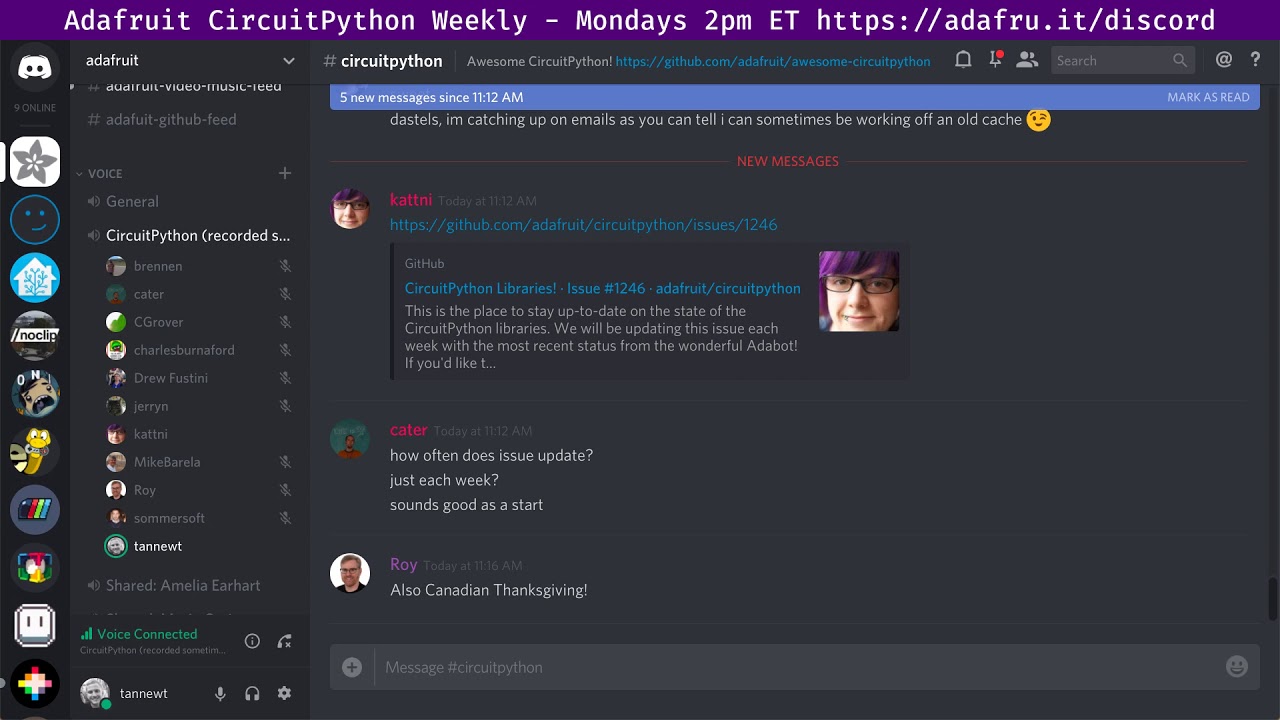
Notes with time codes are available here: https://github.com/adafruit/adafruit-circuitpython-weekly-meeting/blob/master/2018/2018-10-08.md Thanks to @kattni ...
I think my recorded input is wrong
yup, builtin mic 🙄
at least you can hear me
idle owl
Oops 😃 Thanks for doing the video!
slender iron
np, I made a repo for notes now too: https://github.com/adafruit/adafruit-circuitpython-weekly-meeting/blob/master/2018/2018-10-08.md
GitHub
Notes from the weekly circuitpython meetings on Discord - adafruit/adafruit-circuitpython-weekly-meeting
GitHub
CircuitPython library for MCP300x SPI ADC's, may later support MCP320x as well - adafruit/Adafruit_CircuitPython_MCP3xxx
slender iron
@tidal kiln thanks for all the reviews in the last few days! just getting through my email backlog
manic glacierBOT
When Tony ran into this issue I imagined we could add a C helper to CircuitPython that can auto-feed the SPI device on the user's behalf. I'm not sure that's what you need though. Keep in mind that adding a C helper is always an option.
Any idea what the code size impact of this? I think the nrf has plenty of space so its probably fine regardless.
Which of these decorators lead to invalid python? I'm wary of the asm and viper options because it can lead to code that is not CPython compatible and not portable. Its important to keep portability because we're using our libraries in CPython on the raspberry pi.
Our usual solution to speeding up hot paths is to introduce C modules to do the work instead. The iteration cycle...
Great job translating all of these messages! Leaving some blank is fine. This is a great start.
Looks like the build is failing due to a missing line ending: https://travis-ci.org/adafruit/circuitpython/jobs/438210422#L711
I don't think the diff command will find all cases because msgids can wrap on multiple lines. The python script should be able to detect it though.
idle owl
@slender iron I responded to your comment on my PR, but I'll ping you here since I'm actively working on it right now - in that case every instance of _order gets changed to order as well then?
slender iron
can you post it?
idle owl
yah there are a ton of updates
slender iron
kk thanks
idle owl
push to PR or gist ok?
slender iron
either works for me
idle owl
ruby atlas
that's no longer a short class 😃
manic glacierBOT
Thanks! I'd rather have this as a default main.py that isn't frozen per se. Instead it could detect when no main file is available and write a default in that case. That way its easy to edit it to do something else afterwards. Does that still work for you?
Thanks!
tidal kiln
what line gives you the error that there's no _order?
idle owl
I left it in working state, didn't change the line Scott suggested in what I posted
wanted to make sure it still made sense to change
ruby atlas
@tidal kiln that was one of my earlier bad suggestions.
slender iron
144 probably
idle owl
yah it was 144
tidal kiln
or 150?
idle owl
AttributeError: 'SlideShow' object has no attribute '_order'```Line 126 now sets self._order
@idle owl is that error with that version of the class?
ohh.
self._load_images()
should probably come after self._order = order
idle owl
No the version linked works
manic glacierBOT
What differences are you running into? I'd like to be as similar as we can so I wonder if its worth changing CircuitPython.
ruby atlas
i need to flash CPy onto my hallowing to try that, but then need to also be ready to re-flash the eye code 😃
But I also need more time
🕛
manic glacierBOT
@TG-Techie Do you have a link to your code? I'm surprised you need to use the attr functions directly.
slender iron
@idle owl You need to init _order and order in the constructor because the setter is detecting changes
I'd set _order to None right before setting order to the param
idle owl
ok that works too
slender iron
ya, its weird 😃
manic glacierBOT
Anyone know how separate the radio stacks are in the SoftDevice? Can we have one build that can do any of them?
tidal kiln
talking about this pattern?
def __init__(self, foo=FOO):
    self._foo = None
    self.foo = foo
yah
also now I know what the fade effect was hiding. kind of a fun effect itself. now it's tweakable.
tidal kiln
yah. it's weird. but not too weird.
you basically need to create the variable first
self._foo = None # just set it to something
then you can call the property setter to actually set it:
self.foo = foo
I'm ok increasing the depth slightly. Breaking builds due to outside changes is bad form.
During the Travis builds, the submodule clone takes 30 seconds or so. We can do it ourselves and then limit the clone depth of each independently. This will speed up the build.
tidal kiln
@slender iron do you know what's going on with the MCP3xxx library? is it just in need of a review?
tidal kiln
do you want an additional reviewer?
slender iron
yes please 😃
manic glacierBOT
Travis limits open source projects to 5 concurrent jobs at once. We switched from one long job to many parallel shorter ones. Unfortunately those have extra overhead (like cloning) that can actually be shared.
So, ideally we'd have 4 or 5 concurrent jobs. That way we'd get shared overhead but also parallel builds.
This will become more and more important as we support more builds.
tidal kiln
there was a pretty significant difference in the approach from the ADS1x15 library. is the consensus to go whats currently being done in MCP3xxx?
slender iron
nah, ADS is the right approach iirc. might be easiest to take it over from brent since he's part time now
tidal kiln
oof. they're very different. like...
chan = AnalogIn(mcp, MCP3008.pin_0)
vs.
chan = adc[0]
can the mcp do more than adc?
I do remember liking the idea of external pin references
tidal kiln
don't think so...
https://www.adafruit.com/product/856
it's a pretty simple VW bug of an ADC