#circuitpython-dev
1 messages · Page 198 of 1
 tidal kiln
 slender iron
ah, k
slender iron
right but the slave could stretch it
 raven canopy
@tidal kiln try i2c.write(buffer, stop=False) then send a blank write after delay.
tidal kiln
@raven canopy was thinking that. what exactly is the blank though - wouldn't it generate another start?
@slender iron it's not based on saleae
raven canopy
yeah. but...who cares? its a wake, so won't we be wanting a read?
jumping into half completed conversations is a well-honed art 😆
tidal kiln
well. lemme try it and see what happens. you're thinking something like this?
            i2c.write(bytes(), stop=False)
            time.sleep(0.002)  # wait
            i2c.write(bytes())
yeah. also, if you're wanting to take a reading, you can use the "new" i2c.write_then_read_into on the second call.
tidal kiln
hmmmm. interesting. let me change this dance routine up a bit....
raven canopy
i was fighting this sort of thing with FRAM this weekend. had to hold SDA low after one write, then start another write. got one instance to work, but had to abandoned a different one since the address bits get sent on every write. "speed is not a priority" though. hehe
meeting notes now have clicky links!!! 👏 @slender iron
slender iron
😃 switched the file extension to md and now its magically clickable
raven canopy
i like magic. 🐇 🎩
slender iron
adafruit hacktoberfest issues: https://github.com/search?q=label%3Ahacktoberfest+state%3Aopen+type%3Aissue+user%3Aadafruit

GitHub
GitHub is where people build software. More than 28 million people use GitHub to discover, fork, and contribute to over 85 million projects.
 idle owl
Excellent
slender iron
that link is in the newsletter for tomorrow
idle owl
Nice!
raven canopy
quickens rate of issue viewing; 2 isn't going to cut it 😆
tidal kiln
@slender iron what if it were clock stretching? is that supported there?
slender iron
@idle owl yes, merge away
idle owl
Done!
 tulip sleet
@slender iron i'm trying to increase the stack size - not sure how mem is allocated in 4.x. In 3.x stack is 12k, heap is 20k. In 4.x default stack is 4k + 1k for interrupts, but heap is only about 1k bigger according to gc.mem_free(). Did you preallocate other stuff like the flash buffer? Trying to figure out where the rest went.
slender iron
if you have gdb you can look at allocations https://github.com/adafruit/circuitpython/blob/master/supervisor/shared/memory.c#L33

GitHub
CircuitPython - a Python implementation for teaching coding with microcontrollers - adafruit/circuitpython
what board? are you sure its 4k default still?
tulip sleet
metro m0
i compiled with ustack on, and sure enough stack is is 4k
well, 4328
Adafruit CircuitPython 4.0.0-alpha.1-9-gb263690e6-dirty on 2018-10-01; Adafruit Metro M0 Express with samd21g18
>>> import ustack
>>> ustack.stack_size()
4328
>>> import gc
>>> gc.mem_free()
18192
the flash cache should be cleared before the heap is allocated
tulip sleet
i'll look at who calls the allocations stuff and see what's going on. tnx.
slender iron
its now allocated based on the bottom of the main stack frame too
GitHub
CircuitPython - a Python implementation for teaching coding with microcontrollers - adafruit/circuitpython
tulip sleet
stack is allocated AFTER main() frame... right, just was going to say that,
so whatever size main() is isn't counted
slender iron
so if its debug it could be big
tulip sleet
i'll enable ustack without the other debug stuff and see what happens. notro says he needed 8k or even 12k for some things: https://github.com/adafruit/circuitpython/issues/1175
ok, tnx, will follow up later; Carole just came home so I'll take a break
 ruby atlas
@slender iron hey, when would be good for me to sync up on where i got to with pixelbuf and the rgbled stuff before life got stupid.
slender iron
whenever works for you 😃
ruby atlas
every time I think I have free time, someone steals it.
This began in July and hasn't ended yet 😃 I thought I might get 2 weeks to take it easy and work on it during our family vacation..... Haha, nope.
 solar whale
@tidal kiln what is the issue you are trying to resolve withdrawal the am2320. It does work.
slender iron
😃 no worries. just wanted to sync so someone else could finish the pixelbuf stuff
tidal kiln
@solar whale this one:
https://github.com/adafruit/Adafruit_CircuitPython_AM2320/issues/4
idle owl
Oi we just figured out where to be getting the number for the number of libraries we have: the number of folders in the bundle. Because Adabot is a little fudgey and includes empty/new repos etc. There are 102 folders in the helpers and drivers folders in the bundle.
Or it's 101, but still that may be a better place to get the number for the newsletter.
Since PT wanted to have a solid number to call out.
slender iron
right, adabot should hopefully find them all
ruby atlas
I'm hopeful tomorrow morning or evening might have some free time. I need to look over what i've done too to figure it out.
solar whale
Ah. Ok. I do see lots of bad readings. I just ignore them and retry. .. not ideal. It would be nice to be more reliable.
idle owl
Adabot finds them all and a few more.
slender iron
kk, thanks @ruby atlas !
ruby atlas
I really miss having time to work on and with CircuitPython
I have two beautiful adaboxes to play with too!
solar whale
Not my favorite temp/humidity sensor.
idle owl
growls at that sensor
tidal kiln
@solar whale unfortunately no way to tell if the reading is "bad" by just the number, the behavior in that issue is pretty repeatable.
solar whale
Hmm. I have not seen that. I’ll try to reproduce but won’t be able to do much until Wednesday.
tidal kiln
@solar whale np. i'm guessing these issues are all related. we're not generating the "wake up" communication properly.
raven canopy
👋 @ruby atlas
@idle owl I went through the adabot library issues; only saw 4 that fit Hacktoberfest in my opinion.
ruby atlas
@raven canopy howdy.
raven canopy
Sorry to hear you haven't had any CircuitPyFunTime! 😦
idle owl
@raven canopy Fair enough! I thought that might happen.
ruby atlas
I've barely even had time to spend with the kids. I did manage to take them on a canoe camping trip from hell the weekend before last, and then to the maker faire in town this sunday. but now i'm way behind.
raven canopy
yeah; a lot of them are "still in discussion", assigned, or much beyond beginner.
ruby atlas
(canoe camping: gale winds, 3' waves, sick => dead dog, closed highways, 6 tornados)
raven canopy
oof! canoes do not like gales...
ruby atlas
no they do not!
raven canopy
super sorry to hear about puppy.
ruby atlas
my brother's 14yo lab. but yeah, will miss him. but he died doing what he loved (family, outdoors).
idle owl
@raven canopy Thank you so much for doing that, and for updating some of the issues. There's an issue with simpleio that I need to fix this week but would also work for Hacktoberfest (but it needs to be done this week so....) (also I never made an issue for it so.......)
raven canopy
@idle owl no worries! glad to do it. even found a couple open-but-fixed issues and closed them. i heard that the new Benevolent and Omnipotent Magistrate of Libraries likes a clean issue list.
idle owl
Ok I just burst out laughing loud enough that I now have to explain it to someone here. 😆
raven canopy
nah... Magistrate doesn't quite work either. it remains "in work"
idle owl
You're doing a better job with coming up with my new title than any of us have, so keep at it
ruby atlas
I thought your title is Kattni?
idle owl
😄
tidal kiln
Benevolent and Omnipotent Organizer and Maintainer ?? the acronym is cool
AM2320 sensor 1, human 0 😪
idle owl
You mean at least Sensor 2: human 0
More like sensor 50, human 0.
grabs the two dataloggers still inexplicably sitting on her desk and throws them
ok not really. But don't think I didn't think about it. 😆
tidal kiln
same here, luckily the saleae is pretty well attached. wouldn't want that going along for the ride.
tidal kiln
yes please. know what's going on?
 meager fog
yeah you just have to read twice
i have one and an m4
ill just do it now and test on pi as well
tidal kiln
that seems to generally work
i was hopelessly trying to dig into why it's doing that...no luck..
tidal kiln
there were some clues:
https://github.com/adafruit/circuitpython/issues/1053#issuecomment-406790775
i got hopeful
ruby atlas
what's the craziest chip out there (makes the least sense)?
ruby atlas
I should have guessed it was NFC/RFID related 😃
meager fog
SPI is LSB
ruby atlas
That whole realm seems bonkers.
tidal kiln
yeah. that's the other one i was going to work on. luckily just adding property syntax to what you already did.
idle owl
that is bonkers
meager fog
@tidal kiln im not seeing the bug you are
the humidity does stay high for a while but thats normal, youve added condensate
tidal kiln
you're look at this one?
https://github.com/adafruit/Adafruit_CircuitPython_AM2320/issues/4
tidal kiln
makes sense. bonkers design though.
meager fog
no its normal
its just cheap
like, if you lick something cold, it will stay damp for a while
this just doesnt have a filter over it so perhaps its slower to recover
ok wanna close your issue?
and ill still commit some fixes
tidal kiln
how were you testing? wondering what would happen if i had waited even longer?
meager fog
loop with various delays
tried 5, 10, 30 seconds
but i really don't think its a data thing
i think its a sensor thing - we just have to document it
they're $4 😄
ok let me try on a pi3
ruby atlas
@tidal kiln pi3 or pi3 b+?
meager fog
cause there's a CRC
tidal kiln
@ruby atlas i'm using metro m4
ruby atlas
❤ the Metro M4
i'm staring at my adabox 009 and the hallowing and really wishing that I could do more than look at the eye moving and actually play with it.
i really hate moving code around to satisfy license terms. why can't everything be gpl
or MIT or Apache or...
meager fog
@tidal kiln ok i made some fixes
ill PR and u can review?
i added retries to init and also moved the try stuff closer to the fail-point
tidal kiln
@meager fog it happens going the other way too - increasing humidity
meager fog
🤷 its not the library
tidal kiln
i'm not looping. just making the read interactively.
meager fog
when we read data from the sensor we get a CRC, if the CRC is passing, then data is 'correct'
im not saying you're wrong - im saying you're right and i cant do anything about it 😄
i totally agree the value oes up and down
its not stable
ruby atlas
bleh.
meager fog
have i mentioned its $4?
ruby atlas
bmp series a better chip?
ruby atlas
I think I'll always stick to them then 😃
Would it be wrong to have the AM2320 page link to the better chips? 😃
tidal kiln
@meager fog cool. i'll stop chasing this rabbit then.
meager fog
yah this is a broken rabbit
we're pretty honest about our expectations at https://www.adafruit.com/product/3721 😃

This little sensor looks an awful lot like the popular DHT11/DHT22 temperature and humidity sensors, but unlike classic DHT sensors, it has an I2C interface! That's right, you ...
"But! We'll let you know, this sensor is not well documented like our other, fancier I2C temperature & humidity sensors. The datasheet mentions it has 3% humidity accuracy and 0.5C temperature accuracy, but we're not very trusting of the specifications. So, while this sensor does seem to work, it's not recommended for anything where you care deeply about guaranteed accuracy. Temperature is probably correct to 2-3 degrees Celsius. Humidity is probably within 5-10%."
@tidal kiln review plzzzzzz

 manic glacierBOT

oh i wonder if it just works - wanna pick one up and try it?
tidal kiln
@meager fog still requires double read - were you expecting that?
meager fog
double read where?
tidal kiln
Adafruit CircuitPython 3.0.2 on 2018-09-14; Adafruit Metro M4 Express with samd51j19
>>> import board, busio, adafruit_am2320
>>> i2c = busio.I2C(board.SCL, board.SDA)
>>> am = adafruit_am2320.AM2320(i2c)
>>> am.relative_humidity
61.7
>>> am.relative_humidity
61.5
>>> am.relative_humidity
99.6
>>>
after the first read, i breathed on the sensor
took two reads to get high humidity
the last two reads were within ~second of each other, used up arrow to repeat read
meager fog
did you wait 2 seconds?
has to be 2 seconds apart
or it gives you the last readong
thats why i just run a loop
tidal kiln
i'm a bag of mostly water
@meager fog how would your write a non-loop example? like if someone wanted to write a "Press enter to get current reading." kind of program? that's more like what i'm doing
meager fog
you have to wait 2 seconds between reads
meager fog
@tidal kiln ok?
tidal kiln
testing...
so...something like this...
>>> def read_sensor():
...     throw_away_reading = am.relative_humidity
...     time.sleep(2)
...     return am.relative_humidity
...
if it's part of a bigger program, then keep track of time.monotonic() and poll again at the right time.
meager fog
no the first reading is correct
whenever you take a reading it is correct but you have to wait 2 seconds till the NEXT reading
because it will just buffer the reading for 2 seconds
raven canopy
did anyone mention: $4? 🤣
ruby atlas
Is that before or after the 25% tarriff? 😃
tidal kiln
k. think i'm doing that. breath on it......wait > 2 seconds.....first reading should be high?
meager fog
yes
please just run the loop example
it works well, and you can see responsivity
i dont know if thats what you're seeing
i can just add a sensor reading and toss if you like
or you can add another example
raven canopy
@idle owl @slender iron forgot to ask this earlier. think this issue is workable for hacktoberfest? i was on the line, even after adding some links/description.
https://github.com/adafruit/Adafruit_CircuitPython_BNO055/issues/11

GitHub
The Arduino library allows for reading the calibration registers to know when the BNO055 is oriented. We should too.
tidal kiln
ok. i'll keep checking it out. thanks for the updates.
meager fog
@tidal kiln im doing the best i can here - its not a great sensor 😃
tidal kiln
yah. no worries.
meager fog
ok i have to die now, zzz
tidal kiln
later!
manic glacierBOT

got one. tested and it generally works. all the same fun as the AM2320, but values generally look good with a simple hot breath test.
 tough flax
Hey CP friends, which Blinka image would you like me to use for an article I'm posting about how to use CP for AT? I noticed that some were "All Rights Reserved" and I'd just as soon use the ones you want (and ideally that is licensed CC or that you approve of)
I'm going to leave them off and just use our device & pix of your boards (which are CC)... if you've got a Blinka you'd like me to use going forward, please let me know
manic glacierBOT

I'm gonna get started on Brazilian Portuguese translations.
String internationalization for Brazilian Portuguese #1224
manic glacierBOT
String internationalization for Brazilian Portuguese #1224
manic glacierBOT


 fierce girder
love this!
Mini SAM M4 Board - base off @adafruit itsy bitsy m4. Running @CircuitPython on boards from @oshpark. @MicrochipMakes SAMD51 chip with 2 MiB Flash. Currently Boot mode. Needing help with UF2 for this board. Used @BasOort idea for LED behind rocket.
https://twitter.com/bwshockley/status/1046957222557822976

Mini SAM M4 Board - base off @adafruit itsy bitsy m4. Running @CircuitPython on boards from @oshpark. @MicrochipMakes SAMD51 chip with 2 MiB Flash. Currently Boot mode. Needing help with UF2 for this board. Used @BasOort idea for LED behind rocket.
Likes
167

 Twitter
 stuck elbow
nice, I wonder if the hands actually fit LEGO stubs
manic glacierBOT

 lone sandalBOT

 dawn rampart
Hi, All. I'm the person behind the Lego Mini Figure based boards. I have built a UF2 bootloader using a fork of the Adafruit repository. My repository with Mini Sam M4 files is here: https://github.com/bwshockley/uf2-samdx1. This seems to work really well, as expected. But...the problem is when I try to create a CircuitPython firmware for the Mini Sam M4. (Source here: https://github.com/bwshockley/circuitpython/tree/master/ports/atmel-samd/boards/mini_sam_m4) The build goes through just fine, and copying the UF2 over to MINISAMBOOT drive copies fine and the board reboots, but windows (Windows 10) reports an error that the device isn't recognizable. Going into Device Manager the computer sees a USB device but it reports: Unknown USB Device (Device Descriptor Request Failed) Any ideas?
tulip sleet
@dawn rampart does the same machine work fine with an Adafruit board running CPy, with the same cable, etc.? Which board description did you copy from for the mini_sam_m4. and do you have different pin assignments for that board? Do you have a crystal on the board?
dawn rampart
I just used a Circuit Playground Express last night using the same Windows 10 PC and USB cable without any issues. I started with the Itsy Bitsy M4 configuration, but modified it for my board. I have a few different pin assignments. The board has no crystal. Other difference from Itsy Bitsy M4 was the FLASH chip I used. I used a W25Q16JV (only one I could find for sale in the 2x3 size). Just for fun, I did try installing the Itsy Bitsy M4 UF2 build onto my board...getting the same error. I also tried to rebuild for mini sam m4, but removed the external_flash references and changes it to internal_flash. Same error.
tulip sleet
can you connect to the repl even if CIRCUITPY doesn't show up? Are you seeing any USB devices? It sounds like the composite USB descriptor is not getting transferred properly, so USB is not enumerating. But since UF2 is working the basic USB data connections appear to work.
 timber birch
trying out the write a csv file to the cpx using code provided in the cpx starters guide and I keep getting an error at the line except OSError as e: (it is the temperature and light writing demo,)
tulip sleet
i diff'd your board against itsy m4 and don't see anything obviously wrong
if you do try internal flash only make sure you change LD_FILE to the non-external .ld file.
timber birch
tidal kiln
@timber birch can you link to the guide you are following
dawn rampart
@tulip sleet - I will check this out soon. I see other USB devices, yes - or are you referring to anything specific to my board? The only thing I'm worried about from a hardware standpoint is the QSPI flash chip...that was really tiny and since the pads are pretty much underneath the chip, not 100% sure it is perfect. I solder via stencil and hot air. Thanks for checking my board config. I did change the LD file to non-external during the build when I tried internal flash version.
timber birch
@tidal kiln I am using mike's intro Cpx book from make
tulip sleet
yes, i mean if when you plug in the board you see "USB Serial Device" show up and some HID devices. If you don't see those then USB enumeration is failing early. I use wireshark and usbpcap to debug USB on Windows (and Linux). You can see the messages go by. Can coompare a working M4 board with your board
tidal kiln
ah. ok. post full code then @timber birch
timber birch
Read temperature and light intensity, output as a CSV file
import time
from adafruit_circuitplayground.express import cpx
#Set NeoPixel 0 to green(status), NeoPixel 1 to collecting data
cpx.pixels[0]=(0,90,0)#coded red, blue, green blue cpx.pixels[1]=(0,0,90)
#Pixel 1 blue when collecting data
num_readings = 10#set to any finite vaule you want
#we try to open/createte file for append access and write
the heading line. If and errot occurs, go to except try:
try:
with open("/temp-light.csv","a")as fp:
fp.write('Temperature, Light Intensity\n')#headings
for x in range(0,num_readings):
temp = cpx.temperature
fp.write(str(temp)+","+str(cpx.light)+"\n")
# change the valuse of sleep time below in seconds
# 1 min=60 secsm 5 mins=300 sec,1 hour,3600...
time.sleep(1)
if cpx.button_a:
break
#done, set NeoPixeloff and blink NeoPixel 0 (status)
cpx.pixels[1]=(0,99,0)
except OSError as e:
    #set NeoPixel 1 off and blink NeoPixel1
    # depending on OS error
    cpx.pixels[1]=(0,0,0)
    message_color=(99,0,0)
    if e.args[0] ==28: # Device out of space
       message_color=(228,160,40)#set to Oranage
    elif e.args[0]==30: #Device is read only
       message_color(181,90,0) #set to yellow
for x in range(1,10): #Flash 10 times
    cpx.pixels[0]=message_color
    time.sleep(1)
    cpx.pixels[0]=(0,0,0)
    time.sleep(1)
you can add back ticks for code blocks:
```python
code goes here
looks like the except OSError as e is indented more than it should be. Should be indented same number of spaces as try:
tidal kiln
^^ that
timber birch
ok now on to new errors, thanks, following spaces in a online book can be tricky
tidal kiln
@timber birch do you know about python's use of whitespace?
idle owl
@tough flax You can use any of them!
@tough flax Let me know if you want the basic vector images we have.
tulip sleet
@turbid radish is there a website where the book code can be downloaded?
(see above)
timber birch
@tidal kiln i do, but i thought it was lined up "with" with not "try", sorry,
tough flax
Thanks @idle owl I was going to use this one but noticed that it was not CC https://learn.adafruit.com/assets/49441
I decided to put a closeup of our latest board on top & published the article. But in the future, I'd love the vector artwork http://atmakers.org/2018/10/circuitpython-creates-new-at-opportunities/
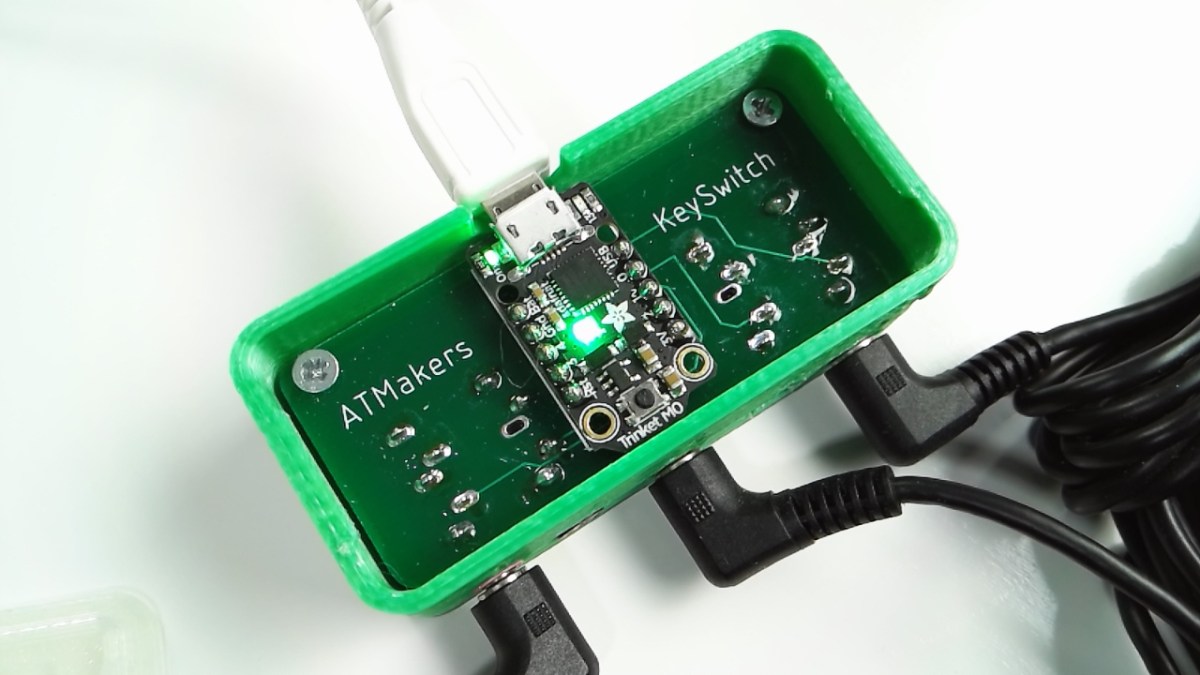
For those of you who don’t know, CircuitPython is a programming language and environment for small computers and microcontrollers that is sponsored by our friends at Adafruit. It is a variant…
idle owl
@tough flax That may simply be how it was uploaded. You are absolutely welcome to use that image!
tough flax
Thank you!
timber birch
woohoo i got it running now
 valid kernel
So...CircuitPython running in Mu on Win10...my Plotter does not seem to be working. I have a single serial int running down the screen..but not plotting...any ideas?
idle owl
@raven canopy If you can better explain that issue, I think it would be ok for Hacktoberfest. As it is, it's not really detailed enough I think. It is for us, but not for someone coming in fresh.
solar whale
argh -- I useds multiple x's shame on me -- anyway @valid kernel I was trying to say that!
@valid kernel try formatting as ( nnnn,)
may not need the trailing comma
idle owl
You'll need the trailing comma if it's a single member tuple.
valid kernel
Yeah, I saw that, and adjusted my format for that @idle owl , but still not plotting.
tulip sleet
@dawn rampart Looked a little at your schematic. Do you have the pullup installed on the RESET line? Check the errata: the pullup is not functional on chip. Also VDDCORE has a smaller decoupling cap than is used on the Itsy. Don't see anything else.
valid kernel
Using "print(int(cpx.temperature),)"
idle owl
@tough flax I sent you the vector image file through Discord. If that didn't work, let me know and I can email it or something.
raven canopy
@idle owl k. I'll see what I can work up later to bolster the explanation.
idle owl
@valid kernel It should be print(int(cpx.temperature,)) I believe
valid kernel
tried that. it runs but still no plotting...
solar whale
try print("(",int(cpx.temperature),",)")
raven canopy
int() doesn't return an iterable, does it? .... Yeah, more like what @solar whale said.
solar whale
whew, my day is complete!
dawn rampart
@tulip sleet - So at the office - Running Windows 7 - If I connect my board in BOOT mode (Double-Click Reset), I get the MINISAMBOOT drive (which is listed under Universal Serial Bus controllers -> USB Mass Storage Device) and two unknown devices (Mini SAM M4) in "Other Devices". Drivers aren't installed (as I don't have any), but checking the properties the device description is correct, the PID and VID are correct for both devices. If a then exit Boot mode I simply get an Unknown USB Device error.
tulip sleet
@dawn rampart makes sense. Windows 7 has builtin drivers for the Mass Storage but not the serial devices. are your QSPI pin choices the same as the itsy? And this is the same chip (ATSAMD51G19, not 18 or 20?)
but the Unknown USB Device error means CircuitPython USB isn't enumerating. Is the DotStar doing anything when CPy is supposed to be running?
Doing the win7 drivers is going to be a bit painful, because you'll need entires in a .inf for your PID/VID.
idle owl
That seems like a bonkers way to have to do it, I swear adding a comma to it worked.
stuck elbow
comma creates a tuple
solar whale
the value has to be followed by a comma and surrounded by parentheses to form the tuple
idle owl
Wow I forget how massive some of the guides I've written are.
solar whale
cpx.temperature is a number, not a tuple, correct
 solar whale
ah - you are creating a tuple -- possibly print ((cpx.temperature,)) would work
we old "C" guys are hung up on quotes....)
yup ```
[needell@rbsp-gse2 ~]$ python3
Python 3.4.9 (default, Aug 14 2018, 21:28:57)
[GCC 4.8.5 20150623 (Red Hat 4.8.5-28)] on linux
Type "help", "copyright", "credits" or "license" for more information.
print((1,))
(1,)
@idle owl thanks for following up on that - nice to know!
idle owl
No problem! Glad I could help
tidal kiln
@pastel panther MAX31856 PR reviewed
@timber birch cool. just wanted to check (python whitespace). it throws a lot of people when getting started. takes some getting used to.
valid kernel
ok, that werks 2
and...back to my int ; print ((int(cpx.temperature),)) full circle now.
fun with formatting
solar whale
@idle owl just for my own understanding, your guide and the "non quote" exampel is creating a tuple in the print statement by using the parentheses and comma -- clever... my original example was bruteforcing the output string to include parentheses and a comma. functional, but not so elegant or pythonic....
dawn rampart
@tulip sleet Yes - I kept the exact same QSPI pins as the itsy. Same chip too D51G19. DotStar breathes green when CPy is supposed to be running. I'm probably going to skip Win7 drivers altogether. Tried it once for an M0 based Mini Figure board and it was a pain. 😃
I've got Wireshark/USBPCAP, but there are so many USB devices running I need to properly filter the data.
tulip sleet
are you running Kaspersky?
dawn rampart
No Kaspersky on either machine.
idle owl
@solar whale ah got it
tulip sleet
ok, good. breathing DotStar is really good, that means REPL is running, so you should be able to connect on Win10 or Linux or Mac. 4.0.0 should be ok.
i take back "you should be able to connect" if it can't enumerate the USB
tidal kiln
@idle owl you available to help me with my travis noobness?
idle owl
@tidal kiln Yeah in a few minutes
tidal kiln
excellent...enough time for more ☕
dawn rampart
@tidal kiln - There's always time for more coffee.
tulip sleet
@dawn rampart if you have a desktop you may have multiple USB interfaces available and can find a lesser used one so you're not seeing your keyboard and mouse traffic too. I usually use Linux, wireshark works fine on that too, you just need to sudo modprobe usbmon (nothing like usbpcap needed).
this utility may be helpful for an initial look: https://www.uwe-sieber.de/usbtreeview_e.html
dawn rampart
Whoa...super cool USB tree view. Thanks @tulip sleet !
tulip sleet
i think it would be interesting to try on a non-Windows machine, just to eliminate that as a variable
dawn rampart
I'll try my Mac too. I tried it early in the process and it didn't show up.
idle owl
@tidal kiln Ok ready when you are
tidal kiln
cool. let's take it to the side...
slender iron
Welcome @dawn rampart ! I develop on Mac so may be able to help from that OS. If the QSPI fails I can usually get the serial connection still. Are your CircuitPython changes anywhere?
 pastel panther
@dawn rampart welcome to the "Why not put CircuitPython on it?™" club!
For my boards I've always cowardly "borrowed" the adafruit usb Vid, pid, product and manufacturer for testing with a plan to either get my own or ask for permission if my boards ever left my bench. Doing so I've never had an issue getting the CIRCUITPY drive to show up so perhaps give them a try?
I'm fully embracing the copypasta lyfe here so if you or someone else are smarter than me about USB stuff, feel free to disregard this suggestion.
New motto for the "Why not put CircuitPython on it?™" club:
"Put a Blinka on it!"
dawn rampart
Hi @slender iron - My changes are here: https://github.com/bwshockley/circuitpython/tree/master/ports/atmel-samd/boards/mini_sam_m4 . I have sort of ruled out the QSPI chip, as I built CPy both with external_flash and internal_flash and both fail the same way. @pastel panther - I actually tried that as well. I put adafruit PID/VID info back into my code. I even tried flashing the itsy bitsy build (knowing some of my pins wouldn't work), but changing the QSPI chip. I need to keep a nice checklist of all the various things I've tried. 😃
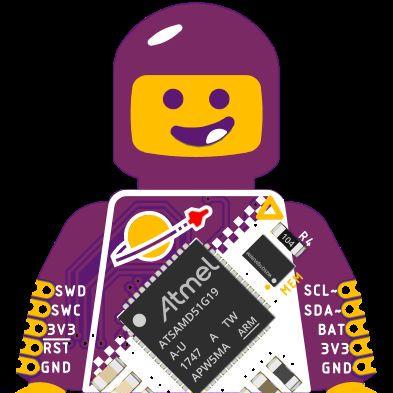
GitHub
CircuitPython - a Python implementation for teaching coding with microcontrollers - bwshockley/circuitpython
Sorry - I should be clear, my CPy builds seem to go just fine, but transferring the UF2 to the BOOT drive results in an unknown USB device error.
pastel panther
hmmm
tough flax
I am starting to pull together a few CircuitPython projects that we use in AT. This one ("Little HandRaiser") is going "into the field" tomorrow so I thought I'd capture it and document it on GitHub https://github.com/ATMakersOrg/Little-HandRaiser

GitHub
Software to turn the Adafruit Trinket M0 into a notification tool to notify a teacher when a students wants their attention - ATMakersOrg/Little-HandRaiser
slender iron
@dawn rampart One thing you'll want to do is use the bootloader updater to set the boot protection bits
actually thats only for m4 I think
now I see you have both
dawn rampart
@slender iron - would i load the boot then the bootloader updater? Right now I'm focused on my M4 variant.
slender iron
ya
dawn rampart
Okay - I didn't do that.
slender iron
what decoupling caps do you have on the design?
thats not this bug though. when that one hits it doesn't start at all
dawn rampart
Mini Sam M4 version 10 schematic.
I tried following the ATSAMD51G datasheet as closely as possible for recommended caps/power and filters.
slender iron
ya, vdd core needs more than 0.1
dawn rampart
Uh oh
slender iron
the datasheet is 4.7uF now I think
dawn rampart
only a factor of 40 off...
slender iron
dawn rampart
FWIW - this is the report from USB device tree for the failed enumeration:
=========================== USB Port2 ===========================
Connection Status : 0x02 (Device failed enumeration)
Port Chain : 1-2
======================== USB Device ========================
DriverKeyName : ERROR_INVALID_PARAMETER
---------------- Connection Information ---------------
Connection Index : 0x02 (2)
Connection Status : 0x02 (DeviceFailedEnumeration)
Current Config Value : 0x00
Device Address : 0x00 (0)
Is Hub : 0x00 (no)
Number Of Open Pipes : 0x00 (0)
Device Bus Speed : 0x00 (Low-Speed)
Data (HexDump) : 02 00 00 00 00 00 00 00 00 00 00 00 00 00 00 00 ................
00 00 00 00 00 00 00 00 00 00 00 00 00 00 00 02 ................
00 00 00 ...
---------------------- Device Descriptor ----------------------
bLength : 0x00 (0 bytes)
-------------------- String Descriptors -------------------
none
slender iron
you can stack extra caps
the bootloader works because it runs at 48mhz but circuitpython runs at 120mhz and needs the extra juice
the pic is a 1uF and 10uF stacked on top of a 0.1uF 😃
dawn rampart
I just went through the datasheet real fast. Wow - I must have had a major copy/paste issue at one point.
slender iron
see it now? its in a weird spot
dawn rampart
Thanks, I will certainly make sure I update the BOM and schematic. I even reference section 56.2 in my design schematic...but didn't follow it. Your C2 in the attached image is rather tall. 😃
slender iron
I learned that trick from @meager fog
pastel panther
I had a dumb. It was removed.
manic glacierBOT
 tidal kiln
linux tip of the day: mv * doesn't include dot files by default 🤦
thanks @idle owl for finding the issue
raven canopy
Haha. That bit me recently too!
idle owl
@tidal kiln If you have a moment: https://github.com/adafruit/Adafruit_CircuitPython_LIDARLite/pull/2
 dawn rampart
I also just placed a Mouser order for more components yesterday. I do think I have an extra 10uF 0603 around the office somewhere.
tidal kiln
@idle owl not up to speed on pypi yet. but looks boiler plater?
idle owl
@tidal kiln Yeah I run the install tests locally and it's successful, travis passes, it's good to go
slender iron
@dawn rampart 10uF will help
idle owl
@tidal kiln Most of it is outlined here: https://github.com/adafruit/circuitpython/issues/979
GitHub
We want to use CircuitPython libraries on other platforms such as CPython on Raspberry Pi and MicroPython. To do so, we need to better document the dependencies and get builds auto-released to pypi...
slender iron
@tulip sleet are you changing stack stuff? I think I tweaked it in a branch somewhere too
tulip sleet
i am still reading code to see where the ram is going (got interrupted with a bunch of other stuff)
tidal kiln
@idle owl merged
idle owl
Thank you!
dawn rampart
Thanks @tulip sleet , @slender iron , and @pastel panther for the help today.
slender iron
@tulip sleet https://github.com/adafruit/circuitpython/compare/master...tannewt:gbio here I added an FS_CACHE macro since asf does large stack allocations for nvm writes
GitHub
CircuitPython - a Python implementation for teaching coding with microcontrollers - adafruit/circuitpython
tulip sleet
@slender iron so CIRCUITPY_FS_CACHE_SIZE is NVMCTRL_BLOCK_SIZE*2 which is 8k*2
LARGE
tulip sleet
halbert@salmonx:~/repos/circuitpython$ ag NVMCTRL_BLOCK_SIZE
ports/atmel-samd/asf4/samd51/include/instance/nvmctrl.h
69:#define NVMCTRL_BLOCK_SIZE          8192     // Size Of Block (Bytes, Smallest Granularity for Erase Operation)
I opened the issue for the main reason that I need more informations on some lines. Example: https://github.com/adafruit/circuitpython/blob/master/locale/circuitpython.pot#L509
https://github.com/adafruit/circuitpython/blob/master/locale/circuitpython.pot#L513
Can you give more context on the pull up/down, please?
tulip sleet
maybe you're thinking of this?
ports/atmel-samd/external_flash/external_flash.h
41:#define SPI_FLASH_ERASE_SIZE (1 << 12)
ports/atmel-samd/external_flash/external_flash.c
317:    supervisor_cache = allocate_memory(table_size + SPI_FLASH_ERASE_SIZE, false);
1<<12 is 4096, so the 4k buffer is preallocated
the samd21 doesn't have NVMCTRL_BLOCK_SIZE; does it work differently?
slender iron
ya, it erases at 256 byte boundaries
tulip sleet
that's a lot better, allocating 16kb to the nvm buffer permanently seems like a lot of ram to give up
slender iron
how is it allocated permanently?
tulip sleet
oh, it's not, sorry, read it wrong, so it makes the stack be 4k (min stack size) + 16k + 1k : stack_alloc = allocate_memory(c_size + CIRCUITPY_DEFAULT_STACK_SIZE + CIRCUITPY_FS_CACHE_SIZE + EXCEPTION_STACK_SIZE, true);
`
wrong hold on
slender iron
ya, my change does
tulip sleet
so the ASF4 driver has to use the stack for that? Could we use heap instead? 21kb is a nice size for the stack, but if the nvm code is called when there's a bunch of stuff already on the stack, then it won't be enough
manic glacierBOT
Its a common electronics concept. See wikipedia for an explanation: https://en.wikipedia.org/wiki/Pull-up_resistor
tulip sleet
i did do measurements to get the 12kB recommended stack size for the M0 (like way back in 2.x).
stuck elbow
I have a random question: is internal flash supported on m4?
(as in, filesystem on the internal flash,)
tulip sleet
yes, we did that for a while before the qspi was working
stuck elbow
thanks
slender iron
I don't think its worth doing since most boards are express
and we still have a lot of ram
stuck elbow
well, I'm asking for custom boards, of course
slender iron
ya, mine use internal flash
we should support it but I don't think its worth replacing asf calls to do so
tulip sleet
ok, we'll shrink that bridge when we come to it
stuck elbow
*burn that bridge
tulip sleet
(a joke)
slender iron
yup sounds good
tulip sleet
i meant like shrink the stack - it was a weak joke 😃
manic glacierBOT
stuck elbow
you know, Rome didn't burn in one day
tulip sleet
since the 4kB is already permanently allocated, then I can increase the stack until I get 16kB or so of heap, which is what we had before on M0 (after the 4KB buffer was allocated)
tulip sleet
ports/atmel-samd/external_flash/external_flash.c
317:    supervisor_cache = allocate_memory(table_size + SPI_FLASH_ERASE_SIZE, false);
is what I mean. that's allocated early and permanently, right?
slender iron
thats not permanent, it should be freed on flush
tulip sleet
so that used to be allocated on demand in the heap
slender iron
it should be when the heap is active
pastel panther
@dawn rampart For missing parts, Arrow has free 1-day shipping on orders with no minimum order . I have no idea why/how this makes sense to them but they've been doing it for a while now.
tulip sleet
@slender iron let's start over, or maybe audio chat
slender iron
kk
manic glacierBOT
That's exactly what I was looking for. Can you help me with advertisment packet?
Shouldn't it be advertisement instead of advertisment? Or am I mistaken?
 magic bough
to use putty with feather huzzah, should baud be set to 9600?
tidal kiln
@magic bough try 115200
magic bough
@tidal kiln worked, tyvm
tidal kiln
i'm guessing this is some kind of name conflict, but why is pylint seeing this:
https://github.com/caternuson/Adafruit_CircuitPython_CAP1188/blob/master/adafruit_cap1188/spi.py#L71
as an instance of SPIDevice?
E: 71,12: Instance of 'SPIDevice' has no 'write_readinto' member (no-member)
self._spi = spi_device.SPIDevice(spi, cs) I think
tidal kiln
but the context manager should return the spi bus
idle owl
@tidal kiln I think it's an issue with the way we're doing things because I think it started cropping up more recently. But I'm fairly certain we've # pylint: disable=no-member'd it as a solution.
 gusty topaz
Guys, is there Micropython "full" support for the TFT 320x240 Featherwing?. I saw the youtube video by Tony Dicola and he says there is no support for the touch features., but that video is almost two years old.
idle owl
GitHub
Adafruit CircuitPython module for the LIS3DH accelerometer. - adafruit/Adafruit_CircuitPython_LIS3DH
tidal kiln
oddly, it didn't trip on the i2c version, which is pretty much doing the same thing
idle owl
Yeah it only seems to be an issue with SPI
Also this: https://github.com/adafruit/Adafruit_CircuitPython_TCA9548A/pull/3 if you have a moment
stuck elbow
@gusty topaz if you know what chip is used, you can search for a library for it
idle owl
@tidal kiln actually hold off on that PR
oh no I did update the gitignore.
nm it's ready.
tidal kiln
@idle owl thanks. that fixed it. odd that only spi requires it.
idle owl
Agreed.
tidal kiln
pr merged
pastel panther
@tidal kiln, PR smasher
idle owl
beautiful, thank you
gusty topaz
@stuck elbow it's the ILI9341, I think. I saw you linked to https://github.com/adafruit/micropython-adafruit-rgb-display in one of the forums, but I'm not sure if it supports touchscreen (README doesn't say anything)
GitHub
MicroPython library for RGB pixel displays. Contribute to adafruit/micropython-adafruit-rgb-display development by creating an account on GitHub.
stuck elbow
@gusty topaz that's the chip for the display, but there should be other for the touch
pastel panther

A lovely color display for any Feather, show off your Feather plumage!
there is of course an arduino driver: https://github.com/adafruit/Adafruit_STMPE610
GitHub
Arduino library for STMPE610/811 resistive touch screen controllers - adafruit/Adafruit_STMPE610
tidal kiln
@raven canopy all green on travis. when you get a chance, back to you:
https://github.com/adafruit/Adafruit_CircuitPython_CAP1188/pull/2
stuck elbow

GitHub
Add a driver for the resistive touch screen stmpe610. You can assign this to me.
pastel panther
GitHub
Adafruit CircuitPython driver for the STMPE610 resistive touchscreen controller - adafruit/Adafruit_CircuitPython_STMPE610
gusty topaz
@stuck elbow I think it's the STMPE610, and there seems to be a Circuitpython library for it, but couldn't find Micropython support, and since the Huzzah32 doesn't support Circuitpython, I was planning to use it with Micropython... so, I guess I'm out of luck?.
pastel panther
An update to that guide for CP would be useful. I imagine it's a popular part
stuck elbow
@gusty topaz yeah, you could try translating it to mp
but that's extra work
or would it work with Blinka?
looks like all you need to translate would be the read_register and write_register methods
gusty topaz
@stuck elbow hmmm I've never done that before (translating a library).... not sure if it''s above my head.
What do you mean Blinka?
stuck elbow
well, we keep learning all the time
Blinka is a library that provides a compatibility layer with CP, but I think atm it's only for rpi
gusty topaz
Just to double check, there is absolutely no cp support for the Huzzah32, right? (not even Alpha support?).
stuck elbow
no
gusty topaz
@stuck elbow got it.
stuck elbow
not yet, anyways, I think there are some vague plans to have it as point in the future
but it's a lot of work
gusty topaz
@stuck elbow Is there an equivalent Adafruit board (fast, WiFi capable, preferably in Featherwing format) that supports CP?. I'm willing to pay twice as much if there is one.
Not Featherwing, I meant Feather format.
stuck elbow
well, the only wifi board supported right now is the esp8266
porting that library shouldn't really be much work
gusty topaz
I was afraid you were going to say that... unfortunately is not as fast.
stuck elbow
we can help you
gusty topaz
... with what?
manic glacierBOT
Yup, looks like a typo.
gusty topaz
@stuck elbow yeah, I think that's the way to go, for now.
I can give it a try. Worst case scenario, I'll leave the touch support out of the project. Is there anything is particular I should read in advance before starting working on porting the library?
gusty topaz
ok.
stuck elbow
the difference is mainly in how you set it up and how you toggle the CS pin
if you look at some micropython libraries for spi (like that display library), that should give you some idea
try it and let us know if you get stuck, we can help -- I need to go to sleep soon, but I will be here tomorrow
 solemn epoch
Q about the code in clocks.c (samd51) in the peripherals lib. Was hoping the folks who worked on it could clarify a few things. I spent time understanding the clock system in the D51 datasheet and all the code in clock_init(). Also looked at how the samd51 port of Arduino does this clock init in their startup.c file, as another example. So a couple Qs I'm left with:
- The chip resets with GCLK0 running 48MHz (from GCLK_GENCTRL_SRC_DFLL, and thus the CPU as well, with divisor 1). We want to change the clock source of GCLK0 to the PLL0 output, which will multiply a clock source up to 120MHz. Can't find any mention in the datasheet as to what the power on reset output of PLL0 is. But first we hit this line of code in clock_init:
enable_clock_generator_sync(0, GCLK_GENCTRL_SRC_DPLL0_Val, 1, false);
which sends DPLL0 into GCLK0 and thus MCLK and the CPU. But what is DPLL0 at this point? Anyway, this function doesn't sync the clocks, so maybe nothing really changes, not sure. A little later, we set up GCLK5:
enable_clock_generator_sync(5, GCLK_GENCTRL_SRC_DFLL_Val, 24, false);
From what I can tell, we're taking the 48MHz source and dividing it by 24, so that would be 2MHz. The comments in Arduino's port say this is a 1MHz clock? Am I missing something with how divisors work? Datasheet just says straight division. Anyway, then we set up DPLL0:
init_clock_source_dpll0();
Can't quite tell if this is using GCLK5 as the source, or GCLK0. Right now, I think GCLK5 is set to 2MHz and GCLK0 is set to the output of DPLL0, which is unclear. Then we multiply one of those by 59. Assuming it was GCLK5, then 2MHz*59 = 118MHz, not quite 120. So if I'm understanding this correctly, why not set up GCLK5 with a divisor of 48, so you get 1MHz clock and then multiply by 120 for DPLL0 to get 120MHz? Also, why change GCLK0 to DPLL0 before you actually set it up in init_clock_source_dpll0()? Just trying to understand the nuances here. Thanks!
slender iron
@solemn epoch it is weird that its switched before its setup
gusty topaz
@stuck elbow Sounds good, thanks so much for your help. I won't be able to work on it today, but will try to get to it in the following days.
slender iron
I think the dpll has a +1 so it ends up being 60
solemn epoch
Ah yeah, you are correct. I see the equation now. LDR + 1 + LDRFRAC/32
So then aside from changing GCLK0 to DPLL0 before it's setup (although things seem to work), can you clarify one more thing in init_clock_source_dpll0():
GCLK->PCHCTRL[OSCCTRL_GCLK_ID_FDPLL0].reg = GCLK_PCHCTRL_CHEN | GCLK_PCHCTRL_GEN(5);
and a few lines later:
OSCCTRL->Dpll[0].DPLLCTRLB.reg = OSCCTRL_DPLLCTRLB_REFCLK(0);
If the reference clock to multiply against is GCLK5, which was set up as 2MHz earlier, what is this 2nd line doing? I think REFCLK(0) points back to GCLK0?
Trying to unravel this in the datasheet has been painful.
slender iron
no, REFCLK selects a gclk source instead of an oscillator
solemn epoch
oh, i see. so in combo, use a GCLK, and the first line points at GCLK5, which has already been set up
slender iron
right
solemn epoch
I was tripped up by the parameter into the macro, which made me think it was pointing at GCLK0, which powers MCLK
solemn epoch
Ok, thanks for the clarifications. The clock system in the D51 is pretty complex, but obviously very flexible.
 rustic nymph
@slender iron should I be closing my own issue? https://github.com/adafruit/circuitpython/issues/1211

GitHub
I'm having issues with (2) pIRkey's throwing the following error: Traceback (most recent call last): File "main.py", line 57, in <module> File "adafruit_irremote.py&quo...
slender iron
if its solved @rustic nymph
solemn epoch
btw, I think the reason why switching GCLK0 to DPLL0 before it's setup still works is because the datasheet mentions something about the chip auto-handling the transition between two clock sources, and if one isn't ready, it still clocks from the old one until it is.
slender iron
ah nice!
 tidal kiln
@slender iron this isn't in 3.0.2, correct?
https://github.com/adafruit/circuitpython/pull/1202
idle owl
Ok so this is weird.... this repo the docs aren't there for latest but they are for stable. So all the links lead to nothing because the links are for latest....
but if I manually type out the long-form URL for RTD and put in /stable/ it comes up, albeit failing.
slender iron
@tidal kiln no, https://github.com/adafruit/circuitpython/compare/3.0.2...3.x
GitHub
CircuitPython - a Python implementation for teaching coding with microcontrollers - adafruit/circuitpython
tidal kiln
@slender iron is it in 4.0 release? i'm not set to build and working of this:
https://github.com/adafruit/Adafruit_CircuitPython_CircuitPlayground/issues/40#issuecomment-422581049
manic glacierBOT
To see what is included or "frozen", at the REPL type help(‘modules’) that will show the built in modules. - @jerryneedell
tidal kiln
@idle owl what repo?
idle owl
GitHub
VEML6075 UV sensor. Contribute to adafruit/Adafruit_CircuitPython_VEML6075 development by creating an account on GitHub.
slender iron
@tidal kiln you can always grab builds from s3
tidal kiln
ohhhh yah. forgot about that. thanks!
tidal kiln
@slender iron excellent. that all works. is the max sample rate available programmaticly?
slender iron
no but we could add it somewhere
tidal kiln
i need it for that check. right now it's just hard coded. want to just go with that for now?
slender iron
or just assume the lower one
tidal kiln
350000?
slender iron
ya
 zinc copper
Afternoon!
Someone on IRC suggested there might be people here interested in helping with FuPy (https://fupy.github.io) development? I love a lot of what AdaFruit is doing to make things more accessible and hoping to follow some of your best practices too!
tough flax
Ok, I just received 100 Trinket M0s for the KeySwitch interface project... I grabbed one, dragged over a .UF2 file, and BOOM, my entire setup showed up, complete with the PowerShell script, the batch files, everything our quadripelegic user will need to raise her hand in school.
I love you guys (and gals) 😃
slender iron
👍
idle owl
😃
tough flax
FWIW, here's how you can use PowerShell to find most recent COM port that has been added with Adafruit's VID: :-)
{
    $portInfo = ( Get-WmiObject Win32_SerialPort | Where { $_.PNPDeviceID -like '*VID_239A*' } | select -last 1 )
    $port = new-Object System.IO.Ports.SerialPort $portInfo.DeviceID,9600,None,8,one
    $port.open()
    $text = "`r`n" + $colorName + "`r`n"
    $port.Write($text)
    start-sleep -m 50
    $port.Close()
}
if ($args.Length -eq 0)
{
    echo "Usage: ColorChange <color>"
}
else
{
    sendColor($args[0])
}
We're more than guys and gals, we're all kinds of people 😃
pastel panther
So happy to see @zinc copper here. He's my hero!
tough flax
Ok, @idle owl I love you all (how's that?)
@slender iron - would it be more helpful for me to write this up on ATMakers.org and have it in your blog or on the Adafruit learning system with a post to ATmakers.org?
slender iron
pt would have a better idea. Learn is my guess
pastel panther
@tough flax I'd love to hear more about what you have planned for all those trinkets. Anything you can point me to would be cool to read
zinc copper
@pastel panther Hi! I'm sure you do cool stuff too!
@pastel panther TinyFPGA (Luke Valenty) is the person doing the iCE40UP5K feather board. I'm hoping to having MicroPython being awesome on the board via the FuPy project
slender iron
can you load to the fpga via usb yet?
tough flax
@pastel panther we are making switch interfaces for kids who use at switches. Hers the video about how https://youtu.be/kPwT5a61wVU
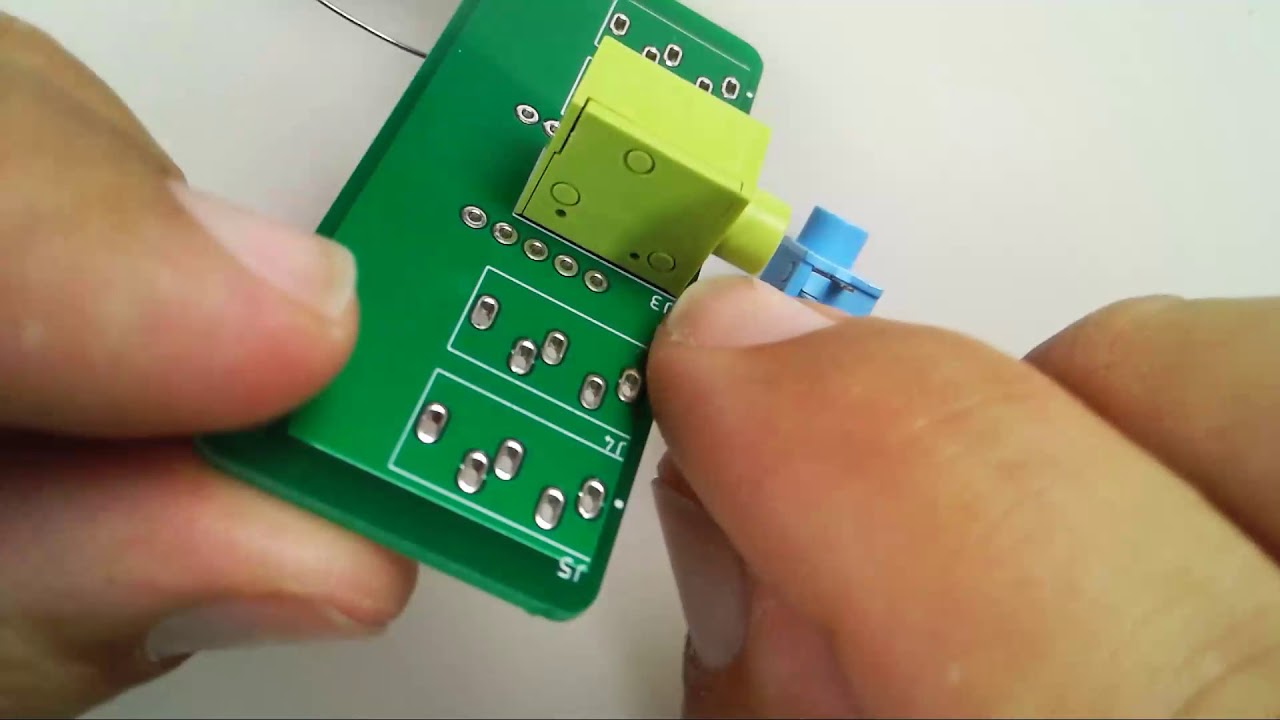
Raw video of building the KeySwitch Interface
Here’s som commercial alternatives https://www.enablemart.com/switches/switch-interfaces
Maximize the potential and accessibility of your child's primary assistive device with the help of our switch interfaces collection.
zinc copper
@slender iron Almost all the boards can have the FPGA gateware loaded via the USB port, TinyFPGA is still working on a new USB core for his upcoming iCE40UP5K boards but existing boards should work....
slender iron
ah, even better would be via a mass storage device
zinc copper
@slender iron Yeap! We are also looking at dfu-util support
slender iron
I'm imagining we could provide stock cpu configs for people
zinc copper
@slender iron Yeap! The increasingly badly named HDMI2USB-firmware-prebuilt repository (https://github.com/timvideos/HDMI2USB-firmware-prebuilt) actually has prebuilt gateware for many of the boards we are working on
Automatically build via CI when a person commits
slender iron
neat!
zinc copper
Less important on the ice40 boards were the toolchain is open source
slender iron
can they be installed without any other tools?
zinc copper
What do you mean?
brb need to go find some coffee, just got back from Europe and still pretty jet lagged
slender iron
the cool thing we have going with our uf2 bootloader is that it just shows up as a disk drive. so, one only needs to download a special file and then they can load it
tidal kiln
manic glacierBOT
 raven canopy
@idle owl I have two Q's for ya! (no...not the crying emoticon style).
-
For lib PRs, you do not want them approved/merged when they haven't been tested with hardware, correct?
-
Are you still having issues with VEML6075 RTD? I just pulled it up, and had zero problems with latest or stable...
zinc copper
@slender iron The same behaviour as the uf2 bootloader will be possible with TinyFPGA's new USB core on the TinyFPGA boards
Sadly it won't be possible on boards which have an FTDI chip
slender iron
awesome! does that work on the ice405kup too?
zinc copper
@slender iron The ice40up5k was the reason for the rewrite
Couldn't meet timing with the old design
zinc copper
The ice40up5k is much slower than the ice40hx parts, but it uses a lot less power
slender iron
ah, interesting!
zinc copper
Twitter mainly, https://twitter.com/tinyfpga

husband, father of two, engineer, TinyFPGA creator. [https://github.com/tinyfpga] [https://hackaday.io/projects/hacker/233933]
Tweets
3013
Followers
2665
Twitter
slender iron
I like that it has the ram
k, following luke already
very excited for the feather
zinc copper
The biggest problem is that I really need to find some more developers 😃
slender iron
what do you need help with?
zinc copper
If people have time to contribute, I'm pretty sure I can find something they could be useful doing. Python, C and hardware skills are probably the most useful. As I mentioned on twitter a lot of the stuff is improving the FuPy micropython port by writing drivers.
idle owl
@tidal kiln looking now
@raven canopy Correct, we need everything tested. And no, I sorted the issue with the docs, thank you for checking!
slender iron
what do you mean by drivers? like spi and i2c?
zinc copper
@slender iron and things like PWM, Ethernet, video, etc
idle owl
@tidal kiln Tested, merged and released, thank you so much!
slender iron
we have the first one in CircuitPython but not the others
zinc copper
@slender iron There is also a bunch of complexity due to the fact that FPGA based SoC's are so dynamic - IE One person could be using 3 PWM devices and one person could be using 3 SPI devices in their system
slender iron
right, how do you discover what they have? or do you build a custom binary for each?
zinc copper
@slender iron At the moment there are two ways; there is a csv file which describes the register layout (kind of like SVD in ARM) and auto-generated C headers which you can include and then ifdef things using. We are thinking of trying to move towards using device tree instead

GitHub
An environment for building LiteX based FPGA designs. Makes it easy to get everything you need! - timvideos/litex-buildenv
tidal kiln
@idle owl np. hacktoberfest 2 of 5!
idle owl
Yeah I blasted through that really quickly 😄
slender iron
I don't know much about device tree
zinc copper
There is a tutorial for getting our MicroPython port up and running on an Arty board here -> https://github.com/timvideos/litex-buildenv/wiki/HowTo-FuPy-on-a-Digilent-Arty-A7
GitHub
An environment for building LiteX based FPGA designs. Makes it easy to get everything you need! - timvideos/litex-buildenv
zinc copper
@slender iron There is info at https://github.com/timvideos/litex-buildenv/wiki/DeviceTree
GitHub
An environment for building LiteX based FPGA designs. Makes it easy to get everything you need! - timvideos/litex-buildenv
@slender iron The #timvideos IRC channel on Freenode is the best place to get help if you get stuck
slender iron
I'll keep snooping. its not super interesting until usb is easy
seems like device tree wouldn't be too bad
probably more than we'd need though
 upbeat plover
how do you use the joypad tft display wing with CP?
slender iron
the display isn't supported yet
@zinc copper is micropython and the gateware stored on the device so it survives power down?
zinc copper
@slender iron You can do that - when doing development the fact it comes back in an empty state after power down is a feature 😃
tulip sleet
@slender iron turns out the stack it was never 12k: I was misremembering. It was just that I increased the heap from 16k to 20k (https://github.com/adafruit/circuitpython/pull/183), leaving 12k for everything else: stack + static storage. 3.x stack is 3476 bytes (+1024 guard bytes), 4.0 stack is 4328 bytes.
slender iron
ah ok, the bss was what you weren't counting?
tulip sleet
right, so bss is larger than I thought. The 4k stack was the result of adjusting the heap larger until the stack was too small, then backing off.
slender iron
ah
tulip sleet
I guess I might look at what's in bss to see if there are any savings to be had there, but probably not a lot
tulip sleet
so notro's need for a larger stack may be due to his running the test programs, which may be atypical. we certainly can bump the m4 stack larger
slender iron
right
tulip sleet
not sure what you mean: why not wait to check bss, or why not look now?
slender iron
why worry about memory now?
tulip sleet
no reason - i can just close that issue after adjusting m4 minimum
slender iron
kk, I'm hoping to work to get out of alpha
tulip sleet
yah - i want to get back to peripherals. I was just trying to knock off some of the outstanding bugs
but that wasn't really a new bug
notro's long-term solution is your idea of dynamic stack size set in boot.py
manic glacierBOT

I think these should all be "not available" instead of "not yet implemented", because on the nRF52832 there will never be another UART instance, right?
Is it possible to discard the already DMA'd characters? That's what we want to do here.
idle owl
@raven canopy I poked Travis and it's not starting up. Hmph.
manic glacierBOT
Yes, please put something under shared-bindings and if it's not available, then it would throw an error that it's not implemented. Also would be done for the nrf port as well. You could use pyserial as an example of what the API might be. We added stuff to UART that mimics pyserial as well.
OK, I can round down. Right now atmel-samd rounds to nearest.
idle owl
@raven canopy I'll fight with it tomorrow. I activated it on Travis, it's not doing the magic that makes it run on the initial PR and I don't know any easy thing to fix it, so I'll need to do a little more research or... something. Added cpylibrarians to the repo too.
raven canopy
@idle owl k. I can see if there's a little something I can push to give Travis a nudge...
idle owl
Thank you
tidal kiln
travis.show()? sry....i'll leave...
raven canopy
lol
idle owl
hah!
manic glacierBOT
OK great - we're working on a solution to this common issue :)
manic glacierBOT

This rounds down and also makes sure the max freq of the particular SPIM is not exceeded. I put in that data but forgot to check it!
dawn rampart
@slender iron - That was it. I put a 10uF cap nestled up next to the original 0.1uF and suddenly Windows 10 recognizes the board no problem. CIRCUITPY drive a'hoy! Thanks
raven canopy
@idle owl Travis has complied. No more "I'm sorry, Kattni. I can't do that." out of that AI.
manic glacierBOT
manic glacierBOT
Assuming @adauser256 is the poster in the forum thread above, this has been shown to be due to Kaspersky. Uninstalling Kaspersky makes the problem go away. Closing.
zinc copper
@slender iron Any idea how "small" people have make UF2 bootloaders? It seems like there is an Atmel ATmega16u2 bootloader?
manic glacierBOT
Hi @jerryneedell: Since this seems to be an AM2320 problem, which we've worked around in the drivers, can this be closed?
yah i fixed i think - but please try the latest version
meager fog
@zinc copper the 8kb size is as small as it gets, there's an 16u2 version but its for UNO - like not for the 16u2

GitHub
USB Mass Storage bootloader for Arduino UNO R3 with ATmega16U2 - mmoskal/uf2-uno
@tidal kiln areound?
i could test cap118 now
tough flax
@tulip sleet - what branch is the pyserial stuff on to emulate? 4.0?
tidal kiln
@meager fog yep. back now. awesome, thanks for testing. for review also.
tulip sleet
@tough flax I don't see a 4.0. Do you mean 3.4? We've been going by 3.x, which renames a bunch of things in the API from earlier versions (I think like inWaiting -> in_waiting, etc.)
tough flax
Sorry, I am just reading your note about taking guidance from pyserial so I figured it was in one of the branches working towards 4.0 alpha...
if you just mean use in_waiting as the function name, I'm good with that
tidal kiln
sure. no worries. basics are really all that's there for now.
tidal kiln
one thing to note - the pins behave non-latching, which is different than arduino lib behavior
manic glacierBOT
tidal kiln
yep. raw_value
manic glacierBOT
meager fog
@tidal kiln added requested changes
tidal kiln
see 'em. thanks!
tulip sleet
@tough flax Oh, I thought you were talking about pyserial versions, not circuitpython versions. Yes, please target master (4.0) on circuitpython
tough flax
Ok. I have a steep curve here - adding the optional parameter to a global function wasn't a challenge.... figuring out how to write a module from scratch will add some steps. I'm following this guide - appropriate? https://micropython-dev-docs.readthedocs.io/en/latest/adding-module.html
tulip sleet
we take a different approach in cpy, take a look at shared-bindings, which implements the non-port-specific part of the interface (the python side). Then it calls common_hal_something_or_other() to do the work, which you reimplement in each port. so e.g. shared-bindings/busio/UART/UART.c exists across all ports, and ports/{atmel-samd,nrf,esp8266}/busio/UART/UART.c is implemented for each of the ports we support. I'm not suggesting to put it in UART - just using that as an example. I haven't thought about what new module to put this in, it could maybe be an addition to supervisor.Runtime: https://circuitpython.readthedocs.io/en/latest/shared-bindings/supervisor/Runtime.html
tough flax
Yes, I see that... I thought I'd mimic bleio and just have a singleton like that Adapter?
tulip sleet
not sure if @slender iron would agree or not
tulip sleet
that sounds plausible. unfortunately there seem to be no good existence proofs of something similar elsewhere
tough flax
I only see the one method (is there data available to read via input) and perhaps a second status: is there a USB serial connection at all (i.e. are we on battery - or connected to a PC)
All this will become moot with AsyncIO, but this is a nice simple addition that I think people will use
manic glacierBOT

Hi,
The strings marked in the nrf directory wasn't a lot, but i'm not sure about the translation of the advertisment, service and characteristic, @carlosperate, can you please take a look?
So, summarizing your results above, it appears to you that D10/D11 and D6/D9 on M0 used as UART TX/RX do not work? Everything else appears OK.
manic glacierBOT

ah right, I will change it and update the new string
yeah, we could abort transfer, there is an issue with loosing bytes if we do it too fast and often. I will check and test.
String internationalization for Brazilian Portuguese #1224 #1098
slender iron
@zinc copper you could probably go smaller than 8k if you remove the bossac serial stuff
@tough flax look in supervisor. it has some usb status there. you could add the input buffer size there too
Yay @dawn rampart ! Glad you got it going
manic glacierBOT
Checked all advertising strings.
Refence #1226 last comment
manic glacierBOT

The sensor seems to work fine with the latest library on the RPi and on a feather_nrf52832 and the nrf52_Dongle.
It still fails to be detected by an I2C scan, but that is an issue with the way scans are done.
Closing since the sensor is working with the current drivers.
manic glacierBOT
Tested this on the feather_nrf52832 where #1216 was reported -- works now. Thanks
 keen aspen
Hello all. I am sure this has been asked before, but I don't get the specific difference between CircuitPython and MicroPython. I get that it runs on the board but so does MP, so what does CP give me that MP doesn't?
manic glacierBOT
Note conflicts due to #1232 fixing misspelling typos.
@hathach can you resolve the conflicts that have arisen? Thanks.
manic glacierBOT
FYI - I can reproduce this on my nrf52840_dongle but it does not fail on a feather_nrf52832
Thanks @dhalbert, i will fix it later today.
dawn rampart
If I've got a 2 MiB flash chip on my CP board, how large should the CIRCUITPY disk report being?
tulip sleet
@dawn rampart just about 2MB. I plugged it into a Win10 box, and got 1.97MB.
@keen aspen We friendly-forked from MicroPython for a number of reasons. The first paragraph here is the essence: https://circuitpython.readthedocs.io/en/latest/
We were trying to come up with a uniform I/O library that worked across multiple boards. We also did a port to Atmel/MicroChip SAMD chips, which has not yet been done for MPy. And our emphasis is on education, ease of use, and greater compatibility with CPython. We are in regular touch with the MicroPython folks.
manic glacierBOT
I'm not sure what STA stands for, can you give me a hint please? Also bit clock / bit clock pin?
bit clock in i2S
https://en.wikipedia.org/wiki/I²S
https://it.wikipedia.org/wiki/I²S
STA is short for "station": https://en.wikipedia.org/wiki/Station_(networking)
https://it.wikipedia.org/wiki/IEEE_802.11
manic glacierBOT
I merged some translation PR's in and it broke your build - sorry. If you could just merge or rebase from master, I think it will be fine.
idle owl
@raven canopy Thank you
tidal kiln
@raven canopy can you approve?
@idle owl wanna merge / release?
https://github.com/adafruit/Adafruit_CircuitPython_CAP1188/pull/2
idle owl
@tidal kiln Yah sure
@tidal kiln if it's set, I can approve it, otherwise @raven canopy let me know when you've approved.
tidal kiln
i think it's set
idle owl
ok
@tidal kiln Oooh then do you want to go through putting it on PyPi?
Also do you have access to setup Read the Docs?
tidal kiln
willing to give it a shot. should i try just following instructions in that issue you linked?
idle owl
@tidal kiln Or we can go audio and I can walk you through it instead.
or in addition to, rather.
The instructions could be better is my point.
tidal kiln
To do this work you'll need the adafruit-travis pypi username and password. You may also need adafruit-adabots GitHub password. Please contact @tannewt or @kattni if you are interested.
yah, i don't have any of that
idle owl
Yah we'll get that sorted.
manic glacierBOT
Thanks @dhalbert!
Is there someone available to check my translation? There are about 100 lines missing to do.
I merged some translation PR's in and it broke your build - sorry. If you could just merge or rebase from master, I think it will be fine.
No problem, just push the new one.
 tawdry wyvern
Howdy @tulip sleet I'm having some trouble with my new Feather M4 Express on Windows 7. I've got the latest driver package installed (adafruit_drivers_2.3.1.0.exe), but still seeing a few different flavors of "Driver Not Found". (Screenshots below, I think...) The same board works just fine on a borrowed Windows 8 machine. Any ideas for troubleshooting or workarounds?
FWIW: I've tried the steps shown here. https://learn.adafruit.com/welcome-to-circuitpython/troubleshooting#cplayboot-trinketboot-featherboot-or-gemmaboot-drive-not-present-18-2

New to CircuitPython? This is the place to start.
tulip sleet
@tawdry wyvern Try uninstalling all the drivers from "Uninstall Programs", then use the "Device Cleanup tool" here to remove all the existing associations: https://www.uwe-sieber.de/misc_tools_e.html, then reinstall the 2.3.1 driver package. It's also possible you have some other drivers installed that are overriding ours.
tawdry wyvern
Does "all the drivers" mean anything with "Adafruit" in the name? Is there anything else that should be removed. (Eg. "FTDI ?)
tulip sleet
yes, the adafruit ones, the FTDI ones don't matter. If you have any third-party WPD drivers installed, maybe get rid of those too (if they are listed), but I think that might be from initially plugging in the board without the drivers installed.
win7 is more and more of a nightmare when it comes to drivers 😦
tawdry wyvern
I'm beginning to see that. :`(
idle owl
@slender iron The imageload helper uses displayio?
I ask because I was going to try to get it into PyPi but the install test was a little weird, and I'm wondering if it's not going to work because it's using something that isn't supported yet for it
And I realised maybe you can tell me whether there's any point in doing the PyPi thing yet because you might know what it requires to work or that there's no point in general.
Nevermind, I had something wrong in setup.py, it worked fine. Maybe you can still tell me.
We have other stuff up there before the dependencies are working, so I guess I'll toss it up there too.
slender iron
it doesn't use it because it gets passed in
idle owl
But it's still in the automock because Sphinx is silly?
I think it'll have to stay there because I'm not sure putting it in requirements.txt will work
zinc copper
@slender iron bossac serial?
slender iron
@zinc copper the ability to flash over a cdc connection instead of mass storage
zinc copper
@slender iron Know anyone who might be silly enough to do contracting work in this area? I'm very interested in seeing if we could make an implementation of these protocols for the FX2, PIC18F and maybe the efm32hg309...
slender iron
the uf2 protocol?
I don't but we're soft launching our jobs board: https://jobs.adafruit.com/
bootloader source is here: https://github.com/adafruit/uf2-samdx1
GitHub
MSC bootloader (based on UF2) for SAMD21. Contribute to adafruit/uf2-samdx1 development by creating an account on GitHub.
zinc copper
@slender iron Yeah, the uf2 protocol
slender iron

GitHub
UF2 file format specification. Contribute to Microsoft/uf2 development by creating an account on GitHub.
zinc copper
I really need to make some connections with the MakeCode people at Microsoft
slender iron
they are on here 😃 @narrow relic @rare perch
 rare perch
@zinc copper try #help-with-makecode channel 😉
slender iron
The translation folks are rocking!
idle owl
I know! It's great!
raven canopy
CAP1188: sorry @tidal kiln, I was on a "super fun" conference call. Thanks @idle owl for picking that up!
tidal kiln
@raven canopy np. thanks again for the review!
idle owl
no worries!
manic glacierBOT

I resolved the remaining minor translation conflicts via github.com. Thanks!

We don't know of any native Italian speakers off the bat, but feel free to ask on discord #circuitpython.
manic glacierBOT
Also now a few strings re SPI have changed or been removed.
manic glacierBOT
 manic glacierBOT

Hi, I created a CircuitPython module for interfacing with the VS1053 chip (probably also works on VS1063). It allows you to play audio files through the SPI interface:
https://github.com/urish/vs1053-circuitpython
Is there any index of all community published CircuitPython modules or best practices for publishing such modules?
מדהים !!
you know we actually have a vs1053 driver that we never finished
would you like to see if your code and our code can work together?? :)
great! here's the repo, i just made it public, we started it a while ago but we didn't have a fast enough chip to really get it working - so it has languished.
please try it! if you could send any pull requests there, i could test and review it!
https://github.com/adafruit/Adafruit_CircuitPython_VS1053
Lovely, I booked some slot this weekend for testing it. Any specific song you would like me to test with? :-)
you can try any mp3 you like, just let us know what the bitrate is, because i think that will make some difference in playback. if its a public domain or creative-commons mp3 we can link to it from the guide as well.
manic glacierBOT

"no soportada" sounds slightly better to me, but both work.
If we are using accents then Característica.
Can circuit python deal correctly with accents?
Checking just in case, as these are "character modifiers" (the second character modifies the previous), and even if correctly encoded in UTF-8 some terminals cold also struggle to display them without additional configuration.
I think UTF-8 itself has "precomposed" characters, which are like a single unicode characters that could contain the vowel with an accent included, rather than having two characters (vowel + accent). It possible that mig...
Accents are fine. Please don't avoid them, yes, use the standard UTF-8 characters you'd use normally.
I've added minor comments, keep up the good work @C47D!
And thanks for the ping, I've been struggling to keep up with some of the GH notifications.
tidal kiln
is the hacktoberfest label something that should show up in any CP repo? or does it need to be added somehow?
slender iron
it needs to be added
tidal kiln
thanks. are the labels basically just per repo free text?
idle owl
They're not required for an issue to be valid for Hacktoberfest but it does mean it'll come up in a search. I don't understand your question though
tidal kiln
ah. nvm. appears so:
https://help.github.com/articles/about-labels/
idle owl
that also works 😄
tidal kiln
and there are defaults, which explains why there were already options.
tidal kiln
@tulip sleet @slender iron any idea what may be happening here?
https://forums.adafruit.com/viewtopic.php?f=48&t=141158#p700666
weird and inconsistent memory allocation error. i can't reproduce.
 candid stump
On a related topic, I'm adding a remote control helper at:
On a related topic, I am trying to create a helper at https://github.com/fmorton/Makers_CircuitPython_remote_control but am unable to get it to pass the travis test looking for the "pulseio" module. I can't find out what to do about that.

GitHub
CircuitPython helper for remote controls. Contribute to fmorton/Makers_CircuitPython_remote_control development by creating an account on GitHub.
slender iron
@tidal kiln is it the issue of loading libs off the fs instead of memory?
tidal kiln
ah
slender iron
have them list the drive
tidal kiln
right. good call. and let me check what's on mine...
manic glacierBOT
I guess so, same for Característica above, isn't?
tidal kiln
so i've got lib/adafruit_crickit.mpy on mine. so i'd think i'd hit the same issue if it was a fs/frozen thing. right?
slender iron
maybe, it could that they have more? /shrug
manic glacierBOT
Agree, "not supported" is in more strings, i will fix those aswell.
slender iron
ah, that could do it
manic glacierBOT
I'll make "not available" be "not supported" in the English strings for consistency if it's inconsistent now.
manic glacierBOT
dawn rampart
Okie dokie - Update time. So, I realized that the last build I did for the Mini Sam M4 was the build without the external flash enabled. This build mostly worked - had a few issues with it locking up after each load of code, but otherwise worked great. REPL worked, etc. Anyway, so now I rebuilt with external flash enabled. Flash went fine. Boot mode still works fine, but I end up with two "USB Drive" items, neither of which is accessible or shows any size. Using USB Tree I find it is reporting as: "USB Composite Device - D:, F:, 2x HID, Mouse, Keyboard, COM15" Looking down the list of info in USB Tree I see an error under "Device Qualifier Descriptor" that reads: "Error : ERROR_GEN_FAILURE". Since I saw COM15 was working, I checked and REPL is working. Windows 10 device manager reports a several devices with my USB PID/VID combo, but the two "USB Drive" devices in device manager - when checking properties are located on the USB Mass Storage Device. Ideas?
@slender iron or @tulip sleet - tagging to easily find.
stuck elbow
possibly it can't access the flash chip, so no MSD
dawn rampart
Oh, one other thing, while in BOOT mode, the MINISAMBOOT drive lists a capacity of 3.87 MB...
dawn rampart
okay - just checking.
stuck elbow
can you do os.listdir in the repl?
dawn rampart
returns <function>
Oh sorry
I'm new to REPL... dir(os) returns
['name', 'chdir', 'getcwd', 'listdir', 'mkdir', 'remove', 'rename', 'rmdir', 'sep', 'stat', 'statvfs', 'sync', 'uname', 'unlink', 'urandom']
stuck elbow
I mean os.listdir()
dawn rampart
returns []
pastel panther
heya @meager fog If/when you have a minute, I have a question about your MAX31856 driver
 scarlet fjord
i dont really know where else to ask this, but I'm looking for a way to parse this array data and turn it in to a 3-dimensional array of location, rotation, and scale info:
    (
        Transform=(
            XPlane=(
                    W=0.000000,
                    X=-1.000000,
                    Y=0.000000,
                    Z=0.000000),

            YPlane=(
                    W=0.000000,
                    X=-0.000000,
                    Y=-1.000000,
                    Z=-0.000000),

            ZPlane=(
                    W=0.000000,
                    X=-0.000000,
                    Y=-0.000000,
                    Z=1.000000),

            WPlane=(
                    W=1.000000,
                    X=5250.000000,
                    Y=7000.000000,
                    Z=1200.000000)
            )
        ,
        LightmapUVBias=(
            X=-1.000000,

            Y=-1.000000
            )
        ,
        ShadowmapUVBias=(
            X=-1.000000,

            Y=-1.000000
            )
    )
i dont really know in what order all the numbers are, but at this point it doesnt matter. so long as I can somehow get the numbers in there and do *something* with them, I'll be making progress!
Any help would be appreciated
So far all I've managed to do is create a for loop, but... im not sure how or if the text there can even be parsed as an array in python?
I'm a little out of my depth here
basically, i need to get the Transform=(x,y,z,w) numbers out and turn them into float variables
tidal kiln
@scarlet fjord where is the data coming from?
scarlet fjord
It's an array of object instance transforms from the Unreal Engine 4
I'm trying to create a script for Blender to create that same object array as meshes in blender instead of inside an Instanced Static Mesh component in UE4 😅
tough flax
Hey folks - just got done w/ @slender iron trying to get Jim Lubin's Sip & Puff stuff sorted out. We've decided that while we get the relay board working right (it's still flaky), we're going to try to put together a device based on the MPRLS that @meager fog showed last week (I have one here)
Can anyone give me an update on the CP driver for that? Is there anyone working on it?
scarlet fjord
so far ive managed to come up with the idea of parsing that data in as a string value to a for loop that looks through and eval()s it to create an array of strings for each character between commas, but idk of that will work
tough flax
I've got a great first project, I've got a device & am willing to test & debug. I'm not sure I'm ready to lead dev of it, but I will try if needed. I would prefer to have this be a CP project to Arduino (even if it has to be on an M4 for memory reasons)
tidal kiln
pastel panther
@tough flax I'm happy to help if you need any coding or board design/layout help
tough flax
Thank you! I had just found it! I don't think it's linked correctly in the guide
tidal kiln
@scarlet fjord are you trying to use circuitpython somehow?
tough flax
My current goal is to get this working w/ a Feather M4 (or ItsyBitsy M4) & the breakout board wired up together. If it's solid, I can Eagle-up a through hole board that holds both & eliminates the wires.
pastel panther
@scarlet fjord you might want to give regular expressions a try
tough flax
On the coding side, I'd love the help
@scarlet fjord Is this a realtime thing or a one-time thing?
scarlet fjord
its not real-time, but i need to do it a few times to quite a lot of these arrays
what's a regular expression
tidal kiln
@tough flax i'm also willing to help. seems like it should be pretty straight forward - just look for +/- threshold deviations from baseline pressure
tough flax
There's some work to be done in mapping his particular flavor of Morse Code into the system, but that's just software if the driver works 😃
manic glacierBOT
I used accents were needed, i will check if there are any missing accents.
tidal kiln
@scarlet fjord do you know if that data format is something known?
tough flax
So, @scarlet fjord I wouldn't recommend CP as your language/environment for this. That looks like some variant of a JSON-style serialization... parsing it shouldn't be hard. Python on a PC can do it easily, if you're doing lots, then something like flex/bison on Linux would work (but you'd have a steep learning curve).
manic glacierBOT
Thanks for the words @carlosperate, i wanted to finish this faster but it wasn't possible, hope to get this fully translated by the end of this month, any suggestions welcomed!.
scarlet fjord
the format is consistent and known yes. im not using circuit python but just regular python inside blender, i just didnt know where else to ask
tough flax
@scarlet fjord Ok, that makes sense... I can help you with Regular Expressions if you need it, but probably not in this channel.
tidal kiln
well, it'll be easier with the might of big brother python
does the format have a name? there may already be a python parser for it that would read that into a python dict or something. then it would be trivial to get what you want.
tough flax
Yeah, it really looks like that's some form of serialization... it's not JSON, but it's probably something standard(ish)
scarlet fjord
idk what the name is, its like some internal UE4 array thing
if its anything its probably C++, that's what UE4 runs on

tidal kiln
could almost pass that through sed and make python dict syntax...repalace () with {}, replace = with :, put " around the text to make them string literals...
scarlet fjord
sed?
tidal kiln
streaming text editor
tough flax
He won't have that installed
scarlet fjord
sounds like regular expressions are the way to go then? 🤷 im trying to read up on them but this is dense stuff
scarlet fjord
windows 10
raven canopy
salaea grabbers don't like the weight of 4-wire SPI + ground. now i have extra jumper spaghetti on the desk... 😆
tough flax
@scarlet fjord Regex is steep but worth learning. When you get the basics down and need help writing the regular expressions themselves, let me know
Here's a basic way to parse out the "W = 0.123456," line.... (my regex is better than my python so be kind)
>>> import re
>>> pattern = re.compile("([WXYZ])=([0-9.]+),")
>>> match = pattern.match("W=0.000000,")
>>> match.group(0)
'W=0.000000,'
>>> match.group(1)
'W'
>>> match.group(2)
'0.000000'
In reality, you'd want to put some white-space checking in there, but you can see that you can pull out the W and the number
once you have the number as a string, use float(match.group(2)) to make it a number
This one handles negative numbers and whitespace:
pattern = re.compile("([WXYZ])=([0-9.\-]+),")
NOPE
Sorry, pasted wrong line
```Close enough - my python is having issues with the dash being a negative number... 😕
Anyway, regex rocks and will help you long-term
scarlet fjord
ooh ok so ive got:
import re

pattern = re.compile("([WXYZ])=([0-9.]+),")
match = pattern.match("W=0.000000,")
print(match.group(0))
print(match.group(1))
print(match.group(2))
and is printing:
W=0.000000,
W
0.000000
so thats good, but im still a little lost on the basics - where do i put the input variable? 😅
tough flax
You'll need to use normal python file reading to read each line & keep track of what data you're reading
regex just parses the line into data elements
It's almost midnight, I need to head home... lots of resources on reading data in Python - and I'm not a good one, but I can help you if you get stuck on regex
scarlet fjord
alright, thanks - you've been a huge help already 😁
tidal kiln
this is foo.py
Transform="Transform"
W="W"
X="X"
Y="Y"
Z="Z"
XPlane="XPlane"
YPlane="YPlane"
ZPlane="ZPlane"
WPlane="WPlane"
LightmapUVBias="LightmapUVBias"
ShadowmapUVBias="ShadowmapUVBias"

with open("foo.dat", "r") as f:
    raw_text = f.read().replace('\n', '')

raw_text = raw_text.replace('(', '{')
raw_text = raw_text.replace(')', '}')
raw_text = raw_text.replace('=', ':')

exec("data = " + raw_text)
with your data saved as foo.dat
>>> import foo
>>> foo.data
{'Transform': {'WPlane': {'W': 1.0, 'Y': 7000.0, 'X': 5250.0, 'Z': 1200.0}, 'YPlane': {'W': 0.0, 'Y': -1.0, 'X': -0.0, 'Z': -0.0}, 'ZPlane': {'W': 0.0, 'Y': -0.0, 'X': -0.0, 'Z': 1.0}, 'XPlane': {'W': 0.0, 'Y': 0.0, 'X': -1.0, 'Z': 0.0}}, 'ShadowmapUVBias': {'Y': -1.0, 'X': -1.0}, 'LightmapUVBias': {'Y': -1.0, 'X': -1.0}}
>>> foo.data['Transform']
{'WPlane': {'W': 1.0, 'Y': 7000.0, 'X': 5250.0, 'Z': 1200.0}, 'YPlane': {'W': 0.0, 'Y': -1.0, 'X': -0.0, 'Z': -0.0}, 'ZPlane': {'W': 0.0, 'Y': -0.0, 'X': -0.0, 'Z': 1.0}, 'XPlane': {'W': 0.0, 'Y': 0.0, 'X': -1.0, 'Z': 0.0}}
>>> foo.data['Transform']['WPlane']['X']
5250.0
>>>
ooh alright, ill give that a try, thanks!
tough flax
Yeah, that's a good way.. kinda kludgy, but fast and kinda elegant 😃
tidal kiln
sry. i'm not good at regex.
and i couldn't think of a clever way of doing the string literals
tough flax
Regex is amazingly useful (it works frickin' everywhere), but I forget about eval() and exec() in interpreted langauges - nice call
tidal kiln
there's probably a regex way to turn textblob into "textblob"
tough flax
sure!, just use parentheses and back references
re.sub(r"(.*)", r'"\1"', "textblob")
>>> re.sub(r"(.*)", r'"\1"', "textblob")
'"textblob"'
It's the little things like needing the r before the string that differs between languages and makes you gnash your teeth
@pastel panther and @tidal kiln - one thing that would really make my life easier on this & other projects is to know how to convert an eagle BRD/SCH file into a part. Is there a guide somewhere? For example, there's a Feather Footprint pat, but none for the Trinket, ItsyBitsy, and none for things like the breakout boards. It would be great if there were a script or the like that helped
tidal kiln
that's been asked before and comes up every now and then
can't remember the answer though. maybe there's a ULP?
tough flax
Yeah, if anyone finds something, please let me know
tidal kiln
the fritzing diagrams are made that way
you basically want to treat a trinket/itsy/whatever like a chip. just grab from part library and drop?
tough flax
Yes - I don't mind having to edit the part, but starting from scratch sucks - and there are always measurements I get wrong
Even just getting the footprint and having to add the pads would be find
fine
pastel panther
@tough flax Do you mean making a feather or trinket someting that you can add to another board/schematic?
tidal kiln
^^ yes
manic glacierBOT
Don't worry about finishing it soon, because the underlying code will not be done that soon. We are adding things to this build all the time, so there will be more strings and more changes in the near future.
pastel panther
What you want to do is edit the file down to whatever minimal version you want to add to the other file (don't forget the silks) and then you want to save it as a design block.
Part one of my article will cover this
Once you've saved the board as a design block, you can then open the file you want to add it to and use the "add design block" button (next to add part) to add it. You will likely have to rename some or all of the nets of there are overlaps
tough flax
Yes, @pastel panther For example, on this board, I mount a Trinket to the backing board (where the jacks go)... adding that trinket should be easy (like adding a Feather): https://www.youtube.com/watch?v=kPwT5a61wVU&t=40s
Raw video of building the KeySwitch Interface
pastel panther
There is a way to save a selection as a design block but it's kinda tricky. I haven't quite figured it out
tough flax
The ItsyBitsy (with no mounting holes) is a perfect candidate for this - so your article will be helpful!
pastel panther
(an itsybitsy adapter board is on my long list of things to do)
tidal kiln
@tough flax i think the MPRLS is new enough that info is still being written. the product page links to CP repo. but looks like the guide still doesn't have a CP section.
but it works:
Adafruit CircuitPython 3.0.2 on 2018-09-14; Adafruit Feather M4 Express with samd51j19
>>> import board, busio
>>> import adafruit_mprls
>>> i2c = busio.I2C(board.SCL, board.SDA)
>>> mpr = adafruit_mprls.MPRLS(i2c)
>>> mpr.pressure
999.169
>>> mpr.pressure * 0.0145
14.4848
>>>
I call the Trinket a Feather like 100 times in that video 😃
tough flax
Yeah, @tidal kiln - I think I'm part of the target audience for that, so I'm looking forward to helping blaze this trail 😃
But seriously, I have to drive home!
😃
tidal kiln
👋
tough flax
@tidal kiln, did you manually put the module in the libs folder or is it in the latest build (frozen?)
(I WILL leave after this question) 😃
tidal kiln
it's in bundle now
manic glacierBOT
I merge some changes that caused some messages to change or be removed, so could you rebase or re-merge and fix a couple of things? Thanks.
tidal kiln
appears to be exact width as trinket m0
pins don't line up function wise, so can't just put it on directly
tough flax
Nah! I'll survive if I have to use an M4 - just curious
I'm heading home!
😃
BYEEE
pastel panther
@tidal kiln do you know of a way to test docstrings? I want to make a table for the keys available for the max31856 faults but I don't trust myself to get it done in one go
tidal kiln
it looks very small/simple. i bet it does.
tidal kiln
test docstrings how? like the markup text?
pastel panther
yea
tidal kiln
probably an online renderer
raven canopy
you can build it locally, i thought?
 clear halo
@slender iron
Sorry for the tardy response; I've been slammed with work this week!
The GitHub MicroPython issues are likeliest to get everyone on board.
Alright, then I'll encourage folks to put their thoughts down there. There's already #3809 that covers BLE for ESP32:
https://github.com/micropython/micropython/issues/3809
I'll be sure to share whatever information I see about Bluetooth development on MicroPython with you folks.
We tried Gitter briefly but it didn't catch on.
I've had the same experience with Gitter; it just doesn't seem to 'stick'.
I'm skeptical though that we'll find agreement prior to implementation.
You might be right but if we can develop a little more transparently perhaps the implementations won't differ completely ;)
My guess is that the most used API will result from other factors like documentation quality.
If it's decided on documentation quality then you folks have nothing to worry about! Gotta love Adafruit documentation.
But I know on the MicroPython side there's a strong desire to expose most - if not all - features of Bluetooth/BLE so that it can be used for almost any kind of task. That will necessitate a large, complex API. I suspect you folks will want to limit that more and make it as easy as possible to use for the 80%.
I think available features will also contribute to the popularity of the API.

GitHub
Hello guys. Is it possible to use esp32's BLE via micropython?
tidal kiln
yah, there's a way to run sphinx locally. i haven't done that though.
raven canopy
clear halo
@slender iron
If the audience of CircuitPython and MicroPython is so different, then why does it matter if the APIs are different?
Because users get annoyed when they have to rewrite applications due to different API's - particularly when it's due to seemingly arbitrary decisions. I'd be surprised if you haven't come across user complaints like that - if you haven't I suggest you will. 😃 Or try to explain the differences between CPy and MPy. Or had to explain that if they want to move from, say, a Trinket to an ESP32 because they want wifi that they're going to have to port a lot of their code.
I started mapping the differences between the API's of MPy, CPy and the Loboris fork and it was depressing. Fundamental building blocks like SPI and I2C differed pretty dramatically. I think that's a poor state of affairs and that we can do better for our users. I'd like to think we can improve that situation with better communication - and perhaps write some tools to ensure the interfaces are consistent, if we can agree what they should look like.
We won't always agree but the API's differ a lot more than - in my opinion! - they need to right now.
Back to Bluetooth, if CircuitPython does want a more simplistic interface then imagine that we could implement the MicroPython API as a superset? Maybe I'm dreaming. 😉
@stuck elbow
thanks for the information. I'm not really actively developing anything for MicroPython, so I have no issues. I'm just naturally pessimistic.
I think you've had good reason to be...
I will be sure to give the community another try when I have more time.
Your contributions have been invaluable - to me personally but the wider community too! - and if you're able to contribute any more we'd be super grateful. I would at least! 😃
@stuck elbow
thanks to @clear halo for reaching out to try and get us to cooperate between CP and MP
I think it's valuable. Maybe it's a fools errand! 😉
tidal kiln
@tough flax MPRLS works on Trinket M0
Adafruit CircuitPython 3.0.2 on 2018-09-14; Adafruit Trinket M0 with samd21e18
>>> import board, busio
>>> import adafruit_mprls
>>> i2c = busio.I2C(board.SCL, board.SDA)
>>> mpr = adafruit_mprls.MPRLS(i2c)
>>> mpr.pressure
998.771
>>> mpr.pressure * 0.0145
14.482
>>>
@raven canopy Now it's complaining about not being able to find micropython... sigh
raven canopy
@pastel panther uncomment this line: https://github.com/adafruit/Adafruit_CircuitPython_MAX31865/blob/master/docs/conf.py#L22
i think there was some screwy stuff with PyPi, and it was commented out in the last PR. 🤷
Travis has been confused by us lately. 😄
pastel panther
the feeling is mutual
raven canopy
good luck! i'm off. @tidal kiln is Travis battle tested, if you get to that point while he's around. ⚔
tidal kiln
i am?
raven canopy
you do like 164309834 libs a week, so i thought it was a fairly accurate statement. 😄
 agile plume
Hello all, if I need to accomplish some kind of "multi-tasking" in CircuitPython, say constantly blinking multiple sets of LEDs at different rates while watching for button presses to trigger playing audio files, what should I be looking into? Is something to accomplish via some clever timing in a main loop using time.monotonic, or is there support for async commands or threading, or may some other method all together to prevent blocking my main loop?
tidal kiln
CP doesn't have interrupts, so you'll have to do it with clever timing and polling
someone was here quite a while trying to work out how to blink LEDs at different rates
basically came down to just using time.monotonic like you've guessed
pastel panther
now it's complaining about a definition of a setter for a attribute that it can't find... 15 lines down
:flip_table
agile plume
@tidal kiln Ok, that's the road I'm going down. Thx for confirming
pastel panther
plan b: find a rst->html converter
tidal kiln
@agile plume was able to go back in search and find this. may be useful.
class Timer():
    def __init__(self, duration):
        self.duration = duration
        self.last_update = time.monotonic()

    @property
    def elapsed(self):
        now = time.monotonic()
        if now - self.last_update > self.duration:
            self.last_update = now
            return True
        else:
            return False
example use:
timer1 = Timer(0.5)
timer2 = Timer(2.8)

while True:
    if timer1.elapsed:
        print("timer 1")
    if timer2.elapsed:
        print("timer 2")
@pastel panther are you running locally?
agile plume
ahh that looks very interesting, thanks!
pastel panther
I was trying to; I'm on this now:
Warning, treated as error:
autodoc: failed to import module 'adafruit_max31856'; the following exception was raised:
Traceback (most recent call last):
  File "/Users/bsiepert/cpy/max31856/.env/lib/python3.7/site-packages/sphinx/ext/autodoc/importer.py", line 154, in import_module
    __import__(modname)
  File "/Users/bsiepert/cpy/max31856/adafruit_max31856.py", line 105, in <module>
    class MAX31856:
  File "/Users/bsiepert/cpy/max31856/adafruit_max31856.py", line 166, in MAX31856
    @temperature_thresholds.setter
NameError: name 'temperature_thresholds' is not defined
I'm going to try this rst parser and maybe come back to it later
tidal kiln
do you have an @property for temperature_thresholds?
>>> class Foo():
...     @bar.setter
...     def bar(self, value):
...         print(value)
...
Traceback (most recent call last):
  File "<stdin>", line 1, in <module>
  File "<stdin>", line 2, in Foo
NameError: name 'bar' is not defined
>>> class Foo():
...     @property
...     def bar(self):
...         print("property")
...
...     @bar.setter
...     def bar(self, value):
...         print(value)
...
>>>
yes
tidal kiln
anyway to see current code?
tidal kiln
that's ok. if you're pushing to the repo you made the PR from, a travis build will kick off.
oh. i think it see it. it's just the order of the funcs. see above and then compare to:
>>> class Foo():
...     @bar.setter
...     def bar(self, value):
...         print(value)
...
...     @property
...     def bar(self):
...         print("property")
...
Traceback (most recent call last):
  File "<stdin>", line 1, in <module>
  File "<stdin>", line 2, in Foo
NameError: name 'bar' is not defined
>>>
That matters?!