#circuitpython-dev
1 messages · Page 193 of 1
 storm spoke
 main meteor
Yes, the library includes the code to talk to the HT16K33, as well as the wrapper code to use it to control the various different matrices.
So you'd have a line like from adafruit_ht16k33 import matrix and then i2c = busio.I2C(board.SCL, board.SDA) matrix = matrix.Matrix8x8x2(i2c)
storm spoke
Killer, I think this is enough for me to tinker around with. thank you so much! still have many questions but I think I'll fool around for a bit and try to get acclimated to the code. I havn't coded anything at all in 15+ years.
main meteor
In that case, I think you're better off with CircuitPython than Arduino. They both work, but CircuitPython takes care of a lot of details for you.
storm spoke
madbodger! you still around?
I cant figure out how to light more than a single pixel:
Set a pixel in the origin 0,0 position.
matrix[0, 0] = 1
I've modified the values within the brackets and successfully moved the single led around the matrix, and the value changes the color. but I cant figure out how to illuminate more than a single pixel
 gentle bronze
@meager fog good evening there. Yeah the repl should work now
You can also try dfu-flash to test touch1200 as well
Though the arduino uploading still need a bit more work. Since we use the arduino built-in touch 1200, and it is a dance of dtr, rts on/off instead of straight disconnetion (both dtr and rts off ) at 1200. I am pulling arduino ide code to check out what it does to response accordingly.
Sum up, cp all works now, arduino should be ready in your next morning :D
 meager fog
wow
ok let me grab my DK
after arduino we hvae some things remaining for circuitpython - like QSPI external flash
gentle bronze
Yeah, right.
I didn't find our flash with local online, I may go to some store to check it out.
meager fog
oh can you make it work with the DK flash
i think it is connected as QSPI?
if not, i can send you a feather
(now that i can test it 😃
gentle bronze
Yeah, I will try to do that first.
meager fog
@tulip sleet was also thinking of splitting up the QSPI management code out from SAMD
so you dont have to do the whole filesystem - just the commands to read/write blocks
since the filesystem part is the same
gentle bronze
Ah, When SD is enabled, it will affect the flashing api flow. E.g erase() won't run blocking and complete. Instead it will only queue the cmd, return immediately, and a separated event (sd soc) signalling the erase is complete in asynchronous way.
It is only technical, but we better to get it ready asap :D
gentle bronze
It has many, but the whole usb has 1 dma for all endpoint
One endpoint transferring, other has to wait
gentle bronze
The problem we run into is, cdc is occuping dma, while the stack try to ack the control transfer
meager fog
.< ok
gentle bronze
They didn't doc that the ack need dma, it is weird since ack in control xfer is zero data length
meager fog
(im compiling now)
gentle bronze
Which has nobneed for dma :D
meager fog
@gentle bronze did you have any corrections for my guide?
i could make it live soon for people who want to test pre-alpha
gentle bronze
Yeah, only the bootloader flahsing part
meager fog
ok bgreat!
it works again hooray 😃
@gentle bronze ok can you tell me what to fix
ill do it now in the guide
gentle bronze
Accounts
meager fog
or you can edit 😃
gentle bronze
yeah, sure
I update the readme a bit on thathttps://github.com/adafruit/Adafruit_nRF52_Bootloader

GitHub
USB-enabled bootloaders for the nRF52 BLE SoC chips - adafruit/Adafruit_nRF52_Bootloader
gentle bronze
user can just flash the pre-built binary with the VERION=
no, I mean, the VERSION= will just use the hex binary without compiling anything, user should use that, no need to submodule update as well
meager fog
oh ok let me try it
its still good to have whole instructions
also, we should have uf2 generated here right?
gentle bronze
without VERSON=, the make will compile and flash the generated one. Which is only for those who want to develop the bootloader
meager fog
ok ill split into two sections, then
oh one more question, should we update windows gcc to latest in Makefile?
i made this change i could commit it
gentle bronze
yeah sure, I think we should have some find routine to detect it. I will update it
gentle bronze
yeah, not many will interested in compile bootloader. Just key in VERSION and flash the hex 😄
ah, bootloader has dfu-flash as well, to upgrade bootloader using cdc. Maybe needed when the new SD come out and user need to upgrade it
for the uf2 on amazon s3, I have no ideas to push it there !!
but yeah, we should, uf2 is easier for user to flash
meager fog
@gentle bronze ok check out https://learn.adafruit.com/admin/guides/2074/editor/12646
Accounts
im not sure how to upload the uf2 either, ill open an issue to ask
but now that we hvae uf2 bootloader working well, i think that will be best for quick testing!
gentle bronze
perfect 😄
 manic glacierBOT

i think perhaps this can be closed?
i think this ^ is also essentially what https://github.com/adafruit/circuitpython/issues/254 is asking for
for
https://adafruit-circuit-python.s3.amazonaws.com/index.html?prefix=bin/pca10056/
and
https://adafruit-circuit-python.s3.amazonaws.com/index.html?prefix=bin/feather_nrf52840_express/
we've got uf2 working nicely now so lets switch over to uf2 instead of bin?
meager fog
@gentle bronze ok when dan wakes up he can take a look!
meanwhile, if that guide is looking good to you i could make it live
i have a question, you looked into the reset-double-click trick but nrf52840 erases all RAM completely?
meager fog
but RAM is not?
meager fog
says ram may be corrupted but is not erased
we dont need to use registers tho, we use a special RAM location
i think?
gentle bronze
hold on, let me check out the note
meager fog
ok yah here is how we do it with samd
GitHub
MSC bootloader (based on UF2) for SAMD21. Contribute to adafruit/uf2-samdx1 development by creating an account on GitHub.
gentle bronze
I did it with wiced,
meager fog
yeah
meager fog
kk that is odd, ill think on it
gentle bronze
I give it another try
manic glacierBOT
ok i can also update/add nrf52832 details to this guide https://learn.adafruit.com/circuitpython-on-the-nrf52 - @dhalbert are we good to close?
meager fog
@gentle bronze no need to try now - i was just thinking on it
ok i will put in some issues as i find them now that i can test!
but its late and im going to 💤
gentle bronze
good night
meager fog
thanks - nrf52840 is coming along 😃 now that DK is working i can test feather pins
i had no way to know if they were connected 😄
USB works well now ... its fun
gentle bronze
yeah, usb msc make it so much easier to work with
@meager fog I will try again with double reset, with multiple RAM locations on different banks. Hopefully it will help to address the random behavior, maybe I got bad luck with the last time, hmm. Let's see
gentle bronze
@meager fog the arduino dfu with touch1200 should be working. Though there is IRQ conflict between usb and sd for now, so you should only test with blinky or fading. Or just wait until I get it ready.
manic glacierBOT

Guess we can abandon this and replace with something better organized, I've been using this code with a small change where I send the pixel data in larger chunks and I'm getting really fast draw times with nRF and 32MHz SPI.
 indigo wedge
It's really hard getting back from vacation, I have a backlog of 98 notifications from CP and I want to go through all of them at some point, maybe this weekend.
gentle bronze
@indigo wedge welcome back. I missed your review comment 😀 😀
 solar whale
@indigo wedge welcome back!
indigo wedge
I came back last week but didn't quite have time for anything CP 😃
indigo wedge
Man, so many nrf changes, my BLE branch is probably conflict-city now
@gentle bronze what's the plan regarding QSPI flash and USB MSC? Will we remove the builtin FLASH fatfs and only make QSPI flash avaialble over USB or will it be some kind of hybrid? And will boards without QSPI flash still use the builtin flash like we do right now?
 solar whale
can anyone offer any help with this forum post (re: memory allocation issues) https://forums.adafruit.com/viewtopic.php?f=60&t=140306&p=693995#p693995
 tulip sleet
@indigo wedge whichever boards have QSPI (or just SPI) flash we'll make CIRCUITPY be the QSPI flash and not have it internal. Then we have a lot more room for the firmware. That's the approach we took with atmel-samd
gentle bronze
@indigo wedge yeah, board with external flash will use that, and those doesn't have one will use internal flash for storage as we are now.
indigo wedge
Cool, sounds good 😃 The next revision of my nrf52840 board will have qspi flash so i was curious how it's gonna work
i was also experimenting with sdcards the other day and was a bit surprised that when i mounted the sdcard it didn't appear in the usb msd, but i should've known better, that would be hard to implement
tulip sleet
@indigo wedge welcome back, btw! Scott is concentrating on graphics right now and nrf52 is my main focus. I am working on pin ownership and cleaning up the pin files, so you'll see even more merge-conflict churn soon.
indigo wedge
ah nice, pin ownership is good, does that include support for multiple SPIs and I2Cs?
tulip sleet
the pin file hierarchy is becoming more like atmel-samd, also getting rid of the .csv file stuff, which I felt didn't add value
indigo wedge
cause right now I hardcoded the instances so we can only have 1
tulip sleet
yes, as many as available
indigo wedge
hmm, but there's still a way to specify a custom name for pins to match pcb silk?
tulip sleet
oh, sure, but instead of generating those files from .csv via the script, you just edit a file that's essentially the output of the script. The csv file is not that readable and has no room for comments. It's sort of too "magic".
I went through all the boards and double-checked and updated the pin names. Also I may add arduino-style pin names (extra names - aliases, e.g. A3, not just Px_xx) on the pca10056, since you can put shields on it. May or may not get to that immediately.
also added the PCA10059 dongle and the PCA10040 (though I don't have one)
if your board design will be public and you want to add it, that's fine
it will save you a lot of constant merging, etc.
indigo wedge
yes i plan to add it eventually, I talked about it with Scott
tulip sleet
feel free to add it now and update as necessary
we have done that with Radomir's boards
indigo wedge
yes, once my board is open source 😃
 split ocean
anyone have a pointer to code for checking battery level on a Feather in CircuitPython?
 prime flower

GitHub
@kattni i think you already wrote this code? goes here https://learn.adafruit.com/adafruit-feather-m0-express-designed-for-circuit-python-circuitpython/power-management (its a shared page with feat...
@split ocean

Get running faster than ever with the first Adafruit Express board
split ocean
perfect, thank @prime flower
prime flower
np!
 tidal kiln
@split ocean which Feather?
split ocean
I'm trying to check on HalloWing. Any idea which pin for this?
tidal kiln
lemme check...
@split ocean it's there...just not sure of the pin name in CP...and i don't have hallowing yet :(
can you paste the output from this:
import board
dir(board)
here
split ocean
['A0', 'A1', 'A2', 'A3', 'A4', 'A5', 'ACCELEROMETER_INTERRUPT', 'BATTERY', 'D0', 'D1', 'D10', 'D11', 'D12', 'D13', 'D5', 'D6', 'D9', 'EXTERNAL_NEOPIXEL', 'I2C', 'LIGHT', 'MISO', 'MOSI', 'NEOPIXEL', 'RX', 'SCK', 'SCL', 'SDA', 'SENSE', 'SPEAKER', 'SPI', 'TFT_BACKLIGHT', 'TFT_CS', 'TFT_DC', 'TFT_RESET', 'TOUCH1', 'TOUCH2', 'TOUCH3', 'TOUCH4', 'TX', 'UART']
oh, is it battery?
tidal kiln
try it!
split ocean
that may be it -- it prints VBat voltage: 4.14 which seems plausible
I'll try w a couple different ones to confirm (also just unplug it)
tidal kiln
that's gotta be it. that's a very CP thing to do.
hmmm. why don't i have it on Feather M0 Express though?
Adafruit CircuitPython 3.0.1 on 2018-08-21; Adafruit Feather M0 Express with samd21g18
>>> import board
>>> dir(board)
['A0', 'A1', 'A2', 'A3', 'A4', 'A5', 'SCK', 'MOSI', 'MISO', 'D0', 'RX', 'D1', 'TX', 'SDA', 'SCL', 'D5', 'D6', 'D9', 'D10', 'D11', 'D12', 'D13', 'NEOPIXEL', 'I2C', 'SPI', 'UART']
>>>
@slender iron @tulip sleet for boards with a voltage divider wired into an Ain for measuring battery voltage, is the Ain pin named BATTERY?
tulip sleet
@tidal kiln no it's Dsomething. Hold on
split ocean
On HalloWing D9 isn't an ADC, but BATTERY seems to be returning the proper values as I try different batteries.
tidal kiln
yep. hallowing D9 is just brought straight out the header and not attached to anything on the board.
different feathers attach the battery voltage divider to different pins
seems like having a pin named VBATT or BATTERY in board would be helpful
split ocean
these values are same as I'm seeing on my multimeter, so it seems safe to say BATTERY is the one to use on HalloWing
Unless I'm misunderstanding something about this, that is
tidal kiln
let's see what Dan says...
split ocean
It's not vital, but helpful for checking level once a project is all put together and parts are tucked away.
tidal kiln
we should make it easy / obvious to use
otherwise you'll need a decoder ring for whats-the-pin-on-this-feather?
manic glacierBOT
BATTERY This was already added to the hallowing, but BATTERY is not an alias for D9 on Feathers. Would be convenient so you don't have to remember which pin. Suggested by @jedgarpark and @caternuson.
tidal kiln
@tulip sleet thanks!
 slender iron
@tidal kiln board names come from net names in the schematic and silkscreen. Adding more standard ones makes sense
it just may need to be done later
meager fog
@slender iron or @tidal kiln can i get a 2-second review https://github.com/adafruit/Adafruit_CircuitPython_LIS3DH/pull/45
i will re-release and close the raspi issue
meager fog
thank uuu
thank goodness for the automated release tools
its so easy to bump fixes
whew
tidal kiln
u2fast4me
slender iron
yup! its the way to go
meager fog
zoooooooooooooooooooooooom
thanks to @hybrid scarab we can also now redo our raspi neopixels to use circuitpython
epik
i will do that today or tomorrow
slender iron
👍
meager fog
by implementing neopixel_write in blinka -> rpi_281x
then we can update the guide we have
ill find some other solution for other linuxes
slender iron
cool cool
meager fog
it may be of Some Interest to make a 'bitbang' neopixel_write with SPI
since SPI is a well-estabilished neopixel hack
slender iron
ya, and on linux you have the memory needed
meager fog
@indigo wedge @tulip sleet @gentle bronze @raven canopy https://learn.adafruit.com/circuitpython-on-the-nrf52

Blinka & her new pal the nRF52840
just a start
indigo wedge
No leaks? ;)
manic glacierBOT
- Change
tools/build_adafruit_bins.shto make .uf2 be the uploaded builds for nrf52840 boards. - Add pca10056 for now to list of boards, since a number of people are testing with it.
- Fix board name typo in that file.
- Rename variable in that file to be more general.
Fixes #1148.
Reviewers list is an OR, not AND :)
meager fog
@indigo wedge did you want to add board defs for the bootloader/runtime for the PCA dongle?
indigo wedge
Yes, at some point, but I think Dan was on it now.
meager fog
ok yah he's redoing a bunch to allow us to have a 'redirection' of pin names
 raven canopy
@meager fog guide looks good! i updated the genhex section and dropped VERSION= bits...
tidal kiln
@tulip sleet have you ever run into a "not enough disk space" issue when trying to copy firmware over - i think this is on a mac
manic glacierBOT

I think it should only be added on express boards with space available.
👍 I'll work out the least intrusive way I can do this (and hopefully not set a nasty precedent).
What is the lower bound of what you are trying to measure? What's the high bound?
My very lazy answer to this is "whatever is capable". I think sub-1kHz would be a nice lower bound, but would be easily convinced to raise that when balancing usability and overall firmware impacts. A lot of that depends on imple...
tulip sleet
@tidal kiln that is weird, was it the ...BOOT drive?
tidal kiln
@tulip sleet here's the forum thread:
https://forums.adafruit.com/viewtopic.php?f=57&t=139964&start=30#p694110
tulip sleet
@tidal kiln that is completely weird. Maybe find out the MacOS version. I'll look whether the screenshot data looks the same on my Mac.
tidal kiln
@tulip sleet will do. thanks for looking.
tulip sleet
@tidal kiln on my machine FEATHERBOOT capacity is 4.1MB, same as OP, but Available is 3.5MB. On the OP's screen shot, Available is 24.8MB (> Capacity!) so the Used calculation is junk, which explains the error mesasge. Maybe just unplug and plug back in. Also, what is version in INFO_UF2.TXT? Could just try cp instead of drag-n-drop. Are they running any 3rd-party disk helpers/utilities, etc.? Any 3rd-party anti-virus?
tidal kiln
@tulip sleet their INFO_UF2.txt has:
UF2 Bootloader v1.18.0 SFHR
Model: Feather M0
Board-ID: SAMD21G18A-Feather-v0
 onyx hinge
weird, my m4 express won't USB-enumerate on my laptop but will on my desktop (both debian stretch x86_64), neither in CP nor in the bootloader.
feather m0 express enumerates just fine in both cases
tulip sleet
@onyx hinge is one USB3 and one USB2?
@tidal kiln I tried approximately that bootloader version, but I don't have the build that says "Model: Feather M0", only "Model: Adafruit: Feather M0". It would be good to update the bootloader to the latest and try again. Also, does the user have another Mac in the house that shows the same peculiarity? To update bootloader, could use the appropriate .uf2 from https://github.com/adafruit/uf2-samdx1/releases/latest (way down at the bottom of the list) using another machine, or if that's not possible, try the .ino there and upload using arduino
onyx hinge
@tulip sleet my laptop has USB2 and USB3 ports. On the blue ports (which I think indicates USB3 in this case) there are messages about attempted enumeration that fails. On the black ports, there's not even attempted enumeration in dmesg. On my desktop I'm going through a 2.0-only hub.
tulip sleet
try the hub on the laptop?
this is not usually a problem. I am using USB2 and USB3 ports fine with M4 on a Dell desktop running ubuntu 18.04
maybe check voltages to see if USB voltage is sagging on the laptop
also make sure same cable is being used
try hub both powered and unpowered if possible
onyx hinge
I'll try some of those troubleshooting measures next time I'm trying to use the laptop. I've just shifted over to the desktop for now. Couldn't pass up the chance to complain, though.
manic glacierBOT

That error happens when the po files are missing msgids that the code has. Its meant to ensure the files are always up to date with the code.
The first is closer to what I'm thinking.
I should have been more explicit that the approach will use two TCs. One will count cycles of the input frequency and the second will measure the fixed duration (say 1ms). So, the first won't interrupt at all. The second will on overflow to generate the reference period and an interrupt. The second can also be shared if there are multiple frequencies in. In the interrupt handler you read and reset the first TC count and then compute the frequency b...
tidal kiln
@tulip sleet the one called update-bootloader-feather_m0-v2.0.0-adafruit.5.uf2?
tulip sleet
yes, drag or cp that to FEATHERBOOT
for the .ino, it's an Arduino sketch that can be compiled and uploaded in Arduino, so FEATHERBOOT wouldn't be used
update-bootloader-feather_m0-v2.0.0-adafruit.5.ino
i am not sure this is going to fix the problem - i have never seen this before, but that's a really old bootloader
tidal kiln
i'll try the UF2 then arduino, i'm not sure how comfy the poster is with CLI
tulip sleet
but the UF2 will have to be copied from a different machine, because I think trying to copy any UF2 is going to trigger that message.
tidal kiln
hmmm. maybe i'll just do that first - see what happens on a different machine
tulip sleet
yes,that's the easiest thing to vary to test
 late flare
hello! I'm having a little trouble with a Trinket M0 project... hoping it will be really simple
it seems like the code couldn't be much simpler (I can post it), just running a color along a neopixel strip... the color is running, but it seems rather slow, compared to other boards I've used... I don't have any sleep statements at all
NUMPIXELS = 23
neopixels = neopixel.NeoPixel(board.D4, NUMPIXELS, brightness=1.0, auto_write=False)

i = 0
while True:
    for p in range(NUMPIXELS):
        neopixels[p] = (20, 0, 20)
        pixel_index = i % NUMPIXELS
        neopixels[pixel_index] = (255, 0, 255)

    neopixels.show()
i += 1```seems pretty simple, draw the pixels, show them, repeat... but it takes about 1.5 seconds to do the 23 pixels... considering there are no sleep statements, that seems awfully slow, doesn't it?
tidal kiln
@late flare circuitpython will generally be slower than compiled code. see if this speeds it up:
i = 0
while True:
    neopixels.fill((20, 0, 20))
    neopixels[i % NUMPIXELS] = (255, 0, 255)
    neopixels.show()
    i += 1
ah, so not iterating over each pixel
oh, I see the flaw now--I could have optimized this even without the .fill
ok, trying now
definitely better... about 3x faster I think
still not as blazing as I've had them going on arduino code... I guess that's expected?
tidal kiln
to a certain degree, yes
late flare
I read that pin 4 on the Trinket M0 does this Zero DMA thing, but I don't think I'm taking advantage of that
couldn't see a CircuitPython equivalent library
 umbral dagger
Is anyone working on CP support for https://www.adafruit.com/product/3321

Add a dazzling color display to your Feather project with this Adafruit Mini Color TFT with Joystick FeatherWing.It has so much stuff going on, we could not fit any more parts on the ...
tidal kiln
@umbral dagger may be part of the gfx related work that @slender iron is working on
umbral dagger
@tidal kiln Yeah, that would fit.
manic glacierBOT
[adafruit/circuitpython] Issue opened: #1151 Turn on nRF52 instruction cache if it is not already on
Check NRF_NVMC->ICAHCECNF settings.
tulip sleet
@gentle bronze @indigo wedge neopixel_write is not yet implemented on nrf. Right now we do sub-microsecond bit-banging (smallest interval is 0.3us) using NOPs for precise timing. We have to turn off interrupts while doing that. If interrupts are off I would think this might screw up the SoftDevice doing BLE. There were some mentions on the NRF forum of delays using NOP's causing such problems. nrfx has delay routines using Systick, but already have taken over systick for timing. Any thoughts you have would be interesting. I am going to sleep but will check back in the morning.
gentle bronze
@tulip sleet how about using hw pwm for driving neopixel, it is the current implementation for arduino neopixel for nrf52 https://github.com/adafruit/Adafruit_NeoPixel/blob/master/Adafruit_NeoPixel.cpp#L1207
GitHub
Neo Pixels! Contribute to adafruit/Adafruit_NeoPixel development by creating an account on GitHub.
manic glacierBOT
Ahh, two TCs makes sense. Tried switching simply the INTENSET to OVF, and keeping PPW during the shows tonight. Didn't think that through; counter resets automagically when a capture is taken so overflow wouldn't trigger the interrupt until there was no signal. 😄
Working the dual TC approach now...then will work the clock source.
raven canopy
me: Atmel Studio, why is only one TC enabled? There should be two.
Atmel Studio: I don't know...why don't you look at the code you probably messed up.
me: 🤦 != != ==...
manic glacierBOT
Just to clarify, when enabling the SD, it enabled the I-Cache, but I agree, we should enable it always.
Source: https://devzone.nordicsemi.com/f/nordic-q-a/14420/nrf52-cache/55072#55072
indigo wedge
anyone has a CPX handy and can tell me the dia of the holes?
gentle bronze
@tulip sleet @meager fog I just get the double reset work with nrf52. Yeah, you guys are so right suspecting my failed attemppt previously kk. I think the problem I run into previously is first trying with some registers, then try to use a random SRAM. but the SRAM is clear by startup script ( not reset pin). We need to specify the linker with NOLOAD to spare that SRAM location. Feel so good now. I will clean up and push update.
 arctic heron
@indigo wedge I do but no callipers ... however, I just checked the Fusion 360 model and it says 3.2mm diameter. Since the one I have beside me is screwed down with very little clearance with a M3 screw, I expect that is fairly dead on.
indigo wedge
that's good enough, thanks Paul 😃
tulip sleet
@indigo wedge the Crickit standoffs are M3 https://www.adafruit.com/product/3816
arctic heron
Anyone every try porting utime to CPX? I'm current using int(time.monotonic()*1000) to get millis, but that is really expensive and I'm hammering it.
tulip sleet
@arctic heron are you try to do delays? We deliberately removed the nonstandard utime methods and renamed it to time. Another module has been in the works, see https://github.com/adafruit/circuitpython/issues/519 and https://github.com/adafruit/circuitpython/pull/839, but progress has been stalled. Feel free to comment in either place.
arctic heron
I’m doing scheduling. I’ve put uasyncio back in, enabled a few missing modules (utimeq for example), and modified uasyncio.core to not use utime. It is working (without the stream stuff which I don’t need), but the workaround to get millis is expensive and the scheduler constantly hits it. I’ll poke at those issues and see how well they cover the requirements.
Also see https://forums.adafruit.com/viewtopic.php?f=60&t=140249#p694133
Now to port a bunch of xbee and mqttsn stuff to cp with asyncio hopefully I can make it fit!
 ruby lake
in the circuitpython neopixel library, is there a function to set the brightness other than when first initialized?
something in the manner of the arduino strip.setBrightness
tulip sleet
@ruby lake there is a property: .brightness you can get and set: https://circuitpython.readthedocs.io/projects/neopixel/en/latest/api.html
manic glacierBOT
 ruby lake
sure, I may have to step away from the kbd at times but will answer asap
tulip sleet
tnx - we haven't implemented a USB MIDI device yet for CPy. But could people just use a usb-serial-midi shim right now, like "Hairless MIDI" etc.? or does that cause problems, like maybe timing problems
ruby lake
THat is probably more on the usb-serial (ftdi?) driver than things on the CPy side
The midi output I test with is a usb-midi buried in my Lexicon Lambda I/O widget
tidal kiln
is this a bug, or just a limitation:
Adafruit CircuitPython 3.0.1 on 2018-08-21; Adafruit Feather M0 Express with samd21g18
>>> class BaseFoo():
...     @property
...     def bar(self):
...         return 23
...
>>> class SubFoo(BaseFoo):
...     @property
...     def foo(self):
...         return 42
...
>>> foo1 = BaseFoo()
>>> foo2 = SubFoo()
>>> dir(foo1)
['__module__', 'bar', '__qualname__']
>>> dir(foo2)
['__module__', 'foo', '__qualname__']
>>> foo2.bar
23
>>>
the issue being that dir(foo2) doesn't show the parent class function bar, but it's there
gentle bronze
@meager fog @tulip sleet the double reset really DOES NOT work with nrf52832, only work with nrf52840, same code. No matter how I tried 😄 There is a reason for my giveup afterall !!!
gentle bronze
I just pushed and also update binaries for bootloader with double reset. if you have time to test, let's me know if that works for you there.
since the version is still 6.1.0r0 , I add a DATE string into the uf2_info.txt for convenienece
 sick creek
BaseBar and SubBar
tulip sleet
@tidal kiln it's probably an idiosyncrasy of how MicroPython does subclassing
tidal kiln
@tulip sleet thanks. that's what i figured. and that's a better word for it also.
 marble hornet
@slender iron hey I'm trying to edit CP from a Windows laptop. I am using idle. However I often find that my files are being corrupted
Any ideas why?
slender iron
@marble hornet because it doesn't force a sync. https://learn.adafruit.com/welcome-to-circuitpython/creating-and-editing-code#1-use-an-editor-that-writes-out-the-file-completely-when-you-save-it-6-13

New to CircuitPython? This is the place to start.
umbral dagger
@tidal kiln BaseFoo.bar isn't in SubFoo. It would be found by following the parent pointer to BaseFoo.
slender iron
its a micropython thing. dir isn't exhaustive
manic glacierBOT
Dan, please be the primary reviewer. Everyone else is optional.
This is the first step and only supports the fixed display on the Hallowing. I'll follow up with a PR that supports dynamic display creation later. There is also plenty of room for optimization such as dirty rectangle tracking.
It's designed to minimize RAM footprint by using Sprites to
represent objects on the screen. The object model also facilitates
partial screen updating which reduces the bandwidth needed to display....
tidal kiln
@umbral dagger it'll show up if you try the same thing in python3. so, yah, just a micropython thing. just wanted to make sure it wasn't indicating something subtly broken somewhere.
umbral dagger
Ah.. interesting.
Showing everything available makes more sense IMO, though being able to see either/both would be nice.
manic glacierBOT
 manic glacierBOT
Hi Folks,
This is a complete translation of the strings into Tagalog (somewhat Tag-lish). The IETF is FIL (Filipino). I've kept some vocabulary in English as the translations would make it difficult to figure out what the error is as most Tagalog speakers code in English and may be more accustomed to the english error messages than literal translations. I may adopt the language used by the Bato project in the future to make the Tagalog richer.
 tawny creek
It took a while.. but I managed to translate CircuitPython strings to Tagalog :D!
tulip sleet
@tawny creek - saw the PR! Thanks!! you're a native speaker?
tawny creek
I am! @tulip sleet my first language 😃
tulip sleet
great - i saw the mix of technical vocabulary in English and common words in Tagalog. The more translations the better. Thank you very much! Scott will probably review it.
tawny creek
@merry turret some technical words get ridiculously long (and funny sounding) in Tagalog
 stuck elbow
better than in toki pona
manic glacierBOT
I'm fixing this now and will push the fixes to your branch.

Oh, I totally missed your reply. Sorry.
For the project I wanted to use it I ended up using Arduino with the Freetouch library but I will see if I get to that at later point, I would find it still pretty interesting for the future.
tawny creek
@slender iron 😦 what can I do to fix?
tawny creek
Ah! looking now 😄
@slender iron thanks for reviewing btw 😃 -- hopefully can get this right
 velvet oasis
Hello! Does any of you have a code routine to query multiple I2C sensors from an M0 express?
slender iron
@tawny creek np, I can help if needed to. I'm wrapping up spanish now
@velvet oasis what do you mean by query?
velvet oasis
just a PY routine...sorry
I have three sensors connected to the I2C. They all work singularly now I want to read them in a loop
arctic heron
There is no problem reading them so long as they all have unique addresses. Read them exactly like one at a time
slender iron
@tawny creek progress! https://travis-ci.org/adafruit/circuitpython/jobs/422808197#L807
gonna stop travis so it can test es
velvet oasis
@arctic heron do I open the I2C once and assign the I2C to each sensor variable?
tidal kiln
the i2c bus, yes
all our i2c sensor drivers have a default address, so you can use them without needing to specify
but for sensors that have changeable addresses, you can supply it at creation
the changing of address is typically done via some physical mechanism - solder jumpers, wires, etc. and then you match that in the code
velvet oasis
so i2c = busio.I2C(board.SCL, board.SDA) the sensor1 = adafruit_sgp30.Adafruit_SGP30(i2c)
tidal kiln
what are your three sensors?
tidal kiln
in general yes, but you'd want to make sure there's not going to be an address confict
velvet oasis
I did an I2C scan and they appear to have diff addresses
tidal kiln
that's promising! you can also verify by looking at product page or learn guide
for example, for the SGP30:
https://www.adafruit.com/product/3709
down at the bottom, it says:
Uses I2C address 0x58
Ah, I usually am using the lower level operations like writeto(addr, bytes) where you specify the address for ever operation. But yay, even with the higher level libraries, as long as they have different addresses it'll be fine
tidal kiln
but there's also this:
https://learn.adafruit.com/i2c-addresses/the-list
velvet oasis
I did and they all work with single code (code per sensor). Now I want to include them all in one code file
I get I2C addresses found: ['0x1d', '0x58', '0x77']
tidal kiln
SGP30 = 0x58
BME680 = 0x77
MMA8451 = 0x1D
yep. you're all good then.
i2c = busio.I2C(board.SCL, board.SDA)
sensor1 = adafruit_sgp30.Adafruit_SGP30(i2c)
sensor2 = adafruit_mma8451.MMA8451(i2c)
sensor3 = adafruit_bme680.BME680_I2C(i2c)
and then use as normal
slender iron
<@&356864093652516868> Meeting will be Tuesday normal time next week because Monday is a holiday here in the US.
tidal kiln
@slender iron i'll be gone 😦
velvet oasis
@tidal kiln awesome. I will try. Thanks guys for the help!
arctic heron
Oh god, there are meetings? I do CP to escape dev meetings!
velvet oasis
@arctic heron LOL. Today I fought (verbally) for a freaking meeting!
slender iron
an hour a week (usually mondays)

Notes with time codes are available here: https://gist.github.com/tannewt/5b4b2d637d6b1954a6d8a1bd3cf93e65 Thanks to @Dan Halbert for taking notes! Join here...
tawny creek
wahahaha I did not know of Poedit until now >_>
slender iron
😃
velvet oasis
@tidal kiln it works with two! So I think I'm good. Now I want to print to an LCD 2x16 the info always on the same spot...
any reccomendations?
tawny creek
How can I make this turn green? https://travis-ci.org/adafruit/circuitpython/jobs/422813639#L920
@slender iron
tidal kiln
@slender iron status fwiw:
- got TCA9584A into bundle
- refactored PN532 lib into multiple files to try and help with memory issues, good discussion here:
https://github.com/adafruit/Adafruit_CircuitPython_PN532/issues/3
and the PR:
https://github.com/adafruit/Adafruit_CircuitPython_PN532/pull/6
will let that run it's course before starting to@property-ify the lib and other tweaks - updated the CP section of the LED backpack guide to match changes to HT16K33 library, in the process discovered some minor bugs, opened 3 new issues:
https://github.com/adafruit/Adafruit_CircuitPython_HT16K33/issues
and PR'd a fix for one of them:
https://github.com/adafruit/Adafruit_CircuitPython_HT16K33/pull/23 - still waiting to here from AMS/TAOS on lux equation for TSL2591, got a boiler plate "we'll get back to email"
slender iron
k let me make the notes doc
tidal kiln
@velvet oasis is the 3rd not hooked up? or why didn't it work with all 3?
velvet oasis
just because I need to write the additional code! 😉
tidal kiln
ah. ok. for LCD's, try one of the ones supported by this lib:
https://github.com/adafruit/Adafruit_CircuitPython_CharLCD
velvet oasis
cool, I will take a look. Thanks for the help!
tawny creek
@tannwet ran make translate and .. it modified other files
tawny creek
everything else is green tho!
slender iron
yup! so close!
tawny creek
ok gotcha
tawny creek
aight, so I added and committed those files but now they're in conflict.. would it be easier for me to just close the pull request, get a fresh branch place the translation file, make translation and then commit+push+pull ?
slender iron
nah, you don't need to close it. its my fault because I merged the es languagu
let me do the resolve
tawny creek
how should I go a.. ok
slender iron
ok thats not good
you'll need to do a merge locally then another make translate
or I can for you
break time for me. let me know if you want me to do the merge and then check it in
manic glacierBOT
 tawny creek
sounds good im struggling to figure out how this happend ```fatal: The current branch tagalog-translation has no upstream branch.
Hi Folks,
This is a complete translation of the strings into Tagalog (somewhat Tag-lish). The IETF is FIL (Filipino). I've kept some vocabulary in English as the translations would make it difficult to figure out what the error is as most Tagalog speakers code in English and may be more accustomed to the english error messages than literal translations. I may adopt the language used by the Bato project in the future to make the Tagalog richer.
Had to re-do the pull request to sort out g...
tidal kiln
oh no. github rainbowcorn. 😦
manic glacierBOT
that's a lot of new newlines ;)
I'd vote against hardcoding the SPI frequency, because for example nRF can do 32MHz
I think this code would have less nesting and be easier to read if you removed the else after returns in all 3 levels of nesting

This looks suspicious, "else" missing?
Should you check the return value for errors?
Should this be hardcoded? Different displays support different speeds and may also require different phase/polarity (like the SHARP memory display)
maybe call it color_bit_depth?
@arturo182 the solution to drawing things that take up the whole screen is tile layers — you might have noticed that there is some room left in the code for those, they are just not implemented. The idea is basically to divide the screen into "tiles" (squares or even rectangles of the same dimensions) and for each tile have a reference to the bitmap being displayed there. Since the bitmaps repeat, this saves you memory. A particular special case of this is a text layer, where the bitmaps are ...
@deshipu yes, that works for repeating bitmaps, but what about for drawing unique shapes, for example I'm working on a UI with widgets and those are all made up of rectangles, circles and rounded rectangles with custom borders around them. I know this could be solved in a way with having widgets split into bitmaps but don't think that's the way to go.
manic glacierBOT
@tannewt Do you have any instructions how to test it, I want to try to get it working on my nRF board.
@arturo182 You break up your GUI into tiles and sprites. For example, a dialog window is a layer of relatively large tiles for the background, frame and corners (9 tiles in total, frames and background repeats), with a text layer inside, and possibly a sprite for the button.
manic glacierBOT
Here is an example of how such a tileset for an UI might look like: https://opengameart.org/content/golden-ui-bigger-than-ever-edition
My problem is that my UI elements are procedurally generated and I can't see how I could keep doing that using this API. Also, wouldn't creating a sprite for each UI element be really non-optimal and slow in practice?
Also, would the current implementation allow sharing the SPI interface with another device, or will the display take over the SPI?
manic glacierBOT
Well, of course it doesn't work with all possible approaches, but that's a necessary compromise with limitations that are present. The point is that you are able to do pretty much everything you could do with a frame buffer (except for freehand drawing and such) and it can even be easier to explain things in terms of objects you put on the screen and move around, instead of in terms of drawing animation frames.
You don't create a sprite for each element, you use tile layers for everything ...
 bronze geyser
I wrote a module in CP. I call it wakey. It has a method on it that takes a GPIO pin, e.g.: wakey.zzz(board.D12). The code puts the SamD21G18A (I am using an itsy bitsy m0) into standby mode, then wakes up when the pin is sent a HIGH voltage. This works find outside of CP. When I run w/in CP, zzz(board.D12) does not return. I have walked through PulseIn, compared registers...all "looks like it should work" to me. I was hoping there is a chance someone might take a look at the video I made that walks through the code https://youtu.be/S5nP1tgDRCQ to see if you see anything I am doing wrong/missing. The code is located here: https://github.com/BitKnitting/wakey_circuitpython/blob/master/circuitpython/ports/atmel-samd/wakey_helpers.c Thanks very much. @slender iron @tulip sleet

Step through wakey CP module which contains zzz() method to wake on interrupt.
GitHub
Contribute to BitKnitting/wakey_circuitpython development by creating an account on GitHub.
raven canopy
@bronze geyser EDIT: nevermind. eic enabled at the tail of turn_on_external_interrupt_controller. never start typing before you finish coffee #1... 😄
manic glacierBOT
Yes, I get that we can't cover all possible use cases, but I think we could allow drawing on sprites, this way I could continue with my UI development, otherwise I'll need to create a separate module just for my things and it would be in conflict with this patch because it would also use the display.
manic glacierBOT
I don't think anything prevents you from drawing on sprites, or generating them procedurally any other way. You will just probably not have enough memory for a screen-sized sprite. Unless you limit the color depth, which is actually a nice thing about this approach too.
ruby lake
hm, is there a way to import just the button handlers from adafruit_circuitplayground.express
bringing in the whole thing as cpx blows up the code
raven canopy
@ruby lake it doesn't look like you can. the buttons are setup in the Express class, and handled as properties. but, it's easy to just implement it on your own:
import board
import digitalio

button_a = digitalio.DigitalInOut(board.BUTTON_A)
button_a.switch_to_input(pull=digitalio.Pull.DOWN)
button_b = digitalio.DigitalInOut(board.BUTTON_B)
button_b.switch_to_input(pull=digitalio.Pull.DOWN)

if (button_a.value):
    #do_a_stuff

if (button_b.value):
    #do_b_stuff
yeah I was in the midst of doing that
as I did that for the buttons on the module playground
raven canopy
its not a bad idea to break the items out into classes, so they could be imported at will. but, that adds a little memory to the lib, and may go beyond the intent of the CPX's all-inclusive, easy-to-use learning platform.
might get hard to read too, with all that super.____ going on. 😄
tidal kiln
sounds like something that would be good to add to simpleio
like button boiler plate code
raven canopy
i vaguely remember that being mentioned, with using deshipu's button handling in _stage. but, i lose memory banks as the days go by...
bronze geyser
@raven canopy - Thank you for taking a look the the CP wakey module. I am stuck. @slender iron - if you have a moment...(and i don't see how you could...but i thought i'd ask) do you see anything that would cause not returning from interrupt in the wakey CP module I wrote? I made a short video that walks through the code....https://youtu.be/S5nP1tgDRCQ
Step through wakey CP module which contains zzz() method to wake on interrupt.
manic glacierBOT

I wanted to see if it was possible to use the CPython standard library on the M4 so I did a test and it looks promising. The unittest module which is probably one of the toughest wrt. demands on CircuitPython features did work with a small set of changes.
Here's the port of the os, time and unittest modules: https://github.com/notro/tmp_CircuitPython_stdlib
These are the CircuitPython changes: stdlib.diff
The CP chan...
neat! yes chips will only get faster and bigger :)
@notro Do you know about https://github.com/micropython/micropython-lib and https://github.com/pfalcon/micropython-lib (forked due to some disagreements, but still close)? I'm not saying we should adopt those wholesale, but it may be interesting to see how some problems were solved.

When initializing a variable to store the neopixels for use, the circuit playground express returns an error, stating that pin PB23 is in use. I have tried soft resetting the board to no effect.
This is the code;
# CircuitPlaygroundExpress_NeoPixel from adafruit_circuitplayground.express import cpx import board import neopixel pixels = neopixel.NeoPixel(board.D8, 10, brightness=.2)
and error;
`code.py output:
Traceback (most recent call last):
File "code.py", line 6, in <mod...
tulip sleet
@ruby lake the cpx library is frozen into the CPX build, so if you remove it from lib/ then you'll get the frozen version and it won't use up nearly as much RAM when imported.
manic glacierBOT
The adafruit_circuitplayground.express ("CPX") library already creates a NeoPixel object on board.D8 (aka board.NEOPIXEL), which you can access by 'cpx.pixels`. So you don't need to create your own object, and you're trying to reuse that pin, which is already owned by that object.
For documentation on this, see https://learn.adafruit.com/circuitpython-made-easy-on-circuit-playground-express and https://circuitpython.readthedocs.io/projects/circuitplayground/en/latest/api.html.
BTW, you can use triple backquotes for multi-line code. I've edited your post.
```
from adafruit_circuitplayground.express import cpx
import board
[etc.]
```
@tulip sleet thanks, good to know
manic glacierBOT
@dhalbert Yes I have looked them. They try to be as small as possible, but my approach is to try and stay as close to CPython as possible since we are trying to be CPython compatible. The big benefit is that we get all the massively tested code for free, with just a small set of changes.
manic glacierBOT
slender iron
@bronze geyser you've looked into it way more than I have. I don't know enough to help
one thing is to make sure your EIC trigger is asynchronous
manic glacierBOT
In the atmel-samd port, I noticed that common-hal/rotaryio/IncrementalEncoder.c and common-hal/pulseio/PulseIn.c don't call claim_in() in the constructors, though they do call the corresponding reset_pin() elsewhere.
I think this is just an omission, but @tannewt let me know if there was some other reason.
Discovered this while copying pin semantics code from atmel-samd to nrf.
Probably just an oversight on my part. Go ahead and add it.
Cool! Awesome experiment.
solar whale
What am I missing -- If I try to use the new adafruot-circuitpython-neopixel library on a Raspberry Pi (with Blinka 0.2.4) I still get "mo module named 'neopixel-write'" Where is neopixel-write?
hmm perhaps I just need to let PyPi get caught up.
solar whale
I am getting adafruit-blinka 0.2.4 from PyPi, but it still cannot find neopixel_write....
manic glacierBOT
@notro Sounds good! Thanks for the background.
@deshipu @arturo182 my plan for filled shapes is a sibling object to Bitmap that stores the shape as a pair of bounds per row. Memory is scaled with height only then. The bounds would be computed once and then determining the pixel would be an array index and two comparisons. If we want it could support mirroring as well. That could halve the memory if the shape is symmetric.
Another thing we could look into supporting is 9-patch bitmaps: https://developer.android.com/studio/write/draw9patch
 manic glacierBOT
Totally. This was just there to get it going. I need to work on how this is shared with other ports as well.
I added a TODO because this PR is aimed at establishing the group hierarchy stuff and not perfecting the display API and its internals.
prime flower
@meager fog does need the ws lib as well, it didn;t install it when I was installing 2.4
install_requires=['Adafruit-GPIO', 'rpi_ws281x']
meager fog
ok ill add too
prime flower
I don't think it imports from requirements.txt like aio-python does, maybe it should?
oh wait that doesn't import from there...nvm
meager fog
@prime flower @solar whale https://github.com/adafruit/Adafruit_Blinka/pull/32/files
review and ill merge
manic glacierBOT
solar whale
trying it now
prime flower
@meager fog works, but only with sudo python
RuntimeError: ws2811_init failed with code -5 (mmap() failed)
solar whale
Hmm-- works as sudo but not as user 'pi@gjnpi3p-1:~/projects/blinka $ python3.6 jewel.py
Can't open /dev/mem: Permission denied
Segmentation fault
pi@gjnpi3p-1:~/projects/blinka $ sudo python3.6 jewel.py```
prime flower
that's an issue with the rpi_ws281x lib I read was fixed...
solar whale
crw-r----- 1 root kmem 1, 1 Aug 25 20:42 /dev/mem
@solar whale do you have it running OK with sudo
solar whale
yes
prime flower
Looks like it's typical for periphs according to ladyada
solar whale
[GCC 6.3.0 20170516] on linux
Type "help", "copyright", "credits" or "license" for more information.
>>> from digitalio import *
>>> from board import *
>>> import neopixel
>>> import time
>>>
... pixpin = D12
>>> numpix = 7
>>>
...
>>>
>>> strip = neopixel.NeoPixel(pixpin, numpix, brightness=0.3,auto_write=False)
>>> strip[0]=(10,10,10)
>>> strip.show()
Can't open /dev/mem: Permission denied
Traceback (most recent call last):
  File "<stdin>", line 1, in <module>
  File "/usr/local/lib/python3.6/site-packages/neopixel.py", line 227, in show
    neopixel_write(self.pin, bytearray([int(i * self.brightness) for i in self.buf]))
  File "/usr/local/lib/python3.6/site-packages/Adafruit_Blinka-0.2.4.dev7+g1929d7b-py3.6.egg/neopixel_write.py", line 24, in neopixel_write
  File "/usr/local/lib/python3.6/site-packages/adafruit_blinka/microcontroller/raspi_23/neopixel.py", line 52, in neopixel_write
    raise RuntimeError('ws2811_init failed with code {0} ({1})'.format(resp, message))
RuntimeError: ws2811_init failed with code -5 (mmap() failed)
>>>
ok - sudo it is!
meager fog
linux is terrible in that it lets you write to raw memory whch is how we do neopixel
but any/all libs require it
prime flower
@meager fog Could we catch that runtime error and instruct to run as root?
prime flower
yaya
manic glacierBOT
Ok. Switching to value_count and computing the number of bits internally. I want to use the term value to make it clear its not a full 24-bit color.
meager fog
thanx!
solar whale
would it help to add pi to kmem group?
solar whale
trying it
meager fog
thanx i will also update this guide

How to control NeoPixel LEDs with Python on a Raspberry Pi!
manic glacierBOT
It should be collected along with the Bitmap struct because its only reference will be invalid.
solar whale
ah -- group kmem only has read access....
meager fog
🐧
manic glacierBOT
It's intentionally small because its stack allocated and not on the heap. Definitely something to experiment with. Having it row aligned can be helpful if we're scaling the whole thing.
Once we check this PR in we can begin optimizing the internals.
solar whale
adding write perm and adding pi still fails ... ah well -- I'll let you know if I come up with anything -- but nice to have it working even with sudo -- thanks!
manic glacierBOT
prime flower
@solar whale https://github.com/adafruit/Adafruit_Blinka/pull/33

GitHub
Calls to neopixel_write fail when python is not run as sudo with:
RuntimeError: ws2811_init failed with code -5 (mmap() failed)
Let's catch that error, send a message to users to alert them to ...
solar whale
@meager fog @prime flower works great with my "jewel" very fast with "color wheel"
prime flower
ah i have a jewel hooked up too, but not a wheel
solar whale
# Gemma IO demo - NeoPixel

from digitalio import *
from board import *
import neopixel
import time

pixpin = D12
numpix = 7

#led = DigitalInOut(D13)
#led.direction = Direction.OUTPUT

strip = neopixel.NeoPixel(pixpin, numpix, brightness=0.3,auto_write=False)


def wheel(pos):
    # Input a value 0 to 255 to get a color value.
    # The colours are a transition r - g - b - back to r.
    if (pos < 0):
        return (0, 0, 0)
    if (pos > 255):
        return (0, 0, 0)
    if (pos < 85):
        return (int(pos * 3), int(255 - (pos*3)), 0)
    elif (pos < 170):
        pos -= 85
        return (int(255 - pos*3), 0, int(pos*3))
    else:
        pos -= 170
        return (0, int(pos*3), int(255 - pos*3))

def rainbow_cycle(wait):
    for j in range(255):
        for i in range(len(strip)):
            idx = int ((i * 256 / len(strip)) + j)
            strip[i] = wheel(idx & 255)
        strip.show()
        time.sleep(wait)

try:
    while True:
        rainbow_cycle(0.001)

except:
    pass

finally:
    for i in range(len(strip)):
        strip[i] = (0,0,0)
    strip.show()
"lit"
as the kids say
@solar whale Thanks for logging that error before me 😄
I was like "oh wow jerryn had the same issue, OK"
solar whale
glad to help -- I love breaking things!
prime flower

solar whale
@meager fog nice ```
pi@gjnpi3p-1:~/projects/blinka $ python3.6 jewel.py
Can't open /dev/mem: Operation not permitted
You'll need to prefix python with 'sudo' to use neopixel_write.
Segmentation fault
@prime flower oops sorry - that was your update! Thanks
prime flower
np!
manic glacierBOT
Leftover from when I was thinking about async pixel sending. Will do it later.
I don't think so here because its so early that we know it'll work. The returns are more for when the VM is running and we're potentially sharing the bus.
Nope, I added a TODO to change it.
ruby lake
cpx has been quite useful today
manic glacierBOT
Yup. TODO added. Will follow up with it when I add support for dynamic display init.
I don't think this is an issue with the switch to value_count.
Ya, maybe. It's trading a second load or store for a shift or mask. We can experiment as we optimize.
meager fog
@ruby lake you may like the recent raspification of all our circuitpy libraries for your install
you can use various sensors now with raspi - same code
 abstract panther
What is the circuit python hardware limitation mentioned in the LED Trampoline tutorial? Evidently, it kept them from running 80 neopixels. I'm using a itsy bitsy and the CircuitPython NeoPixel page says, "You can drive 300 neopixels with brightness control set.. and 1000 LEDs without". I'm using a itsy bitsy and I've noticed that sparkle mode runs much better on my 17 LED strip compared to my 103 LED strip. But, all 103 do light up, they are just slower. And, the test code from the circuit python neopixel page runs just fine. Is the slowness on my 103 due to the power only be connected on one end? (I'm using a 5V 10A power block.)
ruby lake
@meager fog yeah I will check that out over the weekend, have immediate uses
arctic heron
I will point out that it takes 6x longer to send data to 103 then 17. Don’t know if that is the root of the problem
abstract panther
@arctic heron So, maybe its not that it can't drive them. It is that the longer the strip the slower the animations so they decided not to use such long strips. Is there a way to speed up the data ? How do people animate large lengths of neopixels?
arctic heron
According to https://learn.adafruit.com/adafruit-neopixel-uberguide/advanced-coding you can do 328 refreshed/s for 100 pixels which is pretty fast. It could be your software is slowing for 103 pixels, calc wise. It’s a good article

Everything you always wanted to know about Adafruit NeoPixels but were afraid to ask
abstract panther
@arctic heron - Thanks for the help. I've read the uber guide. I guess the sparkle code is faster than 328 refreshed/s .
manic glacierBOT
@arturo182 To test you'll need to copy the Hallowing board specific files. Here is my test code:
import board
import displayio
import imageload
import time
import pulseio

backlight = pulseio.PWMOut(board.TFT_BACKLIGHT)
backlight.duty_cycle = 2 ** 15

time.sleep(1)

splash = displayio.Group()
image, palette = imageload.load("/cupcake_time.bmp", bitmap=displayio.Bitmap, palette=displayio.Palette)
sprite = displayio.Sprite(image, palette=palette, position = (10, 10))
...@abstract panther The limit in CircuitPython varies because brightness < 1.0 needs a second internal buffer. Its also slower because it needs to compute those pixels.
Then there is the limit @arctic heron talked about which is due to the serial data transmission
abstract panther
@slender iron I have my brightness =.1. Are you telling me if I increase it will be faster?
slender iron
ya, 1.0 will be faster and use less memory. You can still dim the computed colors in the animation
abstract panther
That looks better! Thank you.
slender iron
np!
tulip sleet
@slender iron do you have moment to review this tiny PR in `samd-peripherals? It's a blocker for a big PR in circuitpython. Or I can just merge it. https://github.com/adafruit/samd-peripherals/pull/7

GitHub
These declarations of reset_pin() aren't needed - they're declared elsewhere. circuitpython builds fine without them.
I renamed reset_pin() to reset_pin_number() in CPy, so this is prerequi...
tulip sleet
thanks! big pin pr coming after i merge the latest stuff, but review can wait - not planning to do further work on this until next week
slender iron
kk, sounds good. same deal for the grand central PR I'm working on
tulip sleet
@slender iron @tulip sleet sommersoft added an #include "timer_handler.h" here: https://github.com/adafruit/samd-peripherals/commit/b5effeda2b6b363a27970d19afde097a7e6f77d9, but that file is not in samd-peripherals or circuitpython. do you know where it was supposed to come from? Maye he forgot to git add it. He's offline, unfortunately.
it's breaking the atmel-samd builds for me now
maybe I'll just file an issue for him to notice
slender iron
I don't think its needed
raven canopy
i just got on. 😄
slender iron
the declarations are in timers.h
indigo wedge
@slender iron could you share your 16 bit bmp file, I'm saving mine as 16 bit in gimp but still get NotImplementedError: True color BMP unsupported
raven canopy
timer_handler.h is for moving the shared_timer_handler() back into CircuitPython.
tulip sleet
i advanced to the latest circuitpython, but there's no timer_handler.h in either repo
slender iron
@indigo wedge I used gimp too. Make sure your image is indexed. (Its the image mode)
test files are here too: https://github.com/adafruit/Adafruit_CircuitPython_ImageLoad/tree/master/examples/images
GitHub
Super-slim image decoder that loads code as needed to minimize memory use - adafruit/Adafruit_CircuitPython_ImageLoad
raven canopy
@tulip sleet its caught up in my pending PR. proceed however ya like. i can de-conflict later. going to have to anyway with translation updates.
tulip sleet
I'll just try commenting it out -tnx
indigo wedge
getting ValueError: row must be packed and word aligned even for the example 4bit.bmp
tulip sleet
@raven canopy I had to revert the merge commit in samd-peripherals. Later we can revert the revert 😃
raven canopy
😆 all good.
i paused for a moment, and almost sent the shared_timer_handler() commit in a separate PR. optimism gets me every time.
tulip sleet
all set now, thanks - did you get a notification when I @ 'd you?
raven canopy
probably. i only ever read email on my phone...and it is not close at the moment. 😄
tulip sleet
tnx - i don't have those push notifications on, but maybe worthwhile at some poitn
raven canopy
i've tried unsuccesfully a few times to get Win10's Mail to add my gmail. always hangs though...
tulip sleet
i use thunderbird. but maybe i'll turn on the discord notifications on my phone
raven canopy
and of course, now that i've complained about it publicly...it adds the account like nothing was ever wrong. 🤦
slender iron
@indigo wedge thats the constructor change
in indexed.py change bitmap to take colors as the last argument
indigo wedge
i got past that part now, but nothing is displayed, need to double check my init sequence 😉
slender iron
nice! let me know how it goes. thanks for the feedback!
indigo wedge
there's a small problem, because the samd port and nrf port do pins differently so in nrf board_module_globals_table is inside the build folder in the generated pins.c file, i added the display property there by hand for now but that won't work if i were to commit, but let's worry about that later
Dan is working on rewriting the pin code anyway
slender iron
yup, it should be more similar with dan's work
raven canopy
ok, i need to verify my understanding of something. the prescaler on a TC will have the affect of "speeding up" the counter. example:
TC source GCLK frequency: 48MHz
TC Prescaler: 8
TC Presync: sync on prescaler
so based on that, the number of cycles until counter wrap around: 48MHz / 8 = 6MHz? in other words, the TC's counter will wraparound 8 times for each cycle of the GCLK.
am i off on that?
slender iron
it divides it to make it slower yes. you can change the top to change the period
I was thinking you want to us the 32k clk since you said its better calibrated
raven canopy
ahhh....so it would be 8 source cycles to one counter cycle. i had a feeling i was backwards.
@slender iron 32k is for FREQM's reference, since the reference has to be slower than the target clock. on the M4, i'll be [hopefully] switching to DPLL set to 96MHz (minimum).
manic glacierBOT
- Redo pin definitions in nrf.
- Remove use of pins.csv files: Use file and structures similar to
atmel-samdport, so that pin definitions can be commented and formatted. - Store pin numbers as combination port/relative-pin-number, as in
atmel-samd, instead of storing port separately. Simplifies some code and allows them to be passed around more easily.
- Remove use of pins.csv files: Use file and structures similar to
- Add pin claiming, so that two peripherals cannot be created with overlapping pins. Need to store pin numbers in some peripheral ...
tulip sleet
@indigo wedge ...aaand, check out my pull request re pin definitions
slender iron
@raven canopy right, and I'd use it on the m0 too
raven canopy
i'm still just working out having the interrupting timer trigger the read of the external frequency timer. i have a feeling that even doing it this way, i am going to be forced to DMA the external reads. both COUNT and PPW set INTFLAG.MCx. with that flag set, any subsequent captures are not recorded until that flag is cleared by reading CC[x], and INTFLAG.ERR is set.
that especially won't work with COUNT, since you need the last value at minimum to calc the difference.
slender iron
with the freqm? why not just read it when the python code reads it?
raven canopy
😆 that was FrequencyIn related.
raven canopy
👋 you too!
manic glacierBOT
I think this was a debugging leftover.
Why change this, these are the pins connected to the jlink chip on the DK to allow usb2uart bridge.
Should these values maybe be defines per board?
Will this work? Don't properties have to start with a letter?

I realized that there's a bit of inconsistency with the function naming: displayio_fourwire_start_region_update and common_hal_displayio_fourwire_begin_transaction (start vs begin) and common_hal_displayio_fourwire_end_transaction and displayio_fourwire_finish_region_update (end vs finish).
manic glacierBOT
DEFAULT_UART_BUS_RX, DEFAULT_I2C_BUS_SDA, etc. are per board, and are defined in boards/*/mpconfigboard.h. If they aren't defined in a particular file, then there is no default device for that board.
But, oops, I did forget to add these for PCA10056 for the Arduino-style layout.
Thanks for spotting that. It's just a typo - should be D27.
Yes, that's just wrong. I was reading the PCA10040 schematic wrong and was looking at the PA11 and PA12 pins on the ATSAM chip on that board. I noticed I was doing that later but forgot to go back and fix these.
Oops, I didn't even know there was example code here. I was just copying everything in the pca10056 board to the new pca10059 board. I'll need to look over these examples.
I think I'll give both names in MICROPY_HW_BOARD_NAME. There are stickers on the boards that say "PCA10056" or "PCA10059", but the bags say "nRF52840 DK" and "nRF52840 Dongle".
I don't have PCA10040, does that have a name?
Thanks - leftover - wasn't sure I if needed that declaration, and I didn't.
manic glacierBOT
#define MICROPY_HW_BOARD_NAME "PCA10056 nRF52840-DK"
#define MICROPY_HW_BOARD_NAME "PCA10059 nRF52840 Dongle"
After thinking about this, I think I might remove these examples: examples in a Learn Guide would be more appropriate, I think, and we don't do the same for any other boards.

It would be really nice to have a function which efficiently returned an int with ms or ns resolution. PEP 564 looks like it would be nice as it is CPython compatible. My only real concern is how efficient is it going to be. Ultimately there is a bunch of cases were basically you want to keep comparing the current time to some known point in time; i.e. have you exceeded the timestamp of your next event time. This is a really common use case. When the events are coming fast and furious, it wou...
For now, just removed the pca10059 example.
manic glacierBOT
I meant the baudrate, parity and such, should it be hardcoded to 9600 8N1 for all boards?
To be consistent this should check self->output
Why change to a variable that has a (low) potential to get out of sync with the HW instead of reading the actual HW state like before?
 plucky flint
Hi folks, the wonderful people at the PyGame project have just announced a grant for Python people who do "art" with their code. I thought several people on here would either know someone to nominate and share this information, or be themselves interested in applying. http://renesd.blogspot.com/2018/08/pygame-artist-in-residence-grant.html

An artist residency usually works something like; a person spends some time in either a gallery making something to present or in a mus...
plucky flint
Would be fun to see "embedded" represented in some way... 😉
manic glacierBOT
I think this is fine, because the first (begin/end) refer to organization of code, so they speak about places, and the second (start/finish) refer to actions, so they speak about time.
stuck elbow
@plucky flint what is art
manic glacierBOT
I was more thinking about convenience/clarity of writing the code, than optimization, to be honest.
velvet oasis
Good morning! I'm getting a memory allocation error when importing the LCD library...how do I fix it?
import time
import board
import busio
import adafruit_sgp30
import adafruit_bme680
import adafruit_mma8451
import digitalio
import pulseio
import adafruit_character_lcd
File "main.py", line 11, in <module>
File "/lib/adafruit_character_lcd/init.py", line 2, in <module>
MemoryError: memory allocation failed, allocating 172 bytes
stuck elbow
you can try use .mpy files in place of .py files to save a little memory
but generally, there is only so much memory and you can only import so many libraries at once
velvet oasis
wow, that's big issue for me....I need to make all these sensors working together...so...is it impossible?
solar whale
@velvet oasis what board are you trying to do this with?
for example, all those libraries will not load on a feather_m0_expresx, but they will load on a feather_m4_express.
manic glacierBOT
We had to pick some defaults for these automatically-created-on-reference default busio objects. It is good for them to be as uniform as possible across boards, so the same code will run on all boards without change. You can always change the settings after the objects are created, or create them manually.
For instance, 9600 baud is the default for talking to our GPS modules, so board.UART will work for all boards (though the timeout needs to be changed to longer than 1 second).
Open-drain outputs set to .value = True (HIGH) are simulated by switching the GPIO to being an input with no pullups in common_hal_digitalio_digitalinout_set_value(), so the direction is not a reliable indicator.
However, we could use PIN_CNF DRIVE SOD1 mode to not need this trick. The nRF GPIO periphal has more modes than the SAMD chips. I was going to revisit this code later amd also turn on 'High drive' for everything, which we also do in atmel-samd.
In this case we can recover the value from the pin state. In the previous case you can't tell the direction from the pin state. But I'll rework this as mentioned, I think in another PR.
Thanks. For some reason I thought GPIO_COUNT wasn't defined for nRF52832, but it is. I'll do that.
arctic heron
Hmm. The more I play with it, the more I think that even if you want to deploy on an M0, you might want to develop on an M4, less fighting memory. Then freeze everything and deploy on the M0.
Know where I can get an M4 itsybitsy or feather in Dallas today?
Hmm, [u]binascii is missing in CP on CPX. Did anyone sneak some version of hexilfy in the CPX as a replacement?
raven canopy
@arctic heron I looked at both Micro Center's and Fry's websites for the Dallas stores. Didn't see any M4s... 😦
arctic heron
Wish I would have figured this out at the beginning of the week, coulda ordered one and got it before I left (tomorrow), small orders to Canada aren't very economical
raven canopy
well, Micro Center had a much larger selection of adafruit items in stock (366 items). their search function is garbage though, so maybe call the store to check?
arctic heron
I suppose I'll just have to order more to make it more economical, right?
Hmm, it is only 17 min drive, I think I'll go visit and browse
I had no idea they sold such a thing
AttributeError: 'str' object has no attribute 'encode'
How does one convert string to bytes in circuitpython?
stuck elbow
bytes("foo", "utf8")
cpython got a bit loose on their "there should be only one way to do it" motto, but micropython/circuitpython can't afford the luxury
arctic heron
That works great.
"".join(["%0.2X" % x for x in data]) gets the job done in my case for hexilfy
two problems solved 😃
velvet oasis
@solar whale M0 express
meager fog
@plucky flint awesome, we'll add to the weekly newsletter! http://renesd.blogspot.com/2018/08/pygame-artist-in-residence-grant.html
An artist residency usually works something like; a person spends some time in either a gallery making something to present or in a mus...
manic glacierBOT
@tannewt @dhalbert do we want to have a circuitpython-lib? up to y'all :)
arctic heron
There seems to be no way in CP to read UART without blocking? i.e. just get me what is buffered. I would expect that timeout=0 would do it, but it doesn't because
while (ticks_ms - start_ticks < self->timeout_ms) {
Most of the time in the first pass ticks_ms == start_ticks so a 0 timeout will actually prevent any reading. If that < was <= it would work.
Is this the intended behaviour or a bug?
(file circuitpython/ports/atmel-samd/common-hal/busio/UART.c)
https://github.com/adafruit/circuitpython/blob/master/ports/atmel-samd/common-hal/busio/UART.c line 252 for this without the source code handy
GitHub
CircuitPython - a Python implementation for teaching coding with microcontrollers - adafruit/circuitpython
meager fog
yah there's an issue
GitHub
Here are some breaking-change requests to make uart match CPython (pyserial) Change timeout arg to seconds rather than milliseconds Require bytes only, don't allow strings (e.g. uart.write(&quo...
we havent implemented yet 😦

GitHub
Regarding #209, I had an idea that may help speed things up. Instead of simply waiting for read() (and more specifically common_hal_busio_uart_read()) to timeout when the buffer is empty, why not j...
arctic heron
pyserial compatibility would be very very lovely, less porting effort!
I currently trying to write a wrapper for UART to make it work something like pyserial, the main thing is to be none blocking , in pyserial of course I just get the number waiting and only read that.
really, though, if .read() returned the bytes waiting when timeout == 0, the API would be non-blocking in that case and be much more usable
solar whale
@velvet oasis after importing all the drivers except for the adafruit_character_lcd driver on a feather M0, there i sless than 3K o fmemory remaining. ```Press any key to enter the REPL. Use CTRL-D to reload.
Adafruit CircuitPython 4.0.0-alpha-1016-g569a050e8 on 2018-08-27; Adafruit Feather M0 Express with samd21g18
import time
import board
import busio
import adafruit_sgp30
import adafruit_bme680
import adafruit_mma8451
import digitalio
import pulseio
import gc
gc.mem_free()
2864
The adafruit_character_lcd triver uses almost 9K by itselfress any key to enter the REPL. Use CTRL-D to reload.
Adafruit CircuitPython 4.0.0-alpha-1016-g569a050e8 on 2018-08-27; Adafruit Feather M0 Express with samd21g18
import gc
gc.mem_free()
20272
import adafruit_character_lcd
gc.mem_free()
11472
--- a/ports/atmel-samd/common-hal/busio/UART.c
+++ b/ports/atmel-samd/common-hal/busio/UART.c
@@ -249,7 +249,7 @@ size_t common_hal_busio_uart_read(busio_uart_obj_t *self, uint8_t *data, size_t
     uint64_t start_ticks = ticks_ms;

     // Busy-wait until timeout or until we've read enough chars.
-    while (ticks_ms - start_ticks < self->timeout_ms) {
+    while (ticks_ms - start_ticks <= self->timeout_ms) {
         // Read as many chars as we can right now, up to len.
         size_t num_read = io_read(io, data, len);
Allows zero timeout in UART and then it returns immediately with the data available with timeout == 0. IMO that is the correct behaviour
It works (tested with one whole serial device)
solar whale
@velvet oasis FYI on a feahter M4 express there is plenty of RAM for all... ```Press any key to enter the REPL. Use CTRL-D to reload.
Adafruit CircuitPython 4.0.0-alpha-1011-g5c3fcc749 on 2018-08-25; Adafruit Feather M4 Express with samd51j19
import gc
gc.mem_free()
180336
import time
import board
import busio
import adafruit_sgp30
import adafruit_bme680
import adafruit_mma8451
import digitalio
import pulseio
import adafruit_character_lcd
gc.mem_free()
155376
 fluid helm
Yay! Got EduBlocks successfully reading analog values from a rotary encoder connected to the Circuit Playground Express!
manic glacierBOT
…vailable
Currently if you give a timeout of zero to UART, typically you'll get nothing as the comparison is < timeout and no time has passed. This makes that <= and makes sure only one pass of the read loop is performed. Now, when a timeout of 0 is given, it will return the data already available without waiting for any additional data.
manic glacierBOT
I see two things when I look at this PR.
First it's the rendering where operations on graphics objects results in rectangles of pixels that need to be updated.
These rectangels then go through transformations:
- Apply palette
- Apply pixel format transform, the byte swapping for little-endian RGB565 over big-endian 8-bit SPI
Then it's the display side where the rectangle is put at the requested coordinates in the display framebuffer.
For MIPI DCS controllers this consists of writing...
 compact hornet
@solar whale "...feather M4 express there is plenty of RAM." Yeah, but last time I looked they're out of stock. 😦
solar whale
@compact hornet unfortunately. . They go out fast when they get stocked!
compact hornet
@solar whale 😃 just whining. I have my in-stock-notification in place, and I plan to order it the moment it comes back.
velvet oasis
@solar whale thanks for the info. how can I solve it? Do I just need to buy an M4? They are out of stock and I still need to check the specs. Is it a full replacement for the M0 but we more memory? Is there a "light" LCD library?
manic glacierBOT
@PaulKierstead thanks for the PR! one thing to check if you can - we want to make circuitpython a subset of CPython so code from circuitpython works on any os - for UART we want to mimic pyserial so can you see if this behavior is also specified there?
meager fog
@arctic heron thanks for the PR - was nice out so went for a walk - i left a note on the PR
we wanna try and be as Cythony as possible, especially since we are using our UART libraries on raspi with pyserial
@velvet oasis yeah an M4 will have more memory for sure, we'll have more soon, sign up to be notified the moment we get more!
its pretty much pin-compatible other than capacitive touch which we dont have on m4
meager fog
m0 is minimal, we did the best we could with the chips available 😃
velvet oasis
@meager fog Thanks! Any other differences? I do not care about capacitive touch on this project so I assume I can just re-use the same code?
meager fog
as far as circuitpython goes, its nearly identical
some pins can't be sercoms and tere's a few less analog inputs
M0 has like 14 and M4 has 7 i think
but any libraries that run on m0 will run on m4
just much faster
velvet oasis
Perfect! What's the ETA for the M4? 😉
meager fog
we cant promise ETAs but a week or two?
its high on priority list, we're waiting for parts to come in 😃
maybe as early as next week
velvet oasis
great. The micro full name is Adafruit Feather M4 Express, correct? I'm not familiar with all your micro cards yet
meager fog
yep
velvet oasis
👌
manic glacierBOT
For read timeouts, pyserial behaviour for timeout == 0:
timeout = 0: non-blocking mode, return immediately in any case, returning zero or more, up to the requested number of bytes
So this would get us closer to pyserial (though of course many differences remain, but the others generally require CP to change its API in backwards compatibility broken ways).
cool - thank you! that's good to hear, i'll wait for @tannewt or @dhalbert to review for possible mergin' - its a long weekend so may be a few days :)
manic glacierBOT
 manic glacierBOT
I believe this should be >=, otherwise my 12 color bmp file fails to render properly. Check the bm here: (link valid 14 days): https://transfer.sh/uCm8w/food12.bmp
meager fog
@slender iron heya im hacking on the trellis m4 - have it workin in arduino. i can start the circuitpython variant... do we have a keypad matrix manager ?
cause i can bitbang for now
but hardware support would be ~awesome~
velvet oasis
Does anyone know how to show data always on the same spot without flickering using a RGB LCD?
I want to show CO2 and TVOC. Something like CO2=500
 timber mango
Hello! Do the python examples for the circuit playground + crickit work the same on a feather m0 express + crickit?
It might be an obvious question 😐
slender iron
@meager fog gamepad is the closest we have. Ages ago I bitbanged it for my keyboard
meager fog
kuu, yes excpt...we may not have a custom build
tan, ok m4 is fast. will bitbang for now
slender iron
kk
timber mango
Ah thank you :)
manic glacierBOT
I can confirm I got it working on the nRF port on my board with a ILI9341 display :smile:
velvet oasis
I'm doing something like this... lcd.message('Co2=%d ppm\nTvoc=%d ppb' % (sgp30.co2eq, sgp30.tvoc)) but how do I keep the info always on the same spot?
the LCD tries to scroll
meager fog
maybe clear the screen and set cursor locations?
i havent used lcd on circuitpy yet, guessing 😺
velvet oasis
how do I set the cursor location? lcd.left? that's what you mean?
I was hoping to have something like cursorhome...
indigo wedge
@slender iron displayio works great on nRF :) https://youtu.be/eds2tn1L8Is
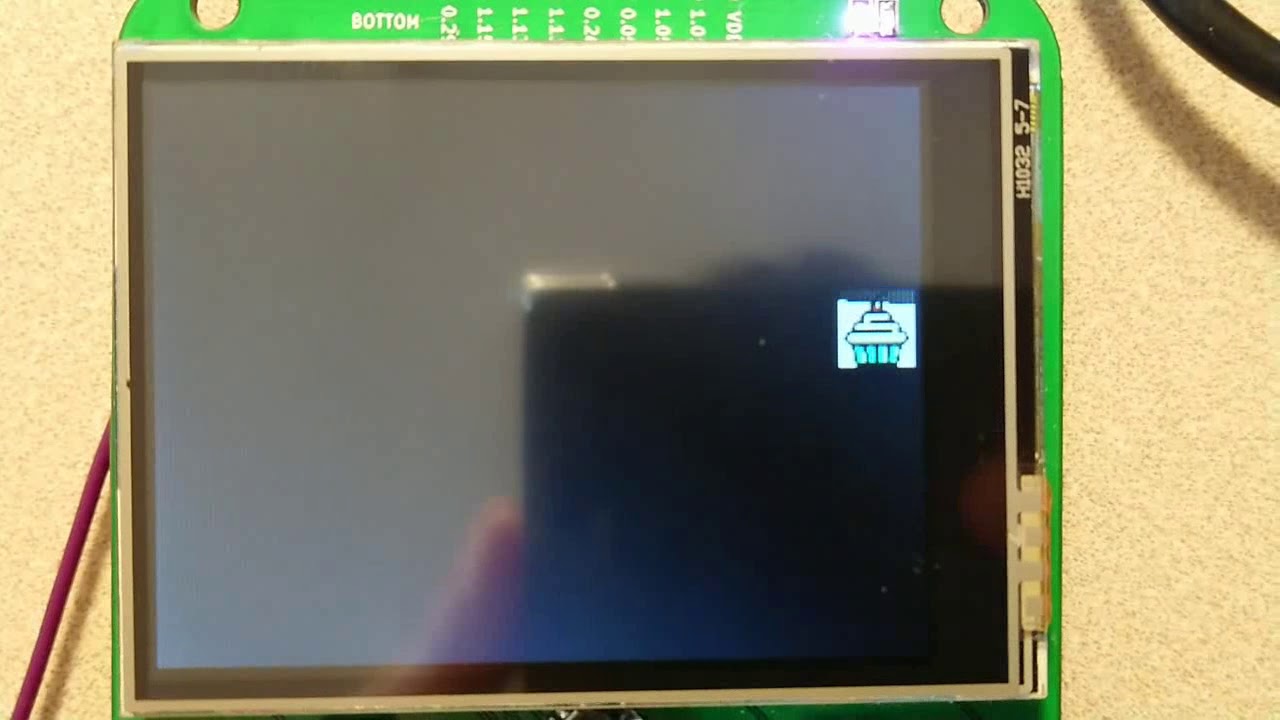 slender iron
@indigo wedge awesome! think the api is the right direction?
indigo wedge
Like I said, for my use case right now it doesn't work, I want to be able to draw on the sprites. Also it would be useful to be able to access bitmap dimensions.
raven canopy
@velvet oasis since you're already using the formatting, you could try aligning that way (works for print...not sure about character lcd):
# < == left align; > == right align; ^ == centered
# the number immediately following the align character
# is the 'column' width. (4 is used below)
# you can also specify a fill character; put it before
# the align character: {:0>4} would fill zeroes

lcd.message('Co2={0:>4d} ppm\nTvoc={1:>4d} ppb'.format(sgp30.co2eq, sgp30.tvoc))
I ran an iteration in the REPL:
# x = [1, 2,....100]
>>> for i in x:
...     print('{0:>4d}\n{1:<4d}'.format(i, i))
...
   0
0
   1
1
   2
2
   3
3
...
  98
98
  99
99
 100
100
and a fill character example:
>>> for i in x:
...     print('{0:|>4d}\n{1:|<4d}'.format(i, i))
...
|||0
0|||
|||1
1|||
@raven canopy thanks. The LCD print the first one ok but because of the "while true" then it attaches another one to the first one. Maybe I'm doing this wrong...
raven canopy
@velvet oasis reading back, i think i misunderstood what you were asking. missed the "scrolling" part. are you calling lcd.clear() before each message update?
while True:
    lcd.clear() # get a clean slate
    lcd.message('now that we're clear \n the newline won't look like a scroll')
Not anymore... #lcd.clear()
lcd.set_color((100, 80, 50))
#lcd.message('Co2=%d ppm\nTvoc=%d ppb' % (sgp30.co2eq, sgp30.tvoc))
lcd.message('Co2={0:>4d} ppm\nTvoc={1:>4d} ppb\n'.format(sgp30.co2eq, sgp30.tvoc))
ok, so I should do a clear
raven canopy
yeah. and you can drop one of those messages.
velvet oasis
the problem with that is it will flicker...
I just tested it and flickers like crazy
raven canopy
then yeah, you'll have to set the cursor before each update. try:
# set initial message
lcd.message('Co2=%d ppm\nTvoc=%d ppb' % (sgp30.co2eq, sgp30.tvoc))

while True:
    # update Co2
    lcd.set_cursor(3, 1)
    lcd.message(sgp30.co2eq)

    # update TVOC
    lcd.set_cursor(4, 2)
    lcd.message(sgp30.tvoc)
you may have to adjust the column and lines to your particular setup...
velvet oasis
testing... 😉
I get TypeError: 'int' object is not iterable
it doesn't like this line lcd.message(sgp30.co2eq)
raven canopy
i didn't put the formatting in the example.
lcd.message('%d ppm' % sgp30.co2eq)
sorry. 😉
velvet oasis
my bad man, novice mistakes. Thanks for the help. re-testing!
I assume the first number is the horizontal and the second is the row...
raven canopy
yep. def set_cursor(col, row)
velvet oasis
It works! The only change is the first row is actually 0 (zero) and row 2 is 1!
raven canopy
stepped away for a minute. sweet! 🎉
meager fog
tex, yay! i was off playing a game but glad to hear its working
 sudden coral
So I see that import upip doesn't work in my repl - what's the recommended way of getting pip modules onto a CircuitPython board? Running the NRF52 feather if it matters at all.
Short of just writing a makefile step that pulls the modules locally and copies them over with ampy, I suppose
timber mango
Are there any ways to wirelessly control something using a Feather M0 Express?
sudden coral
Second question, is it normal to only have about 4kb free on my Feather NRF52 with CircuitPython installed? I can work with it, but yowsers that seems tight on such a big board
timber mango
What's the recommended way of including a license on a M0 board? Just insert it into the main.py file? Separate text file?
meager fog
either!
solar whale
@sudden coral how are you determining that ? on mine I see ```>>>
import storage
dir(storage)
['name', 'VfsFat', 'erase_filesystem', 'getmount', 'mount', 'remount', 'umount']
import os
os.statvfs('/')
(4096, 4096, 20, 11, 11, 0, 0, 0, 0, 255)
I rebooted my device and suddenly had my 20x4096 back
Must have been a leak somewhere or outdated information from after I removed a file with ampy
solar whale
@sudden coral as to using upip -- I don't think it is available What are you trying to install.
sudden coral
At the time I was trying to use the enum34 backport, then quickly decided I wasn't eating the 31kb filesize and converted those usages to plain old
class DiodeDirections:
    COLUMNS = 0
    ROW = 1
This is what I get for not mentally switching to minimalist mode when working on a keyboard, and instead sticking to work mentality where disk space on our servers is cheap and we can import whatever...
solar whale
It is a different mindset -- sounds like you are getting things working -- Good luck!
sudden coral
Yep: https://gist.github.com/klardotsh/98bae8ac1f50d454e1699904f870a9c5
I can parse a 2x2 keyboard matrix into keycodes (well, not keycodes yet since I'm not sending over HID yet)

Thanks for the pointers!
solar whale
Nice! Thanks for the example!
sudden coral
Yep! This is kind of the early beginning stages of a keyboard firmware a friend and I are building out inspired by QMK. Writing keyboards in Python is a whole lot nicer than writing in C 😃
solar whale
Sounds like a great project - I hope you'll keep us posted on your progress!
sudden coral
If I want to freeze my code into the zip file flashed with make dfu-gen dfu-flash' what's the recommended way to do it? I tried adding FROZEN_DIR=freeze to my make args, which partially worked -in the repl, I can import main and see my file, but it doesn't auto-run on boot
Basically I'm looking to cut ampy out of the deploy pipeline (at least in "production" builds) where I can have a guaranteed "run flash and this Feather is now a KMK-running keyboard, done" flow
solar whale
sudden coral
Is there a way to have said main.py show up as part of the DFU flash?
^ that flow is how my friend (developing for MicroPython stock on a Teensy) has to get main.py on there, and making the builds consistent (minus the language differences, I guess) would be awesome
(logic would say "then why don't make the whole project in MicroPython?", but after flashing MP stock to my Feather, I just bootloop, even using AdaFruit's dfu flashing scripts from the CircuitPython Makefile, so I've stuck with CircuitPython for the Feather)
solar whale
I’ll defer to others. With the holiday weekend, not sure who is available.
sudden coral
No worries! I'm not really in a rush, most of this is just "nice to have some time" level stuff
solar whale
sudden coral
Sorry for the barrage of questions today, I'm now running into a problem using the adafruit_hid wrapper. Looks like it doesn't exist by default in my CircuitPython install, so I'm trying to push it onto the device the harder way with ampy. This crashes and burns:
(gravity) kmk_firmware  » first-steps + » ampy put ~/Downloads/circuitpy/lib/adafruit_hid /lib/adafruit_hid
Traceback (most recent call last):
  File "/bin/ampy", line 11, in <module>
    load_entry_point('adafruit-ampy==1.0.5', 'console_scripts', 'ampy')()
  File "/usr/lib/python3.7/site-packages/click/core.py", line 722, in __call__
    return self.main(*args, **kwargs)
  File "/usr/lib/python3.7/site-packages/click/core.py", line 697, in main
    rv = self.invoke(ctx)
  File "/usr/lib/python3.7/site-packages/click/core.py", line 1066, in invoke
    return _process_result(sub_ctx.command.invoke(sub_ctx))
  File "/usr/lib/python3.7/site-packages/click/core.py", line 895, in invoke
    return ctx.invoke(self.callback, **ctx.params)
  File "/usr/lib/python3.7/site-packages/click/core.py", line 535, in invoke
    return callback(*args, **kwargs)
  File "/usr/lib/python3.7/site-packages/ampy/cli.py", line 218, in put
    board_files.put(remote_filename, infile.read())
  File "/usr/lib/python3.7/site-packages/ampy/files.py", line 167, in put
    self._pyboard.exec_("f.write({0})".format(chunk))
  File "/usr/lib/python3.7/site-packages/ampy/pyboard.py", line 267, in exec_
    raise PyboardError('exception', ret, ret_err)
ampy.pyboard.PyboardError: ('exception', b'', b'Traceback (most recent call last):\r\r\n  File "<stdin>", line 1, in <module>\r\r\nOSError: 28\r\n')
Not a whole lot I can go off of in that trace unfortunately -is there a way I can see more verbose output?
allegedly it was able to push one of the files, and that's it. keycode.py made it onto the device
meager fog
klar, its a lot easier to put files using mass storage, what board are you using?
sudden coral
Feather NRF52
bulit CircuitPython with make clean BOARD=feather_nrf52832 SERIAL=/dev/ttyUSB0 dfu-flash, so I'm assuming I should have defaults. I see a git submodule for the Adafruit HID lib, but it never ends up on the board
sudden coral
oh? 😬
meager fog
yah i dont know anyone who'se used it it, maybe arturo?
and you'll never have HID, its not native USB
which is why haven't super-supported it, we're aiming for nrf52840 instead
sudden coral
aaaahhhh. Yeah, this board has been... fun in a million ways. Actually only found CircuitPython after failing to get MicroPython to boot on the thing for hours on end Friday night 😃
sudden coral
Yep - I have a keyswitch matrix working
meager fog
but yeah for HID you need something with native USB, like SAMD21 or SAMD51
those work supergood
or you can wait a fe wmonths 😃
sudden coral
I see various code and tickets in the repo for BTLE HID - is that supported on this device, or is that also punted to the nrf52840?
meager fog
there might be the first inklings of having the ble side act as HID
but its probably not working
i know we haven't done much of the wireless side
arduino has it for sure tho
sudden coral
Gotcha - I've seen example BLE keyboards on the Arduino side of things (someone in /r/mechanicalkeyboards did some fun wizardry in that regard). What I saw in the repo for these chips looked promising, but makes sense that most of that support is for the upgraded version 😃
manic glacierBOT
 sudden coral
Does flashing CircuitPython to a board not wipe main.py? I managed to infinite loop with no yields in my code (oops...) and now can't rip the file off the thing
Is this now a brick unless I buy a Jlink?
Solved. Flashed a build of CircuitPython that didn't have my dependencies frozen into it, which forced an ImportError and crash
solar whale
@sudden coral It does not wipe main.py and Control_c is crrently broken on the feather52832...
sudden coral
sudden coral
I think I was very lucky with how I discovered this... bug? I guess I'll call it? in that I was depending on a module I had frozen with FROZEN_MPY_DIR and thus had a way out through several DFU flashes. I'm.... pretty sure I'd have a brick had I tried copying main.py even an hour prior. Phew! Noted though, I'll have to pick one up
solar whale
Another way is to edit the startup code to force it to create a. new file system.
IIRCC Making thiis excute will force creation of a new filesystem https://github.com/adafruit/circuitpython/blob/master/ports/nrf/supervisor/filesystem.c#L48
GitHub
CircuitPython - a Python implementation for teaching coding with microcontrollers - adafruit/circuitpython
replace The if clause with True
Or I mean force it to execute.
manic glacierBOT

Travis build failure:
$ (cd tests && for exp in *.exp; do testbase=$(basename $exp .exp); echo -e "\nFAILURE $testbase"; diff -u $testbase.exp $testbase.out; done)
FAILURE *
diff: *.exp: No such file or directory
diff: *.out: No such file or directory
Not sure what that means.
 turbid radish
Hey Pythonistas, my weekly reminder that Adafruit puts out a spam free, ad free newsletter summarizing the world of Python on Microcontrollers. Just go to the separate web address adafruitdaily.com and browse the list of available newsletters. Never will sell the info, quit any time you want easily. Check out the Adafruit blog post https://blog.adafruit.com/2018/09/03/python-on-microcontrollers-newsletter-sign-up-today-circuitpython-python-microcontrollers/ for more.

Adafruit Industries - Makers, hackers, artists, designers and engineers!
Catch the weekly news on Python for Microcontrollers with adafruitdaily.com. This ad-free, spam-free news source is filled with the Python news of the week. All the Python news that you may have mi…
compact hornet
@turbid radish Sounds good, I just signed up. But just to clarify, the newsletter is weekly? daily?
 inland tusk
Anybody know if there will be a weekly voice chat this week?
solar whale
@inland tusk It will be Tuesday 2PM EDT
slender iron
@compact hornet Its weekly on Tuesday
<@&356864093652516868> Reminder the meeting is tomorrow at 11am Pacific / 2pm Eastern due to a US holiday.
compact hornet
@slender iron Thanks.
fluid helm
Ah brilliant!
slender iron
np!
fluid helm
Works well as I'm off to a raspberry jam tonight
slender iron
👍
tawny creek
How do I switch the language on REPL?
solar whale
@tawny creek you have to load a different image for each language.
the latest builds are here https://adafruit-circuit-python.s3.amazonaws.com/index.html?prefix=bin
marble hornet
Gui !!!!! Made 100% in circuit python
solar whale
@tawny creek or are you asking how to build it in a different language?
marble hornet
@meager fog ^^. As promised in show and tell
tawny creek
@solar whale ah! cool! how do I make a build for a specific language?
solar whale
@tawny creek you use the TRANSLATION=<language> see https://github.com/adafruit/circuitpython/blob/master/tools/build_adafruit_bins.sh#L84 for examples
GitHub
CircuitPython - a Python implementation for teaching coding with microcontrollers - adafruit/circuitpython
tawny creek
❤ thank you thank you 😄
solar whale
make TRANSLATION=fr BOARD=xxx
tawny creek
yup! excited to test this out 😃
solar whale
Good luck!
indigo wedge
I think the last merge with mainline broke something with imports
>>> import ui.gui.painting.Brush
>>> from ui.gui.painting.Brush import Brush
Traceback (most recent call last):
  File "<stdin>", line 1, in <module>
ImportError: cannot import name Brush
i can import a module but not a class
seem to be hitting this https://github.com/adafruit/circuitpython/blob/master/py/runtime.c#L1441
GitHub
CircuitPython - a Python implementation for teaching coding with microcontrollers - adafruit/circuitpython
fluid helm
Did a demo of EduBlocks and CicruitPython with Circuit Playground Express! https://twitter.com/PrestonRJam/status/1036695503692591105


Josh @all_about_code demonstrating use of Edublocks to program an Adafruit Circuit Playground. #RJam https://t.co/TzoqLBLM6Y
 Twitter
@slender iron
turbid radish
@compact hornet the newsletter is weekly, even though the URL was AdafruitDaily.
solar whale
@turbid radish I'm surprised Travis lets that go 😉
manic glacierBOT

make: *** No rule to make target 'lib/mp-readline/builtin_input.c', needed by 'build/genhdr/qstr.i.last'. Stop
I've been running micropython on my teensy, but couldnt' get HID support, so I hoped that CircuitPython would offer it. I tried to build it, but just failed. Is this no longer supported? Building for teensy 3.1
manic glacierBOT
Sorry, CircuitPython is not supported on Teensy. The builds that are supported are atmel-samd and esp8266, and nrf is under development.
raven canopy
haha. Dan ninja'd me! i was previewing my comment...
manic glacierBOT
Where are you seeing this? I see this when I click through:
../../locale/de_DE.po:196: 'msgid' and 'msgstr' entries do not both end with '\n'
../../locale/de_DE.po:213: 'msgid' and 'msgstr' entries do not both end with '\n'
../../locale/de_DE.po:223: 'msgid' and 'msgstr' entries do not both end with '\n'
void *gc_alloc(size_t n_bytes, bool has_finaliser, bool long_lived) Anyone has a moment to explain what is the has_finaliser meant for. I only need to alloc and then free the buffer at the end of the function.
manic glacierBOT
Somewhere in the Travis build - where are you seeing the useful messages?
Fixed the three lines you mentioned, let's see what Travis thinks of it.
gentle bronze
nevermind, I guess false for finaliser is fine with normal usage
manic glacierBOT

implement using neopixel_write
- use hardware pwm.
- If all pwm channel is occupied, or memory is not enough for holding DMA buffer. fallback to disable global interrupt (which will 95% drop ble connect/package).
 opaque thicket
Hey everybody - is there a way that I can see the "interpreter version" of the error that's flashing on my itsy bitsy m0? I copy/pasted code from another itsybitsy M0, so I'd like to see a bit more detail beyond the RGB error display...
solar whale
@opaque thicket If you open a terminal session to your board then send a Control-C - it should allow you to enter the REPL -- then enter Control-D to "soft reboot" and your errors should display on the terminal session.
 manic glacierBOT
Could you please rewrite this using pulseio/PWMOut.c or at least nRFx? Writing directly to registers is not very portable or future-proof :(
I have no ideas how to use that. I will check it out after the qspi flash
tulip sleet
@indigo wedge Do you have further comments on https://github.com/adafruit/circuitpython/pull/1158? @slender iron if this is OK enough with you, could we merge as it stands and then I will rework DigitalInOut to use the open-drain output capabilities of GPIO, and turn on strong pin driving.
indigo wedge
Ok, let me have one last look
tulip sleet
@indigo wedge also I will open issues to allow multiple instances for I2C and SPI. Right now only one instance is provided, assuming I'm reading the code correctly. Are there other periphs that provide only one instance but could provide more?
indigo wedge
I2C and SPI share same HW module for SPI1/I2C1 and SPI2/I2C2 and on nRF52840 there is also a unique SPI3 block, in the drivers the the i2c and spi instances are hardcoded so you can't use 2 SPIs at the same time for example
i think spi should prioritize SPI3 as first one because that's the only one that can do 32MHz
don't think any other modules share hw blocks
nrf52832 has 1 UART and nrf52840 has 2 uarts
but those are their own thing
ah and QSPI is a separate block too
so taht one i guess we can only use for exrternal flash
also we should have a issue for rewriting pwm in nrfx, it's a bit messy right now
tulip sleet
Got it, I see the identical base addresses in 4.2.4 in the datasheet. so it's sort of like atmel SERCOMx except no UART. It would be nice if it were described as SPITWI1, etc. :/
we could choose SPI based on specified freq in the constructor
so you don't have to instantiate the high-speed one first to get it
indigo wedge
but the constructor doesn't take a speed parameter, it's in configure
tulip sleet
oh blah, maybe it should, since having to know the order is going to cause support problems
indigo wedge
yeah, alternatively we could default to SPI1 and switch to 3 if the user calls configure with higher speed than supported by SPI1
since we don't use DMA then we know no operation is ongoing, so should be safe
tulip sleet
yes, we could switch under the covers, since there's a full crossbar for the pins.
indigo wedge
yes, nrf is nice like that 😄
tulip sleet
i thought all periphs use easydma all the time
indigo wedge
yes they do but we use blocking operations
tulip sleet
eventually ... we may not do that. this is worth discussing. unfortuately i can't attend today's audio mtg
indigo wedge
yes, but i think the dynamic switching is fine for now, we can rethink it later when we go for DMA
tulip sleet
anyway I will open issues for to-do's and discussion
indigo wedge
but then we need a good async api
tulip sleet
that is the $64k api
indigo wedge
sounds good, you can quote me in the issues 😉
tulip sleet
tnx for PR approval - i'll wait for @slender iron
manic glacierBOT

Are there any plans to support OpenThread on the NRF52840 chip?
There are 2 different Mesh networking technologies natively built for this chip.
Both the nrf52832 and nrf52840 support Bluetooth5 Mesh but only the 840 supports thread.
Personally thread support would be my first choice and I wish I knew where to begin exposing the api to upython. I've played around with OpenThread on the nrf52840 development boards and was very impressed.
manic glacierBOT
On nrf, TWIM0 and SPIM0, and TWIM1 and SPIM1 share the same hardware (kind of like SERCOMs on atmel). Right now common-hal/busio/{I2C,SPI}.c only support a a single instance.
There is an SPIM2 peripheral that is not shared with TWI.
Allow multiple SPI and I2C instances to be created.
On nRF52840, there is a third peripheral, SPIM3, which can run at a higher clock speed (32 MHz). One consideration is how to specify this interface. The SPI constructor currently does not allow specify...
There's a discussion between @dhalbert and @arturo182 in discord 2018-09-04 starting 10:02 ET, pasted here:
Dan Halbert
@arturo182 also I will open issues to allow multiple instances for I2C and SPI. Right now only one instance is provided, assuming I'm reading the code correctly. Are there other periphs that provide only one instance but could provide more?
arturo182
I2C and SPI share same HW module for SPI1/I2C1 and SPI2/I2C2 and on nRF52840 there is also a unique SPI3 block...
manic glacierBOT
My pleasure, @ladyada and @dhalbert, I'm glad to contribute even this tiny change to a project that has provided many hours of fun and fulfillment.
manic glacierBOT
i'm ok with dynamic switching, if they switch to HiSpeed then it stays in HS mode even if they switch down to a LS later. this happens with TFTs sometimes, you can send the addr window command at 10MHz and then blit RGB data at 80MHz :)
manic glacierBOT

 slender iron
<@&356864093652516868> Meeting in just under an hour. Anyone willing to help with notes? Dan has a conflict and can't make it.
prime flower
I can help
slender iron
k thanks!
prime flower
I type v fast 😃 can you post the gdocs URL here?
slender iron
yup! here it is: https://docs.google.com/document/d/1H0hRgUgjeVIlQFgzY_0Hyj_WI9m9Uj4_DEXsTEl4z6o/edit?usp=sharing

Google Docs
Adafruit CircuitPython Weekly September 4th, 2018 Hug Reports @tannewt @Dan Halbert @Arturo182 for detailed pull-request reviews and his contributions to nrf52 @hathach for continued nrf52 work; thanks especially for fixing serial REPL problem @PaulKierstead for fixing UAR...
fluid helm
Got it sorted? @slender iron
slender iron
yup!
stuck elbow
I can't make it either, nothing to report from me.
slender iron
kk thanks @stuck elbow
manic glacierBOT
I'd like to but no immediate plans.
I would name it to match our current conventions. Perhaps it can live here: https://github.com/adafruit/Adafruit_CircuitPython_CPython
Name isn't needed. Pin printing uses the board and microcontroller.pin modules to find it. https://github.com/adafruit/circuitpython/blob/master/shared-bindings/microcontroller/Pin.c#L50
Dropping it saves two bytes a pin.
No need to check in all of this commented out code. It's still available in the atmel port.
Why malloc when it's freed below. Can't it be placed on the stack instead?
@notro I agree that this API level is missing in this PR. I'll follow up with something for this at the same time as adding broader, dynamic display support. (Instead of the board-only approach this has.)
I like having brightness as part of it too because I want consistent control of the display in and out of the vm.
For now, this is geared to get us experimenting with the API on the hallowing.
fluid helm
Ahoy!
raven canopy
@fluid helm Ahoy ahoy!
fluid helm
I'm back to school tomorrow 😦
prime flower
Good luck! That's me on Friday!
slender iron
<@&356864093652516868> Starting now!
bronze geyser
The "Making of Mu" video that was in the Python for Microcontrollers is completely wonderful/awesome...If I was their manager, I'd hire a digital video person full time to have a weekly movie with the goal of showing the amount/impact of each' contribution. https://www.youtube.com/watch?v=IUxYn0aNJVk

A short visualisation of the creation of the Mu code editor as told via the interactions, interventions and changes by developers to Mu's own source code hos...
fluid helm
School :/
tawny creek
Can't get on voice today but...
Special thanks to @slender iron for the review/support with the Tagalog translation.
Also, thanks to @solar whale @tulip sleet @raven canopy for answering questions and general support.
fluid helm
 errant grail
(No voice yet.) Group hug today. Worked on a couple of CircuitPython projects in the past few weeks – it just works!
fluid helm
Hug reports this week again to Circuit Playground guides. They've come in handy when finishing off EduBlocks and also writing samples to go into the editor. Also to Gadgetoid for doing his neopixel stuff because that has come in handy too for my new library.
raven canopy
@tannewt for the suggestions on my PR. @Josh for continuing work on EduBlocks and outreach. @cascade for Tagolog translation. @Group because awesome!
errant grail
Recently worked on a collaborative project with @split ocean to design a hybrid PCB (analog and digital) and code to read a Eurorack synth control voltage (CV) signal and display it on a 1930s-40s vintage analog RF meter in a very retro-cool case. The signal is processed by a Trinket M0 running CircuitPython that protects the meter by controlling range and skew. The Trinket’s DAC output drives the retro analog meter.
Working on a film miniature lighting animation controller for a local film group. The project involves an ItsyBitsy M4 Express with CircuitPython, a bunch of NeoPixels, and a panel full of knobs and switches.
I'm writing a learning guide about front panels. Stay tuned.
tawny creek
Sorry listening while cooking lunch. Working on a new circuitpython board based on Trinket M0 with SPI flash and generally learning about how things work. Also planning to do the same with SAMD51 chip with a display.
errant grail
Haven't done anything with the Pi re: music.
tawny creek
@solar whale 🐕 !!!
fluid helm
This week i have been upgrading the repo on PixelZero https://github.com/AllAboutCode/pixelzero, which is my port of the circuitpython neopixel library based on RPI_WS2812x library for the Pi, I believe this is going into Blinka according to @prime flower. Also http://adafruit.edublocks.org is basically done apart from I2C, been doing some outreach at the local Raspberry Jam with EduBlocks and circuitpython and lots of teachers are looking to use it when it's ready. Did a quick talk on the editor to: https://twitter.com/PrestonRJam/status/1036695503692591105 . If anyone one is going to the Blockly Summit in California in 2 weeks, it would be great to speak to you, as I'll be doing a talk on the past 2 years of EduBlocks and how I develop it.
EduBlocks
Josh @all_about_code demonstrating use of Edublocks to program an Adafruit Circuit Playground. #RJam https://t.co/TzoqLBLM6Y
Twitter
prime flower
(the RPI_WS2812x library is currently part of blinka, as of friday 😃 )
fluid helm
from pixelzero import *

np = NeoPixel(18, 8)

np[5] = (255, 0, 0)
np.show()
Pixel zero example
raven canopy
@inland tusk can you please re-mute?
inland tusk
@errant grail I am beining to see that maybe a feather M0 or M4
raven canopy
FrequencyIn: 2nd "control" timer added, and working. Using DPLL1 @ 98 MHz as the timer source is working on M4. Still a fair amount of jitter on the higher-end readings that I need to work out; not sure if it's clock or timer related. Using XOSC32K; going to test with OSCULP32K tonight. Up next is DMAing the capture timer, to overcome the loss of capture interrupt. 😵
errant grail
@inland tusk I'd jump to an M4. Dual DAC outputs, 120MHz clock. Has support for I2S.
price is right, too.
raven canopy
Agreed.
fluid helm
I forgot in hug reports: One to Dan for helping me with my CPX not running programs
inland tusk
@maiden flameover Okay that sounds interssting
raven canopy
I'll be slow..typing on phone. 😄
fluid helm
I've got one, it'd be great to have feedback on EduBlocks for CircuitPython and what you'd like to see
Because no doubt i've forgot something that needs to be there
prime flower
@fluid helm can you send a link to edublocks for  ? There's a few guide authors I know who were interested in switching from makecode to cp, this may be the step
prime flower
sent to some adafruit-team members @fluid helm 😃
fluid helm
Cool, thanks. Hope to push i2c tomorrow 😃
raven canopy
Since now using a second timer to "schedule" the value updates, the capture timer(s) doesn't set the interrupt on capture. However, all captures still set the INTFLAG, which causes the capture to not be recorded in to CC[n].
 minor plume
When is the weekly CircuitPython live chat thing? I've found multiple references to it (https://blog.adafruit.com/2018/02/05/circuitpython-weekly-meeting-adafruit-circuitpython/ for example) but if it gives a day/time, I'm missing it. 😦

Adafruit Industries - Makers, hackers, artists, designers and engineers!
Every week CircuitPython community members get together to collaborate over voice chat on All Things CircuitPython ™. The meeting is broken down into four sections: State of CircuitPython (2:…
raven canopy
Lol
tawny creek
What's the easiest way in CP to find out which peripherals are available/taken or when a pin is in use?
slender iron
@minor plume right now!
minor plume
Perfect! 😃 Now I can get it on my calendar.
tawny creek
@minor plume happens usually on Mondays! (was a holiday yesterday)
minor plume
Gotcha. Thanks!
(I'm starting a new blog for my maker stuff, and I'm really into CircuitPython right now)
prime flower
great - so are we!
tawny creek
@minor plume where's the blog at?
minor plume
http://tammymakesthings.com/ - there's only an intro post right now, but several posts (mostly CircuitPython and Arduino atm) in progress that I hope to get posted this week.
 tawny creek
Ah @idle owl got me covered! thanks @slender iron
fluid helm
Also, @slender iron do you know if WebUSB will come to circuitpython boards?
tawny creek
 circuitpython cooking tuesdays
fluid helm
Hopefully my new PC will have a working mic next week so i'll be able to join in again
raven canopy
Thanks everyone! Have a great Monday-on-a-Tuesday!
errant grail
Thanks!
prime flower
bye!
minor plume
I need to remember to bring my Bluetooth earbuds to work next week, apparently. 😃
tawny creek
thanks all!!
slender iron
@minor plume want to hop into the voice chat?
minor plume
@slender iron I can't today - at work, about to leave for a lunch meeting, and no headphones. But next time!
slender iron
kk, I added you to the helpers group so you get pings
minor plume
Awesome, thanks!
fluid helm
I'd like to see this at some point like micro:bit are implementing https://support.microbit.org/support/solutions/articles/19000084059-beta-testing-web-usb
How to use webUSB to flash a program to your micro:bit. Currently in beta
minor plume
I'm also planning to get involved with contributing to the project on Github too, but...not quite ready for that yet.
fluid helm
 raven canopy
@slender iron I think I finally understand what you're saying. Grab the COUNT, not the CC. I was thinking you were referring only to EVACT = COUNT.
Then we're both right! 😆
slender iron
@minor plume great! feel free to reach out when you have questions
fluid helm
I'm also going to start using scratch-blocks API to make EduBlocks CPX loooking more scratch and makecode to make it more familiar for kids
raven canopy
It's still Chrome only, right? (WebUSB)
fluid helm
yup
changing the blocks looking like that
to the top
to make it more familiar
haha
the underlying code is much nicer to work with
as it's the rewrite of blockly
raven canopy
Alright...hopping off. 👋
fluid helm
any ideas for LoRaWAN on CircuitPython?
errant grail
Heading out for lunch. Later!
fluid helm
Cool, you seen the Pi Supply LoRa stuff?


micro:bit LoRa addon
Weird, in the UK it's more circuitpython and micropython!
PyCon UK next weekend which is exciting!
Bye!
Gotta prep for school
slender iron
<@&356864093652516868> Here is the recording from today's meeting: https://youtu.be/WUtFCKx5jus
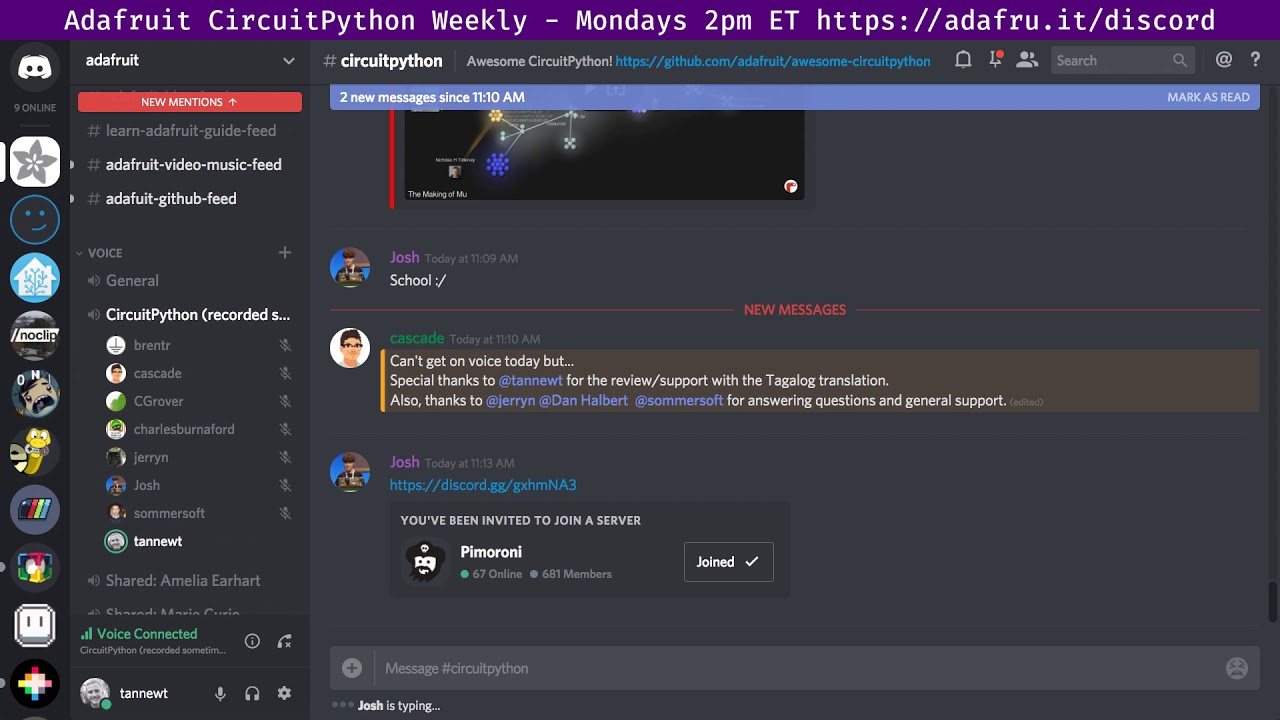
Notes with time codes are available here: https://gist.github.com/tannewt/3749d3b5d7257b20b873a948e08010e0 Thanks to @brentru for taking notes! Join here for...
fluid helm
That was quick!
slender iron
😃
 pastel panther
👍
manic glacierBOT
Is it just the return value that's wrong, or are the channels actually sharing the same value when used but shouldn't be sharing? Tnx.
manic glacierBOT
removed commented-out code, and it's about to replaced by P$ #1161.