#circuitpython-dev
1 messages · Page 192 of 1
 raven canopy
 tulip sleet
@raven canopy you can clone the nrfx repo and build the documentation with doxygen. It's explained in the README. My impression is that nrfx changes much more slowly than the SDK.
@tawny creek do you have your board pushed to a repo?
i mean the circuitpython code
raven canopy
yeah, i was thinking about doing that just now. 😄
@tulip sleet i imagine you don't like reading nrfx. i think i recall you mentioning somewhere your love for this:
typedef enum
{
no, I don't mind nrfx; it's better than ASF4 :). I don't remember saying anything positive or negative about enums, or are you talking about the indenting style?
raven canopy
the style. "better than ASF4"...it gets worse? 😆
tulip sleet
no, I like open curlies on the same line:
if (x)
{
not
if (x)
{
 tawny creek
@tulip sleet nope not at all
raven canopy
agreed. and my C (or any curly language) experience is infant...
tulip sleet
@tawny creek - I don't see anything conflicting in the trinket board def, but that error is due to some python code, prob, so I'd need to look at the whole .py
tawny creek
when you say whole .py , as in the board directory and it's contents?
tulip sleet
@raven canopy when I was using 24x80 terminals I was not found of extra line breaks, 'cause you could see even less of your code at once
raven canopy
@tawny creek do you have any SPI in your code? i think there is an open issue on SPI + UART...
tulip sleet
@tawny creek no I mean the python code that generates the pin in use
tawny creek
import board
import busio
import digitalio

uart = busio.UART(board.A6, board.A5, baudrate=9600)

while True:
    data = uart.read(32)  # read up to 32 bytes
    # print(data)  # this is a bytearray type

    if data is not None:
        # convert bytearray to string
        data_string = ''.join([chr(b) for b in data])
print(data_string, end="")```this is it
tulip sleet
good memory @raven canopy https://github.com/adafruit/circuitpython/issues/699

GitHub
I2C before UART doesn't work: Adafruit CircuitPython 2.2.4-2-gcfcbb3623 on 2018-03-22; Adafruit Trinket M0 with samd21e18 >>> >>> import board,busio >>> i2c = busio.I...
raven canopy
well...its not SPI causing it. 😄
tawny creek
Traceback (most recent call last):
  File "code.py", line 7, in <module>
ValueError: A5 in use


Press any key to enter the REPL. Use CTRL-D to reload.```or I2C.. part of my brain is working. 🤣
tulip sleet
@tawny creek I think I'd have to see your circuitpython repo. I encourage you to fork adafruit/circuitpython, make a branch, and push your changes back to github
@tawny creek if you just reverse A6 and A5 does it work?
tawny creek
  File "code.py", line 7, in <module>
ValueError: A6 in use```@tawny creek according to the PMUX table, PA05 is on SERCOM[0]. is anything else in your firmware using that? (flash, perhaps?)
PA06 is on the same SERCOM, as well.
tawny creek
@pulsar ferry re: do you have any SPI in your code -- - no but I am using SPI flash!
gonna look at the configuration and see :}
raven canopy
i should mention, i barely understand the SERCOM workings
tawny creek
// safer 8mhz.
#define SPI_FLASH_BAUDRATE (8000000)

#define SPI_FLASH_MOSI_PIN          PIN_PA16
#define SPI_FLASH_MISO_PIN          PIN_PA19
#define SPI_FLASH_SCK_PIN           PIN_PA17
#define SPI_FLASH_CS_PIN            PIN_PA11
#define SPI_FLASH_MOSI_PIN_FUNCTION PINMUX_PA16D_SERCOM3_PAD0
#define SPI_FLASH_MISO_PIN_FUNCTION PINMUX_PA19D_SERCOM3_PAD3
#define SPI_FLASH_SCK_PIN_FUNCTION  PINMUX_PA17D_SERCOM3_PAD1
#define SPI_FLASH_SERCOM            SERCOM3
#define SPI_FLASH_SERCOM_INDEX      3
#define SPI_FLASH_MOSI_PAD          0
#define SPI_FLASH_MISO_PAD          3
#define SPI_FLASH_SCK_PAD           1
#define SPI_FLASH_DOPO              0
#define SPI_FLASH_DIPO              3   // same as MISO pad
#define SPI_FLASH_CS PIN_PA11```

I believe the configuration should be the same as the trinket m0 haxpressthe only difference in my board is the SPI flash part but the configuration and board stuff should be the same
probably why I havent bothered to fork/push anything on github @tulip sleet , not different enough to the haxpress variation
only other difference is physically being able to access these pins via headers
 manic glacierBOT

This is relevant to my interests. I have a metro m4 express and a GPS referenced oscillator, is there some useful testing I can do?

@jepler,
Test? Yes, please! That would be much appreciated.
Usage is pretty easy:
import board
import pulseio

freq_in = pulseio.FrequencyIn(board.PIN)

# returns the reading in hertz
tc.value
@onyx hinge mind you, at current state, it will not detect >~512kHz...
 onyx hinge
@raven canopy hmm is that limitation due to hardware? I can do anywhere from circa 1Hz to 12MHz. I suspect it'll just measure the error in the onboard oscillator of the me!
raven canopy
not hardware, really. more firmware. the interrupts get so fast it locks up...
onyx hinge
Locking up is certainly not good.
raven canopy
tends to not be... 😄
onyx hinge
I'll give it a try later when I'm home, it's really easy to generate an accurate frequency in to the M4 with my setup. Are there specific pins that have to be used?
raven canopy
any pin that has a timer (TC, not TCC) available. which...is most if not all. (guess I should have a better answer for that...)
onyx hinge
Will it give me an error if I make a bad choice?
raven canopy
actually...wait. All pins are a go. it uses the EIC. i abandoned direct TC capture moons ago... 😵
onyx hinge
Thanks for answering my questions, trying to read the patch on mobile wasn't too useful
raven canopy
github mobile...is unfriendly sometimes.
onyx hinge
From reading the m4 datasheet it looks like there is a mode to use a "reference clock" instead of the microcontroller's crystal. Looks like that isn't supported yet with your changes? That mode would eliminate the error or the internal crystal, as long as you have a high quality frequency source. That is probably a fairly rare situation though (having a frequency reference better than a microcontroller crystal)
raven canopy
are you looking at the FREQM peripheral?
onyx hinge
My actual goal is to discipline a 10MHz Crystal oscillator (vc-ocxo) to gps with circuit python.
Yes I think it was called freqm.
raven canopy
ahh...that only measures the internal clocks' frequencies. i had hopes for that in the beginning. but, for the M4 it ended up being useful, since the DFLL48 can only run in open mode so it isn't always a stable 48MHz. FrequencyIn uses the TC peripheral to capture the incoming signal and compares it to DFLL and spits out the amount of cycles the rise-to-rise takes.
onyx hinge
Without an accurate frequency source you are at the mercy of whatever is available
raven canopy
right. M0 is pretty rock solid. M4 drifts a little more. I don't think we'll be giving Saleae any competition. 😄
onyx hinge
Interesting. You'd expect improvements in the newer products!
raven canopy
M4 drove me crazy for a couple months, until Dan pointed out an errata about the DFLL open/closed mode. that i had read a few times but never connected the dots on.. 😄
onyx hinge
I'll let you know what I learn and I'll steer clear of frequencies higher than .5Mhz or so.
raven canopy
i do appreciate it. always hard to determine what you've done to make something work... it begs to be broken! 🤕
@onyx hinge with that broken bit, do try above 512k...that escape hatch has been spotty at times.
onyx hinge
I assume a tap of the reset button will rescue me?
raven canopy
it will.
onyx hinge
Great
For my application I ultimately need to measure at an accuracy of 1milliHz or less over time periods of an hour or more. it might just not be a good match for a "generic" frequency measurement module.
raven canopy
just noticed my example code snafu in the PR comment. don't introduce new object names that don't exist!
in the comment, i used freq_in to create the object. then used tc.value to get the result. tc is what i've been typing in the REPL to test this whole time. muscle memory...it'll get ya! 😆
onyx hinge
Gotcha
tawny creek
Is there a way to 'release' or determine what is using up a pin?
manic glacierBOT
 onyx hinge
@tawny creek ooh not that I'm aware of but wouldn't that be awsome! Now I'm imagining that hypothetical.whatuses(board.D1) -> <spi object @...>
 meager fog
@prime flower did you end up doing any neopixel stuff
 ruby atlas
<stares at pixelbuf vscode windows sadly> (I really need to find a way to have more free time)
i scrolled up a bit and saw the neopixel_write traceback. what platform was that? Linux/Pi3?
 prime flower
@meager fog I did not get to it, the aio_a work took longer than I expected.
the one by jgarff (https://github.com/jgarff/rpi_ws281x) is the one I've been using. I might have done something wrong, but I've checked everything. It's the most up-to-date lib.
 prime flower
I searched pimoroni thinking would have something but they just suggested the Arduino lib
prime flower
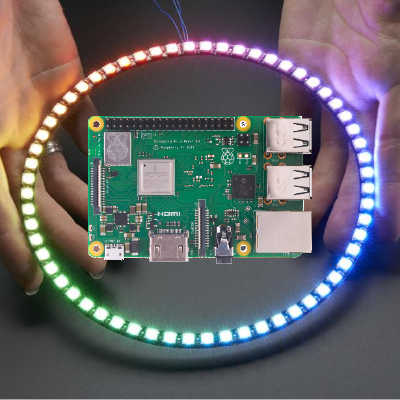
GitHub
rpi-ws281x-python - Python library wrapping for the rpi-ws281x library
ruby atlas
Fork and submit to PyPi?
i've had to do that a few times for projects that appeared abandoned and never submitted.
prime flower
@meager fog so there's a wrapper for it, sudo pip install rpi_ws281x, but it uses a fork (richardghirst's fork) of the main lib, which is 140 commits behind
ruby atlas
oy
meager fog
ughh
ruby atlas
time to fork both things.
meager fog
it is also called 'neopixel.py'
that sux
i wish i'd seen that, i would have told them to rename it
tawny creek
@tulip sleet I have forked and made a branch, but not pushed : https://github.com/eighthree/circuitpython/commit/bfe181a41d9e257d8b06553711ec23bca0b8952d

GitHub
…ket M0/Trinket M0 Haxpress board definitions
meager fog
GitHub
rpi-ws281x-python - Python library wrapping for the rpi-ws281x library
manic glacierBOT
I gave this a whirl with an Adafruit Metro M4 Express together with the this GPS referenced RF generator.. In one terminal I connect to the M4, and in the other I connect to the RF generator and send frequency commands.
With the frequency set to 1kHz,
>>> sum(f.value for i in range(1000)) / 1000
958.077
With the frequency set to 2kHz,
>>> values = [f.value for i in range(1000)]
...@prime flower we're trapped in a name collision so yeah we can't use circuitpython neopixel at this time
 pastel skiff
HI, I tried to read before I posted but didn't see anything in this channel or on line... I am currently working with a CPX/CircuitPython and am experimenting with the sound sample playback. I have a simple stripped down playback program that I cobbled together from the adafruit examples working where I play a sound sample for each the left and right button. I'm a total noob and am attempting to add some code to turn on/off the onboard red LED with the buttons building on what i haveworking but when I simply add the import line "from adafruit_circuitplayground.express import cpx" the program freezes/refuses to run. I don't even have code referencing the "cpx", just the import line and the program dies...I am using adafruit-circuitpython-bundle-3.x-mpy-20180820 and have moved the adafriut_circuitplayground/express.mpy file to the lib folder. Any advice or insight on what is failing?
tawny creek
@pastel skiff are you using Mu? and is Mu freezing?
pastel skiff
no I'm using a multitude of text editors,...pycharm, Notepad ++, Idle to edit the file then drag and drop to update the main.txt
tawny creek
@pastel skiff If you're starting out I highly recommend it.
manic glacierBOT
When I reprogram the frequency source to 200kHz, it still works. But at 300kHz -- even without actually querying the frequency -- the board hangs.
☹️ Escape hatch fail. And possibly a little something else, too. I might need to re-visit emulating how @tannewt changed PulseIn to keep from endless looping.
For values below 1kHz, the results don't seem very good either.
...
pastel skiff
Thanks cascade... got MU running, it is giving me an error ValueError: Pin PA30 in use when I try to turn on the "on board" speaker with spkrenable = digitalio.DigitalInOut(board.SPEAKER_ENABLE)
looking at the pinout PA30 seems to be a flash mem pin, not sure why that would be conflicting
raven canopy
@pastel skiff when you from adafruit_circuitplayground.express import cpx, it enables the speaker when it initializes. see here: https://github.com/adafruit/Adafruit_CircuitPython_CircuitPlayground/blob/master/adafruit_circuitplayground/express.py#L97
also, according to the pin definitions in the firmware, SPEAKER_ENABLE is mapped to PA30.
 upbeat plover
GRB order...
raven canopy
and looking at the PigHixx pin outs...that looks wrong. 🤷
tawny creek
@onyx hinge sounds good to me 😃
upbeat plover
import board
import busio
import digitalio
import time
from adafruit_rgb_display import color565
import adafruit_rgb_display.st7735 as st7735

spi = busio.SPI(clock=board.SCK, MOSI=board.MOSI, MISO=board.MISO)
display = st7735.ST7735(spi, cs=digitalio.DigitalInOut(board.TFT_CS),
dc=digitalio.DigitalInOut(board.TFT_DC), rst=digitalio.DigitalInOut(board.TFT_RESET))
backlight = digitalio.DigitalInOut(board.TFT_BACKLIGHT)
backlight.direction = digitalio.Direction.OUTPUT
backlight.value = True

while True:
    display.fill(color565(0, 0, 255))
    time.sleep(5)
    display.fill(color565(0, 255, 0))
    time.sleep(5)
    display.fill(color565(0, 255, 0))
    time.sleep(5)
how do you get the display to work on hallowing m0? this isnt work
tawny creek
@tulip sleet @raven canopy fiiiigured it out ❤ !
@raven canopy that comment on sercom was right.. thank you!!
manic glacierBOT

This is a lot of work and it's quite hard to find fitting translations. If anyone want's to pitch in, be my guest. Announce yourself and start from the bottom.
upbeat plover
Does Mu work with hallowing m0? the serial cant find it
manic glacierBOT

I am including this in a revamp of pin definition files and also #1040.
Closing in favor of #1089, which includes this.
raven canopy
@tulip sleet you around?
upbeat plover
@meager fog that test only worked after changing the size of the screen to 130x130 from 128x 128 , with 128 x 128 it gave it a boarder
raven canopy
@tidal kiln or @solar whale, would either of you be willing to test ladyada's PR for DHT on the RPi? My RPi hasn't been powered on in like 2 years, so I'm sure it would take like a week for me to get to testing. 😄 https://github.com/adafruit/Adafruit_CircuitPython_DHT/pull/14
 solar whale
@raven canopy sure -- I'll give it a try.
 tidal kiln
Thanks. Im AFK til Monday.
raven canopy
sweet. you might as well do the review too, if you're up to it. my only concern is the assumption that the DHT will respond with the start bit according to plan. we've seen how it likes to do that. 😄
solar whale
gathering bits and pieces now
tulip sleet
@raven canopy I'm here but was afk earlier
raven canopy
@tulip sleet its all good. just wanted to verify something while reviewing a PR. slicing seems to be universally available now, yes? i vaguely remember non-Express builds not having it...
tulip sleet
Just checked: MICROPY_PY_ARRAY_SLICE_ASSIGN is on for all our boards
also MICROPY_PY_BUILTINS_SLICE_ATTRS is on as well
raven canopy
yep. that was what I looked at. and, of course, i just remember that we have history with git...novel idea. 🤣 https://github.com/adafruit/circuitpython/commit/15dcc7011cf871c32828d1b28d520b210d47cc90#diff-b1656db6ed8d6cf4907e7f2fc300833d
tulip sleet
i was not sure about nrf but it is indeed on there too
raven canopy
i didn't see it on nRF, but that's still in work so...eventually i'm sure.
ahh...the SLICE_ATTRS works too? i wasn't sure about that.
tulip sleet
ports/nrf/mpconfigport.h
100:#define MICROPY_PY_BUILTINS_SLICE_ATTRS          (1)
ports/nrf/mpconfigport.h
98:#define MICROPY_PY_ARRAY_SLICE_ASSIGN            (1)
default values we override to (1)
from py/mpconfig.h
// Whether to support slice subscript operators and slice object
#ifndef MICROPY_PY_BUILTINS_SLICE
#define MICROPY_PY_BUILTINS_SLICE (1)
#endif

// Whether to support slice attribute read access,
// i.e. slice.start, slice.stop, slice.step
#ifndef MICROPY_PY_BUILTINS_SLICE_ATTRS
#define MICROPY_PY_BUILTINS_SLICE_ATTRS (0)
...
// Whether to support slice assignments for array (and bytearray).
// This is rarely used, but adds ~0.5K of code.
#ifndef MICROPY_PY_ARRAY_SLICE_ASSIGN
#define MICROPY_PY_ARRAY_SLICE_ASSIGN (0)
#endif
@raven canopy slick - DHT worked "out of the box"
getsoccasional invalid reading -- nothing new
raven canopy
@tulip sleet that clears that up. Thanks!
@solar whale cool. thanks for testing. you want to do the review? you did all the work... 😄
solar whale
sure -- after a few more tests. it just stopped working 😦 -- may be poor connections
3V pulled out 😉
raven canopy
that darn 3V. always the rebellious one..
solar whale
should I alos test on - non-Pi since the changes are for all, correct?
oh - I see -- the ifdefs only come into play for the RPI
raven canopy
wouldn't hurt. it looks solid to me though.
solar whale
It does crash occasionally -- I'll comment inthe review
meager fog
the pi stuff is hacky
i am doing more research on faster GPIO, it requires us using libgpiod
which is non-trivial, but we'll do it
but other non-pulseio things that can sample at ~100KHz will be good
@solar whale by chance have you ever put a library on readthedocs?
i wanted to put PN532 dox up but im not sure how to make it appear under 'circuitpython'
solar whale
@meager fog not that I am aware of...
meager fog
all good ill ask scott when he's around
raven canopy
yeah, Scott is the one to talk to about creating the sub-project on RTD. but, you can go ahead and add it here...it just won't build. https://github.com/adafruit/circuitpython/blob/master/docs/drivers.rst
solar whale
@meager fog the bad readings are not a big problem, but I am puzzeld why it crashes with ```Traceback (most recent call last):
File "<stdin>", line 1, in <module>
File "/home/pi/projects/blinka/dht/dht_simpletest.py", line 11, in <module>
temperature_c = dhtDevice.temperature
File "/home/pi/projects/blinka/dht/adafruit_dht.py", line 213, in temperature
self.measure()
File "/home/pi/projects/blinka/dht/adafruit_dht.py", line 164, in measure
pulses = self._get_pulses()
File "/home/pi/projects/blinka/dht/adafruit_dht.py", line 149, in _get_pulses
pulses.append(int(1000000 * (transitions[i] - transitions[i-1])))
OverflowError: unsigned short is greater than maximum
solar whale
array.array('H')
that'll do it
so this will fail any time (transitions[i] - transitions[i-1]) is nonzero
 meager fog

PyPI
CircuitPython library for controlling PN532 RFID/NFC reader-writer.
@solar whale could also be the transitions are over 65535 microseconds
want to add a patch/check to 'max' it to 65535
solar whale
@meager fog oh -- I see - transitions is a float ( time.monotonic) I thought it was in integer
solar whale
I see taht now -- OK -- if it is > 65536, what error should be thrown?
another RuntimeError("Invalid transition length detected") or something like that
solar whale
ok
@meager fog -- seems to be running OK -- still lots of bad checksums and 'full buffer not returned' but no integer overflows....
meager fog
yeah
thats cause we're sampling GPIO by hand, its 'fun' and 'exciting' and 'totally unreliable' 😃
and on pi zero does not work at all
even with libgpiod it wont work
so long term i do have to find some other solution, but at least for pi 3 this will work
solar whale
at tleast thats something ...
this was the change I made ```
diff --git a/adafruit_dht.py b/adafruit_dht.py
index f795f4d..928c50f 100644
--- a/adafruit_dht.py
+++ b/adafruit_dht.py
@@ -146,7 +146,11 @@ class DHTBase:
transitions.append(time.monotonic()) # save the timestamp
# convert transtions to microsecond delta pulses:
for i in range(1, len(transitions)):
-
pulses.append(int(1000000 * (transitions[i] - transitions[i-1])))
-
pulses_micro_sec = int(1000000 * (transitions[i] - transitions[i-1])) -
if pulses_micro_sec > 65535: -
pulse.append(65535) -
else: -
                   pulses.append(pulses_micro_sec)
   return pulses
def measure(self):
oops need to fix it no need to recompute - fixed
@meager fog I'm not quite sure how to submit a patch to your PR.. if you want me to do that
I'm happy to learn how, but it may be faster and simpler for you to just implement yourself when you have time.
I have to go AFK for awhile -- I can follow up on this later tonight or tomorrow.
meager fog
oh didnt see this
i just did it myself
i just cant repro the problem, i dont get it on my pi?
solar whale
I have some oter stuff running on mine -- may cause some delays....
@meager fog before the fix, it sometimes ran for a minute or so before the overflow error.
meager fog
oh good point lemme run for a while
solar whale
I have some I2c (reading sht31) and adafruit.io stuff going on as well
solar whale
yez - works great - I just wondered if the background processes were causing some delays fpr the DHT taht you are not seeing.
meager fog
yep totally
that will cause oddness. i think libgpiod will be more stable there too, cause its a kernel call
solar whale
sounds good -- BTW -- I am seeing some bogus readings that "slip" through occasionally
 magic sky
Is there any plan to make framebuf.mpy work with CircuitPython 3?
meager fog
jp, we're looking to possibly replace framebuf altogether in circuitpython4
meager fog
@gentle bronze hiya just so you know i have some time now for nrf52 so i am re-doing the guide for programming it into various boards and make it public - i am also going to test all the bootloader stuff!
manic glacierBOT
oof i hit this building on windows too
magic sky
Thanks for the reply milady (corny, I know. won't happen again.) I had a dream of a gemma m0 and a DHT and an OLED with circuitpython. Alas, it's not to be. From what I understand, even with framebuf working, there's no character output, but I was still playing with the OLED and ran into the compatibility issue. Unfortunately, my skills at this time aren't up to rectifying the issue on my own.
meager fog
jp, yah the gemma m0 with circuitpython may not be able to do it - but try arduino!
it will work for sure with l0ts of room
raven canopy
@meager fog are you building nRF in a vagrant?
meager fog
no, win10
raven canopy
k. i'm trying it right now inside the VM... 🤞
meager fog
it used to work in msys2 - but now doesnt :/ so doing win 10 linux
ill let you know how that goes
im also writing/documenting the process 😃
are u also on win?
raven canopy
yep
meager fog
7 or 10?
raven canopy
10
well, that was quick:
FREEZE freeze
In file included from supervisor/port.c:32:0:
./common-hal/microcontroller/Pin.h:33:23: error: unknown type name 'pin_obj_t'
 #define mcu_pin_obj_t pin_obj_t
                       ^
./common-hal/pulseio/PWMOut.h:36:11: note: in expansion of macro 'mcu_pin_obj_t'
     const mcu_pin_obj_t *pin;
           ^~~~~~~~~~~~~
../../py/mkrules.mk:55: recipe for target 'build-pca10056-s140/supervisor/port.o' failed
make: *** [build-pca10056-s140/supervisor/port.o] Error 1
as usual, jerryn was the first... ⚒
i was just about to start some nRF this week too... 😦
meager fog
well, lemme try it in win 10 linux
raven canopy
k. i'm looking up the vagrant equivalence to Scott's macOS magic.
raven canopy
yep. case-sensitive file system is what Scott pointed out. which locks out Windows entirely (in my reading so far).
meager fog

Windows 10 now offers an optional case-sensitive file system, just like Linux and other UNIX-like operating systems. All Windows processes will handle case-sensitive files and folders properly if you enable this feature. In other words, they’ll see “file” and “File”...
did ya try that by chance?
meanwhile ill try renaming pin.h
i think renaming worked
if you dont mind trying my fork
raven canopy
did you just rename it to "Pin.h", and change the #include in common-hal/microcontroller/Pin.h?
raven canopy
yeah...that makes more sense. derr. 😄
meager fog
 raven canopy
and that fsutil trick to turn on case-sensitive could work. but...only applies per folder, not subfolder. that could get unwieldy.
meager fog
you can try the ^ lemme know does that help
raven canopy
running it now.
manic glacierBOT
raven canopy
success in VM as well!
FREEZE freeze
LINK build-pca10056-s140/firmware.elf
   text    data     bss     dec     hex filename
 226728    1272   15476  243476   3b714 build-pca10056-s140/firmware.elf
arm-none-eabi-objcopy -O binary build-pca10056-s140/firmware.elf build-pca10056-s140/firmware.bin
arm-none-eabi-objcopy -O ihex build-pca10056-s140/firmware.elf build-pca10056-s140/firmware.hex
Create firmware.uf2
../../tools/uf2/utils/uf2conv.py -f 0xADA52840 -c -o "build-pca10056-s140/firmware.uf2" build-pca10056-s140/firmware.hex
Converting to uf2, output size: 456192, start address: 0x26000
Wrote 456192 bytes to build-pca10056-s140/firmware.uf2.
Ran this myself. Works on Win10 with a Vagrant VM. 🎉

@turbinenreiter Thanks for you hard work on this! How about taking a break, fixing the build and getting what you have so far checked in? Thanks!
meager fog
@raven canopy yay look at us!
ok im gonna redo the bootloader page
and then once that works, get back to main flashing
blah bootloader is on but isnt enum
@raven canopy are you using an nrf52840 DK?
oh weird it works if i run the other command
🤷
magic sky
@meager fog I know I can do it with arduino. That's my blink for new boards. I was just wanting to play with the circuitpython to see if it would squeak in, then it was just seeing if would do anything with the oled at all, the sample 3 pixel program for example. But no sweat. One more tiny question and I'll leave you alone for a week whilst you tend to more important stuff. Is it possible to use an OLED (since I haven't mentioned it before, the ssd1306 variety) with a circuit playground express mounted on a Crickit? I've fiddled with it a bit with no luck and am not sure if the special build prohibits it.
meager fog
i think we took framebuf out of that build too!
:/ you may want to try a Feather M4 on a featherwing crickit
you'll be golden there
samd21 (gemma/CPX) is a little constrained
raven canopy
@meager fog was away. yeah, using the DK. i haven't done anything with it yet though. I still need to walk through that README to burn the bootloader.
magic sky
That's cool. I'll find other projects. Thanks.
raven canopy
i'd be happy to take a peek!
raven canopy
hehe. it started me on page 2...didn't even realize it. 😄
@meager fog on "Syncing Your Fork", is advising git pull --rebase intended? i'm still noobish with git, but rebasing has usually caused me headaches. 🤕
meager fog
yeah i use this https://stackoverflow.com/questions/41283955/github-keeps-saying-this-branch-is-x-commits-ahead-y-commits-behind

Stack Overflow
I know there are several similar questions, but I think my situation is a little bit different.
Let's say there is a GitHub repository which I want to contribute to.
I fork that repository into my
to remind myself how to sync forks
raven canopy
👍 k. just checking that it wasn't an errant paste. 😄
meager fog
@gentle bronze hmm i think our adafruit-nrfutil needs a new release?
$ make BOARD=pca10056 SERIAL=COM3 dfu-flash Use make V=1, make V=2 or set BUILD_VERBOSE similarly in your environment to increase build verbosity. adafruit-nrfutil --verbose dfu serial --package build-pca10056-s140/dfu-package.zip -p COM3 -b 115200 --singlebank --touch 1200 Error: no such option: --touch make: *** [Makefile:333: dfu-flash] Error 2
manic glacierBOT
I am redoing the pin files and this will go away as a side effect of my changes (or I will make sure it goes away).
raven canopy
@meager fog for the USB step/picture, might mention the nRF power source slider switch. mine came in the VDD position, but it should be on the USB position, no?
manic glacierBOT
raven canopy
hmm. well, not what i expected. 🤷
meager fog
did you get farther?
ok i got thru all the steps

i found a few hiccups but nothing killer
tulip sleet
@raven canopy yeah, "USB" is what you'd think, but that's not what it is
manic glacierBOT
@hathach both @ladyada and i can't get to the REPL from Windows, LInux or Mac, when loading the latest master on pca10056. Is this supposed to work yet? Serial connects but doesn't respond.
tulip sleet
also the nrf-only/default switch on the upper right of the board should be on "default". I switched mine by accident once, and had a heck of a time figuring out what was wrong
raven canopy
i can only guess that it turns off the JLink?
tulip sleet
it seemed to shut down everything for me -- confusing
raven canopy
i didn't even realize the DK had one built-in until looking at this guide
tulip sleet
but maybe not
raven canopy
is the tarball the only way to install nrfjprog on linux? i think i'm going to have to passthough to the vagrant; can't get to building the hex to copy over to the windows side.
tulip sleet
@raven canopy that's how I installed it
@gentle bronze @meager fog made a new release for adafruit-nrfutil 0.5.3.post9, should be in pypi shortly. The version number was already bumped - I just created the github release
raven canopy
ohh...wait. there is a genhex flag in the makefile...
foiled. still need nrfjprog... mergehex: command not found.
 gentle bronze
@meager fog yeah, let's me know if I could help in any ways with your testing.
@tulip sleet thanks for releasing the post9 for adafruit-nrfutil
tulip sleet
sure - i need to build the executables soon and upload them too, but maybe not tonight
you just got up, right?
manic glacierBOT

Hmm, weird, I don't have any issues connecting on linux, only a bit of delay for the first connection. Which is the previous known bug. Maybe it is time to troubleshoot it as well.
meager fog
@gentle bronze good morning!
yes i updated this guide, i can release it to get more people trying out nrf52840 on DK
gentle bronze
@meager fog good morning 😄
gentle bronze
"Download Nordic SDK and SoftDevice files," --> should be "Download Nordic SoftDevice files" only
sicne we don't download anything from SDK, only SD file
meager fog
ok no problem i will fix it now 😃
ok fixed
I tried UF2, it works great!
good work with it 😃
gentle bronze
pip3 install --upgrade adafruit-nrfutil --> you probably mean --user instead of --upgrade 😄
gentle bronze
I am not sure @tulip sleet know it better 😄
meager fog
ok i ll do both
raven canopy
that installs in your user path, versus the system path. iirc...
meager fog
it doesnt work as well for most people tho
gentle bronze
uf2 works even more reliably than good old cdc, I am thinking to allow it to upgrade bootloader + SD as well, with a set of requirement https://github.com/adafruit/Adafruit_nRF52_Bootloader/issues/24

GitHub
So far only DFU Serial could upgrade Bootloader + SD combo, uf2 should also do this as well. With a set of specific requirement e.g family option is different than one used by application firmware ...
raven canopy
yeah, it can get dicey. all about permissions...
meager fog
ok great i am on post9 now
raven canopy
nrfjprog + vagrant != happy.
raven canopy
hehe. thats the rub. i can't get the hex to build without nrfjprog...and i (currently) can't make on the windows side. 😄
meager fog
@gentle bronze ok great i checked and tested --touch 1200 and it works
so that part is fixed
gentle bronze
@meager fog great, did you test while it is in CP ( without manually enter bootloader mode )
meager fog
no let me try now
it should auto-reset into bootloader mode?
i can try with a plain terminal first
oh you know, i could not get CDC working in CIRCUITPY mode at all
do you want a USB trace? im on windows 10
gentle bronze
yeah, that is weird, it works last time, I didn't make many changes to circuitpyhon lately, only usb. I will troubleshoot it today
yeah, it should auto reset into bootloader mode.
meager fog
yah i cannot open the port at all
:/
let me know if you want USB trace i have a Beagle
manic glacierBOT
On Linux, if I type ^C at the connection before it responds (which takes at least 6 seconds), then the terminal program exits without showing any output. I think maybe that's why I thought it wasn't connecting.
On Mac, with screen, if I pull the USB cable out after waiting 10 seconds or so, then the initial REPL string appears when screen exits.
On Windows, the COM port appears immediately in the Device Manager, but does not seem to be available for a number of seconds after resetti...
gentle bronze
@meager fog I will troubleshoot it, I got an usb analyzer from Lecroy as well. It should do
meager fog
ok i know it worked before so hopefully nothing complicated 😃
gentle bronze
hopefuly 😄
manic glacierBOT
@dhalbert thanks for analyzing it, I will try to fix it asap
It seems erratic, which may be due to the delay and the host becoming confused.
tulip sleet
@gentle bronze would it have anything to do with the softdevice update? is the softdevice part of the .uf2 image? or I need to upload it separately? Maybe we should make a .uf2 for the softdevice?
gentle bronze
@tulip sleet possibly not related to softdevice upgrade. I guess. I will troubleshoot and got you update.
tulip sleet
yah, seems unlikely
gentle bronze
uf2 image currently does not contain SD, and uf2 msc couldn't upgrade softdevice. It is discussed a while ago since we afraid it may break the OTA feature or easily brick device with incorrect uf2 file.
it is before uf2 introduced the family option, it is much safer now
I open an issue for it https://github.com/adafruit/Adafruit_nRF52_Bootloader/issues/24 here
GitHub
So far only DFU Serial could upgrade Bootloader + SD combo, uf2 should also do this as well. With a set of specific requirement e.g family option is different than one used by application firmware ...
meager fog
ok all the stuff i was doing was so i could test https://github.com/adafruit/Adafruit_nRF52_Bootloader/issues/7#issuecomment-415735906

GitHub
heya @hathach we can make a windows driver file for the nrf52840 but please use our VID/PID right now it seems to be set to 0xCAFE & 0x4011 Please use Feather nRF52840 VID 0x239A PID 0x0029 # U...
@gentle bronze can you tell me how to test the driver above?
i mean, what should i do to make sure that when i add the driver it did the right thing 😃
gentle bronze
@meager fog you can try to upload sketch with arduino, I just got it worked last friday
gentle bronze
yes, although CDC will show up, and you could upload, the Serial monitor is not redirect to it yet
just upload any sketch to test with 😄
gentle bronze
the develop branch https://github.com/adafruit/Adafruit_nRF52_Arduino/tree/develop

GitHub
Adafruit_nRF52_Arduino - Adafruit code for the Nordic nRF52 BLE SoC on Arduino
meager fog
ok let me change to develop now!
by the way i am using PC10056 but this week i will test the feather nf52
once i can test peripherals/pins 😃
gentle bronze
👍
gentle bronze
yeah
meager fog
gentle bronze
that one, we will remove it later when having the final feather
gentle bronze
it is up to you ;D
meager fog
ok ill try simple blink sketch let me look at variant file
C:\Users\ladyada\AppData\Local\Temp\arduino_build_153447/core\core.a(usb.c.o): In function usb_init':
C:\Users\ladyada\Dropbox (Personal)\ArduinoSketches\hardware\Adafruit\Adafruit_nRF52_Arduino\cores\nRF5\usb/usb.c:81: undefined reference to `nrfx_power_init'
C:\Users\ladyada\Dropbox (Personal)\ArduinoSketches\hardware\Adafruit\Adafruit_nRF52_Arduino\cores\nRF5\usb/usb.c:85: undefined reference to `nrfx_power_usbevt_init'
C:\Users\ladyada\Dropbox (Personal)\ArduinoSketches\hardware\Adafruit\Adafruit_nRF52_Arduino\cores\nRF5\usb/usb.c:87: undefined reference to nrfx_power_usbevt_enable'
hmm
do i have to do a submodule for nrfx?
gentle bronze
op sorry, I may miss some file
meager fog
no problem i will wait!
let me test nrf52832 on Macbook in the mean while
i tested on windows but not mac
with the new BSP
gentle bronze
just pushed the missing file, please try again. We upgrade some of the hal/driver to nrfx
meager fog
ok let me try again
gentle bronze
but only a small subset and will include it directly into the core folder. Couldn't do the submodule thing, since Arduino will try to compile everything
gentle bronze
on pca10056, it will blink led1 as LED_RED, and led2 as LED_BLUE
meager fog
kk
gentle bronze
you can try upload bleuart, it should work as well.
meager fog
ok good news it works
i just had to manually start the bootloader with Button1+reset
it enumerated as VID 0x239A PID 0x8029
i can open the COM port here, which is odd, because circuitpython doesnt
gentle bronze
it has something with CP, I may miss some glues between cp and usb
probably background task is not running at the right place
gentle bronze
can you try to upload another sketch to that serial port while it is still in arduino sketch
gentle bronze
Arduino has builtin 1200 touch
meager fog
hmm
Global variables use 15092 bytes (29%) of dynamic memory, leaving 35980 bytes for local variables. Maximum is 51072 bytes.
Forcing reset using 1200bps open/close on port COM5
C:\Users\ladyada\Dropbox (Personal)\ArduinoSketches\hardware\Adafruit\Adafruit_nRF52_Arduino/tools/adafruit-nrfutil/win32/adafruit-nrfutil.exe --verbose dfu serial -pkg C:\Users\ladyada\AppData\Local\Temp\arduino_build_153447/Blink.ino.zip -p COM5 -b 115200 --singlebank
Upgrading target on COM5 with DFU package C:\Users\ladyada\AppData\Local\Temp\arduino_build_153447\Blink.ino.zip. Flow control is disabled, Single bank, Touch disabled
Opened serial port COM5
Starting DFU upgrade of type 4, SoftDevice size: 0, bootloader size: 0, application size: 49944
Sending DFU start packet
Timed out waiting for acknowledgement from device.

Failed to upgrade target. Error is: No data received on serial port. Not able to proceed.
Traceback (most recent call last):
  File "nordicsemi\__main__.py", line 294, in serial
  File "nordicsemi\dfu\dfu.py", line 232, in dfu_send_images
  File "nordicsemi\dfu\dfu.py", line 200, in _dfu_send_image
  File "nordicsemi\dfu\dfu_transport_serial.py", line 177, in send_start_dfu
  File "nordicsemi\dfu\dfu_transport_serial.py", line 237, in send_packet
  File "nordicsemi\dfu\dfu_transport_serial.py", line 276, in get_ack_nr
nordicsemi.exceptions.NordicSemiException: No data received on serial port. Not able to proceed.```let me try with x-ctu
gentle bronze
while it is in dfu cdc only mode
you need to install nother driver for it
the CDC only driver
meager fog
right now im in win10 so i shouldnt have to
but i cant seem to get it to reset with touch-1200
i opened the terminal @ 1200 baud and nothing happened 😃
gentle bronze
open and disconnect
meager fog
yeah it doesnt go away
i can open the terminal @ 1200 bps, close it, COM5 is still there 🤷
do you want usb trace?
i bought a serial tracer software too
gentle bronze
yeah if you could, the os may attempt to set it back to 9600, I saw it with minicom
can you try with the adafruit-nrfutil
maybe using the make BOARd=pca10056 dfu-flash in circuitpython
meager fog
hmm it looks like it opens it at a higher baud rater
then changes it?
let me look at the trace
gentle bronze
If it doenst work as well, I will test more with winodws, only get it worked last friday, didn't test it with windows or mac though 😦
the code will check the baudrate at the time of disconnection
meager fog
no dfu-flash aslso didnt reset it
gentle bronze
😦
meager fog
$ make BOARD=pca10056 SERIAL=/dev/ttyS4 dfu-flash
Use make V=1, make V=2 or set BUILD_VERBOSE similarly in your environment to increase build verbosity.
adafruit-nrfutil --verbose dfu serial --package build-pca10056-s140/dfu-package.zip -p /dev/ttyS4 -b 115200 --singlebank --touch 1200
Upgrading target on /dev/ttyS4 with DFU package /c/Users/ladyada/Dropbox (Personal)/micropython/circuitpython/ports/nrf/build-pca10056-s140/dfu-package.zip. Flow control is disabled, Single bank, Touch 1200
Touched serial port /dev/ttyS4
Opened serial port /dev/ttyS4
Starting DFU upgrade of type 4, SoftDevice size: 0, bootloader size: 0, application size: 231264
Sending DFU start packet
Timed out waiting for acknowledgement from device.
COM5 is still here 😄
its a tough COM port, it wont back down!
gentle bronze
good night
meager fog
many things worked, so dont worry about it
we'll figure it out
we'll get it working again!
please let me know when you're ready for more testing!
gentle bronze
I am will ping you when we are ready, also please update the driver of the new PID 0x002A # Arduino bootloader (CDC)
as well 😄
see you tomorrow ( or eveninig :D)
meager fog
ok i will do that when i get to work tomorrow since i have my windows 7 machine there
and it uses drivers
gentle bronze
👍
raven canopy
giving up for the night... nrfjprog: 1, me: 0. 😄
gentle bronze
@raven canopy the mergehex is also part of the nrfjprog, did you see it after downloaded it
manic glacierBOT
 raven canopy
@gentle bronze yeah. i'm working inside Vagrant/VM. i've got nrfjprog's path set; need to do the same for mergehex. or...just use SES. 😄
gentle bronze
@raven canopy yeah, SES is more convenient 😄
manic glacierBOT
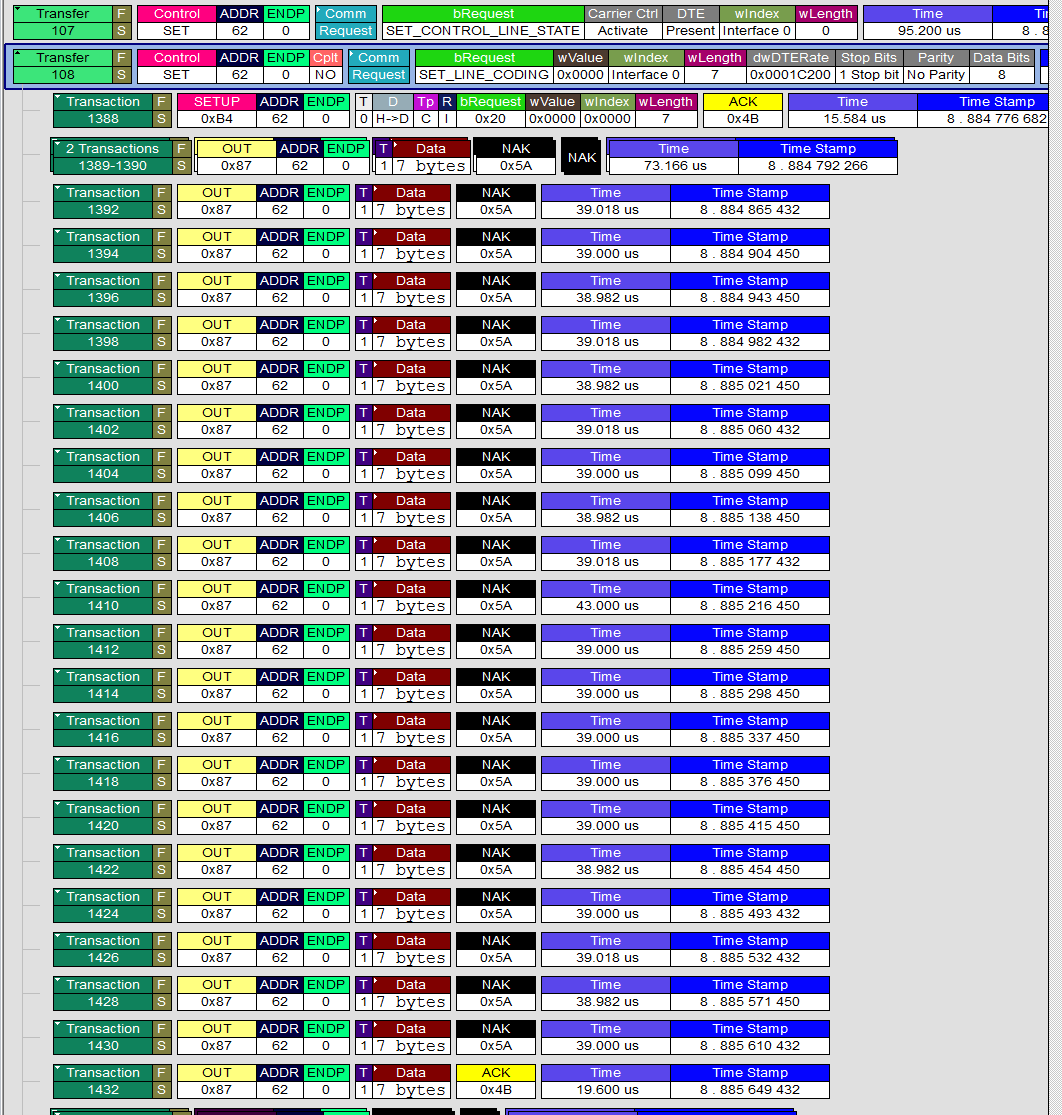
analyzer show a huge delay for set baudrate request, after the serial is connected(). I guess the serial_connected() return true, trigger some function that didn't run the background task to handle the baudrate request !!!. Linux seems to be more patient, windows and mac seems to timeout and drop connection. Looking more closely at it now
gentle bronze
@raven canopy I seperated mergehex from genhex, you should be able to compile now. merghex only needed for generated pre-built binaries. Shouldn't be part of that genhex 😃
gentle bronze
@tulip sleet nrf52 build failed with DEBUG=1, due to the printf not implemented
CC ../../main.c
../../main.c: In function '__assert_func':
../../main.c:454:5: error: implicit declaration of function 'printf'; did you mean 'mp_printf'? [-Werror=implicit-function-declaration]
printf("Assertion '%s' failed, at file %s:%d\n", expr, file, line);
^~~~~~
mp_printf
should we add nanolib for debug build ?
 indigo wedge
@gentle bronze you need to add include <stdio.h> in main.c
gentle bronze
@indigo wedge printf may need to have a bit of work to retarget it with _write() and _read() as well ? Did we implement those hook in nrf52 port ?
I just comment it out for now to build with debug=1 😄
indigo wedge
I think that's done by the circuitpython/micropython code because all I had to do to make it build and work was to add the include.
manic glacierBOT
@dhalbert @ladyada
More on troubleshoot. If we comment out these message function in main.c::run_code_py(), it will connect instantly. My guess is the below code try to write data to the cdc before the above set baudrate request is complete. it is still valid since the LINE STATE request is complete indicating terminal is connected.
Due to the nrf's usb easy DMA resitrction that only 1 DMA transfer can be active at a time, this seems to block the control response which is serve i...
gentle bronze
@indigo wedge ah you are right, maybe @tulip sleet knows where it is hidden 😄
 fluid helm
EduBlocks for Circuit Playground using Circuit Python is shaping well! @slender iron @idle owl @tulip sleet
tulip sleet
@gentle bronze You can replace printf(...) with mp_printf(&mp_plat_print, ...). Some files have a macro to do that, I think.
fluid helm
is there a known bug with uploading files to CPX in Ubuntu?
The same code uploads in Windows but not in Ubuntu
Scott mentioned something about a serial mode that could stop it working at PyCon?
Can't remember what I need to to do come out of that mode
tulip sleet
@tall yacht could you be more specific about what you're doing?
could you point to code that's not working?
gentle bronze
thanks @tulip sleet , since it is locatedin main.c ,I will leave it to you since it will affect all the ports https://github.com/adafruit/circuitpython/blob/master/main.c#L454
GitHub
CircuitPython - a Python implementation for teaching coding with microcontrollers - adafruit/circuitpython
fluid helm
Ahoy @tulip sleet , So what I'm trying to do is upload main.py to the CIRCUITPY drive. I'm trying to upload the basic neopixel example ( https://github.com/adafruit/Adafruit_Learning_System_Guides/blob/master/Introducing_CircuitPlaygroundExpress/CircuitPlaygroundExpress_NeoPixel.py )
GitHub
Smaller programs and scripts to display "inline" in Adafruit Learning System guides - adafruit/Adafruit_Learning_System_Guides
The file uploads and runs fine when it's uploaded in Windows
but when I upload the file in Ubuntu, doen't run 😦
tulip sleet
are you just uploading it manually, or do you mean code in EduBlocks is uploading it?
@fluid helm looks like you dropped off!
tulip sleet
@fluid helm when you do the upload, does anything show in the REPL? It won't run automatically if the REPL is open and at the >>> prompt.
fluid helm
Nope, nothing. The program runs when it's connected to a PC running windows, but as soon as it's connected to Ubuntu it wants to do nothing @tulip sleet
however, when i manually type stuff into the REPL, when i've opened the REPL, it does stuff
tulip sleet
i'll try it here
fluid helm
My laptop is weird
tulip sleet
work for me, but with the REPL ("Serial") closed
if Serial is open, then I have to type ctrl-D at the >>> prompt
fluid helm
Odd, even when I do it without Mu open and via the text editor
tulip sleet
which text editor are you using?
fluid helm
Ah, ok. Weird as it does it even when Mu has never been opened
tulip sleet
do you have a repl connection via screen or picocom or something like that?
fluid helm
Nope
tulip sleet
i'm starting up the win10 laptop; will test that with Mu
fluid helm
Cool, at least I know how to get it working if it doesn't run now. Thanks Dan!
tulip sleet
@fluid helm I don't see a difference in behavior between win10 and Ubuntu 18.04, but certainly do file an issue if you have a scenario that causes the issue. Happy to help!
fluid helm
Cool, it might just be my laptop, it plays up a lot with this sort of stuff. @tulip sleet
 plucky flint
@fluid helm what version of Mu are you using?
fluid helm
V 1.0.0
plucky flint
that's completely odd behaviour. BTW, I'm on Ubuntu 18.04 right now and it works for me. 😕
riiiiiight
have you tried rebooting your laptop? 😉
fluid helm
Yup, done that
plucky flint
@tulip sleet 👋
fluid helm
It's only this laptop that it plays up on
plucky flint
What do the (Mu) logs say?
tulip sleet
@fluid helm and are you saying that even if mu is closed and you plug in the CPX, it does not start up automatically?
fluid helm
Yup @tulip sleet
plucky flint
But it works OK on Windows?
plucky flint
@fluid helm Mu saves the logs for the day. (If you look in the directory where the log files are, you'll actually see the past 5 days worth of log files).
tulip sleet
yes, that is really odd. is it regular ubuntu 18.04, and what brand/model laptop is it?
 plucky flint
👀
fluid helm
It's a HP 15-ac152sa @tulip sleet
plucky flint
OK... I see two things happening here....
tulip sleet
i'm not sure this is mu-related at all. are you in the dialout group? type groups at the shell?
fluid helm
Yup
I'm in dialout
It happens with the normal text editor too
so not possible mu related
but it seems to be something to do with the REPL
as when that gets CTRL + D 'ed it works
plucky flint
- On some of the saves you save the file to
/home/josh/mu_code/main.py(i.e. into your home directory on the laptop).
- At the end, you appear to be saving to (the expected)
/media/josh/CIRCUITPY/main.pyfile.
As I understand it, the CPX/CircuitPython detects a write to the filesystem on the device and restarts. Right @tulip sleet ?
fluid helm
Ah, that's odd. Sometimes it says "device not found". Does that make it save to /home/josh/mu_code/main.py?
tulip sleet
right, it waits 500ms after the last write (to wait for quiescence) and the does an auto-reload (equivalent to typing ctrl-D)
plucky flint
@fluid helm yes, as a safe fallback
fluid helm
So maybe that is what's happening
tulip sleet
yes, it seems to be hiccuping a lot not finding and then finding the CPX, and also finding it on ttyACM1 instead of ACM0
plucky flint
This doesn't sound like a Mu thing, rather a timing based issue (i.e. the device isn't yet registered as connected to your Ubuntu laptop)
@fluid helm you're typing TOO FAST. 😛
fluid helm
Ahahaha 😄
tulip sleet
are there other USB devices, and are you using a USB hub or going direct? USB3 or USB2 port
plucky flint
yeah... USB hubs (like @tulip sleet says) could also cause an issue.
fluid helm
USB hub 😄
tulip sleet
take out the hub and go direct. Is it a powered or non-powered hub?
fluid helm
non powered
tulip sleet
other things plugged into it?
fluid helm
yup
plucky flint
OK.... try connecting the device directly to your laptop
tulip sleet
yes, you may be straining the power capability of the laptop port supplying the power (or it's just a junky hub)
plucky flint
OK... so we probably have the source of the problem. No idea why the hub may be causing the problem (although @tulip sleet 's suggestion sounds sensible)
tulip sleet
what else was connected to the hub?
fluid helm
Argh, that's the thing with modern laptops with a lack of ports 😕
tulip sleet
try a powered hub if you have to use a hub
fluid helm
I remember when we used to get 5 in built USB ports
Cool, I think i've got one somewhere, shall try it @tulip sleet
Another question, is the weekly on today?
plucky flint
one day, I'll make another weekly, but dad-taxi duties always get in the way. 😕
tulip sleet
yes, 2pm US eastern time as usual
prime flower
@fluid helm shameless adafruit.com plug but I've been using this one we sell for a long time and it's pretty great for a powered hub: https://www.adafruit.com/product/961

Add lots more USB capability to your Raspberry Pi or computer using this powered USB 2.0 hub. It adds a full seven powered ports, all at USB 2.0 speeds so you can use video cameras and other ...
(I have one of those macbooks with 2 ports)
tulip sleet
you can always use the discord phone app 😃
plucky flint
not sure connectivity from a muddy football pitch surrounded by trees is all that great. 😉
fluid helm
Oooo that looks good @prime flower
tulip sleet
parenting is higher priority
fluid helm
Football and muddy pitches is not for me. I'd rather be coding python that that 😄
prime flower
@plucky flint Has anyone done Mu on Raspi, which is also running blinka, yet?
I'm considering doing that for my newer blinka-guides
buuut I'm not really sure how the board detection would work, or if it'd even work at all.
tulip sleet
@prime flower but you mean with a board attached, or just using blinka and the raspi pins?
if no board, just blinka, you can switch it to "Python 3" mode. it doesn't have to have a board attached to work. Mode button in upper left
fluid helm
Any ideas of what I could use to replace the background on this? It's a bit fuzzy and doesn't really work well 😦
prime flower
from the board itself
@fluid helm not a UX designer but possibly apply a blur to the CPX a bit more?
add more tiling and then a blur. MakeCode uses a grey background that I kinda like, or "Adafruit Black" could also work.
fluid helm
maybe have it just as grey but have the taskbar another colour?
prime flower
I really like the cpx background lol
fluid helm
Will try a few things
and see what work best
the one at http://microbit.edublocks.org works really well
EduBlocks
prime flower
select-ible backgrounds would be kinda cool for educators hosting a workshop too, like I was presenting at OSHWNYC I could change it to their logo
tulip sleet
@fluid helm do you need it even lighter? Or maybe a greyed blinka? 
fluid helm
We have a themes menu, that changes the header colour
prime flower
or the school could put their logo/emblem, it's a wishlist item ive had for makecode for a while
fluid helm
blinka woud work
prime flower
RFC: add <blinka> as a recognized html element
tulip sleet
the micro:bit background looks good because it's a bunch of small gray bits, not too contrasty. Could repeat blinka and/or various other mascots
prime flower
Tiling really small, with adafruit icons and blinka 


tulip sleet
like the printing on the new Adafruit cardboard boxes
tulip sleet
fluid helm
oh now that's nice
tulip sleet
that's a little busy, could just repeat blinka and adabot or something and space them out more, and really light gray
fluid helm
Yeah, that's what I'm gonna try
tulip sleet
leave off adafruit star and name - we keep those for official - i'll double-check w/mgmt later today
fluid helm
Cool, after speaking to pt he said I could use the circuit python logo and blinka @tulip sleet
tulip sleet
excellent
 sick creek
nice
 pulsar bloom
Anyone have any luck with the rfm9x library using the feather M4? Setup works with M0 express and rfm965 featherwing but fails on the M4 with error saying check wiring.
 turbid radish
Just a reminder that Adafruit has a spam-free newsletter for Python on Microcontrollers https://blog.adafruit.com/2018/08/27/python-on-microcontrollers-newsletter-sign-up-today-adafruit-circuitpython-python-2/

Adafruit Industries - Makers, hackers, artists, designers and engineers!
Catch the weekly news on Python for Microcontrollers with adafruitdaily.com. This ad-free, spam-free news source is filled with the Python news of the week. Currently our fastest growing newsletter…
raven canopy
@pulsar bloom there is an issue filed with a possible fix: https://github.com/adafruit/Adafruit_CircuitPython_RFM9x/issues/8
 compact hornet
@fluid helm Why put a pattern there at all? There's hardly any pattern that isn't gonna reduce readability. IMNSHO
fluid helm
We do it on https://microbit.edublocks.org and it works fine
EduBlocks
It's getting the right tone
manic glacierBOT
 solar whale
@slender iron sorry - I have to miss the meeting today -- group hug! I'll listen to it later.
fluid helm
Now recreating the examples on the learning system to go inside the samples menu
Will be back in 15 mins @slender iron so if I can go last that would be great
tulip sleet
@slender iron Guess I should take notes, since kattni's off? Not sure of the style, I need to look at an old one. Can you drop me a link to a new google doc?
 slender iron
Thanks @tulip sleet ! https://docs.google.com/document/d/1wa9VL-hmmZgqOT87Qy-nJajIxm-C5Dl9rftL0D9d6ww/edit?usp=sharing

Google Docs
Adafruit CircuitPython Weekly August 26, 2018 State of CircuitPython + Libraries * 22 pull requests merged * 11 authors - arofarn, caternuson, brentru, brennen, notro, ladyada, sommersoft, hathach, dhalbert, jerryneedell, kattni * 6 reviewers - caternuson, brennen, ladya...
@fluid helm sounds good!
<@&356864093652516868> meeting in 5 minutes
slender iron
@inland tusk any luck
fluid helm
brb
meager fog
hiiii im here in text
fluid helm
Hey! @meager fog
meager fog
hi josh!
slender iron
k, feel free to post hug reports
meager fog
mega hugs to sommersoft for being nrf52 buddy
 stuck elbow
my heart goes to all the people who struggled with neopixels again
meager fog
also big round of applause for kattni & brennen who did 45 guides and tested/updated them for raspberry pi suppoty
support
they are on well deserved break, and we'll be back to do the remaining sensors/device
fluid helm
nope 😦
meager fog
(but if people have requests i can probably do one or two, open up an issue on circuitpython)
stuck elbow
I can't
fluid helm

Make faster and easier than ever with MakeCode, code.org CSD, CircuitPython or Arduino!
raven canopy
@jepler for running some tests on my PR. @jerryn for testing and troubleshooting the DHT-on-RPi PR. @ladyada for working on a learn guide for nRF bootloader install. Group hug to infinity and beyond!!
slender iron

GitHub
CircuitPython, an education focused port of MicroPython. - tannewt/circuitpython
prime flower
fluid helm
Really really cool!!! @prime flower
prime flower
thx josh! keep your 👀 on the learning system!
stuck elbow
The final prototype for PewPew Standalone is working and I have sent inquiries for quotes to the fabs to start the production soon. I also wrote a bouncing ball tutorial for it: https://pewpew.readthedocs.io/en/latest/tutorial.html
fluid helm
turbid radish
I am here, will go next
prime flower
that looks so good, I like the left hand side color-coding 😃
you're welcome mike! thanks for moderating my guides with your 🦅 eyes
(It's really cool, yeah makecode)
slender iron
@meager fog status update?
raven canopy
FrequencyIn: PR is in. Worked one change already thanks to @jepler's testing (bail out of endless interrupt loop). Will continue to work on things as the review progresses.
nRF DK: Finally kicked the tires on it last night. Win10 + Vagrant is proving difficult for the bootloader. Will push on it a little more, but may proceed with using Segger Embedded Studio. I'll document & screen grab either/both for possible inclusion to ladyada's learn guide.
.pylintr: patch successful except one outlier which has a PR in.
slender iron
@inland tusk type in if you like
fluid helm
Right so a temporary domain name for EduBlocks CPX is here: http://adafruit.edublocks.org not finished/fully pushed to server yet.
EduBlocks
tulip sleet
meager fog
@slender iron sorry was in a meating
status update is PN532 driver is done, plz try it if you want RFID card support in circuitpython
turbid radish
🍖
meager fog
im currently investigating libgiod for circuitpython support on Pi - if anyone is excited to help lemme know 😃
fluid helm
People seen this? it's a camp badge powered by micropython/circuitpython (can't remember which) https://t.co/oQTrMSu5Mc

Electromagnetic Field 2018, the event that celebrates technology, science, engineering, and weird inventions, is just around the corner again. And like previous years we have a free ready-to-hack...
meager fog
and getting back to nrf52840 - i started a guide for building/burning
will publish once we have USB workin' so people can experiement
fluid helm
@hybrid scarab from Pimoroni might. Sounds like something he's done @slender iron
 fluid helm
Is micro:bit Crikit going to be a thing?
fluid helm
yay!
 inland tusk
Thanks I heard you
meager fog
watch the blog, will try to get it at least for signups on wednesday
fluid helm
Cool, will have to get one for micro:bit magazine!
meager fog
sweet! yes makecode support works for sure
micropython is not as much yet - not sure if we can fit it
fluid helm
Yeah, it's pretty pushed for space
meager fog
we'll have to wait till a next-gen microbit - hopefully they'll make one with an '832 or '840
raven canopy
Thanks everyone!! Be well and Monday on!!
meager fog
for a spacious build
meager fog
with '840 yes 😃 that would be ideal
inland tusk
browser version Newest version of firefox
meager fog
anywho thats my update
fluid helm
At PyCon UK they said if they delayed the micro:bit by 2 months it would have the '840
but they were delayed as it is i think
raven canopy
Dropping out. Salt mines await!
slender iron
thanks @meager fog just wrapped up the meeting
tulip sleet
@inland tusk what OS?
raven canopy
👋
inland tusk
OS linux ubuntu 16.04
meager fog
i dont know they've released any details on if/when the next gen bit will come out or what it would use
inland tusk
ssounds familar
tulip sleet
@inland tusk working well for me on 18.04 with the app (not browser). had to set audio input in discord settings to default: specifying particular mic didn't always work
tulip sleet
there's a download link on the home page for discord
fluid helm
Yup 😃
inland tusk
I will be updating my system this week. I will load the app.
meager fog
nice
slender iron
@inland tusk want to try now or just ping us later?
meager fog
aww yeah, self documenting!
inland tusk
I am going to try to set up the app
fluid helm
That ground wire to the buzzer needs to be sorted out a bit
Should hopefully be on sale with Farnell by December!
Is anyone at the Blockly User Summit in California in a few weeks?
tulip sleet
@inland tusk turn down the gain a little more, still overdriving
tidal kiln
fluid helm
I forgot to say @slender iron https://github.com/AllAboutCode/pixelzero/blob/master/examples/colourtest.py

GitHub
A zero boilerplate neopixel control library for the Raspberry Pi - AllAboutCode/pixelzero
I've ported the CIrcuiPython neopixel lib to the Pi
for standard Python 3
prime flower
@fluid helm What Pi have you tested this on?
manic glacierBOT
 fluid helm
3B+ @prime flower
prime flower
This is SUPER useful
I'm going to fwd the repo to @meager fog
Do you need to run it as root?
fluid helm
Yep, if it doesn't detect sudo, it will print a friendly error and not import it @prime flower
It's not fully completed yet and needs lots of work
prime flower
Yeah
fluid helm
but proof is there
I've been using it for personal projects for a while now, thought it might be useful for the wider community @prime flower
fluid helm
No worries, would be nice to get it used a bit more 😃
Bye!
Ahoy @slender iron , could you locate me to the circuitpython neopixel library file. I see to have lost where it is 😦
tidal kiln
@fluid helm should be neopixel.mpy on your board under /lib
 timber mango
Hi!
I'm almost stuck with my Feather M4 Express : no CIRCUITPY, no REPL but I can get FEATHERBOOT. I try to update to 3.0.1, without effect.
As I was working on big change in my script, I think my main.py make the board unresponsive.
tulip sleet
@timber mango
import storage
storage.erase_filesystem()
<@&356864093652516868> Meeting recording is here: https://youtu.be/pyew9CN2hDM

Notes with time codes are available here: https://gist.github.com/tannewt/5b4b2d637d6b1954a6d8a1bd3cf93e65 Thanks to @Dan Halbert for taking notes! Join here...
tulip sleet
@timber mango missed that it was no repl. I'll be back soon
timber mango
yep, no REPL... when I can connect, nothing happend and it do nothing, even with [Ctrl]+[D] or [Ctrl]+[C]...
tulip sleet
 hybrid scarab
@fluid helm who, what, why, when, where? 😄
tulip sleet
hybrid scarab
I really should give CircuitPython some time- feel it might be a good antidote for the not-so-great experience of writing Python for the micro:bit
timber mango
@tulip sleet Thank you !
stuck elbow
@hybrid scarab what was wrong with the micro:bit, out of curiosity?
hybrid scarab
@stuck elbow the hardware is just too limited to do anything fun, even when you go to painful extremes to optimise code, and the shipped Python doesn't support binary distributions of libraries
It's hard to ship concise libraries for it with well structured code because you hit stack depth limits, or blow the parser memory, etc
And that's no slight against the platform/MicroPython itself- it's just a professional observation. I'm very much a fan of PXT (even though I dislike JavaScript) because it compiles down to something less resource intensive and doesn't need an embedded interpreter.
stuck elbow
@hybrid scarab well, I agree with your assessment here
hybrid scarab
I think the tooling surrounding MicroPython - at least on the micro:bit - has a little way to go, too, since there's no official way to distribute libraries even if you do manage to write them
Really wanted to get our eInk displays running but it was so limited that even with an FRAM memory buffer for the display, the code limit would be blown just implementing the drawing logic for the display and handling of the FRAM. I could probably have optimised it to the nth degree, but then there'd be nowhere for user code anyway 😄
TBF you could question the sanity of shipping an eInk display for the micro:bit in the first place- but we don't really do sane ;D
stuck elbow
@hybrid scarab I once made a "shield" for the micro:bit with a small display and dpad+fire buttons, and tried to make games for it, but even though I had my display code very well optimized, I just ran out of memory for any reasonable game logic
 main meteor
I didn't know the micro:bit had FRAM, I thought that was just the MSP430FR and related chips.
hybrid scarab
Nah I bodged the FRAM onto our add-on board for prototyping, it wasn't onboard
main meteor
Oh, cool!
hybrid scarab
Wrote a really nice class that maps all the FRAM IO to standard array indexing calls too sigh
stuck elbow
well, that used extra code space
hybrid scarab
So you could "memory = FRAM()" and then "x = memory[0:30]" or "memory[0:3] = [1,2,3,4]"
timber mango
@tulip sleet same result : FEATHERBOOT => ok, I flashed with the safe-mode UF2 you gave, but no CIRCUITPY
stuck elbow
it's the too short blanket problem
main meteor
I didn't know FRAM was available as a separate item. Do you happen to know which chip you used?
timber mango
and no REPL
hybrid scarab
But yeah that was certainly not optimised 😄
tulip sleet
@timber mango can you get to repl with this .uf2? then you can clear the filesystem
timber mango
no REPL
stuck elbow
@hybrid scarab I'm now working on a "microbit done right" device that I plan to use for workshops myself
tulip sleet
i'll get you another .uf2 that clears CIRCUITPY on startup
timber mango
ok
hybrid scarab
@main meteor not off the top of my head, but I can grab my laptop and look it up
timber mango
My script may have written a lot of data on flash memory...
Full flash can produce that ?
hybrid scarab
@stuck elbow something pin-compatible with a better micro would be nice
Even PXT has problems- can't use Bluetooth alongside some more demanding add-ons for example
Which is a shame, because- for example- a Bluetooth LED display would be cool
Gotta respect whoever was crazy enough to rewrite the MicroPython parser to even run on the micro:bit at all, though 😄
tulip sleet
@timber mango this erases CIRCUITPY on on every hard reset
it shouldn't break if you fill up flash, but there could easily be a bug
slender iron
@hybrid scarab micropython on micro:bit was damien, the micropython creator
we've tried to establish best practices for circuitpython libraries. we're bringing those libraries to raspberry pi now as well
hybrid scarab
Ah that would explain why it works at all then 😄
https://www.winbond.com/resource-files/w25x40cl_e01.pdf Ah it was this serial RAM chip, not FRAM as it were
@main meteor ^
fluid helm
Oh yeah, we were talking about Python libs and C in the meeting earlier @hybrid scarab
Talk to @slender iron
hybrid scarab
But there are such things as: https://uk.rs-online.com/web/p/fram-memory-chips/1242933/
Ahhhh @split ocean
Not being able to write micro:bit Python modules in C is definitely one of my bugbears with the platform- but I'm so frazzled keeping up with things that I... well can't keep up with things!
slender iron
ya, @meager fog wants to package a gpiod library in pypi
timber mango
@tulip sleet new colors ! and CIRCUITPY is back !
hybrid scarab
I have all the problems and none of the solutions- like a good consumer 😄
tulip sleet
the new colors may be a bug, but glad you've recovered!
hybrid scarab
A gpiod library for the micro:bit, or? I'm not sure I'm on the right page
slender iron
micropython can't dynamically load c modules yet. our approach is to bake in just the critical C functionality and use python for everything else
gpiod for CPython on raspberry pi
hybrid scarab
Oh it was byte-compiled Python I was looking into, rather than C specifically
fluid helm
Yeah, the CircuitPython way of doing libraries is so nicer. There is a libs folder on the flash drive of the device where you drag and drop the library @hybrid scarab
hybrid scarab
Since it being byte-compiled would, presumably, avoid the interpreter explosion that some larger libraries encounter
slender iron
ah, we bundle everything together
GitHub
A bundle of useful CircuitPython libraries ready to use from the filesystem. - adafruit/Adafruit_CircuitPython_Bundle
main meteor
Ah, that Windbond serial flash is similar to the one used on the Metro, Feather, etc.
hybrid scarab
I was under the impression some genius had shipped a "pip" for flavours of MicroPython that just downloaded dependencies on the fly, too?
stuck elbow
@hybrid scarab pin-compatible is not an option for me, as one of the problems I have with micro-bit is the connector
slender iron
ya, they have it but we don't use it
stuck elbow
@hybrid scarab though there is an esp32-based board that is compatible with microbit
slender iron
we use pip for the libraries on rpi only
tulip sleet
good night, glad to help!
slender iron
PyPI
The Python Package Index (PyPI) is a repository of software for the Python programming language.
stuck elbow
 hybrid scarab
Ooh yeah I've seen that one, in retrospect
@stuck elbow yeah the connector is... special
The edge-connector part to mate with it is expensive and cumbersome to say the least
But I do kind-of like how it makes the micro:bit a cartridge to a larger host board
stuck elbow
yeah, so I instead used standard pin header holes, but staggered, so you don't have to solder
you can just insert a male pin header into them, and plug it directly into a breadboard
hybrid scarab
We use that same technique to hold headers for soldering, is it really good enough for a robust connection?
stuck elbow
I do 400kHz i2c over it without problems :)
hybrid scarab
That's pretty decent! I used to jam strip header and stick blue-tac under my boards so it'd make a connection 😄
hybrid scarab
True! We're currently shipping shims that use really, really tight tolerance holes to mate with the Pi header without soldering- they're still pretty hit and miss it seems
stuck elbow
the point here is that the plastic part of the header strip acts as a spring
hybrid scarab
Good zero solder connectors is the pipe dream 😄
That's a good point
Or maybe self-soldering headers- like self-heating coffee cans, pull cord to solder
hybrid scarab
Explosives are fun!
stuck elbow
(I would rather use some kind of conductive glue, I guess)
hybrid scarab
Ooh I tried that once, ugh
Used conductive silver paint to try and fix a header I'd made a total and complete bodge of- made such a miserable mess, suffice to say that was long before I'd learn to solder properly
The little surface mount 40-pin push-through headers the Pi Foundation mount on stuff like Sense HAT are kinda cool
stuck elbow
then again, during the maker faire workshop in here with have 7yo children using soldering irons without supervision
hybrid scarab
But an expensive extra part versus just staggered (and free) PCB holes
stuck elbow
and there has been no accident in 2 years
hybrid scarab
That's pretty impressive- I burned myself the first time I ever touched an iron, I have no idea how
stuck elbow
if it smells like chicken, you are holding it wrong
hybrid scarab
I can't have seen too many stock photos back then, they weren't really a thing
stuck elbow
it might be because those are swiss children, they walk to the kindergarten alone
in the snow
uphill
both ways
hybrid scarab
across the Alps, fighting off bears?
slender iron
@hybrid scarab definitely check out circuitpython if you haven't. We've tried to make it better than MicroPython
raven canopy
@main meteor Adafruit has two FRAM breakouts.
I2C: https://www.adafruit.com/product/1895
SPI: https://www.adafruit.com/product/1897
and i'll eventually get to the library: https://github.com/adafruit/circuitpython/issues/665
@slender iron that .pylintrc PR i mentioned earlier...ladyada merged it two days ago, which my brain totally blocked earlier. 😄
slender iron
kk 😃
stuck elbow
@slender iron looking at your display code, I think it's important to remember that different st7735 displays have different RGB/BGR defaults and different offsets of the physical display in the memory
slender iron
@stuck elbow yeah, I think its ok for that. The init code there is explicitly for whats on the Hallowing
raven canopy
@gentle bronze thanks for de-mergehexing the genhex! in a total 🤦 moment, i just realized that mergehex has its own directory that i didn't put into PATH.
stuck elbow
@slender iron it's spi, not parallel, right?
I never had bit order problems with that...
slender iron
ya, spi. I think its my bitpacking code
the byte order is wrong but not the bits
gotta finish the newsletter before I can look at it more
stuck elbow
by the way, is there a good way to look at all changes to a branch without having to wade through all commits?
on github, I mean
raven canopy
the only way, on github at least, i could think of would be to fork, and then use compare against the master branch. basically, act like you're going to submit a PR.
actually, you don't need to fork...
slender iron
GitHub
CircuitPython - a Python implementation for teaching coding with microcontrollers - adafruit/circuitpython
stuck elbow
thanks
so the fourwire functions include CS so that you can use DMA?
(later on, I mean)
slender iron
ya and data/command
main meteor
@raven canopy Thanks! I'm boggled that I somehow missed those!
 split ocean
@hybrid scarab sup?
stuck elbow
well, dma mostly makes sense for data
slender iron
ya
fluid helm
Think he might have tagged you instead of @slender iron maybe @split ocean
slender iron
its still faster to do from C than python
manic glacierBOT
Through additional brainstorming, and discussion over in samd-peripherals, I'm wondering if I should setup the TC using a different clock than DFLL.
I could use DPLL1, set below 100MHz to ensure that TC4-7 don't exceed that limit. Then, all the kludgeyness of using the FREQM to adjust for DFLL drift wouldn't be necessary. In my quick-looks, DPLL1 isn't used, but I still need to roll through the common-hal to verify that.
I los...
raven canopy
@meager fog got through my bootloader Vagrant woes! Success! Might be worth it to update the "if you have hex" to show that you can use the genhex flag to create the hex. If you're interested in putting it in the guide, I can run through using the Segger Embedded Studio option...
solar whale
@raven canopy @pulsar bloom I have reproduced your issue with the rfm9x on a featherM4_express and I also can confirm taht the fix in https://github.com/adafruit/Adafruit_CircuitPython_RFM9x/issues/8 solves the problem.
GitHub
At line 357 in adafruit_rfm9x.py, I was getting the exception with Failed to configure radio for LoRa mode, check wiring!. Changed: --- lib/adafruit_rfm9x.py 2018-08-04 16:14:14.000000000 -0600 +++...
meager fog
oh man i was totally eating while y'all talked about ligpiod
solar whale
@pulsar bloom @raven canopy aha -- found the rfm9x issue with the featehr_m4 --- it just needs a delay between the command to enter sleep mode and the rest of the setup. The commentedlines are not the real issue. HAving trouble with github at the moment -- I'll update the issue when it comes back.
meager fog
@raven canopy yah wanna edit the guide?
@hybrid scarab i missed ya while 🌮 - i opened an issue on rpi_ws281x if you have a chance to look at it, just before i send a PR
@solar whale we havent done a ton o testing with the rfm9x but ill take a PR if ya want - i just dont have anything wired up
solar whale
@meager fog sure -- I'll wrok up a PR -- Just want test ti on the M0 and RPi first - adding the delay "should" be harmless. The commented out line was actually setting it to "low_frequencey" mode as weel then it gets unset a few lines later.... The delay just makes sure it really goes to sleep mode.
solar whale
glad to help!
meager fog
we did almost all i2c and simple-spi devices
github's back up so i guess i gotta get back to work 😃
solar whale
@meager fog just to clarify, the issue was on the m4 -- not RPi -- I have a small change to the rfm9x_simpletest for the RpI -- I'll add it to the PR.
solar whale
yes -- it needs some time to get into sleep mode
it has back to back sleep mode - then set long range. Ok on M0, not on M4
meager fog
oooh totally that makes lots of sense
solar whale
yup -- just needed to stare at it a minute!
on the M4 if I readback the op_mode, it was not in sleep Mode
raven canopy
@meager fog guide edited.
meager fog
thanx 2 x
meager fog
@tidal kiln do you want to try splitting pn532 into a module to see if that helps with memory?
tidal kiln
@slender iron ok. finally actually running through this.
https://learn.adafruit.com/creating-and-sharing-a-circuitpython-library/sharing-in-the-community-bundle
you've got this sequence of commands for adding the module:
git submodule add <github https clone link> libraries/<category>/<library name>
./update-submodules.sh
python3 build-build.py
i think the last one needs an update?
meager fog
we haven't written any dox for it so im ok changning api now
tidal kiln
@meager fog sure. pretty straight forward. also - were you going to add it to bundle?
meager fog
yah once i had more testers
slender iron
@tidal kiln ya, its not needed
meager fog
@tidal kiln so now's a good time to do the split
we'll need 4 files
i think that will work. not 100% sure tho
tidal kiln
@meager fog yep yep. saw your comment. easy enough to branch / refactor / test. i'll include a trinket m0 in the hw testing.
meager fog
thanx ya i that is a good test
tidal kiln
@slender iron thanks. is second command still needed? the update script? looks like it's just a few git commands.
slender iron
ya, it makes sure its on the latest tag rather than the latest commit
tidal kiln
i nominate this for most useful error message of the year award:
Failed to generate versions file. Its likely a library hasn't been released yet.
esp. the second sentence.
🤦
indeed. now travis is happy.
@slender iron thanks. pr'd to the bundle for the tca9584a library. you ok with me closing:
https://github.com/adafruit/circuitpython/issues/1093
?
slender iron
😃
sure! always feel free to close. can always reopen if I disagree
will look tomorrow, thanks!
tidal kiln
sure. np.
manic glacierBOT

Closing this for now. See here for driver:
https://github.com/adafruit/Adafruit_CircuitPython_TCA9548A
Thanks @deshipu for the excellent idea on this one - to make the switching happen behind the scenes automagically. Thanks to @tannewt and @ladyada for comments on how best to implement.
pulsar bloom
@solar whale thanks can confirm it works
meager fog
@gentle bronze good morning! im around for a little bit
if you'd like me to try or test something
gentle bronze
@meager fog good evening. Ah, not yet, I am still troubleshoot the serial issue,. It should be ready when you waked up though 😄
meager fog
ha ok 😃
manic glacierBOT
The issue is a bit complicated, but require only a few lines to fix as expected. The issue is EP0STATUS to send control status also require Easy DMA access. This seems to be missing from Nordic documents
The issue is a bit complicated, but require only a few lines to fix as expected. The issue is EP0STATUS to send control status also require Easy DMA access. This seems to be missing from Nordic documents
As @dhalbert and @arturo182 suggested a couple of ways to resolve this. However, since this is in the main.c
https://github.com/adafruit/circuitpython/blob/master/main.c#L454
I better leave this to those who have more knowledge on the CP, since main.c changes will affect all port
make V=1 BOARD=pca10056 DEBUG=1 all
GEN build-pca10056-s140/genhdr/mpversion.h
CC ../../py/modsys.c
CC ../../extmod/modwebrepl.c
CC ../../main.c
../../main.c: In function '__assert_func':
../../ma...I will fix this soon in a separate PR or as part of another.
gentle bronze
@meager fog Some correction for bootloader tutorial https://learn.adafruit.com/circuitpython-on-the-nrf52/nrf52840-bootloader .
$ make BOARD=feather_nrf52840_express VERSION=6.1.0r0 flash will flash the board with pre-built binary. "VERION=" only needed for flashing specific binaries without compiling the code.
$ make BOARD=feather_nrf52840_express flash without VERION will compile the current code and flash the newly generated hex. The code doesn't match your screenshot, sorry if i didn't doc it well to cause some confusion.
manic glacierBOT
yeah, close this when you see appropriate.
gentle bronze
just to be clear, flashing binary specifcied withVERSION=, user can skip git submodule update --init as well since it doesn't compile the code at all, just use the board and the version to look for the correct binaries.
slender iron
@raven canopy when you have a chance: https://forums.adafruit.com/viewtopic.php?f=60&t=140262
meager fog
@hybrid scarab yay thanx!
manic glacierBOT
Would you like me to polish this up so we can get it checked in?
hybrid scarab
@meager fog no worries! This has somehow evolved into me trying to get Travis CI working on the library, since I can't pip it until tomorrow 😄
gentle bronze
@tulip sleet Just a quick question for USB serial string, currently for samd port, is the serial different between the bootloader mode & the circuitpython mode ? I am not sure if we could use the same serial or have to make them different.
manic glacierBOT
Thank you for your continued work on this. I think it should only be added on express boards with space available. We don't have room for new things in the non-express builds.
What is the lower bound of what you are trying to measure? What's the high bound? Interrupting on every pulse seems very limiting to the top end.
Why not interrupt at a fixed frequency based on the best calibrated clock and count the number of clock cycles over that duration? The TC event action would then be COUN...
tulip sleet
@gentle bronze there are different USB PIDs for bootloader and circuitpython. There is one PID for UF2 bootloader, onen for Arduino, and one for CircuitPython.
manic glacierBOT
Any conclusions from this? I'm working on a different API here that is more like _stage than framebuf.
gentle bronze
@tulip sleet yeah, the pid is different but i wonder that if the serial needs to be different as well. The one you help me out with the nipple to hex. Though, don't be borthered. I will try to find a samd board to test with. I think ktwon did sent me one a long time ago. May need it for other ref as well.
tulip sleet
no, serial does not need to be different; we haven't done that on atmel
some devices don't even report serial. I think we are using serial to distinguish MSC because that helps in some way; i forget the details
gentle bronze
Ok, got it. Then we could just use one serial for both modes. Thanks.
Btw I submitted a pr that should fix serial connection issue. Let me know if you still have any issues, I will check it out tomorrow.
tulip sleet
i'll build new one - thanks for debugging!
gentle bronze
NP, It is my bug :(, though it is a bit complicated. I should have troubleshoot ed it earlier :D
manic glacierBOT

Hi,
Yes if possible, but i would also like to know why the Travis build is failing, i checked the first failing test and it's marking the following error:
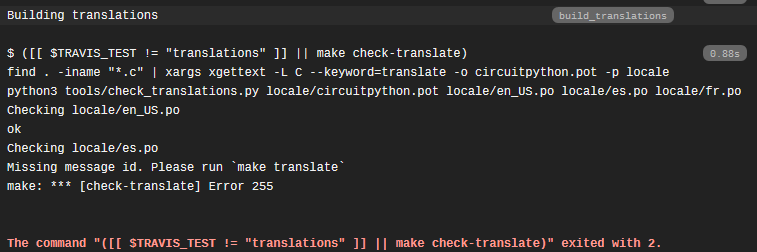
So if you can polish it it would be great, i'm not having as much free time as i would like to.
raven canopy
@slender iron forum post answered.
slender iron
Thanks!
 hard loom
New to Circuit Python anyone 1. Where do I go to get started with this code. 2. Is it an interpretive language, or something I can compare it with???? Thank you in advance for the Newbie 😳
solar whale
@hard loom If you are specifically interested in CircuitPython -- look here https://learn.adafruit.com/welcome-to-circuitpython?view=all CircuitPython is an implementation of Python3 that executes on microcontrollers. If you are completely new to Python, then you may want to start with a general tutorial on Python. Are you using a micro-controller board?

New to CircuitPython? This is the place to start.
hard loom
Yes I am using microcontroller boards but pitifully. An old-timer just getting into this open source coding. To give you an idea of my age my first computer language was Fortran and Pascal in high school. Before the 8086, but had a great time with it then it was basic ,basic +, C ,C+, C++, you get the idea. Thanks for the tip really appreciate it and I'm really need it. Have a good day my friend and I'm not going to be the first one to turn that switch on), Circuit-On
solar whale
@hard loom We are contemporaries 😉 -- Glad to help -- keep asking if you need more.
Actually - I think I'm considerably older than you are ...
hard loom
Thank you very much, great to hear I'm not the only one that remembers the C: and hated the rise of Windows GUI. HA HA the good old days when your program ran all night
Signing off now have a good night everyone. Need my beauty sleep
meager fog
@hard loom welcome and nite!
solar whale
@hard loom good night !
 storm spoke
ok, noobist-noob here! I decide to order some toys from Adafruit to make a wearable and "learn through experience"... I purchased some Gemma MO boards (circuit python) and some LED matrix's and was loosely following a wearable guide on Adafruit that explains how to wire up the device and import the code! I got it working! however, I want to generate my own effects/displays from the matrix and here is where I'm stuck. Adafruit offers "librarys" for the matrix, but they are all audrino (i think) and my controller is Circuit Python. I think it's capable of Audrino, but what I've read is that I should start with Circuit python... I guess my question is: should I try to do anything with the matrix-libraries, or do I have what i need with Circuit python.
My challenge with modifying the existing code, is that it was written for mono-color matrix, and i bought bi-led matricies, so I don't know how to address the code in order to access the other color capabilities of the matrix
main meteor
If you're happy with CircuitPython, may as well stick with it. It does support the bicolor matrix. There's some example code here: https://github.com/adafruit/Adafruit_CircuitPython_HT16K33/blob/master/examples/bicolor24.py
GitHub
Adafruit CircuitPython driver for the HT16K33, a LED matrix driver IC. - adafruit/Adafruit_CircuitPython_HT16K33
Oops, that example code is for the bicolor bargraph. The library does support the bicolor matrix too, but I don't see example code for that.
storm spoke
Ah a breadcrumb, thank you madbodger!
main meteor
The matrix example code is here, and a commented section shows how to set up the bicolor 8x8 matrix: https://github.com/adafruit/Adafruit_CircuitPython_HT16K33/blob/master/examples/matrix.py
GitHub
Adafruit CircuitPython driver for the HT16K33, a LED matrix driver IC. - adafruit/Adafruit_CircuitPython_HT16K33
storm spoke
so the HT16k33 library, is it a set of code that acting as a driver for the the matrix. IE do i need to load a library that is specific to the matrix im trying to drive?