#circuitpython-dev
1 messages · Page 184 of 1
 bronze geyser
 meager fog
@tidal kiln added a note
 covert oxide
will do, thanks @slender iron
 idle owl
@solar whale Quick scan says you got things sorted?
 slender iron
I covered how to register characteristics with a service @indigo wedge
idle owl
@slender iron I have a couple of questions about I2S I'd like to ask before you head out if possible. For the guide.
 tidal kiln
@meager fog cool. thanks. how about also adding something like "If you do think you're having bootloader related issues, please post in the forums or discord."
so they'll know it is sometimes needed
 solar whale
@idle owl I think so -- I'll revise and submit new PRs later this week - then try releasing again 😉
slender iron
I dissappear in an hour or two until sunday
idle owl
@solar whale Sounds good.
solar whale
@slender iron have fun!
slender iron
lemme feed cats first
idle owl
Ok
meager fog
@tidal kiln ok done
idle owl
@slender iron Still have time?
slender iron
ya, soon
idle owl
ok let me know
slender iron
@idle owl in voice chat
 raven canopy
@bronze geyser I don't know that CP is necessarily swallowing it. But, I have seen a goto_sleep type function in ASF4. I just haven't drlled down if it does anything beyond _WFI.
idle owl
I2S for Metro M0: Bit clock pin: board.D1 Word select pin: board.D0 Data pin: board.D4 Bit clock pin: board.D1 Word select pin: board.D0 Data pin: board.D9 Bit clock pin: board.D1 Word select pin: board.D0 Data pin: board.D12 Bit clock pin: board.D1 Word select pin: board.D7 Data pin: board.D4 Bit clock pin: board.D1 Word select pin: board.D7 Data pin: board.D9 Bit clock pin: board.D1 Word select pin: board.D7 Data pin: board.D12 Bit clock pin: board.D6 Word select pin: board.D0 Data pin: board.D4 Bit clock pin: board.D6 Word select pin: board.D0 Data pin: board.D9 Bit clock pin: board.D6 Word select pin: board.D0 Data pin: board.D12 Bit clock pin: board.D6 Word select pin: board.D7 Data pin: board.D4 Bit clock pin: board.D6 Word select pin: board.D7 Data pin: board.D9 Bit clock pin: board.D6 Word select pin: board.D7 Data pin: board.D12
Bit clock pin: board.D1          Word select pin: board.D0       Data pin: board.D12
Bit clock pin: board.D6          Word select pin: board.D0       Data pin: board.D9
Bit clock pin: board.D6 Word select pin: board.D0 Data pin: board.D12```Feather M0 meager fog
@umbral dagger in your guide you talk about installing adafruit_seesaw manually, why not using the library manager?
 umbral dagger
I'll recheck but the manager had the old version. I opened an issue on the lib to update the version number in the library properties file that is likely the problem.
Seems to be fixed now. I'll tweak the guide to reflect that.
 silver tapir
For the CircuitPlayground Express, is there a Megademo like the arduino one, but for Circuitpython?
umbral dagger
@meager fog Library directions in the guide have been adjusted to reflect the new reality.
idle owl
@silver tapir No. Someone started on one but it never got finished and hasn't been touched in ages. There's a CircuitPython lib for CPX that incorporates everything on the board except the microphone and the IR. There's a guide that covers everything in the lib. If you're looking for a simple example of (nearly) all the features, that's where I'd suggest starting.
silver tapir
Thanks a lot @idle owl, will do.
idle owl
Get started with just a few lines of code!
tidal kiln
just live demo gremlins? or something else? if anyone wants to take a look....
https://forums.adafruit.com/viewtopic.php?f=52&t=138344
 prime flower
I'm getting a really strange positional argument error with a library I'm making on https://github.com/brentru/Adafruit_CircuitPython_MCP3xxx/blob/mcp3008-work/adafruit_mcp3xxx/single_ended.py#L61

GitHub
Adafruit_CircuitPython_MCP3xxx - CircuitPython library for MCP300x SPI ADC's, may later support MCP320x as well
TypeError: function takes 3 positional arguments but 4 were given. Is this an issue with how I'm using super() or kwargs?
nvm got it 😄
tidal kiln
did you call show() ?!!?!
idle owl
@tidal kiln I did that again the other day.... It wasn't nearly as long to realise it, but it was still too long.
prime flower
@tidal kiln that's the CP equivalent of AIO's did you call io.run() in the loop()
tidal kiln
@idle owl what was it for? maybe we should start trying to change over to have something like an auto_write that is on by default? neopixel has this. and i did it for ht16k33.
idle owl
Pixie lib we just wrote. And it was set to False because there was a rainbow in the code, and I kept forgetting while testing.
It is on by default.
tidal kiln
nvm then. carry on....
idle owl
😄
solar whale
I'm trying to make Travis happy, but failing -- what is wrong with import adafruit_bus_device.spi_device as spi_device what should it be instead?
idle owl
@solar whale Not sure. Link me to the Travis output and the file please
bronze geyser
@raven canopy thanks re: goto sleep asf4 - i'm not having a challenge w/ getting the m0 to go to sleep then wake up w/ an interrupt. i get an arduino lib to do this...just can't get the same code to work w/in CP...this led me to think something "funny" is going on wrt CP and handling _WFI()...thought I'd check...
solar whale
@idle owl wait -- wrong travis run -- that was my attemted fix -- just a sec
@idle owl - just resubmited
@idle owl -- ok just failed agin
idle owl
Ok.
idle owl
You can't import it as spi_device because that's what it's called in the module. That's my read on it. So import it as something else. Which shouldn't break any code.
solar whale
ok but I then have to cahange all the places taht use it ..... sigh
idle owl
I mean as long as you refactor it, it shouldn't break anything.
What editor do you use? Mine has a thing for refactoring. Where it renames all the instances of it. Works about 85% of the time. Other times it's too smart and tries to refactor in every repo I have open.
I would try renaming it and run pylint first though.
Make sure I'm right.
solar whale
ok -- not clear to me why this is an error -- I can do a search/replace -- just seem unnecessary.
idle owl
It must be a PEP8 thing.
solar whale
my pylint never complained.
 main meteor
from adafruit_bus_device import spi_device?
idle owl
No, it doesn't work that way @main meteor
main meteor
😃
solar whale
tried that!
idle owl
Hmm.
solar whale
I guess my pylint rules are out of date.
idle owl
Can you drop the file in here please?
solar whale
in fact when I submitted the PR last week - it passed
@idle owl I have not tried renaming it yet -- will do that now -- i was respnding to @main meteor
idle owl
I know 😃
solar whale
jerryneedell@Ubuntu-Macmini:~/projects/adafruit_github/Adafruit_CircuitPython_RFM69$ pylint adafruit_rfm69.py
Using config file /home/jerryneedell/projects/adafruit_github/Adafruit_CircuitPython_RFM69/.pylintrc

--------------------------------------------------------------------
Your code has been rated at 10.00/10 (previous run: 10.00/10, +0.00)
same file
idle owl
But it was passing for you before too, right?
idle owl
It's passing locally for me as well. So we're both not up to date.
idle owl
Did PEP8 get updated recently?
solar whale
I don't even know what PEP8 is....
idle owl
Oh. It's the standard by which Python is supposed to be written. It's what Pylint uses.
Also this: ```************* Module adafruit_rfm69
adafruit_rfm69.py:74:0: C0414: Import alias does not rename original package (useless-import-alias)
Your code has been rated at 9.97/10 (previous run: 10.00/10, -0.03)```
I updated Pylint. I had to pip3 uninstall it and reinstall it.
So at least we know Travis isn't crazy.
solar whale
I'll try taht
************* Module adafruit_rfm69
adafruit_rfm69.py:74:0: C0414: Import alias does not rename original package (useless-import-alias)

-------------------------------------------------------------------
Your code has been rated at 9.97/10 (previous run: 10.00/10, -0.03)
``` I'm so pleased... 😉😄
solar whale
ok -- back to fixied and restesting
bronze geyser
@raven canopy although - to your point about ASF: http://asf.atmel.com/docs/latest/xmegaa/html/xmega_sleep_quickstart.html i have been avoiding ASF. but maybe it is time to take my floaties off and paddle into the deep end.
solar whale
@idle owl How do you "squash" commits
yay - travis loves me!
sorry -- I should have just used google -- I think I have it.
idle owl
@solar whale I think it's part of rebase. like git rebase -i HEAD~3 would squash the last three commits.
And then it tells you what to do next I think.
solar whale
Thanks -- hopefully I'm redone with this one -- just need to actually make sure it still works!! Usually I do htat first, but since I could not get pylint to give me the error it was hard to know if I'd fixed it! Nice to be back in sync.
solar whale
pylint also made me remove the el from `if foo:
idle owl
I saw you mentioning that earlier.
solar whale
messed up typing -- basically it won't allow an elif after a return
i suppose it make sense since the is no reason for an else in that case.
I did not explain taht well -- I think waht it was objecting to is the lack of a final else after a bunch of elif
idle owl
Ah
solar whale
in that case it makes sense jus to use if for each case
raven canopy
@bronze geyser documentation @ http://asf.atmel.com will be for ASF3. We're currently using ASF4. Reference manual is here: http://www.microchip.com/mymicrochip/filehandler.aspx?ddocname=en600266
Paragraph 25.5 is for the sleep manager. I still can't see what exactly it is doing behind the curtain though.
solar whale
@raven canopy hope you don't mind - I tagged you to review the pylint fixes we discussed earlier
no rush
raven canopy
I don't mind at all! I saw the email...just haven't got there yet. 😄
solar whale
take your time -- just wanted to get it off my todo list!
bronze geyser
@raven canopy i'm on a mac. is there a way just to get the sleep driver? Seems from the ASF4 doc though all there is a function to put the m0 to sleep...somewhere there must be an example of the sequence of calls they use when dealing with ext int.
raven canopy
well, ASF4's documentation is...uhhh...lacking? maybe more akin to a puzzle that isn't put together. 😄
 tulip sleet
from adafruit_bus_device import spi_device instead
idle owl
@tulip sleet I don't think it works that way because of how the module files are structured
Because they're all in a folder.
At least that's what I thought.
tulip sleet
oh iam two hours behind
idle owl
😄
tulip sleet
i keep doing that: reading 3pm messages and typing a response without scrolling down
raven canopy
@bronze geyser there is some HPL and HRI functionality for set_sleep_mode that I don't think is syncing with your SET_BIT(SCB->SCR, 2). the HPL function factors out like this:
switch (mode) {
    case 0:
    case 1:
    case 2:
        SCB->SCR &= ~SCB_SCR_SLEEPDEEP_Msk;
        PM->SLEEP.reg = mode;
        return ERR_NONE;
    case 3:
        SCB->SCR |= SCB_SCR_SLEEPDEEP_Msk;
        return ERR_NONE;
    default:
        return ERR_INVALID_ARG;
where SCB_SCR_SLEEPDEEP_Msk = 1UL << SCB_SCR_SLEEPDEEP_Pos, which comes out to 1 << 2 == 4.
However, I need to verify the SET_BIT function before I have a definitive answer on that.
by the way, for me personally, the best way to figure out what ASF4 is doing, is to just read all of the codebase from here: https://github.com/adafruit/asf4/. It takes time and multiple browser tabs...and patience. 🤶
not sure how Mrs. Clause got selected for :laughing:...
tidal kiln
only 160 days until xmas!
raven canopy
I can't find a SET_BIT definition anywhere. ASF, Arduino, ARMCC, Thumb[2], GCC ARM... 🤷
it has to be in ASF/GCC somewhere, otherwise it would complain at compile....
@solar whale merged!
haha. i figured pylint's twitter would be on fire. its actually pretty quiet... 😆
 torpid goblet
another newbie question.... is pylint something one runs against their local clone or is it something one of the bots do?
tidal kiln
Both. Bots run the check as part of CI. But....what @prime flower said
prime flower
Travis is the (bot) which runs on the repos whenever someone PR's on github, or releases. One of it's jobs is linting via pylint. But you can also run both travis and pylint locally
torpid goblet
thanks, Is their a circuitpython pylint config file I should check against?
tidal kiln
travis clones the repo, then runs pylint on it, so the repo's .pylintrc file gets used
and that .pylint rc gets in the repo when cookiecutter is run as part of the initial setup
torpid goblet
@tidal kiln thanks that is what I was looking for. My last formal coding was done in COBOL and Fortran in the `90s tools are a lot better today.
tidal kiln
i'm trying to re-set up travis - does anyone know how to prevent it from accessing orgs? i just want it to have access to personal repos.
 winged needle
If anyone can help: I am trying to update CP libraries on a CPX. When I download the July 18 release from https://learn.adafruit.com/welcome-to-circuitpython/circuitpython-libraries there are no files inside the Libraries folder. Specifically, I am trying to use the 'irremote' with circuitpython.

New to CircuitPython? This is the place to start.
raven canopy
@tidal kiln nope. that is my only real gripe with Travis. The account/profile UI is very lacking...
tidal kiln
@winged needle something's up with the july 18th release, go back one:
https://github.com/adafruit/Adafruit_CircuitPython_Bundle/releases/tag/20180714
@raven canopy ugh. thanks.
 sturdy furnace
Hey guys! I forgot to say, I'm speaking at PyconAU about my project using CircuitPython and a whole bunch of CPXs.
Is anyone here going?
 small cypress
So, just got my M4 Feather and am getting started with CircuitPython but it looks like I wrongly assumed that it'd support the super low-power modes of chips needed to get things running from batteries. Is there any timeline for adding that to CP?
Wondering if I kinda screwed up getting this 😦
tulip sleet
@small cypress we have feature issues for sleep and stuff but no definite timeline. You could use Arduino for now? How long on batteries do you need?
 cloud junco
Ok so I have a really stupid question: where are the libraries for 3.0.0? I've downloaded the latest bundle from github (like i did for 2.3.1), but this has a bunch of empty folders.
tulip sleet
@cloud junco use this https://github.com/adafruit/Adafruit_CircuitPython_Bundle/releases/tag/20180714 The latest release is broken. I'm going to hide or something.
cloud junco
Ahh sorry i scrollee up and saw that right after i posted. Thank you.
small cypress
@tulip sleet I'm just getting started with programming so switching between Python and C seems kinda unwise/bad. I don't have super solid numbers for things yet, but I figured I'd probably end up with this board doing a super simple thing where I'd want it to be able to go weeks/a month or more without a charge.
I also saw this board as something to learn on while I wait for NRF52 support/future M4 boards with wireless, where obviously uber low power usage is extra important to offset the power noms of wireless/enable portable stuff.
Having said that, I have no idea how much the Feather M4 uses while active right now, couldn't find any specs and I'm not sure if reading power draw over USB is super accurate
tulip sleet
it's under 50ma. I did some measurements somewhere, not sure where they are now
small cypress
Nice, that gives me something to do maths with, even if it's still in mA not uA 😉
tulip sleet
actually, I think it's a lot less. I measured trinket m0, and that was 5ma, so maybe 10ma
small cypress
does it vary depending on CPU demands?
I know from trying to make sense of the datasheet for the microcontroller itself that it seems to have a lot of power modes
tulip sleet
it does vary to some extent. we don't provide access to putting into sleep mode, etc. right now. What I'd suggest is that you sacrifice a USB cable: open it up, cut the red +5V wire, and put an ammeter in series. I think you'll be pleasantly surprised.
you can turn off the RGB LED to reduce power
small cypress
Sacrificing a USB cable? Heresy 😉
I've got a plug-in USB power meter thing, would that work if I eject the 'drive' from my computer or use a power-only charger?
The irony about asking about this now is that I may have spent a big chunk of this evening carefully soldering up a NeoPixel ring..
tulip sleet
@small cypress I have the Charger Doctor thing, but it is not accurate at low currents
small cypress
Guess I could break out my little Pololu buck/boost and my multimeter
tulip sleet
ok, I have one of these: https://www.adafruit.com/product/1456. I'm measuring not quite 30ma with the metro m4 running CircuitPython.
small cypress
😃
tulip sleet
a Metro M0 is 16ma. Gemma is about 12-13ma
 timber mango
I think I was close to 40 mA on the M4 and it was a good deal more than the SAMD21 feather.
tulip sleet
you are also measuring loss in the buck/boost
M4 is more than twice the clock rate of M0, so not surprising
timber mango
I used the FriedCircuits thing to get into the +5V lead of the USB coming from the computer.
tulip sleet
i like it, a lot less finicky than cutting a wire
timber mango
It's a real nice design. I'm going to put it in its own enclosure at some point.
small cypress
Huh thought if I was measuring the output the efficiency would be higher up the stream if that makes sense
 tulip sleet
oh, I thought you were measuring the input
timber mango
I use the Pomona 0.1" contact to banana plug cable to hook the friedcircuits dongle directly to my meter.
tulip sleet
anyway, you have a ballpark now
small cypress
was going to but you said it'd probably be bad at low load and that made sense, so I figured I could try some NiMHs and the buck/boost
Yup, and the dream of deep sleep landing at some point 😛
tulip sleet
we have some simple timer things that will turn the board on and off every so often: https://www.adafruit.com/product/3435 https://www.adafruit.com/product/3573
small cypress
Well, NRF52 + deep sleep + an Atom plugin to stick the terminal into a panel 😉
raven canopy
@small cypress there is one person working on it. i'm helping, so that may make it slower... 😄
tulip sleet
i gotta go, sorry, but keep going if you want
small cypress
Yeah, I'll probably want it to be based on a sensor/button etc. rather than just time, but they could do some things
waves, thanks
raven canopy
@tulip sleet, orrrr...later. 👋 haha. I'll ask tomorrow.
tulip sleet
do you have a quick q?
raven canopy
no worries. it can wait.
tulip sleet
ok, ttyl!
solar whale
yay - control-C now works on the nrf52 DK board!!
raven canopy
i still haven't even done anything with mine, other than pull it out of the bag and "oooo, ahhhhh".
solar whale
Now with the MSC and UF2 bootloader its working well!
small cypress
If you can get it running on the Thingy52...
raven canopy
I had a fleeting thought earlier on the way home, at trying to get another SAM board running...
solar whale
@small cypress I'm not usually the one who gets them running -- I just break them after someone else does 😉
small cypress
has a Fireman Sam flashback
@solar whale Just be careful not to break the LiPo inside the case 😉
solar whale
@raven canopy did you see @stuck elbow samd21 skull?
raven canopy
I did! its sweet, @stuck elbow!
I was thinking about a SAME70. 300MHz, anyone? 😵
i would have to learn some serious design chops though...
best to start smaller. haha
solar whale
in your spare time....
raven canopy
I have some of that. I just tend to leave it in random places. haha
solar whale
Well I got a few todo items checked off tonight -- time for bed. 💤 Good night all!
raven canopy
night @solar whale!
 manic glacierBOT
this appears to have been fixed. Ok to close?
Sorry I tested this on the pca10056 dk board. Not on feather53832.
manic glacierBOT

 sweet wedge
I have a remote BME sensor and Metro M0 express sending temperature, humidity and barometric pressure data over LoRa. This attached code is for the receiving unit which is a Feather M0 with another RFM9x module. Everything works and displays nicely, but what I'm trying to do is have the display show "No Signal" if the received packet is none for more than X seconds. This is because should the signal drop or sending unit stop working, the receiving unit will simply continue displaying the last received data. I want a way to know if I'm no longer receiving fresh data. I've looked at the "read the docs" for the time module and it seems pretty basic, not sure how I'd go about having functions with elapsed time such as "if packet is none for X seconds do this ..."
 stuck elbow
@sweet wedge the way to do it is by using time.monotonic()
@sweet wedge you save in a variable the value of time.monotonic() when you last got signal, and then you compare it with the current value, and if it's bigger than your timeout, you show the message
manic glacierBOT
verified that this is still not working for feather 52832 -- sorry for the confusion.

Yes, since this is 52832, this must be in the UART driver not USB ;)
sweet wedge
@stuck elbow Bingo! That worked, thanks, I feel a little silly. So it sounds like time.monotonic() is a timer that's always running from startup which can't be reset, but of course comparing variables with it works great.
manic glacierBOT
 solar whale
@indigo wedge Do you happen to have an am2320 temperature/humidity sensor? If so, have you ever tried it via I2C on the pca10056 DK or a feather52? I have not been able to get the boards to recognize it. Just curious if you have tried it. I do more detailed testing on it this weekend and file an issue if I can't resolve it. Other I2C devices are working fine.
 indigo wedge
No, unfortunately I don't have it.
solar whale
OK No problem -- I'll get some Logic analyzer shots this weekend and see if I can learn anything.
small cypress
Anyone seen LittleFS? Pycom seem to be switching to it and it looks good.
though don't know if it'd mess with the UF2 bootloader to switch over https://github.com/ARMmbed/littlefs
 solar whale
@indigo wedge the am2320 is an i2c version of the DHT22 -- it may be that it has some quirks of its own....
indigo wedge
i might order some when i do a Mouser order in the near future
solar whale
enough "play time" -- off to work 🛠
stuck elbow
hi ho, hi ho
bronze geyser
@raven canopy getting out of sleep seems to be working. i'm playing around/learning stuff now...
@raven canopy and you were right about EIC_HANDLER ...doesn't seem to need that OR a GCLK (assume trigger is on HIGH or LOW)
raven canopy
@bronze geyser nice!!!! Good work!
bronze geyser
@raven canopy thank you. Thank you for your help. There's a couple of things i need to check before claiming victory. But for me a lot of victory is in figuring stuff out. and i figured out that asf 4 is an unfortunate thing. it is just so...well...so...i dunno...seems 1990's at best?
raven canopy
Yeah, ASF4 is what it is. Their premise was good IMO (don't waste time writing drivers); the implementation is a little rough though. Though, to be expected I guess given the complete change from the [mature] ASF3.
bronze geyser
@raven canopy perhaps a big challenge for ASF 4 (and atmel's tool chain?) is they are a hw company. it's a shame a strong IIDE company + Atmel don't get together.... like Atom + Atmel
raven canopy
@bronze geyser are you planning to contribute your sleep to CircuitPython? If so, let us know if you need help with folding it into a module. Tannewt and Dan Halbert would be best to ask where it should go (time, microcontroller, supervisor, etc). We try to keep in line CPython modules, and not add extra functions.
bronze geyser
@raven canopy my plan is to get all the source gunk into a very explainable state. Then perhaps "the team"? can advise on the "best" way to approach either extending an existing module or a new c module. in general, i am interested in a low powered library. something that not only handles m0 standby but other "phantom" energy users (e.g.: the rrgb is on during sleep mode, what other peripherals?). i am not that experienced with all that so there is a learning curve. But i want to easily go into a state where the lowest power possible from the itsy bitsy, then wake up on interrupt. The scenario is solar + rechargeable battery "out in the field"
@raven canopy and as always, sung to the tune of .... "how hard can it be?"
raven canopy
Hehe. It's not as hard as it looks. "If I can do it" and all that... 😄
bronze geyser
@raven canopy well thank you for teaching enough to get this far. i enjoy learning hikes.
raven canopy
Same here. And hiking is better with company. 🚶
small cypress
@bronze geyser When you say sleep, do you mean deepsleep?
(if you do, I'll be like your nick on here)
raven canopy
Yep. Deep sleep, not idle.
raven canopy
Once the framework is done, I imagine it'll be pretty easy to get working on M4.
small cypress
ponders literally buying you one to speed it up ;)
bronze geyser
@small cypress what are you trying to do (what is your scenario)?
small cypress
A few different things, some of which will require what I'm hoping will be upcoming M4 hardware with wireless/the NRF52 port to work, though in the short run, a super simple thing that wakes it up when a switch is tripped
timer based would be a good start for some stuff, but being able to tie it to a pin would be great
bronze geyser
@small cypress yah - tie to a pin is what i need to let the itsy bitsy know that a rabbit has hopped into my garden.
@hopaki that darn rabbit plowed through all of our snap peas.
raven canopy
They're amazingly efficient... 🐇
small cypress
Is it bad I'm imagining rabbits with LEDs?
lighting up as they jump...
But yeah, your timing is awesome, I literally showed up here last night to go "errr, just got an M4, is deep sleep not a thing?" 😉
bronze geyser
@raven canopy my daughter thinks these rabbits are "cute" not me. I plan to "ask" them to move on. Now, most folks surround their peas with fences. But I ask myself, do walls make good neighbors? And the answer for me is Nah.
small cypress
If it's of random use to you, I have mad love for Pololu's voltage regulators combined with a load of NiMHs, you can get silly capacity with batteries that can handle a wide temperature range and which don't tend to be as explosive if you treat them badly.
raven canopy
I've used a "tea" in the past. Boil a little water with small amount of cayenne. Spray plants. (Careful with the amount of cayenne; they have sensitive alfactory that can be damaged). Worked like a charm on my hostas.
bronze geyser
@raven canopy great idea. thanks. I was reading a reddit post once where this person used their own hot hot peppers, made the spray. Didn't wash their hands. Used the restroom. Put hands where shouldn't....a great testimonial to washing hands.
stuck elbow
yay, nice!

Add a dazzling color display to your Feather project with this Adafruit Mini Color TFT with Joystick FeatherWing.It has so much stuff going on, we could not fit any more parts on the ...
shame the buttons are over seesaw
so polling again :(
tidal kiln
@raven canopy i emailed travis support and they confirmed - there is no way to turn org access off 😦
tulip sleet
@small cypress re LittleFS: I think they are adding it. It's not FAT compatible so I believe it's for internal use only, not the filesystem exposed via USB.
manic glacierBOT

In a classroom environment with CPX boards I've found this to be problematic. I'm seeing it take roughly 10-20 seconds to see a main.py has changed after an update via cp command on linux (Rasperry Pi). We've also seen corruption and that was where the CPX was being bounced back and forth from a Windows 10 laptop to a Rasperry Pi probably without ejects.
torpid goblet
Another newbie question 😃 Where is the location where travis-ci stores the build artifacts defined. ( I think that is the proper term for the output of the build process) I am trying to set up a local test rosie and would like to redirect the output file to my local nas rather than amazon. I am working on my own fork with my own travis-ci instance to avoid accidently messing up the production system. thanks
small cypress
@tulip sleet makes sense 😀
manic glacierBOT

On LInux, run sync after doing a cp (maybe make an alias to combine the two), or else use an editor that writes directly to the board and does a sync itself. This Learn Guide section describes which editors are good: https://learn.adafruit.com/welcome-to-circuitpython/creating-and-editing-code#1-use-an-editor-that-writes-out-the-file-completely-when-you-save-it
 rustic nymph
Hello, I'm looking to get a Feather M4 Express and was wondering if there is a way to save values to be restored after power cycle since I read that it does not have an eeprom
torpid goblet
@rustic nymph if you are planning on using CircuitPython you can read and write to the filesystem for storage.
rustic nymph
@torpid goblet what can I search to see how to do that?
torpid goblet
@rustic nymph I use the reference at https://docs.python.org/2/tutorial/inputoutput.html#reading-and-writing-files . Some of the more experienced people here might know where to find circuitpython documentation.
stuck elbow
there are actually two ways -- using the filesystem, as @torpid goblet said, and using the non-volatile memory
solar whale

The next step in learning CircuitPython.
rustic nymph
@torpid goblet thank you
stuck elbow
@rustic nymph you need to switch the filesystem to rw mode before you can write to it, though
rustic nymph
@stuck elbow @solar whale thanks, I'll read up after work!
stuck elbow
which makes it unavailable through usb
which is a bit of a pain, so if it's just a few bytes, it's better to use the memory
idle owl
Anyone up for running a test script for me? It prints a set of pin combinations to the serial console. I want someone else to verify it on at least two boards for me, please.
rustic nymph
I did see nvm in circuit python but didn't really understand how to use it at the time
idle owl
An M0 (Metro, Feather or ItsyBitsy) and an M4 board (Metro or Feather).
prime flower
@idle owl send it!
stuck elbow
it's just an array of bytes
idle owl
Then paste me the outputs you get for the two boards please!
(And tell me which two you check)
torpid goblet
Thanks, I am still learning my way around the learning guides. I always default back to the python reference because it is familiar and easy to search.
prime flower
@idle owl Feather M4 running CP3 stable
Bit clock pin: board.D1 Word select pin: board.D10 Data pin: board.D11
idle owl
Perfect.
prime flower
thats the only board I have with me (at home rn and packed a lot of them up to move soon)
prime flower
gotta say - engineering is the anti-minimalist thing ever
idle owl
@prime flower Thanks for testing it for me!
prime flower
np
 opaque patrol
I made a custom icon for Mu ....
stuck elbow
I think I saw this pink hair somewhere...
torpid goblet
@idle owl My lone feather m0 is in a project.... I ordered a few more circuitpython boards so I can try to help with testing next week.
idle owl
@torpid goblet Thanks! Hopefully I'll be finished by then, but it's still good to test it multiple times. When you get them, give it a try and let me know!
raven canopy
@tidal kiln re Travis: booooo!
idle owl
@tulip sleet https://github.com/adafruit/Adafruit_Learning_System_Guides/pull/261 If you get a moment, can you look at this?
 raven canopy
@idle owl I can test later if nobody gets to it.
idle owl
@raven canopy Thank you! Carter is on it 😃
solar whale
@idle owl If you don't have them before tomorrow, I can test the other boards for you tonight or tomorrow.
idle owl
Thanks!
tidal kiln
@idle owl OK?
Adafruit CircuitPython 3.0.0 on 2018-07-09; Adafruit Feather M0 Express with samd21g18
>>> import I2S_Test_Script
Bit clock pin: board.D1          Word select pin: board.D0       Data pin: board.D9
Bit clock pin: board.D1          Word select pin: board.D0       Data pin: board.D12
Bit clock pin: board.D6          Word select pin: board.D0       Data pin: board.D9
Bit clock pin: board.D6          Word select pin: board.D0       Data pin: board.D12
>>>
Excellent. Thank you!
That's what I got, and I tested all those combinations yesterday. They all work.
(Or don't if the power/ground connection is iffy. 😄 )
tidal kiln
for future ref - checkout set for making the unique thing
idle owl
I had a lot of help on that one. Which is to say I did not write it.
I will look into that if I need to write it again though 😄
There are items in board now that aren't pins. So it had to be changed to work for the M4 boards. The first iteration was Ladyada. The second iteration was Roy.
The iteration before M4 was Ladyada I mean.
tidal kiln
TypeError: unsupported type for __hash__: 'Pin'
meh...maybe it doesn't work like i though it would. nvm.
solar whale
@idle owl is this only for the ATMEL SAMD boards -- or do you want it run on the NRF52 boards as well?
idle owl
Oh.
I hadn't considered that yet since I didn't really have a way to test it.
I assume the everything in the Essentials guide will be expected to run on those boards as well.
@solar whale so yes I assume I want it to run on all the boards.
solar whale
OK -- no problem -- I can try them -- and ESP8266 I suppose.
idle owl
There's multiple versions of scripts like this included in the Essentials guide. For SPI, UART, PWM
Maybe more I'm forgetting
manic glacierBOT
@tannewt I think this is a problem with unnecessary recursion in the long-lived code. I'll have a PR shortly.
torpid goblet
OK found where travis uploads to amazon
addons:
artifacts:
paths:
- $(ls -d1 bin// | tr "\n" ":")
target_paths: /
solar whale
@idle owl ah -- found them -- lots of scripts to play with !!
torpid goblet
nice and terse a Perl dev would appreciate that snippet.
idle owl
@tulip sleet Thank you 😃
torpid goblet
Nice , Amazon S3 has a free tier so I can test that part of travis and rosie without changing any code. This is proving to be a rather interesting rabbit hole I have fallen into 😃
torpid goblet
A goodie box with a playground express, feather esp8266, huzzah32, and itsybitsy M4 just arrived. Something tells me the lawn is going to have to wait until tomorrow to get mowed, supper tonight will be pizza and diet coke, and breakfast tomorrow with be cold pizza and flat, lukewarm diet coke.
timber mango
I used to phone the chinese takeout place 30 minutes before closing (because it was that, or nothing) when new goods came via UPS.
I'm more apt to do a quick tuna sandwich I made myself, if I can get thru the entire sandwich-making without putting it down, going over to the computer, and typing. ;)(
stuck elbow
I've heard that fasting for a day once in a while is actually healthy
manic glacierBOT
Fixes #1051.
I tracked down the slowness of imports to the long-lived dict conversion at the end of an import. Printing out the args to make_dict_long_lived() showed it was being called zillions of times with the same arg, which I think is the globals dict. I'm not exactly sure of the structure of the globals dict, but its entries apparently include backpointers to globals dict itself.
Because of the max_depth countdown, the recursion eventually stops,but the number of calls drama...
This came up again: suggested by @dastels in https://github.com/adafruit/Adafruit_Learning_System_Guides/pull/247#discussion_r202186553. I think maybe we should reconsider, since pulseio.PWMOut is used so frequently as itself and not as a component. It's not that much code.
timber mango
If the doctor doesn't specify it I don't do it. Same with vitamins or any other home remedies, save very few (taking asprin for up to 5 days, for example).
stuck elbow
or healthy food
timber mango
sugar, salt and fat. Especially sugar. I don't know anyone who isn't currently addressing a doctor's order to cut out the salt - who does so, voluntarily. ;)
(I meant salt, not sugar for 'especially')
prime flower
question to OOP/pythonic optimizer people in here
I want to do something like a switch case with strict checks, is there a way to do that with two variables being passed/checked?
GitHub
Adafruit_CircuitPython_MCP3xxx - CircuitPython library for MCP300x SPI ADC's, may later support MCP320x as well
and implemented by https://github.com/brentru/Adafruit_CircuitPython_MCP3xxx/blob/mcp3008-work/adafruit_mcp3xxx/adafruit_mcp3xxx.py#L157
GitHub
Adafruit_CircuitPython_MCP3xxx - CircuitPython library for MCP300x SPI ADC's, may later support MCP320x as well
manic glacierBOT

 stable frost
@prime flower - I'd like to help, but am not yet understanding what you are looking for - do you want to set two variables instead of the one set in the example?
prime flower
@stable frost I'd like to pass in two pins (0,1) and if they're (0,1), set a value to 0
something like that. I'm doing that strict comparison checks but i feel theres probably a more pythonic way
stable frost
I see , thanks! To me at least, the way you've written it is quite clear and easy to read
alternatively, I guess you could assign the two variables to a temporary tuple, then check for equality against it if pins == (0, 1):
prime flower
I was considering that, but that's pretty close to this implementation
tulip sleet
@prime flower L59 above: use a dict mapping the tuples to ints. L157, raise ValueError isntead of using assert. That's our current practice. you can catch ValueError if you need to. assert is generally used to check an invariant
stable frost
have you considered a dict, where the keys are tuples like that?
tulip sleet
GMTA
prime flower
@tulip sleet did not know that about assert
stable frost
I'd be curious to see what the memory footprint of the dict approach is, compared with the if/else tree - seems it might be asking the computer to do a bit of unnecessary work
tulip sleet
ValueError is generally used by the regular Python libraries when you pass in an arg out of range, etc.
prime flower
@tulip sleet like (0,1) map to 1?
wouldn't I need to send in an individual value to map to an integer? I have two values -> 1 value
tulip sleet
yes: { (2,1) : 1, (2,2) : 17, } etc. check out the dict.get() op if you need it: allows default value if not found
prime flower
so, it'd be a dict.get(key) where key = (2,1) for example?
tulip sleet
you can do somedict[key] or somedict.get(key, default)
yes, a key can be a tuple
tuples are hashable and can be equality-compared
set up the dict as a class attribute with an _NAME so you don't re-create each time.
gotta go - back in an hour or so
tidal kiln
@prime flower i did something like that here:
https://github.com/adafruit/Adafruit_CircuitPython_ADS1x15/blob/master/adafruit_ads1x15/adafruit_ads1x15.py#L96
i probably could've done better about putting that at the class level though
ugh. i should go back and clean this thing up:
https://github.com/adafruit/Adafruit_CircuitPython_ADS1x15/blob/master/adafruit_ads1x15/differential.py#L54
😦
rustic nymph
Is circuitpython/feather m4 capable of measuring 900 kHz?
raven canopy
@rustic nymph are you looking to measure the period, or the pulse length?
rustic nymph
I just need to find the frequency, it will vary from 100 kHz to 900 kHz
I currently do it on a Teensy using FreqCount with a 10 millisecond gate interval
raven canopy
@rustic nymph I've been working on a FrequencyIn function for a month or so. Without using DMA, I'm getting lockup above 512kHz. Also been fighting accuracy with the M4, and have not narrowed down what is causing it (actually trying another iteration right now).
rustic nymph
@raven canopy how does it work? Does it use gate timing?
 solemn epoch
For folks who have been working on the asf4, samd-peripherals and circuitpython repos, I'd love to hear your thoughts on why you moved from asf4's (Atmel Start) init routines to your own (e.g. in clocks.c), and the best way to piggyback on your work to have asf4 configured correctly for Adafruit boards, like the Feather M4. Context: I use Eclipse as my IDE and have a working environment for SAMD21 dev on top of ASF3 and FreeRTOS 9. (Arduino not in the picture). Decided to set things up for the SAMD51 and move to ASF4 and it's been... (not) fun. Instead of trying to build the config for the Feather M4 board from scratch in Atmel Start, I decided to work off your repo(s), assuming you've done and tested all that. But the interplay between asf4, the asf4 conf files in the circuitpython port for the SAMD51, and the init done for the clocks/etc in samd-periphs makes me want to ask the best way to consume. (And thanks for all your work and open source...)
raven canopy
@rustic nymph no. the SAMD chips have a built-in capability on their Timer peripherals. works more like the FreqMeasure explained on that teensy page you linked.
stuck elbow
@solemn epoch I didn't work on it, but from the discussions I remember that the approach ASF4 takes is to define all the peripherals and alternate functions at compile time, and never change them, whereas the nature of the CircuitPython requires them to be dynamic
raven canopy
^^^ that was going to be my "guesstimation" as well. to allow for a more modular use of each peripheral.
rustic nymph
well I can divide the frequency all the way down to 7kHz but I'm losing a lot of resolution doing that
raven canopy
yeah, that is where the inaccuracy really shows currently, too (higher frequencies). this is what current results are looking like:
idle owl
@tulip sleet I put in another PR to the learn system, same code, different breakout. tested on all boards.
rustic nymph
well that sucks...I was hoping to replace the Teensy with a M4
its a little faster and would give me a reason to learn Python
raven canopy
i'm going to keep plugging away at it. though, i may have to hand it off to smarter folks. the DMA addition that I keep putting off should help the ceiling, but i'd rather be accurate than have a wider range (personally).
rustic nymph
I need to find a way to learn Python
rustic nymph
I assume running the Arduino code on the Feather M4 will not let me use the same frequency counter?
raven canopy
🤷 i don't know if there is a library for it. though, i'm sure you could roll-your-own by setting the registers and such.
rustic nymph
Guess I'll just have to buy one and play around!
rustic nymph
Thoughts on Feather M4 vs Feather M0 vs ItsyBitsy M4?
idle owl
Depends on what you're going to do with it, really. If you want the space and speed, go with M4. If you're likely to want to use Featherwings, go with Feather M4. If you want more pins available to you, go with Itsy.
raven canopy
hehe. i'm biased, and would respond with a Pokemon Go answer: Collect 'em all! 😄
idle owl
It's level shifted to do 5V logic
Rather, VHi is 5V output, and there's 5! which is level shifted for 5V logic.
rustic nymph
5! ?
idle owl
It's another pin. I was thinking that's what you were asking about when I first answered. So I clarified.
raven canopy
5! is between 7 and SCL.
rustic nymph
oh I see
#5 - GPIO #5. This is a special OUTPUT-only pin that can PWM. It is level-shifted up to Vhi voltage, so its perfect for driving NeoPixels that want a ~5V logic level input.
 remote pike
@remote pike glad you got a sketch uploaded. yep, next step is putting CircuitPython back on. should just be a matter of double tapping to get back to the bootloader. @raven canopy turns out that the sketch was not uploading to the board even thought the Arduino IDE stated done uploading. I can't seem to get the bootloader to start to fix the trinket.
raven canopy
@remote pike hmm. darn. refresh me: what version of the firmware did you put on the board?
remote pike
Circuit playground express version 2.0.
idle owl
I flashed the wrong firmware on purpose yesterday and it didn't take out my bootloader. Hmm.
raven canopy
cplaymeans that the firmware is loading the USB drive. which is a good thing; means the chip is ok from an operational standpoint.
using the Arduino IDE is the only way I know to circumvent the double tap. @tulip sleet, ever run across a case where you can't get into the bootloader with double tap, and have a possible fix?
remote pike
When I plug it in it shows up "CIRCUITPYTHON (F:)" if I press the reset button 2 times it shows up "CPLAYBOOT (F:)"
raven canopy
CPLAYBOOT is golden! its the bootloader mode! that is what we want.
remote pike
Ok. So I don't mess it up further I need to drag the file adafruit-circuitPython-trinket_M0-3.0.uf2 file to the trinket to recover?
raven canopy
yep. (and it's really hard to "brick" these chips, even though it seems otherwise)
tidal kiln
@remote pike CPLAYBOOT means you have a CPX, so you need the CPX firmware, not the trinket firmware...
raven canopy
@tidal kiln CPX firmware was accidentally installed on a Trinket.
tidal kiln
Oh sry. Nvm.
remote pike
Ok. I installed the trinket M0 3.0. It then shows up aS CIRCUITPYTHON. If I double press the reset button again it shows up as CPLAYBOOT. Also the red led never lights like it did before I installed the wrong firmware
tulip sleet
CPLAYBOOT means you installed the CPX BOOTLOADER. That's a different UF2 to replace: https://github.com/adafruit/uf2-samdx1/releases/download/v2.0.0-adafruit.5/update-bootloader-trinket_m0-v2.0.0-adafruit.5.uf2
idle owl
@remote pike How many buttons do you have on the board?
tulip sleet
but what shape is this board, round or rectangle
remote pike
It's a trinket M0 board. Life was good until I updated to the M0 3.0 for trinket. My code has issue so I wanted to go back to 2.0 and when I did I accidentally installed circuitplayground express 2.0 to my trinket.
tulip sleet
so it's rectangular
remote pike
Yes with one reset button.
tulip sleet
ok, so the link above is what you want to load first: https://github.com/adafruit/uf2-samdx1/releases/download/v2.0.0-adafruit.5/update-bootloader-trinket_m0-v2.0.0-adafruit.5.uf2
That will replace the bootloader with the trinket bootloader and you will see TRINKETBOOT after it runs
raven canopy
thanks, Dan. i don't know how the "CPLAYBOOT" thing whizzed straight past my brain. @tidal kiln, you were on a better track than I.. 😵
tulip sleet
np - there were a lot of possibilities 😃
remote pike
Ok. Now I have trinketboot. And the red led is strobing. What's he best way to exit bootloader and make sure the example code that shipped with the board still works? Before I update to 3.0?
tulip sleet
the example code is not on the board anymore; it was erased by the update-bootloader.
remote pike
Ok. I have a copy of the original main. Will that work with 3.0?
tulip sleet
the original load is here: https://learn.adafruit.com/adafruit-trinket-m0-circuitpython-arduino/downloads
v2.0.0 files. but when you upgrade to 3.0.0 you will need to upgrade the .mpy library files
remote pike
Ok. Let me work on that. Thank you to everyone who has been helping me. 👏
Now that I'm scared of breaking the trinket again how do update the libraries correctly?
tidal kiln
think of it as having three main parts:
- bootloader: in general, you shouldn't have to update it (shows up as *BOOT folder)
- circuitpython firmware: OK to update this as you want, make sure libraries match (shows up as CIRCUITPY folder)
- libraries: just drag these to CIRCUITPY
CP firwmare is here:
https://github.com/adafruit/circuitpython/releases
Library bundle is here:
https://github.com/adafruit/Adafruit_CircuitPython_Bundle/releases
more info on installing or updating CP firmware:
https://learn.adafruit.com/welcome-to-circuitpython/installing-circuitpython
more info on installing libraries:
https://learn.adafruit.com/welcome-to-circuitpython/circuitpython-libraries
@remote pike ⬆ the trinket m0 is a "non-express" board, so you'll have to take this approach:
https://learn.adafruit.com/welcome-to-circuitpython/circuitpython-libraries#non-express-boards
raven canopy
phew. long overdue git reset on the working side (windows).
remote pike
Thank you.
 rigid path
Real Time Clock question. My project contains an Adalogger Feather Wing , with battery. Once I run the procedure to set the time, can I take that code (or comment it) out of my main.py file or is it needed for some reason?
idle owl
@rigid path You can remove it, it's only needed to set the time. So if you need to set the time again for some reason, you'd need it back, but otherwise, no need.
rigid path
@idle owl - Thank you. 👌
small cypress
Is there a way to turn off the super quick flashing CHG LED on my Feather M4?
tulip sleet
@small cypress that is an artifact of the charging circuit. it doesn't happen on every sample of the board, but it's confusingwhen it does
small cypress
As in, my board is borked?
tulip sleet
not at all. I had the same question about a year and half ago: https://forums.adafruit.com/viewtopic.php?f=57&t=110327
it might be due to noise from your USB power supply
small cypress
huh, my USB supply is my computer, with a nice new fancy USB cable
got the same from a USB power bank, and mine never seems to go out, just flashes like it's super excited
tulip sleet
in any case, not to worry, though slightly annoying
idle owl
It didn't even occur to me to sort that's what that was. I thought it was some sort of activity LED new to the M4 because I've never had that issue before my Feather M4.
 lunar crown
@slender iron I looked at using the PulseIn library as you suggested for timing pulse edges. I can not get it running. Looking at what I do get, I am guessing that it is reading a 16 bit hardware timer register that overflows long before one second width pulses can be measured. So it has frequency/timing limitations that are not mentioned in the API docs. Probably good for the infrared remote pulse timing, but unusable for 1 pulse per second class timing.
remote pike
@tulip sleet got it working. Thank you for all the help👏
tulip sleet
yay!
remote pike
I have a blinking example working in version 3
solar whale
@idle owl simple test for nrf52 😃 ```Adafruit CircuitPython 3.0.0-rc.0-157-g1fb8197 on 2018-07-19; Bluefruit nRF52 Feather with nRF52832
import I2S_Test_Script
Traceback (most recent call last):
File "<stdin>", line 1, in <module>
File "I2S_Test_Script.py", line 2, in <module>
ImportError: no module named 'audiobusio'
import I2S_Test_Script
@idle owl ```Adafruit CircuitPython 3.0.0-rc.0-148-gbfe14ff-dirty on 2018-07-14; Adafruit Metro M4 Express with samd51j19
import I2S_Test_Script
Bit clock pin: board.D3 Word select pin: board.D9 Data pin: board.D8
@idle owl @raven canopy @tulip sleet thank you to all 3 of you for your help getting my trinket back online👏👏👏
solar whale
@idle owl ```Adafruit CircuitPython 3.0.0-rc.0-157-g1fb8197 on 2018-07-18; Adafruit Metro M0 Express with samd21g18
import I2S_Test_Script
Bit clock pin: board.D1 Word select pin: board.D0 Data pin: board.D4
Bit clock pin: board.D1 Word select pin: board.D0 Data pin: board.D9
Bit clock pin: board.D1 Word select pin: board.D0 Data pin: board.D12
Bit clock pin: board.D1 Word select pin: board.D7 Data pin: board.D4
Bit clock pin: board.D1 Word select pin: board.D7 Data pin: board.D9
Bit clock pin: board.D1 Word select pin: board.D7 Data pin: board.D12
Bit clock pin: board.D6 Word select pin: board.D0 Data pin: board.D4
Bit clock pin: board.D6 Word select pin: board.D0 Data pin: board.D9
Bit clock pin: board.D6 Word select pin: board.D0 Data pin: board.D12
Bit clock pin: board.D6 Word select pin: board.D7 Data pin: board.D4
Bit clock pin: board.D6 Word select pin: board.D7 Data pin: board.D9
Bit clock pin: board.D6 Word select pin: board.D7 Data pin: board.D12
@idle owl ESP8266 does not support audiobusio either ```Adafruit CircuitPython 3.0.0-rc.0-157-g1fb8197 on 2018-07-19; ESP module with ESP8266
import I2S_Test_Script
Traceback (most recent call last):
File "<stdin>", line 1, in <module>
File "I2S_Test_Script.py", line 2, in <module>
ImportError: no module named 'audiobusio'
@idle owl ```Adafruit CircuitPython 3.0.0-rc.0-157-g1fb8197 on 2018-07-18; Adafruit ItsyBitsy M0 Express with samd21g18
import I2S_Test_Script
Bit clock pin: board.D1 Word select pin: board.D0 Data pin: board.D4
Bit clock pin: board.D1 Word select pin: board.D0 Data pin: board.D9
Bit clock pin: board.D1 Word select pin: board.D0 Data pin: board.D12
Bit clock pin: board.D1 Word select pin: board.D7 Data pin: board.D4
Bit clock pin: board.D1 Word select pin: board.D7 Data pin: board.D9
Bit clock pin: board.D1 Word select pin: board.D7 Data pin: board.D12
Bit clock pin: board.D6 Word select pin: board.D0 Data pin: board.D4
Bit clock pin: board.D6 Word select pin: board.D0 Data pin: board.D9
Bit clock pin: board.D6 Word select pin: board.D0 Data pin: board.D12
Bit clock pin: board.D6 Word select pin: board.D7 Data pin: board.D4
Bit clock pin: board.D6 Word select pin: board.D7 Data pin: board.D9
Bit clock pin: board.D6 Word select pin: board.D7 Data pin: board.D12
@idle owl hmm - is this expected to itsybitsy_m4 -- this is with the current Master build ```Adafruit CircuitPython 3.0.0-rc.0-157-g1fb8197 on 2018-07-18; Adafruit ItsyBitsy M4 Express with samd51g19
import I2S_Test_Script
Traceback (most recent call last):
File "<stdin>", line 1, in <module>
File "I2S_Test_Script.py", line 2, in <module>
ImportError: no module named 'audiobusio'
FYI ```Adafruit CircuitPython 3.0.0-rc.0-157-g1fb8197 on 2018-07-18; Adafruit ItsyBitsy M4 Express with samd51g19
import I2S_Test_Script
Traceback (most recent call last):
File "<stdin>", line 1, in <module>
File "I2S_Test_Script.py", line 2, in <module>
ImportError: no module named 'audiobusio'
help('modules')
main collections neopixel_write struct
analogio digitalio os supervisor
array framebuf pulseio sys
audioio gamepad random time
bitbangio gc rotaryio uerrno
board math rtc ure
builtins microcontroller samd usb_hid
busio micropython storage
Plus any modules on the filesystem
@idle owl Yeah, I thought it was related to it being plugged into my computer initially, but getting the same thing on a powerbank is annoying, hoping it goes away with a battery or it'll probably mess with deep sleep when it's implemented
idle owl
@solar whale Itsy M4 doesn't have I2S support. Thank you for checking.
solar whale
There is a chart somewhere taht shows waht modues are dupported on each board - Do you recall where it is?
idle owl
Yes....... hold on
solar whale
Do you need any other boards tested?
solar whale
but it says all SAMD have audiobusio
idle owl
Then it's wrong
solar whale
oh I see SAMD51 is a separate category
idle owl
Ah
solar whale
not completely consistent -- for example SAMD51 has supervisor
idle owl
If you want to, you can test the other scripts on ESP and nRF. I'm curious as to whether they work. Theoretically the Essentials guide isn't meant for ESP, but it might eventually be meant for nRF. https://github.com/adafruit/Adafruit_Learning_System_Guides/tree/master/CircuitPython_Essentials

GitHub
Adafruit_Learning_System_Guides - Smaller programs and scripts to display "inline" in Adafruit Learning System guides
But otherwise, nope I don't need anything else tested
And I need to head out for the night
solar whale
I did -- they failed -- no audiobusio --- scroll up 😉
idle owl
No, there are scripts for I2C, PWM, and UART
solar whale
OK - have a good night!
idle owl
the SPI one requires you to put pins in, so don't worry about that one.
solar whale
OK -- will look at those over the weekend
idle owl
I rewrote the SPI one in the same format to spit out a list of pins, but we wanted both options in the guide, so we didn't change it there.
ok!
Goodnight!
raven canopy
@solar whale @idle owl the Support Matrix has not been updated since we found out SAMD51G (i think G) on the Itsy doesn't have I2S. But, the last time I edited it, Dan mentioned wanting to change the format.
 torn grail
I'm trying to make NeoPixels work on a Feather HUZZAH esp8266. I flashed it with the latest CircuitPython (3.0.0), and I used ampy to add neopixel.py to lib/neopixel on the esp8266. In the REPL, I can import machine and import neopixel without issue. But, when I try to define pixels, I get this error.
pixels = neopixel.NeoPixel(machine.Pin(2), 16)
Traceback (most recent call last):
File "<stdin>", line 1, in <module>
AttributeError: 'module' object has no attribute 'NeoPixel'
Any idea what I did wrong? Thanks!
raven canopy
@torn grail did you use the latest library bundle? there is a known issue with it; its empty.
torn grail
I just pulled the neopixel.py
Do I need to upload the entire library just to use neopixel?
raven canopy
no, the single library is fine. try the July 14 release: https://github.com/adafruit/Adafruit_CircuitPython_Bundle/releases/tag/20180714
torn grail
I pulled from the CircuitPython_NeoPixel repo. Maybe that one is old
I'll try the bundle, even though the neopixel.py is 5 months old. 😄
torn grail
oh, wait -- thats the same one
strange
yes, those are the same versions of neopixel.py.
raven canopy
yep. and master branch isn't any newer. i'm getting my esp running...
torn grail
This is the output from my repl after a reboot
Adafruit CircuitPython 3.0.0 on 2018-07-09; ESP module with ESP8266
import machine
import neopixel
pixels = neopixel.NeoPixel(2, 16)
Traceback (most recent call last):
File "<stdin>", line 1, in <module>
AttributeError: 'module' object has no attribute 'NeoPixel'
does the library directory structure matter? I have neopixel.py in lib/neopixel/neopixel.py and the repo shows libraries...
raven canopy
it shouldn't. ampy is giving me fits...
torn grail
ampy is not being entirely friendly to me either
raven canopy
man, the esp is being ornery tonight! 😠
torn grail
my esp is being nutty too. I'm gonna flash it and try again
I'm loading addafruit-circuitpython-feather_huzzah-3.0.0.bin
I think that is the latest
raven canopy
yeah, my first attempt was an older local build. erased it, reloaded 3.0, and started attempting ampy again. get no error copying the lib. ls shows the lib directory, but gives me "no such file/directory" when i ls /lib.
torn grail
funny
I tried moving neopixel.py to libraries/neopixel and it did not work
when I put it in lib/neopixel, it was imported just fine
And, I pulled the latest from github as well
my ampy doesn't do ls lib
fails every time
raven canopy
yep. every combination too. where is jerryn when you need him. 😆
raven canopy
yeah. smart.
torn grail
I think i even updated esptool and ampy to latest
I'm on ampy-1.2.6 (MacOS)
oh, that made is worse. ugh
raven canopy
yeah, it must be the alignment of the moon or something. this makes no sense. 🌘
@solar whale @onyx hinge, are you guys experiencing ampy problems? see @torn grail's issue above ^^^.
hopefully they'll have an answer tomorrow...
i'm heading to bed. have a good one! 💤
torn grail
My ampy is all messed up now. I'm off to bed too. Thanks for the help!
And, for what its worth, I am on version 1.0.5 of Ampy.
 gentle bronze
@meager fog @tulip sleet could you help me to rename the https://github.com/adafruit/Adafruit_nRF52840_Bootloader to simply Adafruit_nRF52_Bootloader. I will merge nrf52832 and nrf52840 to this repo and add it as submodule to  . It is better to have only 1 bootloader submodule (curreent nrf52832 and nrf52840 has its own repo for bootloader).
GitHub
Adafruit_nRF52840_Bootloader - USB-enabled bootloader for the nRF52840 BLE SoC
solar whale
@torn grail @pale oasis looks like you had some ampy issues 😉 I'll try to clear things up -- sorry far the barage of messages to follow -- ampy does have a problem with the ls command -- I'll file an issue. otherwise it is working ok for the esp8266. examples: jerryneedell@Ubuntu-Macmini:~/projects/esp8266/ampy$ ampy mkdir lib jerryneedell@Ubuntu-Macmini:~/projects/esp8266/ampy$ ampy put ~/projects/Adafruit_Circuitpython_Bundle/3.x/lib/neopixel.mpy lib/neopixel.mpy jerryneedell@Ubuntu-Macmini:~/projects/esp8266/ampy$ ampy put jewel.py jerryneedell@Ubuntu-Macmini:~/projects/esp8266/ampy$ ampy ls boot.py lib jewel.py note: an attempt to list the subdirectory will fail - use os.listdir in REPL to check ```Press any key to enter the REPL. Use CTRL-D to soft reset.
Adafruit CircuitPython 3.0.0-rc.0-157-g1fb8197 on 2018-07-19; ESP module with ESP8266
import os
os.listdir()
['boot.py', 'lib', 'jewel.py']
os.listdir('lib')
['neopixel.mpy']
Also note that you should be using neopixel.mpy and it goes in lib/neopixel.mpy using the ampy command as above. It "should" work with neopixel.py as well, but you will likely ru ninto memory allocation problems soon if you keep using it. I reccommend switching to neopixel.mpy from the 3.x Bundle. I am using ampy (1.0.5) with a .ampy file ```jerryneedell@Ubuntu-Macmini:~/projects/esp8266/ampy$ cat .ampy
Example .ampy file
Please fill in your own port, baud rate, and delay
AMPY_PORT=/dev/ttyUSB0
AMPY_BAUD=115200
AMPY_DELAY=0
Note you do not have to put the neopixel.mpy in lib - you can just leave it at the top level, but if it goes in a subdirectory, it must be named lib.
with neopixel.mpy loaded, I am able to run a script accessing a string of neopxels.
ampy issue created https://github.com/adafruit/ampy/issues/55

GitHub
This issue has been present for awhile but I forgot to file an isse on it -- here it is failing on an ESP8266, but the same problem exists for the nrf52 any attempt to use the "ls" comman...
@torn grail FYI -- here are the commands I use to access the neopixel ```
from board import *
import neopixel
pixpin = GPIO2
numpix = 7
strip = neopixel.NeoPixel(pixpin, numpix, brightness=0.3,auto_write=False)
machine is not needed
@torn grail one other reminder, You MUST always close all terminal sessions to the esp8266 in order to use ampy to communicate with it. There can opy be one program using access to the REPL (ampy or a terminal session) at a time. Good luck and let us know how it goes!
solar whale
@tulip sleet the current CP master is tagged as 3.0.0-rc.0 ```Adafruit CircuitPython 3.0.0-rc.0-157-g1fb8197 on 2018-07-18; Adafruit Metro M4 Express with samd51j19
I think you have upadted it to include all of the 3.0.0 stable release, so should the tag be changed? As it is , it looks like an older verison.
manic glacierBOT

Descriptors to support are
- keyboard
- mouse
- consumer key ( for volume up, down, brightness +/-)
bronze geyser
i'm able to put my itsy bitsy running CP into (m0) standby mode. Measuring the current, it now draws around 1.8mA. Appreciate any advice / suggestions to lower the amount of current. Note: I set the rgb to black. but that is the only other sleep optimization i attempted. When i did not do this, the current would range from 1.8 - 2.9mA.
stuck elbow
you could try going through all the pins and setting them to floating without pullups
there is also a pullup resistor on the flash enable pin, which probably could be replaced with a higher value
bronze geyser
@stuck elbow thank you. Is setting them to floating the same as setting the gpio pins to false?
stuck elbow
no, you want them as inputs
bronze geyser
@stuck elbow thank you. so i tried uint32_t pins[32] = {PIN_PA00, PIN_PA01,PIN_PA02,PIN_PA03,PIN_PA04, PIN_PA05,PIN_PA06,PIN_PA07,PIN_PA08, PIN_PA09, PIN_PA10, PIN_PA11, PIN_PA12,PIN_PA13,PIN_PA14,PIN_PA15, PIN_PA16, PIN_PA17, PIN_PA18, PIN_PA19,PIN_PA20,PIN_PA21,PIN_PA22, PIN_PA23, PIN_PA24, PIN_PA25, PIN_PA27,PIN_PA28,PIN_PA30, PIN_PA31, PIN_PB02, PIN_PB03}; for (uint8_t i = 0; i < 32; i++) { gpio_set_pin_direction(pins[i], GPIO_DIRECTION_IN); gpio_set_pin_pull_mode(pins[i], GPIO_PULL_OFF); } but got same current draw.
stuck elbow
I guess they are all set to input by default
bronze geyser
@stuck elbow actually, i screwed up. i need to try again.
manic glacierBOT
We have code to generate the USB descriptors in https://github.com/adafruit/circuitpython/blob/master/ports/atmel-samd/tools/gen_usb_descriptor.py (most of which should maybe be moved out of the port-specific directory). For HID, that code calls the library code in https://github.com/adafruit/usb_descriptor(which is a submodule further up in the tree), including pre-made HID descriptors in https://github.com/adafruit/usb_descriptor/blob/master/adafruit_usb_descriptor/hid.py. Besides the ones ...
tulip sleet
@gentle bronze @untold arch I renamed the repo, now it's https://github.com/adafruit/Adafruit_nRF52_Bootloader. GitHub nicely will do redirection from the old name to the new name so people can find it with the old name.
@solar whale It was tagged in upstream but you need to pull down the tags explicitly. Do git pull --tags or git fetch --tags. This is an annoying misfeature of git (to me).
@bronze geyser yes they are set to floating input in https://github.com/adafruit/circuitpython/blob/1fb81979b22a48c0933850f786e716a952d42c84/ports/atmel-samd/common-hal/microcontroller/Pin.c#L46, but then some are turned on to control the RGB LED and the external SPI flash (if present). Also don't forget the current needed by the on-board regulator to lower 5V to 3.3V.
torn grail
Thanks, @solar whale I'll find neopixel.mpy That was probably my trouble the whole time! Also, thanks for looking at Ampy and ls command. I am having no trouble with the other operations, just listing directories. I'll post my success later!
solar whale
@tulip sleet what is the current tag? I did git pull --tags and get fetch --tags and it did not show anything
tulip sleet
3.0.0
tulip sleet
For 3.x, not master. 3.x was branched before the 3.0.0 tagging
so you can't make 3.0.0 from master, you have to checkout 3.x
i keep separate clones for 3.x and master for convenience because I'm working on both simultaneously a lot of the time
solar whale
right - but if I build master -- what should I see -- 3.0.0-rc.0 ?? or 3.0.0
solar whale
OK - taht is waht I see -- confused me because rc.0 is "older" than 3.0.0
ok - no problem -- I'll learm to live with it
tulip sleet
yeah, it confused me for a bit too, we should probably tag master as 4.0.0-alpha or something
tulip sleet
@solar whale I will not make a release, but if you pull down the tags, it should be better now
solar whale
@tulip sleet Thank you! - much better! ```Adafruit CircuitPython 4.0.0-alpha on 2018-07-20; Adafruit Metro M4 Express with samd51j19
Ah thanks, I am also quite familiar with hid descriptor, so it is not really an issue. Ah, almost forgot the gamepad. I will add it as well
gentle bronze
@tulip sleet thanks, I will make bootloader as submodule for nrf5x for the next PR.
torn grail
@solar whale I'm looking for neopixel.mpy as suggested, but it is not in the Adafruit_Circuitpython_Bundle. There is only neopixel.py. Just for fun, I uploaded it in lib as neopixel.mpy and the import worked, but assigning pixels = neopixel.NeoPixel(2, 16) failed with the AttributeError: 'module' object has no attribute 'NeoPixel'
solar whale
@torn grail it is in https://github.com/adafruit/Adafruit_CircuitPython_Bundle/releases in the zip file adafruit-circuitpython-bundle-3.x-mpy-20180719.zip
GitHub
Adafruit_CircuitPython_Bundle - A bundle of useful CircuitPython libraries ready to use from the filesystem.
the pin name is GPIO2 ```from board import *
import neopixel
strip = neopixel.NeoPixel(GPIO2,16)
don't rename the .py as .mpy -- not sure what that will do!
manic glacierBOT
I figured you were an expert on that :grinning:. Let me know if you think there's something that could be improved in the current descriptors.
solar whale
@torn grail also when you upload the .mpy file make sure you have removed the neopixel.py file
torn grail
@solar whale Yeah, fail. I'm going to flash the board and start fresh. Its too difficult to see what is uplaoded when ampy can't list a directory. But I think I am on a beter path now that I have located neopixel.mpy.
manic glacierBOT
It is not true, I just copy thing here and there and put them together :)) . The whole hid descriptor is too complicated for anyone to digest :) . I will try out the descriptor generator as well. Above descriptors are all that I worked with so far.
solar whale
@torn grail also note that reflashing CP will not erase the file system -- you need to do an explicit erase via esptool to wipe it.
manic glacierBOT
If you want, you can use the descriptors in https://github.com/adafruit/usb_descriptor/blob/master/adafruit_usb_descriptor/hid.py. They are all lumped in a single-endpoint composite HID device. I spent a while tuning them up and making sure they work on all platforms.
torn grail
Ahh, good to know
@solar whale SUCCESS! I can now import neopixel and assign strip. Thanks for the help!
solar whale
@torn grail great! Have fun!
raven canopy
See, I knew @solar whale would have the answers! Thanks!!! Glad it's working for you now, @torn grail.
torn grail
now I just gotta figure out what board pin I am using, cuz I guarantee it isn't A1. And it doesn't like me saying GPIO2
solar whale
@torn grail in the REPL type import board dir(board) to see a list of all the pins -- post it here if you like - GPIO2 should be there -- that is the letter O not a zero
>>> import board
>>> dir(board)
['ADC', 'GPIO16', 'GPIO14', 'SCK', 'GPIO12', 'MISO', 'GPIO13', 'MOSI', 'GPIO15', 'GPIO2', 'GPIO0', 'GPIO4', 'SDA', 'RX', 'TX', 'GPIO5', 'SCL']
>>>
in the example files, is says pixel_pin = board.A1, so i just assigned pixel_pin to GPIO2, and it failed.
solar whale
can you post a link to the example -- it is likely out of date
oh -- use board.GPIO2
torn grail
oh, my bad... I assigned it as pixel_pin = GPIO2 instead of pixel_pin = board.GPIO2
oops
solar whale
the example are usually oriented at the SAMD processors and use their pin names. tTHe ESP8266 is a neglected cousin 😉
torn grail
yeah, and some day I'll get one of those flashy new SAMD boards. Are they supporting WLAN yet? One of the main reasons I am still on 8266.
solar whale
not yet -- will still be awhile for WiFi -- BLE is the next priority -- ESP8266 is the only WiFi option.
torn grail
Yeah, so I'm stuck here for a while. Trying to convert all my projects that were once programmed with Arduino over to Circuit Python. Great learning experience!!
solar whale
I've been having a lot of fun with it. Good luck and keep asking questions if you get stuck.
torn grail
will do!
 cunning crypt
@faint galleon Your Black Magic can be used to program SAMD21s with bootloaders, correct? Can this be done via a Raspberry Pi?
stuck elbow
last time I tried to use the black magic to program a samd21, it didn't have the correct flash write commands
idle owl
@plucky flint Congratulations!!! 🐮
 plucky flint
Mu 1.0.0 is out: https://madewith.mu/mu/releases/2018/07/20/mu-1.html

Made With Mu
We’re pleased to announce the release of Mu 1.0.0, a Python code editor for beginner programmers! There have been only minor changes since the release candidate, full details of which can be found in the changelog. As always, feedback and bug reports are most welcome. We’...
hah
@idle owl you got there first! 😉
cunning crypt
@stuck elbow What do you use to program them? Coming at it from a commercial angle, the J-Link is a little expensive at $500
@idle owl is on top of things
idle owl
@plucky flint I'm magical like that! (I was scanning other channels.)
stuck elbow
@cunning crypt there is an educational version of j-link that is cheaper, but I just use the stlinkv2 programmer with openocd (there is an "adalink" script that automates it)
tulip sleet
@plucky flint yay! Congratulations!!
cunning crypt
@stuck elbow The education version isn't for commercial use and since I have a company and all that, I do try not to go afoul of liscence agreements and the like.
raven canopy
Congrats @plucky flint!!! Excellent work!
stuck elbow
@cunning crypt by the way, I think that BMP is more active on gitter
or how was that chat called
cunning crypt
Gitter is correct. I can also poke via Twitter.
stuck elbow

In application debugger for ARM Cortex microcontrollers.
plucky flint
😃
stuck elbow
@plucky flint now vacation! 🍹
prime flower
dang, we should have a "music to LINT to" playlist
@plucky flint congratz on the release!!
@tulip sleet is raising a KeyError for dictionary keys not found acceptable in circuitpython?
tulip sleet
no, that's a good exception if it makes sense externally
raven canopy
@prime flower what is the desired outcome? Elevator music might help fight the lintrage, but Metal could amplify.. 😄
tulip sleet
do you mean pylint is complaining?
prime flower
it's not, I was just wondering how you'd want it handled externally for my knowledge
prime flower
ok thanks!
tidal kiln
fyi - cp will already throw an exception for an invalid key, no need to do that yourself:
Adafruit CircuitPython 3.0.0 on 2018-07-09; Adafruit Feather M0 Express with samd21g18
>>> foo = {"bar":42}
>>> foo["bar"]
42
>>> foo["jarjar"]
Traceback (most recent call last):
  File "<stdin>", line 1, in <module>
KeyError: jarjar
>>>
@plucky flint Congrats, mu is one of the main reasons i am here ! A couple of weeks ago I thought that I would give CircuitPython a try. I installed Mu, plugged in my feather m0 and everything thing just worked.. In a single evening I was hooked by the potential of this new ecosystem.
idle owl
@tidal kiln Can you glance at some wiring diagrams for me? The page is already proofed, but I want to make sure I didn't mix up wires or something.
tidal kiln
sure
idle owl

Add digital-quality audio with a class D amplifier for easy sound!
prime flower
Add digital-quality audio with a class D amplifier for easy sound!
GND is not connected (it's on A0)
idle owl
Thank you
prime flower
in the future, you might want to consider moving the metro such that the wires go in parallel and dont need to stretch as much
idle owl
I couldn't see a good way to do that one without some spaghetti. I usually put entirely too much effort into making the wires as non-touchy as possible.
prime flower
idle owl
hmm. Ok. Limor taught me not to put square corners on the wires, so I've avoided that.
prime flower
I usually route towards the rails (it's a bit neater, less pasta)
idle owl
Valid
prime flower
Oh, did not know. Follow what she says 😃
idle owl
May have been for something specific and not an always-do-this sort of thing 😃
But that's why I have noodles.
prime flower
where is that fritzing/these? I wanna see if I could try moving it around to clean it
I wish the itsybitsy had GND on the same side as the 3.3vout
idle owl
I have to head out for a bit, but I'll link you when I get back. Remind me.
tidal kiln
@idle owl only seeing the one @prime flower found
idle owl
Ok excellent
tidal kiln
but a few things in the text:
The following wiring diagrams show how to connect the UDA1334
should that be MAX98357?
idle owl
YES.
It was copied entirely from the UDA1334 guide. I missed a couple of other things initially too.
tidal kiln
BLCK is the blue wire. change to BCLK
idle owl
I realise it doesn't take headphones, but in the event that someone sacrificed headphones to wire them into this breakout, they need to be careful, so I'm leaving that warning as is.
That's wrong on the other one too then probably
fixed there too
Anything else?
tidal kiln
not that i see. but i stopped proofing at "Code Examples"
tulip sleet
@solar whale I have an ESP8266 build with lots of merges from upstream that I need to smoke-test. I can't find any simple examples that work for basic wifi access. Do you know of a guide or set of examples that work? (The old MicroPython guides use esp.connect(), etc., which is gone.)
indigo wedge
@tulip sleet how about https://github.com/micropython/micropython/blob/master/ports/esp8266/help.c#L37

GitHub
micropython - MicroPython - a lean and efficient Python implementation for microcontrollers and constrained systems
solar whale
@tulip sleet hese is my boot.py ```# This file is executed on every boot (including wake-boot from deepsleep)
def do_connect():
import network
sta_if = network.WLAN(network.STA_IF)
if not sta_if.isconnected():
print('connecting to network...')
sta_if.active(True)
sta_if.connect('SSID', 'password')
while not sta_if.isconnected():
pass
print('network config:', sta_if.ifconfig())
import esp
esp.osdebug(None)
import gc
#import webrepl
#webrepl.start()
gc.collect()
do_connect()
Thanks @indigo wedge @solar whale. This is completely obsolete, right? https://learn.adafruit.com/building-and-running-micropython-on-the-esp8266?view=all#wifi-access. Im thinking maybe we should just hide this guide: almost all of it is obsolete.
solar whale
I've run into an odd behavior with the am2320 temperature sensor using i2c on an nfr52. The featerh52832 (or the pca10056 dk) will not recognize the am2320 -- it works on my SAMD boards.. WHn I do an I2C SCan, it does not see anythin at address 0x5c but there is a different response depending on if the am2320 is connected or not. see following screenshots --- any suggestions before I write up an issue?
plucky flint
Thanks everyone.
tulip sleet
also, do you use dupterm at all? We changed to multiterminal, if I understand correctly. there's a lot of churn in the dupterm-related code
tulip sleet
can you see the am2320 with an atmel board?
solar whale
yes -- same wires
tulip sleet
if you power-cycle the am2320 after everything is up does it make any diff?
solar whale
no
tulip sleet
maybe some timing diff in the i2c peripherals or impl. I don't have time to debug now but maybe will take a look next week. since the am2320 also does dht protocol maybe the i2c is also software based and not as good as it could be. i'm not so impressed with that sensor in general
idle owl
I'm not convinced the AM2320 doesn't have issues 😄
solar whale
@tulip sleet that is what I am thinking as well -- I'll keep poking at it and will file an issue if I think it worthwile... agreed that the sensor is a bit flaky...
idle owl
At least we sorted a lot of the bugs. I had the hottest freezer in the solar system. We could have harnessed the energy to power the planet. Silly signed ints.
@tulip sleet I'm headed out for a few hours, having lunch with Scott. I'll be back later.
indigo wedge
@solar whale I'm gonna order a few from mouser this weekend so I can look at this as well
since i did the nRFx I2C port I feel responsible 😄
solar whale
@tulip sleet ah ha -- I just captured a "successful" run of th am2320 on a featherM4_express, but I see that it also "NAK" s the first attempt to rad it -- then it retries and is OK --- the nrf52 appears to give up after the first NAK
am2320 on feather m4
@indigo wedge thanks - hopfully this is a major clue...
solar whale
even thought it works on the feather m4 express -- I2c_scan does not see the device on it either! It quits after the first NAK as well
manic glacierBOT
Ah yeah, I also plan to have an one composite endpoint for all the hid. Since most the advance host should be able to parse it.
raven canopy
@solar whale didn't this same behavior lead us to stretching problems with bitbangio?
solar whale
@raven canopy I'm not sure if that is what this is or not. I need to look at more "working" examples. I'm not sure if the am2320 is "smart" enought to clock-stretch 😉
small cypress
Is there a page that clarifies how far along NRF52 support is? Is it easy to get it running for a mere mortal, or are we still in JTAG/easily brickable territory?
raven canopy
i loathe reading the AM2320 sheet. I understand translation difficulty, but this thing is maddening. Better than no translation though, i guess.
solar whale
😉 I'm not convinced
@small cypress Heres my take -- hopefully others with add comments. The nrf52 support is far from stable at this time - it is undergoing rapid development. Some things work well - some things don't. some things break.... The only Adafruit board that is currently supported is the https://www.adafruit.com/product/3406 -- you can see the status and setup information here: https://github.com/adafruit/circuitpython/tree/master/ports/nrf/boards/feather52832. Development for future boards - nrf52840 is also underway, but I have no idea when boards to support it will be available. As I understand the plan, the realease of CP 4.0 will support the nrf52 boards but I don't know which ones are planned. if you browse the "ports/nrf/boards" directory of the repository you can get some idea where things stand. If you are looking for something to learn and experiment with, jump in, but if you are looking for a supported product, it would be better to wait for the release of CP 4.0
The Adafruit Feather nRF52 Bluefruit is another easy-to-use all-in-one Bluetooth Low Energy board, with a native-Bluetooth chip, the nRF52832! It's our take on an ...
small cypress
😃
rigid path
Need an opinion here... I am running an M0 Express Feather , with Ultimate GPS and Adalogger feather wings in a tripler. If these is gps connectivity, I am writing off the gps data stream to the sd card. Everything is working fine (YEAH!!) . I have decided to "improve" things ... I want to create a new file for the gps data to be written to after signal is restored after dropping. I want to name the file via timedate stamp (i.e. 20180720-162515.log for July 20, 2018 at 16:25:15.) My question ... is it better to use the adalogger RTC to get the time/date or should I pull it from a satellite? I'm looking for an ease of coding solution, I don't need super accurate date/time info, just a way to segment the data stream together for parsing to load into a Google Earth. Sorry so wordy for such a basic question.
solar whale
@rigid path if you are not already loading support for the RTC, then I think you will be better off using the GPS time since you already have it available to you. You may not have enough memory to add the RTC driver.
rigid path
@solar whale - that's in line with my thinking. N o need to add more overhead when I have the access to the gps data. Just needed an independent confirmation. Thank you.
solar whale
Good luck with it! Sounds like it is working well!
@indigo wedge @raven canopy @tulip sleet it looks like the atmel chips do a retry on a failed read -set for 2 tries https://github.com/adafruit/circuitpython/blob/master/ports/atmel-samd/common-hal/busio/I2C.c#L193 -- I don't see a simlar thing in the nrf52 code.
GitHub
circuitpython - CircuitPython - a Python implementation for teaching coding with microcontrollers
raven canopy
that moment you realize you forgot a crucial file to backup before git reset --hard. 🤦
it's only like 30 lines of code to rewrite. 😉
raven canopy
agreed. fantastic sleuthing!
indigo wedge
@solar whale have you created an Issue for this yet? would be useful to reference when I do the PR
I'll try to do it this weekend
solar whale
Not yet -- I'll create one later this evening ot tomorrow moring at the latest.
I still think the "root cause" is that the am2320 is a flaky sensor. -- the I2C code in the Atmel tree may be more forgiving.
raven canopy
but...but, "strict specification" is in the datasheet like 20 times. 😆
manic glacierBOT
I have tried several time to connect an am2320 temperature/humidity sensor to both a feath52832 and a pca10056 Dk -- on board bards, the sensor is never detected on the I2C bus.
The same sensor works on a feather M4 Espress or feather m0 express.
However, I did note that even though the sensor works on the feather m4 express, running an i2c.scan also fails to detect the sensor!
I looked at the code and see that there are some differences in the Atmel and nrf52 implementations that may ...
solar whale
@indigo wedge I'll try to add more to the issue, but hopefully that captures the situation.
raven canopy
"dibs!" 😆
indigo wedge
yes, it's great work, Thank you 😃
@raven canopy , what, it was a clean move, everyone saw that it was!
raven canopy
clean indeed! just made me chuckle...
indigo wedge
that was the point 😃
manic glacierBOT

ive noticed this sensor is wacky and sometimes you have to 'scan' for it twice
torpid goblet
@slender iron I am leaving for a short vacation. I will be gone for the next meeting. In the meantime....
Hug report -- Thanks to everyone who is helping to reduce the barriers which slow or prevent a new user from getting their first project up and running.
Status -- I spent most of this working on rosie-ci. I got a free Amazon S3 account so I can emulate the entire production system. After a fair bit of hacking, I got a local instance running to the point where it was downloading the binaries but it would not actually run the tests. My goal for the coming week will be to add more verbose debug statements with time stamps so I can get a better Idea of when things are happen and why it is no completing for me.
"three-bits"
timber mango
hi there, just a quick question cause i'm surfing on internet already 3 hours without success, is there a reason why my GEMMAV2 is not recognised by mac with the USBs. I tryed all cmd on the terminal but nothing is showing up 😦
sweet wedge
Hello folks,
I'm turning some sensor variables into an ascii string and sending via LoRa attached to one board. On the receive board, I'm turning the ascii string into a list and then unpacking that list into variables. Everything runs fine for a while, but inevitably the receiving unit will freeze/stop working. I set up the RX unit with REPL running so I could see what the error was when it stops working and this is what I'm seeing ...
"Traceback (most recent call last):
File "main.py", line 41, in <module>
UnicodeError: "
I'll paste line 41 (-43) the error refers to here:
packet_text = str(packet, 'ascii')
my_list = packet_text.split(",") # to create a list from incoming ascii
(temp_rx, hum_rx, press_rx) = my_list # unpacking above list and assigning to new variables
Any ideas what could be causing this after it's been running fine for a while or what I may try to avoid it?
Thanks,
Scott
meager fog
@timber mango if its a gemma m0 thats a circuitpython board. if its an older gemma v2 with atmel, it doesnt appear as a device, check the guide and follow it to install arduino support
@sweet wedge ive been bit by python 3 data munging, best bet is to print to the repl the raw hex bytes
e.g. [hex(x) for x in packet] to get hex bytes in a list, then print em
 mental marsh
By the way the adafruit mini spy cam will not show up as a drive on imac and will reboot the mac everytime.. unless you remove the sd card first and then plug it in.
rustic nymph
Will this https://www.adafruit.com/product/3571 work on samd51 boards like the itsybitsy m4?

Doing some serious development on any ARM-based platform, and tired of 'printf' plus an LED to debug? A proper JTAG/SWD HW debugger can make debugging more of a pleasure and less of ...
 modest atlas
Is there a frambuf module for 3.0
manic glacierBOT
A few more bits of information:
Env though the am2320 functions with the feather m4 express, When I run the I2C scan on the feather M4 express, it does not detect the am2320 -- the logic analyzer trace looks exactly like the one above for the nrf52 -- with the gap after the attempt to detect the am2320
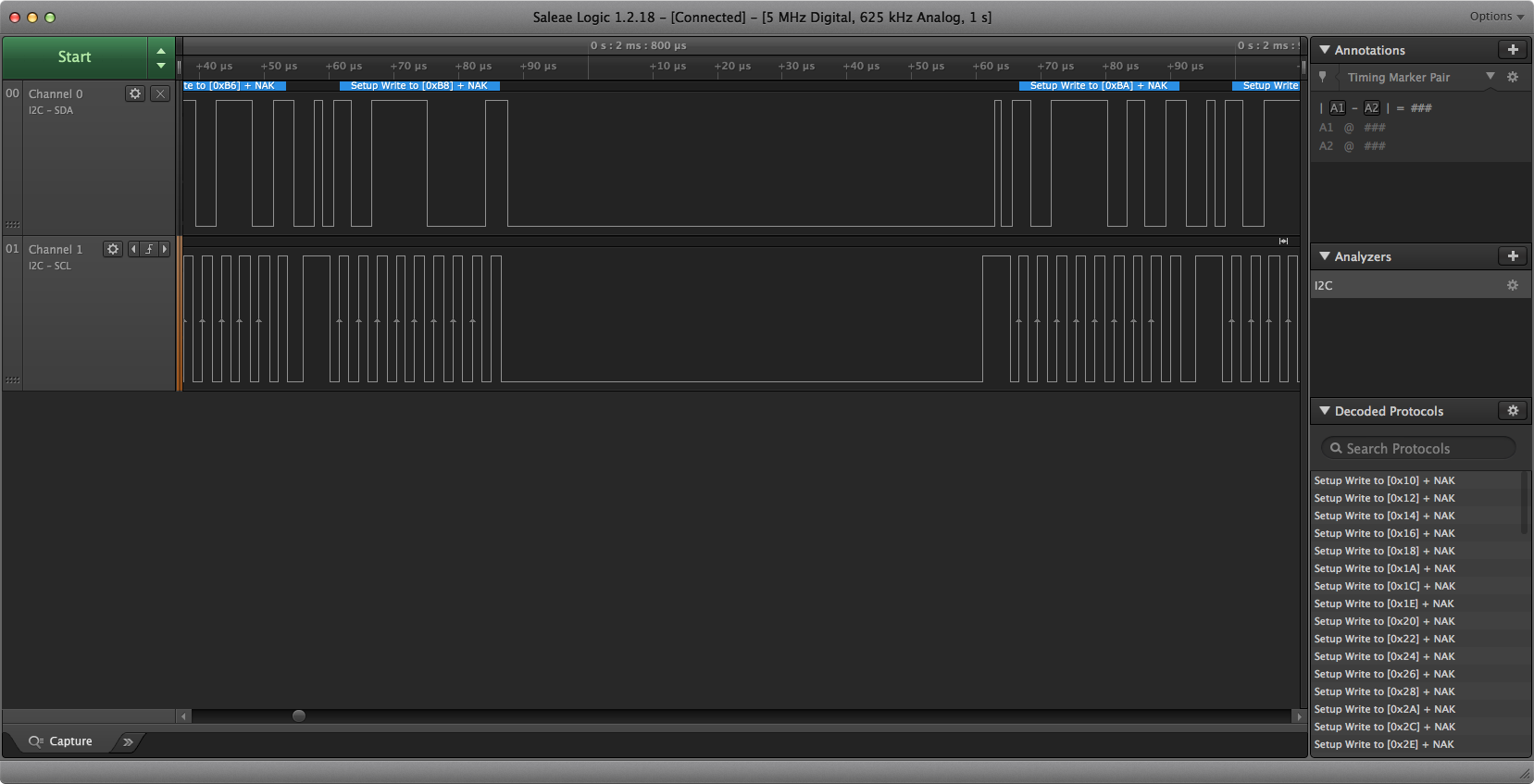
The am2320 data sheet does say that the maximum data rate ...
small cypress
Any tips to turn this library into something I can run in CP? https://github.com/ThingType/HPMA115S0_Python_library/blob/master/HPMA115S0.py

GitHub
Contribute to HPMA115S0_Python_library development by creating an account on GitHub.
manic glacierBOT
Note: the i2c_scan function does not use the same i2c with as normal operation - it uses a "probe" function which does not do retries.
https://github.com/adafruit/circuitpython/blob/master/shared-bindings/busio/I2C.c#L137
This explains why the i2c_scan fails but the sensor still works on the feather m4.
manic glacierBOT
hmm -- maybe this is starting to make sense:
on page 16 of the am2320 data sheet http://akizukidenshi.com/download/ds/aosong/AM2320.pdf
◎I 2 C read and write timing decomposition
Sensors read or write, you must follow these three steps, otherwise it will not communicate or can’t read the correct data:
Step one: Wake Sensor
In order to reduce the humidity sensor errors caused by self-heating, the sensor in a non-working state, dormant, so to read the sensor must wake sensor to transmit...
solar whale
@raven canopy I think the am2320 datasheet actually came through!
solar whale
@tulip sleet Is it correct that the default I2C rate (for the M4 and I think nrf52) is 400Kbps? I am having a hard time finding where it is actually set. Is it the same for the M0?
solar whale
agreed -- but it sure looks like it is running at 400 in the cases I have been testing!
tulip sleet
@solar whale yes 400k is the default, https://circuitpython.readthedocs.io/en/latest/shared-bindings/busio/I2C.html and in shared-bindings/busio/I2C.c it's clearly 400k.
solar whale
@tulip sleet ah - so it is set in the python dirive -- I was digging in the C code.
tulip sleet
all the boards use shared-bindings so they all use 400k. no, not in the driver, it's in the interface level code that provides a python interface.
solar whale
GitHub
circuitpython - CircuitPython - a Python implementation for teaching coding with microcontrollers
solar whale
OK -- so as @stuck elbow pointed out, this may be something that has to be dealt with for specific sensors.
but I'm glad to have my measurements confirmed!
@tulip sleet don't know how I missed that code -- I've been through that before. sigh...
raven canopy
@rustic nymph yes, the J-Links work with the SAMD51/M4.
manic glacierBOT
 rustic nymph
@raven canopy is it easy to use with circuit python?
raven canopy
@tulip sleet after reseting my local repo to the tip of master, I get the following warning during builds (only built Metro M4 so far):
../../shared-bindings/usb_hid/__init__.h:33:23: warning: size of 'common_hal_usb_hid_devices' differ from the size of original declaration [-Wlto-type-mismatch]
 extern mp_obj_tuple_t common_hal_usb_hid_devices;
                       ^
common-hal/usb_hid/__init__.c:127:16: note: 'common_hal_usb_hid_devices' was previously declared here
 mp_obj_tuple_t common_hal_usb_hid_devices = {
I'm on arm-none-eabi-gcc (GNU Tools for Arm Embedded Processors 7-2017-q4-major) 7.2.1 20170904 (release) and I know you've mentioned moving to 7.3.1. Has that happened, and is this warning a result of that? Or is it something entirely different?
@rustic nymph CircuitPython is the only hardware debugging I've done, so I can't compare to anything. Having said that, I don't find it difficult. What OS are you using?
rustic nymph
Windows 10
raven canopy
Same here. I use Atmel Studio (had difficulty getting gdb working on Win10). Here is a guide: https://learn.adafruit.com/circuitpython-samd-debugging-w-atmel-studio-7
rustic nymph
Thank you
raven canopy
A note that I need to add to the guide: debugging most likely won't work if you use WSL to build the firmware. Atmel Studio debugging uses the .elf, and needs access to the rest of the firmware files. WSL doesn't have true folder sharing with symlinks, etc. I use the vagrant setup to build firmware in a folder shared with Windows.
raven canopy
Oh, well, in that case I don't think a hardware debugger will help. At least to the best of my knowledge you can't reliably talk to the "Python side"; only the firmware "C side". There is an issue in the GitHub for adding breakpoint ability to CircuitPython, but I think that may be far off. Not an easy task to accomplish in VM (in my feeble mind, at least).
WSL = Windows Subsystem for Linux. It allows you to run "native" Linux in Windows. https://en.wikipedia.org/wiki/Windows_Subsystem_for_Linux
solar whale
@raven canopy if those warnings are in the “frozen “ section, they are known and normal.
small cypress
Any guides as to how to convert a Python library to a CP one?
timber mango
@meager fog thanks for the tip, however, after following the tutorial (http://www.ladyada.net/learn/avr/avrdude.html) do i have some cmd line to insert in Terminal cause i still do not see the hardware. PS sorry for my bad english :/
idle owl
@torpid goblet Scott is out until Monday but I'll get your updates into the notes.
raven canopy
@solar whale yeah, i did get the frozen submodule failures when updating git. but, would that result in shared-bindings/common-hal warnings on the metro?
solar whale
@raven canopy not sure waht "failures" you are refering to - did you do both of these after the pull ```git submodule update --init --recursive
git submodule foreach --recursive 'git fetch --tags'
heres is my metro_m4_express build ```jerryneedell@Ubuntu-Macmini:~/circuitpython_master/ports/atmel-samd$ make BOARD=metro_m4_express cleanUse make V=1, make V=2 or set BUILD_VERBOSE similarly in your environment to increase build verbosity.
rm -rf build-metro_m4_express
jerryneedell@Ubuntu-Macmini:~/circuitpython_master/ports/atmel-samd$ make BOARD=metro_m4_express
Use make V=1, make V=2 or set BUILD_VERBOSE similarly in your environment to increase build verbosity.
install -d build-metro_m4_express/genhdr
python3 tools/gen_usb_descriptor.py
--manufacturer "Adafruit Industries LLC"
--product "Metro M4 Express"
--vid 0x239A
--pid 0x8021
--output_c_file build-metro_m4_express/autogen_usb_descriptor.c
--output_h_file build-metro_m4_express/genhdr/autogen_usb_descriptor.h
Generating build-metro_m4_express/genhdr/mpversion.h
GEN build-metro_m4_express/genhdr/qstr.i.last
QSTR updated
GEN build-metro_m4_express/genhdr/qstrdefs.generated.h
276396 bytes free in flash out of 499712 bytes ( 488.0 kb ).
49104 bytes free in ram for stack out of 196608 bytes ( 192.0 kb ).
Create build-metro_m4_express/firmware.bin
Create build-metro_m4_express/firmware.uf2
../../tools/uf2/utils/uf2conv.py -b 0x4000 -c -o build-metro_m4_express/firmware.uf2 build-metro_m4_express/firmware.bin
Converting to uf2, output size: 446976, start address: 0x4000
Wrote 446976 bytes to build-metro_m4_express/firmware.uf2.
 solar whale
but I think the warnings may have gone away with the updated gcc I am using gcc version 7.3.1 20180622 (release) [ARM/embedded-7-branch revision 261907] (GNU Tools for Arm Embedded Processors 7-2018-q3-update)
@small cypress I think more information about what you are trying to do would help. I'm not sure what you are asking for help with. Is it getting the code to un under CP or with making it avaiable to others?
small cypress
the former
GitHub
Contribute to HPMA115S0_Python_library development by creating an account on GitHub.
solar whale
@small cypress is the "serial" device using the Rx/TX pins -- if so you may want to look at how the GPS library uses a busio.UART device https://github.com/adafruit/Adafruit_CircuitPython_GPS and see the gps_simpletest.py example https://github.com/adafruit/Adafruit_CircuitPython_GPS/blob/master/examples/gps_simpletest.py
GitHub
Adafruit_CircuitPython_GPS - GPS parsing module for CircuitPython. Meant to parse NMEA data from serial GPS modules.
GitHub
Adafruit_CircuitPython_GPS - GPS parsing module for CircuitPython. Meant to parse NMEA data from serial GPS modules.
idle owl
Anyone around, running Linux, want to test something for me?
I'm making sure my instructions for installing Mu editor are accurate, and I have the bit in there about adding the user to the dialout group, but I realised that the instructions on Mu's site don't have the dialout group bit in there. So if someone running linux could make a test user, switch to it, and install Mu inside a venv and see if the REPL works without adding the user to the dialout group, I'd greatly appreciate it.
solar whale
@idle owl I'll try - but wan you taht my main Linux system is Ubuntu 16.04 and all recent attempts at running mu have failed due to a QT dependency issue. I can also try it on an 18.04 VM -- it tends to work there
idle owl
Oh. Wait really?
This is for a tutorial I'm running at a conference next week. I didn't realise that 16.04 wasn't working with Mu.
solar whale
It's not for me -- your mileage may vary 😉
idle owl
the VM might not be the best example though because I don't know how the serial stuff works with it. Still worth trying on both.
Oof. I didn't think about the variable of what version of Linux participants might be running.
solar whale
oh yeah -- I don't expect it to connect -- just to veriify it will run -- I don't use it
idle owl
Oh, I would need you to make sure you can get to the serial console with a board. That's what hasn't worked in the past without adding the user to the dialout group.
But also worth knowing whether you can even get it to run. 😄
solar whale
I'll try it first on 16.04 -- if that fails you need to know.
what linux are you using?
small cypress
@solar whale That's both more information to go on and also very confusing for a noob 😉
 thorny bear
are there any larger display panels that will work with circuit python? something over 3in diag?
I just need to display text and maybe a BMP or two if they're on the menu...
idle owl
@solar whale I'm using Mac. That's why I can't test it myself. My partner is running Linux on something, but he's out right now. I have a linux machine here but I have no idea what state it's in. If I need to, I'll get it out and try to update it an all that. But my linux fu is super rusty.
solar whale
@small cypress sorry if it was confusing -- I'm not sure what you are comfortable with. The main point was that "serial" does not exist in CP but busio.UART likely will provide the same funtionality.
small cypress
Hehe, it's all a bit confusing for someone starting out, and yeah, I've been trying to replace it with that but I'm getting a typeerror
Honeywell really do win at making sensors with zero sample code or libraries
solar whale
@idle owl I tried to install mu 1.0.0 on 16.04 - it installs, but won't run due to the QT issue. I'm updating my VM now and will try basic insatll of mu 1.0.0
 uneven yarrow
I'm running into an issue with a couple of circuit python running devices (feathers and trinkets) where I'll plug them into my usb port, they'll show up fine, I'll unplug and plug them back in, and they won't mount anymore or show up in any of the USB reporting areas in mac osx. If I restart the usb port will recognize the microcontroller again, but that's a really frustrating dev cycle. Anyone else run into this problem and have any suggestions??
idle owl
@solar whale Ok thank you
uneven yarrow
hmmm, I dont' think I did
searching around, you mean this? http://www.ftdichip.com/Drivers/VCP.htm
USB RS232 - FTDI designs and supplies USB semiconductor devices with Legacy support including royalty-free drivers. Application areas include USB RS232, ( USB Serial ), USB Parallel, USB Docking Stations, and upgrades of Legacy designs to USB.
uneven yarrow
ah, it doesn't look familiar and I had to look up FTDI to know what it was so I don't think I've ever installed it
small cypress
system information one of the usb reporting places you mean?
uneven yarrow
oh, I was meaning the USB section of mac os' system information app
uneven yarrow
it shows all mounted USB devices. Whenever my controllers are plugged in I can se them there
ah
yeah, I can normally see the controllers there
but it def doesn't show there when the controller fails to mount to the desktop
small cypress
have they always done this?
uneven yarrow
hmm, no I didn't have an issue until this week
small cypress
anything changed?
uneven yarrow
I've tried cables and different board and the issue is consistent.
I did upgrade to high seria this week though
blergh I hope that's not the issue, I can't exactly reverse that
small cypress
hmm, I'm running it too and no problem with an M4
uneven yarrow
gotcha
I wouldn't be surprised if it's an issue with the mac os or hardware, I'm finding people asking about how to reload the USB support without having to restart b/c they're having similar issues: https://apple.stackexchange.com/questions/240250/reset-usb-bus-without-reboot-macbook-ignores-display

Ask Different
I have a MacBook Pro and work with different external monitors. The monitors have a keyboard and a mouse attached. Frequently the MacBook does not recognize the USB devices in the display and the
Ask Different
I'm developing onto Arduino and sometimes the USB port that is being used stops working. Then I need to plug the device into another USB port. Once all the USB ports stop working I have to restart ...
I do have the USB Prober app and have tried it but it doesn't seem to resolve the issue
small cypress
can you check you didn't install the drivers and forgot? I'd done that, check extensions in system information and look for FTDI
uneven yarrow
sure, where would I find it?
and yeah, I've def installed stuff, forgot I've installed it, then later thought "oh I should install this tool" only to find that I already have it ;P
small cypress
..extensions in system information? 😉
small cypress
yay
solar whale
@idle owl mu 1.0.0 installs and runs uder 18.04 -- no problem -- trying to figure out how to get USB device to connect.
small cypress
tried putting it in the other way around? 😛
uneven yarrow
restarting just to be sure, brb
small cypress
yeah kexts are annoying to manage
solar whale
@idle owl right now connecting a feather m0 express to Mac running VM -- causes VM to hang -- Mac sees it fine -- looking at settings
solar whale
right
@idle owl not going well -- I've never spnet the time trying to connect a device to the VM -- not sure I really want to.... let me go back to see If I can resolve the issue on 16.04
idle owl
Ok, that's fine, I didn't mean for it to be a huge deal or anything. Don't spend too much time on it please 😃
solar whale
np -- i'd love to have it on 16.04 - although I plan to update this machine to 18.04 soon
idle owl
If you can make it work on 16.04, I'd love to know what you end up doing to fix it, since I now imagine I'll have people with that issue.
solar whale
re-installing pyQT5 now -- fingers crossed
not quite -- better, but no cigar ... still working on it
solar whale
@idle owl sorry - I've exhausted my patience with mu for now -- Since I don't use it, I'm not really willing to keep installing/removing packages to make it work. I'll try it again after I upgrade to 18.04
idle owl
@solar whale Thank you so much for trying, I really appreciate it. At least I know I may have to look out for some issues, so this was super helpful. Hopefully it didn't waste too much of your time.
solar whale
It may be a python 3.5 vs 3.6 thing as well...
wish I could be more helpful -- looking at installing python 3.6 -- may help
raven canopy
@solar whale re errors: I didn't do the second command:
git submodule foreach --recursive 'git fetch --tags'
is that a new one that i've missed?
also, re VM & USB, are you using VirtualBox?
idle owl
@solar whale You've already been super helpful 😃 I was thinking it would be a simple test, I didn't mean for it to turn into a whole ordeal 😄
solar whale
@tulip sleet gave me that "incantation" awhile ago -- I ran int trouble with tags.
raven canopy
hmm. worth a shot! thanks! 😄
solar whale
@raven canopy yes Virtualbox for VM
raven canopy
i can help you with the USB passthrough. its actually pretty easy, though not convenient to change back and forth.
solar whale
@idle owl Ubuntu 18.04 uses python3.6.5 for python3 -- may be relevant
idle owl
Hmm. Noted.
small cypress
Anyone else got ideas for @uneven yarrow ?
raven canopy
my Mac-ness is severely lacking, so no unfortunately. 😦
solar whale
@raven canopy that is my concern -- I really don't want to pass through my USB ports on my Mac. Ok for a test, so if you wan to tell me how to do it, I can give it a try- as long as I can reverse it 😉
raven canopy
it is reversible. let me grab some screenshots real quick.
uneven yarrow
So I restarted again, this time zapping my parameter ram and running a filesystem check from single user mode, the feather still won't mount. I grabbed one of my trinket M0s and it won't mount either. I ruled out the actual USB ports as being bad by plugging in other USB data devices (thumb drives) and they def mount every time in all ports without issue
There's a chance that it could be the cables. It would be weird if multiple USB cables were failing in the same way, but not unheard of
I'm giong to try plugging in the controllers into my wife's computers to see if they mount ok there
small cypress
@uneven yarrow Have you got another micro USB device you can test with the cables?
and I assume they don't show up in sysinfo either? I'm used to the M4 so it might not be applicable, but same thing if you double press the button?
uneven yarrow
hmmmmm, neither controller mounts on her computer either. I'm strongly thinking it's the USB cables. I only have two data cables with me at the moment, but I have a couple that I leave at my desk at work. If we run out later today I'll try picking up a new data cable to try to get a truly known-good cable
and I assume they don't show up in sysinfo either? I'm used to the M4 so it might not be applicable, but same thing if you double press the button?
No, they don't show in the system information either. I did try double tapping the reset button while plugged into both my compy and my wifes, each time I got a red neopixel so the controller doesn't think the cables are good
I need to hop offline, we're about to pour some silicone molds 😃 If I get my hands on a known good USB data cable later today I'll try it out and report back
uneven yarrow
thanks for your help @small cypress
small cypress
np
solar whale
@idle owl with much help from @raven canopy I have mu connected to a feather_m0_express on an Uuntu 18.04 VM -- whew...
idle owl
I feel really bad that this ended up being such a huge deal 😄
raven canopy
the price of living on the bleeding edge... 😄
now time to figure out how to implement DMA....this should be fun. 😵
solar whale
it was a good learning experience! -- I'm still building python3.6 for my 16.04 box --- that is taking awhile
idle owl
Ok... That's good at least
solar whale
@idle owl it was not a painful as I imagined and may infact be useful in the future. Do you have something you want me to try?
idle owl
Ok so you installed Mu?
solar whale
yes
idle owl
Connect a board and open it, see if you can get to the serial console/REPL
solar whale
I'm there
idle owl
Is it working without you adding the user to the dialout group?
solar whale
ah -- not only did I add the user to dialout, I had to set permission o+rw on /dev/ttyACM0 -- still not sure why - I was going to investigate that
idle owl
hmm
solar whale
dialout should have been sufficient -- but neither mu or screen would work until I changed the permission
idle owl
I wanted to know if dialout was even needed
solar whale
with that change -- dialout is likely not needed
idle owl
hmm ok.
solar whale
but it should be the right way to do it.
idle owl
Wow I really hope people come find me before the tutorial to make sure their machines work with these boards. This isn't boding well for everything working easily.
solar whale
good luck! So many little details ....
idle owl
I guess it's better to know that there's a bunch of buggery that could happen, but at the same time, ignorance was bliss. For a bit there.
solar whale
on my 16.04 maching I am in dialout, and the permsssions ar not changed. - may be a VM thing
idle owl
Ok. I have the dialout thing in the instructions. I'll leave it.
I'm surprised that the Mu site doesn't have it though
that's why I wanted to test it
solar whale
its in a note on the code-with-mu site
idle owl
Was to see if Mu did something that I didn't know about to make the serial console work without dialout.
Where?
I didn't see it
solar whale
no instructions --just says do it
idle owl
OH...
It's before you even get to the Python package install instructions.
I completely missed.
small cypress
would it be cool for me to paste my current failing code in here?
idle owl
@small cypress Surround it with three backticks on either side to format it as code for easier reading. ` the one next to the 1 key on the US keyboard.
But yes that's fine 😃
small cypress
ah I figured I'd send it as a file
solar whale
@small cypress sure - or just attach the .py file
idle owl
Or just send the files, that works too 😄
small cypress
/// Starting up
Initialising
Traceback (most recent call last):
File "code.py", line 25, in <module>
File "code.py", line 18, in <module>
File "/lib/HPMA115S0.py", line 118, in readParticleMeasurement
File "/lib/HPMA115S0.py", line 62, in readCmdResp
File "/lib/HPMA115S0.py", line 132, in readStringUntil
TypeError: ord() expected a character, but string of length 4 found ///
idle owl
Backticks. ` <-- that one.
solar whale
@idle owl yay - mu works on 16.04 -- after installing python3.6 and then sudo pip3.6 install mu-editor
small cypress
ahhh, wasn't sure
idle owl
@solar whale My partner was able to get Mu on 16.04 by specifically using python 3.6 with no changes to anything else.
Made a venv using 3.6, pip3 install mu-editor and it ran once completed with no messing with any other packages.
solar whale
Yup -- key is it need 3.6 -- taht essentially the same as installimg via pip3.6 -- it insatlled all the neccessary packages
solar whale
sorry -- I have to run -- let me know if you want me to test anything with mu -- I can try it later
small cypress
and if it helps, here's the datasheet for the sensor, and the original Python I started with which works on a Pi: https://sensing.honeywell.com/honeywell-sensing-hpm-series-particle-sensors-datasheet-32322550-e-en.pdf + https://github.com/ThingType/HPMA115S0_Python_library
GitHub
Contribute to HPMA115S0_Python_library development by creating an account on GitHub.
idle owl
@solar whale I think I'm good, thank you so much for everything
solar whale
Glad to help!
@small cypress good luck -- I hope you get some help -- I can try to look at it later tonight or tomorrow.
small cypress
thanks
raven canopy
@small cypress do you know if _serial.read() is reading only one character? you can add a print(c) after that line to find out what c contains...
small cypress
@raven canopy Which line?
raven canopy
after line 138; I misused "serial". so after this c = self._uart.read()
c = self._uart.read()
print(c)    # what is c?
for ch in c:
wait...i was on the wrong line anyway! 😄
small cypress
so while (count < length): c = self._uart.read() print(c) # what is c? for ch in c:
or not
raven canopy
its complaining about line 132, so put it after that line:
def readStringUntil(self, terminator):
        """
        Function to start reading when the sensor is ready to transmit datas

        """
        c = self._uart.read()
        print(c) # what is c?
        if (ord(c) == terminator):
            return True
hmm
right?
Initialising
b'\xa5\xa5\xa5\xa5'
Traceback (most recent call last):
  File "code.py", line 25, in <module>
  File "code.py", line 18, in <module>
  File "/lib/HPMA115S0.py", line 118, in readParticleMeasurement
  File "/lib/HPMA115S0.py", line 62, in readCmdResp
  File "/lib/HPMA115S0.py", line 133, in readStringUntil
TypeError: ord() expected a character, but string of length 4 found```@small cypress yep. i think the issue is a change in how CPython3.x changed ord() to accept Unicode string only (CPython2.x would accept a byte string). CircuitPython follows CPython3.x.
idle owl
Why does the version of pip3 matter? As in, you create a venv, and it's running 9.x, is that a problem? Do I really need to instruct people to update pip in the venv before installing Mu?
It installed for someone else without upgrading inside the venv, and recommended updating pip after the install completed. But it worked.
small cypress
@raven canopy I mean this in the nicest most thankful that you're helping me way to be clear: 🤷
raven canopy
lol
solar whale
@idle owl I think the pip3 warning. Is just that. It may not work in the future. It’s ok for now.
idle owl
Ok thanks. Only needs to work until after next weekend. 😄
The less instructions the better, and the linux install instructions were already a boatload.
small cypress
@raven canopy Is there a way to fix this?
raven canopy
So, it appears that the original Python (aka CPython) library that you're using was written for Python version 2. In v2, ord() would accept a byte string (b'\xa5\xa5\xa5\xa5'). However, in Python version 3, ord() will only accept a Unicode string (s). CircuitPython follows Python version 3 syntax, which is why the ported library is failing;
c = self._uart.read()
# c = b'\xa5\xa5\xa5\xa5'
ord(b'\xa5\xa5\xa5\xa5') fails
@small cypress fix? sure! just need to figure out how to convert your byte string into a character. i don't have the fix in my head though... 😄
idle owl
8 CPXs flashed.... 32 to go. 😆
raven canopy
almost done! 😄
small cypress
@raven canopy Any idea what ord is doing and whether I can replace it with someone else?
raven canopy
ord() returns the integer representing a given Unicode character: https://docs.python.org/3.6/library/functions.html#ord