#circuitpython-dev
1 messages · Page 176 of 1
 tulip sleet
 raven canopy
makes sense, now that i think about it. i think i was assuming it would append the bytearray...
tulip sleet
@idle owl The checkboxes only work at the beginning of the line, so I added M0 and M4 on separate sublines.
 idle owl
@tulip sleet Ok keen. I figured it would be something like that. Nicely done.
 manic glacierBOT

I moved the ground to another pin on the raspberry pi and now it works correctly without any errors.
The message I saw in the REPL was that I was running in safe mode, but something serious had happened and to report it. I should have copied the full content. Feel free to close this issue. I'll report back if it happens again. Thank you for your consideration.
manic glacierBOT

That was my internal guess; RPi pins can be a confusing mess (still love that platform, though). Glad to hear you got it to be happier. Definitely let us know if it re-occurs.
 reef seal
Hi guys, trying to power 2 neopixel rings from a CircuitPlayground express (following on from yesterday). When I power the rings from a 5v trinket they work (with a default program for the rings). However when I try to run them from the CPE I get nothing. (Tried following this guide also: https://learn.adafruit.com/adafruit-circuit-playground-express/circuitpython-neopixel) but I was already doing what it recommended)
I'm new to the world of microcontroller programming so I don't know how to proceed when I get stuck (been a software engineer for many years). How do I go about debugging this situation?
tulip sleet
@reef seal could either be a signal-level issue or a code issue. Could you post the code you were using on the CPX? You can upload it using the "+" button on the left (or use a gist), or just paste it inline surrounded by triple backquotes if it's not too long.
reef seal
Sure. gist is here: https://gist.github.com/mikepschneider/818e7ae1ba6347b807548a9d48959b23

Gist
I had it working at one point with the rings powered by the 5v trinket and the signal coming from CPX. That's not even working now, unclear what changed.
tulip sleet
how are you powering the rings now?
reef seal
I've tried it from VOUT on the CPX and from the 5v trinket. If the signal comes from the trinket it works but not if the signal comes from the CPX
tulip sleet
the trinket is a 5v-level signal. The CPX signal is 3.3V, which might or might not work with the rings. It's marginal. ground is ground on the CPX?
reef seal
yes
tulip sleet
The NeoPixels on board the CPX are actually powered from the 3.3V regulator so they will work reliably with the 3.3V logic signal. You could try powering the rings from the 3.3V pins, as long as you don't use more than about 300-450mA. To quote from the Guide: "3.3V - there are two 3.3 Volt output pads. They are connected to the output of the onboard regulator. The regulator can provide about 500mA max, but that includes all the built in parts too! So you should roughly budget about 300mA available for your usage (450mA if you are not using the onboard NeoPixels)"
a neoPixel at full brightness (brightness=1, (255,255,255) color) draws 60ma, but you can cut that way down by using a lower brightness or not-full bright colors. Each color draws 20ma at full brightness
neopixels powered at 5v but logic at 3.3v are at the edge of spec in terms of logic voltage
reef seal
Yea. I tried only running 1 pixel on the board, and 1 on the rings but still nothing.
tulip sleet
if you are going to run this project from a 3.7V LiPo it should work fine using Vout instead of the 3.3V pin, becuase Vout will be ~3.7V
so did you try the 3.3V pin to the rings?
reef seal
Yes I've tried 3.3V and VOUT, with USB power and LiPo power both
tulip sleet
make sure A1 is connected to data in on the rings. then you have one ring data-out connected to the other ring data-in?
reef seal
Yep
tulip sleet
it's very slightly possible you fried A1 somehow, though that's unlikely. YOu could try A2.
tulip sleet
did you try skipping the first ring and going directly to the second ring?
reef seal
No, do you mean via software? Or rewire it?
tulip sleet
yah rewire it, or is it soldered up already?
reef seal
Yes soldered to the neopixel rings, and connected to CPX via jumper cables
tulip sleet
are these Adafruit rings or third-party?
tulip sleet
so the CPX neopixels are lighting fine?
reef seal
yes
tulip sleet
A1 -> data in on first ring. ground on CPX to ground on first ring, data-out on first ring to data-in second ring, ground on first ring to ground on second ring, power on first ring to power on second ring, 3.3V (or Vout) on CPX to power on first ring
right now you have self._goggle_pixels = neopixel.NeoPixel(board.A1, 3, brightness=0.5) so only 3 pixels. I assume you know that.
reef seal
Yes just tried to see if reducing power consumption would help
It did not 😉
Yep I'm following that wiring spec. It works correctly with the Trinket V5 so it doesn't seem like its the wiring
tulip sleet
i don't see anything wrong with your code, except that stop() doesn't operate on the the goggle pixels, but that shouldn't make them not light.
reef seal
Unless its the jumper cables
reef seal
Yeah I have header pins attached to the wire on the neopixels, then male-to-male extenders, then alligator clips 😉 😉
tulip sleet
do you have a multimeter to check the voltages on the rings when connected to the CPX?
reef seal
I don't
tulip sleet
i'm at a loss, maybe a picture of the CPX and the connections to the first ring?
are you using the alligators to the trinket or using a breadboard?
reef seal
Header pins
I guess i could alligator to the trinket and see if that works, then the wiring would be the same
tulip sleet
yeah, and the trinket is out of the picture when the CPX is connected, right?
no stray connections to the trinket?
gotta be out for 30 mins or so
reef seal
That's right
 errant grail
@reef seal are you using a resistor in series with the data line to the NeoPixels? If so, what value?
reef seal
No resistor
errant grail
Hmm. I've been able to get something like that to work from a Trinket M0 (3.3v logic) by reducing the 470-ohm resistor to 150-ohm. Never tried it without the R.
The final version used a level-shifter chip.
tulip sleet
At least some of the rings have a built-in resistor.
@reef seal I just tried a 24-NeoPixel ring with a CPX on USB with both Vout and 3.3V. Got the ring to light with both power sources.
>>> import board
>>> import neopixel
>>> pixels = neopixel.NeoPixel(board.NEOPIXEL, 10, brightness=.2)
>>> ring = neopixel.NeoPixel(board.A1, 3, brightness=.5)
>>> pixels.fill(0x202020)
>>> ring.fill(0x202020)
off to watch a movie
 lone sandalBOT


 tawdry roost
Is it possible to update and run the program over Wifi with Adafruits circuitpython platforms? I use OTA very frequently for ESP8266 for this purpose.
 solar whale
@tawdry roost The only Wifi support under CircuitPython is currently for the ESP8266. You can upload files to it via Wifi using the "WebREPL". It is not possible to update the Circuitpython image via wifi. That can only be done via a USB connection. There is a guide for using the WebREPL with Micropython here: https://learn.adafruit.com/micropython-basics-esp8266-webrepl/access-webrepl -- it works the same for CircuitPython. I hope that helps.

Access a Python console over WiFi with the ESP8266!
tawdry roost
Thanks @solar whale Just what I was looking for!
 tough ridge
I realized that time.monotonic() loses precision after a long period of time (not sure how long exactly) so my timings stop working properly, is there any way around this? like restarting the board every so often or another way to measure time?
also realized that doing a soft reset via mu-editor doesn't reset time.monotonic() so the problem persists until you power the board off completely
tulip sleet
@tough ridge time.monotonic() is accurate to the nearest ms for about an hour. After that the ticks it counts are two milliseconds, then four, etc. See https://github.com/adafruit/circuitpython/issues/342#issuecomment-337228427.
There is also a bug reported that it doesn't keep up in some circumstances, but that's different: https://github.com/adafruit/circuitpython/issues/876
tough ridge
oh ok, any tips on dealing with that?
tulip sleet
how accurate do you need the timings to be?
tough ridge
at the moment I only see the effect once it gets up to a 500 ms tick, but I'm hoping to add some stuff later that needs more accuracy
~50 to 100 ms
the program goes through some long periods of sleep though, is there any way I could hard reset in my code?
tulip sleet
each loss of precision takes twice as long as the previous. so 1msec precision for about an hour (1.165 or so), then 2msecs for 2 hours, 4 msec for ~4 hours, etc. Are you doing hundreds of hours?
tough ridge
yeah, it's a lighting thing for a speaker
tulip sleet
you can hard reset by calling microcontroller.reset(). And if you're serious about timing, an external battery-backed real-time clock (RTC) may be worth. We have a bunch of boards that do that, with varying accuracy.
tough ridge
oh ok perfect, I'll try calling the reset after a set amount of time and the speaker isn't in use
thanks Dan!
tulip sleet
you're welcome!
manic glacierBOT

the circuitpy and essentials should go in!
https://learn.adafruit.com/admin/guides/2065/editor/12587
 ruby atlas
I need to resist premature optimization of this code 😃
 timber mango
ItsyBitsy M4 schematic is posted.
https://learn.adafruit.com/assets/55481
 stuck elbow
oh, nice, I didn't realize it had a 5V pin
manic glacierBOT

Did a bunch of testing (see checkboxes). Edited some of the tests above (no, I did not test all the Featherwings, just some representative ones0. @kattni: I think the CPX testing is basically done, right? Maybe we can close this.
 tough flax
Alright, I've got a longer question. I love one of the big benefits of CP: the ability to access the code (and data files) using the USB mass storage interface. However, I have Arduino-based projects that can't be ported to CP (yet) due to internet access issues or libraries not being ported yet. Is there a way to use the USB solution that CP uses to access small data files (config files mainly) that can be accessed from an Arduino project? I've heard "the UFL bootloader can do that", but I've seen no examples of it. Is it possible?
I realize this is not quite a CP question, but I think the folks here know this area the best... thanks
reef seal
At least some of the rings have a built-in resistor. thanks @tulip sleet got it working. Not sure if it was my bad wiring or bad programming
stuck elbow
@tough flax technically it's possible, however, I have no idea if anybody actually wrote the code for Arduino that makes that possible
@tough flax the keyword to google for is "MSC" or "MSD", I suppose
tough flax
I don't really care whether I load code over UF2... I just want to have the ability to let users edit a config file (for WiFi credentials, timing settings, etc.)
stuck elbow
"mass storage class" or "mass storage device"
bootloader has nothing to do with that
stuck elbow
@timber mango there is a good introduction here: https://learn.adafruit.com/welcome-to-circuitpython

New to CircuitPython? This is the place to start.
timber mango
Do I need to have a CircuitPython board if I wanna do "5.1 Simple Test" from here(https://media.readthedocs.org/pdf/adafruit-circuitpython-rfm9x/latest/adafruit-circuitpython-rfm9x.pdf)? Can I just use its code for my Pi?
stuck elbow
yes, no
 modest atlas
Any example code on interfacing 2 i2c devices at same time, for instance running the ssd1306 and a pcf8523, I can get either working alone but no idea where to start for both
tulip sleet
@tough flax There have been some attempts to add MSC capability to Arduino. It's not practical with AVR Arduinos, and the attempts for M0 Arduinos and the like haven't turned into a generally usable library.
An alternative might be to put the config info on a uSD card. There are straightforward libraries for reading (and writing) SD cards from Arduino. That's an extra step beyond the "just plug it in as a USB stick".
raven canopy
@modest atlas its just a matter of taking the necessary code for each of the i2c devices, and combining them into one file. easiest is to just pick one as the "base" file, and copy the parts you need from the other into the base. as long as the devices have separate addresses, they can share an i2c bus (that's the beauty of i2c).
modest atlas
@raven canopy any code example of this you know of
ruby atlas
Ooh, I think I'm ready for a PR on NeoPixel support for pixelbuf. DotStars are next up. Well, once I verify which builds have enough space to support it 😃
raven canopy
@modest atlas i can look at the example code for both, and combine them for you. should give you a starting point at least; hopefully it will even work. 😄
@ruby atlas woohoo! 🎉
modest atlas
@raven canopy that would be perfect
@raven canopy really just needing to display information from the i2c sensor on the ssd1306
raven canopy
@modest atlas here is a quick combination. you can find the additional documentation at the following links, or in the Adafruit Learn system.
OLED & RTC: http://circuitpython.readthedocs.io/en/latest/docs/drivers.html#
Framebuffer: https://circuitpython.readthedocs.io/en/latest/docs/library/framebuf.html
as mentioned in the file, I haven't worked with the OLED or the framebuffer libraries, so I didn't write that part of the code.
manic glacierBOT

[adafruit/circuitpython] Pull request opened: #943 Add pixelbuf for accelerating NeoPixel operations
This PR adds a PixelBuf class that accelerates byteorder and brightness operations and will have an associated PR for https://github.com/adafruit/Adafruit_CircuitPython_NeoPixel
Further work is needed to:
- disable for builds it doesn't fit into or make sense for
- add support for dotstars
- optimize it further (feedback please!)
tough flax
Thanks @tulip sleet - kind of a bummer
raven canopy
hehe. like i told Kattni, its a strategy game. The opponent usually wins.. 😄
ruby atlas
whatcha debuggin?
raven canopy
like right now. its winning. can't seem to get any result other than 1 when subtracting two numbers that are different by at least 48. 😵
working on FrequencyIn.
modest atlas
@raven canopy very similar to what I did but I get the same error
raven canopy
what error are you getting?
modest atlas
@raven canopy memory allocation failed
raven canopy
@modest atlas what board are you using?
raven canopy
hmm. how many total lines is your code?
modest atlas
39
raven canopy
well, that's defintely not near the limit.
are you using .mpy or .py versions of the libraries?
modest atlas
Using the latest lib files bundle from adafruit
Plus the framebuf.mpy
I can get either 1 to work just not together
raven canopy
let me hook mine up and see what i can see.
ruby atlas
oh noes, pixelbuf doesn't fit CPX.
raven canopy
@ruby atlas might have to freeze it into the firmware. or wait, you're already in C land with it, yes?
ruby atlas
yep. 😃
I'm sure it can be made smaller, but I need someone who hasn't been fighting with it for weeks to start suggesting optimizations.
But for now I'm going to make it not-present on boards it doesn't fit.
It's fun to see how much faster NeoPixel things are with PixelBuf.
I need to get the DotStar additions done so I can see how fast the Dotstar featherwing and the dotstar strip are.
I should probably accelerate .fill() too.
raven canopy
@modest atlas can you paste your code in here? using the same file i put here earlier, i don't get any memory errors.
note: code blocks make it easier to read. code blocks are done with three backticks...
```
code here
```
code here
@raven canopy let me move from phone to laptop
raven canopy
👍
modest atlas
import busio as io
import adafruit_ssd1306
import adafruit_pcf8523
import time

i2c = io.I2C(board.SCL, board.SDA)
oled = adafruit_ssd1306.SSD1306_I2C(128, 32, i2c)

myI2C = io.I2C(board.SCL, board.SDA)
rtc = adafruit_pcf8523.PCF8523(myI2C)

while True:
    t = rtc.datetime
    oled.fill(0)
    oled.text('Hello', 0, 0)
    led.show()

time.sleep(1) # wait a second ```Hrm, When folks wake up, I could use advice on best ways to re-structure my PR to make it easy/possible to disable the module on specific boards.
raven canopy
@modest atlas since i don't have both of the components, i can't get the full thing to run past the OLED/RTC objects. you can add import gc to the top with the other imports, and then place print(gc.mem_free()) places to see where it's running out of memory.
 import board
import busio as io
import adafruit_ssd1306
import adafruit_pcf8523
import time
import gc

print('Post Import:', gc.mem_free())

i2c = io.I2C(board.SCL, board.SDA)
oled = adafruit_ssd1306.SSD1306_I2C(128, 32, i2c)

print('Post OLED:', gc.mem_free())

myI2C = io.I2C(board.SCL, board.SDA)
rtc = adafruit_pcf8523.PCF8523(myI2C)

print('Post RTC:', gc.mem_free())

while True:
    t = rtc.datetime
    oled.fill(0)
    oled.text('Hello', 0, 0)
    led.show()
    print('Main:', gc.mem_free())
    time.sleep(1) # wait a second
you'll need a REPL open to see the prints, obviously.
I added marking text to each print statement. "easier" then trying to count prints. 😄
modest atlas
@raven canopy Post Import: 2976 Traceback (most recent call last): File "main.py", line 11, in <module> File "adafruit_ssd1306.py", line 188, in __init__ MemoryError: memory allocation failed, allocating 513 bytes
tulip sleet
@tough flax I got involved with CircuitPython for being able to handle precisely the same issue you're grappling with: making a user-configurable AT device. In my case it's an HID mouse_keyboard emulator, with remappable buttons. I want the end user to be able to change the mapping easily, just by editing a text file.
tough flax
I totally see the value of CP in all of these cases....
but there are still things (specifically networking stuff) that CP doesn't do
Even if we JUST had a way to manage WiFi credentials, I'd be much happier 😃
raven canopy
@modest atlas hmmm. it's failing while allocating a buffer for the screen. you can try putting gc.collect() after the import section, but I can't promise that it will work...
 cunning crypt
@tough flax The not-so-simple solution is to have a dual MC situation. CircuitPython micro does the actual controlling, but the second MC does the stuff that isn't implemented in CircuitPython
tough flax
Yeah, it just seems like there should be a software solution here.
modest atlas
@raven canopy Post Import: 3904 Traceback (most recent call last): File "main.py", line 13, in <module> File "adafruit_ssd1306.py", line 188, in __init__ MemoryError: memory allocation failed, allocating 513 bytes
same message but did help on memory some
cunning crypt
Absolutely, but as a stopgap for it... An ATMega328p can be an I2C slave and control... nearly everything, while the CP device is 'just' the fileserver and other things. I had a version of this on a version of the DigiBadge - ESP8266 controlled the screen, where an ATTiny84 controlled pins and such.
raven canopy
@modest atlas this is the last trick i have up my sleeve:
import adafruit_ssd1306
import board
import busio as io

i2c = io.I2C(board.SCL, board.SDA)
oled = adafruit_ssd1306.SSD1306_I2C(128, 32, i2c)

import adafruit_pcf8523
import time
import gc

print('Post Import:', gc.mem_free())
basically what this does, is ensures that the objects that need large blocks of memory get filled first. I'm assuming you're running 2.x firmware. 3.x has better memory handling, so you could give that a try. 3.x is in beta, but is quite stable at this point.
raven canopy
i hate to say it, but you may need to use a different board. the CPX has quite a bit of libraries "frozen" into the firmware for all of the on-board stuff, so it doesn't have as much space in the heap as other boards.
the flash filesystem isn't used for program memory, so deleting/adding things there won't make a difference.
cunning crypt
Itsy Bitsy M4 should work nicely
raven canopy
feather m0 express would be the best choice, since you're already using featherwings. the M4 will have more than enough space for this.
cunning crypt
In a few weeks, the Feather M4 will be out
modest atlas
@cunning crypt id take a few
raven canopy
@ruby atlas to limit pixelbuf at the board level, you just need to extend a def in the board's mpconfigport.h, the same as you've done in the main one (ifdef INTERNAL_FILESYSTEM > 192000). #def USE_PIXELBUF or something such, then ifdef it in the main mpconfigport.h.
ruby atlas
@raven canopy i tried that and had build errors, so I'm sure I messed up structuring my changes 😃
manic glacierBOT

@mrmcwethy I've forked it and you should be able to add it to the bundle. https://github.com/adafruit/Adafruit_CircuitPython_L3GD20 Thanks!
Lets do this ASAP so stable releases always have the full name.
 slender iron
<@&356864093652516868> and anyone else interested. Our meeting will be at the normal time tomorrow 11am Pacific / 2pm Eastern here on Discord.
solar whale
@modest atlas FYI - I tried your example on a feather_m0_express (with CP 3.0 beta) and is does run - with a few code fixes - here is the code and run -- not I a used @raven canopy additions to show the memory usage and removed the myI2C - you only need to configure i2x once. Also fixed a typo (led -> oled). ```import board
import busio as io
import adafruit_ssd1306
import adafruit_pcf8523
import time
import gc
print('Post Import:', gc.mem_free())
i2c = io.I2C(board.SCL, board.SDA)
time.sleep(1)
oled = adafruit_ssd1306.SSD1306_I2C(128, 32, i2c)
time.sleep(1)
print('Post OLED:', gc.mem_free())
rtc = adafruit_pcf8523.PCF8523(i2c)
print('Post RTC:', gc.mem_free())
while True:
t = rtc.datetime
oled.fill(0)
oled.text('Hello', 0, 0)
oled.show()
print('Main:', gc.mem_free())
time.sleep(1) # wait a second
as you can see - there is enoght memory here, but still not a lot!
  ```Adafruit CircuitPython 3.0.0-beta.0-43-gde61bd0 on 2018-06-02; Adafruit Feather M0 Express with samd21g18
>>>
>>>
>>> import rtc_ssd1306
Post Import: 3152
Post OLED: 4944
Post RTC: 4736
Main: 4208
Main: 3680
Main: 3152
Main: 2624
Main: 2096
Main: 1568
Main: 1040
Main: 4800
Main: 4272
Main: 3744
Main: 3216
Traceback (most recent call last):
  File "<stdin>", line 1, in <module>
  File "rtc_ssd1306.py", line 27, in <module>
KeyboardInterrupt:
>>>
running the same code on a MEtro_M4_express yields a bit of an improvement 😉 ```Adafruit CircuitPython 3.0.0-beta.1-18-g618943d on 2018-06-14; Adafruit Metro M4 Express with samd51j19
import rtc_ssc1306
Traceback (most recent call last):
File "<stdin>", line 1, in <module>
ImportError: no module named 'rtc_ssc1306'
import rtc_ssd1306
Post Import: 86784
Post OLED: 83984
Post RTC: 83776
Main: 83248
Main: 82720
Main: 82192
Main: 81664
Main: 81136
Main: 80608
Traceback (most recent call last):
File "<stdin>", line 1, in <module>
File "rtc_ssd1306.py", line 27, in <module>
KeyboardInterrupt:
 glacial lichen
Hello, I am running https://github.com/adafruit/Adafruit_CircuitPython_DS18X20/blob/master/examples/ds18x20_simpletest.py on a Feather M0 express (only changed the pin it is using in code) with CircuitPython 2.3.1 and I am running into the error:
main.py output:
Traceback (most recent call last):
  File "main.py", line 12, in <module>
  File "adafruit_onewire/bus.py", line 133, in scan
MemoryError: memory allocation failed, allocating 1024 bytes
On a Trinket M0 it was working until i killed it :(
I would very much appreciate some help!

GitHub
Adafruit_CircuitPython_DS18X20 - CircuitPython drivers for the DS18x20 one wire temperature sensors
glacial lichen
sorry, my misstake, sensor had problems. let's make this a report that it throws this error when the bus is empty
 tidal kiln
@glacial lichen hmmm. does seem to do that. just tested and verified. following is with nothing attached to board:
Adafruit CircuitPython 2.3.1 on 2018-05-07; Adafruit CircuitPlayground Express with samd21g18
>>> import board
>>> from adafruit_onewire.bus import OneWireBus
>>> ow_bus = OneWireBus(board.D5)
>>> ow_bus.scan()
Traceback (most recent call last):
  File "<stdin>", line 1, in <module>
  File "adafruit_onewire/bus.py", line 133, in scan
MemoryError: memory allocation failed, allocating 1024 bytes
>>>
@glacial lichen thanks for pointing that out. can you submit an issue for it?
https://github.com/adafruit/Adafruit_CircuitPython_OneWire/issues
if you don't want to, i can create it.
glacial lichen
@tidal kiln will do
tidal kiln
thanks!
glacial lichen
@tidal kiln https://github.com/adafruit/Adafruit_CircuitPython_OneWire/issues/7 I hope it's okay if I use your repl output

GitHub
When no sensor is attached to the OneWire bus on calling scan() a MemoryError occurs: Adafruit CircuitPython 2.3.1 on 2018-05-07; Adafruit CircuitPlayground Express with samd21g18 >>> impo...
tidal kiln
@glacial lichen sure, np. looks good. thanks for adding all the info about what you tested it on and what CP versions, etc. sounds you got the same things with no sensor and with a bad sensor?
glacial lichen
@tidal kiln my bad sensor was a "semi-no-sensor", I killed it with 12V
tidal kiln
oof. it probably didn't like that. i tested with nothing. so guess it does same thing with either nothing or somehow bad sensor.
modest atlas
@solar whale wonderful, I'll have to wait for the m4, trying out cpy3.0 possible to send a link to the 3.0lib bundle aswell
solar whale
@modest atlas all the bundles are here: 2.x, 3.x and py ( py hs the .py files rather thatn the .mpy - can be used if you have lots of memory to spare - like on the m4s) https://github.com/adafruit/Adafruit_CircuitPython_Bundle/releases
GitHub
Adafruit_CircuitPython_Bundle - A bundle of useful CircuitPython libraries ready to use from the filesystem.
modest atlas
@solar whale @raven canopy success! I migrated to cpy3.0 and it works
Can't thank you both for your time
raven canopy
@modest atlas sweet!
slender iron
<@&356864093652516868> The meeting is in two hours!
stuck elbow
I have another meeting at that time, so I won't be there. A group hug to everyone.
manic glacierBOT
 slender iron
Anyone know how to use NeoPixels with a feather crickit? https://forums.adafruit.com/viewtopic.php?f=60&t=137039
manic glacierBOT

Some more fantasy console links: https://alexschroeder.ch/wiki/2018-05-15_Game_Development
 indigo wedge
Is configure supposed to be required before using SPI or should it be usable after creating + try_lock? Because on the nRF port SPI won't work until configure was called.
raven canopy
@indigo wedge which part of configure is necessary for it to work? You could either re-implement the specific code, or just simply call common_hal_busio_spi_configure during construction.
I am fairly certain it's desired to be available after locking, if possible.
indigo wedge
I didn't look too deep into it, but I couldn't use SPI until I called configure on it with at least baudrate, if you see the code https://github.com/adafruit/circuitpython/blob/master/ports/nrf/common-hal/busio/SPI.c#L95 it looks like the constructor only sets the pins but not baudrate or other config, it also sets the ENABLE bit, unsure what that one is by default.
GitHub
circuitpython - CircuitPython - a Python implementation for teaching coding with microcontrollers
slender iron
@indigo wedge I think the intent is to not require configure first
tulip sleet
@slender iron answering the Seesaw neopixel question
slender iron
thanks!
modest atlas
can anyone help me get this print statement print("The time is %d:%02d:%02d" % (t.tm_hour, t.tm_min, t.tm_sec)) pushed to a ssd1306, im able to display some information but not the whole string
what i have so far while True: t = rtc.datetime oled.fill(0) oled.text(str(t.tm_min), 0, 0) oled.text(str(t.tm_sec), 0, 10) oled.show() time.sleep(1) # wait a second
indigo wedge
@slender iron Ok, then I can look more into it, very that the problem is there and maybe set some default values while constructing.
slender iron
k, sounds good
modest atlas
its from this code ```import busio
import adafruit_pcf8523
import time
import board
myI2C = busio.I2C(board.SCL, board.SDA)
rtc = adafruit_pcf8523.PCF8523(myI2C)
days = ("Sunday", "Monday", "Tuesday", "Wednesday", "Thursday", "Friday", "Saturday")
if False: # change to True if you want to write the time!
# year, mon, date, hour, min, sec, wday, yday, isdst
t = time.struct_time((2017, 10, 29, 15, 14, 15, 0, -1, -1))
# you must set year, mon, date, hour, min, sec and weekday
# yearday is not supported, isdst can be set but we don't do anything with it at this time
print("Setting time to:", t)     # uncomment for debugging
rtc.datetime = t
print()
while True:
t = rtc.datetime
#print(t) # uncomment for debugging
print("The date is %s %d/%d/%d" % (days[t.tm_wday], t.tm_mday, t.tm_mon, t.tm_year))
print("The time is %d:%02d:%02d" % (t.tm_hour, t.tm_min, t.tm_sec))

time.sleep(1) # wait a second```
@modest atlas how is it not working?
manic glacierBOT

This is just a RFC, there is no documentation and error-checking yet, please ignore that :)
The idea is to be compatible with https://github.com/adafruit/Adafruit_CircuitPython_RGB_Display (Also TODO).
Example usage:
import busio
import digitalio
import display
import board
cs = digitalio.DigitalInOut(board.P1_12)
cs.switch_to_output()
cs.value = 1
dc = digitalio.DigitalInOut(board.P1_11)
dc.switch_to_output()
spi = busio.SPI(board.P1_15, MOSI=board.P1_13)
spi.try_... fading solstice
@slender iron how do i get my new project to autorun travis project checks?
tidal kiln
@fading solstice does this cover it? https://learn.adafruit.com/creating-and-sharing-a-circuitpython-library/testing-with-travis
modest atlas
@slender iron while True: t = rtc.datetime oled.fill(0) oled.text("Hello, World!", 0, 0) oled.show() time.sleep(1) # wait a second
@slender iron this works but i want to replace the "Hello, World!" with print("The time is %d:%02d:%02d" % (t.tm_hour, t.tm_min, t.tm_sec))
@slender iron while True: t = rtc.datetime oled.fill(0) oled.text(str(t.tm_sec), 0, 0) oled.show() time.sleep(1) # wait a second this works just cant seem to add the whole str
i feel like this should work while True: t = rtc.datetime oled.fill(0) oled.text(str(t.tm_hour, t.tm_min, t.tm_sec), 0, 0) oled.show() time.sleep(1) # wait a second
tidal kiln
@modest atlas try:
oled.text("The time is %d:%02d:%02d" % (t.tm_hour, t.tm_min, t.tm_sec), 0, 0)
@tidal kiln BINGO!
tidal kiln
to better see how that worked, here it is broken into two lines:
msg = "The time is %d:%02d:%02d" % (t.tm_hour, t.tm_min, t.tm_sec)
oled.text(msg, 0, 0)
the first argument to oled.text() is just a string, and all that %02d stuff is a way to do string formatting
tidal kiln
@fading solstice hmmm. dunno. will pass that one to @slender iron
slender iron
@fading solstice @tidal kiln I activated it
modest atlas
@tidal kiln thank you brilliant, any documentation on how to change the formating some, like change to standard time over the millitary time, or change the month and date posistion 18/6/2018 to 6/18/2018
fading solstice
@slender iron thanks
modest atlas
tidal kiln
@modest atlas switch to using .format (newer) instead of % (older)
and here's a good ref:
https://docs.python.org/3.5/library/string.html#custom-string-formatting
manic glacierBOT
slender iron
<@&356864093652516868> 5 minutes!
modest atlas
@tidal kiln will go over this today thank you
 wraith tiger
Weather.com says 93F at the moment.
 onyx hinge
93F with a heat index of 100F in Lincoln NE
ruby atlas
Ottawa: 26C with 81% humidity, 37C humidex.
 prime flower
text only as of rn
modest atlas
85 in dallas,tx today
timber mango
fading solstice
105 in June is common here in Phoenix
tidal kiln
over 80 in seattle this week, which is HOT (for us)
prime flower
90F in nyc (schools are letting out early today)
onyx hinge
5 ~= 0
Hug reports to everyone who is reviewing pull requests! This is valuable work but I think it is often underappreciated.
 twin mica
just text today. Group hug ya'll 
wraith tiger
gRoUp HuG 😝
idle owl
@timber mango You misspelled @wraith tiger's name.
raven canopy
@kattni for all the work she's putting in on learn guides. @Dan Halbert for the PR review & testing help. @Roy for Blinky speed improvements; I think the community will really appreciate this. Group hug for any and all that escapes me.
timber mango
@umbral dagger for noticing my forth for the M4.
@hidden ibex for mentioning the capabilities of WICED.
@tulip sleet and @meager fog asistance with forking circuitpython (no sync on new code issue).
and @tidal kiln too.
@wraith tiger for deep background on github use.
prime flower
GitHub
circuitpython_kernel - Jupyter kernel to interact with CircuitPython board over USB
(ARTWORK!)
wraith tiger
The iBlinka notebook.
prime flower
👏 bravo!
raven canopy
Gotta run for day_job. Thanks everyone, have an excellent [warm] day! Here's my status:
ESP8266 busio.SPI GPIO lockout: fixed and merged.
High Frequency PulseIn: using COUNT is working, except for the fact that I can't get the math for the difference to result in anything other than 1 or 0. Also haven't worked out the equation to turn the difference into a frequency measurement. #backtoschool
Little Leslie amp: no progress beyond random "how do I..." thoughts. The loudspeaker cones for the tweeter is going to be the interesting part. Initial thoughts are PVC/Paper Towel roll & paper cone. 📣
onyx hinge
Status: Trying to stay hydrated. I remain heads-down on my day job, so my time for CP is limited.
prime flower
yay -I have one of the Pixie's on my desk a.t.m.
timber mango
Forth for nearly all Adafruit SAMD21 and SAMD51 targets. Uses compiler flags (boards.txt) in the Arduino IDE to pull in the correct support, for each target board.
(YAFFA-ARM). Now with good support for every onboard LED (dotstar, NeoPixel, red D13 LED).
https://github.com/wa1tnr/ainsuForth-gen-exp-m4 BEST version
Looking into possible use of QSPI flashROM on SAMD51 targets, using SPI mode.
twin mica
working on guide/video for an LED glowing slime project for this week. Next week will be a simple captive touch project using circuit python and makecode.
ruby atlas
Visual status update! Left 8 pixels is accelerated. Right is current performance. Using wheel() colour loop and then a quick brightness ramp up/down.
idle owl
@ruby atlas This is great!
wraith tiger
Blinken lights!
timber mango
http://adafru.it/3195 - Pimoroni has a DOTSTAR version of the 8x strip! (for RPi, 3.3v logic, +5V PSU)

Snap the Pimironi Blinkt! on top of a Raspberry Pi Zero, or any Raspberry Pi with a 2x20 connector, for a fun 1x8 RGB LED matrix powered directly from the Pi. The Blinkt! provides ...
busybox works that way.
ruby atlas
nis: so does gzip/gunzip, etc. etc. 😃
wraith tiger

GitHub
uflash - A module and command to easily flash Python onto the BBC's micro:bit device.
timber mango
In the Weeds ( ͡° ͜ʖ ͡°)
onyx hinge
Is there a board with '840 out there to purchase if you're interested in that aspect of 4.x?
idle owl
@twin mica If you need help submitting your code to the Learn repo, let me know. The guide I'm working is unlikely to be done by then and the process changed a bit since we added in the code checking. I'm happy to help you with it.
tulip sleet
https://www.digikey.com/product-detail/en/nordic-semiconductor-asa/NRF52840-DK/1490-1072-ND/8593726
also available from Mouser for a few dollars less (and more in stock at Mouser): https://www.mouser.com/ProductDetail/Nordic-Semiconductor/nRF52840-DK?
Order Nordic Semiconductor ASA NRF52840-DK (1490-1072-ND) at DigiKey. Check stock and pricing, view product specifications, and order online.
NOT "PDK"
ruby atlas
Order Nordic Semiconductor ASA NRF52840-DK (1490-1072-ND) at DigiKey. Check stock and pricing, view product specifications, and order online.
onyx hinge
thanks for the link
timber mango
questionable choice in nicknames. ;)
idle owl

GitHub
This is to be the new Adafruit CircuitPython Code of Conduct. It will be displayed on Discord and apply to all CircuitPython spaces.
Please read through it and provide any suggestions you may have ...
tidal kiln
1/4 20?
timber mango
photo tripod thread
wraith tiger
1/4-20
twin mica
mic stand is good, also an use a "magic arm" https://www.amazon.com/gp/product/B017NHZ2IC/
ruby atlas
And here I was pondering what I'd 3d print.... 😃
prime flower
also- IKEA lamps make good overhead/webcam mounts if you have a 1/4-20 thread handy
raven canopy
I was thinking hack an articulating desk lamp...
prime flower
if you don't want to go too crazy on setup, you can always attach the camera to a binder-clip and then the top of your laptop and point it behind the lid
timber mango
You can add a bit of weight to the end of an LCD gas arm -- which holds its position at any height (like an iMac G4 display did).
tulip sleet
@twin mica thanks!
prime flower
@tulip sleet microcenter in cambridge might have something for this, if you're looking for a local solution. also hunts photo has a few boston locations (it's not b&h but they're knowledgeable)
ruby atlas
I need to make it to NYC some day to go to B&H in person.
tulip sleet
@prime flower i did look at microcenter, also have newtonville camera 1/2 mile away
idle owl
@tulip sleet https://www.amazon.com/dp/B01N77YBLU/
prime flower
yes, you do 😃 it's 3 floors of nerd-ness
timber mango
ND is their stocking number
onyx hinge
that page says "Nordic Semiconductor ASA NRF52840-DK" and "Digi-Key Part Number 1490-1072-ND"
idle owl
@tulip sleet It says for that webcam specifically but iirc, it's standard threading.
raven canopy
Later (again)! 😄
wraith tiger
👋
errant grail
Thanks!
timber mango
»»---------------------► wrap-up
solar whale
ah - I was confused on Digi-key - the price came up in Canadian $. I thought it was a different board!
wraith tiger
@tulip sleet This might be useful: https://www.adafruit.com/product/2464

This Swivel-Head Pan-Tilt (PTZ) Shoe Mount Adapter allows you to attach something with standard 1/4" machine screw mount to a camera's shoe mount, with free range of ...
tulip sleet
i managed to flip the switch on my power strip while unplugging the lamp and shut everything down :/
idle owl
@tulip sleet That explains why you were unresponsive.
tulip sleet
i was totally offline instanatly
idle owl
That happens when power fails. 😃
tulip sleet
did I miss anything?
wraith tiger
I used that part in Noe & Pedro's mini tripod design.
 amber oracle
Do circuitpython byte strings not have a .decode() method?
AttributeError: 'bytes' object has no attribute 'decode'
fading solstice
Travis build library driver Adafruit_CircuitPython_L3GD20 fails. https://github.com/adafruit/Adafruit_CircuitPython_L3GD20/pull/1

with the following
'''
The command "circuitpython-build-bundles --filename_prefix adafruit-circuitpython-l3gd20 --library_location ." exited with 0.
2.00s$ cd docs && sphinx-build -E -W -b html . _build/html
Running Sphinx v1.7.5
making output directory...
loading intersphinx inventory from https://docs.python.org/3.4/objects.inv...
loading intersphinx inventory from https://circuitpython.readthedocs.io/projects/register/en/latest/objects.inv...
loading intersphinx inventory from https://circuitpython.readthedocs.io/en/latest/objects.inv...
building [mo]: targets for 0 po files that are out of date
building [html]: targets for 3 source files that are out of date
updating environment: 3 added, 0 changed, 0 removed
reading sources... [100%] index
Warning, treated as error:
autodoc: failed to import module 'adafruit_l3gd20'; the following exception was raised:
No module named 'micropython'
'''
Since I am adding adafruit_l3gd20 I don't get the error. Also I was thinking micropython existed. I guess I need seom help
raven canopy
@fading solstice in the docs/conf.py, you need to have micropython added to the autodoc_mock_imports setting.
idle owl
@fading solstice Wrong ticks for codeblocks. It's the backtick in the upper left of a US keyboard next to the 1. And they need to be all in one message.
fading solstice
oh, ok, thanks
idle owl
Yep, for sure! Took me ages to sort it when I was first dealing with it.
raven canopy
@fading solstice that's the only error I see on Travis.
fading solstice
ok, i made that change so I will try again then
trying code block ticks ```class L3GD20: # pylint: disable=no-member
"""
Driver for the L3GD20 3-axis Gyroscope sensor.
:param int rng: a range value one of L3DS20_RANGE_250DPS, L3DS20_RANGE_500DPS, or
    L3DS20_RANGE_2000DPS
"""

def __init__(self, rng):
    chip_id = self.read_register(_ID_REGISTER)
    if chip_id != _L3GD20_CHIP_ID and chip_id != _L3GD20H_CHIP_ID:
        raise RuntimeError("bad chip id (%x != %x or %x)" %
                           (chip_id, _L3GD20_CHIP_ID, _L3GD20H_CHIP_ID))```
works
idle owl
@fading solstice That error will get you a few times before you remember ahead of time to do it. Then you won't do anything that causes it for a while, and you'll forget again. But now at least you might recognise what it means when it comes up like that.
fading solstice
@idle owl i probably did know at some point in the past and forgot already😋
idle owl
@fading solstice This is likely 😄
raven canopy
@fading solstice looking at the repo, you'll also need adafruit_register and struct/ustruct in the mock imports. @idle owl how is Sphinx handling the struct situation?
fading solstice
it didn't comlain yet, but will put in. The error is confusing as well autodoc: failed to import module 'adafruit_l3gd20'; the following exception was raised: Traceback (most recent call last): File "/home/travis/virtualenv/python3.6.3/lib/python3.6/site-packages/sphinx/ext/autodoc/importer.py", line 152, in import_module __import__(modname) File "/home/travis/build/adafruit/Adafruit_CircuitPython_L3GD20/adafruit_l3gd20.py", line 189, in <module> class L3GD20_I2C(L3GD20): File "/home/travis/build/adafruit/Adafruit_CircuitPython_L3GD20/adafruit_l3gd20.py", line 199, in L3GD20_I2C acceleration_raw = Struct((_L3GD20_REGISTER_OUT_X_L | 0x80), '<hhh') TypeError: unsupported operand type(s) for |: '_MockObject' and 'int'
raven canopy
Yeah. I think the "unsupported operand" is because the import failed.
fading solstice
the line that its complaining about now is bitwise or '|' of two integers. But it says _MockObject and int
raven canopy
Ahh. True, struct wouldn't need it since it's CPython. ustruct would, but Sphinx wouldn't call it. @idle owl
idle owl
@raven canopy Exactly that 😄
fading solstice
@idle owl @raven canopy There is an exisiting learn guide for this board but it is now need to be updated. Should I put a link into the project documentation to the now out-of -date learn guide?
idle owl
@fading solstice What do you mean by project documentation? If we need to update the guide, we need to update it.
fading solstice
i am changing the project doscs/index.rst, filling out the ..todo's in there. One of the ..todo's is to reference existing learn documents. I was just making sure that i should be refernencing the learning guide before it has been updated.
i think i will
i will make a issue about the learn guilde needing updation.
manic glacierBOT
From the practical point of view, what I miss is a data type for representing a picture, and a blit function for sending that picture (or a part of it) to the display. That is the main way in which you interact with such a display in practice. Using that, you can also implement text.
Do we really do that? I would guess that the speed of spi_write trumps the speed of the C code anyways.
Really great work. I left some comments about possible improvements that I can see.
slender iron
<@&356864093652516868> Here is the recording from today's meeting: https://youtu.be/whU_QRlOk2I

Notes with time codes are available here: https://gist.github.com/tannewt/b462ad47a2f1ab03cbd2486b79df47c9 Join here for the chat all week: http://adafru.it/...
onyx hinge
thanks @slender iron for running the meeting
slender iron
np 😃
ruby atlas
ooh my little recording got played in the recoding of the recording.
slender iron
😄
idle owl
@slender iron is master technically a branch?
slender iron
yup
idle owl
thanks
slender iron
master is just the default "main" branch
idle owl
ok that's what I thought, but wanted to check
manic glacierBOT
Sounds like we can close this. @dhalbert want to do the honors?

Was pulsein and pulseout tested on CPX?
Time to ditch the alpha :D
Can we use this on the nRF52832 too?
No, s140 works only with nrf52840 because it has BLE 5-specific things, nrf52832 needs s132.
I'll test CPX IR with some existing Learn Guide code.
slender iron
@indigo wedge I'm going to sit on your PR until I tag 3.0.0-rc.0 and branch for 3.x
indigo wedge
no worries, when is that planned?
slender iron
byyeeee! thank you!
wraith tiger
I added multi input support to uflash via a separate hexify.py script that loads uflash as a module. I realized that would be the simplest way to do it.
It's working. I'll just have to add tests and documentation.
slender iron
thanks @tulip sleet ! tagging and branching now
manic glacierBOT
[adafruit/circuitpython] New branch created: 3\.x
[adafruit/circuitpython] New tag created: 3\.0\.0\-rc\.0
slender iron
waits for Travis
 karmic notch
Do you all have any suggestions for books or other resources to jump in and learn circuit python? I'm about to go on a 12 hour flight this week so thought I'd bring some reading material. If it can be kindle or pdf that's even better.
 marble hornet
hey, so i just ran 4v through an atsamd51j19, is it most certainly dead?
@karmic notch do you know python python?
karmic notch
Nope not yet😊
slender iron
@karmic notch here is a MicroPython specific book: http://a.co/dOAw3kf
it includes CircuitPython on the CircuitPlayground Express
@marble hornet nah, you are probably ok. did you see any smoke?
karmic notch
That's one I was considering Tannery. Thanks for the recommendation.
 languid sage
@idle owl Just downloaded and scanned through the Itsybitsy M4 guide PDF. A few comments, if you don't mind. Compared to the m0 guide this one shrunk a bunch (40 pages vs 168). The m0 guide covered the m0 plus everything else under the sun capable of running CP. The m4 guide and the m0 guide (and, I think, every other CPX board's guides lack a pinout diagram that have proven very handy in the past, both from Adafruit, and other board vendors. Here's the one from the Adafruit Pro Trinket:
marble hornet
@slender iron no, the magic smoke is still sealed in
slender iron
@languid sage I think its much shorter because it doesn't have the CircuitPython essentials mirrored into it yet. They should apply all the same. Please use the Feedback link on the guide to request the pinout diagram
marble hornet
i did short the external regulator in the past tho. i think i know what i did.
languid sage
@slender iron Actually I thought the "full version" of the Itsybitsy M0 guide was overkill. I didn't want to know how to run CP on every board Adafruit makes/sells. I just wanted the specifics for this piece of H/W. The 168-pg guide had everything except how to run CP on a Cray, and power it from a LIPO battery :^)
marble hornet
GDB SEVER HELP
I'm getting a Target connection failed. GDBServer will be closed...Restoring target state and closing J-Link connection... yet the vcore is 1.9995 to 1.2000 and vdd is 3.27
slender iron
@languid sage 😃 Its long in PDF form. Its meant to be all-in-one
@marble hornet did you reset the board/unplug wait and plug it back in? same with jlink
marble hornet
i unplugged both to swap cables, one is going through a usb/ethernet dongle(fellow mac user right) but it is the jlink and it connects fine, ill check my wiring and reset. thanks
jlink = orange light
still having same problem
slender iron
hrm, that usually does it for me
marble hornet
when the swd is unconnected the light is green. but connected is solid orange.
raven canopy
@marble hornet IIRC, your reset button was causing the same issue before, right?
marble hornet
undecided
@raven canopy want a schematic?, im looking and the schem seems fine, the multimeter says reset isn't connected to ground
could the cap be shorting reset to gnd?
manic glacierBOT
marble hornet
c6**
solar whale
@slender iron congratulations! I was hoping to test it, but just lost power. Thunderstorms 😦
slender iron
np, we can always do another release 😃
solar whale
I’ll try to break it when the power comes on 😉
marble hornet
@solar whale you have a the new England tornado warning too?
solar whale
Yes. Looks like it missed us, but some huh winds around.
marble hornet
can small capacitors short signals? (i would think not but...)
raven canopy
if a meter doesn't show anything going through, then i would think that isn't the issue.
marble hornet
SEGGER J-Link GDB Server V6.32f Command Line Version

JLinkARM.dll V6.32f (DLL compiled Jun 12 2018 14:51:34)

Command line: -if SWD -device ATSAMD51j19
-----GDB Server start settings-----
GDBInit file:                  none
GDB Server Listening port:     2331
SWO raw output listening port: 2332
Terminal I/O port:             2333
Accept remote connection:      yes
Generate logfile:              off
Verify download:               off
Init regs on start:            off
Silent mode:                   off
Single run mode:               off
Target connection timeout:     0 ms
------J-Link related settings------
J-Link Host interface:         USB
J-Link script:                 none
J-Link settings file:          none
------Target related settings------
Target device:                 ATSAMD51j19
Target interface:              SWD
Target interface speed:        4000kHz
Target endian:                 little

Connecting to J-Link...
J-Link is connected.
Firmware: J-Link V10 compiled Apr 20 2018 16:47:09
Hardware: V10.10
S/N: 260103303
OEM: SEGGER-EDU
Feature(s): FlashBP, GDB
Checking target voltage...
Target voltage: 3.32 V
Listening on TCP/IP port 2331
Connecting to target...ERROR: Could not connect to target.
Target connection failed. GDBServer will be closed...Restoring target state and closing J-Link connection...
Shutting down...
Could not connect to target.
Please check power, connection and settings.Jonahs-MacBook-Pro:~ jonahy-m$
okey, if i plug in the jlink without the reset pin connected to the connector the led stays green. but as soon as i connect the rest pin to the connector the light turns orange
slender iron
sounds like its in perpetual reset then
marble hornet
wipe out connected components?
marble hornet
like remove the button
slender iron
is it being pulled up ok?
marble hornet
10k
it connected without the button, i think the soldering there is a bit small for me
marble hornet
it is 3.19xx and i removed the button .is there a tutorial for the uploading bit? i can't remember the extended-remote adress.
marble hornet
yes, im getting the same error as last time
J-Link is connected.
Firmware: J-Link V10 compiled Apr 20 2018 16:47:09
Hardware: V10.10
S/N: 260103303
OEM: SEGGER-EDU
Feature(s): FlashBP, GDB
Checking target voltage...
Target voltage: 3.32 V
Listening on TCP/IP port 2331
Connecting to target...Connected to target
Waiting for GDB connection...Connected to 127.0.0.1
Reading all registers
WARNING: Failed to read memory @ address 0xFFFFFFFE```excuse my grammar
slender iron
sounds like it isn't working
have you looked this over? https://learn.adafruit.com/debugging-the-samd21-with-gdb?view=all

Using GDB to better understand program state and history.
marble hornet
i think i burnt out the 10k
does anyone have a suggested temp for smd soldering? i think 540 might be a bit high.
ruby atlas
Says melt temp 221C https://www.bromic.com/plumbing/bernzomatic-solder-rosin-flux-core-3-oz.html

Perfect for wiring small motors, speakers and appliances. Electrical Solder has a rosin-core base that eliminates the need for flux. Melting temperature of 221°C.
marble hornet
does load in gdb write the .elf?
ruby atlas
GDB loads the ELF, not writes. ELF is there during build.
solar whale
Yay! Power back on. Time to pull rc1 and play!
ruby atlas
for all the Express boards, copy the uf2 file to the drive after double-tapping the reset button
The device will show up as somethingBOOT
eg METROBOOT
raven canopy
he's burning firmware with a JLink.
raven canopy
@marble hornet again, i don't use GDB, but i think it would burn the .bin file. the .elf is just a "dictionary" of sorts...
ruby atlas
my GDB invocation is this: arm-none-eabi-gdb-py build-metro_m0_express/firmware.elf -ex "target extended-remote :2331" and my jLink invocation is JLinkGDBServer -if SWD -device ATSAMD21G18
I'm pretty sure the UF2 stage is build from the ELF.
marble hornet
i'm reading them, maybe I'm just reading them wrong
but how do i tell it to send the data?
ex?
ruby atlas
yeah: elf => bin => uf2 per the makefile

In computing, the Executable and Linkable Format (ELF, formerly named Extensible Linking Format), is a common standard file format for executable files, object code, shared libraries, and core dumps. First published in the specification for the application binary interface (A...
raven canopy
@marble hornet I also think that GDBServer invokes JLink Flash to do the actual writing, but i could be wrong. Atmel Studio works this way.
offtopic: why are salads never enough food? 😄
marble hornet
mostly air?
ruby atlas
🥒 🥗
raven canopy
used to be green. now... meh?
slender iron
salads just need to be giant. I had a big bowl for lunch
also had salmon and chickpeas in it 😃
ruby atlas
meat salad!
raven canopy
this one had chicken and alf alfa (and a pretty dope fig walnut balsamic i found). bowl was just too small.
slender iron
yummy!
raven canopy
@ruby atlas a german restaruant across the street has Wurstensalat. it's like 3 different kinds of sausage, diced, with pickled onions and cucumber. to. die. for. 😋
errant grail
< no lettuce >
marble hornet
ooh or shrimp. 🤤
okay but seriously, what command writes data to the internal flash of the chip? i'm looking at the learning system, it looks like(gdb) load
ruby atlas
AFAIK load loads running context from the JLink. That's what I use to load the current state when starting up a debugging session. I wonder what the GDB manual says.
Dynamically load FILE into the running program, and record its symbols
for access from GDB.
An optional load OFFSET may also be given as a literal address.
When OFFSET is provided, FILE must also be provided.  FILE can be provided
on its own.
Usage: load [FILE] [OFFSET]```@ruby atlas, how do you flash the firmware?
ruby atlas
@marble hornet I'm working with Express boards that show up as drives: Circuit Playground Express, Metro M0 Express, Gemma M0, etc. I press the reset button twice, a drive named METROBOOT or CIRCUITPLAYGROUNDBOOT or GEMMABOOT shows up. I copy the .uf2 file over current.uf2 on the drive that shows up.
I haven't had to flash manually yet.
I think Arduino Studio had a different way to flash the atmel-samd devices, rather than using the filesystem.
I did that like 3 weeks ago, and have since forgotten what I did.
When I was working with Arduino devices long ago, I just flashed via Arduino Studio or the CLI flashing tools as made sense.
marble hornet
@raven canopy have you flashed to the m4 before?
raven canopy
@marble hornet are you wanting to debug, or just flash?
ruby atlas
On the Metro M4, I did the same thing.
marble hornet
just send the firmware over swd
raven canopy
look at using J-Flash. should've been included with the Segger software download for the JLink.
I use Atmel Studio (Windows), and it invokes J-Flash every time I run a new build.
just looked at the J-Flash manual: Windows only. 😦 unless it's out of date....
ruby atlas
@marble hornet Is your m4 device no longer able to show up as a USB volume?
marble hornet
@ruby atlas it never did, i designed my own board
i need to make a fresh chip run cp
ruby atlas
Ohh! 😃
ruby atlas
I paid a(nother) photographer to take it. He spent about 10 minutes balancing the flashes on the backgrounds.
I think we spent more time talking about photography and the local camera clubs and people we both knew than he spent on the photos.
marble hornet
what do you use electronics for?
ruby atlas
Fun!
Mostly home automation stuff until now, but planning to get my kids into robotics.
I met the Circuit Python team at PyCon and couldn't resist getting involved.
marble hornet
have you heard of FIRST?
ruby atlas
probably not
marble hornet
I am one of the team captains for our school:
https://www.firstinspires.org/
it's great, a true learning experience

FIRST
FIRST is a not-for-profit organization devoted to helping young people discover and develop a passion for science, technology, engineering, and math (STEM) through hands-on robotics challenges.
HIGHlLY suggested for students in stem
ruby atlas
Ah, US based, unlikely I can get it into the kids school here.
Also explains why I haven't heard of it.
marble hornet
where are you from? and it is world wide, just very popular in new England
ruby atlas
Ottawa, Canada. They'll want something bilingual.
I'll keep it in mind, but it's unlikely the FIRST program will be a first pick.
marble hornet
haaaaaaaa just be prepared for endless [robot] puns
raven canopy
@ruby atlas gee-whiz question: do find any noticeable difference with slicing vs non-slicing functions in pixelbuf?
ruby atlas
@raven canopy as in performance difference?
raven canopy
yeah. i almost edited to include clarification. 😄
ruby atlas
not really, no, not while python code is generating the pixels 😃
The slice assignment does seem to be ever so slightly faster once the NeoPixel library is doing the callout to pixelbuf.
Enjoying reading my awful code? 😃
raven canopy
I am, actually! I like making slicing available; makes some things easier on the python side. or at least gives the user options.
ruby atlas
One area I think would speed it up is where I use a lookup table to do the pixel order rearrangement. I think it would be more efficient to have functions for each byte order and swap in a function pointer during pixelbuf initialization. Theoretically that would reduce the number of RAM accesses. I am of course assuming the compiler didn't do that.
There's also a bunch of code I would love to refactor because of duplication of repeated code, but didn't do so because I wanted it out there for review and want to move onto Dotstar support.
raven canopy
i wrestle with no duplicates a lot, myself. starting in OOP (VB) engrained that in me.
ruby atlas
In the case of CP it might very well mean code fits in flash.
raven canopy
it could. i realized that my previous "boards/mpconfigport.h" implementation suggestion may not actually work. didn't realize initially that you've set it up as a shared-module, which may require some different magic.
i've spent little time with the shared modules, so my understanding is not that strong there.
solar whale
Yay! off to a good start - built and ran 3.0-rc on metro_m4_express and feather52832 (formerly known as feather52) -- nothing broken .... yet 😉
raven canopy
its "mindless" time...
@solar whale "... yet". THE critical statement in that message. 😄
ruby atlas
Yeah, that's why I think I need to do some restructuring.
I was focussed on MAKE IT GO. 😃
marble hornet
@kattni#1507 i'd like to write a guide about flashing cp firmware with jlink commander, could you please with permissions?
ruby atlas
I think you'll find any "I want to write a guide" will always get a "YES PLEASE!" enthusiastic answer.
marble hornet
prob:*firmware not showing up used j-link commander to burn the firmware.bin file of the metro_m4_express build via make in terminal. and the board isn't showing up as a usb drive. does anyone have experience with this error?
or suggestions
trying a newer cp commit now
solar whale
@marble hornet Maybe I missed something -- does your board have a UF2 Bootloader? or if not, what bootlader? If I am not mistaken ,the .bin will still need a bootlader to get it going.
ruby atlas
Ouchies, on CPX master 300 bytes free in flash out of 253440 bytes ( 247.5 kb ). no wonder pixelbuf doesn't fit.
marble hornet
@solar whale this is a board i made from scratch, a fresh chip. do i need to flash microsoft's uf2-bootloader?
 sturdy furnace
Hey guys, Is there a way to do event driven Serial reading using the USB in CircuitPython? (I'm using a CPX)
solar whale
I think you need a bootloader of some type, but hopefully someone else can chime in. I think the .bin is loaded such that a bootlader will start it. wont run on its own.
marble hornet
ah
solar whale
you can run it via gdb or JLink after loading it t o see if it works, bit it wont run on boot without a bootlader.
marble hornet
sabias que quien saber eso?
solar whale
if you can create a UF2 bootlaoder for your board, then you it will boot as a USB drive and you can just drag the CP .uf2 file to it .
teh example I gave you in DM was loading the metro_m4 uf2 bootloader, not CP
marble hornet
just cloned it
solar whale
and there is a samdd51 in there as well
ruby atlas
Oh man, the irony. Not including neopixel.mpy (frozen) makes room for pixlebuf.
Pixelbuf is so close to being a drop-in for NeoPixel I'm wondering if I should.
solar whale
what could go wrong 😉
ruby atlas
Everything.
I'm not actually sure 328 bytes is enough to make pixelbuf fit the rest of neopixel's functionality.
(for CPX)
Though I'm sure someone cleverer than I can make pixelbuf take half the space.
marble hornet
is it ram or flash ur out of ?
solar whale
CPX is tough. A lot crammed in there.
ruby atlas
CPX is used with strips a fair bit, so I'm sure we'll find a way to make this work.
(It's how I first drove the strips, even!)
Love the alligator holes.
@solar whale did you see the little video snippet showing native CP vs Pixelbuf?
solar whale
@ruby atlas - yes - very impressive - Looking forward to trying it
ruby atlas
@solar whale it'll be even more fun when we can start porting some of the awesomeness of fastled into CP
tulip sleet
@ruby atlas did you replace the frozen NeoPixel lib with something that calls your new code?
ruby atlas
@tulip sleet no not yet.
tulip sleet
We may see some storage space improvements after merging in MicroPython 1.9.4.
So the code there may shrink, no, with the addition of your code?
marble hornet
AHHHHH it is working!!!!
ruby atlas
@merry turret not unless I fork NeoPixel for CP to exclude all the code that's in pixelbuf.
tulip sleet
Also, we froze HID, but we can take that back out if necessary.
@ruby atlas well that would be the idea.
solar whale
Good luck and good night all!
tulip sleet
good night!
tulip sleet
@marble hornet you will want to set the BOOTPROT fuses to protect the bootloader. There's still a mysterious bug that sometimes smashes the first 8 words (and some others) of the bootloader. It may be in CPy or it may be in the bootloader itself. If you install the bootloader, and then copy the "update-bootloader...uf2" for your board to the BOOT drive, it will rewrite the bootloader with the same thing AND also set the fuses.
@ruby atlas since we have control over what's frozen, we could use a special version of the library that calls pixelbuf.
ruby atlas
Exactly what I'm doing 😃
marble hornet
@tulip sleet , thanks for the tip, performed as instructed. it is still only showing as usb in boot mode
thoughts?
tulip sleet
@marble hornet do you mean you tried CPy on it?
marble hornet
i tried
i draged firmware.uf2 for a build of cp
(plz excuse spelling im very excited)
tulip sleet
did you make your own board definition?
marble hornet
and i connected over terminal,
tulip sleet
it's really great when something you built from scratch works!
tulip sleet
you mean you can get to the REPL, but you don't see CIRCUITPY?
tulip sleet
do you have a SPI flash chip on the board, or do you want to use part of the internal flash for CRICUITPY?
marble hornet
i have a W25Q16JV on it, and copied that into the m4 config file, does it need to be copied into the uf2-samdx1 too?
it was already supported
tulip sleet
no, the uf2 bootloader doesn't care about the SPI flash being there or not
marble hornet
okay, just checking. if so cpy isn't finding it...? thoughts?
oh wait, it isn't there
tulip sleet
in mpconfigboard.mk in your board dir, did you say QSPI_FLASH_FILESYSTEM=1, or SPI_FLASH_FILESYSTEM=1 ?
diff everything in boards/metro_m4_express/* with boards/yourboard/*
marble hornet
it is THE metro_m4_express board folder
i just pasted in #define EXTERNAL_FLASH_DEVICE_COUNT 4 #define EXTERNAL_FLASH_DEVICES S25FL116K, S25FL216K, GD25Q16C, W25Q16JV
instead of:
#define EXTERNAL_FLASH_DEVICES S25FL116K, S25FL216K, GD25Q16C```typo
my bad
tulip sleet
what was the typo?
ruby atlas
@tulip sleet closer... 412 byte overflow.
marble hornet
so mr.Halbert I have some github flow questions. I want to make a fork of cp where i can keep pulling changes from the master to keep up to date but also work on my own board definitions. git fetch origin master?
tulip sleet
@ruby atlas you can comment out HID for now if you did not already.
@marble hornet Did you already fork on github, and then clone the fork?
marble hornet
yes
ruby atlas
@tulip sleet wow HID is big
tulip sleet
so then make a branch, and keep working on that branch. don't work on master. You can update master periodically: https://help.github.com/articles/syncing-a-fork/ has the details. You'll do, once:
git remote add adafruit https://github.com/adafruit/circuitpython
then when you want to catch up:
git fetch adafruit
git checkout master
git merge adafruit/master
# should be a fast-forward
git checkout yourbranch
git merge master   # merge master changes into your branch, probably usually just a fast-forward
# and do git push periodically to back up your stuff
@ruby atlas yeah, lots of names in Keycode, and significant amounts of code in general
that's why it's a big win to freeze it!
ruby atlas
heh, yeah. and I guess users aren't good at mpy-crossing.
tulip sleet
@marble hornet Kattni is writing this all up in a guide
ruby atlas
Does freezing save more space than mpy-cross?
(other than moving it to the CP firmware side)
tulip sleet
it saves RAM. .mpy files are still loaded into RAM when imported, because the code needs to be in addressable memory. But frozen files are basically pre-loaded: they are already in addressable memory (but flash instead of RAM)
the size of the compiled file is the same: it's just either put in RAM or it's already in flash.
marble hornet
@tulip sleet awesome, @idle owl thanks! i'm anticipatory for other newbs to get started!!!
how does freezing myp files inside of folders work, say i wanted to freeze the adafruit_bud_device folder? would it just be addressable like it is in a folder?
tulip sleet
instead of changing metro_m4_express, copy that dir subtree and give it a new name, so that you can make your changes without interference. prob you were planning to do that anyway
marble hornet
yes, i want to change name, increase heap size, flash size etc
tulip sleet
yes, we can freeze subdirs. HID is like that.
ruby atlas
@tulip sleet so, what would be involved in loading C modules at runtime? 😃
(since we lack all the ld-so magic presumably)
tulip sleet
there's been a lot of dicussion about that in the micropython issues -- not implemented yet! Or maybe there have been trial impls
ruby atlas

GitHub
micropython - MicroPython - a lean and efficient Python implementation for microcontrollers and constrained systems
nice, that's the kind of thing that happens when you're not trying to maintain compatibility with existing code 😃
interesting read in MPY Issue 3311
 teal bear
friend asked "why the holes in the pads are the way they are?"
also " No instructions beyond the usual "this is cool."
The oldest is 8 and had no trouble figuring it out with Google's help. She had a hard time getting them to go to sleep tonight. :-)"
manic glacierBOT
For my use case I actually will mostly draw geometrical shapes and text, but yes, having icons/gfx seems like something we want also, we should probably discuss what format we want to store them in and how should the api for that look.
Will do also, for now it was not crucial for the RFC but my LCD is rotated 90 degrees so I wanted that :)
manic glacierBOT

23b6d33 fixes #642; spi_init_gpio() is now bypassed for... - sommersoft
327b0f7 fix os.listdir() when current dir is '/' - dhalbert
5ce1d71 Merge pull request #932 from dhalbert/listdir_root - tannewt
f152889 do not permit mounting over a directory or file... - dhalbert
a5e03b7 Split out the peripherals library in preparatio... - tannewt
I think it would make sense to either use the framebuf objects, or write/extend our own implementation of that, which would also include a palette.
solar whale
?showtimes
 digital shoreBOT
3D Hangouts - 11am ET Wednesdays
Show & Tell (YT only) - 7:30pm ET
Wednesdays Ask an Engineer - 8pm ET
Wednesdays Desk of Ladyada - Random hacker times
John Park's Workshop - 4pm EST Thursdays
solar whale
@marble hornet looks like it is still at 730
solar whale
your board? absolutely!
marble hornet
thanks! good to know
marble hornet
would it be appropriate to say this is circuitpython / hardware channel?
solar whale
@marble hornet for this channel, I would just refer to it as the circuitpython discord channel. It is for all things circuitpython - hardware/software/questions/etc
prime flower
@marble hornet you should show it off tomorrow on S&T
tidal kiln
is it generally OK to show sample code that only has:
import busio
and just let that get aliased to bitbangio for the non-hw boards?
solar whale
@tidal kiln is the esp8266 the only non HW board?
tidal kiln
think so
solar whale
I think the alias is OK - a generic note could be included to point this out but it is nice to have only one example. Most users probably will never know or care....
unit l it breaks...
tidal kiln
yep. that's why i'm asking. cleaning up some old examples that show both, and have lots of words about why there are two, and how to figure out which one to use, etc.
would be a lot easier to just say import busio
manic glacierBOT
Just use len() through the unary op. Its confusing to have multiple ways of doing things.
Why do you need this? Can't it be computed from the len and pixel order?
This should go at the top of this file.
 karmic notch
Hey everyone. I am trying to run the audio example for the CPX and Crickit. I keep getting this error
import audioio
import board
wavfile = "howto.wav"
f = open(wavfile, "rb")
wav = audioio.WaveFile(f)
a = audioio.AudioOut(board.A0)
a.play(wav)
You can now do all sorts of stuff here while the audio plays
such as move servos, motors, read sensors...
Or wait for the audio to finish playing:
while a.playing:
pass
f.close()
bah that's the code
manic glacierBOT
Why bother putting this init here? It doesn't need to be fast so it can be in Python.
Instead, removing it can make this class more generic. Suppose it just manages the buffer and the column and row setting. Then it can work with more SPI displays that use the same approach but have slightly different command values.
Ugh, this is gross.
Why not add a way for dma to send the same value repeatedly instead? That way the CPU doesn't need to be involved at all.
karmic notch
stuck elbow
are you sure your .wav file is a wav file, and not html or something?
manic glacierBOT
Hmm, I'm not against it, but won't moving all the command values to Python mean that the user won't be able to use this module without installing additional libraries? Keeping it native has the benefit of working straight out of the box.
karmic notch
it was a bad file, I replaced it with a working file and results are positive.
tidal kiln
guessing this is just related to float precision in CP?
>>> print("{}".format(3.14))
3.14
>>> print("{:f}".format(3.14))
3.139999
>>>

I've written Linux kernel drivers for displays like this for some years now. Discovering the MIPI standard gave me a whole new understanding of the similarities I saw on some of the controllers.
ILI9341 is a MIPI DCS/DBI compatible controller.
DCS (Data Command Set) describes some common commands like setting the window in RAM that will receive data ...
Wow, that's really interesting @notro , I need to read more about this.
The reason for doing this in native code vs Python is speed, for drivers in Python, when sending data, each byte has to go through the CP interpreter before it calls the native SPI functions, here we only call a function like fill and C takes over, it is noticeably faster.
 simple pulsar
@solar whale Thanks, had wrong topic selected when i put in that previous question
The code is currently at https://github.com/kevinjwalters/Adafruit_CircuitPython_Bearable

GitHub
Adafruit_CircuitPython_Bearable - Pimoroni Bearable(s) library for CircuitPython
@tidal kiln could also be related to truncation rounding
manic glacierBOT
C wins when setting individual pixels since you have to set the window in GRAM each time.
10 bytes to set the window, 1 byte for RAMWR and 2 bytes for the pixel. And toggling DC in between.
But as you send more pixels at a time, the windowing setup time diminishes compared to the time of the whole transfer.
If spi_write() was smart enough to setup DMA transfers for 'large' buffers, the driver could be done in Python I think.
But it depends on the usecase of course. For single pixel ...
simple pulsar
@tidal kiln see https://github.com/adafruit/circuitpython/issues/230 and https://forums.adafruit.com/viewtopic.php?f=60&t=137002

GitHub
uos.uname() (sysname='samd21', nodename='samd21', release='1.0.0', version='1.0.0 on 2017-07-19', machine='Adafruit Feather M0 Express with samd21g1...
@tidal kiln oh, i need to read more carefully, you hadn't even done any maths on that value!
tidal kiln
@simple pulsar i think it's all related though. i know this has been mentioned/discussed much.
simple pulsar
@tidal kiln more examples in https://github.com/adafruit/circuitpython/issues/666

GitHub
Strange things happen above (1 << 22): Adafruit CircuitPython 3.0.0-alpha.2-dirty on 2018-03-10; Adafruit Feather M0 Express with samd21g18 >>> hex(int(float(0x300001))) '0x30000...
manic glacierBOT
The problem is that to get fast transfers from the Python side, as you write, you have to send a lot of data at a time, and that requires you to allocate memory for the buffers. But CircuitPython doesn't have much memory for this.
I made most of the code for µGame in Python, driving an ST7735 display (pretty much the same set of commands as here), but I had to write the part that actually sends data over SPI in C, because then I could convert from 4-bit indexed color to 16-bit RGB565 that ...
simple pulsar
@tidal kiln with a discussion about expected decimal precision vs the 30 bit representation
Oh, I've called that library Adafruit_CircuitPython_Bearable - should that be CircuitPython_Bearable ?
slender iron
yeah, since its a community lib
simple pulsar
So do these type of libraries get absorbed onto the adafruit github repository or do they just stand alone on the original authors repo?
Perhaps related, I'll read those lengthy docs on bundles later after some food
slender iron
community stuff stays under the author's name
since we don't support it, we just bundle it
simple pulsar
ok, thanks
 stuck flame
Received my itsybitsy pcb and tried to follow the learn.adafruit.com on how to get started. eventually got CIRCUITPY directory on my Win10 machine. No main.py so I downloaded adafruit-circuitpython-itsybitsy_m4_express-3.0.0-rc.0.uf2 and dragged it to CIRCUITPY directory. file is there but nothing.
tidal kiln
@simple pulsar more info...there are two bundle repos. adafruit supported:
https://github.com/adafruit/Adafruit_CircuitPython_Bundle
and community:
https://github.com/adafruit/CircuitPython_Community_Bundle
and some info buried here:
https://learn.adafruit.com/creating-and-sharing-a-circuitpython-library/creating-a-library
The adafruit_ prefix means that we fully support the library going forwards.
 slender iron
I was thinking the opposite 😃
stuck elbow
I'm used to shipping within eu where you get stuff the next day...
timber mango
@marble hornet small 0.1 uF ceramic capacitors http://adafru.it/753 are called 'bypass' (or 'decoupling') capacitors -- they are connected across Vcc and Ground at every semiconductor device, to shunt transients to ground. They do not conduct appreciably across the power supply terminals.
When used inline (to pass an AC signal in the presence of DC) they are called 'coupling' (or maybe 'blocking' or even 'DC blocking') capacitors, in that role.
▫ https://en.wikipedia.org/wiki/Capacitive_coupling#Use_in_analog_circuits
▫ https://en.wikipedia.org/wiki/Decoupling_capacitor
▫ https://en.wikipedia.org/wiki/Direct_coupling
tidal kiln
@stuck flame also, adafruit-circuitpython-itsybitsy_m4_express-3.0.0-rc.0.uf2 is the actual circuitpython firmware, which is already on your board. you only need to deal with the .uf2 file for trouble shooting or updating to a newer CP version. some other good info here:
https://learn.adafruit.com/welcome-to-circuitpython
manic glacierBOT
@deshipu:
Little memory takes some getting used to for me, coming from gigabyte(s) of memory.
I had a look at the stage library and I see that you set the GRAM update window, ST7735R.block(), from python and not C. I guess you tried it from C and it didn't give any speedup?
AFAICT it should be very easy to extend the stage library to support more diplays/controllers like the ili9341.

@notro The _stage library supports ILI9341 and any other display that accepts 16-bit RGB656 data, precisely because all the commands are done in Python, and only the actual sending of the data is done in C. This way I can have very simple "drivers" for the displays written in Python, and only keep a very small C library. Here's a photo of the stage library running on an M5Stack with an ILI9341 display: https://cdn.hackaday.io/images/6139531520793890679.jpg
timber mango
https://www.youtube.com/watch?v=6WC6EbRQmJ0 Billy Bass 🎶
@marble hornet 0xFFFFFFFE == -2
http://www.ele.uri.edu/courses/ele447/proj_pages/divid/twos.html
indigo wedge
Working on porting nRF port to a newer and saner Nordic SDK and holy crap that port needs lots of love, it still has machine.* modules and its own random module for no reason, but I'm slowly getting somewhere, the code is much cleaner.
simple pulsar
@slender iron @stuck flame I thought the Gemma M0's I have came with a main.py with useful demo code in - has something changed here or does it vary per board?
@tidal kiln thanks for links
timber mango
I think ItsyBitsyM4 shipped with no demo code -- just CircuitPython, without files. I don't remember.
(it seems to vary some)
I generally archive them from the boot drive and then immediately overwrite the entire thing with a fresh .UF2 (sometimes Arduino; sometimes CircutPython).
I seem to recall running my own demo code on ItsyM4 when it arrived. I don't remember what happened with Metro M4.
CPX had quite a demo on it, demonstrating sound output and RGB LED (x10) output.
Also the accelerometer. Probably did something with button presses as well.
I think Trinket M0 had a color wheel demo.
I think it would vary depending on onboard peripherals (external to the MCU but on the same target board as that MCU).
manic glacierBOT
I was actually thinking about adding a send_rgb656(spi, palette) function to the framebuf module, or something similar.
That sounds like a bit confusing API, so first the user would use a display (or similar) module to init the display and then they would have to switch to framebuf to send actual data?
No, that would be basically used internally by the display driver's Python code.
It would probably make more sense to have the palette somehow attached to the framebuf, though.
timber mango
@marble hornet a conceptual framework to examine:
https://learn.adafruit.com/programming-an-m0-using-an-arduino
This is one way to get software firmware onto a SAMD21 MCU, without any command line or host PC (at the time of programming the chip itself).
Instead, create an image on an SD card, and use a Feather M0 Adalogger, connected directly to the Debug Access Port (DAP) of the target SAMD21 MCU.
Adalogger plays a similar role to the Segger J-Link device (whatever that's called).
marble hornet
orange light on a jlink when connected means reset pulled to ground right?
@timber mango ?
timber mango
me too (/AOL):
`Adafruit CircuitPython 3.0.0-rc.0-2-g4e7eee3 on 2018-06-19; Adafruit Metro M4 Express with samd51j19
`
marble hornet
hi
timber mango
I don't own the JLink.
slender iron
@marble hornet I think thats what we discovered yesterday
marble hornet
i agree it was determined yesterday
manic glacierBOT
@arturo182 What @deshipu said. We'd expect people to use a Python driver for the specific display that wraps low-level C helpers. I like the approach of separate low level helpers that get combined by higher level Python libraries. That way we can provide a variety of different APIs. For example, we could have a pygame implementation but also an adaptation of PICO-8 and TIC-80 APIs as well.
Another thing to consider is DMA. While the current stage approach of one render box per sprite is b...
manic glacierBOT
I didn't know that there's a framebuffer module. It's based on an underlying buffer though... which probably could be worked around.
I think we could get far by having a fill_image or image_blit function and then have all the other functions use that.
I will be fast for blitting fonts/glyphs/tiles, vertical/horizontal lines and it can blit just one pixel as well.
def mipi_dbi_image_blit(spi, x, y, ...@slender iron L3GD20 library is approved (by me, at least). did you want me to merge, or do you want to look it over?
slender iron
@raven canopy go ahead and merge
raven canopy
👍
slender iron
thanks!
raven canopy
for releases with .mpy & .py, are those included automagically, or built/included by hand? i'm referencing a previous lib release by Dan.
slender iron
automatically if travis is configured correctly
raven canopy
🤞 😆
raven canopy
ok..at a total loss after staring at it for a few days; time to ask. how would this always return 1?
uint16_t freq = tc->COUNT16.CC[0].bit.CC;
uint16_t offset = self->last_capture;
uint32_t diff;
if (freq > offset) {
    diff = freq - offset;
} else { // this calcs if the TC.COUNT has wrapped; will include overflow
    diff = (freq + 65535) - offset;
}
// both of these are uint16_t
self->last_capture = freq;
self->frequency = diff;
self->frequency gets returned by MP_OBJ_NEW_SMALL_INT(). The best i can come up with, is the MP_OBJ_NEW_SMALL_INT doesn't like the value and is falling back to the | 1 part of its definition. 😖
manic glacierBOT
I think you can keep using the same buffer, and have the call to spi write block if the previous transfer didn't finish yet. After all you don't want more frames of display than the frames of game logic — it doesn't make sense to compute the next game state if the previous one hasn't been yet displayed.
solar whale
@raven canopy is something missing from the snippet posted -- what returns 1?
for int16 -- msb is 32768
why are you adding 65535
raven canopy
i was afraid it wouldn't be cogent enough. :D
the code snippet is in the interrupt handler. the return is in shared-bindings, which calls the common-hal get_value and returns it with the MP_SMALL_INT.
65535 b/c its unsigned, which comes from the TC register.
solar whale
is SMALL_INT a 16 bit value?
freq > offset then diff > 65535
nevermind.... thsi si for freq < offset sorry
simple pulsar
Do you know the rules C is using for the size / sign of intermediate values in maths?
I can't remember them, but it's a prime area for mistakes
solar whale
if freq == offset then diff = 65535 -- shouldnt it be 0
raven canopy
@simple pulsar yeah, i've been reading on all that. unsigned math is based on mod^n, and i don't switch any of the signs (that i can tell).
@solar whale thank you; i wasn't catching that!
solar whale
why is diff uint32? it will never be > 65535
raven canopy
it will be if the COUNT has wrapped if freq < offset { diff = (freq + 65535) - offset }
err...ugh. 🤦
solar whale
but freq - offset < 0 so it will be < 65535
raven canopy
yeah. i had to type it out in public to see it. lol
solar whale
but if RHS values are uint16 -- may have to do (65535 - offset) + freq
to ensure it does not oveflow
does that make sense
simple pulsar
btw, you've got a UINT16_MAX if you want to use a constant (not tied to the type unfortunately)
solar whale
Real programmers use 0xffff 😉
simple pulsar
I only toggle front panel swtiches (not really true)
raven canopy
and that is why "Real Programmer" is not on my resume... 😄
raven canopy
nope. been on the phone...
manic glacierBOT

I'm struggling to upload code to a Feather Huzzah board using the latest 3.0.0 Release Candidate 0. If I rollback to version 2.3.1, everything seems to work as expected.
Based on the recommendation of the [CircuitPython for ESP8266](https://learn.ada...
solar whale
hmm itsybitsy m4 does not have D3/D4 defined?? Is there a reason?
raven canopy
maybe it has to do with the SAMD51G vs the SAMD51J?
manic glacierBOT

FYI - I have reproduced this - I think it is new with the RC version - it was working as of the Beta releases.
I tried erasing the flash first but that did not help.
putting in a delay of 1.5 seconds allows ls to work.
ampy -d 1.5 -p /dev/ttyUSB0 ls
unfortunately - I erased the flash so it is empty :-(
put still fails with "permission denied"
raven canopy
i had the last commit on esp8266. what did i break now? 😆
solar whale
looks like FS is write protected
the itsybitys m4 guide says they are available -- they are there on the m0
raven canopy
yeah, but those changes shouldn't have affected esp8266, since it has its own main.c.
RE: itsybitsy m4 - I saw the same thing. guess its just a "missed 'em"?
solar whale
hope so - I'll try adding them and file an issue
manic glacierBOT
there are no definitions for D3 or D4 in the pins.c file for the ITSYBITSY M4 Express.
timber mango
Sig: I thought it came with one. Got an example? <<
This is a subset of the sample file that shipped on Trinket M0 last summer, I think (I don't remember for sure).
manic glacierBOT
works fine if you define them
jerryneedell@Ubuntu-Macmini:~/projects/adafruit_github/circuitpython_master/ports/atmel-samd$ git diff
diff --git a/ports/atmel-samd/boards/itsybitsy_m4_express/pins.c b/ports/atmel-samd/boards/itsybitsy_m4_express/pins.c
index 3997ecd..2a89c30 100644
--- a/ports/atmel-samd/boards/itsybitsy_m4_express/pins.c
+++ b/ports/atmel-samd/boards/itsybitsy_m4_express/pins.c
@@ -18,6 +18,8 @@ STATIC const mp_rom_map_elem_t board_global_dict_table[] = {
     { M...
[adafruit/circuitpython] New branch created: jerryneedell\-patch\-2
0b239c3 add pins D3/D4 - jerryneedell
[adafruit/circuitpython] New branch created: jerryneedell\-patch\-2\-1
80d16cb add pins D3/D4 to pins.c - jerryneedell
solar whale
nothin new in esp8266 main.c
manic glacierBOT
oops - @ladyada - I just saw you assigned this to @dhalbert - sorry if I jumped the gun with a PR -- hope I got it right.
all good. we'll check tomorrow!
I honestly have no good explanation for this one. I was probably thinking along the lines of "if i'm working with bytes..." But I'm about to purge that code too.
ruby atlas
@slender iron thanks for the PR feedback, btw.
manic glacierBOT
rawbuf is the one that's not needed externally. buf is the bytearray needed for sending to neopixels.
raven canopy
had to break out the big gun to help me think about this more; Häagen Daas Coffee. 🍨
tough ridge
I'm trying to run mpy-cross but I'm getting an error saying conf.py doesn't exist
IOError[Errno 2] No such file or directory: '../py/../docs/conf.py'
is this an issue with my python installation?
timber mango
Did you do the submodule thing
tough ridge
what's the submodule thing (evidently not)?
timber mango
I may be assuming the wrong things here. I'm assuming you're building CircuitPython and don't have a working mpy-cross (which you can download if you don't want to build it).
raven canopy
does "run mpy-cross" mean you downloaded a pre-built version, and are trying to mpy-cross a py? similar to what @timber mango just said...
tough ridge
I'm running 2.2.0 on my board so I downloaded it from the past releases page on github, and was trying to run make
so no, my bad, I wasnt actually running mpy-cross yet
timber mango
$ mpy-cross ./thisfile.py
manic glacierBOT
delay does help tried running my boot.py via ampy without delay and with -- works with 1 second delay
b'#6 ets_task(40100394, 3, 3fff83f0, 4)\r\nThe FAT filesystem starting at sector 153 with size 866 sectors appears to\r\nbe corrupted. If you had important data there, you may want to make a flash\r\nsnapshot to try to recover it. Otherwise, perform factory reprogramming\r\nof MicroPython firmware (...you don't need to run make if you downloaded a pre-compiled version from the release page.
timber mango
$ make -C mpy-cross << creates a binary executable called 'mpy-cross'
Right. 'make' is used on C++ source trees. ;)
If you are going to build it from source,
git clone https://github.com/adafruit/circuitpython.git cd circuitpython git submodule update --init --recursive make -C mpy-cross
that's the base URL to find a recent (pre-built) mpy-cross
modest atlas
can anyone help me change the time to standard time over the demo codes millitary time in the Adafruit_CircuitPython_PCF8523 module
solar whale
yikes - how did it get so late --- good night all 💤
raven canopy
night @solar whale (i just noticed that a few minutes ago too)
modest atlas
    #                     year, mon, date, hour, min, sec, wday, yday, isdst
    t = time.struct_time((2018,  6,   18,   13,  49,  15,    3,   -1,    -1))
    # you must set year, mon, date, hour, min, sec and weekday
# yearday is not supported, isdst can be set but we don't do anything with it at this time```@modest atlas what do you mean by standard time?
timber mango
They're trying to avoid 24 hour notation. ;) /guess
modest atlas
@timber mango yes exactly sorry
tough ridge
re-downloaded the 2.2.0 tree using git this time instead of downloading the .zip, it worked this time :D thanks @timber mango @raven canopy
solar whale
You’ll have to do that yourself.
timber mango
Does that chip support AM/PM notation?
modest atlas
Not sure
timber mango
(that's an i2c chip; it gets set via i2c messages)
Look at the datasheet, it will tell you how to talk to it.
modest atlas

A Feather board without ambition is a Feather board without FeatherWings! This is the Adalogger FeatherWing: it adds both a battery-backed Real Time Clock and micro SD card storage to any ...
solar whale
The chip can do it, but I’m not sure the Cp driver can.
timber mango
Haha.
modest atlas
@solar whale good point
timber mango
What language are you programming in to set the clock (or read from it)?
raven canopy
@modest atlas you could modulo the hour:
if not t.hour == 12:
    hour = t.hour % 12
else:
    hour = 12

if t.hour > 12 and t.hour != 24:
    am_pm = "PM"
else:
    am_pm = "AM"
the library uses adafruit_register.i2c_bcd_datetime to grab the info from the chip and populate the time.struct.
modest atlas
Cpy3.0
timber mango
I would kludge it for the first try (@raven canopy wrote code, above)
modest atlas
@raven canopy nice!!
solar whale
https://github.com/adafruit/Adafruit_CircuitPython_PCF8523/blob/master/adafruit_pcf8523.py looks pretty minimal.
GitHub
Adafruit_CircuitPython_PCF8523 - Adafruit CircuitPython drivers for the PCF8523 realtime clock.
raven canopy
very kludgey! a comprehension would be cleaner, but i am no good at those. 😄
timber mango
If you run out of resources (processing time; missed buttonpresses during keyboard debounce &c.) then you can refine and do it properly (via i2c messages).
getting it going tonight is more important than winnin a byootee contest.
It's good practice for the day when you encounter a chip that didn't have that function anyway. ;)
(the PCF85xx series clocks have been around for a long long time)
solar whale
Back to bed... good luck!
modest atlas
@solar whale thank you
timber mango
Yeah I'm going to study the insides of my eyelids now. 73. 💤
solar whale
73 @timber mango
timber mango
threes, jerry.
fades
3333333 x 10
All that datasheet is saying there is that 0x05 is your
HOURS register; to establish the hour you
set bits 0 1 2 3 and 4 to the HOUR (modulo 12)
and you set bit 5 to toggle AM/PM.
It also says if you prefer, you may (alternatively)
set bits 0 1 2 3 4 and 5 to the HOUR (modulo 24)
using 0 to represent 00h (12:00 am thru 12:59 am)
(12:00 pm is noon, for reference).
tough ridge
oof its still telling me my mpy file is incompatible
timber mango
If that's not enough information to do the job, you'll have to figure out how to tell it you wanted AM/PM and not 24-hour notation.
Soup incompatible with what.
mpy-cross must match the major release of CircuitPython. 2x and 3x are different. It's a bytecode cross compiler after all. ;)
tough ridge
ValueError: Incompatible .mpy file. Please update all .mpy files. See http://adafru.it/mpy-update for more info.
(from the REPL)
raven canopy
what OS are you on?
timber mango
erase /lib and update it with the latest lib for your circuitpython release.
tough ridge
Sierra 10.13.4
timber mango
(unless you have custom libs; in that case back up your work first)
tough ridge
yeah it's because I'm trying to make a custom lib
it's all 2.x though, as far as I can tell
timber mango
Did you download a precompiled 2.x mpy-cross?
raven canopy
did you download this version of mpy-cross: https://github.com/adafruit/circuitpython/releases/download/2.3.1/mpy-cross-2.2.0-macos-high-sierra
tough ridge
I did not, I'll try that
raven canopy
if you were building off of the git repo, you may have been building on master, which is 3.x. to build 2.x mpy-cross, you would have to git checkout 2.x then build it.
timber mango
fades once more

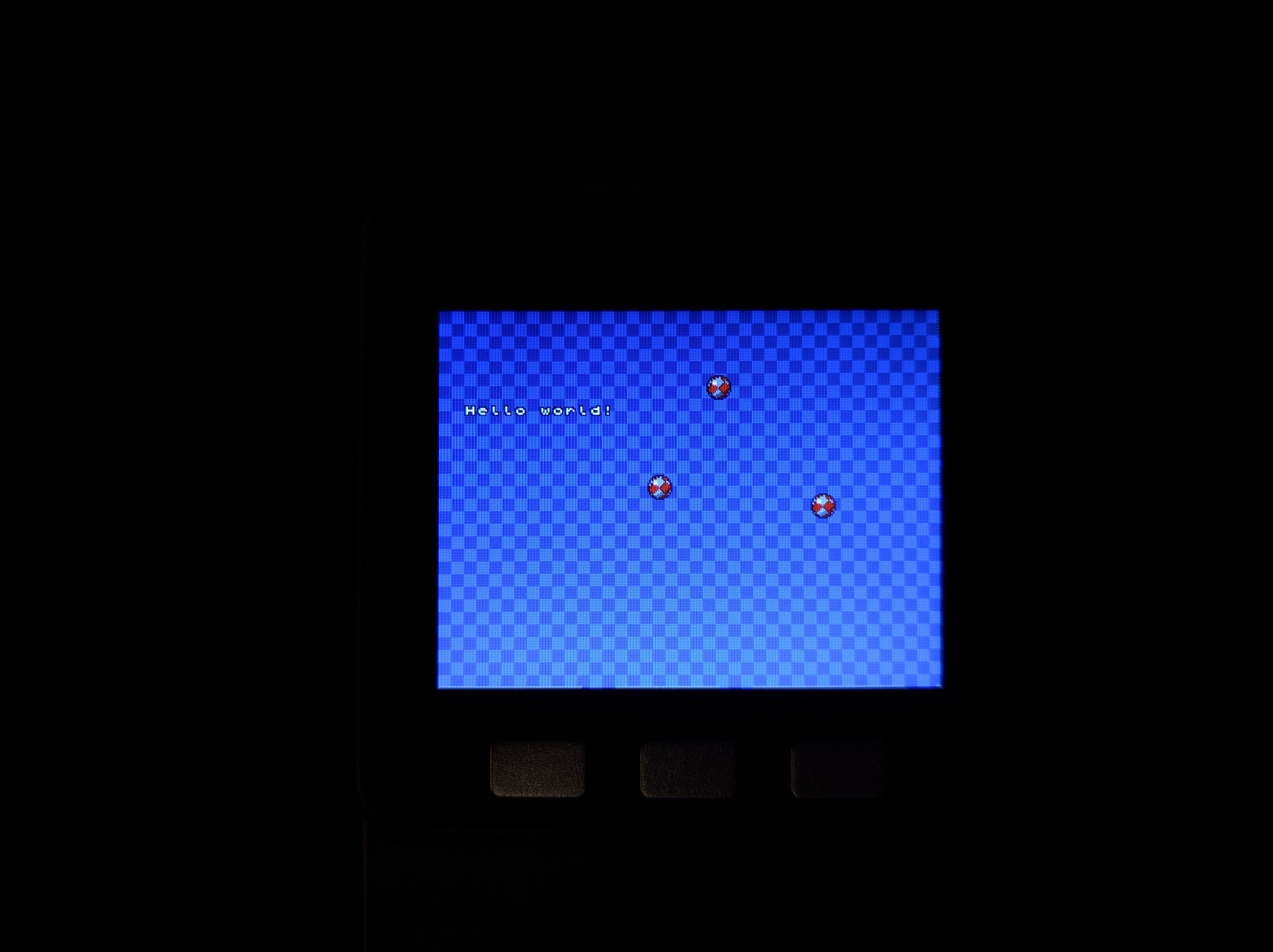
 thin marsh
Hey guys.... I have to check TDS value in water with Raspberry Pi... Which sensor I can use? Please guide me if anyone knows about it
manic glacierBOT
So would we introduce a new SPI API with DMA or add DMA functionality to the busio SPI class?
manic glacierBOT
@arturo182 there is a problem with that, since DMA is not compatible with the current model of SPI communication, where you have the SPIDevice object that toggles the CS pin manually for you.
stuck elbow
Oh, nice, you can now have user buffer objects in MicroPython: https://github.com/micropython/micropython/pull/3836

GitHub
This PR adds the uio.IOBase class which can be used to define user streams, which can then be passed into code that expects native stream support. The mapping from C to Python is:
stream_p->rea...
manic glacierBOT
FYI - I did test this with a neopixel string on D4 and a PIR on D3.
Sorry about being lay and doing the PR in adafruit/circuitpython. I'll stick my fork in the future.
manic glacierBOT
Just verified that it was working on 6/14/2018 with the beta version - I don't have the commit handy now. I'll try to reconstruct it this evening.
also note that loading 3.0 RC makes everything in the FS disappear. Not sure yet if it is just not mounted properly or if it was wiped.
interesting - resetting appears to execute boot.py -- my WIF connection get established - the it continually reports FS errors;
>>> import os
>>> os.listdir()
[]
>>>  #### pressed RESET

rl��r��c�n����p�<����x��ǒ��p�nn��;�n�����b�cl`�p�n����l���b�n��n���l��8��nn����l`��#�n�rnr���;��b�;p�n���r���pp��<��l�p��nn���r��#�n�$�l`�8`rn|��n��b��l`9~����#�n�$���nn���l`nn���r����pp��<�nj��x��nn���l`��#�n��;nr���;����;r�ےn����l`�l��r�� yr�'b����b�䎂b����l�p�lll��r�� yr�'b��l��b���b��������...one more piece of information - I verified that ampy can still load files to a feather 52832 with the current build so this is appears to be only an issue on the esp8266.
 plucky flint
Hi folks... just a quick heads up! I've release Mu 1.0.beta16 today. There are lots of changes (change-log here: https://mu.readthedocs.io/en/latest/changes.html#beta-16) and an update to the website too (https://codewith.mu/). We also have official installers for both Windows (32bit and 64bit) and OSX. All feedback most welcome! Thanks to Adafruit for their continued help and support. 😃
stuck elbow
congratulations!
plucky flint
What's next? We expect beta 17 in about a fortnight, followed by a release candidate soon after. Assuming no problems with the RC Mu 1.0 final will be released in perhaps 3-4 weeks.... depending on how many lovely bugs, problems and nitpicks you folks find. 😉
@stuck elbow thanks! 😃
stuck elbow
@plucky flint by the way, are you coming to EuroPython?
plucky flint
No.... I have family commitments at that time. I'm not attending PyCon UK this year either... I need a break from the UK Python community.
IYSWIM
stuck elbow
that's too bad, but I hope your Python vacation will let you recharge the batteries
I think I owe you some beers :)
plucky flint
Yes... that's exactly it. Recharging batteries and taking a break from the community is just what I need right now. I'm about to jump into this: https://codegrades.com/ 😉
plucky flint
Not exactly... more like some (not all) techniques can be adapted (not copied) to teaching coding. CodeGrades is but a first experiment to see if my hunch is right (says the professional programmer who's also a classically trained musician and former teacher). Let's see... 😃
stuck elbow
this is very exciting
wraith tiger
Btw, @plucky flint In the early days of computing IBM specifically sought out musicians to train as programmers as they believed that those who could follow the flow of sheet music would be good at understanding the flow of computer programs.
plucky flint
@wraith tiger ooh... that's really interesting (and I didn't know that). Do you have a link to that story..?
wraith tiger
It's something I heard long ago, but here's one mention: https://medium.com/@_ericelliott/when-ibm-was-hiring-programmers-in-the-early-days-of-computers-the-1960s-almost-nobody-was-d0ddeb3056d

Medium
When IBM was hiring programmers in the early days of computers (the 1960’s) almost nobody was trained in computer programming. They also hired musicians and trained them to code.
plucky flint
Nice one! 😃
prime flower
invalid preprocessing directive #analogWrite
shakes fist at moving between python and C
stuck elbow
in C you comment out with //
tidal kiln
trying to comment C code with python?
stuck elbow
or /* */
ah, sorry, you know that
I wish C has more standard syntax, but what can you do
wraith tiger
That's the thing about knowing multiple languages.
prime flower
yeah, I usually catch myself but if I do both in the same day I sometimes throw a # by mistake (brain<->hands connection needs some debugging...or more coffee)
wraith tiger
You end up having to stop and think, wait, how do I do that in this language?
Like "else if", "elseif", "elif", etc.
stuck elbow
or just speak in a mix, and let the people listening to you figure it out ;-)
prime flower
ha
tidal kiln
@prime flower i do that all the time. also end up with a million missing ;
prime flower
somehow ; is the thing I never hit, it's always comment-style
HM, maybe I should switch my avatar to my official-face-avatar...but I've had this one since discord started last summer 🤷
@wraith tiger that demo with the neopixels was great on monday, btw
wraith tiger
That wasn't me
prime flower
OH..whoops
wraith tiger
I think it was Roy...
BTW, does anyone know of a portable version of CPython (for installing on a usb flash drive)?
manic glacierBOT
https://learn.adafruit.com/welcome-to-circuitpython/installing-mu-editor
https://learn.adafruit.com/welcome-to-circuitpython/kattni-connecting-to-the-serial-console
to reflect new download from https://codewith.mu/en/download
and new toolbar (REPL -> Serial)
manic glacierBOT
A bit of cleanup before updating the nRF HAL to a newer version.
@dhalbert the timing of #932 is suspicious. I'm still trying to understand it but can you think of nay reason this might impact the esp8266 in an odd way?
The code in #932 basically just converts os.listdir() to os.listdir(os.getcwd()). You could try that by hand and see if it breaks. Also I fixed a bug in shared_module/os/__init__.c, line 109: was
iter.is_str = mp_obj_get_type(path) == &mp_type_str;
which was just wrong, because path is a char *, not a MicroPython object pointer. But I changed it to
iter.is_str = true;
You could experiment and try false. That change was to fix the occasiona...
solar whale
@tulip sleet thanks for the suggestions - I'll try to do some testing on the esp8266 this evening.
manic glacierBOT
I tried using 1.5 seconds delay as you did after freshly erasing and flashing, and it failed with the following output. Using a delay of 2 or 3 seconds also fails.
10:16 $ ampy --port /dev/cu.SLAB_USBtoUART --delay 1.5 ls
b'#6 ets_task(40100394, 3, 3fff83f0, 4)\r\nThe FAT filesystem starting at sector 153 with size 866 sectors appears to\r\nbe corrupted. If you had important data there, you may want to make a flash\r\nsnapshot to try to recover it. Otherwise, perform factory reprogra...look like there is even more competition now: https://wiki.odroid.com/odroid_go/odroid_go
onyx hinge
@stuck elbow interesting, that's outside their normal line of products. (mostly they do ARM-linux SBCs)
 meager fog
yeah thats a nice kit! im going to get one
stuck elbow
and the best part is that the stage library already works on it!
 fresh knoll
These are pretty impressive. I have the one with the 9 dof chip and the faces. Thinking about making a ham radio reference on the Faces if I can learn how to program it
stuck elbow
I have that one too, got µGame to work on it.

One of the nicer MicroPython-capable boards with integrated color display out there is the M5Stack. It's a bit pricey, but you get a really nice enclosure, and if you get the "faces" thing, even several keyboards. So I decided to try porting the Stage library to it first. Aft...
sadly, the resolution is huge, so I will probably need to add pixel doubling
marble hornet
@fresh knoll GREAT name!
marble hornet
😂 c u
fresh knoll
I dont normally use mando'a. It's something I picked up from karen travis's republic commando novels
manic glacierBOT
@dhalbert reverting this commit
https://github.com/adafruit/circuitpython/commit/f15288993875360dcc2c62b86110ea3c748ee267
clears up the "corrupted FS" messages.
I still can't write to the FS = Permission Denied, but I get past the corrupted FS issue
on reset I now see
(40100394, 3, 3fff83f0, 4)
Traceback (most recent call last):
  File "_boot.py", line 12, in <module>
  File "_boot.py", line 9, in <module>
TypeError: can't convert NoneType to int


Adafruit CircuitPython 3.0....@idle owl CPX Made Easy example as a Jupyter Notebook
these examples are great btw for quick tests and examples
PERFECT for notebooks
idle owl
@prime flower Nice!
fading solstice
@idle owl I have released my new bundle library. i do not see a build badge or a docs badge. they both showing unknown. Do you have any advice for me?
idle owl
@fading solstice Hmm, link?
fading solstice
GitHub
Adafruit_CircuitPython_L3GD20 - Adafruit 9-DOF Absolute Orientation IMU Fusion Breakout - L3GD20
raven canopy
😄
fading solstice
you beat me
raven canopy
i missed something on the README. the badge link needs some capitals...