#circuitpython-dev
1 messages · Page 164 of 1
 slender iron
 solar whale
OK - time for me to remember how to use GDB 😉
slender iron
do you know how to look at the peripheral view in ozone?
solar whale
looking - yes have periperals
slender iron
did you find it?
solar whale
no - not seeing that name -- still looking
slender iron
probably NVMCTRL first
solar whale
what is the gdb command?
slender iron
let me whip one up
slender iron
p/x ((Nvmctrl*) 0x41004000)->STATUS
@tulip sleet you are right. I hard fault if I try to assign to 0x0
solar whale
I get ```(gdb) p/x ((Nvmctrl*) 0x41004000)->STATUS
No symbol table is loaded. Use the "file" command.
(gdb)
try running gdb with a debug build of circuitpython
no need to load though
it just tells gdb what a Nvmctrl is
solar whale
ah OK will try
been along timne since I used gdb - slowly comming back 😉 getting used to it again was one of my goals - All I did wasa start JLinkGDB Server --if SWD -device ATSAMD51J19 then connect gdb to localhost:2331 -- anything else needed?
solar whale
loadin it via file command now
slender iron
kk
solar whale
(gdb) p/x ((Nvmctrl*) 0x41004000)->STATUS
$1 = {bit = {READY = 0x1, PRM = 0x0, LOAD = 0x0, SUSP = 0x0, AFIRST = 0x1,
    BPDIS = 0x0, BOOTPROT = 0xd}, reg = 0xd11}
(gdb) ```yay
slender iron
yup so BOOTPROT is set
solar whale
thanks - I thought there was much more to getting GDB going - sorry it took so long
slender iron
np
solar whale
Well - my friend will be happy to have his M4 back working!! I
slender iron
😃
solar whale
I have to go for a bit -- I'll try the arduino load isssue later thsi eveing.
Thanks for all the help and your patience!
slender iron
np, I appreciate your investigation! we need to get to the bottom of this
gonna go climb. will be back to finish the release in not too long
 marble hornet
is samd51 support coming to adalink?
 tawny creek
#noob-question I built a "Trinket m0 Haxpress" board and would like to build the bootloader for it, can someone give me a brief overview of what I need to do? /where to read more on it
slender iron
@tawny creek bootloader repo is here: https://github.com/adafruit/uf2-samd21

not sure if it has a board definition for the haxpress. @umbral dagger or @stuck elbow would have a better idea
@marble hornet I haven't heard of any plans. JLink supports it so it shouldn't be too hard
tawny creek
GitHub
circuitpython - CircuitPython - a Python implementation for teaching coding with microcontrollers
 umbral dagger
@slender iron There's not one in that repo
slender iron
@tawny creek thats not the bootloader
tawny creek
ah, that was all i could find that had the word haxpress in it
slender iron
yeah, not sure where the bootloader is
 manic glacierBOT
 tawny creek
@umbral dagger hrm do i even need to build a bootloader for it or just build CP firmware?
 tidal kiln
i'm playing around with datalogging to spi flash. and doing so as fast as possible in a simple loop. the data has periodic gaps where no data was collected. is that the garbage collector running or something like that?
slender iron
@tidal kiln that would be my guess
tidal kiln
anyway to turn it off?
 glossy summit
Hello all, New to Circuit Python and Discord, just wondering if there is a collection of projects somewhere on here or another app for circuit python, something similar to Hackster or the Arduino Project library.
tidal kiln
@glossy summit here are some projects to look through:
https://learn.adafruit.com/category/circuitpython
these two are a really good place to start:
https://learn.adafruit.com/welcome-to-circuitpython
https://learn.adafruit.com/circuitpython-essentials
glossy summit
sweet, thanks alot!
tidal kiln
np. let us know if that's not what you're after or just need help with anything else.
manic glacierBOT

 edgy badge
So my memory problems are back. I added a 3231 RTC, and I get an OOM when I try to do a neopixel .show() . It was suggested yesterday I try CP 3.0. I want to, but I'm not finding the libraries and mpy_cross for 3.0Alpha
My code is at https://github.com/emteeoh/clock/blob/master/Aclock.py

Ok, I found the adafruit_bundle for Alpha 3. I'm assuming it's the same for Alpha 6 until I figure out otherwise.
for mpy_cross, if I clone the circuitpython master branch, is that close enough to build an mpy-cross for alpha 6?
 raven canopy
@tidal kiln for the GC, you could just call gc.collect() in your routine, that way it doesn't randomly trigger when the heap reaches the threshold. another option to explore, though i doubt it's this simple: there are definitions related to enabling the GC in mpconfigport.h.
but again, might not be the whole process of "turn off GC"...
@edgy badge the libraries currently follow major releases (2.x, 3.x), so your assumptions are correct. for 3.x mpy-cross, also a correct assumption. i thought we had a pre-compiled mpy-cross in one of the 3.x releases, but i couldn't find it.
@tulip sleet, now that beta boards are out, think we should make pre-compiled mpy-cross available?
solar whale
@slender iron Arduino load works now. Will update Issue -and close it.
manic glacierBOT

I was able to build/upload Arduino Blink with no problem. With Arduino Adafruit SAMD BSP v1.1.0 and CP3.0-alpha6. This appears to have been resolved,
 edgy badge
@raven canopy Oh good! It's not just me being incapable of finding things in Adafruit's repository... I've got it built from source now.
slender iron
Thanks @solar whale
solar whale
np -- nice to have it working -- I was even able to reload CP 3.0 afterwords -- Life is good 😀
And now that I have gotten over my fear of GDB - I hope to be able to contribute more to the debugging efforts.
tidal kiln
@raven canopy thanks. will play around with that first option. limiting myself to what can be done within CP, so don't want to mess around under the hood.
for anyone with bitbangio experience on the esp8266:
https://github.com/adafruit/Adafruit_CircuitPython_BNO055/issues/9#issuecomment-384137352
edgy badge
I'm using the .mpy files from adafruit-circuitpython-bundle-3.0.0-alpha.2-mpy-20180415.zip, but I'm getting "Incompatible .mpy file." Is there a way to check the version of a .mpy file?
raven canopy
hmmm. that shouldn't be happening. 🤔
solar whale
@tidal kiln clock stretching is just evil 😉
edgy badge
@raven canopy I think it's a bad error message. I think the real problem is that I'm missing a package.
 tulip sleet
@edgy badge there is an mpy-cross 3.0 for Ubuntu in the alpha 2 release. It is still compatible. I haven't gotten around to building the Mac and Windows versions yet.
i should do that.
raven canopy
ARGH!! i didn't scroll past 2.2.4... 🤦
tulip sleet
I searched on the page for mpy-cross. I knew I put one in.
raven canopy
I was pretty sure you did too. and...you did! 😄
tulip sleet
Tomorrow I'll build some more and duplicate that one in alpha.6 as well.
manic glacierBOT

Preliminary "Its Working" Update
I've got most of digitalio worked out I think. Will try to get the PR in tonight.
Test REPL:
Press any key to enter the REPL. Use CTRL-D to soft reset.

Adafruit CircuitPython 3.0.0-alpha.1-509-g58ba741-dirty on 2018-04-25; ESP module with ESP8266
>>> import time, board, digitalio
>>> b = digitalio.DigitalInOut(board.GPIO16)
>>> print(b.direction, ';', b.value)
digitalio.Direction.INPUT ; False
>>> b.direction = digitalio.Direction.OUTPUT
...Eh I've got the repo cloned, and it turned out to be efforless to build. I was expecting to have to install a bazillion packages, maybe build a cross-compiler. With the exception of my memory issue, this circuitpython stuff is TOO EASY.
Ok. Today
doh!
Today's progress: started with a working neopixel display. Added RTC, lost neopixel due to OOM. Tried upgrading to 3.0.0Alpha4, but none of my mpy's were good. cloned 5 adafruit repos, rebuilt everything, copied it over to the trinket, and I still get the OOM. just before calling the .show(), a gc.mem_free() says I have 2064 bytes free, and the failed allocation was for 2048.
Would upgrading to alpha6 likely make any difference?
Is there anything I can do to reduce my ram footprint?
tawny creek
what does a solid purple/magenta RGB led mean on a trinket?
raven canopy
ValueError, assuming all other things are working. I think purple is the bootloader's color too.
tawny creek
its not flashing /blinking so im assuming its the bootloader's colour..
@edgy badge use the .mpy version of the libraries you are using
edgy badge
I am already. I mpy'ed everything except code.py
code.py just imports my real code and calls it.
raven canopy
@tawny creek we also had a period where circuitpython was stuck showing purple, but if you're building on master that should be fixed.
tawny creek
@raven canopy if I just set up vagrant/etc.. do i have to update the circuitpython it comes with?
raven canopy
can you get the REPL to load? and no, a fresh vagrant would build on master so you should be good.
tawny creek
@raven canopy Yup, Adafruit CircuitPython 3.0.0-alpha.6-dirty on 2018-04-25; Trinket M0 Haxpress with samd21e18
raven canopy
@tawny creek did the status led change to white?
tawny creek
no
raven canopy
hmm. i wonder if the fix didn't make it to haxpress, somehow...
tawny creek
is there a way to check if the spi flash i added is being recognised
also what is broken? (which version of CP doesn't have this issue?)
raven canopy
alpha.6 has the fix. and it wasn't port specific, so it shouldn't be showing up. for the flash, i can't say off the top of my head. look into the storage module though; that is where i would start.
@tawny creek i would try commenting out these two lines: https://github.com/adafruit/circuitpython/blob/master/ports/atmel-samd/boards/trinket_m0_haxpress/mpconfigboard.h#L5
may just be a case that circuitpython thinks the board doesn't have a status led. most of the updates to it are wrapped in #ifdef MICROPY_HW_APA102_blah...
i don't know anything about the haxpress beyond that it adds flash, but i couldn't see any pinmux collisions. ymmv.
tawny creek
@raven canopy 404 on that link
raven canopy
@edgy badge are you still using the dictionary? not sure if it will get you under, but worth a shot.
@tawny creek yeah...tried to unblob the link and forgot a step. updating...
tawny creek
also for the cp i have those lines are commented out
edgy badge
No, I eliminated it yesterday. It's just a list of lists, and an 11-character string to act as an index.
raven canopy
@tawny creek hehe. i totally meant uncomment. fingers were faster than the brain...
tawny creek
buiilding ~
raven canopy
@edgy badge in that case, i think the only viable remaining options are 1) reduce number of neopixels, 2) wait for the M4 in a form factor that works (itsybitsy is in progress i think).
tawny creek
biiingooo @raven canopy 😃
raven canopy
woohoo!!! 🎉
edgy badge
I'm wondering if I can pack the font array somehow to save some there. my font is a bunch of booleans... Does CircuitPython store that as one byte per boolean?
I'm going to get a Metro M4 anyhow. It's the Mosfet tribute board. How can I not get into that?
tawny creek
@edgy badge 😃 Lovely artwork too!
raven canopy
@edgy badge my understanding of the objects and their size is, what i would call "elementary". wish i had a better answer. someone may be able to answer though...
 lost moss
I think we need :mosfet:
raven canopy
agreed. 💯
lost moss
Lemme Post it in #general-tech
edgy badge
I'm going to try switching from lists to tuples. They're immutable .. Lists sometimes allocate more memory than they immediately need.
tawny creek
@raven canopy Is there a way to erase the flash chip using REPL?
tawny creek
it closes REPL for me
raven canopy
yeah, it resets the board. fears he just provided an unhelpful command 😬
tawny creek
its fine i think, I was thinking it would fix the missing circuitpython drive but nope
raven canopy
try re-commenting out those APA102 lines. there may be a pinmux collision afterall.
although, it may be because of the vfs/flash mount failing. are you using one of the flash chips that are defined?
tawny creek
yeah im using the same chip as defined in the default trinket m0 haxpress board definitions
raven canopy
k
tawny creek
no bingo ~ did storage.erase_filesystem() and it just disconnected but no drives mounted
raven canopy
which OS?
tawny creek
using mac os
raven canopy
darn. i can't even spell mcaOS. 😄
manic glacierBOT
 raven canopy
does dmesg work on mac?
tawny creek
in vagrant vm yeah but not on mac
raven canopy
yeah. actually, the vagrant has USB passthrough turned on, doesn't it? try a lsusb...
tawny creek
no lsusb either , but did ioreg -p IOUSB
+-o AppleUSBXHCI Root Hub Simulation@14000000 <class AppleUSBRootHubDevice, id 0x10000070a, registered, matched, active, busy 0 (0 ms), retain 9> +-o Trinket M0 Haxpress@14100000 <class AppleUSBDevice, id 0x100000d98, registered, matched, active, busy 0 (26 ms), retain 20>
raven canopy
hmm. well, it's showing up at least. i know there are some "quirks" on mac, but since i'm never on a mac i forget the workarounds.
tawny creek
thanks for walking me through these btw, i thought it'd be a simple firmware update D:
raven canopy
you're welcome. simple wouldn't be as much fun, right? 😉
tawny creek
the fun part only arrives when it works XD
manic glacierBOT
Haven't tested input yet; will tomorrow. Pre-PR update, if anyone wants to give it a go: https://github.com/sommersoft/circuitpython/tree/bd5a5daaaebbdb36d4ad81541b452e9b485e8b3a
tawny creek
not sure how to move on from this, i have a jlink for 'debugging'-- but i feel like that's above my head rn x)
raven canopy
alrighty. i'm out for the night. veg out time is needed...🥑
manic glacierBOT

 pastel panther
@tawny creek dmesg should work on a mac, or at least it does as of 10.10.5:
 ~$ sudo dmesg
Password:
f87200000. While not abnormal for debuggers, this increases system memory footprint until the target exits.
Google Chrome He (map: 0xffffff803f0bc000) triggered DYLD shared region unnest for map: 0xffffff803f0bc000, region 0x7fff87000000->0x7fff87200000. While not abnormal for debuggers, this increases system memory footprint until the target exits.
Google Chrome He (map: 0xffffff803f0bcc30) triggered DYLD shared region unnest for map: 0xffffff803f0bcc30, region 0x7fff87000000->0x7fff87200000. While not abnormal for debuggers, this increases system memory footprint until the target exits.
Google Chrome He (map: 0xffffff80412fca50) triggered DYLD shared region unnest for map: 0xffffff80412fca50, region 0x7fff87000000->0x7fff87200000. While not abnormal for debuggers, this increases system memory footprint until the target exits.
PM response took 5170 ms (53, BESAgent)
PM notification timeout (pid 88454, Spotify)
PM response took 585 ms (53, BESAgent)
PM notification timeout (pid 88454, Spotify)
<MORE STUFF>
Sandbox: airportd(58) deny file-read-metadata /Library/Preferences/com.apple.security-common.plist
Sandbox: airportd(58) deny file-read-data /Library/Preferences/com.apple.security-common.plist
ARPT: 1239858.030380: MacAuthEvent en0   Auth result for: 10:6f:3f:3d:fe:ec  MAC AUTH succeeded
AirPort: Link Up on en0
en0: BSSID changed to 10:6f:3f:3d:fe:ec
en0: channel changed to 6
en0::IO80211Interface::postMessage bssid changed
ARPT: 1239858.040799: AWDL Sync Enabled 0
AirPort: RSN handshake complete on en0
en0: BSSID changed to 10:6f:3f:3d:fe:ec
en0: channel changed to 6
AppleCamIn::handleWakeEvent_gated
AppleCamIn::handleWakeEvent_gated
Over-release of kernel-internal importance assertions for pid 77712 (AddressBookSourc), dropping 1 assertion(s) but task only has 0 remaining (0 external).
bbiab
tawny creek
I flashed it with the alpha cp3, just so i can see how it looks like with the system profiler command and it looks like this:
`Trinket M0:
      Product ID: 0x801f
      Vendor ID: 0x239a
      Version: 1.00
      Serial Number: 0AE9A337A1E4D4150102E4C4C180A0FA
      Speed: Up to 12 Mb/sec
      Manufacturer: T
      Location ID: 0x14100000 / 2
      Current Available (mA): 500
      Current Required (mA): 100
      Extra Operating Current (mA): 0
      Media:
          Capacity: 66 KB (66,048 bytes)
          Removable Media: Yes
          BSD Name: disk3
          Logical Unit: 0
          Partition Map Type: MBR (Master Boot Record)
          USB Interface: 2
          Volumes:
            CIRCUITPY:
              Capacity: 66 KB (65,536 bytes)
              Available: 48 KB (47,616 bytes)
              Writable: Yes
              File System: MS-DOS FAT12
              BSD Name: disk3s1
              Mount Point: /Volumes/CIRCUITPY
              Content: DOS_FAT_12
              Volume UUID: D9E0500C-524E-39A8-A778-C125384249C0
`
tawny creek
@stuck elbow Yeah I think I have this: https://www.elinux.org/images/f/f5/Winbond-w25q32.pdf
vs. https://www.winbond.com/resource-files/w25q32bv_revi_100413_wo_automotive.pdf
Could you help point out what part of the datasheet I should look at to generate sensible settings ?
 stuck elbow
so in the mpconfigboard.h you have this line: #define EXTERNAL_FLASH_DEVICES W25Q32BV
and in external_flash there is a devices.h with definitions for those
it's easiest if you find your memory in there, but if it's not there, you will have to add it
tawny creek
Yep, was looking at the datasheet to see where i can match any difference between those two chips, I just plopped this one out of a board i found
stuck elbow
you need to find the "chip id" command
0x9f
it returns 3 bytes
which are the manufacturer_id, the memory_type and the capacity
tawny creek
is "chip id" the same as Device ID?
stuck elbow
I suppose
officially it's called "JEDEC ID" or something
the command's number is 0x9F
tawny creek
yeah im looking at both side by side
is there a difference other than the B before the V? on the name
stuck elbow
no idea
are you sure the connections are good?
do you have the pullup resistor on cs?
tawny creek
yeah 10k
looks ok, no bridges - have not used it before, it was on a breakoutboard i found with specs matching the W25Q32BV definitions on devices.h
The B in 32B is for bit "32M-bit" i think
stuck elbow
do you have a logic analyzer maybe?
tawny creek
uhhmm no access to one unfortunately ^^;
Could plop the chip back on the breakout board and see if it even works on its own
stuck elbow
it probably does
but it would be interesting to see the signals that m0 is sending it
for the future, I would really recommend getting a cheap logic analyzer — you can get cheap clones for as little as $5
and it really lets you see what is happening
tawny creek
do you have one you can recommend?
stuck elbow
not really, any one will do
tawny creek
thanks @stuck elbow
stuck elbow
you could verify with the multimeter that the chip gets power, at least
manic glacierBOT
 solar whale
@tulip sleet Just to clarify - Once the update-bootloader has been loaded. if I want to reload or replace the underlying bootloader for some reason, I first have to reset the bootprotection via the gdb command set ((Nvmctrl *)0x41004000UL)->CTRLB.reg = (0xA5 << 8) | 0x1a. Is that correct? or will a simple "erase" of the flash via the JLink get rid of it as well?
@tulip sleet @slender iron FYI - I found this information about using the JLinkExe to unlock chips in the "Kinetis" family which I think applies to the SAMD51. I'll try to experiment with it later. https://mcuoneclipse.com/2014/10/05/unlocking-and-erasing-flash-with-segger-j-link/
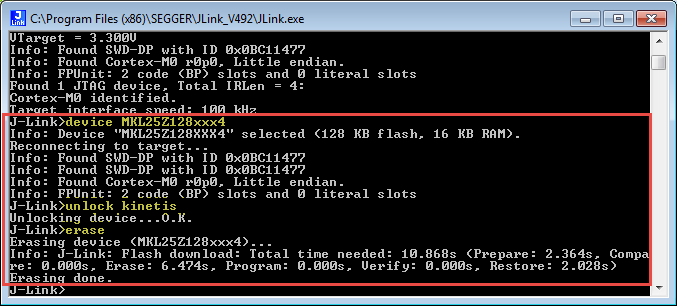
When using a bootloader (see “Serial Bootloader for the Freedom Board with Processor Expert”), then I usually protect the bootloader FLASH areas, so it does not get accidentally erased …
tulip sleet
@solar whale update-bootloader is a program that contains an image of a new bootloader, and code to unset the BOOTPROT fuses, write the new bootloader, and then set the fuses back again. So you don't need to do anything manually to update the bootloader in the future. That's the whole point of the program, really. If/when there's a new bootloader, you just run the update-bootloader for that new bootloader, and it will update.
solar whale
@tulip sleet Yes - I understand that - I was just wondering if someone wanted to "clear" it what would they have to do. The person whose board I "fixed" usually does "bare-metal" stuff and I wanted to make sure he could undo anything I had done.
But it looks like the chip can be erased if necessary so I think that is all I need to know.
It sure makes sense to use the update-bootlaoder - no doubt!
I just wanted to make sure the "owner" of the board knew what I did and could undo it desired. Thanks for all the help with this.
tulip sleet
I looked at the jlink commander doc. It's talking about "unlock" for very specific chips, which doesn't apply to the Atmel chips. The way to "unlock" the SAMD chips is to write the BOOTPROT fuses - there are mechanisms for that, but I don't know the commands off the top of my head. Also on the SAMD51 there is an extra bit you can set which says to ignore the BOOTPROT fuse temporarily:
solar whale
ah - thanks for that.
tulip sleet
This is more applicable: https://roamingthings.de/use-j-link-to-change-the-boot-loader-protection-of-a-sam-d21/
roamingthings
I'm a big fan of the Adafruit Feather M0 boards equipped with an ATSAMD21 Cortex-M0+ controller. When I recently tried to write my program to the flash using a J-Link debugger the write process failed. It took me a while to find the reason in the...
The address would be different for the SAMD51 but the principle is the same
solar whale
Great. Thanks!
tawny creek
@stuck elbow yeah I have checked and it is getting power where it should
stuck elbow
that's one thing to strike out from the list of possible problems
tawny creek
so when i flash it with the haxpress firmware and the drive doesn't mount, is there somewhere I can see the error messages? or log? does it even try to mount?
stuck elbow
the serial console?
but I don't think cpy displays any errors when it fails to mount
tawny creek
Yeah no errors
Also the storage module, if its not mounted is there a way to list drives it sees?
or similar
tidal kiln
@idle owl got a question about this https://learn.adafruit.com/circuitpython-essentials/circuitpython-storage when you get a chance, no canadian rock band
raven canopy
@tidal kiln 😆 took me a minute... "Never heard of 'Hurry' as a band name."
@tawny creek I think the JLink will be your best bet, so you can watch the backtrace.
tawny creek
I tried building CP2.2 fw for it, and noticed this line that also (oops did not see this earlier) appears on the CP3 master:
../../shared-bindings/usb_hid/__init__.h:33:23: warning: size of 'common_hal_usb_hid_devices' differ from the size of original declaration [-Wlto-type-mismatch]
 extern mp_obj_tuple_t common_hal_usb_hid_devices;
                       ^
common-hal/usb_hid/__init__.c:127:16: note: 'common_hal_usb_hid_devices' was previously declared here
 mp_obj_tuple_t common_hal_usb_hid_devices = {
Dude Use three "`"
tawny creek
thanks duude 😃
lost moss
No Problem
stuck elbow
did you do git submodule update --init --recursive?
tawny creek
yep!

GitHub
I think I'm following the README correctly, but maybe not. In the atmel-samd directory, I ran
make BOARD=circuitplayground_express
Get a few hundred errors that all look basically like this:
...
slender iron
@tawny creek I usually test the flash by doing os.listdir("/")
@edgy badge did you make any progress with your OOM? Its important to know gc.mem_free() is not continuous while the MemoryError messages states how many continuous bytes its trying to allocate
tulip sleet
@tawny creek the warning: size of 'common_hal_usb_hid_devices' is innocuous and specious. The presence of the the warning is a compiler bug that has been fixed but is not yet in the release we're using.
tawny creek
@slender iron ooh.. it is empty: ```>>> import os
os.listdir("/")
[]```
@tulip sleet thanks! I wasn't sure if it was something worth poking into
manic glacierBOT

I'm trying to calibrate the rtc on the Circuit Playground Express, but since it's way off, I can't do it with the rtc calibration. So I'm looking at calibrating the clock: OSC32K -> GEN2 -> GCLK_RTC.
Looking at the (really convoluted asf4 configuration) code it seemed that OSC32K was disabled, which was confirmed by checking the OSC32K register value.
So I enabled it (which should also result in the NVM calibration value being loaded):
diff --git a/ports/atmel-samd/asf4_conf/samd21/...@slender iron No progress. I hadn't thought of the contiguous thing. That's a very good point. I've got 3 ideas to chase down: 1) I think I could probably come up with a cleaner way to build the matrix image,. It's possible I have a bunch of temp lists and iterators making a mess. 2) I wonder if there's any merit to forcing a gc, and if so, how to force a gc. 3) The micropython font library worked. other than being too big a font. I should look into how that code is done. If he can do, why can't I?
slender iron
@tawny creek weird. I would expect an error. Is that 2.x or 3.x?
@edgy badge 2) gc.collect() will force a gc but that happens when an allocation fails too. Are you setting neopixel brightness to something besides 1?
tawny creek
@slender iron the one I tried it out with was with master
slender iron
hrm ok
do you have gdb set up?
(its also easier to use gcc and gdb directly on mac instead of vagrant)
tawny creek
I don't have GDB setup -- and 😮 is there a learn guide I can follow
tawny creek
I'm trying my best to write down all the stuff ive been doing, i want to write about the experience :}
slender iron
excellent!
tawny creek
Just wish my classes had electronics as part of the curriculum xD
 idle owl
brew install gcc-arm-embedded didn't work for me but it offered up caskroom/cask/gcc-arm-embedded. Is that right?
idle owl
ok
manic glacierBOT
Not sure how it'd be running with OSC32K disabled.
In the long term, I'd like to move away from ASF4 for clocks because it is confusing. I started this file that we could expand: https://github.com/adafruit/circuitpython/blob/master/ports/atmel-samd/clocks.c
edgy badge
brightness: yes. Will that change the amount of memory used?
manic glacierBOT

There is also #define CONF_OSC32K_EN32K 0 in hpl_sysctrl_config.h which probably should be set to 1. OSC32K is set to be the source for GCLK2, which is fed to the RTC: #define CONF_GCLK_RTC_SRC GCLK_CLKCTRL_GEN_GCLK2_Val. However, in hpl_gclk_config.h, GCLK2 Output Enable is turned off: #define CONF_GCLK_GEN_2_OE 0.
I don't know why incorrect settings would make it hang. It would be worth looking at the stack backtrace in gdb when it doesn't seem to come up.
I myself also trie...
We would also like to use OSC32K or XOSC32K (when available) as a reference for DFLL48M when the USB clock is not available. However, running DFLL48M in closed-loop mode is broken in SAMD51 (see the errata).
ASF4 definitely contains zero fun.
Having little experience with the RTC and clocks, I only rolled back your changes, and used the Ultra Low Power OSC32K.
I would guess that leaving the OSCULP32K enable while turning on the OSC32K might cause some issues. 🤷
If the ULP can't be calibrated as well as the non-ULP, could definitely switch to that...
slender iron
@edgy badge definitely! I has to create a second copy of your pixel array
idle owl
@slender iron That worked, thank you
edgy badge
Changing it to 1 didn't help. Maybe the bpp=3 doesn't help either.
Nope. I now call neopixel with "with neopixel.NeoPixel(board.D1, 224, auto_write=False) as p:"
manic glacierBOT

pinging @deanm1278 as well since he knows some of this clock nonsense
slender iron
it allocates 224 * 3 bytes continuous
idle owl
@tidal kiln What's up?
edgy badge
0.75 kilobytes didn't seem like a big deal to me. Clearly, I'm wrong!
tulip sleet
@idle owl if you have anything else besidesbrew cask install gcc-arm-embedded you need to do, could you pass it on to me? I started writing a Learn Guide for building CPy, but it's in the very early stages. I don't want to bring vagrant into it right now -- needless complication, to me.
tidal kiln
@idle owl nvm. pebkac. just needed to have another cup of coffee and read the page again.
slender iron
@edgy badge thats out of 20k total and imports take space
idle owl
@tidal kiln good job me, then
tidal kiln
yep. thanks!
idle owl
@tulip sleet I hadn't tested the setup yet. but that got gcc-arm-embedded successfully installed.
edgy badge
Am I wasting space by having code.py just import my real code, and putting my real code in a .mpy, then?
slender iron
@tulip sleet @idle owl I'm whipping up a business card for us at pycon. it'll be generic so we can use it later too
@edgy badge maybe a little but not much. the font stuff is probably largest
tulip sleet
@slender iron sounds great!
slender iron
will post here before I order
edgy badge
I just noticed that micropython-adafruit-bitmap-font doesn't LOAD the font, it just reads it. Given that files are on flash, there's no reason not to do the same . Seeks are free!
slender iron
@edgy badge great idea!
stuck elbow
@slender iron I'm looking at which pins on the Metro M4 can do SPI, and it seems only those on the ICSP header can?
slender iron
I haven't run all of the combinations. it seems weird that it'd just be there
stuck elbow
the SPI section in the datasheet only lists one set of pins
but then that would be used for the flash anyways
I guess I should just try and see which ones work
slender iron
the spi flash is on QSPI
stuck elbow
D0 and D1 work
D12 and D13 too, so the Arduino tradition of putting a LED on the SCK pin is kept
manic glacierBOT
There is also #define CONF_OSC32K_EN32K 0 in hpl_sysctrl_config.h which probably should be set to 1.
Thanks, that did it.
Without any manual calibration I'm now at -8000 ppm, down from -100000 ppm
-0.023659 secs / 0.000053 days = -442.667056 secs/day (-5123.46 ppm) : 25 Apr 2018 21:34:01
-0.491396 secs / 0.000742 days = -662.498077 secs/day (-7667.80 ppm) : 25 Apr 2018 21:35:00
-0.974833 secs / 0.001442 days = -676.135505 secs/day (-7825.64 ppm) : 25 Apr 2018 21:36:00
-1.451...ooh, nice! Should we include adafruit.com/circuitpython, which lists products?
idle owl
Nice! Should we put the code + community = circuitpython into the available space? or does that make it too busy
tidal kiln
^^ do both. add "CIRCUITPYTHON: link" to second one
slender iron
I posted it on basecamp in case bruce wants to polish it up
I like the blank space in case we want to write stuff on it
idle owl
ah ok
tidal kiln
yah. it would be a tight fit.
slender iron
I liked CODE and COMMUNITY as implicit code + community
thought about doing a pink fill but want to get blinka on there
@tulip sleet I think its fine to get to products through guides
idle owl
I think I'm just a huge fan of the graphic 😊 Ooh pink would have been fun yah but not sure whether it's too much with Blinka's belly
slender iron
it loses her tongue for sure
idle owl
ah yah I can see that
stuck elbow
CODE/COMMUNITY/PRODUCTS has a certain nefarious ring to it ;-)
idle owl
The guides link to products
people will get there
I think code and community are the important bits
tulip sleet
ok by me
slender iron
bruce is gonna design it 😃
tulip sleet
After the discussion a few hours ago, I got inspired to flesh out the "Building CircuitPython" guide a bit more. I have a brief Linux guide page done, and am working on Linux Subsystem for Windows. Then will make a guess at the Mac page. I'm not going to cover vagrant right now or much git stuff. I just want to get the pre-requisites listed in print. Will post here when it's slightly presentable (like later today, I hope).
slender iron
Awesome! I'll take a look at the mac version
idle owl
@tulip sleet I have to set it all up again, so I can probably help.
not that I won't need help with it any way.
solar whale
@tulip sleet I'll be happy to help/review Mac and Linux versions
raven canopy
@tulip sleet I'll be interested in how far you get with WSL. The file/USB sharing scared me into just sticking with the vagrant... 😨
tulip sleet
@raven canopy I built for months with WSL. The thing I believe is NOT to use a folder shared with windows due to case sensitivity issues. And this is just for building: the USB stuff can be done in windows
but they've added more USB device support, so I'll see how it works. I have a fresh install I'm working from.
slender iron

raven canopy
well, i think i was working on feather52 at the time, so the USB thing was easier from a workflow perspective.
 idle owl
lol. TinyBlinka.
slender iron
probably not worth adding the others
idle owl
Are any of them better suited?
manic glacierBOT

It appears I2C can only send out about 64 bytes at a time, and this is not documented as far as I can tell. I finally scoped my I2C bus with a Saleae when transmitting to the CY8C9560A (which requires a packet about 146-byte or more in length), and discovered that only the first 64 data bytes are sent by the Trinket M0.
Can some circuitpython developer confirm this, and maybe update the documentation to explain the limitation? If this is indeed a limitation, then it would be nice if <i2c_o...
tidal kiln
is D12 left out of board for CPX because of the speaker?
hmmm. actually, it's all of them. is the idea to use the Ax names instead (for the pads)?
button = DigitalInOut(board.A0)
button.direction = Direction.INPUT

manic glacierBOT
What version of CircuitPython are you running?
sys.version
'3.4.0'
(3, 4, 0)
sys.implementation
(name='circuitpython', version=(2, 2, 4))
Thanks! Mind trying Alpha 6? There is new code for I2C in it.
Hmm...I usually prefer to stick with stable builds so I'm not dealing with platform issues. But, maybe I'll try upgrading and see if other things break. Is it not apparent from the Circuitpython C firmware what's going on? I also noticed that reads of > 64 bytes take a little pause at 64-byte boundaries, presumably to resize a buffer. Probably that wasn't implemented for transmit.
edgy badge
?
Woo!
A n 8by32 LED matrix, and an RTC to make a clock. How hard could it be?
Anyhow, I've got it running now, no more OOM. It just sometimes takes more than a second to update the screen...
... and I don't think I have the space etc to do funky things like rainbow text, or whatever else I can think of...
slender iron
yeah, M0 and circuitpython is good for getting started but not great for loading loads of data and code
edgy badge
I didn't think what I was doing was "loads of data and code". ~750b for the screen, 6 bytes for the time.
I guess it's been a very long time since I last hacked on a machine with less than a meg of ram.
... sudden nostalgia for my ZX-81....
edgy badge
What's a jlink? Is that related to JTAG?
manic glacierBOT
We're hard at work finishing 3.x so I'd rather see if its an issue there. Its pretty stable already. We're just missing touchio and microcontroller.cpu.temperature.
slender iron
@edgy badge yeah its used to communicate to the SAMD21 via SWD instead of USB
manic glacierBOT
Ok, so I decided to try it out. Actually upgrading / downgrading is pretty easy thanks to the drag-and-drop method you all created. It took a few minutes longer because I had to also rebuild mpy-cross...I'm compiling everything to .mpy files to reduce memory usage; I even had to rewrite the ssd1306 driver to reduce the memory usage because the Trinket M0 was running out of memory with Adafruit's graphics-oriented version.
Long story short, the I2C write limitation is still there in 3.0.0 a...
Thank you so much for the confirmation! Will add it to the 3.0 milestone so we fix it before the stable release.
Ok thanks for looking into this.
manic glacierBOT
The Cypress datasheet actually comments "If current address cross 64-byte bloc boundary, then device performs real writing to EEPROM", so another possibility is that it's a timeout issue in Circuitpython, and the I2C library gets screwed up waiting a long time for an ACK. The EEPROM programming on that part takes < 100ms at above-freezing temperatures, per the datasheet, and I see that the 64th data byte is ACK'd after waiting about 52.7ms, presumably it was writing the EEPROM during that time.
 nocturne wren
@slender iron fyi the alpha-6 for m4 displays version='3.0.0-alpha.4 on 2018-04-11' when you do a os.uname().
tulip sleet
@solar whale @raven canopy @slender iron @idle owl (and anyone else interested) draft version of simple "Building CircuitPython" guide. Let me know of issues, omissions, etc. Thanks. This can be expanded later with lots more git stuff, freezing modules, etc., but this is the basics. https://learn.adafruit.com/building-circuitpython/build-circuitpython?preview_token=bWdsAiUq9L8RNRzWikZZ2g
slender iron
@nocturne wren I can't remember off the top of my head. mind filing an issue?
nocturne wren
will do
slender iron
thanks! I'm excited for pycon!
slender iron
k, dinner time for me. night all!
nocturne wren
me too. nite
manic glacierBOT
Aha, sorry to spam you with updates. Feel free to ignore until you have time to address this bug. That Cypress part says "The I2C slave in this device requires that the I2C master supports clock stretching", which is basically that the slave holds SCL low while it performs slow operations like programming flash memory. I think this is what's happening in the 53ms when SCL is low and SDA is high, and it clearly screws up the Trinket M0.
Looking up the [ATSAMD21E18 datasheet](http://ww1.micr...
tulip sleet
@nocturne wren Thanks! Looking forward to meeting you at pycon!
nocturne wren
Right back at you Dan 😄
solar whale
@tulip sleet Is it better to include a make clean before any make step - just to get people used to it.
@tulip sleet great job on this guide - it will be tremendously useful!
raven canopy
@tulip sleet agreed, looks good. and WSL seems too easy how you explain it. 😄 are you planning to break out instructions for esp/feather52? e.g. esp needs esp-open-sdk built; nrf52832 needs DFU programming.... and agree on jerryn's point of make clean.
tulip sleet
@slender iron @nocturne wren I've had the release builds not be tagged correctly. I had to tag it in advance and push the tags, and the use the existing new tag to make the release.
nocturne wren
K that makes sense. I'll skip filing the issue.
tulip sleet
the build uses the nearest tag to make the version string
tulip sleet
@solar whale good idea on make clean. I'll add something about that (need to clean maybe when changing include dependencies, and must clean when changing QSTRs). Otherwise not necessary.
raven canopy
@tulip sleet for the vagrant, once you get to it, i've been running a combined esp/atmel for a while now without issue. also, xenial vagrant has given me no problems in the last couple weeks. i'll eventually get it all pushed to a repo...
solar whale
I just do the make clean every time - does no harm -- adds a few seconds to the build.
tulip sleet
@raven canopy @solar whale esp8266 and nrf do need detailed instructions. If either of you feel like writing up something, I can put it in. Don't worry about formatting, etc. -- I can fix or that. Or I'll get to it eventually.
as for make clean, if I am just changing one file, it's a lot faster just to make
raven canopy
you could just grab it from Tony's esp guide; hasn't changed.
tulip sleet
I'll look at that. As for vagrant, I would really like to start with a clean vagrant image, not an upgraded-to-xenial one. DId you use a stock one and add stuff? Also what are you running vagrant and virtualbox on?
raven canopy
I used my trusty combined vagrantfile, changed the box to xenial, and built a fresh one. running on Win10.
manic glacierBOT
 tulip sleet
@raven canopy I had terrible trouble with vagrant and VirtualBox on windows, maybe a year ago, written up here: https://forums.adafruit.com/viewtopic.php?f=60&t=109632. Did you see these problems?
solar whale
@tulip sleet I'll be happy to copy/edit the nrf feather 52 stuff from the repo https://github.com/adafruit/circuitpython/tree/master/ports/nrf/boards/feather52 , but I wonder if we should wait for the next update before including it. Let me know if you think it should go in now. Should I just send you the text. I don't think I can edit the pages.
GitHub
circuitpython - CircuitPython - a Python implementation for teaching coding with microcontrollers
@raven canopy what do you think about adding nrf52 now?
raven canopy
the only crucial downside to vagrant is the symlinks in a shared folder. makes it near impossible to push changes to a repo. I work around it by having a separate git clone to use as my push repo (lots of cp -r blah.c blah/blah/)
And nope, never ran into that problem. first installed vagrant in like, Nov 2017ish.
tulip sleet
@solar whale I could just point to there. Better that there be one master place for that very technical stuff that might change . A lot of the build stuff could go in the circuitpython repo README, too, I guess. It's mostly setting the toolchains up that people don't know how to do.
solar whale
@tulip sleet That would be better since ktown keeps the repo stuff updated. That was easy 😉
raven canopy
i can agree with waiting, and just dealing with any questions that pop up with it. nrf52840 will be much easier anyway...
solar whale
one nasty thing about the esp8266 on a Mac is you have to have a "case-sensitive" file system and that is not usually the default. You essentially have to create a special partition for it. I juat use Vagrant if I have to work on my Mac with the esp8266.
tulip sleet
ugh I didn't even realize Mac is not case-sensitive by default.
solar whale
neither did I until I came across this 😉 Never noticed.
tulip sleet
also CPy import filenames are not case sensitive. I noticed that completely by accident:
from AdaFRUIT_HiD.MOuSE import Mouse works
cause FAT12 is not case sensitive
solar whale
On macos - it is not a problem for the arm toolchain. only for the esp8266 (and I think for the esp32) toolchains
tulip sleet
is that just because there are some files that are Foo.c and foo.c or something like that?
solar whale
not sure of the details - it is noted here and the instructions for dealing with are there: https://github.com/pfalcon/esp-open-sdk#macos

GitHub
esp-open-sdk - Free and open (as much as possible) integrated SDK for ESP8266/ESP8285 chips
I just have not had the patience to try it.
It does not look too hard - I should do it just to be able to walk others through it.
As for the nrf52 - perhaps all that is needed is a link to this page.
manic glacierBOT
See Issue #753.
No longer causes a reset when creating the digitalio object. Also updated some of the usage, since a few functions only included normal gpio functions (gpio16 is controlled through RTC register, not GPIO register). Tested both simple output and input usage; both work as expected.
Note to Reviewer(s): PLEASE pay extra attention to common_hal_digitalio_digitalinout_set_value. I'm not totally sure I implemented the conditionals correct with respect to open_drain a...
solar whale
@raven canopy great job!!
raven canopy
@solar whale it's always that one thing you look at 15 times, but just don't see it. forest for the trees. i still feel kind of bad for that hardware rabbit-hole that had you dremel the lid off. 😄
raven canopy
alright. back to the issue list. my task queue is open. 😄
tulip sleet
yah, I think so, and python2 also
idle owl
Then you also need to brew install python3 for Mac setup.
tulip sleet
python2 as "python", python3 as python3.
idle owl
Because I don't think it's installed by default yet, still only 2.7 or something.
tulip sleet
Got it, will add. Ubuntu comes with python3. WSL comes with python3 but not python 2.7
idle owl
From a copyedit standpoint, the guide's looking good. I'm nearly done with the WSL section.
But I remembered the python3 thing after getting halfway through WSL
solar whale
@raven canopy connected an oled featherwing to ESP8266 snd I can read button B !! set to Pull.Up and it reads it without resetting!
idle owl
Yeah it looks good.
raven canopy
@solar whale just so you know, GPIO16 stays PULL_NONE... so there may be some interesting behavior if you're expecting PULL_UP.
solar whale
It do not work until I set it - Won't allow pull.Down
without setting it , it always read True
raven canopy
yeah, PULL_DOWN is not available for the whole board. and GPIO16 only has a pull down setting per the datasheet.
idle owl
@tulip sleet I think that covers it. Nicely done.
tulip sleet
Thanks for the copy-editing!
idle owl
Everything else I have brew install'd is unrelated.
solar whale
reading button.pull does not return anything
>>> import digitalio
>>> button = digitalio.DigitalInOut(board.GPIO16)
>>> button.pull=digitalio.Pull.UP
>>> button.value
True
>>> button.value
False
>>
>>> button.pull
>>>
hrm. it should return NONE. or, maybe it returns "None" being null.
solar whale
nvmind --- it works with out the pull setting ....
raven canopy
k. cool. i tested it with another on-board GPIO, so i was worried my methodology wasn't sound (happens more than i'd like).
solar whale
>>> import board
>>> import digitalio
>>> button = digitalio.DigitalInOut(board.GPIO16)
>>> button.value
True
>>> button.value
False
>>>
false alarm. not sure what I did the first time -- I just power cyceld to be sure it was ok froma clean start - looks good!
manic glacierBOT
FYI - tested with OLED Featherwing on Feather Huzzah ESP8266 and button B works!
>>> import board
>>> import digitalio
>>> button = digitalio.DigitalInOut(board.GPIO16)
>>> button.valeu
Traceback (most recent call last):
  File "<stdin>", line 1, in <module>
AttributeError: 'DigitalInOut' object has no attribute 'valeu'
>>> button.value
True
>>> button.value
False
>>>
oops - I fixed the post to remove my typo 😉
raven canopy
hehe. i was saying in my head "it's French for 'value'". 😆
solar whale
Nice work -- I'm off to bed -- have a good night
raven canopy
night @solar whale! 💤
 proven kettle
Learning Circuit Python Neopixel. Where can I find out about the Neopixel Helpers ? How do they work. I understand they are modules but is there more docs on them ?
slender iron
manic glacierBOT
Interesting! Does CircuitPython throw an Exception once it times out? We should if we can't write the whole buffer.
Mind factoring gpio16_in_use related code into claim_pin and reset_pin like the SAMD port does? https://github.com/adafruit/circuitpython/blob/master/ports/atmel-samd/common-hal/microcontroller/Pin.c#L99
Does this handle open drain 1 correctly?
I think this should be self->open_drain && value since you want to be outputting a zero in open drain.
manic glacierBOT
 solar whale
@tulip sleet for the nrf link in the guideI think it would be better to link to the README for the feather52 in : https://github.com/adafruit/circuitpython/blob/master/ports/nrf/boards/feather52/README.md I contains more details and some differences specific to the feather52 which is the likely candidate at this time.
GitHub
circuitpython - CircuitPython - a Python implementation for teaching coding with microcontrollers
 bronze geyser
exciting to hear about rtc support. Are there plans/thoughts about sleep/timer?
tulip sleet
@solar whale. Thanks I added a link to the nrf52-specific README and left the other for general info.
 humble mural
good morning, doing two things today. Testing my new hacked hotspot. I found an antenna connection and we set up an extra large antenna across the class in an attempt to access to the 3G network, so far much better.
lost moss
How did you do that...?
humble mural
More important we feel can can get a much better result with our ISS Board project with the Partilce.
I would like to know what is the Adafruit comporable product to the particle , but using CircuitPython and or Micropython.
@lost moss kinda embarrasing, We started opening every single opening, slot and hole. On the underside of the hotspot there was a little thing that we thought was a button that ended up being a cover. we opened it and viola an antenna connection. I had a wifi antenna laying around. then we ended up with a yagi
humble mural
Now we get a solid three bars and above avreage service
humble mural
Well when you have had the hot spot for over three years and didn't pick up on the fact that it had an antenna connection....well, not my proudest moment.
humble mural
Oh.. it was about five of us (4 students and I ) sitting around the hotspot examing it. More accuratley,I should say they
lost moss
Oh Your students seem to be as Curious as you LOL
humble mural
I love my students, I can't beleive I get paid for this!
Any heads up on a Adafruit equivalent for the particle io that uses CP or MP? I assume it would be the Adafruit Huzzah in conjunction with adafruit.io.
solar whale
@humble mural are you looking to use cellular data or just wifi? At this point the only board that supports wifi under CircuitPython is the ESP8266 -- MicroPython supports it and the ESP32 .
MicroPython also has support for other bords - looking for links.
manic glacierBOT
Circuitpython throws an OSError: 5. The sequence of events is:
- Master sends byte and waits for ACK
- Slave holds SCL low for a while (datasheet says < 100-200ms depending on temperature)
- Slave ACKs the last byte
- Master is now in a messed up state and sends a spurious connect-to-device-on-bus command when it should not.
Can you disable that timeout interrupt? Or, perhaps point me in that direction and I can build my own copy of Circuitpython with that modification? I did a little ...
humble mural
@solar whale for now wifi. The students realy liked the Particle.io phone app and the online platform. My problem is that I would like to stick to a Python-based platform. I have hitched my educational wagon to Adafruit and CP and therefore I want to stay in that fold where ever possible.
and to be honest, I know Python and I would have to learn Arduino sketch, it's not too hard but I have a lot on my plate.
solar whale
micropython also supports the WiPy boards http://micropython.org/resources/docs/en/latest/wipy/
more info here on pycom boards and micropython support https://docs.pycom.io/chapter/gettingstarted/
@humble mural are you looking for information on accessing adafruit.io via an esp8266 using circuitpython? THat is certainly do-able.
humble mural
@solar whale I have also used them with a variety ESP8266 and ESP32 boards. but I haven't learned how to use them like the Photon and their IDE where you can control pins and etc. via a web platform, I have to assume that I just need to learn adafruit.io
solar whale
ah - yes - and how to use JSON ... I am very new to this and fumbling my way. I can send info from my esp8266 to adafuit.io just fine. Going the other way is still a work in progress for me.
I can do it using Arduino, but not circuitpython, yet
humble mural
From what I am seeing, the kids and I are going to have to learn Arduino along with CP.
solar whale
To clarify, I can send data from the ESP8266 to adafruit IO, I just have not figured out how to parse/ use the response information for receiving data.
humble mural
Let me search for a learning guide on that.
solar whale
I can give you an example for sending data via circuit python if you want it.
humble mural
@solar whale Please, that would be a great launching pad. Also great news, about a dozen learning guides in the Adafruit Learning System.
manic glacierBOT
It would be in ports/atmel-samd/common-hal/busio/I2C.c. But then you'll be getting into the ASF4 library. If you want to try building it yourself, see this draft guide on building: https://learn.adafruit.com/building-circuitpython/introduction?preview_token=bWdsAiUq9L8RNRzWikZZ2g. We can also make a test build for you with that bit set. I'm out for a couple of hours but will check back in later.
solar whale
this just takes a feed name and a value and sends it to adafruit io ```import time
import urequests
while True:
print("enter feed,value")
line=input()
s=line.split()
data=int(s[1])
feed=s[0]
payload={'value':data}
response=urequests.post("https://io.adafruit.com/api/v2/YOURUSERNAMEHERE/feeds/"+feed+"/data",json=payload,headers={"X-AIO-KEY":"YOURKEYHERE"})
print(response.json())
response.close()
you have to install the urequests library from https://github.com/micropython/micropython-lib/tree/master/urequests

for this example, the feed has to already have been created on Adafruit.io
humble mural
That Gihub bot, what generates that. Whenever I see that after I ask a question I assume that it may be related to my question.
solar whale
Not related to your question - just timing- the githiub bot posts those messages to #circuitpython-dev any time someone posts to a related issue on github.
In that case, Dan just responded to an ongoing discussion on github
humble mural
@solar whale Thanks for sharing the code and the heads up on hte Github bot!
solar whale
Good luck -- that is a very basic example - showing my level of expertise 😉
humble mural
Thanks, I am just starting off so this will be right where I need to launch from.
solar whale
to use it -- if you have a feed named myfeed - just enter myfeed 9999 and it sends the value to the feed.
hmm --- wonder what I said
ah I uesed multiple x's
I used that to send data from anothe board (like a CPX) to adafuit io by sending the message "myfeed value" vi athe CPX UART to the esp8266
@humble mural putting that example in a guide is high on my todo list...
humble mural
I look forward to reading it and especially sharing it with my classes.
@erryn to install the urequest library I run the setup.py? or urequests.py??
humble mural
to the board or the directory where I have the code.
humble mural
Good, that was initial thought
raven canopy
@solar whale we could make an AIO library helper like Arduino has... 🤔
solar whale
@raven canopy that would probably be a great thing. I need to get to this guide. Will try this weekend.
manic glacierBOT
Thanks Dan,
I have a bit of time to dig through this, so no worries if this isn't a priority for you. I see where some defaults (interrupts disabled) are defined:
//ports/atmel-samd/asf4{_conf}/samd{21|51}/hpl_sercom_config.h
...but since these defines, such as CONF_SERCOM_1_I2CM_SEXTTOEN, appear nowhere else in the repo or its submodules, I'm not sure what those defines are doing.
I do see some "SEXTTOEN" appearing in these files:
//ports/atmel-samd/asf4/samd21/include/component/s...
slender iron
should I make PDM mic recording asynchronous like playback?
manic glacierBOT
hpl_sercom_config.h defines the default values for the I2C peripherals, so you are on the right track. As you say the current values for those bits are all 0.
hal, hpl, and hri are the successively lower-level API's provided by ASF4. We use the hal drivers when we can, but they are missing functionality and we often resort to hri. In the long run we may drop a lot of our use of ASF4, because it assumes fixed pin assignments and functionality, which is kind of the opposite of wh...
slender iron
@nocturne wren do you know what this year's pycon swag bags look like?
marble hornet
@slender iron did i hear tell during the AE last week about running code dircetly from flash?
manic glacierBOT
slender iron
@marble hornet you can build files into the firmware to run from internal flash
marble hornet
like compile them into the uf2 file? do they not get buffered in ram though?
manic glacierBOT
I originally had it that way, but I wasn't sure how/if open_drain && !value would get handled. My theoretical line of thinking was related to set_drive_mode using set_value. Does it need to throw an exception in that case?
I can add if (pull != PULL_NONE) and throw the exception. I just wanted to remove the confusion when swith_to_input called this, and tossed the exception out even though the pin has been switched to input by the time this is called.
raven canopy
@marble hornet here is some explanation on "frozen modules", which tannewt is referring to: http://docs.micropython.org/en/latest/pyboard/reference/constrained.html?highlight=frozen
manic glacierBOT
Well, I tried setting the SCLSM bit high with some modifications to the asf4 submodule, but that broke everything and now the SCL clock just continues indefinitely after sending data. I'll have to spend some more time combing through the SAMD21 datasheet, since the I2C operating modes are fairly complex.
manic glacierBOT
Ok, I solved it! The problem is actually not deep inside the bit-level functions; the problem is a software timeout in //ports/atmel-samd/asf4/samd{21|51}/hpl/sercom/hpl_sercom.c
On line 1532 in the function _sercom_i2c_sync_wait_bus, they are using:
uint32_t timeout = 65535;
However, this is not an accurate way to do a timeout since it is just software-decremented in a loop of unknown execution time. I tried out progressively larger values (8x larger was not enough, so I we...
tulip sleet

How to build CircuitPython yourself on different platforms
@marble hornet There is a section in the new guide above ⬆ on adding your own frozen modules.
manic glacierBOT
@dhalbert, @kattni and I will be attending PyCon US 2018. Lets plan events here. We also have a dedicated Discord channel, #pycon-us.
I ordered 500 business cards earlier today:


Please post other PyCon relat...

We had a discussion today about what projects we want to have available. The plan is to have three tables with printouts setup and the projects are: capacitive touch, NeoPixels, and CPU temperature logging. Only one requires external HW, and we'll have that covered.
I've ordered USB cables, alligator clips and NeoPixels.
Many people will have USB cables already, but with Apple and USB-C formats becoming more prevalent, we wanted to have something available in case anyone didn't have a...
idle owl
New links to the Welcome to CircuitPython and CircuitPython Essentials guides!
https://adafru.it/cpy-welcome
https://adafru.it/cpy-essentials

New to CircuitPython? This is the place to start.

The next step in learning CircuitPython.
manic glacierBOT
So, belay that. I must have confused myself on that. set_drive_mode will only call set_value if the current value is true. I'll update the condition.
manic glacierBOT
With fixing open_drain above, I see why you're asking. And no, it won't, since RTC_GPIO_OUT will return 0.
marble hornet
thanks @raven canopy and @slender iron , ill take a look after sat prep
OMG! thanks!
can .mpy be feezded ? so to speak
frozen? freezed ?
tulip sleet
you supply the .py files and they get compiled to .mpy and frozen
raven canopy
frozen. and i imagine mpy-cross would just fail-over an already mpy'd file...
idle owl
Leaving them .py and letting mpy-cross do the work means easier to edit the libs if needed though.
raven canopy
truth ^^^
tulip sleet
if you want to freeze an existing adafruit library you just add it as shown in the guide
the source code will get pulled in as a git submodule (code from another repo) and it'll be compiled and frozen
raven canopy
just checked that (hadn't read the final guide yet). excellent choice to show using it with submodule.
marble hornet
before making extensive hardware - specific changes shoudl i fork form 3.0.alpha ? also is that labled as master ? and @tulip sleet do you mean pasting the link to another repo ?
tulip sleet
you use the git submodule add command as described here: https://learn.adafruit.com/building-circuitpython/adding-frozen-modules
raven canopy
@marble hornet master is the "latest and greatest", so yes, it is on 3.alpha. and yes, git submodule uses a repo link and the current commit at time of adding. if you update the submodule repo, you have to run git submodule update to update where you have linked it.
tulip sleet
you can fork if you want. It will be easier to keep track of your changes if you fork.
then you can save your changes in a branch in your own repo, and merge from upstream (adafruit) when you want. That workflow is described in several places, and I might add a guide section at some point to describe it as well.
idle owl
There is some super weird data in this log.
Seconds, temperature, humidity, voltage: "79, 3277.0, 99.7, 3.98"
tulip sleet
um
raven canopy
which sensor? DHT?
raven canopy
well, so much for an "easy" answer. 😄
tulip sleet
are most readings ok?
idle owl
No.
More than half this file has temp readings like that.
I wonder...
Before it started doing that, it hit 0. I wonder if it can't handle the freezer.
raven canopy
Where is the voltage reading coming from? 3.98 seems odd for either 3.3v or 5v.
idle owl
Voltage is battery after it's run for a while.
248, 0.6, 19.1, 4.08
251, 0.5, 19.2, 4.08
254, 0.3, 19.3, 4.08
257, 1.2, 19.5, 4.07
260, 0.1, 19.5, 4.07
263, 0.0, 19.6, 4.07
266, 3276.9, 19.8, 4.08
270, 3277.0, 19.9, 4.07
273, 0.5, 20.1, 4.07
276, 3277.2, 20.1, 4.07
279, 3277.3, 20.2, 4.08
282, 3277.4, 20.4, 4.06
285, 3277.5, 20.5, 4.08
288, 0.0, 20.7, 4.07
291, 3277.7, 20.7, 4.07
294, 3277.8, 20.8, 4.07
297, 3277.9, 20.9, 4.08
300, 3278.0, 21.0, 4.07
303, 3277.2, 21.2, 4.07
306, 3278.2, 21.2, 4.07```ahhh...that makes sense then.
idle owl
Yeah that number is at least right.
 agile plover
raven canopy
agile plover
raven canopy
i wonder if it's wrapping around? off to the datasheet
hmm..the guide lost the downloads. no datasheet, eagle schems, etc...
tulip sleet
maybe it's doing unsigned arithmetic and isn't handling negative temps well
idle owl
sighs deeply
raven canopy
well, draft has started...and kid demands my presence. bbl.
tulip sleet
@agile plover These GPS modules have pretty standard serial commands and output, though I don't know about this particular one.
@idle owl, in the python module, change the unpack string "H" in this:
@property
    def temperature(self):
        """The measured temperature in celsius."""
        temperature = struct.unpack(">H", self._read_register(AM2320_REG_TEMP_H, 2))[0]
        return temperature/10.0
to this ">h". H is unsigned int, h is signed int.
idle owl
oi. ok.
If I dump a file in here can someone make me an mpy
I still don't have mpy-cross setup
wait... it has to be for 2.x....
I still have an old mpy-cross.. now to see if it works
huh. Looks like it did.
tidal kiln
@idle owl i have a couple of those now. i can see if i can recreate.
idle owl
Ok updated library and tossed it in the freezer.
Up to you. Even after fixing the resistors, it still stops running after a bit. There's a couple of huge sets of data on there though, so now I'm wondering if the hanging is inconsistent.
tawny creek
on master cp3 (trinket m0), I cant import touchio and microcontroller.cpu.temperature reports 0.0
tawny creek
@idle owl thanks! I wasn't sure if it was just me
idle owl
The data says it ran for over four and a half hours at one point.
@tawny creek Nope, it's not just you 😃
tawny creek
phew ><
tidal kiln
i don't have a logger wing, but could just log to spi flash
with a feather m0 express
so, basically log seconds, temperature, humidity, voltage ?
tulip sleet
kattni just wrote a program that read from the sensor and blinked the LED. If it crashed, it stopped blinking. The bad readings I think are clearly due to the signed/unsigned bug, at least for temp.
so not sure you need to log to test.
q to determine is: is it crashing due to flaky sensor or flaky CircuitPython?
tidal kiln
is the freezer environment critical?
idle owl
to testing the update, otherwise no
tulip sleet
it just got below 0 celsius that way
idle owl
yeah
tidal kiln
to make the bug show up
idle owl
the code is on GitHub
the lib bug, yes. But the it-failing-after-an-hour bug, no
that happened wherever
idle owl
yes
tidal kiln
what happens with the other one?
idle owl
it hangs, and then if you ctrl+d it, it says there's no I2C
tidal kiln
does that require freezer?
tidal kiln
ok. so i can just torture test one of these on the desk?
idle owl
I thought it was consistently failing within an hour, hour and ten max, but the data says otherwise.
yes
tidal kiln
i should at least match chips. assume this is with an m0?
also, should match your pull ups. 4.7k?
idle owl
I have 10k on there now I thought
Feather M0 Express
sorry, fighting with spreadsheet programs as well as this.
idle owl
should be yeah. it's not 3
tidal kiln
should i use a specific bundle release?
idle owl
nah. shouldn't matter. I don't know when the one I used is.
tidal kiln
alright. connected and functional. got a torture test script to use?
hmmm. correction. was functional.
idle owl
GitHub
Adafruit_Learning_System_Guides - Smaller programs and scripts to display "inline" in Adafruit Learning System guides
That's the code
tidal kiln
was just running a simple loop dumping sensor values...
rh = 28.4               t = 25.3
rh = 28.3               t = 25.3
rh = 28.3               t = 25.3
Traceback (most recent call last):
  File "<stdin>", line 2, in <module>
  File "adafruit_am2320.py", line 123, in relative_humidity
  File "adafruit_am2320.py", line 112, in _read_register
  File "adafruit_am2320.py", line 106, in _read_register
RuntimeError: I2C modbus read failure
>>> sensor.relative_humidity
28.3
>>> sensor.temperature
25.2
>>>
got it out of freezer, held it over running hot water, hopefully this proves to be a variable enough graph without it being on the sun halfway through the freezer run.
mine would fail saying "no i2c at address 05c" or wherever it is
tidal kiln
different. and it continued to work after the hiccup.
tidal kiln
hmmm. im getting that pretty frequently.
tidal kiln
right through the absolute zero floor, that temp
@idle owl you're testing with your logger build? not on a bread board?
idle owl
yes
tulip sleet
hah, I found a driver, written partly in russian, with a fix for the temp. It really is the case, that it's sign-magnitude format, it appears. Let me look further
idle owl
Thank you
tulip sleet
kattni, can you write a little program to do something like:
s = AM2320()
while True:
    print(s._read_register(s.AM2320_REG_TEMP_H, 2))
    time.sleep(1)
and put it in the freezer with the USB cord (or log it, I don't care). I think you will see zero and a number that's a couple of hundred, and then it will drop, and then it will flip to something else when it passes below zero. I think it's sign-magnitude: the top bit is 1 or 0 if negative or positive, and the rest of the 15 bits is the absolute value of the temperature.
I wish I had one, I would try it.
idle owl
I don't know if I can brain that tonight.
tulip sleet
no biggie
idle owl
I'll ping you tomorrow.
tulip sleet
sure
tawny creek
@stuck elbow I got some new SPI flash chips but still no go ><
marble hornet
if one forks is there any way combine back with master even if the master has been updatdes ?? tags for searching: repo fork combo combine edit
tawny creek
@stuck elbow when you're around and have some spare time, ive got a few questions on setting up the flash settings part and maybe look at my schematic/board -- I'm not sure where to look next ><
tidal kiln
@marble hornet later master on what? the repo you forked from?
marble hornet
@tidal kiln yes
tidal kiln
it sounds like a basic fork synching? you forked, the original repo moved forward?
so maybe this? https://help.github.com/articles/syncing-a-fork/
raven canopy
@tulip sleet you are correct about the top bit being +/-. From the DS:
Temperature resolution is 16Bit, temperature highest bit (Bit15) is equal to 1 indicates a negative temperature, the temperature highest bit (Bit15) is equal to 0 indicates a positive temperature; temperature in addition to the most significant bit (Bit14 ~ Bit0) indicates the temperature sensor string value. Temperature sensor value is a string of 10 times the actual temperature value.
yeah, that's rather poorly worded (it's not a "string"), but it kinda implies sign-magnitude, which is why I suspected that.
raven canopy
don't read the rest of the sheet then... 😱 😄
tulip sleet
I wish I were a native speaker of the original language sometimes
raven canopy
the DHT sheet is similar, obviously. but it's probably been through more revisions. and i agree; german is my strongest second language, which doesn't help unless it's a Bosch sheet (usually very good translations though, if even needed).
tulip sleet
why on earth they made it sign-magnitude I have no idea. They had to go to extra trouble to do that
raven canopy
would it make the CRC check easier?
raven canopy
fair point. i scrolled past the CRC section. but, they also included a OneWire protocol...
DHT?...ya know, i'm not even sure. never paid attention to < 0.
tulip sleet
the dht11 sheet is in Chinese. The DHT22 sheet is in English with Chinese signal diagrams
"Data is comprised of integral and decimal part, the following is the formula for data.
AM2303 send out higher data bit firstly!
DATA=8 bit integral RH data+8 bit decimal RH data+8 bit integral T data+8 bit decimal T data+8 bit checksum"
so the dht22 sends two 8 bit numbers, one before the decimal point and one after. oh wow
fortunately tomorrow is another day
solar whale
Joining late. Is there an issue with DHT or AM2320?
tulip sleet
AM2320 uses sign-magnitude for temperature. Drivers need fixing. Also I2C seems flaky, maybe.
just comparing with DHT11/22, which use a different weird number format.
solar whale
Ok . Happy to help tomorrow .
tulip sleet
do you have a 2320?
solar whale
Yes
tulip sleet
ok, maybe you can join in the fun tomw. thanks!
tidal kiln
switching to 4.7k pull ups didn't seem to help
solar whale
Looks like you’ve had an interesting evening. I have used am2320 briefly, but not at below freezing. I’ll hook one up tomorrow. Let me know if I can help.
tidal kiln
@solar whale please do. as a start, just try reading from it over and over in a loop. see what i'm getting above in scroll back.
raven canopy
so esp8266 GPIO16 has forced me to understand open drain, beyond "use a pull-up for i2c". but, before I push this update, i have a question. is an expected result of querying the state flipped? using an led to test:
gpio.value = false = led on
gpio.value = true = led off
@tidal kiln any delay between reads?
tidal kiln
time.sleep(1)
solar whale
@raven canopy for the button test I did yesterday. True was unpressed, false pressed
raven canopy
did you do an open drain test?
solar whale
No. Sorry may have jumped in without knowing the context.
raven canopy
nope. new convo; context was my responsibility. 😄
solar whale
That was use the default setup.
raven canopy
oh yeah...that was pulled up. so normal expectation.
solar whale
Yes, but I think output was counter intuitive as well, but have not tried it recently. Do you have a test you wan5 me to replicate?
raven canopy
normal output seemed ok to me (saleae capture in the issue).
raven canopy
well, i'm trying to make sure that it reports the correct value while using open drain (see tannewt's review for the PR).
but, since i never bothered to fully understand open drain behavior/usage...i'm starting kind of at the beginning. 😄
solar whale
Ok . Will review and try to catch up tomorrow. Eyelids getting heavy...
raven canopy
all good. i'll push this as it is. i think it's right, just wanted to cheat the "many eyes" on github. 😄
manic glacierBOT
Open drain update: I think I have the get_value reporting correctly. Tested with a LED hooked up with external pull up:
3V -> LED+  |  LED- -> pull up -> GPIO16

gpio.value = false = LED On
gpio.value = true = LED Off
am2320 is much happier in 5v arduino land
raven canopy
yeah, i wondered about that when i looked at the supply characteristics in the datasheet. a minimum of 3.1v is pushing it; i've seen plenty of our pins around that.
tidal kiln
while you're there, look at the values for R p u <-- guessing that's the i2c pull up?
raven canopy
raven canopy
their sheets are always fun to read. the DHT22 has a few versions. one will have no corrections, another will have some corrections, another will have different corrections, and another will have some from all of the above. 😵
tidal kiln
the correct one is the right one until corrected to make more right
i like (6) show the resistor
raven canopy
agree. clearly, note 6 would take first prize at the Westminster Note Show.
i wonder if they meant to put a picture there. 
devilish Adafruit-hosted prank manifested
tidal kiln
they show it later. it's like a footnote for the illustator maybe?
raven canopy
ahhh. so like .. todo:: for sphinx. just needs (7) remove internal notes. 😄
alright. time to go feed my current guilty pleasure and watch some silicon valley. later, and have fun with AM2320 Friday.
solar whale
@tidal kiln running am2320 on feather M0 Express CP 3.0 alpha6 - 10K pullups - no errors after a few minutes. will keep running for awhile.
manic glacierBOT
@sommersoft I tried this on GPIO16 but I don't get any response from the LED if I use OPEN_DRAIN. with PUSH_PULL True is ON , False is OFF.
>>> led.drive_mode=digitalio.DriveMode.PUSH_PULL
>>> led.value=False     LED OFF
>>> led.value=True       LED ON
>>> led.value=False      LED OFF
>>> led.drive_mode=digitalio.DriveMode.OPEN_DRAIN
>>> led.value=False     LED OFF
>>> led.value=True       LED OFF
>>> led.drive_mode=digitalio.DriveMode.PUSH_PULL
>>> led.value=False LED OFF...Doh! Nevermind -- connencting 220 ohm resistor to _3 and cathode to GPIO16 works as you described.
led.value=True LED OFF
led.value=False LED ON
for both PUSH_PULL and OPEN DRAIN
solar whale
@tidal kiln no errors on AM2320 after about 50 minutes.
@tidal kiln finally got an error afer > 50 minutes ```Humidity: 29.9
Temperature: 21.6
Humidity: 29.9
Temperature: 21.6
RTError; I2C modbus read failure
Temperature: 21.8
Humidity: 29.9
Temperature: 21.6
Humidity: 29.7
@tidal kiln - There is a note in the driver example thet indicates errors are expected. Are you trying to find out why?
solar whale
@tulip sleet confirmed am2320 conversion error -- in freezer ```Temperature: 0.2
Humidity: 14.5
Temperature: 0.1
Humidity: 14.6
Temperature: 0.1
Humidity: 14.6
Temperature: 0.0
Humidity: 14.7
Temperature: 3276.9
Humidity: 14.8
Temperature: 3276.9
Humidity: 14.8
Temperature: 3277.0
Its cool that your doing so long tests with different environments
solar whale
@tulip sleet @tidal kiln I thinka a simple fix to the AM2320 driver is to change ```def temperature(self):
"""The measured temperature in celsius."""
temperature = struct.unpack(">H", self._read_register(AM2320_REG_TEMP_H, 2))[0]
return temperature/10.0
def temperature(self):
"""The measured temperature in celsius."""
temperature = struct.unpack(">H", self._read_register(AM2320_REG_TEMP_H, 2))[0]
if temperature >= 32768 :
temperature = 32768 - temperature
return temperature/10.0
with this fix ``` Temperature: 0.1
Humidity: 17.6
Temperature: 0.1
Humidity: 17.7
Temperature: 0.0
Humidity: 17.7
Temperature: -0.1
Humidity: 17.8
Temperature: -0.1
Humidity: 17.9
Temperature: -0.2
Humidity: 17.9
Temperature: -0.3
Humidity: 18.0
Temperature: -0.3
Humidity: 18.0
Temperature: -0.4
Humidity: 18.1
Temperature: -0.4
Note: the humidity sensor did not appreciate the condensation that occurred when it was pulled out of the freezer 😉 took quite awhile to recover.
tulip sleet
@solar whale thanks - that is a very simple fix - easier than extracting the sign bit!
solar whale
@tulip sleet several ways to do it, but this seemed clear and concise! I opened an issue on the driver and will put in a PR
tulip sleet
and it handles the negative zero case
solar whale
yup - almost forgot the >= 😉
tulip sleet
I am replying to the issue. Also, similar issue with the Arduino driver, which assumes two's complement negative numbers. I'll open an issue there. Do you want to do that one too?
solar whale
sure
tulip sleet
solar whale
I should be able to get both PR's in later today
@tulip sleet In the Arduino CPP I think it will be simpler to extract the sign bit. less messing with type casting
solar whale
@tulip sleet both PRs are in - I tested both. I did not run a test of the Arduino version before the fix to confirm the error, but I did verifiy that it works correctly after the fix. I hope taht is sufficient.
tidal kiln
@solar whale looks like you recreated the comm issue i was having. as you found, probably known:
https://github.com/adafruit/Adafruit_CircuitPython_AM2320/blob/master/examples/am2320_simpletest.py#L16
and just dealt with using try/except.
kattni's lock up must be something else.
solar whale
@tidal kiln Yeah - I've never seen the behavior she is reporting - @idle owl have you tried a second sensor?
tidal kiln
^^ that's what i'd recommend also
tulip sleet
I believe @idle owl has seen the behavior with two samples of AM2320. She has two Feathers with AM230's wired to the proto area.
tidal kiln
there was also the pull up issue. i think that only got discovered at the very end?
tulip sleet
I don't remember the order of events, but both should have the correct pullups now.
tidal kiln
i think so. but i'm wondering if there might be residual damage. from the higher current being passed with the lower r values.
solar whale
@idle owl did the lockup ever occur with just the AM2320 -- taht is without the Adalogger wing?
idle owl
I don't think I tried without the wing.
But it's happened with two entirely different setups and sensors.
solar whale
And you were alwasy using CP2.2.4 , correct? I have been on CP 3.0
idle owl
2.2.4 yes.
solar whale
Was to code also logging data for all the tests in which it locked up?
solar whale
Just thinking out load - I can also try it with looging here.
idle owl
It's easy enough to alter my code to do that. And it typically happens within an hour and ten minutes. But like I said yesterday, the log shows at least one run of 4.6 hours, so it lasted longer at some point.
solar whale
you got rid of the RTC, correct - cany you post the current code?
idle owl
GitHub
Adafruit_Learning_System_Guides - Smaller programs and scripts to display "inline" in Adafruit Learning System guides
The only difference I changed was adding the D13 blinking so I knew when it stopped
Otherwise there's no way to tell unless you're hooked up to the serial console or you check the log.
The status LED stays green when it locks up
solar whale
OK - I'll give that a try a bit later.
tidal kiln
@idle owl maybe try putting the infinite loop inside the context manager block
idle owl
I... don't know what that means.
tidal kiln
you've got this:
while True:
    with open() as sdc:
        # stuff
instead, try this:
with open() as sdc:
    while True:
        # stuff
what might that fix?
tulip sleet
The open inside true means the file gets closed and flushed more often. That could be be faster but also might make it more likely to be corrupted. what think you @tidal kiln
tidal kiln
well, also looking at how the try/except blocks are integrated...
@idle owl this throws some kind of exception in your case? which you've seen when hooked to serial console?
idle owl
That requires the try and except? yes.
Limor mentioned it too. Something to do with looking for the SD card being flaky or something.
tidal kiln
idle owl
So it happens before it talks to the SD card, if it's going to happen, and it does most of the time, iirc.
Oh.
I thought it was the SD card.
tidal kiln
guess there could be both
idle owl
I may be wrong.
I'm pretty sure I'm wrong.
Looking at the simple_test for sd_card
Nothing there.
Good catch. I have it wrong in the guide explanation.
So yes, it's related to the sensor.
But the problem with the way it fails for me is that it doesn't do anything, it just hangs, so I can't even pass on an exception, and even if I did, it wouldn't keep reading because it entirely loses the I2C connection at the sensor address.
tidal kiln
do you happen to have a copy of your traceback?
idle owl
For when it fails? No
tidal kiln
but it did print one? or did it just straight up freeze?
idle owl
When it fails with my I2C issue, it simply hangs. Then I ctrl+D it, and it prints an exception of can't find anything at address 05c or whatever it is.
I have to press the reset button to fix it, reloading doesn't do it.
solar whale
I just started a run of the code from the guide with logging - ~600 sec so far - I'll let it run - have to go do some stuff for a few hours..
idle owl
@solar whale It often failed within an hour, but log says it's gone nearly 5 hours at some point, so.. see what happens.
tidal kiln
pressing reset doesn't power cycle the sensor, so the lockup must be elsewhere
idle owl
I have one more of these sensors but it's manglesoldered onto the first Feather I tried to do this with. I could try rescuing it and try one more time. But I cannot overstate the level to which I do not want to do that.
tidal kiln
were all of the sensors you currently have used at some point with 270ohm pull ups?
tidal kiln
it's a question mark
idle owl
Right
tidal kiln
i don't have a logger wing, trying to see how i could also play along....
i've got a 32u4 logger, but i'd like to stick to m0
idle owl
yeah. that makes sense.
SD card breakout?
Since we're not using the RTC anyway
I'm unconvinced it's related.
tidal kiln
if it's not attached, it's not in play
idle owl
Well the logger's on there. I'm simply saying I'm not convinced it's related.
tidal kiln
oh wait. your sd card is on there.
idle owl
yeah.
tidal kiln
i think best i can do with what i have on hand is use a feather m0 express and log to spi flash
idle owl
And Dan's seen the soldering first hand and said it all looked good visually. So we can at least eliminate that for the most part.
tidal kiln
same build from your photos? yeah, not a soldering problem.
manic glacierBOT
Great find @paulswirhun ! Mind submitting a PR to our copy here: https://github.com/adafruit/asf4/tree/circuitpython
CircuitPython pulls that repo in as a submodule.
slender iron
@fading solstice it'd be good to go over drivers / make adabot check that drivers that use ustruct try to load struct since we change it in 3.0
 fading solstice
hmmm, ok
slender iron
you don't have to do it of course
just brainstorming things we need to do before 3.0
fading solstice
i think i will take a look
slender iron
k thanks! I'm filing an issue now
fading solstice
k
manic glacierBOT
In 2.x struct is available as ustruct. We need to make sure all drivers included in the bundle will work with 3.x which has renamed it to struct.
For backwards compatiblity it should be:
try:
    import struct
except ImportError:
    import ustruct as struct
@tulip sleet wrt file open, i guess i can see two scenarios depending on how fast you are trying to log. if you are trying to log as fast as possible (i am for something) or even within seconds, then i'd say don't keep opening/closing the file. if the interval is more like minutes, then i would open/close file each time.
but a question i have - if an exception occurs within the open context manager, does the file get closed? or does it go straight to the except block(s)? (that'd be my guess)
slender iron
context managers are always exited correctly
so it will be closed even if an exception is thrown
tidal kiln
yep. just wasn't sure how it'd play with exceptions.
kind of interesting - some code will run before the except block is entered.
manic glacierBOT
Mind removing the bitwise OR in favor of boolean logic? That'll make it easier to read.
Can OUT be 1? It'd simplify reading the value.
This block can be indented one less too.
@paulswirhun amazing! nice work debugging and finding :)
slender iron
@tulip sleet https://github.com/bnahill/PyCortexMDebug/pull/20

GitHub
This includes:
Add support for register clusters.
Add support for printing enum value names and descriptions.
Rework some try/excepts to if statements.
slender iron
nice!
tulip sleet
@slender iron cache is on, but spi flash code is unhappy -looping trying to read flash
slender iron
what loop is it hung up on?
tulip sleet
(gdb) bt
#0  0x0002099a in memcpy (dst=dst@entry=0x2002fd24, src=src@entry=0x4000000, n=n@entry=1)
    at ../../lib/libc/string0.c:35
#1  0x000218fc in spi_flash_read_command (command=<optimized out>, command@entry=53 '5',
    response=response@entry=0x2002fd24 "\310\020", length=length@entry=1) at external_flash/qspi_flash.c:66
#2  0x00021388 in external_flash_init () at external_flash/external_flash.c:229
#3  0x0002146c in external_flash_obj_ioctl (self=<optimized out>, cmd_in=<optimized out>, arg_in=<optimized out>)
    at external_flash/external_flash.c:639
#4  0x0001b35c in disk_initialize (pdrv=<optimized out>) at ../../py/../extmod/vfs_fat_diskio.c:72
#5  0x0001b49a in disk_ioctl (pdrv=<optimized out>, cmd=cmd@entry=5 '\005', buff=buff@entry=0x2002fd67)
    at ../../py/../extmod/vfs_fat_diskio.c:232
#6  0x0001def8 in find_volume (fs=fs@entry=0x200212d0 <fs_user_mount_flash+56>, mode=mode@entry=0 '\000')
    at ../../lib/oofatfs/ff.c:2888
#7  0x0001edde in f_mount (fs=fs@entry=0x200212d0 <fs_user_mount_flash+56>) at ../../lib/oofatfs/ff.c:3112
#8  0x0001c1d6 in filesystem_init (create_allowed=create_allowed@entry=true, force_create=force_create@entry=false)
    at supervisor/filesystem.c:60
#9  0x0001bb12 in main () at ../../main.c:247
hrm in memcpy
tulip sleet
I may try to turn off SPI flash for now and see if I can get futher. Not sure whether this is timing related or maybe some DMA/cache interaction (though hopefully that should be transparent).
tidal kiln
@idle owl guessing your status RGB on the feather is covered by the wing?
idle owl
Yeah but shines through quite well.
tidal kiln
does it turn briefly red every loop? every 3 secs?
tulip sleet
@slender iron commented out filesystem calls. I'm in the repl
for i in range(n): pass, n = 100k takes 2.4 seconds with cache off, 1.5 seconds with cache on. consistent with n=1000k also, both are *10. woohoo! 1.6x faster.
slender iron
thats good!
tidal kiln
@idle owl here's my hacked together modified version:
https://gist.github.com/caternuson/5153a63ac97ad62395d4e3bbf878ca99
seems to be working, but status rgb turns briefly red with each 3 sec loop, then back to green and all good. not sure what that's about.
idle owl
Ok
tidal kiln
i put in a red led heart beat
idle owl
I have one added higher up on mine
so I knew when it stopped without it being hooked to serial
tidal kiln
if i get same problem as you, that will eventually stop?
idle owl
I guess? I didn't think the issue was the OSError, but the code will stop running yes, so I assume it will stop with it where you have it too
That's how I knew it stopped
Dan had me add that when we were in NYC and I got it to fail there.
tidal kiln
needing to use the spi flash is kind of limiting me on what i can do, but i'll let this go and see what happens
idle owl
ok keen
manic glacierBOT
The SAMD51 has an instruction/data cache. It's off by default, which we didn't realize. The simple patch below to port.c will turn it on.
When it's on, for i in range(n): pass runs 1.6x faster. However, turning it on causes the spi_flash code to loop during CPy start up. If I comment out the filesystem startup code, I can get to the REPL.
So this needs to be added, and then new bugs that crop up will need to be fixed, and we'll need to retest a lot of I/O stuff to find other...
Very nice!
If we turn on the cache for SAMD51 (#783), the loop will take a shorter time, so it should count actual time instead of just counting up to a number. Do you have an idea of how many msecs should it be waiting?
https://docs.python.org/3.6/library/csv.html
We should teach the built-in module when talking about datalogging.
@dhalbert: the Cypress part I'm using says it takes <200ms, so maybe it should be set to 250ms if you can time it accurately. However, if you're just going to include the hacky fix of increasing the software timeout value, it should be conservatively larger because the loop duration is not well controlled (it could change with library changes, compiler optimization flags, oscillator frequency, etc). If you decide to go with the software version, it probably warrants some kind of tick/tock mea...
tulip sleet
if you're having trouble on 3.0 let us know since it might reflect an issue in the code
tawny creek
@tulip sleet not sure I know enough difference between 3 and 2's wrt SPI flash to tell why I cant build latest CP3 to mount the drive
tulip sleet
can you make BOARD=feather_m0_express or similar in master? If that works then there's something with your board files.
tawny creek
lemme try
tulip sleet
if you git checkout master, don't forget to git submodule update --init --recursive
tawny creek
^ ive done this
I can build CP3, but when i plop the firmware into the board it doesnt mount the drive
and confirming i can build feather_m0_express
idle owl
@slender iron Do you want me to offer to help the person doing the I2C transmit buffer issue with doing a PR? You may be ahead of me on that already, and I didn't want to jump into the thread with duplicate info.
 gusty topaz
Guys, I'm considering installing CircuitPython on the Bluefruit nRF52. Is there an updated guide to do so?. I saw a youtube video where @timber lion goes over how to do it with MicroPython, but it's almost a year old and it's not CP related. I want to play with the BLE features, if they are available.
slender iron
@idle owl sure. doing it with real time would be nice but changing the number is a super easy start
idle owl
I don't think there's a guide for it, @gusty topaz
slender iron
@gusty topaz I believe the readme is up to date: https://github.com/adafruit/circuitpython/tree/master/ports/nrf
GitHub
circuitpython - CircuitPython - a Python implementation for teaching coding with microcontrollers
idle owl
^^
solar whale
@gusty topaz there is more specific info for the feather nrf52 board in https://github.com/adafruit/circuitpython/tree/master/ports/nrf/boards/feather52
GitHub
circuitpython - CircuitPython - a Python implementation for teaching coding with microcontrollers
This assumes you already have the arm-none-eabi toolchain installed - same as for the atmel-samd boards.
manic glacierBOT
@paulswirhun I'd be happy to walk you through the steps to do a pull request. It's only a few more steps beyond git, especially since you're already familiar with git. While we may eventually want a more thorough fix, the change you've proposed would still be an excellent addition, and it would be a great opportunity for an easy change to learn how to do pull requests.
Are you on the Adafruit Discord? We have a CircuitPython channel where we chat all the time. Visit adafru.it/discord to jo...
gusty topaz
@solar whale man, you lost me completely with your last comment. I only have nrutil installed on my system (Mac OSx) as I needed to do that to be able to use the board with the Arduino IDE (which wasn't that easy to do as my system is on Python 3 instead of 2.7).
tulip sleet
@tawny creek - sorry, got a phone call. Several potential reasons why your board might not be working. Are you using an existing board defn or your own, and if so, did you derive the 3.0 files from another set of 3.0 board files? The files have changed in several ways between 2.x and 3.0.
solar whale
@gusty topaz sorry - I did not reacll if you had yous sstem set up t build CircuitPython 3.0 for the ATMEL-SAMD boards already. If not, you will need to set up the same toolchain used to compile code for ARM processors.
gusty topaz
@solar whale Would you please point me in the right direction to install the toolchain?.
solar whale
@gusty topaz looking for the link now
gusty topaz
Also, can I use the current implementation of BLE on the nRF52 with Adafruit's Bluefruit iOS App (Controller mode)?.
solar whale
@gusty topaz all I have done is play with the ble-scan and eddystone demos.
tawny creek
@tulip sleet I have two flavours of CP to build with.
-
CP3 (latest): came with setting up vagrant for the first time. Using
trinket_m0_haxpress's board config for the SPI (using the same chip W25Q16BV iirc) -- build + uploading the firmware works butCIRCUITPYdrive doesn't show up. Can access REPL,os.listdir("/")shows empty. -
I got the latest stable 2.x branch and made a new board config
espress0based ontrinket_m0board config, then slowly made changes to the files to match changes seen here: https://daveastels.com/2017/09/01/trinket-m0-express-hack/ -- the build works and the SPI chip mounts and I see it mount properly!
I'm trying to get this other SPI chip WS25Q16FV to work on 2.x , based on CP3 definitions forWS25Q16JV-- the build works and the drive appears in disk utility but OS X can't mount it.
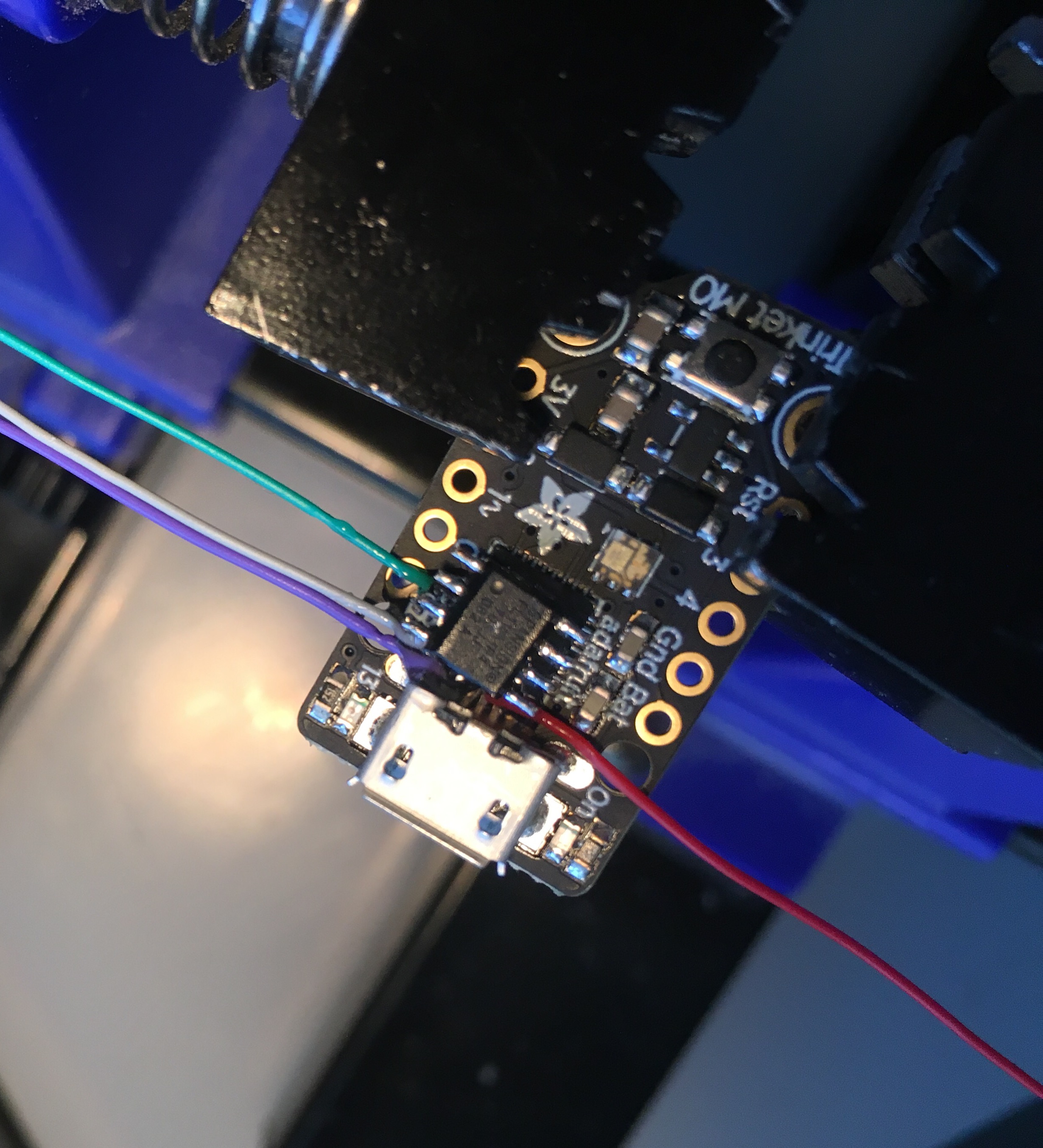
Introduction I am a huge fan of the SAMD21 boards that Adafruit is producing. What a huge step up from the ATMEGA328 or 2560. 48MHz, 32 bit ARM Cortex-M0+, and loads of flash and ram. I have severa…
idle owl
@tidal kiln @tulip sleet Side note, I just went through the entire log file, and it evidently ran for 16 hours at one point. The entire duration of which was in the freezer. The two may or may not be related. Going to try to get a good set of data for graphing now, with the new lib.
tulip sleet
@tawny creek I do not know that the trinket_m0_haxpress definitions have been updated properly for 3.0. You definitely should compare its 3.0 board files with a good 3.0 board file set like itsy m0.
idle owl
I'm also entertained that I forgot about it in the freezer for 16 hours at one point.
tulip sleet
@gusty topaz Here's the basic guide: https://learn.adafruit.com/building-circuitpython
see the last page of the guide for nRF
but you'll need the earlier stuff too
gusty topaz
Thanks @tulip sleet and @solar whale
tawny creek
@tulip sleet thanks! wrt setting up new flash definition for CP 2.x , aside from flash_CHIPNAMEHERE.h is there somewhere else I need to configure?
tulip sleet
besides the actual board files, I don't think so, but there might be special-cased code for certain chips in the spi_flash implementation (though I don't think so).
make sure the pin defns are right, etc. also SPI vs internal flash
solar whale
@gusty topaz good luck -- ask if you have problems
@idle owl my datalogger test is still going after 3.5 hours
idle owl
good to know, thank you @solar whale
idle owl
Nice!
tawny creek
SPI_FLASH_SECTOR_PROTECTION is definitely truue
thanks for being audience to my madness, dear channel / fine adafruit folks
idle owl
@tawny creek We've all gone through some form of madness and we've all returned that favor 😄
tawny creek
When I have a goal, I don't really focus much on what i don't know to get there I just .. go..? and stumble lots along the way X)
idle owl
It's a great way to learn 😃
solar whale
@idle owl I had to cut off the datallogger test after 4 hours to do some other testing - no problems observed.
idle owl
Ok thank you @solar whale
manic glacierBOT

How did that extra indenture sneak in there?... 🤷♂️ :smile:
Can OUT be 1? It'd simplify reading the value.
I'm not sure, but I can try it. I want to check if it's used to set the pull mode for input, though. Could easily assume that it is config'd in RTC_GPIO_CONF, but assumptions ya know. I'm rolling through the Arduino esp8266 repo to see how they implemented pull down.
solar whale
@tidal kiln reading the datasheet for the am2320 it sure looks like it can also be read like a dht22 if you just ground SCL. I tried it - just swapped a working DHT22 and with an AM2320 (added the ground to SCL) and it works like a charm!!! Who knew. the AM2320 is quite a versatile sensor!
that said, I much prefer the I2C interface, but its nice to know it works as a one-wire s well.
@tulip sleet @tidal kiln looking over the dht driver, it looks to me like it has the same error as the am2320 regarding the sign bit. I'll verify and create a PR if that is the case.
tulip sleet
The dht22 returns the data in a different way, if I understand the datasheet. It returns two bytes, x, and y. If you put them together as x.y, you get a decimal number that is the temp. Presumably x can be negative.
solar whale
https://github.com/adafruit/DHT-sensor-library/blob/master/DHT.cpp#L47 the arduino driver does it correctly - using sign bit
GitHub
DHT-sensor-library - Arduino library for DHT11DHT22, etc Temp & Humidity Sensors
@tulip sleet what data sheet are you looking at - the language for the am2302/dht22 is identical to the AM2320 - one-wire section
@tulip sleet I think it is hte the dht11 that is the funky one, not the DHT22
tulip sleet
I was going by this on page 3: "Data is comprised of integral and decimal part, the following is the formula for data.
AM2303 send out higher data bit firstly!
DATA=8 bit integral RH data+8 bit decimal RH data+8 bit integral T data+8 bit decimal T data+8 bit checksum
If the data transmission is right, check-sum should be the last 8 bit of "8 bit integral RH data+8 bit decimal RH
data+8 bit integral T data+8 bit decimal T data""
solar whale
this is very confusing -- I'll reread and get back -
tulip sleet
GitHub
Adafruit_CircuitPython_DHT - CircuitPython support for DHT11 and DHT22 type temperature/humidity devices
that line and following
solar whale
right - but that just treats it as the16 bit value just lihe the am2320 -- the intger/decimal language makes no sense.
you take bits 0-15 as a value and divide by 10. for the DHT22 and the AM2320 -- but the Adafruit_CircuitPython_DHT drive will not hande the negative values correctly as written.
solar whale
yes
tulip sleet
your freezer is getting a lot of use today
solar whale
😉 -- it may be tomorrow afternoon before I can test this
or sooner -- almost ready to test
tulip sleet
@solar whale https://github.com/adafruit/DHT-sensor-library (Arduino) is OK. So is https://github.com/adafruit/Adafruit_Python_DHT (RPi and similar). and https://github.com/adafruit/TinyDHT is also OK
solar whale
agreed - thanks
tulip sleet
i'm off for a while but will check back later
solar whale
ok -- off to the freezer
slender iron
@raven canopy @solar whale let me know when I should re-review your PRs
solar whale
@tulip sleet @tidal kiln - confirmed tath the DHT22 driver does not work ```Temp: 32.9 F Humidity: 23.4%
Temp: 32.7 F Humidity: 23.5%
Temp: 32.5 F Humidity: 23.6%
Temp: 32.4 F Humidity: 23.7%
Temp: 32.2 F Humidity: 23.8%
Temp: 32.0 F Humidity: 23.8%
Temp: 5930.4 F Humidity: 24.0%
Temp: 5930.4 F Humidity: 24.1%
Temp: 5930.5 F Humidity: 24.2%
Temp: 5930.7 F Humidity: 24.3%
Temp: 5930.9 F Humidity: 24.4%
Temp: 5931.1 F Humidity: 24.5%
Temp: 5931.3 F Humidity: 24.5%
Temp: 5931.4 F Humidity: 24.7%
Temp: 5931.6 F Humidity: 24.8%
Temp: 5931.6 F Humidity: 25.1%
Temp: 5931.8 F Humidity: 25.7%
Temp: 5931.6 F Humidity: 26.3%
Temp: 5931.6 F Humidity: 26.9%
Temp: 5931.6 F Humidity: 27.6%
Temp: 5931.3 F Humidity: 28.7%
Temp: 5931.1 F Humidity: 29.2%
Temp: 5930.9 F Humidity: 29.7%
Temp: 5930.5 F Humidity: 30.2%
Temp: 5930.4 F Humidity: 30.9%
Temp: 32.0 F Humidity: 31.4%
Temp: 32.5 F Humidity: 32.7%
Temp: 32.9 F Humidity: 33.3%
@slender iron for the STMPE610 - I think/hope it is good to go.
solar whale
Woohoo! -- thanks!
slender iron
thank you!
tidal kiln
@solar whale wow. surprised that's never been caught before.
solar whale
Me too!
The python driver is relatively new. It used to be compiled into MicroPython.
raven canopy
nice work on AM/DHT folks!!! @slender iron probably won't be ready until sometime tomorrow. going to Avengers tonight, and the claim_pin will take a little bit after finishing up open drain.
slender iron
k no rush, just let me know
raven canopy
👍
idle owl
What is going on with tap. I straight up can't get this example to work consistently. Even with a time.sleep() in it.
tidal kiln
which example?
idle owl
tap
hold on
GitHub
Adafruit_CircuitPython_LIS3DH - Adafruit CircuitPython module for the LIS3DH accelerometer.
Tried different settings, tried taking out the last_tap bits and reading raw tap code without the checks, tried different thresholds. Single tap kind of works sometimes, doubletap less so.
This is an issue, noticed and a PR was put in with a proposed way to fix it by adding a time.sleep, but that's not even consistent. And shouldn't be needed.
Jerry said it worked in the REPL, but that might be the equivalent of a time.sleep because you're not able to type the commands fast enough to emulate it constantly checking for taps.
I should test it with CPX lib to see if that even still works.
Works perfectly.
tidal kiln
cpx lib works
idle owl
ok now to translate it back to not cpx.
manic glacierBOT
After reading through Arduino's handling of GPIO16, I'm confident they use one of the CONF registers. Couldn't find where the calls go from pinMode, but they are definitely shifting values in a full byte. I just tested this with setting OUT & 1 and the same LED test, and didn't get any different results. Also tested switching to 'PUSH_PULL'; 5x5. Will update get_value accordingly.
idle owl
nope.
I don't get it.
Wait.
Interrupt pin.
That's why it works.
import adafruit_lis3dh
import time
import digitalio
import busio

i2c = busio.I2C(board.ACCELEROMETER_SCL, board.ACCELEROMETER_SDA)
int1 = digitalio.DigitalInOut(board.ACCELEROMETER_INTERRUPT)
lis3dh = adafruit_lis3dh.LIS3DH_I2C(i2c, address=0x19, int1=int1)
lis3dh.range = adafruit_lis3dh.RANGE_8_G

lis3dh.set_tap(2, 60, time_limit=10, time_latency=50, time_window=255)

while True:
    if lis3dh.tapped:
print("tapped")```Works.
On CPX obviously.
But the LIS3DH example wasn't written to be CPX specific.
which means I guess adding the interrupt line with a comment saying PUT THE CORRECT PIN HERE.
Fixed it.
idle owl
I don't know. We had so many issues with this.