#circuitpython-dev
1 messages · Page 158 of 1

 jovial pine
Compiling now... No errors so far
 manic glacierBOT
 solar whale
woohoo!
 unreal ginkgo
i would imagine that the neopixel ring works about the same as the neopixels on the playground express with certain code
but i'm not sure how the individual pixels inbetween would work
 slender iron
@unreal ginkgo the same code will work, its just a different shape
unreal ginkgo
yeah, i think it's more of an understanding thing
jovial pine
It worked!!! Thanks for everyone's help. If anyone's interested in a atsamd21e18 based chording (18 key) keyboard let me know....
unreal ginkgo
so with a few individual lights between the playground and the ring, cycle would kinda just be lights moving from one end to the other?
slender iron
the first ten would cycle colors
unreal ginkgo
ahhhh
slender iron
since hte circuitplayground has 10
its not actually moving a color from one pixel to another. they are all doing the same pattern but at different positions
unreal ginkgo
yeah, but it's just easier to understand that way for me i guess
slender iron
np
unreal ginkgo
so to do something like cycle would the playground, individual lights, and light ring be coded in separate parts?
slender iron
it all depends on the pattern
if you care about the position of the neopixel it'd be hard to share
if you only care about the index then its easy
unreal ginkgo
just kinda alternate between 2 colors between every other pixel is the most im gonna be doing
i think that's the right wording?
slender iron
😃
unreal ginkgo
my only other problem is the memory on the circuit playground express
there's a handful of audio files i'll be using and i'm hoping there's enough space
slender iron
yup, that'll be trickier
unreal ginkgo
especially when the one is 16 seconds long
 tulip sleet
@slender iron not sure why travis is building twice (both are long lists of boards)
unreal ginkgo
honestly i've got a bit of a dilemma with this, considering it's the hardest one to do
i dont even know where i'm going

 onyx hinge
I kinda what to change every assert() about an object type into an exception instead. lots of the findings from afl are type errors that cause assertions instead of python exceptions..
because who would ever have thought to write A.__new__(ValueError)! only bad people who should feel bad, and afl-fuzz.
 stuck elbow
oh, you use lcamtuf's toy?
onyx hinge
@stuck elbow yes, have a look at https://emergent.unpythonic.net/01522108310 for my process
stuck elbow
ah, it's the unix port, that makes things considerably easier
onyx hinge
right. Some of the bugs are specific to the unix port, most will crash the real circuitpython hardware though.
when it comes to assertion errors, I think NDEBUG is defined for the usual builds so in that case it'll blithely continue and do something that should have been impossible.
The distilled testcases I'm chasing down now: https://emergent.unpythonic.net/files/sandbox/more-afl-circuitpython-findings.txt
tulip sleet
@onyx hinge we defined NDEBUG because otherwise we run out of flash
maybe it's not quite so tight now, but we'll fill it up again 😃
it's good to throw exceptions, but maybe we shouldn't use up flash bytes for a lot of exception strings that are extremely rare. Perhaps we could return numeric codes instead for very rare exceptions.
stuck elbow
or even have something like ImpossibleHappened exception as a catch-all
onyx hinge
SystemError would be the standard for that
tulip sleet
and it's true throwing exceptions is like turning off NDEBUG in terms of space. Well, it's not impossible, just very improbable. A lot of these could be ValueError.
stuck elbow
"Please restart the universe and try again."
onyx hinge
just carrying the bytes to perform all those checks will count for something. NDEBUG doesn't even evaluate the assert condition, so the code is dead/optimized out
stuck elbow
there is definitely a balance to strike there
tulip sleet
we could put in exceptions and then #if MICROPY_VERY_RARE_EXCEPTION them out in small builds.
something like that
@slender iron worth reading 2:59pm (PT) and following above
onyx hinge
    yield from g
g = gen8()
print(next(g))```well I can see why this doesn't make circuitpython happy!
python3's able to state ValueError: generator already executing
slender iron
thanks @tulip sleet I'll read back now
@tulip sleet @onyx hinge any idea how much code size increase it'd be? I'm all for tightening the checks
@raven canopy thanks for the bundle review!
 raven canopy
resisting the urge to open sam.h....must...fight... 😄
ASF wins... but, gotta go grab dinner, so only exposed myself for a smidge.
manic glacierBOT

@jepler This and similar errors were recently fixed upstream, see eg https://github.com/micropython/micropython/commit/a3e01d3642d6c287bf2d0c14b3d75bf305327819
 marble hornet
does anyone have example code for the st7735r on cp
I'm trying to use adafruit_rgb_display and am running into problems with actually sending anything to the display. after i make an instance of ST7735R I cant .fill() or .pixel() code i used:
from adafruit_rgb_display import color565
from adafruit_rgb_display import st7735

#setup a spi  interface using the hardware spi
disp_spi = busio.SPI(clock=board.SCK, MOSI=board.MOSI, MISO=board.MISO)

#make digital pins without making
#it too long to copy and paste into repl
def make_digipin(pinput):
    return digitalio.DigitalInOut(pinput)

# setup a dislay pbject that can be adressed
#disp = st7735.ST7735(disp_spi, cs=digitalio.DigitalInOut(board.D9),dc=digitalio.DigitalInOut(board.D13), rst=digitalio.DigitalInOut(board.D12))
disp = st7735.ST7735R(disp_spi, cs=make_digipin(board.D9), dc=make_digipin(board.D11), rst=make_digipin(board.D12))

disp.reset()

disp.fill(63488)

time.sleep(1000)

disp.reset()

disp_lite = pulseio.PWMOut(board.D13)
disp_lite.duty_cycle = 2 ** 15

disp.reset()

disp.fill(63488)
but .reset() works
any suggestions
and the PWM works b/c the backlite is not at 100%.
HELP please
@cunning crypt thank you for the example code for the st7735R it really helped!!!
got it working!!!!
sorry for the plea for help
what i ended up using:
from adafruit_rgb_display import color565
from adafruit_rgb_display import st7735

disp_spi = busio.SPI(clock=board.SCK, MOSI=board.MOSI, MISO=board.MISO)

disp = st7735.ST7735R(disp_spi, cs=digitalio.DigitalInOut(board.D9), dc=digitalio.DigitalInOut(board.D11), rst=digitalio.DigitalInOut(board.D12))

#display.fill(color565(255,0,0))


while True:
    time.sleep(2.5)
    print("RED")
    disp.fill(color565(255,0,0))
    disp.pixel(1,1,color565(0,255,0))
    time.sleep(2.5)
    print("BLUE")
    disp.fill(color565(0,0,255))
    disp.pixel(1,1,color565(0,255,0))
    time.sleep(2.5)
    print("black")
    disp.fill(color565(0,0,0))
    disp.pixel(1,1,color565(0,255,0))
but i did need to switch the position of R and B in color565 in rgb.py b/c when using it those color were flipped
manic glacierBOT
Is redirecting the REPL output such as print really the right way? Wouldn't something like basic logging support be more like CPython? Exceptions could be caught and logged then.
marble hornet
something to test if that happens on other display drivers (i don't have any other displays to test this on, just the 1.8 inch adafruit st7735r breakout)
manic glacierBOT

Cleaned it up in one of my rebases. Thanks.
manic glacierBOT
This appears to have a relatively small impact on flash usage but
fixes some pathological slow behavior putting floats in dicts or sets.
Closes: #704
onyx hinge
@slender iron how long before the docs come through at readthedocs, typically? I just want to verify that new markup I added turned out OK (it looked OK locally)
raven canopy
@onyx hinge looks like a build was triggered when the PR was merged. But, it and many other builds have failed...
onyx hinge
@raven canopy failed at readthedocs site? Is there a way to view the logs?
ah I see the 'builds' link now, what's behind it
raven canopy
yeah. you can get there from the "builds"... I learned to get to the backend log from adabot. http://readthedocs.org/api/v2/build/6954985/
kind of reads like a RTD problem...not ours.
onyx hinge
"There was a problem with Read the Docs while building your documentation" .. not too enlightening is it
raven canopy
yeah, could be a little more verbose. @slender iron are you aware of, and/or have you contacted RTD about, the slew of builds that have failed for the core docs?
manic glacierBOT
Could you make the error message more specific? E.g., in CPython:
>>> type('abc', None, None)
Traceback (most recent call last):
  File "<stdin>", line 1, in <module>
TypeError: type() argument 2 must be tuple, not None
>>> type('abc', (), None)
Traceback (most recent call last):
  File "<stdin>", line 1, in <module>
TypeError: type() argument 3 must be dict, not None
I don't think you have to say "not blah", but "must be blah" is helpful.
 pastel panther
heloooooo 👋
raven canopy
@pastel panther glad you're in. question if you're in the answerin mood...
raven canopy
i saw you put in a commit for the trinket dotstar PA01 in use thing. in the commit message you mentioned that you got it "statusing".... did you mean full status fix, or still just the purple pixel?
pastel panther
I mean that it generally appeared to not be in an error state and generally correctly reflected the state (REPL, exception, running etc.)
I'm not familiar with the range of messages it's supposed to send and when so I don't know that it was working correctly in every situation
as a side note, you can always feel free to private message me if you have a question and I'll get to it when I can
same goes for anyone who might read this
(or @mention me)
(or send pidgeons)
raven canopy
hmmm. i applied your changes to my local repo, and it's still not acting right.. maybe i should pull on a whole new branch. and order some pidgeons...
pastel panther
how is you repo different from master?
raven canopy
i'm behind like 6 or so commits. windows makes things difficult when you start building your own firmware (symlinks gum up the works)
pastel panther
This may also be a useful reference:
https://tools.ietf.org/html/rfc2549
raven canopy
lol. been a while since i've seen that..
pastel panther
an oldie but a goodie
right up there with HTTP 418
if you're only 6 commits back, you should have my changes
(i think)
what board? What exactly are you seeing?
raven canopy
so...6 was a few days ago before the flurry of activity. now its....37. 😄
pastel panther
ok
raven canopy
trinket; steady purple and still getting PA0x in use when i try to access the pixel from REPL/main.py
im at a point where i can do a pull...local stuff is mostly merged.
pastel panther
we're talking about your fork?
raven canopy
yeah
raven canopy
yes...and no. my working tree is a shared clone between windows and the vagrant box. then, when i'm ready to commit, i copy over to a vagrant only copy to push upstream. symlinks + windows == headache. 😵
raven canopy
yeah. if they could get the shared file system stuff worked out...i'd be using that.
pastel panther
so you were trying to cherry pick in my changes? Or apply them manually?
raven canopy
manually
pastel panther
bleh
ok
are the changes unstaged? do you have any other changes floating around?
raven canopy
yeah, gotta stash some things...
pastel panther
We can probably get it to work but I should ask what your goal is. What are you working on/trying to achieve? How do the dotstar changes factor into that?
raven canopy
well, i was working on this: https://github.com/adafruit/circuitpython/issues/695
but, if you've already got it fixed....
pastel panther
I hadn't seen that
my fix was a few weeks ago
I don't honestly recall if it was purple while running or not
I think I still have an old build...
brb
raven canopy
👍
pastel panther
yup, it's purple
then back to white for repl
as of....
3.0.0-alpha.2-11-g7e64a95
raven canopy
well, at least you were getting white. straight purple for me. and time to reclone... yay! 😄
pastel panther
you don't need to

I've completely messed up the master branch of my forked git repo.
I want to completely reset the master branch that was pushed to my fork with the contents of the upstream master repo. I have no
I mean , you can
I've done that more than once
raven canopy
well, i meant the local one. not the fork. 😄
pastel panther
what local one? The non-vagrant one?
raven canopy
the shared one. it (more like I) bumbled the upstream pull; way too many conflicts for me to want to go through. git clone is much quicker. 😄
pastel panther
git reset --hard will force the issue, but If you want a new clone, so be it. You'll have to push a new fork to github, right
or you mean re-cloning your fork
whatever, you do you
I'll be here if you have any more questions
raven canopy
i appreciate it. i've gone through resets and rebases...most have ended up as clones and a new default branch on my fork. 😄
manic glacierBOT

That purple color could be my fault... I may have added it during debugging.
It was actually in 2.x as well...so I don't think it was related. (It didn't "fix" the issue).
While looking back through the commit history, I came across 942b7ff from @siddacious, fixing #514. In his comments he mentioned that he got "statusing". After talking to him on discord tonight, I decided to scrap my local...
slender iron
@raven canopy @onyx hinge I'll contact them about it. I wiped the latest version to see if it would build and it looked like it didn't
manic glacierBOT

No dice for me; just pulled an built on my trinket and I still get a purple dotstar while it's running
Odd. I even checked to make sure I didn't have leftovers from previous work... Guess I'll have to check again.
slender iron

GitHub
Please let us know what we can do to get it back going. Thanks!
Details
Project URL: https://readthedocs.org/projects/circuitpython/
Build URL (if applicable): https://readthedocs.org/projects/cir...
raven canopy
Replicated. Just a different number this time...
Must just be that board (has the new uf2). My spare trinket doesn't replicate. Could it be the new uf2?
💤
manic glacierBOT
 marble hornet
hi all!!
manic glacierBOT
@siddacious, I would have tested this before commenting, but didn't think about it until this morning on the way to work.
When you built the firmware, did you use DEBUG=1? It's the only differentiation I can readily think of (I built with debug on). Seems like a longshot, but figured I'd ask...
Will revise. I was trying to be light on memory usage for strings by using the same text at each new mp_raise site.
 tidal kiln
what's causing this behavior? (guessing it has to do with how many bits are being used for float)
Adafruit CircuitPython 2.2.4 on 2018-03-07; Adafruit Itsy Bitsy M0 Express with samd21g18
>>> "{:f}".format(4444)
'4443.999767'
>>>
@tidal kiln - if you plug both values 4444 and 4443.999767 int this tool, it shows that they have the same stored representation. https://www.h-schmidt.net/FloatConverter/IEEE754.html
even for a 32 bit float!
wahts different is that CP call it 4443.999767 and regular python calls it 4444
onyx hinge
@tidal kiln Desktop Python typically uses "double precision" floating point, while CircuitPython typically uses a modified version of "single precision" floating point. I believe that CircuitPython floating point numbers only have around 6 digits of precision (two bits lower precision than the values you can play with on that link from @solar whale), while desktop python has something like 17 decimal digits
 feral saffron
anyone know the significant difference between the LSM9DS0 and the LSM303. I can't get my LSM9DS0 to calculate a heading properly (even after following many tutorials and reading guides)... do i need the LSM303?
tulip sleet
https://github.com/adafruit/circuitpython/issues/230#issuecomment-327940802 re precision, etc.
tidal kiln
so it is just precision in cp
hmmmm, what would work better here?
https://github.com/adafruit/Adafruit_CircuitPython_HT16K33/blob/master/adafruit_ht16k33/segments.py#L187
maybe str(number) ?
tulip sleet
the problem is that 4443.9... is being truncated when writing to the display, right? So it should be rounded.
solar whale
str(number) will lose the .
tulip sleet
{:4f} ? have to look at the syntax for format9)
tidal kiln
>>> str(23.42)
'23.42'
oh - sorry - I misunderstood
tidal kiln
and more importantly:
>>> str(4444)
'4444'
what does str (4444.) give
tidal kiln
>>> str(4444.)
'4444.0'
looks promising
tidal kiln
@tulip sleet yep. that's the issue. i've been playing around with it, tried that:
>>> "{:4f}".format(4444)
'4443.999767'
but there might be a better recipe
fwiw, doc on format: https://docs.python.org/3.6/library/string.html#format-string-syntax
tulip sleet
This is an actual bug that was fixed upstream: https://github.com/micropython/micropython/issues/1450
we should pull that fix in.
tidal kiln
guess that would work also 😃
tulip sleet
it sounded familiar, but I forgot the details (apparently I even diagnosed the bad code)
I think I should cherry-pick that commit in.
 idle owl
Have working code. Swap out hardware, stops working. Swap back in original hardware, still not working.
(╯°□°)╯︵ ┻━┻
tidal kiln
try calling show ?
raven canopy
sorry @idle owl ! The dev Gremlins are annoying.
solar whale
"working code" is such an unrealistic goal. It's code, you're working on it. therefore it's working code... 😉
idle owl
I think it's the NeoPixels....
I managed to get everything working again
And swapped the new ones back in, had to use the other ground wire instead of the one that is connected to the actual jst connector to even get it to do anything, and it is now doing weird things like it's getting erroneous data
Maybe the stock wiring is bad?
It's a full reel so it has connector on both ends already
I absolutely assumed it was me
Is that the next thing anyone else would check? It's supposed to send red and fade, I press the button and instead it flashes red green and blue randomly and then ends with dim of one of them
tidal kiln
RGB vs GRB vs RGBW vs GRBW?
idle owl
oh
I hadn't thought of that because it also flashes when I move the connection to the board around.
They're definitely not W
Do we have a guide for building CP? I thought so but I don't know where
slender iron
are you powering the neopixels with 5v?
idle owl
Yes I am
slender iron
the data connection to them may be flaky because your logic level is 3.3v
and the ground positioning could make or break it
 errant grail
Are you using a resistor in series with the data line?
slender iron
the itsy bitsy has a 5v logic level pin for that reason
idle owl
This project is planning to use Trinket
And no I wasn't using a resistor, @errant grail
Don't think I have any here
solar whale
Can the Trinket deliver enough current on 3V for that many neopixels reilably?
manic glacierBOT
I didn't build with debug on.
manic glacierBOT

fyi purple is the default pixel color out of bootloader so it may mean your pixel isnt working at all
errant grail
The resistor is just for protecting the first pixel on the strip. A value around 470 ohms is usually used, but that's too high when sending 3v data to 5v neopixels. So that's not an issue in your case.
The Trinket's 3v regulator can only supply 150mA. Suggest connecting the neopixel power to the battery instead.
errant grail
... or USB power if that's available. You my need a data level converter on USB power
idle owl
I had it on USB
and it wasn't working
that's where we started 😃
So yes level converter apparently
What does that look like?
errant grail
I use a 74hct125 in those situations with the Trinket.
solar whale

Level shifting chips let you connect 3V and 5V devices together safely. This chip is similar to others in the shop (such as the 74LVC125) except this one is particularly good at converting ...
errant grail
(it's the one LadyAda used in the ItsyBitsy)
solar whale
@errant grail is this one better suited?

Most of our customers love using the Arduino for prototyping, design and invention but find themselves stuck when trying to connect the Arduino to the latest sensors, displays, controllers, ...
or is th only difference the number of bits it shifts
errant grail
and a simpler output enable scheme. Either would work, particularly if you need just one line buffer.
manic glacierBOT
@siddacious thanks. I'll test later without debug. I'm not too hopeful, but the flags might be optimizing something out. ???
@ladyada I was working my way through this with that in mind. I was beginning to think that the checks to see if the pins are in use, we're actually blocking the updates after the initial purple. We'll see...
errant grail
I like the smaller package of the 125 myself. I have very few 20-pin sockets...
idle owl
Ok added to order. Then I'll have to figure out how it works. 😄
errant grail
We'll be here. You may want to use a socket. Makes it easier to wire and eventually to replace (heaven forbid). 😉
idle owl
I thought that was what they did, bridging the middle
errant grail
Yes, but I use these to prevent damaging the chip accidentally. https://www.adafruit.com/product/2203

An IC (Integrated Circuit) socket allows you to insert and remove chips easily from an assembled kit or project
This item contains 3 of the 16 pin 0.3" wide version. Best used with ...
The socket is very reliable for permanent projects.
idle owl
"16-pin 0.3" Chips" is the right size for the one you suggested?
" 74AHCT125 - Quad Level-Shifter (3V to 5V) - 74AHCT125"
is the one in my cart
errant grail
The chip has 14 pins, so there will be two unused on the socket.
errant grail
That chip and socket will match, except for those two bonus socket pins.
raven canopy
I'll second the socket, even with a breadboard. Sockets are cheaper to replace when a pin bends a little too far.. 😄
solar whale
The sockets are nice. The pins on the IC are pretty thin compared to typical header pins and easy to bend when inserting into the breadboard.
errant grail
I've used two short header strips in a pinch, but they aren't reliable long-term.
idle owl
Also, earlier question: Do we have a guide for building CircuitPython?
raven canopy
Just the old micropython one, and what is in the README
raven canopy
I build with the vagrant VM.
idle owl
did you happen to take notes anywhere? 😄
raven canopy
Notes...in my head. 😆
I can help out though for sure. There's really only a couple extra steps that aren't covered in the micropython guide.
idle owl
Can you drop a link to that?
raven canopy
symlinks...windows had to different.
I can if my phone cooperates. It doesn't like https://adafruit lately.
solar whale
I think the guide here https://learn.adafruit.com/micropython-for-samd21?view=all#build-firmware is still good for installing the VM

How to use MicroPython with boards like the Feather M0 & Arduino Zero!
raven canopy
That's the one! Thanks @solar whale
idle owl
Thanks!!
solar whale
look at teh section "build firmware"
there are a few out of date things. for CP 3.0 there is now a "ports" folder at the top level.
raven canopy
was git submodule in that one? I know it was for the esp guide...can't remember for the samd...
solar whale
hmmm - don't see it
the vagran t provision might do it.
yes - it is in the VagrantFile https://github.com/adafruit/atmel-samd-micropython-vagrant/blob/master/Vagrantfile#L95

GitHub
atmel-samd-micropython-vagrant - Vagrant-based virtual machine to build MicroPython for Atmel SAMD-based boards.
raven canopy
That's right...
idle owl
So back to earlier NeoPIxel issue
if I'm running pressing the button that makes them light up, repeatedly, and it every so often ejects and resets the whole board, I'm probably still trying to power too many NeoPixels at once?
Or resets the board and ejects. Wrong order in the first statement.
raven canopy
Yeah, you might be hitting the brownout for the chip. If your status pixel is working, brownout is orange....I think.
idle owl
bugger.
Frustrating because the strip of 120 worked great on 5V, no issues, incredibly consistent etc.
errant grail
It's really easy to overload the 3V output on the Trinket when using NeoPixels. Just three at full brightness will start to tax the regulator circuit. If you reduce overall brightness significantly, you may be able to use it to test software functionality.
BTW, there's a good example of buffer chip wiring linked from the product page. The example is for a RPi, but the wiring is fundamentally the same.
idle owl
Ok yeah if I hold it at full brightness, it ejects the chip and resets
errant grail
NeoPixels and the Trinket work more reliably with the buffer, as 470-ohm resistor in series with the buffer output and the data input of the neo strip, and a hefty capacitor on the neo strip's 5v power supply. In my latest design, I used a 220uf capacitor successfully.
idle owl
Are NeoPixels always flaky with 5V? So was it coincidence that my first strip worked perfectly?
errant grail
This uses an SMD version of the buffer chip. The cap is to the left of the Trinket M0.
idle owl
Ah ok
errant grail
Neos aren't flakey with a 5v supply if the data input is also driven to 5v. That's why the buffer is needed. Some folks claim that reducing the neo strip voltage to 4v lowers the first neo pixel's data threshold to work better with 3.3v, but that's not supported by the vendor specs.
idle owl
But I was running the 120 off of the same chip, same setup, same code.
errant grail
With a 5v supply to the neo strip? From the same source as the USB power to the Trinket?
idle owl
yes
Trinket is plugged via USB into a powered USB hub
had it on the USB pin
(ergo my confusion)
errant grail
You were lucky. The neopixels just don't respond predictably to data input lower than a 5v swing. Minor things like cable length and/or quality of the solderless breadboard connections can cause problems.
raven canopy
Chip version diffs? IIRC the SK's are a little more tolerant than the WS's...
idle owl
Also possible, they're different densities, and one was a side-light strip
errant grail
I had particular problems with an older-generation neo just 2 inches away from that controller. The newer-gen 60 element side-light strip worked fine 10 feet away. I put in the buffers to fix the old-gen problem and to increase reliability of the 60-element strip.
@raven canopy definitely. However, I believe the specs still encourage a 5v swing on the data input for reliable operation.
idle owl
and how you're powering the Trinket is irrelevant to what the 3V can handle?
It's limited on its own?
errant grail
@idle owl density shouldn't matter for the data line. Power consumption increases, though.
yes. The 3v output passes through a regulator chip on the Trinket board. The regulator chip gets its power from the USB connection.
idle owl
I realise that, I meant that the higher density ones might be different chips. And they're the sidelight ones, which are much newer.
Ok thank you
Still trying to come up with workarounds 😄
We've covered what they are, I keep hoping there's something simpler.
errant grail
Yes, I suppose the high-density strips could use a different chip, but I don't know that for certain.
I understand wanting to find a simpler workaround! Been there a few times!
idle owl
I don't know either. Was basically stating the differences to say the chips could be different, I wouldn't know 😄
errant grail
😃
idle owl
Wait, so how does the 5A external power supply work with NeoPIxels? I've never had an issue there either
errant grail
Bottom line is the neo pixel data line is a relatively high-speed data transfer connection that needs some special care and feeding.
errant grail
As long as the strip and Trinket or Metro share a common ground, the data line has a reference. The power to the neos can then come from any source.
idle owl
but that supply isn't 3V. is that because it can be whatever the power consumer needs?
"Switching"

If you need to connect a DC power wall wart to a board that doesn't have a DC jack - this adapter will come in very handy! There is a 2.1mm DC jack on one end, and a screw terminal block ...
That.
 ruby lake
if you use a lot of pixels use a power supply at each end
my 300-pixel string above the garages uses two 50W bricks
errant grail
Yes, if I understand what you're saying. The neos like 5v power (and lots of it in some cases), so a separate power source is always the safest bet. In the case of my recent controller project, I use a hefty 5v supply that feeds the neo strip and the USB pin on the Trinket M0.
idle owl
@ruby lake I don't think that's practical for this project, but really good to know in general
How is power getting to the Trinket in your thing?
errant grail
So the Trinket M0 and neo strip get 5v power from the same source. I'm not using the USB connector for power in this case, just for programming.
idle owl
ok
errant grail
You can put +5v on the board's USB pin and power it that way. Doesn't have to come from the USB connector.
idle owl
ohhh
ok
In other news, woo bootloop! (too many pixels at once, easy to fix, unplug it) But still. Kind of hilarious.
errant grail
The Trinket is built to get power from that pin.
errant grail
Nope
idle owl
Which is what I did for an RPi project I did
ok
Not sure this is going to help for the actual project happening here, but I'm doing a slightly different version of it for which all of this might end up being exactly what I do
errant grail
If you look closely at the photo I posted earlier, you can see the trace that connects between the +5 input that the barrel jack running to the USB pin of the Trinket board.
idle owl
Ah ok
errant grail
idle owl
ahhhh
errant grail
That 5v input also travels across the top of the board to the neo strip's wires. It's shared by the Trinket and the strip.
It's a pretty hefty board trace in order to handle the current load of the strip.
idle owl
ahh ok
I would have missed it because it seemed more like silkscreen than trace at that size
errant grail
I also ran a similar trace in parallel on the bottom side of the board to double the capacity. Wanted these controller boards to work with very long strips, if needed.
Don't have any extra PCBs right now, or I'd send you one. I might order another batch in a couple of months if the budget allows...
marble hornet
do either of you know about framebuf and the rgb display library for st7735
errant grail
This board has a separate neo pixel data out for a front panel indicator as well as a mode switch. The piezo buzzer is part of the user interface. I like to have equipment that send audible status, particularly on start-up.
@marble hornet nope
 prime flower
ohhhh yay it's finally live

Interested in making neat stuff with an Arduino-compatible board but not sure where to start? This kit includes all the pieces needed to complete over 20 different circuit and projects. ...
@errant grail I like the shared trace
good idea on making it thicker, I'm inspired to do something similar for a board I'm designing rn
marble hornet
did you order with a 1oz or 2oz copper layer ?
errant grail
I usually overdesign trace thickness if the space allows. Never a bad idea. It's 1oz copper.
prime flower
(also now I know what CGrove(er) stands for)
errant grail
Ha! Yes, I'm the (er) of Cedar Grove Studios.
prime flower
idk why, but i like hearing backstories behind usernames
errant grail
make-er, chief-bottle-wash-er
I've been running Cedar Grove Studios (recording, making, education, etc.) since 1990.
It's very non-profit, BTW. Mostly just as an extension of my hobbies.
Should say, not-for-profit. I have no profit motivation, just want to have fun doing stuff. How's that for an explanation?
-- got to run. Good luck, @idle owl !
idle owl
Thanks much!
marble hornet
@idle owl i though you did some work on the rgb_dispaly library for circuit python. do you know of a way to rotate the display ?
idle owl
I did a lot of testing and bug finding. I don't know how to manipulate it like that. 😃
marble hornet
@idle owl thanks anyway! may i ask about the back story for your name?
idle owl
@marble hornet The sweetest friend from my first ever job wrote me a note one day and addressed it to Kattni. I went by Katt at the time. A couple of years later I decided to change it up and Kattni's what I went with. It's the name I go by in general, not just my online name.
I haven't talked to him since before I started using it, so he doesn't even know he named me 😄
marble hornet
@idle owl thanks for the story. how do you like it pronounced ?
idle owl
Cat like the animal, knee like the joint in the leg. Which is how I describe it when people don't understand me when I introduce myself. Including gestures which don't translate well to text... like petting a cat and then point at the knee. It usually works 😄
marble hornet
how about cat like the animal then "nee" like what the knights say ?
marble hornet
@tidal kiln great minds think a like
does anyone know about framebuf? im trying to find how to read from a pixel ?
idle owl
@tidal kiln @marble hornet Most of the people who would get the reference don't need the extra explanation 😄
tidal kiln
do we have a flash eraser for itsy bitsy?
marble hornet
please explain again how sheep's bladders can be employed to prevent earthquakes or how one can look at the color of a pixel from framebuf ?
of a wiki with information, i haven't found anything online?
tidal kiln
@marble hornet i haven't actually worked with it, but i'm seeing a pixel function:
https://github.com/adafruit/Adafruit_CircuitPython_RGB_Display/blob/master/adafruit_rgb_display/rgb.py#L119
solar whale
@tidal kiln If there is not, you can just change this line https://github.com/adafruit/circuitpython/blob/master/ports/atmel-samd/supervisor/filesystem.c#L62 to if ( create_allowed) { create a special version that will always create a new FS.
GitHub
circuitpython - CircuitPython - a Python implementation for teaching coding with microcontrollers
marble hornet
GitHub
micropython-adafruit-framebuf - Pure python implementation of MicroPython framebuf module. Useful for boards with limited flash memory that cannot use the native C framebuf module.
but im having trouble
tidal kiln
looks like there's also a pixel function there:
https://github.com/adafruit/micropython-adafruit-framebuf/blob/master/framebuf.py#L90
marble hornet
it seems like a lot of the internal function of the RGB565Format class that is passes but i cant see where it is defined 'fb"
tidal kiln
the .format member is an instance of either MVLSBFormat or RGB565Format
solar whale
@marble hornet take a look at https://circuitpython.readthedocs.io/en/programming_guide/docs/library/framebuf.html
marble hornet
@tidal kiln i have looked at the rgb_dispaly but I am looking for something with support for text and rotating the display.
tidal kiln
each of those has a getpixel method
which get's called if you pass in None for color:
https://github.com/adafruit/micropython-adafruit-framebuf/blob/master/framebuf.py#L94
(or just don't specify color)
solar whale
@marble hornet what board are you using? Express boards have the "full" framebuf builtin
I think "rotate" is a physical operation 😉
marble hornet
so if i make an instacne of a frame buffer?
fbuf = framebufFrameBuffer(bytearray(10 * 100 * 2), 10, 100, framebuf.RGB565.FrameBuffer(bytearray(10 * 100 * 2), 10, 100, framebuf.RGB565)
then call fbud.getpixel(self, fb, x, y) what is that fb term????
tidal kiln
i think you'd just call pixel on your fbuf instance:
pixel_value = fbuf.pixel(x,y)
@marble hornet are you wanting to do what's being shown in these guides?
https://learn.adafruit.com/micropython-displays-drawing-text
https://learn.adafruit.com/micropython-displays-drawing-shapes
marble hornet
result:
>>> fbuf = framebuf.FrameBuffer(bytearray(10 * 100 * 2), 10, 100, framebuf.RGB56>>> fbuf.fill(0)
>>> fbuf.pixel(1,1)
0
>>>
@tidal kiln thanks!!
solar whale
@tidal kiln for the erasers - I know there is a repo of them somewhere, but I cant find it. still looking
tidal kiln
@solar whale ha! yah. so am i. been many weeks since i've needed to look for it. 😃
solar whale
thats why I usually "roll my own"
tidal kiln
fwiw, it's related to that memory leak post in the forums.
solar whale
ah -- thats been interesting to follow.
tidal kiln
feel free to jump back in. i'm not sure what's up. i can't recreate the issue. ran their sketch all night without issue.
solar whale
wish I had something to offer... Sometimes I get memory allocation errors at startup that go away after a reboot, but not after a program has started running. I have not seen that. But I have not been using those drivers....
tidal kiln
i'd think they've rebooted a few times by now. and additionally weird is that it seems to only be happening on one of their boards.
so just thinking a good next step might be to try starting clean - erase flash, etc.
solar whale
I wonder if it is worth suggesting they try 3.0Alpha
tidal kiln
maybe. but i was testing with 2.2.4 without issue.
solar whale
true ...
I suppose they could try importing gc and then print out gc.mem_free() to see what is happening and possibly gc.collect() to see if that helps.
idle owl
@slender iron Is that PR one I can do?
slender iron
@idle owl if you like
onyx hinge
yay now my doc enhancements to storage module are visible. thanks @slender iron
 tranquil solar
@slender ironhi
marble hornet
hi @tranquil solar hru?
@idle owl or anyone else do you know how to store a variable in flash as opposed to ram ?
@slender iron ? seems like a thing you might know
slender iron
you can use nvm in 2.x. its not in 3.x yet
 tidal kiln
Adafruit CircuitPython 2.2.4 on 2018-03-07; Adafruit Itsy Bitsy M0 Express with samd21g18
>>> import microcontroller
>>> microcontroller.nvm[0]
255
>>> microcontroller.nvm[0] = 23
>>> microcontroller.nvm[0]
23
>>>
after reset or power cycle:
Adafruit CircuitPython 2.2.4 on 2018-03-07; Adafruit Itsy Bitsy M0 Express with samd21g18
>>> import microcontroller
>>> microcontroller.nvm[0]
23
>>>
@marble hornet ^^
marble hornet
awesome!! I'll try it thanks @tidal kiln
tidal kiln
np. also useful to know:
>>> len(microcontroller.nvm)
256
hm
im still having trouble
i'm looking to make a FrameBuffer thats 128*160 pixels in size
any other suggestions
i tried microcontroller.nvm[128*160*3] =255 but it was out of range
hmmmm
tidal kiln
128*160*3 > 255
marble hornet
yah, thus i must figure something else out
tranquil solar
Hi
tidal kiln
@marble hornet sry. i haven't really done any low level fb work. some of the others who hang out here know more though. but maybe not online right now.
marble hornet
thanks @tidal kiln
tidal kiln
@timber mango to the extent that nodemcu = esp8266:
https://learn.adafruit.com/welcome-to-circuitpython/circuitpython-for-esp8266
marble hornet
what if in the rgb.py lib x placed in y and y placed in x
ooh
thanks for all the help everyone!!!
slender iron
@marble hornet I would recommend against using nvm for memory you are going to change throughout the lifetime of a program. It'll wear the flash out
manic glacierBOT
Built current master without debug. Tested on 2 different Trinkets, and a Feather M0 Express; all working.
raven canopy
@idle owl I know you were having purple status pixel problems before too. Are you still having them?
raven canopy
@slender iron 2.2.4 has the heap improvements, right? I'm jumping into that itsy forum post...
idle owl
@raven canopy Mine was solved, but it was an excellent bug
slender iron
@raven canopy nope, only 3.x
raven canopy
ahh... i thought they made it in the last couple 2.x. cool.
@idle owl i did seriously think about that while deciding to jump on that issue. "but kattni will be sad..."
holy moly! its that late already?... "we're live"
slender iron
@raven canopy I thought it was too risky
 lilac plank
nice
manic glacierBOT
 marble hornet
is there anyway to clear unused items in ram ??
raven canopy
import gc
gc.collect()
it runs automatically at certain intervals, but you can force it. (gc = garbage collection)
marble hornet
thanks
slender iron
it'll run if its unable to fit something else too
marble hornet
okay, i'm having memory errors when i import color565 from adafruit_rgb_display any suggestions ??
slender iron
is it an mpy already?
marble hornet
no it's .py not .mpy
Adafruit CircuitPython 2.2.4 on 2018-03-07; Adafruit Feather M0 Express with samd21g18
>>> import busio, digitalio, board, pulseio, time
>>> from adafruit_rgb_display import color565
Traceback (most recent call last):
  File "<stdin>", line 1, in <module>
  File "/lib/adafruit_rgb_display/__init__.py", line 2, in <module>
MemoryError:
>>> ```this was working before
tidal kiln
try importing it first
marble hornet
>>>
>>> from adafruit_rgb_display import color565
Traceback (most recent call last):
  File "<stdin>", line 1, in <module>
  File "/lib/adafruit_rgb_display/__init__.py", line 2, in <module>
MemoryError: memory allocation failed, allocating 103 bytes
>>> ```mpy's take less memory to import since it'll strip comments and whitespace
marble hornet
it used to work, i ahve been making changes in the rgb.py but i made no change to color565
oh
how would i go about doing that?
raven canopy
yeah, small additions can make large changes. has to do with heaps and blocks and other stuff i can't explain well enough. 😄
you can get the mpy versions from the releases page. you can also make them yourself using mpy-cross
marble hornet
is there a place that can strip that for you? and i can't unless i want to re-cahgne everything
oh thanks
ill check out mpy-cross
tidal kiln
@marble hornet get mpy-cross here: https://github.com/adafruit/circuitpython/releases/latest
raven canopy
make sure you use the mpy-cross that matches your firmware version (2.2.4 uses mpy-cross 2...etc)
tidal kiln
@marble hornet you could also download the mpy verison of the bundle:
https://github.com/adafruit/Adafruit_CircuitPython_Bundle/releases/latest
and pull the mpy file(s) out of there
marble hornet
how do i run my file through mpy-cross ??? it wont execute on mac
tidal kiln
did you download mpy-cross-2.2.0-macos-high-sierra ?
marble hornet
what is ./? @tulip sleet
tidal kiln
. = current dir
tulip sleet
If foo is in your current directory, then ./foo will run it. Otherwise do /some/place/far/away/foo
you can't just say foo if foo is in the current directory, unless . is in your $PATH (which is not recommended for security reasons).
so ./foo means "yes, I really want to start at the current directory, which has foo in it, and run foo
marble hornet
hmmm its saying permission denied
tidal kiln
<psa>tab completion is your friend</psa>
tulip sleet
@tidal kiln on a Mac, is there a ~/bin or similar in the default $PATH?
tulip sleet
what version of MacOS are you using?
slender iron
I'm on 10.13.4 high sierra
marble hornet
oh
tulip sleet
do we have to mark it as safe to run because it was downloaded or something weird like that?
marble hornet
10.13.3
slender iron
probably not from command line
marble hornet
it doesn't see it as a program
slender iron
OSError sounds like a python exception
marble hornet
ill look up oserror:2
tulip sleet
what exactly are you typing? Maybe the foo.py file you're using is not in the current directory.
tidal kiln
@merry turret sry. i'm not mac.
tulip sleet
@tidal kiln ah ok, I thought everyone was but me
marble hornet
Jonahs-MacBook-Pro:test jonahy-m$ ./mpy-cross-2.2.0-macos-high-sierra foo.py```oops. tagged wrong person. sorry "Dan"
tulip sleet
whatever program you want to change from .py to mpy, use that .py file name
tidal kiln
hopefully ~ works on mac, that way you can navigate into the lib folder where the .py files are and get to mpy-cross with:
~/mpy-cross-2.2.0-macos-high-sierra foo.py
it does
marble hornet
yay its working!!!!
slender iron
@tulip sleet I got buffer playback working. I'm going to PR it before the wave and I2S stuff.
marble hornet
can i have some help with importing functions from a file
slender iron
please be more specific
marble hornet
i want to:
from adafruit_rgb_dispaly import colorst
colorst is an altered version of color565 in which is already in rgb.py
codes here:
    """Convert red, green and blue values (0-255) into a 16-bit 565 encoding.
        this makes it esier to sand colors"""
    return (r & 0xf8) << 8 | (g & 0xfc) << 3 | b >> 3


def colorst(r, g, b):
    """use this the same as solor565 but correct the bgr type of
        the st7735 displays"""
return (b & 0xf8) << 8 | (g & 0xfc) << 3 | r >> 3```try from adafruit_rgb_display.rgb import colorst
you need something after the . usually since adafruit_rgb_display is a package (aka folder)
slender iron
if its just in lib then its just import rgb
marble hornet
so iv'e been doing from rgb import colorst
tulip sleet
@slender iron alright!
slender iron
@tulip sleet maybe not. I realized I hadn't tweaked it for M0 support yet. I got M4 going though!
marble hornet
okay so using the mpy files seems ot be working
thanks so much @tulip sleet , @tidal kiln , and @slender iron
!!!
raven canopy
is anyone else getting weird results when deleting files and or corrupt files? Try to delete a file, it ends up being re-written with zero bytes.... windows strikes again? 😄
tulip sleet
@raven canopy on Windows and Linux especially, it's important to do Eject or sync to get the filesystem data out. Deleting a file means changing the file metadata, and that info is delayed for a long time on Windows. Our recommended editors do a good job of making sure data is written out, but the filesystem operations one does in an Explorer Window or on the command line don't ensure immediate data write-out.
raven canopy
thanks @tulip sleet. I'm usually pretty good about ejecting, and I haven't had any issues until yesterday. wanted to make sure it wasn't just a "me" thing. most likely is though... 🤦
that flash eraser works like a charm though. 😄
tulip sleet
there could be bugs, so if you see this despite doing Eject, etc. then definitely report it. But if you delete a file and then hard-reset or power-cycle the board less than 60-90 seconds later, the filesystem metadata definitely could get hosed.
I want to add storage.format(...) so you can reformat from the repl. Just have to figure out how to specify which filesystem you want to format (could be CIRCUITPY or the SD card, if there is one).
raven canopy
well, it maybe that not waiting. now that i'm a little deeper in the debug realm, i may be going a little too fast on resets.
tulip sleet
is this M4 or M0?
raven canopy
M0
tulip sleet
The Metro M0 bootloader 1.26.0 and up makes it difficult to double-click to get to METROBOOT. We know what the issue is and need to figure out how to fix it. But the multiple double-clicking makes it really easy to damage the filesystem too.
if yours is 1.23.1 you're safe from that
raven canopy
i think i'm safe. nary a Metro in the house. I will most likely get the M4 when it comes out though, since Feather will most likely lag behind. I'm an all Feather & Trinket operation for now. Got a CPX and an Itsy on the truck heading this way though.
manic glacierBOT
Looking into this real quick. Not to state the obvious, but the pulsein is failing to return any data. I turned off the raise RuntimeError in the driver, and enabled the print statement that was commented out. Here is the return message:
did not get a full return. number returned was: 0
Will dig a little deeper.
feral saffron
why do i constantly get "SyntaxError: invalid syntax" and then sometimes it fixes itself
manic glacierBOT
 tulip sleet
@feral saffron your editor is not writing out the file completely fast enough. Read this page, and especially this section: https://learn.adafruit.com/welcome-to-circuitpython/creating-and-editing-code#1-use-an-editor-that-writes-out-the-file-completely-when-you-save-it
it's an issue with how fast Windows writes data to Flash drives (and to a lesser extent Linux does the same thing)
feral saffron
ah that makes sense
i wish mu wasn't so crappy of an emulator lol
sublime text it is
pastel panther
@feral saffron visual studio code is also good and free
feral saffron
@pastel panther thanks! 😄
Next question - i am using a lsm303 (compass+accel) and i calibrated it to get the mins and maxs, but how do i use that in circuitpython, i dont see a way to set the mins and maxs in the api
pastel panther
I'm not familiar with it but let me take a look
@umbral dagger can you be of service?
I'm not sure I understand the question. What do you mean by getting the mins and maxes? Is getting the minimum and maximum value a standard accellerometer thing?
feral saffron
well, according to all the guides i'm reading, i need to calibrate it because i'm not getting correct output...
 umbral dagger
I didn’t go beyond the basics with it. I.e. just enough to do what I needed. Others cleaned it up. @idle owl maybe?
feral saffron
my magnetometer (compass) was only registering values between 100-140 degrees
pastel panther
unless there is something terribly wrong with the earth's core that doesn't seem right
feral saffron
lol yeah, and sadly, i had the lsm9ds0 ... and had the same issues
was hoping the compass + accel would have better results
pastel panther
is it just the magnetometer that is acting strangely?
I assume you're not sitting next to a MRI machine
feral saffron
lol, sounds like an MRI machine in here
but no mri
(my 3d printer is load)
loud*
Accel Minsx: -19.162 -19.162 -19.162
Accel Maxs: 19.162 19.162 19.162
Mags Mins: -3.727 -2.273 -2.245
Mags Maxs: 1.636 2.273 4.082
so it looks like the accel is correct
raven canopy
eyes are getting heavy. DHT troubleshooting will have to wait...
@slender iron with regards to the purple pixel issue, I can no longer replicate on the current master. siddacious was still experiencing it on a trinket, so I'm not sure I would advocate closing it just yet.
slender iron
did we enable the status led on the trinket? the purple could be leftover from the bootloader
pastel panther
Yea, it works fine just shows the wrong color when something is running
 timber vigil
is there an easy way to transfer files from a micro SD card in a feather M0 via USB? The feather is in a enclosure. i can plug in a usb cable but i have to open 4 screws to get the micro sd card out.
stuck elbow
hmm, you could copy them to the internal flash, and then copy them via usb
it's a bit of work though, with remounting the flash in rw first and all that
timber vigil
or would it be possible to write on files on the connected pc? i only want to copy text files and i could write a script that reads from the sd card and writes to the pc or something similar...
stuck elbow
that would work too
actually, you might be able to do it with ampy
once you mount the sdcard
timber vigil
havent used ampy before but the git page looks promising ill try to get into that
 buoyant wigeon
@tulip sleet
"The Metro M0 bootloader 1.26.0 and up makes it difficult to double-click to get to METROBOOT. We know what the issue is and need to figure out how to fix it. But the multiple double-clicking makes it really easy to damage the filesystem too.... if yours is 1.23.1 you're safe from that"
....I have encountered the same problem during porting to another HW with ATSAMD21G18... see my earlier communications with your team... Do you think of the problem in HW (capacitor parallel to reset the pin?) or SW? Your insight would help me a lot... Thanks in advance 👍
onyx hinge
hm, travis is having trouble downloading the toolchain for the nrf52 build at the moment. I guess it'll work itself out. https://travis-ci.org/adafruit/circuitpython/jobs/359802547
 indigo wedge
ah yes
Nordic released a new final SD 6
so it looks like they removed the alpha link
not sure if it's as easy as just replacing the link or maybe they made some last minute api changes
actually, seems their servers are misbehaving
PING nordicsemi.nord.aads1.net (194.19.86.155) 56(84) bytes of data.
--- nordicsemi.nord.aads1.net ping statistics ---
8 packets transmitted, 0 received, 100% packet loss, time 7167ms
Yeah, on travis it's Connecting to www.nordicsemi.com (www.nordicsemi.com)|194.19.86.155|:80... failed: Connection timed out.. I'll sit tight and not sweat the fact that it prevents my PR from coming up green.
indigo wedge
should work again
manic glacierBOT
Failure appears to be due to transient problems fetching the nrf52 sdk. The same ref succeeded on my fork's Travis CI after I re-poked sub-job 15: https://travis-ci.org/jepler/circuitpython/jobs/359802512
onyx hinge
thank you @indigo wedge
onyx hinge
yay green
 split ocean
@slender iron I seem to crash my Feather M0 Express with the adafruit_motor.servo if I try to add the trim parameter. Any suggested values to try?
tulip sleet
@feral saffron versions of mu for the past several months are fine with writing out files. The issue is using something else like an Explorer window for deleting files and then not ejecting.
@buoyant wigeon The specific problem with the Metro M0 has to do with some code we added just for that board to make SWD programming connecting work better. If there's a capacitor from RESET to ground, that's good. Usually there's also a resistor from RESET to the reset switch, which is grounded on the other side.
tidal kiln
@split ocean looks like it might be a doc issue. not seeing anything in the code that actually supports that.
split ocean
ah maybe trim is just for continuous rotation servo. that makes sense, thanks @tidal kiln
tidal kiln
makes most sense for continuous, but not even seeing it there for that. maybe a future feature? dunno.
slender iron
@tidal kiln @split ocean oops sorry! I brainstorm APIs by updating the docs and failed to go back and fix them. I believe I skipped it because min and max pulse can be used instead.
split ocean
cool, thanks. I've got it working well -- was just curious ;)
tidal kiln
@slender iron could still be useful. stopped is not always mid way between min/max.
slender iron
yeah, thats true. you'd end up not getting your full range then
if anyone wants to do ir remote stuff: https://github.com/adafruit/Adafruit_CircuitPython_IRRemote/issues/9

GitHub
There's an example of receiving data. If someone could find the time to contribute an example of using GenericTransmit, that would be really helpful.
manic glacierBOT
Ok, I'll close this and re-open if I see it again. Thanks!
@sommersoft This might be a good thing for you since you've poked around the usb stuff.
Yeah. I was already running it in my head.. :smile:
 timber mango
March 21 [2:11 AM] @tulip sleet : didn't know about tinycore - i'll keep that in mind for something
Dan: Jupiter Broadcasting's Linux Unplugged did a recent segment on 'Debian on the Fly' at
http://linuxunplugged.com/242
particularly at minutes 47 through 52 of this podcast (audio only) emission from them.
Quite similar ideas to those of TinyCore Linux (and DSL which came before it).
From what I can tell, this is about Slax (which I know zero about) at:
http://www.slax.org/en/
EDIT: Didn't see much in the way of documentation or support for slax; an article suggests it was fairly recently revived. I don't see a path towards using it similar to the one taken to install and make really good use of TinyCore.
 river quest
ok @here some "blinka" the CircuitPython snake does things PREVIEW ....
we're doing more so if you have ideas #BLINKA and we'll stop back and collect'em up
 fluid helm
Wooooooooooooooooooooooooooooo
stuck elbow
hmm, it would look much nicer if the added objects used the same style as the snake
in particular, had the same thickness of the outline lines
I could help with that
that blinka with the monitor screen triggers me every time I see it
stuck elbow
thanks, I will
river quest
i'll post up an art pack as well so folks can make some cool blinka art and suggestions and just have it for their projects, etc
fluid helm
Well I am started creating https://edublocks.org for Circuit Python so i will definitely be using these
river quest
ok rad, you can email pt@adafruit.com so we can work out permissions (we'll say it's OK to use blinka, etc)
fluid helm
Sure will pop an email over to you now
river quest
that way it's ok and all that and our trademark folks do not tell me not to do that
fluid helm
Thanks @river quest , much appreciated
river quest
a block editor with circuitpython would be a lot of fun for folks
there ya go
that's a bunch
fluid helm
Thanks a million!
river quest
for folks here, we'll put together a creative commons share-alike, attribution for use and for other stuff we can just usage-OKs based on... usage
i'll probably put something together like "blinka is kid friendly, keep blinka that way"
stuck elbow
I did what I could quickly. I couldn't edit the test tubes — they use some weird Illustrator-specific filters.
@river quest ^^
river quest
oh neato, thanks @stuck elbow
timber mango
@timber mango
raven canopy
@timber mango that is wholly unnecessary. If he doesn't wish to be mentioned (@), please don't troll him on it.
timber mango
hes one of my best friends
raven canopy
👍 Just don't want to encourage the behavior.
manic glacierBOT

I think I'm following the README correctly, but maybe not. In the atmel-samd directory, I ran
'''
make BOARD=circuitplayground_express
'''
Get a few hundred errors that all look basically like this:
'''
compilation terminated.
In file included from ../../py/mpconfig.h:45:0,
from ../../py/lexer.h:31,
from ../../extmod/vfs.h:29,
from ../../shared-module/os/init.c:31:
./mpconfigport.h:137:10: fatal error: include/sam.h: No ...
did you run git submodule update --init --recursive after cloning the repository? also need to run make mpy-cross.
And yes, it is missing from the README...
Wow. That's the fastest anyone has responded to a github issue ever. Thanks!
I did build mpy-cross. I hadn't run git submodule update --init --recursive. After running that the compilation seems to be working.
Thanks!
👍
The wonders of automation. The GitHub bot posts things into the Discord channel, and I happened to see it. 🤖
Glad you're rolling now! And thank you for the issue!
raven canopy
Quick question before I make a totally inaccurate statement. In microcontroller.delay_us(delay), delay == microseconds right? So, 1000us = 1s?
:sidenote: RTD for this doesn't give the unit of measurement...
hehe. nevermind. ASF4 manual to the rescue...
tidal kiln
np. i should edit above to add millis...
raven canopy
you'd think by now i would've remembered all of this... so simple right? 😄
tidal kiln
"si prefixes" if you want to read more
i always have to stop for a bit on milli/micros though 😃
timber mango
0.001 is one milliampere or one millisecond when expressed in whole units (amperes, seconds).
How many seconds are there in a year? If I tell you there are 3.155 x 10^7, you won't even try to remember it. On the other hand, who could forget that, to within half a percent, pi seconds is a nanocentury.
Tom Duff
0.001 second is one millisecond of time.
0.001 millisecond is one microsecond.
0.001 microsecond is one nanosecond.
1,000 nanoseconds are one microsecond.
1,000 microseconds are one millisecond.  I use this one a lot for precise timings.
1,000 milliseconds is one second.
A frequency of 1 GHz has individual cycles of 1 nanosecond duration. ;)
So a hundred megahertz oscilloscope needs to resolve to 10 ns on the horizontal timing.

1000 MHz == 1 ns == 1 GHz
 100 MHz == 10 ns (0.01 uSec)
  10 MHz == 100 ns (0.1 uSec)
   5 MHz == 200 ns (0.2 uSec)
   1 MHz == 1000 ns (1 uSec)
0.2 uSec = time base (max) on that 561a oscope - a 5 MHz scope in that configuration (2B67 time base).
You obtain the extra resolution by pulling out on the time base knob, to magnify 5x (probably more optical of a zoom than further division of the timebase!)
 cobalt dawn
I want to see blinka slither typitg
timber mango
umbral dagger
@river quest Someone needs to add something CircuitPython based to Mugsy... the we can have a #BLINKA as a barrista.
raven canopy
@river quest I'm thinking math + teaching. Say #BLINKA writing a math problem (simple...because space) on a chalkboard with her tail? or...writing ohm's law?
@timber mango thank you for that. you always blow me away with the depth at which explain and expand things.
 ivory oak
Boy you were all chatty tonight
errant grail
@timber mango Nice scope!
timber mango
In the Air Force I was pulled for instructor duty -- while still a student. I said no -- someone else wanted my orders, and policy was we could swap orders after graduation. @raven canopy
Here I get to expand a bit -- difficult to do so in person. It's my mishegoss to be here doing this. ;)
For some reason or another, the 60 Hz (in USA) line frequency for the power companies is extraordinarily accurate -- it is a time base. When digital LED (bedside) alarm clocks hit the market, they leveraged this fact (everything plugged directly in to 120 VAC in those days).
The clocks had a sampling circuit that disciplined their internal clock frequency, using the external, 60 cycle reference inherent in the very power supply itself.
I never did find out why and how the power company's time base was so accurate, but I'm quite sure it'd still be that way, today.
Aircraft generally use 400 Hz three-phase for onboard power requirements.
manic glacierBOT
 tulip sleet
manic glacierBOT
tulip sleet
manic glacierBOT
Someone want to fix the README and fix this issue?
slender iron
@tulip sleet These are both waiting your review: https://github.com/adafruit/circuitpython/pulls
GitHub
circuitpython - CircuitPython - a Python implementation for teaching coding with microcontrollers
manic glacierBOT
@sommersoft did you get a battery yet to test removing the USB plug while still being powered up?
Also, could you merge from upstream now to fix the merge conflicts? Thanks.
slender iron
asf4 is so useless
 twin mica
@idle owl is it me or is the vibration sensor a bad choice for the trampoline project 😅
raven canopy
@twin mica there is definitely a fine line between too much input, and not enough with those things. what about a flex sensor: https://www.adafruit.com/product/182?
then there is the overkill option: accelerometer. 😄
@tulip sleet included a battery on the in-transit order. ETA: Monday.
i'll get the upstream merge taken care of though. pro git book, here i come for merge strategy tips
Well, that was an easy one. A single bracket was conflicting; github made that easy.
manic glacierBOT
I'm compiling the atmel-samd for Circuit Playground. That works. I can deploy the uf2 file to the device. However, I'm in a bind:
-
When I compile the 3.x version, I don't have some of the audio libraries. I get an error on
import audioio. I think that this might be expected. I read that 3.x (alpha) doesn't necessarily have the full API yet. -
When I compile the 2.x version, I don't have the neopixel library. I get an error on
import neopixel. Is this expected? I don't kn...
idle owl
@twin mica It is not you. I already broke one, luckily I had ordered more
raven canopy
yeah, that tiny wire is fun. i doubled the heat shrink. one for each lead, then another around both leads. hot glue would probably be the best for permanent installation.
idle owl
It snapped off at the sensor, I don't think I can fix it
raven canopy
delicate dremel work? lol 😄
idle owl
Heh perhaps. Don't have one here to even try. I'll take it home with me and see what happens.
raven canopy
notes HEAVY sarcasm in previous comment
i would say the most efficient fix for that would be adafruit.com. 
manic glacierBOT
Which neopixel library do you want? The one named neopixel is a Python-based library from https://github.com/adafruit/Adafruit_CircuitPython_NeoPixel. It's not built in; you'd get it from the bundle or otherwise have it on CIRCUITPY. The one named neopixel_write is a low-level library that is implemented in C and is built in.
tulip sleet
@raven canopy glad a battery is on the way. If LiPo, do you have a charger? (Remember any Feather can do charging.)
raven canopy
i do have a charger, but the feather will take most of that duty.
tulip sleet
great!
twin mica
@idle owl Doh! yeah one of the terminals are like hair thin. I put together a super basic main.py to light up a neo-strip but can't get the vib sensor to reliably trigger them.
raven canopy
@twin mica which one did you get? slow, med., fast?
manic glacierBOT
Thanks for responding! I hadn't realized there were two libraries.
I was hoping to get the neopixel library into the build.
Is neopixel really not built in? I just fully wiped my CPX and re-flashed it with the 2.2.4 version of circuit python that I downloaded from the releases page. And import neopixel does work. Maybe I'm confused about something here though.
Also, the Adafruit_CircuitPython_NeoPixel repo is linked inside the frozen/ directory of the 2.x branch of this...
idle owl
@twin mica I thought that was me too. I went back to testing with a button thinking it was an issue with me.
I also have the medium vibe sensor, the light one or whatever it's called isn't in stock. Is that part of the issue?
Fast, that's it.
raven canopy
the fast ones are pretty sensitive. but the "bounce" is also longer... like I said earlier, in my experience with them, it's a fine line...
errant grail
@twin mica For some applications, to improve the vibration switch response, I've used two sensors mounted at different angles, wired in series to reduce sensitivity or parallel to increase sensitivity. Also, DigiKey has some sensors with more reliable wires.
idle owl
@twin mica I can send you one of the pieces of code I have if you want to try that instead. But if it's not triggering, it's not triggering. That's easy to tell without the LEDs even.
raven canopy
@errant grail that's some ingeniousness right there!
manic glacierBOT
Ah, ok. It's not "built in" in the sense of frozen code, but it's included in the frozen modules for that particular board. The list of frozen modules to include is in atmel-samd/boards/circuitplayground_express/mpconfigboard.mk. If you haven't changed that, neopixel should be importable in your build.
How did you add your own extra frozen modules to your build? If it makes sense, point me to your github repo.
twin mica
@idle owl yes please send! I'm have the fast and medium one here. They both work fine triggering a regular LED, like the one on-board the ItsyBitsy. It's triggering the NeoPixels thats iffy, sometimes it works, mostly doesn't 😃
@errant grail Ah interesting
idle owl
@twin mica I need to go get dinner, I'm sending you an email with one of the pieces of code that I know is working as it should.
twin mica
@idle owl sweeet, this is working pretty nicely. thank so you much, enjoy your dinner! 😄
manic glacierBOT
So, I cloned this repo fresh and things seemed to work better this time. So I probably was just doing something silly (like maybe I hadn't pulled the submodules before trying to compile).
Anyway, here were the (correct) steps I just went through, for future reference:
git clone https://github.com/adafruit/circuitpython
cd circuitpython
git checkout branch 2.x
git submodule update --init --recursive
cd mpy-cross
make
cd ../ports/atmel-samd
make BOARD=circuitplayground_expres...I'll grab it. I was waiting to see if you or Dan were going to put any additional labels or milestones on it.
raven canopy
@slender iron any other atmel-samd README updates you want right now? while i'm updating...
slender iron
not that I can think of @raven canopy
raven canopy
👍
slender iron
thanks!
idle owl
@twin mica Great! Working on getting a couple more modes included.
raven canopy
@slender iron haha! originally i had %clone_location%/circuitpython because i had the same thought. but noticed that ~ was already used so I went with "established" standard.
slender iron
ah, I'd remove elsewhere too then and just leave it as circuitpython/
at google it was crazy though because internal websites knew our username so the instructions would include /home/tannewt/ in them
raven canopy
alrighty. shutting it down for a while. gotta get ready to go see Ready Player One. Have an excellent night everyone. 🕹
river quest
raven canopy
hehe. i knew that font seemed familiar!
manic glacierBOT
 manic glacierBOT
Update on things I've poked at so far:
-
Changing the
trigger_durationthat is called from the driver. Its set to1000for DHT22, and18200for DHT11 (don't have an 11; how could this not cause a lockup withdelay_us?). Setting the DHT22 above1000causes a lockup. Anything below1000yields the current result of no readings. -
Re-ordered some of the
EIC/GCLKcalls inpulsein_resumeandpulsein_construct. No changes to results. -
Verified most of the struct variab...
 remote dawn
I have a circuit express that i was playing with for the first time . Seemed to get a courpted filesysem and now cannot flash the uf2 file. i tried the flash erase and the only file on the device now is boot_ouy.txt
manic glacierBOT
 solar whale
@remote dawn That is the expected state after a flash erase. You can download a zip file of the original contents here: https://github.com/adafruit/Adafruit_Learning_System_Guides/raw/master/Introducing_CircuitPlaygroundExpress/CPXDemoContent.zip - Note: this is from the "Download" section of the Circuit Plaground Express Guide: https://learn.adafruit.com/adafruit-circuit-playground-express?view=all#downloads

Make faster and easier than ever with MakeCode, CircuitPython or Arduino!
@remote dawn Depending one what code you want to exeute, You will likely also want to reload the Circuitpython Library Bundle as desribed here: https://learn.adafruit.com/welcome-to-circuitpython?view=all#circuitpython-libraries. You will need it for the main.py demo program since it loads a module from the libreary: from adafruit_circuitplayground.express import cpx

New to CircuitPython? This is the place to start.
remote dawn
I added your suggested files and the base libs and seems to be back among the living thanks. I was using info from this page https://learn.adafruit.com/welcome-to-circuitpython/troubleshooting#for-non-express-boards-with-a-uf2-bootloader-gemma-m0-trinket-m0 and this https://learn.adafruit.com/welcome-to-circuitpython/installing-circuitpython these instructions didnt seem to update with this file correctly. adafruit-circuitpython-circuitplayground_express-2.2.4.uf2 Imsure i was doing something wrong but thanks for your help.
New to CircuitPython? This is the place to start.
New to CircuitPython? This is the place to start.
manic glacierBOT
This is the circuitpython version of micropython/micropython#3693
manic glacierBOT
On my laptop with a 4-thread, 2-core CPU, this reduces the elapsed time taken to run the tests by about 50%. Here are some timings, though they're actually of micropython, not circuitpython:
Elapsed time, seconds, best of 3 runs with each -j value:

before patchset: 18.1
            -j1: 18.1
            -j2: 11.3  (-37%)
            -j4:  8.7  (-52%)
            -j6:  8.4  (-54%)
This is the CircuitPython version of micropython/micropython#3694
 thin badge
Hey circuit python peeps... So I just completed my first ever circuit python script (... now that I think of it, my first *python script ever)
If you're feeling so inclined, I'd love a critique. It's going to drive lights that end up being embedded in a "cloud" structure (think Chinese paper lanterns with fibre fill "fluff" glued onto them) to look like a thunder cloud.
Ideally I'll want to attach either some bluefruit / bluetooth pieces to change color pallet / rate of "lightning strikes" and / or ambient color (it's a nightlight for my daughter's room) My other idea is to also hook up a raspberry pi and do either a private web service or some such thing to accomplish the same.

GitHub
storm-cloud - This project is to house python code for my storm cloud night light
onyx hinge
@thin badge that code looks pretty clean and a good starting point for more exploration. I hope you're having fun with circuitpython.
slender iron
@thin badge we're working on ble support for the nrf52 which should make it easier to control
onyx hinge
This morning I have been trying to get the "appveyor" (Windows) build of circuitpython to work.
It's not really because I care about Windows, but because having enabled appveyor in order to properly test micropython, my pulls that are intended for circuitpython also get built
thin badge
I've had a bit of interest in python for a while. My company uses ansible for application deployment (don't get me started) and the majority of their modules are written in python which hurts the head of this old perl dinosaur... 😉
onyx hinge
How about instead we just remove the appveyor.yml file from our tree? appveyor can be set to skip branches that don't have it.
appveyor failures with the obvious stuff fixed. but there are weird crashes both by circuitpython and by python3(!) https://ci.appveyor.com/project/jepler/circuitpython/build/ed3f0c4f/job/jbsq277jtsp0jdjv
raven canopy
@slender iron just noticed that Travis failed on last night's merge. but the log won't open for me; just getting the endless dots.
raven canopy
I can. but the log magically appeared after checking Travis op status and backing.. 🤷 feather52 failed. investigating
slender iron
it could have been a download hiccup
raven canopy
yeah, the curl failed. i'll restart.
slender iron
👍
manic glacierBOT
.. this allows developers who want to work with both micropython and circuitpython to enable appveyor on their fork, but not get errors when pushing circuitpython changes.
In the appveyor configuration for your fork, simply enable the checkbox "Skip branches without appveyor.yml".
raven canopy
@slender iron passed.
manic glacierBOT
4767d23 run_tests: factor run_one_test to function - jepler
a73f005 run_tests: make access to shared variables thre... - jepler
b9dd6a5 run-tests: sort skipped and failed tests - jepler
a3309eb run-tests: optionally parallelize tests - jepler
c2b8529 run-tests: automatically parallelism based on C... - jepler
slender iron
👍
stuck elbow
@slender iron is there any way to debug in the REPL a main.py file that contains an infinite loop?
since the REPL's namespace is separate from main.py's, I can't just break the program and poke at the variables
and since there is an infinite loop, I can't import main
stuck elbow
(because when I ctrl+c the infinite loop, the import fails)
slender iron
@stuck elbow not that I know of. @umbral dagger was experimenting with breakpoints
slender iron
I'd usually just print the state I'm interested in then
no, its weird to inherit the heap from main.py
 stuck elbow
no, because then I would need to edit main.py
I just want the same behavior as "python -i"
with standard c python
I don't think it's weird
slender iron
I've gotta run. sorry its hard to debug
stuck elbow
ok, ok, sorry
manic glacierBOT
This was fixed by 355bf8b5538b but apparently I failed to note that it "Closes: ..." in the commit message.
@tannewt let's ether close this one or take it off the 3.0 milestone. It's in ports/unix code, so it can't affect real HW.

In cpython, when it's run in interactive mode, when the main script being executed finishes (or errors, or is otherwise interrupted), we are dropped into the REPL with all the variables from the script available, so we can easily inspect them and work with all the functions and classes that were defined in the script. It's a standard Python behavior, very useful for debugging and ad-hoc experimenting. MicroPython does exactly the same thing by default — since there is no operating system to w...
onyx hinge
Well there's a surprise! MICROPY_LONGINT_IMPL_LONGLONG uses more flash than MICROPY_LONGINT_IMPL_MPZ !
manic glacierBOT
There are many ways to do it, but since we already have the mechanism for this in place (only in one port, but it's there), and this gives us the most possibilities (like the WebREPL, or ability to use the REPL directly on a device that has a keyboard connected), it made the most sense to me. It also lets you do simple debugging with prints without having to teach users to use a logging framework. It seems it's the simplest thing that could possibly work.
manic glacierBOT
@tannewt with #712 merged, can we close this up? or is there more to do (tutorial documentation to be written?)
manic glacierBOT
Make sure that all the arguments passed are indeed DigitalInOut.
This avoids crashes when the users pass something else.
manic glacierBOT
While it is traditional to have buttons on pins that are pulled up, and
have the button connect them to the ground, some CircuitPython boards
(notably the CPX) have the button pins pulled low and the button
connects them to VCC.
This patch makes the gamepad only change the pin's pull if it wasn't
already set when passed to the constructor, and also makes it consider
a button pressed when its value is the opposite of its pull.
 marble hornet
hey all!! @idle owl i know you did some debugging for the adafruit_rgb_display library a while ago. i have made some alterations to the lib and have added text support. do you know how to go about suggesting the update? @solar whale i know that the framebuf library is built in but the cir-py website says its not supported. im curious if you know where the library can be downloaded as a separate entity(for the above addition)? my online searches for both cir-py and micro-py have been fruitless. (adafruit-full but fruit-fruit-less)
because the one i did find didn't have text support or other specific things in it
either way thanks to the both of you
Example of text usage:
the text relies on the built in text of the framebuf lib
manic glacierBOT
 stuck elbow
@marble hornet I think a pull request would work
@marble hornet I can help you with that if you need it
marble hornet
Thanks @stuck elbow I’m about to go eat dinner but can I take you up on that later ?
stuck elbow
any time
stuck elbow
well, maybe tomorrow, as I'm heading to bed
 cunning crypt
Has anyone fiddled with CircuitPython via USB on an Android device?
I poked at it months ago, but I'm not sure if anyone else has tried anything since then.
manic glacierBOT
Sooooo this appears to actually slow down travis builds down in elapsed time. :frowning:
.. and add testcases for the same.
(crash found by afl-fuzz)
This is the circuitpython version of micropython/micropython#3696
manic glacierBOT
Slight progress. I think.
I've stepped through several function breakpoints, several times. While chasing variables and doing my best to verify them, I noticed that EIC_Handler -> pulsein_interrupt_handler is only called on the first_edge response. It never triggers beyond that.
I tried changing the idle_state to false in the driver, since the first data response should be a rising edge, not a falling, according to the datasheet if I'm reading it right. Didn't make a differen...
marble hornet
@cunning crypt i tried on two friends' phones with usb type-c but it registered as a keyboard on a galaxy s8
cunning crypt
Interesting. I'll have to fiddle with it when I get home
manic glacierBOT

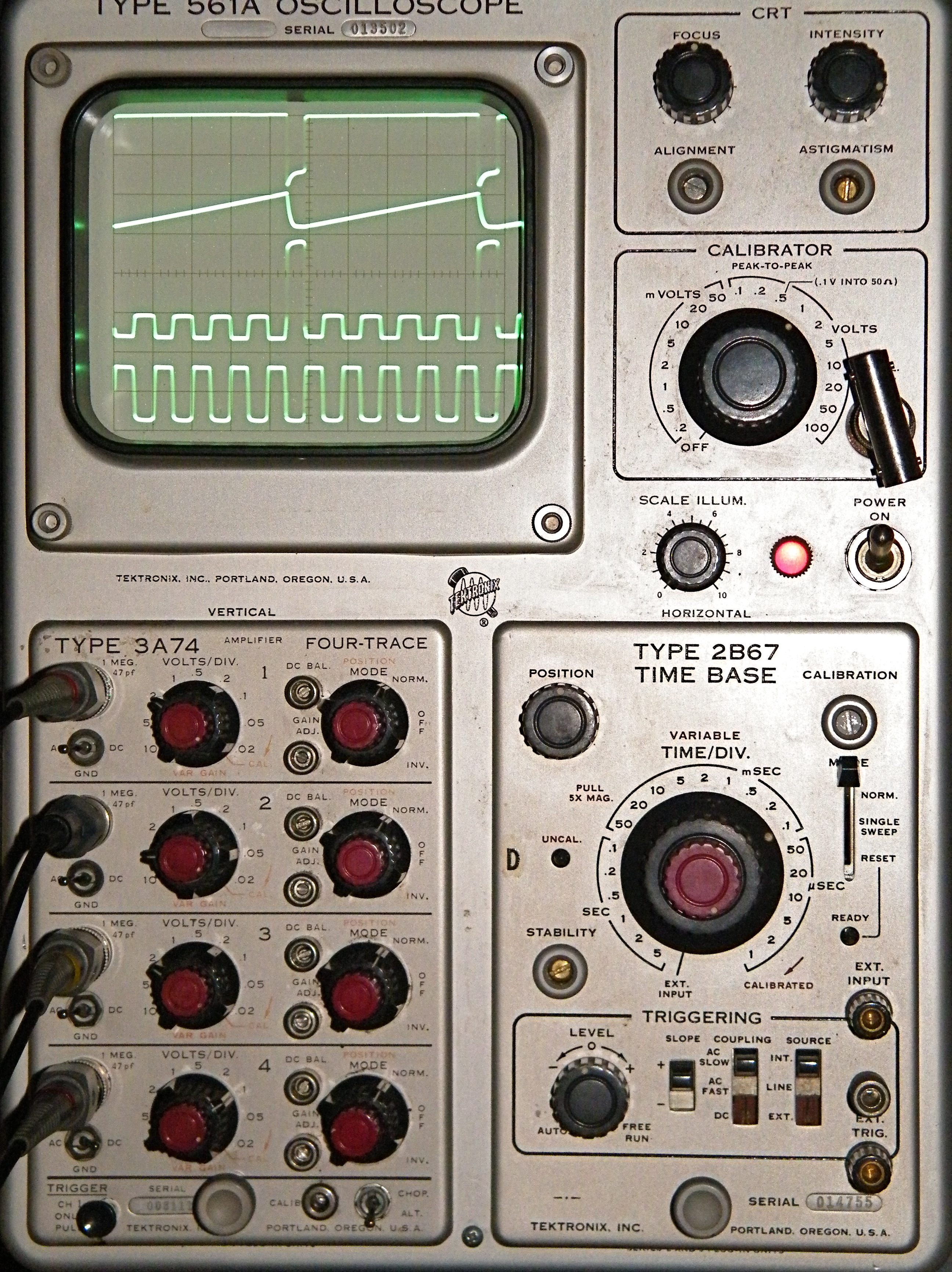 raven canopy
@cunning crypt I don't think we handle OTG, but the device definitions for it are in the ASF4 headers. Would be interesting to verify; tablets would be a nice additional usage platform, assuming they aren't usable already.
cunning crypt
I seem to remember it showed up as a file folder on my Orange Pi Android setup, but I couldn't get the REPL working then
That was with Android 4.4-ish
raven canopy
yeah, i could see it attaching as either a mass storage device or a HID. but not as a composite, so the CDC (serial) won't work...
cunning crypt
I'll be checking with my phone (Pixel 2, Android 8) when I get home
raven canopy
note: i didn't know anything about USB protocols beyond consumer-level until recently. there is a likely chance that i'm less knowledgeable than i sound. 😄
off-topic for a sec: why can't there be more sub 5 1/4" phones besides the iphone SE?? i need a new phone; still running android 4.4.4 (droid mini).. 😦
idle owl
(╯°□°)╯︵ ┻━┻
raven canopy
need some assistance @idle owl ? or at minimum, venting/encouragement?
slender iron
@raven canopy I think there are rumors of a new SE coming
idle owl
@raven canopy Distinctly possible. However, I may have prematurely flipped that table. I think I at least figured out what the problem is. Which I'm pretty bloody proud of because this was a weird and entirely consistently inconsistent bug.
raven canopy
@slender iron probably a 7-in-a-6-body? i still can't bring myself to crossover to iOS...
slender iron
dunno the details
raven canopy
@idle owl the table probably deserved it, either way. and this: "entirely consistently inconsistent bug." is PURE gold!
 hollow ingot
I like the term heisenbug
slender iron
I like iOS. I've gotta replace the battery in phone phone and if that goes south I may need a new one
hollow ingot
The bug that disappears when you try to observe it
cunning crypt
I am totally appropriating the term Heisenbug
raven canopy
it even applies to cars. "I swear it made that noise while i was driving to your shop"
hollow ingot
Or if you want to go more "Walter White" heisenbug... https://s3.scoopwhoop.com/anj/WW/328000919.png

 cunning crypt
It applies to a LOT of things
manic glacierBOT
Closing sounds good! I'll try and remember to highlight its addition in the next set of release notes. Thanks!
errant grail
The egg of the FeatherBot!
twin mica
sweet octogonal PCB!
timber mango
8 is gr8
cunning crypt
Egg-tagonal
timber mango
0kt0b0t
errant grail
Egg-cellent
stuck elbow
I sense a robot coming to life soon
marble hornet
looks feather compatible
!!!!
#eggy
ooh combine what with a feather nrf !!!! bluetooth robots!!!
raven canopy
too bad Nest is already trademarked. that would make a great Feather Robot Nest... err, Robot FeatherNest; should escape trademark conflicts. ?
stuck elbow
isn't nest dead?
raven canopy
🤷 i thought google bought them. or was it amazon? hard to tell these days. to the google machine!
stuck elbow
they bought it and killed it
they really only buy companies to get the employees from them
raven canopy
ahh. yeah, in February they announced they're rolling it into the hardware division alongside Google Home and Chromecast. effectively, "gone". 😄
marble hornet
does anyone know if Radomir Dopieralski is on discord? i'm trying to make changes to the rgb screen library, but i'm running into buffer errors. my change is to just change the numbers for coordinates being input
raven canopy
hehe. @stuck elbow ^^^
marble hornet
real!!
@stuck elbow could you help with that ^^^^
??
here are the rgb and st7735r libraries i've altered
i added an extra color function and needed to put that in init
marble hornet
@timber mango no flash chip for cir-py?
marble hornet
may I ask why it has a usb plug ? power?
marble hornet
okay, thanks anyway! love your work!!
errant grail
Dedicated USB for high-capacity battery charging? Wireless batt charging would be nice for an autonomous robot...
marble hornet
yes, and yet the usb data pins are connected to the qfn chip. im guessing the qfn chip is the atsamd21 with seesaw code on it for the cap and analog pins
stuck elbow
@marble hornet sorry, I'm here now
marble hornet
@stuck elbow no prob
stuck elbow
@marble hornet do you have the library's repository cloned?
marble hornet
no, im doing it all locally
stuck elbow
do you know how to clone it?
marble hornet
Yes. I will. What are the advantages?
stuck elbow
then you can commit your changes, push them, and submit a pull request for review and merging
marble hornet
okay cloned, sorry was unpacking
@stuck elbow so i have two things i want to do i finished an rgb lib w/ text that is ready (as long as framebuf support is kept) and i'm working on rotation now which needs to be separate
marble hornet
should I navigate next to the adafruit....play ?
stuck elbow
then copy your modified files over the files in the repository, and do 'git commit -a -m "Add text support"'
marble hornet
okay
stuck elbow
then on github you will need to fork the library repository
copy the url of the cloned repository
and do 'git push url-of-the-cloned-repo'
then again on github, you should see a button to make a pull request
marble hornet
okay, working on it
stuck elbow
let me know if anything doesn't work or you are not sure about anything
marble hornet
okay commited
@stuck elbow so i added two files and they aren't showing up in the push
stuck elbow
did you commit?
marble hornet
output of me trying to commit just now:
    adafruit_rgb_display/rgb.mpy
adafruit_rgb_display/rgb_text_.py```suggestions
@stuck elbow
marble hornet
@stuck elbow why not? , and I want people to be able to see the text inside the .mpy if they want to understand what it is doing like me.
the rgb.py alone won't run because it is too large
stuck elbow
the libraries are getting compiles to .mpy automatically for releases
you don't commit the .mpy files, they are created for the release
marble hornet
oh, okay