#circuitpython-dev
1 messages · Page 148 of 1
 timber mango
(i'll tell ya now, we wont be able to sell an nRF52840 Feather for the same low price)

 neon ferry
Hi. That's neat. Do you know much about their particle mesh network? Do people use it besides Prticle customers/hardware?
 manic glacierBOT

Should be fixed for boards without a status pixel.
 tidal kiln
is there a runtime way to determine if the filesystem is read only?
timber mango
That's a question out of the blue. Context?
 stuck elbow
@tidal kiln you could try writing to it and catch the error?
tidal kiln
if you want to write to the SPI flash for CP you need to remount the filesystem. ex, put this in boot.py:
storage.remount("/", False)
but then can you check for that in a program?
@stuck elbow yep. that's what i was thinking too. but was wondering if there's something in os or storage or anything else that could just return it.
stuck elbow
I doubt it, if there is no explicit function to expose an attribute, it's hidden from python
timber mango
The underlying technology is FAT-16?
tidal kiln
alrighty. try/catch it is then.
stuck elbow
@timber mango FAT12
the fun one, with one-and-a-half bits
originally used on the 3.5" diskettes
timber mango
I wonder if that was chosen because a floppy diskette was usually used as the storage basis for weird operating systems, so that they could boot (at all).
ColorForth and Oberon for examples.
stuck elbow
it was chosen because 1. FAT is a common and well supported filesystem with good and stable libraries, 2. FAT12 is just the right size for the 2MB flash
timber mango
And FAT-based systems are usually the foundation of USB keys.
stuck elbow
personally I think that MTP could be a better fit for this use case, but its support on mac is horrible
timber mango
I got intersted in your mention of MTP the other day. ;)
stuck elbow
it would make that whole read-only thing unnecessary
and no filesystem corruption either, it's all transaction-based
timber mango
Huh. That's neat.
stuck elbow
it doesn't expose the disk as a block device, like the MSD class does, but instead exposes file operations
invented by Microsoft for their Zune player — not an encouraging provenance
timber mango
There's two systems by which my Motorola cell phone can be mounted in Linux (via the USB cable). I don't know which one is used (I think by 'gvfsd' maybe).
timber mango
Nautilus plays nice with it whatever it is, and the 'mount' and 'dismount' parts are in the Nautilus user interface (though 'mount' works on the command line as well). And I get /dev/sdb I think.
 $ df
/dev/sdb            3965       513      3452  13% /media/nisnis/TRINKETBOOT
that's the MSD device — basically a disk
so the filesystem is actually handled by your computer
timber mango
$ dmesg
[3313470.407655] sd 847:0:0:0: [sdb] Write Protect is off
 $ mount
/dev/sdb on /media/nisnis/TRINKETBOOT type vfat (rw,nosuid,nodev,relatime,uid=1000,gid=1000,fmask=0022,dmask=0077,codepage=437,iocharset=utf8,shortname=mixed,showexec,utf8,flush,errors=remount-ro,uhelper=udisks2)
 tulip sleet
MTP would have been great but there's no support for it on MacOS because (I guess) Apple doesn't want to support 3rd-party music players.
We chose FAT12 because by definition a FAT filesystem that small has to be FAT12. We can't choose FAT16 or FAT32 because we have too few clusters.
timber mango
$ lsblk
NAME   MAJ:MIN RM   SIZE RO TYPE MOUNTPOINT
sda      8:0    0 465.8G  0 disk
├─sda1   8:1    0  19.9G  0 part
└─sda7   8:7    0 185.2G  0 part
sdb      8:16   1   3.9M  0 disk /media/nisnis/TRINKETBOOT
sr0     11:0    1  1024M  0 rom
@tulip sleet it's really sad, mtp would be the perfect solution here
maybe we could have itunes support too 😉
tulip sleet
I was looking for nfs or usb or http or usb. The new webusb stuff might work out also, but it looks we may still want FAT for the lowest common denominator case.
stuck elbow
sure, for storing the files that makes sense
it would be ironic if webusb works well but mtp doesn't, even if mtp is much older and exactly for this use case
politics, eh
timber mango
stuck elbow
fancy
I need to write a driver for that nokia display one of these days
I will have an opportunity for that, as a Lameboy kit is coming to me soon 😃
timber mango
The inexpensive one in the adafruit shop?
stuck elbow
the PCD8544 from Nokia 5110
I'm going to try and install circuitpython on the lameboy 😃
it's esp8266 so should work well
@indigo wedge anything in particular you want to build, or just playing around?
timber mango
http://adafru.it/338 << never seen this out of stock, but it is, now!
þeshipu: the PCD8544 from Nokia 5110
I've been meaning to make some effort to port the ST7565 LCD to CP.
I can't promise I'll try, but I promise I'll try to try. -- Bart Simpson (fictional character)
I have three of them; one installed and working thru the Arduino IDE, and two more still in the shipping packaging.
stuck elbow
st7565 should be pretty much the same as the st7735
hmm, or not, it's b&w, so probably some weird memory organization
but the framebuf module should handle that
@timber mango let me know if you want any help with it, might be fun
timber mango
Yeah, definitely. I saw someone else ported a lib that looked like it might be modifiable for this; I forget who it was but I believe it was at least a display (and not just the hardware interface, which I believe is SPI or 4-bit parallel).
stuck elbow
the ssd1306 driver should be good as a starting point
timber mango
I think that's the one. Who did the driver?
stuck elbow
it comes from original micropython
so either Damien or Paul
I made my own version too: https://bitbucket.org/thesheep/micropython-oled
Drivers for various monochrome OLED displays for MicroPython
if you look at the code, it's very minimal
timber mango
bitbucket predates github, probably. The word bitbucket was used a lot and from a fairly long time ago.
stuck elbow
I think they started both at about the same time, I just use bitbucket because I much prefer mercurial to git
timber mango
sh1106_i2c.py looks like very clean code to me. ;) just glancing at it
I mentioned Rob Landley to someone today -- he was big on mercurial at one point. Blogged about why. Long ago.
stuck elbow
git won in the end pretty much because of github and because it was mentioned in every single ruby on rails and node.js tutorial
I like that website's style
timber mango
I actually ran mercurial since when I looked at Rob's blog I kept seeing 'hg' and it dawned on me I USED THAT
I think Plan9 was updated by it.
stuck elbow
it has a much more humane interface, commands that were actually designed, not just happened
and now with the evolve extension it can merge automatically much more complex patches than git
but it's too late, everybody use git
timber mango
Linus made git so it had to be this way. ;)
stuck elbow
not sure an ad hominem is helpful here
timber mango
I was unaware that was happening.
My intent was to say that the fame of Linus pretty well ensured that git would be adopted.
stuck elbow
ah, I misunderstood, sorry
timber mango
Linus is probably in my top ten favorite contributors to society. ;)
stuck elbow
I've seen too many of his e-mails to agree, but that's not a topic for here.
timber mango
Understood. I've read LKML but not recently.
tidal kiln
is there a way to get current amount of free RAM and SPI flash?
tulip sleet
gc.mem_free()
tidal kiln
thanks. that's ram, right?
tidal kiln
@stuck elbow thanks. yep. that looks like it.
Adafruit CircuitPython 2.2.3 on 2018-02-05; Adafruit CircuitPlayground Express with samd21g18
>>> import gc, os
>>> gc.mem_free()
19680
>>> foo = [None for _ in range(1000)]
>>> gc.mem_free()
14160
>>> info = os.statvfs("/")
>>> info[0]*info[4]
1692672
>>>
 idle owl
@tidal kiln ```python
import time
from adafruit_circuitplayground.express import cpx
blink_speed = 0.5
cpx.pixels[0] = (0, 0, 0)
initial = time.monotonic()
while True:
current = time.monotonic()
if current - initial > blink_speed:
initial = current
cpx.pixels[0] = (abs(cpx.pixels[0][0] - 255), 0, 0)```
manic glacierBOT
 idle owl
I'll have to explain some math, but I think that'll be ok
tidal kiln
neat trick. don't need to store state and have a conditional.
idle owl
Right
tidal kiln
kind of the equivalent to led.value = not led.value
idle owl
It works more li... exactly 😃
tidal kiln
maybe show both? the more explicit way might be more reable and beginner friendly
idle owl
Think explaining why it works won't be enough?
import time
from adafruit_circuitplayground.express import cpx

while True:
    cpx.pixels[0] = (abs(cpx.pixels[0][0] - 255), 0, 0)
time.sleep(0.5)```also works. And was where I was going to start from.You may be right though.
tidal kiln
it's fine. and it more follows what the CP blink examples look like for regular LEDs.
timber mango
If you factor your code it tends to document itself.
idle owl
I'm going to make a separate page for it called Blink vs Blink, and explain it from the D13 example forward. Then not have to explain it in the time.monotonic() page.
 raven canopy
I was going to suggest that. Put them "side-by-side" and explain the blocking vs non-blocking concept. If that is the goal...
idle owl
That's already its own page, mostly written out, and is exactly the point
I'm talking about explaining how the abs part works so I can then get to the monotonic bit.
@cunning crypt I'm pretty proud of this one: I have a page discussing time.sleep vs time.monotonic and how one is blocking, we don't want that one and the page is called "Passing Time."
tidal kiln
😃
ON_COLOR = (255,0,0)
OFF_COLOR = (0,0,0)
LED_STATE = {
    ON_COLOR:OFF_COLOR,
    OFF_COLOR:ON_COLOR,
}
cpx.pixels[0] = ON_COLOR
while True:
    cpx.pixels[0] = LED_STATE[cpx.pixels[0]]
    time.sleep(0.1)
@raven canopy I want the page discussing blocking and non-blocking to focus on that, especially since it's already half done. So I'm going to explain the comparison between D13 Blink and NeoPixel Blink on a separate page first
oh hmm.
@tidal kiln I think you win.
tidal kiln
meh. there's just so many ways to do it. nothing wrong with what you're doing.
the main point is to show difference between time.sleep and time.monotonic, right?
idle owl
yes. and then explain why time.monotonic allows other things to be happening at the same time.
But I was also going to explain dictionaries. So you may have just given me the perfect way to do that.
 cunning crypt
@idle owl time.sleep could be also wasting time
tidal kiln
maybe too much? just focus on explaining blocking vs. non-blocking
idle owl
Different page to do dictionaries
tidal kiln
the usefulness of dictionaries could be done with something else maybe
idle owl
In my first guide I explained different elements and then put them all together in the end. That's what this one is going to look like as well.
There's two different projects in this, as in 2 different lamps, one has 3 major elements, the other one has 1
so I was going to explain all 4 and then show the two final pieces
tidal kiln
ah, it's part of the lamp guide? blocking vs. non-blocking is just a part of it?
idle owl
yep
tidal kiln
all good then. i like your approach cpx.pixels[0] = (abs(cpx.pixels[0][0] - 255), 0, 0)
idle owl
@tidal kiln Yeah I think you nailed it though. I can show the blink examples with the dictionary, explain dictionaries, and then it's already covered for when I use it in the last lamp example
Otherwise I feel like I have to include an extra page to explain the abs math by comparing it to the led.value code.
tidal kiln
the main benefit of the dictionary approach is it doesn't rely on the clever math, it could be any two RGB tuples
idle owl
right. I use dictionaries later with colors to eliminate the need for a bunch of elif statements
so this is perfect
Thank you!
raven canopy
if that's the only use of dictionaries though, it might be a little esoteric for a foundational exercise. Yes, it's faster and easier to....well nevermind. Once again, you have it covered!
idle owl
@raven canopy 😄
tidal kiln
actually i was thinking same @raven canopy , it is kind of an esoteric use of a dictionary
idle owl
It would be if I wasn't going to explain it anyway for the final project.
tidal kiln
a more useful intro example might be something like:
>>> COLORS = {
... 'RED':(255,0,0),
... 'BLUE':(0,0,255),
... }
>>> COLORS['RED']
(255, 0, 0)
>>>
With the combo of basic "lookup" like you have with colors, I think it's fine. Helps show the basic use, AND some additional use.
 errant grail
@tidal kiln : You just explained dictionaries to a neophyte (me) in a very "ah-ha" way. Thanks!
 inner raft
as somone who has taught beginning CS students, a beginner's ability to unpack multiple nested references on a single line is usually pretty poor. It would take me a lot of explaining to walk through what this line does:
cpx.pixels[0] = LED_STATE[cpx.pixels[0]]
@tidal kiln I'm not sure how the color dictionary would work in this.
tidal kiln
^^ agree, @idle owl your math one is fine
tidal kiln
maybe, abs(0 - 255) = 255 and abs(255 - 255) = 0
although dictionary keys can be anything (which is very useful), i'd lean toward something more simple as an intro
a "dictionary of color values" so one doesn't have to remember what their favorite RGB values were for BURNT_UMBER
idle owl
There's a dictionary in the final code for one of the lamps. So it'll be explained at some point in the guide, regardless of whether it's during explaining the blink code or during explaining it on its own. The colors are variables in the final code. The dictionary is the decoded-IR-remote-button-code:color-name.
Final code that uses the dictionary looks like this: python elif command in command_to_color: pixels.fill(command_to_color[command])
tidal kiln
nice. checking that the key is actualy there.
idle owl
heh thanks.
I'm already explaining the non-blocking nature of time.monotonic, generators, and state machines as well.
inner raft
looking forward to reading your explanations on those 😃 I definitely don't understand non-blocking stuff enough...
idle owl
@inner raft Would you find this easier to explain? python while True: cpx.pixels[0] = (abs(cpx.pixels[0][0] - 255), 0, 0) time.sleep(0.5)
timber mango
# eddo.py

import time
from adafruit_circuitplayground.express import cpx

def set_color():
    global c
    bright = 1 # red
    green  = 0 # 7 or any other value 0-255
    blue   = 0 # 5 or any 0-255

    # somehow change c to make a red color or no color (dark) every other time this is called.
    c = (abs(cpx.pixels[0][0] - bright), green, blue)
    print("Bart! acm")
    print(c) # tuple

while True:
    # cpx.pixels[0] = (abs(cpx.pixels[0][0] - bright), 0, 0)
    set_color()
    cpx.pixels[0] = c
    time.sleep(0.5)
Hopefully my explanation ends up solid enough for you 😃 I learned some of this for this project. And nothing like explaining something to someone else to really make it clearer to you.
inner raft
assuming you're also explaining what the abs() func does right arround the same palce, as well as a concrete numerical example.
I think that's pretty good.
idle owl
that would be the plan, yes.
Hm ok
This has been a really helpful conversation. Thank you all for your feedback! I really appreciate it.
I suppose I'll go with the abs version and explain dictionaries later.
inner raft
Thanks for writing tutorials 😃 beginners everywhere will thank you for it!
tidal kiln
you were right all along. 😃
idle owl
Still have to come up with a simple example for dictionaries 😉 But I'm not to that section yet.
It's so silly how that smiley emoji grows eyebrows to emphasise his winking, but never has them when grinning.
tidal kiln
if you use my example, please change the name of the dictionary to FLIPPITY_MC_FLIP_FLOP
idle owl
@tidal kiln Duly noted.
timber mango
10:04 PM] cater: maybe, abs(0 - 255) = 255 and abs(255 - 255) = 0
Without that I'm left behind. I assume it's true. ;)
 crystal pumice
hey, i tried to add fonts to the font3.py i wanted O and o but it treats both of them as O... is it possible to overcome that somehow?
crystal pumice
i downloaded the libs in adafruit tutorials
so its one of the libs, u need it to write text on the feather dostar
dotstar
tidal kiln
@crystal pumice which tutorial?
crystal pumice

Feather M0, DotStars, and CircuitPython. What happens when you put them all together?
crystal pumice
'o': [16, 40, 16],
it saved, and i copressed it to mpy
but o is still O
when i do: wing.shift_in_string(font3.font, "O_o ", (32, 32, 32), 0.05)
tidal kiln
the library upper-fies everything:
https://github.com/dastels/circuitPython_dotstar_featherwing/blob/master/dotstar_featherwing/dotstar_featherwing.py#L170

GitHub
circuitPython_dotstar_featherwing - A higher level library for working with the DotStar FeatherWing, build on top of the CircuitPython DotStar driver.
probably for memory reasons
@crystal pumice if you want, you can try and modify your copy of the library:
        if c in font:
            matrix = self.character_to_numbers(font, c)
10x, ill look on it 2morow
tidal kiln
@umbral dagger why did you upper() your font characters? (see above for context)
 umbral dagger
I figured a height of 6 wasn't sufficient to do lowercase.
And I didn't like the idea of people shouting at their editor 😃
Also, there's not a whole lot of room for storing the fonts.
umbral dagger
E.g. for the game project, I extracted the numbers only.
Conceivably you could force it to keep the data in flash, you have to convert it to binary/byte data, and index into that.
So ya.. I'm really looking forward to M4 cores with 256k ram 😃
I should make a featherwing adapter shield for the MetroM4
umbral dagger
That'd do it
umbral dagger
I just noticed that
@pastel panther Do you have some instructions for the above discussed board. I'm a little confused by so many rows of pads.
idle owl
@umbral dagger I have one assembled I can post a picture of later. It's also a featherwing doubler if with a third row of accessible headers, if that helps.
 humble mural
Hello everybody. I'm one of those people that needs to read in order to understand. Is this the link for the CircuitPython documentation? http://circuitpython.readthedocs.io/en/2.x/README.html#documentation
idle owl
@humble mural Depends on the level at which you're looking to start. That is a more lower level option. There's also this getting started guide: https://learn.adafruit.com/welcome-to-circuitpython

New to CircuitPython? This is the place to start.
@humble mural This is the latest set of docs on RTD: https://circuitpython.readthedocs.io/en/latest/
humble mural
@idle owl Thanks. You can consider me a beginner. Plus I'll be sharing this with my high school students.
idle owl
@humble mural Then I would start with the guide. It'll be a better for you, I think 😃
manic glacierBOT
 umbral dagger
@idle owl Yeah... ok.. it makes sense now. That's sweet.
idle owl
That's great to hear that you're sharing with your students!
@umbral dagger I thought it might 😃
umbral dagger
@idle owl Works well?
humble mural
@idle owl I am in the process of tranisitioning our programming strand to IoT
There is a lot of excitement. the original strand was very rigorous, the success rate was low as measured by industry certification exams. I came in last year to revamp it.
humble mural
I am trying to cut down languages taught from 3 to 2 (Python and Java). The kids have to take AP CS (Java) senior year.
I wanted to introduce microcontroller but Parallax and Arduino meant introducing a third language.
umbral dagger
@idle owl @pastel panther MetroWing ordered.
humble mural
Now thanks to the fine people of Adafruit, I can have the best of both worlds, microcontrollers and Python
idle owl
@umbral dagger It wants a specific reset button, but the bigger ones that Adafruit sells will work apparently. But the one designed for it is the same as the Metro. I think @solar whale found them on Mouser.
@humble mural It's such a great way to learn Python.
In my opinion anyway 😄
humble mural
@idle owl what pathway would you suggest? We have P/O in for 15 PCX and I want to start with that and just run through a series of project going fomr easy to more challenging.
umbral dagger
I have a drawer of the "standard" breadboard pushbuttons. I can make that work.
 solar whale
idle owl
solar whale
idle owl
@humble mural I would look at the Learn system for guides and projects, and decide how you want to do it depending on what you want to do.
solar whale
@umbral dagger there is a link to a BOM on @pastel panther oshpark site for the metrowing.
humble mural
@idle owl Absolutely, in fact I have been there for about an hour tonight. Today I found an "Experimetenter's Guide for the Metro Express" is there a similar guide in the works for the PCX?
idle owl
I want to clarify, do you mean CPX?
humble mural
Hahahah...yes
idle owl
Just checking 😃 .. start here: https://learn.adafruit.com/adafruit-circuit-playground-express/circuitpython-quickstart

Make faster and easier than ever with MakeCode, CircuitPython or Arduino!
It's not exactly the same as the Experimenter's guide, but it has a lot of info and examples
humble mural
Thanks, I have that, but the Experimenter's Guide for Metro seems like a more elaborate book. That may be a function of the Metro being a much more sophisticated board, not knocking the CPX at all.
idle owl
It's a different board, indeed. There's ways to use external sensor and peripherals with the CPX as well. There are many projects on Learn that do it, they're just not all in the same guide.
humble mural
@idle owl I fully agree, in fact, I am having difficulty determining which to select and the order. I done a few projects already and I am trying to run through them as fast as I can. This is a truly magnificent learning tool. I can't speak to the Metro yet, I just mine today.
timber mango
Everybody runs out of pins. CPX has several peripherals on the board.
CPX also has an inbuilt array of 10 neopixels; no board has as many as two color LEDs besides it.
idle owl
The CPX is designed to teach you programming and electronics without the need for soldering or wiring, however it's still scalable with alligator clips, soldering or breadboards. The Metro will require learning wiring from the get go. I think it depends on your use case.
humble mural
@timber mango it's wonderful, and the ability to use aligator clips is great! I can focus on the circuit and the peripherals and worry about teaching soldering another time.
idle owl
To replicate the functionality of the CPX you'll need something like 20 peripheral boards for the Metro. (Guessing on that number, I think I'm close)
timber mango
I use the Dupont jumpers extensively. When I need a custom Dupont block I find it easier to source from a bunch of 20 or 40 (they all have singleton ends) and I pick the lock on one end, remove the singleton shield, and replace into a multiple. I use the Extra Long Headers with Dupont connectors. Rarely solder, except to establish header pins or sockets. ;)
idle owl
But it's a different learning experience, and that's your goal, then the Metro would be an excellent choice.
humble mural
@idle owl @timber mango I plan on starting my 10th graders with the CPX and Python (they also learn SolidWorks that year). 11th graders will continue with Pythons continue with CPS and transition to Metro.
raven canopy
@humble mural glad you're sticking with us! Arduino is tempting with the code/material base they've amassed over 10+ years.
but, hopefully  will get there in much less time.
humble mural
12th graders have to take AP CS A (Java) and Senior Capstone project. design, make, model, prototype and IoT device. (3D model, the actual circuit and a write up with marketing plan, intended market etc.)
idle owl
There's also the Feather M0 Express which can also be wired in the same way, but also has a huge environment of FeatherWing boards, peripherals designed to fit directly onto them. The Metro also has the advantage of being Arduino-shield compatible.
humble mural
@idle owl It was an easy choice, you bring much more to the table than just a good product. The resources on the website, this Discord server, the forums, the YT videos, Adafruit.io etc make it a no brainer.
idle owl
That's the aim 😃
raven canopy
@humble mural also, since you mentioned a P/O for some CPXes, I assume you got ahold of the educator dept @ adafruit? I was going to point you in their direction when I saw you on.
humble mural
Plus the product's presentation is kid friendly, very, very kid friendly. In the short time we have been using them in the classroom you should see the excitement. Makes my job easy and very fun.
timber mango
All three (Metro M0 Express, Circuit Playground Express and Feather M0 Express) run on SAMD21G18A ARM Cortex M0+ chips. All three have 2 GB flashROM. Metro is not oriented towards wearable/LiPo battery use, iirc; the other two have some JST connection, I think.
(wearables means attire here)
stuck elbow
@umbral dagger about lowercase in 6 pixels: https://bitbucket.org/thesheep/font454/src
humble mural
@raven canopy Thanks, I sent an email to support and Kelly gave me an educator code to use when I place my order. Right now my P/O is going through the approval process. I should get it tomorrow or Thursday.
timber mango
Tweezers are an essential tool for breadboarding, IMO. Hemostats, too. ;)
umbral dagger
@timber mango I do ok with bent nose needlenose pliers. Tweezers might work better at times, though.
humble mural
@timber mango What I like about the CircuitPython line of cards is that you can easily incorporate wifi, Bluetooth etc.
umbral dagger
@stuck elbow Cool. That’s what I had in mind. One of my goals was to keep it simple. Alas, simple tends to be expensive.
stuck elbow
complex is usually expensive
timber mango
dastels I use tweezers to get a very small radius on bent leads (very sharp 90 degree bends). Helps me to be able to only contact the lead in one exact spot. Pliers have many surfaces that contact parts at different moments during closure and so apply vastly uneven forces.
umbral dagger
@stuck elbow Maybe “expansive” is more accurate in this case.
@solar whale Yeah, what I figured it would be. I have drawers overflowing with that stuff. And switches I can make work.
stuck elbow
@umbral dagger good encoding usually helps a lot
btw, that font545 should work on CP too
raven canopy
@humble mural one last thing, I know kattni linked you to the CPX learn guide. for additional ideas, you can also use the "Learn" section at the bottom of the product page; lots of different projects listed there to expand upon the basics. https://www.adafruit.com/product/3333#learn-anchor
humble mural
@raven canopy Thanks, that's why I love this family.
 slender iron
@humble mural beware that our wifi and bluetooth support is still very young. even younger than circuitpython itself
we'll get there though 😃
humble mural
@slender iron Thanks for the heads up. There's two benefits to that. First the kids will be working with cutting edge technology and they will be learning to deal with the challenges of working with cutting edge technology.
raven canopy
now that is making lemonade right there! 😄
timber mango
Lesson 14: UNOBTANIUM
slender iron
@humble mural 👍
 spark vortex
Hey guys, can you give me a quick crash course about what the differences between micro python and circuit python is? I have noticed there are more fundamental tutorials on micro python on the Adafruit Learning page, but I am not sure which one to learn.
solar whale
@spark vortex there is a brief summary here: https://github.com/adafruit/circuitpython

GitHub
circuitpython - CircuitPython - a Python implementation for teaching coding with microcontrollers
manic glacierBOT

Ah, interesting to see a nRF52840 feather coming, I guess I got my changes in just in time for you guys ;)
 timber lion
well i've got 14k free in the firmware so far with some simple optimizations in sinobit micropython, but I need to get that to 100k free to fit 6k unicode characters for the chinese text standard of communication... this is going to get interesting 😃 haven't trimmed any modules out yet, so time to put them all behind flags and see how much of a jigsaw puzzle i can rearrange and remove to get more space. going to have to dump libm and every little last optimization i can find too i think
i'm pretty sure i can get at least 3k characters.. we'll see if 6k if do-able
manic glacierBOT
It's just a shell on top of the PCA10056 for now until modules are available, but since this one will have a different flash layout I figured I may as well make a new board now rather than complicating the PCA10056 BSP. No ETA on when a proper board will be out, we still don't have any modules available since the final chips haven't been released yet. Thanks for the numerous PRs, though! It really helps having another sets of hands and eyes!
manic glacierBOT
What do you mean no modules available, how do you call this then? https://twitter.com/arturo182/status/951567482921332736 :joy:
 rotund basin
Hey all, weird thing , repel works on windows after using bossac on windows to program the bin file, but still an error on ubuntu, I do have the circuit python drive but serial not working ?
solar whale
@rotund basin is it a permissions issue - is your user a member of the group "dialout"
solar whale
what does ls -la /dev/ttyACM0 show ?
you should not have to be root or sudo on an Ubuntus system.
how are you trying to connect to serial on Ubuntu? screen?
solar whale
very odd -- just trying all ideas - are you using a USB2 or USB3 port?
nevermind, you do see CIRCUITPY File system and it mounts OK?
Do you have any oteh M0 boords to test with?
rotund basin
Yes but there are multiple feather m0 usb devices
solar whale
I'm confused - I don't understand your setup.
rotund basin
Virtual box ububtu
solar whale
ah - I have never tried using USB to virtual linux - waht is the host system? If I reacll there are some thing shat need to be enabled/disabeld between host/VB
rotund basin
Windows
solar whale
I think there is some seeting that needs to pass the USB control from host to VB - both cant have it.
rotund basin
Yes I pass it
solar whale
can you successfully commincate with any boards from the VM?
solar whale
Metro M0?
rotund basin
Yes
solar whale
on ttyACM0?
solar whale
I wonder if the issue is ttyUSB0 is configured, but not ttyACM0
solar whale
right but is ttyACM0 passed through t VM
rotund basin
Both are
solar whale
has anythong ever worked on ttyACM0?
rotund basin
Not sure
solar whale
I don't know if it needs some other configuration. Have never tried that but I'm suspicious...
rotund basin
Yea it's weird , it's just empty and enter doesn't work
manic glacierBOT
There are early engineering samples available of chips, yes, but we need FCC approved modules of the final silicon, which is still a little ways out, and the final tapeout for the release silicon I believe hasn't happened yet (very soon), even though a couple generations of chips have been released to customers and early adopters for development.
See here, for example, which is less than a month ago: https://devzone.nordicsemi.com/f/nordic-q-a/29833/nrf52840-production-dates
solar whale
@rotund basin wish I could help. I have only used the VM to compile circuitpython, but I copied the image back to my host system to upload. I never tried to deal with the passing of the USB ports. Now I ahve a separate Linux box so I don't have to deal with it at all. VM is nce, but has its limitations 😉
manic glacierBOT
Yes, I am aware of all of this, I've been in contact with Nordic as well, was just joking around cause that's a module I designed and assembled :smile:
manic glacierBOT
Ah, sorry ... clearly my humor gene is recessive 🙃
 indigo wedge
"A Fistful Of Dolla... PCBs" 😄
 stiff mural
Hi @stuck elbow, can I ask a question about ugame 10?
stiff mural
I would like to create movable object 32x16 pixels.
What would you recomend for that?
Is it possible to create such sprite?
stuck elbow
I think the easiest would be to just have two sprites and move them together
stiff mural
That's what I thought.
stuck elbow
You could also create a 2x1 grid, and move that around, but then you have to handle screen updates yourself
stiff mural
But I don't understand how Grid.move works.
stuck elbow
(as in, call render_block manually for the area of screen where it is)
stiff mural
Does it move by 1 px or by 16 px.
stuck elbow
it's same as Sptite.move
a sprite is basically a 1x1 grid
it moves by 1px
the only convenience with sprites is that you have render_sprites method, whereas when you move a grid, you have to call render_block with the correct area of the screen yourself
stiff mural
I will have more questions for that, but I need to look into code first.
stuck elbow
sure, ask whenever you want, there might be some delay when I'm asleep, but otherwise I'm always here
the vacuum-invaders game has an example of using a grid for a larger moving object
in this case all the aliens
stiff mural
Cool, thanks. I don't have a lot of time today. Wife made reservation for it today. 😉
OK, I will look at it.
 stiff mural
A ogólnie to dobra robota. 😃
stuck elbow
Dziękuję.
solar whale
I think it is worth noting that @stuck elbow said there "might" be a delay while he is sleeping. Most likely there will not be a delay even then 😉
stiff mural
As I know how many projects @stuck elbow has on hackaday.io I doubt that he really sleeps.
stuck elbow
I outsource sleeping.
solar whale
sleep is overrated
solar whale
leeks are good!
indigo wedge
BitsyBoy?
 prime flower
...what display is upper right?
indigo wedge
dual display, BitsyDS
stuck elbow

Say hello to our 0.96" 160x80 Color TFT Display w/ MicroSD Card Breakout – we think it's T-F-Terrific! It's the size of your thumbnail, with glorious 160x80 pixel color. ...
and the 1.44" that has the right pinout is out of stock 😦
so for now I will use the teeny tiny display
solar whale
ahh - young eyes and young thumbs 😉
stuck elbow
it's all in the head
timber mango
well at least that one has built in sd.
slender iron
@timber lion is the sino:bit version using link time optimization? you may be able to get more code space that way
timber mango
its too bad you cant' store strokes, they are usually comprised of shared brush strokes, if you could store and reassemble those to characters somehow, it would take a fraction of the storage needs.
so perhaps in a martrix where strokes begin and end in an array and store those vs the actual characters.
then those are reusable in other kanji
sorry Ganji, was turning Japanese for second
stuck elbow
12x12 1bit display is not really that big
any stroke encoding I can imagine would be larger
18 bytes per character
timber mango
yea some exceed 20 strokes
 carmine basin
Is this where I can ask questions about 'micropython' /'python' ?
stuck elbow
mostly circuitpython, but depending on the question, we could be able to answer ones about micropython too
on the big python of course
carmine basin
ok, I have a 'ping' sensor(parallax), its a 3 pin (vcc,gnd,sig) ultrasonic sensor. That have a new one but, i'll get to that later. It uses the 'ping' libraary. They have support for Arduino. My question is..Is there an example with micropython using the 'ping' library? or is there an example that uses the 'ping' sensor?
stuck elbow
I don't know about any ready example. But I know you would use http://circuitpython.readthedocs.io/en/2.x/shared-bindings/pulseio/PulseIn.html for it.
tidal kiln
know this has been discussed, but.... what's CP's current max float?
carmine basin
This is the example code (without the library under Arduino)
@stuck elbow ...that's the example i have.
That works on Arduino. How would I convert that to micropython?
timber lion
@slender iron ah yeah I tried turning on lto but it won't boot :/
cut 4k off the size
which is surpsising, probably need to see what it cut out
stuck elbow
@carmine basin it would work pretty much the same, except you would use digitalio for the pins and pulseio for the pulsein
timber lion
there's a ton of cruft from mbed OS's config and it has all these compile flags it needs
so i have a feeling those layers aren't setup well for lto
stuck elbow
@carmine basin digitalio is described here: http://circuitpython.readthedocs.io/en/2.x/shared-bindings/digitalio/__init__.html
slender iron
@timber lion yeah, that can happen. a debugger can help find why it doesn't boot. not sure if you have that access though
tulip sleet
@tidal kiln max is 3.4028229E38
https://www.h-schmidt.net/FloatConverter/IEEE754.html Set all bits but lowest in exponent. Set all bits but two lowest in mantissa (we use 30-bit floats, losing two bits of mantissa).
tidal kiln
@tulip sleet thanks. so time.monotonic won't wrap around anytime soon.
tulip sleet
no, but the granularity just keeps increasing. Discussion here: https://github.com/adafruit/circuitpython/issues/342#issuecomment-337228427
tidal kiln
@tulip sleet and more thanks. interesting discussion there.
carmine basin
@stuck elbow Thanks, I'll give it a shot later.

 manic glacierBOT
Thats the right link for ssd1306 but the build itself isn't set up right. The build output is here: https://readthedocs.org/projects/adafruit-circuitpython-ssd1306/builds/6661205/
I'd expect register to be at https://circuitpython.readthedocs.io/projects/register/en/latest/
 ebon horizon
[Animated] Driven by CP on a M0 Feather: https://www.baldengineer.com/circuit-python.html
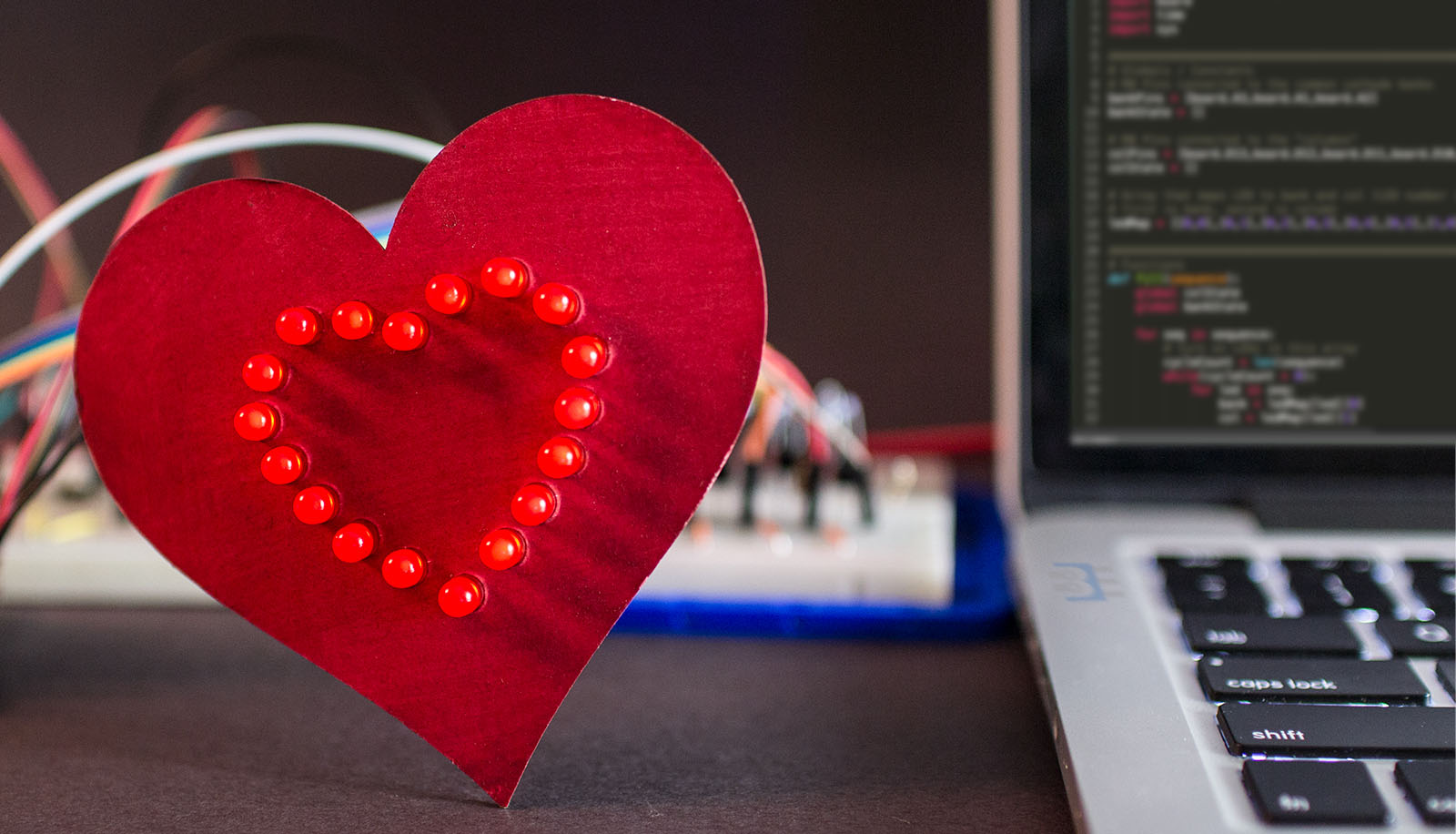
Back in 2013, a Kickstarter ran for a project to put a python interpreter on a microcontroller. At the time I could not see the benefit. Cool project, but I asked myself: “why?” On my last Adafruit order, I received a free Circuit Playground Express. The board comes with CircuitPython pre-installed. After playing with Circuit Python, or …
stuck elbow
lovely
idle owl
@ebon horizon that's delightful!
ebon horizon
I think making the matrix work was, literally, the most (nerd) fun I had with a microcontroller since discovering Arduino
and that’s been like 10 years now?
you all are doing something special with CircuitPyhon.
idle owl
That's great to hear!
@ebon horizon Have you tried PyCharm? I ask because, if so, I'm curious what you think of it compared to Sublime.
ebon horizon
@idle owl no, but i’ll give it a try.
idle owl
I found Sublime to be too intimidating, but I hadn't been programming long when I checked it out the first time. I'm a huge fan of PyCharm though. There's a MicroPython plugin for it, and a workaroud to make the REPL work with CircuitPython boards. The friend of mine that convinced me to use PyCharm is a huge fan of Sublime though.
So I'm always curious what people think of both. It's not a pressing issue or anything. It's a curiousity.
ebon horizon
on my work computer I’m using Atom. But I’ll try pycharm since the only thing I’m writing there is Python
idle owl
I started with Atom. I go back to it for collaborative coding, there's a plugin for it that allows remote connections for editing code.
But I found I missed a ton of the features of PyCharm when I went back to Atom 😄
ebon horizon
lol
slender iron
from @ebon horizon "I have had a blast playing with Circuit Python. There is a magic feeling when you hit CTRL-S and your hardware’s behavior changes. The feeling is even more magic when it does what you expect." ♥
idle owl
It's a lovely post
ebon horizon
lol. my grammar checker said I used magic too much there. I turned it off.
slender iron
totally, I think I'll blog it up
haha
I have something from @errant grail to blog up as well
idle owl
Grammar checker can keep quiet. Magic is great.
ebon horizon
It is a really subtle thing, but hitting save and seeing something change is awesome
slender iron
I love seeing people say its awesome because its something I added. 😃
ebon horizon
Well, not to stroke your ego, but that was the killer feature for me.
slender iron
😄
ebon horizon
That’s when I said, okay, scripting in 48K makes sense.
slender iron
I really like the file based workflow instead of the repl
ebon horizon
Years ago I taught Arduino classes at TechShop.
slender iron
but wanted it to respond as fast as the REPL
ebon horizon
I would so much prefer the work flow of “open this in notepad. hit save.”
slender iron
I agree. now to just make the FS more bulletproof
ebon horizon
Yeah. There can always be improvements.
idle owl
heaps
slender iron
lol
ebon horizon
so. I avoided a few points
is there a way to monitor ram usage? and any chance of a better than monotonic counter?
slender iron
you can check ram with gc.mem_free() but it doesn't consider fragmentation
(you'll want to call gc.collect() before it as well to clean up anything you no longer need)
why do you want a better counter?
we can't make any promises about how fast the python code runs
ebon horizon
that’s probably “good enough”. I think from a beginner perspective it’s less critical. I just wanted to gauge “what’s available”
for the counter, I think the matrix is a good example. I couldn’t make a good driving routine without better than 1 second precision
slender iron
yeah, our approach is to write C modules that does timing critical stuff for you
ebon horizon
I really wanted to write a “millis loop”
but 1 second is too course. Not sure but, I don’t think it’d have to be 1 millisecond either
granted I’m probably crossing use models here. I’m getting more into using *Python to bring up hardware and less to learn programming
slender iron
monotonic does return a float
so you should be able to use it for sub-second timing
internally is ~1 ms resolution
depending on the float representation
ebon horizon
Hmmm. Okay. My one test with it was to store the current value, sleep one second, then print the subtracted new value from old. I got back 1
is that because I was doing integer math?
slender iron
I think its hard to do integer math without doing a division
the sleep could have been accurate 😃
try sleeping for less and printing it out
ebon horizon
oh
slender iron
sleep uses the same timer under the hood so I wouldn't be surprised if it was exact in that case
ebon horizon
I think I understand
i got back the integer 1. could have very well been a float of 1.0
slender iron
hrm python will print 1.0 though
ebon horizon
i’m not sure I would have made the connect if it printed 1.0
I was expecting 1000
ish
slender iron
yeah, it is a bit inaccurate to use float but its a CPython API
tidal kiln
FWIW,i get 1.0 also
Adafruit CircuitPython 2.2.3 on 2018-02-05; Adafruit CircuitPlayground Express with samd21g18
>>> import time
>>> t1 = time.monotonic(); time.sleep(1); t2=time.monotonic()
>>> t2-t1
1.0
>>>
ah
ebon horizon
what happens if you sleep 0.5
tulip sleet
>>> 2.0-1.0
1.0
>>> def foo(t):
...     t1 = time.monotonic()
...     time.sleep(t)
...     t2 = time.monotonic()
...     return t2-t1
...
...
...
>>> foo(0.5)
0.5
>>>
can't go too low though:
https://github.com/adafruit/circuitpython/issues/429

GitHub
This shows the behavior which occurs near max resolution:
Adafruit CircuitPython 2.1.0 on 2017-10-17; Adafruit Trinket M0 with samd21e18
import time
t1 = time.monotonic(); time.sleep(0.1); ...
ebon horizon
I found that .001 was the lowest reliable value
I won’t say accurate though. I didn’t check
slender iron
I don't promise its accurate 😃
there are interrupts and such that happen while the python code runs
ebon horizon
lol
slender iron
it shouldn't be toooo bad
errant grail
I recently checked time.monotonic() over 15 minutes. It was within a second or two, on average.
Feather M0 Express
ebon horizon
I mean seriously. If you expect that kind of accuracy in interpreted language, you’re using the wrong tool.
slender iron
someone was having trouble using it for an alarm clock because its not super precise
@ebon horizon exactly
for most precision stuff we just rely on the hardware peripherals
ebon horizon
That’s why I used the phrase, rapid protyping for a rapid prototyping tool.
“does this logic make sense?”
or in the case of a beginner: how do I flash a light and get a push button?
slender iron
yup yup!
errant grail
It's good enough for my window decoration project. Six hours on, eighteen hours off per day for the holiday season. If it drifts, I'll just call it a "security feature."
ebon horizon
Heck. Even understanding what tools to use for a particular job is a learning experience
dammit. just thought of an analogy
MicroPython is Linux. CircuitPython is Android
ebon horizon
it’s deeper than a sentence
slender iron
😃
ebon horizon
I was rethinking where CP fits with C code and even MicroPython
so my sudden thought was. CP and MP are the high level abstractions. what makes them different?
I feel, or in my option, MP wants to be a low level Python implementing. While CP might take certain liberties to be more user friendly.
(maybe I’m wrong.) In a way that’s sort of like Linux vs Android
slender iron
yeah, I feel like their audience is people who understand microcontrollers and C
we geared towards folks who have never programmed 😃
ebon horizon
which is why I was back peddling on my “needs more resolution”
I can accomplish the task with CP, but maybe I’m using the wrong tool
ebon horizon
Know how to use a hammer and everything looks like a nail
ebon horizon
That’s real engineering though. There is always a trade off.
slender iron
yup yup, totally
ebon horizon
And I think a lot of newcomers miss that.
But. Also a fun thing about CP. It lets you explore that limit different than say an Arduino
The initial barrier is lower.
You’ll still hit a wall. But you’ll get a bit more speed before you do
if that makes sense
slender iron
yeah, we're hoping to help people grow into other things like rpi or arduino
ebon horizon
yeah
I think greybeards are going to have a hard time with this level of acceptance
For me, I was already learning Python. This is such a natural path.
slender iron
thats ok. 😃 we're not for everyone
ebon horizon
(I mean that in the attitude way, not a demographic way)
slender iron
yeah, some people like to be "hardcore"
ebon horizon
anyway. long way to again say @slender iron @tulip sleet @idle owl and everyone else, you’re doing a great job.
slender iron
thanks @ebon horizon ! keep the feedback coming
tulip sleet
Thanks! we're really enjoying it!
ebon horizon
(and fwiw, I didn’t try CP until the hack chat, and I didn’t try just because I work for SF)
idle owl
Thank you @ebon horizon 😄 We appreciate it.
slender iron
@ebon horizon you ok if I include your gif of the heart in my re-blog of it
ebon horizon
@slender iron please do
slender iron
thanks!
ebon horizon
No. Thank you.
ebon horizon
I just wrote up what I did. The hard part was making all that BS work. 😉
I use Wordpress, other than size, it shouldn’t be an issue.
slender iron
I snagged the jpg
posted: https://blog.adafruit.com/2018/02/14/baldengineer-excited-by-circuitpython-adafruit-circuitpython/
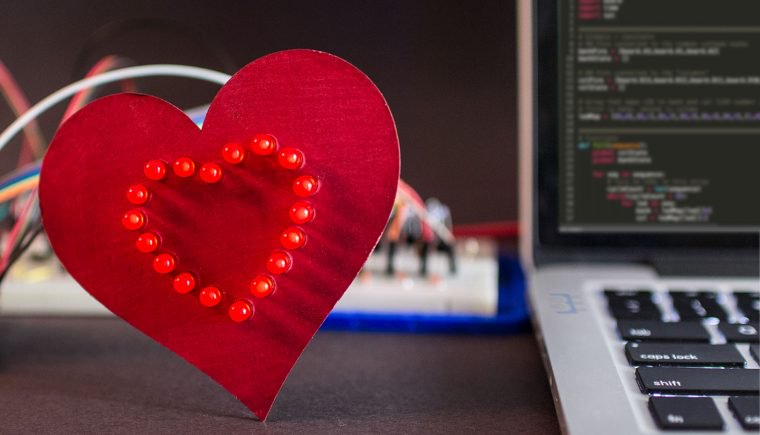
Adafruit Industries - Makers, hackers, artists, designers and engineers!
Check out @baldengineer’s CircuitPython heart and overview! Spoiler from the conclusion: I have had a blast playing with Circuit Python. There is a magic feeling when you hit CTRL-S and your …
ebon horizon
Here’s the original: https://www.dropbox.com/s/91lb2jpo0pww23n/Heart-Cycle-64.gif?dl=0
 slender iron
all good! more reason for them to go to your post
ebon horizon
I got email from someone asking me how much adafruit pays me to promote them
I just laughed
slender iron
😄
idle owl
😄
 vague monolith
knight rider heart/ animation next
slender iron
@errant grail do you have a twitter account?
errant grail
@slender iron nope
slender iron
kk
errant grail
too much noise on that channel...
slender iron
agreed
our blogs go there so I'd link you if you did
@errant grail blogged it up: https://blog.adafruit.com/2018/02/14/cedargrovestudios-circuitpython-ifies-holiday-window-display/ thanks!

Adafruit Industries - Makers, hackers, artists, designers and engineers!
CGrover from Discord posted instructions and source for CircuitPython-ifying holiday window displays on their GitHub. A project to replace incandescent lamp rope strings on nearly-antique holiday w…
errant grail
Very nice summary @slender iron . Thanks for blogging it up for me!
slender iron
np! you did the hard part!
 ruby lake
hm, beginning to encounter memory allocation errors
ruby lake
er..yes? 😉
raven canopy
lol
ruby lake
I've been tinkering to observe when they crop up
I am trying to construct a bytearray of values for a sine, but import array and import math eat a pile of memory
so I am now trying to precalculate the values and hardcode them to the bytearray
raven canopy
have you tried calling gc.collect in between imports?
it should be automatic, but you can still force it
booting feather m0 express to replicate. what board are you using?
raven canopy
what other modules are you using? math and array seem light on my end:
Adafruit CircuitPython 2.2.0 on 2018-01-02; Adafruit Feather M0 Express with samd21g18
>>> import gc
>>> gc.mem_free()
19696
>>> import math
>>> gc.mem_free()
19520
>>> import array
>>> gc.mem_free()
19360
>>>
import digitalio
import audioio
import board
import time
import busio
import adafruit_ssd1306
import analogio
 raven canopy
ahh...i can see that running into alloc issues. is the ssd1306 the .mpy version or the .py version?
ruby lake
look like .mpy
manic glacierBOT
@tdicola oked the merge at lunch this week.
ruby lake
both
raven canopy
ooff...
ruby lake
I have 2 pushbuttons, a switch, 3 pots, an i2c oled, an spi dac chip and an audio tone on a0
raven canopy
i was going to suggest from adafruit_ssd1306 import SSD1306_I2C as a way to limit the whole lib getting imported. might still help though, if you do it for both of them...
ruby lake
'''daccs = digitalio.DigitalInOut(board.A5) # A5 is DAC CS
spi = busio.SPI(board.SCK, board.MOSI)
from adafruit_bus_device.spi_device import SPIDevice
mcp4922 = SPIDevice(spi, daccs, baudrate=8000000, polarity=0, phase=0)
that is the spi init
raven canopy
but, you can do that for any of the libs that you only need a part of. like from time import sleep
idle owl
Importing the entire library as import libname doesn't take up enough more memory than importing a single thing from it to matter. We tested it, I don't know the specifics, but it's something to do with how it indexes at the beginning or something? It ends up negligible.
It's worth trying, but I'm not sure how much it will help
raven canopy
i was under the impression that it has to do with both the overall space, as well as the available contiguous blocks. i know it helps on my current project (mpy-crossing between each edit would be tiresome 😄 )
idle owl
Fair enough! Then keep doing it up. We didn't test it in every situation, just a general test.
raven canopy
noted. was the test on 2.x or the new-awesome-heap-management version?
i defintely don't want to be spreading falsities, so I'll limit my suggestions on the subject for now.
idle owl
2.x
raven canopy
k
idle owl
Dan is the one who did it. He's out for the night. Ping him when he's around and ask, he understands it better than I do. He can explain it in a way that makes more sense and then you can have that to spread 😃
raven canopy
heh. he'll have to explain it like 5 times. i'm not on his level... 😄
idle owl
This one made sense, I simply don't remember what he said. I'm sure it'll make sense to you
ruby lake
I get a mem_free of 7040 at the end of the import list
raven canopy
run a gc.collect(), and see what mem_free says after that.
idle owl
From Dan: "I think that what might be happening is that import board uses the existing dictionary in board. from board import * adds all the names to the top-level dict to make the names visible there (so it increases a lot). from board import A1 adds just one name to the top-level dictionary." He did a gc.collect();micropython.mem_info using each method, and the amount of memory free was highest with import libname, next with from libname import thing and worst with from lib import *. ```Adafruit CircuitPython 2.1.0 on 2017-10-17; Adafruit CircuitPlayground Express with samd21g18
import gc,micropython
gc.collect();micropython.mem_info()
stack: 512 out of 5956
GC: total: 19968, used: 304, free: 19664
No. of 1-blocks: 3, 2-blocks: 3, max blk sz: 4, max free sz: 1214
import board
gc.collect();micropython.mem_info()
stack: 512 out of 5956
GC: total: 19968, used: 368, free: 19600
No. of 1-blocks: 4, 2-blocks: 3, max blk sz: 4, max free sz: 1205```
>>> import gc,micropython
>>> gc.collect();micropython.mem_info()
stack: 512 out of 5956
GC: total: 19968, used: 304, free: 19664
 No. of 1-blocks: 3, 2-blocks: 3, max blk sz: 4, max free sz: 1214
>>> from board import *
>>> gc.collect();micropython.mem_info()
stack: 512 out of 5956
GC: total: 19968, used: 736, free: 19232
 No. of 1-blocks: 3, 2-blocks: 3, max blk sz: 24, max free sz: 1171```
```Adafruit CircuitPython 2.1.0 on 2017-10-17; Adafruit CircuitPlayground Express with samd21g18
>>>
>>> import gc,micropython
>>> gc.collect();micropython.mem_info()
stack: 512 out of 5956
GC: total: 19968, used: 304, free: 19664
 No. of 1-blocks: 3, 2-blocks: 3, max blk sz: 4, max free sz: 1214
>>> from board import A1
>>> gc.collect();micropython.mem_info()
stack: 512 out of 5956
GC: total: 19968, used: 384, free: 19584
No. of 1-blocks: 3, 2-blocks: 4, max blk sz: 4, max free sz: 1205```Look at used: for the key info from those.
This was in October... I dug it up 😄
@ruby lake That's a good toubleshooting method.
ruby lake
ok was at 8804 free until I uncommented the lines to set up a pushbutton
then an alloc error
raven canopy
hmm. i wouldn't have suspected it to be that close. i wonder if external libs act the same way. i imagine .mpy libs will be close to built-ins...
ruby lake
pbb.direction = digitalio.Direction.INPUT
pbb.pull = digitalio.Pull.UP
Is that the first time digitalio is used?
idle owl
Ok. Still shouldn't have tanked it that hard with those lines alone.
ruby lake
I use it on D10, D5 and (attempting) D6
idle owl
Hmm.
Try leaving those commented and move onto the next section? To see if it's that specifically?
I don't know what that would mean though.
ruby lake
with those lines regarding pbb (D6) out, memfree = 8688
raven canopy
is D6 singular in its use (i.e. the only INPUT with a PULLUP)?
ruby lake
correct
well, no
all three use pullup
switch.direction = digitalio.Direction.INPUT
switch.pull = digitalio.Pull.UP
swToggledRun = True # Init swa latch

pba = digitalio.DigitalInOut(board.D5)
pba.direction = digitalio.Direction.INPUT
pba.pull = digitalio.Pull.UP
panicPressed = True # Init pba latch

#pbb = digitalio.DigitalInOut(board.D6)
#pbb.direction = digitalio.Direction.INPUT
#pbb.pull = digitalio.Pull.UP
collect()
print(mem_free())```And you're sure the libraries you have imported are all .mpy format? (This may have already been asked)
ruby lake
as far as I can tell
hm, I got it to where I can add a single line, something like foo = 0 and it goes from memfree 8688 to memalloc failed allcoating 32 bytes...odd
idle owl
That is odd.
It feels like something is leaky.
I assume you started all of this from a power-cycle? Not just the soft reboot?
ruby lake
I can power cycle it
idle owl
Try that and start this test again
ruby lake
these tests have all been reloads
idle owl
I'm curious.
Not sure what this will help but I feel like something different happens on startup than on reload
And really it won't help you in the long run because if something isn't letting go, you'd have to power-cycle every time to get it to continue on memory alloc failure, so I suppose this is more of a test than anything.
ruby lake
hm, I need a way to power cycle w/o losing the serial port
idle owl
Mmm, yeah. Mine often come back up on the same one, but it's not a guarantee... sorry I should have thought to mention
ruby lake
have to reopen editor, it lost the lock on that COM
the led colors seem to tell me it ran into the same alloc issue
idle owl
Ok
Hmph.
All the things I usually do to start dealing with this are running out.
I feel like there's something obvious and I'm missing it.
raven canopy
>>> gc.mem_free()
19360
>>>
>>> import digitalio
>>> import board
>>> switch = digitalio.DigitalInOut(board.D10)
>>> swith.direction = digitalio.Direction.INPUT
Traceback (most recent call last):
  File "<stdin>", line 1, in <module>
NameError: name 'swith' is not defined
>>> swicth.direction = digitalio.Direction.INPUT
Traceback (most recent call last):
  File "<stdin>", line 1, in <module>
NameError: name 'swicth' is not defined
>>> switch.direction = digitalio.Direction.INPUT
>>> switch.pull = digitalio.Pull.UP
>>> pba = digitalio.DigitalInOut(board.D5)
>>> pba.direction = digitalio.Direction.INPUT
>>> pba.pull = digitalio.Pull.UP
>>> pbb = digitalio.DigitalInOut(board.D6)
>>> pbb.direction = digitalio.Direction.INPUT
>>> pbb.pull = digitalio.Pull.UP
>>> gc.mem_free()
17328
yes...i can't spell sometimes. 😄
idle owl
😃
raven canopy
@ruby lake can you put up a gist/pastebin of your code? like kattni is thinking, there may be something leaking from the start...
idle owl
This is beefy code. But you're failing super early, so we haven't even gotten to the meat yet.
ruby lake
everything works until I try to add in the stuff for pbb
idle owl
So the sinewave code and so on is fine?
ruby lake
well, no idea if it plays yet
idle owl
Are you using it to create tones?
ruby lake
but it initializes the sample
idle owl
Because I think I have a more efficient version that I wrote for the CPX lib, but I don't think that's the issue here. So that's for another time
ruby lake
I do not have a speaker hooked up but the .play(loop=True) executes w/o errors
ruby lake
in the code list there is a comment "uncomment this to cause mem error"
thats when it breaks for me
raven canopy
how large of a buffer do you need for the UART?
default is 64, so this is a shot-in-the-dark... i can't see anything else that should be causing this.
ruby lake
back
well, I do not need many. 8 at most, unless the cp code causes me to need more
ser.read() seems to take longer than I like if no bytes are ready
is there a way to get a ser.read to fall through fast if nothing is pending
@idle owl were you able to get my error to appear uncommenting the same line?
idle owl
I don't have an immediate setup to run it, so I'm not sure.
ruby lake
m
the code should work even w/o any of the external hardware
it wont care if the DAC chip isnt there
and it cases the existence of the oled
raven canopy
i have .py libs on my f0x..but i'll give it a try
idle owl
What board are you using?
ruby lake
feather M0 X
idle owl
Ok
ruby lake
this thing 😉
idle owl
I figured it was your nifty board 😃
Also, I have a half-broken feather apparently. Luckily I have more.
ruby lake
This bit with pbb and audio 440hz sample is the last of the code I wanted to use
as it uses all of the hardware as a demo
once that works
idle owl
Yep, uncomment that line and it fails.
raven canopy
for some reason mine is failing at importing the bus_device.spi_device...
ruby lake
oop, brb again
raven canopy
loading .mpy libs...
man. this thing dislikes me. now getting "incompatible .mpy" for the ssd1306.
oh wait...duh. 3.x libs on 2.x firmware.
yep. failing at the same spot for me too. tried removing all of the comments; still no dice.
tried these:
- set the UART
receiver_buffer_sizeto 8. still failed mem allocation (325 bytes) - removed the UART init call. failed mem allocation (132 bytes)
i think you're just hitting a code size limit. you could try mpy-crossing it...
raven canopy
only one i know of is circuitpython...? 😄
well, i know micropython has it too, just never used it.
manic glacierBOT
 raven canopy
if i comment out switch & pba, it gets past the mem alloc (fails at 'switch not defined'). further pushes me to think you're running past the bounds of size.
ruby lake
size of the code body itself?
raven canopy
yeah.
learn guide mentions "250ish lines" before you start running into problems: https://learn.adafruit.com/adafruit-feather-m0-express-designed-for-circuit-python-circuitpython/circuitpython-built-ins#things-to-watch-out-for
with comments, you're at 312. without it's like 285.
ruby lake
mm
idle owl
Ok so if you create an .mpy version of the code
ruby lake
well, I see what I can do, would be nice to have this last feature in but if it wont fit no big deal 😉
idle owl
and in code.py have only the following line:python import oldcrow.mpy
wait
I think it's still commented. hold on
Yep uncommented those lines
it works
Free mem printed out is 7344.
@ruby lake Try the files I sent you.
ruby lake
one moment
idle owl
I only uncommented the section where it was causing issues, I didn't uncomment anything else, I see there's quite a bit of commented out code later
you can download mpy-cross from here: https://github.com/adafruit/circuitpython/releases/tag/2.2.0 - you have to run it from the command line even though, for example, the windows one is a .exe. Sometimes there's a trick to it, chmod it or run it using ./mpy-cross from inside the same directory etc.
GitHub
circuitpython - CircuitPython - a Python implementation for teaching coding with microcontrollers
Because you can't edit a .mpy-crossed file directly. So edit your file, mpy-cross it, test it. Adds to your workflow, but it'l become habit pretty quick. Happens with big libraries too. So updating them requires this workflow.
raven canopy
which is why i tried removing all of the comments. that's what i've been doing with the trellis library re-writes; remove doc strings to avoid having to .mpy it. 😄
idle owl
Yeah... you eventually have to give in. 😃
raven canopy
i learn slowwwww. haha
ruby lake
I will get mpy-cross working on here
raven canopy
curse of being an Aires...
idle owl
@ruby lake Do you have hardware connected to get some idea whether the files I sent worked?
ruby lake
it ran as far as I can tell
ruby lake
it does all the stuff except the (commented) swtich toggle of the tone
idle owl
Do not keep the .py file you're editing on your feather. Seems like it imports the .py version before the .mpy version - so the memoryh failures still occur if you have both files in the root directory of your board.
So edit on your computer, mpy-cross it there, copy to board.
ruby lake
I'll edit the source .py on another disk
idle owl
This is how it goes eventually. Your code gets big enough to require this. Tony D's Mega Demo was the same way.
So this is par for the course 😃
ruby lake
well this is probably the largest code example for the module I will have
the minipops (drum machine) will be half this size
idle owl
Nice
raven canopy
M4 will save us all. well, until we figure out how to fill the RAM on that. 🤣
idle owl
Give it a few minutes 😉
But yes, I'm sure it will deal with something like this quite handily.
raven canopy
@ruby lake i'm going to watch that one closely. i'm wanting to do one as well. although, i imagine yours will be MIDI?
idle owl
Some of the heap improvements in 3.0 might even help some. But it'll be a bit for both.
ruby lake
well MIDI for drums is more about listening for clock bytes and start/stop commands
but it can also be set to play samples on note codes
I will need to build combined samples set as well, as there are going to be triggers that sound multiple instruments at once
so, simpler to make samples that have those already combined
raven canopy
yeah, that's the part i haven't planned past. polyphony is going to be tricky on i think.
ruby lake
well I will just map out which samples need to be combined and premake those as new smaples
~samples
much less headache
raven canopy
undoubtedly. i was envisioning feather as a master, and trinkets as slaves...but i don't think that's going to work. my idea is a little more sequencer than drum machine (although they're pretty much a blended instrument these days)
alrighty. i'm off... night ya'll. 💤
timber mango
tc
idle owl
I should be as well. later @raven canopy
ruby lake
thanks sommersoft!
I got the code to cross with all lines in, so I will go test in studio
slender iron
@ruby lake it sounds like heap fragmentation to me and 3.x will help
3.x doesn't support uart or audio yet though
idle owl
Thanks @slender iron
slender iron
np
ruby lake
tests are good, except I am not getting my audio tone yet, but that is probably on me 😉
idle owl
Line 8 in this example doesn't seem to do anything. It seems like the variable is created and never used. https://github.com/adafruit/Adafruit_CircuitPython_IRRemote/blob/master/examples/main.py
GitHub
Adafruit_CircuitPython_IRRemote - CircuitPython drivers for IR remote send and receive
ruby lake
there, all code pieces working
thanks kattni, sommersoft, tannewt
I'll try to trim this to fit as a .py but nbd if it has to be mpy
indigo wedge
10k commits 🎉
timber lion
wow this cog python code generator tool is kind of amazing: https://nedbatchelder.com/code/cog/index.html it's like giving the C pre processor the full power of python. just added it to sinobit micropython's tree so it auto generates the list of built in modules in the mpconfigport.h from a global configuration.. super easy to enable and disable modules now
highly recommended.. i can start to see a ton of uses for it
and sweet.. i just got rid of all the joke modules and big ones like speech and can save over 30k of firmware space
starting to get optimistic i'll fit nearly 3k+ characters in
stuck elbow
beware of metaprogramming, you don't want your preprocessors to be too powerful 😃
timber lion
totally
i'm letting it fit in where the build system has extension points and it's surprisingly not painful
and i hate to say it but i kind of like yotta as a build system
it has just the right things i need and nothing more
can see how cog scripts read in the json yotta config and build the builtin macro up etc here: https://github.com/tdicola/sinobit-micropython/blob/master/inc/microbit/mpconfigport.h#L96-L104

GitHub
sinobit-micropython - Port of MicroPython for the sino:bit single board computer (a variant of the BBC micro:bit & Calliope Mini).
i love how the generated code is fed right into the file, cog is smart enough to know where it is and update it each run
so there's no magic to it, anyone reading the file sees the generated code
the yotta config here is the master source of all this state: https://github.com/tdicola/sinobit-micropython/blob/master/config.json
GitHub
sinobit-micropython - Port of MicroPython for the sino:bit single board computer (a variant of the BBC micro:bit & Calliope Mini).
so to turn modules on / off just change that config and rebuild
and yotta even lets you inject config on the command line for the build, like custom options you want to set
i was thinking of doing a giant mess of #define and ifdef values, but glad i took time to learn the tooling and see what it provided 😃
yotta even turns all that custom config into defines automatically for you
so my modules can even know if they're included or not
stuck elbow
nice
stuck elbow
this is actually pretty smart: you can include the generated code in your repo, so that people who didn't change anything don't need to run cog at all
carmine basin
When i try to copy the 'Fancy LED' folder (about 7K) to the Gemmo M0 (for the 'Cyber Flower' project) I get 'can not copy because there is no space'. But, when i do a 'get info' on the Gemmo, I have 27.8MB available. Has anyone else seen something like this?
stuck elbow
what is that "get info" thing?
carmine basin
on the MAC you do a 'get info' to get size, name etc information about a file or folder
carmine basin
It's MB
Trying to copy 'fancy led' folder to gemma
ok i'll try it on my PC to see any difference.
stuck elbow
in any case, seems like there is a bug in reporting the available space
iirc the gemma has 32kB of space for the files
total
carmine basin
oh, ok . thats good to know. thanks
stuck elbow
you might want to check for hidden files, since macos likes to create them on all the disks you connect to it
carmine basin
I get the same thing on the PC side. How do I check for 'Hidden Files'?
stuck elbow
I usually do "ls -a"
carmine basin
It shows the following...
stuck elbow
so all those directories with a dot in front are hidden and are just wasting your space
also that System Volume Information, whatever it is
you might also have more of those inside lib
solar whale
tehre is a guide to dealing with the hidden files from MacOS here https://learn.adafruit.com/adafruit-trinket-m0-circuitpython-arduino?view=all#running-out-of-file-space-on-non-express-boards

CircuitPython or Arduino IDE on this tiny little microcontroller board
carmine basin
there's two in the 'lib' folder, dotstar.py and neopixel.py
ok, i'll check the guide out..thanks
solar whale
that was from the trinket guide - here is the gemma m0 guide - same instructions : https://learn.adafruit.com/adafruit-gemma-m0?view=all#running-out-of-file-space-on-non-express-boards

The Gemma M0 will super-charge your wearables! Small, light, and it's easy to use, so you can do more.
carmine basin
ok.
manic glacierBOT
Summary
This PR is a WIP and requires further review and testing, but adds the following features:
- A serial bootloader for the nRF52840
- An interim
feather52840board target for the nRF52 port, currently based on the PCA10056 from Nordic. The pins will be updated as independent HW is developed, but a new BSP was added due to the new serial bootloader, and flash layout. The linker script currently defines the following flash layout:
    MEMORY MAP
-----------------...@jerryneedell @arturo182 If either of you have time to test the new bootloader and BSP, any feedback would be valuable. I've tried to put everything I thought was useful in the README.md file, referenced in the PR!

@microbuilder - thanks - I hope to be able to try it out this evening.
Thanks! I'm happy to give you write access to the microbuilder/circuitpython PR fork if you need it for anything, just ping me and let me know!
This should be P0_00 after the comma as well, I see this is copied from the pca10056 directory, I screwed it up there, need to fix. Also I noticed that pca10040 is missing P0_00 totally, need to fix that too, damn.
Can probably remove these commented out lines?
carmine basin
@solar whale and @stuck elbow That document worked....Thanks.
manic glacierBOT
@microbuilder I see the bootloaders are only provided as .hex files, is the code for them available somewhere or are they Adafruit Super Secret Code? ;)
@arturo182 Nothing super secret ... it's a modified version of the stock Nordic code: https://github.com/adafruit/Adafruit_nRF52_Arduino_Bootloader
Also just to be sure, you save one flash page for IRK and peer info but there is no bonding support in the API yet, right?
Thanks, I just copied directly from your PR and merge, yes. I'll update this, but maybe wait until you finish looking through in case you spot something else.
Nothing yet, no ... we set the memory aside for this for future use. It might make sense to increase the size since the nRF52840 can support more connections in Central mode, but if you have any concrete suggestions I'm happy to hear them!
I was actually wonder if it wouldn't be easier to to keep that data in the flash file system, it's easier to modify and delete data that way, instead of dealing with raw flash pages. In the Nordic SDK they use fds (flash data storage, pretty much fastfs on flash) to store peer information, we don't use the SDK so won't have access to any of that. I'm not sure if the CP flashfs support dotfiles and such, could always put the peer info in a dotfile and then maybe the use would not have to worry...
dotfile might be a sensible option yes, not sure what the support level is there but can also be added.
manic glacierBOT
 manic glacierBOT
@microbuilder I downloaded this PR and was able to execute all the steps and upload via the serial bootloader!
Adafruit CircuitPython 3.0.0-alpha.1-165-gd4356f9 on 2018-02-15; Feather52840 with NRF52840
>>>
The only place I ran into trouble was that I first tried to load via the DK USB port (/dev//ttyACM0 on my linux box) this did not work. I was able to uploaded via the UART using my FTDI Friend via /dev/ttyUSB0. Is that the expected behavior?
Otherwise - no problems upda...
Should probably do these changes also in other board.c files. Also, is there a coding style guide for CP? I really love consistency in code so would like to got through the whole port code and make it nice and consistent :)
I think you misunderstood me, the ",PA0" can be removed, just leave "P0_00,P0_00" :)
manic glacierBOT
I've been silent on this because I haven't felt super strong about it. I thought about expanding them out (total_volatile_organic_compound for example) but then they get really long. Ultimately, I agree with you @tuupola. Switching to lowercase makes sense to me.
I was experimenting with clang-format to standardize everything. It looks really promising. Here is where I left it off: https://github.com/tannewt/circuitpython/tree/clang-format
 pastel panther
@umbral dagger my ears a burning! Yes, it's fairly straight forward; Looking from the top with the "MetroWIng" on the left side you'll put in order
- 16 pin female
- 12 pin female
- 16 pin female
- 12 pin female
slender iron
anybody interested in memory optimizing a library?
GitHub
Adafruit_CircuitPython_VL53L0X - CircuitPython module for interacting with the VL53L0X distance sensor.
pastel panther
@umbral dagger Along the top and bottom, you'll put your choice of normal 2.54mm or stacking headers to meet up with the regular arduino/metro pins
umbral dagger
Yeah, so dual wings, plus another set of feather connections?
pastel panther
@umbral dagger yes
umbral dagger
I like it.
pastel panther
@umbral dagger the other set is meant to be for debugging/probing
I put normal headers on top
umbral dagger
It also addresses my idea of using a metroM4 as an ICE for a (potential) featherM4
pastel panther
@umbral dagger The last set of six on the far right needs a female ISP/ICSP header on the bottom to mate up with the male of the same on the metro
idle owl
I did stacking on the outside headers. I didn't do stacking on the 6 pin connector.
pastel panther
@umbral dagger If you're interested in M4ing, I can clean up and send over my m4-lil-phatty board
(files). I also have a slightly janky proto that I can send over if you don't mind testing a prototype
idle owl
The second most awkward thing I've soldered was the reset button to the Metrowing. It works, but it does not look nice. 😄
pastel panther
hah; Didn't you use some rando button? Or did you get the spec'd part?
idle owl
Nope, I got the spec'd one. Jerry sent it to me
If I remember, I'll have a friend clean it up for me at some point. But at least it works for now.
@pastel panther Ages ago, you had a question for me. Do you remember what it was?
pastel panther
Ah yes, I'll switch to DM
timber mango
The Arduino ST7565 library seems to accept any old GPIO pin available, for its five-wire electrical interface to the Feather M0 Express.
I had it setup with D11 D10 D9 D6 D5:
160 // ST7565 glcd(11, 10, 9, 6, 5);
However, I want to be able to run the same hardware utilizing SPI in CircuitPython, so that required some pin changes, that work out to be:
 163 // MOSI, SCK, A0, RST, CS
 164 ST7565 glcd(29, 30, 9, 6, 5);
@jerryneedell Hmm, I got it working with the JLink USB after disabling MSD via this :( Not sure why it's failing for you. Do you have another OS you can try on, just to compare and try to narrow this down?
timber mango
In theory I don't have to open the enclosure again (except to hit the hardware RESET button) to reprogram the platform in CircuitPython. I think the ST7565 Arduino driver just bit-bangs and isn't really SPI.
I found the D-pin numbers for MOSI and SCK in variant.h, by the way. They differ fro one target to another, so this file is worth consulting (the Pinout graphic was wrong; said 23 and 24 where the truth is 29 and 30).
stuck elbow
@timber mango you can use bitbangio to use software SPI like that Arduino library does, and use any pins, or you can use hardware SPI (much faster) and use the limited pins
@timber mango the SPI pins are labeled on your board as MISO, MOSI and SCK
timber mango
Yeah I will probably try the bitbang first just to get a feel for what a good driver should have. I expect bitbang to be easier.
stuck elbow
the bitbangio hasn't been tested much with displays, so you might find some bugs
timber mango
Right. I'm using the same physical pins MOSI and SCK as D29 and D30.
That's an Arduino mapping and I'm expecting it to be an arbitrary assignment until I know differently.
stuck elbow
the samd21 is actually a bit flexible about the hardware spi pins — it can use several combinations, not just the one that is marked
slender iron
yup, and circuitpython is smart enough to try what ever combination you give it
timber mango
Seemed like MOSI SCK and CS were all CircuitPython wanted to have specified for the earliest part of the code.
stuck elbow
and DC
timber mango
import busio
import board
import digitalio
from adafruit_bus_device.spi_device import SPIDevice
# DEVICE_ADDRESS = 0x18 # device address of ST7565 LCD

cs = digitalio.DigitalInOut(board.D5)
comm_port = busio.SPI(board.SCK, MOSI=board.MOSI)
device = SPIDevice(comm_port, cs)

# a0 = digitalio.DigitalInOut(board.D9)
# rst = digitalio.DigitalInOut(board.D6)

# MOSI  SCK   A0  RST   CS
#   11   10    9    6    5
#   29   30    9    6    5  Feather M0 Express has MOSI mapped to D29 and SCK mapped to D30
EDIT: (about 2 hrs later)
The 0x18 was an LCD contrast setting passed to glcd.begin(contrast) from the Adafruit ST7565 lib. Was inlcuded here as a wild guess.
I don't know about that 0x18 business. ;)
stuck elbow
no addresses for SPI
maybe it's a leftover from the I2C examples
then again, ST7725 doesn't do I2C
so probably adapted from some other display
timber mango
Okay good I'm glad I said something. CS should be all you need in the way of 'addressing' for this simple circuit.
stuck elbow
yes
a0 is the D/C
it's labelled a0 on the module, because it has other functions in the parallel mode
timber mango
Right that part I understood. I wrote a 16x2 LCD driver in forth a long (long) time ago so I have some remnants of an understanding.
manic glacierBOT
@arturo182 Thanks for the feedback, changes pushed out.
stuck elbow
yeah, all those displays have very similar commands
you know one, you should be able to do others
timber mango
The interface I used back then was 4-bit parallel. This (today) will be my first try at SPI.
stuck elbow
I looked at that nokia one, and it looks pretty much the same as the sh1106
slender iron

freeCodeCamp
This article originally published at djangostars.com by Backend Engineer Maria Yakimova
<@&356864093652516868> we're talking asyncio in the voice channel soon
stuck elbow
I can't hear anything
yes 😃
I assumed there would at least be some keyboard noises 😉
twisted is so much better, I wish they just took them up and made that the standard, instead of the NIH syndrome
I actually never used it
timber mango
https://learn.adafruit.com/assets/46247 The Feather M0 Express pinout graphic does not jibe with
.arduino15/packages/adafruit/hardware/samd/1.0.21/variants/feather_m0_express/variant.h
(which maps the pins MOSI and SCK exactly as they behave in the Arduino IDE).
stuck elbow
Hmm. So I assumed I can't unmute because I don't have the rights, but apparently not
brb
 quick oyster
this is the place to be looking?
slender iron
yup!
stuck elbow
yes
timber mango
I'm just a ham radio operator WA1TNR who got into 8051 development some 15 years ago -- had my eye on the Heathkit microcontroller trainer when I was young.
no mic
 half sedge
@kattni I you feel bad about your soldering, have a look at my Feather Hurrah soldering. Everything looked nice until I wanted to remove it from the breadboard... https://twitter.com/DavidGlaude/status/791941348714618880

Project horror story for #BilgeTank #NailedIt @pimoroni. Something went wrong soldering feather Huzzah on a mini breadboard. Do you see it?

 Twitter
timber mango
Twitter
timber mango
itsybitsy M0 Express brings out those lines SWCLK SWDIO Scott, to the right of pins 4 and 3 on the bottom of this photo:
https://cdn-shop.adafruit.com/970x728/3727-03.jpg
Feather HUZZAH
stuck elbow
https://forum.micropython.org/viewtopic.php?f=15&t=85 <-- this is the docs at the MicroPython forum about asyncio
manic glacierBOT
Closed via #623
USB bootloader support will be added in a separate PR after CNY/Tet when @hathach is back, since he'll be doing most of the USB work.
stuck elbow
omnious?
timber mango
ominous
stuck elbow
thanks
timber mango
He learned to sleep in RPG's. ;)
quick oyster
lol
stuck elbow
that too
timber mango


 manic glacierBOT
@microbuilder I'll try it on my Mac to see if the USB works - I'll report back.
These repos have docs that may technically pass but the autodoc portion fails. This is usually due to a library not being mocked out. To fix it, a line must be added to conf.py to tell sphinx to mock out specific modules. Here is the line from the latest cookicutter's conf.py:
# Uncomment the below if you use native CircuitPython modules such as
# digitalio, micropython and busio. List the modules you use. Without it, the
# autodoc module docs will fail to generate with a warning....@tulip sleet found them!
ruby lake
does a serial.read with timeout=0 work? I want a way to see if any data is oending without waiting any length of time for it to possibly appear.
~pending
slender iron
looks
ruby lake
'timeout' is not very well described in the readthedoc
slender iron
i don't remember offhand, still digging
I think timeout=0 will work
or it may not read anything at all...
GitHub
circuitpython - CircuitPython - a Python implementation for teaching coding with microcontrollers
slender iron
it should ignore the timeout if there is more in the buffer
manic glacierBOT
@microbuilder I'm having the asme issues on my mac - I'm a little confuses. When you refer to the Link USB, what do you mean. I have my USB connected to the USB port on the end of the board - above the battery. this powers the board. I have my J-Link connected to the "debug" connector. Am I missing something?
Here is how I disable the MSDDisable
[Jerry-desktop-mini:circuitpython_nrf/ports/nrf] jerryneedell% JLinkExe
SEGGER J-Link Commander V6.30c (Compiled Feb  9 2018 17:21:42)
DLL...I will tinker with it, but serial.read calls take a lot of time. If there is nothing else in my main loop it runs fine, but I had to create a 'set/run' mechanism to let me adjust parameters. MIDI data gets dropped if I try to process pot reading, etc in the main loop.
THis is a minor issue though, as the set/run scheme works jsut fine
manic glacierBOT
As on the linux box, I am able to upload the image via the UART
slender iron
@ruby lake yeah, we'll want to polish it up. @tulip sleet is reworking it now for 3.x
ruby lake
@slender iron Dan already knows I want to be able to do rx only and tx only
slender iron
yup yup
ruby lake
as that would make it possible to use a trinket for some midi stuff
slender iron
that'd be awesome
manic glacierBOT
Am I not disabling MSDDisable correctly. What does this actually do - since the J-Link is not used for the DFU-FLASH i'm confused by what is being disabled.
manic glacierBOT
There are two MCUs on the Nordic boards. The Nordic MCU, and then a second (I believe Atmel) MCU that runs the J-Link firmware from Nordic. This J-Link MCU is what exposes the USB Serial interface and a USB Mass Storage Interface, plus the J-Link USB Interface. In the case of serial, it takes the USB traffic and then sends it through to the Nordic nRF52 chips.
There is a design issue with the J-Link firmware on the Nordic boards, though, where USB Mass Storage causes a conflict with USB CD...
@jerryneedell
Oh wait, I missed this: I have my J-Link connected to the "debug" connector. Am I missing something?
You mean you are using an external J-Link??? There is one already build into the PCA100xx boards! That's why they have the second big MCU on the boards (with the white sticker on it)! You don't need and shouldn't be using an external J-Link, just plug the board in by itself.
slender iron
<@&356864093652516868> here is the asyncio discussion from earlier: https://youtu.be/SXQAaSYVZ8o

One-off meeting about asyncio plans in CircuitPython. As always, join us on Discord. https://adafru.it/discord Visit the Adafruit shop online - http://www.ad...
stuck elbow
what about the monday meeting recording?
manic glacierBOT
Ah!!! That explains lot - I'll try it again later this evening.
stuck elbow
thanks!
slender iron
looks like I forgot to upload it
found it
<@&356864093652516868> Here is the recording from the weekly meeting this week: https://www.youtube.com/watch?v=J1HfORpx1ng&index=2&list=PLjF7R1fz_OOUvw7tMv45xjWp0ht8yNgg0

Notes with timecodes are available here: https://gist.github.com/tannewt/be426e0982f022607d6d0c4fd5194f8a Join here for the chat all week: http://adafru.it/d...
timber lion
wow this m5stack ESP32-based board/system is pretty nifty.. reminds me of the microgame you're working on @stuck elbow just needs a control pad of buttons. pretty impressive they get the board and LCD plus accessories for $35
usb C even hah wow
i wonder what USB serial chip does C
oh they actually have a game controller holder for it
wow!
tulip sleet
@stuck elbow Thanks for the sticker file!
pastel panther
@timber lion that's adorable!
slender iron
@tulip sleet thanks for the quick review! I've started on qspi
tulip sleet
vg
slender iron
pulseio coming your way shortly, was waiting for Travis
tulip sleet
debugging UART: turns out hpl_sercom.c has sercom-specific code in it (like for sercom2 only, cause that's my "prototype" one). I am fed up with ASF4 again (like every other day).
pastel panther
@slender iron Are the qspi pins broken out on the m4 metro or are you using a new revision?
slender iron
its a new rev
pastel panther
swoon
tulip sleet
well, it's a different color 😃
slender iron
@tulip sleet of course it does. feel free to ditch asf4
pastel panther
ran across a nice "here's how to not use ASF" article yesterday