#circuitpython-dev
1 messages · Page 142 of 1
 manic glacierBOT
 manic glacierBOT

uhh yeah, thats totally on purpose and not because i accidentally added support to master by accident and then had to backtrack!
 jovial wind
we had a few instances of a CPX somehow getting its CircuitPython scripts wiped while demoing today...I suspect it was due to a bit of restarting the power to calibrate the tab capacitances
 stuck elbow
@jovial wind like this? https://github.com/adafruit/circuitpython/issues/386

GitHub
So this goes back to the previous issues of losing the entire SPI flash filesystem on express boards in low power conditions. With the latest 2.1 firmware I've noticed it unfortunately still occur...
jovial wind
@stuck elbow yep, exactly like that
oh, it's a low power thing? This was with a lipo I've had lying around just for testing things and not bothered charging, then used it a fair bit today...so was likely low on charge when it started happening
stuck elbow
It probably happens when you are connecting the power, but it's not immediately good, because the connection is flaky or whatever.
 solar whale
@bronze geyser FYI - I was able to get the RFM69 library working with an RFM69 featherewing on a feather_m0_adalogger (non-express) the only change to simpletest.py was to set the RESET and CS ```# Define pins connected to the chip.
CS = digitalio.DigitalInOut(board.D10)
RESET = digitalio.DigitalInOut(board.D11)
 tulip sleet
@jovial wind we added some code to guard against this power problem in CircuitPython 2.2.0. Upgrade to that if you haven't already. If it's already 2.2.0, then we may need to do more work to prevent this kind of thing, so let us know
 upbeat plover
I've had 2.2.0 crash on me more then once where it gives a Whoops error msg, and I have to put the .uf2 back on the CPX
 pulsar bloom
I am working on getting the Parallax 360 servo working and making headway. Getting good data for 180 degrees then it is off in the weeds.
solar whale
@upbeat plover - just a followup to a previous conversation - I have been able to to load both the RMF69 dirver Si7021 sensor driver on a feather_mo_express. I can get a reading from the si7021 and send it out via the RMF69 featherwing.
@upbeat plover what were you doing when it crashed?
upbeat plover
trying to get it to load code with lines with code over 80 char long
once i started using MU to check that it stopped
it would give an error randomly somewhere where it shouldnt, then after a long wait it would load the whole code sometimes... was horrible.... checking your code in MU is nice
pulsar bloom
Code for test Parallax servo, do not understand pulses.resume() with a parameter.
solar whale
@upbeat plover ow were you loading the code - before mu.
upbeat plover
ive been using atom for a while, it doesnt tell you stuff like that
just recently i downloaded MU... everytime I launch MU it gives an error... kinda annoying but worth the built in REPL and code checker
solar whale
recently starting using mu - it is nice.
upbeat plover
"Could not find an attached Adafruit CircuitPython device." I thought CPX doesnt need a driver for windows 10?
the REPL works fine after launch so it obviously is finding it lol
solar whale
I don't have a windows system - I get that on my linux box if I have something else connect to the devixe - like screen. keep forgetting to exit it first. ONly one connection allowed at at ime!
are you starting mu before powering or connecting the device? It has to be there first or you will get that error.
upbeat plover
gives error both ways
solar whale
hmmm - odd but it sounds like it it working OK
upbeat plover
Yeah, its working fine, just a little annoying hearing the windows error sound at launch and the error msg. Maybe I should report a bug?
solar whale
sure - maybe someone else can comment on if they also see that.
upbeat plover
knowing windows it probably is only effecting me 😢
hmm found a work around, before closing MU if i change it from adafruit to python on the bottom right corner, when I launch next it wont give the error, but i have to switch it back to adafruit before clicking REPL or MU crashes
stuck elbow
affecting
 opaque patrol
@upbeat plover what version of Mu are you using?
opaque patrol
There was an issue with Mu beta 12 on Windows with the COM ports that was fixed in beta 13 (thanks @meager fog )
pulsar bloom
eureka! probllem solved, had to buffer more readings even though I was only using the first two to give Circuitpython time to pause before the buffer was over run.
 raven canopy
import pulseio is failing with no module found. Feather M0 Express, CP3.0.0-alpha1.62
n/m. just saw the issue for ASF4...back to 2.2! 😄
 timber mango
@solar whale
$ microcom -s 115200 -p /dev/ttyACM0
I have very good results using microcom to connect to the m0 target boards. Plays nice with Arduino IDE. Can still upload to the target without disconnecting from microcom first (it just gets overridden somehow). Some other terminal programs also exhibit this nice behavior, but not all of them.
microcom may be a Rob Landley creation. https://landley.net
stuck elbow
the "nice behavior" is broken locking
timber mango
Is that a bad thing in this simple instance? @stuck elbow
stuck elbow
wait, you are talking about the m0
that can upload independently of the serial console
only esp8266 has that problem
timber mango
 $ $ ldd /usr/bin/microcom
        linux-vdso.so.1 (0x00007ffd91045000)
        libreadline.so.6 => /lib/x86_64-linux-gnu/libreadline.so.6 (0x00007fd4e935d000)
        libpthread.so.0 => /lib/x86_64-linux-gnu/libpthread.so.0 (0x00007fd4e9140000)
        libc.so.6 => /lib/x86_64-linux-gnu/libc.so.6 (0x00007fd4e8d95000)
        libtinfo.so.5 => /lib/x86_64-linux-gnu/libtinfo.so.5 (0x00007fd4e8b6b000)
        /lib64/ld-linux-x86-64.so.2 (0x00007fd4e95a7000)
did you really have a problem uploading to the m0 and using the serial connection at the same time?
because it should just work, with any terminal program
timber mango
The problem was that the serial program did not terminate and had to be manually exited and restarted, iirc.
stuck elbow
why would you need it to terminate?
timber mango
Because it would be a dead connection and no longer responds.
stuck elbow
interesting, I'm sure that would be a bug
and I think it's pretty much fixed in the recent versions of cp
you can have problems with the esp8266 boards (HUZZAH), though, because it uses the serial for uploading
timber mango
This applies mainly to Arduino. Sorry. ;) Let me ask you (that's telling to ask not asking to ask, hehe) ..
Is the baud rate parameter ignored when passed on the command line to start a session with CPX, Feather M0 Express &c? Seems to be irrelevant.
stuck elbow
it's a USB-emulated serial connection, it doesn't use the baud rate
timber mango
What is the equivalent baud rate of such a connection? What kind of throughput does one expect?
timber mango
Well for example CP2104 establishes a device in Linux by virtue of plugging it in. There's a kernel module for that.
stuck elbow
yes, but cp2104 has a real serial connection on the other side
which does use the baud rate
in case of the samd21 on the m0 boards, the usb connection is directly to the microcontroller
timber mango
Right. The Linux kernel must make sense of whatever is electrically present on its USB port. I have no idea how it does this. ;)
stuck elbow
there is a serial device usb spec
upbeat plover
what characters are supported for MU? some ASCII characters cause MU to crash
stuck elbow
@upbeat plover sounds like a bug
timber mango
Here's dmesg on this:
http://pastebin.ca/3961689 (expires in 2 hours)
cdc_acm I don't know about but it's obviously associated with /dev/ttyACM0
stuck elbow
cdc is a device class for the usb
timber mango
 $ lsmod | egrep cdc
cdc_acm                30362  0
usbcore               195468  11 snd_usb_audio,uvcvideo,ums_realtek,usb_storage,cp210x,usbserial,snd_usbmidi_lib,ehci_hcd,ehci_pci,usbhid,cdc_acm
it is a horrible bug, when i went to save MU crashed and the file i was working on got shrank to a zero sized file.... i have to start over no back up on it
stuck elbow
acm is "abstract control model", I guess it's a "catch all" class?
@upbeat plover I would report it if I were you
@timber mango this might be helpful: https://rfc1149.net/blog/2013/03/05/what-is-the-difference-between-devttyusbx-and-devttyacmx/
Have you ever wondered why some USB devices used /dev/ttyUSB0 (or 1, or n) and others/dev/ttyACM0 (or 1, or n) when they are plugged into
timber mango
GTKTerm exhibits the unwanted behavior vs microcom. The lockfile is there, but the terminal itself is unresponsive after an Arduino upload.
stuck elbow
I don't know about Arduino
I'm only using it with CircuitPython
and I know that CP doesn't reset the USB connection when you upload
timber mango
 $ Found upload port: /dev/ttyACM0
/home/nis/.arduino15/packages/arduino/tools/bossac/1.7.0/bossac -i -d --port=ttyACM0 -U true -i -e -w -v /tmp/arduino_build_530005/Infrared_Read.ino.bin -R
That's what's klobbering GTKTerm. I think. Or whatever follows afterward. There is probably a series of steps one can take within GTKTerm to recover, without exiting, but I find microcom much simpler as it just goes away after this upload.
stuck elbow
well, yes, arduino pretty much replaces all firmware on the board, it has to reset everything
timber mango
I will see what I can generate using CircuitPython on this same hardware, but tbh I wasn't thinking about CircuitPython when I nudged jerryn. ;)
stuck elbow
sorry, I just assumed CP because that's what I use
timber mango
It is my error entirely. You are always very good about things and it does not go unnoticed by me. ;)
solar whale
I'm happy with screen and nano. Occiaonlly use mu. No problms copying files to M0 boards when screen session is open. My point was taht there can only be one REPL session open - Either screen (or equivalent) or mu.
 idle owl
Yep, I've run into that too. Sometimes have to reset the board if I close screen without actually exiting it.
timber mango
screen is fairly specifically designed to be able to establish multiple shells from a single connection to the host. Ctrl A C (create) and Ctrl A N (next) iirc are the two main keybindings. There's a detatch keybinding; you can leave screen running on the far-away system (server) detached. People used it to maintain a presence on a telnet-reachable BBS while not actually online themselves (having detached the screen session and then closed the telnet (or ssh) session out to the ISP's shell server).
I don't think I've ever used it as a serial comm program! Never crossed my mind it could do that. ;)
idle owl
That's pretty much all I use 😃
timber mango
It's a nice terminal emulation and is worthy without using its virtual terminal features. Been around forever, and very unixy -- Sun Microsystems SunOS (later, Solaris) running on their SPARC server machines had a nice implementation, for example.
timber mango
Ctrl_A d will detatch screen (in Linux).
$ screen -RR
to resume.
Also, to recover from a CTRL_A z sequence:
$ fg
does the job.
To find a detached screen (very unusually) you can't 'ps | egrep screen' -- has to be SCREEN (I remember this; it's tradition).
 $ ps auxwwwww | egrep SCREEN  # << **this succeeds**
nis  12605  0.0  0.0  26072  2972 ?      Ss 20:54 0:00 SCREEN /dev/ttyACM0 115200
nis  12924  0.0  0.0  12732  2156 pts/16 S+ 21:06 0:00 grep -E SCREEN
 $ ps auxwwwww | egrep screen   # << **this fails**
nis 12899  0.0  0.0  12728  2080 pts/16  S+  21:04  0:00 grep -E screen
 $ pgrep screen # << **this succeeds**
12605
When I run this code on an esp8266 ```import adafruit_sdcard
import busio
import digitalio
import board
import storage
Connect to the card and mount the filesystem.
spi = busio.SPI(board.SCK, board.MOSI, board.MISO)
cs = digitalio.DigitalInOut(board.GPIO2)
sdcard = adafruit_sdcard.SDCard(spi, cs)
vfs = storage.VfsFat(sdcard)
storage.mount(vfs, "/sd")
Use the filesystem as normal.
with open("/sd/test.txt", "r") as f:
print(f.readline())
I get this errorAdafruit CircuitPython 2.2.0-5-g544b9e4 on 2018-01-20; ESP module with ESP8266
import sdread
Traceback (most recent call last):
File "<stdin>", line 1, in <module>
File "sdread.py", line 12, in <module>
File "adafruit_sdcard.py", line 360, in readblocks
File "adafruit_sdcard.py", line 238, in _block_cmd
File "adafruit_sdcard.py", line 207, in _cmd
RuntimeError: maximum recursion depth exceeded
I've gotten that when I had a loop in the wrong place, or an indent got borked.
Is the code changing between files somehow?
From pasting it or something, did you end up with code in the wrong place. Guessing based on what I've done.
solar whale
hmmm - I'll double check. It works if I do it manually but withput the context manager fot the open.
strange - this works ```import adafruit_sdcard
import busio
import digitalio
import board
import storage
Connect to the card and mount the filesystem.
spi = busio.SPI(board.SCK, board.MOSI, board.MISO)
cs = digitalio.DigitalInOut(board.GPIO2)
sdcard = adafruit_sdcard.SDCard(spi, cs)
vfs = storage.VfsFat(sdcard)
storage.mount(vfs, "/sd")
Use the filesystem as normal.
#with open("/sd/test.txt", "r") as f:
print(f.readline())
f=open("/sd/test.txt", "r")
print(f.readline())
f.close
Huh
solar whale
Is it different for esp8266 from m0? where is the problematic recursion in the posted code?
stuck elbow
It's called recursion limit, but it actually applies to any function calls
You can't go deeper than the limit
solar whale
OK - I'll see if I can find a difference in the builds.
stuck elbow
But from the traceback it seems there are only 5 calls
solar whale
Right ....
 bronze geyser
@tidal kiln ...about mpy-cross-2.2.0-macos-high-sierra -> I am running Sierra, not High Sierra . Also, I assume I'd run this in a terminal window. However this file does not have an extension? My goal is to be able to take a .py made on Sierra and convert to .mpy. (?)
stuck elbow
Executable files don't usually have extensions on unix systems
idle owl
@bronze geyser mpy-cross doesn't have a file extension, it's a compiled program run from commandline. So you place it in a directory, and then run it on the .py file you're tyring to convert.
solar whale
@stuck elbow do you recall where the recursion limit is set?
idle owl
@bronze geyser So it'll look something likempy-cross yourfile.py
bronze geyser
@idle owl hi non-intimidating person. Here's the challenge... I downloaded mpy-cross-2.2.0-macos-high-sierra ... i assume this runs on Mac OS w/in Terminal. I open terminal in directory where mpy-cross-(really long name) is. I do mpy-cross-(really long name) adafruit_rfm69.py ... i then get command not found....
idle owl
Was the download a zip? (let me look)
timber mango
$ ./mpy-cross_foo
the dotslash helps it find it in the current context. ;)
solar whale
@bronze geyser try two things chmod +x mpy-cross.... ./mpy-cross.... yourfile.py
firs line makes it executable -- but first unzip if its a zip file!
timber mango
$ file ./mpy-cross
This tells you what this file is.
idle owl
It's not a zip, I checked
stuck elbow
@solar whale no, sorry, but I would look i mpconfig.h or portconfig.h
solar whale
@stuck elbow no problem -- I'm digging - tahtnks
stuck elbow
@solar whale or just grep for RECURSION_LIMIT
idle owl
@bronze geyser Yep it's definitely not executable when it's downloaded. So follow what @solar whale said. chmod +x mpy-crossYou can rename the longer file to mpy-cross to make all of this easier if you like.
bronze geyser
hmm... i guess High Sierra exes don't run on Sierra (and yah - i renamed the file, thank you).
solar whale
@stuck elbow intereseting - found an entry for samd ```jerryneedell@Ubuntu-Macmini:~/projects/adafruit_github/circuitpython_2x$ grep -r "RECURSION_"
atmel-samd/asf/sam0/utils/preprocessor/mrecursion.h:#ifndef MRECURSION_H
atmel-samd/asf/sam0/utils/preprocessor/mrecursion.h:#define MRECURSION_H
atmel-samd/asf/sam0/utils/preprocessor/mrecursion.h:#define MRECURSION_LIMIT 256
atmel-samd/asf/sam0/utils/preprocessor/mrecursion.h: * range from 0 to MRECURSION_LIMIT.
atmel-samd/asf/sam0/utils/preprocessor/mrecursion.h:#endif /* MRECURSION_H */
That may be unrelated
idle owl
@bronze geyser I did the chmod +x and then used ./mpy-cross dir/to/myfile.py and it worked, however, I am running HS. I have another machine running Sierra, so if no one else gets to it first, I can build you an appropriate mpy-cross, but I won't be able to get to it until this evening.
timber mango
 $ ldd ./mpy-cross
# (produces a lot of output here)
Should confirm if an (otherwise) executable file makes sense to the operating system or not. Not sure what it outputs when you have a file that cannot be run properly.
solar whale
ah - but taht is in the asf code, not really helpful
stuck elbow
try grepping for the exception
You will find the code that throws it
Sorry I'm sick in bed with a tablet
idle owl
@stuck elbow Aw! I hope you feel better soon!
stuck elbow
Thanks
bronze geyser
i assume you meant ld? here 's what I got 'ld: warning: -arch not specified
ld: warning: -macosx_version_min not specified, assuming 10.11
ld: can't link with a main executable file './mpy-cross' for inferred architecture x86_64'
idle owl
I think you're right that it won't work with Sierra.
Some of them were backwards compatible, but this may not have been one of them.
solar whale
Binary file build/py/stackctrl.o matches
Binary file build/py/qstr.o matches
Binary file build/firmware.elf-0x09000.bin matches
Binary file build/firmware.elf matches
Binary file build/firmware-combined.bin matches
build/genhdr/qstrdefs.generated.h:QDEF(MP_QSTR_maximum_space_recursion_space_depth_space_exceeded, (const byte*)"\x73\x1e\x20" "maximum recursion depth exceeded")
build/genhdr/qstr.i.last: mp_raise_RuntimeError("maximum recursion depth exceeded");
build/genhdr/qstrdefs.preprocessed.h:Q(maximum recursion depth exceeded)
jerryneedell@Ubuntu-Macmini:~/projects/adafruit_github/circuitpython_2x/esp8266$
``` hmmm slender iron
@solar whale it coudl also be a function of the stack space in the port
bronze geyser
@idle owl i guess i should move to HS. I am concerned to do so since I run on 2013 macbook and do not want to upgrade hw (I really like it).
timber mango
@bronze geyser ld is related, but ldd is distinct (and correct here).
bronze geyser
@timber mango that's interesting I get ldd: command not found
stuck elbow
@slender iron so a function with a lot of local variables?
idle owl
@bronze geyser I finally had to upgrade my 2012. Don't upgrade to HS just for this. I can get you the right file.
timber mango
Not necessarily a bad thing, HD. I'm on Linux so not all commands are exactly one-for-one with Mac stuff.
stuck elbow
Do closures also live on the stack?
slender iron
@stuck elbow most python objects end up on the heap I think
bronze geyser
@idle owl i just didn;t want to be a pain. If you can provide file, greatly appreciate it. In no hurry...i have three projects going and switch between as i get stuck...thank you.
solar whale
@slender iron I was afraid of that - so is it an issue or "feature" - just learn to work around it?
slender iron
file an issue, it might be an easy fix for 3.x
idle owl
@bronze geyser You're not a pain! Promise. It's not a problem at all.
slender iron
we haven't looked much at the memory layout of the esp
stuck elbow
It's a bit crazy
timber mango
Since it's an mpy can't someone compile an .mpy for HappyDay and just post it here?
bronze geyser
@idle owl - as always thank you for your kindness. Please let me know when I can grab the file.
slender iron
yeah, I remember reading the post about esp memory mapping etc
idle owl
@bronze geyser Will do!
slender iron
ya
solar whale
OK - I'll create an issue. and stop scratching my head... thanks @slender iron @stuck elbow
slender iron
I think I'm onto something with this heap stuff. this latest run had a free run of 2288 bytes out of 6k free. It used to be 400 😃
thanks @solar whale
stuck elbow
Woot
slender iron
will post a new video once its done, rendering the frames now
solar whale
@bronze geyser BTW - there is an mpy for the rfm69 driver https://github.com/adafruit/Adafruit_CircuitPython_RFM69/releases

GitHub
Adafruit_CircuitPython_RFM69 - CircuitPython module for the RFM69 series of 433/915 mhz packet radios.
It's in a .zip file
idle owl
@bronze geyser See if this works 😃
idle owl
@solar whale Yeah I had one less than a month ago on my Sierra machine from a CP build, so hopefully it works. I figured I'd need to do another build, but that's pretty recent.
solar whale
should be fine. I only think it changed with the major releases.
idle owl
Oh right... bugger. No that was before 2.x so it might return incompatible.
@bronze geyser You might get an error when you try to use the .mpy that creates saying "incompatible .mpy, please update". If you do, let me know, and when I'm back in a few hours I'll get you a new version. It won't be a problem, just let me know!
You won't get the error until you try to run the .mpy file, you'll need to check the serial output to find it. If it ends up being there.
Be back later!
timber mango
(had an idea)
stuck elbow
Ideas are dangerous
manic glacierBOT

WHn I run this code on an ESP8266 it fails as shown below. It runs successfully on an M0 (feather_m0_adalogger)
import adafruit_sdcard
import busio
import digitalio
import board
import storage

# Connect to the card and mount the filesystem.
spi = busio.SPI(board.SCK, board.MOSI, board.MISO)
cs = digitalio.DigitalInOut(board.GPIO2)
sdcard = adafruit_sdcard.SDCard(spi, cs)
vfs = storage.VfsFat(sdcard)
storage.mount(vfs, "/sd")

# Use the filesystem as normal.
with ...@idle owl WoWza! (sorry for delay - my daughter came home and i was checking out the color she died her hair)... the thing i didn't get was i needed to ./mpy-cross (vs just mpy-cross) at the command line. A HUGE thank you.
timber mango
That's because 'dot' isn't in your $PATH:
$ echo $PATH
The dot means current working directory (and dot dot means the one above it).
Apparently, I don't use dot in my $PATH anymore; I assume it's not in my path and always use the ./file syntax (which just basically specfies the current directory as the path to file).
Also, if I use an executable file (a command) a lot, I put it in my personal bin directory, which is in my $PATH (in fact my personal bin directory is the first thing in my $PATH).
idle owl
@bronze geyser That's great!
bronze geyser
i am having a challenge getting the adafruit_rfm69.py library working on a Feather M0 RFM69. Here: https://learn.adafruit.com/adafruit-feather-m0-radio-with-rfm69-packet-radio/pinouts#rfm-slash-semtech-radio-module it notes CS = 8. But in my python code, dir(board) notes there is no D8 ... so I can't set CS = digitalio.DigitalInOut(board.D8) ..'object has no attribute D8' ?

Take a fast and nimble Cortex M0+ processor and give it radio skillz
idle owl
@bronze geyser What does dir(board)give you?
raven canopy
@bronze geyser I don't have a RFM69, so i can't verify, but I imagine if you follow @idle owl 's direction you'll find an entry like RFM69.CS. It is defined in the pin settings of the RFM69 firmware. https://github.com/adafruit/circuitpython/blob/4bd1d09d74ba341796829145fd165c357fbeec4f/ports/atmel-samd/boards/feather_m0_rfm69/pins.c#L28
jovial wind
@tulip sleet ok, will do
slender iron
here is the latest heap video: https://www.youtube.com/watch?v=5uBF-bDXs8g

Revision 14 of long lived designation including long lived boundary collection triggering. Basically, a boundary of the long lived section is maintained. Any...
its getting close, just one or two more things to long-live
idle owl
Wow
 sharp bramble
Does anyone know where I should look to find documentation for using the accelerometer on the CPx? My google-fu is failing on this one.
sharp bramble
Or, I have the library on the board (I can see the LIS3DH library), and I've attempted to use examples from the source (https://github.com/adafruit/Adafruit_CircuitPython_LIS3DH/blob/master/examples/accel.py) and this... simplified lesson (https://learn.adafruit.com/circuit-playground-lesson-number-0/accelerometer), neither of which yield anything. I am certain I'm missing something obvious.
idle owl
Are you using the Circuit Playground or the Circuit Playground Express?
sharp bramble
Express.
tulip sleet
@sharp bramble in CircuitPython? Use this library: https://github.com/adafruit/Adafruit_CircuitPython_LIS3DH or use convenience functions in https://github.com/adafruit/Adafruit_CircuitPython_CircuitPlayground
whoops I was too slow typing
idle owl
What Dan said. The link you posted is specific to Circuit Playground, so the code won't be the same.
idle owl
Here is a project using the CPX and the cpx class version of acceleration: https://learn.adafruit.com/ufo-circuit-playground-express?view=all#code-the-ufo-with-circuitpython

Use the accelerometer tilt to control lights and sound on this fun flying saucer made with CircuitPython
sharp bramble
from adafruit_circuitplayground.express import cpx
It's unclear where in the overview docs that line exists.
idle owl
You need the adafruit_circuitplayground/express library in your /lib folder on your CPX
sharp bramble
Essentially, I want to wrap some convenience functions to provide a functional Makecode -> Python experience for my students. I don't know where I was supposed to find the documentation that would have introduced that class/library?
I have it in the lib folder; the setup is correct. My challenge is knowing what M to RTF, essentially.
That.
idle owl
Ah then you want cpx. The most thorough set of info we have on that class is https://circuitpython.readthedocs.io/projects/circuitplayground/en/latest/adafruit_circuitplayground/index.html#module-adafruit_circuitplayground.express
sharp bramble
That was the page I couldn't find.
Or, as you just linked. Thank you. I really do appreciate it.
idle owl
RTD isn't super beginner friendly, but that page has examples for everything available in that class
sharp bramble
I was pounding through the readthedocs pages for accelerometer/accel/etc., and could not find anything that pointed me at higher level documentation that works.
The bummer here is that I'm a college prof who has done embedded work in the past. I'm going to have to write docs for my students.
However... I shall license it freely!
I'll probably find my way back here again, but in the meantime, thank you, kattni.
idle owl
For sure! Always feel free to ask questions here!
idle owl
Excellent!
solar whale
@bronze geyser the CS Pin on the feather M0 RFM69 is not available to you directly as you have noticed. @timber lion has been working on getting a special version of Circuit Pyton released just to deal with this. IN the meanwhile, there is a workaround - I'll post some instructions as soon as I can do some testing of them.
manic glacierBOT
 solar whale
@bronze geyser better yet, here is a build for the RFM69
@bronze geyser if you flash this to your board do as @idle owl suggested and execute import board dir(board) you should see RFM69_CS, RFM69_RST. THeses are the RESET and CS pins to use in the rfm69 test code.
@bronze geyser there is another workaround you can try instead of flasjing the ne w version if you prefer.
@bronze geyser try adding import microcontroller then use# Define pins connected to the chip. CS = digitalio.DigitalInOut(microcontroller.pin.PA06) RESET = digitalio.DigitalInOut(microcontroller.pin.PA08)
This should work with your existing version - it uses the "internal" pin definions .
solar whale
@stuck elbow That would make it easier to use, but would also then need bus_device, correct?
stuck elbow
I guess so
solar whale
@stuck elbow I guess it's a trade off about where to put the impact of the library. It takes up a significant portion of the files system. If it is "frozen" it will make the image bigger. I have to go back and look at the build - Is the File system a fixed size or is it just what is left after the image is created?
solar whale
OK so the "frozen" modules just fill "wasted" space - if they can fit.
solar whale
yeah - there was ony 4Kbyte free in the flash for that builld.
stuck elbow
The compuled library is about 10kB
solar whale
oops
stuck elbow
Without the bus_device
solar whale
this is a real limitation of the non-expess boards...
stuck elbow
Yes, that's why the express ones were created :)
solar whale
you can add an sdcard, but then there is probably not enough RAM for the radio driver and the sd driver 😦
stuck elbow
A driver written in C could be much smaller, and could use interrupts
jovial wind
interrups! 😃
raven canopy
vector check: for a rotary encoder, which approach would be better: upper-level pulseio library written in circuitpython, or at core-level as part of pulseio (e.g. pulseio.Encoder())? I'm thinking SAMD21 only for right now, but I know that SAMD51 has built-in (PECD) so am including future incorporation in my design thoughts.
 languid sage
@idle owl coolAPI doc... do yo think in the future you might be able to put what rev of the software it refers to, or at least a "last revised" date. In a moving target environment like CP, this might be handy.
Thx
bronze geyser
@solar whale Thanks. Works w/ feather_m0_rfm69_firmware.bin and @idle owl - the mpy-cross to squeeze the wasted space out of adafruit_rfm69.py ...although I do admire how well the rfm69 file is commented. Out of the total number of 752 lines, 305 (roughly 43%) are comments. (umm..yah, well i'm learning regular expressions...).
solar whale
@bronze geyser the rfm69.bin should be included in future releases. It has been merged into the repository, but has not been released. Glad it is working for you!
bronze geyser
@solar whale I am very grateful that you took time to give me access. but then...perhaps I am greedy because I already have my mind set on LoRa....
solar whale
No problem! It's great to have someone test it! I dont have the feather_m0_rfm69 - I just have the featherwing versions so its uses a differnt pin for CS.
idle owl
@languid sage At the bottom of the sidebar, there's "Read the Docs" and a green button that says "v: something" with a little arrow, that allows you to swtich between latest and stable - which gives you an idea, but is vague. The way to check specifically at the moment is check the rev found at the bottom "Revision 9679cd8c" and then view it on GitHub and check the release information: https://github.com/adafruit/Adafruit_CircuitPython_CircuitPlayground/releases (which is the same as the revision). With CircuitPython iteself, it's more obvious from the "v" button at the bottom, because it lists the different branches, and is therefore not vague at all. But with libraries, we don't have different versions. For the most part they're backwards compatible unless otherwise noted in a release. So if you're concerned about compatibility, I would suggest checking the release page on GitHub for more information. RTD is still evolving for us, so it's possible we'll end up working in a revision date at a later time.
GitHub
Adafruit_CircuitPython_CircuitPlayground - CircuitPython library for CircuitPlayground
sharp bramble
From CircuitPython on a CPx, am I able to set up an interrupt on buttons A and B? Specifically, I'm interested in recreating "was_pressed()"-type behavior from Makecode. Or, would I need to be at a lower level on the tower... as in, that support would need to be in the runtime, or be implemented in C?
I might be able to fake it with a fast timer interrupt checking button state, but that's polling, again...
idle owl
Actual interrupt support isn't available in CircuitPython yet. So whatever route you choose will have to be something similar to an interrupt. I'm not entirely sure what that would look like. I've worked with interrupts only peripherally so I don't have a lot of information on how to deal with them.
sharp bramble
Good to know.
My first solution was to write watch_buttons(), and have students put that at the top of a while True loop.
idle owl
It's likely something that will be added eventually, but it's not high on the priorority list for core work at the moment.
Ok yeah that makes sense
sharp bramble
They can then call was_pressed(BUTTONA), and it will return true if the button was pressed. It buries some debouncing.
I'll keep my eye on the repo for developments.
Thank you.
idle owl
You're welcome!
timber mango
To give you a hint as to what interrupt handling looks like (in Arduino IDE)
@sharp bramble
https://github.com/adafruit/ArduinoCore-samd/blob/master/cores/arduino/WInterrupts.c
maps to:
$ ls -1 ~/.arduino15/packages/adafruit/hardware/samd/1.0.21/cores/arduino/WInterrupts.c > /dev/null
Working timer application w/interrupts:
https://github.com/wa1tnr/seesaw_m0/blob/master/m0_timer_ainsuForth/src/app/timer/timer.cpp << *not top-level file; look for the ino file in the base directory for that.
@tidal kiln hey im doing a cleanup of circuitply library if you can hang
(we also fixed all the microphone stuffs)
@tidal kiln did any of your projects use the mic, btw? i can test em
 tidal kiln
@timber mango don't think so. (at least not any that saw the light of day). let me check though.
tidal kiln
not seeing any projects. just the hello_soundsensor
timber mango
k ill fix that up too
tidal kiln
cool. want me to test anything?
timber mango
nah, using travis
tidal kiln
k. just let me know if there's anything to check out.
tidal kiln
@slender iron what's protocol for adding reviewers (on gh)? i just added circuitpythonlibrarians, but wondering if I'm spamming?
idle owl
You're not spamming. That's how it works.
tidal kiln
cool. thanks. so it's just a general call out?
idle owl
Yep. I've gotten all the emails anyway. If I go to the repo, it will say "Carter has requested your review on this", but when I look at the list, it'll say CP Librarians, and I know I'm a part of that group, and that's how you requested it. It's all part of the process. I'm not getting extra emails because you add me. I think we're all already subscribed to all of these repos anyway.
 umbral dagger
Trying to add outputting score on the dotstar wing to my game. Fighting CP memory use all the way.
idle owl
Sounds about right.
idle owl
@tidal kiln 😄 I'm loving your commits.
tidal kiln
pancakes!
idle owl
Gah I'm getting beat to the merge 😄
tidal kiln
gotta be quick, grasshopper
idle owl
Apparently. I was digging the board out of a bin.
timber mango
zoooom
idle owl
yah!
timber mango
@tidal kiln i think im nearing the end of the cplay arduino library fix train. some examples in learn need updating but i think they're all very similar.
timber mango
@tidal kiln we'll need to update https://caternuson.github.io/Adafruit_CircuitPlayground/
do you want to just move it to the learn guide?
tidal kiln
hmmm. yeah. learn would be a better place for all that.
@timber mango so soundSensor has changed?
timber mango
yeah
i mean, it works, but i made it signed so 0 is the DC offset. also, it doesnt do what people want which is give SPL. so now there's CircuitPlayground.mic.SoundPressureLevel()
which is what they want
tidal kiln
anything else? or is pretty obvious from just looking at source code? that's how i made it before
timber mango
thats the only big change
i had to tweak a bunch to get it there 😃
i also doxygen'd the whole thing
so there's detailed function references if desired
tidal kiln
so maybe that can be the new API doc ref. and then just get rid of all that static html i created.
timber mango
well, a quickstart is still useful
the doxygen is kinda clunky
lets leave it for now
and ill look at cleaning up the library, there's a lot of unnecessary public functions
tidal kiln
still want to move that github hosted stuff to learn?
tidal kiln
the api doc, yah
timber mango
plz 😃
tidal kiln
not too hard, only issue being how best to structure it in learn
timber mango
i'd make one long page
with subsections
maybe? or you can just look at the doxygend output
and let me know what you want to change
hm those tags are ugly - why is that :/
tidal kiln
yah, i think something in learn would be more user friendly / useful than that
one long page / subsections was what i was thinking too, not sure what else could be done
timber mango
i agree
tidal kiln
there's a separate learn guide for CPC and CPX, think it could be mirrored between the two?
timber mango
yes absolutely!
i will be updating the Xpress guide
the mic was the last, and most annoying, sensor to 'unify'
tidal kiln
yah, i'd think so. much different.
when you're done and done, i could add new API doc pages to the CPX guide, then mirror that into the CPC guide
timber mango
yay
tidal kiln
ha! i'd forgotten all about the PR for hello_captouch
timber mango
yah i just did a release, but going forward it will be easier
slender iron
<@&356864093652516868> Meeting is normal time (11am Pacific / 2pm Eastern) tomorrow (Monday) here on Discord. @idle owl will be running it since I have a cold. 🤧 I'll be attending and recording though.
solar whale
that was the closest thing to chicken soup I could find - feel better.
idle owl
@solar whale I think ramen was the closest thing to chicken soup we could get him to eat the other day, so that was appropriate
manic glacierBOT

 crystal pumice
hey all, i would like to start tinkering with circuitPython, as i understan, the feather M0 or the Metro M0 got the most options in to it(?) y does the metro is more for PRO users? (i am familiar with python and arduino projects)
stuck elbow
@crystal pumice the metro is more for people who really like the Arduino form factor, otherwise it's the same as the feather
@crystal pumice just make sure you get the "express" version of the m0 boards — they have extra memory for the filesystem, you will need it
crystal pumice
10q 😃
crystal pumice
if i would like to add wifi to the M0 express, can it be easily done?
upbeat plover
Any plans for a Trinket M0 express?
stuck elbow
there were some leeks
@crystal pumice not that I know of
@crystal pumice you can instead use the HUZZAH board, it uses the ESP8266 chip with wifi, but it's a little harder to use, as it doesn't come up as an USB disk, and you have to upload all your files to it using a special program called ampy
crystal pumice
@stuck elbow 10x for the answer. what about the ESP32? do u know if its compatible with circuit python?
stuck elbow
@crystal pumice it's not at the moment — there is an experimental port of MicroPython for it, but no CircuitPython yet
crystal pumice
cheers
manic glacierBOT
I am unable to build the esp8266 image under 3.0 master - the following error occurs
at the end of the build:
GEN build/genhdr/qstrdefs.generated.h
FREEZE modules
common-hal/microcontroller/Processor.c: In function 'common_hal_mcu_processor_get_uid':
common-hal/microcontroller/Processor.c:43:5: error: implicit declaration of function 'system_get_chip_id' [-Werror=implicit-function-declaration]
     uint32_t id = system_get_chip_id();
     ^
cc1: all warnings being treated as e...@tulip sleet I had a look at the CPX that was being wiped by power interruptions, and it's running CircuitPython 2.2.0
manic glacierBOT
It would appear that esp8266/hal-common/Processor.c is missing somthing:
jerryneedell@Ubuntu-Macmini:~/projects/adafruit_github/circuitpython_master/ports/esp8266/common-hal/microcontroller$ diff Processor.c ~/projects/adafruit_github/circuitpython_2x/esp8266/common-hal/microcontroller/
41,47d40
<
< void common_hal_mcu_processor_get_uid(uint8_t raw_id[]) {
<     uint32_t id = system_get_chip_id();
<     for (int i=0; i<4; i++){
<         raw_id[i] = id >> (i * 8);
<     }
< }
Sorry _ I now see that the update to add the UID was only applied to master, not to 2_x so it just appears that there is some error in the esp8266 configuration.
manic glacierBOT
jafine on discord reports a CIRCUITPY erase with 2.2.0, perhaps due to a low battery.
tulip sleet
@jovial wind Could you add a comment to https://github.com/adafruit/circuitpython/issues/280 that describes the scenario in detail? Thanks! If I remember right, it sounds like the battery might have been low to start with. Perhaps the M0 was running OK at the low voltage but the SPI flash chip was not.
manic glacierBOT

I can try and duplicate later. But, yeah, the UID is only in master..def not in 2.x or any of the 3.0 tags.
@tannewt & @DanHalbert, I can pull the master over to 2.x & 3.0 on my fork and submit a PR...just let me know.
It looks like Travis did not build an esp8266 image when this was merged . Is that intentional?
solar whale
@raven canopy the esp8266 issue may be due to how the compiler warnings are set. There several other warning about implicit function definition, but this one causes it to fail.
stuck elbow
you don't want this particular warning to be ignored
it would fail anyways at the linker phase
solar whale
@stuck elbow there are others in teh esp8288 build and it does compile and link. Why is this one different?
I agree - there should be no warnings, but that is another matter...
hmmm - grep does not ever find this function?? ```jerryneedell@Ubuntu-Macmini:~/projects/adafruit_github/circuitpython_master$ grep -r "system_get_chip_id" *
ports/esp8266/modmachine.c: uint32_t id = system_get_chip_id();
ports/esp8266/common-hal/microcontroller/Processor.c: uint32_t id = system_get_chip_id();
Binary file ports/esp8266/build/modmachine.o matches
ports/esp8266/build/genhdr/qstr.i.last:uint32 system_get_chip_id(void);
ports/esp8266/build/genhdr/qstr.i.last:uint32 system_get_chip_id(void);
ports/esp8266/build/genhdr/qstr.i.last:uint32 system_get_chip_id(void);
ports/esp8266/build/genhdr/qstr.i.last:uint32 system_get_chip_id(void);
ports/esp8266/build/genhdr/qstr.i.last:uint32 system_get_chip_id(void);
ports/esp8266/build/genhdr/qstr.i.last:uint32 system_get_chip_id(void);
ports/esp8266/build/genhdr/qstr.i.last:uint32 system_get_chip_id(void);
ports/esp8266/build/genhdr/qstr.i.last: uint32_t id = system_get_chip_id();
ports/esp8266/build/genhdr/qstr.i.last:uint32 system_get_chip_id(void);
ports/esp8266/build/genhdr/qstr.i.last:uint32 system_get_chip_id(void);
ports/esp8266/build/genhdr/qstr.i.last:uint32 system_get_chip_id(void);
ports/esp8266/build/genhdr/qstr.i.last:uint32 system_get_chip_id(void);
ports/esp8266/build/genhdr/qstr.i.last:uint32 system_get_chip_id(void);
ports/esp8266/build/genhdr/qstr.i.last:uint32 system_get_chip_id(void);
ports/esp8266/build/genhdr/qstr.i.last:uint32 system_get_chip_id(void);
ports/esp8266/build/genhdr/qstr.i.last:uint32 system_get_chip_id(void);
ports/esp8266/build/genhdr/qstr.i.last: uint32_t id = system_get_chip_id();
ports/esp8266/build/genhdr/qstr.i.last:uint32 system_get_chip_id(void);
ports/esp8266/build/genhdr/qstr.i.last:uint32 system_get_chip_id(void);
ports/esp8266/build/genhdr/qstr.i.last:uint32 system_get_chip_id(void);
right, that's the problem
solar whale
yup - thanks
manic glacierBOT
looking for the function system_get_chip_id - grep does not find it anywhere in the source tree.
jerryneedell@Ubuntu-Macmini:~/projects/adafruit_github/circuitpython_master$ grep -r "system_get_chip_id" *
ports/esp8266/modmachine.c:    uint32_t id = system_get_chip_id();
ports/esp8266/common-hal/microcontroller/Processor.c:    uint32_t id = system_get_chip_id();
Binary file ports/esp8266/build/modmachine.o matches
ports/esp8266/build/genhdr/qstr.i.last:uint32 system_get_chip_id(void...system_get_chip_id is actually a native Espressif SDK instruction. it is also (and originally) used in modmachine.c for the machine.unique_id function. modmachine.c is in ports/esp8266 folder.
manic glacierBOT
It looks like Processor.c needs:
 brisk cairn
Is there a way for circuit python to detect which board it's running on? For example under Arduino IDE if I want to know if I'm running on a Trinket M0, I can do something like #if defined (ADAFRUIT_TRINKET_M0). Is there something similar in circuit python?
 cunning crypt
@brisk cairn Yes!
One sec while I double check what it's called
os.uname() pulls the info

GitHub
CircuitPython-Examples - New and updated examples for CircuitPython
I use it there to determine which pin names to use.
solar whale
@cunning crypt Nice example! Thanks!
cunning crypt
I need to add in the NRF to that one, too.
manic glacierBOT
solar whale
@brisk cairn you can also access it like this ```>>> import os
os.uname()
(sysname='samd21', nodename='samd21', release='2.2.0', version='2.2.0-5-g544b9e4 on 2018-01-20', machine='Adafruit Feather M0 Adalogger with samd21g18')
os.uname().machine
'Adafruit Feather M0 Adalogger with samd21g18'
"Adalogger" in os.uname().machine
True
Do you want to review it and put in a PR or would you like me to create one?
Well, it seems that it got dropped off when we were merging the PR. I would have to wait until after work to put in a PR. If you (or anyone) want to submit one before then, by all means proceed.
brisk cairn
@jerrn that's exactly what I was looking for. I'm working on my circuit python version of IRLib and all of my examples were designed for use with Circuit Playground Express but I'm now testing it on Trinket M0 and other boards. Previously for input pin I just used board.REMOTEIN) which is the default IR receiver on the CPE. But of course that's not available on other boards. I think I will just create a special module to determine my default input and output pins based on the platform and then that can be imported into all of my example files. Saves duplicating all that code and cluttering up every example program.
manic glacierBOT
That what I thought. Since it looks likes some issue with the previous merge, I think it best for you to look it over and make the correction. I'm in no hurry. Let me know if you want me to do anything.
solar whale
@brisk cairn all the credit goes to @cunning crypt -- good luck with it.
@tulip sleet @slender iron I noticed that Travis does not do a build for the esp8266 - Is it just not ready for "prime-time" yet? I know there are still some compiler warning for the ESP8266 build - would Travis fail due to those?
slender iron
@solar whale we'd like to. its just not set up. the esp sdk stuff isn't simple
solar whale
@slender iron ok - understood. Foolishly, I just assumed it was being done already. All the more reason for me to test new releases! Nice to know I can do something Travis can't 😉
 timber lion
If anyone is curious they're streaming the PyCascades conf talks starting now: https://twitter.com/pycascades/status/955492978046349312

For those of you who couldn't make it to Vancouver for #pycascades, we are streaming the talks at https://t.co/AcF2BgKz6u 🎥💥
 Twitter
Guido is up now
tidal kiln
thanks @timber lion
direct link to youtube live stream: https://youtu.be/YBBMI_aAHf8

YouTube
Day 1 of the PyCascades Live stream. Full schedule of events available here: https://www.pycascades.com/schedule/
warts?
idle owl
pancakes?
stuck elbow
yes, please
timber lion
I think I'll miss the 11 unfortunately but quick update from me, wrapped up rfm69 last week, added new boards for rfm69 and rfm9x, updated apds9960 guide, updated thermal printer lib and guide, implemented tsl2591 driver and working on guide update for that one nezt
manic glacierBOT

@dhalbert Ok - switched pin assignments to mirror your second trial on the REPL.
tidal kiln
TSL2591 driver? @timber lion think we can close this?
https://github.com/adafruit/circuitpython/issues/523

GitHub
Hi
It would be cool if circuitpython would support the Adafruit TSL2591 High Dynamic Range Digital Light Sensor right out of the box (or within the bundle). Seems legit to me since this is the most...
idle owl
<@&356864093652516868> Weekly meeting happening in a few minutes if you want to join in
tidal kiln
mic check?
slender iron
let me know when to start
tidal kiln
😦
slender iron
can't hear you either
 errant grail
No mic for me today.
slender iron
k going
raven canopy
GROUP-hug for keeping up with support here and the forums. @solar whale for staying on the edge of the envelope with testing and finding the little things that trickle past Travis.
slender iron
Thanks to @idle owl for running the meeting.
Thanks to @dhalbert for the heap organization idea. Looks very promising.
Thanks to @timber lion for adding RFM69x libraries and new board definitions
maybe hes away
stuck elbow
sorry, nothing from me
slender iron
hehe, people are typing
cunning crypt
Thanks to @raven canopy for the unique board IDs - Those'll be extremely helpful! Also Group Hug, because you all are awesome.
tidal kiln
group
errant grail
Thanks to @timber lion for the RFM69 library! Will save me a lot of time for my Corrosion Monitor conversion to CPy. Group hug, too!
timber mango
working on analog stuff with potentiometers this week.
raven canopy
go ahead. I dropped the ball... We'll circle back
slender iron
Heap long-lived stuff going well https://www.youtube.com/watch?v=5uBF-bDXs8g
Revision 14 of long lived designation including long lived boundary collection triggering. Basically, a boundary of the long lived section is maintained. Any...
using the memory we have more wisely
stuck elbow
nothing from me
cunning crypt
I'm going to be updating my "Universal Blink" example to add in the nRF52, and also working on things using the Unique Board ID
raven canopy
STATUS: UID needs a little touch up after dropping a line during PR/merge.
VEML6070 library is done, and transferred to Adafruit bundle
manic glacierBOT
could be handy to be able to query, from the python side, if USB is enumerated and/or the REPL is opened!
put down for 3.0 but can be long-term
slender iron
doing lots of awesome stuff @raven canopy 😃
raven canopy
Starting to line up rotary encoder for SAMD21.
tidal kiln
- Get Well Soon to Scott
- Added examples to TSL2561 light sensor, ADS1x15 ADC, and OneWire bus
- Have driver for DS2413 gpio breakout, ready to PR it in (Scott - can you create a blank repo I can PR to?)
https://github.com/adafruit/circuitpython/issues/535 - Had a TSL2591 in the mail, was going to do that next, but Tony beat me to it.

GitHub
Add driver to support the DS2413 1-Wire Two GPIO Controller Breakout.
PID 1551
errant grail
Ironing out string length algorithms for the StringCar; weather is nicer now. Laying out new Corrosion Monitor to CPy plans. The band has only one more song to record (if you were following along…). This week will find the retro power monitor completed (drilling and machining the enclosure).
slender iron
got a link? @umbral dagger
raven canopy
@tulip sleet RE: forum re-org... Dilly Dilly!! 🍺
umbral dagger
There's a page in the "digital sand" demo guide that is almost ready to go.
stuck elbow
I think there are MicroPython drivers for it
slender iron
🤣
solar whale

Sensiron Temperature/Humidity sensors are some of the finest & highest-accuracy devices you can get. And, finally we have some that have a true I2C interface for easy reading. ...
slender iron
it should be a simple release because its just new boards
solar whale
@stuck elbow thanks - I'll take a look
stuck elbow

GitHub
micropython-sht31 - Micropython "driver" for the SHT31 temperature and humidity sensor
slender iron
nah, no bug fixes
that I know of
yup, all good
pcbs come in today I think
getting close
maybe a couple more days
timber mango
hii late but herenow 😃
idle owl
Hi! Do you have hug reports?
timber mango
hug report to sommersoft for writing up the VEML6070 sensor library!
and dastels for the fun LED libraries 😃
hiiii!
yes!
sorry slow
i commited the ITsyBitsy M0 variant code to 2.2
we'll have that hardware in hand in a week or so
its abotu 20 GPIO pins, + 2MB flash
so bigger than trinket but much smaller than feather
slender iron
is it called "express"?
timber mango
good for those inbetween projects 😃
yes it is called "express" i renamed that too
wow.
thats my update!
slender iron
perfect!
stuck elbow
I already have a shield for it on order from oshpark 😃
 formal plover
I know everyone is talking. Just wanted to stop in and say I miss you all!
opaque patrol
should call it itsy blinka
tidal kiln
yes
Are we still using / updating the spreadsheet linked from here?
https://github.com/adafruit/circuitpython/issues/269
Or are individual issues good enough for tracking?

GitHub
First, lets track all FeatherWings and breakouts in this doc. Here are what the columns are:
FeatherWings
FeatherWing Name - Name from the Adafruit store
Store Link - Link to the product page
Lear...
timber mango
slender iron
ah, nah I'm behin don it
timber mango
^ leeeaky
timber mango
ISR handling on the horizon/roadmap?
umbral dagger
@timber mango Nice!
slender iron
its on the radar but not near term
tidal kiln
cool. thanks. all i got.
tulip sleet
leek soup 🥘
slender iron
ISR is complicated
formal plover
 leeks
leeks
manic glacierBOT
stuck elbow
why we don't have a leek emoji?
slender iron
great job @idle owl ! thanks again for hosting
tulip sleet
we have to speak to Unicode about that
timber mango
i think tony's out but we have the RFM69 library done and also thermal printer library done and documented
i know it was a common requested set of libraries
tulip sleet
Tony is at Pycon Cascades in the northwest
slender iron
tony is at pycascades if anyone is there!
slender iron
today and tomorrow
raven canopy
Rotary encoder: core, or external library? SAMD51 has built in support so magine it will be core...
timber mango
i think we'll probably add core support later, using timers rather than the hardware support
timber mango
because the hardware support is fixed on pins. honestly...might as well just use timers for it
slender iron
😃
raven canopy
Kk
errant grail
Thanks!
slender iron
thank you!
raven canopy
Thanks everyone
tulip sleet
thanks!!
errant grail
Get well, @slender iron !
slender iron
thanks @errant grail
umbral dagger
Awesome job
timber mango
Nice job reading all those part numbers! @idle owl
@raven canopy i have a rotary encoder example for samd if you want it
raven canopy
@slender iron I'll get with you later about rotary...just looking at it. @idle owl good job!
idle owl
Thanks all!
timber mango
@solar whale praise in public; criticize in private.
raven canopy
@ladyada, I'll take it! I've scoured the Arduino lib and a micropython lib so far. The more the merrier!
raven canopy
Thx!
timber mango
the 'right' way to do it is all in core, using a timer, any timer really, to check states
but this works surprisingly well 😃
@slender iron It was very late. I was live on discord at the time.
errant grail
@slender iron late night here, but not elsewhere in the world.
timber mango
I will. Didn't think to do so. @slender iron
tidal kiln
encoder counting can be intense, be nice if there could be a background version
errant grail
I've stepped in occasionally and try to defuse.
With some folks, it just takes time.
stuck elbow
non-native speakers? impossiburu!
timber mango
You guys are doing a new thing, moreso that irc.freenode.net which took the first step towards addressing this in a good way.
Be more like Bill and Ted. ;)
slender iron
😃
raven canopy
That's how I did it once. Use the #code-of-conduct as though it we're Mjölnir
tidal kiln
(thor hammer)
raven canopy
Thor's Hammer...
timber mango
There was a long history of being sardonic in chat and it became a competition (usually friendly). Letting that go is a cultural adjustment. The result is pretty interesting and unexpected by me.
raven canopy
Exactly nis. Once you accept a new behavior, that is the standard...
timber mango
Also you guys show no enjoyment of having to do your job advising people who cross the line.
errant grail
Good discussion. Thanks for the meeting. @idle owl , you did an awesome job.
tidal kiln
^ that
stuck elbow
thanks all
idle owl
Yeah thank you!
timber mango
Love those heap movies.
raven canopy
Ok. Back to "work" for me. later peoples!
stuck elbow
By the way, I know that most people here are on the wrong continent, but there is a going to be a Hackaday confernece soon https://hackaday.com/2018/01/22/hackaday-belgrade-call-for-proposals-now-open/

Prepare yourself for the return of Hackaday Belgrade! Our premier European conference — Hackaday Belgrade — is on 26 May and we want to hear what you’ve been working on. The Call …
and the call for papers is open
tulip sleet
@stuck elbow are you going to submit uGame or something like that?
tidal kiln
months!
stuck elbow
@tulip sleet I want to do a talk about the challenges of doing interactive graphics on those cheap displays
solar whale
Off for a bit - talk to you later!
tulip sleet

( At least for me!) definitely one of the most beautiful scenes. This was the last film directed by Alan Rickman. With Kate Winslet (Sabine De Barra) and Mat...
timber mango
https://www.youtube.com/watch?v=UZvmTlAWpaI soundtrack no voices or foley.
Then you can employ SMPTE time signatures to coordinate the heap movie to the music (adding pauses and varying the speed of playback of the visuals, basically). @slender iron
https://en.wikipedia.org/wiki/SMPTE_timecode
manic glacierBOT
Using J-link - so far I have determined that it is ending up in the Hard_Fault_Handler:
line 279 of port.c
 * \brief Default interrupt handler for unused IRQs.
 */
__attribute__((used)) void HardFault_Handler(void)
{
  while (true) {
        asm("");
  }
    for (uint32_t i = 0; i < 100000; i++) {
        asm("noop;");
    }
}
here is a gdb backtrace:
Loading section .text, size 0x2b2a4 lma 0x4000
Loading section .data, size 0x178 lma 0x2f2a4
Start address 0x4000, load size 177180
Transfer rate: 19225 KB/sec, 14765 bytes/write.
(gdb) mon reset
Resetting target
(gdb) c
Continuing.
^C
Program received signal SIGTRAP, Trace/breakpoint trap.
HardFault_Handler () at supervisor/port.c:279
279	        asm("");
(gdb) backtrace
#0  HardFault_Handler () at supervisor/port.c:279
#1 <signal handl...Silly question: Mu editor just works, right? As in, do you need to install Python or anything in the background? I ask because I've already had an environment setup on any machine I've installed it on, so I wasn't sure if it was required.
Mac specifically, if that matters.
tulip sleet
@idle owl The mu executable on Windows or MacOS contains its own copy of Python.
idle owl
@tulip sleet Ok keen, thank you. I have a friend who has decided to get into CP and I want to start him with Mu but realised I wasn't sure if it was self-contained or not
tulip sleet
Limor had trouble getting the ordinary .app to work properly so it has that weird terminal-based startup. I think ntoll will look at that and try to fix it.
idle owl
Yeah I remember that, only one mac version worked for me, but one was enough 😃
slender iron
<@&356864093652516868> Here is the recording from the meeting today. Thanks again to @idle owl for leading it. https://youtu.be/T7yrkrdIxsI
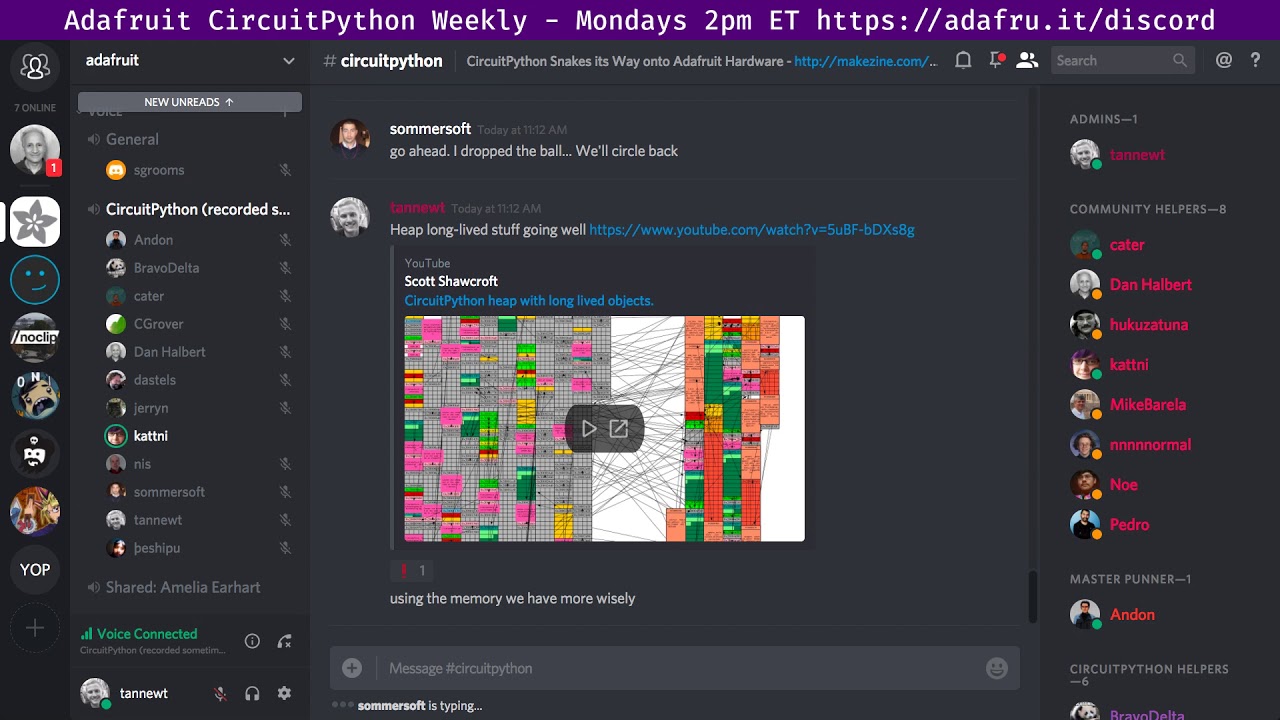
Notes are here: https://gist.github.com/tannewt/abbe9ac786e286833fa25a302e9b3f4e Join here for the chat all week: http://adafru.it/discord The weekly happens...
solar whale
@stuck elbow Thanks for the sht31 driver reference - I have tested it on an esp8266 with micropython - no problem. Next made a few simple changes and it runs on the esp8266 under CP3.0 but still using the "machine" I2C driver. Next up will be to convert to the bitbangio I2c then to busio on an M0 board. Looks promising though. Nice to be able to follow a progression from micropython to circuitpython.
umbral dagger
My CP optimization attempts have prevailed. Added a score output to my dotstar/featherwing game, and after much fiddling got it to fit into memory. I am very interested to see how heap compaction and/or generational GC would help this.
manic glacierBOT
FYI - I made the change to add the include and build an image for some other testing. Just for fun, I thought I'd check the UID and this is what I get:
>>> dir(microcontroller)
['__name__', 'cpu', 'delay_us', 'disable_interrupts', 'enable_interrupts', 'on_next_reset', 'reset', 'nvm', 'RunMode', 'Pin', 'pin', 'Processor']
>>> dir(microcontroller.cpu)
['frequency', 'temperature', 'uid']
>>> microcontroller.cpu.uid
bytearray(b'\xe8\x0cL\x00')
>>> microcontro...yeah, that's a correct result. for a human-readable format, import struct and print it using this: struct.unpack('<i', microcontroller.cpu.uid)
we kept the return type as a bytearray so that options were left open to how people wanted to use it.
hmm - whatever it is, it it the same as machine.unique_id()
Adafruit CircuitPython 3.0.0-alpha.1-65-g4bd1d09-dirty on 2018-01-22; ESP module with ESP8266
>>>
>>>
>>>
>>> import microcontroller
>>> microcontroller.cpu.uid
bytearray(b'\xe8\x0cL\x00')
>>> import machine
>>> dir(machine)
['__name__', 'mem8', 'mem16', 'mem32', 'freq', 'reset', 'reset_cause', 'unique_id', 'idle', 'sleep', 'deepsleep', 'disable_irq', 'enable_irq', 'time_pulse_us', 'RTC', 'Timer', 'WDT', 'Pin', 'Sig...got it - thanks ```>>> import struct
struct.unpack('<i', microcontroller.cpu.uid)
(4984040,)
yeah, it uses the exact same function. we added it to microcontroller to keep it standard with the other ports. on the esp8266, the "unique id" is the last 24bits of the MAC address. not quite as unique as other boards..but, its what we got. 😄
i'm working on the fix right now...just have to make sure an rebase to avoid further damage. lol
timber mango
@slender iron @tulip sleet hey how is random seeded on 2.x
e.g. should we re-seed it with analog readings or something?
tulip sleet
@meager fog on esp8266 it's seeded from the HW random # generator. On SAMD it just uses the uptime tick count
timber lion
on the esp it can use hardware random, on m0 you need to seed it with something random ideally
ah yeah dan got there
tulip sleet
yeah, maybe we could use low-order bits of a few reads of the ADC (like maybe use the internal temp)
timber lion
there's a seed function you can call to use anything
i've used light sensor on cpx
let me get a link, the docs weren't great for it in micropython upstream
timber lion
yeah so import urandom, assuming it's enabled in the port
then call urandom.seed and pass any kind of int or int-like value
GitHub
circuitpython - CircuitPython - a Python implementation for teaching coding with microcontrollers
i've just used an AnalogIn.value
tulip sleet
@meager fog @timber lion SAMD51 has a TRNG: see page 1309 in datasheet
timber lion
oh yeah scott mentioned that, should be really nice!
another trick i've used if you're doing like a game and have no good entropy source
use the millis time for when the first button is pressed
not perfect but good 'random-ish' thing
tidal kiln
@tulip sleet @timber lion this is on CPX, so SAMD. this code:
import random
from adafruit_circuitplayground.express import cpx

print("press button a")
while not cpx.button_a:
    pass
for _ in range(10):
    print(random.randrange(1,7))
should it print same sequence after each HW reset?
tulip sleet
@tidal kiln Does it? In the C code it looks like it inits the seed from the integer value used for time.monotonic (msec ticks).
tulip sleet
@tidal kiln the first time you ask for something random. Code is in https://github.com/adafruit/circuitpython/blob/2.x/shared-module/random/__init__.c
It calls yasmarang(), which checks to see if it's been called before. If not, it sets the seed.
tidal kiln
ah. so difference in time to press button = seed
timber mango
@tidal kiln maybe make a note of that
in the guide - as contrast to arduino
also, could do the same on arduino side - seed with first button press millis()
tidal kiln
@tulip sleet ok. second version...
import random
from adafruit_circuitplayground.express import cpx

values = []
for _ in range(10):
    values.append(random.randrange(1,7))
while not cpx.button_a:
    pass
for v in values:
    print(v)
also getting different values after HW reset
tulip sleet
that code does NOT wait for button press, so it will not be as random
tidal kiln
yep. that's the point. but still different. why/how?
tulip sleet
a little surprised since time to first call to randrange() should be about the same. May have to do with USB enumeration time (e.g. host responds sooner or later). But a standalone board not connected to USB might be more consistent in time to first call to randrange()
tidal kiln
that makes sense. all that's needed is a difference of 1 time.monotonic unit.
slender iron
@tidal kiln it should always be different unless you give the seed explicitly as @timber lion mentioned
tidal kiln
@slender iron how though?
just trying to understand the magic, the arduino random is much more not-random and requires seeding. so just curious what CP is doing under the hood.
slender iron
@tidal kiln didn't @tulip sleet cover it already?
SAMD21 is seeded by the time of the first call
tidal kiln
sounds like it seeds via time.monotonic on first use
slender iron
ESP and SAMD51 use the TRNG
you can call os.urandom if you want the hardware generated version when its available
tidal kiln
so for the time based seeding, how does code above end up returning different values after each HW reset?
timber mango
because they press the button at a different time?
tidal kiln
second version doesn't wait for button press
timber mango
there might be very slight variations in startup time based on crystal sync setup
slender iron
I think dan is right about usb introducing randomness on how fast the code runs
we make no promises about how quickly the python code is run
and so there is error there
tidal kiln
k. yep, must be something. kinda neat effect. thanks for info.
slender iron
😃
no problem
you could try it off usb with a display to see if its deterministic then
tidal kiln
yep
upbeat plover
if cpx just light up a pixel for what number
tidal kiln
for those still following along at home....
import time
import random
from adafruit_circuitplayground.express import cpx

values = []
for _ in range(10):
    values.append(random.randrange(1,7))
for v in values:
    cpx.pixels.fill((0,0,0))
    cpx.pixels[9] = ( random.randrange(255),
                      random.randrange(255),
                      random.randrange(255) )
    for i in range(v):
        cpx.pixels[i] = (0,0,255)
    while not cpx.button_a:
        pass
    time.sleep(0.25)
running off batteries....still random after HW reset
although first value is always the same (5)
opaque patrol
You could seed off the light sensor or read an analog pin
tidal kiln
@opaque patrol yep, this experiment is intentionally checking behavior without a seed, to test actual randomness of random in CP
opaque patrol
Okay, I know I tested it back a month or so ago and it didn't seem random
tidal kiln
ooo. can you repeat?
tulip sleet
could display int(time.monotonic()*1000) in the NeoPixels without USB or on serial with USB (or display last four digits on a 4-digit display or whole number on a SSD1306 or something without USB). That will tell you more directly how repeatable the timing is.
tidal kiln
🕳 ..... 🐇 🏃
tulip sleet
i was wondering the ultimate point of this exercise
raven canopy
careful rabbit! there's a snake in that hole!
manic glacierBOT

Thanks for the backtrace! I'd suspect the culprit is frame #3. The
HardFault_Handler is where it always ends up.
~Scott
On Mon, Jan 22, 2018 at 1:09 PM jerryneedell notifications@github.com
wrote:
here is a gdb backtrace:
Loading section .text, size 0x2b2a4 lma 0x4000
Loading section .data, size 0x178 lma 0x2f2a4
Start address 0x4000, load size 177180
Transfer rate: 19225 KB/sec, 14765 bytes/write.
(gdb) mon reset
Resetting target
(gdb) c
Continuing.
^C
Program re...
tulip sleet
very close
manic glacierBOT
During the PR merge for the UID functions, seems like a required header inclusion was dropped off for the ESP8266. This caused a build error. See Issue #543.
Thanks to @jerryneedell for finding and reporting!
PR finally submitted. I have ruined my fork's history...to the ProGit book!
Thanks again @jerryneedell for catching this.
solar whale
I think you should put that on a t-shirt!
slender iron
lol, nobody would know
raven canopy
put a Waldo in there, and then ask "Where's Blinka?"....
(answer: EVERYWHERE!)
 sick creek
 where is it in the pic?
manic glacierBOT
Reduced this to: from abd import i where
abd/i.py contains:
class I:
    pass
However, if I make the abd folder name a single letter, it sometimes crashes as before, and sometimes works. If I rename it back to abd, it crashes consistently. So seems like it's junk in RAM somewhere. Ugh. Will debug further.
slender iron
here is the video for the above: https://youtu.be/S0uEZqxOWOc

Got the last few things long lived. Total free space: 6480 Longest free space: 3408 Thanks to Cedar Grove Studios for the background music! https://github.co...
raven canopy
its got sounds! i was going to mention CGrover should supply the audio, but he had already left voice chat...
raven canopy
yeah, saw that in the YT comments. cheers all around for the "production crew"!! 🎉
idle owl
@slender iron Looks amazing!
raven canopy
i'd like to figure out the heap on my github fork. git tells me everything is kosher. fetch from both remotes...nothing. github...stuck on "XX commits ahead". If i was sure that upstream history would survive, i would just delete and re-fork.
compare even has me listed on commits i was nowhere near!
slender iron
those microbuilder + sommersoft ones are because you rebased the ones from head onto your branch
my guess is that you got the rebase backwards
raven canopy
hehe. only me. well, maybe a couple others too.
slender iron
did you make a new branch anyways?
raven canopy
yeah
raven canopy
true. i'm vascilating between -d master; -b master....or trying my hand at a revert.
slender iron
you can also reset
raven canopy
so many options. which to choose... 😝
raven canopy
i'll give revert one shot...then i'll probably go hard reset.
raven canopy
yeah...just remembered that. (after complaining about it what? an hour ago? hahaha)
slender iron
😃
manic glacierBOT

I observed this occurring multiple times while we were doing demoing the TR808 drum (with fruit attached). In order to recalibrate, we were un-plugging and re-plugging in a 3.7V lipo battery.One of our kid helpers was leaving the lipo plug loosely in the socket, so that she could quickly disconnect and reconnect. I suspect that it was the quick disconnection and reconnection of power that may have contributed to this. I can re-create the issue by replicating the the loose socket quick switchi...
stuck elbow
@tulip sleet Perhaps if there is an explicit command to format the flash, the automatic formatting could be disabled? I noticed that when the flash is not formatted (or otherwise faulty), the serial console still works, so you could issue the formatting command explicitly. Then there would be no problems with brownouts.
manic glacierBOT
 manic glacierBOT
 slender iron
@stuck elbow that assumes its the autoformatting thats the problem
timber lion
day 2 of pycascades stream: https://twitter.com/pycascades/status/955854921827475456 talks start in 10 mins, schedule here: https://www.pycascades.com/schedule/
Another day another video stream. Today you can follow us live at https://t.co/R4LPkiBpZe 🎥. Thanks @elthenerd!
Twitter
PyCascades is a new regional PyCon in the Pacific Northwest and will be hosted on January 22-23, 2018 in Vancouver, B.C. Canada
guido's talk yesterday was probably my favorite--really nice overview of lessons learned from python 3
slender iron
awesome! I'm gonna watch. the micropython talk is second I believe
the first is about unconscious bias which is important too
tidal kiln
youtube link: https://youtu.be/mqMvn6yri4I

YouTube
Day 2 of the PyCascades Live stream. Full schedule of events available here: https://www.pycascades.com/schedule/
slender iron
@tulip sleet any progress on the import crash @solar whale found?
just hit it myself
tulip sleet
@slender iron just starting on gdb'ing it in earnest. I reviewed the merge and didn't see anything obvious that should affect it. I have to do some heavy tracing. The slightly non-reproducible nature of it (see my last comment in the bug) is too bad.
solar whale
@slender iron if it is holding you up, there are pretty easy workaounds.
slender iron
I'm on an m0
which it doesn't impact iirc
I just have a different bug
ugh, circular reference
solar whale
I never saw it on an M0
sick creek
@slender iron seems like intel realsense SDK 2.0 have python support
slender iron
fyi I'm releasing 2.2.1 now
idle owl
Oh excellent
manic glacierBOT
[adafruit/circuitpython] New tag created: 2\.2\.1

There was a lot of work involved with incorporating pylint into the library build process and it is complete. Thanks everyone!
idle owl
@fading solstice It's the file name of tapodetectsimple.py that has an issue, I just edited the comment to clarify it's not in the file, but I wasn't sure if it would update for you in time.
manic glacierBOT
slender iron
@tulip sleet what converter do you use to create the release forum post?
tulip sleet
http://www.seabreezecomputers.com/html2bbcode/ then I changed "code]" to "b]"
tulip sleet
kinda manual, and then making the blog post was another job
slender iron
yeah, no worries
tulip sleet
blog post, not forum post
tulip sleet
i think I did that, but maybe I had to touch it up a bit, but it's obvious.
slender iron
the preview looked ok so I didn't change anything
idle owl
@fading solstice Do you want me to do the release on that lib, or do you want to do it?
@tidal kiln travis is unhappy with DS2413. Do I remember you talking about this in an earlier comment thread or is this different?
tidal kiln
this is new. the DS2413 repo just went in today. i think it's because i forgot to do a release for the DS2413 repo.
idle owl
into the bundle
tidal kiln
GitHub
added DS2413 driver
slender iron
k, perfect. it is supposed to fail if no release has been done
slender iron
after you do the release you can restart it from travis and it'll pick it up
(if you tagged the same commit you wanted to include before.)
tidal kiln
release is done. but couldn't figure out the travis restart part.
hmmm. unless....
ah. had to actually sign in to travis. duh.
@idle owl it's happy now
 half sedge
Here is a question about future "ItsyBitsy M0 Express" will it have an "enable" pin (like ItsyBitsy 32u4) that would be compatible for use with TPL5111 ?
tulip sleet
@half sedge well, take a look at the screen shot of the board in this channel, yesterday 2:25 (Eastern time -- adjust as necessary)
it's "just another M0" board with more pins available, and a one 5V level-shifted output pin, so if the other M0 boards have something compatible, it should too.
slender iron
@half sedge It does. I just looked. Its tied to the regulator
but you didn't hear that from me 😉
half sedge
Thanks, I inferred that from the name in 2.2.1 release notes. Also I assume express mean not that tiny storage space from Trinked but serious stuff like other express board?
slender iron
yup, it has flash too
manic glacierBOT
 timber mango
@half sedge the itsybitsy has EN, yes
@umbral dagger heya for that LSM303 library, did you want to move it to adafruit and we can make it a Real Library? 😃
umbral dagger
@timber mango You bet. I'll touch base with @idle owl and @slender iron to make sure everything is ship-shape.
timber mango
yay
ok for the code, i put it into our big learning guide repo
that means we can embed it and update the code easily
(rather than have it live directly in the guide!)
GitHub
Adafruit_Learning_System_Guides - Smaller programs and scripts to display "inline" in Adafruit Learning System guides
you can see at the bottom of https://learn.adafruit.com/admin/guides/1909/editor/11424
its an 'embed' type
but if you preview, it pulls the code directly from github!
umbral dagger
OK.. I heard something about this but it didn't really make sense until now.
timber mango
yeah its basically a way to separate code from learn - to allow for PR's, issues, updates, etc.
but for security we can only embed code from adafruit's github acct (obvs 😃
umbral dagger
Neat
timber mango
very! ok for the LSM303, yeah its something we've been meaning to implement, one thing to watch for is theres like 3 different LSM303's and they have slightly different names >.<
ok i found a lsm303
@umbral dagger want me to move it now, and i can re-cookie and travis it?
timber mango
the community is getting to some chips before we do 😃
umbral dagger
I'm not surprised by that. You have a lot of sensors.
tidal kiln
having pycon livestream pushed to back can cause minor heart attack when they return from break
umbral dagger
@tidal kiln The pycascade stream? If so they already released day 1 (not live) .. alas one huge video.
@tidal kiln I've started watching Guido's Python 3 retrospective talk.
tidal kiln
yep. i've had today's live stream going on the side.
timber mango
@slender iron heya for lib examples they should not be in subfolders right?
GitHub
Adafruit_CircuitPython_LSM303 - CircuitPython driver for the LSM303 accelerometer/magnetometer.
slender iron
subfolders are ok, lint just needs to be changed to handle them
the featherwing lib has them as well
timber mango
hmm! ok up to you 😃
timber mango
okie doke
umbral dagger
I was echoing the arduino library structure
timber mango
yah arduino is weird, it requires a subfolder
it doesnt matter, ill keep as is!
(shrug)
umbral dagger
It does tend to make it very clear which files you need and which are examples
timber mango
true!
ok just tweaking the include names
almsot odne!
will test, i founda breakout
umbral dagger
But I'd usually take that further and use an src folder
umbral dagger
and C and ruby and haskell...
Although Smalltalk does away with all that folder nonsense 😃
but then, it has its own overwhelming hierarchical structure.
timber mango
fixed one typo but i think done now!
@slender iron ah! you cannot run travis on a forked repo?
https://travis-ci.org/adafruit/Adafruit_CircuitPython_LSM303 says no perms?
wait nvmd i have to add librarians. which is odd because im an owner??
slender iron
are you logged in as adabot?
slender iron
hrm, weird
timber mango
could be travis just hiccuped
slender iron
ya, there is a delay to it fetching new github data
tulip sleet
@slender iron @solar whale fixed the import bug: seems to be an M4 compiler problem. mp_import_from was using char *str = alloca(some_length) to allocate a string on the stack. I changed it to char str[some_length] and it stopped crashing. The asm code is slightly different.
The original bug was apparently that somehow writing to the alloca'd string was smashing the saved pc on the stack so the function return returned to a random place in memory (that didn't exist, which caused a fault).
alloca is used a few other places. I am tempted to change them. Who knows what trouble it's causing on the m4.
idle owl
Well done!
slender iron
great job @tulip sleet
raven canopy
got my replacement Trellis board in today. plan on putting in the leds and starting back to work on a library...but, i need to do some chores. soldering sound more funner...
timber mango
@tulip sleet yay! nice work. is this a gcc 7 thing
slender iron
@tulip sleet I'll trade you PRs. Not really fair though because mine is much bigger I'm sure
tulip sleet
I can't find a report of this - not good. Not sure if I can come up with a test case to report.
@solar whale said it's broken in gcc 6 as well. I haven't confirmed that but will before I try to report it.
umbral dagger
I updated the dotstar featherwing guide with the game I showed last week, a more advanced version that required some well-fought optimizations. And a nice video courtesy of my new overhead camera 😃
timber mango
@umbral dagger ok i wrapped up the guide and linted it
check it out here! https://github.com/adafruit/Adafruit_CircuitPython_LSM303
GitHub
Adafruit_CircuitPython_LSM303 - CircuitPython driver for the LSM303 accelerometer/magnetometer.
manic glacierBOT
This adapts the allocation process to start from either end of the heap
when searching for free space. The default behavior is identical to the
existing behavior where it starts with the lowest block and looks higher.
Now it can also look from the highest block and lower depending on the
long_lived parameter to gc_alloc. As the heap fills, the two sections may
overlap. When they overlap, a collect may be triggered in order to keep
the long lived section compact. However, free space is a...
I'm still looking into fixing the tests so sit tight.
timber mango
@slender iron shoot imforgetting a step - https://travis-ci.org/adafruit/Adafruit_CircuitPython_LSM303 it errors with 'invalid option "--api_key="'
slender iron
I gotta run adabot
slender iron
kk
umbral dagger
Code in https://github.com/adafruit/Adafruit_Learning_System_Guides/blob/master/Digital_Sand_Dotstar_Circuitpython_Edition/digitalsand.py needs to be tweaked to use adafruit_lsm303 instead of lsm303
GitHub
Adafruit_Learning_System_Guides - Smaller programs and scripts to display "inline" in Adafruit Learning System guides
timber mango
@umbral dagger yah i was gonna do it after this is mpy'd and all that stuffs
manic glacierBOT
I would like to go first :)
timber mango
@slender iron ok let me know when adabot's done and ill keep goin'
timber mango
oh sorry er - i did the token only!
slender iron
on travis? that should be all you need
timber mango
!? so weird. i wonder what im doing wrong
solar whale
@tulip sleet nice work! I did try it with Gcc 6 and it failed but it would be great for you to reproduce it.
timber mango
@umbral dagger whew done! can you tr https://github.com/adafruit/Adafruit_Learning_System_Guides/blob/master/Digital_Sand_Dotstar_Circuitpython_Edition/digitalsand.py
GitHub
Adafruit_Learning_System_Guides - Smaller programs and scripts to display "inline" in Adafruit Learning System guides
with
GitHub
Adafruit_CircuitPython_LSM303 - CircuitPython driver for the LSM303 accelerometer/magnetometer.
manic glacierBOT
Fixes #521. The problem appears to be bad compilation of alloca(). alloca() can be replaced with a run-time variable array: that works.
I replaced a few other uses of alloca() that were similar, just in case they might also be problematic. There are some uses where alloca() is not done at the point of declaration, and those are harder to change. Also there are submodules with lots of uses of alloca() that I didn't change.
Eventually I will try to come up with a small test case...
manic glacierBOT
Great job! - I just tried this PR on my M4 and it works fine in executing the same code that failed for #521
timber mango
yay
@tulip sleet dean's going to be doing a light respin of the metro m4 to add an i2s MCK pin
did you get an m4 already with QSPI?
tulip sleet
@meager fog not yet - I could wait for the respin
tulip sleet
not that I know of, I could make an order this week - have some stuff on a shopping list
idle owl
Fancy
manic glacierBOT
Weird! There is a Unix test hanging for my pr.
On Tue, Jan 23, 2018 at 6:19 PM Dan Halbert notifications@github.com
wrote:
Unix builds are failing import tests!
—
You are receiving this because your review was requested.Reply to this email directly, view it on GitHub
https://github.com/adafruit/circuitpython/pull/548#issuecomment-359998831,
or mute the thread
https://github.com/notifications/unsubscribe-auth/AADNqUiSP4Y08BaLcZqanZXs532lG9Teks5tNpNFgaJpZM4Rqmpe
.
idle owl
@umbral dagger Nice!
manic glacierBOT
Now travis is happy. I had to remove a different alloca() that I had changed to an array. It went out of scope and was destroyed, but the data was needed later. alloca() storage lives until the function returns, so that was wrong in this case.
Original alloca() changed to an array still stands, to fix the bug.
stuck elbow
Good news everyone! I just got a photo from the fab!
manic glacierBOT
I repeated the tests from #521 and this PR still works fine. Thanks.
Do yo have any idea why this cropped up when it did. Was there some change that triggered it or was it just a latent issue and we got lucky?
 hot moon
@sommersoft#0222 "he"? The adabot is a he? That wouldn't have been my guess. 😃
stuck elbow
I think it's an "it"

 raven canopy
@hot moon I was referring to Travis, the continuous integration bot. I will concede that pronoun assumption is tricky... I may have missed the context; if it were adabot, I would prob use "adabot" or "it". 😁
manic glacierBOT
solar whale
I think Travis is often referred to in a way the adabot will not allow 😉
manic glacierBOT
I did some further testing on this and found that the problem arose when the double-tap stuff was added to the loader map. There's no bug with this:
/* top end of the stack */
_estack = ORIGIN(RAM) + LENGTH(RAM);
The bug appears when _estack is moved down one word to make room for the double-tap check word:
/* top end of the stack */
_estack = ORIGIN(RAM) + LENGTH(RAM) - 4;
_bootloader_dbl_tap = _estack;
I actually just adjusted _estack by -4 and it caused the...
tulip sleet
@slender iron I have a non-work mtg in 10 mins but will check with you re 🔼 when that's over (1-2 hours).
slender iron
@tulip sleet sounds good!
manic glacierBOT
So - does this imply that there is really no issue with "alloca"? It is just a memory alignment issue?
done in 2.2.1 release - closing!
We've also got a binary release for the Feather M0 RFM69's w/CircuitPy 2.2.1 so you can use them as-is for radio projects. We may attack RFM9X next. There's no chance we will fit LoRaWAN in the M0 Py build but we may be able to send/receive LoRa packets (stay tuned! :)
@jerryneedell I don't know yet. I have something else to do for a while and then will come back to this. It could be that alloca() assumes certain alignment, which isn't true, and the array decl doesn't make that assumption. The generated code does not differ between the working and non-working versions.
manic glacierBOT
Assuming word size of 4 bytes was an issue I had with my unix tests as
well. I think making it -8 always would be fine unless the linker script
can actually tell us how big a word is.
On Wed, Jan 24, 2018 at 9:30 AM Dan Halbert notifications@github.com
wrote:
@jerryneedell https://github.com/jerryneedell I don't know yet. I have
something else to do for a while and then will come back to this. It could
be that alloca() assumes certain alignment, which isn't true, and the array
d...
half sedge
@stuck elbow What is this gaming device? Sound like a Pokitto (for witch somebody already compiled circuit python).
slender iron
FYI, <@&356864093652516868> we're going to disable rebase and squash merges on our repos. Regular merges should be used going forwards. (I've been using them more than anyone else I think.)
manic glacierBOT
Ok, this is ready for review.
stuck elbow
@half sedge yes, it's very similar to Pokitto or Gamebuino, except this one runs CircuitPython
@half sedge it's something I'm working on after hours, the project page is at https://hackaday.io/project/27629

A handheld game console programmable with (Micro/Circuit)Python.
idle owl
@slender iron sounds like a plan.
half sedge
@stuck elbow You may want to check this https://talk.pokitto.com/t/wiki-draft-introduction-to-micropython-on-pokitto-hw/597
I am not an M0 expert, but it felt like Pokitto is also a M0. Is that possible?

talk.pokitto.com
It is easier to develop Python scripts first on Pokitto Simulator, as the development and testing cycle is faster on PC. An exception is the case when there are features the Simulator do not support, like GIOP-port usage. Also, simulator has a lot of memory and CPU power which makes it to behave different than the real HW. Anyway, your final target is Pokitto, so sooner or later you will try to run your scripts on HW. Build the example application 1) Start the EmBitz application and select th...
sick creek
who was the jupyter guru?
jupyter notebooks
here is something who like that tool https://notebooks.azure.com/ as this is powered by it
stuck elbow
@half sedge it's also an ARM Cortex M0, but not Atmel's, so a special port is needed. µGame uses SAMD21 just like the Feather M0 boards (and also like Gamebuino)
manic glacierBOT
line 150 and 152 are both setting MP_STATE_MEM(gc_last_free_atb_index), so line 150 is wrong or redundant?
What's the 4? Is that number of bytes? could it be 8 on 64-bit-word impls?
idle owl
@slender iron Does the motor init PR still need to be tested?
slender iron
the featherwing one? I tested it before I made the PR
idle owl
I see that 😃
@slender iron You and I had talked about making a separate color/animations lib for lights. Do you want me to comment on that issue in NeoPIxel?
I still have it on my list from ages ago.
slender iron
sure, coordinating with @dry vortex on it would be good too
idle owl
Should I tag them in my comment as well then?
slender iron
sure!
idle owl
keen!
slender iron
k, lunch time
bronze geyser
i've loaded feather_m0_rfm69_firmware.bin along w/ adafruit_bus_device and adafruit_rfm69.mpy. Simpletest.py runs. I'm able to get stuff like Temperature, e.g.: '''Temperature: 27.0C
Frequency: 915.0mhz
Bit rate: 250.0kbit/s
Frequency deviation: 250000.0hz
'''
But not sending packets (i.e.: both sides: Received nothing! Listening again....)...just looking for some guidance on best way to debug. Thank you.
manic glacierBOT
The stack should be aligned on an 8-byte boundary, according to the ARM procedure calling standard (AAPCS). A 4-byte boundary might work, but the interrupt controller expects an 8-byte-boundary, and compilers will also expect this.
Right now _estack is on a 4-byte, but not an 8-byte boundary, due to the introduction of _bootloader_dbl_tap. This appears to have caused issue #521, which was fixed by PR #548, which avoids using alloca() in mp_import_from(). My guess is that gcc assume...
In 3.0, boards with external flash are still using linker maps for internal flash. Correct the value of LD_FILE in the mpconfigboard.mk files.
Nice! This makes a lot of sense. I suppose this is better than finding a compiler bug!! At least you can fix this.
idle owl
Great job, @solar whale! https://learn.adafruit.com/micropython-hardware-sd-cards/code-storage-on-sd-card

Learn how to use a microSD card to store code & data with CircuitPython and MicroPython!
stuck elbow
8GB of code!
solar whale
give you a use for all those small SD cards that are laying around.
stuck elbow
I wish I could buy 1MB microsd somewhere for cheap
they would be perfect for cartridges to my game thingy
solar whale
I have several 4Gbyte cards from early Raspberry Pi that were just sitting around.
idle owl
I found a 2GB normal SD sitting around from an early camera or something. It was still in the sealed package so I must have thought that was a ridiculous size even at the time and purchased a larger one.
idle owl
Looking it up, I'm not sure they were ever available smaller than 2GB.
Nope, I'm wrong. Read it again. 32MB looks like where it started.
stuck elbow
yeah, I remember some 300Mb usb disk drives
idle owl
Yeah same. And they were ridiculously expensive.
manic glacierBOT
This was actually already fixed. I was looking at an old commit when I thought I saw this problem.
150 was wrong. Good catch!
I'm still unsure about it but the comment isn't useful so I removed it.
Its the number of pointers stored in mp_obj_fun_bc_t before the extra_args array. Is there another way to get the array length?
The struct defn is:
typedef struct _mp_obj_fun_bc_t {
    mp_obj_base_t base;
    mp_obj_dict_t *globals;         // the context within which this function was defined
    const byte *bytecode;           // bytecode for the function
    const mp_uint_t *const_table;   // constant table
    // the following extra_args array is allocated space to take (in order):
    //  - values of positional default args (if any)
    //  - a single slot for default kw args dict (if it has them)
...I guess it's allocated separately and assigned to there?
tulip sleet
@idle owl @solar whale I have a 16MB "MMC" card (SD card more or less, I think: same shape) I got with a camera which I used when testing the Windows delayed-write issues. Also have a 10MB CF card from an even earlier camera.
idle owl
There were a bunch of revision form factors between the main ones that were very short lived, but were produced
solar whale
I had a box with old cards in it, but my recent workspace move has made it dissappear! I think there were some very small micro SD cards in it.
tidal kiln
remembers having a camera that used 3.5" floppy disks
solar whale
Don’t get me started. I used 8” floppies....
timber mango
you have not lived unless you edited paper tape with scissors 😃
idle owl
Always mark the stack of punch cards with a marker on the edges!
 tight flax
oh, I remember punch cards, and teletype with long reels of paper tape.
With the feeder we had, you could set it to hold off between tapes, and it would just transmit the “all holes punched” signal until you fed the new tape in.
So you didn’t have to cut and glue or anything
But if you didn’t catch end-of-tape in time, it would disconnect. I remember racing to the Telex machine more than once.
tight flax
We used to sneak pics like that back and forth over the telex while waiting for a document to send
Those were awesome
manic glacierBOT
6560596 Switch to m_malloc_maybe and m_free to reduce o... - tannewt
56bd078 Speed up qstr loading by using the stack to sto... - tannewt
416abe3 Introduce a long lived section of the heap. - tannewt
da330f0 Polish up the heap analysis script and make it ... - tannewt
aa0ce98 Fix the initial state and polish a couple comme... - tannewt
Undo #548 with a revert and replace with a better fix. Fixes #549: align stack on a double-word (8 byte boundary).
manic glacierBOT
The parser attempts to allocate two large (~512 byte) chunks up
front. If it couldn't, then it would error out. This change will
cause it to try allocating half the previous attempt until its down
to two copies. This is ok upfront because later code checks bounds
and tries to extend the allocation if needed.
Fixes #533
timber mango
We used broken pieces of brick to write simple symbols such as X and .. well, X was pretty much it.
On other masonry, such as concrete.
timber mango
One day my Dad was looking at his 80286-based computer -- it was a Compaq, and the third iteration of personal computer ownership for him -- and, with it's 40 megabyte hard disk drive, he smiled...
Does the adafruit trinket work with LCDs neopixels and micro servos
A servo needs one PWM pin (that's a YES) (set to 50Hz and 3-10 percent duty cycle); an LCD needs at least two pins, SDA and SCL (if I2C-enabled) so that's a YES -- and NeoPixel is a YES as I have one running an 8x strip of them.
Also I answered as if you'd asked about Trinket M0. There are earlier Trinket models I don't know about.
Okay thanks all I need to know
 last drum
I'm looking for sample code to use one the pads as an hardware interrupt input. Is there such a thing?
timber mango
The hardware supports it but you're looking at the Arduino IDE (C++) to realize it in software.
last drum
is it on the 'todo' list for the devs?
timber mango
They're using words like 'long term' so I'm not expecting it for first half of 2018. 2019ish sounds likely. Also 'it is not exposed' was mentioned, which leads me to believe a motivated person could find uses already implemented.
Some kind of a fig-leaf doctrine going on, there.
raven canopy
@last drum ISRs are a frequent topic. And yes, the team is most likely looking at it as a "long term" project, as @timber mango said. No details on when/if to expect it. MicroPython has limited ISRs, but they're on different chipsets. For a read on the pitfalls that come with ISRs on MicroPython, here is a good read: https://micropython.org/resources/docs/en/latest/wipy/reference/isr_rules.html#
timber mango
There aren't a whole lot of on-chip interactive environments, where all you need on the road is a serial terminal and the target board. Then there's the ease of .UF2 drag and drop software-installation, cross-platformed to three distinct environments (Makecode, CircuitPython; Arduino IDE).
So there are compelling reasons to be excited about the current state of the hardware and the software that runs on it, and a rather wide variety of hardware form-factors to choose from, all based in SAMD21 (the ARM M0+ microcontroller).
solar whale
@tulip sleet Have you checked on how nano does file saves on linux boxes? Is is considered "safe" for CircuitPython? It is not in the list, but I was curious if there are know issues with it.
tulip sleet
@solar whale I'd have to find the source code. I've done that for some other editors. Wouldn't take too long.
solar whale
@tulip sleet no rush - I can look as well, but you know better what you are looking for.
tulip sleet
@solar whale no it doesn't do any fsync-ing or similar. Looked in https://github.com/dtrebbien/nano, esp https://github.com/dtrebbien/nano/blob/master/src/files.c. I did clone and search the whole tree too.
not a good choice of editor for us
solar whale
Good to know - thanks!