#circuitpython-dev
1 messages · Page 129 of 1
 slender iron
 ruby lake
ok I should be able to get it to it least not throw errors 😉
ruby lake
yeah, I am assmebling the value to send to an SPI DAC register
12 bit of note voltage data and 4 bits of DAC channel config in one 16-bit word
slender iron
neato!
ruby lake
so if I do an spi.write(dacData) does it send dacData[0] or [1] first
@slender iron FYI the DAC register looks like this, see register 5-1 on pg24 http://ww1.microchip.com/downloads/en/DeviceDoc/22250A.pdf
slender iron
@ruby lake 0 first
ruby lake
ah ok, so that will be the lower 8 bits thanks
er I take that back, it loads the register right to left
slender iron
<@&356864093652516868> and everyone else, we'll be holding our CircuitPython Weeky meeting tomorrow (Monday) at the normal time 11am PT / 2pm ET here on Discord.
 half sedge
Hi circuit python fan. I wanted to play RTTTL on my Trinket M0. Previously I was stuck because pulseio was missing. Then yesterday night I said to myself, let's try again with Circuit Python 2.1. But once again I was stuck because Adafruit RTTTL library for Circuit Python is using audioio that is missing (likely for ever) from my Trinket M0 (or Gemma M0 for that matter). So I had to hack myself a solution based on https://learn.adafruit.com/adafruit-gemma-m0/circuitpython-pwm and on https://github.com/dhylands/upy-rtttl

The Gemma M0 will super-charge your wearables! Small, light, and it's easy to use, so you can do more.

I can now play almost any RTTTL tune I find. But I was wondering: (1) Why was it so difficult twice? (2) How should I share this?
Is there a need to make a fork of Adafruit RTTTL that work on Trinket/Gemma M0 or can it be totally separated and a fork from https://github.com/dhylands/upy-rtttl ?
 stuck elbow
@half sedge you can actually compile circuitpython firmware with audioio, you just have to disable some other modules to make room
half sedge
@stuck elbow Thank you, but this is maybe a bit too advance for me... just like I do not compile linux kernel anymore, I don't feel like compiling circuit python firmware anymore. The main question remain about how to share RTTTL on Trinket M0. Should Adafruit RTTTL be adapted to work without audioio?
Similar more simple question... I do it without using simpleio. Is there any benefits in doing that.
stuck elbow
the more options available, the better, in my opinion
half sedge
I mean, is simpleio always present, or so light that there is no reason to cut that corner.
stuck elbow
since 2.1 simpleio is always present, and built-in modules don't really consume extra resources
half sedge
Ok, so I will simplify my code to use that.
stuck elbow
well, they do consume the memory for the name of the imported module, and any variables they have inside, but that's negligible
 manic glacierBOT

I just tried to make the first game with sound for µGame, and I'm struggling with it a little. I worked around a number of problems, but I'm still left with two issues when playing .wav files with AudioOut:
- There are loud clicks at the beginning and at the end of the samples. As I understand, those come from the sound file not starting/ending with a neutral value (middle of the range), and I should be able to solve it by processing the sound files to fix it. However, I wonder if it wou...
manic glacierBOT

Using cpx 2.1.0, I have the same problem very reproducible with multiple units. In my case the fs is wiped reliably by loosening and wiggling the Lipo battery connector to produce an intermittent contact.
I got rid of the clicks, but I still can't figure out the problem with the buzzing. It seems like the last few samples are stuck playing at the end.
I fugured out the buzzing. Seems like the files that sfxr generates are truncated.
manic glacierBOT
I had the same problem with a feather m0 express once, when I didn't remove the USB plug all the way.
I wonder if it could be a quicker and more convenient way of erasing flash than having to flash a special firmware for it.
slender iron
@half sedge It'd be great to adapt the adafruit RTTTL library to use pulseio just like simpleio tone does
half sedge
@slender iron I need to check RTTTL library and simpleio tune. The easy path for me is to just release of fork of that other RTTTL library I found. One question I have relative to adafruit RTTTL library is if you want to use always pulseio or only on non Express board.
 cunning crypt
Urgh. So, I'll be at the CircuitPython meeting, but I will not be speaking. Being sick really sucks.
 idle owl
@cunning crypt Oi... sorry to hear that. Hope you feel better soon!
cunning crypt
Oh, I'm on the upswing. Said upswing currently involves a LOT of coughing though.
idle owl
You can type updates into the chat and Scott will read them out during the meeting.
Coughing and talking are not useful together.
cunning crypt
It's better than it was yesterday morning, where talking felt like someone was murdering my throat.
idle owl
That's something nice to leave behind
stuck elbow
Don't strain yourself, you can type just as well.
cunning crypt
@stuck elbow That's the plan
 timber lion
hrm is it just me or is carter all static?
 tulip sleet
@tidal kiln lotsa noise from your audio
cunning crypt
@tidal kiln Are you being a static monster today?
stuck elbow
@tidal kiln are you on a plane? 😃
idle owl
@tidal kiln Reload. There's odd feedback.
stuck elbow
it sounds like you are skydiving
idle owl
@timber lion No it's not you
 tidal kiln
trying app this week.
cunning crypt
Hug Report: @worn birch for taking care of the Adalogger updates that I had stalled on. Great work!
stuck elbow
don't worry about the typing, we were just making fun
tidal kiln
group + scott and kattni
for trying to help with readthedocs frustatrions
and sry. mic gremlins persist.
idle owl
Scott typing is part of the ambience. Wouldn't be the same without it.
tidal kiln
agree
 errant grail
Scott's typing adds a rhymic musical soundtrack to the session. I like it.
 timber mango
hihi im here not on mic 😃
idle owl
@timber mango Hi!
slender iron
@meager fog you may want to listen in
timber mango
listening 😃
yes!
kattnifirst
ya!
thanks tonyd for all the awesome new guides and libz
libraries 😃
kattni for the new guides to help beginners
cater is working hard on updating older guides
noe & pedro for the pythonpainter
thats all i can remember 😃
(my news is i am adding a plotter to mu)
(not ready for public consumption yet)
 fading solstice
nothing
 torn grail
Hugs to @stuck elbow for fixing segments on micropython-ht16k33 -- and group hugs to all !!
cunning crypt
Group Hugs are the best.
 fast wharf
yes, group hug!!
stuck elbow
actually it was @torn grail that found those bugs, not nis, sorry
timber mango
thankx @stuck elbow 😃
stuck elbow
bad memory 😦
 hollow tartan
seeking permission to modify program code in METROX-Examples-and-Project-Sketches-master on GitHub for example: ```# CIRC07 - Button Pressing make it better pwm
(CircuitPython)
this program was designed for use with the Metro Express Explorers Guide on Learn.Adafruit.com
by Limor Fried/Ladyada for Adafruit Industries.
import digitalio
import board
import pulseio
import time
led = pulseio.PWMOut(board.D9)
button1 = digitalio.DigitalInOut(board.D2)
button1.switch_to_input()
button2 = digitalio.DigitalInOut(board.D3)
button1.switch_to_input()
#initialize
brightness = 8 # middle of range
led.duty_cycle = ((2**brightness)-1)
while True:
#brightness = led.duty_cycle
if not button1.value:
brightness += 1
if not button2.value:
brightness -= 1
print(brightness)
brightness = max(0, brightness)
brightness = min(16, brightness)
led.duty_cycle = ((2brightness)-1)
#maximum value passed to duty_cycle is (216)-1) = 65535
#what about the minimum value?
# ((20)-1) = 0 which is the minimum value passed to duty_cycle
# duty_cycle(0) actually outputs NO pulse of ~2 volts;
# the led is not visibly light up.
time.sleep(2(-1)) # 0.5 sec
You don't need permission to edit open source projects 😃 That's the whole idea!
tidal kiln
@hollow tartan fork and pr, don't need permissions
hollow tartan
hey, I am new to this. 😃 thanks @idle owl and @tidal kiln
idle owl
@hollow tartan That's totally fine! You can always ask about anything!
tidal kiln
@hollow tartan you can ping me after the meeting and i can try and run you through the basic steps
hollow tartan
gotcha, but I need to depart for now , fork and PR can surely expand my understanding 😃
slender iron
thanks @hollow tartan
tulip sleet
@solar whale go ahead and post a link here
timber mango
yay VL53L0X
cunning crypt
Status Update: Glacial progress (I've been busy and/or sick) on the Example updates. I've completely re-aimed for Arduino/Python differences, with the end goal of easing transition to CP from Arduino. I'm also leaning towards creating a Learn guide, which will be exciting to work with and learn. The GitHub repository I'm working with is here: https://github.com/Andon-A/CircuitPython-Examples (It's literally just the examples. Don't need the whole CP repo for this)

GitHub
CircuitPython-Examples - New and updated examples for CircuitPython
tidal kiln
mainly busy doing guide updates to add in cp. will get back to onewire soon. passing APDS9960 on to mrmcwethy.
timber mango
oooo APDS9960
 solar whale
very simple vl53l0x - this is for Rasp Pi, but I have ported it to CP - it works, but I dont know why.
 idle owl
I'm excited for APDS9960!
timber lion
nice thanks!
fading solstice
i cannot hear him
idle owl
I can
fading solstice
k
tidal kiln
@fading solstice reconnect
stuck elbow
disoconnect and reconnect
timber lion
restart browser, unfortunately it kinda drops people from time to time
fading solstice
i can hear now!
errant grail
Hooray! Thanks @tulip sleet for the Atom mod!
stuck elbow
tulip sleet

Atom
When saving to a CIRCUITPY drive, make sure the file is completely written out immediately.
 twin mica
pew pew!
tidal kiln
pew!
timber mango
pew pew 😃
sounds awesome
@idle owl yah chat with me also
because i picked some guides to be 'generic' and some to be speicifc
its my fault 1!!!!!
<- me with fault
yeah!
i worked on adding a plotter to mu
sorry no mic working 😃
and umm, that's kinda it?
lol
shhh!
next version will come with Cpy on it
small revision, chanign SPI flash chip to a gigadevice
saves us a little $ compared to the spansion part
oh i am coming out with the itsybitsy m0 soon
philb did a great silkscreen
idle owl
@timber mango The guides that way make sense though! Some of them need to have more specific info, if you get too generic it doesn't work as well.
timber mango
yes!
more pins than trinket
smaller than feather
0.7" x 1.2"
ill find a screenshot you can keep goin'
stuck elbow
stronger than a superman
torn grail
ooh, itsybitsy!
fading solstice
I created a pull release for the bundle to include Adafruit_CircuitPython_CharLCD and scott completed the pull request. After talking Carter, I have started working the APDS9960 gesture board driver. Using the arduino library as a template.
timber mango
leek
idle owl
Love it!
torn grail
Awesome!
timber mango
you can ssee the very very small 2mb flash chip northwest of the main chip
cunning crypt
That is TINY
timber mango
USON! but works great.
stuck elbow
that's one tiny chip
twin mica

The best part of CircuitPython is the community that comes with it.
cunning crypt
@slender iron It's not lazy, it's efficient
twin mica

Default Store View
Our most popular single message dedicated speech generating device enables you to record one message up to 2-minutes long directly to the device. For message playback, activate the large 5-in/12.7-cm switch top or use an alternative switch for access.
timber lion
what is micropython & circuitpython guide: https://learn.adafruit.com/micropython-basics-what-is-micropython/overview

What is MicroPython, why would you use it?
 raven canopy
I see mounting holes have been sacrificed for more pins; I imagine the community will actually support that. And, I like the pimoroni style flare! 😀
timber mango
@raven canopy yah we decided to go more 'teensy'like - no mounting holes but tons of pins
if you want mountingholes you might as well -> feather
stuck elbow
small is beautiful
fast wharf
timber mango
wowwww
idle owl
I love it!!
timber mango
nice
torn grail
cute
timber mango
look at those blinka's go
raven canopy
Totally agree.
idle owl
That is amazing.
timber mango
will send out these PCBs in a few days
slender iron
GitHub
Feature request:
Awesome: send / receive RFM69 and RFM95 LoRa.
OK: send/receive RFM95 LoRa
Minimum: Support for ISRs so a person can build a library.
CircuitPython is awesome. Sadly, the Huzzah is...
 torn grail
neato!
timber mango
i found its often good to look at python libs to port to circuitpy
idle owl
Definitely is
timber mango
RadioHead is a massive library
stuck elbow
though they are often too complex and need simplifying
timber mango
@stuck elbow true, but still way easier than going from arduino -> cirpy 😃
stuck elbow
a leek: I plan to prepare a talk about porting from/to micropython/circuitpyhon for the EuroPython conference
from the rpi and from arduino, and also between the two and between different devices
timber mango
2.2 is good
torn grail
wah wah wah
hollow tartan
Remember the tv show Buck Rodgers in the 21st Century? The little humanoid robot and the talking AI disk on a pendant. Can we be very far away now?
timber mango
tahnkkkkz
errant grail
Thanks!
fast wharf
thanks folks!
cunning crypt
Thanks everyone
stuck elbow
thanks
timber mango
wooooooooooooooo
torn grail
thanks!
idle owl
@timber mango How do you want to chat about the CP guide pages?
timber mango
oh i have meetin's for a bit
tidal kiln
not a byte?
idle owl
I meant whenever 😄
cunning crypt
@tidal kiln That's 8 meetings
timber mango
might be tough today, maybe try to email circuitpy + me tomorrow? 😃
gotta run - later 😃
idle owl
@timber mango Sounds good!
errant grail
See y'all and thanks -- back to the studio... 🎤
idle owl
@CGrover#2710 Later! Have fun!
stuck elbow
ewww rruby
I've read the Poignant Guide and that's it
all I remember is the elf and his pet ham
fast wharf
bye!
manic glacierBOT

I would like to +1 support for RFM69. I have a lot of projects using RFM69 on Arduino code, and would love to see some wings on my Feather M0 RFM69HCW!! I'm not a driver coder, but I understand Python and could contribute to testing, since I have a bunch of RFM69 boards and some projects.
torn grail
Well, look at that!! A simple comment on GitHub shows up here!! coolio
idle owl
For the CircuitPython repo, yep!
torn grail
Bots, FTW. Fun hanging out with you guys today. I'll try to join in more often.
idle owl
Excellent! Glad you could make it.
slender iron
<@&356864093652516868> and everyone else, here is the recording from the meeting today: https://youtu.be/V2PbVZVELys
Join here for the chat all week: http://adafru.it/discord The weekly happens normally at 2pm ET/11am PT on Mondays. Check the #circuitpython channel for noti...
 pastel panther
Hey folks, sorry I've missed the last few Monday meetings but I've been busy at work. I've been working on something fun though so here is a requisite leek:
fading solstice
@slender iron I created a library project for APDS9960 board driver and filled out the README.rst Are you tthe one to give a blessing for this interface?

GitHub
Adafruit_CircuitPython_APDS9960 - Adafruit Bundle driver for APSD9960 Gesture breakout board
stuck elbow
@pastel panther what's that large 10-pin part in the bottom right corner?
pastel panther
@stuck elbow thats a SWD header
stuck elbow
ah
pastel panther
I'm just finishing up the silks and the third, fourth and fifth check before I send it to fab
stuck elbow
they are like gremlins
manic glacierBOT

I'm going to pick this up for 2.x. We want the ability to reset to the bootloader so I'll cover this at the same time.
Adding the ability to reset to the bootloader next reset press means we can provide the same out-of-box experience to the CircuitPlayground Express even though it'll ship with CircuitPython going forwards. We'll ship with demo code that make subsequent resets go to the bootloader rather than requiring a double tap. The double tap behavior will happen once that demo code is...
fading solstice
What are you climbing?
tidal kiln
@jovial steppe ?? no. climbing gym.
idle owl
But he got better.
 jovial steppe
😃
manic glacierBOT

[adafruit/circuitpython] Pull request opened: #471 add SPI\.write\_readinto\(\) \- bidirectional SPI
New function SPI.write_readinto(buf_out, buf_in, *, out_start=, out_end=, in_start=, in_end=).
RTD documentation updated and made consistent across SPI routines.
Refactored shared_dma.c slightly to add DMA bi-directional transfer.
Bidirectional SPI tested by connecting MOSI to MISO. Slice indices tested. Tested on buffer sizes 10 and 20. 20 uses DMA.
Regular SPI still works: tested on BMP280, and the filesystem still works, so DMA SPI still works.
 tough flax
Just had a frustrating experience w/a Feather M0.... copied over my code & had to tweak it to use adafruit_dotstar instead of dotstar (not a problem).... then it refused to save & gave me "corrupt file or directory" error. Any pointers to know issues? We re-downloaded the latest CP and even replaced the bin file - same issue 😕
 idle owl
Ah ok. You'll want to use the eraser and then reflash CircuitPython. Be aware this will erase the board so backup your code. https://learn.adafruit.com/adafruit-feather-m0-express-designed-for-circuit-python-circuitpython/troubleshooting#for-the-gemma-m0-trinket-m0-feather-m0-basic-proto-and-feather-adalogger

Get running faster than ever with the first Adafruit Express board
Typically it tried to write to the file and the board reset before it was finished causing it to become corrupted.
tough flax
Ok, I do that, but I'd love to avoid it... does it have to do w/using Notepad++ to edit it in place?
idle owl
Not especially, no. Editing in place is more likely to cause it though than editing on your machine and then copying the file, just due to the nature of it. It shouldn't be a common thing though. If it turns out to be, you may want to consider trying Mu Editor which has a built in bit that forces it to finish before it resets the board. It's in beta though, so it still has some issues itself to deal with.
Dan wrote this for Atom editor that forces the file to save as well. https://atom.io/packages/circuitpython-force-to-drive
Atom
When saving to a CIRCUITPY drive, make sure the file is completely written out immediately.
But obviously both of those options involve switching editors which may not be something you're interested in.
jovial steppe
@tough flax @idle owl I believe that I've been seeing problems using Notepad++ also. I keep getting syntax errors after file saves that seem to sometimes take a long time to resolve (I can only assume that are due to non-deterministic & delayed buffer flushing issues on Windows, but I really don't know). Since the moment I switched editors (to Emacs, in my case) all of my superfluous syntax errors went away.
idle owl
@jovial steppe Fair enough, thank you! Good to know
idle owl
That's a solid plan. You're welcome!
jovial steppe
I always assumed that if I device presented as Mass Storage and "Removable", that the OS would always ensure that full writes+flushes would always be done. I don't know if there's any truth to that, or if there's something else (not) going on.
It pays to be over 45 years old and an Emacs user... again! 😃
tidal kiln
i think the whole delayed writes things is still being worked, it's an os, and also program, dependent thing, so very tricky to nail down
tough flax
Yes, I have made lots of money using nothing by Emacs and recorded macros 😃
jovial steppe
Yeah, those "vi" users are still trying to finish what they were doing and their families are wondering where they've been all these years.
Not that I'm trolling "vi" users. Nah.
idle owl
I'm headed out. Goodnight!
jovial steppe
gn
tough flax
My first professional job after college was C coding on HP-UX 8 using nothing but Emacs and GDB. It has served me well
jovial steppe
It so happens I was the one that put Emacs on the user contributed software tape on HP-UX, starting with HP-UX 7.0.
But there was nothing stopping people from compiling up and using GNUmacs themselves.
Except maybe NULL pointer dereferences.
Inherited from the Vax.
tough flax
Gotta go try this - thanks guys!
jovial steppe
See if that clears up your problems. FIxed mine immediately (beginning two nights ago).
tidal kiln
@tough flax hopefully what @idle owl suggested will get you functional again, if not, come back here...
manic glacierBOT

 tawny creek
thank you for the tcs34725 sensor @timber lion !! :D!
 sick creek
@idle owl so for atom have circuitpython thing now?
torn grail
Is there a place we can go to see which Adafruit products are supported in Arduino, Micropython, or CircuitPython? For example, I have a MCP23017 Shield, and I want to know if there are libraries available for MP or CP. Right now, I seach GitHub and don't find it. Maybe if there was a matrix of support somewhere, it would be easier to find out.
solar whale
For CircuitPython, I think the best source is to look at the libraries contained in: https://github.com/adafruit/Adafruit_CircuitPython_Bundle and https://github.com/adafruit/CircuitPython_Community_Bundle

GitHub
Adafruit_CircuitPython_Bundle - A bundle of useful CircuitPython libraries ready to use from the filesystem.
GitHub
CircuitPython_Community_Bundle - A bundle of useful CircuitPython libraries from the CircuitPython community.
@torn grail there is an arduino libroary https://github.com/adafruit/Adafruit-MCP23017-Arduino-Library
GitHub
Contribute to Adafruit-MCP23017-Arduino-Library development by creating an account on GitHub.
torn grail
Yeah, I have the Arduino library. Trying to convert many of my projects over to CircuitPython. I'll check the Bundle to see what I can find! Thanks
solar whale
Good luck - Unfortunatley it is not there , yet...
torn grail
Yeah, I don't see it
Looks like I can use a 16x2 LCD Character display directly, but not via i2c.
solar whale
@torn grail it looks that way.
manic glacierBOT
 tulip sleet
@jovial steppe @tough flax The delayed write is due to an apparent bug in the Windows implementation of the FAT12 filesystem (FAT12 is used for <16MB filesystems). Metadata about the file being written (which filesystem sectors are allocated) is delayed for 10's of seconds. The differences between various editors have to do with their strategy of whether they truncate the file before writing or not. Notepad++ definitely does. See this issue comment for how the editors differ: https://github.com/adafruit/circuitpython/issues/111#issuecomment-287568708. There is less of a problem with NOTEPAD and EMACS, because they don't truncate the file before rewriting it, but if the file size changes by at least one sector (512 bytes), there will still be a problem. Doing an Eject or "Safe Remove" in Windows forces the data out, or use Mu or the Atom package @idle owl pointed to. I want to write similar add-ons for other popular editors, including EMACS and VS Code.

GitHub
I have had problems writing to the onboard filesystem from Windows. I sometimes see complete filesystem corruption, and sometimes just problems with one file. See https://forums.adafruit.com/viewto...
tulip sleet
There is a similar issue with Linux, but it's less severe. I haven't had time to figure out exactly what is going on yet.
stuck elbow
I noticed under linux that if I copy the files with the file manager, it's usually fine, but if I save directly using an editor, it might break, depending on the editor
I think it's because the editor might be taking longer to write it.
it's especially visible when editing BMP files with GIMP
manic glacierBOT
Why not call this transfer? I think arduino folks will be looking for that name.
MicroPython uses write(), readinto(), and write_readinto(): http://docs.micropython.org/en/v1.9.2/pyboard/library/machine.SPI.html. For Arduino, transfer() is the only data transfer API: there's no read or write.
manic glacierBOT
I forgot to implement this in bitbangio.SPI as well. Could work on that or defer it until after 2.2.
manic glacierBOT
Please file an issue for us to fix bitbangio for 3.x. It'd be a good beginner issue.
e75fd0e add SPI.write_readinto() - bidirectional SPI - dhalbert
@deshipu can this be closed? It seems like you fixed it by changing the audio files.
manic glacierBOT
bitbangio.SPI is missing write_readinto() (bitdirectional SPI) and also doesn't have the optional buffer slicing start and end arguments. Implement these to make it have the same API as busio.SPI.
jovial steppe
@tulip sleet So is the file-write-to-USB FAT12 problem fixed just by ensuring that user programs call fsync() after they write() their data, and that this isn't being done by most already?
manic glacierBOT
Yes, I fixed my issues, however, I still plan to look at the audioio code to see if it could be made more robust. I'm not sure if some sort of smoothing between the last sample and next sample is feasible, but I think I can definitely handle the truncated files better.
jovial steppe
I would have thought that merely by having a media's Removable bit on that would have (at the least) prioritized the FS writes to get done ASAP, if not even synchronously.
tulip sleet
@jovial steppe it appears so. Ideally syncfs() would be called, but it's often not available via libraries. On Linux fsync() doesn't guarantee the enclosing directory's metadata is written.
The Removable bit should guarantee that, but on Windows it's buggy for FAT12.
jovial steppe
Which has been used for 40+ years on floppy drives? I'm having trouble seeing that, to be honest. It doesn't make sense to me that fsync() wouldn't do the right thing (writing out all data assoc. with the FS). At the FS level, data is data, regardless of whether it's file data or directory/inode information. It really seems like there would be billions more corrupt filesystems in the wild were this not the case.
tulip sleet
@slender iron oops forgot esp8266 bidi SPI. Looks possible without too much effort. Will do and test.
slender iron
thanks @tulip sleet
solar whale
the poor neglected esp8266 😉
tulip sleet
@jovial steppe in fastfat.sys, the windows FAT driver, there's a bug pertaining to FAT12: it doesn't flush certain metadata. The equivalent of fsync() on windows works - it just isn't called properly. It may have even been deliberate for floppies to avoid wearing out the FAT sectors on the floppy. See https://superuser.com/a/1203781/81

I am seeing delayed writes to the FAT on a small-capacity FAT(FAT12)-formatted USB flash drive even though the policy for the drive is set to "Quick Removal". (I believe this means the SurpriseRemo...
jovial steppe
Er, if fsync()'s scope is only the file data, then that does make sense, and would definitely be the role of syncfs.
I'll check that link out. It's definitely the case that one doesn't want to overwrite any sectors more than necessary, which is why one would expect them to remain stale for some set period of time, or until a eject (or programatic FS flush) is asked for. I've always assumed that Removable meant that the OS should always try to keep all data written-thru as thoroughly and quickly as possible. For decades noone ever needed to "eject" or "fsync" in DOS and it always worked, so I assumed that that's what had to be going on. I know infinitely know more about what goes on in Un*X than I do on Windows though (because of the problem of dividing-by-zero).
Keep those buggies squashing!
tulip sleet
I wrote everything in that superuser post. The behavior that we see is that for FAT16 and FAT32 the data is written pretty promptly, but not for FAT12. I guess I should say that the code that invokes fastfat.sys to do a flush is trying to do a flush (E.g. "Quick removal" is set) but the driver doesn't do the right thing. I do remember floppies getting screwed up if you ejected them manually by pushing the button, but I don't remember a lot about that. Since this bug only affects FAT12, and there haven't been flash drives or SD cards or CF cards that <16MB for a long time, it's not very noticeable these days. I had to search really hard to find an SD card that size: it was from some camera I got more than 10 years ago.
On Linux, there are several mount options that speed up writing to disk. Flash drives are mounted by default with the flush option, which flushes relatively promptly. The sync option is more strict and will write out immediately. We'd like to force sync but I don't think we can do that by advertising something about the drive.
jovial steppe
Brings back memories of typing "sync;sync" when I had nothing else say.
I just got done reading your SU post.
For the most part I only remember corrupting floppies by not giving DOS just a second or two to complete the write. I went for very long stretches of time without ever blasting a floppy. But I knew that I may have if I saw the drive light go on after I popped it out. And even then I'd still be ok even after a CHKDSK. I always vaguely remember it working remarkably well for a long, long time -- because when right-click eject came about, I always wondered why in the h3ll it was needed because it had previously always worked just fine.
tulip sleet
and DOS is not Windows, and especially not Windows 2K or newer
jovial steppe
Yeah, which seemed like a step backward per this behavior, sadly. I remember when we had no FS buffer cache, and we liked it! We had to type uphill both ways to school and noone ever complained. Kids today.
But then again, Microsoft went for decades without a lot of attention to detail... at the same time.
tulip sleet
so for CPy we do the best we can, and have to provide some automated workarounds. We also considered using the MTP protocol (Media Transfer Protocol), which works on the file level, not the block level. It was first used for MP3 players and the like. But MacOS doesn't implement it in a general way, for I guess obvious marketing reasons, and third-party MTP support on the Mac is very thin.
jovial steppe
I'll have to check that out (never heard of it). Looks like an interesting distraction. tkx.
Decades ago we took a fairly standard Un*x fs and modified it to always do synchronous writes as a special for a customer that had power continuity concerns. We nicknamed it kamikaze because of its constant anticipation of crashing and burning at a whim.
<@&327289013561982976> I'm looking for a suggestion for an intro to programming book that would be appropriate for non-CS/EE college (mostly Mechanical) engineers for Python that are going to be using uP/CP (in addition to desktop Python 3.x). I'm seeing that O'Reilly hasn't updated either of their two mainstay series (Programming Blah, and Introducing Blah) for Python 3.x, so they're out. Any suggestions? Ideally something that would be just like Exploring Arduino would be particularly ideal, but Pythonier. The O'Reilly MicroPython book presumes previous experience.
Should have also added @slender iron . oops.
slender iron
I'm in community helpers and don't have any suggestions. Books tend to be out of date quickly
jovial steppe
l'm particularly interested in something that's NOT fixated on being overwhelmingly computer-sciencey (and that's not a "cookbook") that's Python 3.x, but that's a lot to ask. Just something that doesn't assume that you're going to be doing CS/IT for the rest of your life.
tulip sleet
there are a bunch of books/curricula about "python for engineers/scientists". Typically there is math and use of numpy, etc. Is that too advanced for these students?
jovial steppe
Embedded-leaning would be ideal, like Exploring Arduino.
@tulip sleet That could be fine. Ideally we'd also like to be in a position to displace MATLAB from a part of the cirriculum (sp?) at the same time, but that's not wholly practical because some career paths/employers are still locked-in to MATLAB (which isn't a horrible position to be in for most of them).
I'll look for more of those. I'm generally mentally locked into O'Reilly/Packt/Apress that I forget about the Springers and CRC/Chapman-Halls. Thanks for pointing that out.
Oh yeah, it's because of the cost... 😉
tulip sleet
also look at Jupyter notebooks and its predecessor ipython; there may be curricula developed using those already. https://www.google.com/search?q=jupyter+notebook+teach+python+to+mechanical+engineers&oq=jupyter+notebook+teach+python+to+mechanical+engineers&aqs=chrome..69i57.8144j0j7&sourceid=chrome&ie=UTF-8 Embedded stuff seems different: I'd say that's a whole 'nother path: computer control of mechanical things
@restive crescent who has been in and out here is one of the principals developing Jupyter
Carol Willing
I am familiar with using Python to displace MATLAB: I helped do that at a previous job
but it was for machine learning
and speech processing
jovial steppe
That's the problem, it's a meeting of two formerly non-interacting worlds (Python & embedded). It's probably untenable to think that I'm going to find a book that doesn't deep-end data structures and over-emphasizes controls. I'll probably have to start with something beginner and mainstream and just skip around the (even basic for CS) parts that aren't necessary for this audience, and supplement with other material on state machines and the like.
MATLAB still has its place for these guys, and for good (enough) reason. They're also not going to be in a position to dictate what language(s) they may have to use for what modest programming they'll be doing, so we have to be realistic. MathWorks makes licenses tolerable for students ($99 for MATLAB/Simulink and 8-10 toolkits). So they're not stupid (and never were).
It's just a tough spot to be in because MATLAB can't realistically be used for the embedded space in which they'll live (definitnely no Cortex-As/PCs/FPGAs). It's a horrible spot to be in trying to figure out how to make them minimally functional in programming and have to split 2-3 course units between Python (or C, soon-to-be-previously) and MATLAB.
tulip sleet
Couple of quite new MicroPython/CircuitPython books: The second includes Circuit Playground Express (its author wrote Mu and has been in this channel):
https://www.amazon.com/Programming-BBC-micro-Getting-MicroPython/dp/1260117588/
https://www.amazon.com/Programming-MicroPython-Embedded-Microcontrollers-Python-ebook/dp/B075X49VVH/
jovial steppe
I already have the latter and can't consider it a beginning book, at least not so far. Maybe I'm not into it far enough yet. I seem to remember it saying that it wasn't targeted at noobs. The probably with the BBC book is that it's for different platform, which only serves to confuse these guys. I'm at the point where I need to figure out if I'm going to start with a generic Python book and supplement with other mechatronics material, or to start with the O'Reilly book and backfill with the beginning Python and programming. The ecosystem of embedded Python just isn't there yet for exactly what we want to do. But moving away from Arduino-C makes a lot of sense for our crowd (at least for non-capstone work), just as AF had found.
(has found)
(The probably -> The problem). Brane fahrt.
solar whale
@jovial steppe FYI - you can edit your messages - there are 3 vertical dots at the right if you mouse over. Just beyond the "reaction". Like it never even happened 😉
jovial steppe
@solar whale Thanks. Great to know. I'm sure I'll wear that thing out.
solar whale
someday I will learn to proofread "before" I hit send.
idle owl
@solar whale @jovial steppe You can also press the up arrow to edit your last message.
solar whale
woah! Thanks @idle owl That is nice!
idle owl
@solar whale No problem 😄
jovial steppe
I don't see proofreading and chat to be compatible. But one still has to be grokable.
Chat is the only place where I'll condone misspelling and "it's" vs. "its" abuses (I'm looking at you every-page-at-adafruit.com :-))
manic glacierBOT
bidirectional spi for esp8266 also. Tested with MOSI<->MISO for small and large (>1024) buffers.
raven canopy
I also loosen the adherence i have to proper capitalization, in chat. and heavily...i mean heavily...increase my elipses use. 😄
its, it's, your, you're, to, two, too....those are hard rules that i try to never break. my eye twitches even in text messages with family when i see that stuff.
and just to bring my words around to the appropriate channel... i really need to finish the current project so I can jump into some CP.
timber lion
@jovial steppe I've heard Automate the boring stuff with python is an awesome book for non-programmers but still computer literate people: https://automatetheboringstuff.com/
it's not focused on embedded but would be perfect for learning the language
and handy for automating stuff they might do in other engineering tasks
and it's free online so can check out 😃
idle owl
@timber lion You had your arc reactor running off of a lipo right? What size was the lipo and how long did it last? I'm doing a CP presentation in January and want to have that as an example, but I want to make sure it'll last and I don't think any math I try to do on how long the CPX and a 24 NeoPixel ring will last will be accurate.
 carmine hornet
Is there a way that google assistant can be run on micropython or circuitpython?
It has a python library
timber lion
oh it was a 1200 mAH lipo IIRC and runs about 3-4 hours
yeah if you're curious you can use a little INA219 board to measure the current usage
or even multimeter
carmine hornet
According to the requirements on the SDK page, you need: A device running on one of the supported platforms, with internet connectivity, a microphone, and a speaker
timber lion
just get a rough idea of the average current usage, it's around 20mA IIRC
then you can divide the mAH of the battery by that to get a rough idea of runtime
the current use goes up and down a lot though with the animations
but yeah 3-4 hours or so, if I go longer a 2000mAH battery is good too
no luck with google assistant @carmine hornet micropython/circuitpython doesn't run normal python code
carmine hornet
Ah, ok
timber lion
i have a feeling google assistant libraries require linux-specific stuff like audio access etc
but it's a cool idea!
jovial steppe
@timber lion Tony, I will definitely check that out. Slogging my way through Amazon right now. I'm unsure that the instructor of record knows that he needs to have a book picked out for the CampusBookstore droids to order for next semester "soon".
timber lion
i bet you could have a micropython or circuitpython device that google assistant controls
i know alexa has custom skills you can build to control stuff, might be something similar for google assistant
check out the raspberry pi though, the google AIY kit is a google assistant you build yourself and it runs from mostly python IIRC
carmine hornet
I built one with the raspberry pi, but I'm thinking that the zero might be better for what I want to do
idle owl
@timber lion Thanks much! That helps a ton. I'll need about 1.5 hours, but I still might go with the 1200, since it's that or 500. I keep forgetting about the INA board, good call.
timber lion
oh no problem! yeah I'd go for the bigger battery.. i've used the 500 and it goes really fast 😃
manic glacierBOT
You mean to reload the program right? A reset would do a fully reinitialization of the microcontroller and stop USB when available.
manic glacierBOT
I mean the same thing that ctrl+d does in REPL.
OK, I call that reload.
The tricky part here is that we want to exit the existing code and immediately re-run it. Normally, we'd go into our wait state with the status led fading in and out.
tulip sleet
@jovial steppe turns out emacs does an fsync after a file write normally: see https://www.gnu.org/software/emacs/manual/html_node/emacs/Customize-Save.html
manic glacierBOT
This allows one to configure how a subsequent reset will behave and
also trigger a reset.
Fixes #350 and fixes #173
Here's an example of a use case: I have something running a CPy program, and I want to do a simple reset to have it restart. So I need to press reset twice? I don't want the user to know about the bootloader, ideally.
For instance, the assistive technology CPy-based button box I built has a big red reset button in case it gets confused. But now it has to be pressed twice?
I'm not sure what you mean by simple reset to restart. There is a separate issue (#184) for being able to reload code but not reset the whole microcontroller.
The default behavior stays the same. One reset press will reset and load the user code (circuitpython) and two quick presses will stay in the bootloader.
This code adds the ability to trigger the bootloader on the next reset so no double tap is needed. One can also trigger safe mode this way by setting safe mode as the next target...
slender iron
anybody have an opinion about the line endings we should use in library python files?
manic glacierBOT
Ah, OK! I thought it was going into the bootloader by default after one click. I missed the last sentence here:
Adding the ability to reset to the bootloader next reset press means we can provide the same out-of-box experience to the CircuitPlayground Express even though it'll ship with CircuitPython going forwards. We'll ship with demo code that make subsequent resets go to the bootloader rather than requiring a...
raven canopy
you mean \n vs \r\n, etc?
manic glacierBOT
oops, forgot to wait for spelling corrections
tulip sleet
@slender iron I think we shold use \n and let people on Windows install Git with the option "Checkout Windows-style, commit Unix-style line endings". That is the default when installing Git for Windows. (I'm just setting up a new Windows box so I just checked that.)
core.autocrlf is set to true by choosing that option
slender iron
ok, we can do that. I think for the py zips we should do crlf in case users end up digging into those files
tulip sleet
it's only a problem if they edit with NOTEPAD. Wordpad and others handle it better.
but it's ok
slender iron
I'm not ruling that out
I can have it change line endings when the files are "built"
raven canopy
I was going to suggest a decision tree based on the editors you want to support. Didn't even think about the Git piece...
jovial steppe
Yeah, it seems like most editors nowadays are smart enough to know what the current file is doing and will perpetuate the same during editing. For end-users, having a short-list of recommended editors wouldn't be the worst thing in the world.
I'd also be partial to \n if I had to choose one, especially if the bulk of Windows editors magically do, or can be coerced to do, the right thing.
slender iron
ok, I'll have lint enforce \n
manic glacierBOT
Just committed the spelling fixes.
Implemented by #471 (samd) and #473 (esp8266).
tulip sleet
@slender iron think that's it for 2.2? Should we try doing #449 or #388? https://github.com/adafruit/circuitpython/issues?q=is%3Aopen+is%3Aissue+milestone%3A2.x
GitHub
circuitpython - CircuitPython - a Python implementation for teaching coding with microcontrollers
slender iron
@tulip sleet looking now
slender iron
I think 388 is worth looking at
tulip sleet
just plugged in my CPX and will try it
slender iron
for 449 I don't really want it in boot_out
I suppose its so we don't need to go to the repl to get it
tulip sleet
there could be a version.txt or similar. when it boots up it opens that file (if it exists) and checks to see whether it's correct. Rewrites it if it's not or creates it if it's not there.
tulip sleet
like 100 bytes; not too bad
tulip sleet
good point. it's one more file
slender iron
ya
tulip sleet
about 1% of the 64k filesystem
limor sees it as helpful for the support people I think
@idle owl got an opinion?
slender iron
having the version there also makes it easier for tools to detection the current version
aka "how does mu know when to upgrade it?"
tulip sleet
yes - I was going to say boot.py could write it but it has to remount the filesystem to do that and then put it back
idle owl
Uninformed statement, more like. I was going to say aren't we running into issues with memory with too many lines of code? But I have no idea how that equates to percentage of the file system. And really if has that many support applications, losing the possibility of 2 more lines of code in your file seems worth it.
slender iron
what do you think? is using boot_out bad?
tulip sleet
I was just thinking of not wearing out the flash, so making it separate and only rewriting when necessary. But if boot_out.txt is always written, maybe that's not an issue. Or, since it's usually empty, maybe it doesn't actually write flash every time. I'd have to look in detail.
same checking could happen for boot_out.txt: only rewrite first line when necessary
tulip sleet
offhand, do you think it rewrites the whole sector every time it reboots?
slender iron
I'm not sure
tulip sleet
me neither
just starting on #338 crash testing. you want to try or are you wrapped up in other stuff (or hungry)?
slender iron
I'm snacking on peanuts but am staring down pylinting all of our existing libraries
torn grail
Is it stange that I need to specify 9 as the number of pixels on a NeoPixel Jewel that only has 7 NeoPixles?
If I initialize neopixel with 7, I only see 6 pixels...
tulip sleet
yes, and are the colors wrong? maybe you have an rgbw jewel and have rgb code
torn grail
I thought that too, so I tried bpp=4, and then I got nothing
tulip sleet
there was something about bpp in the chat recently...
torn grail
And, yeah, colors are wierd...
Like it is expecting a 4th entry
If I pass 255,0,0 to all the pixels, I get red,white,blue,red,white,blue.
ahh, wait... If I change to bpp=4, then I pass 4 values, I think it works
tulip sleet
that's it, you must have 4 values
torn grail
Yep, thats the ticket!
slender iron
@tulip sleet yeah, I realize its long but I'm finding things to fix with it....
like rogue semi-colons
here is what I'm adding for versioning: https://github.com/chickadee-tech/Adafruit_CircuitPython_DotStar/blob/master/adafruit_dotstar.py#L36

GitHub
Adafruit_CircuitPython_DotStar - Dotstarrin' away in CircuitPython land
__version__ = "0.0.0-auto.0" where the 0.0.0-auto.0 will be replaced
tulip sleet
so the auto goes away?
tulip sleet
sounds good! And _version_ is exactly what I would expect
you mean instead of auto? you could have replaceme
at first I thought semver was talking about semicolons
tulip sleet
0.0.0 is good, because it's never a real version; yeah, I googled
i thought maybe you were changing the warning level on semicolons
totally the wrong thought path
slender iron
two separate things 😃
tulip sleet
i did crash with a bad buffer size on mic record. that's bad
slender iron
bad == good to fix for 2.2
idle owl
It's been doing that all along.
tulip sleet
the crashing? we need to fix; hard crashes are v bad
tulip sleet

GitHub
Running the following code from readthedocs causes a hard reset, and the CPX to run in safemode (not always).
import board
Prep a buffer to record into
b = bytearray(200)
with audiobusio.PDMIn(b...
slender iron
@idle owl safe mode should never be you
idle owl
Good to know.
slender iron
😃
idle owl
That and there was already that issue in, I remember when it came up in Discord. So I didn't bother reporting it again, I figured it was already known so it must not be a big deal.
I will not do the same in the future. 😄
slender iron
we were ignoring 2.x bugs for a while but now that we're about to release a new version that'll be shipped on boards its time to polish it up 😃
idle owl
That makes more sense.
Well I'm retroactively reminding you that there's an issue with the mic recording buffer that crashes to safe mode pretty consistently. 😄
@slender iron Do you want me to read through that PR you requested review on?
slender iron
😃
That would be awesome if you have time
I was hoping @fading solstice and @solar whale could help review too
I really wish we had automated tests for them all
slender iron
I'm gonna do all of the libraries....
idle owl
Yeah email storm! 😉
slender iron
hrm ok
idle owl
I'm subscribed on all of them and haven't setup an email filter for it yet. I don't know if it's auto for everyone.
idle owl
It makes sense. You were surprised by us getting emails when you added the repos in the first place, so I figured you'd want to know this time. It's part of the deal though. I'm on CP too and get all of those emails.
slender iron
yup yup
idle owl
@slender iron Do I need to read through .pylintrc or was that pasted from something and is fine.
slender iron
its mostly autogenerated
no need to understand it
changes from default are described here: https://github.com/adafruit/cookiecutter-adafruit-circuitpython/pull/6

GitHub
Add default lint checks. by tannewt · Pull Request #6 · adafruit/cookiecutter-adafruit-circuitpython
Two example commits that implement changes based on lint are adafruit/Adafruit_CircuitPython_BME280#3 and adafruit/Adafruit_CircuitPython_DotStar#8.
The lint file is pylint's defaults with a few ch...
idle owl
I was more asking whether it needed a read through for spelling or so on
slender iron
nah, its all autogenerated
idle owl
Ok that's what I needed to know
slender iron
👍
idle owl
@slender iron Do you want me to merge then? I know you said you wanted more reviewers, but is that on each one or because there are many?
slender iron
one person on each is fine
idle owl
Ok thanks
manic glacierBOT

Done and somewhat done, scan() and reset() are still exposed. Need scan() to find devices. Need reset() to select rom.
Take a look. Same repo as above.
idle owl
@slender iron Do the BME280 changes need to be tested before merging? I don't have that sensor.
slender iron
ideally. I probably have one. I can look tomorrow
idle owl
Ok. Everything looks good otherwise. I'll comment and approve, but I'll hold off on merging.
slender iron
kk
timber lion
definitely test the changes IMHO, it's a lot of code to change
very easy with python to make a typo and not notice until it's running
the gift and the curse of dynamic languages
pastel panther
So I'm having some strange behavior with my '51 breakout board: It won't run the loaded code without my JLink connected and when it is, it will stop running when I touch the SWD cable with my finger or a metal object, but not wth a plastic stick. When I touch the cable, the pins that I'm outputting my clocks and timer to all start pulsing at 11hz instead of the respective clock or timer/pwm signal. If anyone has a brilliant idea, I'm happy to hear it
Hmm. It looks like it will run without the SWD cable connected now.
Aaaaand now it's not working again but I can now make a pin blink by hovering my finger over or near some pins
timber mango
what does '51 mean
pastel panther
ATSAMD51
timber mango
Good on you!
pastel panther
I'll let you know when it's actually working!
timber mango
Your problem reminds me of my fake theramin controller I made with a simple gate (inverter I think). Seems to me it was due to the fact the pin was floating as well as it had a sizeable wire connected to it (essentially a theramin 'antenna').
pastel panther
Yea, it's some sort of capactive issue
ruby lake
can anyone tell me how to get an oled under the ssd1306 library to cleanly write a line? Changing the line to update a value doesn't clear the previous pixel data. Want to avoid a screen clear just to update a couple of character spaces
timber mango
Can you write an opaque block (all pixels lit) then a transparent one (no pixels) as a kind of destructive backspace? Seems to me a char LCD allows cursoring not just constantly writing forward.
also some char LCD had hardware scrolling I think. If you could scroll a section I think that'd perforce clear and redisplay just that region.
With a graphic LCD I think the granularity is one pixel-column (text no longer has to fit into character boundaries to be displayed).
ruby lake
the .text call doesn't seem to understand how to overwrite a lit pixel to a dark pixel. If I write 'test' then write ' ' (4 whitespaces) it does not clear the 4 letters of 'test'
written to the same row,col of course
timber mango
Yeah I had to write extra stuff and make allowances.
For the LCD. I can't find the part number. EDIT: ST7565 af pid 250
Generally it behaves well on the vertical (each line is well-behaved with respect to any other line).
Horizontally, not so much.
I didn't figure out everything about it but I found patterns that were .. usually .. consistent to apply to the problem of regional erasure.
It would have been impossible to repaint the entire screen as the 'data' used to do it was long gone, when such a need would have arisen. I would have had to construct an off-screen replica of the entire screen, to do that!
I was essentially using the LCD as a form of memory. 😉
ruby lake
well from what I can tell this thing uses a framebuffer
timber mango
The af lib Iibrary I worked with converted typed text into the necessary bit blits. Can't remember the words.
ruby lake
will tinker tomorrow Zzzz
timber mango
Good plan.
timber mango
circuitpython 2.1.0, trinket M0 - does circuitpython "own" the dotstar onboard, or is there a way to use it from main.py? (DotStar(APA102_MOSI, APA102_SCK, 1) doesn't fail, but storing to it doesn't change the color)
(or am I confused and the thing that blinks out the line number some other device)
raven canopy
@timber mango according to the learning guide, it can be accessed. this is the example code from the page:
import digitalio
import board
import time

led = digitalio.DigitalInOut(board.D13)
led.direction = digitalio.Direction.OUTPUT
while True:
    led.value = not led.value
    time.sleep(0.5)
although, after further reading, I think I understand your question better. how to control the color & etc....
and...this should help, I hope.

CircuitPython or Arduino IDE on this tiny little microcontroller board
timber mango
@raven canopy thanks for trying, but the D13 output works fine - it's a plain Red LED next to the USB connector. The Dotstar is an RGB-controllable LED near the middle of the board. That link, while being one of the top hits on the subject, predates circuitpython 2.x and uses raw SPI instead of the supplied Dotstar library; it's possible that works, but the reference to https://github.com/adafruit/circuitpython/blob/master/supervisor/shared/rgb_led_status.c on another topic a few days back makes it clear that the RGB LED is used for the line-number-of-error blinking, and it doesn't look like there's a way to override it (from python, at least. Haven't had the time to try building custom circuitpython images, though...)
GitHub
circuitpython - CircuitPython - a Python implementation for teaching coding with microcontrollers
half sedge
I just wanted to share this with you. Those (EN) mini clothespins seems perfect for prototyping, at least if you don't have croco connector.
And they come in various shade of grey/gray.
solar whale
@idle owl @slender iron @timber lion FYI -I just downloaded the adafruit_circuitpython_bme280.py from the pull request and tried it on my Metro-M0_express - no problems. https://github.com/adafruit/Adafruit_CircuitPython_BME280/pull/3 I only grabbed the .py file and main.py for this test.
GitHub
This changes the attribute seaLevelhPa to sea_level_pressure to
match python naming standards.
raven canopy
@timber mango as is evident, I'm still getting my feet wet on CPy and the Trinket m0. I had the thought that the learning guide may be based on pre-2.x, but it was late so I pressed forward with my reply without digging deeper. I'll revisit after work; if nothing else I'll get a clearer understanding. Sorry it wasn't much help.
solar whale
@timber mango this works for me on a trinket_m0 ```from board import *
import time
import adafruit_dotstar as dotstar
pixel = dotstar.DotStar(APA102_SCK, APA102_MOSI, 1, brightness=0.1)
#pixel.fill([1,1,1]) #fill is whole strip at once
pixel[0] = [0,0,255]
pixel.show()
time.sleep(60)
@timber mango or from the REPL ```Adafruit CircuitPython 2.1.0-17-g26862f8 on 2017-11-23; Adafruit Trinket M0 with samd21e18
from board import *
import time
import adafruit_dotstar as dotstar
pixel = dotstar.DotStar(APA102_SCK, APA102_MOSI, 1, brightness=0.1)
pixel[0]=[0,255,0]
@timber mango I see your problem, the SCK and MOSI arguments are reversed - If I reacall correctly, this was changed at some poirt and perhaps the guide you are using needs an update!
solar whale
@ruby lake you might find this forum discussion relevant https://forums.adafruit.com/viewtopic.php?f=60&t=117162 - I just tried it under CP 3.0 beta and it does work - should work under 2.1 -- note on 3.0 beta I have to change bitmapfont.py to import struct as ustruct I think it works as written under 2.x but I have not verified that recently. My OLED on the 3.0 system for now.
manic glacierBOT
Looks really good! Want to cookiecutter it and PR it to https://github.com/adafruit/Adafruit_CircuitPython_OneWire? I think both bus and device can go there.
Can you make a new repo for the ds18x20 or do I need to?
idle owl
@solar whale What's your GitHub username
ruby lake
@solar whale thanks I'll have a look when I am back in my home office
solar whale
@idle owl jerryneedell
idle owl
Thank you
slender iron
@idle owl don't pull it yet
idle owl
There are code snippets and 2 REPL screenshots in that guide.
slender iron
@solar whale any chance you could grab screenshots to replace the ones in this guide? https://learn.adafruit.com/adafruit-bme280-humidity-barometric-pressure-temperature-sensor-breakout/downloads?view=all#circuitpython-test

Buld your next weather and enviromental sensing system
I don't think I have a BME280 either
manic glacierBOT
Cool. Yah, I'll cookiecutter / PR the onewire stuff.
Please create a seed repo for the ds18x20 stuff. I'll PR into that.
Awesome! Done here: https://github.com/adafruit/Adafruit_CircuitPython_DS18x20
Beware that pylint will be a bit picky with your code. Install instructions are here: https://www.pylint.org/#install After its installed, its pylint <python file> to run.
solar whale
@slender iron Sure - I can make them for running the exampl - also the text nees to be updated - moslt thos chnage reference to sensor.seaLevelhPa to sensor.sea_level_pressure
slender iron
yup, exactly. If you could send me screenshots I'll update the guide. (or do you want access to update guides?)
solar whale
I'm willing if you are....
slender iron
@idle owl can you hook jerry up with justin as well? I'll still need to add him as a collaborator to things but it'll be easier in the long run I think
idle owl
@slender iron Yep, can do
slender iron
thanks @idle owl and @solar whale
solar whale
@slender iron Glad to help - here are the screenshots if you want them or I can work them in when I get activated.
solar whale
ok - looking forward to being able to help on these.
slender iron
I appreciate the help!
tidal kiln
@solar whale just an fyi - do you know about .format for string formatting?
solar whale
@tidal kiln I know of it, but have not done a lot with it. These examples were from the example script in the repo - I take no credit and was not planning to change them, but I certainly can if desired.
tidal kiln
probably not worth worrying about for now then, just one of those things that can be done two ways. should we try to be consistent? and i think .format is considered 'newer style'.
but i also still use both, without much consistency
solar whale
@tidal kiln This whole world of "user interfaces" is new to me. I have been doing embedded stuff for 30 years. hex dumps were all I ever relied on . Formatted output is quite an extravagance 😉
timber mango
It's a bit unholy, isn't it. 😉
tidal kiln
@solar whale cool. yah, don't worry about it for now then.
hollow tartan
Here is what I have been working on: ```# CIRC07 - Button Pressing make it better pwm
(CircuitPython)
this program was designed for use with the Metro Express Explorers Guide on Learn.Adafruit.com
by Limor Fried/Ladyada for Adafruit Industries.
changes and comments contributed by William Bottger/microwattbott
# Some things to think about:
#    Were you able to see a noticeable change in the LED's brightness each time you pressed the button?
#    Older LEDs were less efficient and may not light up enough to be seen until brightness is more than 4.
#    How many different values are allowed for brightness?   What are they?
#    What are all the possible values passed to duty_cycle?   In decimal?  In binary?  Is there a pattern?
#    What value of brightness caused a 0% duty cycle?  a 50% duty cycle?  a 100% duty cycle?
#    The duty cycle when brightness is 8 is not 50%!  What is it?
#    What is a logarithmic response curve?
#    Draw the logarithmic curve with brightness on the x axis and duty_cycle on the y axis.   Make the y scale
#      such that 1 inch=6000 and the x scale such that 1 inch=2;  that way it will just fit on one 8.5"x11" page.
#    Does the human eye behave in a logarithmic manner?
#    What is an exponent?
#    Draw out the curve again but change the y axis to a log scale.   y inch =10**y; stop at y=5.
#    What happens in this program when both buttons are pressed?  why?  ```
I cut out the main program thanks to the 2000 char limit.
tidal kiln
@hollow tartan did you figure out how to fork and pr? to submit changes?
hollow tartan
not yet, I will hollar at you when I run into difficulties.
or you can point me in the right direction now.
solar whale
@tidal kiln I do welcome the suggestion to use .format - we old dogs can learn.... always happy to take such suggestions.
slender iron
@idle owl what does this do in cpx? ```python
self._lis3dh._write_register_byte(adafruit_lis3dh.REG_CTRL5, 0b01001000)
self._lis3dh._write_register_byte(0x2E, 0b10000000)
@hollow tartan something about 'what is brightness, after all, in engineering terms? In what units is it measured?'
I'd also link to http://candlepowerforums.com/ 😉
tidal kiln
@hollow tartan see how far you can get and then hollar at me when you run into issues.
pr = pull request
hollow tartan
@timber mango point taken the LED data sheets USUALLY say something about mcd.
idle owl
@slender iron Enables FIFO stream mode and then sets it to stream mode.
slender iron
@idle owl the driver itself doesn't have a way to do it? pylint is complaining because it uses a method that starts with _
hollow tartan
@timber mango yeah, that is really good! # Google search terms for advance students : mcd luminous intensity led
timber mango
Hah 'google' (as a verb) is the new 'rtfm'. I use Wikipedia all the time to gain enough vocabulary to know what search terms to apply to a given domain.
 umbral dagger
LMGTFY
hollow tartan
picky picky
umbral dagger

LMGTFY
idle owl
@slender iron I don't know. The original code I started with had it included. Tony wrote that code and the driver so I assumed it was necessary in the code as he included it. I'm looking through the driver and I'm not seeing how it would work. But that doesn't mean it's not in there.
slender iron
ok
tidal kiln
@solar whale there's a lot to it, and for simple examples, it doesn't really seem like it's worth it:
print("Altitude = %0.2f meters" % bme280.altitude)
print("Altitude = {:0.2f} meters".format(bme280.altitude))
@chilly trail Not intended, but yeah, picky (sorry, grew up that way).
I liked what I saw a lot, and I think it's quite useful to include it as you wrote it. The brightness prod came from not knowing how to carry out the advice given in
# Draw the logarithmic curve with brightness on the x axis and duty_cycle on the y axis.
solar whale
@tidal kiln thanks - It depends a lot on the goal of the example - tha added complexity of the .format does not help make the example "readable", in my opinion, but it does teach a probably better use of python formatting. For these examples, I tend to think they are best kept as simple as possible so they can be typed into the REPL.
hollow tartan
import board
import pulseio
import time

led = pulseio.PWMOut(board.D9)
button1 = digitalio.DigitalInOut(board.D2)
button1.switch_to_input()
button2 = digitalio.DigitalInOut(board.D3)
button1.switch_to_input()

#initialize
brightness = 8                 # middle of value range
led.duty_cycle = ((2**brightness)-1)    # 255

while True:
    # led.duty_cycle is changed when the a button is pressed, due to brightness being incremented or decremented
    if not button1.value:         # these buttons are ACTIVE when LOW (pulled to ground)
        brightness += 1           # increment ; this line actually means B = B + 1
    if not button2.value:         # this is called NEGATIVE LOGIC
        brightness -= 1            # decrement; programmers like to 'save' on keystrokes
    # ACTIVE LOW inputs (and outputs) often have a "bar hat"  to remind us of that the signal is LOW
    brightness = max(0, brightness)        # range check , no value less that zero allowed
    brightness = min(16, brightness)       # range check, no value greater than 16 allowed
    print(brightness)        # show, in the console window, the value of brightness that is used to calculate duty_cycle
    led.duty_cycle = ((2**brightness)-1)
    #maximum value passed to duty_cycle  is (2**16)-1)  = 65535
    #what about the minimum value?
    #   ((2**0)-1) = 0  is the minimum value passed
    #    duty_cycle=0  actually outputs a ZERO pulse WIDTH
    #    the led does not light up for even a tiny fraction of time.
time.sleep(2**(-1)) # 0.5 sec until the input buttons are checked again.```@solar whale agree. that's also when i tend to revert to %.
hollow tartan
@timber mango be kind, comments welcome . Easier to read if you copy and paste into your editor.
slender iron
@idle owl just sent https://github.com/adafruit/Adafruit_CircuitPython_CircuitPlayground/pull/17
GitHub
This also fixes lint errors with no external API changes.
headed to the gym now, will be back later
timber lion
@slender iron @idle owl check out the comment above the code: https://github.com/adafruit/Adafruit_CircuitPython_LIS3DH/blob/master/examples/spinner_advanced.py#L186-L194 it's an advanced use of the sensor's FIFO buffer
GitHub
Adafruit_CircuitPython_LIS3DH - Adafruit CircuitPython module for the LIS3DH accelerometer.
the driver doesn't expose it, it's complicated and unnecessary
but handy in the spinner to get a previously seen max value
so the example is just going in and setting the register manually
i think i explained it in the video i did on it too
tidal kiln
@idle owl is that even needed in cpx?
timber mango
Two (or more) color-emissive objects ('light sources') appear to blend to form a third color, in the human eye. Why? (What Is Color Vision, anyway?)
How is the microcontroller controlling just for brightness, without altering hue?
The mechanics of programming for desired changes (usually: to keep the same hue as before, but change the intensity (great synonym for brightness)) -- is what occupies me most, when I slap down guesswork-RGB values, and send them to the dotstar or neopixel.
It's what I want to know most about: how to be effective in guessing what RGB value will predictably change the present color/intensity state of the operational LED, to a desired outcome (by only specifying a new RGB triple that has some kind of a relationship to the previous RGB triple).
hollow tartan
@timber mango good thought provokers for the 1st NeoPixel demo program. to be sure!
timber mango
Riochard Feynman thought it important enough to discuss color vision physiology to include it in his Lectures on Physics (in three volumes). Otherwise I probably wouln't have thought about it much. 😉
I just want a satisfying Orange -- I want the standard rainbow colours to seem different one from another.
hollow tartan
yeah, I have been meaning to take a look at those on YouTube. In a lot of demos, the NP is maxed out the R or B or G and the camera cannot handle that many candelas from a point source.
It is not the camera's fault. At least I don't think so.
timber mango
My boss told me once that it was common practice to put a colour filter in front of colour-emissive LEDs to enhance contrast.
BTW I conflated neopixel and dotstar .. with PWM control of discrete RGB LEDs that don't have an internal PWM mechanism. It just occured to me to follow along I'd probably need a supply of the discrete kind (I don't have any on-hand, just neopixel and dotstar inventory).
hollow tartan
no , you must be joking.
Q: what colour is the ir window on most tvs, vhs, and dvd players? Is it BLACK?
timber mango
I think it may be red. I think red filters were the usual for emissive; not sure what they'd be for IR receivers.
Sometimes when an automobile drives past the house, sunlight reflects off the windshield and enters the building -- and triggers an IR receiver on a consumer audio product. I think those filters may be there to reduce this effect.
hollow tartan
interesting
timber mango
My guess would be that picket-fencing by sheer accident is enough of a 'pulse train' to hit really simple combinations the receiver expects to acquire.
'picket-fencing' is amateur radio argot to attempt to compare a type of radio signal fading with a common object of experience (the Picket Fence).
idle owl
@tidal kiln I can test it without it. I feel like I might have though.
hollow tartan
@timber mango thanks for your help! chat more later.
timber mango
@hollow tartan You are most welcome. 73.
idle owl
@tidal kiln Ah nm, Scott already filed an issue to change it.
tidal kiln
GitHub
The CircuitPlayground driver uses direct write to the device with _write_register_byte which should be replaced by a self-documenting method call.
From the CircuitPlayground driver:
self._lis3dh._w...
idle owl
Yes
tidal kiln
based on @timber lion comments, sounds like it was something needed for fidget spinner, not sure it's needed for basic functionality.
pretty easy to test. just comment out those two lines in your cpx lib
idle owl
Right. I'll do it after testing the current PR.
tidal kiln
was that fidget spinner code what you were using as a starting point for your cpx stuff?
idle owl
Yes
tidal kiln
and that's how it got in there. yah. give it a try without it.
and guess i can do that also...
timber lion
ah yeah if you aren't going back to read the 32 previous values the FIFO stuff doesn't have to be there
tidal kiln
and enabling it doesn't stop basic functionality
idle owl
I guess I thought it was needed because it streams the values if you print them. Made sense in my head.
My super basic accel code seems to work the same.
tidal kiln
@timber lion makes sense, right? enabling the FIFO didn't alter or prevent basic accel readings.
timber lion
oh yeah no it shouldn't change the basic reading
idle owl
Ok
timber lion
what it does from the DS is keep track of the last 32 readings in a buffer
and if you very quickly read the accel register 32 times you get them all back
so kind of nice to keep track of the last few readings that might have triggered a click or tap a moment ago
but yeah for just basic accel usage it's not needed, the accel register will always be updated with the latest reading
idle owl
API doesn't have click or tap in it, and it uses software shake detection, not hardware. So I assume that means it qualifies as "basic accel usage"?
tidal kiln
basic being just getting the main xyz accel values
sounds like those two lines could be removed from the cpx lib
and that issue could be closed, maybe point to or copy in tony's code comment from fidget spinner code
timber lion
yep basic just being to read the x, y, z acceleration
idle owl
Ok
I need to talk to Scott about merging the current PR and then if needed I'll get another one in to fix that. And I'll link the issue and close it either way.
tidal kiln
@slender iron getting errors running latest cookiecutter
slender iron
@tidal kiln whats the error?
tidal kiln
want me to pm you the traceback?
slender iron
just put it here in a code block
tidal kiln
looks like there's a line limit to a single post...
slender iron
eesh, its that long?
tidal kiln
  File "/home/username/.local/lib/python2.7/site-packages/jinja2/environment.py", line 780, in handle_exception
    reraise(exc_type, exc_value, tb)
  File "./{% if cookiecutter.library_prefix %}{{ cookiecutter.library_prefix | lower }}_{% endif %}{{ cookiecutter.library_name | lower }}.py", line 32, in template
jinja2.exceptions.TemplateSyntaxError: Encountered unknown tag 'cookiecutter'.
  File "./{% if cookiecutter.library_prefix %}{{ cookiecutter.library_prefix | lower }}_{% endif %}{{ cookiecutter.library_name | lower }}.py", line 32
    __repo__ = "https://github.com/{% cookiecutter.github_user %}/{% if cookiecutter.library_prefix %}{{ cookiecutter.library_prefix | capitalize}}_{% endif %}CircuitPython_{{ cookiecutter.library_name }}.git"
ah, is there a typo?
tidal kiln
where would it be?
tidal kiln
unknown tag
slender iron
github_user needs to be in {{ }} not {% %}
idle owl
@slender iron That PR you put in on circuitplayground_express failed the travis check. Do I still merge it? Further, evidently the code runs perfectly without those two lines in it. Do you want me to merge your PR, and then put in a PR to update that? Or do you want to delete them and your todo comments to change it, and then update the current PR? Either way I'll close the topic.
slender iron
@tidal kiln try now
@idle owl let me take a look at travis. you should rarely merge something that fails travis
idle owl
I didn't think so, that's why I asked.
tidal kiln
@slender iron works now. thanks!
idle owl
That's why there's other people involved
slender iron
😃 thanks for the patience
travis failed because I broke build tools
this is why I need automated testing, I never manually test things enough
@idle owl it passed now
idle owl
Ok. So merge and then new PR for removing the two LIS3DH lines?
slender iron
yes please
idle owl
kk
tidal kiln
@slender iron looks some new meta tags are being added to the python files? __version__ and __repo__
tidal kiln
should we just leaves these between the doc string banner and the first imports?
tidal kiln
nah. just wondering what's convention. if there is any.
slender iron
just go with what cookiecutter is doing
tidal kiln
how about adding these to older libs?
slender iron
I'm working on it 😃
tidal kiln
ah. ok. so don't do anything?
slender iron
I've gotta go back and update the build stuff and fix the lint stuff
@idle owl what would be need to do to make the circuitplayground library backwards compatible with 2.1?
idle owl
Comment out the shake detection, add a comment about it being for a future version, and create a release on GitHub.
idle owl
Because it uses the updated version of LIS3DH which is not frozen into the 2.1 build, and it will fail memory allocation if you try to use the local one.
tulip sleet
@idle owl (@slender iron just suggested trying to catch and recover from an error, in private chat)
idle owl
Oh
I have no idea how to do that, but yeah that would work too. I figured comment it out because there is no situation right now where it will work. So it would just be a permanent error for now.
slender iron
I'm loading 2.1 on my cpx now
tulip sleet
so if we leave the .frozen path fix in, .shake calls stuff in the frozen LIS3DH that uses read_into instead of readinto. There's also a frozen busdevice lib that uses read_into
idle owl
Traceback (most recent call last):
  File "code.py", line 25, in <module>
  File "express.py", line 168, in shake
AttributeError: 'LIS3DH_I2C' object has no attribute 'shake'
but that breaks all the other libs in a newer bundle. so we need to use the older bundle but a newer CircuitPlayground lib
i think that's it
idle owl
Currently that's what happens when you try to use shake.
I'm almost certain if we simply remove the shake code from the current CPX lib, it will be completely compatible with the current version of CircuitPython. No other changes would be needed.
If we're changing the CPX CP build, obviously it's a non-issue, but if we're trying to find the simplest way to get the .frozen bit to work with 2.1, I think that's the simplest way.
slender iron
I think we can just catch that error and throw a friendlier one
it safe moded me....
after the update to 2.1.0
idle owl
I did not run into that. What code are you using?
timber mango
@slender iron Did you make a decision wrt line endings 0x0d 0x0a (0d 0a - MSDOS) v 0x0a singleton (Linux) or 0x0d (MacOS).
slender iron
@idle owl just random code I had on it earlier. its unrelated
@timber mango single
just LF
idle owl
I have no idea how to catch and throw errors. If you want to help me, I'll do it.
slender iron
try:
  <do something>
except AttributeError:
   raise RuntimeError("Oops! You need a newer version of CircuitPython (2.2.0 or greater) to use shake."
Oh........ I was so confused! I thought you were doing this but there was only going to be 2.1. I wasn't up to date on the 2.2 decision being made. That's why I was so lost. And why I said comment it out.
slender iron
(what decision?)
idle owl
(I assume if you're saying the error should say "you need 2.2 or newer" that you're making a 2.2?)
tulip sleet
we will, but later
idle owl
Ah ok
Well wait then. Won't that be confusing if anyone tries to do it and 2.2.0 isn't out? Eh, nm. Sounds like you guys have it figured out.
slender iron
it hates me
idle owl
aw
slender iron
Adafruit CircuitPython 2.1.0 on 2017-10-17; Adafruit CircuitPlayground Express with samd21g18
>>> from adafruit_circuitplayground.express import cpx
Traceback (most recent call last):
  File "<stdin>", line 1, in <module>
  File "/Users/tannewt/repos/drivers/circuitplayground/adafruit_circuitplayground/express.py", line 576, in <module>
  File "/Users/tannewt/repos/drivers/circuitplayground/adafruit_circuitplayground/express.py", line 116, in __init__
  File "adafruit_lis3dh/lis3dh.py", line 215, in __init__
  File "adafruit_lis3dh/lis3dh.py", line 50, in __init__
  File "adafruit_lis3dh/lis3dh.py", line 195, in _read_register_byte
  File "adafruit_lis3dh/lis3dh.py", line 222, in _read_register
  File "adafruit_lis3dh/lis3dh.py", line 220, in _read_register
  File "adafruit_bus_device/i2c_device.py", line 94, in write
OSError: 5
oi
tidal kiln
sudo from... ???
idle owl
hmm
slender iron
anybody else wish the circuitpython serial was colored? 😃
idle owl
yes.
slender iron
@idle owl are you working on catching the exception?
idle owl
I was going to, but I was in the middle of committing the removal of those lines. And also I made changes on my master repo instead of a branch so I was trying to figure out how to unbugger that.
slender iron
git checkout -b <new_branch>
idle owl
Right, but what about the changes I made on master?
slender iron
the new branch you make will start with the state of your current branch
so if you are on master already it'll just make an equivalent branch with a new name
idle owl
oh. ok.
slender iron
😃
idle owl
PR in for removing lines from init
slender iron
k, looking
will wait for travis' thumbs up and then merge
merged
my safe mode was due to my code.py giving busio.I2C a bytearray of length zero which has already been fixed
idle owl
Ah. Bonus. Best kind of bug.
slender iron
except it should be fixed already 😃
idle owl
That's what I mean. Best kind is the one already fixed.
slender iron
ideally it'd be fixed in a release
idle owl
buggered git up again. the upstream update went weird and I ended up pushing the commit I made on master, and now the remote master branch is messed up.
slender iron
remote master looks ok still
GitHub
Adafruit_CircuitPython_CircuitPlayground - CircuitPython library for CircuitPlayground
idle owl
I didn't get it that far, it's on my repo that it's an issue
I was trying to update my repo so I could start working on the error
slender iron
yeah, its a bit weird since I rebased
if you want to throw away your local master and have it match adafruit master you can do git reset --hard adafruit/master
slender iron
an alternative if you just want a feature branch is to git checkout adafruit/master and then git checkout -b <feature branch>
then replace adafruit with upstream
slender iron
how is it not right?
idle owl
my remote master on my forked repo is ahead by the commits, so I can't push the correct status to it. I'll work on the error and worry about it when if the PR doesn't work in the end
slender iron
to update my personal github I usually --force-with-lease on the push
idle owl
oh thank you! I'm even again.
slender iron
no worries 😃
idle owl
But this error thing isn't working. I can't even get it to where I can test it, it's failing to mpy-cross because of syntax errors. And google is basically giving me how to resolve attributeerrors, not write them. python try: return self._lis3dh.shake() except AttributeError: raise RuntimeError("Oops! You need a newer version of CircuitPython (2.2.0 or greater) to use shake."
Is that even close?
I know you're in a meeting
idle owl
oi. thank you.
slender iron
😄
idle owl
It works!
Traceback (most recent call last):
  File "code.py", line 25, in <module>
  File "express.py", line 171, in shake
RuntimeError: Oops! You need a newer version of CircuitPython (2.2.0 or greater) to use shake.```nice!
idle owl
PR in. Whew!
@tidal kiln nm, that was something different. Oops. Thanks for closing the other issue. 😄
slender iron
@idle owl do you have a second PR?
idle owl
I did but it looks like travis failed.

GitHub
Error checking for cpx.shake when incompatible.
slender iron
ah, line too long
idle owl
Oh ok. Want me to fix?
slender iron
its line 486 in the output
idle owl
Update pushed. Waiting on travis now.
slender iron
you can run lint locally with python3 -m venv .env pip install pylint pylint <filename>
tidal kiln
@idle owl np. whatever i did.
idle owl
@tidal kiln I confused two different github issues. You closed a different one than I thought. But that was also good.
@slender iron If I activate a the venv you already had me create and do pip install pylint will it install inside that venv?
slender iron
yeah, that'll work too
idle owl
k thanks.
I use PyCharm, and it has a lot of these errors as well. Do you know the line length pylint wants? Because I think it's a setting in PyCharm
timber mango
S&T in one minute
idle owl
That answers my question. 😄
timber lion
hrm so we have a weird bug with SPI in 2.1 @tulip sleet @rapid ember for some reason spi.configure is sending junk out the clock line
it's confusing a chip i'm talking to unfortunately
i can work around but we lose some of the safety of python's context manager
basically this doensn't work as expected:
with self._device as device:
device.configure(baudrate=500000, phase=1, polarity=0)
self._BUFFER[0] = address & 0x7F
device.write(self._BUFFER, end=1)
device.readinto(self._BUFFER, end=2)
the device.configure call is sending data out the clock line
but enable is pulled low while in the context manager so the chip is expecting SPI commands
tulip sleet
@timber lion if you can make an issue with an example that would be great. Is CS still high?
tulip sleet
never mind you answered
timber lion
test
hrm
discorrd is broken and not letting me upload pic
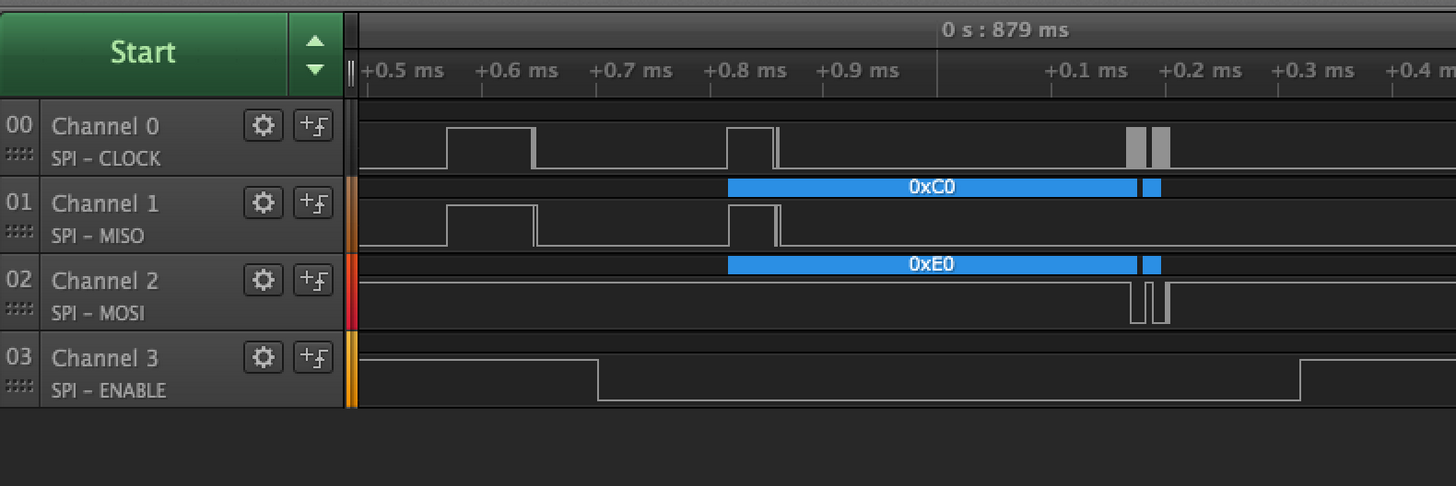
so notice enable pulled low on bottom
that's where the context manager starts
but the odd thing, that configure call is wiggling the clock and MISO
and that throws off all the rest of the comms with the chip
this workaround works:
with self._device as device:
device.configure(baudrate=500000, phase=1, polarity=0)
with self._device as device:
self._BUFFER[0] = address & 0x7F
device.write(self._BUFFER, end=1)
device.readinto(self._BUFFER, end=2)
tidal kiln
timber lion

can see diff, wiggle happens before enable pulled low and the SPI comms are all good
tidal kiln
timber lion
not sure what that wiggle from configure is though
very odd, maybe ASF does something funky?
i'll open an issue
probably not critical to fix, i can work around but it is a bummer to have to use context manager twice
it's fine until we are multithread and re-entrant
and even then sharing SPI is going to be hard so probably not a major issue
but definite gotcha for people using SPI i bet
tulip sleet
self._device.try_lock()
self_device.configure(...)
self._device.unlock()
with self._device...
ah yeah could do that too perhaps, i'm using the SPI device wrapper though
which takes control of the CS line
tulip sleet
to avoid fiddling with CS. The C code disables the device, changes some bits and reenables the device, and waits for things
    spi_disable(&self->spi_master_instance);
    while (spi_is_syncing(&self->spi_master_instance)) {
        /* Wait until the synchronization is complete */
    }

    spi_module->CTRLA.bit.CPHA = phase;
    spi_module->CTRLA.bit.CPOL = polarity;
    spi_module->CTRLB.bit.CHSIZE = bits - 8;

    while (spi_is_syncing(&self->spi_master_instance)) {
        /* Wait until the synchronization is complete */
    }

    /* Enable the module */
    spi_enable(&self->spi_master_instance);

    while (spi_is_syncing(&self->spi_master_instance)) {
        /* Wait until the synchronization is complete */
ah interesting, i bet during the disable and re-enable it might go back to a default state
and why we see a little wiggle
i think it's kinda dancing around an issue we'll run into like arduino
how do multiple different SPI devices with different needs share the SPI bus and have the appropriate baud, polarity, phase when they need it
tulip sleet
it's pretty low level, talking directly to the registers, and unsets and sets the enable bits in the enable and disable routines. that's all, so I think that might be how the peripheral works
timber lion
right now i think the convention is to explicitly call configure
hrm odd but it works fine in arduino
and arduino has a concept of SPI transactions where you take control of spi bus and explicitly set baud etc
might be interesting to see what they do differently
the use case to think about ultimately is sharing this sensor or others with a SD card for example on the same SPI bus
SD card has different polarity / phase / baudrate etc
so each driver has to be careful in every read/write to make sure bus is configured for its device
so we'll probably see a lot of SPI devices need to do a configure dance like this
tulip sleet
if you can write it up, including the initial consturctor, that'd be great. I'll compare it to the Arduino SPI impl
timber lion
might be worth thinking about for 3.0+ if maybe circuitpython would have a native concept of SPI bus state and setting it / unsetting it as needed for low level reads/writes from drivers
could pull some boilerplate out of drivers
tulip sleet
well in arduino is CS asserted low during the config?
tulip sleet
I can force CS off during the config, overriding the context manager
timber lion
yeah here's the arduino
addr &= 0x7F; // make sure top bit is not set
if (_sclk == -1)
SPI.beginTransaction(max31865_spisettings);
else
digitalWrite(_sclk, LOW);
digitalWrite(_cs, LOW);
so that beginTransaction is where it configures bus
then it asserts CS low
ah so yeah it's us being perhaps too aggressive about CS ownership
WRT to spi device
tulip sleet
yeah, CS be be asserted low when we're actually reading/writing (though have to think about DMA). Right now even DMA is synchronous in CircuitPytyhon.
timber lion
you know i think it's a bug for SPI device wrapper
it should probably have knowledge of the bus state the device wants
and could auto configure it before asserting CS
that solves the multiple device sharing bus cleanly too
 prime flower
could pass it the CS assertion?
timber lion
yeah the SPI device class right now assumes asserted low devices
but i think i'll open this on that class, it would make sense for it to call configure itself and save state of the bus
prime flower
mayb like a cs state yeah
timber lion
perhaps optionally so drivers today don't need to change
if you want it can manage and do the right thing, otherwise on your own
tulip sleet
i'll bet twiddling those settings causes junk on the lines due to the SAMD peripheral, it's just that CS is usually off so it doesn't matter
timber lion
yep exactly
timber lion
ah hrm it might also be the case we aren't honoring SPI phase
need to investigate more but it appears so
tulip sleet
code looks ok: don't see any obvious issues
timber lion
ohhh interesting so it's my code and how i use spi device
it actually is controlling baud rate etc
but it's resetting back to 0 when i didn't expect it
and actually it is doing the right thing with enable going low after the wiggle
yep that was it! all good @tulip sleet turns out it was how i was using bus device
tulip sleet
👍 think it needs any doc additions?
timber lion
nope should be ok, there's really no doc that covers this
maybe the spi device class shouldn't let you call configure
but that would add a lot of complexity to it
it's doing it automatically but assumes polarity 0, phase 0 etc so even if you try to call configure it outsmarts you
tulip sleet
I've never used the class; yeah, looks like you should pass the right args to the constructor, but if you're doing something tricky, maybe raw busio.SPI is better
pastel panther
Hey @tulip sleet did I ask you about the strange issue I'm having with my '51 development board I put together?
pastel panther
I figured it out!
My reset pin was floating and wavinig my hand in it's general direction would make it wig out. Pulling it high as per the datasheet worked great!
happy dances
slender iron
@pastel panther ah right! the errata mentions you need a resistor on it I believe
ruby lake
ssd1306 text still giving me fits ~_~
timber mango
@solar whale nice! Thanks for catching that. Yeah, I was using the 1.0 main.py as an example (since it has a little code for everything and the hardware didn't change) and it didn't occur to me that the API might have (what with it being a 2.x and all that, I should have expected it, but they're untyped numbers so nothing caught it at the python level.) Using dot = DotStar(APA102_SCK, APA102_MOSI, 1) works perfectly.
pastel panther
so glad I sent out for 6 copies of a samd51 board that will need to be bodged with a reset pullup since the internal one doesn't work 😑
pastel panther
Yes, apparently
 sage apex
I would have done external ones anyways
Because how can you set the internal reset pullup if the reset is not pulled up?
pastel panther
The '51 datasheet recommends adding one for noisy environments, then the errata says you must have one else it will wig out
pastel panther
sage apex
Holy.
pastel panther
I make good use of the table of contents/chapter feature in decent pdf readers
I just want one that I can pin sections in
sage apex
M0 adalogger board
pastel panther
The '21 on that is nearly as complex as the '51
pastel panther
1111 pages
pastel panther
Yea, I got the same. It's hard to be at that price. I might eventually get the big sister but I'm not in any rush
I would get the edu mini until you know you need the regular edu. You can always give the mini to a hacker in need
sage apex
I don't really know the difference between the two
pastel panther
It's minimal. The mini can only do cortex M chips (m0, m0+, m3, m4)
There is also a speed difference, though I'm not sure
sage apex
Ah, I'l see whatever i have money for
I got quite a bit to spend on equipment next month
pastel panther
I'm planning to spend the 50ish bucks difference on other equipment
sage apex
I have to get all new equipment basically
I have to get soldering iron, hot air station dev boards solder, wick, flux etc
pastel panther
I would budget for a Saleae also
pastel panther
If you're a student or teacher they have a decent educational discount
sage apex
Yeah, I am a student.
pastel panther
The Logic 8 ended up being like 160ish shipped
pastel panther
It's near essential I would say
sage apex
I have to start budgeting together the equipment i'm gonna buy next month
pastel panther
I had heard they were useful but I had no clue
pastel panther
You can always sell yourself to science for extra cash 😉
sage apex
I can go up but will try not to
pastel panther
600 for equipment or equipment and quad gear?
sage apex
I'm getting 1600 for books and supplies, which I'l have probably around 1000 left over
and then 400 for food and stuff
and 600 for equipment and quadcopter
Maybe 700
at most
 robust coral
oh no. https://learn.adafruit.com/how-tall-is-it/hello-accelerometer#using-circuitpython-repl <== doesn't work with CPX v2.1.0. Runs out of memory while importing the cpx python module.
Auto-reload is on. Simply save files over USB to run them or enter REPL to disable.
main.py output:
Traceback (most recent call last):
File "main.py", line 3, in <module>
File "/home/travis/build/adafruit/Adafruit_CircuitPython_Bundle/libraries/drivers/circuitplayground/adafruit_circuitplayground/express.py", line 474, in <module>
File "/home/travis/build/adafruit/Adafruit_CircuitPython_Bundle/libraries/drivers/circuitplayground/adafruit_circuitplayground/express.py", line 66, in init
File "/home/travis/build/adafruit/Adafruit_CircuitPython_Bundle/libraries/drivers/lis3dh/adafruit_lis3dh/lis3dh.py", line 240, in init
MemoryError: memory allocation failed, allocating 512 bytes

Let Circuit Playground help you find out.
sick creek
have you see where python and C# works together
idle owl
@robust coral If you have adafruit_lis3dh in the /lib folder, you need to delete it. It is frozen into the Circuit Playground Express version of CircuitPython to avoid memory allocation failures.
 silver hill
I’m playing with a Trinket M0 and my iPad, trying to get them connected with the Apple Lightning to USB3 adapter. With power supplied to the adapter it is able to power up the Trinket, and Photos pops up in response to seeing the device attached as a drive (presumably). However, none of the apps I’ve tried can see the files on the Trinket (Photos, Files, Readdle Documents). I also can’t connect to it as a serial device with Get Console. Has anybody had success with that connection, and either the Trinket or any of the other Circuit Python devices?
FWIW the Trinket works fine on my Mac.
torn grail
There probably isn't a driver for it on the iPad
sage apex
yeah, probably wont work without a driver
cunning crypt
I have connected a CP device to an android and it worked from what I can tell, but I have no apple products so I have never tried them.