
#circuitpython-dev
1 messages · Page 99 of 1
 slender iron
circuitpython is mentioned in this talk from PyCon.AU: https://www.youtube.com/watch?v=k09HCpjL2cE

Joel Stanley http://2017.pycon-au.org/schedule/presentation/69/ #pyconau This talk was given at PyCon Australia 2017 which was held from 3-8 August, 2017 in ...
 sick creek
cool @slender iron
 manic glacierBOT
 slender iron

Jim Mussared, Nicky Ringland http://2017.pycon-au.org/schedule/presentation/65/ #pyconau This talk was given at PyCon Australia 2017 which was held from 3-8 ...
sick creek
@slender iron now thinking how to add that rosie-ci to my vsts CI pipelines
slender iron
😃
sick creek
I need to check if travis is one of the extension as i saw appveyor as one of service hooks
sick creek
@slender iron as you set rosie-ci run in raspi so i could put it in win10 iot core in the nano container
manic glacierBOT
 manic glacierBOT
 manic glacierBOT
 manic glacierBOT

 royal ridge
OK, I know this exists, but I can't find it at the moment: where's the decoder ring for what the neopixel blink patterns mean on the express boards?
 tulip sleet
@royal ridge @slender iron knows this better than me. But it's actually blinking the line number at you in case of an error. So 4 blinks is an error in line 4. Multiple digits are separated by a little pause, and zero is a different color. (I'm relatively colorblind so I have a hard time with some of the colors.)
 timber mango
Mind blown. Didn't know that.
tulip sleet
Code to do the blinking is in circuitpython/atmel-samd/main.c. I was wrong about zeros. There's an extra long pause. Colors are listed in atmel-samd/rgb_led_colors.h.
#define MAIN_RUNNING GREEN
#define SAFE_MODE    YELLOW
#define ALL_DONE     GREEN
#define REPL_RUNNING WHITE

#define ACTIVE_WRITE 0x200000

#define ALL_GOOD_CYCLE_MS 2000u

#define LINE_NUMBER_TOGGLE_LENGTH 300u
#define EXCEPTION_TYPE_LENGTH_MS 1000u

#define THOUSANDS WHITE
#define HUNDREDS  BLUE
#define TENS      YELLOW
#define ONES      CYAN

#define INDENTATION_ERROR GREEN
#define SYNTAX_ERROR      CYAN
#define NAME_ERROR        WHITE
#define OS_ERROR          ORANGE
#define VALUE_ERROR       PURPLE
#define OTHER_ERROR       YELLOW
Eventually we will implement a complete REPL using only two extra buttons and the status LED. 😉 (joking)
tulip sleet
@royal ridge I had that problem a couple of times too, when I used an editor I hadn't configured.
royal ridge
ok, next question, is there a circuitpython version of micropython-adafruit-bitmap-font that I'm missing?
nevermind, that mpy works
royal ridge
Ow. That is a very slow render.
timber mango
@royal ridge on what platform, leds? or what?
royal ridge
OK, so, cant do the tft vault on circuitpython untill/unless the GFX layer matures a bit (which is something I don't have the brain for at the momet), but I've got enough to tart poking at the STMPE
@timber mango TFT Featherwing and the M0 Express
timber mango
Are you plugged into USB2 or USB3?
royal ridge
3
royal ridge
Eh, I get /why/ this in particuar is slow
specifically, the way we get text right now is pixel-by-pixel write.
which, I'm pretty sure I could get around if I could load and blit across an arbitrary bitmap, but that's not currently part of the rgb_display interface (yet)
... admittedly, it makes for a kinda cool movie-style typing effect.
which I actually appreciate the asthetics of.
just... not suitable for this specific purpose
 pastel panther
@slender iron on friday you mentioned a dev m0 express feather might be nice; other than a SWD header what would you like to see?
slender iron
@pastel panther SWD plus maybe headers for the spi flash connection
pastel panther
@slender iron to connect externally to the flash? do you have an example of something that does the same?
slender iron
mostly to hook up the saleae to sniff the traffic
pastel panther
shoudl be relatively easy; I'm a few drcs away from the SWD being done which was ... interesting due to the connections being waaaaaaaay over on the wrong side of the board. challenging in a fun way
slender iron
😃
pastel panther
is there a standard pinout for SPI? I didn't see one; presumably you need MOSI, MISO, SCK +V, GND, and CS so a 2x3 would work? I was roughing it out with a 2x4 and there seems to be some redundancy in the examples I saw
slender iron
not that I know of
 prime flower
@pastel panther generally miso/vcc/sck/mosi/ss/gnd as 2x3 grid
you can get a 10 or a 6 pin icsp header from almost anywhere suuuper cheap
 hybrid scarab
Is CircuitPython, in part, a step to canonicalise MicroPython? One thing I've run across with several boards is a bit of a "nodejs effect" - where the ecosystem is moving so quickly that 95% of all examples I find are broken
prime flower
@hybrid scarab circuitpyth documentation is broken? where?
hybrid scarab
Some boards use "pyb" and some use "machine" and I haven't used enough MicroPython boards to know why
Not CircuitPython specifically- I was just asking if it fixes that problem with the wider MicroPython ecosystem
prime flower
oh, im sure tannewt can talk more to that, but pyb is for the pyboard iirc
machine is for general micropython, but it applies to the board functions as well
hybrid scarab
Looks like I need to make sure anything I might write is aimed at Pycon/CircuitPython- I get occasional messages from people porting our HAT/pHAT libraries to MicroPython. Albeit usually to the tune of "why did you use numpy? Argh!"
slender iron
@hybrid scarab yeah, having a set of standard hardware APIs was a big part of why we decided to keep our fork as CircuitPython
pastel panther
thanks @prime flower . I just realized that SPI is the protocol ISP uses 😊
prime flower
@pastel panther you might also want to consider making a feather wing with these breakouts
slender iron
the machine API in MicroPython was not consistent amongst ports and I thought that unifying the internal implementation would be key to unifying the API
prime flower
@pastel panther https://learn.adafruit.com/make-a-simple-debugging-featherwing-for-the-m0/debugging-the-feather-m0?view=all

Make a Simple JTAG Debugging FeatherWing for the M0
slender iron
Damien didn't want to go that far and wanted to rely on docs to keep the APIs the same so we did what we wanted in CircuitPython
so far I've been really happy how its turned out
pastel panther
@prime flower do you mean the SWD header or those two SWDIO and SWCLK nubs?
prime flower
whatever you need to break out could be done with a wing, using the Feather Proto Doubler it'd look incredibly clean. I'd put an external 12mm "double-tap" reset button on a debug wing to throw it into the bootloader. Maybe do-able with a 555timer. It's something I've wanted.

This is the FeatherWing Doubler - a prototyping add-on and more for all Feather boards. This is similar to our FeatherWing Proto except there are two! The magic of the Doubler comes when ...
oh, and maybe extend the hardware neopixel (pin40 iirc) to the wing as well, or add in an extra one if you want.
pastel panther
Hmm the mod bot thinks the common parlance for flatulence is a swear word 😶
So you're thinking a wing would be more useful than a modified feather?
realizes this makes sense and wonders what he spend his weekend on
prime flower
I think the debug interface etc is already on the feather, building a debug wing would be an easy way to snap on/off the functionality you need to debug.
aaand if you want to change feathers (like if you want to do some dbg'ing on the wifi one or the btle one), just snap on a wing
pastel panther
duuuuuhr
Ok, mildy embarrased now
So are you thinking of something like a wing in that article but with a double tap reset and ??
prime flower
idk how kiCad works, but there's a show objects btn in eagle that's wicked useful for finding stuff on big schematics (like the feather)
pastel panther
Yea, I actually saw the D3/4/2 in the names and it leaked right out of my head
prime flower
thats where tricks like 'show objects' come in handy, think of it as "ctrl+f" for finding traces/components
pastel panther
yea I've already used it a bit. Pretty handy
prime flower
rst is on pin40 iirc, try prototyping a double click button first. make sure it works, then build out from there. maybe even give the option to have an external button (like a foot switch) to throw it in and out of BOOT mode
pastel panther
I'll give that a go once I actually get a m0 feather
prime flower
yay, @pastel panther some reading (and hints) to send you on your path -https://electronicsclub.info/555astable.htm
pastel panther
thanks!
prime flower
look at how people do rapid fire mice for cheating in FPS video games like counter-strike, they usually use a 555 in astable to do clicks
pastel panther
ah. I assume the double tap bootloader timing requirements is in the samd21 datasheet?
 pastel panther
Perfect, thanks
slender iron
@pastel panther the double tap bootloader is implemented by the uf2 bootloader so it won't be in the datasheet
pastel panther
Ah, that's about what I was gathering from that article. Thanks for the confirmation
hybrid scarab
@slender iron that bit of Arduino-style magic for the MicroPython world then 😄
slender iron
yup and the drivers built on top of it @hybrid scarab
hybrid scarab
Good stuff! I shall have to watch it closely. Would be nice to do some more MicroPython-based stuff. I love those boards.
slender iron
😃
 scenic timber
just got my CPE or CPX (which is the preferred short hand?) @ashen harborD loving the terminal in Atom trick 😃 thanks!
cut and paste example from https://circuitpython.readthedocs.io/projects/neopixel/en/latest/
oh reading instructions helps..
libs who woulda thunk 😉
tulip sleet
@scenic timber CPX is the acronym
scenic timber
Thanks
 fading solstice
Need help concerning building the CircuitPython_Bundle. I have been able to get the source code from GitHub. When I run build-bundle.py, the process fails to find/execute ["make"]. Where should that program be and where should I install make from.
prime flower
@fading solstice can you paste the full error log from your terminal?
also - are you using the required Python 3.5+ to run that script? (run: python --version to check)
fading solstice
@prime flower C:\Users\Mike\Documents\CircuitPlayground\source\Adafruit\Adafruit_CircuitPython_Bundle>python -V
Python 3.5.1
C:\Users\Mike\Documents\CircuitPlayground\source\Adafruit\Adafruit_CircuitPython_Bundle>python build-bundle.py run
Traceback (most recent call last):
File "build-bundle.py", line 33, in <module>
make = subprocess.run(["make"])
File "C:\Users\Mike\AppData\Local\Programs\Python\Python35-32\lib\subprocess.py", line 696, in run
with Popen(*popenargs, **kwargs) as process:
File "C:\Users\Mike\AppData\Local\Programs\Python\Python35-32\lib\subprocess.py", line 950, in init
restore_signals, start_new_session)
File "C:\Users\Mike\AppData\Local\Programs\Python\Python35-32\lib\subprocess.py", line 1220, in _execute_child
startupinfo)
FileNotFoundError: [WinError 2] The system cannot find the file specified
C:\Users\Mike\Documents\CircuitPlayground\source\Adafruit\Adafruit_CircuitPython_Bundle>
I will be creating an issue in GitHub for this.
timber mango
So I got a couple of cheap NodeMCU/ESP8266 units from Amazon ($6.50 each) to play with... after getting frustrated trying to get NodeMCU/Lua firmware working (the serial connected never seemed to connect right except at weird speed), I grabbed Micropython firmware, flashed em, and bingo, all working... added Wifi info, WebRepl, and all seems good.
I was able to use upip, grab pystone to benchmark, 200 pystones... not bad for under $7.
 prime ingot
Hi @prime flower -- yes! Very interested in low-power sleep via Circuitpython. Using the RTC, or an external interrupt, would be great (haven't tried that yet) -- but we've tried using the watchdog timer (the "sleepy-dog" approach) here: https://github.com/edgecollective/circuitpython It's a fork of Circuitpython that just tries to implement the Adafruit Sleepydog library functionality in Circuitpython on the Feather M0 Express. At this point, it successfully puts the board to sleep, but doesn't wake it up yet 😃

GitHub
circuitpython - CircuitPython - a Python implementation for teaching coding with microcontrollers
timber mango
@slender iron is there any plans for CircuitPython support for ESP32? (given that micropython supports it, and https://www.adafruit.com/product/3405 is one)

Aww yeah, it's the Feather you have been waiting for! The HUZZAH32 is our ESP32-based Feather, made with the official WROOM32 module. We packed everything you love about Feathers: built ...
slender iron
@timber mango its on my radar but not top of my list. I'm hoping that it gets pulled inot the main micropython repo at some point
timber mango
https://forum.micropython.org/viewtopic.php?t=3360 seems to indicate it works.
slender iron
@fading solstice I'll follow up on github
fading solstice
thanks. i making progress building the bundle on Vagrant VM. Just ran Python 3.6 by building it from source. The bundle is building now.
slender iron
👍 sounds like you got it sorted out without my help
fading solstice
i don't give up easily.
timber mango
I find using pyenv helps a lot with python version issues. Too many things than depend on specific python version (2.x and 3.x)... using pyenv, easy to have them all installed, and switch what directory runs which version.
 limber tulip
@slender iron what will be the first board with WiFI that CPX will support (meaning with editing of code on the device)? Basically all my projects are 'connected'
timber mango
might be a better explaination out there, but I found this video did a good job of explaining how a C function is easily converted into a python module... (doesn't have to be ESP32, thats just the topic) https://www.youtube.com/watch?v=-MrqCmq3Z5k

Nick Moore http://linux.conf.au/schedule/presentation/202/ Python is small. Micro even.
@limber tulip given that the only supprted board with wifi is the Feather Huzzah, that'll be the first, I'd say. (and CPX is CircuitPlayground Express, not CircuitPython 😃
limber tulip
Previously @slender iron said the Huzzah doesn't have the hardware to support it
Unless I misunderstood
Oh, I meant CP
timber mango
support what? Wifi? It's the 8266 chipset.
limber tulip
I have it running on a Huzzah but can only copy code, which is not as cool or convenient
timber mango
WebRepl would give you what I think you want.
slender iron
I really like Nick Moore's videos 😃
the challenge with the ESP chips is the lack of native uSB support
timber mango
@limber tulip, have you played with WebRepl at all?
slender iron
at some point we could put a M0 in front of it to pretend it has USB but that requires new hardware
limber tulip
I haven't yet, just ampy transfers/access
What about a Feather M0 (WINC), would that work?
slender iron
that has the opposite problem. there aren't drivers for the WINC
limber tulip
It's that odd dichotomy right now, some of the least powerful boards have a highly productive dev cycle; some of the more powerful boards are rather awkward still
Not critizing
timber mango
@slender iron I don't have a Huzzah, but as I said earlier, I just got a few cheap NodeMCU boards, and getting WebRepl (and wifi network under micropython) was easy. Is same true of Huzzah using CP?
limber tulip
But python and networking are like siblings if not twins
Peanut butter and jelly, maybe
timber mango
roadfun: WebRepl gives you exactly what I think you asking for: ability to copy files back and forth... or am I mistaken in what you want from 'usb mounting'?
timber mango
So you aren't going to get that, hardware wise. Not with any of the existing Feathers.
Well, not the ones without M0.
so not Huzzah.
limber tulip
Yes, so my question was intended to me: when/will there be a feather with Wifi that supports it
timber mango
So here's the problem: M0 + Wifi is 2 microprocessors (or MO plus whatever adds Wifi). ESP8266 is one with both functionalities.
slender iron
@limber tulip we know its a gap
timber mango
You want something the M0 adds (native USB), and sadly, not part of the ESP series.
What I like about WebRepl is that it allows wireless board to be programmed (pull/push files) via wifi.
I'm wondering if that would give you what you want (without 'usb', of course)
tulip sleet
nRF52840 has USB, but it's not in production yet (months down the road). An advantage of two processors is offloading the extensive wifi stuff out of CircuitPython so it can run independently and concurrently.
slender iron
nrf52 is also bluetooth and not wifi
tulip sleet
oops, my bad
sick creek
it's nordic bluetooth chip
timber mango
@limber tulip https://github.com/wendlers/mpfshell

GitHub
mpfshell - A simple shell based file explorer for ESP8266 Micropython based devices
allows fuse mounting too: https://forum.micropython.org/viewtopic.php?t=1652&start=10#p9601
limber tulip
Thanks, but that's still the upload/download approach rather than direct editing. I have a Feather Huzzah running CP 1.0 and I can do that now. Was just hoping for the lower friction approach as it is more productive (at least for me)
timber mango
No, fuse mounting would give you what you want: direct editing
limber tulip
Ah, I didn't look at that link
timber mango
it won't save until you commit.
so it's not literally live, but next best thing.
and I'd bet you could add 'autocommit' easily enough.
so that solution should (and I'll play with it myself later) should make a wireless mounted filesystem for an ESP8266 possible.
No usb to bother with at all.
limber tulip
I'll look into those links in more detail in the next few days. I had in mind to look at a way to automate the update approach (e.g. Auto detect changes and transfer)
limber tulip
Anyway, the reason I asked if a board with Wifi that would support this was coming is I didn't want to waste time hacking an alternative if there was
Sounds like nothing looming
timber mango
So annoyingly, he removed the fuse code from mfpshell, it's still into repo of course, just not in current code.
I'll play with it later, after I try out the current code.
manic glacierBOT
 manic glacierBOT
timber mango
manic glacierBOT
timber mango
so sadly, I don't think the FUSE stuff mentioned earlier will work for WebREPL, only local REPL via a port.
I posted an issue on the github to ask though, so we'll see what the author says.
Currently it is written so that there are python calls for all actions, so potentially, someone could use this approach and code up something. But "not working as of today" is the answer.
manic glacierBOT
 limber tulip
thanks @timber mango
timber mango
it does work excellently for WebRepl on a command line, though. It's like having ftp into the board.
I like it, and I'll use it.
limber tulip
might be good to document it if you have time - it would be a real help for those wanting to program a feather in python
timber mango
** Micropython File Shell v0.8.1, sw@kaltpost.de **
-- Running on Python 2.7 using PySerial 2.7 --
mpfs [/]> open ws:192.168.1.245
webrepl passwd:
Connected to esp8266
mpfs [/]> help
Documented commands (type help <topic>):
EOF cd exec get lcd lpwd md mput mrm put repl
cat close exit help lls ls mget mpyc open pwd rm
mpfs [/]>
pretty sweet.
manic glacierBOT
That way other values besides None throw errors instead of acting like None.
Fixes #187
Check that extra args aren't provided to digitalio.DigitalInOut on construction.
timber mango
@limber tulip author of mpfshell says the fuse code should still work, even with webrepl, so I may dig code out of repo history and play with it.... the ftpish remote access to a wireless python chip works well, but mounting it would be even better.
limber tulip
sweet
manic glacierBOT
 manic glacierBOT
 manic glacierBOT
This skirts the issue of third-party pulls having access to the Adafruit S3 credentials.
slender iron
@fading solstice https://github.com/adafruit/Adafruit_CircuitPython_MAX7219
GitHub
Adafruit_CircuitPython_MAX7219 - CircuitPython driver for the MAX7219 LED matrix driver IC.
slender iron
@tulip sleet whenever you have a chance: https://github.com/adafruit/circuitpython/pull/191

GitHub
This skirts the issue of third-party pulls having access to the Adafruit S3 credentials.
slender iron
thanks @tulip sleet !
tulip sleet
@slender iron Watching for the original other two to pass rosie...
slender iron
yeah, I'll rebase them on the new master commit too
@tulip sleet I think testing pushes is broken now
I also have three tests in flight at once 😃
tulip sleet
@slender iron Do you want to go ahead with the pull requests anyway or make sure rosie passes them?
slender iron
lets wait so I can use them for more testing. they aren't urgent
its not the end of the world if they get in next week
tulip sleet
OK, I looked briefly earlier. I only had one or two comments about some doc phrasing. I'll put that in a review comment.
slender iron
ok perfect. thanks!
tulip sleet
Sure... BTW, in the bundle release message, did you generate that list of URL releases of all the libraries manually? I couldn't figure out an easy way to do it from a script. But it was easy enough to update the versions manually.
tulip sleet
Ha! I didn't look for that. I thought I found that one was missing (the SD library was not in the previous release), so I thought it must be manual. OK, next time...
tulip sleet
you're welcome; learning a lot in one day
tulip sleet
offline for an hour or two; will check back
slender iron
k no worries. thanks @tulip sleet
royal ridge
Silly question: can we put a URL to the GH or Releases page in the pinned messages?
slender iron
Releases are here: https://github.com/adafruit/circuitpython/releases
GitHub
circuitpython - CircuitPython - a Python implementation for teaching coding with microcontrollers
done @royal ridge
royal ridge
Thanks, @slender iron ❤
slender iron
np
fading solstice
Why does bitbangio.SPI work, but busio.SPI doesn't. The following works:
import board
import bitbangio
mosi = board.A1
spi = bitbangio.SPI(clk,MOSI=mosi)```import board
import busio
mosi = board.A1
spi =busio.SPI(clk,MOSI=mosi)```FAILS with ValueError: Invalid pins
Are there extra requirements when using busio over using bitbangio?
This is running on a Circuit Playground Express
slender iron
yes @fading solstice the busio pins need to be on a sercom
its not documented very well at the moment
timber mango
and yes, got the Fuse mounting of mpfshell working (took some hacking to avoid old assumptions in code that author has since changed, including not just serial, but webrepl). So I just was able to connect to a ESP8266, mounting it's filesystem onto a local directory, use nano to edit boot.py, commit the change (which is how the code avoids live changes on the fly, as of now) by writing 'boot.py' into a .commit file, and then disconnect, and reconnect using the working shell (since it's an easy way to cat files), and run 'cat boot.py' and see that yes, my change is now live on the ESP flash. YES!
So I can now just mount/edit+copy+delete+etc/unmount a wireless micropython board anywhere (that has WebREPL accessible),
@limber tulip ^
@slender iron given how the usb mounting and live editting is working in CircuitPython, do you think if I attempted to change this to handle more of a live filesystem (ie edit a file on the mount, it just save the file to the board right then, versus delayed write until I ask it to write files), any gotchas? You guys are rebooting the board on any file writes, aren't you? or just code.py/main.py/boot.py?
slender iron
@timber mango its any file write over usb so you'd need to add it to the esp8266
timber mango
Or is that related to the read-only/write only issue with the SPI flash?
slender iron
GitHub
circuitpython - CircuitPython - a Python implementation for teaching coding with microcontrollers
timber mango
yeah, I mean the 'reboot on write' is what you do, I'm not sure I want that. I guess the question is why you do it?
slender iron
to make the workflow faster
timber mango
Makes sense, but not a requirement?
It's not like 'if we don't reboot, things are messed up'
slender iron
nope, it can be turned off
there is a cache for the samd that would be at risk though
timber mango
ok, just wanted to make sure I wasn't missing some technical reason it was a must do.
slender iron
no but I like the workflow
timber mango
(I mean it doesn't reboot when i pushed boot.py above). Maybe I'll just add a 'commit and reboot' option.
slender iron
yeah up to you
timber mango
I can't decide if I want to remove the commit way of doing things, and make it live. I might just make an autocommit option instead. And maybe then a 'commit and reboot' makes sense.
slender iron
😃
I'm headed to bed and then off the grid mostly for my sister's wedding until friday afternoon
dan halbert should be around though
slender iron
goodnight!
limber tulip
Well done @scruffynerf#6537 !
sick creek
@slender iron now you need circuitpython switch controllers right?
fading solstice
Related to module "busio". Does anyone know how to know whether a board pin is on a sercom or not?
prime flower
@fading solstice do you mean, checking if the pin is being currently used as i2c/spi, from code?
in circuitpython/atmel-samd/boards/[yourboardname]/pins.c it should be defined
 lofty topaz
@fading solstice During execution of a program, you would like to be able to see which pins are being used for serial communications. Yes/No???
fading solstice
The busio module expects that a pin be associated with a SAMD21 sercom pin. I just wanted to know as a user of the circuitplayground express board which pins i can use to hook up a SPI device so that I can use busio. One way I figured this out was to look at the express board design document. Turns out that RX TX pins work with busio and SDA SCL pin also work. They are both connected to a cpu sercom. I didn't see any documentation about sercom pins.
timber mango
@fading solstice The CPX currently lacks a good doc for this.... But the CircuitPython code does list it all, but you'll need to track it down:
GitHub
circuitpython - CircuitPython - a Python implementation for teaching coding with microcontrollers
GitHub
circuitpython - CircuitPython - a Python implementation for teaching coding with microcontrollers
If you do make a good list of this, share it please 😃
tulip sleet
Thanks @timber mango. I'll file an issue to document this better.
manic glacierBOT
For example, when using busio, which pins can be used for SPI, for I2C, etc.?
Ive done this already but forgot when talking on discord last night.
http://circuitpython.readthedocs.io/en/stable/atmel-samd/README.html#pinout
On Wed, Aug 16, 2017 at 7:42 AM Dan Halbert notifications@github.com
wrote:
For example, when using busio, which pins can be used for SPI, for I2C,
etc.?—
You are receiving this because you are subscribed to this thread.
Reply to this email directly, view it on GitHub
https://github.com/adafruit/circuitpython/issues/192, or mute t...
timber mango
@slender iron rocks. 😃
tulip sleet
@slender iron alright!
manic glacierBOT
royal ridge
Aaand I just dragged one of my co-workers into circuitpython land..... #sorrynotsorry
timber mango
hahah
 turbid bear
@slender iron , Great article on Make about Circuit Python. 👍  👏 👏 👏
👏 👏 👏
manic glacierBOT

The following code:
a = bytearray(b'abc')
a[1:2] = b'123'
works just fine on MicroPython and CircuitPython on the ESP8266, but fails with
TypeError: 'bytearray' object does not support item assignment
on the M0 boards. This is the fastest way to copy a fragment of a byte array (since it uses memcpy in C), but since it doesn't work consistently on all ports, I can't use it in my libraries. It would be nice if all ports supported it.
slender iron
Thanks @turbid bear !
timber mango
oh good, I encounted that bytearray bug and didn't know I had, I thought it was just me.
 royal ridge
Ok, got a question: is it possible to usurp the neopixel on the express boards for use by user code?
timber mango
Yes.
it's there to be used.
And to be clear: the Gemma is a Dotstar not a Neopixel, but most of the others are Neopixels... (so far)
royal ridge
... I forgot that detail
manic glacierBOT
 timber mango
The neopixel is a peripheral that happens to be also physically resident on the same target stamp as the rest of the Feather M0 Express. Regard it as if you'd bothered to hook one up to the target board yourself.
It just happens to be a known peripheral that can be programmed for use during the boot sequence (it is always there, so the designers of the boot firmware can reliably count on it to be there during boot, and therefore can program it to give the human 'messages' during the boot .. but other than that, it isn't 'claimed' by the system as off-limits for normal, programmatic uses by the end-user).
If you were to use a light bulb (to see in a dark room) at 9:30 p.m. and your brother was to use the same bulb at 11:30 p.m. -- you would not be interfering in one another's use (or 'claim' on the bulb). They happened at different times. So they're temporally separated uses.
That's what's going on here, too.
prime flower
(good news thats no longer secret as of last night's show yay) the giant Metro Explorers guide for circuit python (and arduino) is almost ready to go live, asher is testing it over today to find any residual flaws. It should be up by tomorrow or next week at the latest
for #circuitpython-dev people this is great news - it's compatable. there are a ton (19 circuits, the ardX kit had 12) of reference circuits and reference code. you can even use it as a "cheat sheet" for circuit python + external peripherals
timber mango
Nice.
prime flower
It might be the largest, or one of, the largest guides on learn as well 😃 (it's been a summer-long effort)
timber mango
So have some respect and wear nice clothes while reading it.
sick creek
Circuitpython clothes?
timber mango
is relieved to know that Strong AI isn't here, yet.
 fringe trench
@timber mango strong enough AI wouldn't necessarily reveal itself to us.
(there's a thought to haunt you. 😃
manic glacierBOT


f227eb7 In progress: - dhalbert
[adafruit/circuitpython] New branch created: issue\_56\_frozen\_neopix\_lib
Working on branch https://github.com/adafruit/circuitpython/tree/issue_56_frozen_neopix_lib; checked in snapshot.
Modules to freeze will be added as git submodules to the frozen/ directory. I modified the makefiles to allow multiple directories to freeze: FROZEN_MPY_DIRS instead of singular FROZEN_MPY_DIR. Frozen modules to include for a specified board are specified in mpconfigboard.mk files. Rewrote frozen code generation rules in py/mkrules.mk; I think it's more straightforwar...
manic glacierBOT

In file samd21_pins.c line 122, pin PB07 is not assigned to ADC_INPUT but to TOUCH:
PIN(PB07, EXTINT_CHANNEL(7), TOUCH(ADC_POSITIVE_INPUT_PIN15), TOUCH(13),
I think the correct way is:
PIN(PB07, EXTINT_CHANNEL(7), ADC_INPUT(ADC_POSITIVE_INPUT_PIN15), TOUCH(13),
manic glacierBOT

 solar whale
@slender iron @tulip sleet Just a heads up: I was doing some testing of a working script last night when I would occasionally get a "syntax error" when there was none. This is reminiscent of some issues we had some time ago with the early versions of CircuitPython. I don't recall the root cause at the time, but I thought you would be interested. I could make the problem go away by executing a different script before retrying the one reporting the syntax error?? I also rebooted (control-D) several times. Power cycling also seemed to take care of it... Sorry for the lack of detail. I will try to reproduce and document it better this weekend. What is the best forum to report/discuss this - here or on gitter? I was using 2.0.0-beta1-1.4. Have you seen anything like this? I am using a Metro-M0-Express for this testing.
tulip sleet
@solar whale This is probably due to the file write not bring completed when CPY auto-reloads or when you soft reset. The file itself is usually written quickly but the metadata saying which file system blocks are used may be delayed. On Mac and Linux this may be a few seconds; on Windows it can be tens of seconds. Was this your RPi?
solar whale
@tulip sleet It was occurring on a linux box (Ubuntu linux running on an old Mac mini..)
tulip sleet
I have seen this occasionally on Linux, but rarely. CPy only waits 500 msecs before auto reload
solar whale
I must just be lucky 😉 -- I'll do more testing later today and see if I can reproduce it reliably.
tulip sleet
Issue here, mostly about Windows, and the beginning posts are before I completely figured it out. https://github.com/adafruit/circuitpython/issues/111. Let us know if it seems different or you can reproduce. Tnx!
Btw, discord is fine or better than gitter for this kind of discussion.
solar whale
OK - I'll keep it here - thanks for the link. I'll read up and keep trying it. I'll let you know if I find anything of interest. I won't be able to do anything until late this afternoon and more likely over the weekend . I just wanted to put out a note since it seemed familiar.
tulip sleet
I'm offline a lot of the time until next week. No rush!
royal ridge
@tulip sleet I'm having issues getting the value from the slideswitch on the CPX. is there something I need to do aside from define the digitialio reference, set it as input, and then read switch.value?
well, that was horrid timing
tulip sleet
@ogredrew#6724 sounds right, but I haven't tried it myself - sorry! I can't check right now with a CPX. Did you check the pin table in readthedocs?
solar whale
@royal ridge I found that I had to enable the Pullup in order to read it.
timber mango
Yeah, good point. I also found the new circuitplayground library made all of it "just work"
royal ridge
@tulip sleet I was using the predefined slide_switch reference.
@solar whale Hrm, hopefully that's it. I'll try that when I get home
solar whale
If I recall correctly from the schematic, it is tied to ground on one side and floating on the other so the pull-up is needed to make it readable .
tulip sleet
Thanks folks!
 formal plover
My Feather M0 Express with Circuit Python on it should arrive next week. Looking forward to learning! I expect @slender iron himself to personally fly over to Michigan and teach me hands on.
prime flower
@formal plover you should be able to follow along with the Metro Explorers Guide for CircuitPython when it releases soon 😃
next best
formal plover
Haha @prime flower yeah. I just felt like giving @slender iron a hard time.
prime flower
😛
formal plover

I was reading the guide linked to the Feather M0, and was happy it somewhat resembled Python on the Pi. (no shocker). So once I can learn how to use the libraries and whatnot, should be off to the races.
prime flower
yeah, hopefully people will use the explorers guides as a quick start if they dont own a MetroX kit, it has all the functions you'd want
formal plover
Right right.
timber mango
@formal plover Once you get everything running, you just edit the main file (code.py and a few others all function similarly -- I think I'm just using code.py but it's been a while).
The REPL prompts you correctly (and if you get to the point where you are compiling a custom version under virtualbox and vagrant, you can customize that prompt).
There are two Control+Key bindings that matter there; I think one is Control D and the other is Control C (it prompts you so I don't bother to memorize such details).
Your first hurdle at the REPL prompt may be to remember to import the library you want to work with. You do it the same way you would in your code.py.
Interactive help is minimal; I haven't really found it to be effective to try to get help that way.
formal plover
Thanks for the info @timber mango
timber mango
@formal plover once everything is working correctly, it's a lot easier than that first time when you don't quite know what to expect. Be sure you have good access to the RESET button on whatever Adafruit board you bought -- makes things much easier. Might be a good idea to mount your board onto something else, so that when you press RESET the small Adafruit board doesn't try to escape. 😉
formal plover
@timber mango oh I'm all too familiar with that from the Trinkets I bought. It'll be on a breadboard for sure haha.
fringe trench
Is anyone else using Emacs to talk to your Circuit Playground Express board?
slender iron
@formal plover where in michigan? I am back there from time to time
formal plover
@slender iron Haha no way, small world. Holt, which is like 15 mins from Lansing.
slender iron
My girlfriend is from Kalamazoo
formal plover
Oh, nice!
manic glacierBOT
[adafruit/circuitpython] New branch created: tannewt\-patch\-2
7a23263 Fix ADC input def for PB07. - tannewt
solar whale
@tulip sleet @slender iron a bit more information regarding the "syntax error" I can repoduce it now. It occurs on the first time I try to execute the scipt after saving the file. That is, I edit the script and save it then enter control-D to reboot. Then i import the script and I get a syntax error on line 45. If I then enter controll-D to reboot and import it again, it runs fine and continues to be able to be rerun after reboot until the next time I edit/save the file. I have attached the script. Here is the error message: Press any key to enter the REPL. Use CTRL-D to reload.
Adafruit CircuitPython 2.0.0-beta.1-4-gf6a7025 on 2017-08-11; Adafruit Metro M0 Express with samd21g18
import jewel_rainbow
Traceback (most recent call last):
File "<stdin>", line 1, in <module>
File "jewel_rainbow.py", line 45
SyntaxError: invalid syntax
royal ridge
@solar whale Yup, you're hitting the windows lazy-fat12-write bug
solar whale
FYI. I am on a Linux box, not Windows.
royal ridge
@solar whale Also, thanks, setting the pullup has let me get readings from the slide switch, but not consistant at all
I honestly actually wouldn't be surprised if linux was doing something similar-ish on fat12, considering it's ancient filesystem
solar whale
@royal ridge hmm, I have not seen any problems but have not used it a lot. Will try more with it.
slender iron
@solar whale can you put that repo info in a bug? I can take a look this week
royal ridge
Oh, hey, a wild @slender iron appears!
slender iron
😄
solar whale
@slender iron sure. Do you want me to tack it onto the existing issue?
solar whale
Ok.
royal ridge
OK, so... apparently I'm having a combination of mechanical and code issues here...
eyes his CPX suspiciously
waitasec....does digitalio.Direction.INPUT do some kind of debounce?
slender iron
no
royal ridge
Huh... ok, it's doing something
beause when I specify it as an input, it acts almost like a momentary switch
solar whale
I certainly did not test the switch thoroughly. I'll do more later today. Still tied up with my honeydew list 😉
slender iron
what line?
royal ridge
Third line in this:
switch = digitalio.DigitalInOut(board.SLIDE_SWITCH)
switch.pull = digitalio.Pull.UP
switch.direction = digitalio.Direction.INPUT
royal ridge
AHA
the direction set makes the pullup act wonky
Yeah, knowing it was default is what made me try it without the explicit declaration
@slender iron ❤ ❤ ❤
lofty topaz
@ogredrew#6724 The guy knows his stuff eh?
Hello @slender iron Hope the wedding went well.
Going to see my son soon. He's 28 today.
royal ridge
@lofty topaz Yup, it's like he's working on it all the time or soething.... 😉
lofty topaz
Awfully quite this morning.
slender iron
nice! you got it figured out?
lofty topaz
Yup, with some very good help from the Discord team themselves.
Quick replies, step by step, bingo, bango, bongo, working
slender iron
awesome! pt has been enjoying talking with them too
lofty topaz
Good, he's the man. In my book anyway. Y'all are actually.
slender iron
😃
solar whale
@slender iron FYI - it seems like the syntax error is related to the presence of try/except/finally - at least I was able to get it to occur with a different file only after adding that... still digging, but the plot thickens...
tulip sleet
@solar whale try waiting longer before typing ctrl-d. Try 5 secs, 10 secs, 20 secs, etc. also the syntax errors are often due to where the 512-byte boundaries are in the file. So a file <=512 bytes (one sector) will not have an error, but >512 bytes will. And if by accident the boundary is in a fortuitous place, there won't be a syntax error, but the second half of the program might be missing.
@slender iron @royal ridge maybe we should make the settings not be order dependent for pull and direction ?
solar whale
@tulip sleet ok, will try. Just curious why the corrupted file is ok after another reboot without resaving
royal ridge
@tulip sleet either that, or make it explicit in the docs that the order matters.
another option, make the directions include input_pullup and input_pulldown, to combine the calls into one?
tulip sleet
It doesn't get corrupted per se, it just doesn't get finished writing. What happens is that the data blocks get written right away, but the metadata saying those blocks are for that file gets delayed. It does eventually get written, maybe after the syntax error report but before you do something else like reset. If you hard reset too fast then you will get corruption because the metadata will not ever get written.
solar whale
Ah, ok and these are small files so your 512 byte boundary makes sense. I'll try being patient! Shout get to it in the next hour. Thank
solar whale
@tulip sleet yup - looks like 20 seconds is about the "sweet spot"! so adding the try/finally stuff just made the test file longenough to matter! Sorry for the red-herring. So it looks like linux is not immune to the problem.
20 sec may be cutting it close - 30 is more reliable.
@tulip sleet ah - also as you reported, it may well be editor dependent. I was using gedit when I was having the problems, but tried nano and I can't make it fail even with a just a few seconds after saving. I had forgotten this part of you previous discusiionn.
tulip sleet
@solar whale Thanks for testing. We could use all the data we can get on this. Could you add a comment to https://github.com/adafruit/circuitpython/issues/111 pretty much saying what you said above, and listing the Ubuntu (or whatever Linux) version you were using. You can just say you saw delayed write of n secs.

GitHub
I have had problems writing to the onboard filesystem from Windows. I sometimes see complete filesystem corruption, and sometimes just problems with one file. See https://forums.adafruit.com/viewto...
The gedit vs nano is typical and depends on how the editor was coded: whether it truncates the file on write or not.
solar whale
@tulip sleet at @slender iron request i was planning to open a new issue since this expands the issue to linux. but it does look like it is jsut the same problem I can do it either way. I was just holding off to do a bit more testing.
tulip sleet
@solar whale A new issue is fine. I didn't read @slender iron 's comment closely enough. You can open a new issue and xref to the old one, since the solution may be different.
 upbeat plover
are there any example main.py to look threw? i only ask cause i learn a lot faster looking at others code... for example last night it took me over an hour to figuere out how to do an if statement.... i was trying to do like "if BLAH == True {}" took forever to find someone using an if statement to see it goes "if BLAH True:"
slender iron
@upbeat plover that basic stuff is all Python so any python resources will apply
upbeat plover
okay, ill search python Basics
upbeat plover
okay, thank you.
slender iron
np 😃
upbeat plover
i came across this https://docs.python.org/3.4/tutorial/index.html =}
upbeat plover
😬 my first CPX program... same theme as my makecode program....
Used to view plants at night without interrupting photocycle
needs NEOPIXEL module to run
timber mango
looks good.
manic glacierBOT

https://github.com/edgecollective/circuitpython it seems that somebody started with sleeping but wakeup not working ....
 jaunty juniper
before I try to do it (to learn more on the CPX), is there a python port of the Circuit Playground Mega Demo (as seen in the Arduino exemples) ?
manic glacierBOT

I have been seeing the same issue discussed in Issue #111
https://github.com/adafruit/circuitpython/issues/111
on a linux (Ubuntu 16.04 on a Mac Mini box) system. Since #111 ficused on the Windows platform, it was recommended that a new issue be opened for linux.
What I have found is the when editing and saving a file on the circuitPython device, I often get a "syntax error" the first time I try to execute the saved script.
With guidance from @dhalbert here are a few con...
upbeat plover
how do i do random stuff in circuitpython? i tried "import uos" its missing urandom.... tried circuitpython 2.0 beta and "import os" and tried os.urandom but i cant get it to work.... What do I need to do to do random in circuit python?
slender iron
@upbeat plover in 2.0 use random
upbeat plover
@slender iron can you please give a small sample of it in code?
slender iron
random.randint()```dargh okay thanks
solar whale
@slender iron If I want to build the CircuitPython Bundle for 2.0.0 I tried: clone Bundle from github - init/update submoduels. cd into CircuitPython - git checkout master then go back to root and ./build-bundle.py - Is that correct -- it still names the bundle 1.0.0 when it makes tha zip, bit is it really 2.0.0 since I swithced branches in CP?
solar whale
ok - sounds good - BTW I get a permission error from the bn055 library
Don't need it so no problem for me!
slender iron
hrm ok
solar whale
hmm - must have done somehting wrong - the lib folder is empty after I build....
solar whale
trying again.
jerryneedell@Ubuntu-Macmini:~/projects/adafruit_github/Adafruit_CircuitPython_Bundle$ ./update-submodules.sh
Cloning into 'libraries/drivers/bno055'...
Permission denied (publickey).
fatal: Could not read from remote repository.
Please make sure you have the correct access rights
and the repository exists.
fatal: clone of 'git@github.com:adafruit/Adafruit_CircuitPython_BNO055.git' into submodule path 'libraries/drivers/bno055' failed
Entering 'circuitpython'
Entering 'circuitpython'
jerryneedell@Ubuntu-Macmini:~/projects/adafruit_github/Adafruit_CircuitPython_Bundle$ cd circuitpython/
jerryneedell@Ubuntu-Macmini:~/projects/adafruit_github/Adafruit_CircuitPython_Bundle/circuitpython$ git checkout master
Previous HEAD position was 2e155bc... shared-bindings: Add stub documentation of storage.VfsFat so other docs can link to it.
Switched to branch 'master'
Your branch is up-to-date with 'origin/master'.
jerryneedell@Ubuntu-Macmini:~/projects/adafruit_github/Adafruit_CircuitPython_Bundle/circuitpython$ cd ..
jerryneedell@Ubuntu-Macmini:~/projects/adafruit_github/Adafruit_CircuitPython_Bundle$ ./build-bundle.py
Use make V=1, make V=2 or set BUILD_VERBOSE similarly in your environment to increase build verbosity.
Generating build/genhdr/mpversion.h
GEN build/genhdr/qstr.i.last
QSTR updated
GEN build/genhdr/qstrdefs.generated.h
text data bss dec hex filename
134078 776 872 135726 2122e mpy-cross
lib/README.txt 117 512
lib/update_linux.sh 646 1024
lib/update_macosx.command 662 1024
lib/VERSIONS.txt 92 512
3584 B 3.5 kiB 0.00341796875 MiB
Bundled in build/adafruit-circuitpython-bundle-1.0.0-20170815.zip
looks ok except for bn055 error - but /lib is empty - just has VERSIONS.txt
slender iron
yeah the bno thing is weird
solar whale
is taht aborting the build?
slender iron
I have a feeling it is
can you try deleting the bno folder and adding it as a submodule with the http url? https://github.com/adafruit/Adafruit_CircuitPython_BNO055.git
GitHub
Adafruit_CircuitPython_BNO055 - CircuitPython driver for BNO055 absolute orientation sensor
slender iron
ah, maybe you need to init the submodules then
solar whale
sorry - I am a bit confused. do you want me to clone the BN055 lib then copy that into the libraries/dirvers of the bundle as bn055??
solar whale
yes - but after the bno55 error all the folders are created. but empty
solar whale
git submodule update --init --recursive
runs but still gives bno55 errror and all the folders are empty 😦
basically it downloads all of Circuitpython - creates the libraries follders tehn quits when bn055 fails
BTW - I can clone the BN055 directly
slender iron
with the git url?
solar whale
yes
slender iron
did you ever run git submodule init?
solar whale
yes
solar whale
but it looks correct in .gitmodules
slender iron
is it the git version or http version?
solar whale
ahh -its git version - I see - I ussed http version manually
solar whale
now it fails at ht16k33 !! perhaps i should change all to https ...
arggh - npw asking for username for bn055....sigh.
upbeat plover
anyone have neopixel modula for 2.0.0 beta? 😽
solar whale
this time it failed for lis3dh, but it is already https ....
@upbeat plover - I can't build 2.0.0 lib now. Trying tfind link to the version avaible...
@upbeat plover you'll need the whole 2.0.0 compatible library
upbeat plover
okay, hope you can get it working then.
solar whale
GitHub
circuitpython - CircuitPython - a Python implementation for teaching coding with microcontrollers
tulip sleet
@solar whale @slender iron We should make all .gitmodules URLs be https. I can open an issue and fix it this week. I remember now I had to set up a GitHub token to do this properly.
solar whale
@upbeat plover taht link has a link to a 2.0.0 compatible library bundle
solar whale
@tulip sleet I tried changing them all and got a prompt for a username - perhaps I made an mistake- I'll try again. also I was able to get bno55 and ht16k33 by changing to https, but lis3dh is alrady https and it fails.
@upbeat plover yup - it works for me on 2.0.0
upbeat plover
thanks alot peeps
tulip sleet
Try cloning again and changing the urls before you do submodule init. The submodule commands change state in a number of different places. Some are obscure.
slender iron
@solar whale whats the url for the lis3dh?
solar whale
@unreal dove you have the magic touch - I recloned - edited .gitmodules to make all use https - it build fine this time
slender iron
👍
slender iron
you always are @solar whale
solar whale
@slender iron @tulip sleet Thanks for the help.
slender iron
np @solar whale
solar whale
its nice to have the libraries and the CP source under the one cloned repostiory
also nice that it automatially rebuilds mpy-cross, when you change branches! I always forget.
slender iron
😃
fringe trench
There are several differences between how HTTPS and SSH cloning works. The SSH clone requires you to have an account on github with the correct access to clone that repository.
Probably at least some of the people who have been working on circuitpython are logged into github all the time, and never experience problems cloning the submodules.
slender iron
yup yup, makes sense
manic glacierBOT

my understanding is that the current version of circuit python (v1.0) is based on micropython 1.8.7. micropython (i think) does support uasyncio and has a external libraries project called micropython-lib that holds a number of librariies including the uasyncio library (there are two there, one is uasyncio which is empty and uasyncio.core which is what i want).
i guess my qu...
manic glacierBOT
just more details:
it appears that the async keyword is new in python starting at version 3.5. circuiltpython v1.0 is using python version 3.4.0.
import sys
print(sys.version_info)
(3, 4, 0)
but 3.4 does have coroutines, using @asyncio.coroutine instead of async. however,
import asyncio
Traceback (most recent call last):
File "<stdin>", line 1, in <module>
ImportError: no module named 'asyncio'
- k
fading solstice
have any of you built the CircuitPython_Bundle? I am generating .mpy files that having "invalid format" when I copy them to a CircuitPlaygroun Express board. What are some reasons that the build process might emit "invalid format" files?
manic glacierBOT
 slender iron
@fading solstice the bundle builds from the latest tag which is 2.0 but 1.0 is likely what you are running on your CPX
try changing to circuitpython and checking out stable before building
manic glacierBOT
What board are you trying this on? I'd expect it to work on ESP8266.
upbeat plover
how do I get a .wav to play?
no errors in code but cant hear anything...
import board
import audioio
import digitalio
speaker_enable = digitalio.DigitalInOut(board.SPEAKER_ENABLE)
speaker_enable.switch_to_output(value=True)
a = audioio.AudioOut(board.A0, "a2002011001-e02.wav")
a.play()
do i need to change the PCM format?
manic glacierBOT
slender iron
@upbeat plover try looping after play to wait for it to finish
while a.playing:
  pass
ill try it right now
slender iron
it should through an error if the format isn't supported
manic glacierBOT
Ok, I've not taken any time to look into adding it. What libraries are you trying to use on top of it?
upbeat plover
still not playing
upbeat plover
ill try different samples right now
slender iron
look at the example there
you need to open() the file rather than giving the filename
upbeat plover
im getting errors now, this is the site im using to convert http://audio.online-convert.com/convert-to-wav
it has "Show Adavanced Options" has 20 formats to chose from what do i pick?

online-convert.com
Convert your audio to the WAV format with this free online WAV converter. You can optionally extract audio tracks from video and convert them to WAV.
errors im getting are "Unsupported format" and "Invalid format chunk size"
slender iron
do 8 or 16 bit under 16khz sample rate
and mono
I used audacity to generate the wavs
(its a freely available software)
slender iron
oh nice!
manic glacierBOT

@lila The async stuff in MicroPython and its additional libraries is a subset of CPython and still looks a bit work in progress. What's your use case for the module?
manic glacierBOT
i'd like to use libraries such as : https://github.com/peterhinch/micropython-async in order to do event driven programming of the board. For example, when buttons are pressed or accelleratometers triggered do run a coroutine, rather than have to explicitly poll for each of the inputs.
in https://github.com/peterhinch/micropython-async/blob/master/aswitch.py there is a pushbutton class that handles the registration and execution of the python functions.
i find that's a much easier...
fading solstice
thanks @slender iron i will try that
manic glacierBOT
I think async programming is much harder to teach than sync programming so this is very low on my list.
If you or anyone else are interested in adding support, please reopen for tracking. Otherwise, I'm closing this. While I think we'll get there eventually, there are just too many other things to do including additional MCU support, standardizing APIs and networking to consider this in the medium term.
manic glacierBOT

The micropython uasyncio code is very actively being worked on, as in a commit that is only a day old (as of now), by pfalcon. Until it's reasonably stable, I can't see that it's gonna get much attention for the limited number of ports (samd, esp8266) that adafruit folks are trying to get into a manageable shape. (and keep in mind, CP doesn't track MP exactly, there are some differences such as using non-micro libraries (random vs urandom, for one example...))
manic glacierBOT
@brentru Do you have time to do this? If not, please unassign yourself.
@asherlie Do you still have time to do this? If not, please unassign yourself. Thanks!
upbeat plover
CPX lux meter
anyone have a Lux meter and can test this out? 😀
range is about 10-1500 lux, seems to be about the same as my Lux meter just want confirmation before moving to TEMP
slender iron
@upbeat plover I've been meaning to calibrate it. Do you actually have a meter?
upbeat plover
i have a digital multi meter that does lux and dB
has sensors built in
would love to compair with others
slender iron
ok, I don't have one myself so the conversion in the circuitplayground library is just a guess
upbeat plover
my multi meter has a built in temp and %RH, also a temp probe but i dont know where the probe is, which would make calibrating so much easier for temp, right now im just using the built in and going to monitor over long time
manic glacierBOT
 upbeat plover
so far temp is working nice with just "temp.value / 1331" for Celsius, but ive only had a 0.1 change in temp while testing 🤔
slender iron
ah, the math I added in the module is a bit more complex
it does involve some powers of ten though
GitHub
Adafruit_CircuitPython_CircuitPlayground - CircuitPython library for CircuitPlayground
https://github.com/adafruit/Adafruit_CircuitPython_Thermistor/blob/master/adafruit_thermistor.py#L63
GitHub
Adafruit_CircuitPython_Thermistor - Driver for producing a temperature measurement from a thermistor.
heh, both line 63
upbeat plover
has it been fully tested?
slender iron
it looked right to me but I didn't actually compare it against anything
upbeat plover
ill test mine first and if it doesnt work out ill try that, right now im just getting the analog from the sensor and converting it right?
slender iron
sounds good! the library code is a bit more robust for different resistor values but that may work for your specific case
upbeat plover
how do i get analog from the mic?
slender iron
you can't. its a digital mic
upbeat plover
mkay
slender iron
recording into a buffer is in the 2.0.0 beta
upbeat plover
without you id be using makecode only still, no joke you and the Tony D videos are amazing
upbeat plover
makecode reminds me of GameMaker I used way back when
upbeat plover
yeah what i was doing for temp isnt very accurate, i end up doing a range of stuff then finding the mean to it all.... not very good results but i know what range the temp is in now
manic glacierBOT
 upbeat plover
@slender iron im working on turning CPX into a virtual pet... I'm a huge noob and would like some samples of code that can save a value in an .ini or some other file saved on CPX..... I want something to prevent loss of state if power failer or hitting the reset button.
So far, its a pure serial thing, CPX tells you about its condition threw serial. This is my start...
timber mango
@upbeat plover look back here in old discussion for the 'switch' discussion re 'readonly'/'writable' for the flash. essentially, due to the way flash is configured, either it's writable by program or it's writing by usb, defaulting to usb. You'll want to change that. (and you'll find sample code)
upbeat plover
@scrufffynerf do you know about what day it was?
timber mango
found it:
@prime ingot - 08/08/2017
Hi @untold knot -- as @slender iron mentioned, here's some code for logging data to the SPI flash: I tried to describe the procedure in the README (hoping to write better guide this week!) -- feel free to ping me with any questions https://github.com/edgecollective/circuitpython-flash-logger
GitHub
circuitpython-flash-logger - Basic datalogging to SPI flash memory on CircuitPython Express boards.
there is more discussion in the chat, search back for it.
I suggested using CPX switch (rather than his resistor solution), and someone tried it with success.
slender iron
@upbeat plover I'm also working on something right now that will give you 256 bytes of persistent state on express boards
upbeat plover
thats more then enough for what im wanting
solar whale
@timber mango @upbeat plover I was able to get the switch to work for enabling the SPI flash logging on the CPX. The critical thing was to enable the PullUp on the Switch in order to be able to read its state in boot.py
timber mango
@solar whale Awesome, couldn't recall who it was..
Might be good for example code, if you share that?
solar whale
pretty simple mod to the example boot.py:
import digitalio
import board
import storage
switch=digitalio.DigitalInOut(board.SLIDE_SWITCH)
switch.switch_to_input(pull=digitalio.Pull.UP)
storage.remount("/",not switch.value) # switch.value==True means datalogging mode: allow circuitpython code to write to flash, while making USB read-only.
for code.py:
import digitalio
import board
import time
switch=digitalio.DigitalInOut(board.SLIDE_SWITCH)
switch.switch_to_input(pull=digitalio.Pull.UP)
led = digitalio.DigitalInOut(board.D13)
led.switch_to_output()
if switch.value==True: # if SLIDE_SWITCH is pulled high, then datalog mode -- no USB write allowed
for i in range(10): # keep number of writes low for testing
f=open('data.txt','a')
f.write('{:03d}\n'.format(i))
f.close()
led.value = not led.value # blink to indicate successful write
time.sleep(1)
else:
while True:
led.value = not led.value #faster blink to indicate in USB read-write mode
time.sleep(.2)
timber mango
@slender iron 's 256 bytes might work for some things, but I suspect many people will want to write files to flash...
slender iron
@timber mango yeah, the storage stuff is for writing files
timber mango
There should be a good 'example CP for CPX code' repo.
tulip sleet
@slender iron are there any library pull requests from you or are they all in circuitpython?
tulip sleet
ok will get cracking on those and then back to frozen modules
slender iron
ok thanks! I'd love to get another beta out this week
tulip sleet
sure, and we have more hungry users each week
tulip sleet
@slender iron I triggered a new build on https://github.com/adafruit/circuitpython/pull/189 but rosie is still failing.
GitHub
Check that extra args aren't provided to digitalio.DigitalInOut on construction.
slender iron
ok I'll take a look
@tulip sleet there is a way to retrigger a rosie test
is the log and you can replace log with rerun
the binaries are only stored for 30 minutes or so though so it may fail after a while
(I just retriggered that commit)
tulip sleet
got it. I looked up how to trigger a travis rebuild. I will write that down somewhere
slender iron
can you see restart build here: https://travis-ci.org/tannewt/circuitpython/builds/267313010
tulip sleet
Yes - I just enabled travis for myself 5 mins ago
slender iron
cool cool
tulip sleet
world's smallest data center
slender iron
yup 😃 need to hook more up to it
slender iron
thanks @tulip sleet
royal ridge
@slender iron why am I now imaginging you with a wall full of Pis with Unicorn hats on em, cackling with glee?
slender iron
wall full of M0s
slender iron
I was thinking I'd get a bunch of feather expresses to have Rosie test some wings
sick creek
I think now CircuitPixel Pythonwings for some reason
tulip sleet
@slender iron suppose I want to run travis and rosie on a pushed branch, to test before I do a pull request.
If I'm now connected to travis, will that just happen when I push my branch to adafruit/circuitpython? And would it also work on dhalbert/circuitpython? Right now I'm just using a temp feature branch in adafruit/circuitpython instead of my fork of circuitpython.
slender iron
Travis will work but I don't think Rosie will
it expects a webhook
go ahead and just start the pull
tulip sleet
Tnx. I think I'm close to ready anyway. I also read about simulating travis locally, but that seems like much trouble to set up. May as well use the existing infrastructure.
slender iron
yeah, I think its fair to expect some churn on code in a pull request
if thats to fix tests, then thats fine with me
tulip sleet
Great. And I can assign you as a reviewer when I think it's ready.
slender iron
sounds good
ideally we'd have a bot that autoassigns things after the tests are all passed
manic glacierBOT
45a31b1 Fix ADC input def for PB07. (#195) - tannewt
f570b53 shared-bindings: Update DigitalIO.pull docs and... - tannewt
16ef611 shared-bindings: Check that extra args aren't p... - tannewt
43d95e2 Merge branch 'master' into issue_56_frozen_neop... - dhalbert
b5864b5 avoid //frozen_mpy.* - dhalbert
sick creek
@slender iron so rosie expect incoming webhook?
solar whale
@slender iron I have a Jlink connected to my Metro-M0-express. How do I build CP with debugging enabled. It's been awhile since I did this. Do I edi tthe Makefile to set DEBUG=1 or is there a comman line option - or something else entirely...
slender iron
make BOARD=metro_m0_express DEBUG=1
slender iron
np
solar whale
I can disassemble the nondebug .elf file, but it would be nice to see the source code 😉
slender iron
yeah totally
solar whale
cool! works great
manic glacierBOT

https://circuitpython.readthedocs.io/en/latest/shared-bindings/busio/UART.html
does not seem you can change the baudrate on the fly - might be a useful thing to do as some devices let you change the baud rate! can be a function or a property (property is probably better)
slender iron
@tulip sleet @sick creek I'll remove the github webhook requirement. I can get away with travis webhook only
sick creek
Rosie could have webhooks
sick creek
like adafruit io?
tulip sleet
@slender iron branch issue_56_frozen_neopix_lib is a feature branch on adafruit/circuitpython, but it has a messy commit history. I don't think I want to rebase and force-push for the pull request (right?). Should I skip cleaning up the branch commits before the pull request? It could be done in the pull merge with squash and/or rebase. Or do you have a different sugestion?
slender iron
I think its ok to rebase and force push if you want
most of my branches are now on my personal fork
we can squash at the end if you only want one commit to survive
tulip sleet
I think I'll go back to that personal forks, since I don't expect anyone to fork from my personal fork. I'll try force-push for this one time so we can see how it works out (or not).
slender iron
yeah
we can keep adafruit feature branches to things we want to collaborate on like the asf4 stuff
tulip sleet
They are temp branches and I delete them after pulls are accepted, but they are still present (but hidden) in the history. Will do.
slender iron
yup yup
manic glacierBOT
[circuitpython] Branch issue\_56\_frozen\_neopix\_lib was force-pushed to `4a6b99d`
tulip sleet
@slender iron Well, that force push after a rebase caused a complete mess of commits in a potential pull request. I will re-create it in a dhalbert/circuitpython branch.
tulip sleet
Yah, and worse, I reordered them, moving your latest commits to before my commits. That I think was the killer. Used fixup, reword and reordered.
slender iron
shouldn't the latest commits not be in the rebase prompt?
tulip sleet
I'll try that next time, if there is a next time. I'm well on the way to making a clean feature branch in dhalbert/circuitpython.
slender iron
all of my remotes are named after the github user of the repo
why not just fix the original branch?
tulip sleet
I already force-pushed, so it's already messed up. I could roll that back, but easier to re-create. There are only a few file changes.
kdiff3 is my friend
slender iron
you can always force push again
manic glacierBOT
[circuitpython] Branch issue\_56\_frozen\_neopix\_lib was force-pushed to `d783cdd`
tulip sleet
This was helpful: https://stackoverflow.com/questions/134882/undoing-a-git-rebase. Secret is git reflog to find out where the rebase mess started.

Does anybody know how to easily undo a git rebase?
The only way that comes to mind is to go at it manually:
git checkout the commit parent to both of the branches
then create a temp branch from ...
slender iron
👍
I've been thinking of doing a best practices doc for git/github
seems like similar things come up often
tulip sleet
See, look at this. Too many changes, even though I merged. Seems like it's undoing and redoing stuff. I'll delete this pull request. https://github.com/micropython/micropython/pull/3282
GitHub
dubious pull request. too many changes.
tulip sleet
Gack.
slender iron
did you mean to delete the branch too?
tulip sleet
no, will undelete it
manic glacierBOT
d783cdd Reworked frozen module support: clean up makefi... - dhalbert
[adafruit/circuitpython] New branch created: issue\_56\_frozen\_neopix\_lib
slender iron
whoa, there are a ton of circuitplayground expresses in stock
tulip sleet
now I'm embarrassed for us with respect to micropython/micropython. oh well
manic glacierBOT
Freeze neopixel library in CPX build.
In order to generalize this:
Added ability to freeze multiple directories. Modules to freeze are included as git submodules. Submodules do not need to be duplicated if they are used for multiple builds.
In addition to FROZEN_MPY_DIR, there is now a FROZEN_MPY_DIRS variable, which includes FROZEN_MPY_DIR for backwards compatibility. Modules to freeze for a particular board can be specified in mpconfigboard.mk for that board by defining `F...
slender iron
bound to happen at some point @tulip sleet
tulip sleet
@slender iron Yeah, the defaults for creating the pull request were not what I expected. Didn't think about it picking upstream (which makes sense for personal forks).
slender iron
yup yup
tulip sleet
@slender iron FYI, when I submitted pull req #199, the thread/thread_lock3.py test initially failed. I restarted the build via travis and it succeeded. There's no evidence of the failed build in travis now.
manic glacierBOT
Looks like there are constants, etc. in the ASF3 ADC code to set up reading the internal temp easily. We're already using the ASF3 ADC API to read the ADC.
manic glacierBOT
[adafruit/circuitpython] New branch created: programming\_guide
a528b3d docs: Add programming guide with digital I/O tu... - tdicola
sick creek
@slender iron have you tried to run Rosie in a container?
i saw this https://store.docker.com/images/python
sick creek
@tulip sleet have you run rosie in a container?
turbid bear
@timber lion , any chance you will be streaming on YouTube for your videos?
 timber lion
hey @turbid bear yeah my upload bandwidth is too limited to stream to all services unfortunately, but the videos get posted to youtube soon after streaming on twitch
turbid bear
Thanks @timber lion , I watch your stream via youtube. I will try to get on twitch for live broadcast.
manic glacierBOT
Would it make more sense to have these in the top level? They should have an API that works across all ports.
slender iron
@fading solstice would you mind updating the README for the MAX driver?
fading solstice
@slender iron sure no problem
slender iron
thanks! I was thinking of adding an example, removing the note about compatibility and reformatting the link to the micropython version
manic glacierBOT
4516b88 Move frozen directory to top leve from atmel-sa... - dhalbert
This allows Rosie to automatically work for commits to forks.
Good point. I didn't do that initially because FROZEN_MPY_DIRS isn't implemented in all the ports. But it will be implemented in most or all of our ports eventually.
Changed and tested on a CPX.
74cfdeb Added ability to freeze multiple directories; f... - dhalbert
slender iron
uh oh, rosie pi isn't happy
slender iron
@timber lion programming guide looks good! https://circuitpython.readthedocs.io/en/programming_guide/docs/programming_guide/01_digital_io.html
@tulip sleet looks like your latest commit broke read the docs
do you have a read the docs account? I can add you as a maintainer
tulip sleet
@slender iron No, I don't. I was running sphinx by hand for the HID module, but hadn't tried to rebuild the current circuitpython docs.
royal ridge
@slender iron do you have a little LED grid for Rosie to draw a happy face or a sad face to let you know what's goin on?
slender iron
ok, make one and I'll add you as a maintainer
@royal ridge no but the lights flash when its running a test
royal ridge
I just keep picturing Rosie living on one of these and it makes me smile: https://www.adafruit.com/product/3479
A robot friend to sit on your desk and scroll the news, weather, or your Twitter feed - it's the Pimoroni Scroll Bot!The Scroll Bot Kit combines the Pi Zero W with the ...
timber lion
Cool thanks @slender iron yeah I'm going to keep them in that branch for now and send a pull when a few more are there. If you're curious I put a build up on aws to see how the final docs integrate it: http://aws-website-doctest-czzr4.s3-website-us-east-1.amazonaws.com/ (click programming guide on the left, that's where I was thinking we could put these)
slender iron
@timber lion I enabled readthedocs on that branch so they'll get autobuilt there
tulip sleet
@slender iron ok I have a readthedocs account with github connectted
royal ridge
Also, the only one of those boards I don't have is the trinket
slender iron
is it dhalbert @tulip sleet ?
tulip sleet
yes. Also will ask a question in DM in a second.
slender iron
ok, added you
sick creek
@slender iron how is rosie pi now?
slender iron
I unplugged it and plugged it back in and its happy now
and no, I haven't tried it in a container
sick creek
you could run rosie in a container what is in pi
slender iron
I'm not sure what advantage that would give
the whole pi is essentially a container anyway 😃
sick creek
I am going to test run nanocontainer on my pi
if i get rosie to it and it be happy there
slender iron
sounds good!
sick creek
@timber lion as you was testing previously circuitpython dev to windows 10 S here is docs to way test it for real https://docs.microsoft.com/en-us/education/windows/test-windows10s-for-edu

Provides guidance on downloading and testing Windows 10 S for existing Windows 10 education devices.
@tulip sleet hey check new Windows 10 insider build for that write delay issue as there was something for that it migth get fixed
timber lion
oh neat thanks!
tulip sleet
@slender iron rtd problem is due to an rtd bug which surfaced due to my use of submodules containing rtd directives (the frozen module). Will push a workaround.
slender iron
thanks @tulip sleet !
manic glacierBOT
d50962b Workaround readthedocs bug that looks for a req... - dhalbert
Adding submodules (for freezing) that contain readthedocs.yml files exercises this readthedocs bug:
".readthedocs.yml from a submodule is affecting the configuration"
https://github.com/rtfd/readthedocs.org/issues/2855
readthedocs mistakenly looks for .readthedocs.yml or readthedocs.yml in the entire tree instead of just at the root. Submodules to freeze may contain readthedocs.yml that requests a requirements.txt. Readthedocs then looked at the root for requirements.txt, ...
Looks like this needs to be rebased onto newer adafruit/master.
slender iron
@tulip sleet I'm gonna go climb for a bit before the meeting and shows
sick creek
happy climbing @slender iron
formal plover
@slender iron Sooo writing libraries for Circuit Python is "easier" than libraries for Arduino... How easy? haha.
slender iron
writing CircuitPython in general is easier
do you have any project ideas that involve sensors that aren't supported yet?
formal plover
Not currently. Just soldered the headers onto my Feather M0 a couple hours ago. I have a ton of sensors, servos, LEDs etc
slender iron
ok, well pick one thats not in the bundle and I can get you started
once its working the sharing guide is useful
formal plover
Right. Will do. Github or learning center for the list?
slender iron
the list from the bundle?
bundle list is here: https://github.com/adafruit/Adafruit_CircuitPython_Bundle/tree/master/libraries/drivers
GitHub
Adafruit_CircuitPython_Bundle - A bundle of useful CircuitPython libraries ready to use from the filesystem.
slender iron
np
timber mango
Speaking of, I just got a number of Wio Link Deluxe Plus Kits https://www.seeedstudio.com/Wio-Link-Deluxe-Plus-Kit-p-2616.html and will review to see what CP supports so far... (most of it is i2c based), and if something isn't, I'll happily help with a driver.

This kit is same with Wio Link Deluxe Kit except this kit contain another two display modules, which can add visual interfaces for your user. You can use this kit to run some real projects or do prototyping. It contains sensors(mainly), switching-function modules, servo motors, LED strip and a speaker.
I'm looking forward to playing with gesture detector.
formal plover
@timber mango Nice!
timber mango
I probably overbought on the kits, but the price was right, and shipping from Shenzen for overnight was better if I bought more. So I have 'extra' kits, I'll happily resell for slightly more than I paid/shipping.
well, not overnight, but faster than a slow boat from China. 😃
formal plover
Very true @timber mango. Besides, better to have too much than not enough.
timber mango
yeah, the plain Wio Link ESP8266 boards are going for $6 each, so that's $12 right there... so $37 for 19 sensors/etc, including things like the Gesture (which is $11 or so alone), an OLED display, Ultrasonic, etc... I figured it's a good deal.
formal plover
Good news! I can program my Feather M0 Express (Circuit Python) with a ChromeBook!
prime flower
@formal plover it's true!
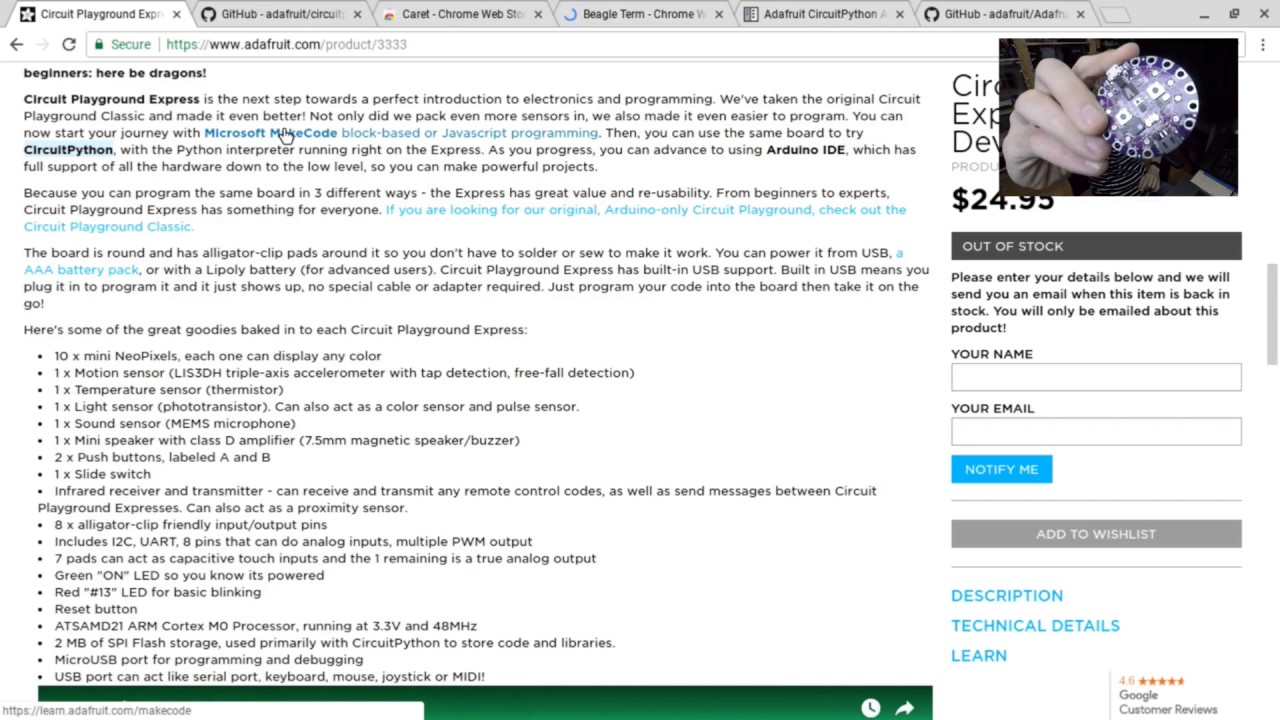
Live stream to http://twitch.tv/adafruit showing how to use CircuitPython on Circuit Playground Express with ChromeOS on a Chromebook. Learn how to load Circ...
formal plover
That's also great news for educators. Not just cheapos like me
 tawny creek
is the tutorial on converting libraries for circuitpython out?
prime flower
Ahh, no. Asher and I were going to do it, then I lost my voice so I couldn't make the video :
with him
formal plover
Thanks for the link @prime flower ! I just used that video to learn what Chrome OS apps to use that work best.
with my Feather M0
tawny creek
@prime flower lost your voice 😮 hope you're alright. I used to do competitive singing growing up and chewed on ginger root / drank ginger tea whenever I'd practice too much that I'd lose my voice. Not sure if you like ginger tho! Might help 😄
manic glacierBOT


 tacit glade
Does anyone have a recommended approach for flushing the input buffer of the UART bus without relying on UART.read() timing out? The extra delay of the timeout is making certain operations too slow, but not flushing the input buffer creates its own problems
 low pier
tacit glade
low pier
tacit glade
I wish that were possible. The first version of my code was written for MicroPython, which has the UART.any() method. But CP doesn't have that method 😦
slender iron
I can take a look at it today. Does it change it you give it a number of bytes to wait for?
tacit glade
That's something I haven't tested, worth taking a look
slender iron
k, I'll take a look at it this afternoon too
thanks for the help @low pier ! I'm happy to see you here
manic glacierBOT
Thank you for this! Unfortunately, I do want that link. Its just that the latest docs are currently broken. I'll look into fixing them right now. Thanks for the heads up!
tulip sleet
@slender iron so the dummy requirements.txt made the rtd build not fail, but there's still something else wrong. I thought I checked the latest/ tree yesterday, but maybe not.
manic glacierBOT
tulip sleet
where'd you make the changes? Or not pushed yet?
not in tree, in readthedocs.io project settings?
manic glacierBOT
This allows for persisting small configuration values even when the file system
is read-only from CircuitPython.
Fixes #160
slender iron
@tulip sleet yeah, project settings
manic glacierBOT
This will improve its documentation and structure.
Again, good for docs and structure.
slender iron
@tulip sleet I think I'll bump the neopixel on/off issue to 3.0 so @ember flower has more time
tulip sleet
Ok. I am close to done on the Python side of microcontroller.die.temperature, and have a dummy routine to return a value right now. die is a singleton object with a property. It doesn't appear there's a built-in sphinx singleton:: kind of defn, though I saw someone who added one.
sick creek
@tulip sleet have you run test in a new windows insider build for small FAT system?
tulip sleet
@sick creek no, did they fix something? I haven't updated to the latest yet. Mostly in Ubuntu for development right now.
sick creek
@tulip sleet there was lots of fixes so the write delay bug could have being fixed
tulip sleet
@sick creek I don't see anything in the blog posts, but I will download it later and update and test. I don't see WSL USB ioctl() enhancements either.
sick creek
@tulip sleet I saw this " We fixed an issue resulting in no “Safe to Remove Hardware” notification after following the device removal process from the “Safely Remove Hardware and Eject Media” tray icon "
tulip sleet
@sick creek Wow, maybe that's really it, though it's phrased kind of strangely. That would seem to be just a notification issue. I'll reboot into Windows later and check it out. Thanks!
slender iron
@tulip sleet I did something similar for the nvm pull request too
oooh micropython 1.9.2 was released yesterday
tulip sleet
I was just reading through the nvm pull request. Hadn't gotten there yet. I see you declared nvm as a module with an attribute.
Looking at 1.9.2 release notes now.
useful stuff; some divergence on frozen modules: have to figure out what to do with that
slender iron
divergence?
tulip sleet
they changed some of the make rules I rewrote completely. Also they can now freeze arbitrary stuff like objects. But they don't have multi-dir support
slender iron
ah ok, maybe you should do the merge then
tulip sleet
! well, maybe that part
slender iron
I don't know why damien does the detailed list of changes. its just all of the commit messages
tulip sleet
could be ok. do you have time for a video chat? I have some other questions. Same as before?
slender iron
yup! I have twenty minutes or so. want me to call you on discord?
tulip sleet
if you want to try it. I don't see video capability for me yet, but maybe you can start it
slender iron
ya I can. will do in the next 5 minutes
tulip sleet
okee
slender iron
looks like we need to be friends
manic glacierBOT
Thanks for making it work again. :)
formal plover
@tulip sleet @slender iron You guys rock! It's fun just watching you guys work things out!
I setup my Feather M0 Express last night. Man am I going to have fun learning Circuit Python. Watched the Tony D video for circuit python and Chrome OS. I'm ready to rock and roll
tulip sleet
@formal plover Thanks! This is an open-source project, not just a "visible source" project. Scott wants to create community where folks feel free and welcome to contribute.
formal plover
You're welcome! Well it certainly has that open source community vibe to it!
formal plover
That he is!
slender iron
@low pier @tacit glade is any() used anywhere else besides micropython? seems like a weird name for the count of buffered characters
manic glacierBOT
 slender iron
atmel start is the worst
royal ridge
OK, check my brain: anything that you would want accellerated to C-speeds you'd have to build into the core firmware, right?
tulip sleet
@royal ridge Yeah we don't have anything like CPython (python compiled to C) yet. MicroPython has several alternate outputs besides bytecodes (simple native code) but it's not clear how much it would speed things up, since it's still calling the same things underneath the covers.
@slender iron I am sorry for you. I did a last gasp websearch for ASF4 downloads but it does not exist.
slender iron
@tulip sleet not a problem. I can all the export endpoint directly 😄
scripting it up now
tulip sleet
Very good! The system can be gamed.
tulip sleet
Can you enumerate all the libraries?
@sick creek I tried the latest Windows Insider build. I am still seeing delayed writes when I look at the USB traces. Haven't yet reproduced the usual syntax error problems, but I'm comparing with a vanilla Windows 10 system.
slender iron
I'm trying 😃
tulip sleet
Well, we know what we need.
royal ridge
You Can Do Et, @slender iron
stashes the borrowed pom poms back beside @slender iron's desk
royal ridge
OH, BTW, you might be interested in this: I have successfully wrote code on my gemma using my android tablet. IT WORKS!
royal ridge
Mass Storage
I did not try REPL, because it was my lunch break at work and ppl were being loud.... gonna hunt for a USB serial term app
slender iron
check the forums, someone got serial going on their phone but not mass storage
manic glacierBOT
royal ridge
ok, so droidterm works, sort of (cant get ctrl+D) on both gemma and cpx
and CM file manager shows both as usbotg-sda1 in it's list of shortcuts
slender iron
👍
you should post your findings here: https://forums.adafruit.com/viewtopic.php?f=60&t=122412
slender iron
nah
formal plover
Nice discovery @royal ridge !
royal ridge
Necessity is the mother of "hey... will this work?"
and I needed the distraction today at lunch... SO MUCH
tacit glade
@slender iron honestly I don't know. If you're asking about other microcontroller languages like Arduino, I really only got into the maker scene once MicroPython came out. Pretty sure the Arduino library used any() and that that's where I got the idea to use it in my translated version
slender iron
@tacit glade what is the problem you are seeing?
you said its hanging which implies its not returning None when it should be
tacit glade
Yes, that happened a couple times (sorry, my memory is foggy on the details)
Now the big problem is that read() takes so long to return None
slender iron
can you measure it using time for me?
tacit glade
But without flushing the buffer things break, understandably
slender iron
what do you mean by flushing? I usually hear that when writing data out, not reading it in
tacit glade
Yes, it would have to be later tonight, but yes
slender iron
k, instructions on how I can reproduce it would be very welcome
tacit glade
Happens when calling readline() if there's still data
slender iron
I looked at the code and it seemed ok
tacit glade
Gtg, chat later
slender iron
kk bye
tacit glade
@slender iron I just pushed a commit that should help you see what I'm seeing. I wrote instructions in the commit message. Let me know how it goes
https://github.com/mmabey/Adafruit_Soundboard/commit/4a4add0481632d1c602bc042920e9eaa66be4b01

GitHub
On line 44 of adafruit_soundboard.py is a variable SCENARIO.
Changing its value will demonstrate the different behaviors I've seen.
But first, make sure you've got an instance of the `Soundboar...
slender iron
@tacit glade thanks! is there any way to reproduce it without the soundboard? I don't think I have one on hand
tacit glade
🤔 Not sure. One thing about the soundboard is it has different commands that produce output that might be one or two lines depending on the command. I don't have enough experience with UART to know offhand how you might reproduce the problems I've seen. Sorry!
slender iron
ok, its on the shop though right?
manic glacierBOT
 manic glacierBOT
 manic glacierBOT
If CIRCUITPY_INTERNAL_NVM_SIZE is other than 256, fuses.eeprom_size will be the wrong value. You could put an #if check in here that errors out if it's not ==256 or in the mpconfigboard.h files you could #define a constant that's the right fuse enum value.
This should work, but __len__() doesn't seem to work right in Circuit/MicroPython:
>>> len(microcontroller.nvm)
Traceback (most recent call last):
  File "<stdin>", line 1, in <module>
TypeError: object of type 'ByteArray' has no len()

>>> len(bytearray(7))
7

>>> microcontroller.nvm.__len__()
256

>>> bytearray(7).__len__()
Traceback (most recent call last):
  File "<stdin>", line 1, in <module>
AttributeError: 'bytearray' object has no attribute '__len__'
>>> [1,2]._...
When I tested this on a CPX, I saw CIRCUITPYTHON1 and the crystal-less usb calibration value in the first bytes of microcontroller.nvm. Do you think this was left over from a previous non-nvm firmware load, or is main.c overwriting nvm with the cal data? I'm not sure of the order of firmware, nvm and calibration areas in the flash.
manic glacierBOT
 tacit glade
@slender iron yes they are: https://www.adafruit.com/?q=soundboard
In case it's helpful, the exact model I have is this one: https://www.adafruit.com/product/2341

Would you like to add audio/sound effects to your next project, without an Arduino+Shield? Or maybe you don't even know how to use microcontrollers, you just want to make a sound play ...
turbid bear
@slender iron, circuit Python 2.0 does that mean more libraries are included?
manic glacierBOT
 slender iron
@turbid bear the circuitplayground express will have neopixel built in
and random and os are redone
slender iron
if you want to test it, yeah
slender iron
@turbid bear there will be a release candidate soon that would be good to get tested
it was delayed a bit so we can merge in the changes for 1.9.2 micropython
turbid bear
@slender iron, 👌will try to test. Thanks!
 opal elk
@slender iron during ask an engineer you said to ask in here for how to contribute to circuitpython. so... hi 😄
slender iron
@opal elk excellent!
testing the betas is always helpful
adding libraries are also helpful
opal elk
I started the process at work to get approval to work on it (they own my brain, so to speak, so to work on OS stuff I have to get approval and show that it won't compete with them. it's basically a formality via process)
I'll probably start with testing (especially since I don't think that requires approval, just code)
slender iron
perfect! thank you for making sure
opal elk
so, step 1: get a CP compatible board, I guess...
slender iron
helping people get started here and on the forums is good too
less obvious conflict than coding
manic glacierBOT
Yup, I moved the location of the config data to before the eeprom section. It needs to be at the end of memory for the nvm controller to understand where it is.
slender iron
@tulip sleet my pull is ready for another review when you have time
tulip sleet
@slender iron retesting right now
slender iron
k, I added tests that Rosie should run now too
tulip sleet
saw those; I was just testing survival of the values across .uf2 reloads. Looks good!
slender iron
k cool!
tulip sleet
tada
tulip sleet
No, I just got back 20 mins ago. It was a Field Day event at my son's school - ran over. Will start soon.
tulip sleet
So you got everything downloaded? Do you need to wait for the merge?
slender iron
nope, I'm not blocked
I'm planning on rebasing it once I have the barebones stuff going
tulip sleet
sounds good. I will start right away. I have the core.temperature stuff tucked away in a branch for later.
slender iron
cool cool, I'm about to grab lunch and then will spend some time on it